KitGuru KitGuru.net – Tech News | Hardware News | Hardware Reviews | IOS | Mobile | Gaming | Graphics Cards


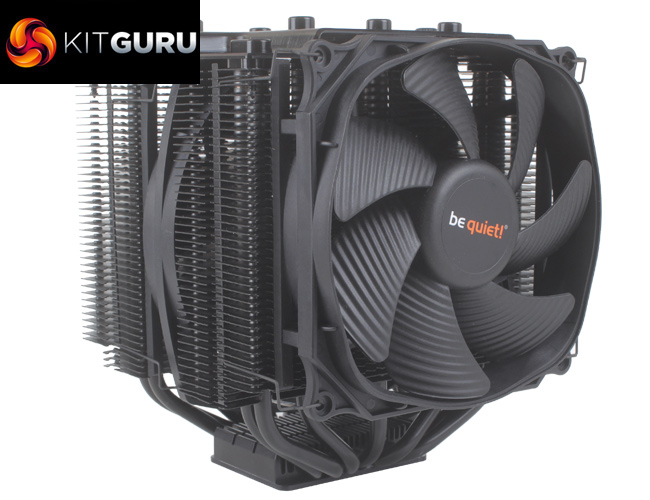
As the ‘TR4' part of the name suggests, the be quiet! Dark Rock Pro TR4 has been designed to work with Threadripper CPUs, something that wasn't supported with the Dark Rock Pro 4. From the outset, the Dark Rock Pro TR4 shares a very similar aesthetic to the Dark Rock Pro 4 which we reviewed previously, and also shares a very similar price at £79.99. Looking at both models side by side, it’s pretty easy to confuse them, but the biggest giveaway that one is TR4 socket-specific Is, of course, the massive CPU block.
We were very impressed by the Dark Rock Pro 4's cooling performance and low audible noise, but as the TR4 version shares an almost identical spec list it will be interesting to see how it compares in our testing.
Specification:
- Model: Dark Rock Pro TR4
- Heat Sink Material: Aluminum
- Included Fans: 1x Silent Wings 3 120mm PWM, 1x Silent Wings 135mm PWM
- Fan Dimensions: 120 x 120 x 25mm, 135 x 135 x 22mm
- Fan Speed: 1,500 , 1,200 RPM @100% PWM
- Fan Noise Level: 24.3 dBa @100%
- Fan Connector: 4-Pin (PWM)
- Warranty: 3 years
- AMD socket compatibility: AMD TR4
- Heat Sink Weight: 1.18kg
- Heat Sink Dimensions (LxWxH) : 145.7 x 136 x 162.8 mm
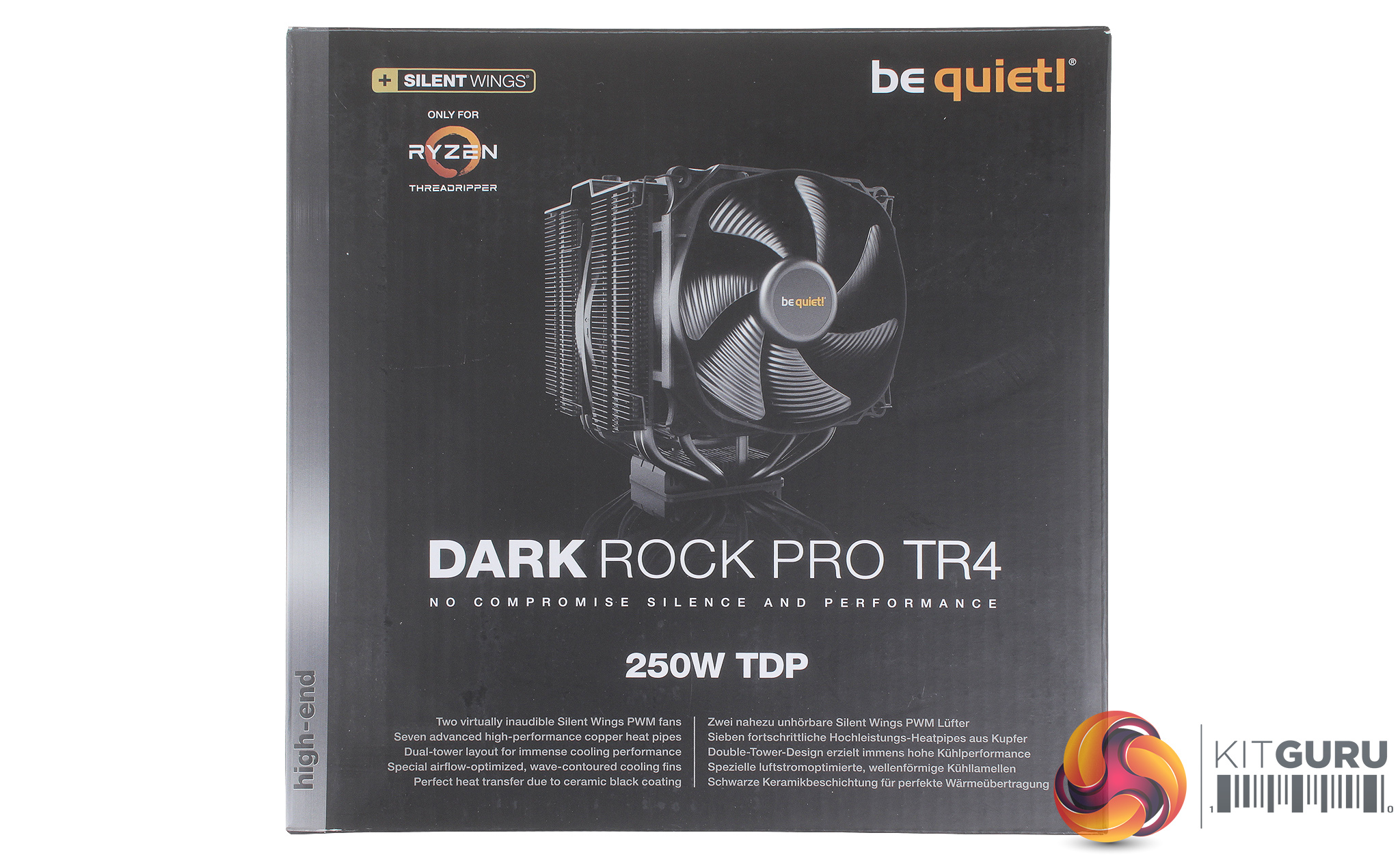
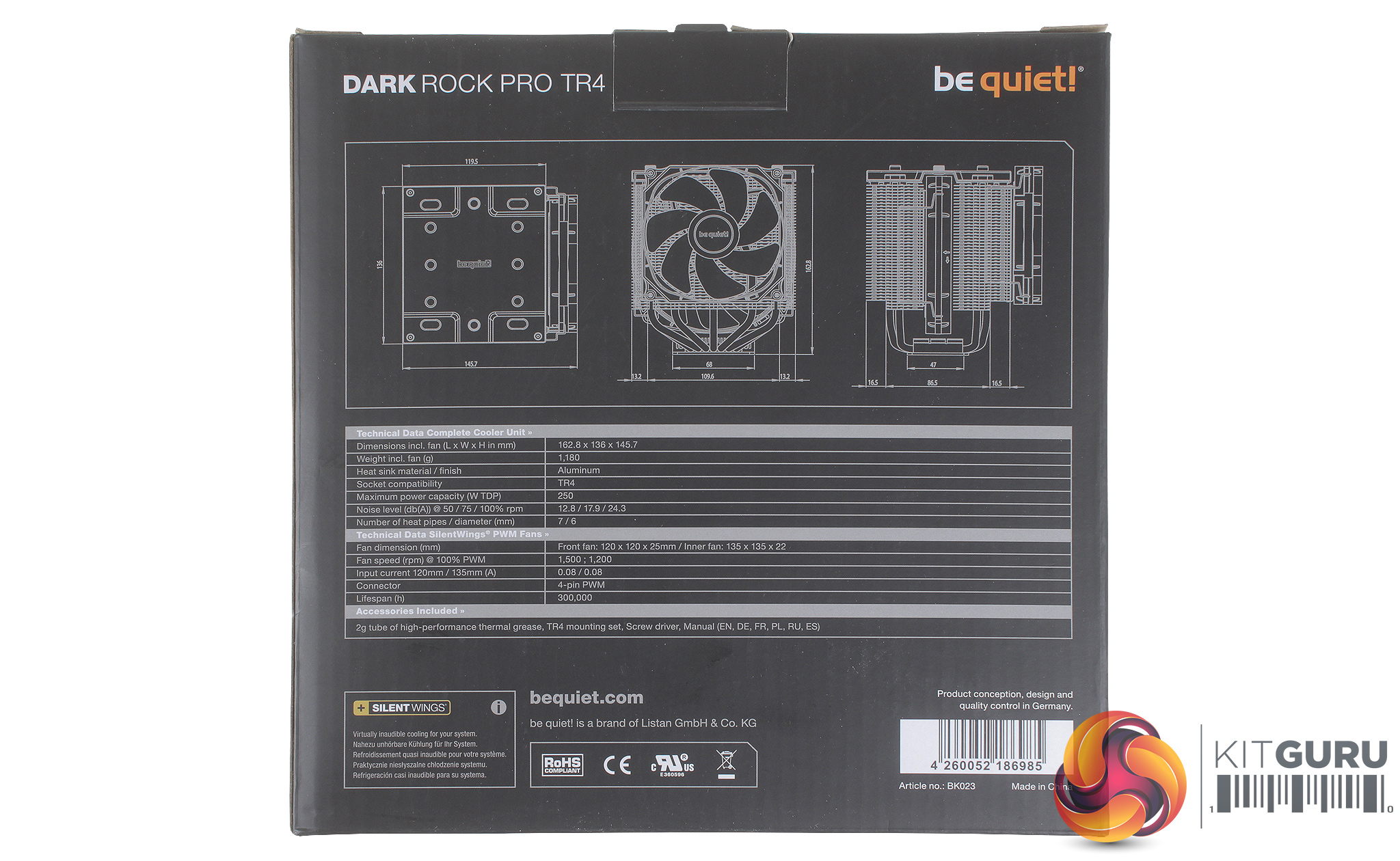
The be quiet! Dark Rock Pro TR4's packaging could be very easily confused for the standard Dark Rock Pro 4's box. The front of the box shows a clear picture of the cooler and there is a small logo indicating that the Dark Rock Pro TR4 is solely compatible with Threadripper.
Just as with The Dark Rock Pro 4, the TR4 version is rated for CPUs with up to a 250W TDP, and the rear of the box provides a more detailed set of dimensions for the cooler, which should help to ensure case compatibility.
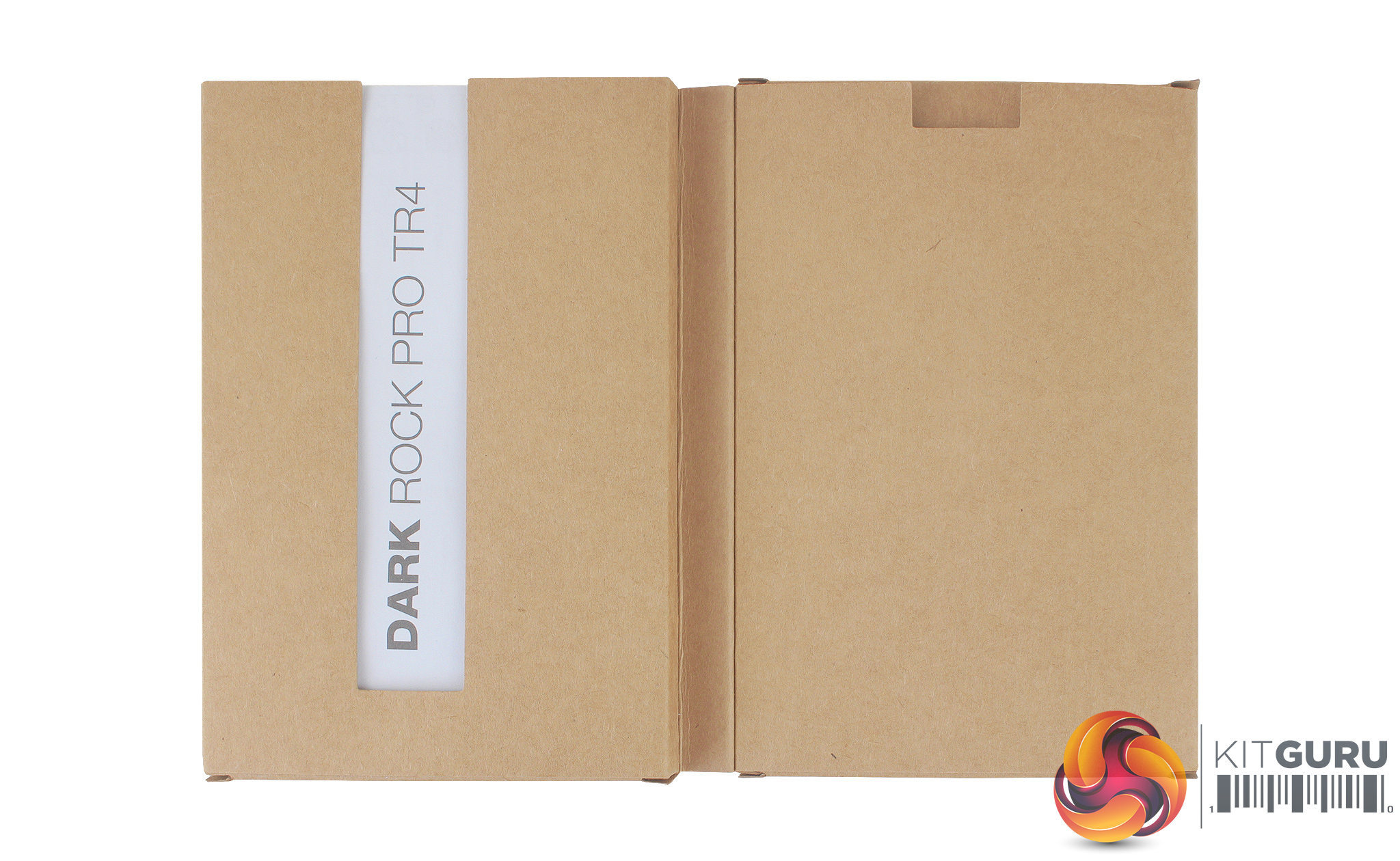
Inside the box, we find the smaller accessories pack, with a number of installation guides in different languages. As the Dark Rock Pro TR4 only supports the TR4 socket there is significantly less mounting hardware included.
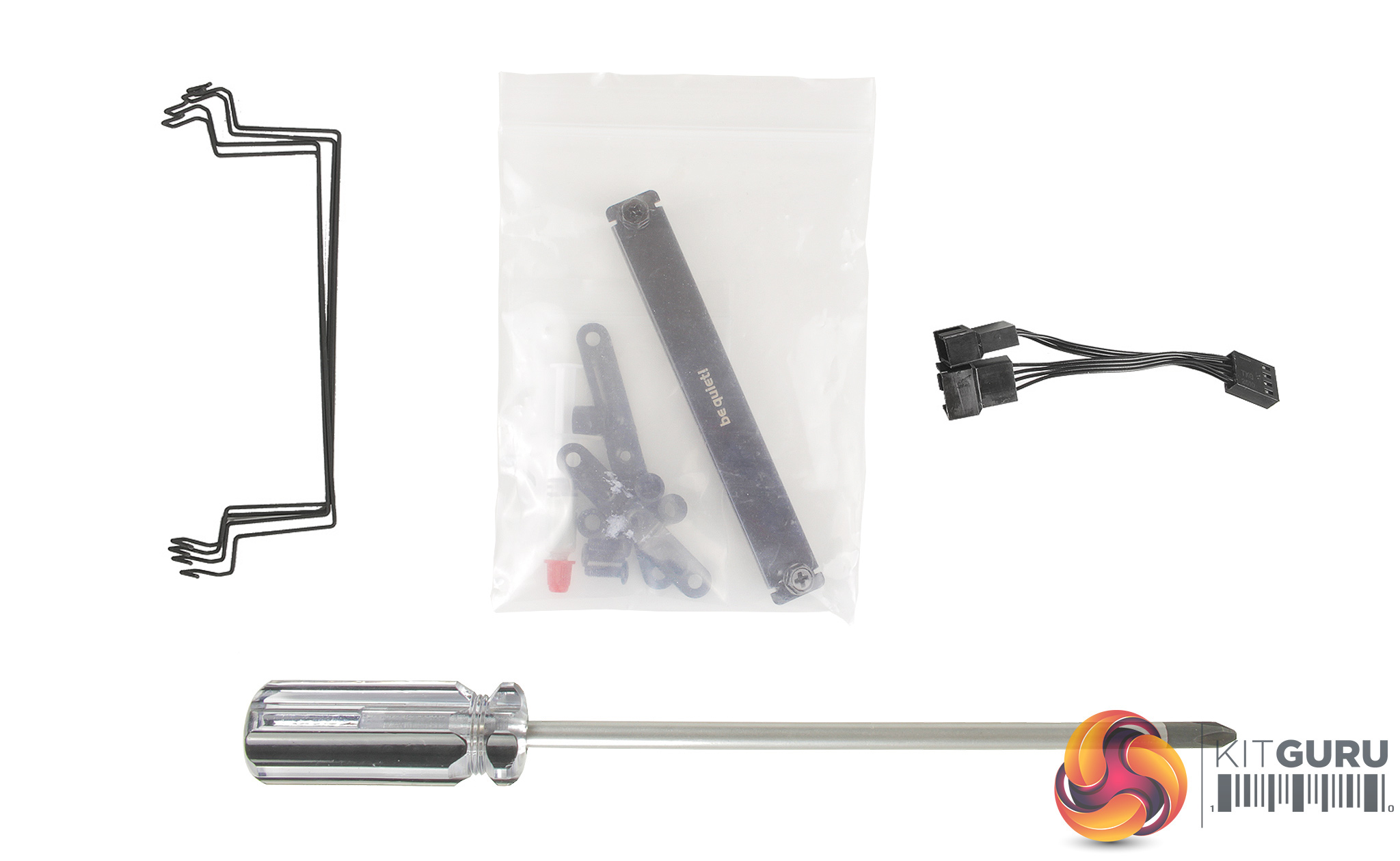
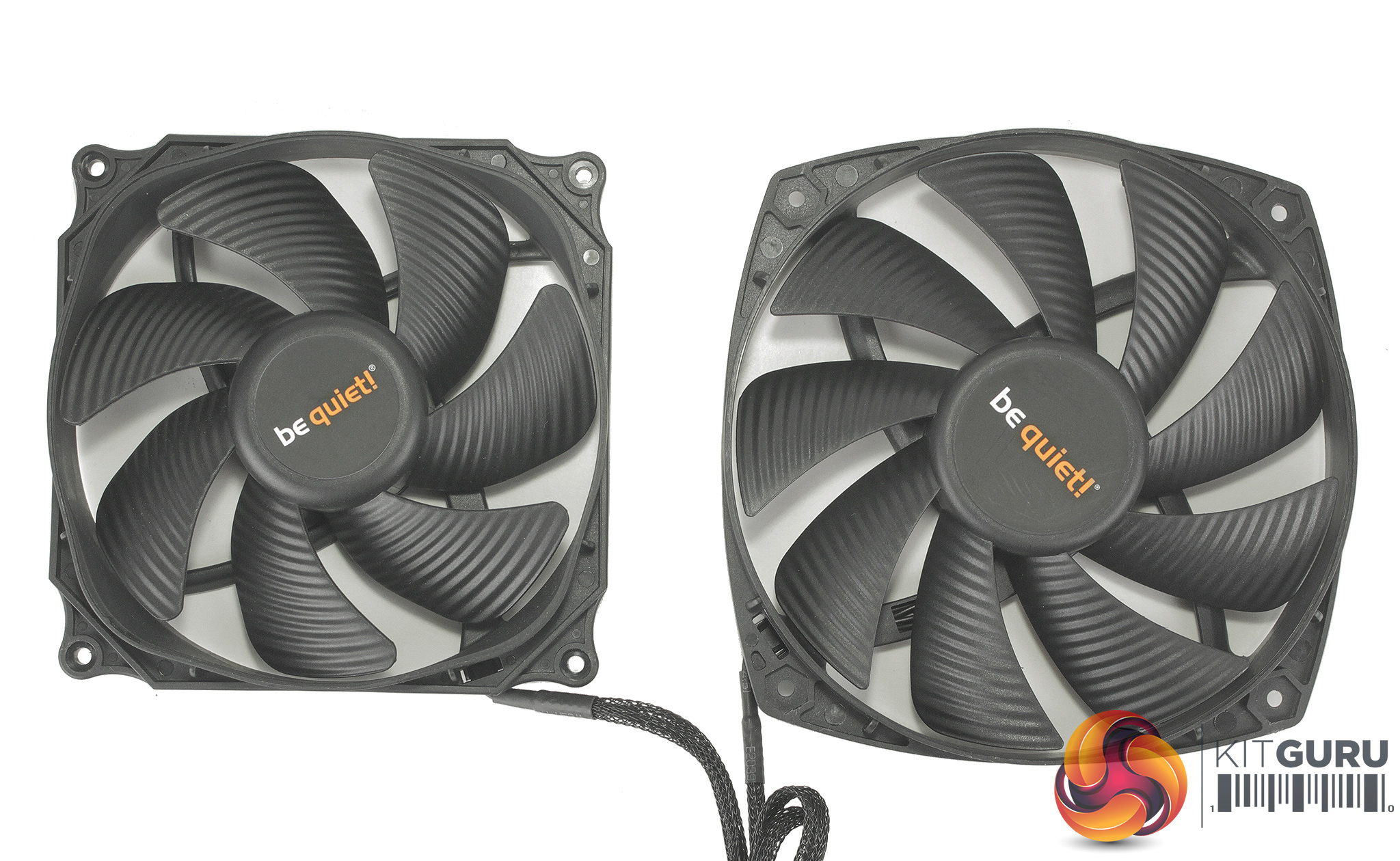
You do still receive a full second set of mounting wires for installing a third fan, a long be quiet! screwdriver which will be required during installation, as well as a 4-pin PWM splitter for connecting up the two fans. It’s nice to see that users get a decent amount of thermal compound, too, as you will need more for installation with a Threadripper CPU as the IHS is so large.
Elsewhere, the internal 135mm fan comes packaged separately – so it is not already installed onto the heatsink. This will actually speed up installation a bit as you need to access the central channel of the cooler during the mounting process, which would otherwise be blocked by a fan. Both fans also feature braided cables which is a nice touch.
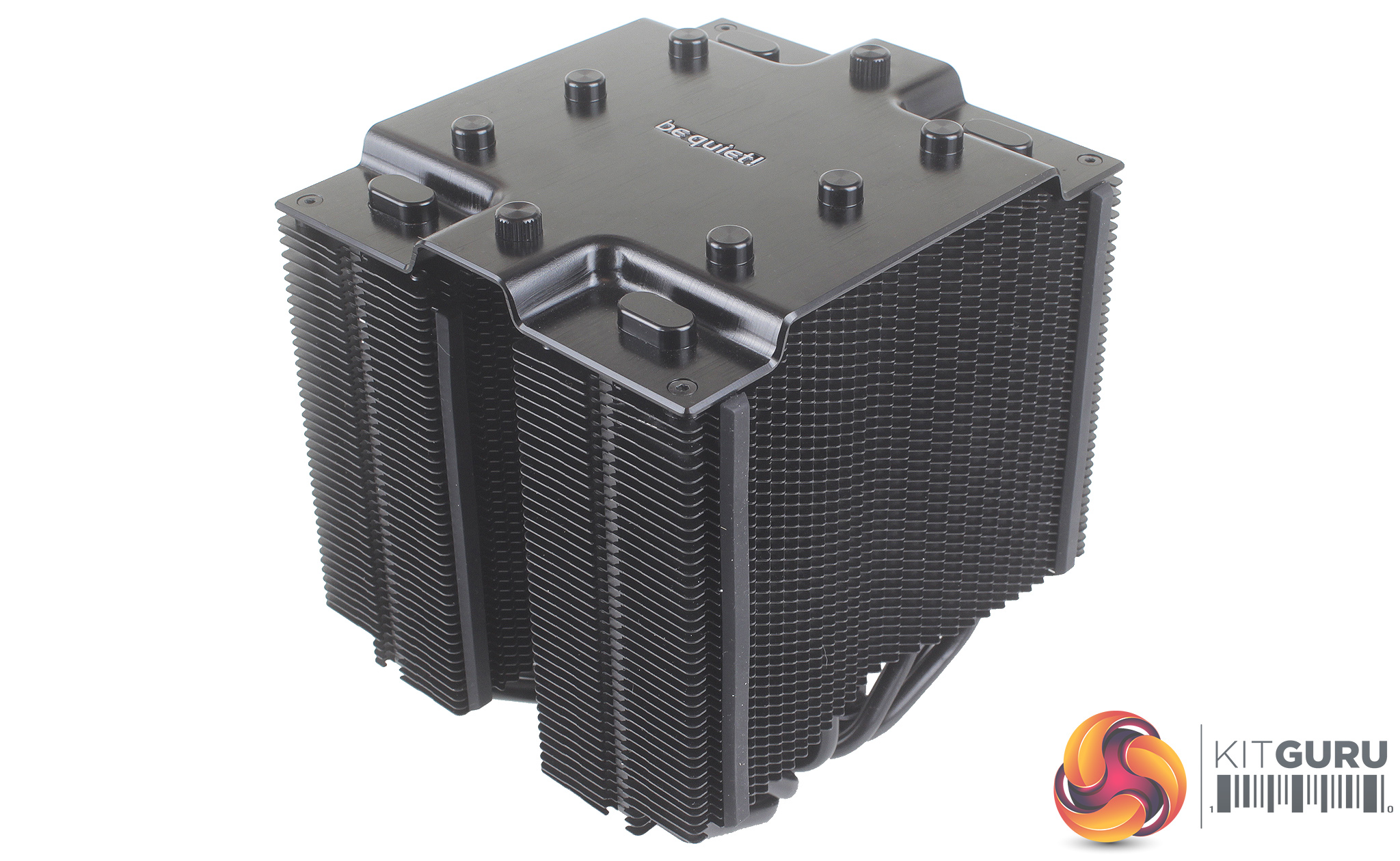
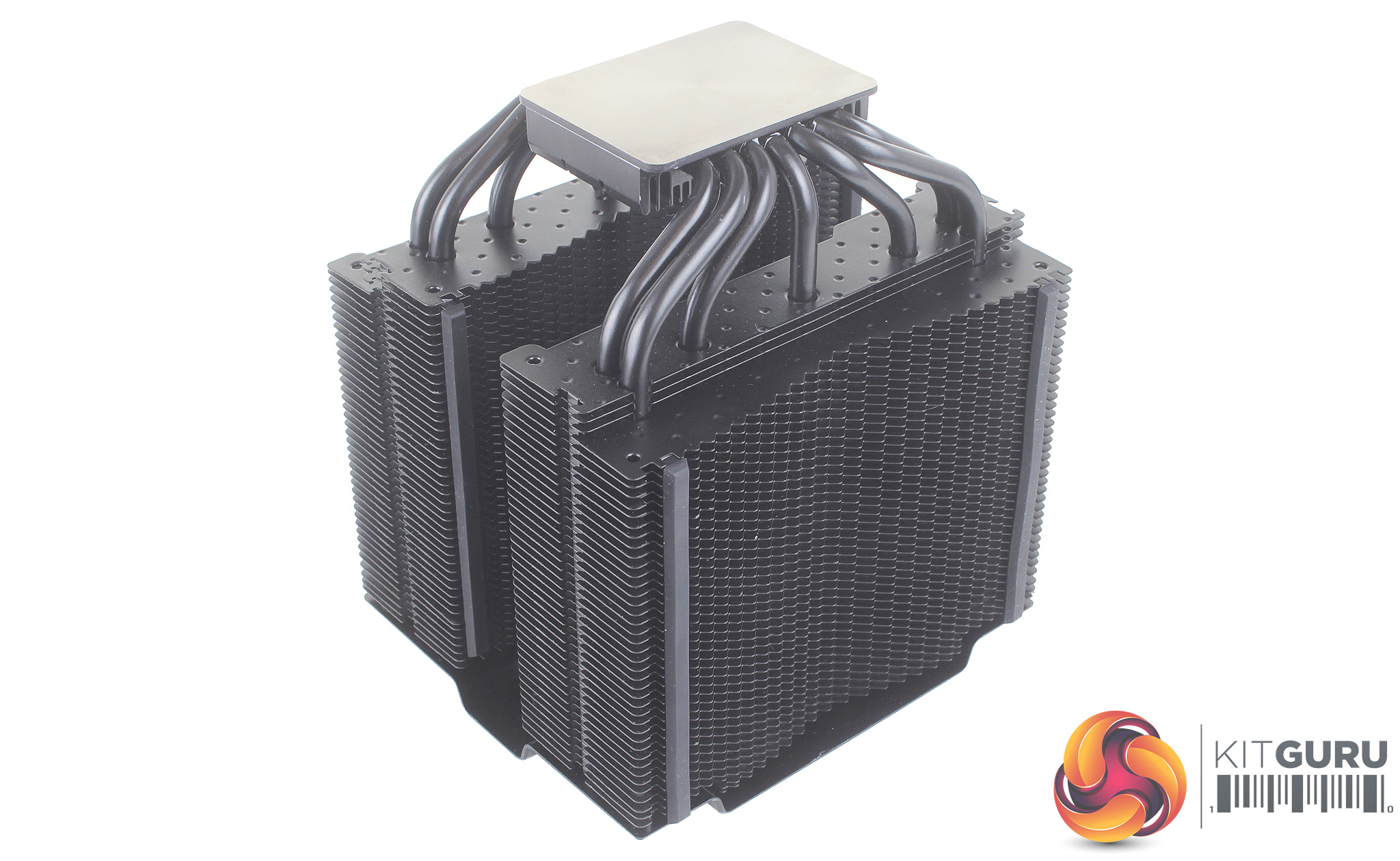
The cooler as you would expect feels nice and solid, and is pretty hefty weighing in at 1.18KG. Just as with the non-TR4 version, the all black coating looks excellent, and as it has a ceramic additive, shouldn’t affect heat dissipation.
As the Dark Rock Pro TR4 is only compatible with the TR4 socket, there is only the necessary mounting hardware for TR4 – something which does speed up installation times.
As a backplate isn't required you start with four black spacers, and slot them over the four threaded mounting pegs. You then install the two TR4 mounting brackets using the four included screws. It’s worth noting that each of the brackets is a different length as one designed for just above the socket, and one for below.
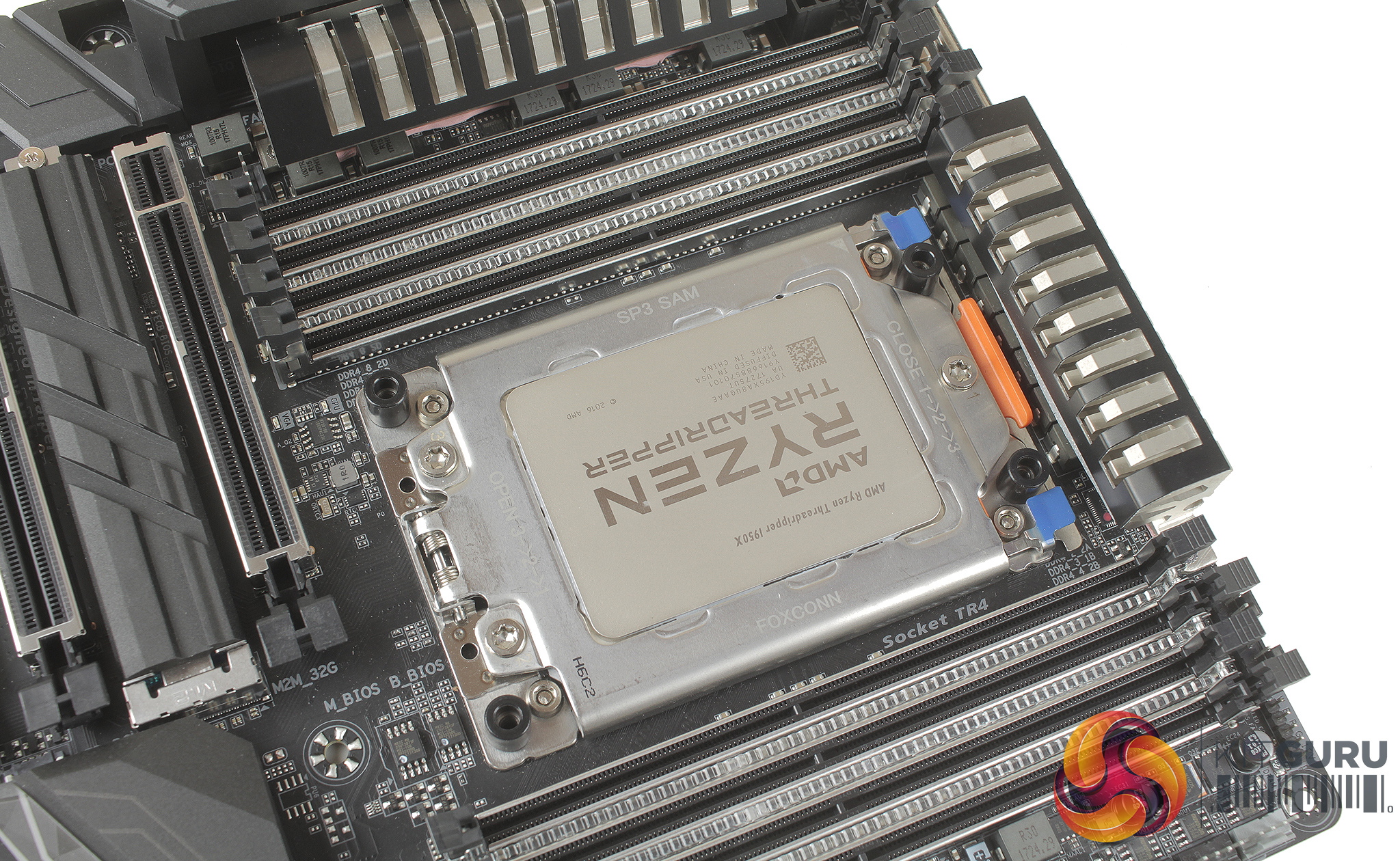
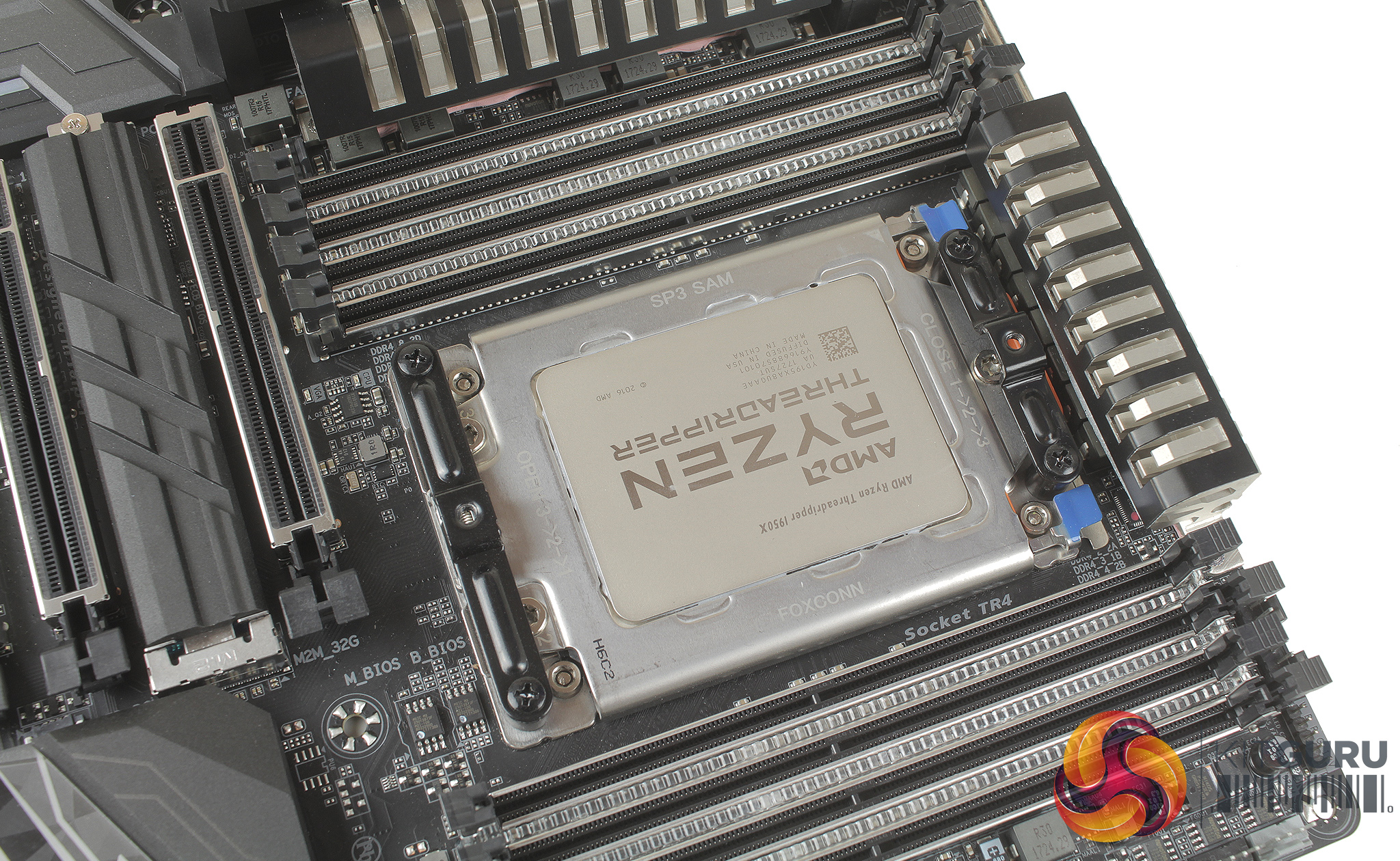
Thermal paste can then be applied (we chose not to use the paste included so that we can maintain some consistency with future TR4 cooler testing) and position the cooler above your CPU. There is a third metal bracket which needs to be passed through the centre of the cooler and lined up with the two available mounting holes. The screws are affixed to the bracket with a couple of rubber washers so they don’t fall out, which is also helpful.
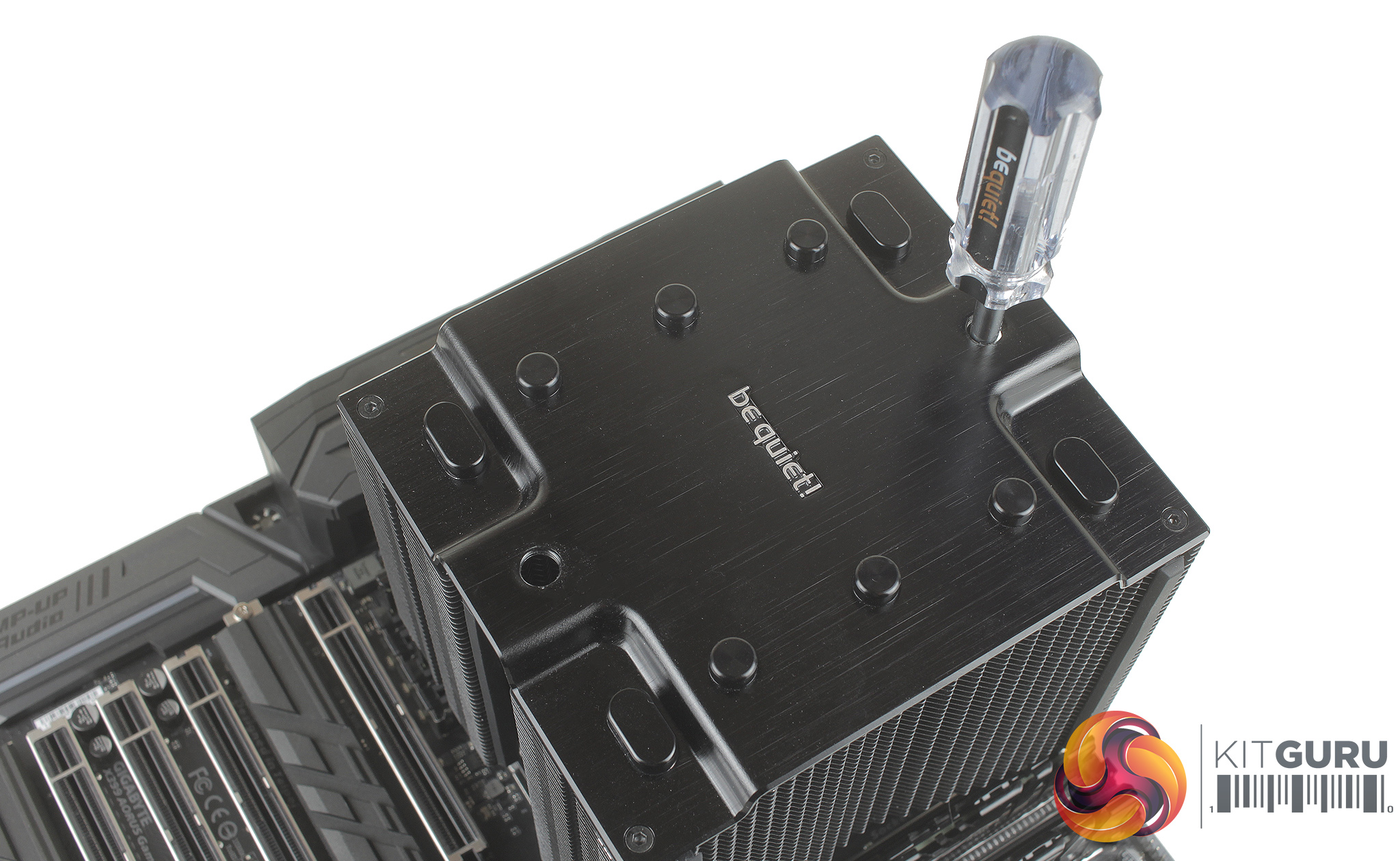
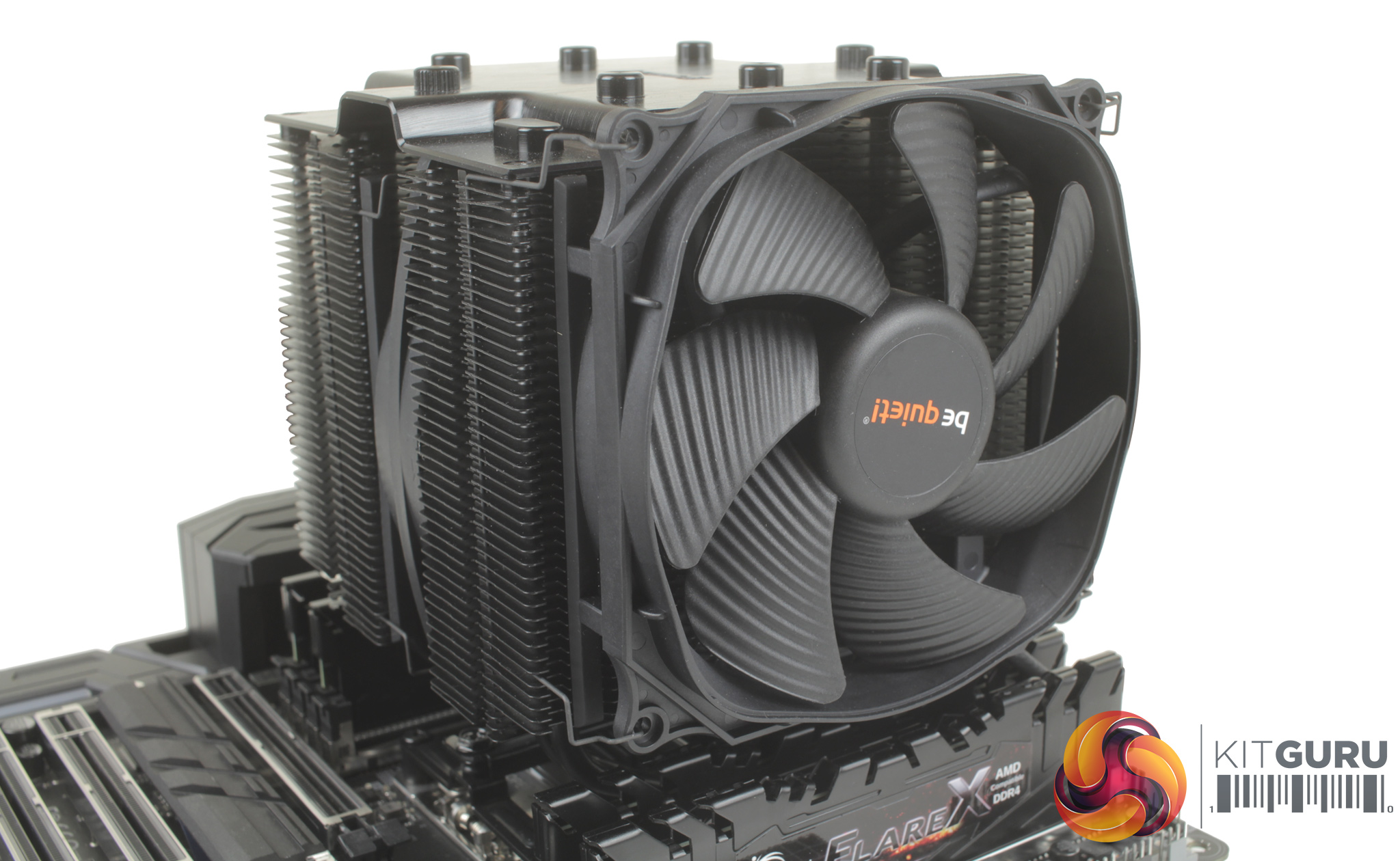
At the top of the cooler are two removable pegs, which can be unscrewed to allow access to the top bracket, and the included screwdriver can then be used to pass straight through the centre of the cooler. With everything firmly mounted in place, you can then re-attach the 135mm fan.
Overall, installation is pretty easy going, there are fewer steps required as a backplate isn’t needed. As users only receive just the mounting hardware required, if you’re left with any spares after installation then you’ve gone wrong somewhere.
In terms of RAM clearance, there is about 4.5cm which should be perfectly suitable for low profile memory. It’s also good to see that the cooler features a cut-out both at the front and back, so nothing should come into contact with your memory slots. Clearance is fine for low profile memory, but the Geil Evo X RGB Ram typically used for testing on our Z170 platform measures just shy of 6cm, so it’s definitely worth checking this to ensure you can install all of your memory modules and in the correct slots.
To test all CPU coolers, we devised an easily repeatable test with no variables other than the coolers themselves. This ensures that figures from every cooler we test are comparable with each other.
Test rig
For the CPU we are testing with the AMD Ryzen Threadripper 1950X installed in a Gigabyte X399 Aorus Gaming 7 motherboard. For RAM we have a 32GB kit of G skill flare X running at 3200Mhz, and storage is handled by a 120GB Samsung 840 EVO SSD. Powering our bench is a Seasonic Prime Platinum 650W PSU, and just to enable a display output an Nvidia Geforce GTX 980 was also installed.
The test process
For testing, we run a number of tests including 6 separate temperature readings per cooler. We first measure the idle temperature of the 1950X locked in at 3.4GHz before measuring its temperature under load at the same frequency.
For a representation of overclocks, we run the 1950X at 4.5GHz with a core voltage of 1.4V applied both at idle and load. The temperatures we present are temperature deltas, where the ambient temperature of the testing environment is deducted from the temperature taken from the CPU for both idle and load. An idle reading comes from leaving Windows on the desktop for 15 minutes. A load reading comes from running Prime95’s (version 26.6) Small FFTs test for 15 minutes – enough time for temperatures to plateau. We use HWInfo64 v5.82 to measure temperatures.
As the 1950X is suited more for productivity, passes of both Cinebench R15's Single and Multicore benchmarks were run, as well as Blenders BMW CPU benchmark to give a better idea of temperatures during typical use.
Noise output
We measure noise levels with our sound meter positioned 1 foot away from the test bench. The peak noise level is presented. We have measured the noise floor (i.e. ambient noise levels of the room) to be 34 dBa, and when tested at stock clocks, the vast majority of coolers do not emit noise levels above this figure. Thus, we present one chart with noise levels taken during our overclocked CPU test run.
Temperatures
All temperature charts are sorted with lowest load temperatures at the top.
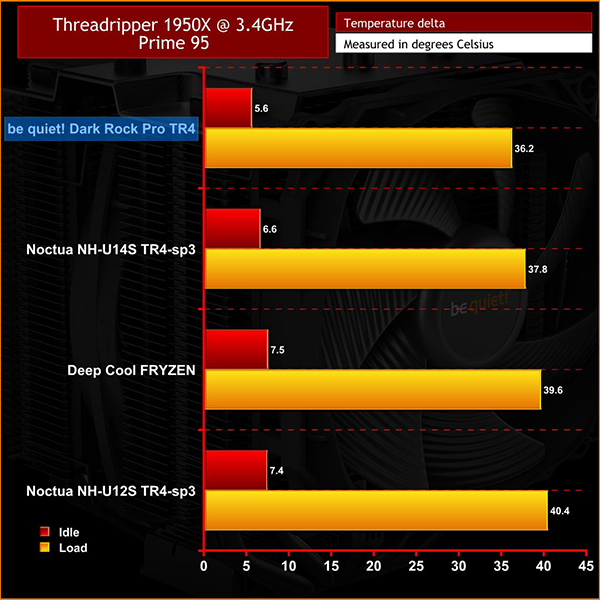
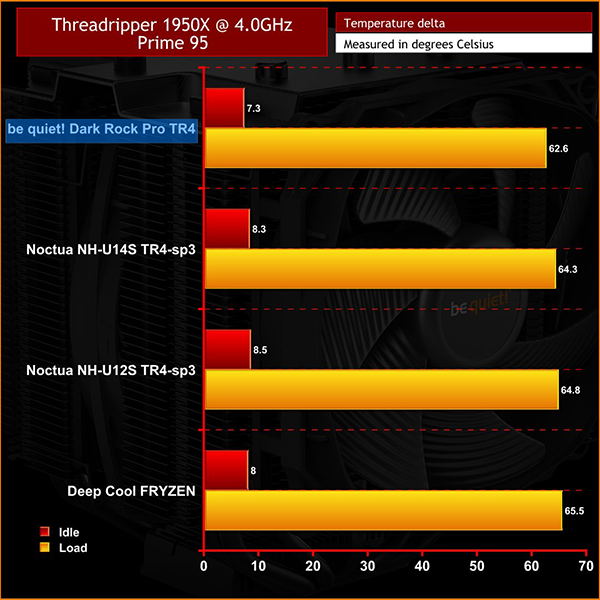
Taking a look at Prime 95 first, at 3.4GHz the Dark Rock Pro TR4 performed pretty admirably – maxing out at 36.2 degrees and idling at 5.6. Even when overclocking to 4.0GHz, the absolute highest temperature recorded came in at 62.6 degrees, while our 1950X sat quite happy idling at 7.3 degrees.
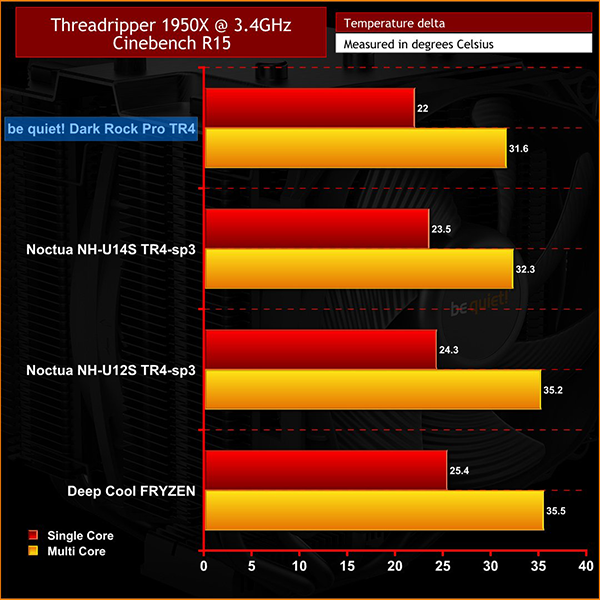
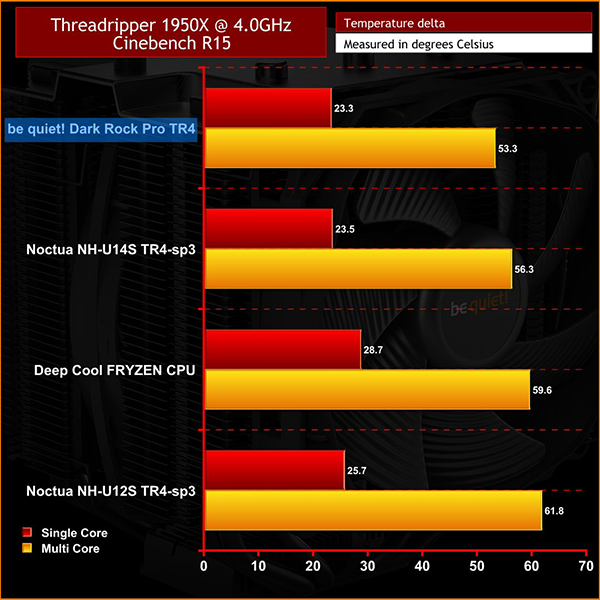
With Cinebench we ran a number of passes of the multi-core test until temperatures stabilised. Max temperatures when overclocked did come in a little lower at 53.3 degrees. We also ran some single core passes, just see how the Dark Rock Pro TR4 would fare when the processor is not utilising all 32 threads, and we saw the 1950X top out at 23.3 degrees. Locked in at 3.4GHz we find lower temperatures still both for single and multi-core tests.
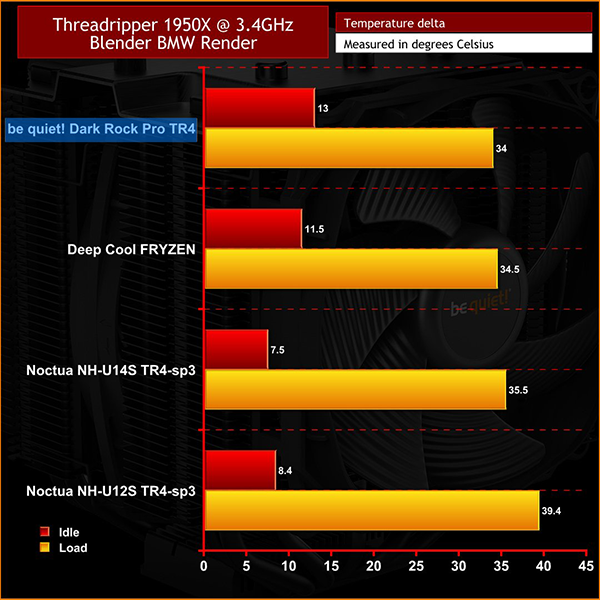
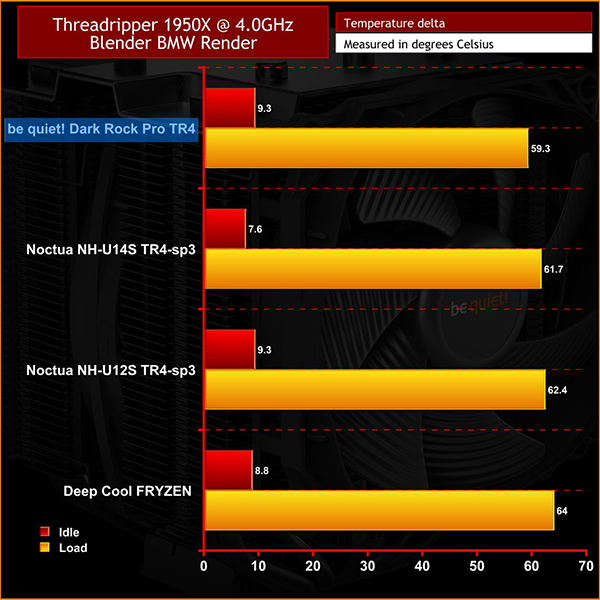
Moving on to Blender we can see that the temperatures sits basically in between our Prime 95 and Cinebench test results, with 59.3 degrees recorded when overclocked, and 34C with the processor at 3.4GHz. This is indicative of what you can expect in the real world given Blender is an instance of actual rendering, which the 1950X is perfectly suited for.
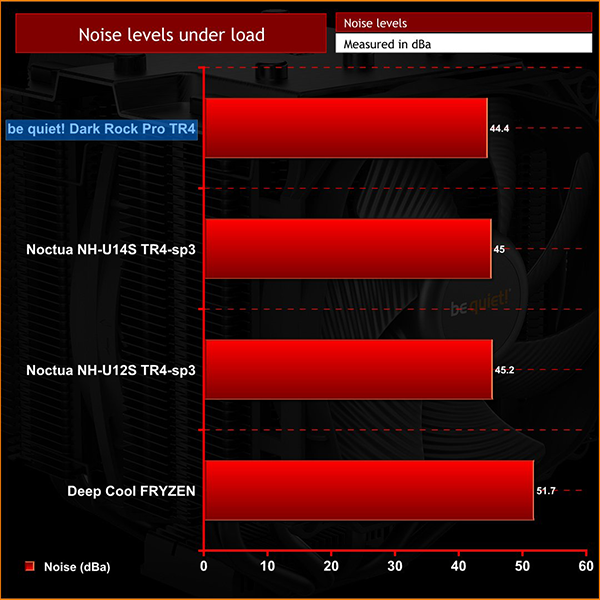
Audible noise was also recorded when our 1950X was running Prime at 4.0GHz, and even then, the Dark Rock Pro TR4 wasn’t really very audible with a peak of 44.4 dBa, so it's certainly not irritating levels of noise. At idle and even under load when clocked at 3.4GHz it was quieter still, and really only audible with my head pressed right up against it.
Overall performance of the Dark Rock Pro TR4 was rather impressive on a number of fronts.
Firstly, its raw thermal performance is very good. If you are looking to keep your CPU at stock locks, it strikes me as rather unlikely that even during long render sessions you’d ever reach a worrying temperature. Even when overclocked, our delta T temperature remained below 60C when rendering with Blender.
What’s also great is that even under heavy load, the cooler remained really quiet. Comparing it to the Dark Rock Pro 4 which we tested using an i7-7700K, audible noise was essentially the same at full load, and when you consider the 1950X’s much higher TDP when compared to the 7700K, this is actually rather impressive.
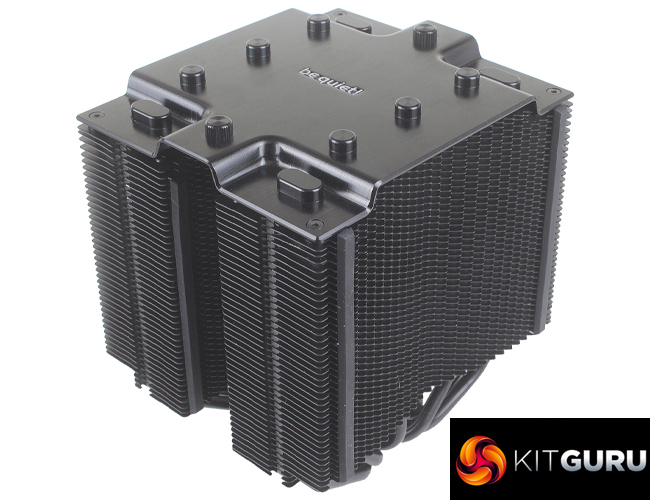
The Dark Rock Pro TR4 is basically, as the name suggests, the Dark Rock Pro 4 but for your Threadripper CPU – though this isn’t by any means a criticism. You can still expect the same solid quality, premium fans and clean all black aesthetic, along with even simpler installation.
£80 for an air cooler definitely puts this in high-end territory, but if you're looking to build around the (expensive) Threadripper platform, this shouldn't worry you in the slightest.

The Dark Rock Pro TR4 is currently available from Overclockers UK for £79.99 inc. VAT HERE.
Pros
- Excellent cooling performance, with scope to overclock.
- Installation is made very simple with only a few stages.
- Shares the same clean all-black aesthetic as the Dark Rock Pro 4.
Cons
- Only compatible with the TR4 socket.
- Support is limited for higher profile memory.
KitGuru says: If you are looking to build a Threadripper based workstation and don’t want to deal with the extra points of failure which could be expected with an all in one liquid cooler, the Dark Rock Pro TR4 from be quiet! is an excellent option.