KitGuru KitGuru.net – Tech News | Hardware News | Hardware Reviews | IOS | Mobile | Gaming | Graphics Cards


Today we are going to take a look at the latest all-in-one liquid CPU cooler from Cooler Master – the Nepton 240M. While Cooler Master may not be the first manufacturer that comes to mind when you think of all-in-one water coolers, they are starting to build a range of different product options in this category.
With the release of the Nepton 240M, Cooler Master's all-in-one water cooler range encompasses all four of the most popular radiator sizes; 120mm, 140mm, 240mm and 280mm. This puts it in a great position to compete with the more established players in the market, namely Corsair.
Cooler Master have adopted a different strategy to most other manufacturers who have entered the all-in-one liquid cooling market. Rather than simply brand an off-the-shelf design from Asetek, they have created their own product which is different from the competition. Can they compete?
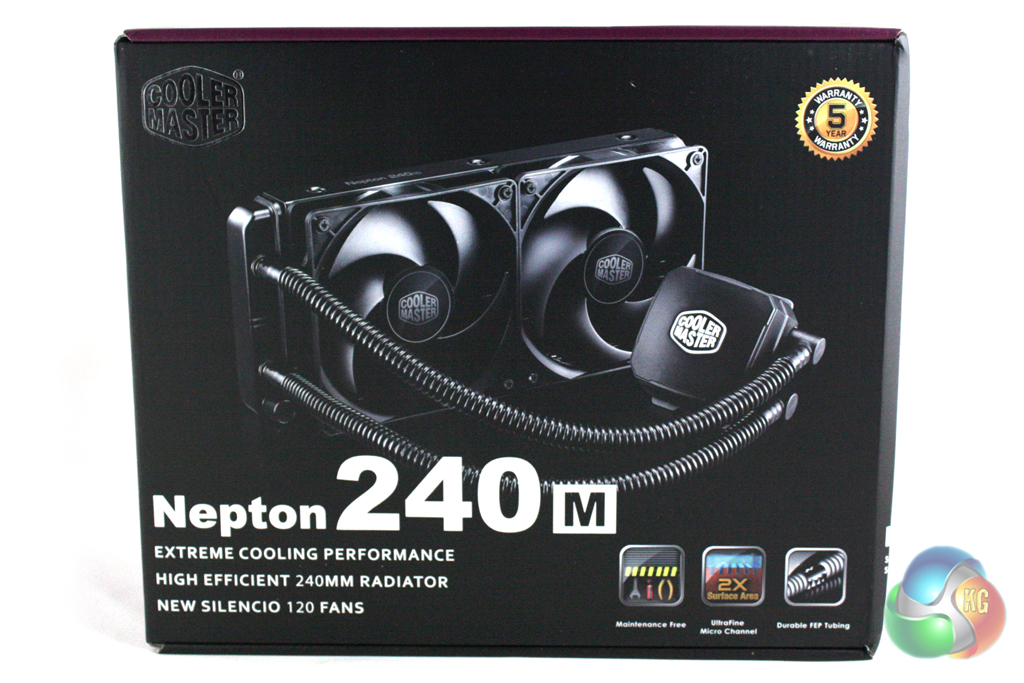
The Cooler Master Nepton 240M is supplied in a substantial box which is decorated in Cooler Master's usual black and purple livery. The front features a large image of the cooler within, alongside a series of three badges which depict various features of the cooler.
The rear of the box reveals more details surrounding the features of the Nepton 240M which is repeated in several different languages. There are also some estimated performance figures and some diagrams illustrating different aspects of the cooler.
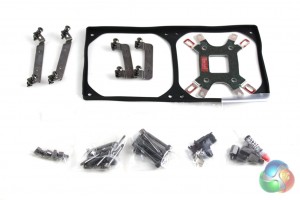
Inside the box, the bundle consists exclusively of mounting accessories for the cooler. We wouldn't reasonably expect anything else to be included, though.
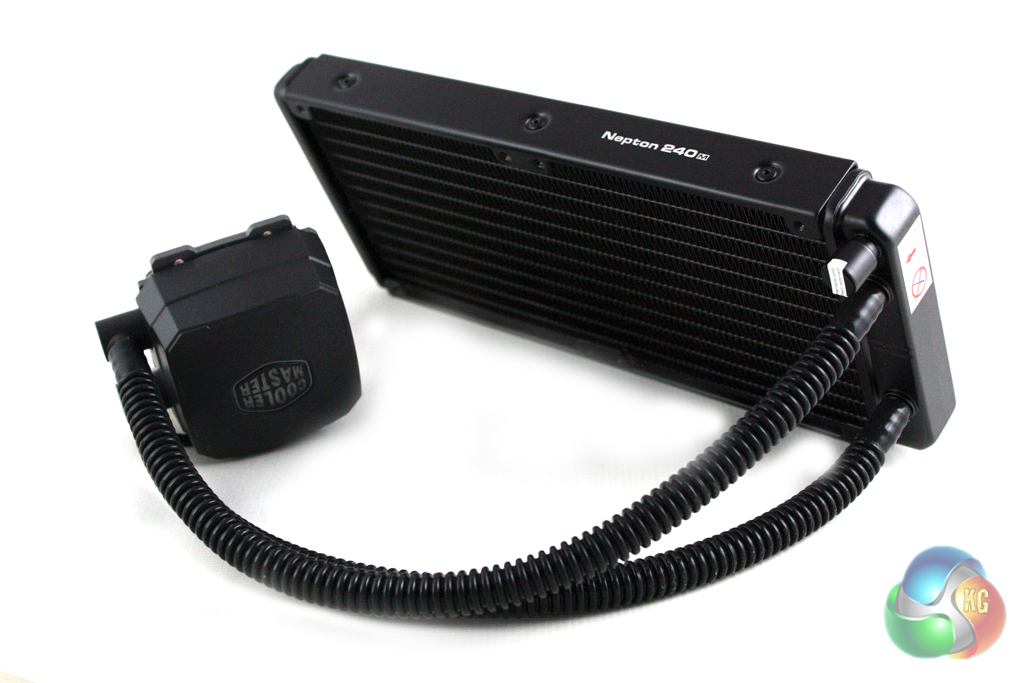
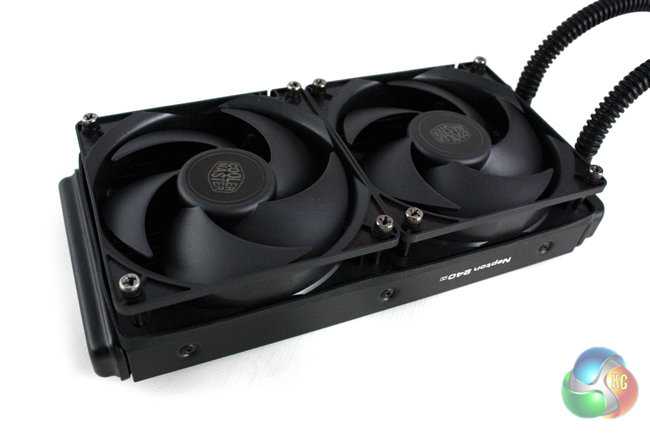
The basic design of the Cooler Master Nepton 240M is very similar to the vast majority of all-in-one liquid coolers on the market, consisting of two main components; the 240mm radiator and the CPU block and pump combination unit.
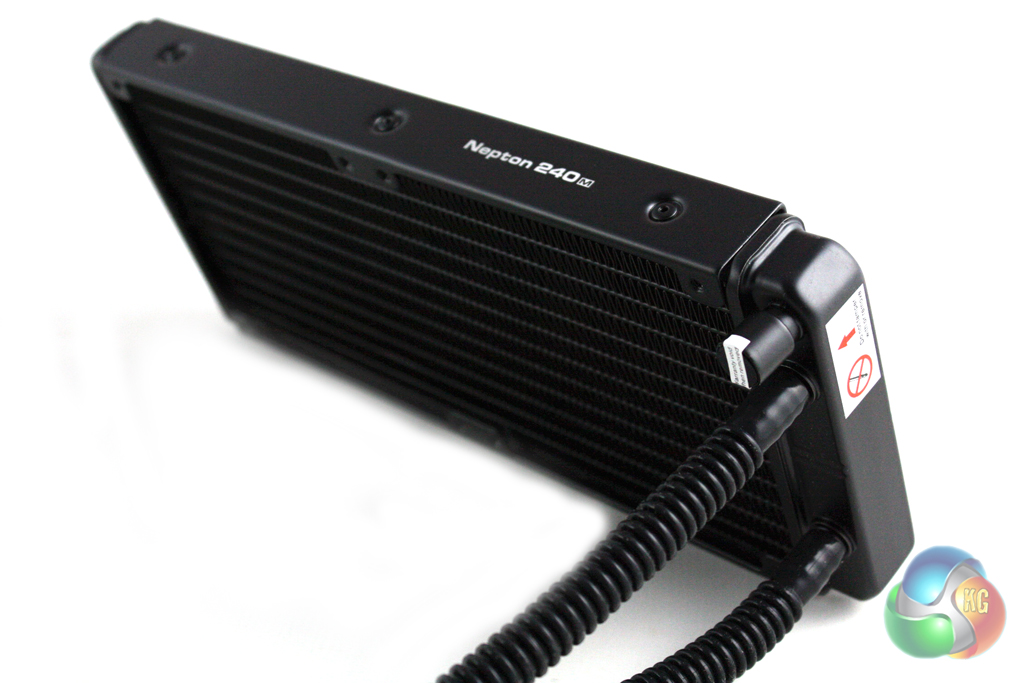
These two components of the unit are connected with hard plastic hoses. This doesn't feel as good quality as rubber piping and isn't as flexible, however we have never experienced durability issues with either type of tubing.
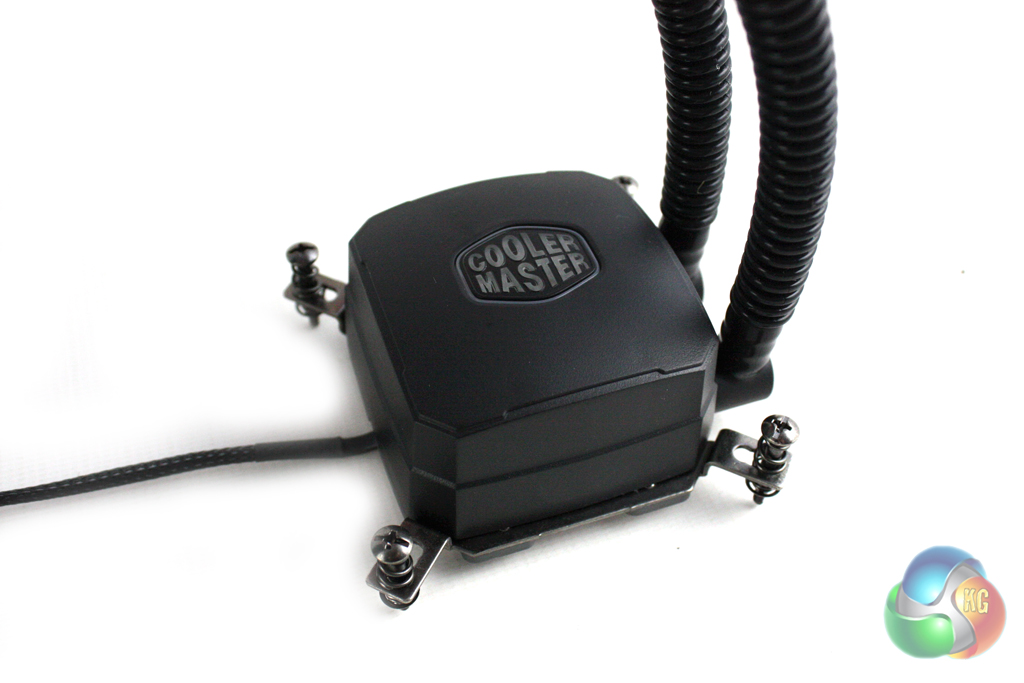
We can immediately identify that this unit isn't derived from an Asetek design, as the CPU block is square in shape and pretty thick when compared side by side. There is an illuminated Cooler Master logo in the pump cover, featuring white LED backlighting.
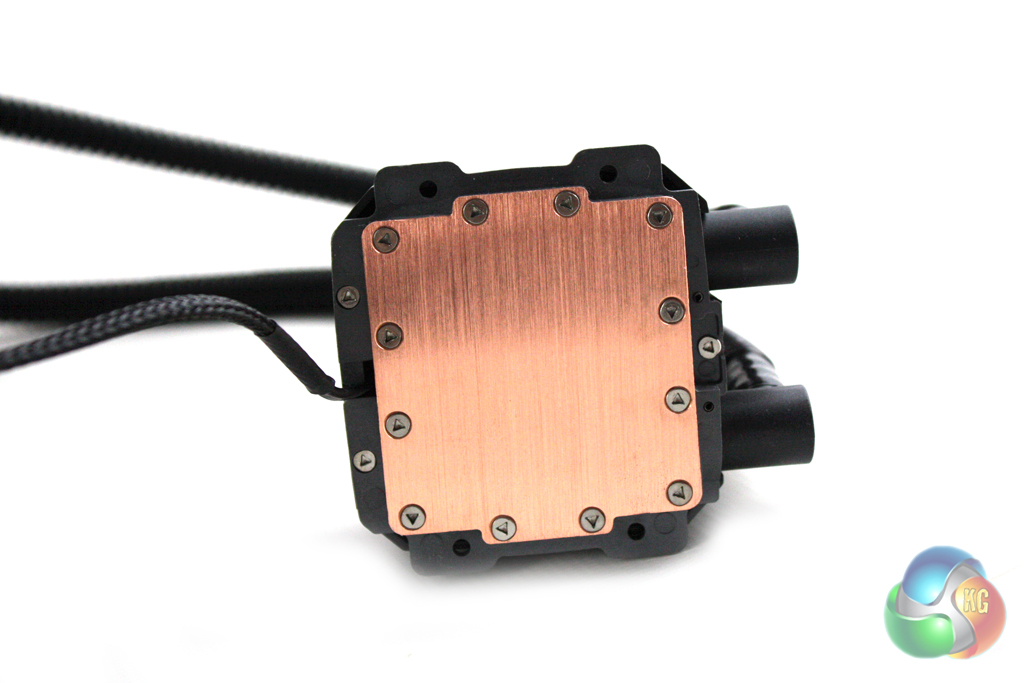
The cold-plate itself is manufactured from copper and is surrounded by screws holding it in place. Unlike most competitors, Cooler Master doesn't pre-apply thermal paste to the block. This isn't really an issue but it creates an extra step in the installation process which inexperienced users may struggle with.
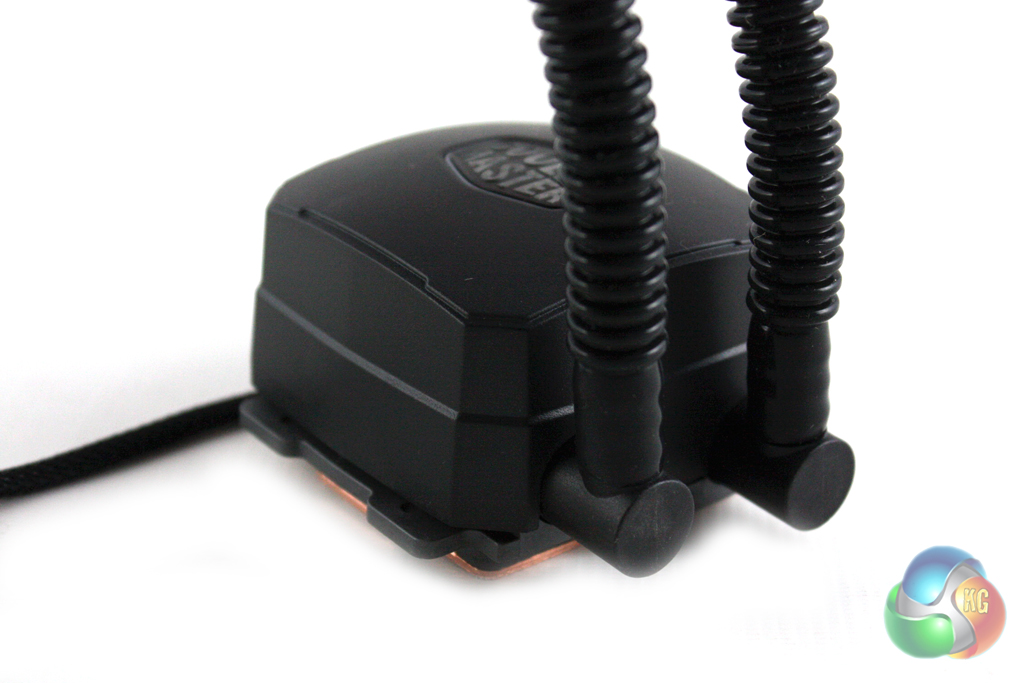
Perhaps the only negative aspect of the CPU block are the points at which the hoses are attached to it. Unlike most coolers, these don't seem to be able to pivot either way. Even if they were designed to pivot, we would feel uncomfortable applying any more pressure to these than we did, for fear of damaging them.
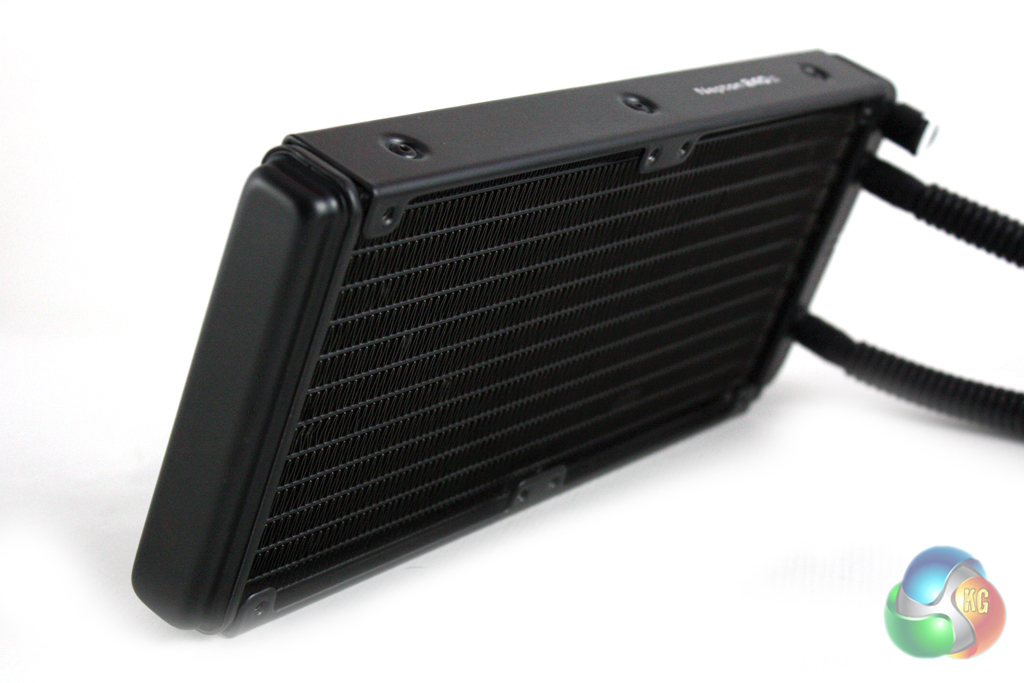
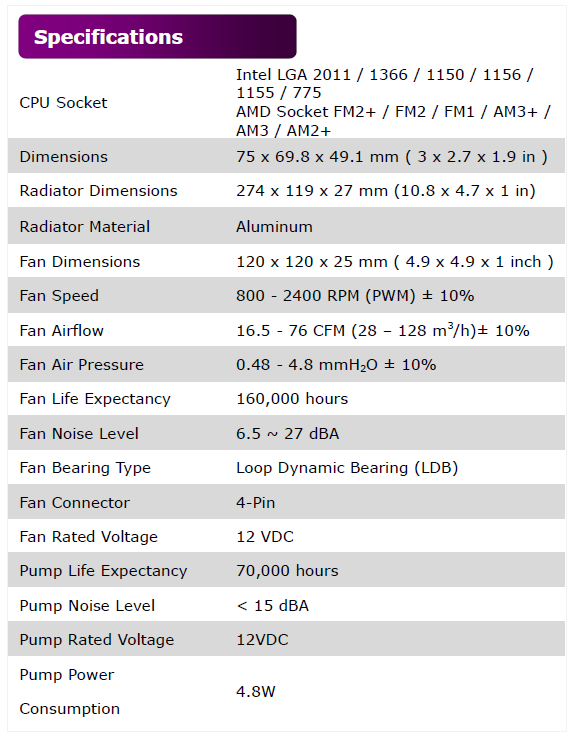
Cooler Master have chosen to use a 25 mm thick radiator for the Nepton 240M, which is the same as the majority of competing products. It features standard fan spacings, meaning it should be compatible with the vast number of cases that are marketed as being able to support a 240mm radiator.
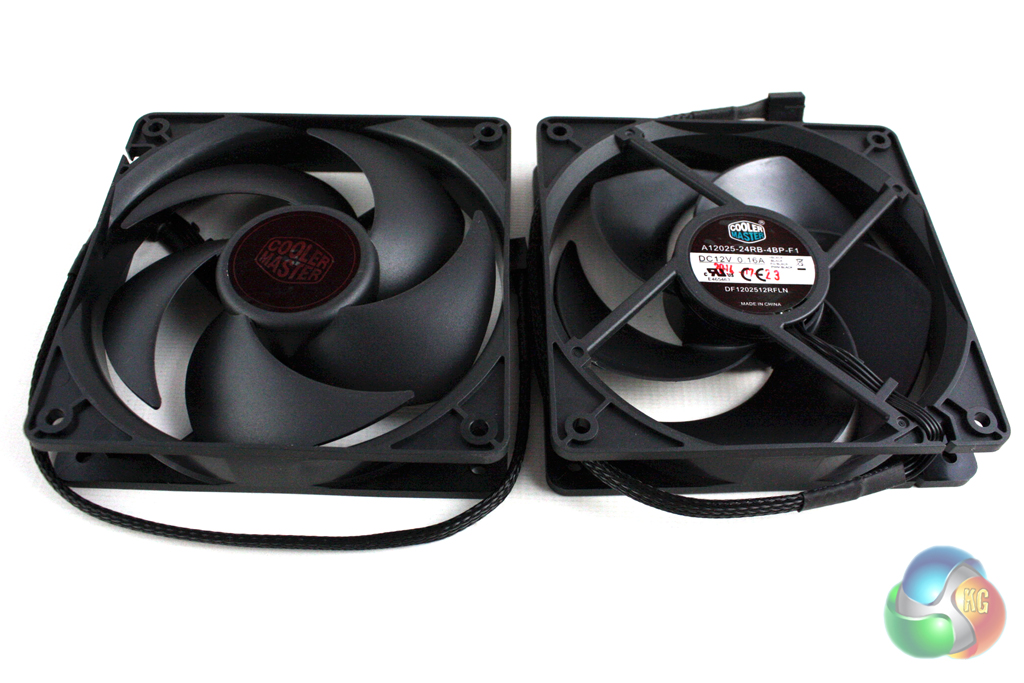
There are two 120mm fans included with the cooler which are both 600 – 2,400 rpm PWM models.
We will be documenting the installation process of the Nepton 240M with a Socket 2011 motherboard. Cooler Master provide a fairly detailed installation guide which runs us through the process.
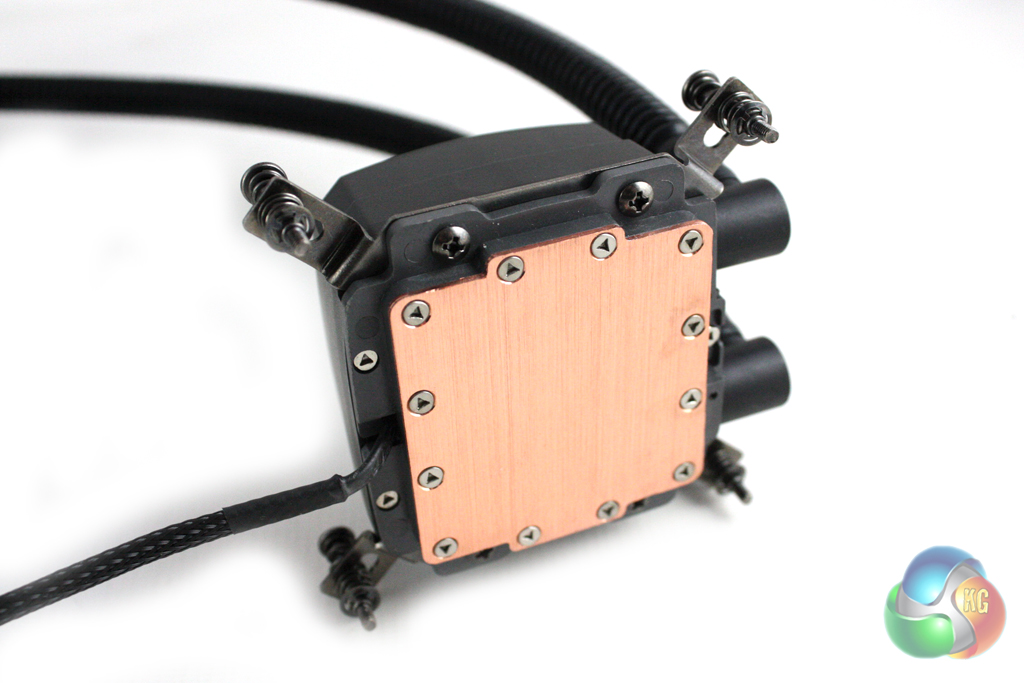
First of all we must attach the appropriate brackets to the CPU block, which will depend on whether you are building an Intel or AMD system. We installed the Intel brackets, requiring two screws through either side.
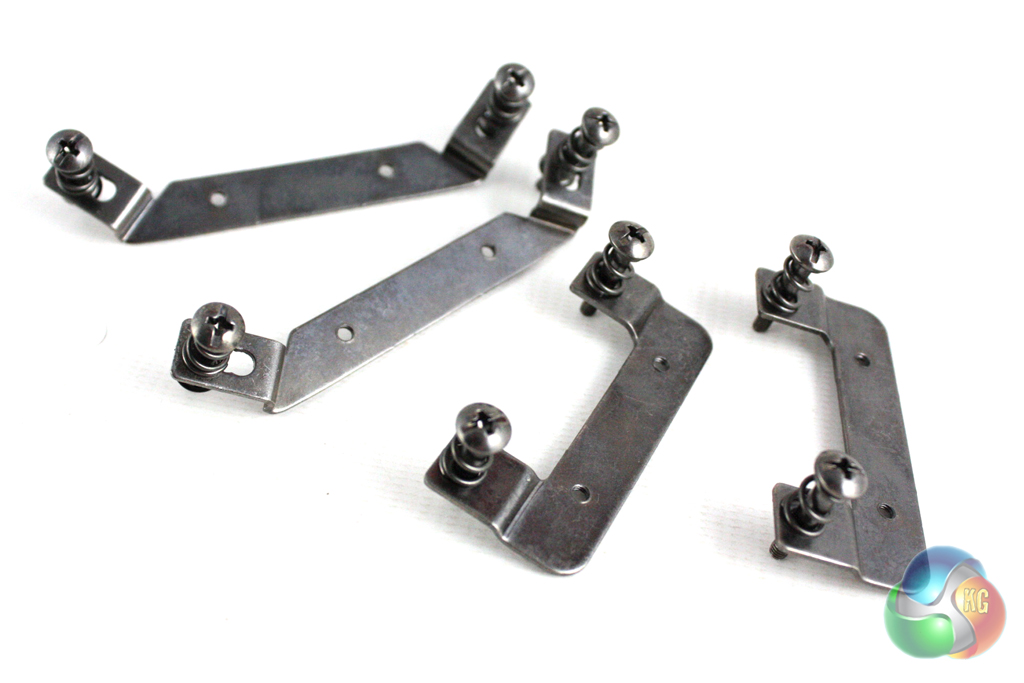
We were a little surprised at the quality of the brackets that Cooler Master have included with the unit, which sport an unsophisticated bare metal finish. These would look significantly better if they were painted (or anodised) black.
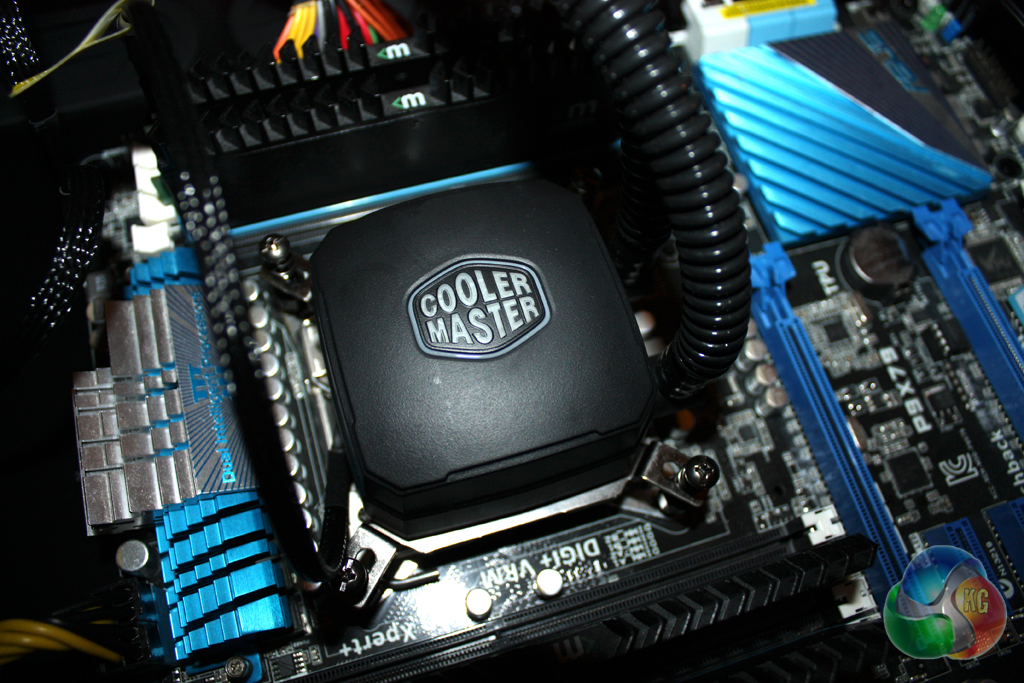
Then, it is a simple matter of screwing the stand-offs directly into the socket and locking down the CPU block using the screws on the corners of the brackets. Of course, you will need to apply thermal paste before doing this.
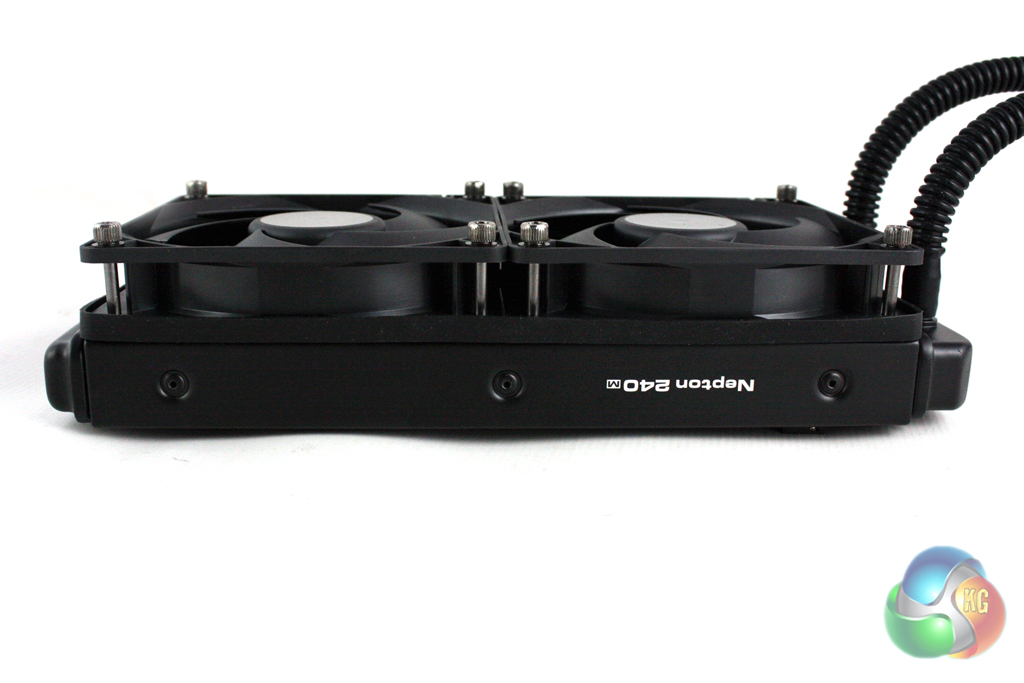
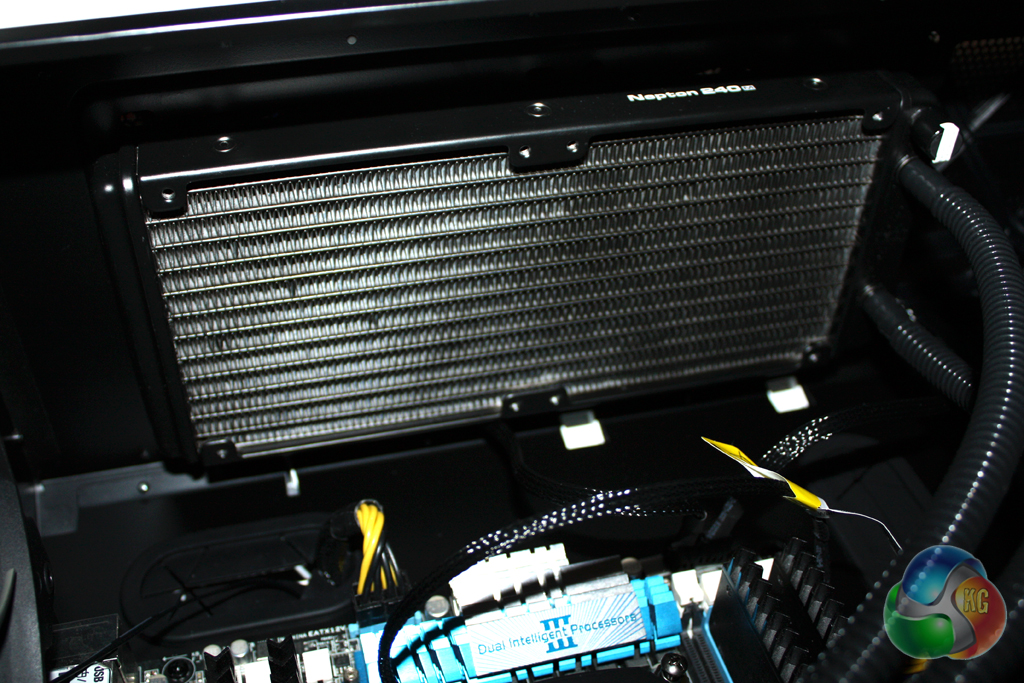
Finally, the radiator and fans must be installed into your case. Depending on your preferences, you can install the fans in a push, pull, or push-pull (requiring two additional fans) configuration.
Cooler Master thoughtfully include all the necessary screws for these configurations, which are actually thumbscrews. This saves a lot of hassle with a screwdriver, but also means the screw heads do not sit flush with the metal of your case.
To test the performance of the Cooler Master Nepton 240M, we built a powerful X79 based system on an open test bench to push the cooler to the limits. As we were testing on an open test bench, we directed a Be Quiet! Shadow Wings 120 mm fan at the VRM circuitry to better simulate the airflow generated in a case.
For our extreme tests, we manually overclocked the i7-3930K to 4.7 GHz by increasing the multiplier to 47x, leaving the baseclock set at 100 MHz.
We set Load Line Calibration to ‘High', and increased the CPU Current Capability to 120% with a minor voltage increase. Speed stepping was disabled for both stock and overclocked tests.
We tested the Nepton 240M with the fans connected to a 12V header on our motherboard.
Coolers Tested
- Cooler Master Nepton 240M (fans at 12V)
- Corsair H105
- Corsair H110 (fans at 12V)
- Corsair H90 (fan at 12V)
- Phanteks PH-TC14PE (fans at 12V)
- Noctua NH-D14 (fans at 12V)
- Processor: Intel Core i7-3930K
- Motherboard: Asus P9X79
- Memory: 16 GB (4 x 4 GB) Mushkin Blackline 1600 MHz
- Thermal Paste: Arctic Cooling MX-2
- Graphics Card: AMD Radeon HD 7950
- Graphics Card (noise tests): HIS Radeon HD 5550 Silence
- Power Supply: Seasonic Platinum P1000W
- Prime 95 (64-bit)
- CPUID Hardware Monitor
For temperature tests we loaded the system for 10 minutes using Prime 95 and recorded the CPU temperature using CPUID HWMonitor. We then restarted the system and left it idling at the desktop for 10 minutes before recording temperatures. The temperatures recorded are based on an ambient temperature of 20 degrees C.
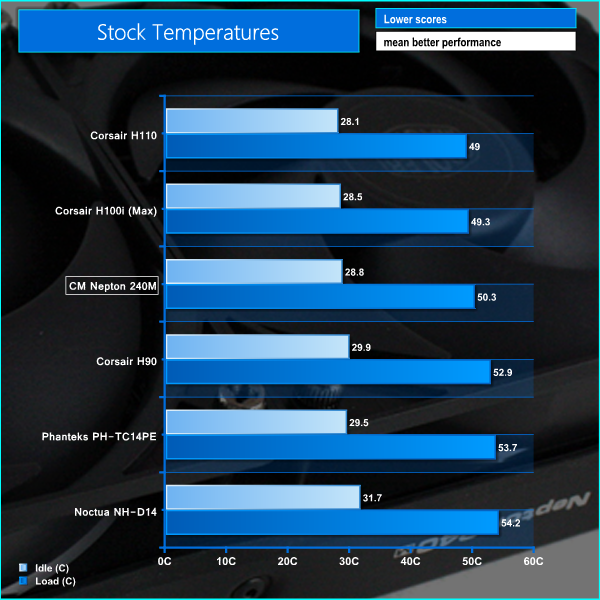
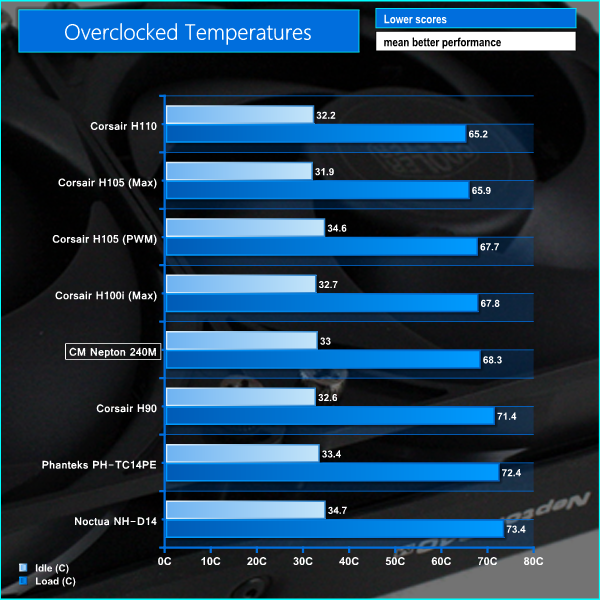
These temperatures reflect almost exactly what we would expect from the Nepton 240M. They are similar to competing coolers, although can't quite match the performance of the comparable Corsair H105.
In our noise level tests we switched off all the case fans and replaced the AMD Radeon HD 7950 graphics card with a HD 5550 passive model so were just taking into account the noise generated by the cooler fans themselves.
We measured the noise level with a Digital Noise Level meter at a distance of 1 m from the front of the system.
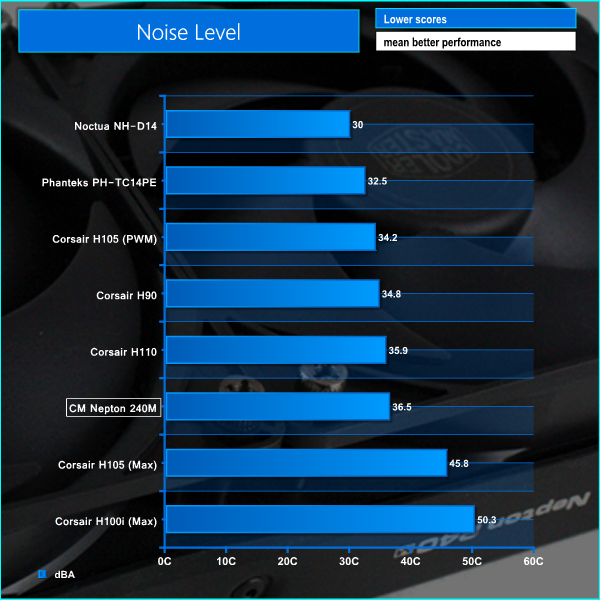
This result is impressive considering the fans are running at 2400 RPM. It is worth noting that the noise level drops to under 30 dBA when running the fans in PWM mode.
Overall we are impressed with what the Cooler Master Nepton 240M Liquid CPU Cooler has to offer. It is great to see a manufacturer such as Cooler Master taking their own proprietary direction in a marketplace consisting predominantly of the same Asetek product – with a different badge on show.
The build quality of the Nepton 240M isn't quite as good as similar products we have seen from Corsair, but it is still perfectly acceptable. This is noticeable generally in the small details, such as the poor quality finish of the mounting brackets and the rigid plastic radiator hoses.
We found the installation process quite straightforward, although it is clear that the mounting mechanism hasn't been developed and researched quite to the same that we would expect from a company such as Corsair.
The two fans Cooler Master include with the cooler are quite good. Even at their maximum speed of 2,400 rpm, they remain reasonably quiet. If this is too noisy for you, the fans are PWM models so they can be set up to be almost silent in operation. If you do this, obviously expect to run at slightly higher temperatures.
In terms of cooling performance, the Nepton 240M performs as we would expect. It offers almost as good performance as the Corsair H105 which is perhaps the most comparable model from the leading brand in the market. We doubt these small differences in performance will affect the overclocking potential of your system greatly however.
With an MSRP of £79.99, the Cooler Master Nepton 240M is priced fairly competitively. It comes in around £10 less than the Corsair H105, although the Corsair model does offer better performance thanks to a thicker radiator.
Discuss on our FACEBOOK page, over HERE.
Pros:
- Good performance.
- Quiet at full speed.
- Easy to install.
- Reasonably good value for money.
Cons:
- Average build quality.
- Performance not as good as the Corsair H105.
KitGuru says: Another decent product from Cooler Master which provides a viable alternative to the more established products in the market.