 KitGuru KitGuru.net – Tech News | Hardware News | Hardware Reviews | IOS | Mobile | Gaming | Graphics Cards


Z87 saw cost-effective gaming-calibre motherboards take the limelight. All of the big vendors released at least one product that provided gaming-orientated features in a cost-effective package. Asus SKU of choice was the successful Hero – a board which ticked many of the boxes and did so with an efficient price tag. The motherboard market is fierce so Asus welcomes back its Hero for Z97 and adds an even more aggressively priced variant to its Republic of Gamers (ROG) arsenal – the Maximus VII Ranger.
The gaming motherboard market is a tough one to crack. A typical user demands multi-GPU support, an enhanced audio system, fast networking connectivity, and an eye-catching design. But then there’s also the challenge of bringing the motherboard in at a price point which doesn’t eat into a gamer’s graphics card budget.
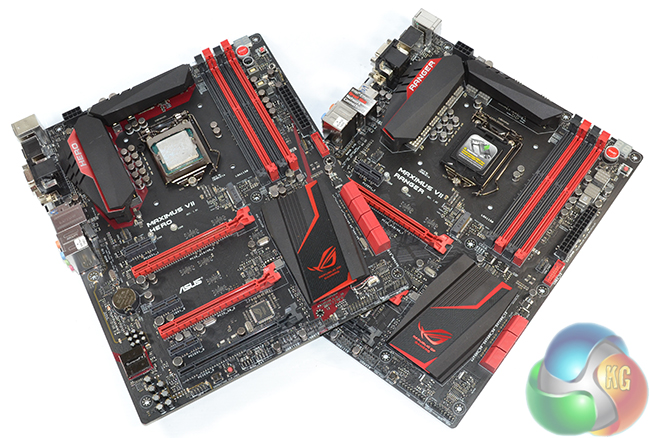
Asus’ Hero SKU did the company well for Z87 so it's no surprise to see it returning for the updated 9-series chipset. An attractive design, solid expansion options, a beefed-up audio system, and a clear gaming backbone are just some of the features offered by the Maximus VII Hero.
And then comes the lower-priced sibling – Asus’ Maximus VII Ranger. Cutting down on the number of add-on components, Asus is able to sell the Maximus VII Ranger at less than £130. That’s a price point that will have gamers licking their lips when they see the red and black colour scheme, SupremeFX audio system, ROG UEFI, and GameFirst networking software.
We put both ROG boards through their paces and see if performance numbers can match the tempting specification sheets and lip-licking appearances.
Features:
- Intel Ethernet with LANGuard and GameFirst III.
- SupremeFX 2014 Audio.
- Sonic Radar II.
- KeyBot + TrueVolt USB.
- USB UEFI BIOS and Secure Erase.
- ROG red and black colour scheme.
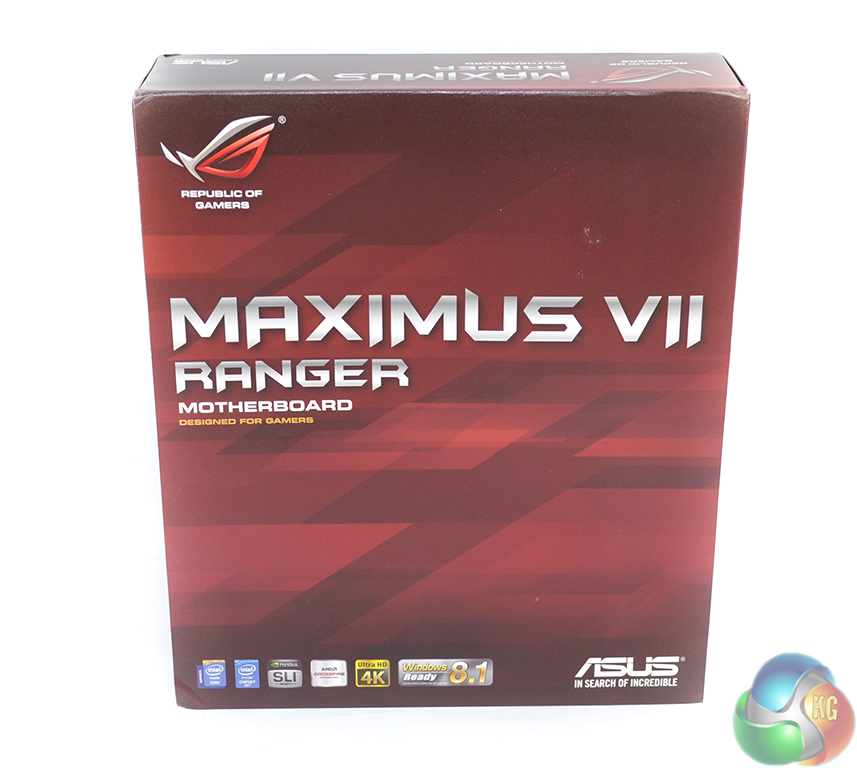
Asus ships the Maximus VII Ranger in bold red packaging that signifies an ROG product.
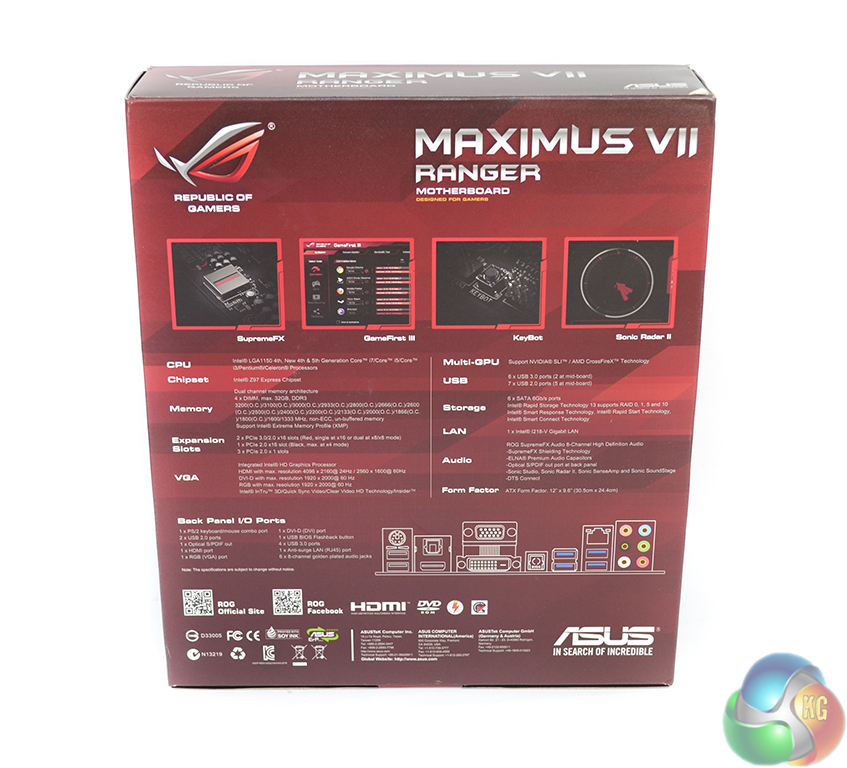
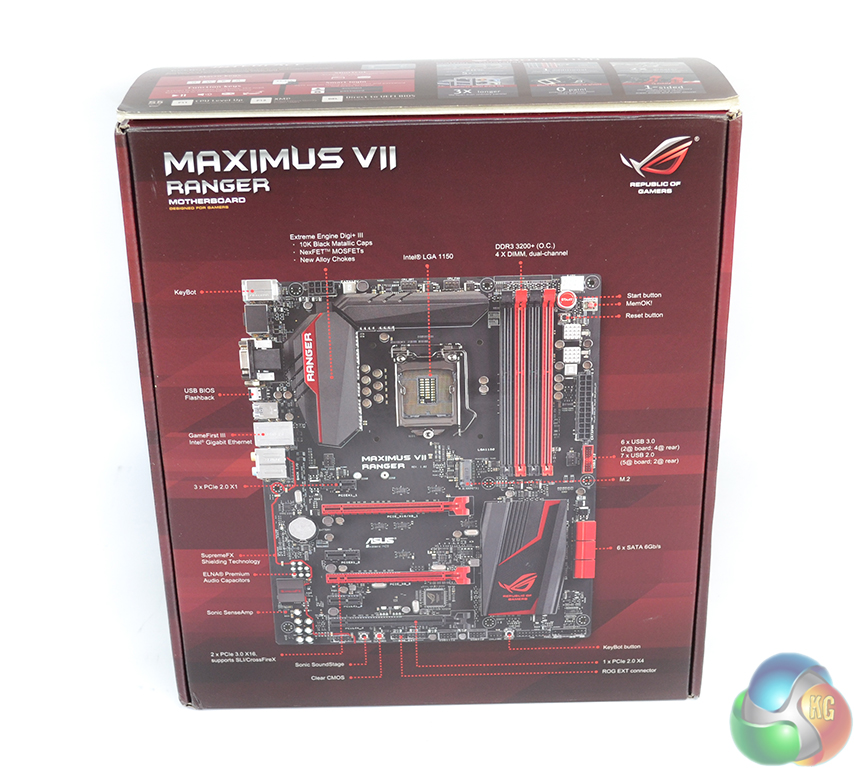
Information and an annotated image of the board can be found scattered about the box.
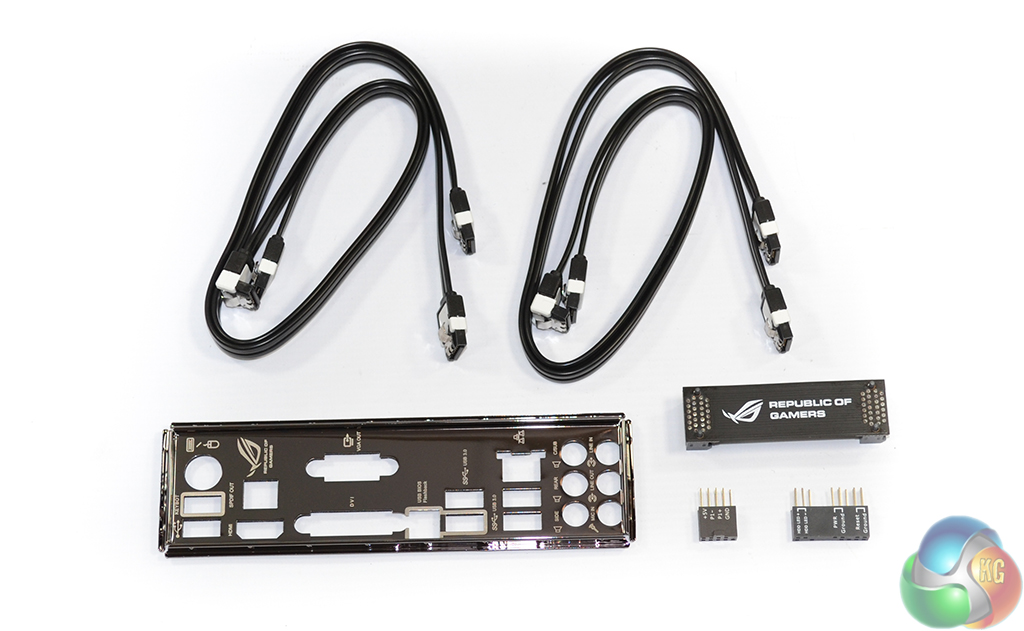
Four SATA cables, the rear IO shield, Asus' Q-connectors, and a black SLI bridge form the supplied bundle.
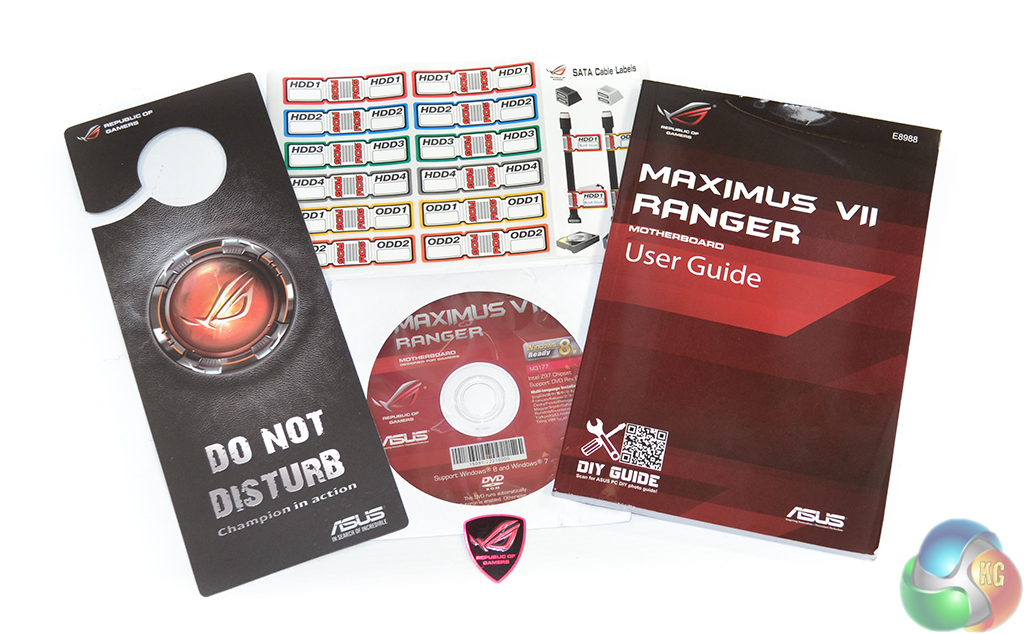
Paperwork is provided in the form of a comprehensive manual, a ‘do not disturb' door hanger, and stickers for cable management purposes. A case badge and drivers CD are also supplied.
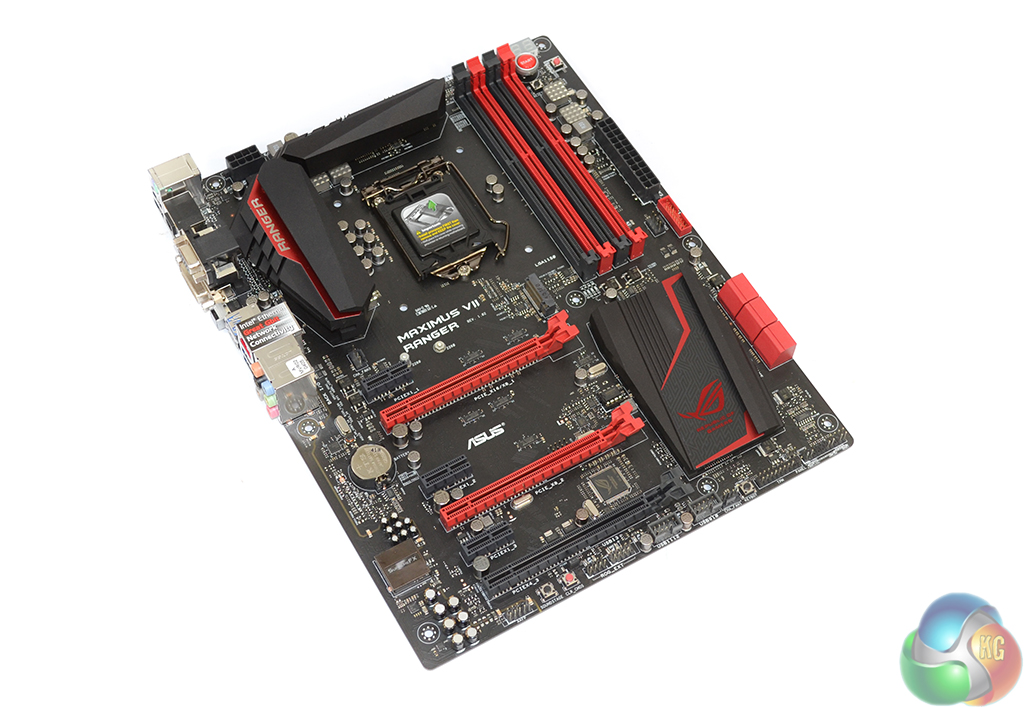
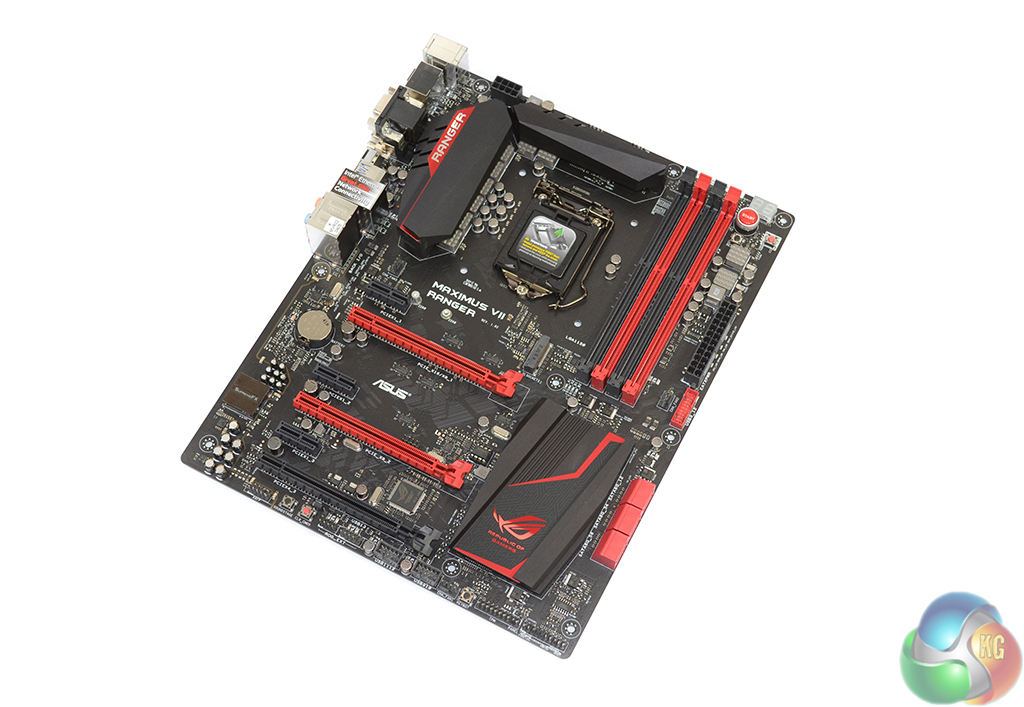
In typical Republic of Gamers fashion, the Maximus VII Ranger sports a striking red and black colour scheme. A matte black PCB is used to good effect and gives the Maximus VII Ranger an eye-catching appearance under all light conditions (unlike ugly brown PCBs which look terrible under bright lights).
In a welcomed (in my opinion) change from previous iterations of ROG boards, Asus now makes an effort to ensure that the vast majority of components are either red or black. For example, the DIMM and expansion slot latches now match the underlying colour scheme, rather than sticking out with their white appearance.
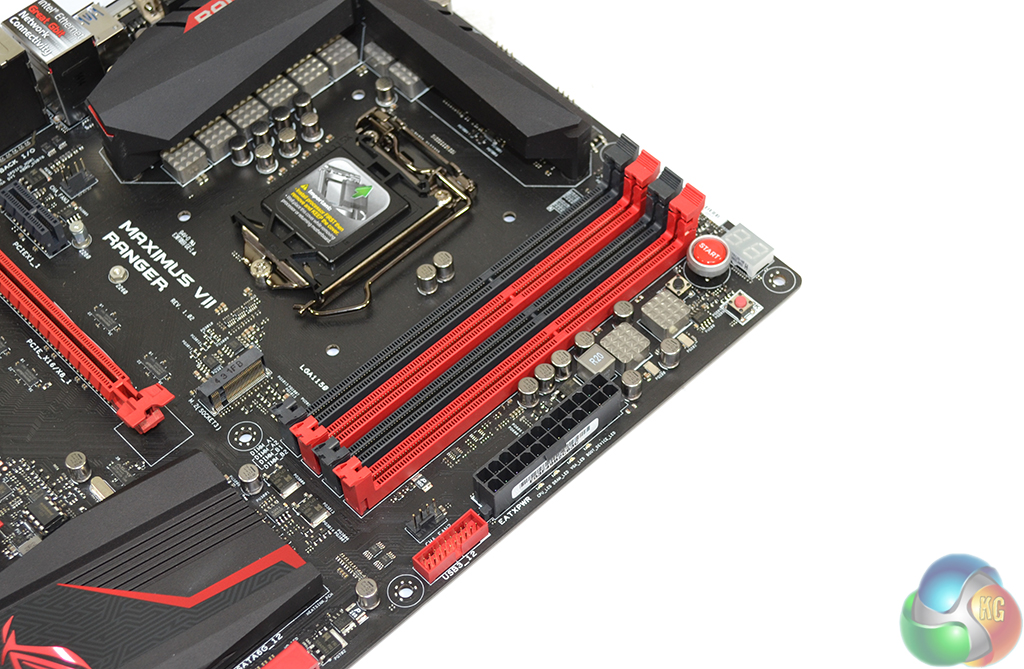
Four single-latch DIMM slots provide capacity for up to 32GB of DDR3 memory, with maximum supported speeds lying above the 3200MHz region.
Also located in the region near to the DIMM slots are the onboard buttons. Power, reset, and MemOK buttons are located close to a diagnostic display.
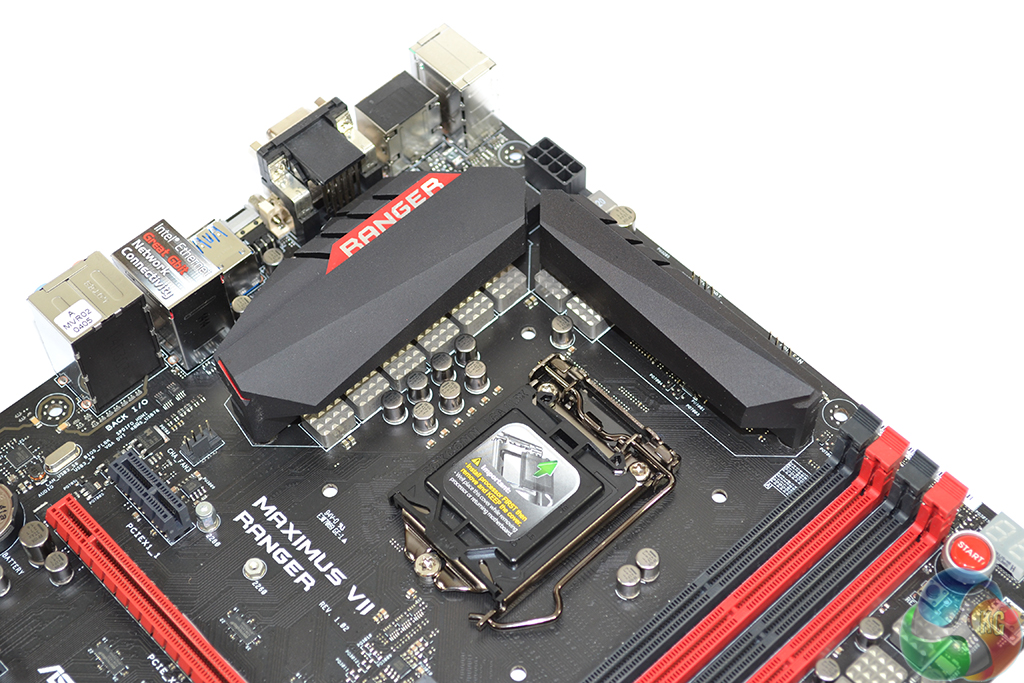
Asus equips the Maximus VII Ranger with an eight phase power delivery system for the CPU. The electronic components form the Maximus VII Ranger's Gamer's Guardian system, which includes additional ESD protection, 10K black capacitors, and a stainless steel rear IO to protect against corrosion (in humid climates).
Although the Ranger features eight physical power delivery phases, a single controller provides operation to a set of two physical phases. This is a semi-controlled system, of sorts, although its impact on the overclocking capacity of air-cooled systems may be negligible.
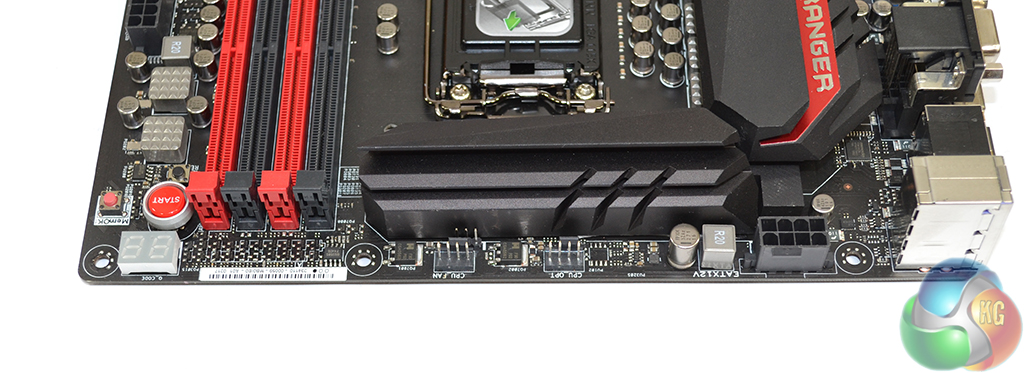
Two fan headers are found along the M7R board’s upper edge. Users of CPU coolers with two fans will not have to worry about cables trailing across one’s system.
The 8-pin power connector is found in its usual location and is positioned far enough away from the VRM heatsink to minimise interference issues.
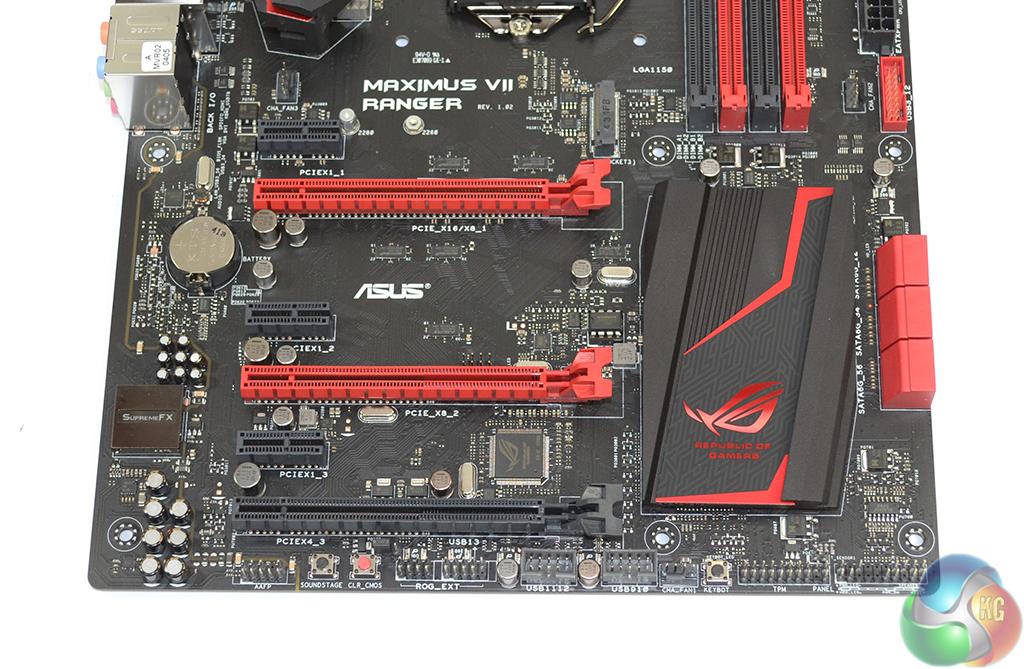
Gamers can populate the Maximus VII Ranger with up to three AMD graphics cards in a CrossFire configuration, albeit with the third card crippled in bandwidth. A maximum of two Nvidia cards can operate in SLI due to a minimum requirement of eight PCIe lanes.
Bandwidth allocation from an LGA 1150 CPU’s 16 PCIe 3.0 lanes is: x16/x0 or x8/x8. The lower full-length PCIe slot operates at PCIe 2.0 x4 bandwidth with its lanes originating from the Z97 chipset and being shared with other features.
The remaining expansion slots are populated by PCIe 2.0 x1 variants that are capable of housing sound cards and the likes. Using the black full-length PCIe slot will force a reduction in bandwidth to the PCIe 2.0 x1 and M.2 connectors.
Two PCIe 2.0 lanes for the 10Gbps M.2 connector operate directly from the Z97 chipset. Asus’ M.2 implementation is different to that of other vendors; the manufacturer decides to provide compatibility for PCIe-based M.2 devices only, not the SATA-based alternatives which are of questionable relevance to the desktop market. This allows all six SATA 6Gbps to remain operational alongside the M.2 slot, rather than two of the connectors being disabled.
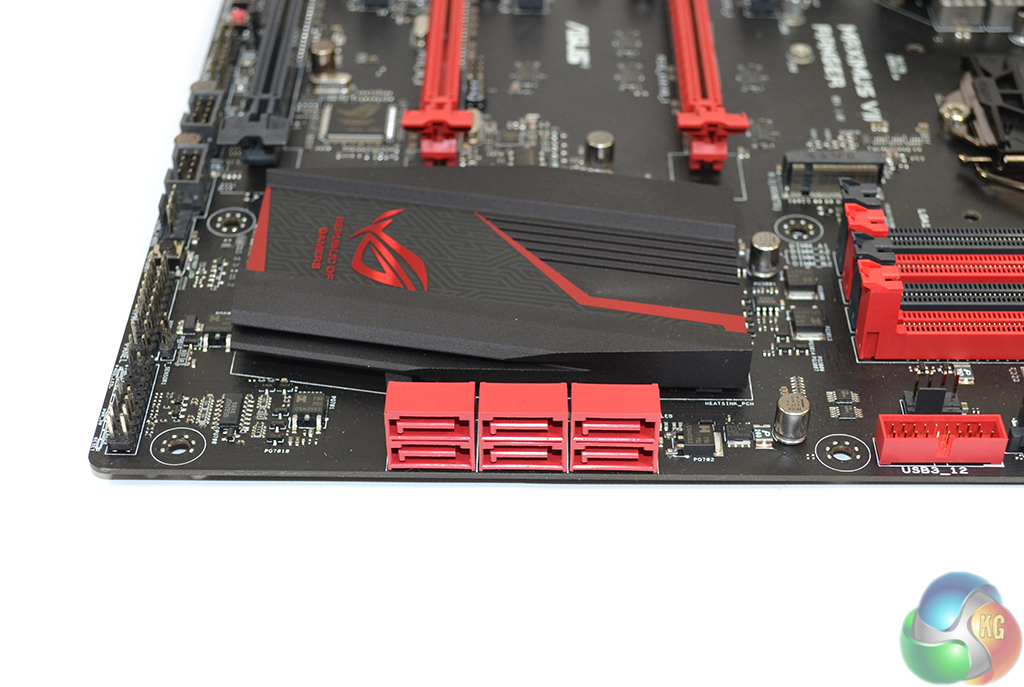
Six SATA 6Gbps ports are likely to be an adequate number for the vast majority of gamers. Asus orientated the connectors in a right-angled direction to make cable management a simpler task.
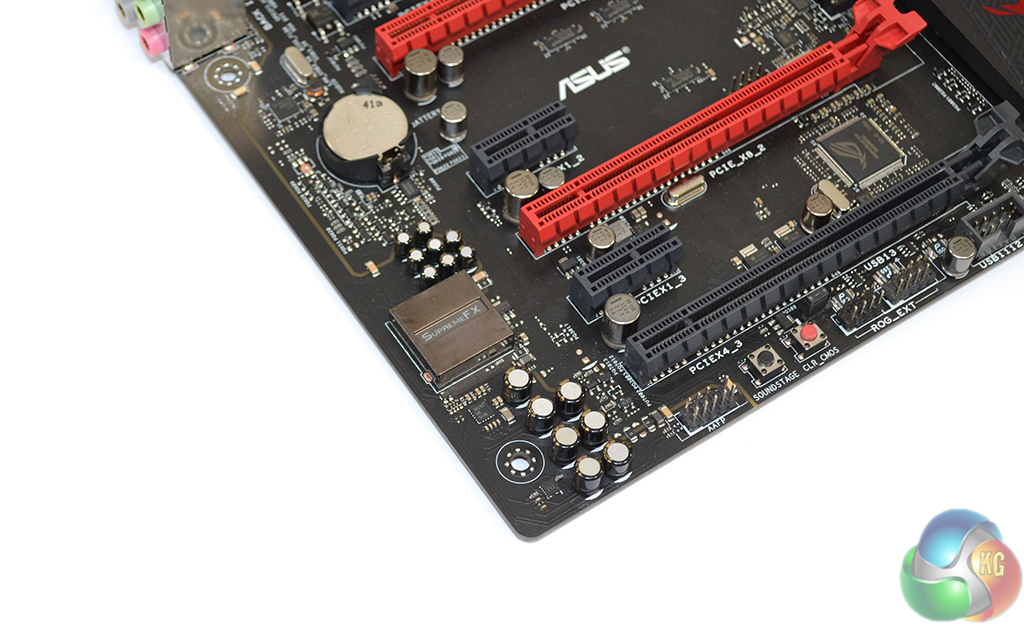
The Ranger's SupremeFX audio system consists of a Realtek ALC1150 codec, ELNA capacitors, Sonic SenseAmp, and interference shielding. Sonic SenseAmp is designed to automatically detect the impedance level of one's headphones and then adjust the amp settings accordingly.
Sonic SoundStage is a button that can be used to adjust audio settings on a hardware level in real time.
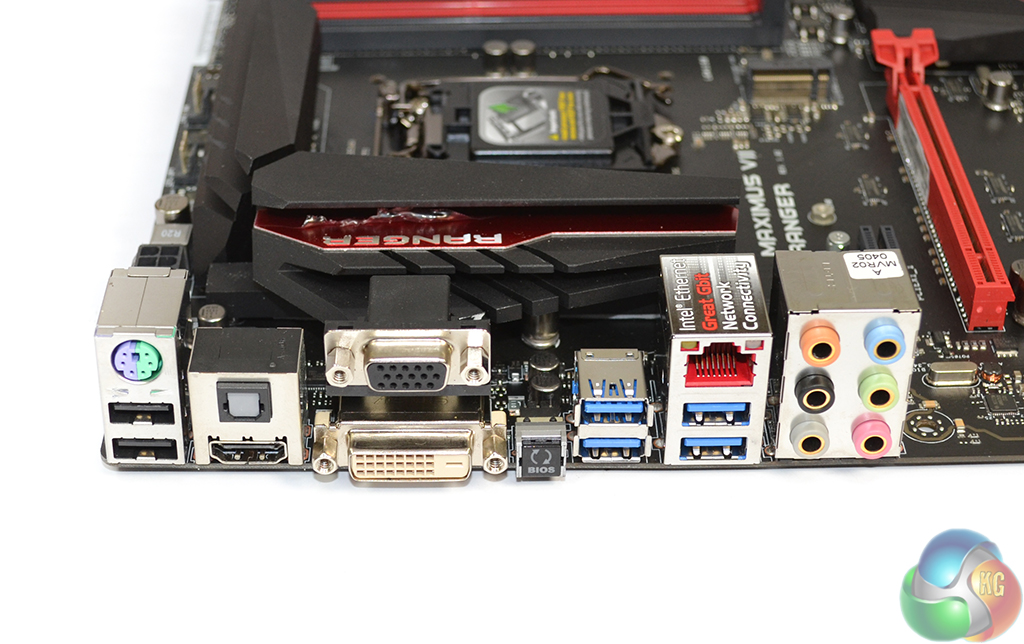
Intel's I218-V controller is used to provide the Gigabit Ethernet connection. Asus also implements its LANGuard engineering to prevent electrical surges and GameFirst III network-controlling software.
Four chipset-fed USB 3.0 ports, two of the 2.0 generation, and a PS/2 port provide gamers with plenty of connectivity options. Video connections are provided in the form of DVI-D, VGA, and HDMI. A BIOS flashback button and optical audio connection are welcomed additions.
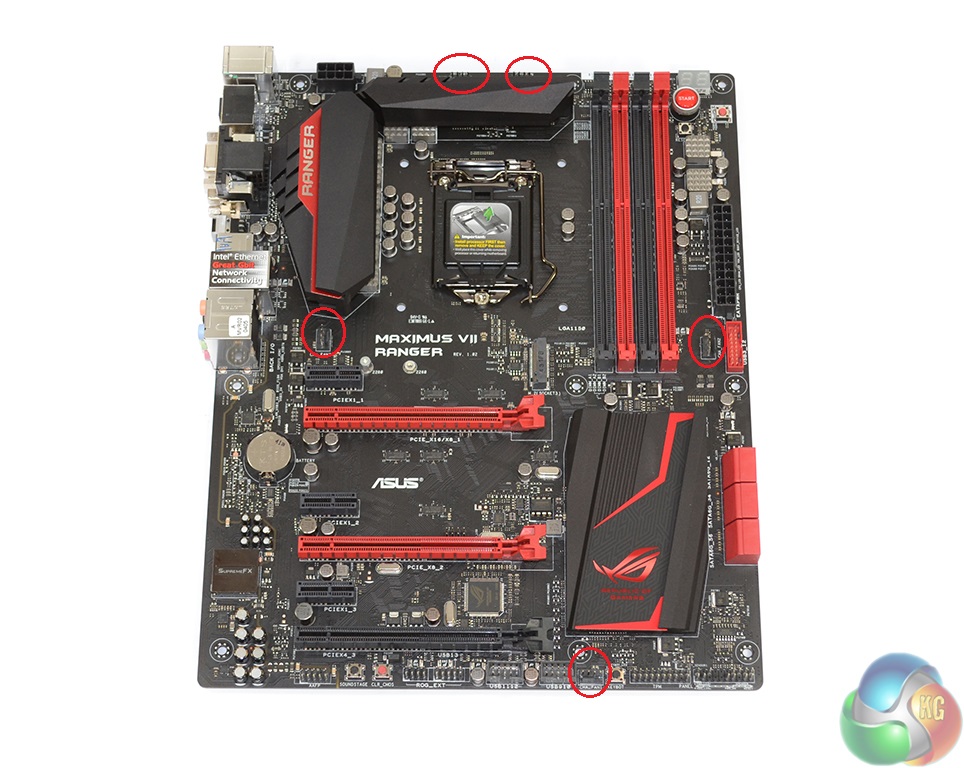
Distribution of the Ranger's five 4-pin fan headers is very good, with four positioned within reach of the CPU socket.
A set of large heatsinks is used to cool the VRM and chipset, as well as provide additional eye-candy via their black and red colouring.
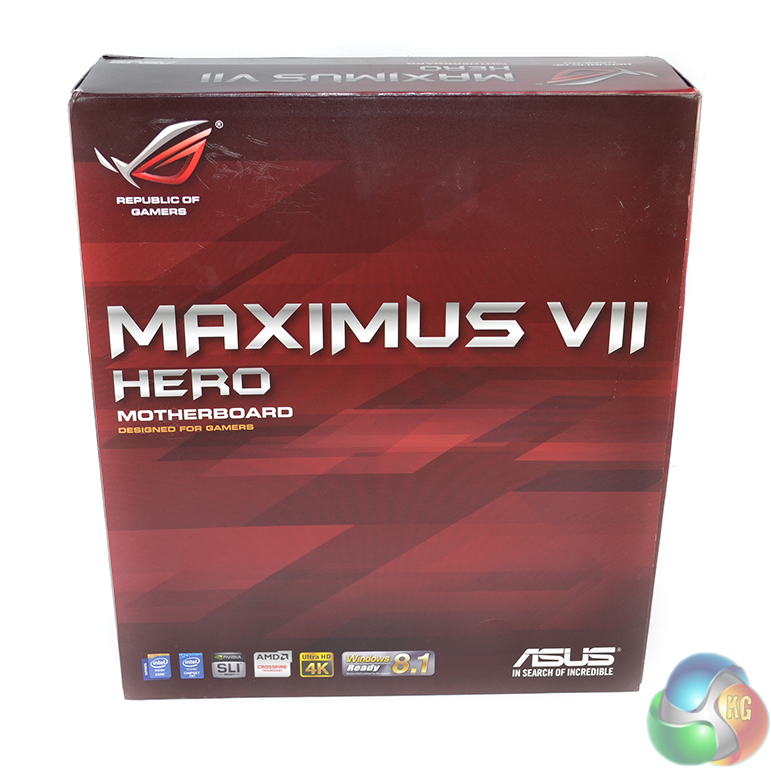
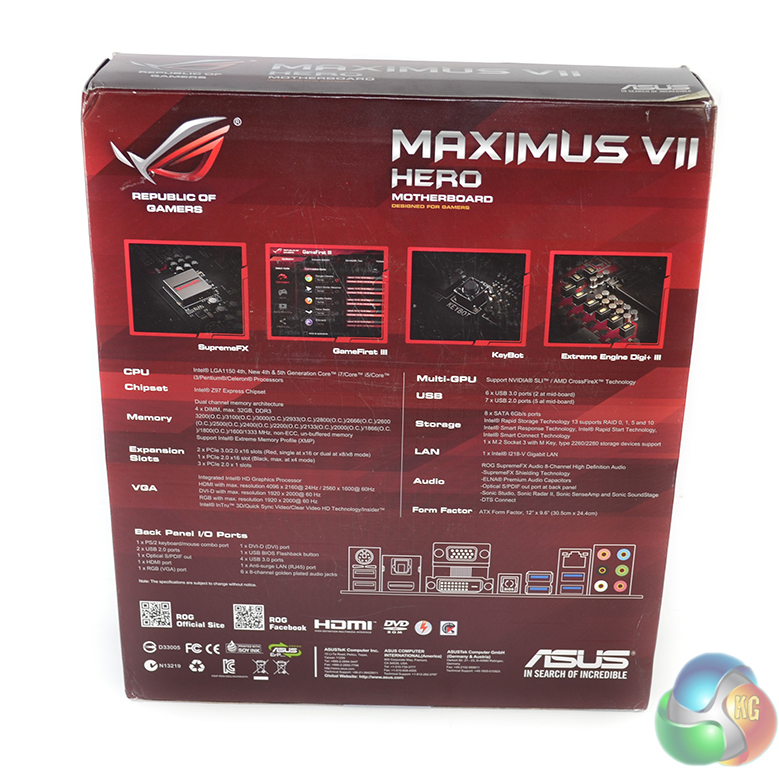
The Maximus VII Hero is also supplied in bold red packaging. Specifications and features are highlighted on the rear of the box.
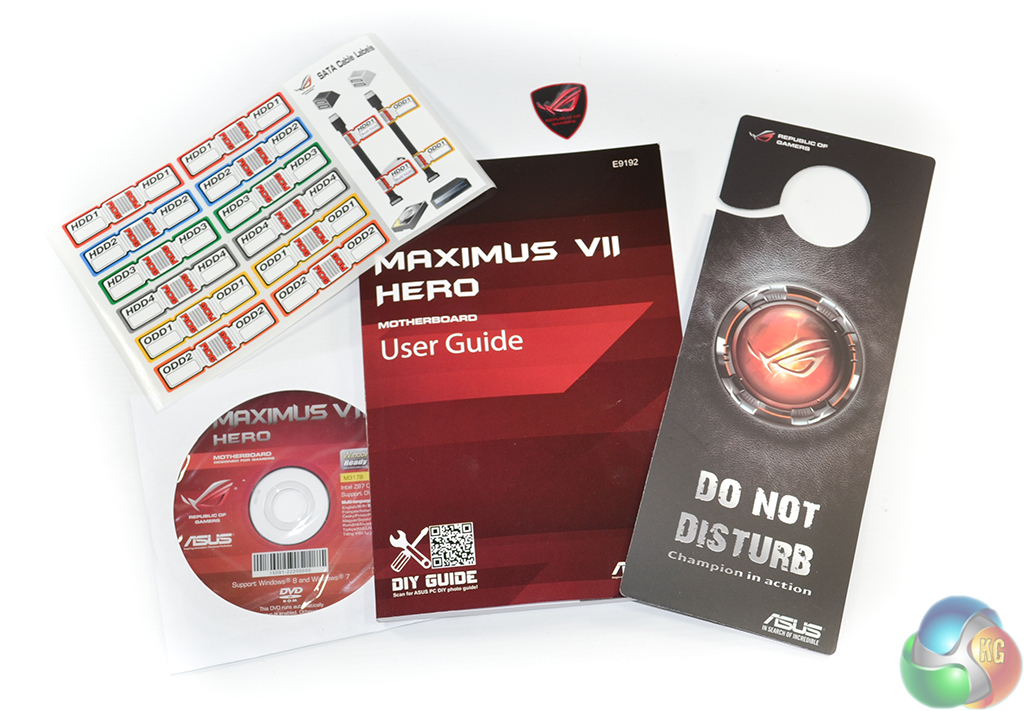
In the form of documentation and paperwork, the Hero ships with an identical package to the Ranger. The comical ‘do not disturb' door hanger seems to have gained popularity amongst gamers.
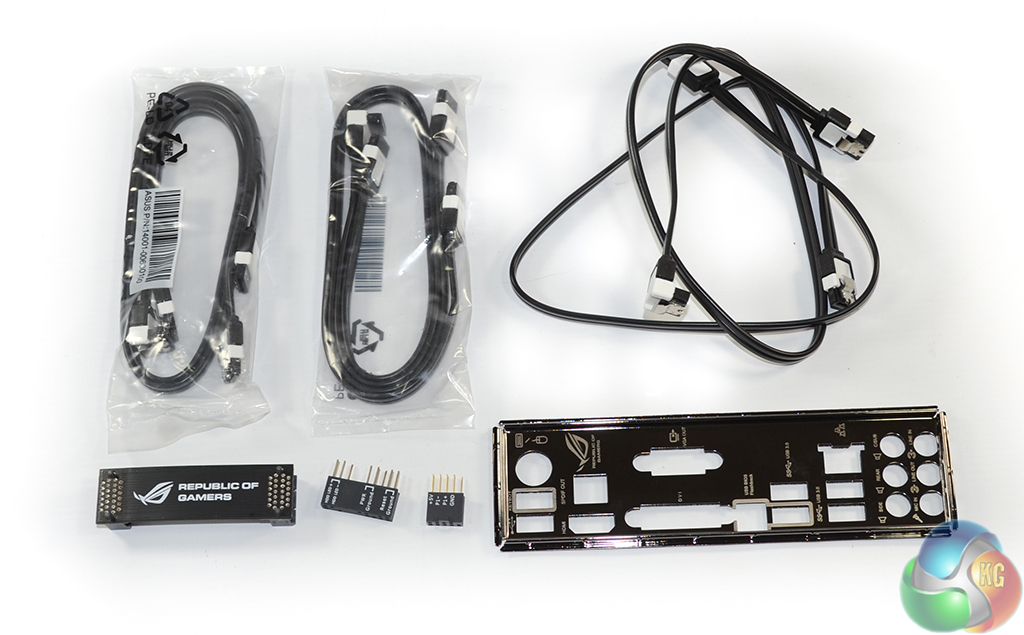
With its higher market position (and additional SATA ports), Asus strengthens the Hero's accessory bundle. Six SATA cables, a black SLI bridge, Q-connectors, and the rear IO shield are supplied.
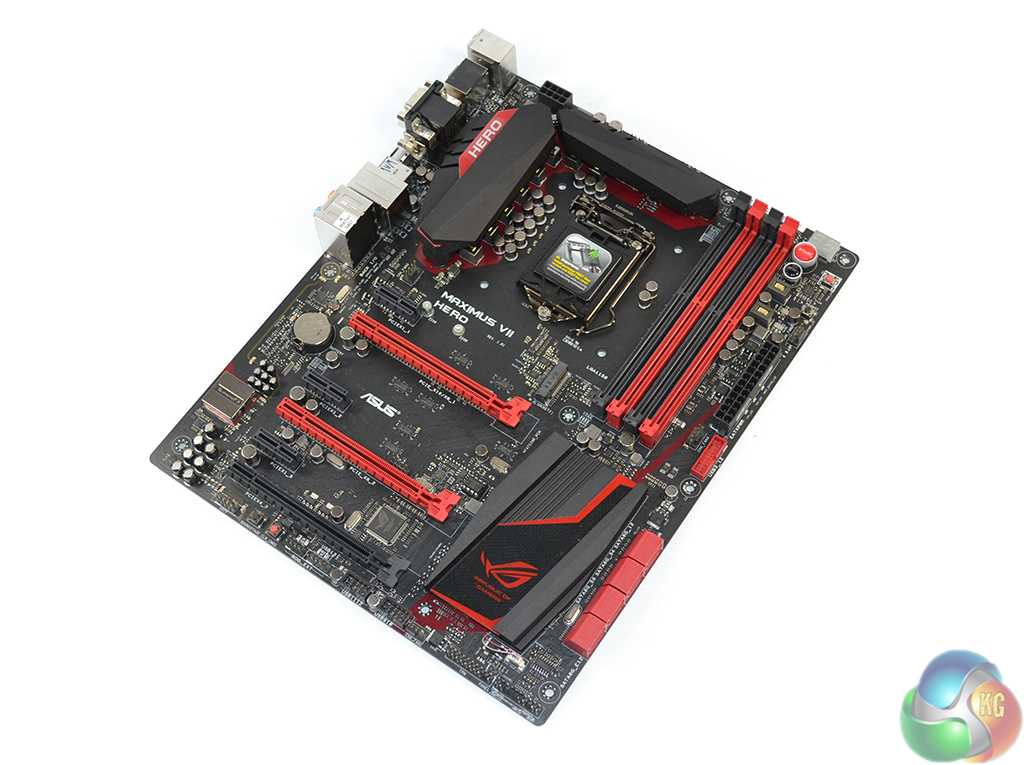
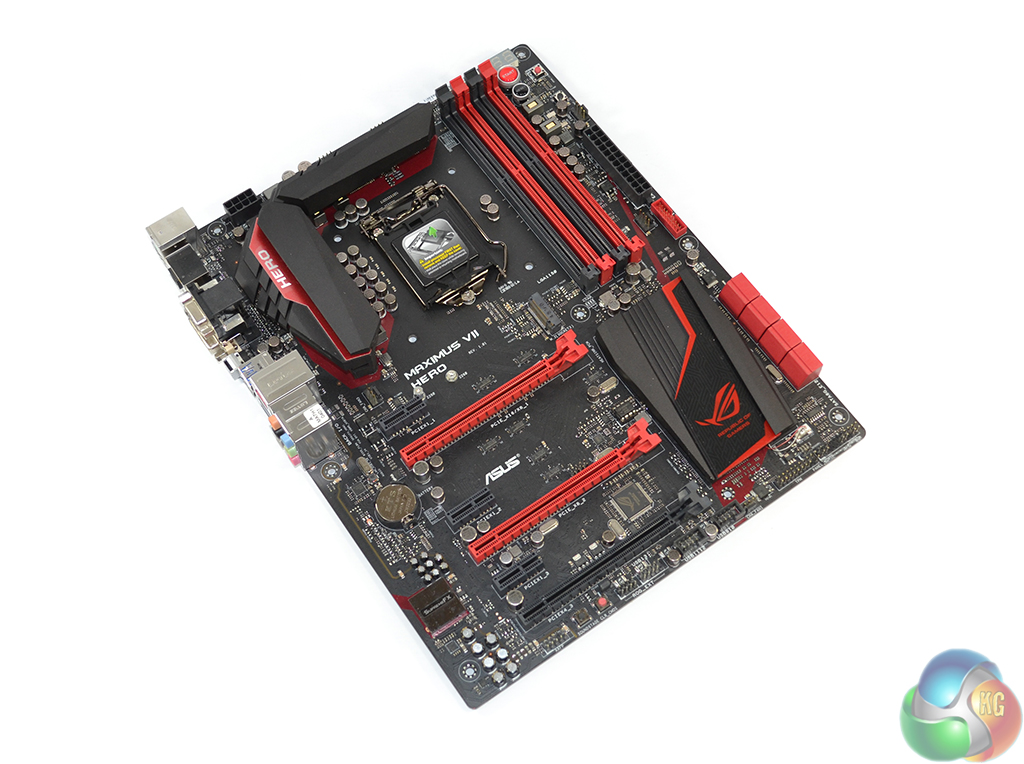
Just like the Ranger variant, Asus outfits its Maximus VII Hero with a striking red and black colour scheme. And when static colours simply aren’t enough, Asus deploys a set of red LEDs in the Hero’s chipset heatsink to give the board additional ‘bling’ points when housed inside a well-lit system.
As is to be expected of a board in this price range, a matte black PCB is used to maintain an attractive appearance under all lighting conditions.
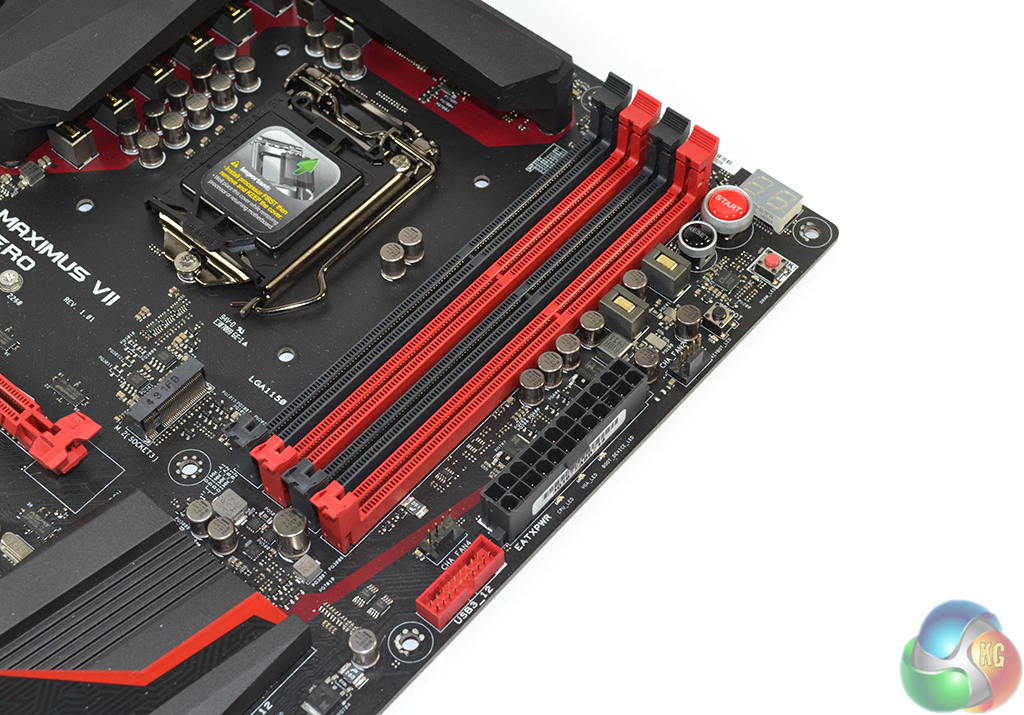
Commonplace for Z-chipset motherboards, up to 32GB of DDR3 memory can be accepted in the four single-latch DIMM slots. Asus outlines supported memory speeds of up to 3200MHz although the real-world maximum is largely related to a CPU’s IMC.
As with the Ranger, onboard power, reset, MemOK, and KeyBot buttons are utilised on the Maximus VII Hero. I personally find onboard buttons useful when testing a motherboard outside of a chassis environment. While this is an irregular occurrence for most gamers, an onboard power button does make on-the-table troubleshooting a more straightforward procedure.
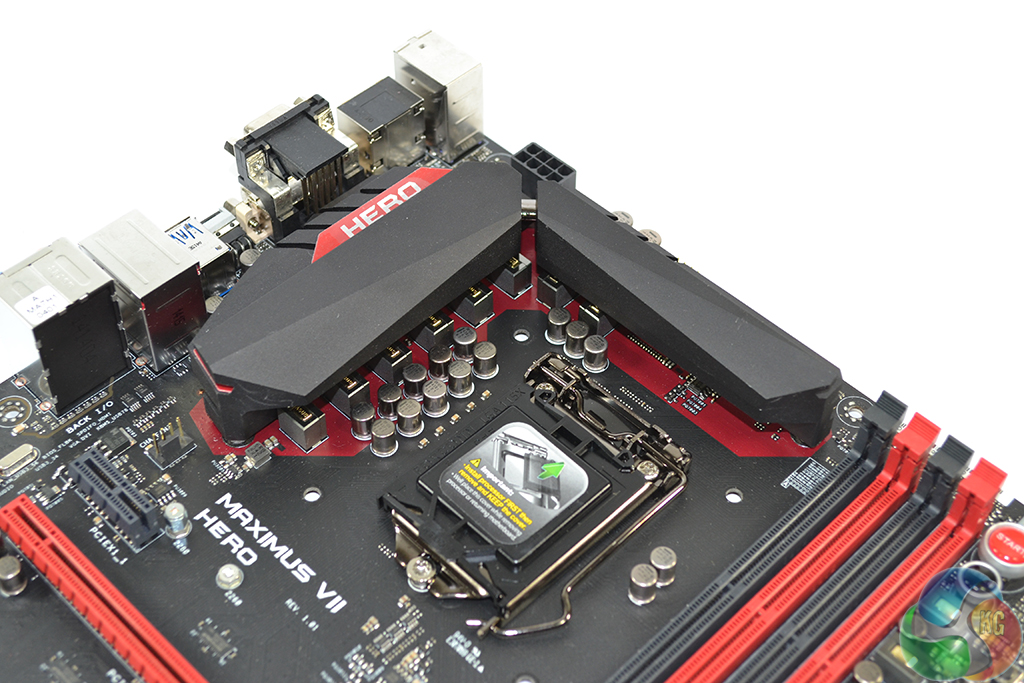
One of the major upgrades for the Hero over the Ranger is its power delivery system. While both boards use eight physical phases to feed an LGA 1150 CPU, the Hero does so with individual drivers for each power channel. Put simply, all eight power phases are individually driven rather than sharing operations with a partner phase.
Similar Extreme Engine Digi+ III electronic components form the Hero’s power delivery system. All of the benefits, including Gamer's Guardian, outlined for the Ranger are applicable to the Hero. The latter builds on the Ranger's NexFET MOSFETs and 10K black metallic caps by upgrading to 60A ferrite-based chokes.
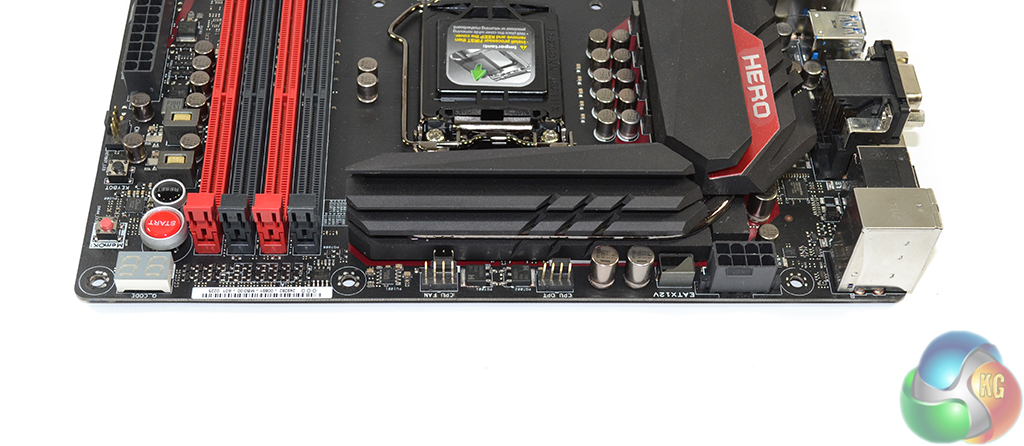
Two fan headers positioned along the board's upper edge are convenient for users of dual-fan CPU coolers.
Asus places the Maximus VII Hero’s 8-pin power connector in the typical location that is optimised for routing a cable up behind the motherboard tray.
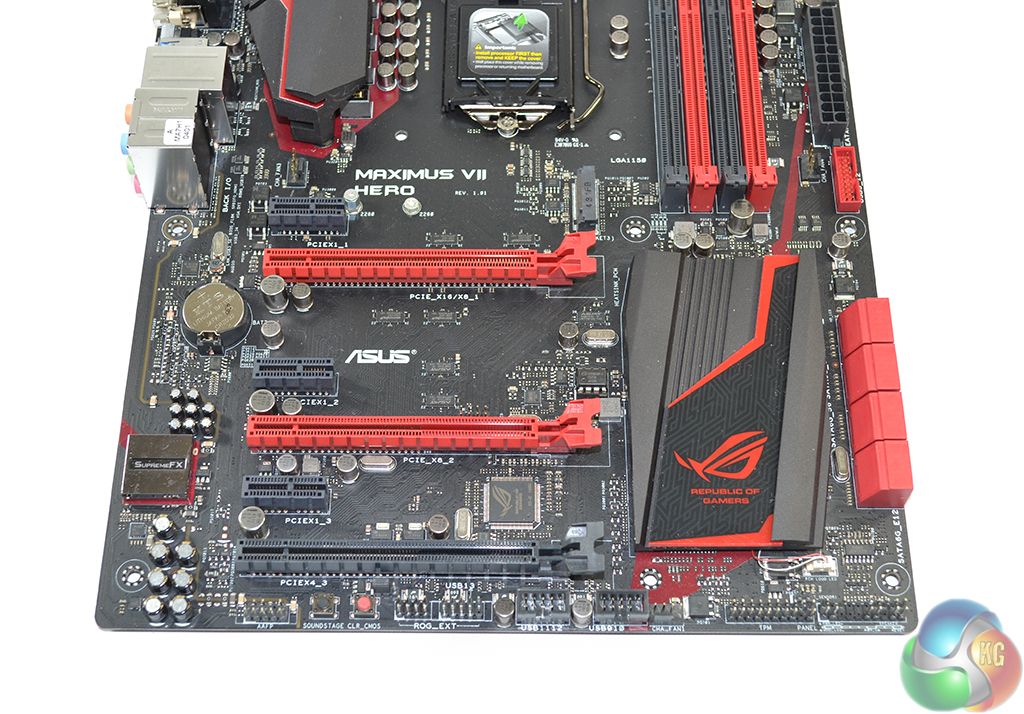
Expansion options for the Maximus VII Hero are identical to those for the Ranger. SLI is still limited to a pair of cards due to the minimum requirement of an x8 link. This is an inherent limitation of the Z97 chipset and LGA 1150 CPU’s sixteen PCIe 3.0 lanes. Costly PLX switches that permit for three- and four-card SLI are reserved for flagship-calibre boards.
As is the case with Asus’ Maximus VII Ranger, the Hero’s 10Gbps M.2 slot is only compatible with PCIe-based M.2 SSDs. I see this as a sensible design choice for a gaming-calibre desktop motherboard. Opting for the space-saving benefits of SATA-fed M.2 SSD is not required in a desktop environment.
All three of the PCIe 2.0 x1 slots are open-ended, allowing them to house higher-bandwidth devices if necessary.
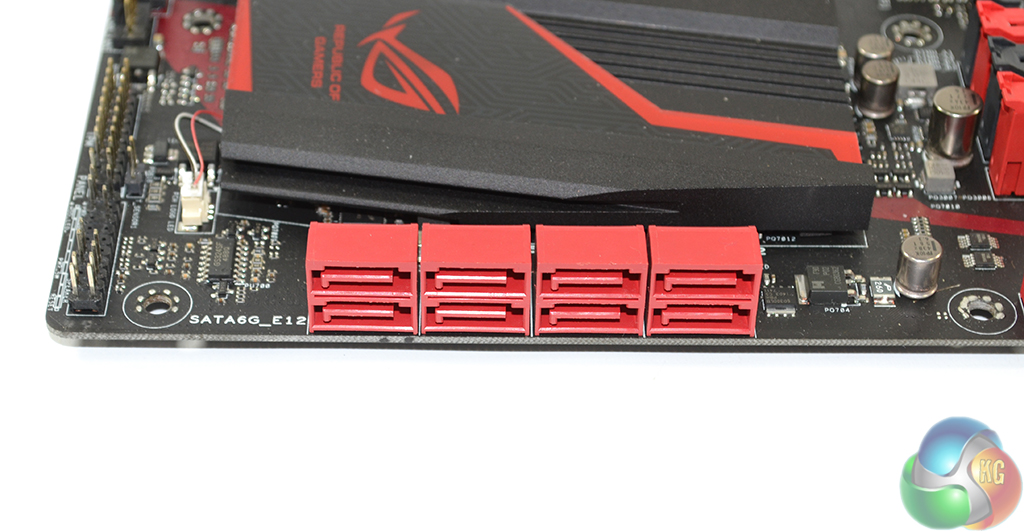
All six of the red SATA 6Gbps ports operate natively from the Z97 chipset. Another of the upgrades for the Hero is its inclusion of an additional pair of SATA 6Gbps ports fed by an ASMedia ASM1061 chipset.
Gamers opting for the higher-priced Hero may indeed require more than six SATA ports which is why Asus covers them with the third party chipset.
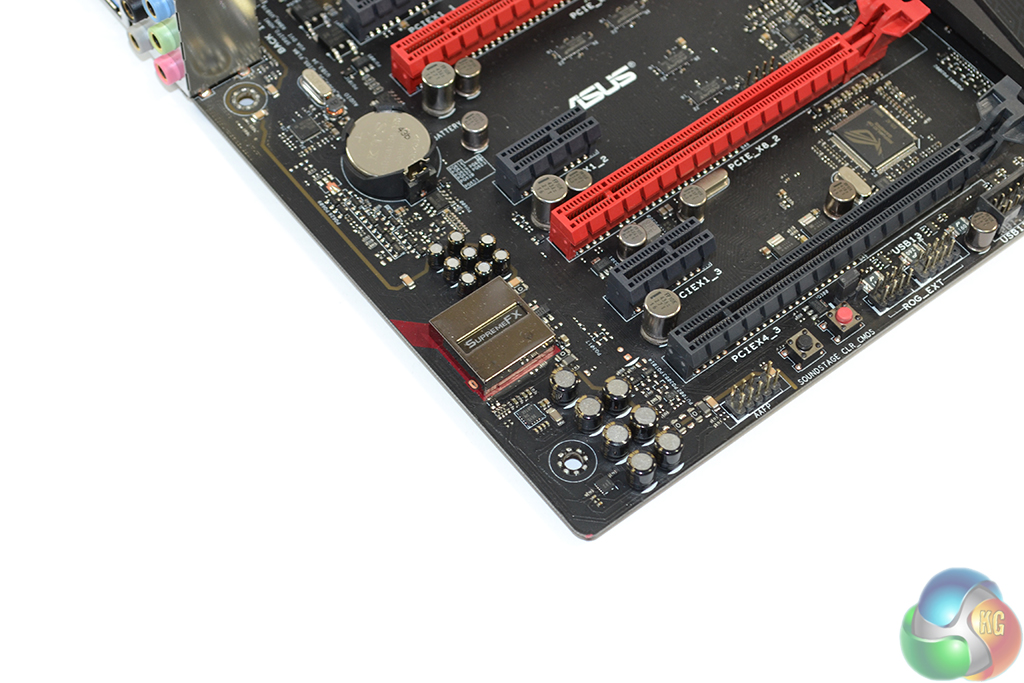
The Hero's SupremeFX audio system is, on paper, identical to that of the Ranger. A Realtek ALC1150 codec forms the base for the system and is aided by ELNA capacitors, Asus' Sonic SenseAmp, and discrete PCB pathways.
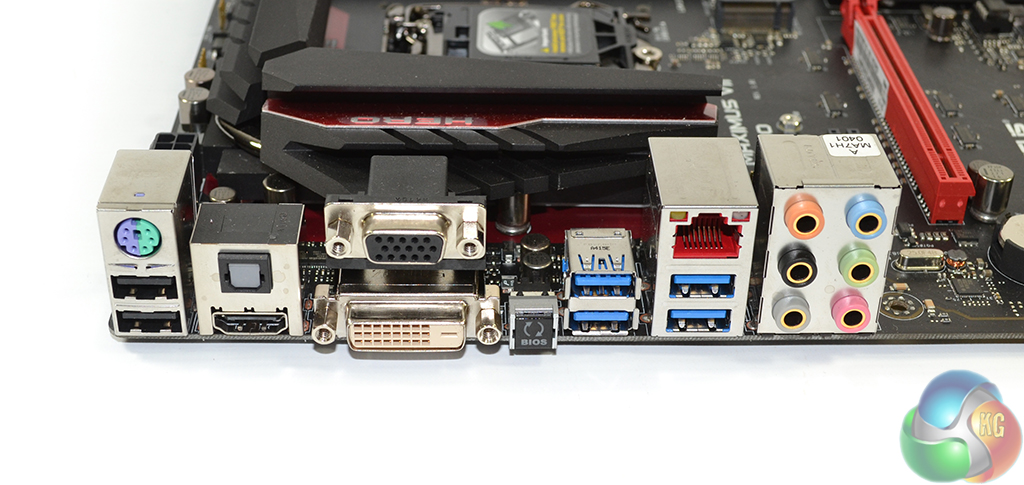
Rear IO connectivity is also identical to that found on the Ranger. Users wondering why Intel's I218-V NIC was chosen over Killer's E2200 competitor are reminded that Asus provides its own network-controlling software – GameFirst III.
Software control is arguably the primary reason that vendors opt for Killer's products, but Asus doesn't have that concern.
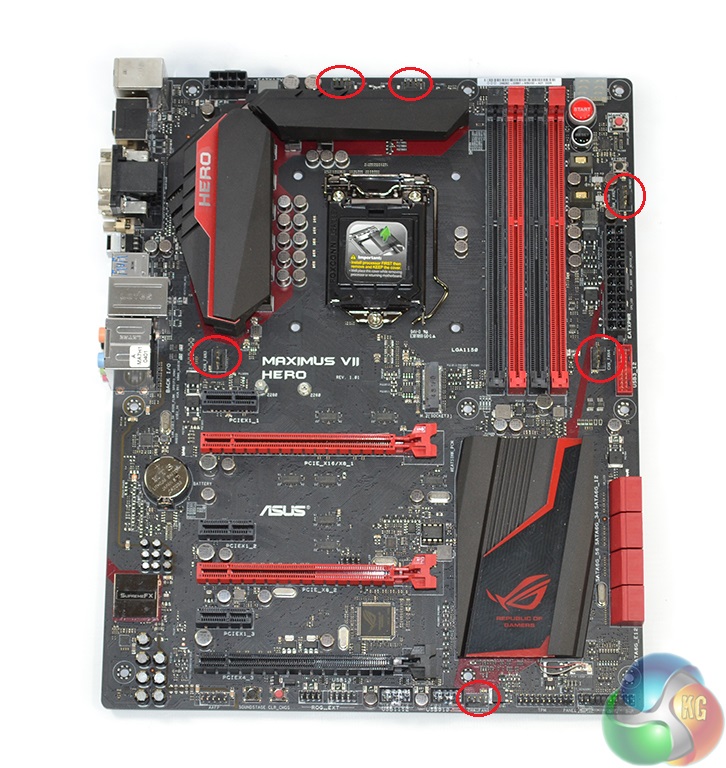
Asus smartly distributes the Hero six 4-pin fan headers, keeping five within reach of the CPU socket.
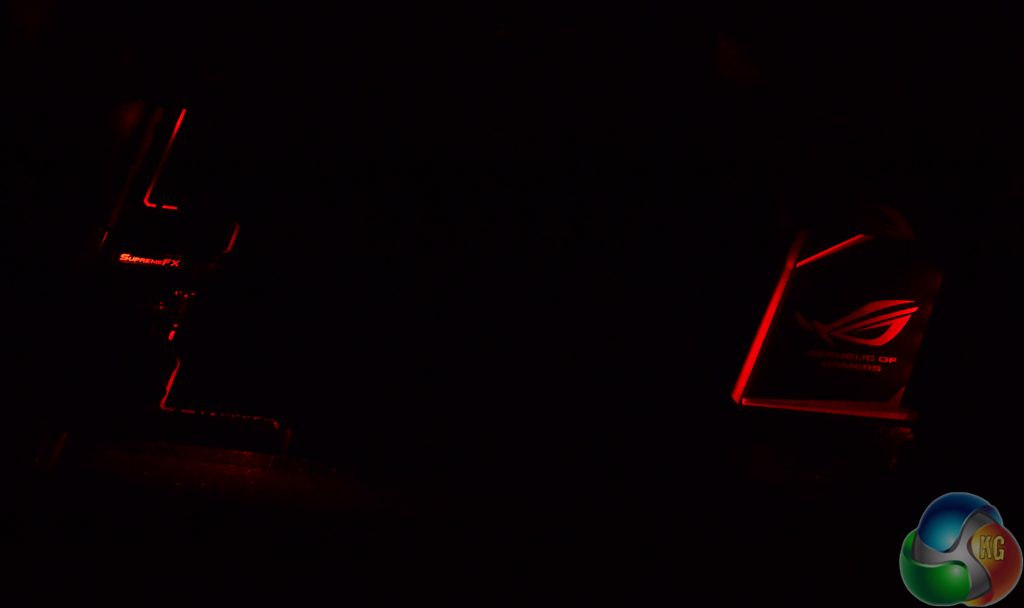
A heatpipe joins the VRM heatsinks to form a single unit, while the discrete chipset heatsink is also used to house eye-catching red LEDs. The red lighting theme also extends to Asus' SupremeFX audio system.
Firstly, we are pleased to report that our NZXT Avatar S mouse worked to its usual standard in the Z97 ROG UEFI BIOS.
The ROG BIOS used on Asus' Maximus VII motherboards is almost identical to that used on its standard Z97 parts. Differences include additional ROG-only features, more power settings, and a red colour scheme.
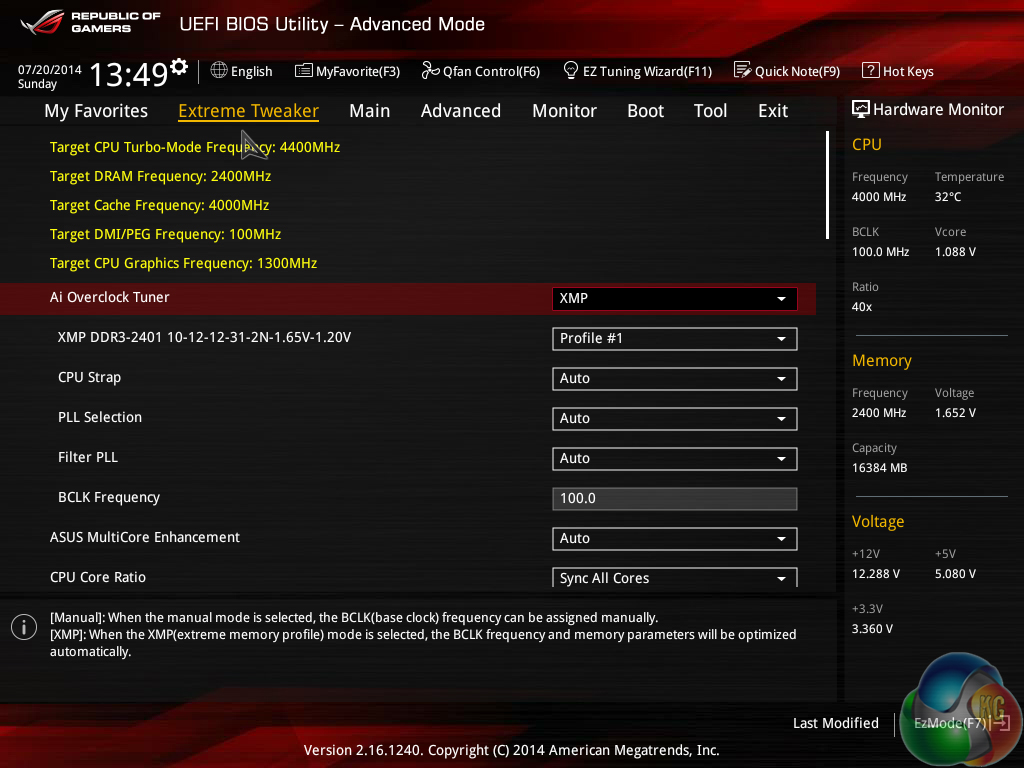
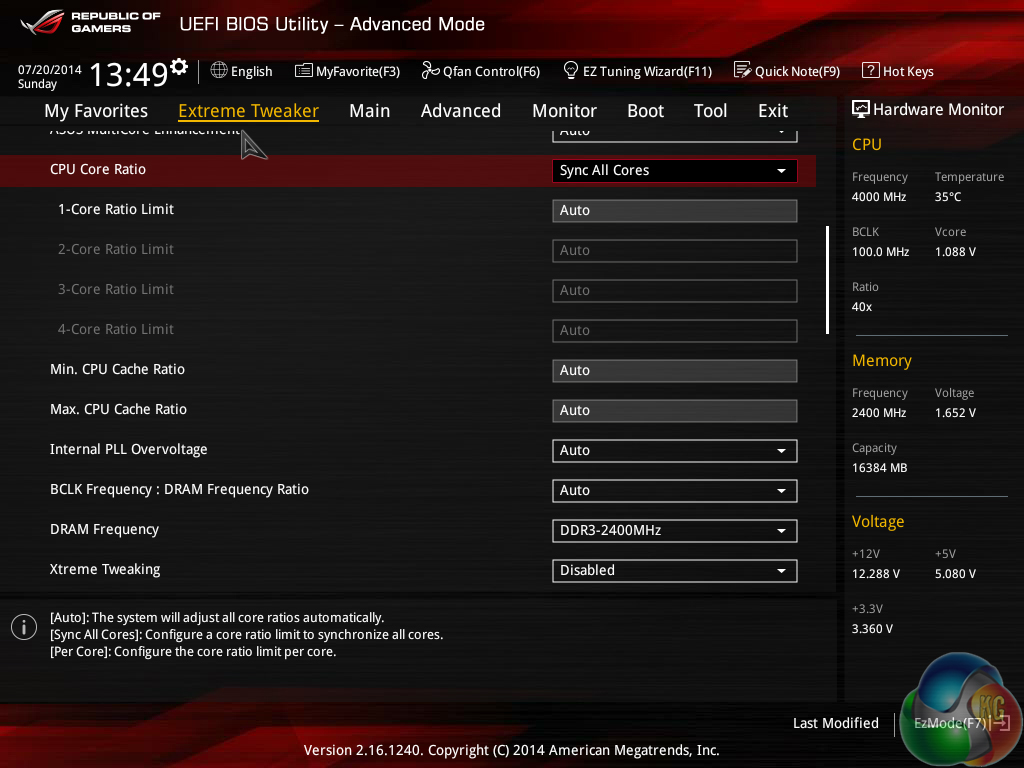
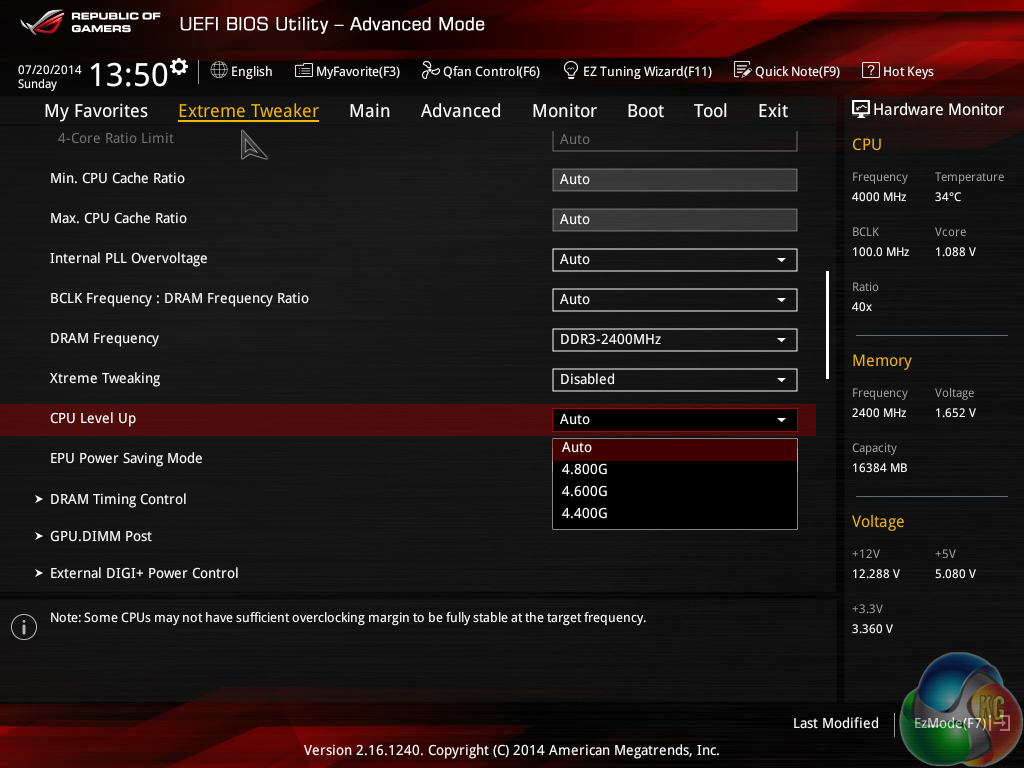
Extreme Tweaker follows the standard layout that we have come to expect from recent Asus motherboards, and that’s a good thing. Easy access is provided to ratio, frequency, and voltage settings, allowing users to adjust their system parameters with minimal effort.
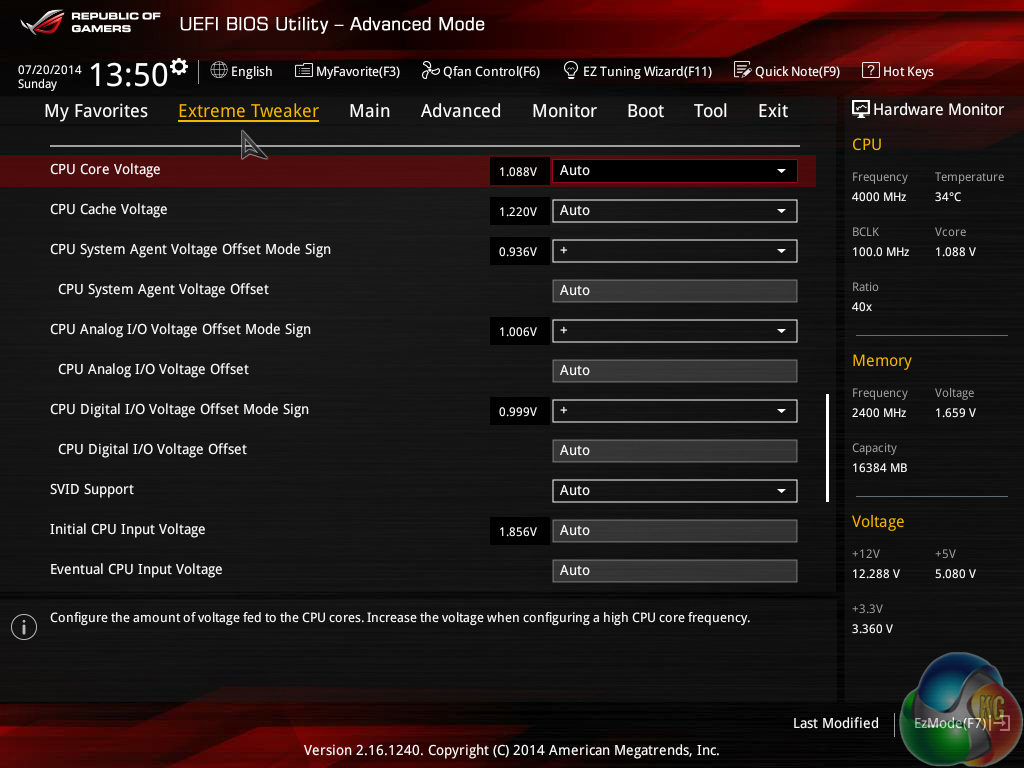
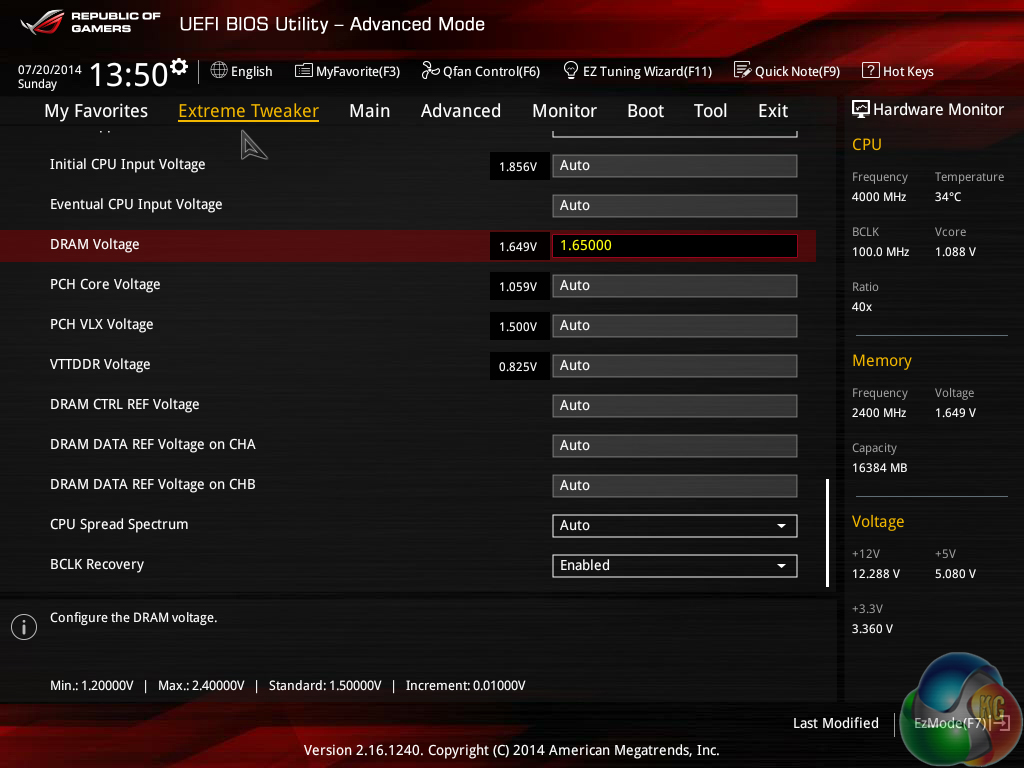
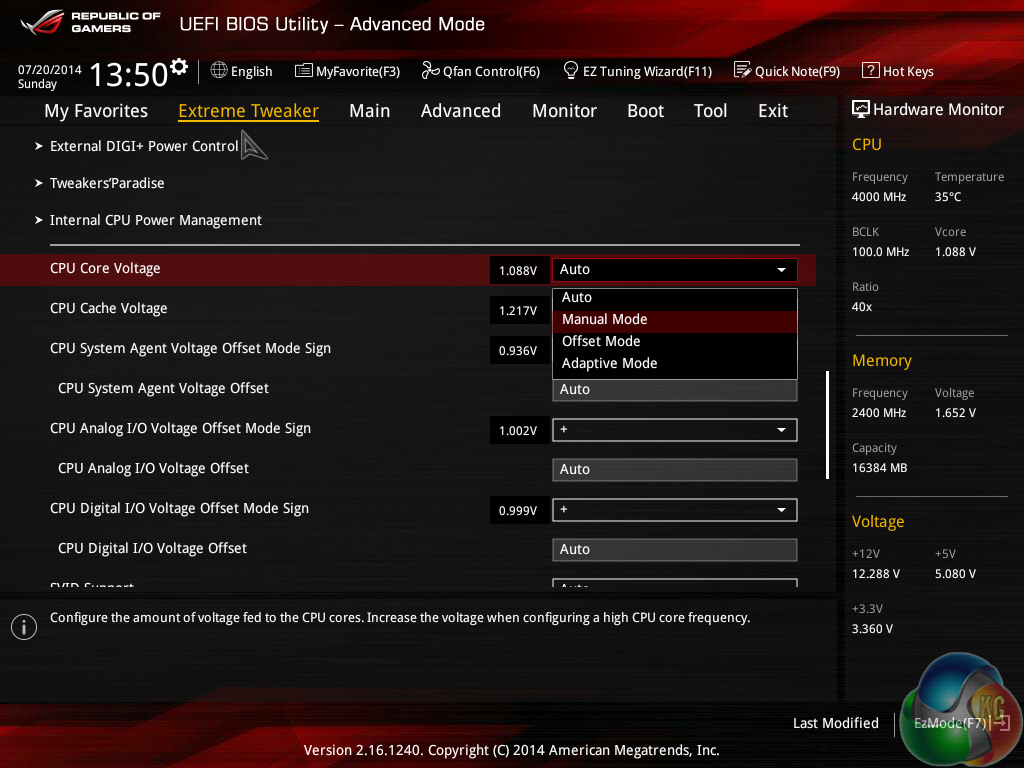
A large number of voltage settings can be adjusted to a user's preference. Asus displays voltage levels in a clear manner, which is particularly convenient for users who are still perfecting their overclocking skills.
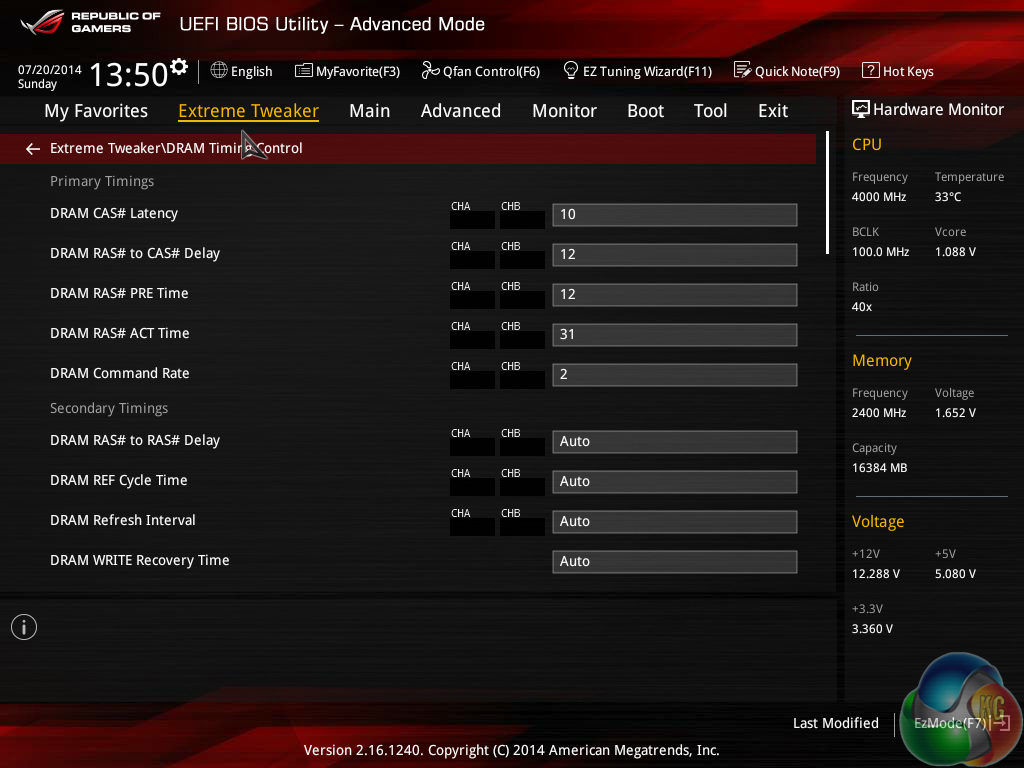
Memory timings can be adjusted in their relevant section. Unlike many of its competitors, Asus does not deploy the Z97 ROG UEFI with pre-set memory frequency profiles built by its in-house overclocker. We would assume that the custom profiles are reserved for the overclocking-geared ROG motherboards.
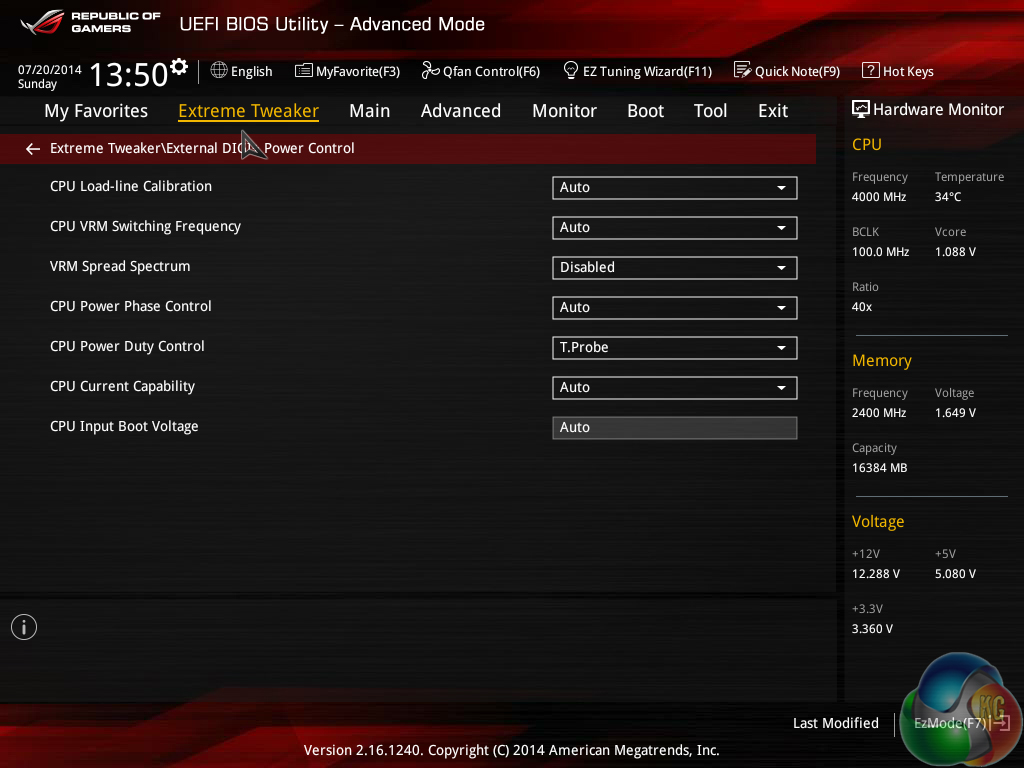
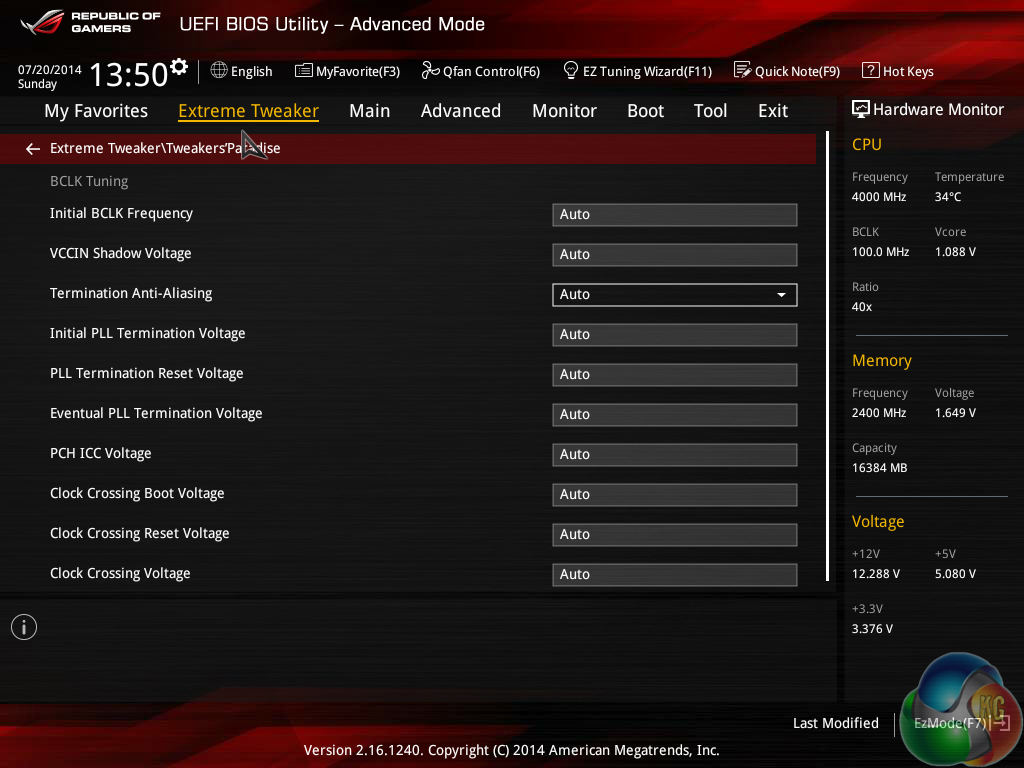
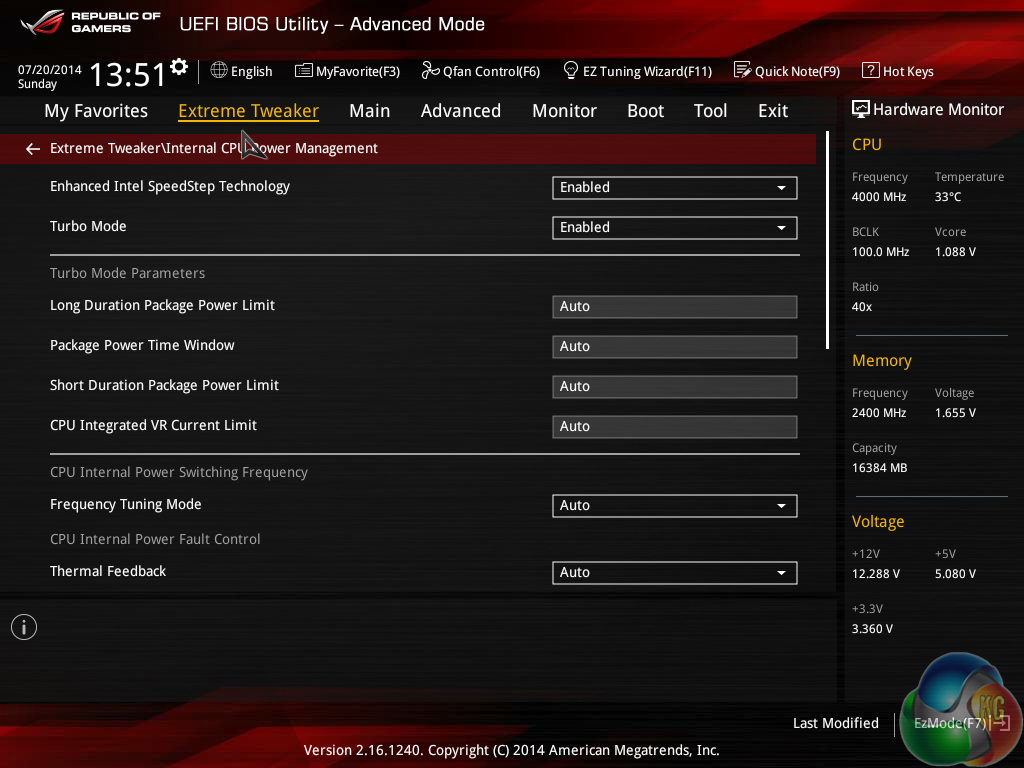
Additional power and voltage control settings can be utilised to maximise overclocking gains or tweak frequency operations.
The Tweakers' Paradise section is unique to Asus' ROG boards.
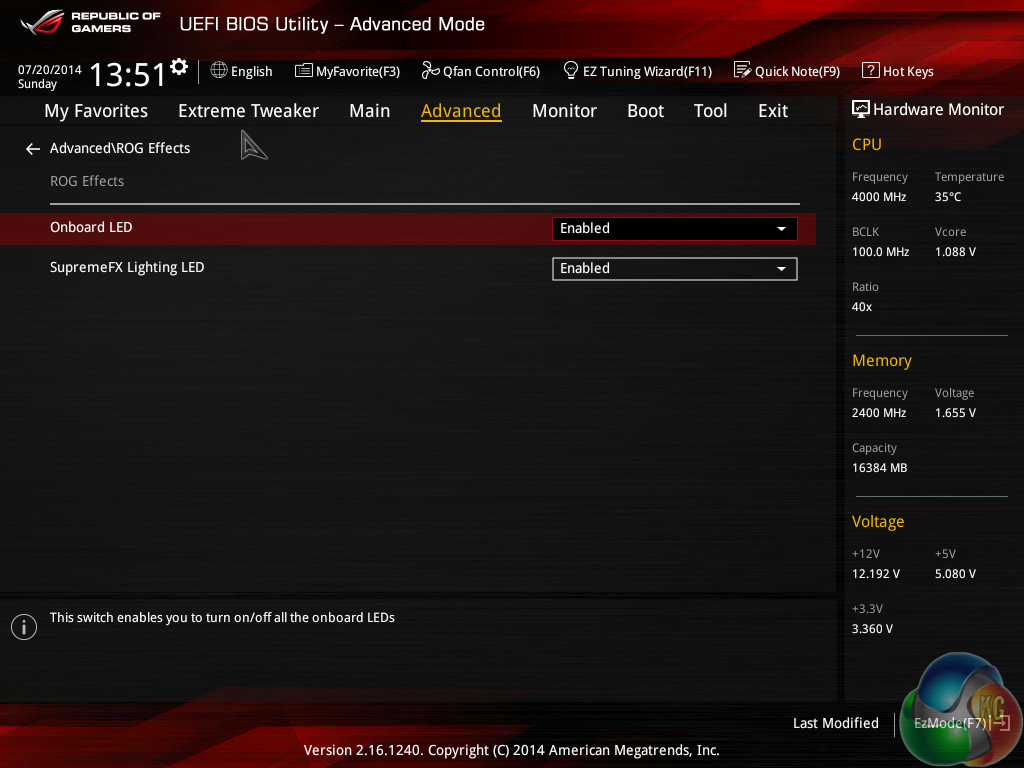
ROG light effects can be switched off if preferred. The bright red LEDs may disturb those who leave their PC running overnight.
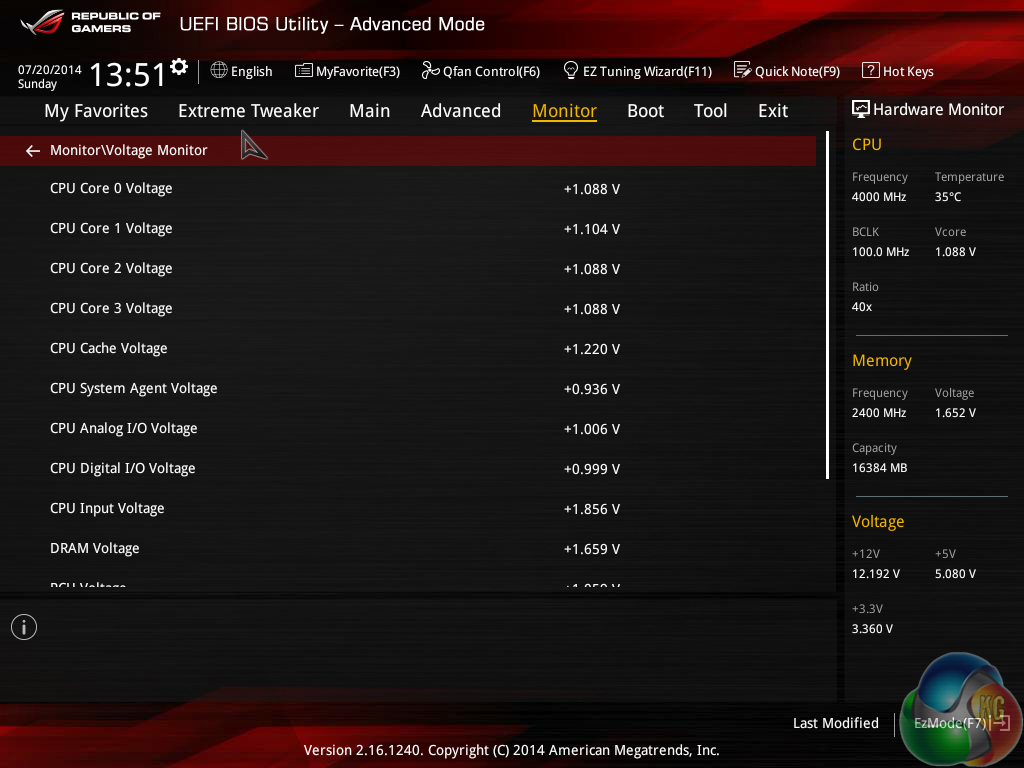
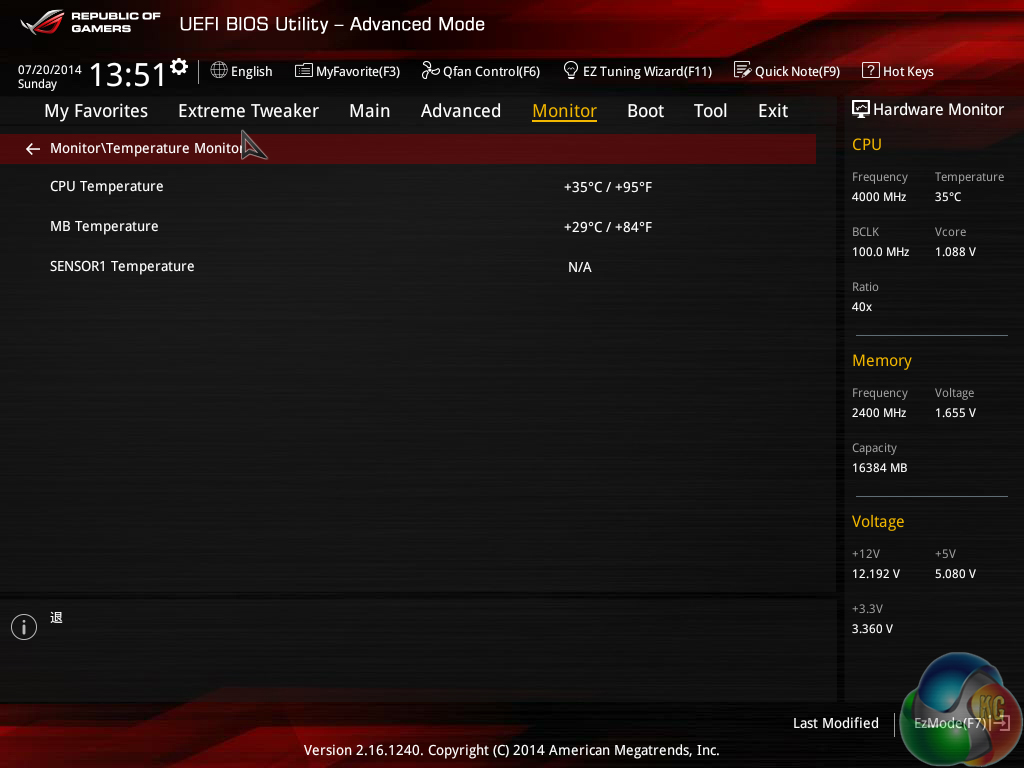
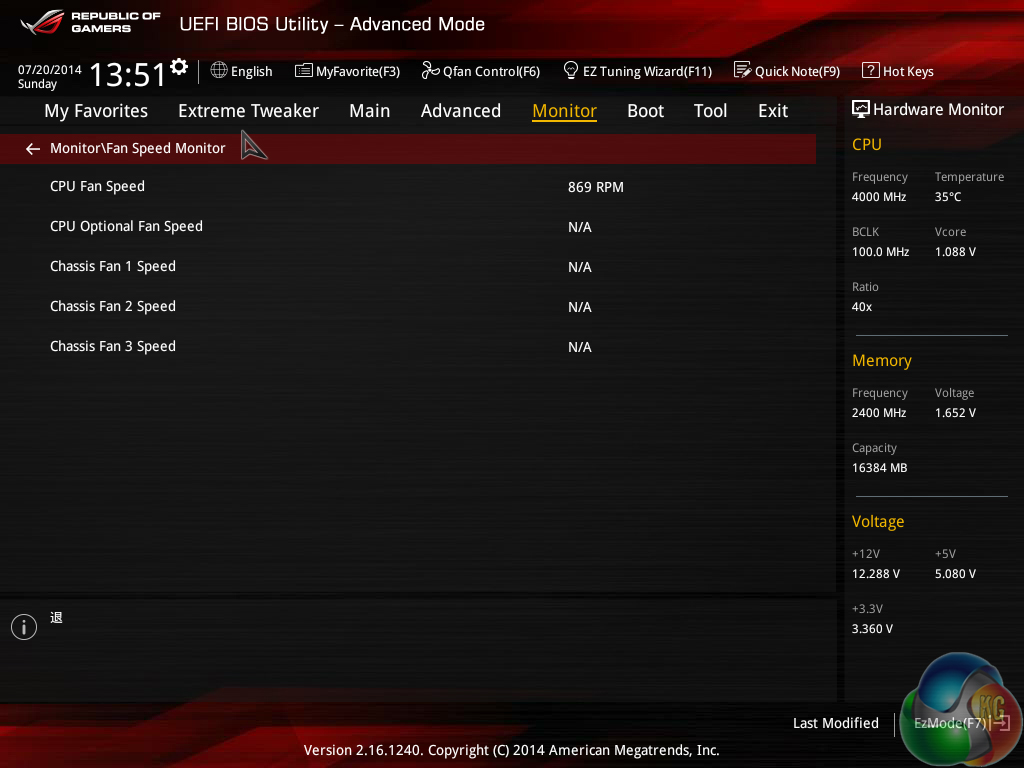
Asus provides plenty of monitoring readouts for board voltages and fan speeds. Temperature readings are scarce though, with only the CPU and motherboard being displayed consistently.
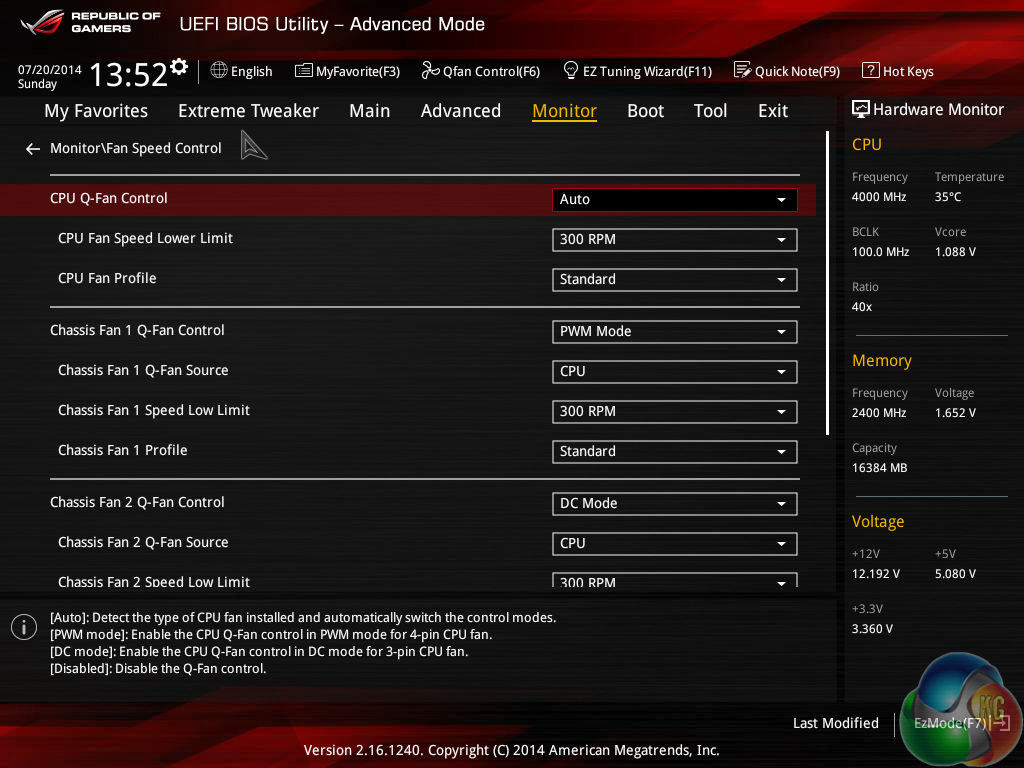
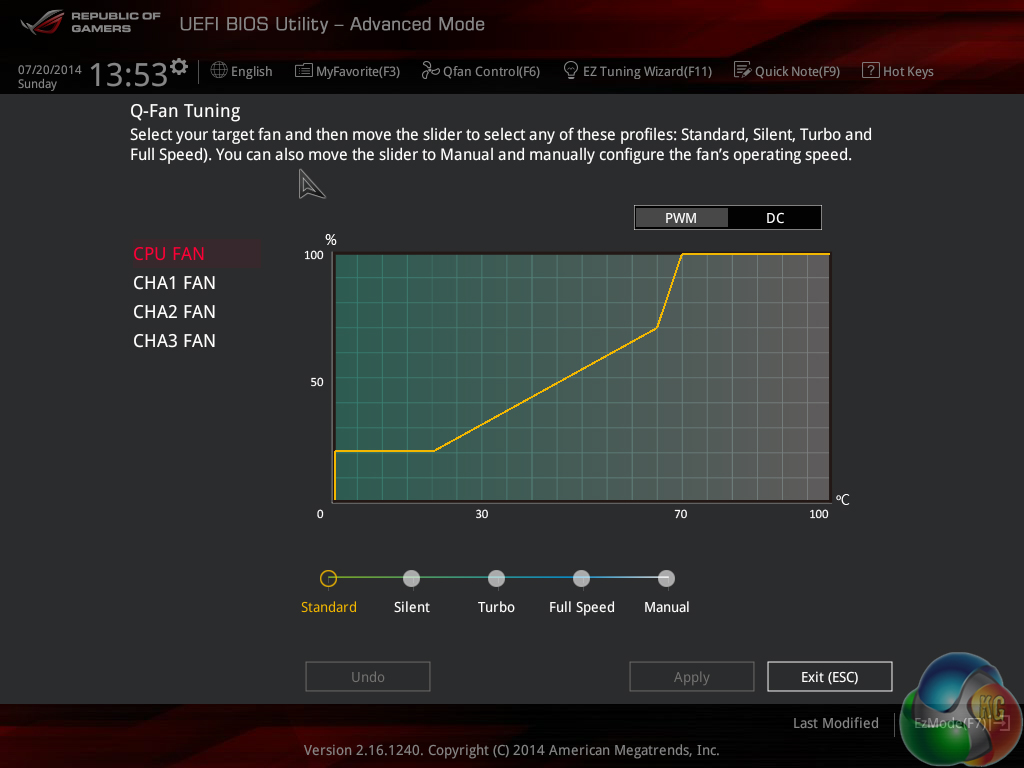
Asus gives the Z97 ROG UEFI its usual level of flexibility regarding fan speed tweaking. The Q-Fan Tuning utility gives users a graphical display from which they can adjust speed against temperature settings.
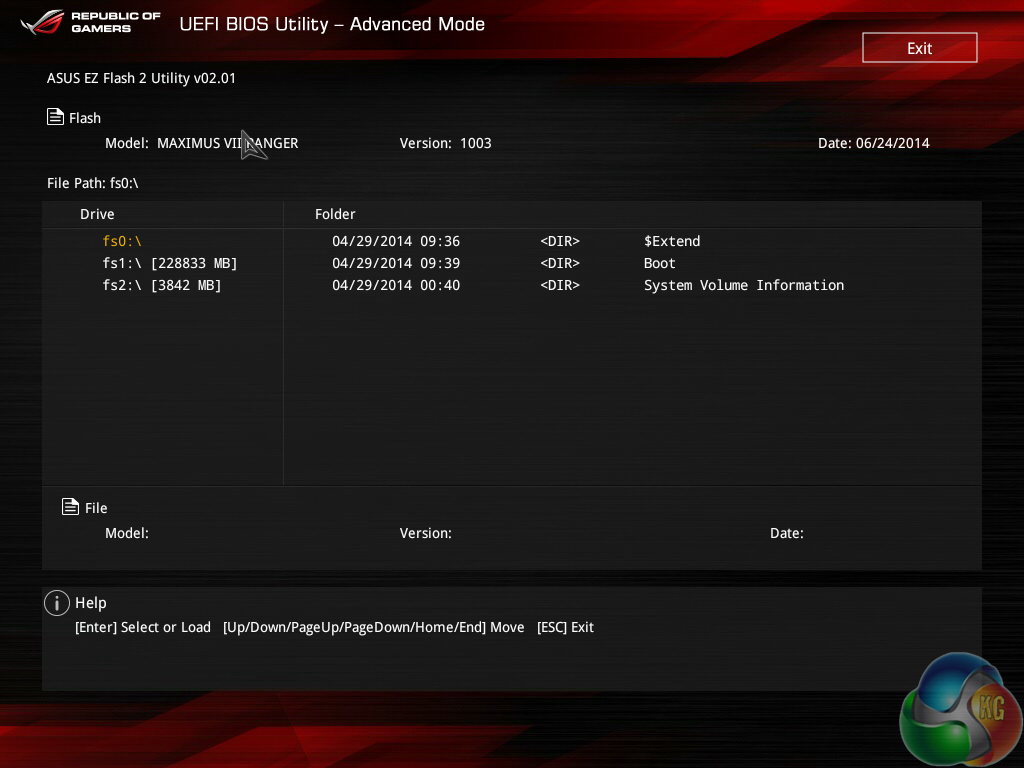
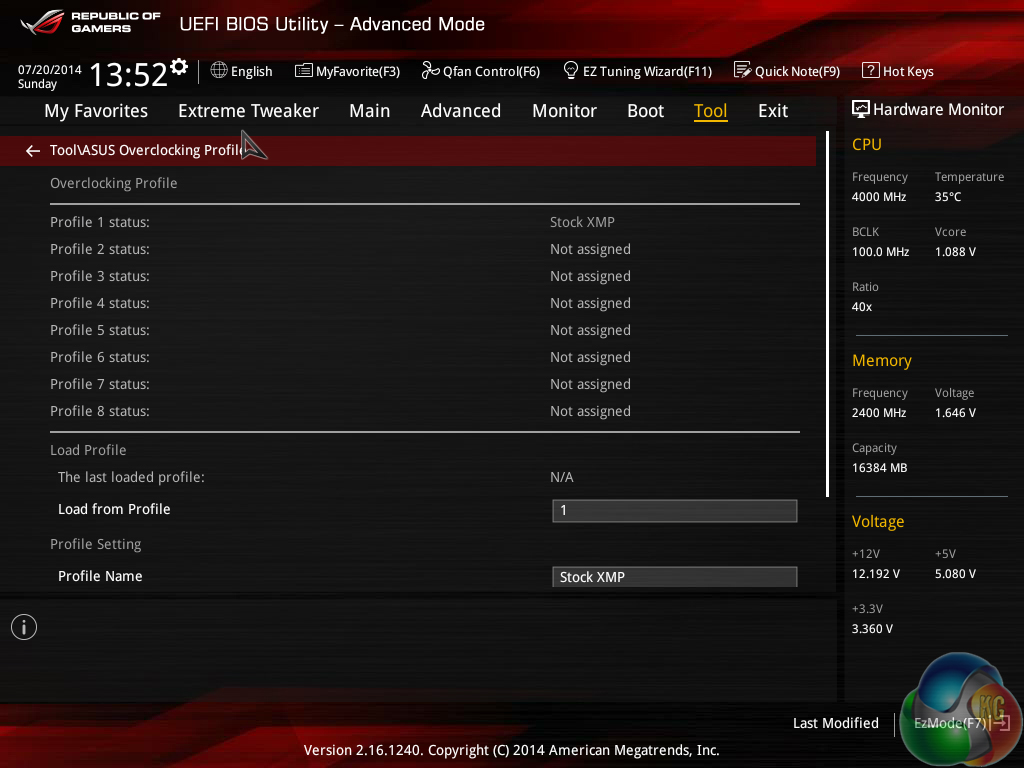
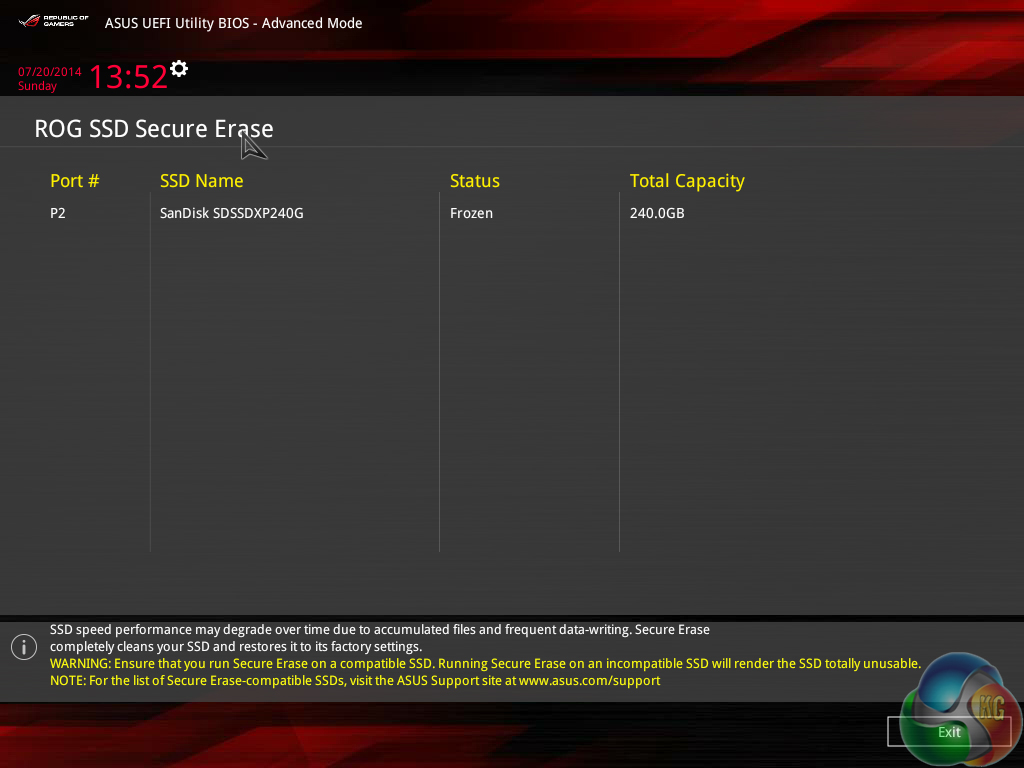
Asus' usual set of tools is supplied in the ROG UEFI, as well as the convenient Secure Erase. Users can route through a drive to look for a BIOS update file and update to eight settings profiles can be saved.
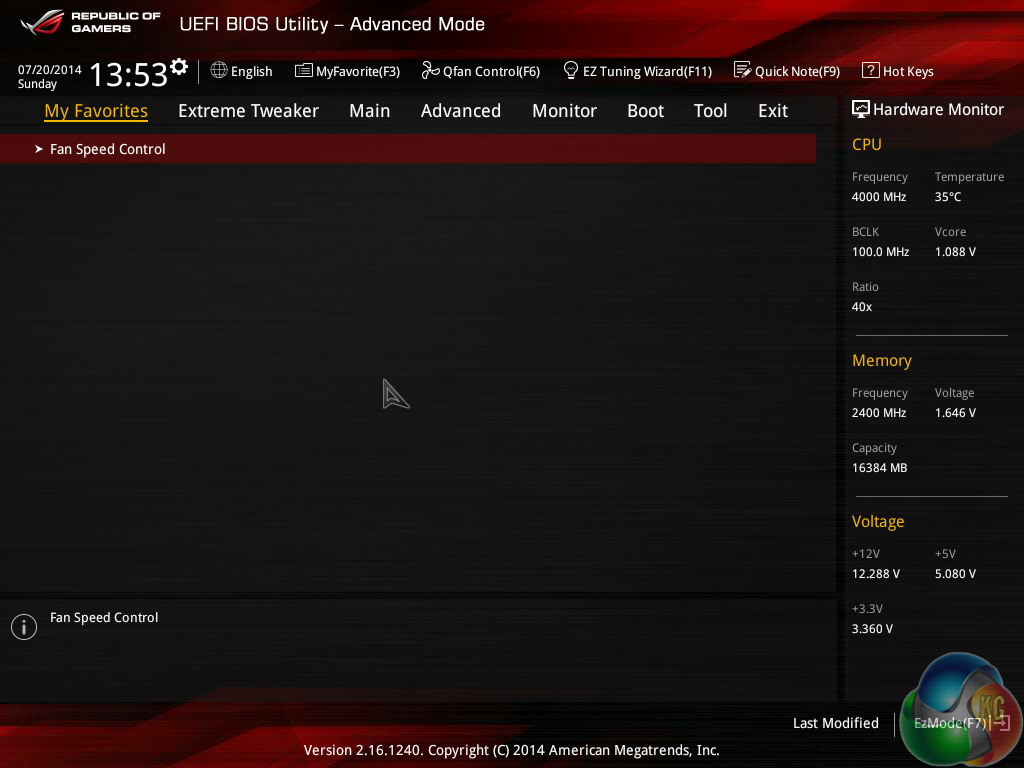
Regularly accessed parameters can be added to the My Favorites page. The page can then be accessed with ease from all areas of the UEFI.
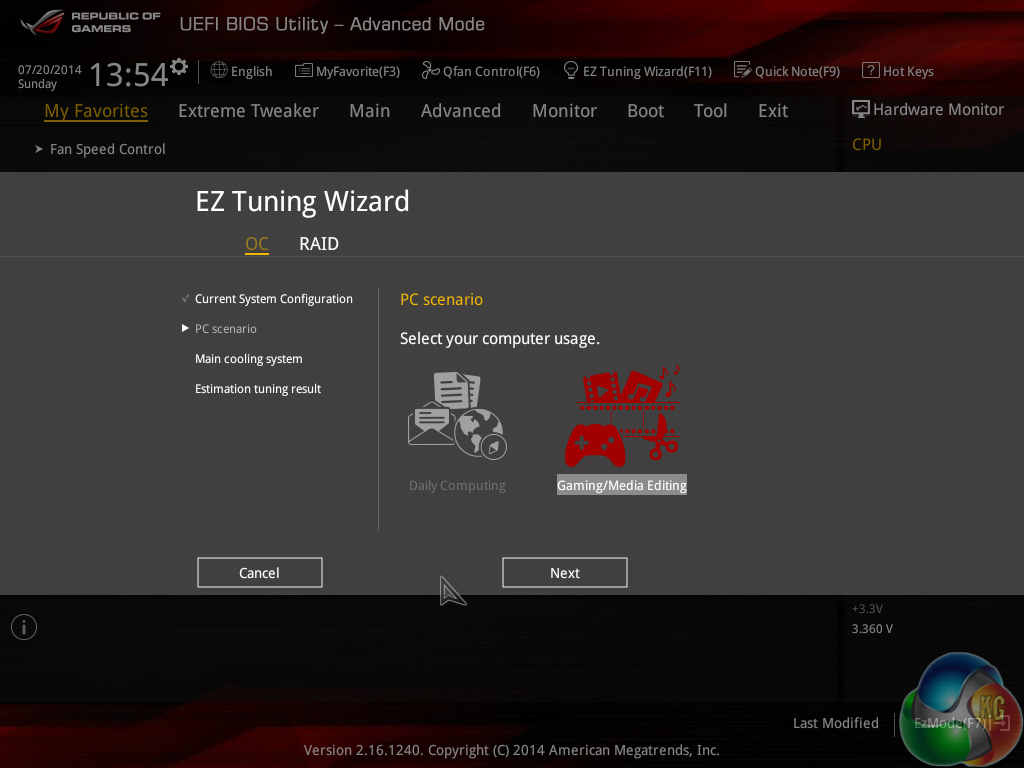
An automated speed boost can be applied to the CPU and memory after selecting a handful of settings through Asus' EZ Tuning Wizard.
The Z97 ROG UEFI follows Asus' tried-and-tested interface layout and styling, and that's a good thing. The interface is easy to navigate, plenty of options are provided, and the appearance is good to look at.
We have no complaints whatsoever regarding the Z97 iterations of the ROG boards' interface. Not even the comparatively low 1024×768 resolution can be registered as a negative because Asus manages to display a relevant amount of information on each frame without making the screen full of confusion.
Software
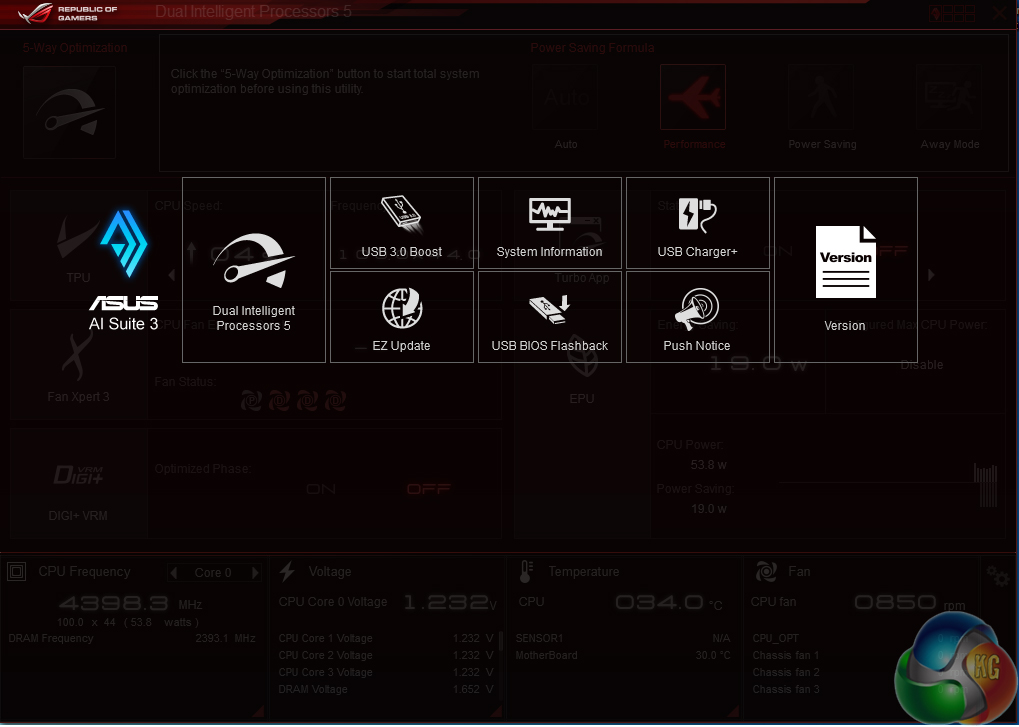
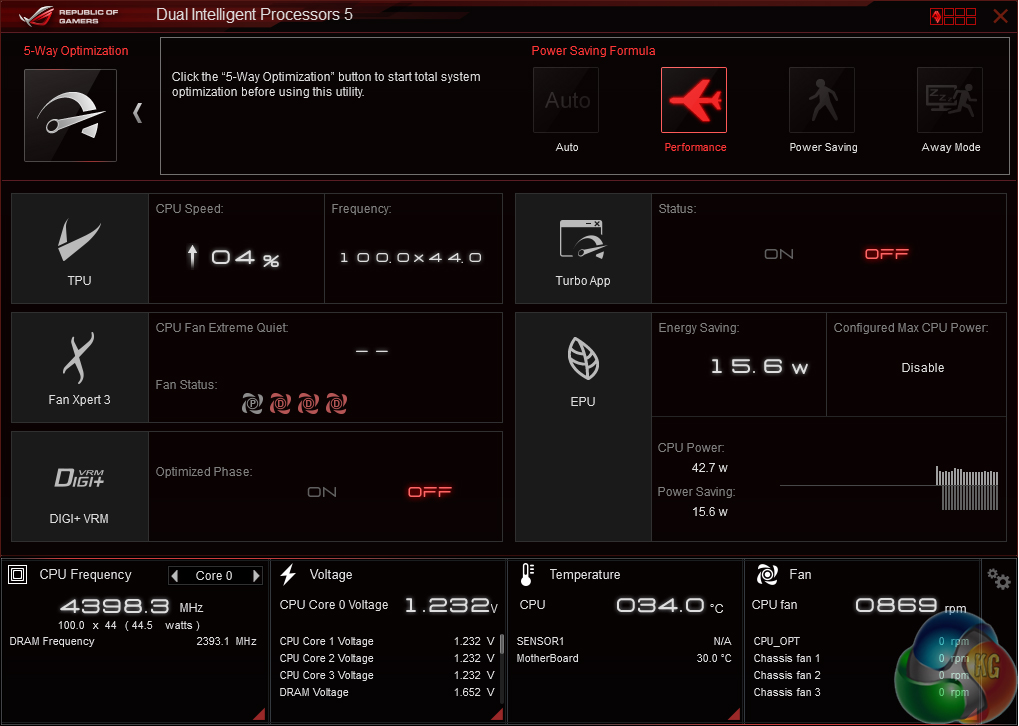

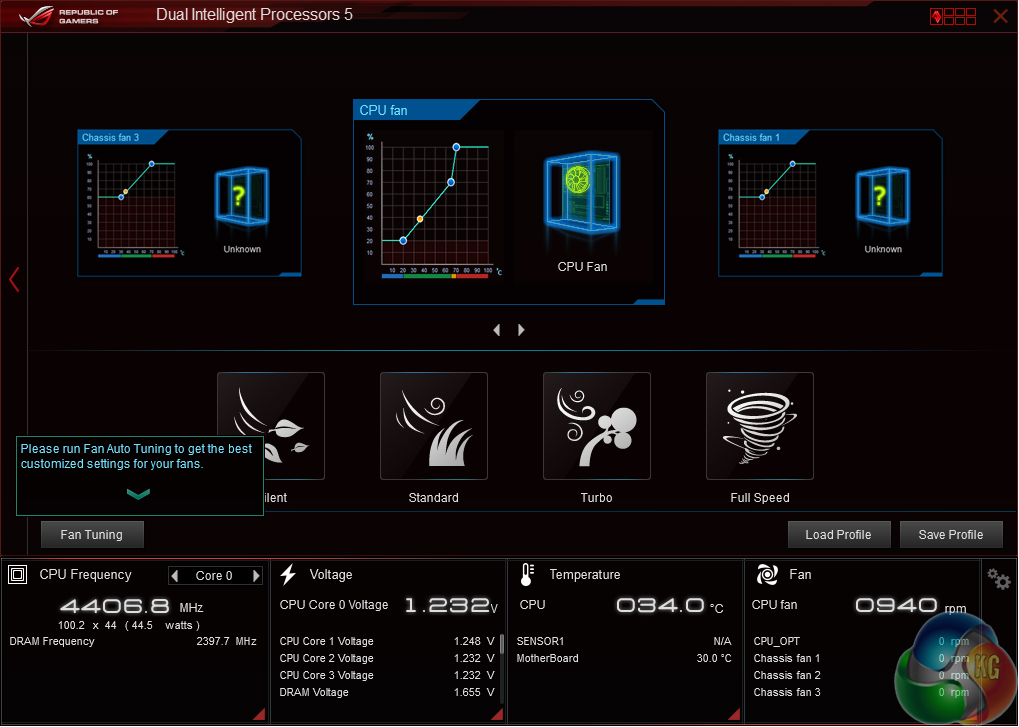
Asus' AI Suite 3 software is very good. A strong array of voltage, frequency, and power settings can be adjusted via the software. Fan settings can also be tweaked.
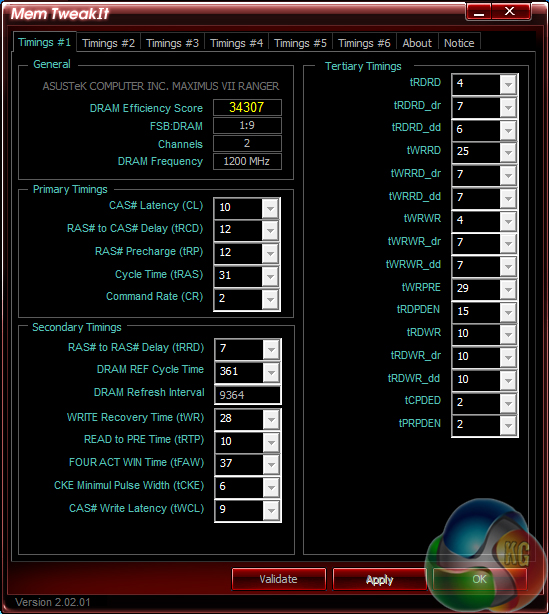
Mem TweakIt allows memory timings to be viewed and adjusted.
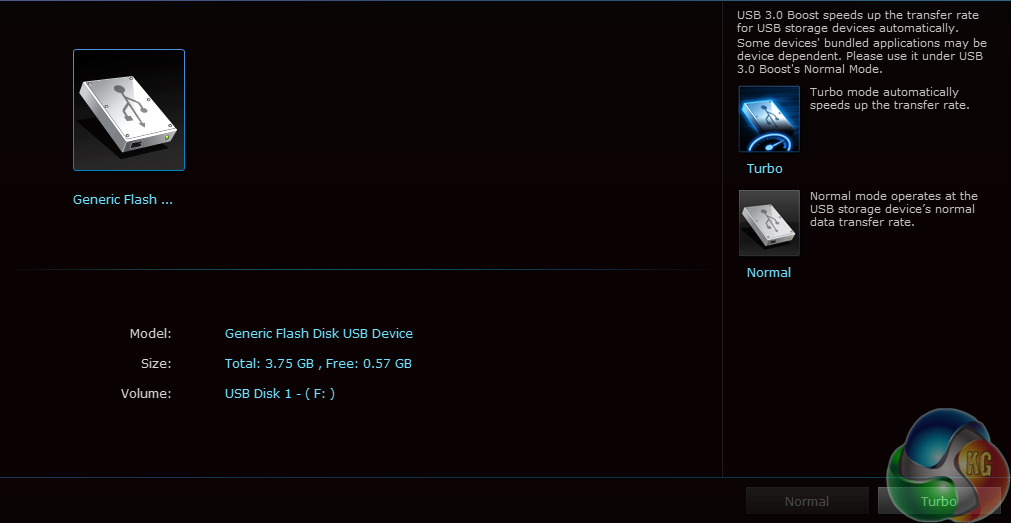
Asus is the only one of the ‘big four' motherboard vendors to include a UASP-activating software tool for users who aren't running Windows 8. USB 3.0 Boost is a useful piece of software that can help users gain instant benefits when using high speed USB 3.0 devices.
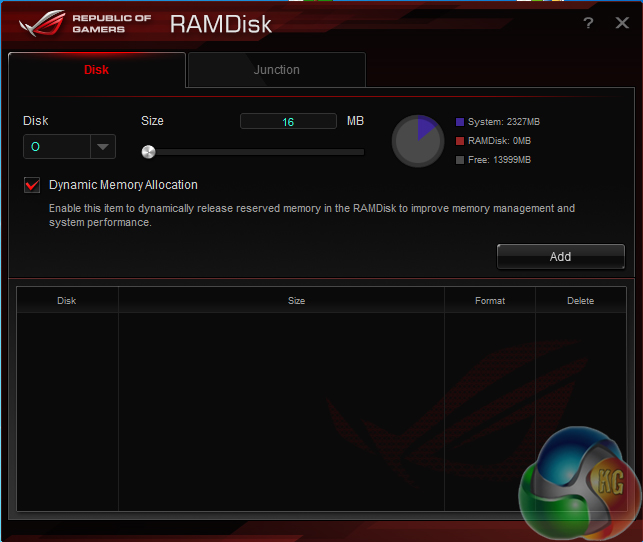
A sizeable RAMDisk can be formed to provide users with ultra fast storage. This is particularly convenient for those who own large capacity memory kits and simply do not know what to do with it when gaming.
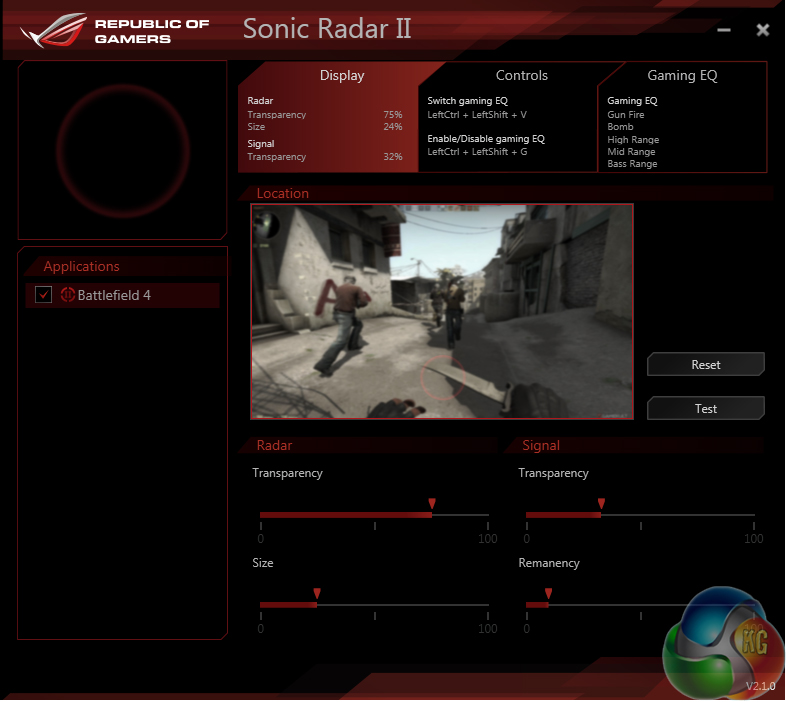
Sonic Radar II is the second iteration of Asus' overlay that shows where enemy interaction is originating in games. I have to admit that I am not a fan of the software (I prefer to play the ‘old-fashioned' way), although it can be helpful to novices who are trying not to get schooled when learning the ropes of a new shooter.
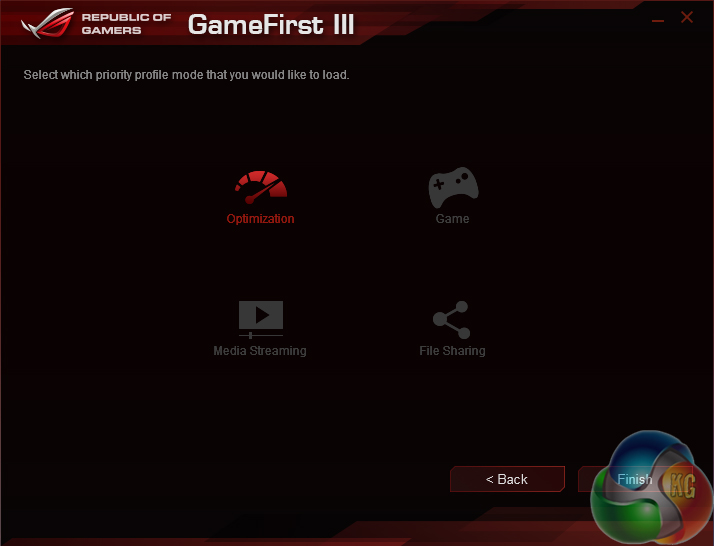
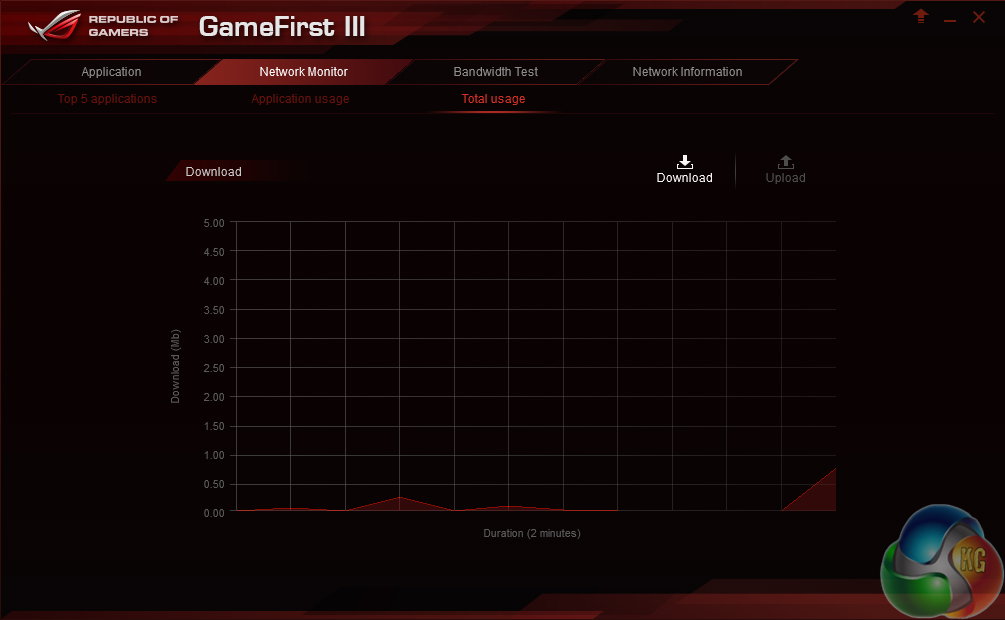
GameFirst III is Asus' network-controlling software that, in essence, is a competitor to Killer's Network Manager suite. The software allows Asus to opt for an Intel I218-V NIC without losing the software functionality that Killer's competing part offers.
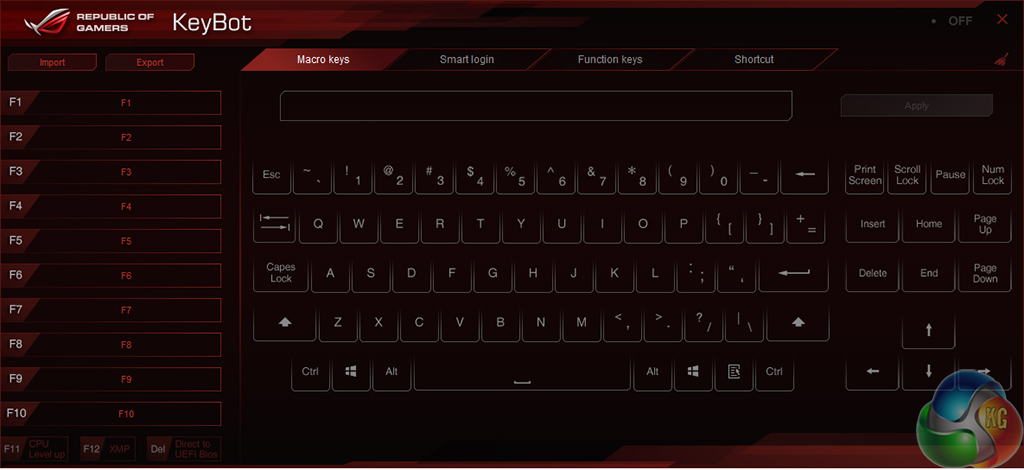
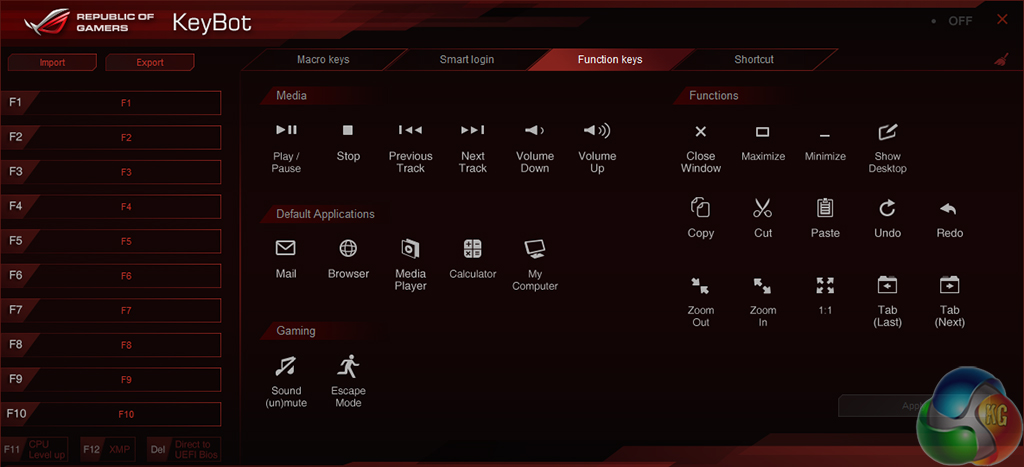
KeyBot can be used to assign macros and shortcuts to a gaming keyboard. As Asus jokingly outlined in the company's press event, a one-touch solution for blanking the screen and muting the sound can be useful to gamers who are disturbed when undergoing their “me time”.
The Haswell micro-architecture in Devil's Canyon processors is just the latest Intel CPU architecture to see many of the critical system operations handled by the processor. As such, benchmarking a motherboard becomes more of a test to certify that the part operates correctly and meets the anticipated performance levels.
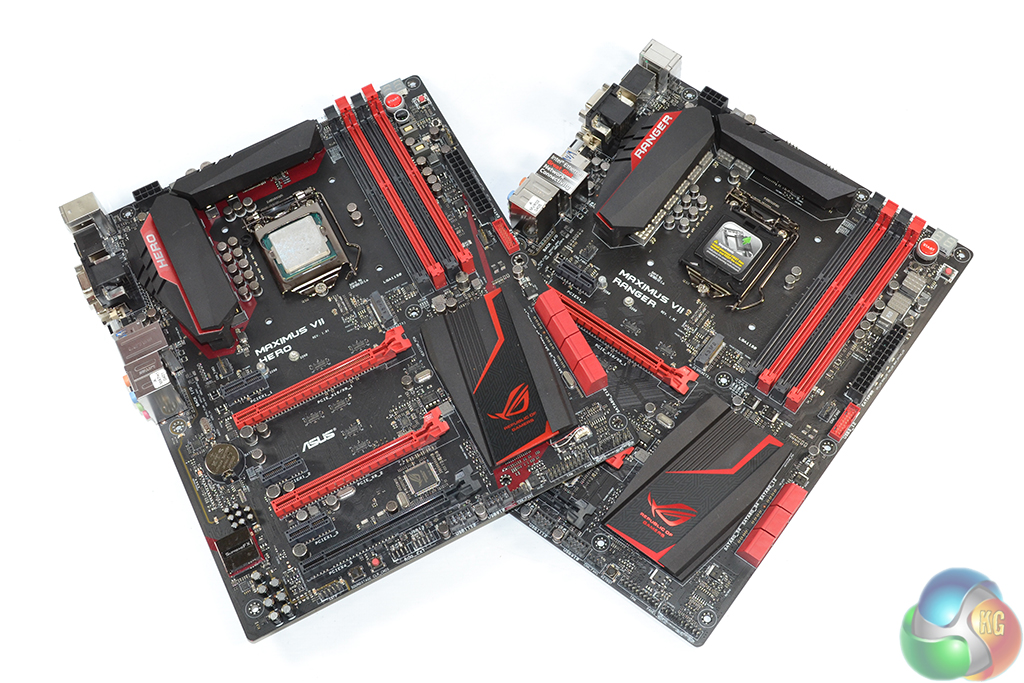
We will be outlining the Maximus VII Ranger and Hero motherboards' performance with the Core i7 4790K CPU at its stock frequency (4.4GHz due to forced turbo). Overclocked performance will be outlined later in the review.
All motherboards are partnered with identical hardware and software, so the results are directly comparable.
By default, the Maximus VII motherboards apply multi-core turbo (MCT) and force the 4790K to a constant 4.4GHz when XMP is enabled. This will be displayed as the ‘stock’ setting (and outlined in the charts’ brackets after the non-turbo stock speed is displayed).
Z97 Motherboard Test System:
- Processor: Intel Core i7 4790K ES (4.4GHz forced turbo).
- Memory: 16GB (2x 8GB) Corsair Vengeance Pro 2400MHz CL10.
- Graphics Card: Asus R9 280X Matrix Platinum 3GB.
- System Drive: 240GB SanDisk Extreme II SSD.
- CPU Cooler: Corsair H100i.
- Case: NZXT Phantom 630.
- Power Supply: Seasonic Platinum 1000W.
- Operating System: Windows 7 Professional with SP1 64-bit.
Compared Z97 Motherboards:
Software:
- Catalyst 14.4 VGA drivers.
- Intel 10.0 chipset drivers.
Tests:
- 3DMark 1.3.708 – Fire Strike (System)
- SiSoft Sandra 2014 SP2 – Processor arithmetic, memory bandwidth (System)
- Cinebench R15 – All-core CPU benchmark (CPU)
- WinRAR 5.10 – Built-in benchmark (CPU)
- HandBrake 0.9.9 – Convert 4.36GB 720P MKV to MP4 (CPU)
- ATTO – SATA 6Gbps, USB 3.0, M.2 transfer rates (Motherboard)
- RightMark Audio Analyzer – General audio performance test (Motherboard)
- Bioshock Infinite – 1920 x 1080, ultra quality (Gaming)
- Metro: Last Light – 1920 x 1080, high quality (Gaming)
- Tomb Raider – 1920 x 1080, ultimate quality (Gaming)
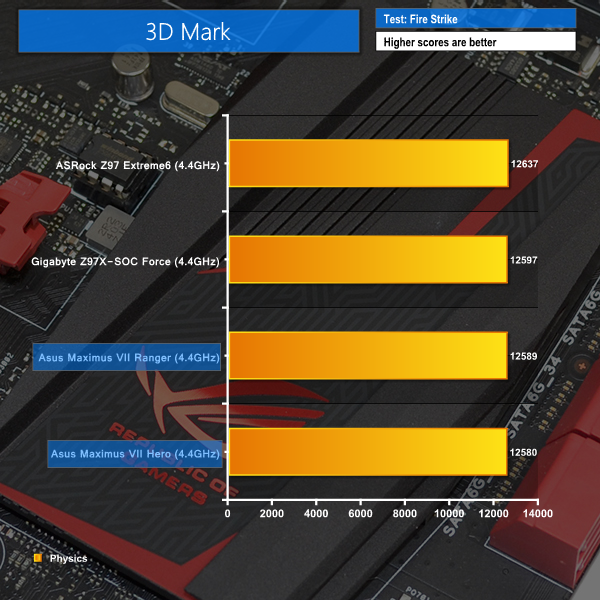
3DMark
We used 3DMark‘s ‘Fire Strike’ benchmark which is designed to be used on gaming PCs. We opted for the Normal setting, NOT the Extreme mode.
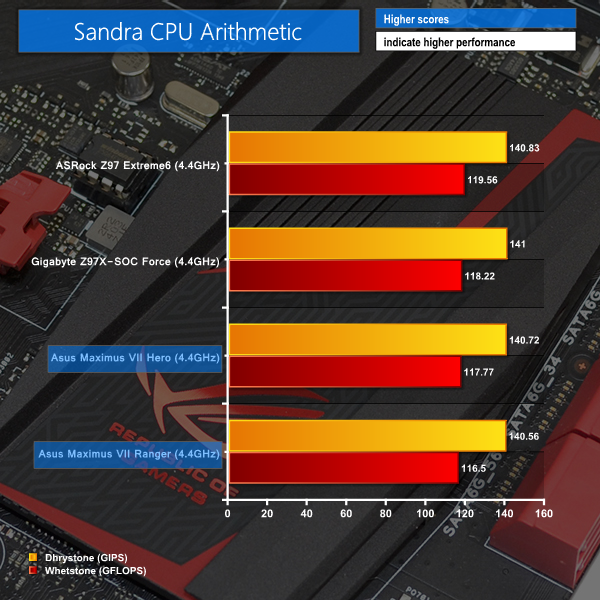
Sandra Processor Arithmetic
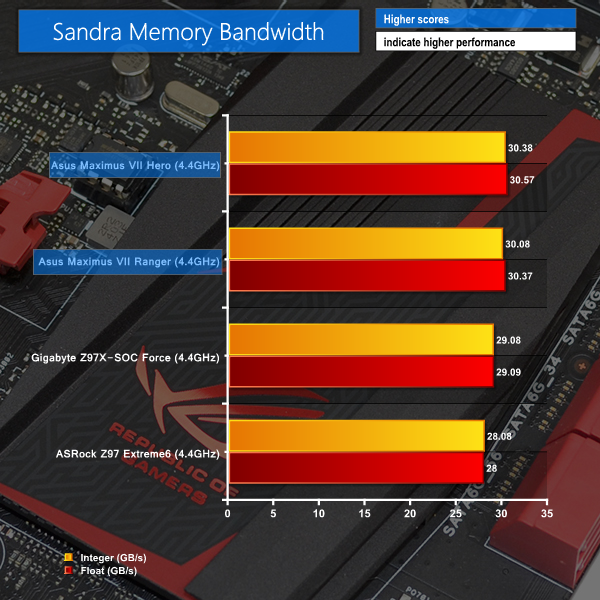
Sandra Memory Bandwidth
Both ROG boards stay within touching distance of the pack in Sandra's CPU arithmetic test and the 3DMark benchmark, although there is a clear deficit for the Maximus VII parts.
Memory bandwidth performance is a clear strength for the Asus parts.
Cinebench
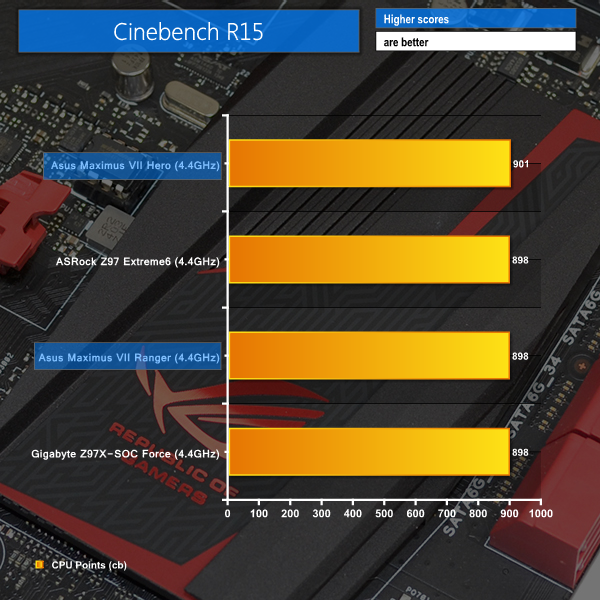
We used the ‘CPU’ test built into Cinebench R15 .
WinRAR
WinRAR’s built in benchmark and hardware test can help us outline the performance differentials between each motherboard. We record the amount of data processed after a 30-second run.

Handbrake Conversion
We measured the average frame rate achieved for a task of converting a 4.36GB 720P MKV movie to 720P MP4 format.
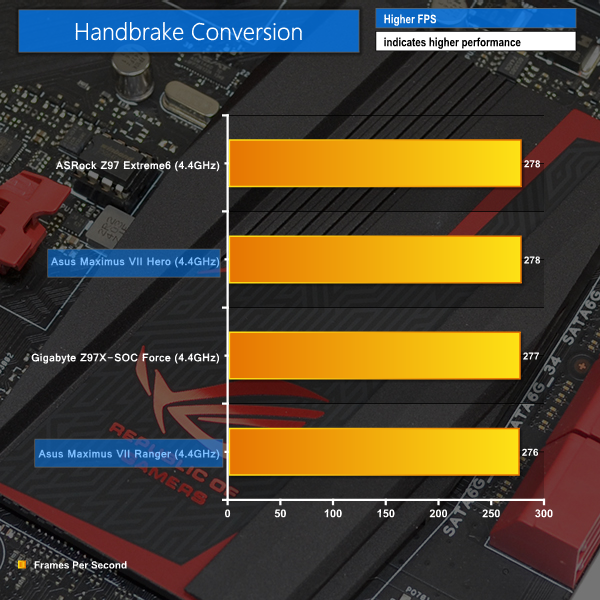
As expected, performance of the Asus boards is similar in our CPU-heavy tests. The Maximus VII Hero shows particularly strong Cinebench scores.
Bioshock Infinite
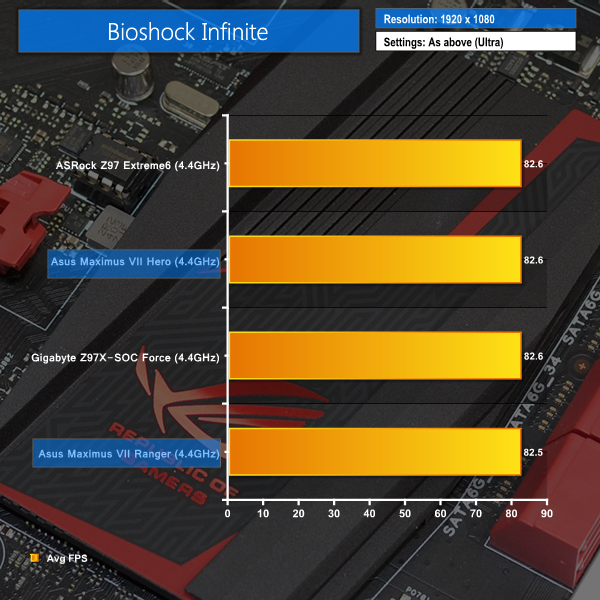
We used the Bioshock Infinite demanding ‘Ultra’ setting and a 1920 x 1080 resolution to push today’s gaming hardware. Our data was recorded using a section of the game, not the built-in benchmark.

Metro: Last Light
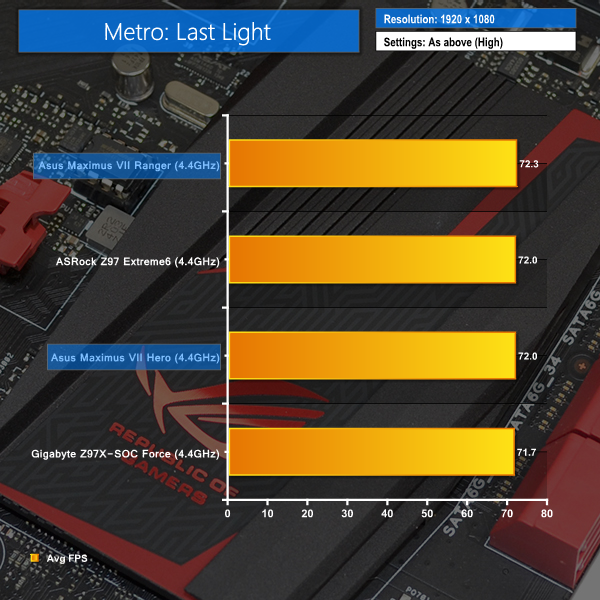
We used a 1920 x 1080 resolution and the Metro: Last Light built-in benchmark set to ‘High’ quality to offer an intense challenge for the gaming hardware while also making playable frame rates a possibility.

Tomb Raider
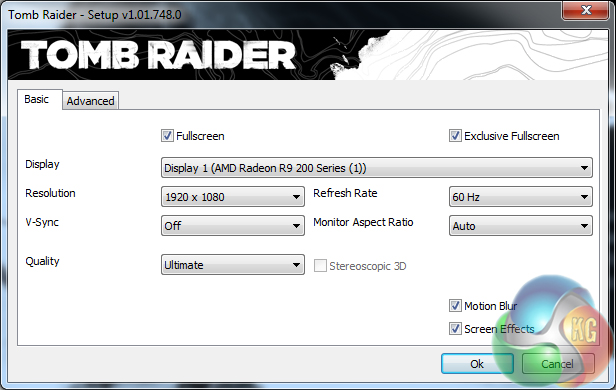
We used a 1920 x 1080 resolution and the Tomb Raider built-in benchmark set to ‘Ultimate’ quality.
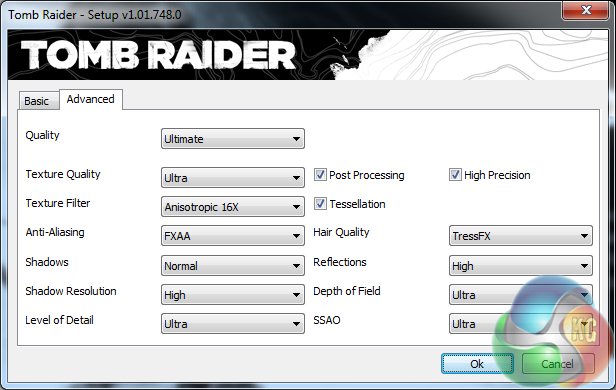
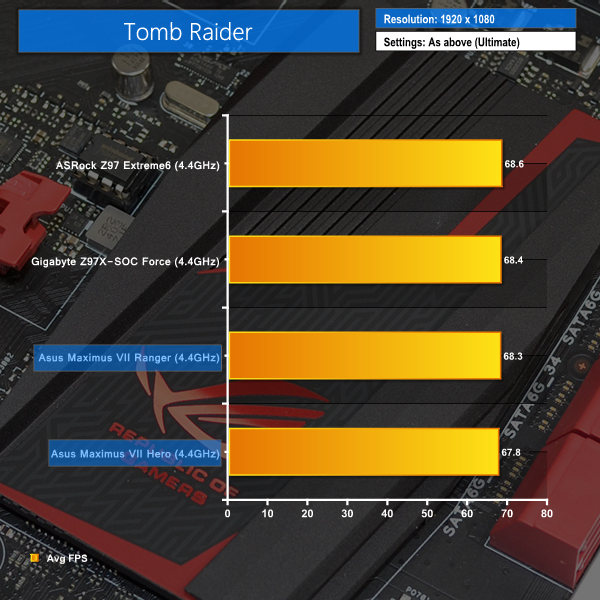
Both the Hero and Ranger offer stellar gaming performance. Asus' Ranger is able to muster up a few extra tenths of a frame in Metro: Last Light, although it then drops by a tenth in Bioshock Infinite.
Tomb Raider performance is slightly slower on both Asus boards than the Gigabyte and ASRock competitors.
SATA
For SATA 6Gb/s testing we use a Kingston HyperX 3K (SandForce SF-2281) SSD.
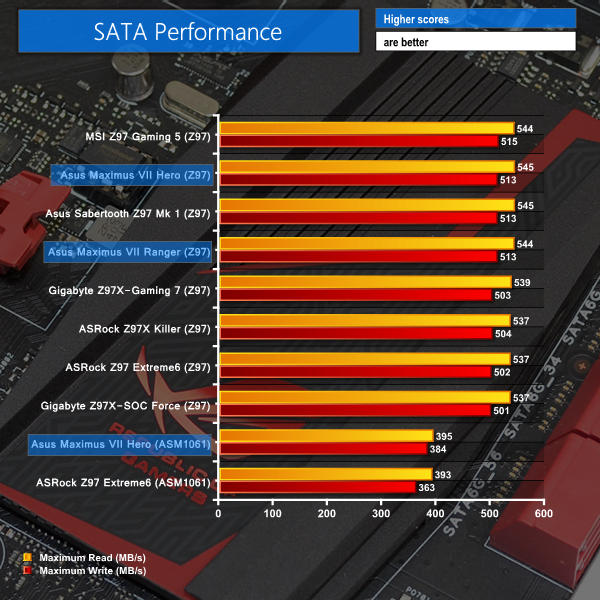
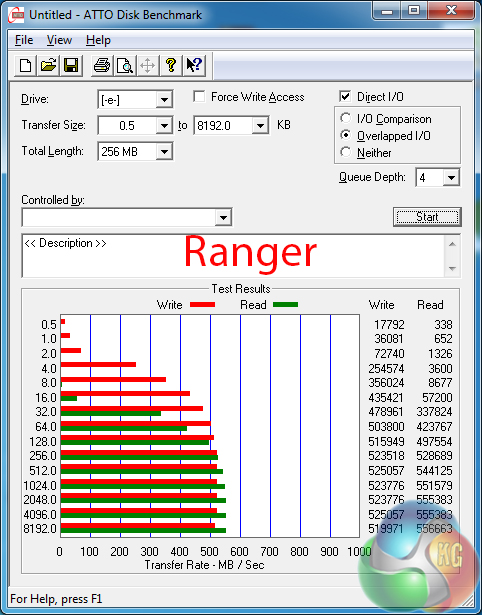
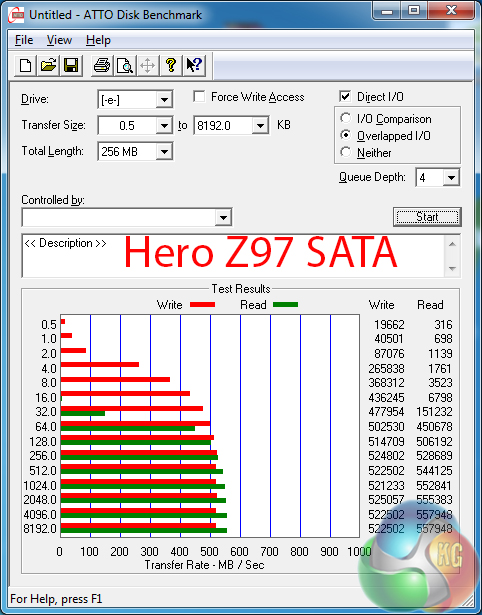
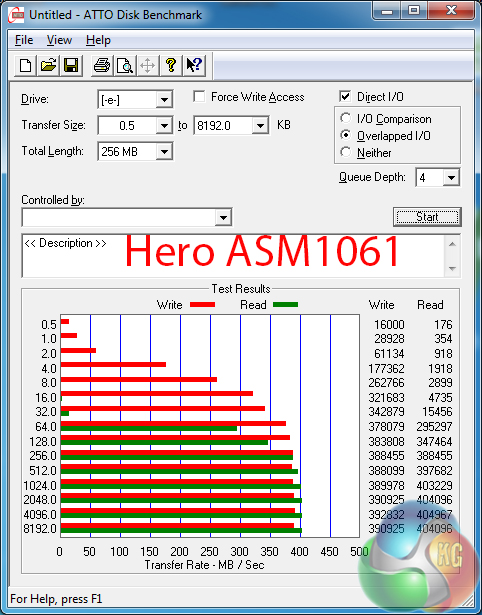
Z97 SATA performance is exactly where we would expect it to be.
The ASMedia ASM1061 implementation deployed by Asus' Maximus VII Hero outdoes that used on ASRock's Z97 Extreme6.
M.2 connector
We use Plextor‘s ultra-fast M6e 256GB M.2 SSD to test the speed of each motherboard's M.2 connector. We reviewed the 512GB Plextor M6e (and its PCIe x2 adapter card) HERE.
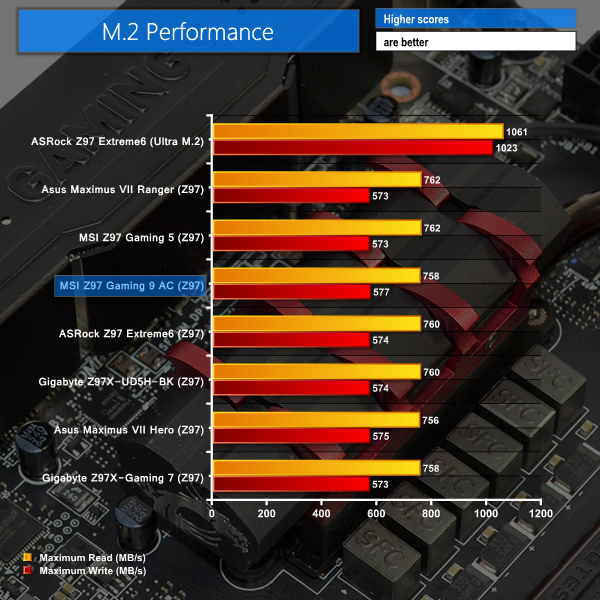

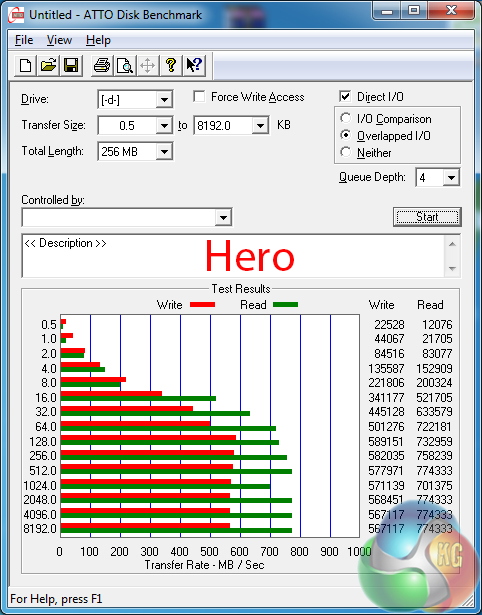
M.2 performance of each ROG board is similar to other Z97 parts when using Plextor's fast M6e SSD.
USB 3.0
We tested USB 3.0 performance using the Kingston HyperX 3K SSD connected to a SATA 6Gb/s to USB 3.0 adapter powered by an ASMedia ASM1053 controller.
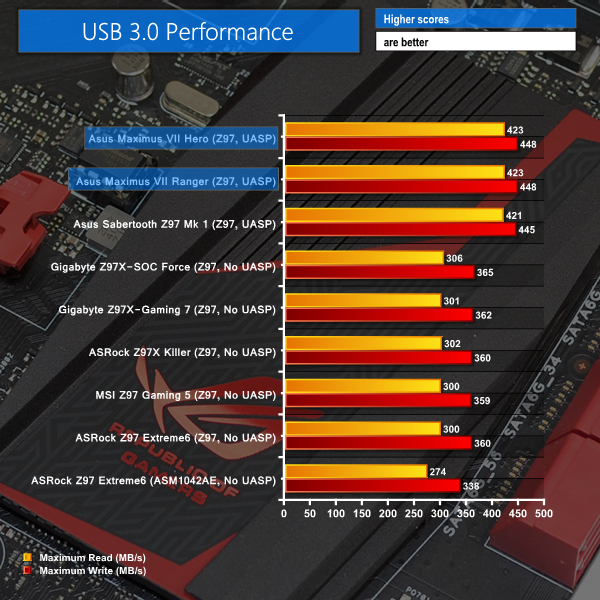
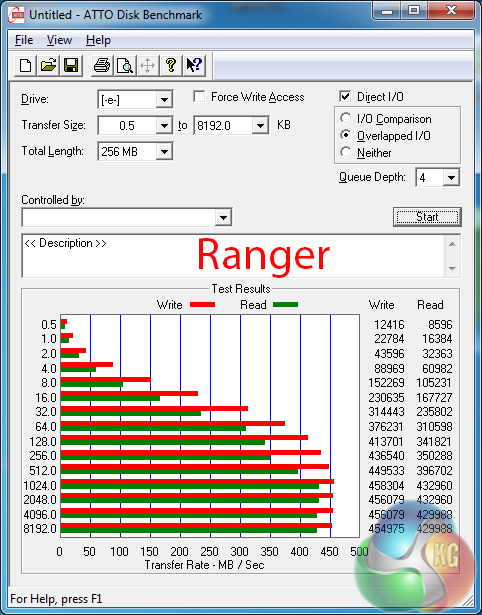
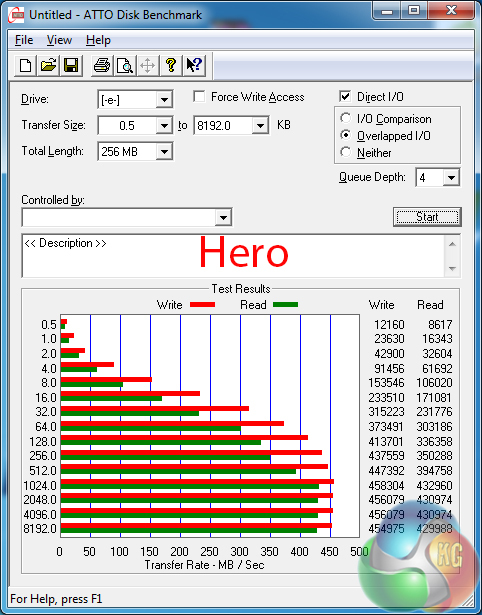
With their UASP-activating USB 3.0 Boost software, the Asus ROG boards are able to beat out all other contenders in USB 3.0 throughput numbers. Only Asus' own Sabertooth Z97 Mark 1 is able to keep relative pace in USB 3.0 speed.
Audio
We use RightMark Audio Analyzer (RMAA) to analyse the performance of the motherboard’s onboard audio solution. A sampling mode of 24-bit, 192 kHz was tested.
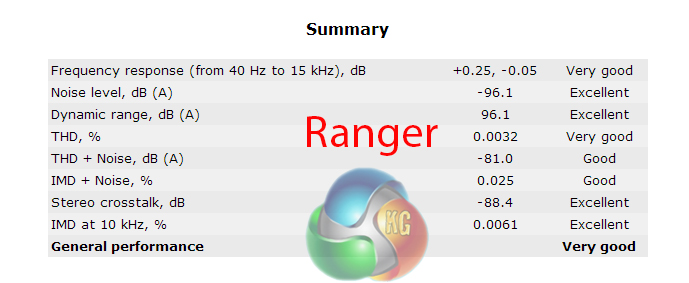
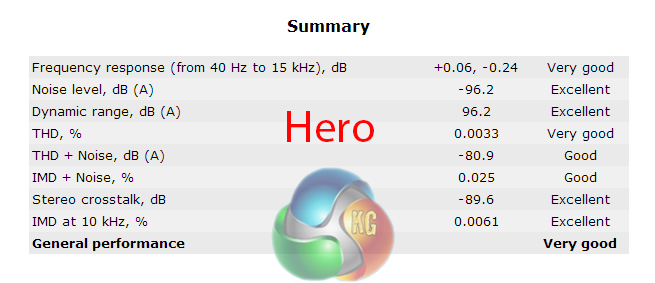
The SupremeFX audio system consists of a Realtek ALC1150 codec, ELNA capacitors, Sonic SenseAmp, and interference shielding.
Both motherboards show Very Good audio performance according to RMAA. Stereo Crosstalk performance is particularly strong on each part.
Automatic CPU Overclocking:
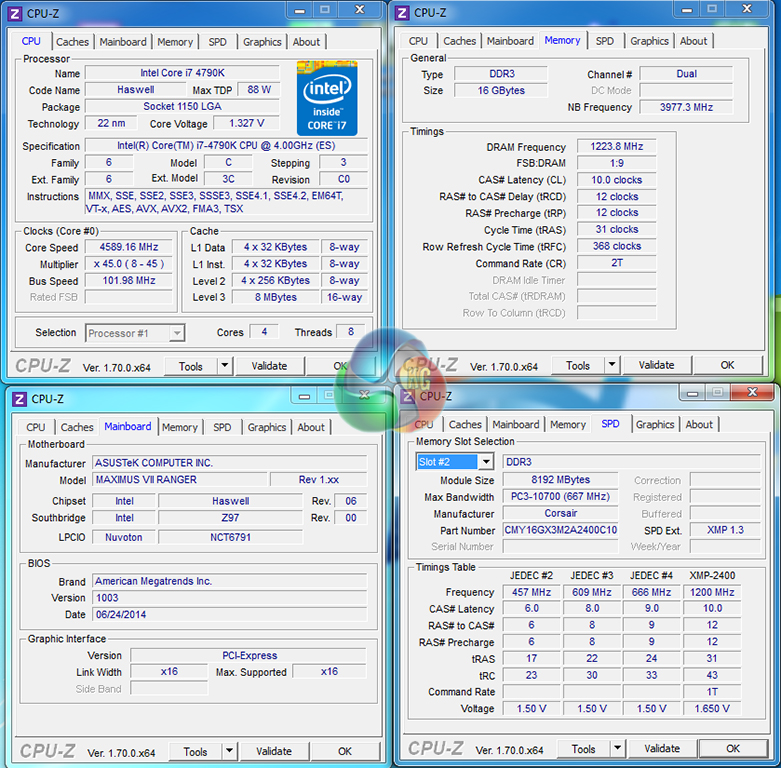
Asus' EZ Tuning Wizard was able to take our processor to a frequency of almost 4.6GHz (45x102MHz) with a DRAM speed of 2448MHz. Using a CPU VCore of 1.327V, which peaked at 1.344-1.360V under load, this is a fair overclock for just a few clicks.
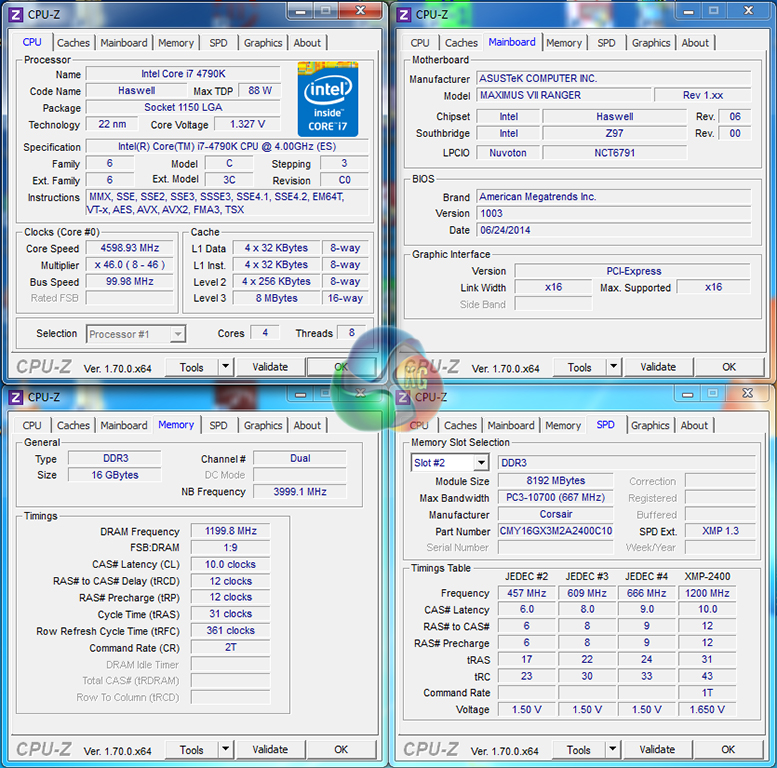
Opting for the 4.6GHz CPU frequency boost option in the UEFI, a 4600MHz processor frequency is provided by means of a 1.327V VCore, which again peaks at 1.344-1.360V under load.
If I was running this system, I'd opt for the extra few megahertz of RAM speed that the EZ Tuning Wizard provides.
Manual CPU Overclocking:
To test the ROG motherboards' CPU overclocking potential, we first increased the CPU VCore to 1.30V, Cache voltage to 1.275V, CPU Input Voltage to 1.900V, and PCH voltage to 1.10V. We also applied enabled PLL overvoltage and set the cache ratio to 40x.
LLC was set to level 1 and tweaked if necessary (which it wasn't).
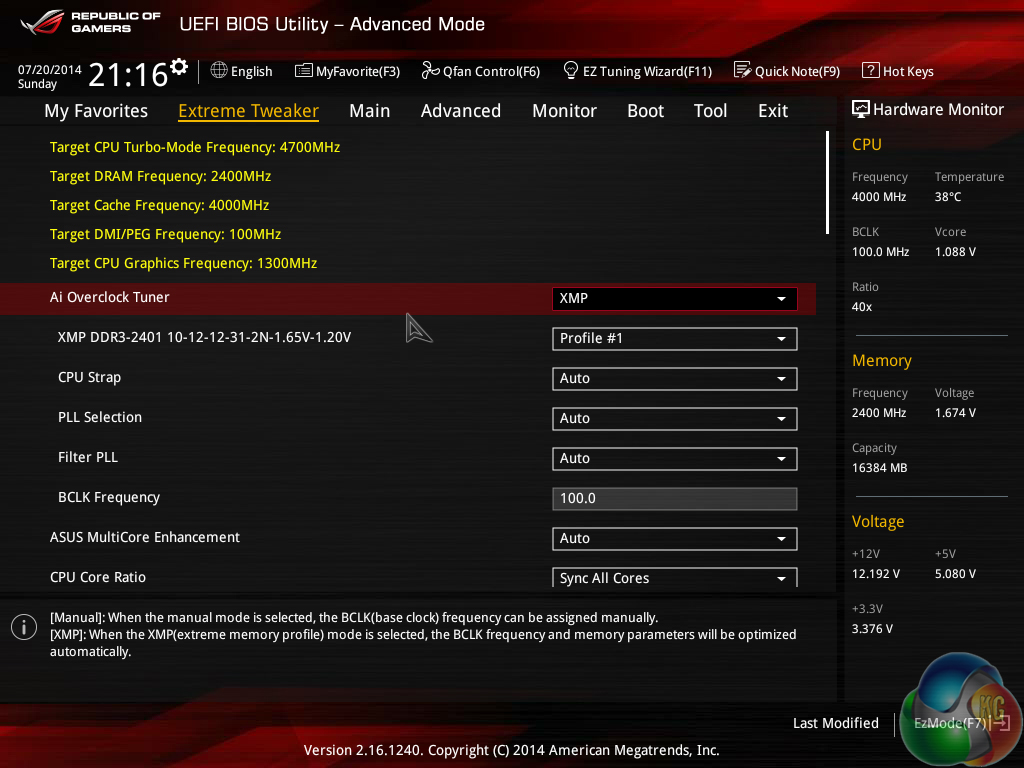
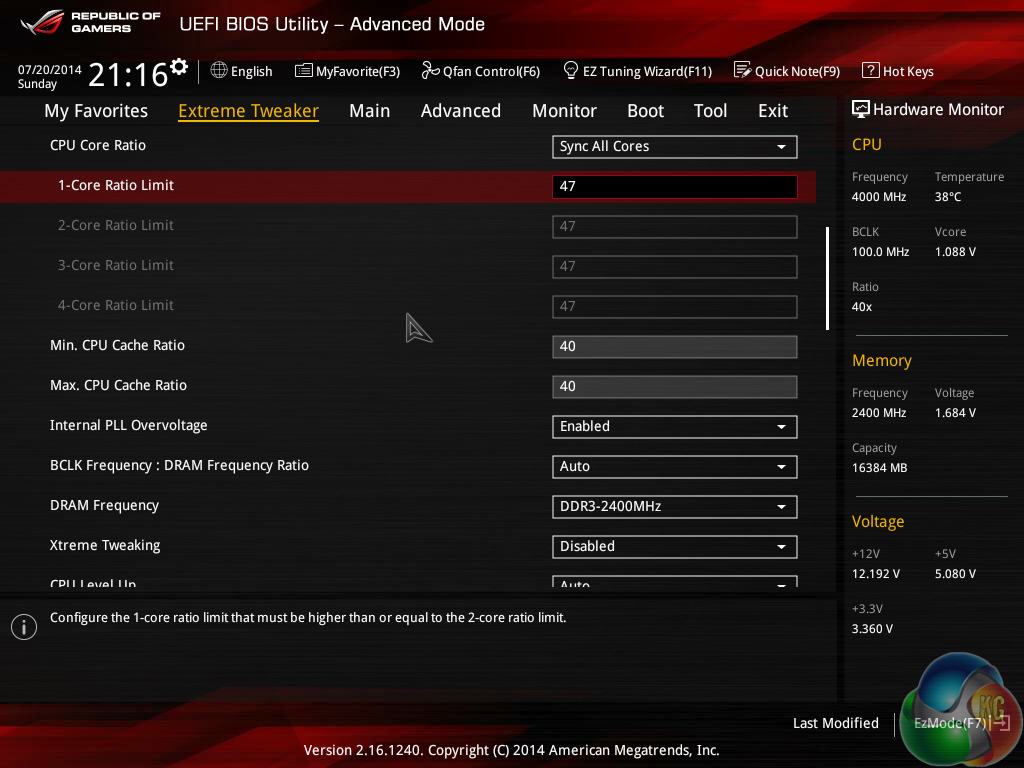
Settings were tweaked with ease and we applied the 47x multiplier to each ROG board.
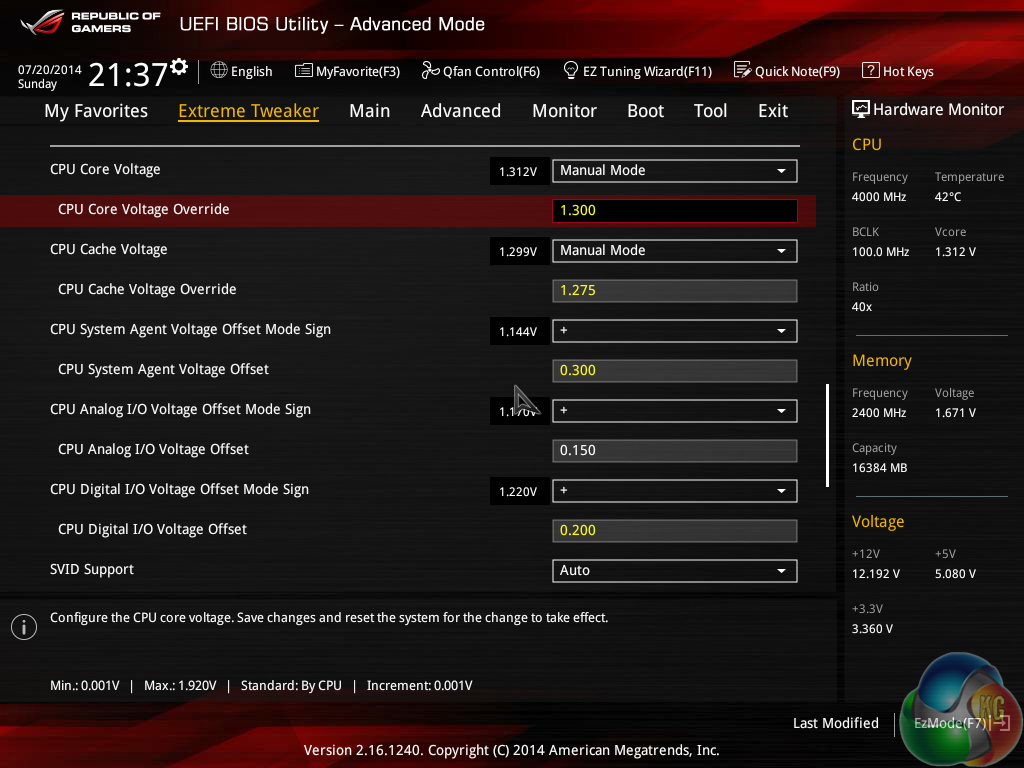
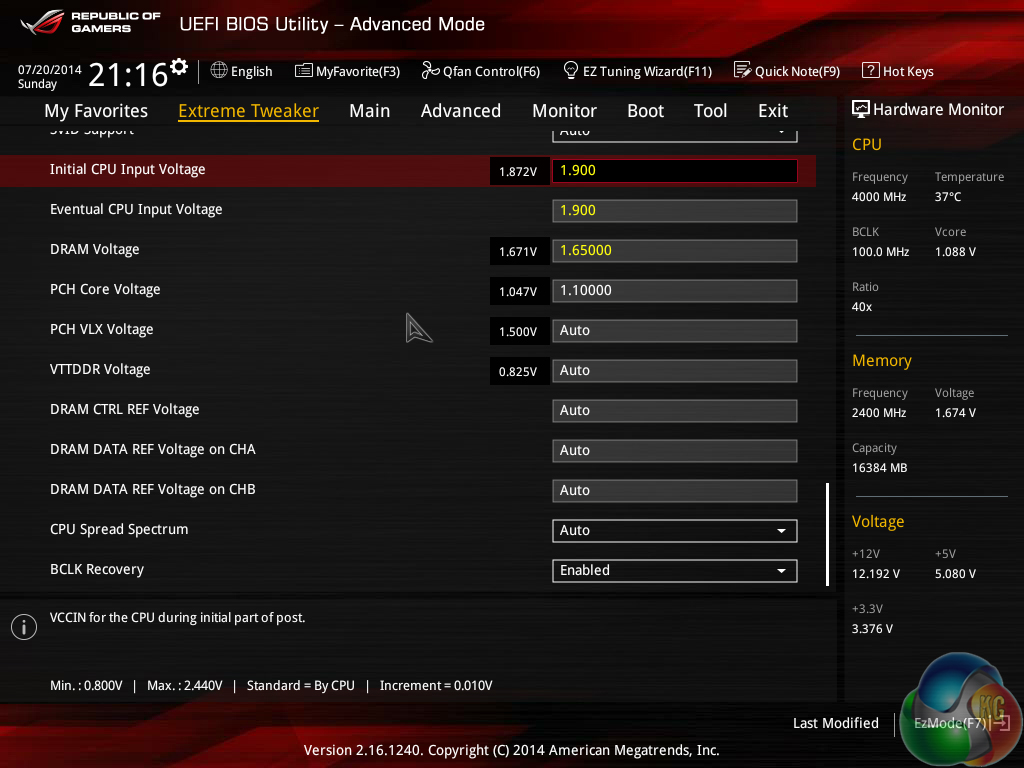
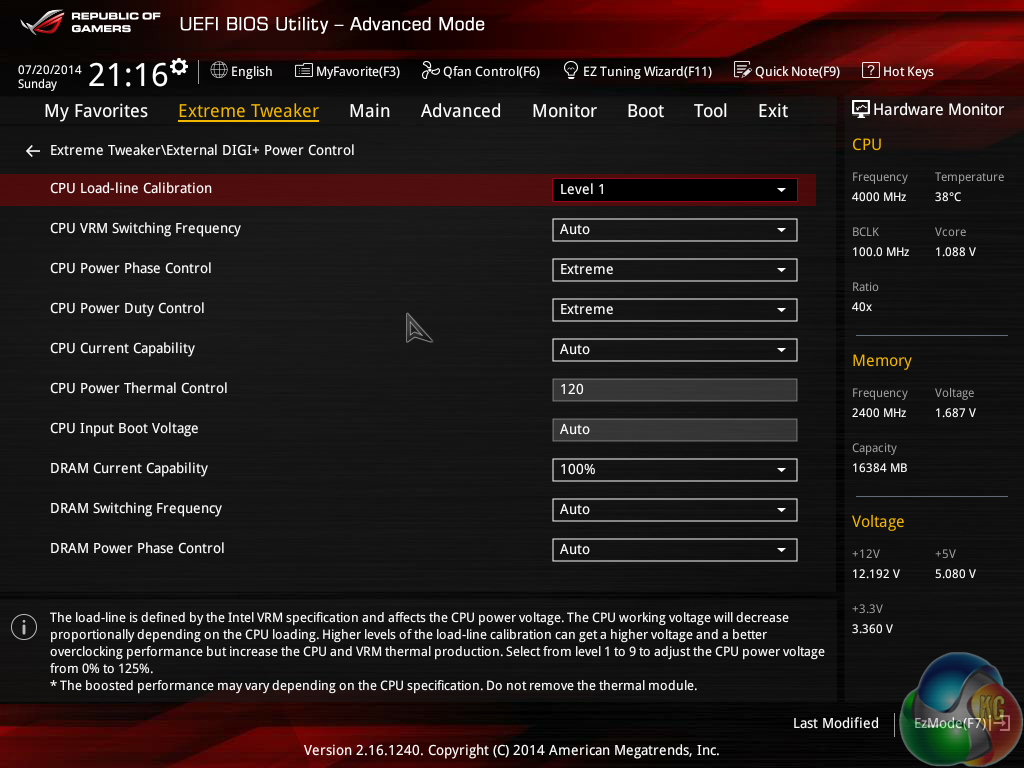
Overclocking the Maximus VII motherboards is a difficult task. The advanced Z97 ROG UEFI puts a large amount of emphasis on user-led settings, which is good for knowledgeable tweakers but can cause issues when attempting a quick-and-easy overclock.
While most motherboards that we have tested with our 4790K chip are happy to provide stability with our tweaked settings and the rest left to auto, we were forced to manually adjust a range of settings for the Maximus VII boards to retain stability at 4.7GHz.
We applied a System Agent offset of +0.30V, +0.15V on the CPU I/O Analog voltage, and +0.20V on the CPU Digital I/O voltage level. While these adjustments were fairly simple to make, they do make the overclocking procedure more difficult for novice users who may well fall into the Ranger or Hero's target audiences.
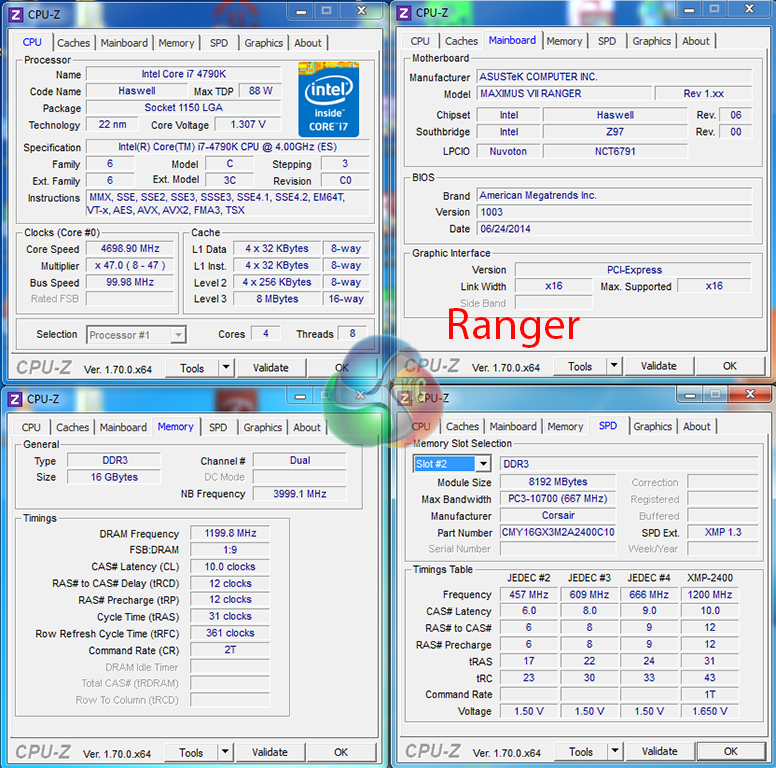
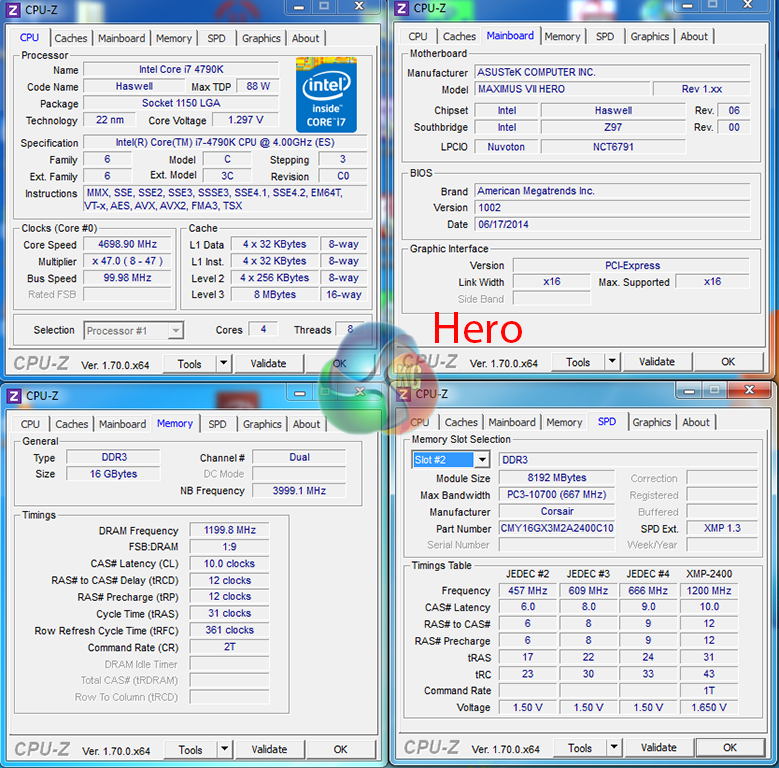
While the Maximus VII Hero was happy to provide stability at 4.7GHz with tweaked settings and a CPU VCore of 1.30V, the Ranger demanded an extra 10mV on the VCore. This may show that the Hero's enhanced power delivery system does indeed deliver stronger overclocking performance.
We will outline the performance increases that can be obtained from using the Maximus VII motherboards to overclock our system. Our overclocked processor frequency was 4.7GHz and memory speed was 2400MHz.
As a performance comparison, we have included the overclocked results from other Z97 motherboards. The maximum overclocked configuration achieved with each board was a 4700MHz (47 x 100MHz) processor frequency and 2400MHz CL10 memory speed.
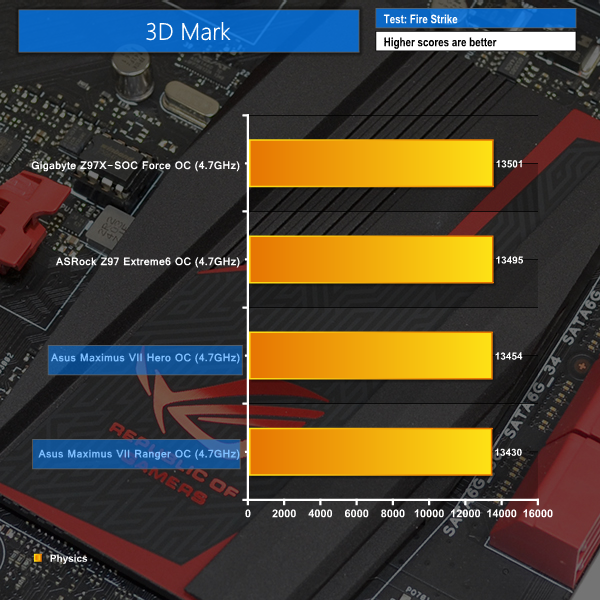
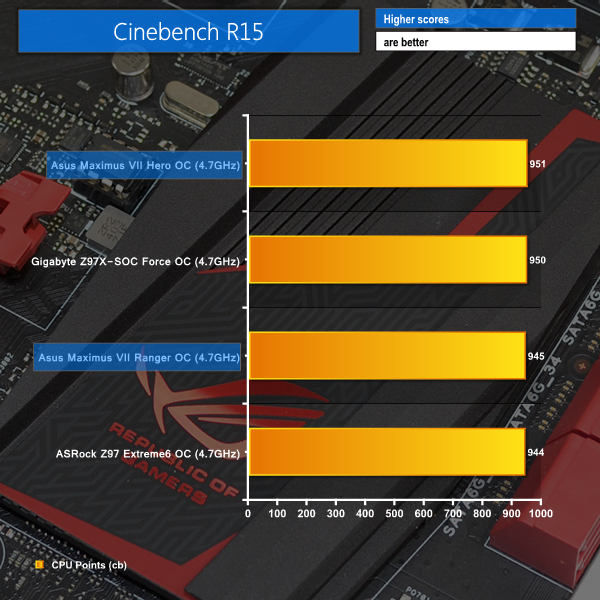
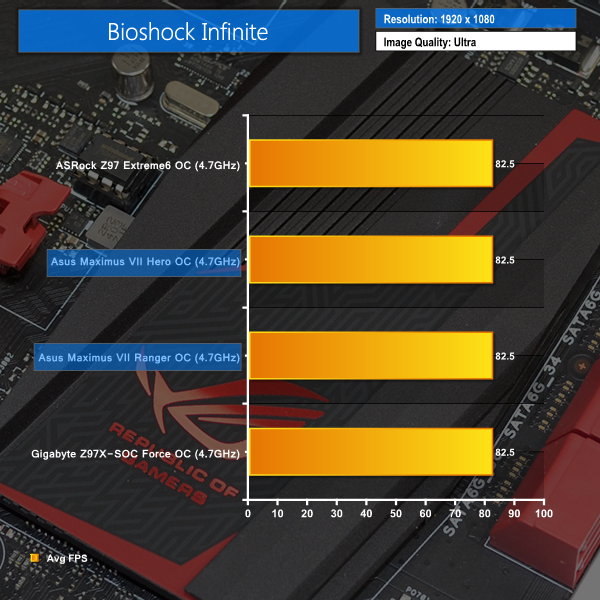
Both Asus boards show strong gains from a CPU frequency boost. While each shows solid Cinebench scores, 3DMark performance isn't as strong as the ASRock and Gigabyte competitors.
We measured the power consumption with the system resting at the Windows 7 desktop, representing idle values.
The power consumption of our entire test system (at the wall) is measured while loading only the CPU using Prime95′s in-place large FFTs setting. The rest of the system’s components were operating in their idle states, hence the increased power consumption values (in comparison to the idle figures) are largely related to the load on the CPU and motherboard power delivery components.
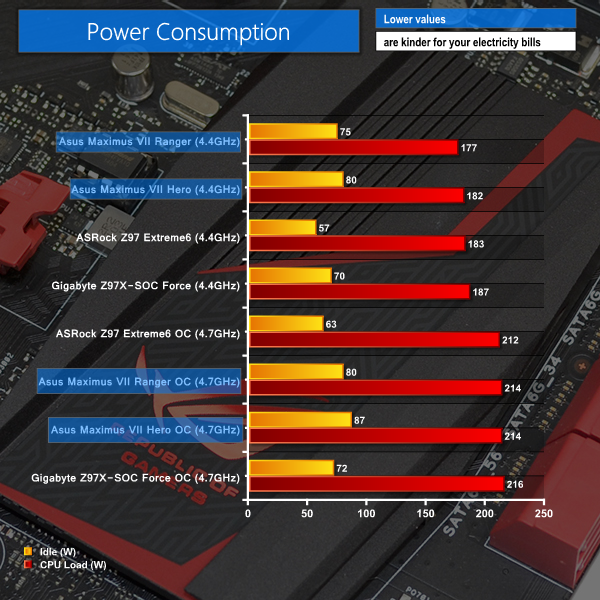
With a heavy set of features on each of the ROG motherboards, idle power consumption numbers are not impressive. When loaded though, the Maximus VII boards manage to show their relative efficiency at stock CPU speeds.
Heavy voltage tweaking impacts overclocked power consumption numbers, yet only ASRock's Z97 Extreme6 is able to show consistently lower energy usage.
Asus has done a lot of things right with the Maximus VII Ranger and Maximus VII Hero Z97 motherboards.
Both motherboards offer the features that gamers desire, while cutting down on the high-end functions that do little more than add cost to a gaming system.
Firstly concentrating on the Maximus VII Ranger, Asus made a bold move to introduce a new SKU that undercut the Hero's price point, but it is a move that has paid off.
 From a performance point of view, the Maximus VII Ranger certainly isn't lacking. Its overclocking capability is strong, even if it is slightly out-shined by higher priced parts in terms of simplicity. And there's no question that the board's lip-licking appearance is one of the key factors that makes it a smart purchase.
The Ranger is embedded with Asus' excellent UEFI in the ROG flavour and accompanied by a host of useful software. And as far as hardware goes, SLI and CrossFire capability, a 10Gbps M.2 connector, SupremeFX audio, and an Intel I218-V NIC should keep most gamers happy.
If there's one gripe we have with the Ranger, it is the lack of SATA Express connector. Whether SATA Express or M.2 will become predominant in the market is still unclear, so we would have preferred Asus to include both options as standard.
Priced at £129.95 from OverclockersUK, we think that the Asus Maximus VII Ranger offers a great deal of bang for its very affordable buck and is clearly worthy of our highest – Must Have – award.
Pros:
- Plenty of gaming features.
- Good software bundle.
- Excellent UEFI.
- Solid overclocking capability, albeit after tweaking.
- Attractive colour scheme.
Cons:
- Overclocking requires additional patience and practice.
- No SATA Express connector.
KitGuru says: Packing a strong array of gamer-orientated features into its attractive form, the affordable Maximus VII Ranger is worthy of our highest award.

Now moving onto the Maximus VII Hero, Asus' extremely competitive SKU from Z87 still manages to prove itself as a strong option in the upper-mid range segment of the Z97 gaming motherboard market.
 Performance of the Hero is competitive with that of other Z97-based motherboards. Overclocking-wise, the Hero is actually slightly stronger than its lower-priced sibling. However, the added complexities of overclocking Asus' part, as opposed to those from competing vendors, may go down as a negative with some users. And if the Ranger's appearance was excellent, the Maximus VII Hero and its streamlined LEDs is an even more attractive motherboard.
Utilising the same software suite as the cheaper Ranger and sporting a largely identical (except for a few power settings) UEFI, one does wonder what that extra £30 over the Ranger buys. For a start, there's an extra pair of SATA 6Gbps ports from ASMedia's ASM1061 chipset. The power delivery system is enhanced, and does seem to offer better overclocking performance. And of course, the added lighting adds something to the cost.
With that said, I do not think that the Hero is worth an extra £30 over the Ranger, unless you are in need of those extra two speed-handicapped SATA ports. Of course, the added lights and potentially enhanced overclocking performance may seal the deal for some gamers, but I personally think that the brilliance of Asus' Maximus VII Ranger has stolen much of the Hero's limelight.
Available for £159.95 from OverclockersUK, the Maximus VII Hero is a very good motherboard that is worth purchasing. But if you don't require the extra two SATA ports, added LEDs, or slightly stronger power delivery system, saving £30 and opting for the Ranger would be a sensible move.
Discuss on our Facebook page, over HERE.
Pros:
- Plenty of gaming features.
- Good software bundle.
- Excellent UEFI.
- Strong overclocking capacity for those who can make use of it.
- Attractive colour scheme and lighting effects.
Cons:
- Overclocking requires additional patience and practice.
- No SATA Express connector.
- £30 price increase over the Ranger may be hard to justify for some gamers.
KitGuru says: A well-balanced motherboard filled with gaming features and additional appearance enhancements, the Maximus VII Hero is worth buying if the Ranger doesn't quite fit your bill.


Asus VII Hero owner here with a 4690K running at 4.7Ghz with 1.25vlts or 4.8Ghz stable with 1.3vlts, maybe I could have got the same with a £30 cheaper Ranger board..maybe not but more than happy with my purchase and those LED lights do look cool..:)
Strong overclocking capacity for those who can make use of it, Well said and this is coming from a guy that lives for machine’s, guest I can thank you for those settings. I just order the ASUS Maximus VII Hero last night along with Corsair Vengeance Pro, Air Flow Pro, the Core i7 4790K and a few other gadgets for testing.
I would also like to point out that I found this website all because of HardOCP and started digging around the site and became a liker, although the layout can get a bit confusing at first, it got bookmark with the other 1000+ that’s in there.
Nevertheless nice, good and simple review keep up the good work Luke Hill.
PhoneyVirus
WordPress: https://phoneyvirus.wordpress.com/
Twitter: https://twitter.com/PhoneyVirus
does ASUS Maximus VII RANGER support 4k and hdmi?
yes support 4K HDMI