KitGuru KitGuru.net – Tech News | Hardware News | Hardware Reviews | IOS | Mobile | Gaming | Graphics Cards


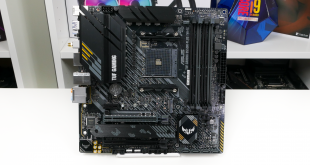
B550 and micro-ATX seem to go hand-in-hand, especially given the scarcity of quality X570 micro-ATX offerings. We are examining the ASUS TUF-Gaming B550M-Plus (Wi-Fi) motherboard that features dual M.2 connectors, 10Gbps USB 3.2 Gen 2, and 802.11AX WiFi.
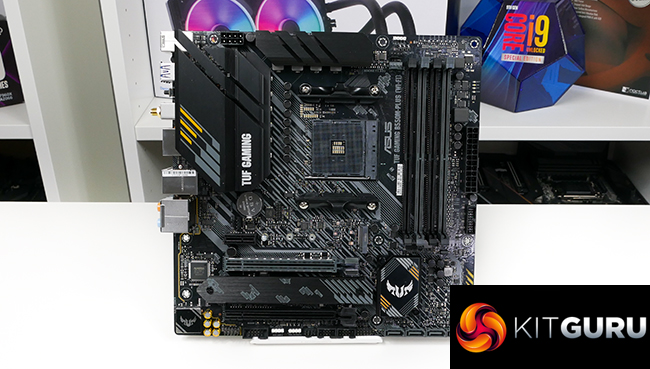
Built around a 4-layer PCB and 8+2 stage power delivery solution, the ASUS TUF Gaming B550M-Plus (Wi-Fi) is aiming to tempt users who want a premium micro-ATX motherboard. Bells and whistles come in the form of high-speed networking, sizeable VRM heatsinks, and smooth RGB LEDs.
You also get the usual array of ASUS features and the promise of excellent fan control capability. It all sounds promising for this premium mATX B550 offering that typically sells for £185. But how does the ASUS TUF Gaming B550M-Plus (Wi-Fi) stack up versus the competition?
Features (information taken from the ASUS webpage):
- AMD AM4 socket: Ready for 3rd Gen AMD Ryzen™ and 3rd Gen AMD Ryzen™ with Radeon™ Graphics Processors
- Enhanced power solution: 8+2 DrMOS power stages, ProCool connector, military-grade TUF components, and Digi+ VRM for maximum durability
- Comprehensive cooling: VRM heatsinks, PCH fanless heatsink, M.2 heatsink, hybrid fan headers and Fan Xpert 2+ utility
- Next-gen connectivity: PCIe 4.0 M.2, USB 3.2 Gen 2 Type-A and Type-C support
- Made for online gaming: Intel® WiFi 6, 2.5 Gb Ethernet, TUF LANGuard and TurboLAN technology
- AI noise-cancelling microphone: Provides crystal-clear in-game voice communication
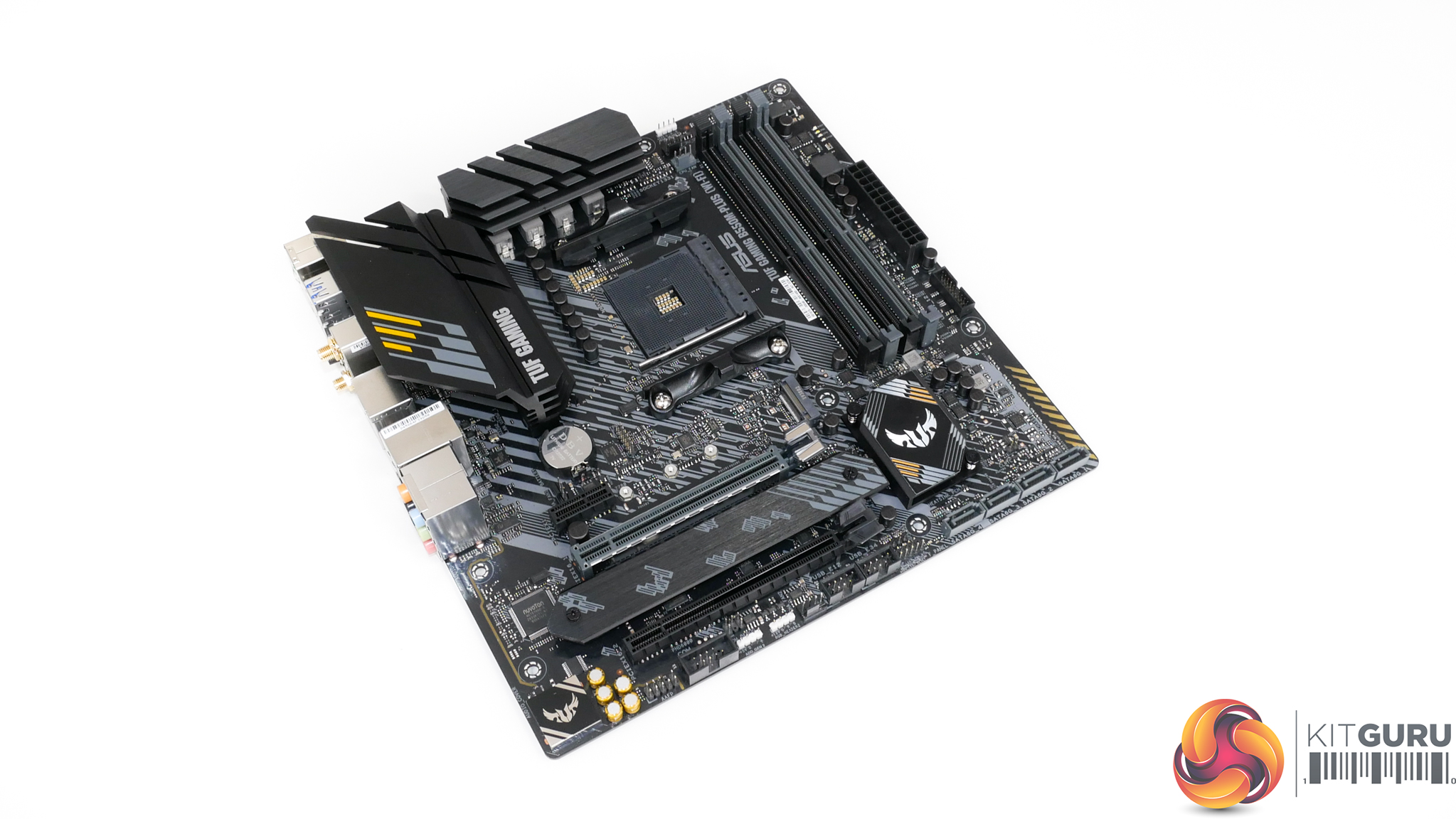
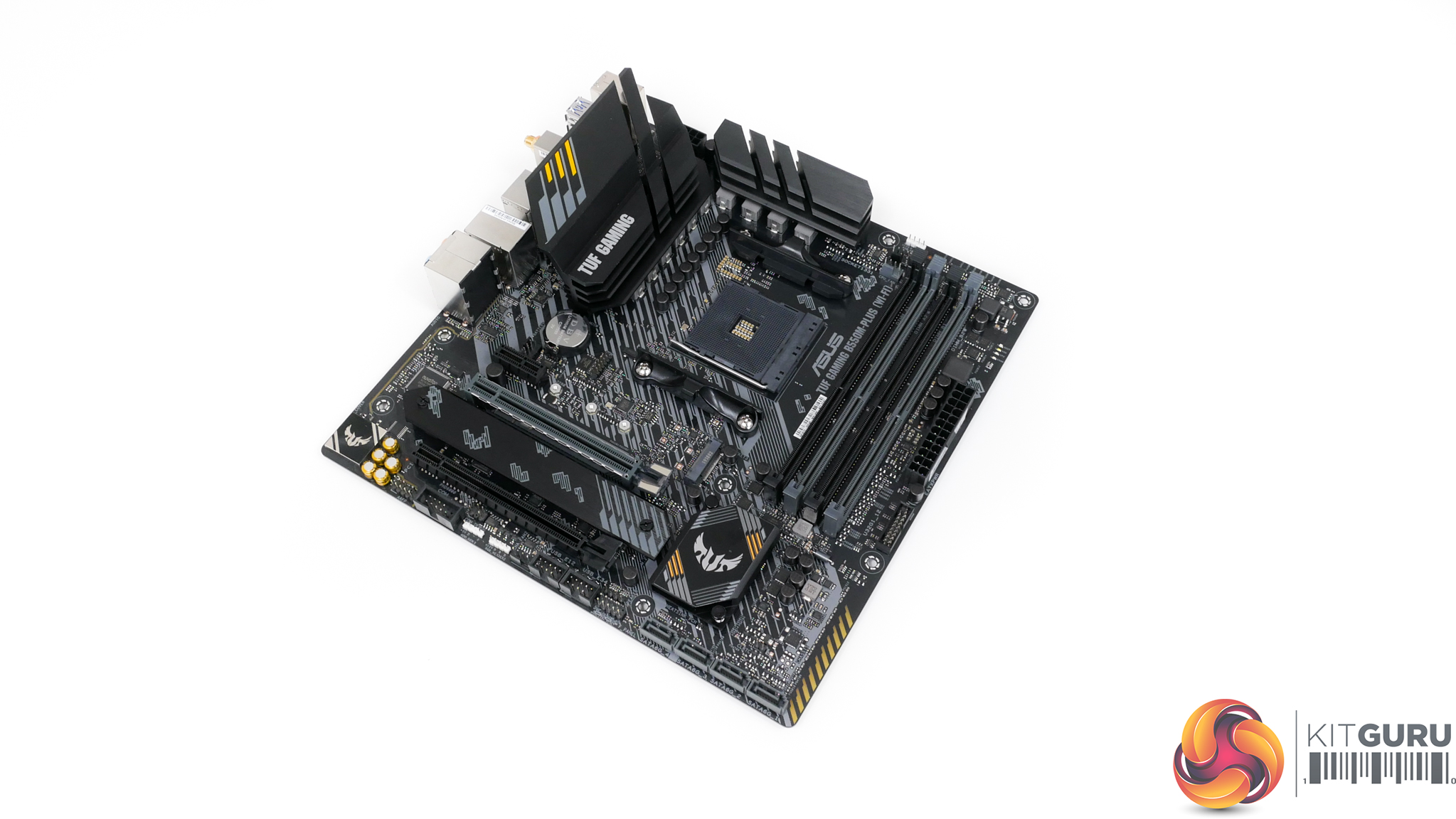
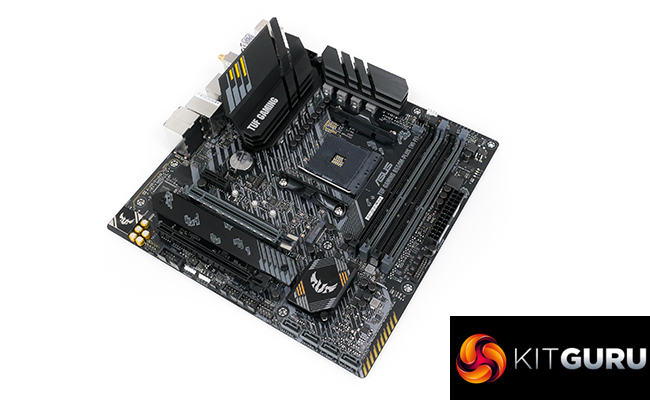
The ASUS TUF Gaming B550M-Plus (Wi-Fi) features a primarily black and grey colour scheme with the usual hints of yellow we see from the TUF range.
Arguably the most notable feature on the motherboard is the pair of sizable VRM heatsinks. Unfortunately, there is no rear IO cover on top of these heatsinks. That is a small area where ASUS has clearly dropped the quality level in order to hit a price target.
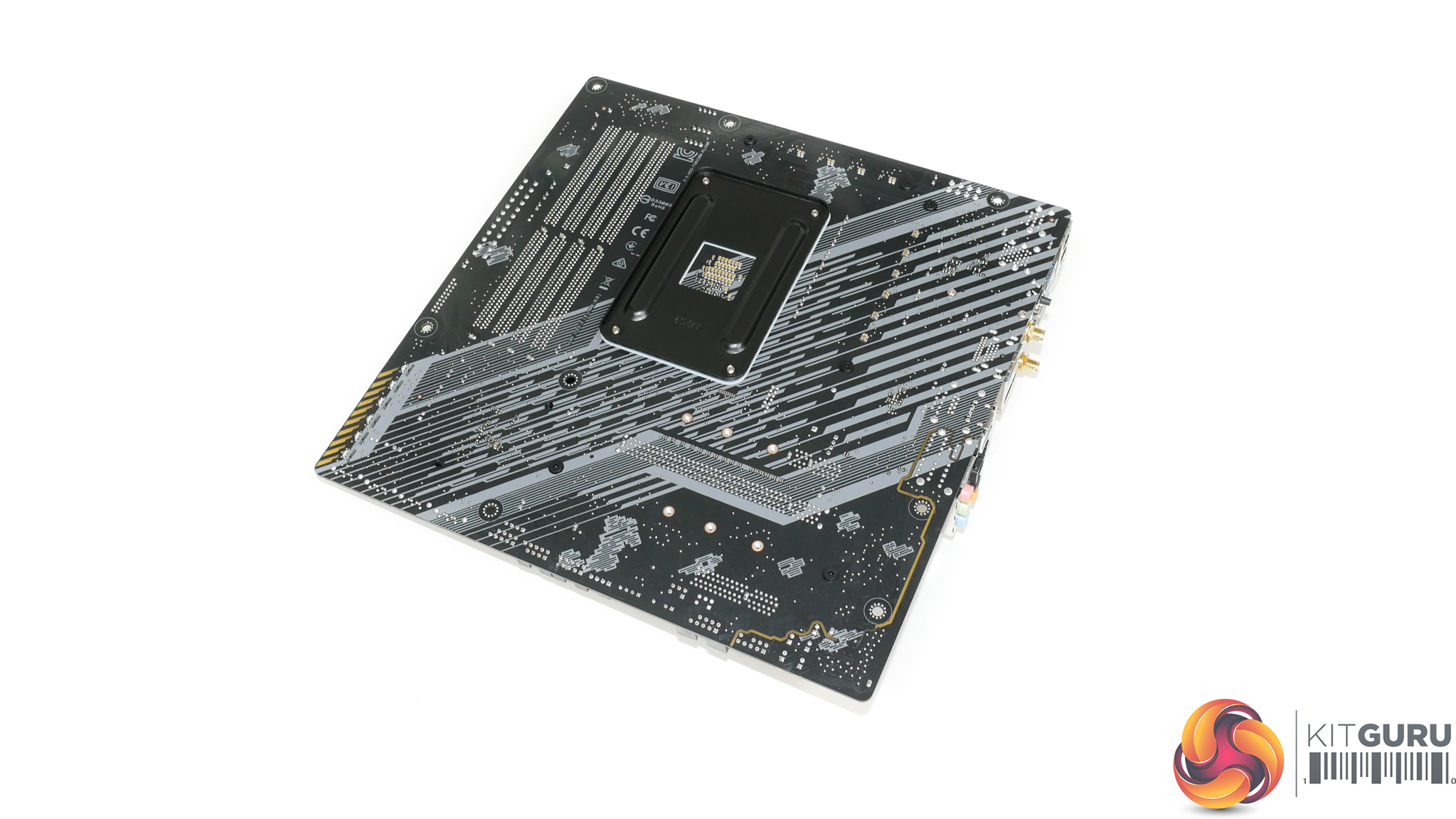
Looking at the rear of the 4-layer PCB, there is no logic or power delivery hardware of note.
The bottom corner does, however, house a group of RGB LEDs that provide the under-glow lighting via ASUS AURA software. Check out the video on our YouTube channel to see the RGB LED lighting in action.
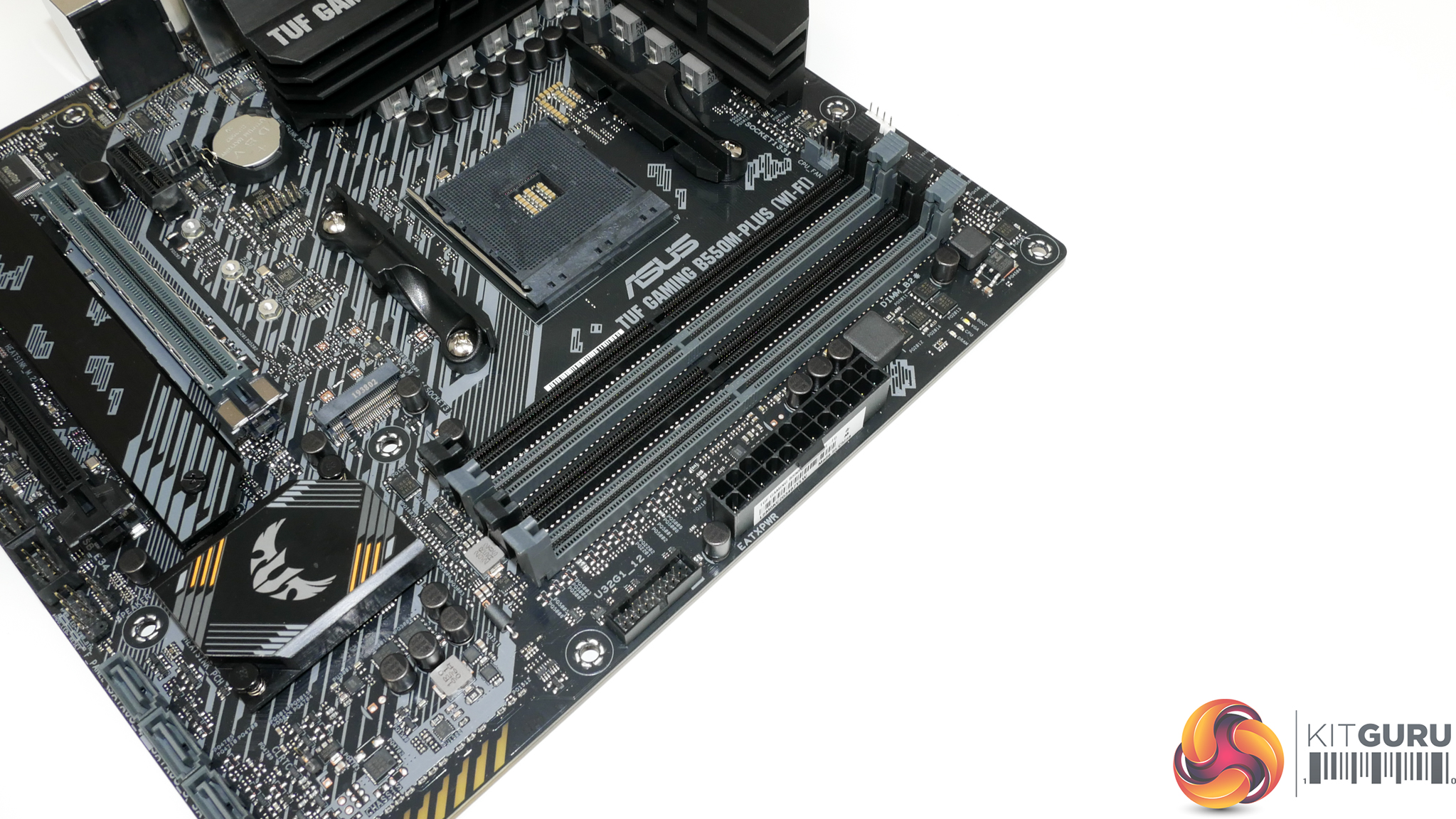
Mounted next to the 24-pin connector is a single outwards-facing 5Gbps USB 3.0 header. There is no internal USB Type-C header, even in 5Gbps form. While this is somewhat common for B550 mATX motherboards, it is still disappointing for a product at this price point. The MSI B550 MAG Mortar WiFi competitor offers this feature and it sits at a cheaper price point.
ASUS does not equip the B550M-Plus (Wi-Fi) with a 2-digit debug LED, or voltage check points, or onboard buttons. This is completely understandable for the price point. You do, however, get four debug LEDs for Boot, VGA, CPU, DRAM. These are useful inclusions for troubleshooting efforts.
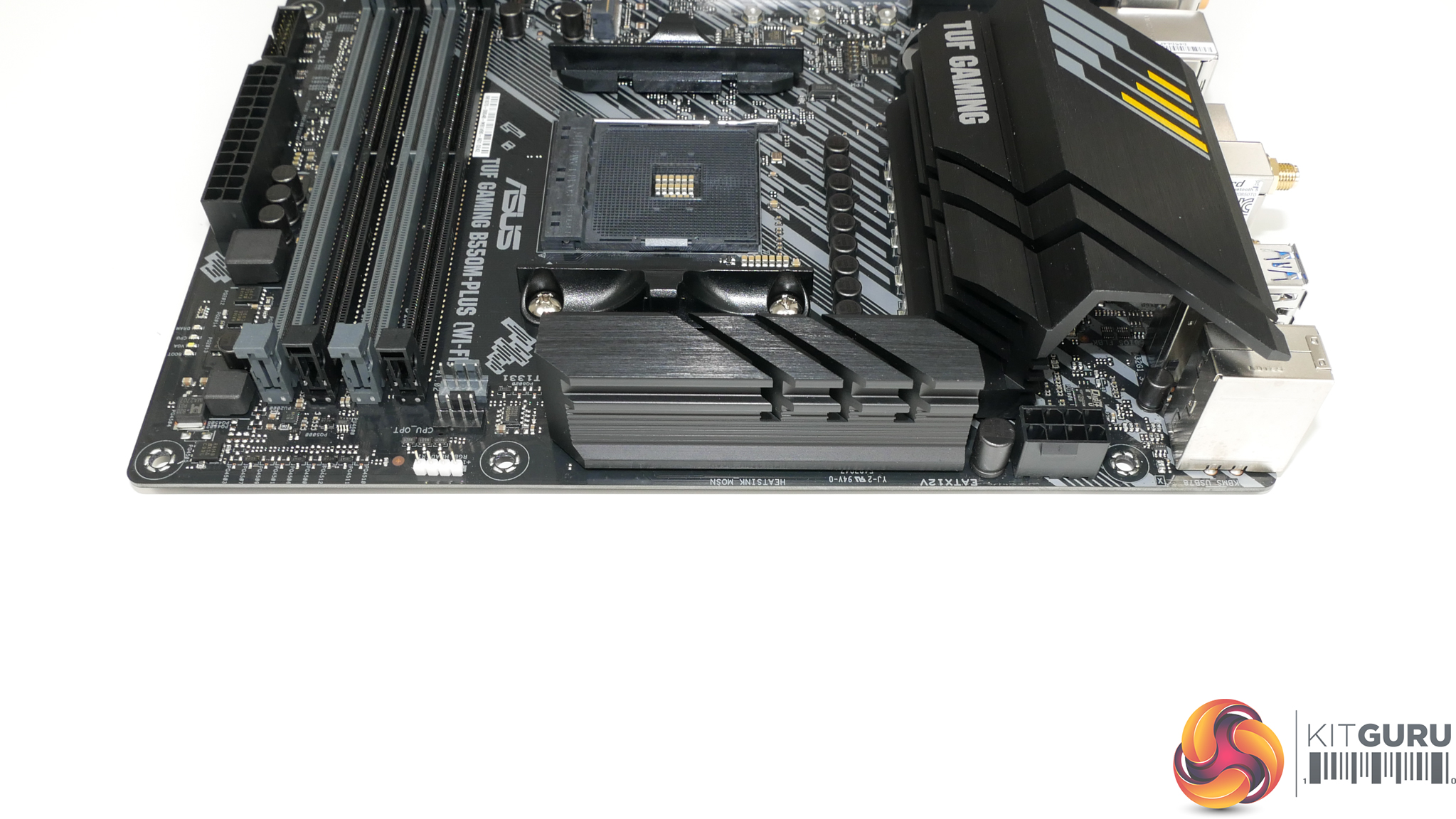
A single 8-pin CPU power connector is nestled in the top corner. This is a good location for easy cable management. Plus, a single 8-pin is fine for this calibre of AM4 motherboard from a power delivery standpoint.
We also see a couple of fan headers near the top edge – both 4-pin version and both allocated for CPU control. There is no AIO pump header nearby, though, and that makes cable connection a little awkward.
The single RGB header is a 12V 4-pin variant, with the board’s other two headers residing on the bottom edge.
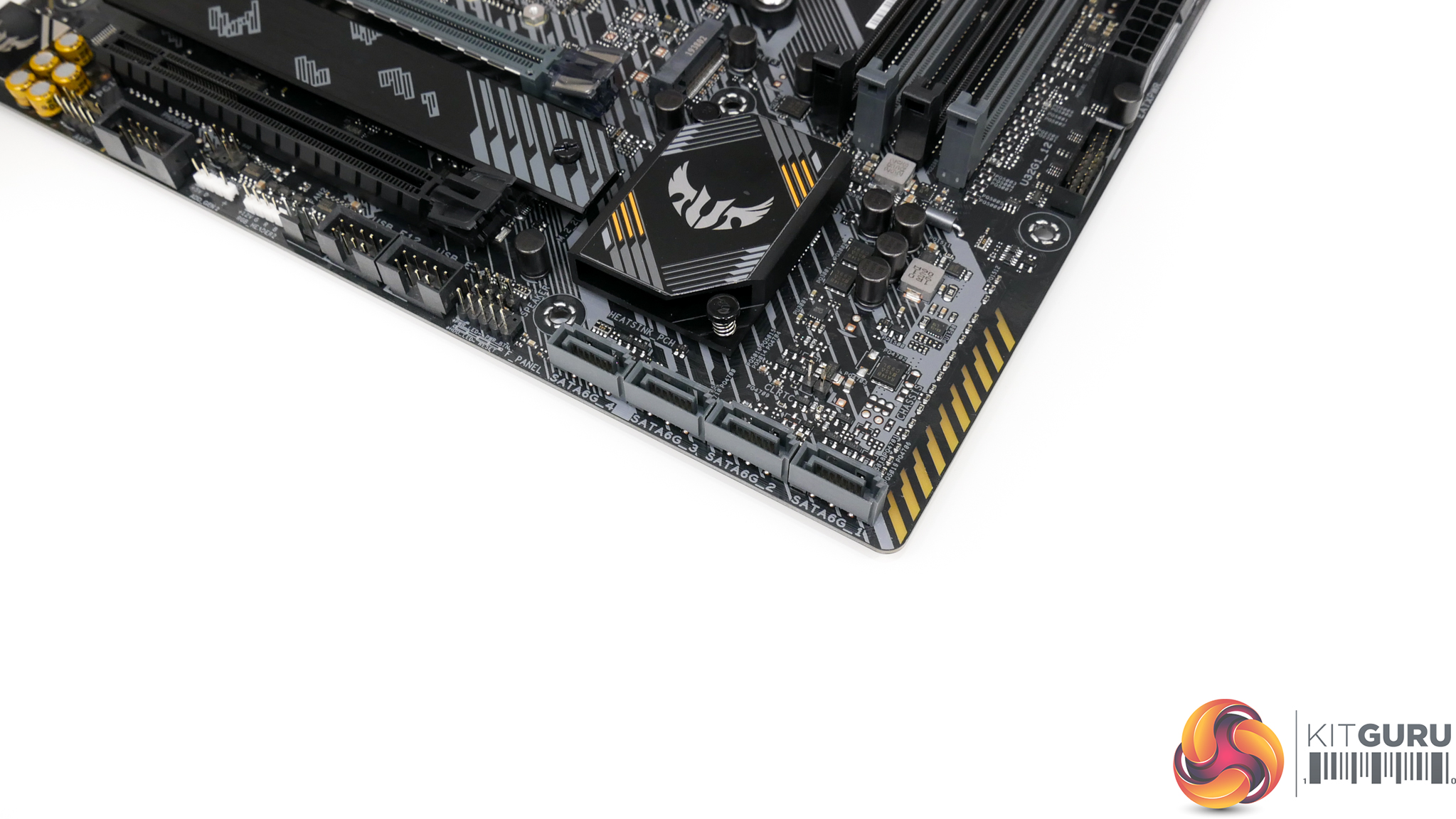
Four SATA ports are equipped, all of which are fed by the B550 chipset without any bandwidth sharing. Four ports are probably fine for this type of motherboard, given its market segment. However, competitors from ASRock and MSI do offer a couple extra connectors.
All SATA ports are outwards facing, which is generally fine for accessibility but not ideal for cable management. The outwards facing ports are likely to be subject to blocking from a large graphics card but luckily it did not affect us too much due to using a right-angled SATA cable.
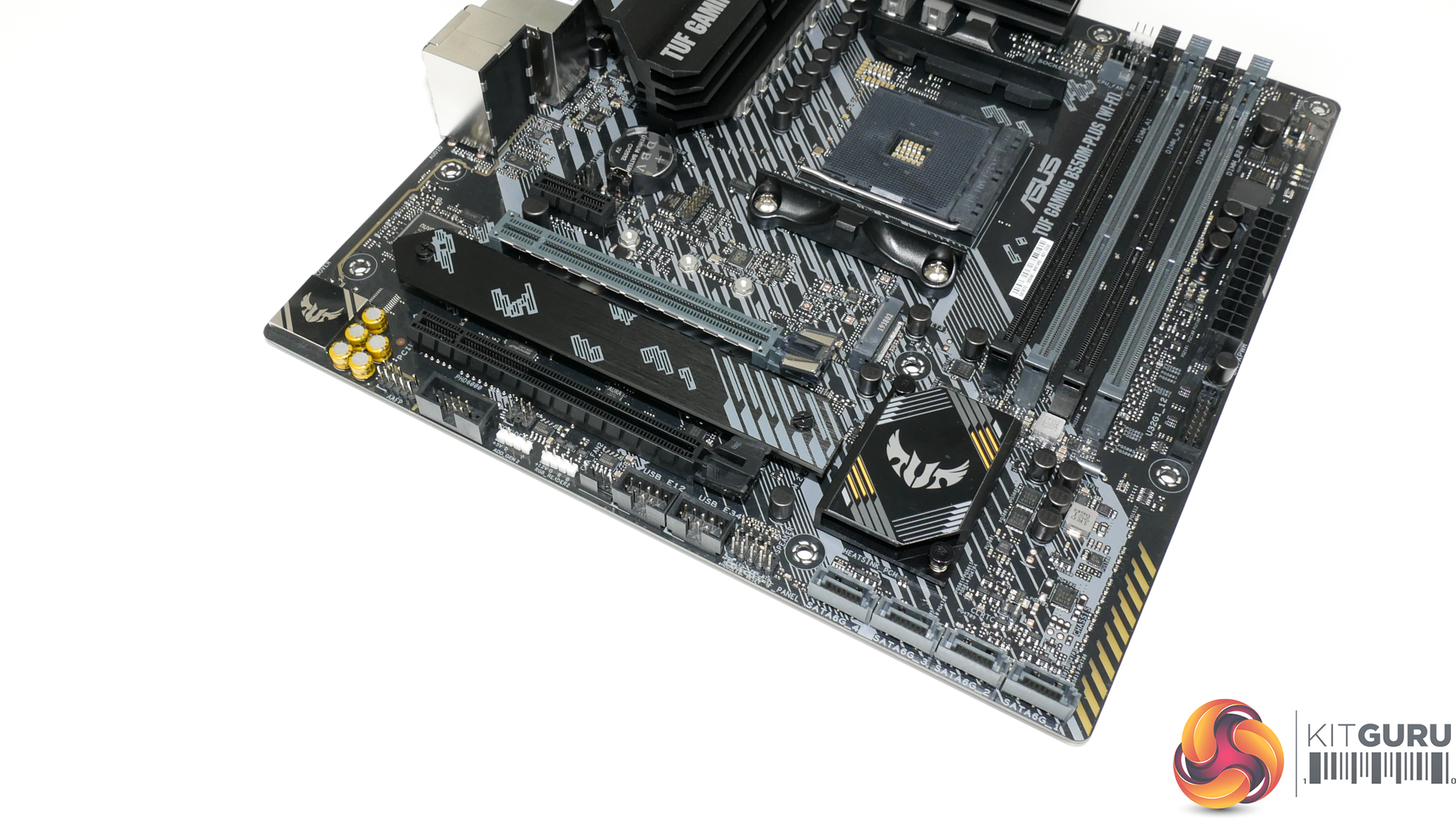
Dual M.2 slots are deployed on the TUF Gaming B550M-Plus (Wi-Fi). The top slot is limited to 80mm drives and the bottom can take 110mm long SSDs.
In relation to bandwidth, the top SSD connector runs at up to Gen 4 x4 bandwidth with lanes from a Ryzen CPU. The bottom slot runs at up to Gen 3 x4 bandwidth using a connection to the B550 chipset. There is no bandwidth sharing, so both M.2 connections can be used at any time. They can also be used with SATA SSDs, if desired.
Only the bottom slot has a heatsink to cool a mounted SSD. The top is completely uncooled.
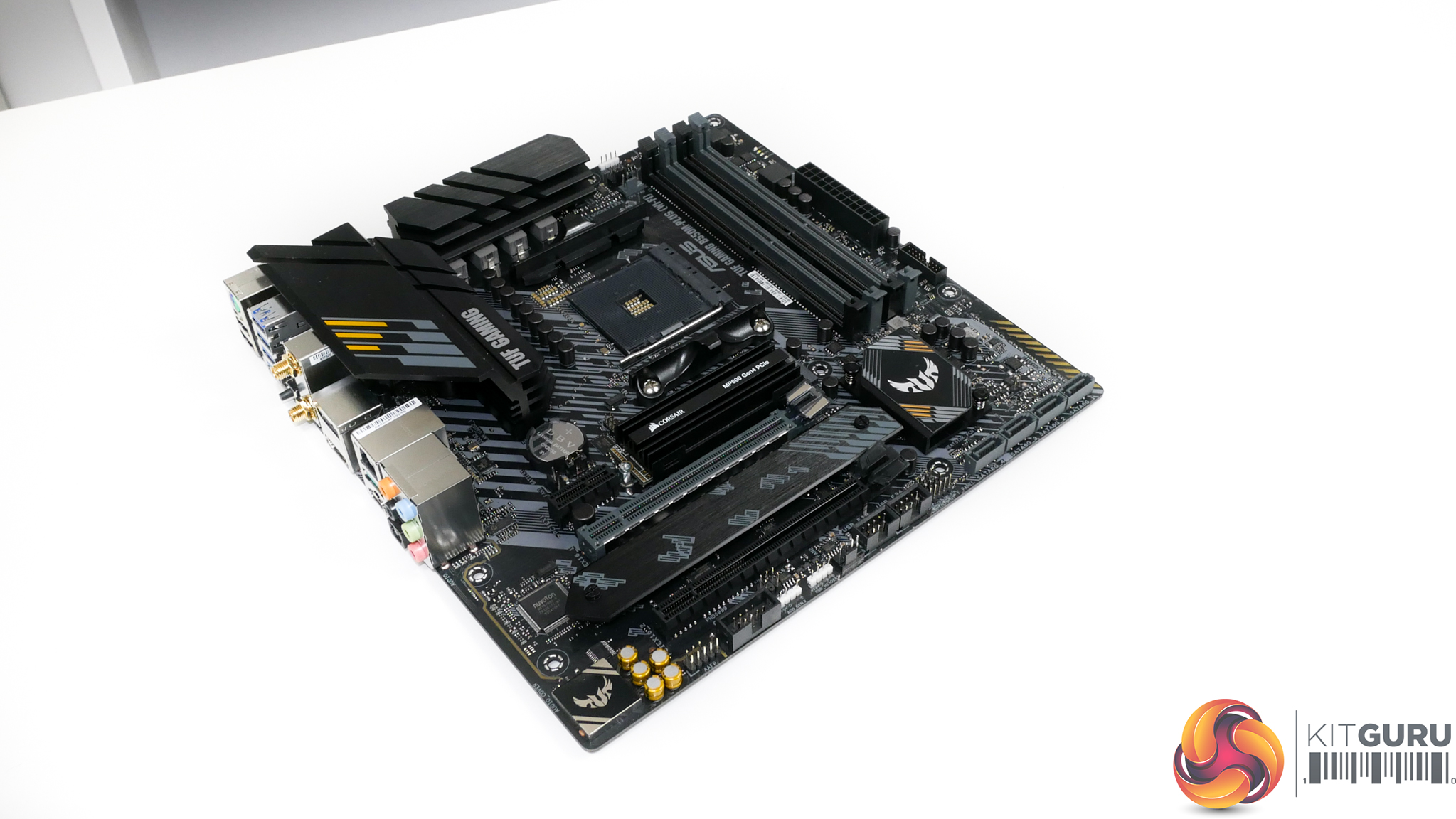
Initially, I thought that this was a silly design move. However, ASUS’ decision is proven to be smart when factoring in the truth that currently available Gen 4 SSDs ship with functional heatsinks of their own. This reserves the cooled M.2 slot for older PCIe Gen 3 SSDs that are more commonly delivered without sizable heatsinks, such as the popular Samsung EVO NVMe drives.
It would have been better to have both slots cooled, but if only one heatsink can be included, ASUS made the correct decision in our opinion. The caveat is that an SSD installed in the top slot will use its own heatsink and this may cause a clash with the system aesthetics. That’s less of an issue for Corsair’s attractive MP600 than it is for the Aorus Gen 4 SSD.
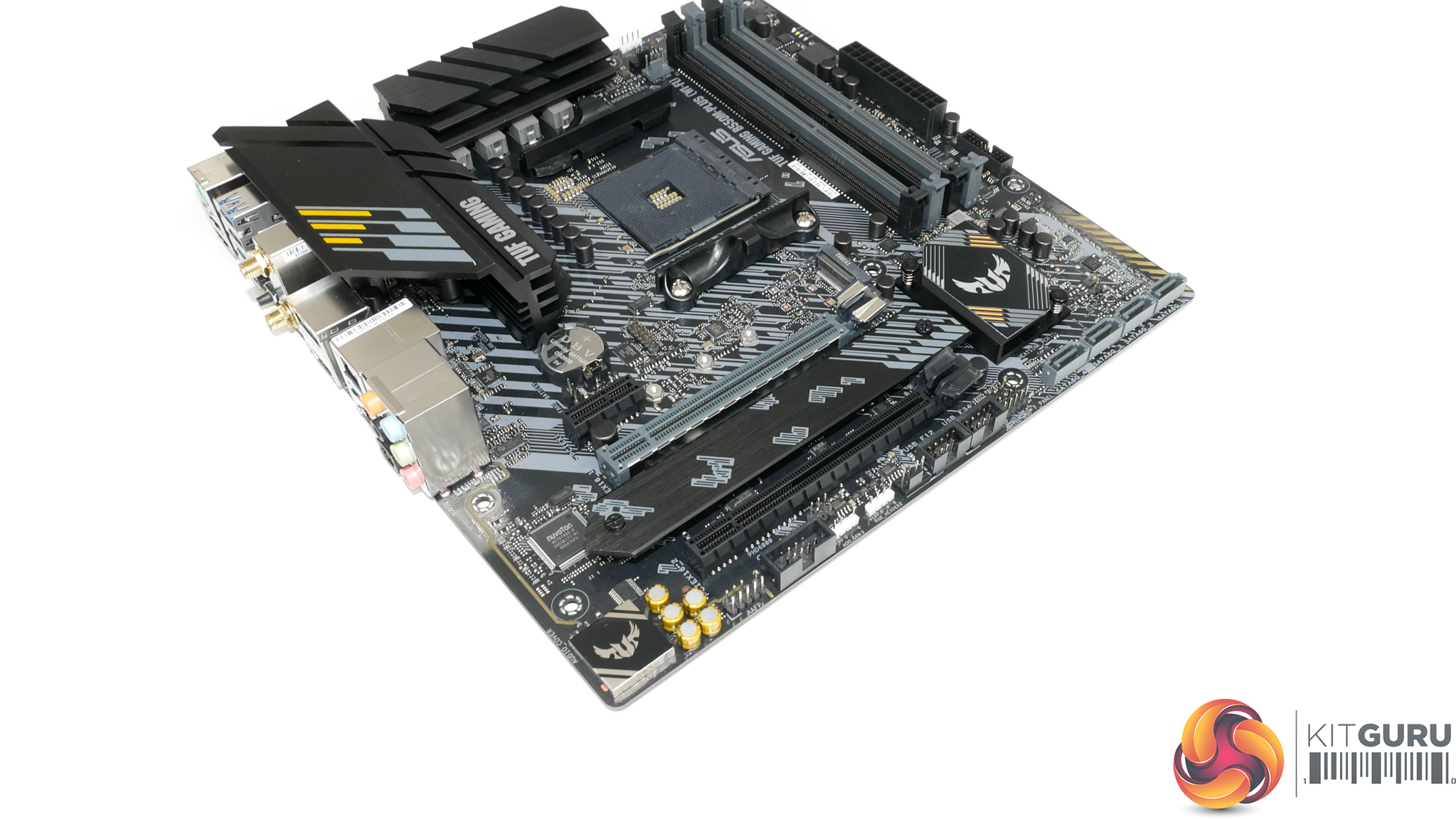
The main full-length slot is structurally reinforced, and this is the graphics card slot that runs with PCIe Gen 4 x16 lanes direct from the CPU. The uppermost slot is a PCIe Gen 3 x1 connection fed by the B550 chipset and intended for devices such as sounds cards. The bottom slot is full length physically but runs at Gen 3 x4 bandwidth from the chipset.
Four PCIe lanes are shared between the top and bottom Gen 3 slots fed by the B550 chipset. This allows them to operate as x0/x4 or x1/x2. We would imagine that the x0/x4 approach will more useful for many buyers.
ASUS’ slot layout is not ideal, but the decisions are perhaps a necessary evil. A 2.5- or 3-slot graphics card will render the bottom full-length PCIe slot useless as it cannot be accessed. This leaves only an x1 connection for expansion, but we would argue that an x1 slot is less useful than the full-length x4.
The alternative approach is to use the uppermost zone for the main graphics card x16 slot. This would leave the bottom full-length slot accessible for high bandwidth add in cards. However, it also presents significant risk of interference between a sizable air CPU cooler and a graphics card backplate.
Which approach is best will undoubtedly depend on your individual preference. ASUS’ design gives far more CPU cooler flexibility at the cost of the bottom full-length connection when used with the more common 2.5- or 3-slot graphics cards.
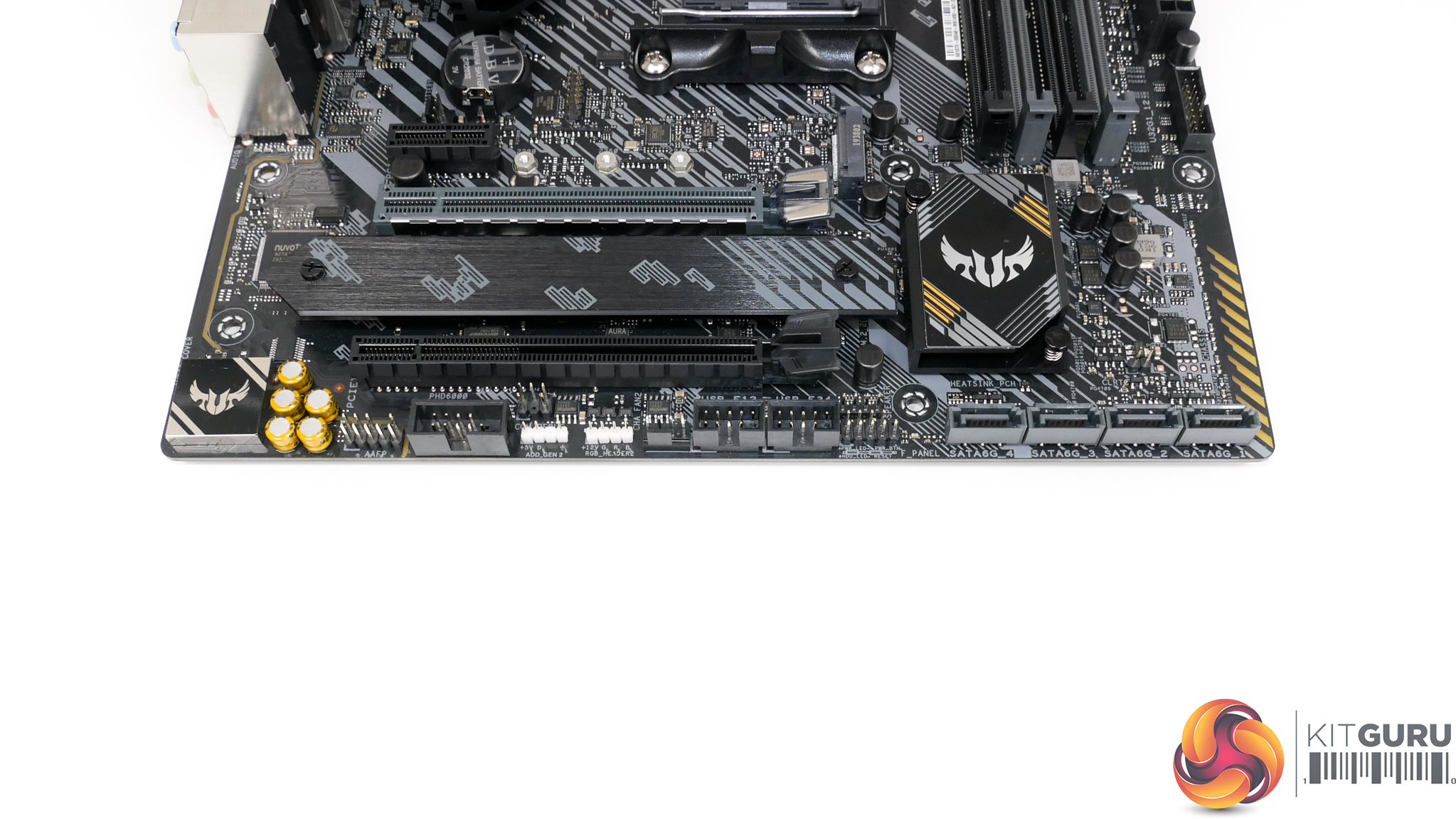
Two USB 2.0 headers is ideal for use with smart AIO and RGB kits. ASUS also deploys two RGB headers on the bottom edge, one of which is 3-pin addressable and the other is 4-pin 12V. The front IO header is more central than usual, which is not ideal for cable management but is not a particularly big deal.
ASUS positions the clear CMOS jumper above the SATA ports in a location that is certainly liable to getting blocked by a graphics card cooler. This is not a smart location at all, but you could wire up your reset button to the clear CMOS header instead, as some of our audience have pointed out on previous reviews.
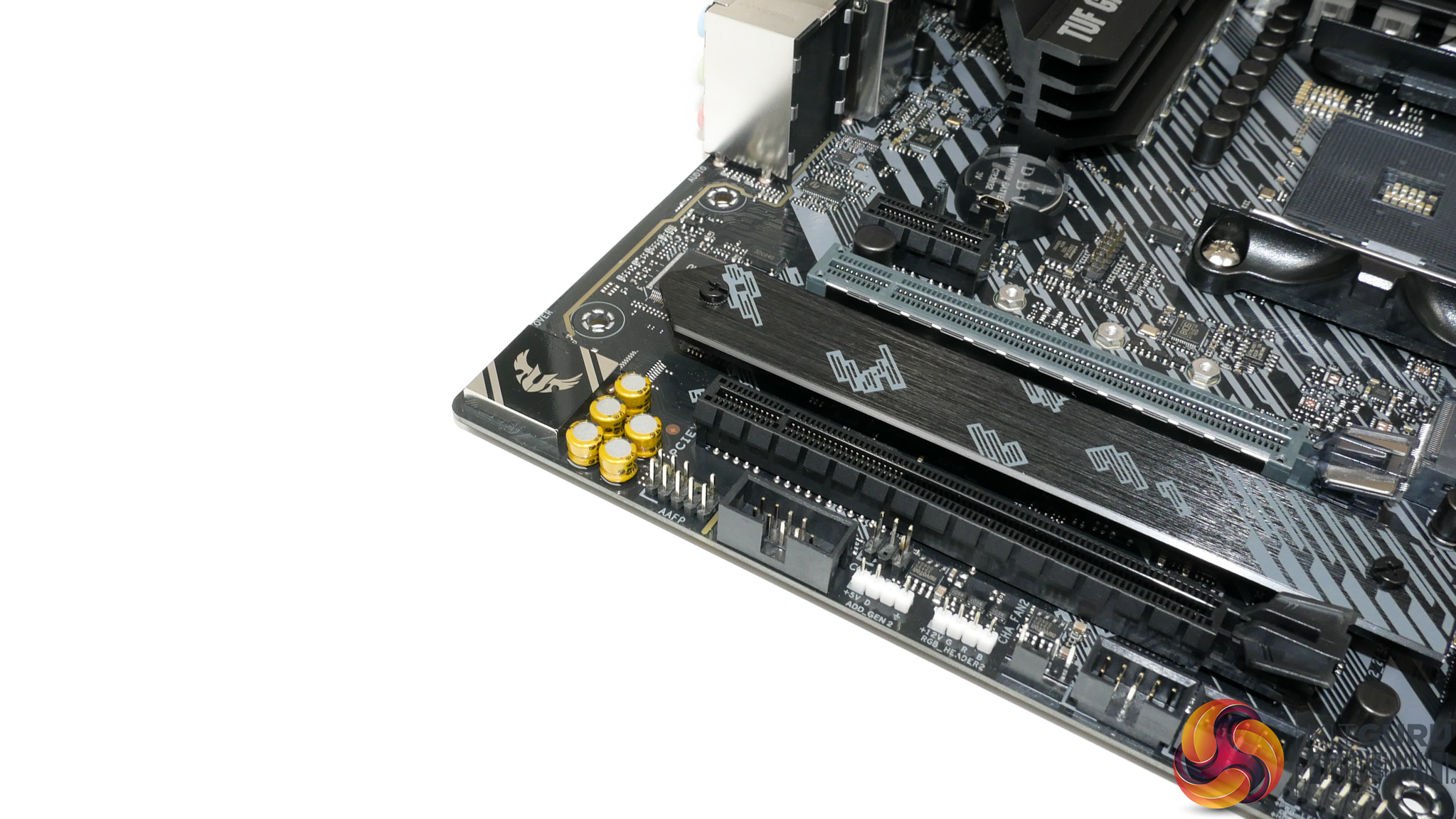
ASUS’ audio system is handled by a Realtek ALC S1200A audio codec. Shielding and PCB segregation are used to minimise EMI, while ELNA capacitors provide additional audio signal quality.
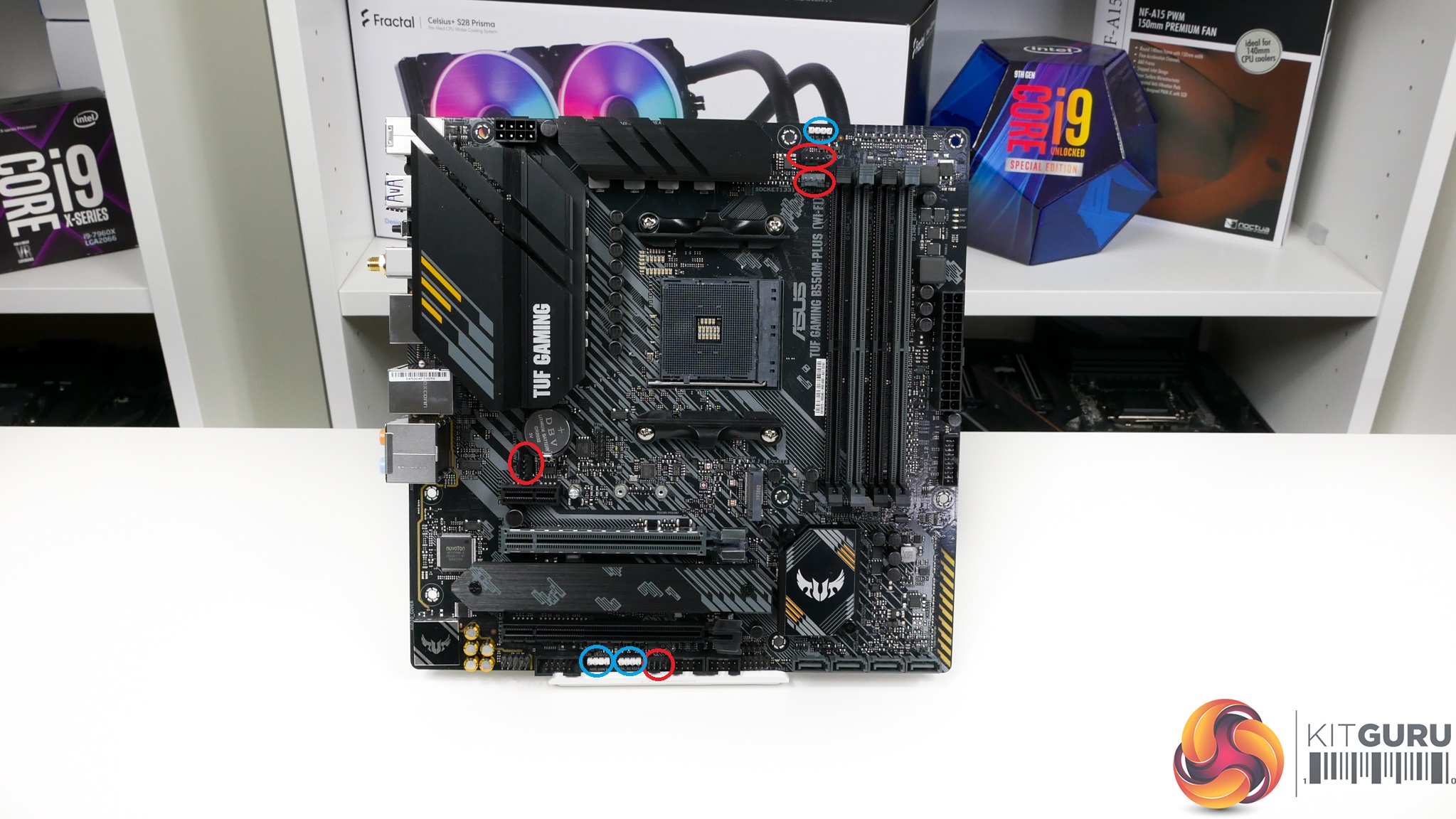
Four total 4-pin fan headers are mounted on the TUF Gaming B550M-Plus (Wi-Fi) motherboard. Two are allocated CPU header duties and two are deployed as chassis fans. Three of the headers are within reach of the CPU socket.
This is probably just about enough fan headers for a micro-ATX motherboard, but it is certainly cutting it fine especially for a more costly ‘TUF’ branded product. I would have liked to see at least one more header for something like an AIO pump connection.
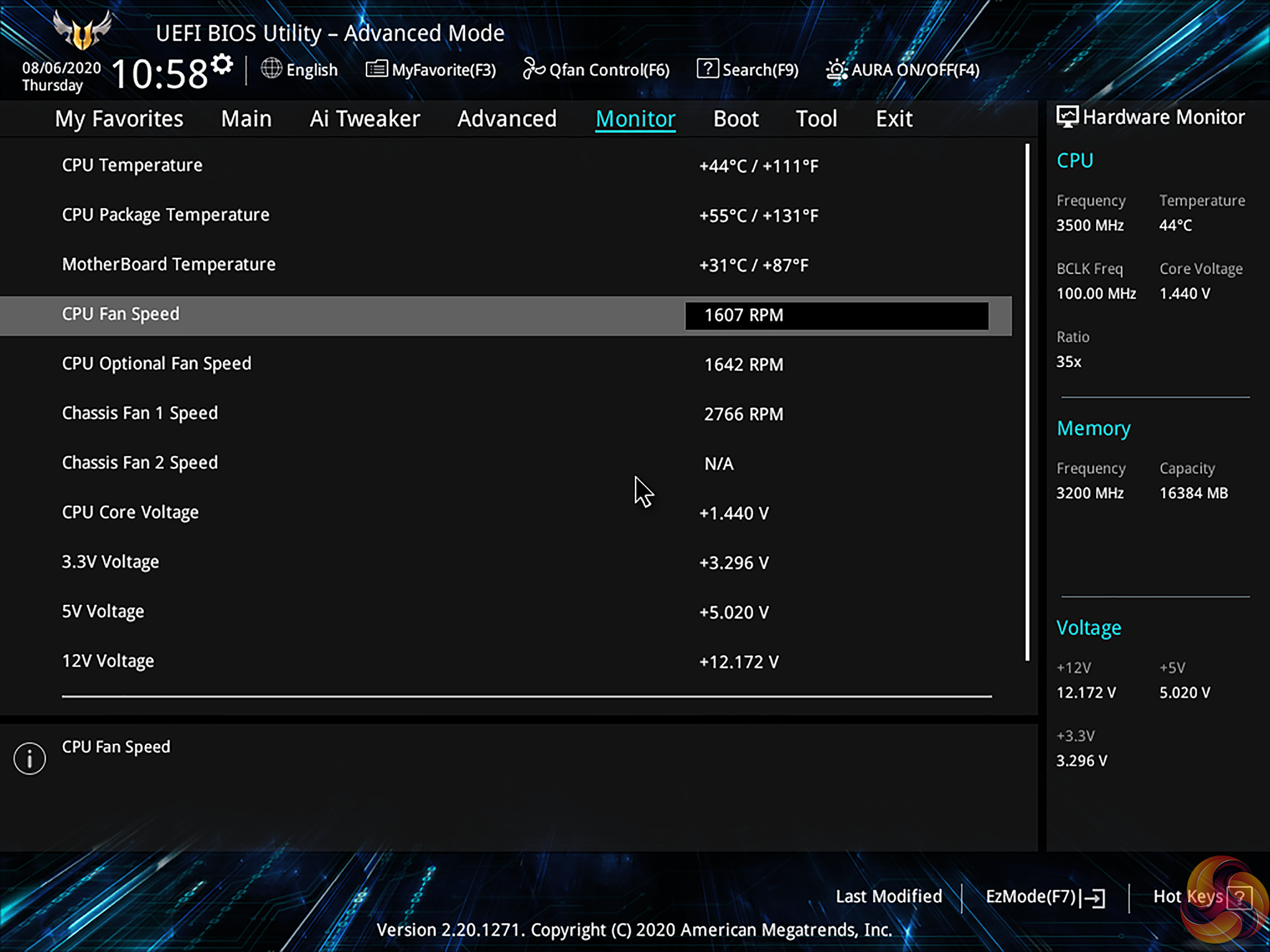
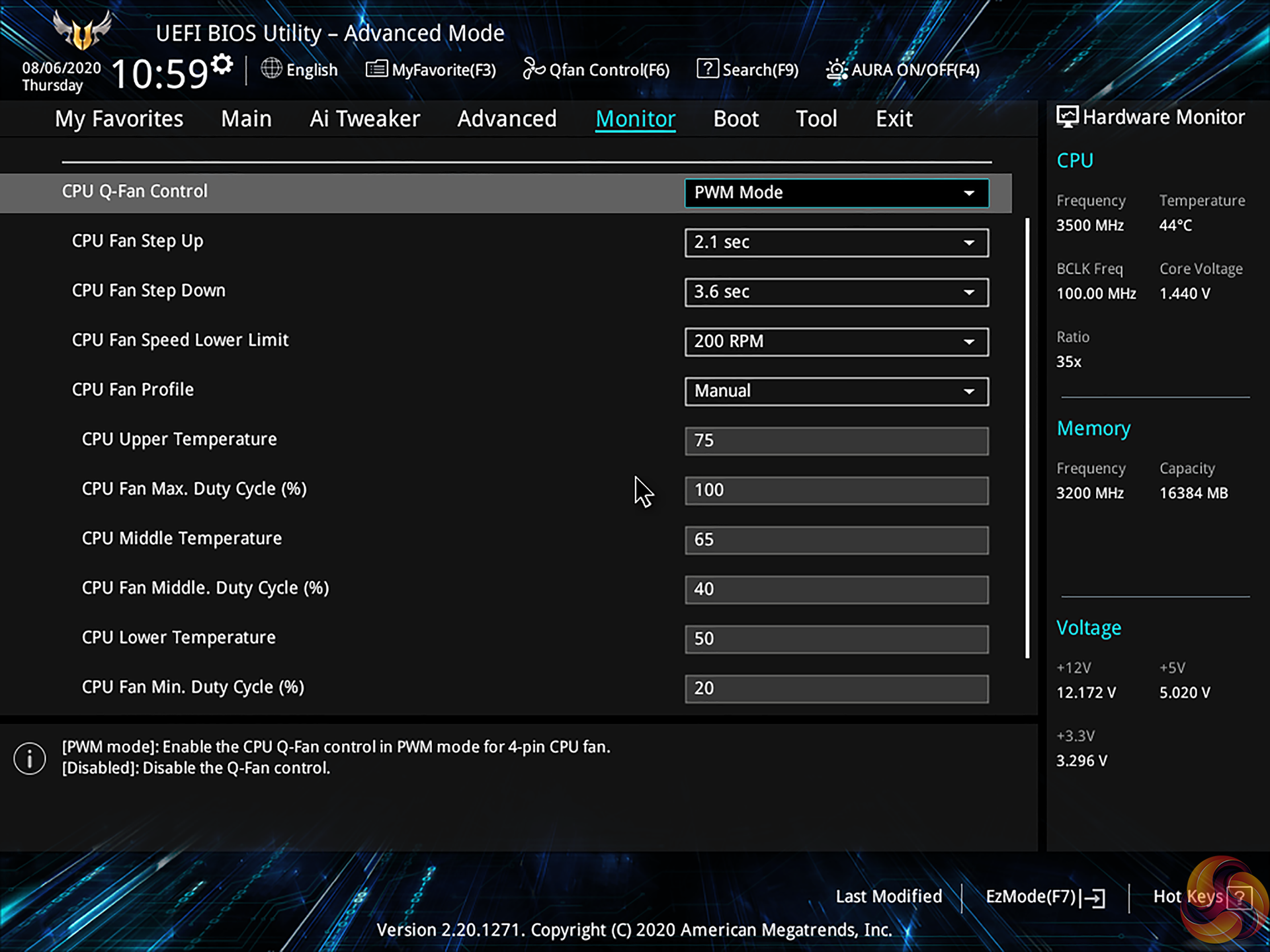
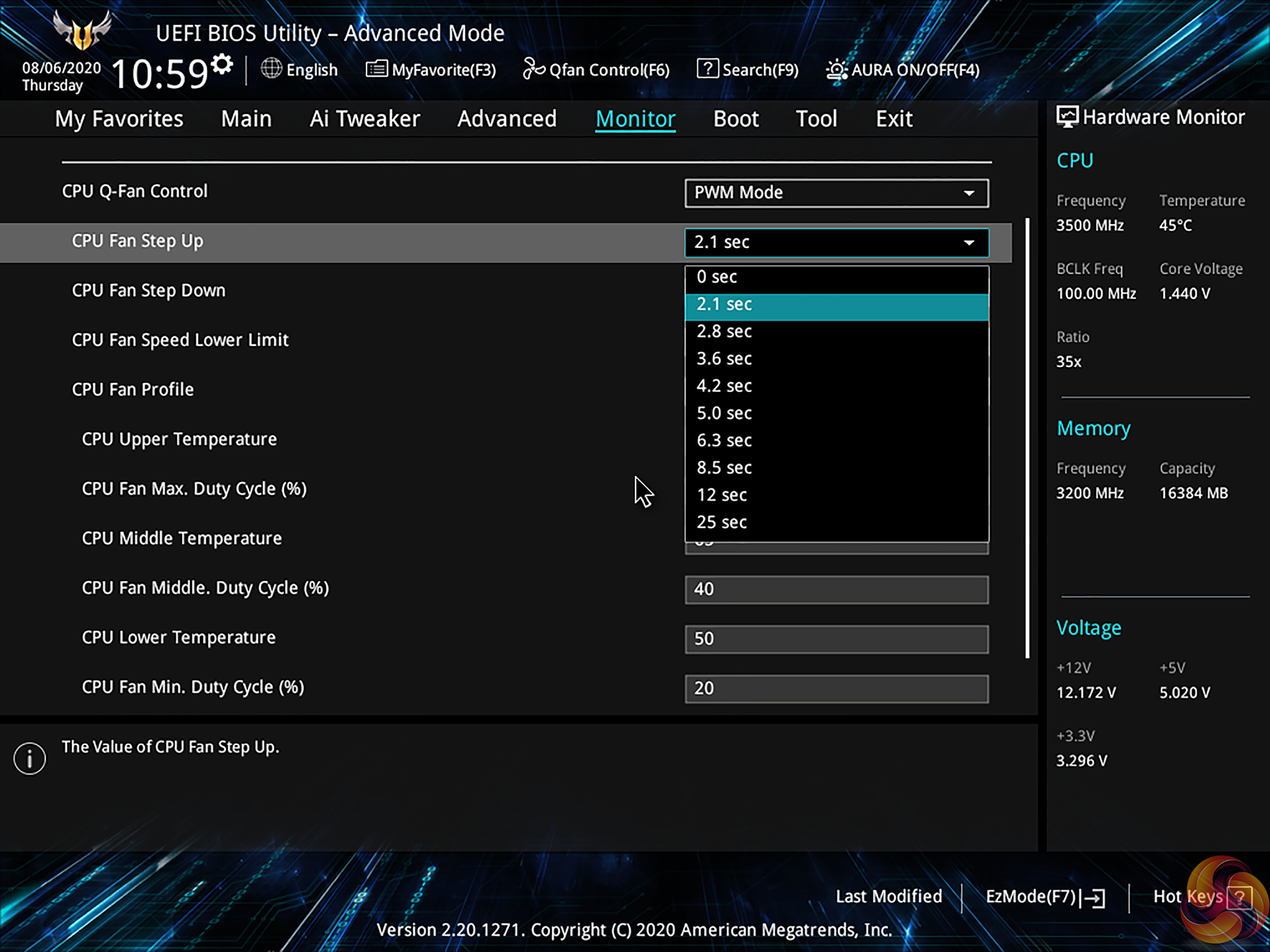
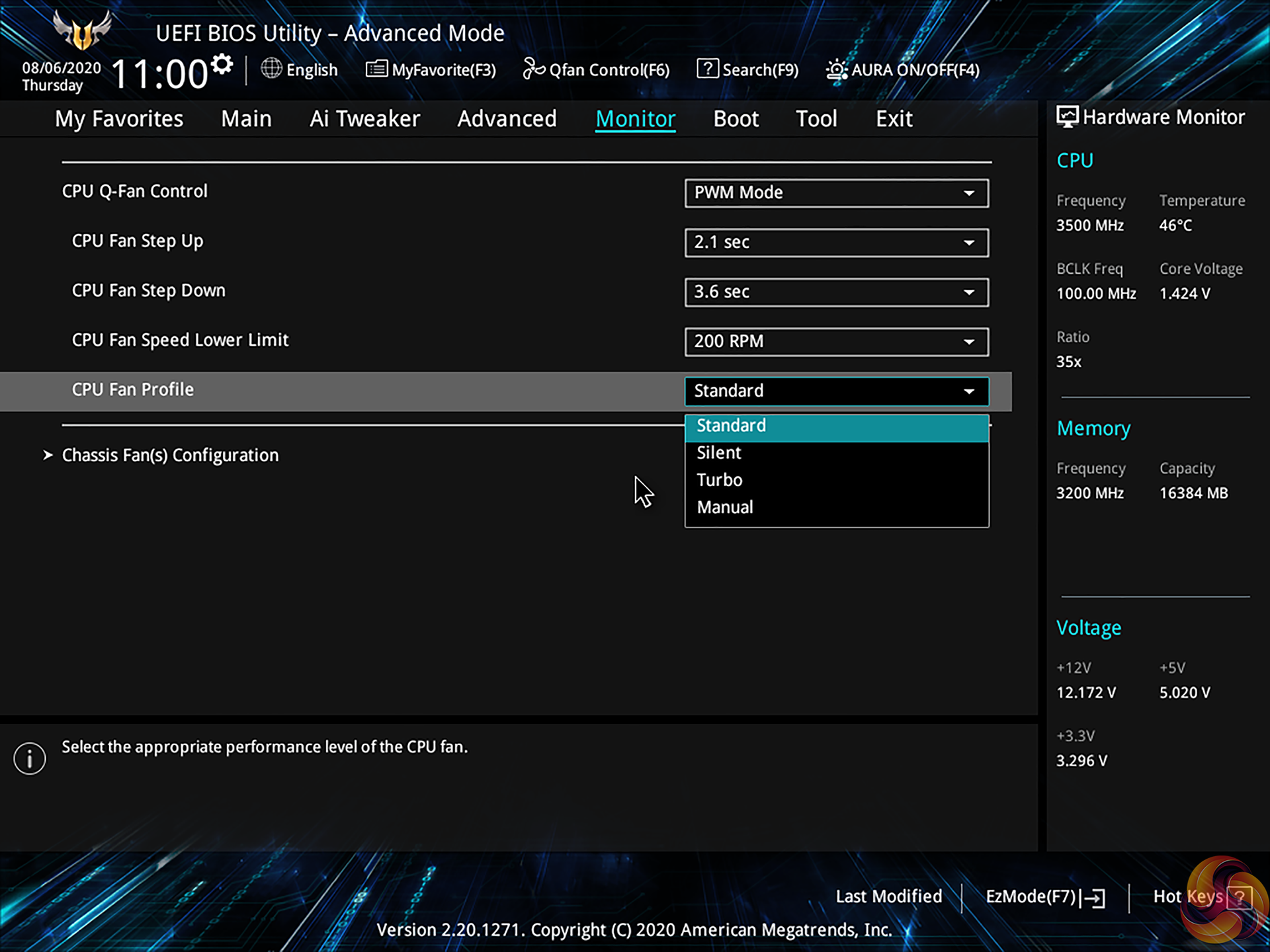
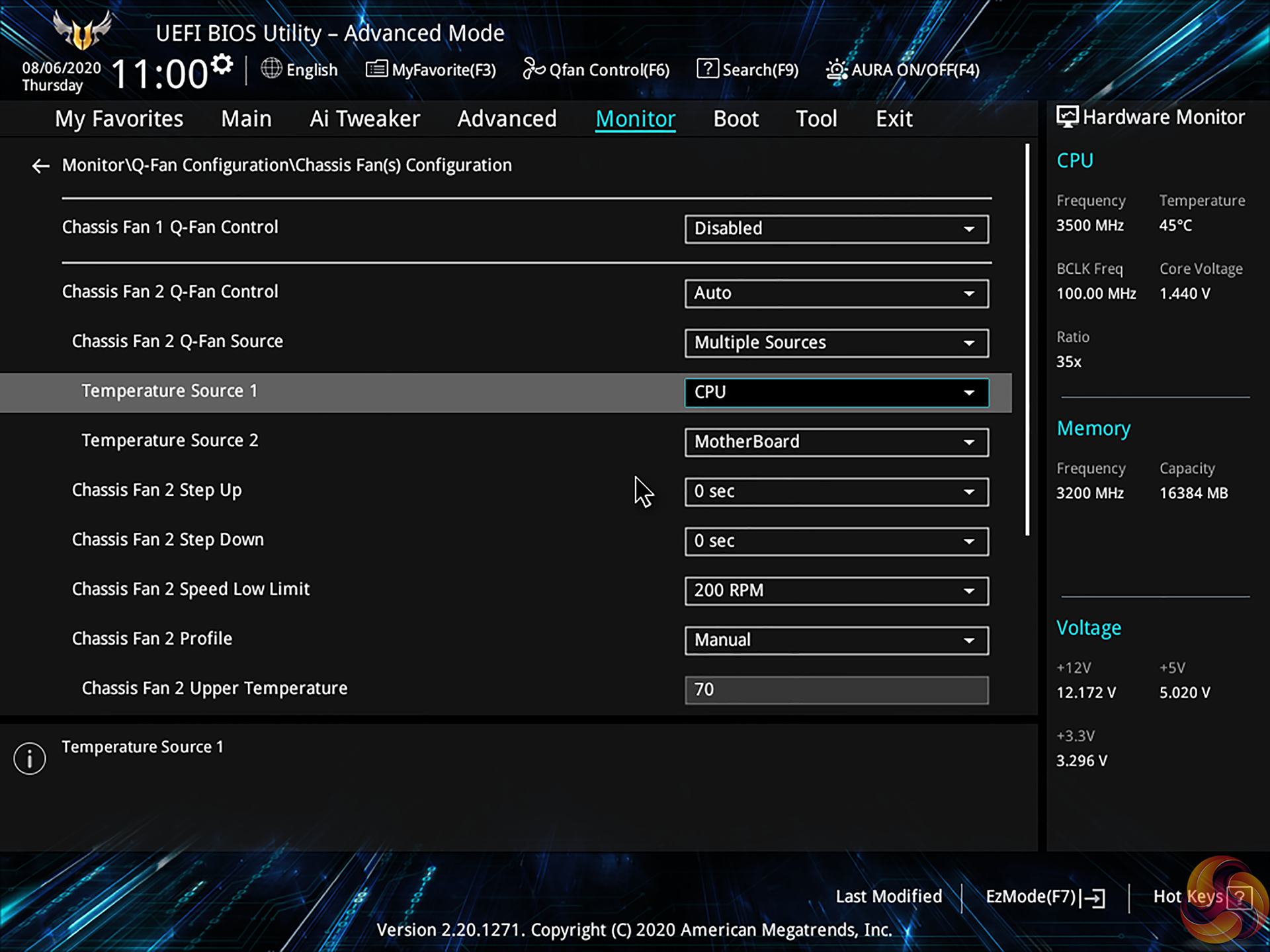
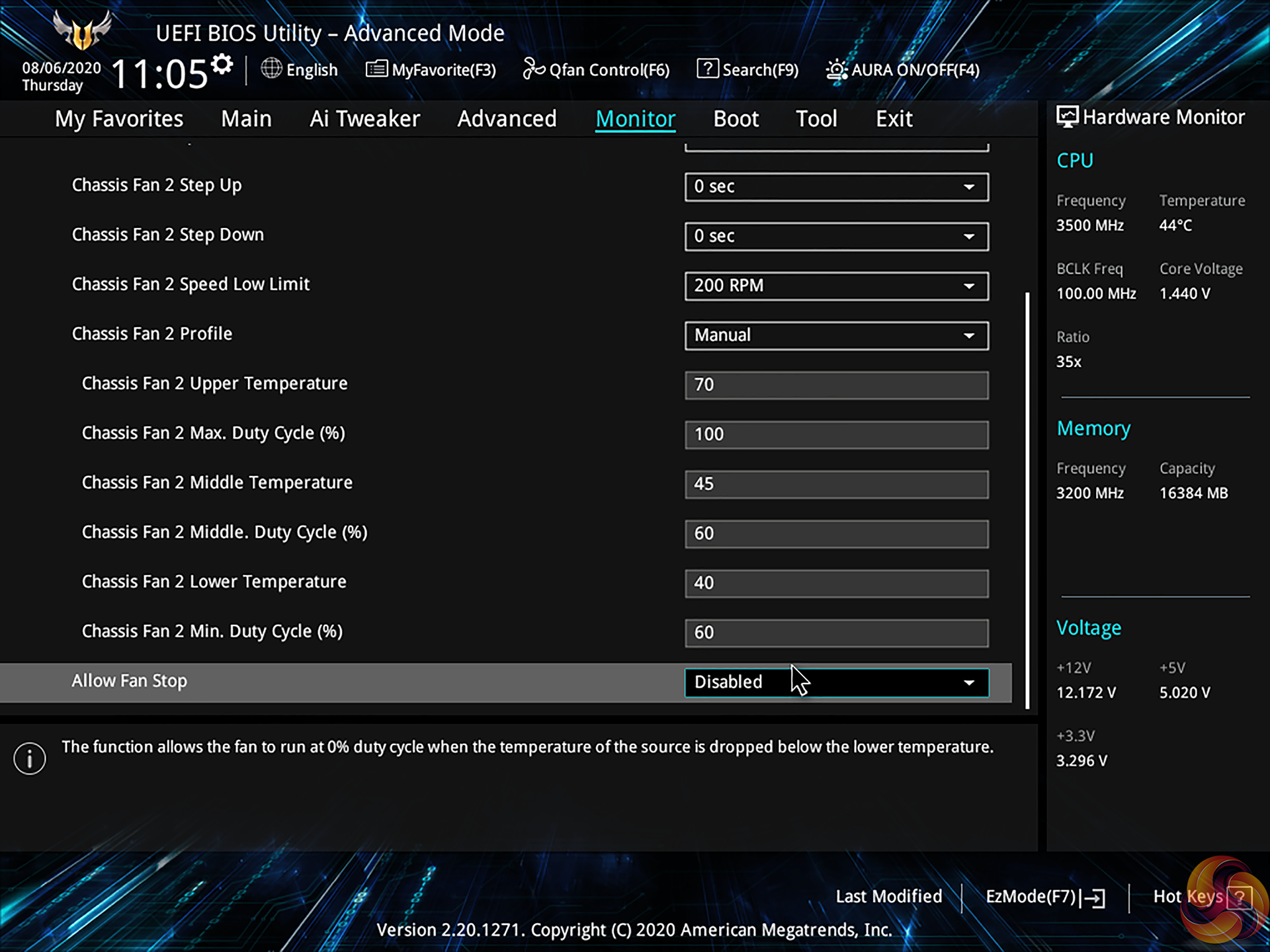
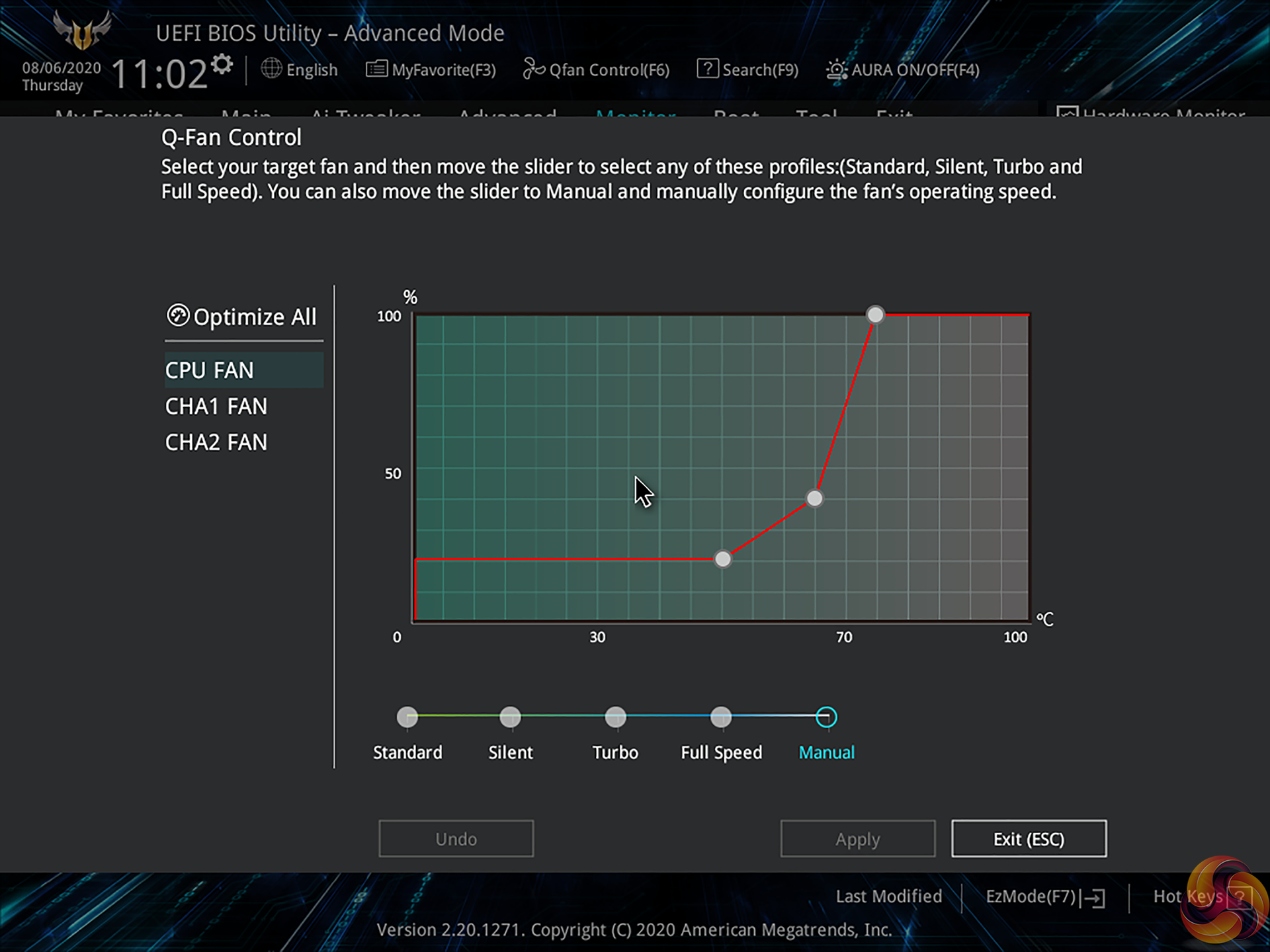
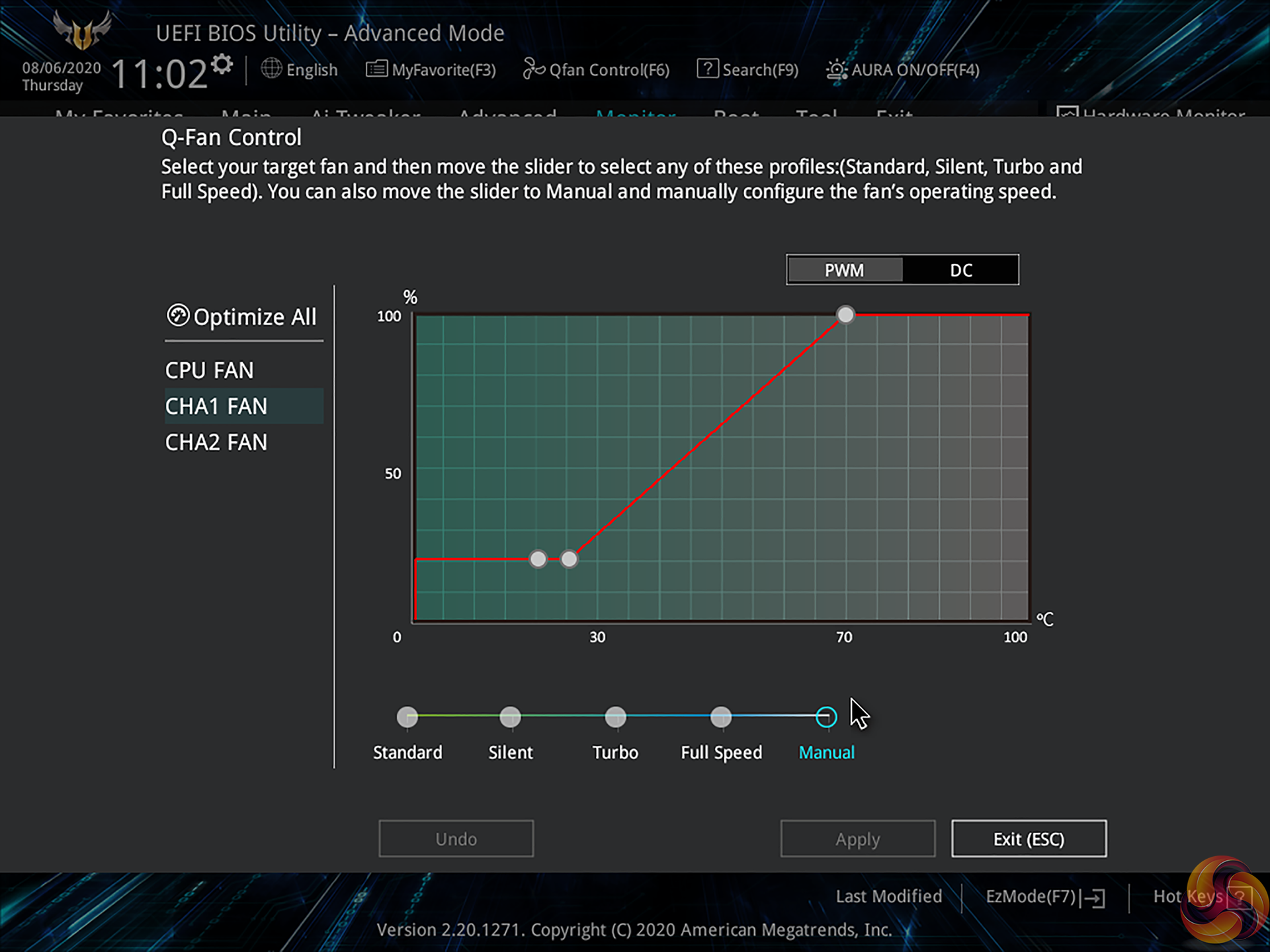
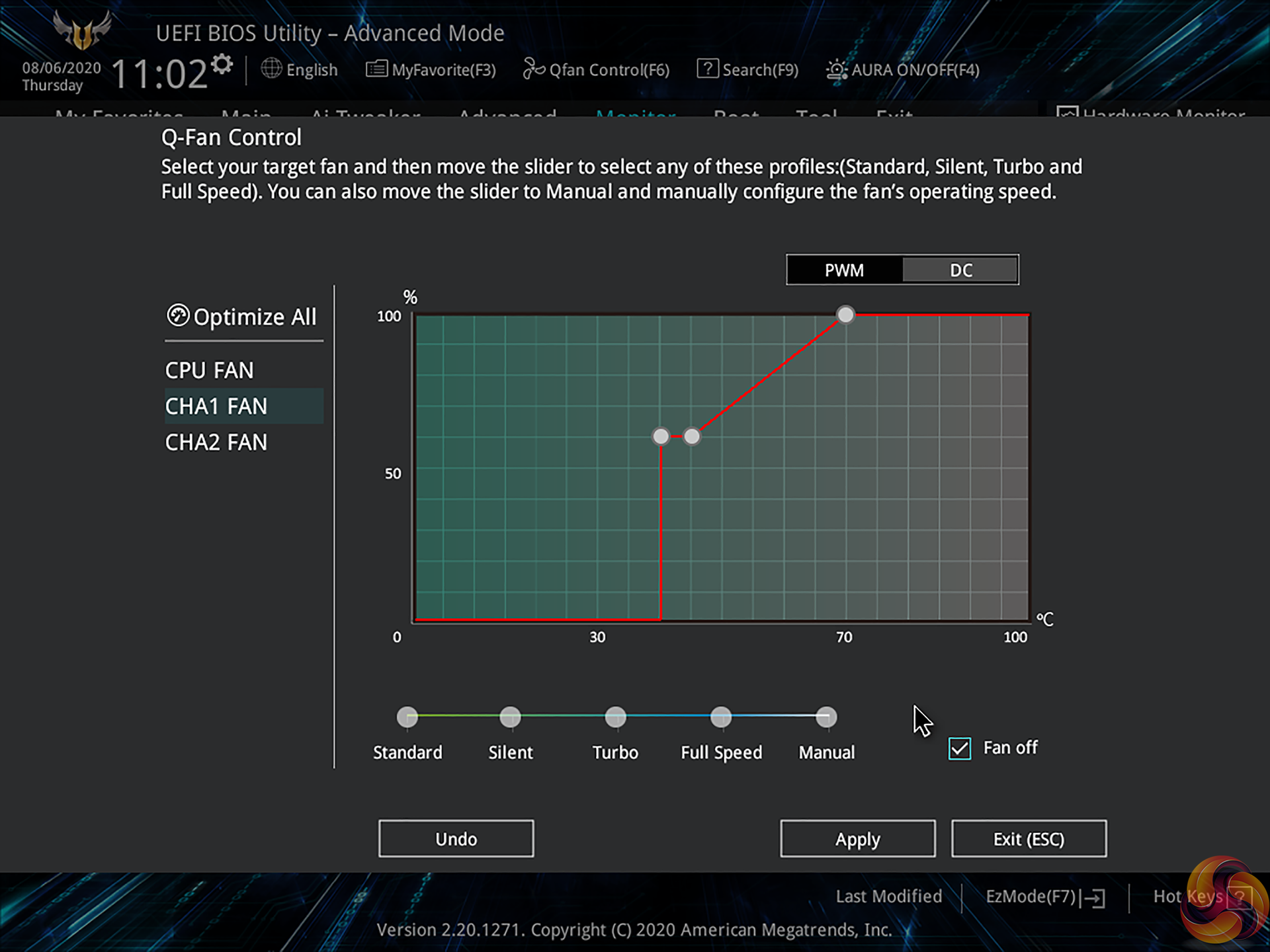
ASUS’ fan control capabilities within the UEFI are very good.
You get curve control via three temperature points, though the minimum fan speed level that can be set is 20%. You can also apply a Fan Off setting when using DC control, thus allowing the fan to spin down, provided the specific model is able to do so correctly.
Hysteresis control is handled via the Step Up and Step Down time delay commands. A fan speed low warning can be set, and this could be useful in warning of fan failures. There are a few usable preset modes included but a manually tuned curve will undoubtedly be the best option.
A chassis fan header can have multiple temperature sources (CPU or MB) which is good for control granularity. It would have been good to have VRM temperature as a sensor source for the fan control.
Aside from manual control, you can also do auto fan tuning if you like and if you give the motherboard time to understand the fan dynamics. ASUS’ implementation is a good fan control system overall, but not quite to the level of Gigabyte Smart Fan 5 thanks to that solution typically providing more sensor data. ASUS’ design is, however, better than ASRock’s competition and is certainly comparable against MSI’s solution.
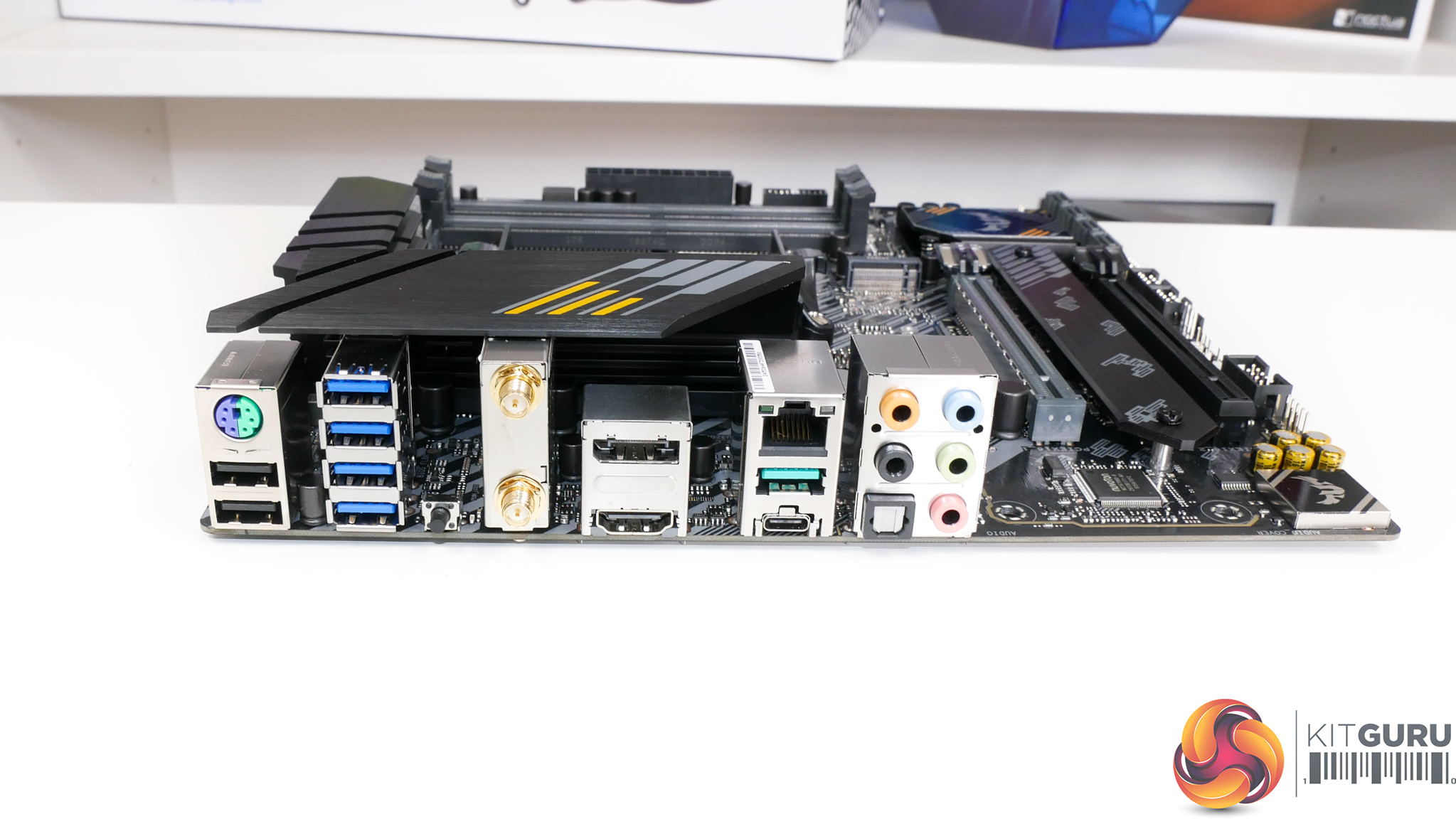
Ample USB ports are deployed on the rear IO. You get two USB 2.0 Type-A connectors plus a PS/2 port for peripherals. Four 5Gbps USB 3.0 Type-A ports are provided for slightly higher bandwidth devices. And ASUS includes a pair of 10Gbps USB 3.2 Gen 2 ports fed by the B550 chipset. One of these is in Type-C form and the other is Type-A.
One of the USB Type-A ports is allocated for BIOS Flashback duties, and this is useful for consumers who may buy this motherboard with a newer processor than it was originally designed for.
WiFi comes from an Intel 802.11AX controller and also provides Bluetooth connectivity. 2.5GbE is good to see and is handled by a Realtek RTL8125B chipset. ASUS also deploys a smart pair of video output ports; Displayport 1.2 and HDMI 2.1 are both good for 4K60 from an integrated GPU.
You get the usual set of audio connections; there is no audio Type-C port like we saw on some B550 ROG boards. I have No real criticisms for the rear IO, other than lack of an IO shroud or integrated IO cover deterring from the premium feel. The port selection itself is very well balanced.
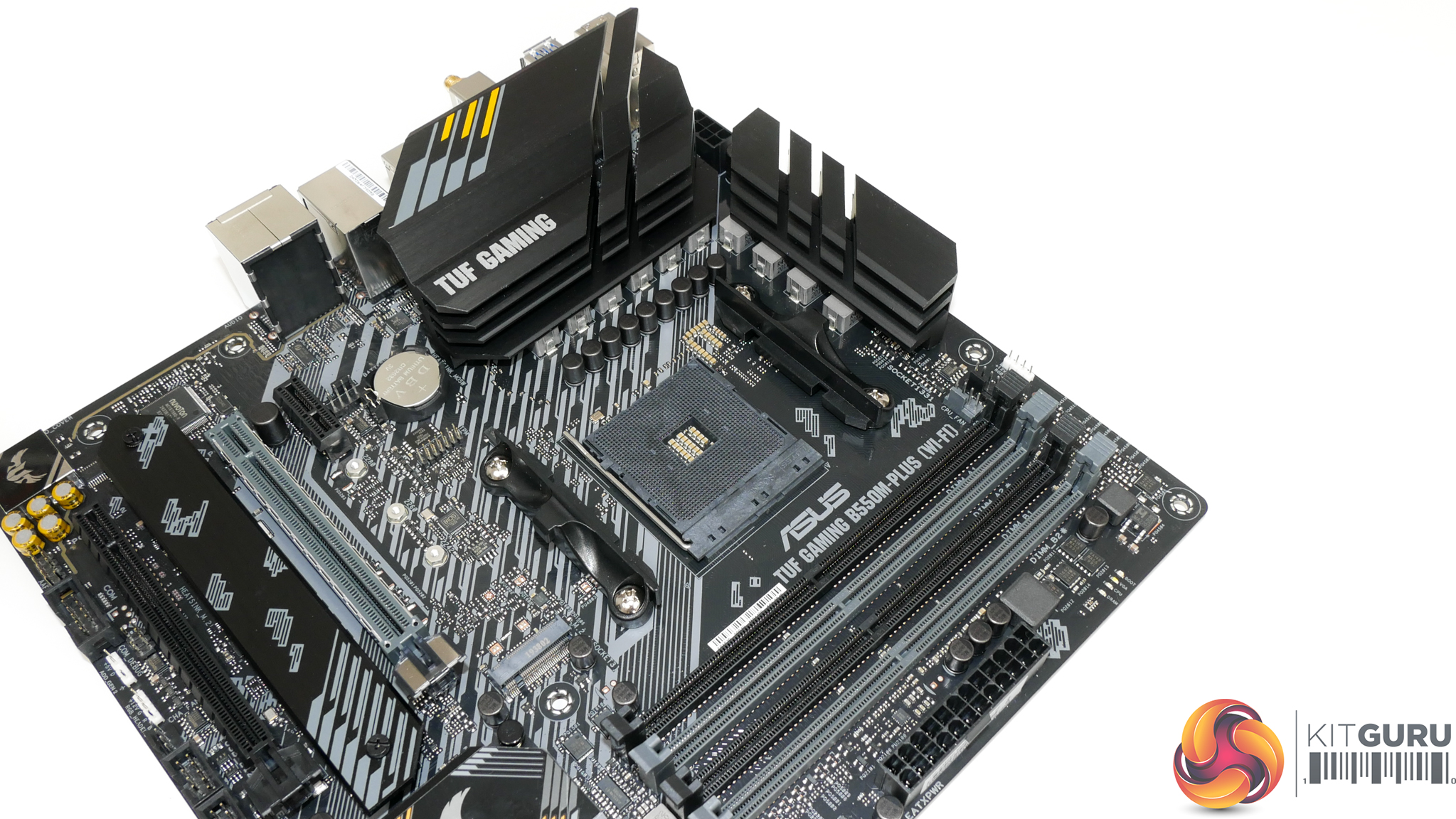
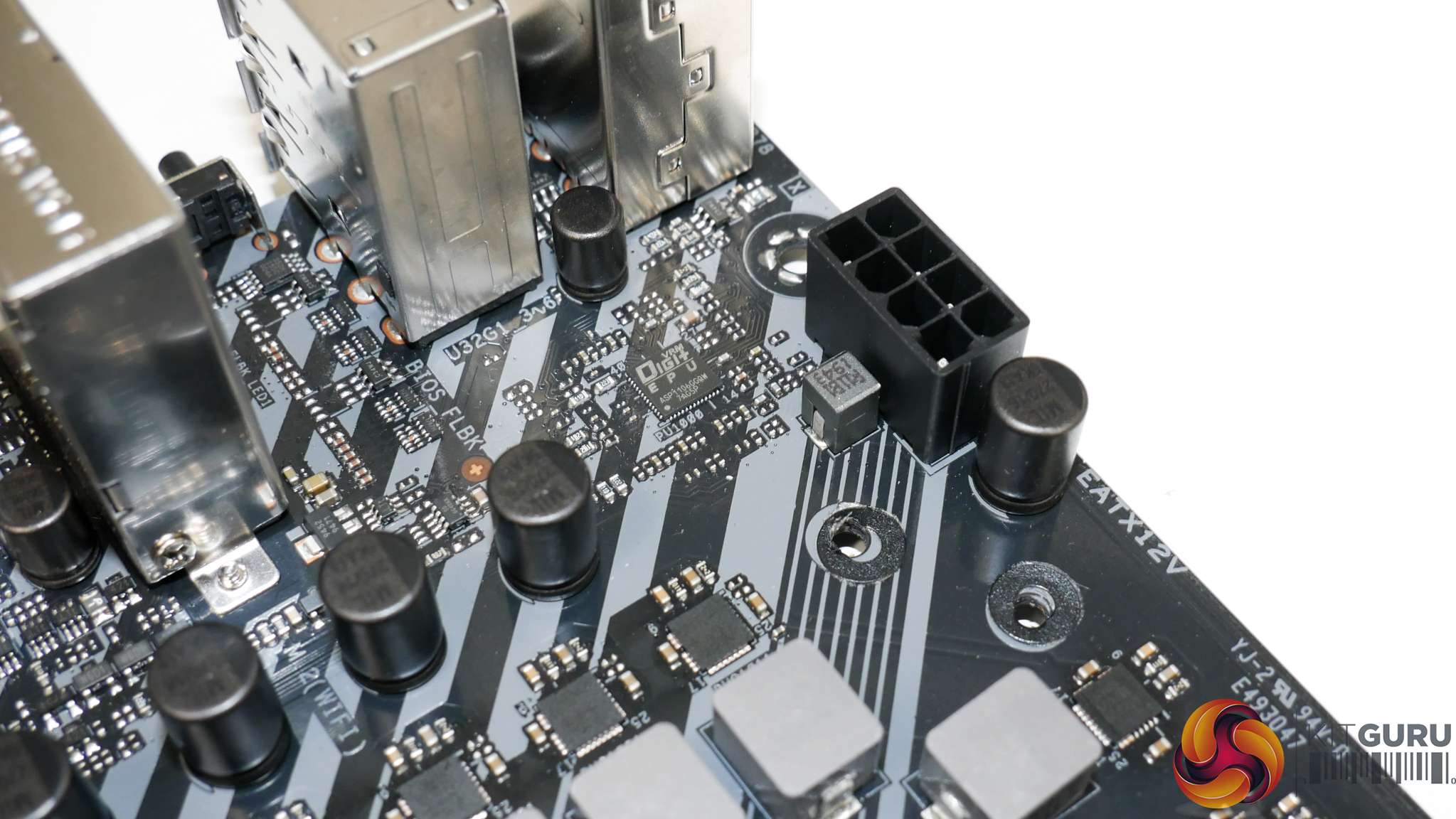
Ten total power stages are used for the CPU and SoC in an 8+2 DrMOS design. The PWM controller is a Digi+ ASP1106G operating in 4+2 phase mode without phase doublers for the CPU VCore power stages. The CPU VRM is a teamed 4-phase design that uses eight stages of current output capacity.
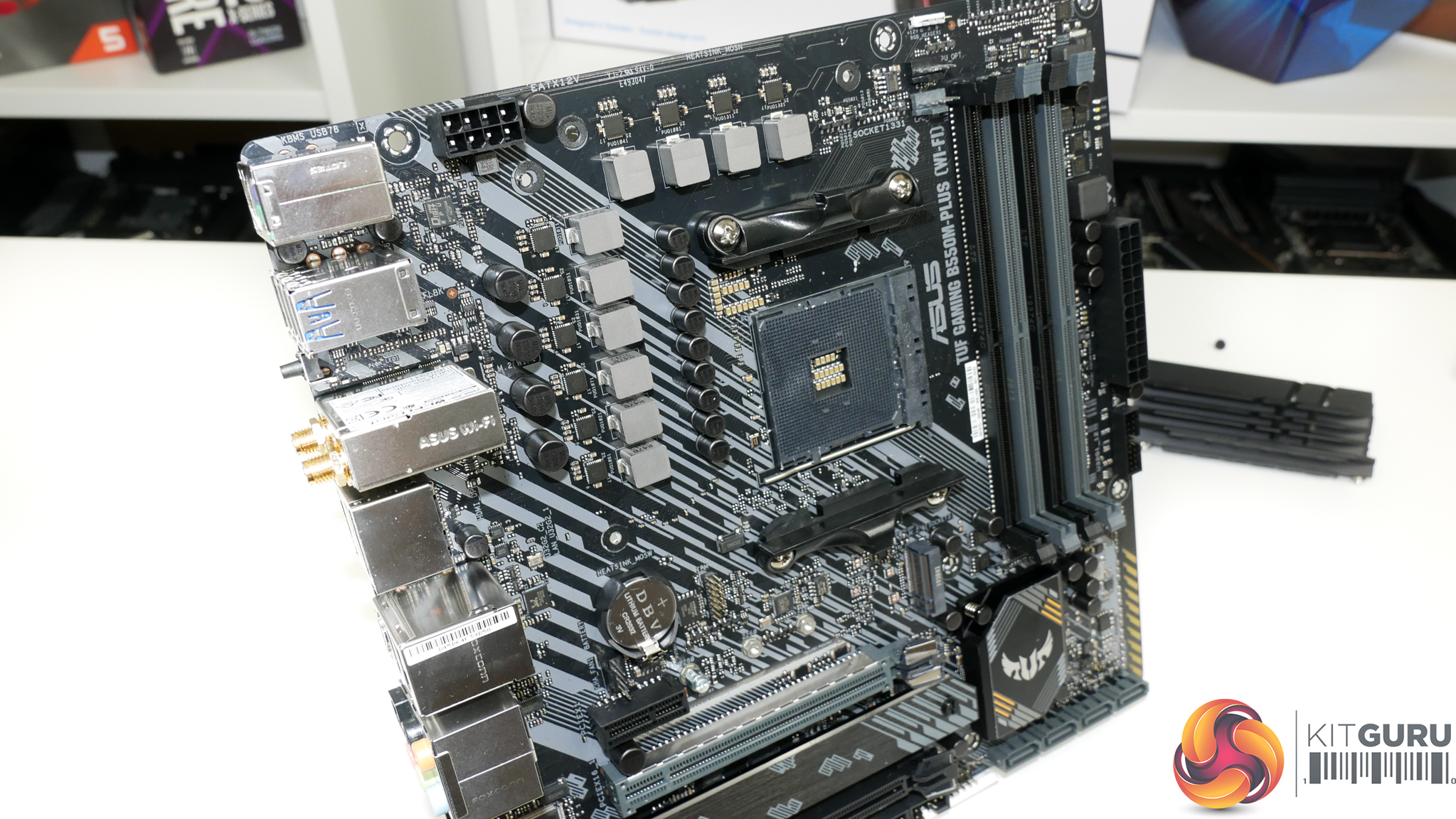
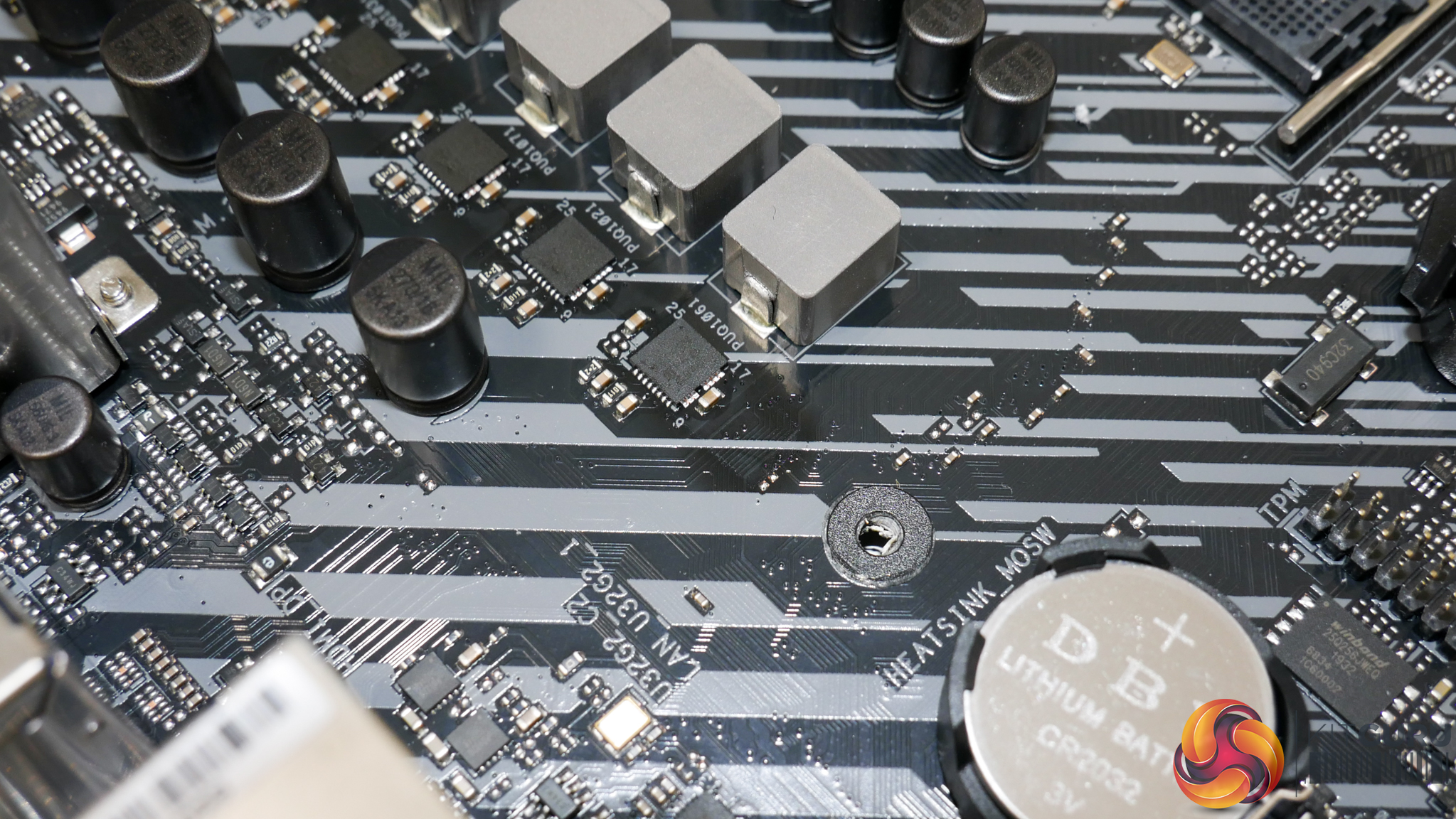
Eight CPU power stages are driven by four PWM control phases. The CPU hardware used is Vishay SiC639 50A power stages. These are good quality power stages for this calibre of motherboard as we have often seen them deployed on higher-end B550 and X570 board. Up to 400A theoretical current output capacity is solid for this calibre of mATX motherboard, even if four control phases is slightly limited.
Two more Vishay SiC639 50A power stages are reserved for the SoC. This is perfectly capable and overkill for the SoC power delivery. Spacing between the power stages and inductors and their neighbours should help cooling by not locally saturating the PCB with heat. This is a small touch but a smart one. ASUS uses 5K-rated MIL capacitors which are high quality components.
Overall, this is a good power delivery solution overall and is certainly good enough for a sub-£200 mATX B550 motherboard.
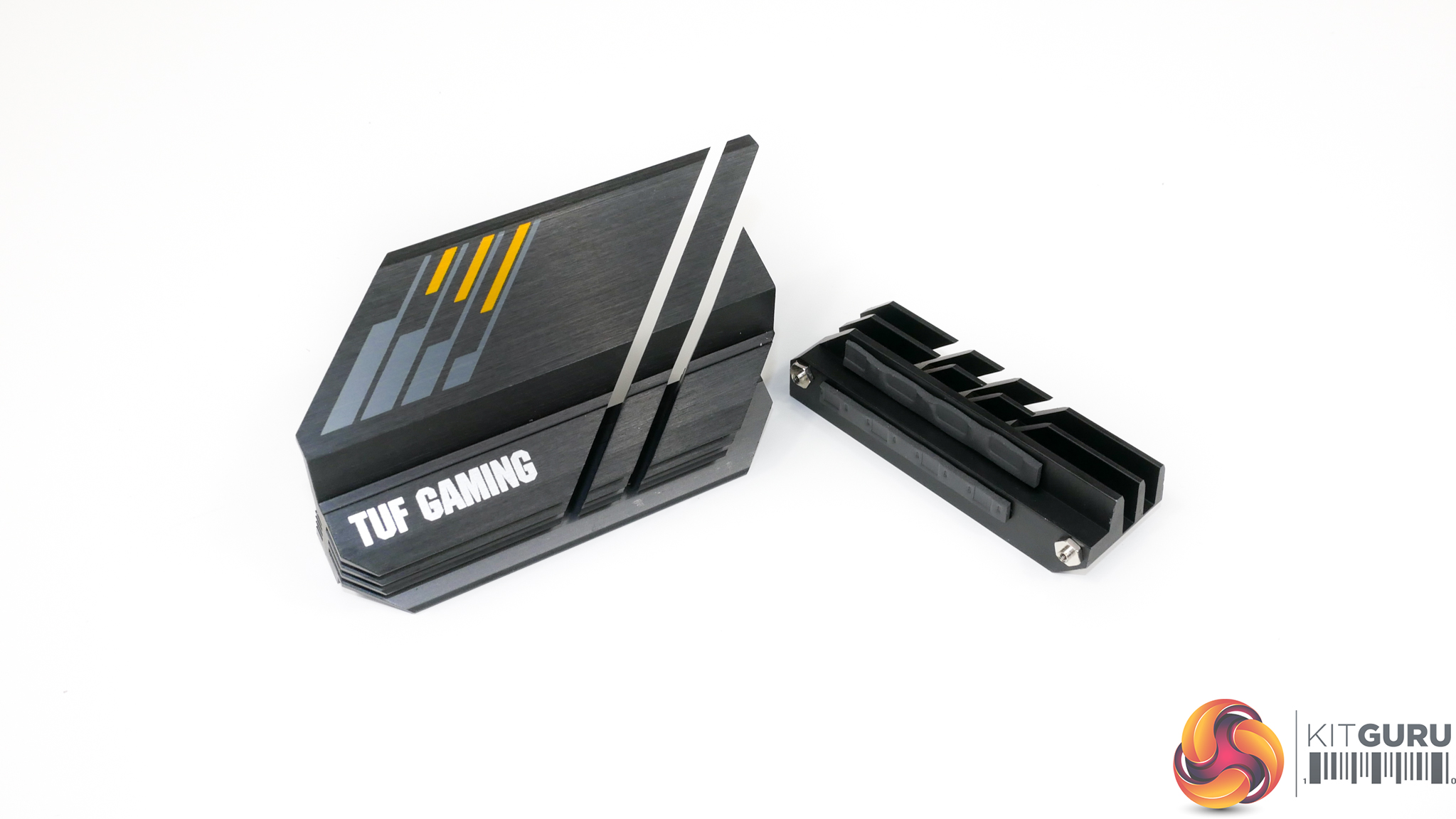
Two sizable VRM heatsinks cover the MOSFETs and make contact with the inductors via thermal pad. ASUS does not use a particularly efficient heatsink design but thermal mass from the blocks of metal is good and this should be sufficient for cooling the power stages. The bigger heatsink mounted on the left side handles cooling for a larger number of power stages, which is a smart move by ASUS.
Not too tall and with minimal interference headaches, the VRM heatsinks look fit for purpose when combined with the solid power delivery hardware. The top heatsink does line up near the top edge of the motherboard though, so it is worth being careful with roof chassis fan or AIO cooler interference.
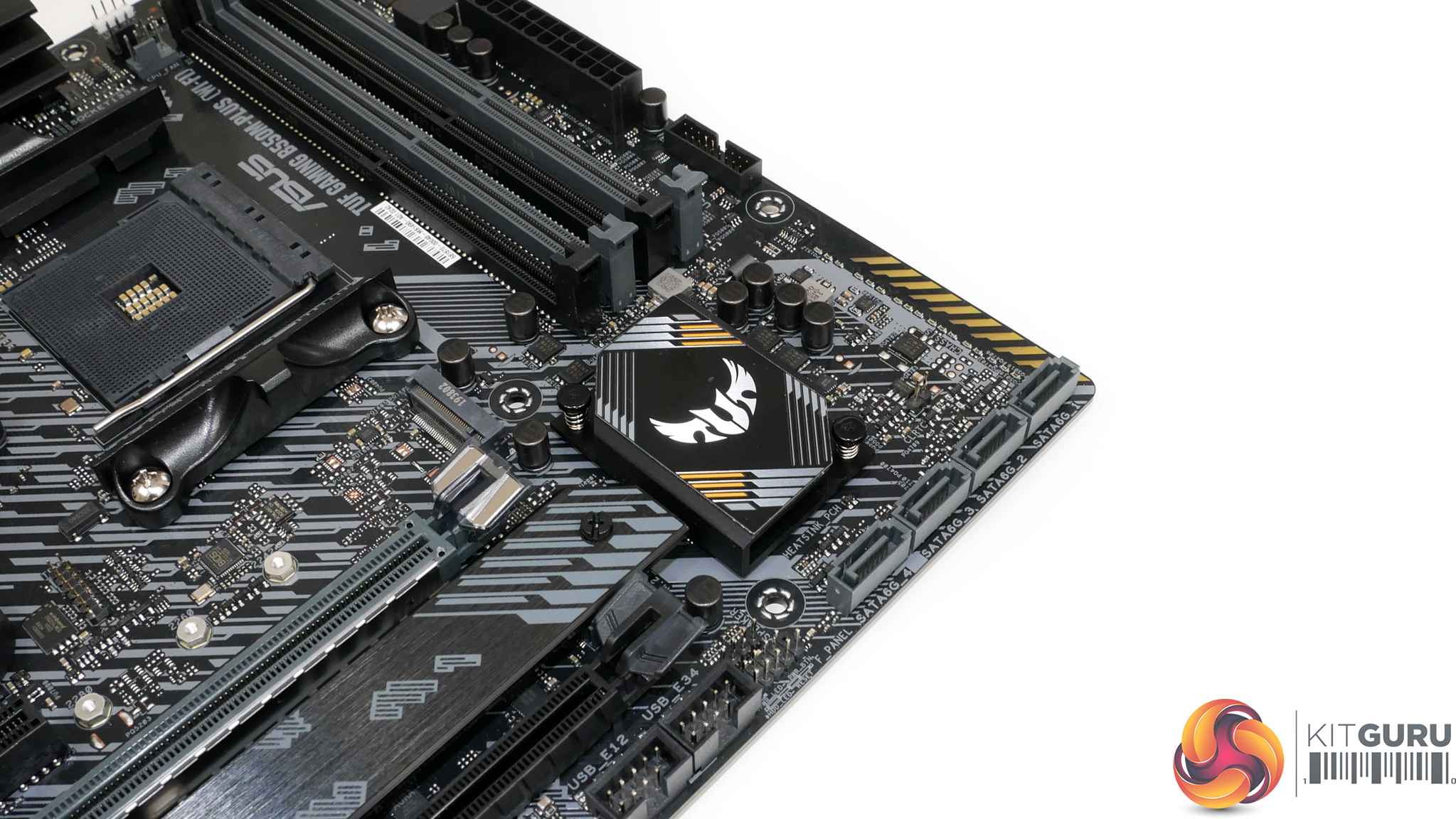
A small block of metal is used as the passive chipset heatsink. As B550 does not put out considerable heat, this will be fine for cooling the chipset adequately.
For more details on ASUS’ UEFI and OS software offering, check out our previous ASUS motherboard reviews HERE and HERE. Also be sure to check out further details regarding OS software tools on ASUS’ direct webpages.
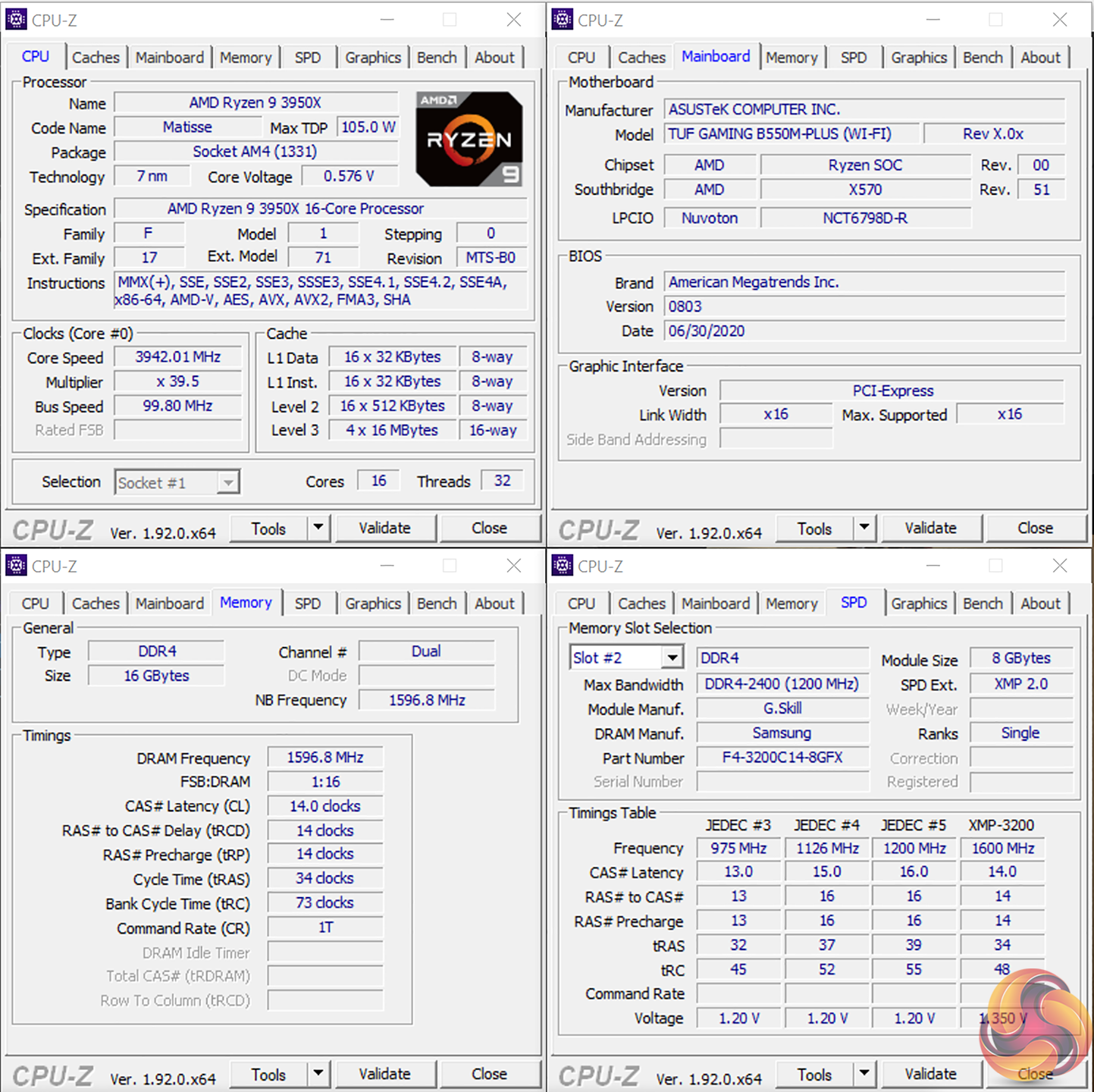
We will be outlining the ASUS TUF Gaming B550M-Plus (Wi-Fi) motherboard’s performance with the AMD Ryzen 9 3950X CPU, 16GB of 3200MHz DDR4 memory, and an Aorus RTX 2080 Ti graphics card.
AM4 Motherboard Test System:
- Processor: AMD Ryzen 9 3950X.
- Memory: 16GB (2x8GB) G.SKILL 3200MHz CL14 DDR4 @ 1.35V.
- Graphics Card: Gigabyte Aorus RTX 2080 Ti XTREME (custom fan curve to minimise thermal throttling).
- System Drive: WD_Black SN750 PCIe 3.0 x4 NVMe M.2 SSD.
- Games and Test SSD: Crucial MX300 750GB & Aorus 2TB PCIe Gen 4 M.2 SSD.
- CPU Cooler: Fractal Celsius+ S28 Prisma 280mm AIO (full speed fans and pump to eliminate thermal throttling).
- Power Supply: Seasonic Prime TX-1000 1000W.
- Case: Lian Li Open-air Test Bench.
- Operating System: Windows 10 Pro 64-bit.
BIOS Version:
- BIOS version 0803 (latest at the time of testing) [AGESA 1.0.0.2]
Comparison Motherboards:
- ASRock B550 Phantom Gaming-ITX/AX (AGESA ComboAM4v2PI 1.0.0.2)
- ASUS ROG STRIX B550-E Gaming (AGESA 1.0.0.1)
- ASUS ROG STRIX B550-F Gaming (WiFi) (AGESA 1.0.0.1)
- Gigabyte B550 Aorus Master (AGESA ComboAM4v2 PI 1.0.0.1)
- MSI MAG B550 Tomahawk (AGESA ComboAM4v2PI 1.0.0.2)
- ASUS TUF Gaming X570-Plus (Wi-Fi) (AGESA Combo-AM4 1.0.0.4)
Tests:
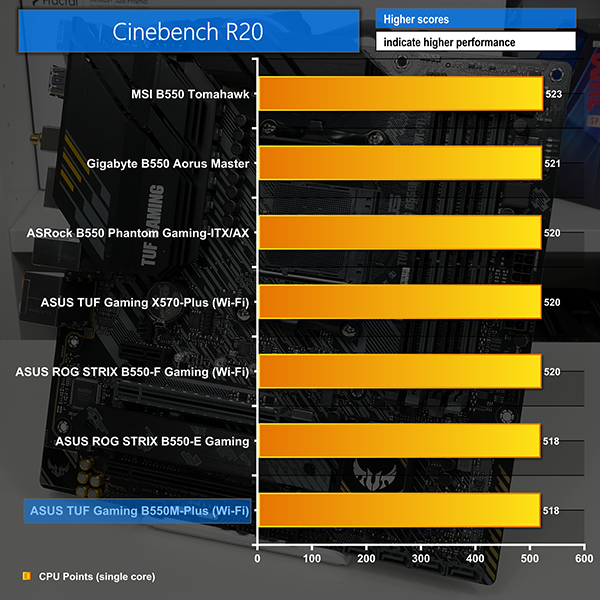
- Cinebench R20 – All-core & single-core CPU benchmark (CPU)
- Blender 2.82a – All-core rendering of the BMW and Classroom benchmarks (CPU)
- SiSoft Sandra – Memory bandwidth (Memory)
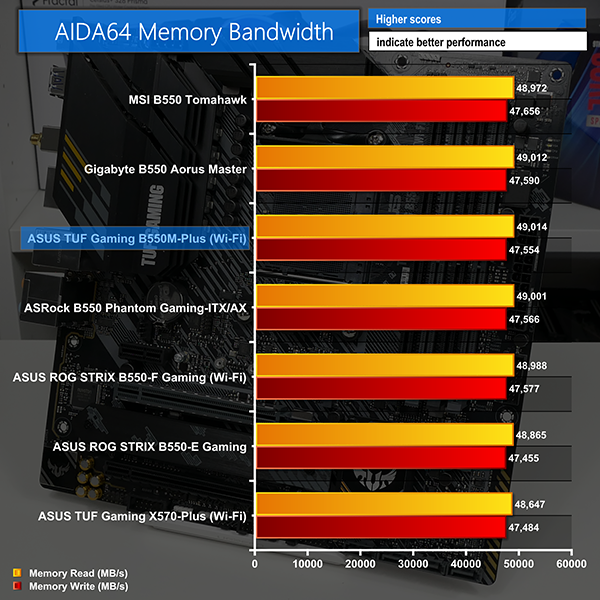
- AIDA64 – Memory bandwidth, memory latency (Memory)
- 3DMark TimeSpy – Time Spy (1440p) test (Gaming)
- Shadow of the Tomb Raider – 1920 x 1080, Highest quality preset, no AA, DX12 version (Gaming)
- Tom Clancy's The Division 2 – 1920 x 1080, Ultra quality preset, no AA, DX12 version (Gaming)
- CrystalDiskMark– Storage transfer rates (Motherboard)
- Rightmark Audio Analyzer 6.4.5 – Record and playback test using a line-in to line-out loopback with a 3.5mm audio cable (Motherboard)
- AIDA64 – Stress test (Temperatures & Power Consumption)
- HWiNFO – System sensor monitoring during stress test (Temperatures & Power Consumption)
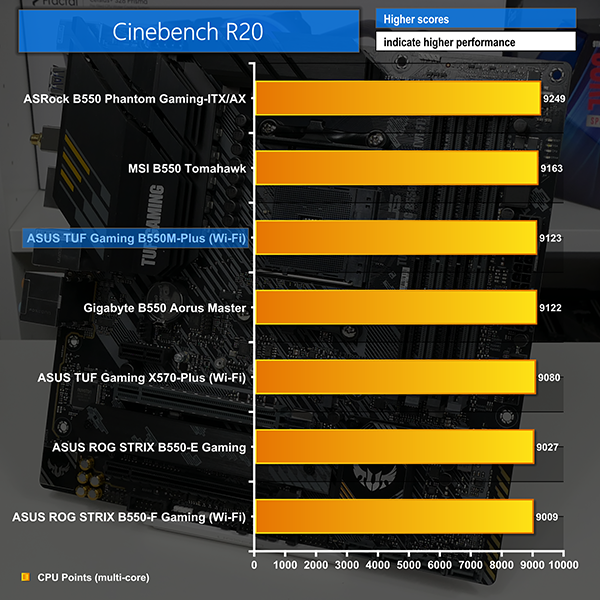
Cinebench R20
Blender Benchmark
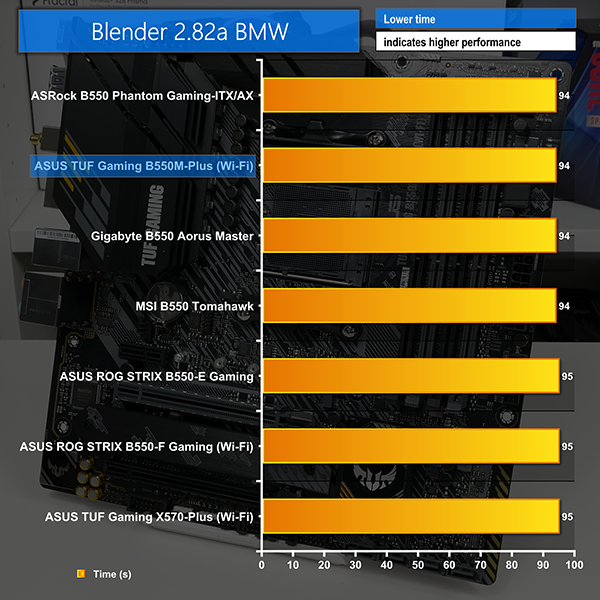
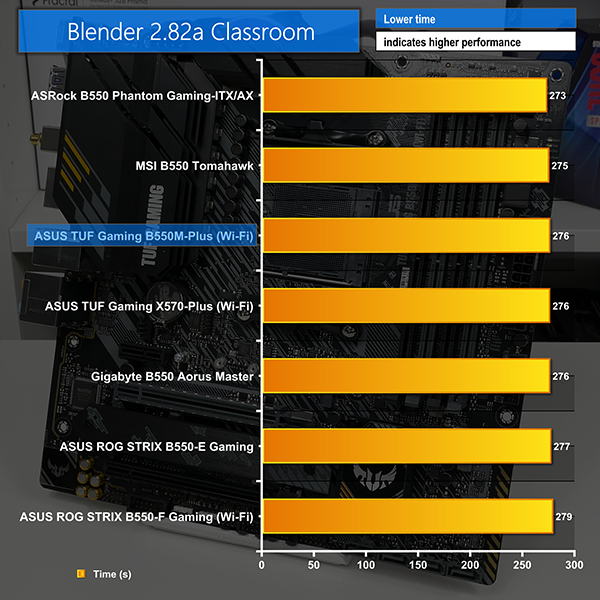
The ASUS TUF Gaming B550M-Plus (Wi-Fi) shows good CPU-based performance in our testing. Blender and Cinebench tests run well in their multi-threaded modes.
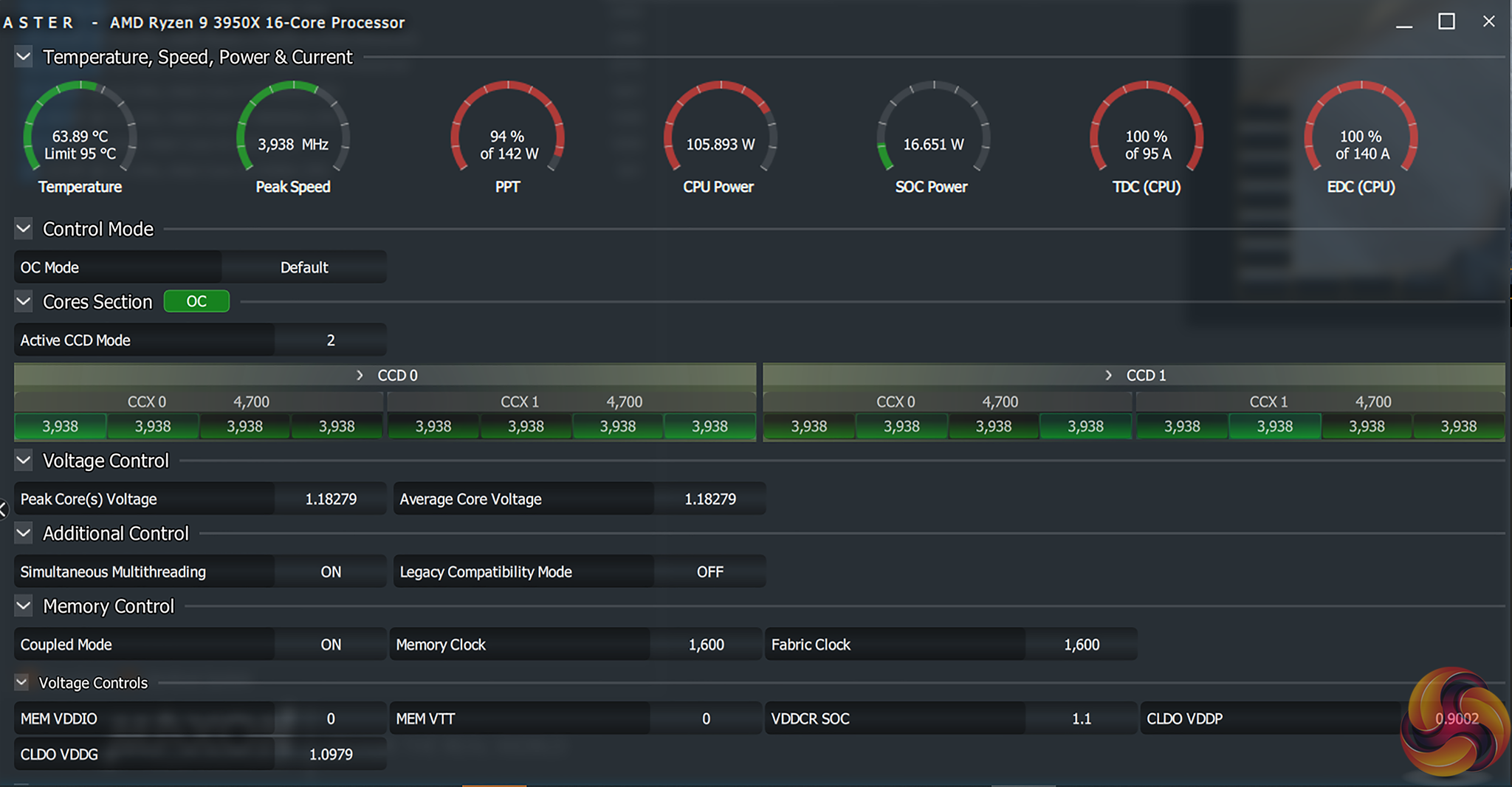
All-core and single-core boost clocks worked as expected. We observed an all-core clock speed of just below 4GHz on our Ryzen 9 3950X processor when running an AIDA64 stress test.
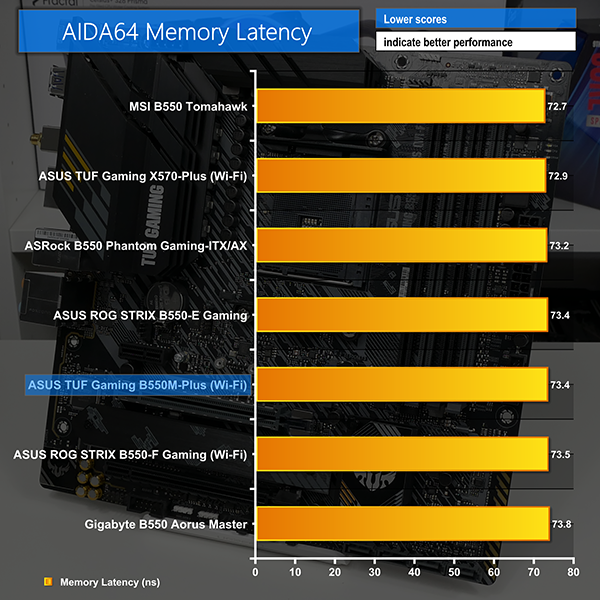
AIDA64 Engineer
Sandra Memory Bandwidth
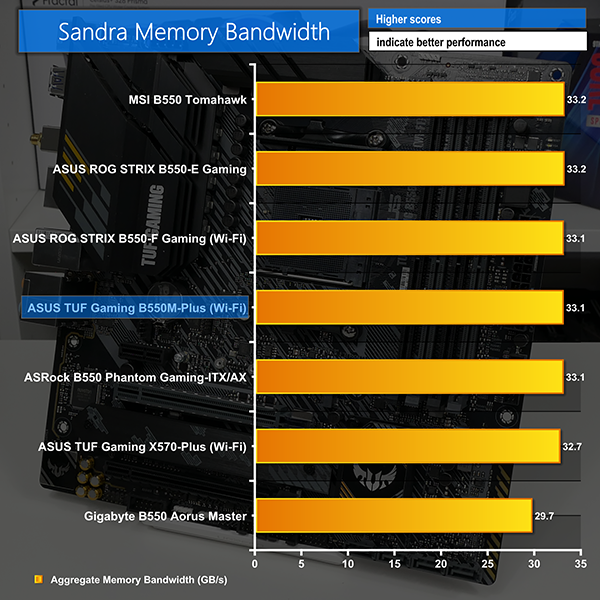
Memory bandwidth numbers are strong, as we have come to expect from ASUS motherboards. Superb memory performance consistency is a clear strength for ASUS.
Latency performance was also as expected.
3DMark
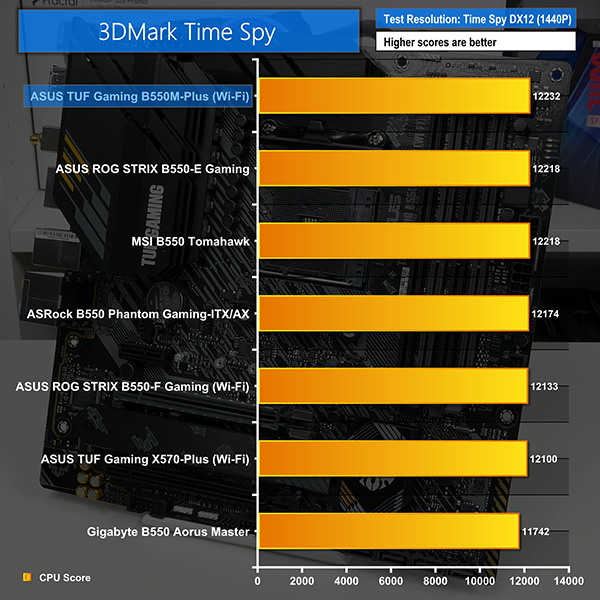
3DMark is a multi-platform hardware benchmark designed to test varying resolutions and detail levels of 3D gaming performance. We run the Windows platform test and in particular the Time Spy benchmark, which is indicative of high-end 1440p PC Gaming.
Shadow of the Tomb Raider
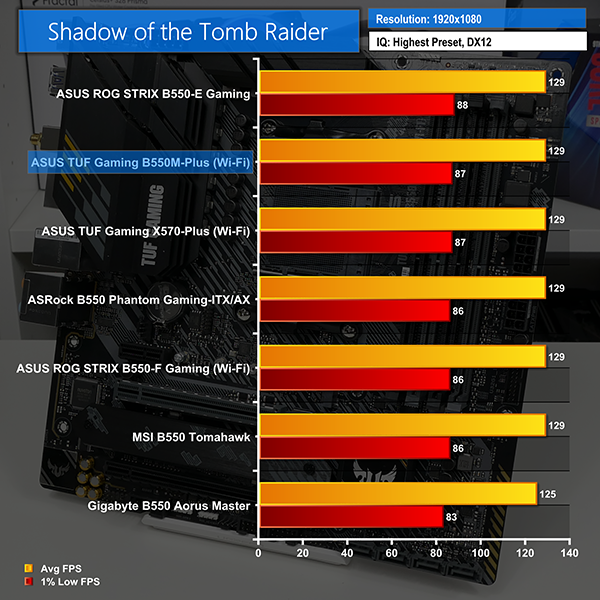
We use the DirectX 12 mode, anti-aliasing disabled, and the Highest quality preset.
Tom Clancy's The Division 2
We run the game with quality set to Ultra, VSync disabled, and DX12 mode.
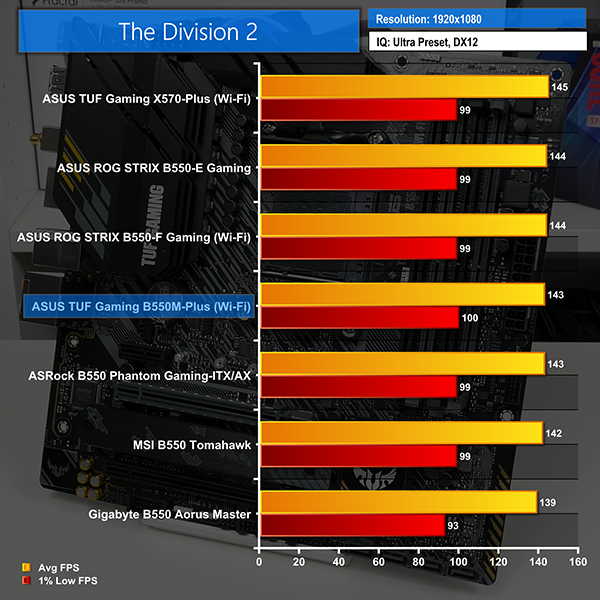
Gaming numbers from the B550M-Plus (Wi-Fi) are very positive with the motherboard consistently nearing the top of our charts.
Shadow of the Tomb Raider runs about as fast as we have seen from the ASUS TUF Gaming motherboard, while The Division 2 also throws in excellent FPS results.
M.2 PCIe Performance
We test M.2 PCIe performance using an Aorus PCIe Gen 4 2TB SSD. This SSD uses a Phison-based PCIe Gen 4 controller.
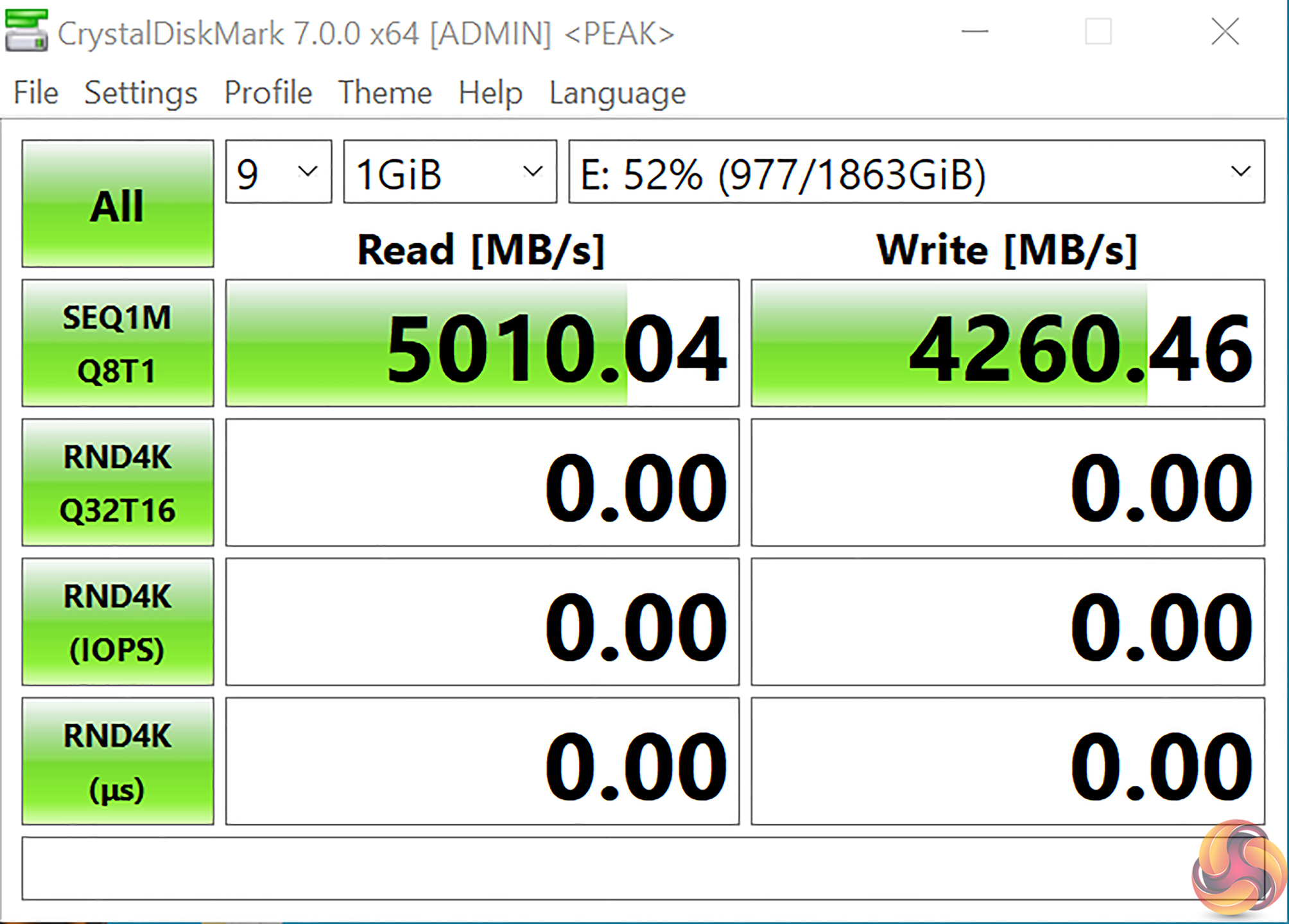
M.2 transfer rate numbers are exactly where we would expect at around 5GBps peak. This is specifically for the CPU-fed Gen 4 M.2 slot, as the secondary chipset-fed connection is limited to PCIe Gen 3 x4.

As the primary M.2 slot does not feature a heatsink, we ran our Gen 4 SSD bare drive to see if thermal throttling would occur. Even with nine back-to-back Crystal Disk Mark test runs, we did not observe thermal throttling, though the drive did run hot.
Of course, most Gen 4 SSDs come with their own heatsink solution and clearly this should be used for a system build.
USB 3.2 Gen 2 10Gbps Performance
We test USB 3.2 Gen 2 10Gbps performance using a PCIe NVMe SSD connected to a Sabrent SSD enclosure.
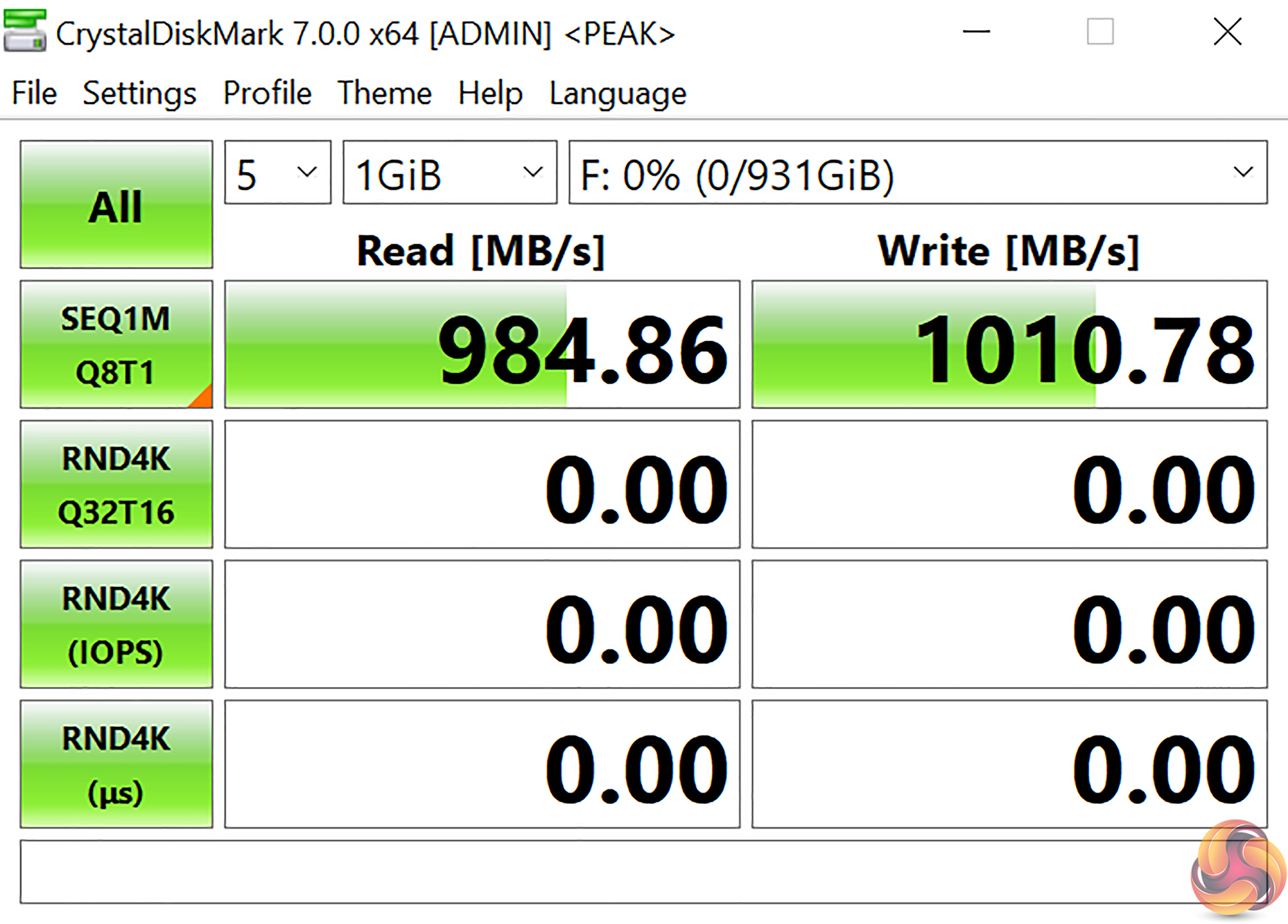
The B550-fed USB 3.2 Gen 2 10Gbps ports ran at around 1GBps on our USB Type-C test SSD.
SATA 6Gbps Performance
For SATA 6Gbps testing we use a Crucial MX300 750GB SSD.
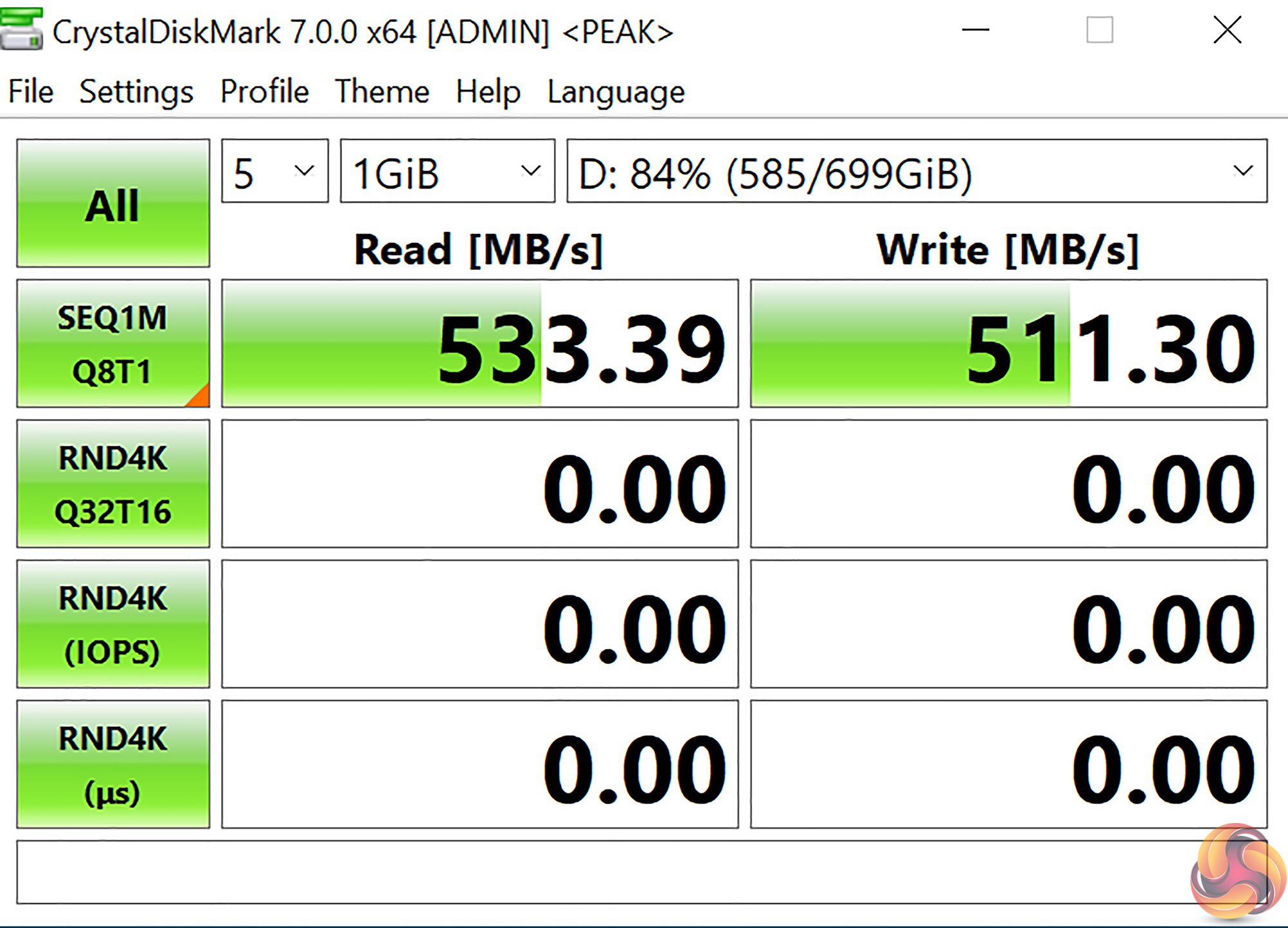
SATA performance is right where we expect thanks to the B550 connections.
Audio
Rightmark Audio Analyser is a freeware benchmarking utility designed to objectively test the performance characteristics of audio solutions. We setup a line-in line-out loop and execute the record/playback test before generating the results report you see below. A sampling mode of 24-bit, 192 kHz was tested.
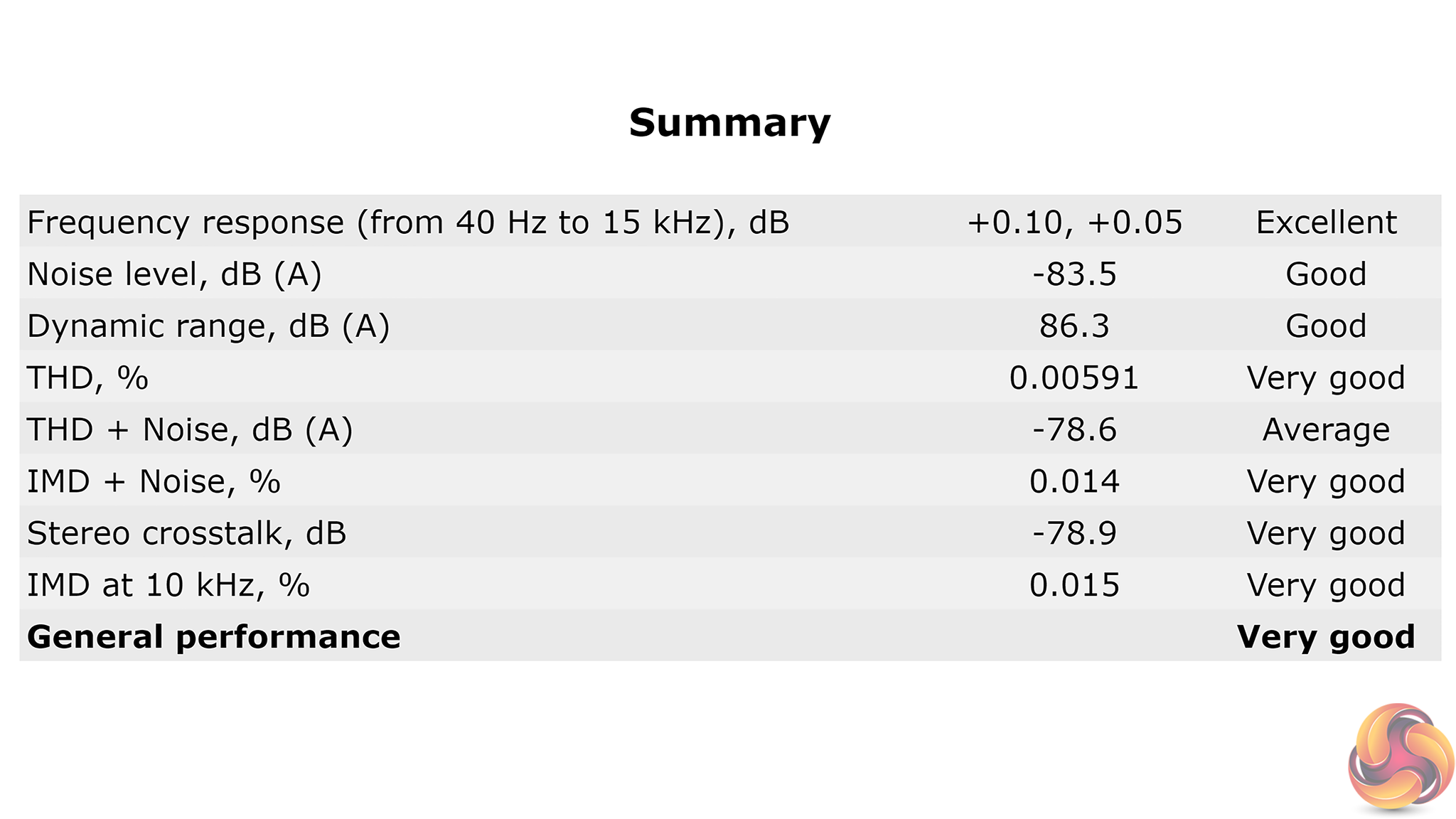
‘Very Good’ performance is delivered by the Realtek ALC S1200A audio solution, according to Rightmark Audio Analyzer.
Manual CPU Overclocking:
To test the ASUS TUF Gaming B550M-Plus (Wi-Fi) motherboard’s CPU overclocking potential, we set the CPU Core Voltage to 1.2875V and applied the Level 4 LLC setting.
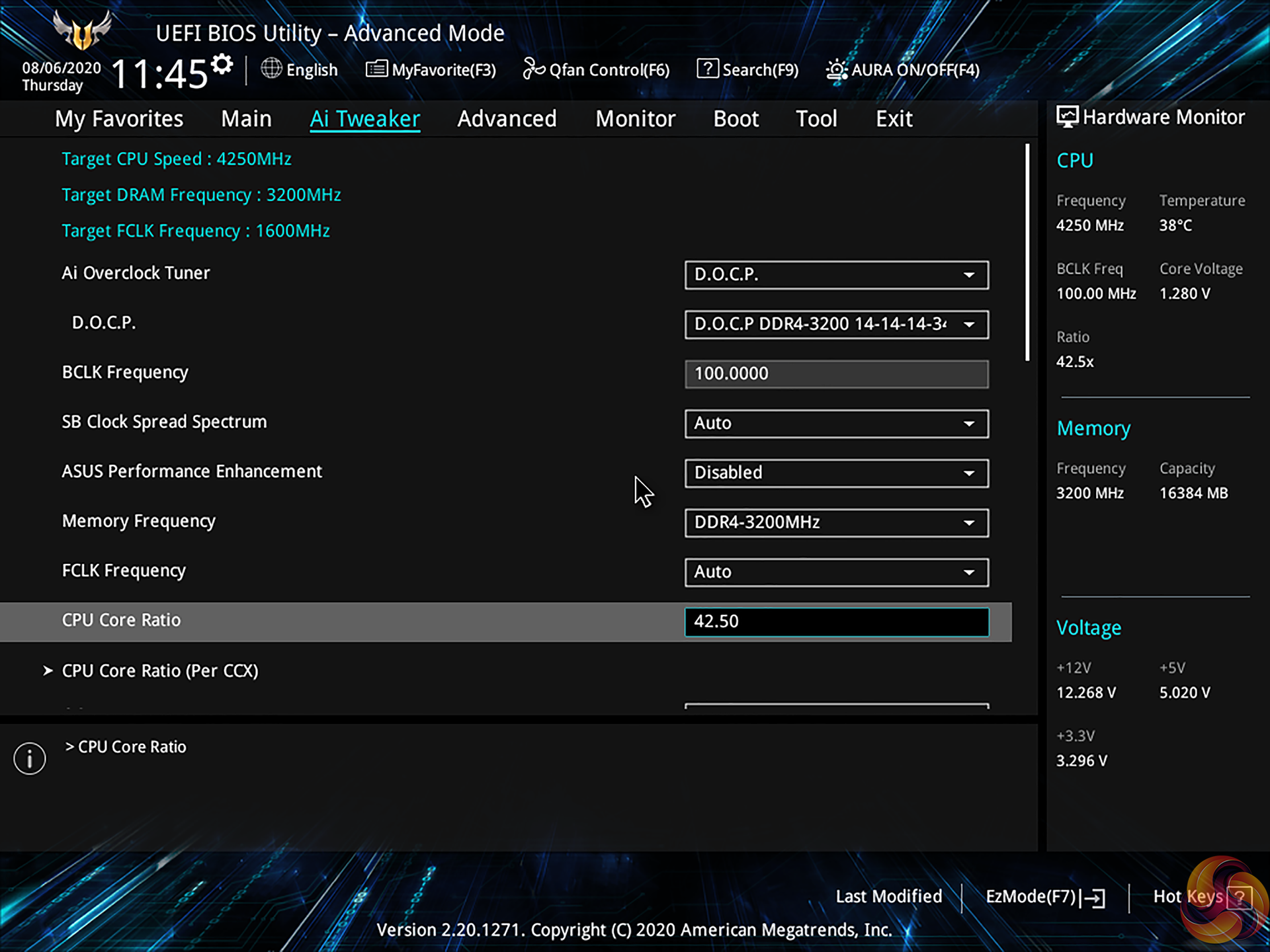
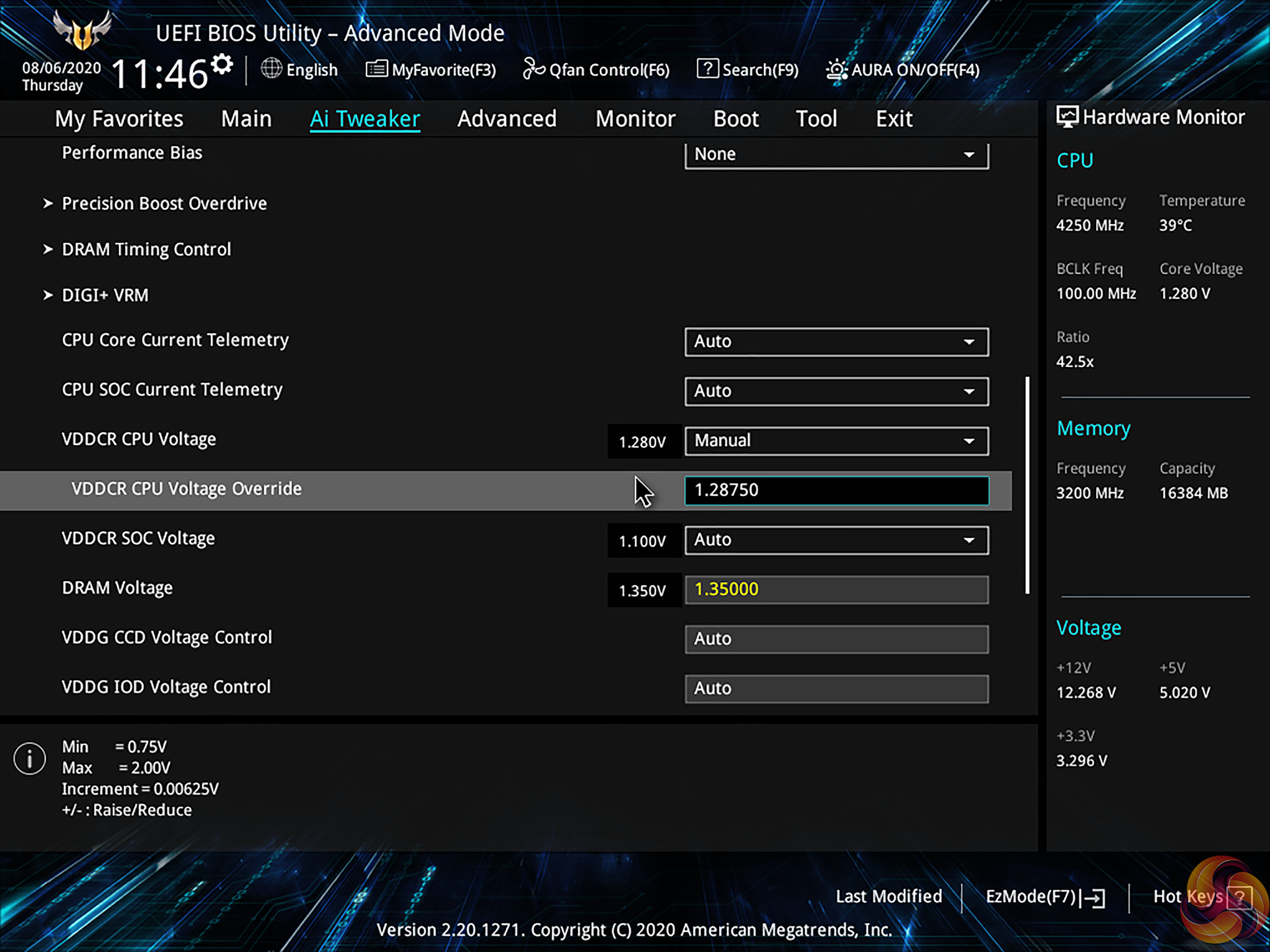
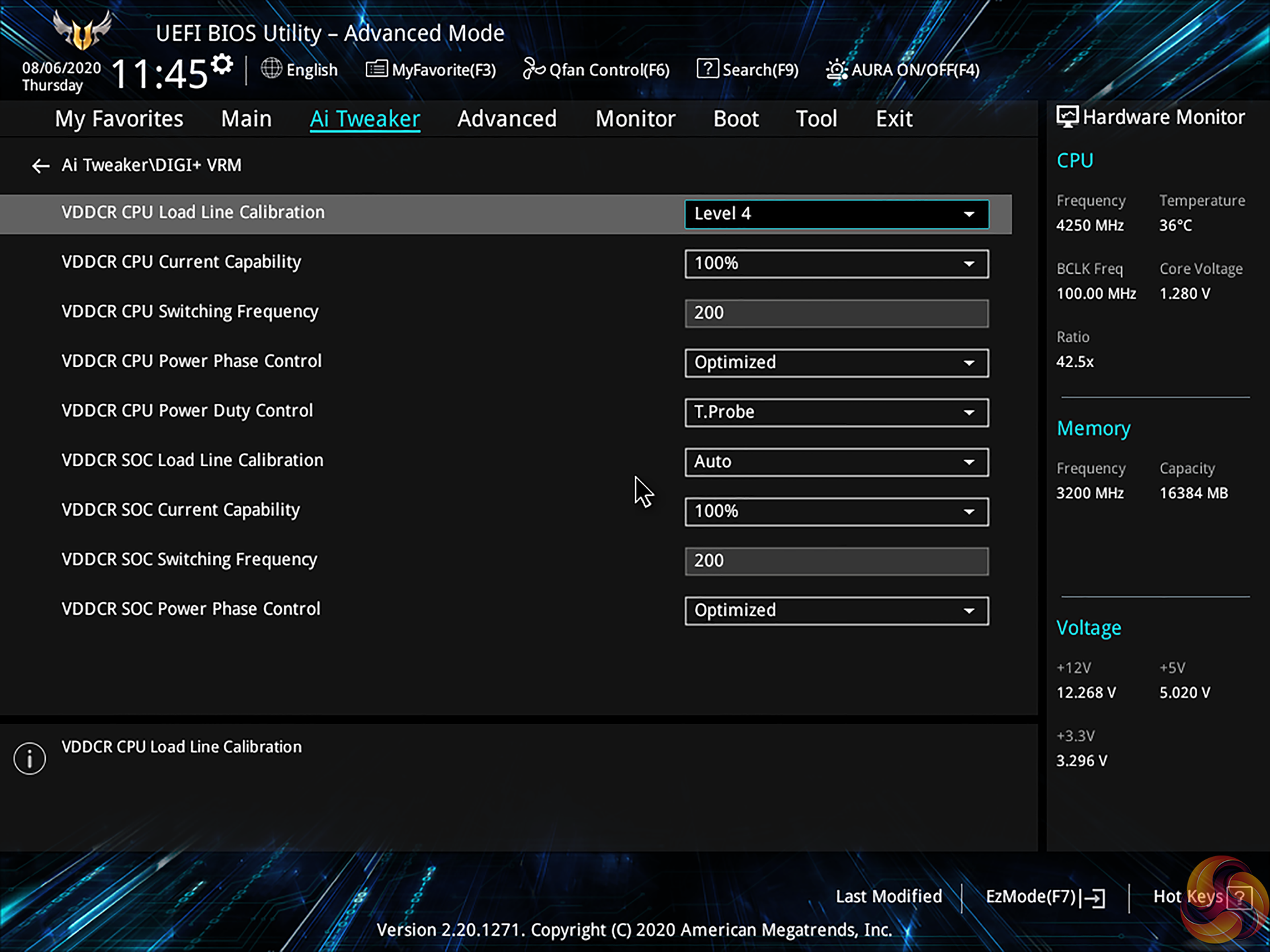
Manual overclocking via the ASUS UEFI is generally straightforward until loadline calibration application is required. ASUS continues to provide no inclination as to what each LLC setting does and this forces a time-consuming trial and error approach to finding a setting that you are happy with.
A simple graph showing what each LLC option does, as competing vendors provide, would be a far simpler solution.
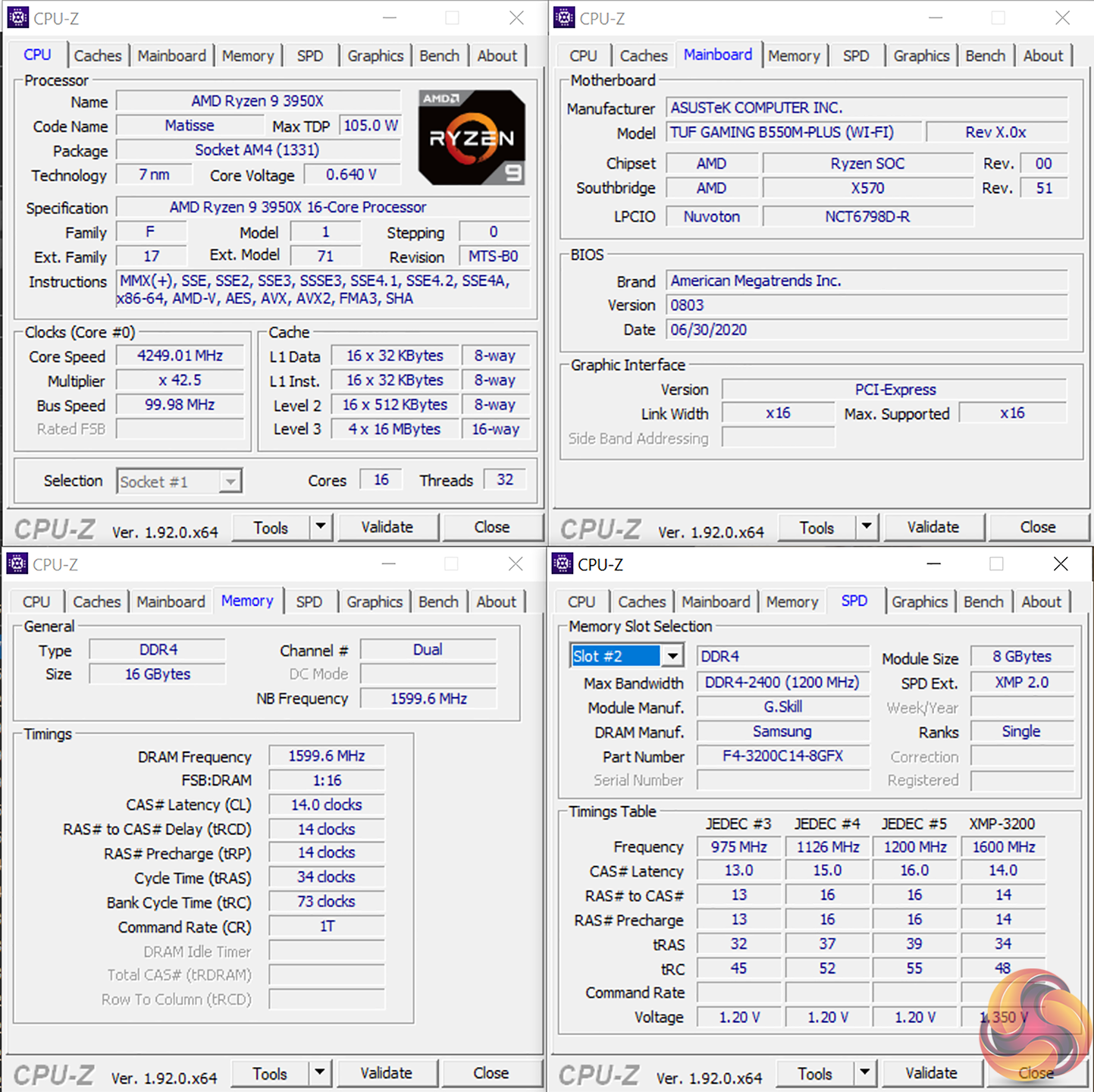
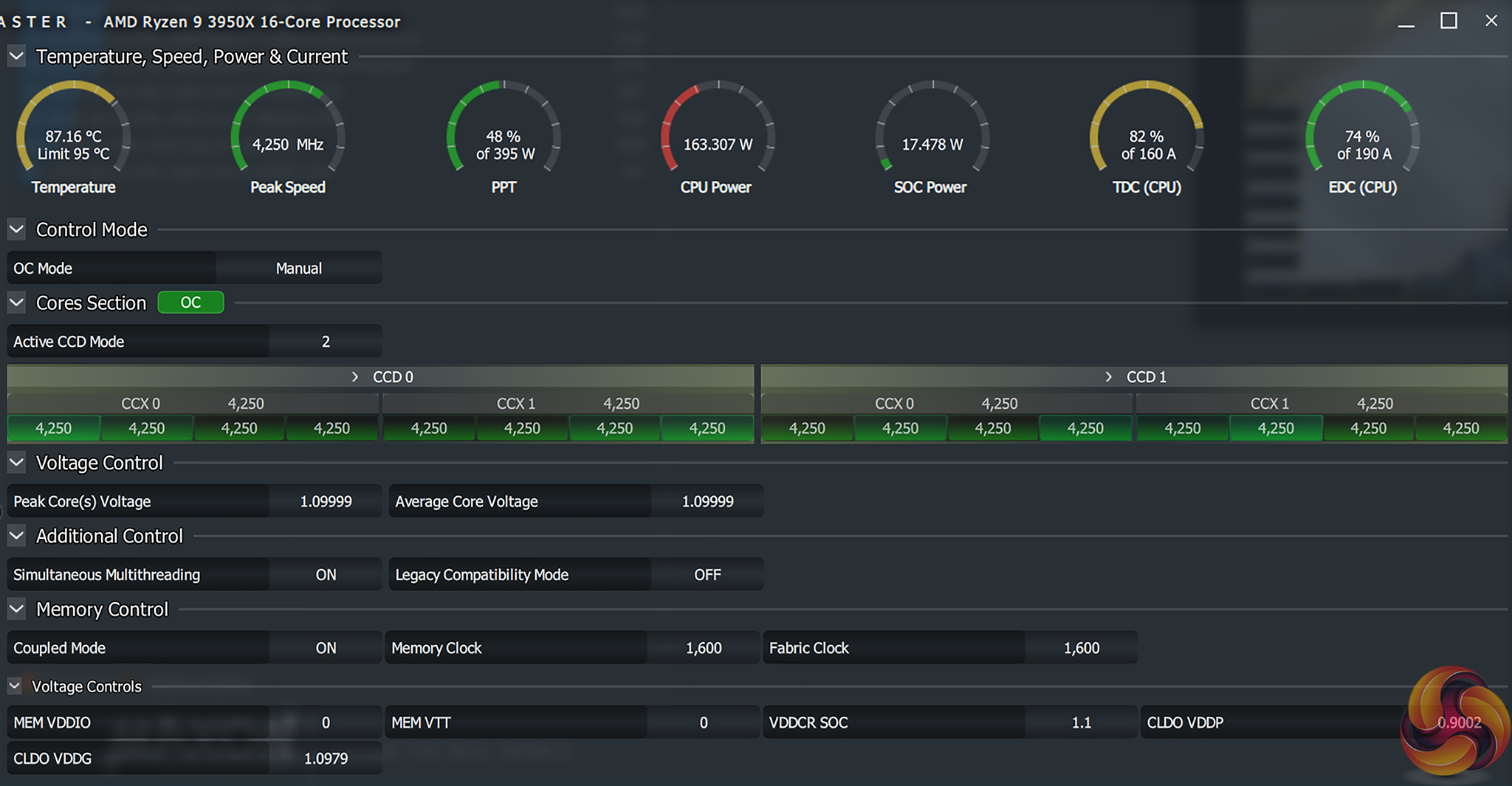
We managed to hit our CPU’s 4.25GHz frequency using 1.2875V and Level 4 LLC. We typically opt for 1.30V but the voltage overshoot and therefore operating temperatures were higher than we were happy with, so we backed down to 1.2875V.
This results in a load voltage of around 1.26V or less during Cinebench nT loading – a similar level to competing B550 solutions that we have tested.
Motherboard Sensors
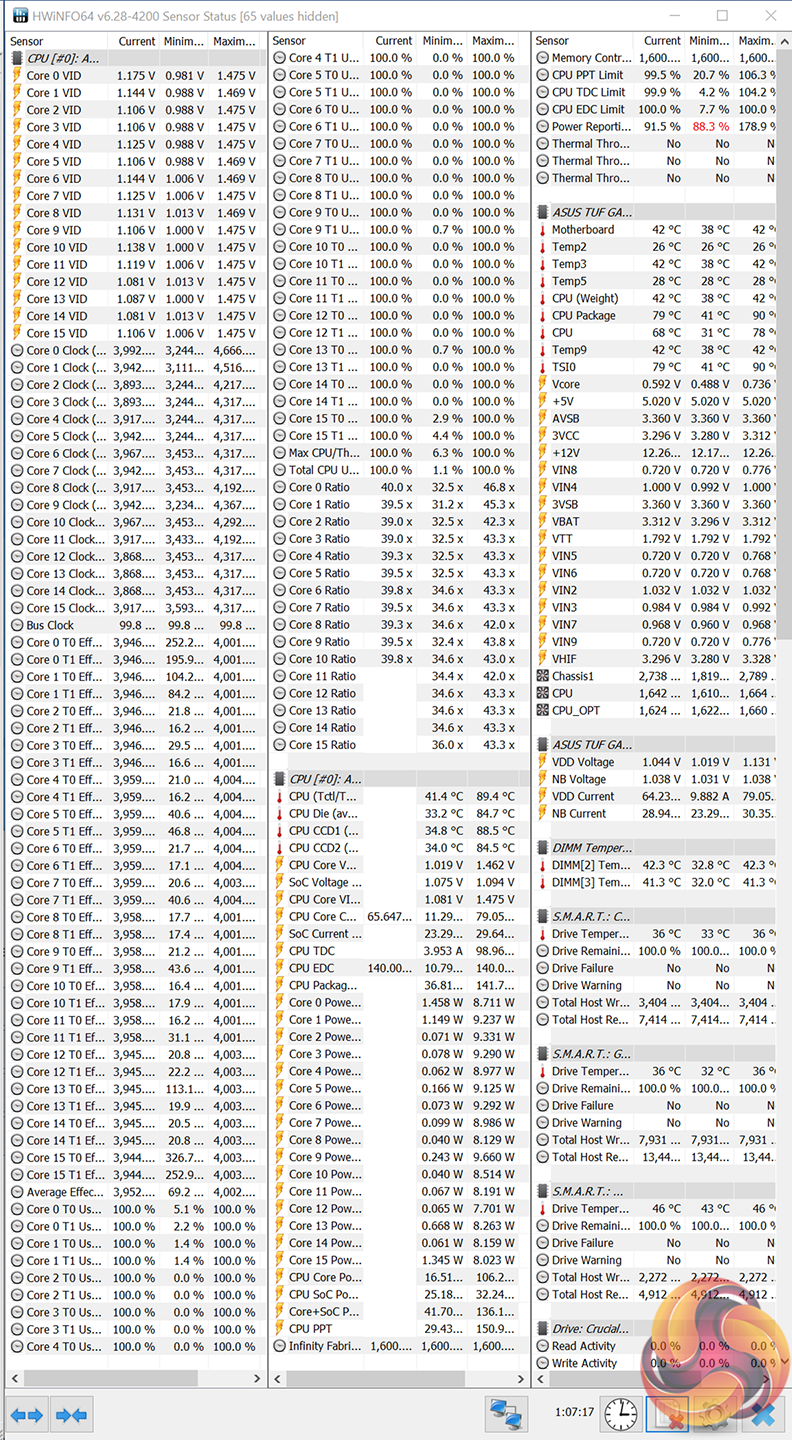
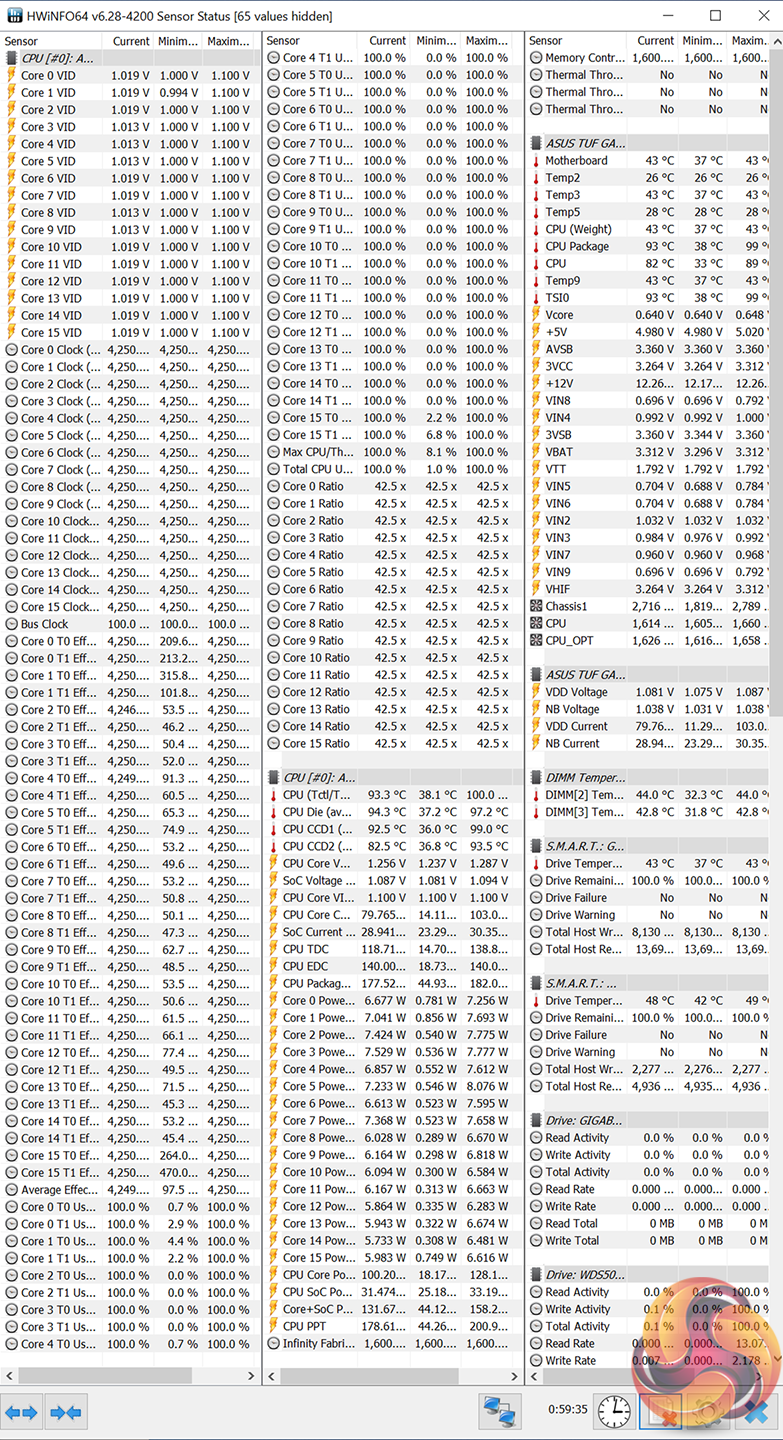
Accurate temperature sensor data for CPU readings is available in tools such as HWiNFO. However, there is a complete lack of VRM temperature readings which is frustrating and unnecessary.
This is a decision that we repeatedly see ASUS make with its more moderately priced motherboards. It is a move that we feel is unjustifiable on a motherboard of this calibre and market segment.
Overclocked Performance
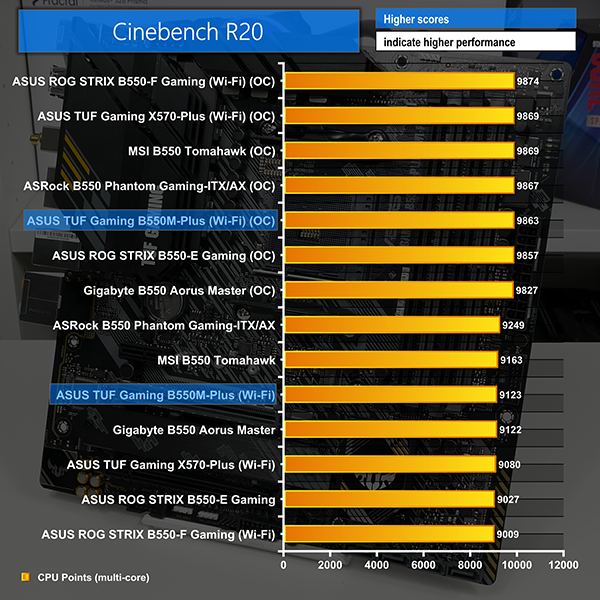
Performance when the motherboard and CPU are overclocked is strong, with Cinebench scores nearing 10,000 points.
System Power Consumption
We leave the system to idle on the Windows 10 desktop for 10 minutes before taking a reading. For CPU load results we run AIDA64 CPU, FPU, and Cache stress tests and take a reading. The power consumption of our entire test system (at the wall) is shown in the chart.
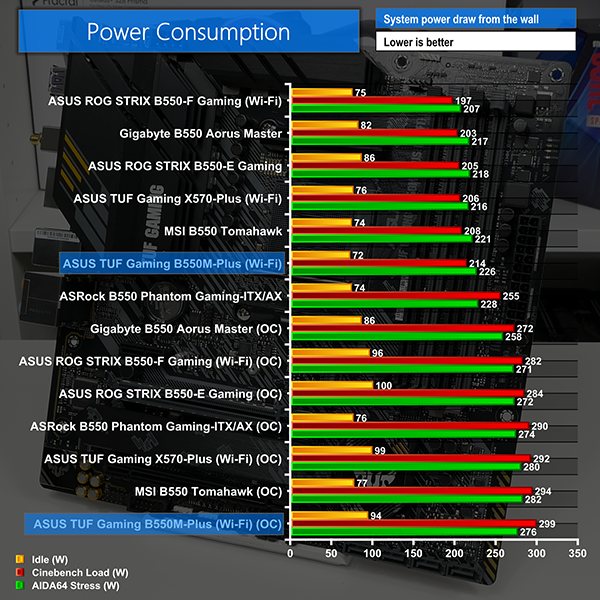
Power draw levels from the ASUS B550M-Plus (Wi-Fi) are a little higher than some of the comparison motherboards, but there is no cause for concern. This is likely attributable to the slightly weaker power delivery solution on ASUS’ mATX motherboard versus some of higher-priced ATX competitors.
Overclocking also sees a few extra Watts on the power draw numbers, but the overall power draw figures from ASUS’ motherboard are perfectly fine.
System Temperatures
We run the AIDA64 CPU stress test for 1 hour while recording the system data using HWInfo. This data is then analysed to show the CPU temperatures and also the VRM temperatures.
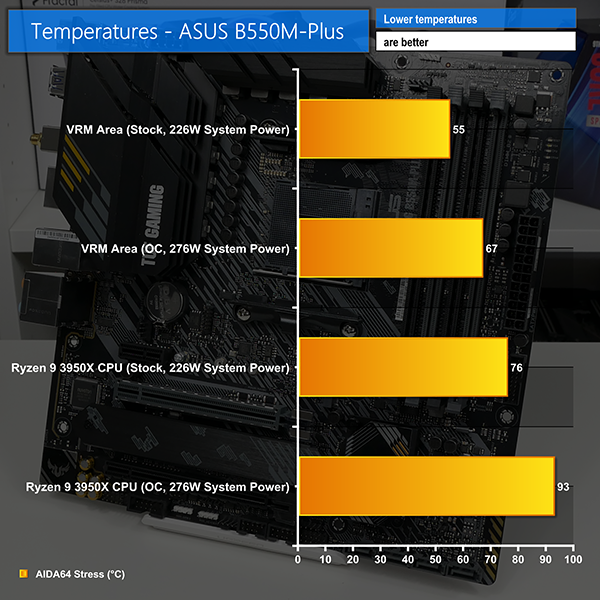
CPU temperatures are fine at stock levels, implying that ASUS uses sensible voltage and current levels. Overclocking does indeed raise CPU temperatures, but this was to a level that we were happy with.
There is no onboard VRM temperature sensor, so we used manual readings taken on the PCB area near to the hot power stage sections. Stock readings are fine at sub-60C for the PCB area near the VRM under heavy load. Our overclocking saw the PCB temperature rise towards the 70C-level, but this is still fine for the strong Vishay-based power delivery solution.
It is irritating that ASUS does not include VRM temperature sensor data. However, our testing implies that there is no reason to be worried about the operating temperatures of ASUS’ solid VRM components.
The ASUS TUF Gaming B550M-Plus (Wi-Fi) offers good overall performance out of the box and when overclocked. We took our 16-core Ryzen chip to its usual 4.25GHz clock speed, though this process was a little less straightforward than usual due to ASUS’ unclear loadline calibration options.
Cooling from the VRM heatsinks also aided the overclocking success. Much of the success for the adequate thermal performance can also be attributed to the high-quality power delivery solution that is built around Vishay SiC639 50A power stages. ASUS’ 8+2 stage design works well and does not skimp on quality where it counts.
It is, however, frustrating to see that users still cannot view their stellar VRM cooling performance using common software such as HWiNFO. This is because ASUS still does not pass through VRM temperature sensor data to these packages. It is a weakness that we repeatedly observe on ASUS’ more moderately priced motherboards, and it is a decision that we do not agree with.
ASUS has nothing to hide because the VRM solution is good overall. And the data would be useful to budding enthusiasts learning about their system as well as users tweaking their overclocking settings and checking on stability.
Fan control through the UEFI is in-depth and good in terms of function. ASUS offers up one of the best fan control solutions on the market. I would, however, have liked to see at least one more fan header mounted on the motherboard. Four 4-pin fan headers are probably OK for a motherboard of this ilk, but it is also cutting it needlessly close to what buyers will require.
I am happy with ASUS choices for the rear IO ports. Plenty of USB ports is great to see and both video outputs will do 4K60. It is slightly disappointing, however, to see the omission of a rear IO shroud and integrated IO shield. These are small aesthetic touches that add to the premium feel of the motherboard and cost little to implement.
My bigger disappointment, though, comes from the complete lack of an internal USB Type-C header. This is not a smart move for a motherboard at this price point as it will leave users with a potentially useless port on their new chassis.
Looking at the competition, ASUS’ TUF Gaming B550M-Plus (Wi-Fi) goes up against the ASRock B550M Steel Legend and the MSI MAG B550M Mortar WiFi. That MSI board is a particularly tough competitor as it offers the internal Type-C header, extra SATA ports, and an integrated IO shield for a lower asking price of around £155 currently.
This makes the ASUS TUF Gaming B550M-Plus (Wi-Fi) look expensive for the feature set it offers. At around £180-185 currently, it is hard to justify the price premium for ASUS’ motherboard versus the MSI competitor. A price drop to around £155 or £165 would make the ASUS motherboard far more competitive.

The ASUS TUF Gaming B550M-Plus (Wi-Fi) is priced at £179.99 at Overclockers UK at the time of writing.
Discuss on our Facebook page, over HERE.
Pros:
- Good performance at stock and overclocked
- Power delivery solution is solid and with good cooling
- Ample rear IO USB ports
- Smart decision for M.2 cooling
- Good high-speed networking connectivity
- Well-designed fan control solution
- 4K-capable Displayport and HDMI for APU users
Cons:
- No internal USB Type-C header
- No VRM temperature sensor
- Unclear loadline calibration options with no explanation
- Slim number of fan headers
- Price is too high for the feature set on offer
KitGuru says: A solid motherboard with good performance and a well-built VRM, but the price is too high given the features that are lacking versus its primary competitors.