 KitGuru KitGuru.net – Tech News | Hardware News | Hardware Reviews | IOS | Mobile | Gaming | Graphics Cards


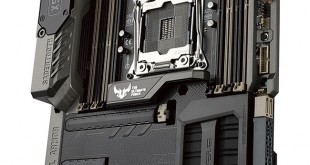
Guaranteed reliability and enhanced thermal performance are the crucial principles upon which Asus' TUF series motherboards are forged. A variety of military-grade certification tests, as well as five years' worth of warranty, tackle the ‘guaranteed' part of guaranteed reliability.
The physical elements of reliability and thermal performance, however, are handled with a different approach which includes a mixture of customised engineering and specifically-chosen components.
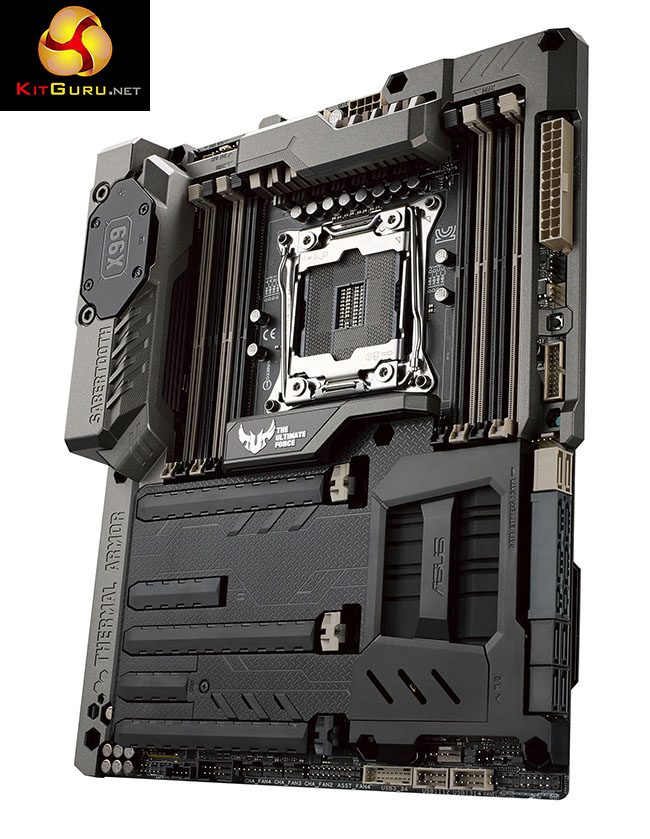
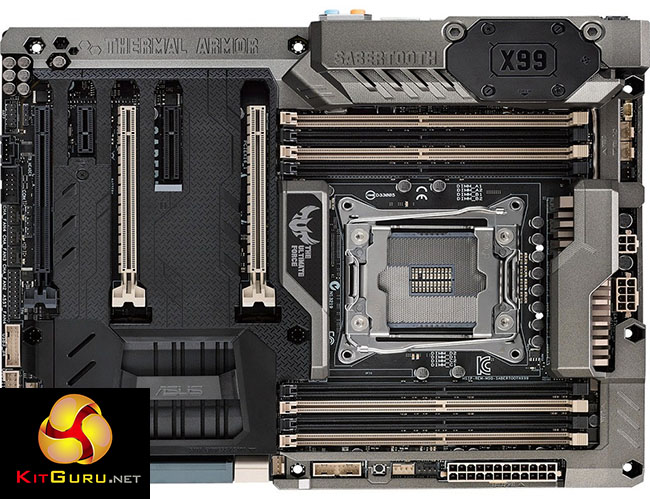
Perhaps the most evident feature of Asus' TUF Sabertooth X99 motherboard is its distinctive Thermal Armor covering. The plastic shroud serves as a means of segregating heat sources and protecting the PCB, while the solid-metal TUF Fortifier found on the rear enhances structural integrity.
Functional values aside, an aesthetic appearance that is unique to only a select-few Asus motherboard SKUs is one of the key elements of Thermal Armor. Hate it or love it, the mechanism's appearance is undeniably unique.
With individually-certified power delivery components, enhanced thermal control solutions, and an array of features ready for a long-term powerhouse, how does Asus' Sabertooth X99 motherboard fare under closer examination?
Features:
- Ultra-fast 10Gb/s USB 3.1 built in to the board
- Patent Pending OC Socket – Drive CPU and DDR4 performance beyond all expectations!
- TUF Detective – system information at your fingertips
- Thermal Armor – Total airflow-boosting heat dissipation
- TUF Fortifier – Damage Protection and Improved Cooling
- Thermal Radar 2 – Customized Fan Tuning, Complete System Cooling
- TUF Components [TUF 10K Ti-Caps, TUF Chokes & MOSFETs; Certified by Military-standard]
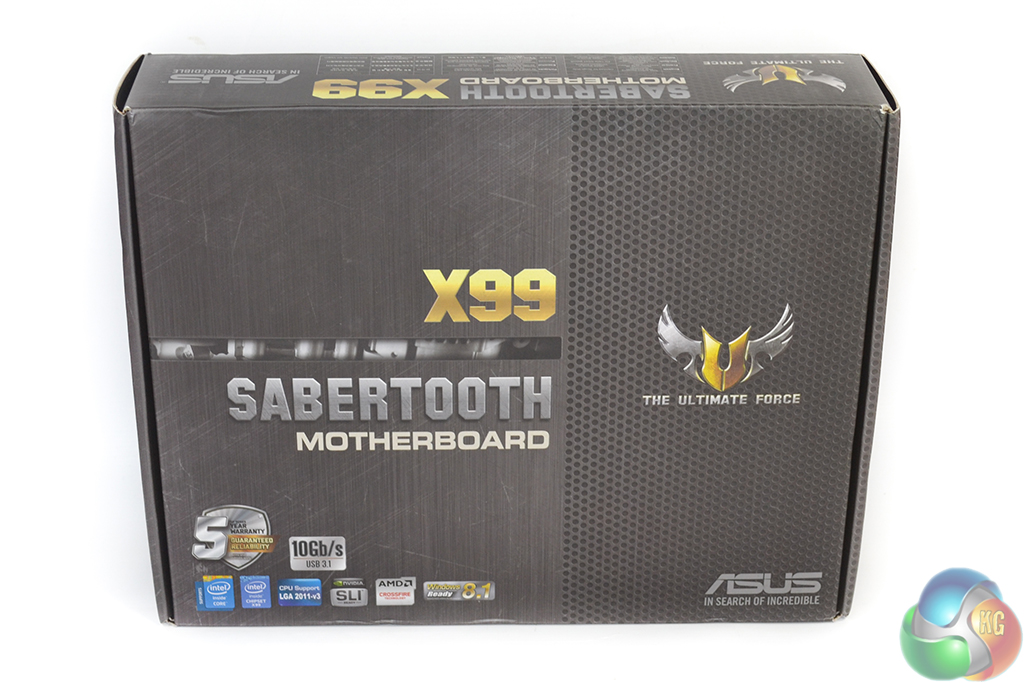
The Asus Sabertooth X99 motherboard ships in packaging typical of the TUF series. A small segment of information, as well as the product name, is found on the front of a grey box.
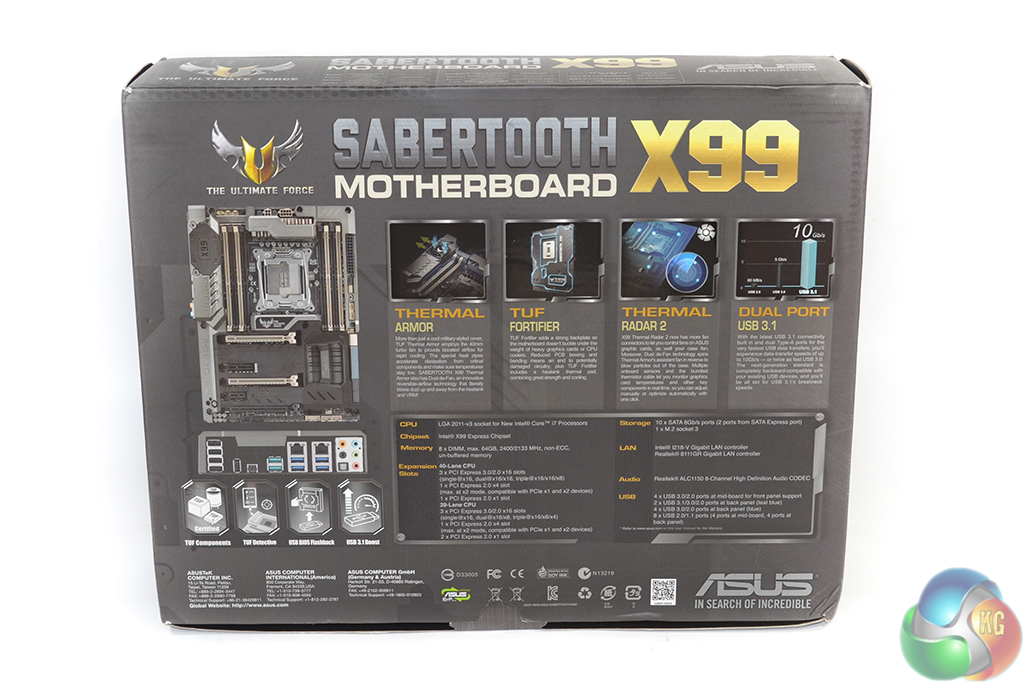
Further information relating to the motherboard and its features is located on the packaging's rear side.
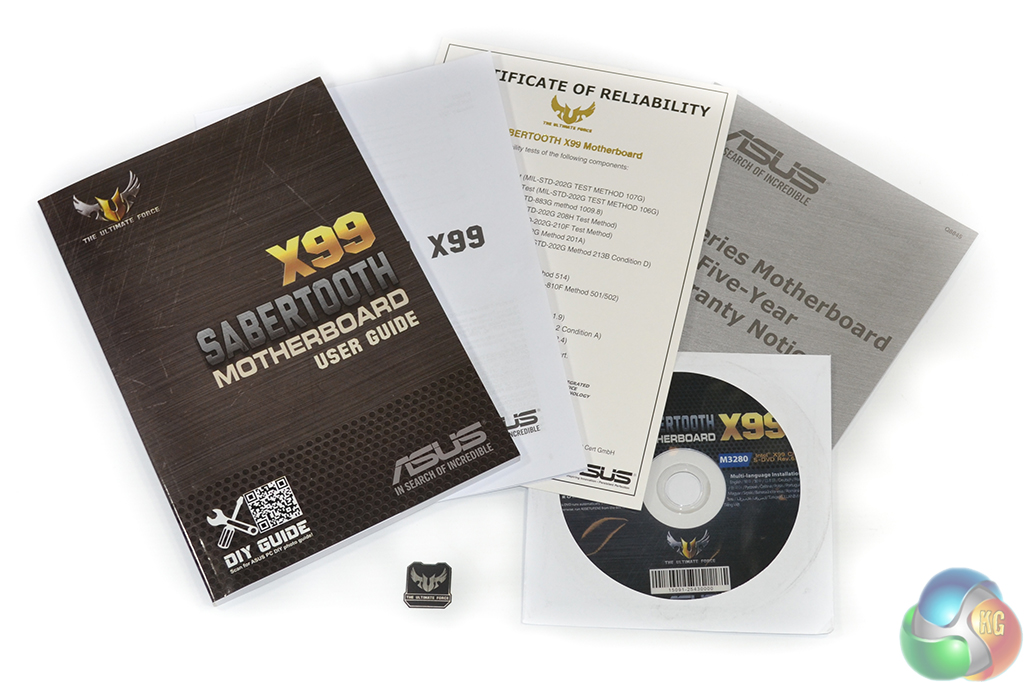
Documentation includes the user manual, component installation guide, and warranty leaflet. Asus also supplies a certificate of reliability outlining the tests performed on the motherboard's capacitors, chokes, and MOSFETs.
Mechanical, vibration, and thermal performance are amongst the tests conducted by the accredited laboratory of Integrated Service Technology. The capacitors, chokes, and MOSFETs all undergo thermal and vibration tests, the former of which is particularly relevant in a computer environment.
Asus also supplies a drivers CD and TUF-branded case sticker.
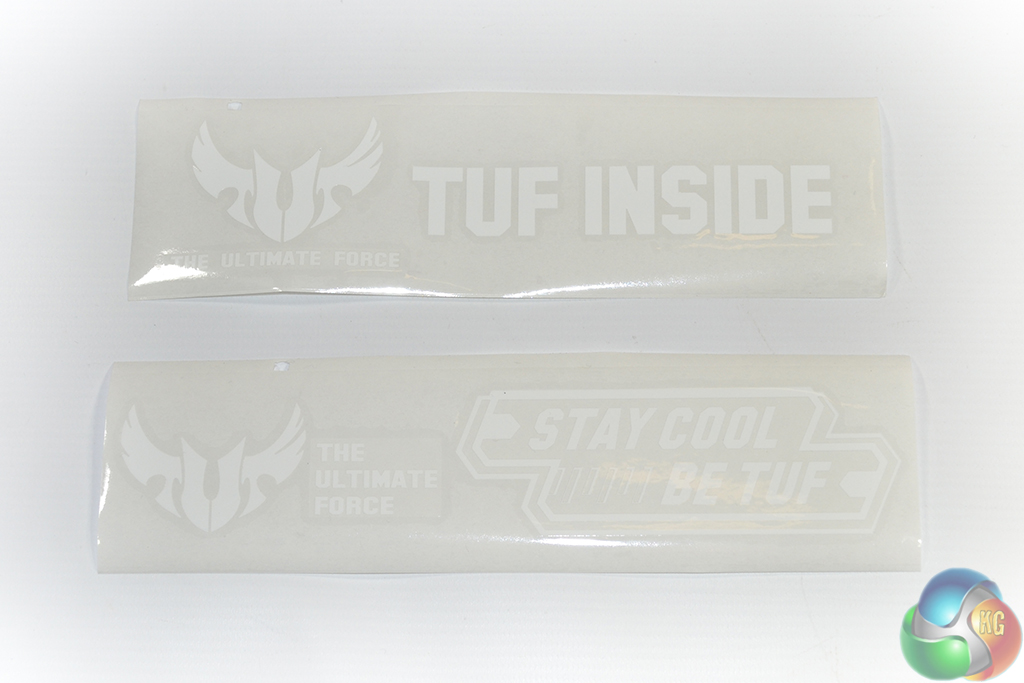
Larger case stickers are also provided. These may be considered ideal for decorating something like a thick radiator or a case's internal section (I'm looking at you, Phanteks Enthoo Primo).
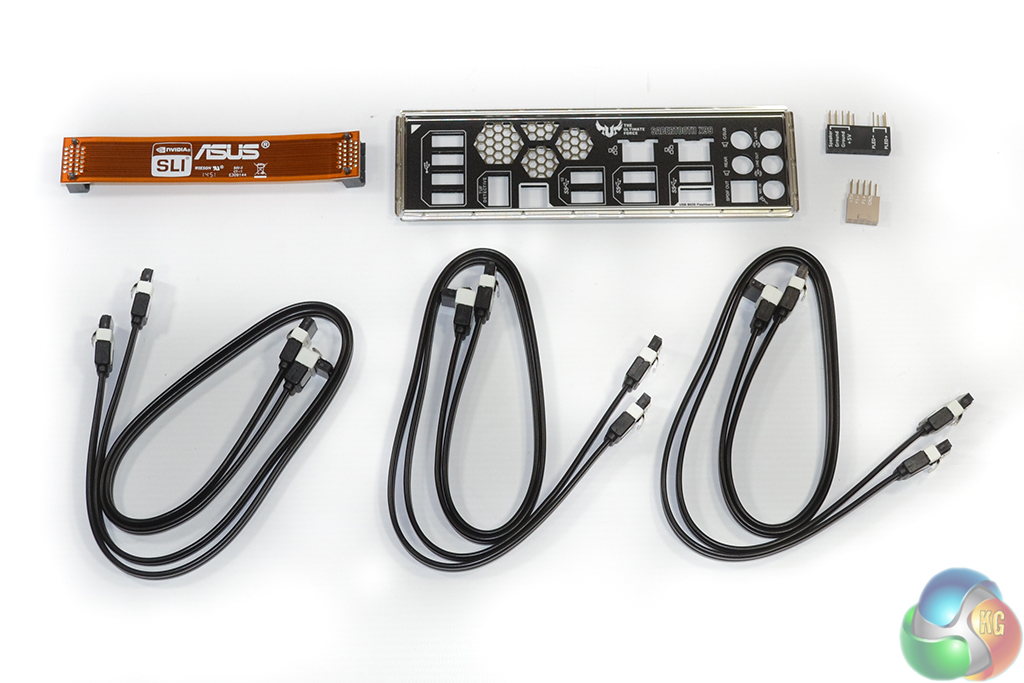
The main set of bundled accessories consists of six SATA cables, Asus' Q-connectors, a brown SLI ribbon, and the rear IO shield. Perforated holes on the rear IO shield permit the movement of air to and from the nearby VRM fan mounting location.
The number of SATA cables provided is fine, and Asus' convenient Q-connectors are always worthy of praise. But the brown SLI ribbon looks disgusting. There is no way that anything other than a black ribbon should be included alongside a motherboard that has the styling of the Sabertooth X99.
Running 3-way SLI forces the user to invest in an additional bridge. That should not be the case on a motherboard of this expense.
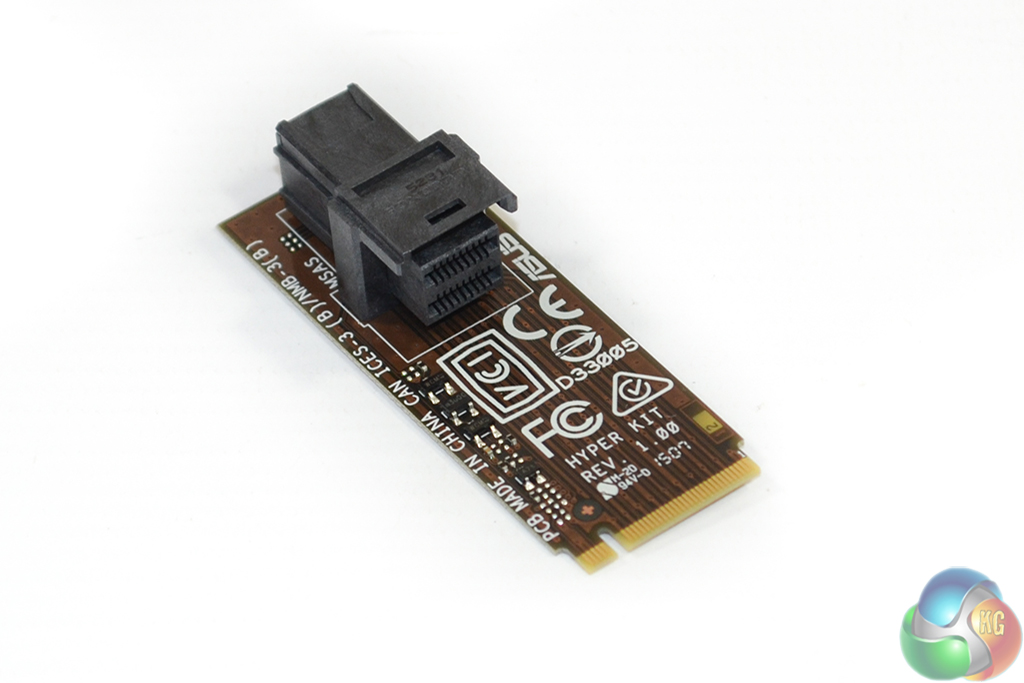
Called Hyper Kit, Asus includes an adapter card that sits in the M.2 slot and works with NVMe devices. This board transfers the four-lane PCIe 3.0 connection from Asus' M.2 slot and provides it in the form of a mini-SAS HD connector that can be used with SFF-8639 drives.
The solution is far from elegant and forces the sacrifice of a secondary graphics card due to interference issues. It does, however, allow Asus to support NVMe devices using the M.2 and SFF-8639 interfaces.
We must point out that the solution is still not in its final, retail-ready form and could change before the board hits market. It is not bundled directly with the Sabertooth X99, either, but is instead available to purchase separately.
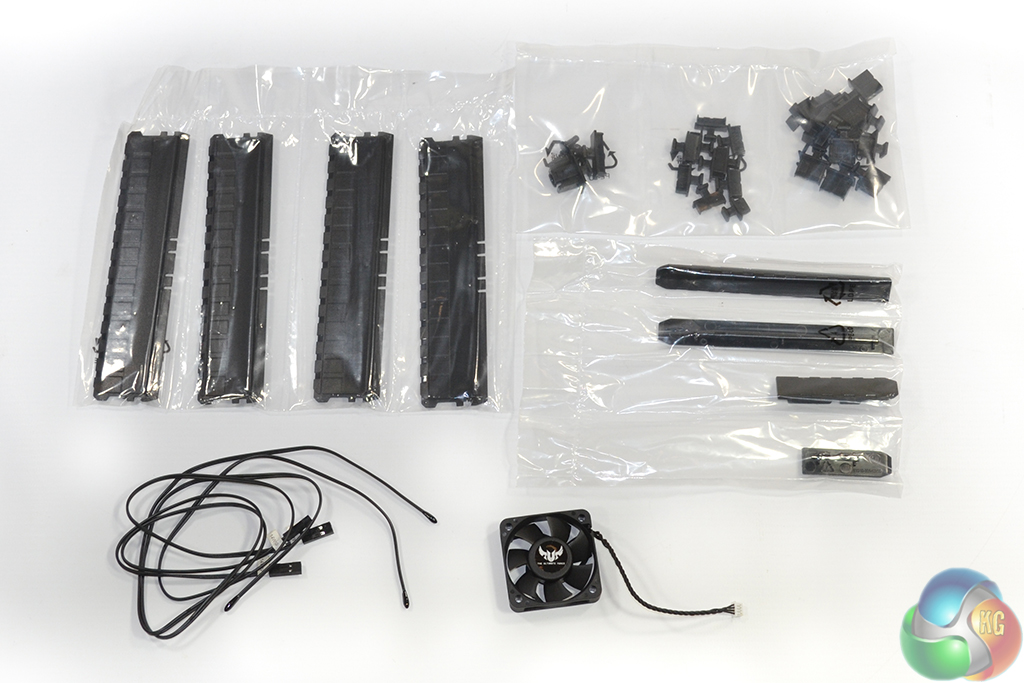
Dust Defenders are included for the slots that are unlikely to be used 100% of the time. Three locations of a user's choice can be monitored by the included thermistor cables, the headers for which are found on the motherboard.
The 40mm ‘Assistant‘ fan can be mounted above the VRM heatsink, close to the rear IO shield. The fan's maximum speed is around 6300rpm, at which point it is annoyingly loud. Thankfully, control of the blower is permitted through the UEFI and OS-based software.
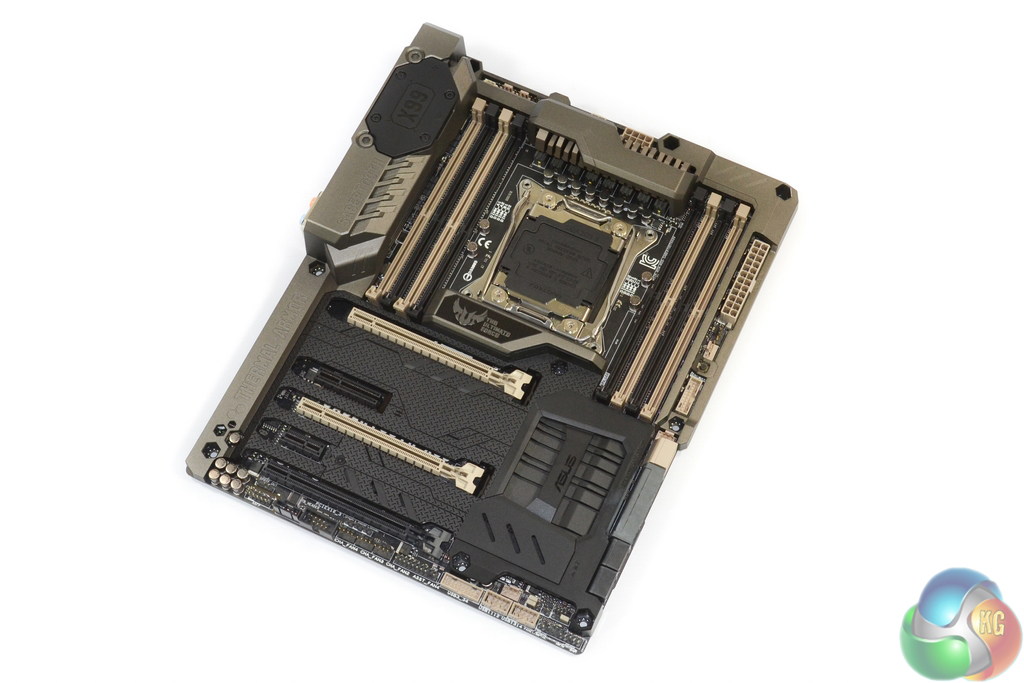
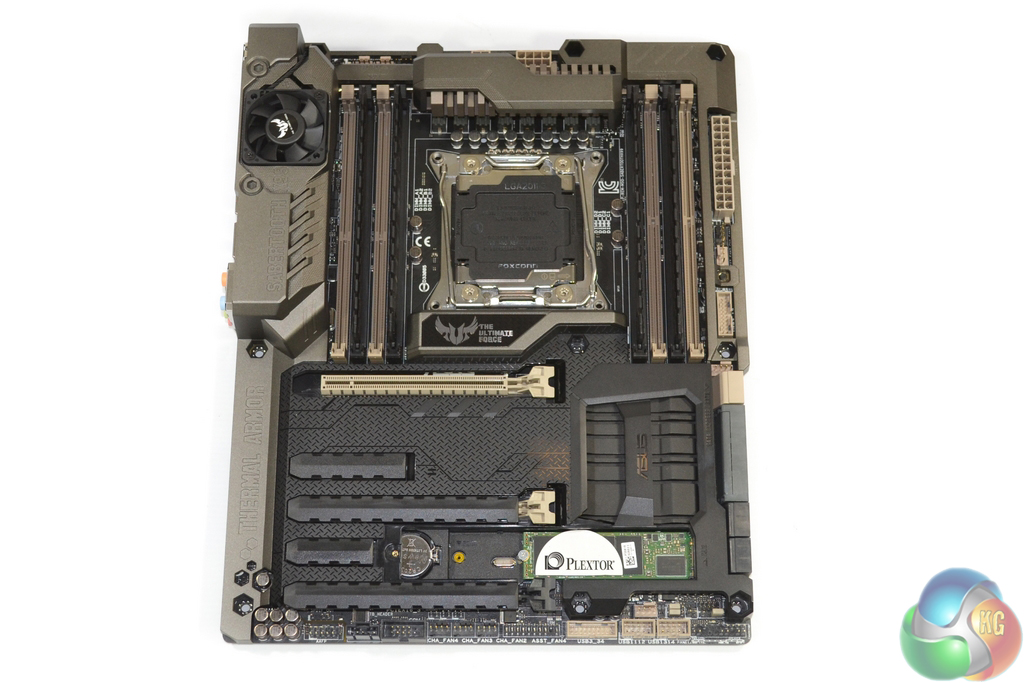
Evidently the most striking feature of Asus' TUF Sabertooth X99 motherboard is its full-cover Thermal Armor. The plastic shroud covers a vast proportion of the motherboard's PCB in order to provide protection from elements such as dust, as well as thermal segregation from expansion cards.
Asus does indeed stick to the TUF series' defining black, green(ish), and beige colour scheme, however certain elements are far more difficult to detect due to Thermal Armor. The Sabertooth X99 conforms to the standard ATX form factor.
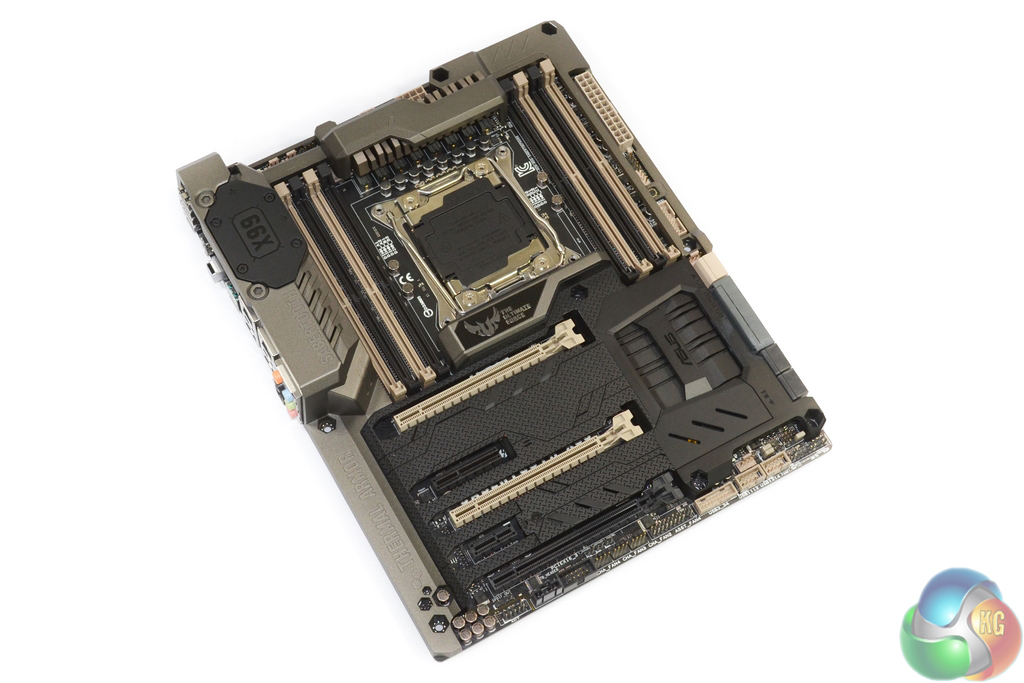
All of the critical system connectors are accessible with the plastic shroud maintained in position. The one exception is the M.2 connector which demands the removal of a plastic covering in order to obtain access.
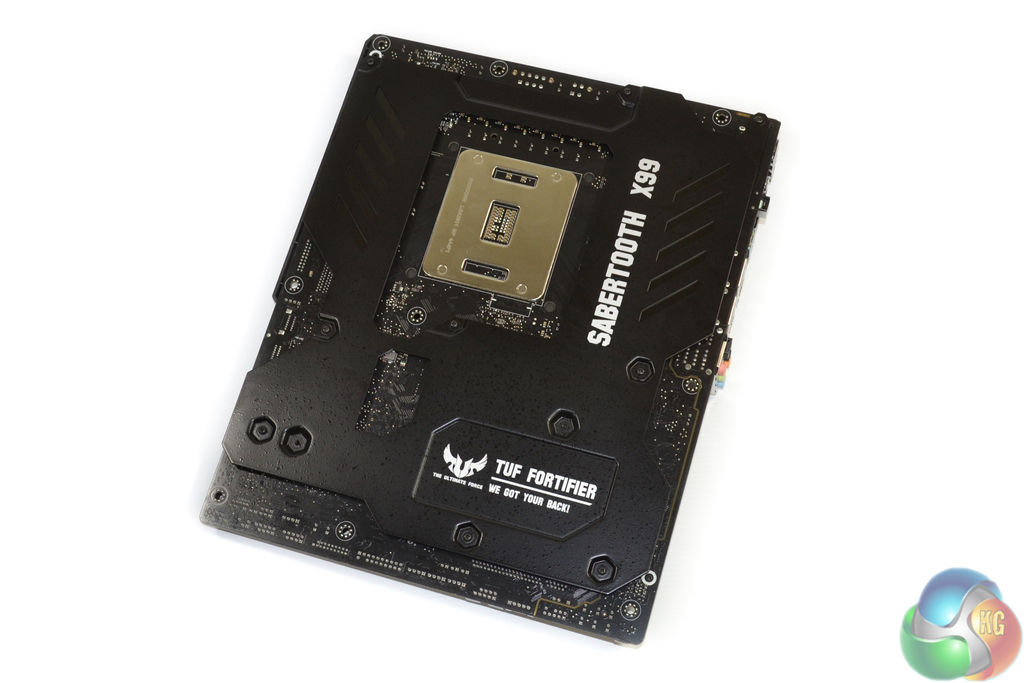
The rear-mounted TUF Fortifier is, put simply, a formed sheet of metal. Its purpose is to provide structural integrity for the motherboard, which it most certainly does. A secondary application of the metal is to cool rear-mounted power components at the one place where contact to the PCB is made; non-conductive spacers maintain clearance with the PCB elsewhere.
Don't bother trying to route cables between your motherboard and case stand-offs – TUF Fortifier engulfs the space that is provided. The metal reinforcement also adds a noticeable weight to the motherboard, although this is highly welcomed in order to avoid PCB flexing issues with heavy graphics cards or CPU coolers.
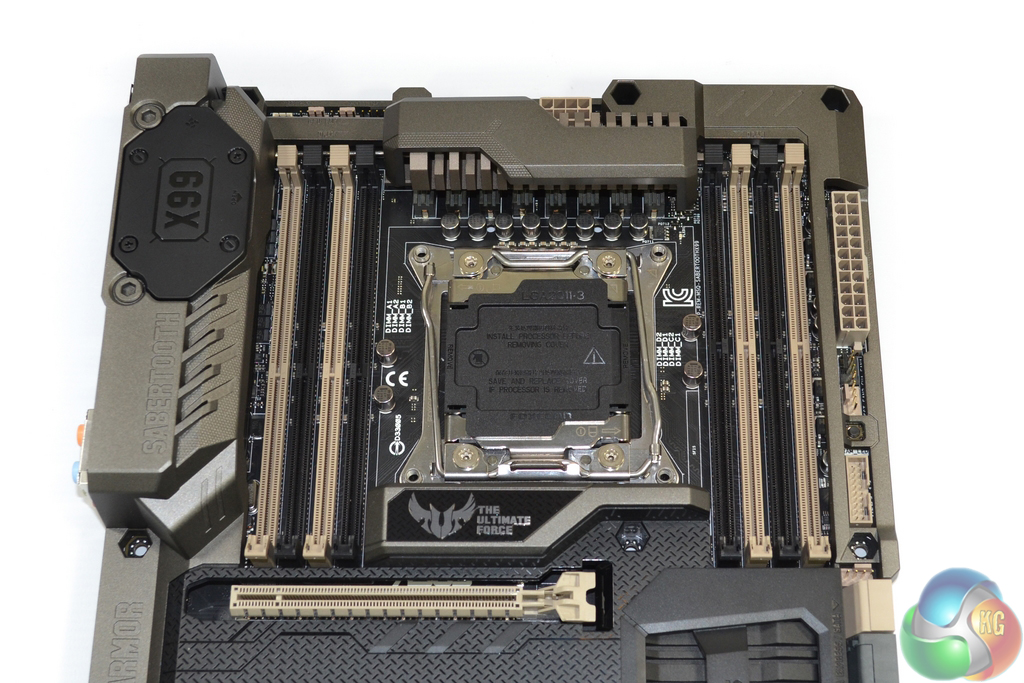
Asus outfits the Sabertooth X99 with the company's ingenious OC Socket. The implementation leverages extra pins that typically go unused in order to provide greater flexibility for CPU-related voltage tweaking. Settings related to CPU Cache voltages and frequencies typically show the greatest benefit from OC Socket.
A well-cooled eight-phase power delivery system feeds the LGA 2011-3 CPU socket, the details of which we will explore later in our analysis.
Eight DIMM slots provide support for up to 64GB of Non-ECC DDR4 memory. Asus states support for memory speeds of up to 2400MHz, although higher frequencies can be achieved (as we will prove later in the review). Single-latched DIMM slots are used to eliminate interference with a graphics card.
It is worth pointing out that clearance for large, low-hanging air coolers will cause headaches. The high-rise VRM covering and TUF badge located in the ‘Northbridge' spot, will cause clearance issues for air coolers. Even the lower-mounted screws for our Corsair H100i's pump/waterblock unit were difficult to tighten due to the space constraints.
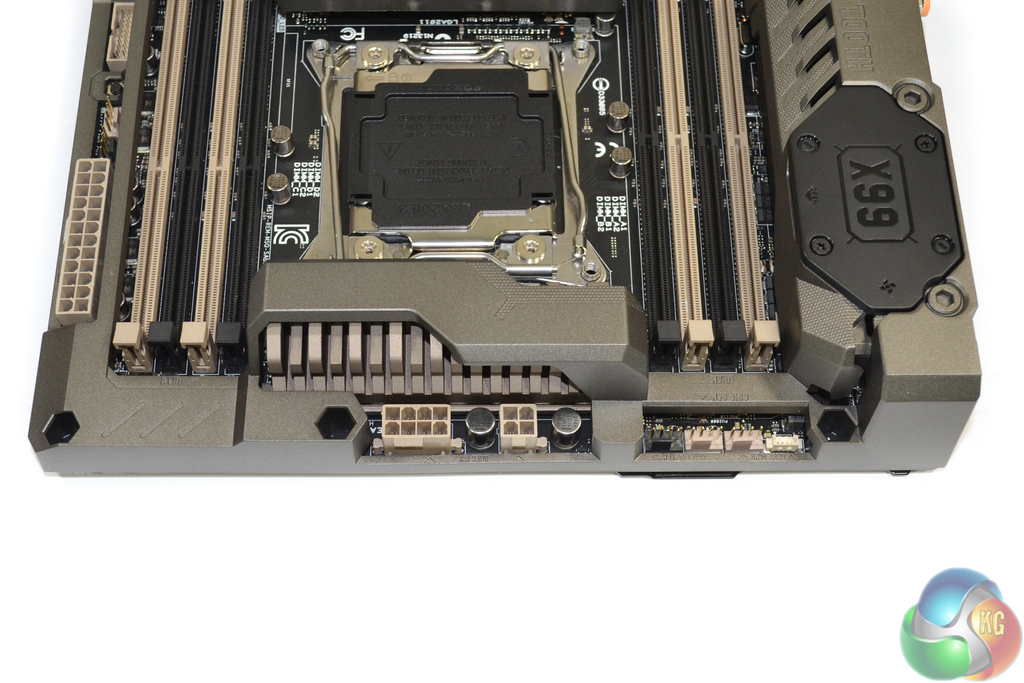
The CPU is fed power through 8-pin and 4-pin connectors. The 8-pin can be used alone if your power supply only has one CPU power connector.
While I do not believe that the extra power connector is required for Haswell-E until particularly high voltages are being fed, balancing current through two routes may aid component longevity.
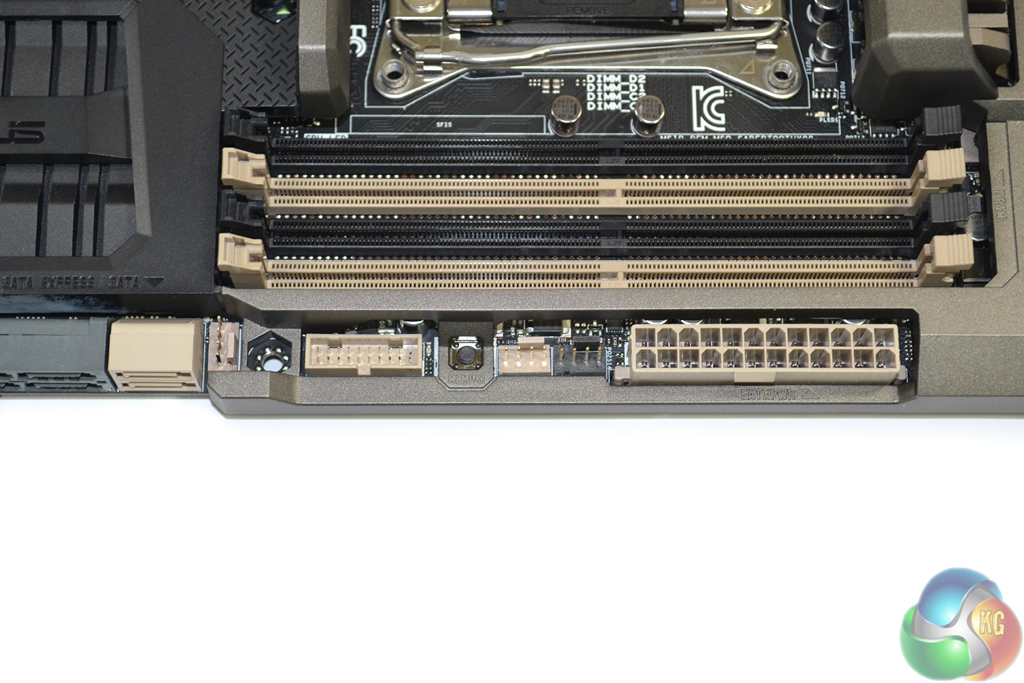
Asus positions the 24-pin power connector further towards the motherboard's upper edge than is common. While this is not an issue, it is worth highlighting for cable management routing purposes.
A cluster of 4-pin fan headers is joined by the ever-convenient MemOK button and one of the two outwards-facing USB 3.0 headers – the ports for which run directly from the X99 chipset.
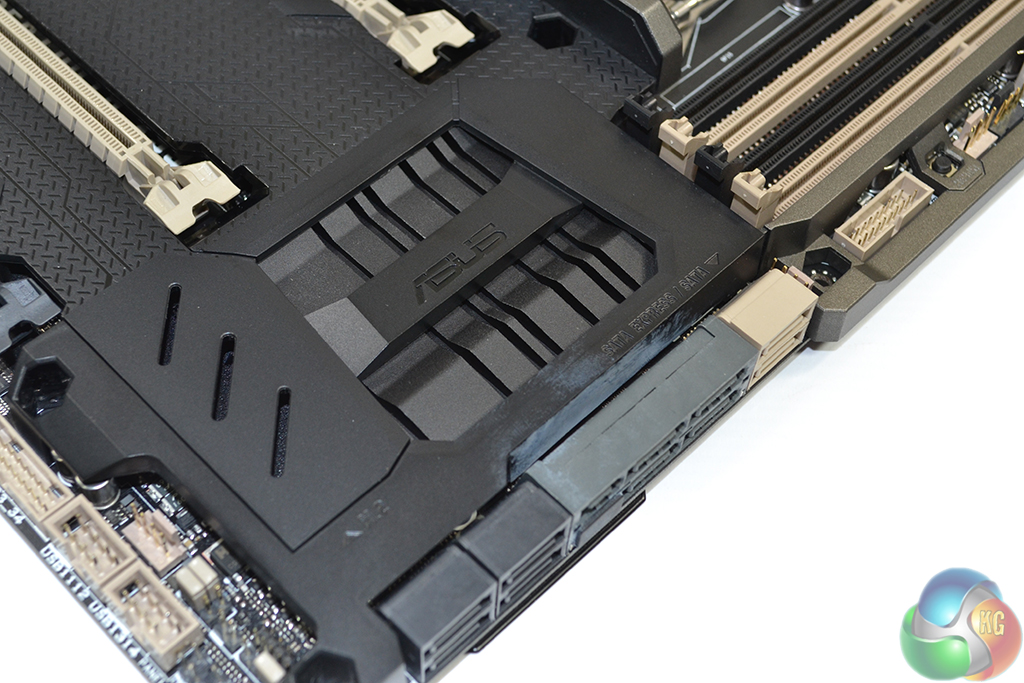
All ten of the motherboard's SATA 6Gbps ports stem from the X99 chipset. Ports 0-5 (the ones starting from the right) should be used for RAID configurations, while the remaining four are suited for basic storage purposes.
Two of the SATA 6Gbps connections double-up to form the 10Gbps SATA-Express connector. The SATA-Express connection can be used at all times as it does not share bandwidth with the M.2 slot.
A smart-looking, black heatsink cools the X99 chipset.
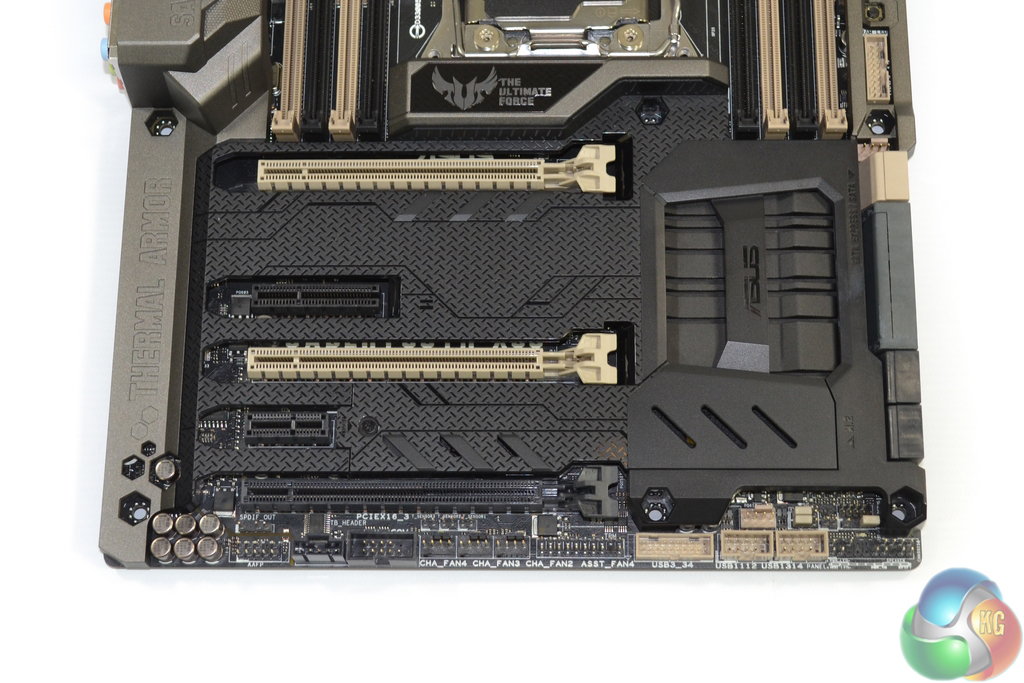
3-card SLI is supported on a 40-lane CPU only. With a 40-lane chip, lane allocation of the three full-length PCIe slots is x16/x16/x8. That third slot shares its bandwidth with the PCIe 3.0 x4 M.2 connector, so only one of the choices can be used at any time.
Put simply, you only get 3-card SLI with a 40-lane chip, and even then you can only use it if you sacrifice the M.2 slot (which does not support a SATA connection as a backup). Clearly, 2-card solutions are Asus' aim, so the one-slot cooling gap between a pair of boards is good.
Using a 28-lane chip results in a PCIe lane allocation of x16/x8/x4, which is usable for 3-card CrossFire, but not 3-way SLI. As already pointed out, using an M.2 SSD forces the sacrifice of the lowest slot's connection.
Asus could have tweaked this system with relative ease to make 3-card SLI/CrossFire plus a PCIe 3.0 x4 M.2 SSD feasible on both 40- and 28-lane chips. Enough of the competing solutions do exactly that. While I understand that the demographic for a trio of graphics cards is small, I do not feel that a high-end X99 motherboard should be the limiting factor.
The shorter two PCIe slots operate with a combined total of two PCIe 2.0 lanes from the X99 chipset. Despite the second PCIe slot's x4-length, the connection is actually wired for up to two lanes, making it specifically chosen for the likes of PCIe SSDs or USB 3.1 expansion cards.
Using the dedicated PCIe 2.0 x1 slot steals a lane from the x4-length connector and forces both to run with one lane of connectivity each.
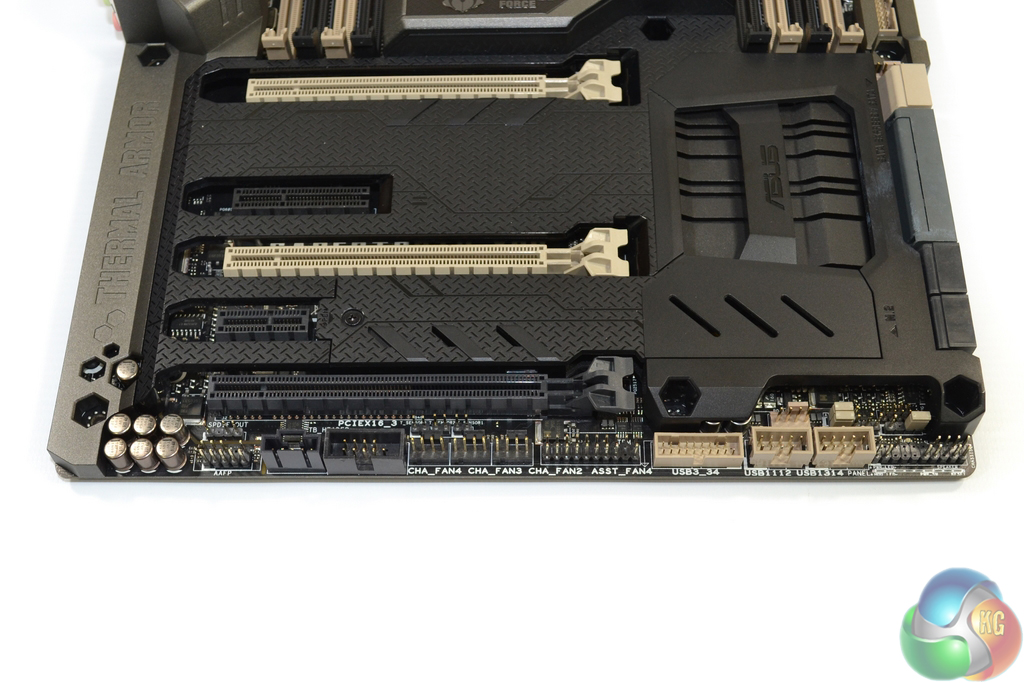
Front panel connections are the typical affair – chassis headers to the right and the audio link to the left. Two USB 2.0 headers, an additional X99-fed USB 3.0 header, and the Thunderbolt link are also situated on the board's bottom edge.
Legacy COM and TPM headers are joined by four 4-pin fan connections. Just above the bank of three, black-coloured fan headers is the trio of thermistor connections.
A graphics card mounted in the bottom slot will block all of these connectors, although Asus is not particularly pushing about this board's 3-way SLI/CrossFire application.
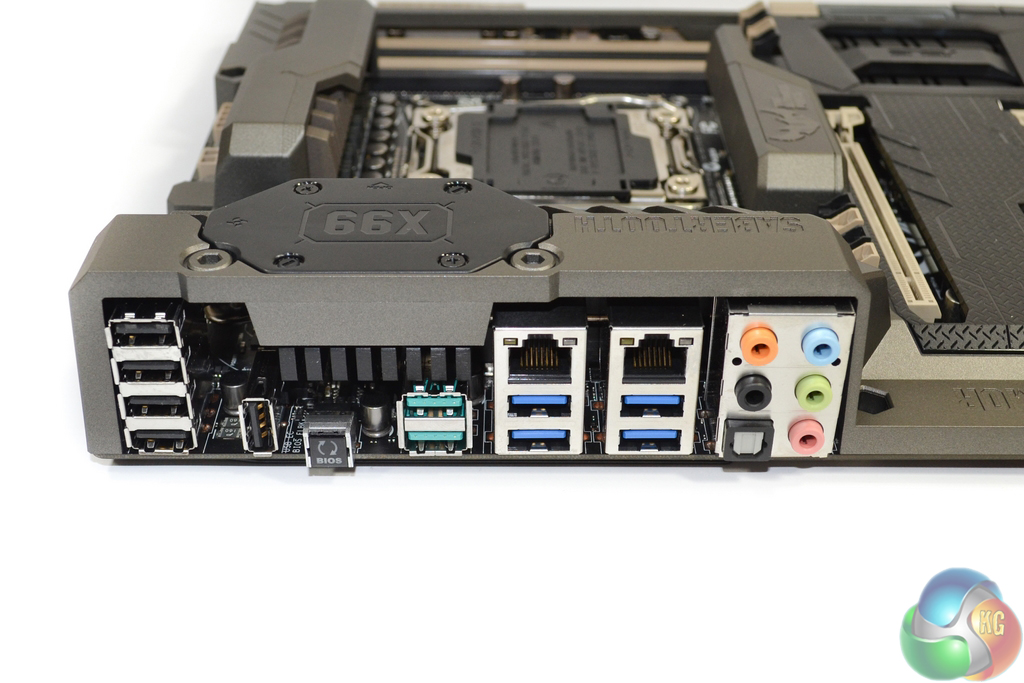
Five USB 2.0 ports are found on the rear IO, one of which can be used for BIOS Flashback and TUF Detective app duties. Asus' block diagram suggests that one of the rear-mounted USB 3.0 ports runs directly from the X99 chipset, while the other three are provided via an ASMedia ASM1074 hub controller.
ASMedia's ASM1142 PCIe 2.0 x2 host controller is used to provide a pair of 10Gbps USB 3.1 Type-A ports. We examined Asus' USB 3.1 implementation with a pair of RAID 0 SSDs over here.
Intel's I218-V chipset is used for one of the GbE NICs, while a Realtek 8111GR solution powers the other. The audio ports are fed by a system which comprises Realtek's ALC1150 codec and a Texas Instruments RC4580 operational amplifier (marked R4580i).
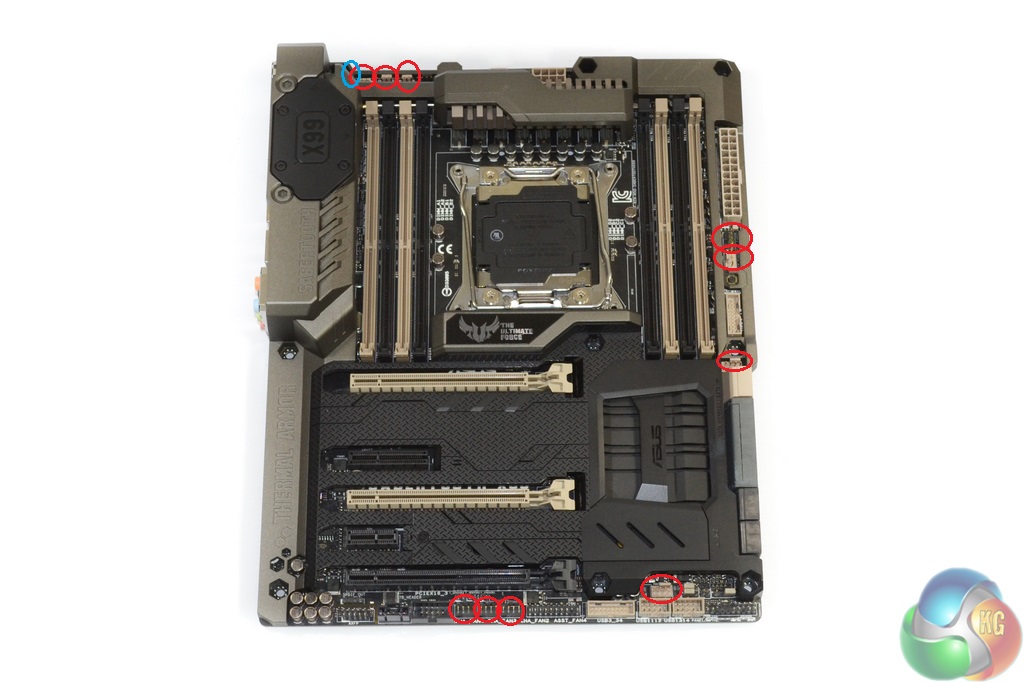
Ten 4-pin fan headers are distributed around the motherboard, with an additional laptop-style connection powering the chipset fan. Distribution of the headers is very good, although I do not understand why Asus did not provide a connection in the typical location for serving a rear chassis fan.
Every one of the PWM-capable fan headers can be controlled via the UEFI or Thermal Radar 2 OS-based software. That is highly impressive and may save water-cooling users the expense of a dedicated fan controller.
The TUF ICe and Nuvoton NCT6791D-A chipsets are to thank for such extensive fan control, while additional TPU components help form the motherboard's extensive monitoring system.
Removing its dedicated cover gives access to the 40mm fan mount. The ~6300rpm fan is used to blow cool air over an extended section of the MOSFET heatsink. The fan becomes audible above around 4000rpm. I set it to only switch on when the CPU is hot, by which point my Corsair H100i fans' noise output will dominate acoustic emissions.
Incidental airflow is also fed beneath the Thermal Armor, although this may actually cause an increase to PCB temperature if the MOSFETs are running hot enough to warm their coolant air above the native PCB temperature.
The ugly green PCB of an M.2 SSD can be hidden by the section's dedicated covering. Drive lengths of 40, 60, 80, and 110 mm are supported. Only PCIe-fed M.2 SSDs can be used due to the connector's PCIe 3.0 lanes deriving directly from the CPU. M.2 SATA SSDs are not supported.
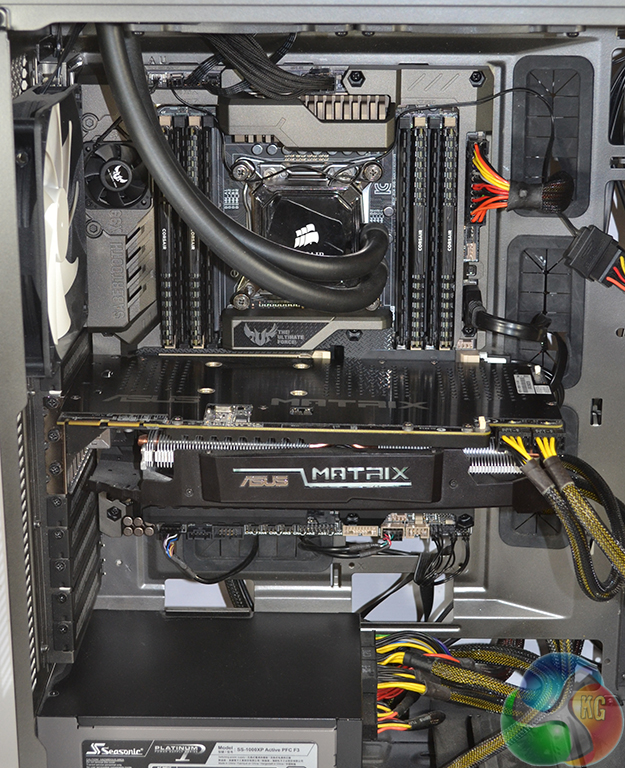
The grey-ish sections of Thermal Armor are a good match for the gunmetal colouring of NZXT's Phantom 630 chassis. The motherboard's dark appearance makes it a good match for black components, such as memory.
Thermal Armor and Power Delivery System
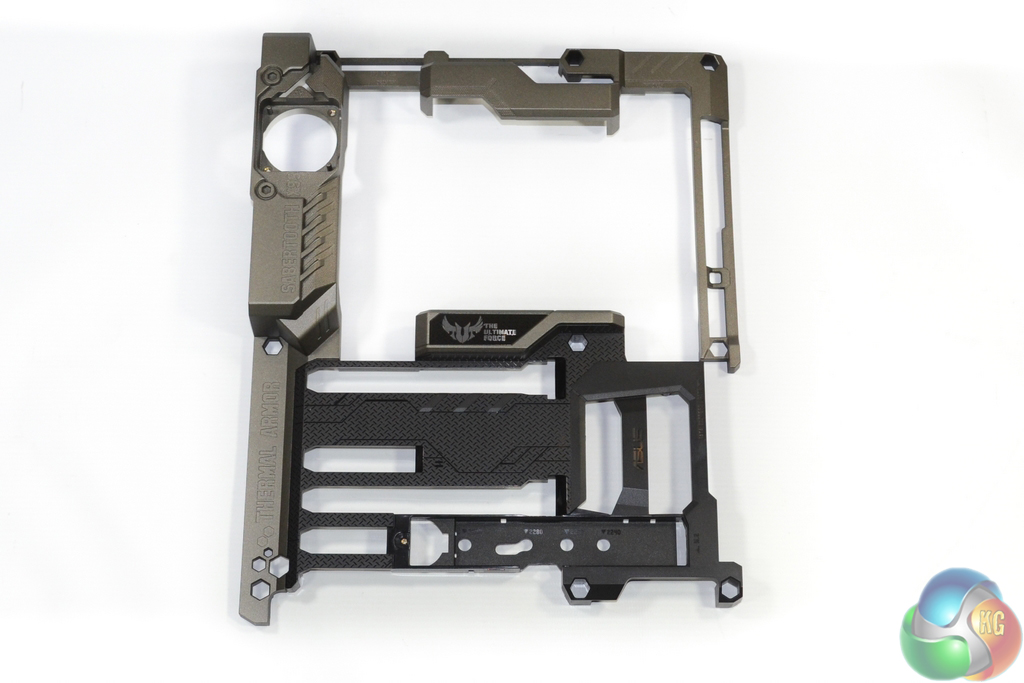
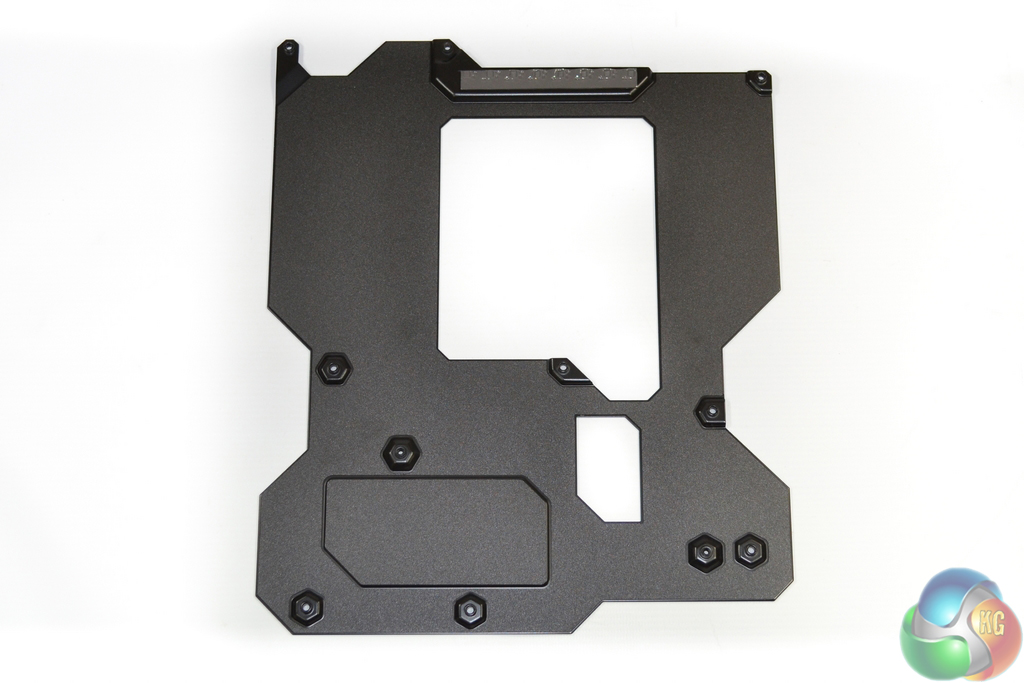
Removing Thermal Armor and TUF Fortifier is a simple process – just detach the relevant screws.
It can be seen that Thermal Armor is no more than a shaped plastic shroud, although that is not a negative point with one of its main goals being unique appearance. TUF Fortifier makes direct contact, via a thermal strip, with rear-mounted CPU power delivery components in order to provide cooling.
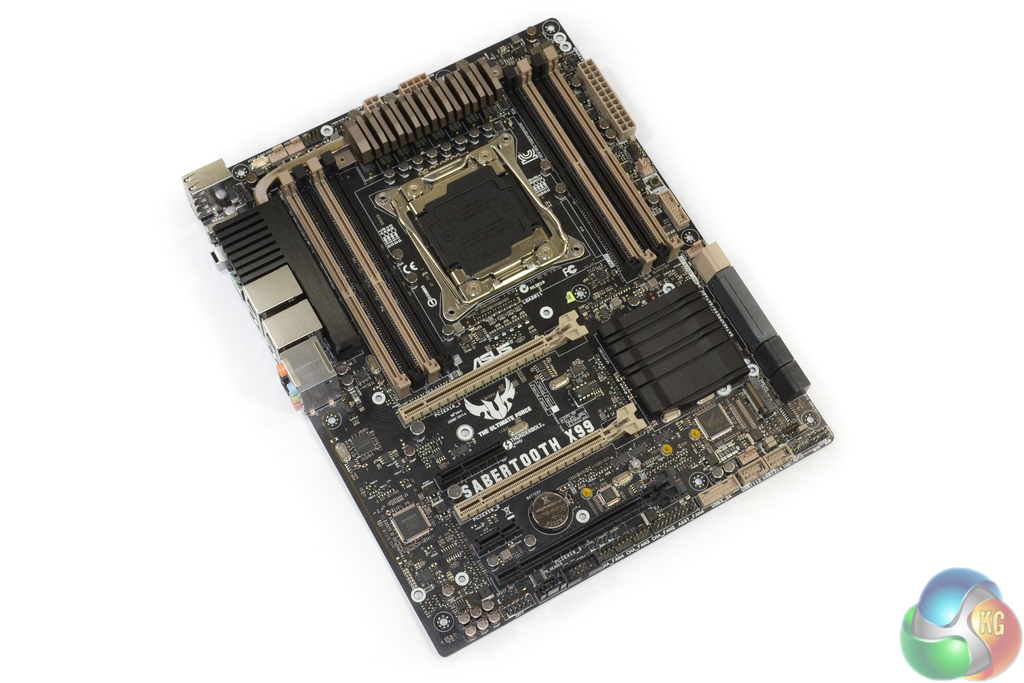
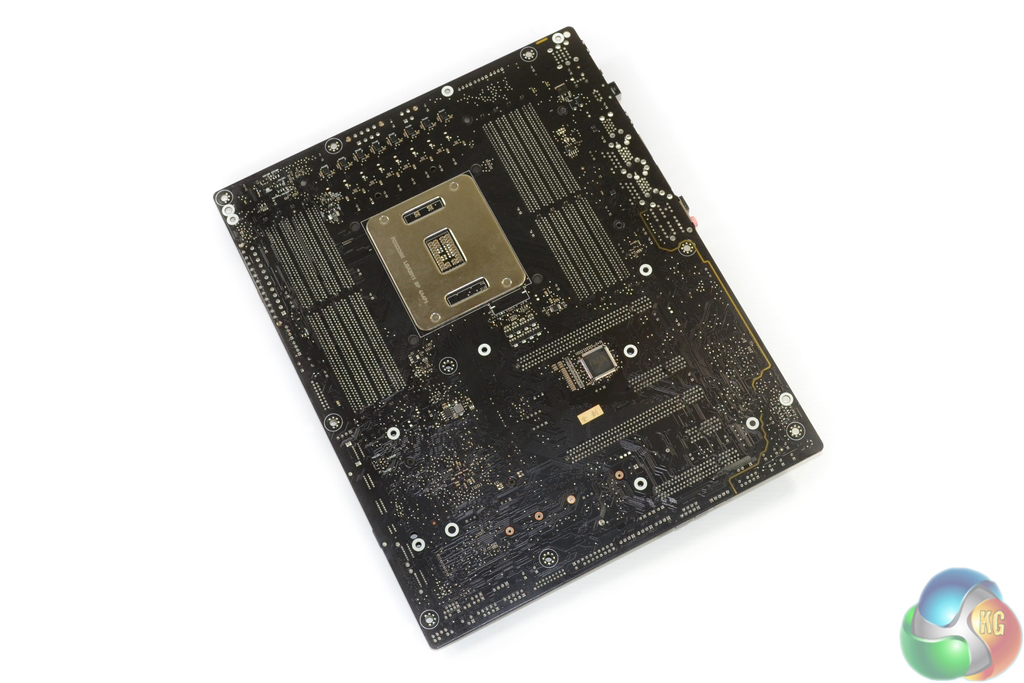
With the shroud removed, the old-style beige colouring is far more noticeable for the board's slot connectors.
Asus has placed importance on the motherboard appearance without Thermal Armor attached. Users who decide to water-cool the MOSFETs (if a block becomes available) are likely to be forced to remove the plastic shroud entirely.
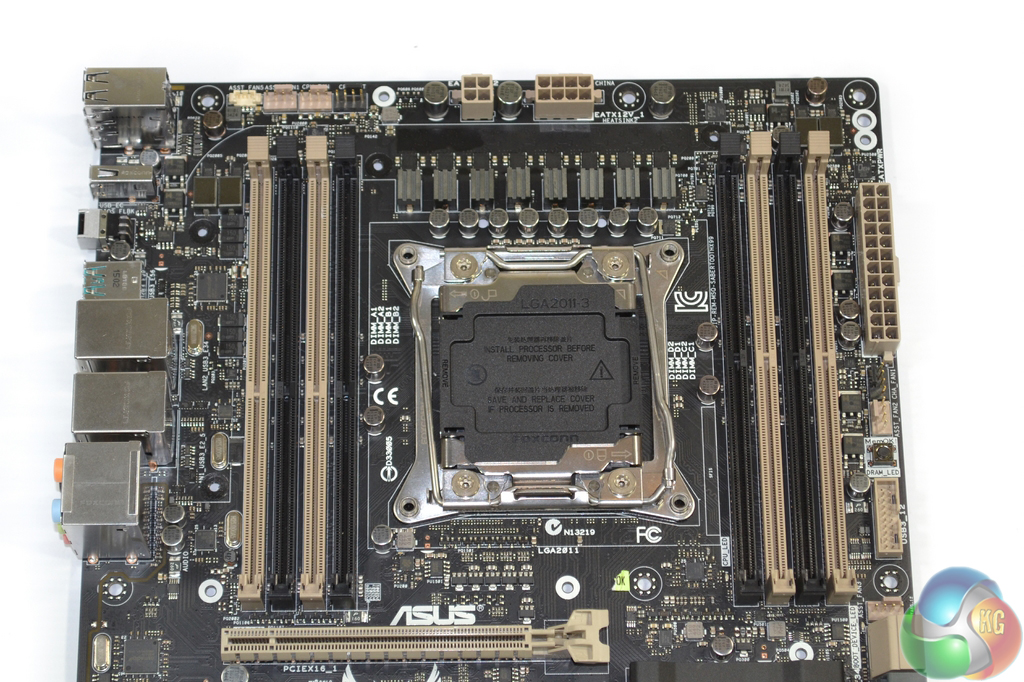
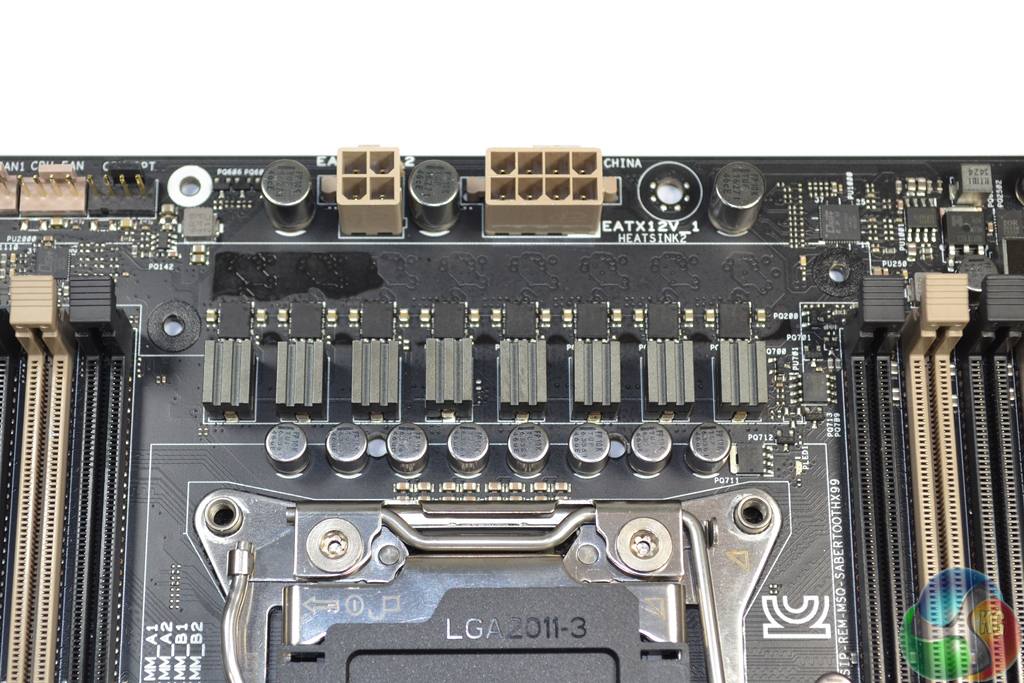
No power delivery components with noteworthy heat output are located near the rear IO area. This proves that the heatsink's extended section that runs parallel to the rear IO is simply used for additional heat-dissipating surface area.
The eight-phase CPU power delivery system includes TUF Chokes (marked R15A 1501), 10K-rated Ti-caps, and MOSFETs which are certified by the military-grade testing procedure.
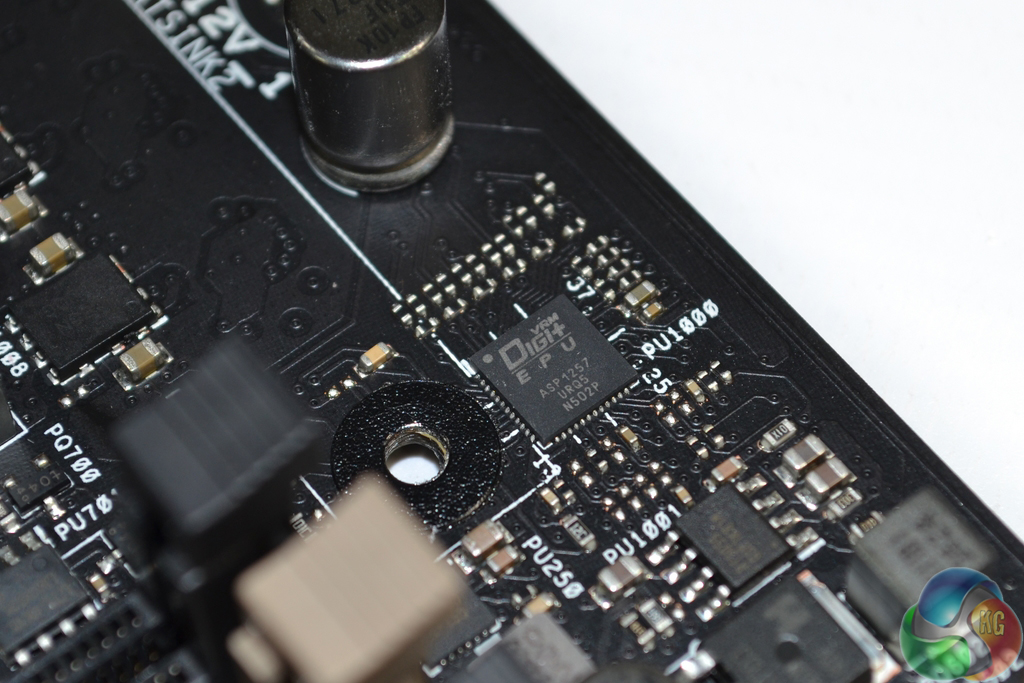
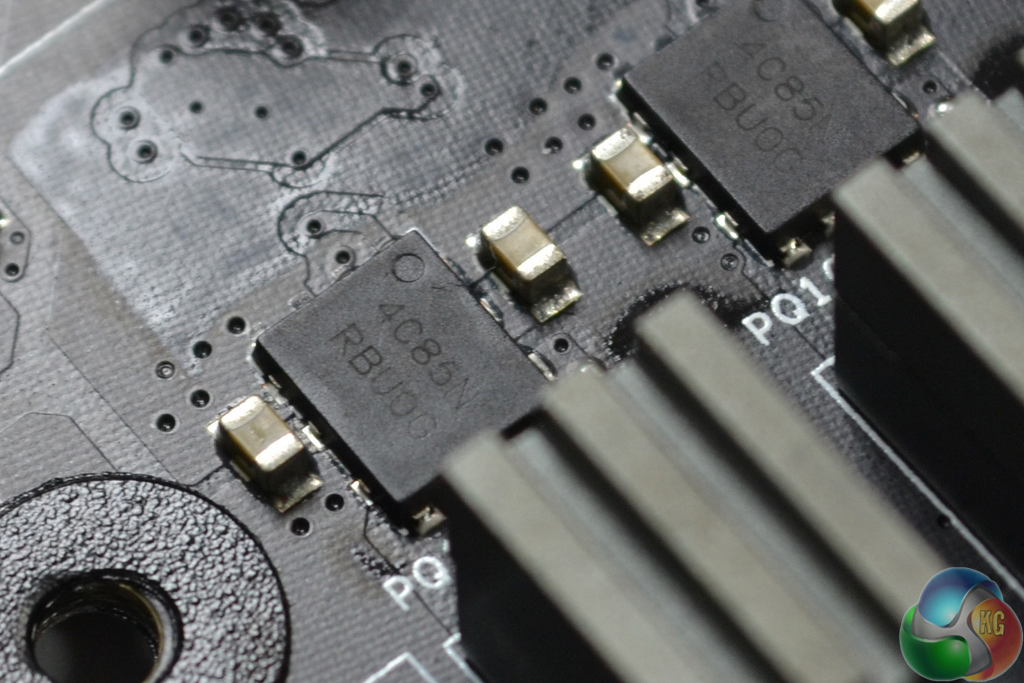
A Digi+ ASP1257 controller manages the CPU's power delivery system. I must admit that I am surprised to see Asus equipping the Sabertooth X99 with ON Semiconductors' NTMFD4C85N (marked 4C85N) dual N-channel MOSFETs.
These are the same MOSFETs that we found on the company's lower-priced X99-A motherboard. They are not regarded to be on the same level as the likes of International Rectifiers' IR3550 PowIRStage MOSFETs used on the Asus X99-Deluxe and Rampage V Extreme.
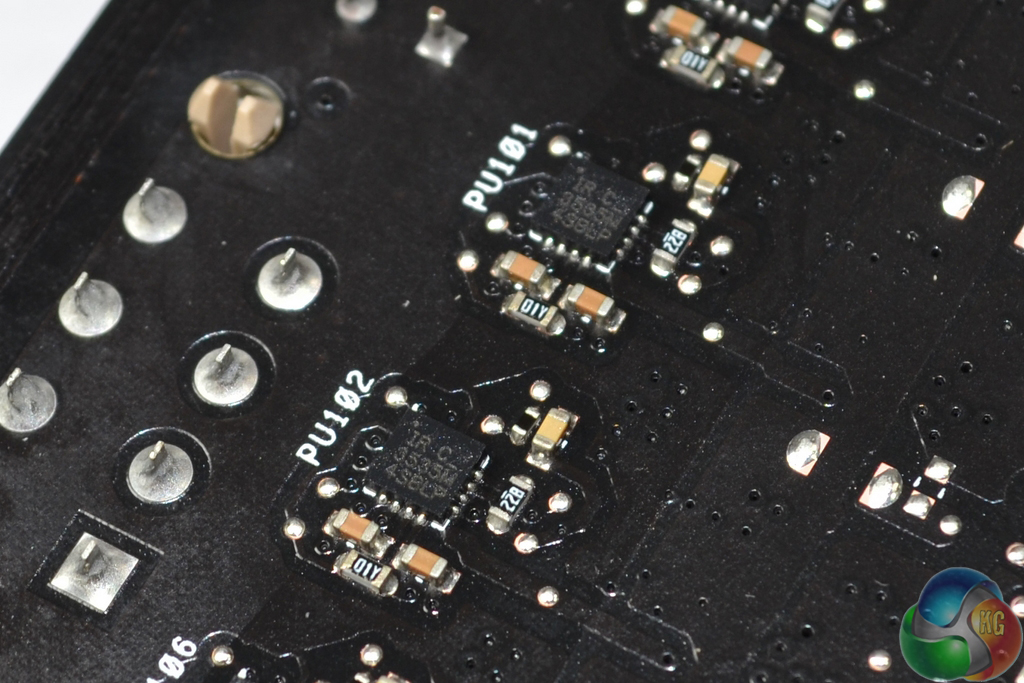
Directly behind the front-mounted MOSFETs are eight International Rectifiers IR3535M floating N-channel MOSFET drivers.
These are the components which are actively cooled by the TUF Fortifier and its accompanying thermal pad.
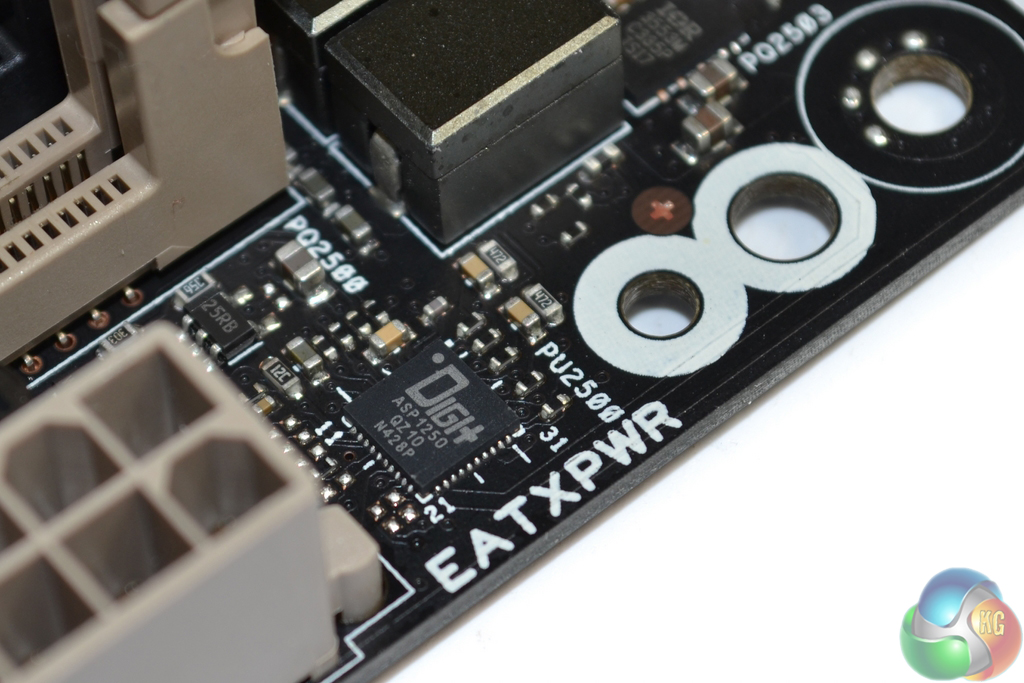
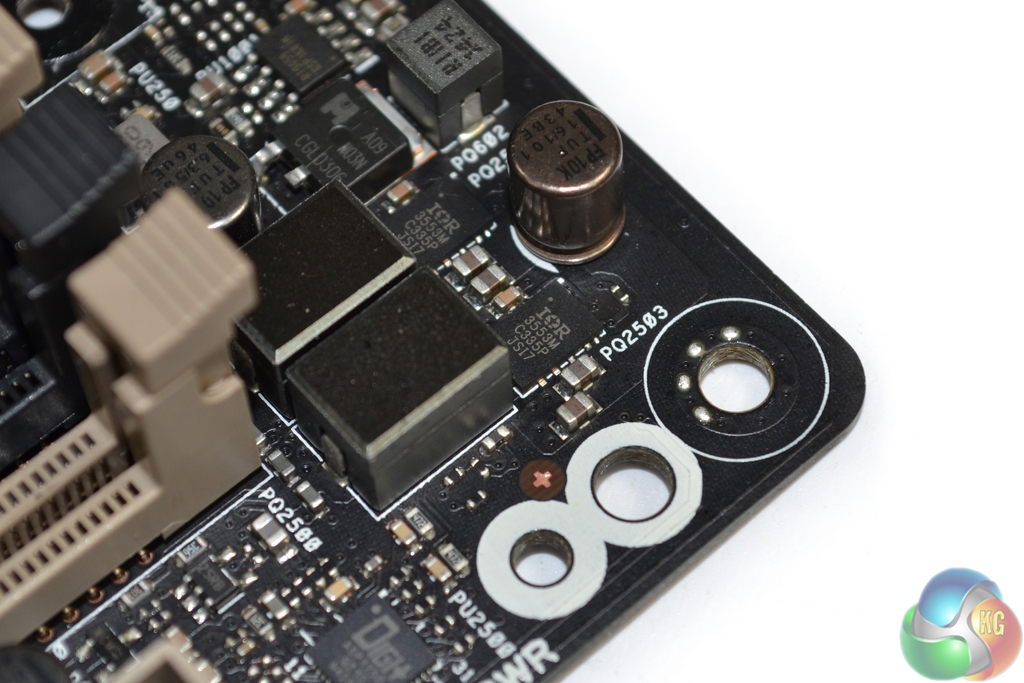
One Digi+ ASP1250 controller manages each of the 4-DIMM banks (two in total). Each DIMM bank is also powered by two International Rectifiers IR3553M MOSFETs, two chokes (marked R30PS), a set of capacitors (flat-pack for the left DIMM bank), and one GSTek GS9238 buck converter.
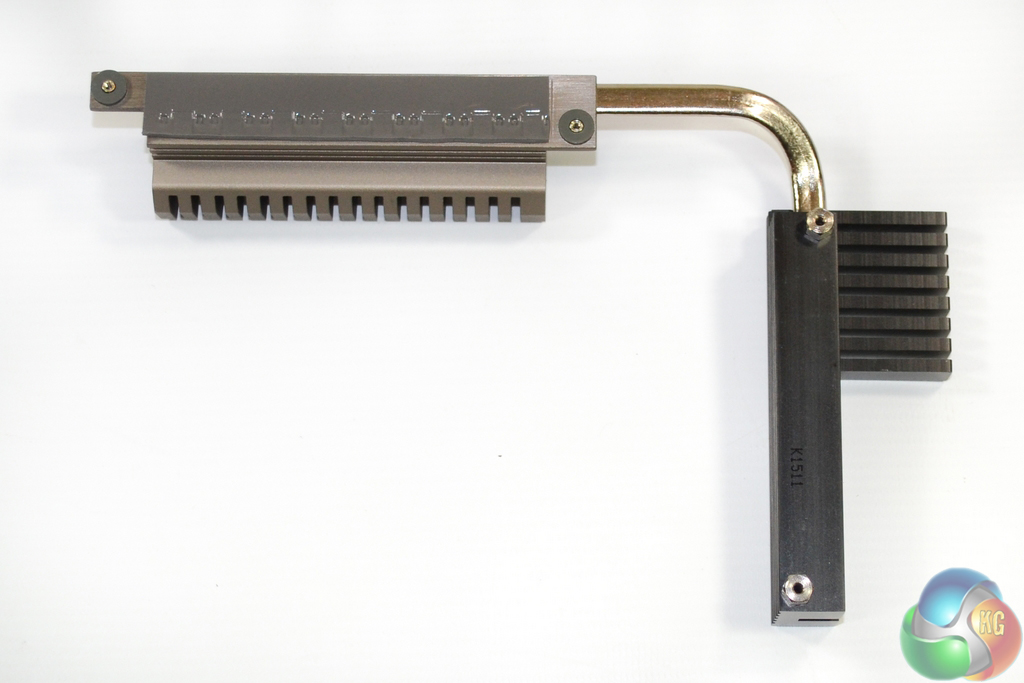
While only one fin array of the VRM heatsink makes direct contact with the MOSFETs, a heatpipe connects the second array. That heatpipe is critical for transferring heat from the direct-contact fin array to the black block of metal that is cooled by the fan.
Firstly, we are pleased to report that our NZXT Avatar S mouse worked to its usual standard in the Asus X99 UEFI. We’ve found our NZXT Avatar S to be the most troubling mouse with UEFI support, so when it functions correctly in the interface, that is usually a good sign for overall mouse support.
The UEFI used for Asus' TUF Sabertooth X99 motherboard is largely identical to the implementation used on its other X99 motherboards. Differences derive from the TUF part's enhanced thermal control options.
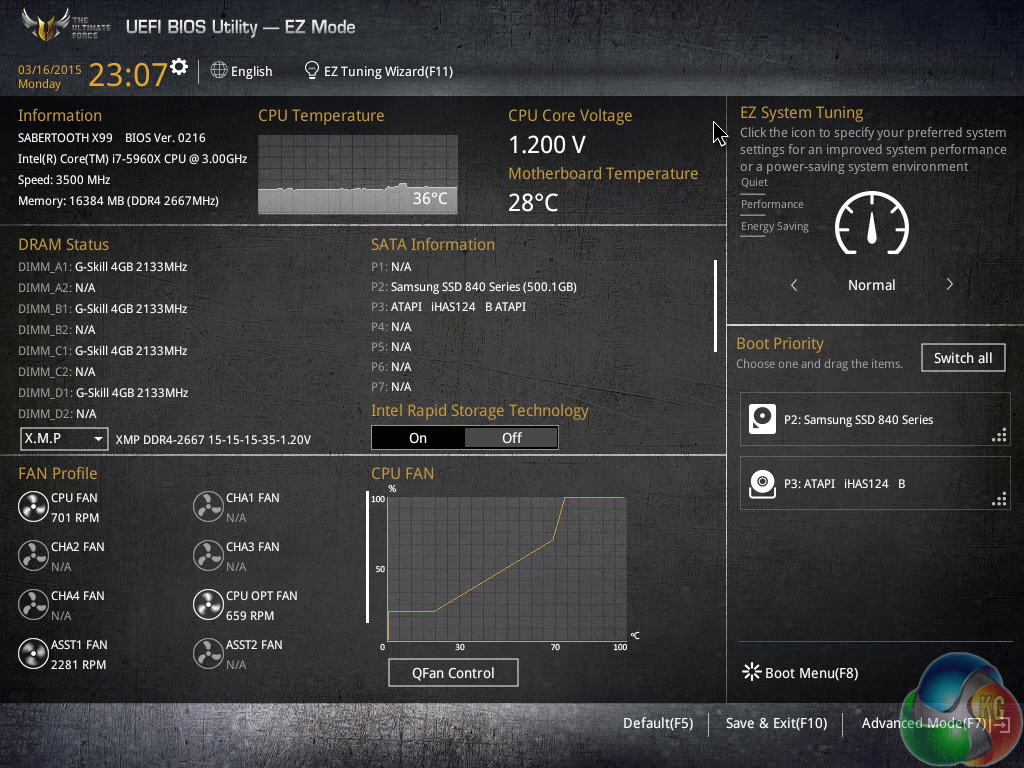
Asus opens its X99 UEFI with a summary page, of sorts, that squeezes a significant proportion of the important information onto a single 1024×768 screen.
This section is excellent for less-experienced users because it serves as a more basic (therefore less daunting) portrayal of the primary functions.
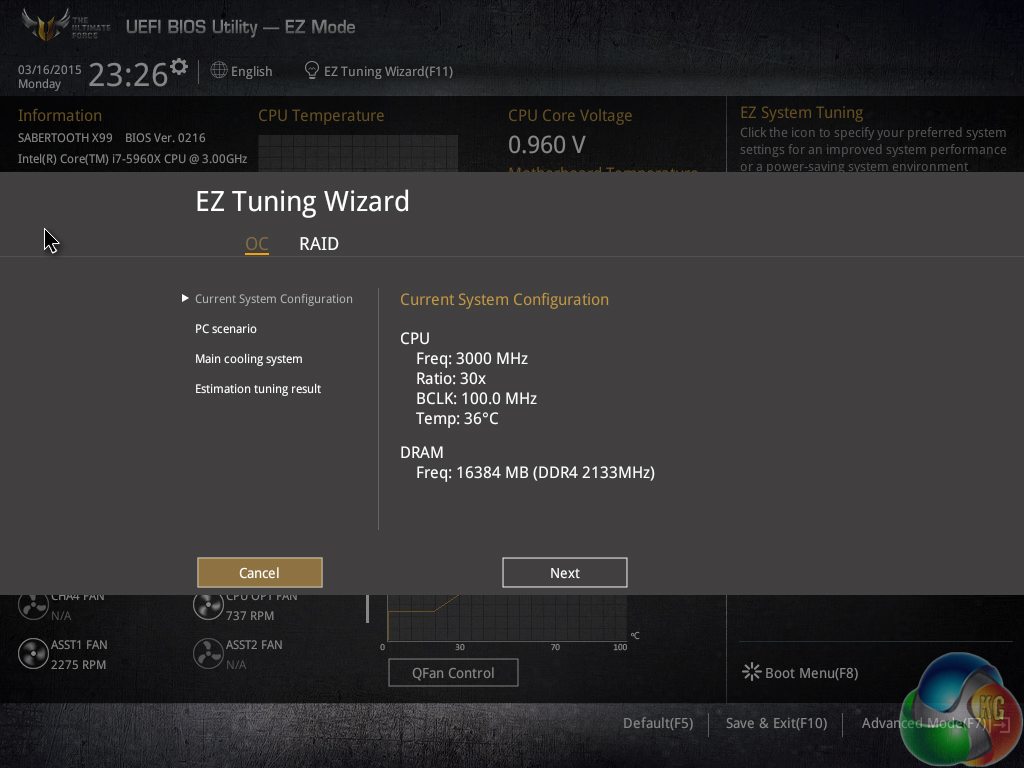
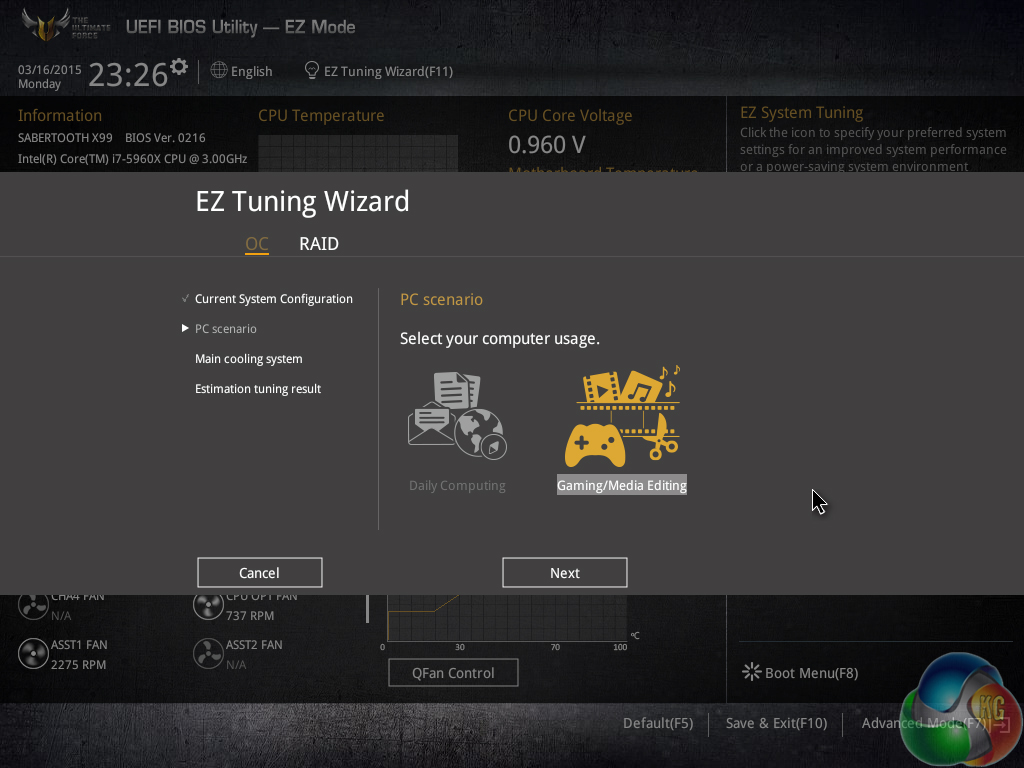
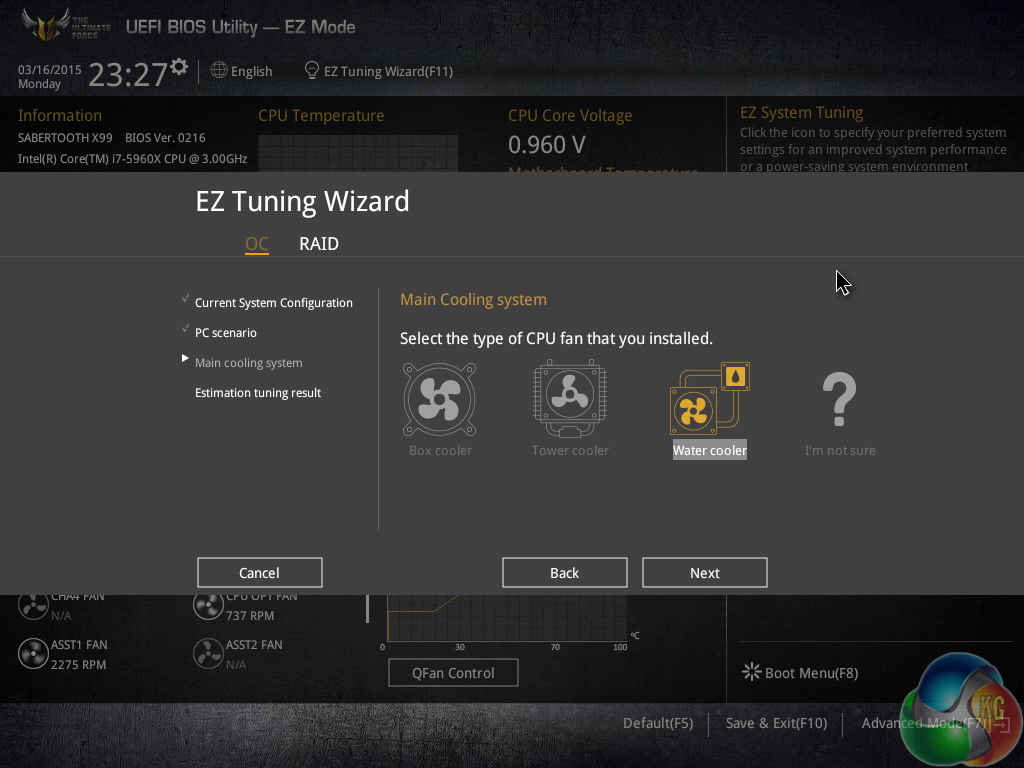
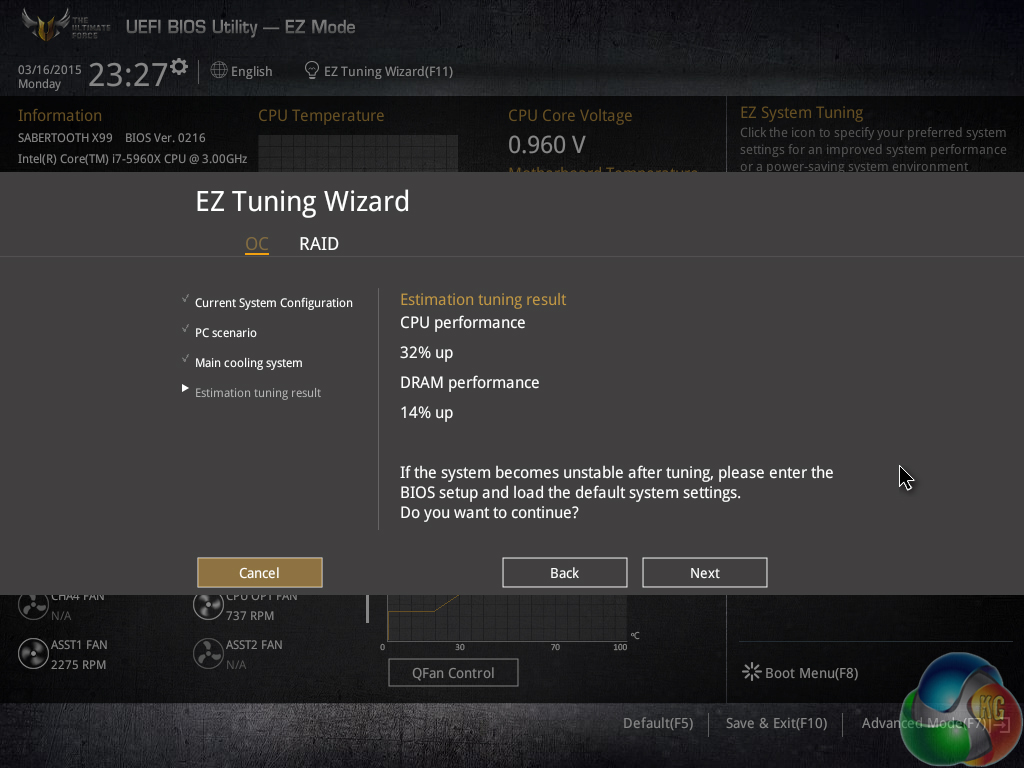
EZ Tuning automatically detects the installed components before allowing a user to select their system usage scenarios and cooling hardware. Once this has been processed, the wizard outputs a suggested DRAM and CPU frequency boost that can be achieved.
Selecting the Gaming/Media Editing mode increases the DRAM and CPU frequency, while the Daily Computing option boosts the processor’s speed only. Be aware though, the speed boosts aren’t guaranteed to work; other Asus motherboards gave us memory issues when trying to boot at the 3000MHz speed EZ Tuning set without XMP enabled.
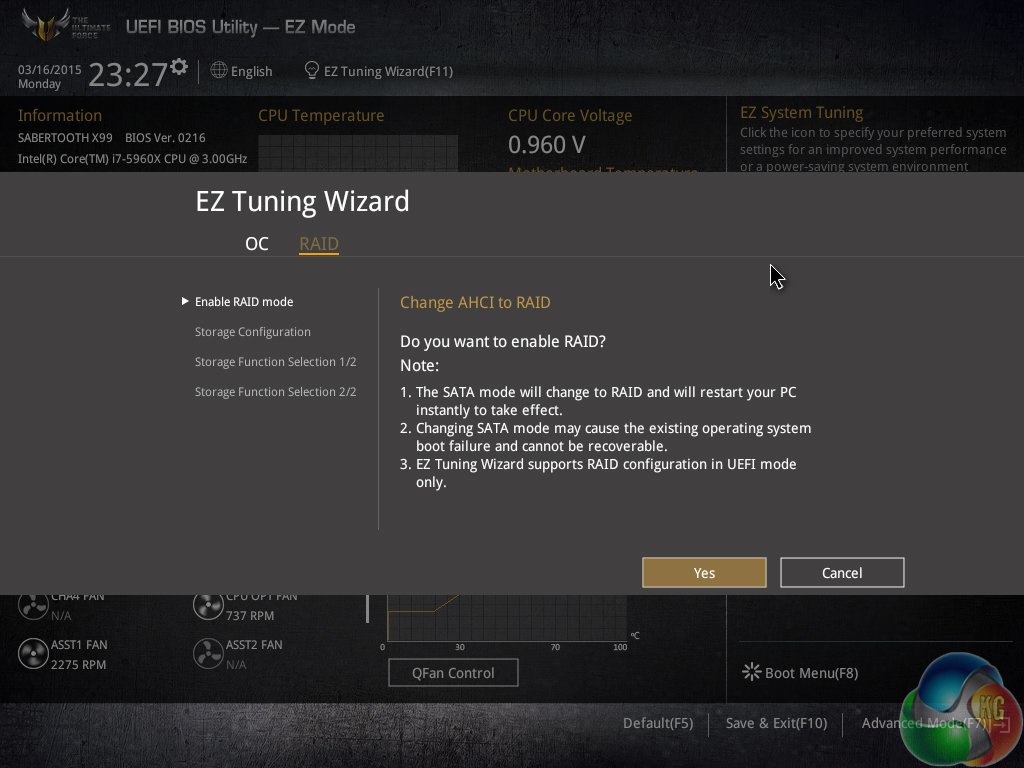
There is also an EZ Tuning section dedicated to the straightforward creation of a RAID array.
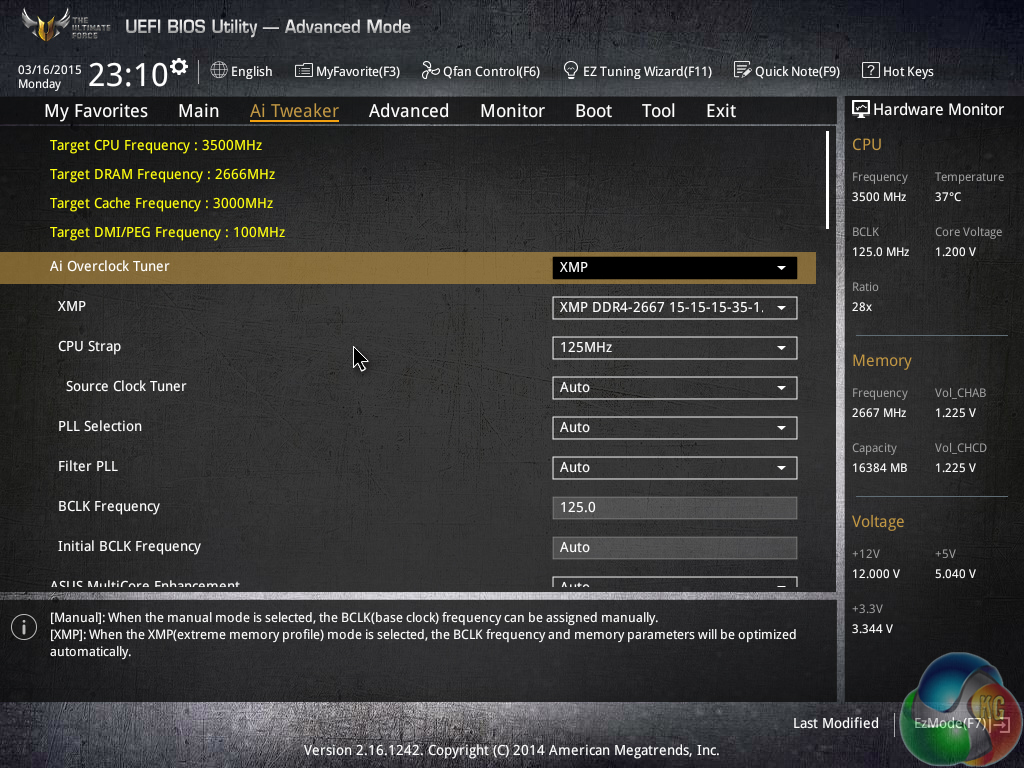
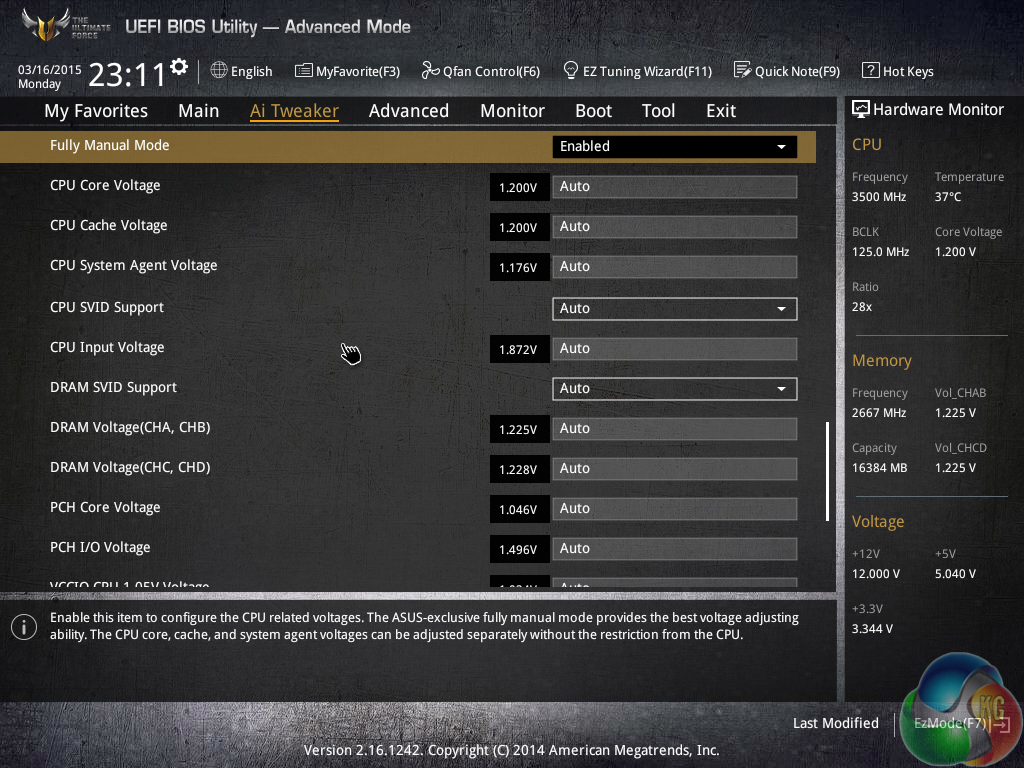
AI Tweaker is where all of the overclocking action takes place. From frequency adjustments, to voltage increases, to changed power parameters, it’s all controlled through AI Tweaker or its numerous sub-sections.
Asus gives users a strong degree of flexibility with both frequency and voltage tuning. And if you’re feeling particularly confident in your cooling configuration, there is the option for extreme voltage modes to be unlocked (with the aid of an onboard jumper for safety purposes).
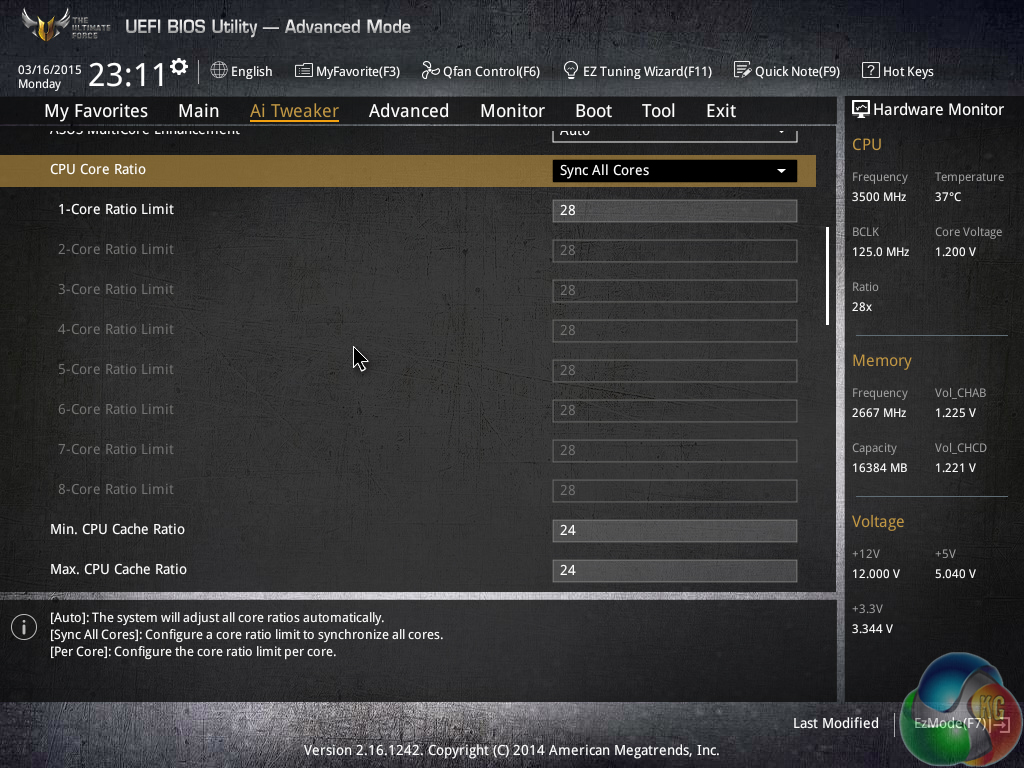
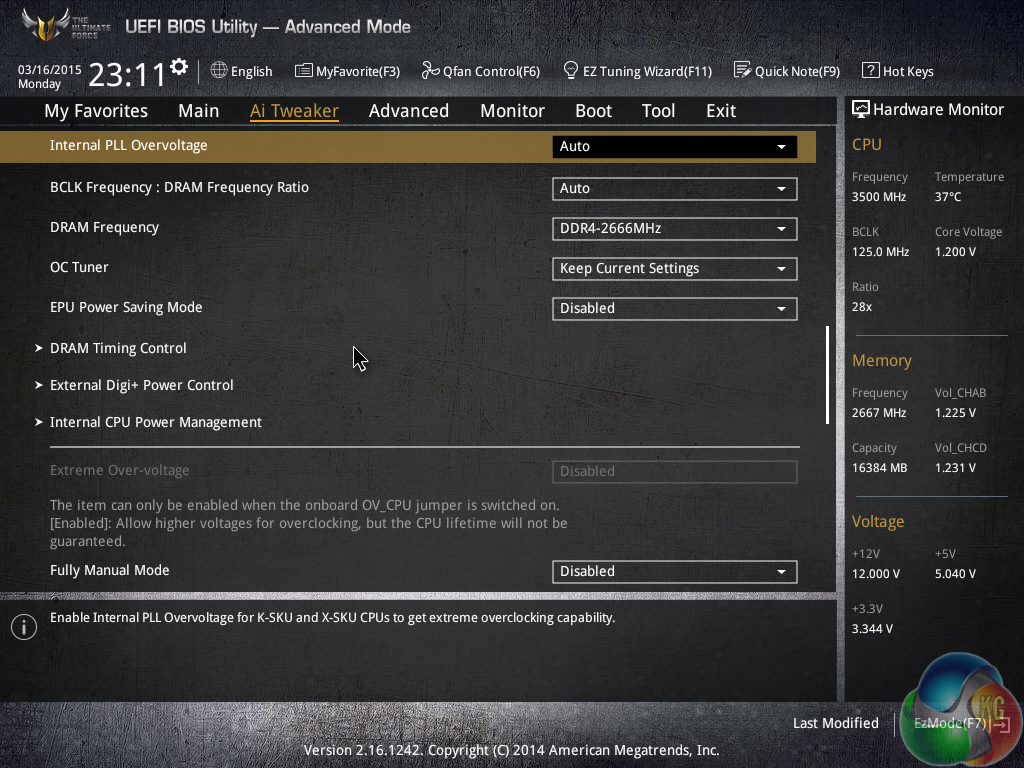
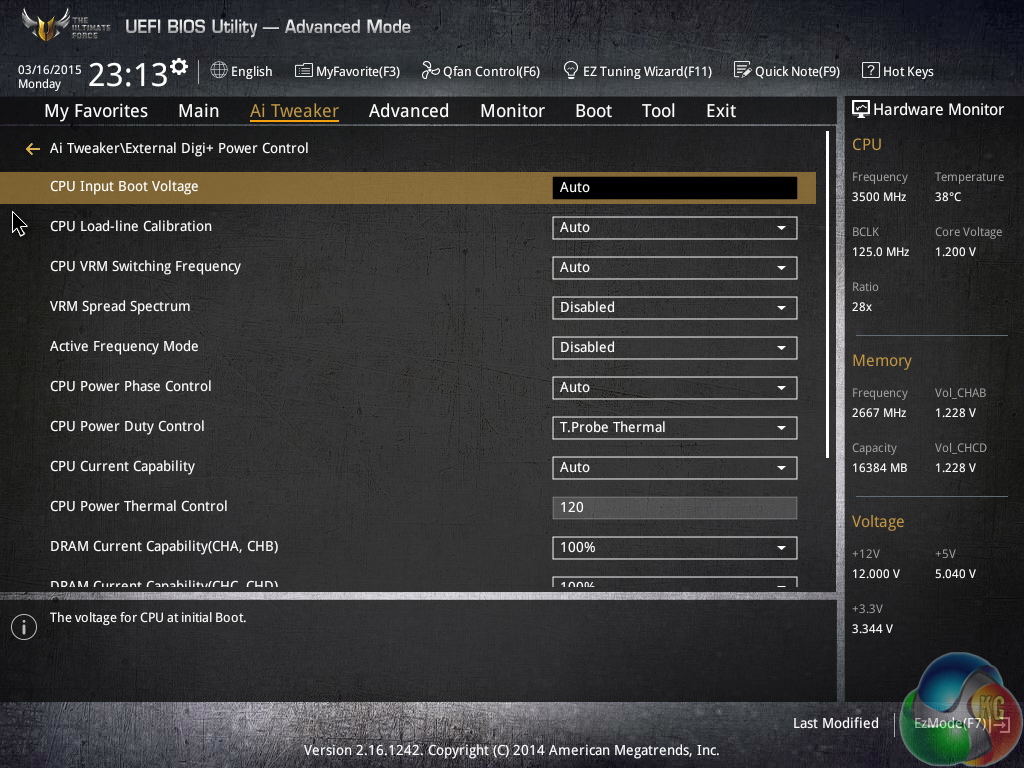
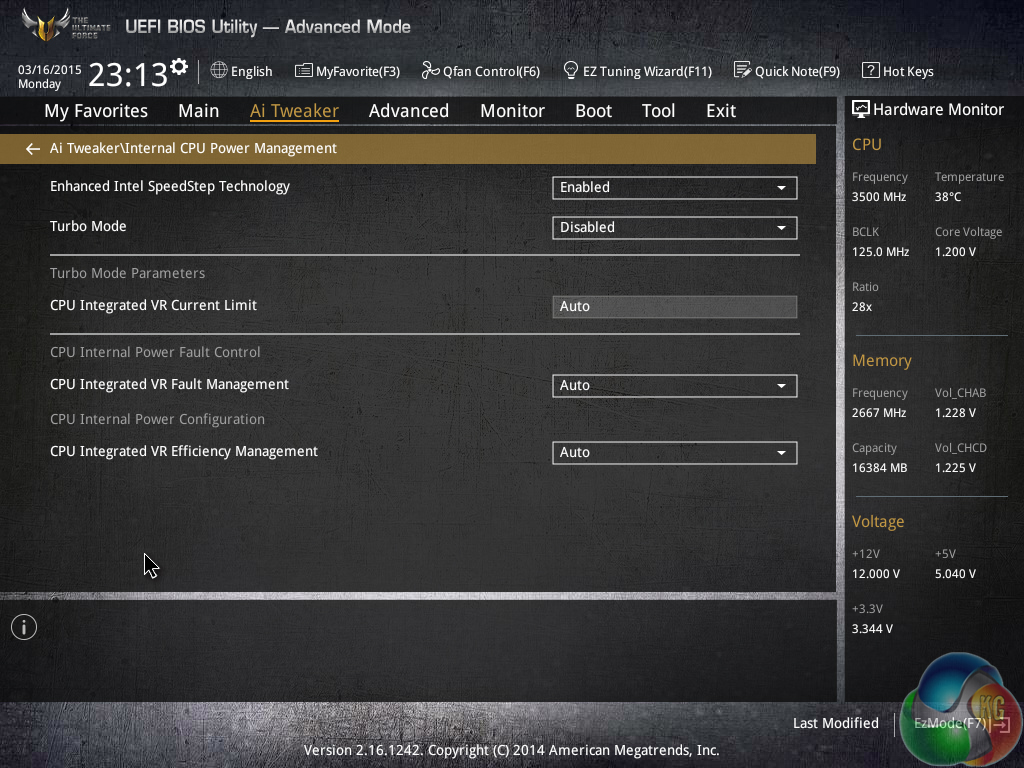
The thing I like most about the AI Tweaker layout is its simplicity. Novice overclockers who are still learning the skill will be able to navigate the options with ease, but that doesn’t interfere with the advanced settings that more experienced personnel require.
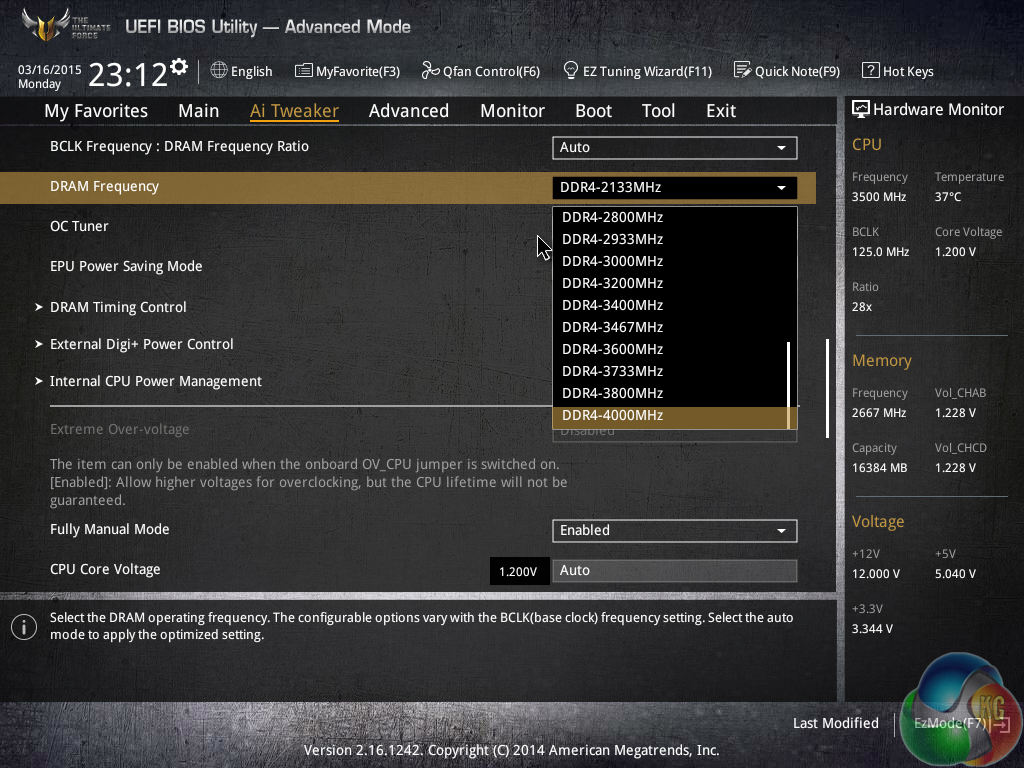
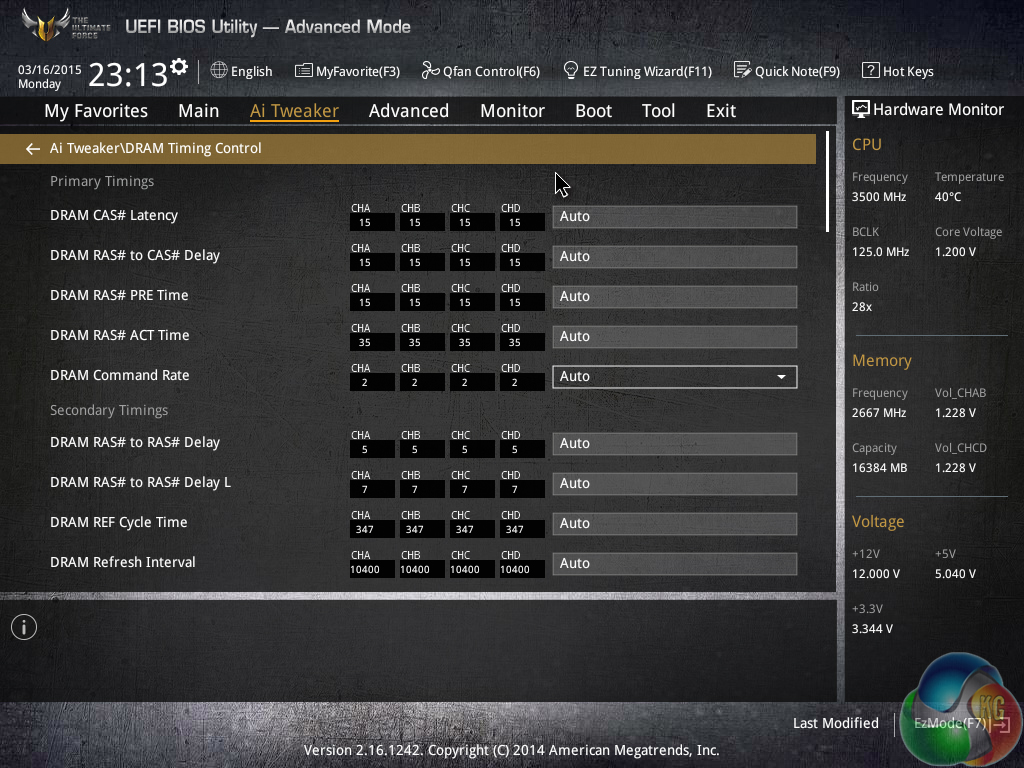
Asus provides support for plenty of memory frequency dividers, even if not all of them are relevant for usage today. There are also extensive timings adjustment options.
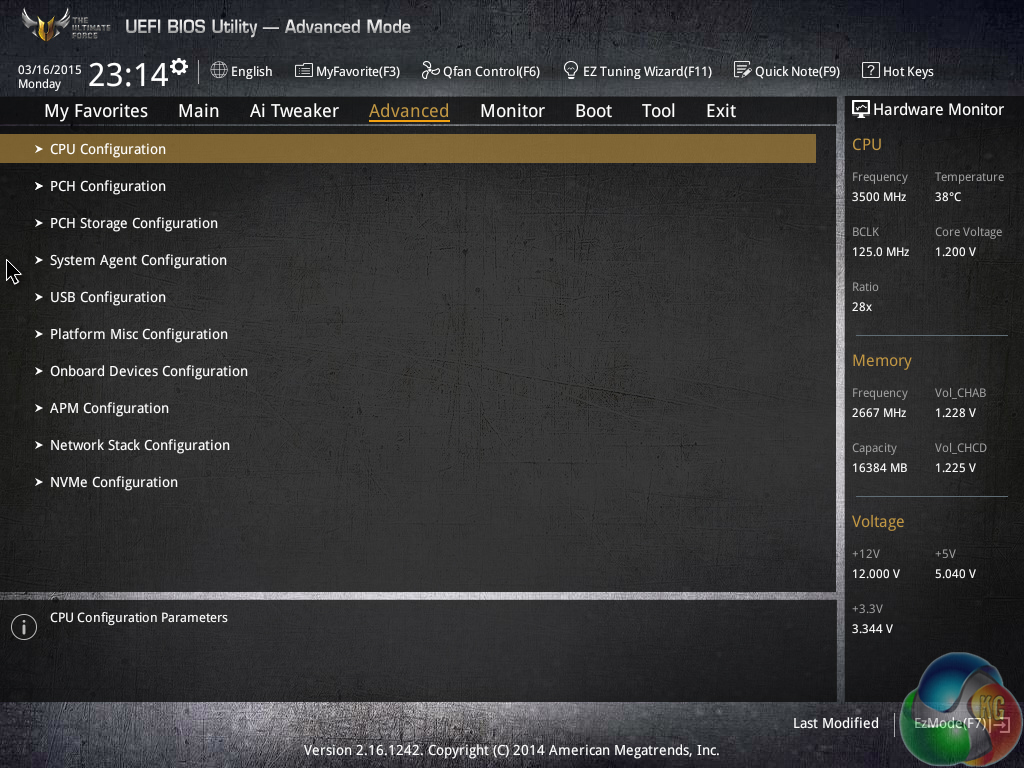
System operations can be accessed through the Advanced sub-sections. Actions such as adjusted PCIe lane allocation can be carried out in the relevant sub-section.
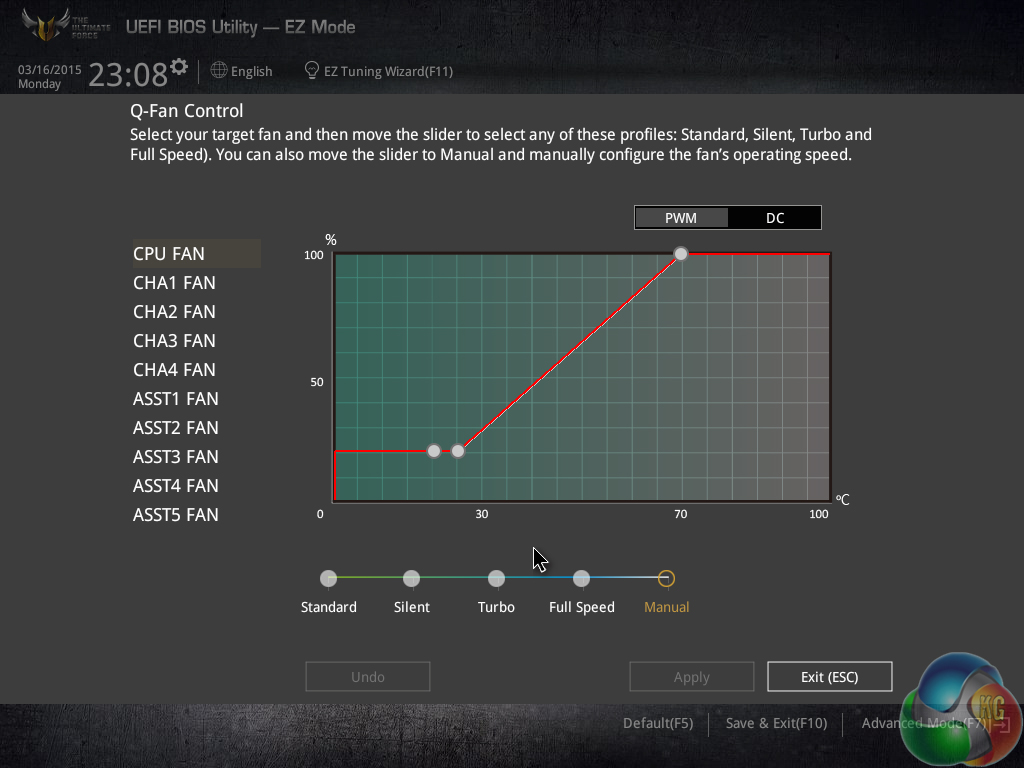

Asus’ Q-Fan Control is a method of adjusting and setting fan speed profiles in a graphical manner. The visual approach is also backed up by numerical and selectable choices on a specific section of the Monitor page.
While Q-Fan is an easy, yet effective, method of creating custom fan profiles, its limitation to a minimum fan speed of 20% is disappointing. I would prefer the ability to completely shut off a fan under certain temperature levels.
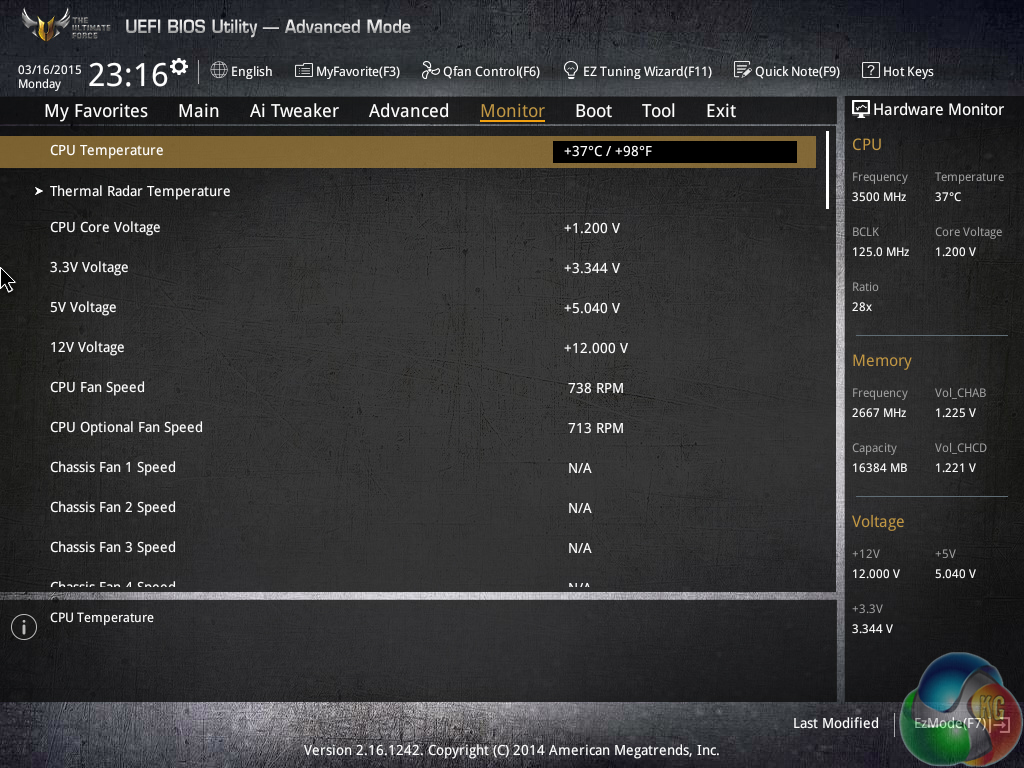
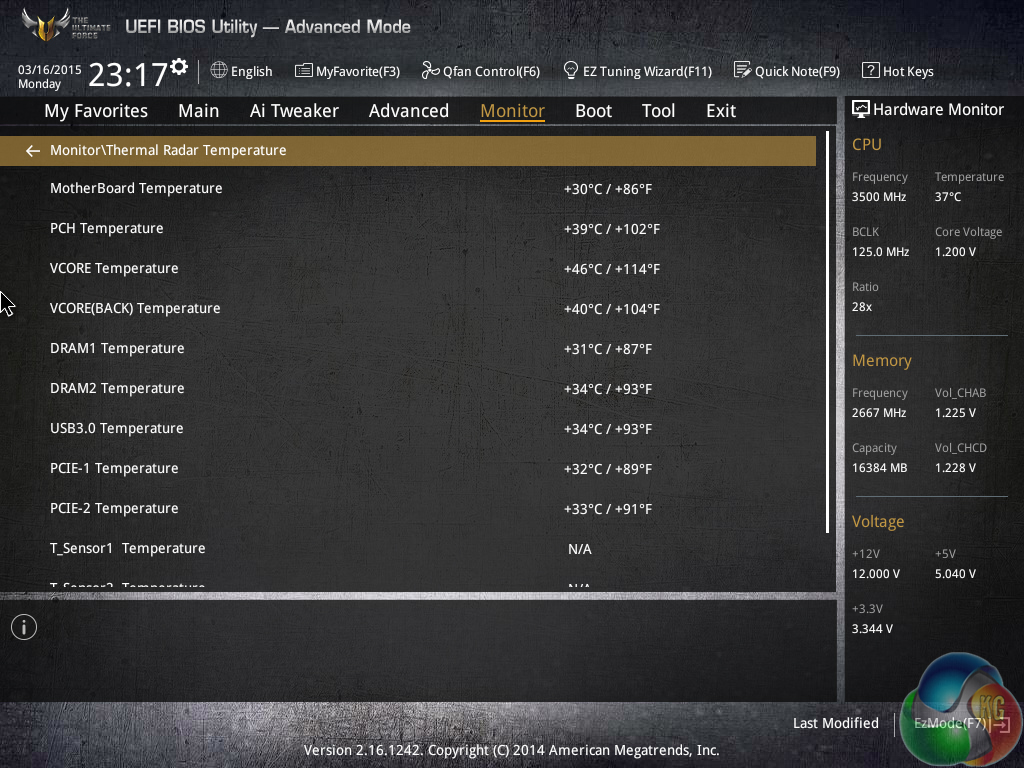
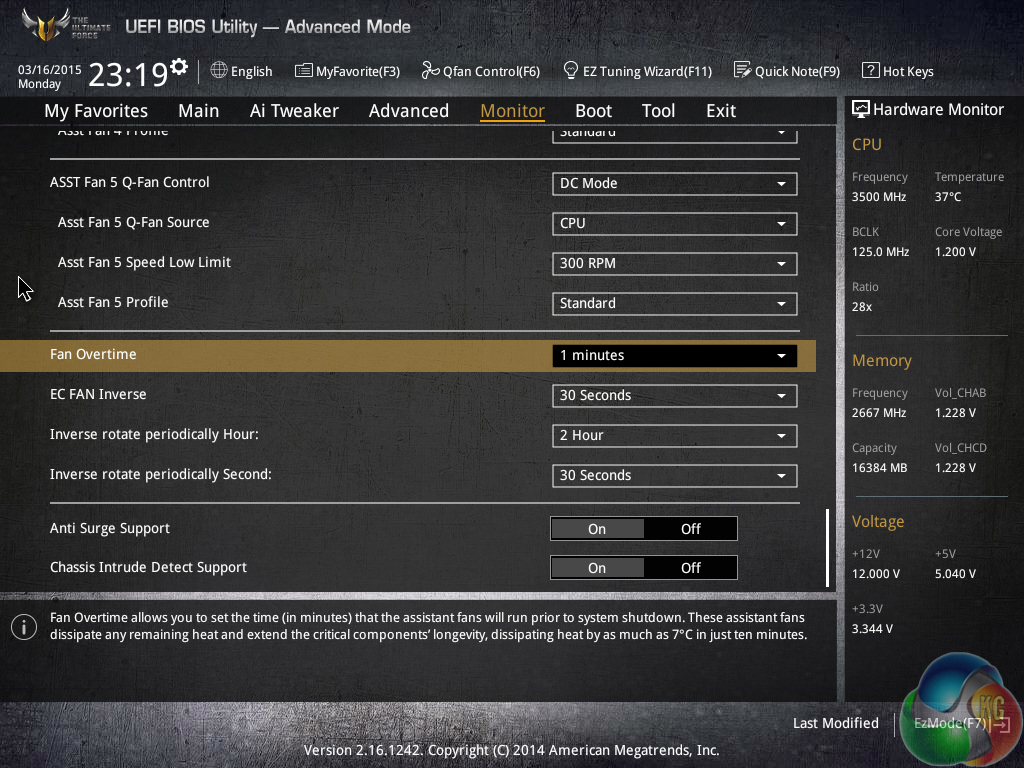
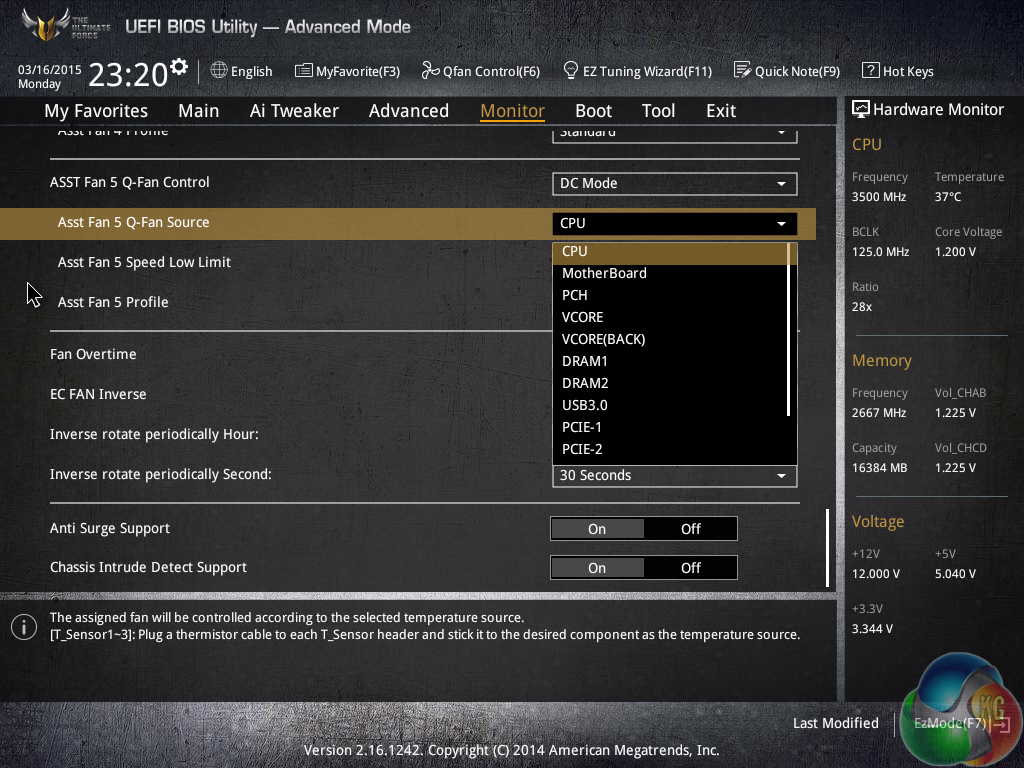
Temperatures and fan speeds are displayed on the Monitor page. Readings from the individually-deployed thermistors (if you choose to install them) can also be displayed on the page.
All of the fans can be controlled via a PWM or DC method with readings from a selection of temperature sensors. While the 40mm VRM fan cannot be set to run at 0% until a high thermal load in the UEFI, that action can be enforced in the OS-based software.
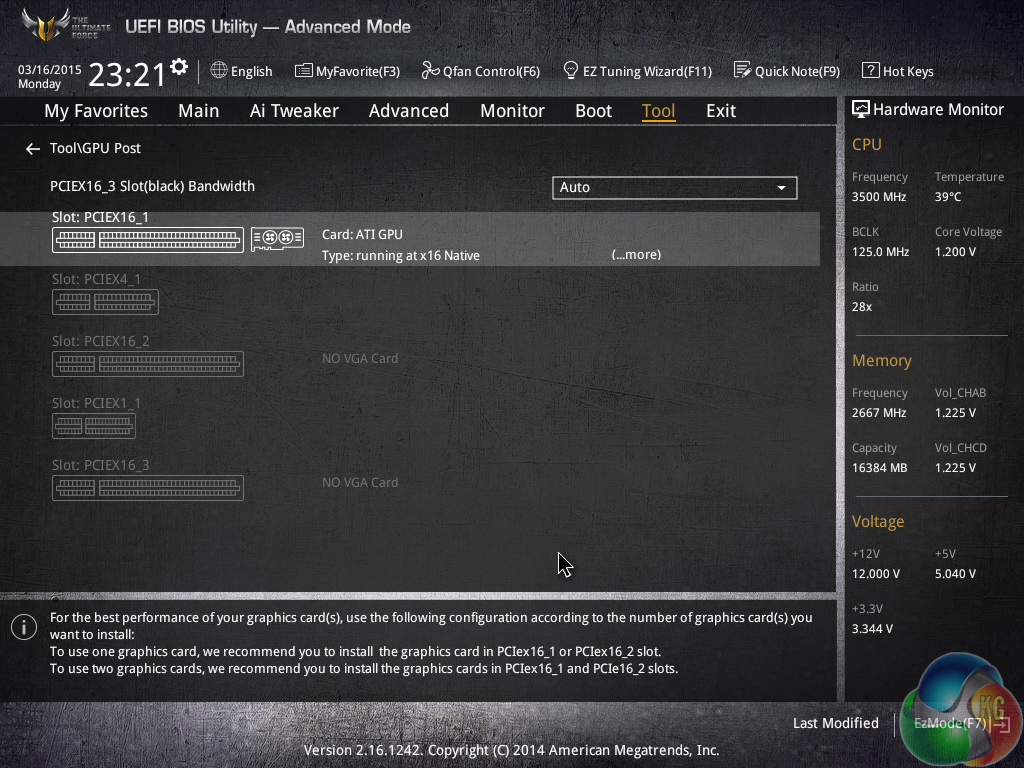
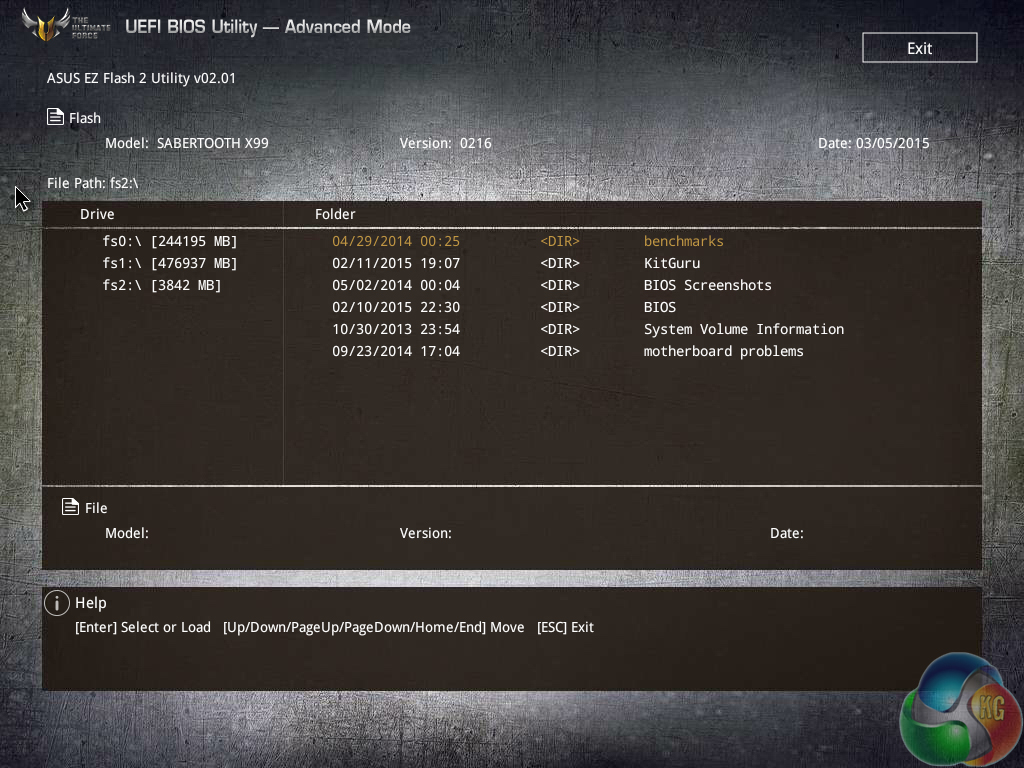
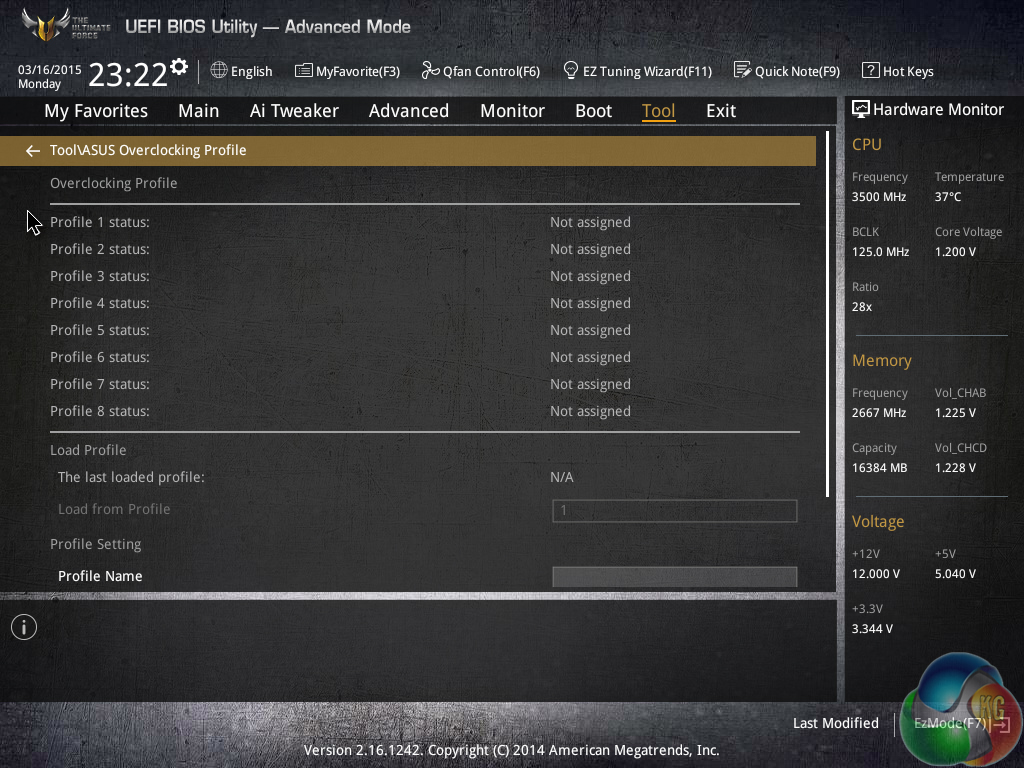
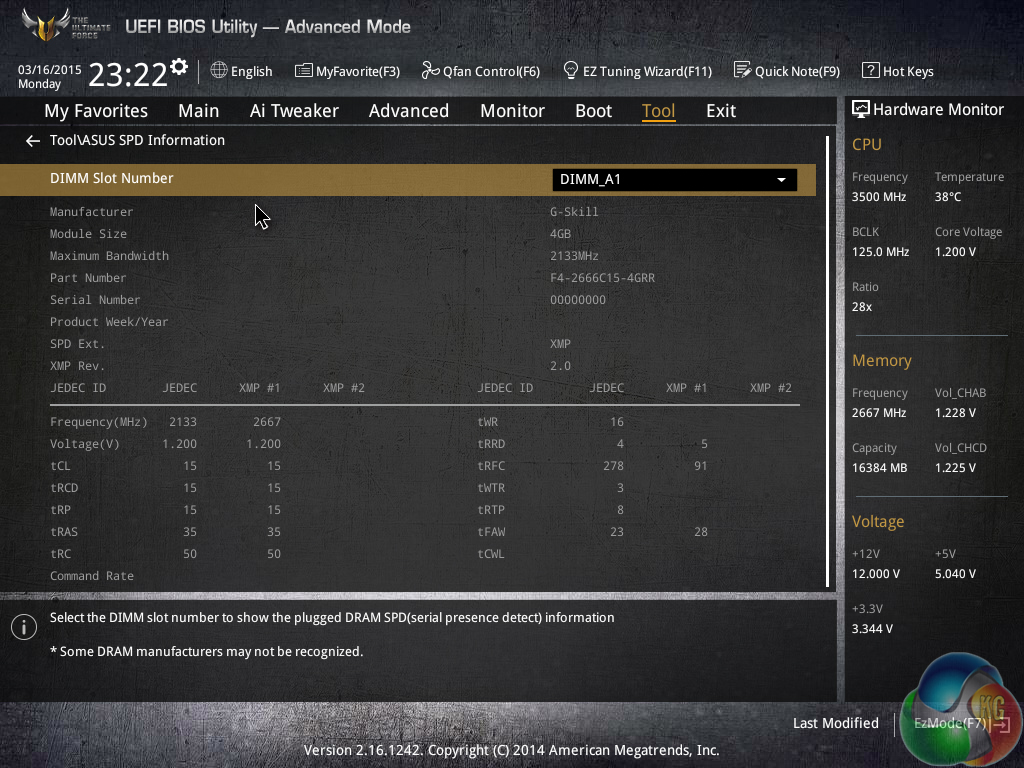
Asus' four tools include a section for reading GPU-related information, the excellent EZ Flash 2 BIOS updating utility, the eight profile saving slots, and a DRAM information page.
Up to eight distinct configuration profiles can be saved to the motherboard, while additional settings can be transferred via a USB flash drive.
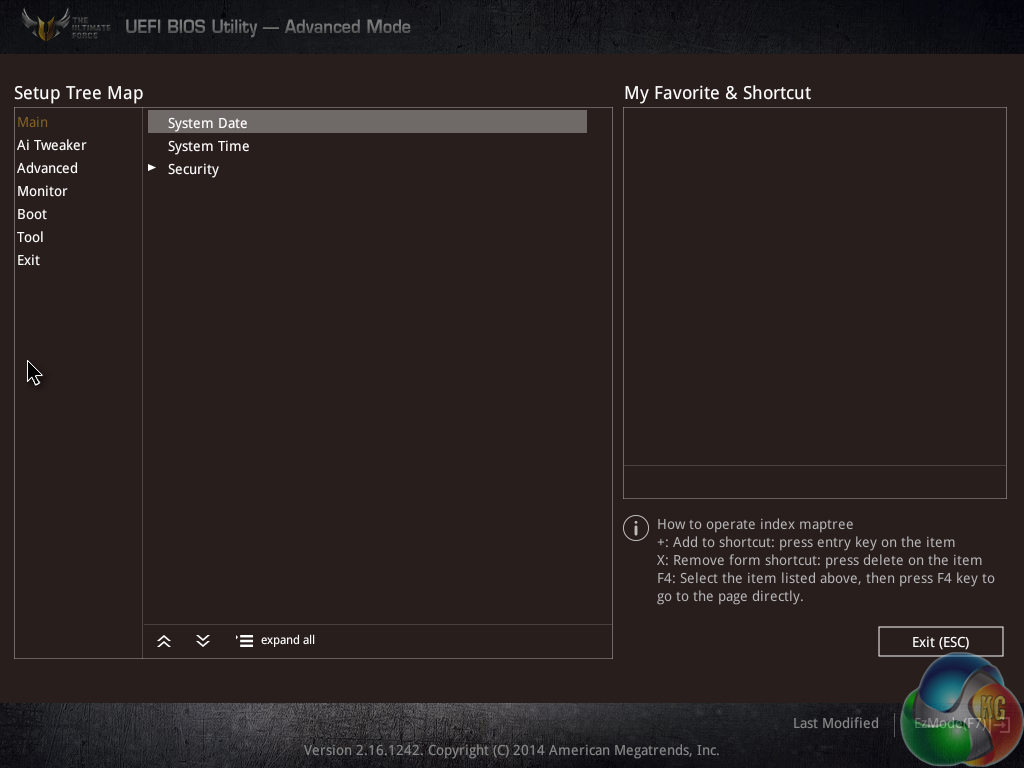
Users are free to add certain parameters to their Favorites section which can be accessed quickly.
UEFI Summary
There’s very little to dislike about Asus’ X99 UEFI implementation. The interface is clean, low-clutter, and easy to navigate. And of course, there’s in-depth functionality to back up all of that layout tidiness.
While many competing vendors have switched to higher resolution – 1920×1080 – interfaces, we still don’t see the need for Asus to make the move because the UEFI designers manage to fit relevant levels of information on each 1024×768 frame.
Extensive fan control and monitoring abilities are particularly important for the TUF Sabertooth X99 motherboard. Asus delivers on this front.
Perhaps the only area where we would recommend minor improvements is the AI Tweaker sectioning. While the overall section is inherently easy to use, splitting some of the settings into CPU, DRAM, Power, etc. sub-sections may help to further minimise the clutter. Other than that minor point, the interface is, quite simply, excellent.
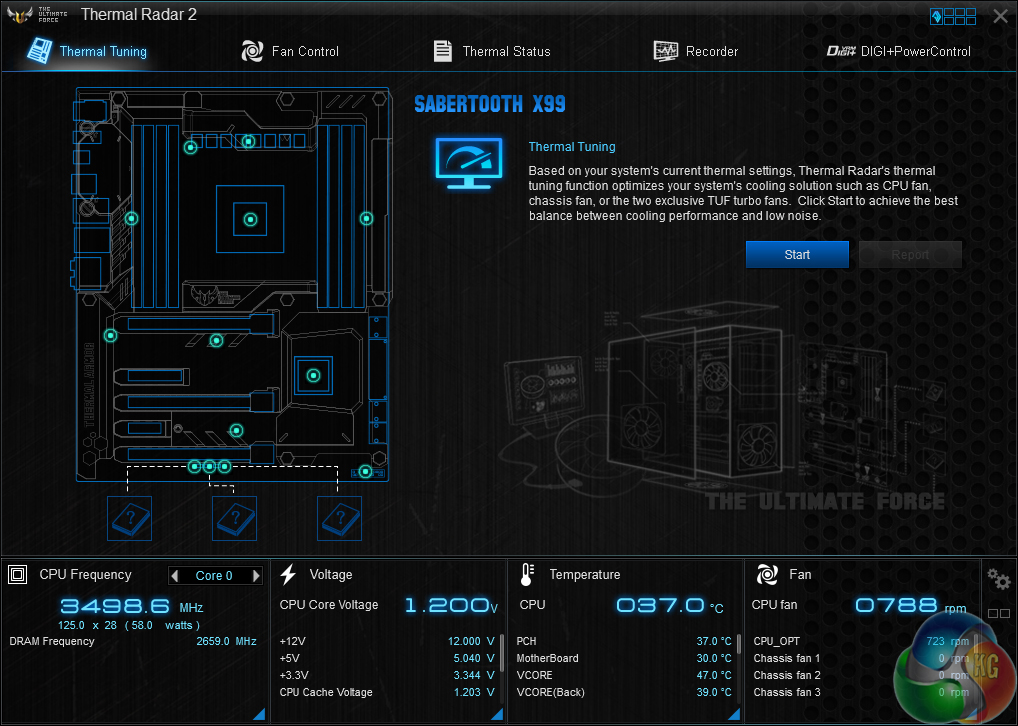
Thermal Radar 2 is a section in Asus' AI Suite 3 software that gives users control over their system parameters.
Settings relating to the motherboard's thermal performance, fan speeds, and power configurations can be adjusted and monitored.
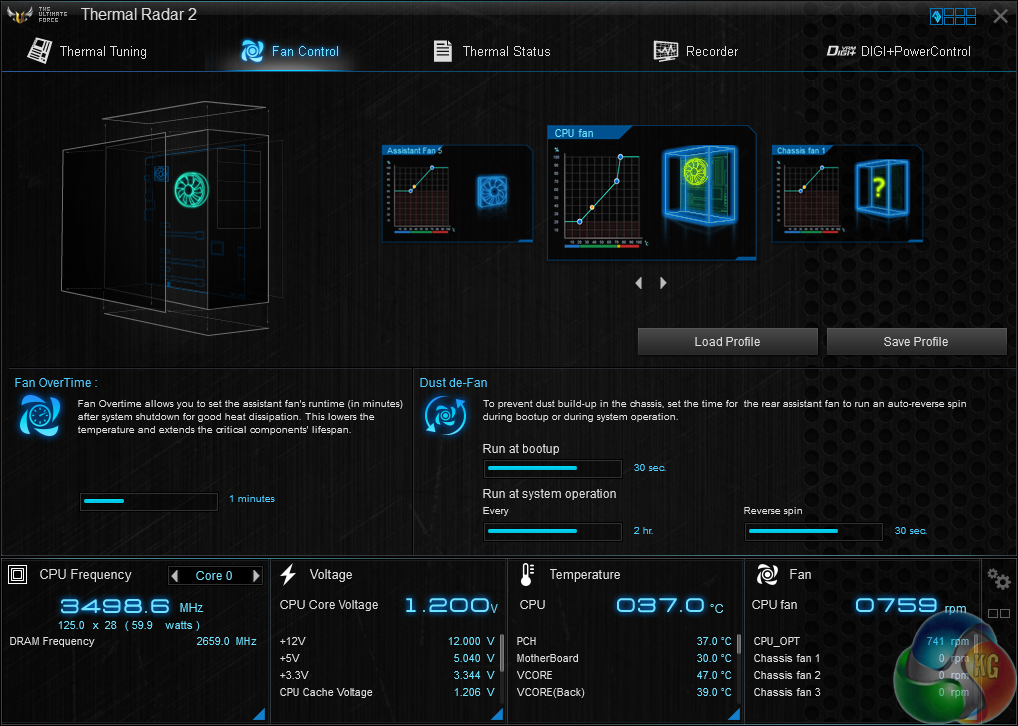
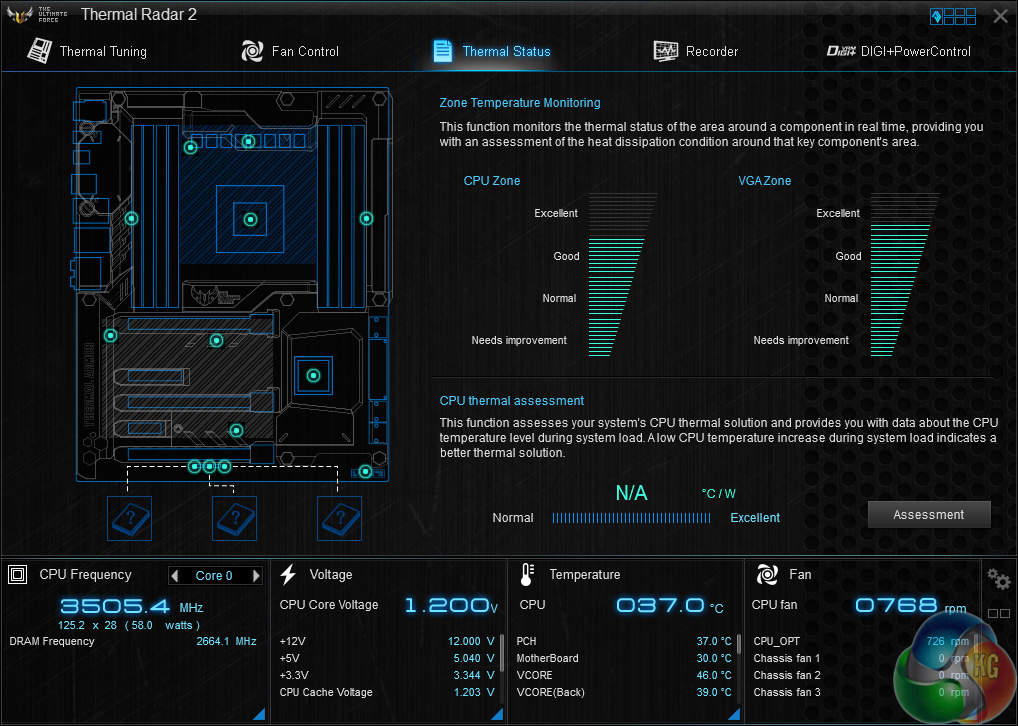
The extensive fan control section gives users an almost identical level of customisation as the UEFI Q-Fan tool. From here, profiles can be set and tweaked.
There's also a thermal assessment tool that analyses your CPU cooler's thermal performance in °C/W. Asus displays the numerical value for how the temperature rises with respect to CPU power usage, however a graphical form would be far more elegant and interpretable for the user.
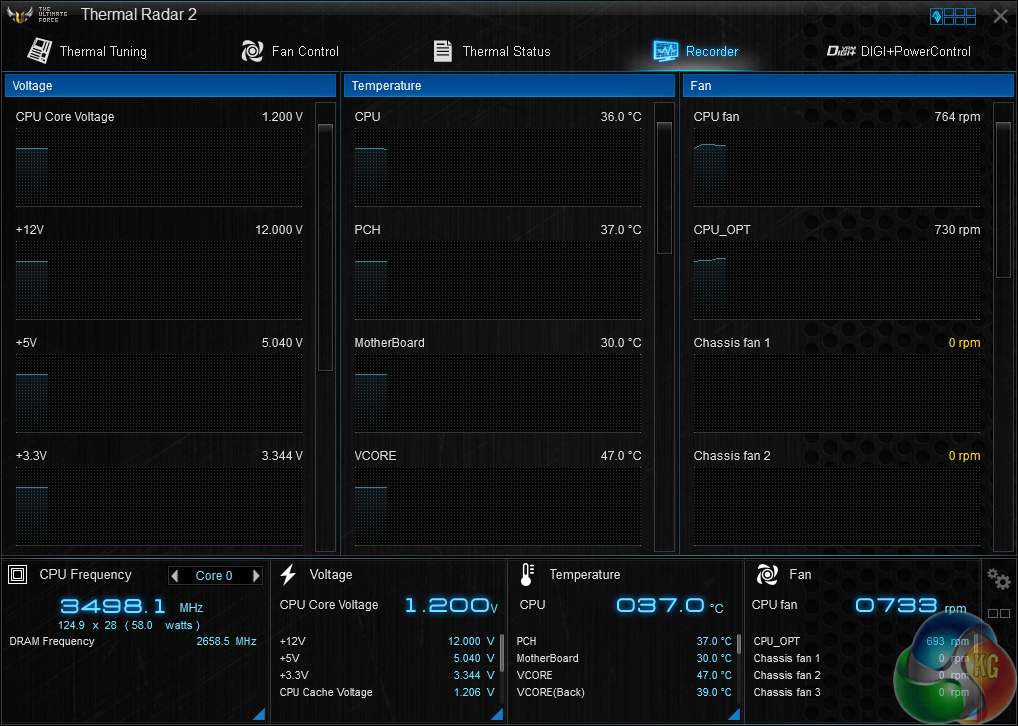
Voltage levels, component temperatures, and fan speeds can be monitored in a graphical fashion. This is good for monitoring voltage levels when stability testing an overclock.
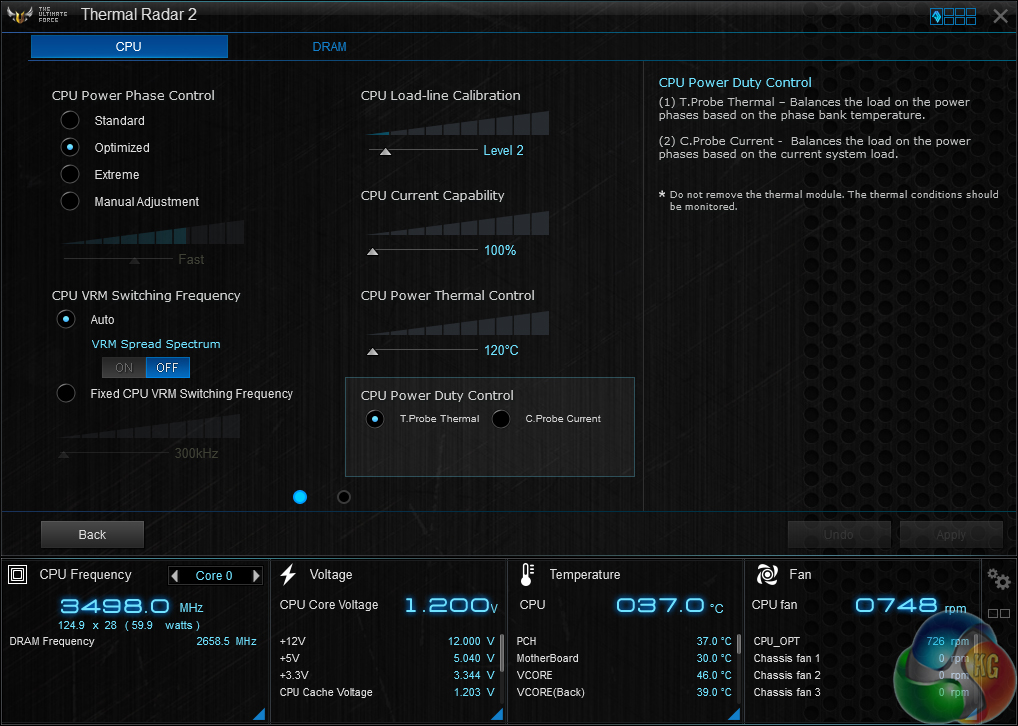
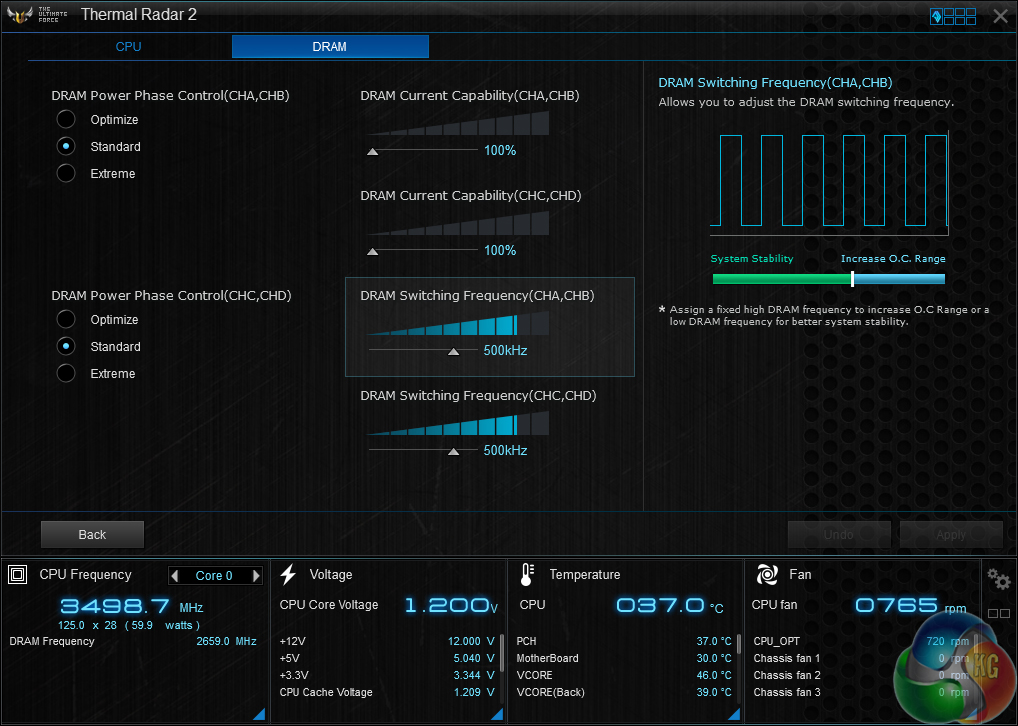
There is limited control over the CPU and DRAM's power-related operations in the Digi+ Power Control section.
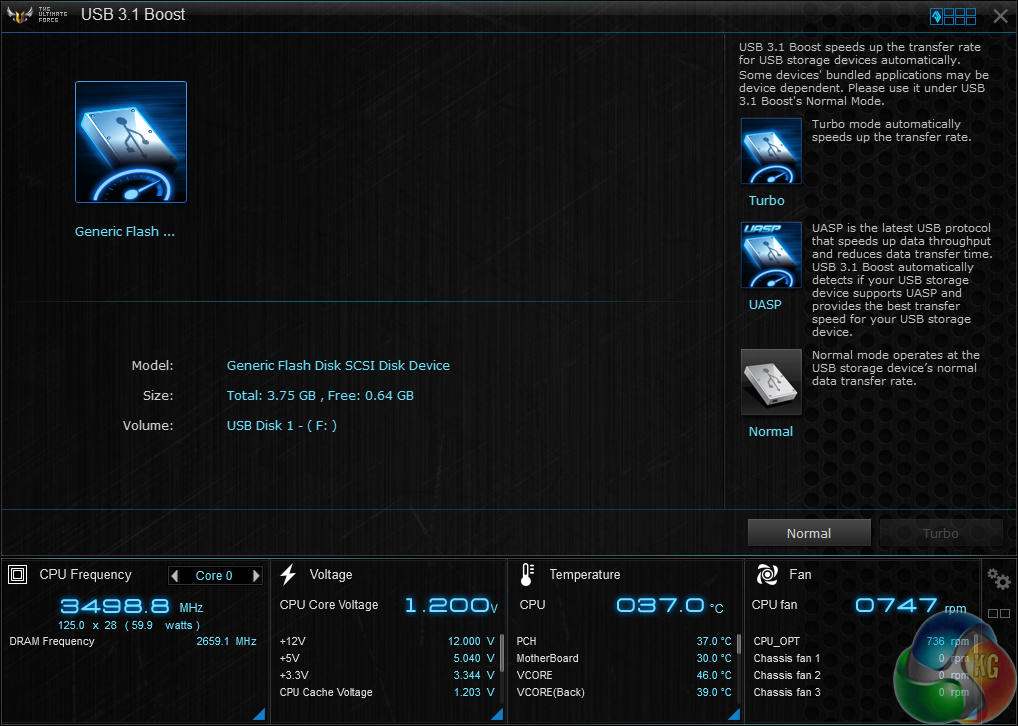
Asus' USB 3.1 Boost tool can be used to activate different speed modes for connected USB drives. This is especially useful for enabling higher-speed operation of connected drives when using Windows 7 (which doesn't have the same level of USB 3.0 speed support as Windows 8.x)
Focusing on the USB 3.0 element of USB 3.1 Boost, the tool is Asus’ way of enabling the speed-increasing UASP mode for USB devices connected to a Windows 7 system. Since ASRock dropped its UASP-activating software (XFast USB) back with Z97′s introduction, Asus’ USB 3.1 Boost tool is the only way of pushing past 400MBps with a USB 3.0 device connected to a Windows 7 system.
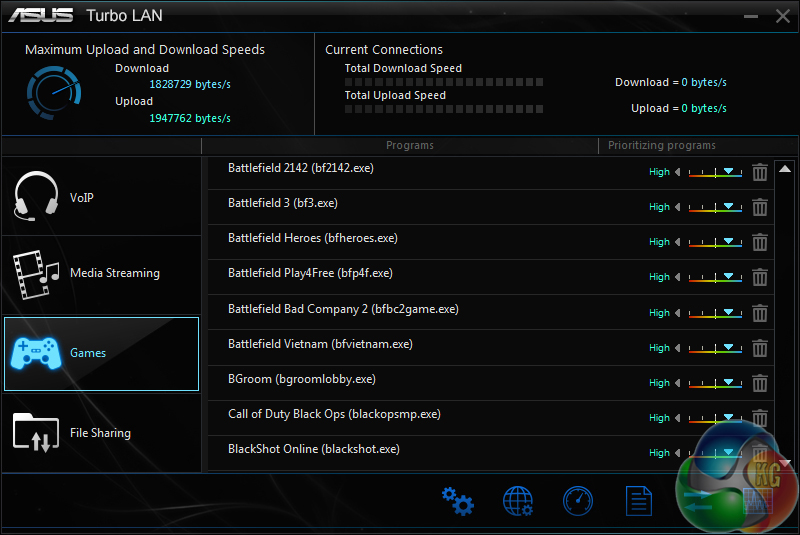
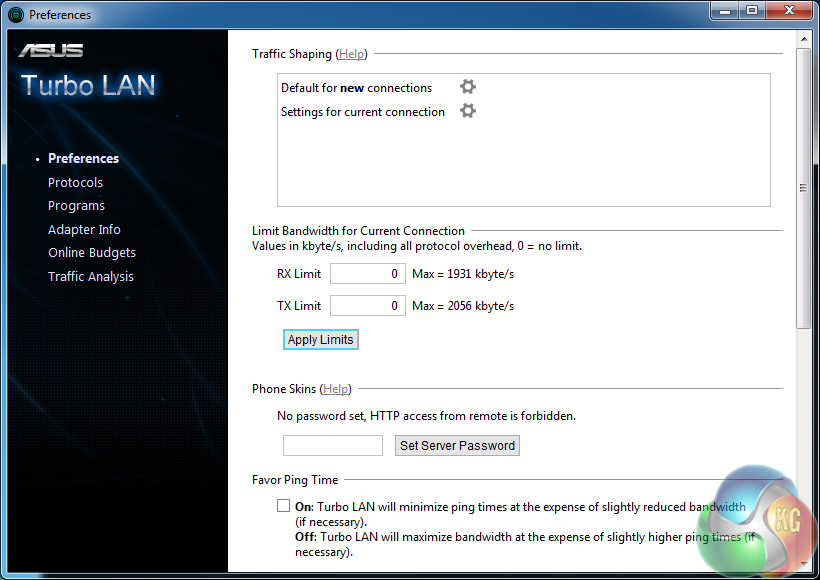
Turbo LAN is similar to Killer’s Network Manager software in the way that it can control network bandwidth priorities.
The software tool is one of the primary reasons that Asus continually relies upon Intel NICs rather than the Killer E2200 series alternative, even for its gaming motherboards.
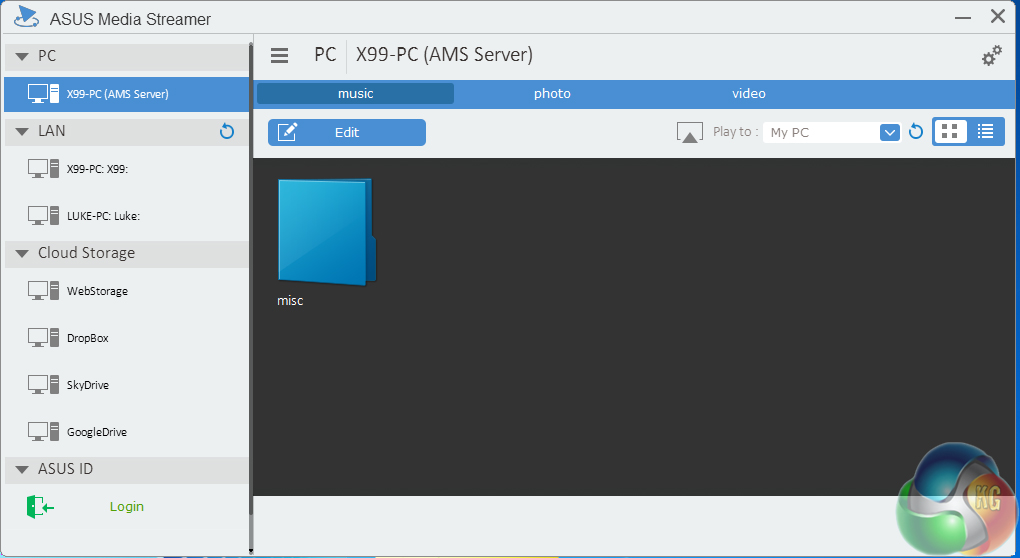
Asus’ Media Streamer software can, as suggested by the name, stream media between systems connected to one’s network.
TUF Detective Mobile App
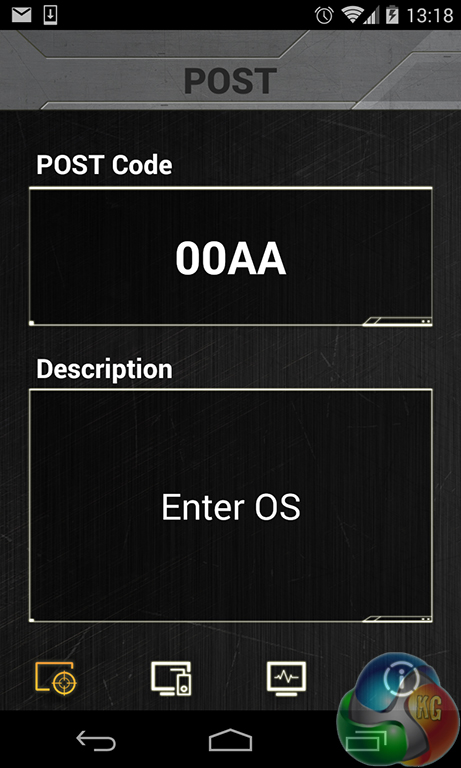
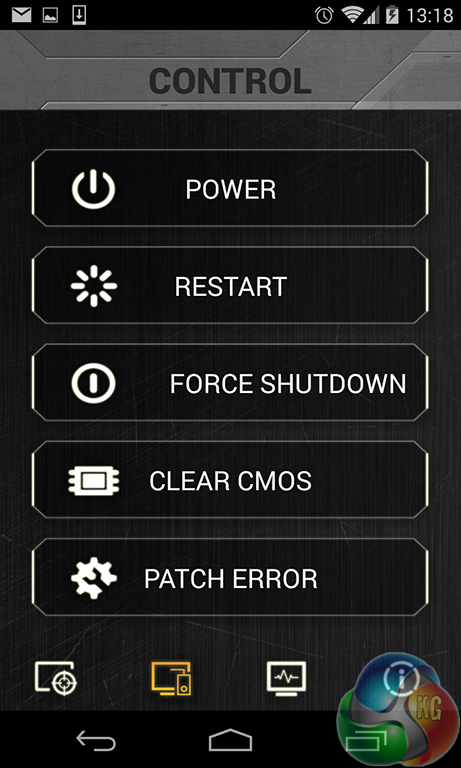
The TUF Detective app worked perfectly on my Nexus 4 phone running Android 4.4.4. A user can control their system, view its information, and make use of monitoring tools through the app.
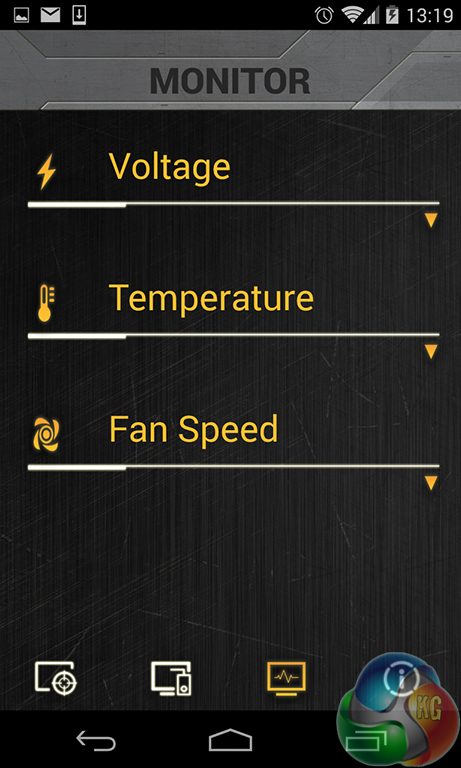
Voltage, temperature, and fan speed monitoring is given its own section in the app. Each of the sections features a clickable arrow that opens up additional information.
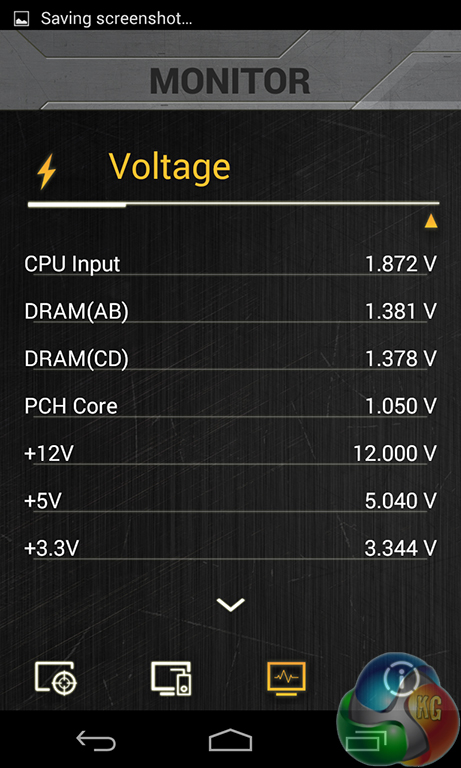
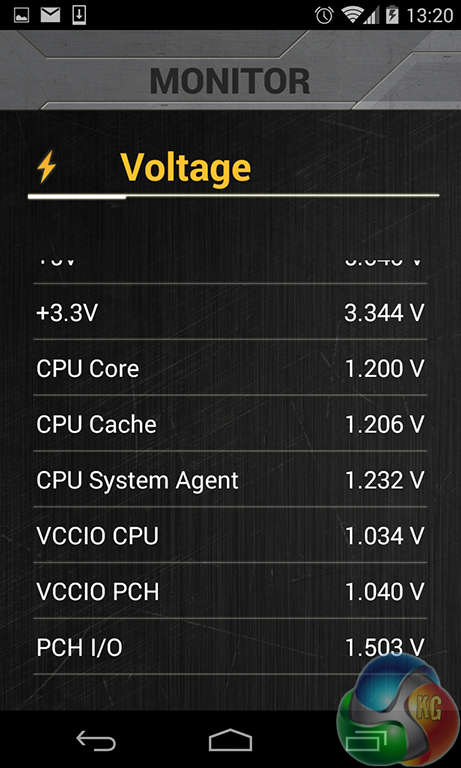
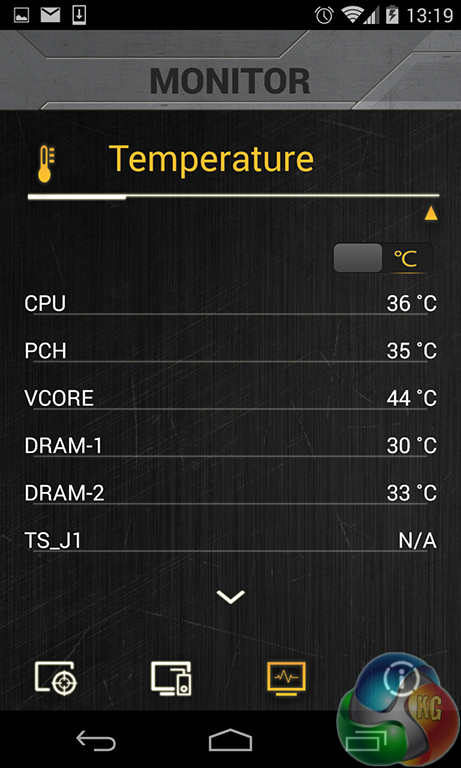
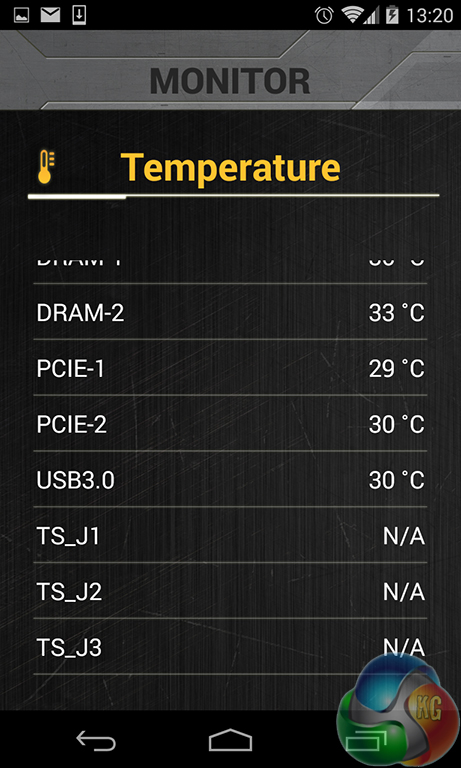
The temperature and voltage level monitoring information was taken straight from information supplied by the TUF ICe and Nuvoton chipsets. Information displayed on the app is consistent with that shown by OS-based software.
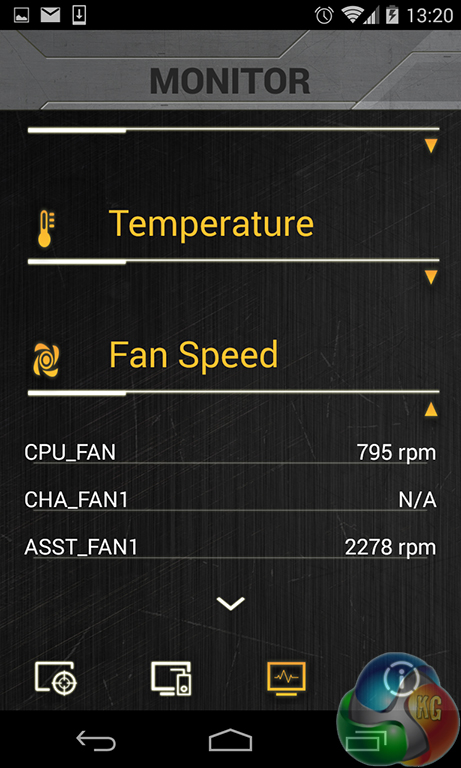
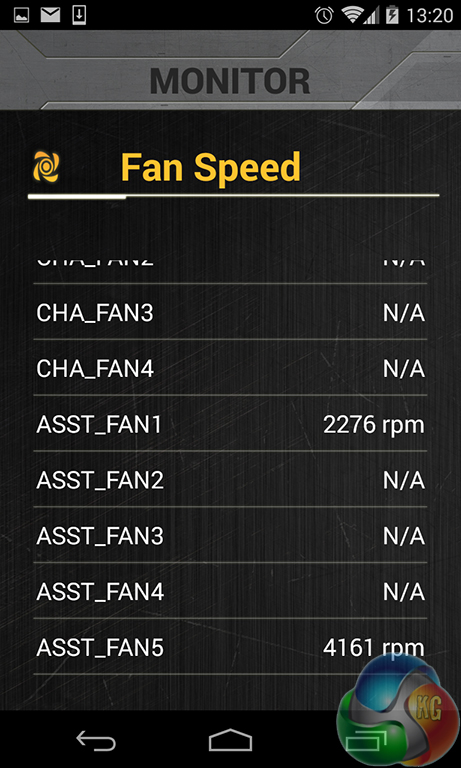
I think a worthwhile upgrade for the app may be to give it basic fan speed control abilities. That said, Asus deserves credit for creating a unique tool that provides a wealth of information about a system.
I am particularly fond of the tool's monitoring abilities – users with a single display can play their game while also checking system information on a tablet's screen.
We will be outlining the Asus Sabertooth X99 motherboard's performance with the Core i7 5960X CPU at its stock frequency (3.5GHz due to forced turbo). Overclocked performance will be outlined later in the review.
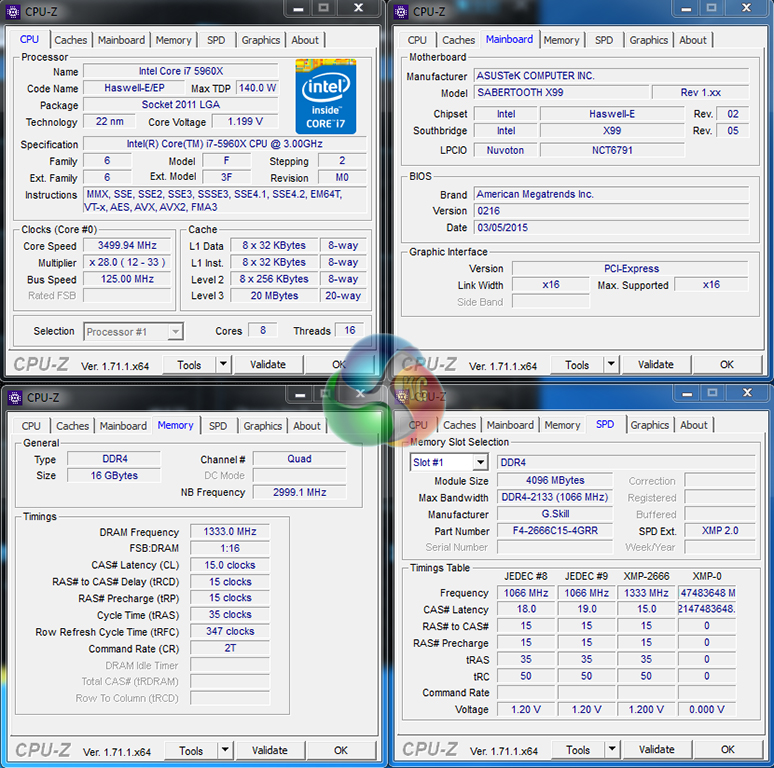
By default, the Asus Sabertooth X99 motherboard applies multi-core turbo (MCT) and forces the 5960X to a constant 3.5GHz when XMP is enabled.
Asus feeds the CPU with 1.20V in order to reach the 3.5GHz MCT frequency with stability. This is higher than the voltage level that many competing board vendors use (ASRock uses ~1.07V, for example), and will have a negative impact on stock-clocked power consumption and temperature levels.
That's no big deal to overclockers, however.
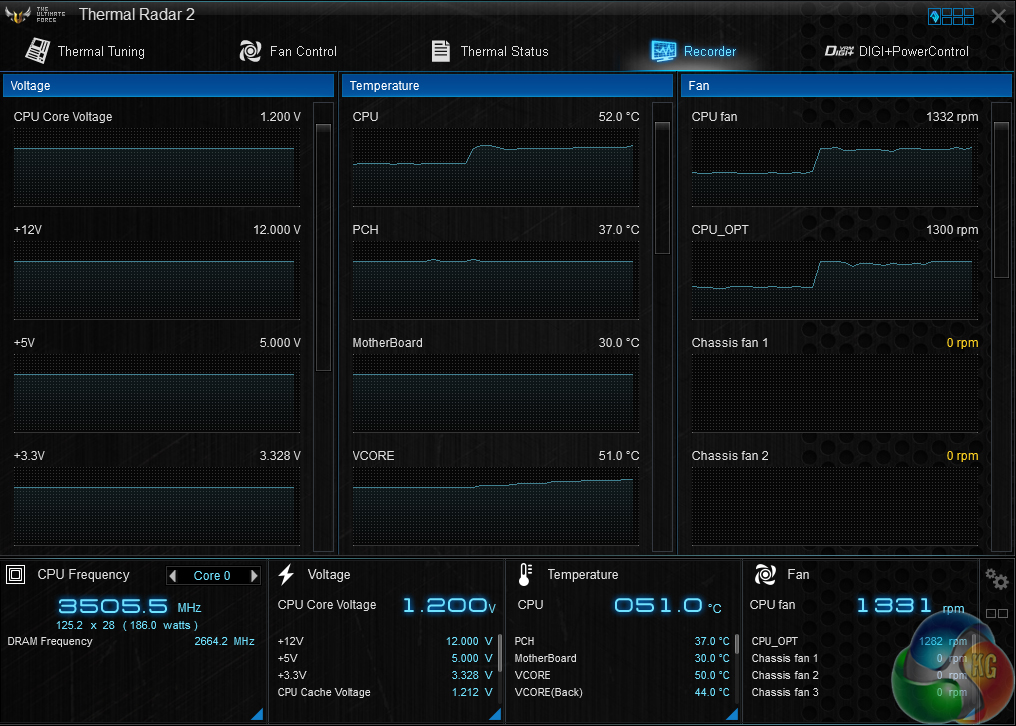
Asus' AI Suite 3 software does a far better job of tracking real-time voltage levels than CPU-Z. The MCT configuration uses a static 1.20V CPU VCore that does not drop under lower load.
X99 Motherboard Test System:
- Processor: Intel Core i7 5960X ES (3.5GHz forced turbo).
- Memory: 16GB (4x 4GB) G.Skill Ripjaws4 2666MHz CL15 DDR4 @ 1.20V.
- Graphics Card: Asus R9 280X Matrix Platinum 3GB.
- System Drive: 500GB Samsung 840.
- CPU Cooler: Corsair H100i.
- Case: NZXT Phantom 630.
- Power Supply: Seasonic Platinum 1000W.
- Operating System: Windows 7 Professional with SP1 64-bit.
Compared X99 Motherboards:
- ASRock X99 OC Formula (BIOS v1.16) – with 16GB (4x 4GB) Corsair Vengeance LPX 2800MHz @ 2666MHz 16-18-18-44 DDR4 1.25V
- ASRock X99 Extreme11 (BIOS v1.00) – with 16GB (4x4GB) G.Skill Ripjaws4 2666MHz 15-15-15-35 DDR4 1.25V.
- ASRock Fatal1ty X99 Professional (BIOS v1.50) – with 16GB (4x 4GB) Corsair Vengeance LPX 2800MHz @ 2666MHz 16-18-18-44 DDR4 1.25V
- Asus X99 Deluxe (BIOS 0801) – with 16GB (4x4GB) G.Skill Ripjaws4 3000MHz 15-15-15-35 DDR4 1.35V.
- MSI X99S Gaming 7 (BIOS V17.3B1) – with 3.56GHz CPU and 16GB (4x 4GB) Corsair Vengeance LPX 2800MHz CL16 DDR4 @ 2800MHz 1.20V.
Software:
- Asus Sabertooth X99 BIOS v0216 (latest).
- Catalyst 14.9 VGA drivers.
Tests:
- 3DMark 1.3.708 – Fire Strike (System)
- SiSoft Sandra 2014 SP2 – Processor arithmetic, memory bandwidth (System)
- Cinebench R15 – All-core CPU benchmark (CPU)
- WinRAR 5.10 – Built-in benchmark (CPU)
- HandBrake 0.9.9 – Convert 4.36GB 720P MKV to MP4 (CPU)
- ATTO – SATA 6Gbps, USB 3.0, M.2 transfer rates (Motherboard)
- RightMark Audio Analyzer – General audio performance test (Motherboard)
- Bioshock Infinite – 1920 x 1080, ultra quality (Gaming)
- Metro: Last Light – 1920 x 1080, high quality (Gaming)
- Tomb Raider – 1920 x 1080, ultimate quality (Gaming)
3DMark
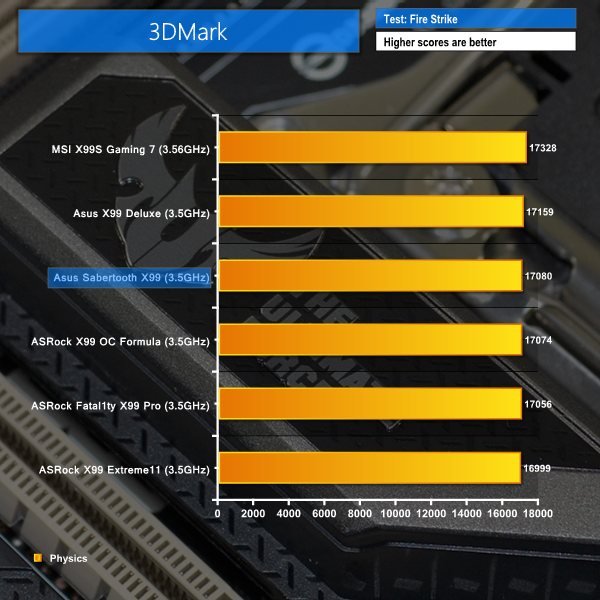
We used 3DMark‘s ‘Fire Strike’ benchmark which is designed to be used on gaming PCs. We opted for the Normal setting, NOT the Extreme mode.
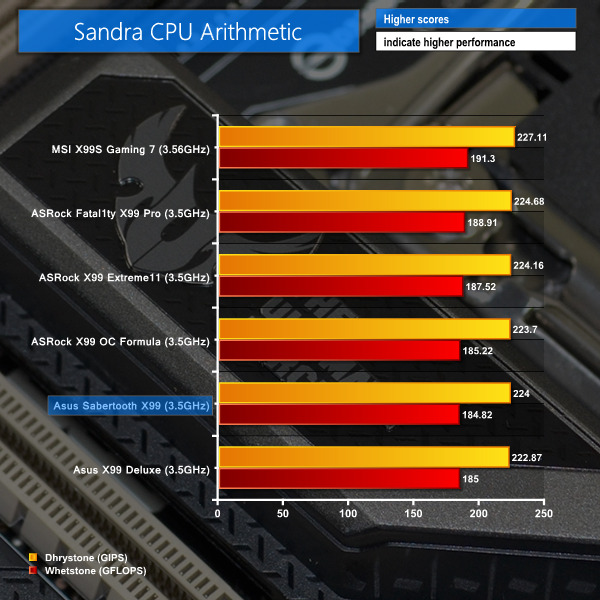
Sandra Processor Arithmetic
Sandra Memory Bandwidth
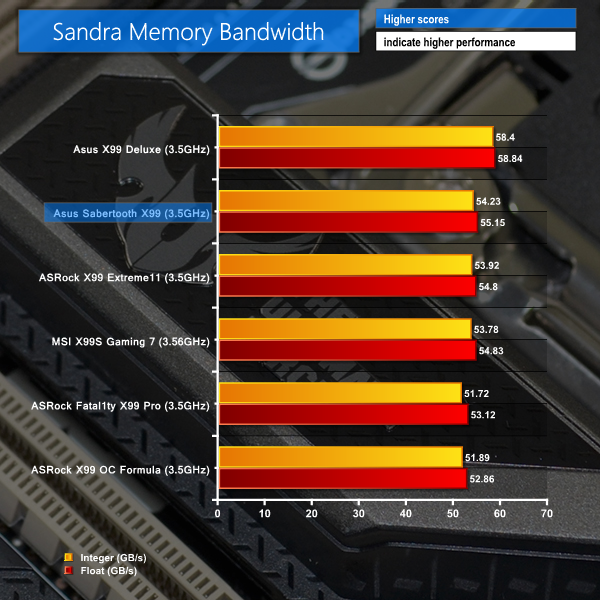
Asus' Sabertooth X99 shows solid performance in the opening set of benchmarks. 3DMark has the board's Physics score second out of the 3.5GHz-clocked systems, while the Sandra Memory Bandwidth results make for positive reading.
Processor arithmetic values put the Sabertooth X99 towards the bottom of our list. That said, the percentage difference between first and last place is negligible in the real world.
Cinebench
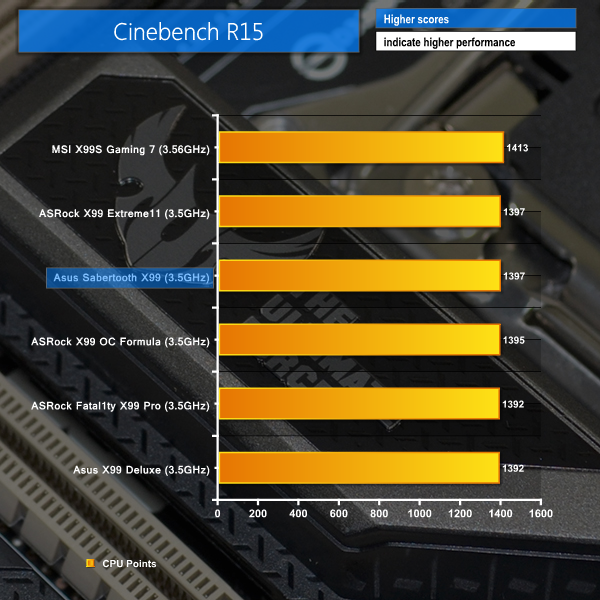
We used the ‘CPU’ test built into Cinebench R15 .
WinRAR
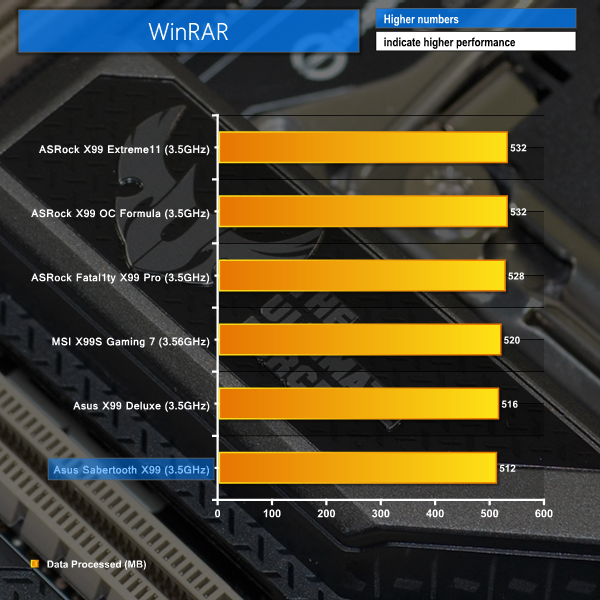
WinRAR’s built in benchmark and hardware test can help us outline the performance differentials between each motherboard. We record the amount of data processed after a 30-second run.
Handbrake Conversion
We measured the average frame rate achieved for a task of converting a 4.36GB 720P H.264 movie (in the MKV container) to one in the MP4 container.
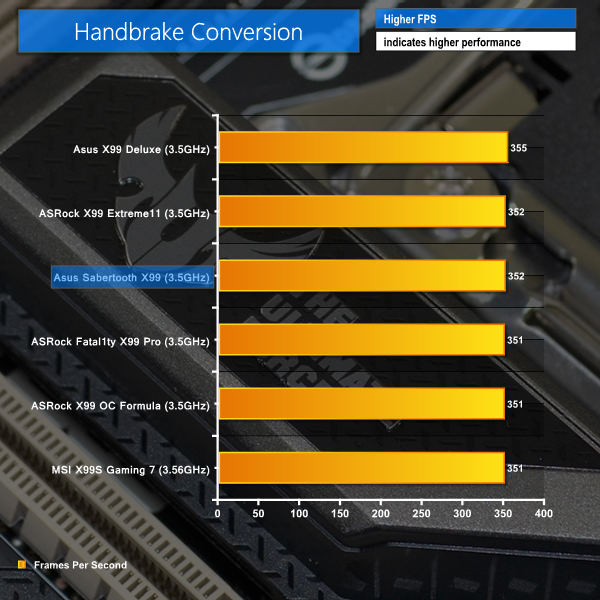
Positive performance results are displayed by the TUF X99 motherboard in Cinebench and our Handbrake conversion test. Both results show the Sabertooth X99 pushing hard to compete for top position.
The more volatile WinRAR benchmark, however, puts the Sabertooth X99 in last position. ASRock's chart-topping competitors are around 4% faster than the Sabertooth X99 in WinRAR workloads. Clearly, WinRAR shows negativity towards Asus boards, which may be a reflection of looser tertiary memory timings than its competitors.
Bioshock Infinite
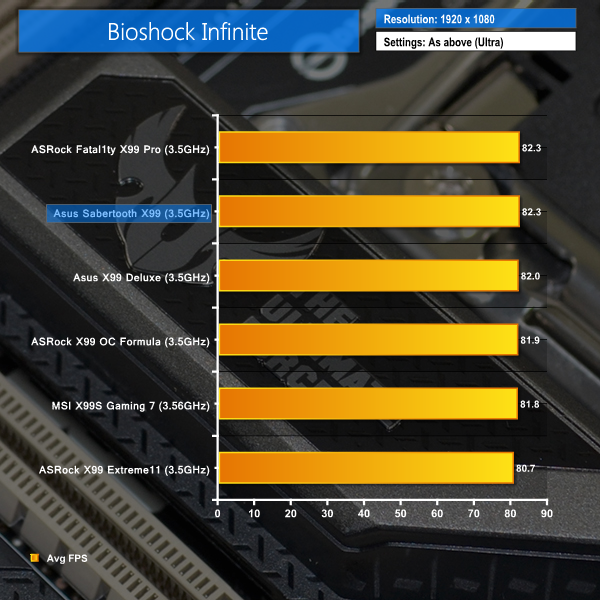
We used the Bioshock Infinite demanding ‘Ultra’ setting and a 1920×1080 resolution to push today’s gaming hardware. Our data was recorded using a section of the game, not the built-in benchmark.

Metro: Last Light
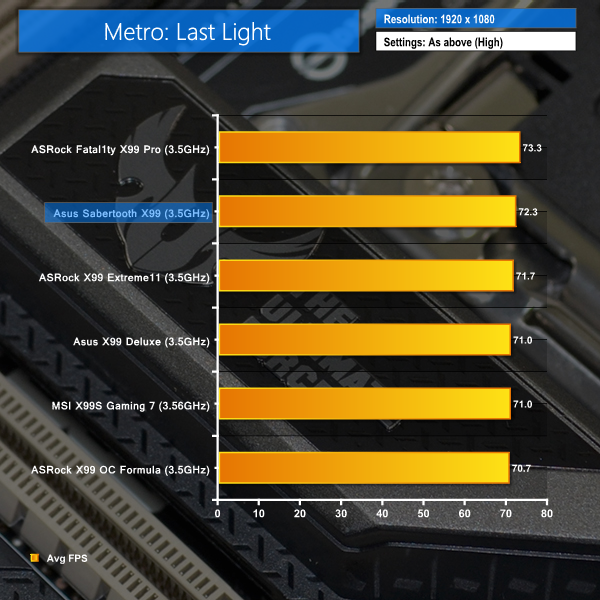
We used a 1920×1080 resolution and the Metro: Last Light built-in benchmark set to ‘High’ quality to offer an intense challenge for the gaming hardware while also making playable frame rates a possibility.

Tomb Raider
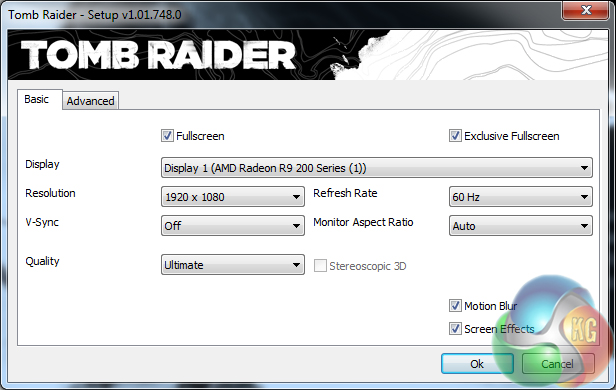
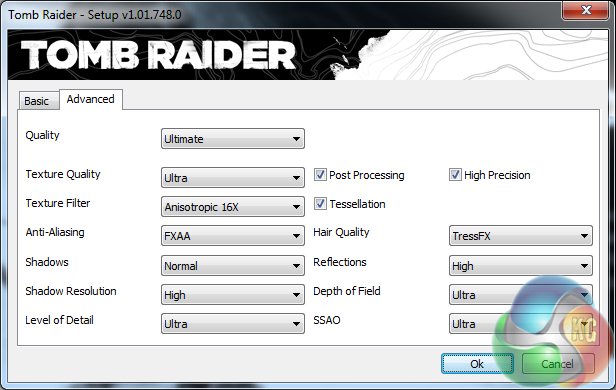
We used a 1920×1080 resolution and the Tomb Raider built-in benchmark set to ‘Ultimate’ quality.
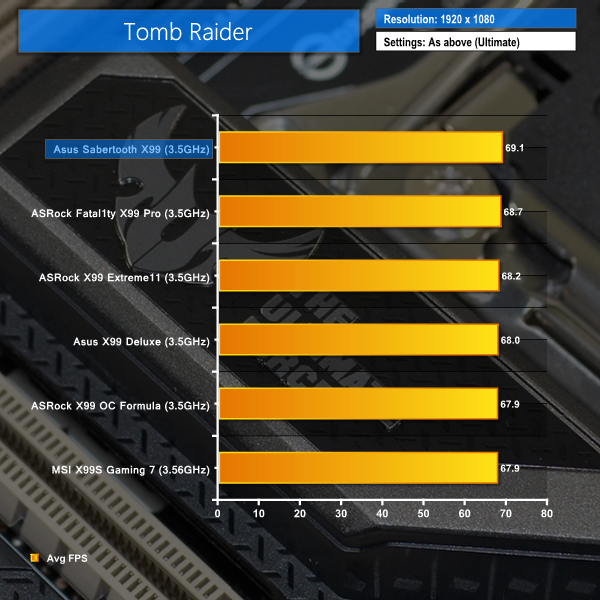
Gaming performance on the Sabertooth X99 is far from limiting at a 1920×1080 resolution. A set of game updates sees the most recent boards to visit our test system – the Sabertooth X99 and ASRock's Fatal1ty X99 Professional – duelling it out for top spot.
Both boards are evenly matched in Bioshock Infinite, however Asus' contender nips ahead by a fraction of frame in Tomb Raider, while ASRock's gaming-orientated competitor pushes out an extra frame in Metro: Last Light.
Put simply, Asus' TUF Sabertooth X99 motherboard has no problems showing competitive gaming performance, despite its reliability-orientated design.
M.2 connector
We use Plextor‘s fast M6e 256GB M.2 SSD to test the speed of a motherboard's M.2 connector. We reviewed the 512GB Plextor M6e (and its PCIe x2 adapter card) HERE. Unfortunately we do not have access to a PCIe 3.0-based SSD to fully test the M.2 connector's performance limits.
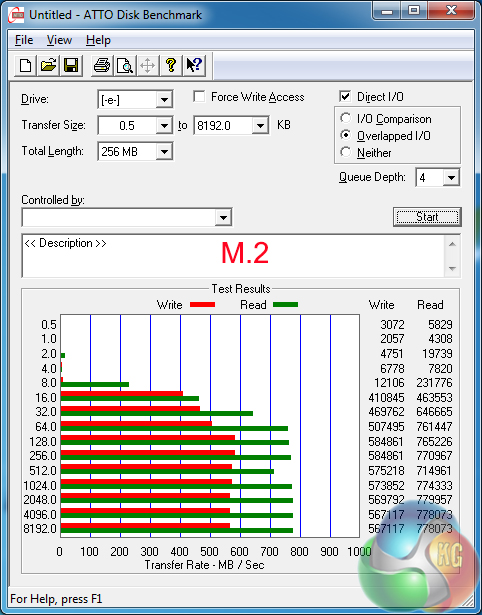
Asus feeds the board's M.2 connector with up to four PCIe 3.0 lanes directly from the CPU. That translates into a 32Gbps bandwidth potential, which is more than enough speed to satisfy any M.2 SSD currently on the market.
There's also NVMe support with the Sabertooth X99, both over its M.2 socket and the separately-available SFF-8639-supporting Hyper Kit card. Intel should be releasing a (potentially consumer-orientated?) NVMe-based drive in Q2 of this year, bringing with it potential transfer rates of more than a couple of Gigabytes per second (based on rumours).
SATA
For SATA 6Gb/s testing we use a Kingston HyperX 3K (SandForce SF-2281) SSD.
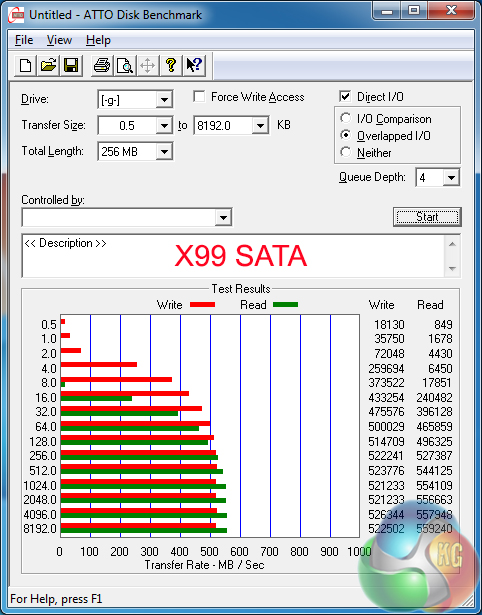
SATA 6Gbps performance from the X99 chipset is without issue, as we would expect.
USB 3.0
We tested USB 3.0 performance using the Kingston HyperX 3K SSD connected to a SATA 6Gb/s to USB 3.0 adapter powered by an ASMedia ASM1053 controller.
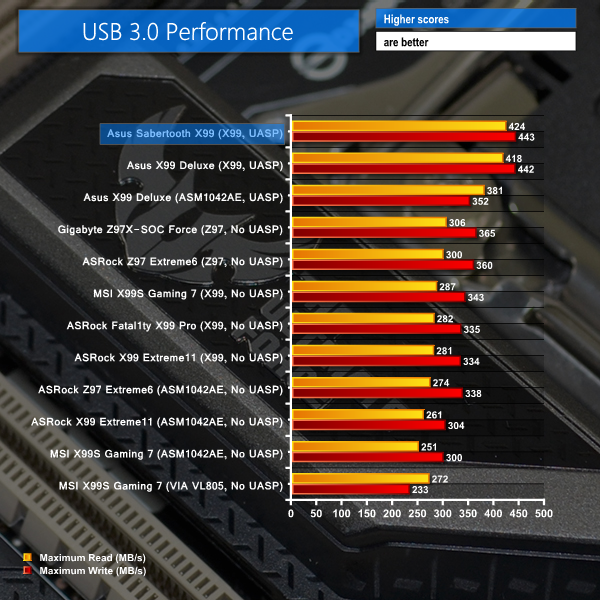
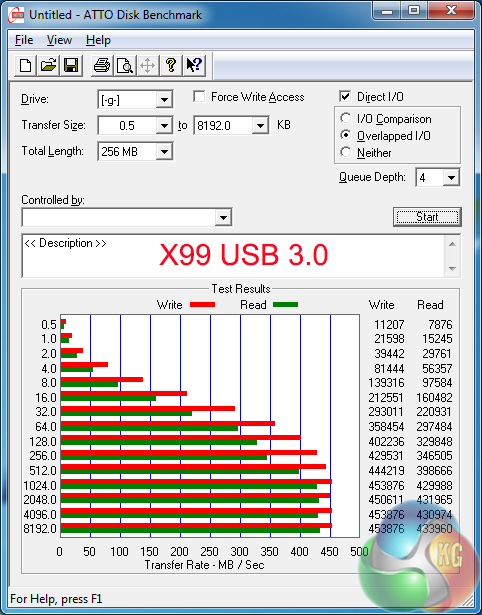
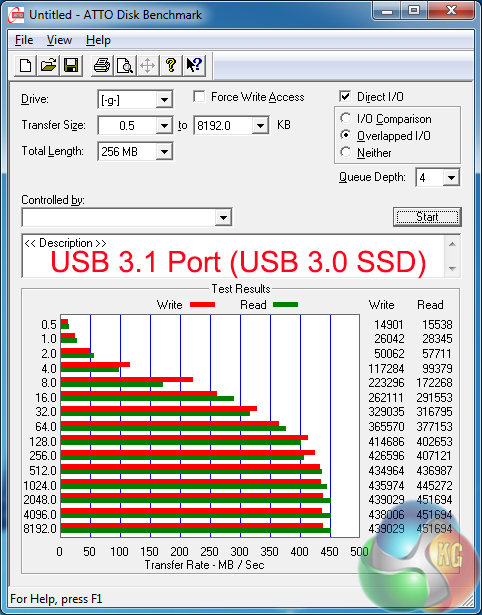
Asus' excellent USB 3.1 Boost software allows us to unlock enhanced UASP-derived transfer rates. Since ASRock dropped its XFast USB software, Asus is currently the only board vendors to provide a UASP-activating tool for its Windows 7 users.
Windows 8.1 users will see little performance difference between any of the X99-fed USB 3.0 ports on competing motherboards, thanks to the Operating System's built-in UASP driver.
I tested the ASMedia ASM1142-fed USB 3.1 ports with our USB 3.0 adapter and SSD simply as a way of validating their performance with current external drives. They have no problems pushing a USB 3.0-linked SSD to its speed limit, so we would not expect any major issues with USB 3.1 drives.
We took an in-depth look at Asus' USB 3.1 solution, where we tested it with RAID 0 Samsung 840 EVO SSDs, here. The ports should be good for sequential transfer rates towards the 800MBps-mark.
Audio
We use RightMark Audio Analyzer (RMAA) to analyse the performance of the motherboard’s onboard audio solution. A sampling mode of 24-bit, 192 kHz was tested.
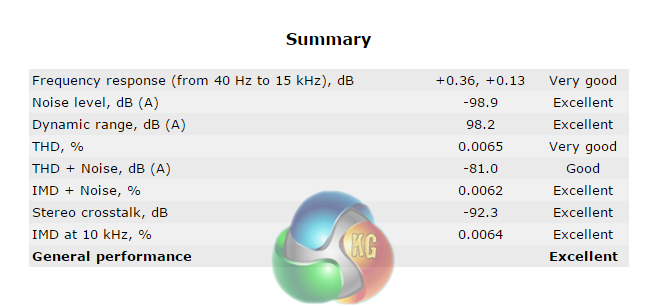
The Sabertooth X99 motherboard's audio systems comprises Realtek's ALC1150 codec and a Texas Instruments RC4580 operational amplifier (marked R4580i). Segregated audio circuits are used to avoid channel interference, however Asus refrains from using specific EMI shielding over the codec.
According to RMAA, Asus' Sabertooth X99 delivers Excellent general audio performance. Noise level results are strong, as is the stereo crosstalk level – proving that the segregated audio PCB tracks are doing their job.
Automatic CPU Overclocking:
EZ Tuning
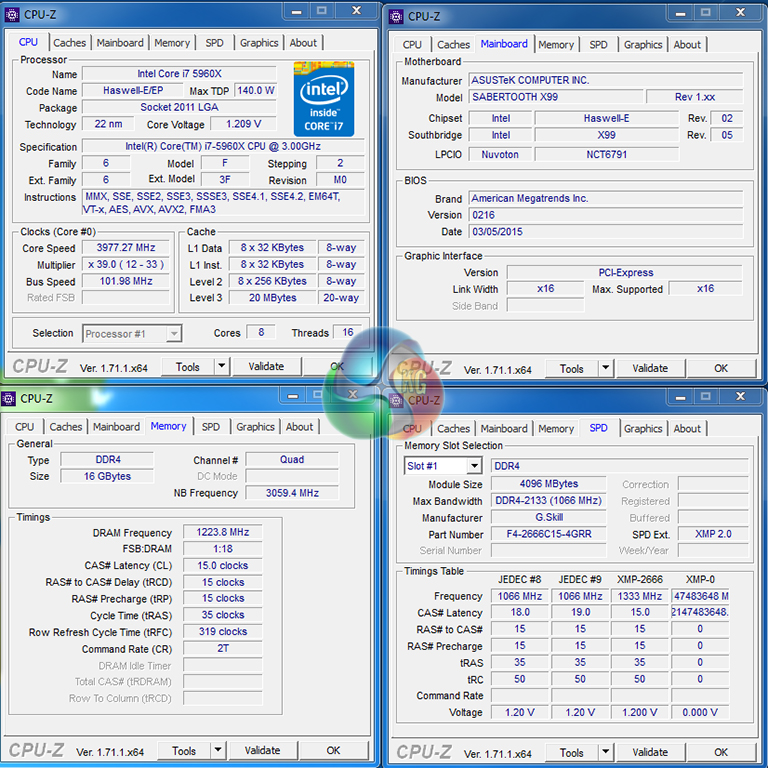
Running the EZ Tuning operation through Asus' UEFI resulted in a CPU frequency of 3978MHz (39x102MHz) for our system, with memory clocked at 2448MHz. Cache frequency also gets a 60MHz bump.
Asus' board applied a static voltage of around 1.21V for this overclock – the voltage did not drop under low load, which resulted in high idle temperatures and power consumption.
I am disappointed to see the XMP has been ignored, however an almost 4GHz CPU frequency with very little effort is decent tuning.
Ratio First Tuning
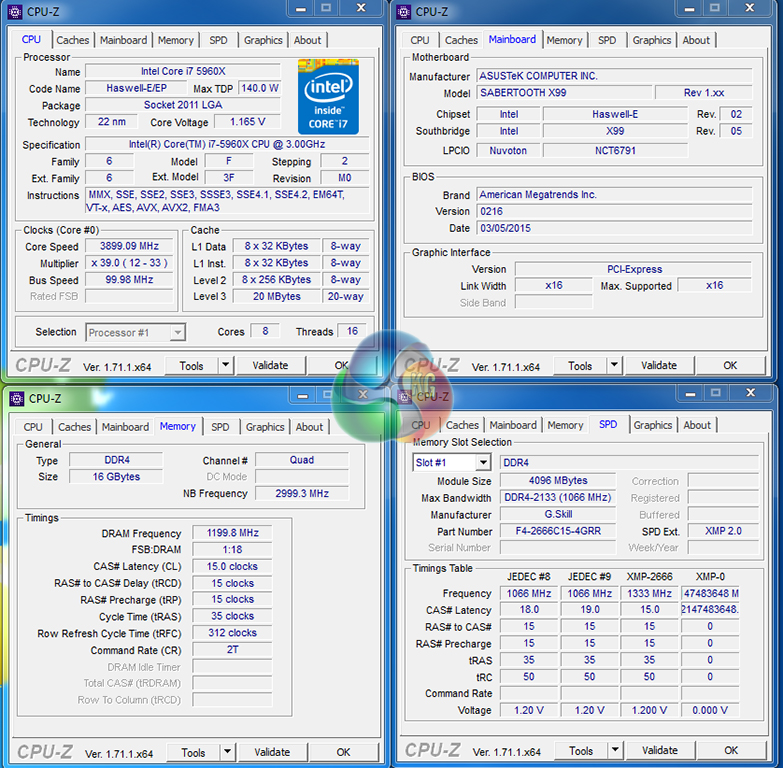
Asus' ratio-based automatic overclocking garnered a 3.9GHz CPU frequency (39x100MHz) with 2400MHz DRAM. The CPU voltage level topped out at around 1.17V under load, but dropped when idling to conserve power and reduce thermal loads.
Again, I am disappointed to see XMP frequency being ignored. That said, a 3.9GHz CPU frequency with reduced voltage (when compared to MCT) is a solid effort.
BCLK & Ratio Tuning
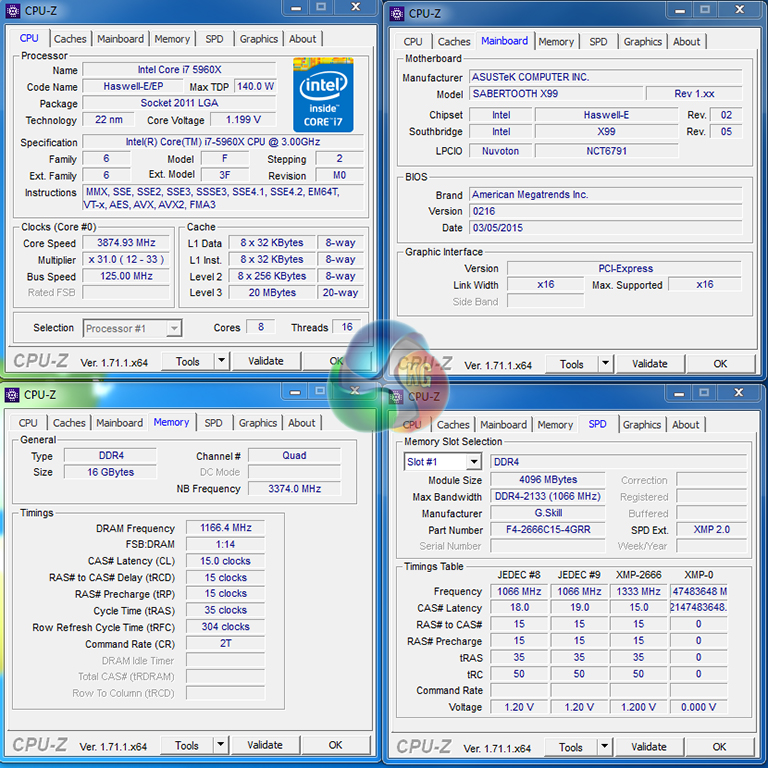
The BCLK and ratio automatic overclocking mode resulted in a 3.875GHz CPU frequency (31x125MHz) and 2333MHz DDR4. This time around, cache frequency is also increased to 3.375GHz. CPU voltage hit a maximum of 1.20V under load, but dropped when idling (although not as far as the ratio-based overclock due to a higher BCLK frequency).
Once again, I don't like seeing XMP frequency being ignored. This is another solid automated overclocking profile, although it's nothing worth shouting about.
All three of Asus' automated overclocking methods result in clearly conservative system settings. We have seen ASRock play a far more aggressive game with CPU frequency presets for up to 4.5GHz on the 5960X. While Asus' tuning-based approach is more elegant, it is not as fast.
Manual CPU Overclocking:
To test the Asus Sabertooth X99 motherboard’s CPU overclocking potential, we first increased the CPU VCore to 1.30V, Cache voltage to 1.25V, CPU Input Voltage to 2.00V, and System Agent (SA) voltage to 1.20V. We also enabled PLL overvoltage, disabled CPU SVID support, and applied level 1 LLC.
We maintained the DRAM frequency at 2666MHz to take its stability out of the overclocking equation. Cache frequency was maintained at 3.0GHz.


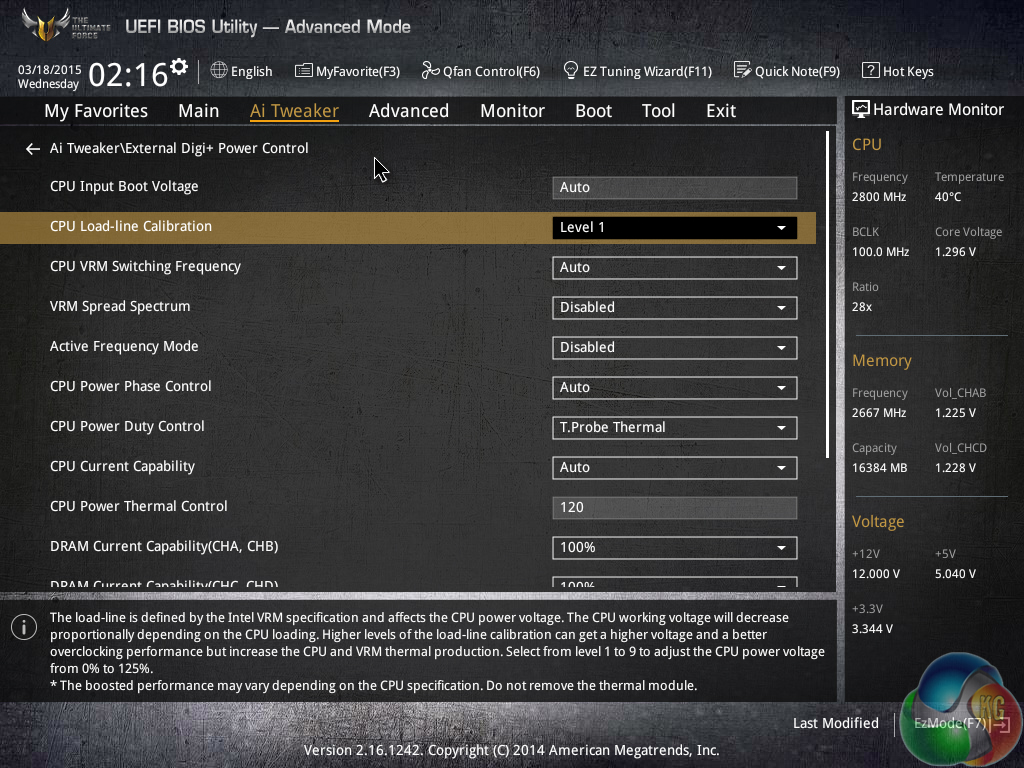
The main overclocking settings are easy to access in Asus' UEFI. However, a few of the settings – namely LLC and CPU Integrated VR Faults Management – are a little more difficult to locate.
We have found Asus' motherboards to be a little picky with voltage settings in the past, and the Sabertooth X99 was no different. Some of the Auto settings are not suitable when other parameters are changed – for example we had to manually apply a 1.20V SA voltage in order to bring it above the 0.872V Auto level which gave instability with 2666MHz memory.
We managed to hit our 5960X chip's frequency limit of 4.4GHz with the Sabertooth X99, albeit with a little more effort than usual. Similar to what we observed with the X99-Deluxe, though, a 2.0V CPU Input Voltage (due to ~140mV drop when loaded) and 1.20V SA voltage (due to poor Auto settings) were critical to providing complete stability.
We are happy with the overclocking results, especially considering that the board is running on such an early BIOS revision.
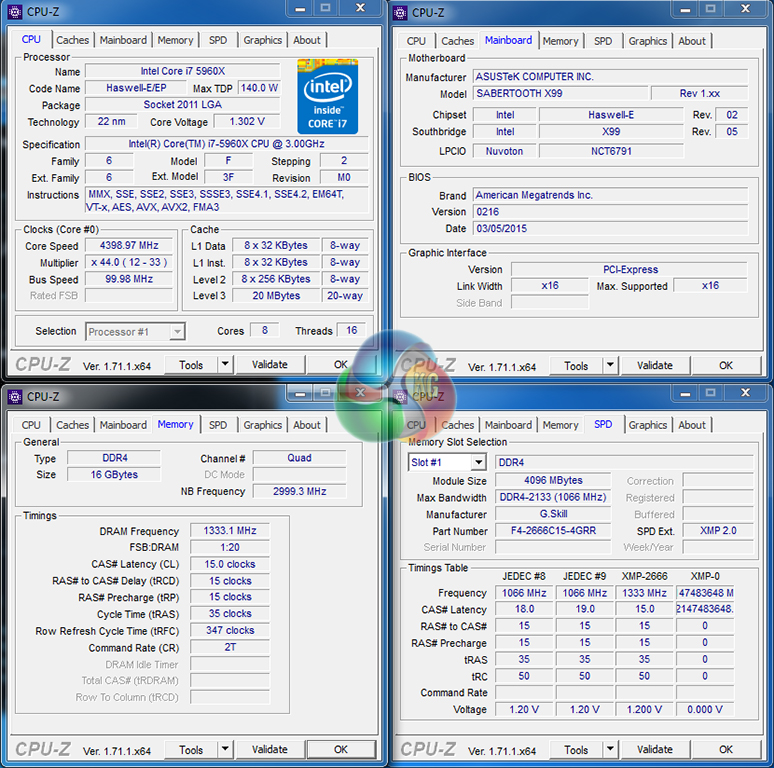
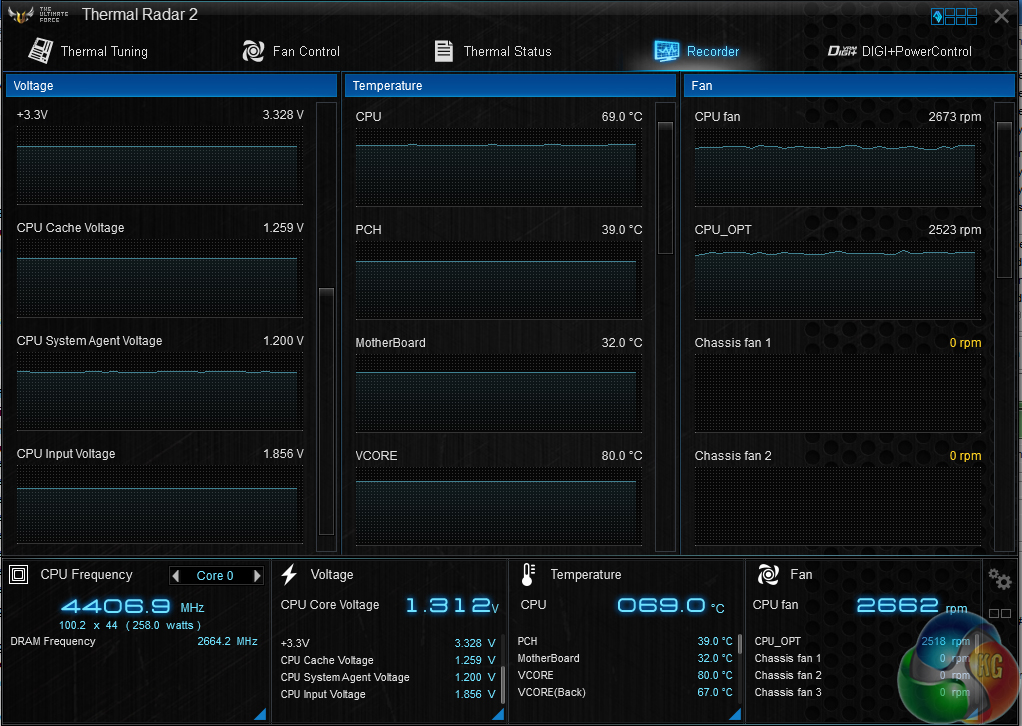
We asked for 1.30V to the CPU and were fed with a peak voltage of 1.312V using the Level 1 LLC setting. A 12mV overshoot is a good degree of accuracy for the increased CPU core voltage level. The 2.0V CPU Input level resulted in 1.856V under load, however. This can be adjusted by testing different LLC levels.
As confirmed by our touch-test, the motherboard's VRM heatsink gets very toasty under overclocked load. From a thermal effectiveness point of view, this implies that the actively-cooled heatsink is doing a good job at cooling the MOSFETs.
But it also proves that the On Semiconductor MOSFETs are undergoing noticeable thermal loading while switching the large amounts of power demanded.
The overclocking validation can be viewed here.
Memory Frequency Performance:
Support for high-speed memory kits has been a particularly troubling topic since the X99 launch. We test the motherboard's ability to load the 3000MHz XMP configuration on our G.Skill Ripjaws4 DDR4 memory.
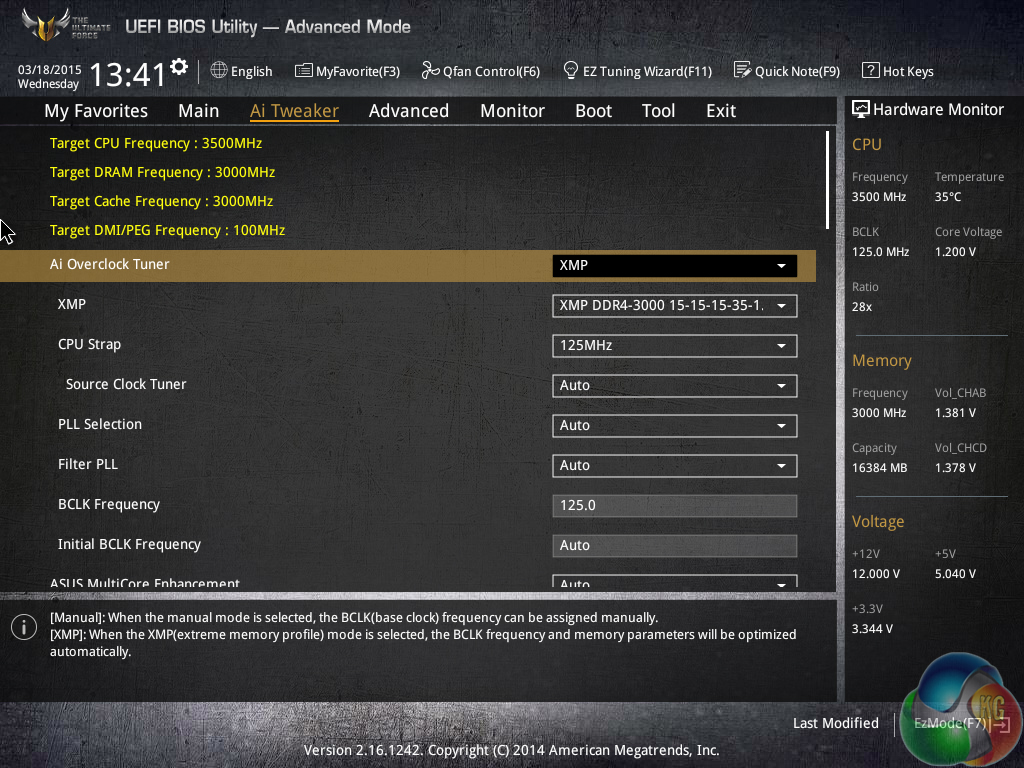
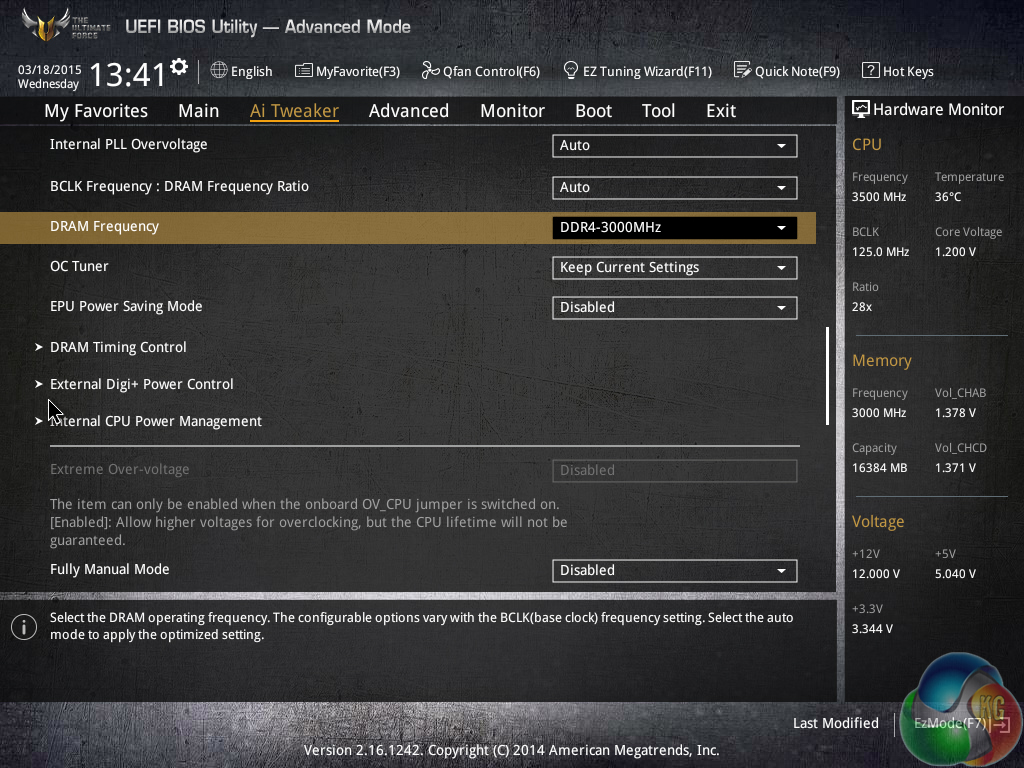

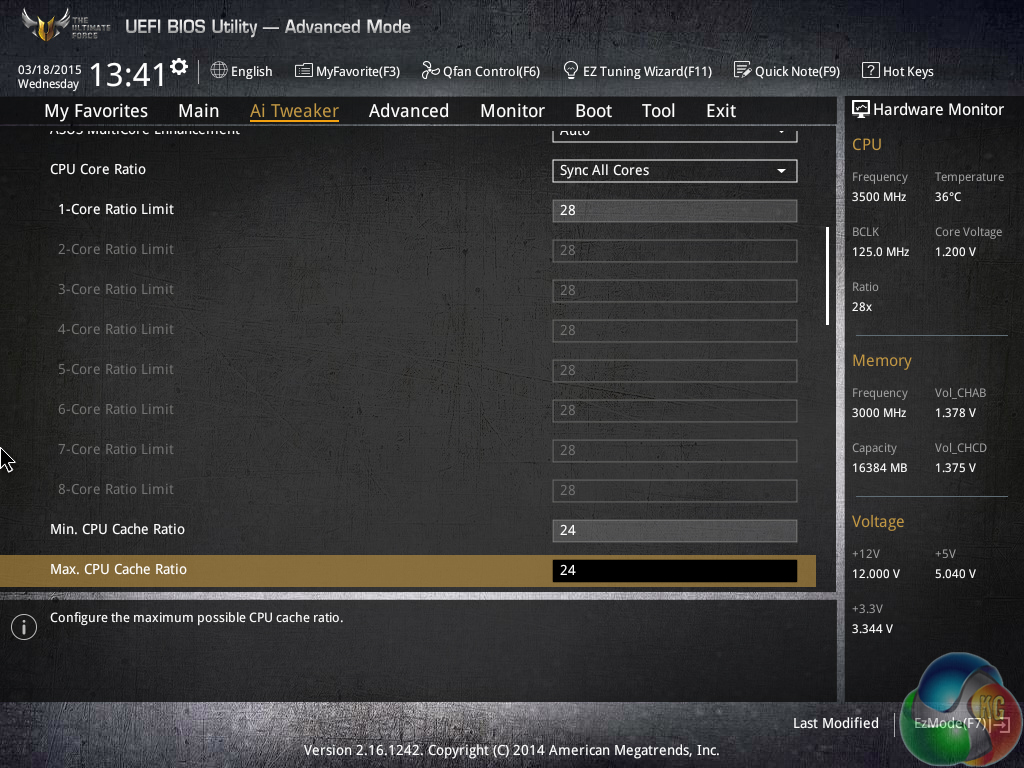
Asus' TUF Sabertooth X99 was able to load the 3GHz XMP settings for our G.Skill Ripjaws4 memory without hesitation. Despite the BCLK increase, CPU core and cache multipliers were automatically adjusted to bring the settings back to their MCT level of 3.5GHz and 3GHz, respectively.

The system was perfectly stable running with 3GHz memory. We did, however, notice a ~25mV overshoot in the applied DRAM voltage. This is slightly frustrating given that the 1.35V XMP setting is already 150mV higher than DDR4's JEDEC voltage level of 1.20V.
The validation can be viewed here.
We will outline the performance increases that can be obtained from using the Asus Sabertooth X99 motherboard to overclock our system. Our overclocked processor frequency was 4.4GHz and memory speed was 2666MHz.
As a performance comparison, we have included the overclocked results from five other X99 motherboards. The maximum overclocked configuration achieved with each board was a 4.4GHz processor frequency and 2666MHz memory speed.
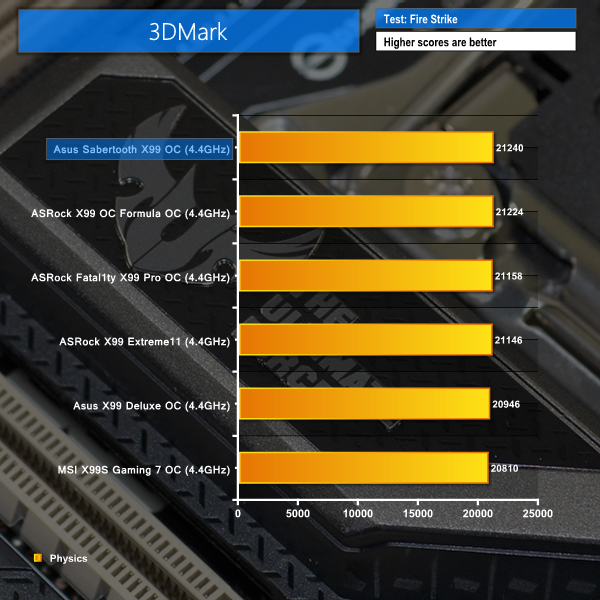
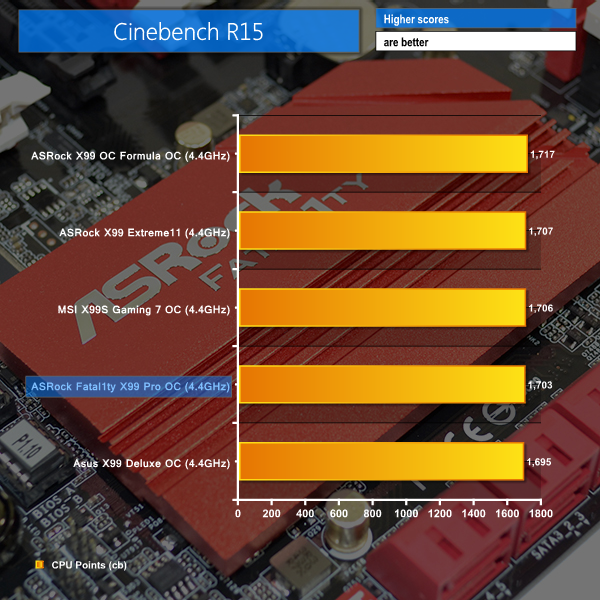

The Sabertooth X99 shows excellent performance through all of the benchmarks when overclocked. Bioshock Infinite's odd FPS-decreasing ‘bug' does not hit the board, either.
While XMP dictates the memory operating frequency, voltage, and primary timings, the secondary and tertiary timings are set at the motherboard vendor’s discretion. That can lead to performance differences in memory-intensive workloads.
We used G.Skill’s Ripjaws4 modules set to their 3GHz XMP frequency to test memory bandwidth and latency numbers.
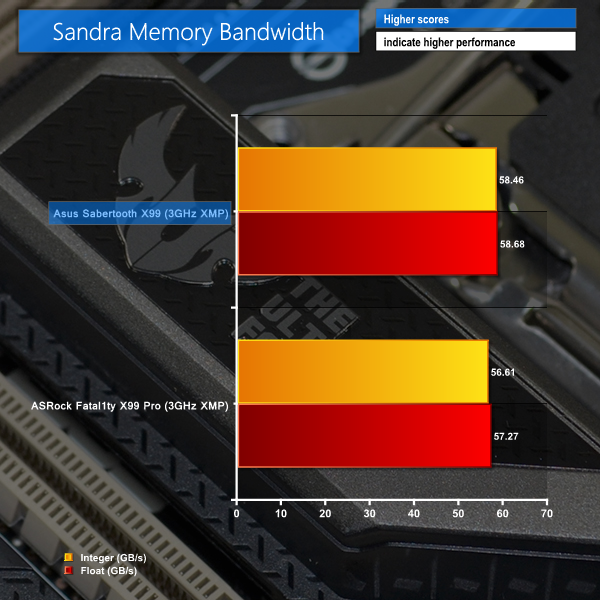
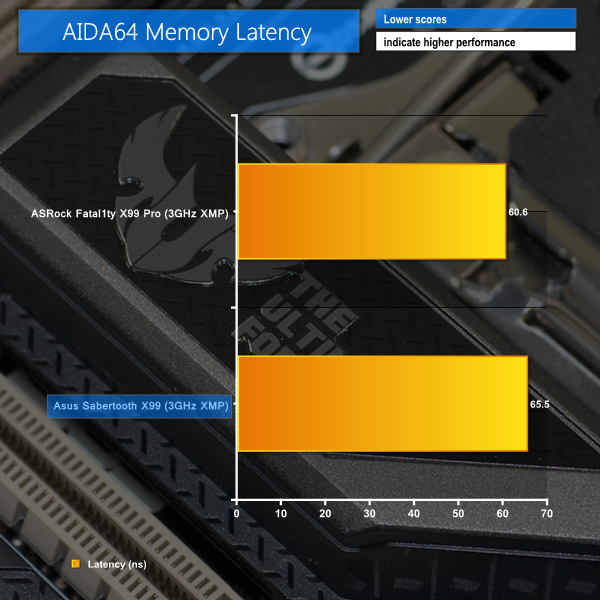
Asus' motherboard shows strong bandwidth levels with the memory clocked at 3GHz, although the latency is higher than on ASRock's solution. This implies that looser tertiary timings are being set by the motherboard.
We measured the power consumption with the system resting at the Windows 7 desktop, representing idle values.
The power consumption of our entire test system (at the wall) is measured while loading only the CPU using Prime95′s in-place large FFTs setting. The rest of the system’s components were operating in their idle states, hence the increased power consumption values (in comparison to the idle figures) are largely related to the load on the CPU and motherboard power delivery components.
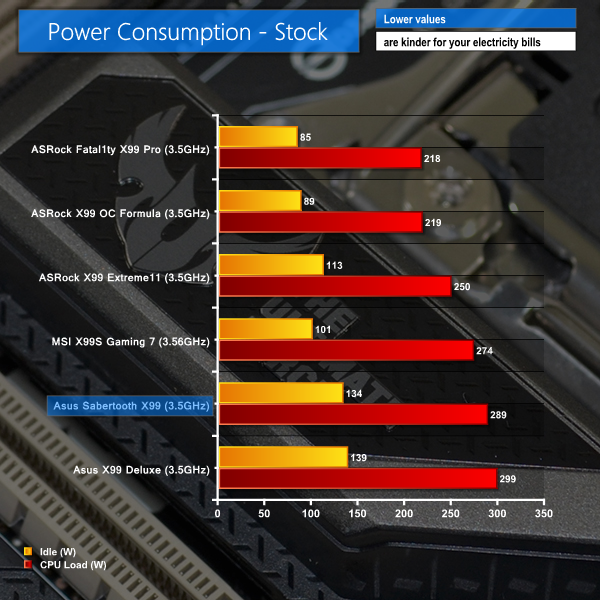
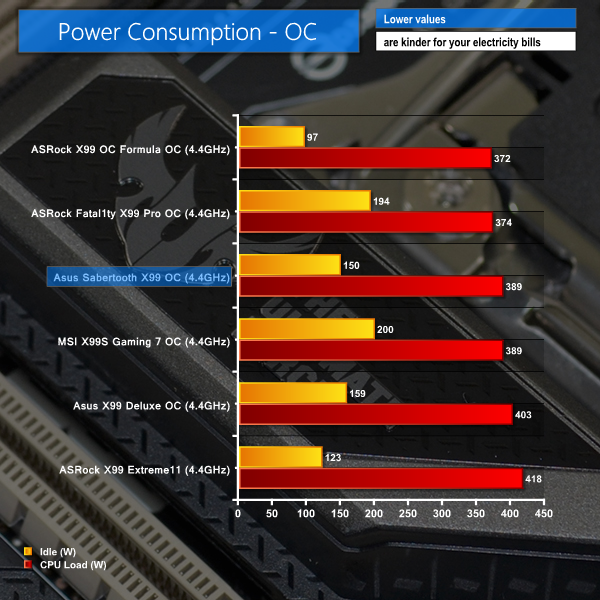
With XMP enabled, forcing the CPU to its maximum core multiplier all of the time, Asus' Sabertooth X99 does not drop core voltage under lower loads. This results in high idle power consumption at stock clocks.
The higher-than-average use of a 1.20V CPU VCore when MCT is enabled also results in higher power consumption numbers for Asus' board when loaded at its stock-clocked level.
When the voltage is manually tweaked, however, power consumption numbers are more competitive with other boards. This implies that, from an efficiency perspective, the power delivery system is able to hold its own against similar offerings.
The Asus TUF Sabertooth X99 motherboard is a masterpiece in more ways than one. The innovative Thermal Armor design creates a unique appearance, but the motherboard also shows levels of performance that prove it doesn't only have a distinctive look going for it.
Overall performance of the Sabertooth X99 was consistently positive throughout our test suite. Test results generally put the reliability-orientated motherboard teetering towards the top of our charts.
CPU overclocking performance was as strong as we would expect, provided you don't mind exerting a little more effort than some competing vendors' boards may require. We took our 5960X to its limit, and 3GHz memory simply operated from its XMP configuration without complaint. There's also the potential for increased tuning flexibility thanks to OC Socket.
Transfer rates of the storage interfaces were what we would expect from X99, although Asus' OS-based software boosts USB 3.0 speeds for Windows 7 users. Asus also outfits the Sabertooth X99 with a pair of ASMedia-fed USB 3.1 Type-A ports, which is positive, and there's NVMe support through the M.2 connector and a supported mini-SAS HD adapter (feeding SFF-8639).
Clearly Thermal Armor is one of the defining factors for this motherboard. While measuring its exact thermal effects is incredibly difficult (outside of a controlled lab), I can say that active cooling of the MOSFET heatsink is something that I welcome. Asus' fan is inaudible while spinning slowly, but feeding cooling air to X99's highly-stressed MOSFETs is a good idea for longevity.
And on the topic of electrical components, certified reliability for the MOSFETs, chokes, and capacitors can give peace of mind to users who simply do not want any system downtime. The five-year warranty is especially useful on an X99 motherboard as the platform tends to float around for significantly longer than Intel's mainstream alternatives.
As we have come to expect from TUF motherboards, control and measurement of voltage-, temperature-, and fan-related parameters is simply unparalleled. The Sabertooth X99 features enough user-controllable 4-pin fan headers to power a high-end water-cooling build, while temperatures as diverse as the USB 3.0 chipset can be read. The TUF Detective app simply extends the excellent monitoring capabilities in an effective manner.
While I have just praised the certification for MOSFETs, I feel that Asus' decision to use ON Semiconductor 4C85N units may raise questions. Some overclocking enthusiasts may be disappointed to see those MOSFETs used rather than the well-respected IR3550 alternatives found on Asus' other high-end motherboards (X99-Deluxe and Rampage V Extreme).
And while Asus' UEFI is an undeniably good offering, some of the Auto settings could be more accommodating for quick-and-easy overclocks. Advanced overclockers, however, will be extremely pleased by the sheer level of control that the Sabertooth X99's UEFI provides them with.
Perhaps the only other sticking point to users will be what I consider ‘partial' support for 3-way SLI/CrossFire. While the market for a trio of graphics cards is small, Asus could have at least included the extra SLI bridge to make it feasible out-of-the-box. The sacrifice for 3-way setups is disappointing though – even with a 40-lane CPU, you either get 2-cards plus an M.2 SSD, or 3-cards with no M.2 SSD.

OverclockersUK have the Sabertooth X99 motherboard available to pre-order for £299, with Asus suggesting availability ‘from April'. By our calculations, the USB 3.1 chipset alone adds around £45 to the motherboard's retail pricing, so I feel that £299 is a far price point.
While there is certainly plenty of hefty opposition around the £300 mark, I feel that the Asus TUF Sabertooth X99 takes a unique approach to the high-end motherboard. There are plenty of ‘gaming' branded solutions at this price point, but sometimes enthusiasts would prefer something that flaunts a unique appearance, has plenty of performance-driven features, and gives them unparalleled system control. Those three key areas are exactly where Asus' TUF Sabertooth X99 shines.
Discuss on our Facebook page, over HERE.
Pros:
- Good overall performance with strong overclocking potential.
- Unparalleled control and monitoring capabilities for fans, temperatures, and voltages.
- Plenty of worthwhile features, especially USB 3.1 Type-A ports and multiple NVMe storage options.
- In-depth, well-presented, stable UEFI implementation.
- Active VRM cooling makes sense on X99.
- Unique styling from the colour scheme and Thermal Armor.
- 5-year warranty and certified power delivery components.
Cons:
- Overclocking can be a little less straightforward than with competing vendors.
- 3-card SLI/CrossFire will force sacrifices, mainly in the form of an M.2 SSD.
- VRM fan is loud above 4000rpm, but can be speed-controlled.
KitGuru says: Asus' TUF Sabertooth X99 is a unique approach to the high-end motherboard that places critical importance upon reliability and user-led system control, and it works superbly.


So I noticed you compared a synchronous buck driver IC to a standalone dual-MOSFET. Is there a reason for this? The Sync buck has built-in MOSFETs, but the dual FET IC would have to be driven by a separate driver. With the exception of space savings, a separate FET is sometimes preferred to increase efficiency, current handling capability, or (and probably most importantly) to allow thermal management of the FET which is the power handling part of the driver circuit. Pulling the MOSFET out of the IC allows you to have a smaller IC that needs little or no heat-sinking area on the PCB allowing just the FET to be heat-sank. In this instance, I’m not sure why ASUS has been given flack for this decision, and it seems more like the people who will be “disappointed” by this are people who do not know what they’re talking about.
I really like the look of this board… I just don’t see anywhere that details how much it’s going to cost! I recently bought the ROG Rampage X97 but I don’t see me getting 4 graphics cards on the go, so the less PCI-E slots would be better. The X99 chipset also seems to perform better than the X97 from the reviews I’ve read.
Hi Bobaganoosh,
Earlier in the review it is also pointed out that (cooled) IR3535 drivers are found on the rear of the board. The conclusion references the dual-MOSFET + separate driver solution as opposed to the well-respected IR3550 dual-MOSFET + driver co-packed solution.
The comparison stems from the use of IR3550 packages on some of Asus’ other motherboards, which are highly respected, especially in regard to their peak efficiency. I do not think that “Asus has been given flack” in the writing for the decision – I outlined that some people who have high regard for the IR3550 packages seen on Asus’ other X99 boards may be disappointed. That is not to say they necessarily have reason to be disappointed from a performance perspective – the dual-MOSFET + separate driver solution may have its own benefits in regards to cost or thermal performance, for example.
My aim with the power delivery components discussion is to deliver the information that allows users to make their own choice on whether or not the components suit what they individually desire.
Luke
Hi iiMStevo,
Pricing is outlined on the final page – the board is available for pre-order at £299.99 and will be available from April.
Luke
Fair enough, sir. I’m sorry I misunderstood your intentions. Other than that bit, I found it a very informative article.
That’s why i Love ASUS TUF Series 😀 My RIG’s build on that series ONLY.
now I Have PhenomII x6 1100BE (Cooled by Nepton 280L v2) on Sabertooth 990FX and its Masterpiece Also 😉 + 5 Years Warranty.
And, When are Hot Days i have temps (MOBO) around 38-46 deg. cels. (26 deg. ambient) CPU on 4.2GHz 232FSB, 2.8GHz NB + 2.55GHz HT + 1866 CL9 1.58v RAM from 1600CL8 1.5v (Corsair Vengence Black AMD)
So its Cool MOBO. But those X99 and new i7 Extreme x8 are Heat Devils 400Wtp !!!! My GOD its 50W on Core ! (OC) Hmm my Phenom (OC) has Only 19W on Core ! 1.54v (4.23GHz 43 deg. cels.) So i prefer x6 or x8 FX on my RIG. Less Heat.
Thanks for the feedback. I appreciate that the conclusion can be a little confusing on times (it’s hard to cram large amounts of information into a summarizing section), but I always try to ensure that the points I mention are fully examined elsewhere in the review.
Luke
No, your phenom definitely has less heat, but i guarantee you an AMD FX will NOT. The FX CPU’s are heat burning monsters!! And your mistaken about the tdp of the intels, the I7 5960X 8 core is only a tdp of 140w, not 400w, now once it’s overclocked you can hit up in the 300s sure, but that’s not the standard operating tdp. Compare that to the AMD FX-9590 “8 core” (psst, it’s actually 4 cores, they just seperate each core into 2 and let it share cache then say it has “8”), which has a tdp of 300 frickin watts already out of the box, hell even the FX-8300/8320 etc.. have a tdp of 250 watts, that’s nearly TWICE as high as the intel, then once you take the FX-8350/9370/9590 etc.. and overclock them you’re pushing 450 watts, whereas even an older I7 like my I7 4820K or even quite a few I5’s like the I5 4690K can walk all over even the FX-9590 in performance without even overclocking. As for performance, the FX processors are about equal to the most powerful Intel I3 overall. Then there’s the fact that the I7 is still cooler, and even if it wasn’t it’s twice as powerful as the most powerful AMD FX in the world. LUCKILY though, AMD realized how stupid their ancient 32nm architecture and splitting cores in half idea was and they’re FINALLY making new cpu’s after nearly 4 years, called “Zen”, so hopefully these will actually be anywhere near the power of intel ones, and cause intel to get off their asses and make some even better things, because they haven’t needed to make each new gen of CPU’s much better than the last since AMD hasn’t done anything for 4 years.
You mean Z97? Or X79? If you mean X79 i assume you have the Rampage IV Black? There is no rampage on the Z97, but there is the ROG Maximus VII Formula one that has the armor like this, it’s just not a rampage board. If you do mean the Rampage IV Black Edition then actually you won’t get an upgrade on much of anything unless you go for the X99 Rampage V Extreme, because the Rampage IV Black Edition is nothing like any other X79 board. It’s basically like asus made a new chipset called X89, it has a bunch of new features no other X79 has, 64GB RAM capacity, a bunch of Sata 6.0gb/s ports (10 of them iirc), ability to turn pci slots on or off if you don’t need them, faster USB performance, etc.. not to mention you have cheaper RAM; the same 16gb kit that cost me $250 to get in DDR3 for the Rampage IV Black X79 cost me $400 for the X99. So the only boards that would be much of an upgrade from this is the Rampage V Extreme, although you do still get some nice features with the Sabertooth X99 here, USB 3.1, the armor, M.2 support, DDR4 RAM etc.. although i don’t believe it has the “OC Socket” that helps overclocking like the X99 Deluxe and Rampage V Extreme has.