 KitGuru KitGuru.net – Tech News | Hardware News | Hardware Reviews | IOS | Mobile | Gaming | Graphics Cards


We will outline the performance increases that can be obtained from using the Gigabyte Z170XP-SLI motherboard to overclock our system. Our overclocked processor frequency was 4.8GHz and memory speed was maintained at 3200MHz.
As a performance comparison, we have included the overclocked results from one other Z170 motherboard. The maximum overclocked configuration achieved with ASRock's board was a 4800MHz (48 x 100MHz) processor frequency and 3200MHz CL16 memory speed.
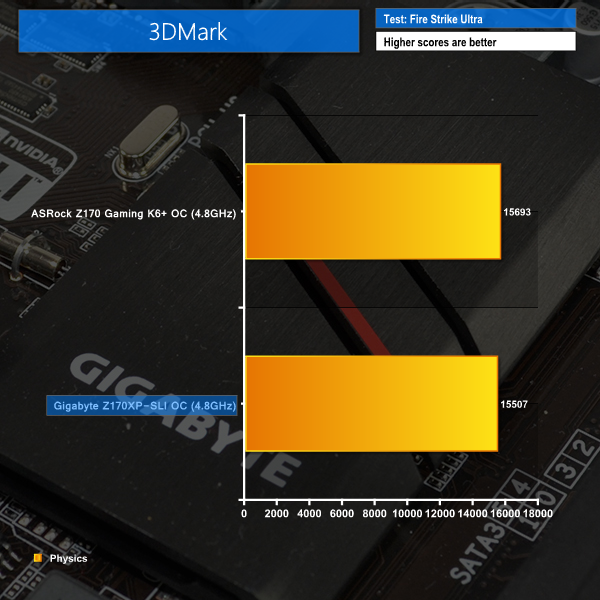
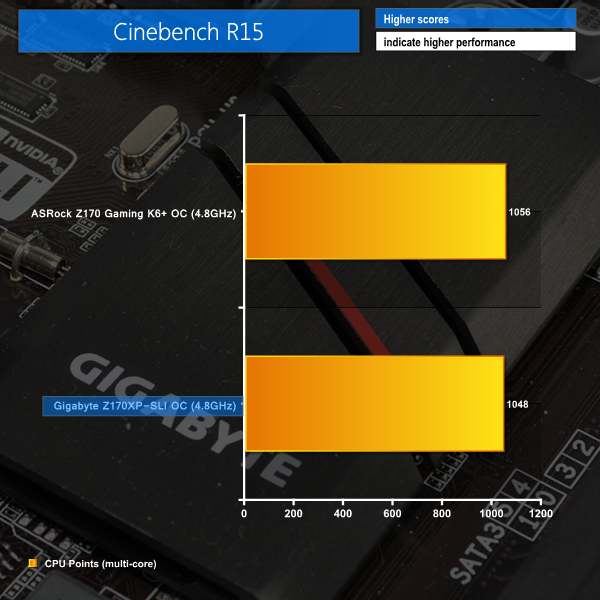
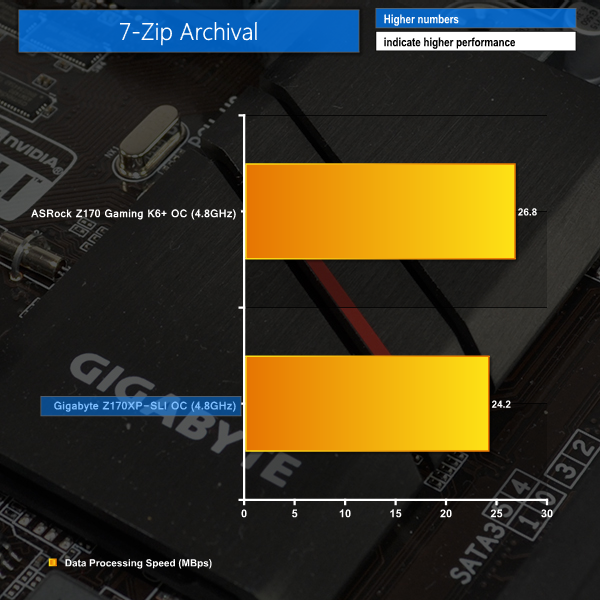
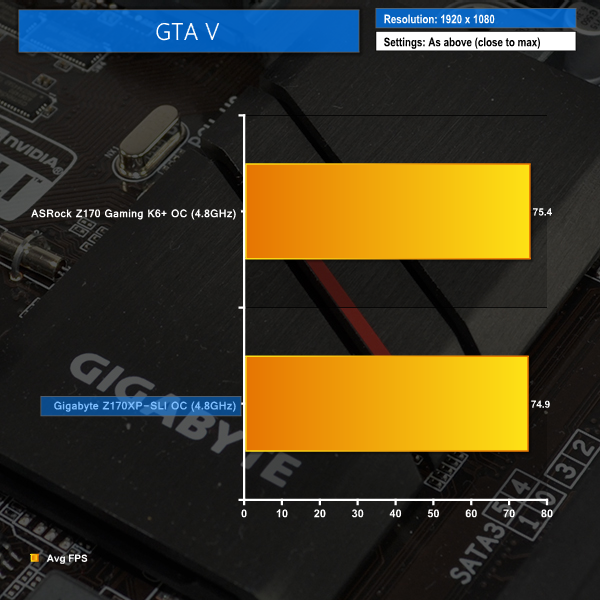
Using Gigabyte's Z170XP-SLI motherboard to overclock the system results in additional performance being unlocked. GTA V saw its average frame rate boosted slightly over the stock-clocked configuration, while the minimum frame rate saw a noticeable increase.
The same memory performance bug hampers the Z170XP-SLI motherboard's 7-Zip archival performance even when the CPU and cache frequencies are overclocked. Other than that, overclocked performance from Gigabyte's low-cost offering is generally a small percentage behind that of ASRock's higher-priced part.

I fail to see how this board is slower than the other 2 as the frame testing is within margin of error.
When one activates the XMP profile it automatically activates a memory stability option that should be set to normal to regain those 10Gbps extra. I don’t remember exactly how that option is called but just search for a memory related option that says “compatibility” or “stability” and switch it to “normal” instead.