KitGuru KitGuru.net – Tech News | Hardware News | Hardware Reviews | IOS | Mobile | Gaming | Graphics Cards


The introduction of AMD's X470 chipset was an unspectacular affair, bringing only a handful of incremental improvements over the preceding X370 chipset. X470 motherboards reflect this trend too with manufacturers, like ASUS with its ROG Strix X470-F Gaming, using X470 as a justification to refresh existing X370 motherboards with some of the latest features and design innovations that have developed since.
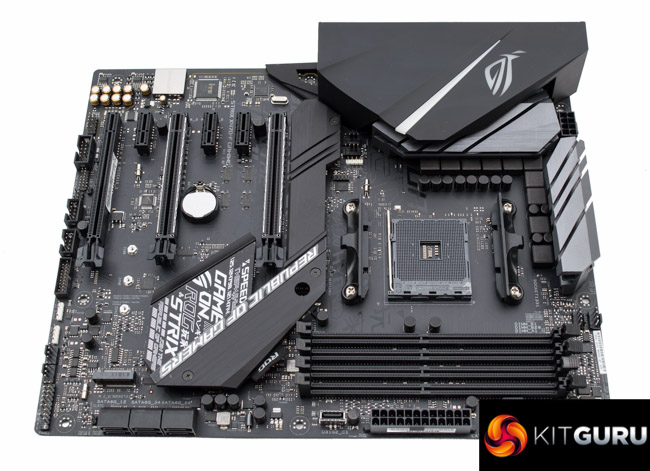
The similarities between the ASUS ROG Strix X470-F and X370-F Gaming motherboards in terms of design and specification are numerous while the differences are few and far between. The ASUS X470-F is certainly not aimed at existing X370 motherboard owners, but those not yet using AMD's AM4 platform and looking for a route in.
The ASUS ROG Strix X470-F Gaming sits somewhere in the blurry middle of the ASUS stack for AMD's X470 chipset, but is best labelled “upper mid-range”. The specification is ample for the a demanding home user, gamer or prosumer.
As a motherboard positioned primarily for gamers ASUS has fitted onboard RGB lighting as well as three optional RGB headers for different types of LED strips. There's also dual M.2 available, one slot which is cooled by the integrated heatsink, reinforced PCIe slots and an improved audio solution based on Realtek ALC1220 with two operational amplifiers.
Undoubtedly there are enough features to pique the interest of the fussy DIY builder or gamer while for overclockers ASUS hopes the bolstered VRM and onboard debug LEDs will suffice.
Let’s see how the ASUS ROG Strix X470-F Gaming holds up under KitGuru’s testing and analysis.
| ASUS ROG Strix X470-F Gaming | |
| Form Factor | ATX, 30.5cm x 24.4cm |
| CPU Socket | AMD AM4 |
| Chipset | AMD X470 |
| Memory | DDR4, 4 DIMMs up to 64GB, up to 3600MHz+ with OC |
| On-board Graphics | Radeon Vega Graphics (Supported APUs only) |
| Discrete Graphics | 2-way Nvidia SLI or 3-Way AMD CrossFireX |
| Expansion Slots | 2 x PCIe 3.0 x16 (x16 or x8/x8, from Ryzen 1st/2nd Gen CPU, x8 mode only with 7th Gen A-Series or Athlon X4) 1 x PCIe 2.0 x16 (x4 electrical, from X470 chipset) 3 x PCIe 2.1 x1 (from X470 chipset) |
| Storage | 1 x M.2 up to 22110 (PCIe X4 32Gbps or SATA III 6Gbps with Ryzen 1st/2nd Gen CPU, SATA III 6Gbps only with 7th Gen A-Series or Athlon X4) 1 x M.2 up to 2280 (PCIe 3.0 x2 16Gbps or SATA III 6Gbps, via AMD X470 chipset) 6 x SATA III 6Gbps (via AMD X470 chipset) |
| USB | 4 x USB 3.0 (4 Rear, all from any AMD CPU) 4 x USB 3.0 (2 Rear (one Type-C), 2 Front, via AMD X470 chipset) 4 x USB 2.0 (4 Front, via AMD X470 chipset) 3 x USB 3.1 (2 Rear via ASM1142, 1 Front via AMD X470 chipset) |
| Networking | Intel I211-AT Gigabit Ethernet |
| Audio | Realtek ALC1220 with dual operational amplifiers |
| RGB | 2 x 12V G R B header 1 x 5v Digital Header Single Onboard RGB lighting zone (Rear I/O shroud) |
| Fan Headers | 7, all support 3/4 pin fans (1xCPU, 1xCPU_OPT, 1xAIO_PUMP, 1xW_PUMP+, 3xCHA) |
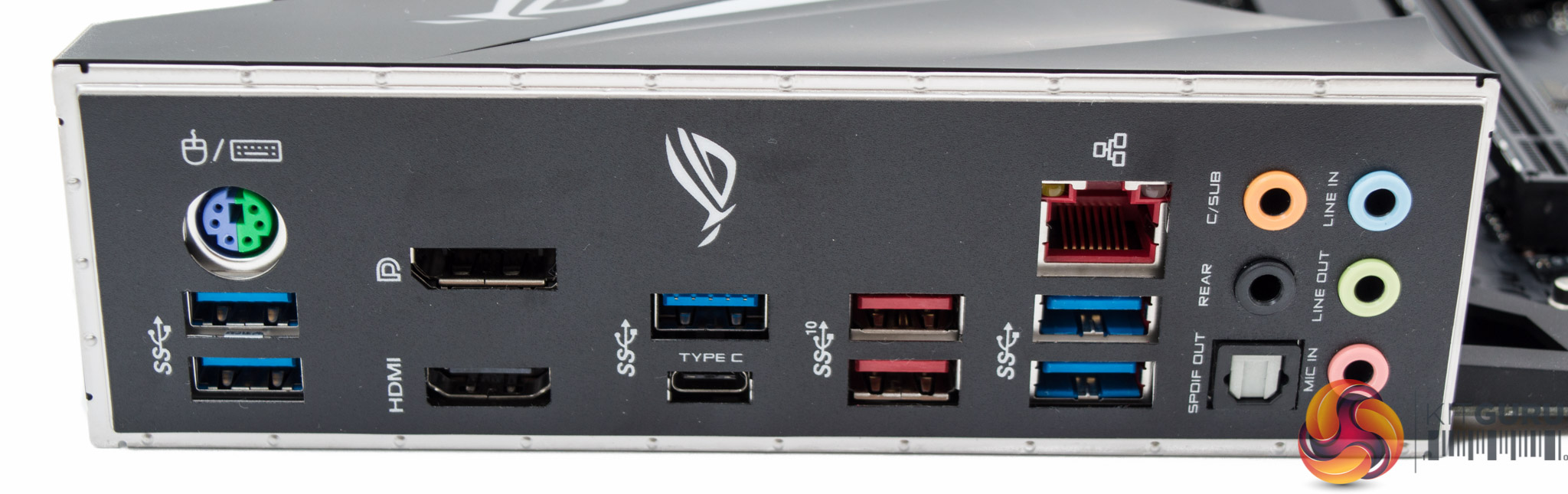
| Rear I/O | 1 x PS/2 keyboard/mouse combo port 1 x DisplayPort 1.2 1 x HDMI 1.4b 5 x USB 3.0 Type-A (blue) 1 x Optical S/PDIF out 5 x Audio jacks 2 x USB 3.1 Gen 2 (red) Type-A 1 x USB 3.0 (black) USB Type-C 1 x Anti-surge LAN (RJ45) port |
| UEFI | 1 x 256Mb UEFI AMI |
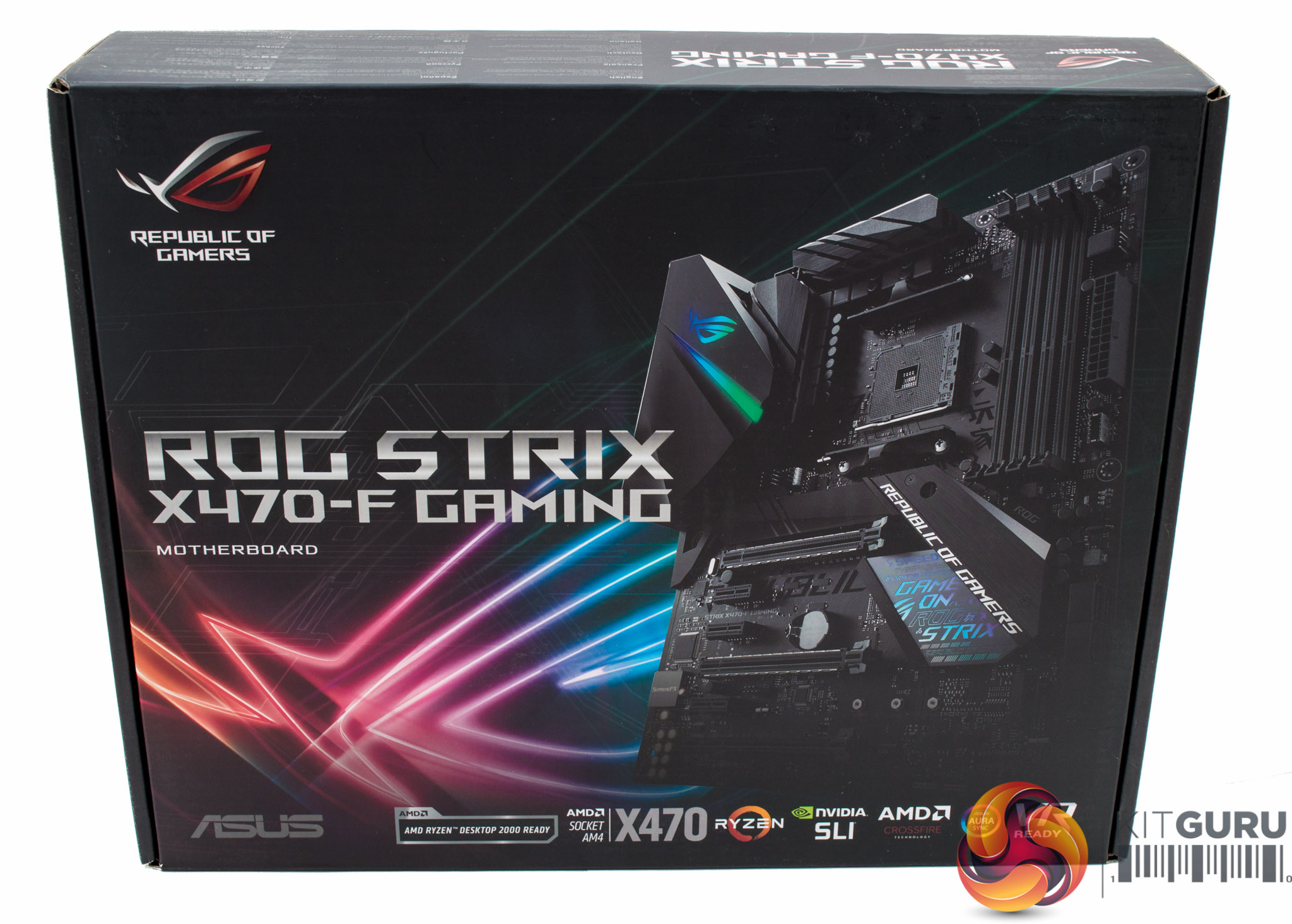
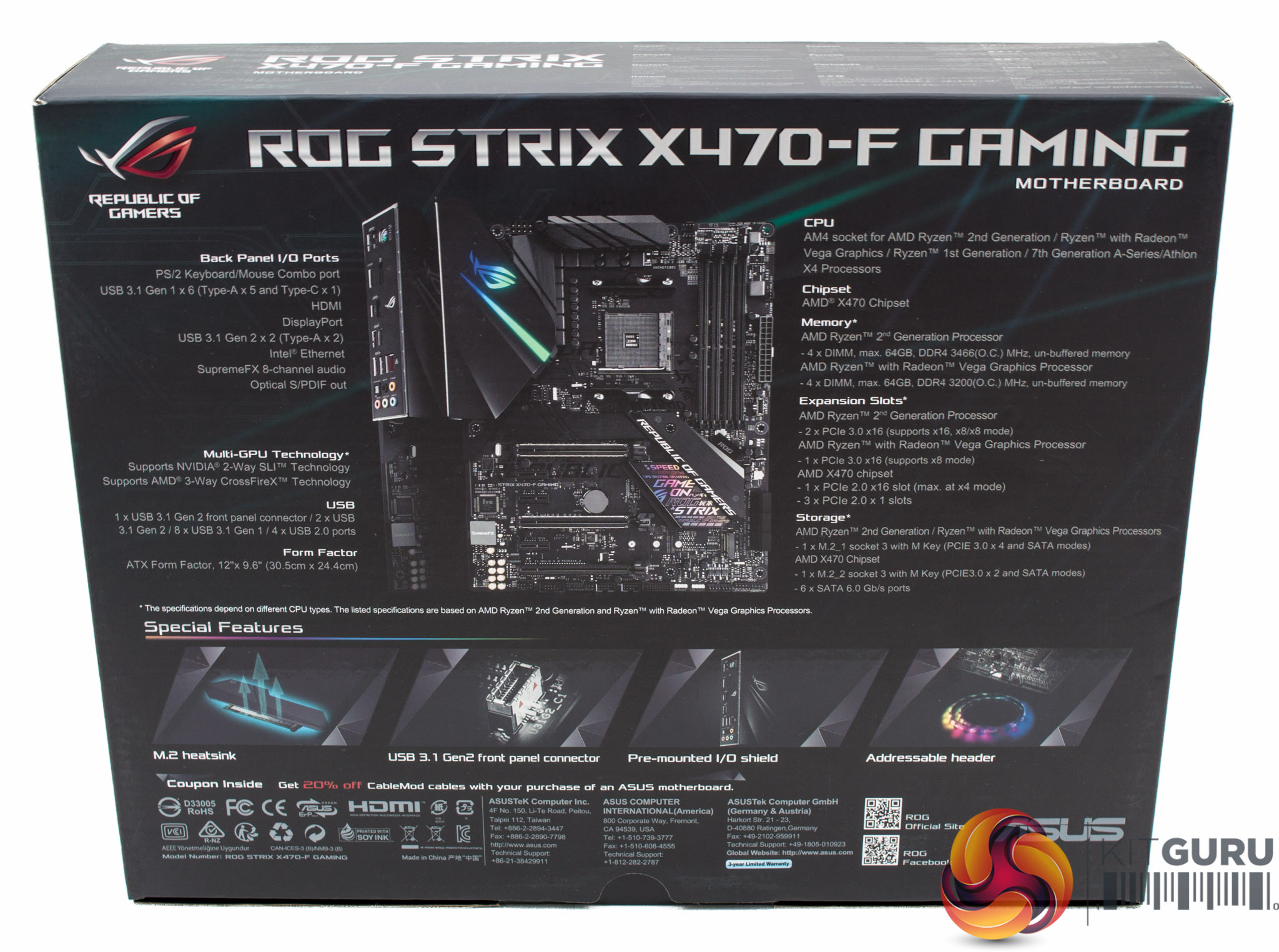
The ASUS packaging always gives a concise summary of the standout features for any given product. In this case for the ASUS ROG Strix X470-F Gaming the highlighted features are its M.2 heatsink, USB 3.1 front panel connector, pre-mounted I/O shield and RGB headers.
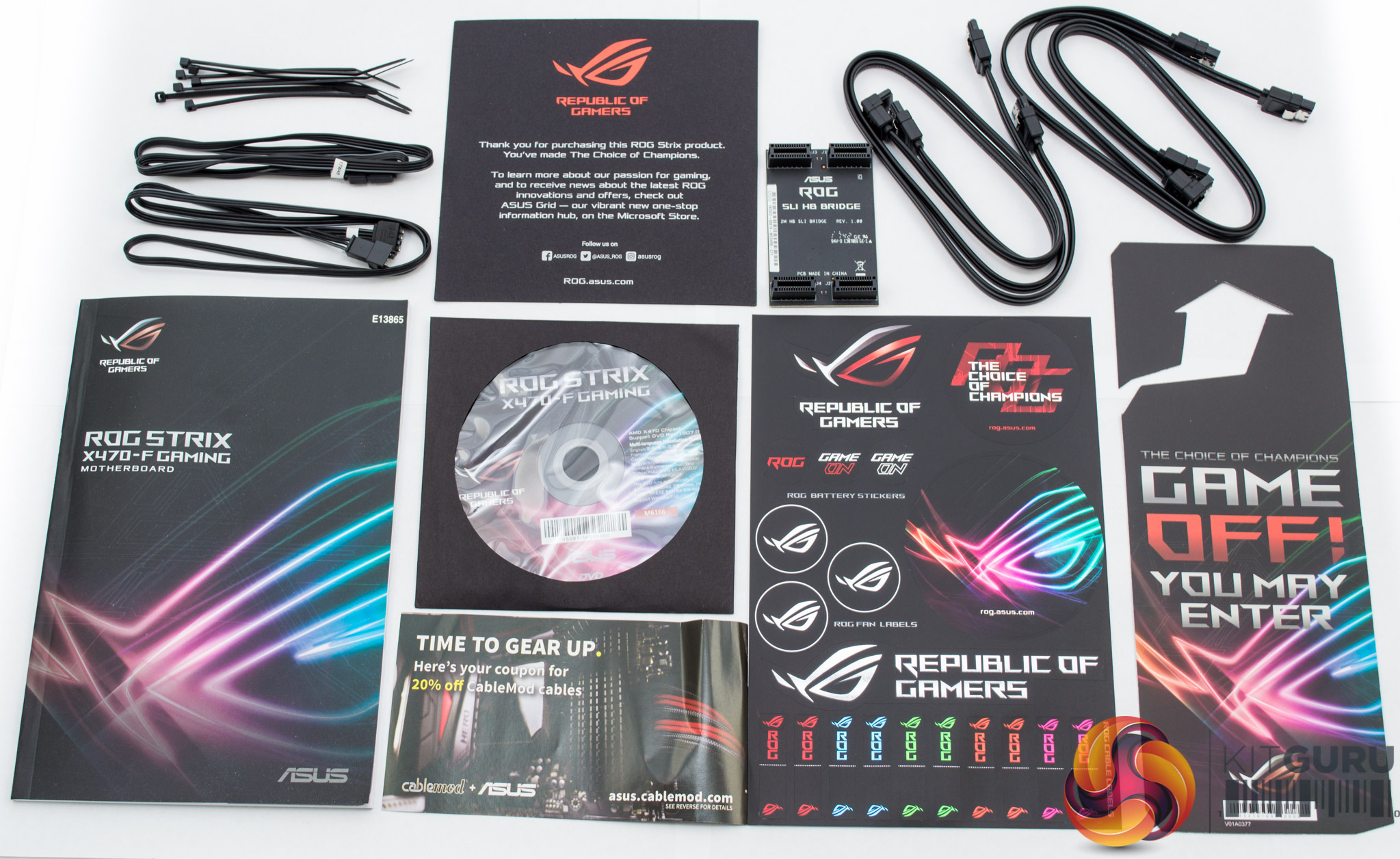
The bundle includes the usual documentation, driver/utility DVD and stickers as well as some M.2 screws (not pictured), SATA cables, cable ties, RGB LED cables and an SLI bridge.
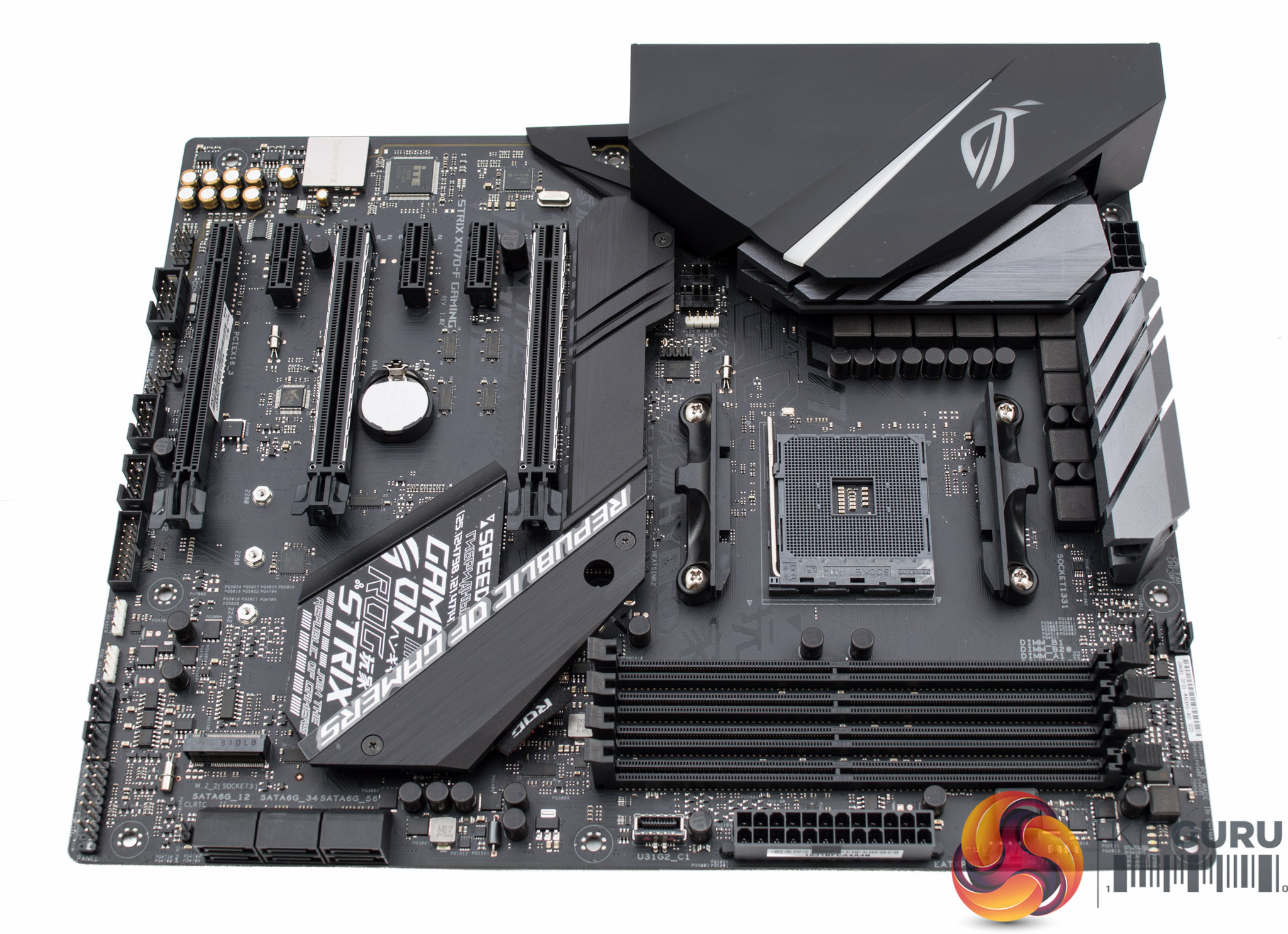
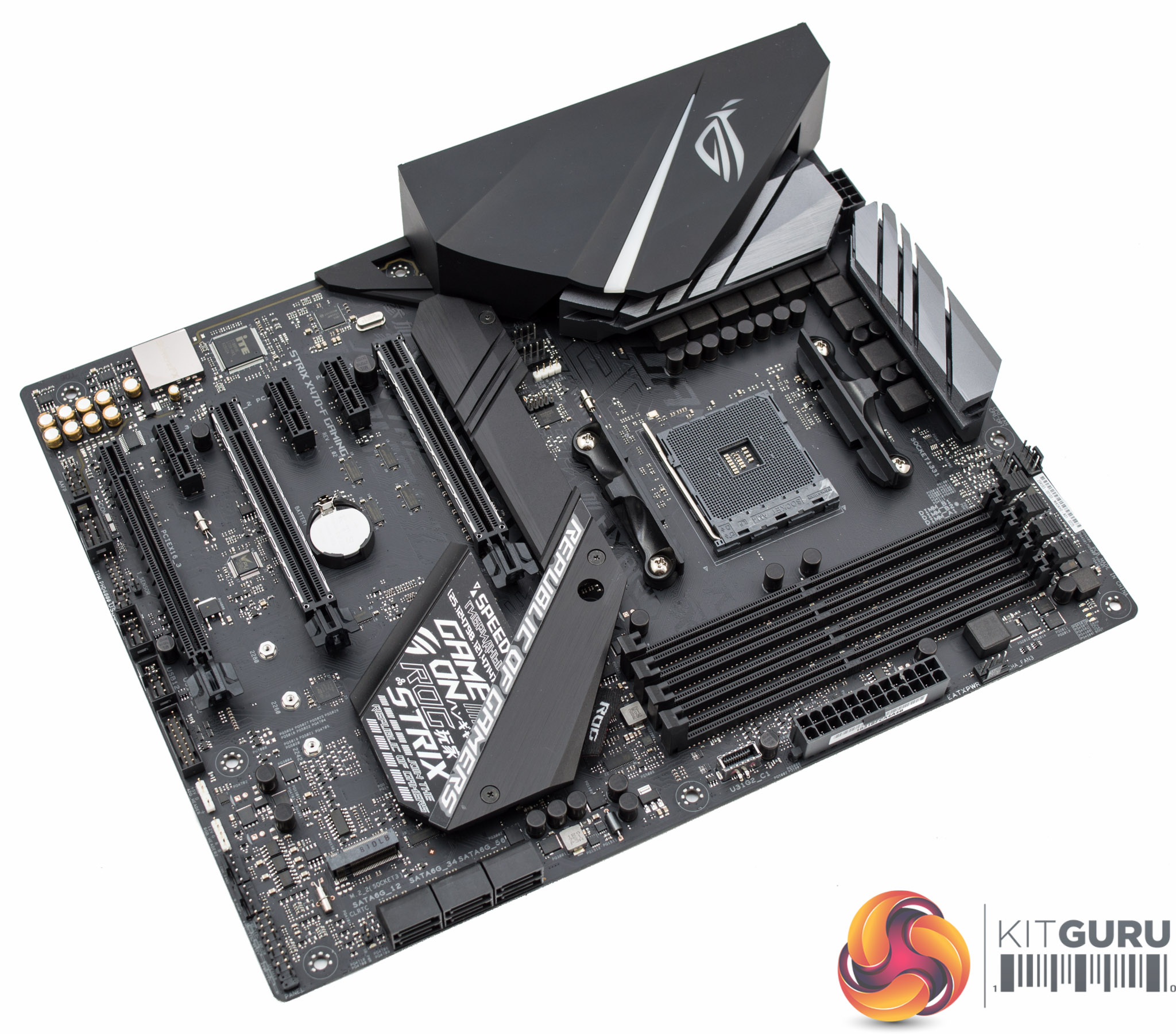
The design of the ASUS ROG Strix X470-F Gaming is mostly subtle with a sleek black design though the “artistic” application of text on the heatsink and printed on the PCB may polarise consumers. The plastic shroud over the rear I/O area continues to be a recurring trend on ASUS ROG motherboards since it tidies up the overall aesthetic and allows for a more creative implementation of RGB LEDs filtered through the ROG logo.
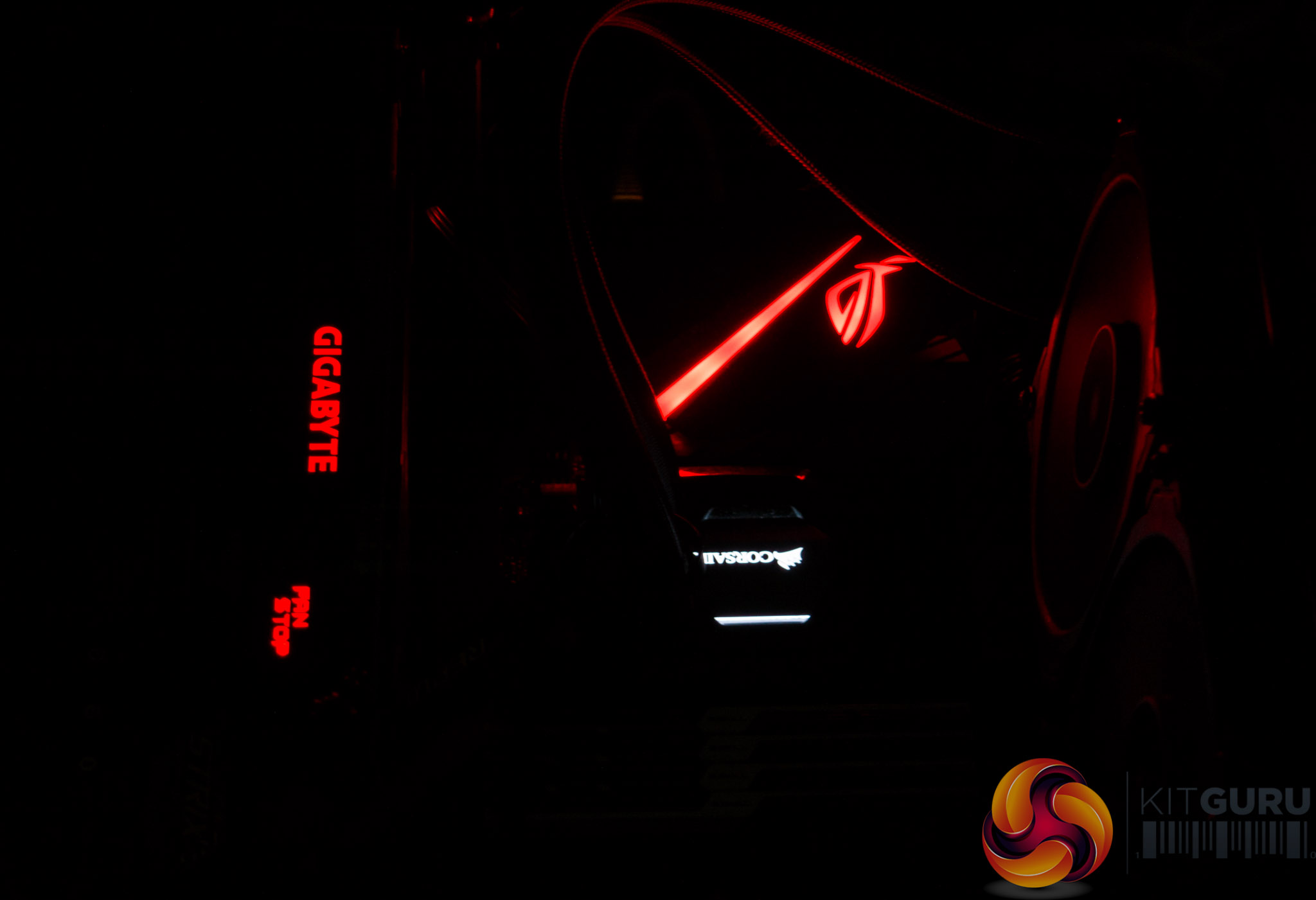
On the subject of RGB LEDs there is just a single zone which illuminates the rear I/O plastic shroud. The LEDs sit underneath the shroud on a separate PCB and the illumination comes through as a diagonal strip and the ROG logo. This RGB area is fully configurable in the ASUS AURA software and supports a wide range of colours and lighting modes, including synchronisation with the optional RGB headers.
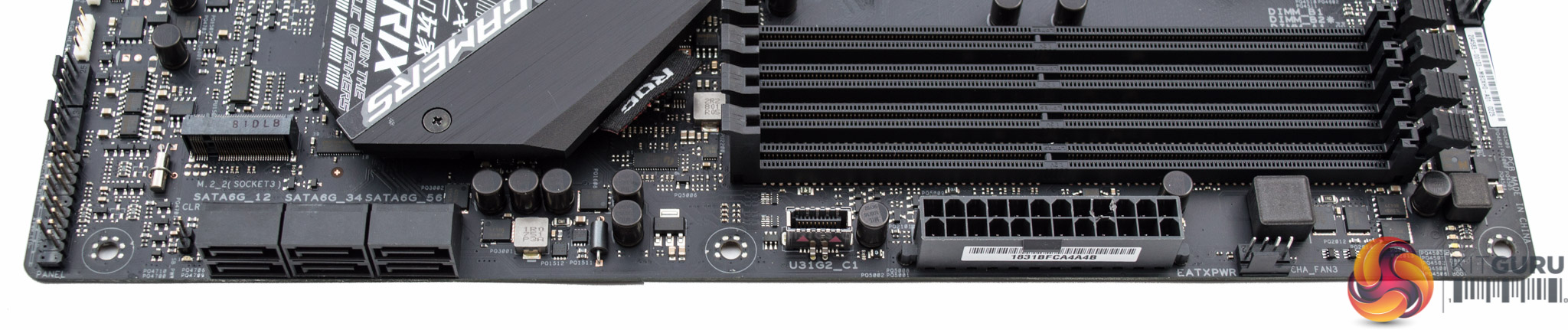
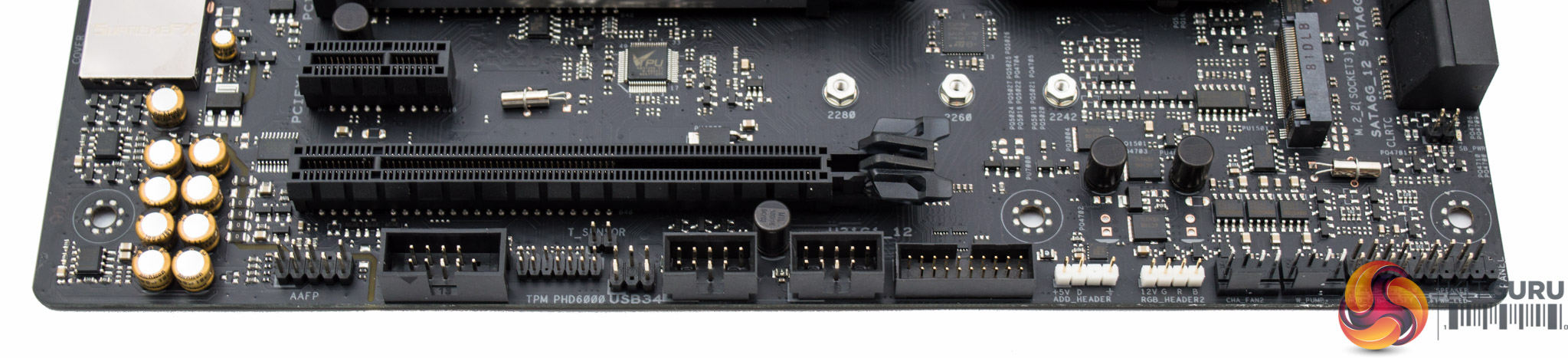
ASUS provides six SATA ports, the default complement of the chipset, as well as a USB 3.1 front panel connection which serves out the USB 3.1 bandwidth provided by the AMD X470 chipset. ASUS Q-LED diagnostic LEDs are on hand to assist with troubleshooting during the first build and any future overclocking endeavours.
Two RGB headers, 12V G R B and 5V digital, are located at the end of the motherboard along with a trio of two USB 2.0 and one USB 3.0 headers. The slower PCIe 3.0 X2 M.2 slot is also located in this section of the motherboard and supports only shorter 80mm drives.
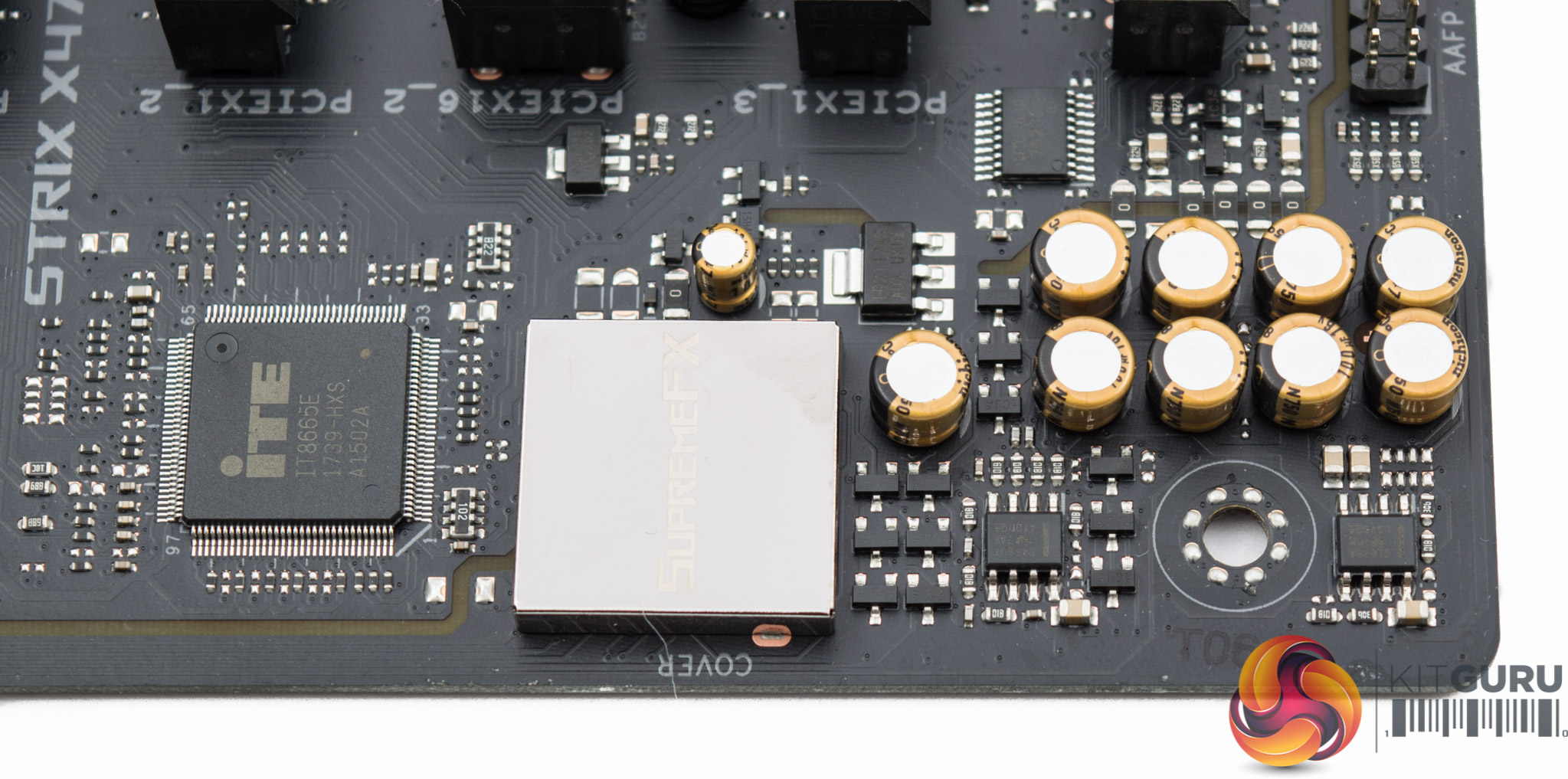
Onboard audio is provided by the ASUS SupremeFX S1220A solution which is based on the Realtek ALC1220 codec. ASUS strengthens this implementation by using codec shielding, PCB isolation, two operational amplifiers (Texas Instruments RC4580 and OPA1688) and Nichicon audio capacitors.
The rear I/O is generously endowed with 8 USB ports spanning generations 2.0, 3.0 and 3.1 as well as Type-A and -C. Integrated display outputs are there for anyone opting for an AMD APU with integrated graphics.
The only notable omission is an onboard WiFi/Bluetooth module, though we're still not sure how popular these are on gaming desktops so this decision is likely a calculated omission by ASUS to reserve precious I/O space for other connectivity.
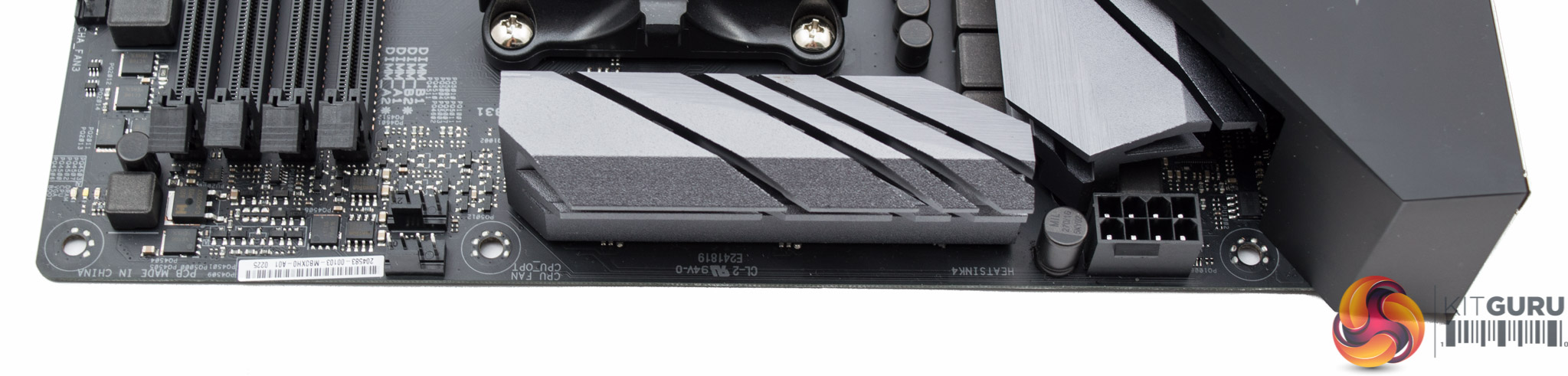
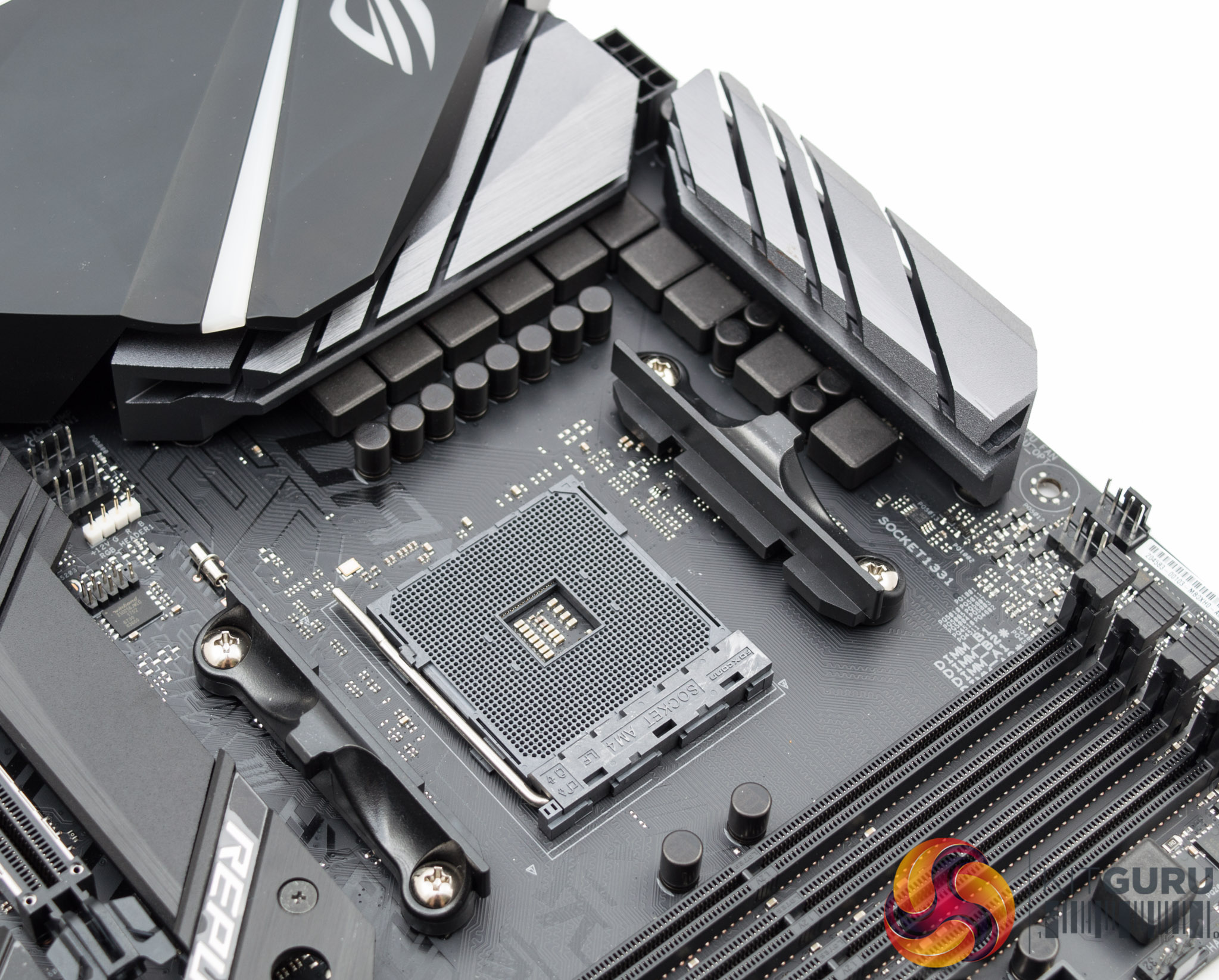
The CPU socket has immediate access to four fan headers which is ample for all CPU coolers. The third and final RGB header, type 12v G R B, is also located in the CPU socket area. There are two grey aluminium heatsinks on cooling duty for the CPU VRM components.
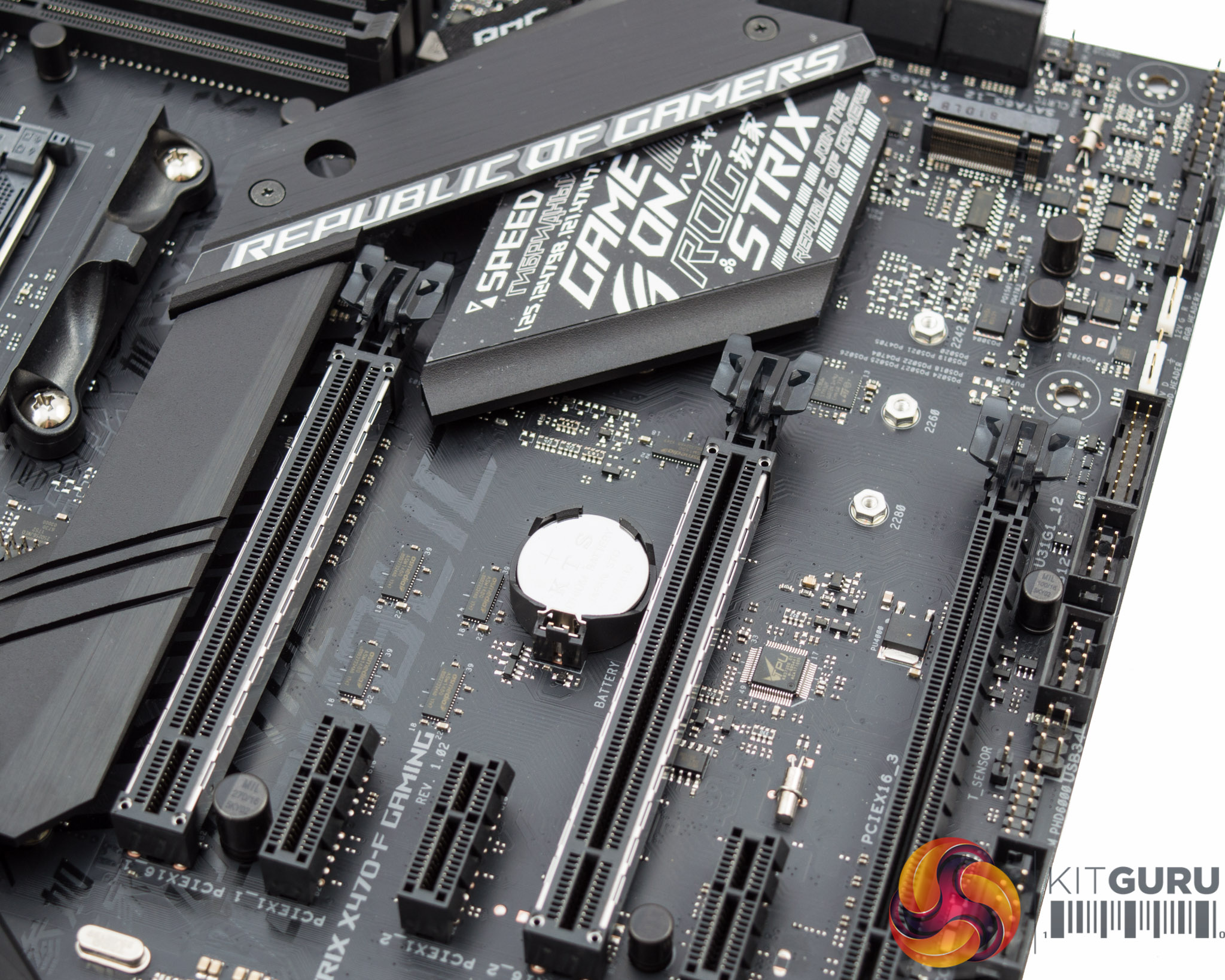
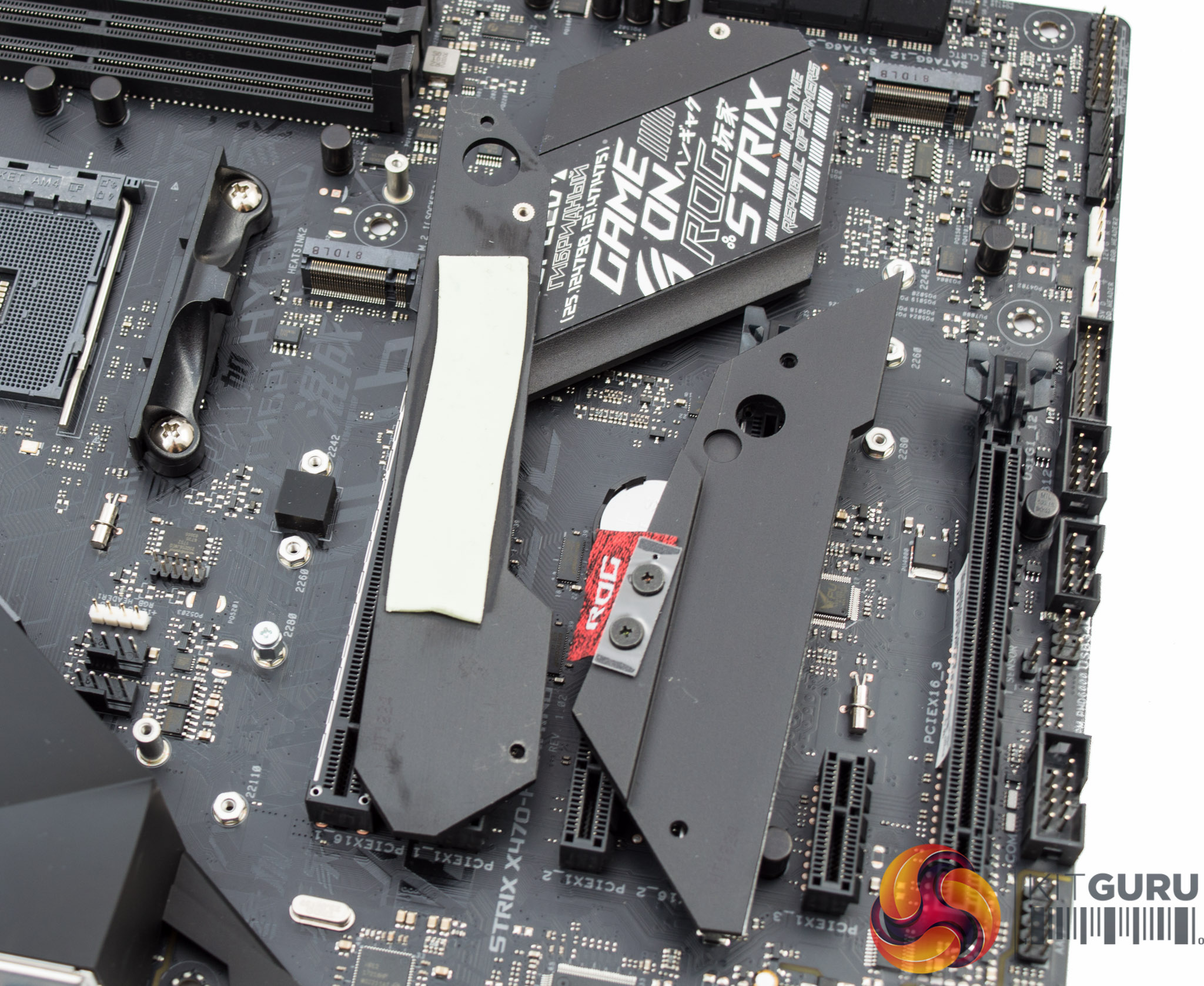
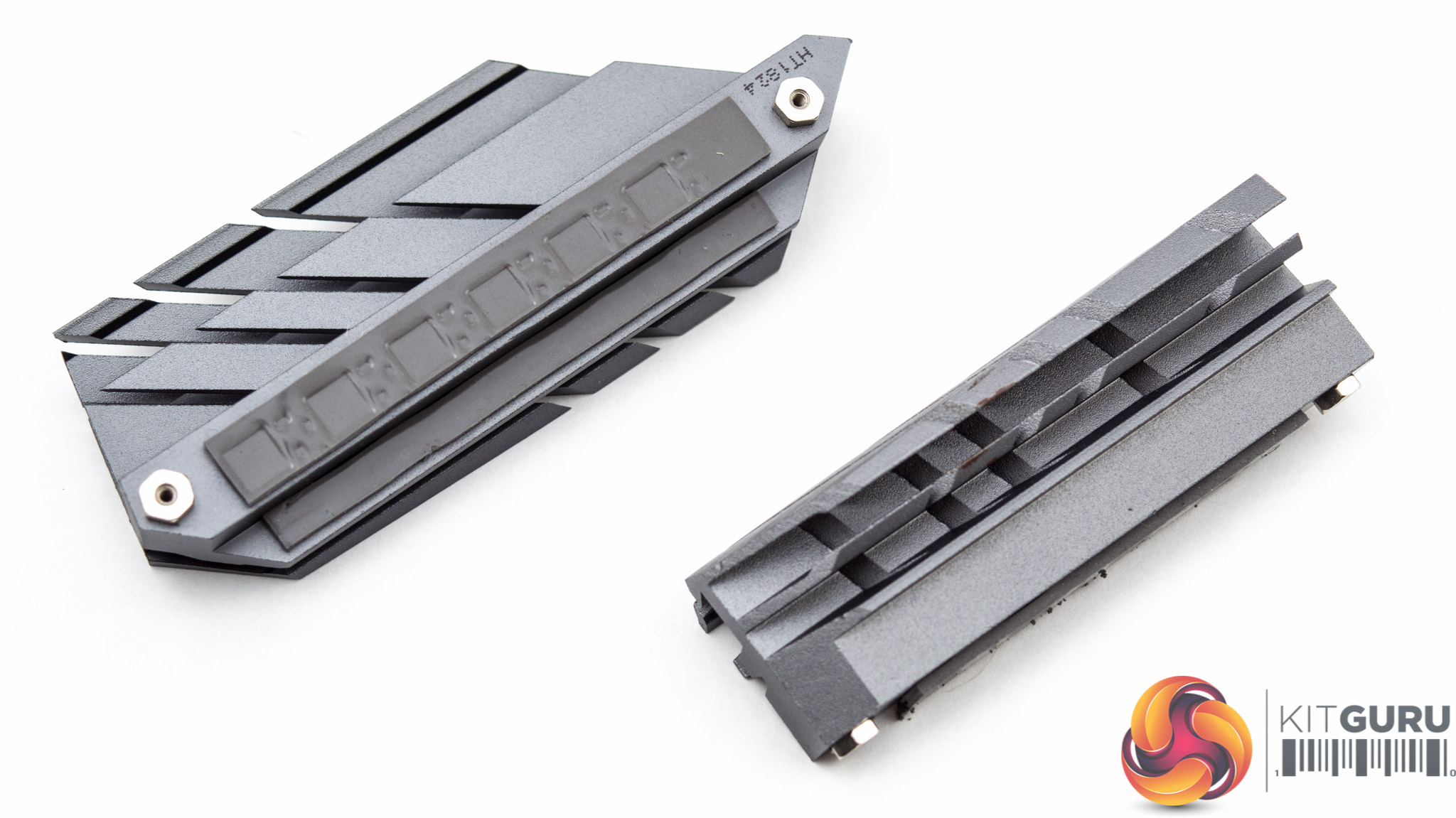
The primary M.2 slot, with 32Gbps of PCIe 3.0 x4 bandwidth, is located beneath a significant heatsink assembly. A quick dissection reveals this is formed of three constituent pieces, one for the PCH, one for the M.2 slot and then a third piece which links the two together.
This 3 piece solution is a little clunky to disassemble and install but since the user is unlikely to install an M.2 drive more than a few times it can be overlooked. Particularly given the strong cooling potential on offer, as will be demonstrated later on.
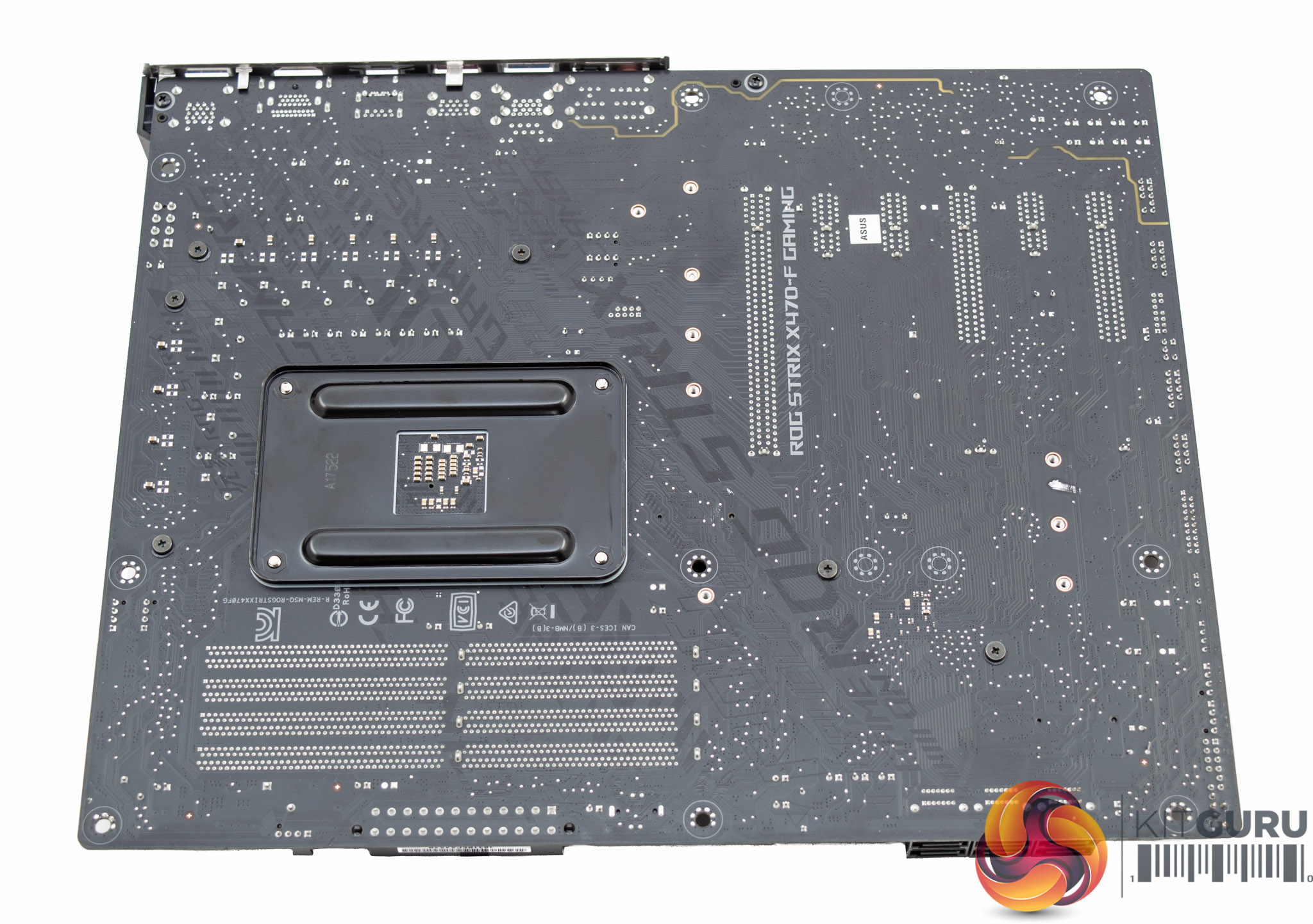
Underneath the motherboard is another glimpse at that polarising printed text on the motherboard PCB. Aside from a range of cross-head screws, which make for easy removal and maintenance, there isn't a lot else to see underneath.
The two aluminium heatsinks which provide cooling to the VRM are modest but appropriate for a motherboard of this positioning and should keep temperatures comfortable for daily overclocks providing there is reasonable ambient airflow.
There are higher-end cooling options available based on water-blocks and direct contact heat pipe designs but these are reserved for much more expensive motherboards.
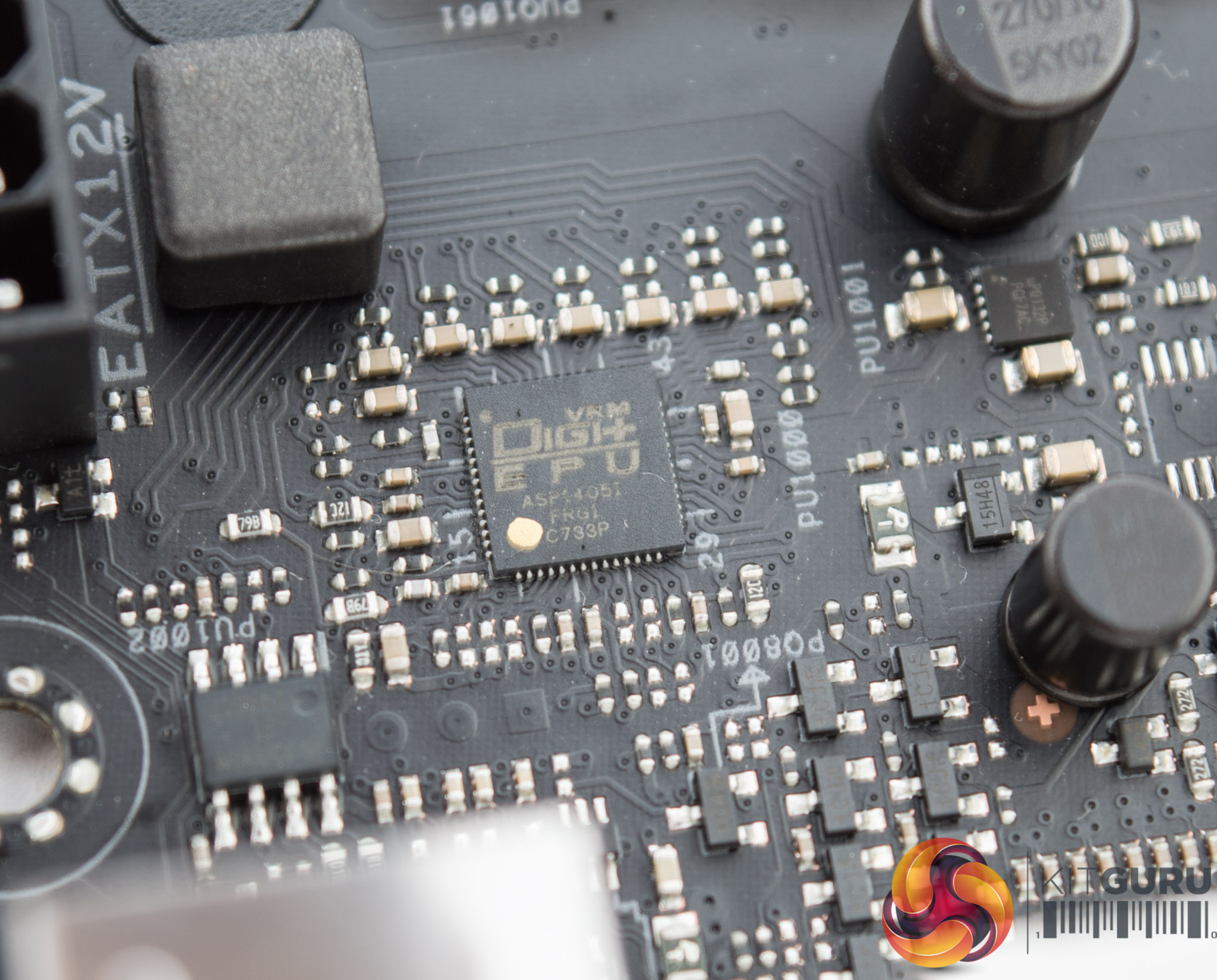
The PWM controller is a custom-packaged ASUS unit marked ASP1405I which is likely an International Rectifier solution. KitGuru has seen this controller before on the ASUS ROG Maximus X Formula so it is likely a high-end unit.
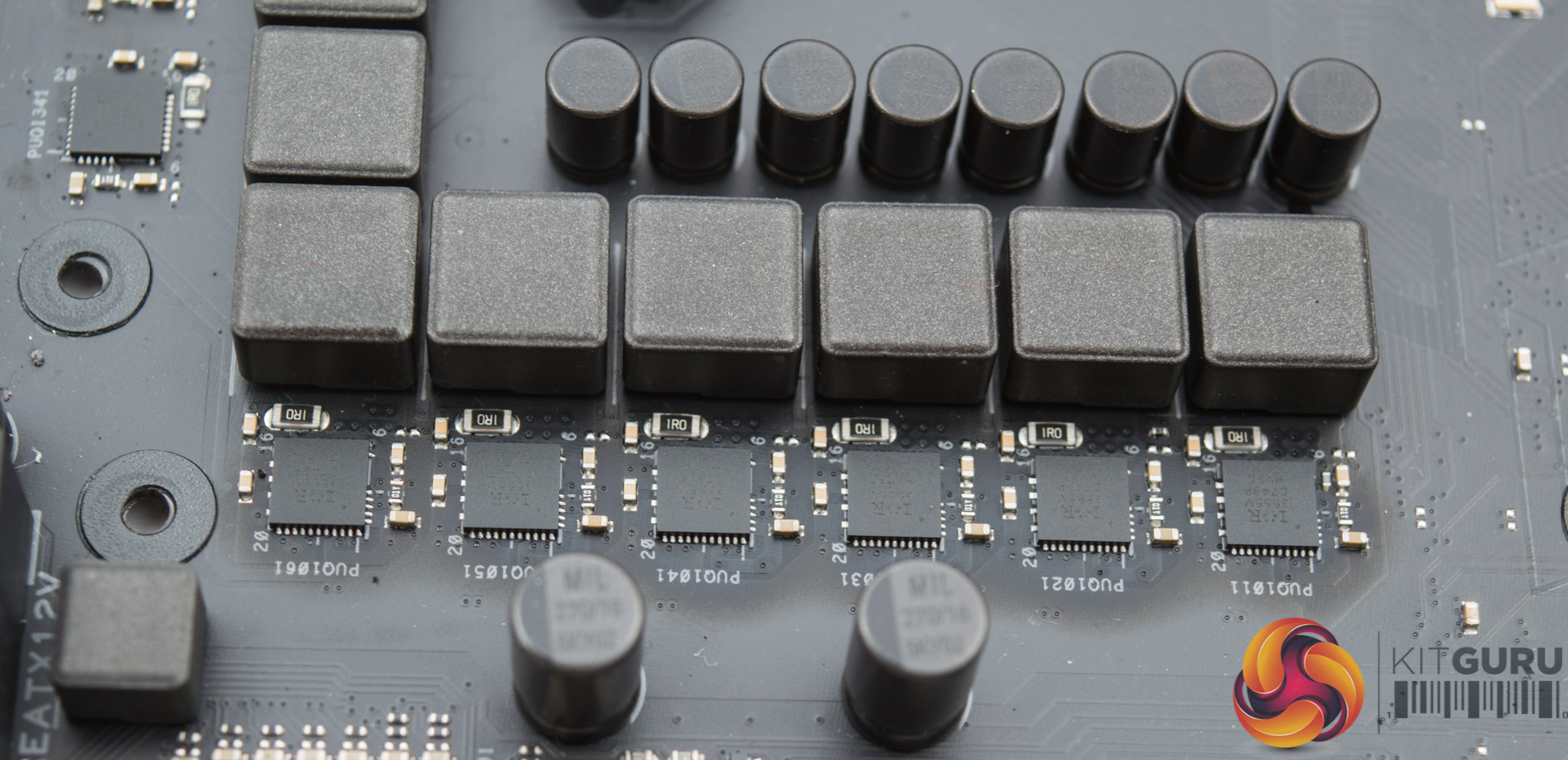
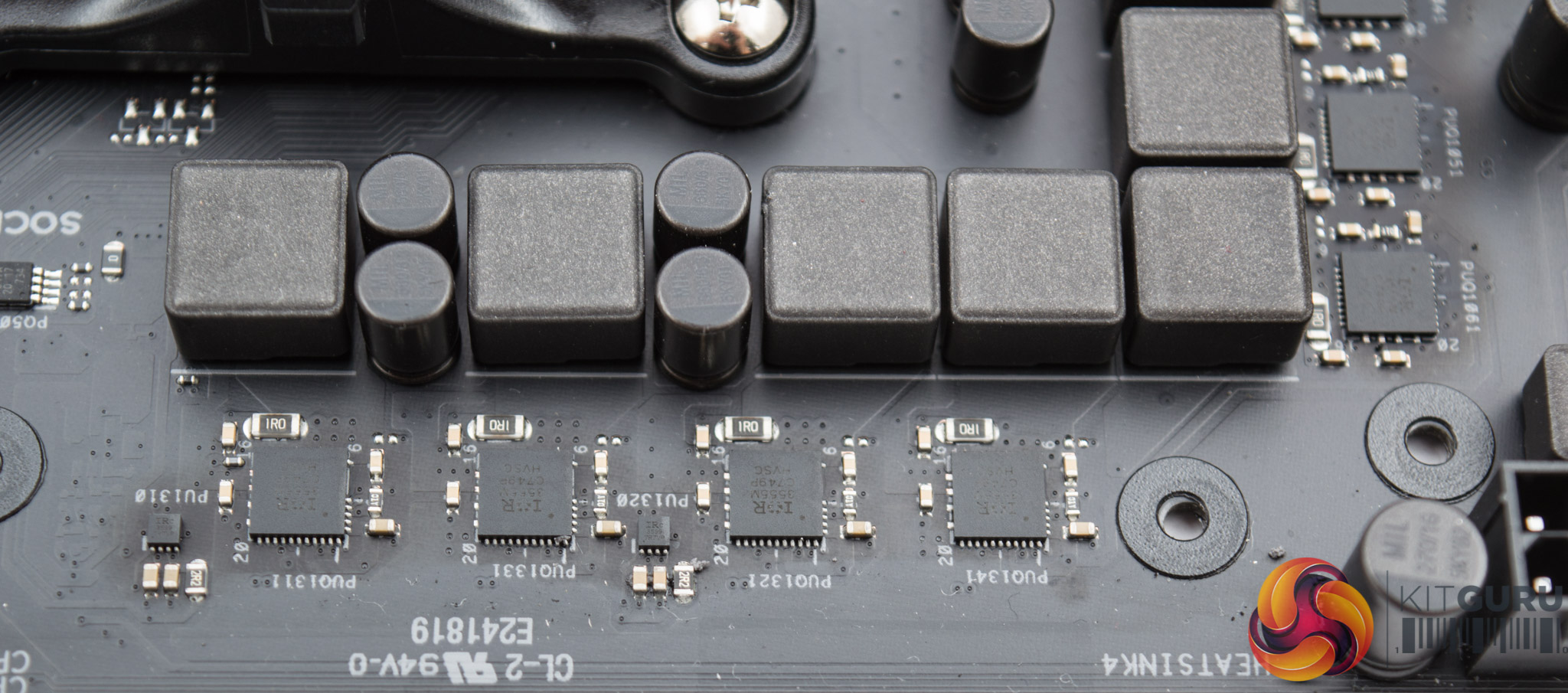
The structure of the VRMs is not clearly specified by ASUS but appears to be a 6+4 phase solution (effective), though the PWM controller likely operates 6+2 phases and is probably an IR35201 in 6+2 phase mode.
The first six phases that supply the CPU voltage each have one choke and one IR3555M 60-amp integrated PowIRstage. This IR3555 unit integrates the driver, low- and high-side MOSFETs into a single package.
The next four phases which supply the SOC voltage are the same in terms of one choke and one IR3555 unit but also have two IR3599 phase doublers than turn two phases from the IR35201 controller into four phases for the motherboard's VRM.
This 6-phase solution for the CPU is robust for the upper mid-range and should perform better, in terms of temperatures and overclocking capability, than many less expensive X470 motherboards making use of 4-phase solutions.
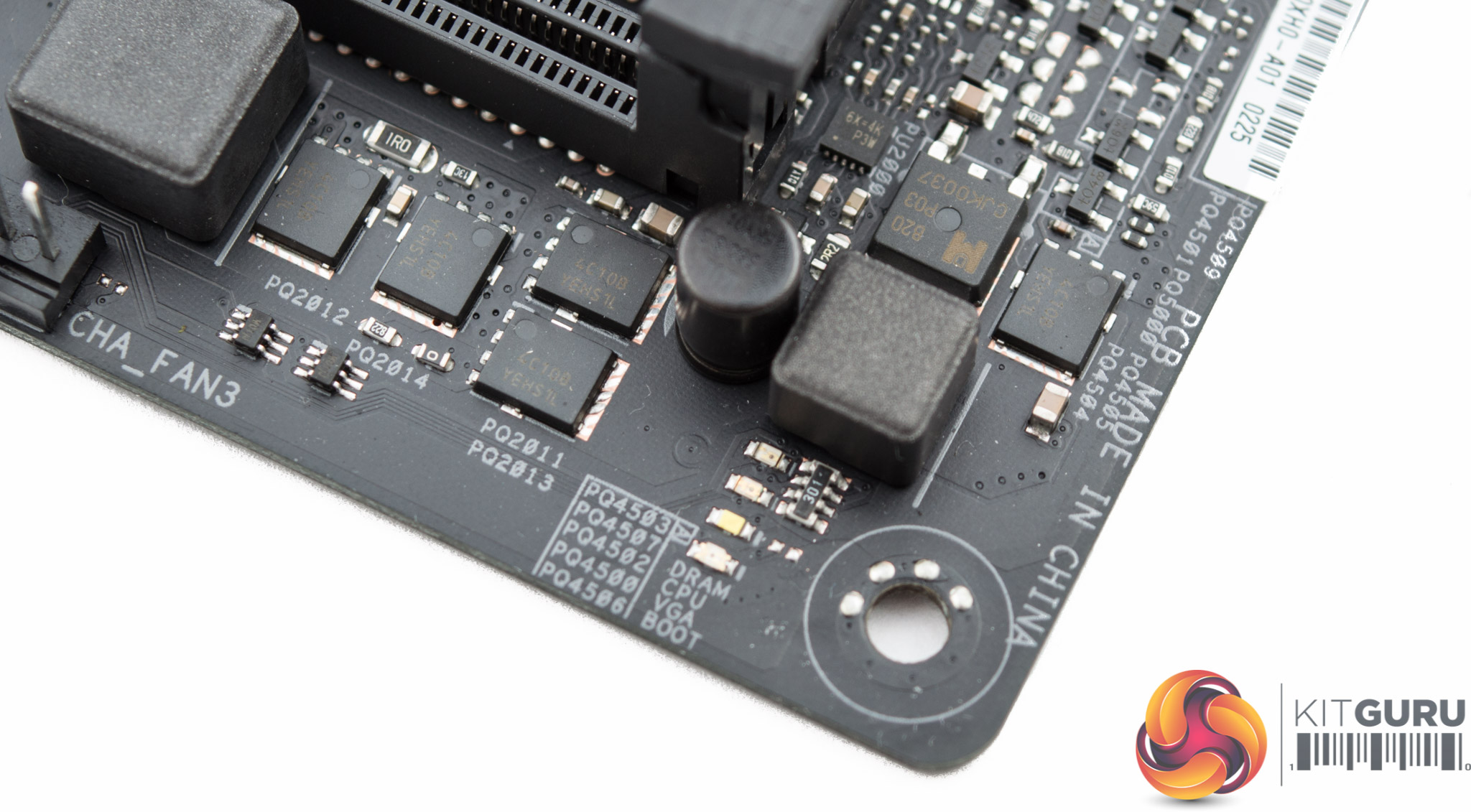
The memory VRM makes use of a UPI Semiconductor uP8815p PWM controller and there are a number of ON Semiconductor MOSFETs (4C10B) as well as some chokes and other VRM components. It's likely to be a 1 or 2 phase solution but it is difficult to identify the structure exactly.
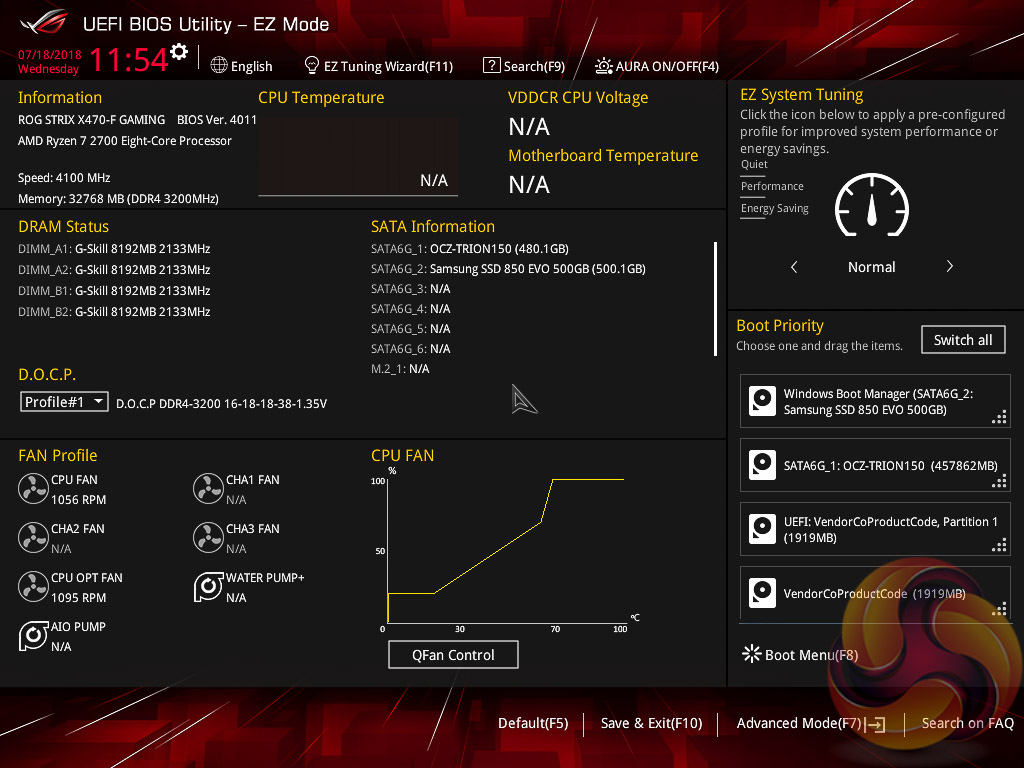
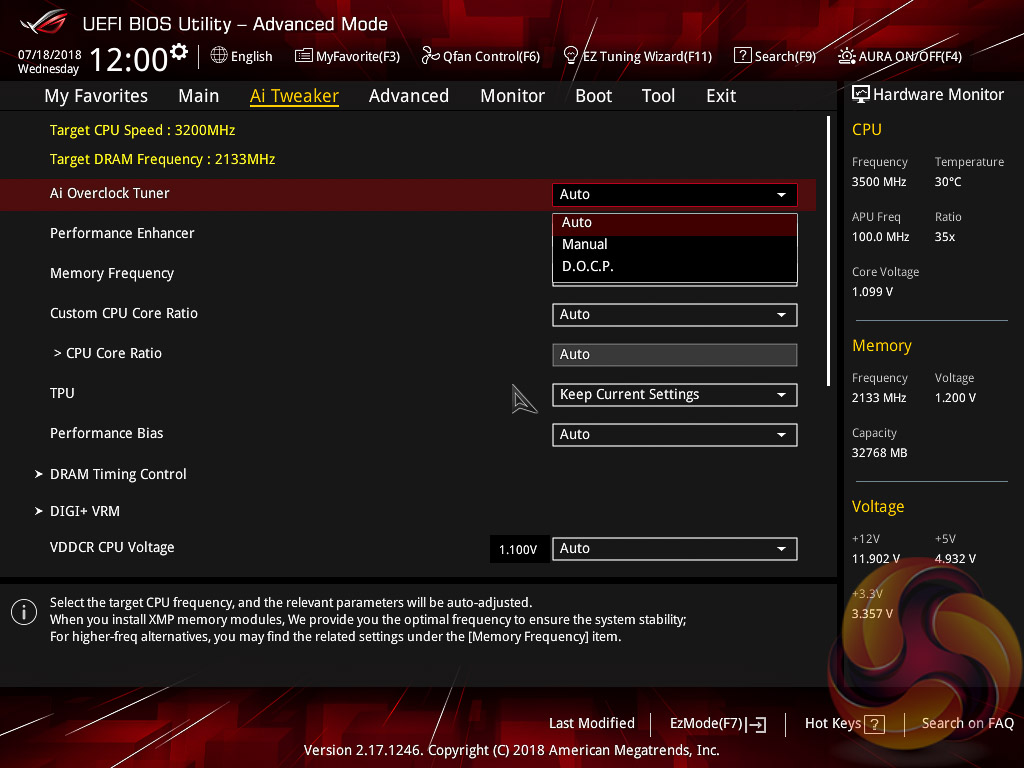
The ASUS UEFI enters straight into the EZ Mode splash screen which has a selection of frequently used settings including XMP profiles (called D.O.C.P on AMD ASUS motherboards), boot device order and fan speeds. Pressing F7 takes the user into the advanced section of the UEFI but there are some additional tools that can be accessed from the splash screen such as Q-Fan Control and EZ System Tuning.
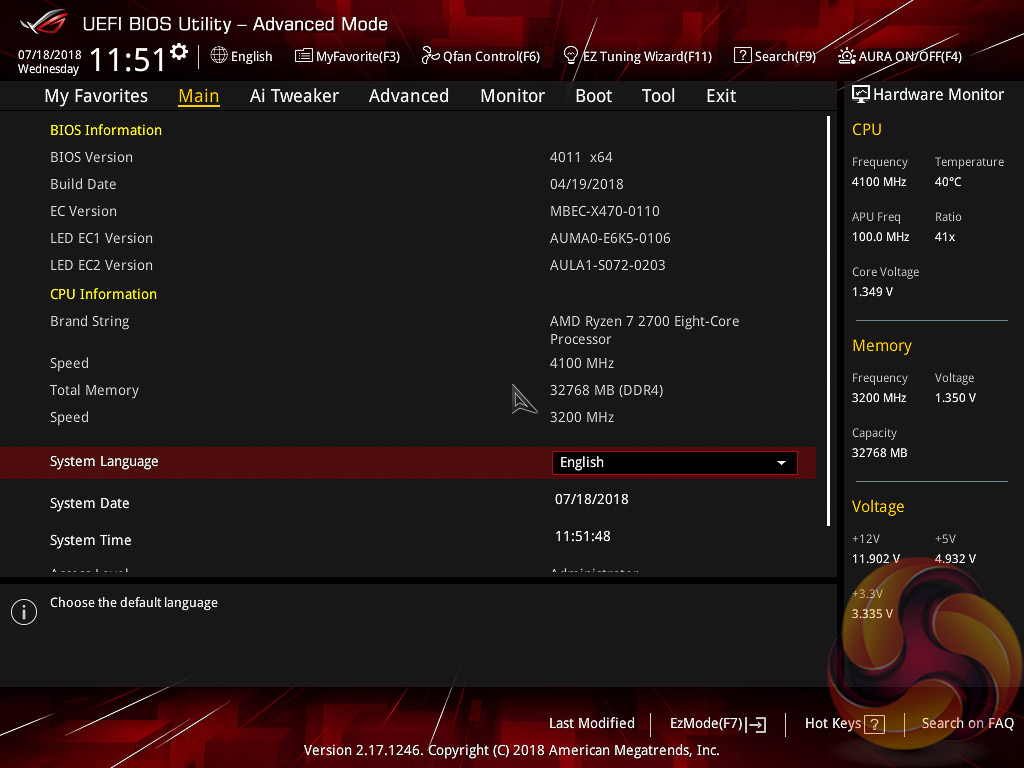
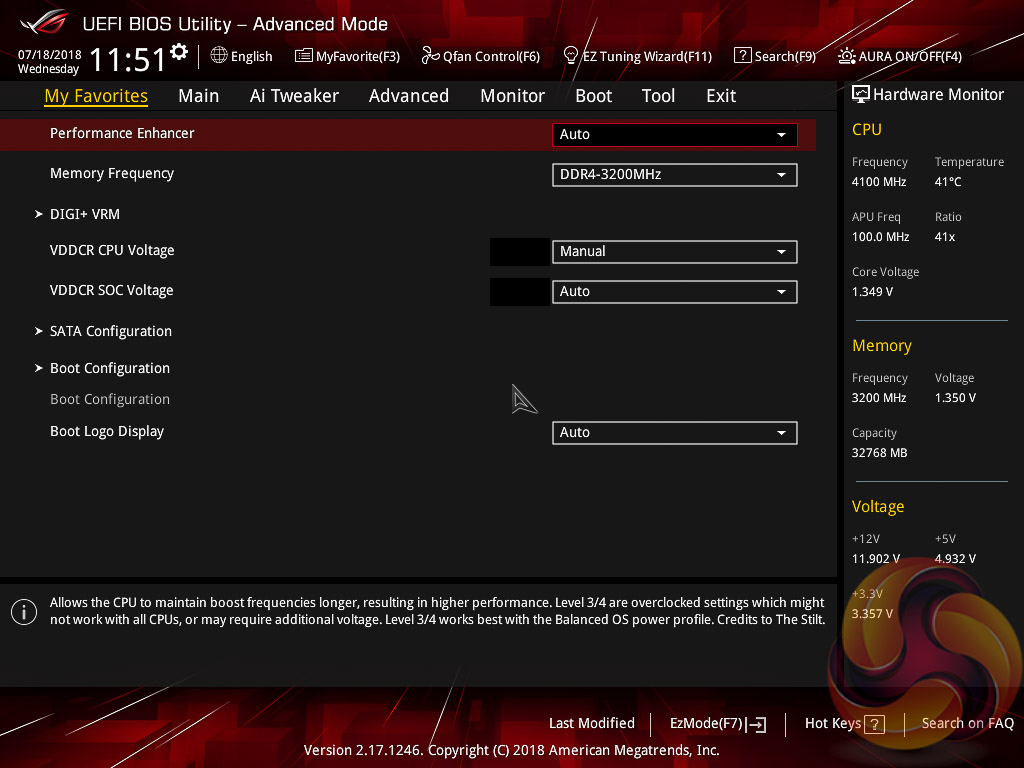
The first tab is MyFavorites which stores the most frequently accessed UEFI settings. The next tab, Main, contains detailed processor and BIOS version information.
If you are unable to display some of the images on these pages, disable your ad blocker as it interferes with our gallery code.
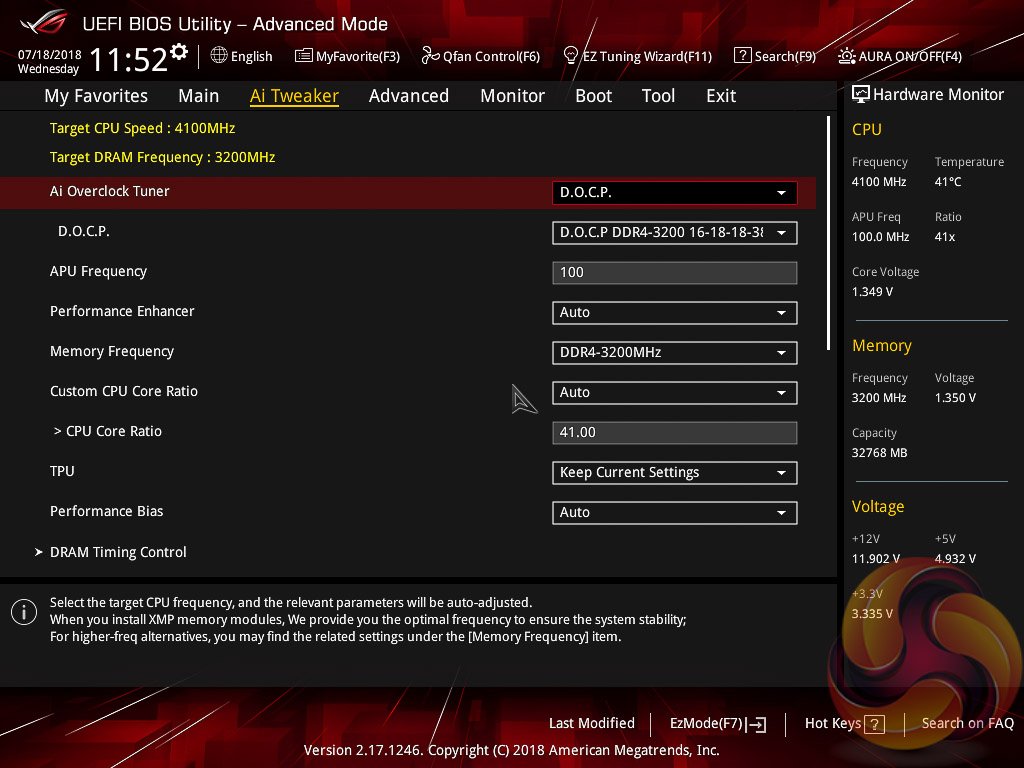
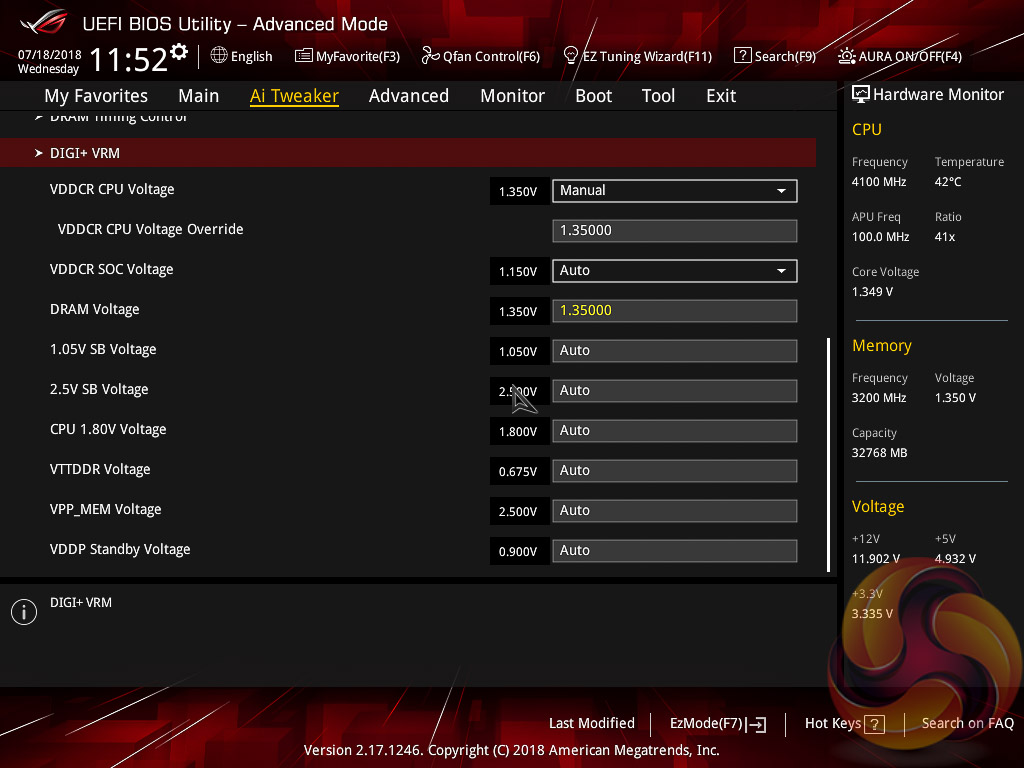
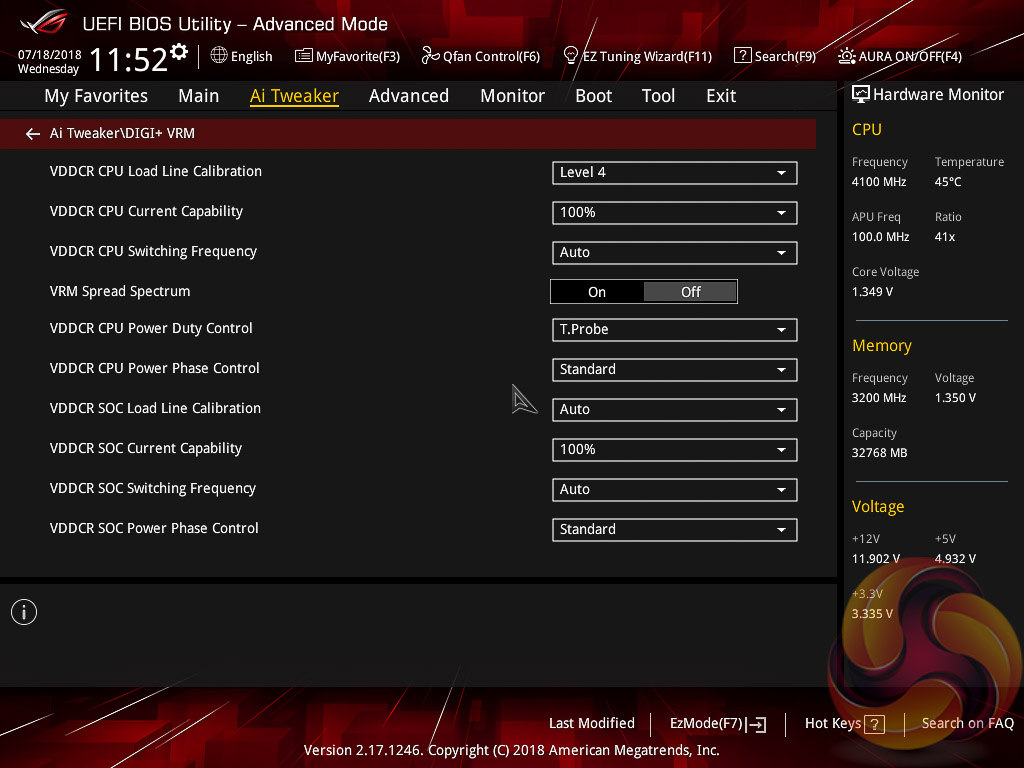
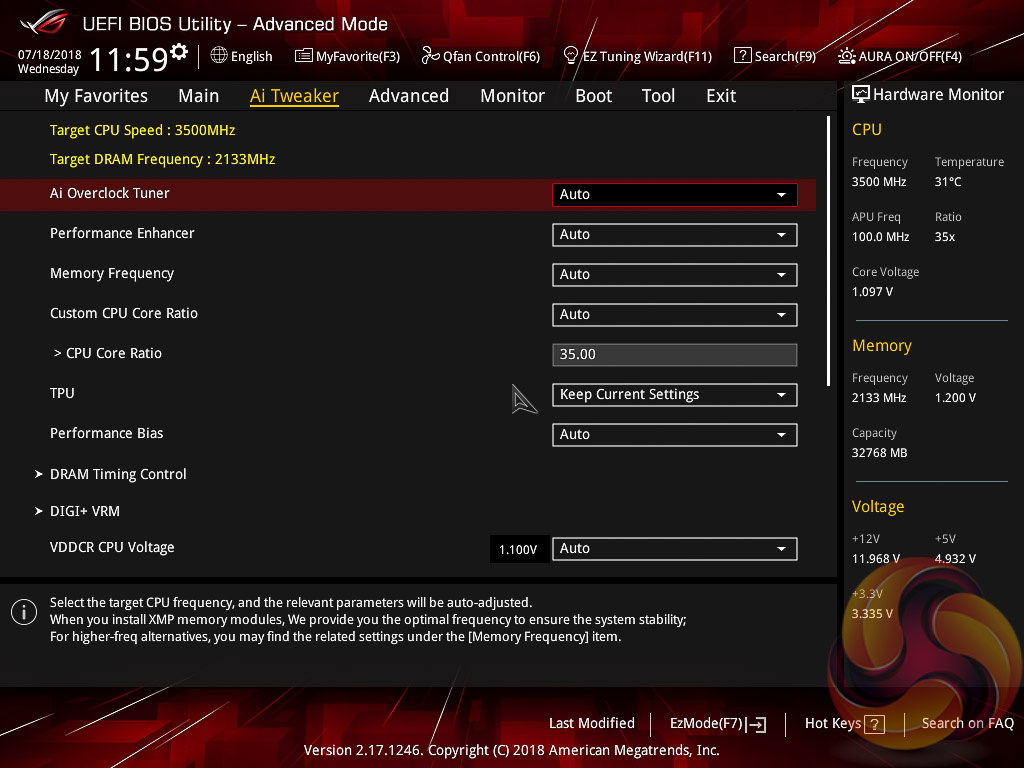
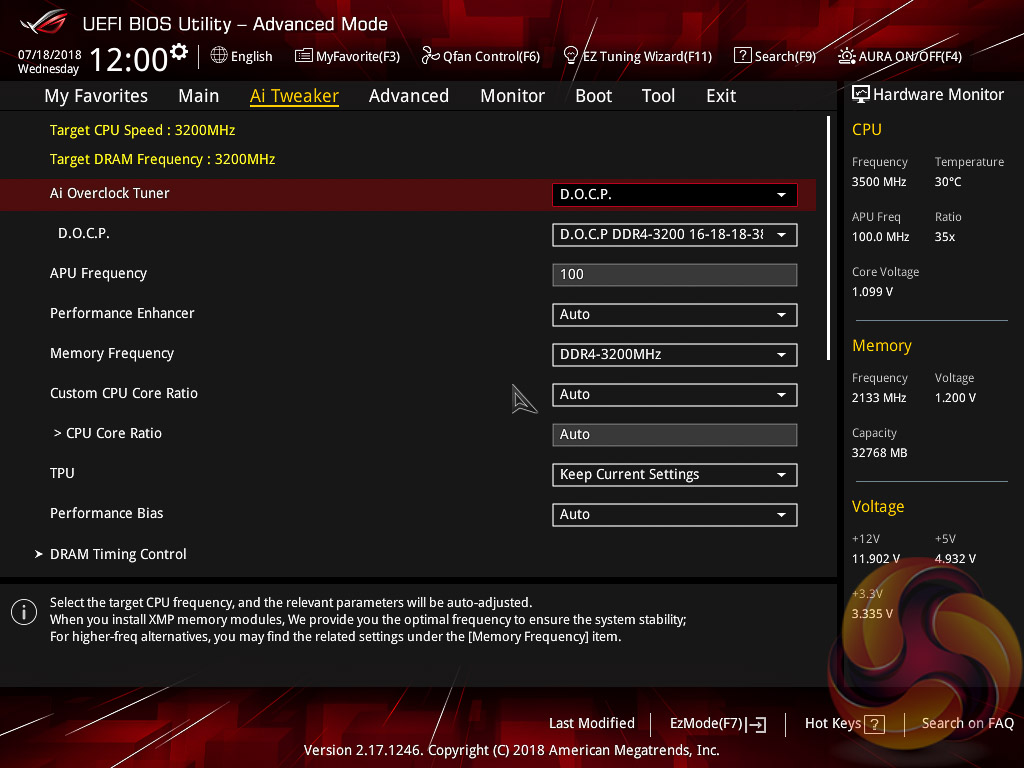
AI Tweaker is the UEFI tab which contains the vast majority of performance tuning settings pertaining to the CPU and DRAM. From here you can set XMP (D.O.C.P) profiles, overclock the CPU, set all the various voltages and voltage operation modes, change the Load Line Calibration (LLC) and considerably more.
LLC has 5 levels on this motherboard, with 1 being the least aggressive and 5 the most. The CPU voltage modes include override, adaptive and offset.
By enabling the automatic overclocking function (EZ Tuning Wizard) the CPU multiplier is simply set to 35 while the memory was ignored, when using the Ryzen 7 2700. Much better performance can be had through manual tuning and by enabling D.O.C.P (XMP).
Unlike on Intel platforms (such as Z370), enabling D.O.C.P/XMP does not set the CPU's Turbo clock higher since the CPU Turbo behaviour is controlled by AMD's proprietary XFR2 (Extended Frequency Range 2) and PB2 (Precision Boost 2) technologies.
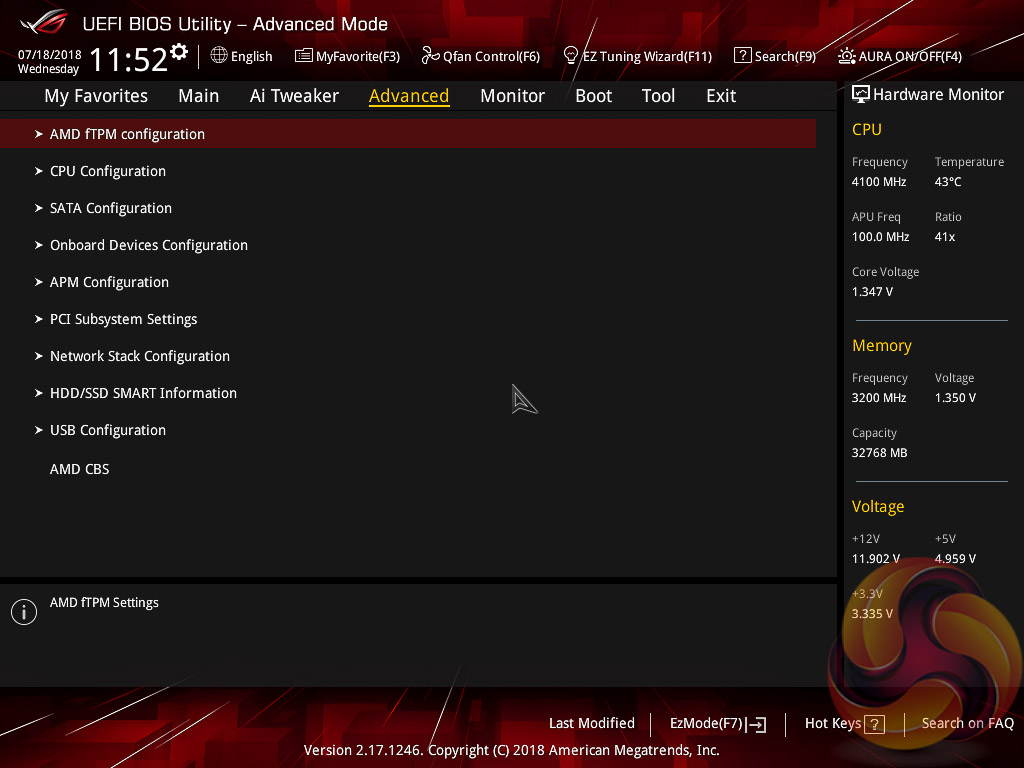
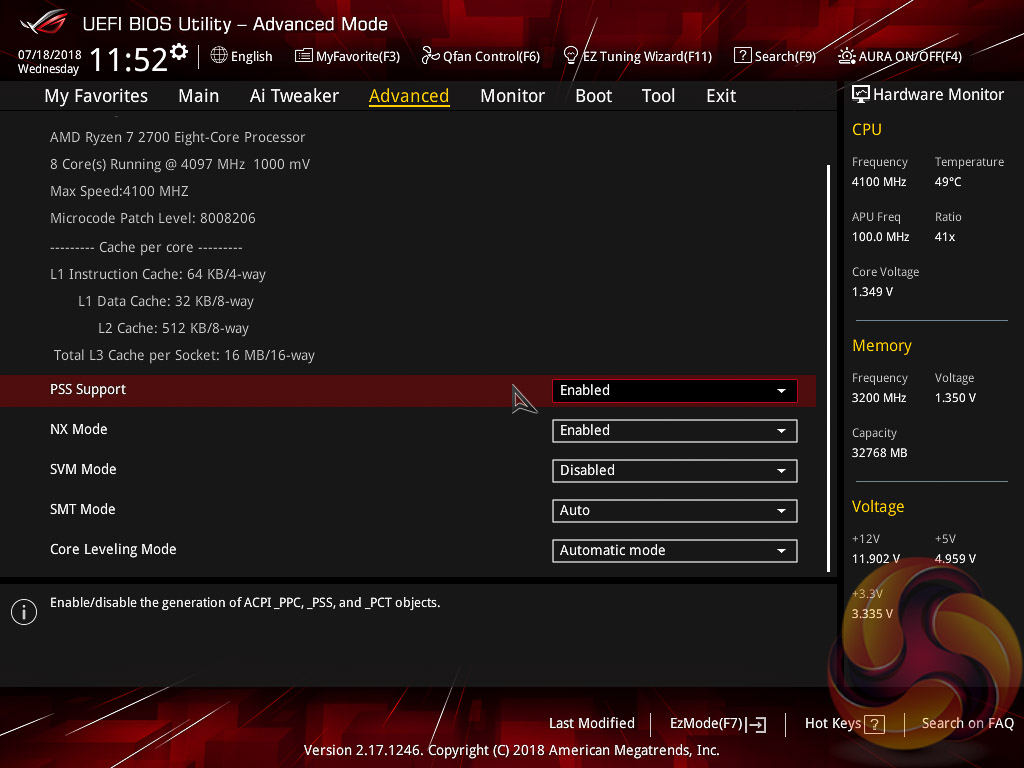
There is a significant selection of performance and compatibility parameters to be found under the Advanced section should the need arise. As well as a number of other peculiar settings related to the functions of onboard devices, LEDs, USB and storage controllers and more.
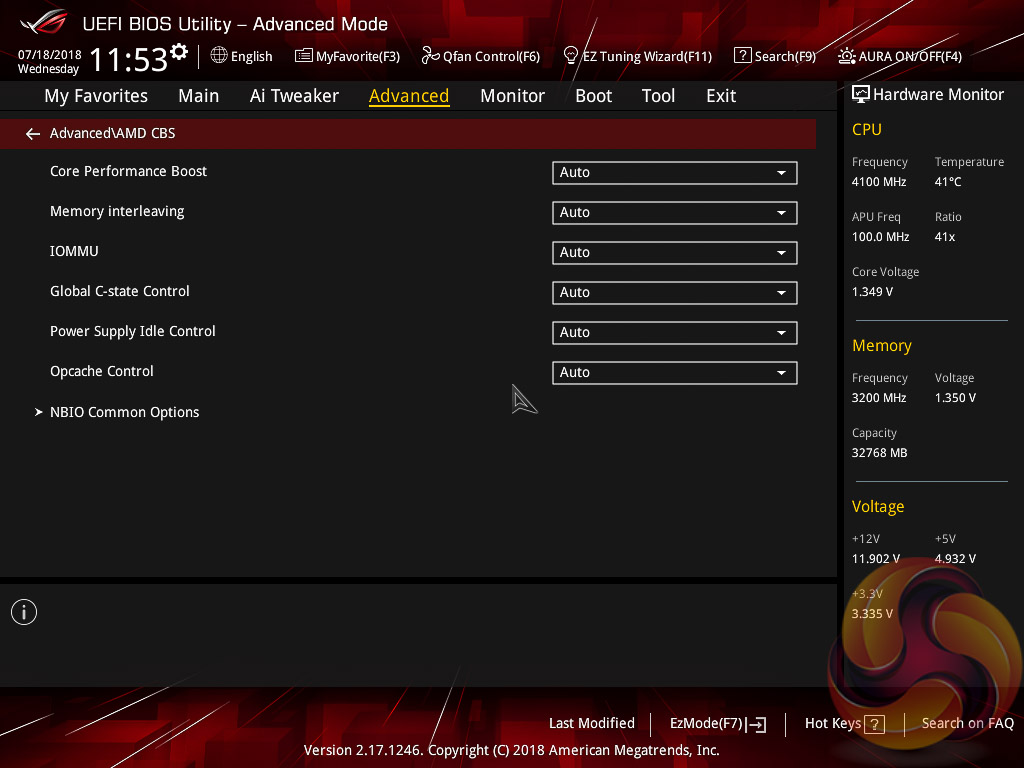
On AM4 motherboards there is a section entitled AMD CBS which contains a large number of advanced settings specific to AMD's AM4 platform.
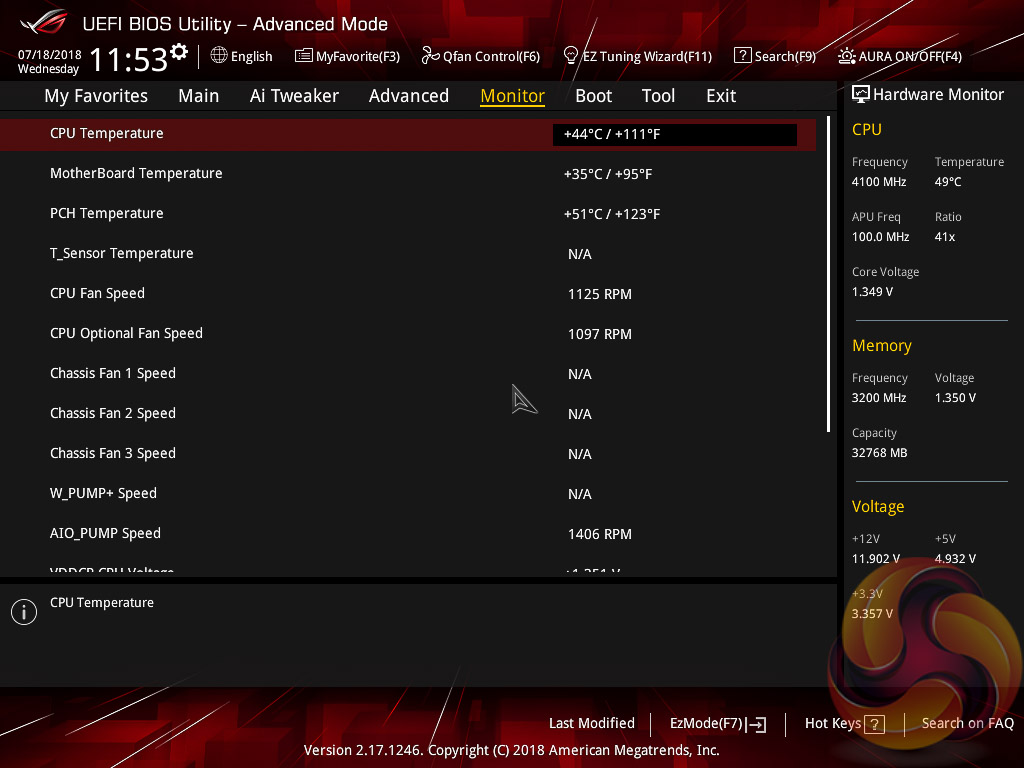
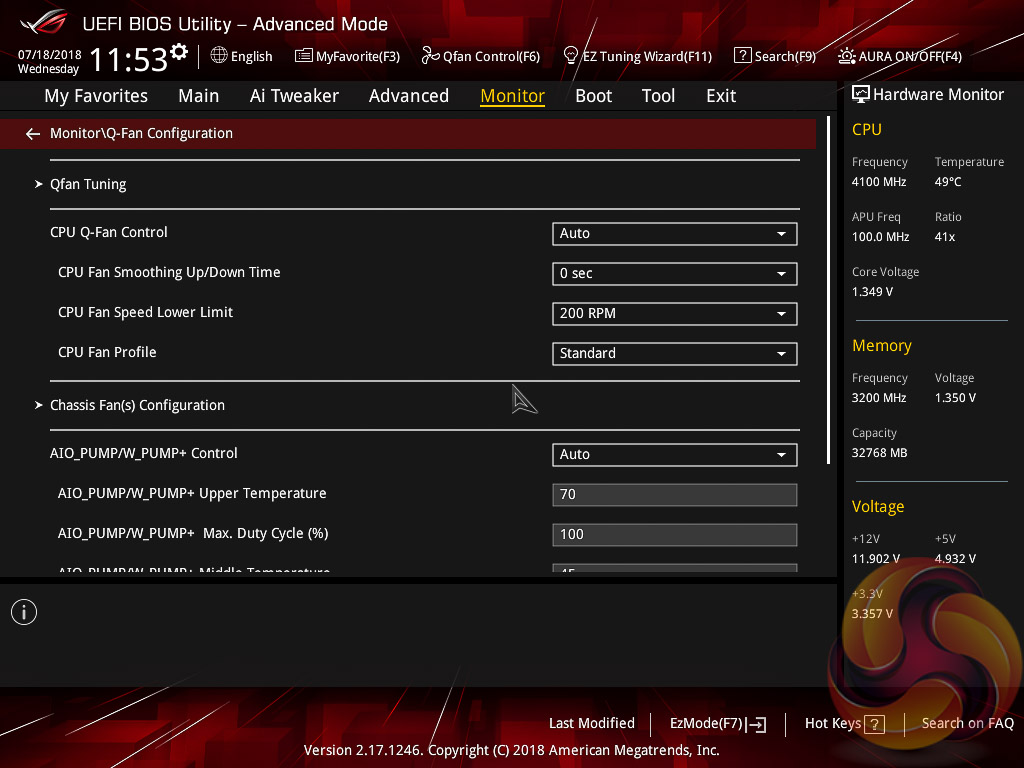
The Monitor tab will allow you to instruct the UEFI how to handle temperature data from the various sensors as well as what to do with fan speed profiles. For example where a fan speed profile is temperature dependant you can choose which temperature sensor to use.
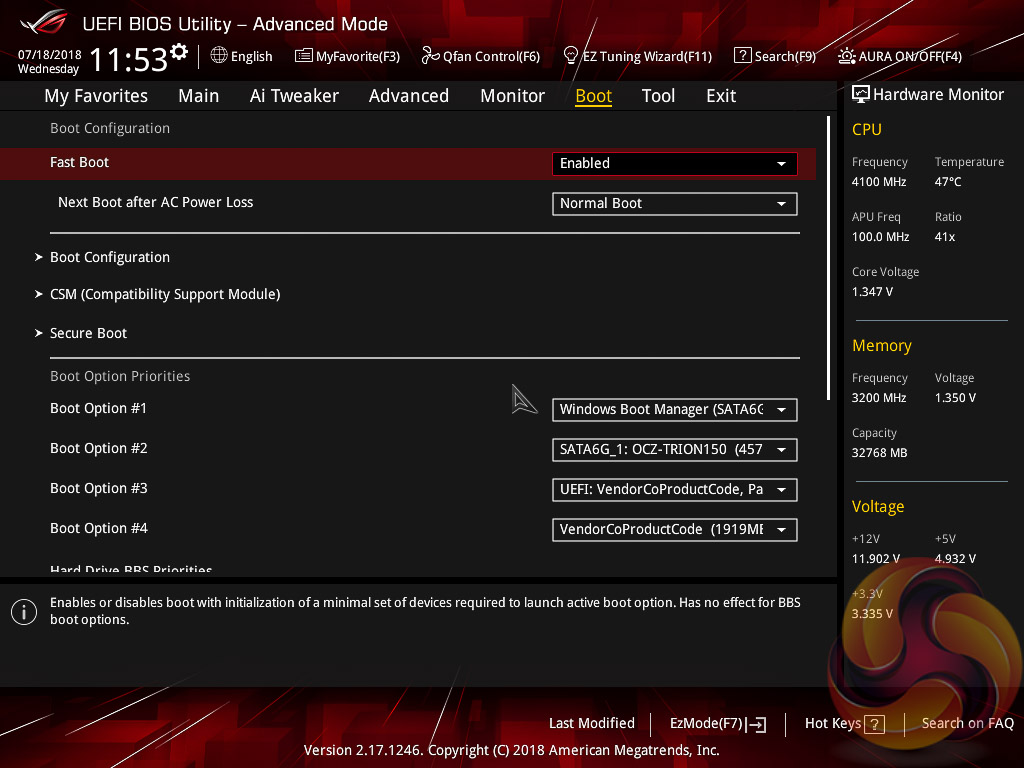
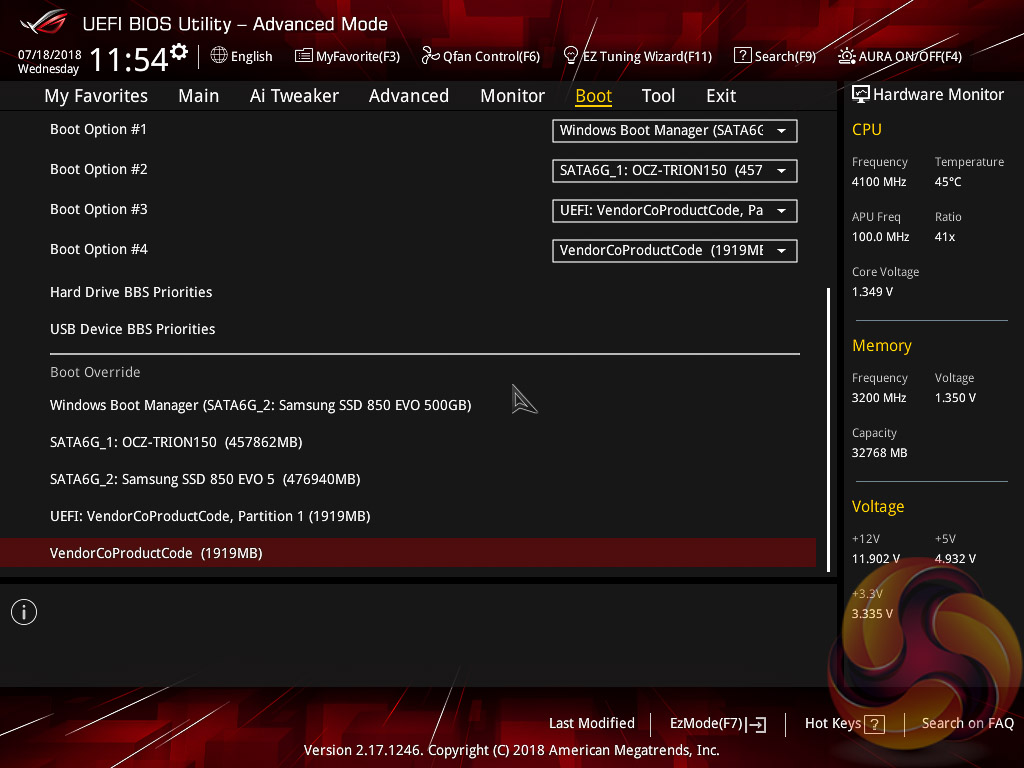
The Boot tab is as expected in delivering the key boot options such as secure boot, boot priority, boot override and boot compatibility options.
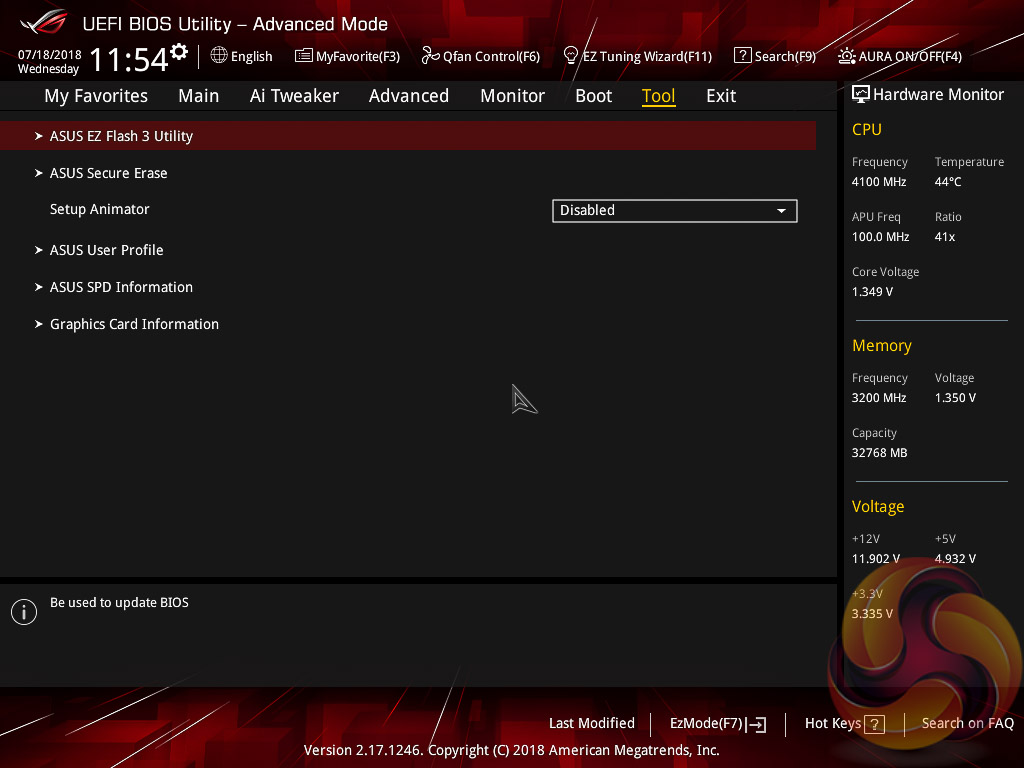
Users needing to update the UEFI (via the EZ Flash Utility), save, import or export BIOS settings, or secure erase a storage drive should refer to the Tool tab.
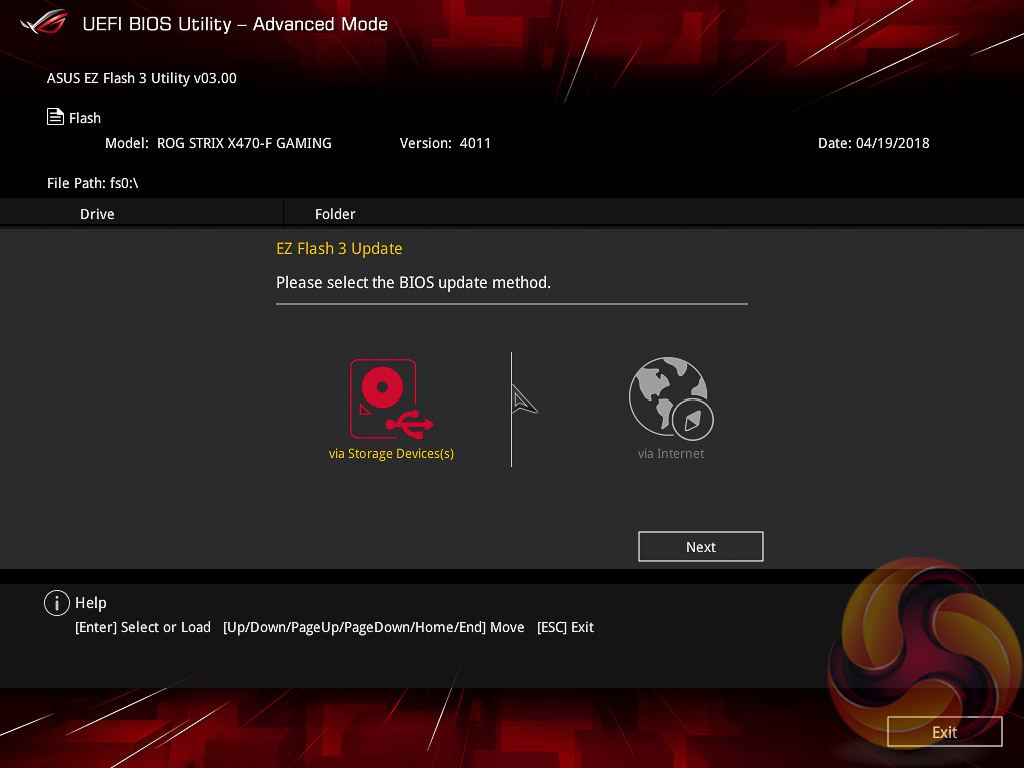
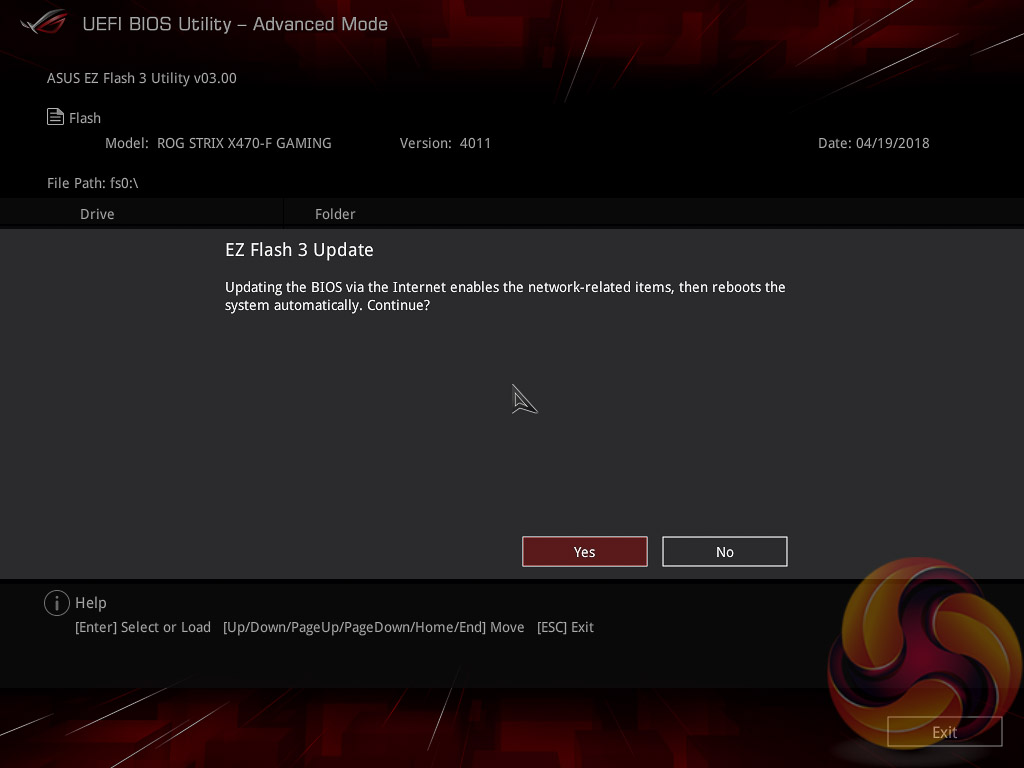
The EZ Flash utility is very simple to use and allows the UEFI to be updated from either a local disk or the internet using the Intel I211-AT Gigabit Ethernet adapter.
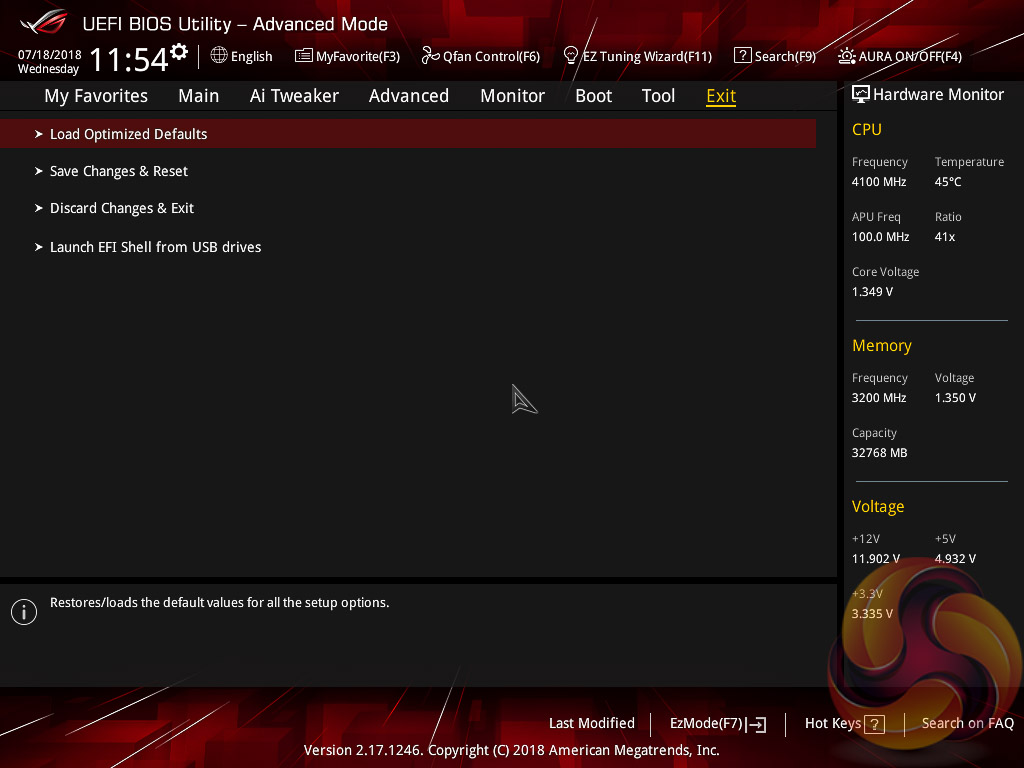
The Exit tab is fairly self-explanatory and helpfully provides a summary of changes upon exit.
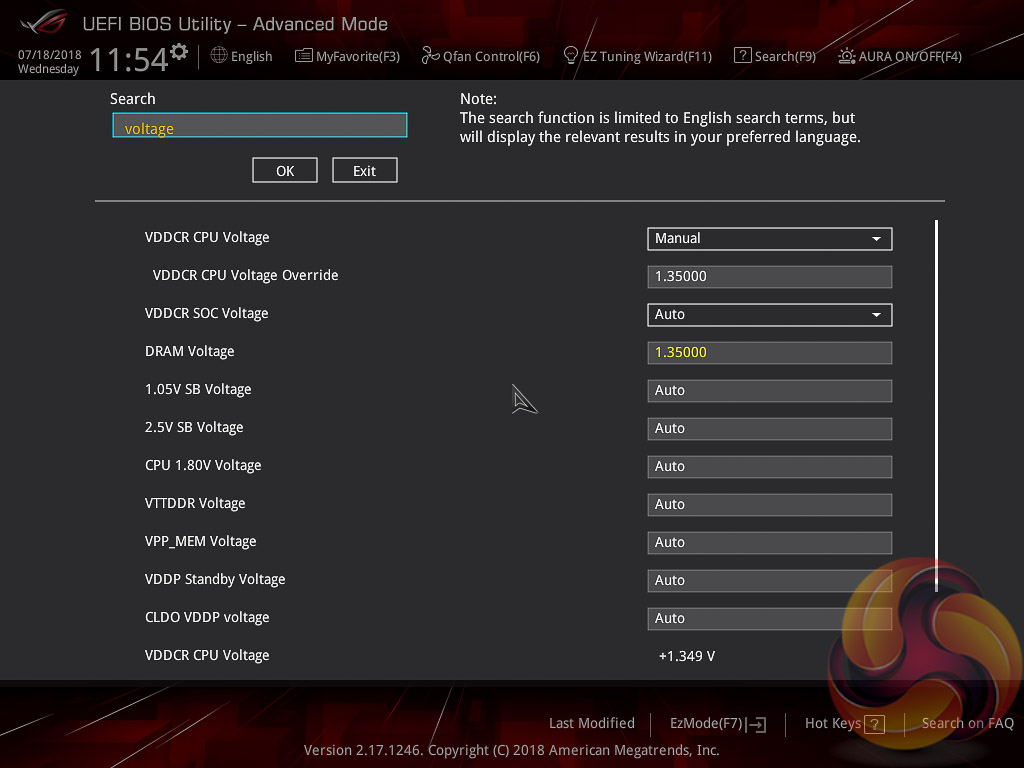
The search function allows a text string to be searched against all the UEFI parameters. It isn’t a smart search so doesn’t have an auto-fill function and will not find similar items to your search string i.e. M.2 when M2 is searched.
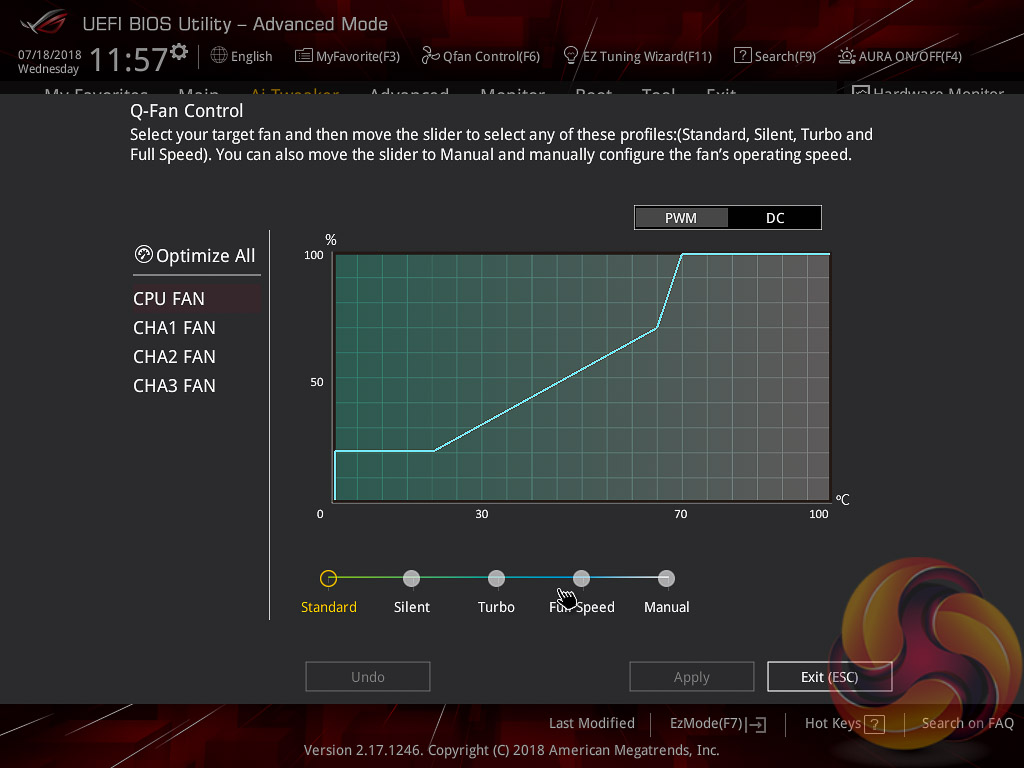
Q-Fan Control is a must-use utility since it will calculate the fan speed ranges of all PWM or DC fans on the 7 controllable fan headers. Once the voltage-to-fan-speed values have been calculated the user can then assign a preferred profile to each fan from the four presets (standard, silent, turbo, full speed) or simply set a custom profile using manual mode.
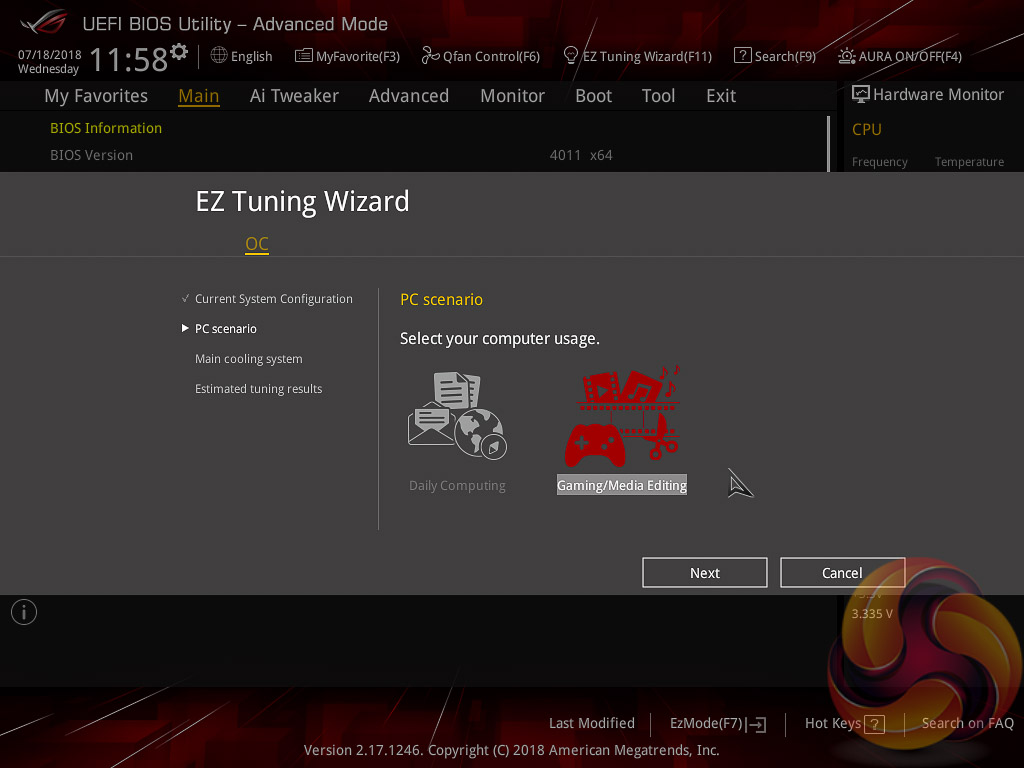
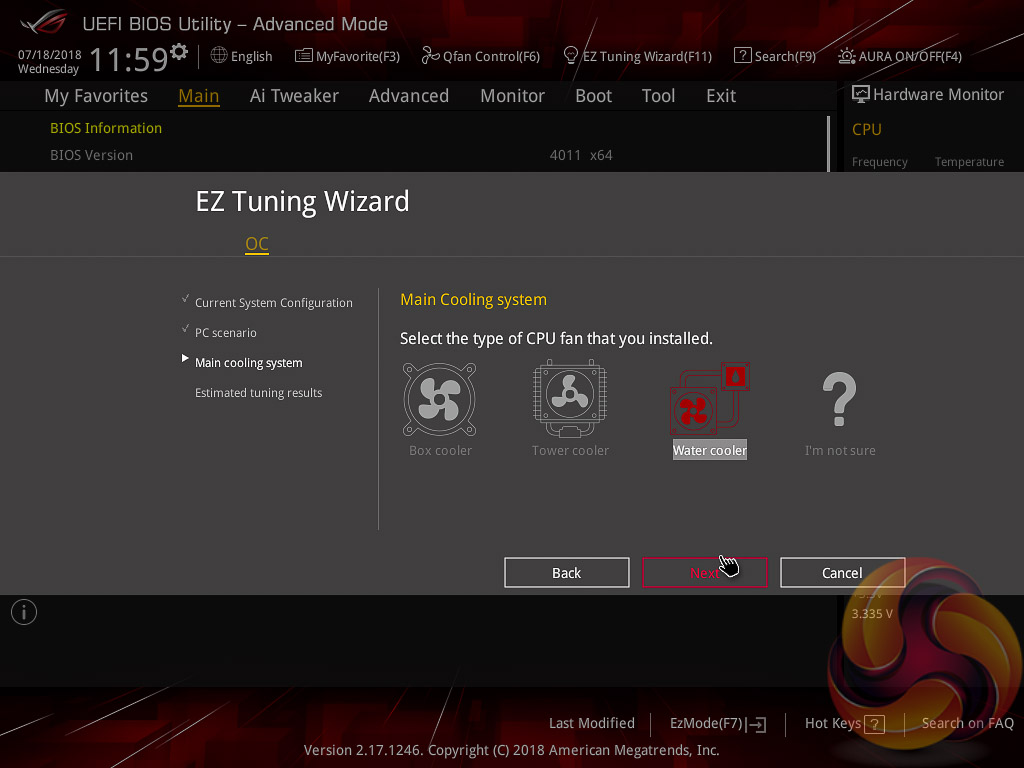
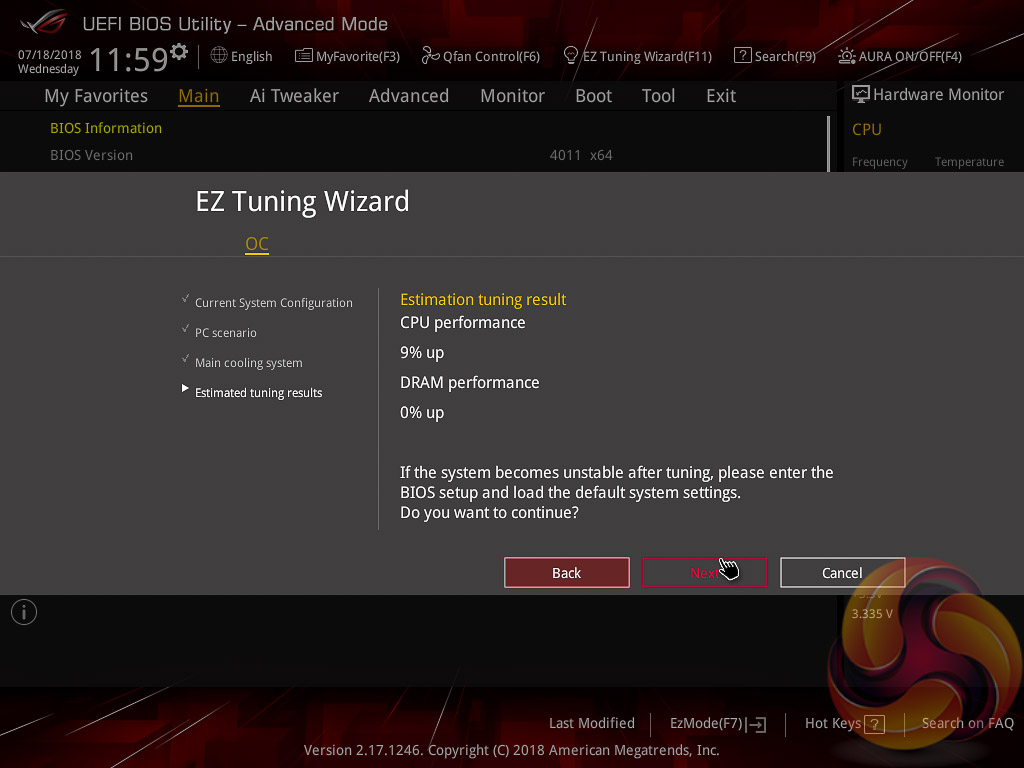
We have tried the automated ASUS overclocking utility, EZ Tuning Wizard, and it should provide your CPU and memory with an automatic overclock depending on which options you select and the hardware you are using. In our case it provided 3.5GHz for the Ryzen 7 2700 and our memory was left unchanged at 2133MHz JEDEC.
However, it applies a high “auto” voltage to account for variation in the quality of CPUs so it will often apply more voltage than necessary, it also fails to recognise XMP/D.O.C.P profiles and thus doesn't get the most out of the memory. Users are better off setting the memory profile, attempting a manual overlock or leaving AMD's XFR2 and PB2 to itself.
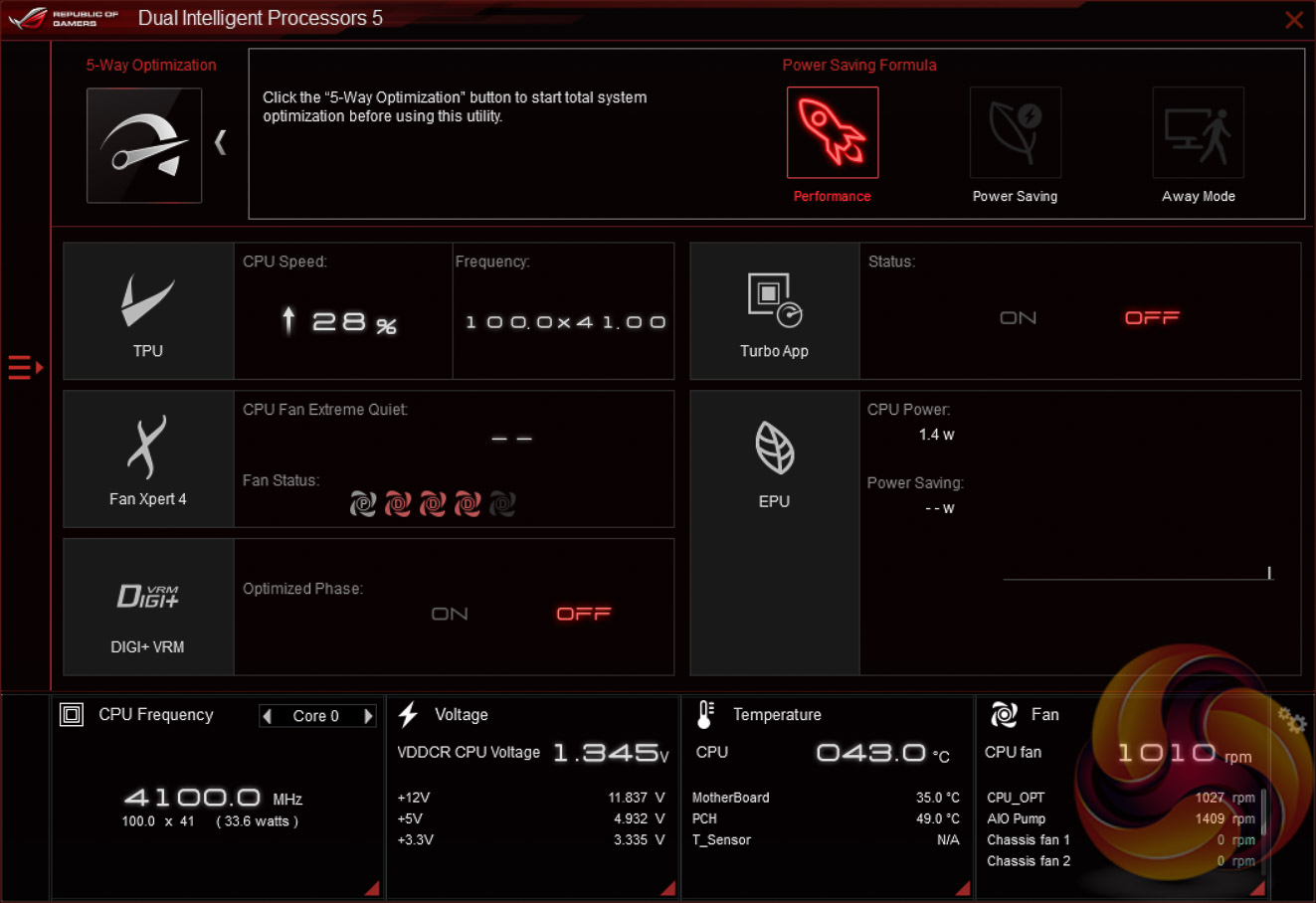
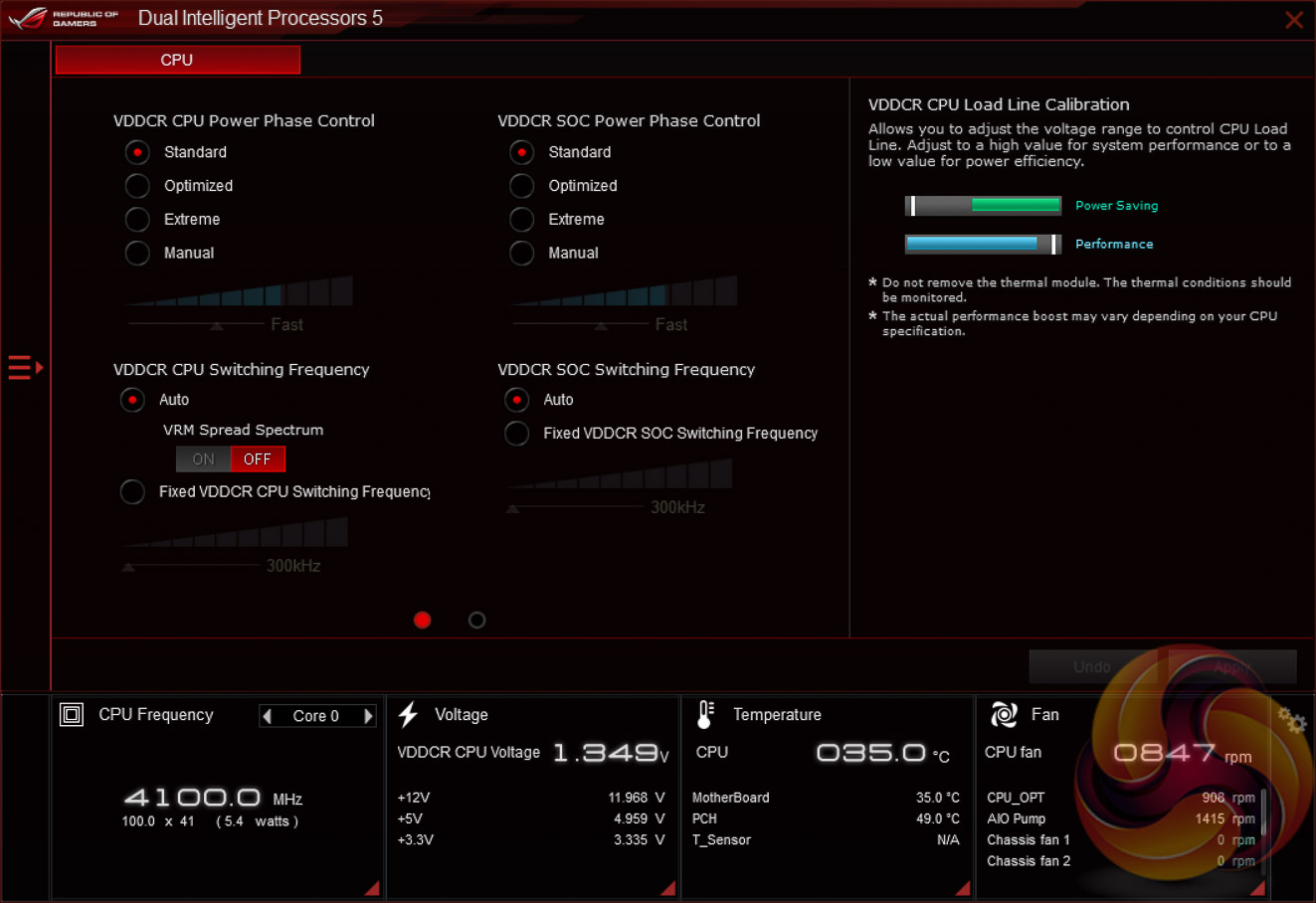
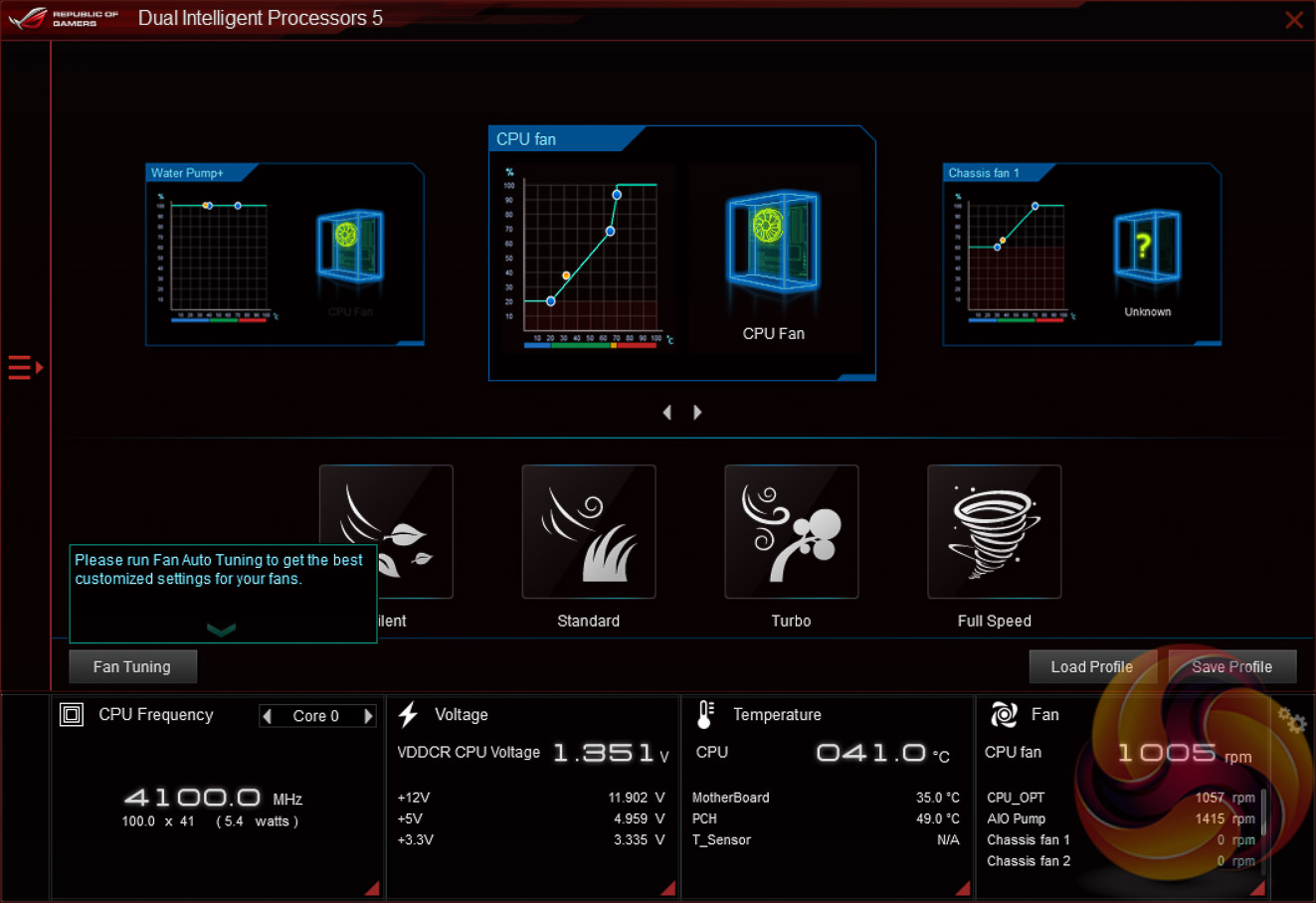
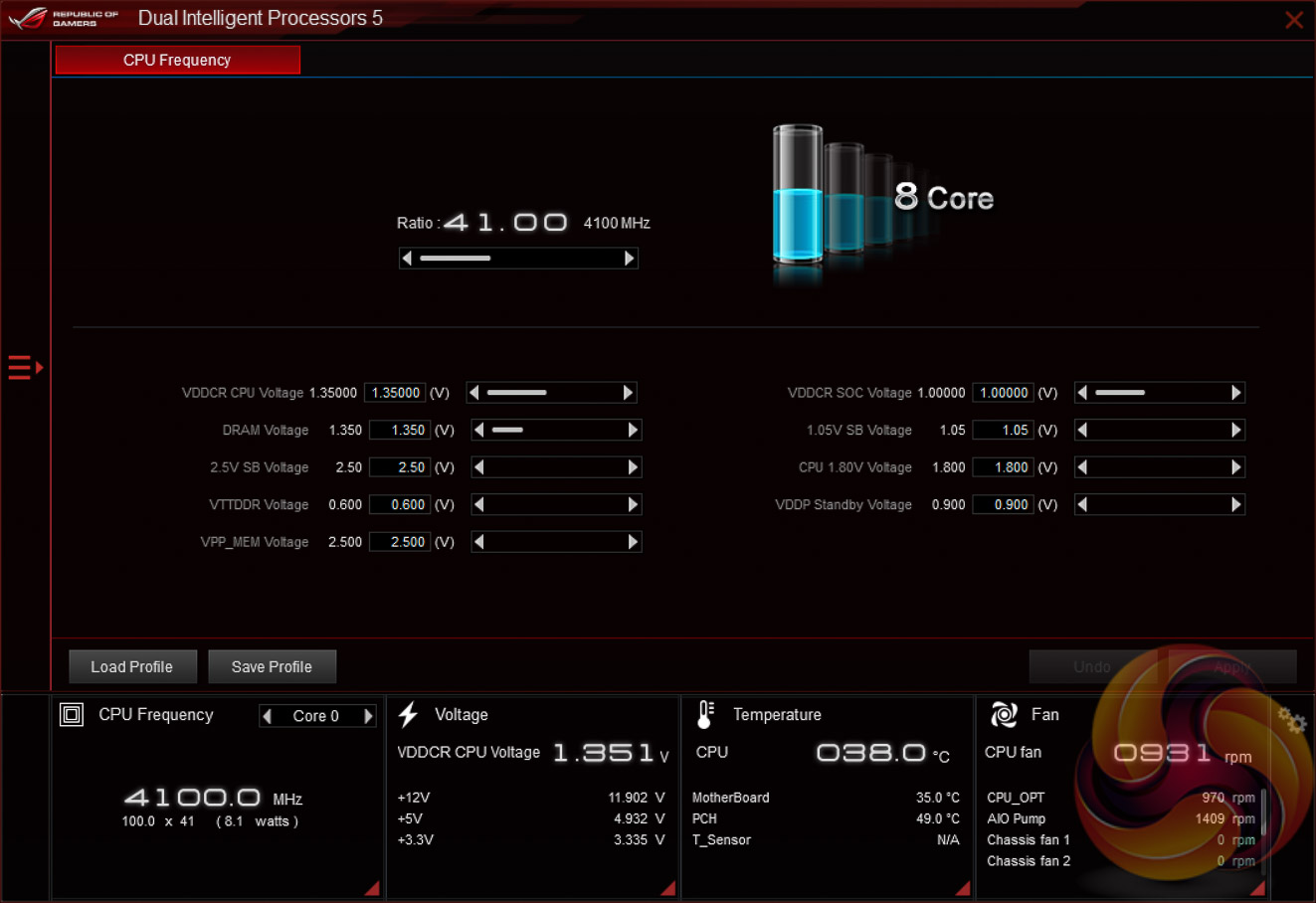
The main software utility for the ASUS motherboard range is the multi-function AI Suite III (Dual Intelligent Processors 5). It contains within it a significant number of utilities including the EPU and TPU, the Turbo App for application-specific turbo behaviour, Fan Xpert 4, on-the-fly overclocking support, a cleaning utility and an ASUS software updating tool.
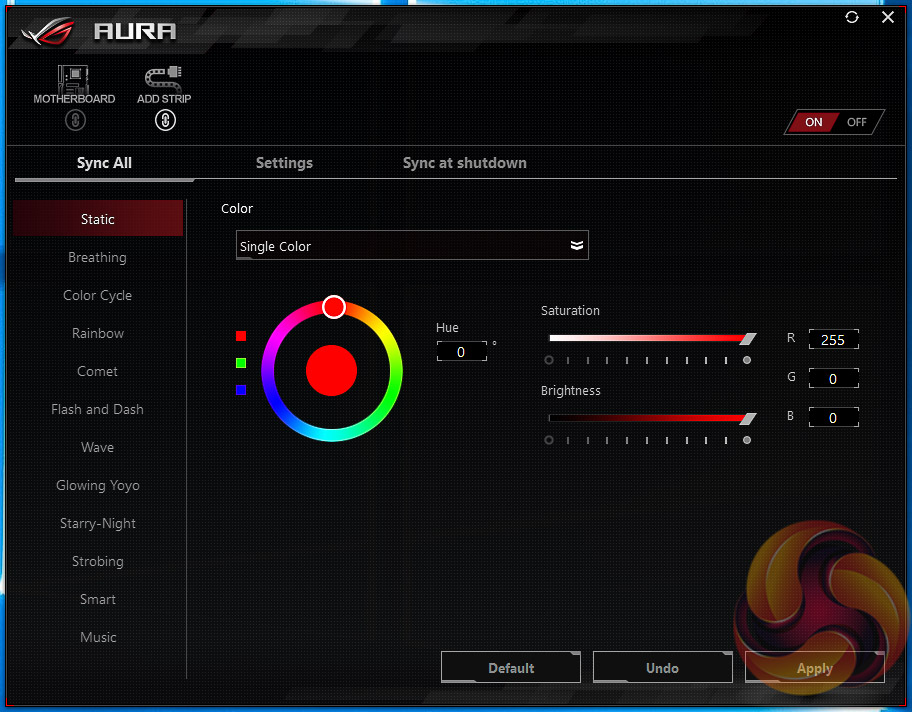
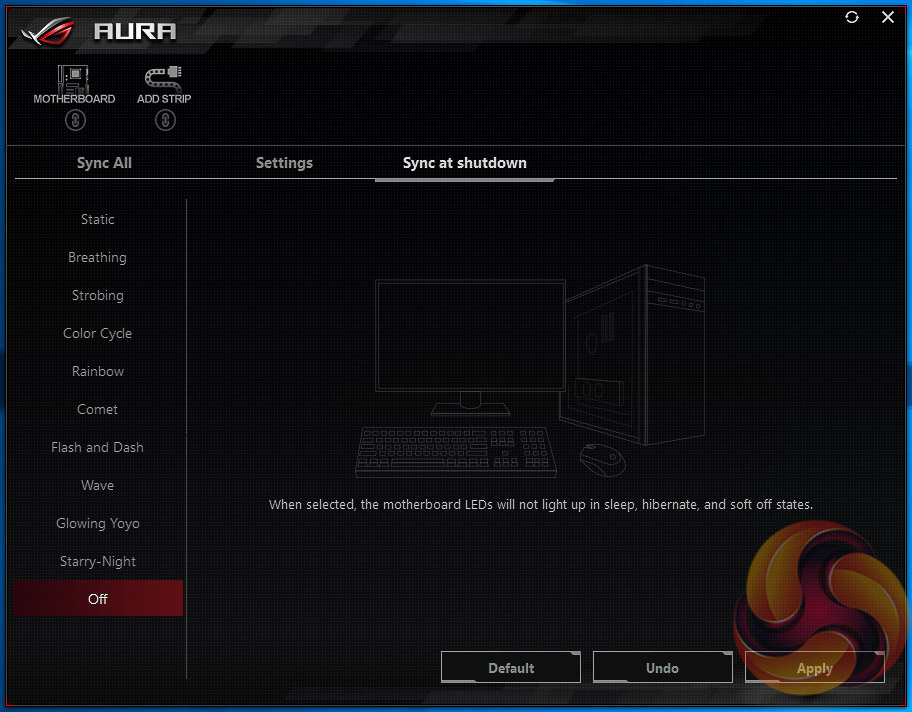
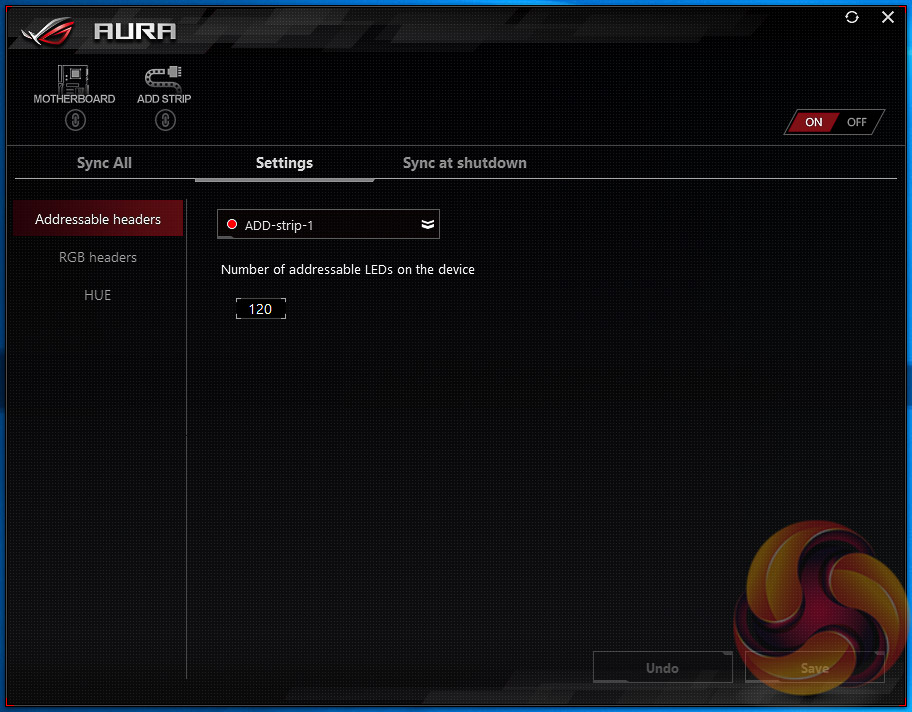
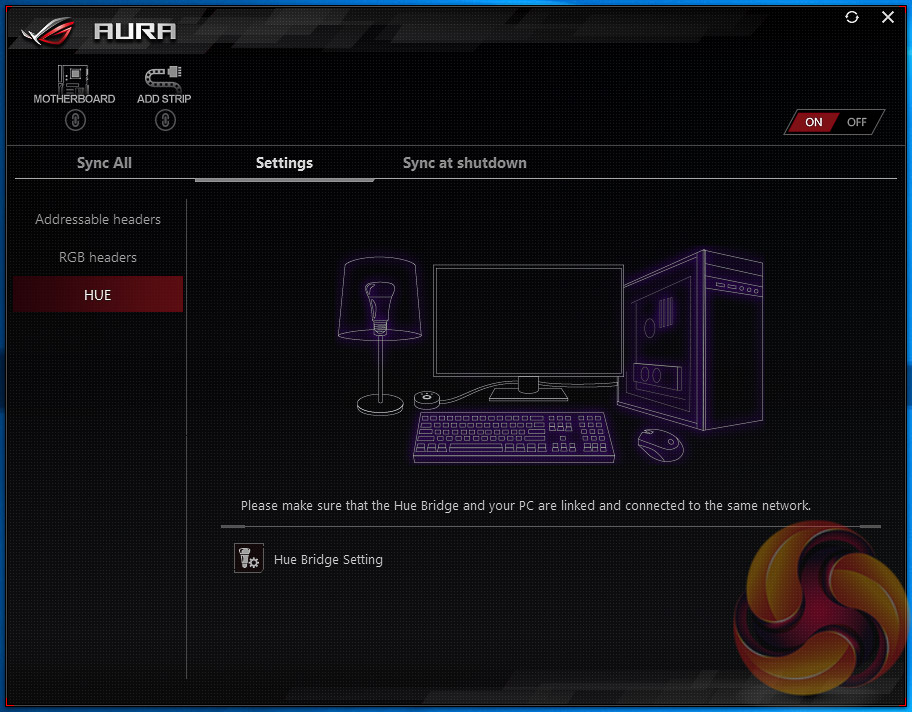
The ASUS AURA RGB software has gone through several iterations of redevelopment since KitGuru first assessed it and it is now a fairly slick application. The range of LED modes available to choose from is comprehensive and the way LED strips are captured and managed separately makes it easy to manage each lighting zone. There is a synchronise option to ensure all RGB LED assets perform the same lighting mode and colour combinations, where possible.
The settings tab details a few more compatibility options such as for calibrating RGB LED strips, integrating a Hue Bridge (Phillips Hue product integration) and the Sync at shutdown tab allows users to specify the “turned off” (standby power after shutdown) behaviour of the motherboard's RGB LEDs.
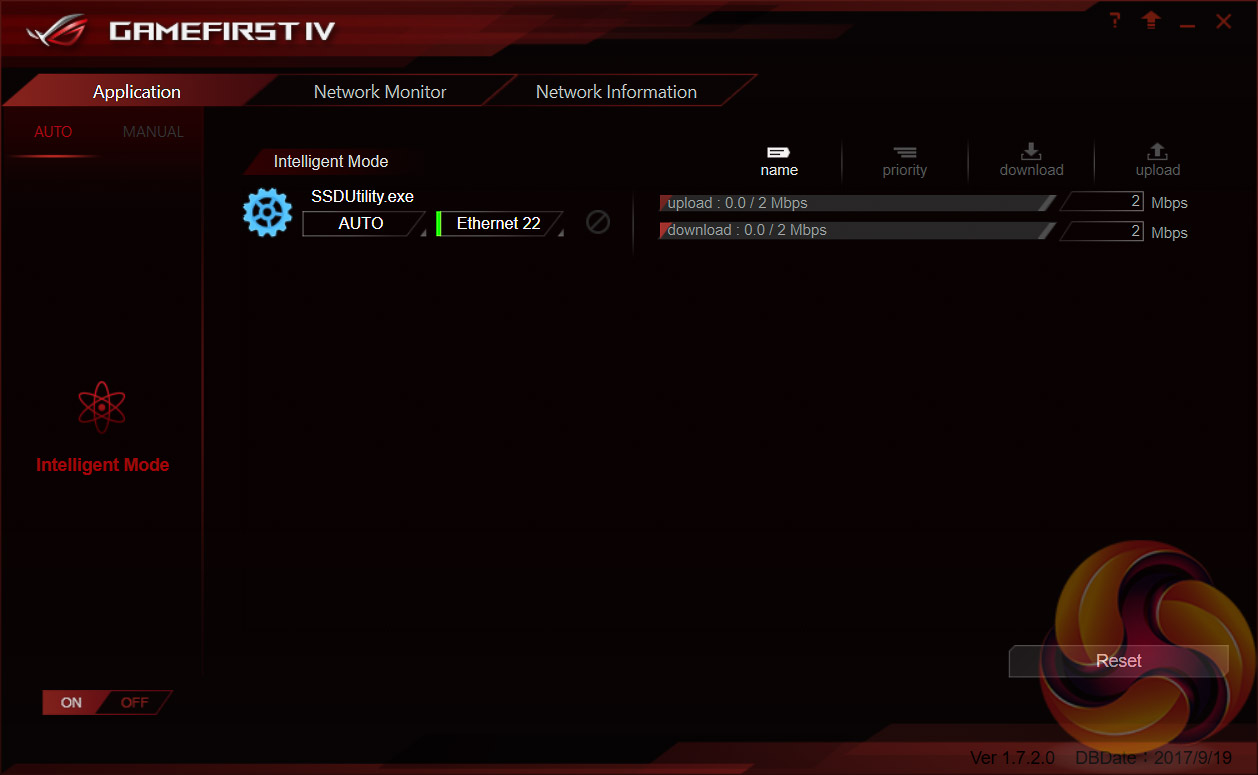
The ROG GameFirst software is now at version IV and is the ASUS packet prioritisation software of choice for the on-board Intel I211-AT Gigabit LAN. There are a variety of application profiles that can be set on a per-application basis, nominating one application as higher priority over another will allow it to use more of the total available bandwidth and have higher priority for send and receive requests.
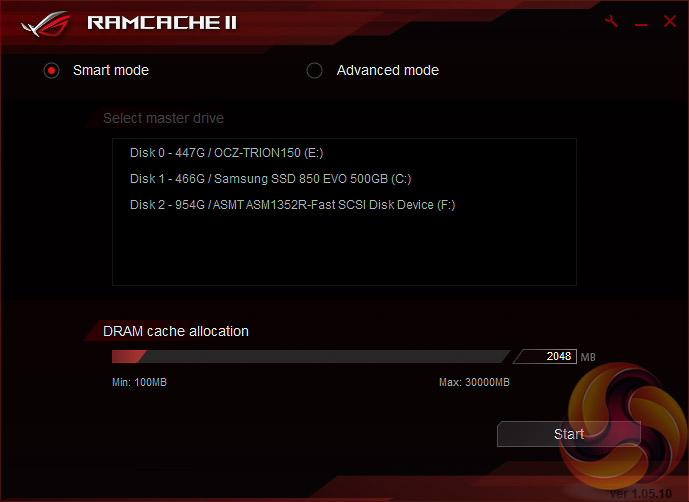
The ROG RAMCache II software aims to help with program loading and file transfers of regularly accessed data. Users simply need to set aside the amount of RAM they would like for caching and the RAM Cache II software handles everything else behind the scenes when in Smart mode. There is an advanced mode that gives some additional parameters for user-control of the software’s behaviour if smart mode doesn't suffice.
In a previous review KitGuru undertook brief testing of the software and saw a notable performance boost for the SATA-based operating system drive after it was cached.
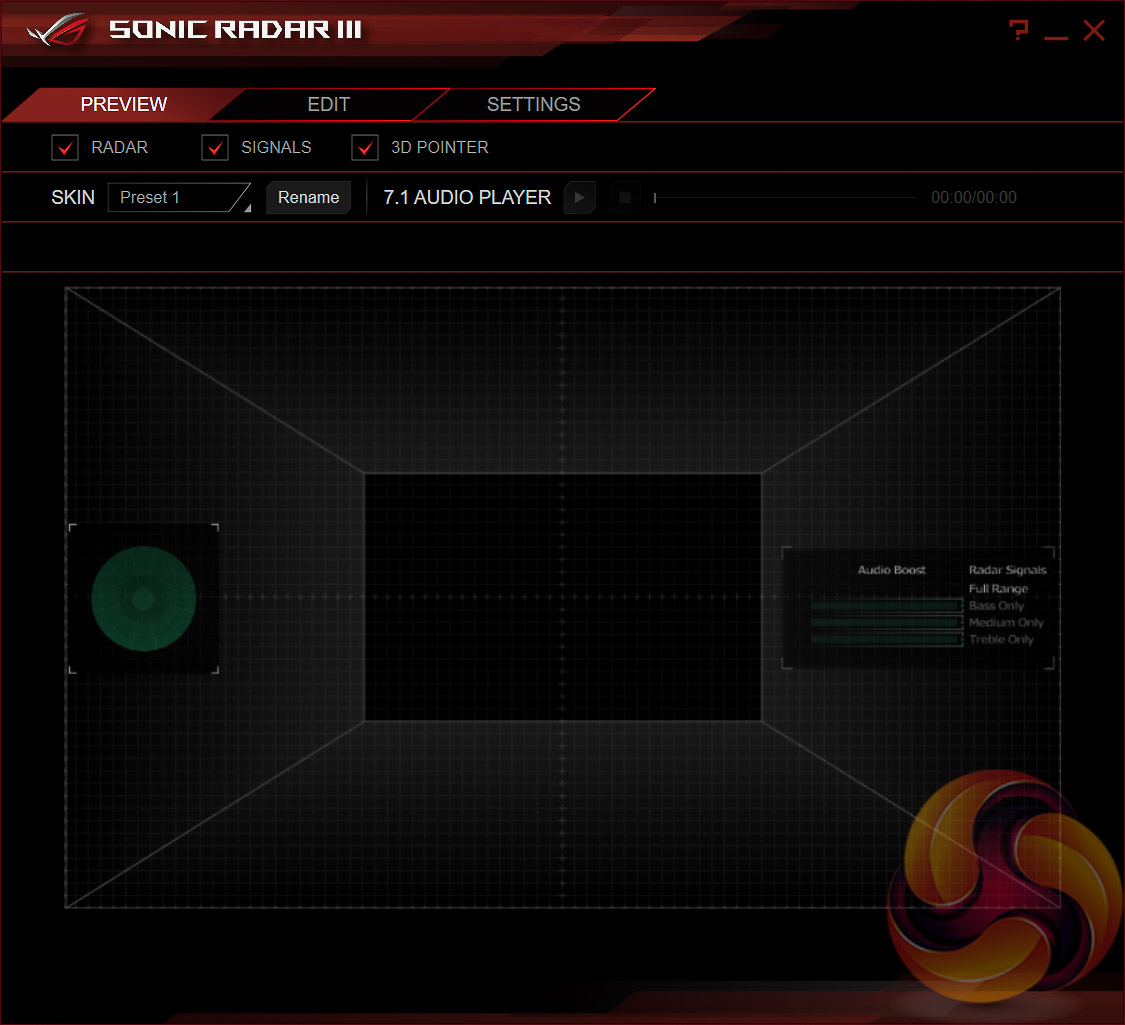
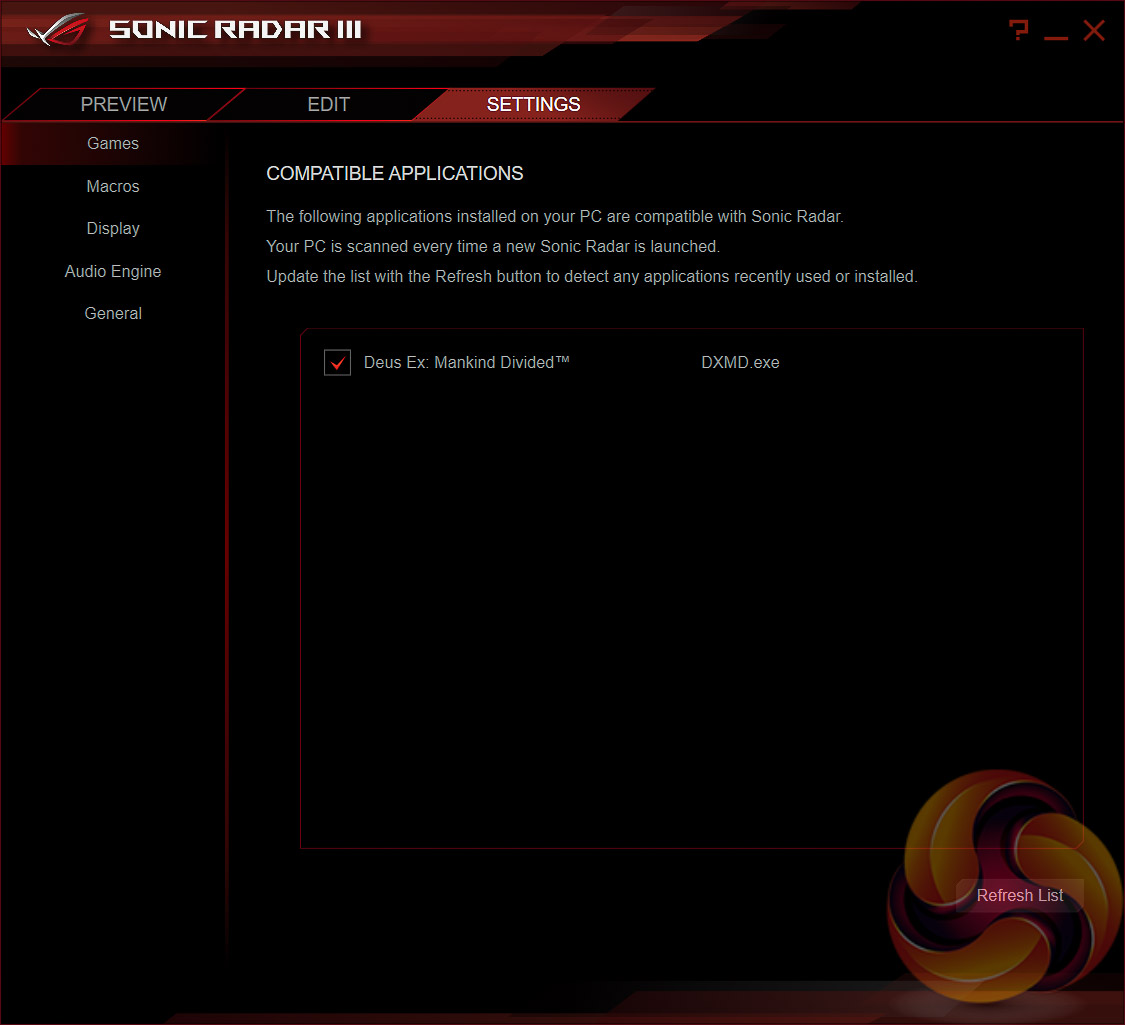
ASUS Sonic Radar III is an application that translates positional audio signals into an “audio map” that identifies where specific noises originated from in supported games. Some PC anti-cheat platforms, such as PunkBuster and Steam VAC, are rumoured to prohibit the use of Sonic Radar III so any usage will need to be with caution.
However, ASUS claims Sonic Radar III is fair play with this explanatory statement: “Sonic Radar III uses in-game audio data to create a visual representation of the sound scape. This audio data exists as accessible game-play information for all players. Sonic Radar III simply presents this information in a way that is useful for training purposes, or as a benefit to gamers who may otherwise struggle to pick out vital positional-audio details — such as those with hearing difficulties.”
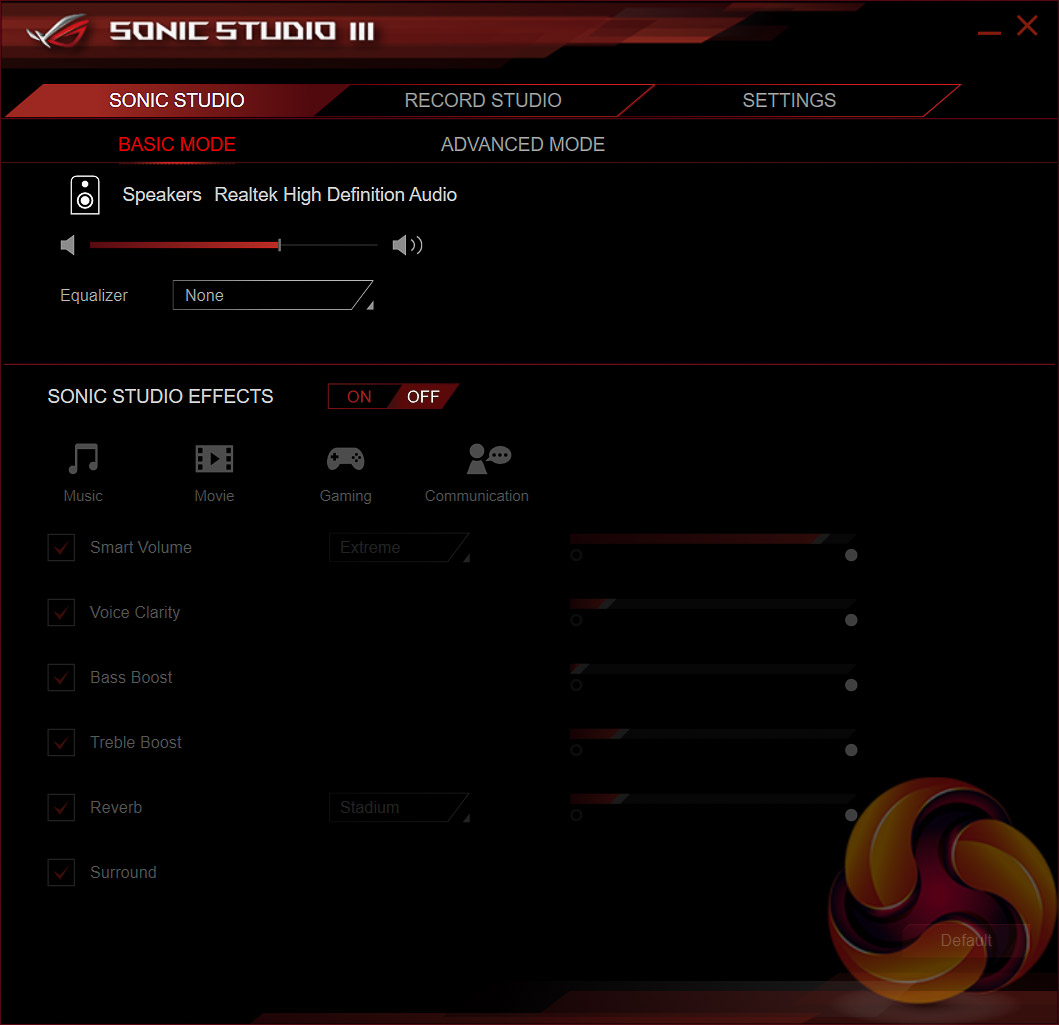
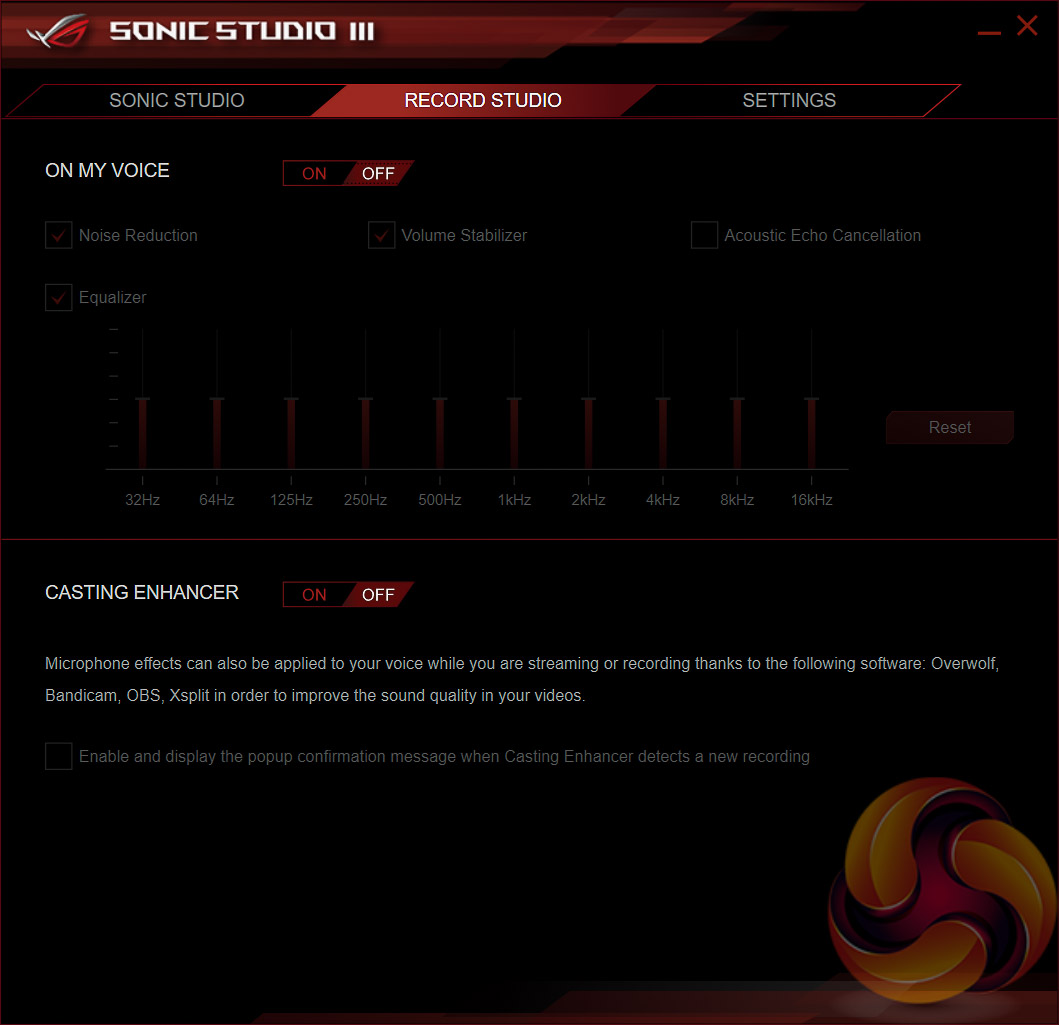
ASUS Sonic Studio III is an audio enhancement application which enables a range of different equaliser presets and HRTF-based (Head related transfer function) virtual surround for virtual reality headsets.
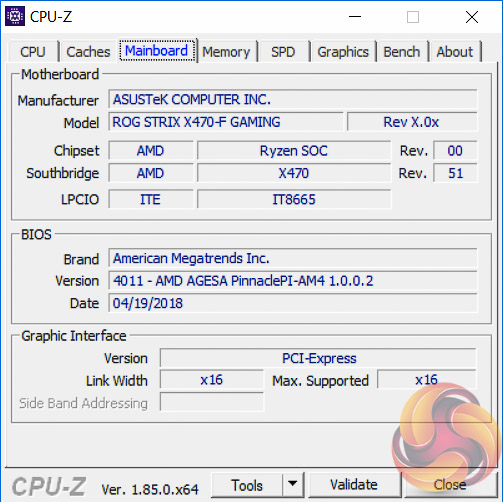
We will be outlining the ASUS ROG Strix X470-F Gaming motherboard's performance with the AMD Ryzen 7 2700 CPU, 32GB* of 3,200MHz G.Skill Trident Z DDR4 memory and a Gigabyte GTX 1080 G1 Gaming.
*16GB for mini-ITX motherboards.
X470 Motherboard Test System:
- Processor: AMD Ryzen 7 2700 with Default AMD Turbo Behaviour (approx 3.35GHz when using all 8 cores)
- Memory: 32GB (4x8GB*) G.Skill Trident Z XMP/DOCP/AMP (3,200MHz** 16-18-18-38 @ 1.35V), *2x8GB for mini-ITX motherboards
- Graphics Card: Gigabyte GeForce GTX 1080 G1 Gaming.
- System Drive: Samsung 850 EVO 500GB SSD
- CPU Cooler: Corsair H100i V2 with Two ML120 Pro Fans.
- Power Supply: Seasonic Platinum 760W SS-760XP.
- Operating System: Windows 10 Pro 64-bit
Comparison X470 Motherboards:
- ASRock Fatal1ty X470 Gaming-ITX/ac
- ASUS ROG Strix X470-F Gaming
Drivers and UEFI:
- AMD Chipset 18.10.0601
- Nvidia GeForce 398.36 VGA drivers.
- ASUS UEFI Version 4011 (19/04/2018) with AMD AGESA PinnaclePI-AM4 1.0.0.2
Tests:
- Cinebench R15 – All-core CPU benchmark (CPU)
- SiSoft Sandra 2018 – Processor Arithmetic Test (CPU) and Memory Bandwidth Test (Memory)
- 7-Zip 18.05 x64 – Built-in 7-Zip benchmark test (CPU)
- AIDA64 Engineer 5.97 – System cache & memory benchmark and stress test (Memory and Power Consumption)
- 3DMark v2.5.5029 & TimeSpy v1.1 – Time Spy (1440p) test (Gaming)
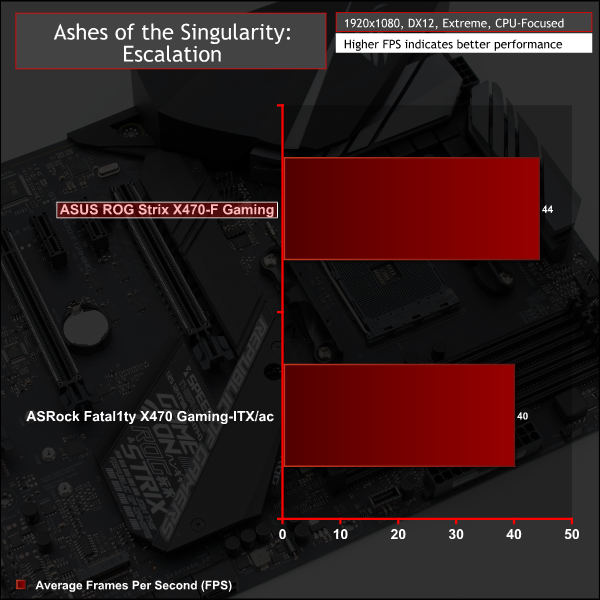
- Ashes of the Singularity: Escalation – Built-in benchmark tool CPU-Focused test, 1920 x 1080, Extreme quality preset, DX12 mode (Gaming)
- Deus Ex: Mankind Divided – Built-in benchmark tool, 1920 x 1080, Ultra quality preset, DX12 mode (Gaming)
- ATTO 3.05 – M.2, USB 3.0, USB 3.1, and SATA 6Gbps transfer rates (Motherboard)
- Rightmark Audio Analyzer 6.4.4 – Record and playback test using a line-in to line-out loopback with a 3.5mm audio cable (Motherboard)
7-Zip
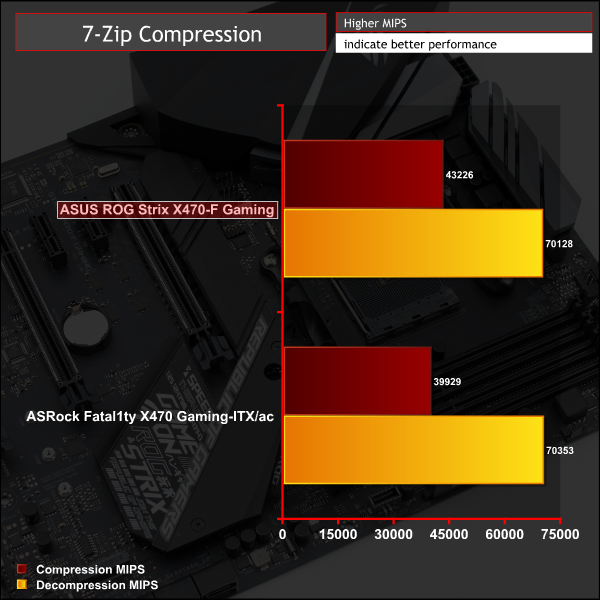
7-Zip is an open source Windows utility for manipulating archives. We measure the Total Rating performance using the built-in benchmark tool. The test stresses all CPU cores to 100% and shows an affinity for memory bandwidth.
Cinebench R15
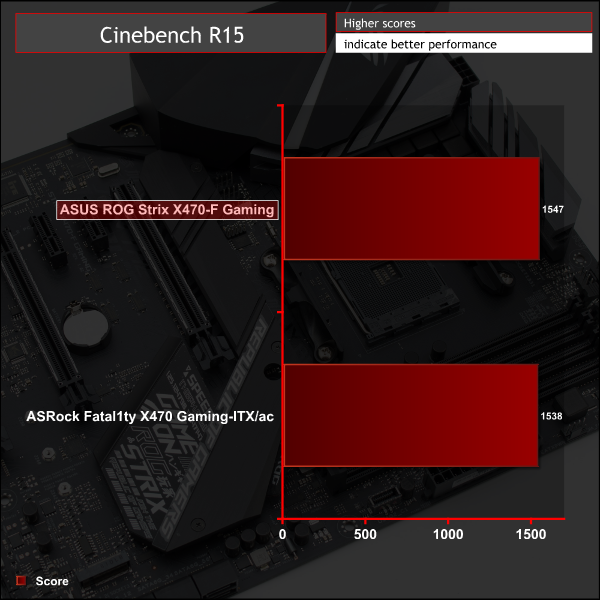
Cinebench is an application which renders a photorealistic 3D scene to benchmark a computer’s rendering performance, on one CPU core, all CPU cores or using the GPU. We run the test using the all core CPU mode.
Sandra Processor Arithmetic
SiSoft Sandra 2018 is a multi-function utility program that supports remote analysis, benchmarking and diagnostic features for PCs, servers, mobile devices and networks. We run the application’s processor arithmetic test to gauge the CPU performance on each tested motherboard.
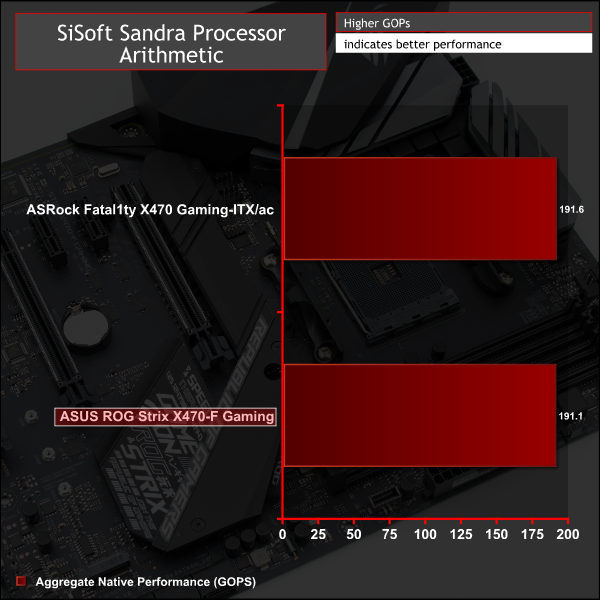
CPU performance is typical of the AMD Ryzen 7 2700 CPU and fairly consistent across motherboards, which is what we'd expect given the role AMD's XFR2 and PB2 technologies play in ensuring CPU performance is always maximised.
For a rough guide of how CPU performance compares to Intel's Z370 platform, with an i7 8700K, please see KitGuru's most recent Z370 motherboard review. Please note software and driver versions have changed hence why we caution that results are not directly comparable.
AIDA64 Engineer
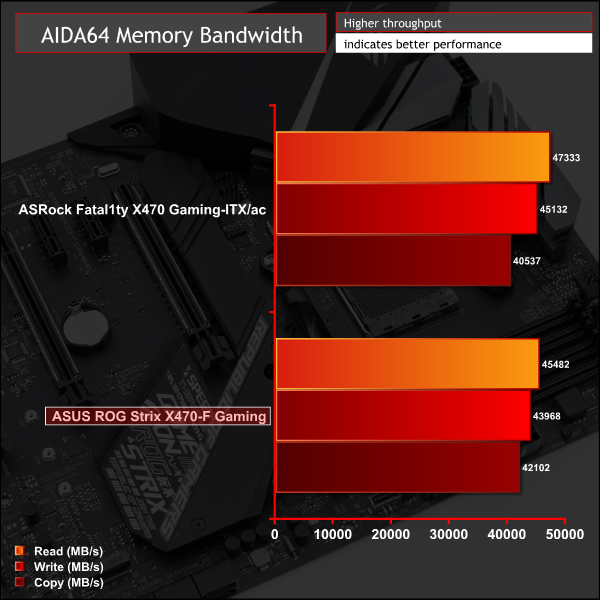
AIDA64 Engineer is a multi-featured software suite for diagnostics, stress testing, benchmarking, software auditing and various other measurement parameters. We use AIDA64 Engineer to benchmark memory throughput and latency.

Sandra Memory Bandwidth
SiSoft Sandra 2018 is a multi-function utility program that supports remote analysis, benchmarking and diagnostic features for PCs, servers, mobile devices and networks. We use the SiSoft Sandra memory bandwidth test to provide a set of memory bandwidth results.
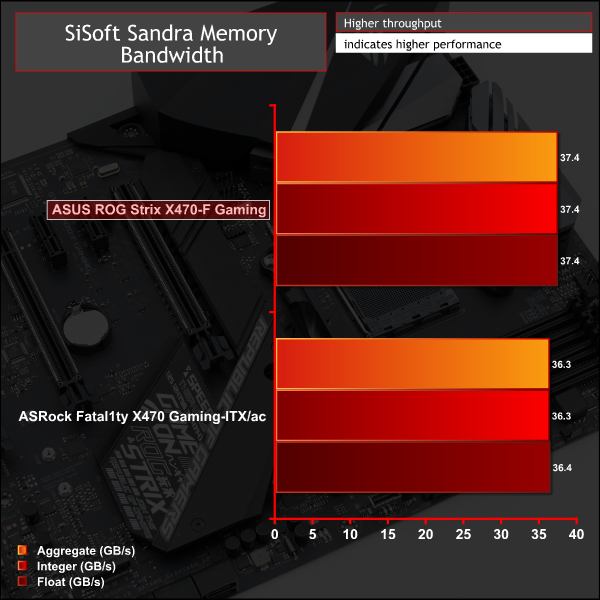
Memory performance was very similar between the two X470 motherboards on test, with the variation that we did observe possibly down to the fact the ASRock ITX motherboard was only using two memory modules (ITX form factor limitation) compared to the four memory modules on the ASUS ATX motherboard.
For a rough guide of how memory performance compares to Intel's Z370 platform, with an i7 8700K, please see KitGuru's most recent Z370 motherboard review. Please note software and driver versions have changed hence why we caution that results are not directly comparable.
3DMark
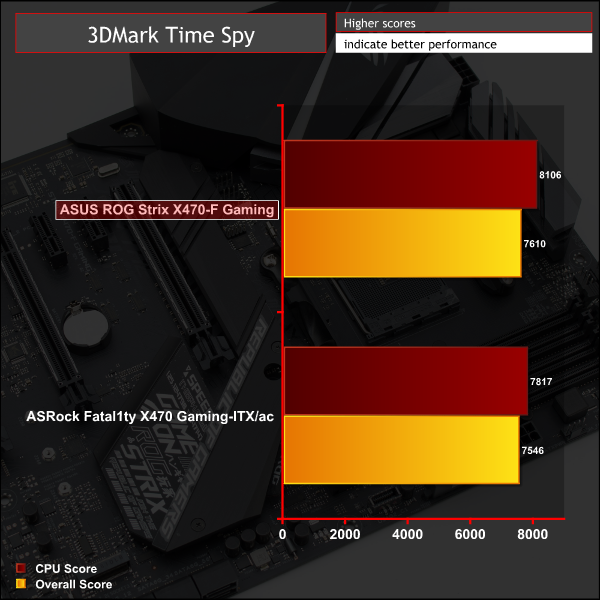
3DMark is a multi-platform hardware benchmark designed to test varying resolutions and detail levels of 3D gaming performance. We run the Windows platform test and in particular the Time Spy benchmark, which is indicative of high-end 1440p PC Gaming.
Ashes of the Singularity: Escalation
Ashes of the Singularity: Escalation is a Sci-Fi real-time strategy game built for the PC platform. The game includes a built-in benchmark tool and was one of the first available DirectX 12 benchmarks. We run the CPU-focused benchmark using DirectX 12, a 1080p resolution and the Extreme quality preset.
Deus Ex: Mankind Divided
Deus Ex: Mankind Divided is an action role-playing stealth video game released in August 2016. A built-in benchmark utility is included and we test using the Ultra quality preset and the DirectX 12 API at a 1080p resolution.
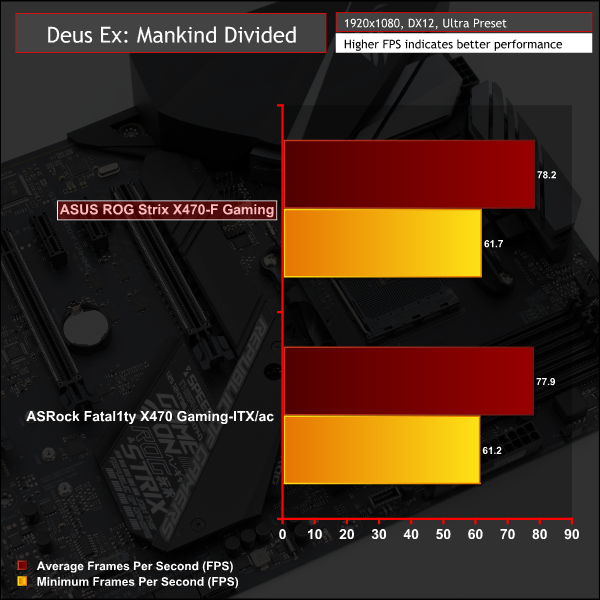
Gaming performance was mostly similar but the ASUS motherboard seemed to have a slight edge in some tests.
For a rough guide of how gaming performance compares to Intel's Z370 platform, with an i7 8700K, please see KitGuru's most recent Z370 motherboard review. Please note software and driver versions have changed hence why we caution that results are not directly comparable.
ATTO Disk Benchmark
The ATTO disk benchmark is a Windows-based utility for testing storage performance of any storage drive or controller. We use the default benchmark setup.
M.2 PCIe Performance
For M.2 testing we use a Toshiba OCZ RD400 256GB M.2 PCIe NVMe SSD.

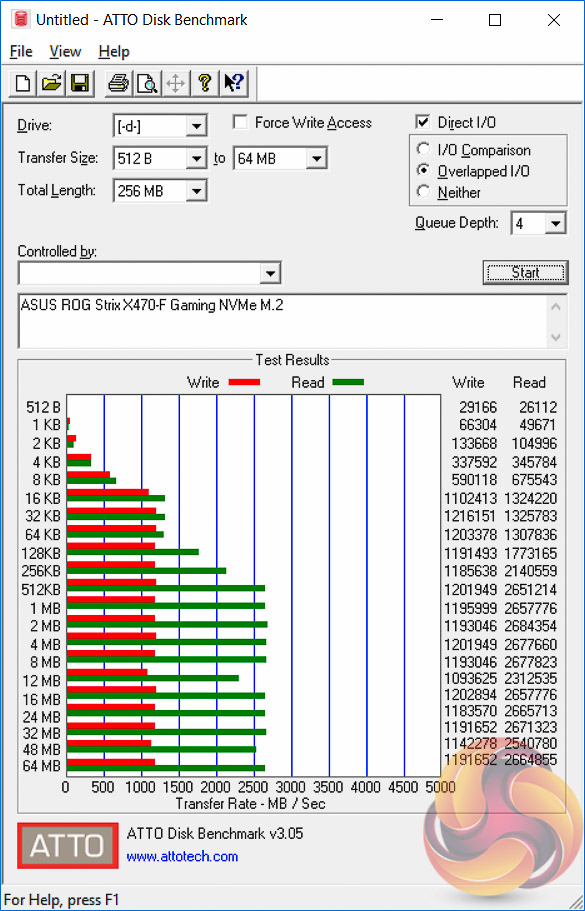
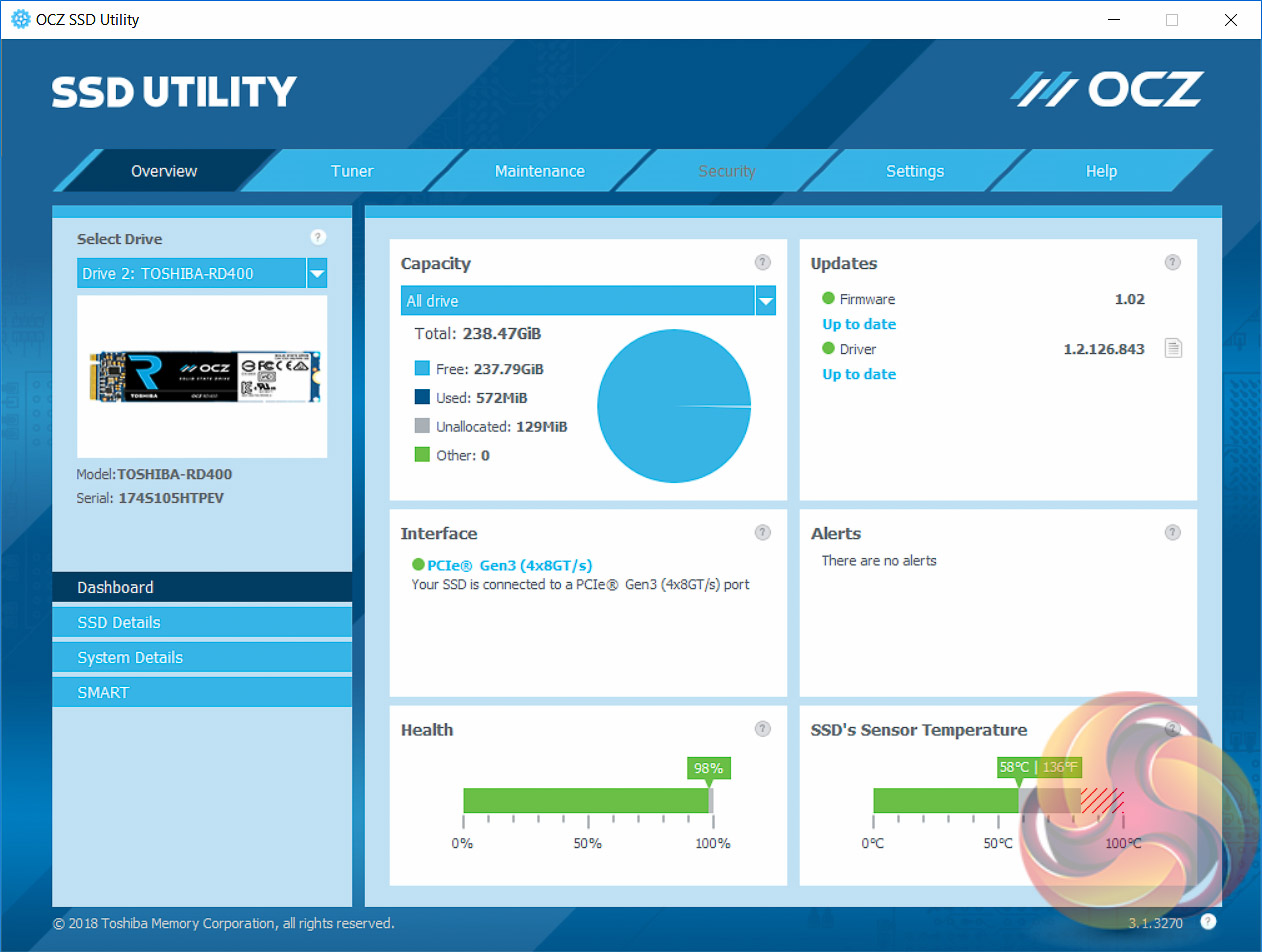
M.2 performance easily exploited the maximum performance potential of the benchmark drive. Thermal performance was very respectable too, due to the rather large M.2 heatsink assembly and KitGuru tested temperatures in the high 50s after extended heavy loading. Given the throttle speed is around 75-80 degrees Celsius most high performance drives should have no trouble performing consistently well with this motherboard.
USB Performance
We test USB 3.0 and 3.1 performance using a pair of Transcend SSD370S 512GB SSDs in RAID 0 connected to an RaidSonic Icy Box RD2253-U31 2-bay USB 3.1 enclosure powered by an ASMedia ASM1352R controller.
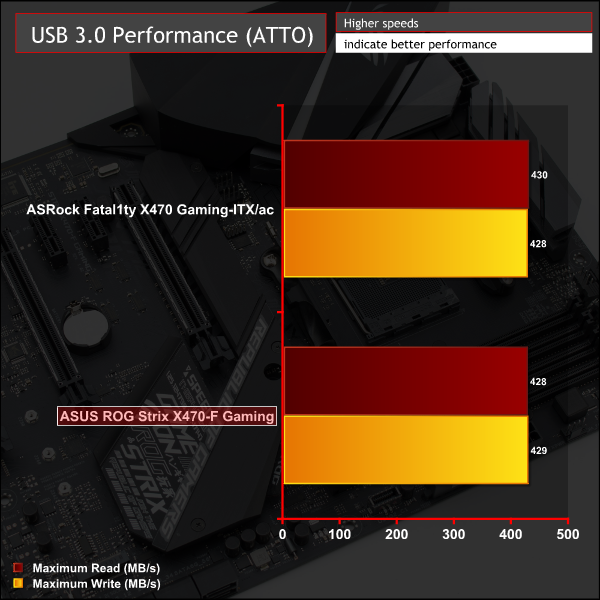
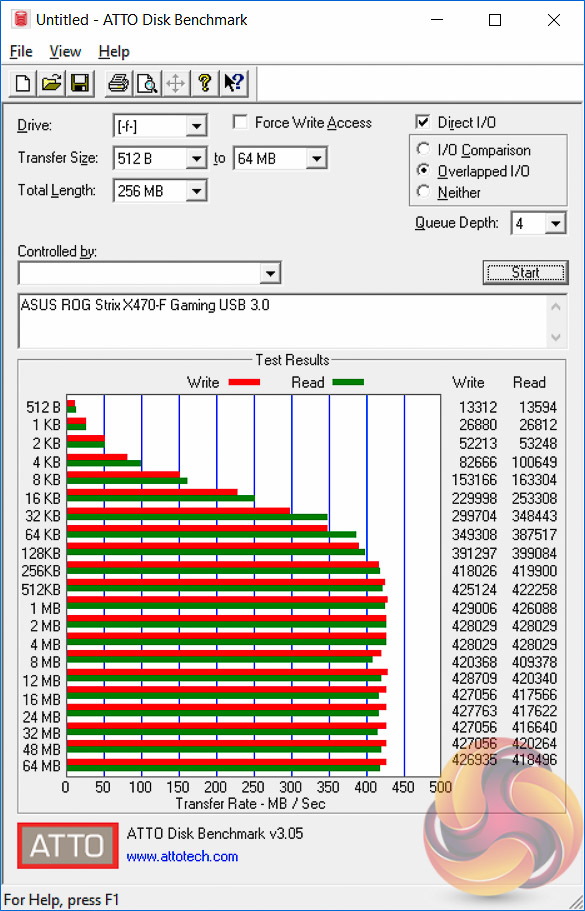
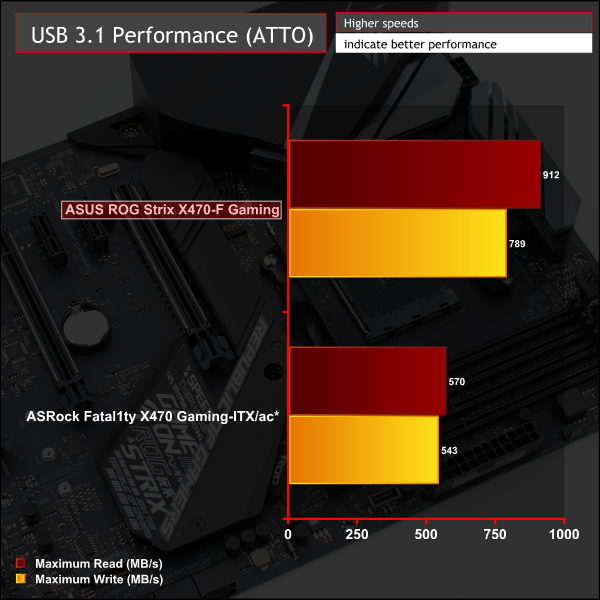
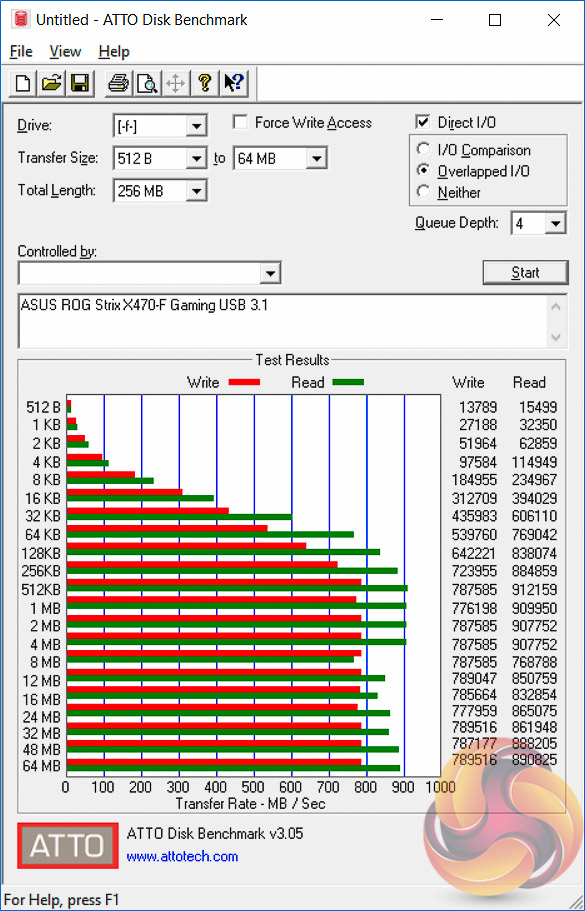
USB 3.0 and 3.1 performance was roughly in line with expectations noting that the USB 3.0 controller was the X470 chipset whilst the USB 3.1 controller was the ASM1142 controller, we were not able to test the X470 chipset USB 3.1 port.
We have, however, witnessed better USB 3.1 performance on Intel 300-series motherboards to the tune of an extra 150MB/s.
*Note that the ASRock X470 ITX motherboard had compatibility issues between its USB 3.1 port (X470 chipset USB 3.1 controller only) and the ASM1352R RAID box and thus we were unable to test using our standard equipment. We did manage to test with a single USB 3.1 (ASM1351) to SATA device and achieve speeds much faster than USB 3.0 just to validate the port was functioning correctly.
SATA III 6Gbps Performance
For SATA 6Gbps testing we use an OCZ Trion 150 480GB SSD.
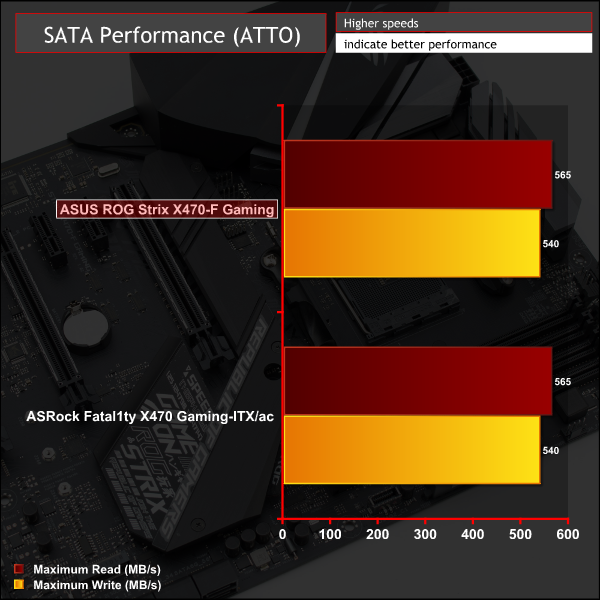
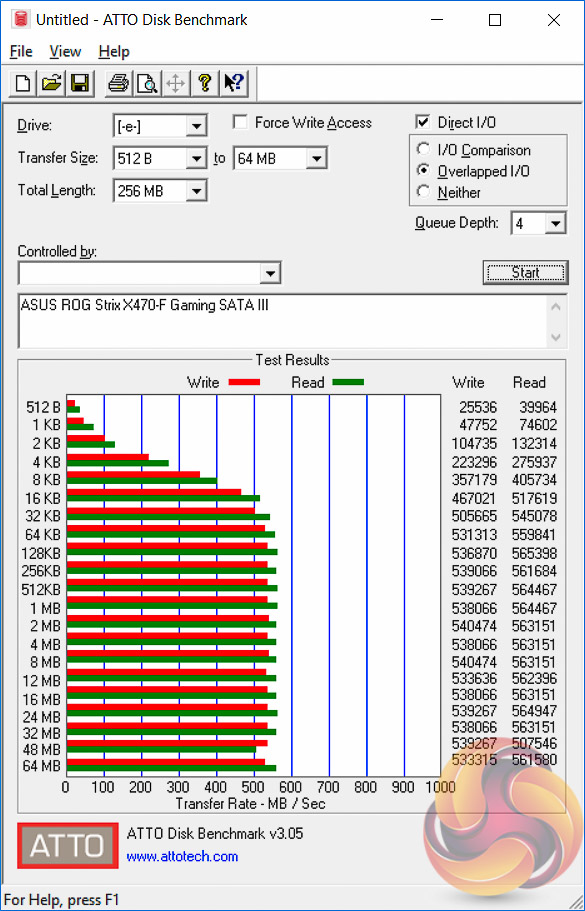
SATA III performance was as expected.
Audio
Rightmark Audio Analyser is a freeware benchmarking utility designed to objectively test the performance characteristics of audio solutions. We setup a line-in line-out loop and execute the record/playback test before generating the results report you see below. A sampling mode of 24-bit, 192 kHz is tested where available. If unavailable the closest alternative operating mode available is used and clearly marked.
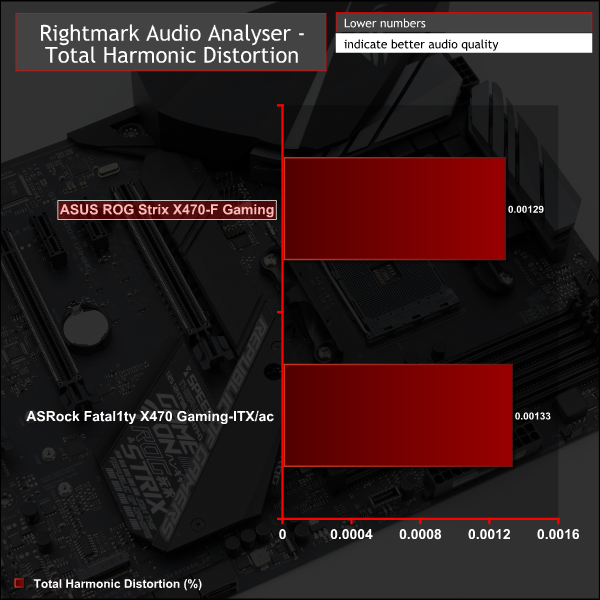

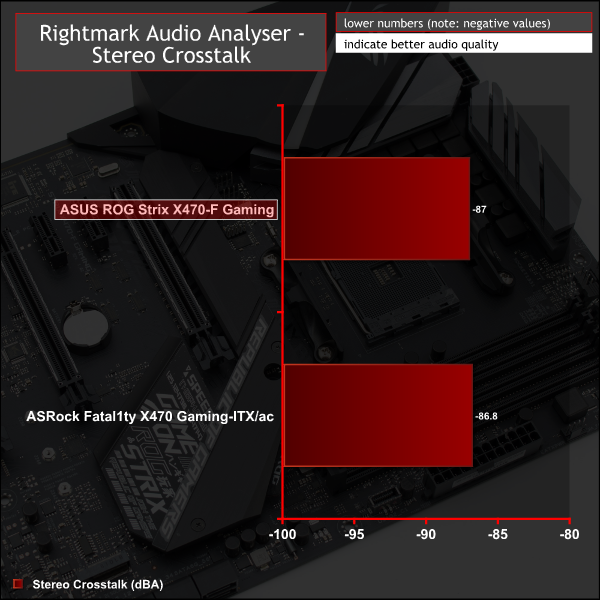
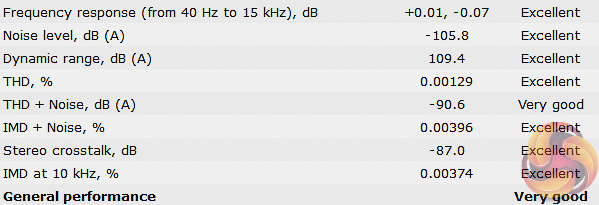
Audio performance returned a score of Very Good, with 7 Excellent and 1 Very Good rating in each of the main categories. The performance is in line with what we've seen from other Realtek ALC1220 codec based motherboards including Z370 motherboards using the same codec.
Manual CPU Overclocking:
To test the ASUS ROG Strix X470-F Gaming motherboard’s CPU overclocking potential, we set the CPU core voltage no higher than 1.4V and push for the highest stable clock speed. We maintain the DRAM frequency at 3200MHz to take memory stability out of the overclocking equation. Once the highest clock speed for 1.4V is achieved we see if there is potential to reduce the voltage while maintaining system stability.
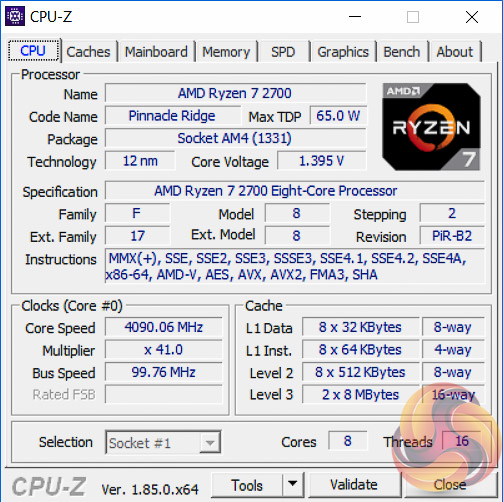
The Ryzen 7 2700 has considerably more overclocking potential than the Ryzen 7 2700X due to much lower Turbo (XFR2/PB2) boost speeds from the factory. As such overclocking is more rewarding and beneficial to performance, while on the Ryzen 7 2700X overclocking manually can actually hinder performance.
After extensive testing we were able to achieve 4.1GHz across all eight cores with a stable voltage of around 1.39 by setting 1.35 volts (Level 4 LLC) in the UEFI. 4.2GHz was bootable at 1.4 volts but not stable without exceeding the 1.4 volt threshold set for our testing to ensure the results are realistic and representative to readers at home.
Testing revealed that more volts were required (1.39) on this ASUS motherboard than the ASRock motherboard also tested, which needed around 1.36 volts. During testing we lowered the LLC from Level 4 to Level 3, which resulted in a load voltage of 1.375) but this resulted in system instability so we settled on 1.39 volts as the final stable voltage.
Motherboard Sensors
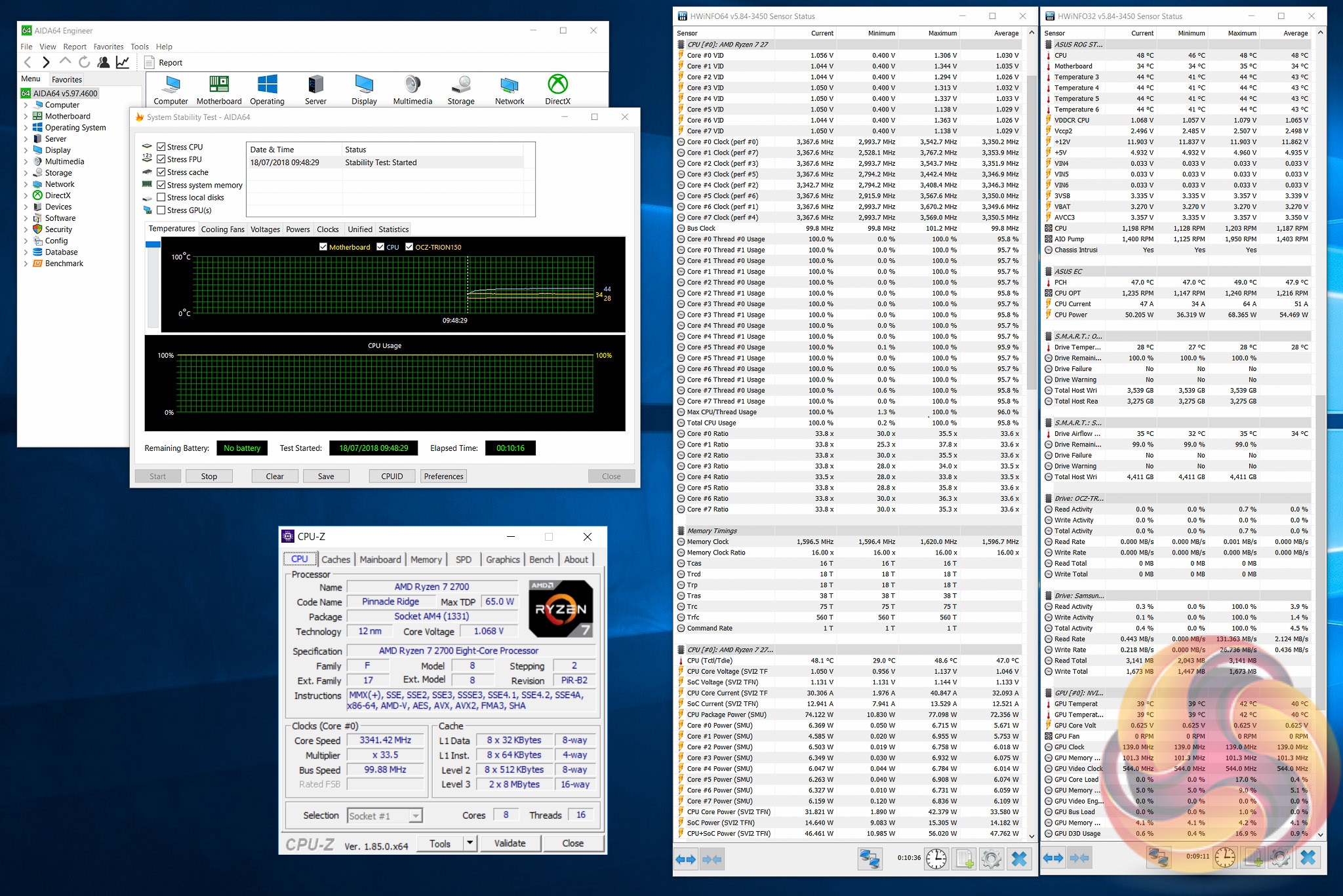
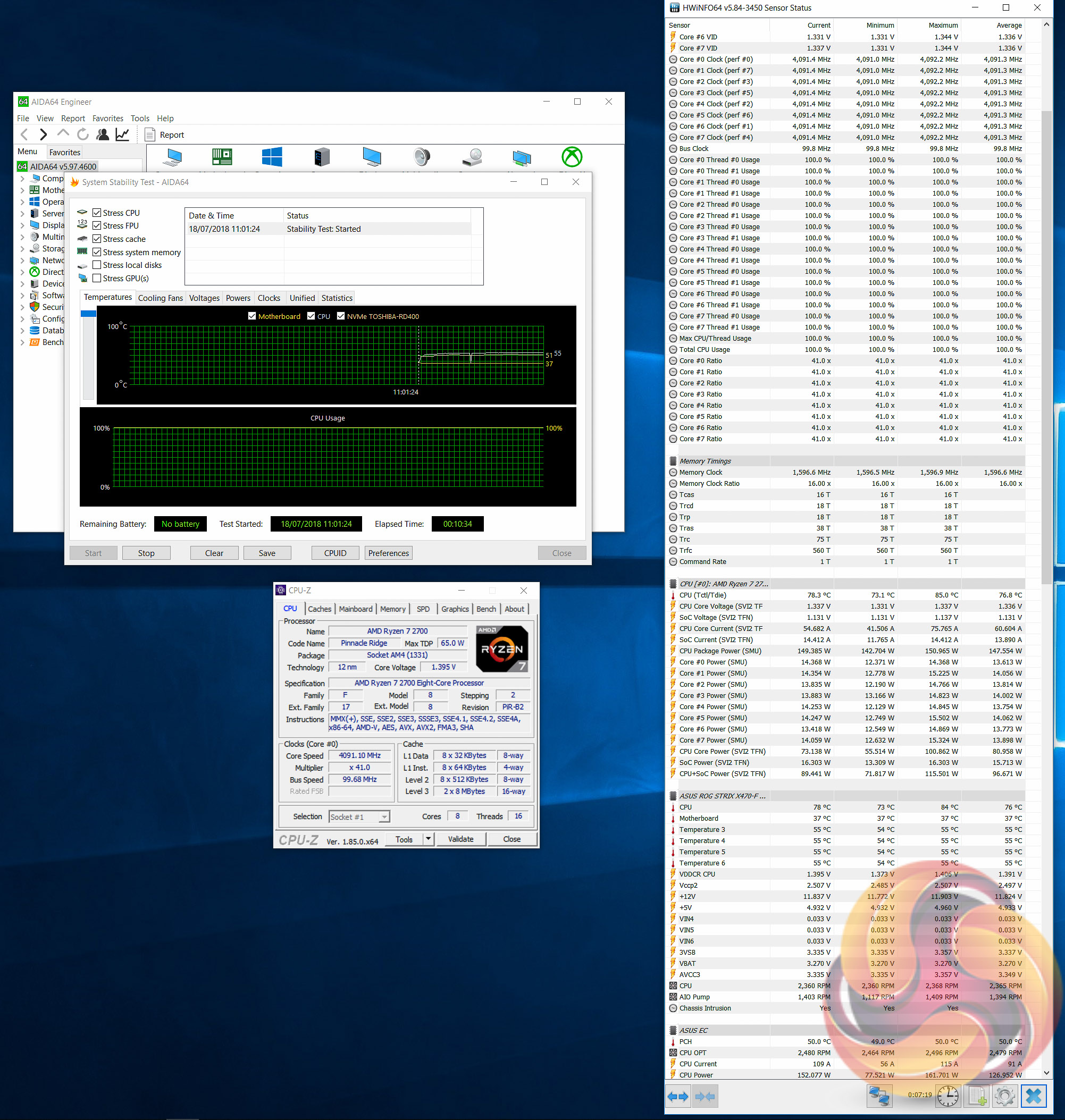
It isn't clear if a sensor directly monitors the CPU VRM temperature on the ASUS ROG Strix X470-F Gaming but we did record all the sensor information available. There are two sensors (Motherboard/Temperature3,4,5,6) which represent non-CPU components on the motherboard and these were 34/44 and 37/55 degrees Celsius at stock and overclocked, respectively.
From what we can tell the VRMs were not reaching unacceptable temperatures or causing frequency throttling, impressive given the average load CPU power more than doubled from 54.5 watts (stock) to 126.9 watts (overclocked).
Overclockers shouldn't have any issues with thermal throttling but airflow still needs to be kept in mind for sustained high-voltage overclocks. According to user-submitted thermal imaging results temperatures can creep to into three figures if adequate airflow isn't maintained.
Overclocked Performance
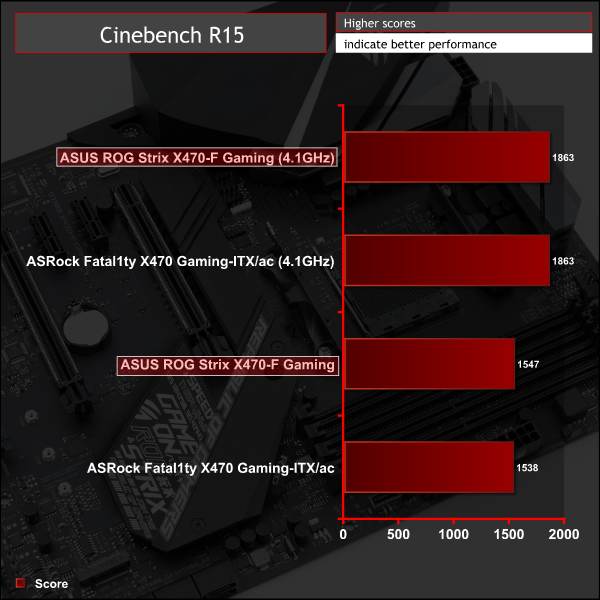
CPU performance increased 20 per cent due to the overclock.
Power
We leave the system to idle on the Windows 10 desktop for 10 minutes before taking a reading. For CPU load results we run AIDA64 CPU, FPU, Cache and Memory stress tests and take a reading after 10 minutes. The power consumption of our entire test system (at the wall) is shown in the chart.
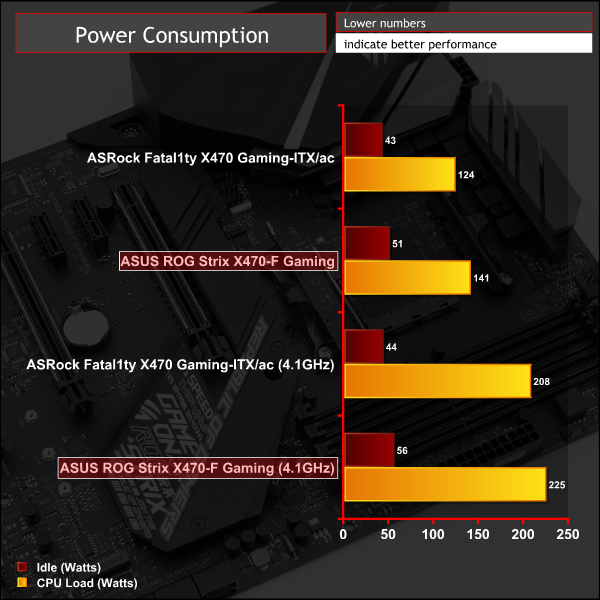
Power consumption under the AIDA64 stress test increase by about 90-watts when overclocking. As noted in the overclocking section the ASUS board required slightly more voltage (1.39) than the ASRock board (1.36) resulting in higher power draw for the same frequency.
Consumers are graced with extensive choice for the AMD AM4 socket given most X370 chipset motherboards are still available alongside newer X470 options. There's also complete backwards compatibility between Ryzen 1000 and 2000 Series CPUs and X370 and X470 motherboards, as long as motherboard vendors have issued the necessary BIOS updates.
With that in mind the ASUS ROG Strix X470-F Gaming is, like its predecessor, a competent and well-received motherboard for any (upper) mid-range system builds using AMD Ryzen 5 or 7 CPUs.
This motherboard has proven itself capable of handling a Ryzen 7 2700 CPU with a high-performance overclock (4.1GHz, 1.39v) without too much sweat and an analysis of the VRMs reveals the quality and topology of the components is definitely there.
It's not a range-topping VRM implementation as there are a few better VRMs on AM4 motherboards but these come with a larger price tag and are the few, not the many. For the mid-range market position of this motherboard the VRM will hold its own and shouldn't cause any problems.
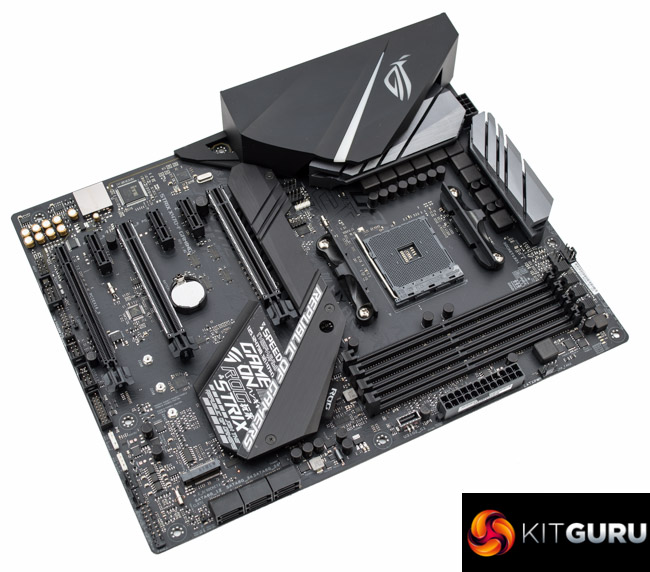
In other areas this ROG Strix X470-F Gaming motherboard duly impresses, in typical ASUS style. Audio performance is up there with the best motherboards KitGuru has tested due to the use of high quality components across the audio pipeline while connectivity is plentiful and the effective cooling solution for M.2 drives is a genuine advantage.
Overclocking and diagnostic features are thin on the ground, aside from diagnostic LEDs, so consumers with an interest in these would benefit from stepping up to the ASUS ROG Crosshair VII Hero. Though it should be noted the nature of automatic overclocking (XFR2/PB2) on AMD's 2000 series Ryzen CPUs is almost rendering “traditional” overclocking a relic of the past, particularly for the flagship Ryzen 7 2700X.
Styling may prove to be a contentious point for some buyers as even though ASUS provides ample RGB lighting customisation options and a neutral black colour scheme, the use of printed text across the heatsink and PCB may not be of universal taste.
With all things considered there's little that the ASUS ROG Strix X470-F Gaming doesn't do well and anyone in the market for a solid foundation to an AMD Ryzen system would do well to shortlist this latest ASUS offering. Our only point of caution would be that, while stocks last, the predecessor ROG Strix X370-F Gaming is a better buy.

The ASUS ROG Strix X470-F Gaming has a retail price of £184.99 in the UK and is sold with a 3 year warranty as standard.
In the USA it can be had for $200 at Amazon and usually has a 2 or 3 year warranty.
Pros:
- Good “upper mid-range” VRM implementation
- Effective M.2 slot cooling
- High-performance audio solution
- Ample USB and storage connectivity
- Three optional RGB header
- Reinforced PCIe slots
Cons:
- X370 version is almost identical and less expensive
- Printed text on heatsink/PCB could be polarising
- Only one onboard RGB LED zone
KitGuru says: If you're in the market for a high-spec X470 motherboard, this ASUS ROG Strix X470-F motherboard has just about everything you might need.