KitGuru KitGuru.net – Tech News | Hardware News | Hardware Reviews | IOS | Mobile | Gaming | Graphics Cards


We've reviewed a lot of high-end monitors recently, including 4K screens costing in excess of £1000. By their very nature, such displays won't be for everyone, but the iiyama GB2770QSU is sure to have wider appeal. Offering a 27in 1440p panel – considered by many to be the ‘sweet spot' for gaming – this 165Hz IPS gaming monitor is priced at just £250. That's a seriously enticing price tag, but surely there's a catch?
1440p displays have been steadily increasing in popularity over the years, offering a sharper image than a 1080p screen without being nearly so demanding to run as 4K. It's also promising that iiyama can offer the GB2770QSU at such an appealing price point – this sort of spec isn't new, but it wasn't so long ago such displays were priced north of £500.
Still, we have to think at least some compromise has been made to hit the £250 asking price, so let's find out if the GB2770QSU is worth buying.
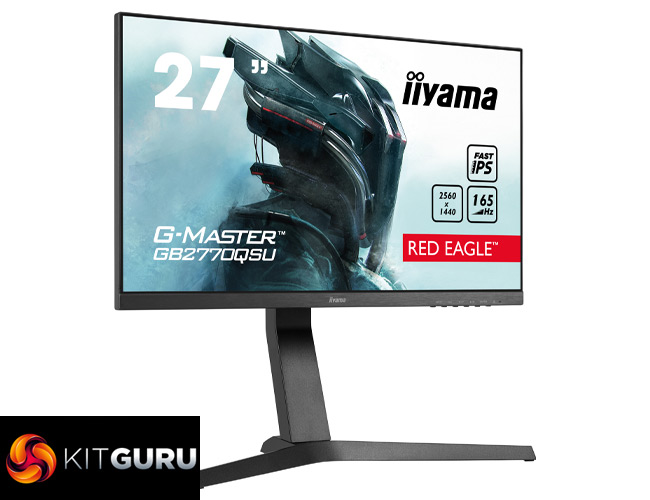
Specification:
- Diagonal: 27″, 68.5cm
- Panel: Fast IPS, matte finish
- Native resolution: 2560 x 1440 @165Hz (3.7 megapixel WQHD, DisplayPort)
- Aspect ratio: 16:9
- Panel brightness: 400 cd/m²
- Static contrast: 1000:1
- Advanced contrast: 80M:1
- Response time (MPRT): 0.5ms
- Viewing zone: horizontal/vertical: 178°/178°, right/left: 89°/89°, up/down: 89°/89°
- Colour support: 16.7mln 8bit
- Horizontal Sync: 30 – 242kHz
- Viewable area W x H: 596.7 x 335.6mm, 23.5 x 13.2″
- Pixel pitch: 0.233mm
- Colour: matte, black
- Signal input:
- HDMI x1 (v.2.0, max. 2560 x 1440 @144Hz)
- DisplayPort x1 (v.1.4, max. 2560 x 1440 @165Hz)
- USB HUB x2 (v.3.0 DC5V, 900mA)
- HDCP: yes
- Headphone connector: yes
- Display position adjustments: height, pivot (rotation), tilt
- Height adjustment: 130mm
- Rotation (PIVOT function): 90°
- Tilt angle: 18° up; 3° down
- VESA mounting: 100 x 100mm
- Cable management system: yes
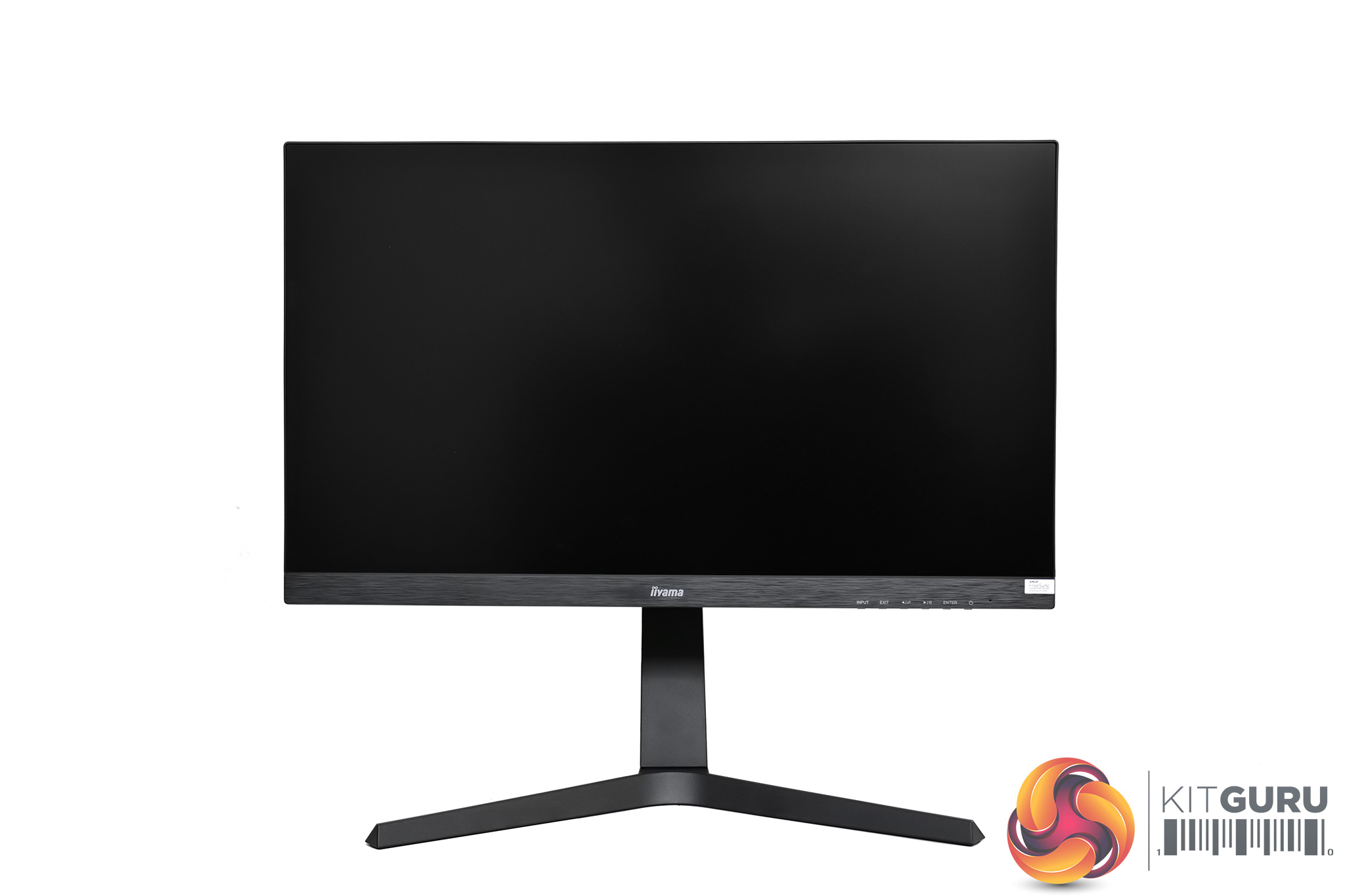
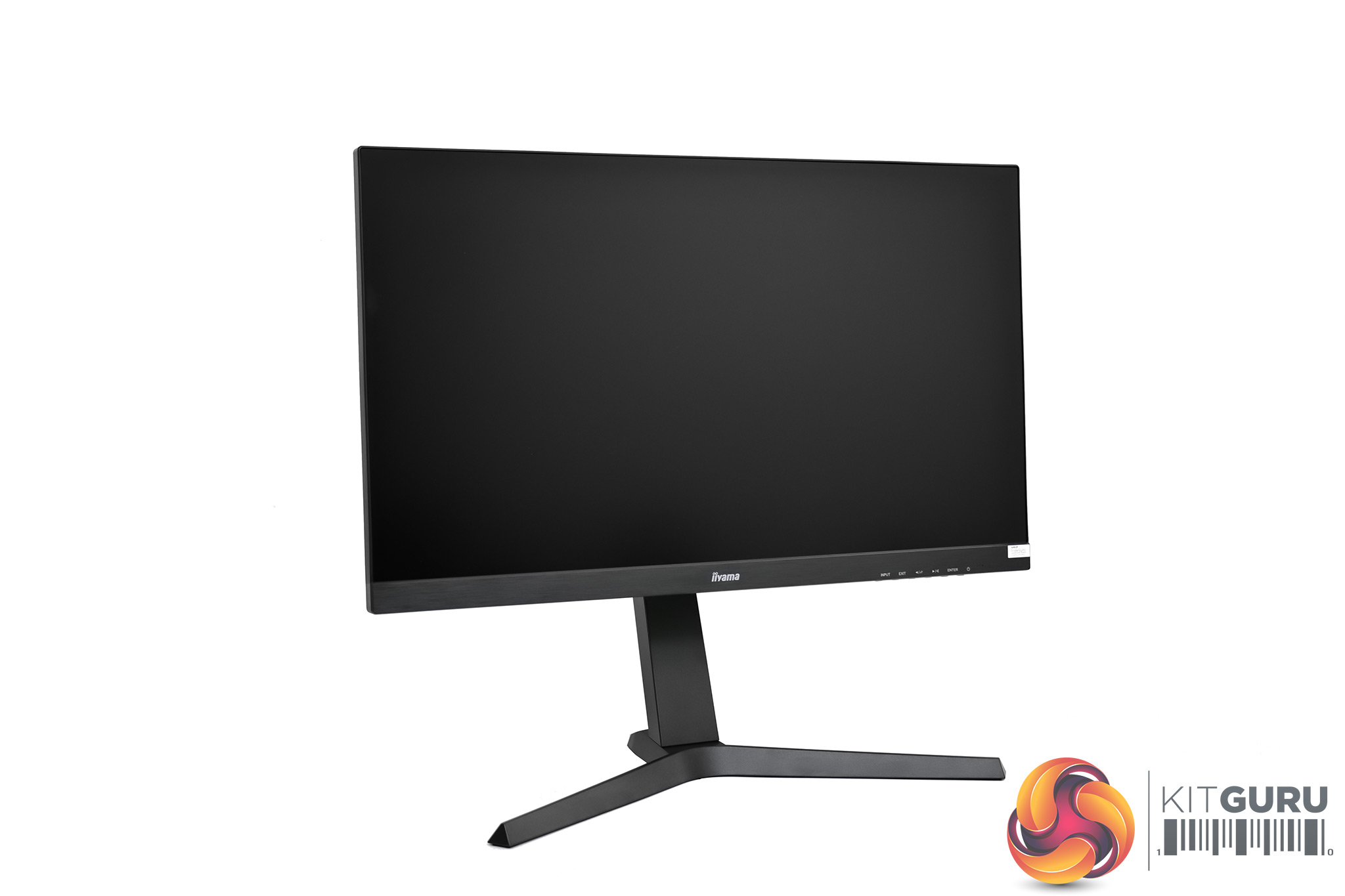
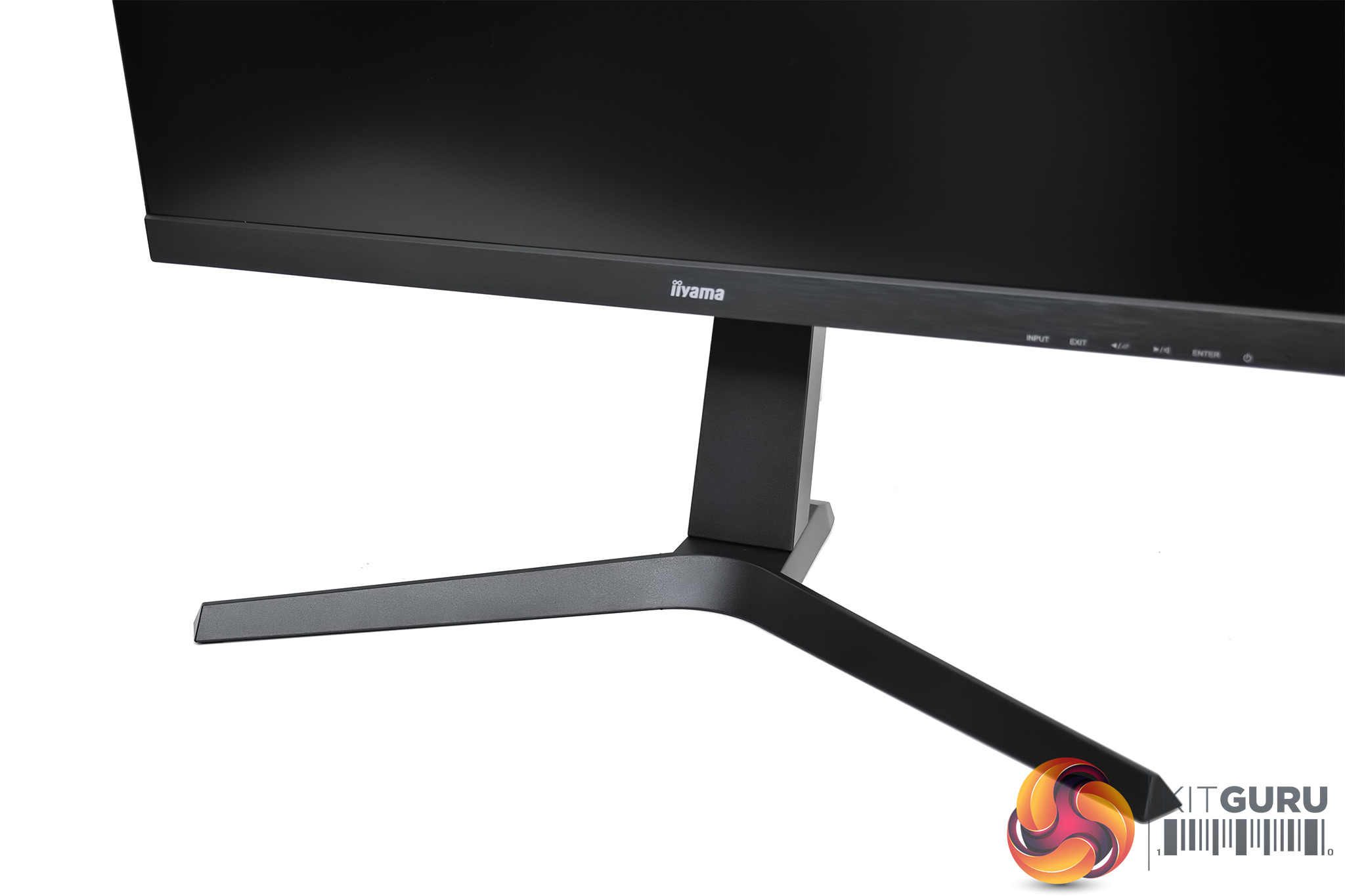
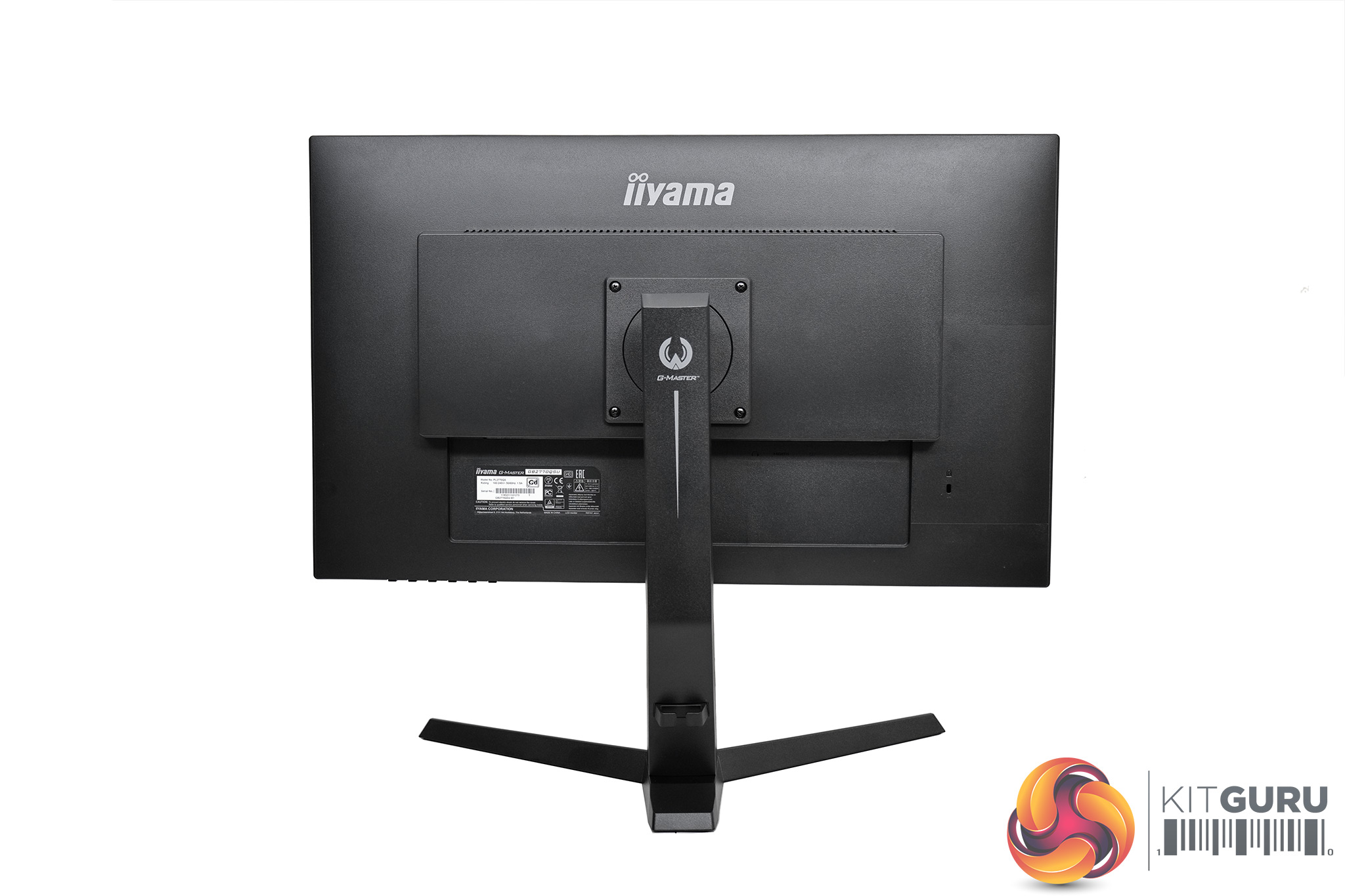
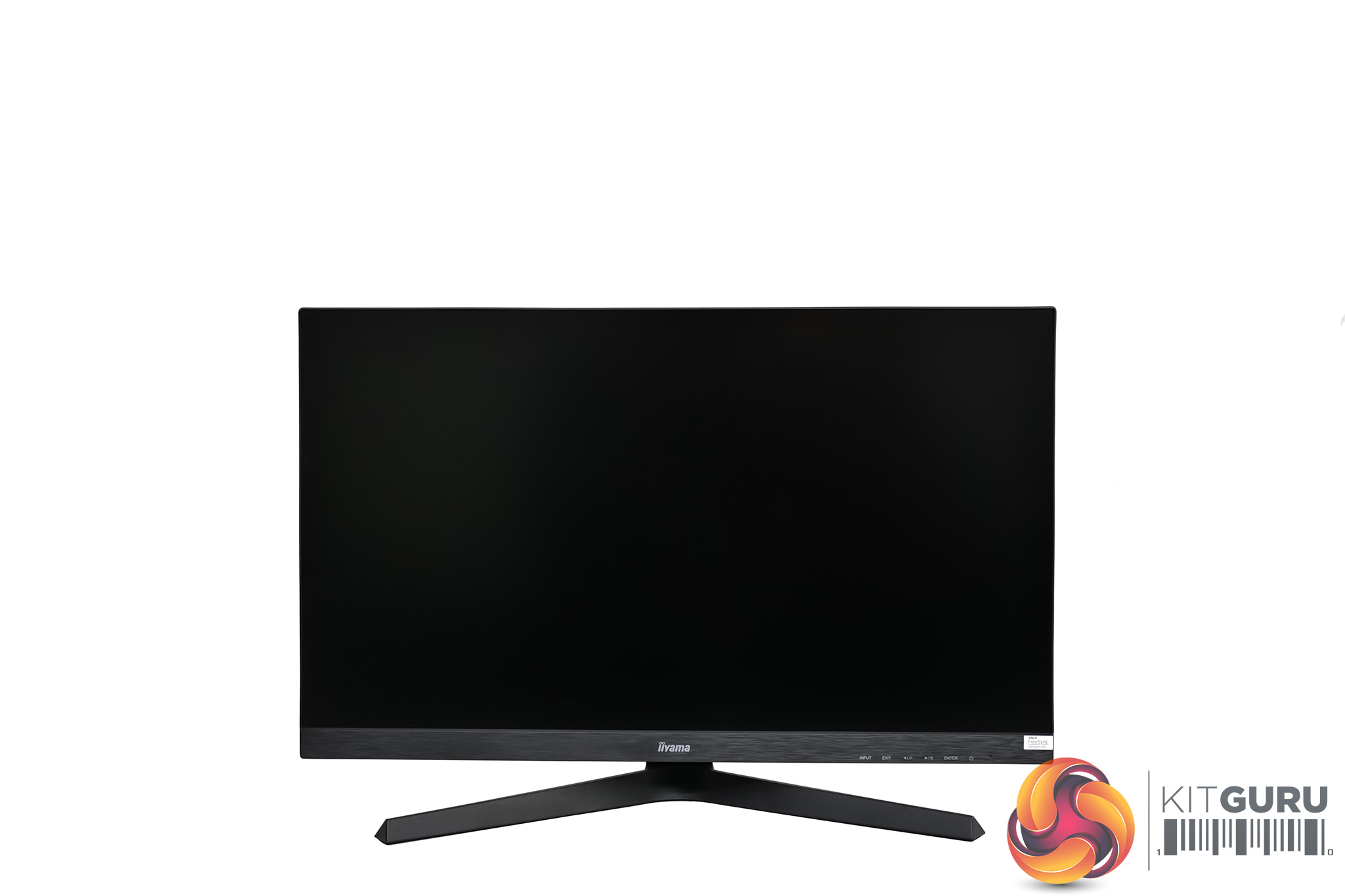
Starting with a look at the GB2770QSU's design, I'd argue this is the most obvious way iiyama has kept costs down. It's not an ugly screen by any means, but the bezels aren't as trim as some others we have seen in 2021, particularly the thicker chin.
It's also made entirely from plastic, and that includes the stand. The monitor is pretty light as a consequence and I found the type of textured plastic used shows up fingerprints very easily – that's not really an issue for the back of the panel, but you will notice it on the v-shaped stand base.
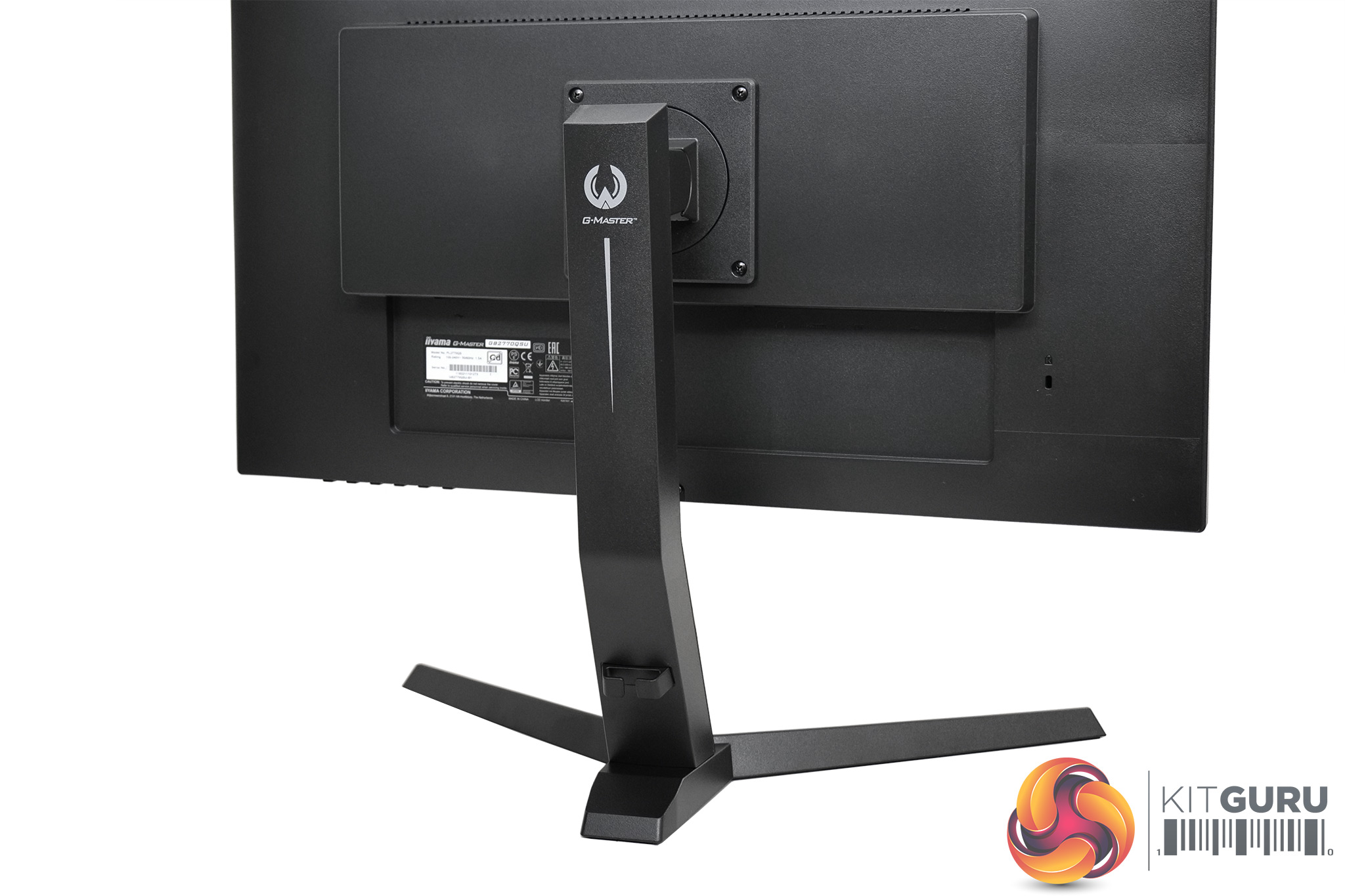
Despite that, I couldn't see any parts of the construction that looked poorly done, and credit to iiyama as the stand actually comes pre-attached (with four screws) to the display itself. I also appreciate the addition of a small cable routing hook on the stand to keep your power and display cables tucked out of sight.
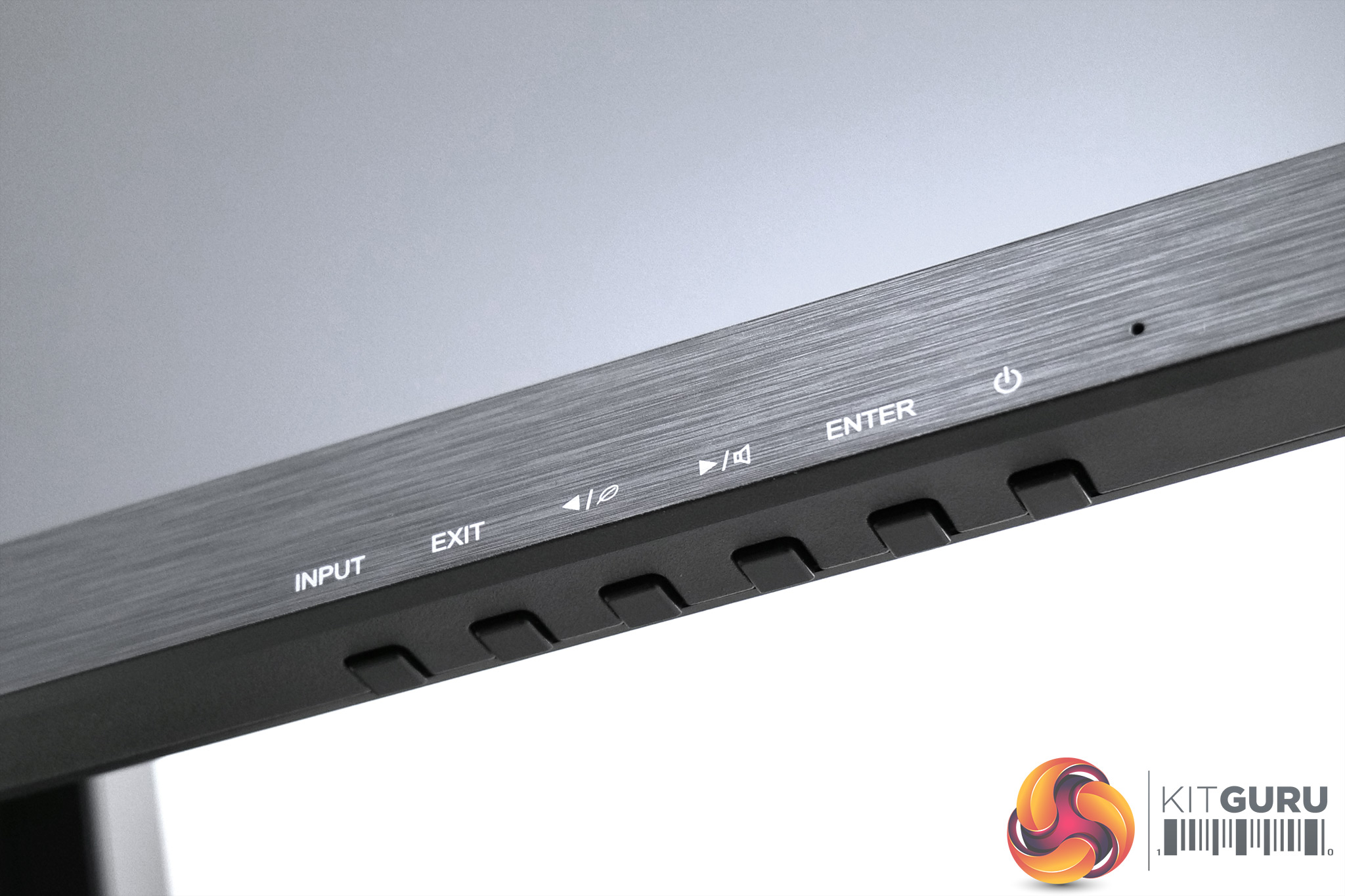
We can note the lack of a joystick however, so to control the OSD six buttons are placed on the underside of the bottom bezel. White legends are printed on the bezel itself so you know which button is which, but this is another clear cost-cutting measure.
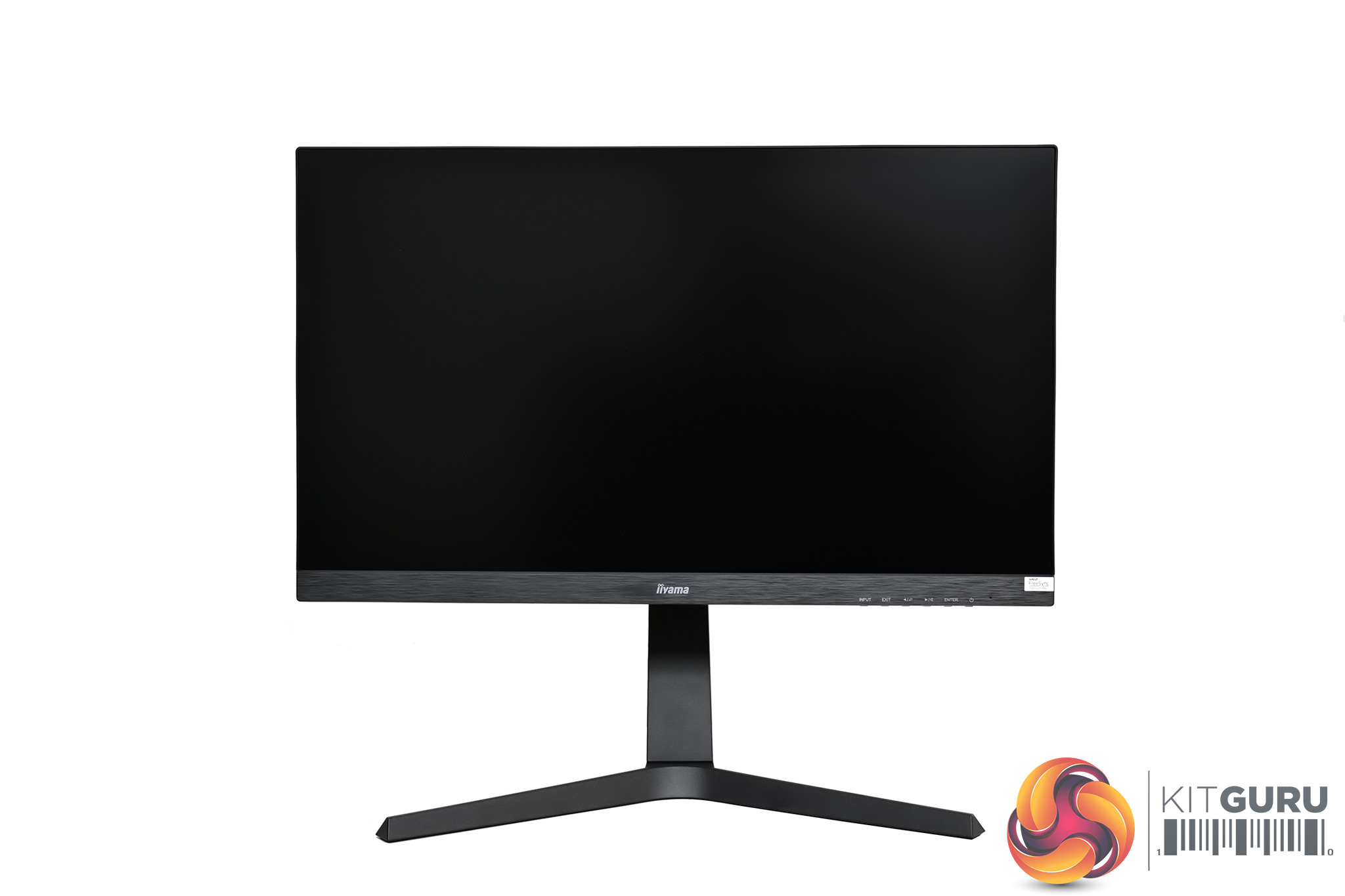
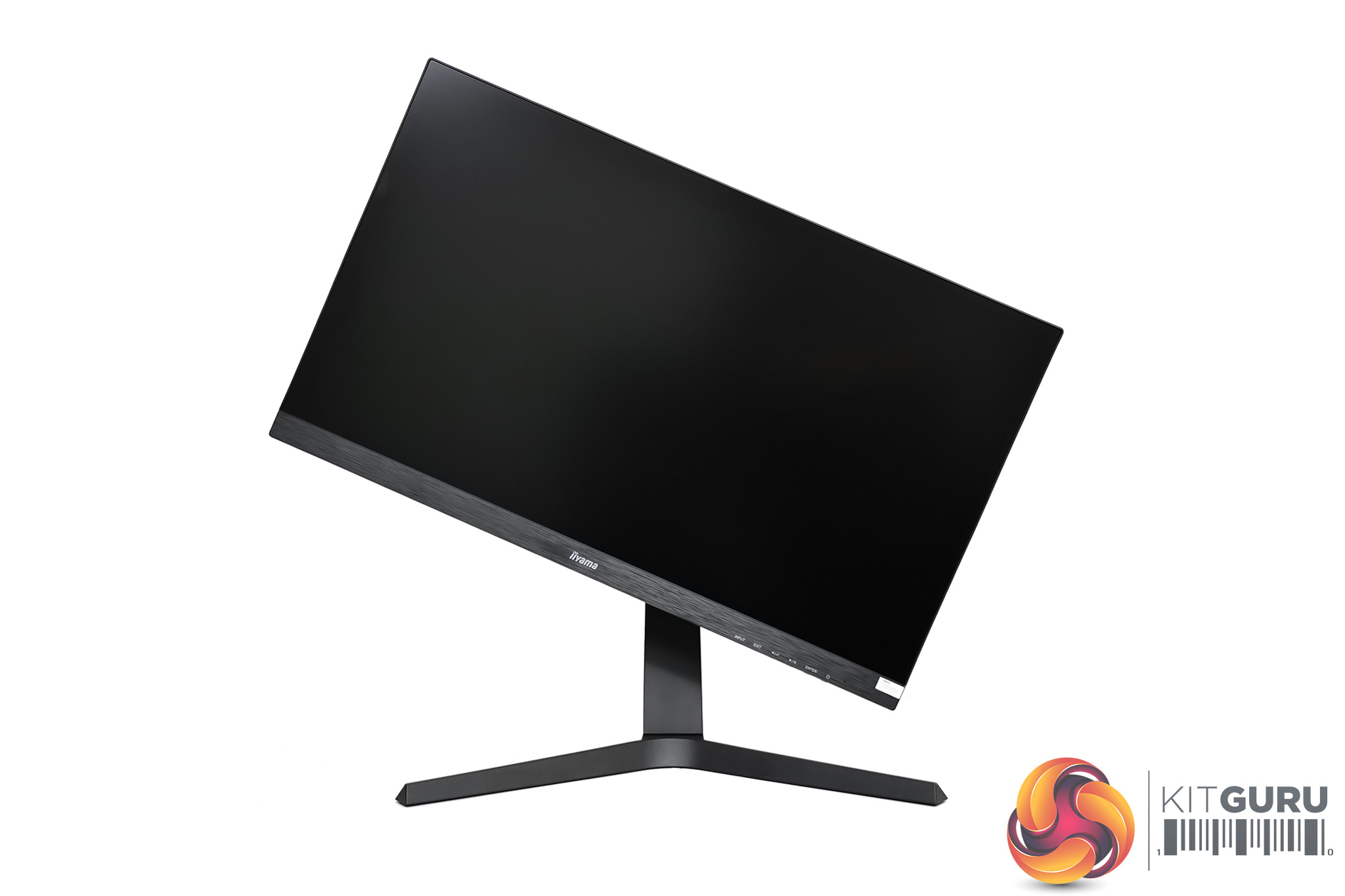
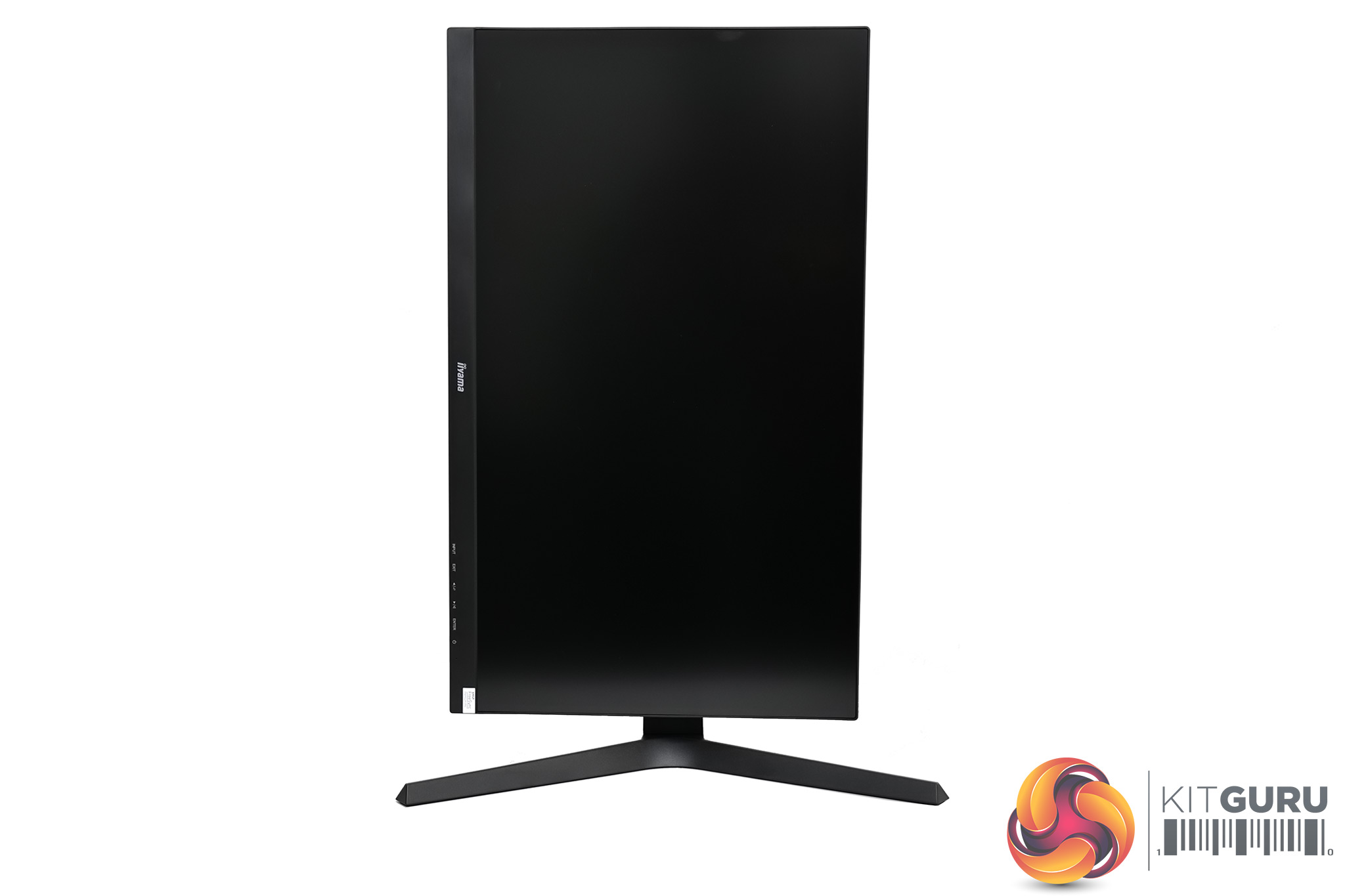
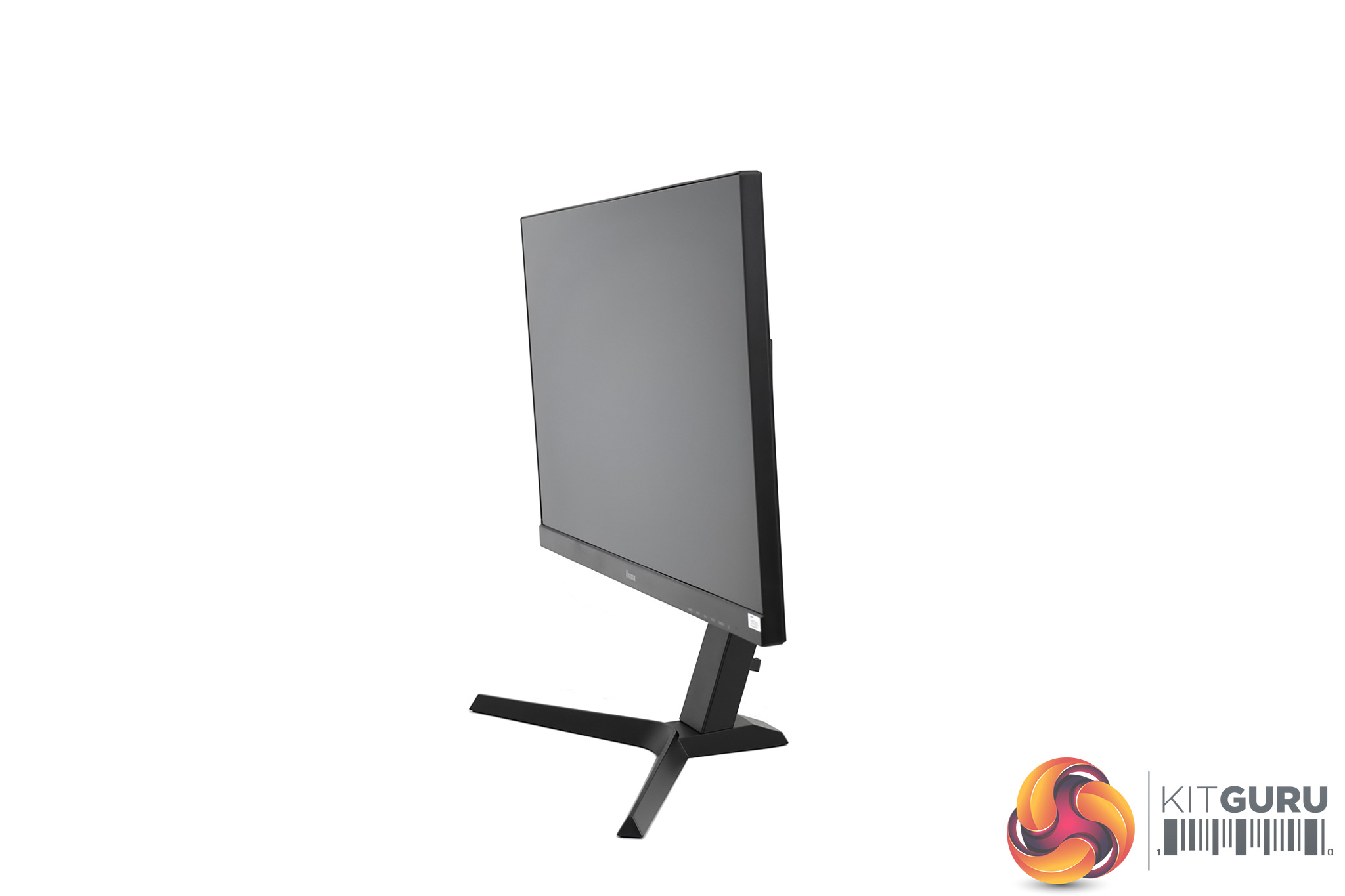
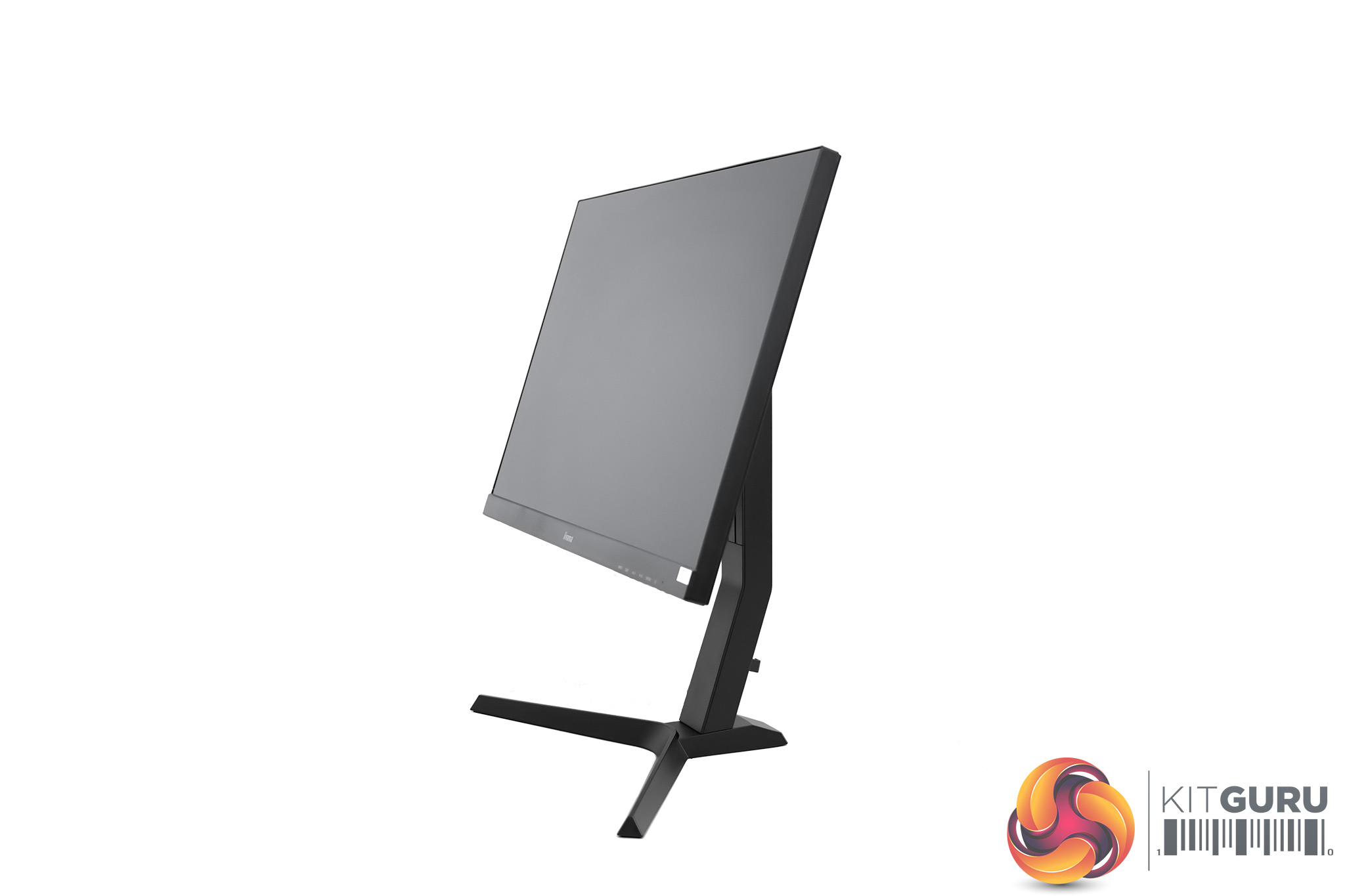
The included stand offers a good amount of adjustability though. We see up to 130mm of height adjust, tilt from 18° to 3° down, and even the full 90% of pivot. Granted, the screen only pivots clockwise, but that's still a decent showing from the stand. The only thing really missing is swivel, but the GB2770QSU is light enough to quickly turn without any problems. You can always attach your own stand or arm thanks to VESA 100×100 mounting, too.
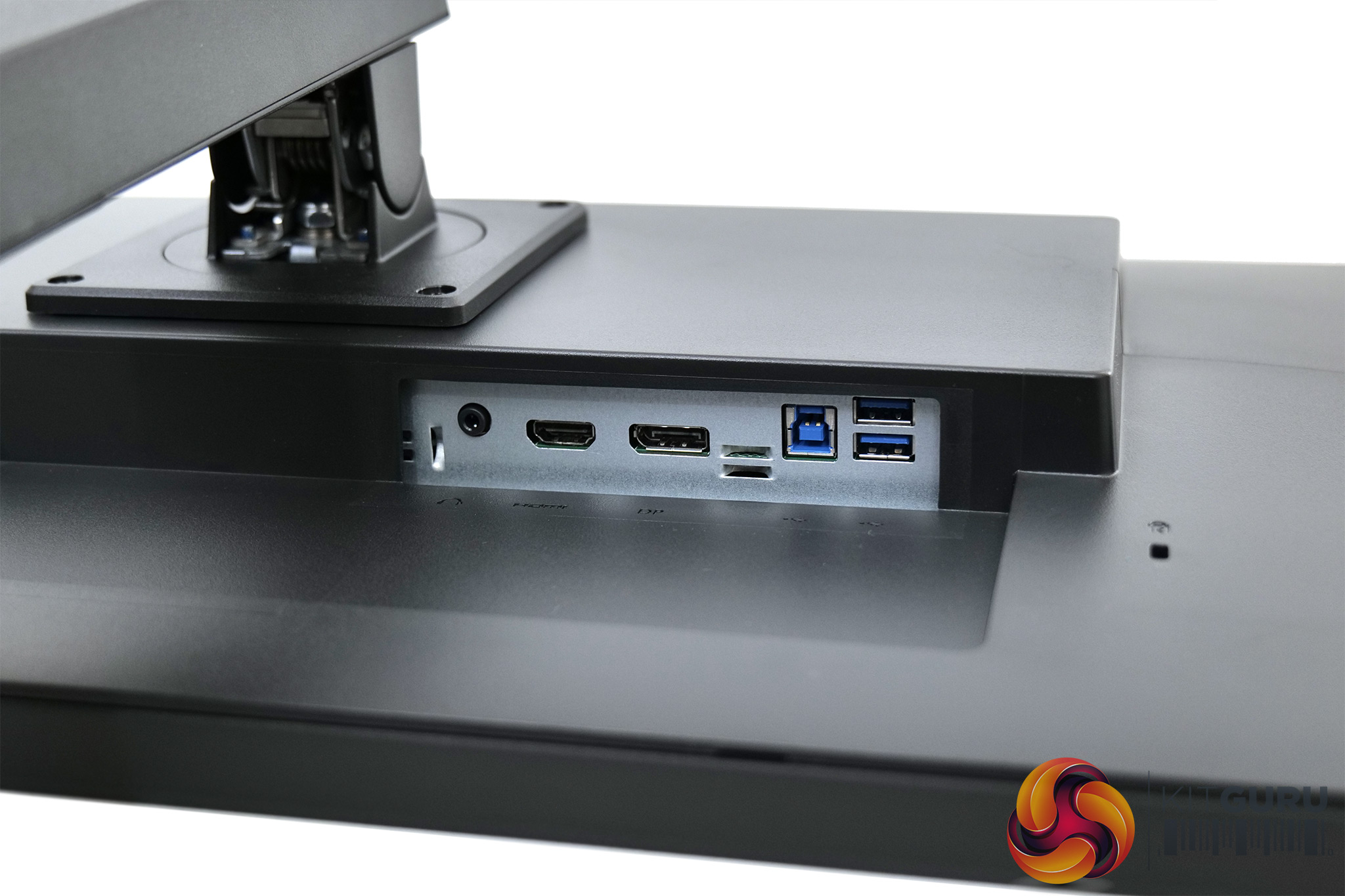
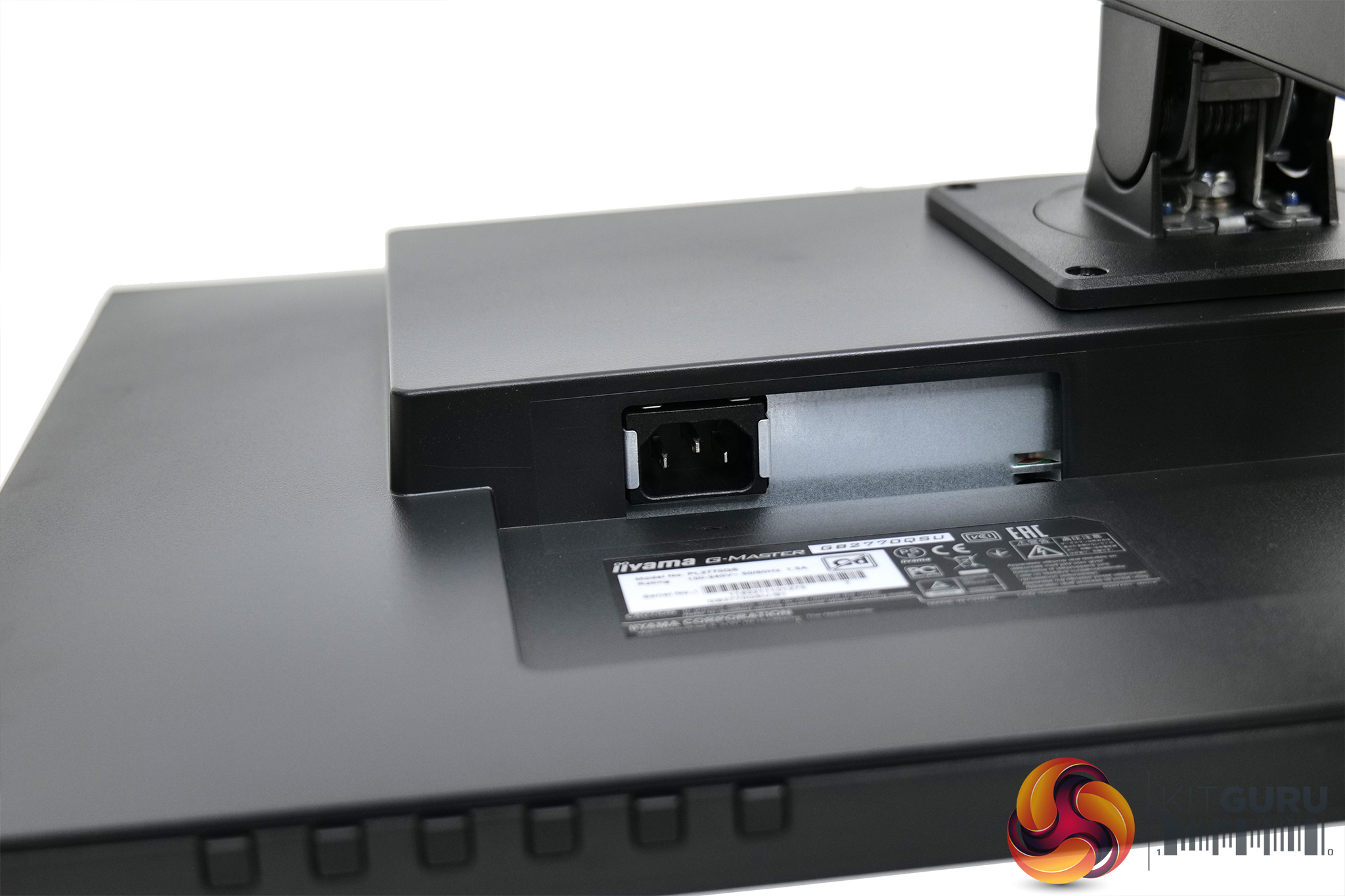
Looking now at the connectivity options, this is another indicator that iiyama had to walk a fine line to be able to offer this screen at its £250 price-point. There's only two video inputs, 1x HDMI 2.0 and 1x DisplayPort 1.4, a 3.5mm audio jack and a two-port USB 3.0 hub. If you're only connecting it to your PC, it is absolutely fine, but by modern standards just two video inputs – and no USB-C – could be seen as negatives by some.
The OSD on offer from the GB2770QSU is in-keeping with what we have seen with previous iiyama displays. All the settings are accessible from 10 tabs – Picture Adjust, Input Select, Audio Settings, Store User Setting, Color Setting, Image Adjust, Language, Setup Menu, Display Information, and Reset:
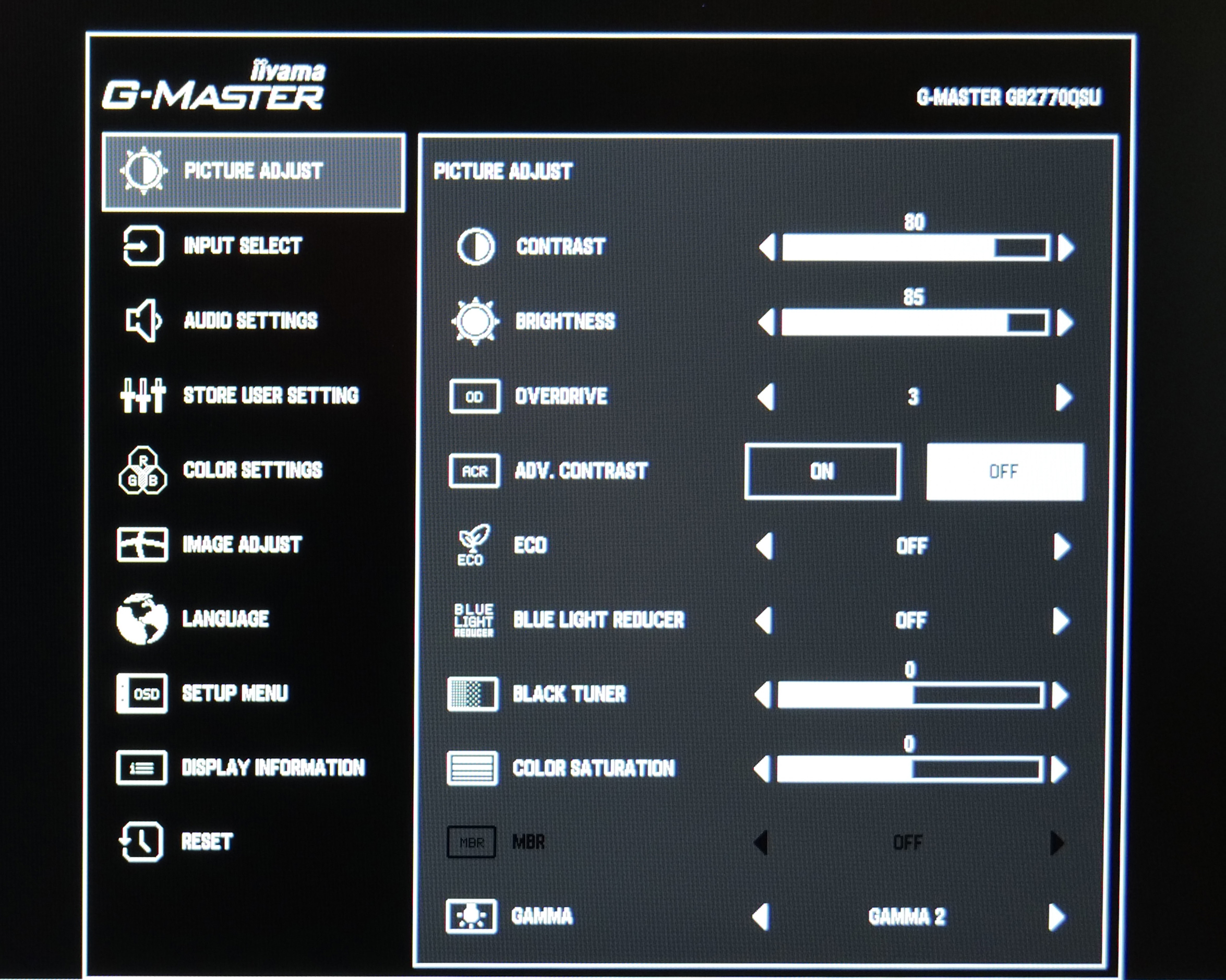
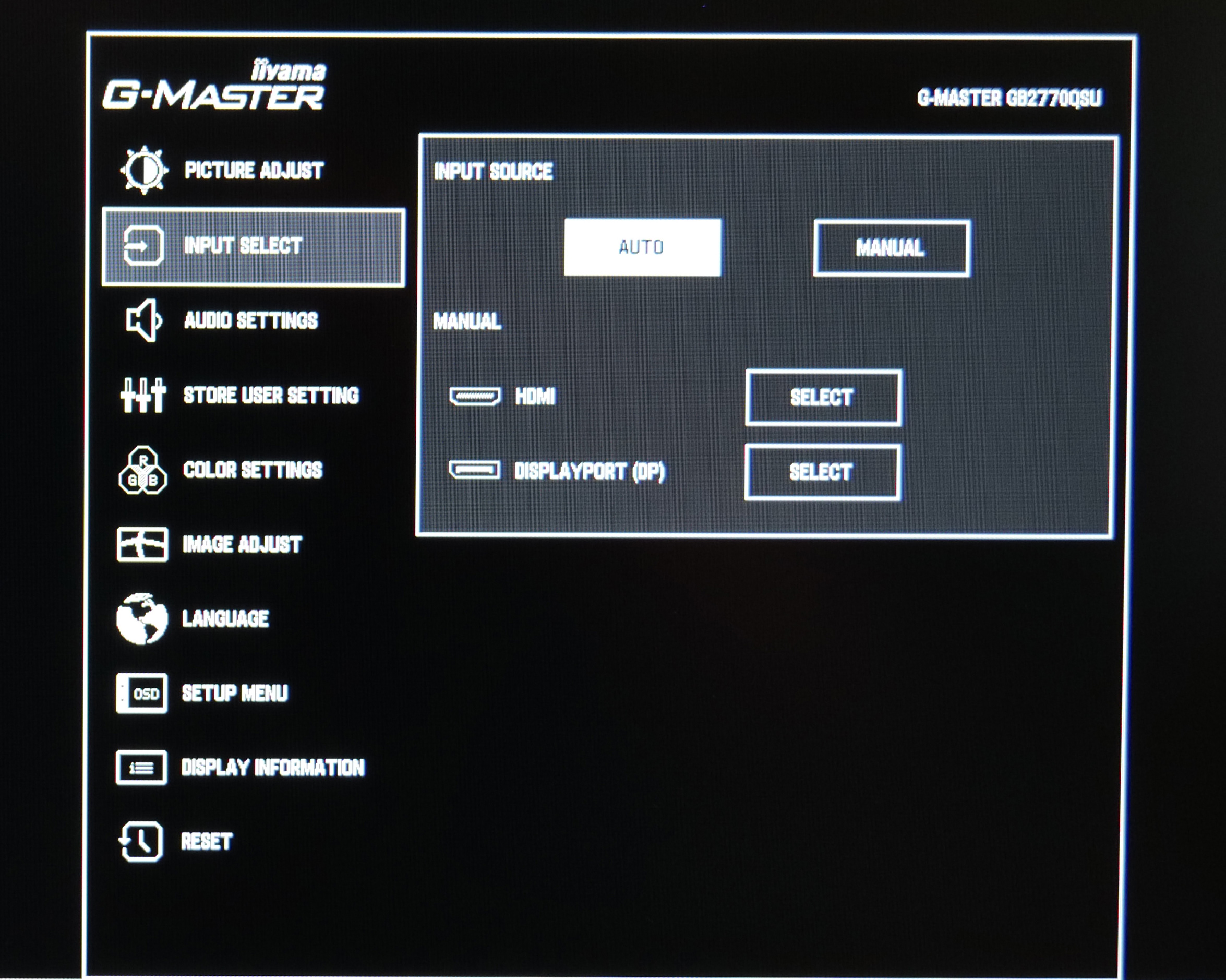
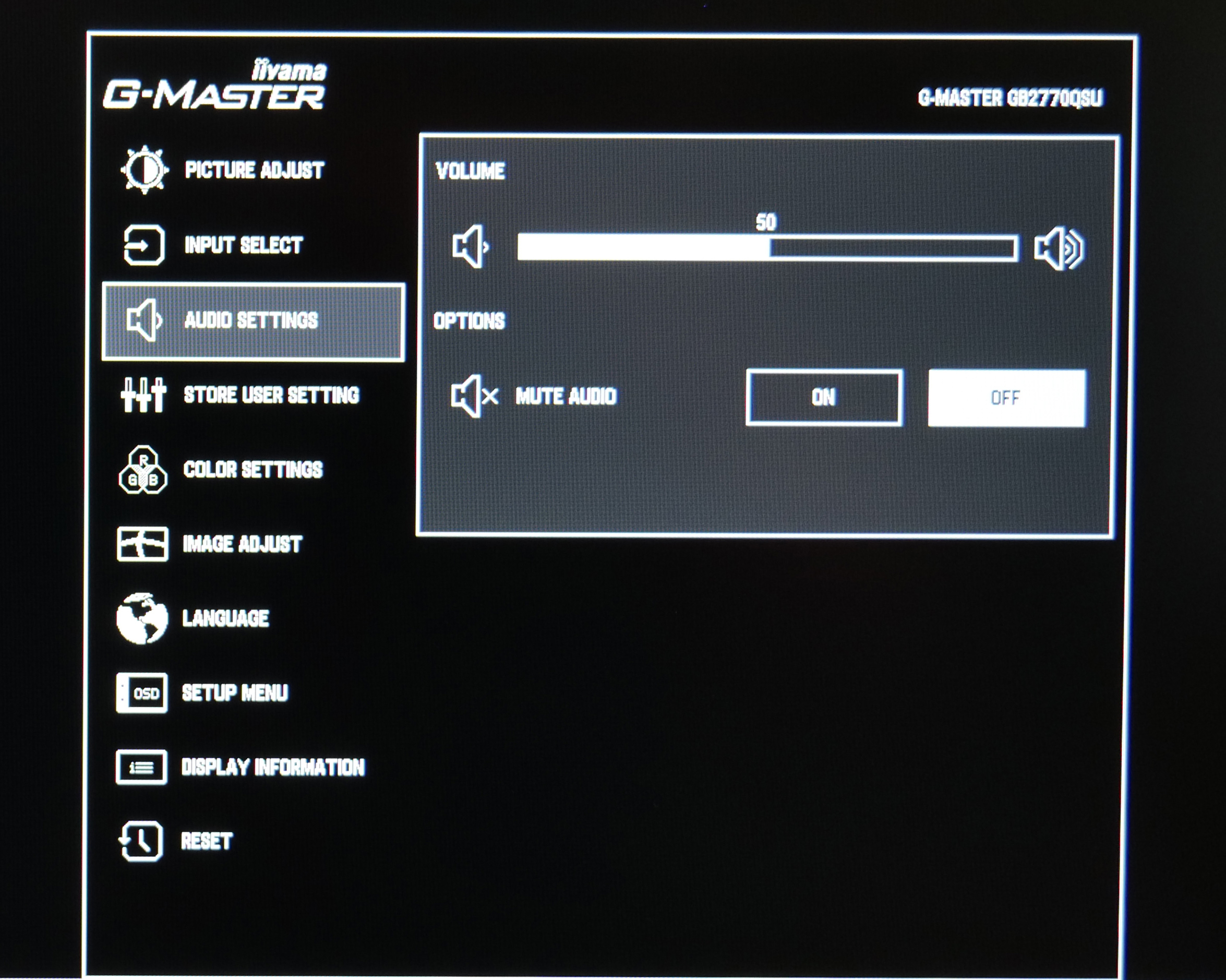
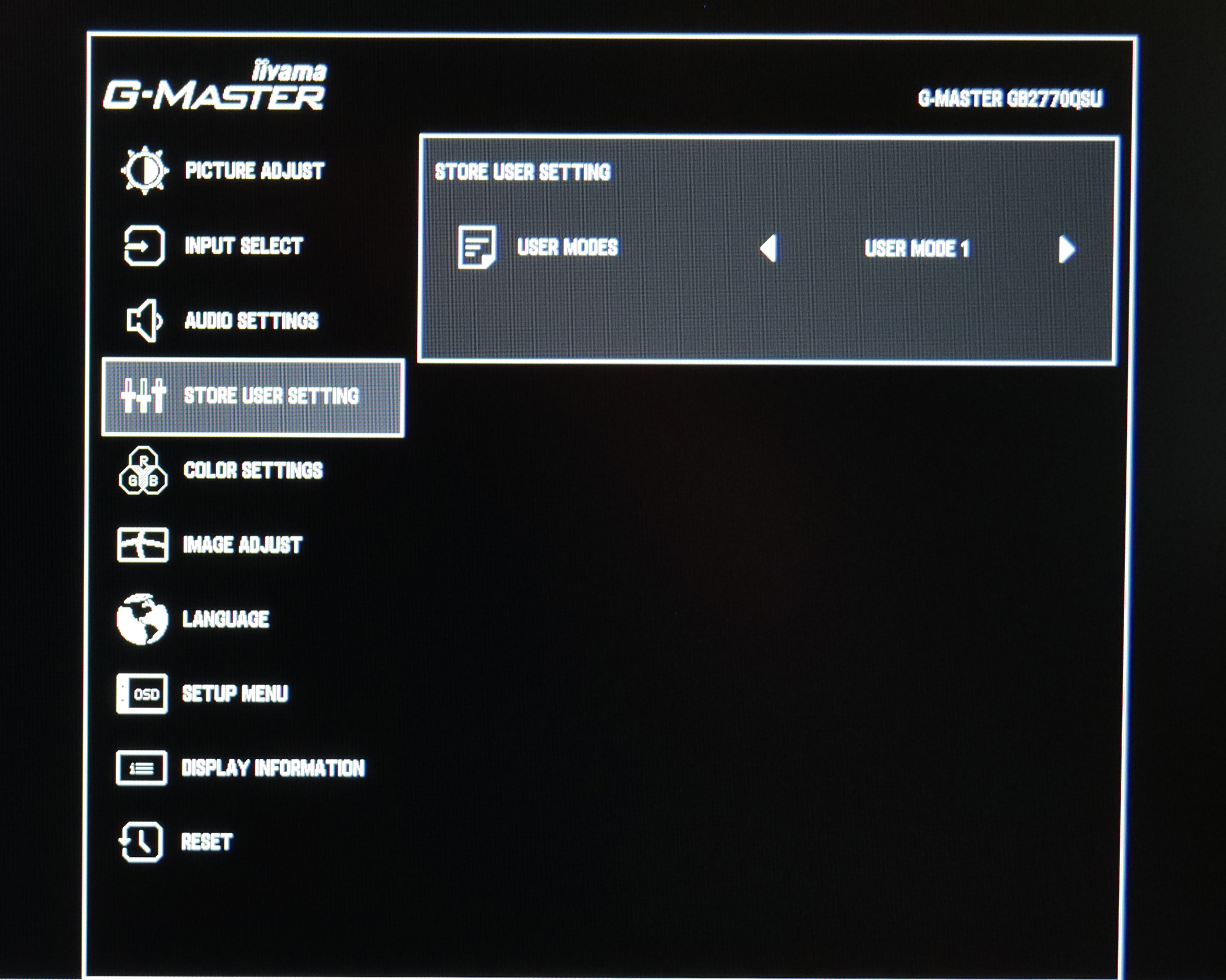
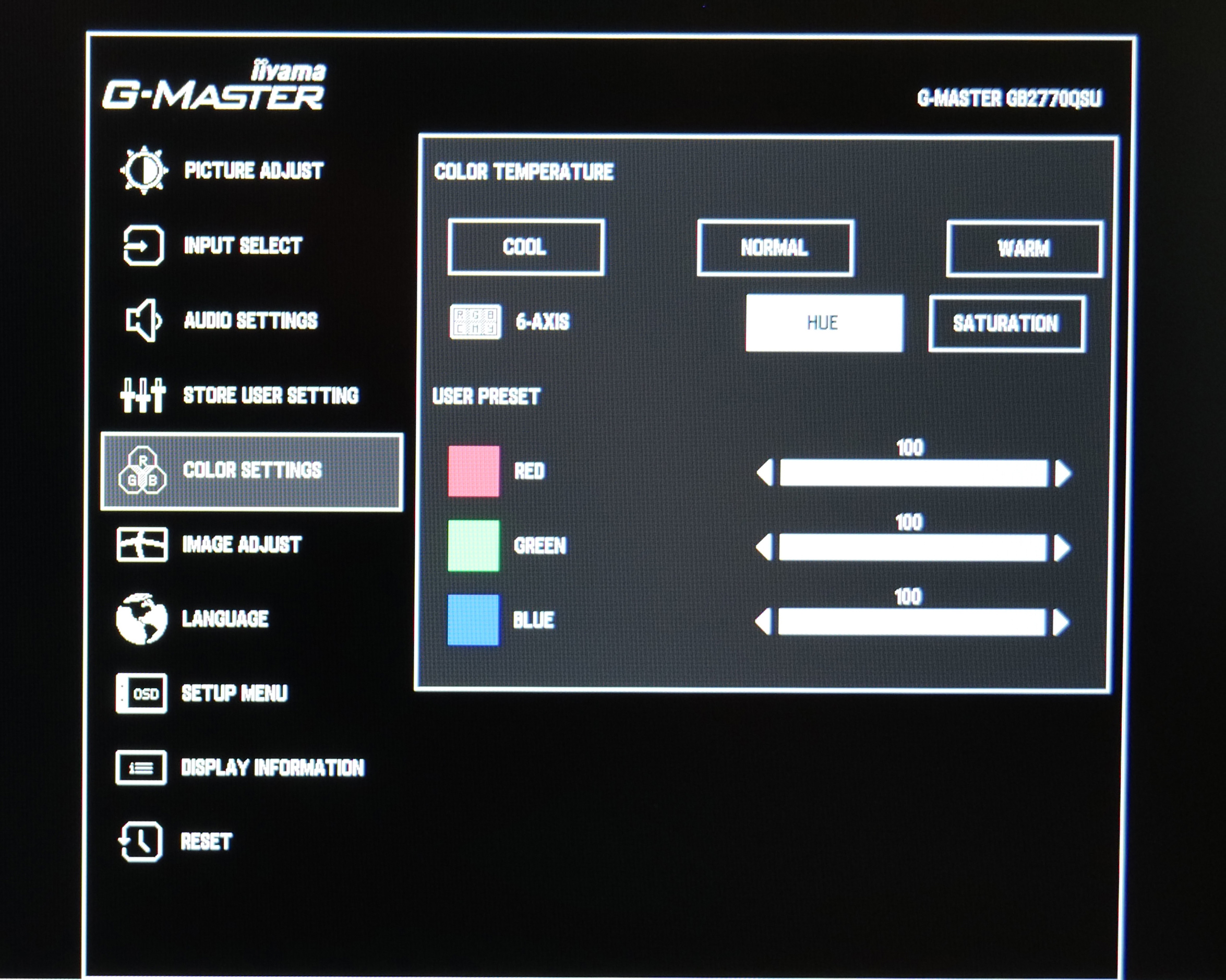
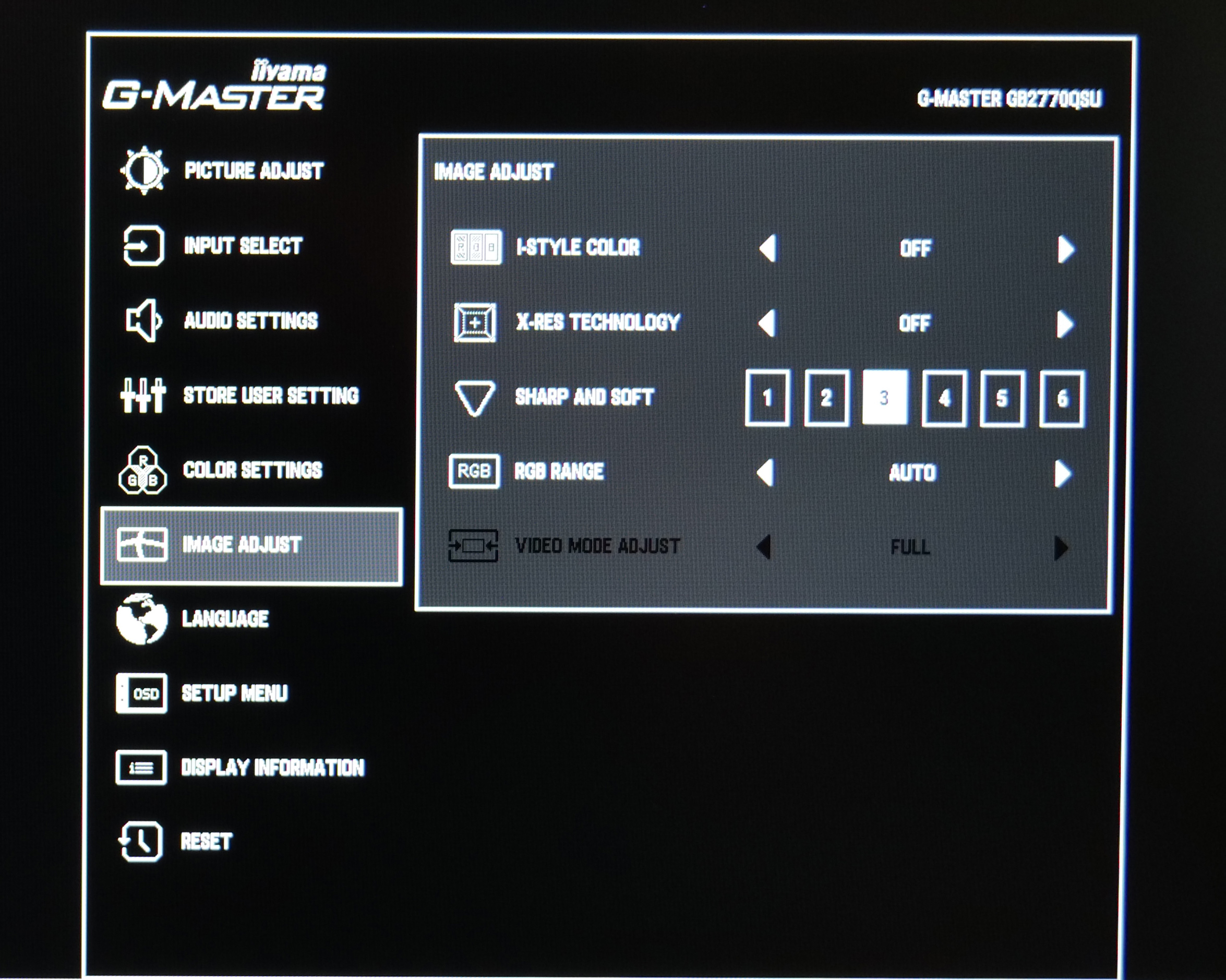
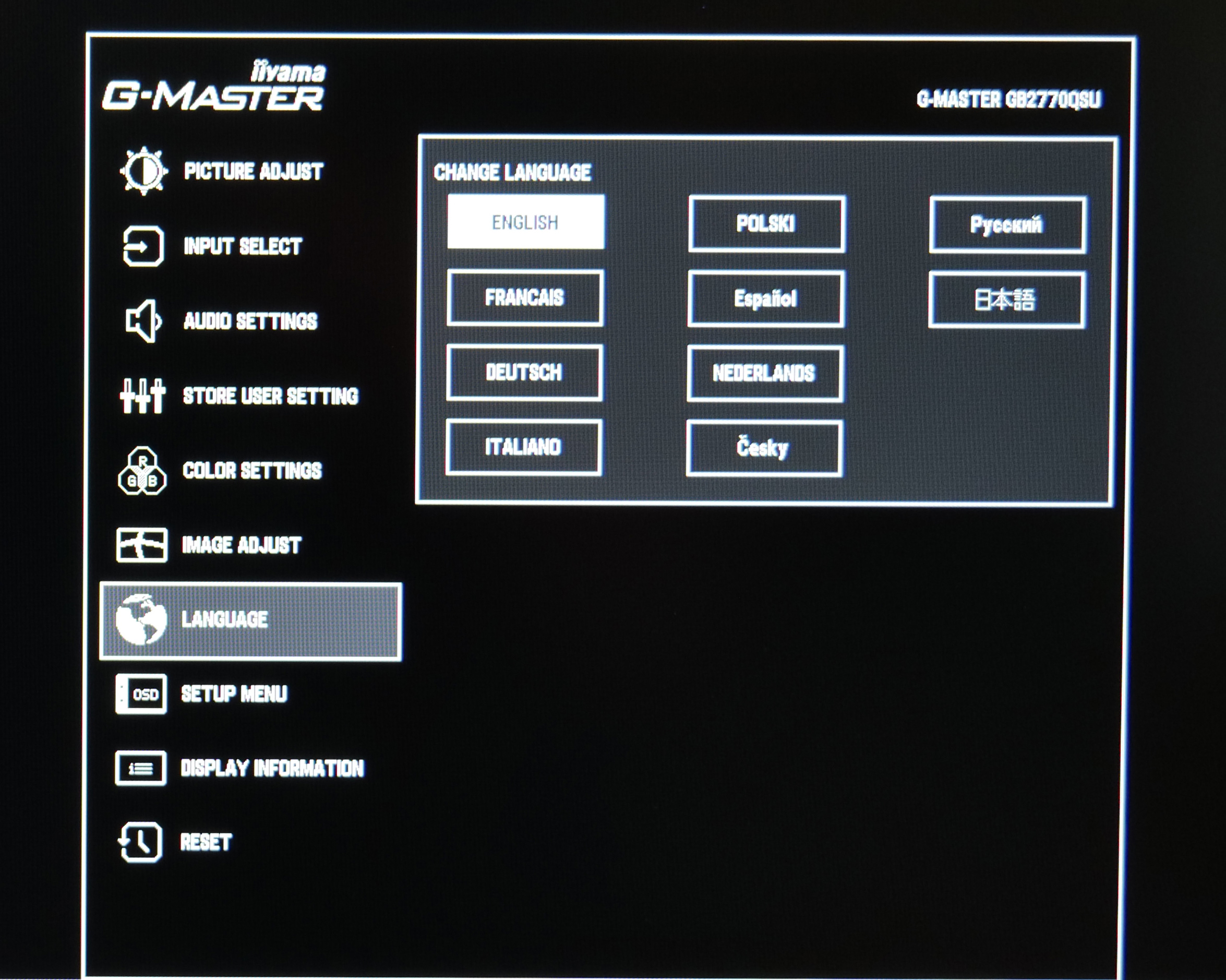
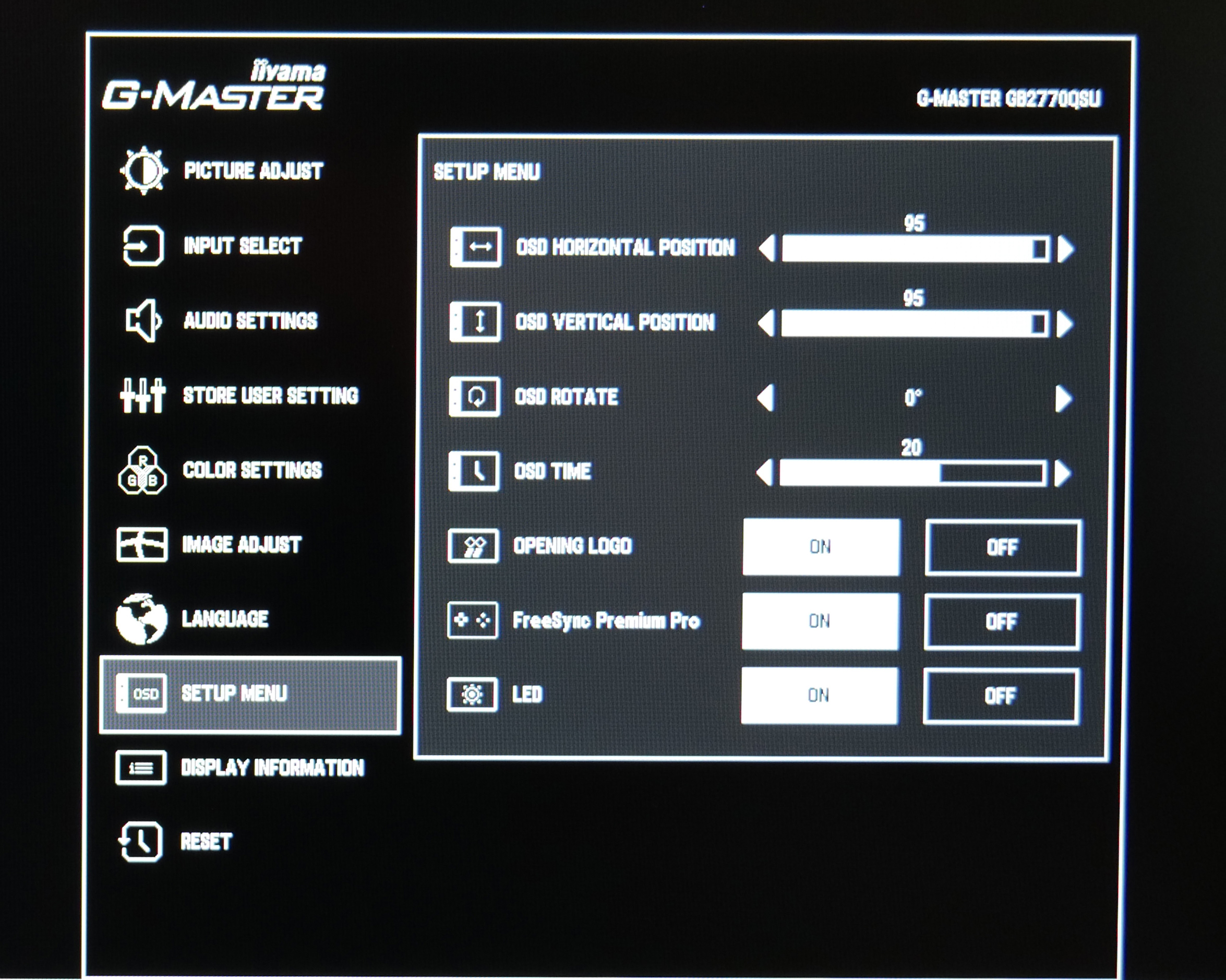
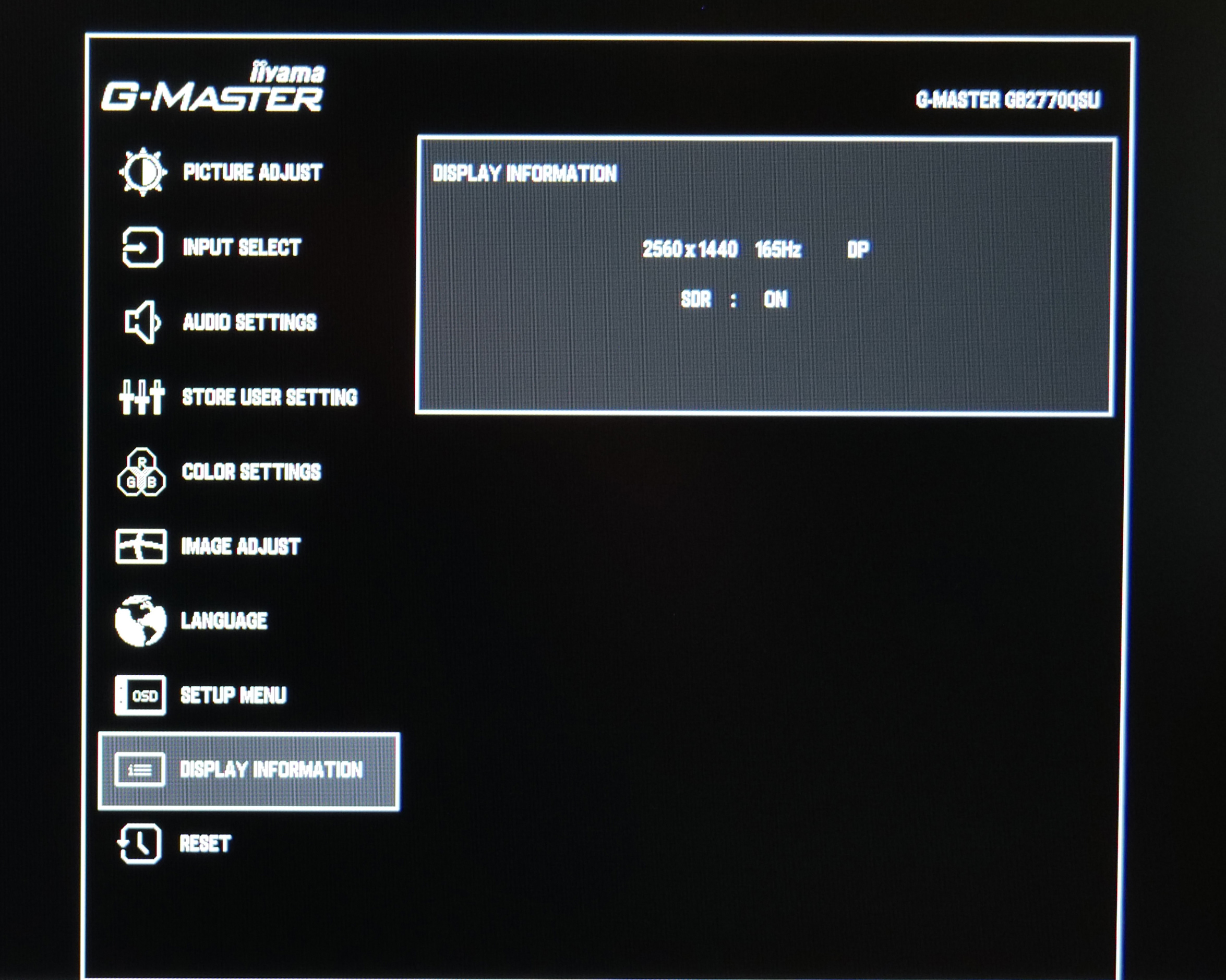
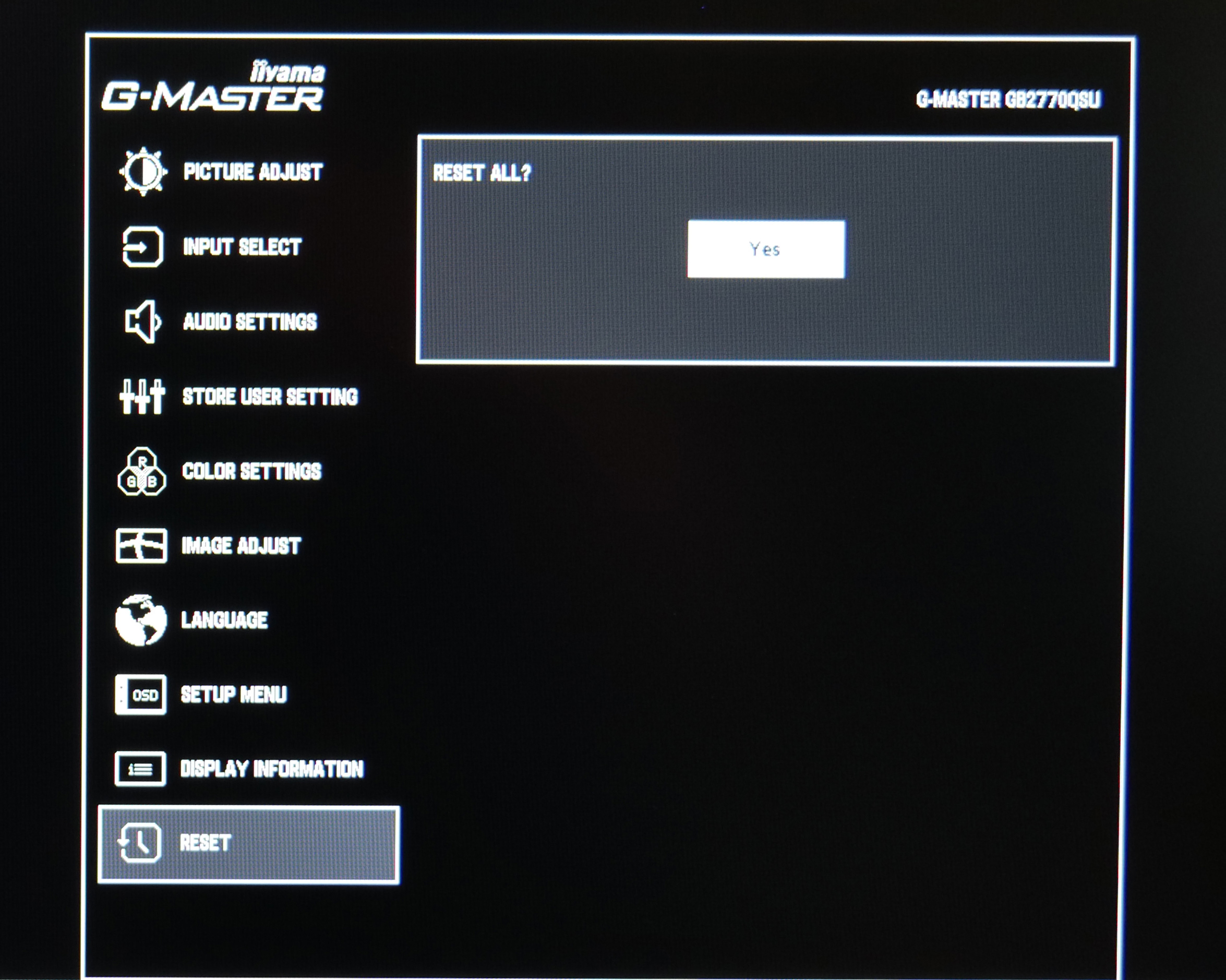
It's not the best-looking UI in the world but I have to say, it gets the job done. It's not as feature-rich as some competitors, certainly in terms of gaming-oriented features like on-screen crosshair or FPS overlay – which are missing here – but there's plenty of control over other key areas. I'm actually impressed with the overdrive settings too, as iiyama offers five different levels of overdrive (not including ‘off'), when many other monitors are limited to just three different overdrive presets. Being able to save custom profiles is another good addition.
We should also point out that iiyama doesn't currently offer a Windows-based app to adjust different settings directly from your PC, which is something we usually appreciate, but again, given the price-point we can understand the decision.
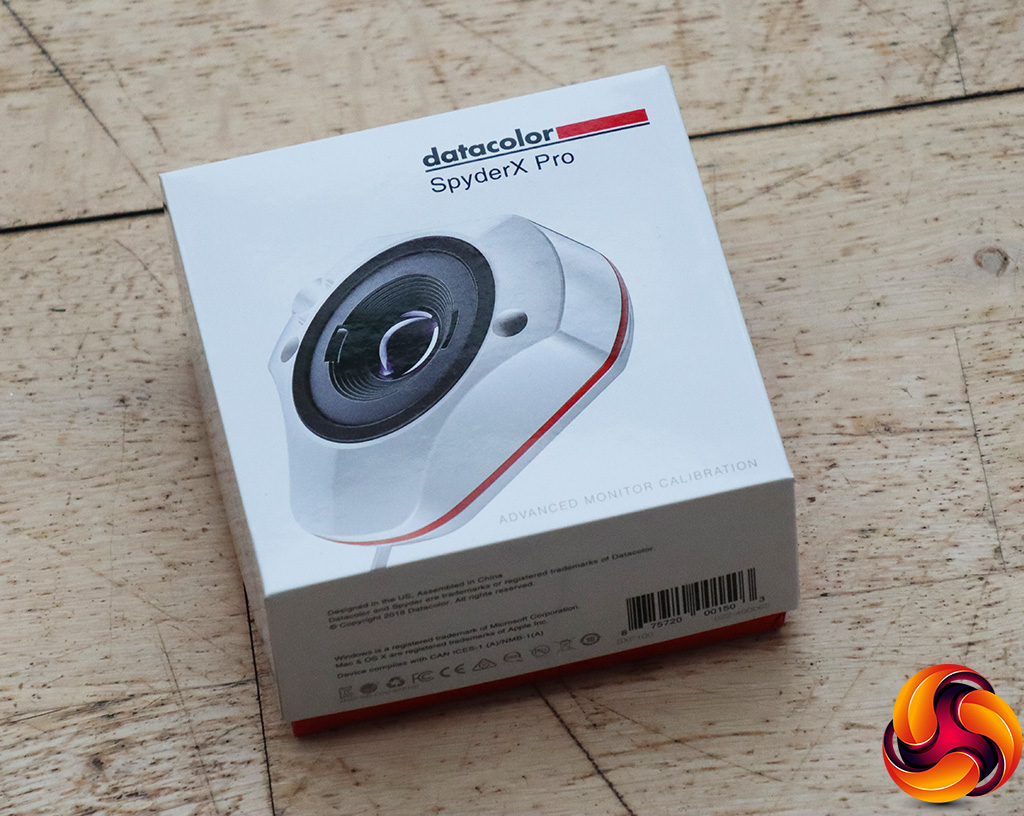
Our main test involves using a DataColor SpyderX Colorimeter to assess a display’s image quality. The device sits on top of the screen while the software generates colour tones and patterns, which it compares against predetermined values to work out how accurate the screen is.
The results show –
- A monitor’s maximum brightness in candelas or cd/m2 at various levels set in the OSD.
- A monitor’s contrast ratio at various brightness levels in the OSD.
- The brightness deviation across the panel.
- The black and white points.
- The colour accuracy, expressed as a Delta E ratio, with a result under 3 being fine for normal use, and under 2 being great for colour-accurate design work.
- The exact gamma levels, with a comparison against preset settings in the OSD.
We first run this test with the display in its default, out-of-the-box state, with all settings on default. We then calibrate the screen using the Spyder software and run the test again.
Pre-calibration
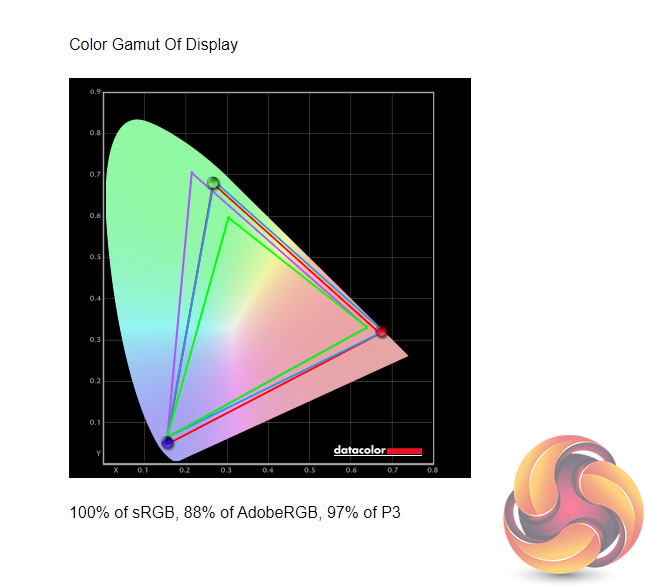
Kicking off panel testing with our gamut coverage, the GB2770QSU gets off to a good start here – we see 100% sRGB coverage, plus 88% AdobeRGB and 97% DCI-P3 reporting.
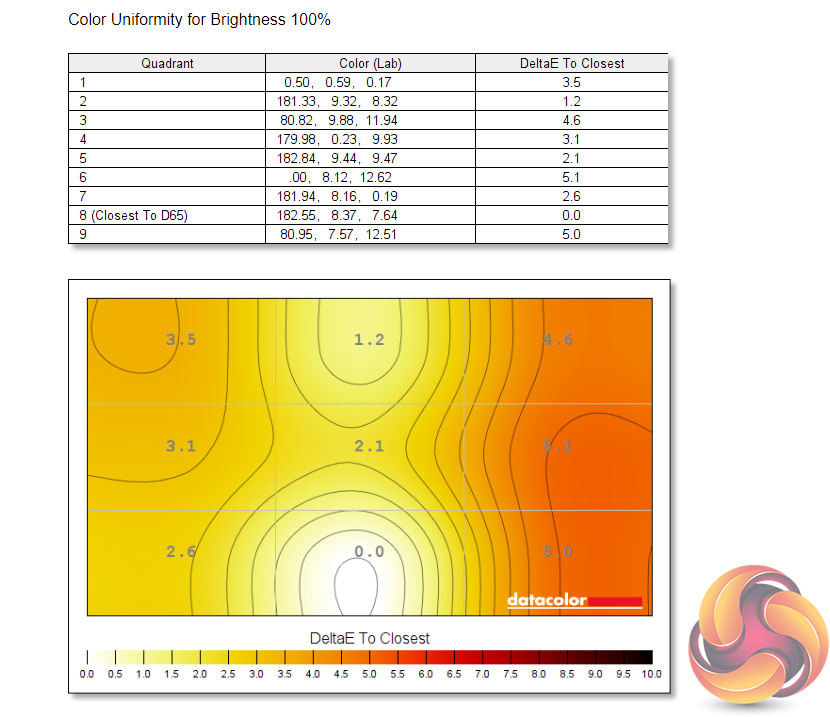
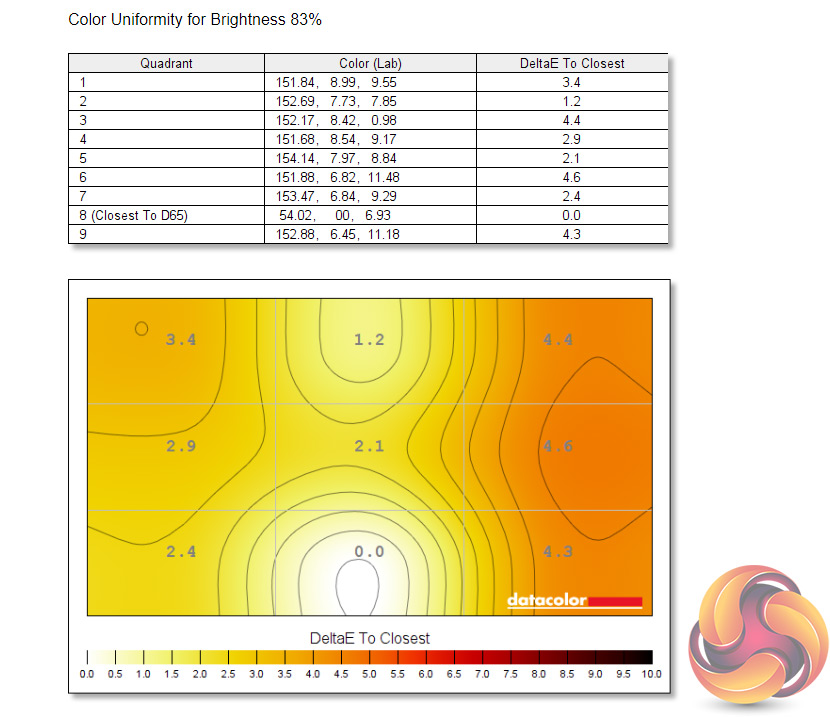
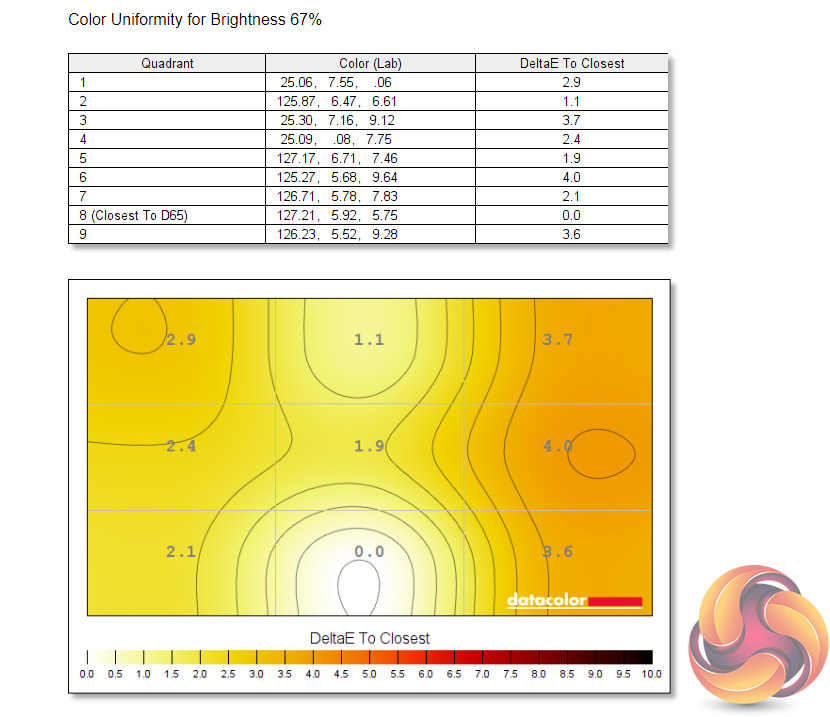
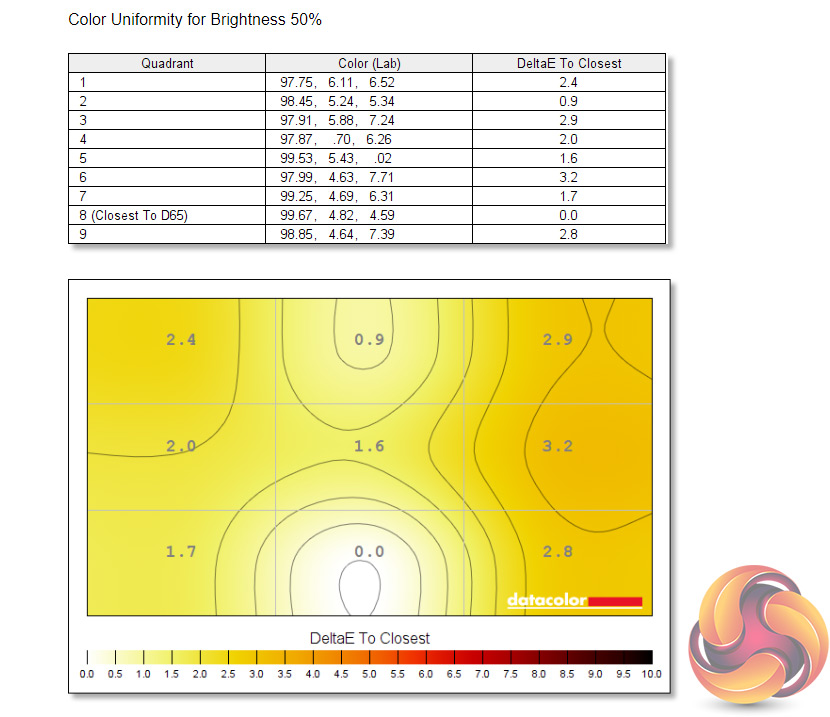
Colour uniformity is also fine, particularly at lower brightness levels as we do start to see some aberration above 83% brightness, but the GB2770QSU gets quite bright anyway (as we shall see below) so you'd be unlikely to keep it this brightness level all of the time.
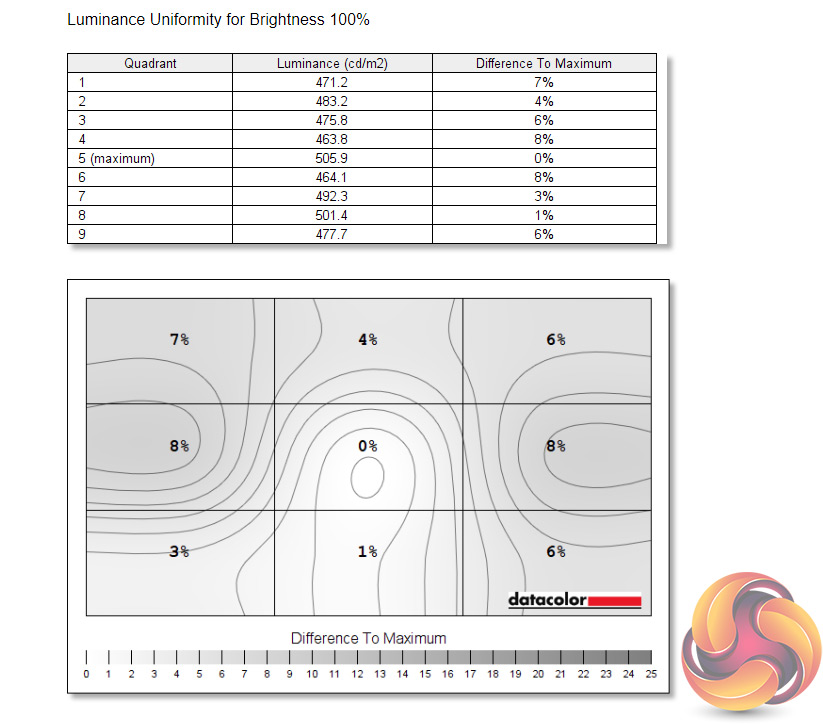
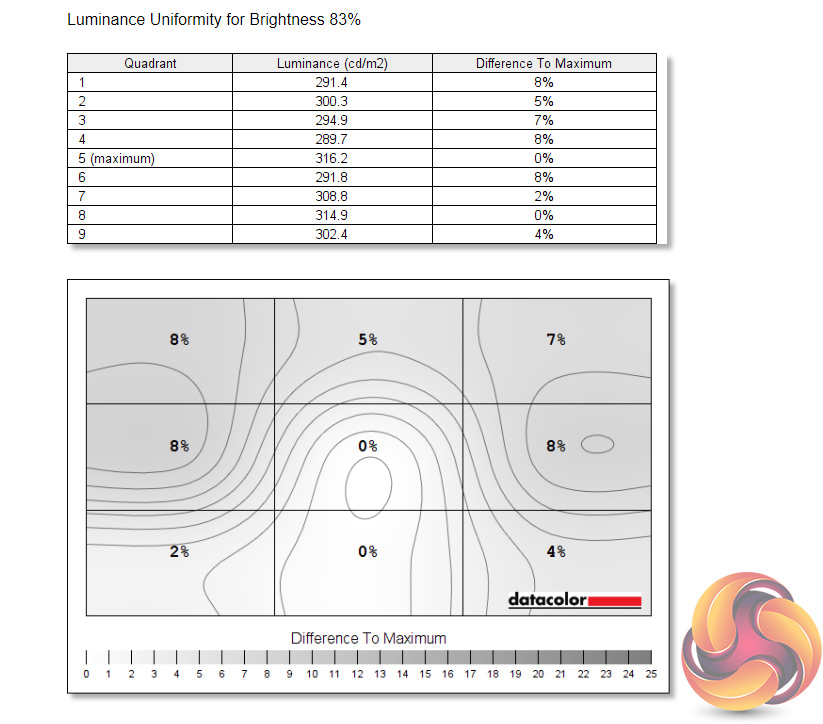
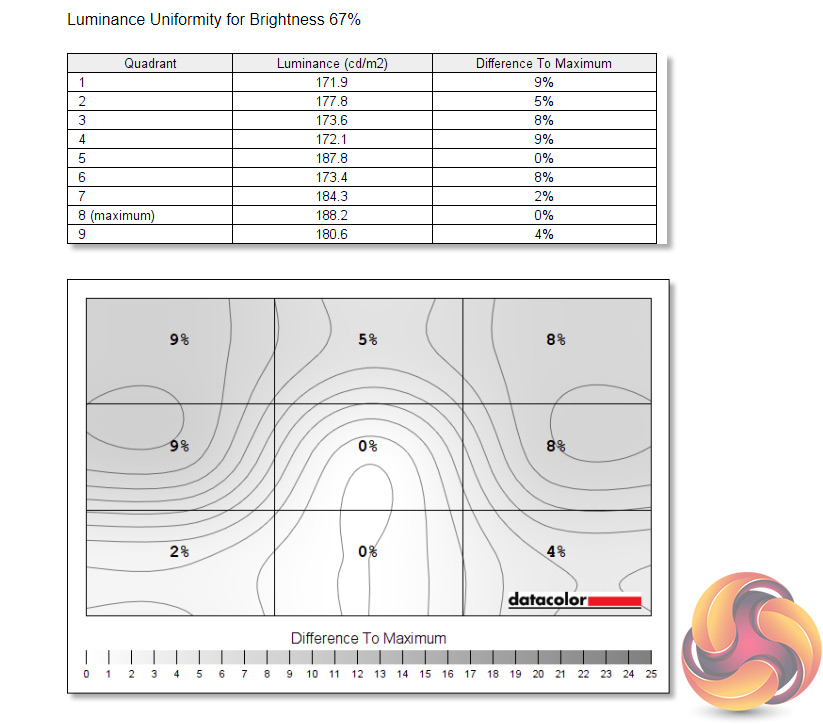
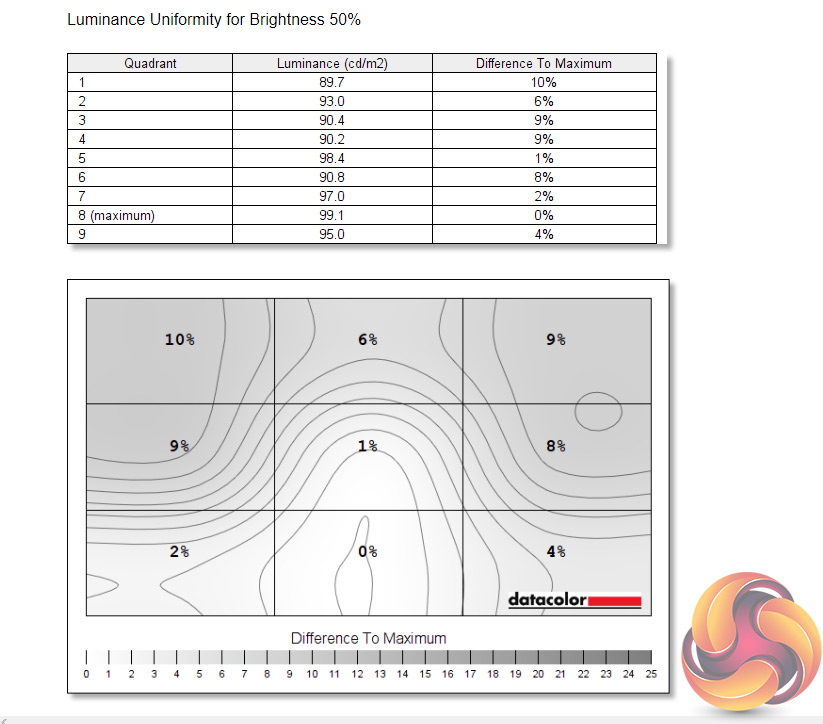
Luminance uniformity is more impressive though, with no more than 10% deviation being registered across the panel, and that was in the top left corner.
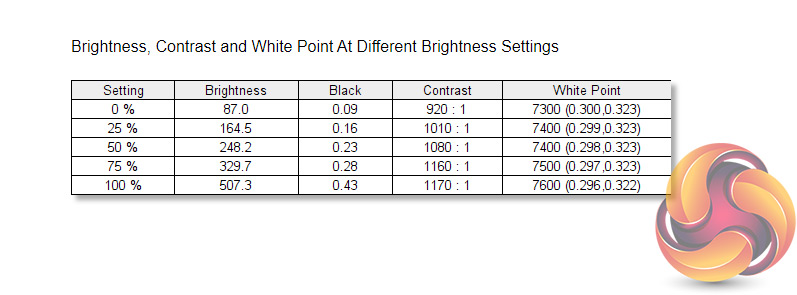
Next up is overall brightness and I was quite surprised to see the GB2770QSU exceeding 500 cd/m2 when set to 100%, especially considering iiyama only claims up to 400 cd/m2 brightness for the panel! Likewise, a contrast ratio of 1170:1 is a great result for an IPS display, particularly one of this price-point. My only concern with the data shown above is the white point, coming in somewhat cool at 7300-7600K.
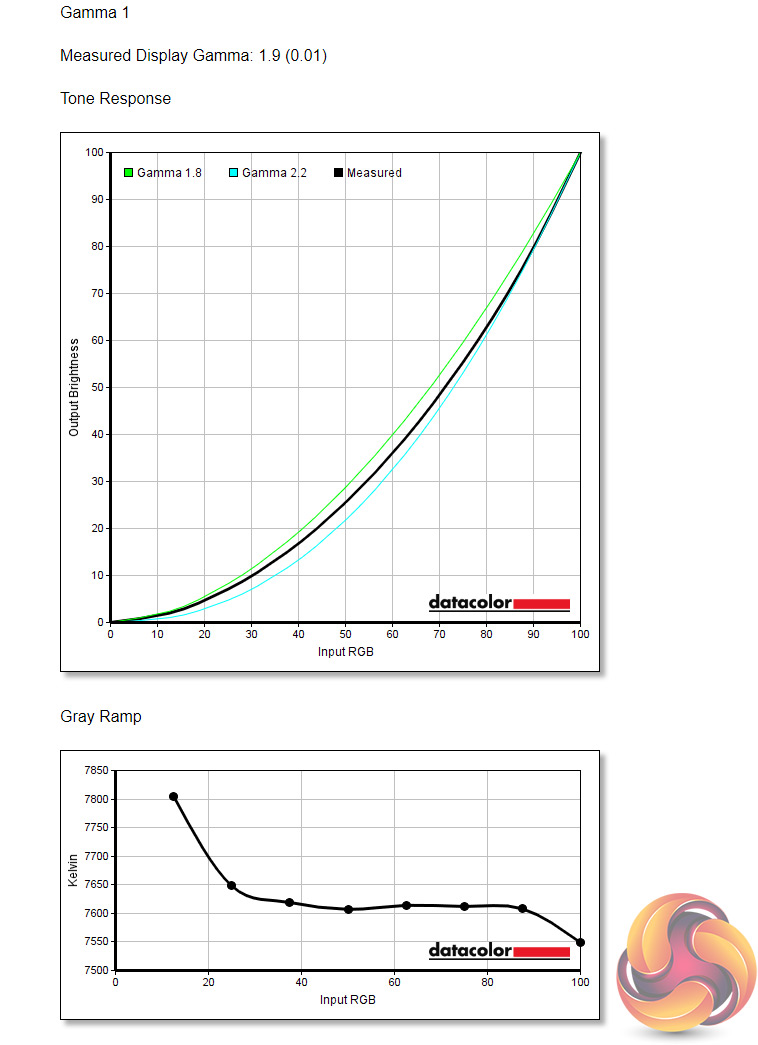
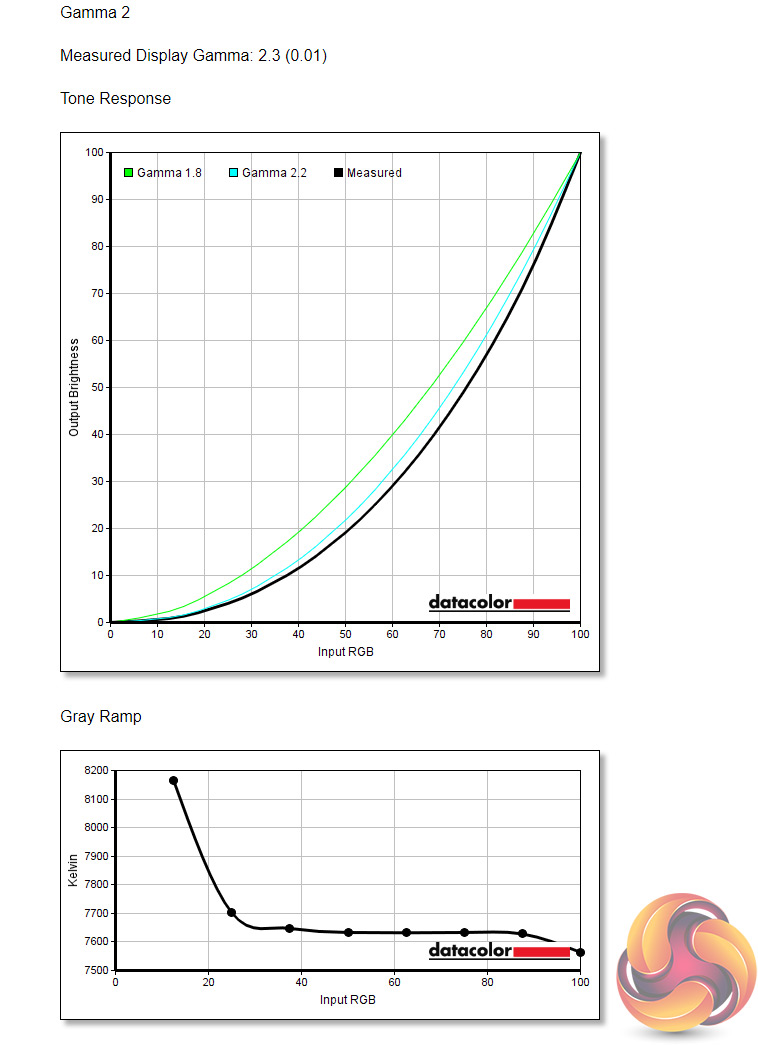
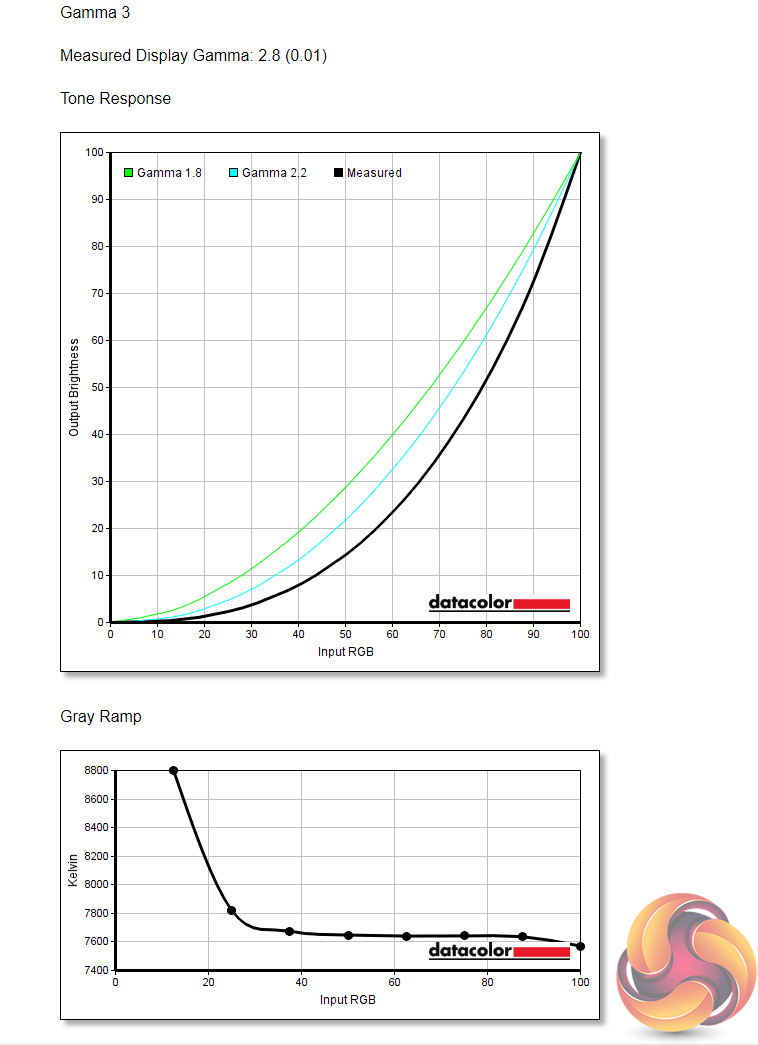
As for the three Gamma settings, Gamma 1 offers a gamma value of 1.9, Gamma 2 registers at 2.3, while Gamma 3 is a fairly extreme 2.8 gamma value. That means we don't have a setting offering the standard gamma of 2.2.
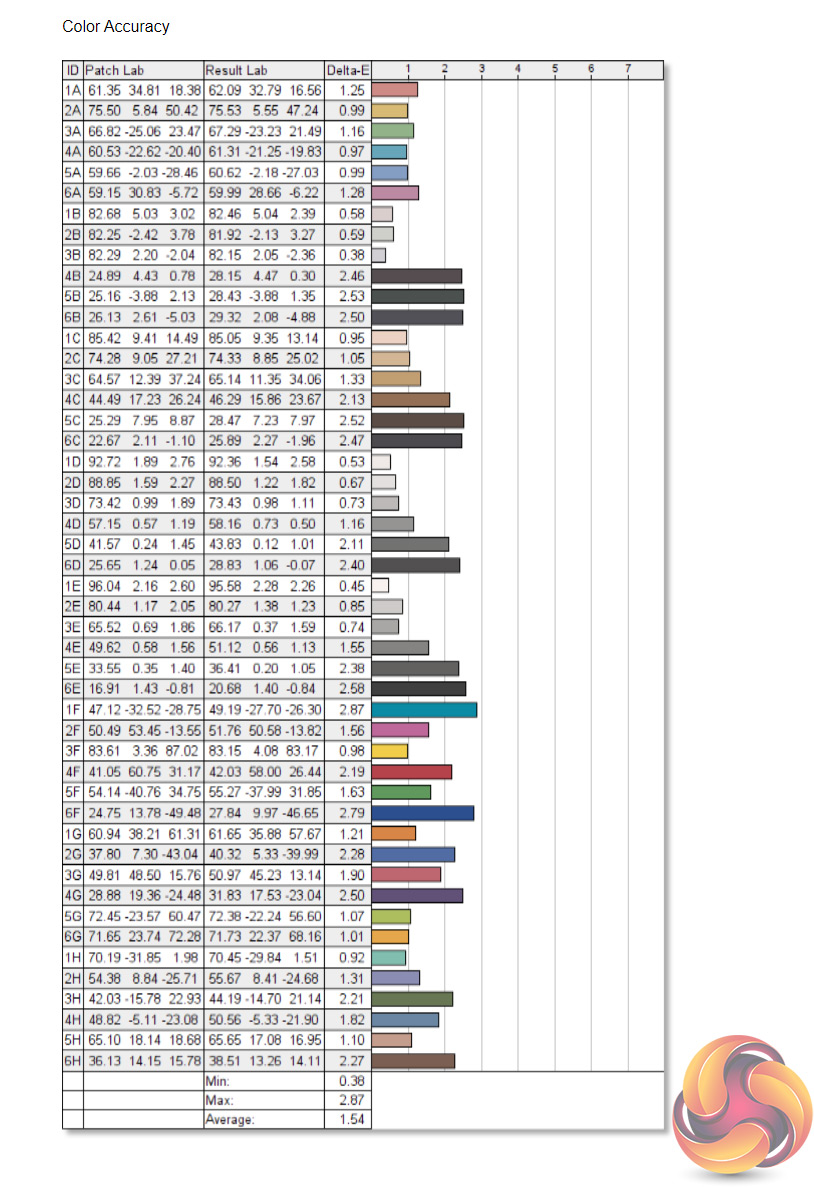
Finally, out of the box colour accuracy is solid, with an average deltaE of 1.54 and a maximum of 2.87. It's not jaw-droppingly good, but it is very decent all round for a display of this class. Let's see if we can get more from this panel after calibrating…
Post-calibration
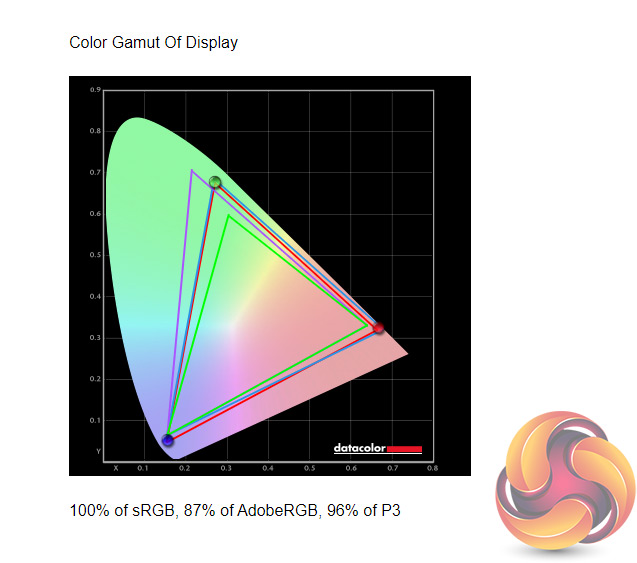
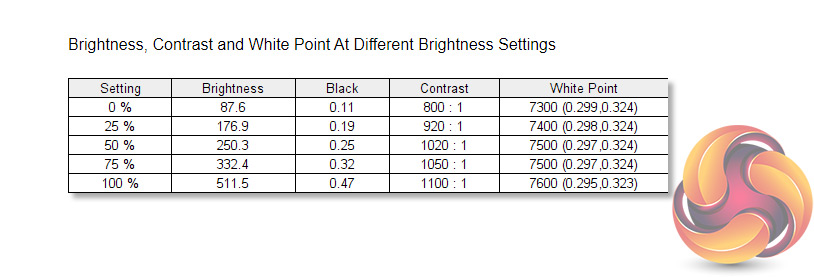
After calibrating the GB2770QSU, gamut coverage is pretty much the same, but we've dropped down 1% for the DCI-P3 reporting. Brightness and contrast levels are also basically unchanged, with peak contrast just a touch lower at 1100:1, but that's still a great result.
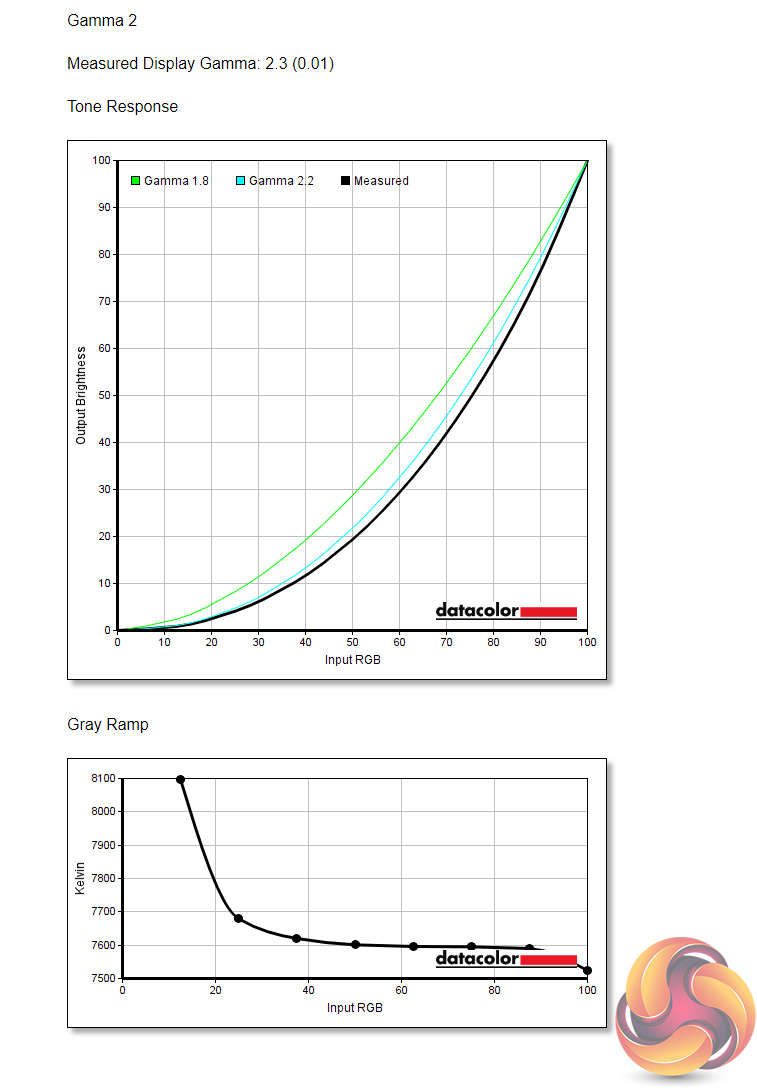
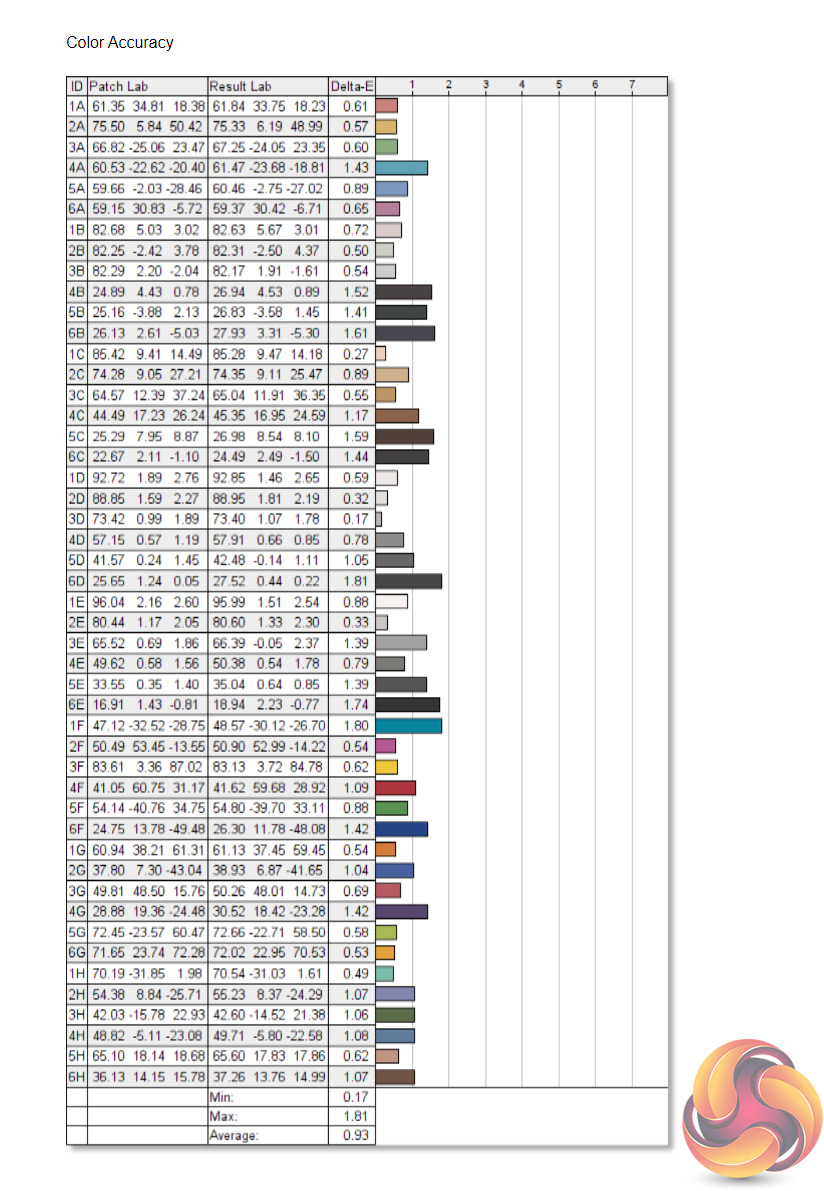
Gamma 2 also remains with a gamma value of 2.3, so no change there. Colour accuracy has improved though, and by a fair amount with a new average deltaE of just 0.93 and a maximum of 1.81. For what is really a gaming display, at £250 no less, this is highly impressive stuff.
System latency is a new addition to our testing, where we use Nvidia’s Latency and Display Analyzer Tool (LDAT) to measure end-to-end system latency. LDAT itself is a photosensor which is placed on the monitor. It has an integrated mouse button, allowing it to measure the total time taken from mouse click, to an action happening on screen, which is done by measuring a change in luminance. This data is logged to a CSV file over USB, allowing for close analysis of the data.
As this is end-to-end system latency, we are not measuring only the processing/input latency of each monitor we test. However, we can standardise the test process so the monitor is the only variable. It also gives an insight into how different refresh rates and resolutions can affect end-to-end latency, which is of course highly relevant to your purchasing decision.
We use Rainbow Six Siege for this testing. We recently changed the graphics settings we test at, to allow for higher frame rates, so the GB2770QSU is only the fifth monitor overall we have tested with LDAT using these settings, and the second QHD screen we have tested. That means we currently have limited comparison data, but we will add to these charts as we review more monitors.
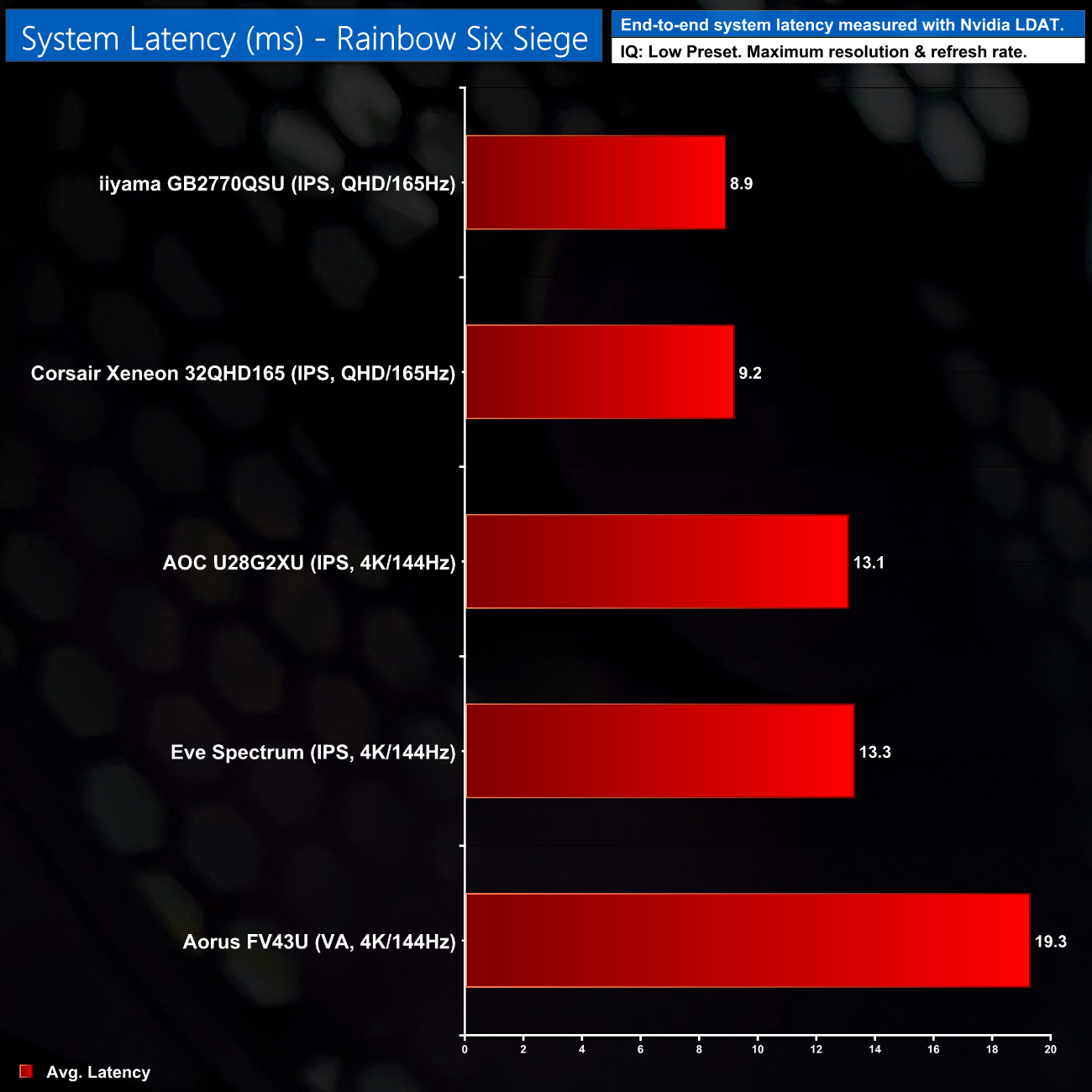
Total system latency came in at 8.9ms over our testing, which is 0.3ms lower than the Corsair Xeneon 32QHD165, and there was certainly no noticeable input delay that I could detect. It's a good result and we'll be adding to this chart in the future to see how it stacks up against other QHD displays.
As we mentioned at the beginning of this review, it is completely fair to say that the iiyama GB2770QSU isn't doing anything new or ground-breaking. It's a 27in, 1440p 165Hz IPS display – a spec that has been around for several years at this point.
What makes this screen so alluring, though, is not only the fact that it is indeed a high-quality panel, but also that iiyama can offer it for just £250. To tell a quick personal story, it was only mid-2017 when I spent over £550 on an AOC AG271QG – a monitor with the same core specification as the GB2770QSU. Granted, monitor prices have been dropping across the board since then, but £250 is a particularly keen price for a monitor of this calibre, even in late 2021.
Of course, no screen is perfect and iiyama had to make a few careful decisions in order to offer the GB2770QSU at this price-point. It has a relatively meagre selection of inputs, for instance, and the overall construction and build quality does feel on the cheap side. My final criticism will vary from panel to panel, but my sample does exhibit a fair amount of backlight bleed.
Still, for a display currently occupying the ‘sweet spot' of gaming monitors, you could do a lot worse than the iiyama GB2770QSU. At just £250, it will be very appealing to anyone looking to upgrade from that old 1080p screen without breaking the bank, and I’d be more than happy to use it as my new daily driver.
You can buy the iiyama GB2770QSU for £249.99 from Box HERE.
Discuss on our Facebook page HERE.
Pros
- Great price considering the quality of the panel.
- Good colour accuracy out of the box, even better once calibrated.
- Impressive response times with a total of 5 overdrive settings.
- 27in 1440p @ 165Hz is a great place to be – sharper than 1080p, much easier to drive than 4K.
- Strong peak brightness at over 500 cd/m2.
- Contrast of almost 1200:1 is decent for an IPS panel.
Cons
- All-plastic build does feel a touch cheap.
- I/O could be more generous – only two display inputs are on offer.
- My sample exhibits noticeable backlight bleed.
KitGuru says: It's fantastic to see how far affordable, high refresh-rate 1440p monitors have come. The iiyama GB2770QSU is well worth picking up.