KitGuru KitGuru.net – Tech News | Hardware News | Hardware Reviews | IOS | Mobile | Gaming | Graphics Cards


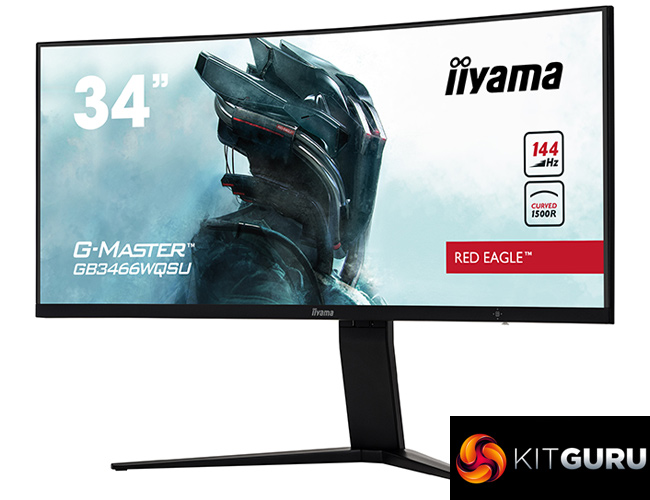
Ultrawide monitors have been around for a while now, but pricing has often been a significant deterrent to making the switch from a traditional 16:9 screen. That appears to be changing, however, as we first reviewed the £500 AOC CU34G2X back in January, and today we review iiyama's G-Master GB3466WQSU – a 3440×1440 ultrawide with a 1500R curved VA panel and 144Hz refresh rate.
Of course, we have reviewed plenty of panels with a similar specification, but almost all are several hundred pounds more expensive. The real kicker for iiyama's GB3466WQSU is the fact it is offering that 144Hz curved UWQHD goodness for £439, £60 less than the AOC CU34G2X. Usually ultrawides at this price-point have slower refresh rates (around 75-100Hz), or lower resolutions (like 2560×1080).
Alongside those key specs, the GB3466WQSU also supports AMD FreeSync Premium Pro, a claimed 400cd/m2 brightness as well as a claimed 1ms MPRT. Could this become the go-to option if you want a 21:9 monitor without spending over £500?
Specification:
- Diagonal: 34″, 86.5cm
- Panel: VA LED, matte finish
- Curved: 1500R
- Native resolution: 3440 x 1440 @144Hz (4.9 megapixel UWQHD, DisplayPort)
- Aspect ratio: 21:9
- Brightness: 400 cd/m² typical
- Static contrast: 3000:1 typical
- Advanced contrast: 80M:1
- Response time (MPRT): 1ms
- Viewing zone horizontal/vertical: 178°/178°, right/left: 89°/89°, up/down: 89°/89°
- Colour support: 16.7mln 8bit
- Horizontal Sync: 30 – 160kHz
- Vertical Sync: 48 – 144Hz
- Viewable area: W x H 797.22 x 333.72mm, 31.4 x 13.1″
- Pixel pitch: 0.23175mm
- Colour: matte, black
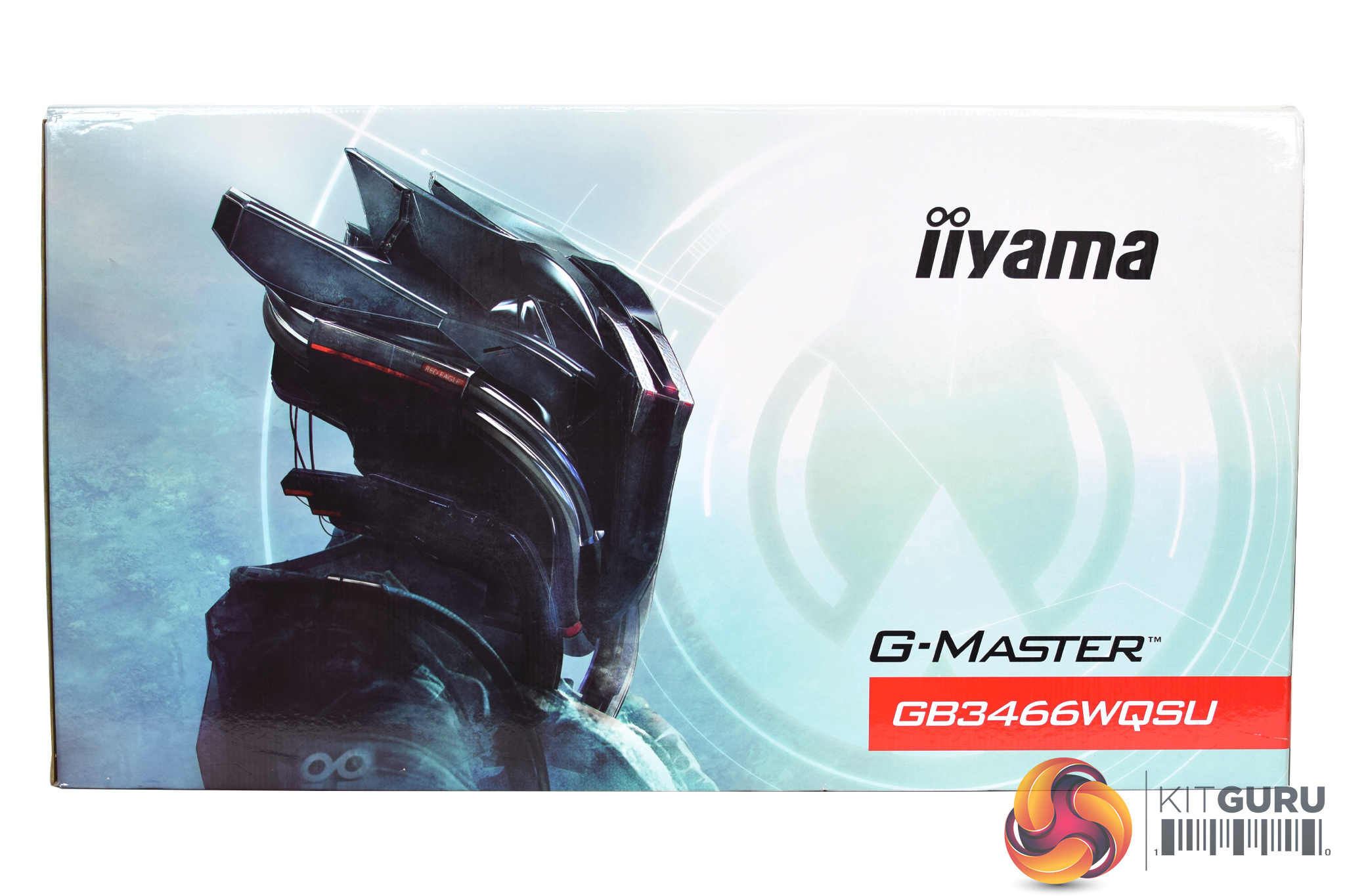
The iiyama GB3466WQSU ships in a lightly-coloured box, with the ‘Red Eagle' character visible on the front.
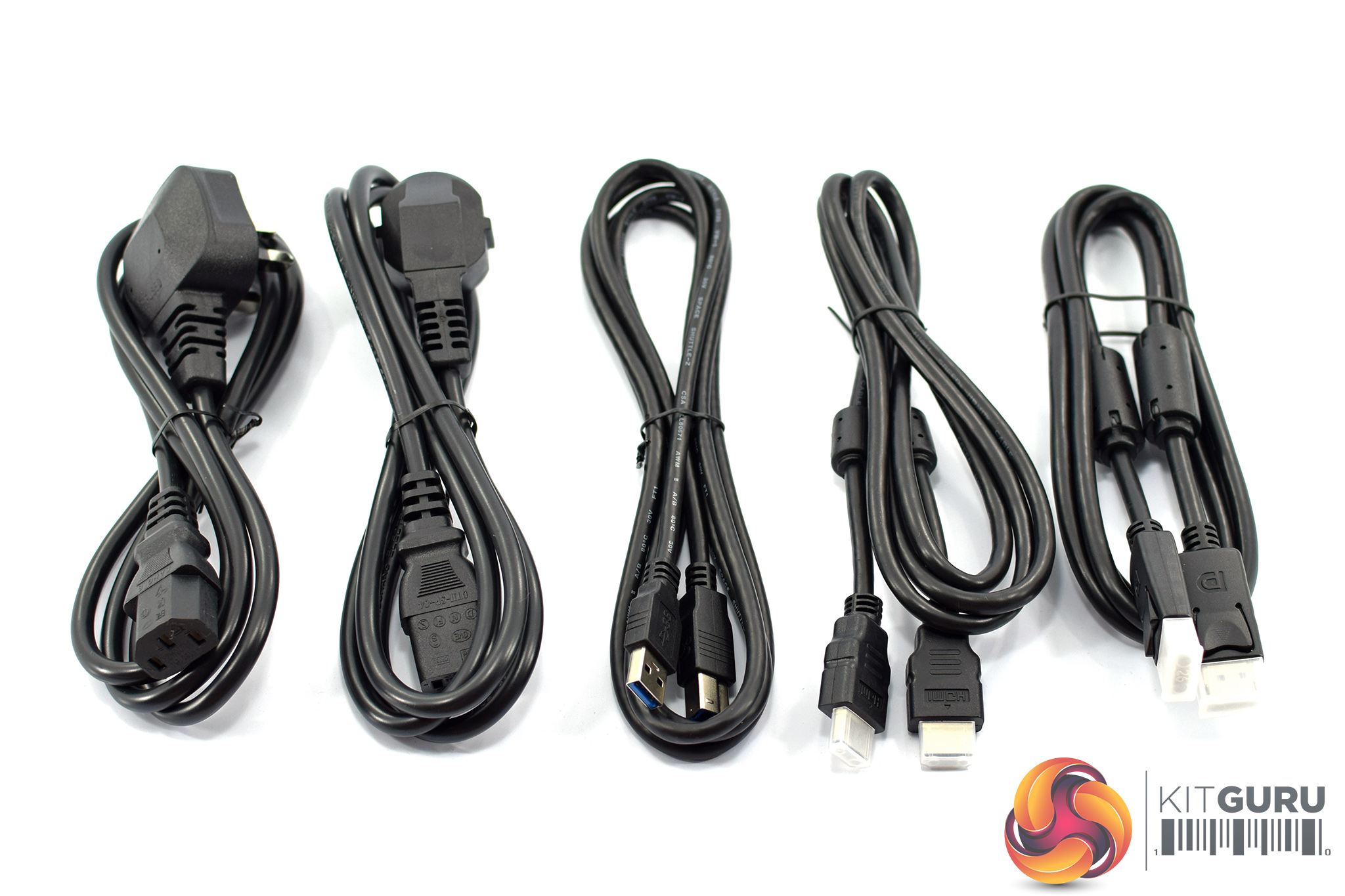
Inside, five cables are included: both UK and European kettle leads, as well as HDMI, DisplayPort and USB cables.
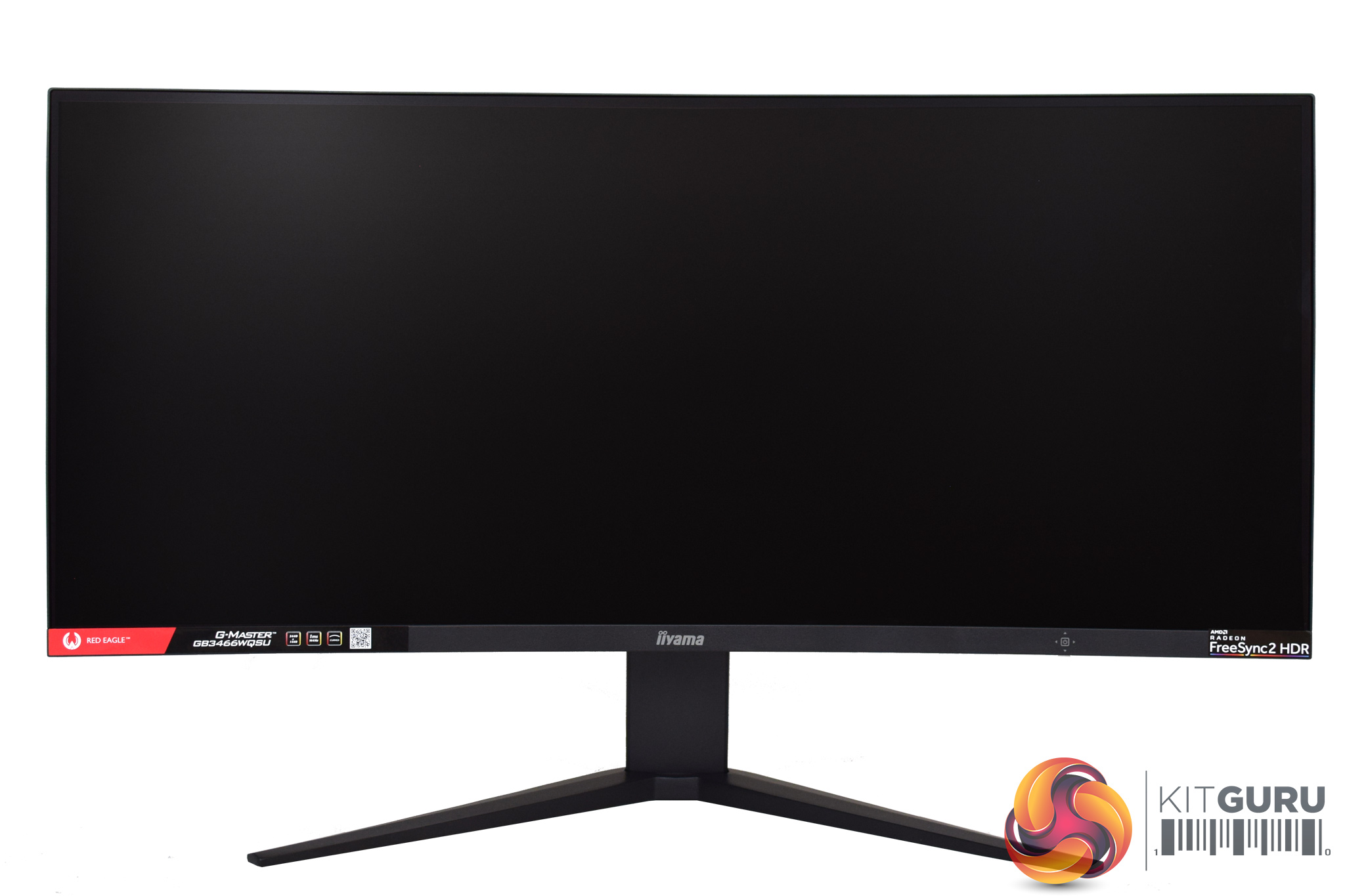
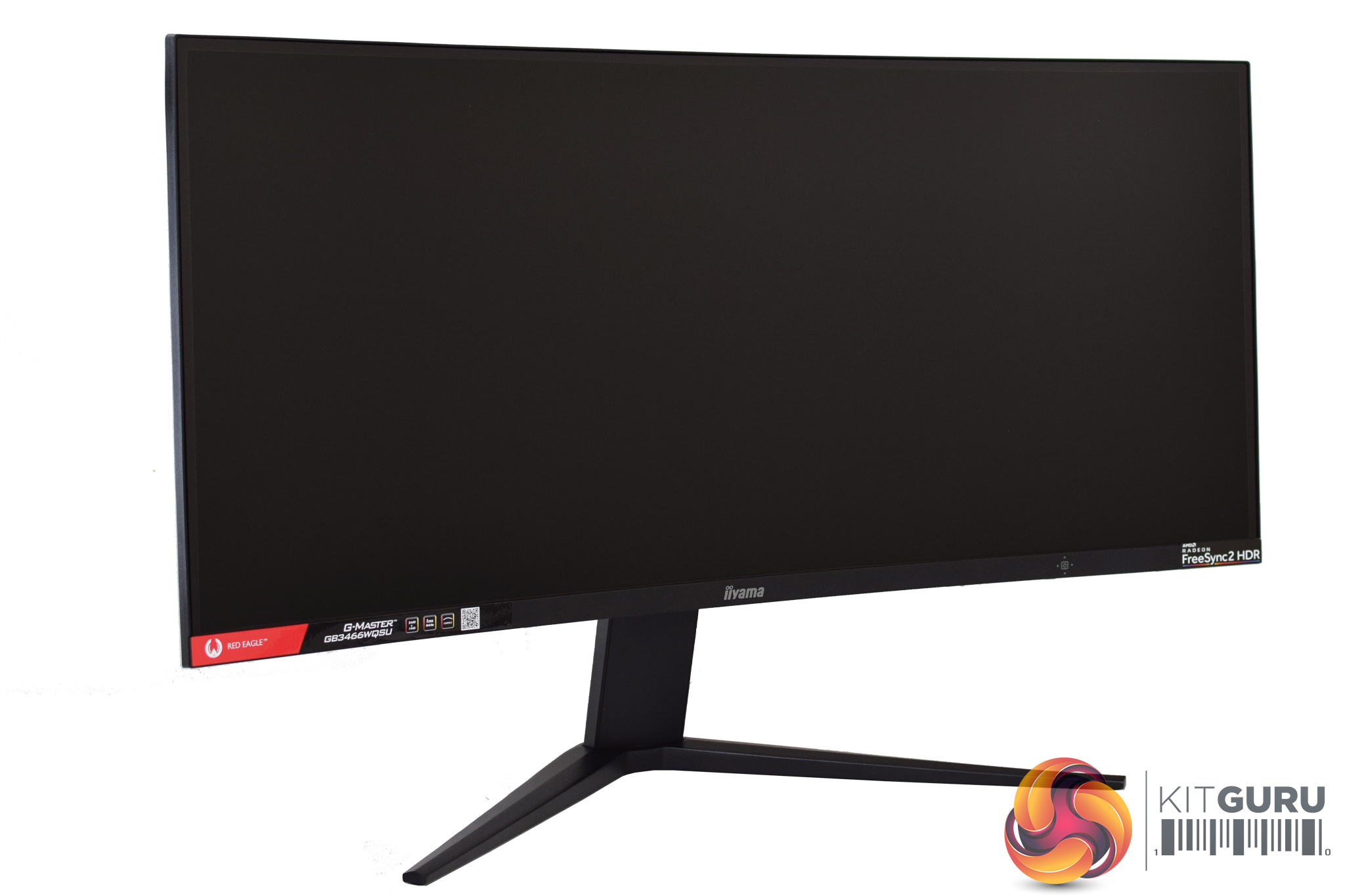
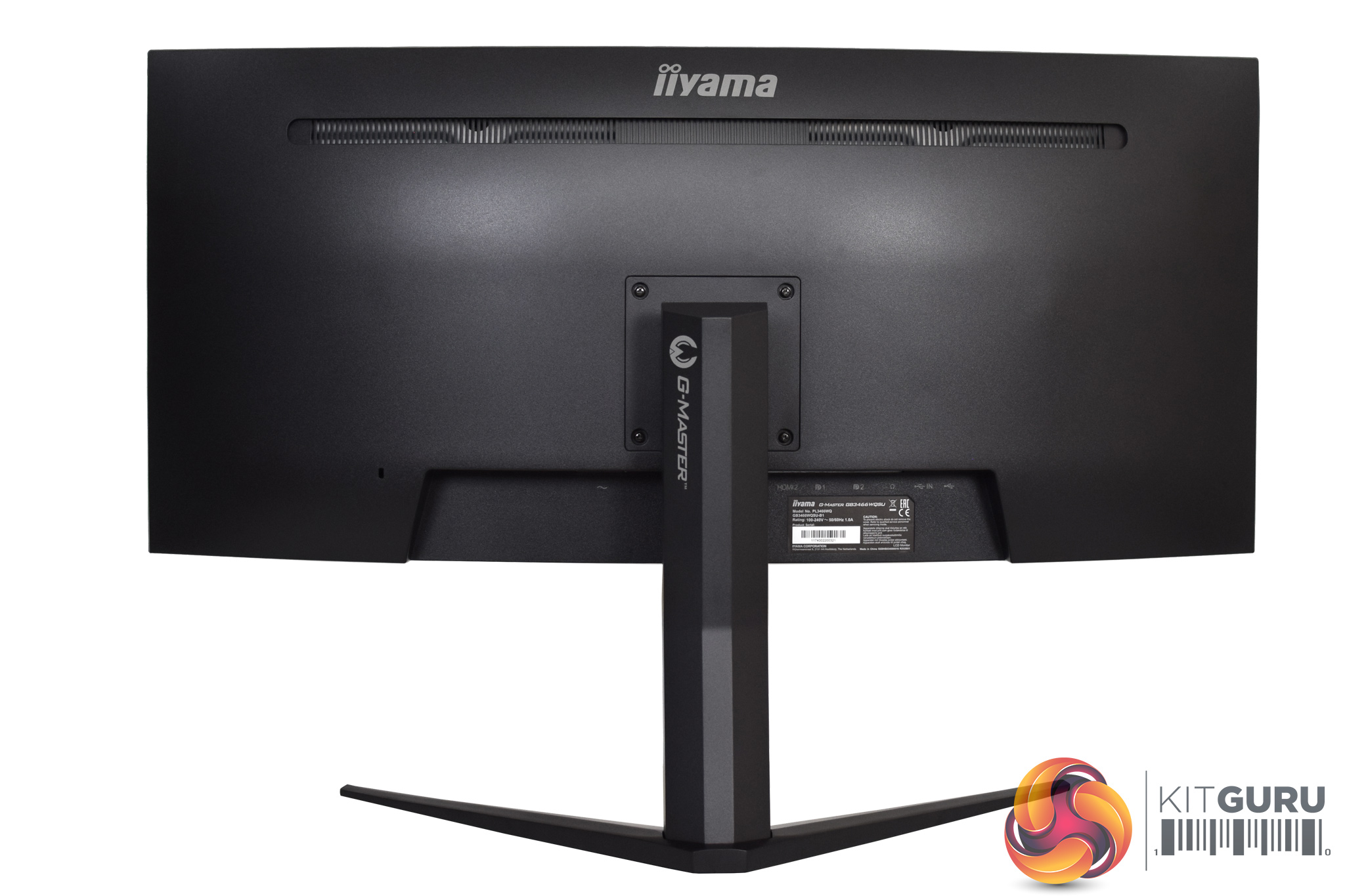
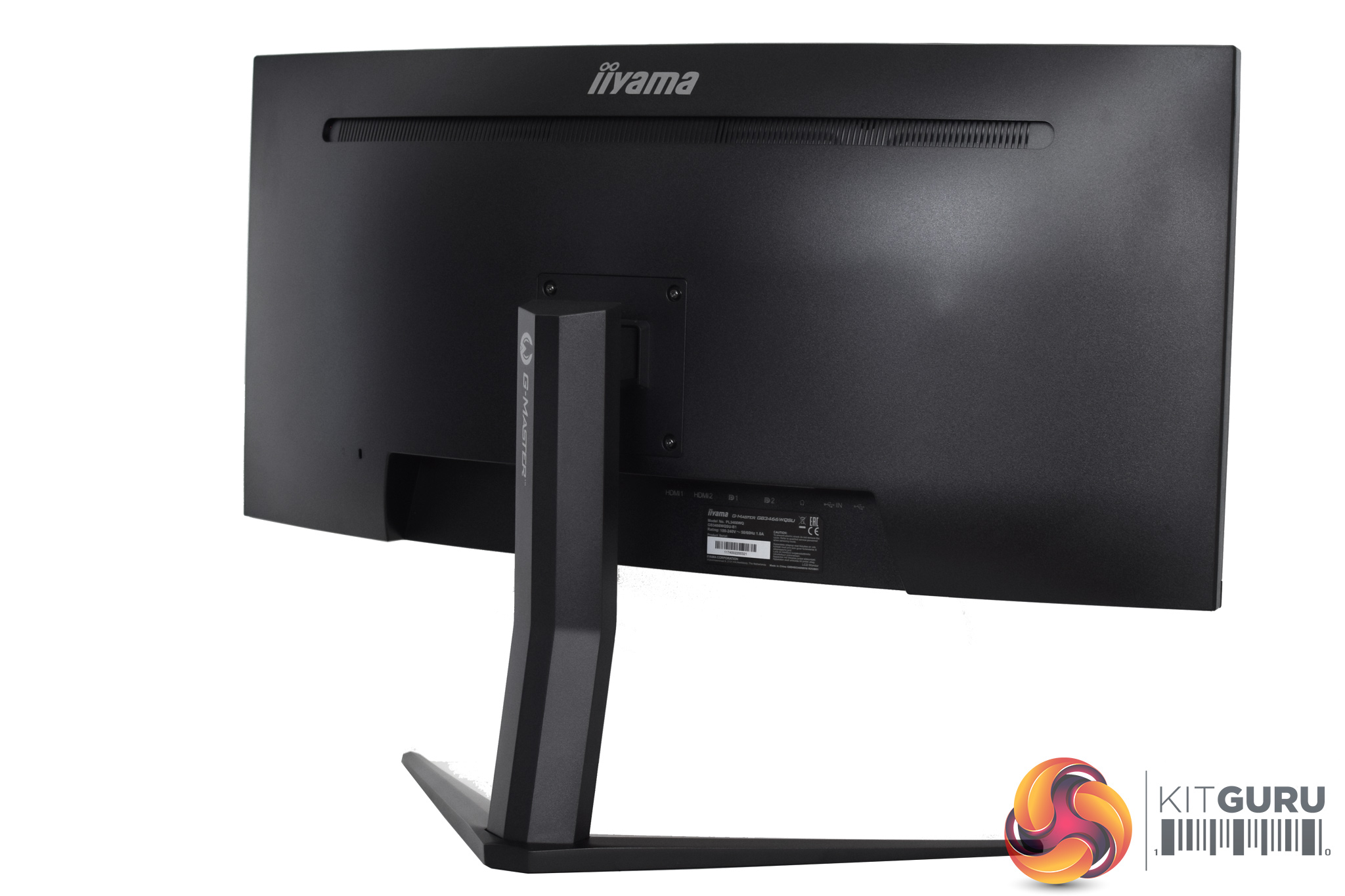
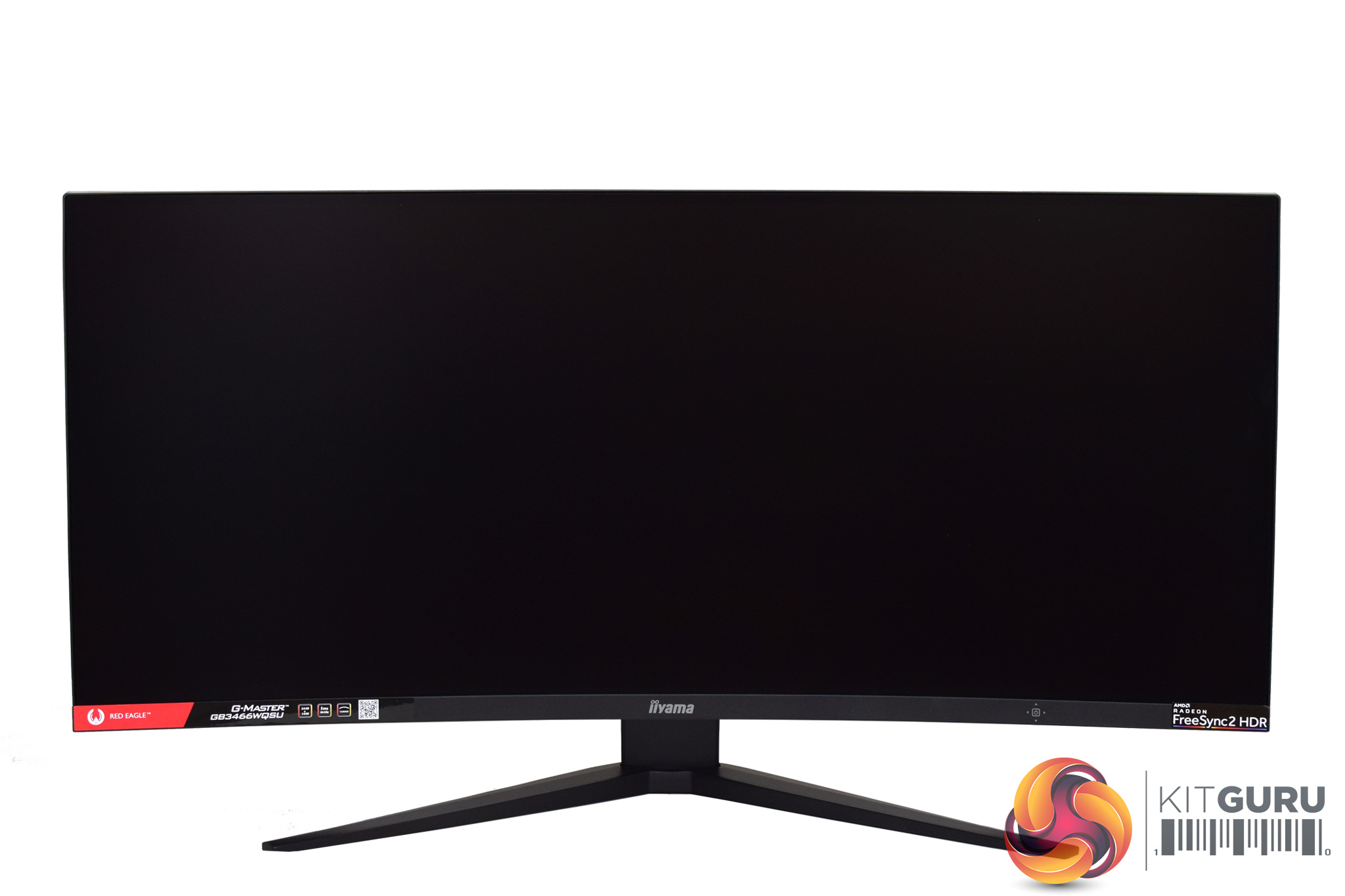
Overall styling of the monitor is very stripped back, exemplified by the all-black design as there is not a hint of colour here (the Red Eagle branding on the bottom bezel is a removable sticker). There's only minimal branding on the bottom bezel too, while the rear of the screen is almost entirely plain. I personally don't want a flashy or eye-grabbing monitor on my desk so the iiyama certainly fits the bill there.
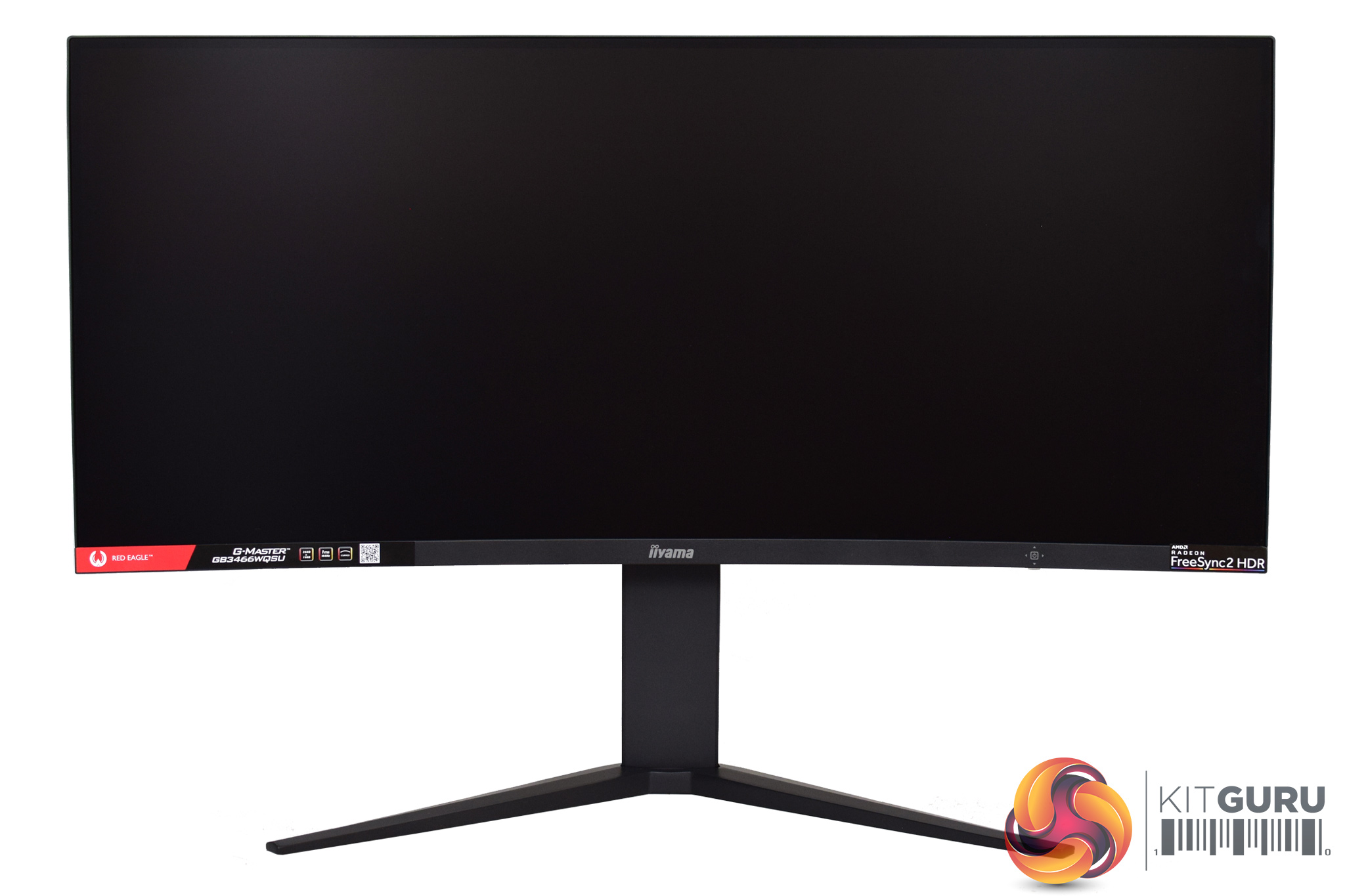
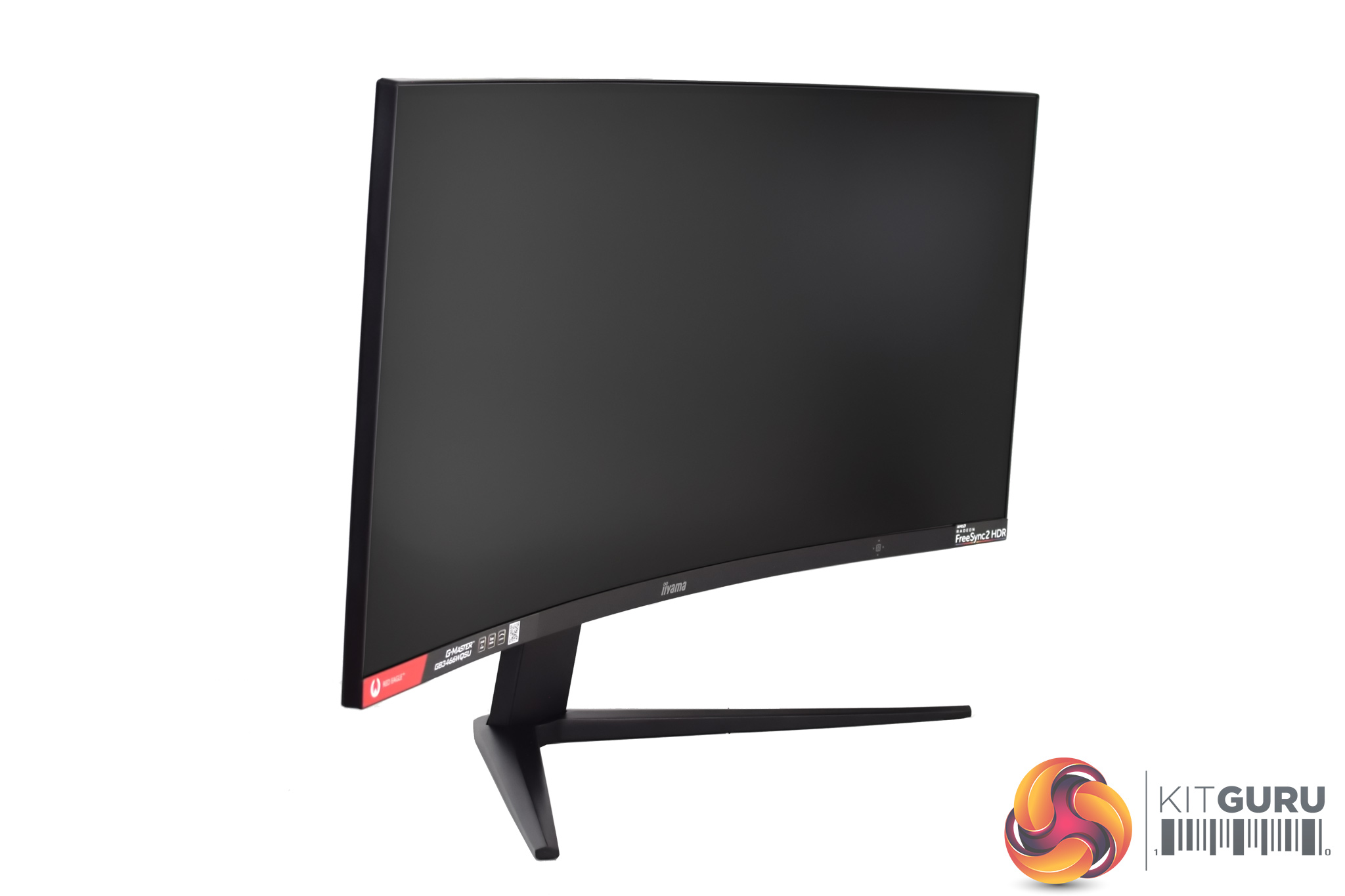
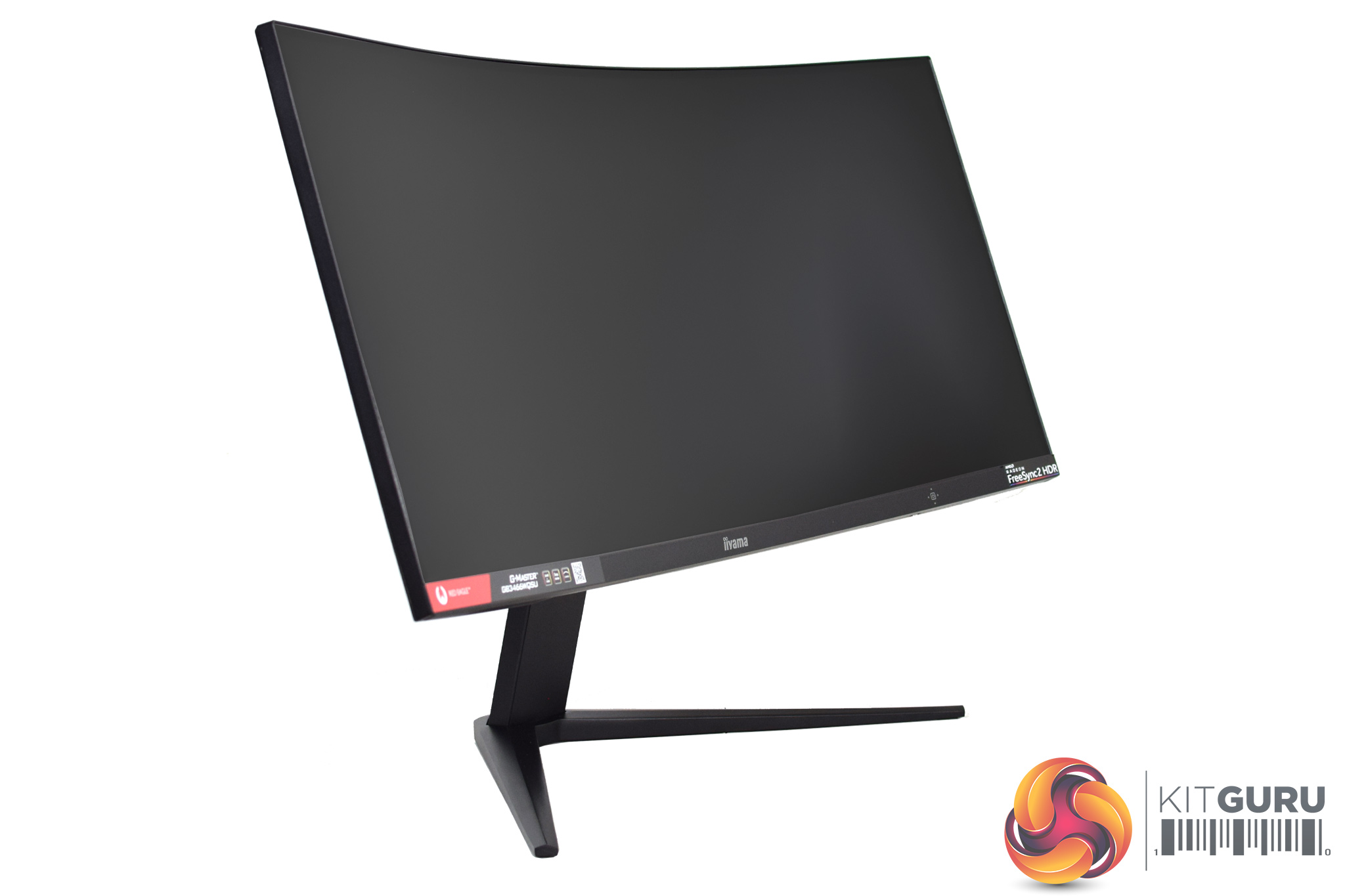
The included metal stand uses VESA 100×100 mounting, so it can easily be replaced if you have your own. As with many curved panels, there's no swivel functionality here, but there is height adjustment up to 110mm and tilt from -5 to +20 degrees.
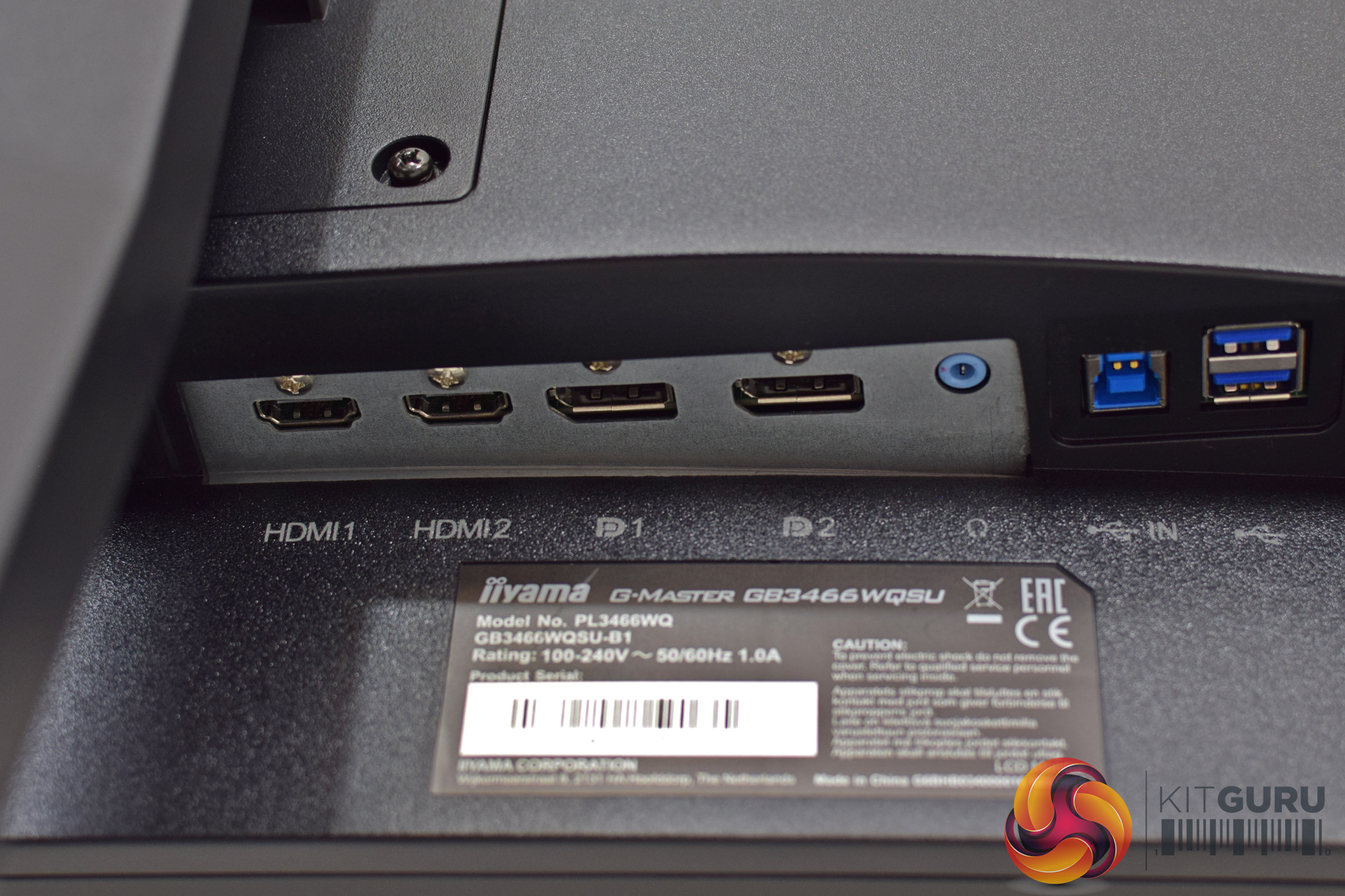
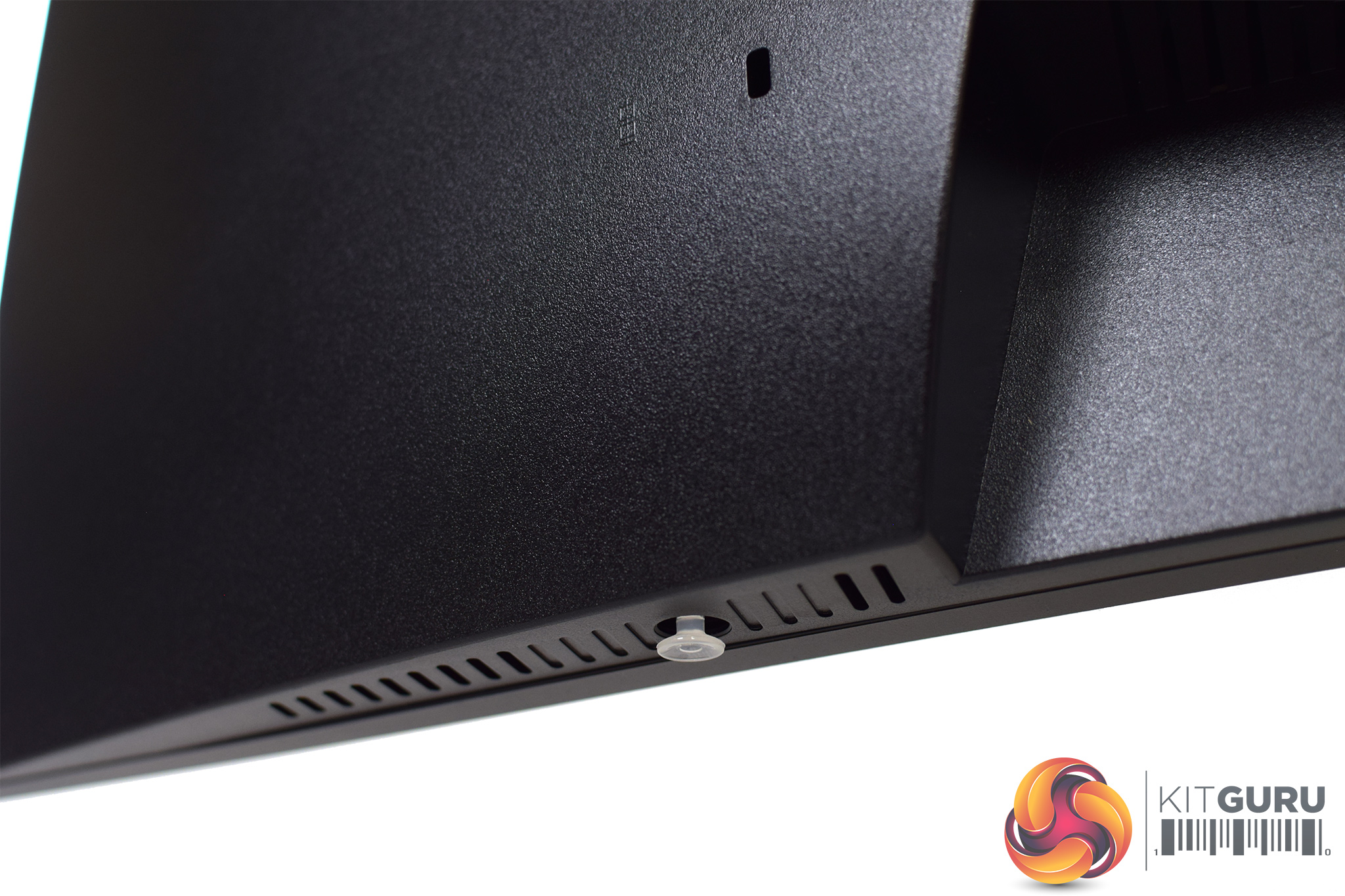
Port selection is fairly run of the mill, with 2x HDMI inputs and 2x DisplayPort connectors alongside a 3.5mm jack, 1x USB upstream connector and its corresponding 2x 5Gbps USB Type-A ports.
The last thing to note is the small joystick placed on the right-hand side of the monitor. This is the only way to adjust the OSD as there are no other buttons, and no option to use Windows-based software control with the GB3466WQSU.
Joystick shortcuts
Looking at the OSD, as the GB3466WQSU uses a four-way joystick to control the monitor's settings, there are a few shortcuts to mention before getting to the ‘main' menu below.
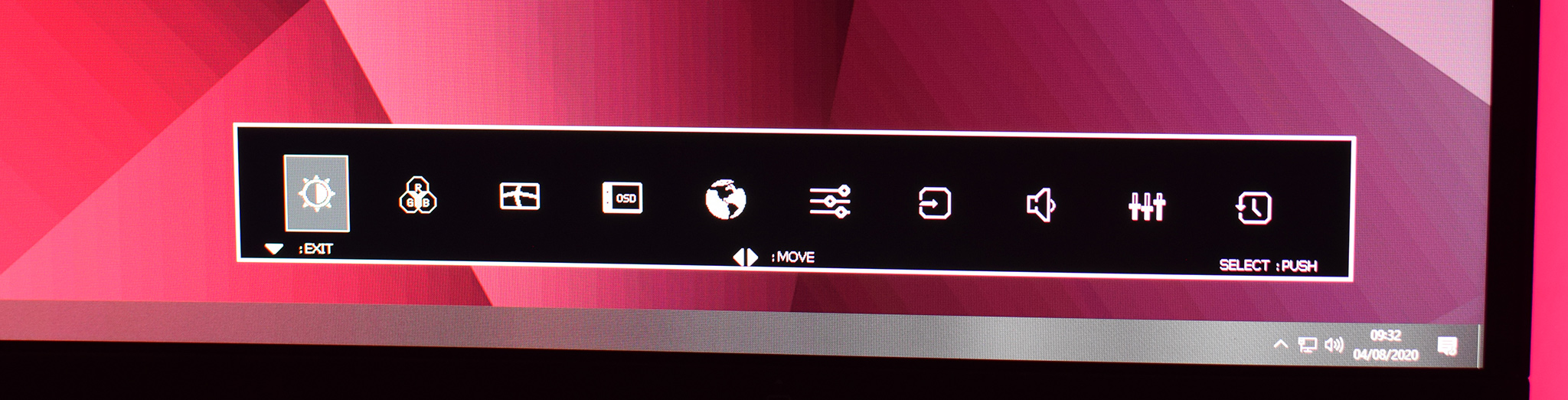
First of all, pressing in the joystick and flicking it down, brings up a bar of 10 icons. These represent the ten submenus within the main settings, as seen below. Clicking in on the first icon, for instance, calls up the ‘Picture Adjust' menu, while the second icon calls up ‘Color Setting' and so on. It does take some time to learn what icon is what, as there are no name labels, but if you want to skip to a particular submenu, this means you don't have to trawl through every other menu to get there.
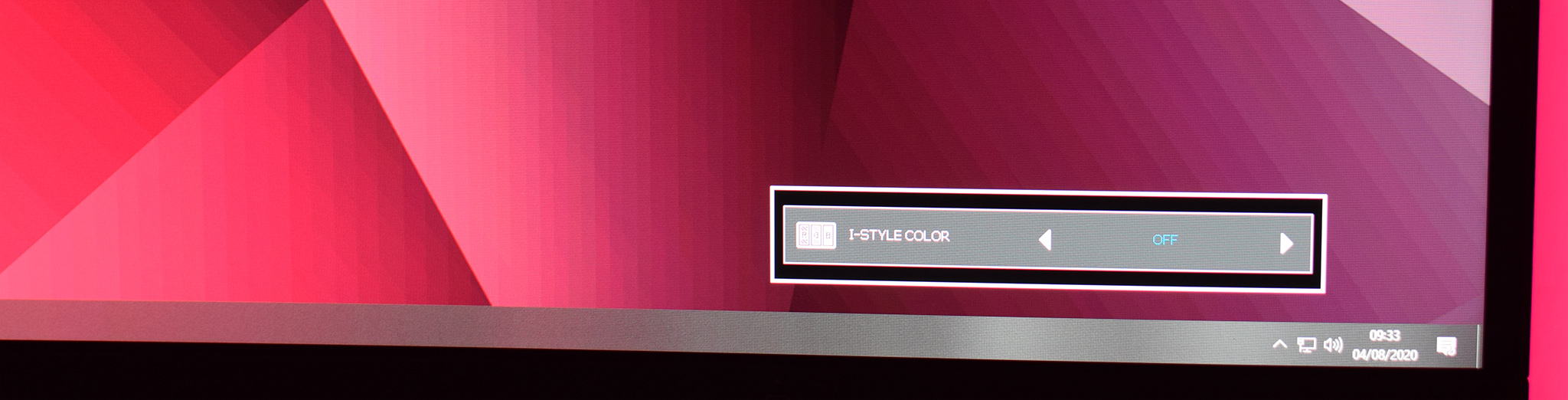
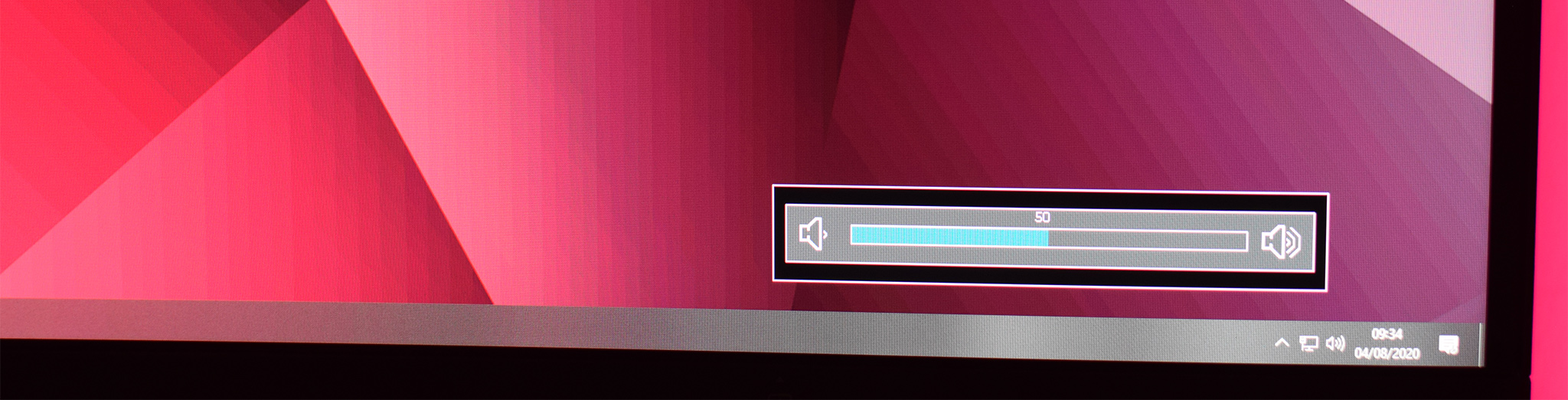
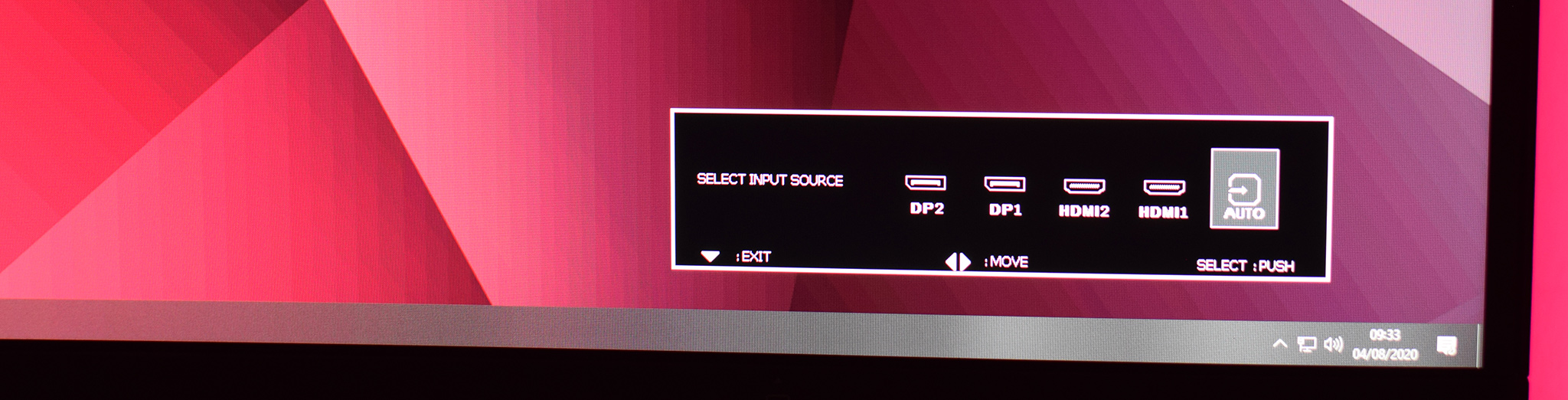
Meanwhile, flicking left on the joystick brings up the ‘I-Style Color' preset options, where users can choose between a range of different image presets. Flicking right adjusts speaker volume, while flicking up opens the input selection menu.
I do like using a joystick to navigate the OSD, it is unquestionably better than using four or five fiddly buttons, but that said – iiyama's implementation could be better here. For one, I don't see why pressing in the joystick and flicking it down brings up the same icon submenu, to me that seems unnecessary and a waste of a shortcut.
Primarily though, there's no way to re-map what the joystick shortcuts do. Personally, I'd never use one of the I-Style Color presets, and I'd rather flicking left on the joystick would bring up brightness control, but that is not possible here. It's hardly a major criticism in the grand scheme of things, but a slightly smarter system would definitely be appreciated.
Main settings
Once we get into the main options, there are ten tabs to look through. We have an overview of each here:
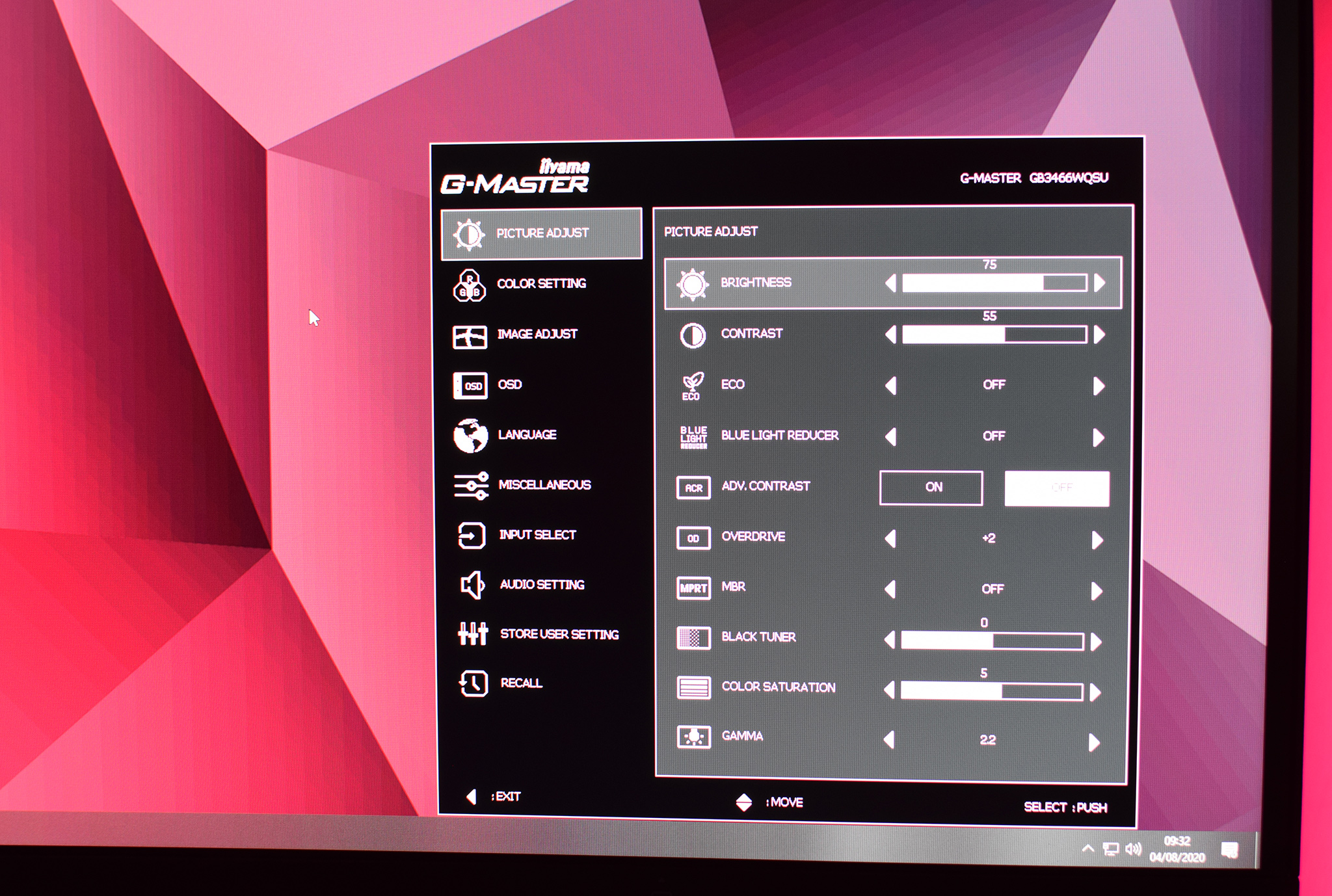
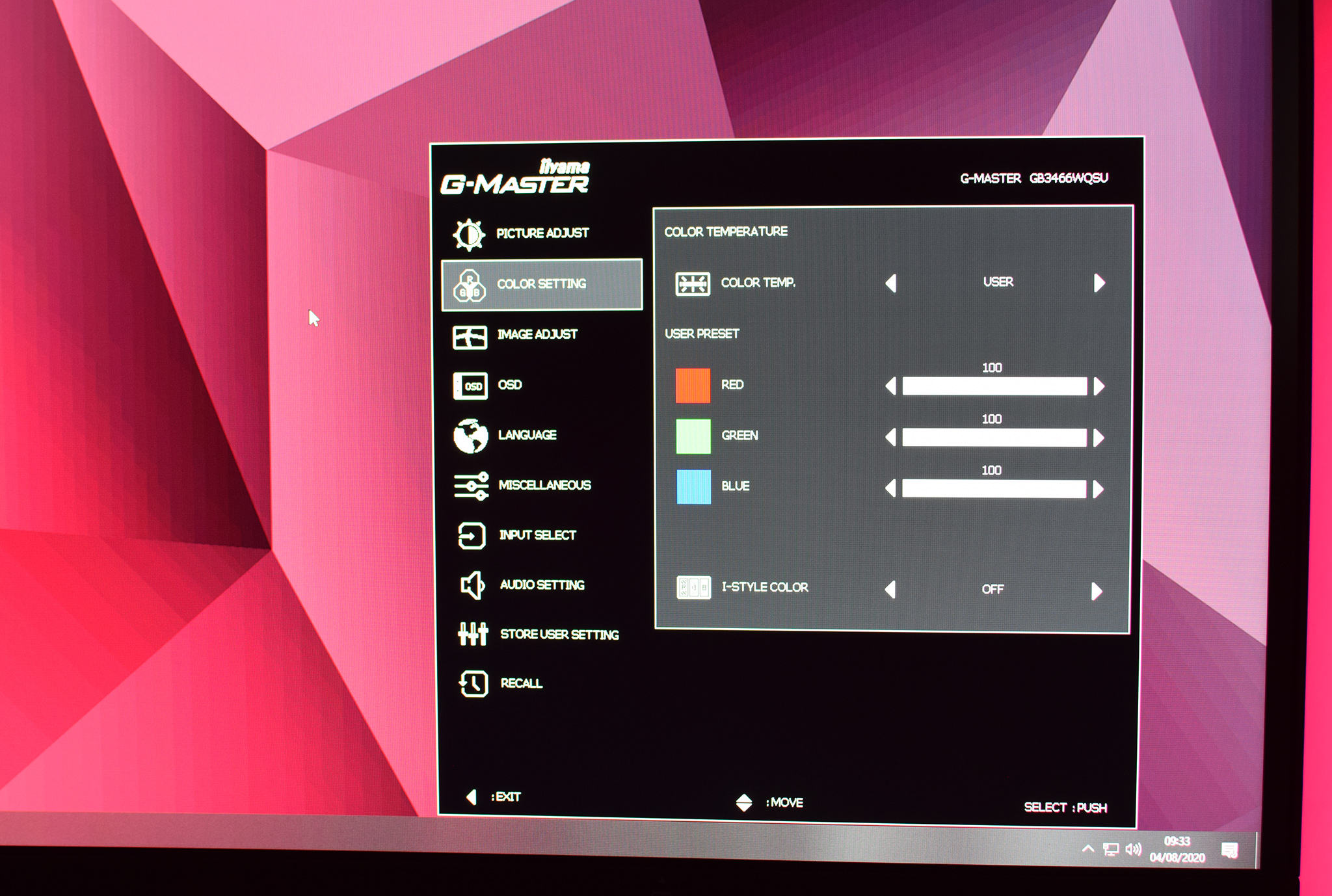
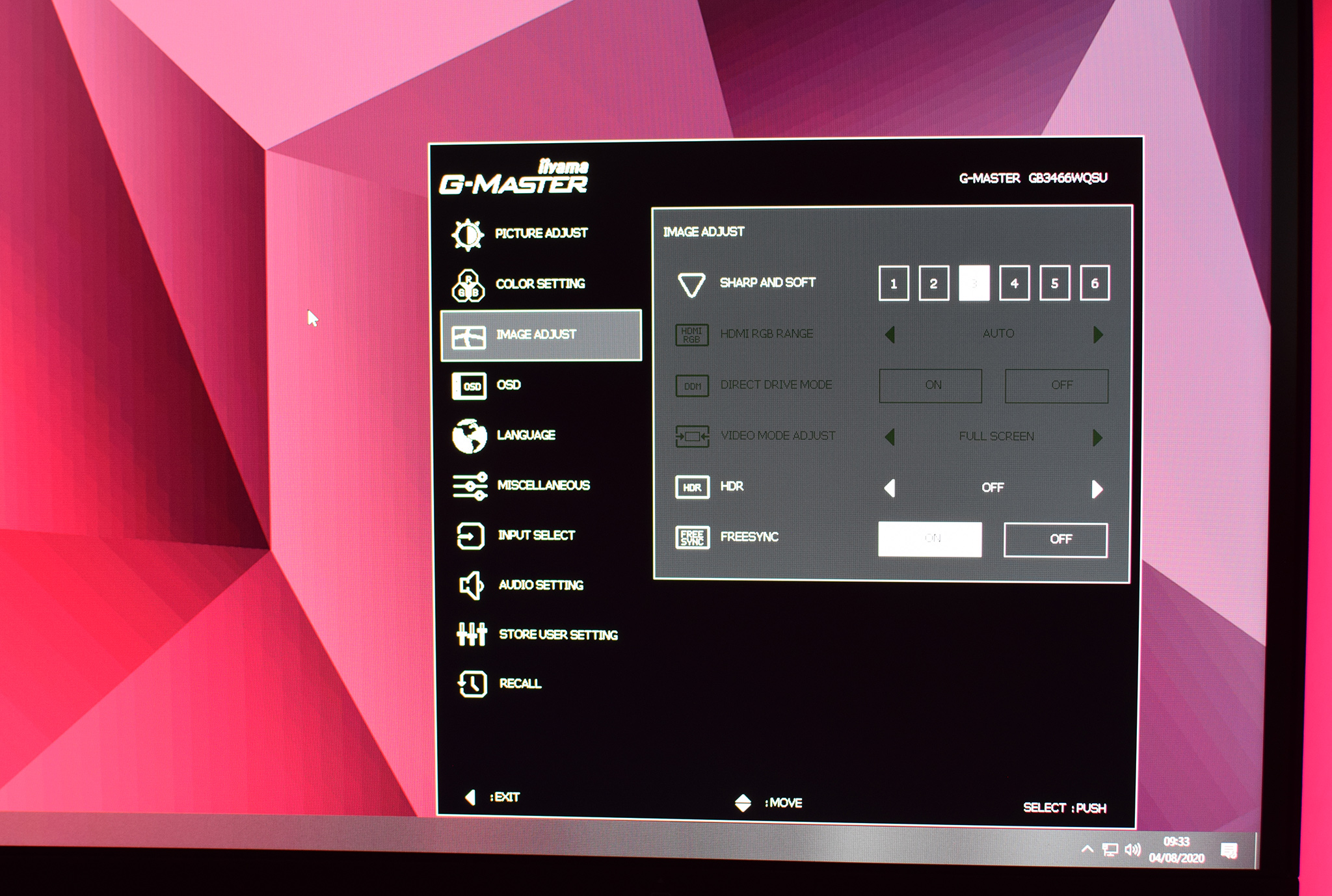
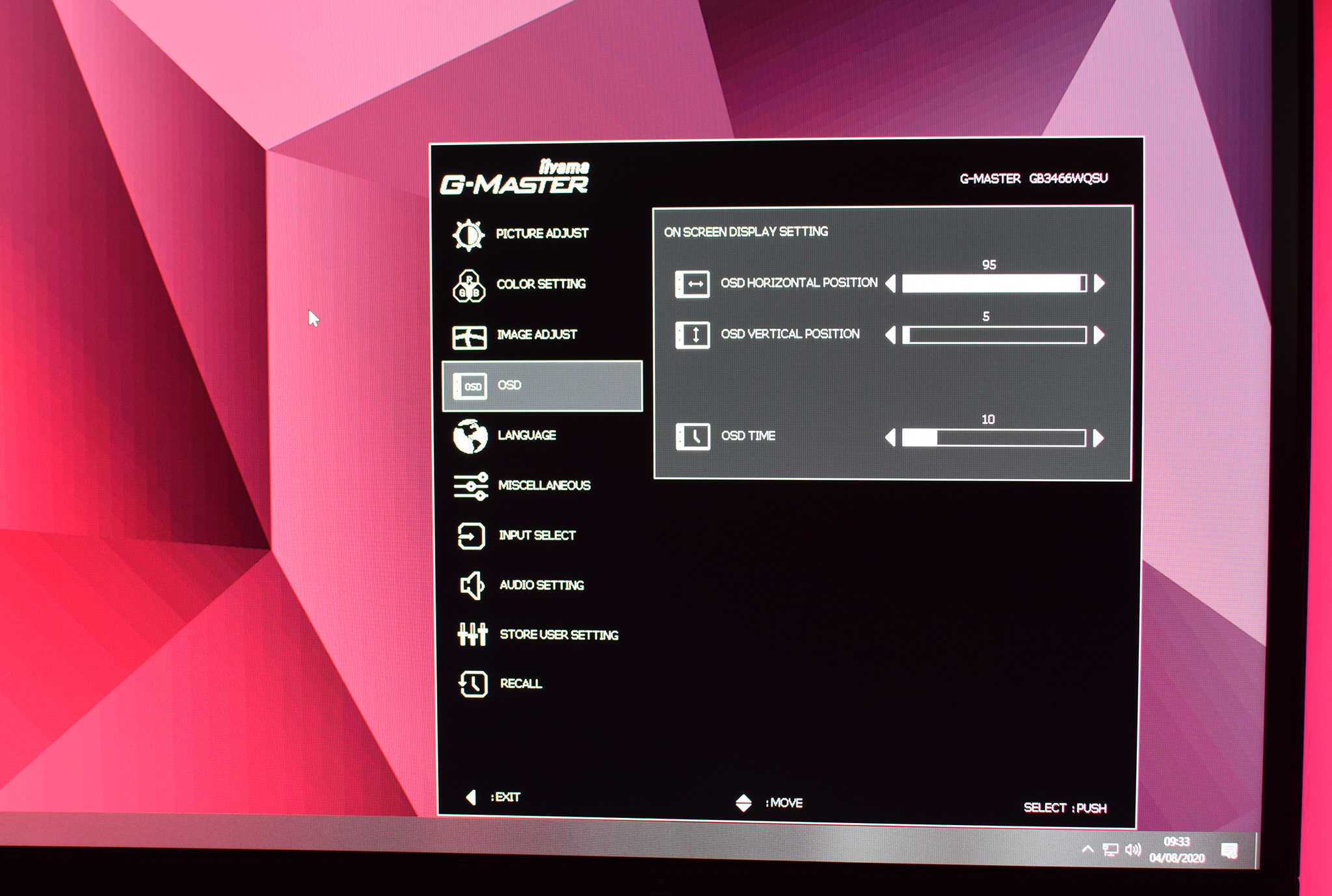
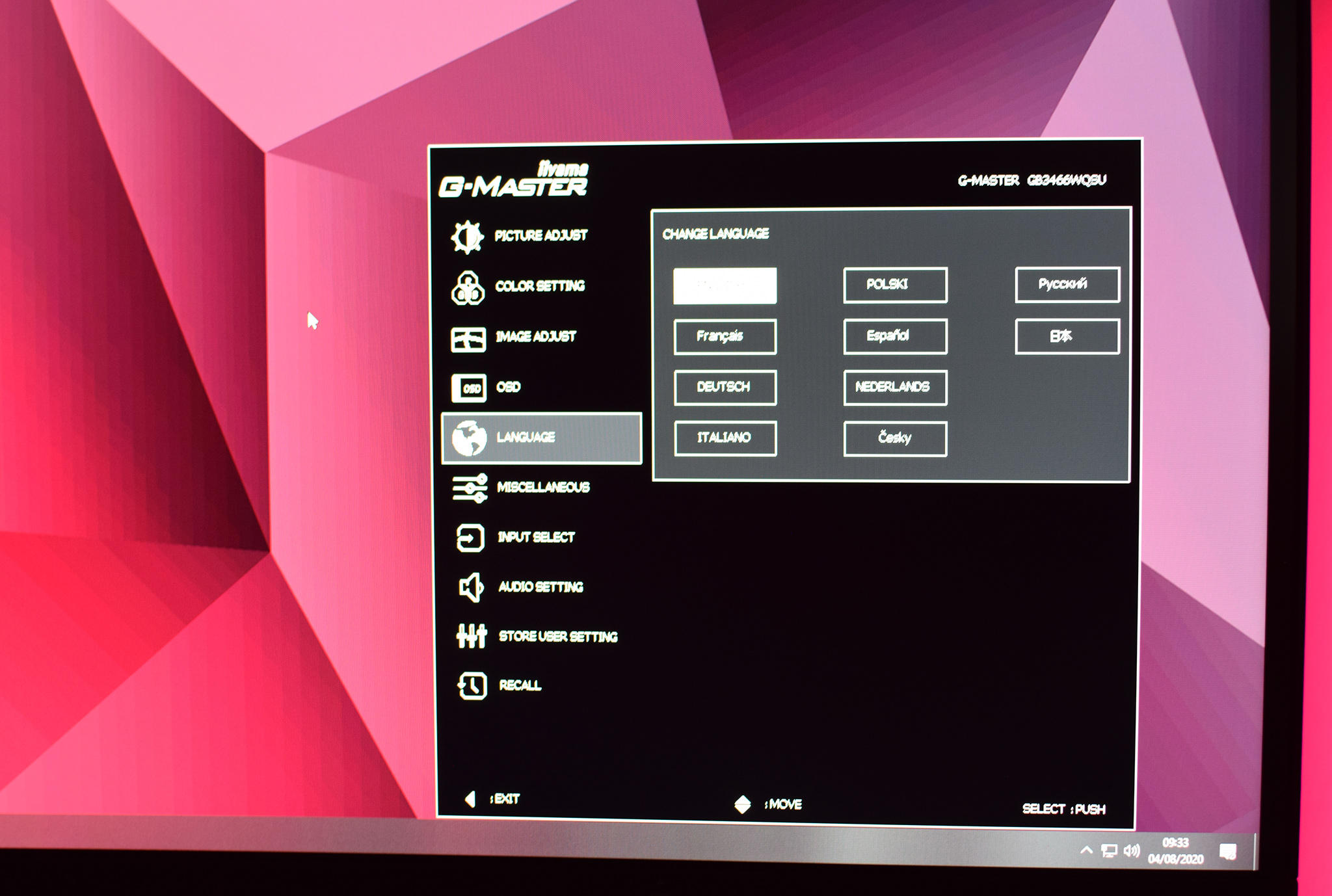
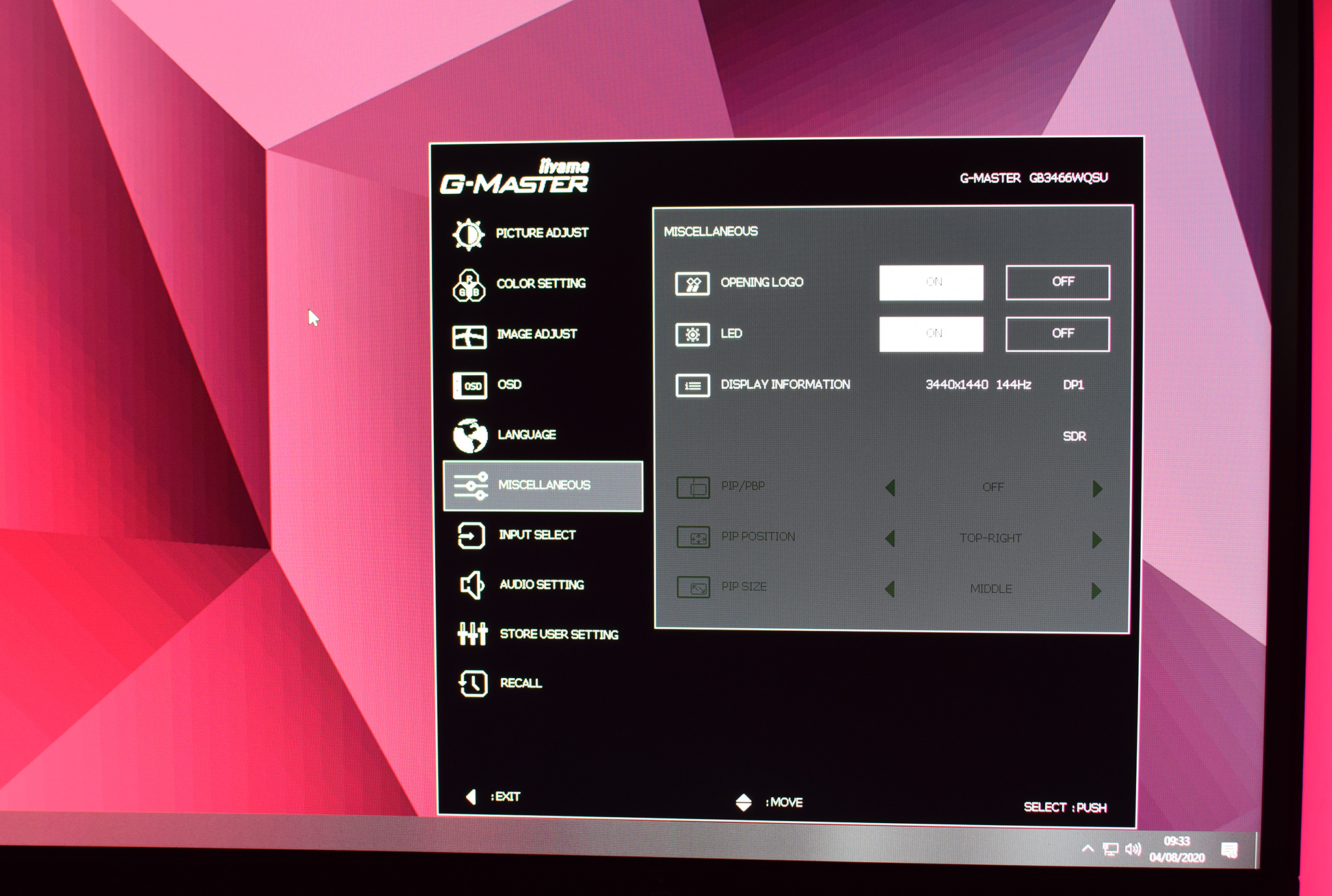
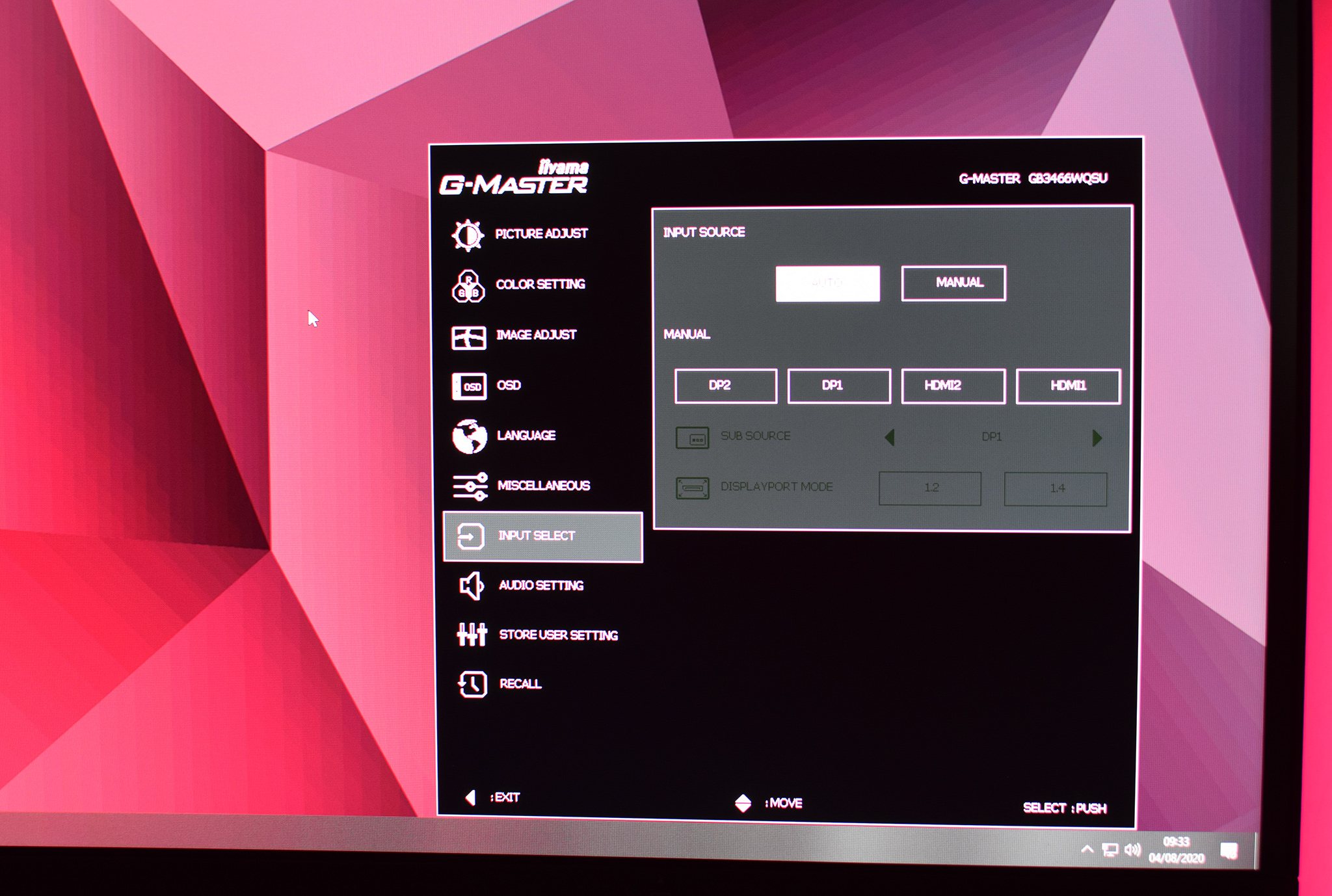
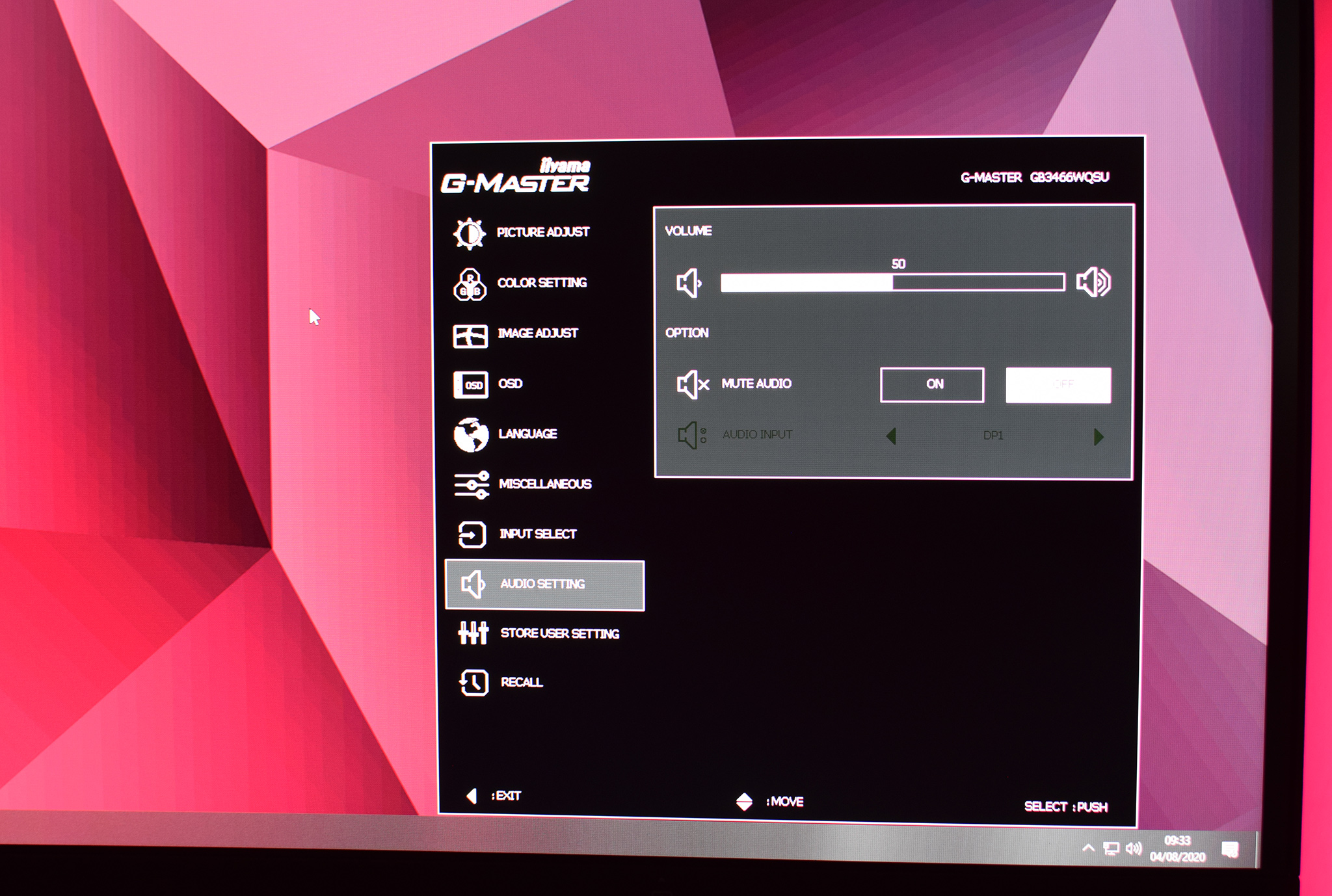
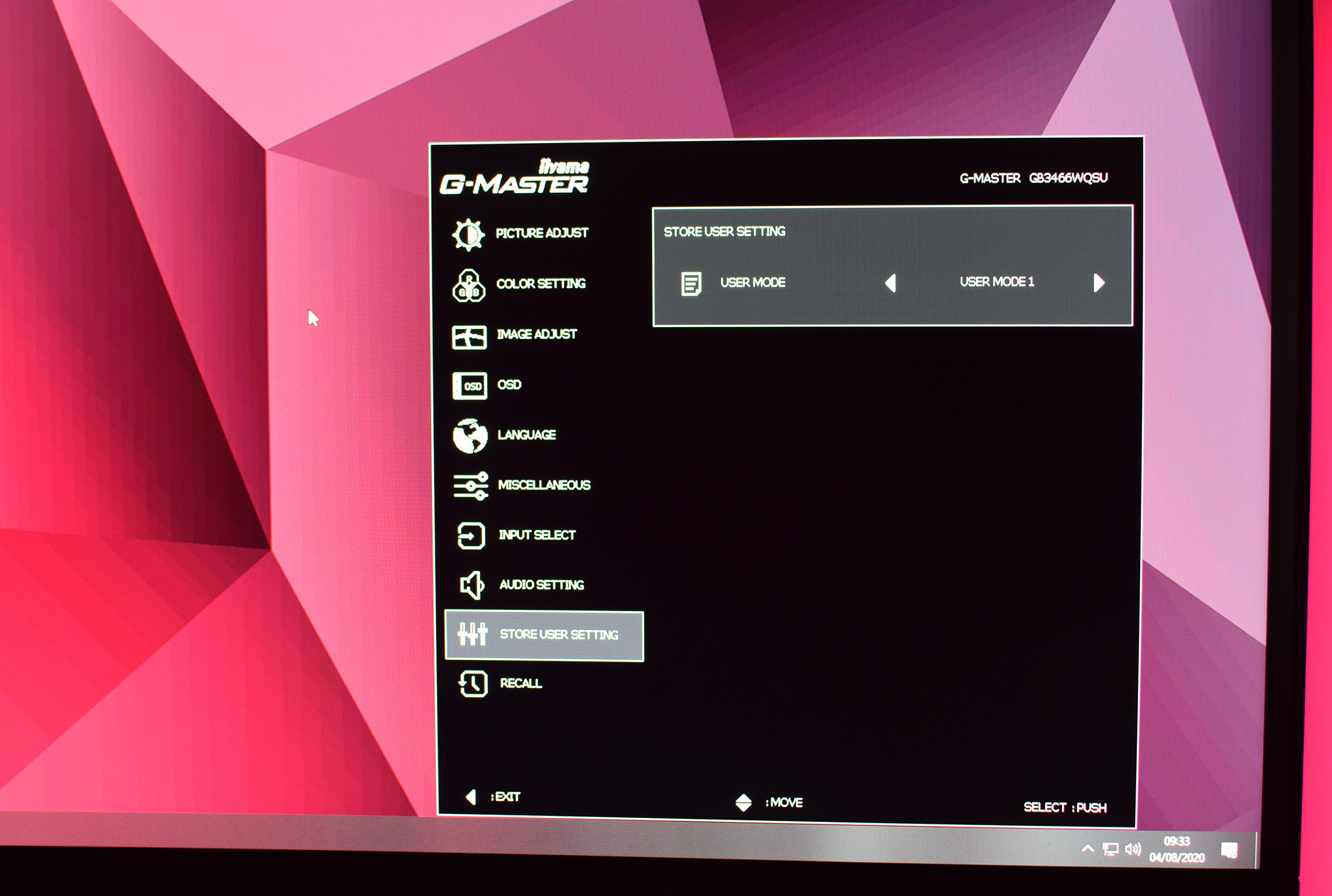
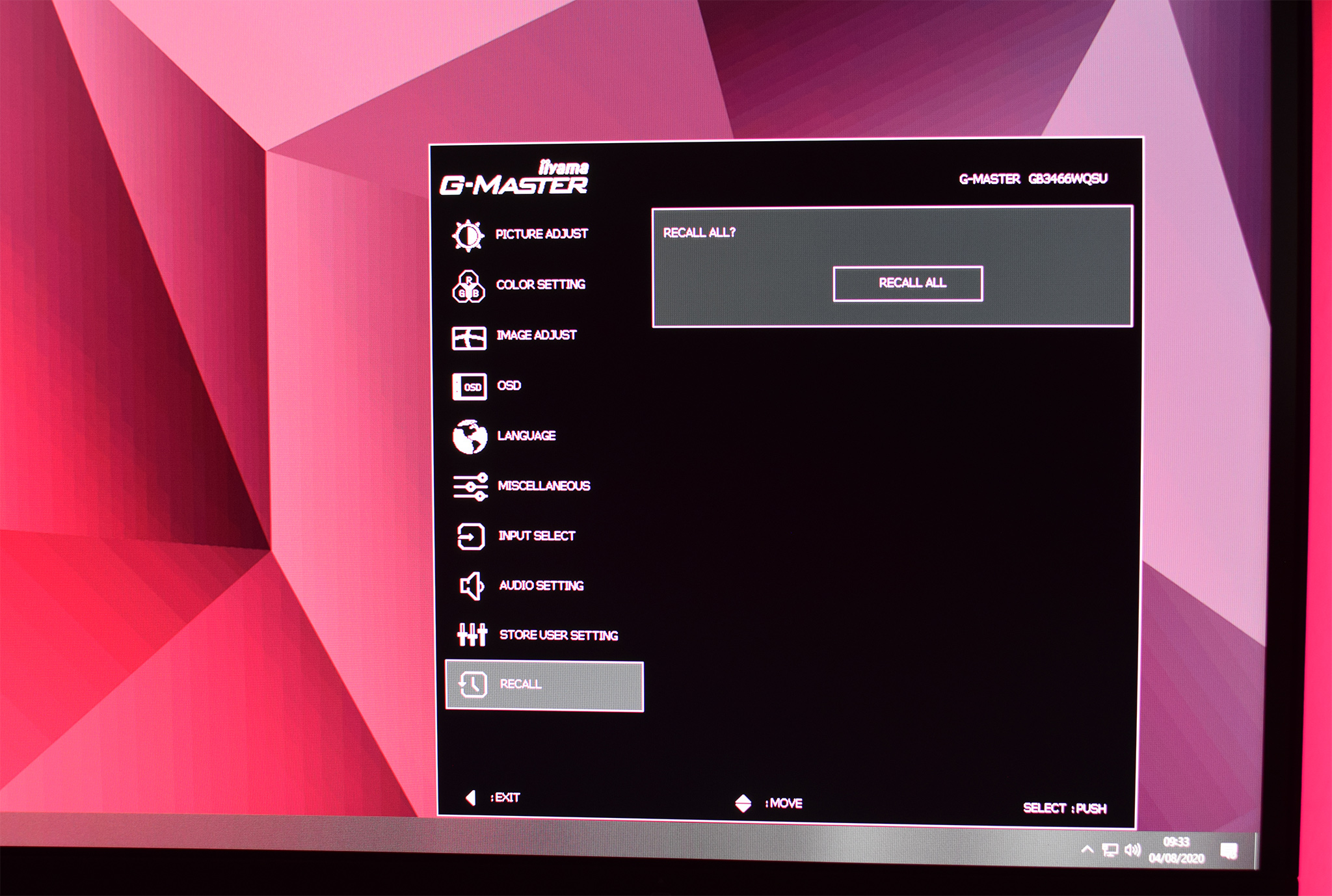
There's no doubt the overall layout of each menu is fairly text-heavy – especially the first couple of menus relating to colour and picture settings. However, it's easy to get to the setting you want to adjust with the joystick and I'd say there are no major omissions. I'd just like to be able to re-map the joystick shortcuts to adjust the key settings I want to adjust, instead of the options iiyama has selected for me.
Our main test involves using a DataColor SpyderX Colorimeter to assess a display’s image quality. The device sits on top of the screen while the software generates colour tones and patterns, which it compares against predetermined values to work out how accurate the screen is.
The results show –
- A monitor’s maximum brightness in candelas or cd/m2 at various levels set in the OSD.
- A monitor’s contrast ratio at various brightness levels in the OSD.
- The brightness deviation across the panel.
- The black and white points.
- The colour accuracy, expressed as a Delta E ratio, with a result under 3 being fine for normal use, and under 2 being great for colour-accurate design work.
- The exact gamma levels, with a comparison against preset settings in the OSD.
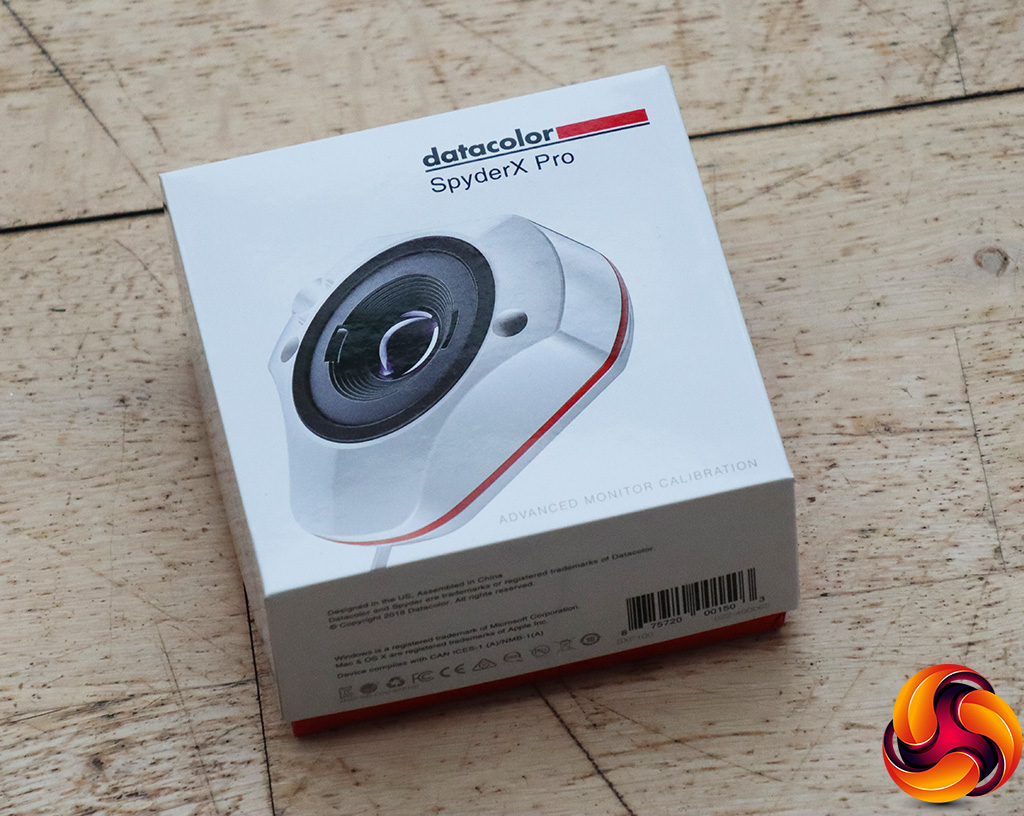
We first run this test with the display in its default, out-of-the-box state, with all settings on default. We then calibrate the screen using the Spyder software and run the test again.
Pre-calibration
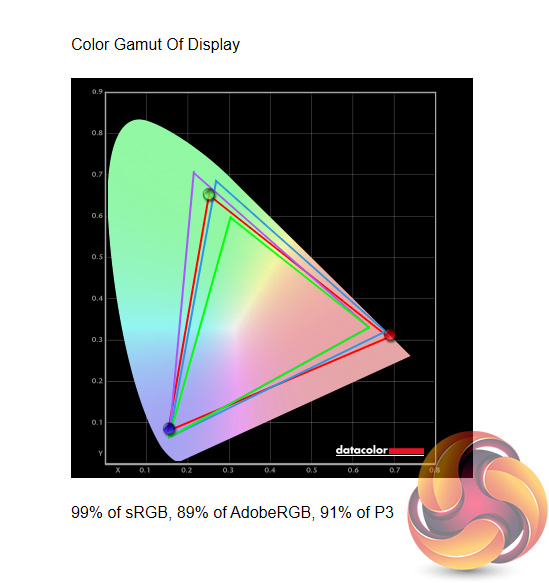
Starting with a look at gamut coverage, the GB3466WQSU gets off to a decent start, reporting 99% sRGB, 89% AdobeRGB and 91% of the DCI-P3 colour space.
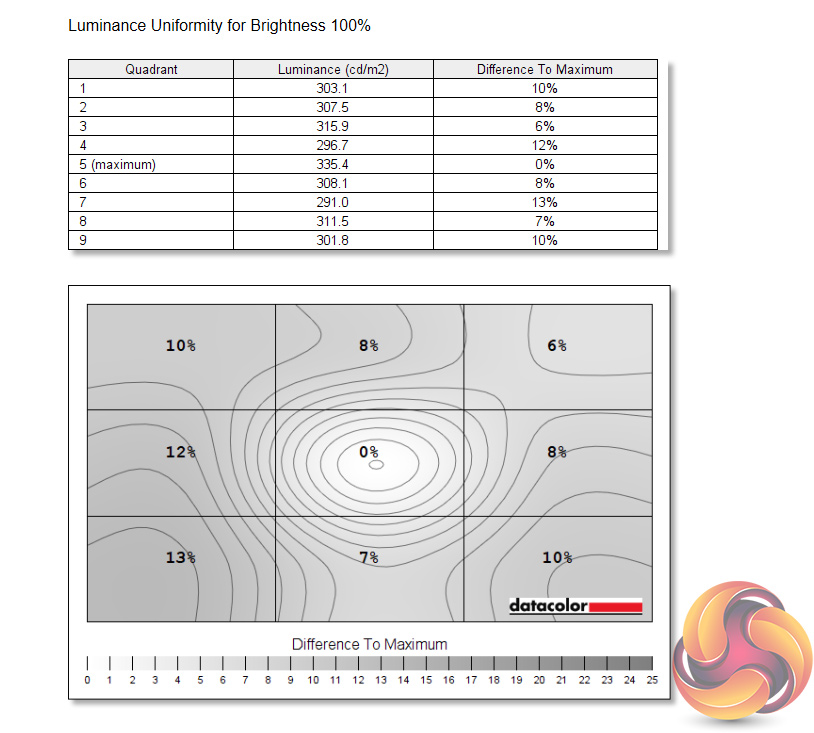
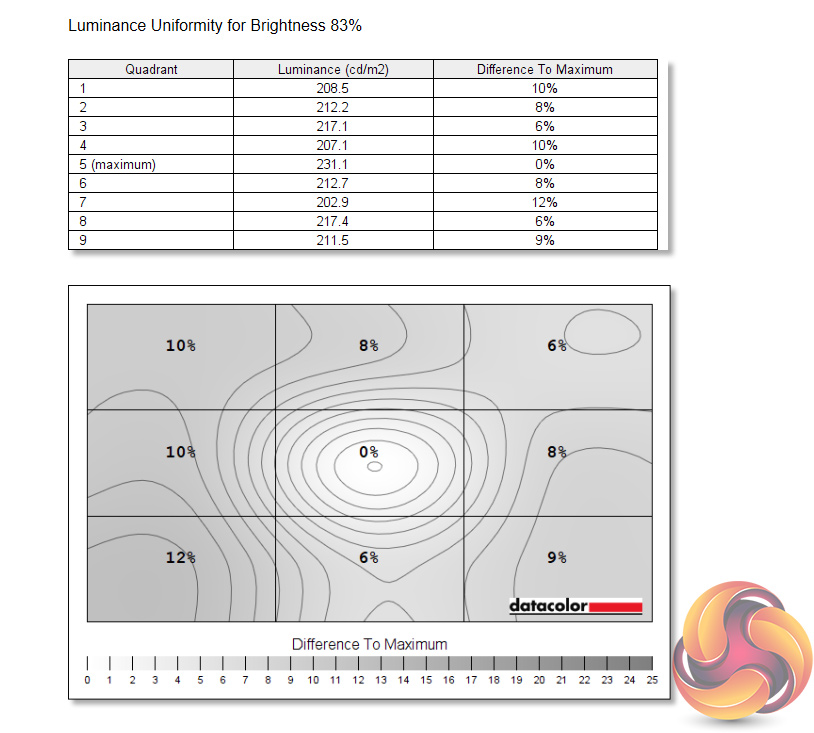
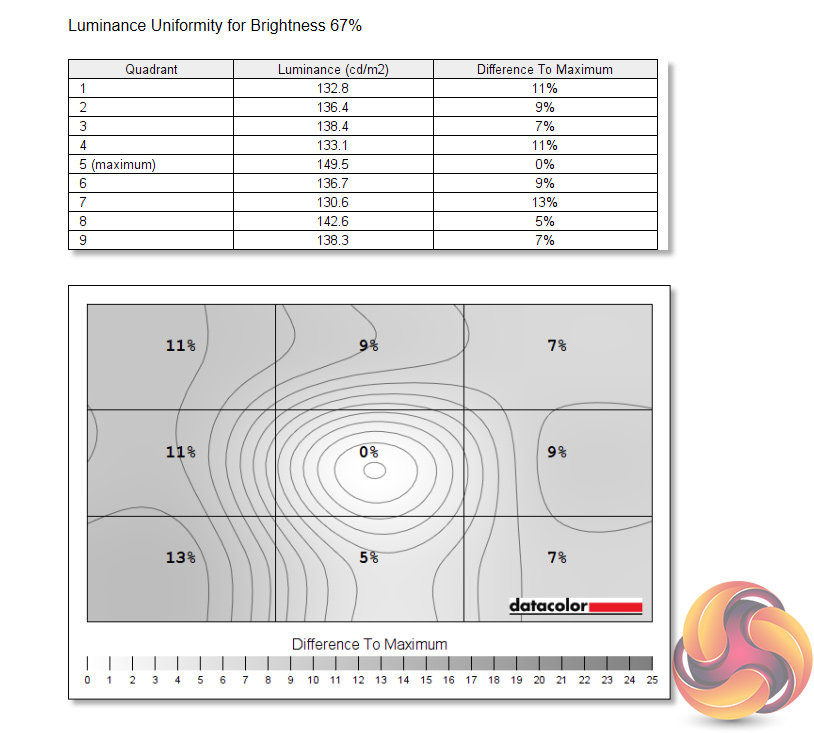

Luminance uniformity is middling, with the left-hand side of the screen proving a little deviant, by up to 13% when at 100% brightness.
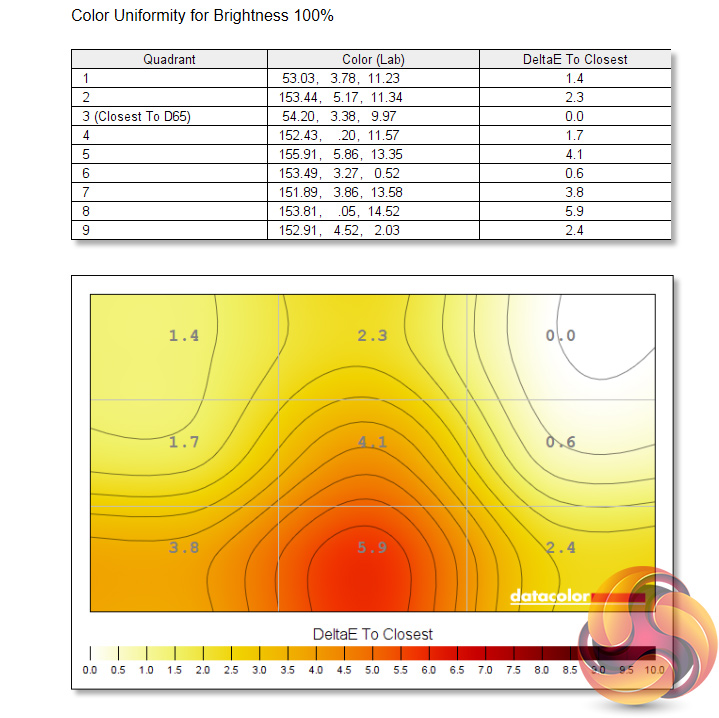
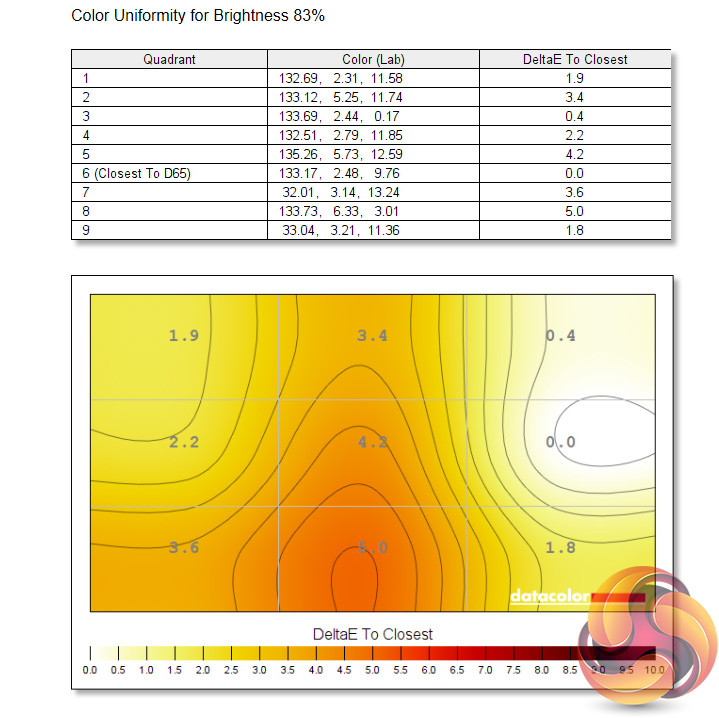
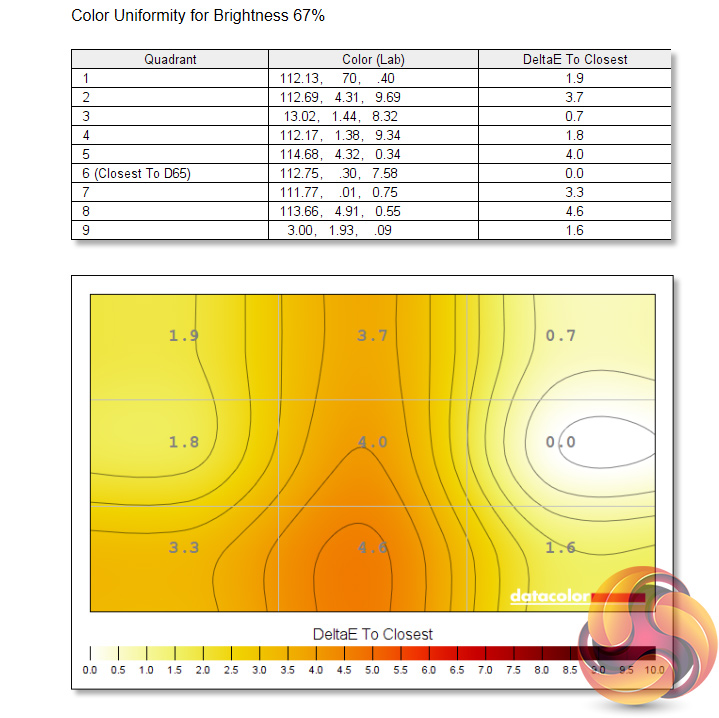
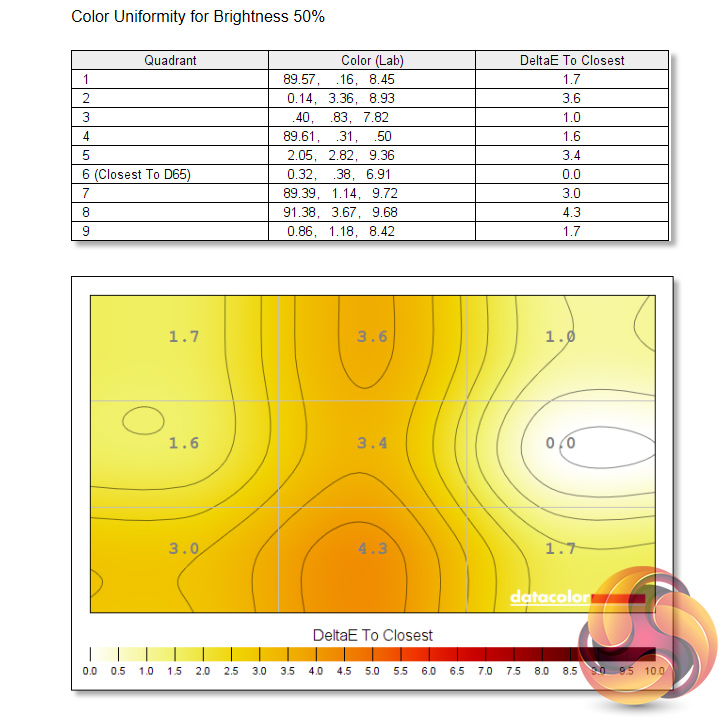
Colour uniformity is better, with just a bit of deviation towards the bottom of the panel.
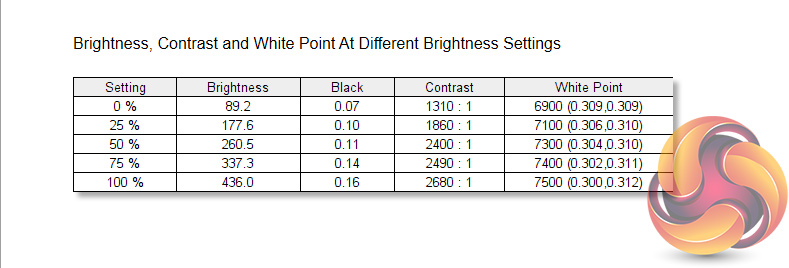
Being a cheaper VA panel, we don't get eye-popping brightness here, but a reading of 436 cd/m2 is actually pretty impressive – particularly when the AOC CU34G2X topped out at 230 cd/m2 in our review. Contrast is also decent, with our SpyderX reporting a maximum ratio of 2680:1 with the screen at maximum brightness. The other thing to note here is the slightly warm white point, which gets progressively warmer as brightness increases before hitting 7500K.
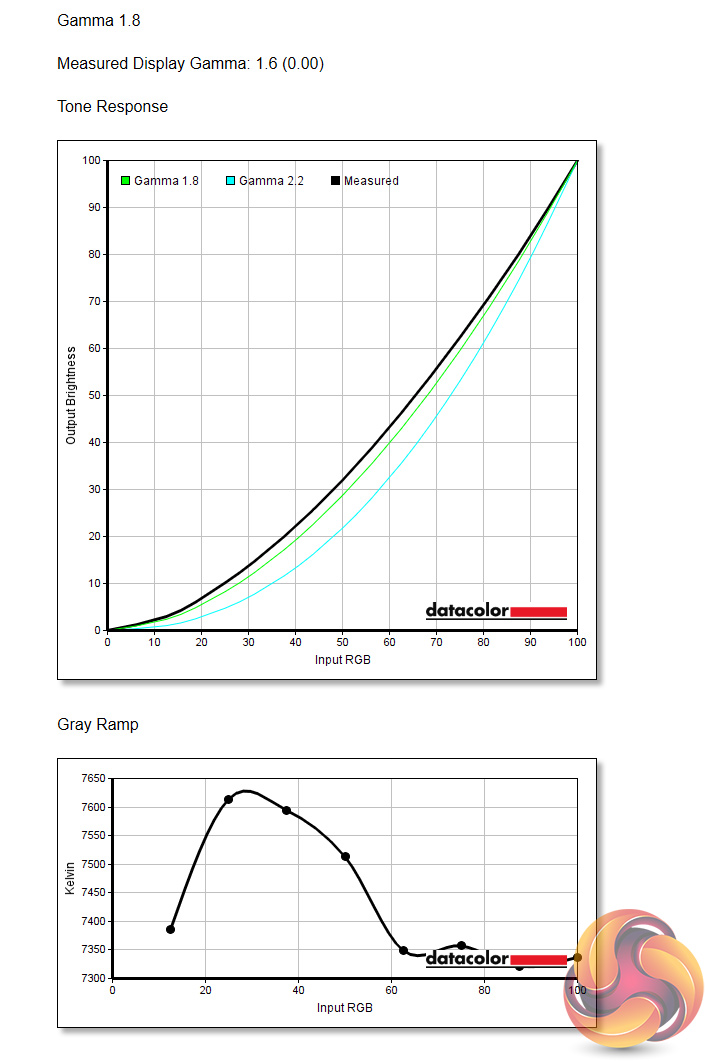
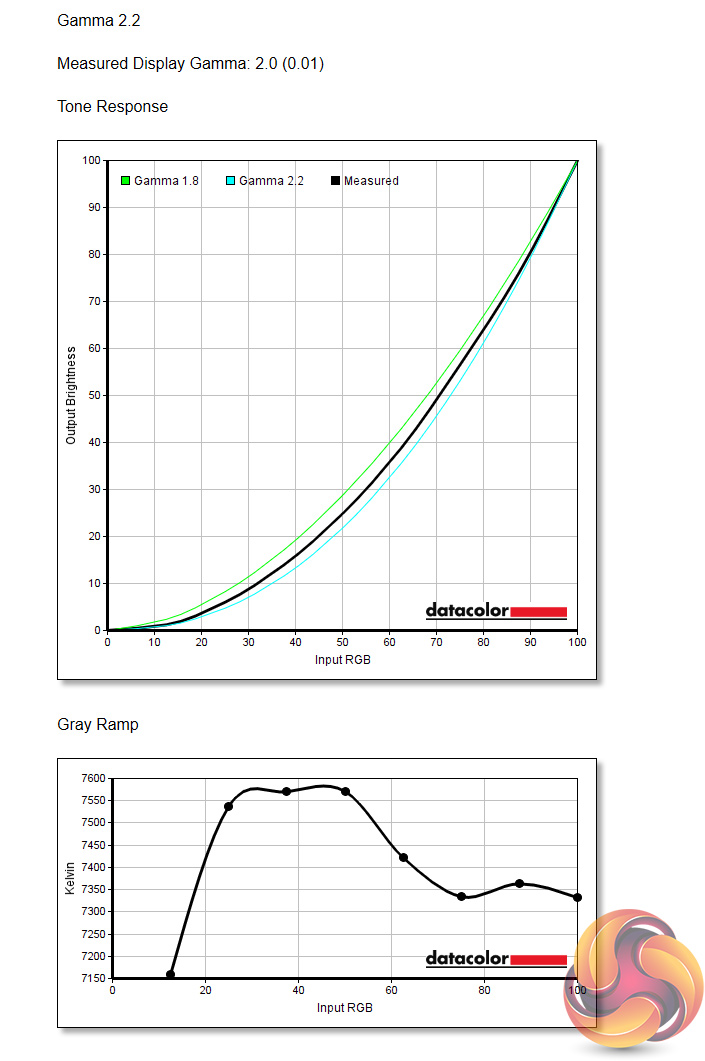
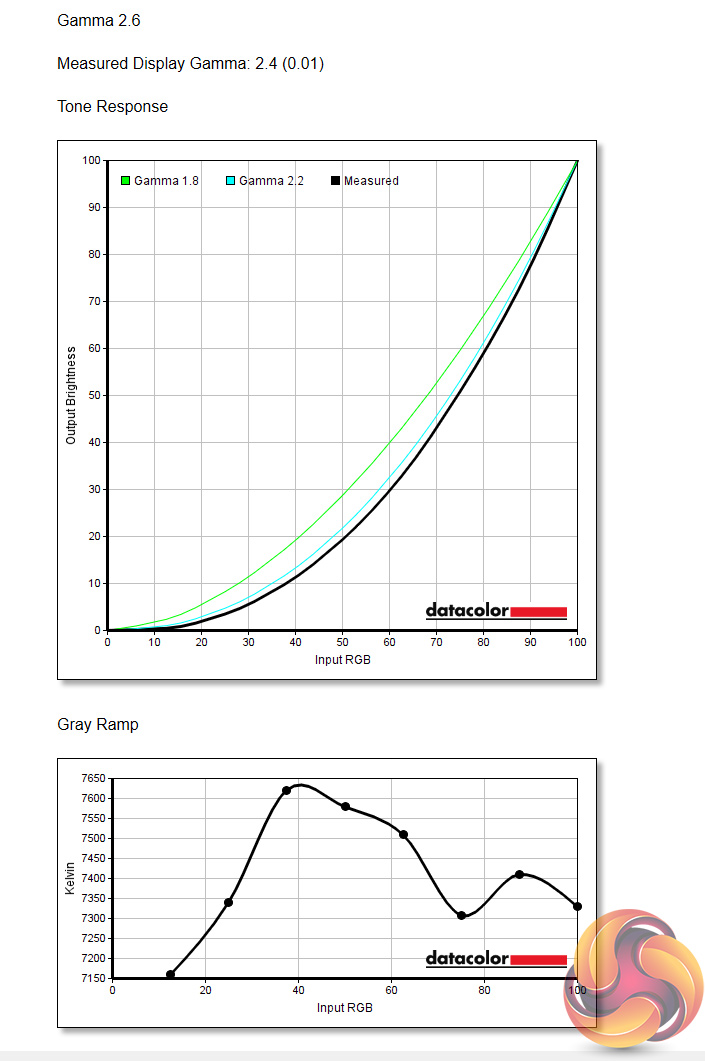
As for gamma settings, there's only three to choose from within the OSD, and each should directly correspond to a gamma value. However, all three settings strayed off the mark, as Gamma 1.8 gave a gamma reading of 1.6, Gamma 2.2 gave a reading of 2.0, and Gamma 2.6 gave a reading of 2.4.
Each setting is out by the same margin, so the steps are uniform. However, as the three options are fairly spread out – 1.8, 2.2 and 2.6 – there's no Gamma 2.4 setting, which would likely give us an actual reading of 2.2, so we can't achieve a gamma value of 2.2 with the GB3466WQSU.
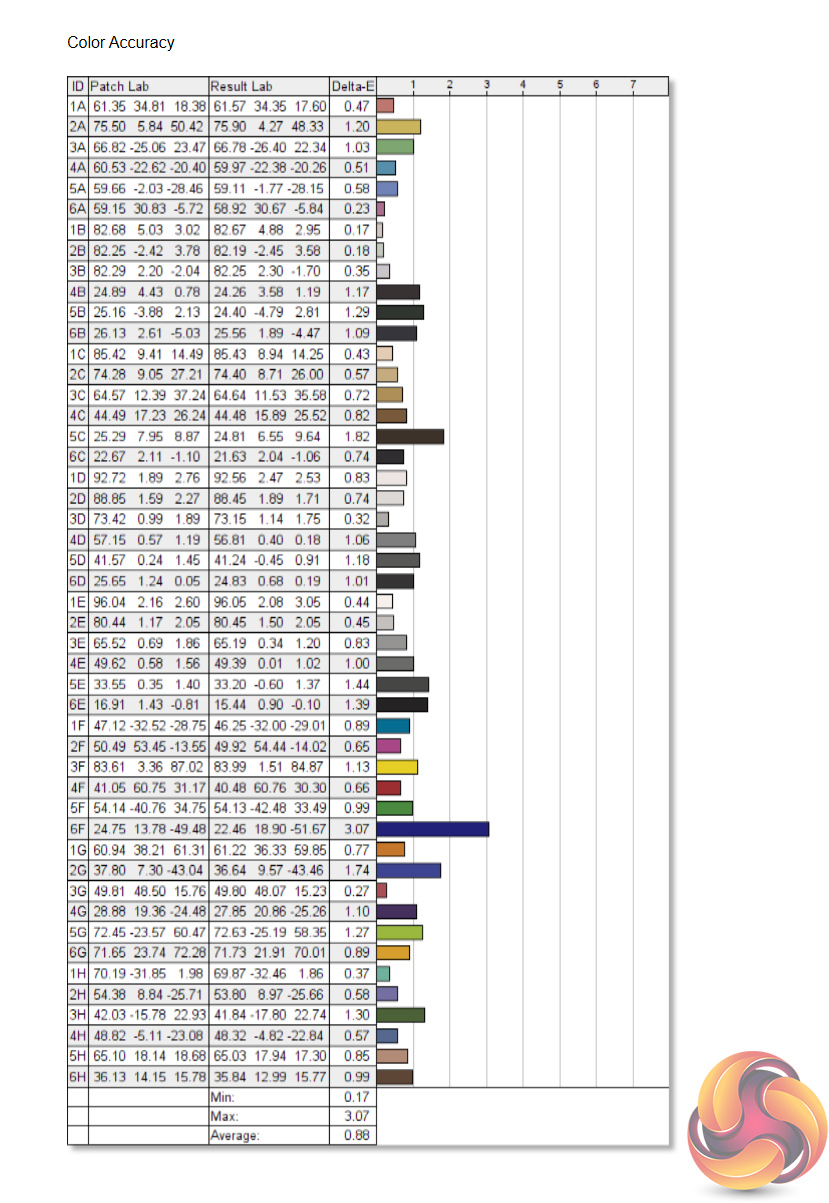
Finally, talk about saving the best until last. The GB3466WQSU hits us with absolutely fantastic colour accuracy out of the box, with an average DeltaE of just 0.88. This is right up there with the best professional-grade screens we have tested in terms of the out of the box accuracy, so to get that from a screen that costs £440 – and a gaming screen no less – is highly impressive.
Post-calibration
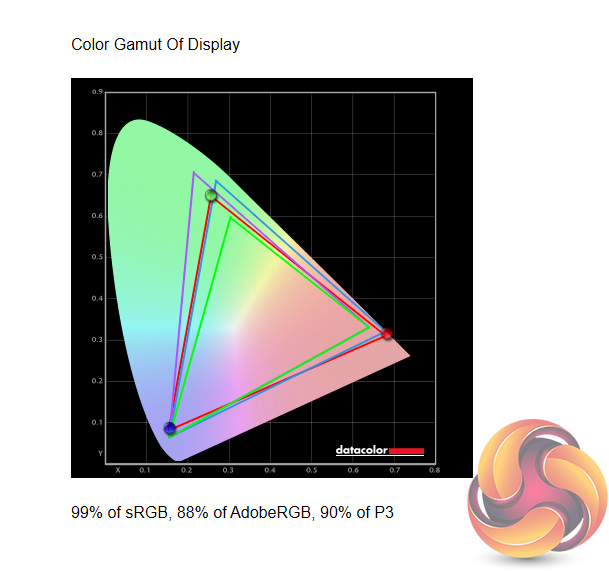

After calibrating, we saw marginally reduced gamut coverage, with the AdobeRGB and DCI-P3 coverage down a single percent each. Brightness remains unchanged, as does the white point which I was hoping would drop closer to the 6500K standard. Contrast, however, is marginally lower than before, with a 2460:1 ratio.
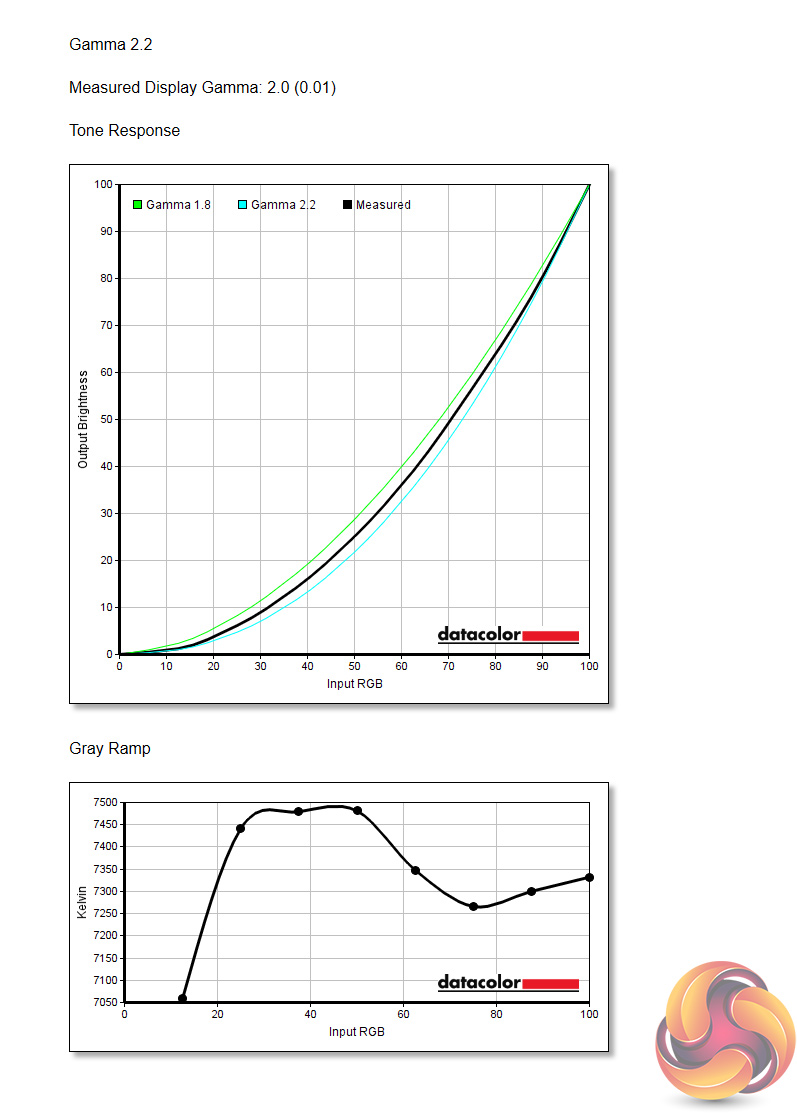
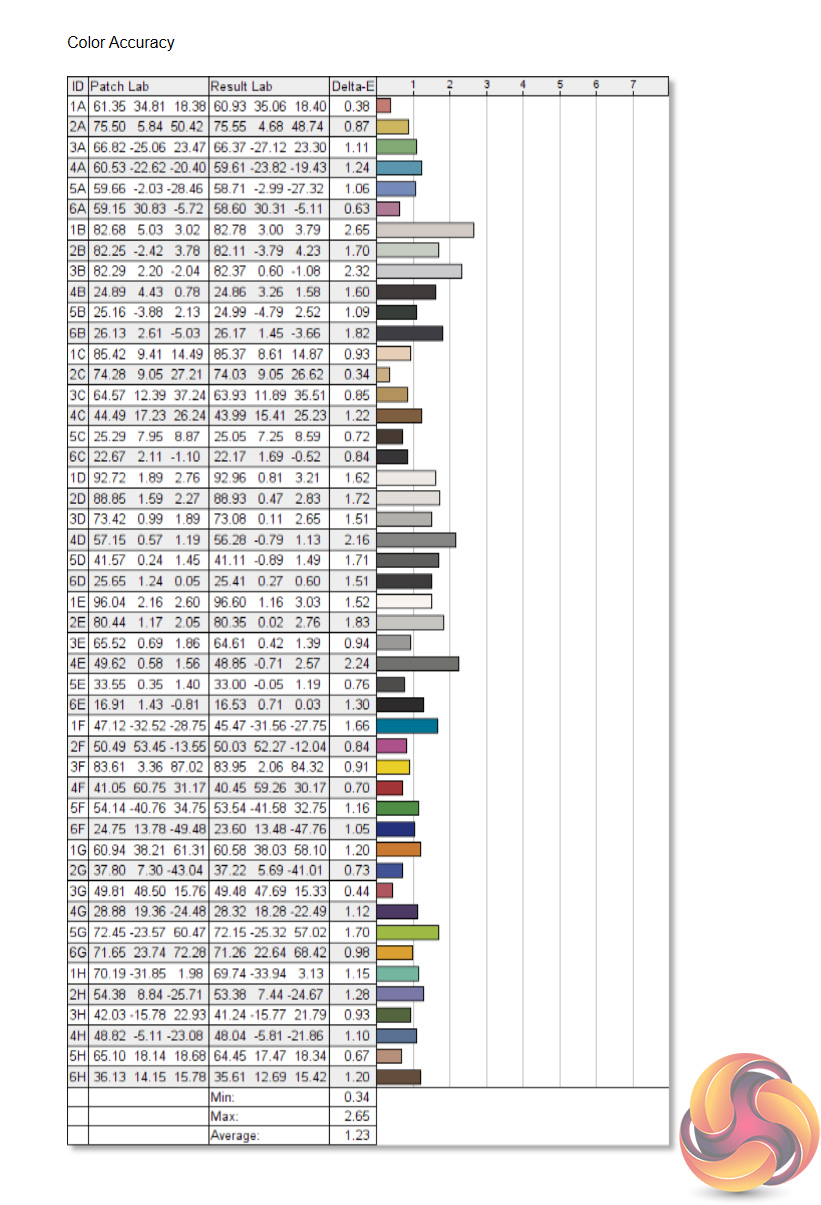
Unfortunately, gamma remains wide of the mark, with the supposed Gamma 2.2 setting still giving an actual value of 2.0. Finally, colour accuracy is slightly worse than before but is still top-class for a screen of this calibre, but overall I'd say iiyama has done such a terrific job with its factory calibration that using a third party tool like the SpyderX isn't going to help matters.
There is a lot to like about iiyama's G-Master GB3466WQSU, and it is certainly going to catch a lot of interest from those looking for a new ultrawide gaming monitor. That's primarily because, as far as I can tell, it is the cheapest 3440×1440 screen with a curved panel and 144Hz refresh rate. Coming in at £439 here in the UK, other ultrawide screens do exist at or around that price-point, but many of those are limited to 75/100Hz refresh rates, while others still use 2560×1080 panels. Even AOC's CU34G2X, which boasts an almost identical spec sheet, costs £60 more.
Out of the box impressions were extremely positive, as the GB3466WQSU's minimalistic styling looks great to my eye, while uncalibrated panel performance is exemplary. The panel's colour accuracy, with an average DeltaE of below 0.9, rivals some of the best panels we have tested – many of which are designed for professional work, while this is a gaming screen that costs less than £450.
We also have to point out the GB3466WQSU scores a significant victory over its rival, the AOC CU34G2X, with its brightness peaking at over 200 cd/m2 higher than the AOC model. I also think the iiyama edges things in terms of motion handling, as the overdrive settings do a better job at eliminating visible motion blur.
We did, however, spot a very unfortunate issue with the GB3466WQSU where the panel exhibited noticeable flickering when set to 144Hz, and this happened whether FreeSync was enabled or disabled. The only real ‘fix' I found was to drop the refresh rate down to 100Hz which is obviously far from ideal.
Thankfully, iiyama is aware of the issue and it turns out the fix is as simple as a firmware update. Anyone who has a GB3466WQSU that flickers at 144Hz can arrange for iiyama to collect, update and return the screen at the company's expense. This certainly raises questions around how the screens passed QC in the first place, and it is definitely annoying to have to ship the monitor back to have the firmware updated, but at least iiyama is taking steps.
Once our review unit was returned to us with the latest firmware, I can confirm the issue was no longer present, and I did not spot any flickering over the next few days that I used it. I would have rather the screen arrived 100% functional, but we can't fault iiyama for rectifying the situation.
All told then, the iiyama GB3466WQSU is a fantastic ultrawide monitor, offering a highly impressive panel with superb factory calibration, for less than £440. Compared to its closest rival, the AOC CU34G2X, the GB3466WSQU comes out on top in the key areas – in terms of its speed, out of the box colour accuracy, brightness, and price. We'd recommend this screen to anyone looking for a new gaming monitor around this price-point.

You can buy the GB3466WQSU from Overclockers UK for £438.95 HERE.
Discuss on our Facebook page HERE.
Pros
- Highly impressive out of the box colour accuracy.
- Decent contrast for a VA at this price.
- Noticeably brighter than the AOC CU43G2X.
- Overdrive settings work well.
- Minimalistic design.
- Excellent value considering the specs.
Cons
- Couldn't get a gamma value of 2.2.
- No option to re-map OSD joystick shortcuts.
- Flickering was apparent at 144Hz – but this was fixed with a firmware update.
KitGuru says: iiyama has done a fantastic job with the GB3466WQSU. It's an all-round excellent performer while also offering significant value to the end-user.