KitGuru KitGuru.net – Tech News | Hardware News | Hardware Reviews | IOS | Mobile | Gaming | Graphics Cards


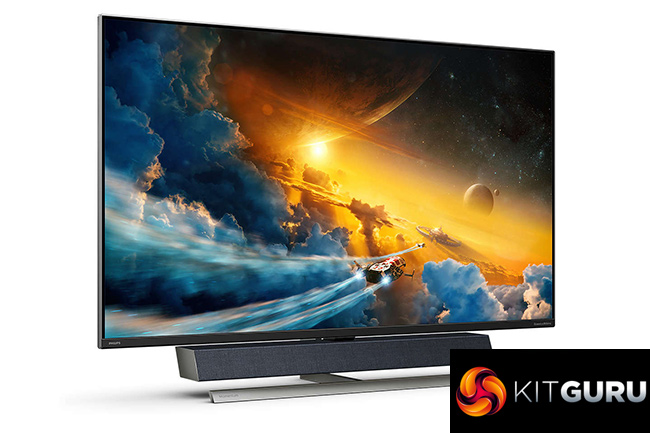
There's no escaping the fact that Philips' Momentum 558M1RY is a monster of a monitor. We're not just talking about its huge 55in panel, though that is of course very hard to miss, as this screen also boasts a number of highly impressive features – including 4K/120Hz support, DisplayHDR 1000 certification, and a built-in soundbar from Bowers & Wilkins. Priced at £1199 here in the UK, is this as good as it sounds?
To get one thing out of the way – the Philips Momentum 558M1RY is a monitor and not a TV, though it just happens to be massive and aimed at console gamers, so this is very likely to end up in your living room and not in an office. Sporting a VA LCD panel, with a claimed 4m G2G response time, Philips is aiming the 558M1RY at those who would typically game on a TV, but want something faster thanks to the 120Hz refresh rate and claimed 1.5ms input latency when using DisplayPort.
Add in other features such as AMD FreeSync Premium Pro and Philips Ambiglow LED technology, the 558M1RY is certainly ticking all the boxes on paper. But how does it fare in the real world? Let's find out.
Specification:
- LCD panel type: VA LCD
- Backlight type: W-LED system
- Panel Size: 55 inch/139.7 cm
- Colour gamut (min.): DCI-P3 Coverage: 95%*
- Colour gamut (typical): NTSC 104%*, sRGB 125%*
- HDR: DisplayHDR 1000 certified
- Effective viewing area: 1209.6 (H) x 680.4 (V) mm
- Aspect ratio: 16:9
- Optimum resolution: HDMI: 3840 x 2160 @ 60 Hz, 2560 x 1440 @ 120 Hz; DP: 3840 x 2160 @ 120 Hz
- Pixel Density: 80 PPI
- Response time (typical): 4 ms (Grey to Grey)
- Low Input Lag: Yes
- Brightness: Normal Mode: 750 cd/m2; HDR Mode: 1200 cd/m²
- SmartContrast: Mega Infinity DCR
- Contrast ratio (typical): 4000:1
- Pixel pitch: 0.315 x 0.315 mm
- Viewing angle: 178º (H)/178º (V), @ C/R > 10
- Picture enhancement: SmartImage game
- Display colours: Colour support 1.07 billion colours
- Scanning Frequency: HDMI: 30–160 kHz (H)/40–60 Hz (V); DP: 30–270 kHz (H)/48–120 Hz (V)
- SmartUniformity: 95 ~ 103%
- Delta E: < 2 (sRGB)
- sRGB: Yes
- Flicker-free: Yes
- LowBlue Mode: Yes
- Ambiglow: 3 sided
- AMD FreeSync™ technology: Premium Pro
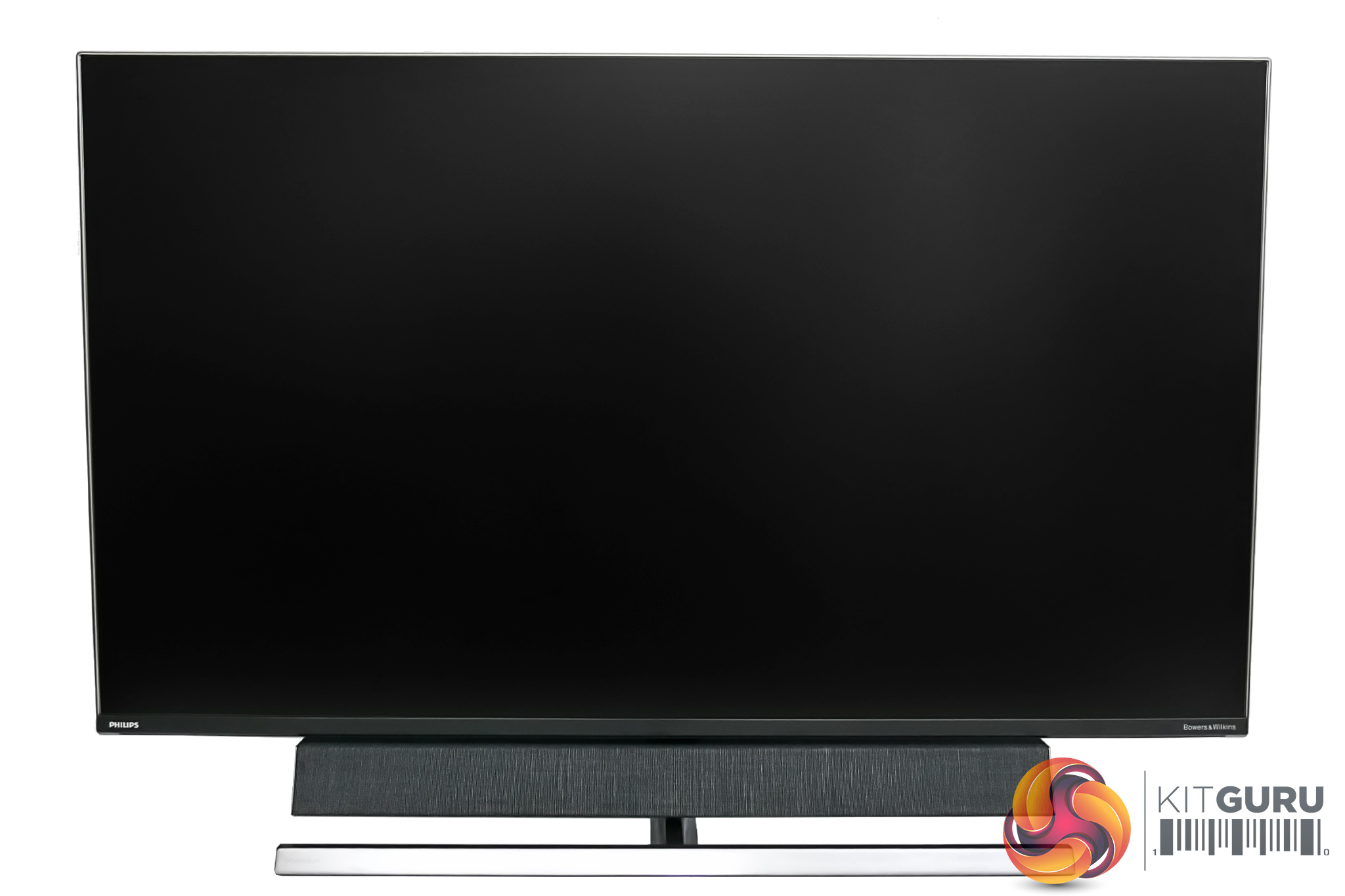
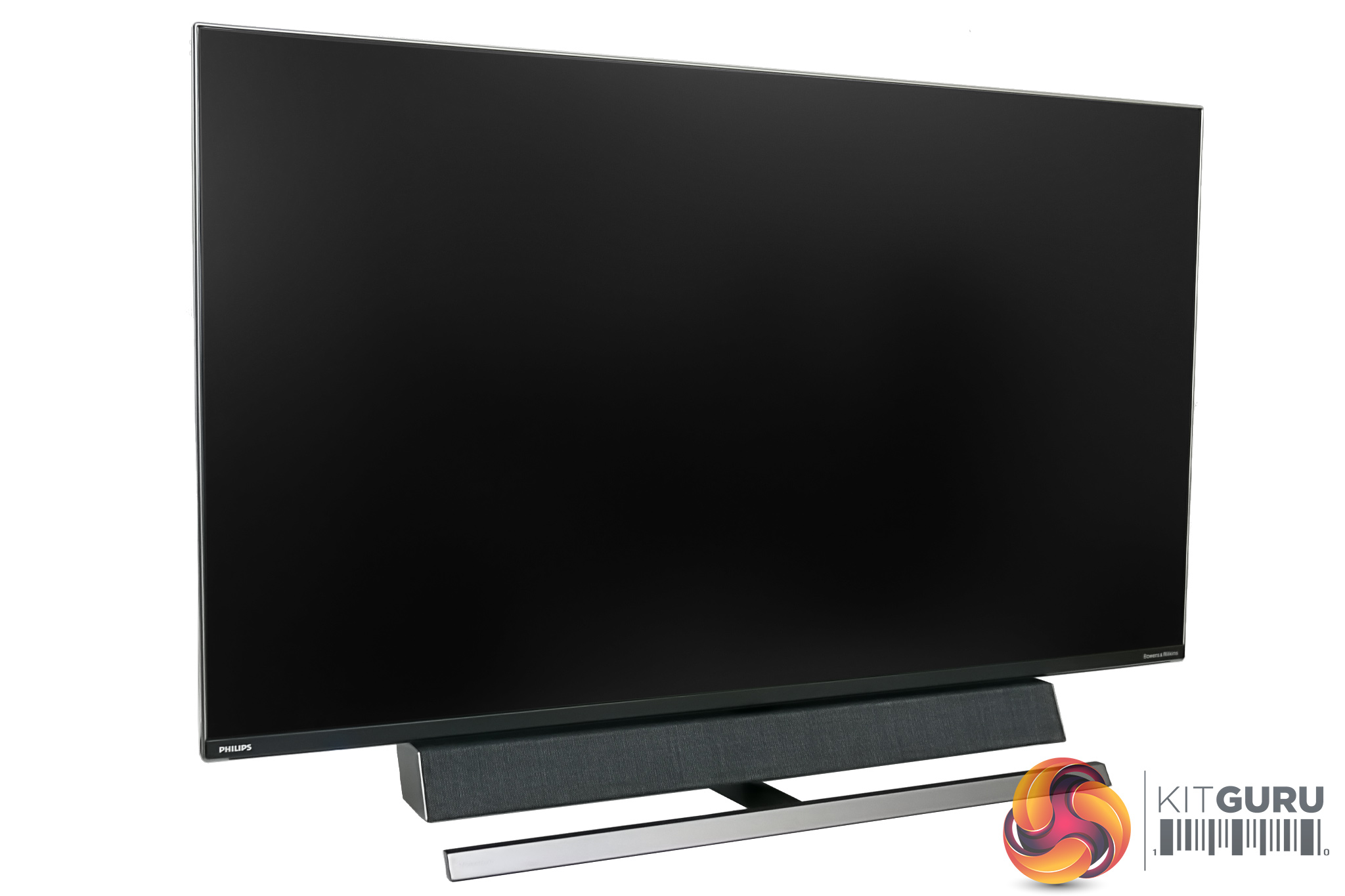
Getting right to it, aside from the sheer size of the Philips Momentum 558M1RY – it measures 1232 x 834 x 308 mm with the included stand – I am very keen on how ‘simple' this screen looks. I'd even call it elegant – there's no typical ‘gamer' flair, red accents or aggressive angles here, it's just a low-key monitor which wouldn't be out of place in your living room.
It also sports a very trim, silver/light grey bezel, while the pre-installed metal stand is a similar colour.
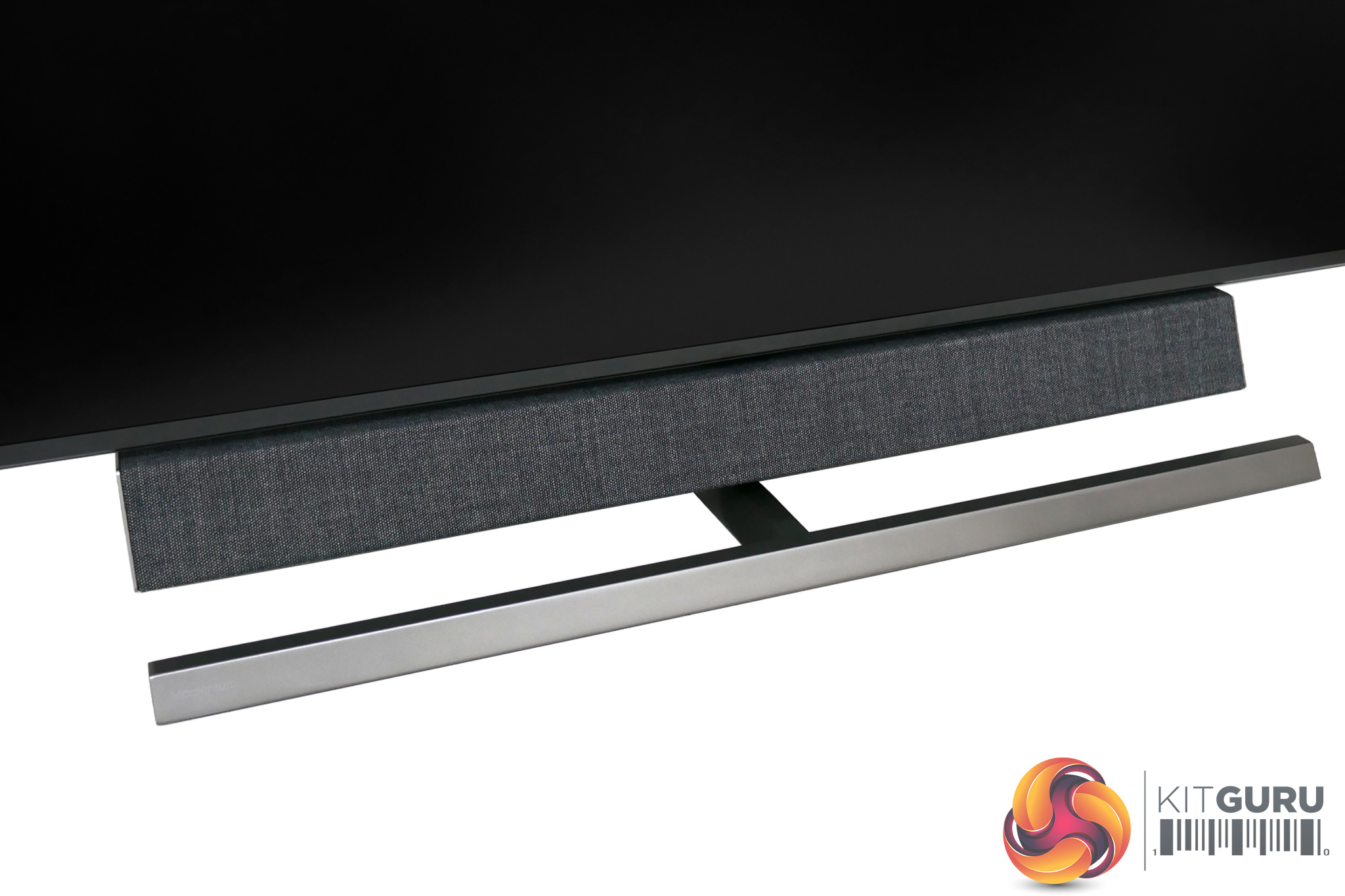
We can't miss that Bowers & Wilkins soundbar, either. First of all, it is covered in a lovely grey ‘wool-blend' fabric, which Philips is keen to emphasise has been created by ‘high-end manufacturer' Kvadrat. Underneath that, the soundbar boasts a 2.1 configuration, offering 40W RMS output, thanks to the use of two tweeters, two 10W ‘mid-high' speakers, and then one 20W woofer.
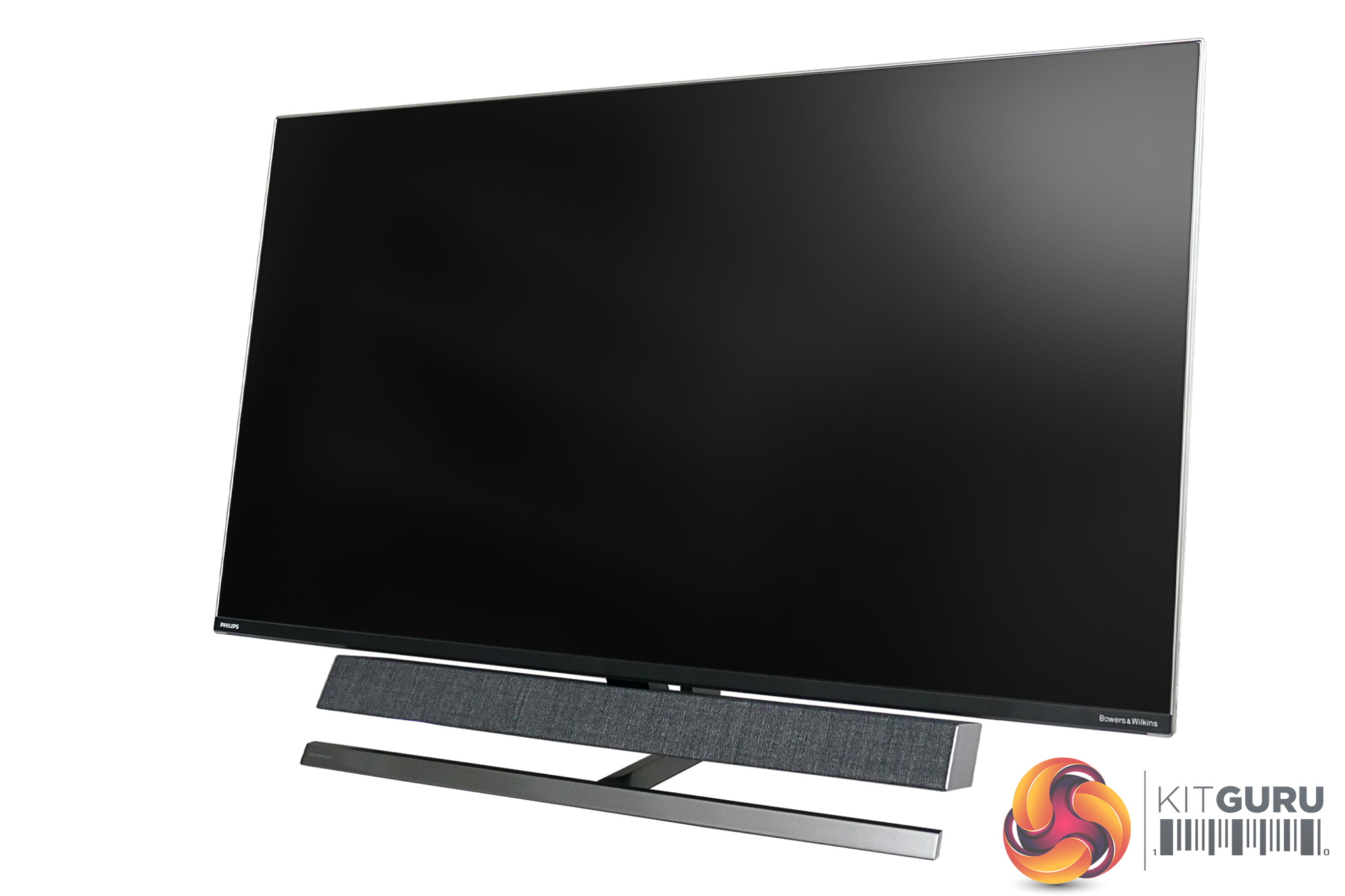
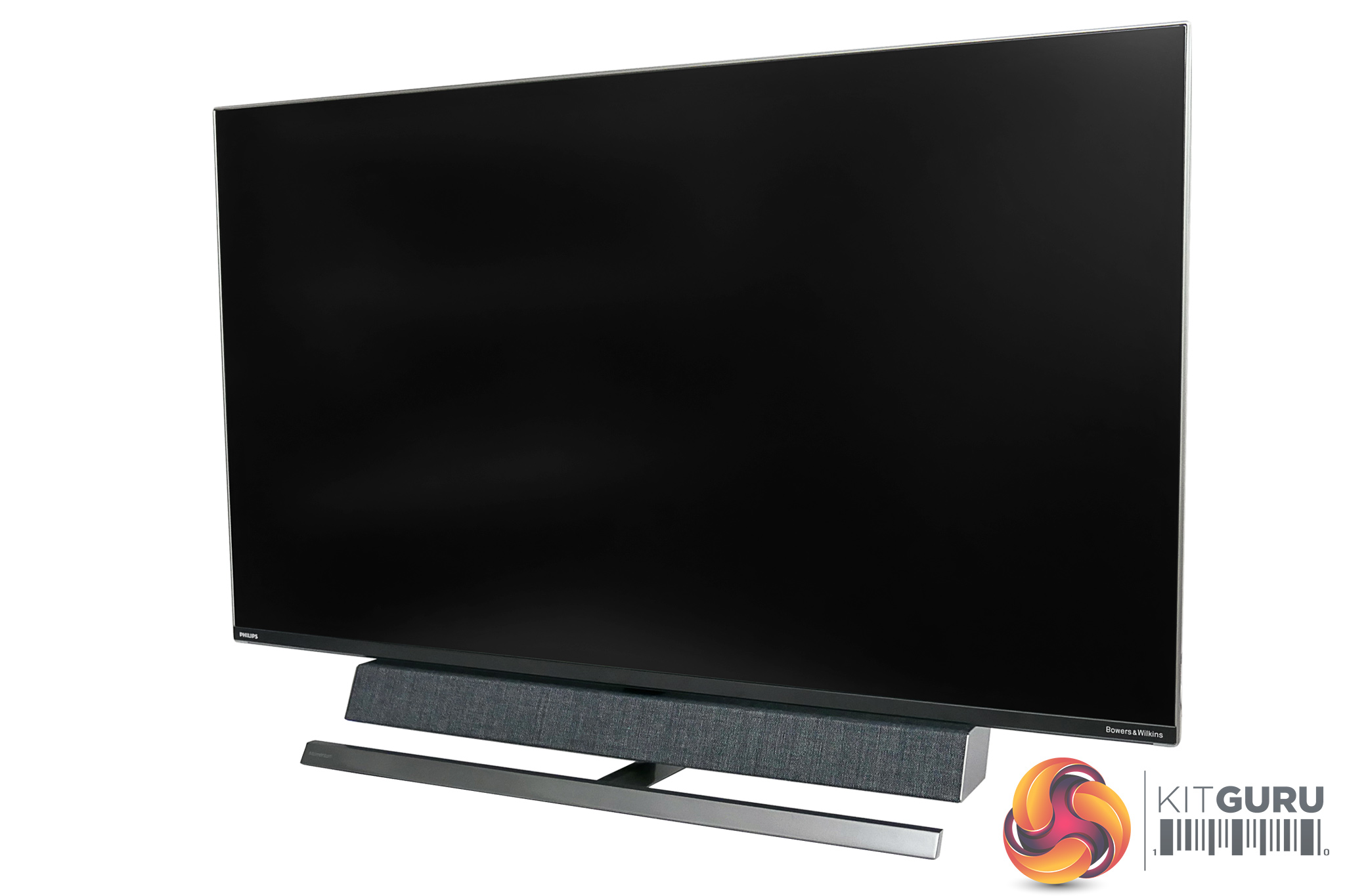
As for the stand, this comes pre-installed to the monitor, and its only adjustment functionality is tilt, through -5 to 10 degrees. Since this is such a large screen, likely to be seated in your living room, the lack of swivel or height adjustment is hardly a factor. If you do want to replace the stand, there is support for VESA 200mm mounting brackets.
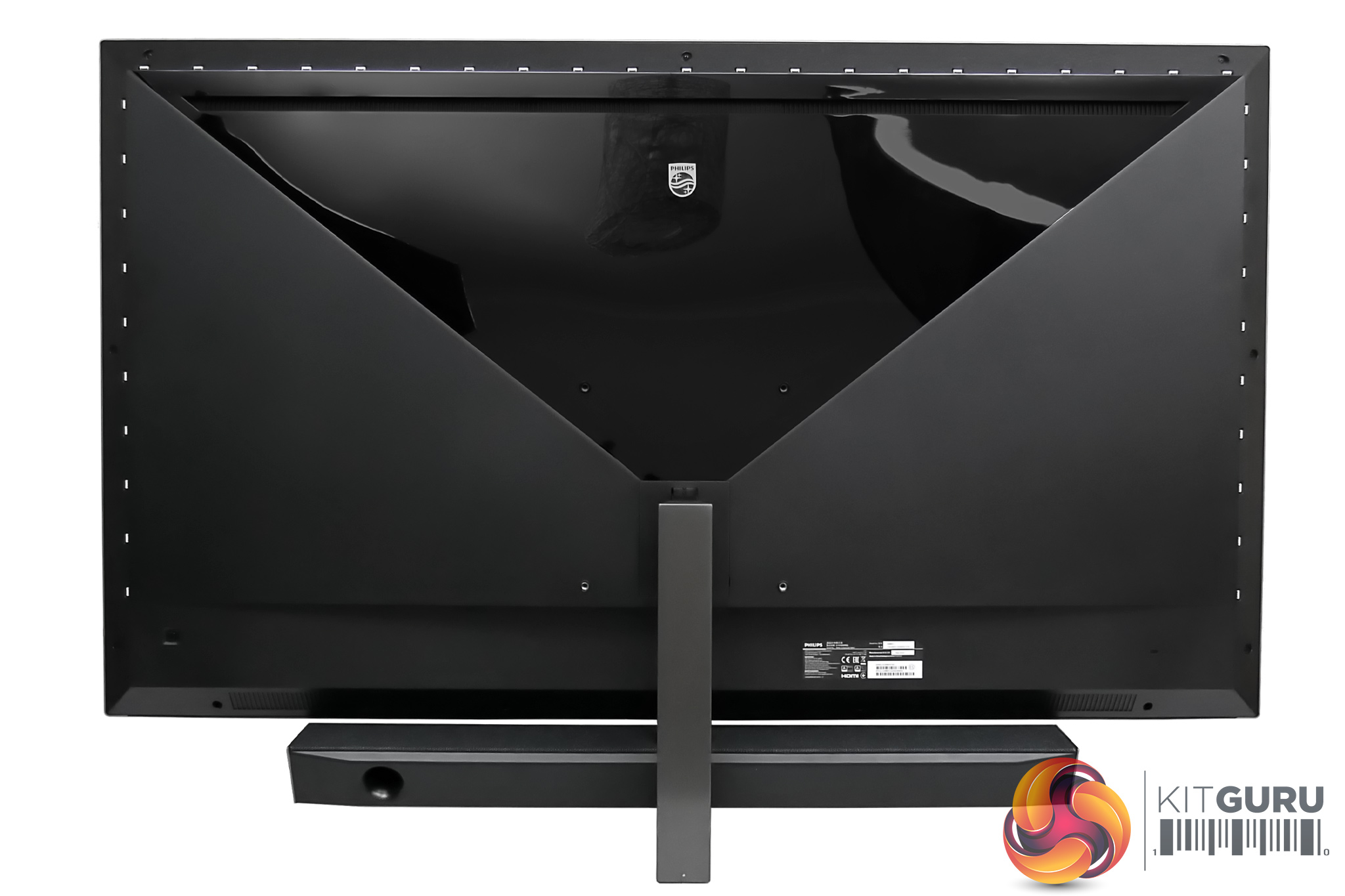
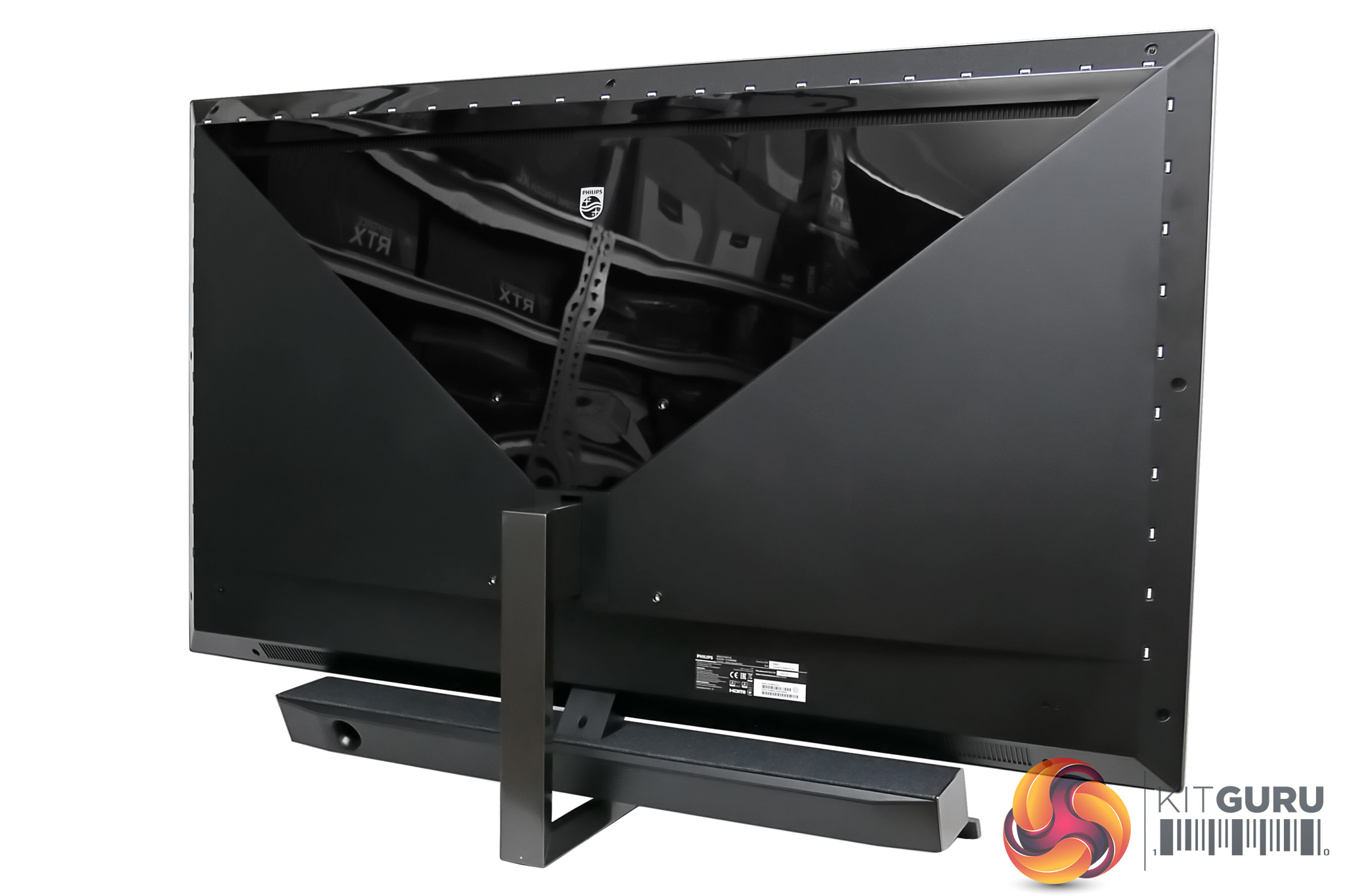
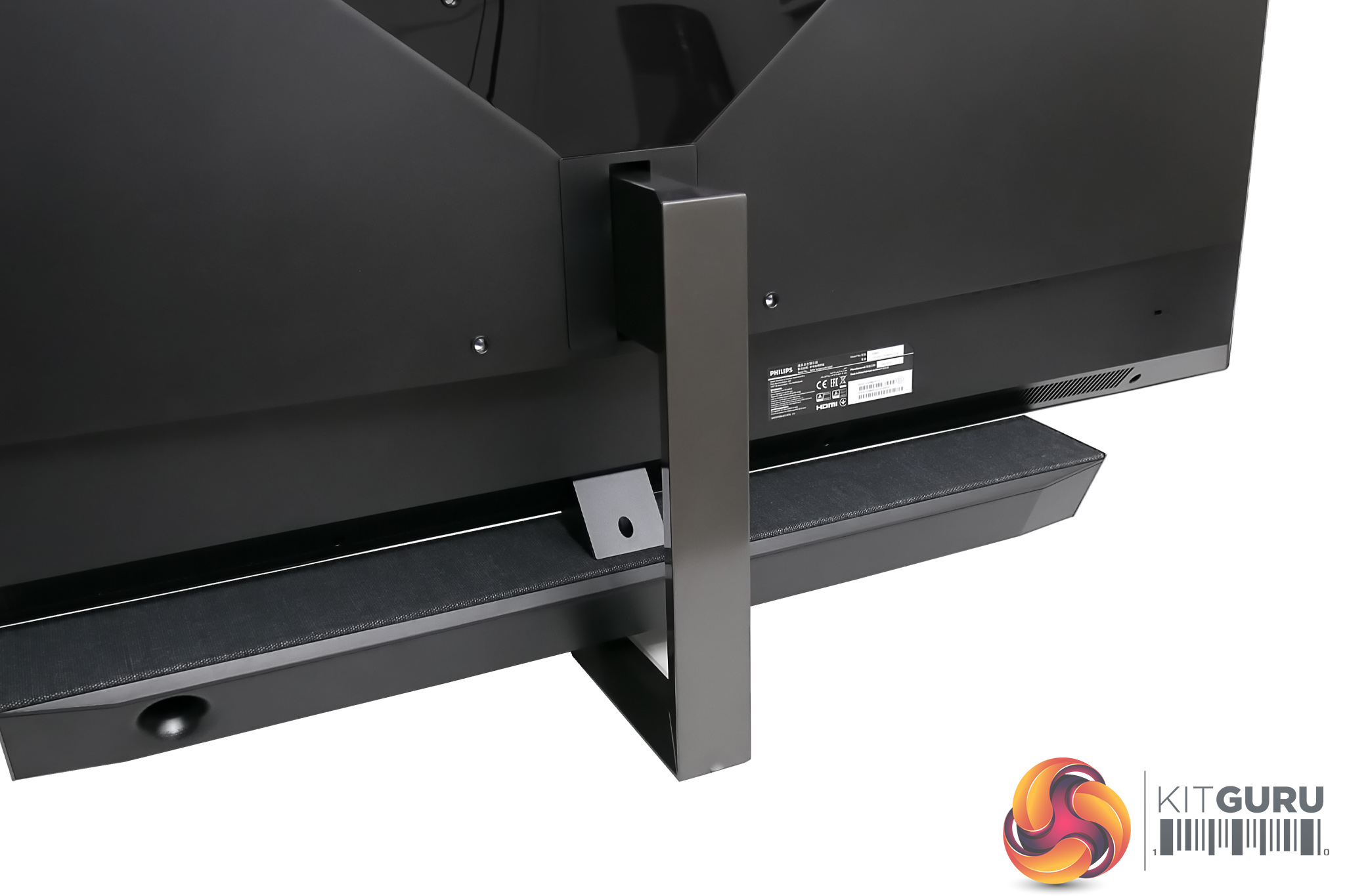
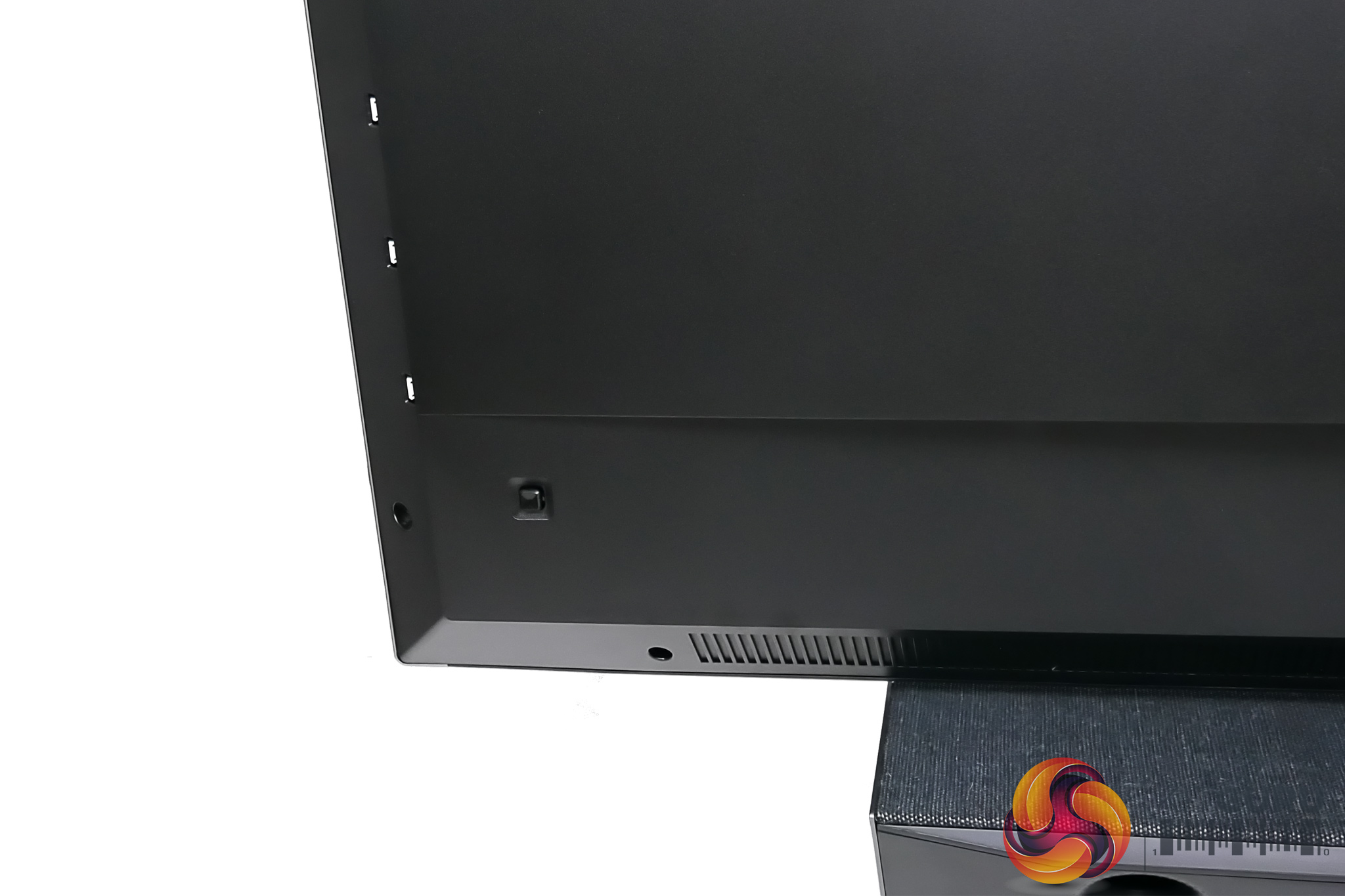
Round the back we can see things are again kept very plain and simple, with the only exception being the gloss panel that takes up most of the top of the screen – and be warned, it is indeed a fingerprint magnet.
We can also note the hefty metal stand, designed to support the 22.7kg weight of the screen, while the rear of the soundbar also has a bass port off to the left. Lastly, while the Momentum does ship with a remote control, there is a small joystick in the bottom right corner (when viewed from the front) which can access the OSD as well.
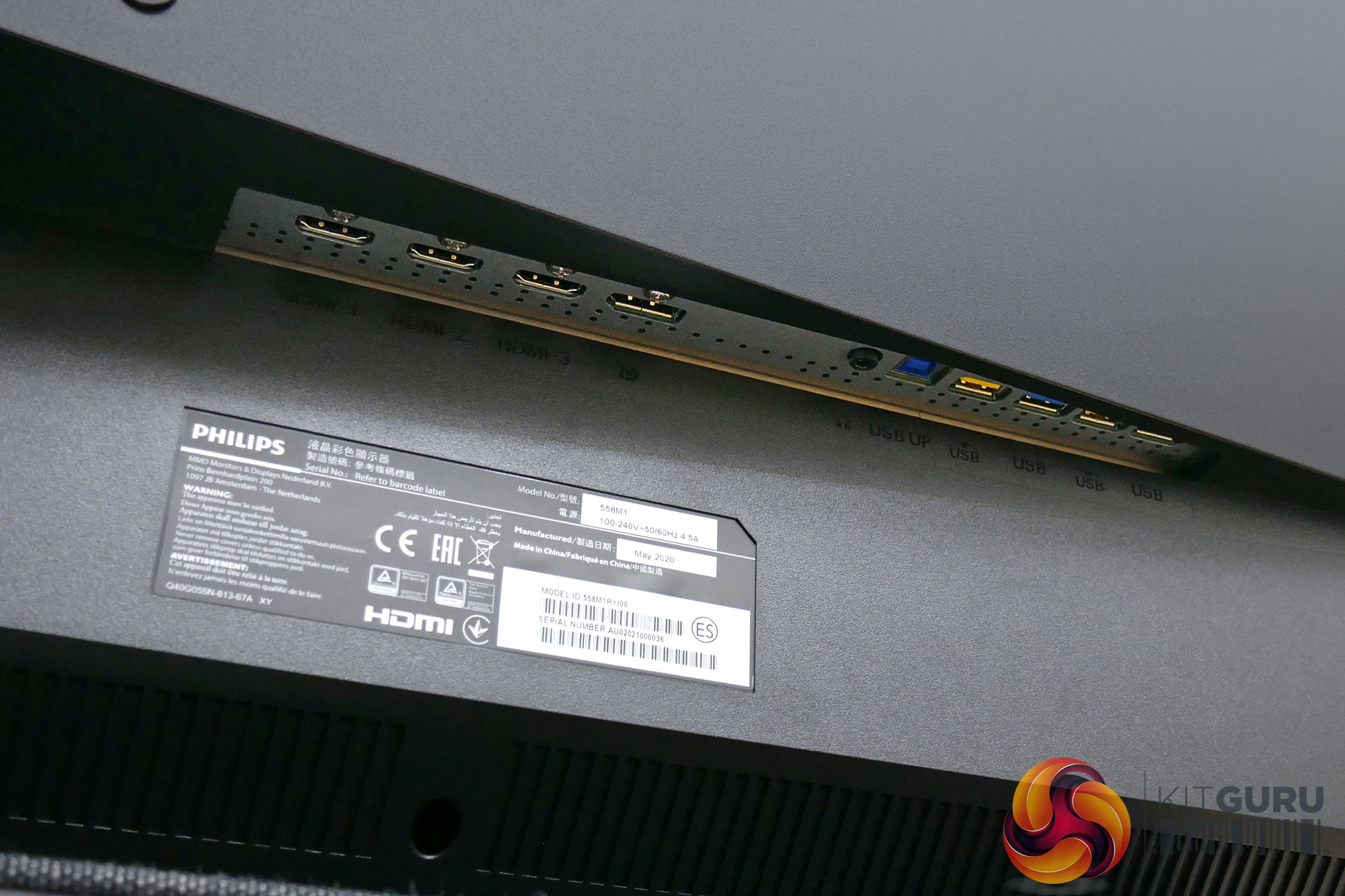
Lastly, we will touch on the ports and connectivity options. These are split into two sections, with the ports on the right consisting of one audio jack, the USB-B upstream connector, and then four USB downstream ports, two of which support BC 1.2 charging. For video inputs, there's a single DisplayPort 1.4 option, and then three HDMI 2.0 ports.
The HDMI allocation is interesting, as these are 2.0 ports, and not HDMI 2.1.This means, in order to run the screen at 4K 120Hz, the DisplayPort is required. Considering the Momentum is aimed at console gamers, it seems a strange move to not equip the screen with HDMI 2.1, which does support 4K/120Hz, when next-gen consoles will have HDMI 2.1 outputs.
We asked Philips about this, and we were told the company sees HDMI 2.1 as ‘too unreliable and too expensive since the technology is still so fresh. However, once the new gen of consoles comes with HDMI 2.1, of course the Momentum monitors will be updated accordingly so they’re able to provide [the] best gaming experience possible.'
So essentially, if you buy the 558M1RY now, you can get 4K/120Hz from your PC with a DisplayPort, no problem. However, all three HDMI ports are limited to 4K/60Hz, and a new screen will be required to work with HDMI 2.1.
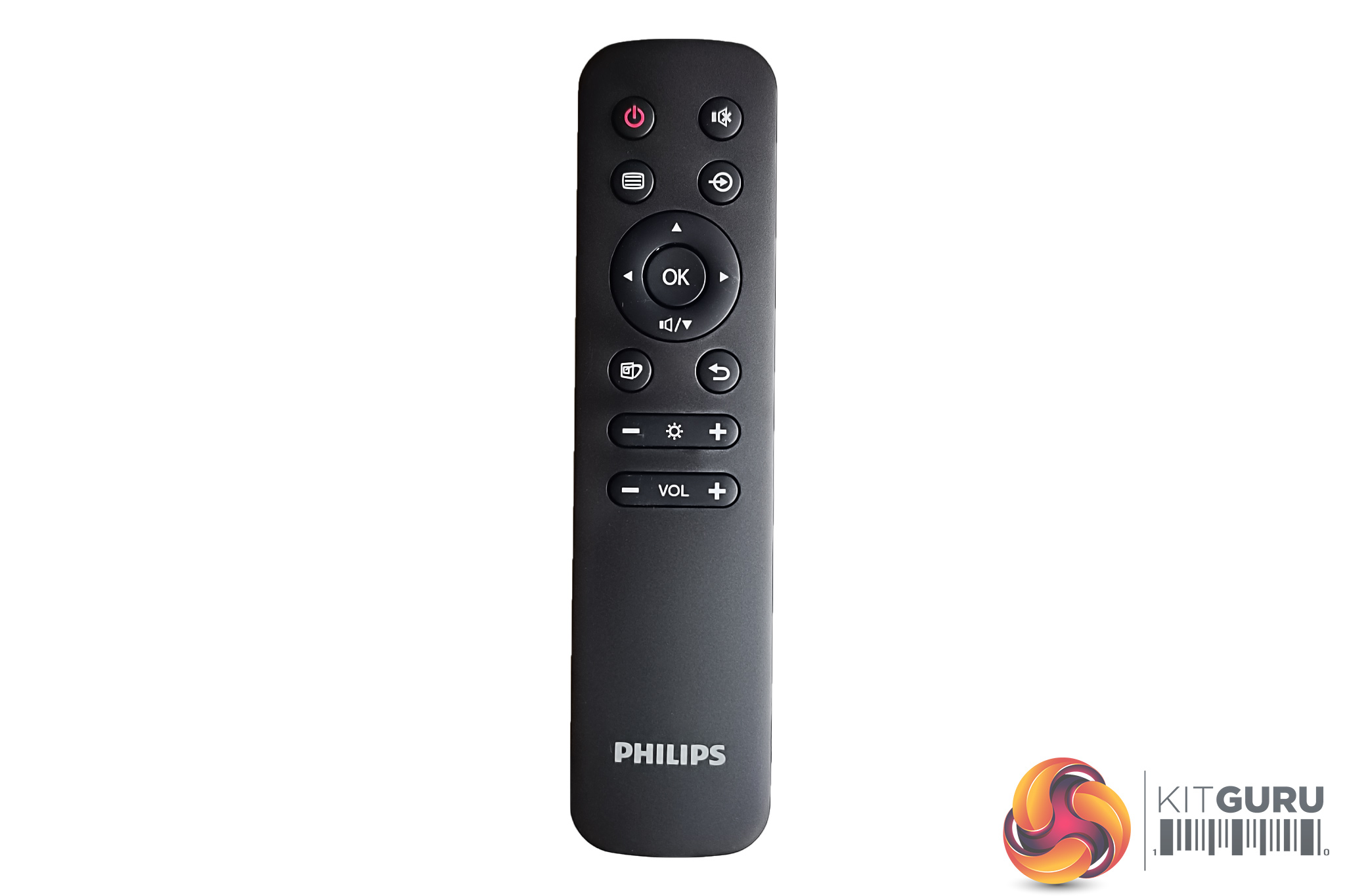
Thanks to the included remote control, navigating the OSD is dead easy with the Momentum 558M1RY. There's a total of 12 different tabs that can be accessed via the remote, while volume and brightness have their own dedicated buttons so you're not constantly diving into the settings to adjust those values.
For an overview of the 12 tabs which can be adjusted within the OSD, see the image gallery below:
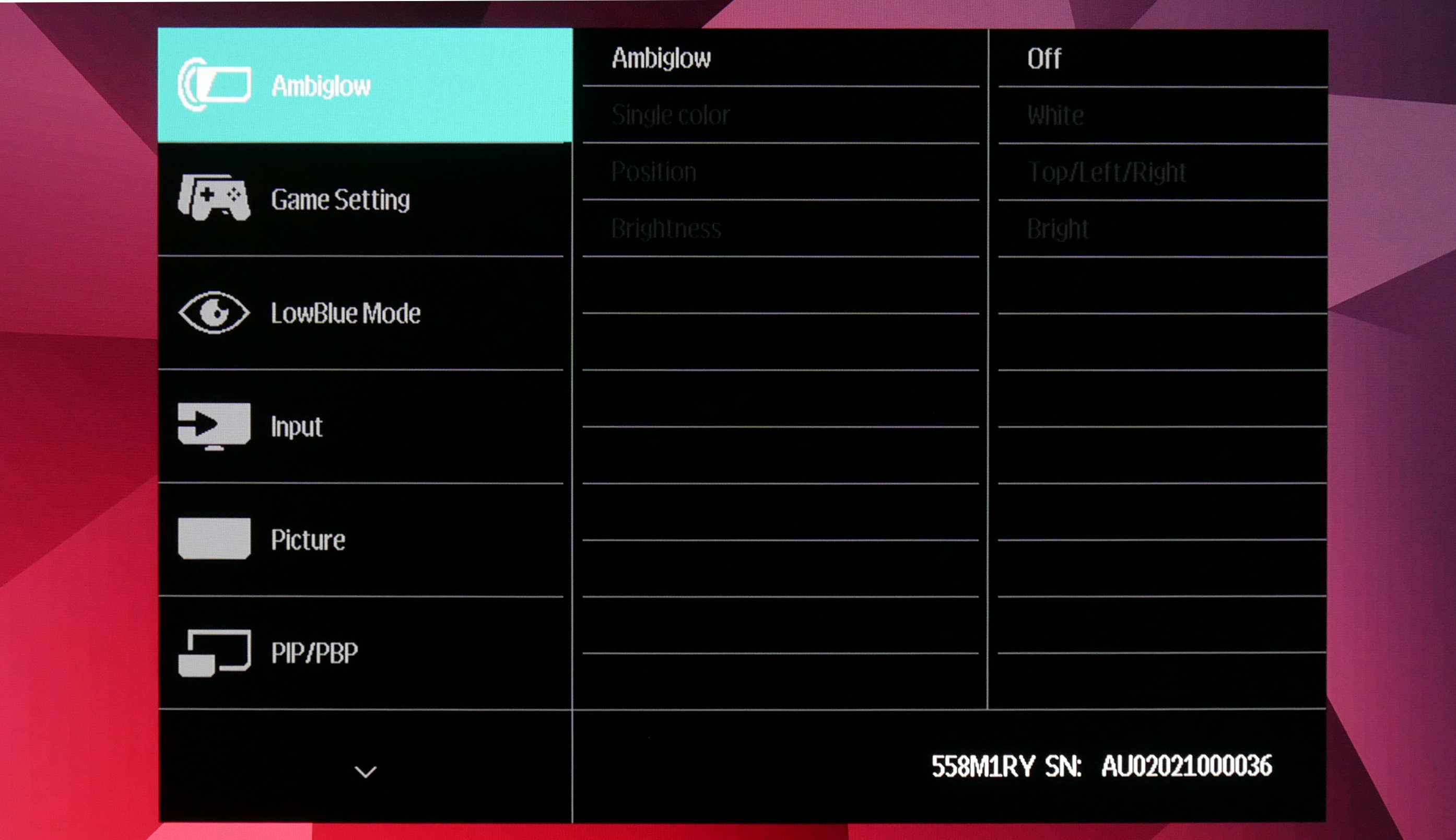
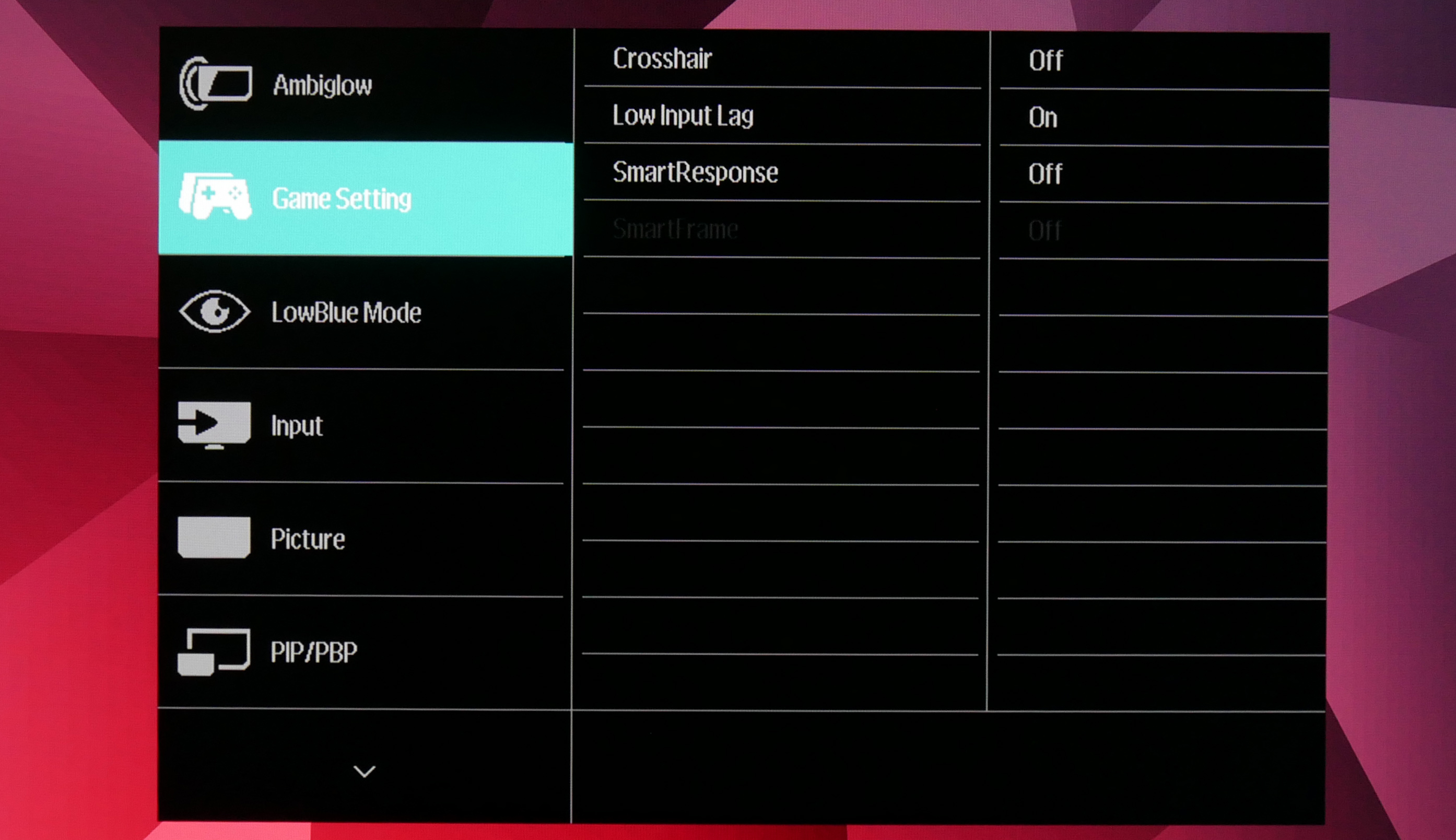
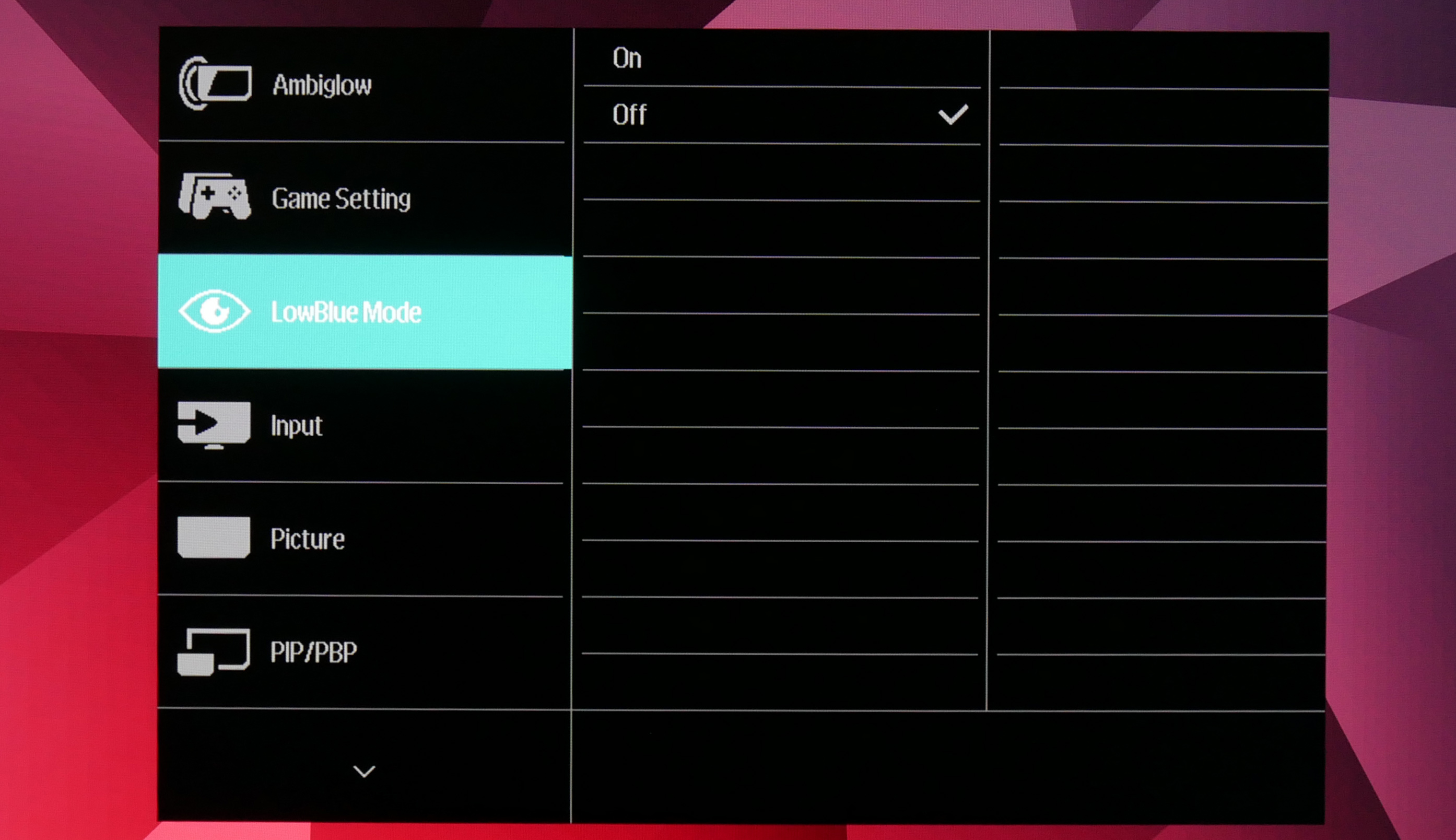
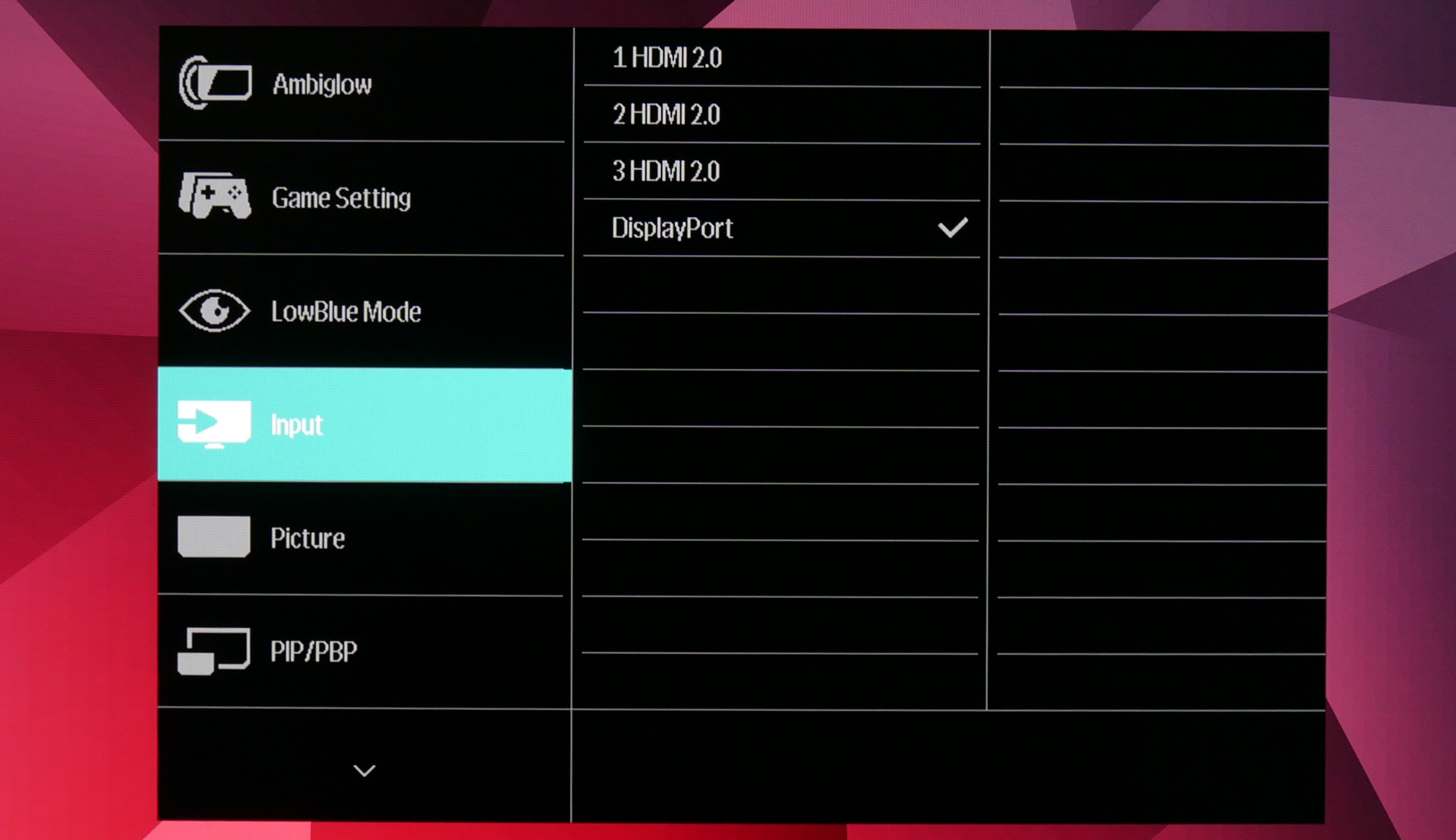
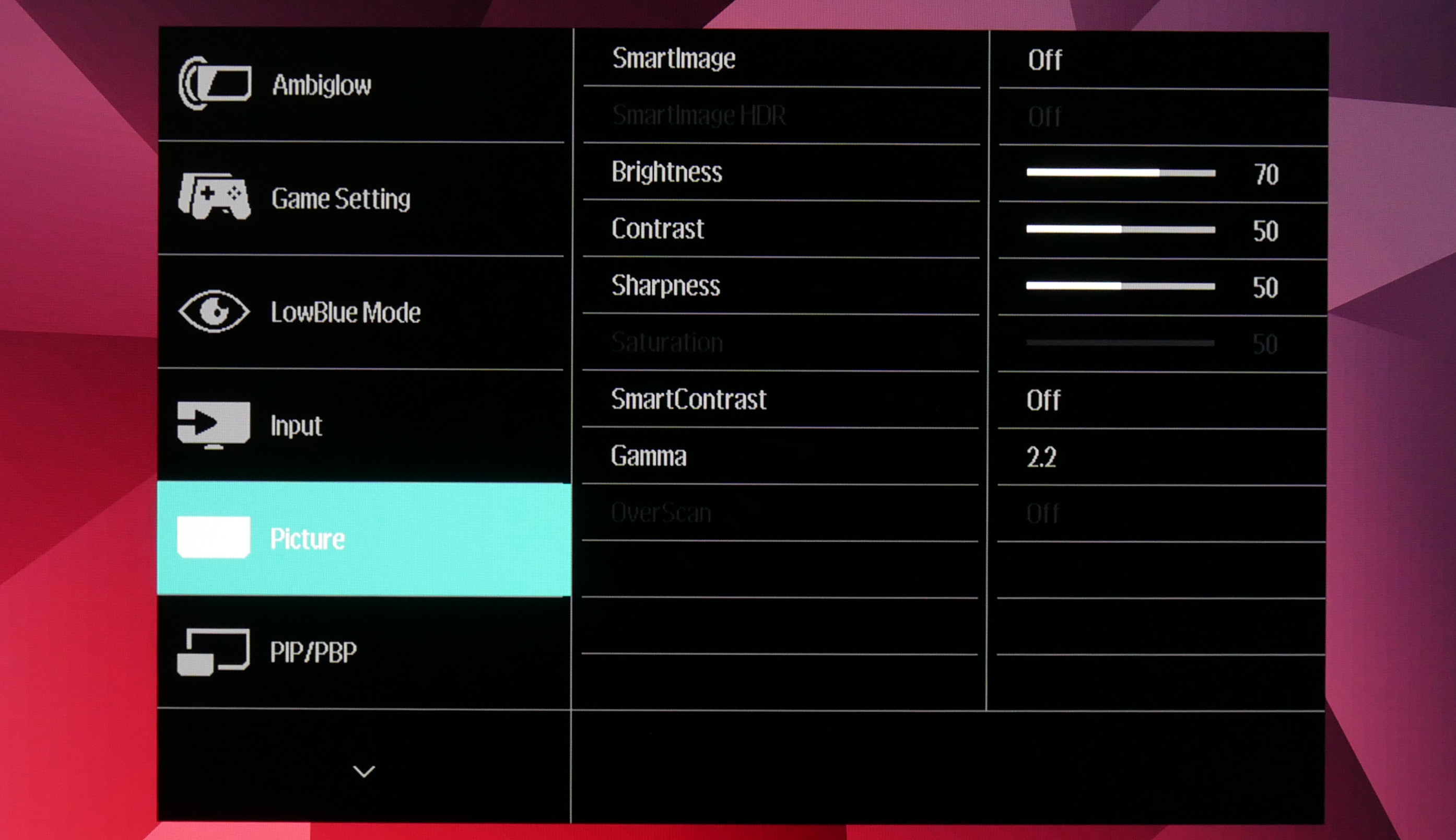
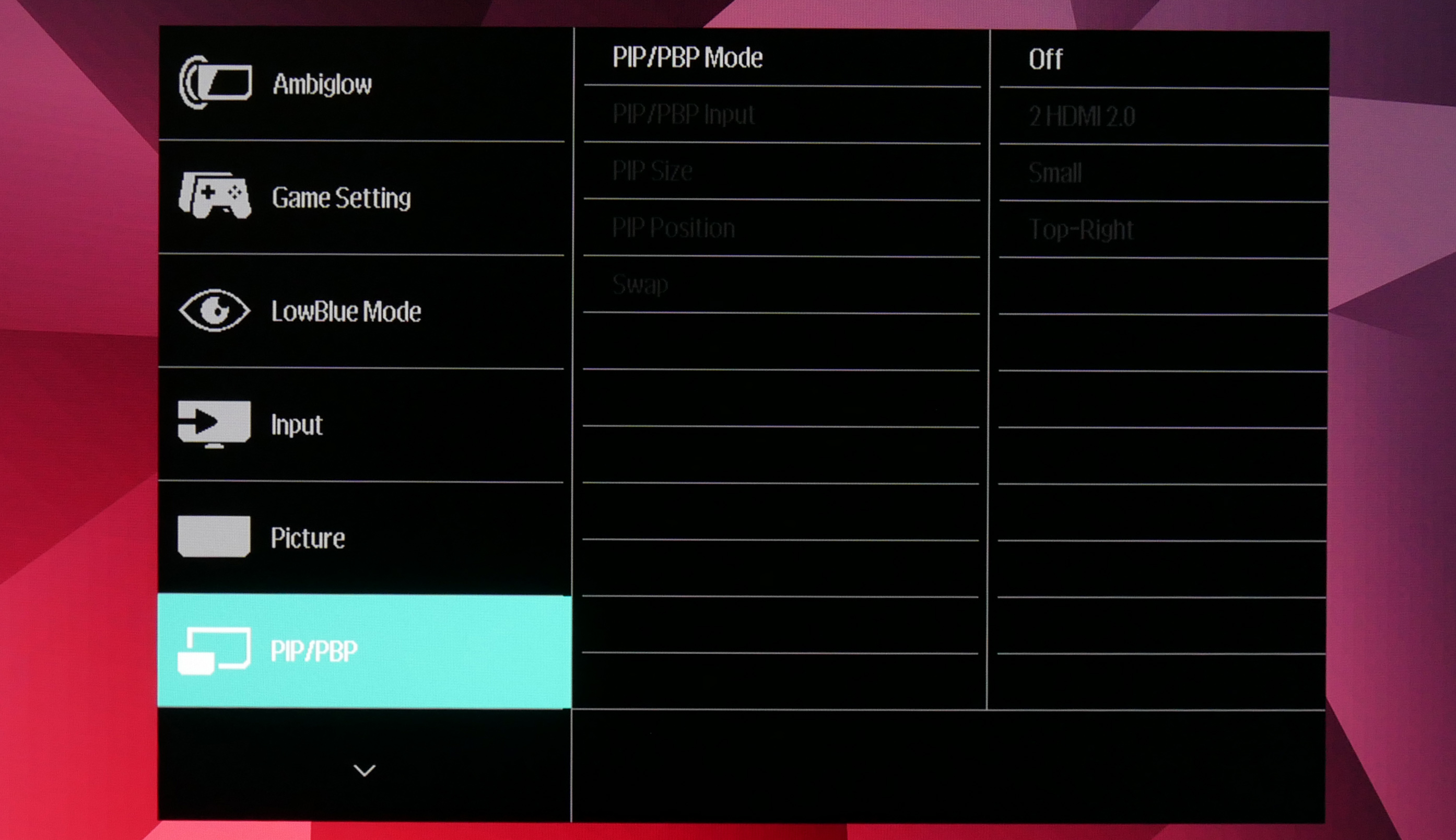
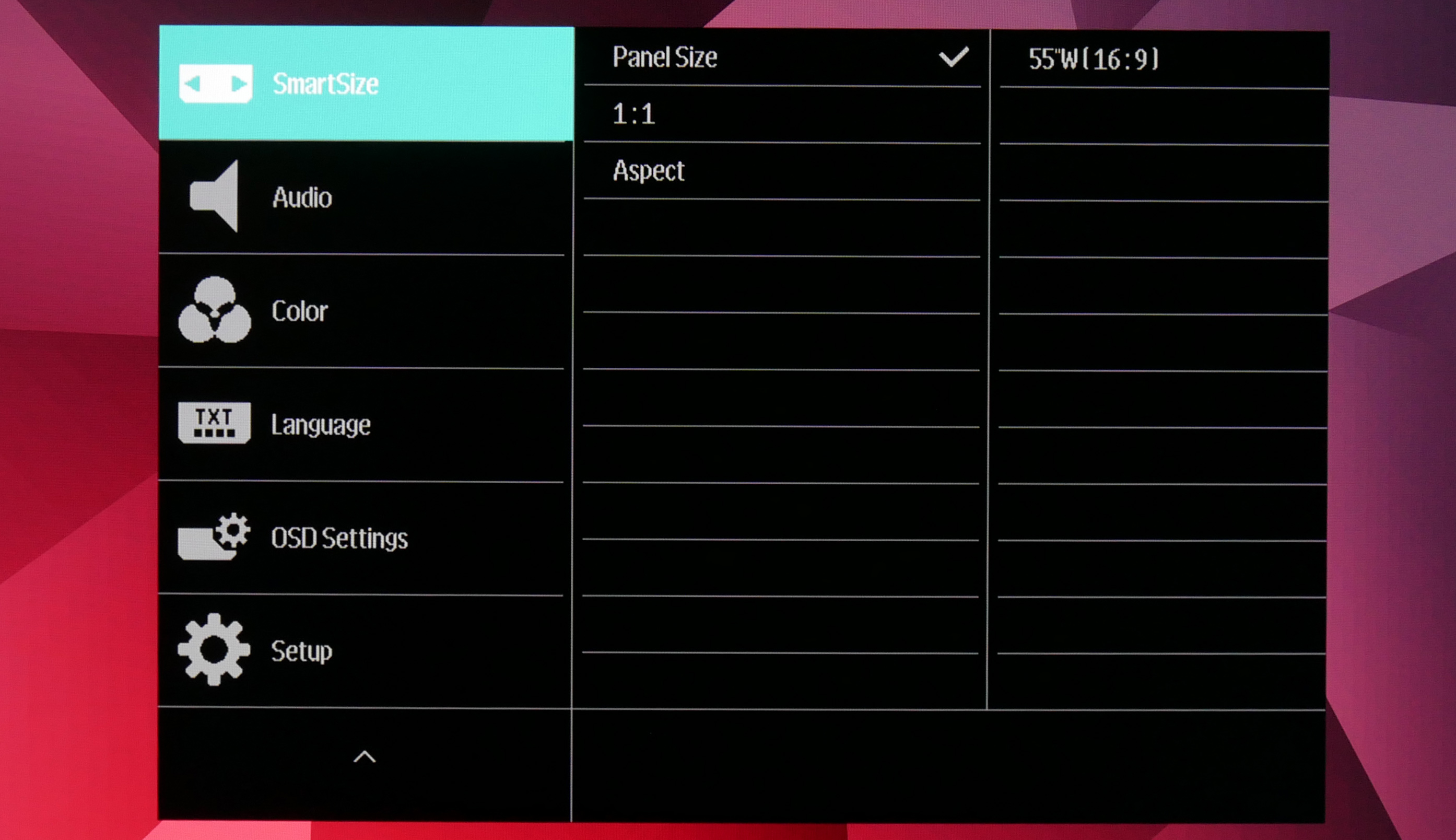
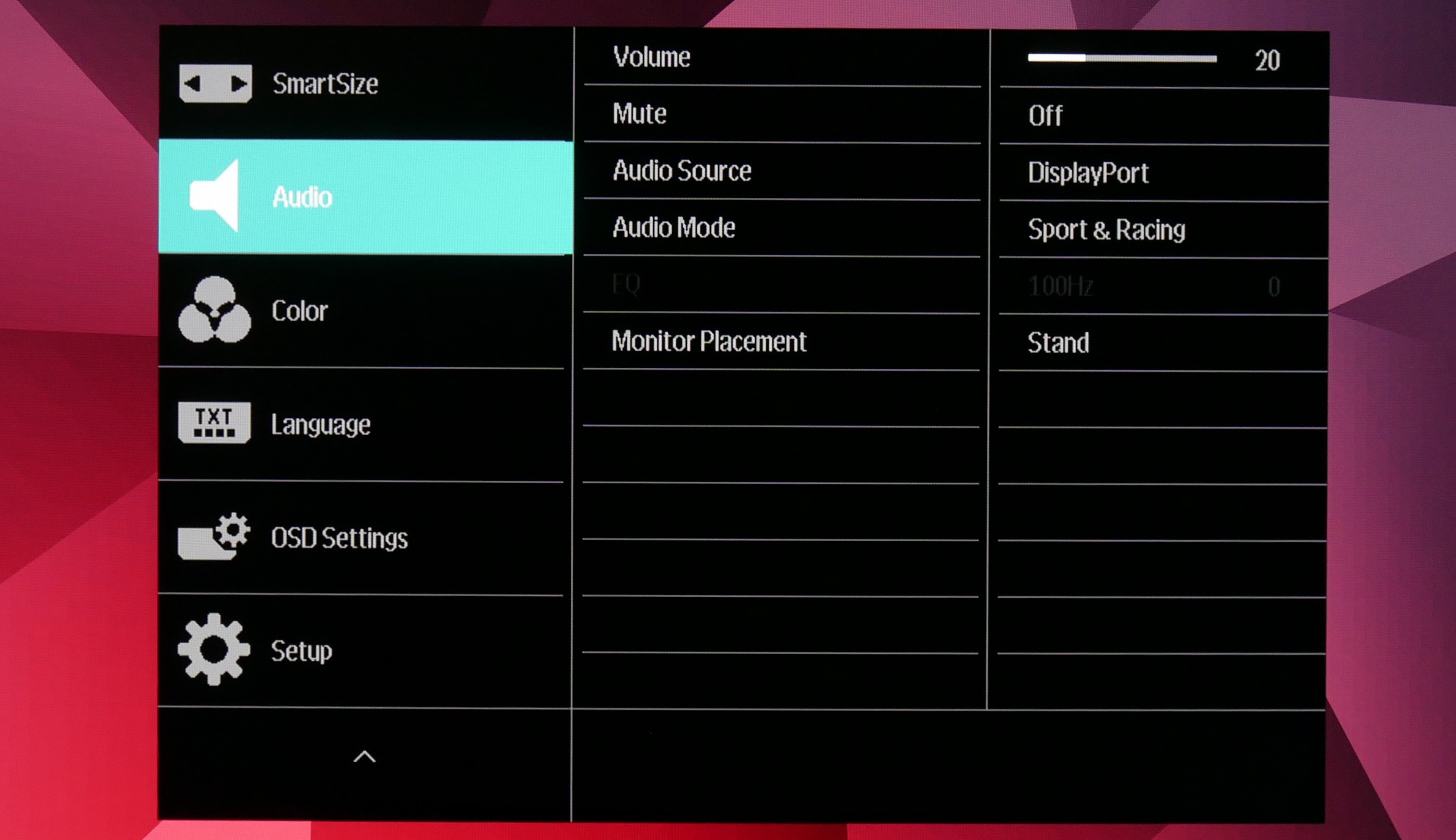
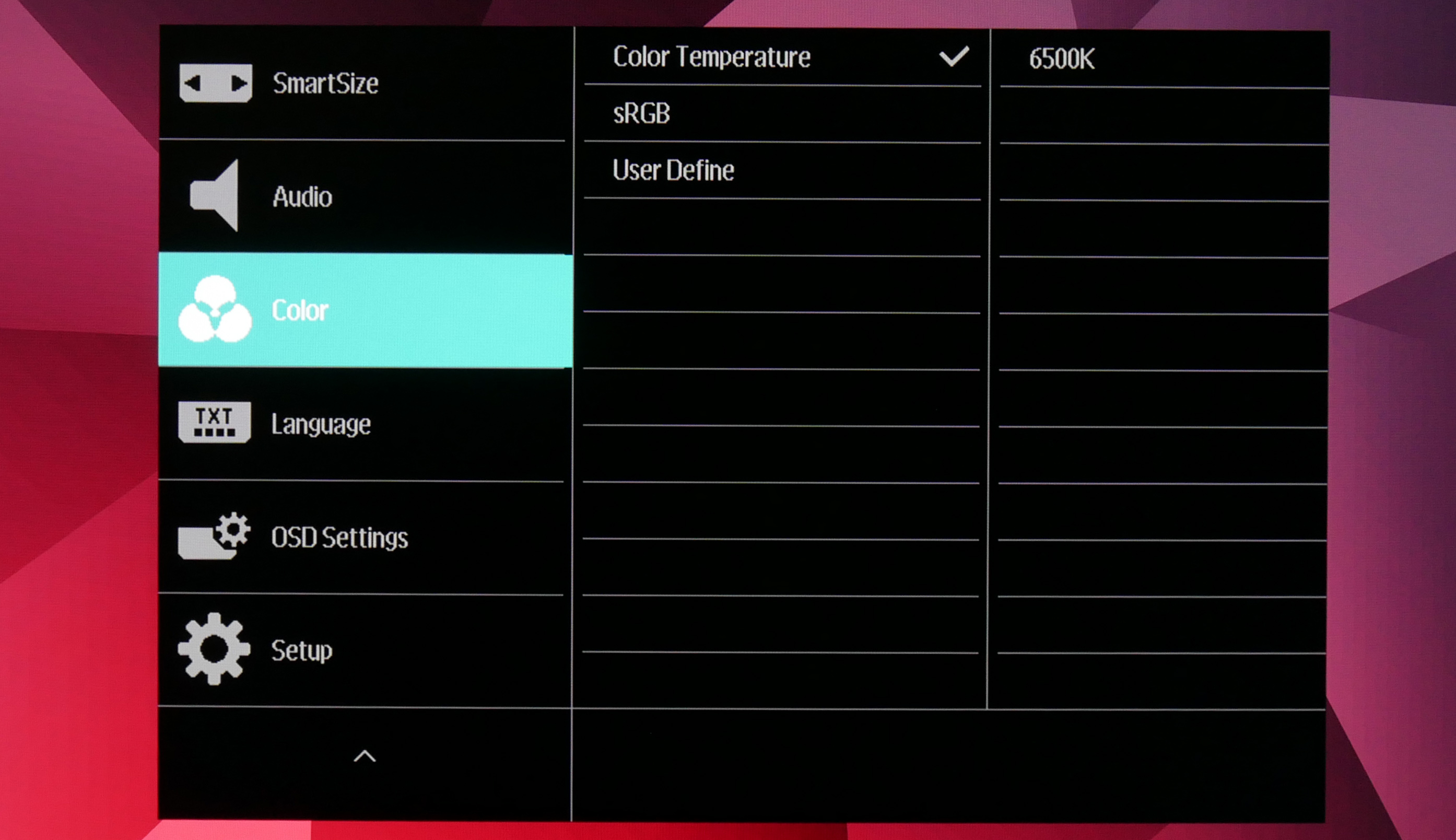
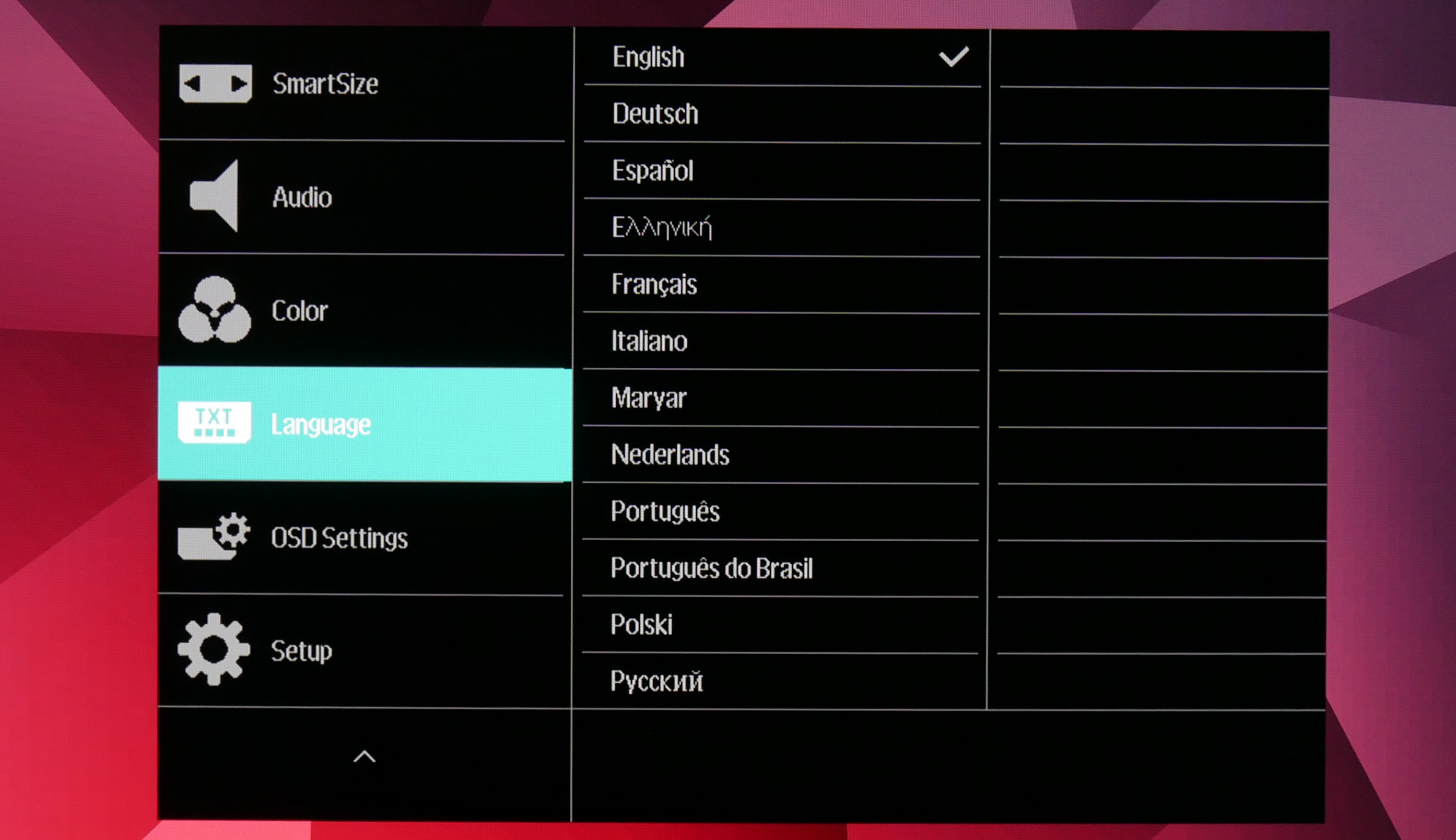
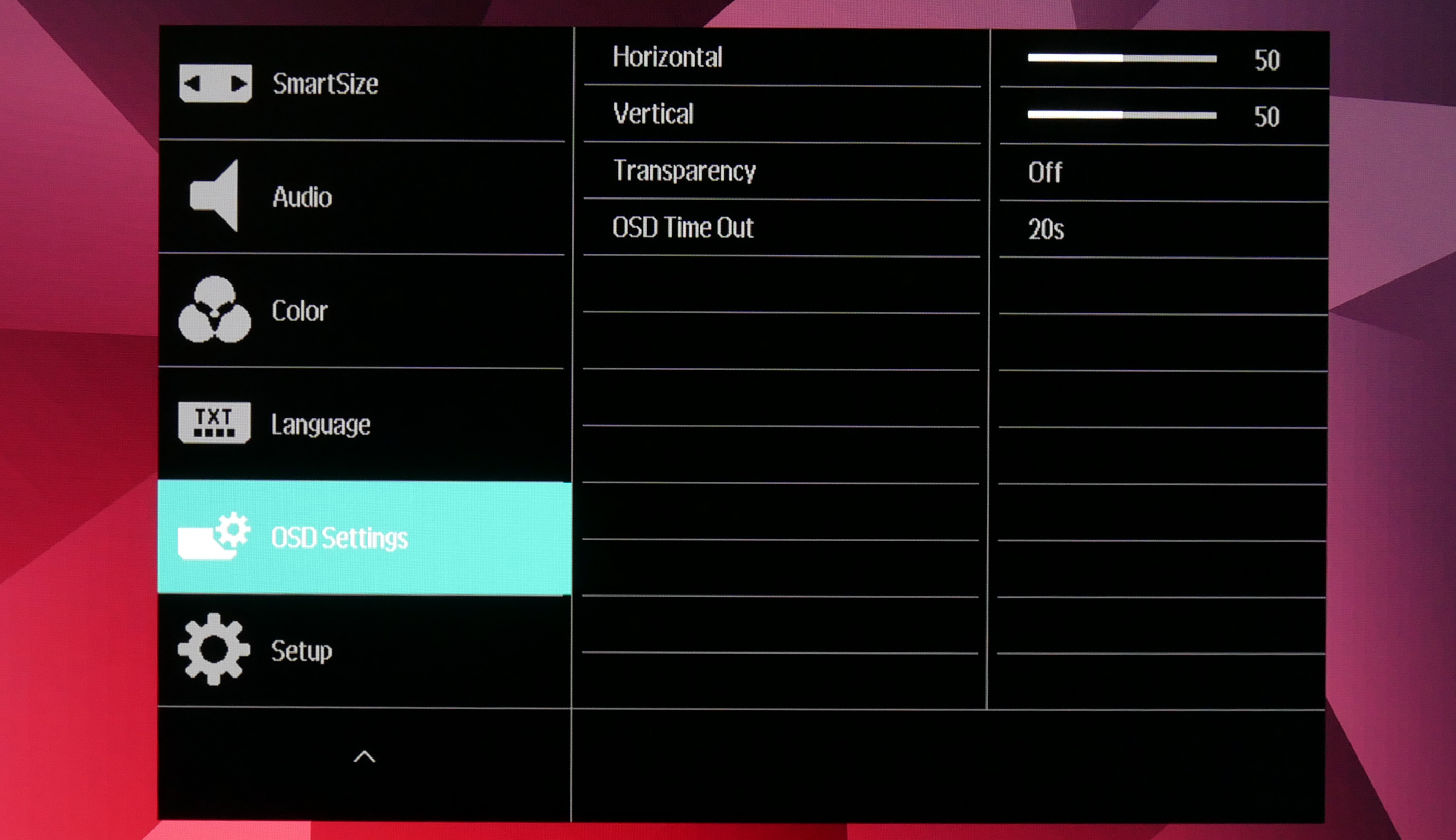
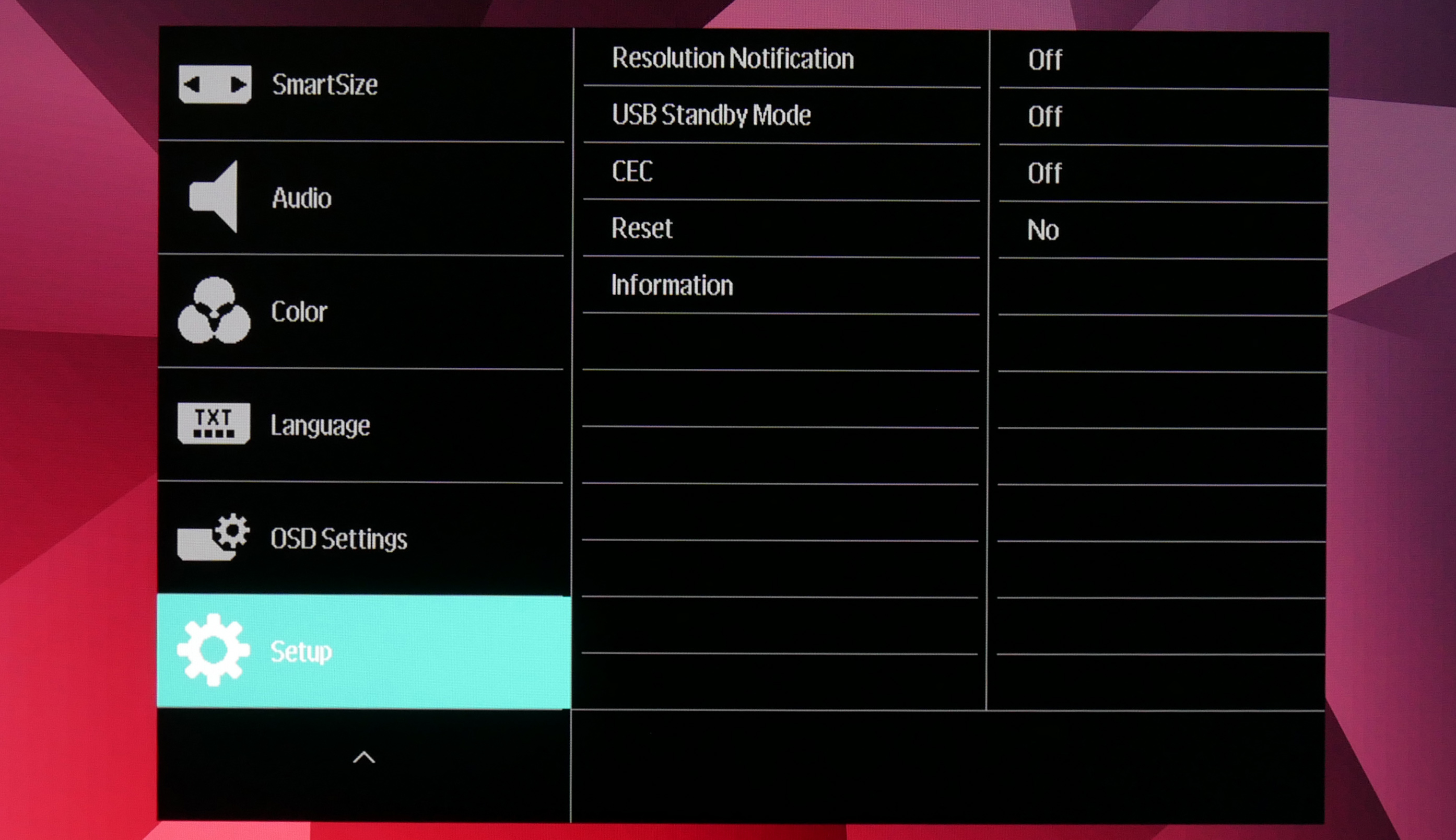
Overall, there's nothing here that I can really complain about. The remote makes everything very easy to navigate, all the settings are clearly laid out and there are no glaring omissions.
Our main test involves using a DataColor SpyderX Colorimeter to assess a display’s image quality. The device sits on top of the screen while the software generates colour tones and patterns, which it compares against predetermined values to work out how accurate the screen is.
The results show –
- A monitor’s maximum brightness in candelas or cd/m2 at various levels set in the OSD.
- A monitor’s contrast ratio at various brightness levels in the OSD.
- The brightness deviation across the panel.
- The black and white points.
- The colour accuracy, expressed as a Delta E ratio, with a result under 3 being fine for normal use, and under 2 being great for colour-accurate design work.
- The exact gamma levels, with a comparison against preset settings in the OSD.
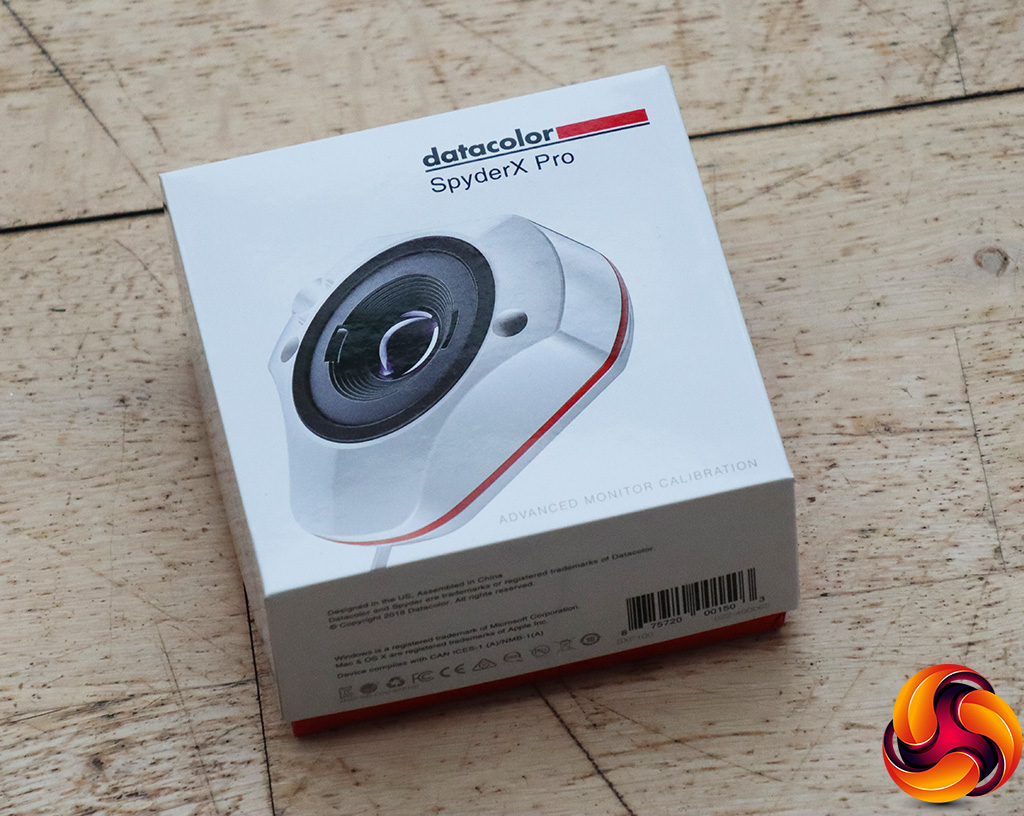
We first run this test with the display in its default, out-of-the-box state, with all settings on default. We then calibrate the screen using the Spyder software and run the test again.
Pre-calibration
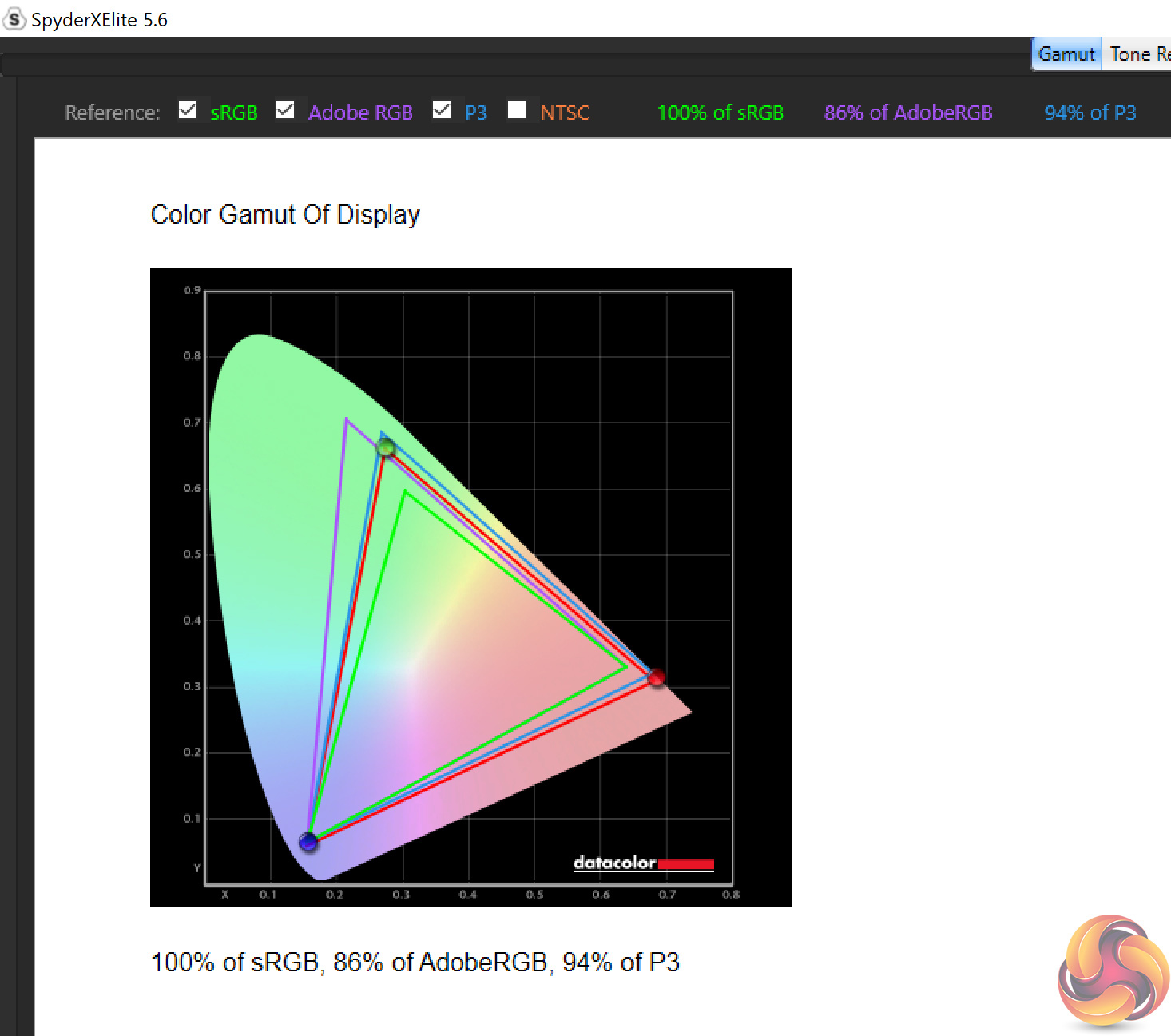
Kicking things off with our gamut testing, Philips claims 125% coverage of the sRGB space, and 95% DCI-P3. Our Spyder unit doesn't report values over 100% sRGB, but we can see 94% reporting for the P3 colour space. A strong start.
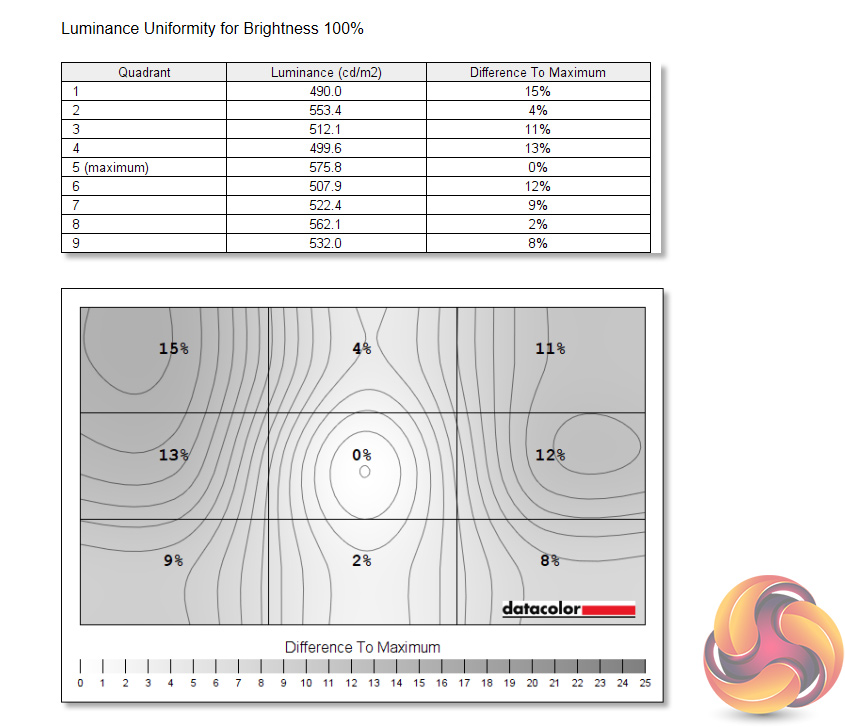
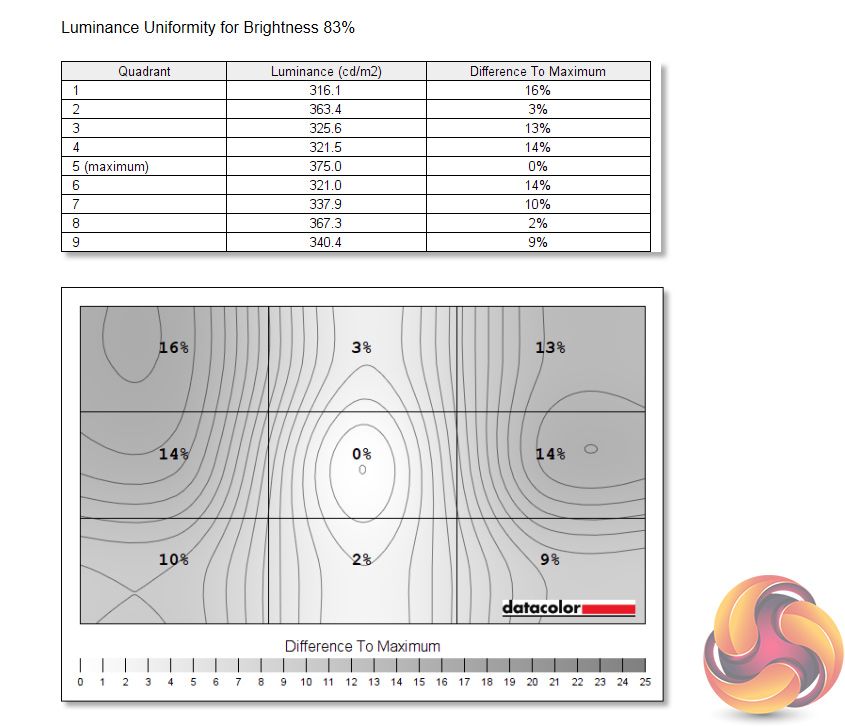
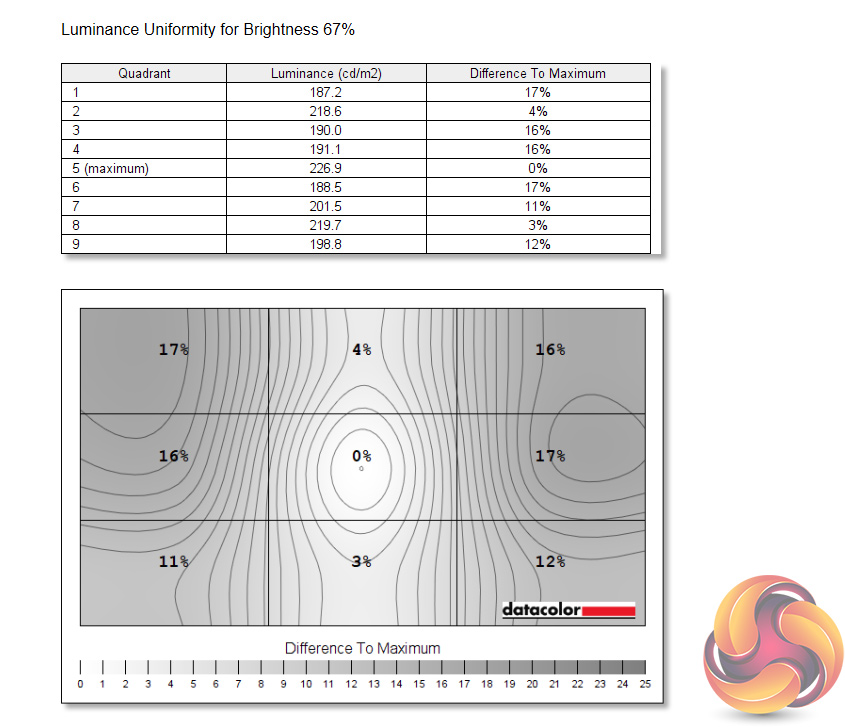
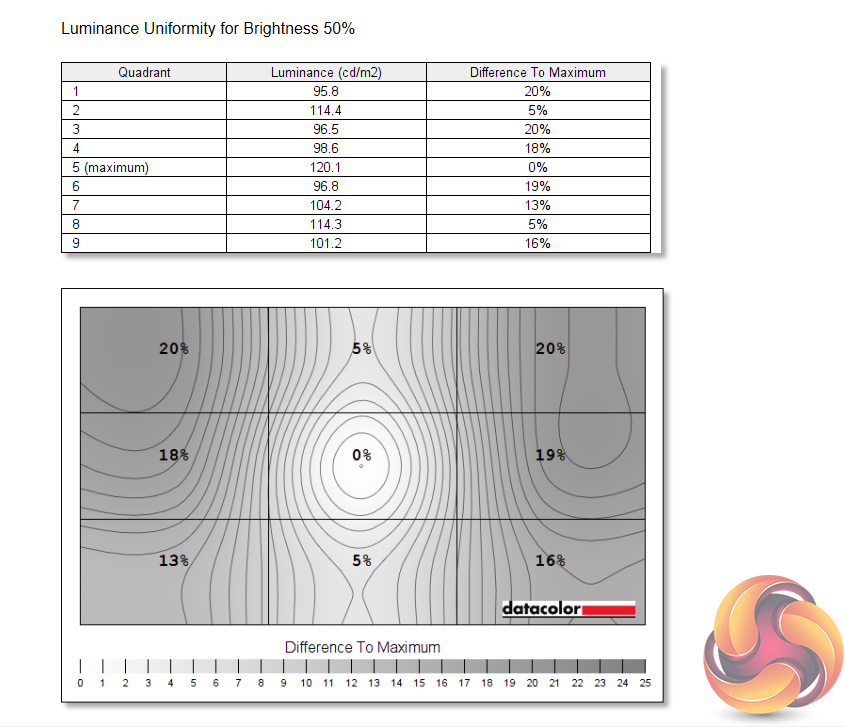
Up next is our luminance uniformity, and here we do see a little bit more deviation than I would like, with the top left corner being particularly aberrant. We would expect a bit more variation than usual considering the sheer size of the panel, and subjectively speaking the difference wasn't noticeable to my eye.
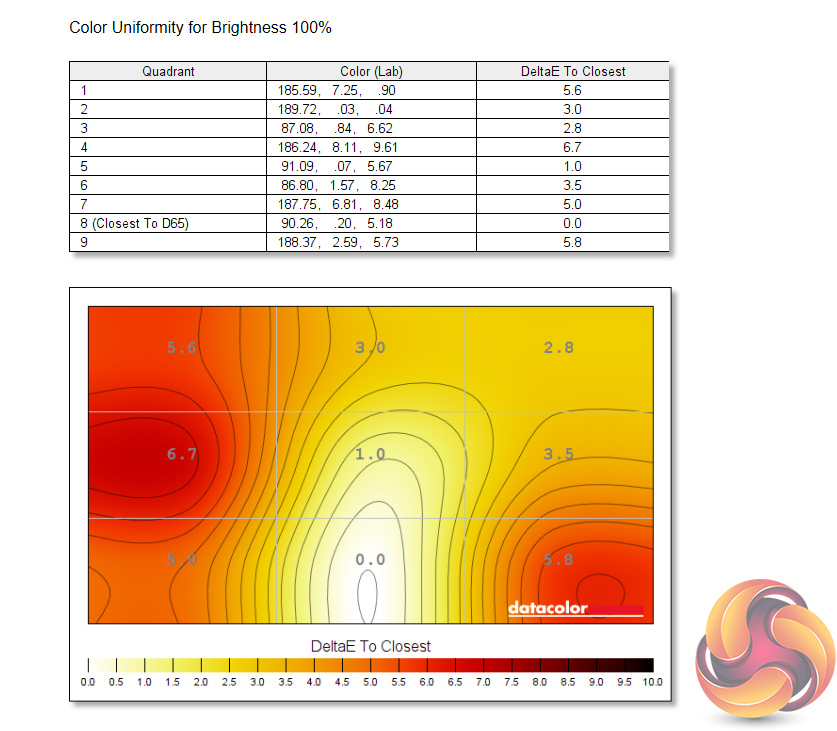
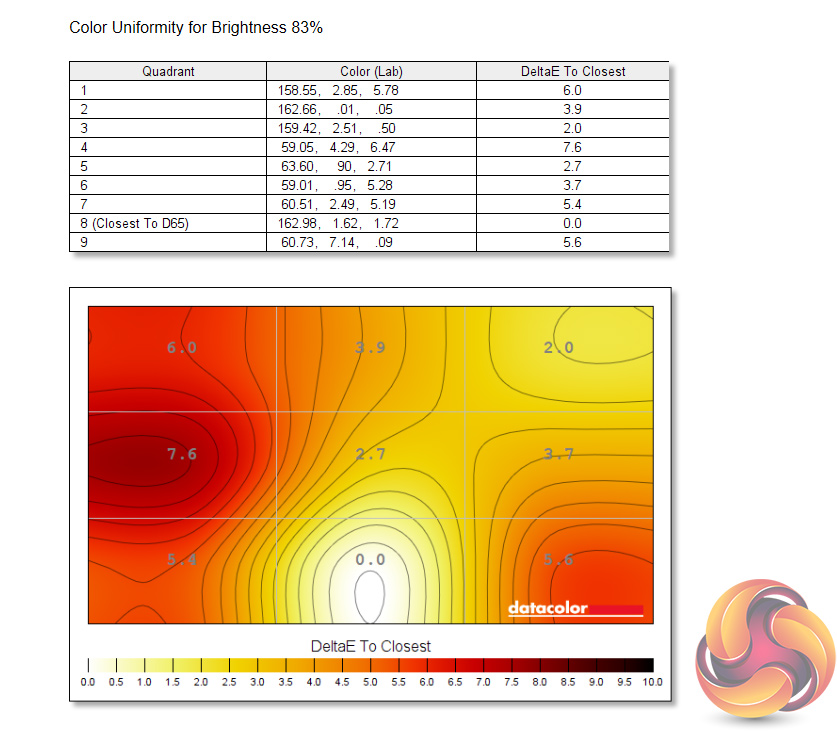
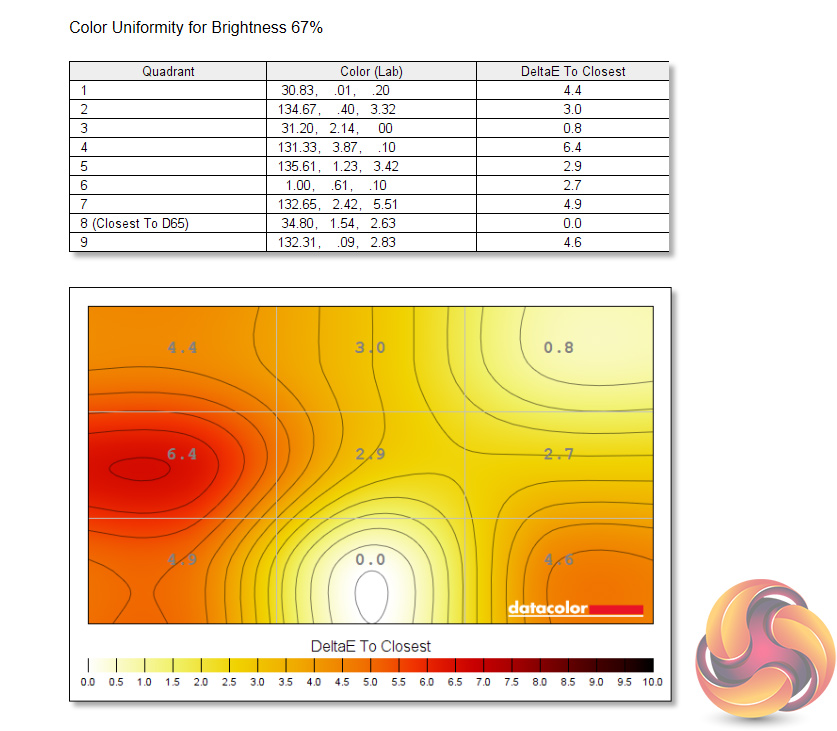
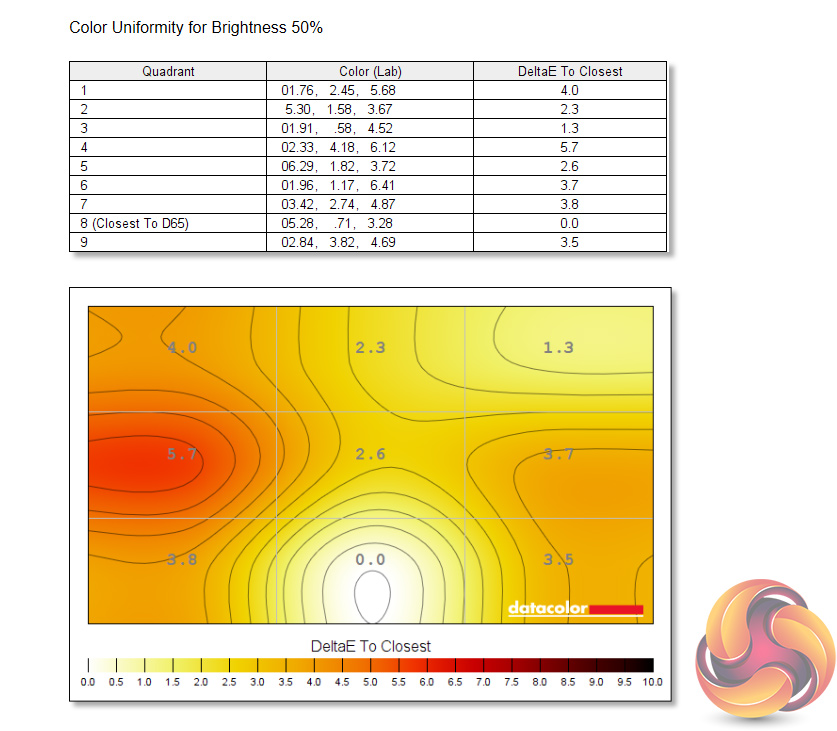
As for colour uniformity, again there is some deviation here, particularly on that left side of the panel. If you were using this screen for high-fidelity image or video work, it's possible this would be a problem. However, that is just not what this screen is for, and again it's not something I noticed during regular use, so I don't think we knock the 558M1RY too much here.
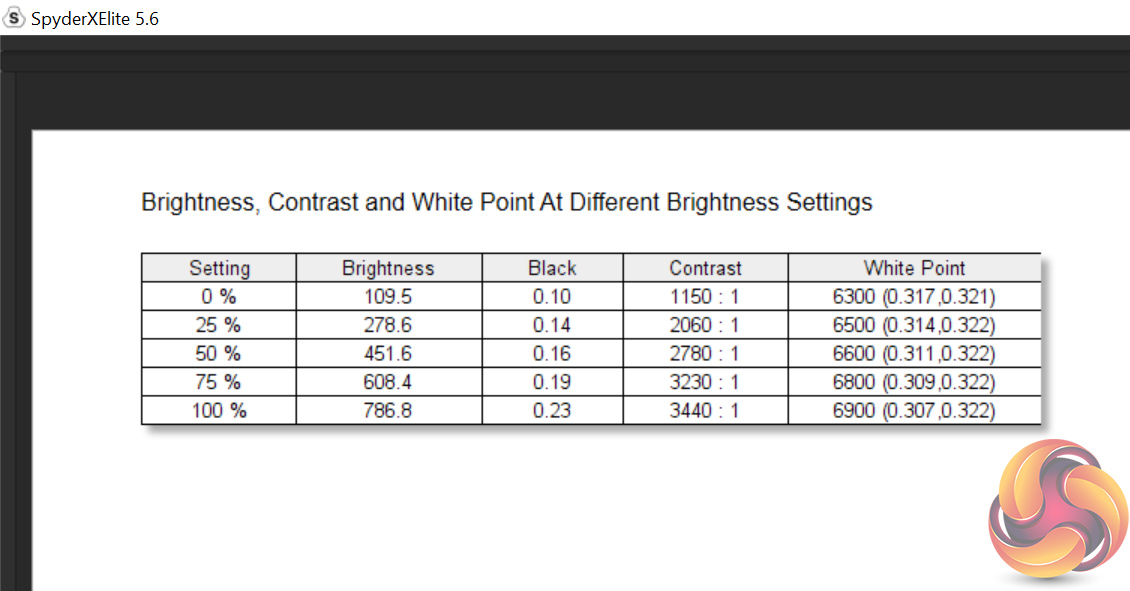
Peak brightness is highly impressive, hitting almost 790 cd/m2 while dropping as low as 109 cd/m2. This is also a VESA DisplayHDR 1000 certified monitor, so we can expect spikes to 1000 cd/m2 when used in HDR mode, but this isn't something we can test with the Spyder.
Contrast is also very strong as we would expect from a VA panel, hitting a 3440:1 ratio at 100% screen brightness. This gives the screen a very ‘punchy' look to it when gaming, and is a definitely strongpoint for the 558M1RY.
The white point is also pleasing accurate, hovering close to the 6500K standard at every brightness setting tested. At 100% it measures 6900K, meaning the panel is ever so slightly cool, but the difference is very marginal compared to 6500K.
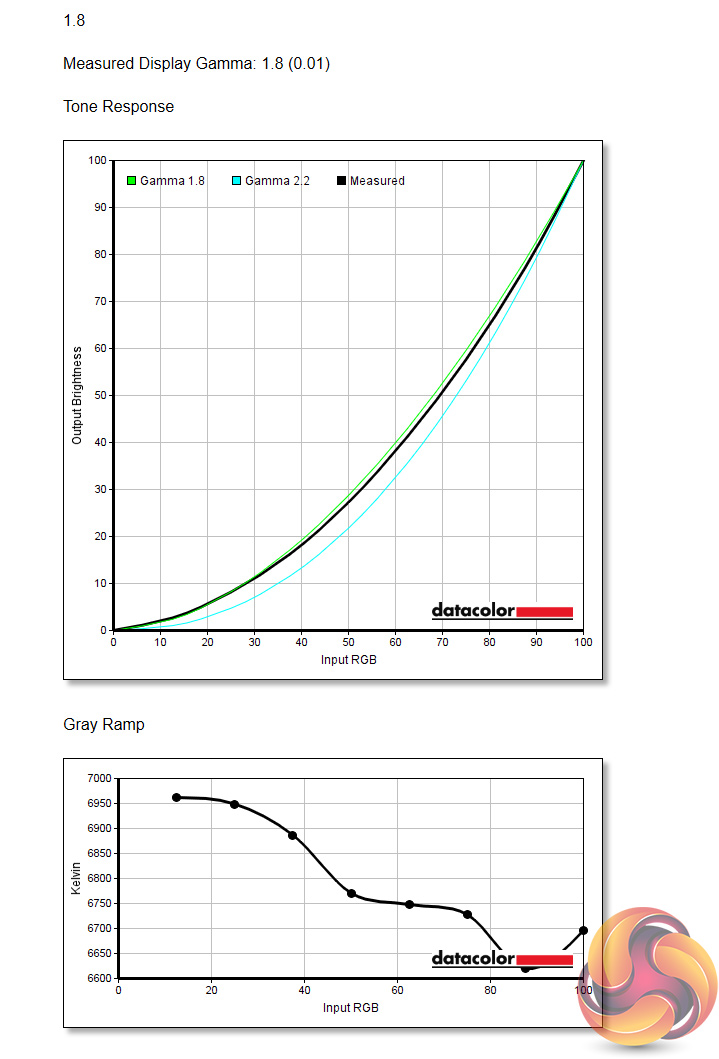
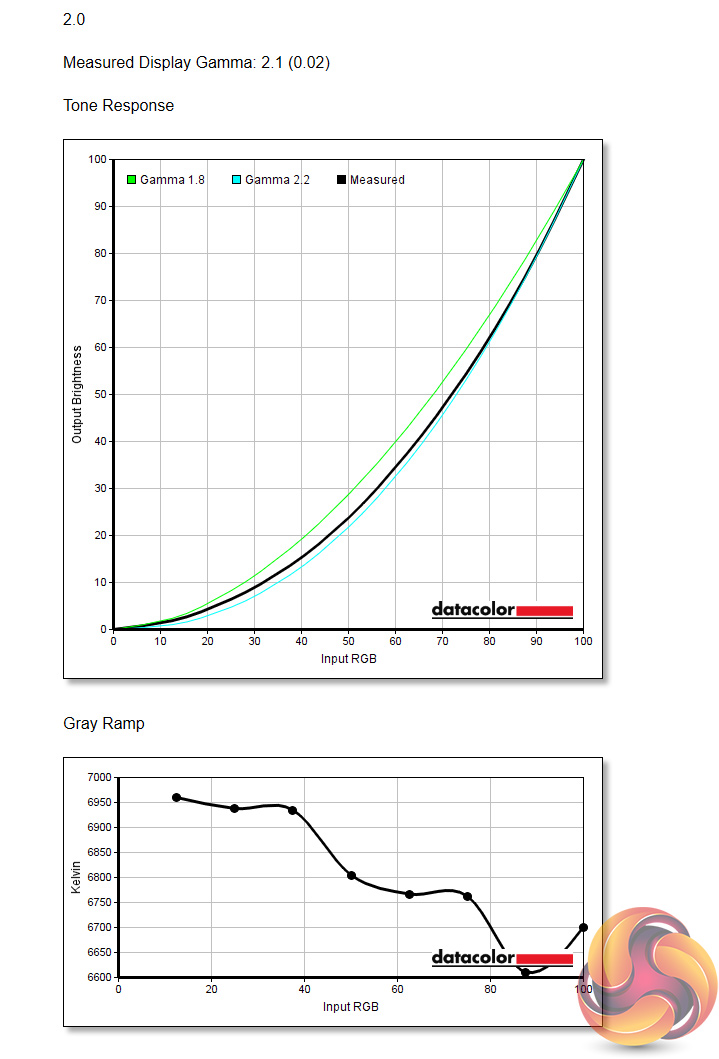
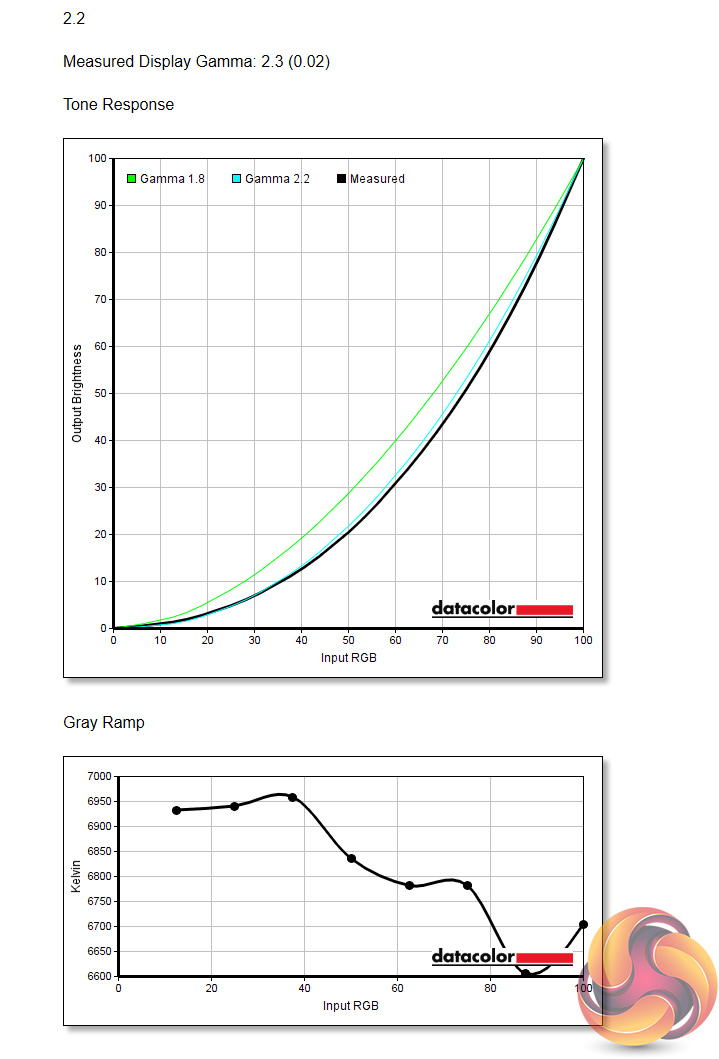
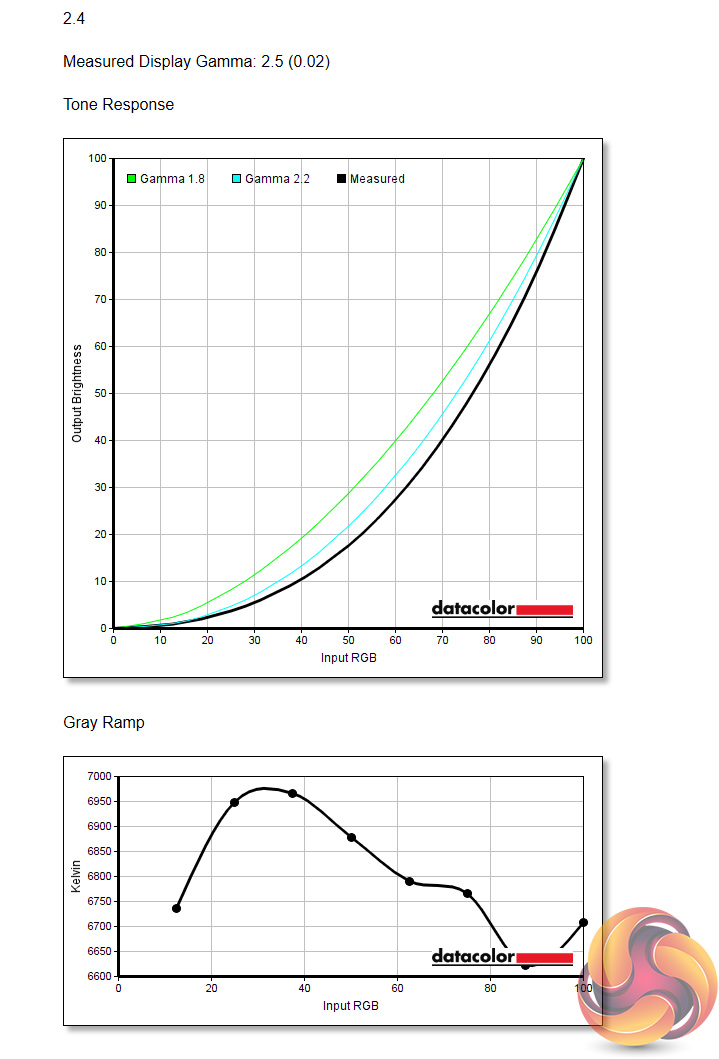
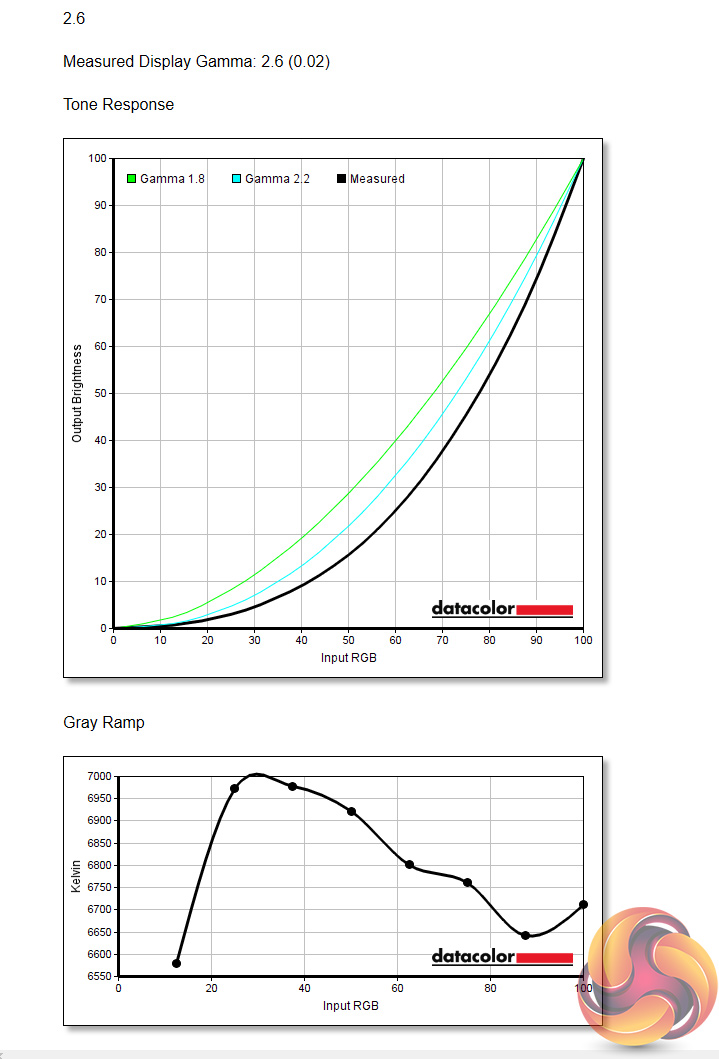
Up next is gamma testing, and here the screen has 5 options, each of which should directly correlate to a gamma reading – starting at 1.8, and going up to 2.6. Based on our testing, the 1.8 and 2.6 options are accurate – gamma readings using those options do come in at 1.8 and 2.6, respectively. However, the rest of the options report a gamma value 0.1 higher than it should be. Gamma 2.2, for instance, is reported as a value of 2.3.
This isn't ideal as it means none of the settings can actually hit a gamma reading of 2.2, which is the standard value for monitors.
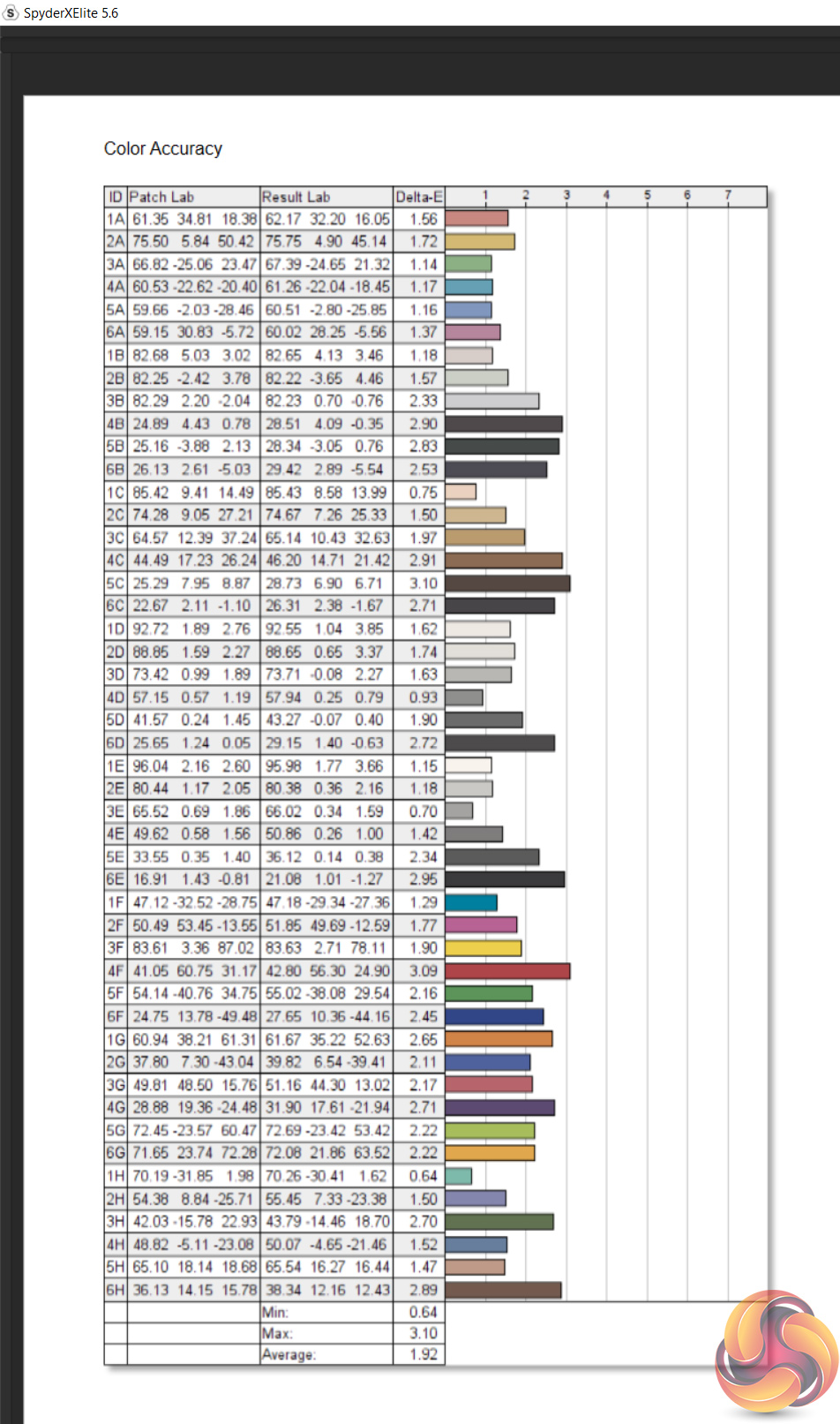
Lastly we have overall colour accuracy, with the screen reporting an average Delta E of 1.92. This is a decent result, and although not jaw-dropping in its accuracy, we have to remember this is a gaming display, and one designed for living room at that – so it was never going to come in with colour accuracy matching professional screen.
Post-calibration
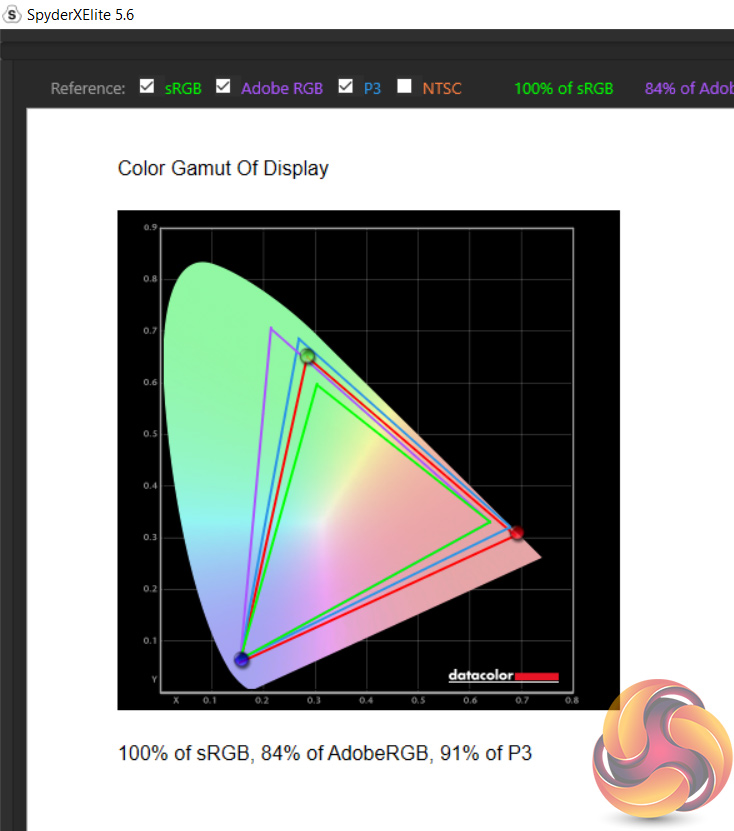

After calibrating the panel, we can see a slight reduction in DCI-P3 coverage, down 3% from our initial test. Brightness has also come in slightly higher, hitting 816 cd/m2, though peak contrast is now 3260:1. Pleasingly, the panel's white point is now spot-on at 6500K, when at 100% brightness.
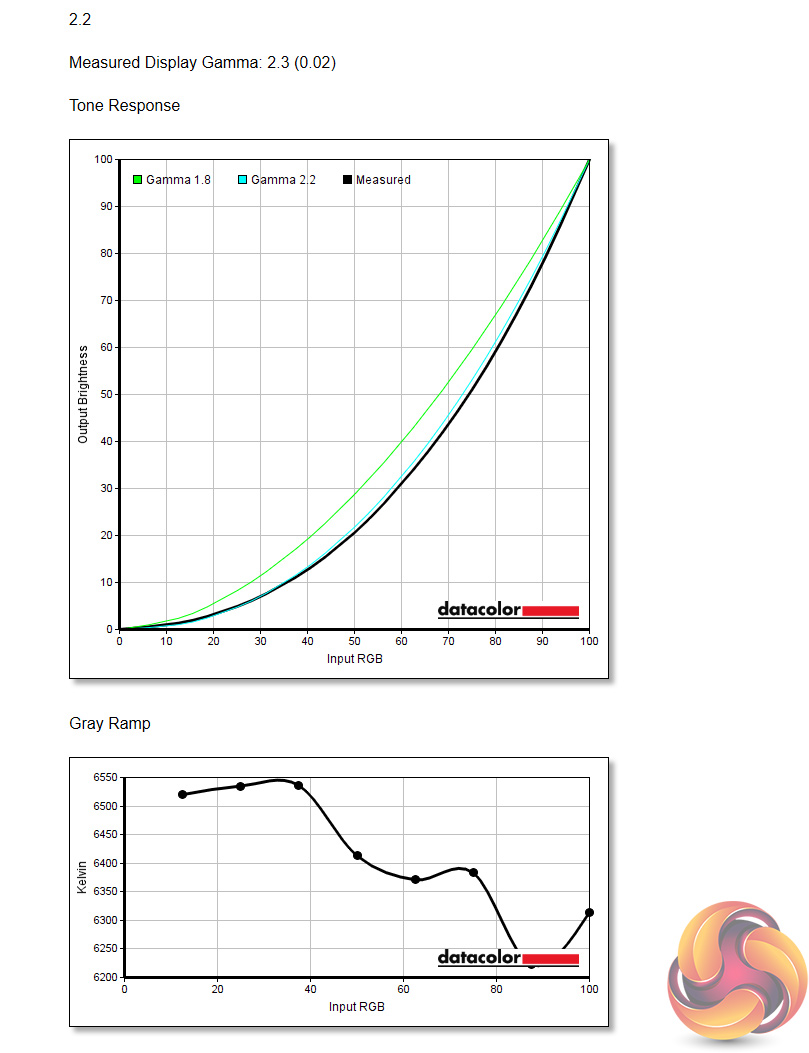
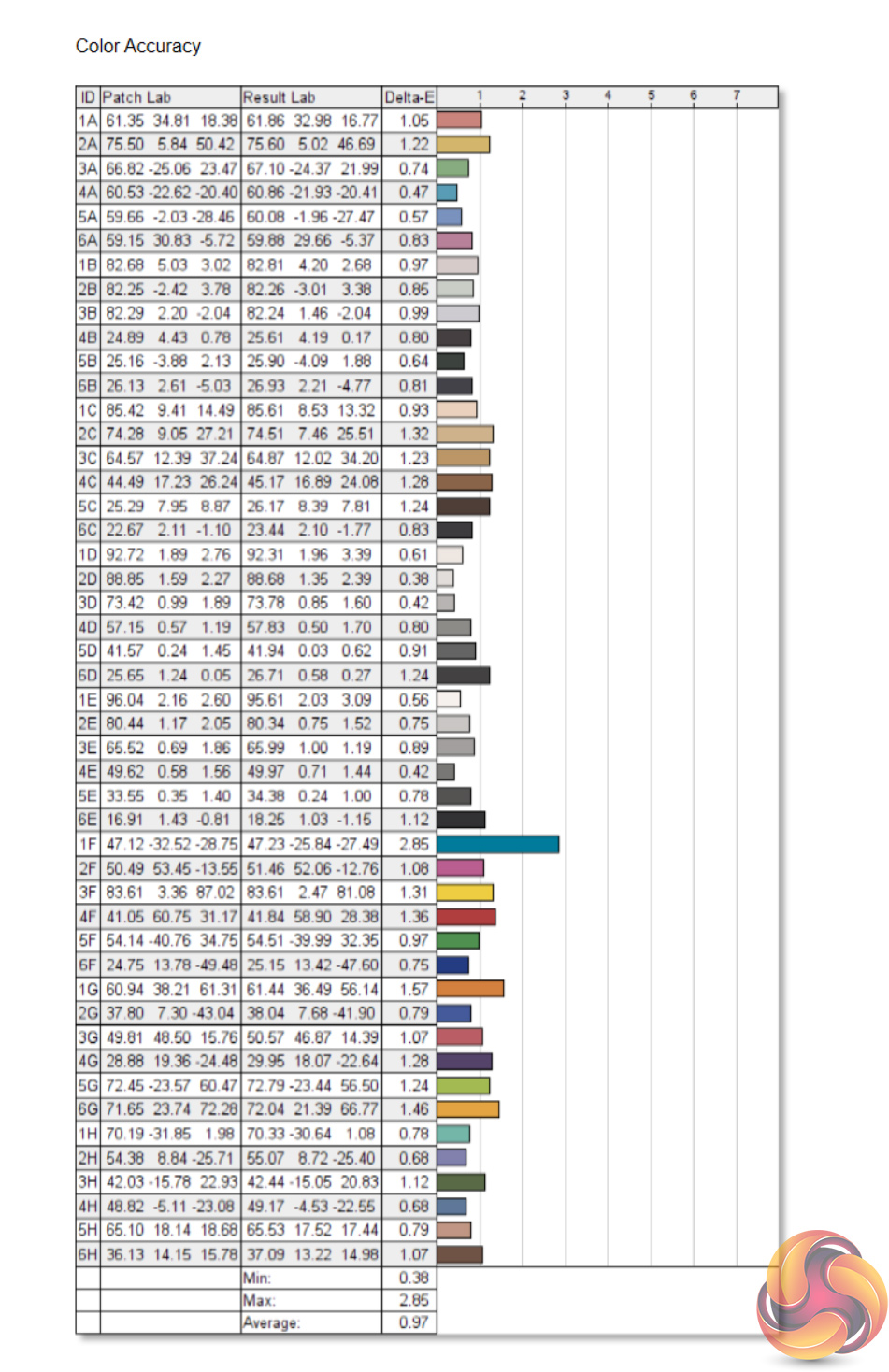
Gamma remains slightly out, however, with Gamma 2.2 still reporting a value of 2.3. Overall colour accuracy has improved significantly, with a new average Delta E of just 0.97. For a gaming display, this is an excellent result.
I've spent the last week using the Philips Momentum 558M1RY, and it is certainly not for the faint of heart. Measuring in with a huge 55in panel, this monitor is almost certainly best suited for use in the living room as its sheer size means it is unlikely to be used in a typical office setup or on a desk.
For a gaming panel, this does tick a lot of the boxes. 4K resolution up to 120Hz, alongside the DisplayHDR 1000 certification, means games like Red Dead Redemption 2 and Shadow of the Tomb Raider have never looked better, with the high 3400:1 contrast ratio also lending a real ‘punch' to the overall image.
Those used to gaming with a TV's inbuilt speakers will also appreciate the Bowers and Wilkins soundbar that comes as part of this monitor. Compared to my LG B9's speakers, the sound is noticeably fuller and at full whack the soundbar gets loud, as we measured noise levels over 90dB at a distance of two metres.
Clearly, the 558M1RY is designed for console gaming first and foremost, and it even says as much on the front of the box. That does mean this screen can get away with some slight uniformity issues that would be more of a hindrance for a display meant for use on a desk. We noticed a bit of brightness and colour uniformity deviation which is not ideal, but I have to say it wasn't noticeable to my eye when gaming. If this was a screen designed for image or video work, it would be a definite black mark. For a gaming panel, however, the 558M1RY is off the hook.
Speaking of gaming, the Momentum handles motion pretty well for a VA panel. You will want to turn overdrive to the max, using the ‘Fastest' setting, but this eliminated most of the visible ghosting artifacts that I could spot. When you consider that most users will be sitting a few feet away from this screen due to its sheer size, I'd say all but the absolute pickiest of gamers will be happy here.
One thing I can't quite wrap my head around, though, and something quite fundamental to the appeal of this screen, is the selection of inputs Philips has opted for. Specifically, it does not support HDMI 2.1 inputs – just HDMI 2.0. This means the only way to get 4K/120Hz is to use DisplayPort, therefore ruling out console users from being able to achieve this panel's maximum resolution and refresh rate.
Considering next-gen consoles will have support for HDMI 2.1, this is a definite blow. Granted, Philips has told us once HDMI 2.1 is out in the wild, it will update the Momentum to support the latest protocol. However, it does mean I am left scratching my head as to why you would buy this panel now. To my mind, it seems prudent to just wait a few more months and get the version with HDMI 2.1 – even if you won't use it straight away, anyone who buys this screen with its HDMI 2.0 ports is going to be missing out should they upgrade to a next-gen console down the line.
Overall then, the Philips Momentum 558M1RY is a very capable screen, with its high resolution, refresh rate and HDR abilities coming together very nicely in a monitor of this size. It's not quite perfect though, and I would imagine most people considering this screen will want to wait for the model equipped with HDMI 2.1, but for those after an all-round impressive display for living room gaming, this will get the job done… and then some.
It doesn't look like the 558M1RY is available to buy just yet, but Philips has told us it has a UK MSRP of £1199.
Discuss on our Facebook page HERE.
Update 19/7/2021: Philips has now launched the updated model of the 558M1RY, with support for HDMI 2.1. The new model is the 559M1RYV and we've been told it will retail at the same £1199 MSRP.
Pros
- Huge screen.
- DisplayHDR 1000.
- Impressive colour accuracy out of the box.
- Excellent contrast ratio.
- 4K and 120Hz with DisplayPort.
- Impressive soundbar.
- Ambiglow adds to the overall experience.
Cons
- HDMI 2.0 ports are limited to 4K/60Hz.
- Some panel uniformity issues.
- Gamma 2.2 reports a value of 2.3.
KitGuru says: It's a beast of a screen, and for gaming in the living room this ticks plenty of boxes. Considering it is aimed at console gamers, however, I do find it odd there is no support for HDMI 2.1, so anyone likely to buy a next-gen console will want to wait for Philips to update the Momentum with support for 4K/120Hz over HDMI.