 KitGuru KitGuru.net – Tech News | Hardware News | Hardware Reviews | IOS | Mobile | Gaming | Graphics Cards


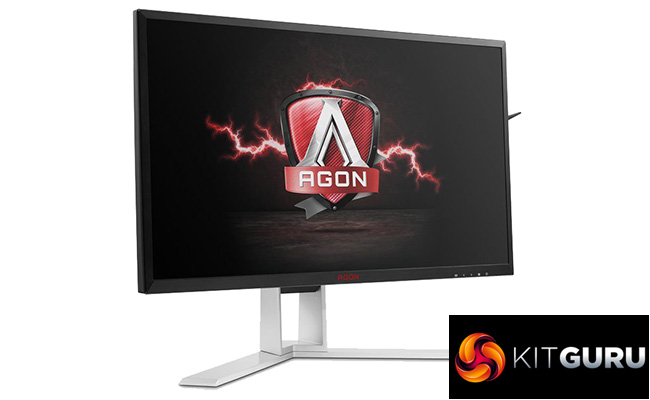
This year has seen the arrival of a new gold standard for gaming monitors. New panels able to refresh at up to 240Hz have pushed responsiveness to another level. We’ve already seen the Acer Predator XB252Q and AOC AG251FZ so now it’s the turn of another AOC model, the AOC AGON AG251FG.
This display is largely similarly to the AG251FZ, except that instead of including AMD’s Freesync technology it has Nvidia G-Sync. In fact, this is one of the very few occasions where a manufacture has released two displays that are all but identical except for this feature. Most of the time we tend to find other changes have been made to more clearly differentiate the two, masking the added cost of G-Sync in the process.
Those common features, then, are a 24.5-inch diagonal TN panel with a 1,920 x 1,080 resolution and 1ms response time – all the 240Hz monitors use the same AU Optronics panel. This is joined by claimed figures of 400nits for the backlight and a 1000:1 contrast ratio.
That’s a relatively low resolution so it’s not exactly a productivity powerhouse but, if you’re aiming for 240Hz refresh rates it’s unlikely you’ll want to be gaming at any higher a resolution so in that regard it’s the perfect fit.
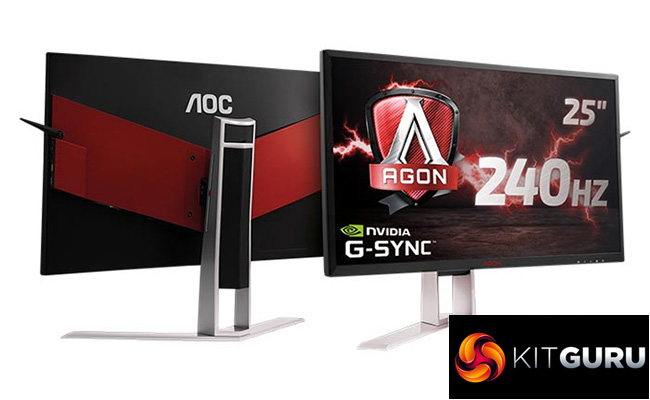
Elsewhere the premium metal stand also offers a full range of ergonomic adjustments and you get a USB hub, a couple of video connections, audio pass-through and speakers, all of which is again very similar to the AG251FZ.
What isn’t similar, though, is the price. G-Sync monitors tend to demand a premium and that’s rather laid open for all to see here as the AG251FG costs £500 compared to the £330 of the AG251FZ. That’s simply the price you pay for G-Sync and is something to bear in mind if you’re ever choosing which graphics card/monitor combo to get.
Otherwise, based on our experience of those previous 240Hz monitors, the AG251FG is well poised to be yet another impressive option, so let’s see if it holds up.
Specification:
- Screen size: 25-inch, 16:9 aspect
- Native resolution: 1,920 x 1,080
- Refresh rate: 240Hz
- Panel type: TN
- Contrast ratio: 1,000:1
- Brightness: 400cd/m2
- Response time: 1ms grey-to-grey
- Display inputs: DisplayPort, HDMI
- USB hub: USB 3.0, four ports
- Tilt: Yes
- Raise: Yes
- Swivel: Yes
- Pivot: Yes
- Other: Headphone jack, audio input minijack, built-in 12W speakers.
- VESA: Yes
- Retail Price: £256 (inc. VAT)
With a premium price, we expect the AG251FG not just to perform but look good too, and largely it delivers. The simple solid-metal base and stand looks smart and feels reassuringly sturdy while the matt black frame keeps the front looking tidy enough too.
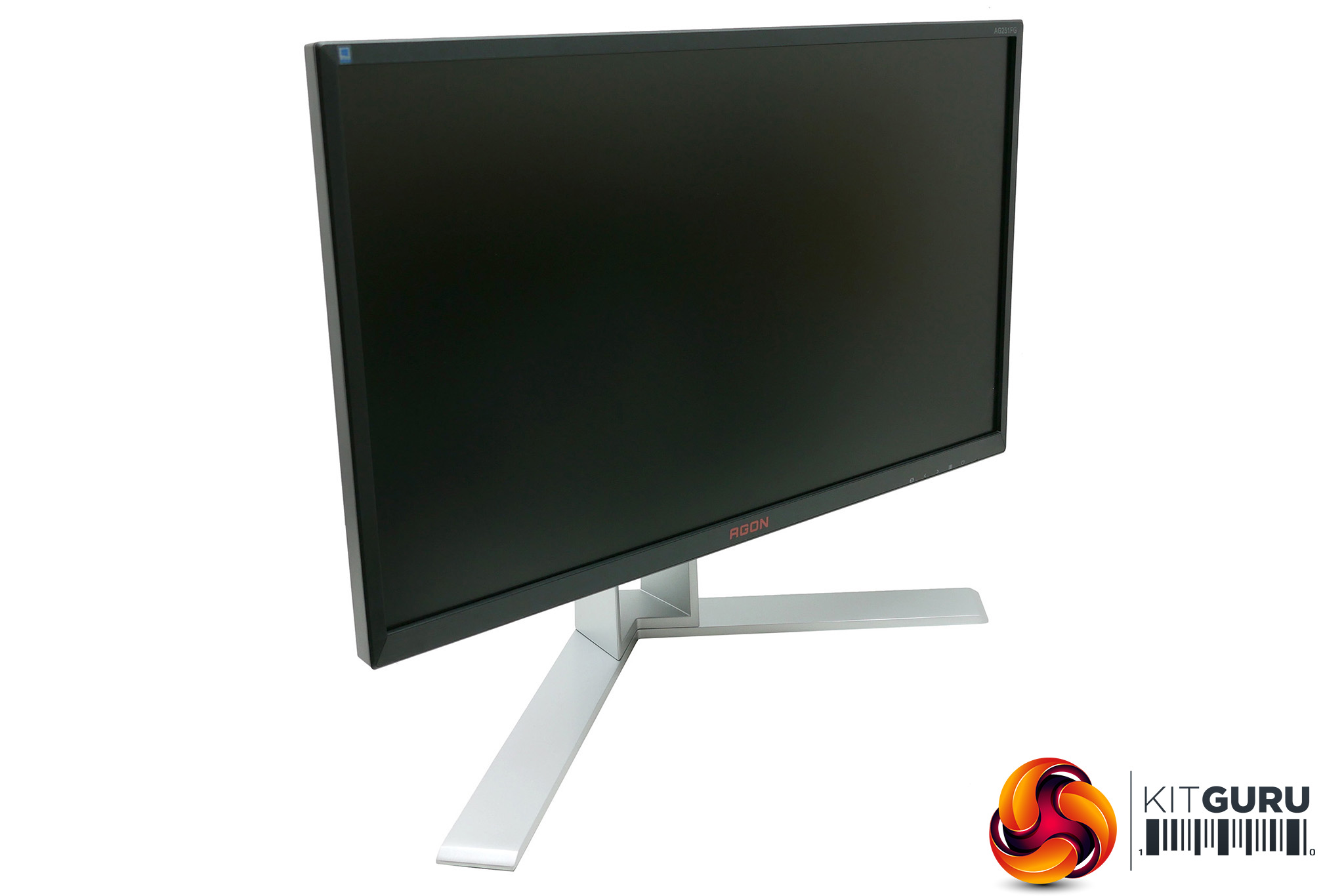
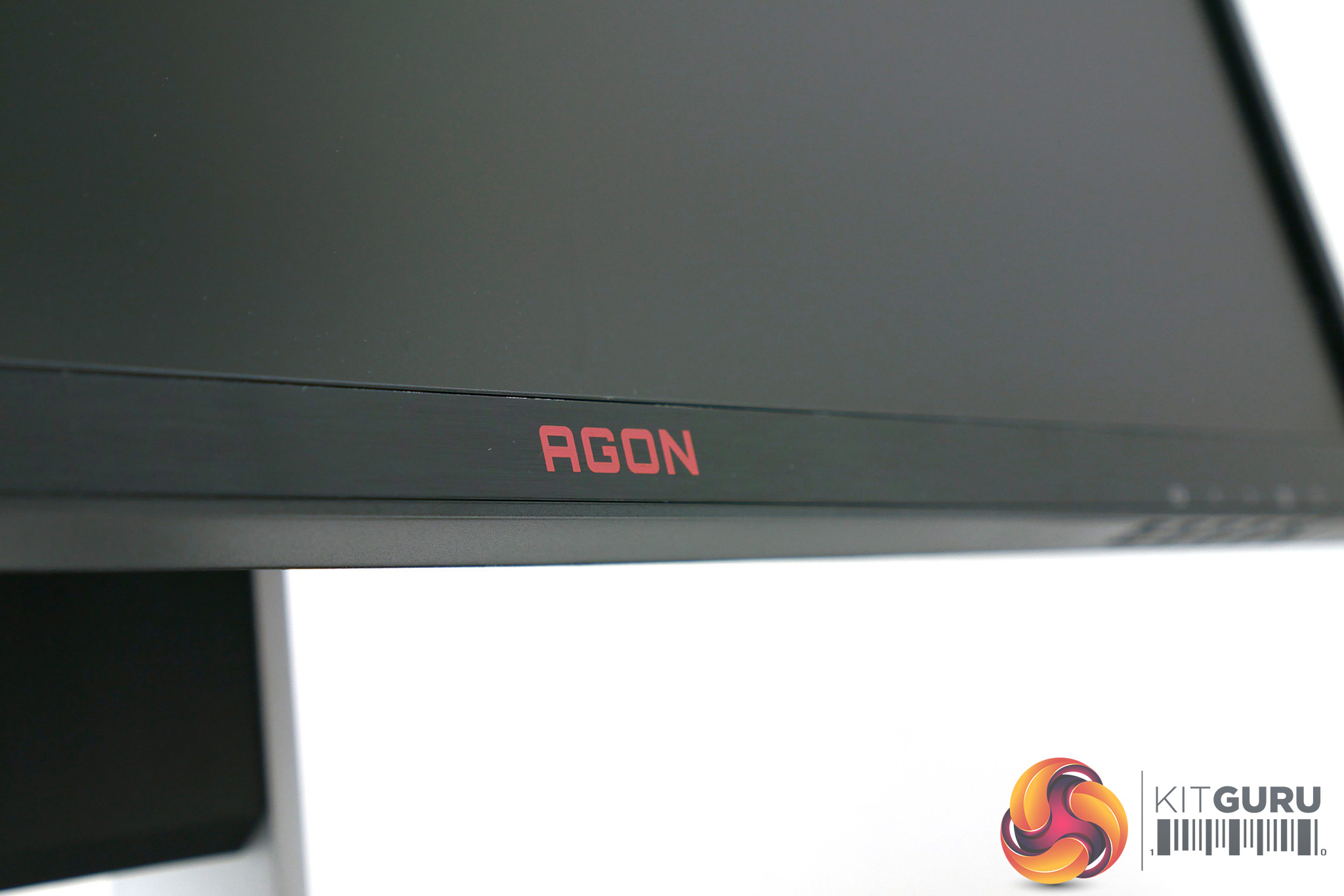
However, the bezel isn’t particularly low profile and is left looking a little cluttered thanks to the slightly too prominent AGON logo and on-screen display (OSD) labels along the bottom.
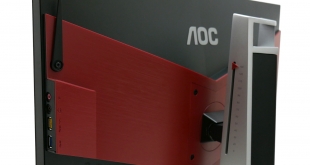
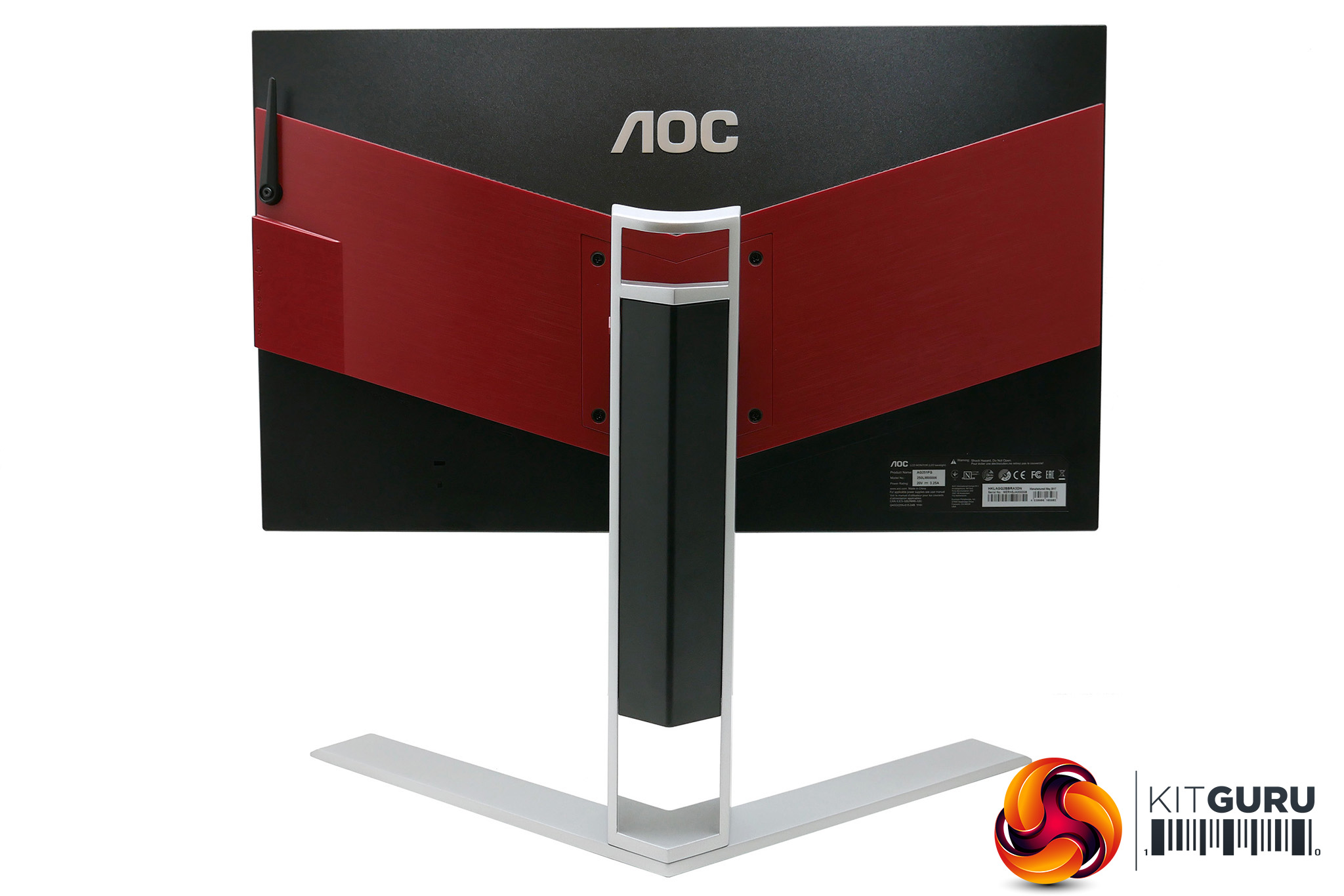
Meanwhile, round the back things are a bit more garish. A large V-shaped red plastic section and prominent silver AOC logo means this display is no shrinking violet. All told, it’s well built and certainly not ugly but isn’t what we’d call out and out stylish.
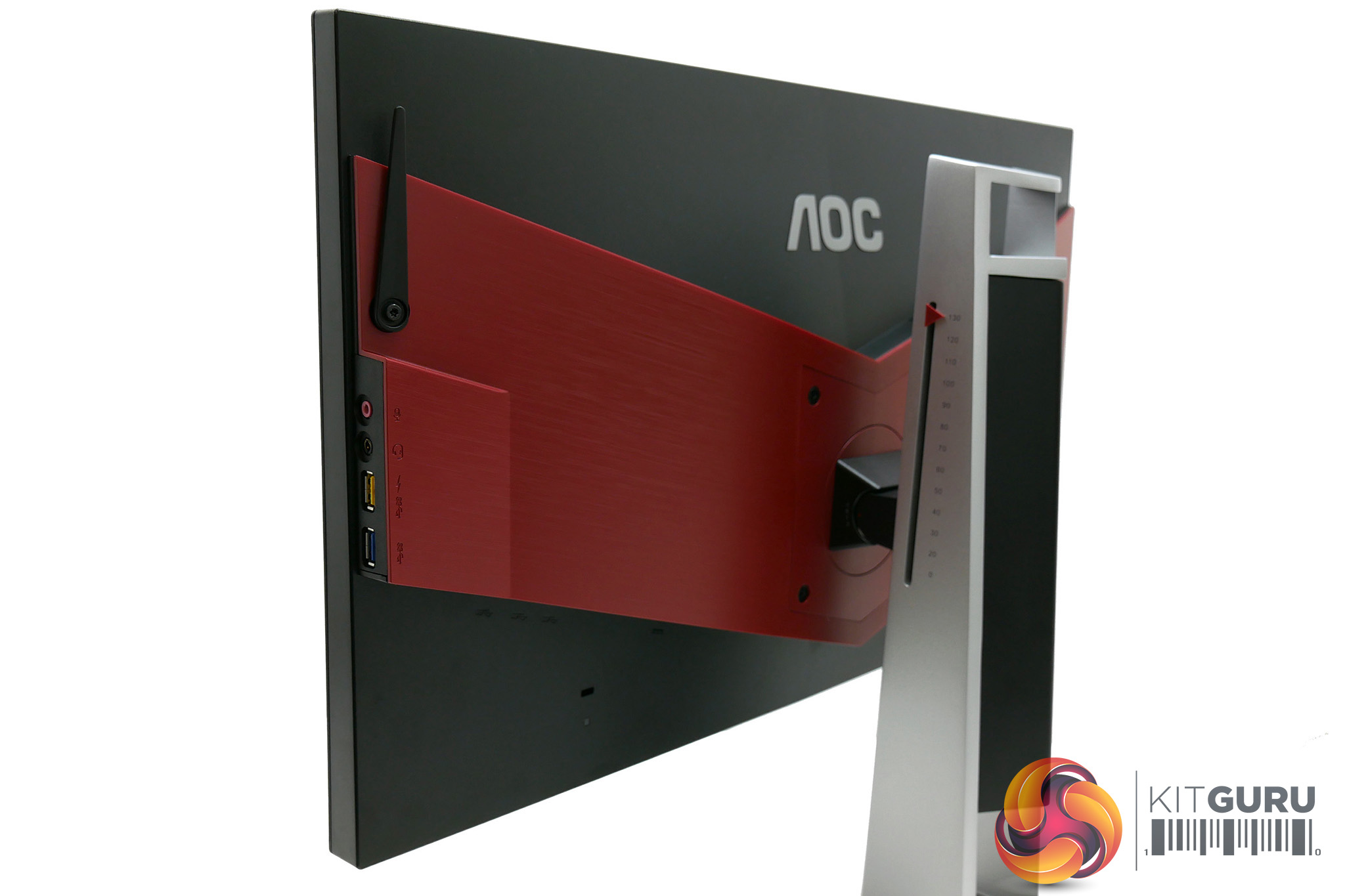
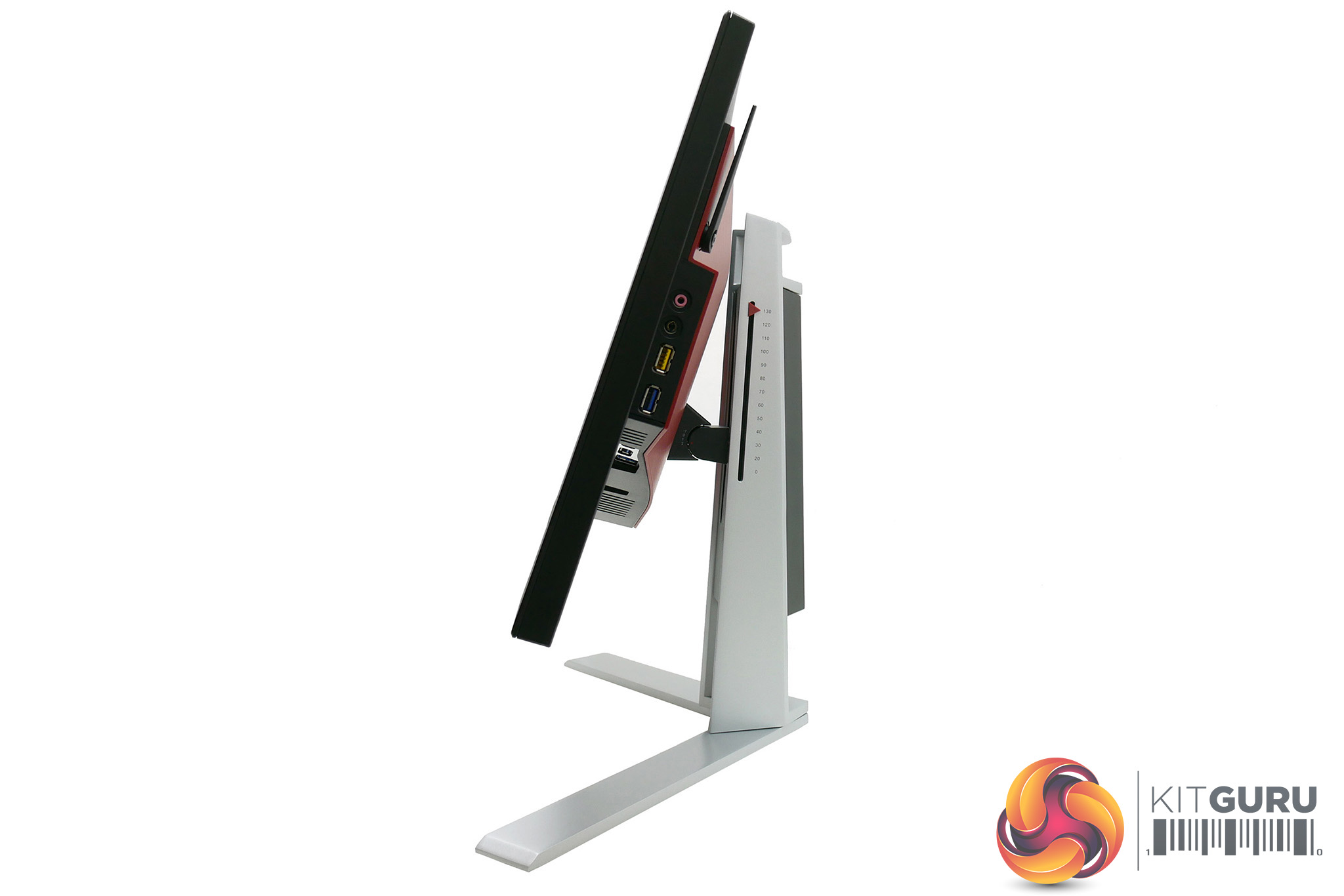
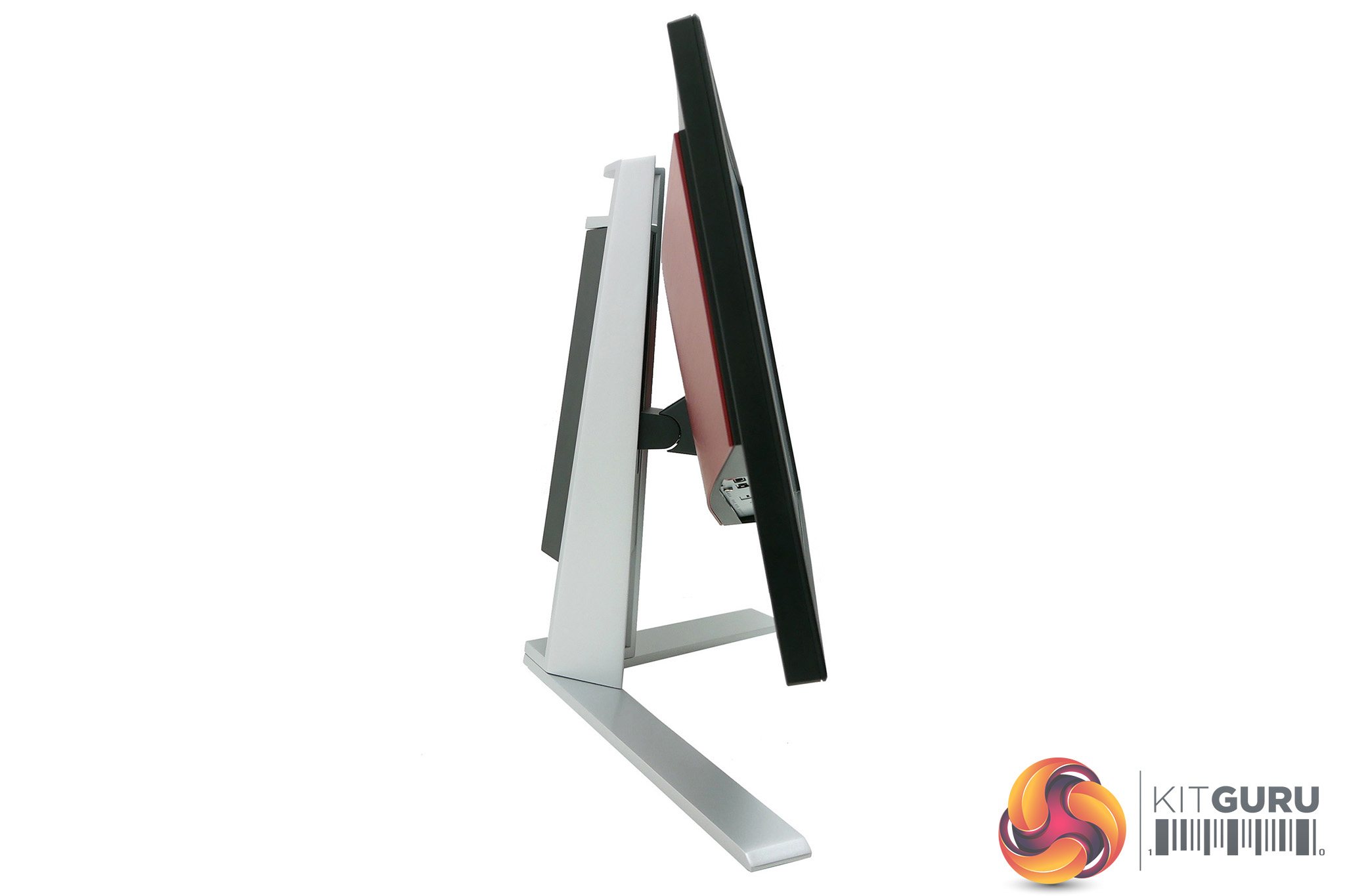
It is, however, packed with features. The stand offers full adjustment, with height, pivot, rotation and tilt all available, plus the stand can be removed and a provided adapter fitted so that you can use a 100x100mm VESA mount instead.
One of our favourite features of the AG251FZ also makes its way to the AG251FG. On the right side is a flip-down hook for hanging your headphones and below this are two USB sockets and audio jacks for headphones and microphone. The whole arrangement is super convenient and useful. One of the USB sockets also offers standby power so you can charge devices when the display itself is off.
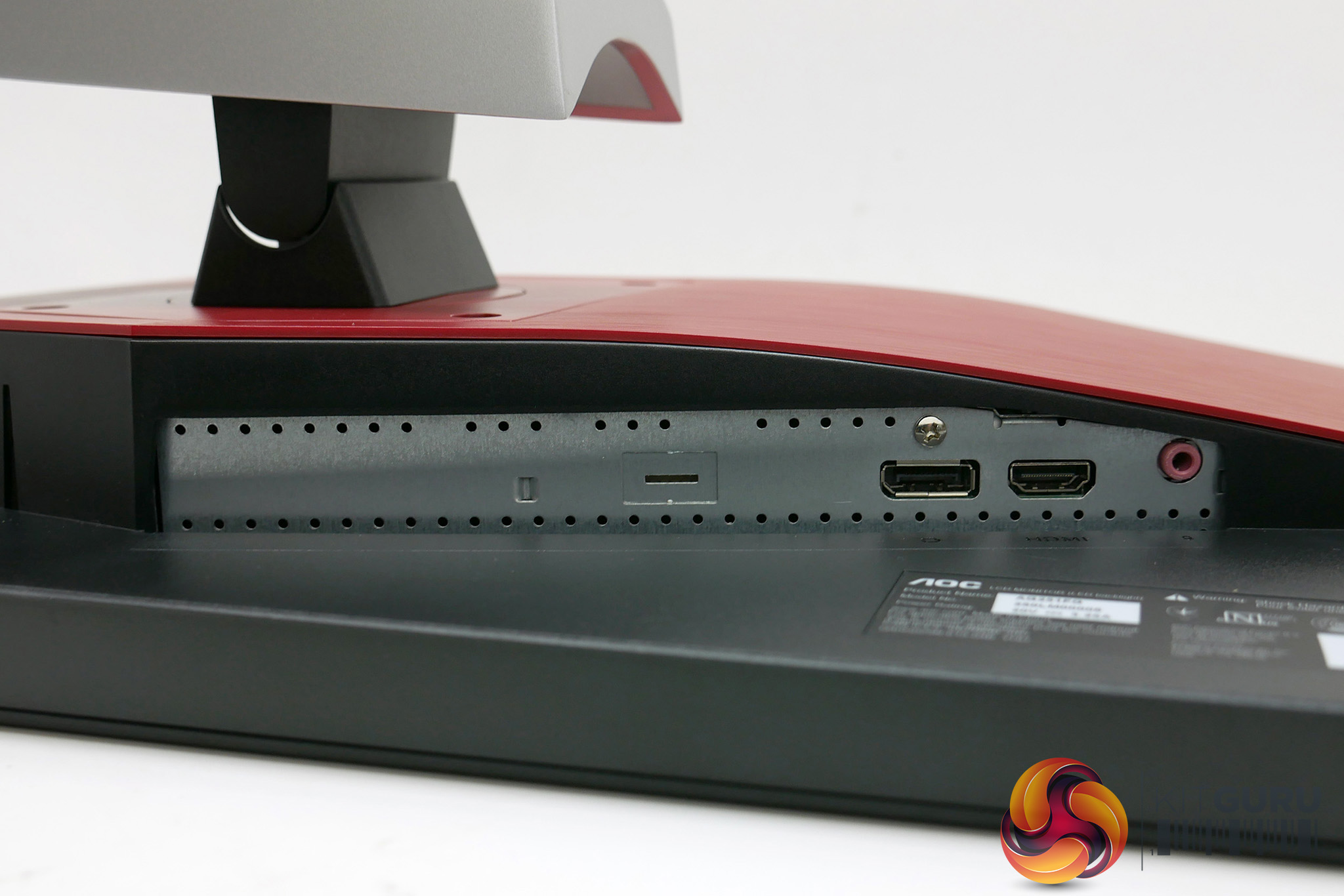
The rest of the connectivity is on the back, with two more USB 3.0 ports and power on one side (it uses an external power supply) and video and audio connections on the other.
You get one DisplayPort and one HDMI, plus there's a microphone output that relays the audio from the microphone input on the side back down to your computer. There are no analogue audio inputs with audio instead carried over the video connections.
You do also get speakers, all 2W of them. They’re a bit shrill and not very powerful but it’s always useful to have them, just in case.
One thing you miss out on here is the wired remote control that’s included with the AG251FZ. This provides a slightly easier way of navigating the OSD settings and switching between display profiles. While it’s never nice to get less for your money, it’s far from a deal breaker as it’s the sort of thing that’s unlikely to ever get much use and it’s one more thing to clutter up your desk.
The control system for this monitor’s OSD consists of four buttons that sit on the underside of the frame and they correspond to Menu/Select, Left, Right, and Back.
That may sound like an intuitive enough selection but the way they work in conjunction with the menus is not. Specifically, where convention tells us that hitting the Right button would move settings to the right or down if in a vertical list (think, how a cursor moves when it gets to the end of a line), instead it moves up in vertical lists.
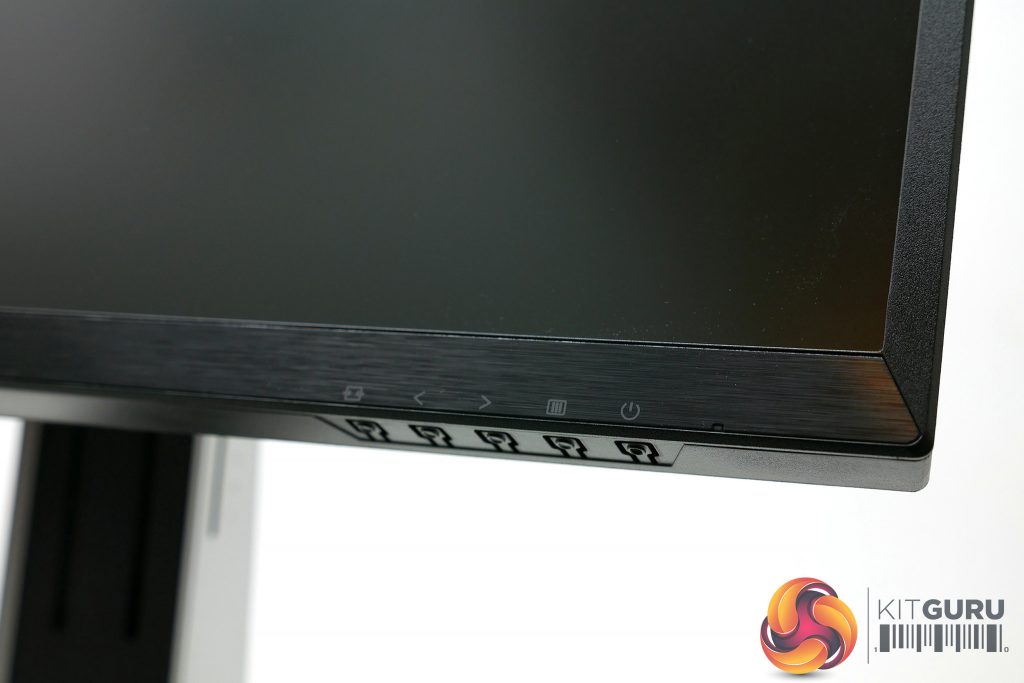
This one thing alone makes it decidedly frustrating to use and it’s not helped by the menus themselves looking drab and rather utilitarian.
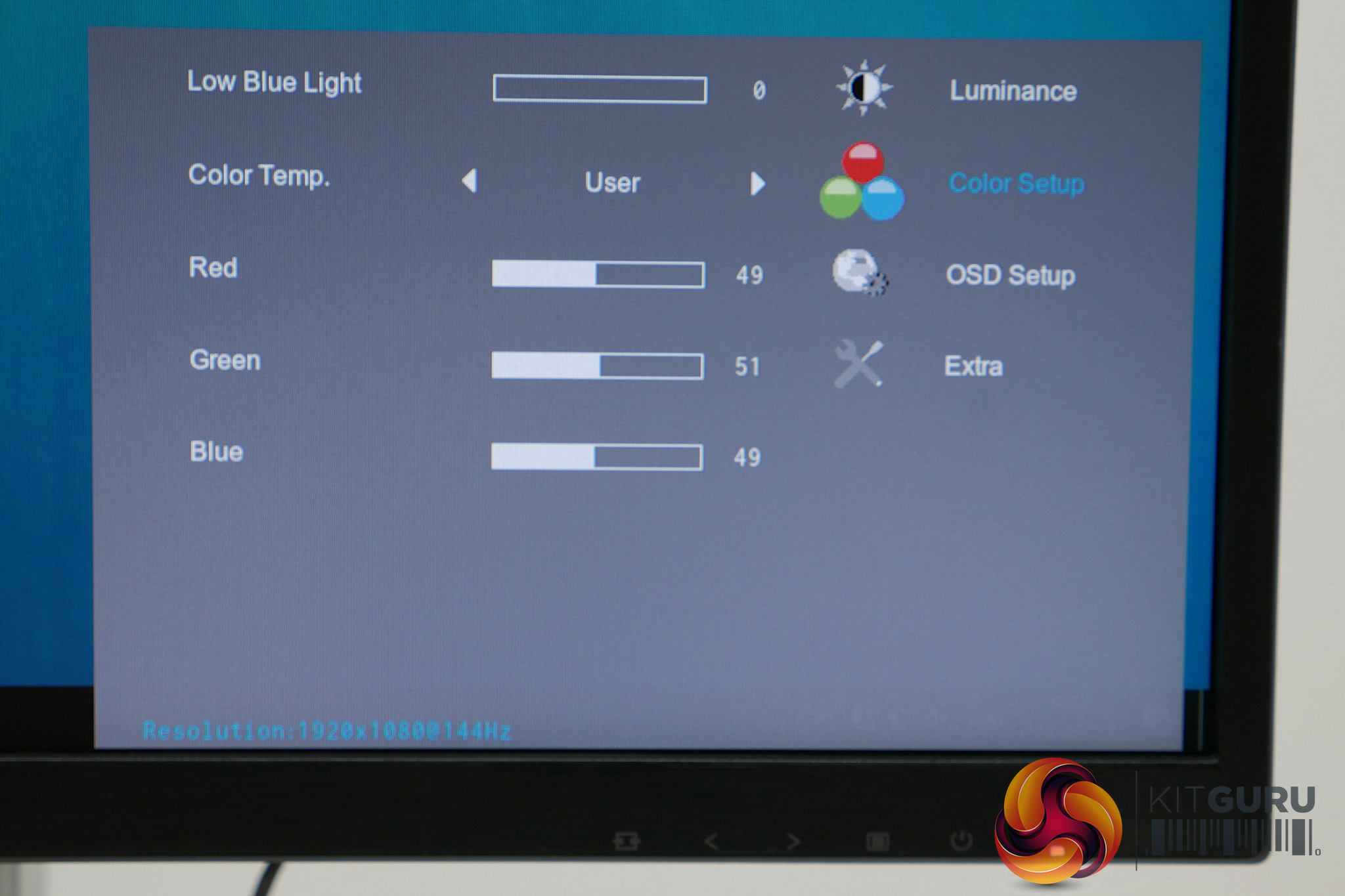
Still, the overall menu layout is intuitive enough and the selection of settings is comprehensive. Brightness, contrast, gamma and colour balance can all be tweaked to get the best overall image quality.
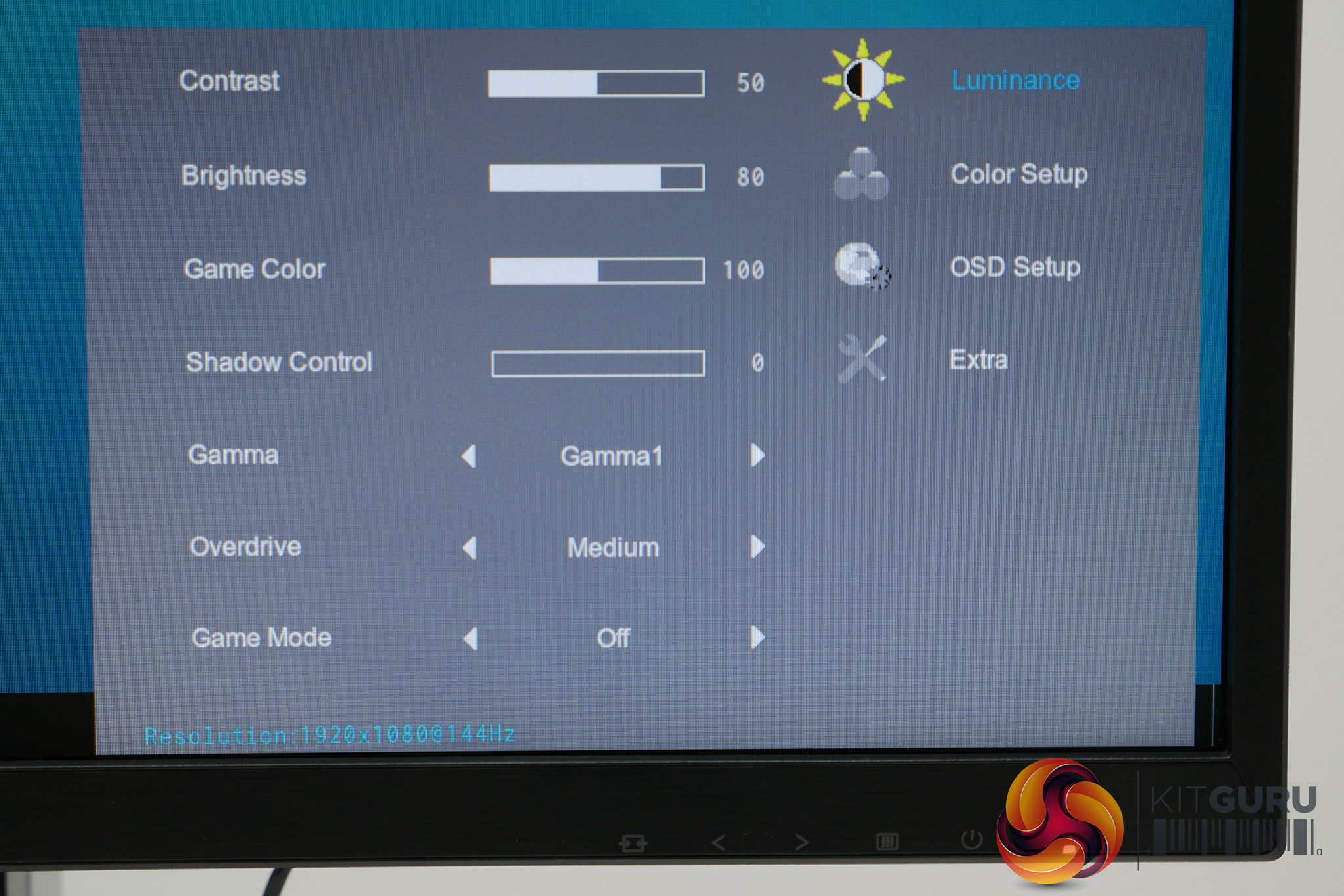
An overdrive setting also provides the main means of adjusting the gaming performance, other than changing the framerate. It defaults to Medium but also offers Weak, Light and Strong settings, as well as the option to turn it off completely. We found medium offered the best balance.
A Game Mode setting essentially adjusts several of the existing settings to optimise them for different genres; the options are FPS, RTS, Racing and Gamer.
The Game Color setting is an odd one. It’s basically a vibrancy setting that at 0 makes the picture greyscale and at 200 totally over-saturates colour. Useful, perhaps, if you really like to have an ultra-vibrant look to certain games.
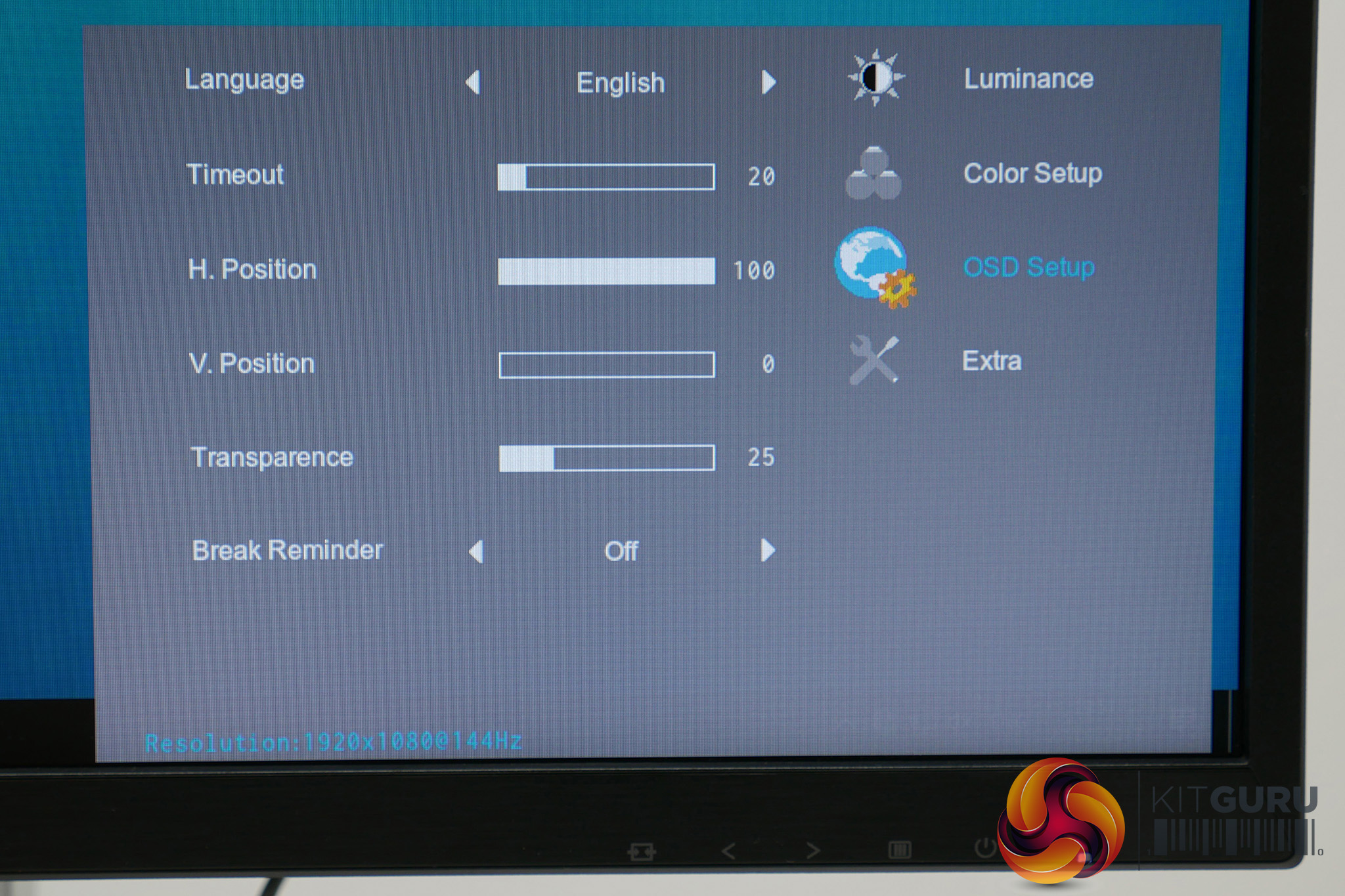
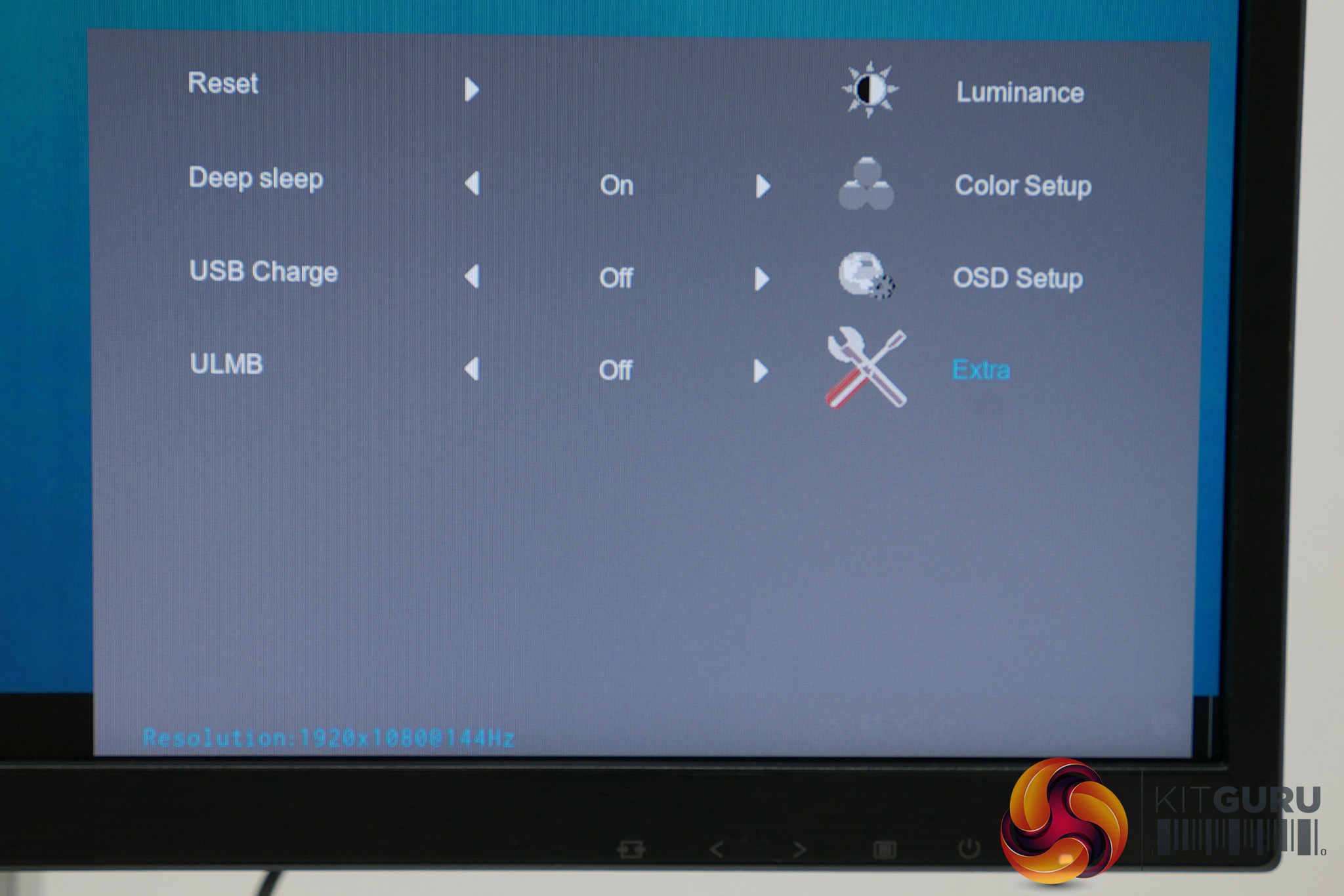
A low blue light mode is also on offer and if you jump into the Extras section you’ll see there’s the option to enable ULMB. This is Nvidia’s backlight strobing, blur-reduction system which is a great way to reduce eye-tracking motion blur. However, it’s only available with G-Sync turned off and with the display running at a maximum of 144Hz.
If the images on this page do not load then please disable your ad blocker as it interferes with our gallery image display code.
We start our assessment of all monitors with an objective test of its out-of-the-box image quality, using a DataColor Spyder Elite colorimeter. This is a device that sits in the middle of the display and measures its output, checking for things like maximum brightness and colour accuracy.
In its out of the box state, the AOC is set to brightness 90 with gamma on the first of its settings, contrast at 50 and the Warm (rather than Normal) colour preset. The latter setting seems a bit odd – surely normal should be the default – but our tests showed AOC made the right choice as overall image quality is excellent.
Moreover, while we initially tested at 60Hz, as higher refresh rates can sometimes cause a drop in image quality, we observed that image quality stays all but identical at 60Hz, 144Hz and 240Hz so we’ve presented the 240Hz results below.
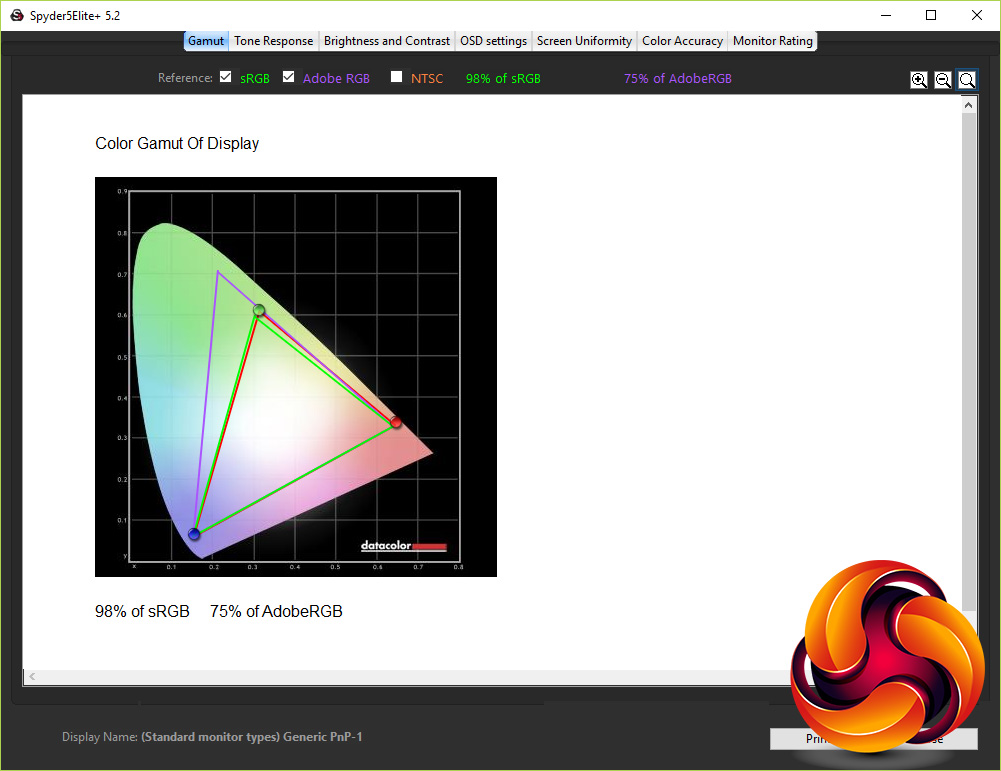
The first test checks for how much of the various standard colour spaces the monitor can cover, and it put in an impressive result. It managed 98% of the sRGB colour space and 75% of the AdobeRGB space, which is about as good as you can hope for from a display of this type.
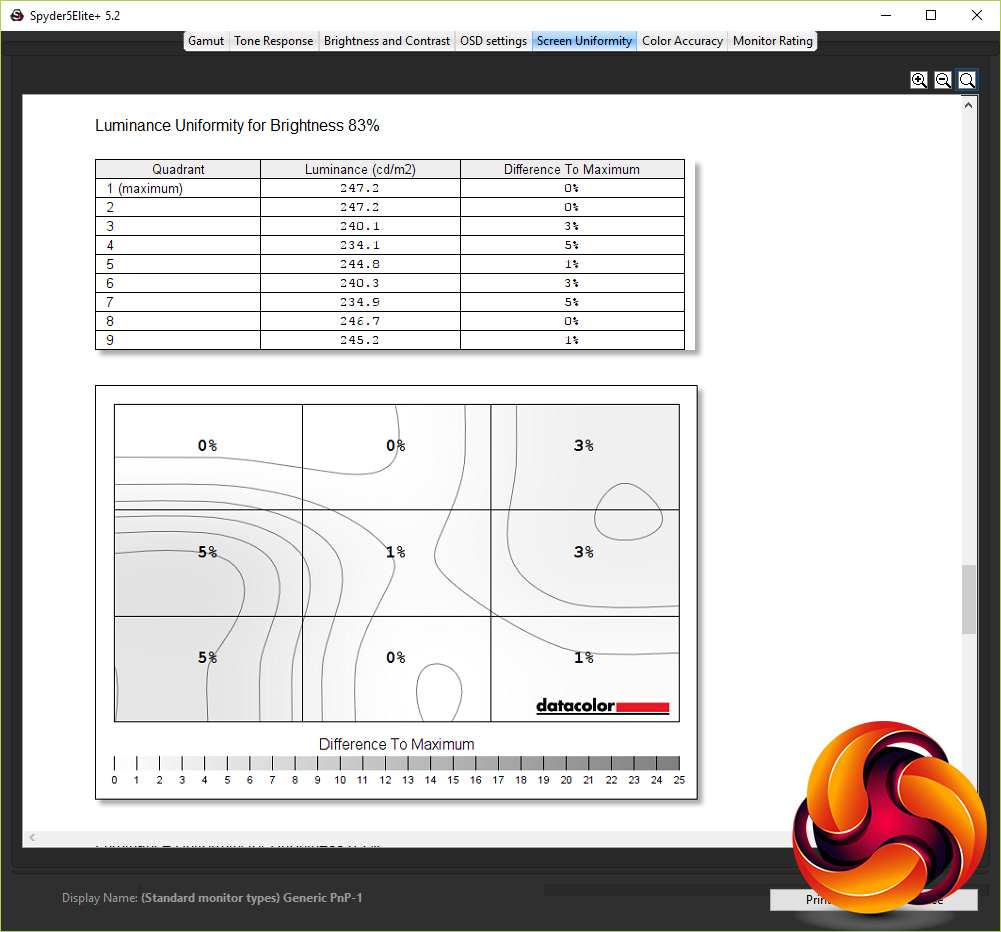
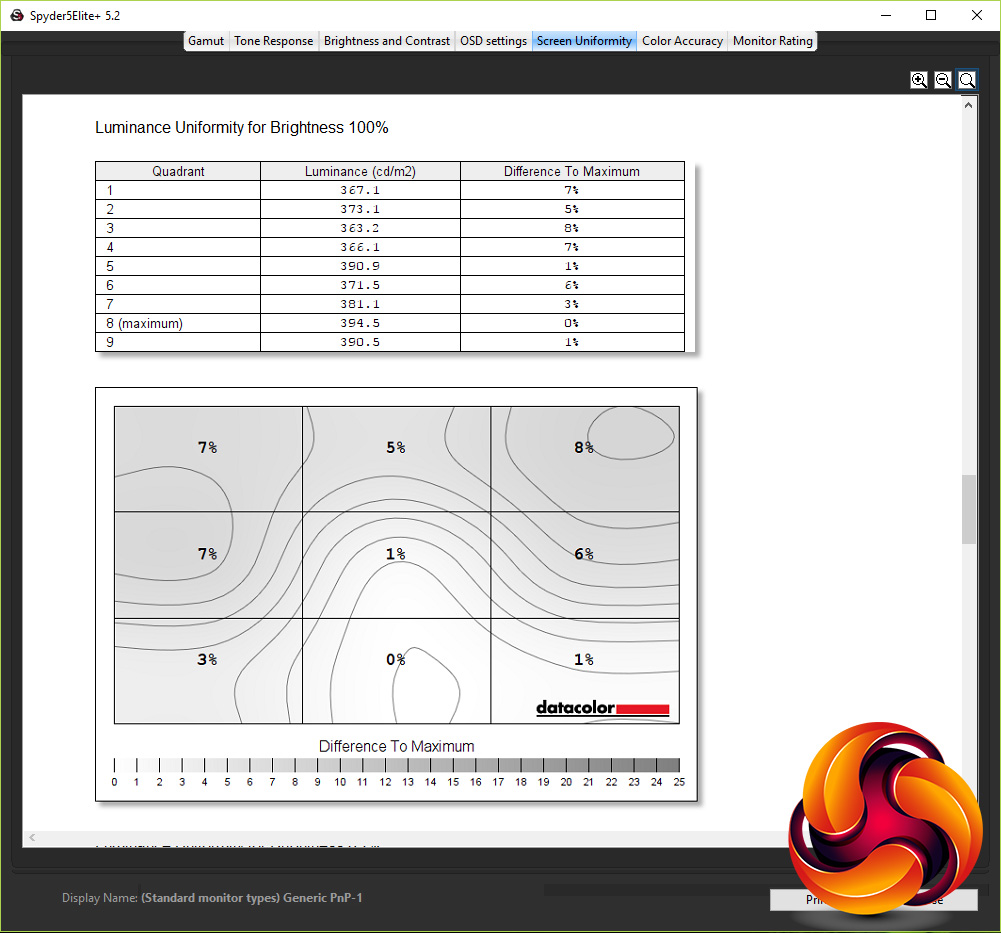
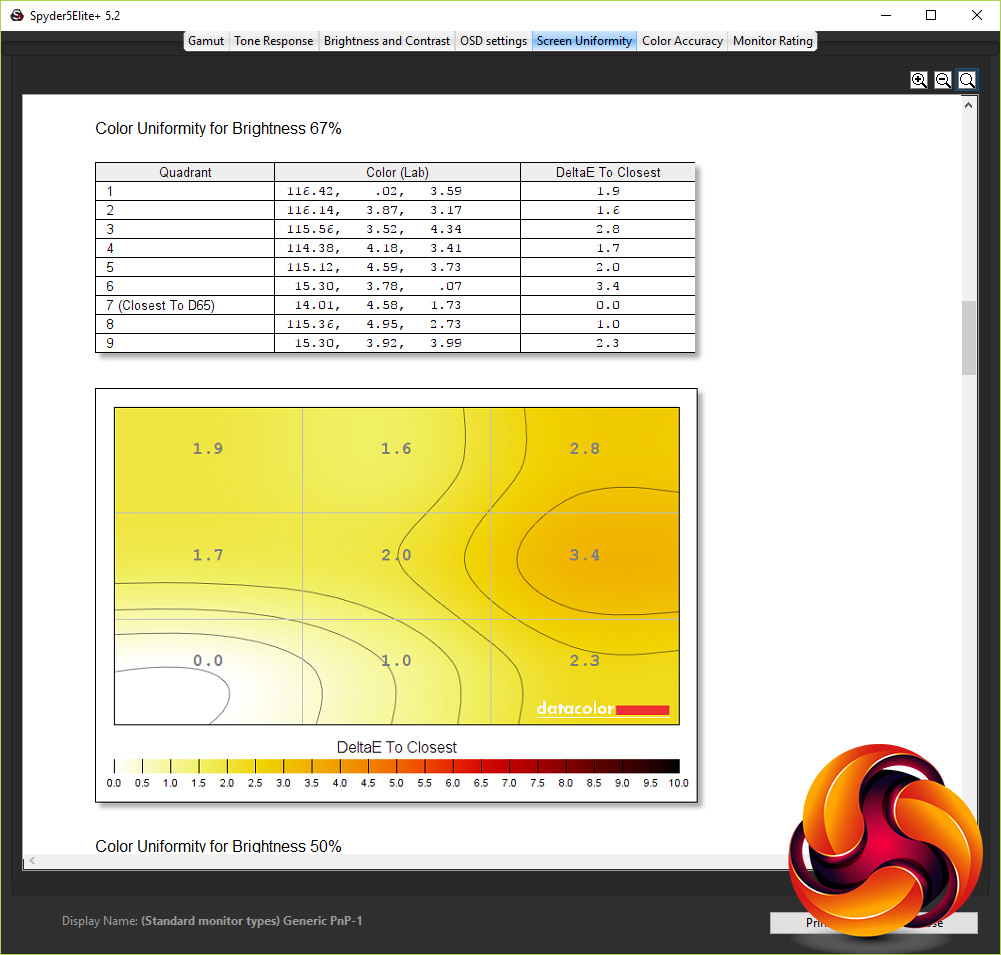
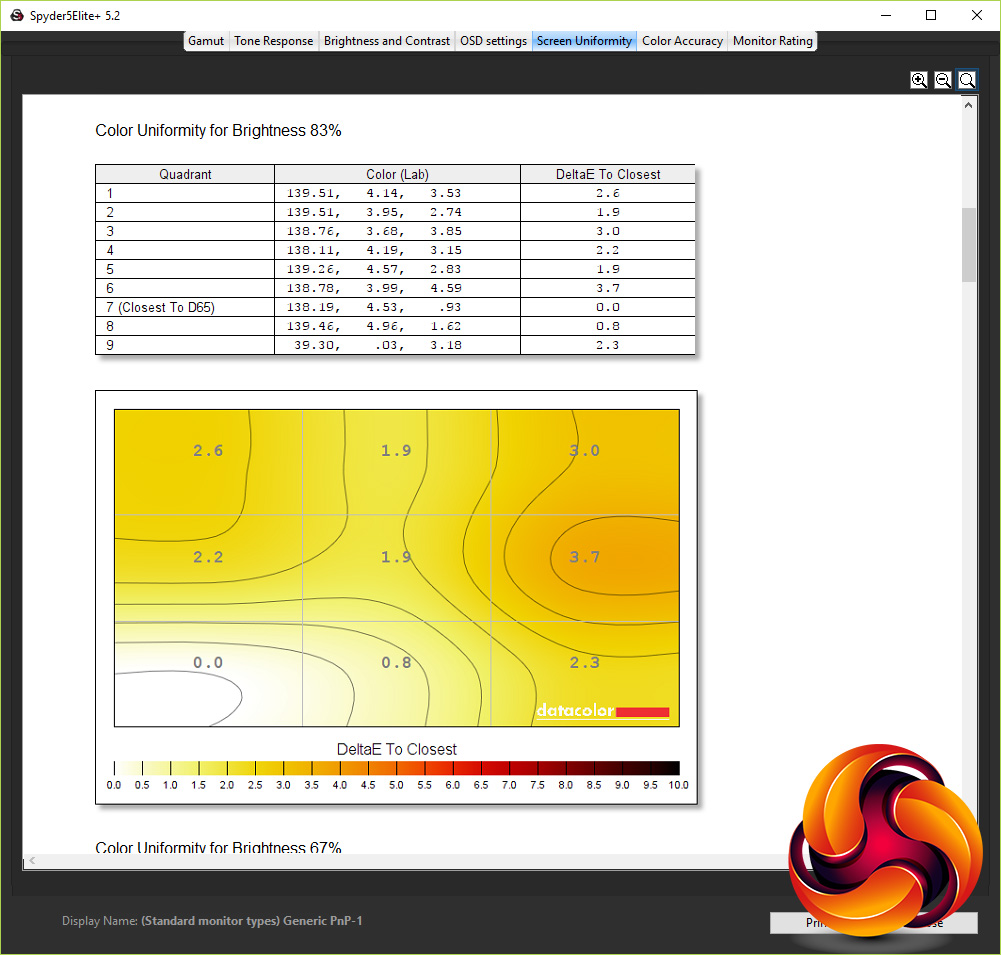
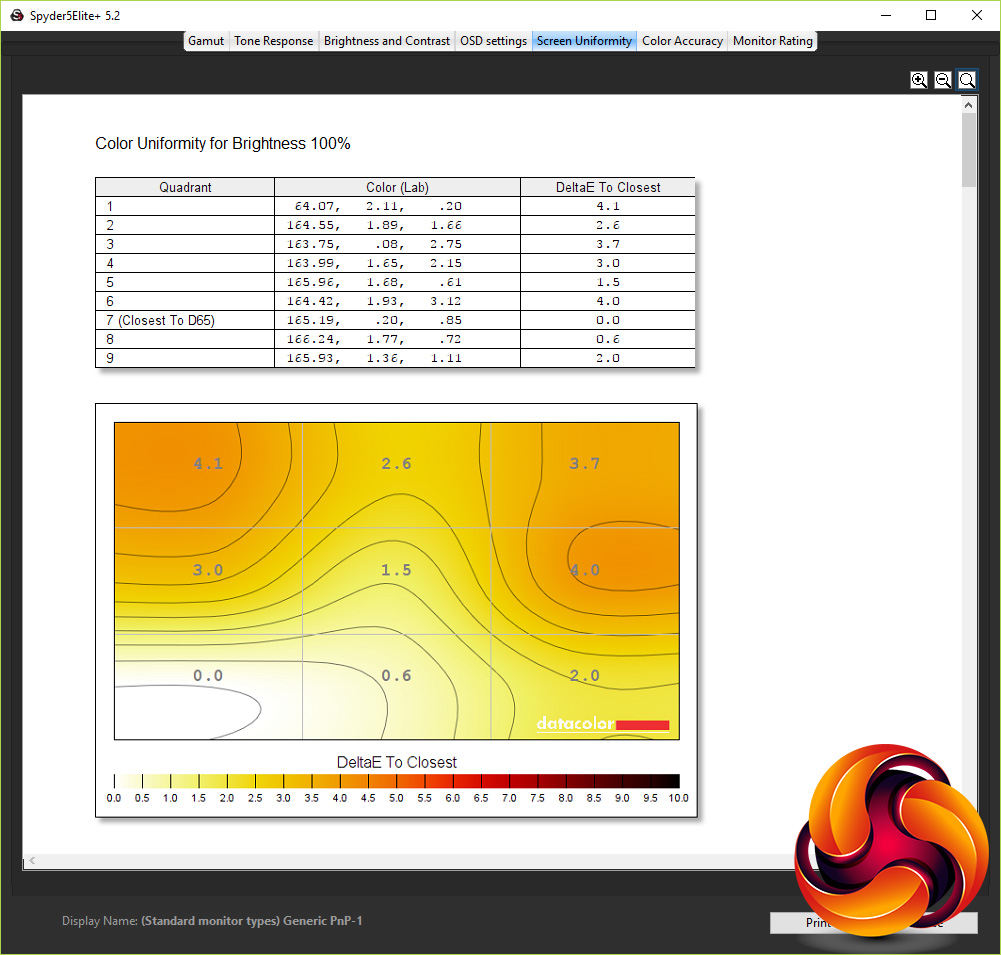
Brightness uniformity is up next and again the AG251FG largely impressed. It showed just a 4.2% average variation in brightness across the area of the screen when set to 100% brightness.
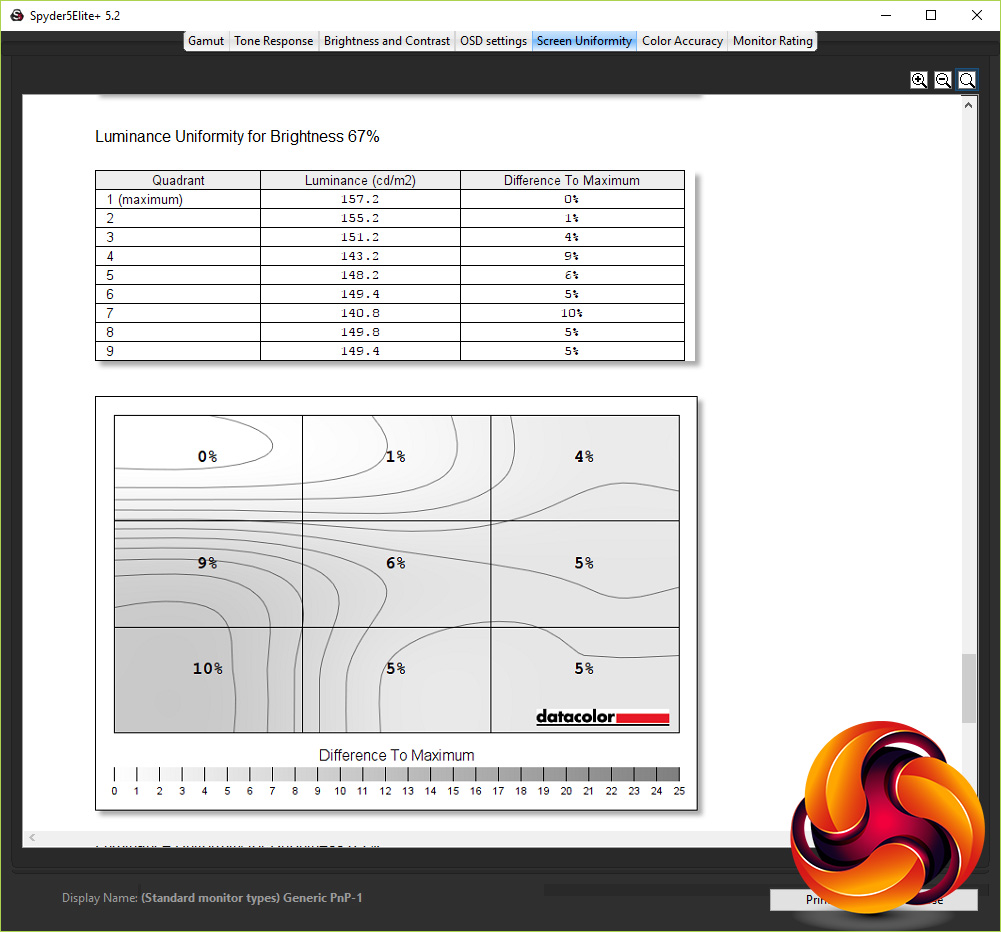
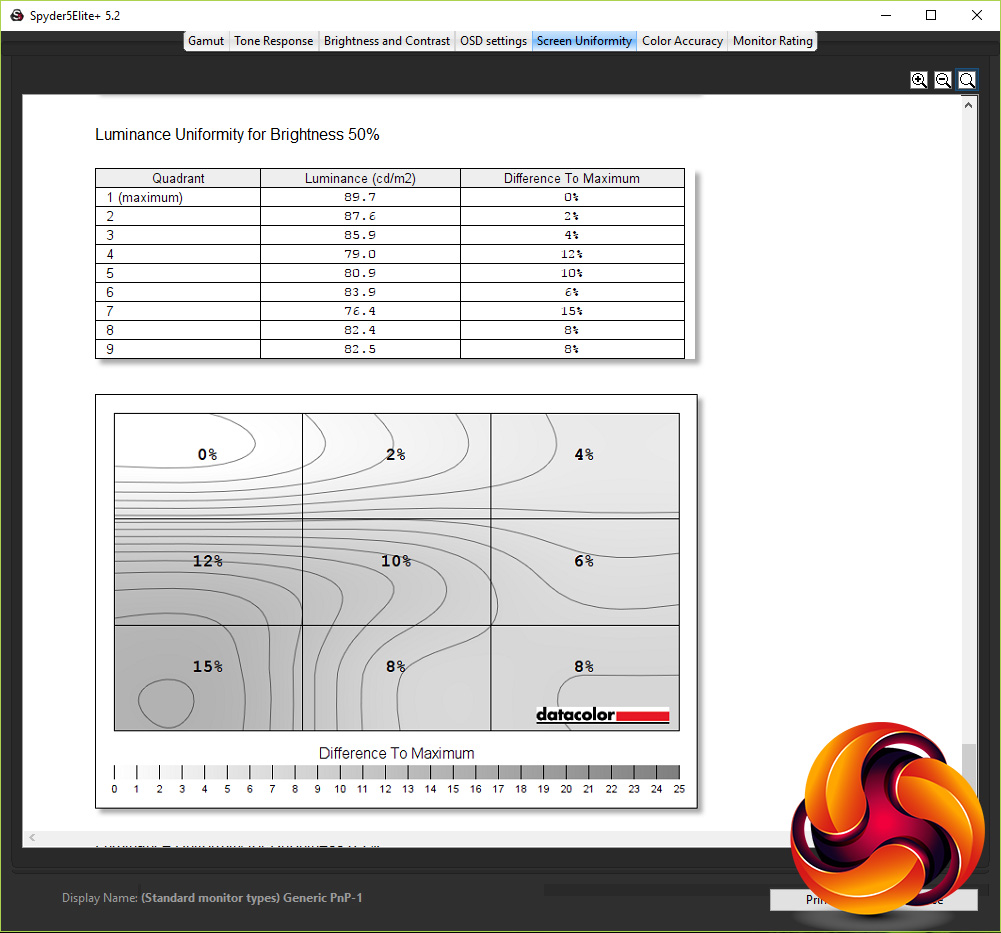
At lower brightness settings it varied by as much as 15%, however this appears to be more a symptom of the software’s brightness adjustments than the screen itself. Manually adjusting the screen brightness down to 30% and the display was no worse than at its brightest setting.
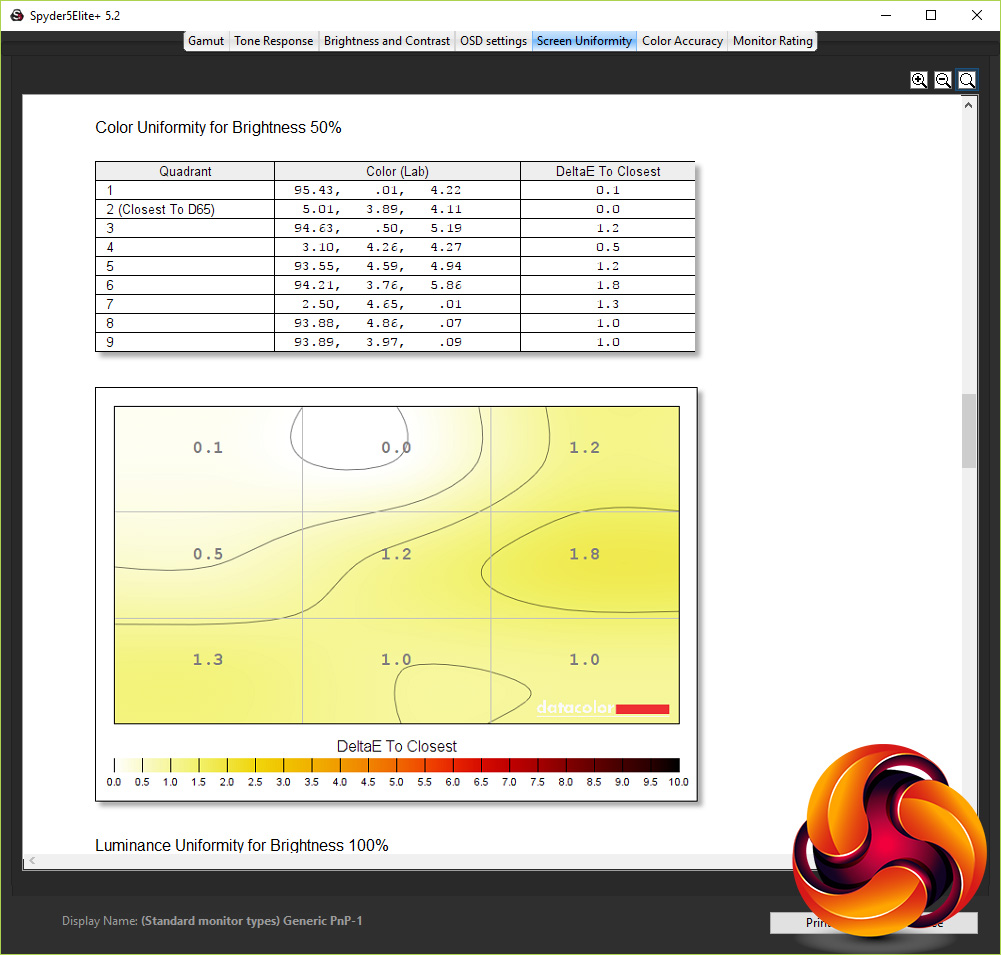
Colour uniformity is good too with just a 2.4% variation of colour balance across the whole of the screen. This didn’t significantly waver at lower brightness settings either.
In terms of the overall brightness range, the monitor didn’t quite live up to its 400nits claim, falling just 8nits short but 392nits is still plenty. Meanwhile, at 0% it gave out just 58nits, making for a plentiful range of brightness settings.
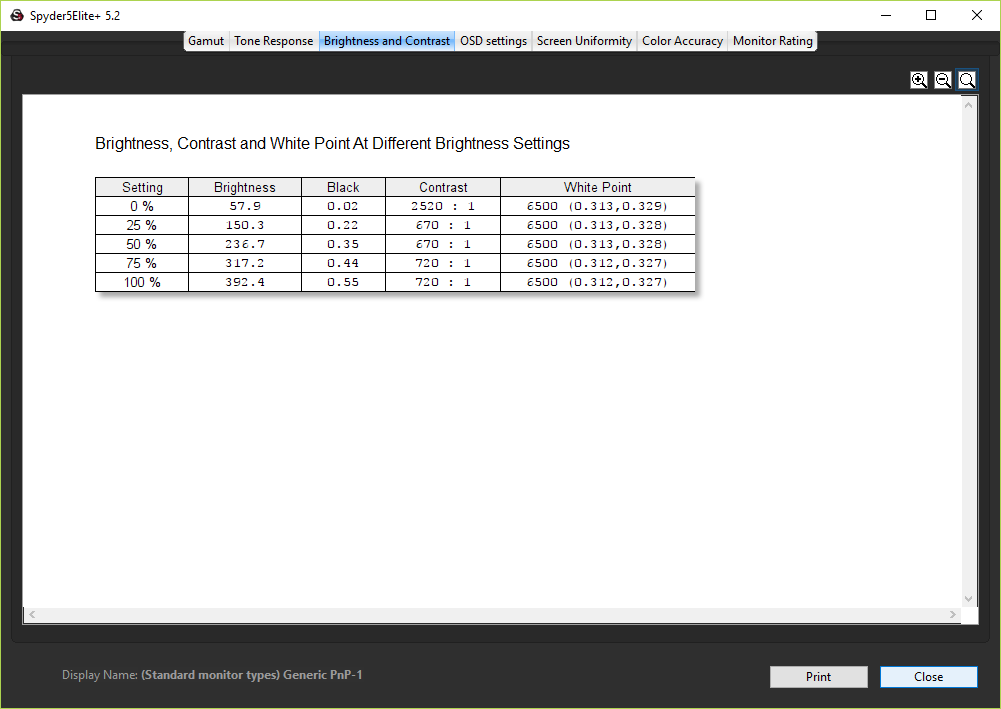
At this lowest setting the screen delivered a rather unexpected 2520:1 contrast ratio, but this wasn’t a feat it could manage at other brightness settings. Instead it stuck doggedly around the 700:1 mark, which is a little low even for a gaming panel – we’d hope to see closer to 1000:1.
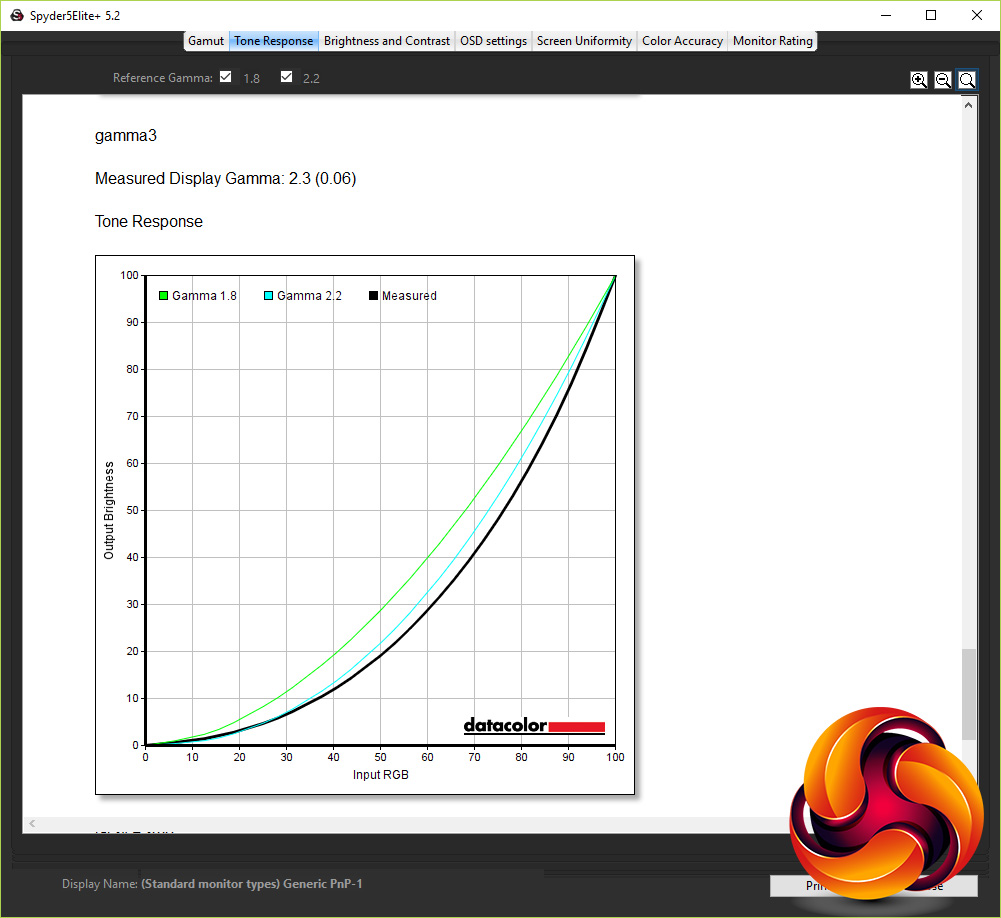
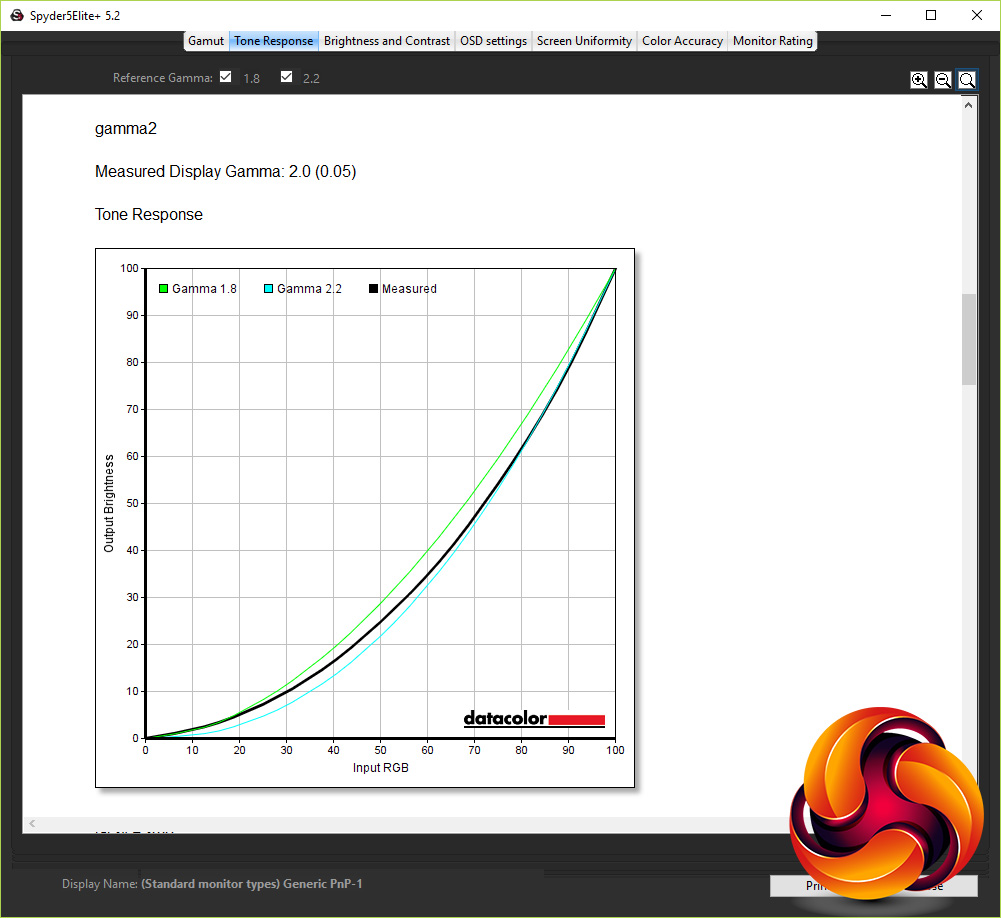
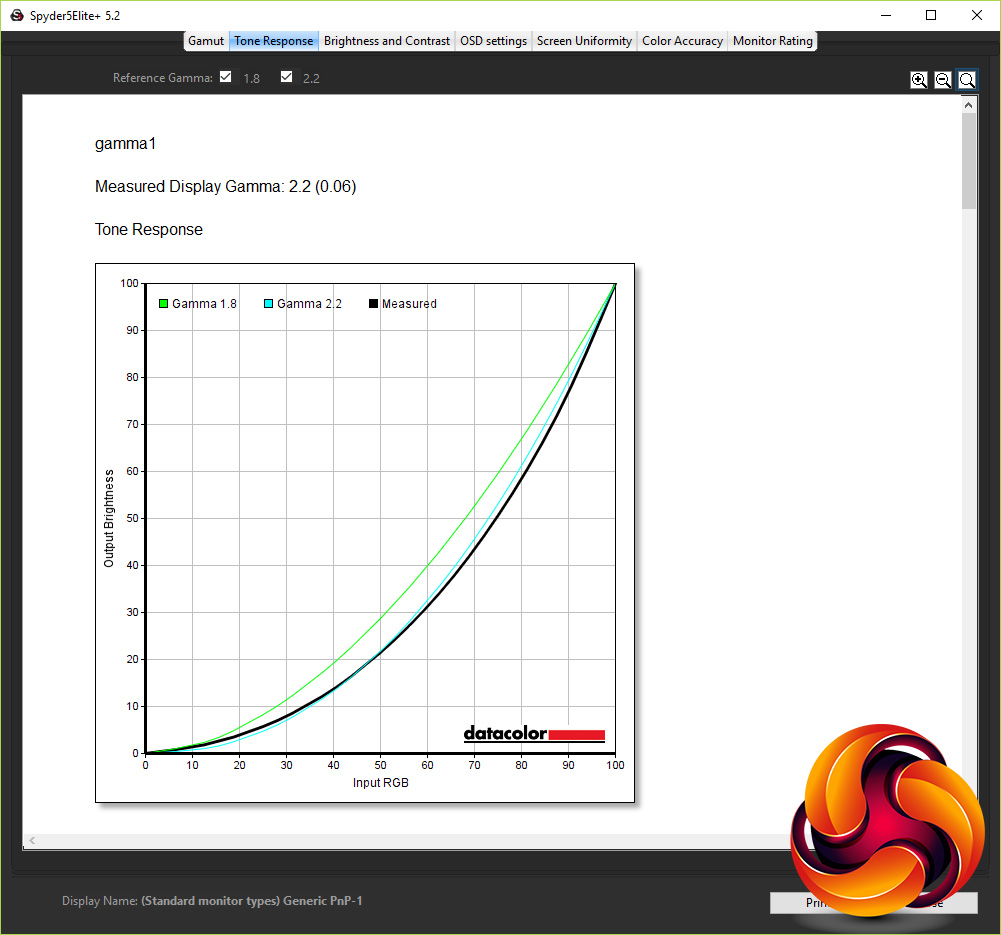
As for its gamma performance, its three settings correspond to measured gammas of 2.2, 2.0 and 2.3, with the default gamma1 setting hitting the desired 2.2 mark – an excellent result.
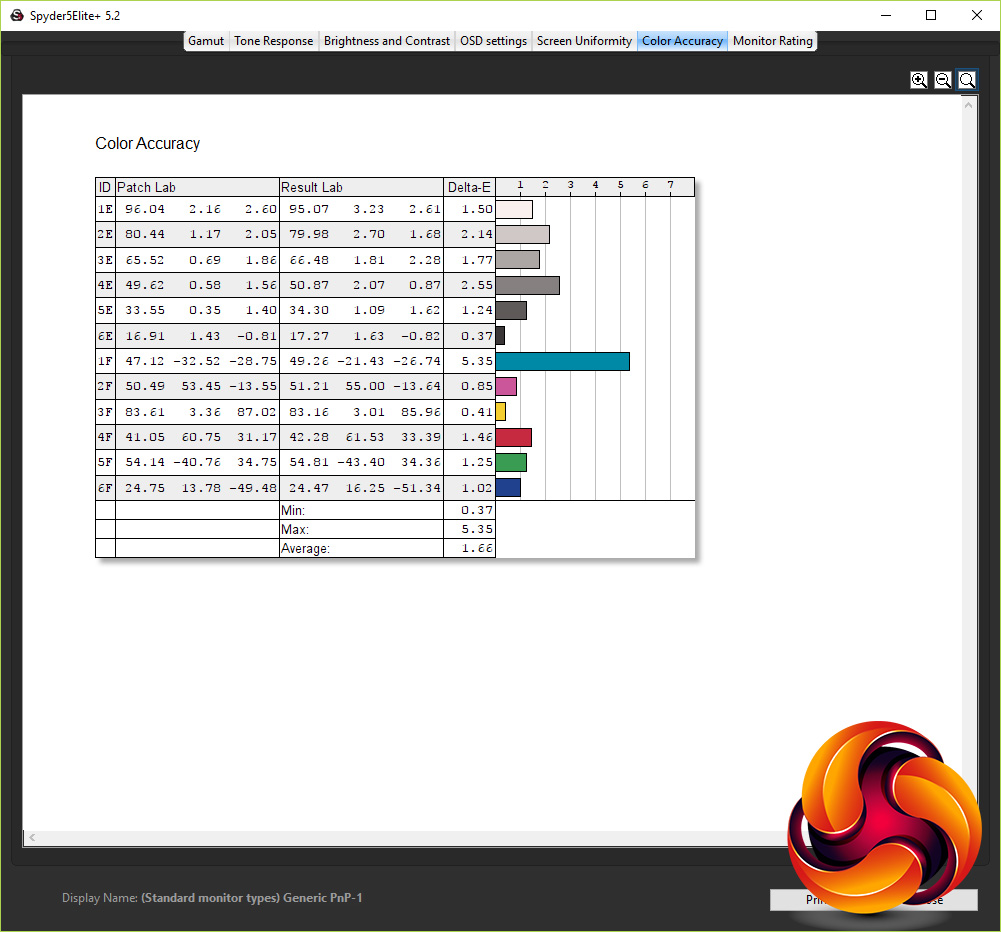
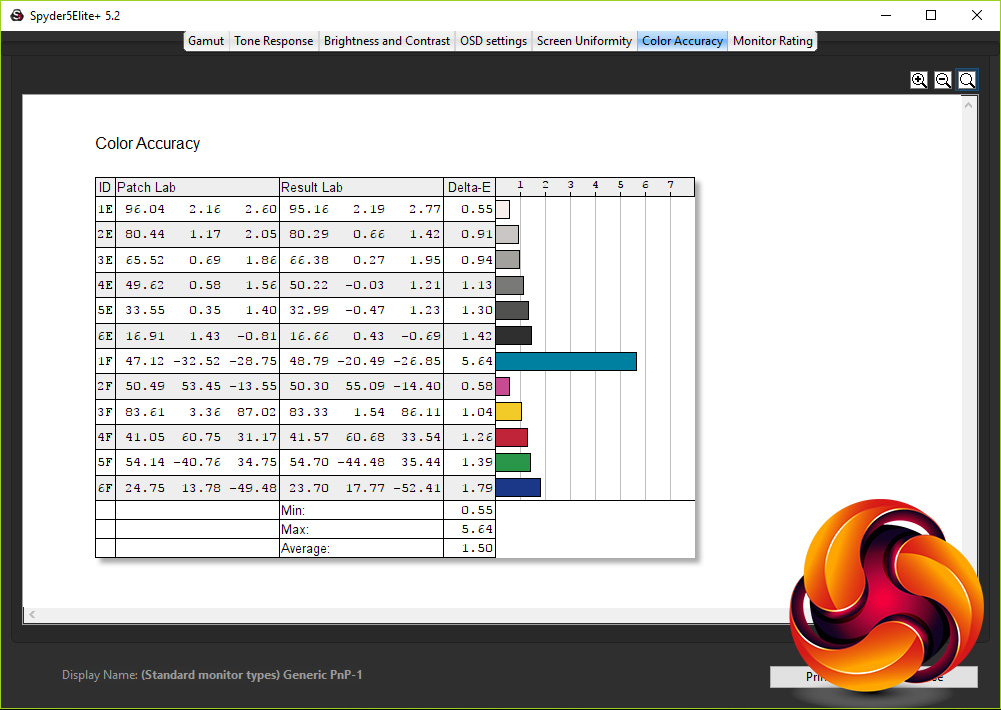
Colour accuracy is also top notch for a panel of this type, with an average Delta E of just 1.66, and a maximum of 5.35. Anything below three is considered all but imperceptible.
All told, the AG251FG puts in a great performance without any need to adjust its in-monitor settings. The only thing we did do is run a software calibration using the Spyer5 to see what that last little tweak could do. And the answer it very little. Average Delta E improved a smidge to 1.50, although the maximum actually increased slightly to 5.64 – close enough to be within margin for error.
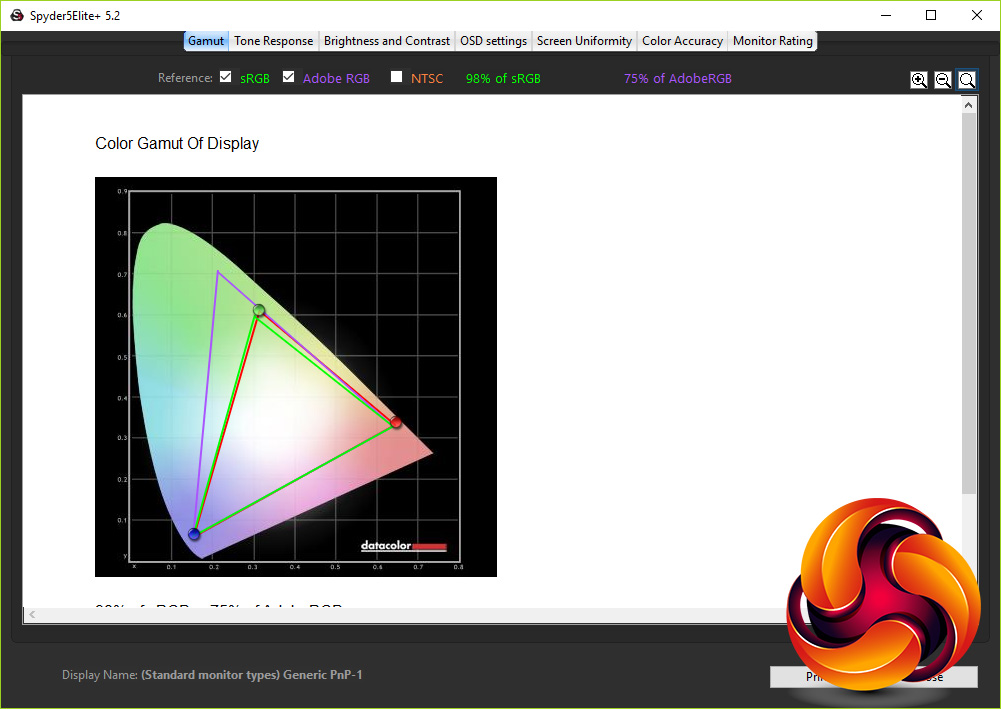
Similarly colour space coverage didn’t budge, remaining at 98% sRGB and 75% AdobeRGB.
All these numbers are well and good, but subjective testing is also crucial when it comes to monitor testing. In particular, viewing angles aren’t something that colorimeters take into account and, this being a TN panel, viewing angles aren’t its strong suit.
That said, for a TN panel it’s very good. Move just a few degrees in any direction and there is a slight shift in colours but it’s nowhere near as pronounced as some, and it never felt distractingly bad.
What’s more, despite the slightly low contrast ratio, this display doesn’t immediately look dull and washed out. There’s a depth to blacks and general vibrancy to colours that combined with the impressive colour reproduction makes for a display that’s good for general desktop work and watching video as well as gaming. You wouldn’t pick it as your first choice, perhaps, for the former but it holds its own.
The only regularly noticeable area in which it falls down is another common problem that TN panels suffer from. Light shades of grey, of the sort used extensively in app UIs – text boxes, tabs in a browser, the menu bar in Windows Explorer, etc – can look a little off colour and indistinct. It's a bit distracting if you're working and have lots of windows open but isn't too problematic.
Meanwhile, gaming performance is fantastic. The step up from 144Hz to 240Hz is far more subtle than from 60Hz to 144Hz but the difference is there – any seasoned competitive gamer should pick up on the slightly snappier response. What’s more, G-Sync works all the way up to 240Hz, so you can get tear and stutter free gaming whatever level of responsiveness you're aiming for.
A fast refresh rate is of course nothing without a fast response time and sure enough this panel’s 1ms time keeps up. We also detected no hint of input lag.
Meanwhile, dropping the refresh rate and enabling ULMB, you can notice the slightly choppier framerate but then the image is clearer due to the lack of eye-tracking motion blur. It’s a personal choice which you prefer, but at least here you get the option of both.
At glance at the AOC AGON AG251FG’s specs suggest it should be among the most capable gaming monitors you can buy, and sure enough this display absolutely delivers on the gaming front. That combination of 240Hz and G-Sync (plus the option of ULMB) is something of a holy grail and this display shows why. Not everyone will need 240Hz, as compared to 144Hz, but the advantage is there.
What’s more, for a gaming TN monitor, image quality is excellent. Colour accuracy is all but perfect right out of the box, so there’s no need for calibration. The usual caveats apply as regards viewing angles but they’re not as bad as some TN panels and that’s just the price you pay for gaming performance.
Add in a raft of features and a reasonably attractive, premium-looking design and you have a monitor that wants for very little. Content creators might pine for a higher resolution and even better image quality but for gamers it’s about as good as it gets.
There are just two caveats. The first is the standard line about G-Sync. This display’s sister model, the AG251FZ costs £170 less, essentially just because it doesn’t have G-Sync (it’s out of the box image quality isn’t quite as good but it can be tweaked to perform better) so if you’re also shopping for a new graphics card it’s worth factoring in such price differences.
The other issue is the range of competing products that are available. The Acer Predator XB252Q and Asus ROG PG258Q offer largely identical performance and are priced almost the same too. As such, there’s a degree of personal preference over the design and brand loyalty.
Overall, though, what we can say is that the AOC AGON AG251FG is at least their equal and should definitely be on your short list if you’re seeking the ultimate performance gaming monitor.
Pros:
- 240Hz refresh rate.
- G-Sync and ULMB.
- Excellent colour accuracy.
- All round fantastic gaming performance.
Cons:
- Expensive.
- Poor OSD controls.
- TN panel means poor viewing angles.
Kitguru Says: The AOC AGON AG251FG's combination of 240Hz and G-Sync makes it a monster of a gaming screen. It's price is high but for serious competitive gamers it's potentially a price worth paying.


Specs on first page end with “Retail Price: £256 (inc. VAT)”?
can’t buy it anywhere in the USA