KitGuru KitGuru.net – Tech News | Hardware News | Hardware Reviews | IOS | Mobile | Gaming | Graphics Cards


The Asus RP-AC68U is a quad-antenna wireless repeater that’s designed to compliment the company’s high-end, high-bandwidth portfolio of routers and other networking kit. As one of the biggest proponents of wireless kit that supports 4×4 quad-antenna configurations, Asus has been wise in building four antennas into the RP-AC68U, making it capable of acting as an extension, bridge or access point for a high speed 4×4 wireless networking environment.
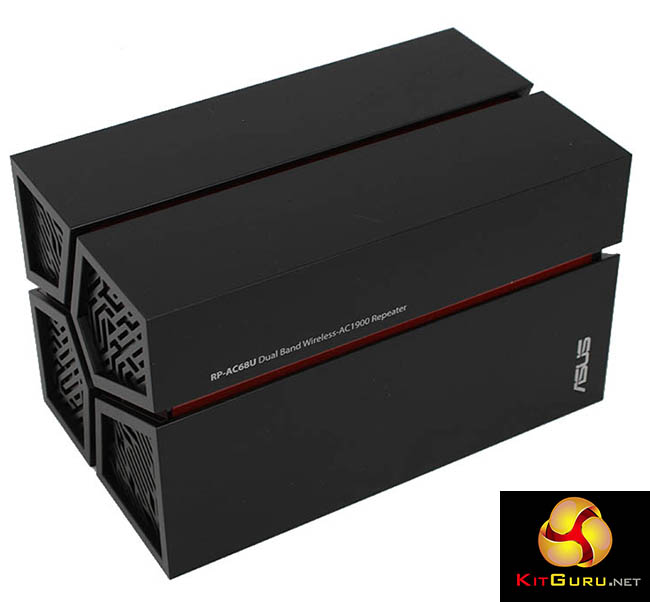
While the name places it in the same family as another wireless extender, the Asus RP-AC56 (Review HERE) which we looked at back in November, the Asus RP-AC68U is really a different kind of product.
To start with, it looks rather different. It’s a standalone device, designed to sit vertically, rather than in a wall power socket, with five Ethernet ports for direct wired connection to PCs in the same room.
The front is mostly covered in smooth dark grey plastic, but perhaps most notably, when powered on, a red section in the middle illuminates red, with a look that’s certainly bright and draws attention to the device. Although thankfully, if you’re not keen on the lights, they can be easily switched off.
The four antennas are all internal, and it has a USB 3 port at the back for sharing storage, in the same way you have on a router. But despite four antennas, the specifications state the RP-AC68U is only capable of 1300Mbit/sec performance over 802.11ac, rather than the 1733 Mbit/sec you get as standard from a quad-antenna router. Asus says it is capable of 3×4 performance, meaning it transmits with three antennas, but receives with four.
It operates in a number of different modes, including support for a new configuration from Asus called ExpressWay.
It can be used as a wireless media bridge. That is, with a direct wireless connection between the RP-AC68U and your router, then any nearby devices are connected via Ethernet, to give the maximum possible speed.
But in this mode, any wireless devices connected to the RP-AC68U will be sharing any available bandwidth with the connection to the router, which will halve performance as it is operating in half-duplex mode.
With ExpressWay, the RP-AC68U can operate by dedicating either its 2.4GHz or 5GHz wireless channel to a full speed connection to the router, and the other wireless channel can then be used for nearby mobile devices.
In all these modes, the RP-AC68U creates new wireless SSID's for devices to connect to. But it can also be used as an access point (AP) for extending a wireless network with a long Ethernet cable or over wireless, mirroring the settings, including the IP pool, of your existing network, and potentially, adding fast 802.11ac speeds to a 2.4GHz-only network.
We’ll test performance of the £140 Asus RP-AC68U on the following pages.
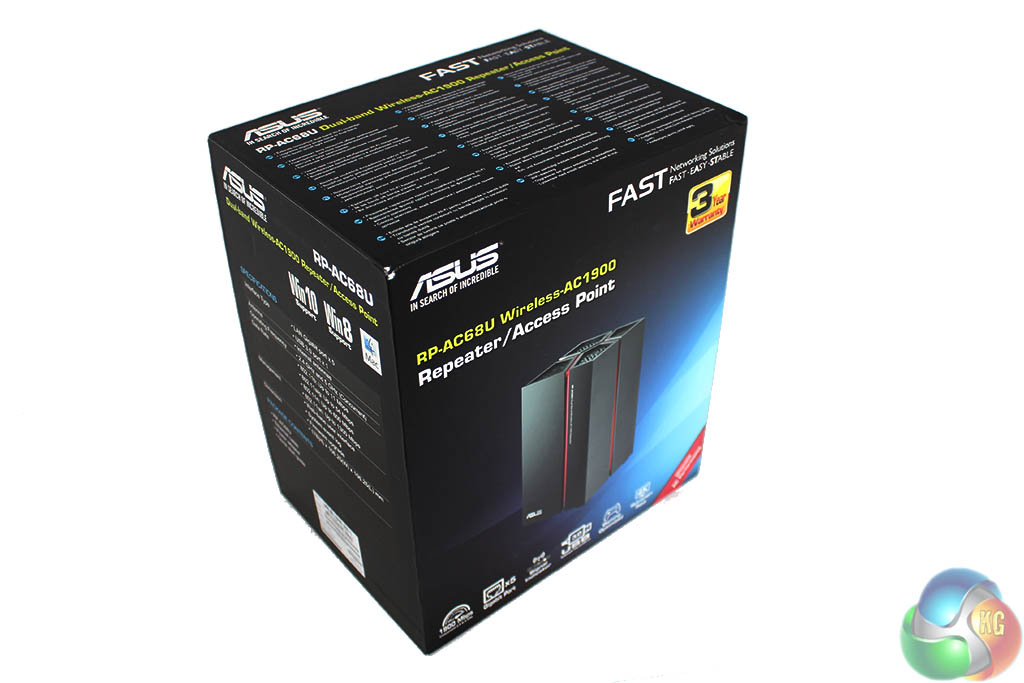
The hardware side of the Asus RP-AC68U is fairly straightforward.
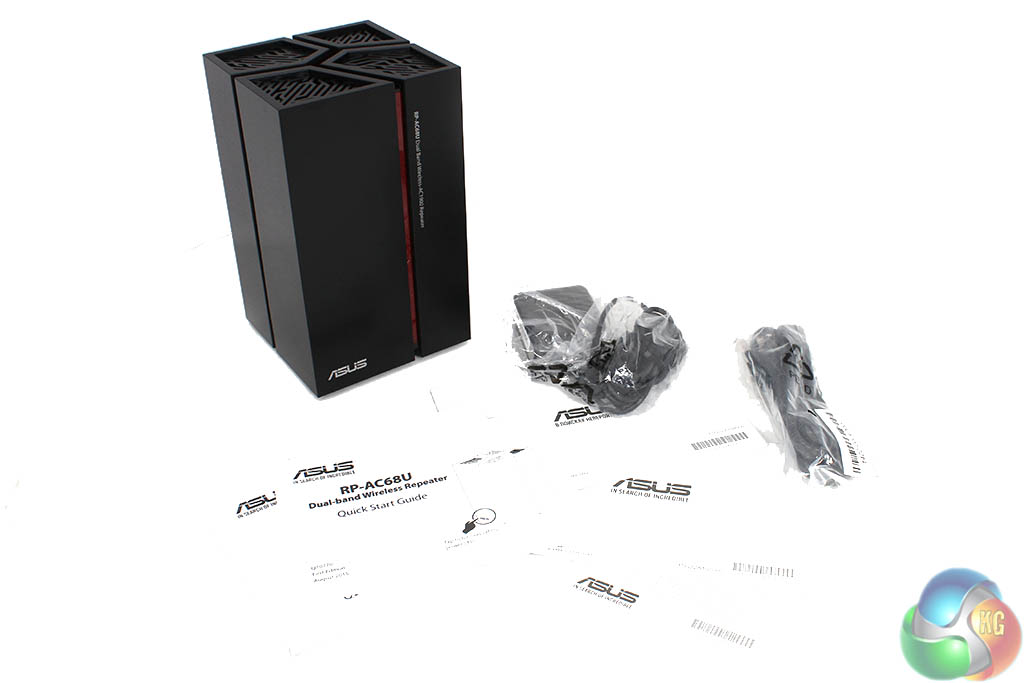
The box contains the usual Asus bumpf with manuals and a VIP notice, a piece of Ethernet cable and the power supply.
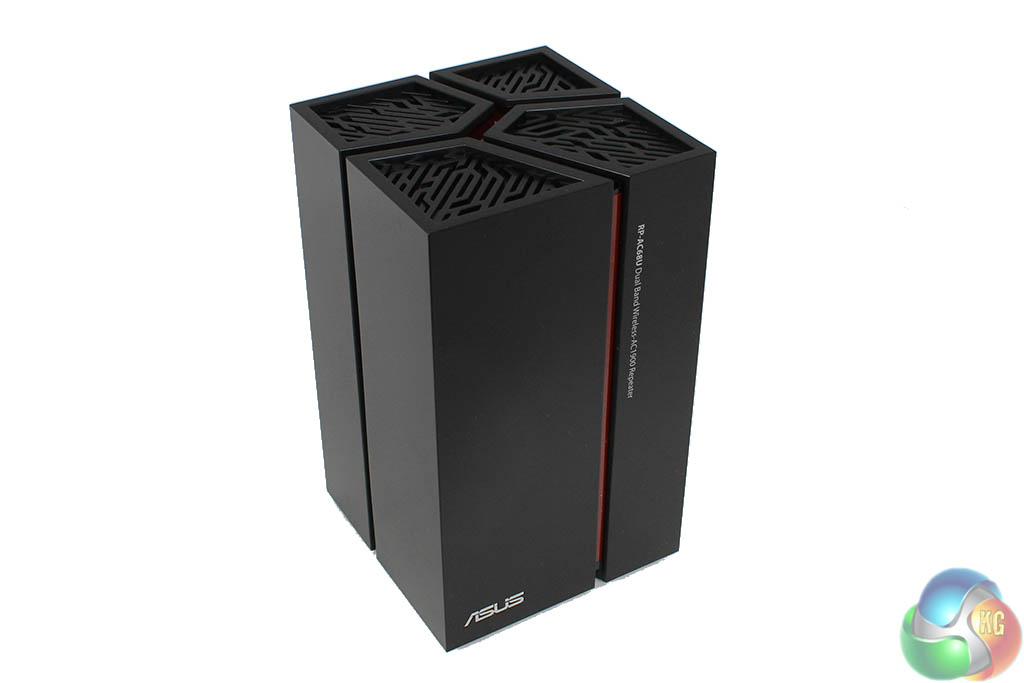
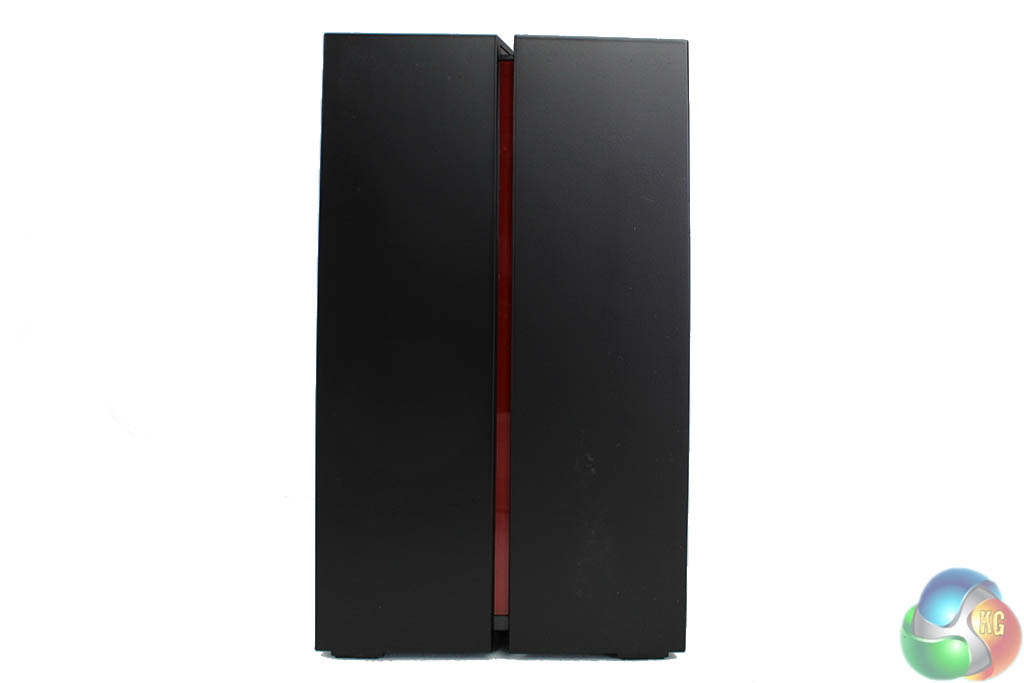
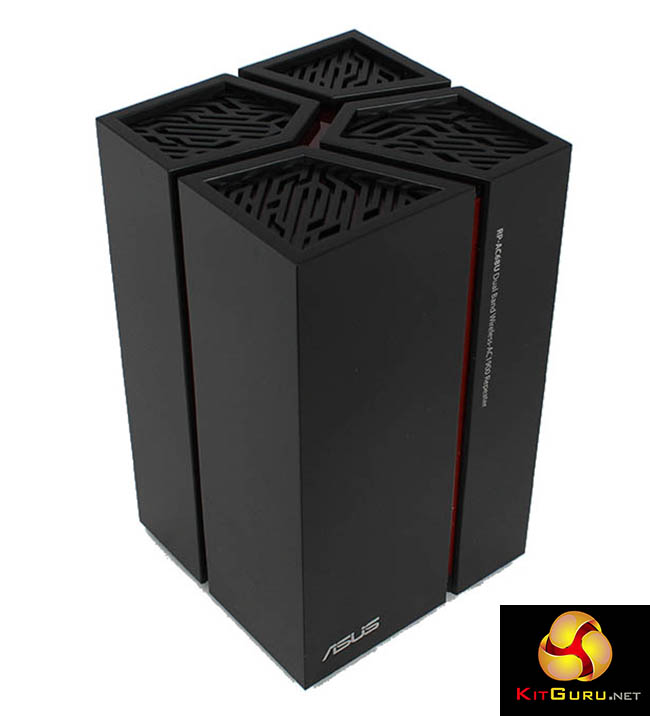
The device itself looks pretty good. It uses a tall design, which is slowly becoming more popular with networking kit these days. But because a tall box with a chipboard inside is actually a fairly boring prospect, Asus has spruced it up with a patterned gauze on the top (which also proves useful for heat dissipation) and lines running down the device, exposing a red interior which glows when the device is powered on.
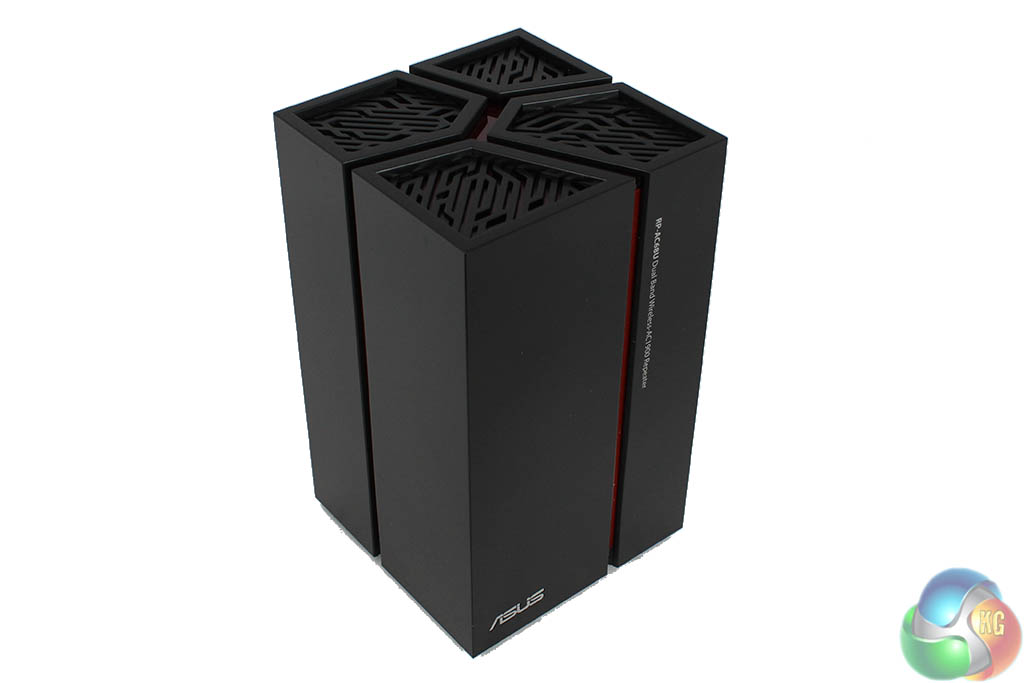
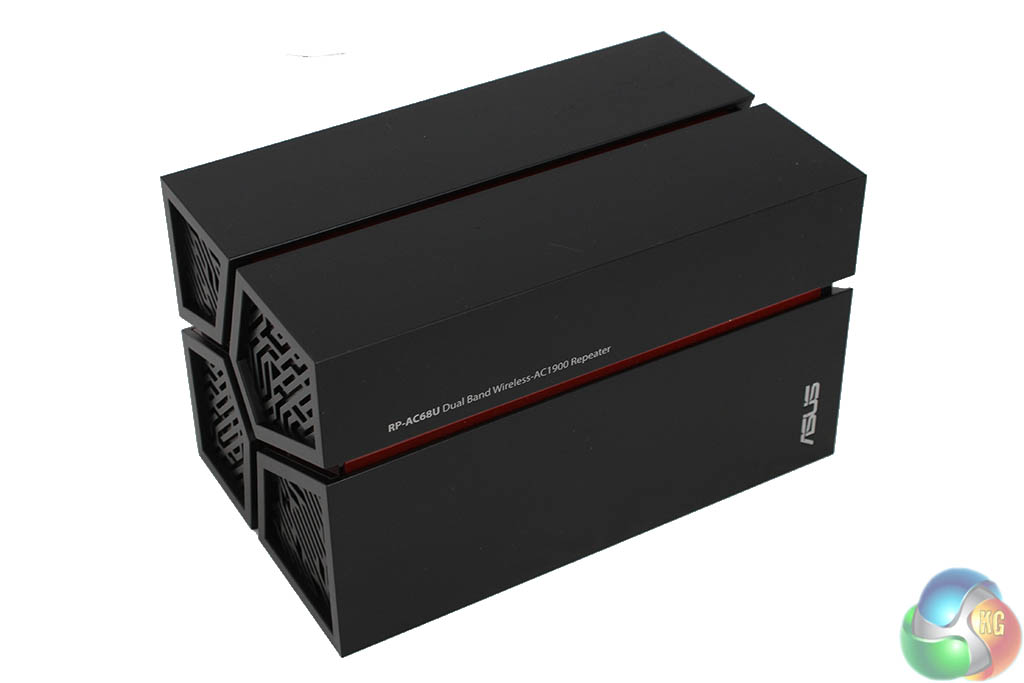
The device can be placed on its side if you wish, with four internal antennas that won't get in the way, although we expect keeping it upright will give the best performance.
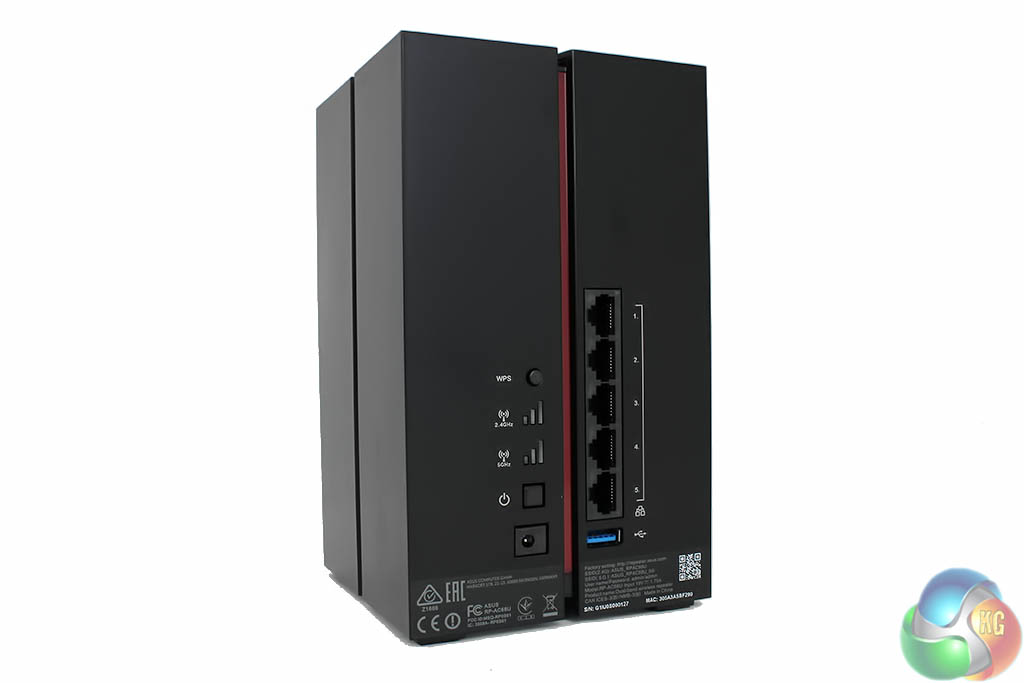
At the back you get five Ethernet ports to share the wireless link between clients, along with a single USB 3 port for sharing storage. There's a WPS button for easy connection to a router and a power on/off switch.
There are also two LEDs indicating wireless connectivity on each frequency band. They light up whether you're directly connected to the router or to a wireless client.
Setting up a wireless bridge can be quite a tricky task if the software isn't very user friendly, and it seriously detracts from some competing products, but Asus has (sensibly) pulled out all the stops here to make setup as straightforward as possible.
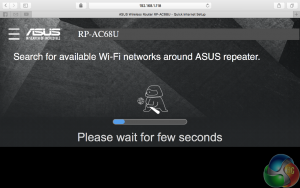
Turn on the device and after it asks you to create a login it scans the local area for wireless networks to connect to.
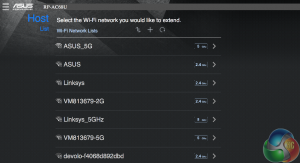
Pick one from the list.
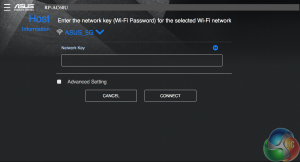
Enter the security key.
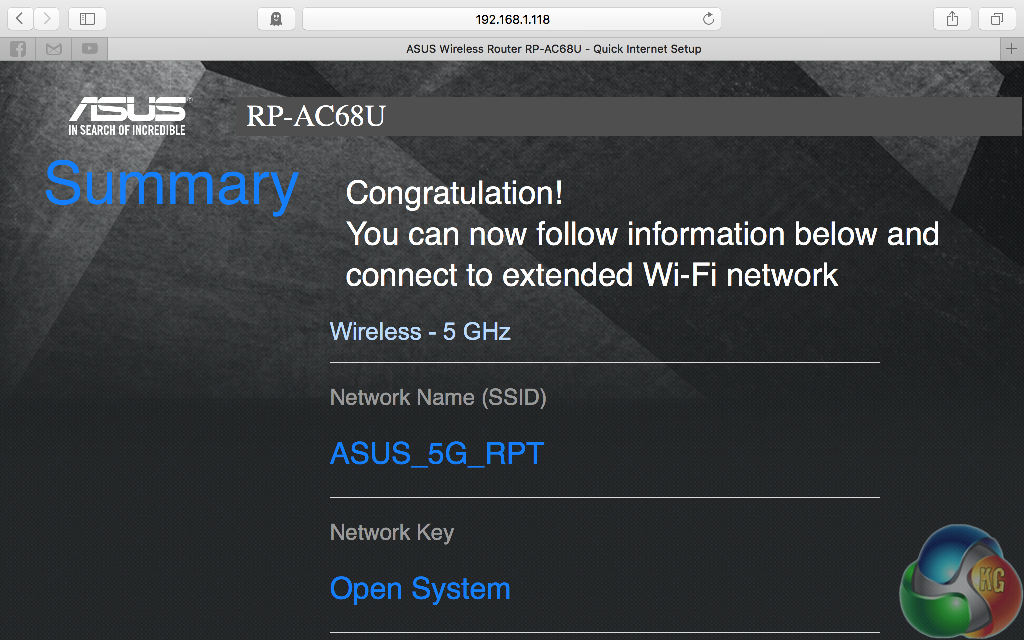
And that's all there is to it.
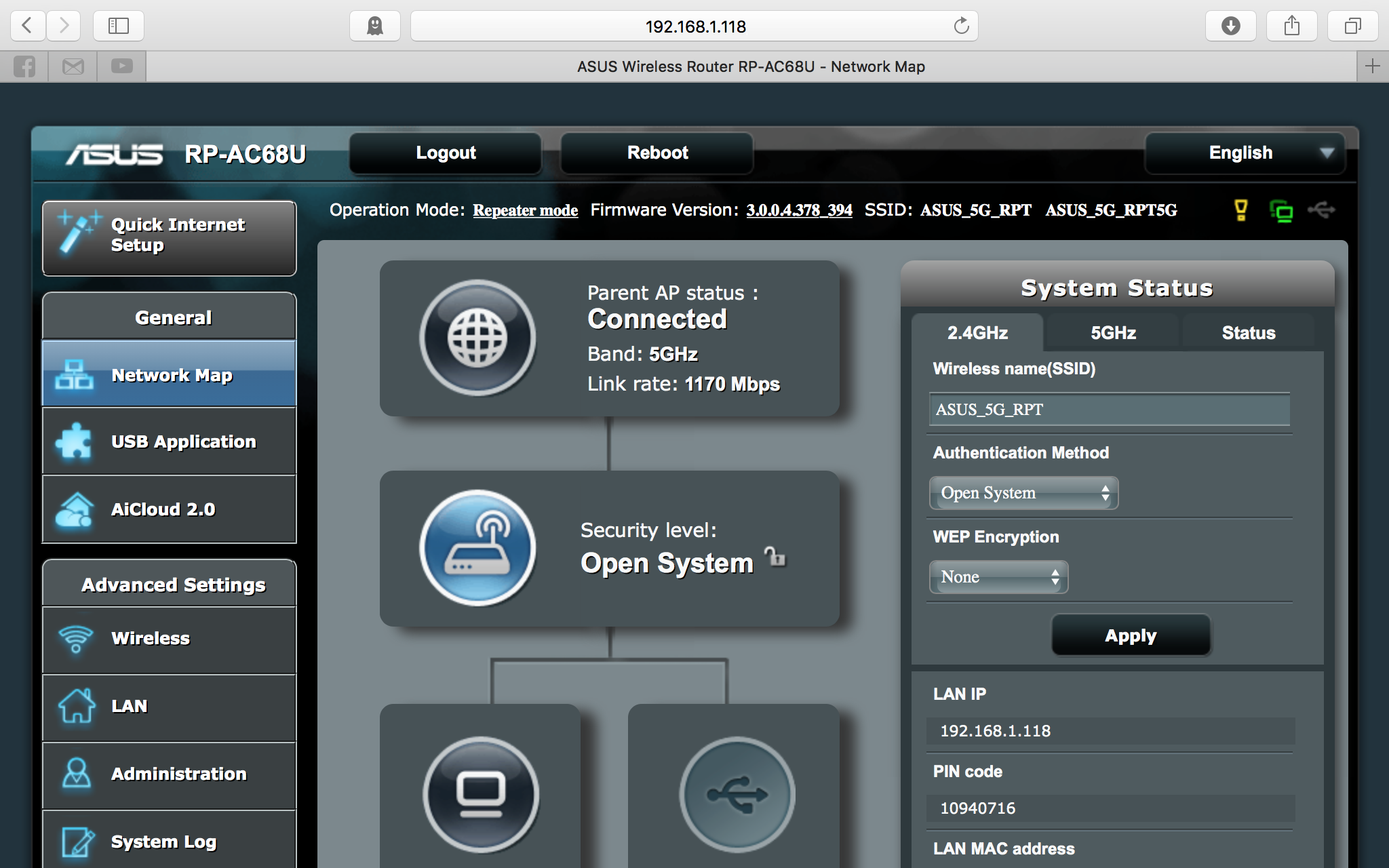
The main software screen for the Asus RP-AC68U looks pretty much like that on Asus routers, meaning its better than a vast majority of the competition (there are a few exceptions such as Linksys, who do indeed match Asus' efforts). It's a bit cut down from what you might see on a router though, but many of the same customisation settings are here.
You get notifications in the top right to suggest creating passwords, there are clickable links on the main screen to see your network status. There's a system log, AiCloud feature for sharing storage from a USB 3 device and firmware updating is a breeze.
If you run the RP-AC68U in repeater mode, these settings are ignored and instead it uses whatever settings your main router uses.
The Asus RP-AC68U creates up to four wireless networks, depending on the mode it is in. It can extend up to two networks from a router, appending text to the original network name, with _RPT for 2.4GHz networks, and _RPT5G for 5Ghz networks.
This can get a bit confusing, when you have two completely different networks named Asus_RPT5G and Asus_5G_RPT to think about, so its worth perhaps giving the networks custom names.
We noted that in some modes, some of the options disappeared. For example, in ExpressWay mode, there is no option to customise the wireless channel, which you do get in Repeater mode.
Given that the RP-AC68U is designed to be a high-performance wireless extender, we changed our test setup slightly, partly to put it through its paces a bit more.
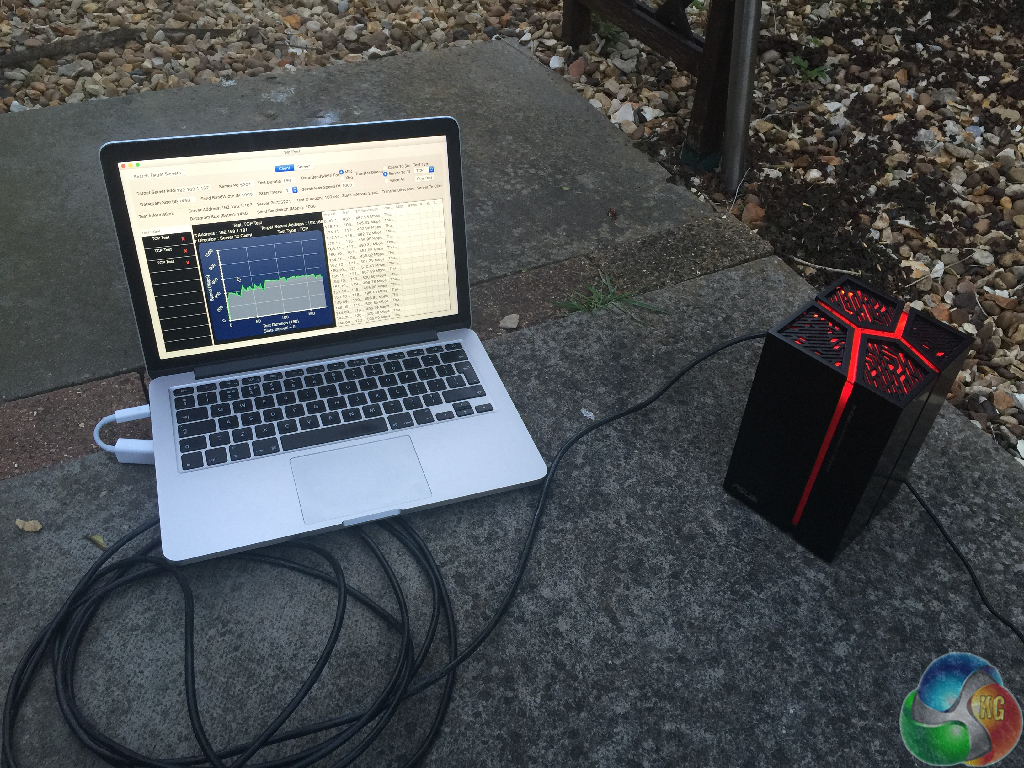
Rather than the usual 1 meter, 5 meters, and 10 meters distances we usually measure out exactly, with full line of sight to the router, we ditched the 5 meter distance and instead tested it at 20 meters.
That’s a tough distance for any wireless kit, but it’s highly unlikely anyone would use the RP-AC68U in bridge mode in the same room as their router. Therefore the 1 meter results are included for completeness only, to show the maximum possible speeds it can manage.
We first tested Bridge Mode with an 802.11ac link between the Asus RT-AC88U router and the RP-AC68U, with a Mac connected via Ethernet at both ends, using the software WiFi Perf, which draws pretty graphs as well as calculating an average network speed. We record the average speed over three minutes, measuring both client-to-server (c2s) and server-to-client (s2c), equivalent to read and write results.
We also tested the two different ExpressWay modes, first with a 2.4GHz link between the router and the RP-AC68U, with the client connecting to the extender with a 5GHz link. And then we tested with a 5GHz link between the router and the RP-AC68U, with a 2.4GHz link to the client.
Bridge Mode
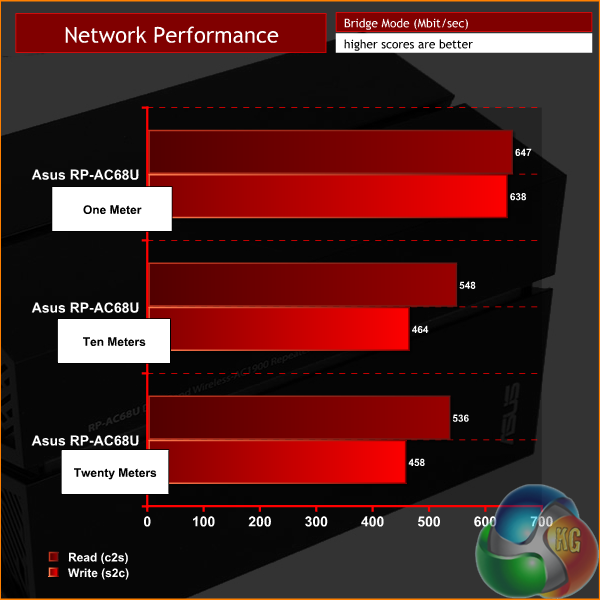
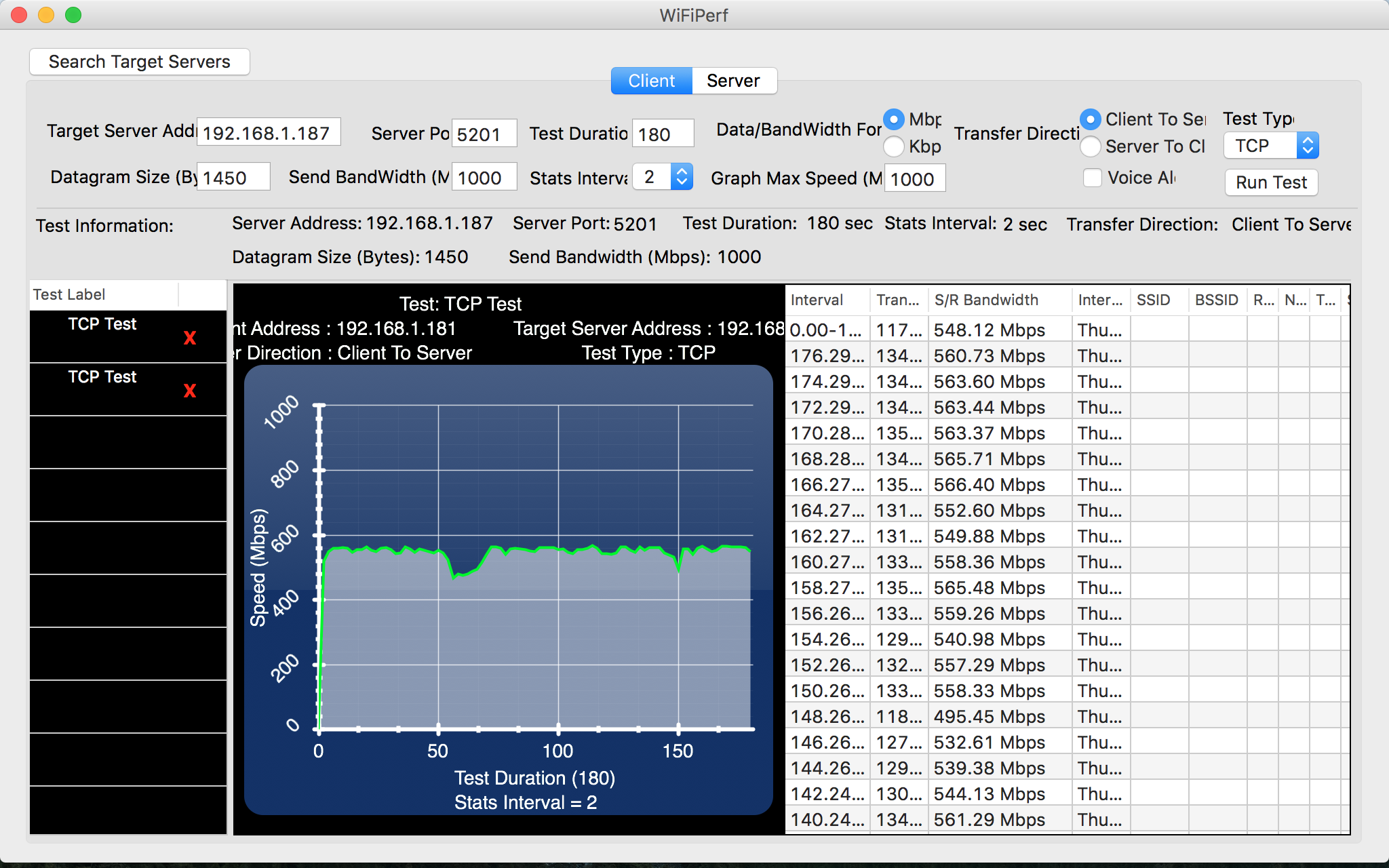
At short range, you can see the full bandwidth provides the rough equivalent of a 3×3 router, with around 650 Mbit/sec.
That is nothing particularly special. But the RP-AC68U is intended to be used at longer range, so the 10 meter and 20 meter results matter more.
Some cheap (and some not so cheap) standard 3×3 802.11ac routers struggle at longer distances. But here, you can see the RP-AC68U races ahead, with close to full speed.
Given that this is an extender/repeater, designed to boost the signal of a wireless network or share a single strong wireless link among devices in a large area, performance at distance is the most important benchmark, and it managed this very well.
Expressway 2.4GHz
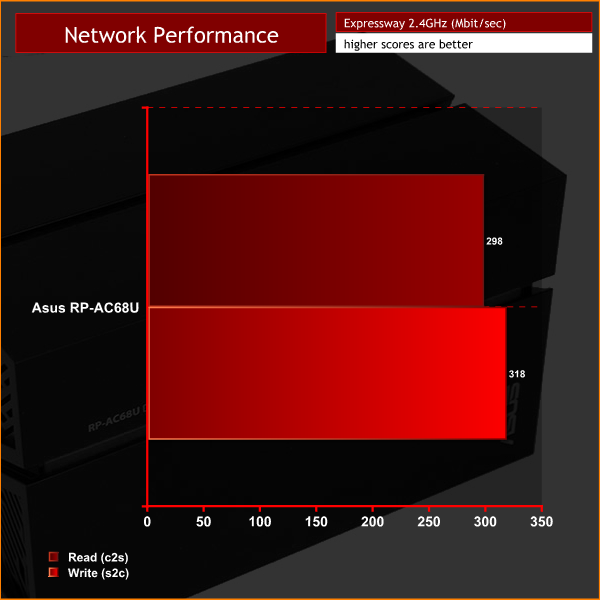
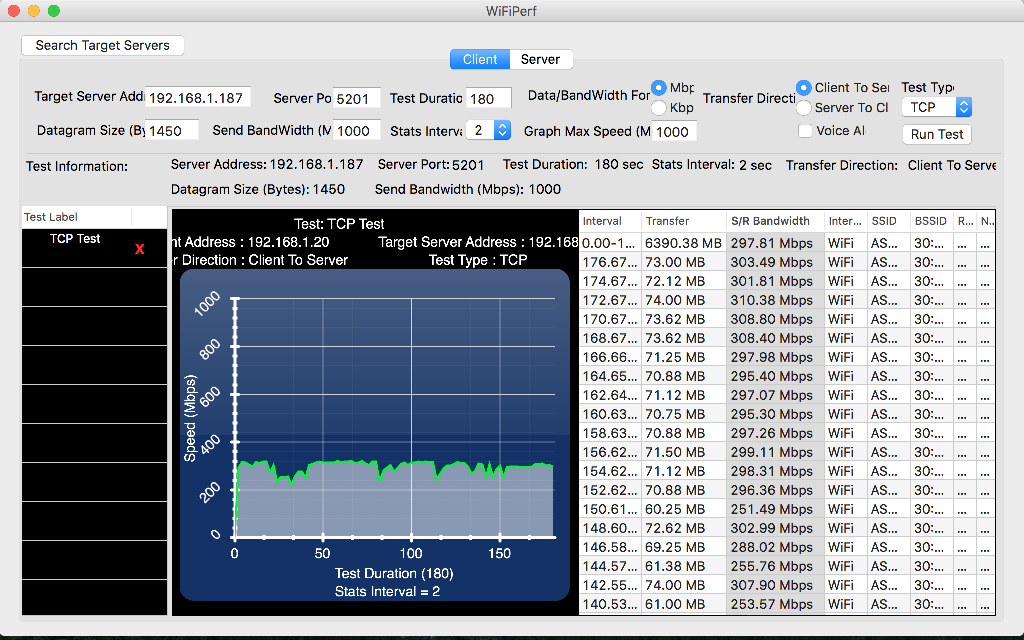
We tested both ExpressWay modes with the router and Asus RP-AC68U placed in direct line of sight exactly five meters from one another, with our MacBook Pro client positioned roughly three meters from the repeater. So there is still quite some distance between the data source and the client, travelling over two wireless links, with inevitable packet loss occurring over each.
Expressway 5GHz
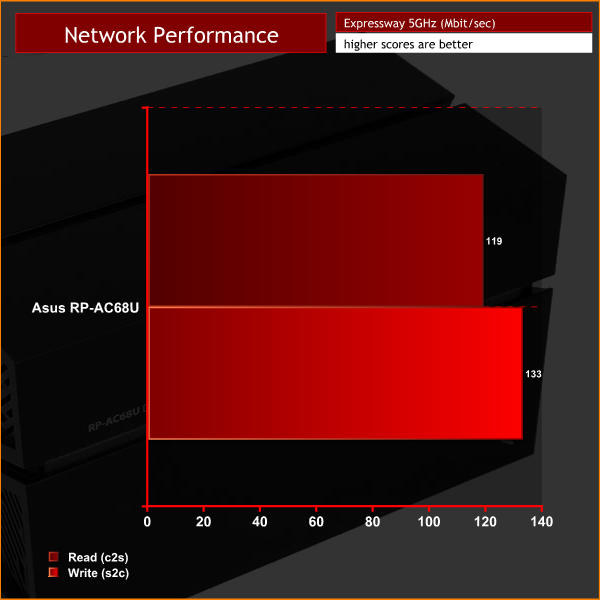
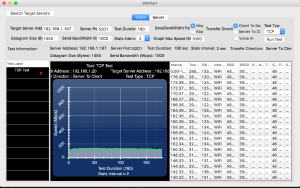
Results with a 5GHz link between the router and repeater, and 2.4GHz wireless link to the client, were fairly average for 802.11n, the only real chink in otherwise great results. However, as this is a 2.4GHz 802.11n connection, our client may be limiting the speed here.
Lastly, we tested the USB 3 port with some file transfer tests, using a Samsung T1 portable SSD, via a computer directly connected to the Asus RP-AC68U via Ethernet.
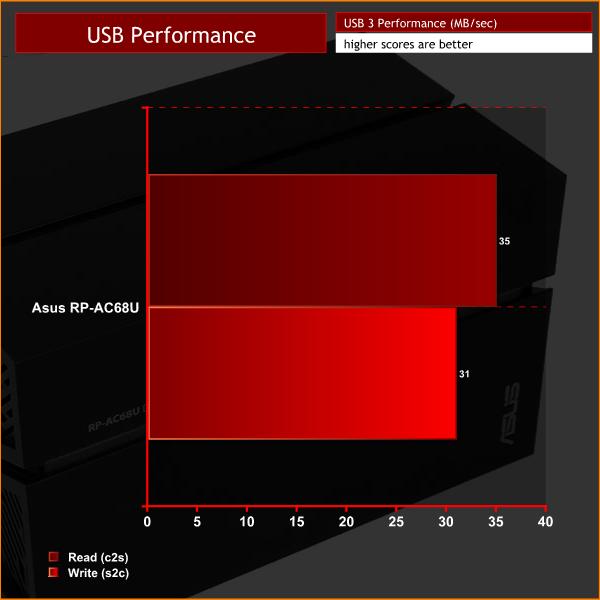

The speed of USB ports on routers often depends on the CPU performance, and with write speeds of 31 MB/sec and read speeds of 35 MB/sec, the Asus RP-AC68U is outperformed by full-sized standalone routers in this regard, including those from Asus themselves. This is to be expected as the CPU isn't as powerful in a wireless repeater.
The Asus RP-AC68U arrived at KitGuru Towers at the same time as a second product from Asus, the PCE-AC88 wireless adapter, a PCI card for desktop PCs that supports 4×4 802.11ac.
So that's not one, but two products that arrived in the same box that can be used for extending a wireless network without relying on a second router in bridge mode, albeit in slightly different ways.
They're quite different things though. While a PCI card is purely for a single desktop PC, the Asus RP-AC68U is for sharing a wired connection between multiple PCs. And unlike the PCE-AC88, from our results it seems the RP-AC68U only delivers 3×3 short-range wireless speeds rather than 4×4.
It's not too important here though, given that many competing repeaters merely support two 802.11ac streams. It's the long range performance rather than the short-range throughput that matters, and impressively, even at a whopping 20 meter distance, we were still seeing speeds that were in excess of 500 Mbit/sec.
Crucially, this is a better speed than you'll get from using a router on its own at this distance. By quite some margin. That's in bridge mode, with wired devices connected to the Asus RP-AC68U.
ExpressWay is certainly a neat addition, although we saw quite a substantial difference between results using both 2.4GHz and 5GHz links between the router and RP-AC68U. Based on what we found, we would recommend using the 2.4GHz link to the router and a 5GHz link to your clients.
There are QOS settings and SmartConnect rules that can be used to prioritise devices, if you so choose, and the Roaming Assist feature means wireless devices will automatically disconnect from the RP-AC68U and connect straight to the router, if within better range.
Ergonomically, the device is great. The red illumination looks great, but may not be to everyone's taste, and Asus has considered this and made it simple to turn off with a tap of the logo.
Setup is a breeze. Asus holds your hand through the entire process of extending your wireless network, although we found it might be helpful to write down the IP address before turning on ExpressWay or Repeater mode, as you may need to log in again to adjust settings. When the RP-AC68U is in repeater mode, it retrieves its IP address from the router, and can no longer be accessed on the old address. Although Asus offers a Windows-only Device Discovery app to quickly find the IP of the repeater if you need it, we found it quicker to just remember the IP if we needed to log in.
In summary, the Asus RP-AC68U is intended for just one job, high speed wireless over long distances. It manages this very well and with the ExpressWay feature, wireless devices in range of the RP-AC68U will get better wireless speeds than they (almost certainly) would if directly connected to the router at a long distance.
But don't forget, that link between the router and the Asus RP-AC68U has to be shared by all the clients connected to it, and although Asus makes good products, they can't break the laws of physics, or create bandwidth that simply isn't there.
There's one link to be shared, and no matter if wired or wireless devices are connected, it will be divided between them. Although we ensured good performance by using Asus' top-end standalone RT-AC88U router for testing, if your existing router cannot deliver good long-range performance, you can't expect great results from the Asus RP-AC68U.

Buy from Overclockers UK for £139.99 inc vat HERE.
Discuss on our Facebook page, over HERE.
Pros:
- Very strong performance at extreme range in bridge mode
- Easy setup, great software
- Good wireless performance using 2.4GHz ExpressWay
Cons:
- Will need to be paired with a powerful standalone router for the best results
- 5GHz ExpressWay wasn't as fast as 2,4GHz in our tests
Kitguru Says: If you want better wireless performance at extra-long range, a high quality repeater is your best bet. The RP-AC68U is one of the best options for such a setup, without going down the route of investing in a second standalone router for use in bridge mode.