KitGuru KitGuru.net – Tech News | Hardware News | Hardware Reviews | IOS | Mobile | Gaming | Graphics Cards


Designed as an affordable and powerful NAS, the 2-bay TS-231P is the mid-range model of QNAP's latest family of NAS drives aimed at SOHO/Home use, the TS-x31P series. It's sandwiched between the single bay TS-131P and the flagship 4-bay TS-431P.
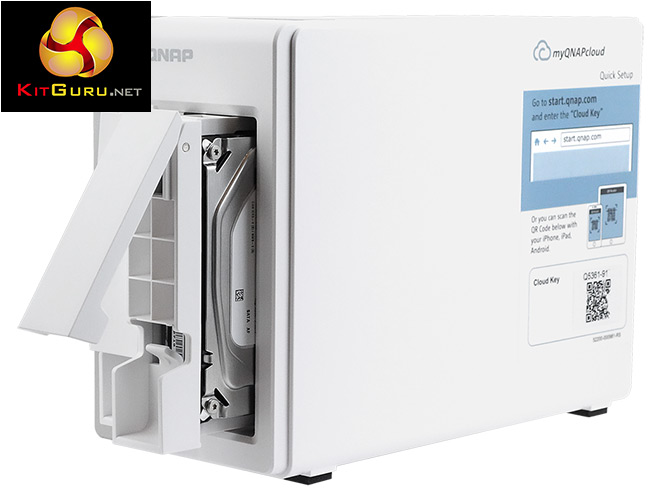
All three models in the range are powered by an AnnapurnaLabs Alpine AL-212, 1.7GHz dual cored CPU backed by 1GHz of DDR3 memory which is soldered to the motherboard so can't be upgraded.
QNAP quote throughput figures for the TS-231P of 224MB/s for reads and 176MB/s for writes but, this was achieved with both LAN ports in link aggregation mode.
Specifications
AnnapurnaLabs Alpine AL-212 CPU
Dual LAN ports
1GB DDR3 memory
2-year warranty.
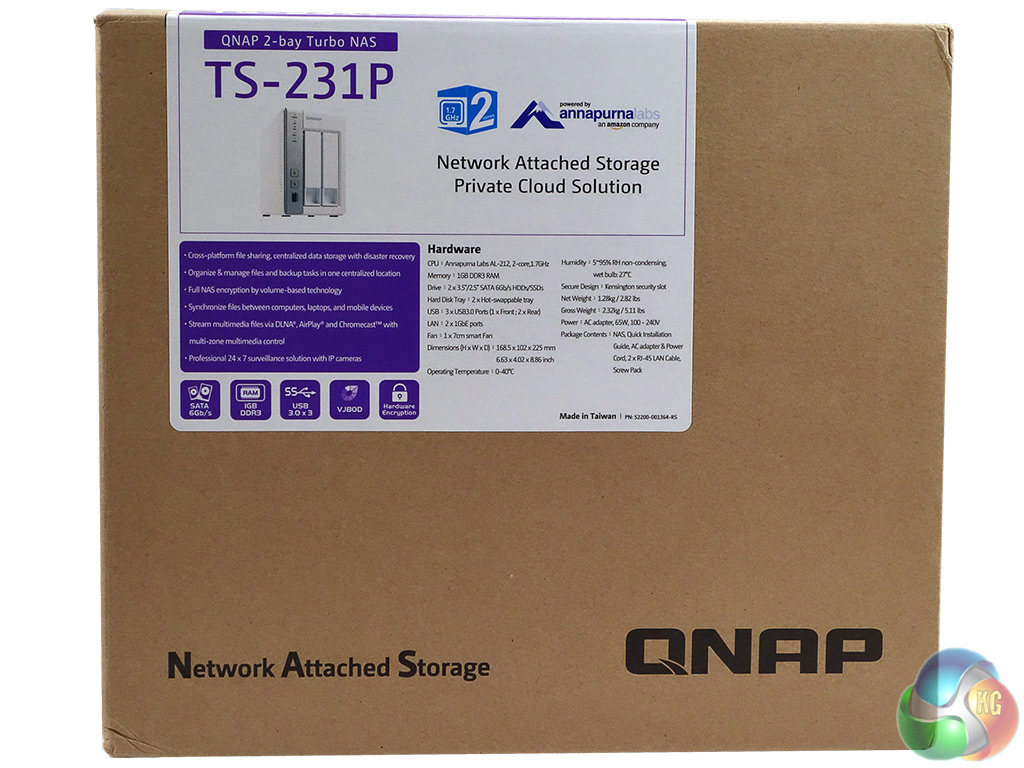
The TS-231P comes in a compact box with an image of the drive, a pretty comprehensive hardware table and some AnnapurnaLabs branding on the front label. The rear of the box has six icons describing what the NAS can be used for but with no explanation as to what these mean.
But as we've looked at another QNAP NAS lately we can say that the top row describes Data Protection, Surveillance Station and Mobile Management while the bottom row represents Private Cloud, File Sharing and Backup Station.
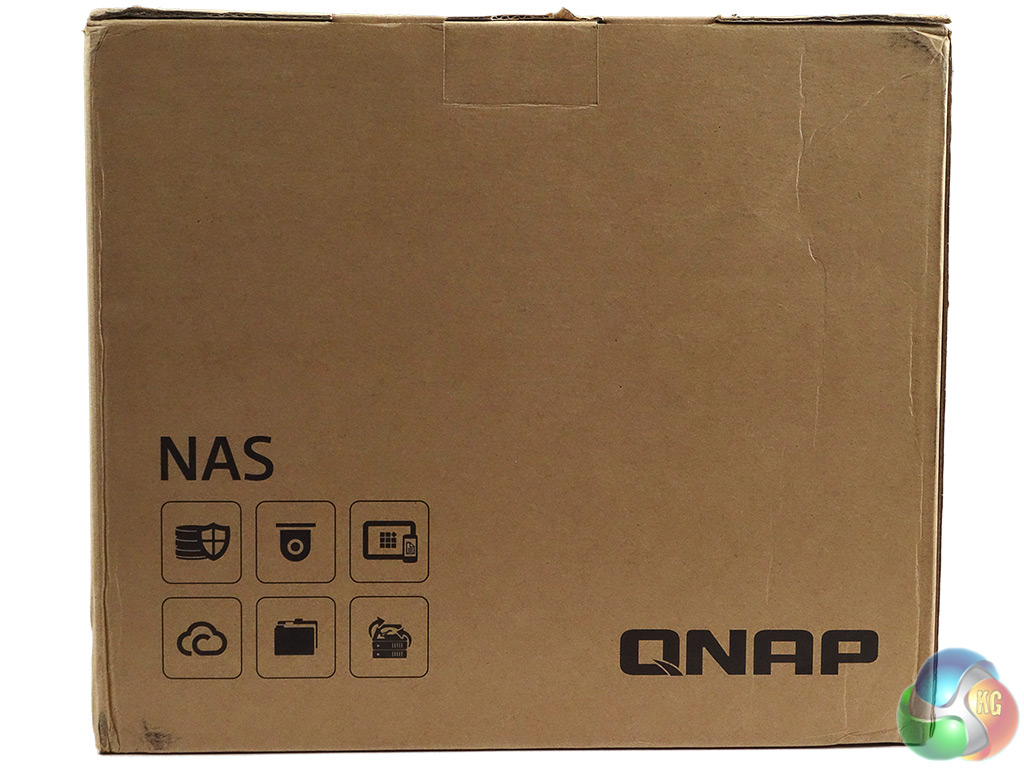
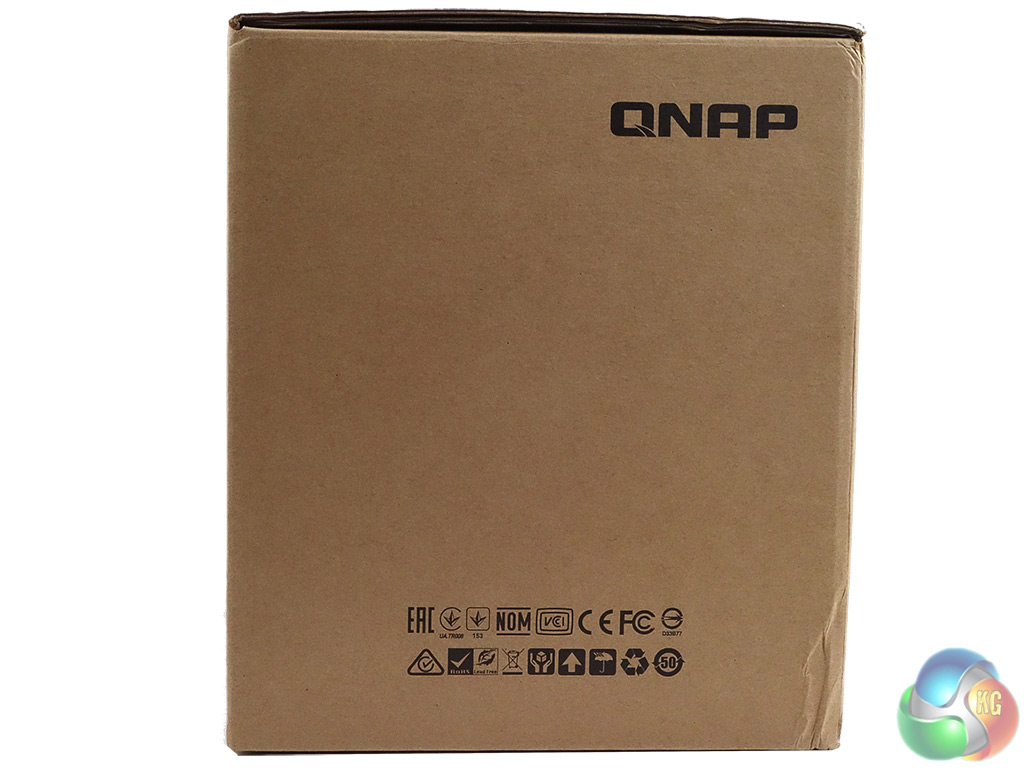
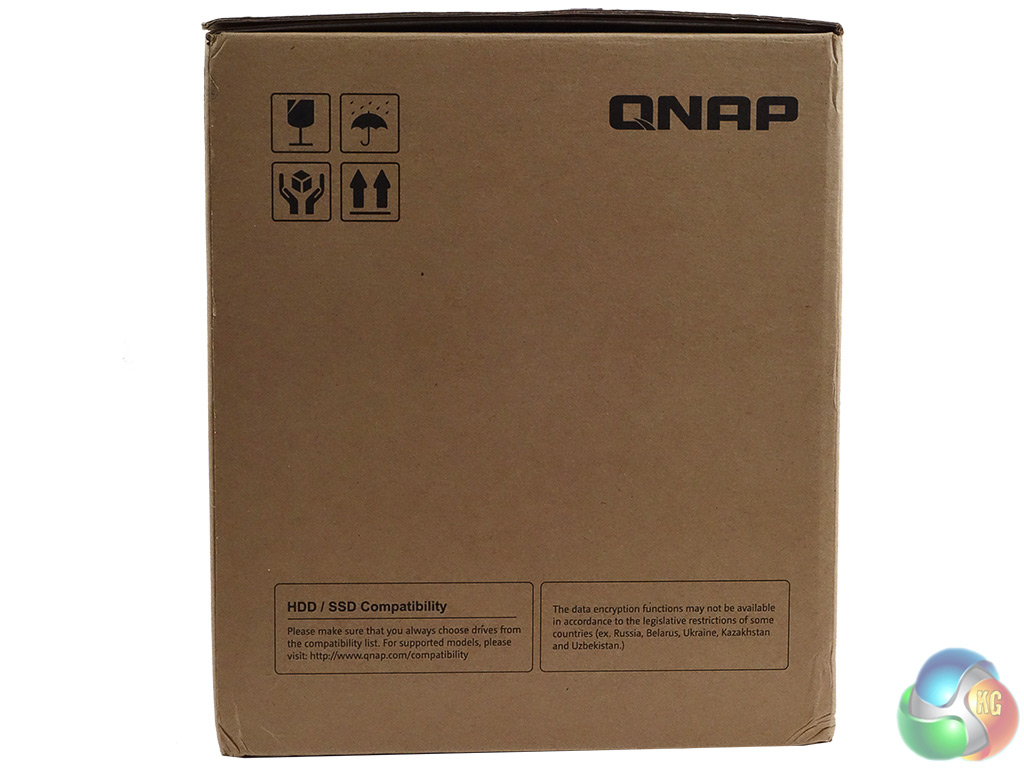
One side panel just has an icon list of the standards the drive meets while the other side has some handling icons and a small panel on the bottom describing drive compatibility and data encryption.
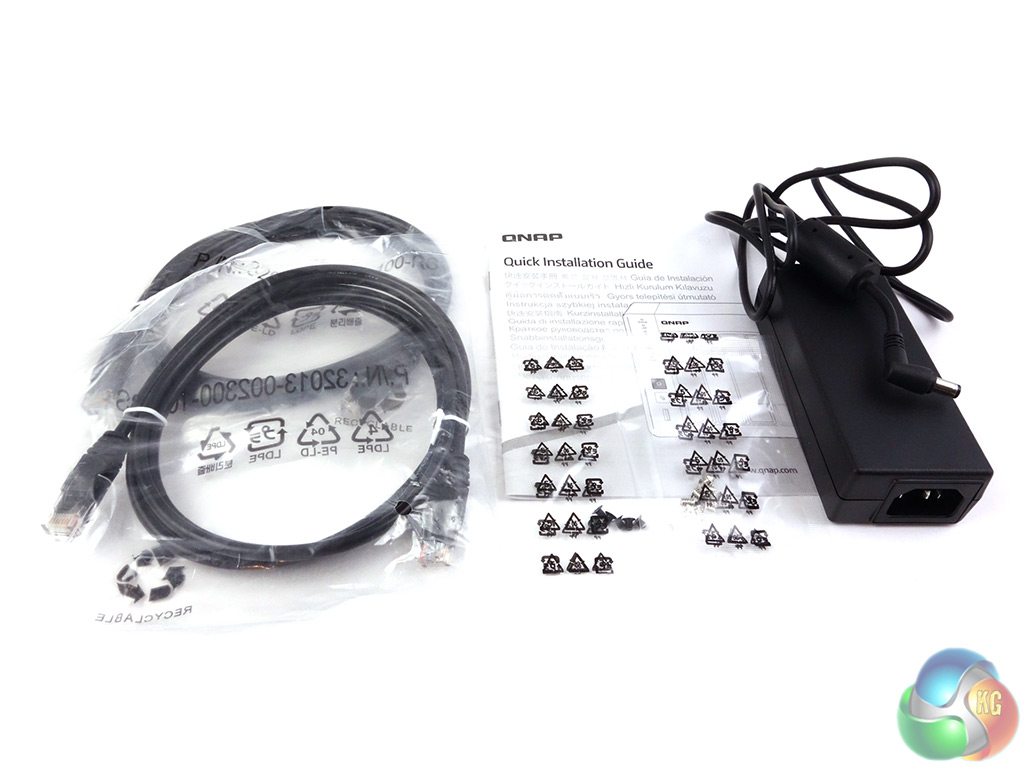
There's not much to the box bundle other than what you need to get started with the TS-231P; Delta Electronics DPS-65VB LPS 65W power adapter, two LAN cables, quick start guide and mounting screws for both 3.5in and 2.5in drives.
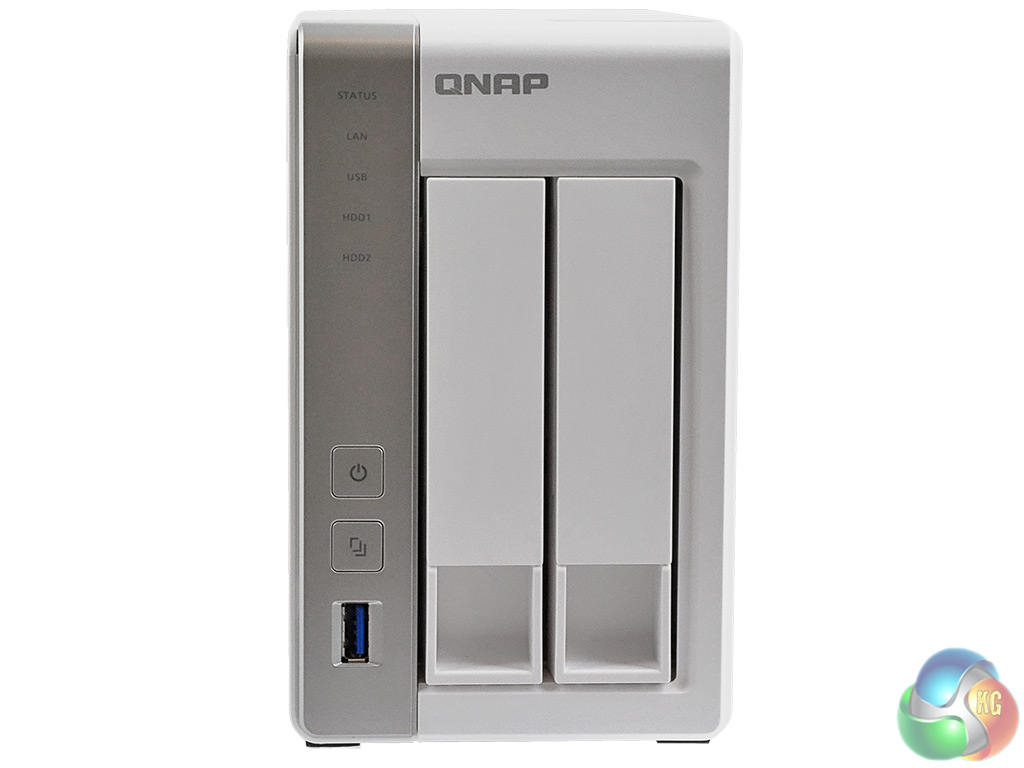
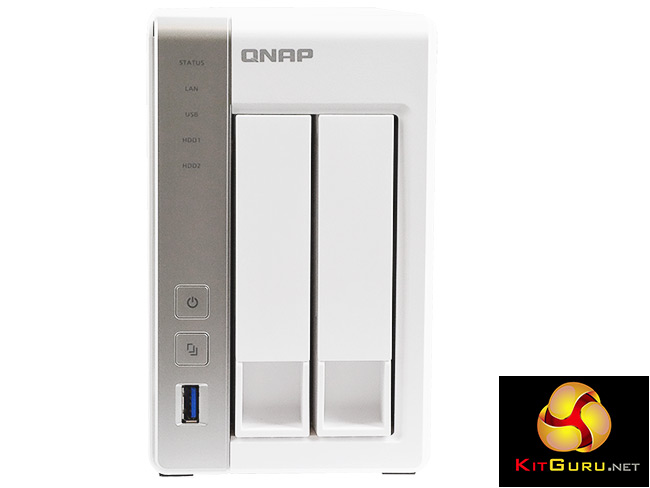
The Qnap TS-213P is a compact front loading tower design with a metal chassis and cover and a plastic front bezel. The left-hand side of the bezel holds a vertical set of indicator lights, the power button and One Touch Copy button to use with the front USB 3.0 port. The indicator lights are for (from the top); Status, LAN connection, USB, and two for Disk Activity/Status.
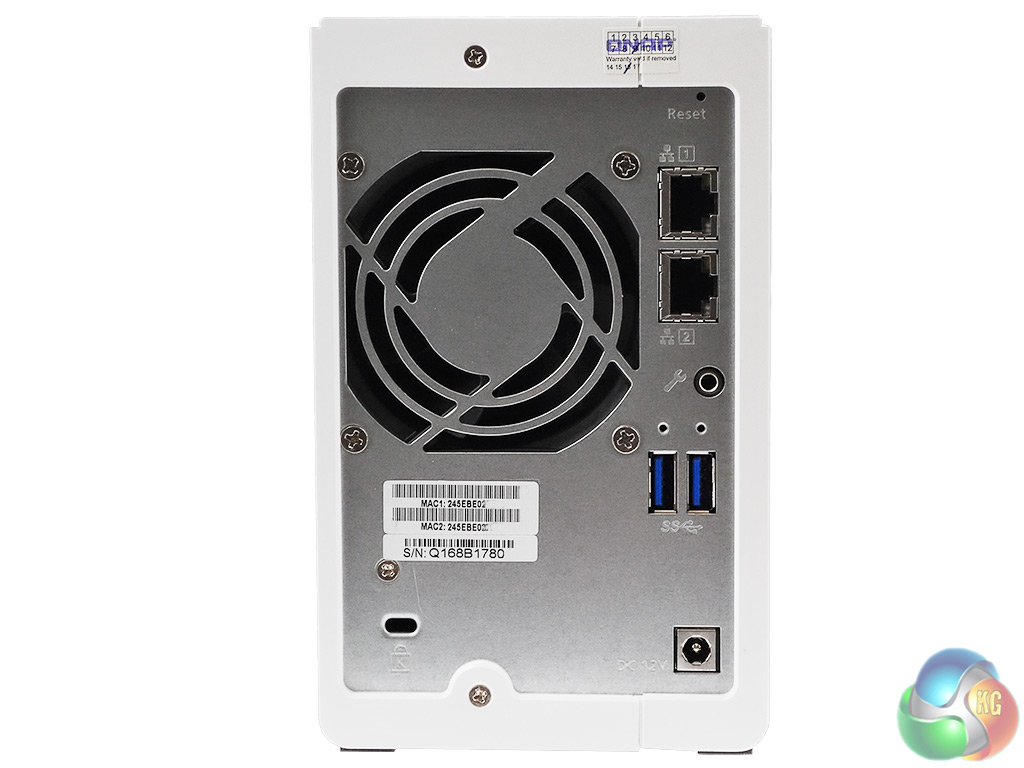
The rear panel of the unit is dominated by the grill for the Y.S.Tech FD127025MB, 4,000rpm 70mm cooling fan. To the side of this are all the ports, comprising a pair of RJ45 Gigabit Ethernet ports (which support link aggregation), a pair of USB 3.0 ports, a Kensington security slot and the 12v power input.
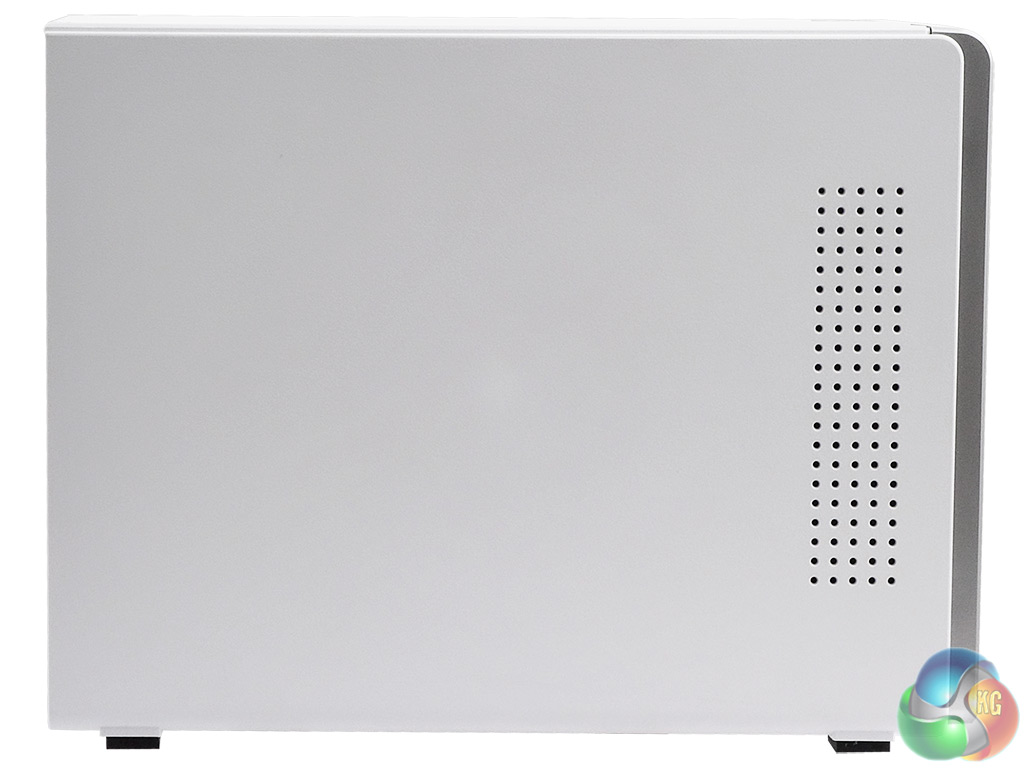
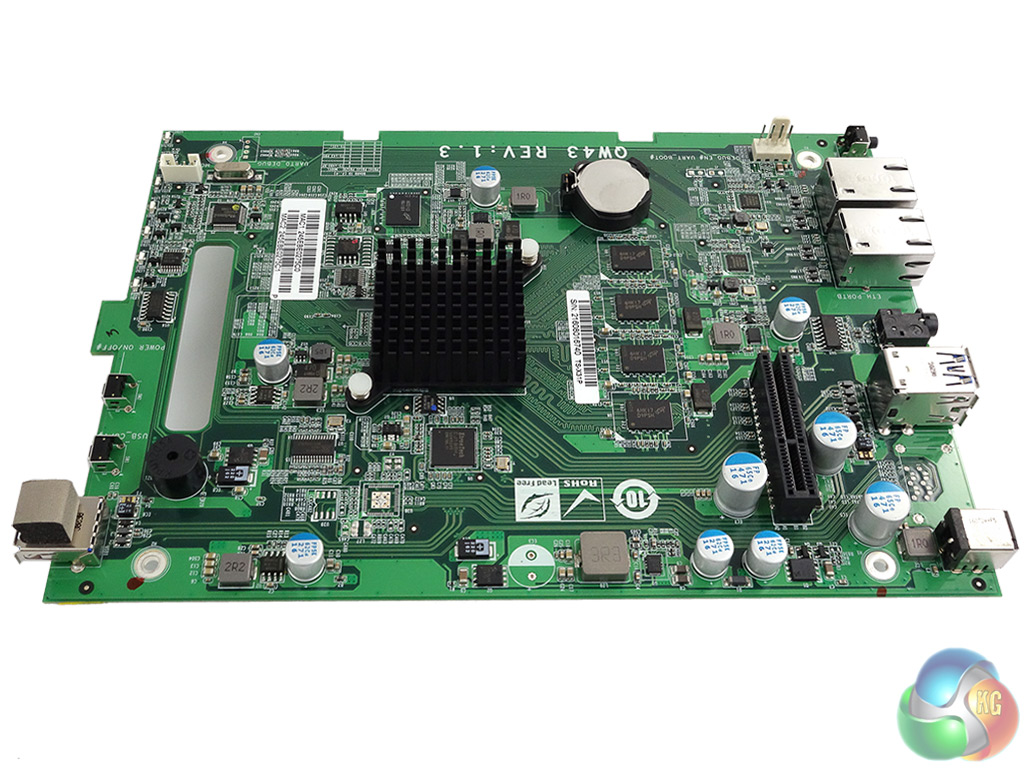
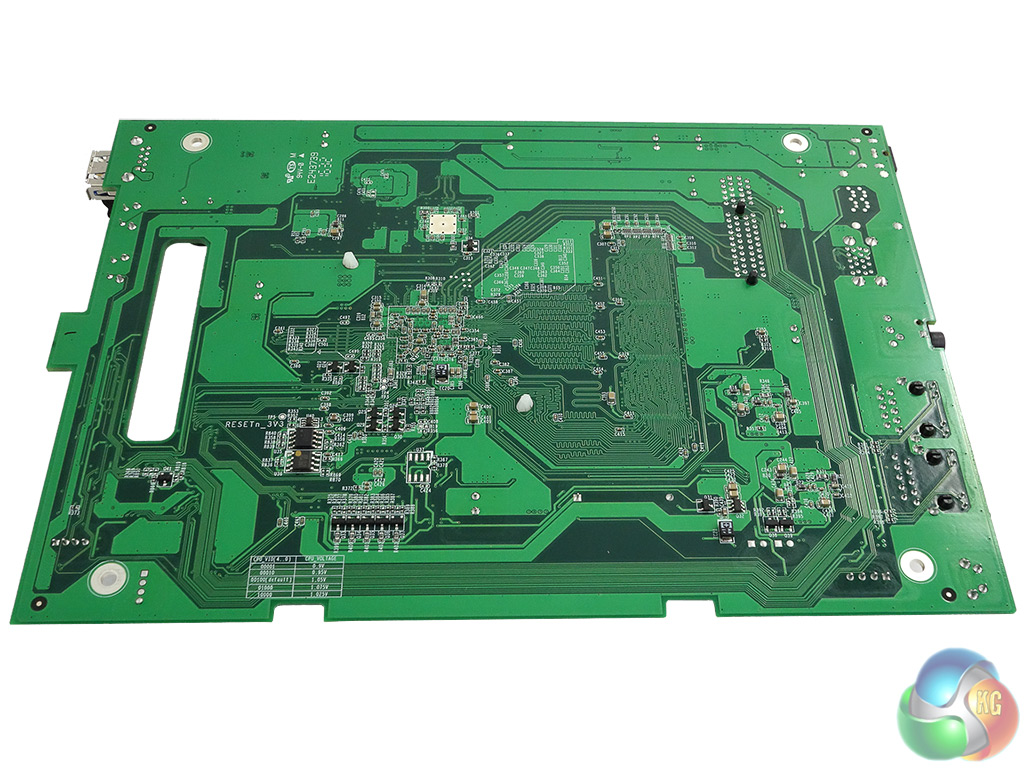
The front of the compact motherboard holds all the major controllers; the rear of the board is pretty empty of chips. The largest component on the board is the passive cooler for the AnnapurnaLabs Alpine AL-212 CPU. Sitting next to the CPU are the four Micron MT41K256M8DA-125:K, 256MB DDR3-1600 chips that make up the system memory and as these are soldered to the board; if you fancy upgrading the memory you're out of luck.
Just above the CPU is the 512MB Micron MT29F4G08ABBDAH4:D NAND chip that holds the system OS. The three USB 3.0 ports; two on the back panel and one in the front bezel are looked after by an EtronTech EJ188H IC while each of the two LAN ports has its own Atheros AR8035-A controller.
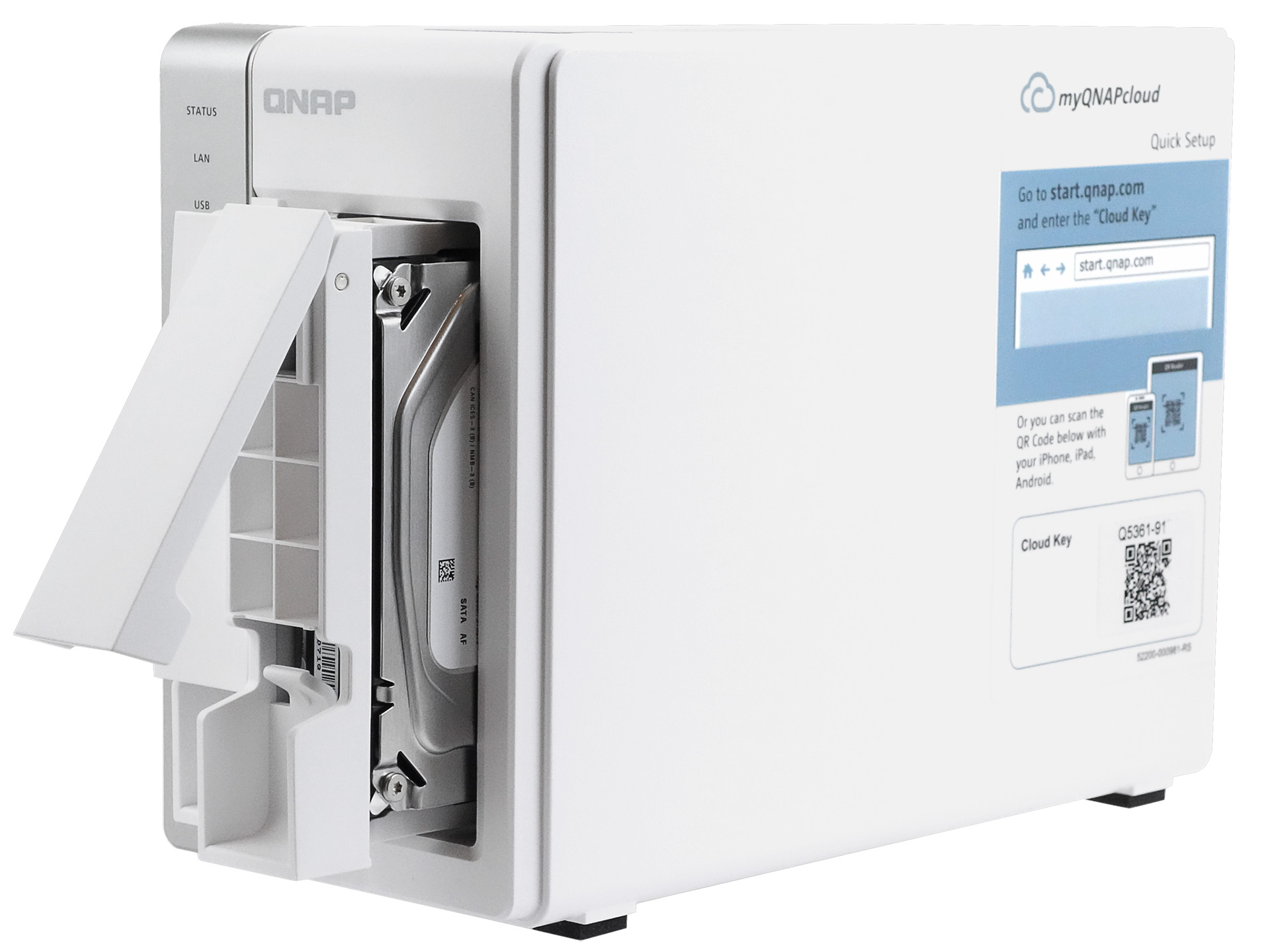
The vertical drive doors have a simple latch mechanism to lock and unlock the drive trays but there isn't any form of physical security for these doors.
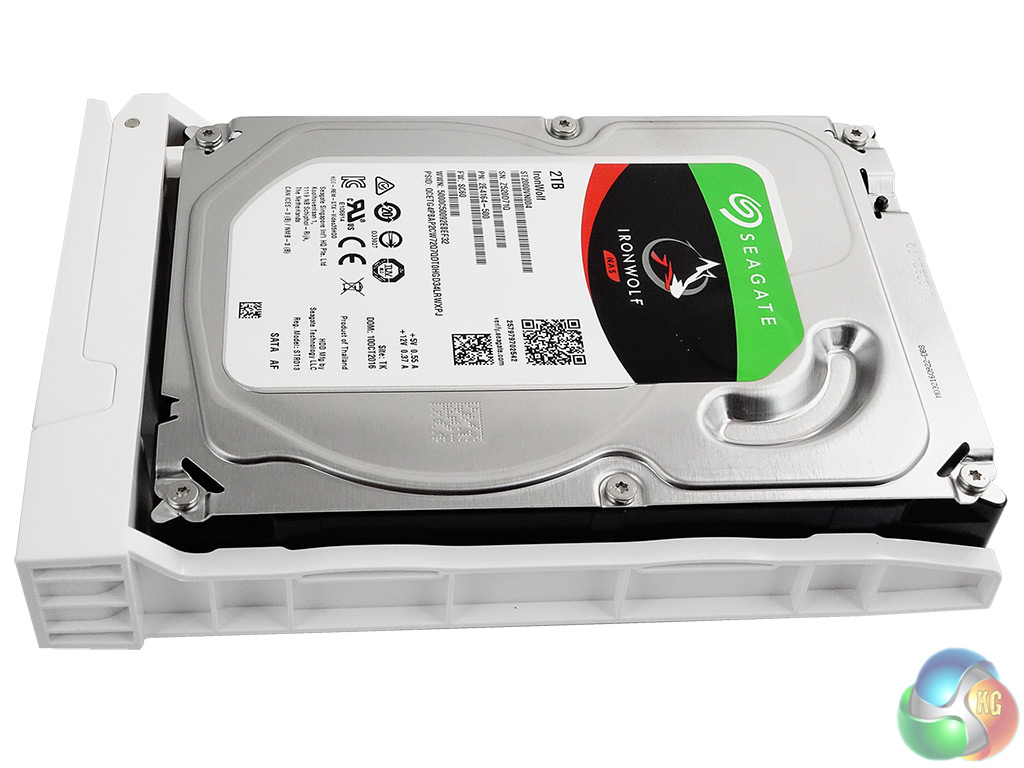
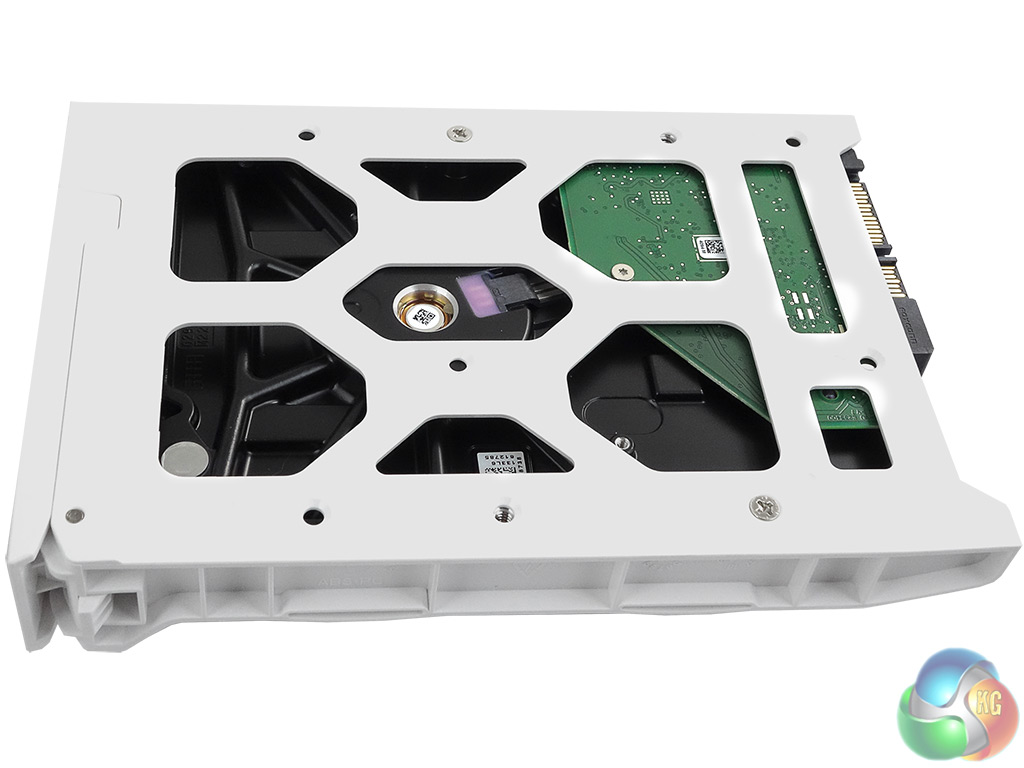
The two drive trays are made from plastic and support both 3.5in and 2.5in drives. Both sizes of drives are fixed in place with screws through the bottom of the tray. The review sample TS-231P came with a pair of Seagate 2TB IronWolf (ST2000VN0040) 5,900rpm hard drives installed and it supports drives up to 10TB.
Physical Specifications
Processor AnnapurnaLabs Alpine AL-212 1.7GHz
Memory 1GB DDR3.
Gigabit Ethernet Ports x 2.
Front panel connectors 1 x USB 3.0
Rear panel connectors 2 x USB 3.0 , 2 x LAN
RAID support JBOD, RAID 0, 1
Cooling 1 x 70mm fan
Maximum hard drive size supported 10TB.
Maximum Capacity 20TB.
Dimensions (D x W x H) 219 x 102 x 169mm.
Weight 2.32kg.
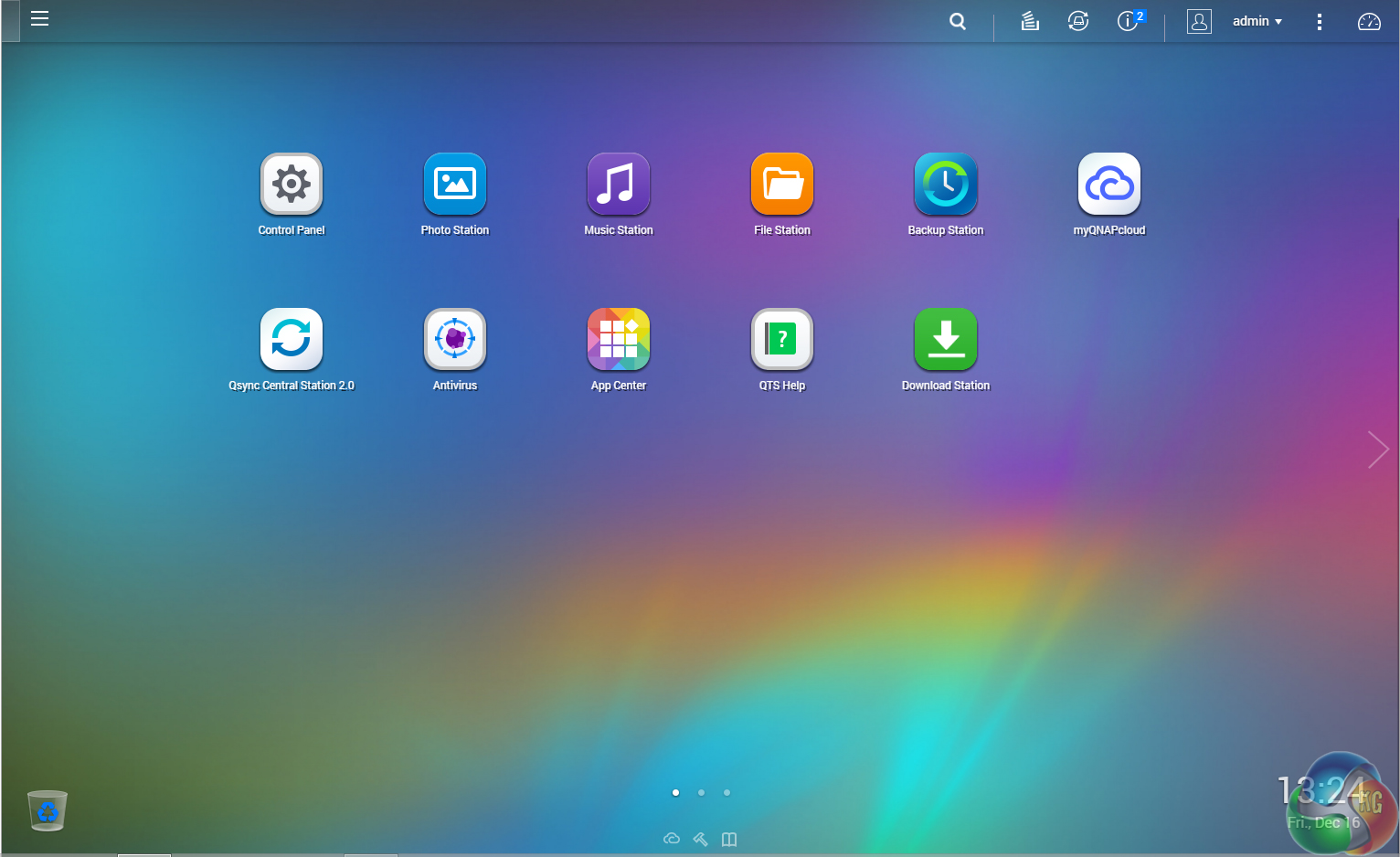
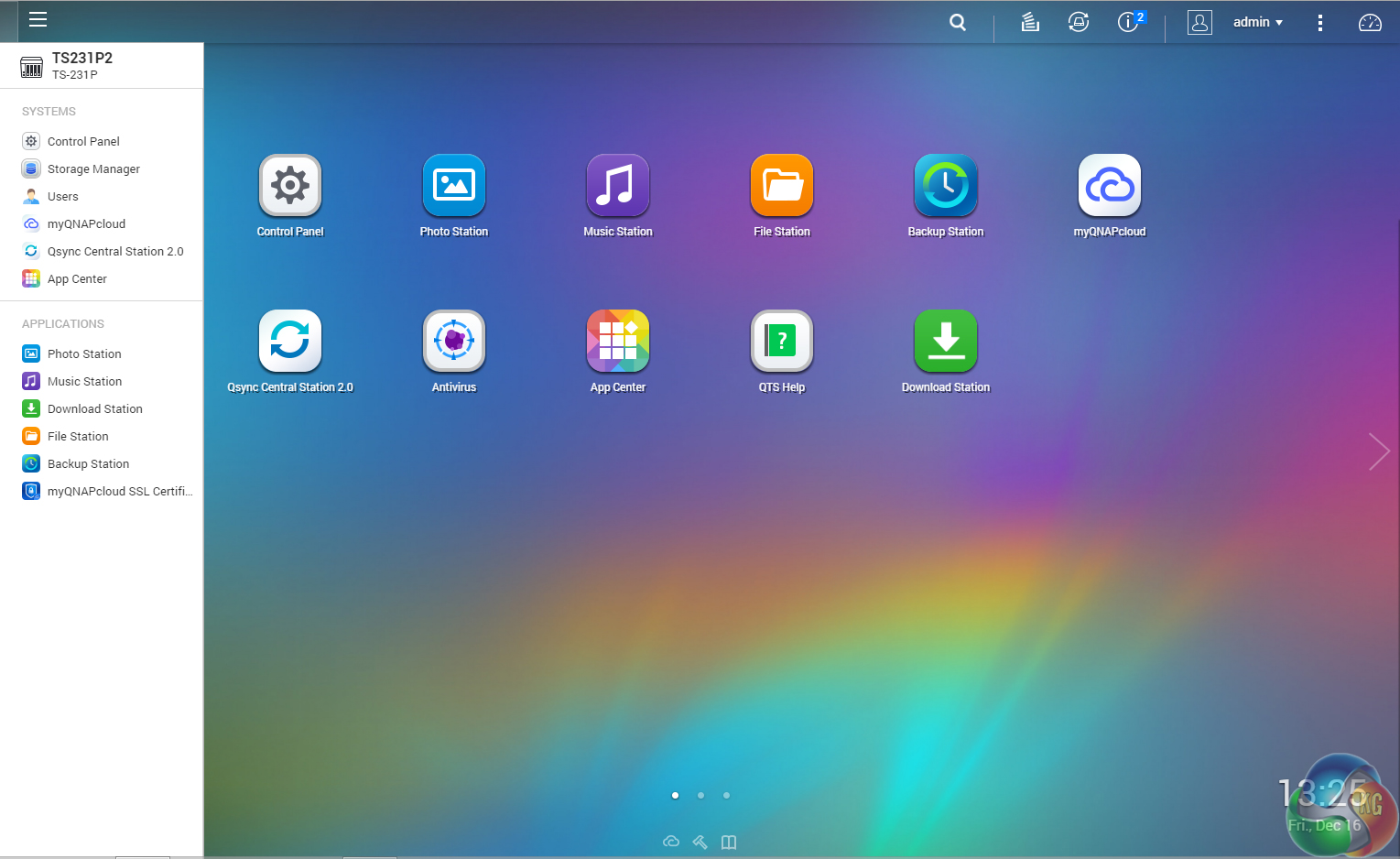
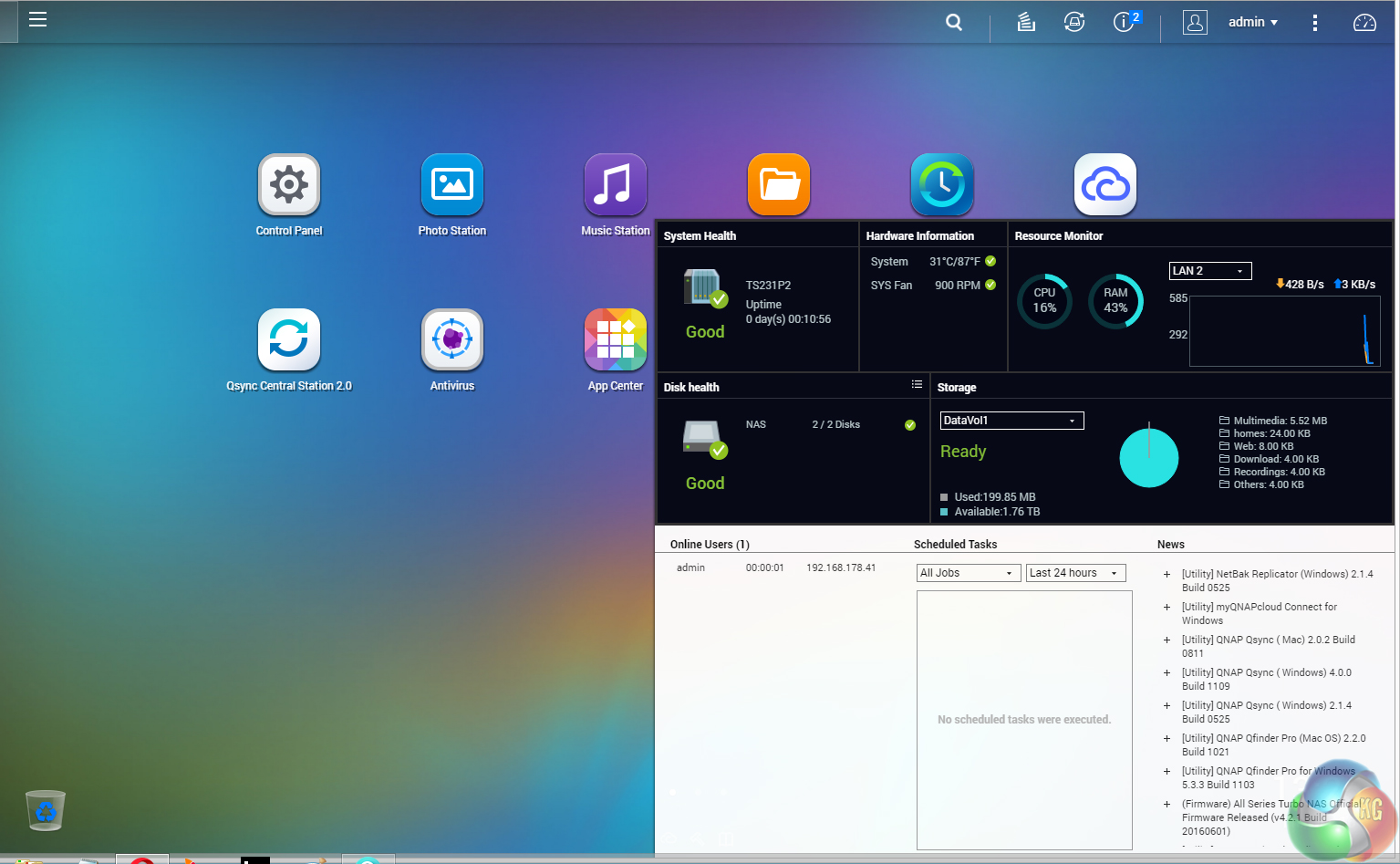
QTS is a graphically-rich OS with the major apps appearing as icons on the main page. Clicking on the ‘hamburger‘ menu icon at the top left-hand side of the screen drops down a very useful side menu. Clicking the icon on the top right of the screen activates the Dashboard page which gives a snapshot of what’s happening with the NAS.
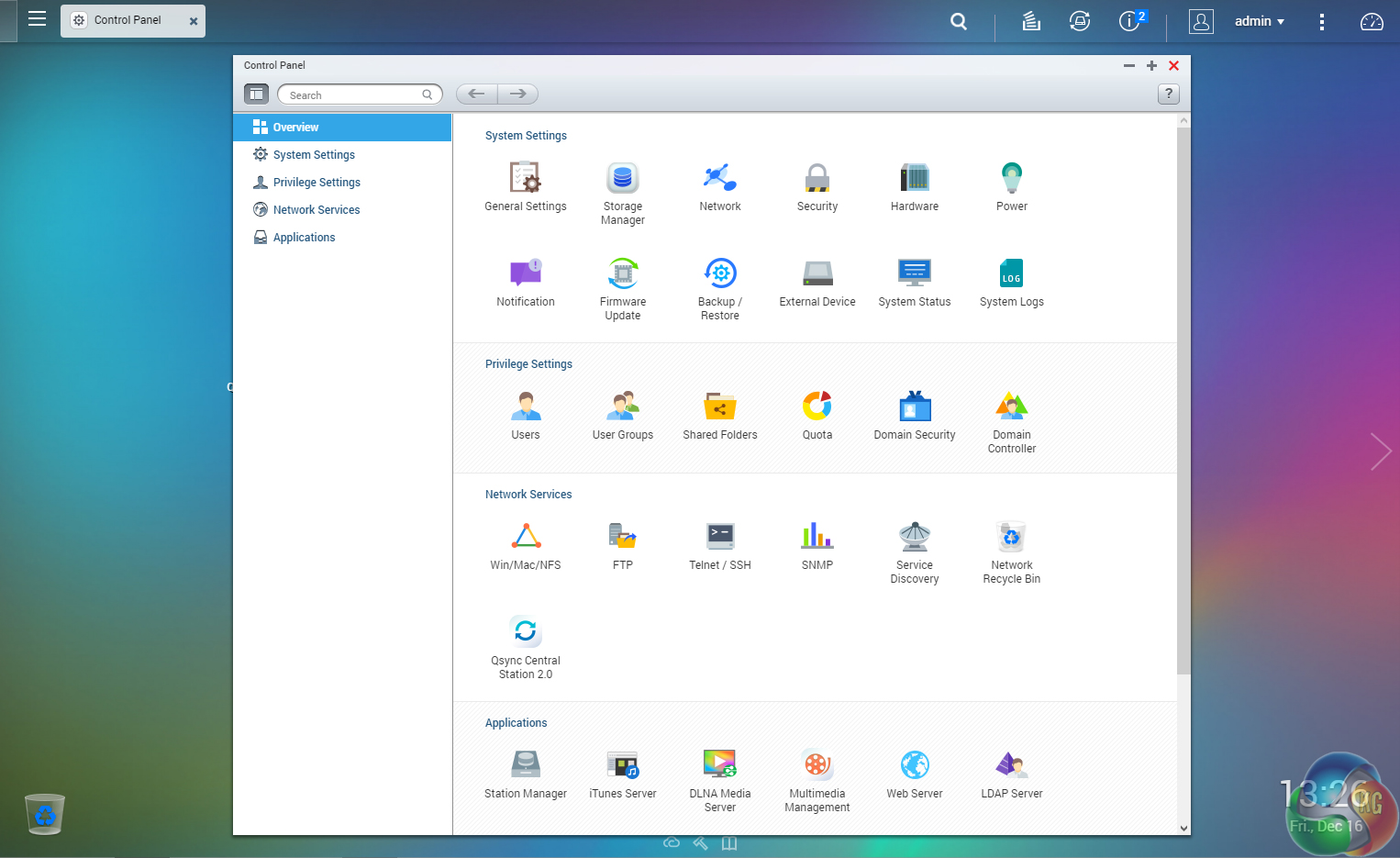
The Control panel overview has all the various functions of the NAS neatly divided into groups; System Settings, Privilege Settings, Network Services etc.
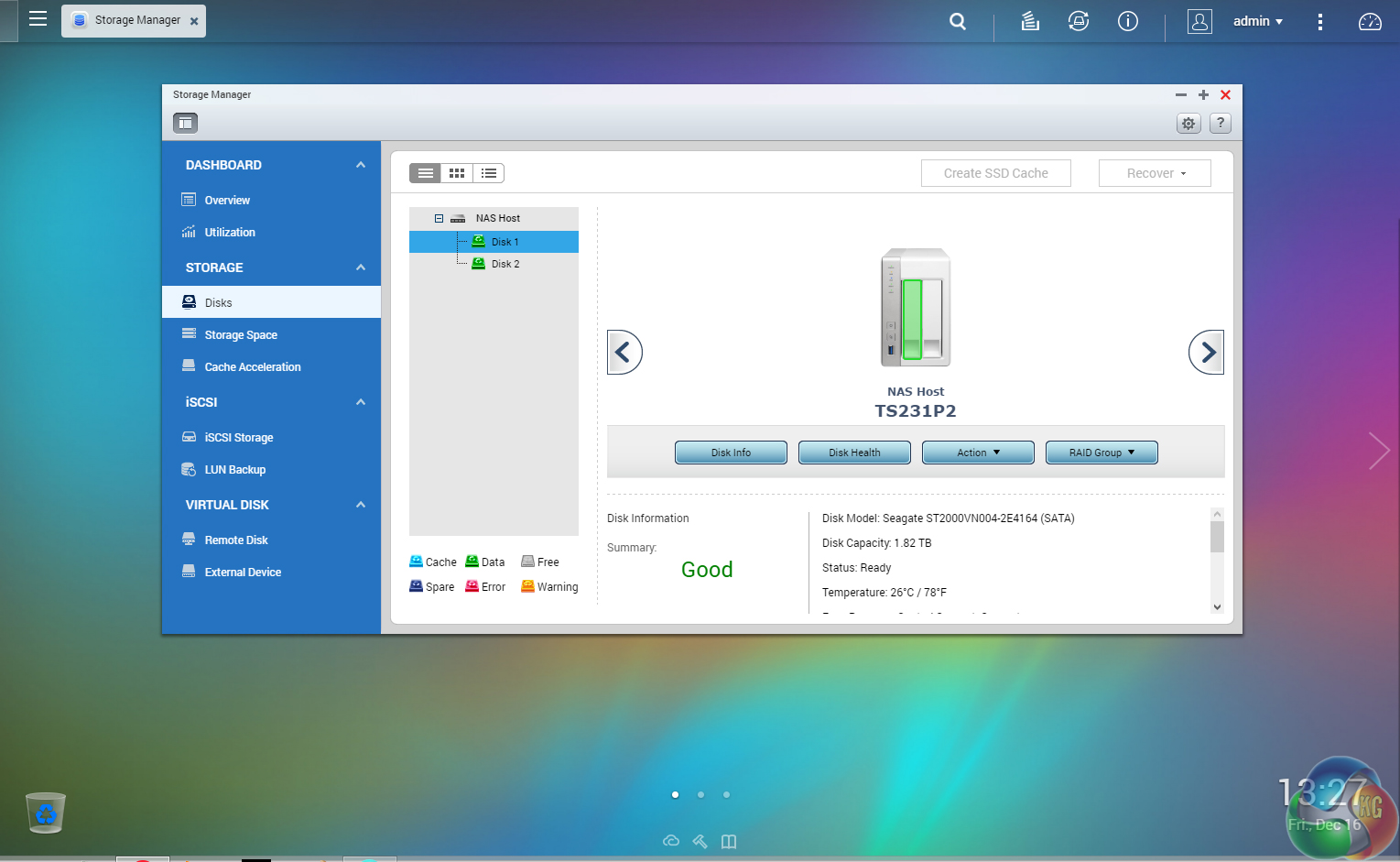
Storage Manager gives you complete control over setting up drives and volumes, in addition to showing how the capacity of the NAS is being used and warnings of potential failures. The Storage/Disks/VJBOD sub-menu displays individual drive information and health with a handy graphical display showing which drive is being interrogated.
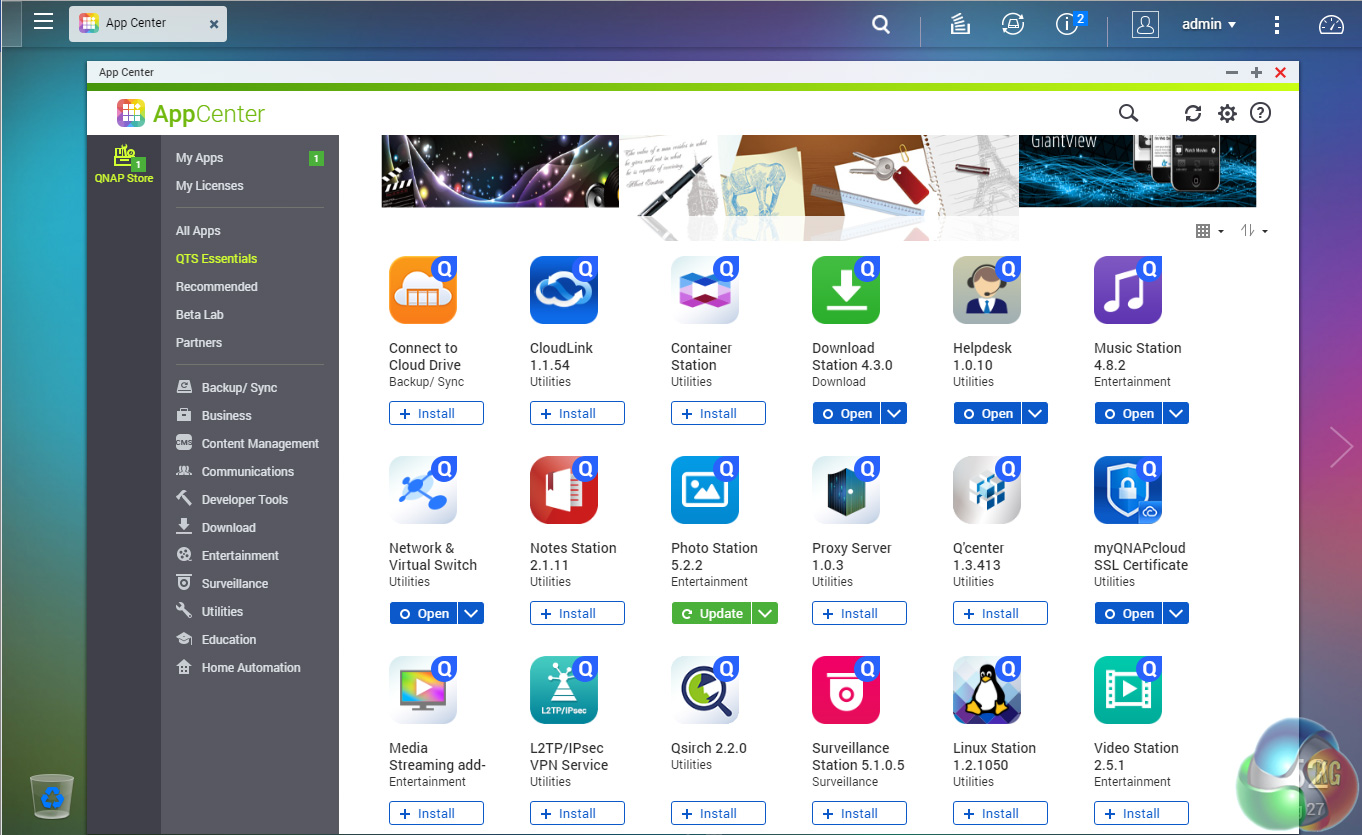
App Center has over 160 apps to choose from covering everything from backups to home automation and pretty much everything in between.
QTS 4.1 Highlights
Backup Station
Photo Station
Video Station
Music Station
File Station
Download Station
App Center
HD Station – Use a QNAP NAS as a home theater center
Storage Manager
QNAP Snapshot Agent
QNAP QvPC – use the NAS as a PC
QUSBCam2 – Surveillance tool
Plex Media Server
Qmedia
myQNAPcloud
QNAP Mobile Apps including
Qremote – Control HD Station with your mobile phone
Vmobile – Professional mobile surveillance app
Vcam – Turn your mobile device into an IP cam
Qmanager – Remote management for NAS
Qfile – Remote file access
Qphoto – Photo sharing
Qget – Remotely manage download tasks
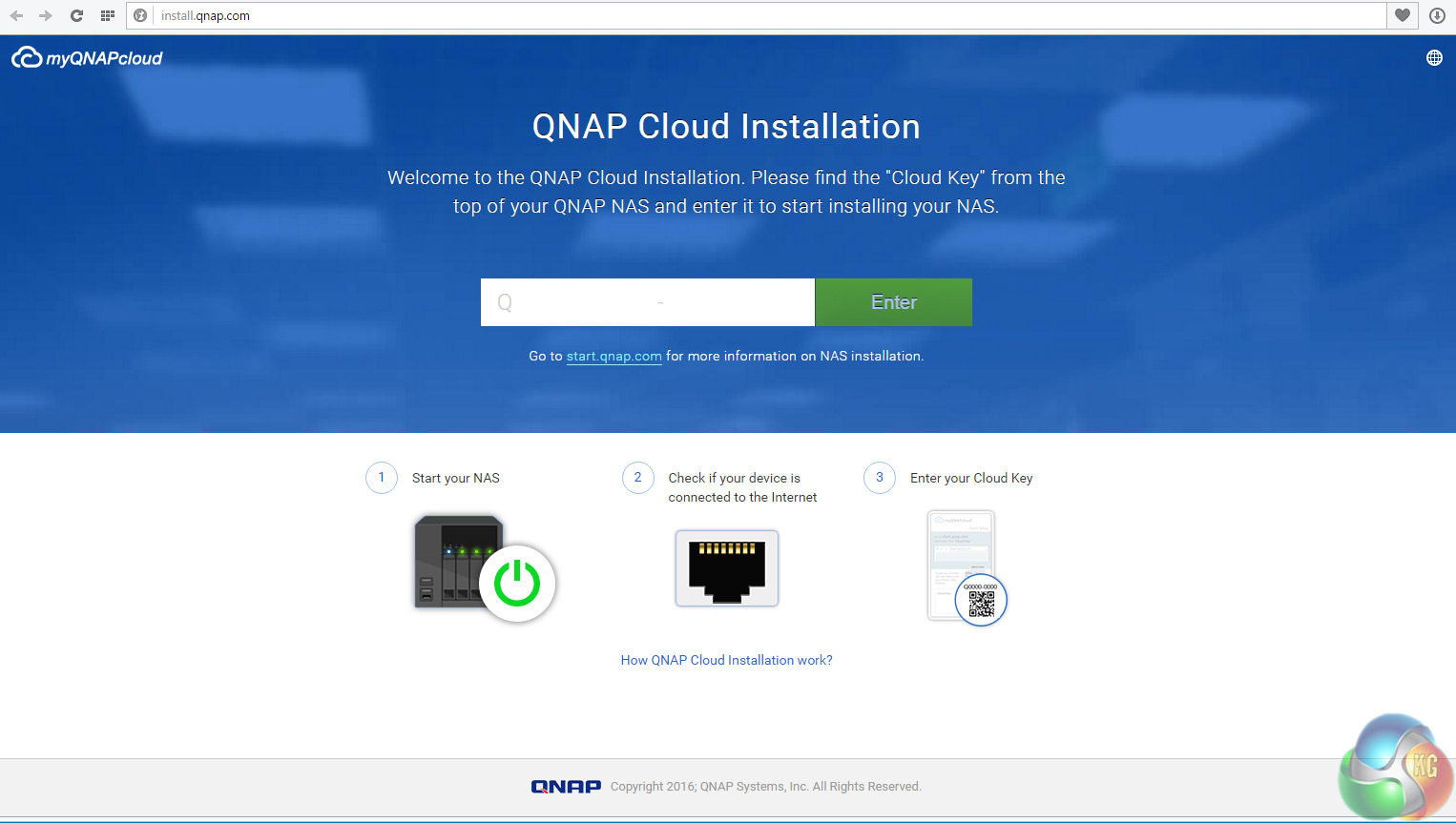
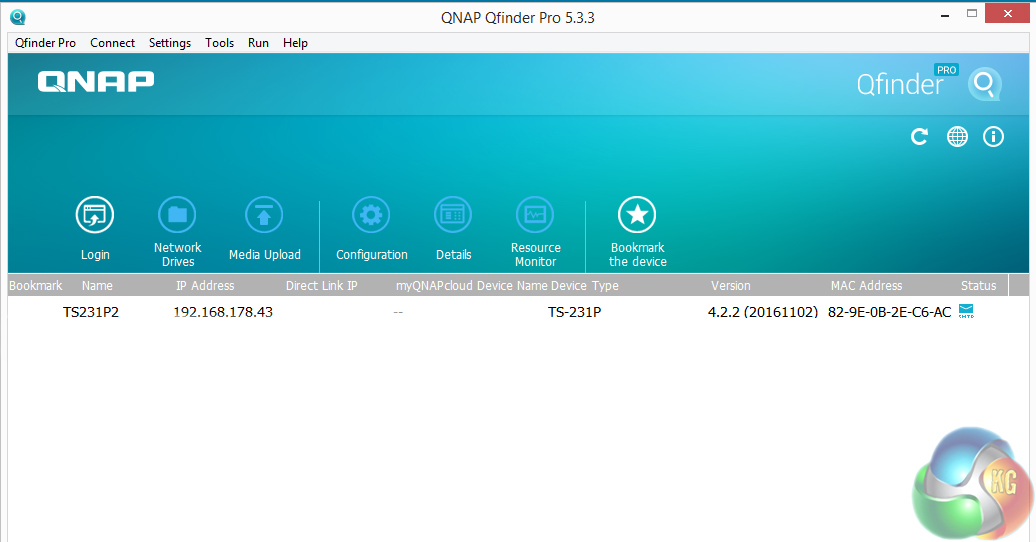
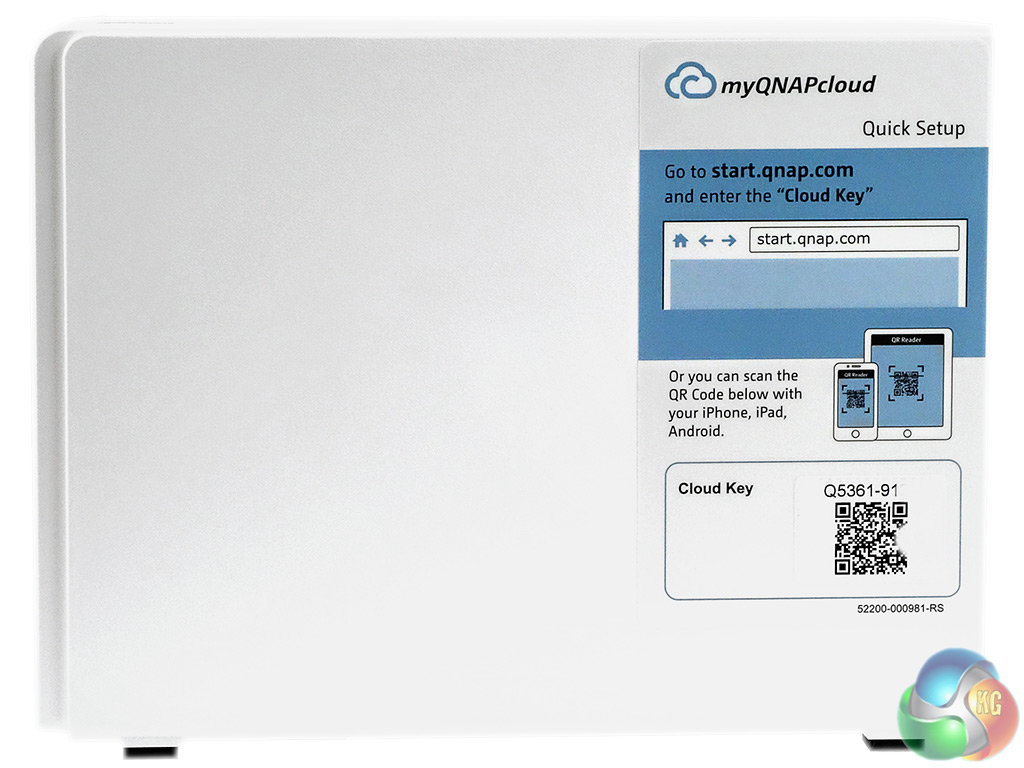
There are two ways of setting up the TS-231P, either online by entering the Cloud key which is on the side of the unit or by using QNAP’s Qfinder Pro utility which can be downloaded from the QNAP website.
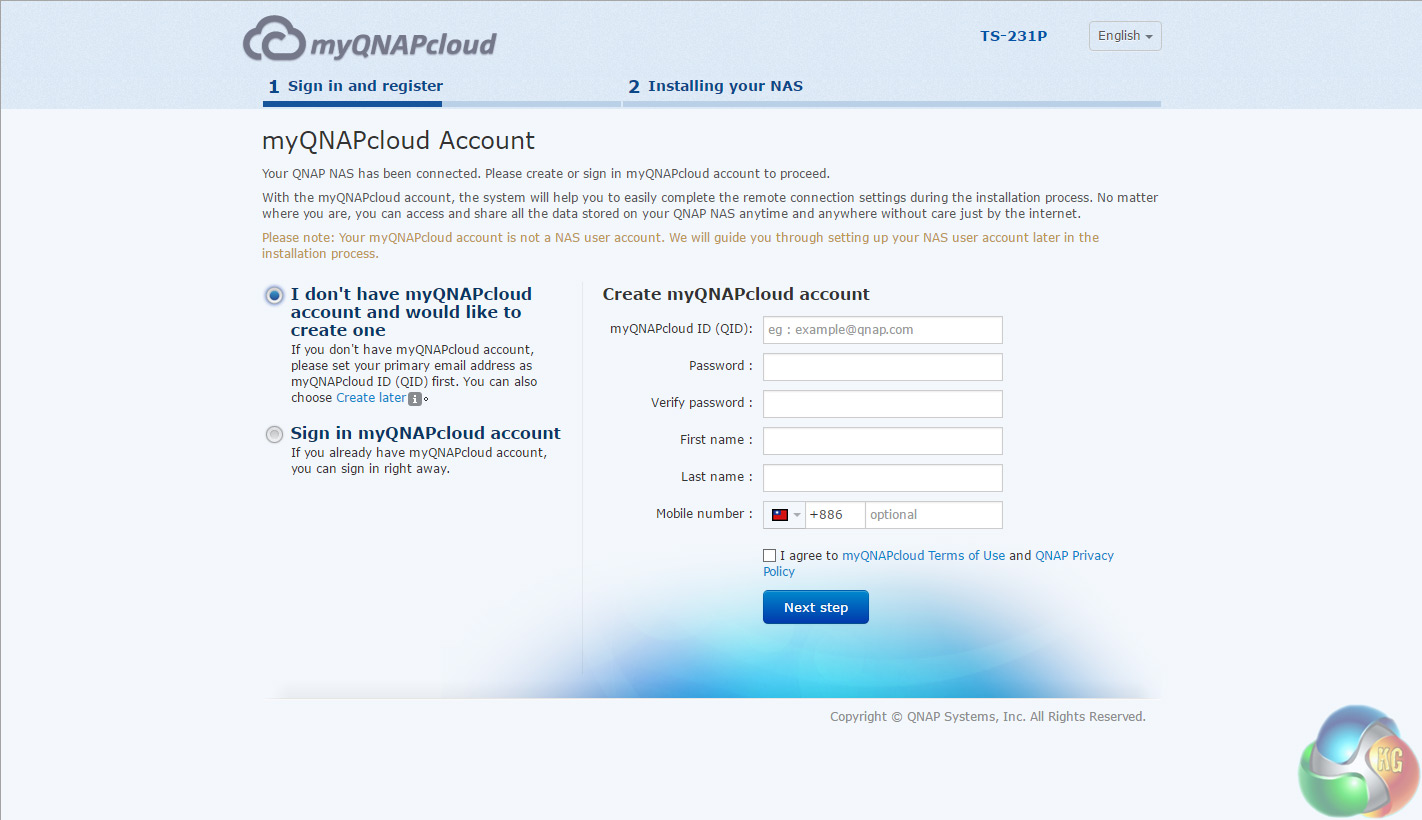
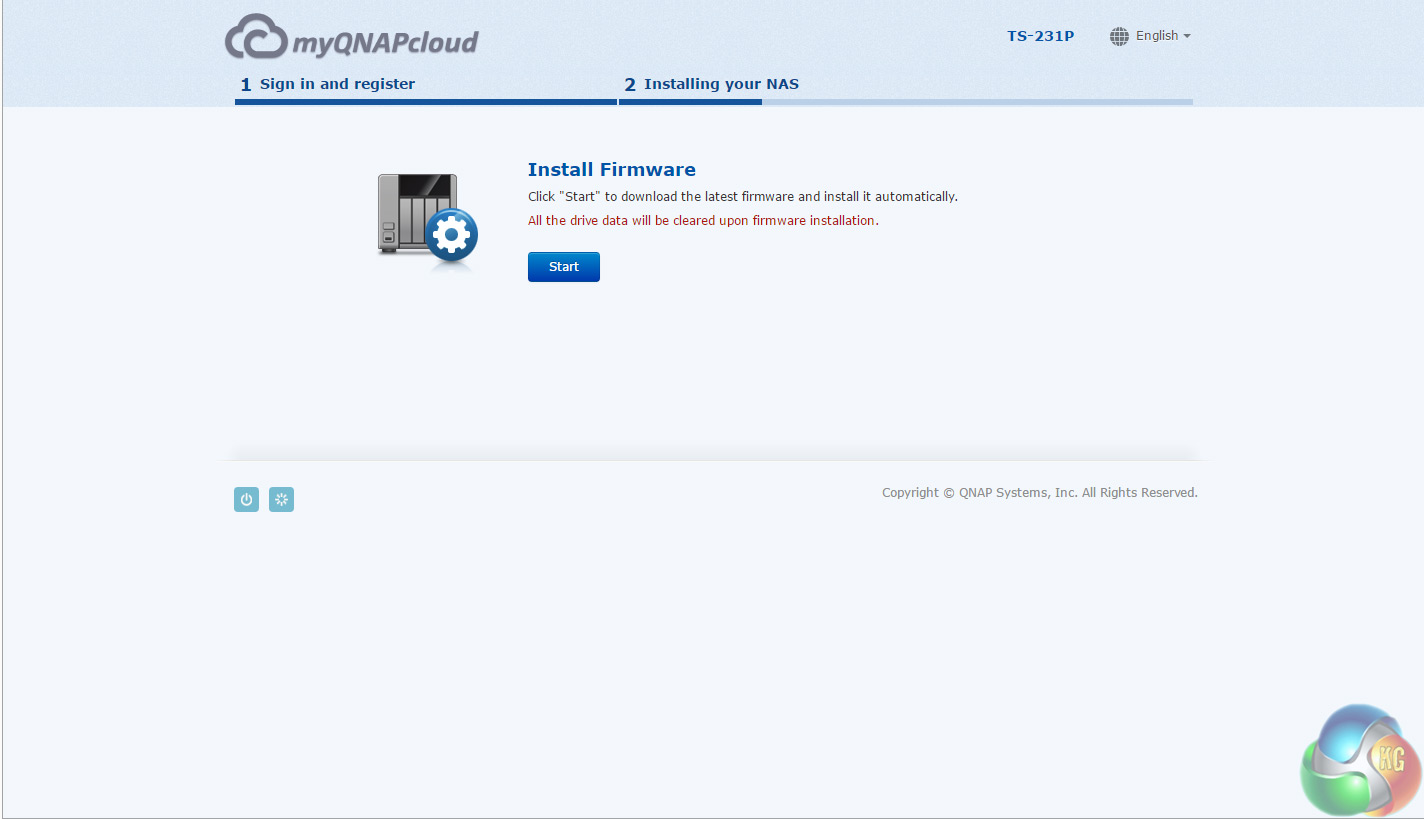
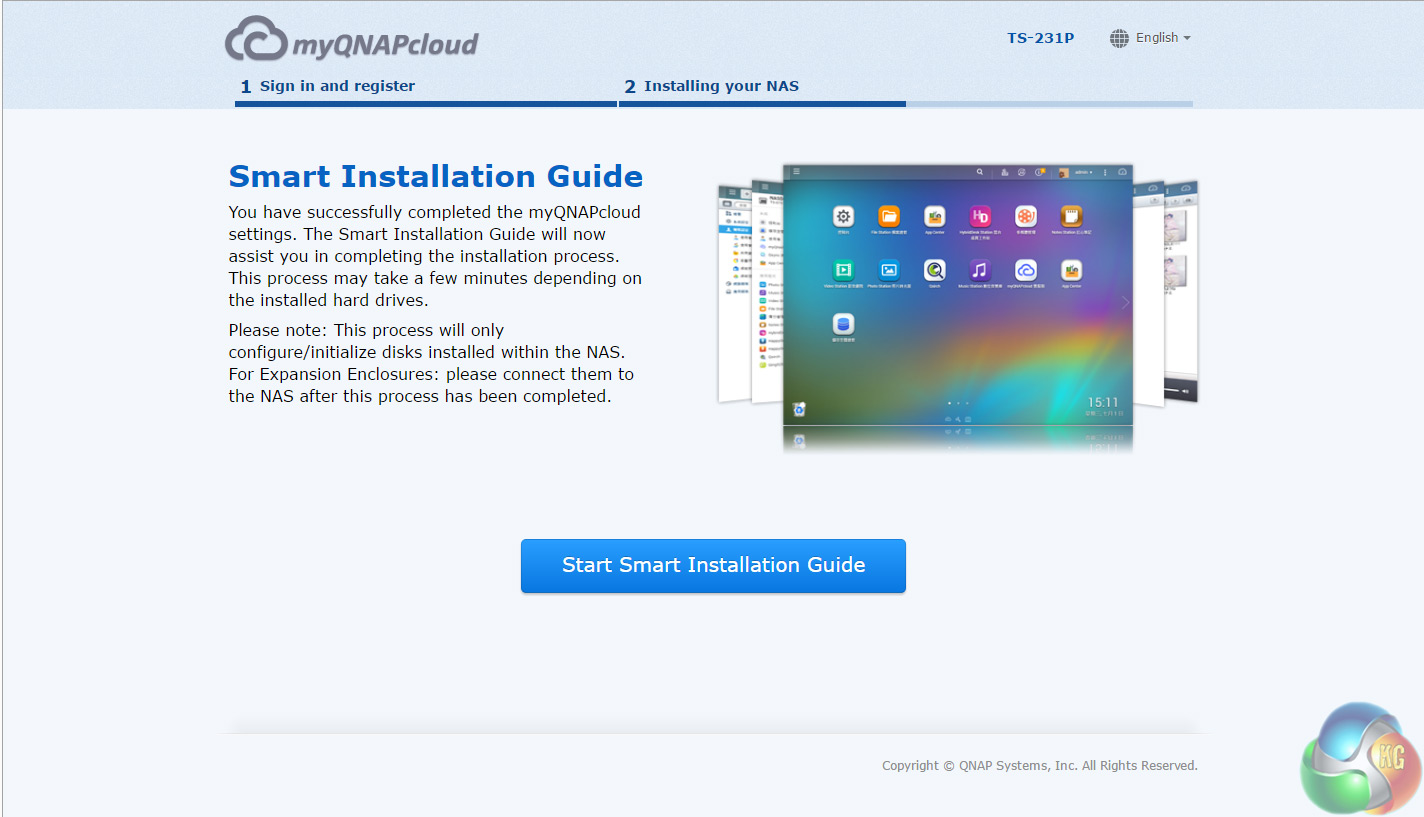
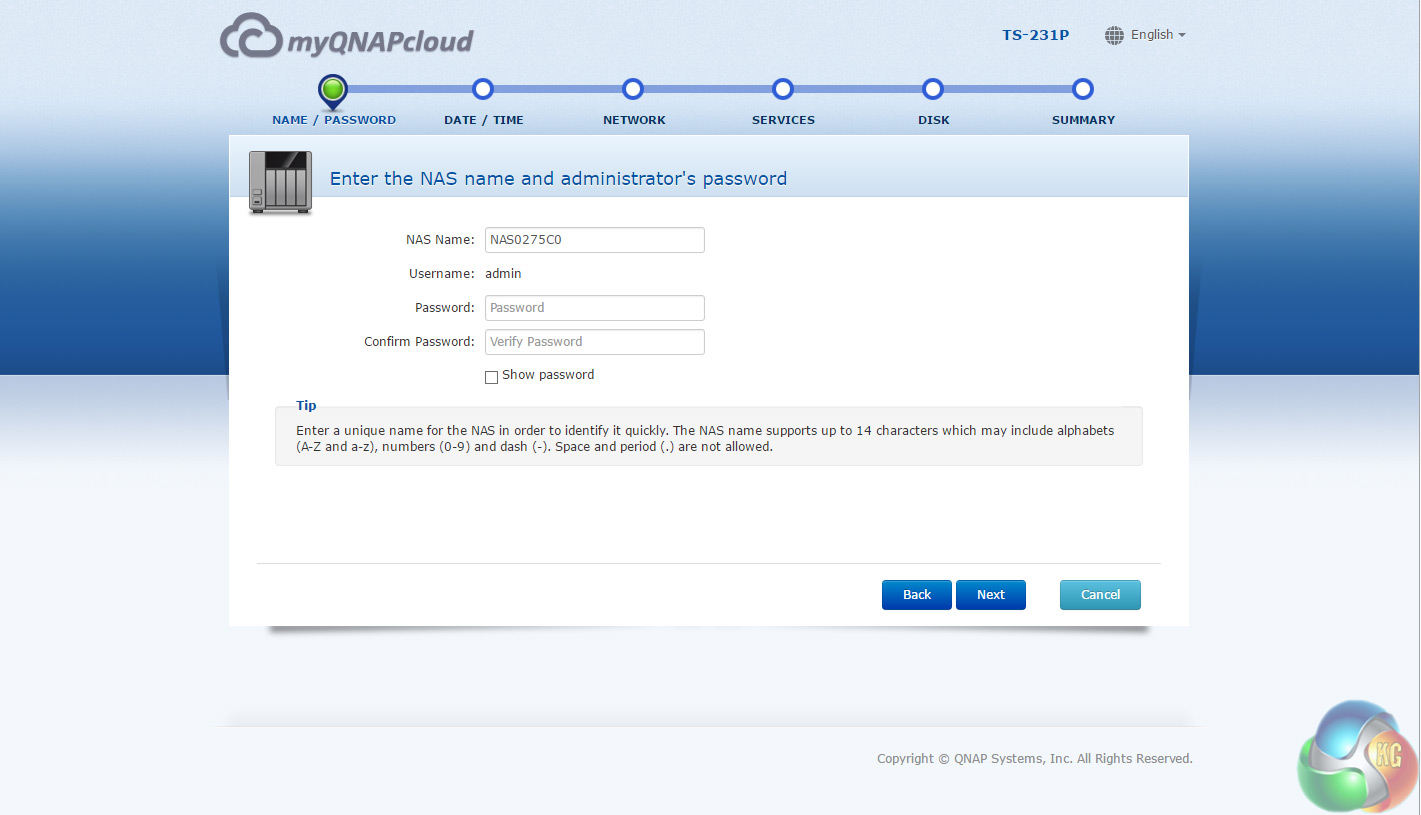
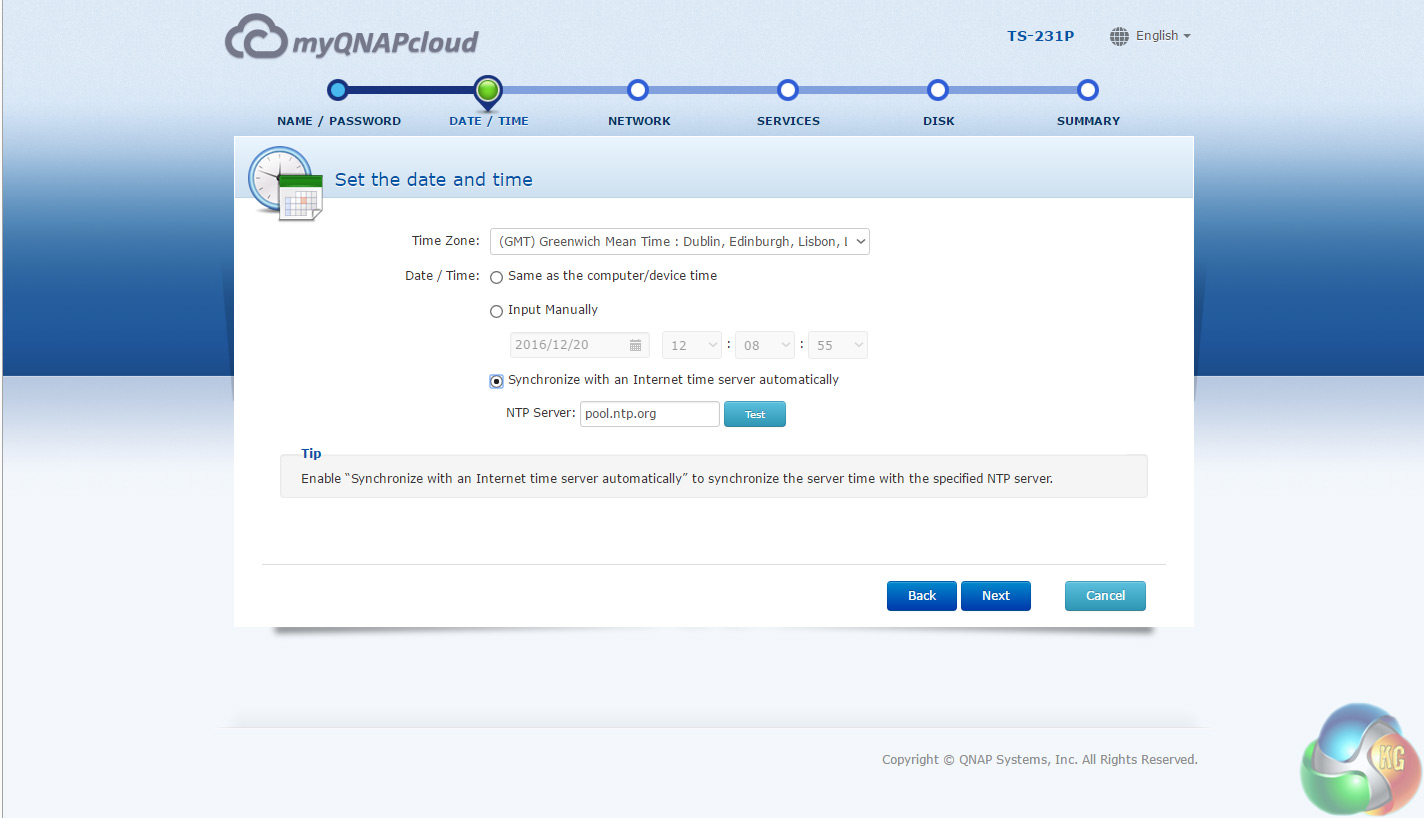
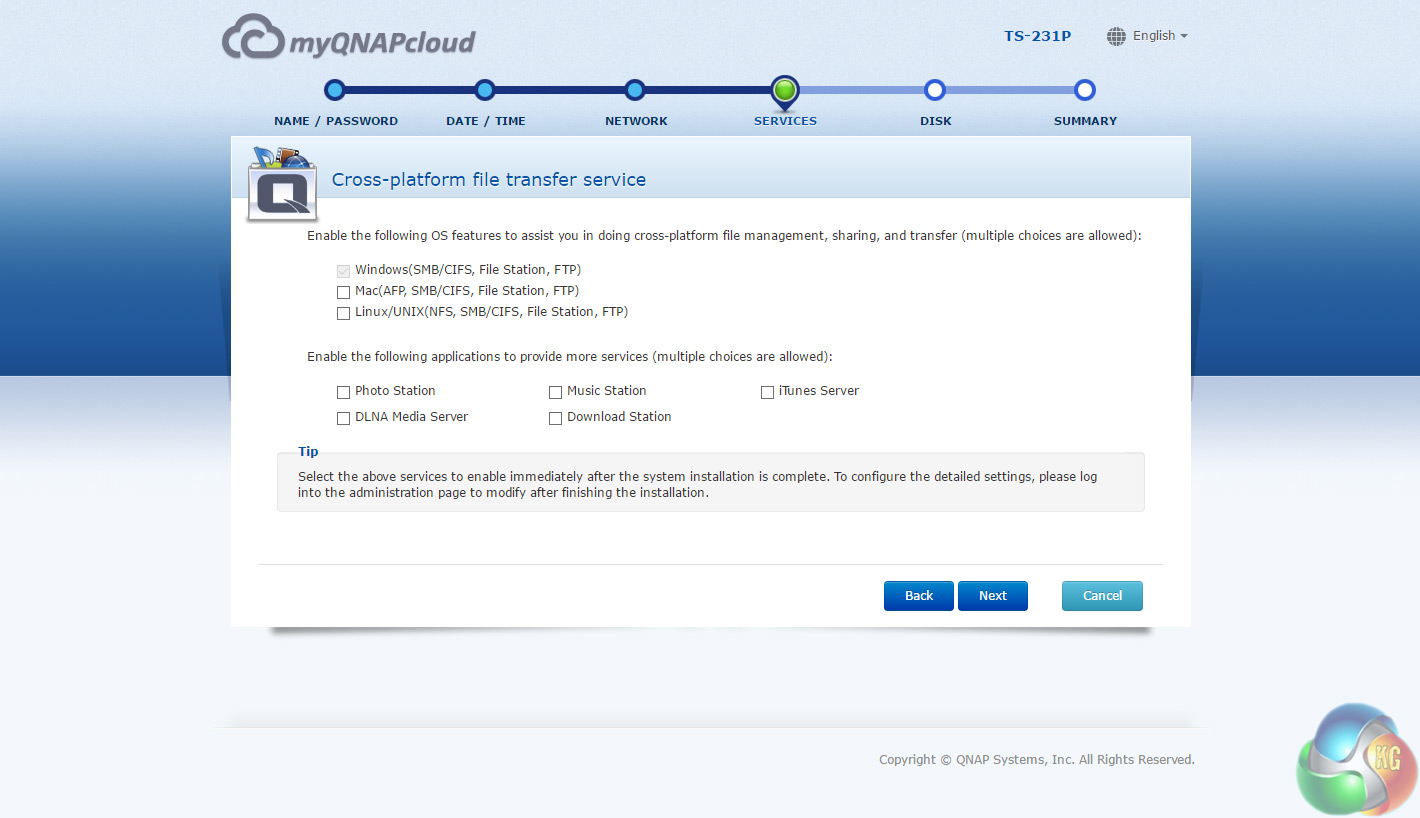
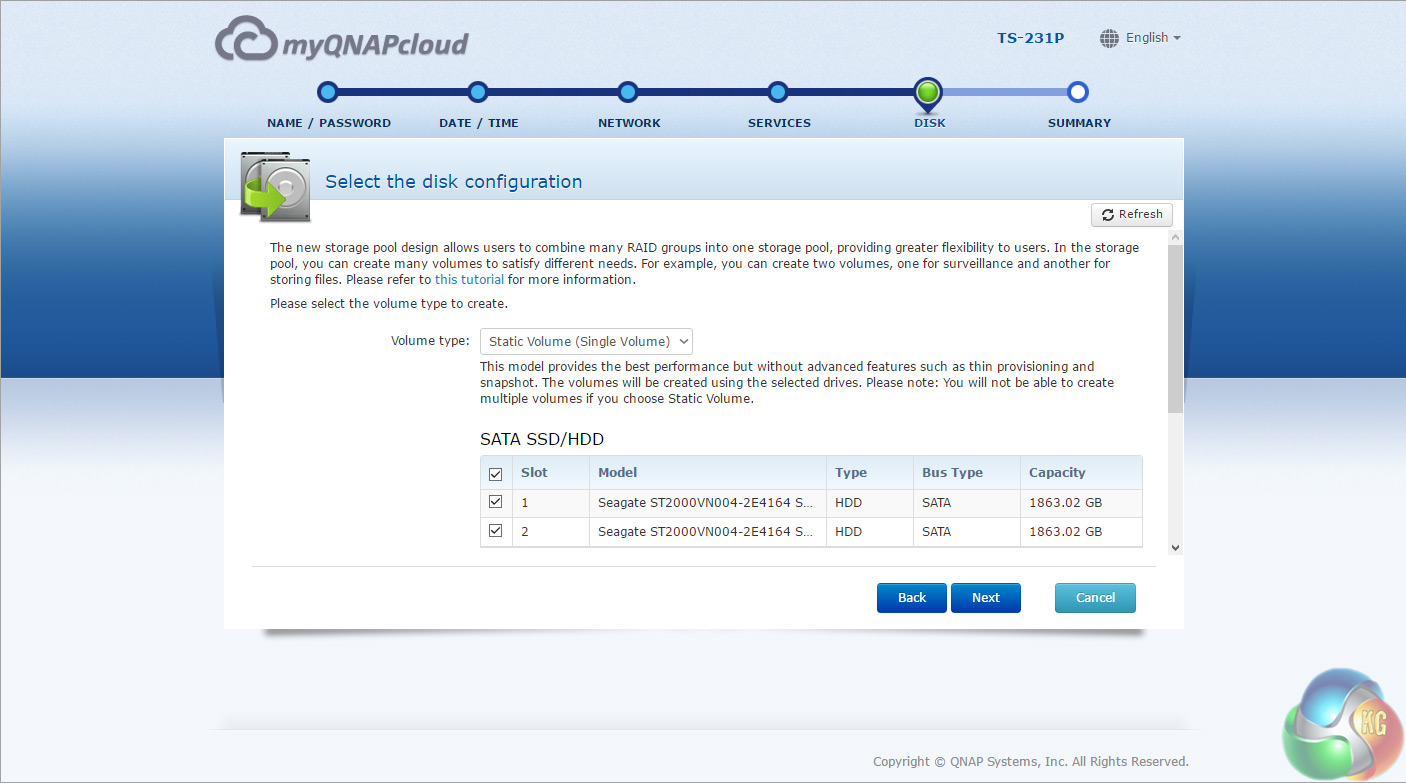
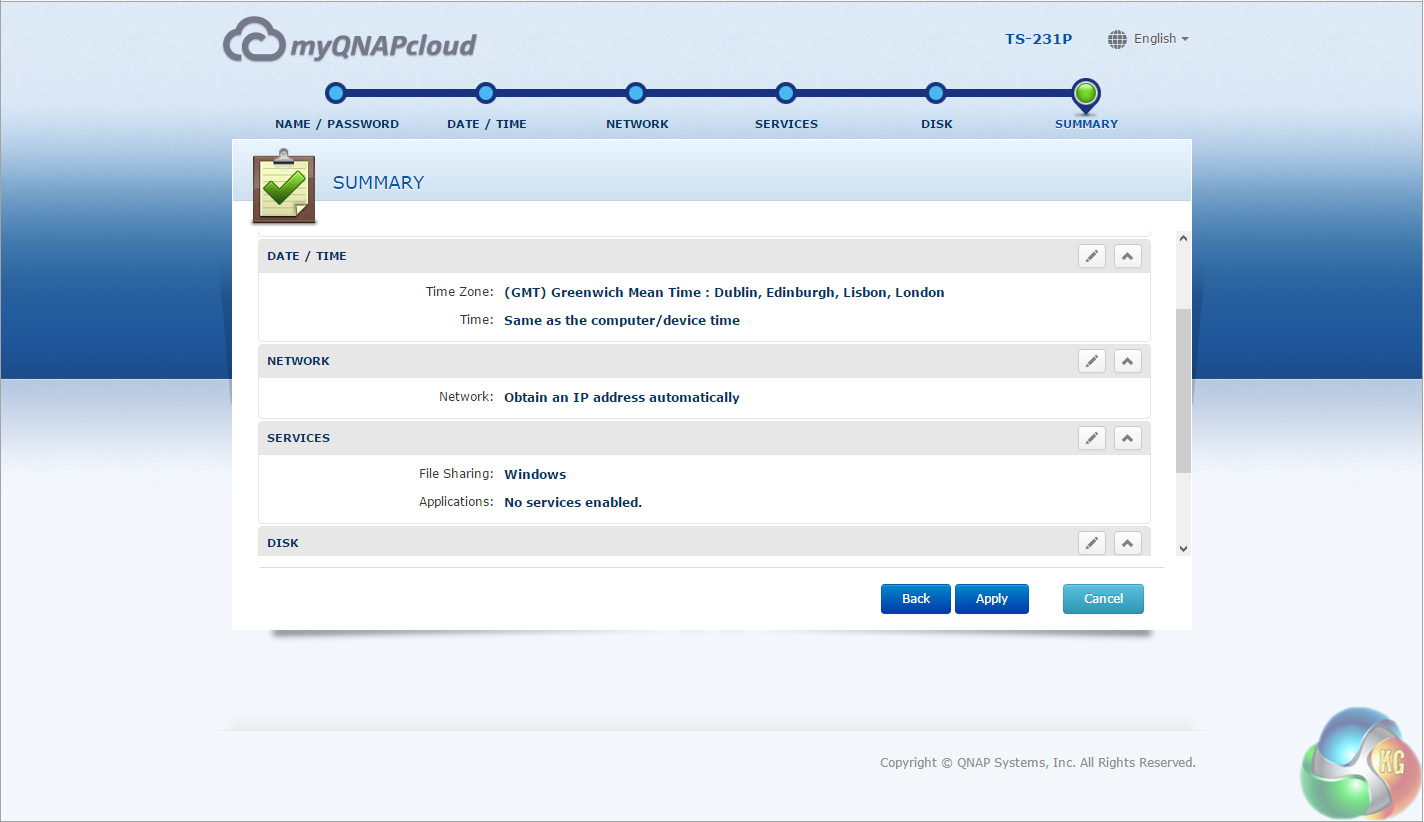
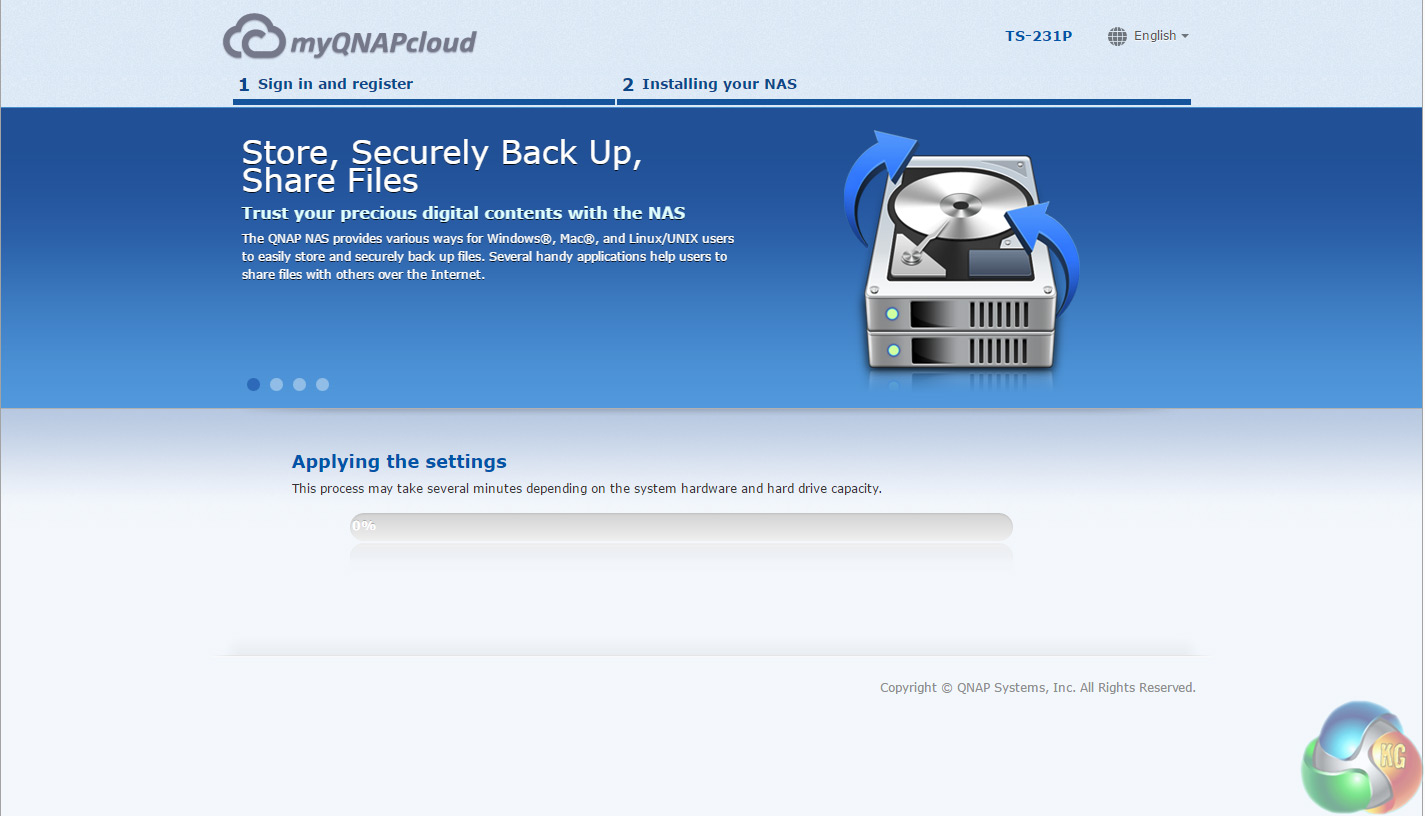
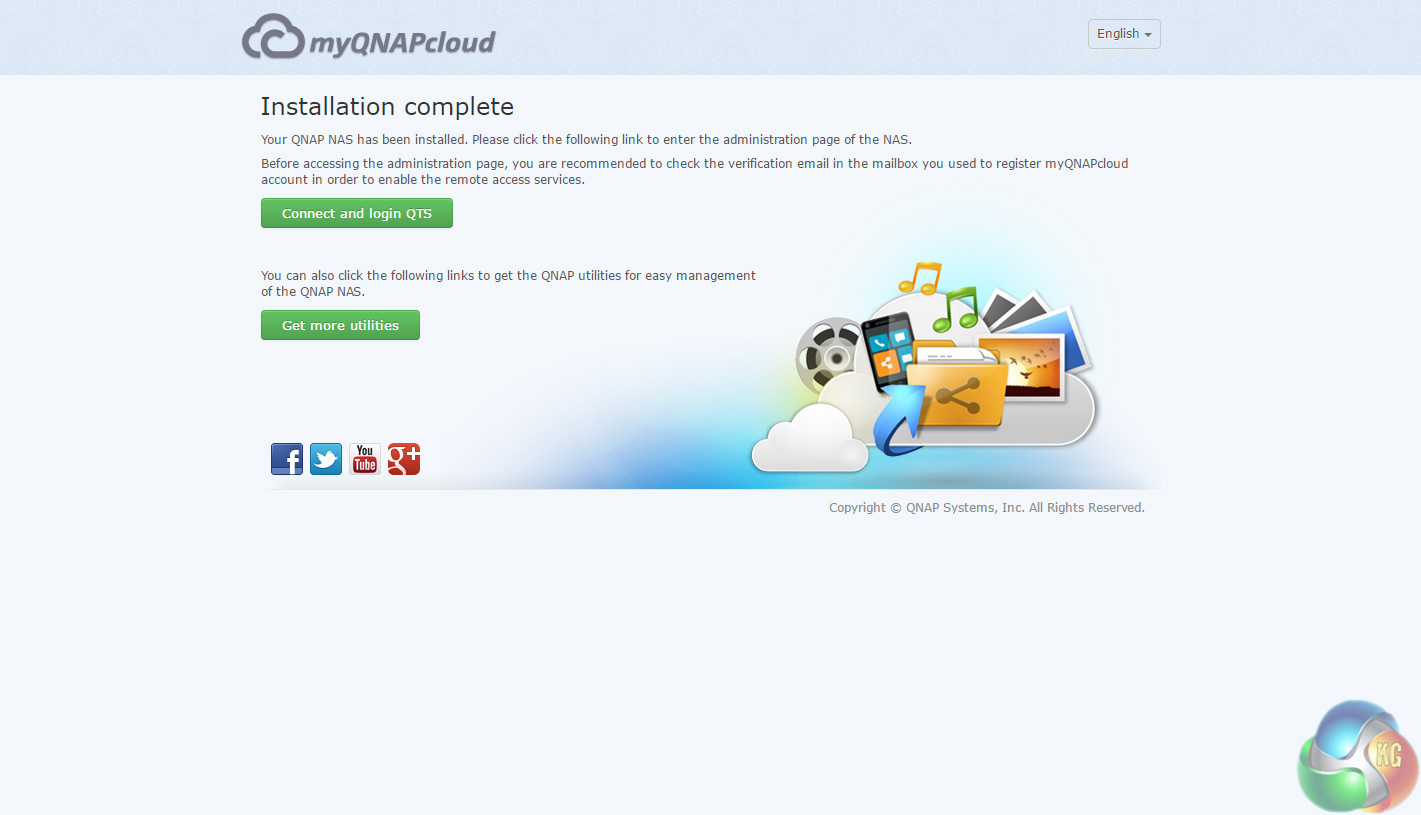

Whichever way you choose to start, it's just a simple matter of following the install wizard. During the setup you can enable which OS cross-platform file management service you require; Windows (SMB/CIFS, File Station, FTP), Mac (SMB/CIFS, File Station, FTP) and Linux (NFS, SMB/CIFS, File Station, FTP). At this stage you can also load a few basic apps; Photo Station, Music Station, iTunes Server, DLNA Media Server and Download Station.
Once the TS-231P has finished setting up, you can then get access to the colourful log in screen.
One Touch
The One Touch button on the front bezel can be set up to either upload or download files/folders or backup the NAS to an external USB drive. In the Backup Station pages in the QTS you can set up exactly what you want the One Touch system to do.
The TS-231P QNAP sent to us for review came with a pair of 2TB Seagate IronWolf (ST2000VN004) drives pre-installed which is what we used for testing purposes. These drives were then built into the RAID arrays the unit supports; RAID 0 and RAID 1 and then tested.
Software:
Atto Disk Benchmark.
CrystalMark 3.0.3.
IOMeter.
Intel NASPT.
To test real life file/folder performance we use a number of different file/folder combinations to test the read and write performance of the NAS device. Using the FastCopy utility to get a MB/s and time taken for each transfer, the data is written from and read back to a 240GB SSD.
60GB Steam folder: 29,521 files.
50GB Files folder: 28,523 files.
12GB Movie folder: 24 files – mix of Blu-ray and 4K files.
10GB Photo folder: 621 files – mix of .png, .raw and .jpeg images.
10GB Audio folder: 1,483 files – mix of .mp3 and .flac files.
Crystalmark is a useful benchmark to measure theoretical performance levels of hard drives and SSD’s. We are using V3.0.3.
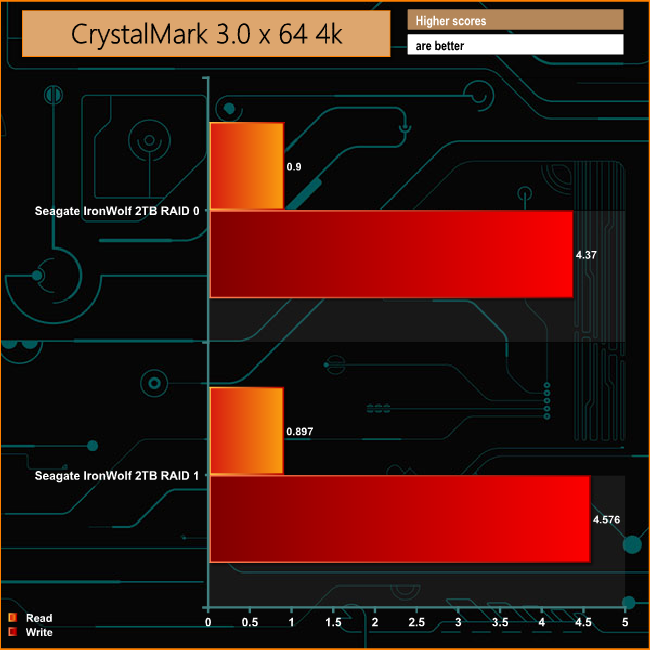
The TS-231P shows a good level of consistency between RAID 0 and RAID 1 in 4K reads and writes. The write performance is stronger than the read but with only 1GB of DDR3 memory, neither are going to set the world on fire.
The ATTO Disk Benchmark performance measurement tool is compatible with Microsoft Windows. Measure your storage systems performance with various transfer sizes and test lengths for reads and writes. Several options are available to customize your performance measurement including queue depth, overlapped I/O and even a comparison mode with the option to run continuously.
Use ATTO Disk Benchmark to test any manufacturers RAID controllers, storage controllers, host adapters, hard drives and SSD drives and notice that ATTO products will consistently provide the highest level of performance to your storage.
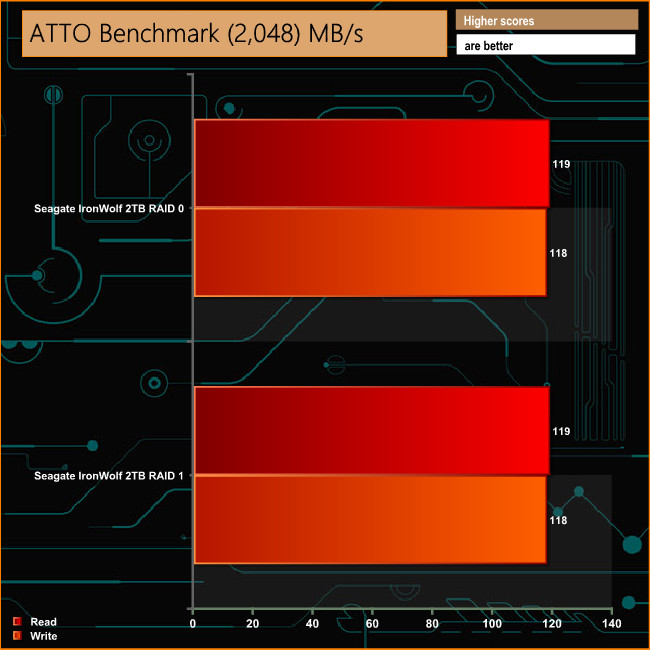
Despite only having a dual cored CPU and that 1GB of DDR3 memory, the TS-231P shows a pretty good turn of speed in both arrays in the ATTO benchmark.
Intel’s NASPT (NAS Performance Toolkit ) is a benchmark tool designed to enable direct measurement of home network attached storage (NAS) performance. NASPT uses a set of real world workload traces (high definition video playback and recording, video rendering/content creation and office productivity) gathered from typical digital home applications to emulate the behaviour of an actual application.
We’ve used some of the video and office apps results to highlight a NAS device’s performance.
HD Video Playback
This trace represents the playback of a 1.3GB HD video file at 720p using Windows Media Player. The files are accessed sequentially with 256kB user level reads.
4x HD Playback
This trace is built from four copies of the Video Playback test with around 11% sequential accesses.
HD Video Record
Trace writes an 720p MPEG-2 video file to the NAS. The single 1.6GB file is written sequentially using 256kB accesses.
HD Playback and Record
Tests the NAS with simultaneous reads and writes of a 1GB HD Video file in the 720p format.
Content Creation
This trace simulates the creation of a video file using both video and photo editing software using a mix of file types and sizes. 90% of the operations are writes to the NAS with around 40% of these being sequential.
Office Productivity
A trace of typical workday operations. 2.8GB of data made up of 600 files of varying lengths is divided equally between read and writes. 80% of the accesses are sequential.
Photo Album
This simulates the opening and viewing of 169 photos (aprrox 1.2GB). It tests how the NAS deals with a multitude of small files.
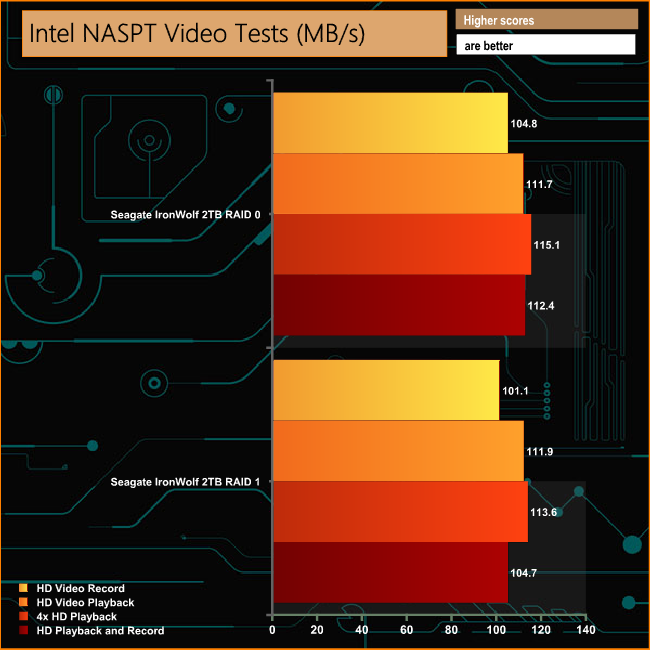
The TS-231P makes a pretty good job of the video tests of Intel's NASPT benchmark, not dropping below 100MB/s in any of the tests in either RAID 0 or RAID 1.
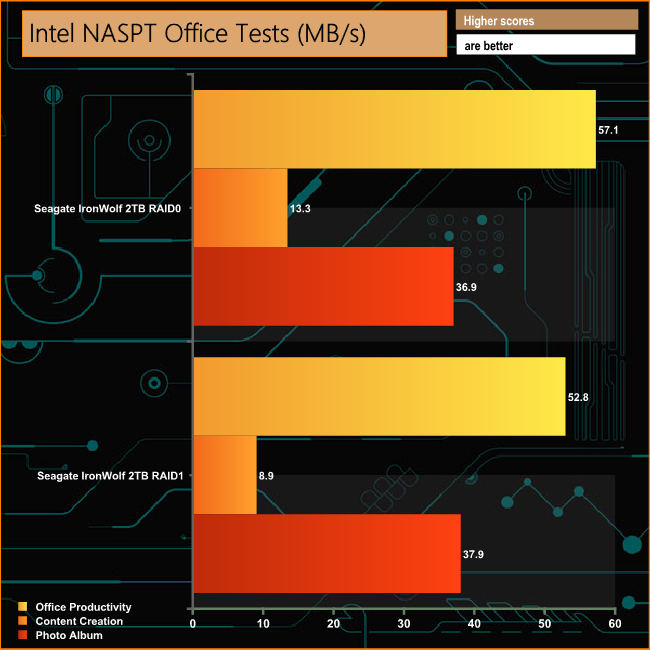
Again in the office type tests, the TS-231P offers strong performance, particularly when dealing with the multitude of small files in the Photo Album test. Having said that, the Content Creation test performance does fall back when the drives are in a RAID 1 array.
IOMeter is another open source synthetic benchmarking tool which is able to simulate the various loads placed on hard drive and solid state drive technology.
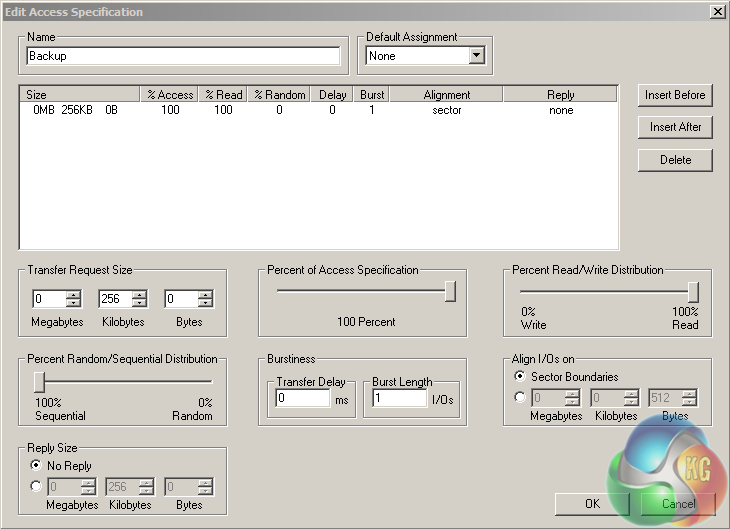
We set IOmeter up (as shown above) to test both backup and restore performance on a 100GB partition.
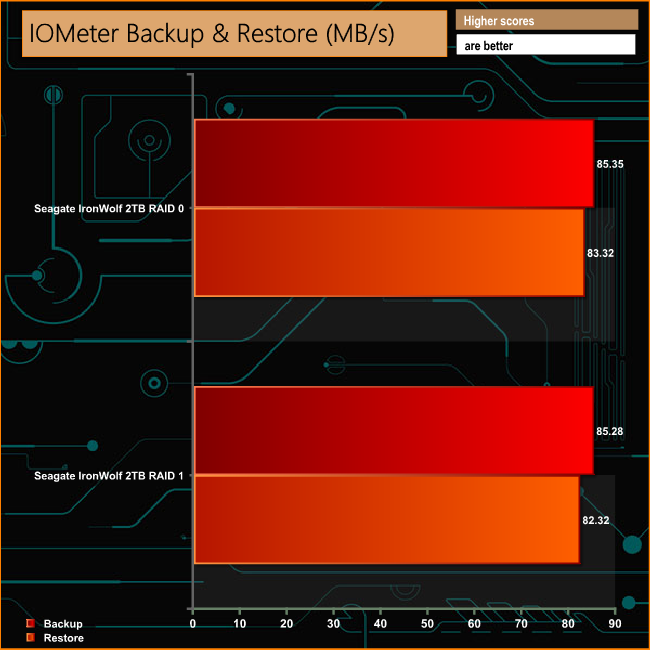
There's nothing to choose between the arrays when the TS-231P is given the task of dealing with the 100GB test file in the backup / restore tests.
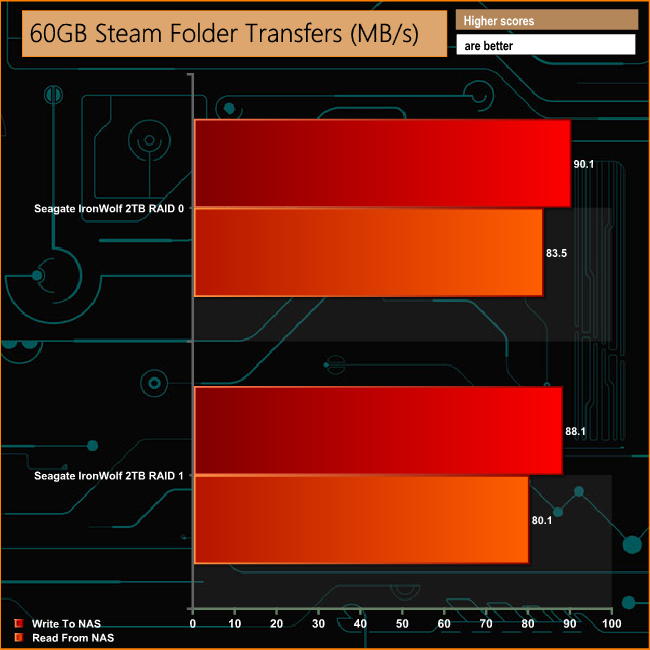
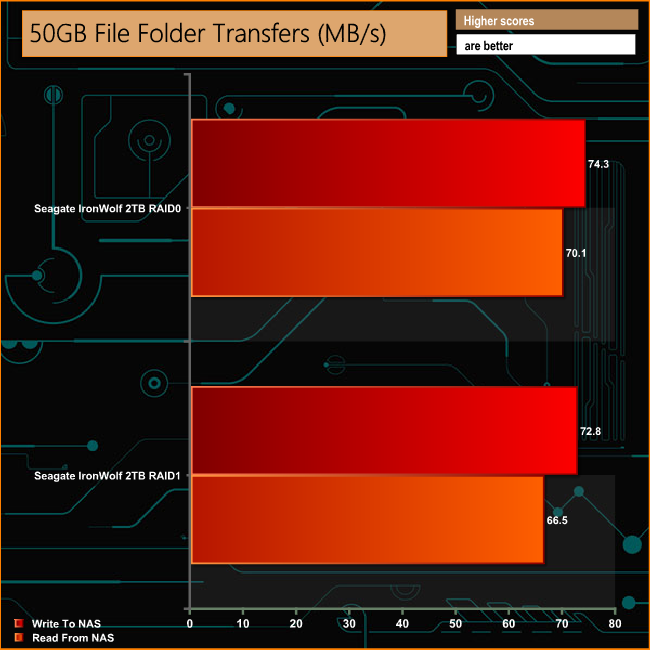
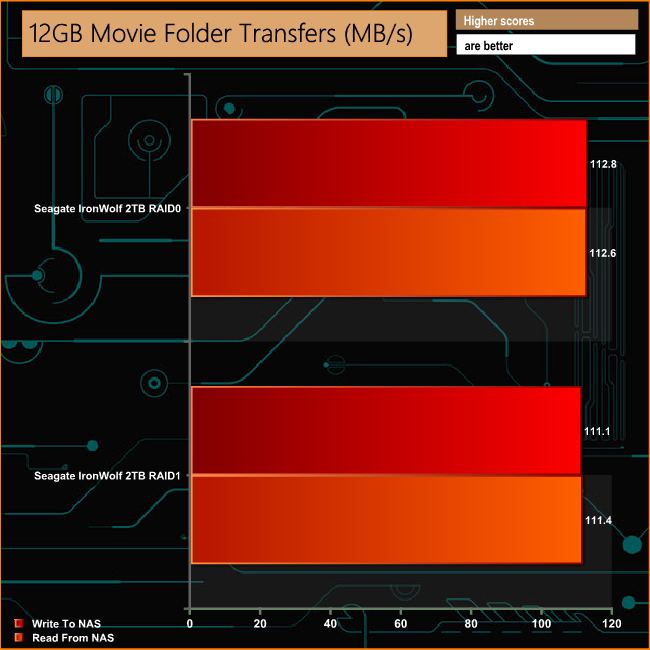
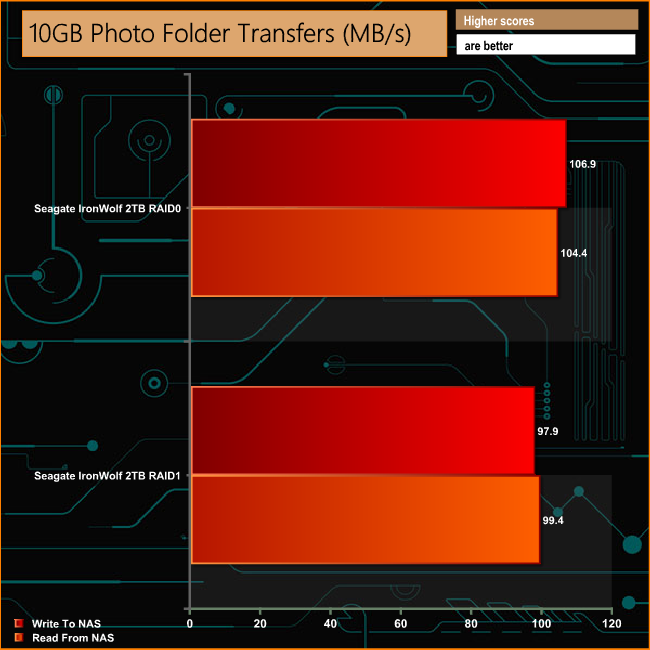
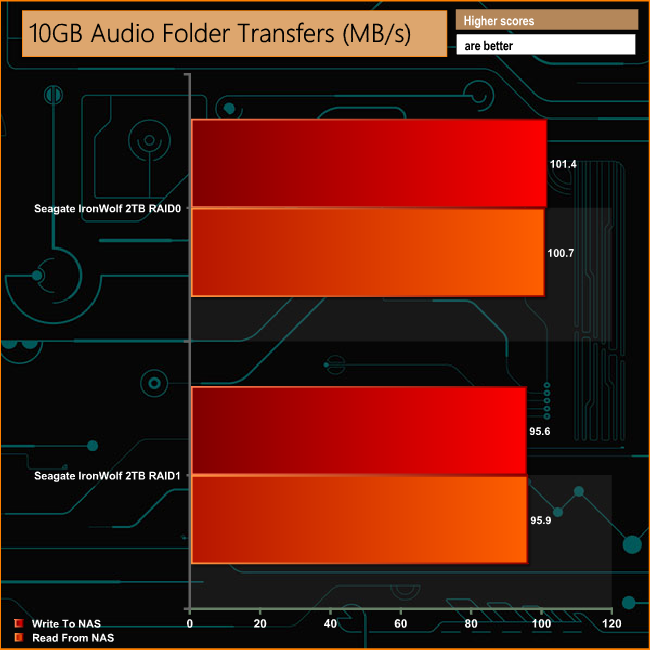
It may not be the fastest NAS when dealing with the real life file transfer test but it is very consistent in performance across the two RAID arrays it supports.
We tested the peak power consumption of a NAS at the wall during a run of CrystalDiskMark 5.0.2 as this version of the benchmark runs the read and write benchmark suites separately so it's easier to monitor what power the device is using during each function.
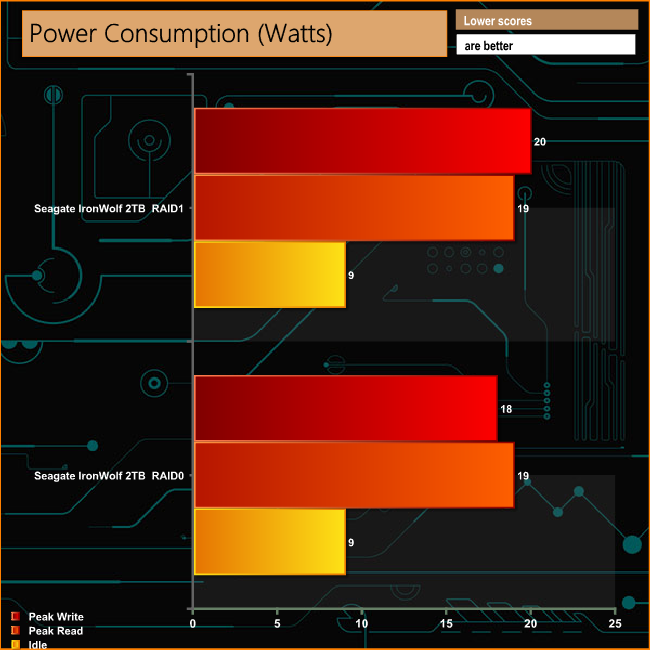
With an energy efficient processor and a pair of hard disks that have only a 5w average power requirement each, the TS-231P has pretty frugal power demands.
QNAP's TS-*31P series have been designed for SOHO use and is ideal for home or small office users who are not looking for an all singing all dancing multimedia NAS but still need reasonable performance get the basics done. It would also make an ideal introduction to what a NAS is and what it can do, for those people not sure of the technology.
Any NAS worth its salt should be easy to set up and easy to use for both newcomers and experienced users alike. QNAP's makes getting started with TS-231P easy and straightforward thanks to a quick, easy to follow wizard-based setup procedure. Once installed the QTS operating system is clean and easy to navigate through thanks to its graphical interface but for more experienced users it's packed full of features hiding behind the bling.
The QNAP App Center holds an impressive array of add-in apps that allows the TS-231P to be pretty much anything you want it to be and with the QNAP suite of mobile apps you can access and monitor the NAS with an iOS, Android or Windows mobile device.
For business use, the dual LAN ports provide failure protection should one go wrong or by using link aggregation to join the two ports together, much higher data transfer speeds. While there might be no locks on the drive bay doors to physically protect any data, QNAP provides the TS-231P with data protection including encrypted access (the TS-231P supports AES 256-bit encryption), IP blocking and 2-step verification.
We found the TS-231P configured as our review system with two 2TB Seagate IronWolf drives for £350.47 (inc VAT) at broadbandbuyer.co.uk HERE
Discuss on our Facebook page HERE.
Pros
- QTS software.
- Ease of setting up.
- Low power consumption.
Cons
- No physical security for the drive bay doors.
- 4K performance was slow in our benchmarks.
Kitguru says: Thanks to the wizard-based setup and the graphically rich QTS OS, QNAP's TS-231P is a pretty powerful, easy to set up and use 2-Bay NAS.