 KitGuru KitGuru.net – Tech News | Hardware News | Hardware Reviews | IOS | Mobile | Gaming | Graphics Cards


Today we take a look at EVGA's second-fastest GTX 980 Ti offering – the GTX 980 Ti Classified ACX 2.0+ graphics card. EVGA uses a redesigned PCB with a 14+3 phase power delivery system in order to ship the card with a factory overclock of 1190MHz on the core, with a 1291MHz boost frequency.
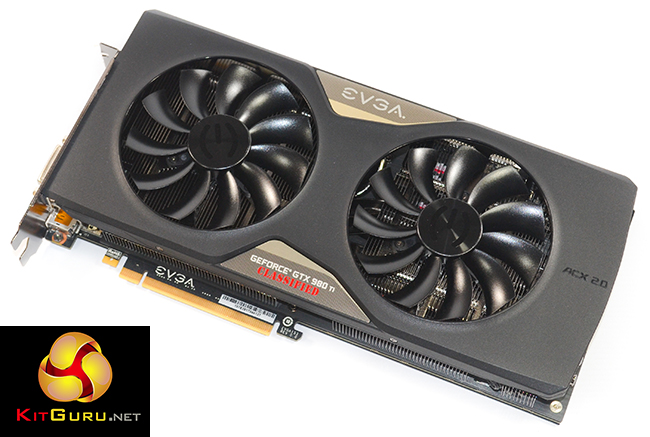
Keeping temperatures in check is the job of the twin fan cooler which consists of six heatpipes and two fin arrays, as well as a fitted cooling plate for the memory and power delivery components. With many competing solutions utilising a triple fan cooler, EVGA is confident in the performance, longevity, and low power usage of the double ball bearing fans.
Featuring dual BIOS chips geared for extreme overclockers and LN2 users, can EVGA's GTX 980 Ti Classified ACX 2.0+ prove itself as a compelling solution for those interested in Nvidia's GTX 980 Ti?
Specifications:
- 2816 CUDA Cores
- 1190 MHz Base Clock, 1291 MHz Boost Clock
- 209.4GT/s Texture Fill Rate
- 6144 MB, 384 bit GDDR5, 7010 MHz (effective)
- 336.5 GB/s Memory Bandwidth
- DVI-I, DisplayPort, DisplayPort, DisplayPort, HDMI
- Max Monitors Supported: 4
- Dimensions – Height: 150.88mm, Length: 279.4mm, Width: Dual Slot
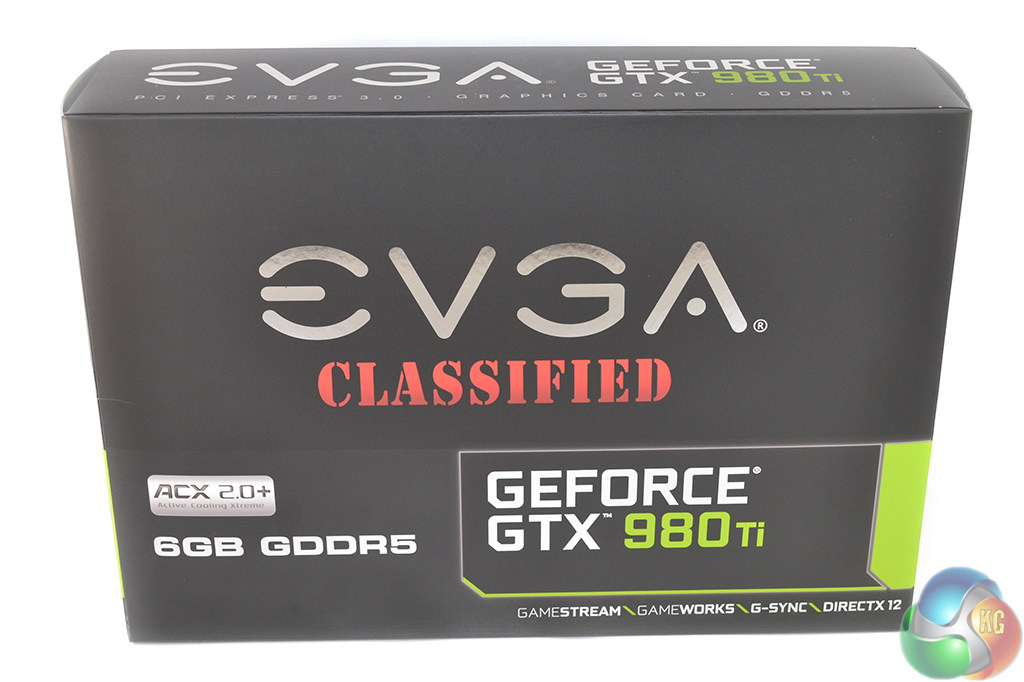
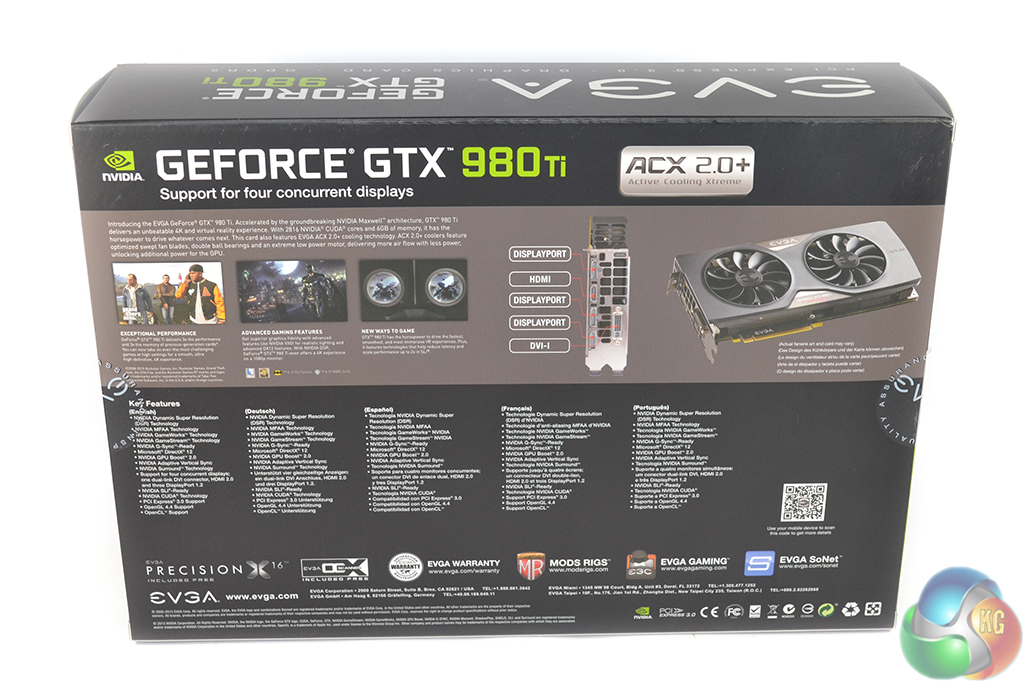
The EVGA GTX 980 Ti Classified is shipped inside a large black box which bears naming of the product and features on its rear side. There is plenty of packaging foam to protect the physically large graphics card.
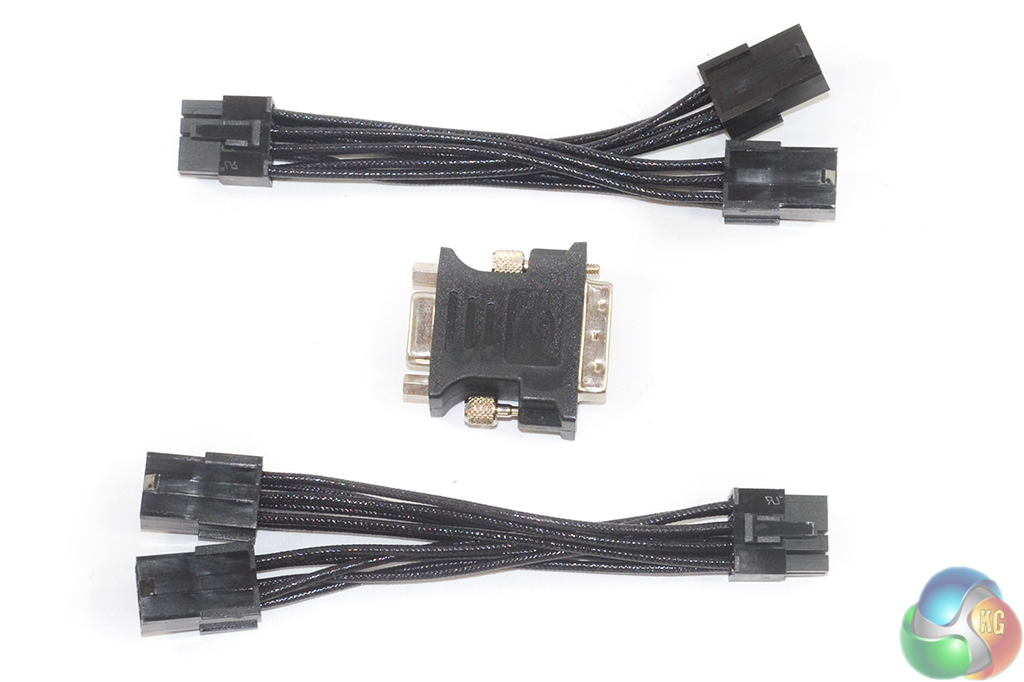
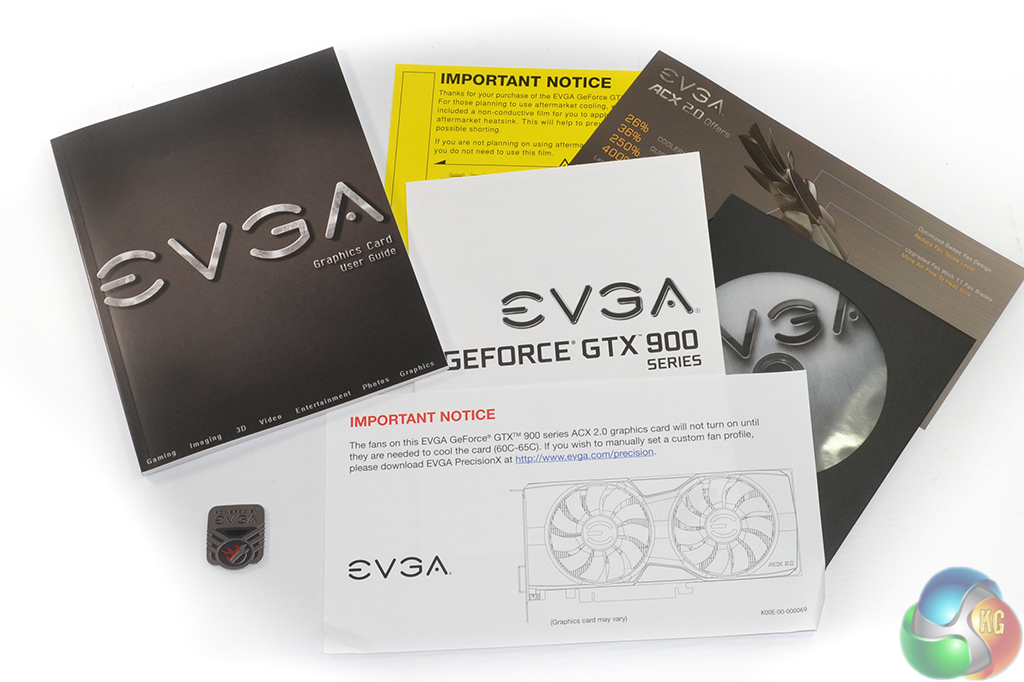
The supplied bundle consists of two braided dual-6-pin to 8-pin PCIe power adapters and a DVI to VGA adapter. The standard affair of drivers CD, documentation, and warranty information is supplied however EVGA also adds value by including multiple stickers and a large wall poster.
After-sales service from EVGA is plentiful. The company's cards have 3-year global, transferable warranties as standard, but that can be extended for a fee (€25 to extend to 5 years for a €500+ card, €50 for 10-years). A bonus for the watercooling crowd is that EVGA's warranty still stands even if the stock cooler is removed, provided a faulty card is returned with its original cooler in place.
Other after-sales services include an RMA program that allows users to receive a replacement card before shipping their faulty one back (although a PayPal deposit is required). There's also EVGA's popular step-up program which allows a user to pay the price difference to ‘step-up' to a higher performing card within 90 days of purchase.
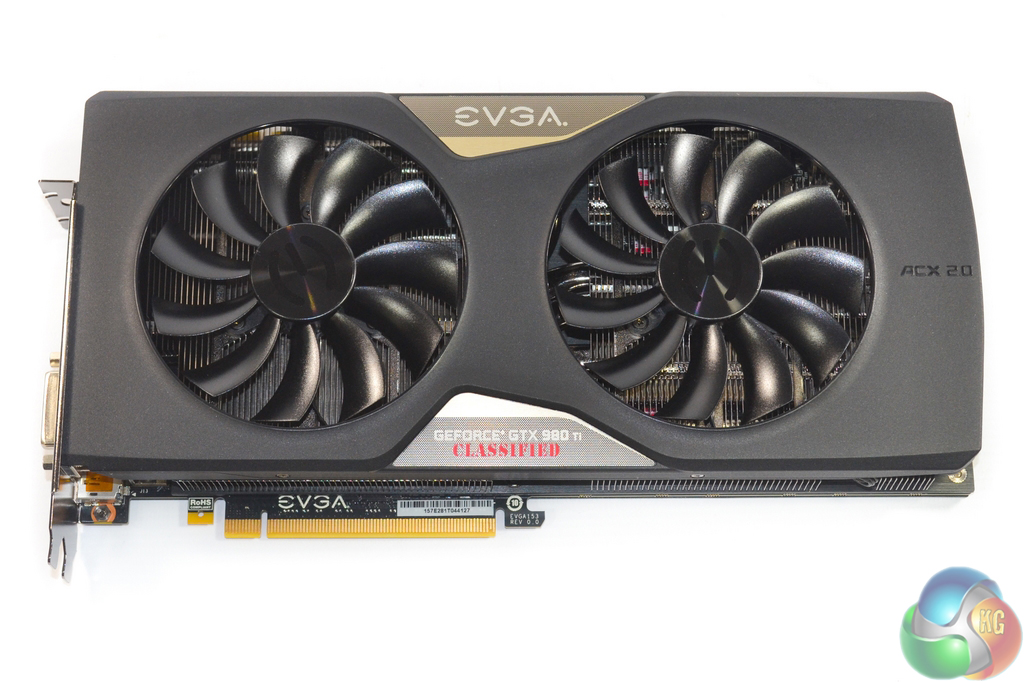
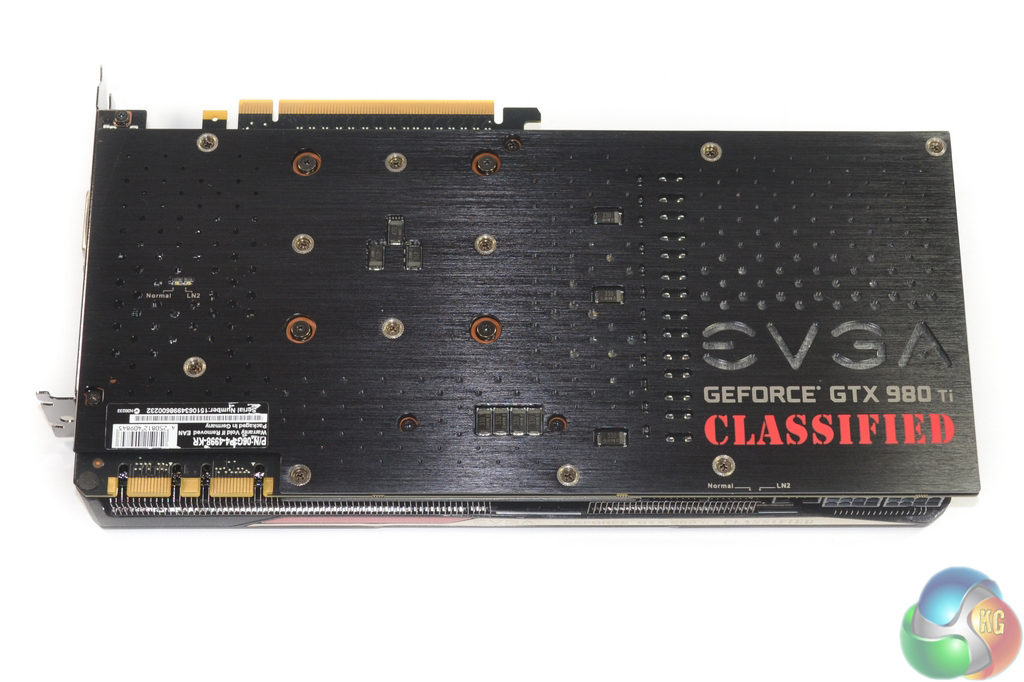
At 11 inches in length and 5.94 inches wide, EVGA's GTX 980 Ti Classified edition is a behemoth of a graphics card. The wider-than-reference PCB is wholly covered by the twin-fan ACX 2.0+ cooling solution in order to create a streamlined design which is free of gaps through to the PCB.
EVGA programs the pair of 100mm exhaust fans to completely switch off when the GPU temperature is below 60°C. This not only reduces noise output but also minimises dust build-up inside the heatsink fin array. According to EVGA, the fans 3-phase motor and double ball bearings allows them to consume less power than competing options, which translates into greater power allocation for the graphics card components.
A full-cover backplate is something that many enthusiasts will be overjoyed to see. On a £600, high-performance graphics card, I consider a metal backplate to be a necessity not only for aesthetic reasons but also for cooling and structural integrity purposes.
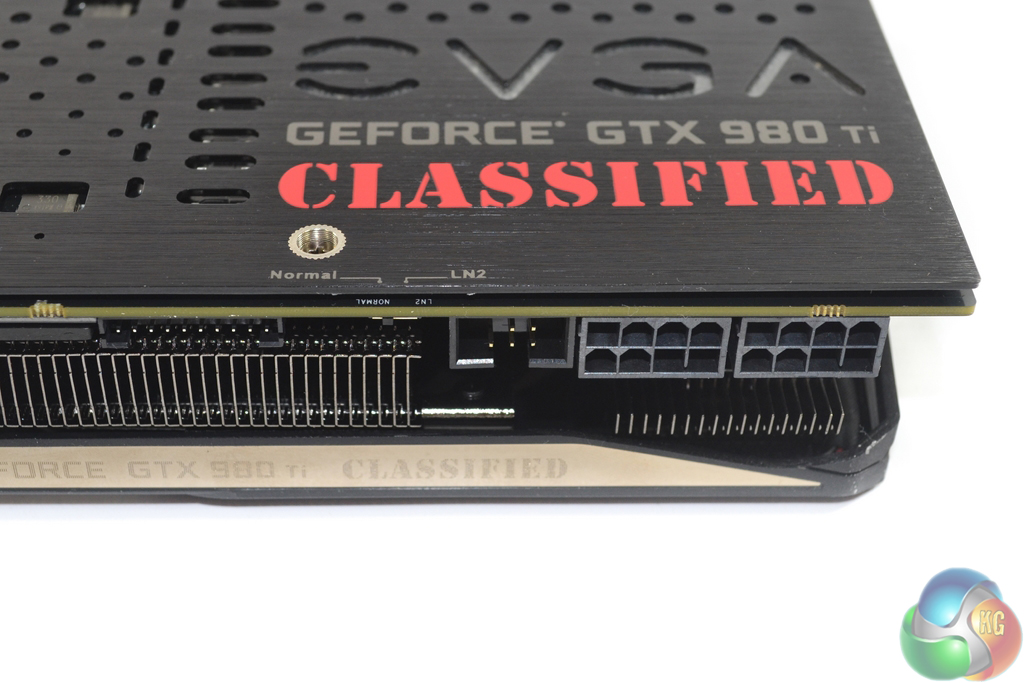
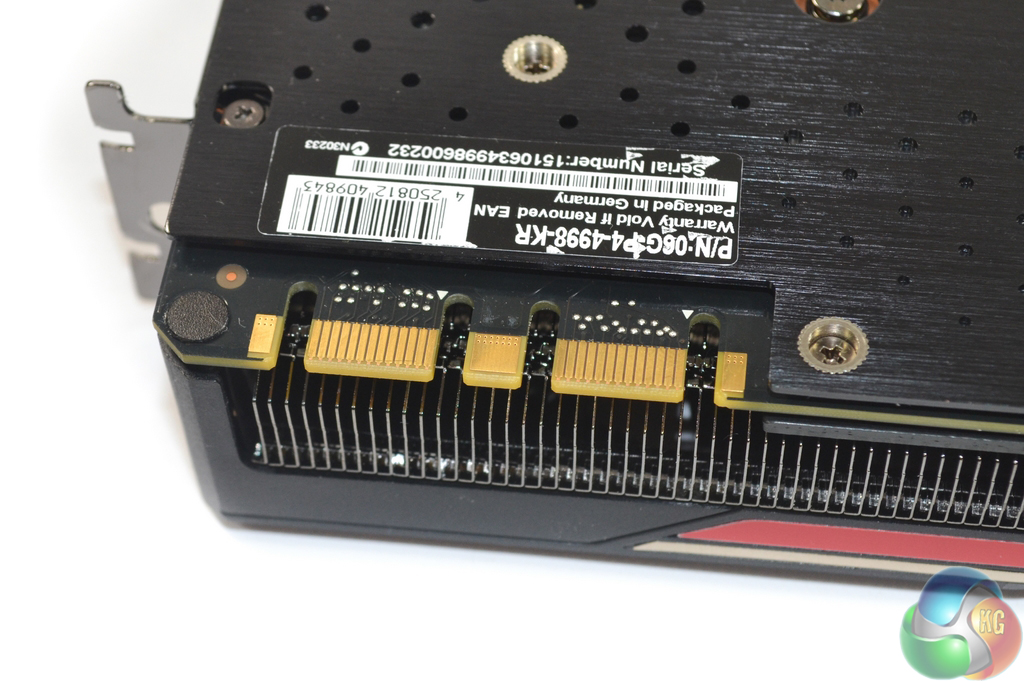
A pair of 8-pin power connectors is used in order to provide higher current levels to the card when it is overclocked heavily. The side-mounted power connectors and 5.94 inch card width may present clearance issues inside a narrow chassis. Close to the power plugs are EVGA's EVBot connector and the BIOS switch.
Dual 8-pin power connectors is likely to suffice even for enthusiast overclockers. People really trying to push the card to its extreme limits using sub-zero cooling are likely to solder on additional power boards (such as EVGA's EPower Board), thus somewhat bypassing the requirement for even more power potential directly from the card.
Two SLI fingers indicate support for up to four-card configurations.
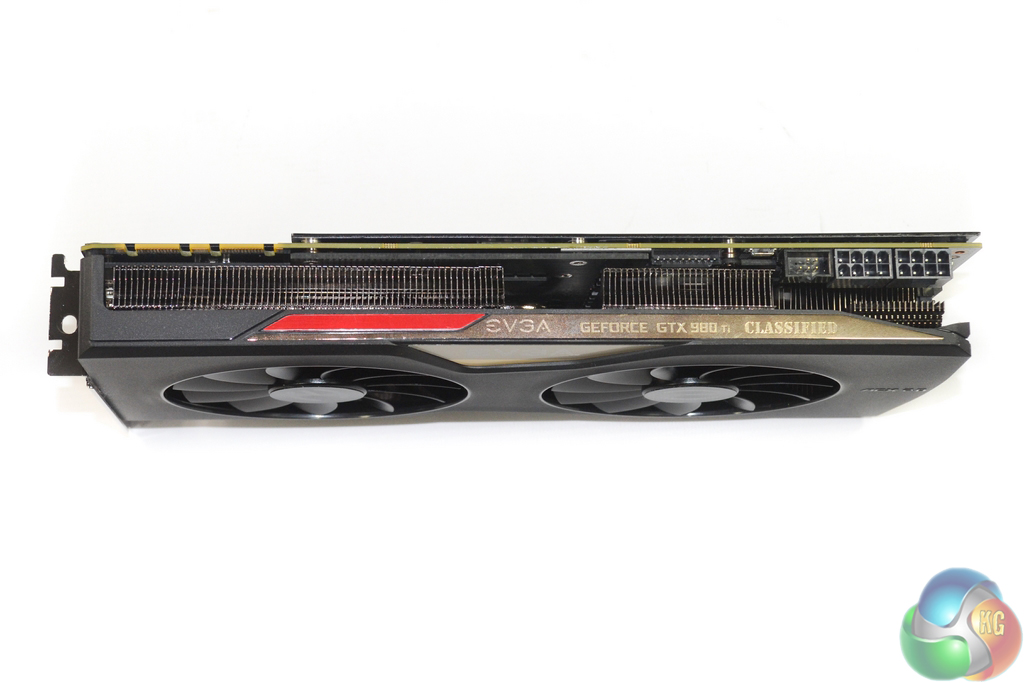
EVGA keeps the GTX 980 Ti Classified to a pure dual-slot width, rather than extend it to 2.5 or 3 slots, as we have seen other manufacturers do. This maximises the card's compatibility in multi-GPU configurations.
White LED's inside the name text illuminate when the card is powered up. This creates an eye-catching glow that many users with side panel windows on their chassis may appreciate. I did not spot a method for controlling LED colour, which is disappointing.
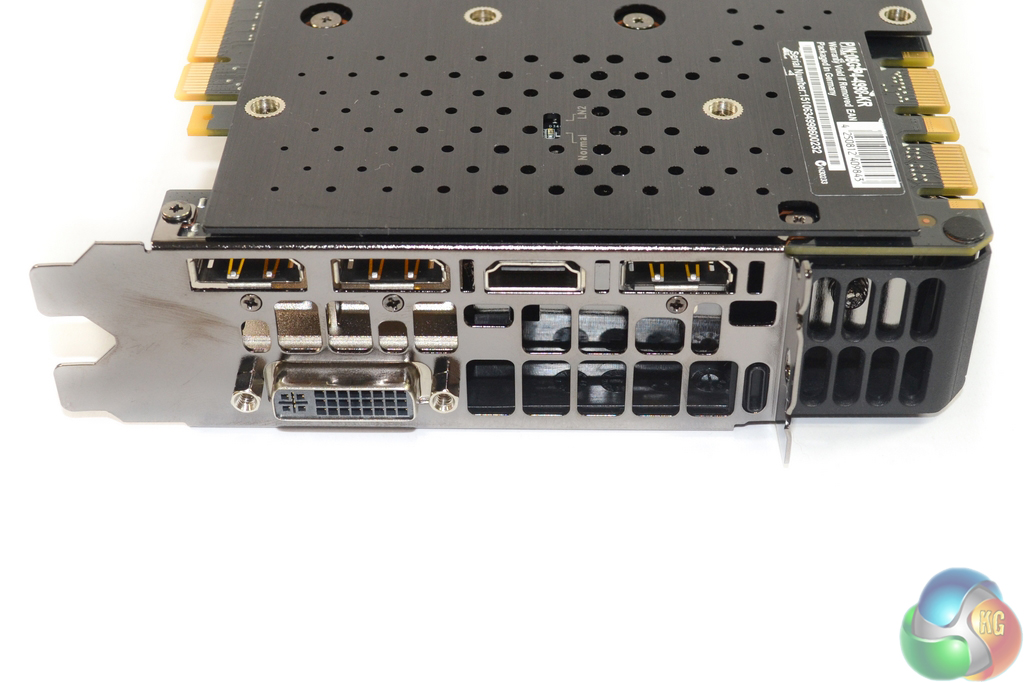
Nvidia's reference GTX 980 Ti video output configuration of three DisplayPort 1.2 connectors, one HDMI 2.0 port, and one Dual-link DVI-I connection is utilised. As set by Nvidia, this is pretty much the ideal configuration for a graphics card of this market segmentation.
EVGA cuts sizable vent holes into the rear IO shield and the extended section of cooler shroud in order create an escape path for hot air. With that said, the amount of hot air that actually flows through these holes is likely to be very small due to the heatsink's fin orientation.
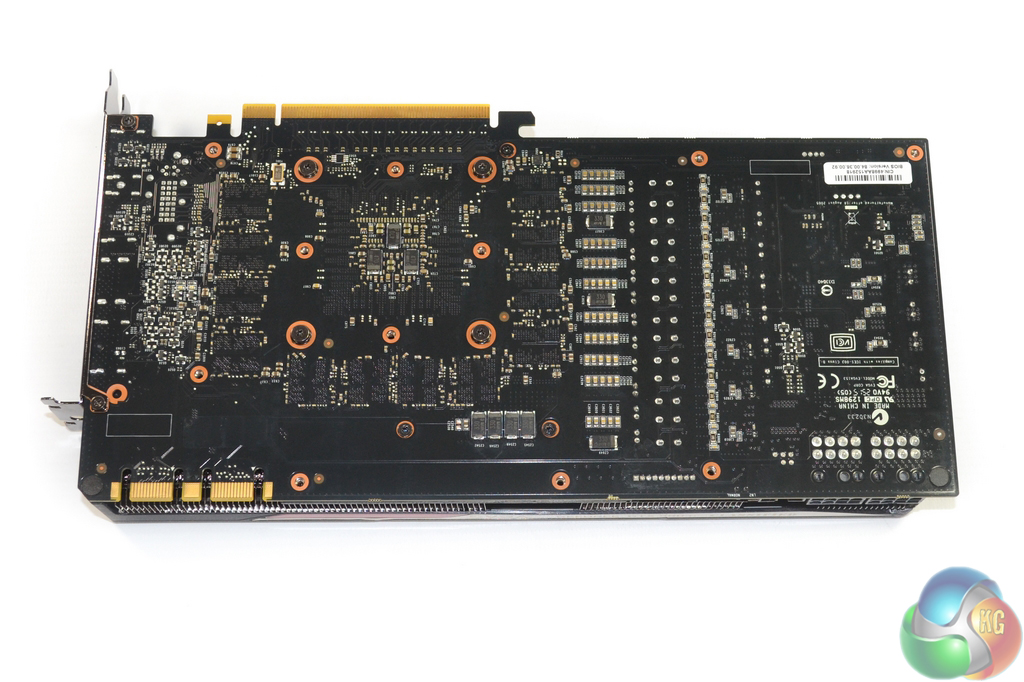
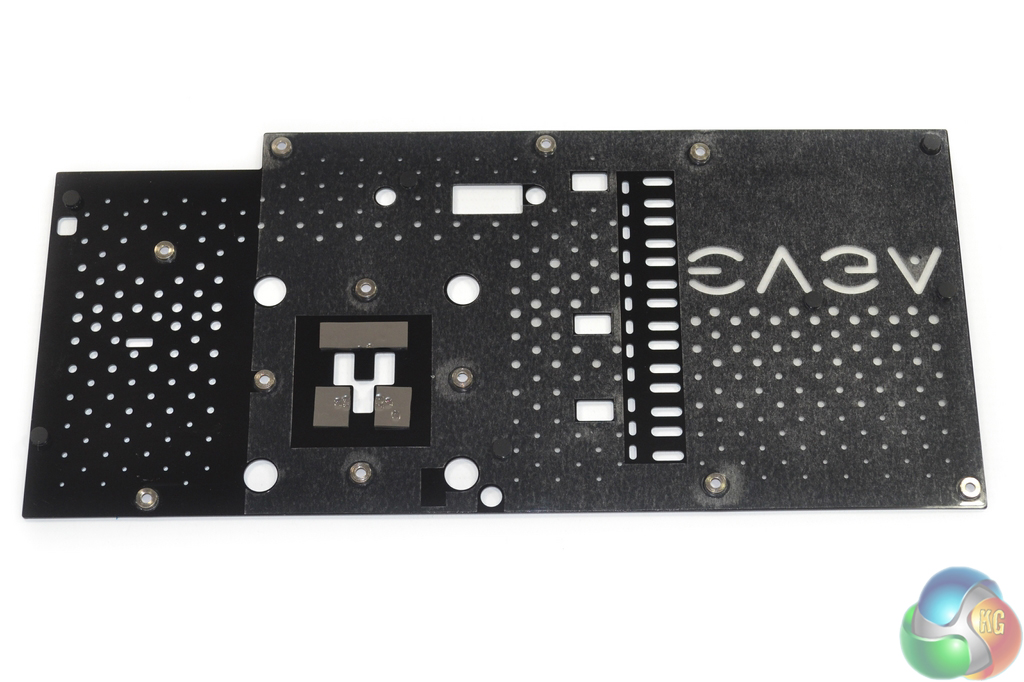
EVGA designs the metal backplate to make direct contact with the rear PCB around the GPU area. This contact will help spread heat along the metal plate in order to improve cooing effectiveness.
Perforated areas of the backplate and cut-outs for certain power delivery components create an appearance that I personally like.
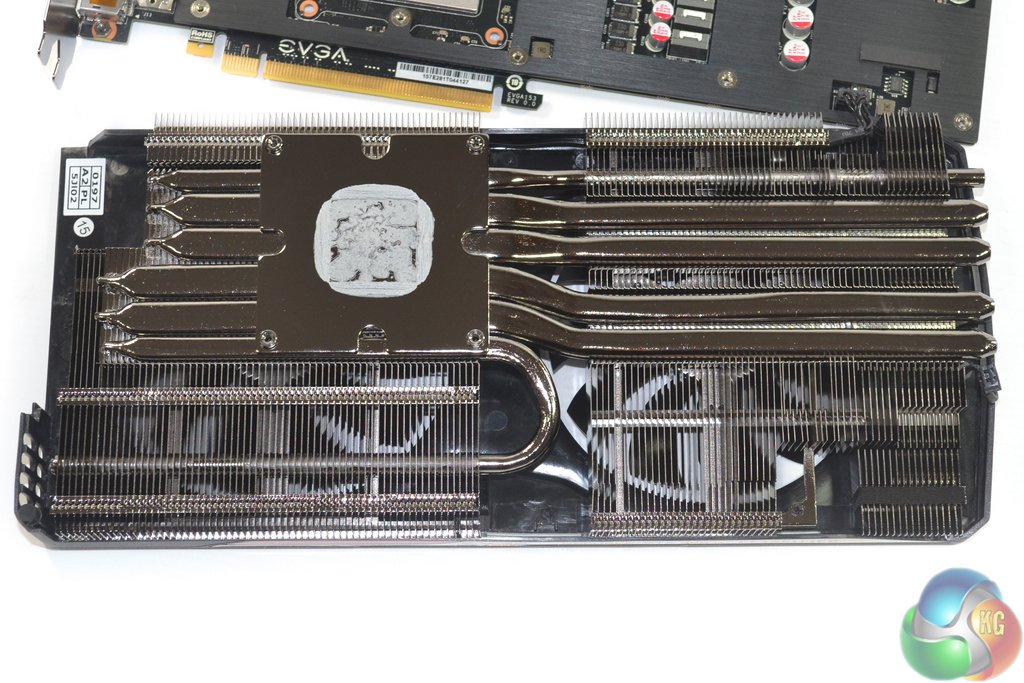
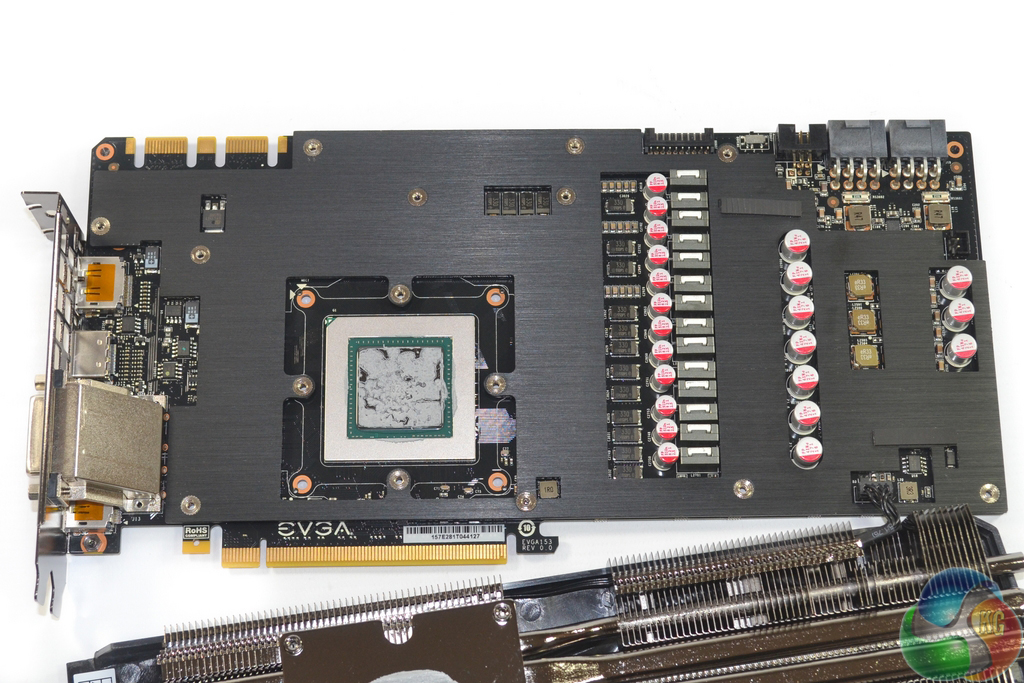
A sizable metal (presumably nickel-plated copper) base makes direct contact with Nvidia's GM200 GPU heatspreader and feeds thermal energy along six flattened heatpipes (three of which are 8mm diameter sizing) to a pair of aluminium fin arrays. Flattening the heatpipes has the benefit of increasing their contact area with the metal base, allowing thermal energy to be transferred at a greater rate from the base to heatpipes and therefore onwards to the fin array.
The application of flattened heatpipes does not, however, act as a substitute for greater diameter heatpipes because the total volume stays roughly constant between a round heatpipe of set diameter and a flattened one. Orientation of the aluminium fins will mean that hot air is blown towards the sides of the card – down onto a motherboard and towards the chassis side panel.
Referred to as MMCP (memory MOSFET cooling plate) by EVGA, a thin slice of metal makes contact with critical heat-producing components in order to extract their thermal energy and move it to a surface that can be effectively cooled. A secondary benefit of the MMCP is structural rigidity of the PCB, which is especially useful for mitigating PCB sag due to the heavy cooler.
I appreciate the attention that is paid to cooling power delivery components – switching more than 300W of board power creates a sizable portion of heat, but many graphics card makers overlook the value of direct MOSFET cooling.
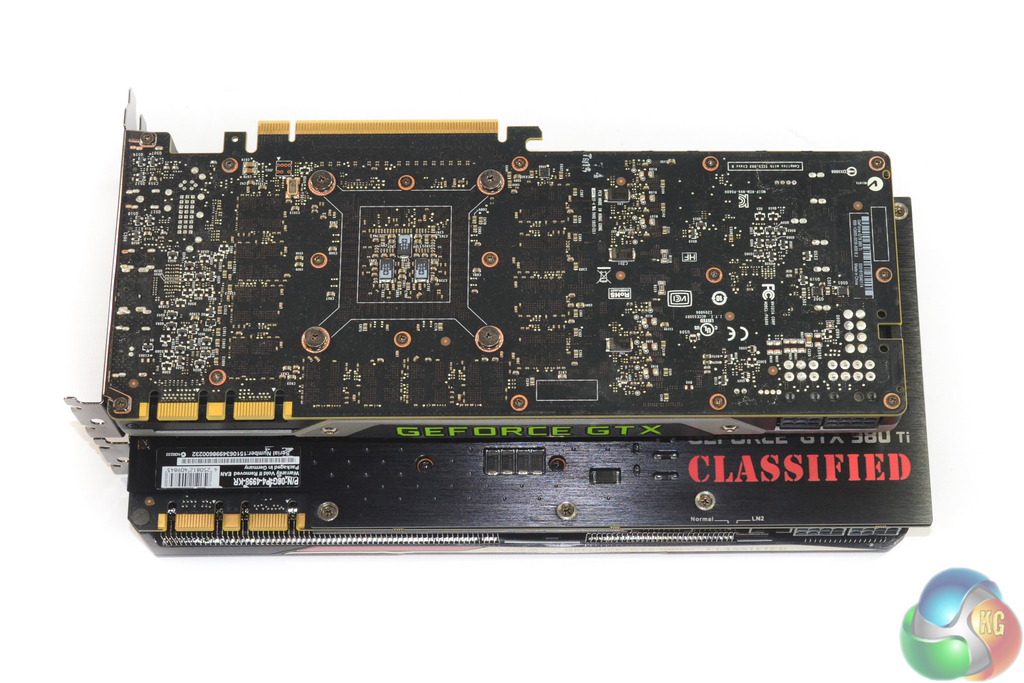
EVGA's GTX 980 Ti Classified ACX 2.0+ is noticeably larger than a reference board. Careful attention should be paid when trying to validate compatibility with narrower cases.
The ACX 2.0+ cooler design also spills most of its hot air inside the case, so the 300W+ thermal load should be accounted for when specifying a chassis' cooling capacity.
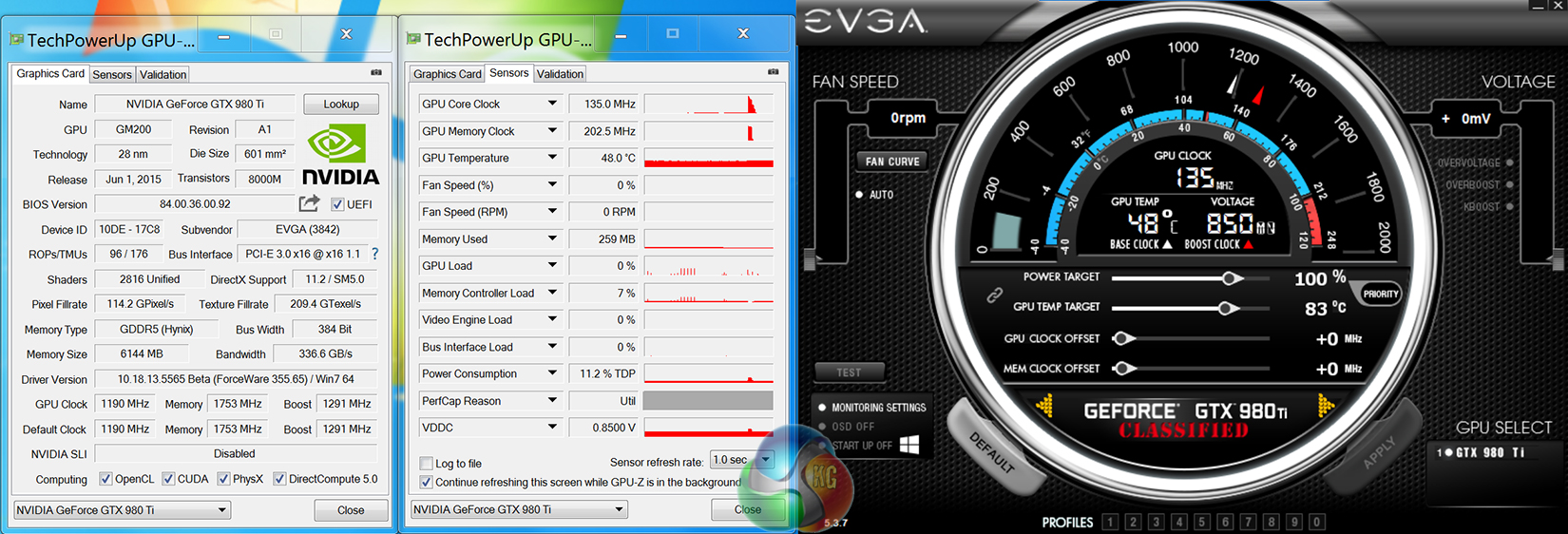
EVGA's overclocked GM200 core operates at a core clock of 1190MHz with a rated boost clock of 1291MHz. We actually observed the core boosting (and stabilising) to 1392MHz while gaming. The 6GB of GDDR5 memory is left largely untouched and runs at 1753MHz (around 7GHz effective).
For the review today we are using the Nvidia 355.60 driver which was the latest version at the time of starting testing. The AMD cards were all tested with the latest Catalyst 15.7.1 driver, which was also the newest non-beta driver at the start of testing.

We used a test system based around a 4.4GHz overclocked Core i7 5960X processor in order to minimise CPU bottlenecks as much as possible.
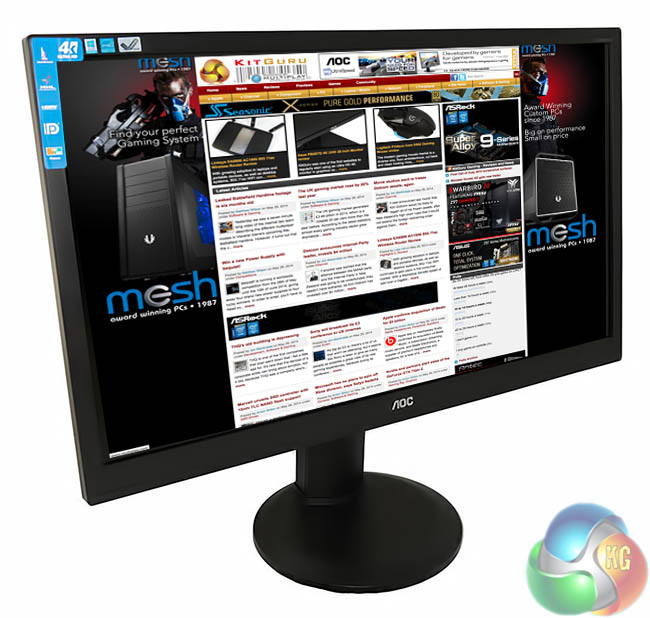
We test using the AOC U2868PQU 4K monitor that scored highly in our review that can be found HERE. AOC's 28″ offering is one of the most affordable 4K monitors on the market and makes the realms of 4K gaming more accessible to a wider audience.
AOC's monitor is used to provide performance data for 2560×1440 and 3840×2160 (4K) resolutions. These are the most likely resolutions that somebody buying this calibre of hardware will be gaming at.
Test System
- Processor: Intel Core i7 5960X ES (4.4GHz OC).
- Memory: 16GB (4x 4GB) Corsair Vengeance LPX 3200MHz DDR4.
- Motherboard: Asus X99-Deluxe.
- System Drive: 500GB Samsung 840.
- CPU Cooler: Corsair H100i.
- Case: NZXT Phantom 630.
- Power Supply: Seasonic Platinum 1000W.
- Operating System: Windows 7 Professional with SP1 64-bit.
Graphics cards:
Nvidia GTX 980 Ti 6GB reference.
Nvidia GTX Titan X 12GB reference.
AMD R9 Fury X 4GB reference.
AMD R9 295X2 (2x4GB) reference.
Software:
Unigine Heaven Benchmark
3DMark
Fraps
Steam Client
MSI Afterburner
TechPowerUp GPU-Z
Games:
Battlefield 4
Bioshock Infinite
Grand Theft Auto V
Metro: Last Light
Middle Earth: Shadow of Mordor
Tomb Raider
Game descriptions edited with courtesy from Wikipedia.
3DMark is an essential tool used by millions of gamers, hundreds of hardware review sites and many of the world’s leading manufacturers to measure PC gaming performance.
Futuremark say “Use it to test your PC’s limits and measure the impact of overclocking and tweaking your system. Search our massive results database and see how your PC compares or just admire the graphics and wonder why all PC games don’t look this good.
To get more out of your PC, put 3DMark in your PC.”
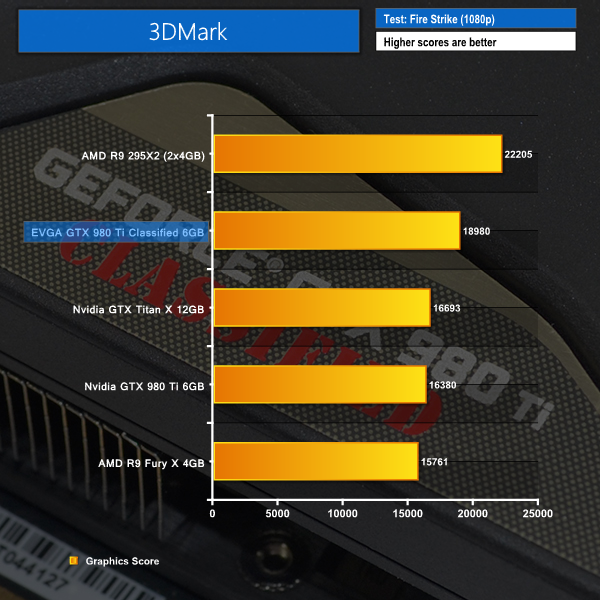
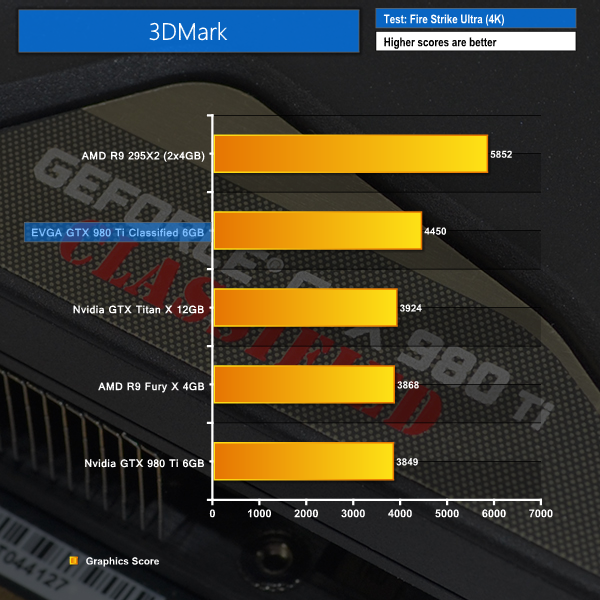
EVGA's factory-overclocked GTX 980 Ti makes a strong start in the 3DMark tests. A combination of the higher core- and boost-clock speeds, as well as enhanced cooling capacity which alleviates thermal throttling worries, gives the EVGA GTX 980 Ti Classified a 16% performance increase over Nvidia's reference board for 3DMark's 4K test.
Unigine provides an interesting way to test hardware. It can be easily adapted to various projects due to its elaborated software design and flexible toolset. A lot of their customers claim that they have never seen such extremely-effective code, which is so easy to understand.
Heaven Benchmark is a DirectX 11 GPU benchmark based on advanced Unigine engine from Unigine Corp. It reveals the enchanting magic of floating islands with a tiny village hidden in the cloudy skies. Interactive mode provides emerging experience of exploring the intricate world of steampunk. Efficient and well-architected framework makes Unigine highly scalable:
- Multiple API (DirectX 9 / DirectX 10 / DirectX 11 / OpenGL) render
- Cross-platform: MS Windows (XP, Vista, Windows 7) / Linux
- Full support of 32bit and 64bit systems
- Multicore CPU support
- Little / big endian support (ready for game consoles)
- Powerful C++ API
- Comprehensive performance profiling system
- Flexible XML-based data structures
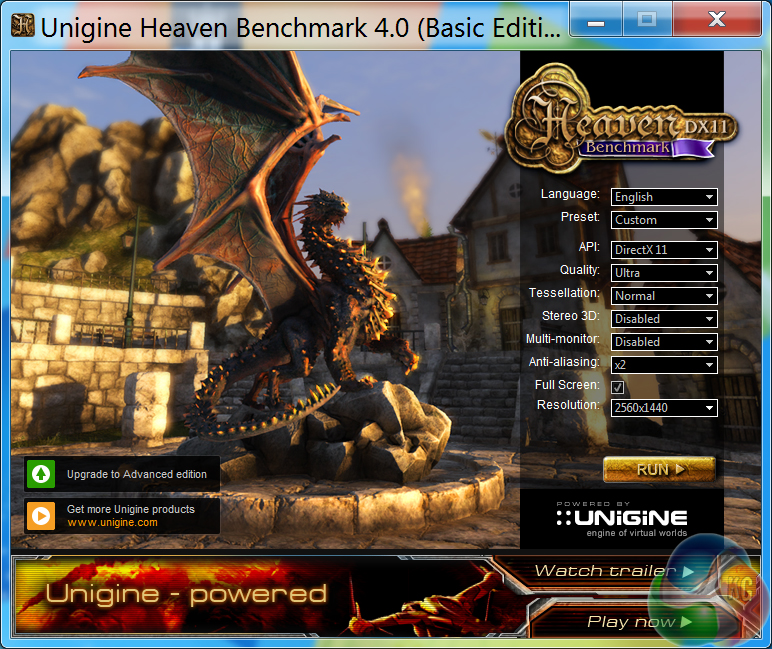
We set Quality to ‘Ultra', Tessellation to ‘Normal', Anti Aliasing to 2x, and the resolution to 2560×1440.
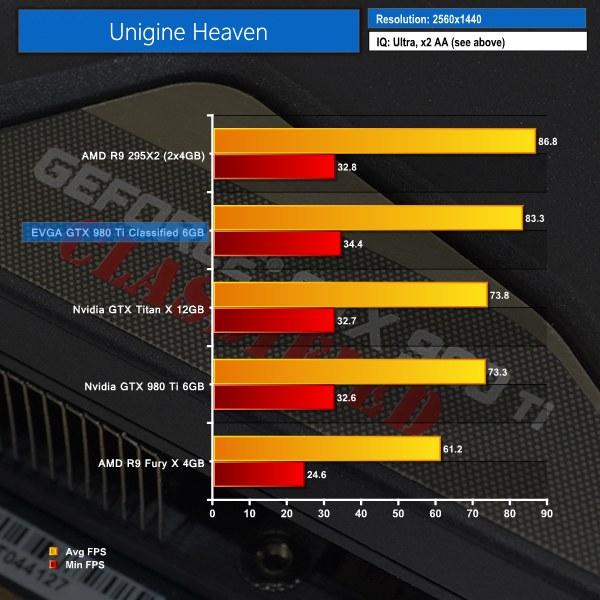
AMD's venerable R9 295X2 takes top spot in Unigine's Heaven benchmark, but the heavily overclocked EVGA GTX 980 Ti board is hot on its heels.
Bypassing a larger gap leads to the performance of reference GTX 980 Ti and Titan X boards, both of which score less than 75 FPS. AMD's Fury X cannot compete closely in Heaven at the 2560×1440 resolution.
Battlefield 4 ’s single-player Campaign takes place in 2020, six years after the events of its predecessor. Tensions between Russia and the United States have been running at a record high, due to a conflict between the two countries that has been running for the last six years. (Wikipedia).
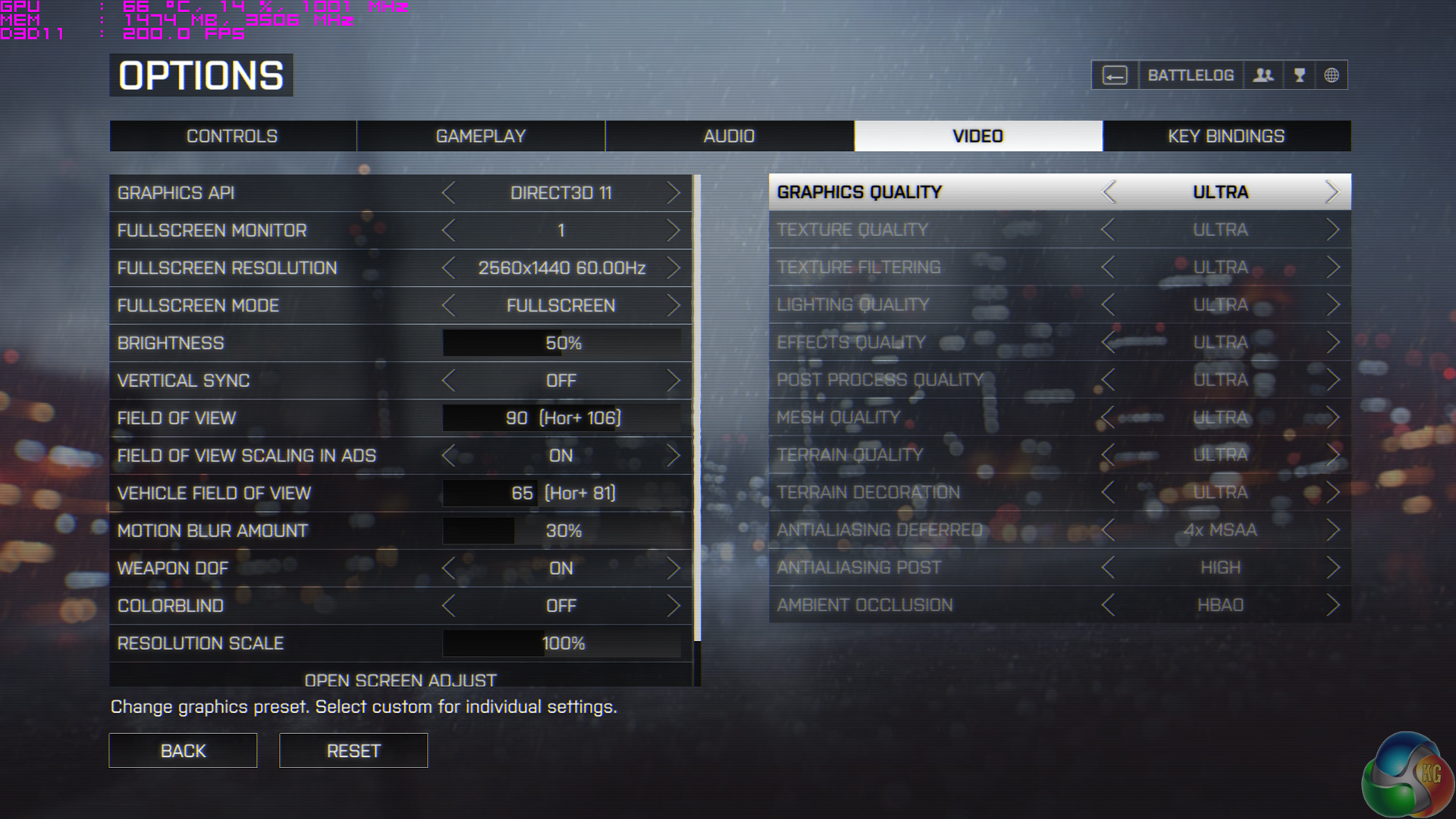
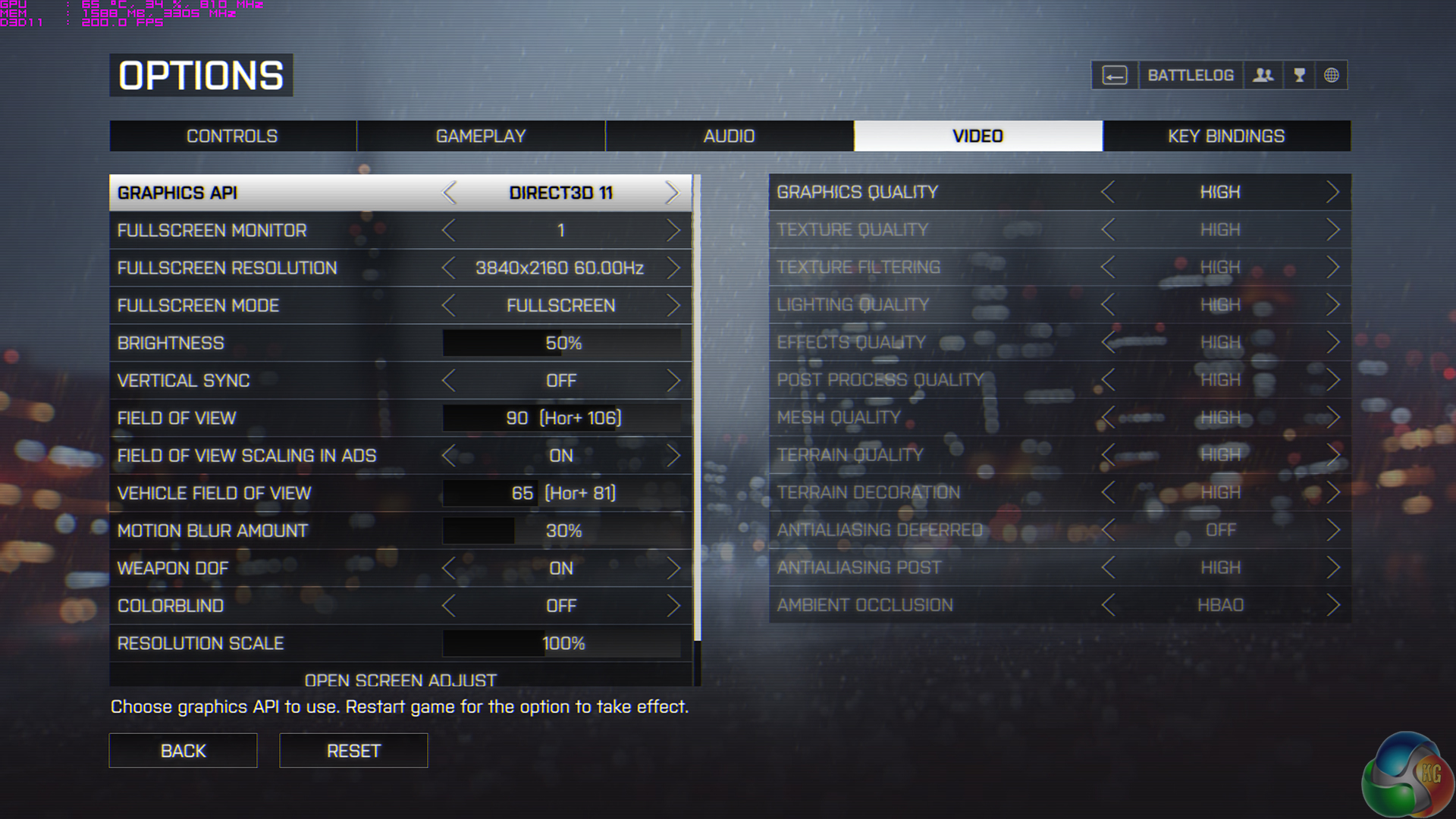
For 2560×1440 testing, we opted for Battlefield 4's Ultra preset. When testing with the demanding 4K resolution, we opted for Battlefield 4's High IQ preset in order to make playable frame rates a greater possibility. Our frame rates are recorded using a section of the game.
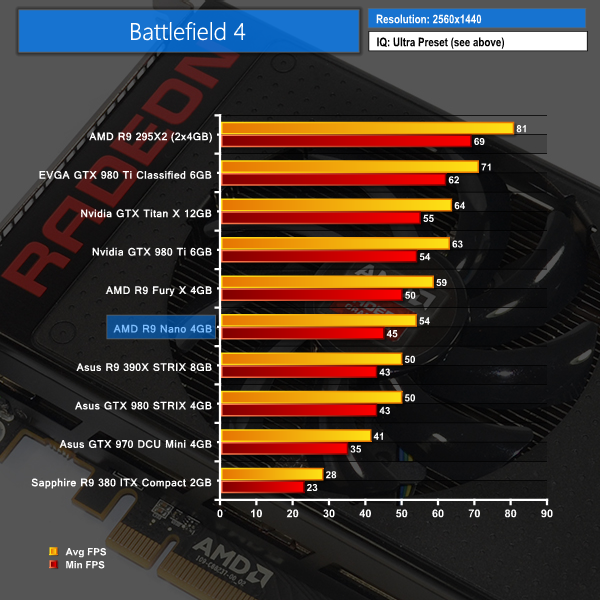

EVGA's GTX 980 Ti Classified opens up a 13% performance lead over Nvidia's reference board at 2560×1440, with a similar gap being seen to the Titan X.
At 4K, the EVGA card's performance lead over a reference GTX 980 Ti is widened to 15%. AMD's slightly cheaper R9 Fury X is 8 FPS behind the EVGA card.
Set in 1912, in Bioshock Infinite, players assume the role of former Pinkerton agent Booker DeWitt, sent to the flying city of Columbia on a rescue mission. His target? Elizabeth, imprisoned since childhood.
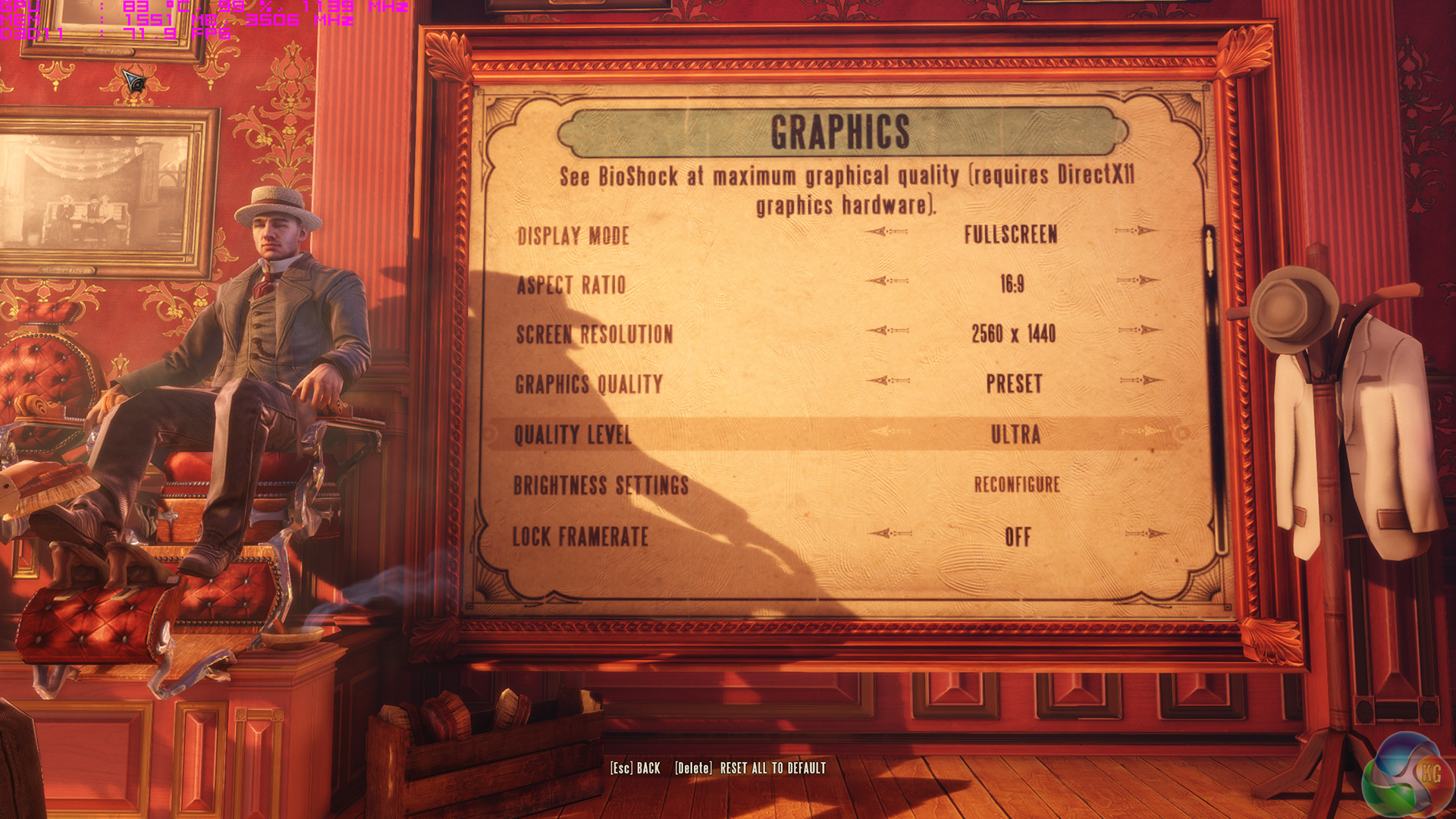
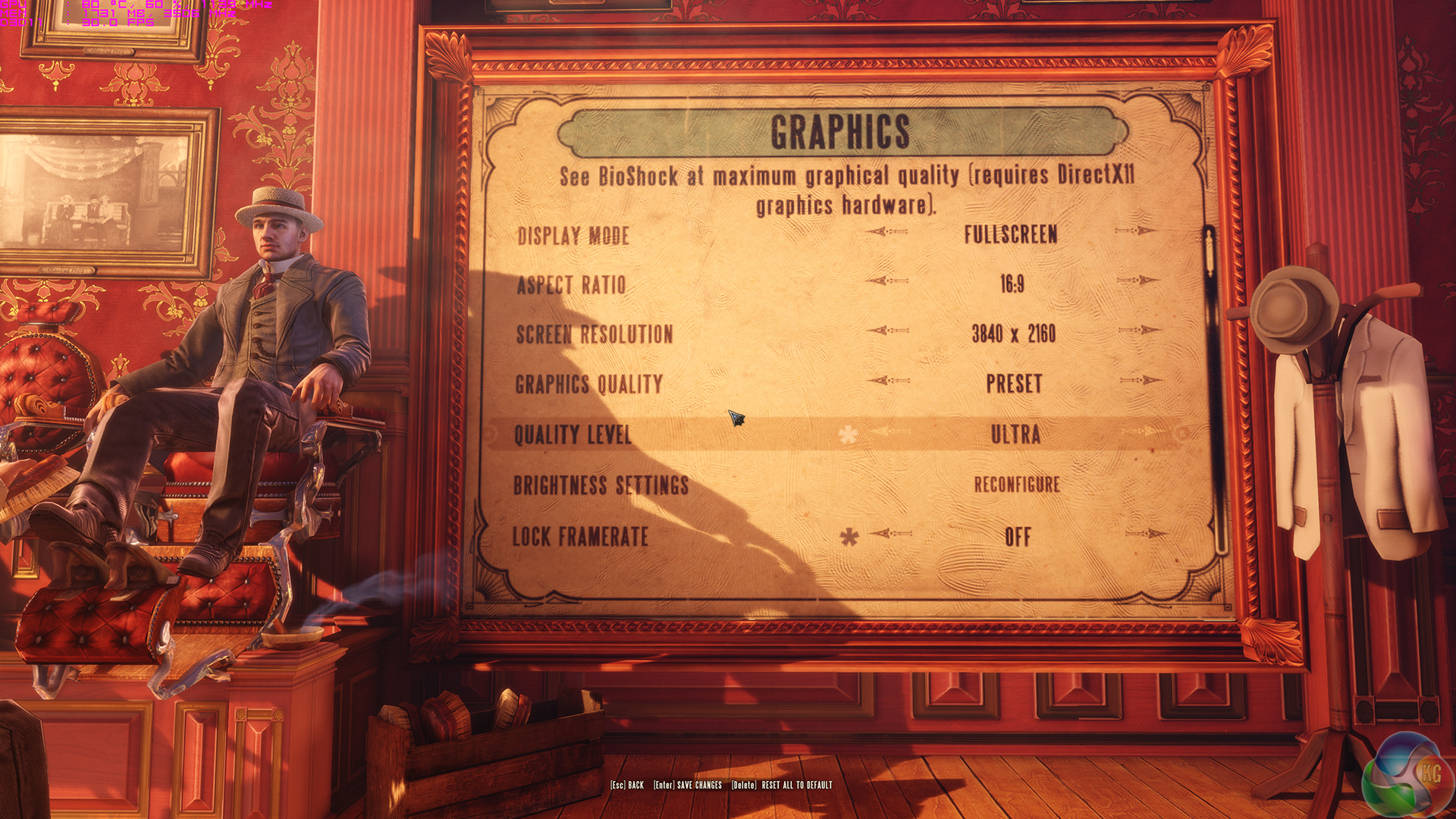
Bioshock Infinite is set to its highest image quality settings at both resolutions. We test a section of the game. We have removed the minimum FPS reading as our current test method seems to be imposing an unjustified penalty against AMD cards, so we are looking into this issue. Average frame rates are not affected.
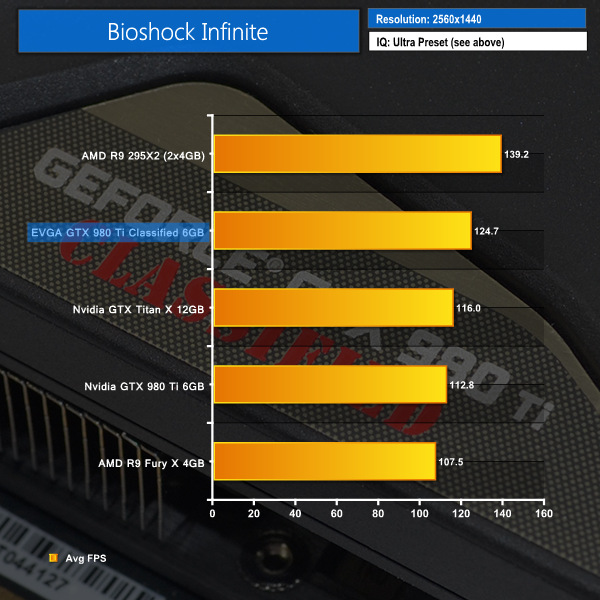
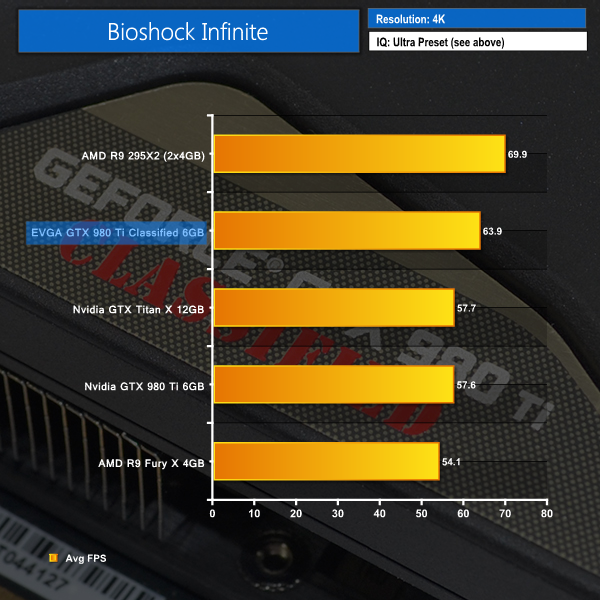
More of the same is shown in Bioshock Infinite. The custom-cooled, factory-overclocked EVGA board fights its way into a distinct second place, sitting between the dual-GPU R9 295X2 and Nvidia's flagship Titan X board.
Grand Theft Auto V is an action-adventure game played from either a first-person or third-person view. Players complete missions—linear scenarios with set objectives—to progress through the story.
Outside of missions, players can freely roam the open world. Composed of the San Andreas open countryside area and the fictional city of Los Santos, the world of Grand Theft Auto V is much larger in area than earlier entries in the series.
The world may be fully explored from the beginning of the game without restrictions, although story progress unlocks more gameplay content. (Wikipedia).
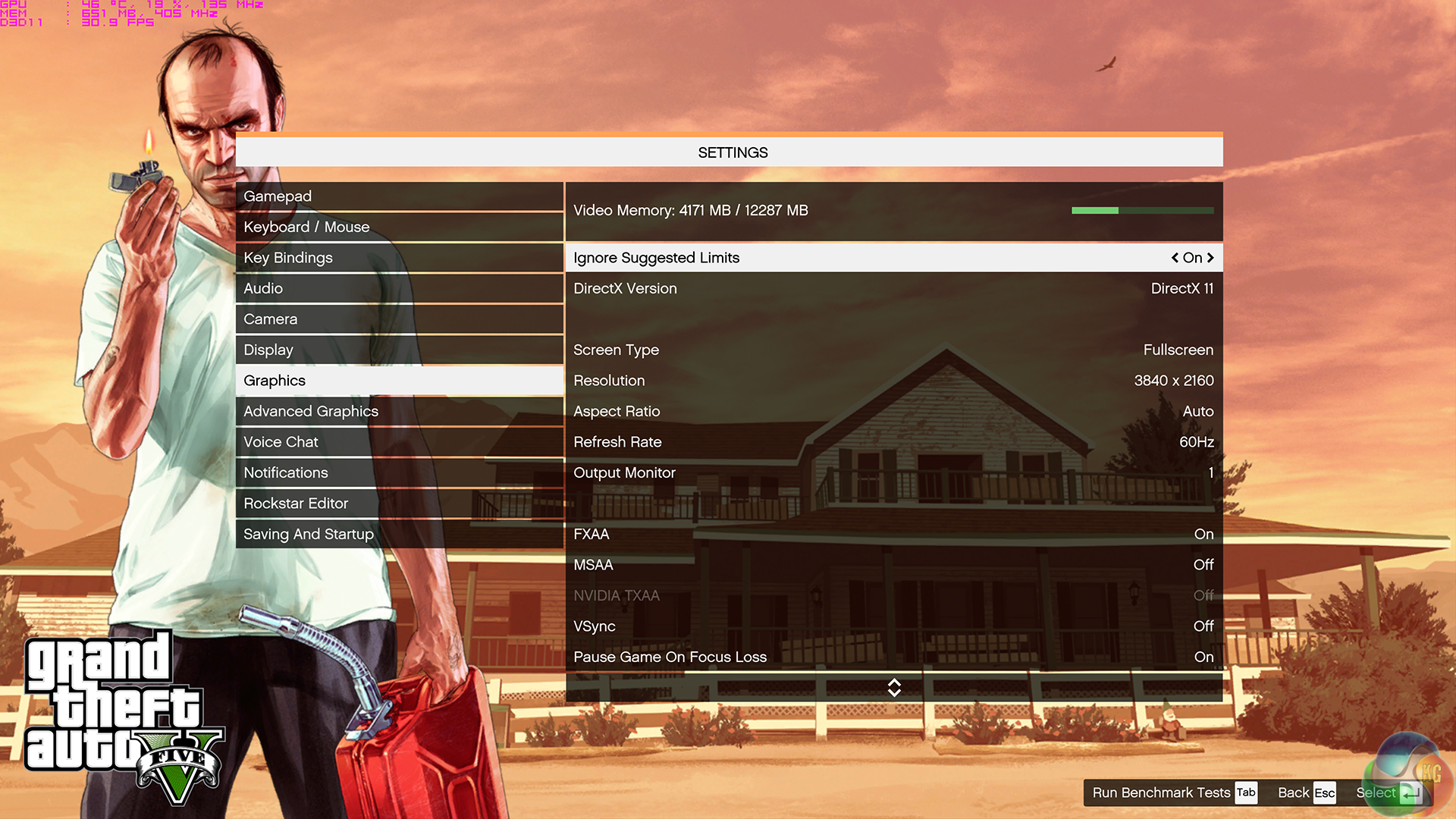
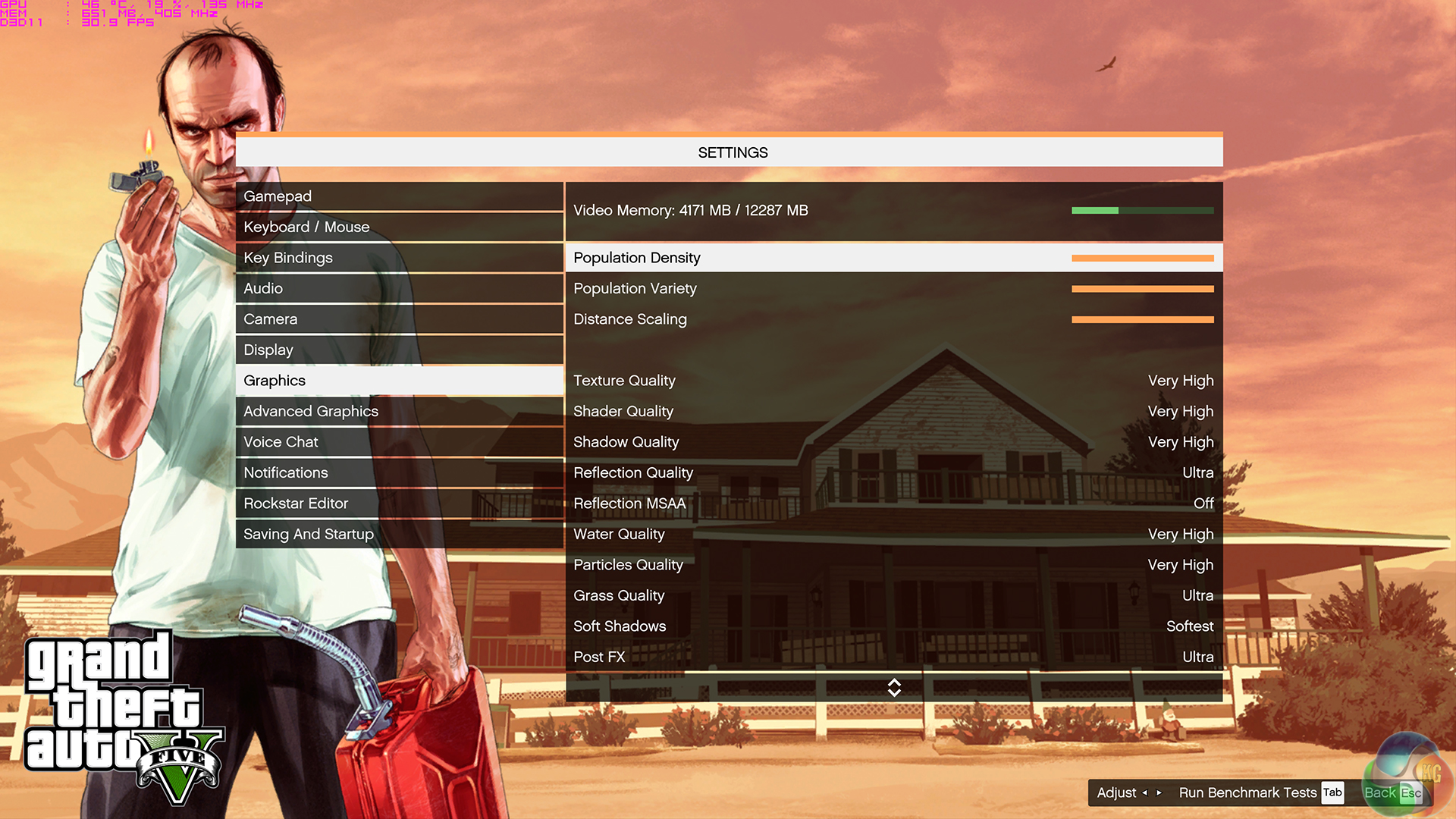
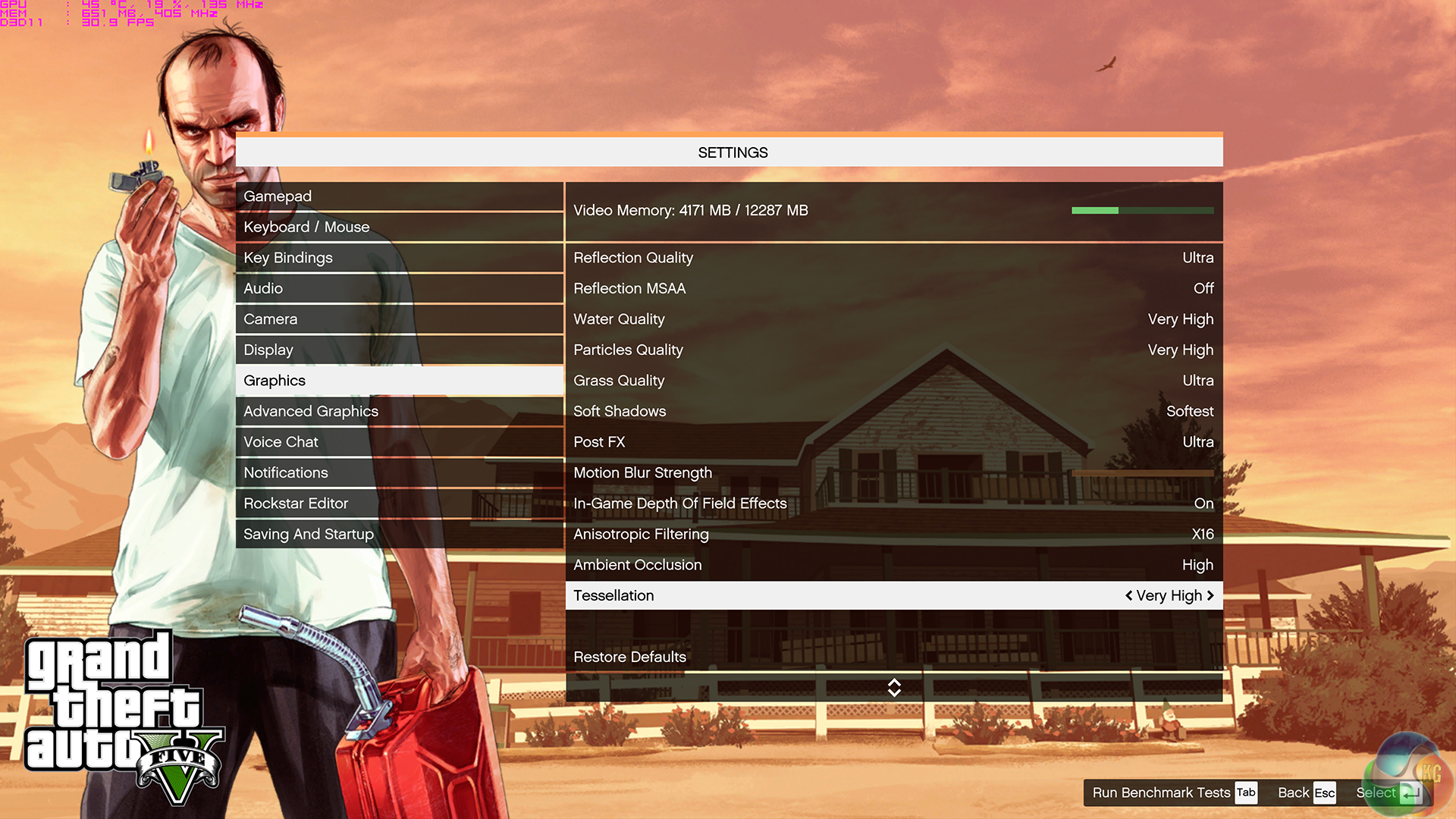
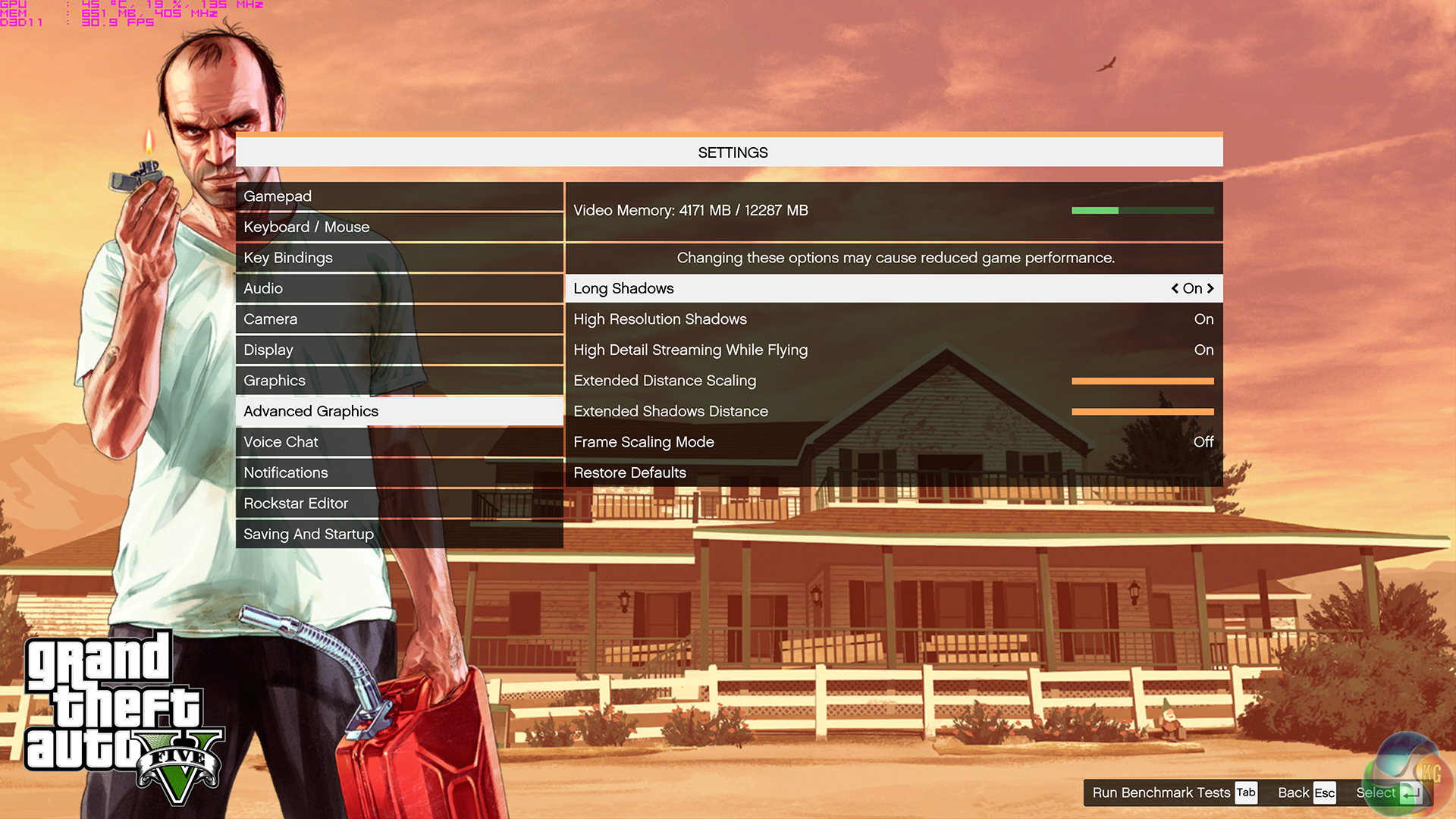
We set all of GTA V's settings to their highest levels for both resolutions but made sure to disable the performance-crippling MSAA settings. We saw the game use almost 4GB of VRAM at 2560×1440 and around 4.5GB at 4K (where possible with the relevant video cards). The built-in benchmark is used to gather performance data.
Performance data from the AMD R9 295X2 unfortunately could not make it into the charts as the card has a display bug with our AOC test monitor that prevents GTA V's benchmark from operating.
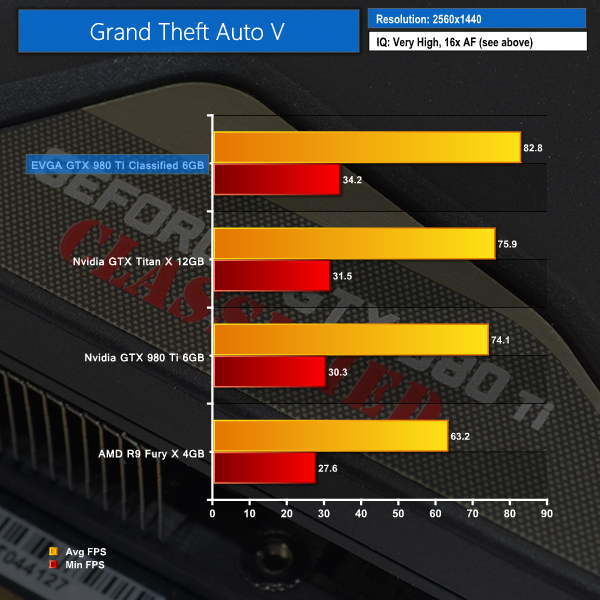
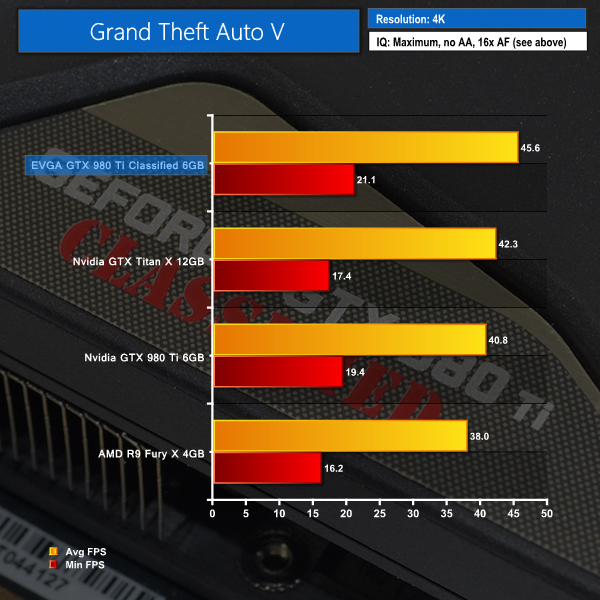
The unfortunate bug affecting our R9 295X2 testing means that EVGA's GTX 980 Ti takes a first-place finish in GTA V. The factory-overclocked card leads a reference GTX 980 Ti by 12% at both resolutions.
Metro: Last Light takes place one year after the events of Metro 2033, proceeding from the ending where Artyom chose to call down the missile strike on the Dark Ones. The Rangers have since occupied the D6 military facility, with Artyom having become an official member of the group. Khan, the nomad mystic, arrives at D6 to inform Artyom and the Rangers that a single Dark One survived the missile strike.
4A Games’ proprietary 4A Engine is capable of rendering breathtaking vistas, such as those showing the ruined remnants of Moscow, as well as immersive indoor areas that play with light and shadow, creating hauntingly beautiful scenes akin to those from modern-day photos of Pripyat’s abandoned factories and schools.

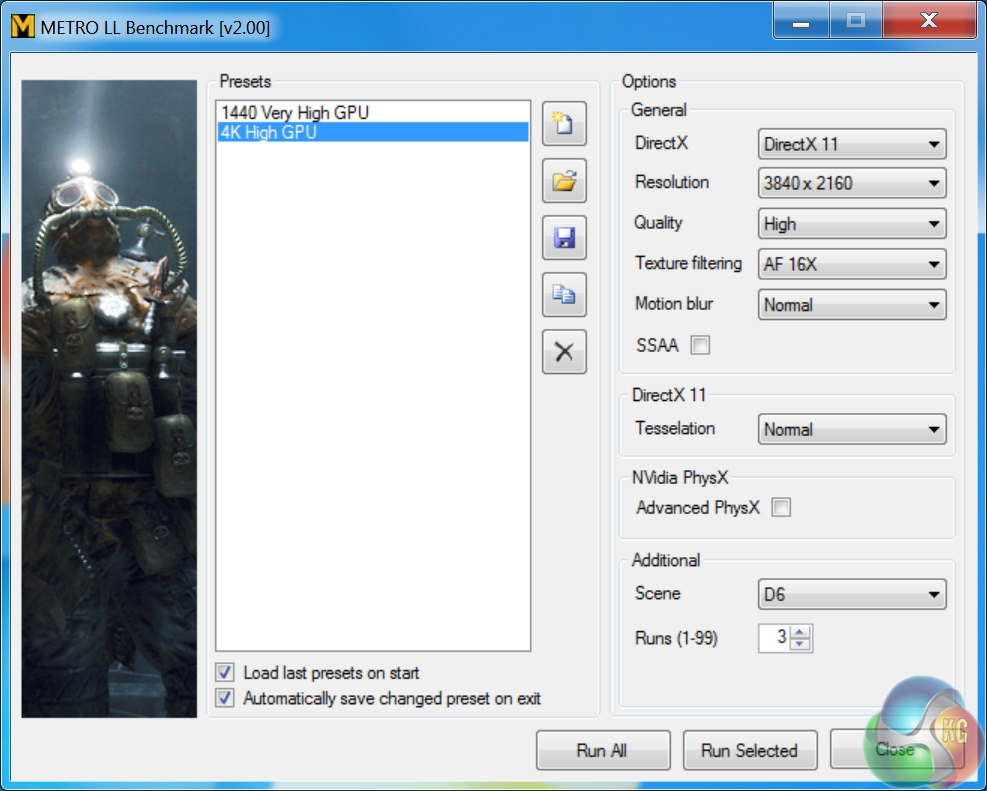
We opted for the High quality setting at 4K and Very High for 1440P testing. AA was kept off, AF was applied as 16x, and tessellation was set to normal. The minimum FPS readings do not highlight anything more important than very occasional drops in one of the three runs.
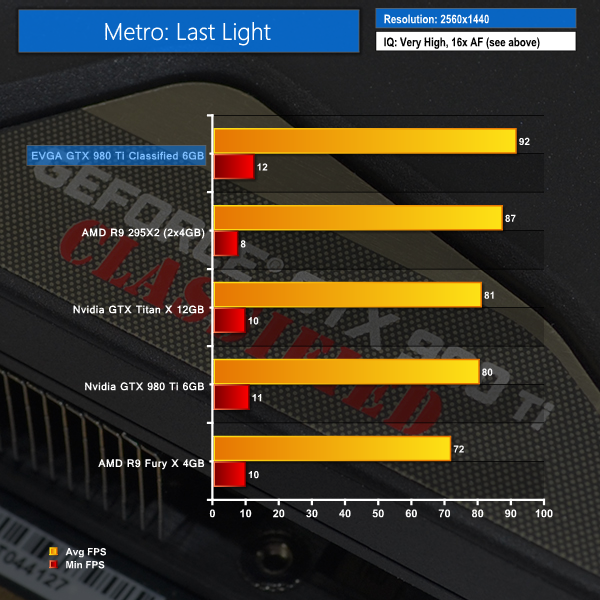
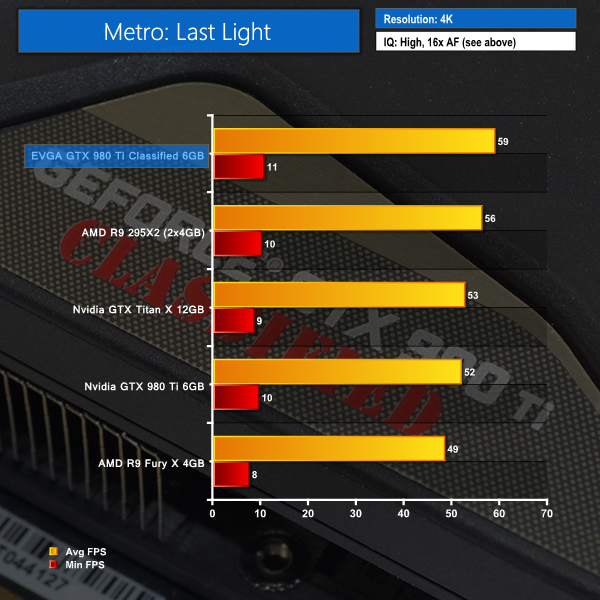
Metro: Last Light seems to be showing a clear preference for Nvidia hardware by positioning the dual-GPU R9 295X2 below the performance of EVGA's overclocked GTX 980 Ti. This is most likely related to a recent driver or game software update.
With a healthy out-of-the-box overclock applied to the core of EVGA's card, an average frame rate of almost 60 FPS is achieved while using Metro's High quality setting and a 4K resolution.
In Middle-earth: Shadow of Mordor, the player plays as a ranger by the name of Talion who has wraith-like abilities.In this open world video game, players have the freedom to pursue side quests and roam around the world.
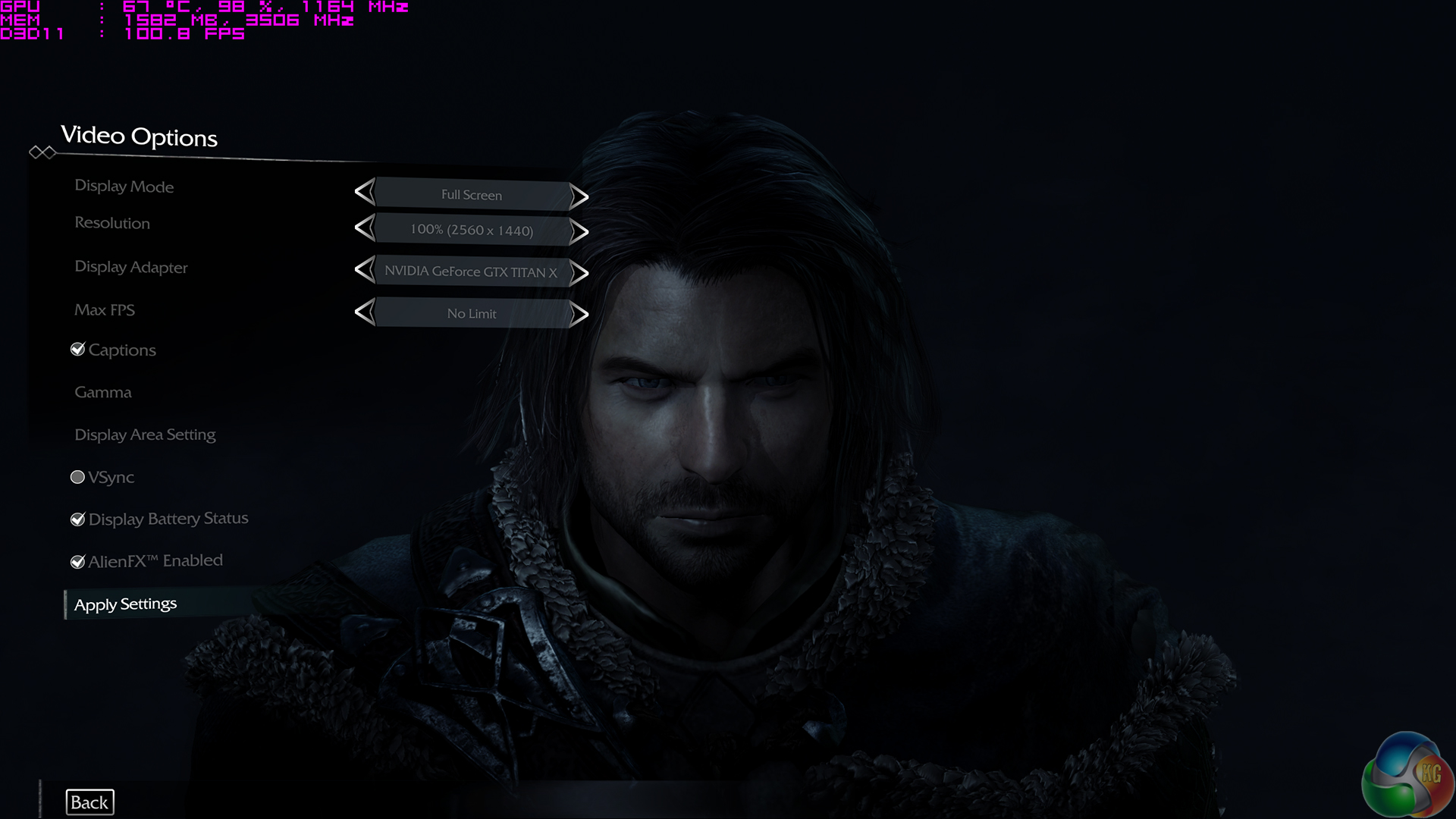
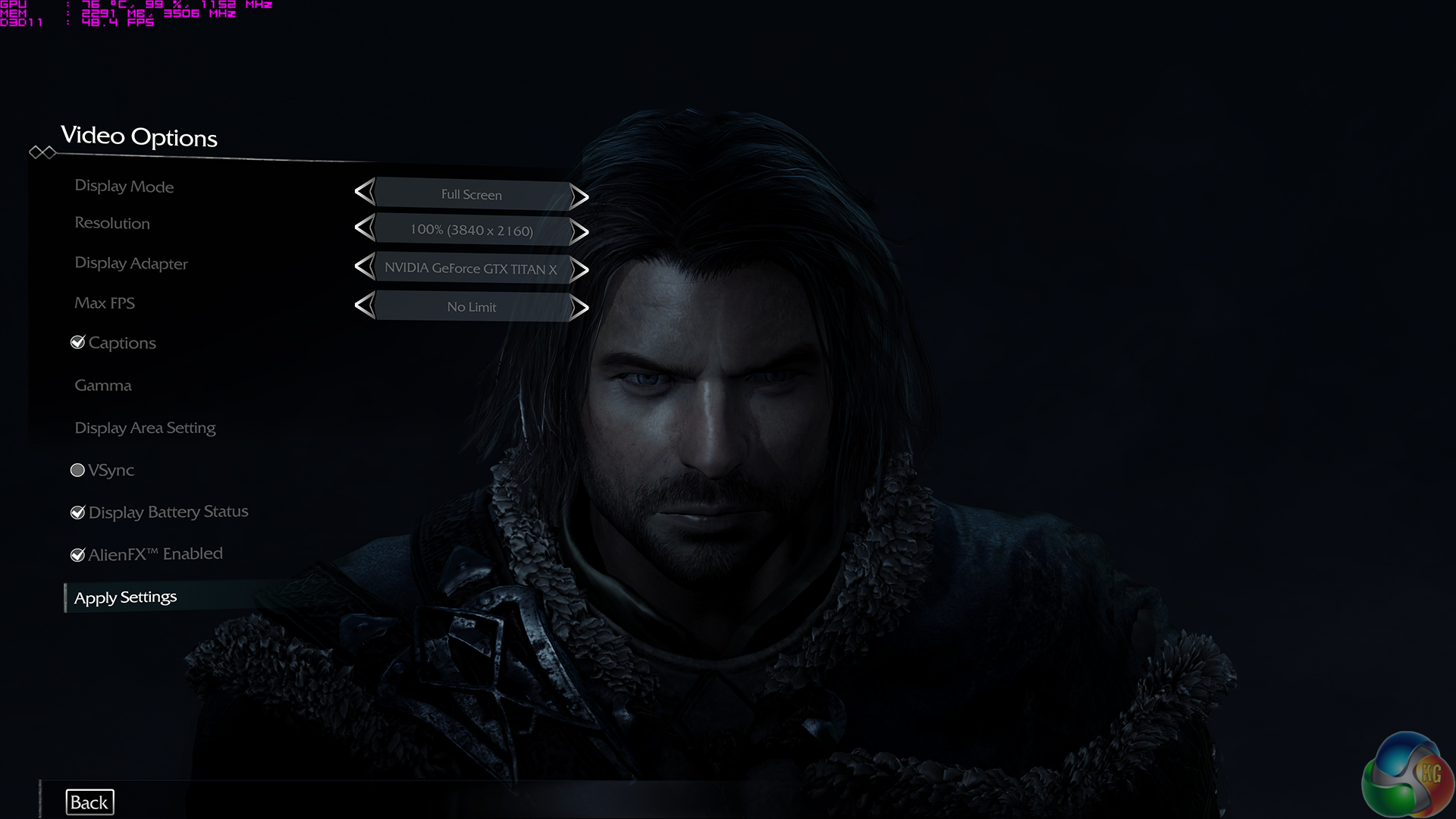
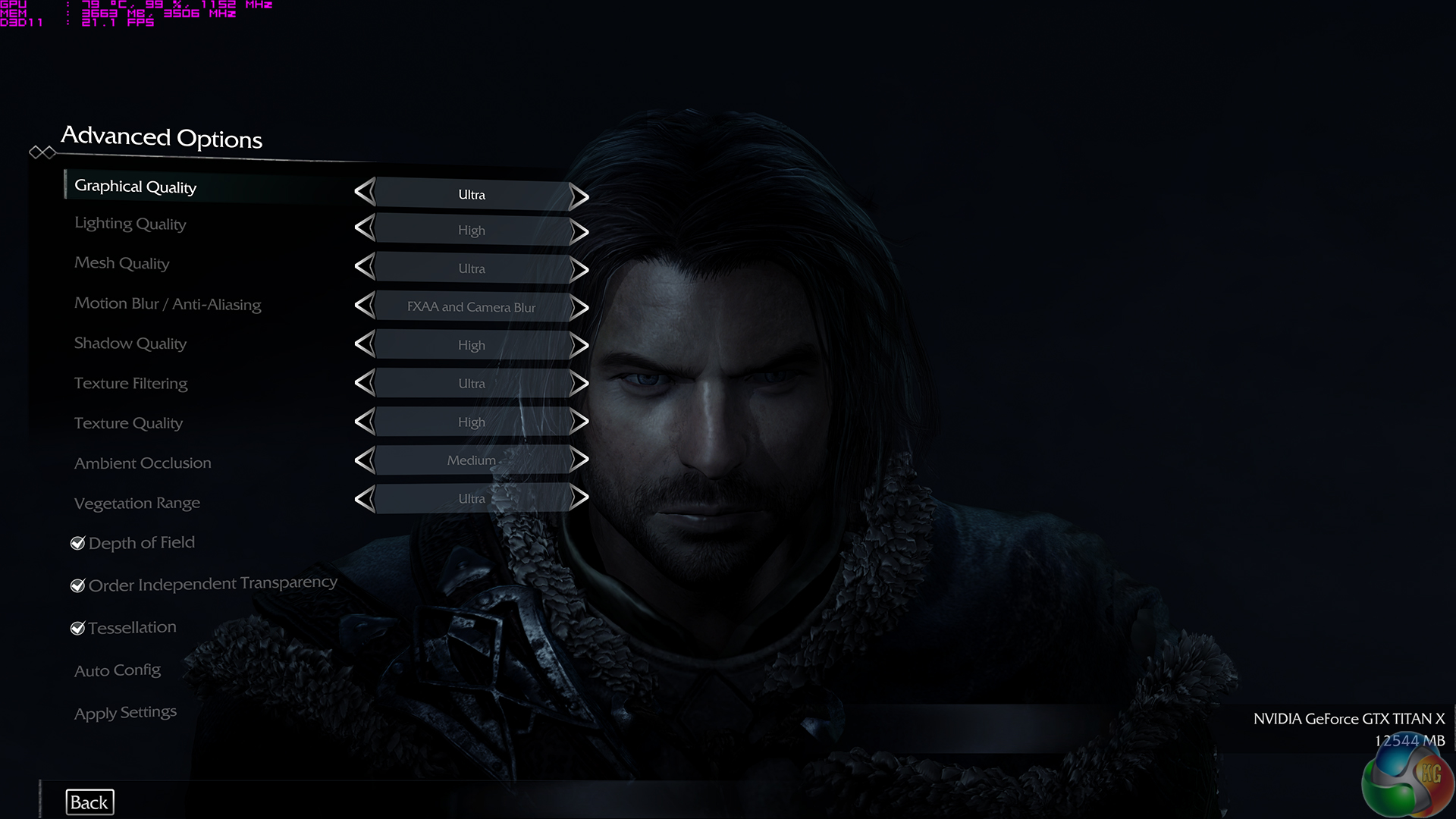
We used Shadow of Mordor's Ultra image quality preset for both resolutions and tested using the built-in benchmark.
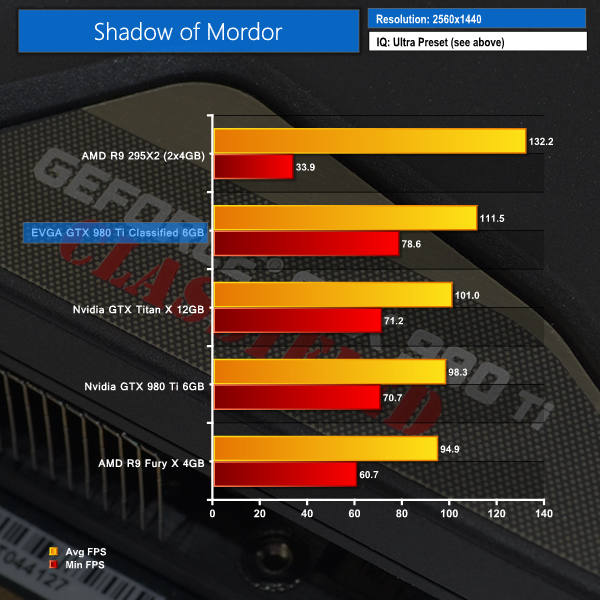
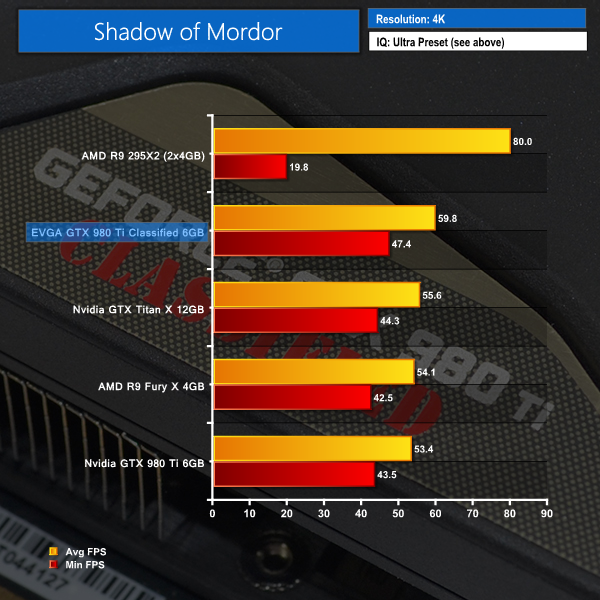
The pattern of performance levels between a GTX Titan X and R9 295X2 continues with Shadow of Mordor. EVGA's card is faster than the Nvidia reference board which itself is outpaced by the R9 Fury X at 4K.
Tomb Raider received much acclaim from critics, who praised the graphics, the gameplay and Camilla Luddington’s performance as Lara with many critics agreeing that the game is a solid and much needed reboot of the franchise. Much criticism went to the addition of the multiplayer which many felt was unnecessary. Tomb Raider went on to sell one million copies in forty-eight hours of its release, and has sold 3.4 million copies worldwide so far. (Wikipedia).
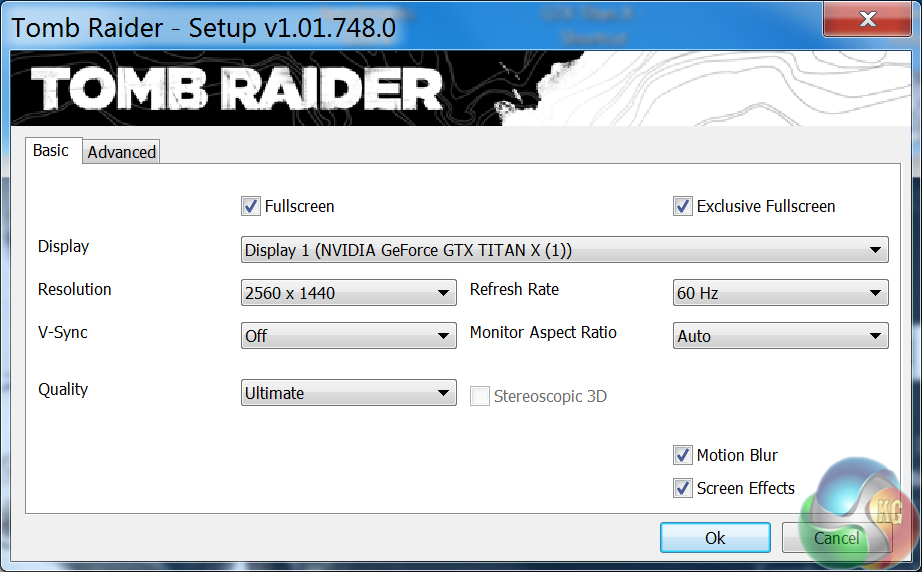
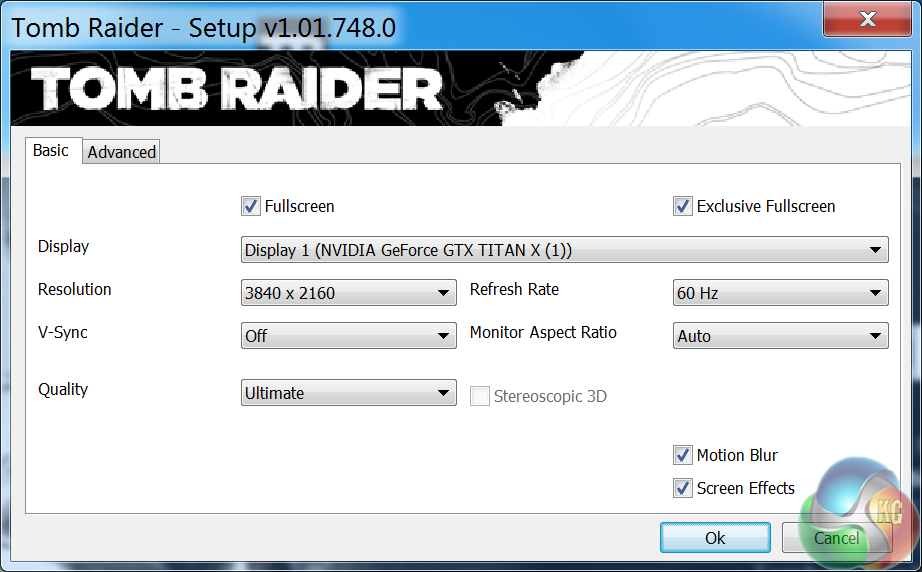
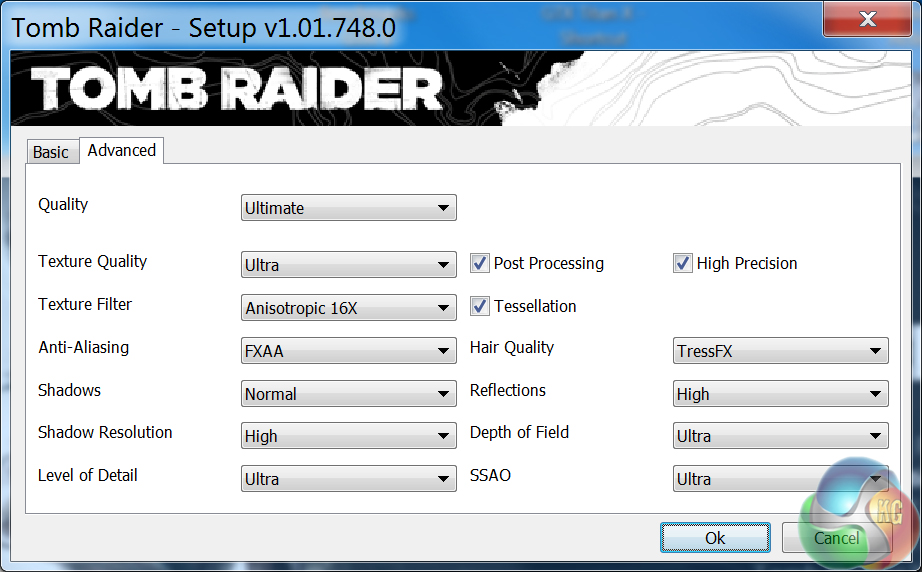
We test using the Ultimate quality profile for both resolutions. The in-game benchmark is used.

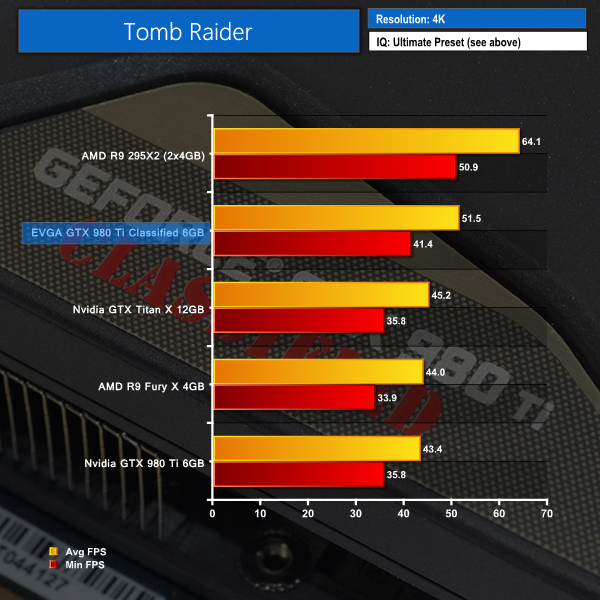
Tomb Raider's stable, consistent game engine continues the performance trend. At 4K, the EVGA GTX 980 Ti Classified out-muscles a reference GTX 980 Ti by almost 19%.
The EVGA card sits nicely inside the targeted frame rate range for a 4K G-Sync monitor.
The tests were performed in a controlled room with temperatures maintained at a constant 25°C – a comfortable summer environment for the majority of people reading this. Idle temperatures were measured after sitting at the desktop for 15 minutes. Gaming measurements were acquired by repeating the GTA V benchmark for 15 minutes and taking the stabilised reading. All fan settings were left on automatic.
The R9 295X2 was tested using Metro: Last Light, rather than GTA V, due to its operating bug with the latter.
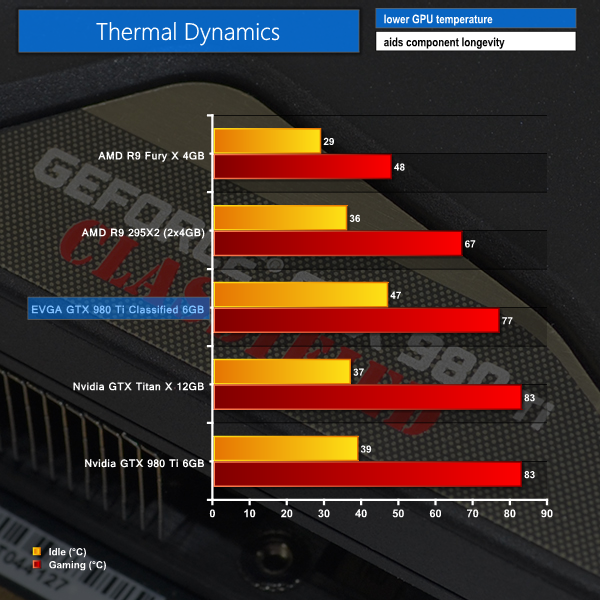
AMD's cards and their AIO liquid cooling units take convincing performance leads in the thermal performance chart. Actual operating temperatures of those cards will vary heavily based on radiator positioning, however they are always likely to outperform the air-cooled solutions even if the cards themselves consume more power at any point of usage. That's the benefit of using liquid to dump large packets of heat onto a dense radiator.
The 0dB mode of EVGA's card sees idle temperatures register 47°C. This is comfortable for a card that is silently sat at the Windows desktop or just browsing the web. Load temperatures hit 77°C, which leaves a safe margin between the 83°C thermal threshold of Nvidia's GTX 980 Ti GPU.
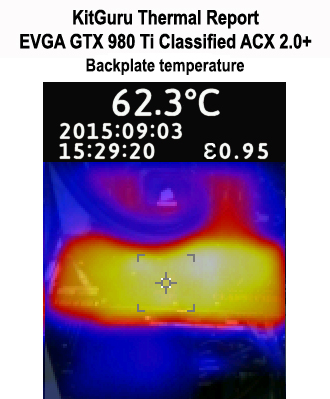
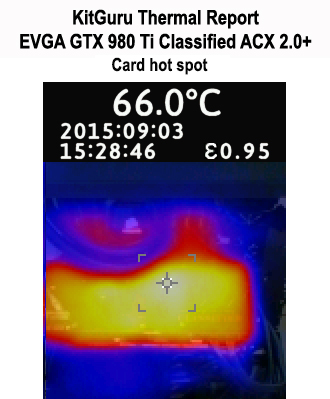
This is pretty much exactly how a graphics card backplate should be implemented. The intelligent design and contact points ensure that heat is effectively spread away from the GPU core area to all ends of the metal backplate. This increases the effective cooling surface area and allows more heat to be removed from the card.
A temperature difference of less than 10°C between the hottest and coolest parts of the backplate speaks volumes for the superb effectiveness of EVGA's design. And a maximum hot-spot temperature of 66°C (behind the power delivery MOSFETs) is no cause for concern, even if cables or cooler tubing are in physical contact with the area.
We measure graphics card acoustic emissions in our test system while all other fans are disabled, leaving our Corsair H100i's pump unit as the sole noise-producing component.
We measure at a distance of around 1m from the front of the test system and around 1m from the ground. The positioning of a graphics card's AIO liquid cooler (if the card has one) will have a noticeable effect on the recorded sound level and the system's perceived loudness.
Unfortunately the city-centre positioning of my particular test location creates a relatively high ambient noise level of a little over 40 dBA. This has an effect on the perceived loudness of each card at the lower end of the noise scale.
KitGuru noise guide
10dBA – Normal Breathing/Rustling Leaves
20-25dBA – Whisper
30dBA – High Quality Computer fan
40dBA – A Bubbling Brook, or a Refrigerator
50dBA – Normal Conversation
60dBA – Laughter
70dBA – Vacuum Cleaner or Hairdryer
80dBA – City Traffic or a Garbage Disposal
90dBA – Motorcycle or Lawnmower
100dBA – MP3 player at maximum output
110dBA – Orchestra
120dBA – Front row rock concert/Jet Engine
130dBA – Threshold of Pain
140dBA – Military Jet takeoff/Gunshot (close range)
160dBA – Instant Perforation of eardrum
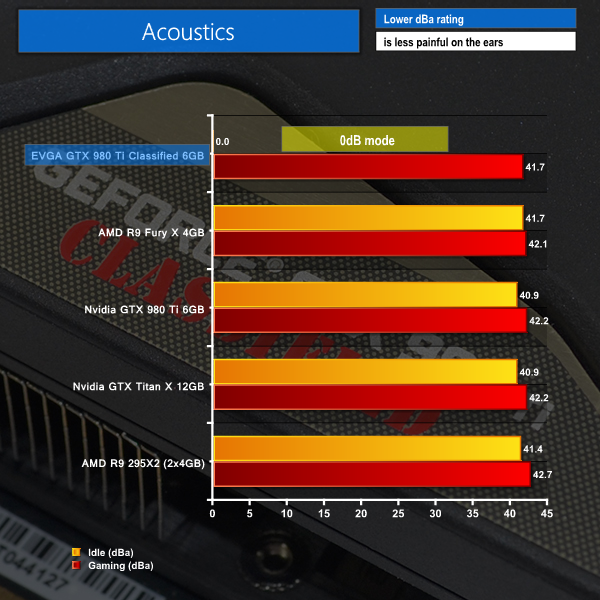
EVGA's fans remain stationary for GPU temperature levels of less than 60°C. This is ideal for helping to create a truly silent system that has ample cooling potential when it is required. At load, EVGA's card was barely audible and was far from intrusive. It was also the quietest of all the cards that I have tested as comparison data.
The high ambient noise in my city-centre test location makes it difficult to record acoustic differences between each card. I can, however, say that subjective listening proved that EVGA's solution was virtually inaudible at lower fan speeds and was barely audible when hitting the maximum – 44% – fan speed level that we recorded.
I would have no complaints about sitting next to the fully loaded card all day long – it was noticeably quieter than all competing solutions (even those with AIO liquid coolers) when sat close to the test system. Coil whine was non-existent on our sample.
We measure the amount of power drawn from the wall by the entire test system. Our Core i7-5960X CPU is heavily overclocked and has a large bearing on the power draw readings when it is heavily loaded in GTA V (our chosen game for system readings). The important information is the difference in power draw levels between each card.
As already pointed out, the R9 295X2 was tested using Metro: Last Light, rather than GTA V, due to its operating bug with the latter.
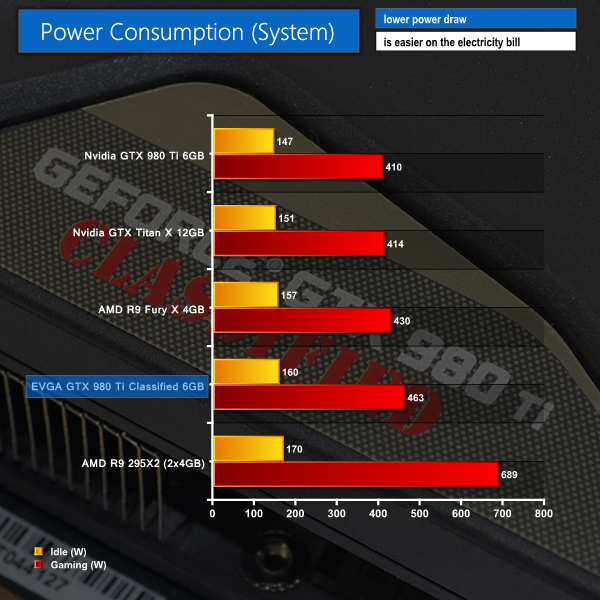
Unsurprisingly, EVGA's factory-overclocked GTX 980 Ti Classified consumes more energy than the reference board, despite its enhanced power delivery system design. An extra 53W on top of the GTX 980 Ti reference board power draw puts EVGA's GTX 980 Ti Classified right on its 300W rated TDP.
That 20% increase in board power for the EVGA card is directly proportional to some of the performance increases that were observed in certain tests.
We know that the GM200 GPU has far more headroom in it than reference or board partner speeds would suggest, so we pushed to see how far we could overclock EVGA's GTX 980 Ti Classified graphics card.
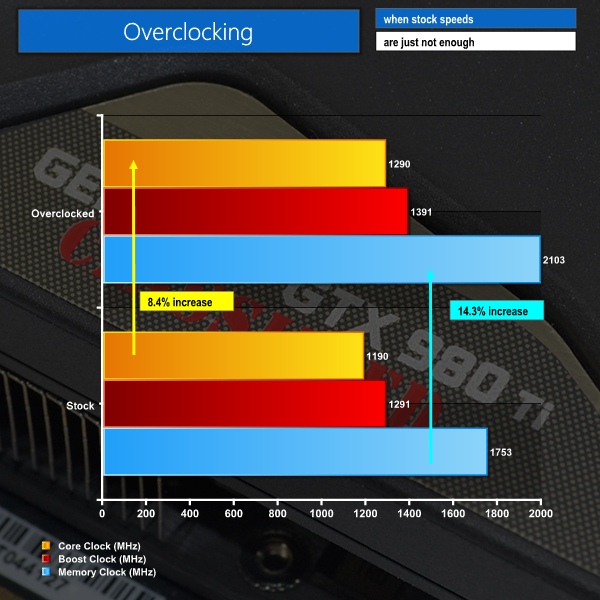
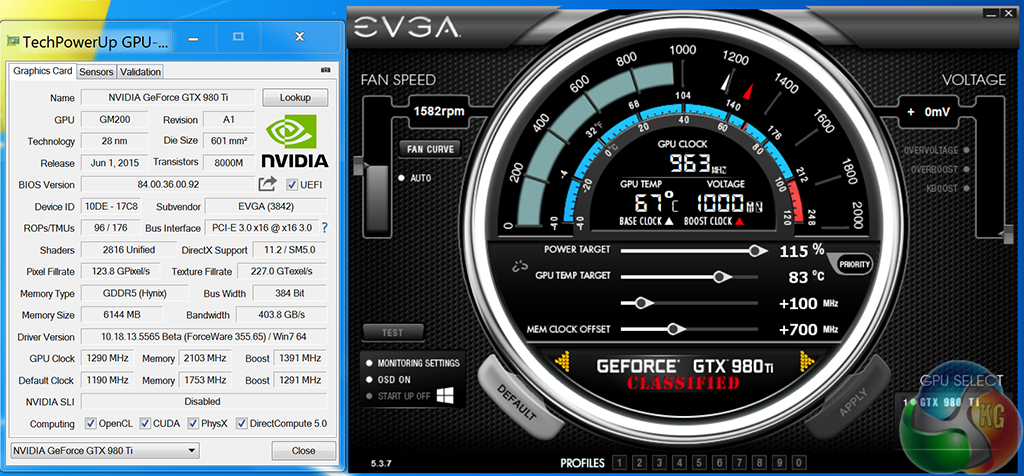
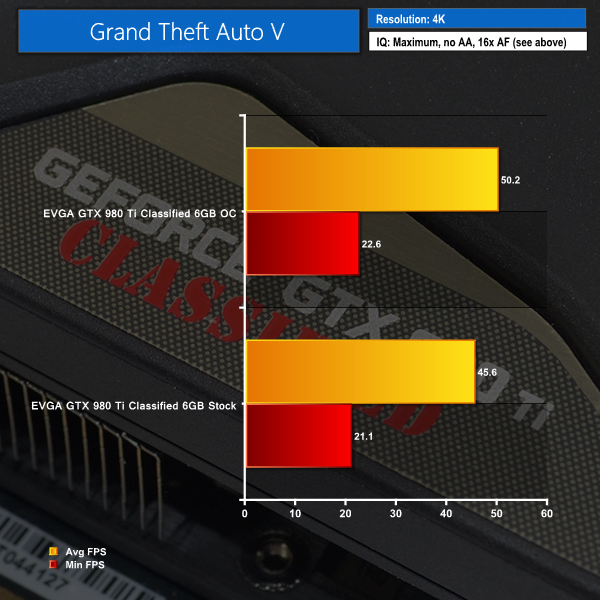
Adding an extra 100MHz onto a core which is already overclocked 190MHz beyond reference is a good result. We saw the core clock hit 1492MHz and stabilise there while gaming. EVGA tells us that they expect the board to be capable of core clocks around the 1500-1550MHz mark without any additional voltage being applied.
The memory frequency boost was particularly impressive, at 350MHz. This netted us a final memory data rate of 8.4Gbps effective.
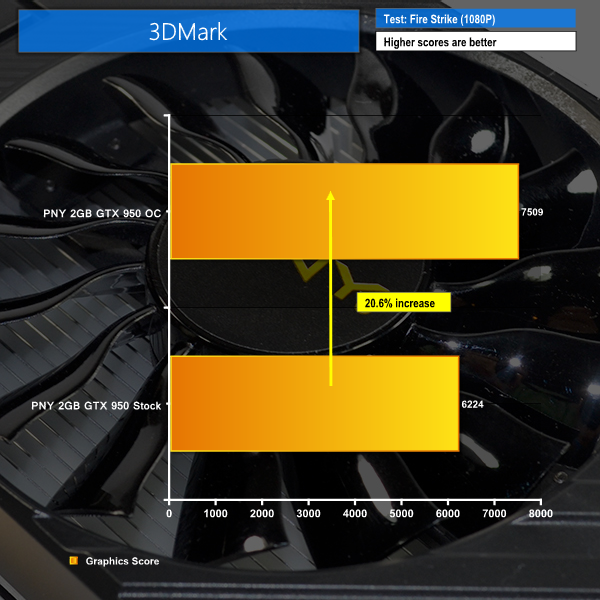
Our straightforward overclock rendered performance boosts of 12% in 3DMark and 10% for GTA V. Maximum board power consumption also increased by around 30W and the core ran 1°C hotter while also increasing fan speed by three percentage points.
The EVGA GTX 980 Ti Classified ACX 2.0+ is a well-designed graphics card that uses its enhanced power delivery system and twin-fan cooler to operate at almost 1400MHz out-of-the-box.
EVGA ships the card with a core clock of 1190MHz and a rated boost speed of 1291MHz, making this the company's second-fastest GTX 980 Ti solution. While a 190MHz increase over the reference core clock is impressive, some competitors (notably Asus, Zotac, and KFA2) do indeed ship their cards with higher rated core frequencies. Nevertheless, EVGA's card stabilised at 1392MHz on the core while gaming.
Overclocking performance from EVGA's solution was strong. We netted an additional 100MHz on the core without even increasing the voltage level. Simply adding 100MHz to the core clock and increasing the power limit by 15% resulted in a maximum recorded frequency of 1492MHz during games. Memory hit an impressive 2103MHz for an effective bandwidth of 8.4Gbps.
EVGA's ACX 2.0+ cooler is an effective solution. The company has proven that a combination of flattened heatpipes, dense fin arrays, and dual 100mm fans are perfectly capable of taming an overclocked GM200 GPU. Beneath the heatsink is EVGA's MMCP (memory MOSFET cooling plate) which helps to remove heat from the important memory chips and power delivery components.
The chosen fans operated quietly and cooling effectiveness of the backplate was superb. Other than no clear control for the subtle LEDs, I do not see much to dislike about the card's design, although its physical dimensions may create clearance headaches. With that said, this card (and its supplementary LN2-orientated BIOS and EVBot connection) is designed for overclockers who are unlikely to cram it inside a SFF chassis.

At a penny shy of £600 at OverclockersUK, the EVGA GTX 980 Ti Classified ACX 2.0+ is one of the most expensive air-cooled GTX 980 Ti solutions on the market. But geared as an overclocking product thanks to its selectable BIOS chips and EVBot support, and backed by a heavily tweaked PCB with a 14+3 phase power delivery system, it is hard to argue that the price premium is unjustified.
Discuss on our Facebook page, over HERE.
Pros:
- Strong factory overclock and out-of-the-box operating frequency.
- Well-designed cooling solution.
- Quiet operation, with silent fans up to 60°C.
- Dual BIOS chips with switch and EVBot support.
- 14+3 phase power delivery system, with no coil whine.
- Superb after-sales and warranty services from EVGA.
Cons:
- Not the highest factory-overclocked GTX 980 Ti solution.
- Memory is barely overclocked out-of-the-box.
KitGuru says: EVGA's GTX 980 Ti Classified ACX 2.0+ is a well-designed solution that has serious potential to push much further than its factory clocks, and has the overclocker features to assist in doing so.

I’ve just purchased the EVGA 980 ti Hybrid model – Cannot wait!
my mate’s mother makes $98 consistently on the PC………After earning an average of 19952 Dollars monthly,I’m finally getting 98 Dollars an hour,just working 4-5 hours daily online….It’s time to take some action and you can join it too.It is simple,dedicated and easy way to get rich.Three weeks from now you will wishyou have started today – I promise!….HERE I STARTED-TAKE A LOOK AT…..ufk..
➤➤➤➤ https://googlehighvaultconfirmedjobshubonline/earn/$98/hour…. ⚛⚛⚛⚛⚛⚛⚛⚛⚛⚛⚛⚛⚛⚛⚛⚛⚛⚛⚛⚛⚛⚛⚛⚛⚛⚛⚛⚛⚛⚛⚛⚛⚛⚛⚛
congrats .
I did this, had to RMA because of loud faulty pump, new one was better but still at idle the pump was annoying, so bought this Classified and OH MY G*D! Cheaper, Quieter, better overclocking, massive PCB and only 10c hotter. Wish I bought the Classified to begin with lol
You could liquid cool the classified as well if you want.