KitGuru KitGuru.net – Tech News | Hardware News | Hardware Reviews | IOS | Mobile | Gaming | Graphics Cards


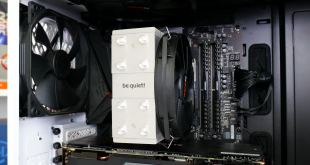
Targeting users who desire solid CPU cooling with minimal RAM and VRM heatsink interference, be quiet! today launches the Shadow Rock Slim 2. Available at £43.99 in the UK ($45.90 USD, 45.90 Euros), the be quiet! Shadow Rock Slim 2 is situated in the mid-range CPU cooler territory.
Video Timestamps:
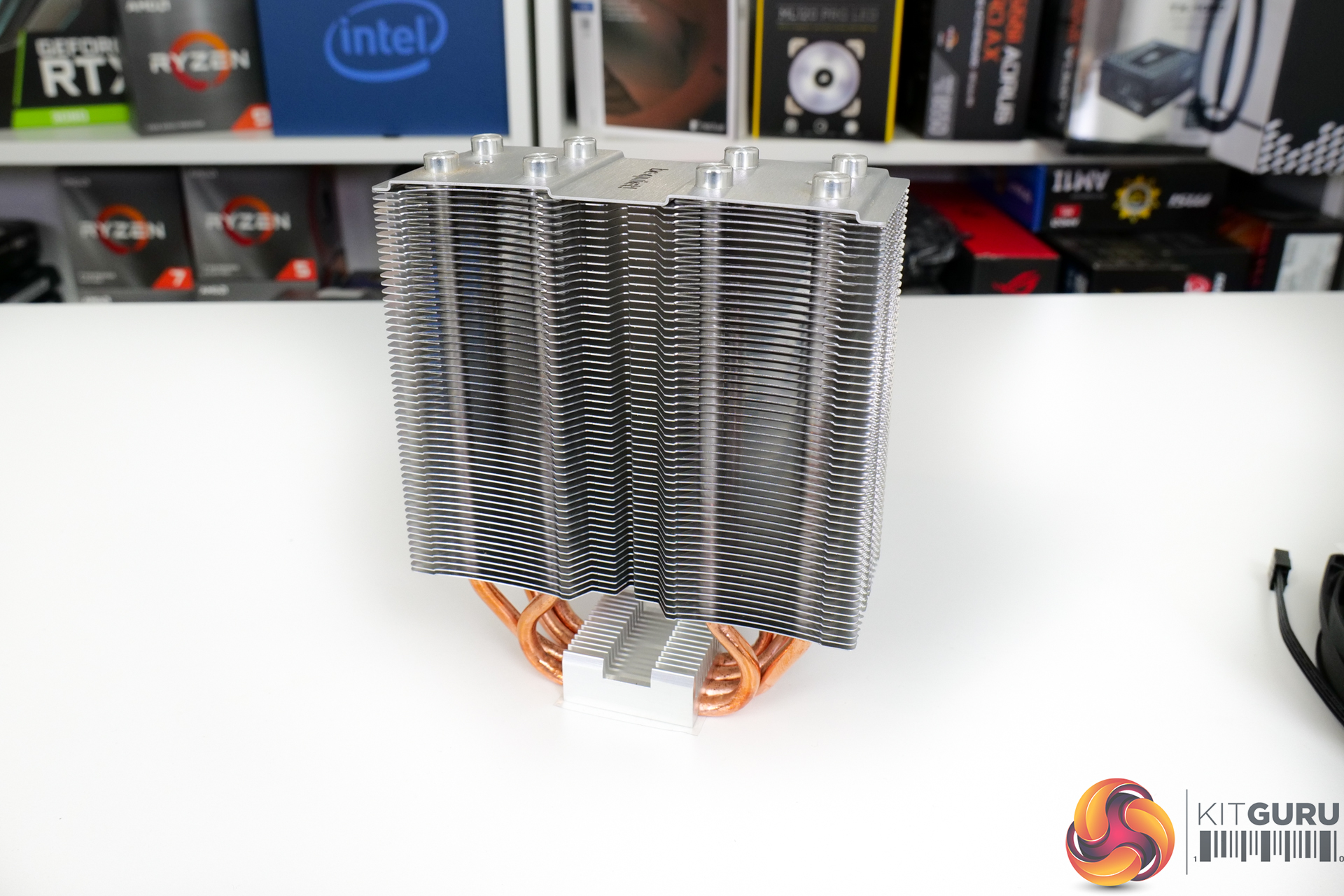
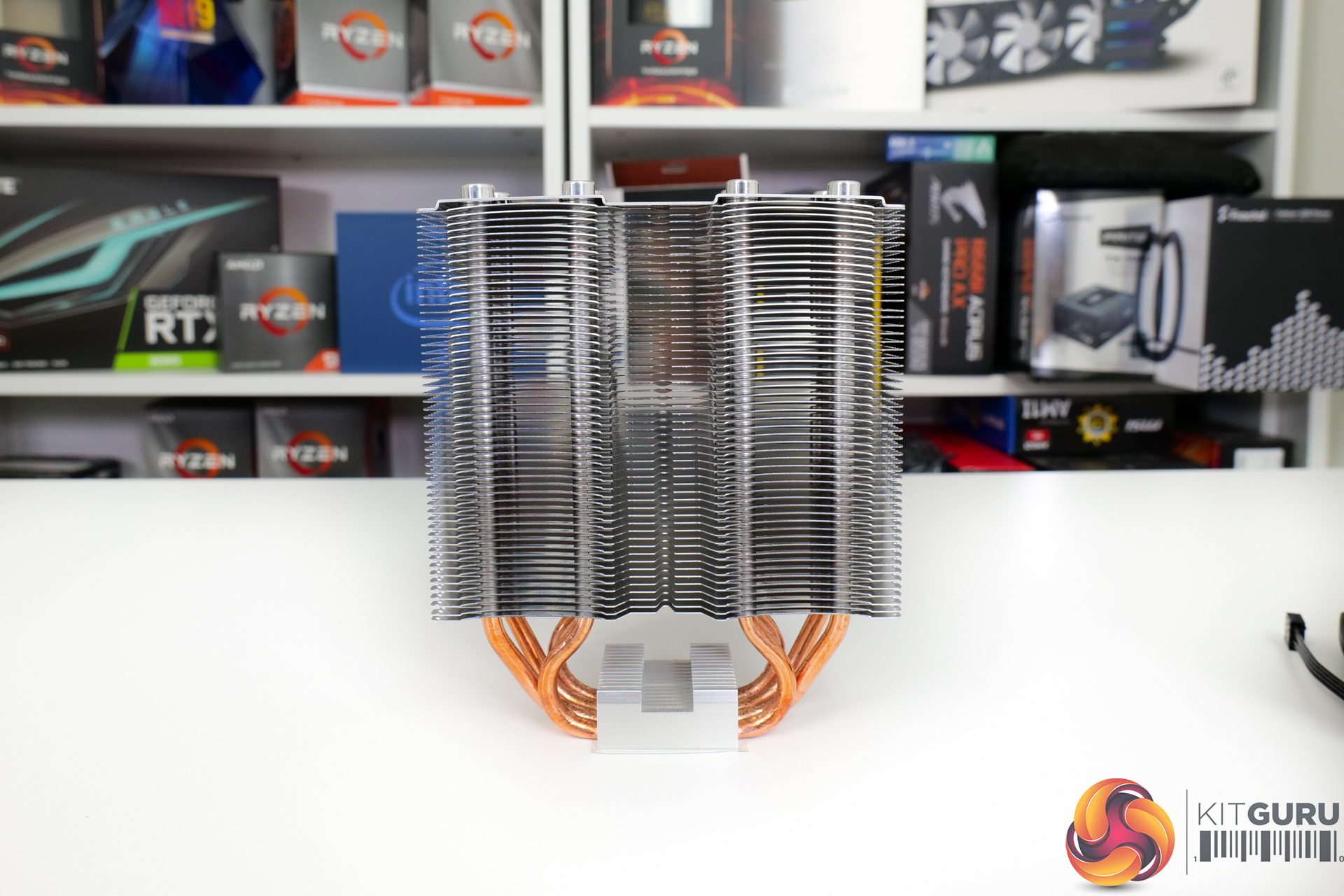
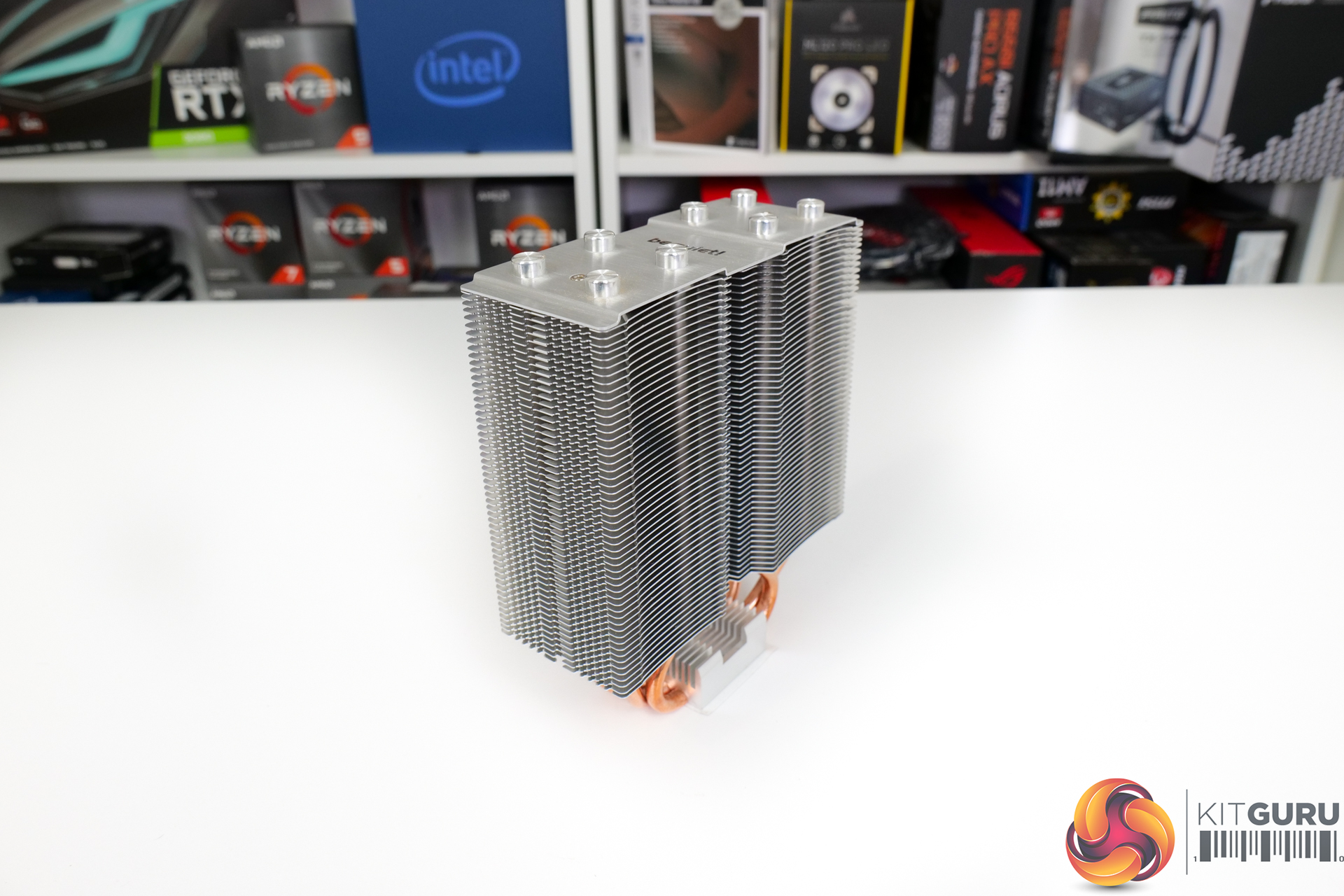
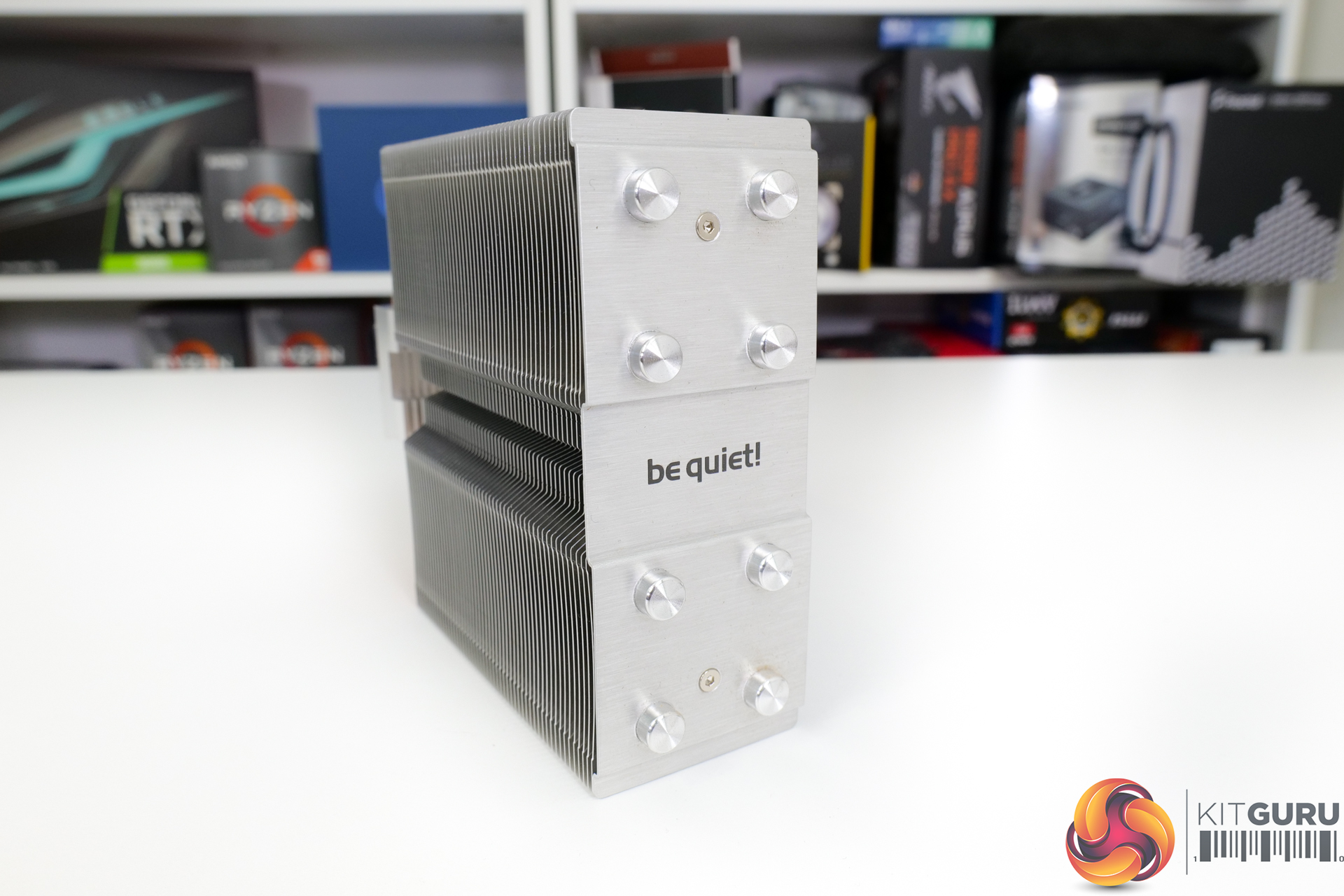
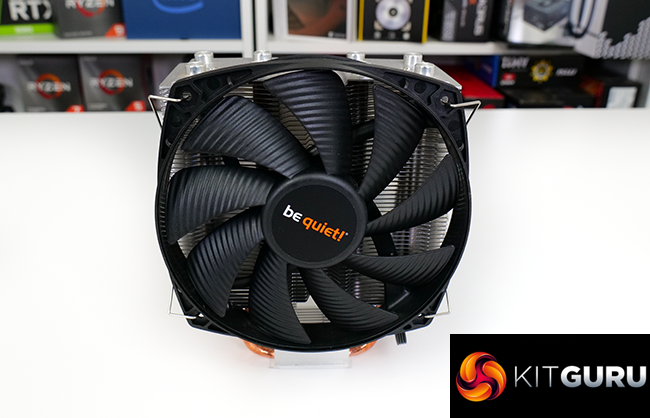
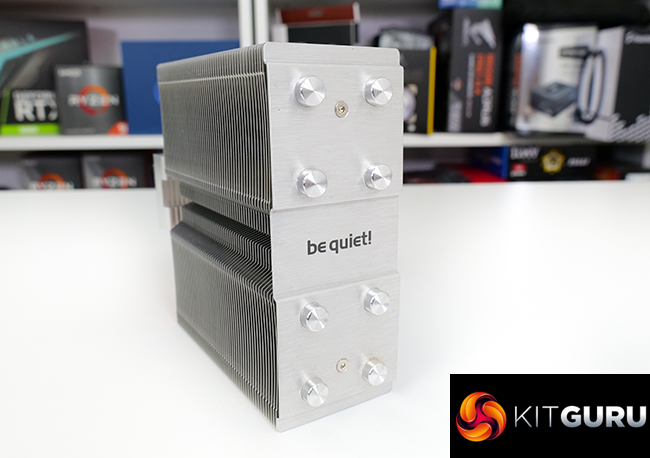
Starting out with a look at the heatsink itself, be quiet! has gone for a standard silver fin array that is typical for the company’s mid-range price point offerings. A solid top plate holds the black text be quiet! logo and 8 silver caps are used to mask the copper coloured heatpipe tops – a quality touch for aesthetic consistency.
There is no denying that the cooler is a bit dull and conventional in terms of appearance.
The heatsink is symmetrical in form down an X and Y-axis centreline. That means that the fattened sections of the fin array are found on either side of the centre point. Somewhat surprisingly, though, there is no offset design for additional RAM clearance. be quiet! seems to think that the Shadow Rock Slim 2’s design is narrow enough already to make RAM interference no concern.
The single tower fin array is made up of 52 aluminium fins and has dimensions of 130mm wide, 161mm tall, and 52mm thickness.
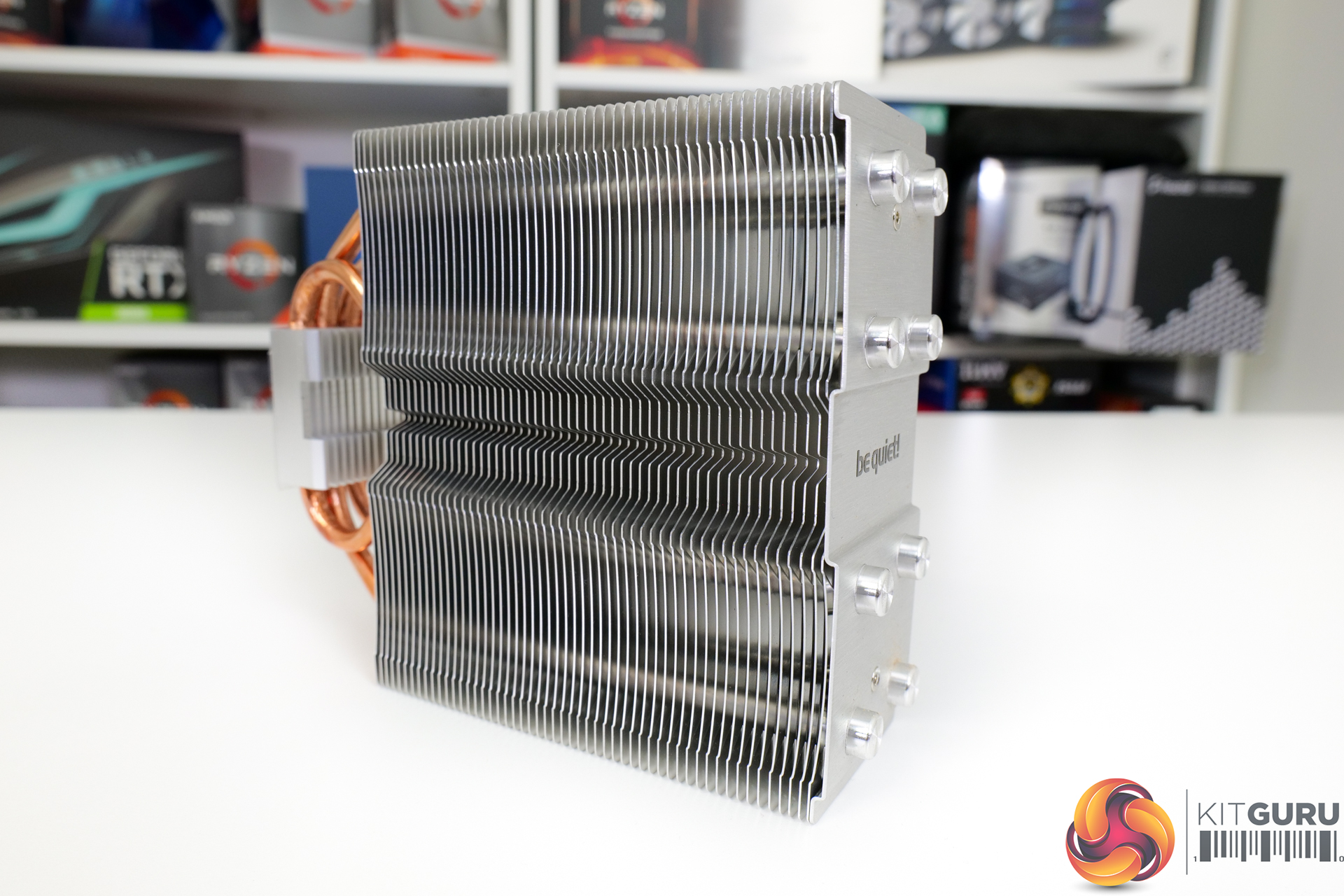
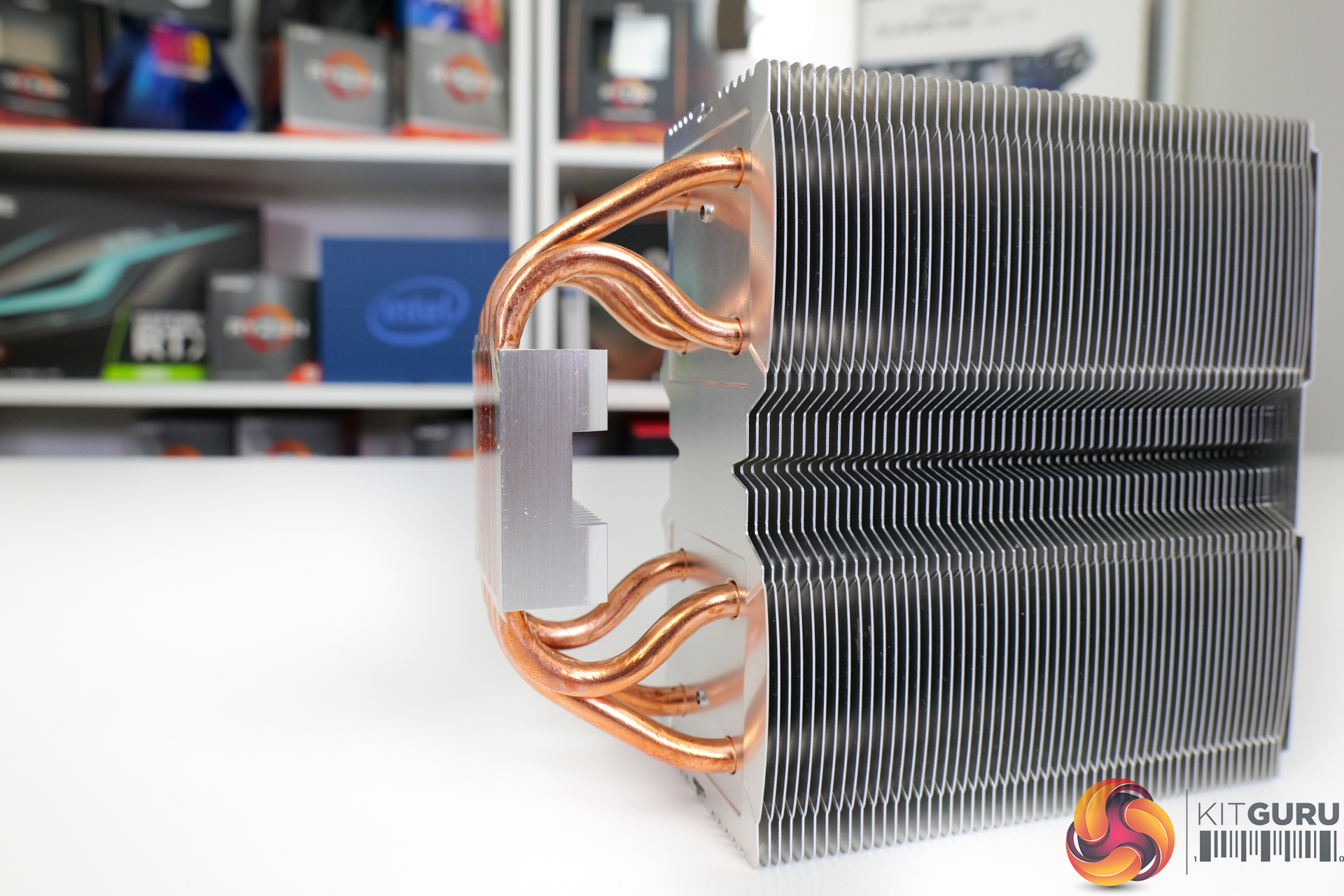
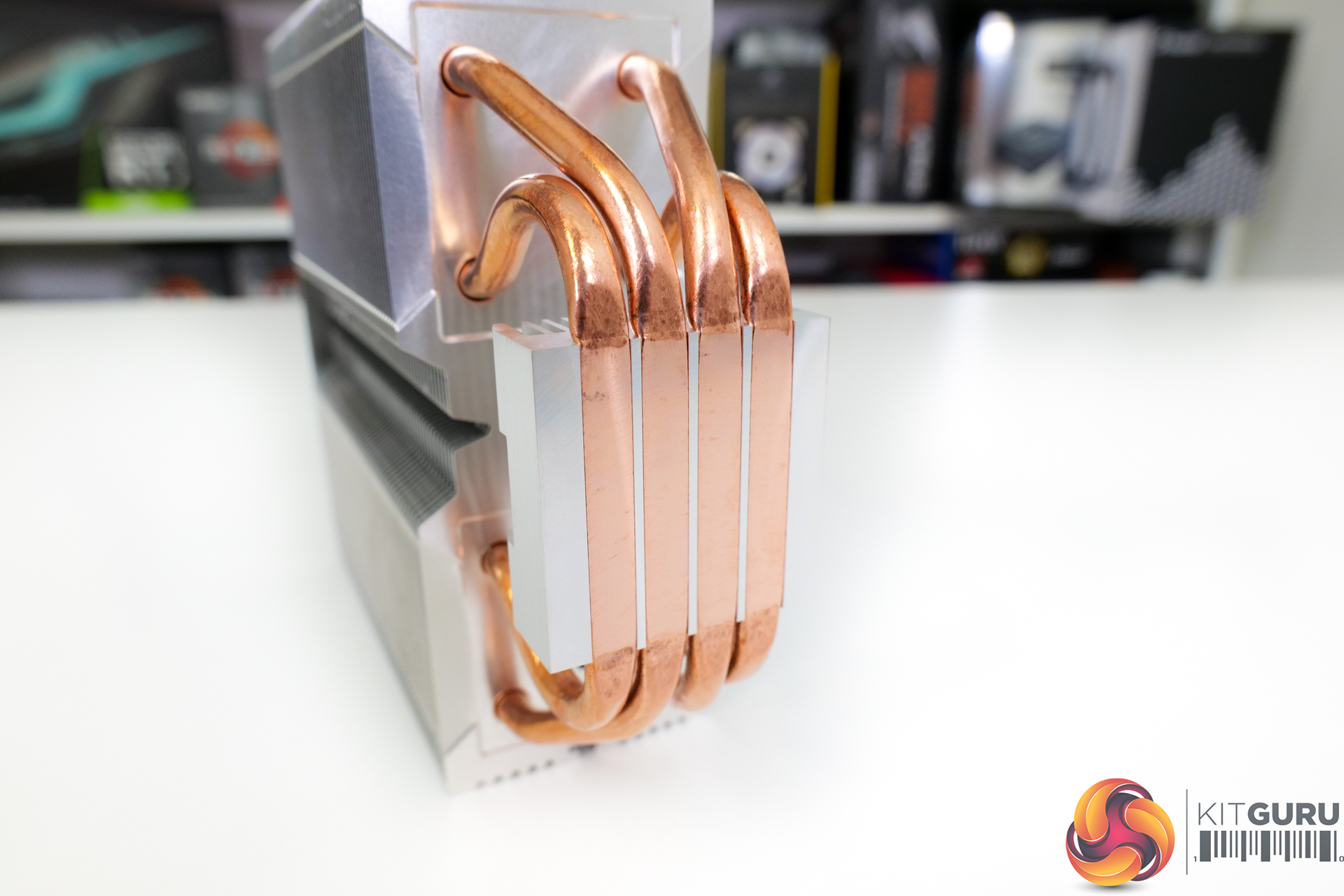
Running through the aluminium fin array are four 6mm diameter copper heatpipes that come from the Heatpipe Direct Touch (HDT) base. As we would expect from a single tower heatsink, these are mounted in a U-shaped orientation. Two heatpipes position towards the front side of the fin array, and two towards the rear – at different positions behind the fan of course.
be quiet! gives the cooler a 160W TDP rating (whatever that means), making the HDT design a sensible solution, especially given the cost benefits. There is a gap between the flattened sections of the four copper heatpipes at the base. This is filled in by the aluminium combination structure that helps that heatpipes cover a large physical area. This should help with usage on CPUs with big heatspreaders, such as AMD Ryzen.
Notably, the bare copper colour of the heatpipes is retained rather than them being nickel plated for a little extra durability and improved aesthetics. This looks to be another minor sign of cost cutting to hit the target price.
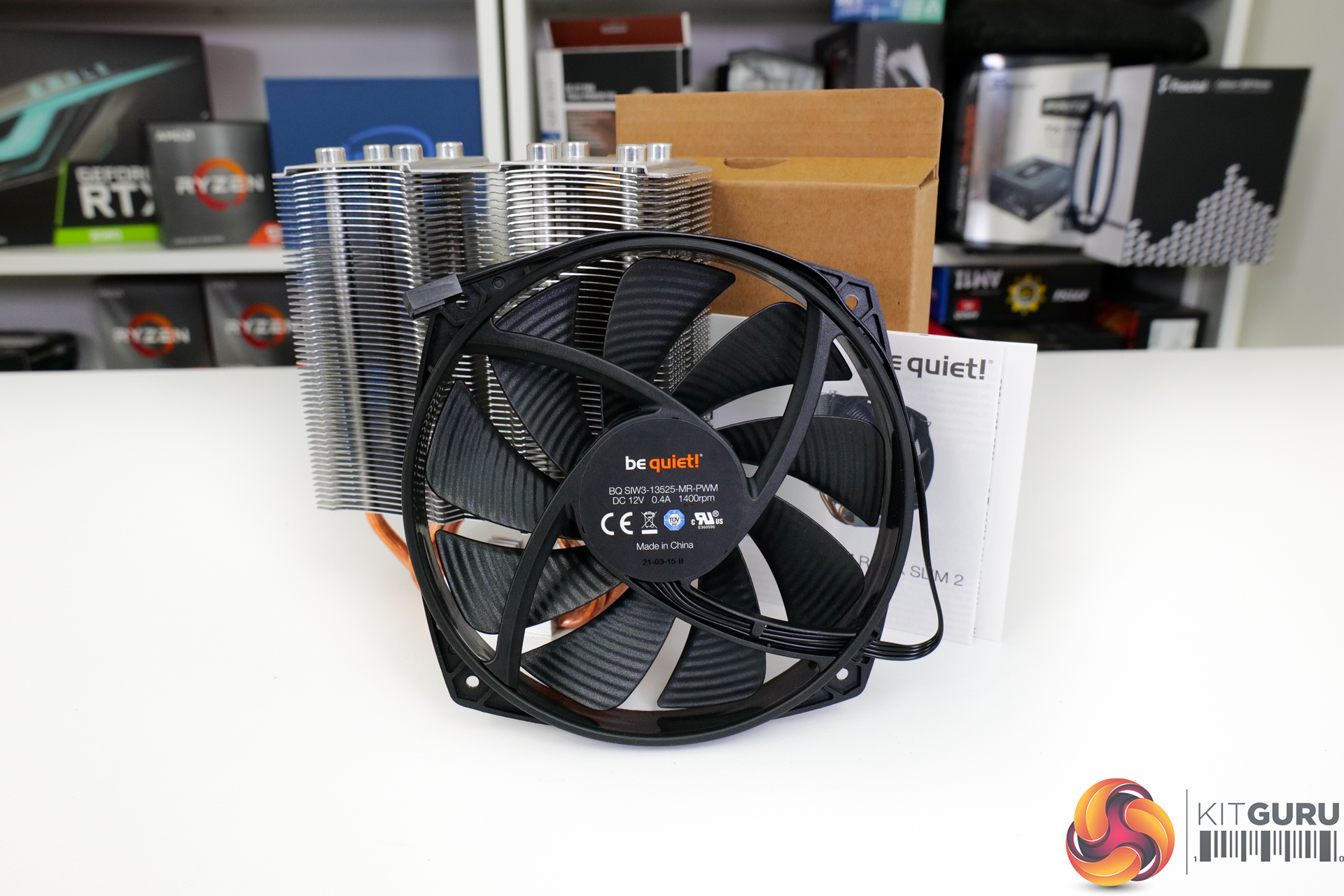
Looking at the fan used on the Shadow Rock Slim 2, be quiet! opts for a 135mm unit with model number BQ SIW3-13525-MR-PWM. be quiet! does not technically call this a Silent Wings 3 fan, though the model code and specifications make it seem like this is likely a Silent Wing 3-class unit. Silent Wings 3 are very good fans, especially if you appreciate the all-black, non-RGB appearance!
This 9-bladed, rifle bearing fan is rated at 1400 RPM top speed and is powered by a 220mm-long 4-pin PWM cable. 1400 RPM is fine for the max speed of a 135mm blower.
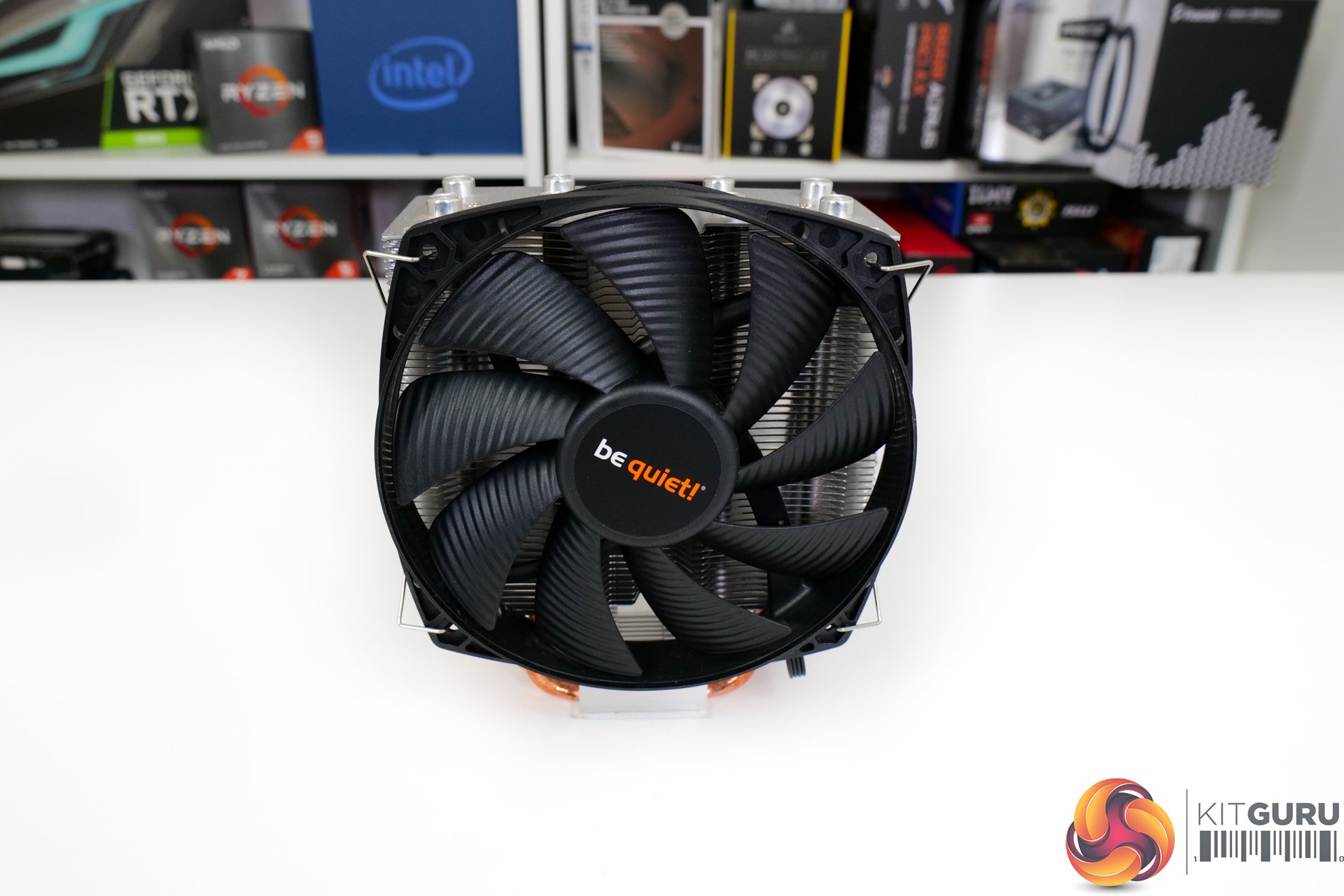
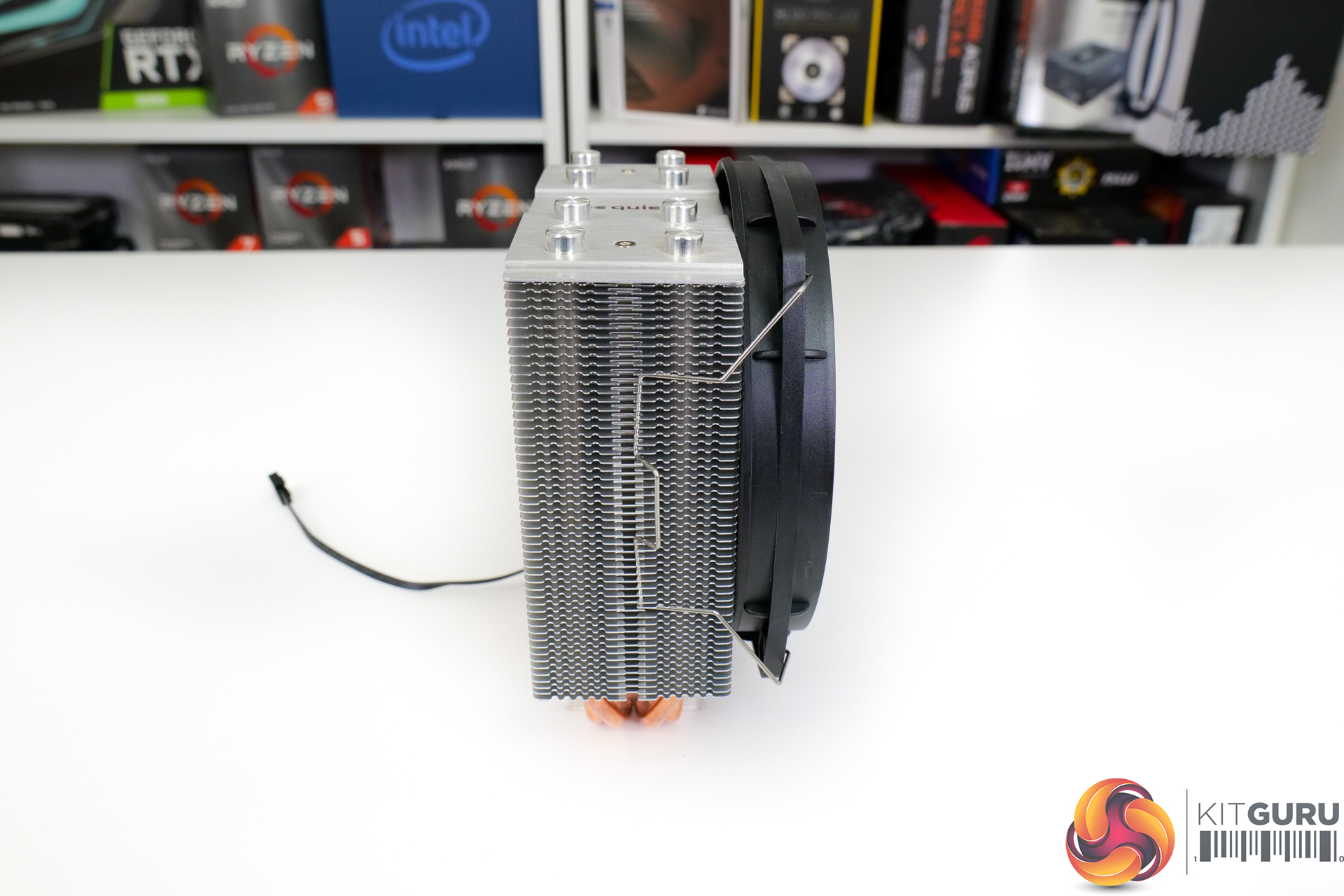
With the fan in place, the cooler extends to 74mm depth. This is because the fan is marginally thinner than normal at 22mm. The weight of the fan plus cooler comes in at 690g.
The fan mount height is variable to an extent thanks to be quiet!’s use of fan clips. You also get a second pair of fan clips for a future push-pull upgrade.
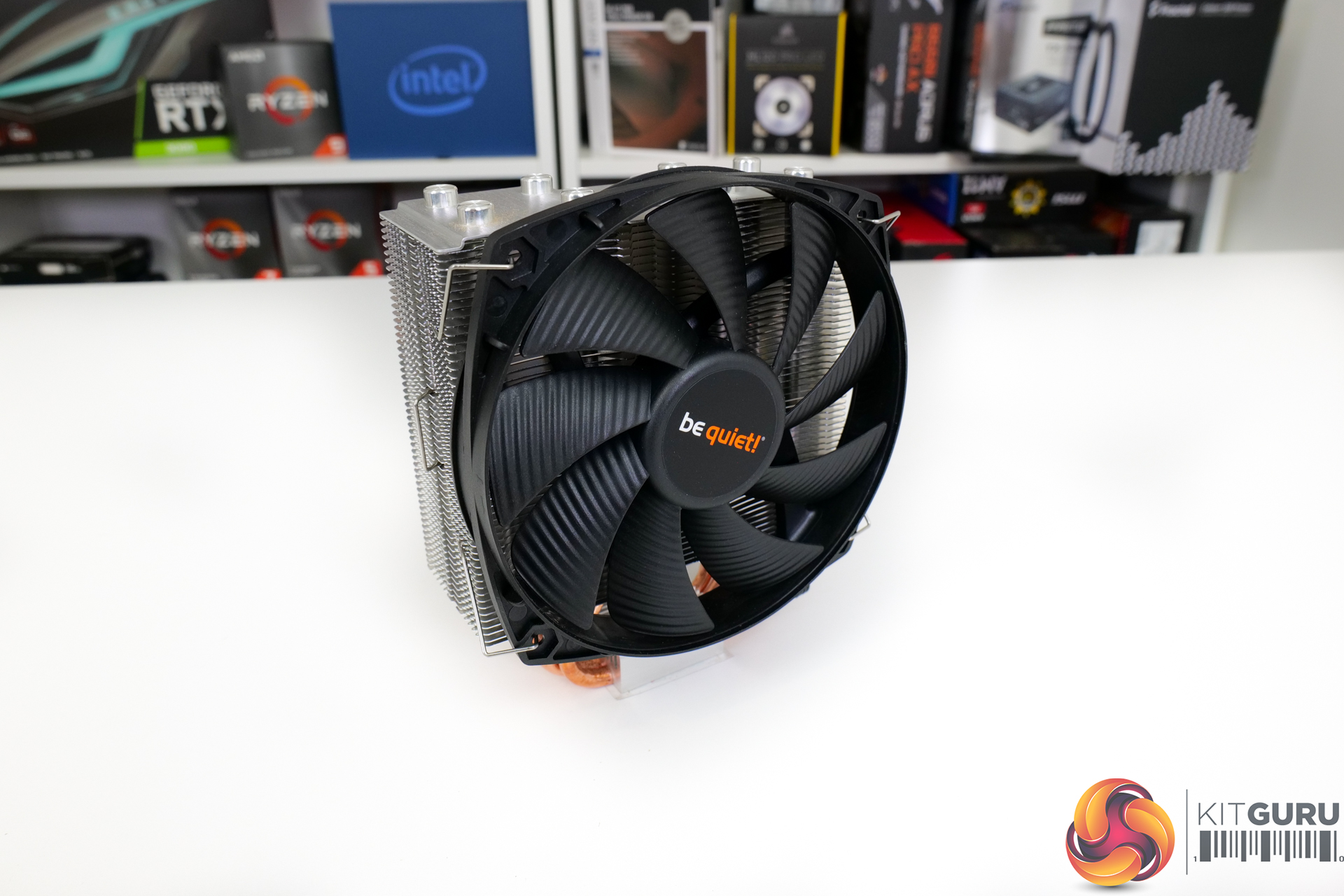
be quiet! sells the Shadow Rock Slim 2 with a 3-year warranty. Given the fan’s rated lifespan of 80,000 hours, we have no real problem with 3 years at this price point.
Specifications and Features (taken from manufacturer webpage):
- Very high cooling capacity of 160W TDP
- An optimized mounting kit for an easier installation in alignment with the airflow
- Four high-performance 6mm heat pipes with HDT technology
- 135mm silence-optimized be quiet! fan with nine airflow-optimized blades, durable rifle-bearing technology and max 23.7dB(A)
- Brushed aluminium top cover
- Three-year manufacturer’s warranty
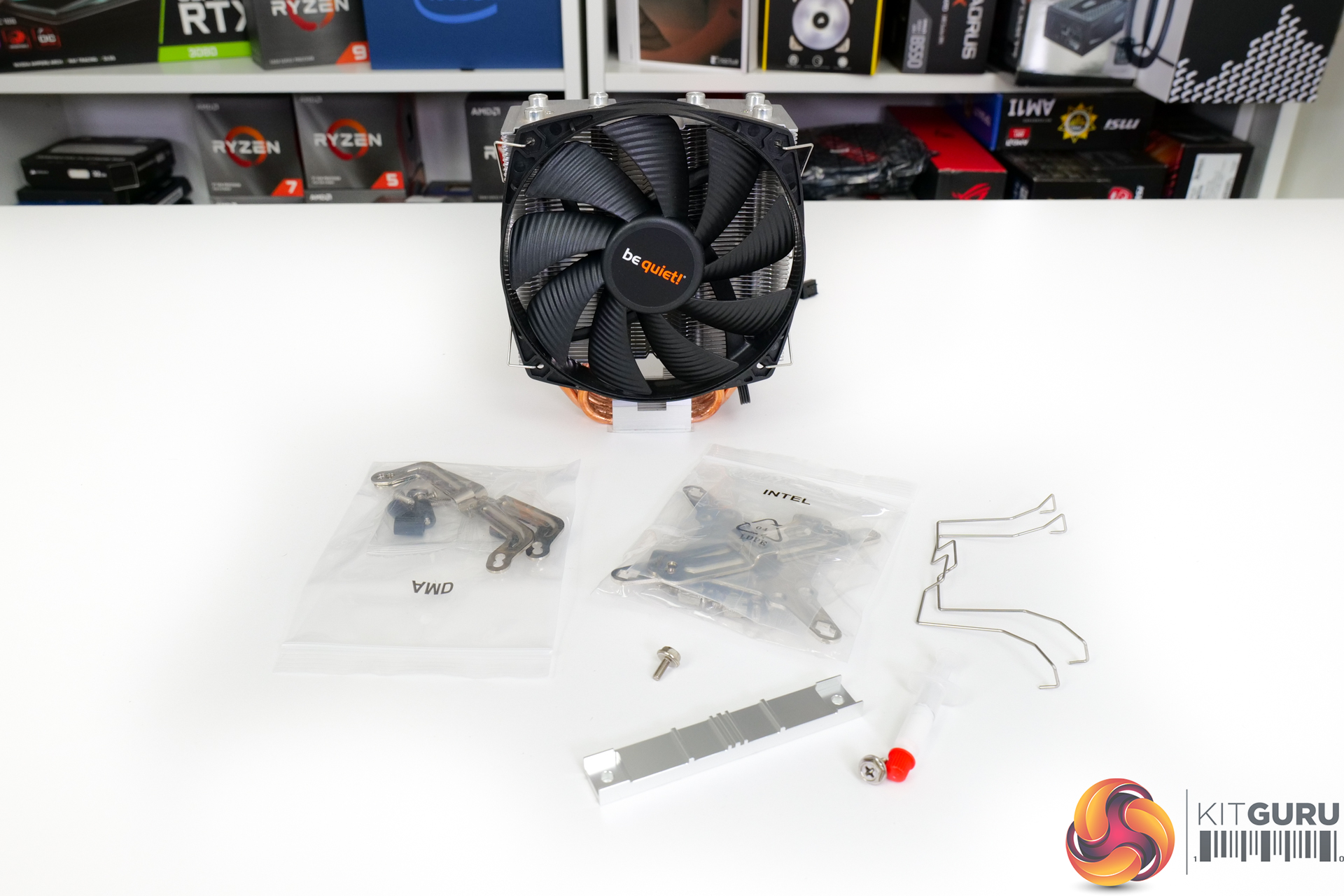
The bundle consists of installation hardware for modern Intel and AMD sockets. There are two additional fan clips for dual fan operation. And modestly sized tube of thermal paste is provided.
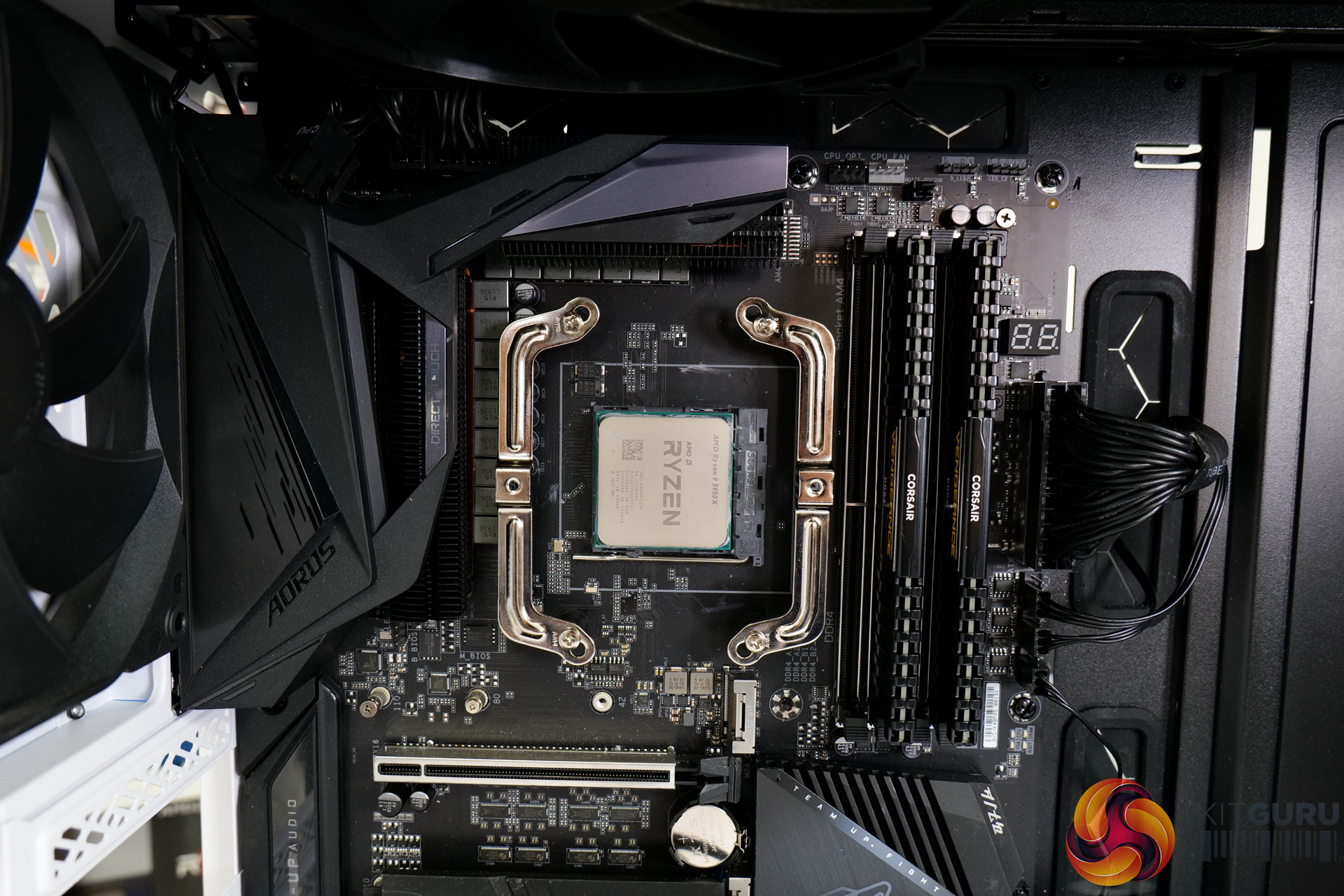
AM4 installation uses the default AMD backplate once the standard AM4 plastic fittings are removed.
In typical be quiet! fashion, you need 3 hands to secure the metal retention clips to the unsecured AMD backplate. be quiet! really needs to make the process of installing the plastic space, metal retention clips, and screws more straightforward.
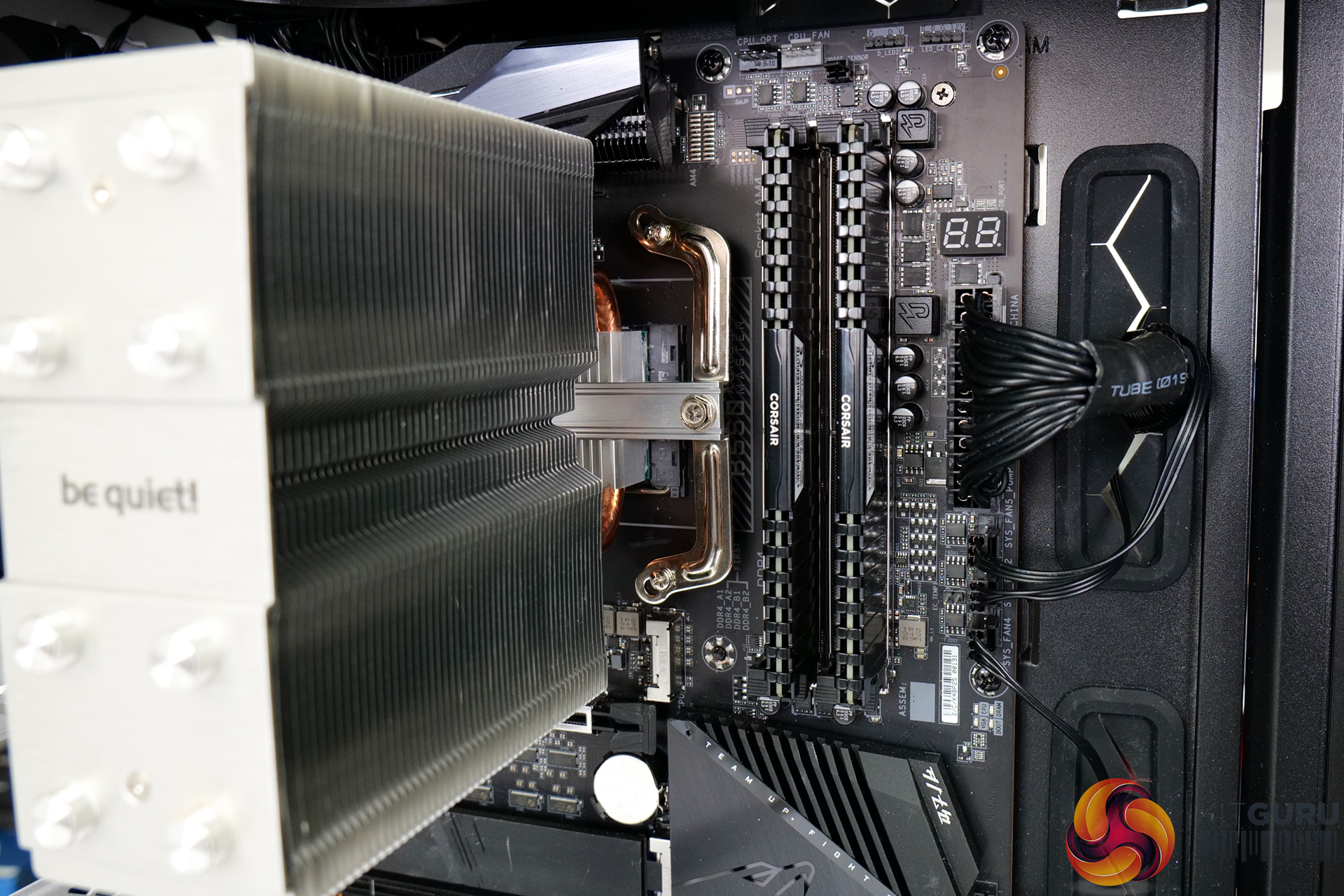
Once the cooler is mounted as desired, a metal cross bar can be screwed down to fix the heatsink in place.
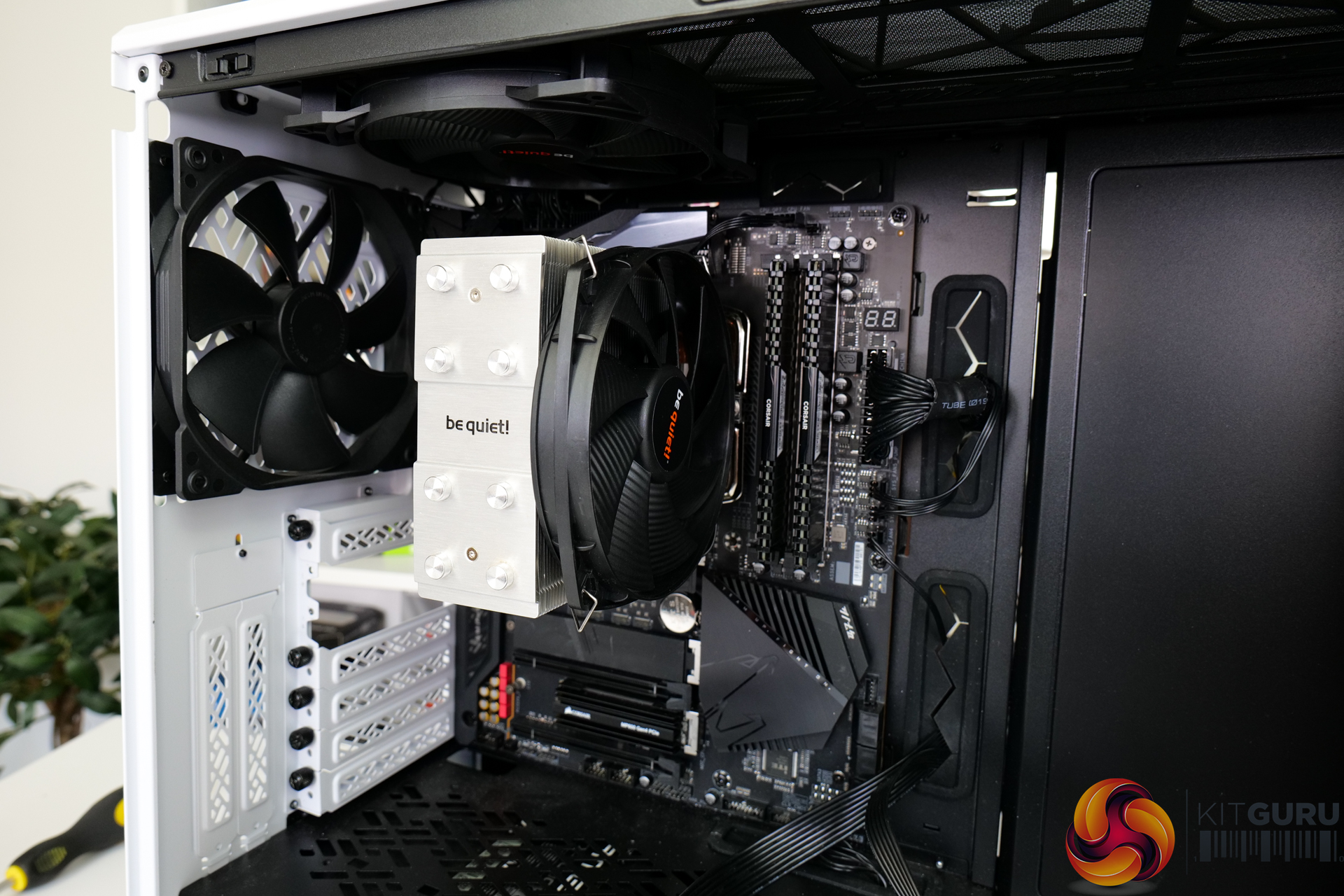
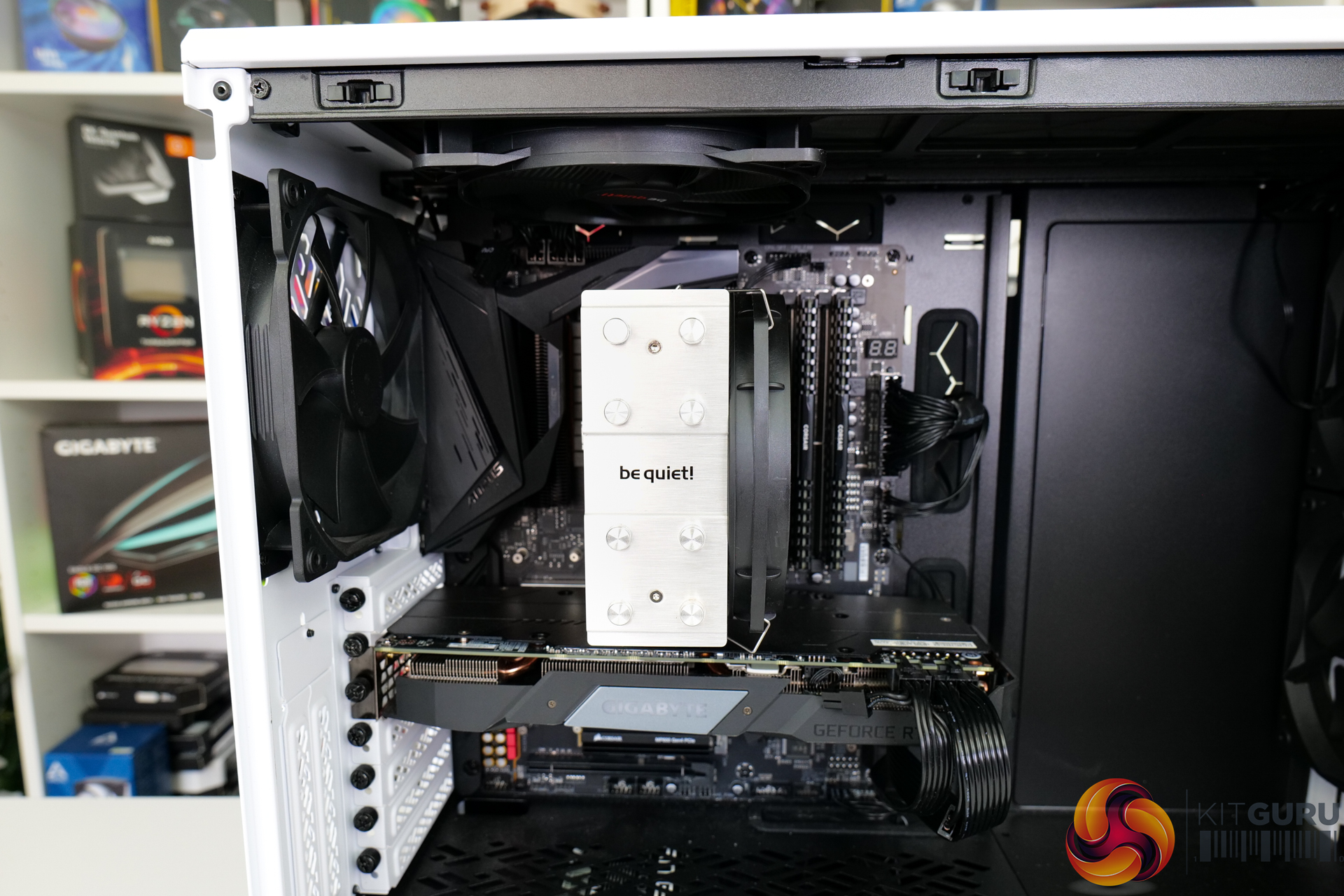
Then the single 135mm fan can be clipped on the front side of the heatsink, with a reasonable degree of flexibility as to the mounting height.
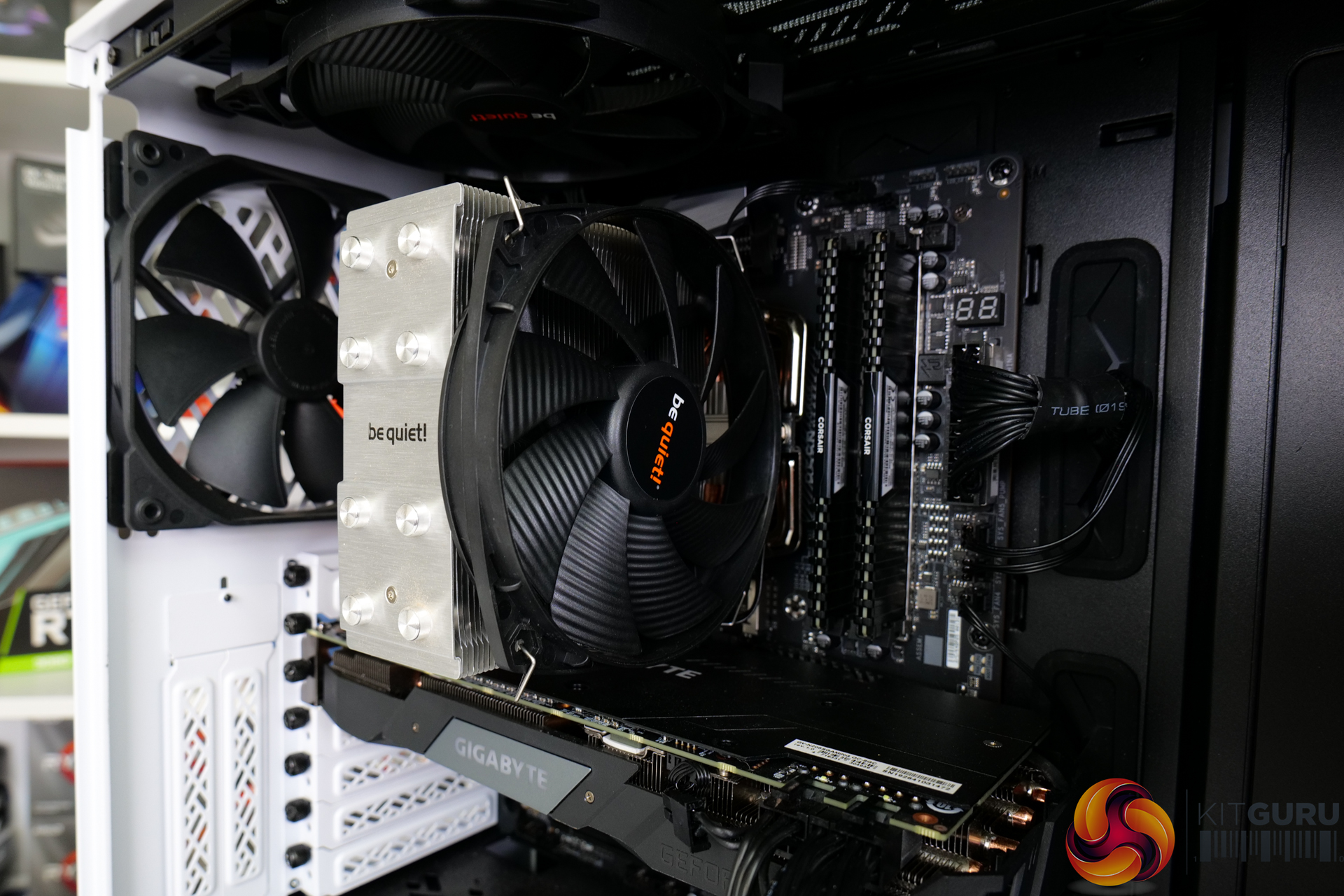
be quiet!’s instructions are clear, the mount is secure, and the process is easy and logical enough to follow.
However, the be quiet! method for preparing AMD mounts with the AMD backplate is not straightforward and always has me wishing for an extra hand.
There are several perfectly valid ways to test CPU coolers. We are primarily focussing on the performance of each cooler at 100% fan speed and also when locked to 40dBA noise output. We will focus on cooling performance using a manual overclock and Precision Boost Overdrive, as well as some reference to stock numbers. We will also highlight VRM temperatures.
Typically, we go for a 4.45GHz overclock, but this was too high for mid-range air coolers. As such, we backed off to a reasonable 4.1GHz fixed frequency and 1.225V BIOS voltage that generates around 180W of CPU package power to deal with. Given the introduction of this new 4.1GHz mid-range cooler test, we currently have limited comparison data. But check back for future review of additional mid-range coolers we have in for testing.
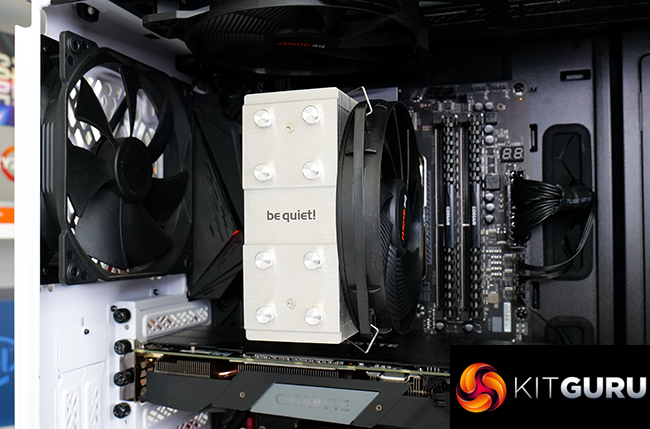
We decided to test using a chassis as we feel that this is most representative of real-world use cases. It does have some unwanted influences on the test data, as does open-air test bench testing. But we feel that this is a worthwhile trade-off for real-world chassis performance of the coolers.
Our chassis of choice is the Fractal Design Meshify 2 case that Leo reviewed and scored very highly. We like this chassis thanks to its high airflow optimisation and well-vented front and top panels.
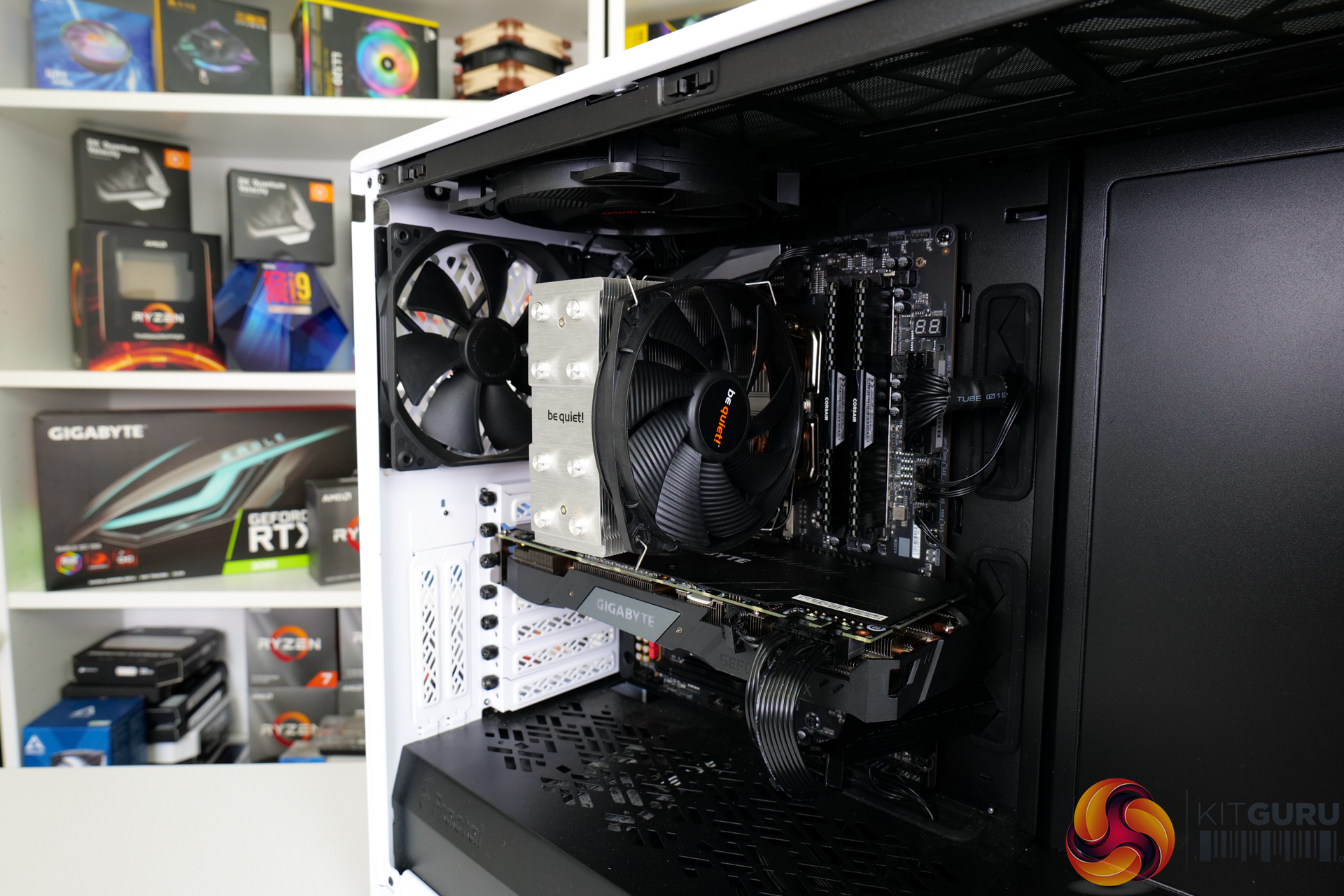
The fan configuration is the three included Fractal Dynamic X2 GP-14 fans spinning at full 1000 RPM speed. In addition to the two 140mm front-mounted fans, and single 140mm rear exhaust, we added a be quiet! Pure Wings 2 1000 RPM 140mm fan as roof exhaust for air cooler testing. The aim here was to keep consistency with the airflow path of the liquid coolers which are always roof mounted.
If you want more details on our CPU cooling test procedures, check out some of our previous articles HERE, HERE and HERE.
CPU Cooling Test System:
- Processor: AMD Ryzen 9 5950X
- Overclocked Settings: 4.1GHz all-core @ 1.225V (UEFI), Medium LLC – around 180W-190W delivered
- Motherboard: Gigabyte B550 Aorus Master
- Memory: 32GB (2x16GB) Corsair Vengeance LPX 3600MHz 16-18-18-36 DDR4 @ 1.35V
- Graphics Card: Gigabyte RTX 2060 Super 0dB Mode
- Chassis: Fractal Design Meshify 2
- Chassis Fans: 2x140mm 1000 RPM Fractal Front Intake, 1x140mm 1000 RPM Fractal Rear Exhaust, 1x140mm 1000 RPM be quiet! Pure Wings 2 Roof Exhaust (for air cooler testing)
- Power Supply: Seasonic Prime TX-1000
- OS SSD: Corsair MP600 NVMe M.2 SSD
- Operating System: Windows 10 Pro 64-bit
Comparison Coolers:
- be quiet! Shadow Rock Slim 2 – £43.99, 1x135mm 1400 RPM Fan
- Zalman CNPS10X Performa Black – around £38, 1x135mm 1500 RPM Fan
- Arctic Freezer 33 eSports One – £29.99, 1x120mm 1800 RPM Fan
- be quiet! Shadow Rock 3 – £44.99, 1x120mm 1600 RPM Fan (operated up to 1750 RPM according to our motherboard sensor)
- be quiet! Silent Loop 2 – £199.99, 2x120mm 2200 RPM Fans, 2800 RPM Pump
- Deepcool AS500 Plus – £64.99, 2x140mm 1200 RPM Fans
- Noctua NH-D15 – £80, 2x140mm 1500 RPM Fans
- Cooler Master MA624 Stealth – £99.99 MSRP, 2x140mm 1400 RPM Fans
- Arctic Freezer 50 – £59.99, 1x140mm 1700 RPM + 1x120mm 1800 RPM Fans
- Cougar Aqua 240 ARGB – £89.99-£99.99 MSRP, 2x120mm 2000 RPM Fans, 3200 RPM Pump
- Silverstone IceGem 240P – £119.99, 2x120mm 2200 RPM Fans, 3000 RPM Pump
- Phanteks Glacier One 360 MP – £154.99, 3x120mm 2200 RPM Fans, 3600 RPM Pump
- G.SKILL Enki 360 AIO – $179.99 MSRP, 3x120mm 2100 RPM Fans, 5000 RPM Pump
- IceGiant ProSiphon Elite – £169.99, 4x120mm 2300 RPM Fans
Testing Methodology:
- For testing, we use a 30-minute looped run of Cinebench R23 and record the steady-state CPU temperature at the end of the test. This ensures that the CPU has had ample time to warm up and reach steady state under all of the coolers.
- Ambient is maintained around 23-25 degrees Celsius. Where there is variation beyond this temperature range, we add in extra repeated tests to ensure consistency.
- We also test each cooler with at least two fresh installs (typically three) to mitigate the likelihood of a dodgy mount spoiling results.
Let’s start off with noise performance from each cooler at 100% fan speed.
This is important as it sets the precedence for which coolers we expect to deliver the higher levels of performance based on the faster and louder fans. Assuming that their performance is efficient in comparison to their noise output levels, that is.
The chassis fans are disabled, all case panels are on, and the sound meter is placed 12 inches from the side of the Fractal chassis’ glass side panel – roughly where a desk user will be sat.
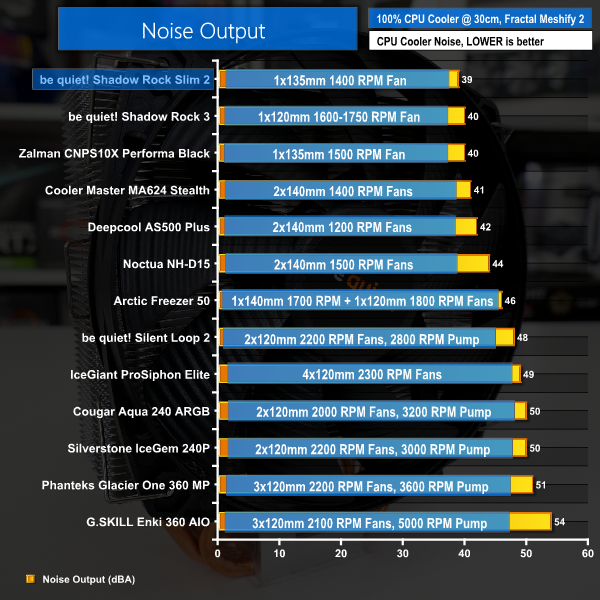
Rounding up to 39dBA at our usual 12-inch test distance from the Fractal chassis, be quiet!’s noise performance from the Shadow Rock Slim 2 is outstanding. In fact, this is the quietest CPU cooler that we have tested to date.
The decision to use a single 135mm fan that runs at a modest 1400 RPM and roughly translates into Silent Wings 3 type specs has been vindicated from a noise perspective.
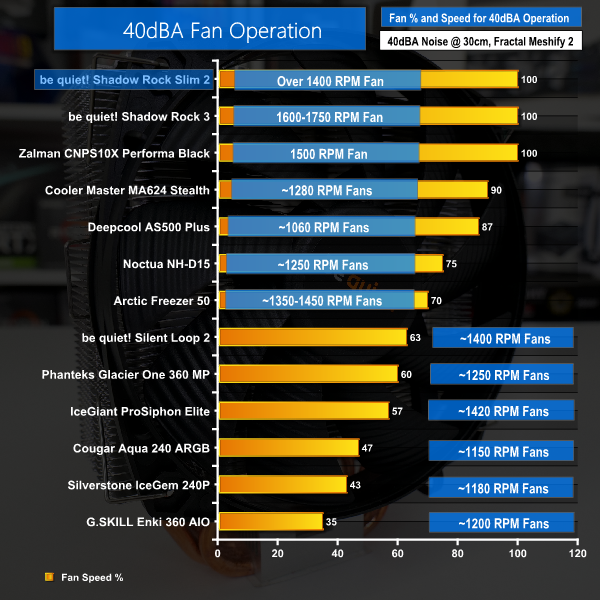
When looking at 40dBA fixed noise output testing, we cannot actually run the Shadow Rock Slim 2 cooler’s fan at a high enough speed to hit 40dBA. It would likely take another 100-200 RPM to hit that noise level.
As such, the performance that we register from be quiet!’s new cooler must be viewed through the lens of such excellent acoustic results.
Let’s start by looking at Precision Boost Overdrive test results. With 90C the maximum target temperature for PBO, we are looking at how the cooler achieves the balance between lower temperature operation and higher PBO clock speeds. Higher clocks with lower temperatures are better. But one cooler may run at slightly higher temperatures than another, albeit with higher clock speeds, so look out for that.
In essence, this test is showing us how far the cooler can be pushed while keeping a sensible 90C maximum. Or whether there is more room for pushing clocks and power delivery beyond the PBO limits while still sticking to a 90C target.
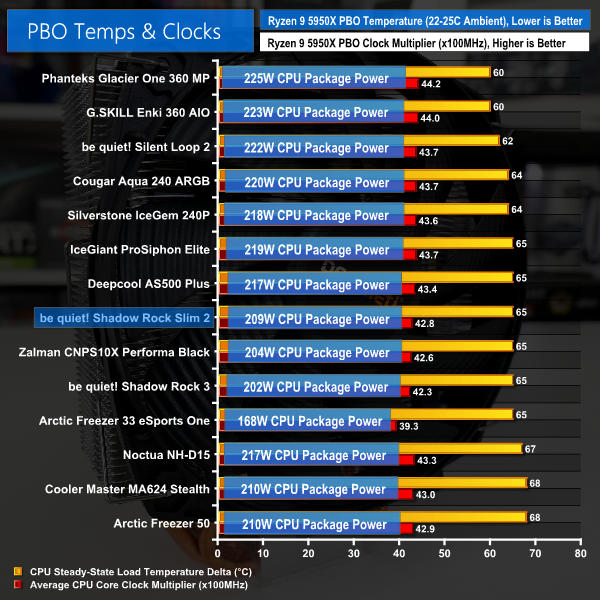
Firstly, it is critical to note that small differences in the displayed delta temperatures are not important for our PBO testing as the clock speed and cooling power achieved are more important metrics.
be quiet!’s Shadow Rock Slim 2 manages to cool around 209W of CPU package power from our Ryzen 9 5950X. This translates into an average clock speed of 4280MHz.
By comparison, the Zalman CNPS10X Performa Black that we reviewed recently is around 20MHz slower on the clock due to managing around 5W less CPU power than be quiet!. And the similarly priced, but 120mm fan equipped, Shadow Rock 3 from be quiet! is also beaten in our PBO testing.
be quiet!’s modestly sized Shadow Rock Slim 2 is quite comparable to the physically much larger and slightly more expensive Arctic Freezer 50.
PBO testing highlights strong performance for be quiet! with the Shadow Rock Slim 2.
And if you are interested in stock results, the be quiet! Shadow Rock Slim 2 recorded a temperature delta of around 33C for 128W package power cooled. That is pretty much identical to the Zalman CNPS10X Performa Black in terms of temperature.
The delivered all-core clock speeds were similar between be quiet!’s new cooler and the Zalman competitor, too. With both coolers running our 5950X at around 3.84-3.85GHz under all-core loading.
Moving on to our new 4.1GHz fixed frequency overclocked test, as we have only recently added the new 4.1GHz mid-range cooler test to our suite, we have very limited comparison data at the moment. Do check back on future reviews, as we have quite a few mid-range CPU coolers for test over the coming weeks, so the charts will start to show significantly more comparison data.
As we are locking the voltage and clock speed, the temperature figures are directly comparable between competing coolers. We see package powers in the order of 180-190W for the CPU and wall power levels that exceed 260W for the system.
Note the use of delta temperature data in our charts and factor in your own ambient conditions for reference.
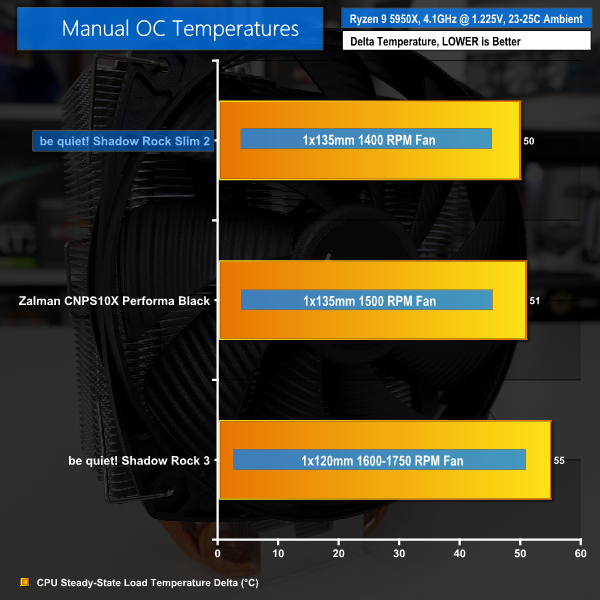
With each cooler compared directly in a fixed frequency scenario, the be quiet! Shadow Rock Slim 2 performs very well.
Zalman’s slightly cheaper competitor is beaten by a single degree – which is within margin of error, so these two coolers realistically tie. However, be quiet!’s unit is quieter, so that’s a victory for the roughly £5 more expensive Shadow Rock Slim 2.
We were surprised to see the new, slim be quiet! cooler beating its physically larger Shadow Rock 3 sibling in this 180W heat load test. However, closer inspection highlights that the use of a 135mm fan and more densely packed fin array are paying dividends for the Shadow Rock Slim 2.
While 135mm is certainly non-standard when it comes to cooling fans, the diameter class does look to be a good performance upgrade versus comparable 120mm CPU cooling options.
We highlight VRM temperatures when using each cooler on our Gigabyte B550 Aorus Master motherboard with the overclocked Ryzen 9 5950X. Do note that the results are heavily influenced by the specific layout of the Gigabyte B550 Aorus Master test motherboard with respect to top-side or rear IO-side VRM components. Your findings may vary if you have a different motherboard VRM layout and heatsink design.
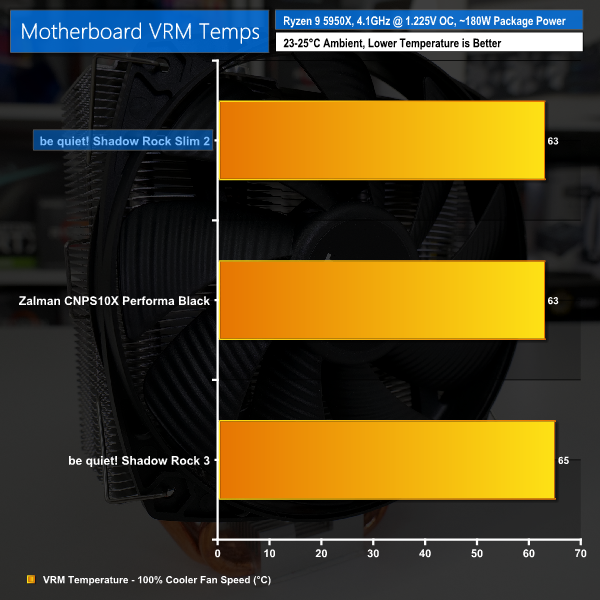
Another benefit of using an oversized 135mm fan is that more incidental airflow finds its way to the motherboard VRM heatsink, dependent upon your motherboard layout of course.
In our test system with the Gigabyte B550 Aorus Master, this translates into chart-topping VRM temperatures for the Shadow Rock Slim 2 alongside Zalman’s competitor.
Even with VRM temps passing 70C under the heavier 209W PBO load, we have no cause for concern with the ability of be quiet!’s Shadow Rock Slim 2 to provide airflow around the CPU socket for motherboard cooling.
Our overriding opinion for the be quiet! Shadow Rock Slim 2 is that the cooler delivers solid thermal performance alongside outstanding noise levels with a non-intrusive – slim – design.
Versus a realistic competitor in the Zalman CNPS10X Performa Black that we recently reviewed, be quiet!’s slim cooler more than holds its own in terms of noise and thermals. And the similarly priced – but physically much larger – be quiet! Shadow Rock 3 is, interestingly, outperformed by the new Shadow Rock Slim 2 on our test platform.
The use of a 135mm 1400 RPM Silent Wings 3-type fan works very well for the Slim 2; this type of fan does seem to be a worthwhile upgrade versus 120mm coolers at this similar price point.
As far as downsides go, we still think that be quiet! needs to improve the ease of installation for that initial retention bracket attachment step on AM4. But the final mount is sturdy and gives good fan height flexibility.
And the aesthetics are simply mediocre for today’s market, with a good-looking black fan mounted alongside a boring silver heatsink with bright copper heatpipes.
At £43.99, the price is a little on the high side for this calibre of cooler, and it is more expensive than a reasonable competitor such as the better looking Zalman unit we reviewed recently. But to many consumers, that will be fine given be quiet!’s excellent noise output, strong thermal performance, and outstanding build quality backed up by a 3-year warranty.
Discuss on our Facebook page, over HERE.
Pros:
- Outstanding noise performance
- Strong cooling proficiency
- Sturdy mount
- Second set of fan clips
- Positive build quality and 3-year warranty
Cons:
- Aesthetics are a bit dull or mismatched with bare copper
- Price is slightly on the high side for this calibre of cooler
KitGuru says: A well-balanced CPU cooler that minimises interference worries but excels in low noise performance.