 KitGuru KitGuru.net – Tech News | Hardware News | Hardware Reviews | IOS | Mobile | Gaming | Graphics Cards


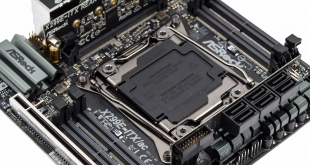
ASRock has a reputation for delivering mini-ITX motherboards for Intel's high-end desktop (HEDT) platform where other motherboard vendors dare not try. With X299 ASRock has done it again, this time with the X299E-ITX/ac, and this small-yet-mighty motherboard has a range of tricks up its sleeves.
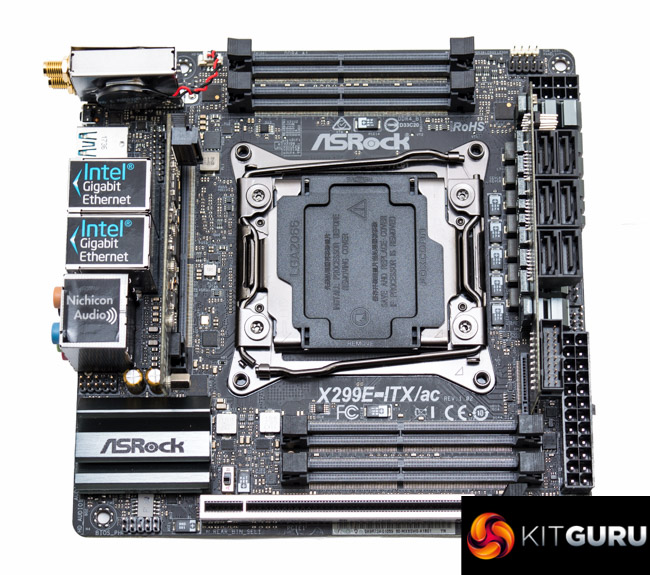
Mini-ITX motherboards for a platform like X299, where the LGA2066 socket is so large, inevitably involves compromise even for the highly-skilled engineers that previously developed the ASRock X99E-ITX/ac motherboard. That compromise is by no means a bad thing because it facilitates innovation, experimental thinking and new approaches to the space constraints of the mini-ITX form factor.
ASRock's innovation for its X299 mini-ITX motherboard is particularly fascinating – full quad channel memory support by opting for DDR4 SO-DIMM (laptop memory) rather than DDR4 DIMM (desktop memory). The X99 iteration of ASRock's mini-ITX motherboard opted for two DDR4 DIMM slots as its memory solution which sacrificed the benefits of quad channel memory but retained the familiar DDR4 DIMM form factor.
ASRock has made plentiful use of “daughterboards”, secondary vertical PCBs, that have long been used by motherboard vendors on mini-ITX motherboards as a space-saving tactic since at least the introduction of the Z77 chipset in 2012. The ASUS P8Z77I-Deluxe is the first such mini-ITX motherboard that comes to mind that used a daughterboard in a mini-ITX form factor.
ASRock, though, has opted to use the daughterboards for connectivity like SATA and M.2 rather than the VRM solution, as has been typical in the past. As such ASRock is still able to offer triple M.2, six SATA ports, quad channel memory, dual Gigabit, Wi-Fi, USB 3.1 and more, all in a tidy mini-ITX form factor.
| ASRock X299E-ITX/ac |
|
| Form Factor | mini-ITX, 17 x 17 cm |
| CPU Socket | LGA 2066, 7 phase VRM |
| Chipset | Intel X299 |
| Memory | DDR4, 4 SO-DIMMs, up to 64GB, up to 4000MHz+ with OC |
| Onboard Graphics | None |
| Discrete Graphics | Single Graphics Card configurations only |
| Expansion Slots | 1 x PCIe 3.0 X16 (16X from CPU) |
| Storage | 6 x SATA III (all via X299) 3 x M.2 32Gbps (2 support PCIe mode only, 1 supports SATA III mode and PCIe) |
| USB | 2 x USB 3.1 (1 Type-A and 1 Type-C, 2 Rear, all via ASM3142) 6 x USB 3.0 (4 Rear via ASM1074, 2 Front via X299) 2 x USB 2.0 (2 Front via X299) |
| Networking | 1 x Intel I219V Gigabit Ethernet 1 x Intel I211AT Gigabit Ethernet Intel 8265NGW 2T2R 802.11ac Wi-Fi MU-MIMO with Bluetooth 4.2 |
| Audio | Realtek ALC1220 7.1 Channel HD Audio |
| Fan Headers | 3, all support 3/4 pin fans, (1 x CPU 12W/1A, 1 x CPU_OPT/W_PUMP 15W/1.5A, 1 x SYS) |
| Rear I/O | 2 x Antenna Ports 1 x Optical SPDIF Out Port 1 x USB 3.1 Type-A Port (10 Gb/s) (ASMedia ASM3142) 1 x USB 3.1 Type-C Port (10 Gb/s) (ASMedia ASM3142) *4 x USB 3.0 Ports (ASMedia ASM1074 Hub) *2 x RJ-45 LAN Ports with LED (ACT/LINK LED and SPEED LED) 1 x Clear CMOS Button / Power Button HD Audio Jacks: Rear Speaker / Central / Bass / Line in / Front Speaker / Microphone (Gold Audio Jacks) *Will not work if X299E-ITX REAR card is removed |
| UEFI | 128Mb UEFI AMI |
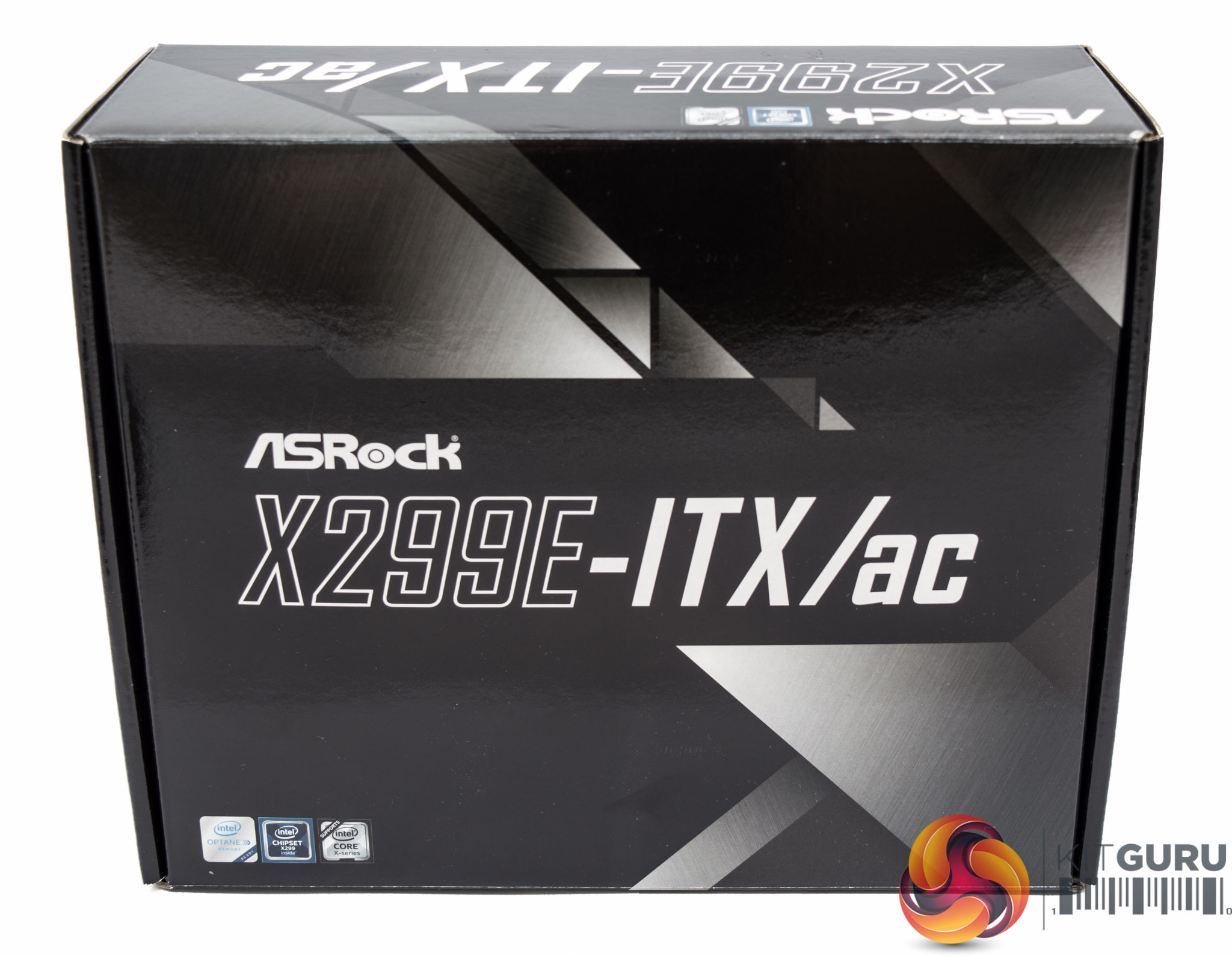
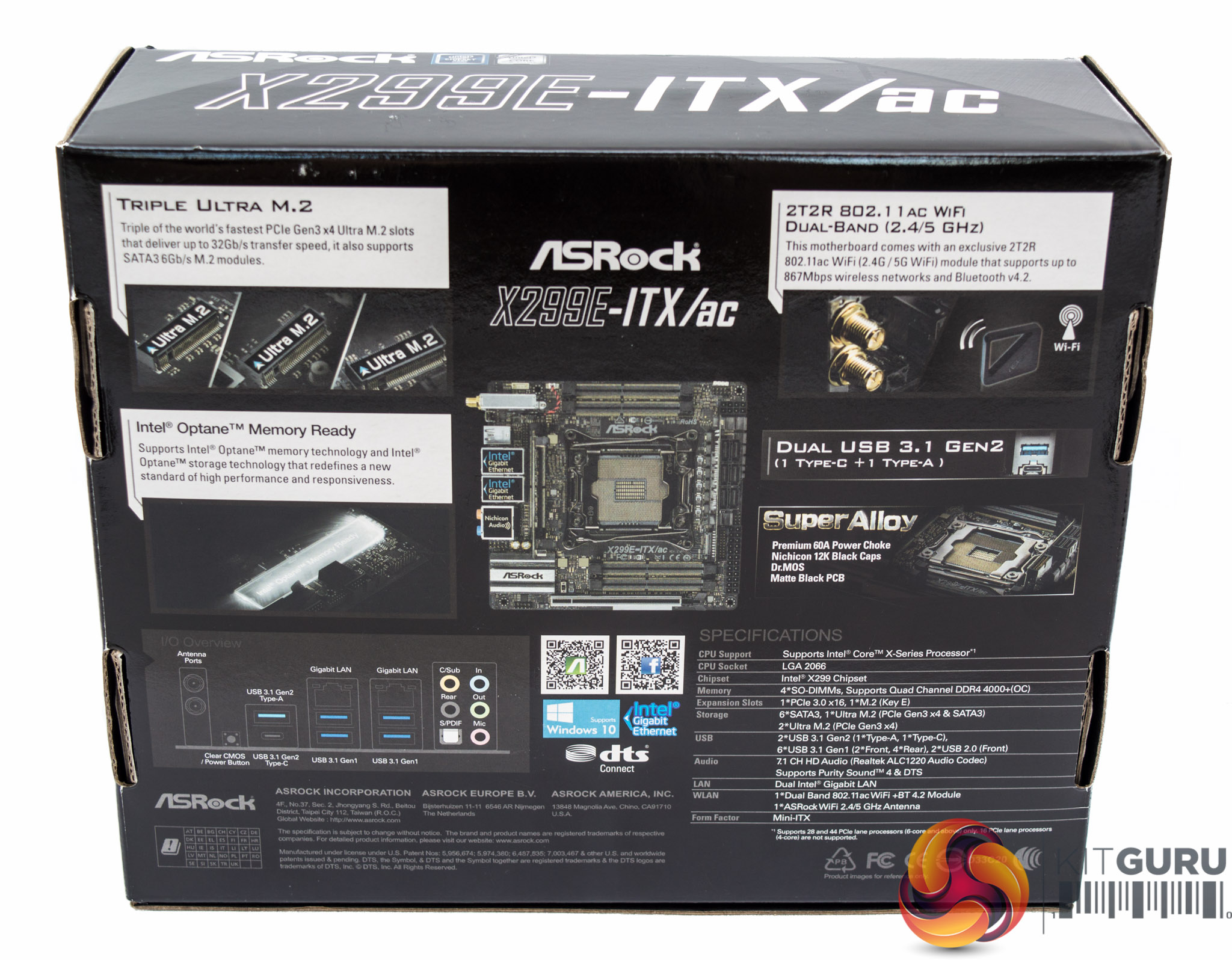
The ASRock X299E-ITX/ac comes fittingly squeezed into compact packaging. The box rightfully picks up on the triple M.2 being a key feature as well as the 802.11ac Wi-Fi and high-quality power delivery system.
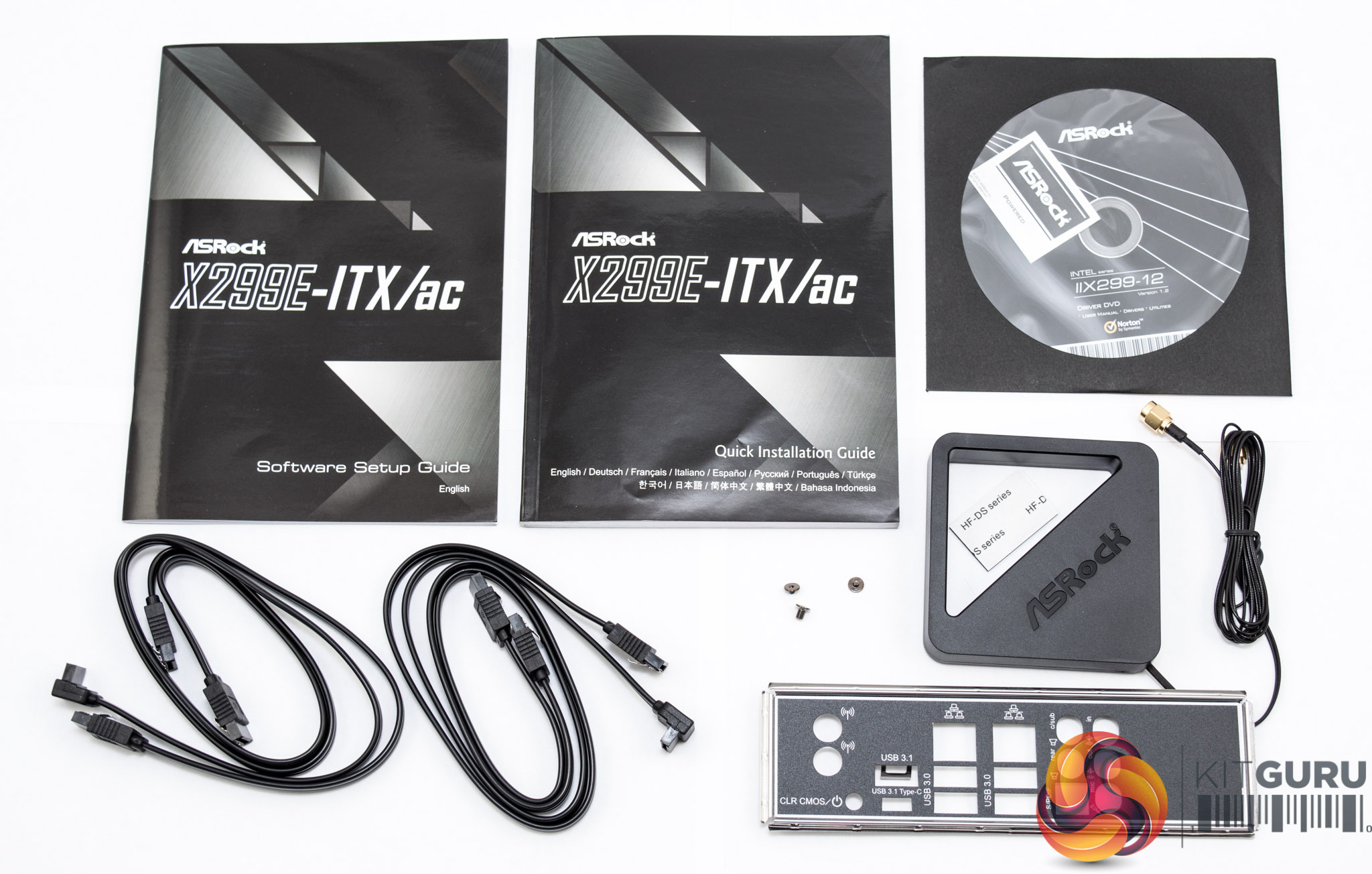
Accessories are limited to documentation with a driver/utility DVD as well as four SATA cables, the Wi-Fi Antenna, three M.2 screws and the rear I/O shield.
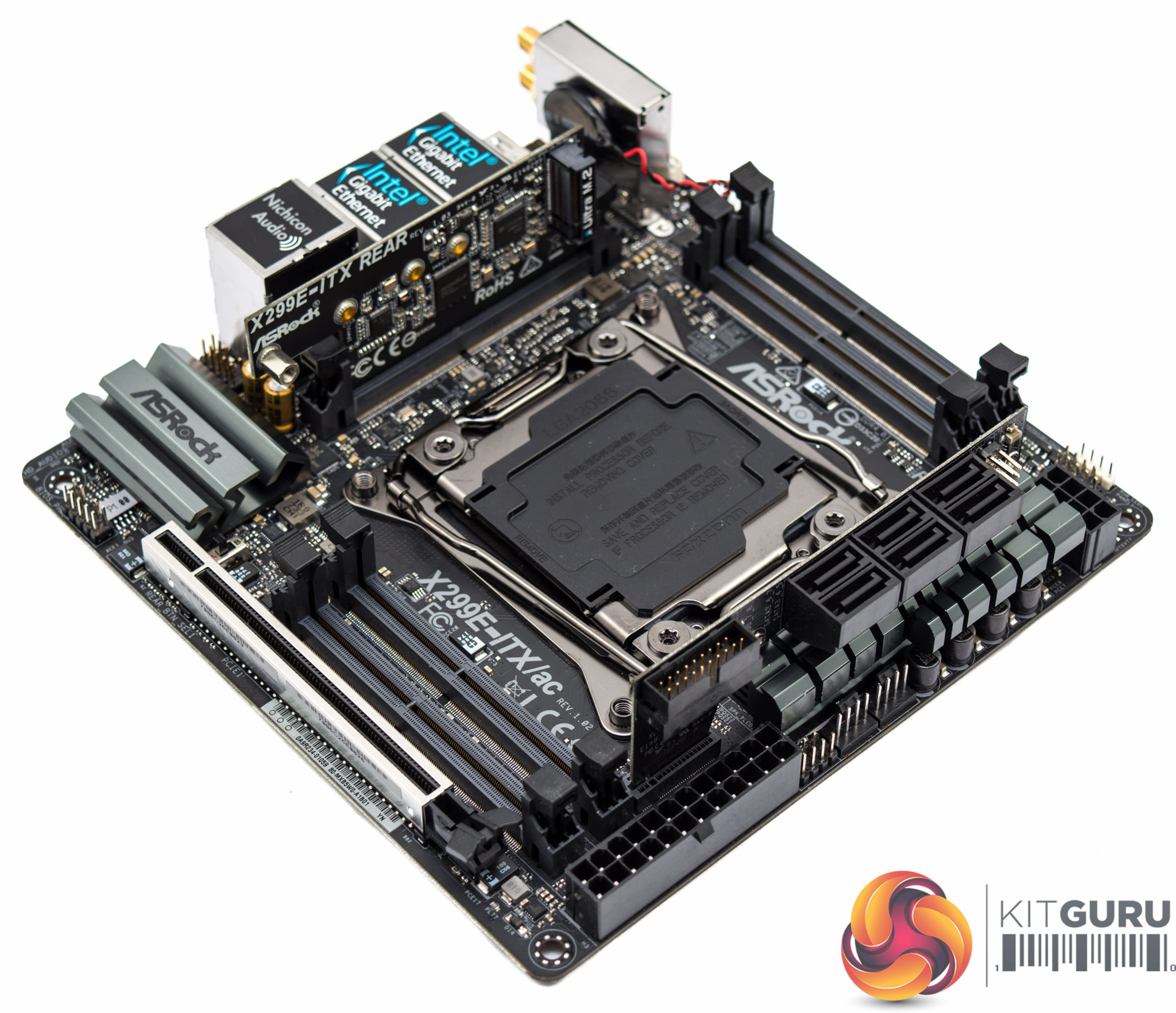
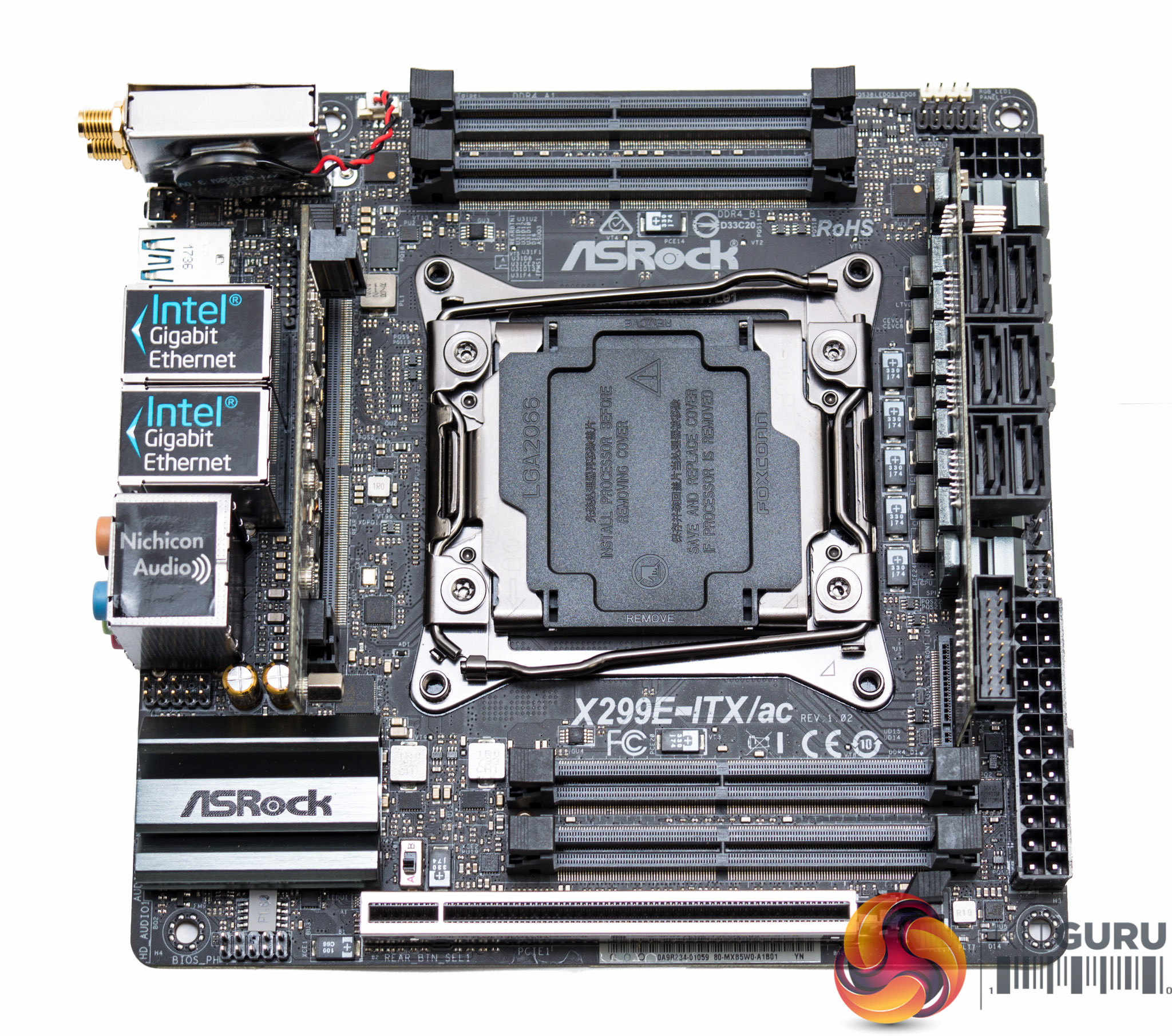
There's very little space for any styling accessories or RGB lighting zones so the ASRock X299E-ITX/ac is as plain as they come. The colour scheme is neutral, primarily black, and all the heatsinks included are functional rather than aesthetic.
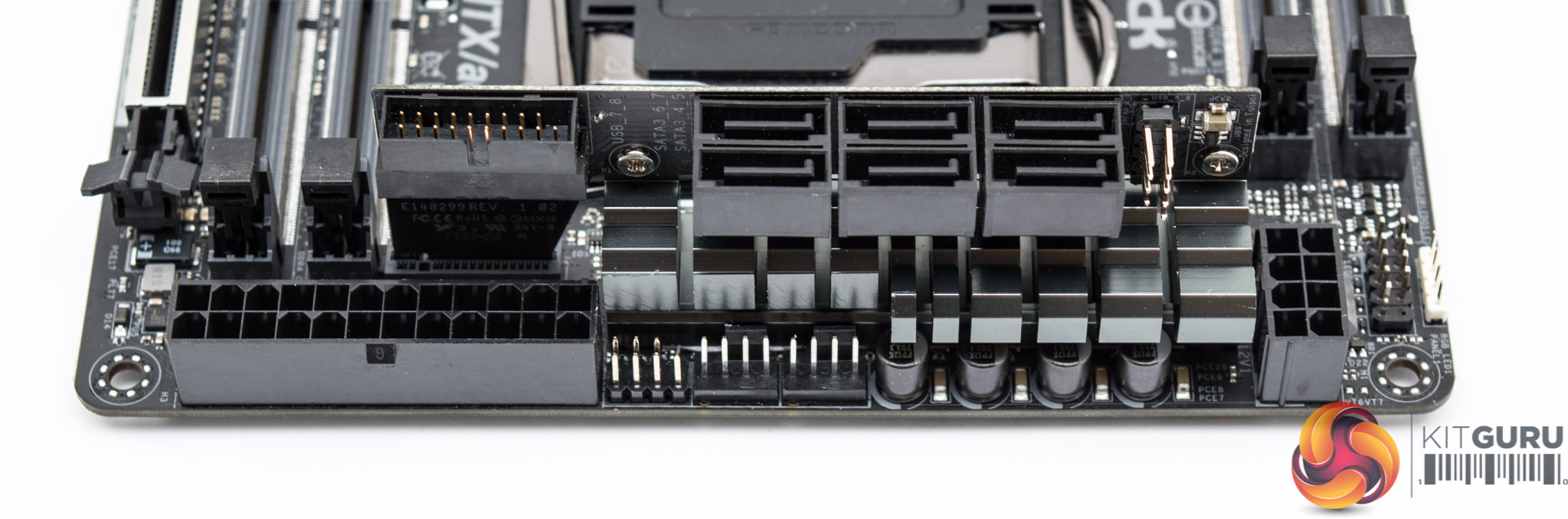
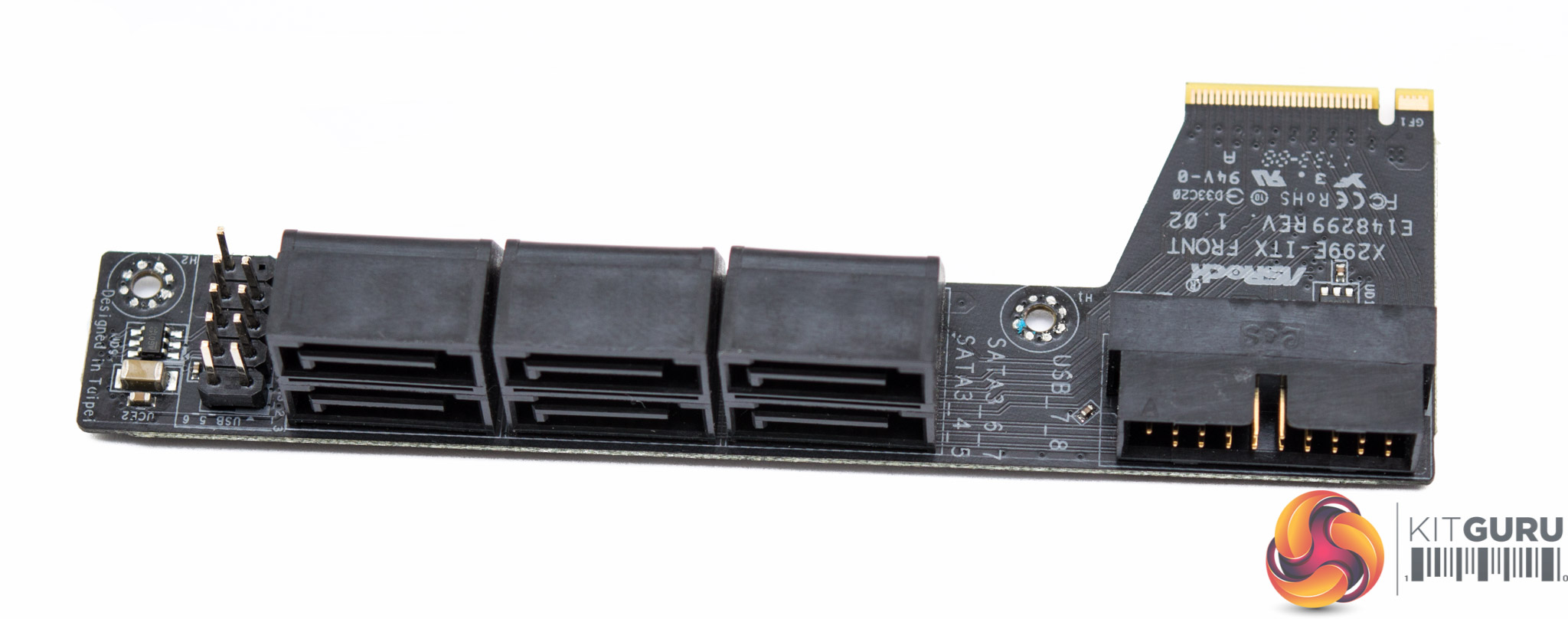
The first of the daughterboards hosts six SATA ports, the USB 2.0 and 3.0 headers and is connected in to the motherboard via a custom connection (probably PCIe) near the 24 pin. ASRock secures this daughterboard to the CPU VRM heatsink through two cross-head screws.
CPU power delivery comes through a single 8-pin EPS which feeds a 7 phase VRM that we'll detail later on. There are two CPU fan headers supporting 1A/12W (CPU) and 1.5A/18W (CPU_OPT/W_PUMP) next to a header for a speaker and power LED.
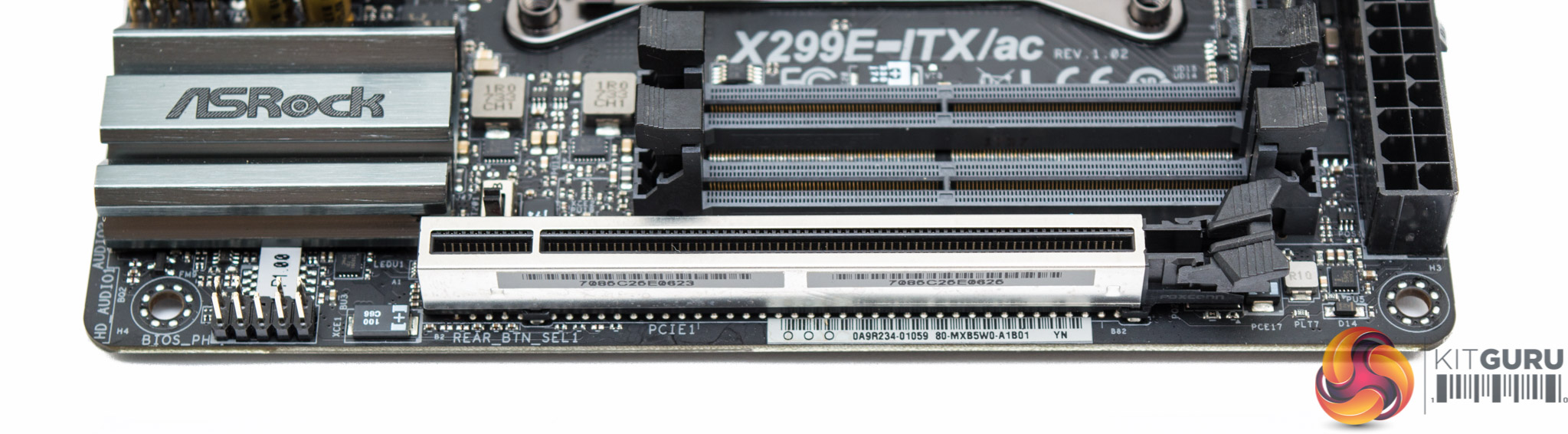
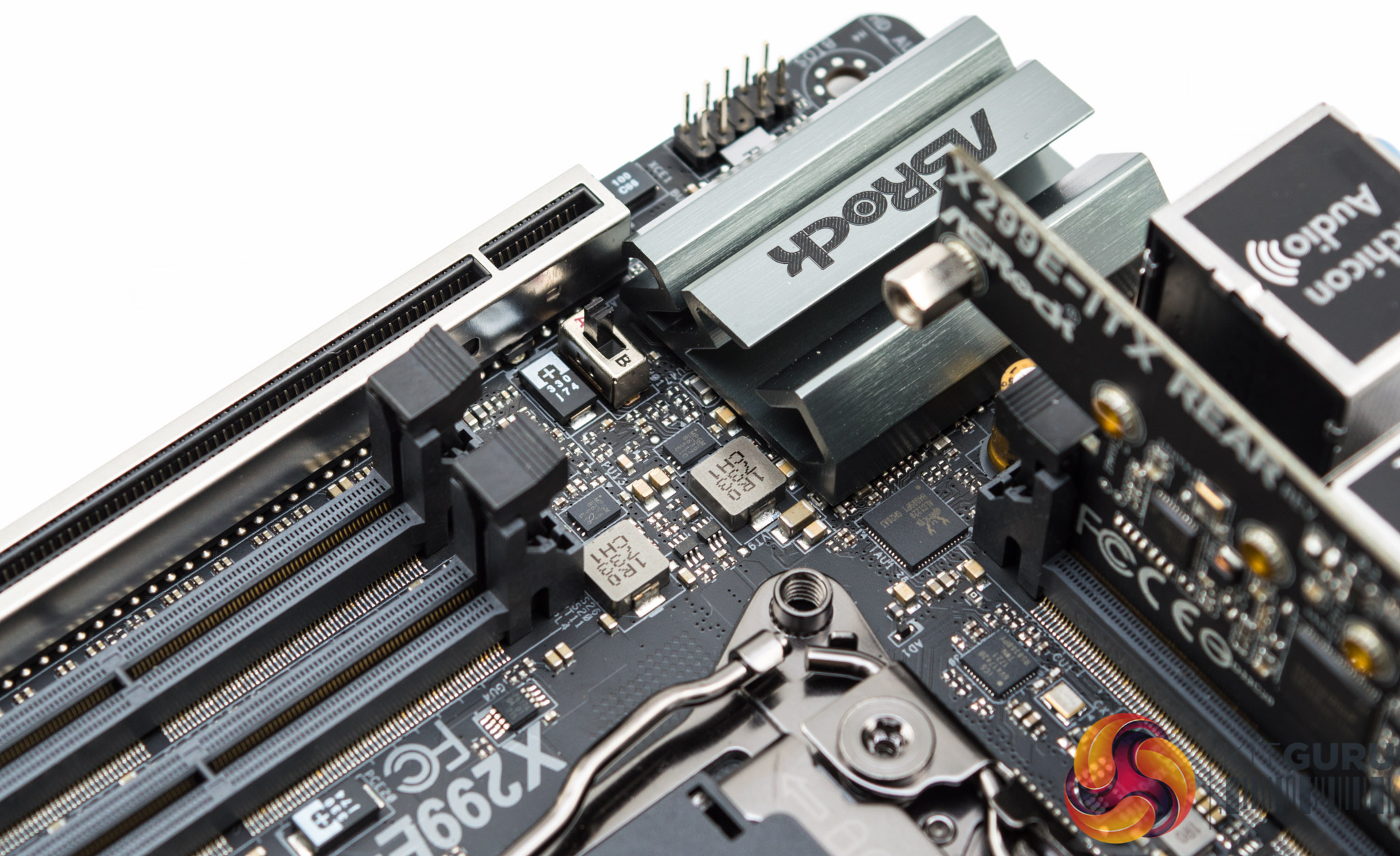
The primary PCIe lane is shielded and surrounded by two SO-DIMM slots, the chipset heatsink, a BIOS_PH header (writes BIOS into flash ROM) and an A-B switch which toggles the rear I/O button between ClearCMOS (Position A) and Power (Position B).
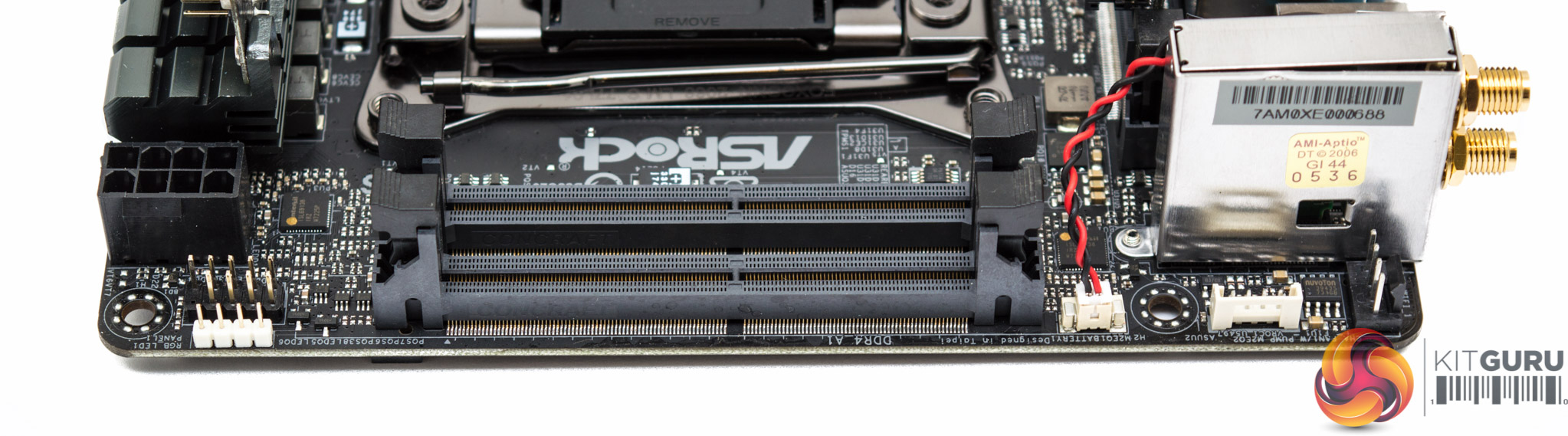
On the other side of the motherboard there are the other two SO-DIMM DDR4 slots along with a system fan header, RGB header, system panel header (switches/LEDs) and VROC header (Intel Virtual RAID on CPU).
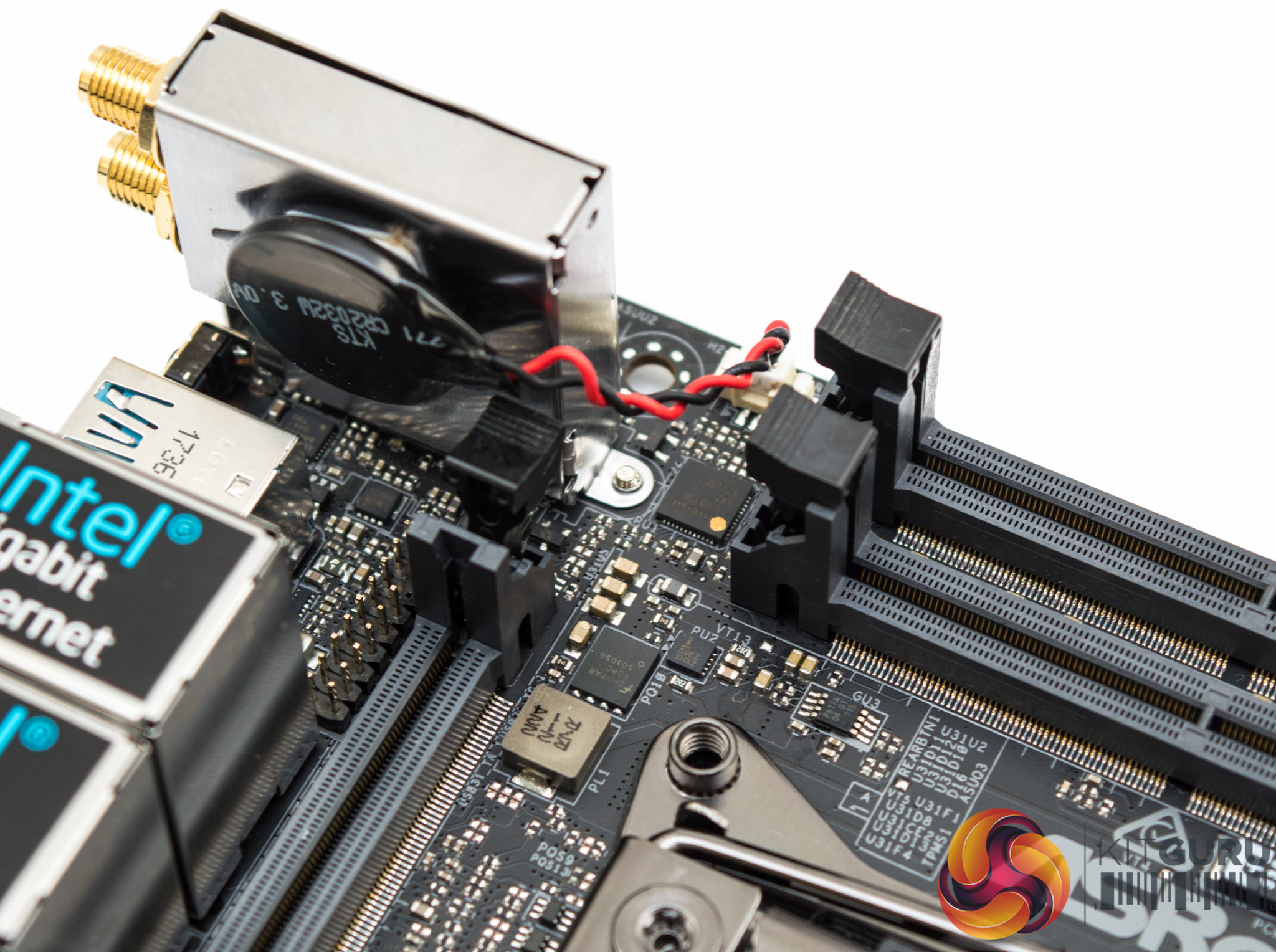
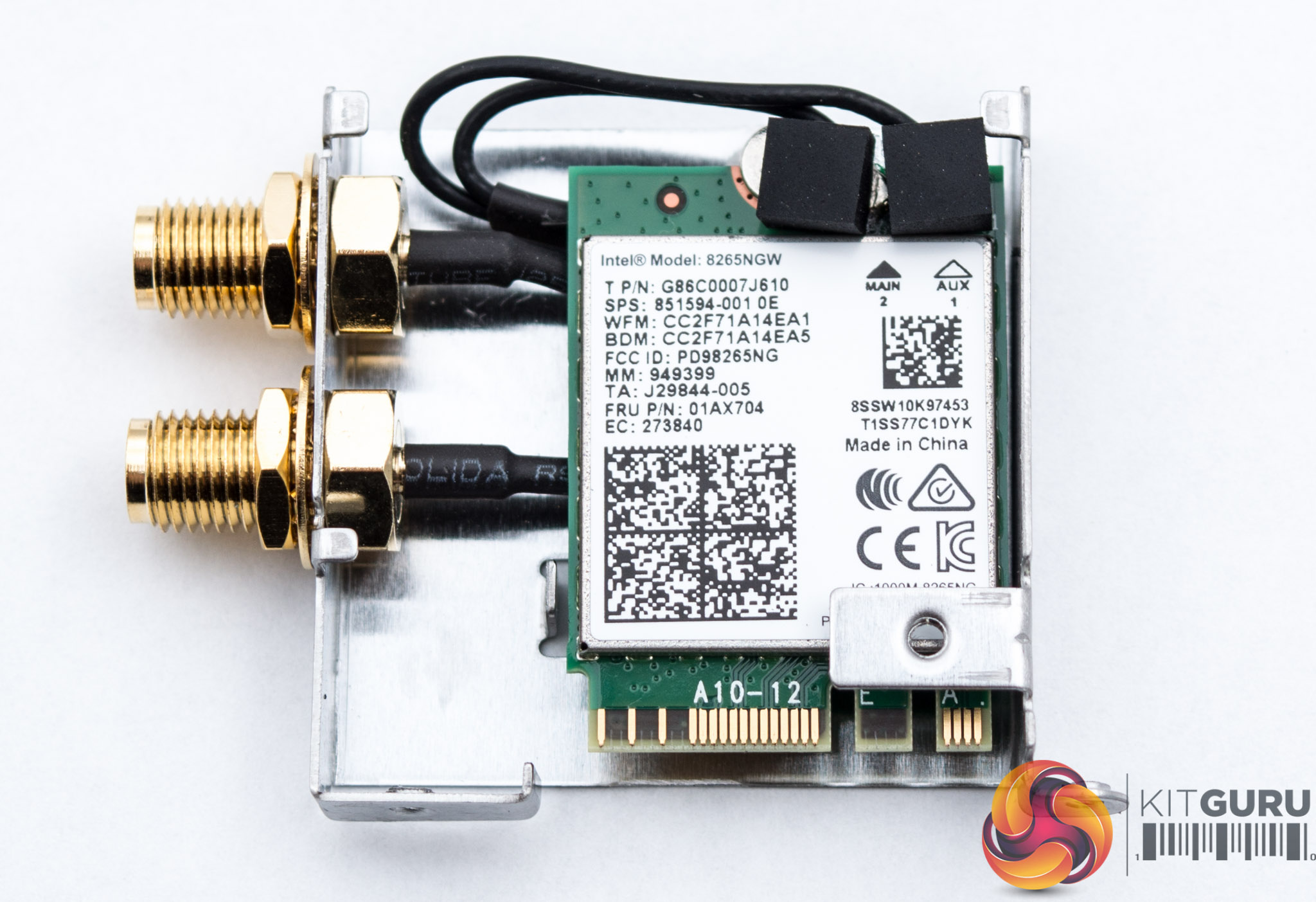
As is typical of space-constrained mini-ITX motherboards the CMOS battery is vertically mounted to save space and in this case affixed to the Wi-Fi and Bluetooth module.
ASRock uses Intel's 8265NGW Wi-Fi and Bluetooth 4.2 combo unit which provides 802.11ac speeds on a two-transmitter two-receiver design (2T2R). Rated throughput is up to 867Mbps with support for dual-band frequencies (2.4 and 5GHz) and MU-MIMO.
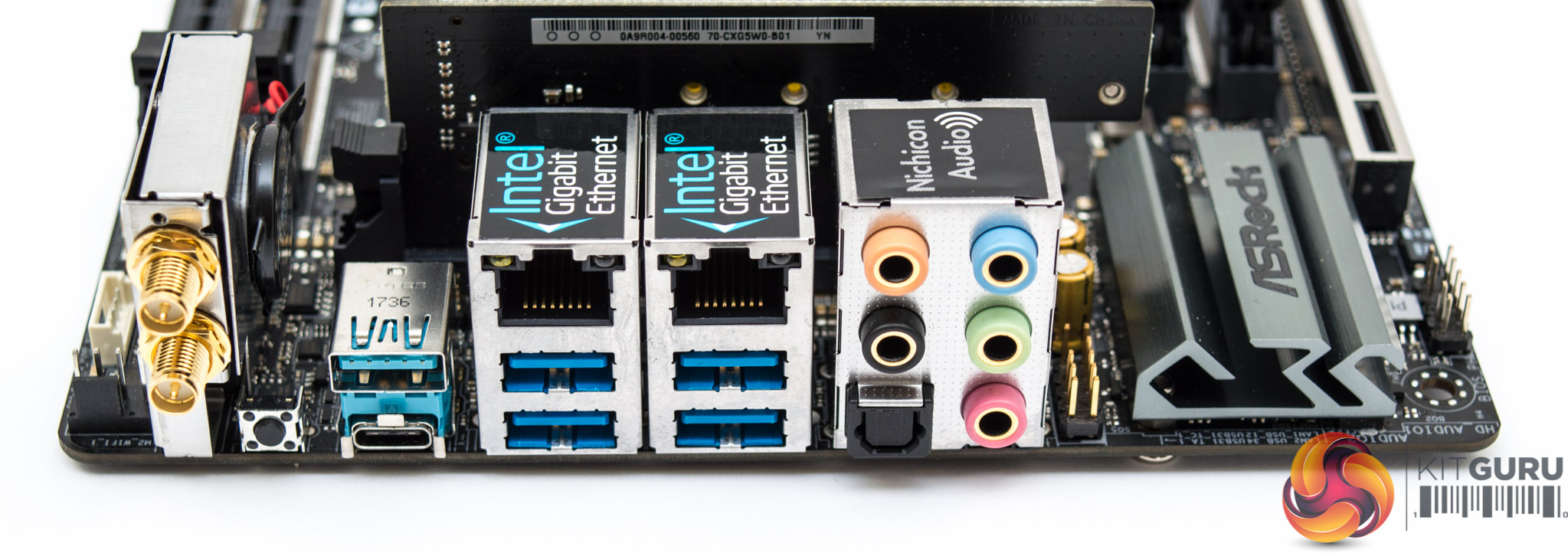
The rear I/O offers:
- 2 x Antenna Ports
- 1 x Optical SPDIF Out Port
- 1 x USB 3.1 Type-A Port (10 Gb/s) (ASMedia ASM3142)
- 1 x USB 3.1 Type-C Port (10 Gb/s) (ASMedia ASM3142)
- *4 x USB 3.0 Ports (ASMedia ASM1074 Hub)
- *2 x RJ-45 LAN Ports with LED (ACT/LINK LED and SPEED LED)
- 1 x Clear CMOS Button / Power Button
- 5 x HD Audio Jacks: Rear Speaker / Central / Bass / Line in / Front Speaker / Microphone (Gold Audio Jacks)
*Will not work if X299E-ITX REAR card is removed
The audio components are tucked in by the rear I/O and chipset heatsink. These include a single Realtek ALC1220 codec with an NE5532 operational amplifier and two Nichicon Gold Series audio capacitors, both rated for 100uF and 10 volts. An isolated PCB has not been used in this instance since there is not enough space to support it.
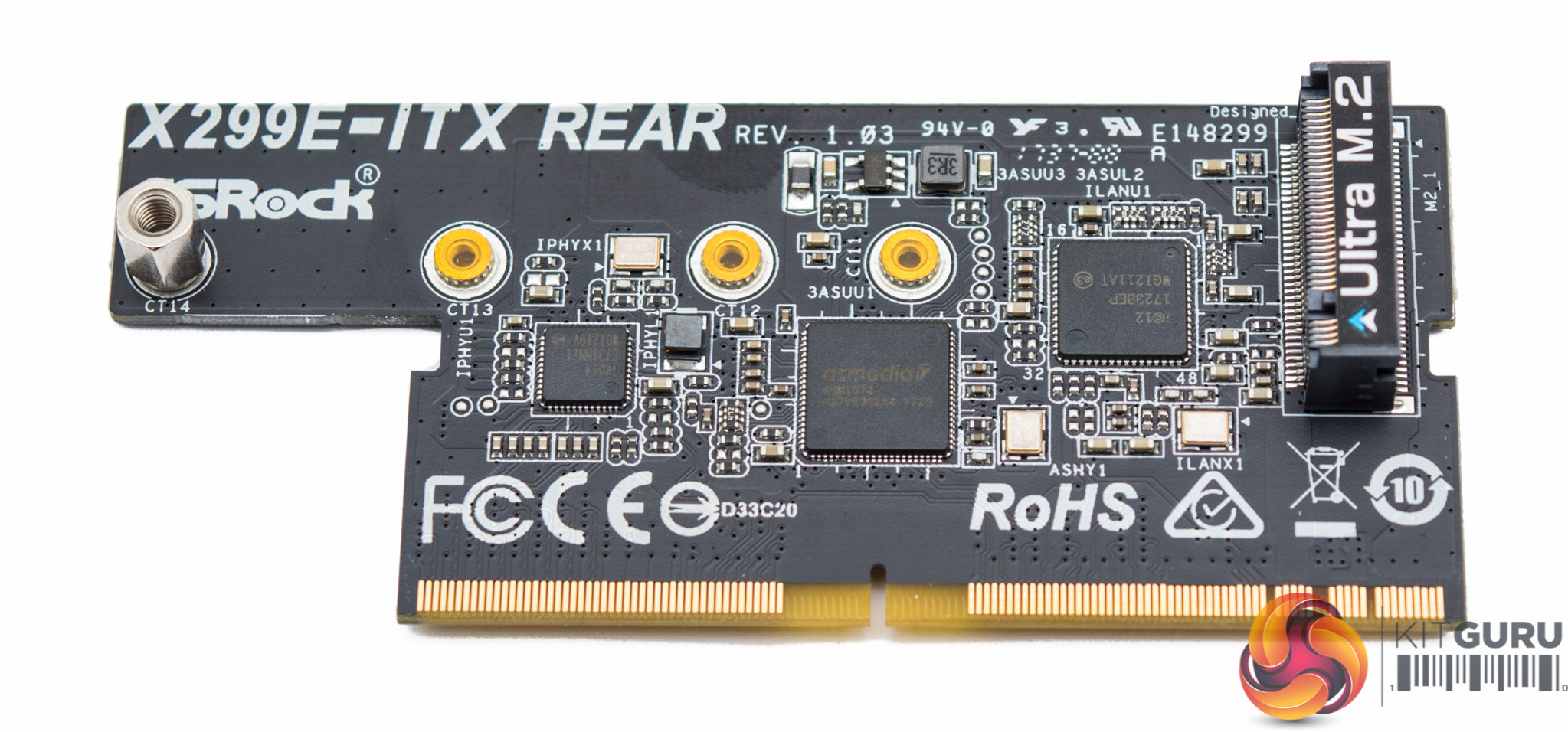
That X299E-ITX REAR card slots into the motherboard via a custom PCIe connection and has a number of controllers and slots on it including:
- Intel i219V Gigabit Ethernet
- Intel I211AT Gigabit Ethernet
- ASM1074 USB 3.0 hub (provides 4 ports)
- M2_1 which provides a 32Gb/s M.2 port
If this PCB card is unplugged then all of those features cease to be available on the rear I/O.
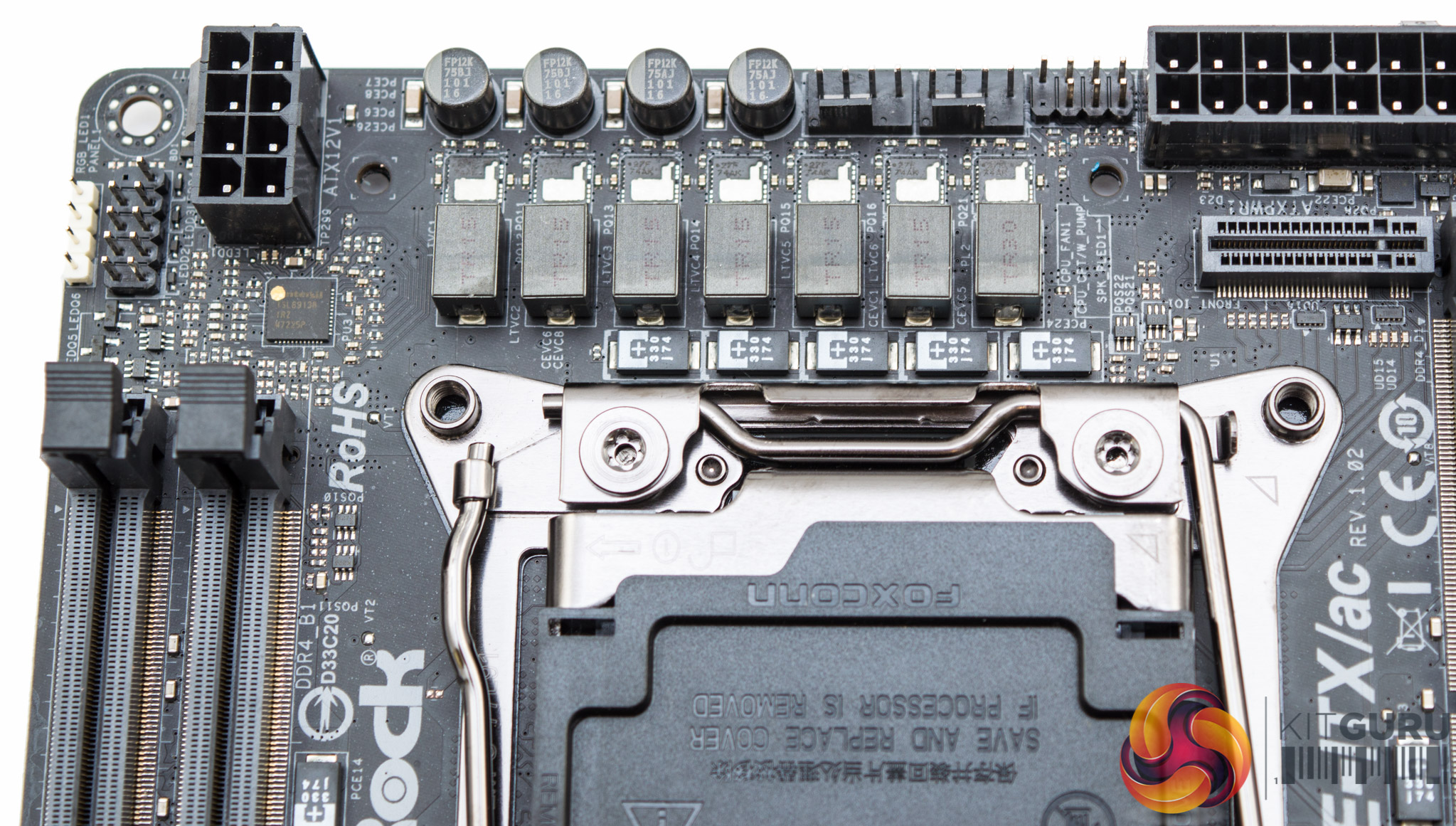
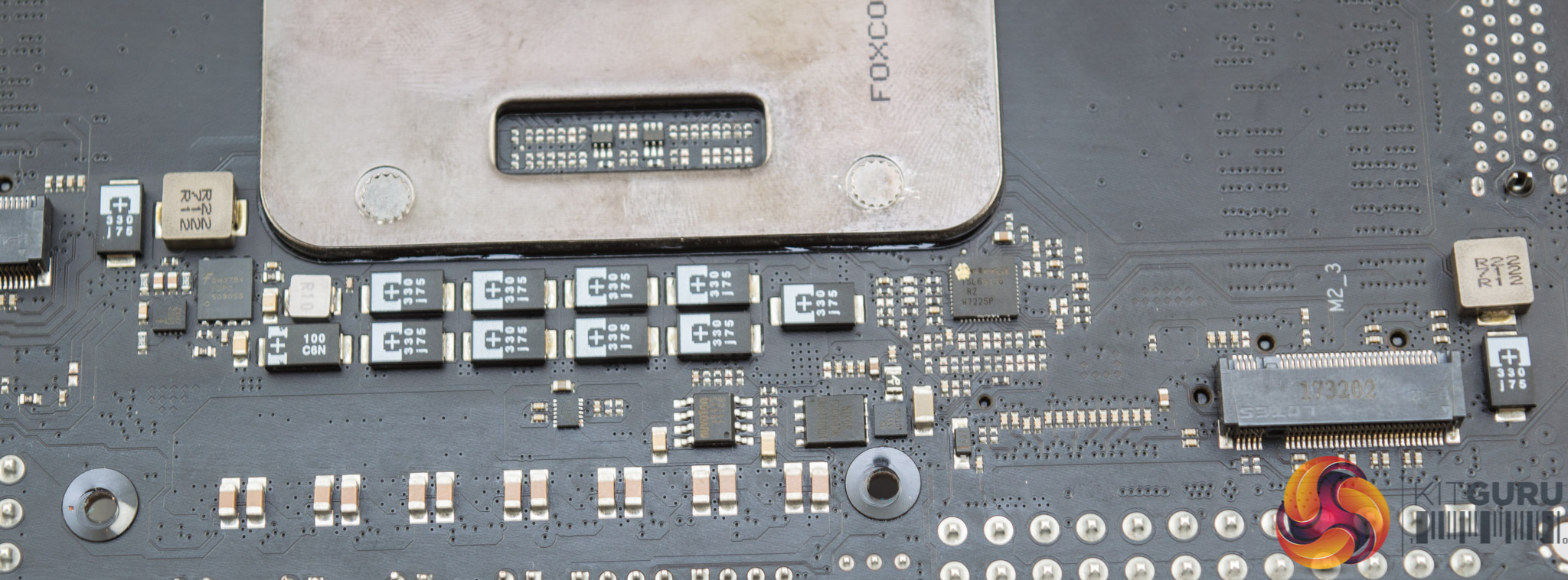
CPU VRM duties are handled by 7 phases in a 6+1 configuration using an Intersil ISL69138 digital PWM controller. There are seven Intersil ISL99227F 60A SPS MOSFETs marked 27F 74AK and there are seven “premium 60A” chokes/inductors.
Memory VRM, which appears to be 2 phases total, is also handled by another Intersil ISL69138 controller with two ISL6596CRZ drivers, marked “596Z XHMZ, two Sinopower SM3337 and two Fairchild FDPC5030SG dual N-Channel MOSFETs.
VCCIO is handled by the third (and last) Intersil ISL69138 controller again with Sinopower SM3337 and Fairchild FDPC5030SG dual N-Channel MOSFETs.
ASRock also uses a ICS 6V41742B clock generated for improved BCLK overclocking.
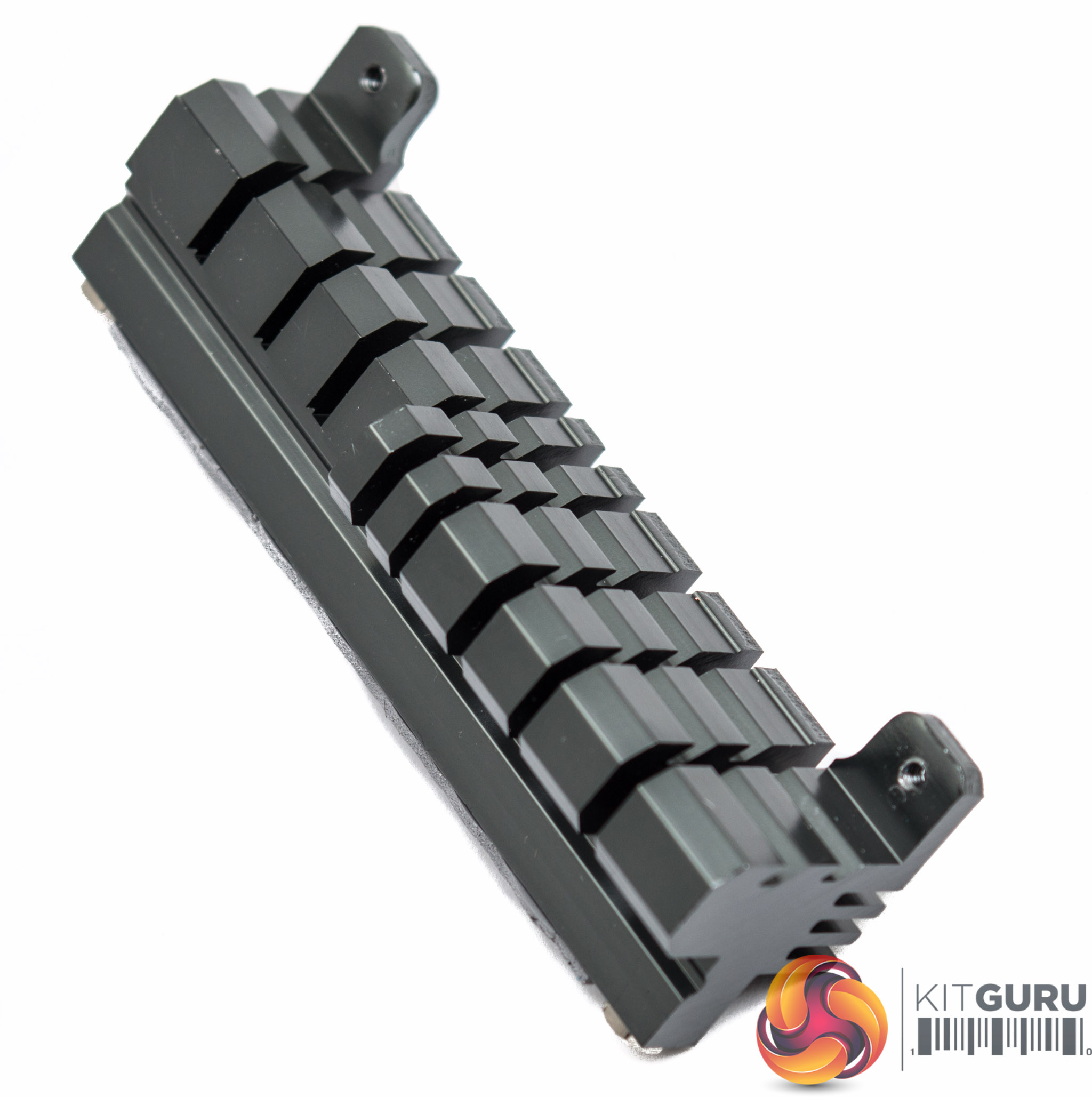
CPU VRM cooling is handled by a small heatsink. Clearly the capability is not going to be sufficient for extreme and prolonged overclocking, unless high airflow is consistently applied, but ASRock is limited by the form factor and recognises this.
ASRock worked with Bitspower to design and produce a custom waterblock that handles VRM cooling for those happy to indulge in watercooling specifically for this motherboard. That block is the Bitspower MonoBlock ASRX299EI (BP-WBMASRX299EI) which we'll detail more later on.
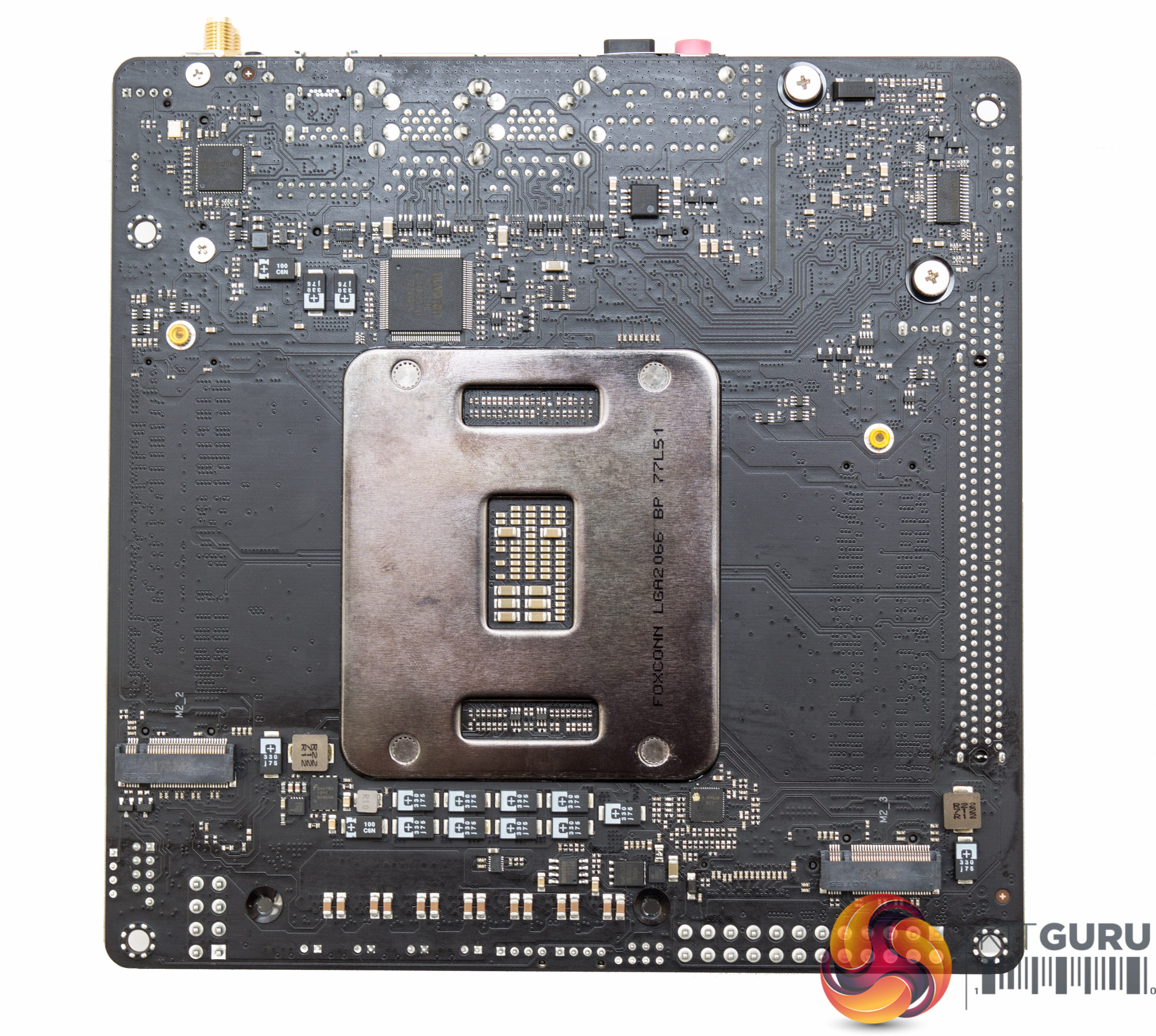
On the underside of the motherboard is the remainder of the M.2 slots. There are two down here which support 80mm devices only since there is not enough free PCB space to add additional mounting points.
Underneath is the nuvoTon NCT6791D for Super IO fan control and systems monitoring, the ASMedia ASM3142 USB 3.1 controller and nuvoTon N76E885AT for RGB LED lighting control.
All mounting fixtures across the motherboard are standard cross-head screws.
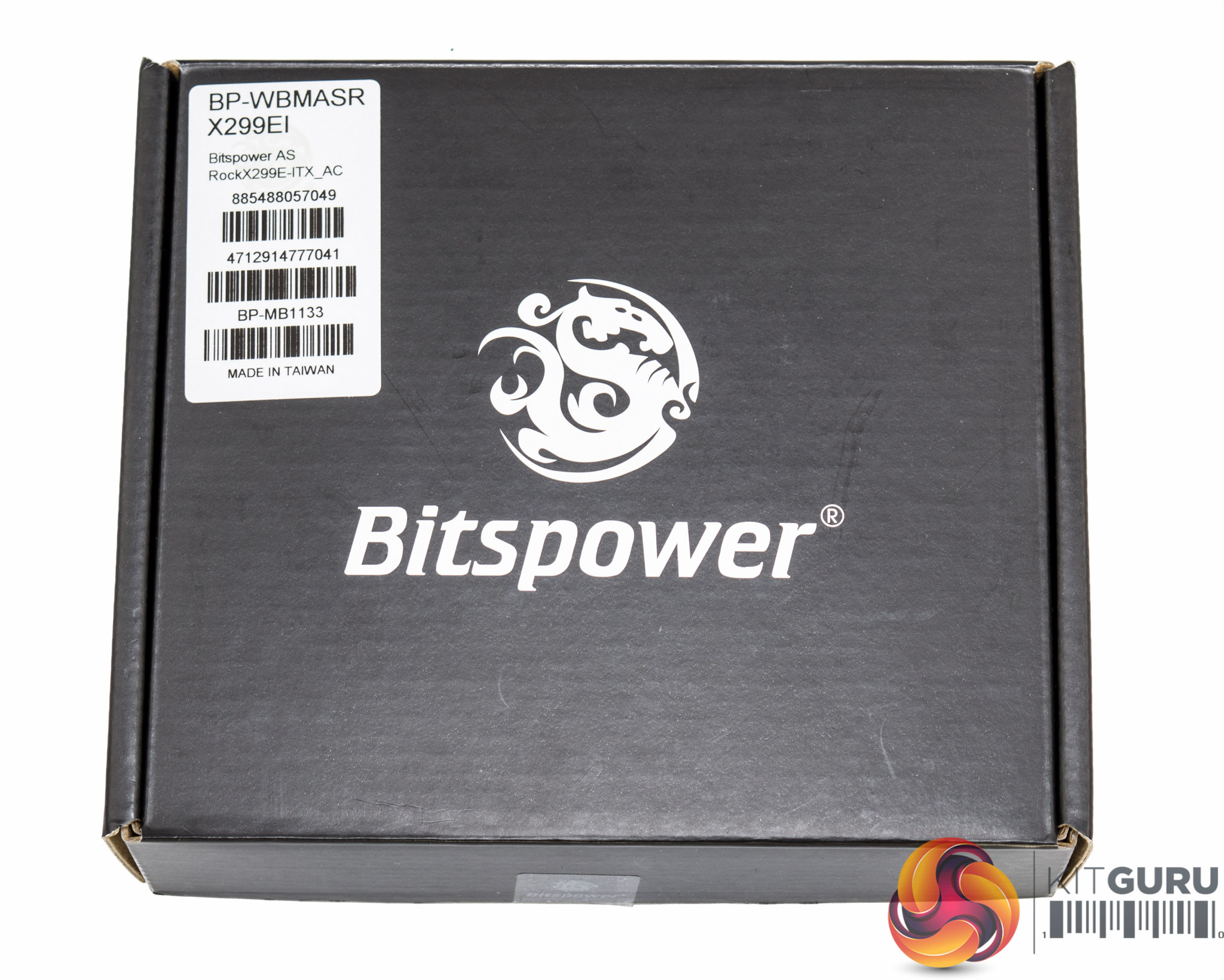
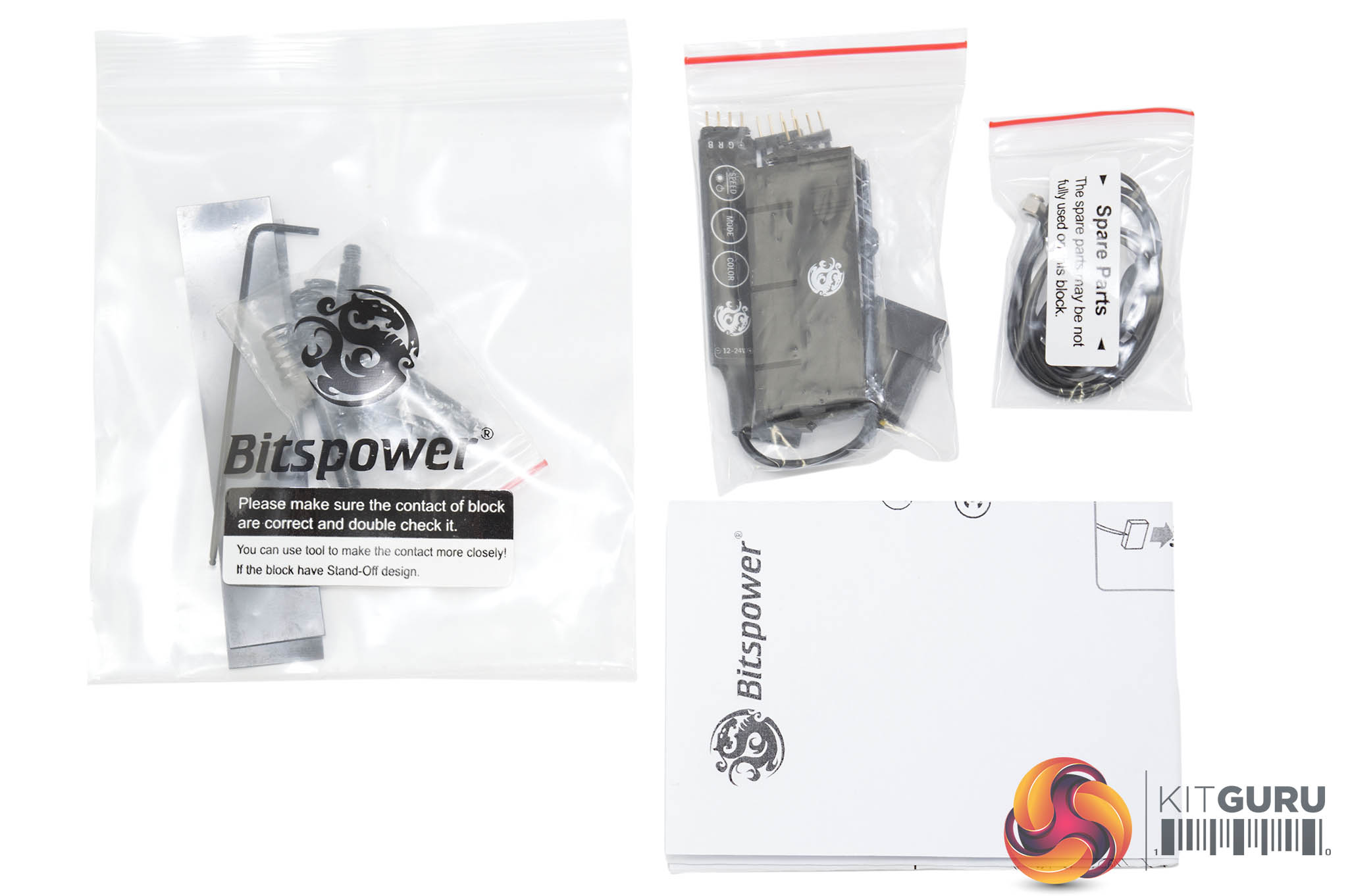
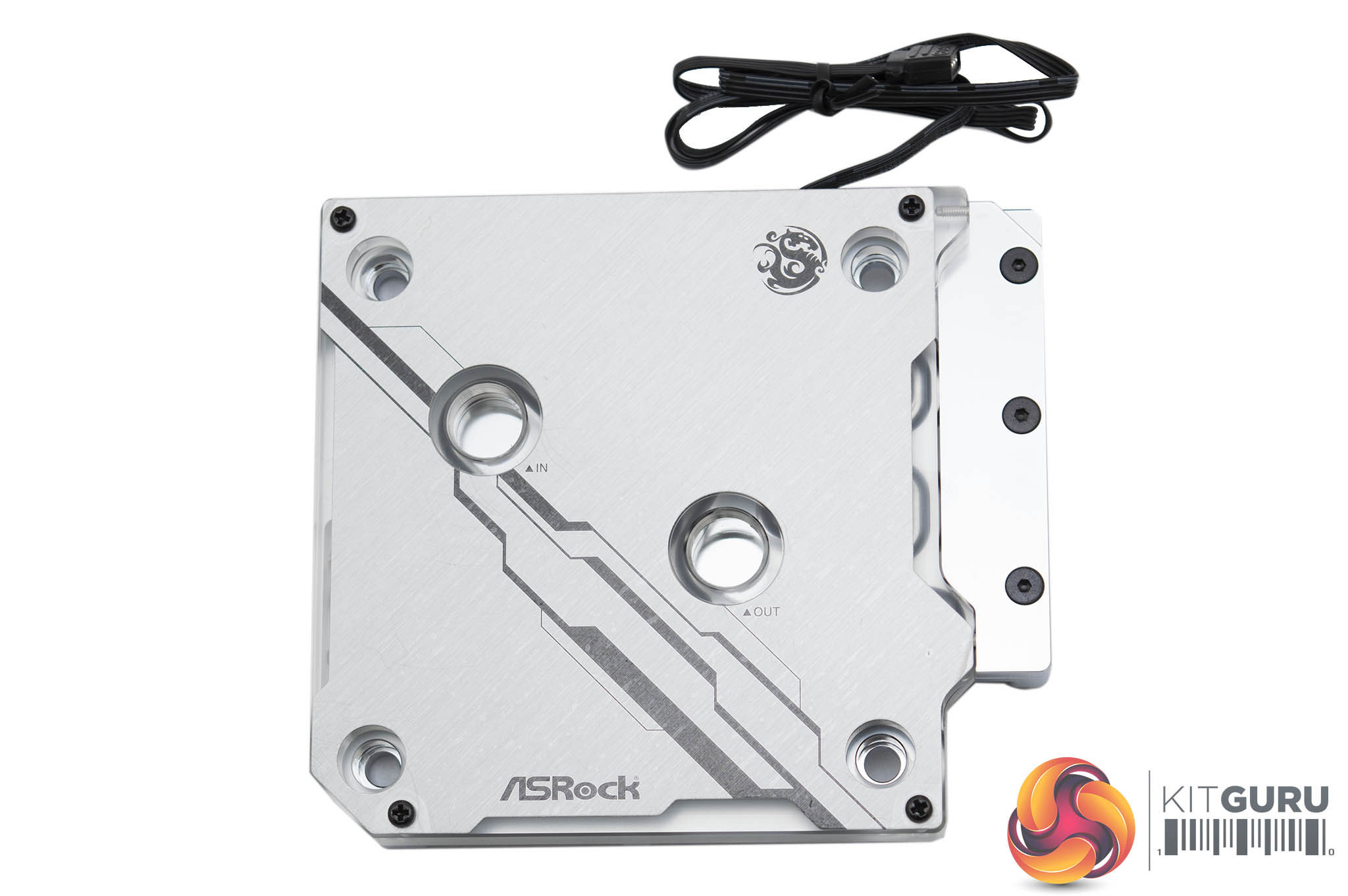
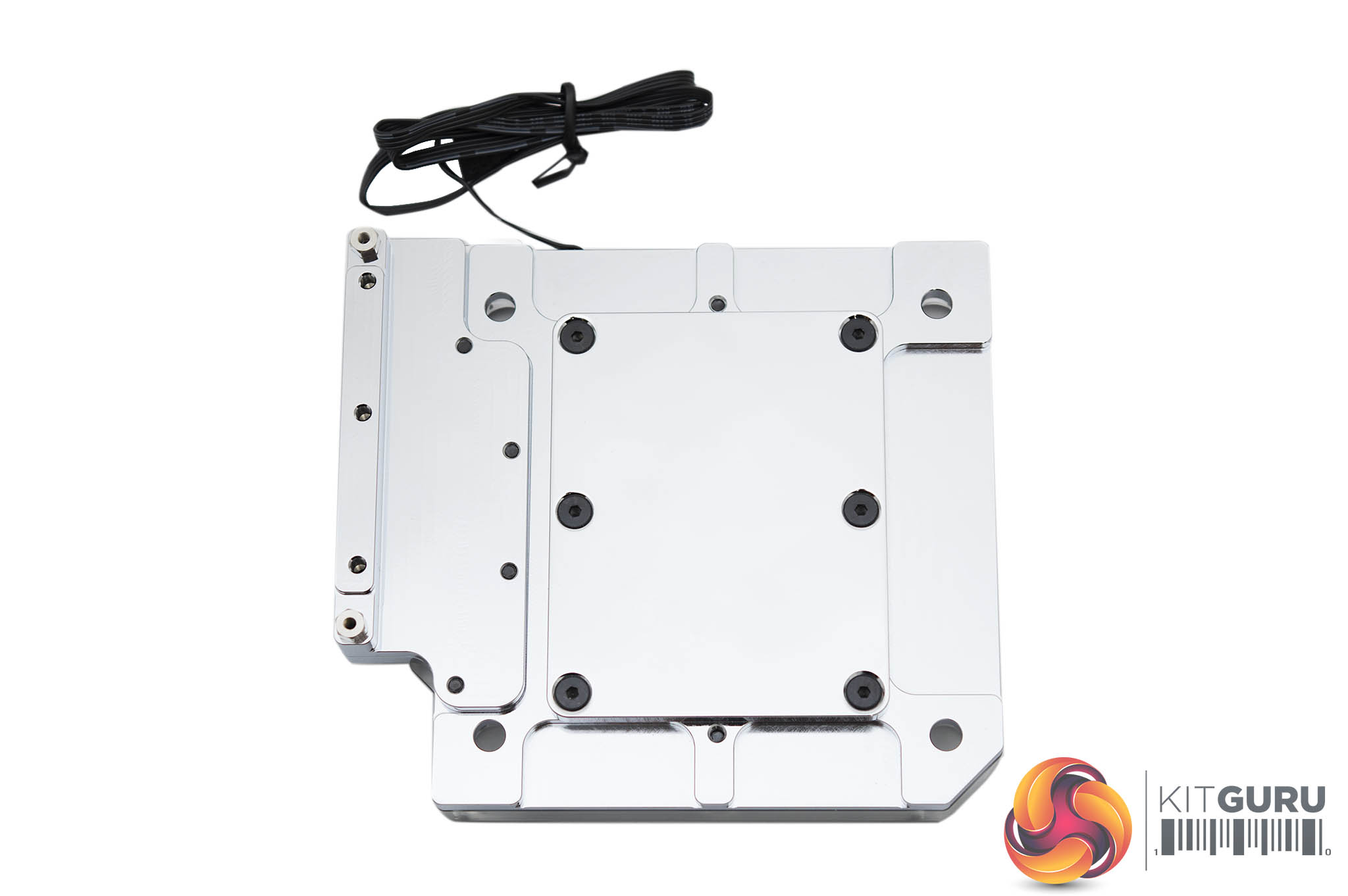
Bitspower manufacturers a waterblock specifically for use with this ASRock X299E-ITX/ac motherboard. The Bitspower BP-WBMASRX299EI is tailored to fit the ASRock motherboard and provide cooling to the CPU and the CPU VRM area. There are also specific mounting holes to allow the daughterboard that was previously fixed to the CPU VRM heatsink to now be secured to the waterblock since that VRM heatsink is removed as part of the block installation process.
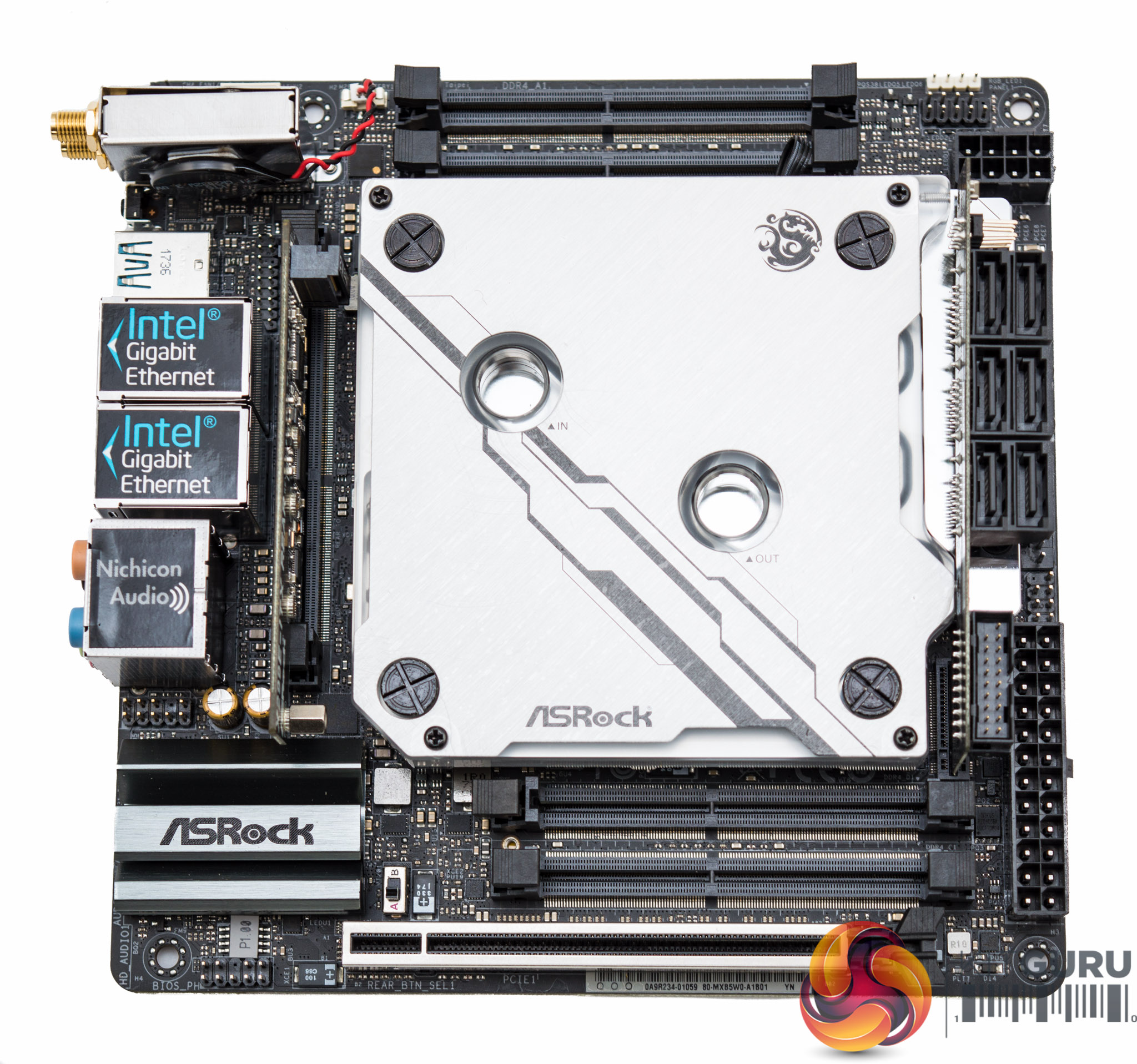
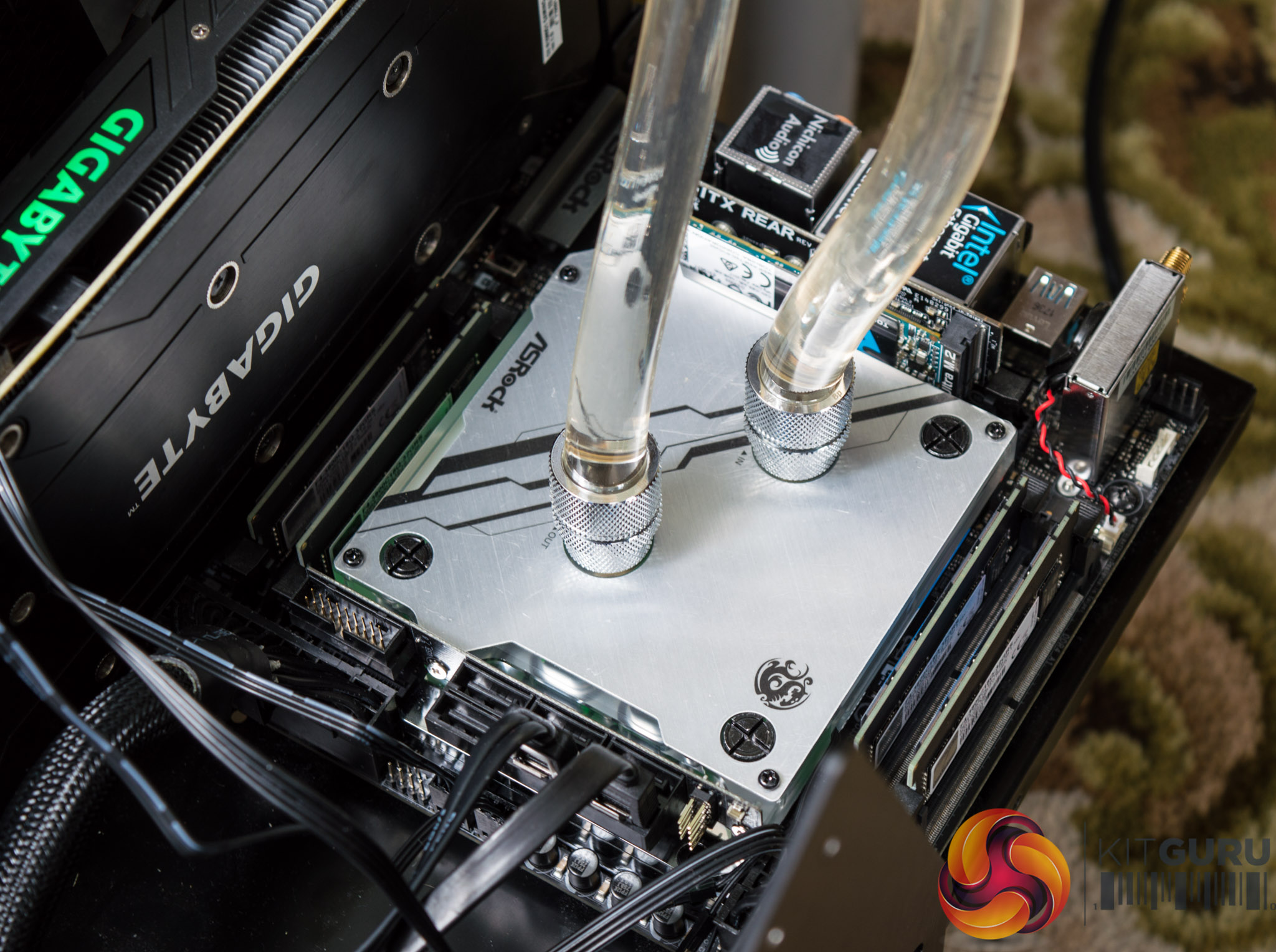
The fitment is perfect and it's clear to see this is a tailored product, clearances between most things are very tight and where contact is made between motherboard components and the block there are electrically insulated surfaces.
We set up a small watercooling loop with the Bitspower BP-LSAIO240-RGB kit to test the block. This consisted of a 240mm Bitspower Leviathan Slim radiator with a 29.6mm thickness, an integrated pump and reservoir unit (SC6), G1/4 inch rotary fittings and 5/8 inch (outer diameter) hosing as well as two 120mm RGB fans.
This watercooling setup took about 30 minutes to build and install with relative ease, plus some additional time for leak testing and bleeding of excess air. We found the thermal results for the CPU and various temperature sensor on the motherboard to be within a couple of degrees either way of the Corsair H100i v2, better at stock but worse at overclocked, but with a fairly high noise output from the pump and reservoir combination unit.
That said, we are by no means experts in building and configuring custom watercooling so it is likely that better performance is available when applying more skill during the loop building process. It also wasn't possible to measure VRM temperatures to see what improvements were available in that area either.
Putting the Bitspower loop kit aside, the tailored waterblock is a nicely crafted item and for experienced watercooled system builders using this to water cool is definitely a route worth pursuing. This is particularly the case when overclocking hard with CPUs that have more than 10 cores or are using some significant voltages, as this puts a lot of strain on X299 CPU VRMs.
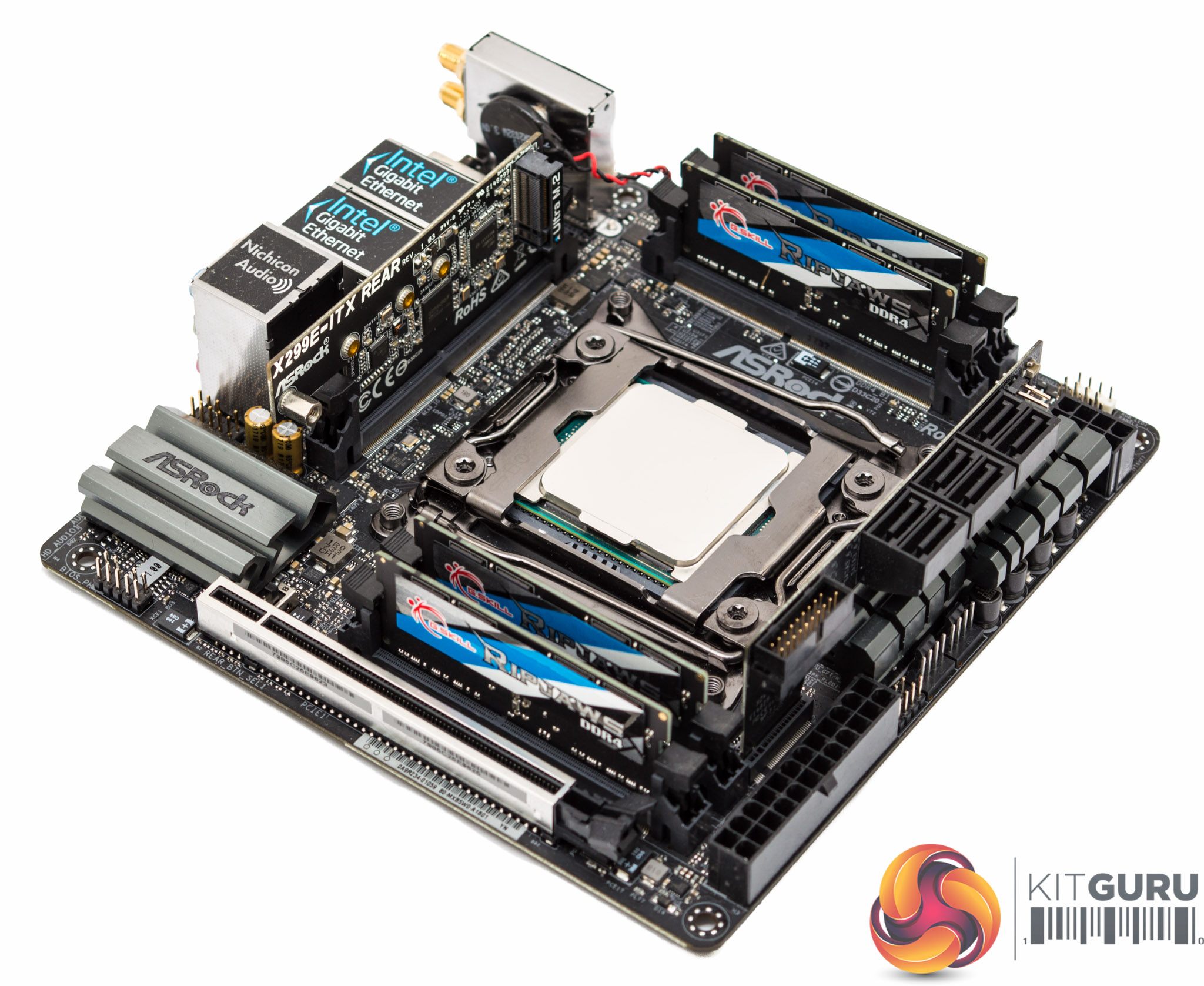
The next tailored item for this motherboard is G.Skill's Ripjaws 3800MHz 4x8GB DDR4 SO-DIMM memory kit. Availability and pricing for this kit at the moment is tight but it shows that performance compromises need not be made even when constrained by the mini-ITX form factor.
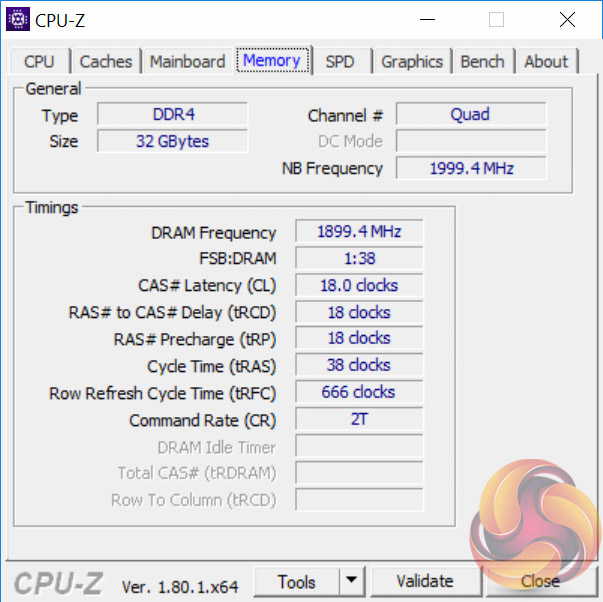
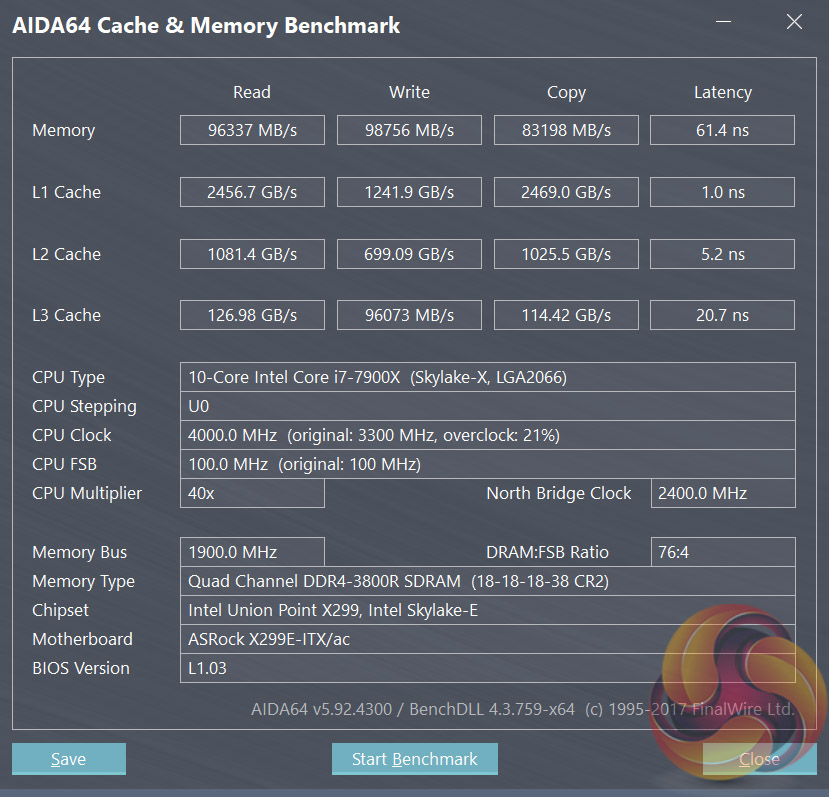
Performance from the kit was jaw-dropping (or should that be jaw-ripping?) and it easily keeps up with and outpaces many desktop memory kits. The 3800MHz kit is the cutting-edge of current SO-DIMM memory speeds with pricing and availability to match. Many consumers may be better off opting for slower kits in the G.Skill range like the 3000MHz, 3200MHz or 3600MHz Ripjaws SO-DIMM quad-channel kits.
Availability is scarce for most of G.Skill's Ripjaws SO-DIMM range in the UK. The fastest kit we could track down is the G.Skill Ripjaws 4x8GB 3000MHz SO-DIMM for £440 from MoreComputers, a 4 x 16GB kit is also available for the 3000MHz speed for those with the financial appetite. The 2800MHz kit comes in slightly cheaper at around £400 for 32GB (4x8GB) of SO-DIMM. MemoryC.com are also stocking much of the range for UK buyers albeit at higher prices.
In the USA Newegg currently stock the G.Skill Ripjaws SO-DIMMs in 3200MHz and 3000MHz flavours with better availability and pricing. It works out to $482 for 32GB of 3200MHz (buying two dual channel kits) and $452 for 32GB of 3000MHz (buying four single channel kits).
That said if super-fast DDR4 SO-DIMM memory isn't a necessity or doesn't suit the budget, there is plentiful availability of DDR4 SO-DIMMs in more mainstream speeds like 2400 and 2666MHz that would also work well with this motherboard. Beyond 2800MHz the impacts of faster memory start to slow-down and tail off in real-world applications anyway.
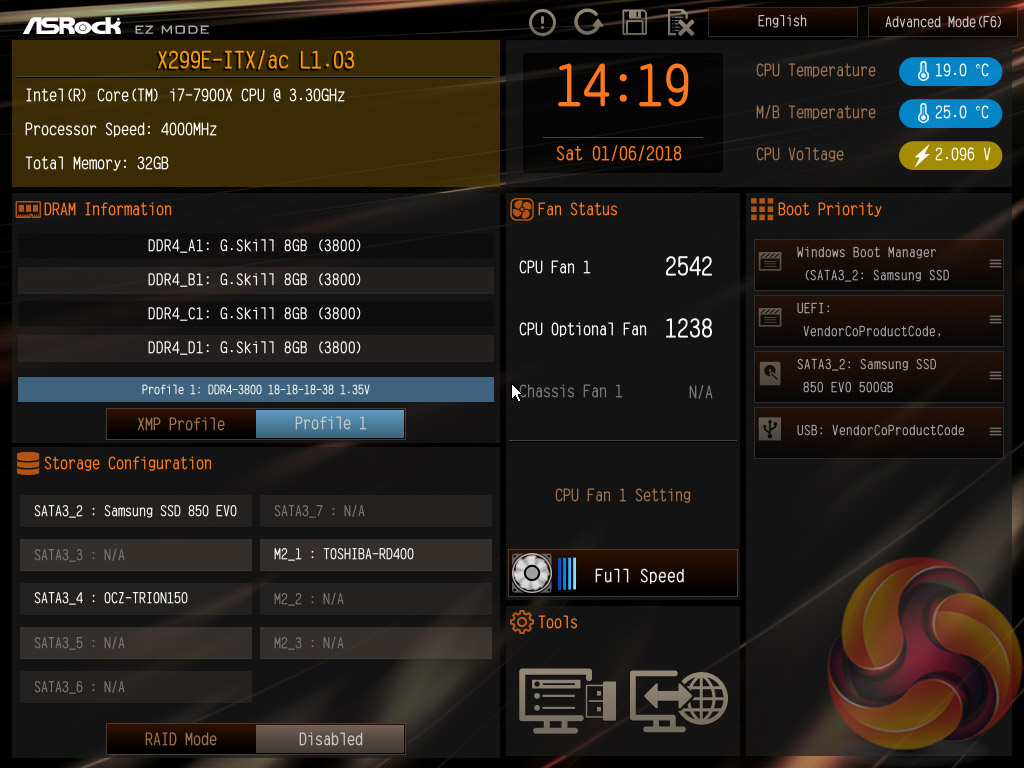
Like all motherboard vendors the ASRock UEFI offers an “EZ MODE” option (read: easy mode) intended to provide a quick summary of commonly accessed UEFI options like boot order, XMP memory profiles and fan speeds.
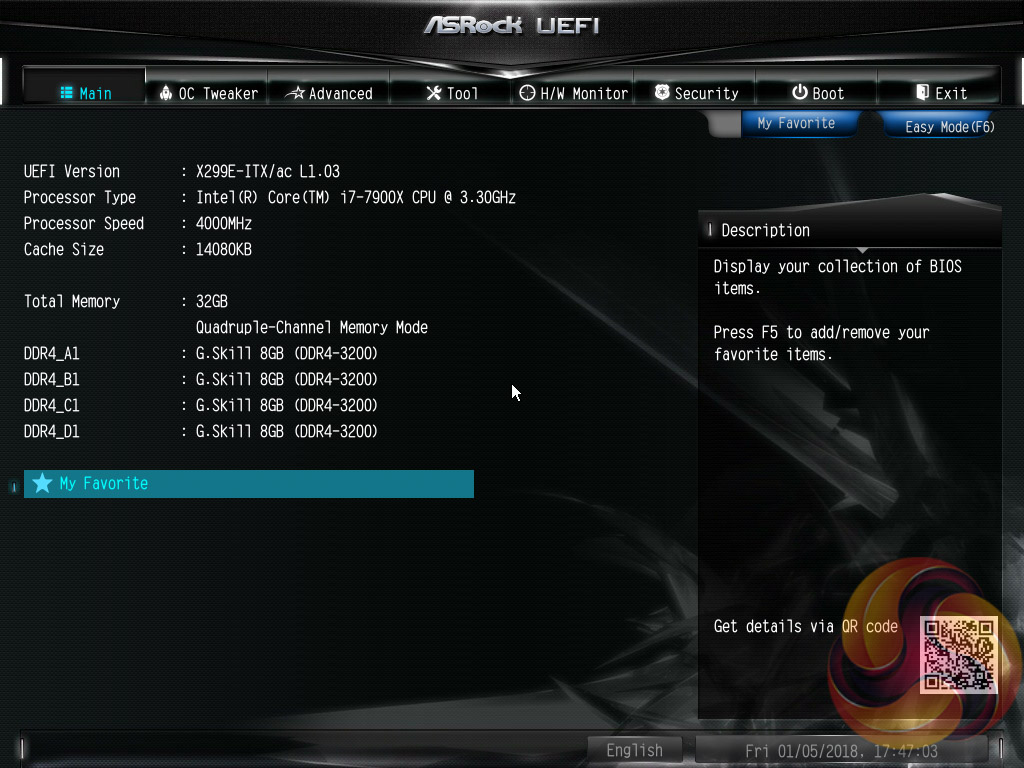
Pressing F6 takes you into the Advanced mode which starts with the Main page that overviews the UEFI version, installed processor and DRAM information.
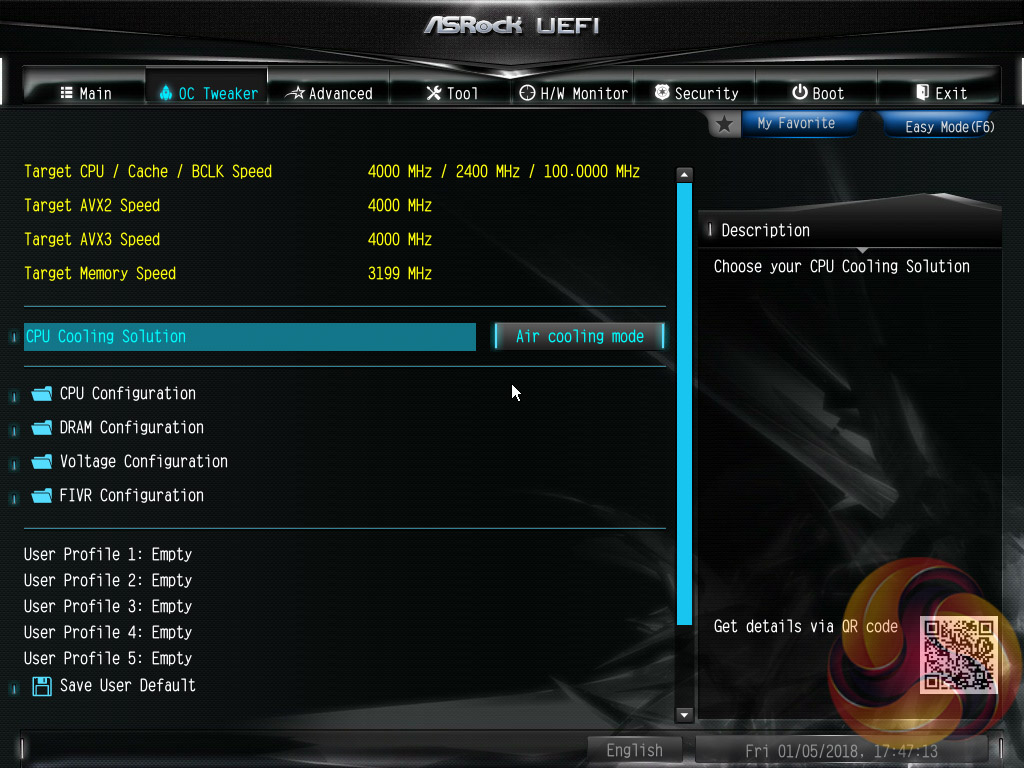
OC Tweaker is the primary section of the UEFI environment for overclocking and performance tuning. ASRock splits off the main parameters into separate sections with CPU, DRAM, Voltage and FIVR configurations.
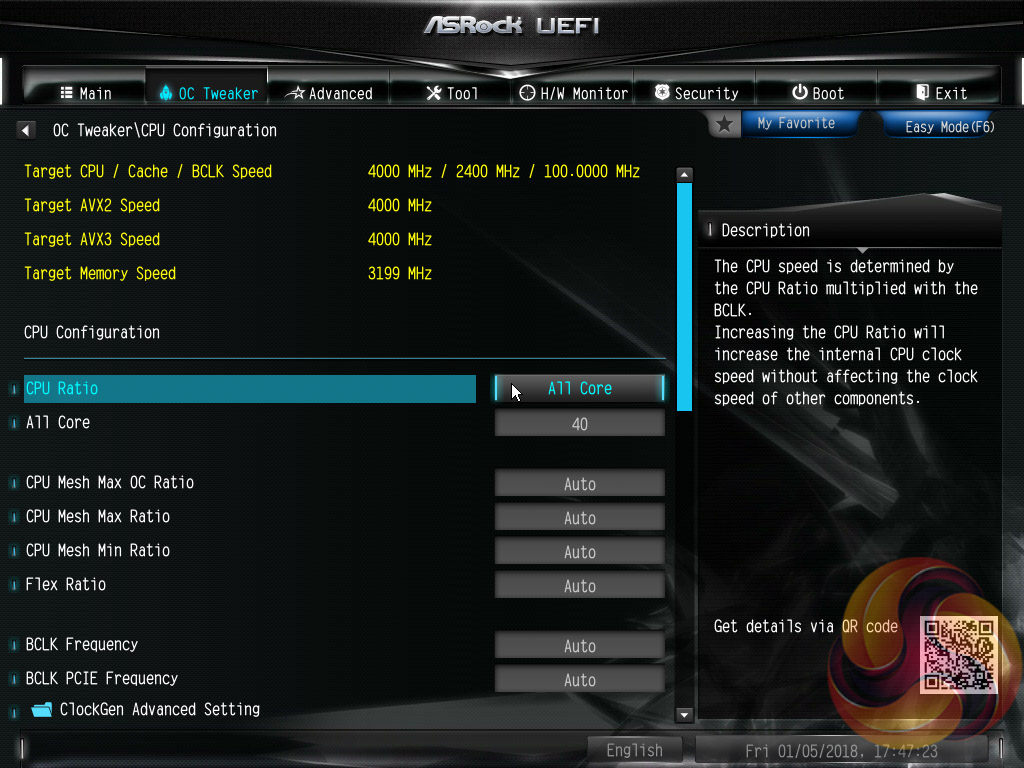
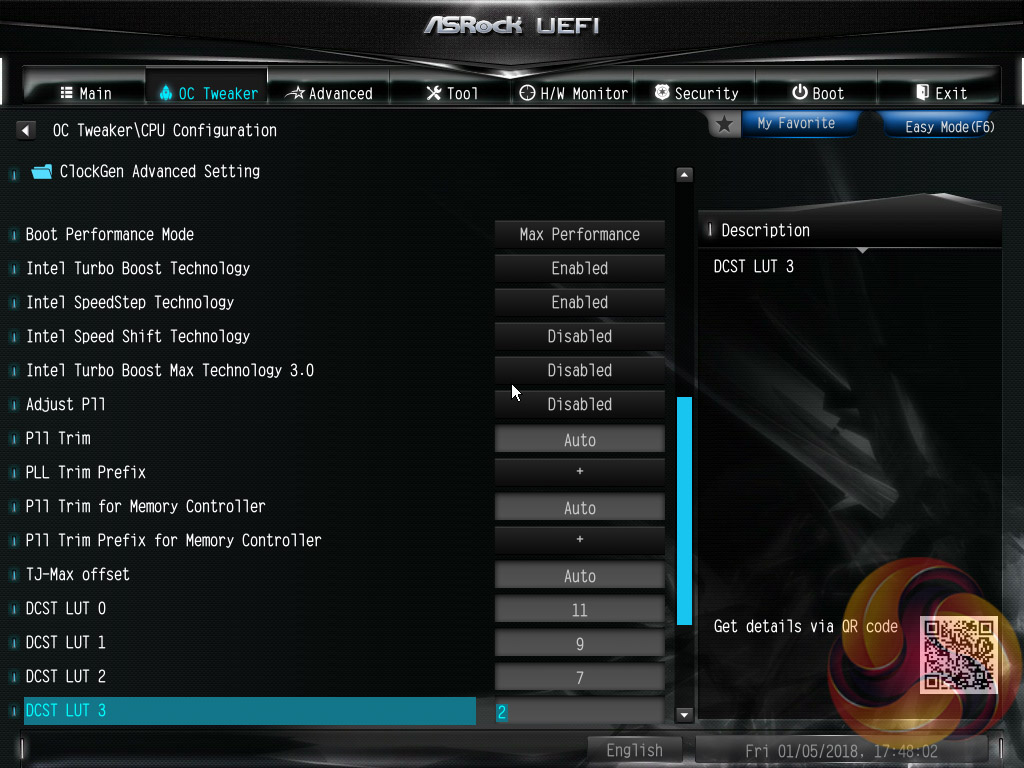
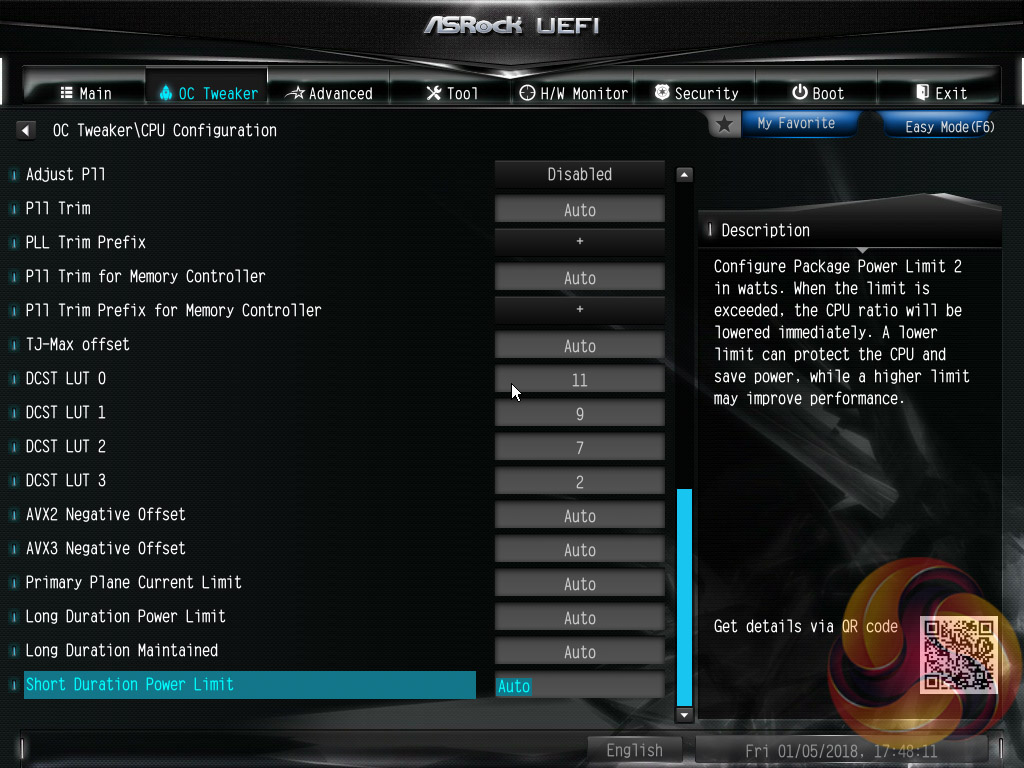
CPU Configuration covers all frequency and performance-related elements of the CPU such as core behaviour, multiplier modes, turbo boost, cache ratio, baseclock and so on.
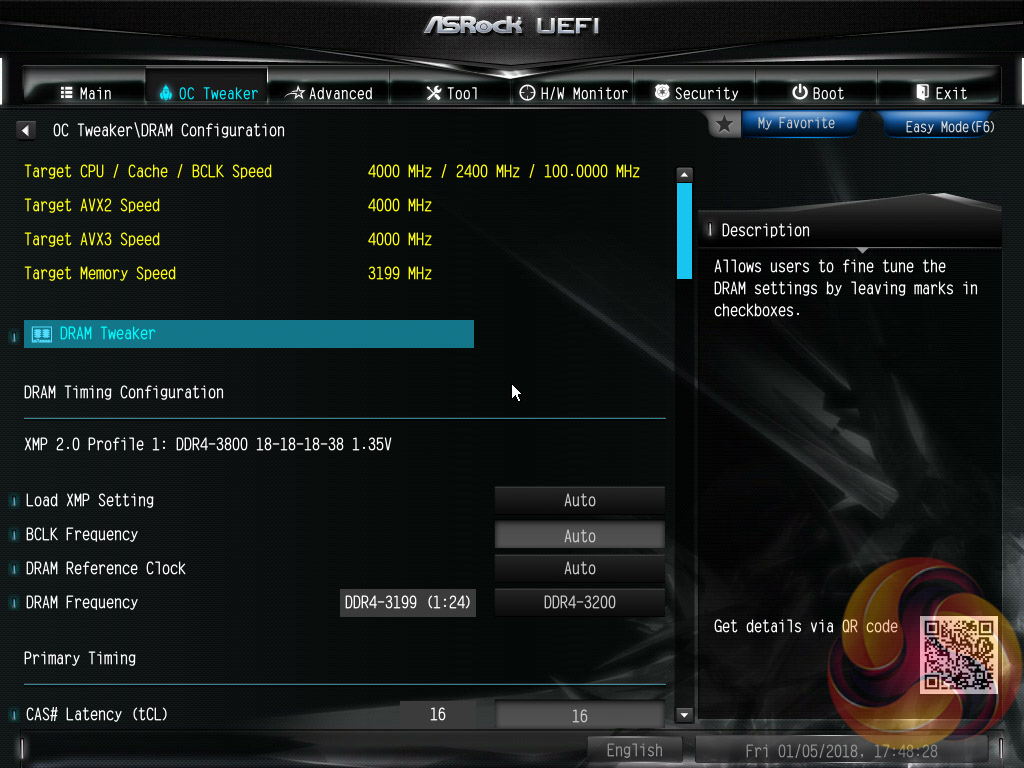
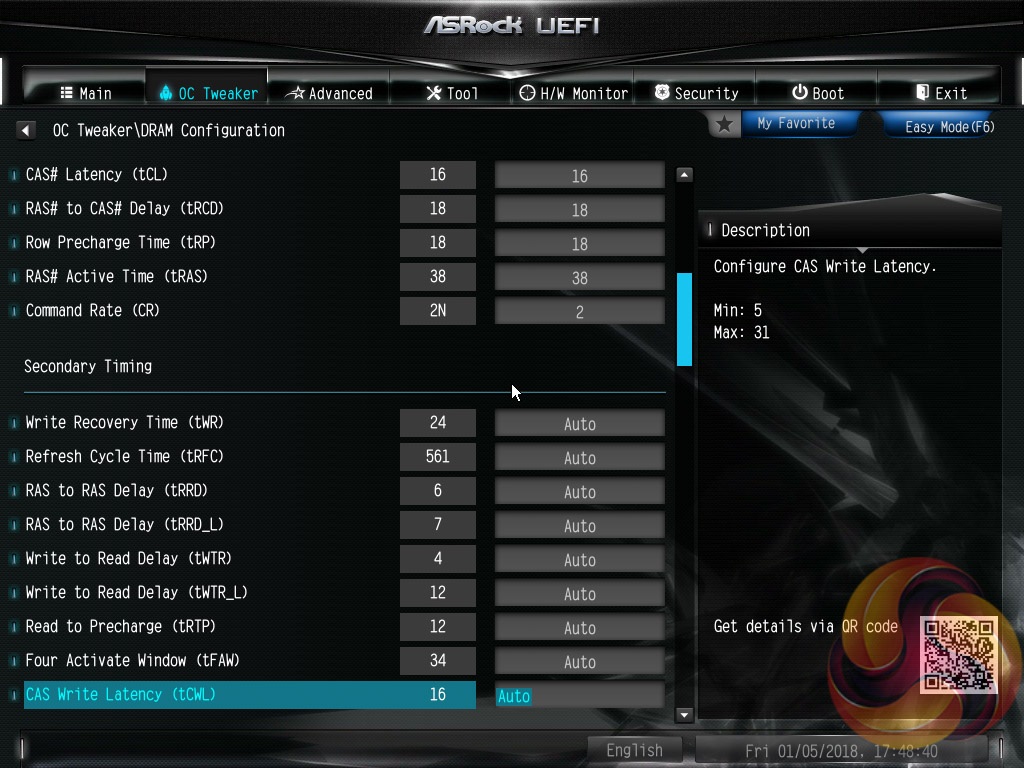
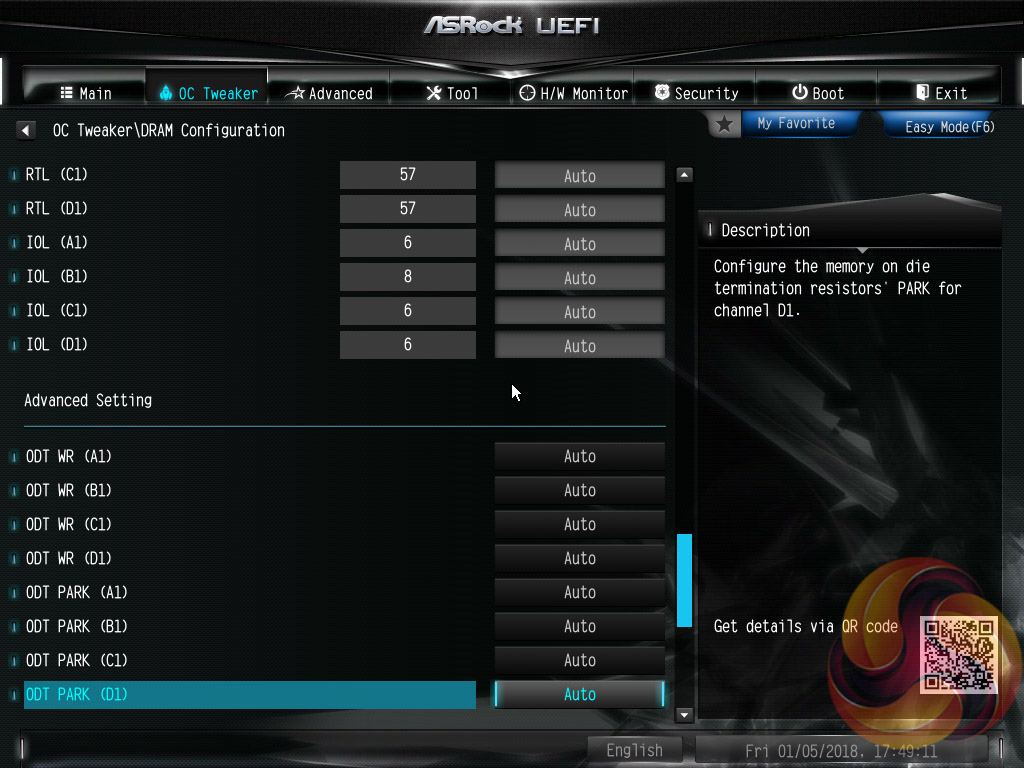
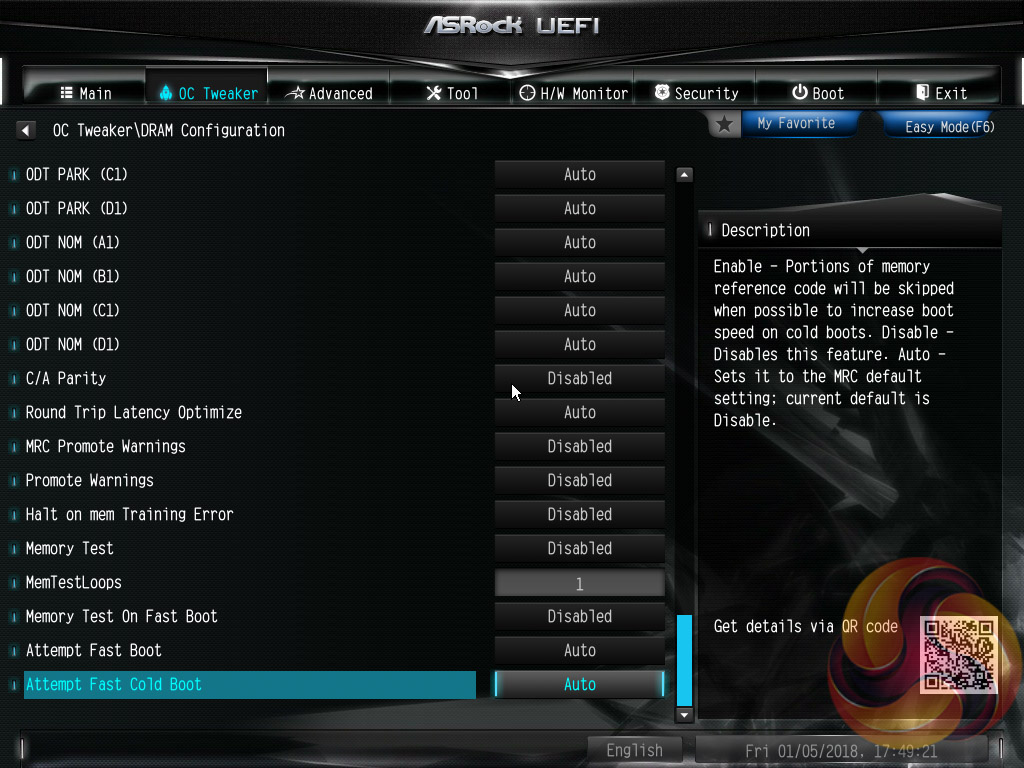
DRAM configuration brings all frequency and performance-related elements for the memory modules including XMP, reference clock and timing controls.
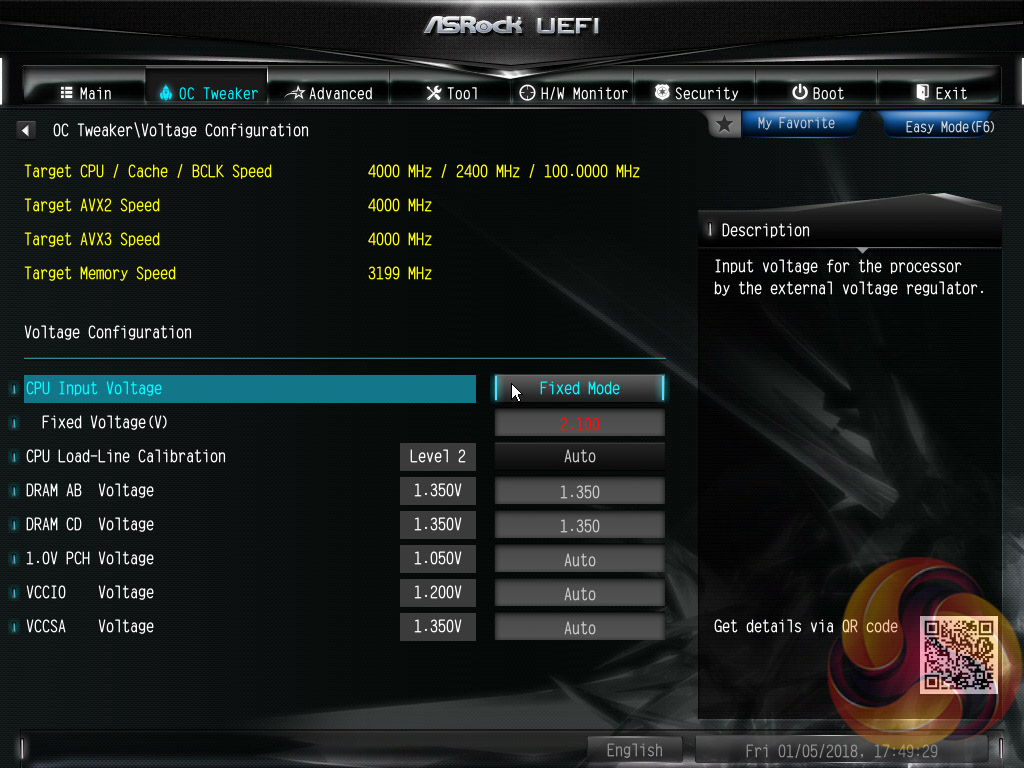
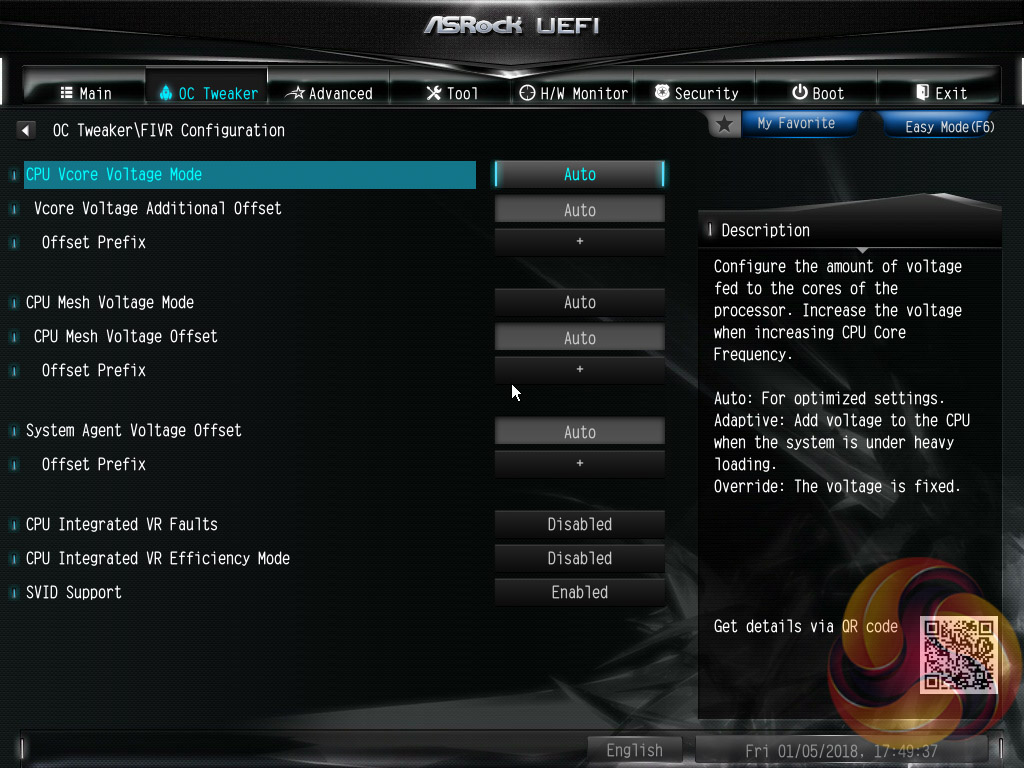
Voltage configuration is specifically for the various programmable voltages on the motherboard including CPU Input Voltage (VCCIN), VCCIO, VCCSA and PCH voltages. The CPU load line calibration controls are also held within this section and span five different levels with the Level 1 profile having no reduction under load and Level 5 the most reduction.
VCore voltage configuration is done in the FIVR configuration tab. Users can pick from Auto, Adaptive and Fixed for the operational modes, set the VCore and can also set some other voltages.
The OC Tweaker section is reasonably well equipped and granular but we find the splitting off into “FIVR” and “Voltage” unnecessarily separates clearly related UEFI options. What ASRock is trying to do is understandable and by packing related options into individual sections a neat layout does ensue, it also enables ASRock to bundle UEFI profiles into the OC Tweaker landing page so users are more likely to take note of this capability.
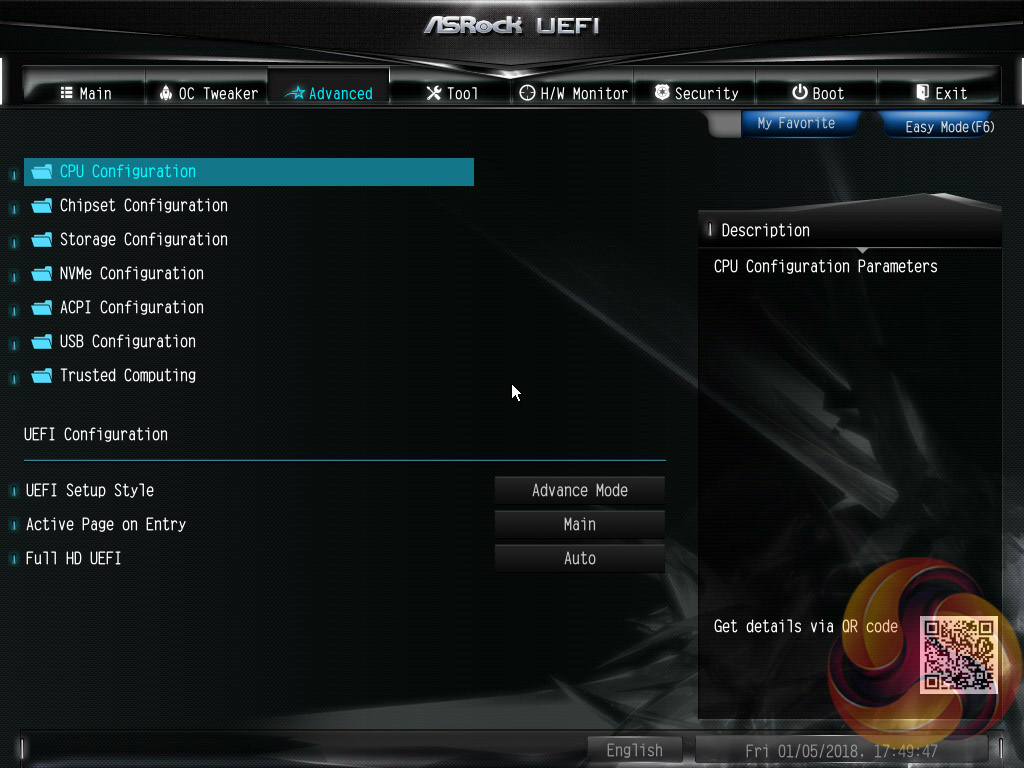
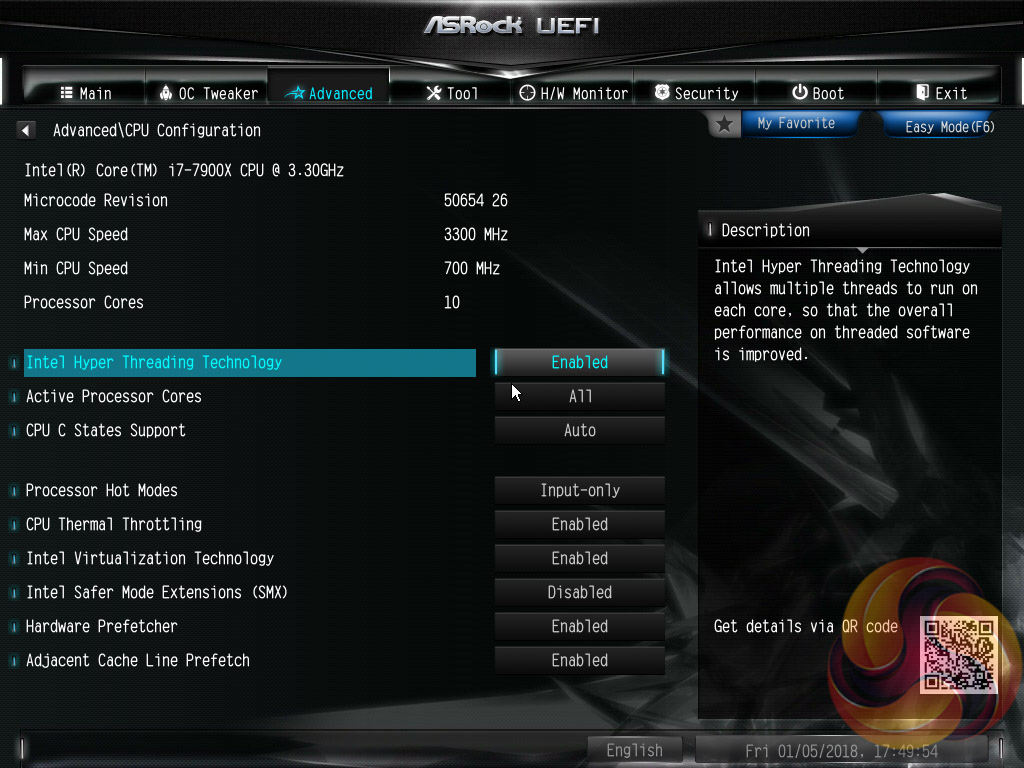
In the Advanced section are yet more CPU configuration options, as if the CPU configuration section of OC Tweaker wasn’t enough. The remit of the advanced section is to give users the “everything else” of compatibility and functional UEFI options for onboard hardware that aren’t found in OC Tweaker. An inclusion at the bottom of the Advanced section is the ability to toggle the UEFI into a full HD mode which is disabled by default, at least it was on our test system monitor.
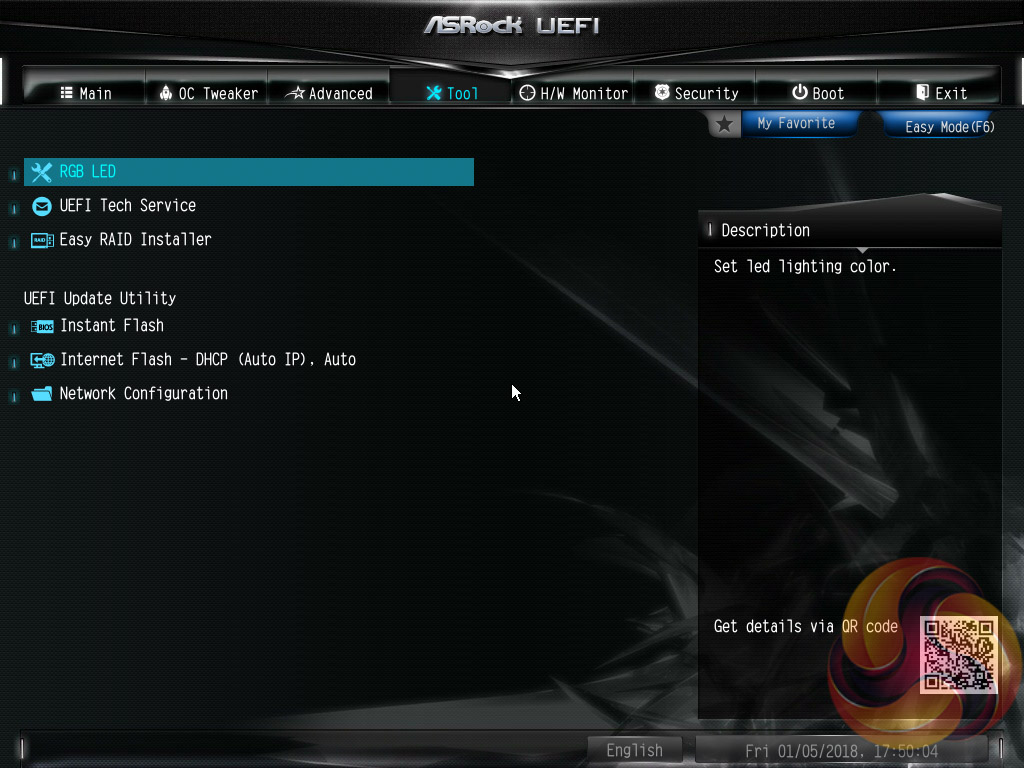
The Tool tab holds the Instant Flash utility which is beautifully simple. Attach a USB device, pick the update file and update, or update automatically from the internet. It seemed on this motherboard only one of the Ethernet ports was configured to work with Internet flash, however, it connected up to the internet easily and worked a treat to run the update.
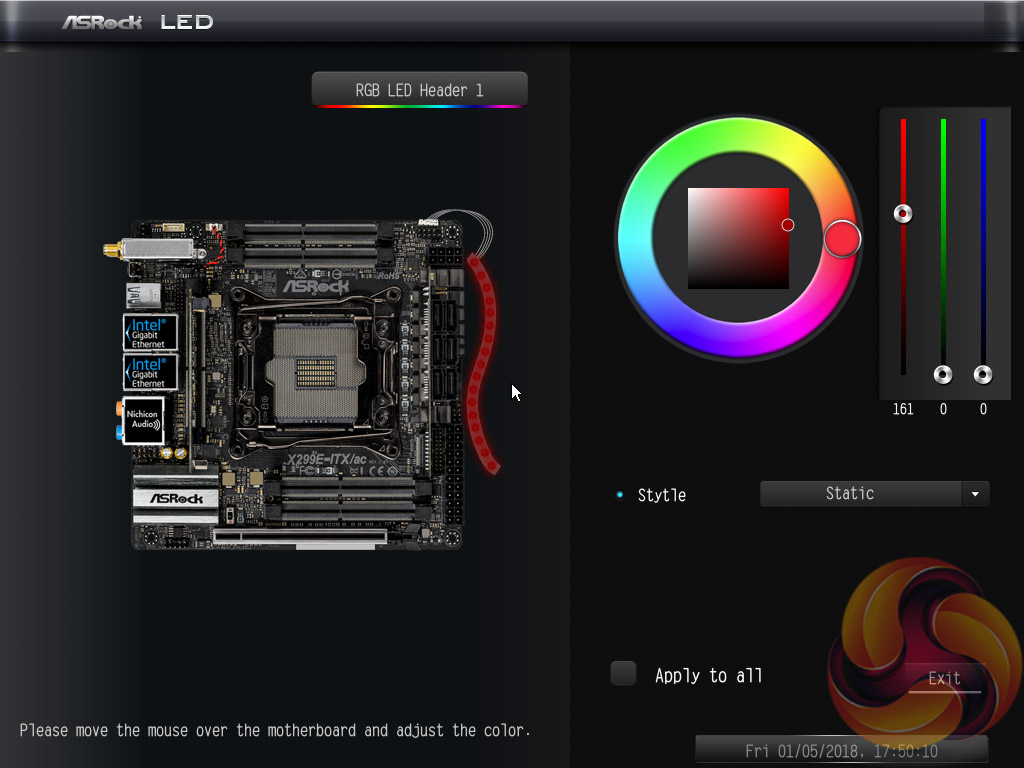
ASRock is, to our knowledge, the only motherboard vendor that puts RGB LED controls in the UEFI environment. It’s a unique approach and it’s pleasing to say the UEFI version of ASRock’s RGB LED doesn’t lose any features compared the Windows version.
The only downside is that once the profile is set within the UEFI the user has to re-enter the UEFI to make any further changes. The upside is, of course, less software clutter within Windows for those who have an aversion to motherboard software.
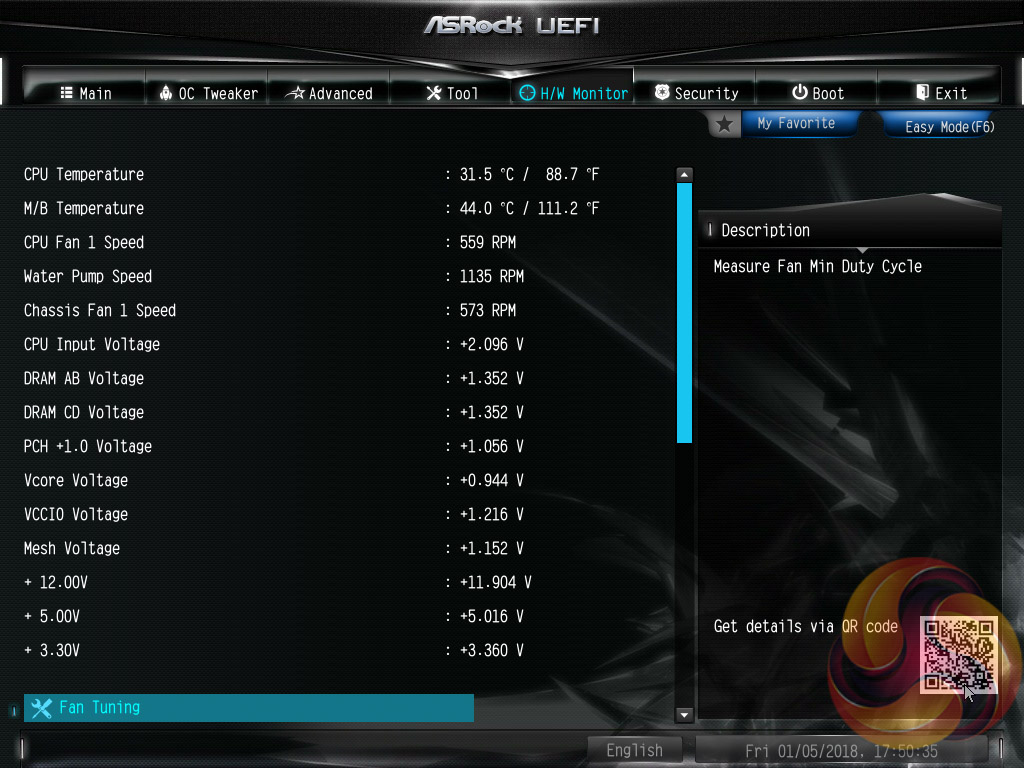
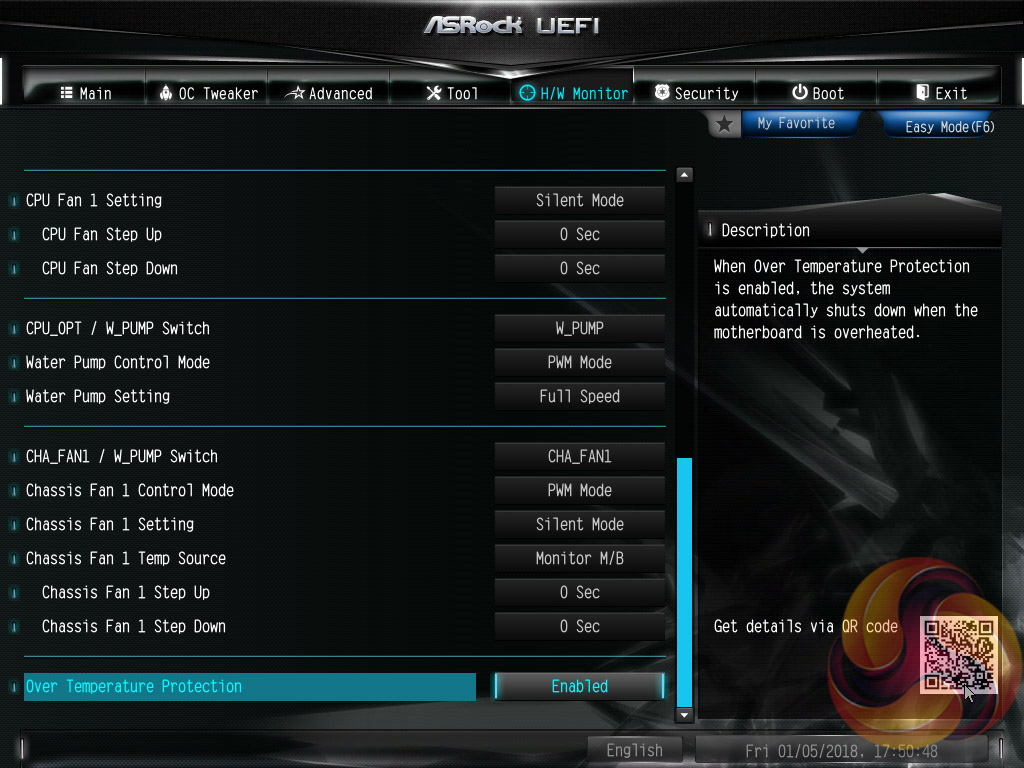
The Monitor section includes a number of voltage, temperature and fan speed read-outs as well as all the CPU and System fan controls.
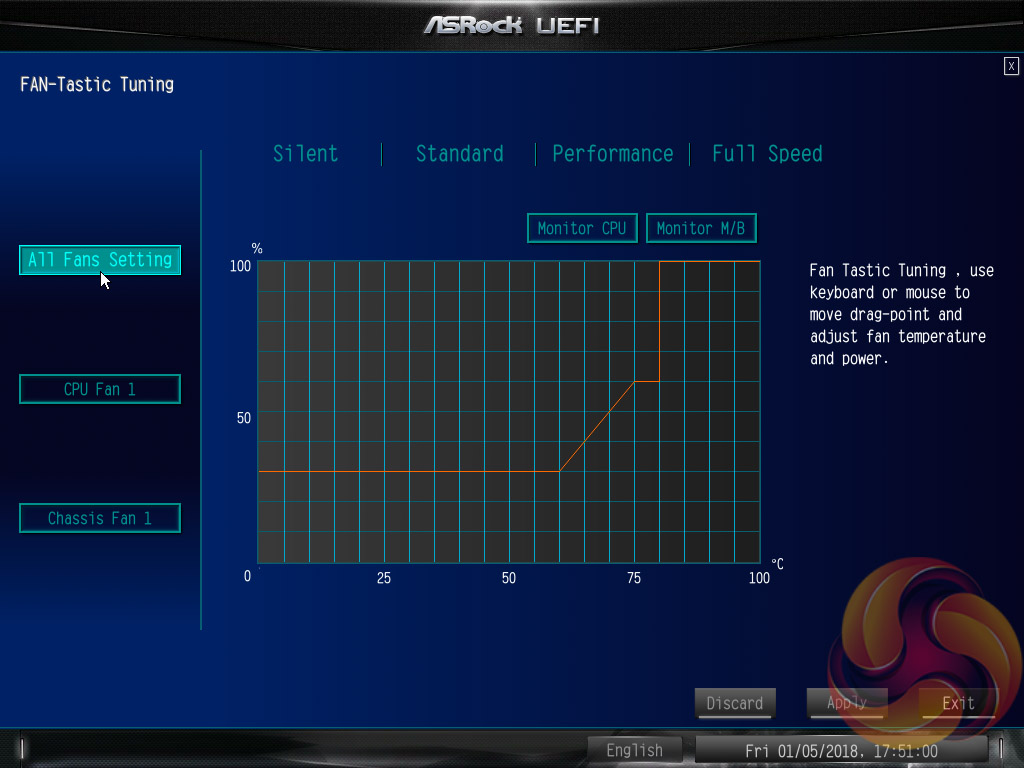
Further fan tuning can be done by first running the “Fan Tuning” wizard to calculate the full fan speed range of each attached fan (minimum and maximum speeds in RPM). Then from within the FAN-Tastic tuning window customised profiles can be set using the fan speed graph and the mouse to drag-and-drop the curve/line.
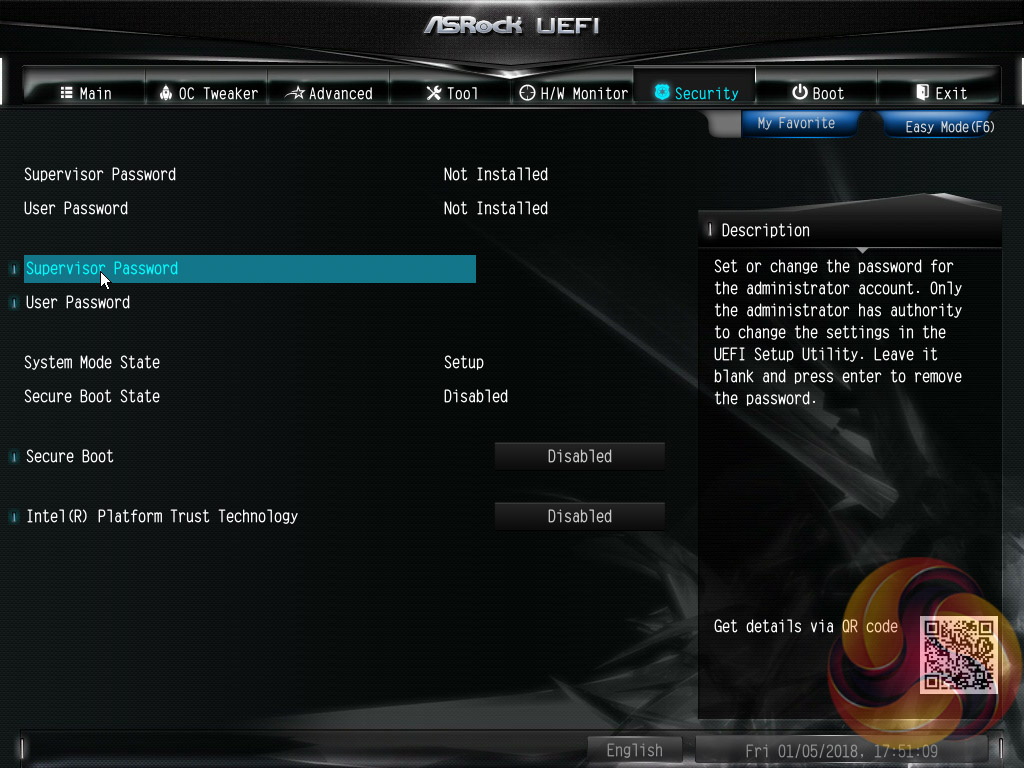
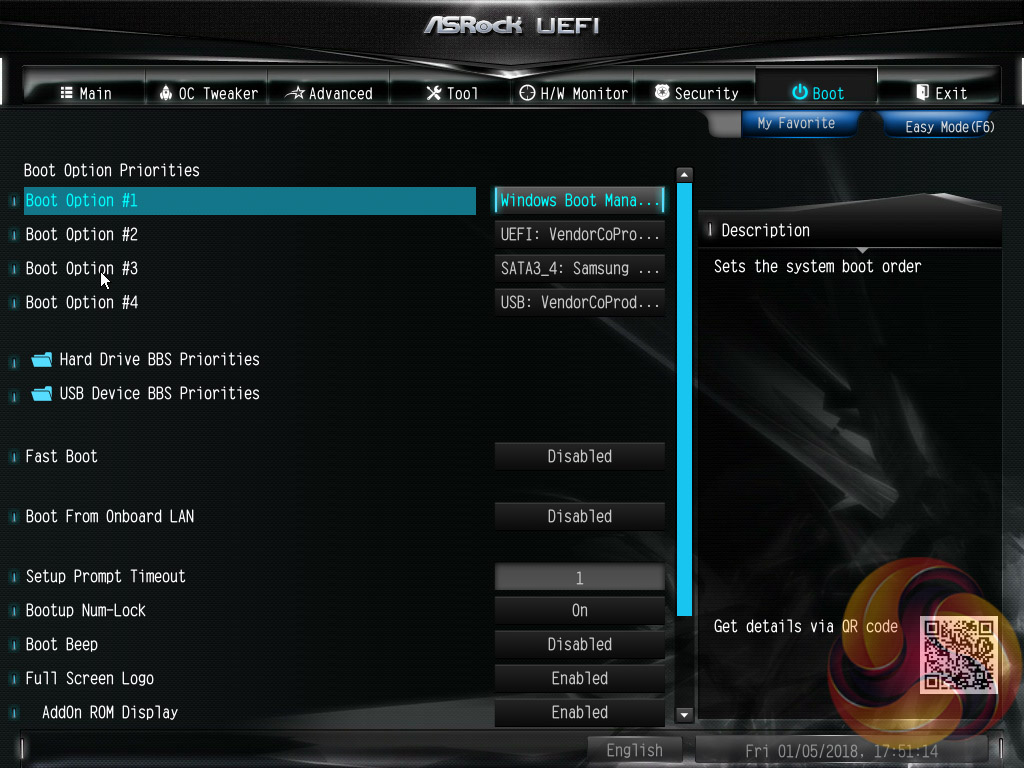
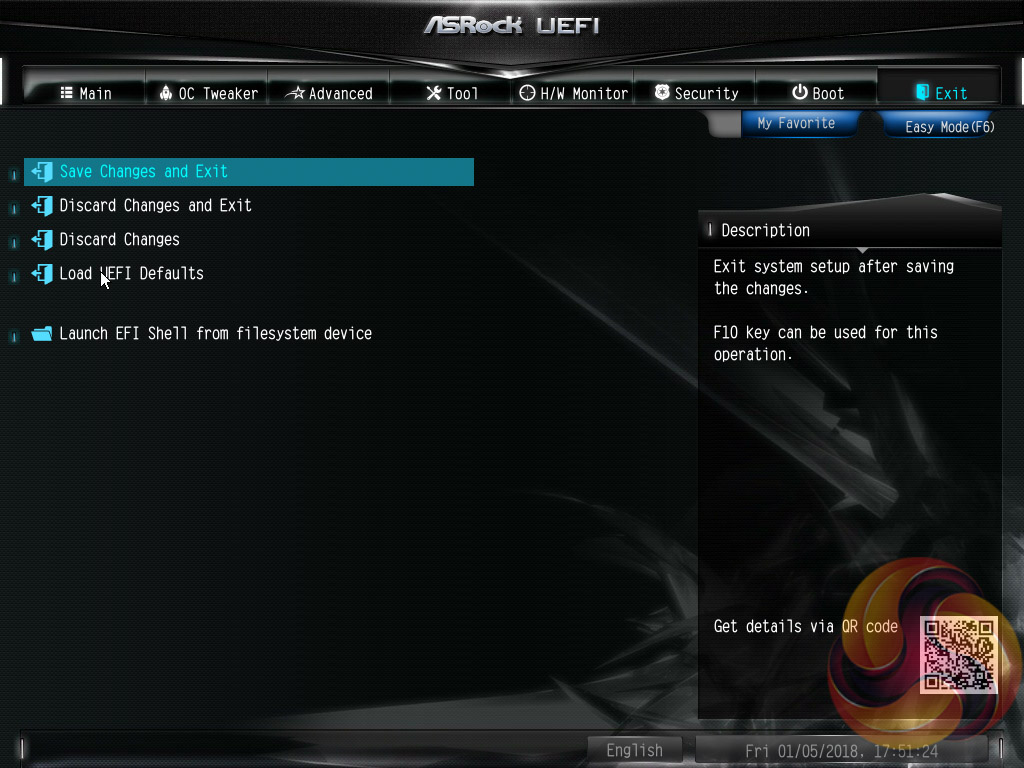
Security, Boot and Exit tabs round off the rest of the ASRock UEFI environment. We were disappointed to see that no summary of UEFI changes made in the session is presented to the user before they save and exit.
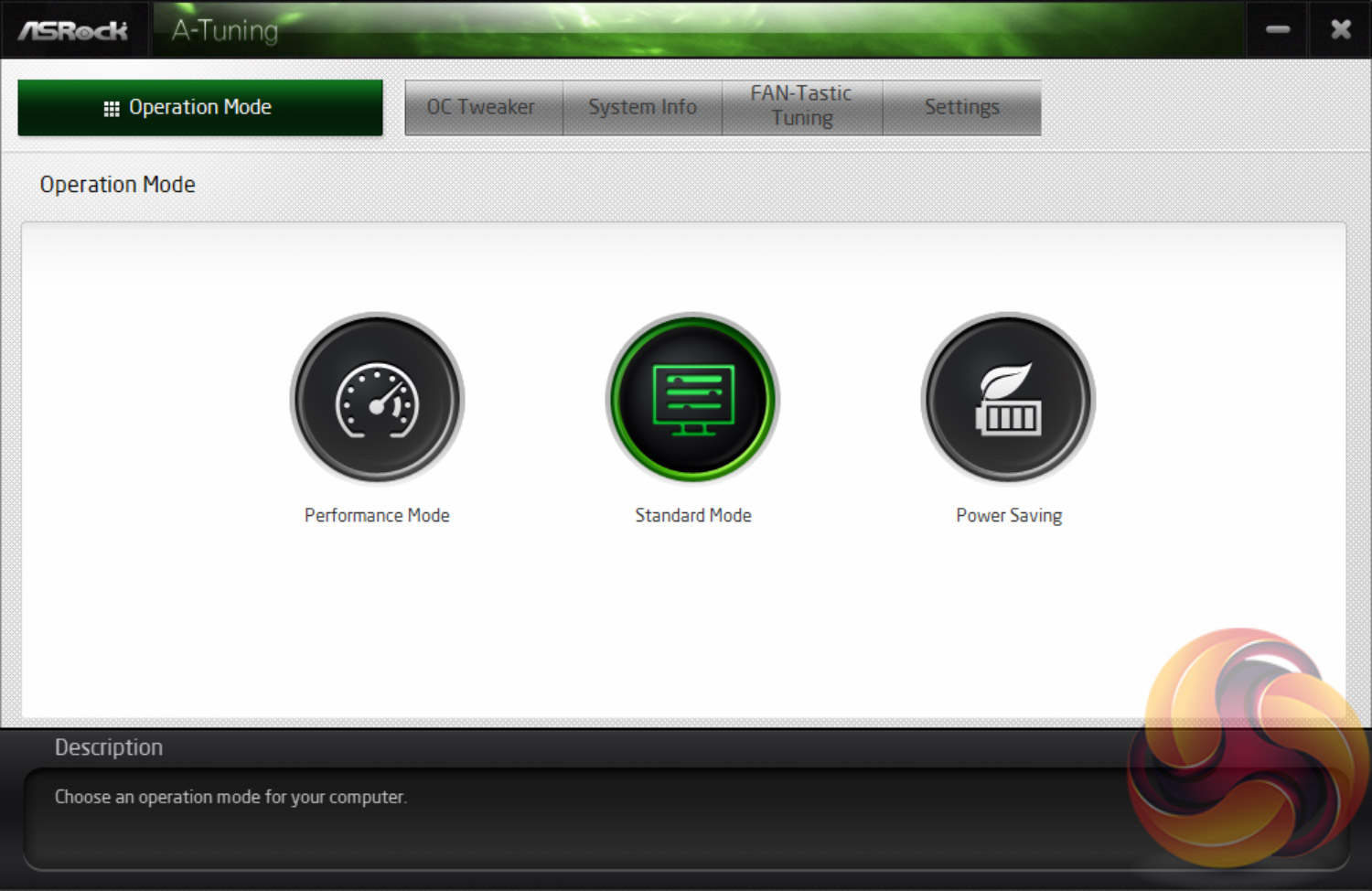
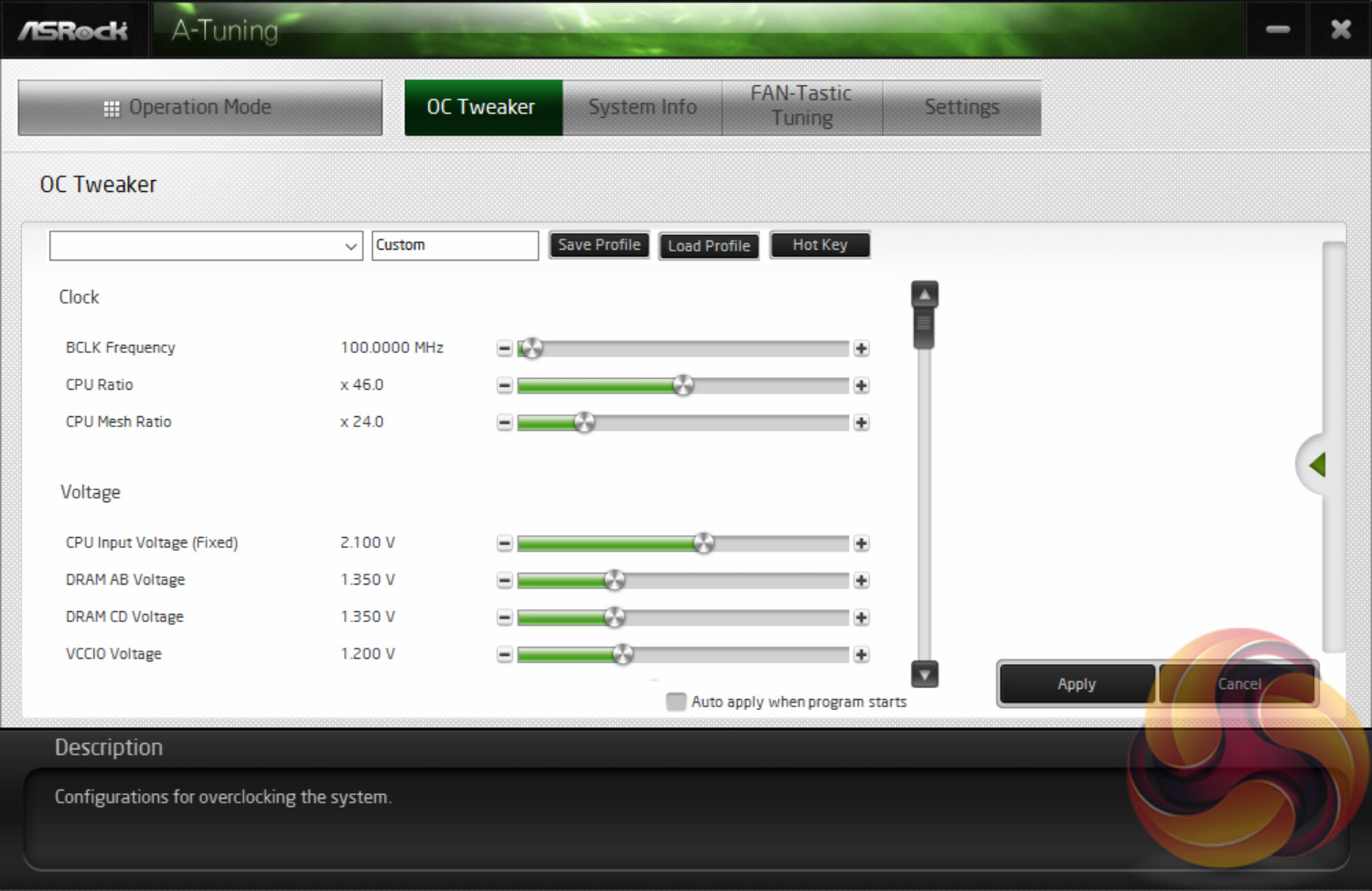
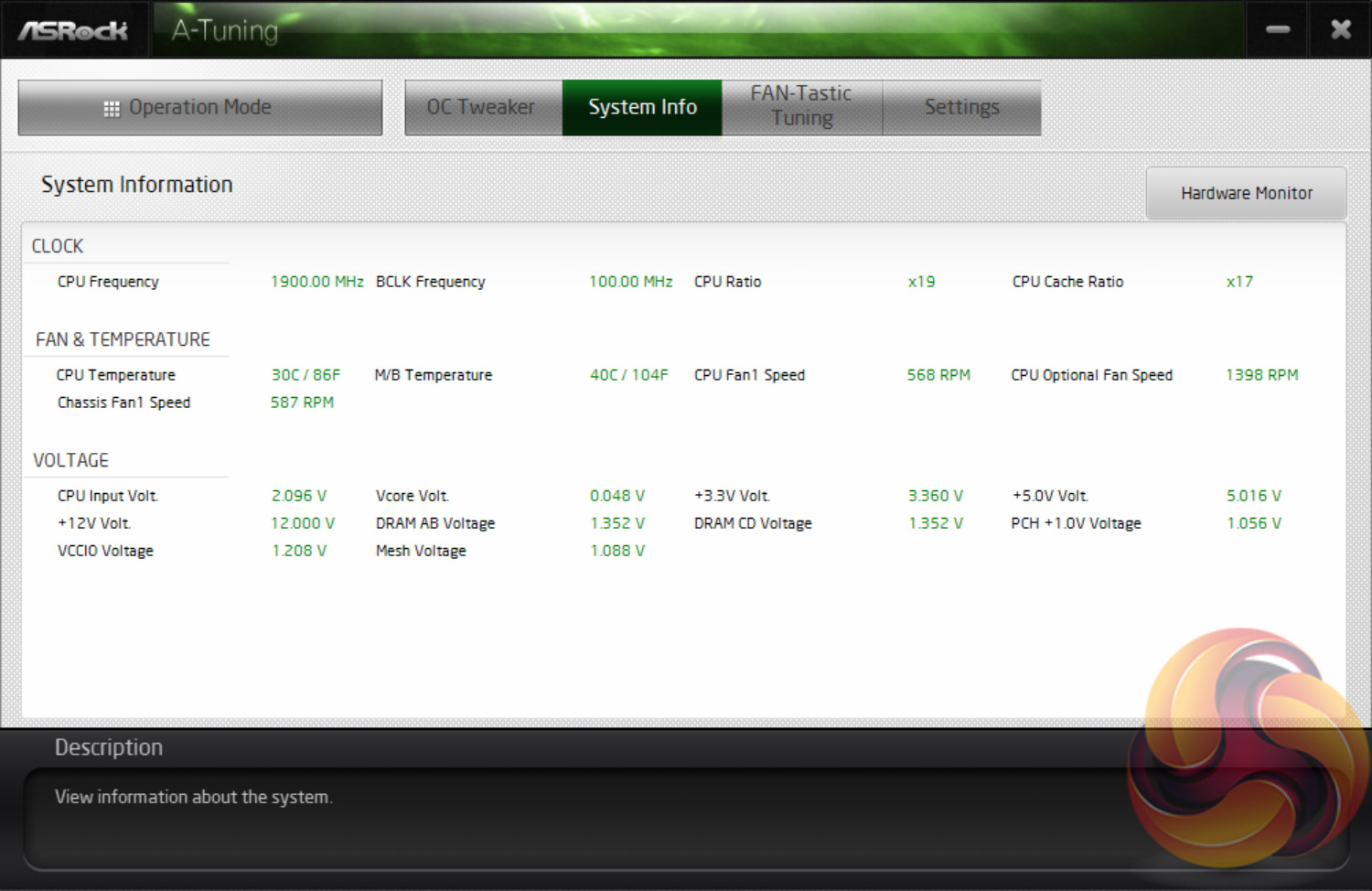
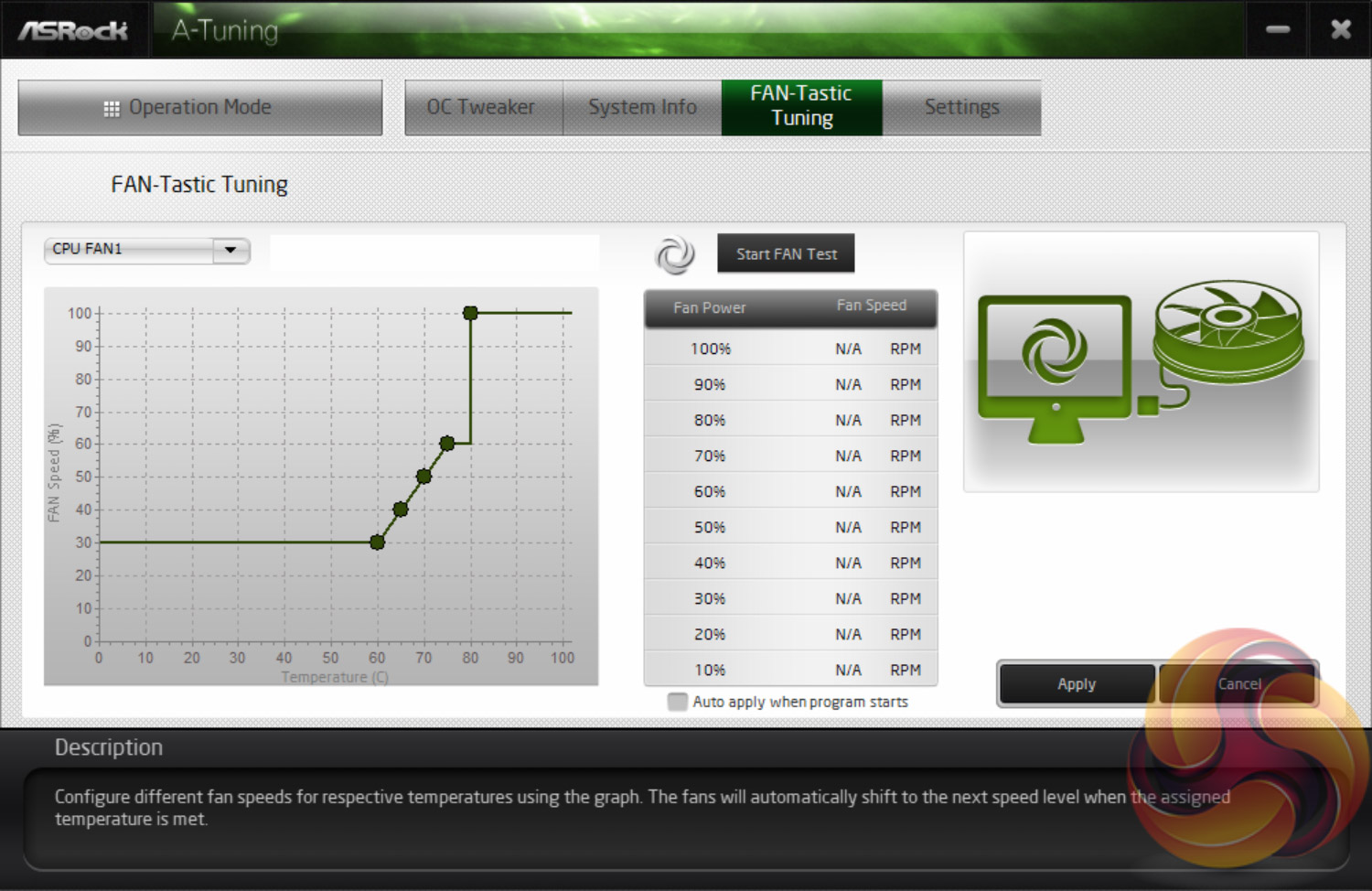
A-Tuning, ASRock’s equivalent to ASUS AI Suite, Gigabyte EasyTune and MSI Command Centre, allows you to overclock on-the-fly and tune the fan speeds with the ASRock FAN-Tastic tuning functionality. It’s a reasonably well polished piece of software, is light on system resources and not very intrusive.
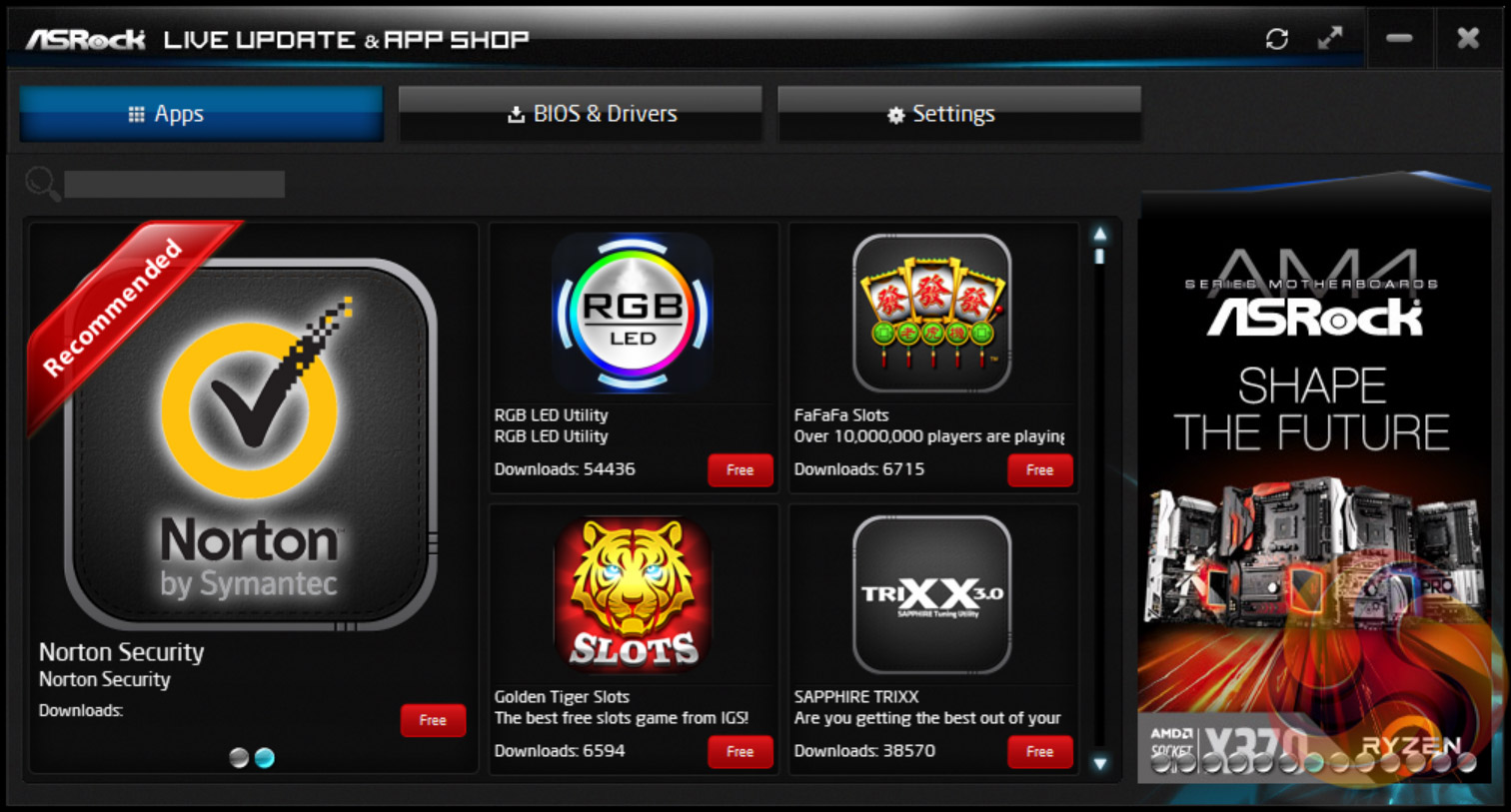
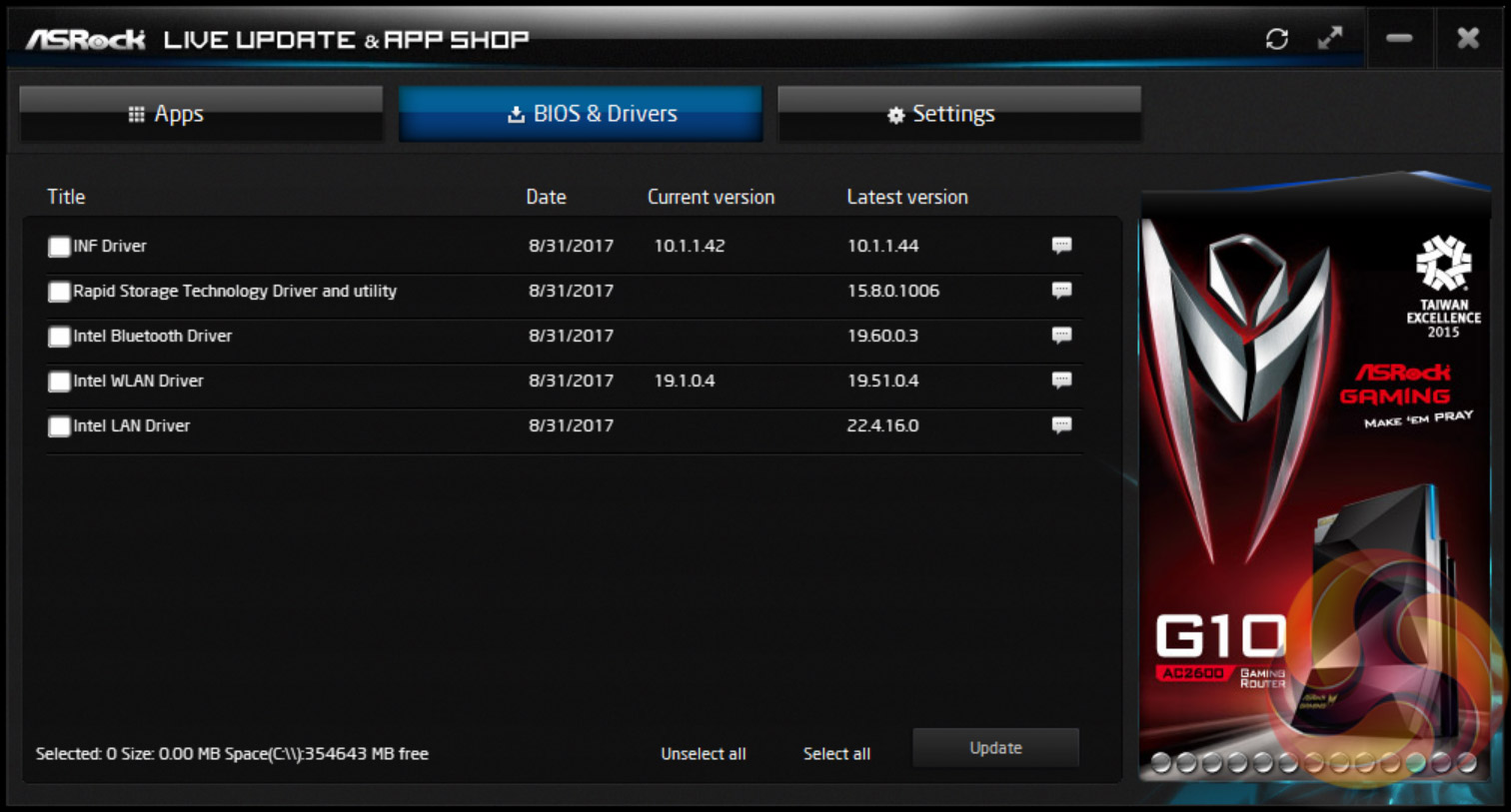
ASRock’s App Shop provides the dual role of serving out ASRock’s own software and approved third party software, but also includes a MSI Live Update-style function which scans for certain BIOS and driver versions and informs the user when a newer version is available. It’s reasonably useful for both of its provided functions and isn’t too intrusive, but does pop up the occasional notification in Windows 10.
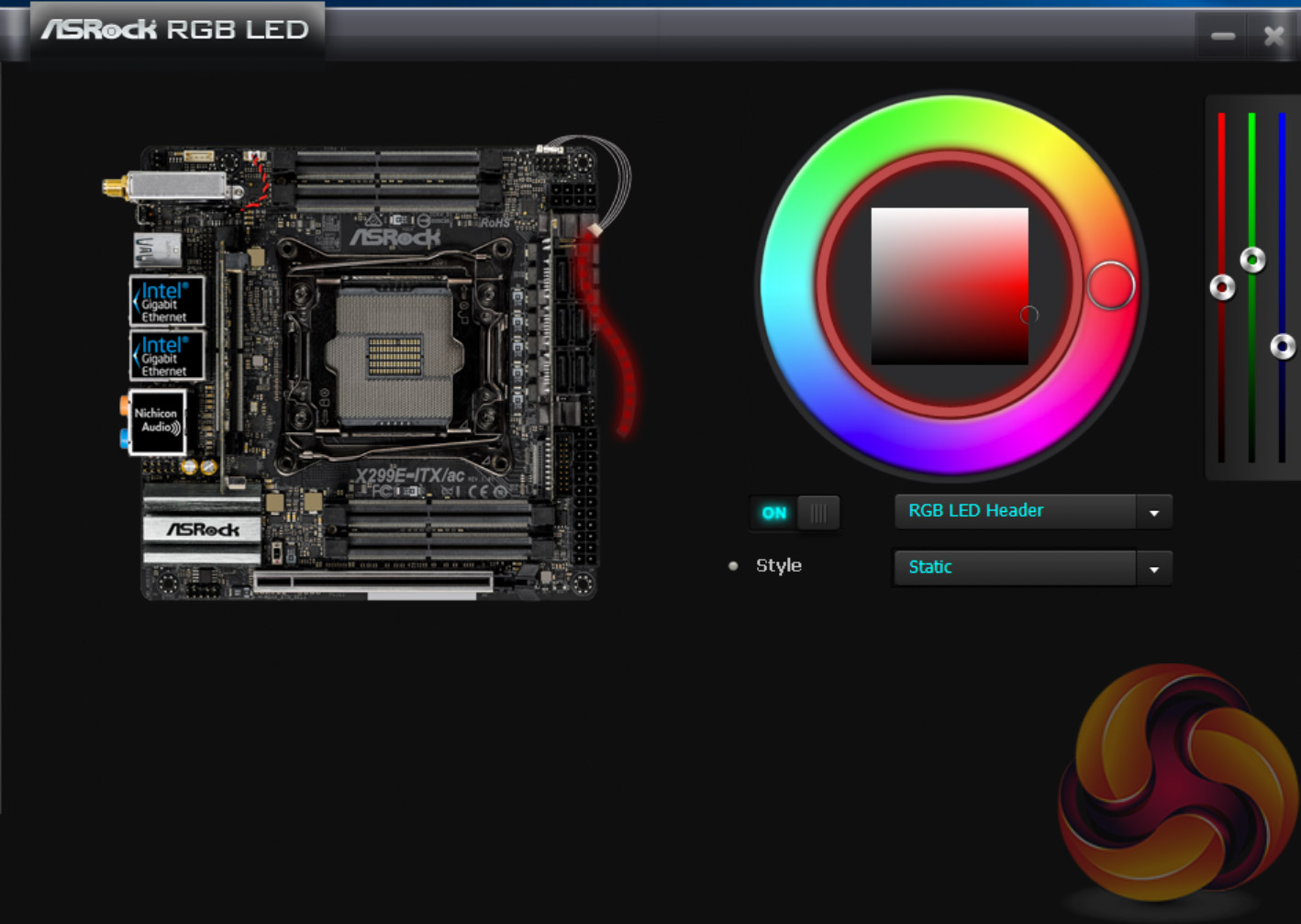
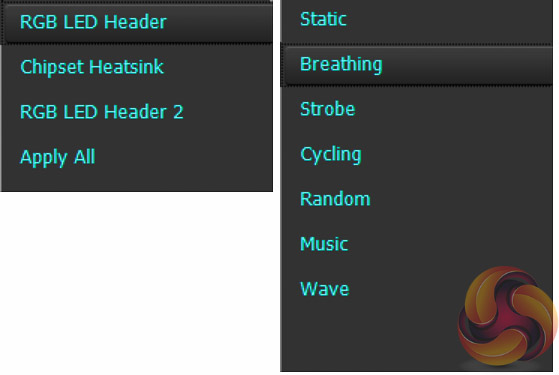
The ASRock AURA RGB LED software allows you to individually tune the LED regions of the motherboard which is only a single RGB header for this motherboard. It works by selecting the colour on the outer ring first, then the inner ring after and then you can pick the style from the drop down menu, there are currently 7 modes as shown above.
Each zone can be set individually or you can apply the same setting to all four zones. We tested ASRock’s RGB LED system with CableMod strips and used a splitter cable to add the Bitspower BP-WBMASRX299EI waterblock which has baked-in RGB LEDs, and it all functioned without issue. There’s definitely room to add more functionality and features but sometimes the simple implementation is the best.
We will be outlining the ASRock X299E-ITX/ac motherboard's performance with the Intel Core i9 7900X CPU, 32GB of G.Skill Ripjaws SO-DIMM memory and a Gigabyte GTX 1080 G1 Gaming.
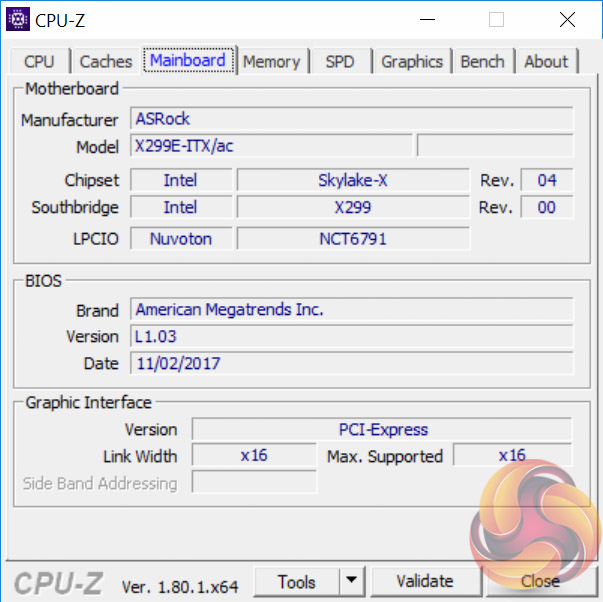
X299 Motherboard Test System:
- Processor: Intel Core i9 7900X (4.0GHz All-Core Turbo).
- Memory: 32GB (4x8GB) G.Skill Ripjaws SO-DIMM DDR4-3800MHz 18-18-18-38 @ 1.35v (benchmarked at 3200MHz, 16-18-18-38 and 1.35v for consistency with other results).
- Graphics Card: Gigabyte GeForce GTX 1080 G1 Gaming.
- System Drive: Samsung 850 EVO 500GB SSD
- CPU Cooler: Corsair H100i V2 with Two ML120 Pro Fans.
- Power Supply: Seasonic Platinum 760W SS-760XP.
- Operating System: Windows 10 Pro 64-bit
Comparison X299 Motherboards:
- ASRock X299 Taichi XE
- ASRock X299E-ITX/ac
- Gigabyte X299 Aorus Gaming 7
- MSI X299 Gaming M7 ACK
- MSI X299 SLI Plus
Drivers and UEFI:
- Intel Chipset 10.1.1.42
- Nvidia GeForce 385.41 VGA drivers.
- ASRock UEFI P1.03 Beta (02/11/2017)
Tests:
- Cinebench R15 – All-core CPU benchmark (CPU)
- SiSoft Sandra 2017– Processor Arithmetic Test (CPU) and Memory Bandwidth Test (Memory)
- 7-Zip 16.04 x64 – Built-in 7-Zip benchmark test (CPU)
- AIDA64 Engineer 5.92 – System cache & memory benchmark and stress test (Memory and Power Consumption)
- 3DMark Time Spy v1.0 – Time Spy (1440p) test (Gaming)
- Ashes of the Singularity: Escalation – Built-in benchmark tool CPU-Focused test, 1920 x 1080, Extreme quality preset, DX12 mode (Gaming)
- Deus Ex: Mankind Divided – Built-in benchmark tool, 1920 x 1080, Ultra quality preset, DX12 mode (Gaming)
- ATTO 3.05 – M.2, USB 3.0, USB 3.1, and SATA 6Gbps transfer rates (Motherboard)
- RightMark Audio Analyzer 6.4.1 – Record and playback test using a line-in to line-out loopback with a 3.5mm audio cable (Motherboard)
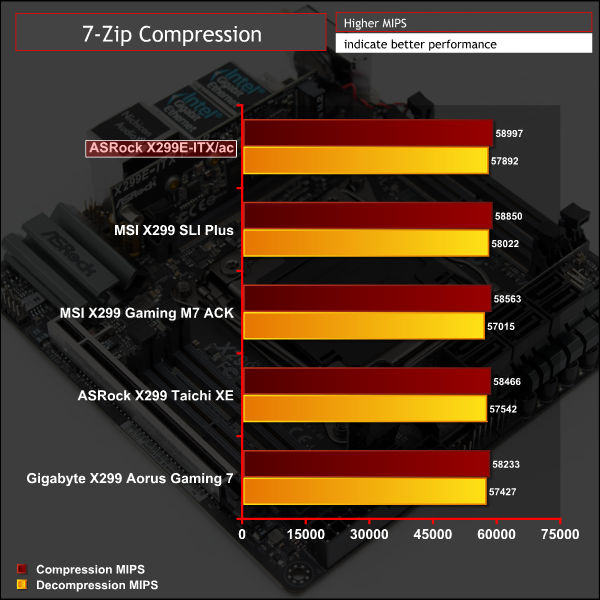
7-Zip
7-Zip is an open source Windows utility for manipulating archives. We measure the Total Rating performance using the built-in benchmark tool. The test stresses all CPU cores to 100% and shows an affinity for memory bandwidth.
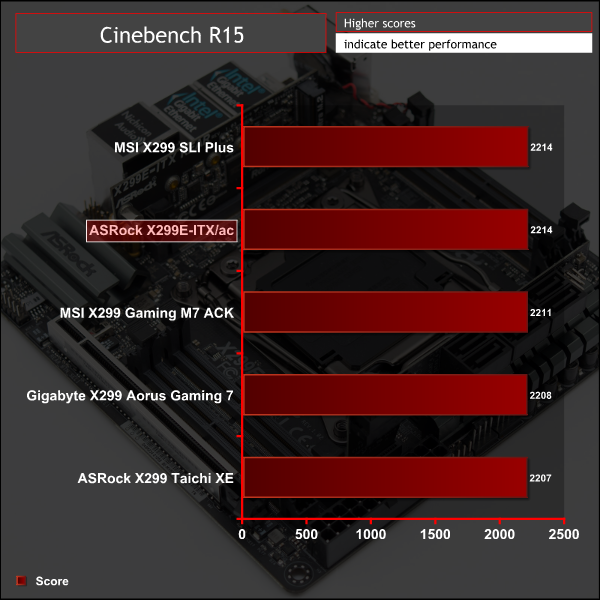
Cinebench R15
Cinebench is an application which renders a photorealistic 3D scene to benchmark a computer’s rendering performance, on one CPU core, all CPU cores or using the GPU. We run the test using the all core CPU mode.
Sandra Processor Arithmetic
SiSoft Sandra 2017 is a multi-function utility program that supports remote analysis, benchmarking and diagnostic features for PCs, servers, mobile devices and networks. We run the application’s processor arithmetic test to gauge the CPU performance on each tested motherboard.
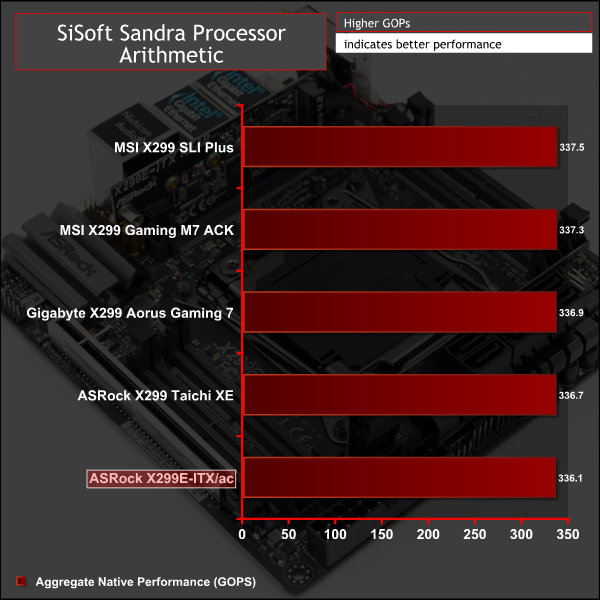
CPU performance is aligned with all other X299 motherboards.
AIDA64 Engineer
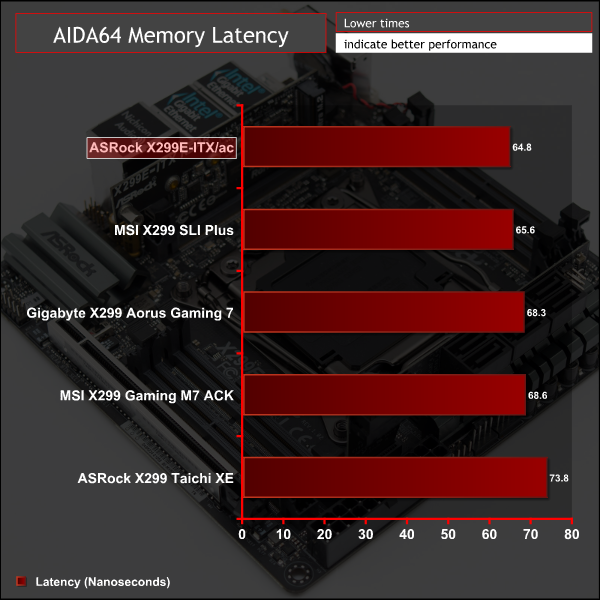
AIDA64 Engineer is a multi-featured software suite for diagnostics, stress testing, benchmarking, software auditing and various other measurement parameters. We use AIDA64 Engineer to benchmark memory throughput and latency.
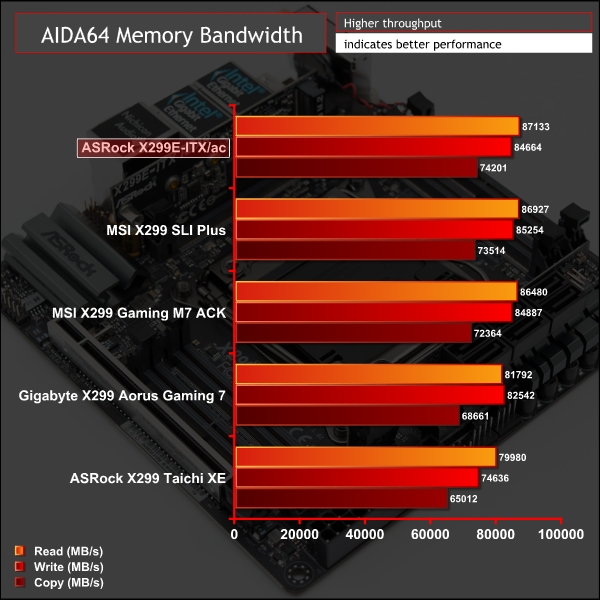
Sandra Memory Bandwidth
SiSoft Sandra 2017 is a multi-function utility program that supports remote analysis, benchmarking and diagnostic features for PCs, servers, mobile devices and networks. We use the SiSoft Sandra memory bandwidth test to provide a set of memory bandwidth results.
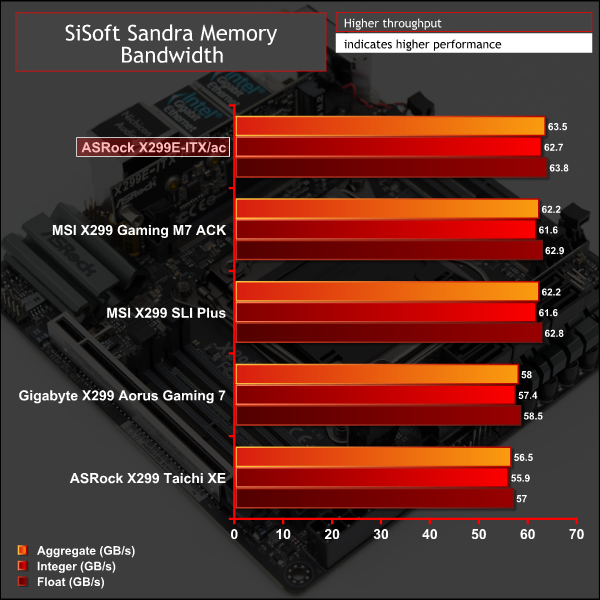
Memory performance had a slight edge over other X299 motherboards but this board is running “cherry-picked” SO-DIMMs compared to the standard DDR4-DIMMs used on all the other motherboards which could explain some of the difference. That said, the comparison is still fair in that all boards were tested at quad channel 3200MHz 16-18-18-38-2T @ 1.35v.
3DMark
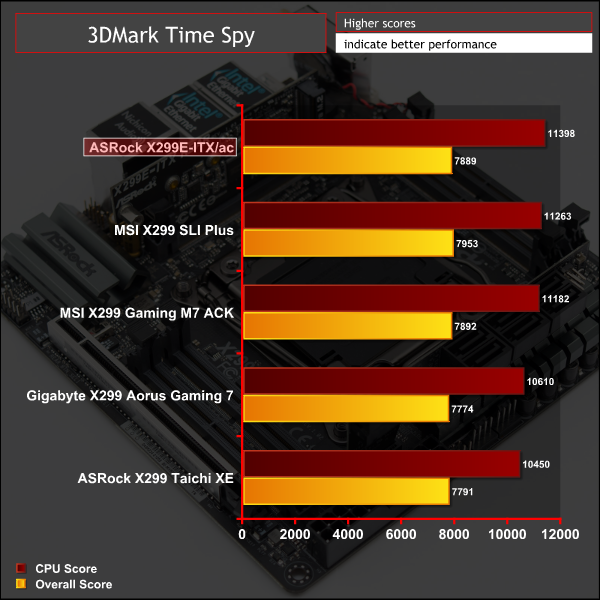
3DMark is a multi-platform hardware benchmark designed to test varying resolutions and detail levels of 3D gaming performance. We run the Windows platform test and in particular the Time Spy benchmark, which is indicative of high-end 1440p PC Gaming.
Ashes of the Singularity: Escalation
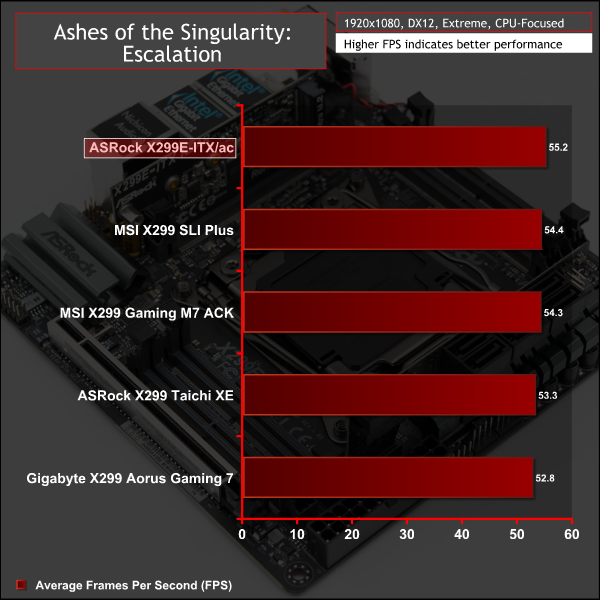
Ashes of the Singularity: Escalation is a Sci-Fi real-time strategy game built for the PC platform. The game includes a built-in benchmark tool and was one of the first available DirectX 12 benchmarks. We run the CPU-focused benchmark using DirectX 12, a 1080p resolution and the Extreme quality preset.
Deus Ex: Mankind Divided
Deus Ex: Mankind Divided is an action role-playing stealth video game released in August 2016. A built-in benchmark utility is included and we test using the Ultra quality preset and the DirectX 12 API at a 1080p resolution.
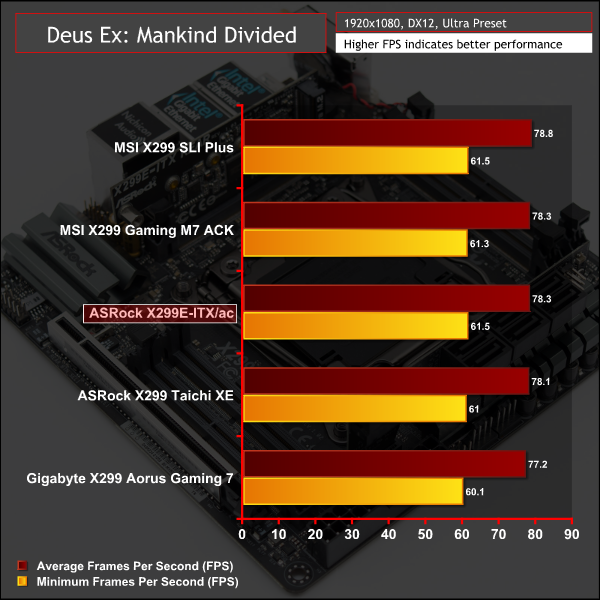
Gaming performance was as expected.
ATTO Disk Benchmark
The ATTO disk benchmark is a Windows-based utility for testing storage performance of any storage drive or controller. We use the default benchmark setup.
M.2 PCIe Performance
For M.2 testing we use a Toshiba OCZ RD400 256GB M.2 PCIe NVMe SSD.
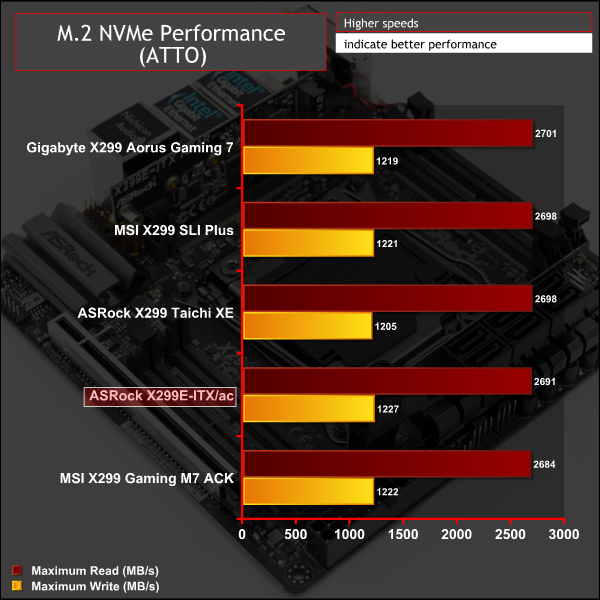
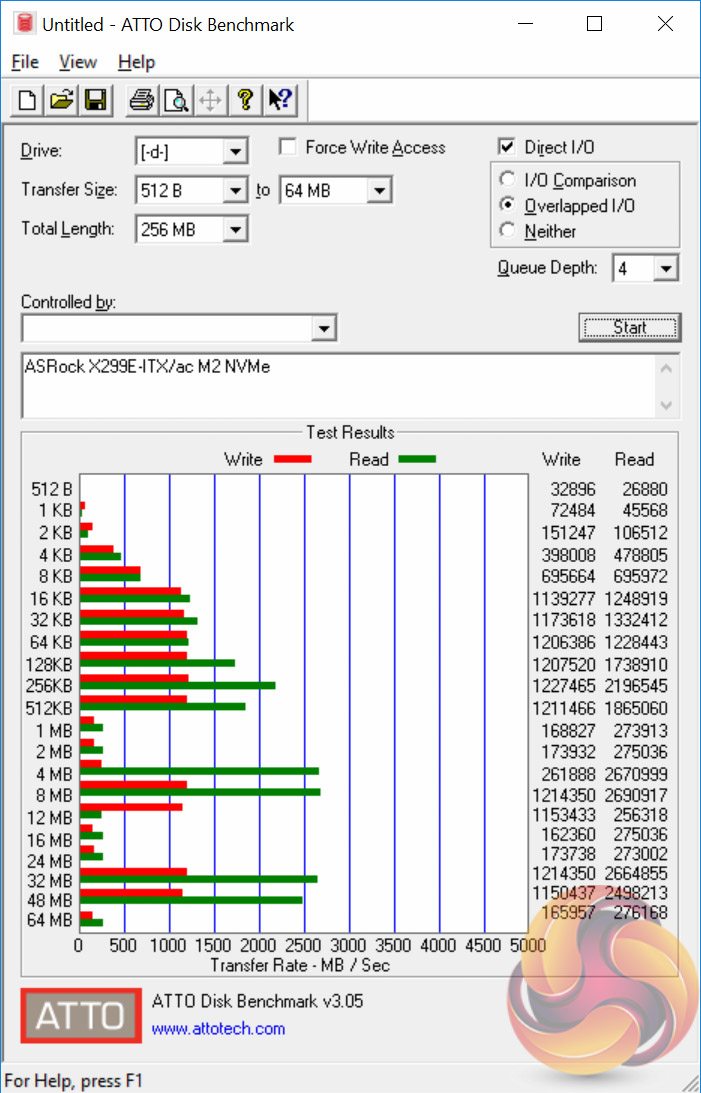
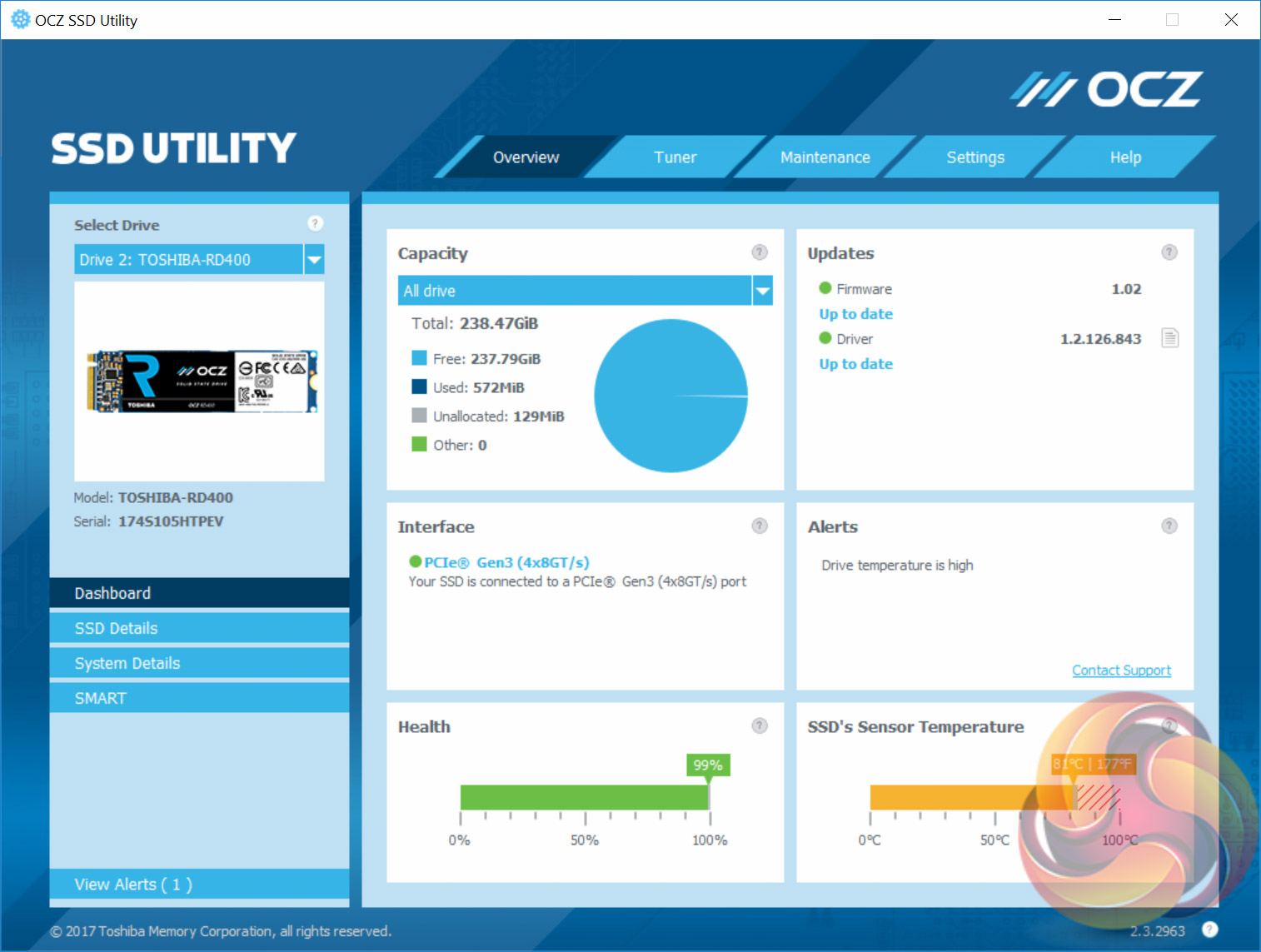
The ASRock X299E-ITX/ac is a compact board with no M.2 cooling solution (and no space for one either!) so we weren't surprised to see thermal throttling happening on the first ATTO run. Users will need to find a case with good airflow or could try and mount some kind of M.2 cooling solution to the rear M.2 slots where there may be more space to play with, depending on the case choice.
USB Performance
We test USB 3.0 and 3.1 performance using a pair of Transcend SSD370S 512GB SSDs in RAID 0 connected to an Icy Box RD2253-U31 2-bay USB 3.1 enclosure powered by an ASMedia ASM1352R controller.
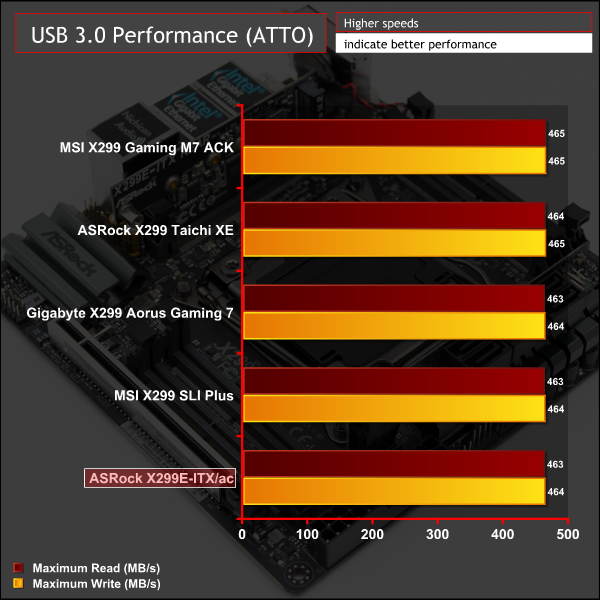
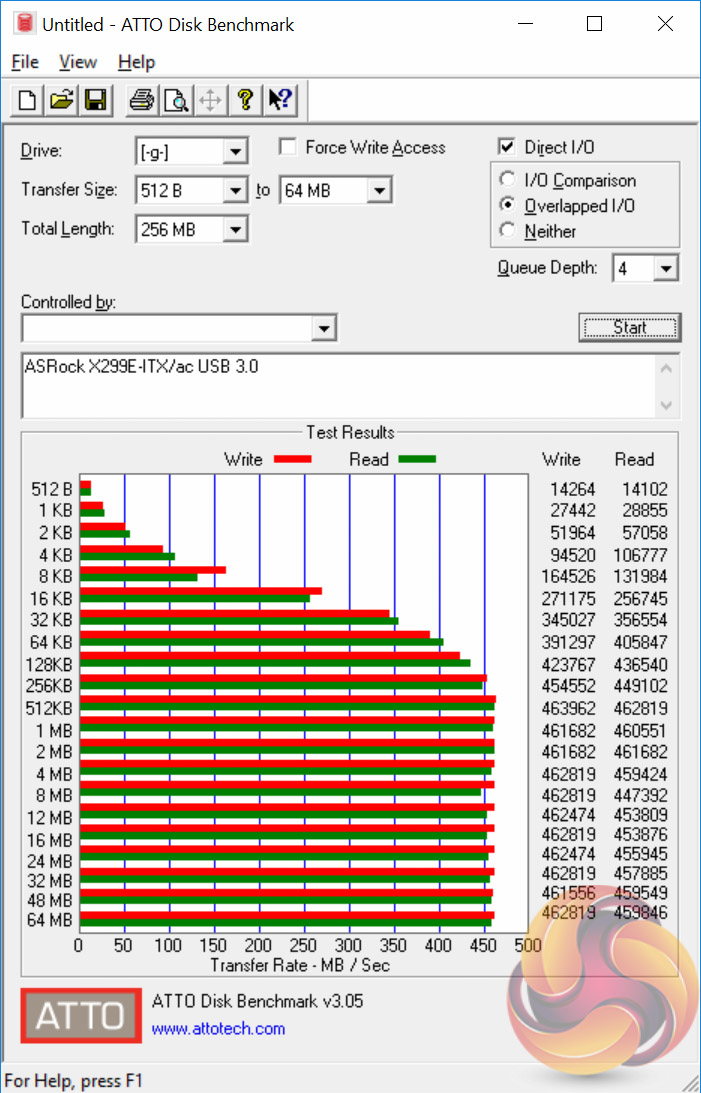
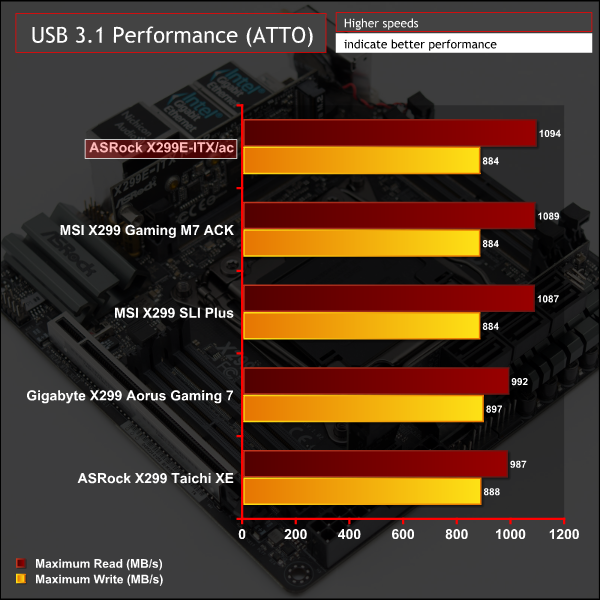
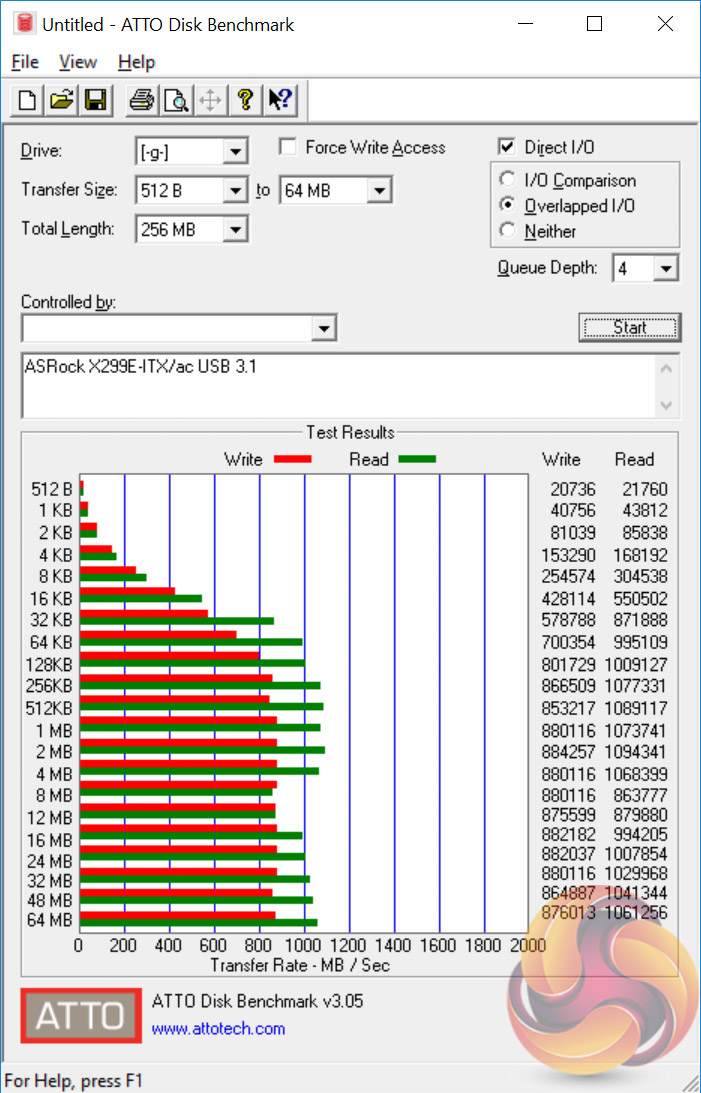
USB 3.0 and 3.1 performance was as fast as it gets.
SATA 6Gbps Performance
For SATA 6Gbps testing we use an OCZ Trion 150 480GB SSD.
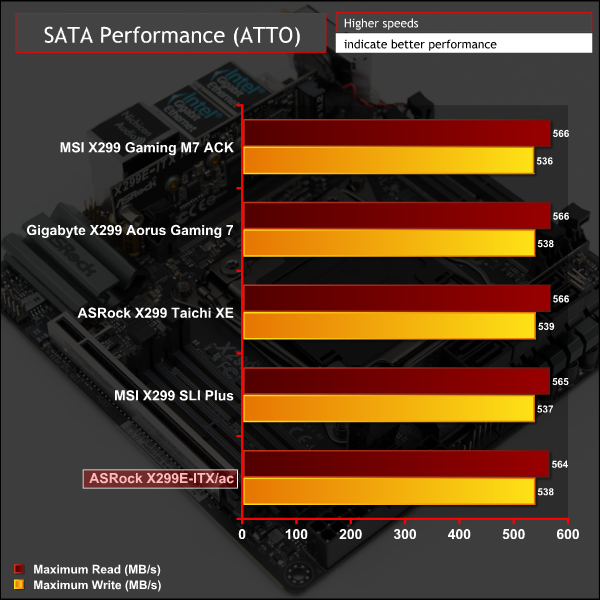
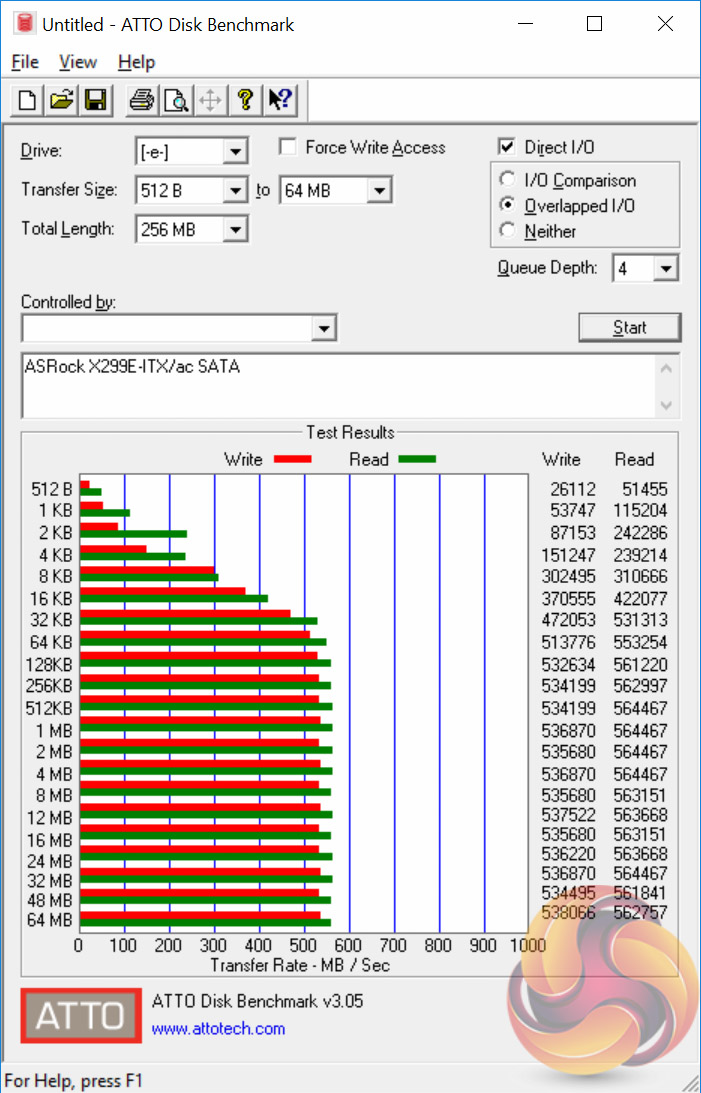
SATA performance was typical of the X299 chipset.
Audio
Rightmark Audio Analyser is a freeware benchmarking utility designed to objectively test the performance characteristics of audio solutions. We setup a line-in line-out loop and execute the record/playback test before generating the results report you see below. A sampling mode of 24-bit, 192 kHz is tested where available. If unavailable the closest alternative operating mode available is used and clearly marked.
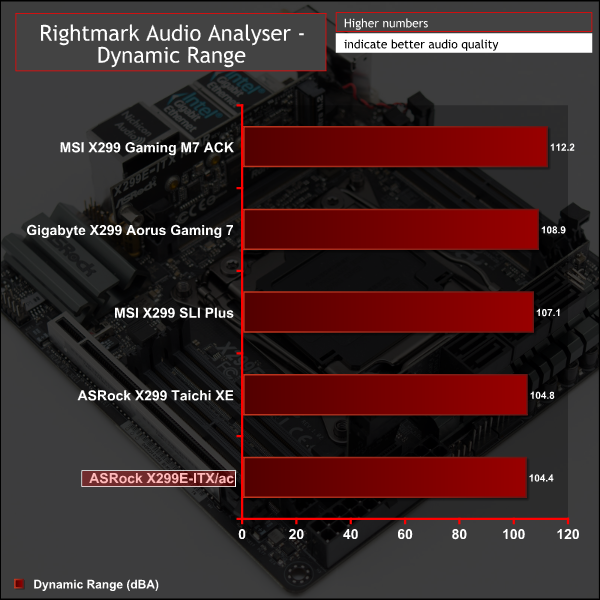
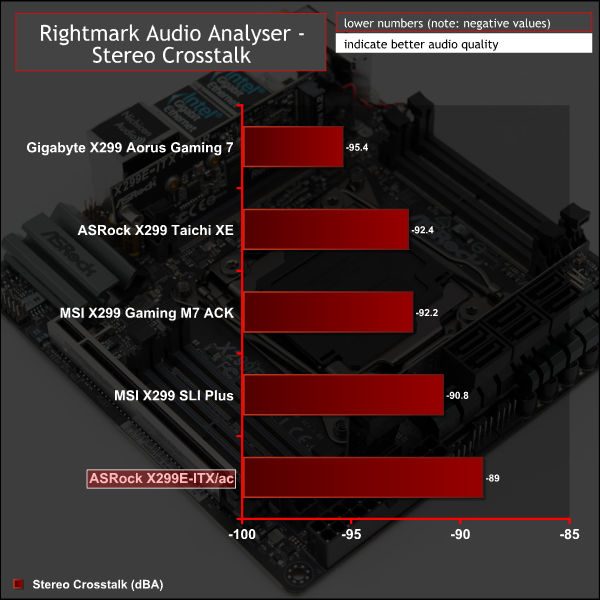
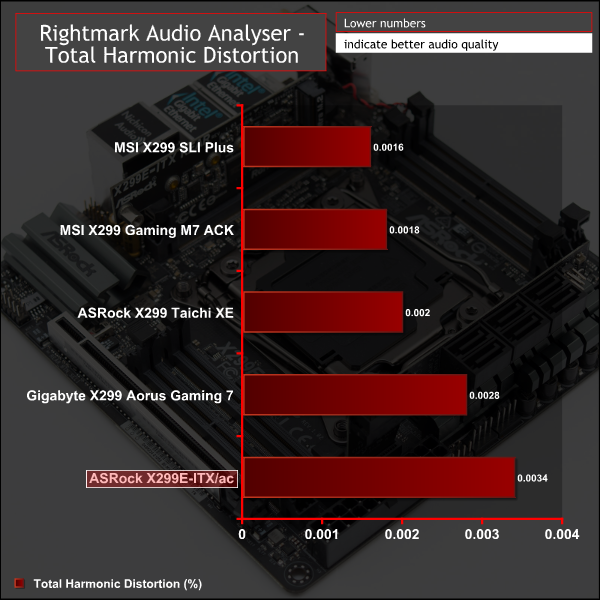
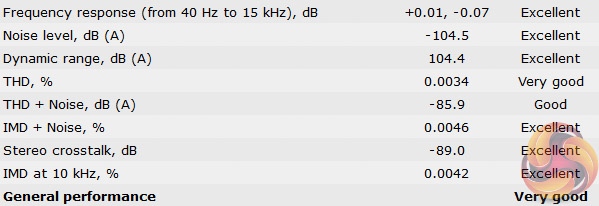
Audio performance was a roughly in line with rivals: six Excellent, one Very Good and one Good for an overall result of Very Good. Most X299 motherboards tested have scored Very Good but the ASRock X299 Taichi XE did score Excellent overall so perhaps the size constraint has cost this ITX board ever so slightly in synthetic audio performance. In the real world users may not notice any difference, we certainly didn't in our subjective audio tests.
Manual CPU Overclocking:
To test the ASRock X299E-ITX/ac motherboard’s CPU overclocking potential, we set the CPU VCore as close to 1.20V as possible. We maintain the DRAM frequency at 3200MHz to take memory stability out of the overclocking equation.
Overclocking was simple and we were able to easily achieve 4.6GHz using 1.2 volts. Any more frequency gains required pushing voltage further and that lead to unacceptable temperatures, read more about our i9 7900X overclocking experiences here.
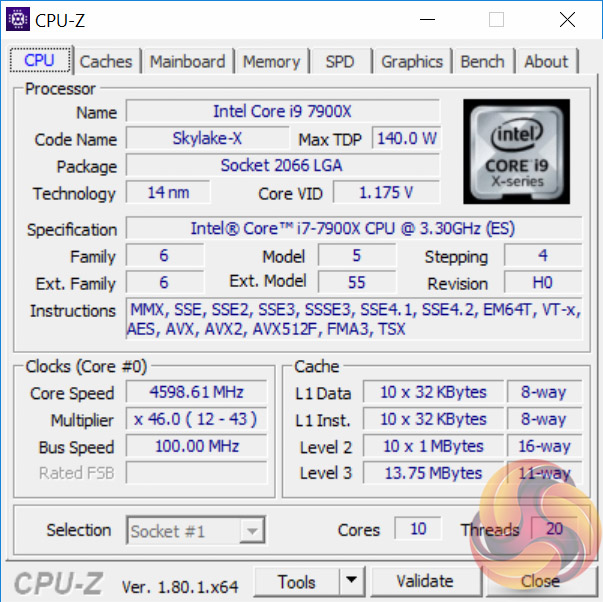
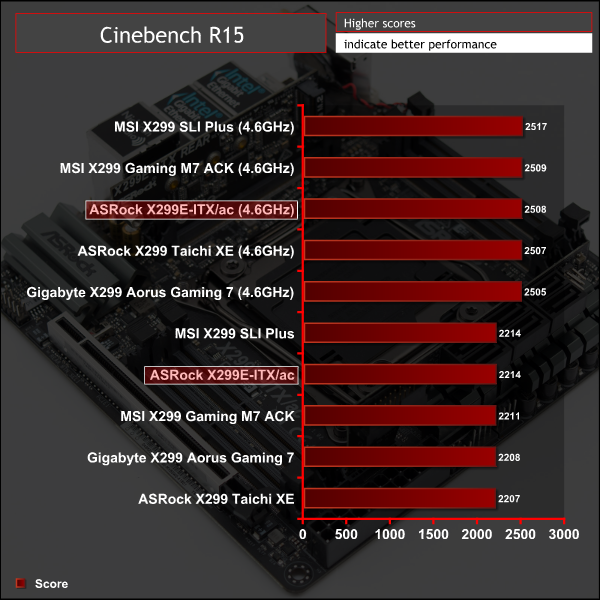
Overclocking performance was similar to all other X299 motherboards though we found the ASRock board needed less voltage, at 1.175 volts instead of 1.2 volts, to achieve 4.6GHz in a stable manner.
Overclocked Performance
Power
We leave the system to idle on the Windows 10 desktop for 5 minutes before taking a reading. For CPU load results we run AIDA64 CPU, FPU, Cache and Memory stress tests and take a reading after 5 minutes. The power consumption of our entire test system (at the wall) is shown in the chart.
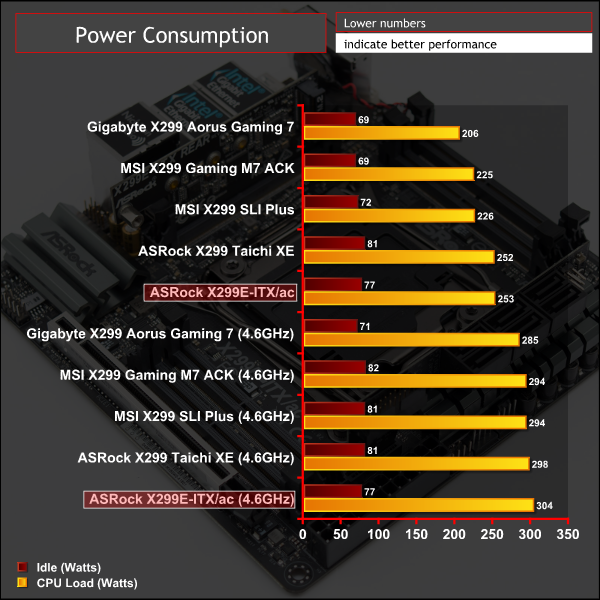
Like the ASRock X299 Taichi XE the ASRock X299E-ITX/ac seemed to consume more power at equivalent voltages to rival motherboards (e.g. the ASRock board consumes more at 1.2 volts than the Gigabyte or MSI boards) thus the power saved from voltage reduction during overclocking (down to 1.175v) was cancelled out by the higher overall power consumption resulting in similar power consumption at overclocked load.
As with the Taichi XE we’re not quite sure where the extra power consumption came from but “stock” idle and load scenarios were about 10-20 per cent higher than Gigabyte and MSI offerings. Our best guess is this is a result of the auto voltage behaviour ASRock uses, which is possibly over-zealous. Under overclocking power consumption differences nearly cancelled out with fixed voltages being used rather than automatic ones.
No motherboard vendor approaches the mini-ITX form factor with the same daring quirkiness as ASRock, particularly for Intel's High-End Desktop (HEDT) platform. The ASRock X299E-ITX/ac certainly brings something refreshing to an often monotonous enthusiast motherboard market. ASRock makes a number of brave design choices which pay off and prove that with the right ideas the mini-ITX form factor doesn't have to be as restricted or compromising as previously thought.
ASRock's key innovation genuinely works – using four SO-DIMM memory sticks instead of two DIMM slots. As a result the benefits of quad-channel memory are preserved and it is still possible to get up to 32GB of 3800MHz memory or 64GB of 3200MHz memory which is plenty enough capacity and speed for even the most discerning user.
Further innovations in the use of daughterboards mean ASRock has deployed a staggering three M.2 slots, all of which operate at 32Gbps PCIe speeds, while retaining six SATA ports and plentiful USB. Networking is generously catered for too with dual Gigabit Ethernet, 2T2R 802.11ac Wi-Fi and Bluetooth 4.2.
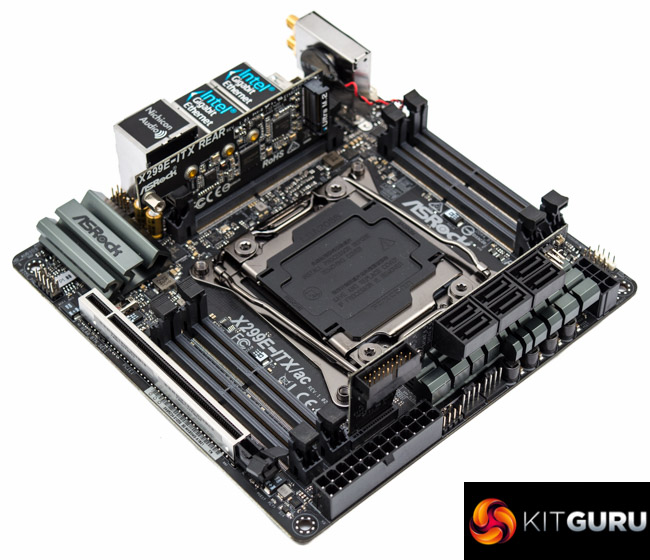
ASRock has worked closely with its industry partners to ensure that the rest of the components required for a system build are available and validated for use, including a tailored waterblock from Bitspower and ultra-fast SO-DIMM memory from G.Skill.
The ASRock X299E-ITX/ac may be the only choice for X299 mini-ITX builds but ASRock certainly hasn't been complacent about that monopoly, producing what is easily the best mini-ITX motherboard of the last year.
The ASRock X299E-ITX/ac is available at Overclockers UK for £379.99. ASRock offers a 3 year manufacturer warranty with this product through Overclockers UK.

Pros:
- Triple M.2 and plentiful SATA/USB
- Dual Gigabit and integrated Wi-Fi
- Quad-channel memory
- Custom waterblock available
- Innovative use of daughterboards and underside PCB placement
- Keeps up with “normal” X299 motherboards
- Compact but potent VRM
Cons:
- SO-DIMM memory is more expensive
- High density of components means high airflow needed to cool M.2 drives and CPU VRMs
KitGuru says: ASRock proves that the mini-ITX form factor doesn't have to compromise on performance or features, even for Intel's X299 HEDT platform.


I like that vertical design, sure we can save some space with designs like that.
I understand that having a lot of daughterboards increase the cost, but I live to see a day when I could be able to build a custom pc like the apple mac g4 cube.