KitGuru KitGuru.net – Tech News | Hardware News | Hardware Reviews | IOS | Mobile | Gaming | Graphics Cards


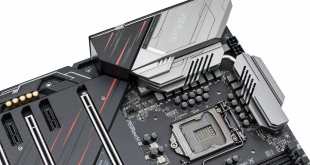
Intel's desktop CPUs have lingered at 14nm since the arrival of desktop Broadwell in 2015 (i7 5775C) followed by desktop variants of Skylake (i7 6700K, 2015), Kaby Lake (i7 7700K, 2017), Coffee Lake (i7 8700K, 2017) and the Coffee Lake refresh (i9 9900K, 2019).
To compensate for persistent delays in shrinking to 10nm Intel has changed its approach, choosing higher CPU core counts and faster frequencies through product refreshes to provide the necessary “generational” performance gains consumers have come to expect.
By direct consequence motherboard vendors have faced renewed challenges to ensure that motherboards can keep up with an increasing power demand from Intel's CPUs on its mainstream platform, like the 127W TDP 5GHz 8-Core i9 9900KS. This has led to motherboard vendors refreshing designs to include higher capability power delivery systems, the ASRock Z390 Phantom Gaming X is one such example.
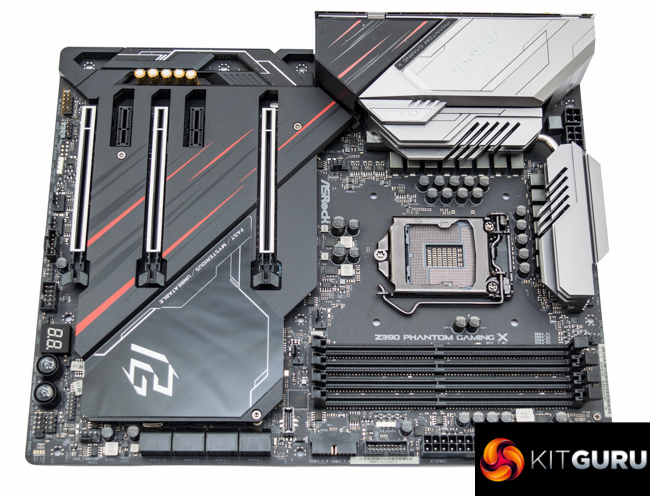
KitGuru already examined the ASRock Z390 Phantom Gaming 9 motherboard during its initial launch in Q4 of 2018, and the ASRock Z390 Phantom Gaming X is more of an incremental revision, rather than a complete redesign.
There are many similarities between the two motherboards in terms of shared specifications and the physical likeness, prospective buyers will notice a like-for-like rear I/O panel and seemingly identical connectivity across the board.
The main area of difference is the CPU VRM which is improved for Intel's Core i9 9900KS with its standard 127W TDP, up from 95W on the Core i9 9900K. While Intel's i9 9900KS wasn't released until October 2019, ASRock had already released the Phantom Gaming X revision by July 2019 in anticipation of the release that Intel had communicated to its board partners.
There are, however, other subtle amendments such as the addition of new WiFi-6 into the on-board WiFi module, inclusion of new thermal armor & backplate and an integrated rear I/O shield.
| ASRock Z390 Phantom Gaming X | |
| Form Factor | ATX, 24.4 x 30.5cm |
| CPU Socket | Intel LGA 1151 v2 |
| CPU VRM PWM |
Renesas Intersil ISL69138 PWM controller in 6+1 phase mode for 12+2 virtual phases
7 Renesas Intersil ISL6617A doublers |
| CPU VRM MOSFETs |
14 x Vishay SiC634 50A Integrated Power Stages |
| Chipset | Intel Z390 |
| Memory | DDR4, 4 DIMMs, up to 64GB, up to 4266MHz+ with OC |
| On-board Graphics | Intel UHD Graphics (on supported CPUs) |
| Discrete Graphics | Up to 3-way AMD CrossFireX/Quad CrossFireX, Up to 2-way Nvidia SLI, Quad SLI |
| Expansion Slots | 3 x PCIe 3.0 16X slots (x16/x0/x0, x8/x8/x0, x8/x4/x4) 2 x PCIe 3.0 1X slots (closed-ended) |
| Storage | 6 x SATA III (Intel Z390)* 2 x SATA III (ASMedia ASM1061) 3 x M.2 PCIe 3.0 X4 or SATA III 6Gbps (Slot 1 and 2, 80mm max, Slot 3, 110mm max)*SATA ports 0&1, 3, and 4&5 share bandwidth with M.2 slots 1,2 and 3, respectively, when used in SATA mode (either/or arrangement) |
| USB | 5 x USB 3.1 10Gbps (4 Rear [1 Type-C, Redriver], 1 Front [1 Type-C, ASM1562])
8 x USB 3.0 5Gbps (4 Rear [Intel Z390], 4 Front [ASM1074]) 3 x USB 2.0 (3 Front [Intel Z390]) |
| Networking | 1 x Realtek Dragon RTL8125AG 2.5 Gigabit LAN 1 x Intel I219V Gigabit LAN 1 x Intel I211AT Gigabit LAN Intel 802.11ax WiFi-6 2T2R up to 2.4Gbps with MU-MIMO and Bluetooth 5.0 (Intel AX200NGW) |
| Audio | Realtek ALC1220 7.1 channel HD audio with NE5532 amplifier |
| RGB | 2 onboard RGB lighting zones (chipset heatsink and rear I/O cover) 2 x 12V G R B headers 1 x 5v digital addressable header |
| Fan Headers | 8, all support 3/4 pin fans, (1 x CPU, 1 x CPU/WP, 6 x CHA/WP) |
| Rear I/O | 2 x WiFi Antenna Ports 1 x PS/2 Mouse/Keyboard Port 1 x HDMI Port 1 x DisplayPort 1.2 1 x Optical SPDIF Out Port 3 x USB 3.2 Type-A Ports (10 Gb/s) (ReDriver) (Supports ESD Protection) 1 x USB 3.2 Type-C Port (10 Gb/s) (ReDriver) (Supports ESD Protection) 4 x USB 3.1 [5 Gb/s] Ports (Intel Z390) (Supports ESD Protection) 3 x RJ-45 LAN Ports with LED (ACT/LINK LED and SPEED LED) 1 x Clear CMOS Button 5 x HD Audio Jacks: Rear Speaker / Central / Bass / Line in / Front Speaker / Microphone (Gold Audio Jacks) |
| UEFI | 2 x 128Mb UEFI AMI BIOS (1 Main, 1 Backup) |
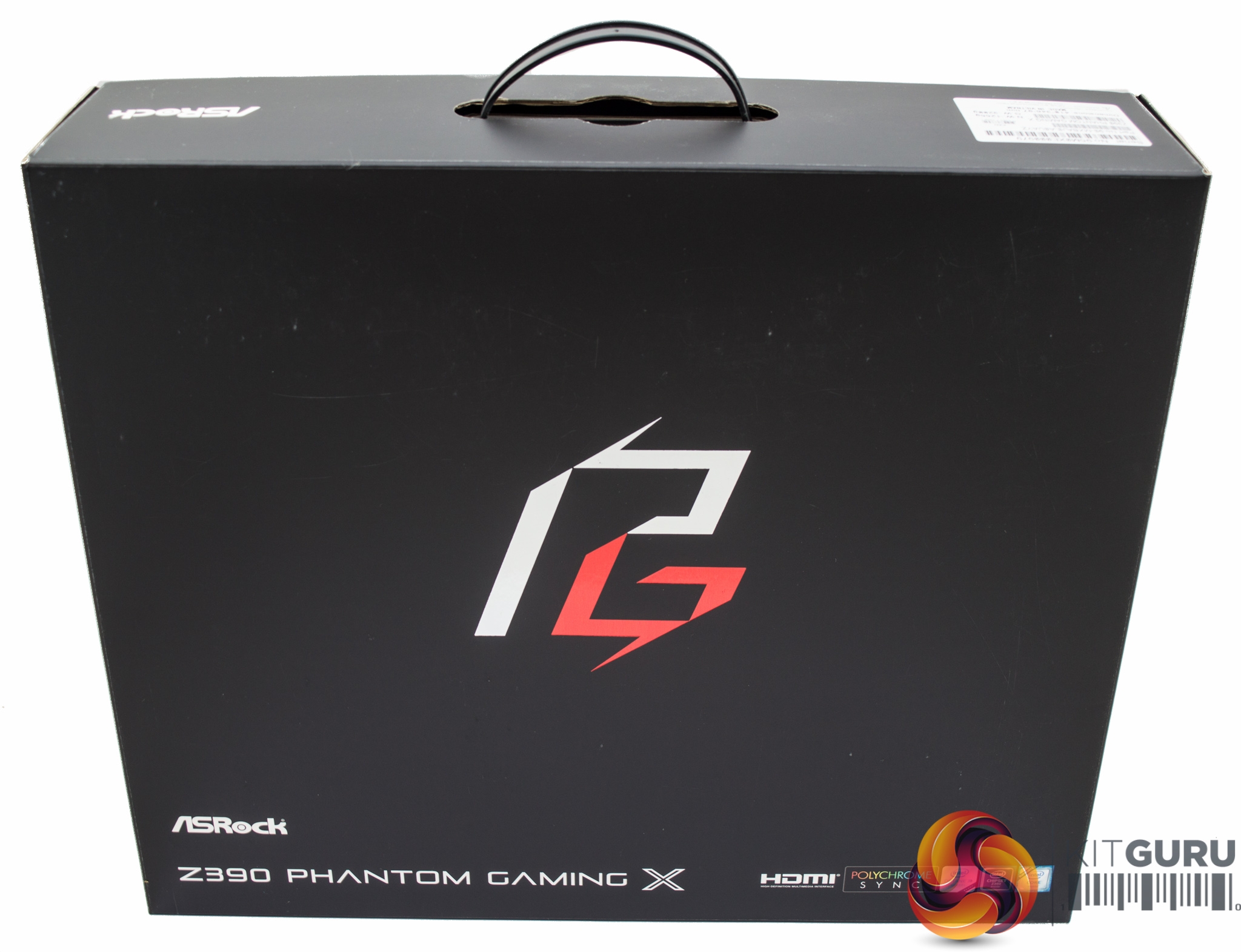
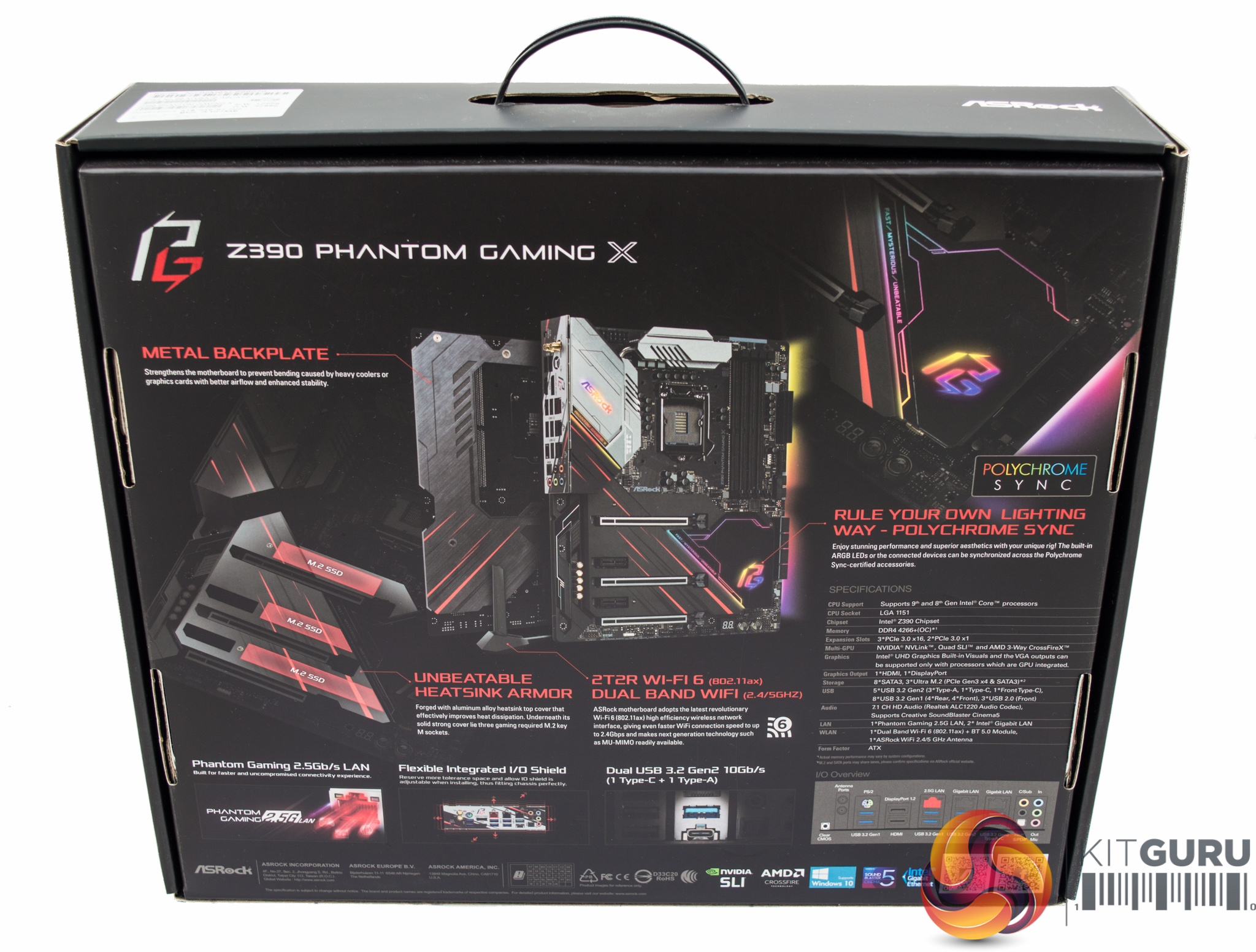
The packaging of the ASRock Z390 Phantom Gaming X highlights the features ASRock deem to be key selling points including a metal backplate and revised “heatsink armor” design, WiFi 6, integrated RGB lighting, 2.5Gb/s LAN and an integrated I/O shield.
For reference, the Z390 Phantom Gaming 9 did not have a backplate, thermal armor or the integrated I/O shield, so these are all new additions to the design.
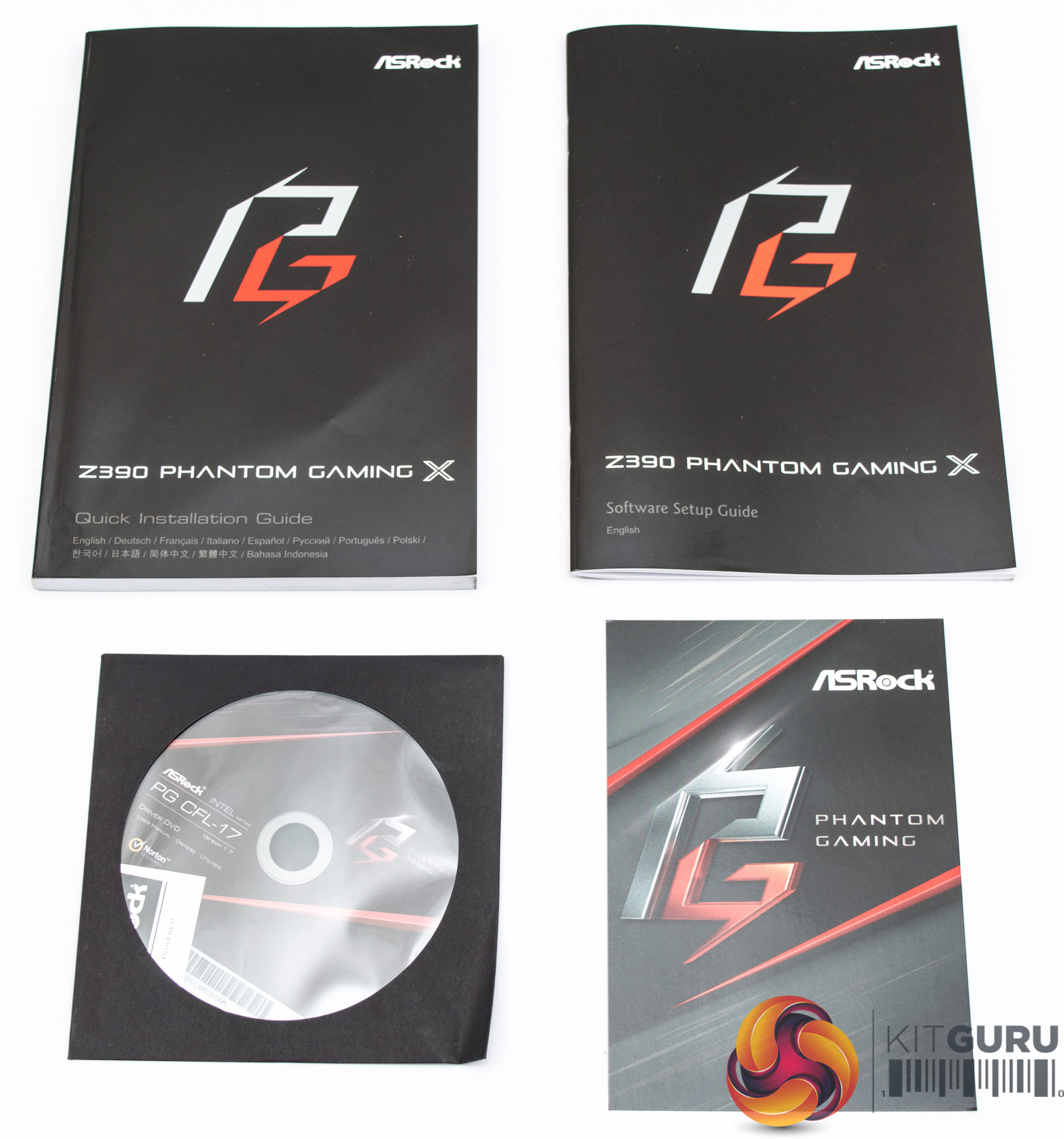
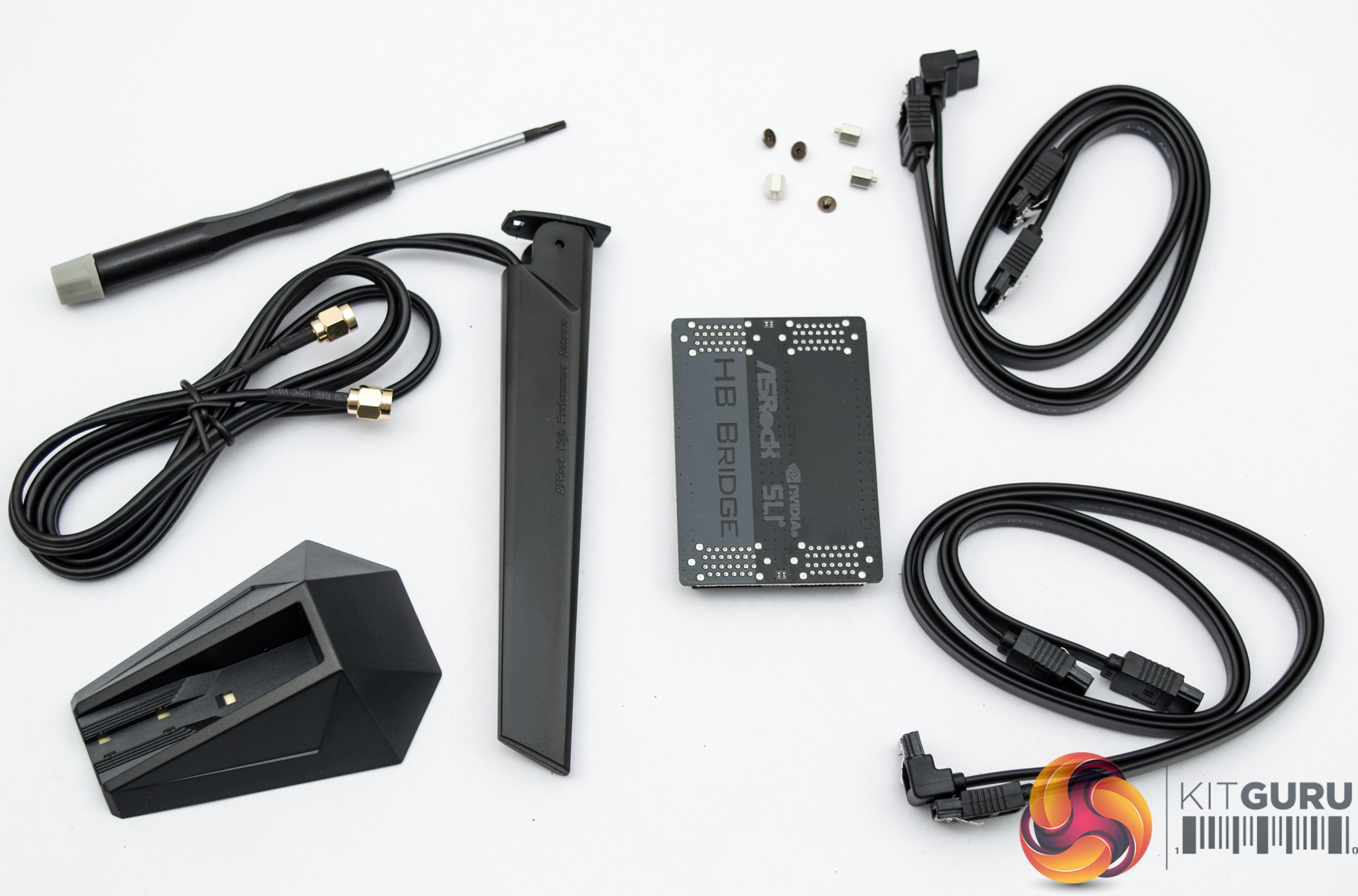
The bundle is similar to the Z390 Phantom Gaming 9 but with a few exceptions:
- the I/O shield is now integrated into the motherboard and not part of the bundle;
- A torx screwdriver is included in the bundle to help remove the thermal armor to install M.2 SSDs underneath;
- the antennae design has changed.
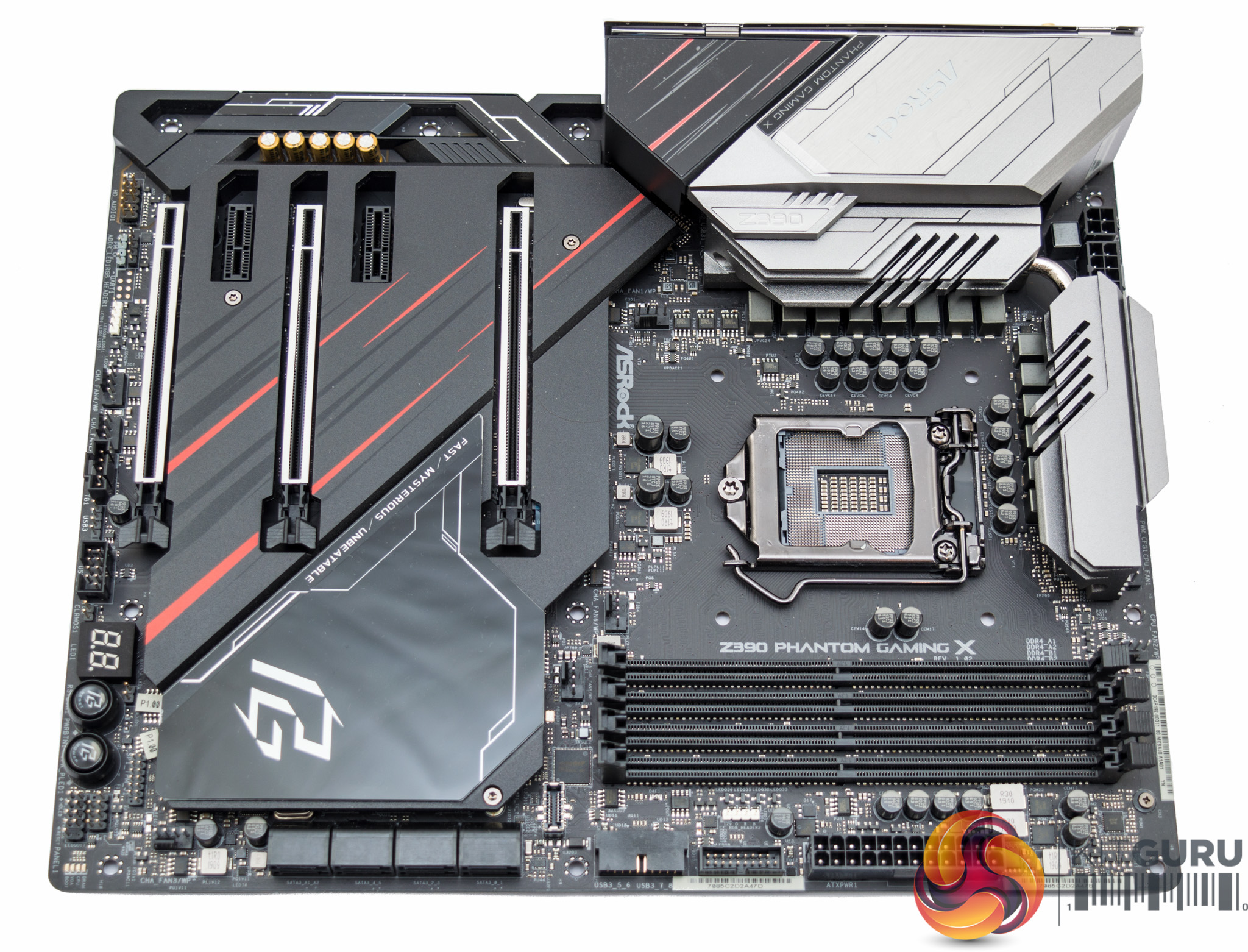
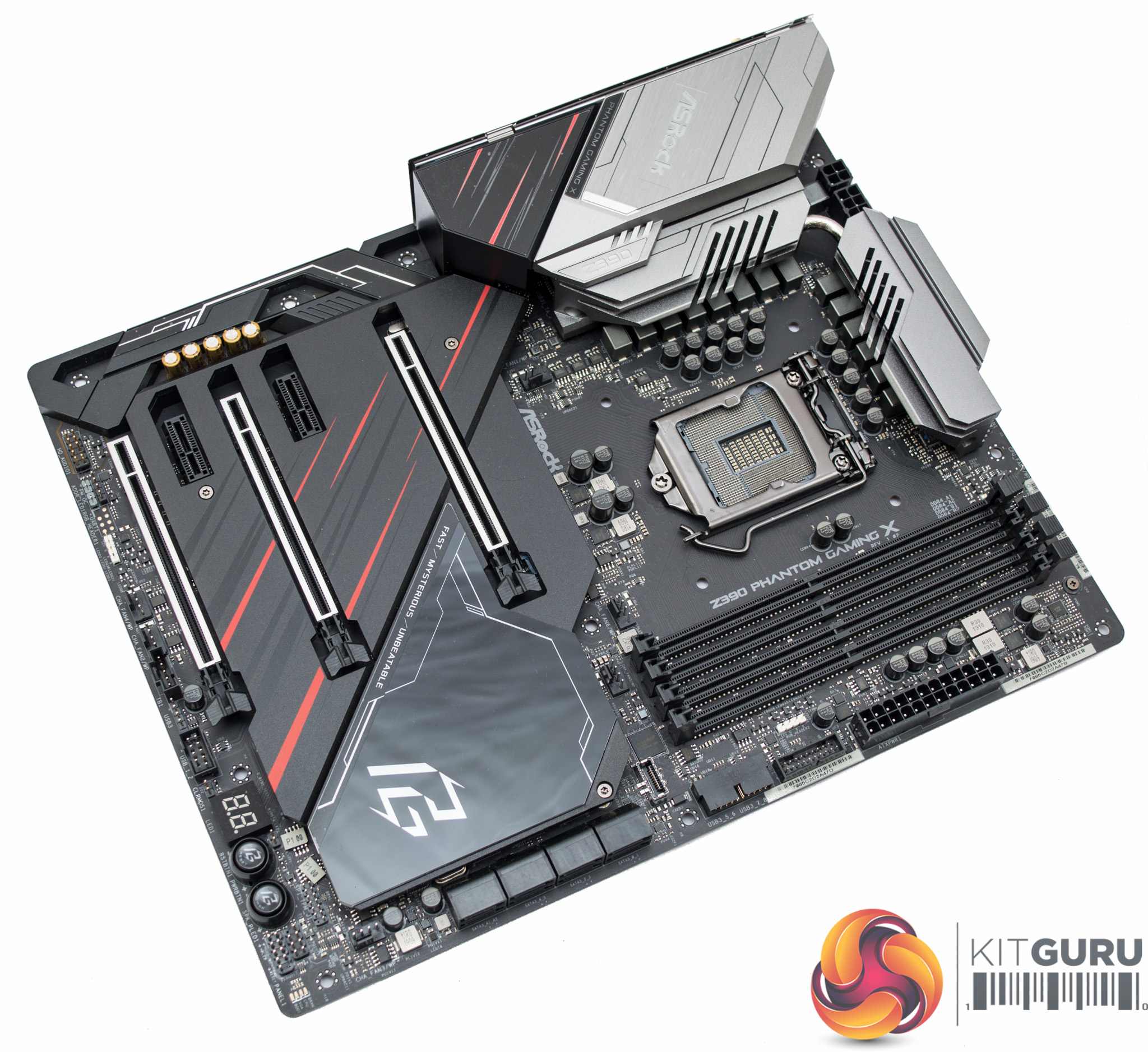
ASRock's Z390 Phantom Gaming X continues a recent trend of ASRock to use predominantly black, grey and silver colours on its gaming motherboards, with red accenting that brings back memories of ASRock's now retired Fatal1ty branding that was somewhat over-zealous with painting things red. Overall, it's a clean and tidy design with the use of “thermal armour” hiding the component complexity and density that sits beneath.
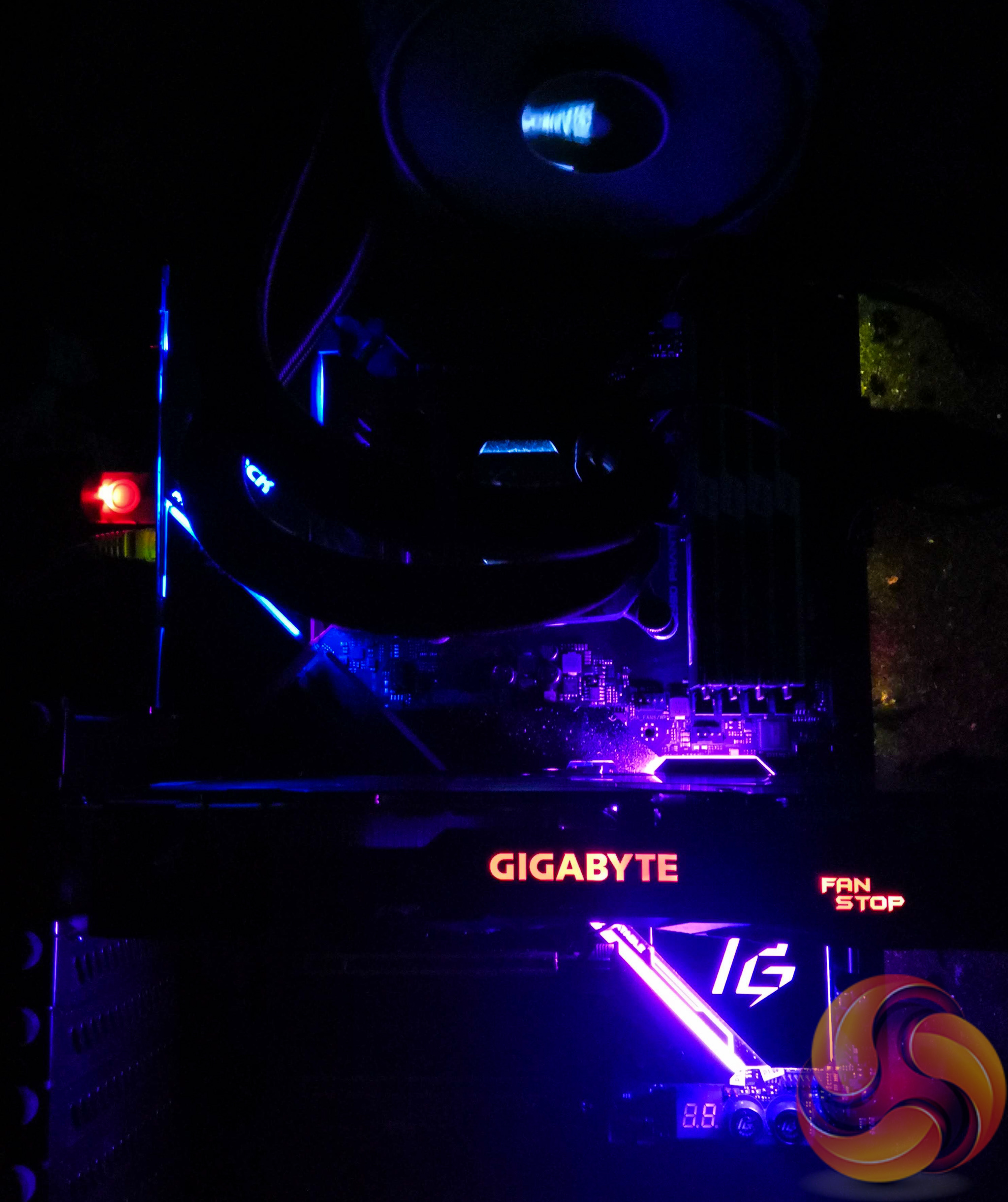
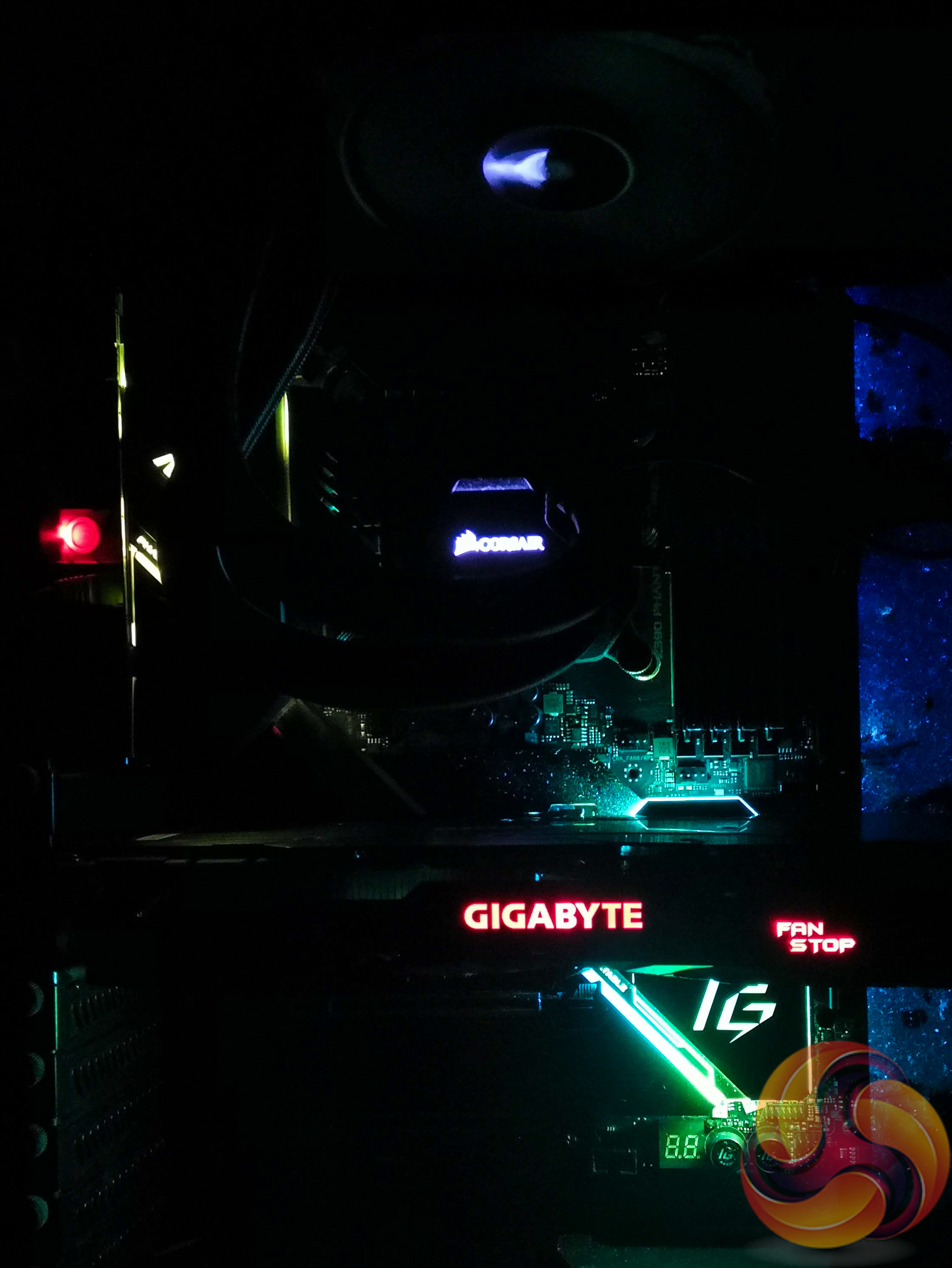
Another design change in comparison to the Z390 Phantom Gaming 9 is the reduction of the extent of the onboard RGB lighting. The X model retains the lighting around the chipset heatsink and rear I/O cover, but the integrated lighting in the audio PCB section has been dropped. The Phantom Gaming X still retains the same pair of 12V RGB headers and a single 5V digital addressable. One difference is that the second 12v RGB header has been moved towards the middle of the motherboard.
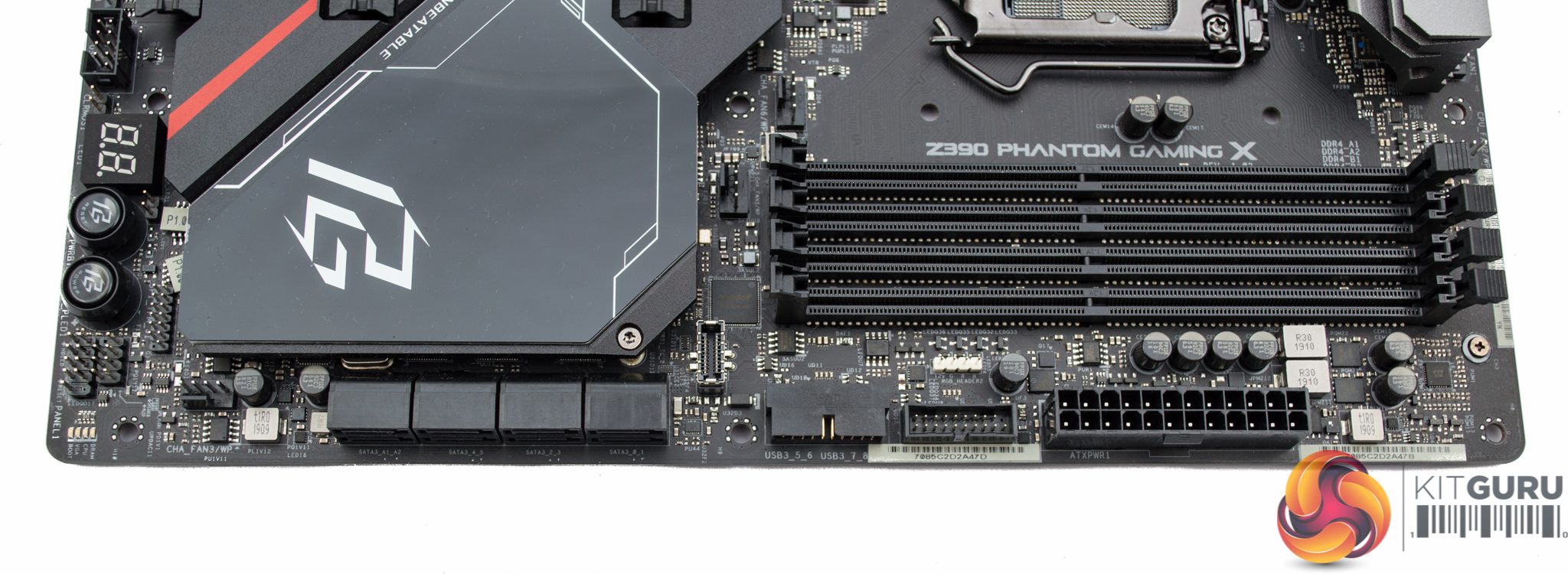
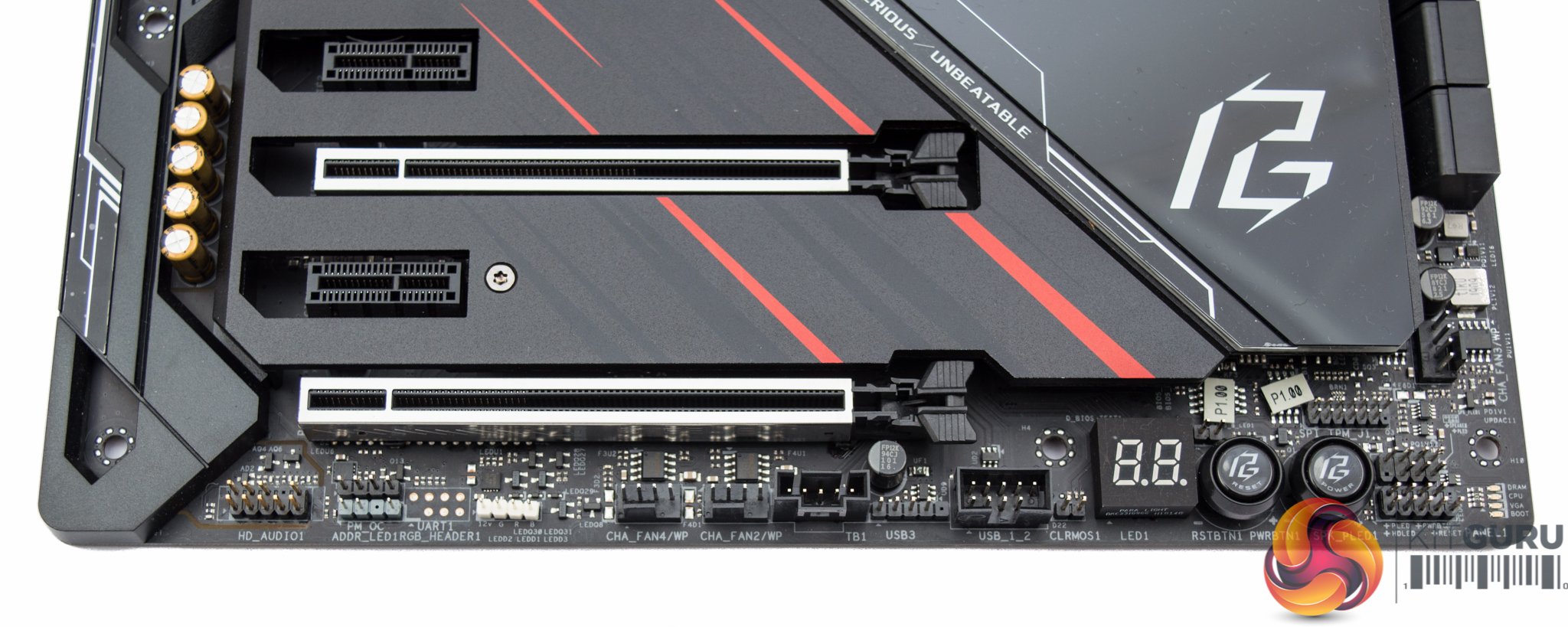
ASRock equip 8 SATA ports on this motherboard which is somewhat prudent as there is a lot of bandwidth sharing between the chipset SATA ports and the M.2 slots when used in SATA mode.
If all three M.2 slots are used as SATA drives, only 1 chipset SATA port would remain available hence ASRock’s decision to equip two more SATA ports through an ASMedia controller. At this price point it is not unusual to expect buyers to have demanding storage requirements in both M.2 and SATA III varieties.
Along the bottom of the motherboard are two of the three RGB headers and some tweaking/diagnostic tools – dual BIOS chips, power and reset buttons and a code reader.
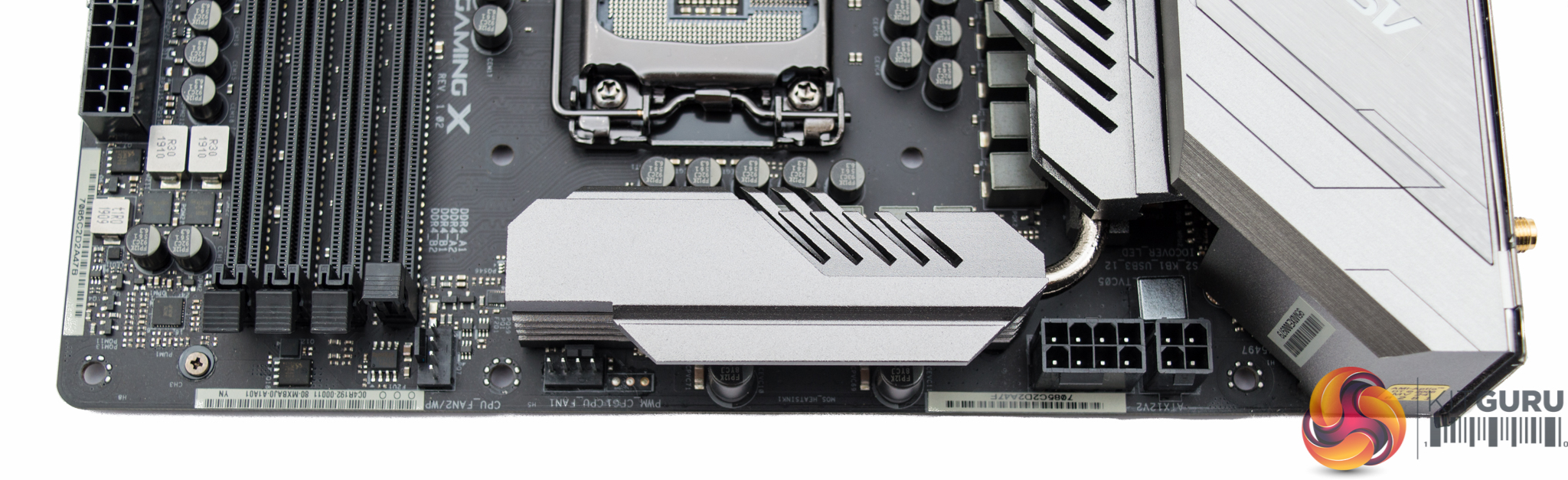
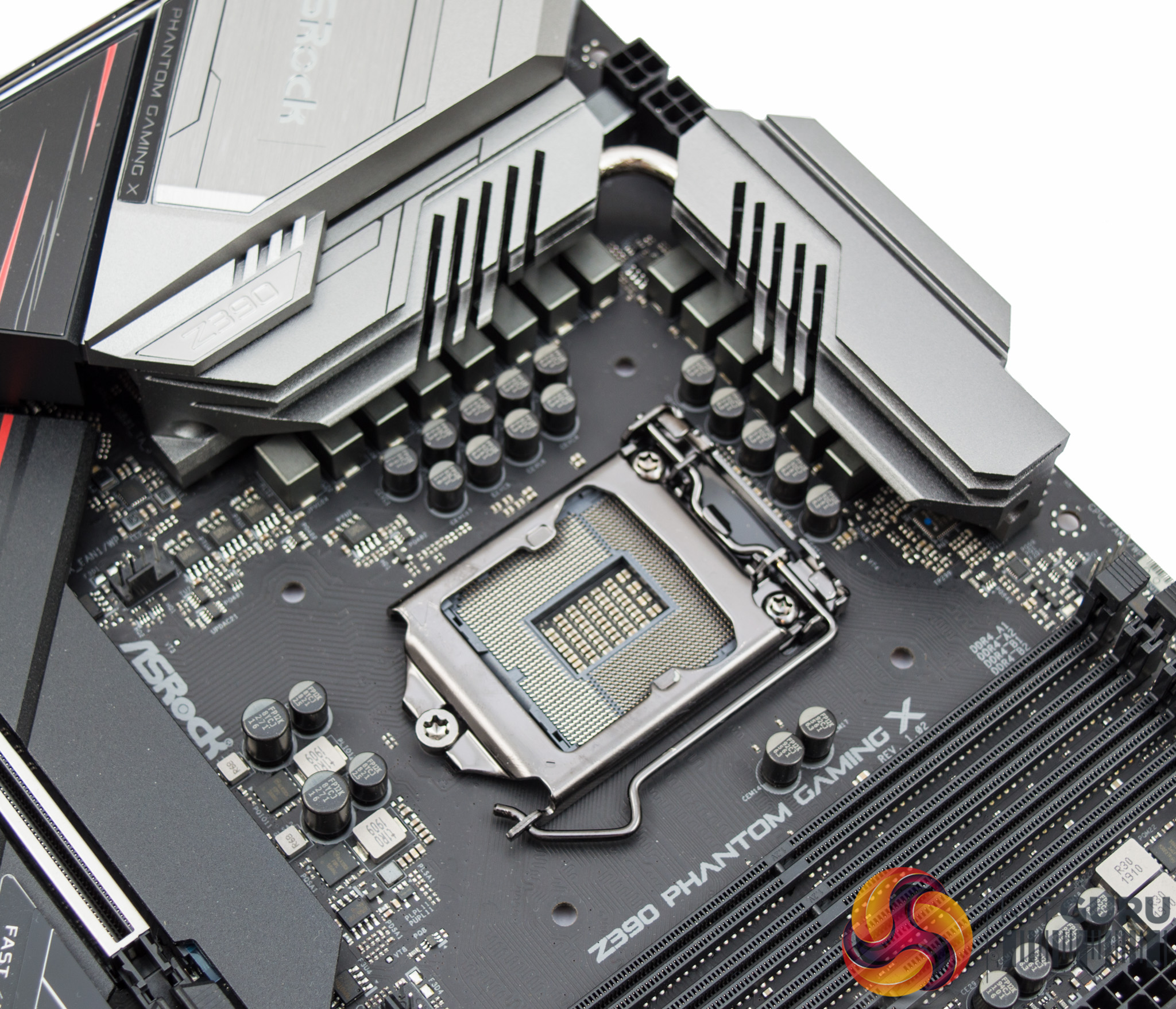
The CPU socket draws power from an 8 pin EPS connection with an optional 4 pin connector to add supplementary power, which for the majority of users will be unnecessary.
The CPU socket is supported by 14 power phases which are split up as 12 for the VCore and 2 for the iGPU, both making use of doublers back to the PWM controller.
There are two fan connections at the top of the CPU socket with a further two fan connections below it, it is therefore fairly simple for an AIO CPU cooler with two fans and a pump to be powered from this motherboard.
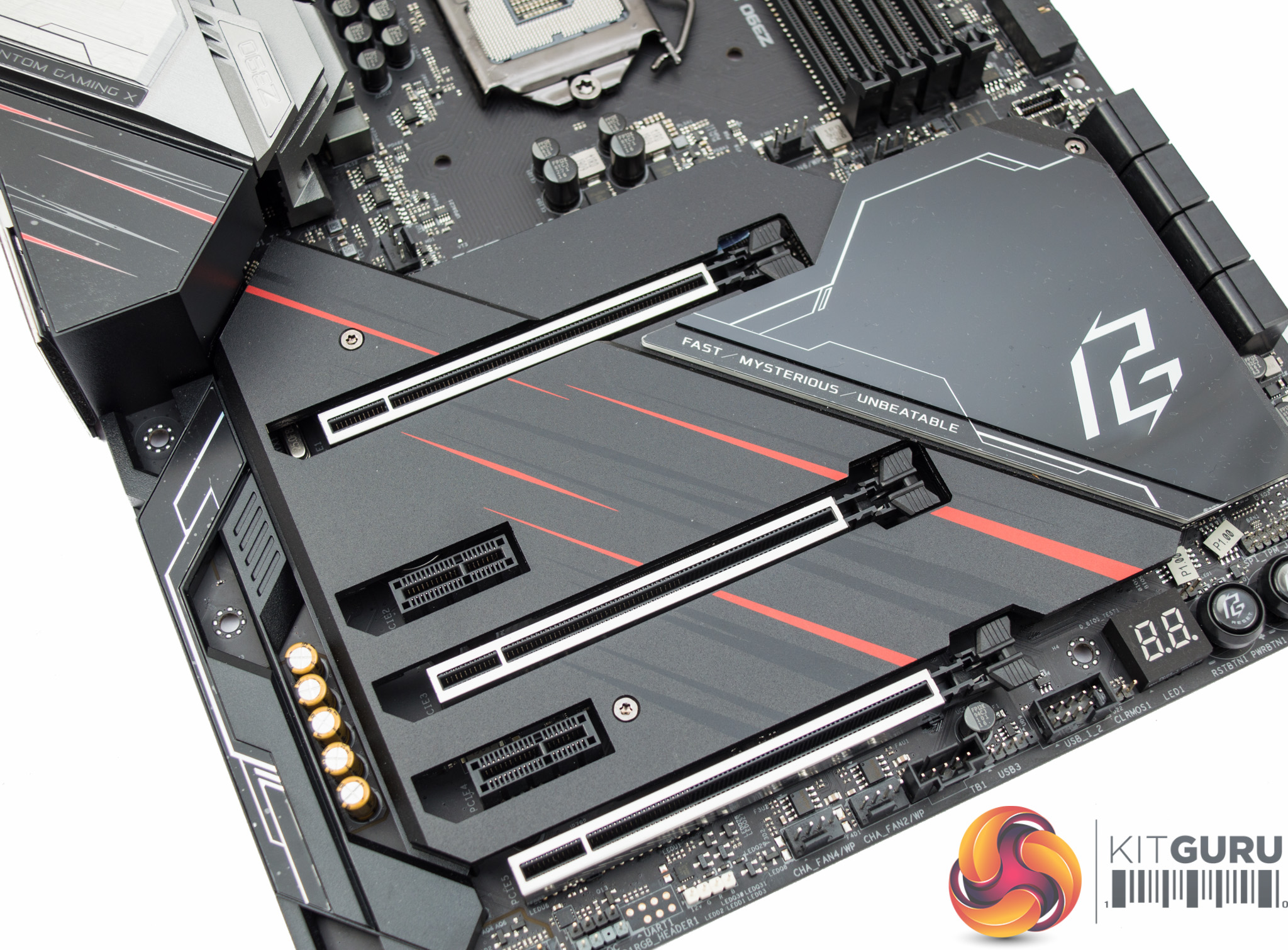
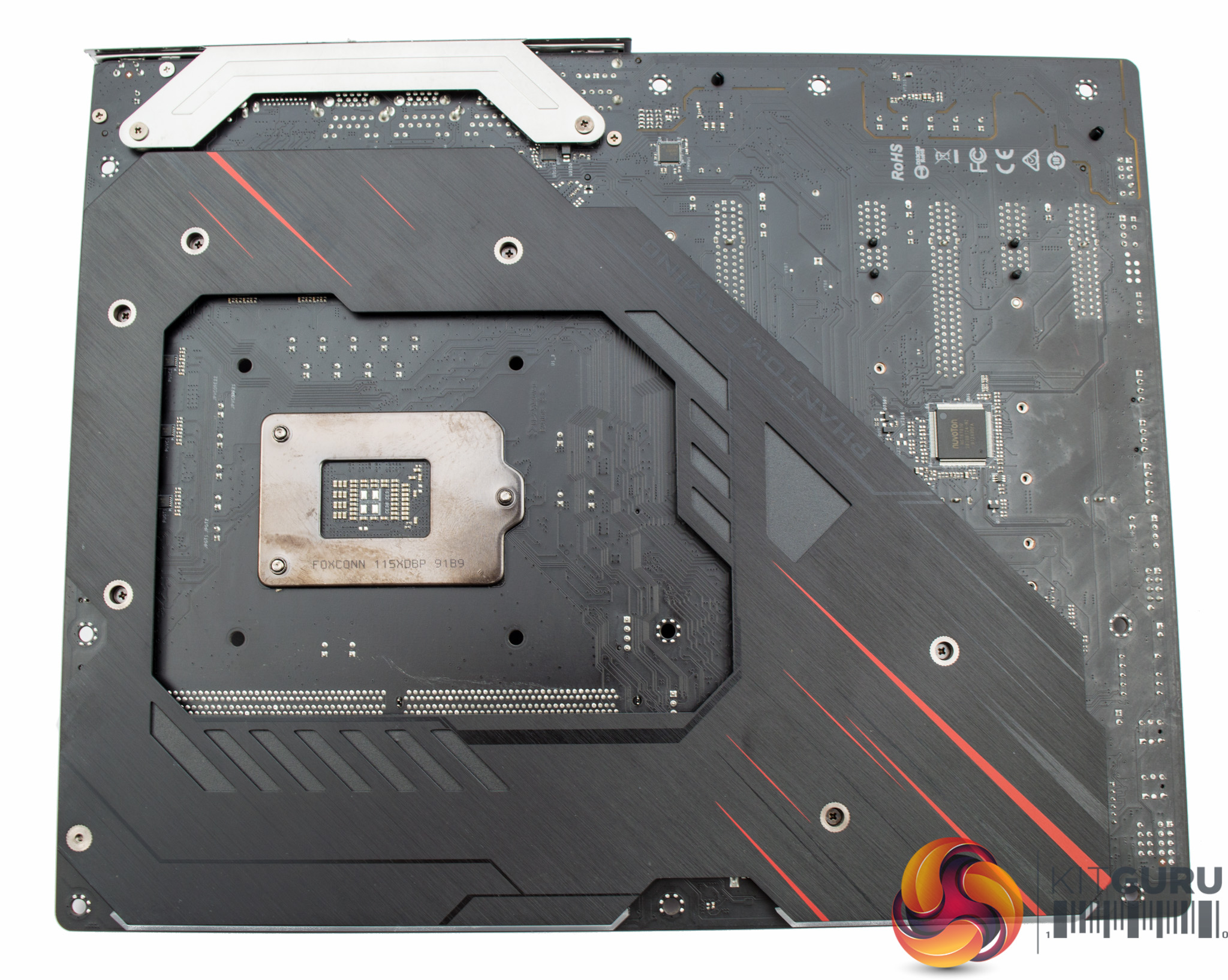
The “armor” sits on top and underneath, the top armor provides cooling for the chipset and M.2 slots while the bottom armor acts as a reinforced backplate for the motherboard.
A point to note is the two PCIe 1X slots on this motherboard are “closed-ended” unlike on the Phantom Gaming 9 where they are open-ended, this is largely due to the fact PCIe slot overhang is not possible as the thermal armor gets in the way.
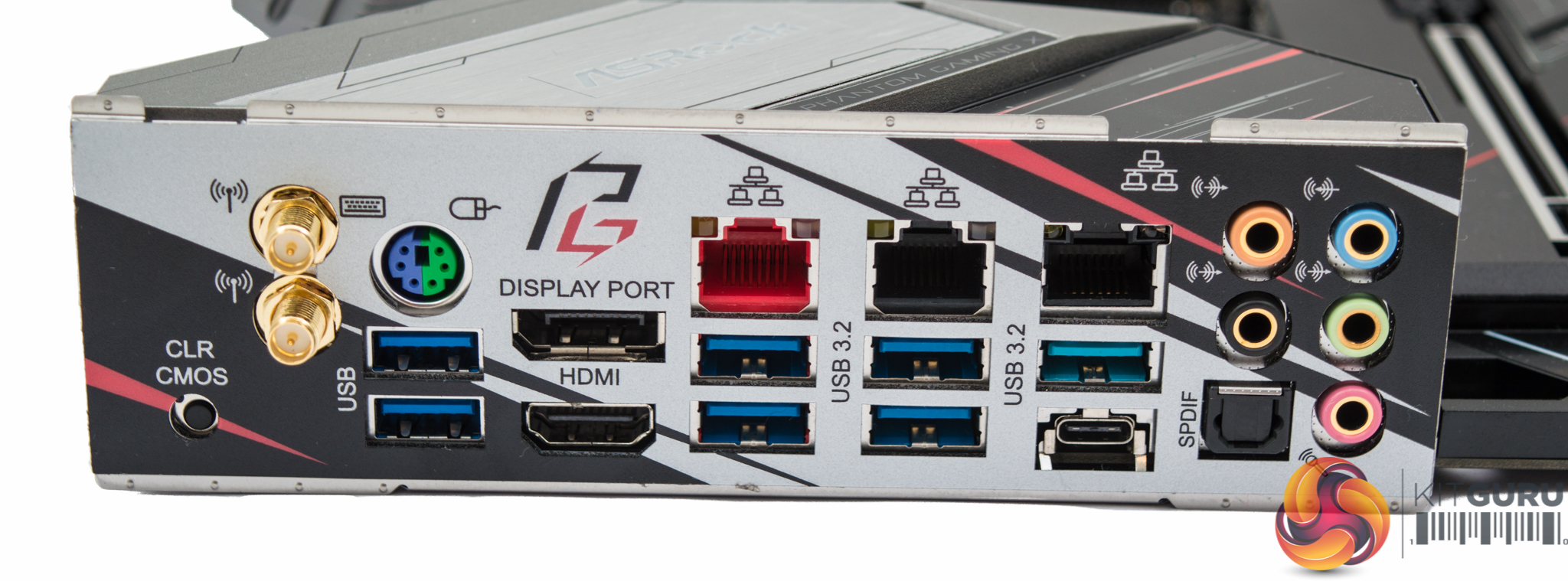
The rear I/O is well equipped with ample networking, the red LAN port is the 2.5 Gigabit LAN connection, as well as ample USB including Type-C and 10Gbps ports. ASRock has added a pair of display ports capable of 4K UHD including DisplayPort 1.2 which can do 4K at 60Hz, though the HDMI port is only HDMI 1.4b so is limited to 30Hz at 4K. The small button is to clear the CMOS and makes for a complete diagnostic and tweaking package.
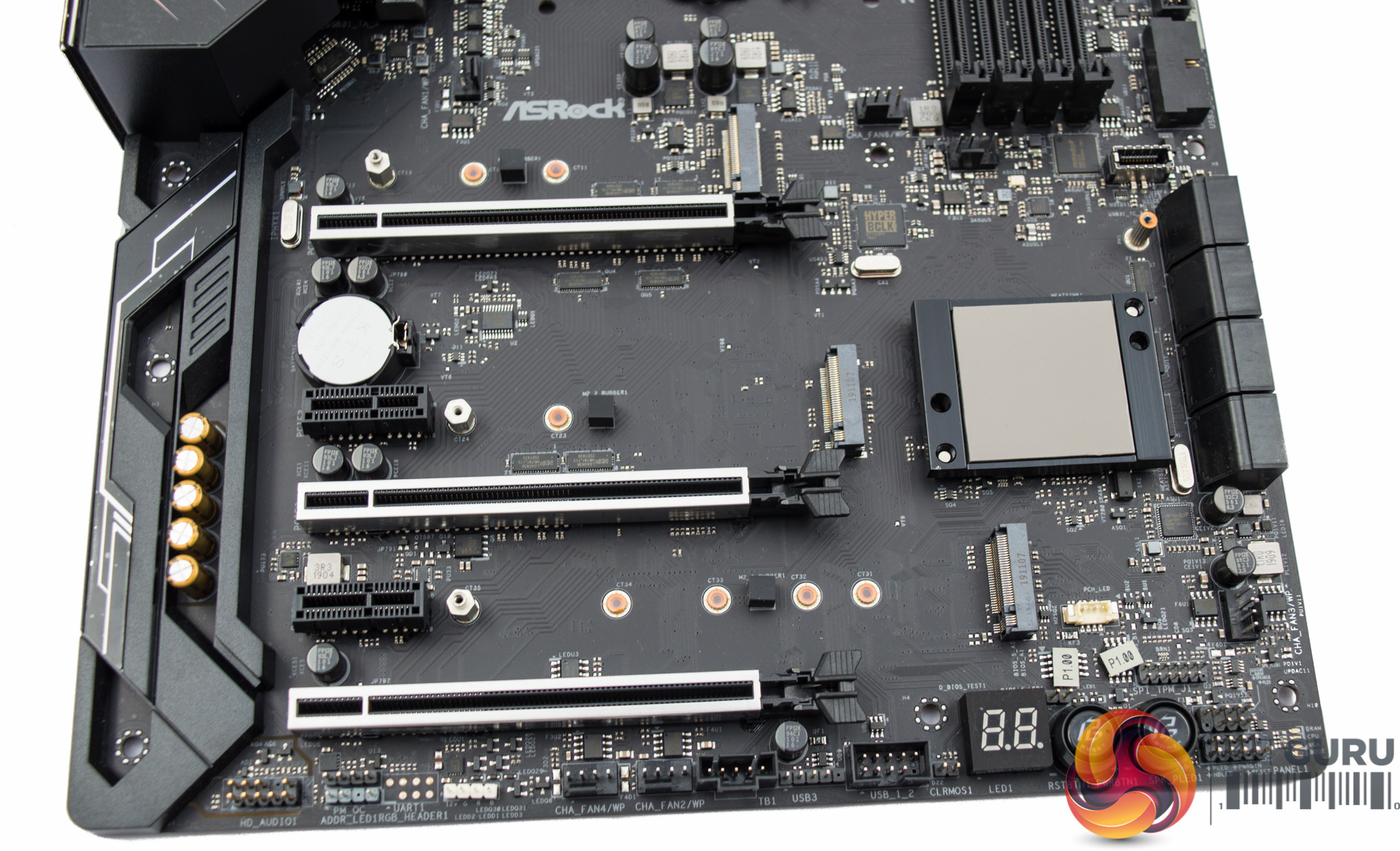
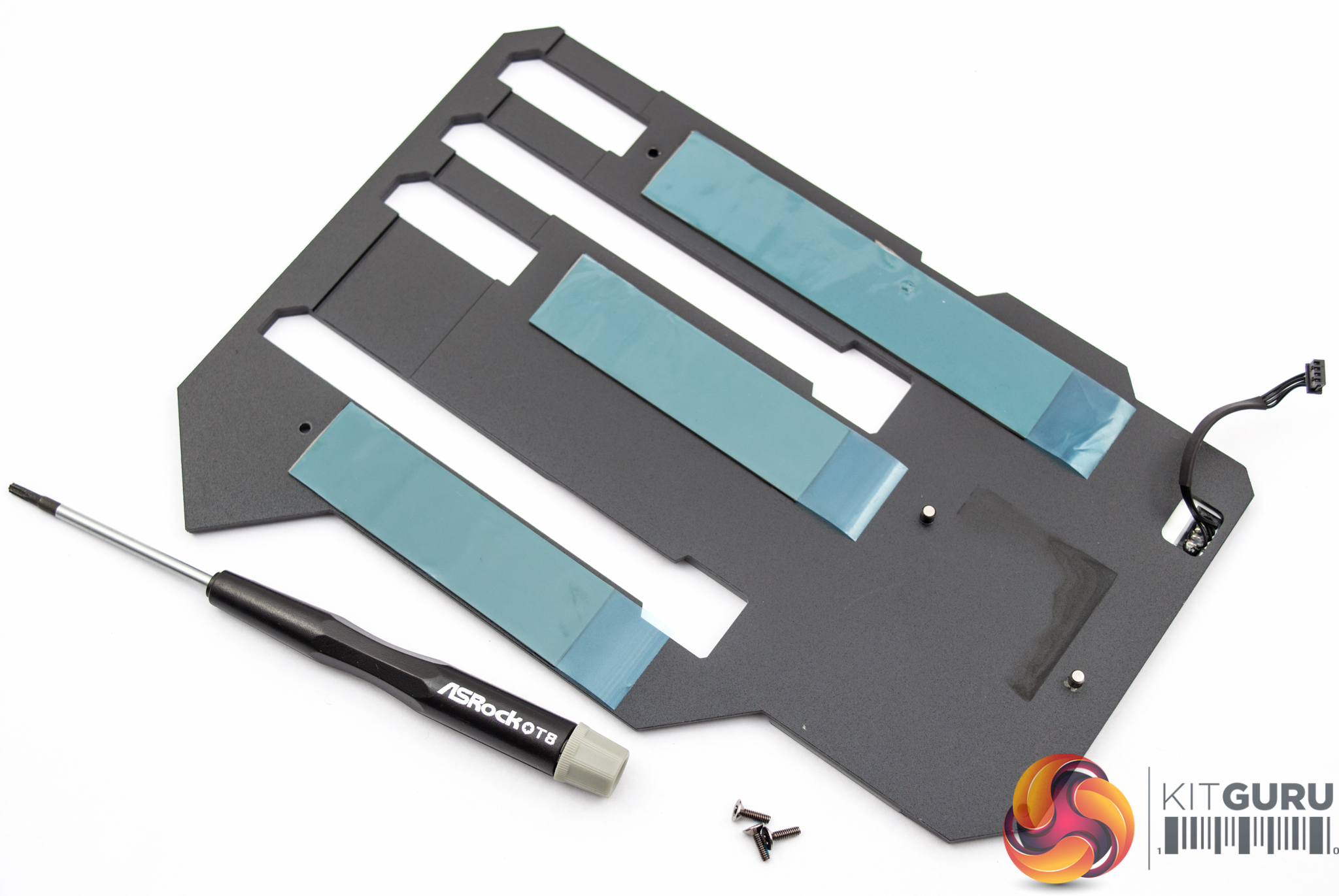
There are three M.2 slots all of which are cooled by the integrated thermal armor of this motherboard. This represents a notable upgrade over the Phantom Gaming 9 that had M.2 cooling for just one M.2 slot.
Access to the M.2 slots is a little clunky, requiring three screws to be removed using the provided screwdriver so that the whole armor cover is removed, to reveal access to all three slots.
We weren't able to remove and gain access to the audio components due to the plastic cover being held on with single-use push-pins. However, the configuration underneath, on paper specifications at least, does not appear to have changed compared to the Phantom Gaming 9.
ASRock is still using the latest Realtek ALC1220 codec and this is paired up with the Texas Instruments NE5532 headphone amplifier and Nichicon Fine Gold Series audio capacitors.
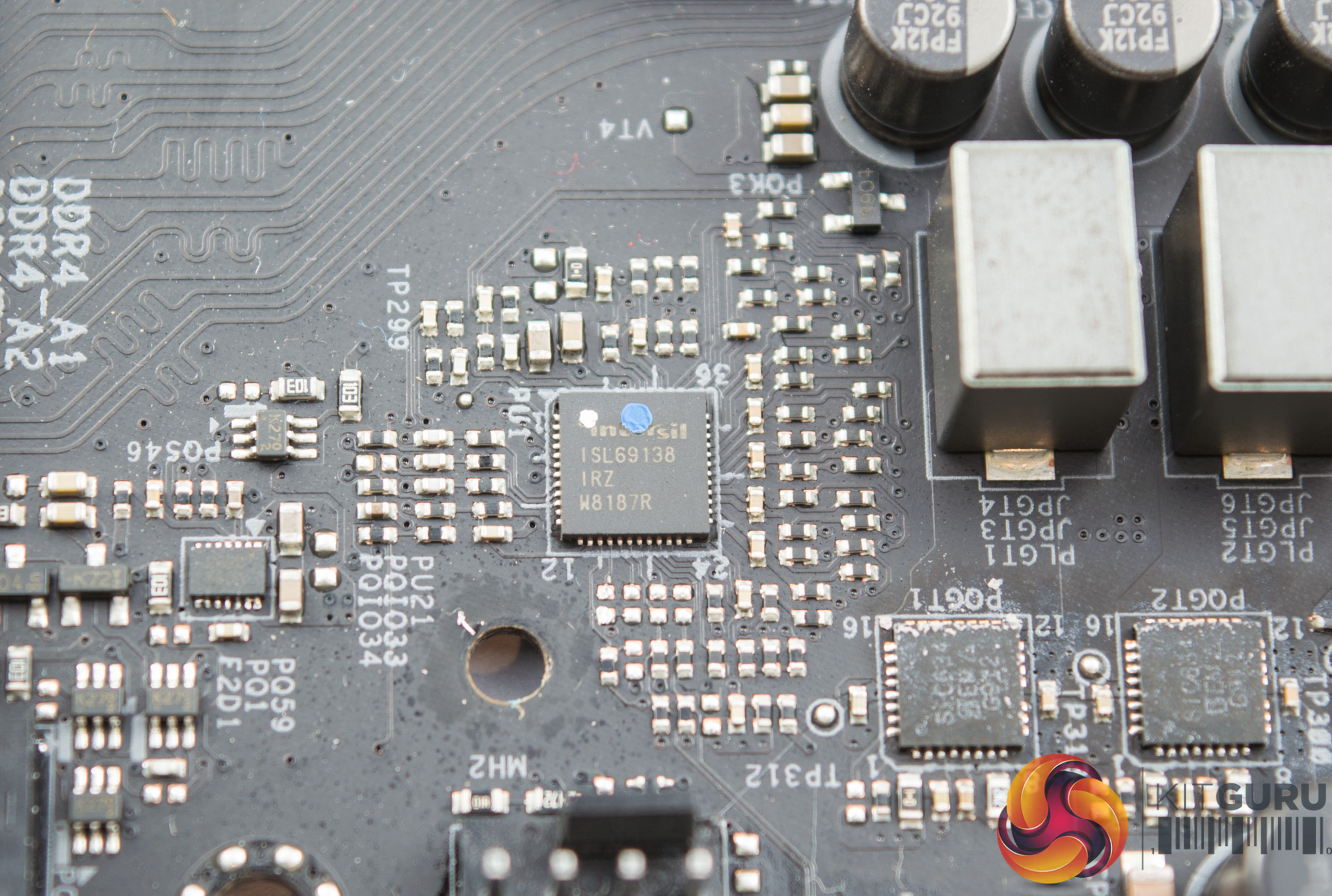
The PWM controller used is the Renesas Intersil ISL69138 which operates in a 6+1 channel mode, using doublers on all channels to give an effective phase count of 12+2. There are 12 doubled phases for the VCore and 2 for the iGPU/SOC.
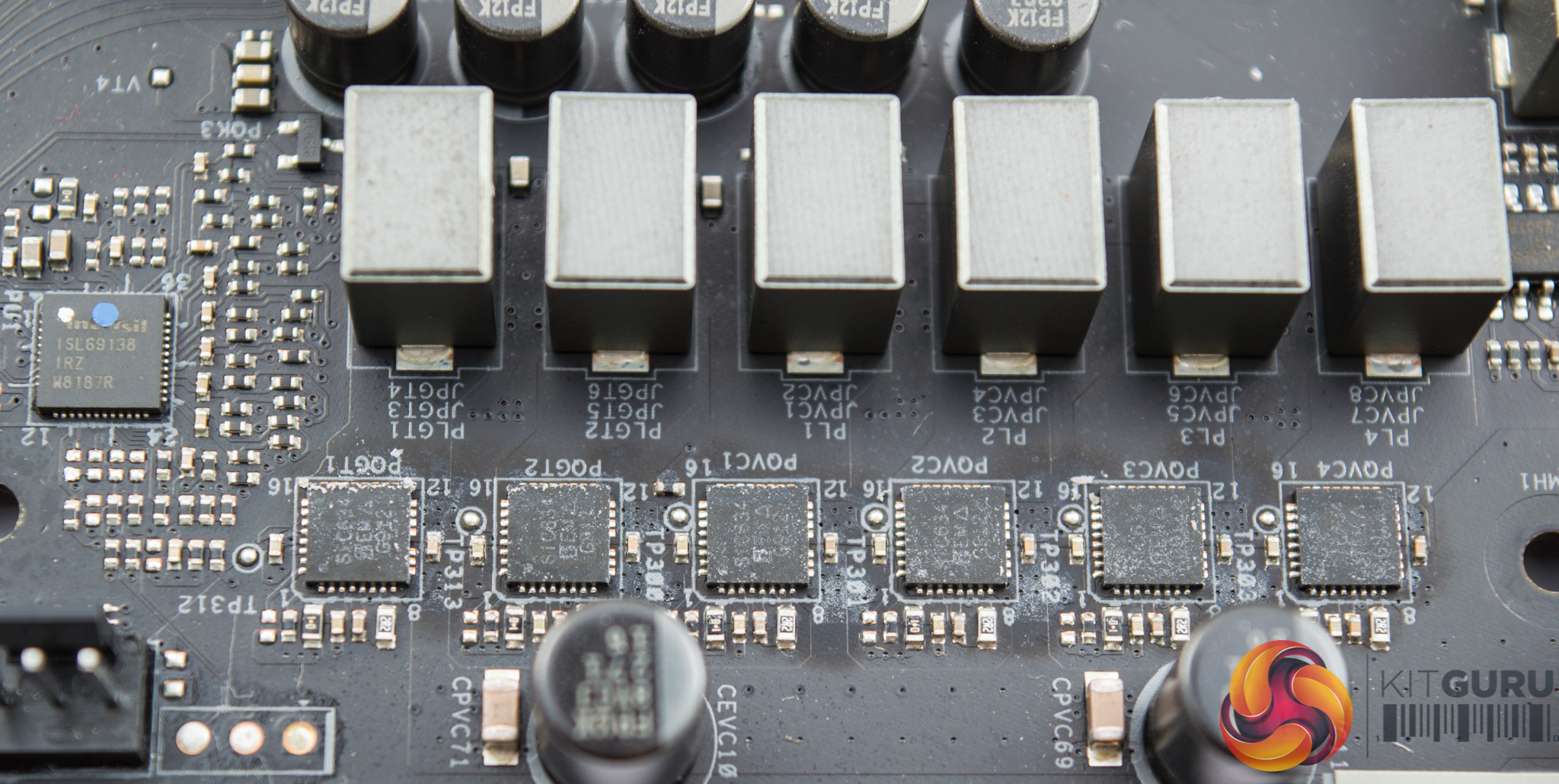
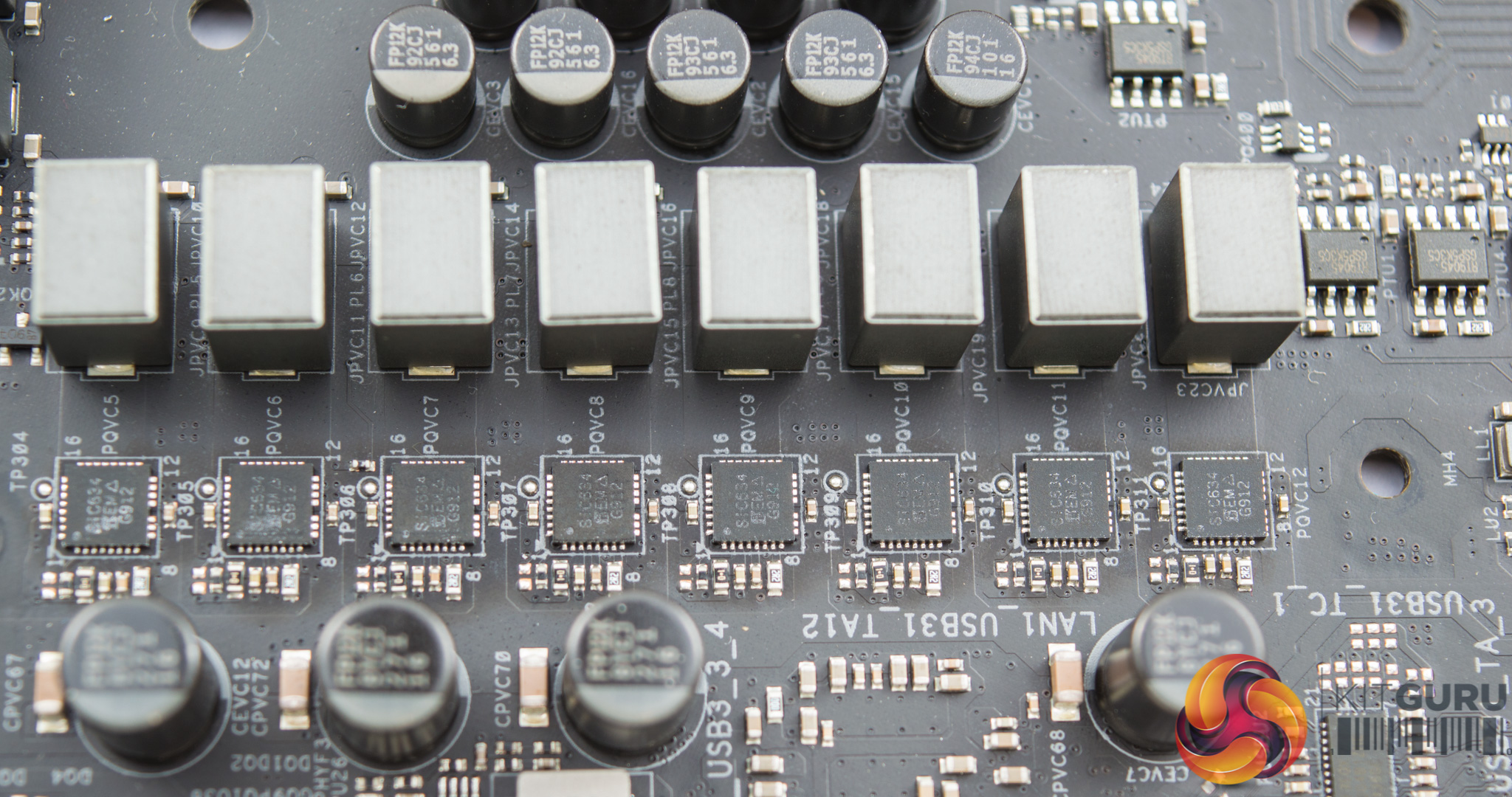
All 14 phases use the Vishay SiC634 50A Integrated Power Stages, these are particularly heavy duty MOSFETs for this type of consumer application. The overall choice of components across the CPU VRM design is high quality and definitely over-engineered for most use cases.
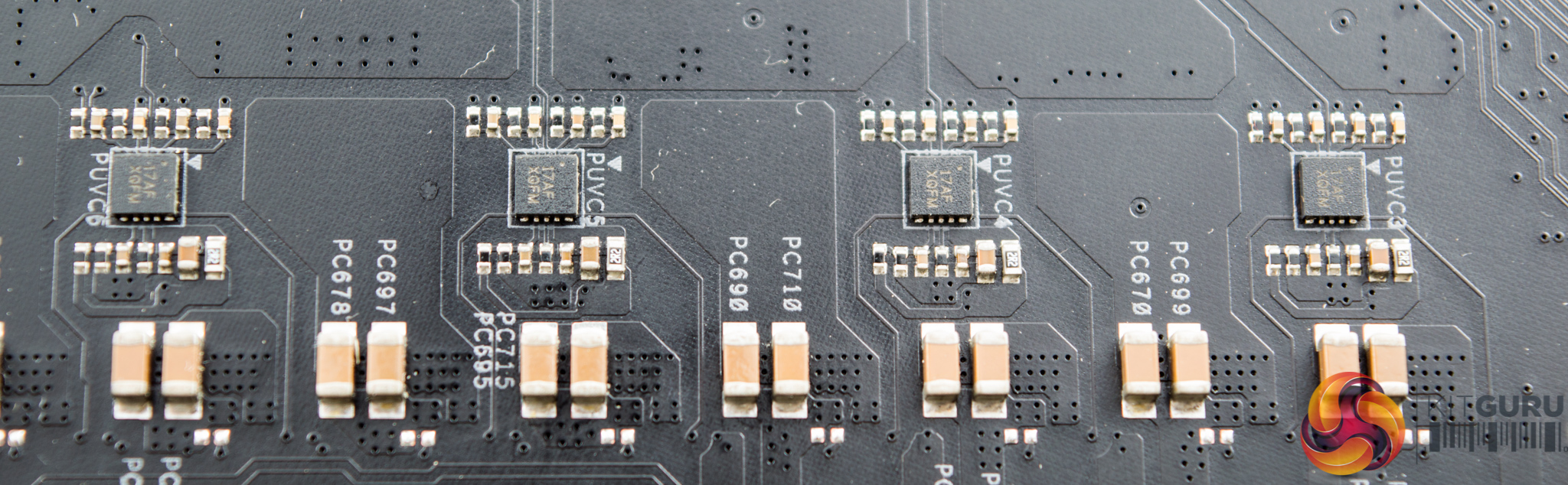
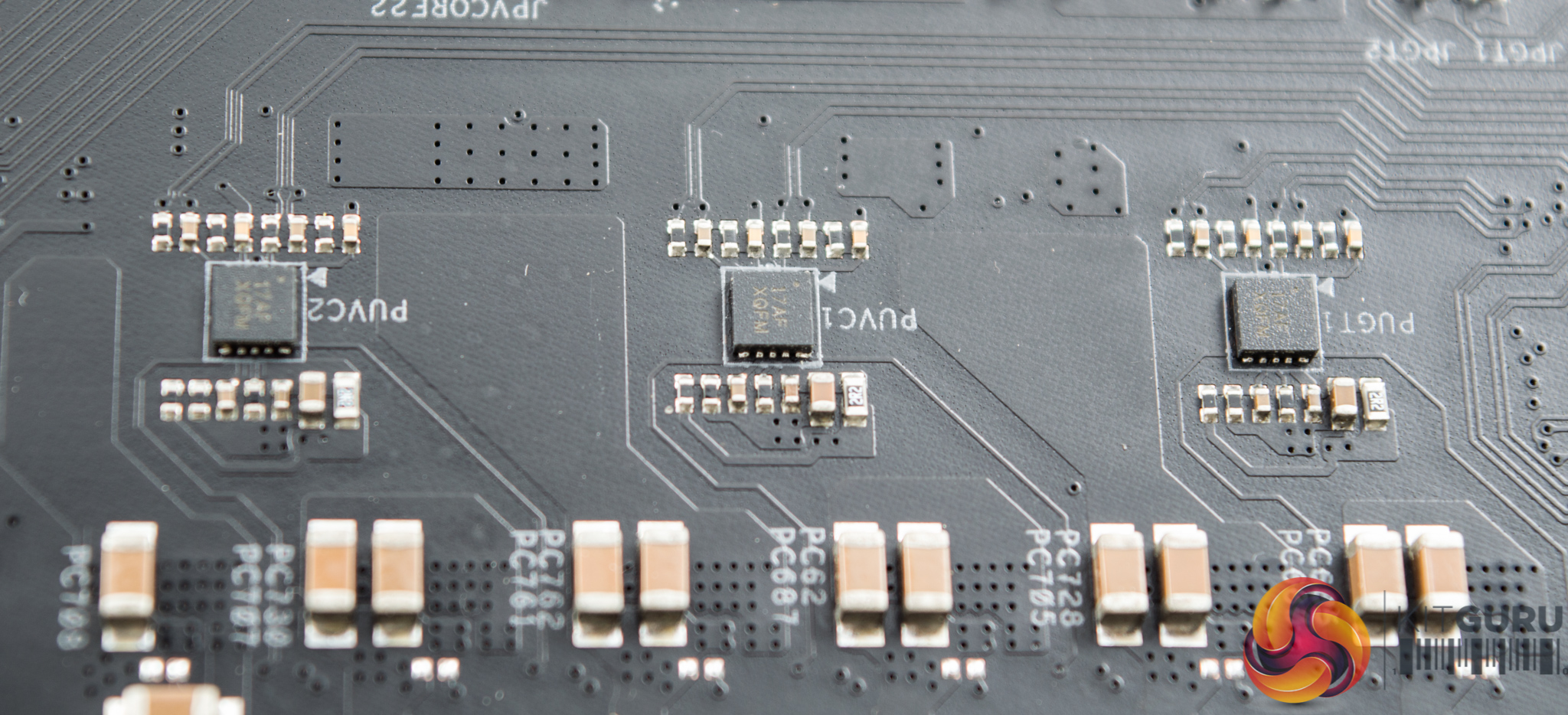
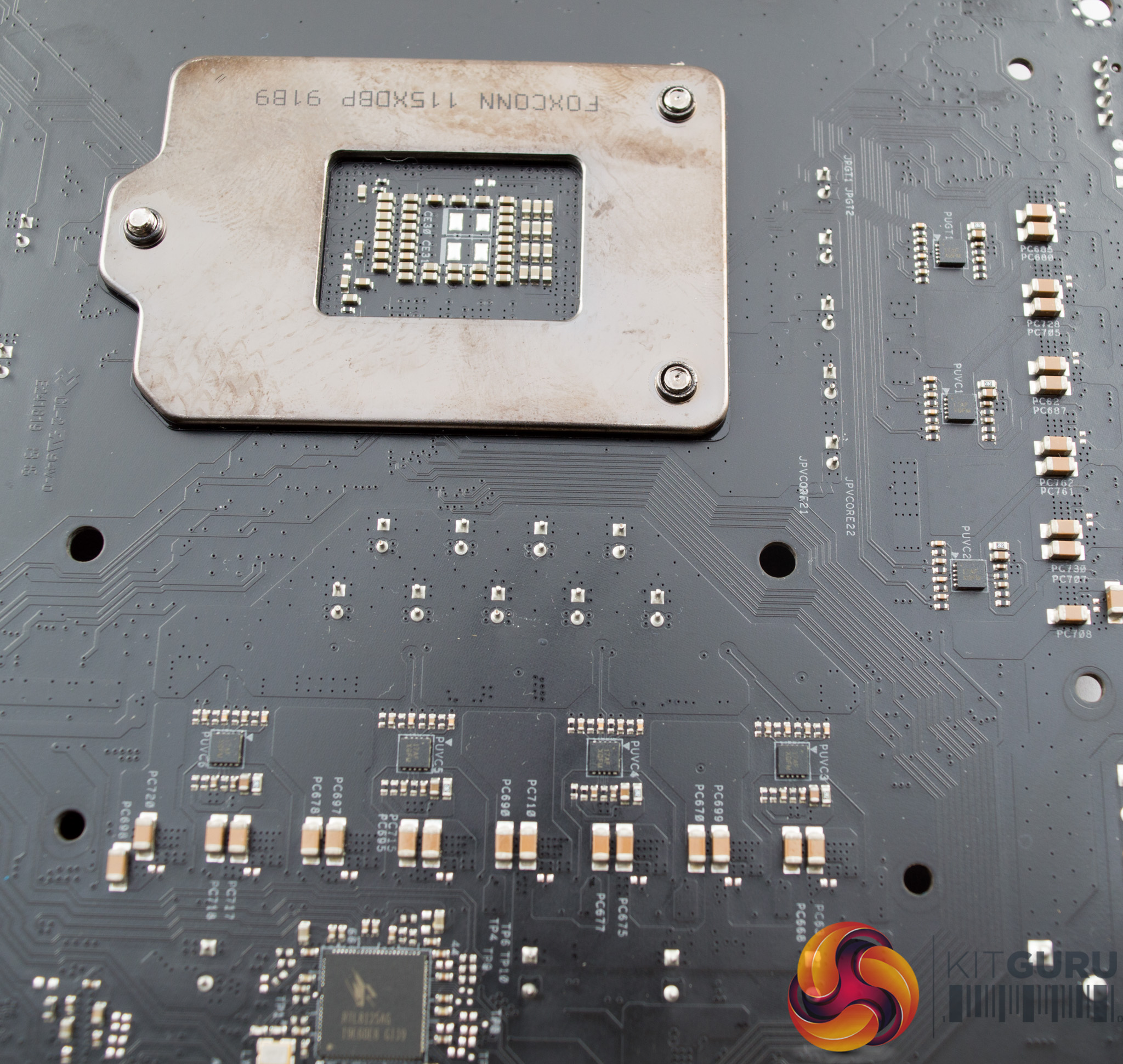
Seven Renesas Intersil ISL6617A doublers are in use and visible underneath the motherboard. There is no thermal interface between these doublers and the backplate, but they are perfectly equipped to dissipate heat passively.
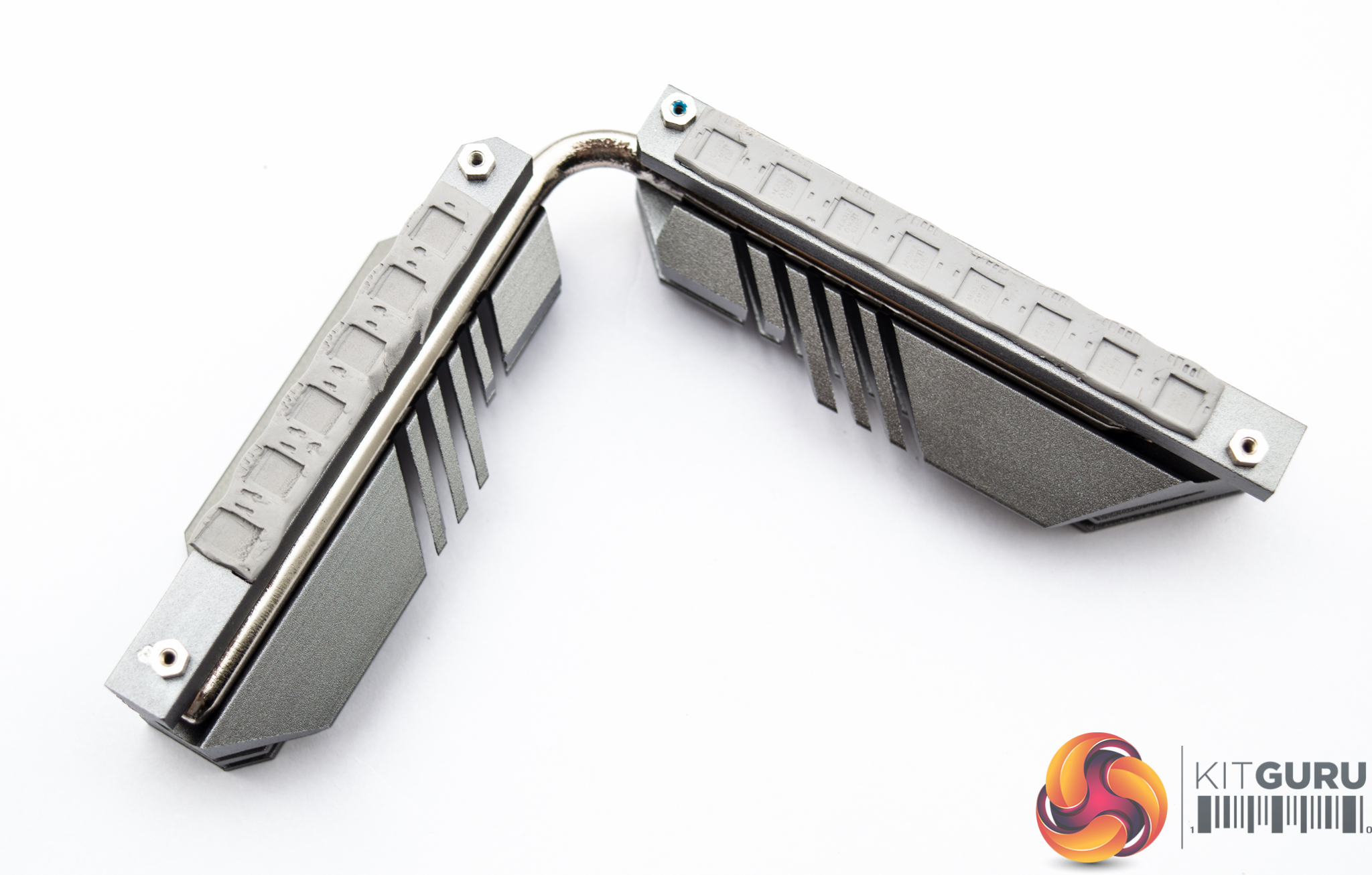
The CPU VRM heatsink is formed from two heatsink blocks that are connected by a nickel-plated copper heatpipe and using thermal pads. The design is a little denser and heavier than the heatsink used on the Z390 Phantom Gaming 9.
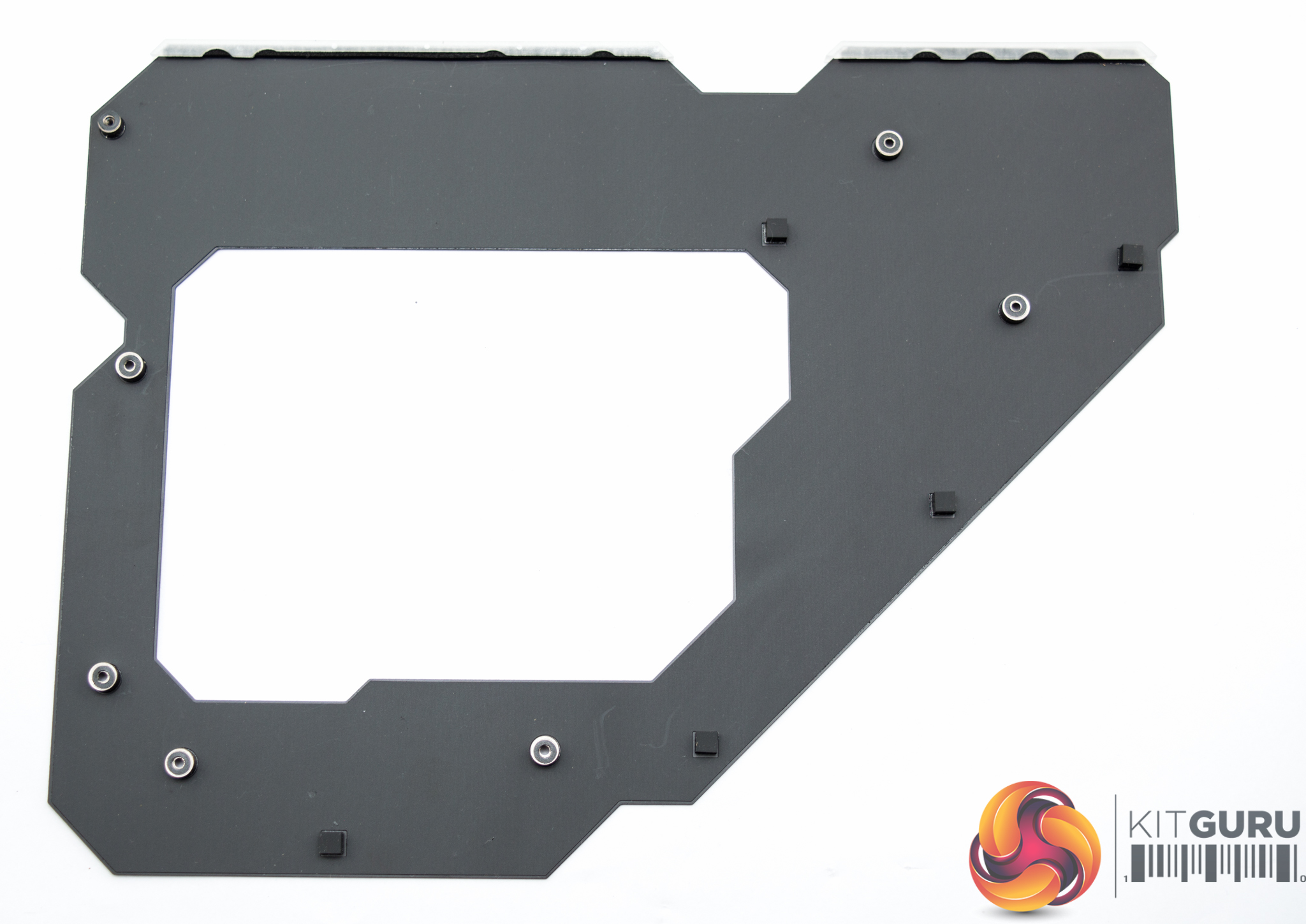
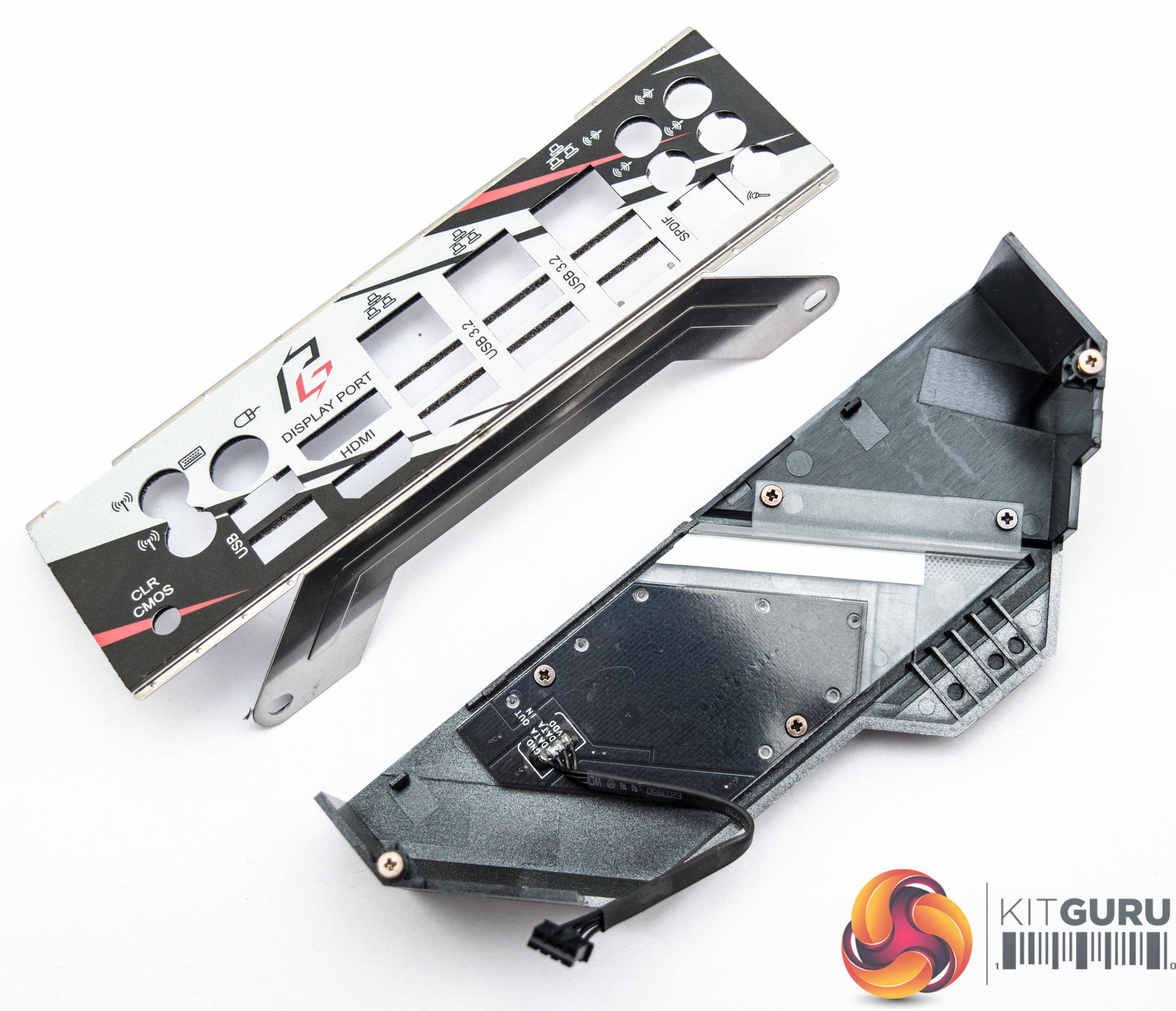
That backplate has no thermal solution within it so it serves primarily two purposes: structural rigidity and aesthetics.
The integrated I/O shield and cover can be removed and refitted with simple cross-head screws.
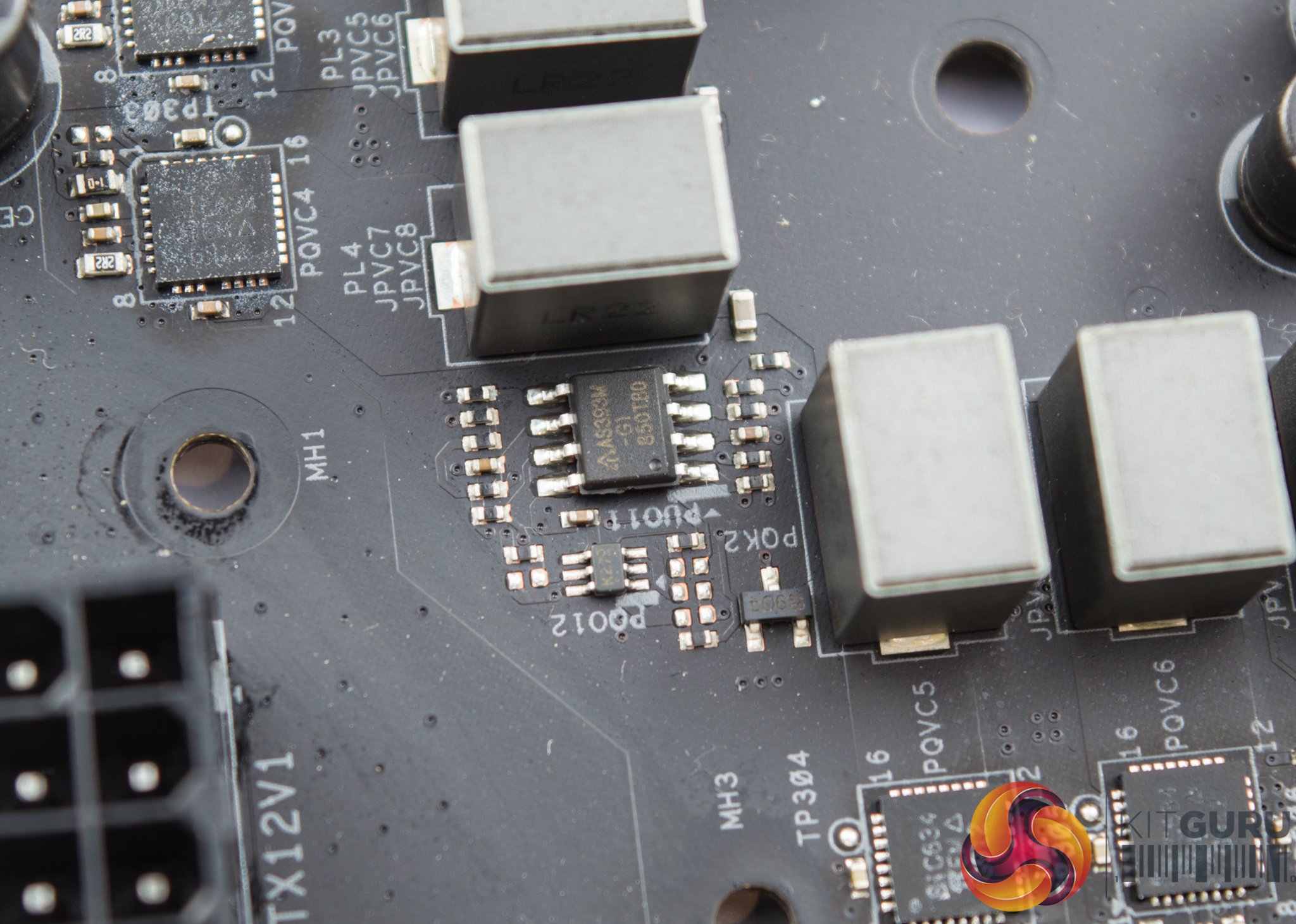
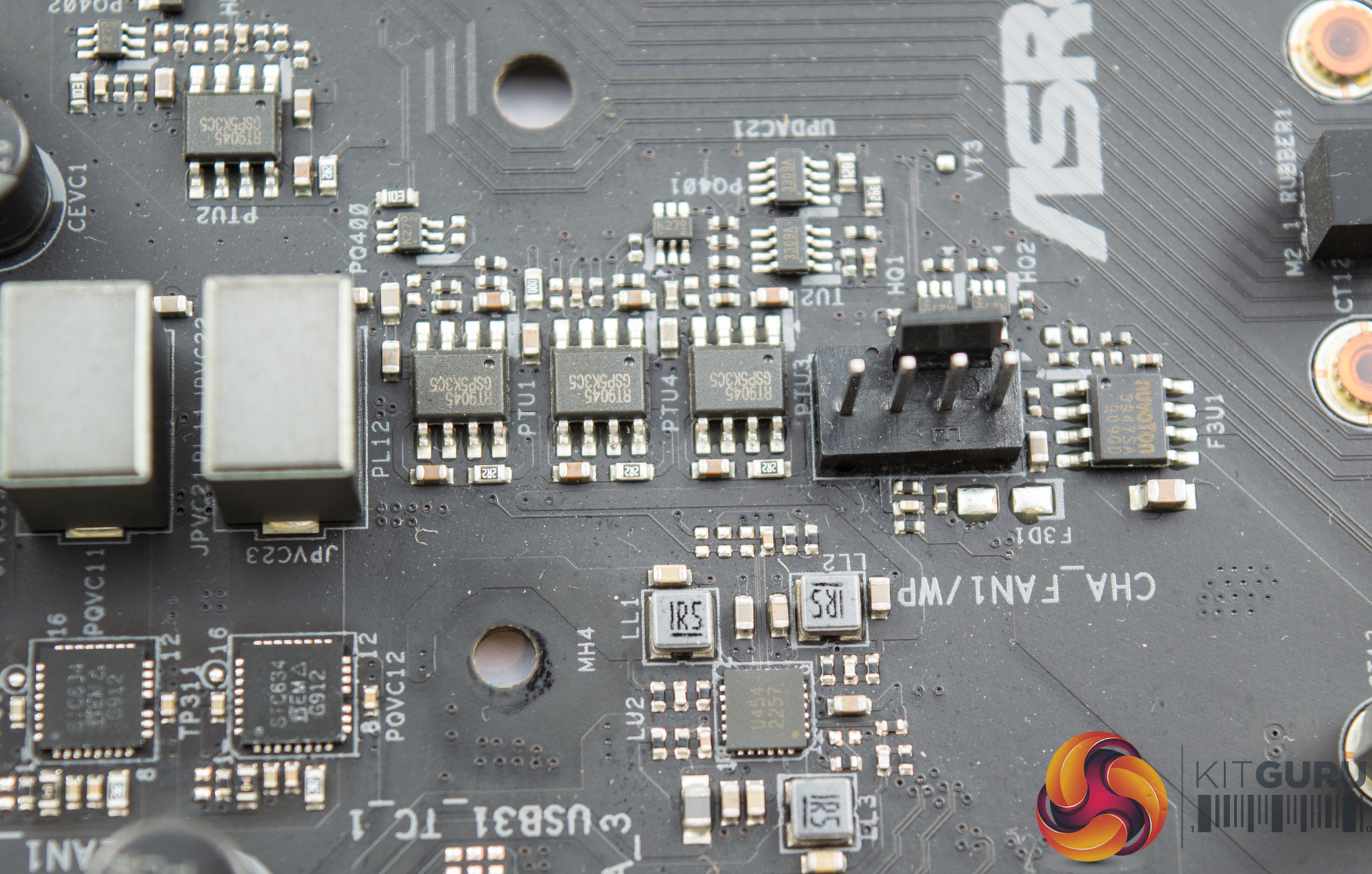
Some linear voltage regulators such as the Richtek RT7905 & RT9045, Diodes Incorporated AS393M-G1 and Anpec APW8720B make up the ancillary phases.
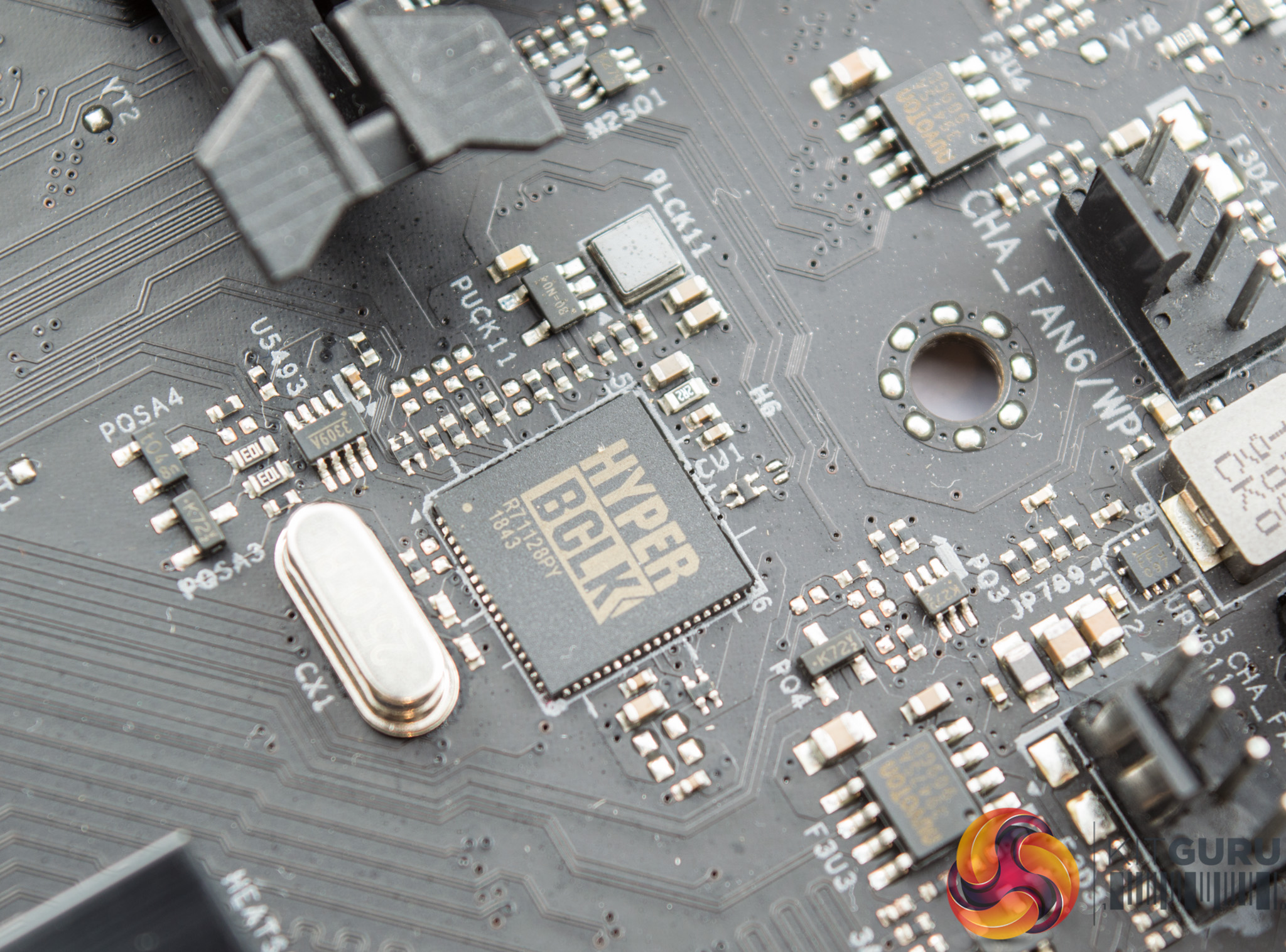
ASRock use the Hyper BCLK Engine II on this motherboard, and the corresponding chip is found towards the centre of the motherboard.
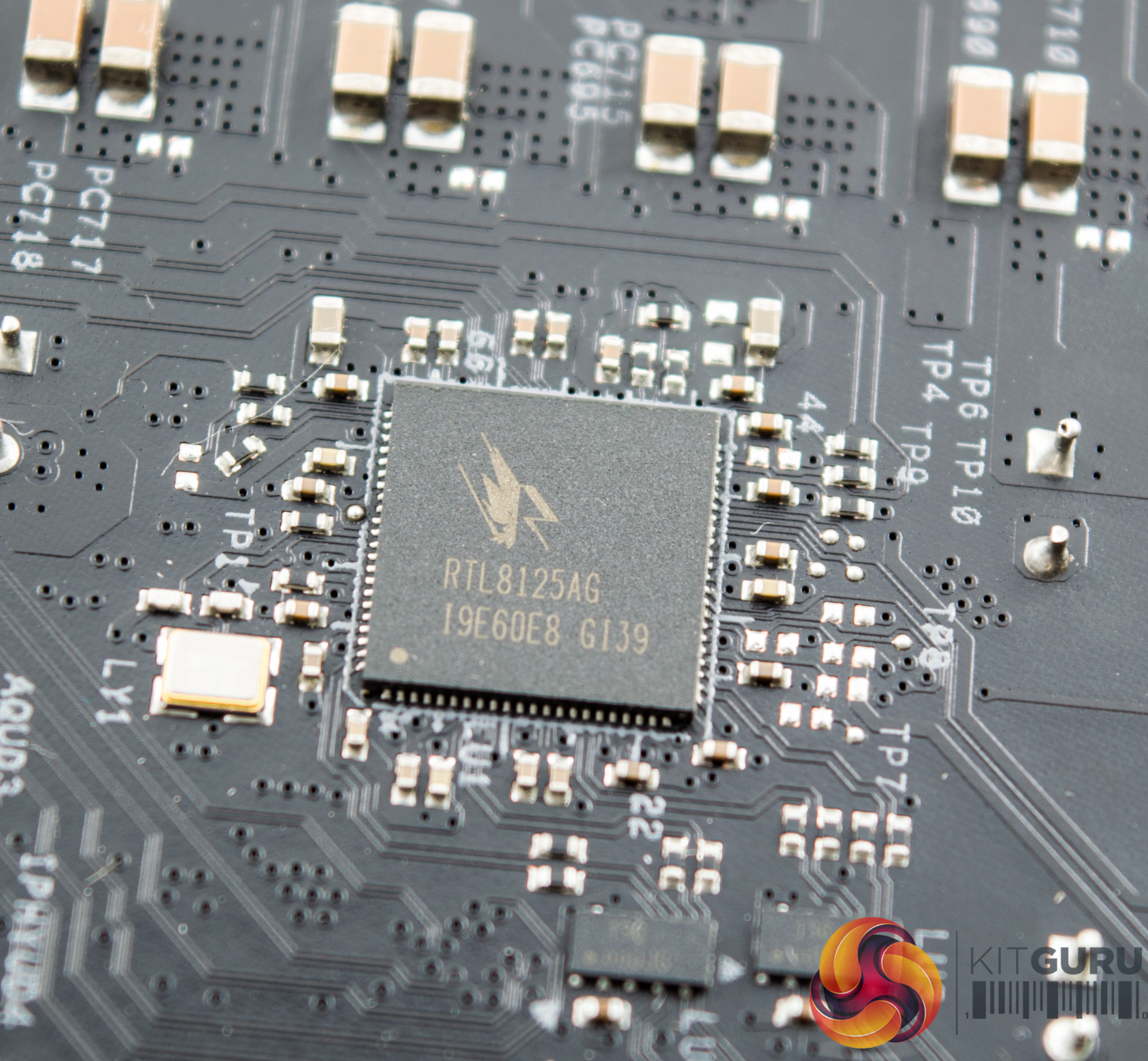
On the under-side of the motherboard the Realtek RTL8125AG chip which is used to provide the 2.5Gbps LAN solution.
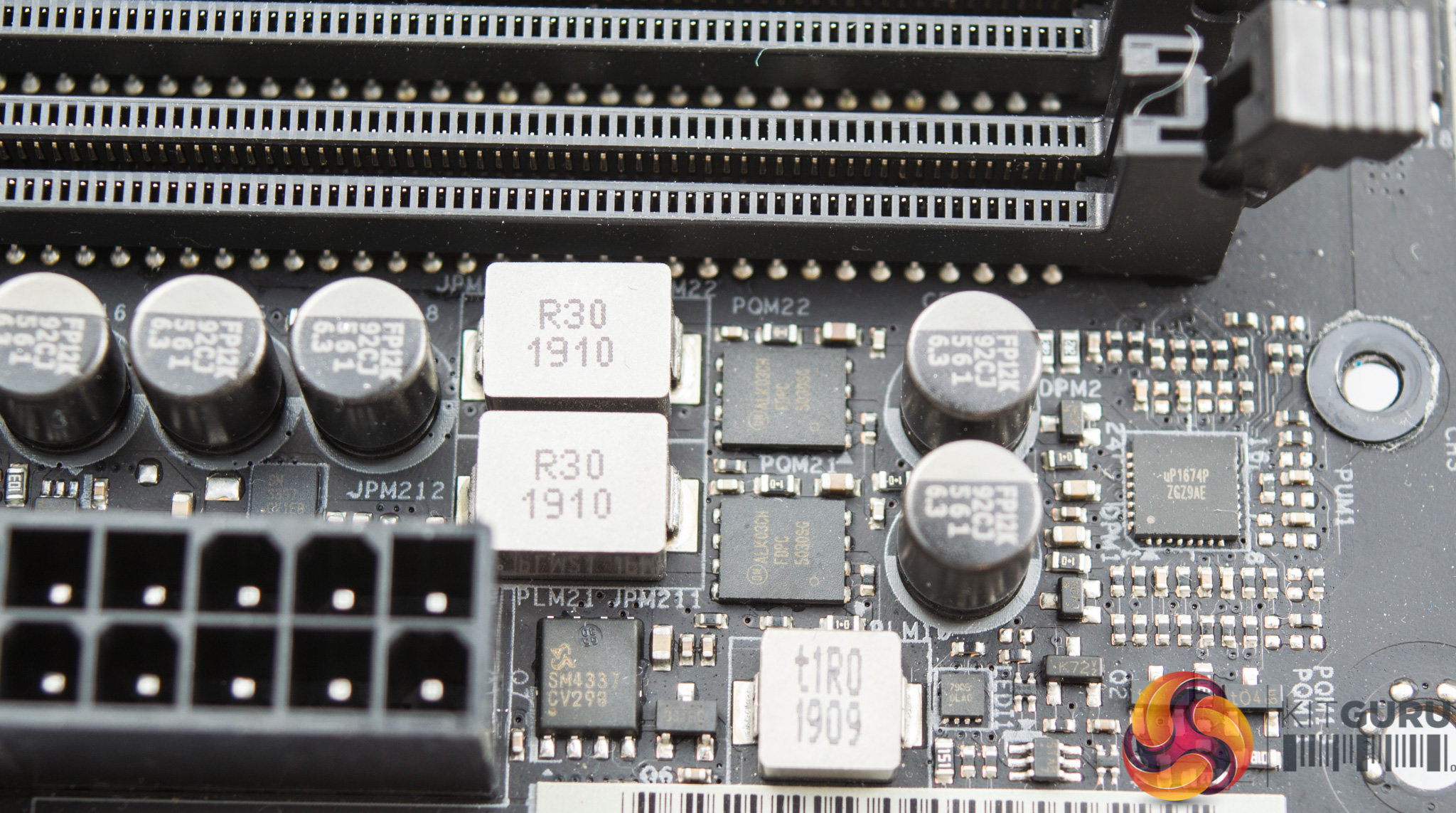
Around the memory slots is a uP1674p PWM controller with a number of MOSFETs such as the SM4337 and ALK03CH, which provide the DDR4 power delivery system.
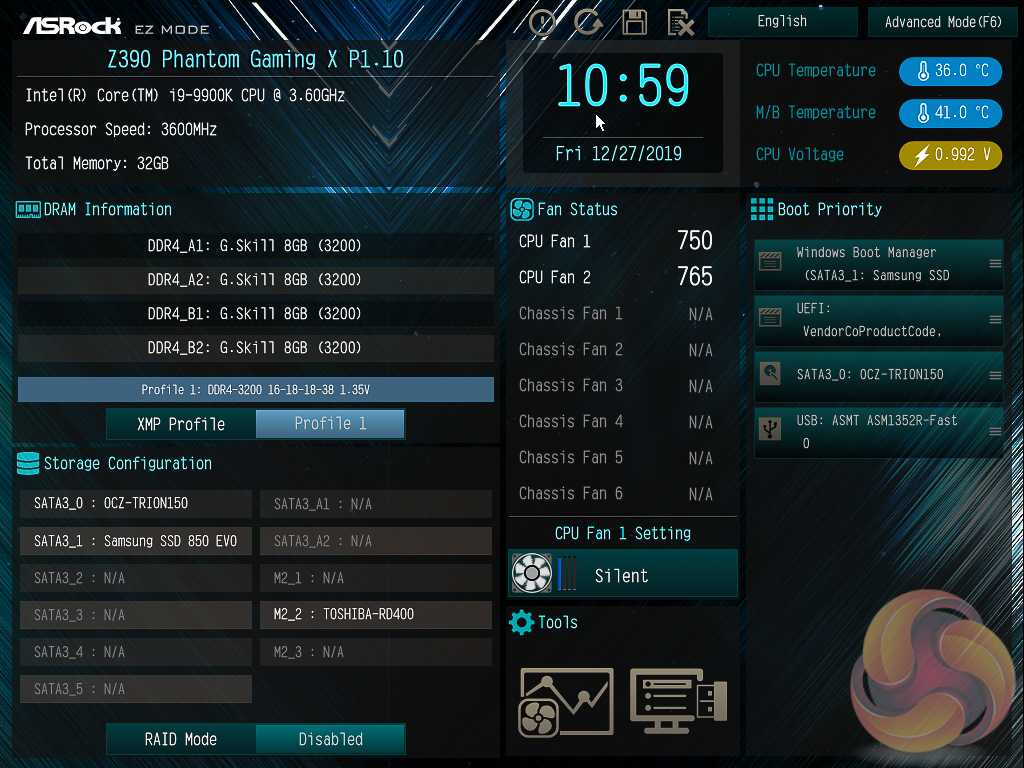
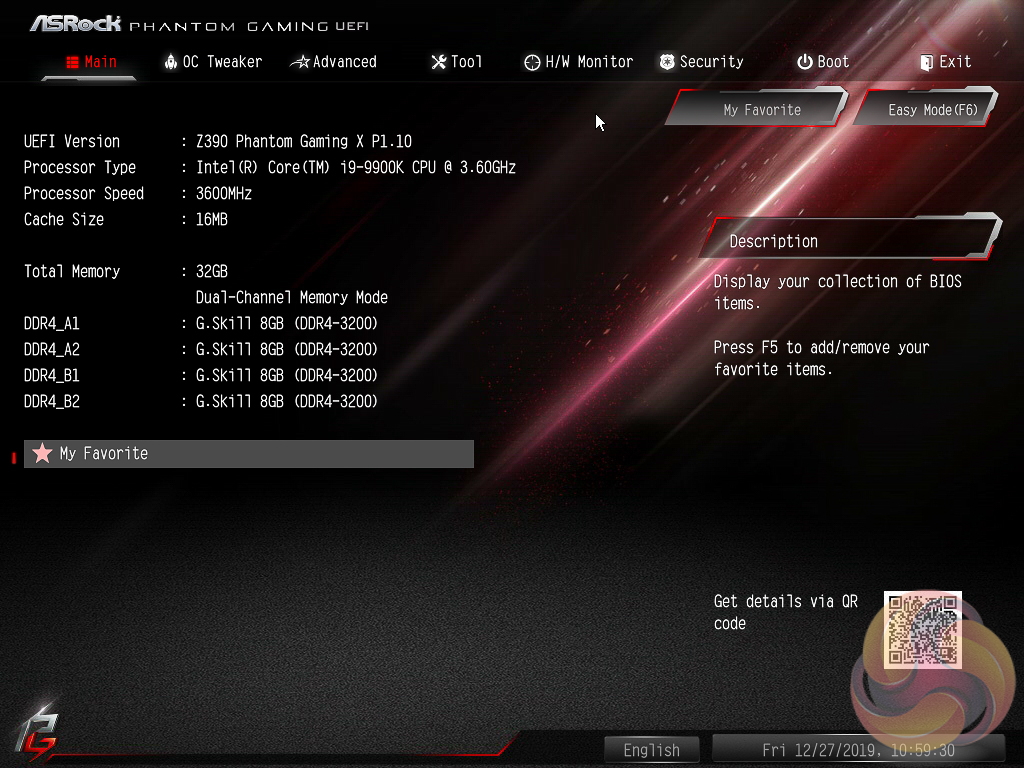
Like all motherboard vendors, the ASRock UEFI offers an “EZ MODE” option (read: easy mode) intended to provide a quick summary of commonly accessed UEFI options like boot order and fan speeds.


If you are unable to display some of the images on these pages, disable your ad blocker as it interferes with our gallery code.
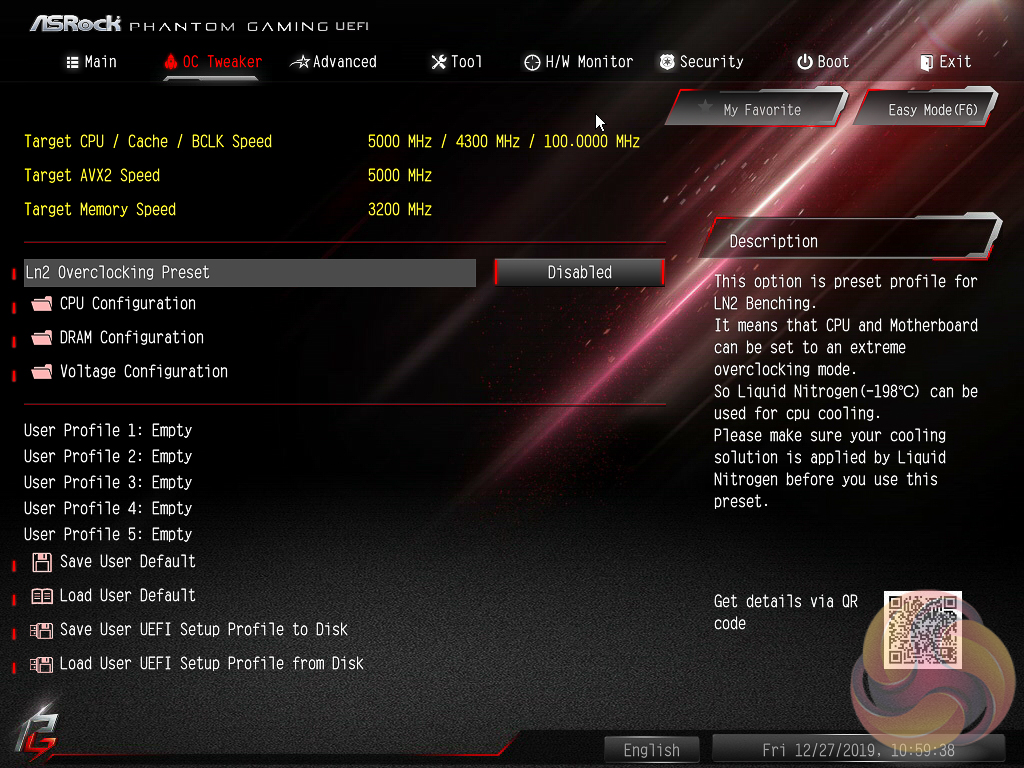
OC Tweaker is the primary section of the UEFI environment for overclocking and performance tuning. ASRock splits off the main parameters into separate sections with CPU, DRAM and Voltage configuration pages.
CPU Configuration covers all frequency and performance-related elements of the CPU such as core behaviour, multiplier modes, turbo behaviour, cache ratio, base clock and so on. Power related settings like the short and long duration power limits and CPU Core current limits are also found here. An improvement over the Z390 Phantom Gaming 9 is that ASRock now enables user control of the Enhanced Turbo Mode, previously it was an “all or nothing” solution with either no Turbo whatsoever, or ASRock enhanced turbo.
ASRock’s “Auto” settings still effectively extend the Turbo duration and power limits to some sufficiently high values that the CPU never falls below 4.7GHz at stock when in Turbo, whereas a system following Intel’s Turbo specification will average about 4.2GHz on all cores after the initial peak turbo boost elapses the time limit.
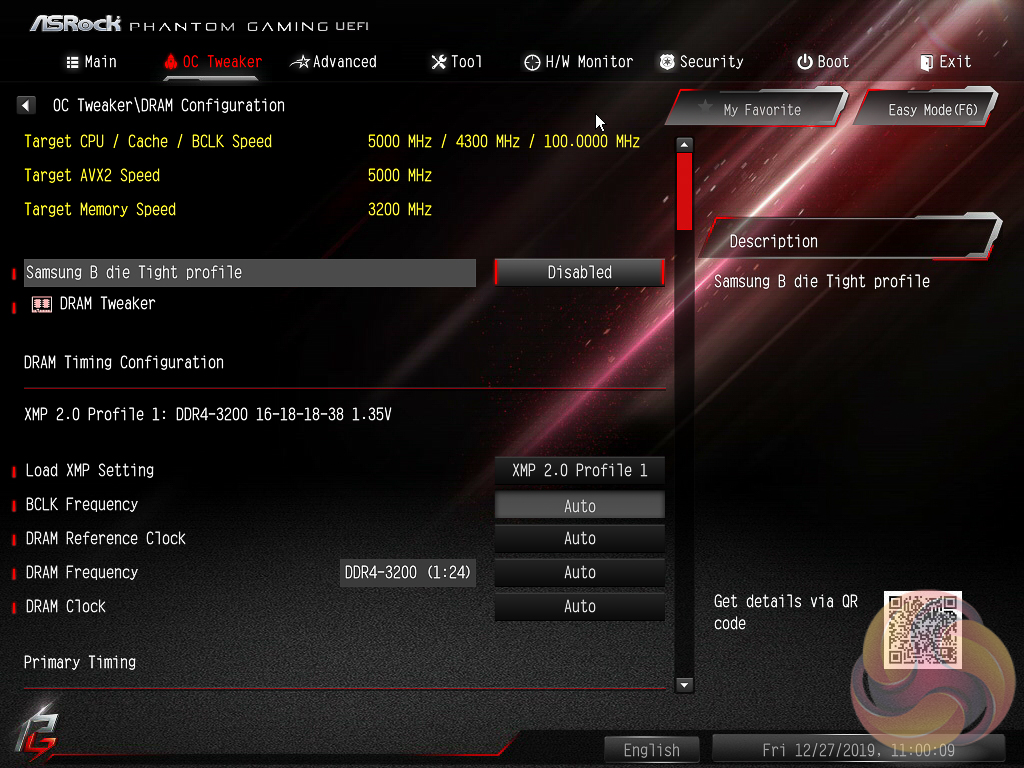
DRAM configuration brings all frequency and performance-related elements for the memory modules including XMP, reference clock and timing controls.
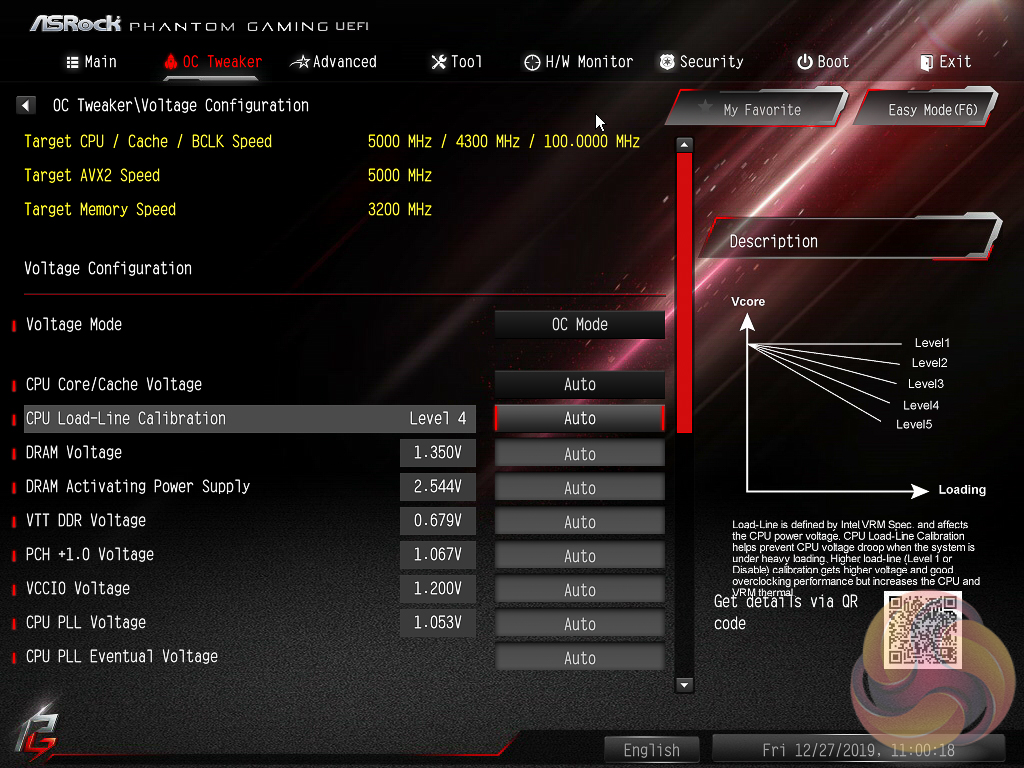
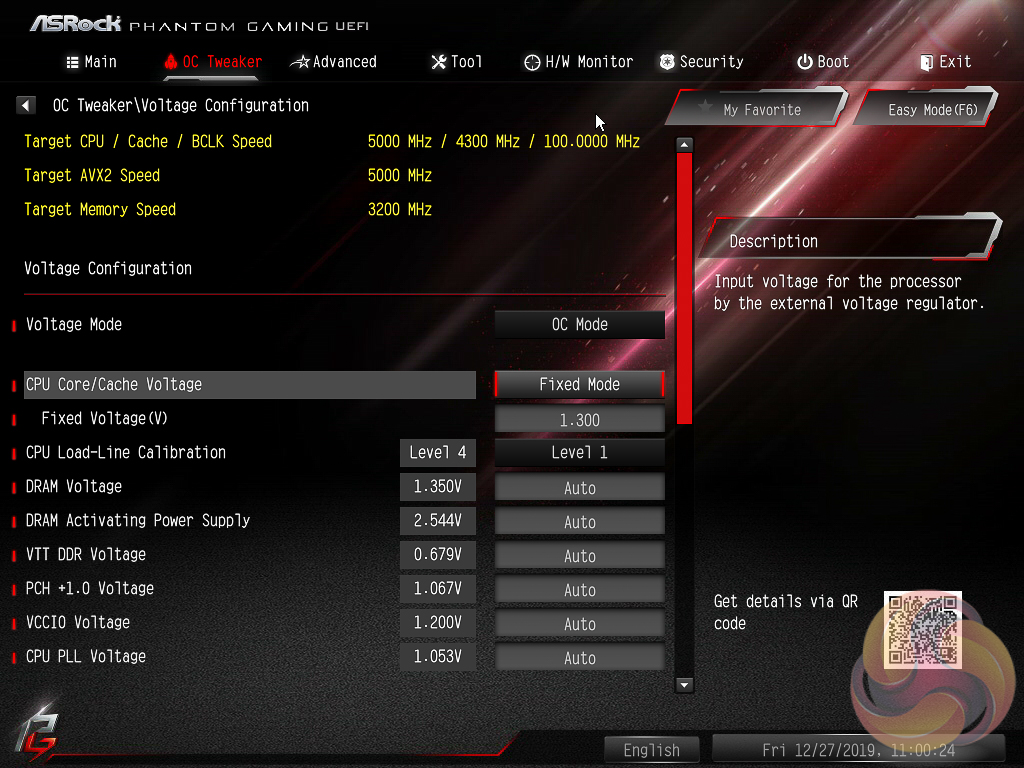
Voltage configuration is for all voltages and LLC settings including CPU VCore, VCCIO, VCCSA and PCH voltages. The CPU load line calibration controls are also held within this section and span five different levels with the Level 1 profile having no reduction under load and Level 5 the most reduction.
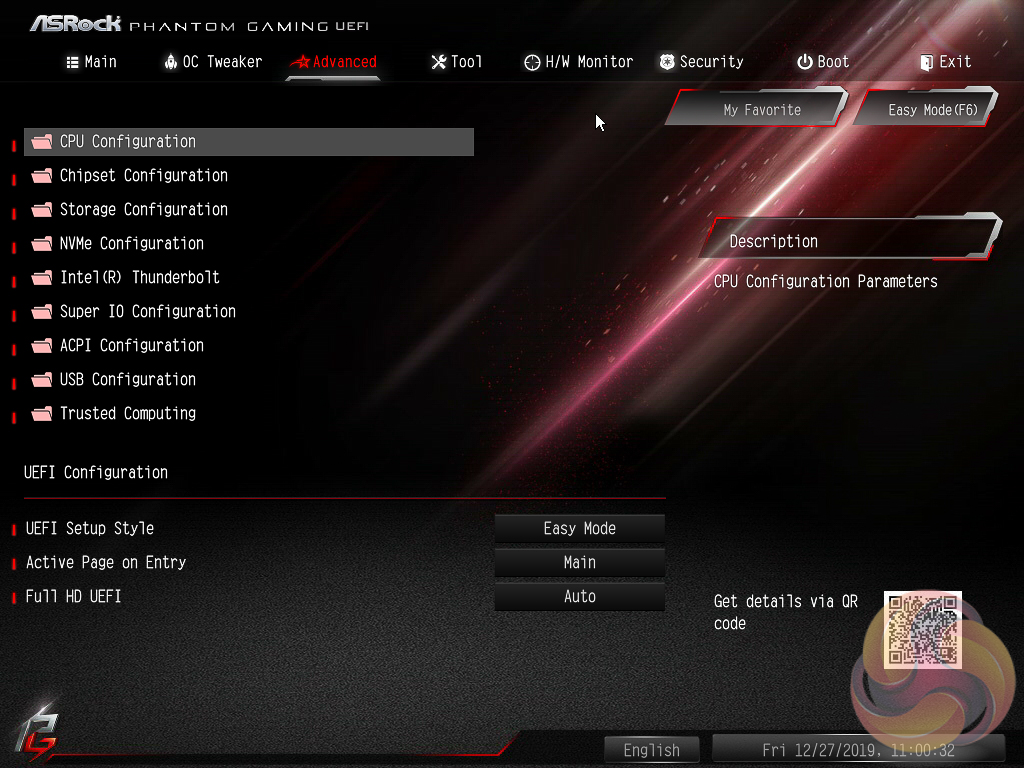
In the Advanced section we find more CPU configuration option. The remit of this section is to give users the “everything else” of compatibility and functional UEFI options for onboard hardware that aren’t found in OC Tweaker.
An inclusion at the bottom of the Advanced section is the ability to toggle the UEFI into a full HD mode which is disabled by default, at least it was on our test system monitor, and picking the default UEFI landing page from either EZ or Advanced.
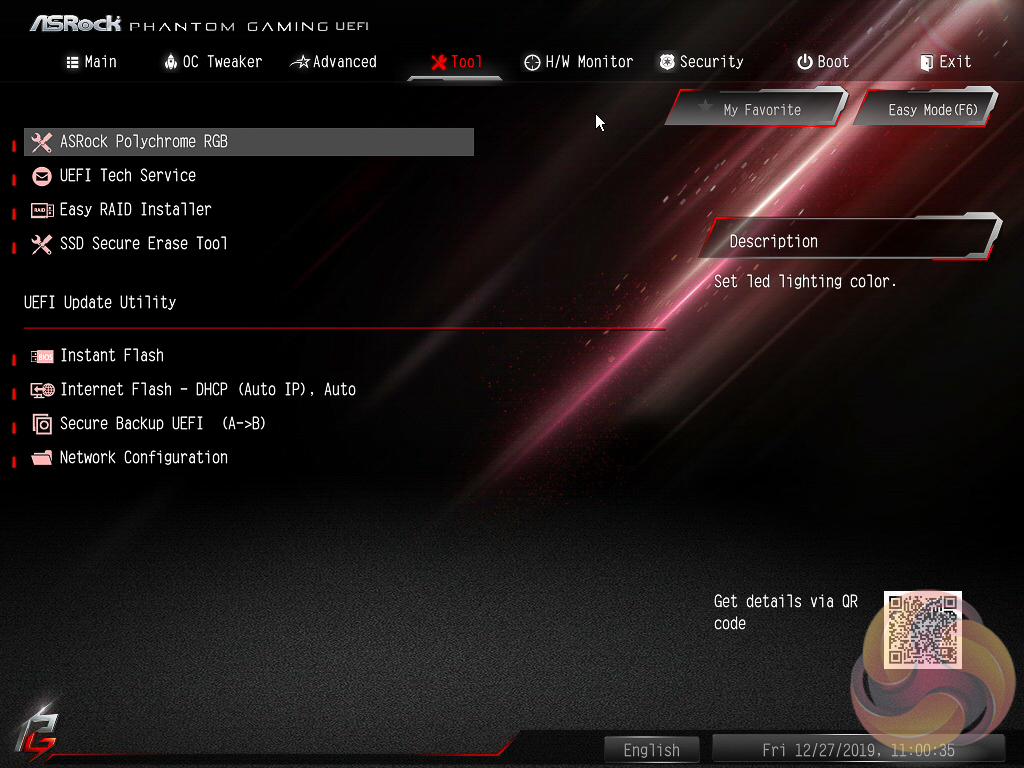
The Tool tab holds the Instant Flash utility which is beautifully simple. Attach a USB device, pick the update file and update, or update automatically from the internet. It seemed on this motherboard only one of the Ethernet ports was configured to work with Internet flash, the Intel I219V port nearest the audio connections, once it connected up to the internet it worked a treat to run the update.
ASRock has provided its Polychrome RGB tool within the UEFI environment on this model and it works roughly the same as the software does. Firstly, pick the lighting region. Secondly, change the colour using the ring, square or RGB sliders. Thirdly, select the style and speed from the lower right list and then choose to apply only to that lighting region (do nothing) or tick all to apply to all.
ASRock is, to our knowledge, the only motherboard vendor that puts RGB LED controls in the UEFI environment. It’s a unique approach and it’s pleasing to say the UEFI version of ASRock’s RGB LED doesn’t lose any features compared the Windows version.
The only downside is that once the profile is set within the UEFI the user has to re-enter the UEFI to make any further changes. The upside is, of course, less software clutter within Windows for those who have an aversion to motherboard software.
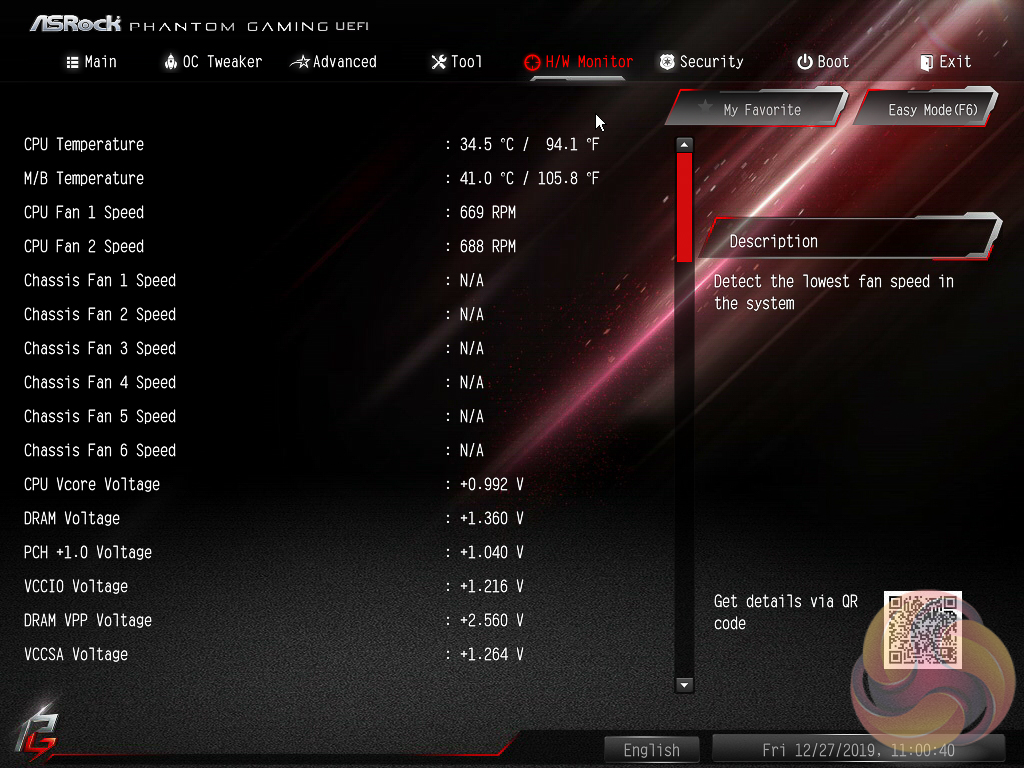
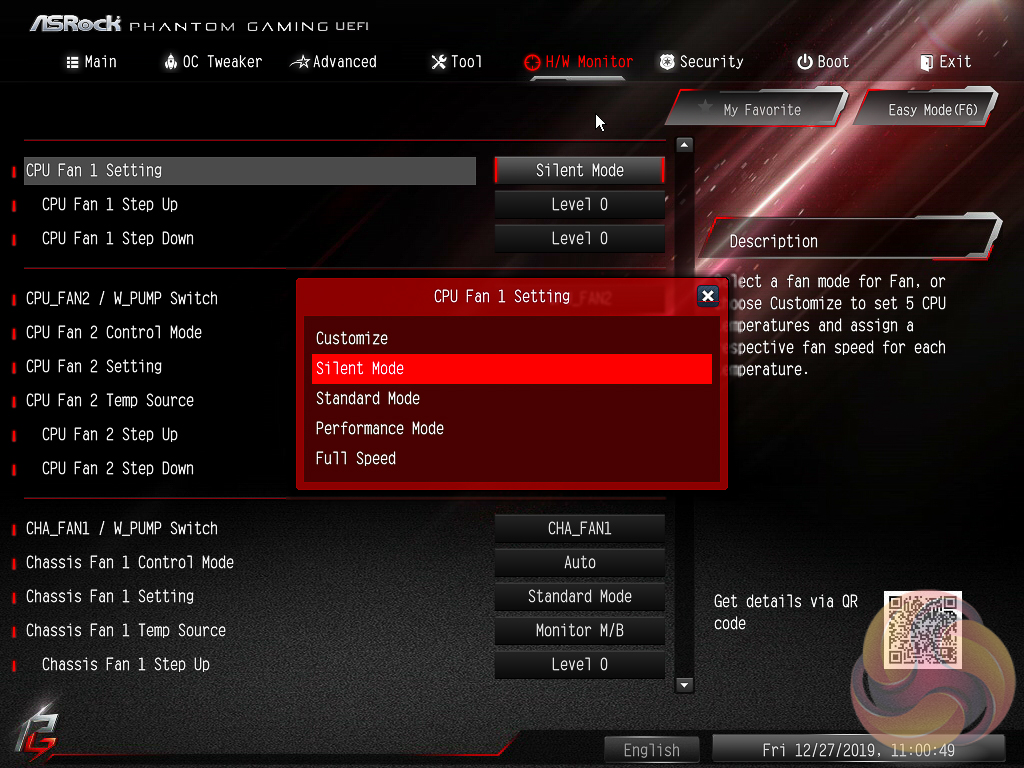
The Monitor section includes a number of voltage, temperature and fan speed read-outs as well as all the CPU and System fan controls. Further fan tuning can be done by first running the “Fan Tuning” wizard to calculate the full fan speed range of each attached fan (minimum and maximum speeds in RPM).
Then from within the FAN-Tastic tuning window, customised profiles can be set using the fan speed graph and the mouse to drag-and-drop the curve/line.
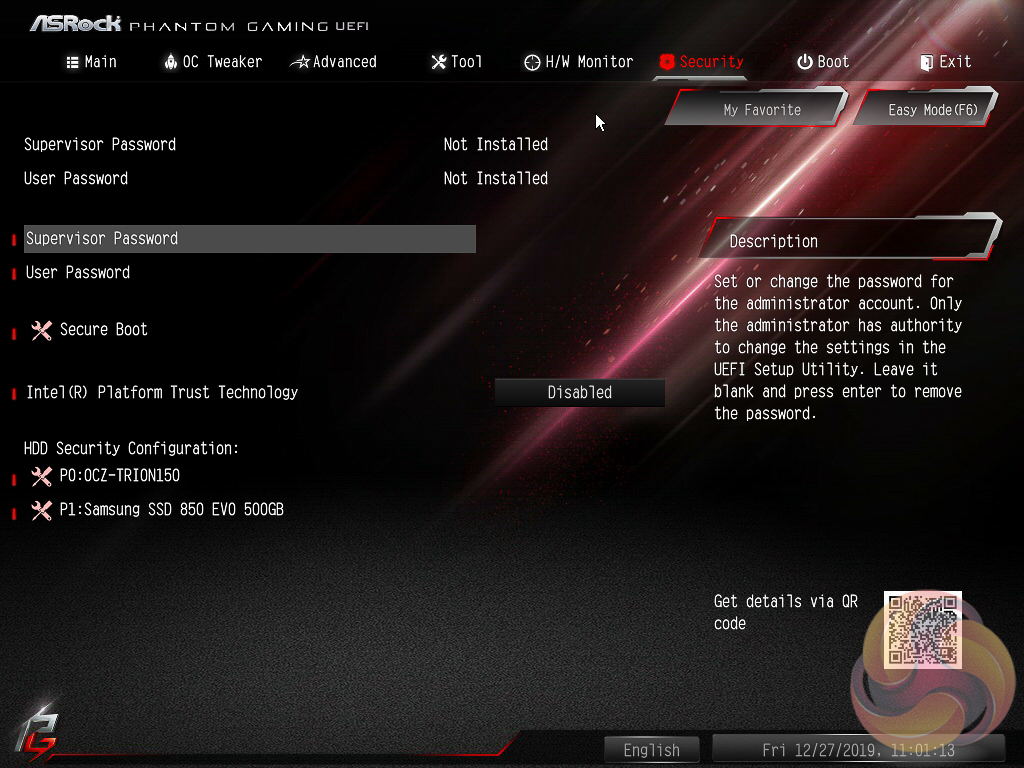
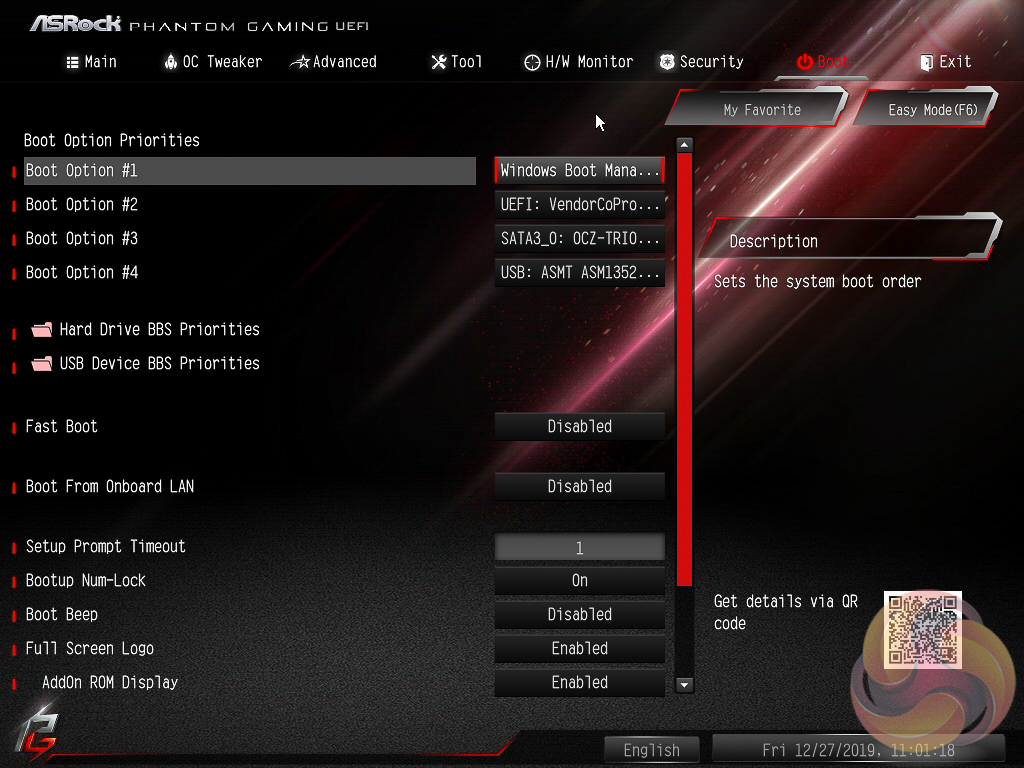
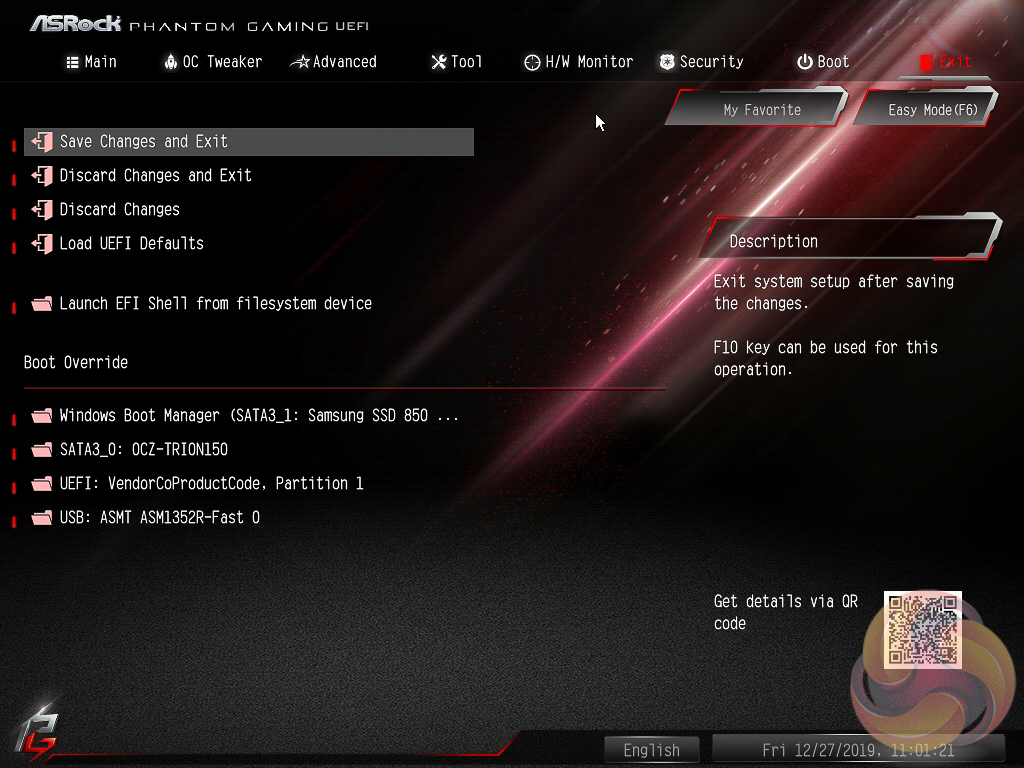
Security, Boot and Exit tabs round off the rest of the ASRock UEFI environment. Note that no summary of changes is presented to the user upon exiting the UEFI environment.
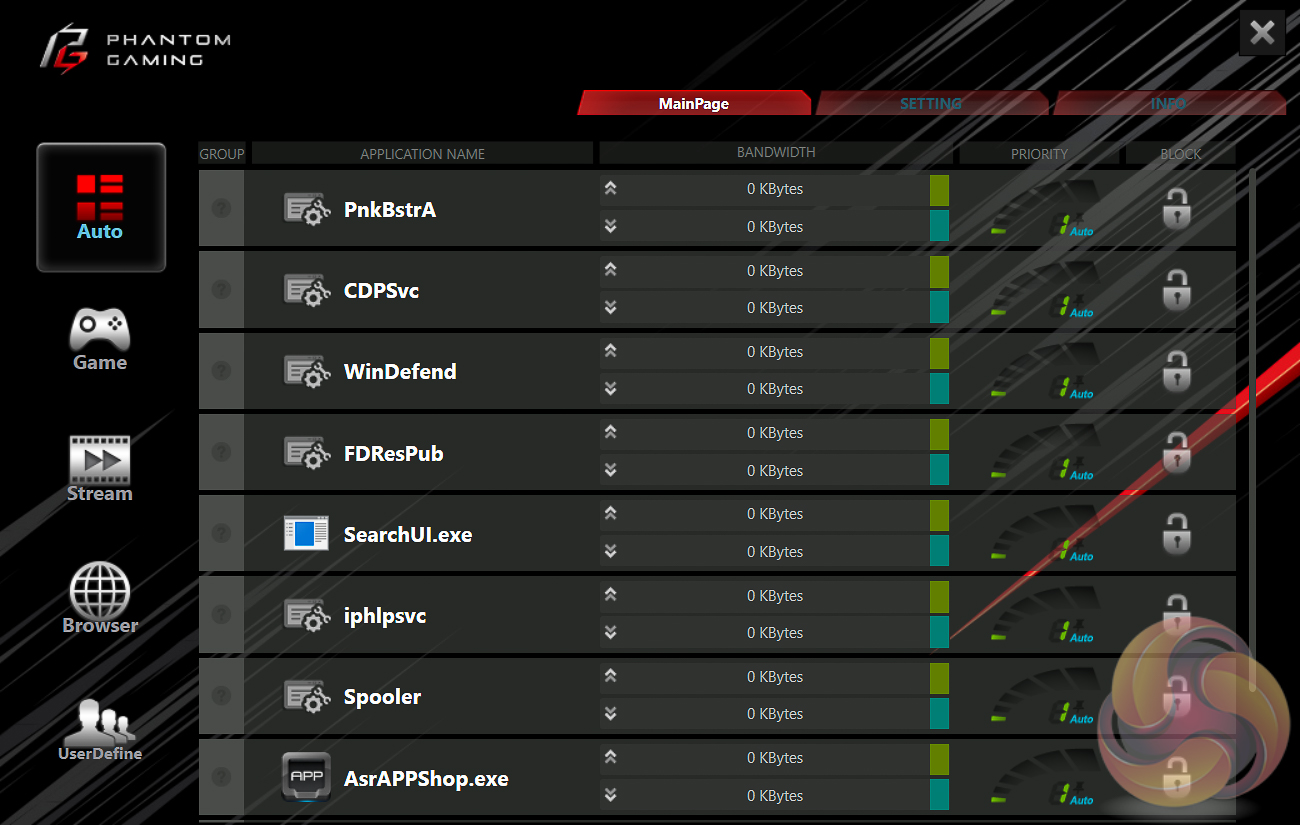
ASRock has a “Phantom Gaming” utility for the 2.5 Gigabit LAN connection. It’s not that different to rival software products (ASUS GameFirst IV, MSI Gaming LAN manager) and offers a way to do packet prioritisation, traffic shaping and monitor network statistics.
The value of the 2.5 Gigabit LAN connection appears somewhat limited at this stage as there are few devices around that support the throughput of this standard. However, there would be a speed benefit to this device sitting on a network that is operating at 2.5, 5 or 10 Gigabit.
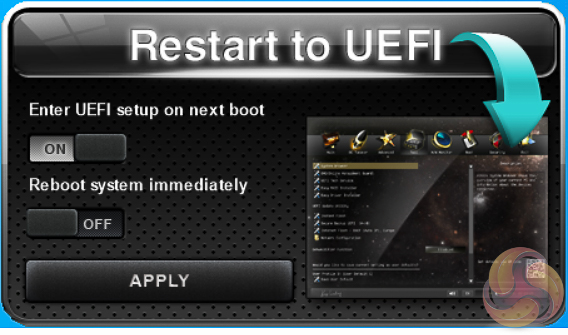
Restart to UEFI does exactly what it says on the tin and is handy if you’re not quite quick enough on the F2 or Delete keys.
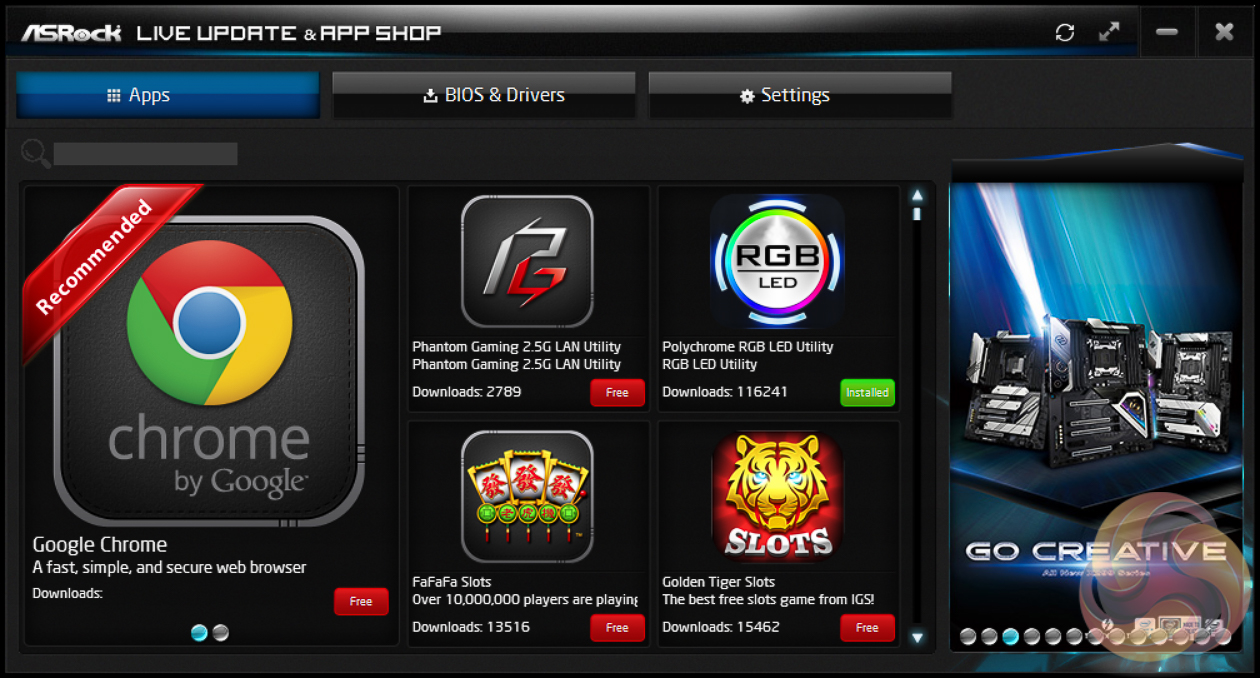
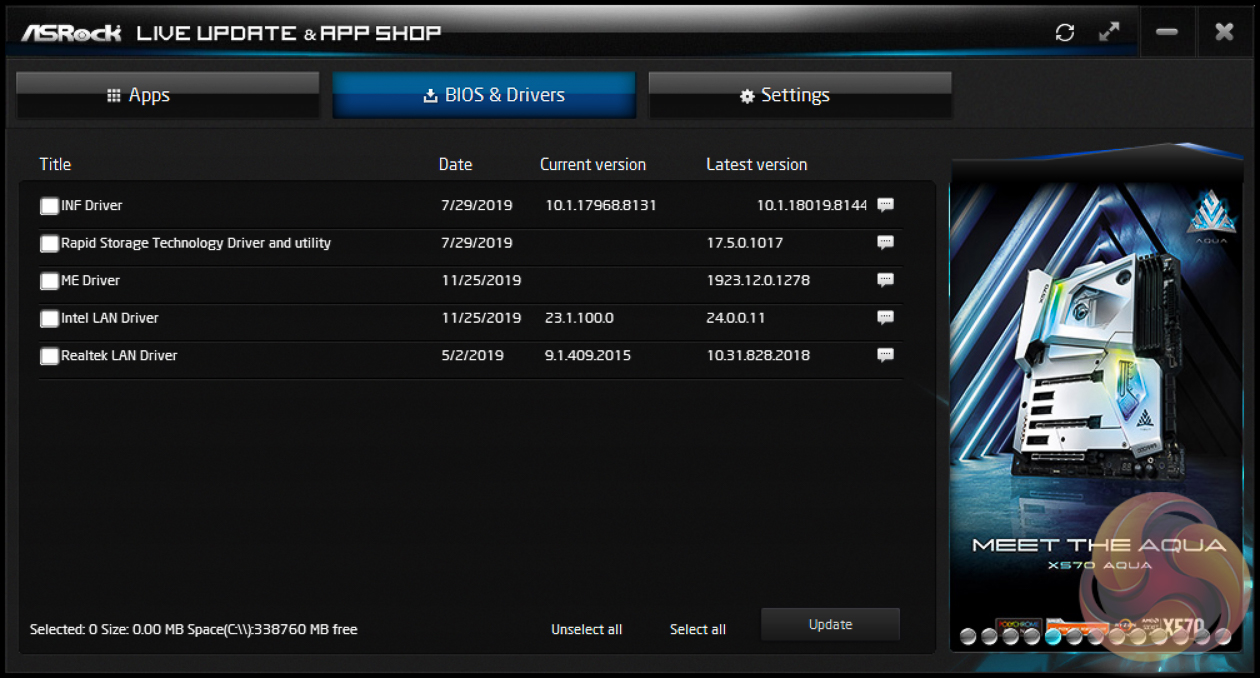
ASRock’s App Shop provides the dual role of serving out ASRock’s own software and approved third party software (some of dubious value), but also includes a MSI Live Update-style function which scans for certain BIOS and driver versions and informs the user when a newer version is available.
It’s reasonably useful for both of its provided functions and isn’t too intrusive, but does pop up the occasional notification in Windows 10.
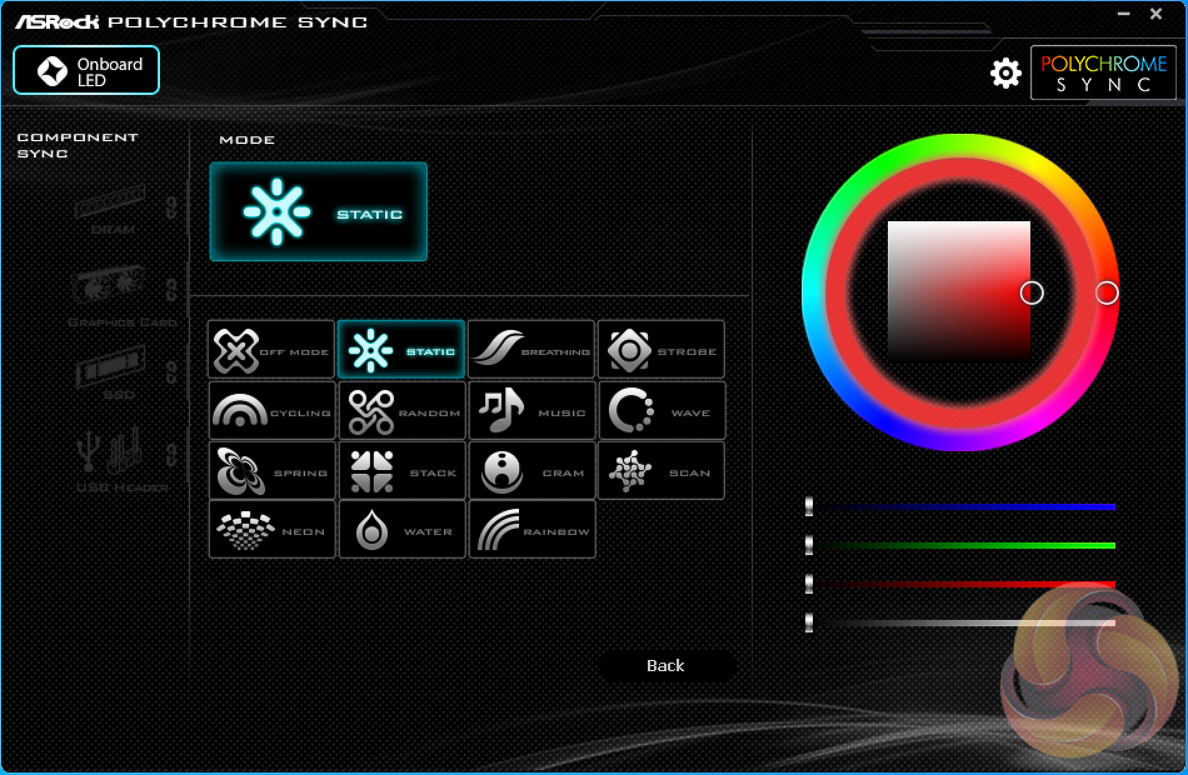
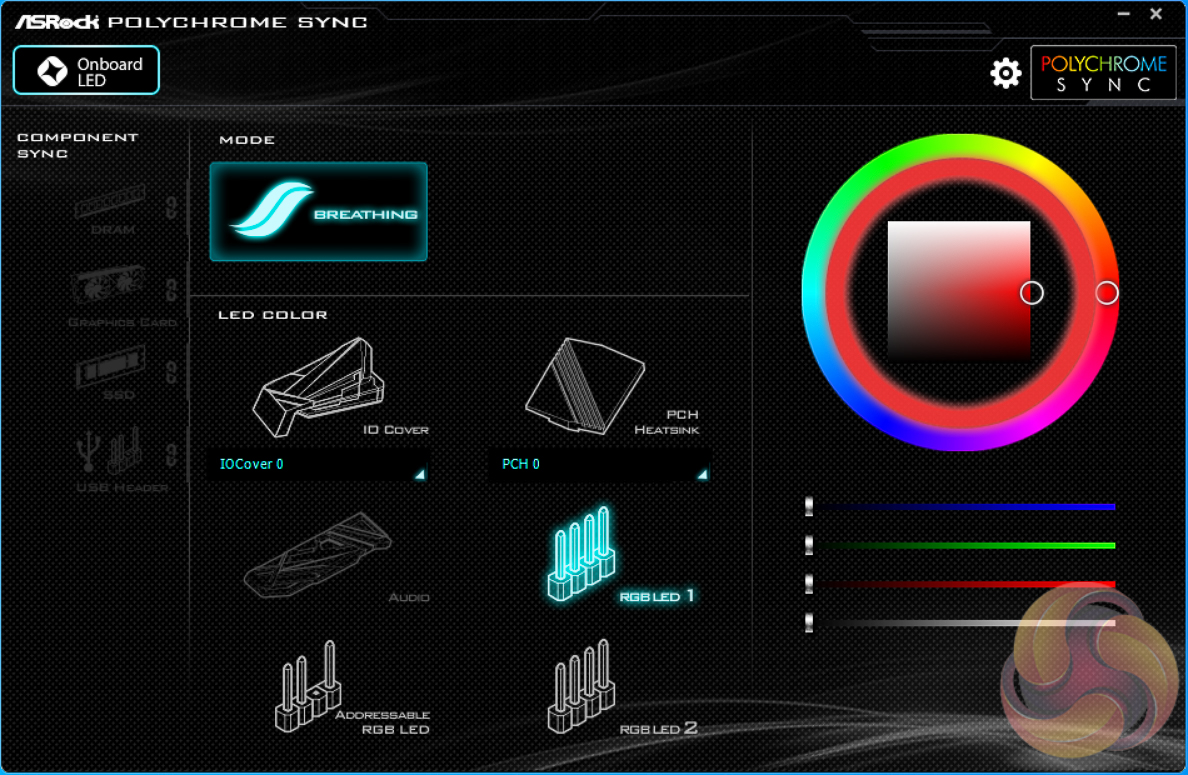
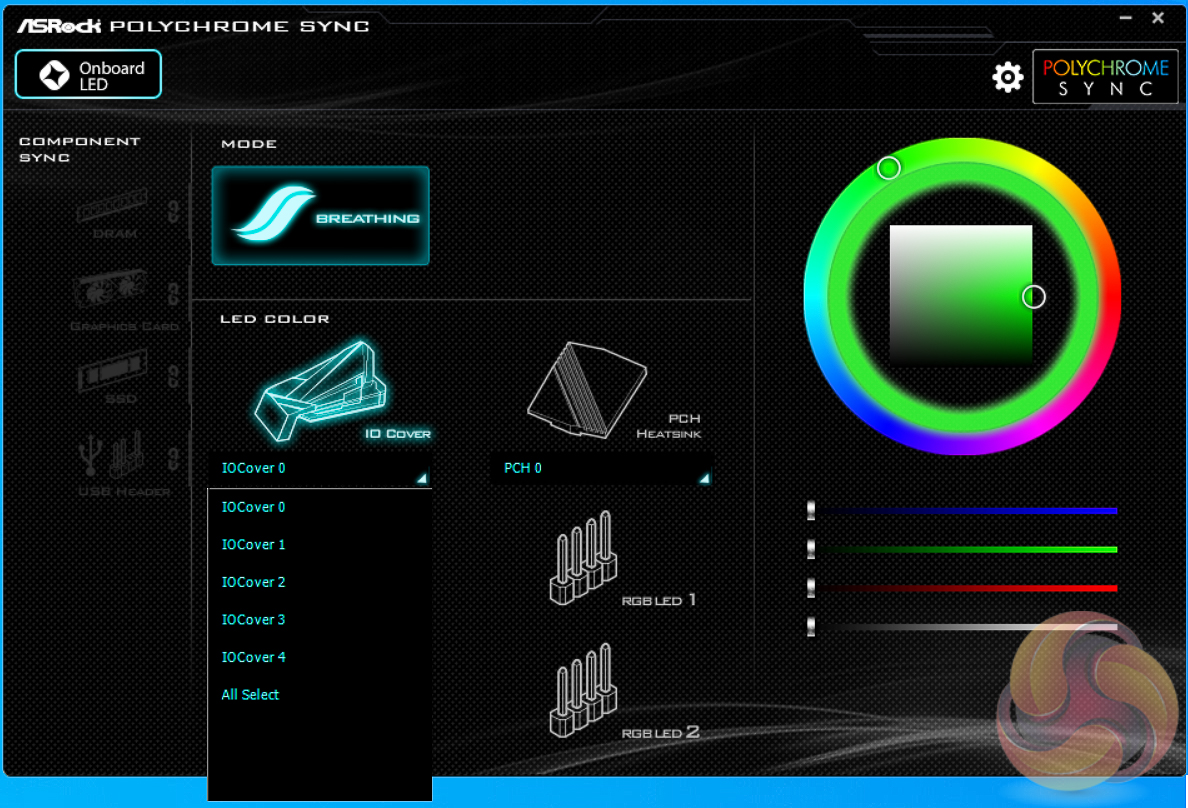
ASRock Polychrome Sync seems to be a rebranding of the previous ASRock AURA RGB (also renamed from Polychrome RGB), perhaps due to naming similarities with the ASUS AURA RGB solution. The new software is a little bit slicker with handy visualisations of each of the available zones that can be altered – on this board there are three RGB headers (2 x 12v, 1 x 5v) and two onboard RGB lighting zones (rear I/O, chipset).
The way the colours and modes are changed is slightly different to predecessor software. First select from the 15 lighting modes available as shown in the images then to select the colour pick the outer ring first, then the inner square after. Some lighting modes do not have colour options (such as Off or Rainbow) hence the requirement to pick the lighting mode first.
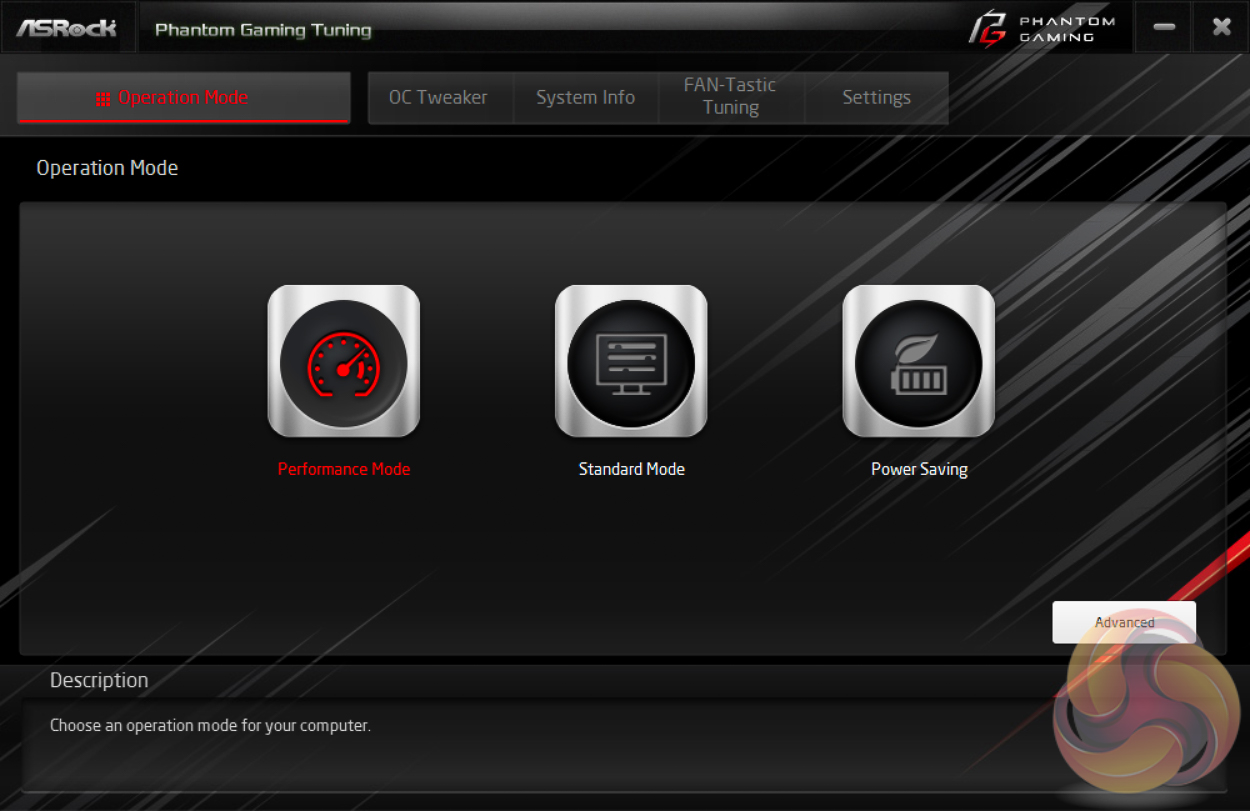
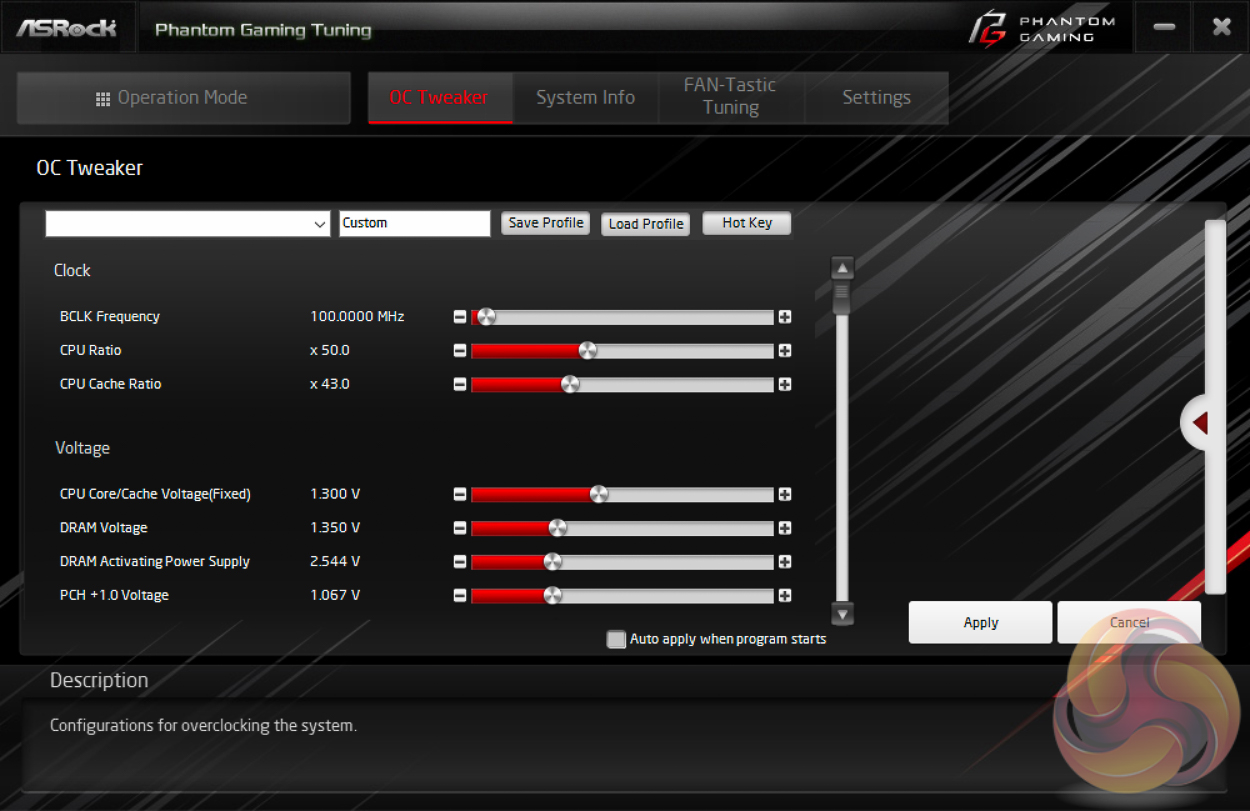
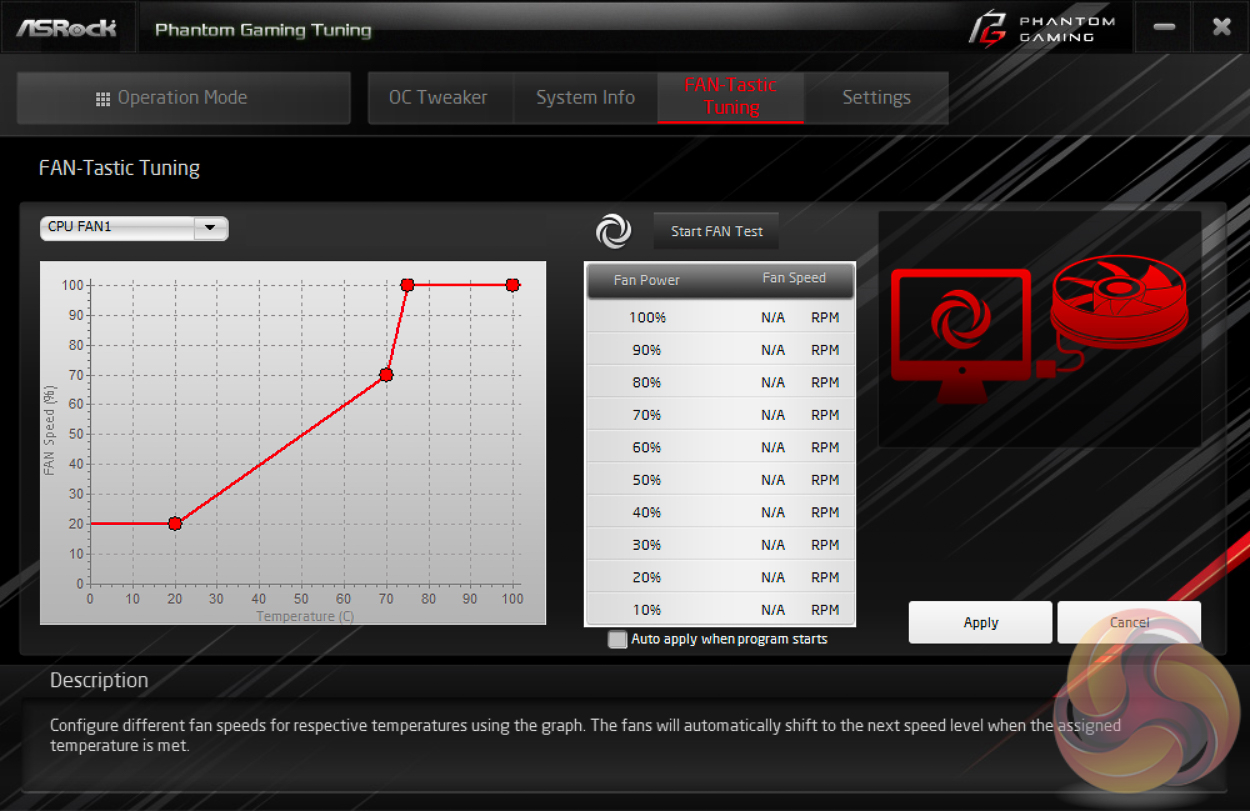
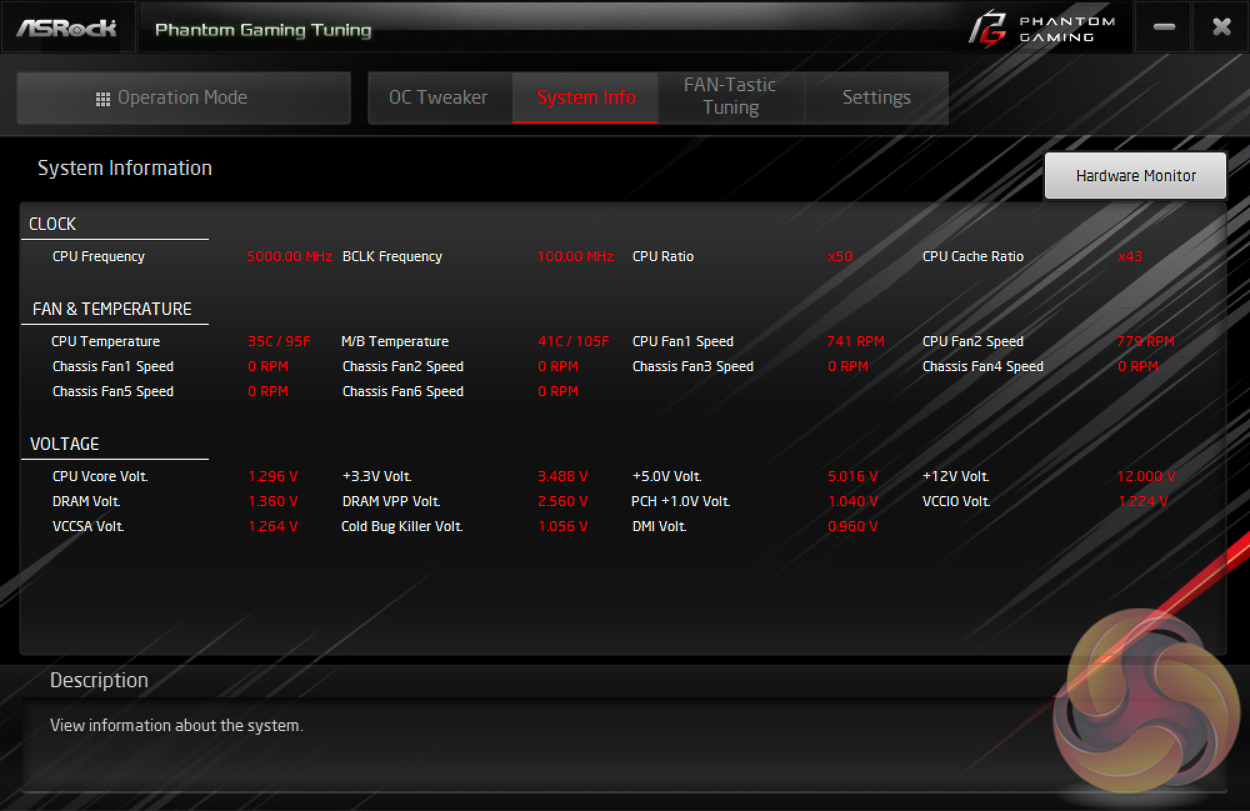
ASRock Phantom Gaming Tuning, the Phantom Gaming-branded equivalent of A-Tuning, is ASRock’s equivalent to ASUS AI Suite, Gigabyte EasyTune and MSI Command Centre. This software allows you to set power profiles, overclock on the fly (OTF) and tune the fan speeds with the ASRock Fan-Tastic tuning. It’s a reasonably well polished piece of software, is light on system resources and not very intrusive.
In our experience the fan tuning is still better off carried out within the UEFI environment, the same applies for OTF overclocking, but there’s no harm in ASRock offering the software equivalent for those that prefer.
We will be outlining the ASRock Z390 Phantom Gaming X motherboard's performance with the Intel Core i9 9900K CPU, 32GB of 3,200MHz G.Skill Trident Z DDR4 memory and a Gigabyte GTX 1080 G1 Gaming.
Motherboard Test System:
- Processor: Intel Core i9 9900K with Default Intel Turbo Behaviour where supported (varies depending on thermal and power conditions)
- Memory: 32GB (4x8GB) G.Skill Trident Z XMP/DOCP/AMP (3,200MHz 16-18-18-38 @ 1.35V)
- Graphics Card: Gigabyte GeForce GTX 1080 G1 Gaming.
- System Drive: Samsung 850 EVO 500GB SSD
- CPU Cooler: Corsair H100i V2 with Two ML120 Pro Fans.
- Power Supply: Corsair HX750 80 PLUS PLATINUM Fully Modular PSU
- perating System: Windows 10 Pro 1909 64-bit
Comparison Motherboards:
- ASRock Z390 Phantom Gaming X
- MSI MEG Z390 ACE
Drivers and UEFI:
- Intel 10.1.17968.8131 chipset drivers
- Nvidia GeForce 441.44 VGA drivers
- ASRock UEFI P1.10 (16th September 2019) and MSI UEFI v1.40 (25th February 2019)
Tests:
- Cinebench R15 and R20– All-core CPU benchmark (CPU)
- SiSoft Sandra 2019 Lite– Processor Arithmetic Test (CPU) and Memory Bandwidth Test (Memory)
- 7-Zip 19.00 x64 – Built-in 7-Zip benchmark test (CPU)
- AIDA64 Engineer 6.20.5300 – System cache & memory benchmark and stress test (Memory and Power Consumption)
- 3DMark v2.11.6846 64 & TimeSpy v1.1 – Time Spy (1440p) test (Gaming)
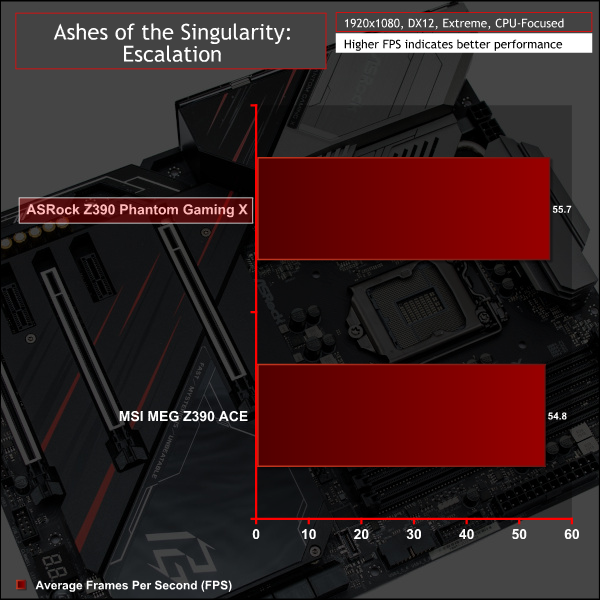
- Ashes of the Singularity: Escalation – Built-in benchmark tool CPU-Focused test, 1920 x 1080, Extreme quality preset, DX12 mode (Gaming)
- Deus Ex: Mankind Divided – Built-in benchmark tool, 1920 x 1080, Ultra quality preset, DX12 mode (Gaming)
- ATTO 3.05 – M.2, USB 3.0, USB 3.1, and SATA 6Gbps transfer rates (Motherboard)
- Rightmark Audio Analyzer 6.4.5 – Record and playback test using a line-in to line-out loopback with a 3.5mm audio cable (Motherboard)
- HWiNFO 6.20.4030 – System sensor monitoring during stress test (Power Consumption)
7-Zip
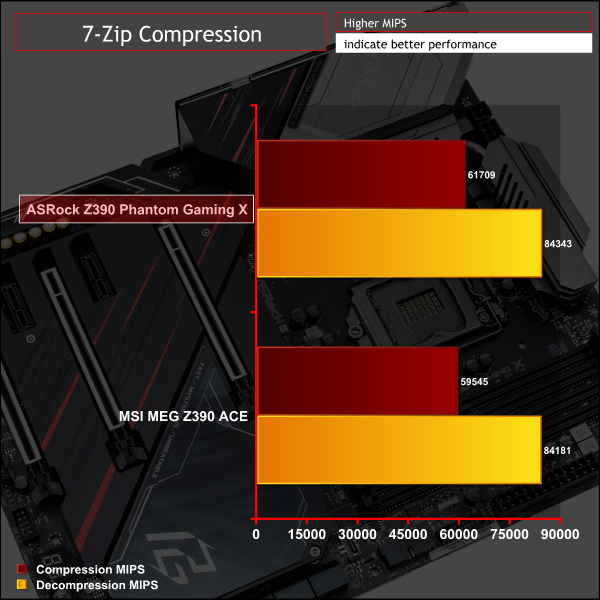
7-Zip is an open source Windows utility for manipulating archives. We measure the Total Rating performance using the built-in benchmark tool. The test stresses all CPU cores to 100% and shows an affinity for memory bandwidth.
Cinebench R15 and R20
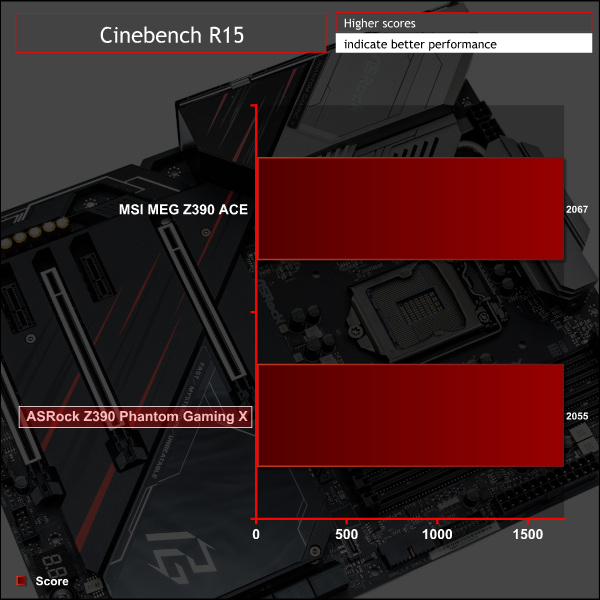
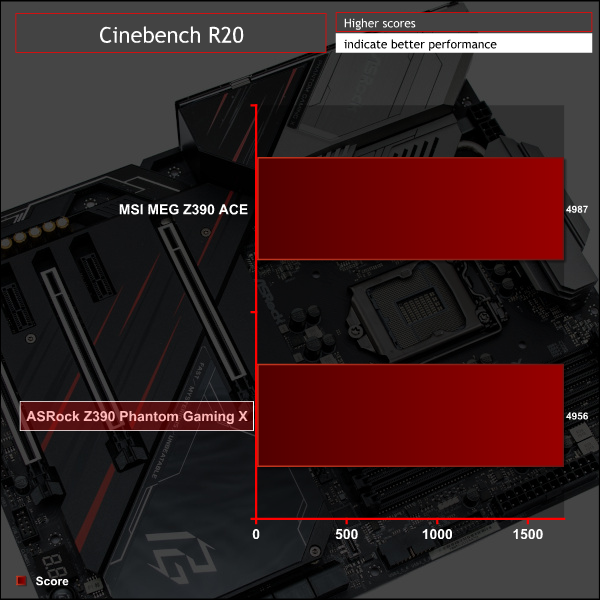
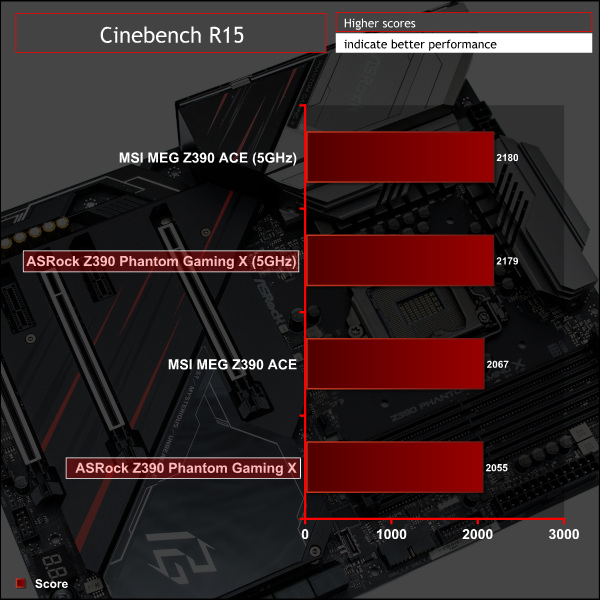
Cinebench is an application which renders a photorealistic 3D scene to benchmark a computer’s rendering performance, on one CPU core, all CPU cores or using the GPU. We run the test using the all core CPU mode.
Sandra Processor Arithmetic
SiSoft Sandra 2018 is a multi-function utility program that supports remote analysis, benchmarking and diagnostic features for PCs, servers, mobile devices and networks. We run the application’s processor arithmetic test to gauge the CPU performance on each tested motherboard.
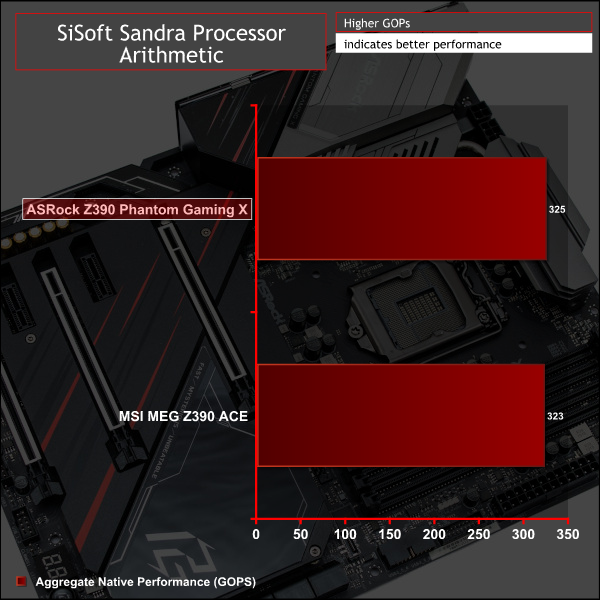
CPU performance is in line with expectations for a high-end Z390 motherboard. ASRock, like MSI, fully exploits all the performance available in the Core i9 9900K by making the maximum all-core Turbo speed (4.7GHz) persist indefinitely beyond Intel's normal turbo durations.
For a rough guide of how CPU performance compares to other platforms please see our most recent reviews for the following platforms:
B450/X470 (Ryzen 7 2700)
Z370 (Intel Core i7 8700K)
X299 (Intel Core i9 7900X)
To see comparisons of CPU performance with other Z390 motherboards that were tested using different drivers, a different version of Windows 10 and different application versions, see here.
Please note due to software, OS and driver versions changes we caution that results are not directly comparable but may still give indicative performance comparisons.
AIDA64 Engineer
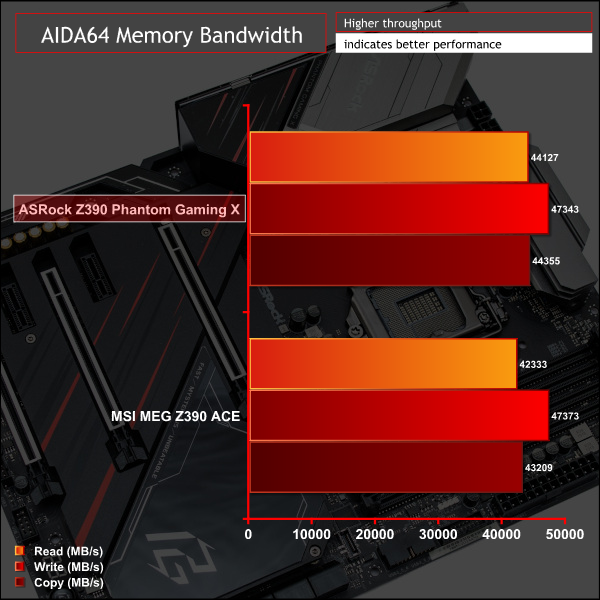
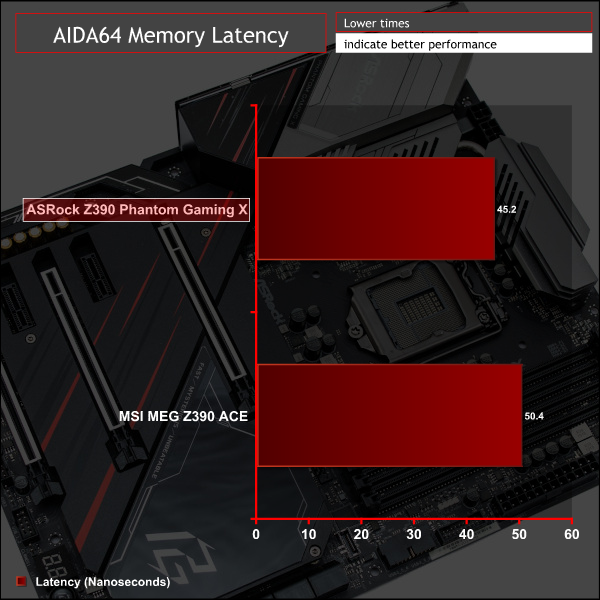
AIDA64 Engineer is a multi-featured software suite for diagnostics, stress testing, benchmarking, software auditing and various other measurement parameters. We use AIDA64 Engineer to benchmark memory throughput and latency.
Sandra Memory Bandwidth
SiSoft Sandra 2018 is a multi-function utility program that supports remote analysis, benchmarking and diagnostic features for PCs, servers, mobile devices and networks. We use the SiSoft Sandra memory bandwidth test to provide a set of memory bandwidth results.

Memory performance was slightly better than what MSI had to offer, largely due to some additional automatic enhancements applied to CPU and memory performance by ASRock's UEFI.
For a rough guide of how memory performance compares to other platforms please see our most recent reviews for the following platforms:
B450/X470 (Ryzen 7 2700)
Z370 (Intel Core i7 8700K)
X299 (Intel Core i9 7900X)
To see comparisons of Memory performance with other Z390 motherboards that were tested using different drivers, a different version of Windows 10 and different application versions, see here.
Please note due to software, OS and driver versions changes we caution that results are not directly comparable but may still give indicative performance comparisons.
3DMark
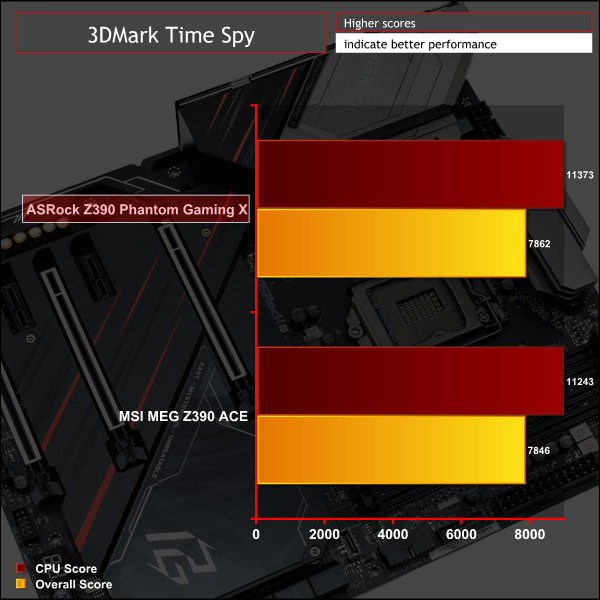
3DMark is a multi-platform hardware benchmark designed to test varying resolutions and detail levels of 3D gaming performance. We run the Windows platform test and in particular the Time Spy benchmark, which is indicative of high-end 1440p PC Gaming.
Ashes of the Singularity: Escalation
Ashes of the Singularity: Escalation is a Sci-Fi real-time strategy game built for the PC platform. The game includes a built-in benchmark tool and was one of the first available DirectX 12 benchmarks. We run the CPU-focused benchmark using DirectX 12, a 1080p resolution and the Extreme quality preset.
Deus Ex: Mankind Divided
Deus Ex: Mankind Divided is an action role-playing stealth video game released in August 2016. A built-in benchmark utility is included and we test using the Ultra quality preset and the DirectX 12 API at a 1080p resolution.
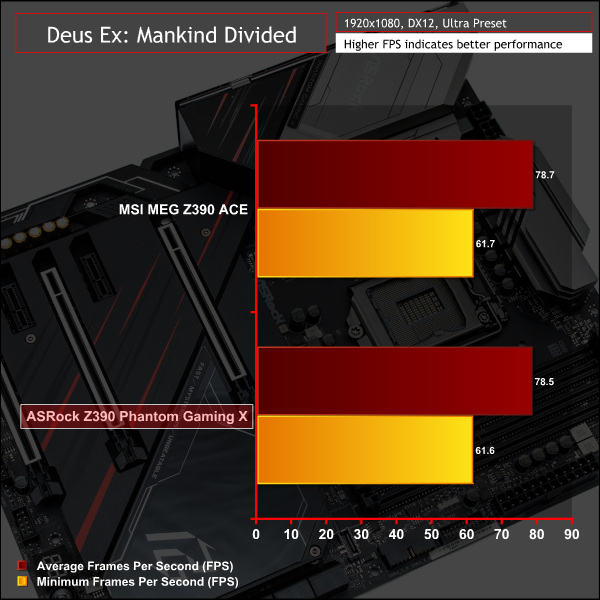
Gaming performance is broadly similar between both Z390 motherboards and reflects the CPU and memory performance.
For a rough guide of how gaming performance compares to other platforms please see our most recent reviews for the following platforms:
B450/X470 (Ryzen 7 2700)
Z370 (Intel Core i7 8700K)
X299 (Intel Core i9 7900X)
To see comparisons of gaming performance with other Z390 motherboards that were tested using different drivers, a different version of Windows 10 and different application versions, see here.
Please note due to software, OS and driver versions changes we caution that results are not directly comparable but may still give indicative performance comparisons.
ATTO Disk Benchmark
The ATTO disk benchmark is a Windows-based utility for testing storage performance of any storage drive or controller. We use the default benchmark setup.
M.2 PCIe Performance
For M.2 testing we use a Toshiba OCZ RD400 256GB M.2 PCIe NVMe SSD.
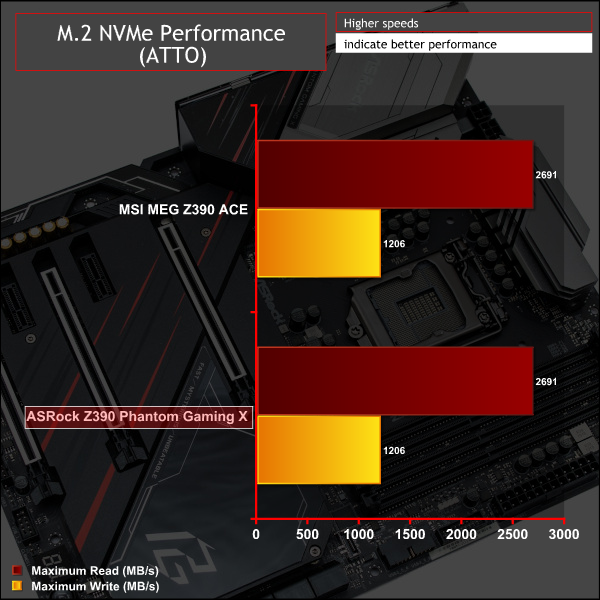
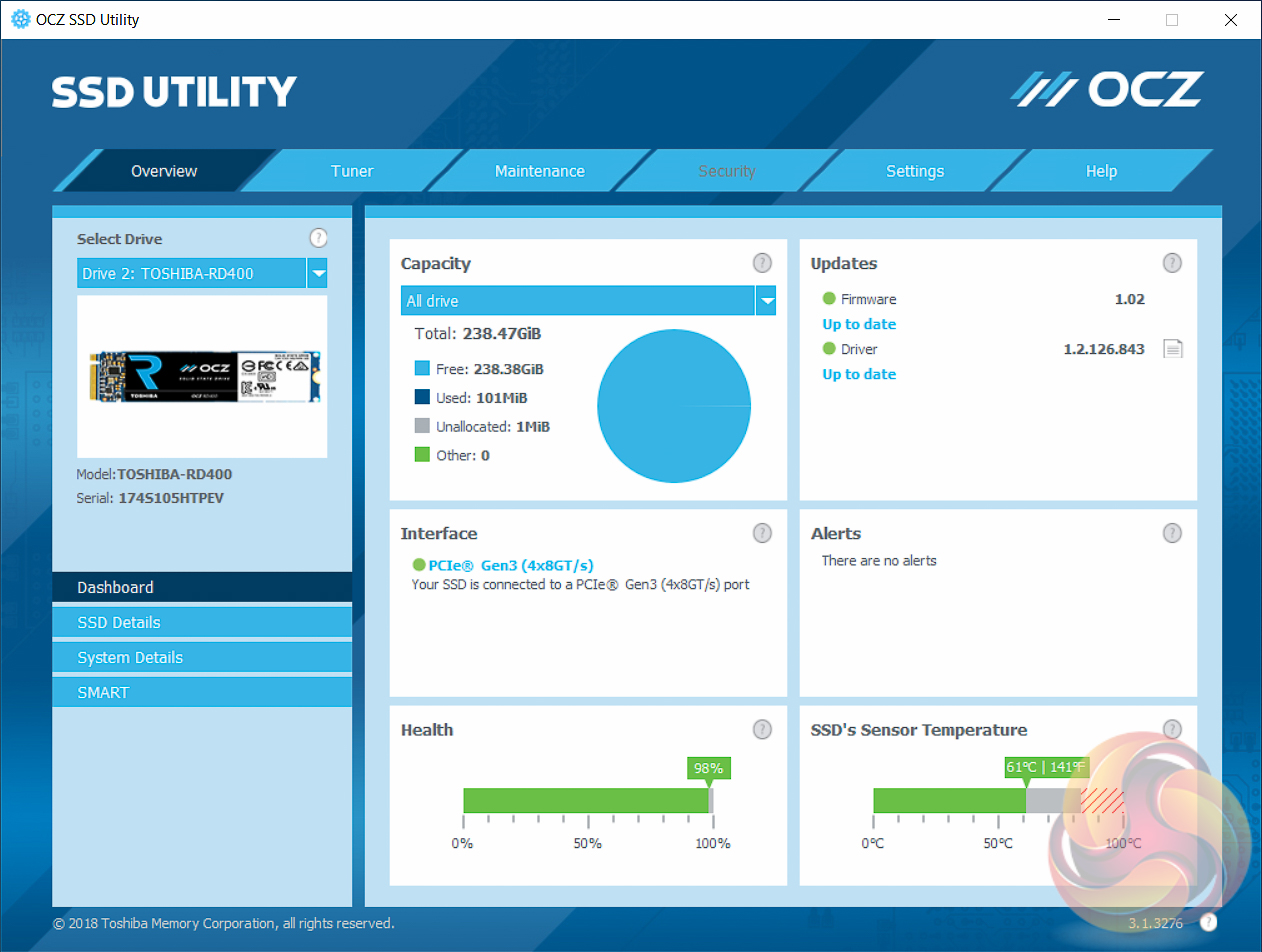

M.2 performance is standard fare and exploits the maximum capability of the OCZ drive used. The cooling is ample and barely exceed 60 degrees Celsius even after numerous back-to-back high intensity performance benchmarks. This might change if all three M.2 slots were populated as the cooling solution is shared across all three slots.
USB Performance
We test USB 3.0 and 3.1 performance using a pair of Transcend SSD370S 512GB SSDs in RAID 0 connected to an RaidSonic Icy Box RD2253-U31 2-bay USB 3.1 enclosure powered by an ASMedia ASM1352R controller.
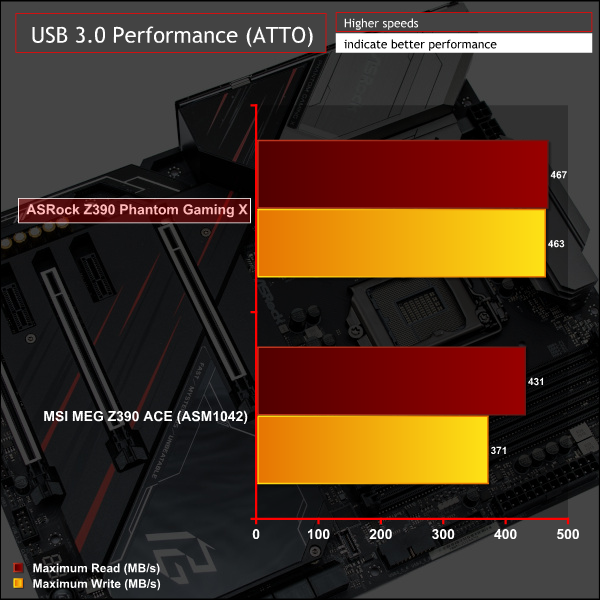
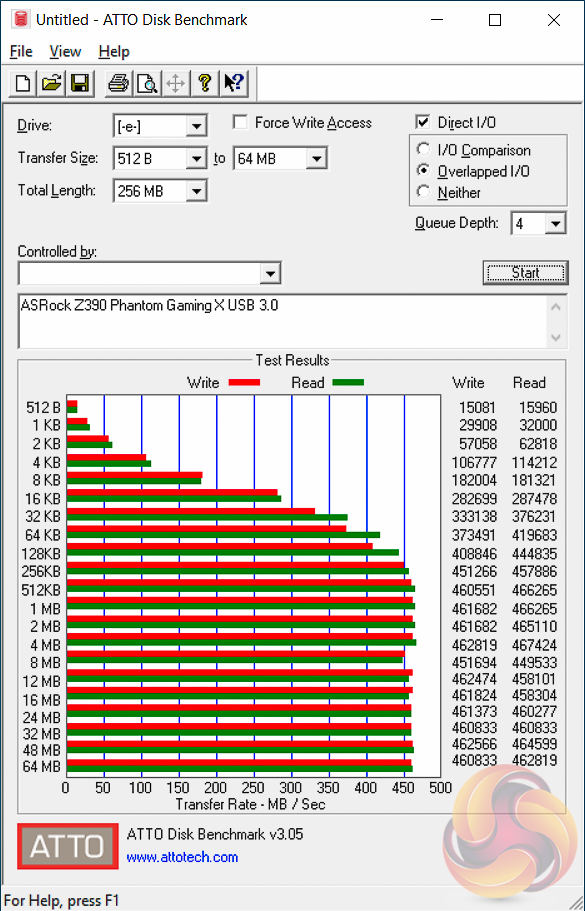
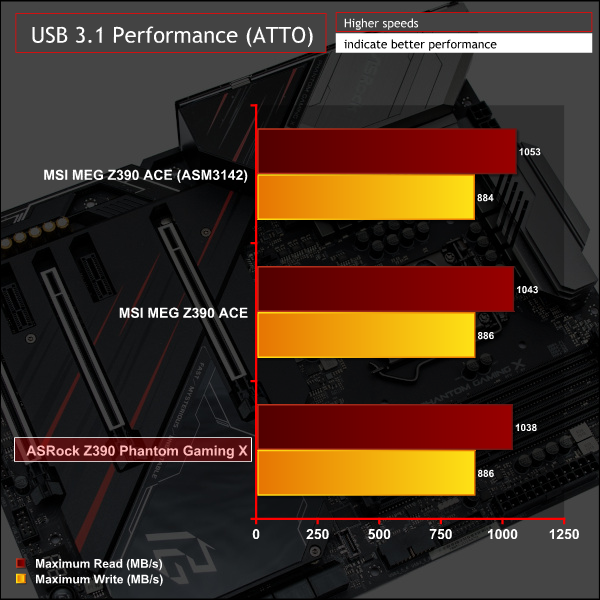
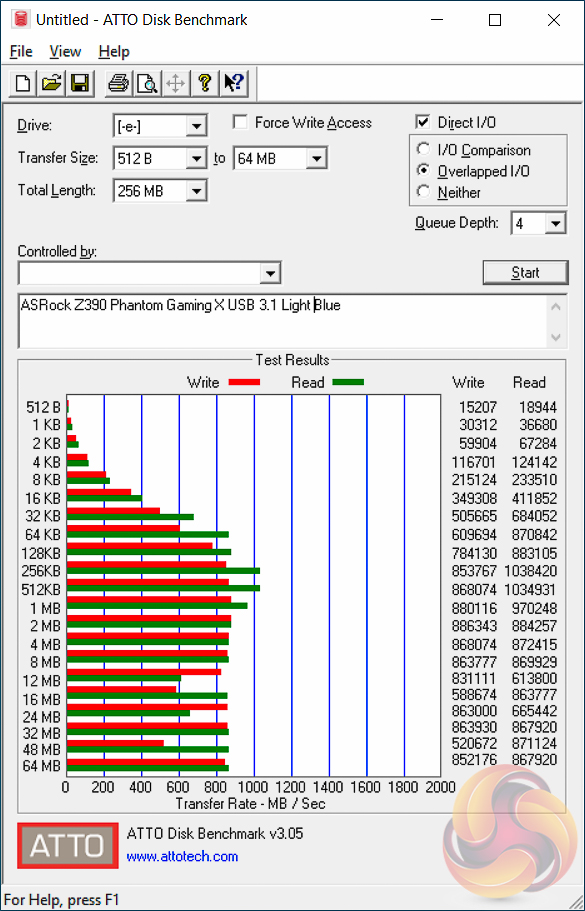
USB 3.0 and 3.1 performance reflects the standard capability of the Intel Z390 chipset. It seems the ASMedia ASM3142 controller on the MSI Z390 motherboard is whisker faster than Intel's chipset USB 3.1 controller package.
SATA III 6Gbps Performance
For SATA 6Gbps testing we use an OCZ Trion 150 480GB SSD.
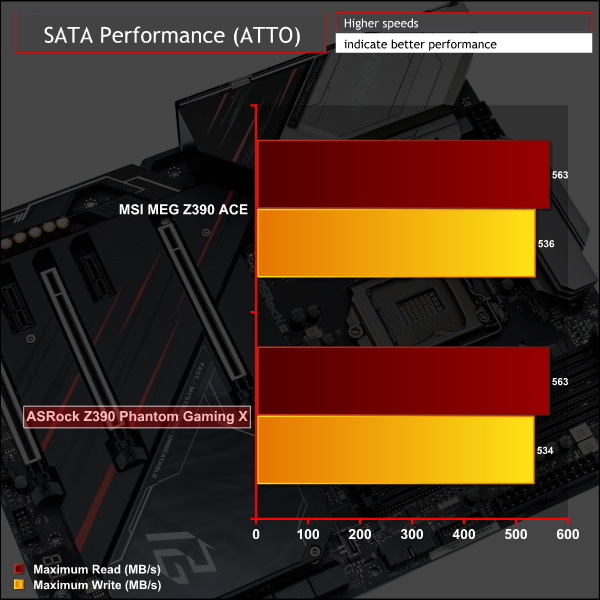
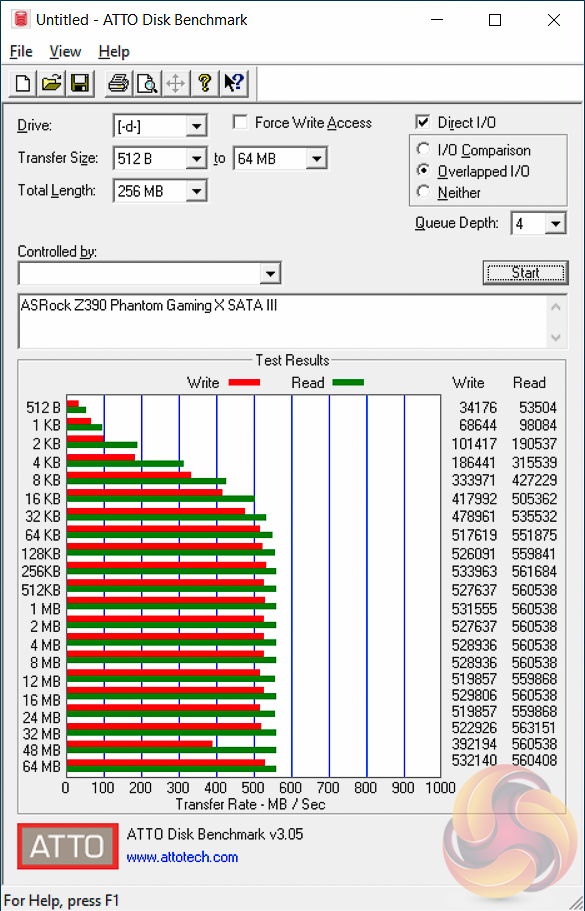
SATA performance revealed no surprises.
Audio
Rightmark Audio Analyser is a freeware benchmarking utility designed to objectively test the performance characteristics of audio solutions. We setup a line-in line-out loop and execute the record/playback test before generating the results report you see below. A sampling mode of 24-bit, 192 kHz is tested where available. If unavailable the closest alternative operating mode available is used and clearly marked.
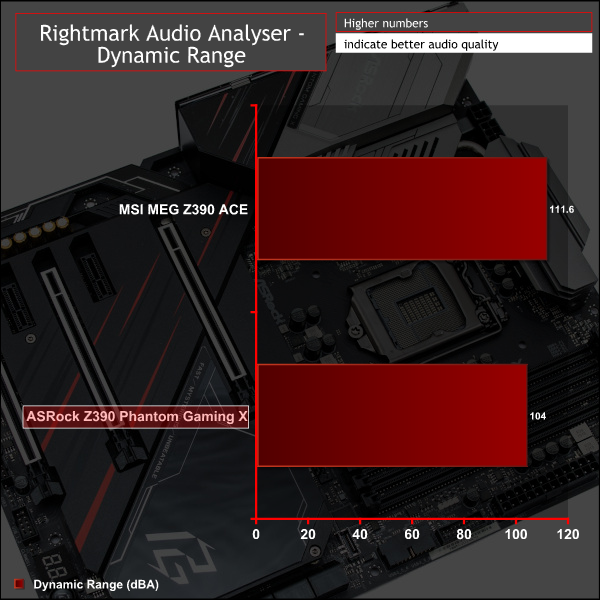
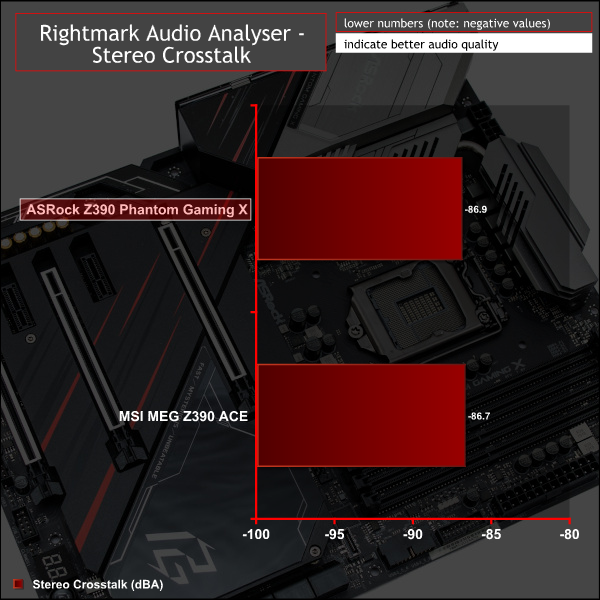
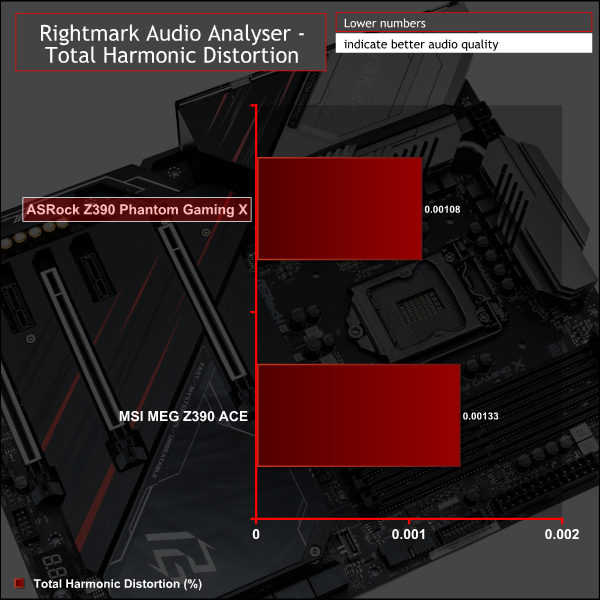

Audio performance is strong across the suite of tests scoring 7 out of 8 “Excellent” scores and one “Very Good”. The baked-in headphone amplifier also makes a notable difference to gamers using headphones for their gaming experiences.
Manual CPU Overclocking:
To test the ASRock Z390 Phantom Gaming X motherboard’s CPU overclocking potential, we set the CPU core voltage no higher than 1.3V and push for the highest stable clock speed. We maintain the DRAM frequency at 3200MHz to take memory stability out of the overclocking equation.
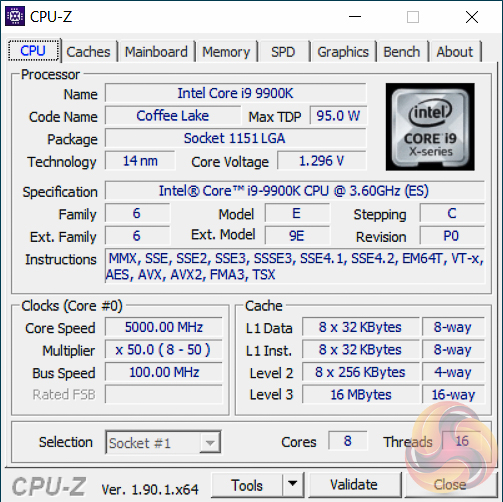
Our particular CPU is not stable at 5.1GHz even with 1.45v. The final stable overclock for almost all Z390 motherboards we may test should be 5GHz, unless there is something particularly wrong with the VRM that limits the voltage or power it can supply. In the case of the ASRock Z390 Phantom Gaming X it achieved 5GHz at 1.3 volts with no significant issues.
Motherboard Sensors
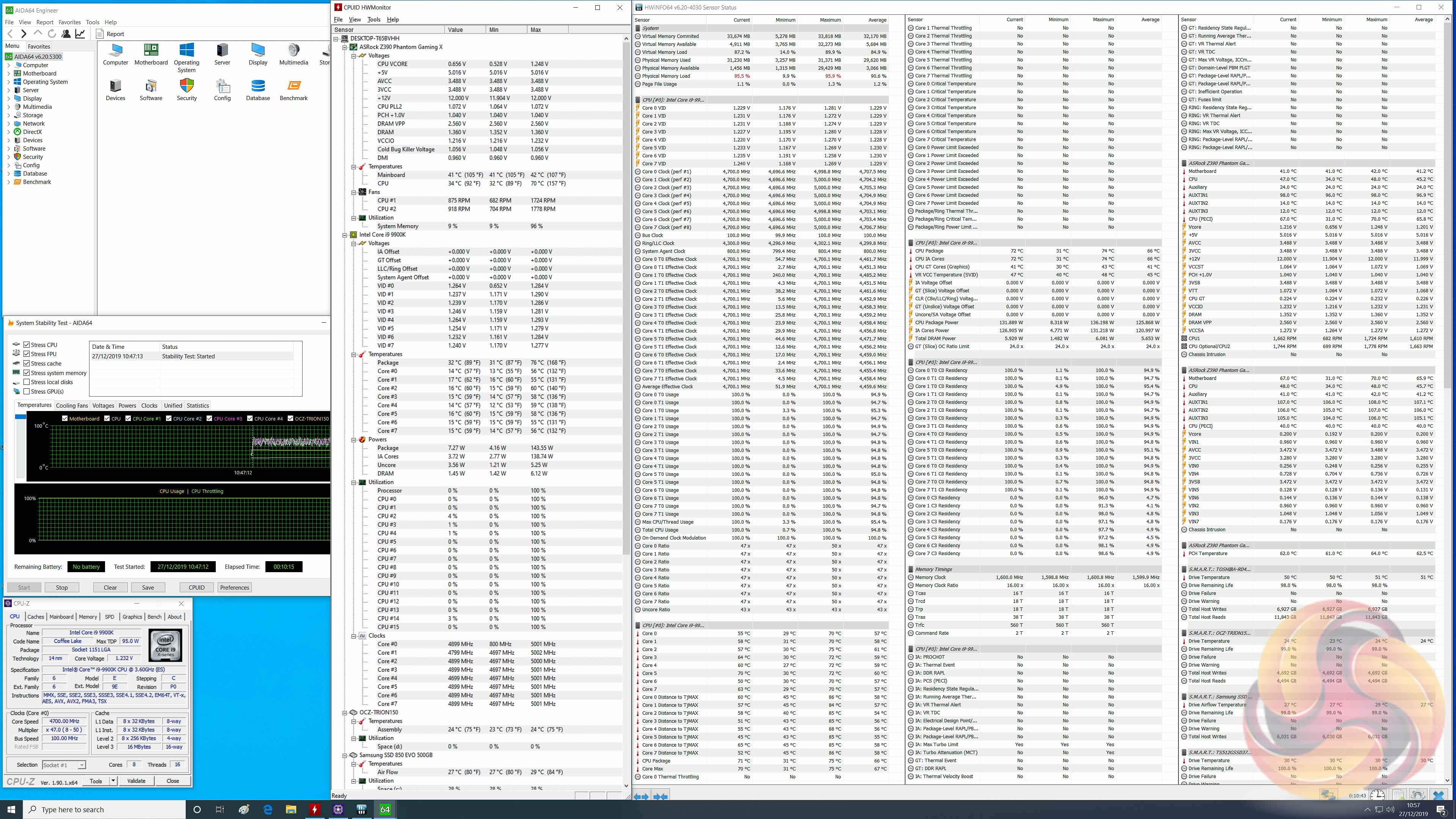
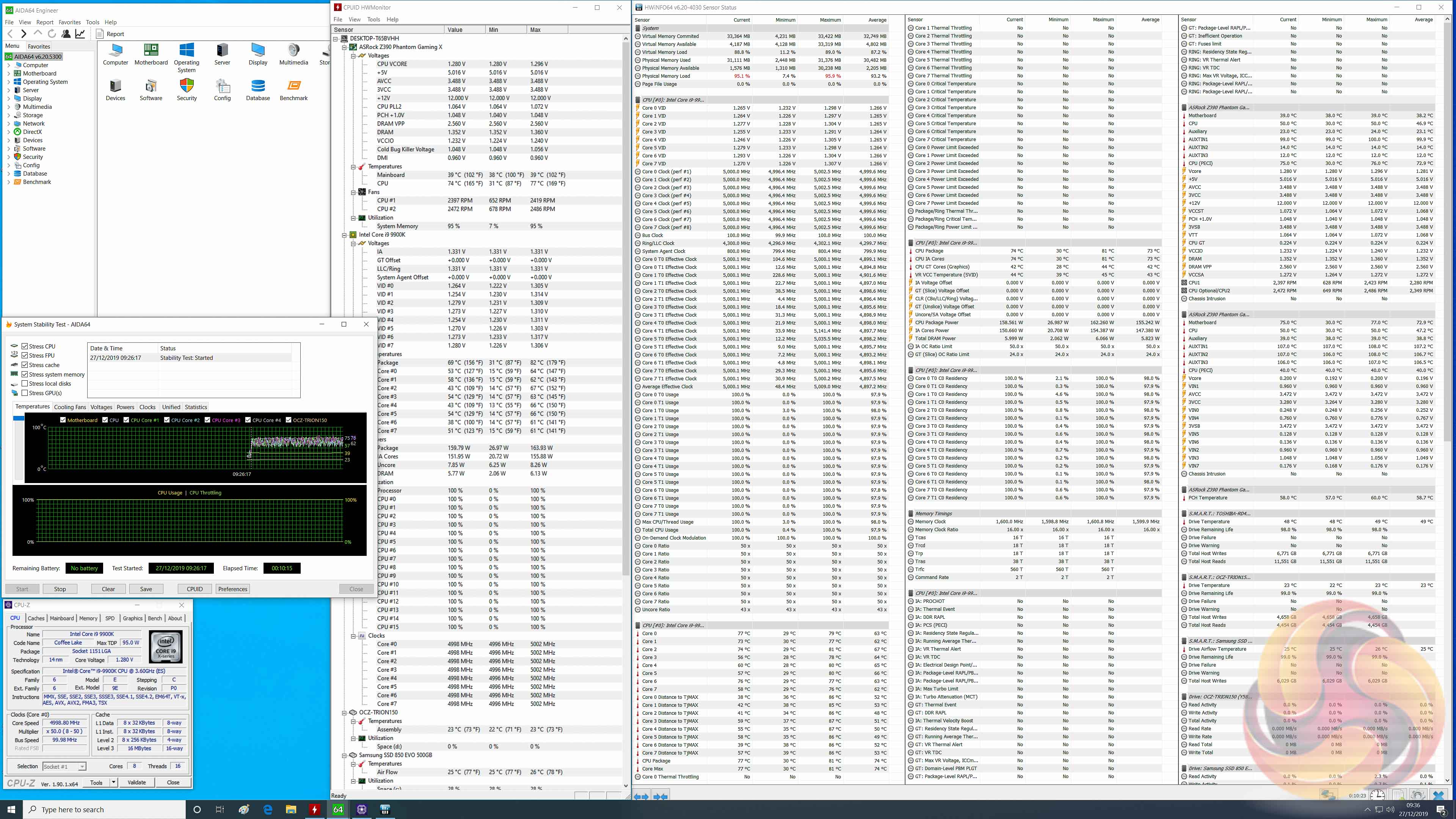
The ASRock Z390 Phantom 9 had two dedicated VRM sensors on a separate IC to measure temperature of the VRMs. For whatever reasons, either the chip was removed or HWiNFO is no longer able to read these sensors, this same information was not available on the “upgraded” Z390 Phantom Gaming X, which we found disappointing.
There was, however, a “motherboard” temperature sensor which seemed to correspond to VRM temperatures that measured 70 degrees Celsius peak (average 63) at stock and 77 degrees Celsius peak (average 73) at overclocked load. There is of course the suspicion that these could also be related to the CPU temperatures, given the close similarity, so are to be taken with a pinch of salt.
In any case, there were no VRM issues encountered and the power draw figures below indicate a system working in a peak efficiency band. Prospective Intel Core i9 9900KS buyers will have nothing to worry about if the results of our testing are anything to go by.
Overclocked Performance
System Power Consumption
We leave the system to idle on the Windows 10 desktop for 10 minutes before taking a reading. For CPU load results we run AIDA64 CPU, FPU, Cache and Memory stress tests and take a reading after 10 minutes. The power consumption of our entire test system (at the wall) is shown in the chart.
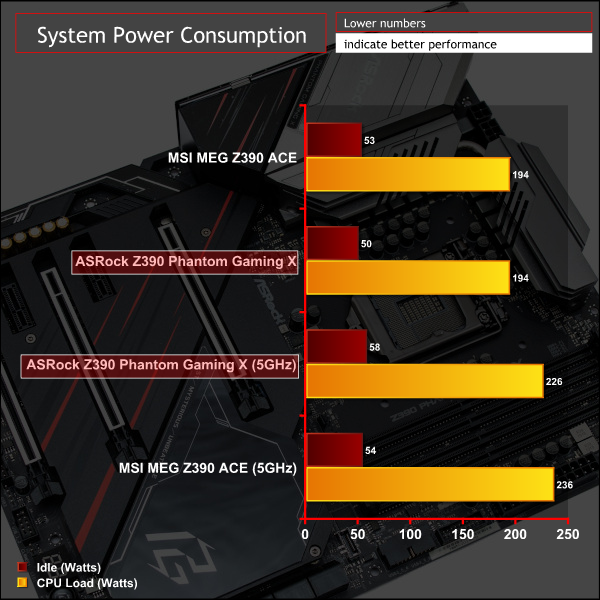
Overclocked performance and power consumption align very closely to the MSI Z390 MEG ACE, a highly acclaimed motherboard that we also reviewed.
The ASRock Z390 Phantom Gaming X has a defined target audience; those who intend to use an Intel 8-Core processor (such as the i7 9700K, i9 9900K, 9900KS, 9900KF) and apply substantial overclocking to 5GHz or maybe even beyond.
While connectivity has been generously imbued on this motherboard in several areas: networking, storage and peripheral, the main selling point is the 14-phase VRM which covers 12 phases for the VCore and 2 phases for the iGPU/SOC.
The selling point goes beyond the sheer number of phases, which is admittedly high, and also covers the quality of the MOSFETs and PWM controller used and the well-proportioned VRM heatsink. The accompanying suite of tweaking friendly tools such as the debug code reader, dual BIOS system, power, reset and clear CMOS buttons solidify an impressive solution in the overclocking space.
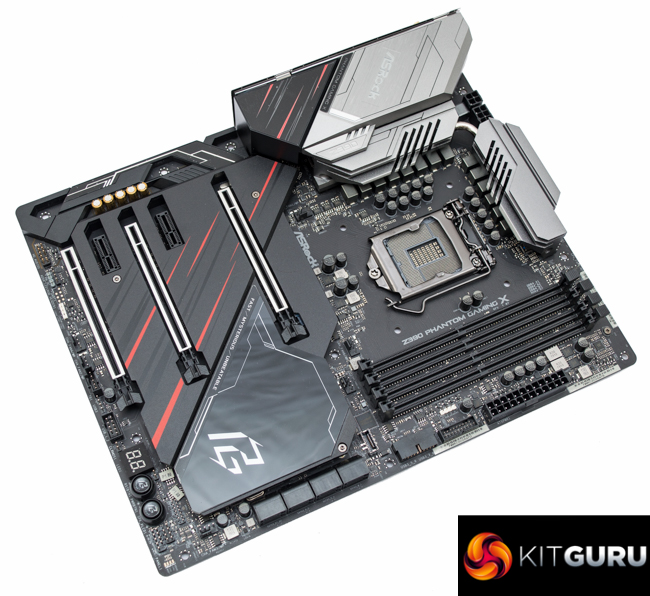
It's worth touching on networking again as the package is all-inclusive, though the only substantial change over the Z390 Phantom Gaming 9 is the upgraded 802.11ax WiFi Module with WiFI 6 certification. Given the product positioning, most buyers may well be using wired connections already, particularly considering this motherboard also includes dual Gigabit LAN and a 2.5Gigabit LAN port, so the up-rated WiFi may be unused by many buyers.
The head-scratcher is whether the additional price premium over the Z390 Phantom Gaming 9 is justified, and worth paying. UK availability of the new X model is limited, so we'll use prices from the USA as a reference: the Z390 Phantom Gaming 9 currently sells for $250 while the Z390 Phantom Gaming X sells for $320.
For that extra cost the primary changes are the upgraded WiFi module, thermal armor (which extends M.2 cooling from 1 slot to all 3 slots), a backplate, an improved CPU VRM solution and integrated I/O shield. There are, unfortunately, a couple of set-backs which include one less integrated RGB lighting zone (the previously illuminated audio PCB area on the Phantom Gaming 9 has been removed) while the dedicated VRM temperatures sensors also appear to have vanished, though it's unclear if that's hardware, firmware or software induced.
Regardless of the merits of the Phantom Gaming X, the ASRock Z390 Phantom Gaming 9 was already capable of handling Intel's 8-Core CPUs when overclocked and is still the better value choice, unless prospective buyers specifically require some of the new additions of the X model. There are also other Z390 motherboards to contemplate in the same $£250-300 bracket such as the Gigabyte Z390 AORUS Master and MSI MEG Z390 ACE.
Like with it's predecessor it is clear to see that the ASRock Z390 Phantom Gaming X is a premium offering with generous connectivity, high build quality and excellent all-round performance. There are certainly more affordable propositions in the market but these may be false-economy if building an 8-core system with the intention of overclocking, and will almost certainly include less connectivity as standard.
At the right price, the ASRock Z390 Phantom Gaming X would be an excellent choice for any system builder looking to get the most out of one of Intel's latest 8-Core i9 9900 CPUS (K/KF/KS).
The ASRock Z390 Phantom Gaming X is not currently sold at any major UK retailers but can be bought from Newegg for £339.21 including taxes and shipping to the UK.
In the USA it can be had for $319.99 at Newegg and has a 3 year warranty.
Discuss on our Facebook page HERE.
Pros:
- Extensive networking connectivity – 2.5 Gigabit, dual 1 Gigabit and 2400Mbps 802.11ax WiFi-6 with Bluetooth v5.0
- Triple M.2 slots, all with cooling
- Sturdy backplate
- Integrated I/O Shield
- High quality audio
- Ample SATA and USB connectivity
- 8 fan headers
- 2 onboard RGB lighting zones with 3 RGB headers
- Heat-pipe cooling for the CPU VRM
- Diagnostic tools – onboard power/reset buttons, dual BIOS, clear CMOS button, debug code reader
- High phase count CPU VRM (12+2) with high quality components
- Includes display outputs for integrated graphics
Cons:
- One less RGB lighting zone than the ASRock Z390 Phantom Gaming 9;
- VRM temperature sensors and monitoring present on the ASRock Z390 Phantom Gaming 9 has vanished;
- Significant premium over ASRock Z390 Phantom Gaming 9;
KitGuru says: A capable and fitting foundation for one of Intel's Core i9 9900(K/KS/KF) CPUs. ASRock's own Z390 Phantom Gaming 9 still feels like a better value proposition but the Z390 Phantom Gaming X does include some valuable improvements and is an impressive offering.