KitGuru KitGuru.net – Tech News | Hardware News | Hardware Reviews | IOS | Mobile | Gaming | Graphics Cards


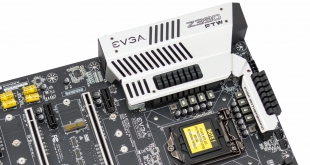
EVGA's motherboards have long held a strong following within the PC DIY community. EVGA maintains a relatively small motherboard portfolio by the standards of its competitors, just a handful of motherboards per chipset, containing models specifically for overclockers and gamers alike. EVGA simply does not do a “low-end” or “entry-level” motherboard for Z390, as the Z390 FTW intends to demonstrate.
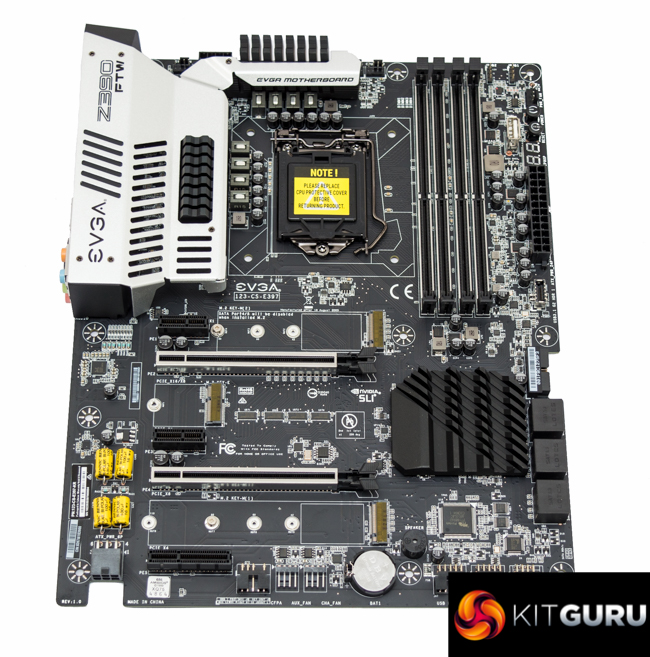
The EVGA Z390 FTW is one of the company's two Z390 options, sitting alongside the Z390 DARK, and is the more affordable of the pair. The focus with the FTW (For The Win) model is on overclocking and performance, at a more accessible price than the DARK model. That said, the FTW is still positioned as a premium motherboard option for high-end system builds.
From the get-go the Z390 FTW lays down its overclocking intentions by completely omitting a VRM for the Intel integrated graphics, instead focusing on delivering power primarily for the CPU cores (VCore). EVGA has some other novel interpretations of motherboard design such as a large number of right-angled connectors across the motherboard for cable management and horizontally mounted audio capacitors for a striking visual impact.
Clearly, the Z390 FTW is not your average Z390 motherboard. However, is it style over substance or innovation over practicality? Let's find out.
| EVGA Z390 FTW | |
| Form Factor | ATX, 24.4 x 30.5cm |
| CPU Socket | Intel LGA 1151 v2 |
| CPU VRM PWM |
Infineon International Rectifier IR35201 in 4 phase operation, 8 effective (VCore + VCCSA), uP1537p 1 phase (VCCIO) |
| CPU VRM MOSFETs |
9 x International Rectifier IR3556M (VCore + VCCSA), 1 x On Semiconductor 4C10N & 4C05N (VCCIO) |
| Chipset | Intel Z390 |
| Memory | DDR4, 4 DIMMs, up to 64GB, up to 4133MHz+ with OC |
| On-board Graphics | Not supported (No iGPU power supply (VCCGT) provided) |
| Discrete Graphics | 2-way Nvidia or Quad-SLI, 2-way AMD CrossFireX or Quad CrossFireX |
| Expansion Slots | 2 x PCIe 3.0 X16 (16x/0x, 8x/8x, from CPU) 1 x PCIe 3.0 X4 (PCH) 2 x PCIe 3.0 X1 (PCH) 1 x M.2 32mm (“Key E” WiFi module slot, PCIe 3.0 X1) |
| Storage | 2 x M.2 PCIe 3.0 X4 (32Gbps) or SATA III (6Gbps)* 6 x SATA III (Intel Z390) *bandwidth shared with SATA ports 4/5 |
| USB | 6 x USB 2.0 (2 Rear, 4 Front, all via Z390) 4 x USB 3.0 (2 Rear, 2 Front, all via Z390) 5 x USB 3.1 [10Gbps] (4 Rear, 1 Front – Type-C Header, all via Z390) |
| Networking | 1 x Intel I219V Gigabit Ethernet |
| Audio | Realtek ALC 1220 7.1 Channel HD Audio (+ EVGA Nu Audio) |
| RGB | No onboard RGB lighting 2 x 12v G R B headers |
| Fan Headers | 6 x 3/4 pin (2 x CPU, 4 x PWM/DC), all support maximum power of 12v @ 1A (12W) |
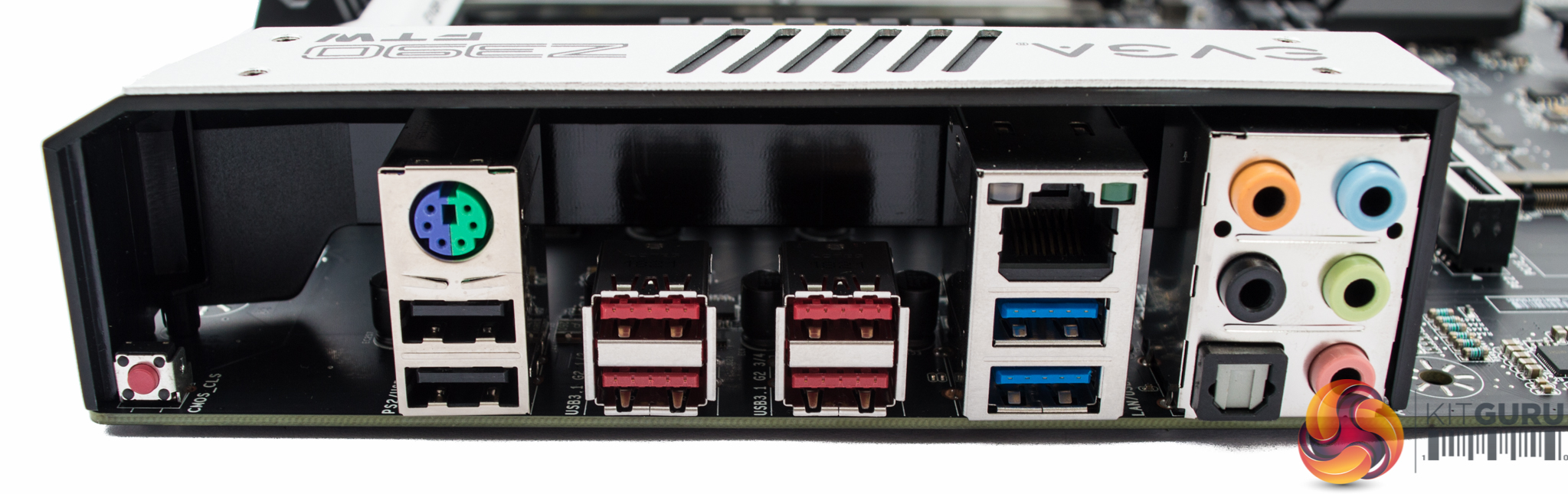
| Rear I/O | 1 x Clear CMOS Button 2 x USB 2.0 4 x USB 3.1 (10Gbps) 2 x USB 3.0 1 x Intel i219V Gigabit LAN 5 x Audio Jacks 1 x Optical S/PDIF |
| UEFI | Type-686 UEFI AMI BIOS |

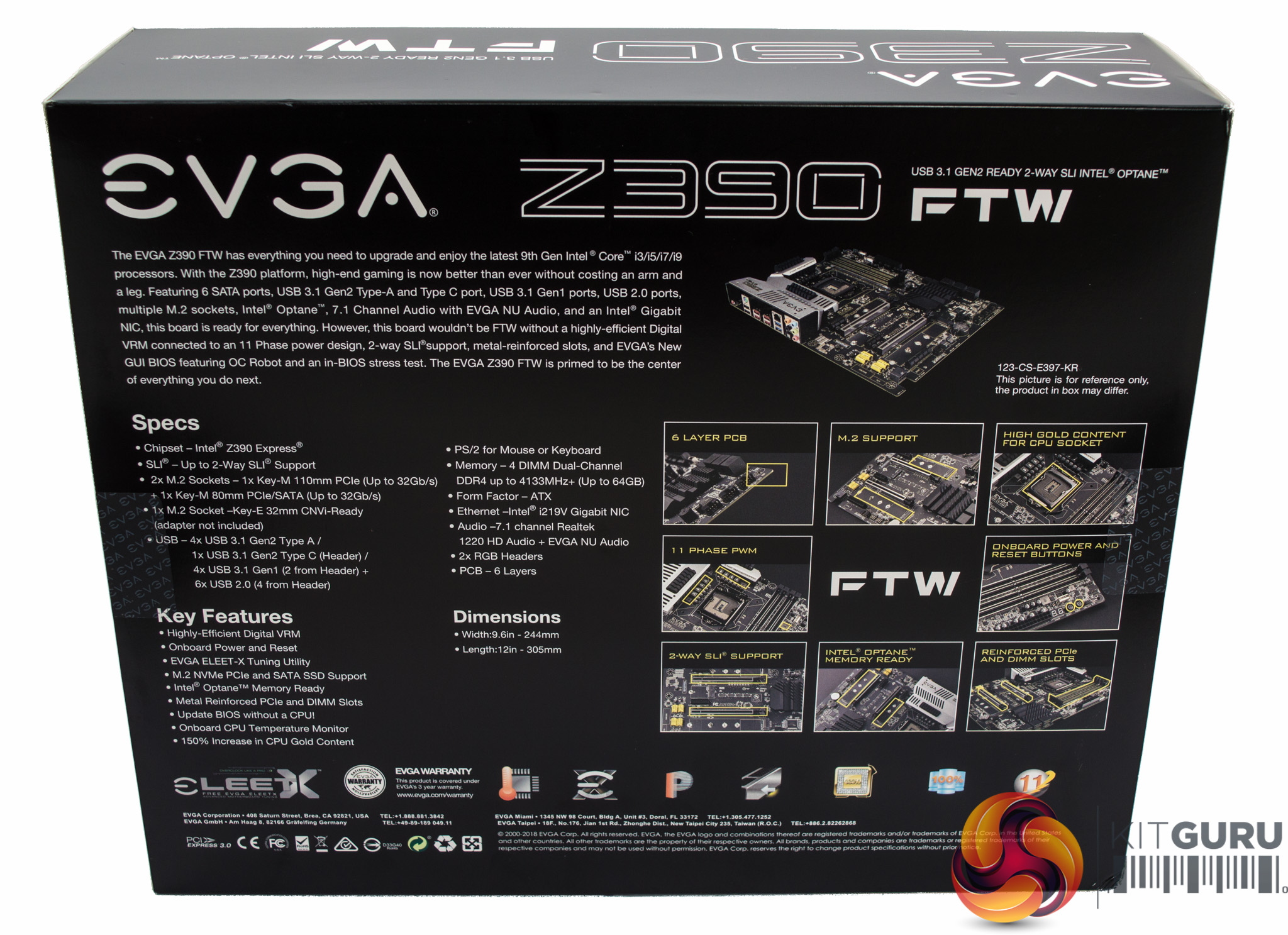
The packaging highlights a number of key features about the EVGA Z390 FTW including dual M.2, onboard power and reset buttons and an “11 phase PWM”, a marketing centric claim that will be de-mystified later on.

The bundle is fairly standard with some documentation, two SATA cables, the I/O shield, a flexible SLI bridge, M.2 screw, case sticker and two M.2 thermal pads. EVGA puts all the drivers on the USB drive that is provided, rather than shipping the motherboard with a CD/DVD like most motherboard vendors.
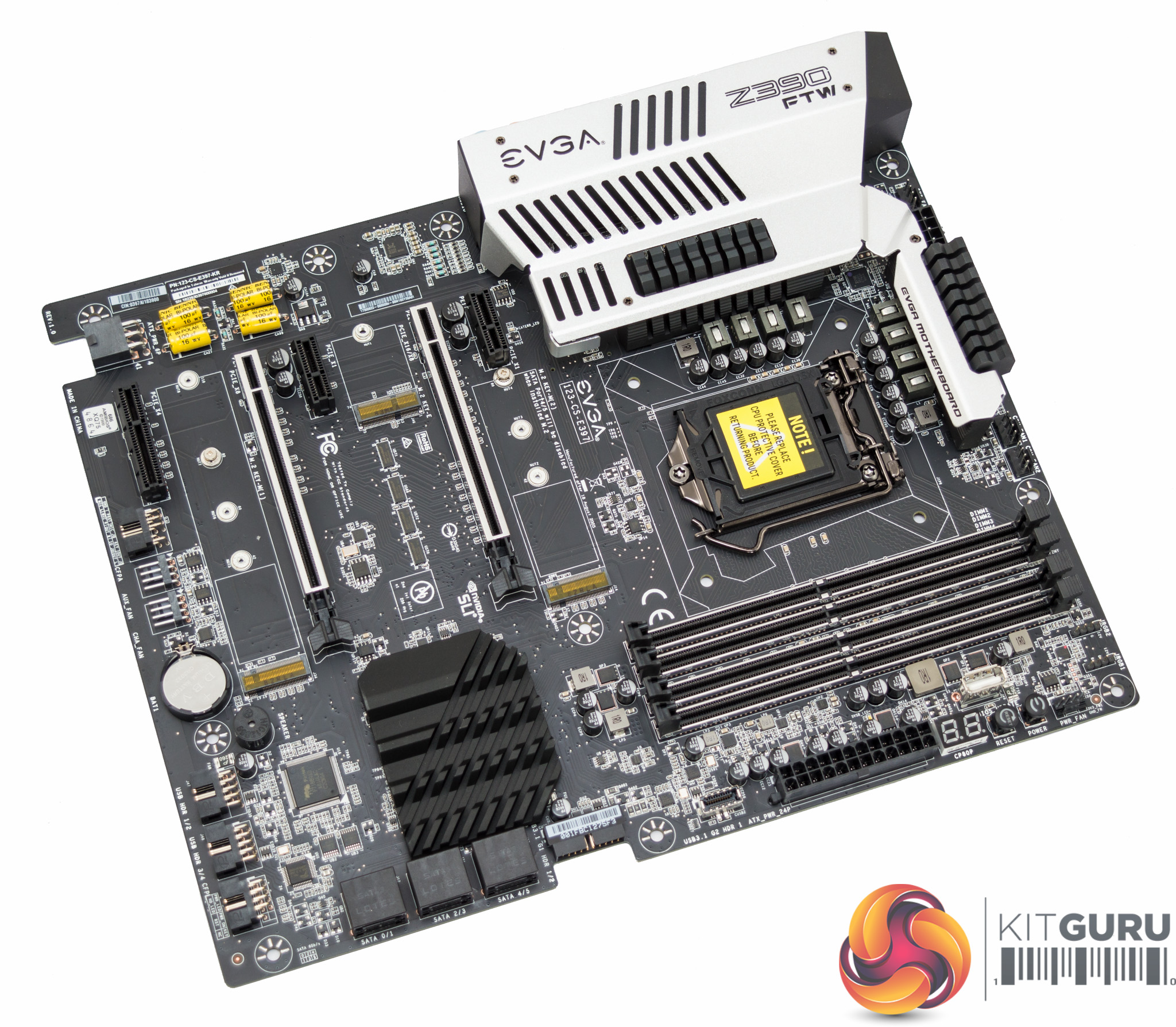
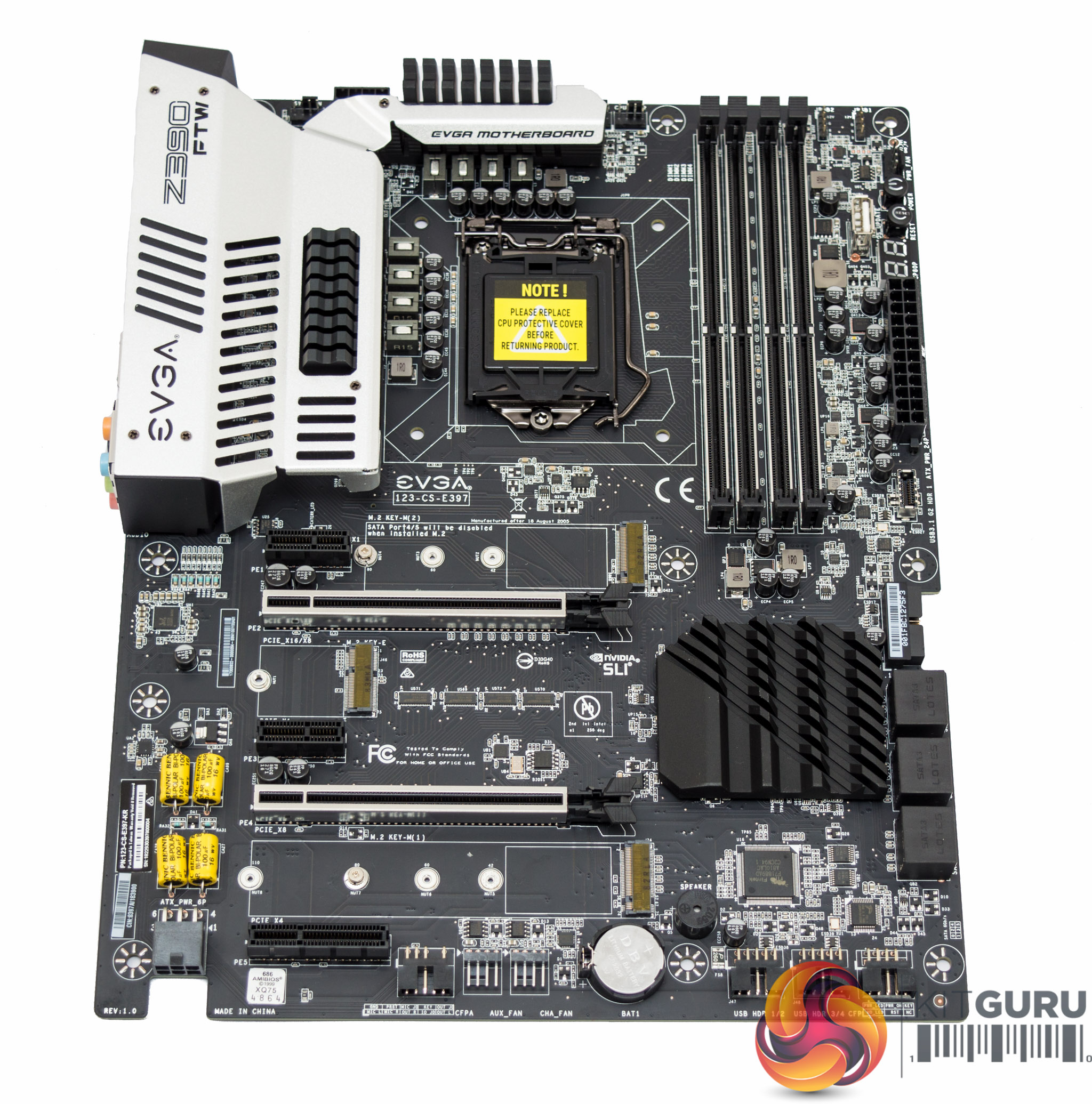
EVGA's design of the Z390 FTW is definitely unique, it catches the attention with irregular PCB cut outs, bright yellow audio capacitors and what at first glance appears to be a large CPU heatsink array. As with most modern motherboards black is the colour of the day with silver accenting.
There is no onboard RGB functionality to speak of, which may appeal to many prospective buyers out there with a preference towards simplicity. Regardless, in most scenarios it is better to have onboard RGB lighting that can be turned off by choice, than not to have it at all.
EVGA does provide a pair of 12v G R B connections but 5v Digital Addressable LED strips are not supported.
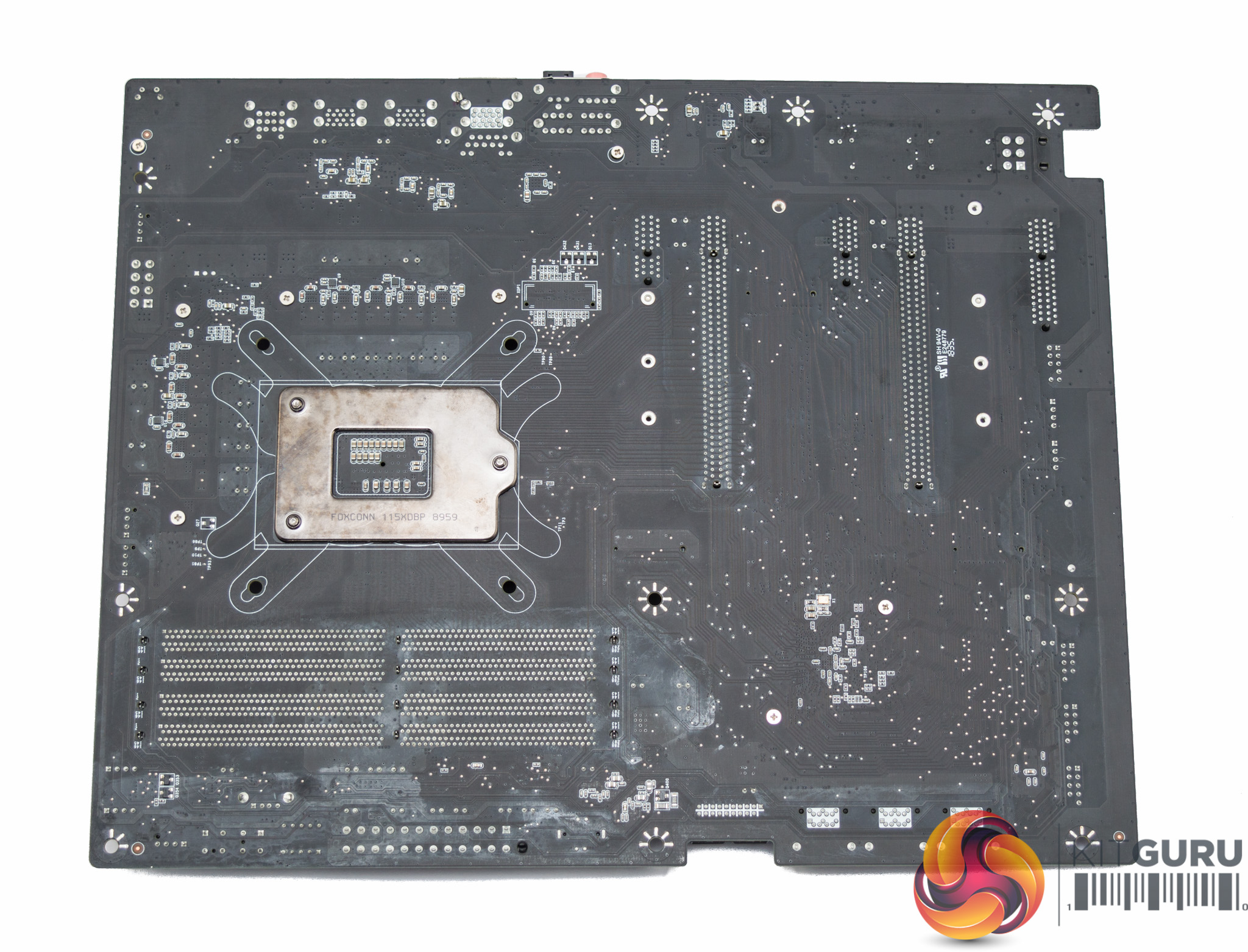
The underside gives a clearer look at PCIe lane allocation. It's also possible to see that most of the design uses cross-head screws, rather than push-pins, for easy maintenance and modification.
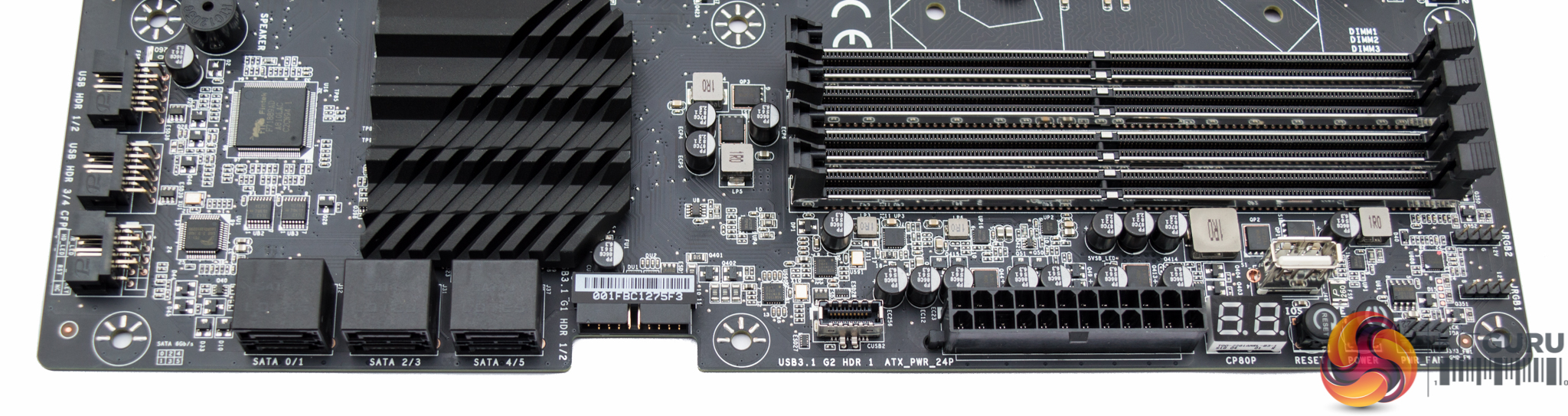
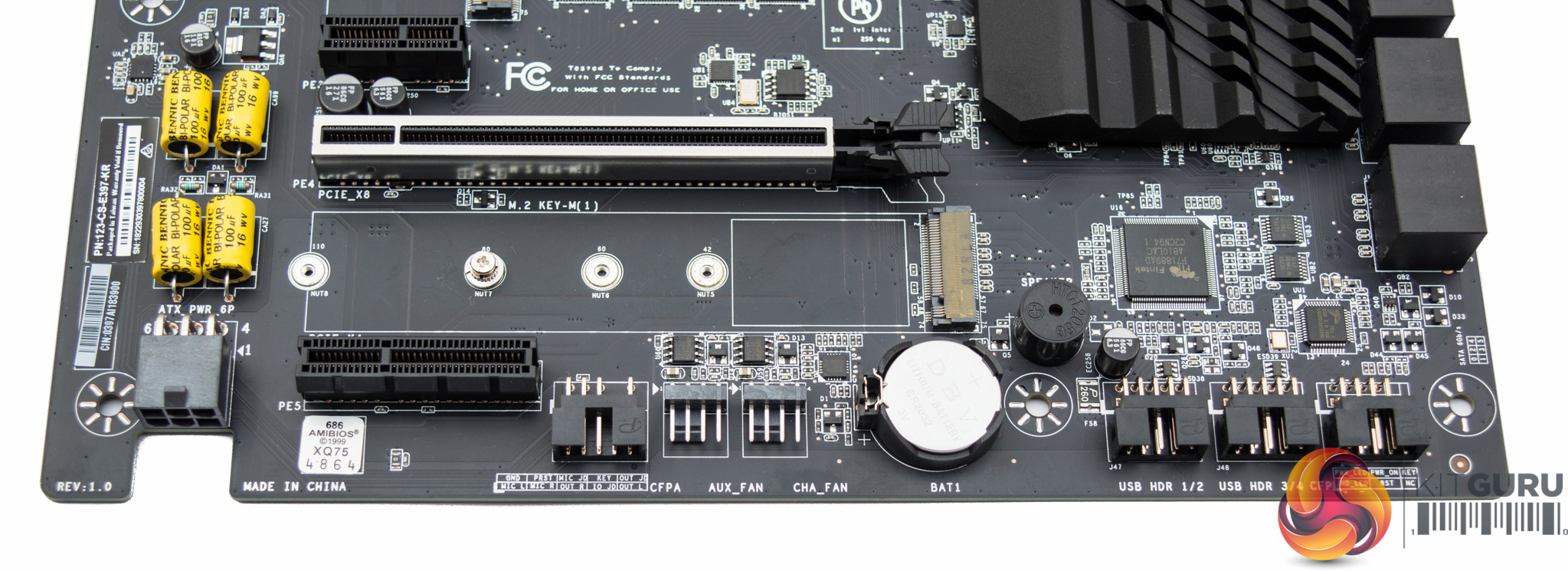
EVGA provides a debug code reader (which doubles as a CPU temperature readout once POST completes), USB flashback port (which allows for a BIOS update without a CPU) and onboard power/reset buttons.
EVGA has been bold about mounting many connections at a right-angle, considerably more than anyone else has attempted before – even fan and USB headers. Presumably this is for cable management purposes, however, it still feels a bit incomplete given that some connectors have not been right-angled, such as the 24pin.
There are USB headers of all generations, 2.0, 3.0 and 3.1, and an adequate storage provision – six SATA III and dual M.2. Supplementary 6 pin PCIe power is provided for the PCIe lanes but is highly unlikely to be needed unless all PCIe slots are being used by power-hungry devices.
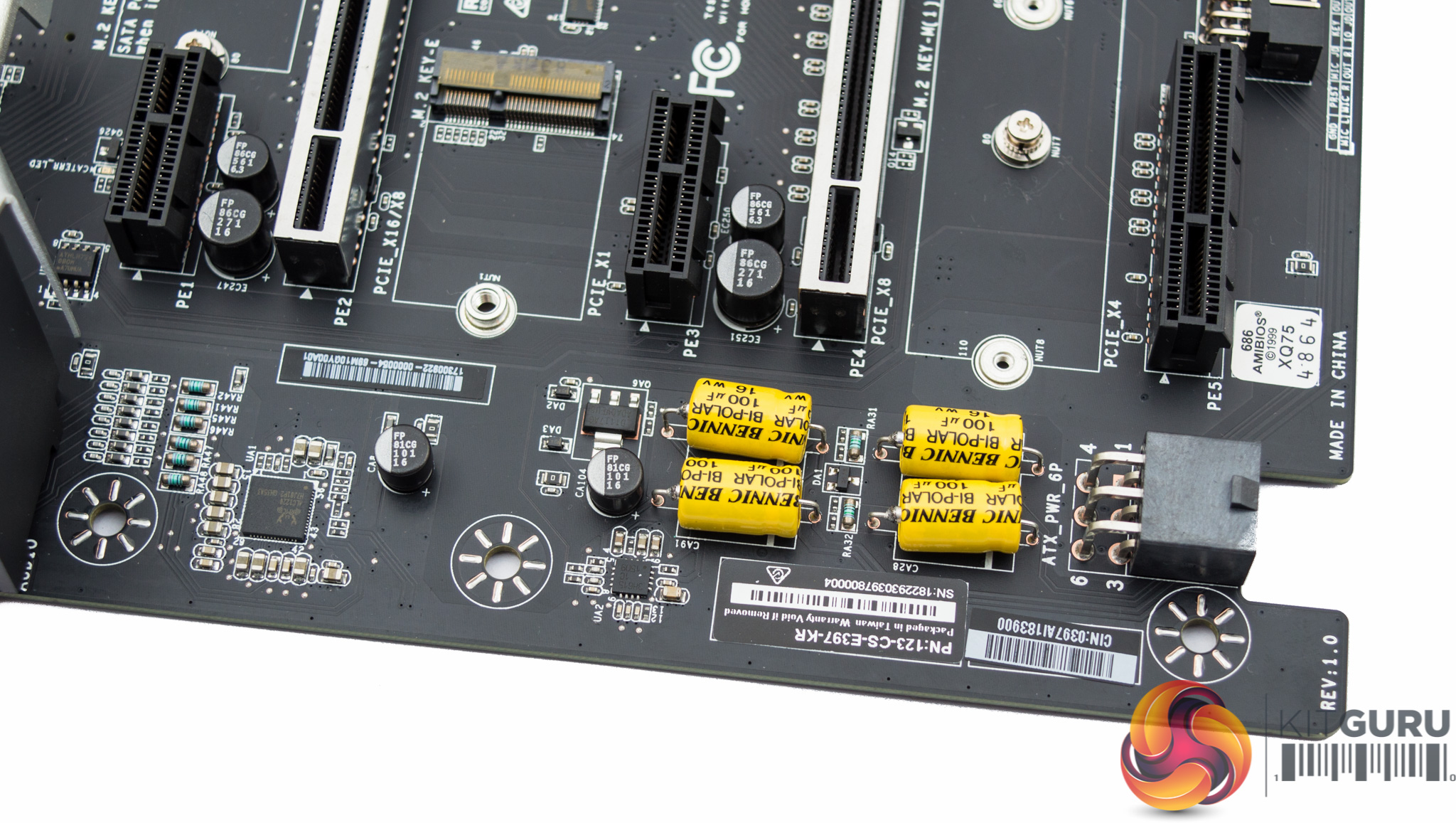
The audio section includes four large 100uF capacitors provided by a Taiwanese company, Bennic, that specialises in audio capacitors. The audio codec is the Realtek ALC1220 and it has no shielding, neither is there an isolated PCB for the audio section.
The front panel audio connector is also quite some distance from the audio area, marked up as “CFPA”, as the supplementary 6 pin PCIe power gets in the way.
The rear I/O is fairly well rounded but the observant will see the complete absence of display outputs. EVGA does not provide display outputs since it does not provide motherboard power delivery to support the operation of Intel's integrated graphics, therefore discrete graphics are mandatory.
Given that we are seeing increased adoption of technology like Intel's Quick Sync, which can make use of the integrated graphics for acceleration purposes alongside a discrete GPU, it seems a shame that EVGA have omitted support for integrated graphics.
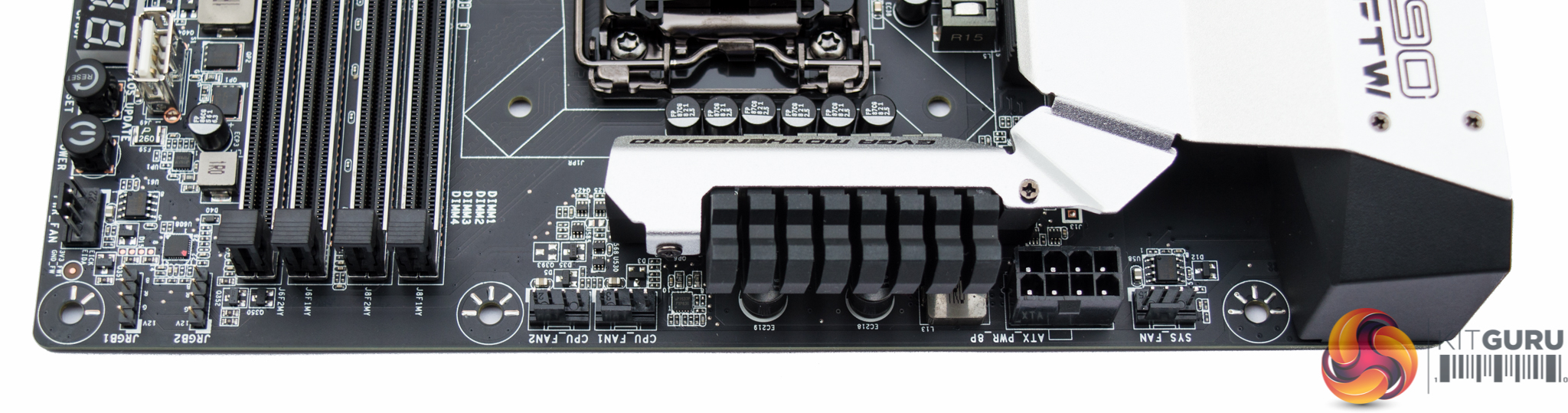
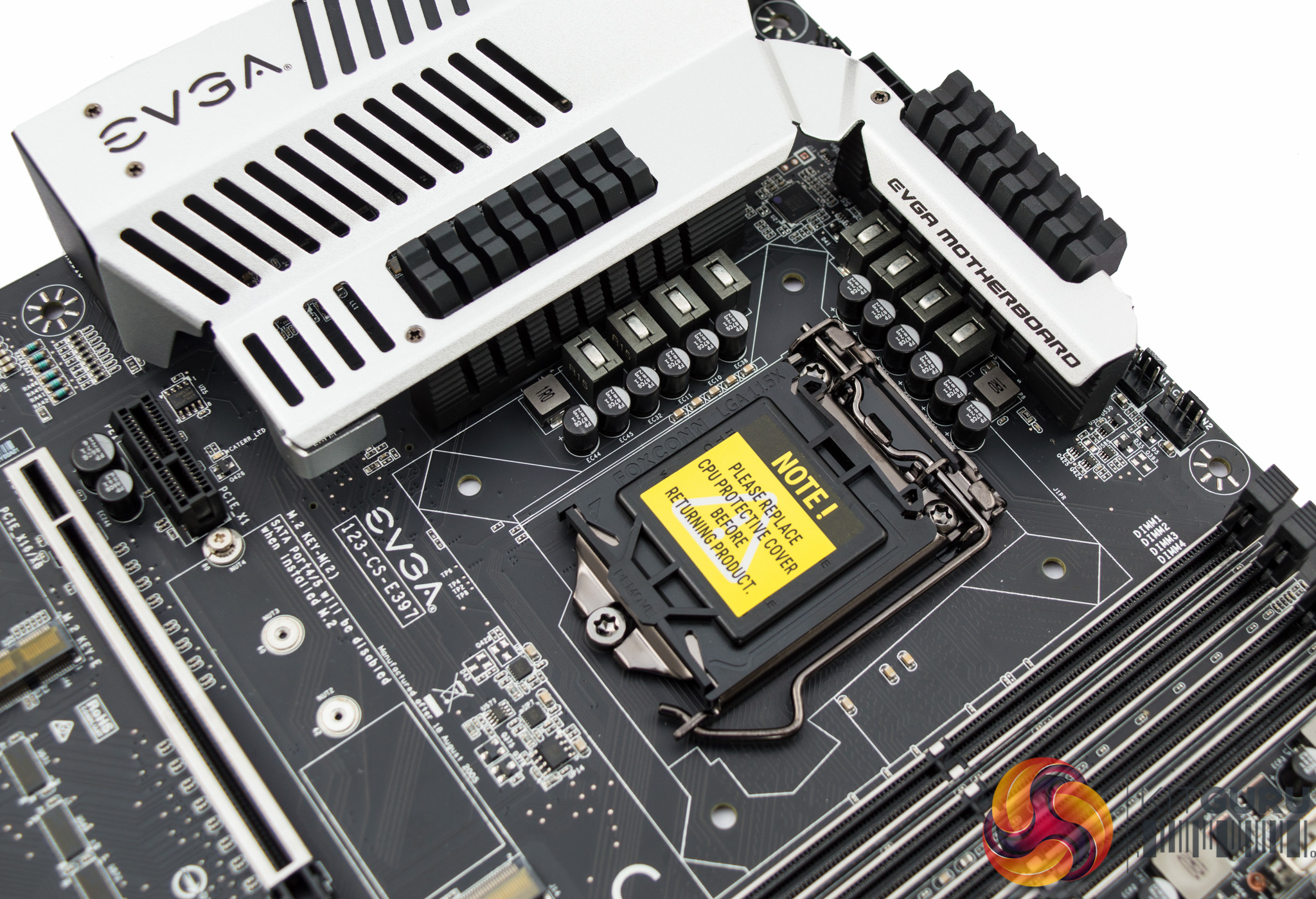
Given the absence of integrated graphics EVGA is able to dedicate more space and resource towards the CPU VRM. The solution as pictured above, is marketed by EVGA as “11 phase” but the reality is a little different.
The metal shroud which covers the VRM heatsinks does give the impression of a significant cooling area. However, in reality the heatsinks are quite compact and the shroud is more for aesthetics than cooling.
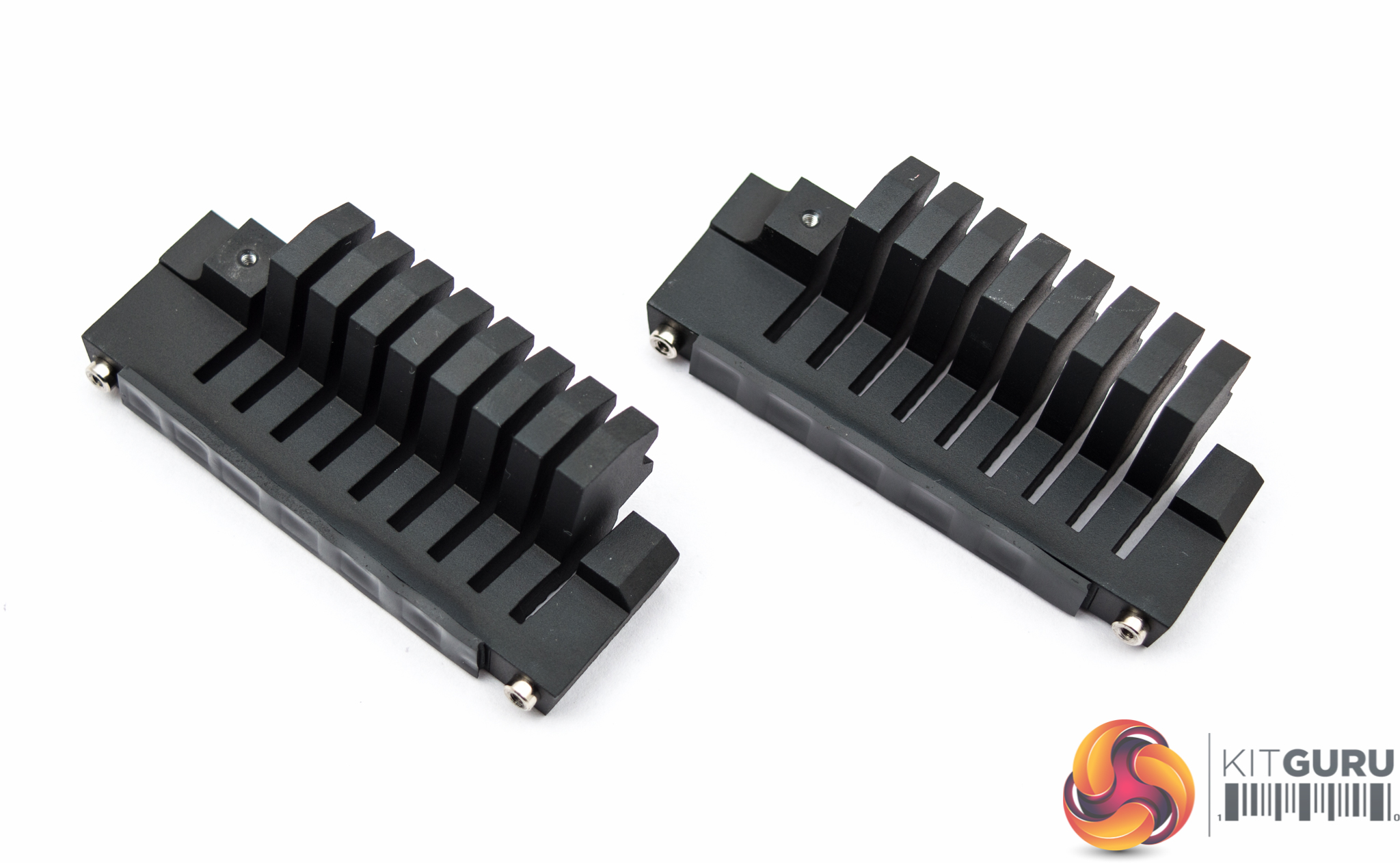
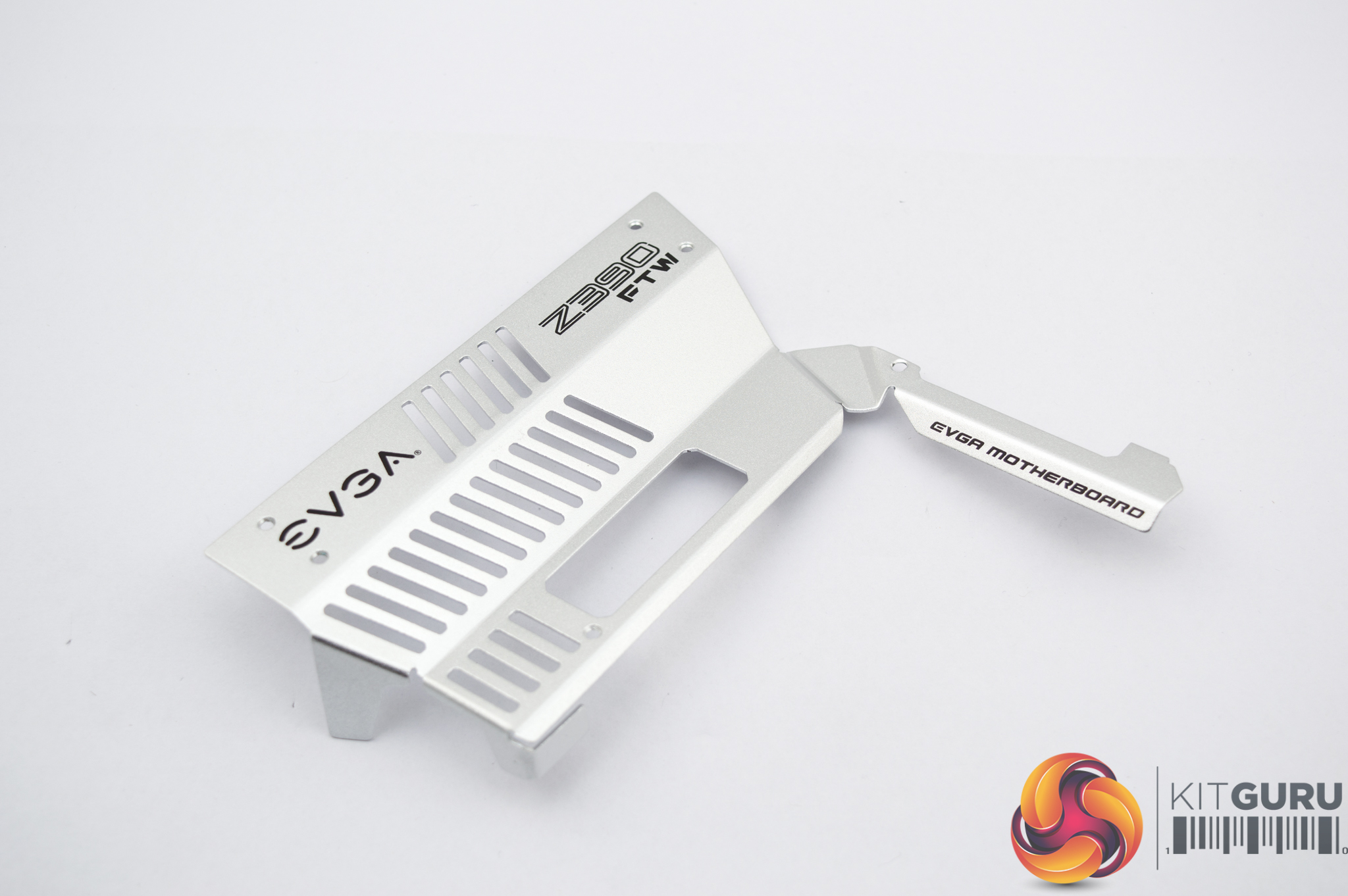
Both heatsinks are of equal size and include a thermal pad. As the 8 VCore phases are split evenly over both sides, 4 phases per heatsink, thermal performance should be quite good.
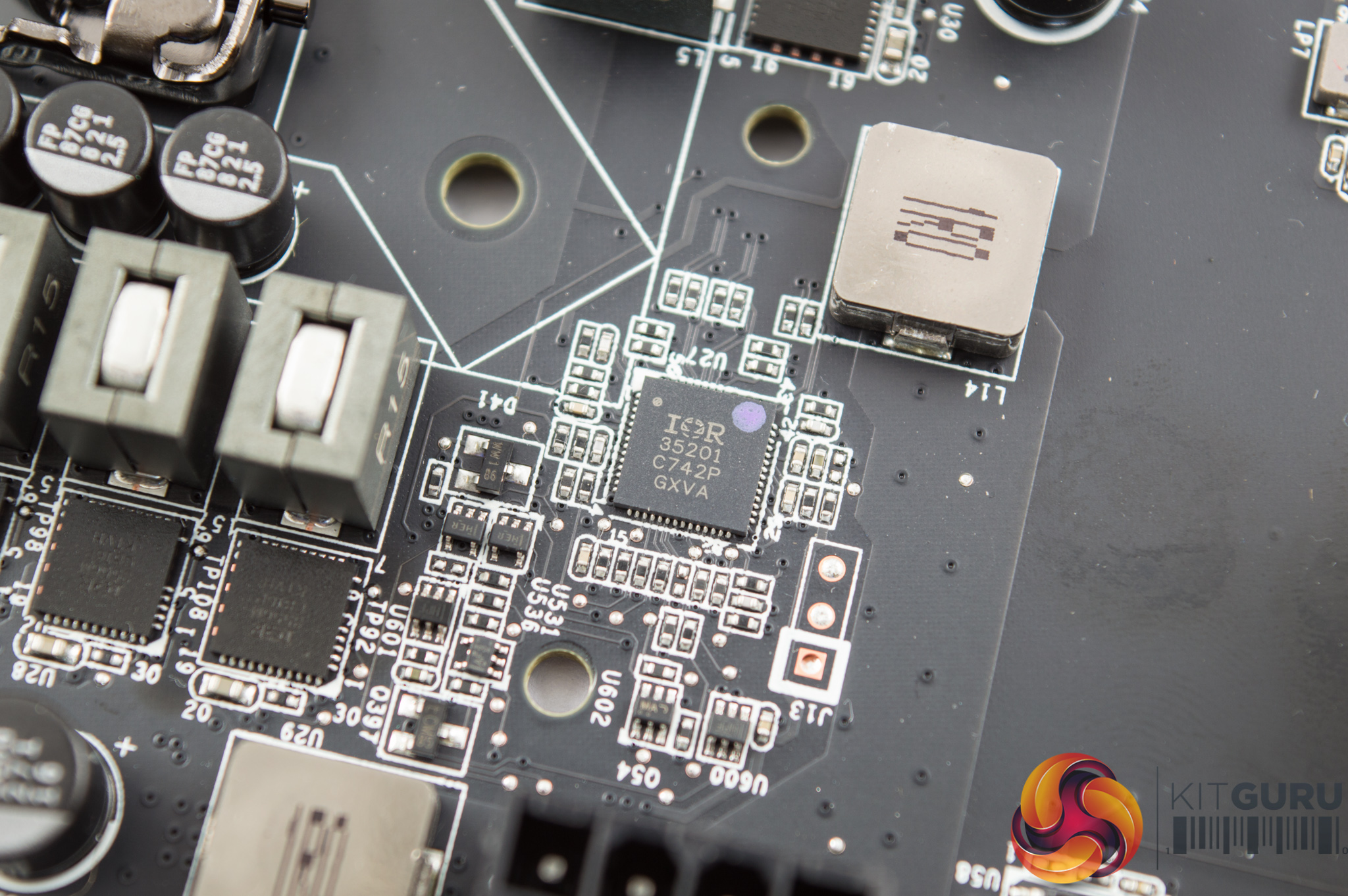
The PWM controller for the CPU VRM is the Infineon International Rectifier IR35201, a well regarded controller.
In this configuration it appears to operate in 4+1 phase mode with 4 PWM signals being doubled to 8 phases using IR3599 doublers, for the VCore. The extra phase in this 4+1 configuration is likely the VCCSA.
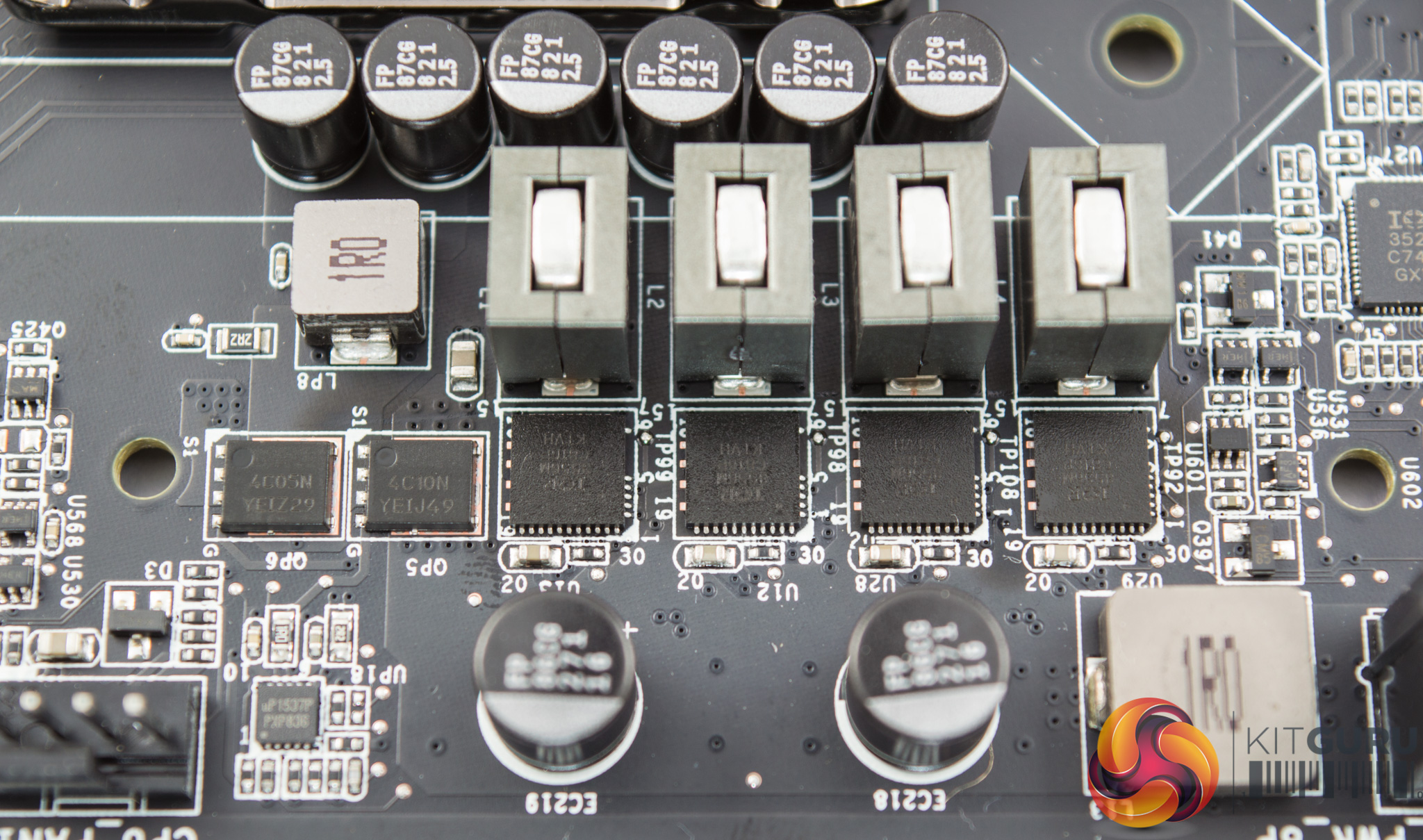
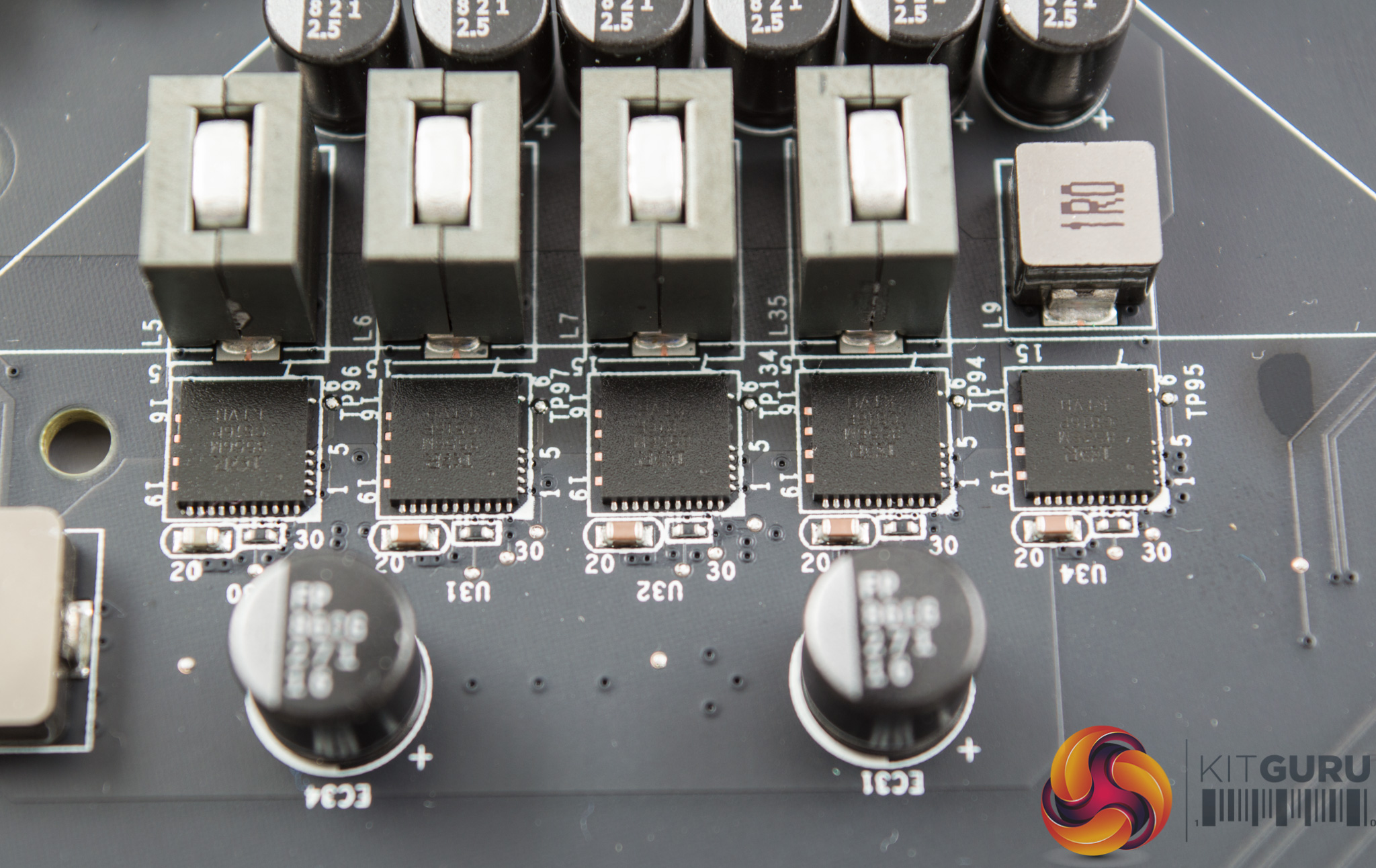
For the 8 VCore phases and single VCCSA phase EVGA is using IR3556M integrated MOSFET packages which combine the high and low-sides.
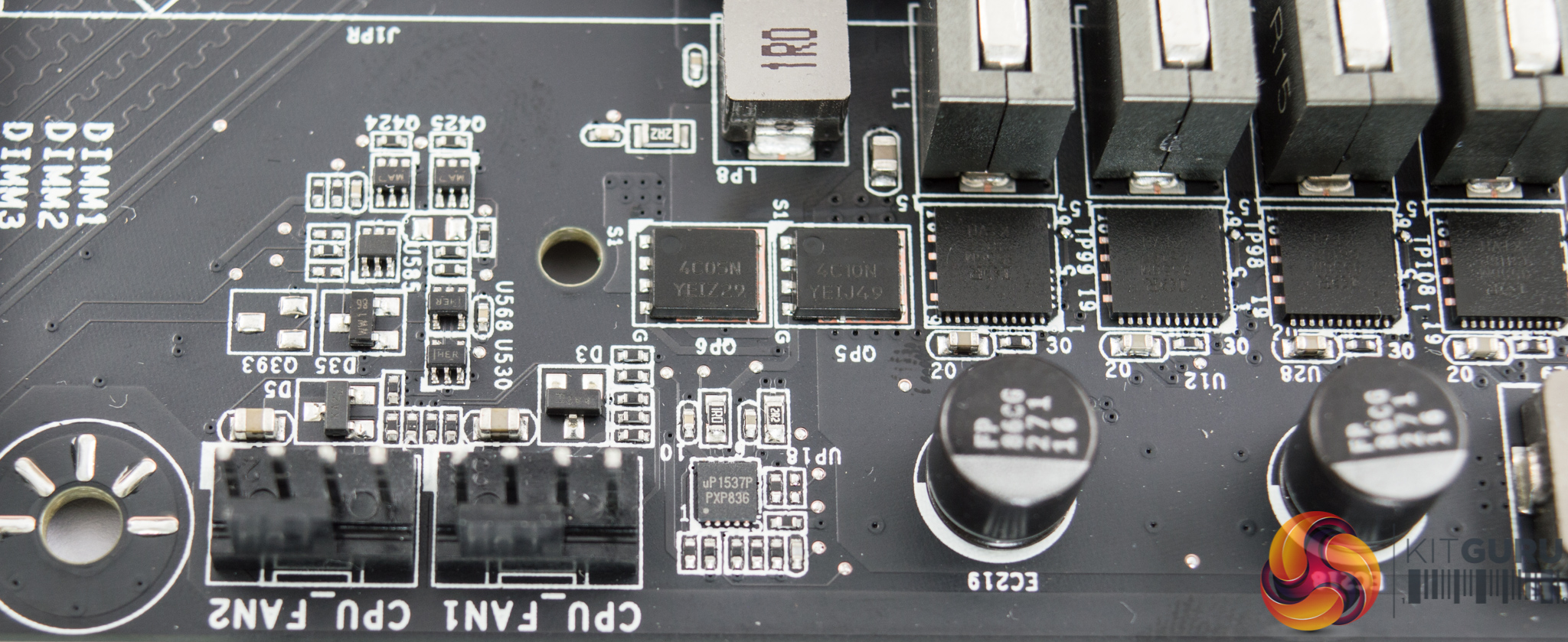
For the VCCIO phase this makes use of On Semiconductor 4C10N for the high-side and 4C05N for the low-side, controlled by a UPI Semiconductor UP1537p single-phase buck controller.
Combined the above give 10 phases, with another phase provided for the DDR voltage delivery – this is where EVGA derives its marketing tag-line of an “11 phase solution”, 8+1+1+1 (VCore+VCCSA+VCCIO+VDDR).
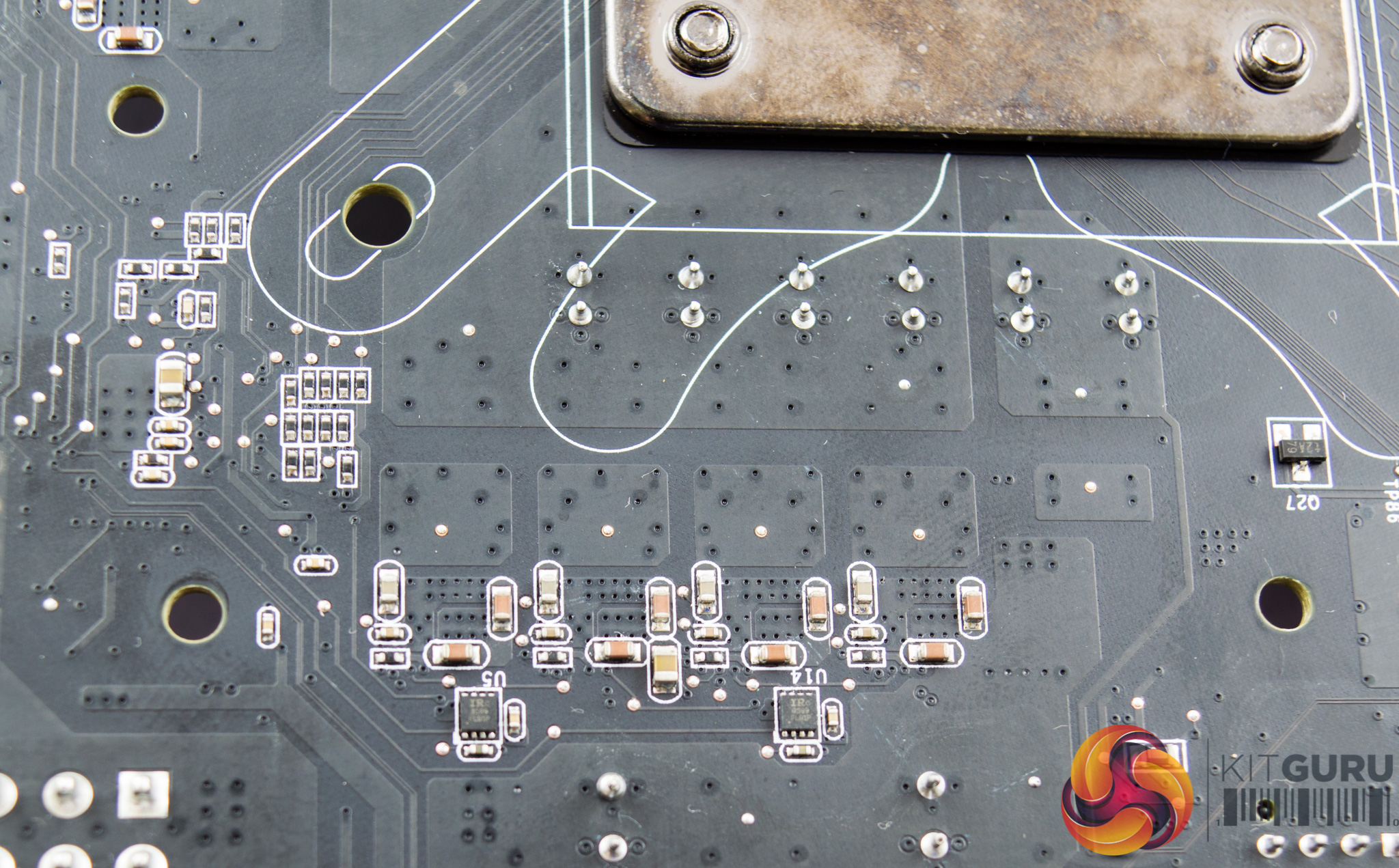
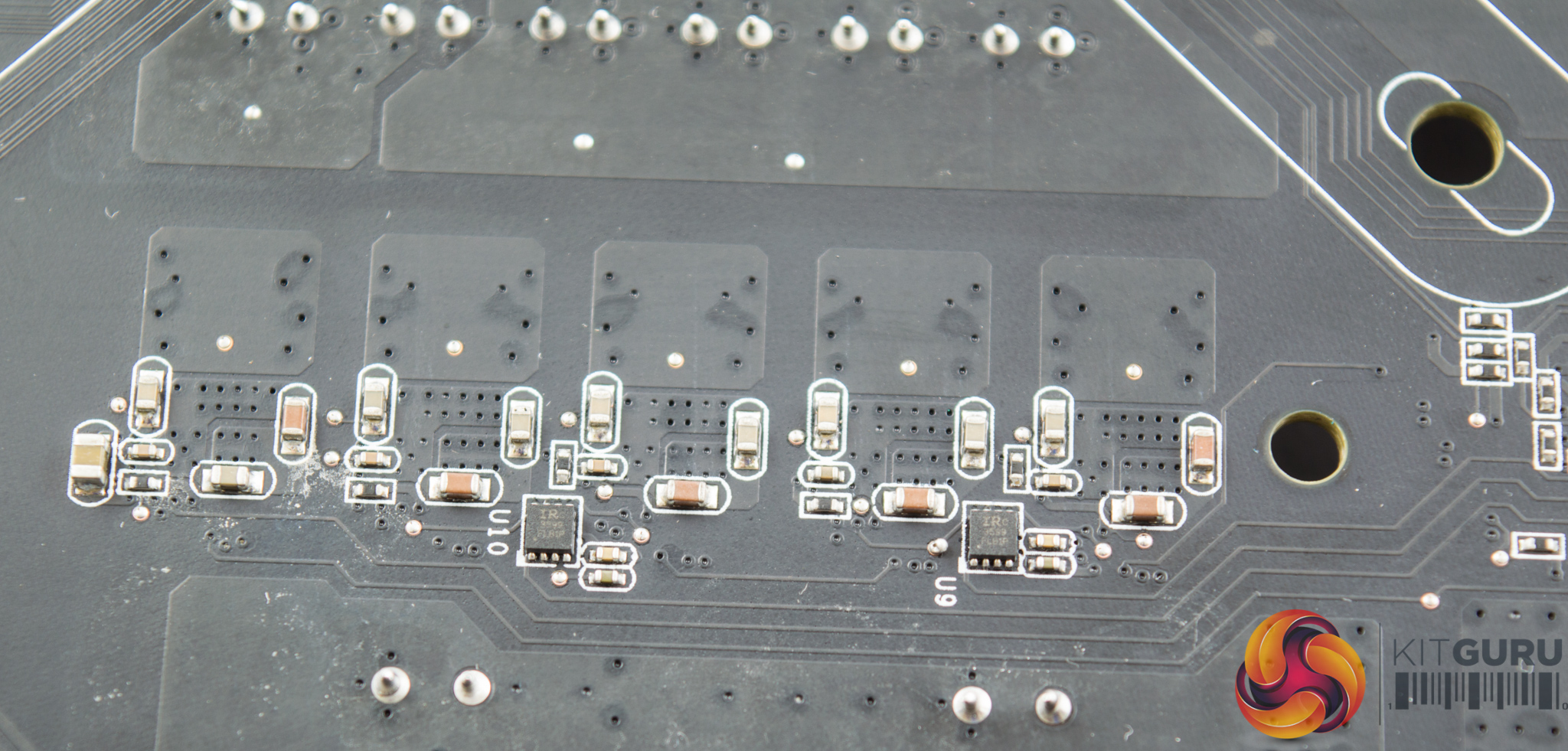
Four IR3599 doublers are used to turn 4 PWM signals into eight for the 8 VCore VRM phases, these are mounted to the underside of the motherboard.
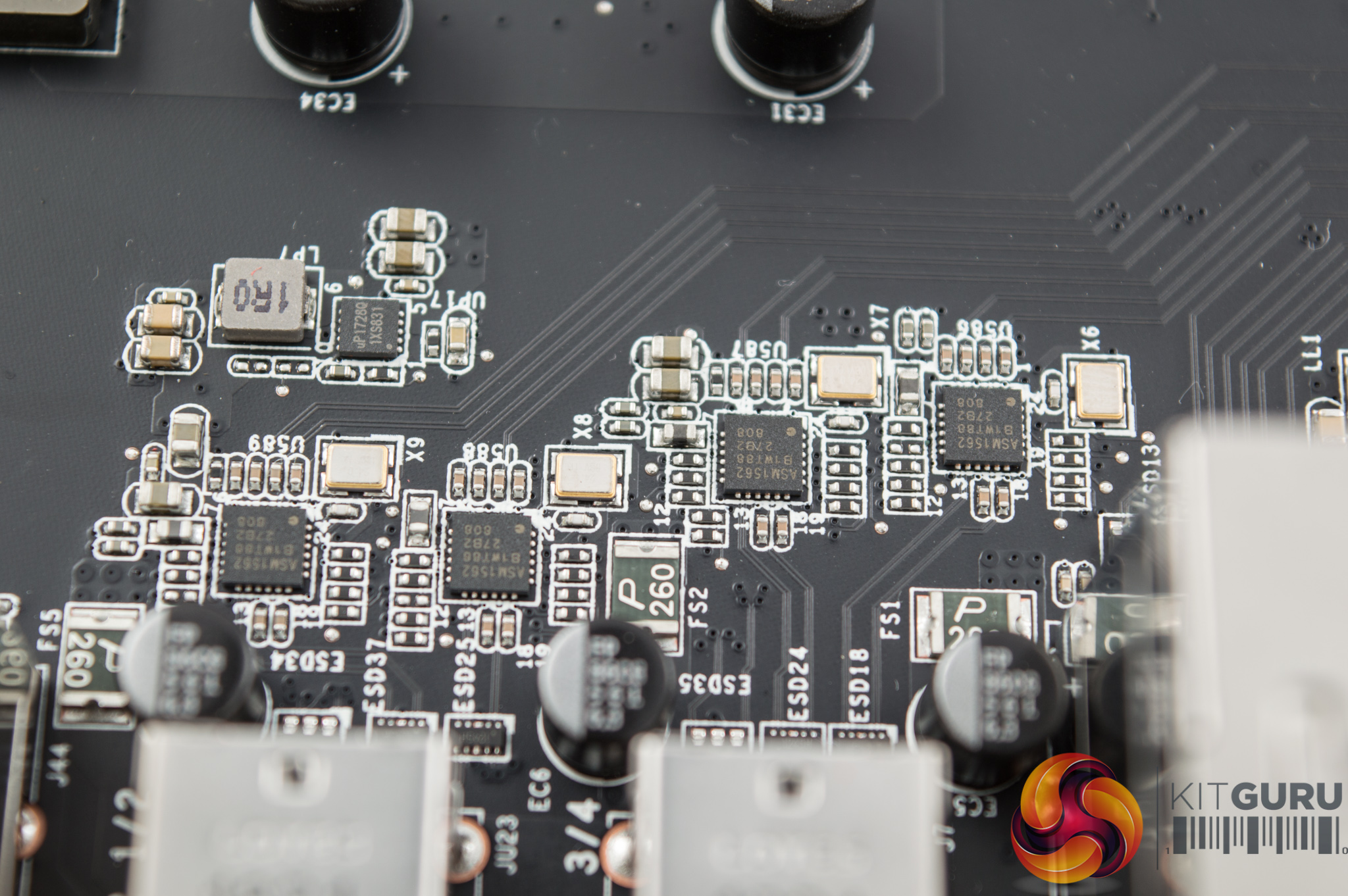
Four ASM1562 ICs are deployed as re-drivers for the USB 3.1 (10Gbps) Type-A ports.
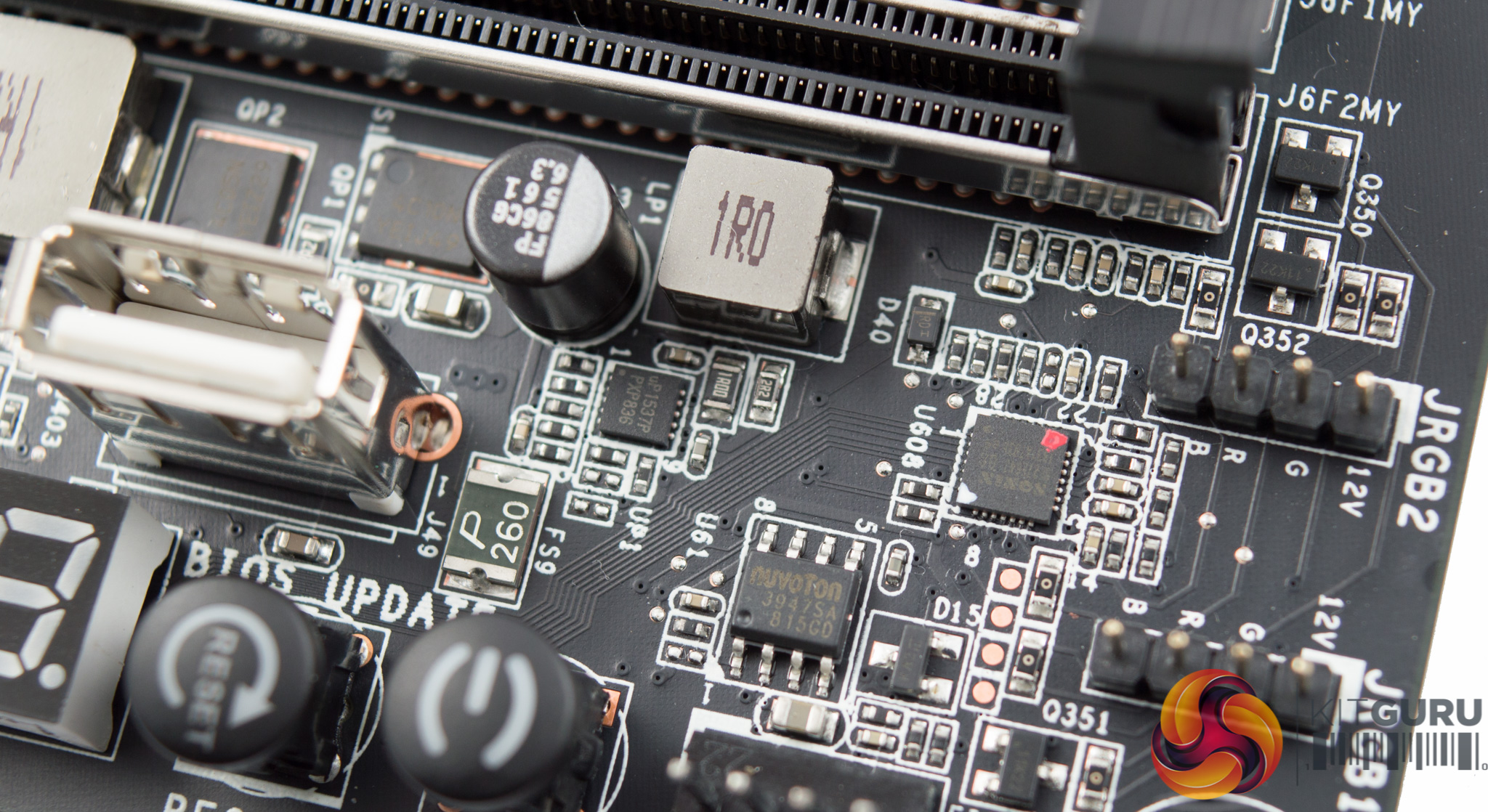
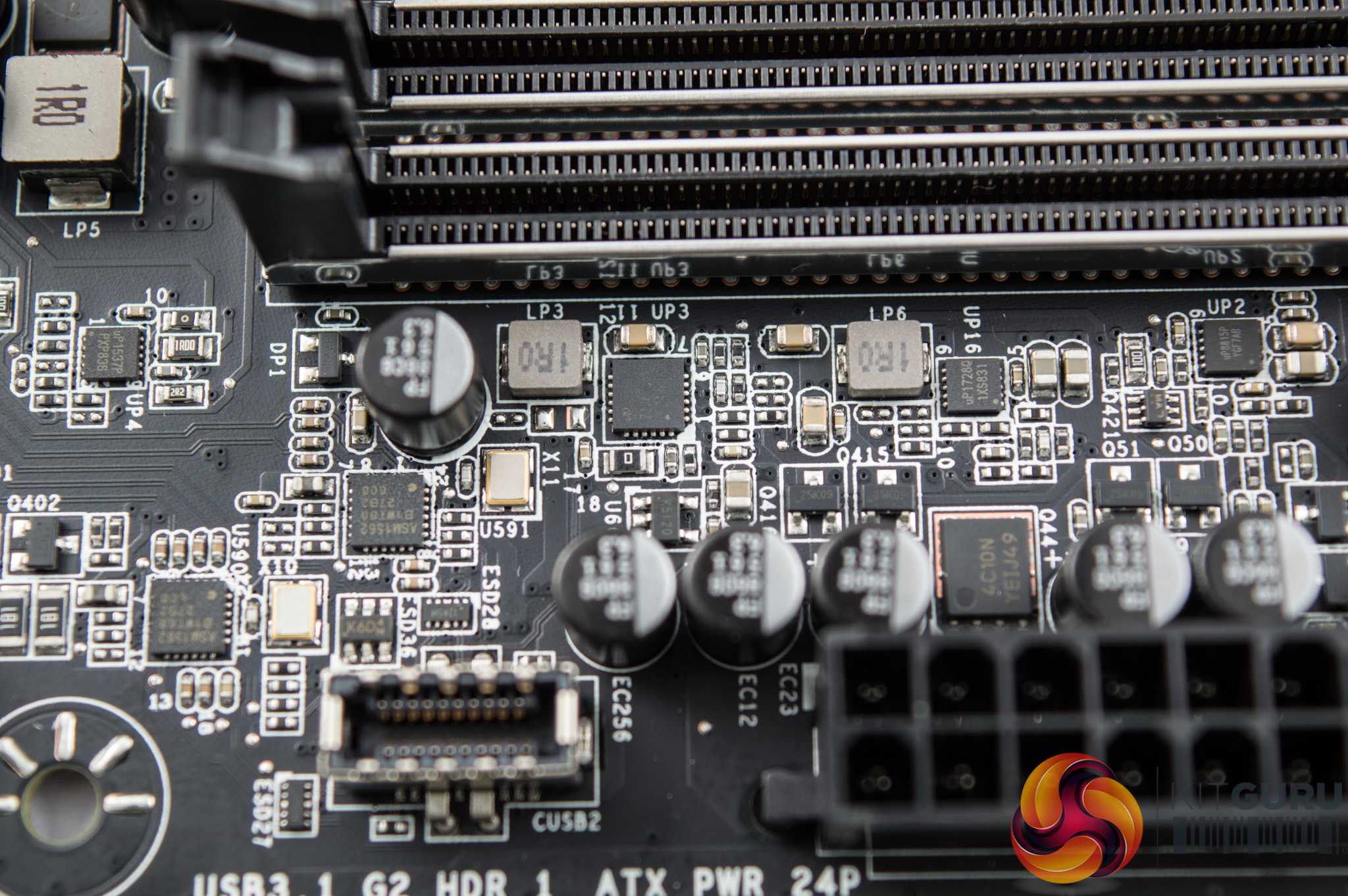
The memory VRM is provided as another single phase solution using the same uP1537P controller as the VCCIO. There are numerous more different controllers and MOSFETs in use around this part of the motherboard.
The majority of capacitors in use across the motherboard are manufactured by Nichicon and are part of the “FPCAP” series.
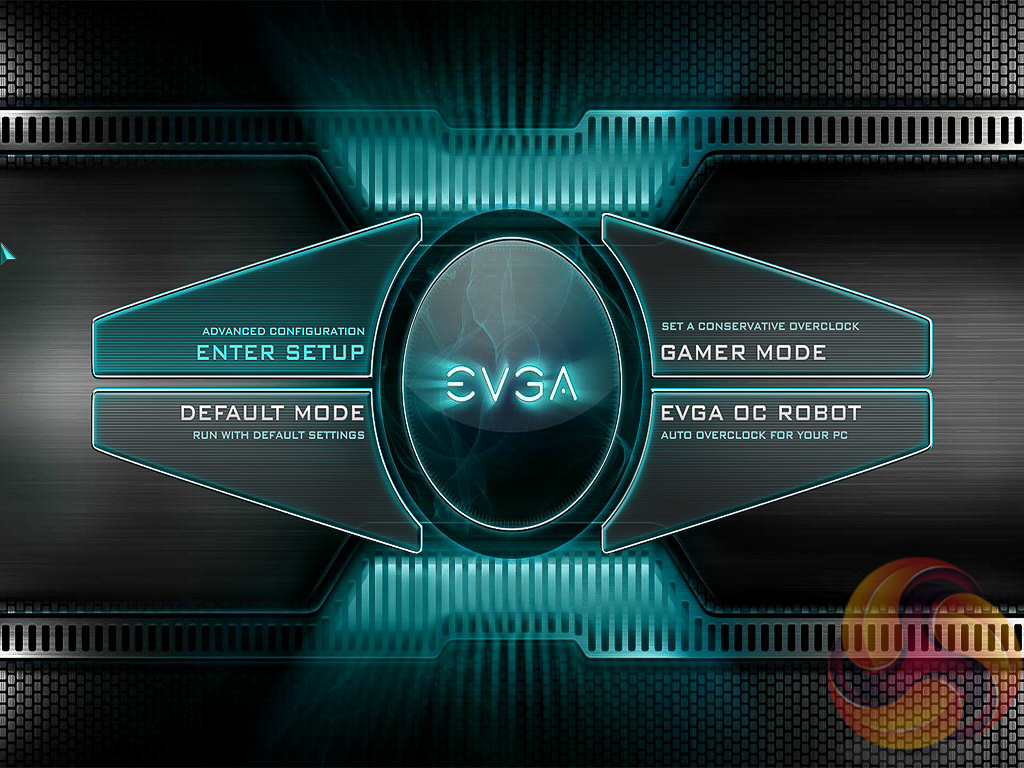
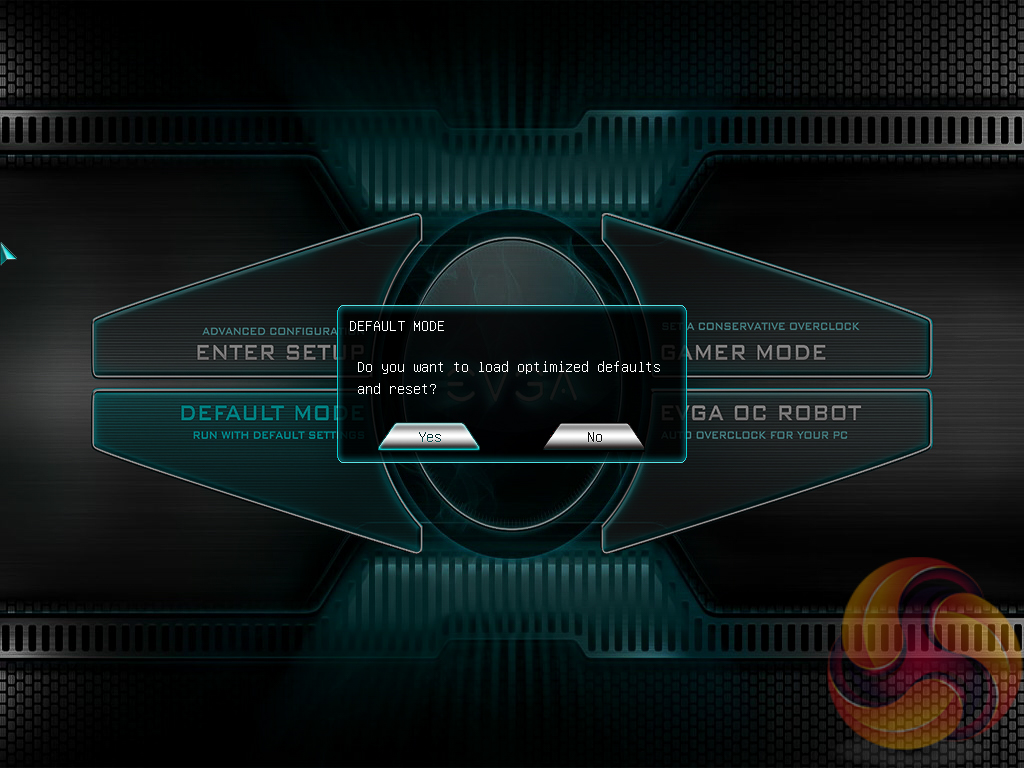
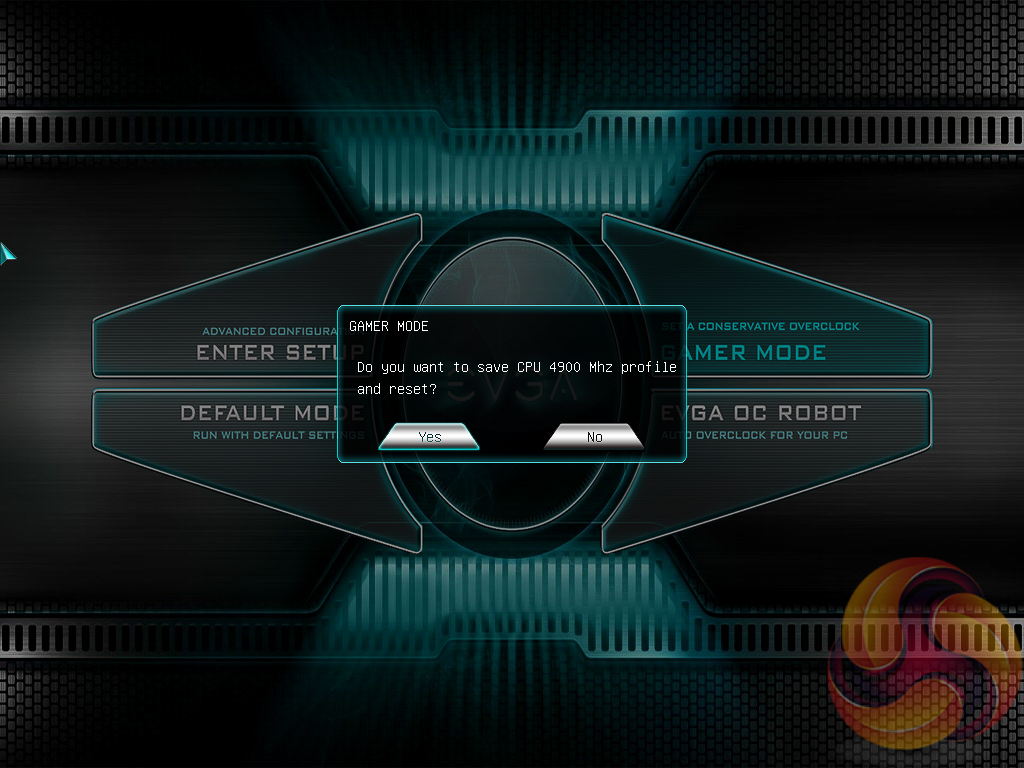
The EVGA Z390 FTW UEFI enters onto a 4-option splash screen. The “Enter Setup” option will take the user into the traditional BIOS environment, “Default Mode” loads optimised defaults while “Gamer Mode” applies a pre-calculated 4.9GHz overclock profile (to an i9-9900K).
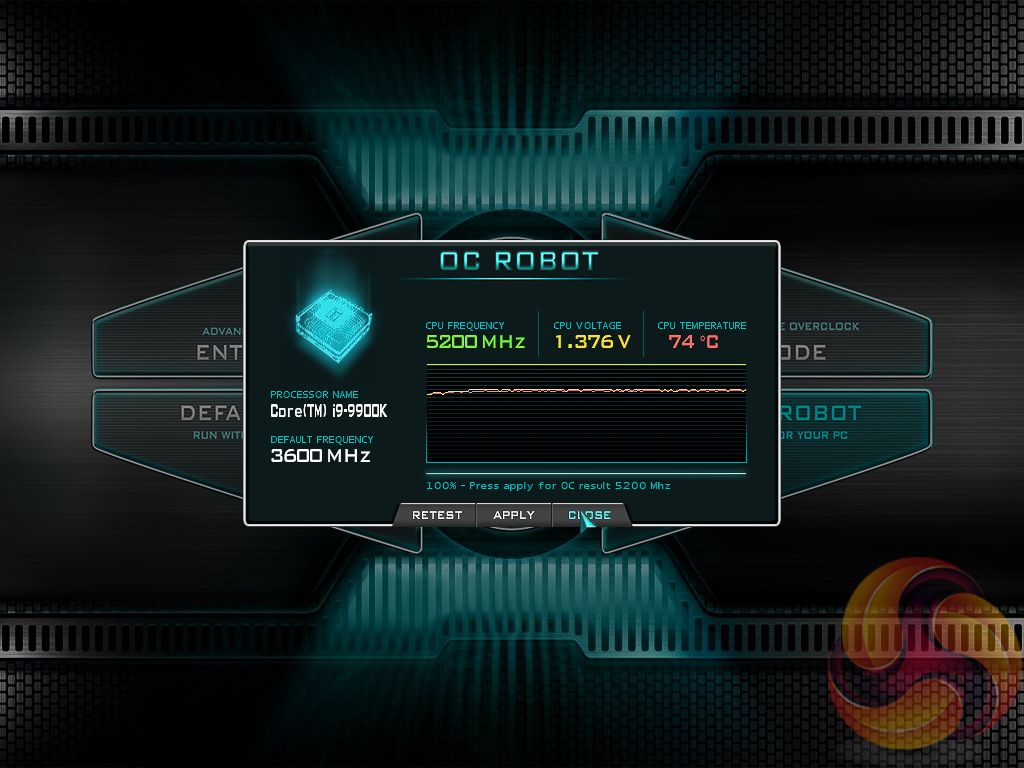
The “EVGA OC Robot” is a tool that will continually overclock the CPU trying to find the maximum stable clock speed and voltage, within acceptable temperatures. In our testing it found 5.2GHz at 1.376v, however, this would not boot into Windows so we're not sure how the in-UEFI tool determines if the overclock is stable or not. It also still wouldn't boot in at 5.1GHz with 1.376v.
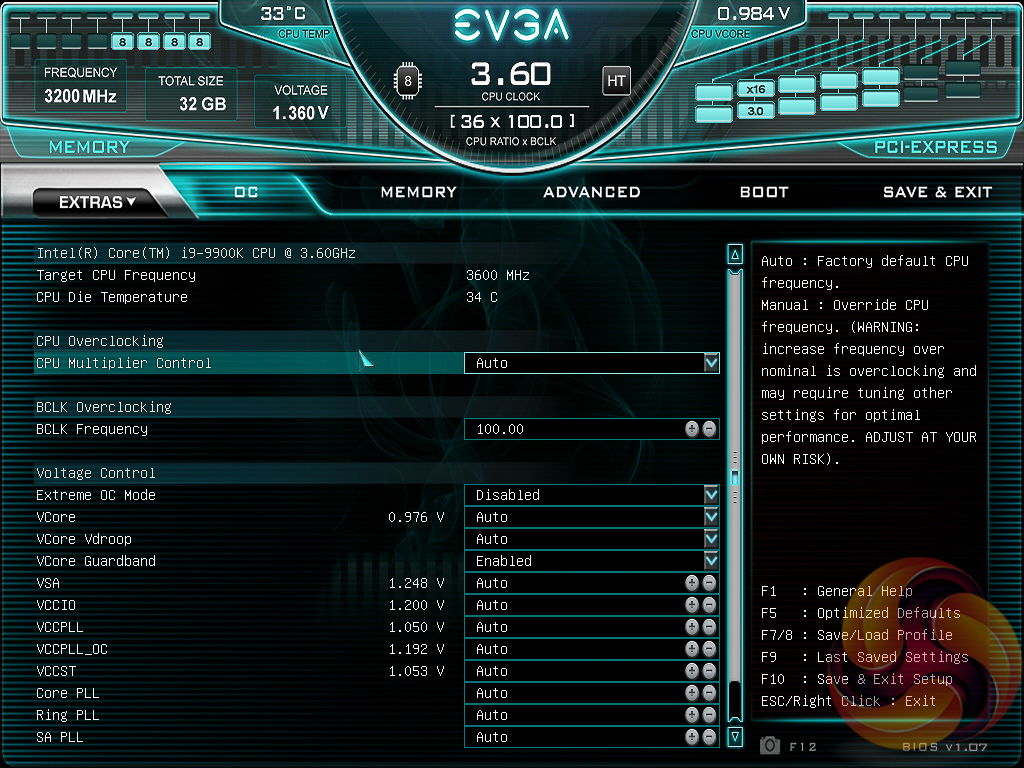
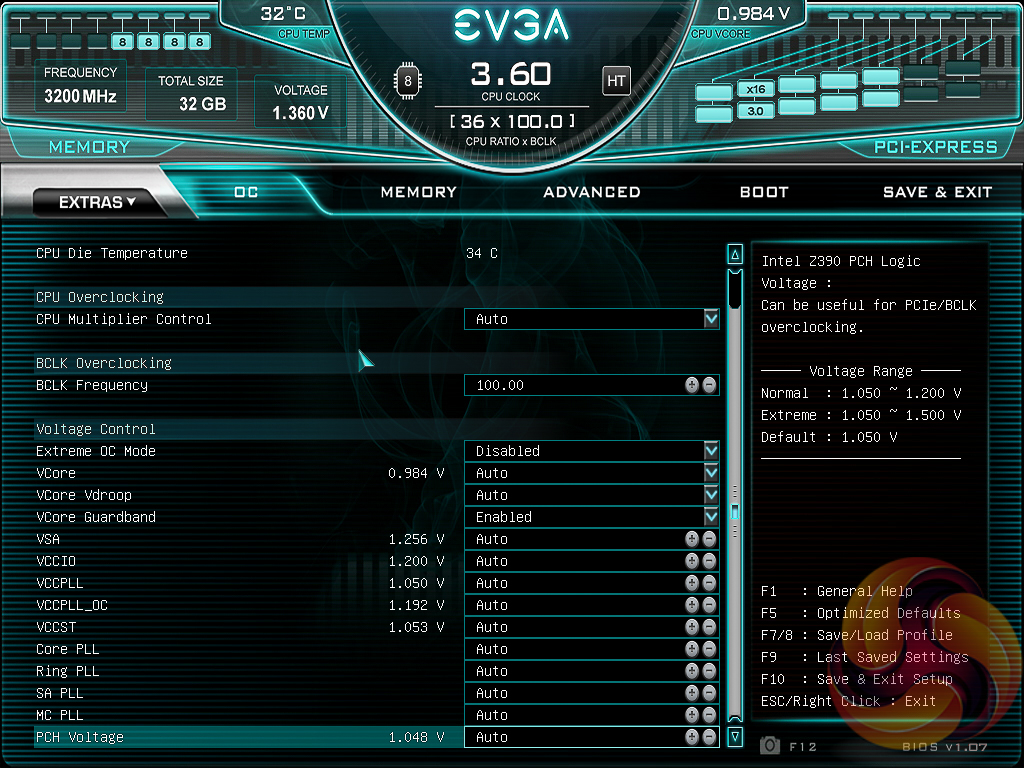
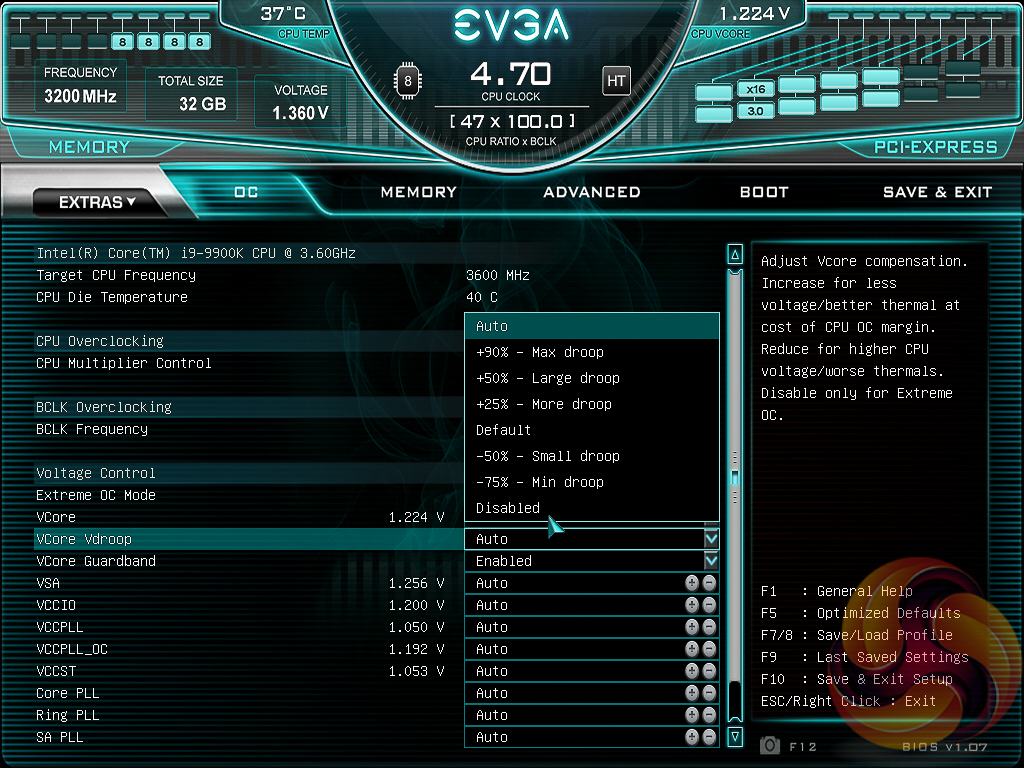
The OC tab is where clock speeds are defined and voltages are set. EVGA offers adaptive or override voltage modes for the VCore as well as an option to control “VCore Vdroop”, effectively what most users understand to be Load Line Calibration (LLC) on other motherboards. However, the granularity of the controls offered and the intuitiveness of using them was less than ideal.
There is no way of controlling the PL1 and PL2 power limit and duration, which is somewhat surprising since that level of performance control is available on most other motherboards.
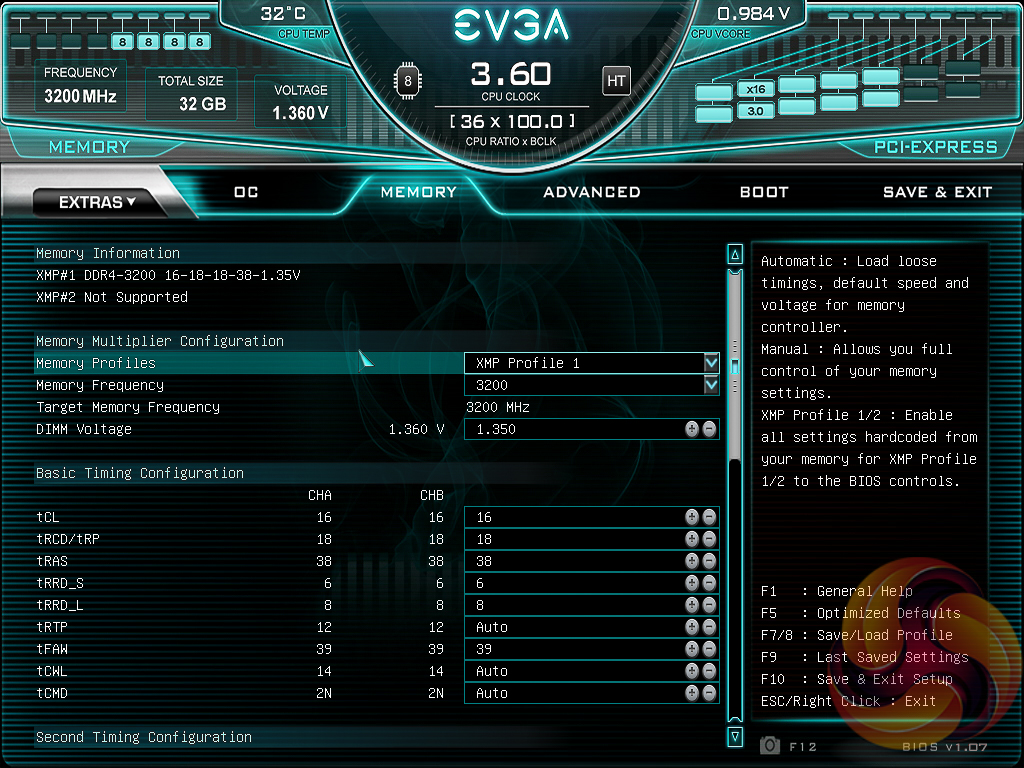
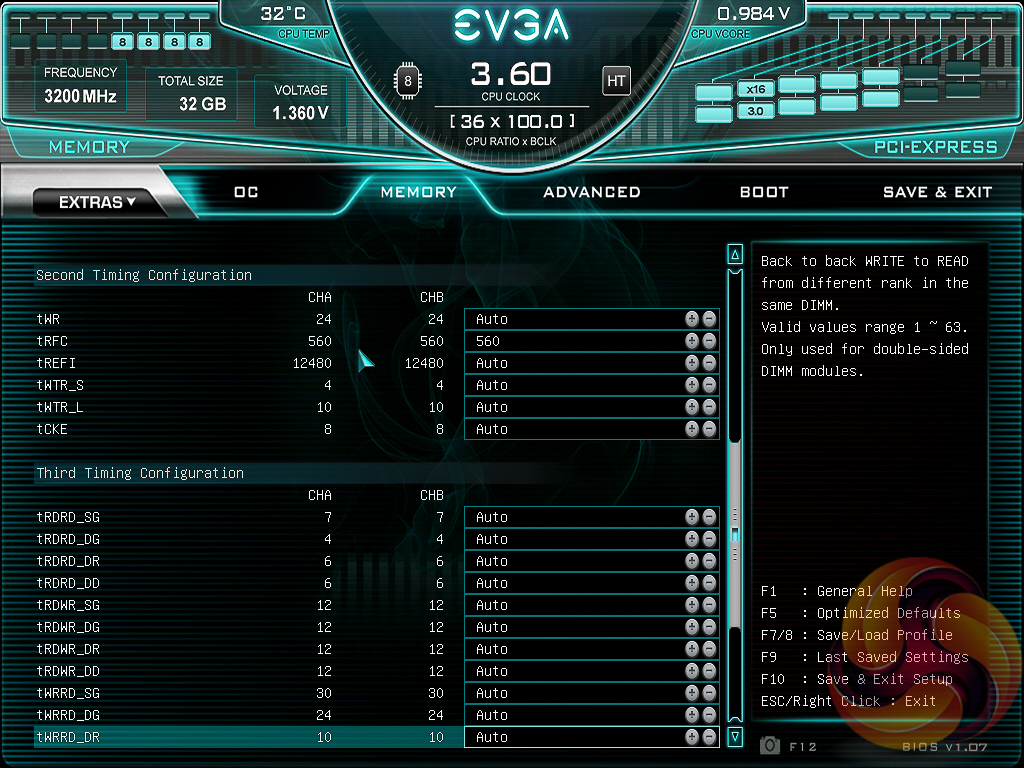
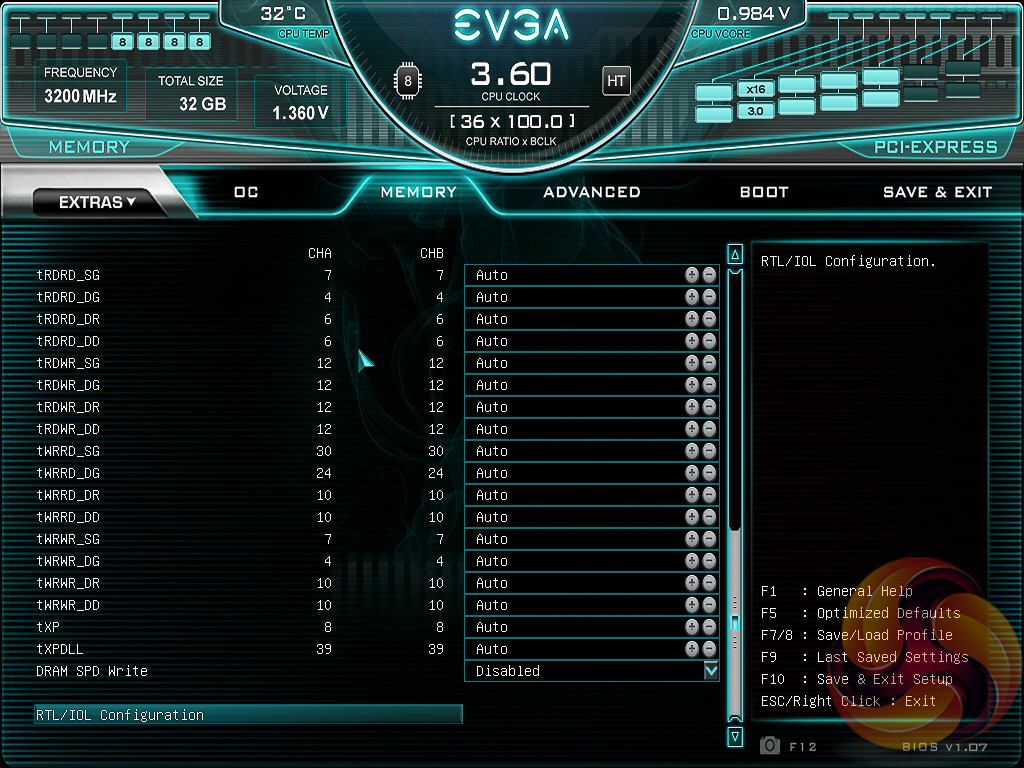
The memory tab is where the user would set XMP profiles, memory frequency, timings and voltages.
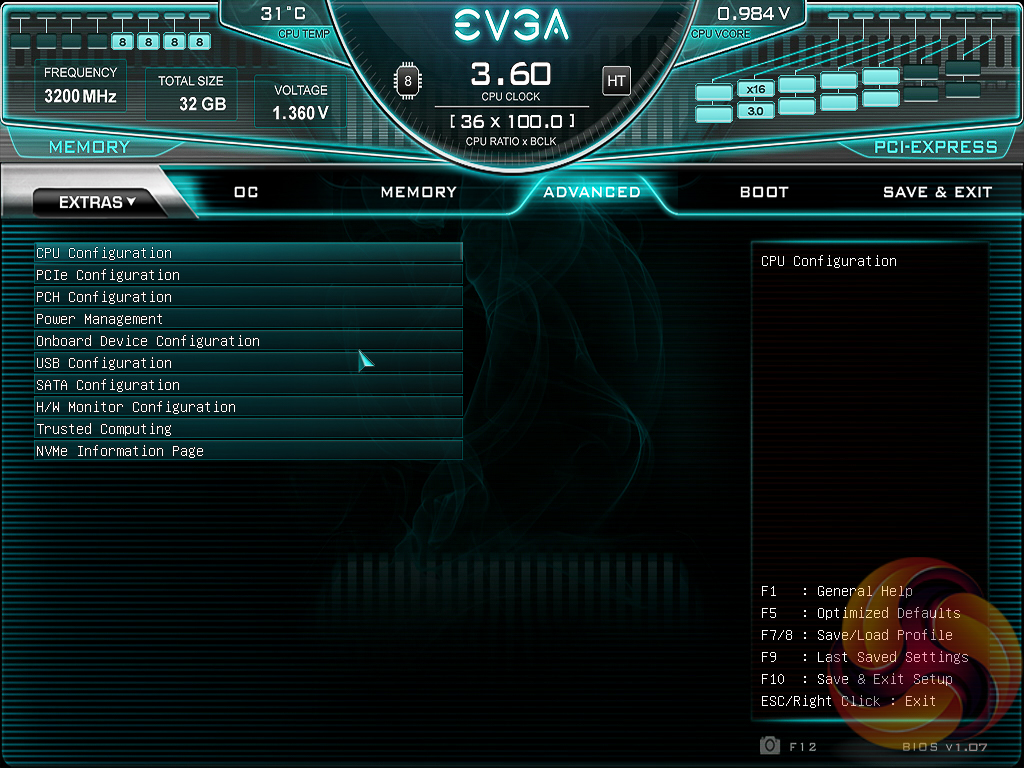
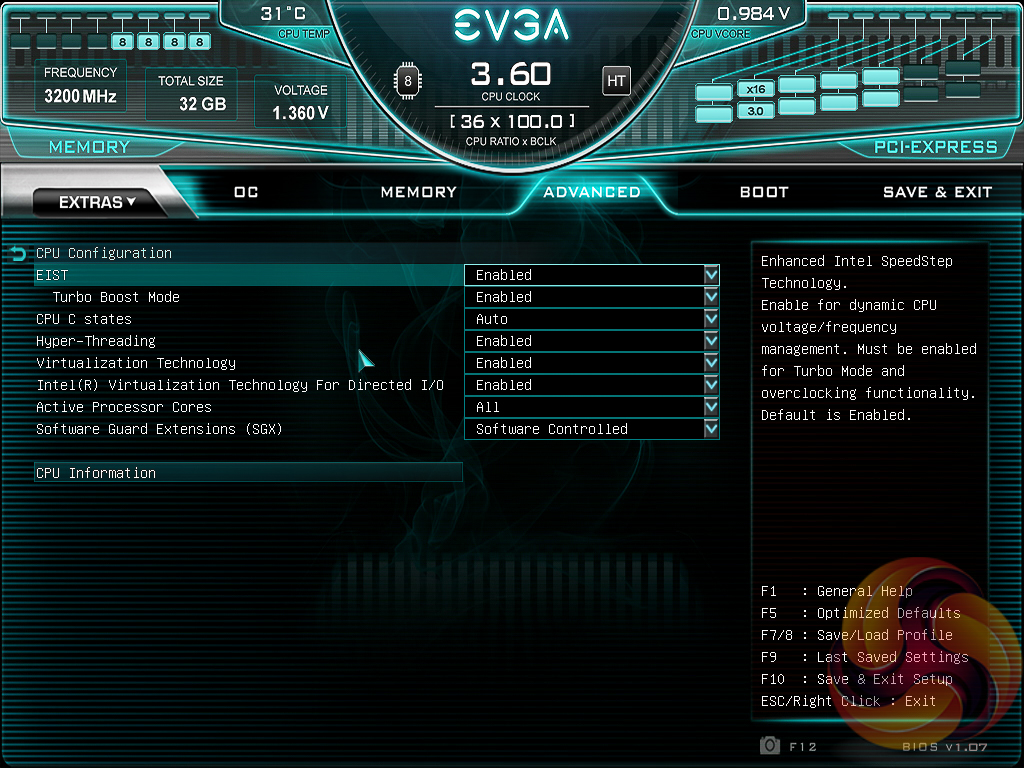
The Advanced tab contains the “everything else” of compatibility and feature settings for all on-board hardware and supported devices. The CPU section, unfortunately, has few options in regards to how power delivery is controlled.
EVGA enables the “Turbo Boost Mode” by default which enhances the Turbo behaviour of the CPU but there's no support for stock Intel Turbo specification. The user can either enable Turbo Boost Mode, and will get a 4.6 to 4.7GHz all-core Turbo (depending on the workload), considerably outside Intel's 95-watt power envelope. Or the user can disable it and the CPU will never go beyond 3.6GHz and will barely sip more than 65-watts.
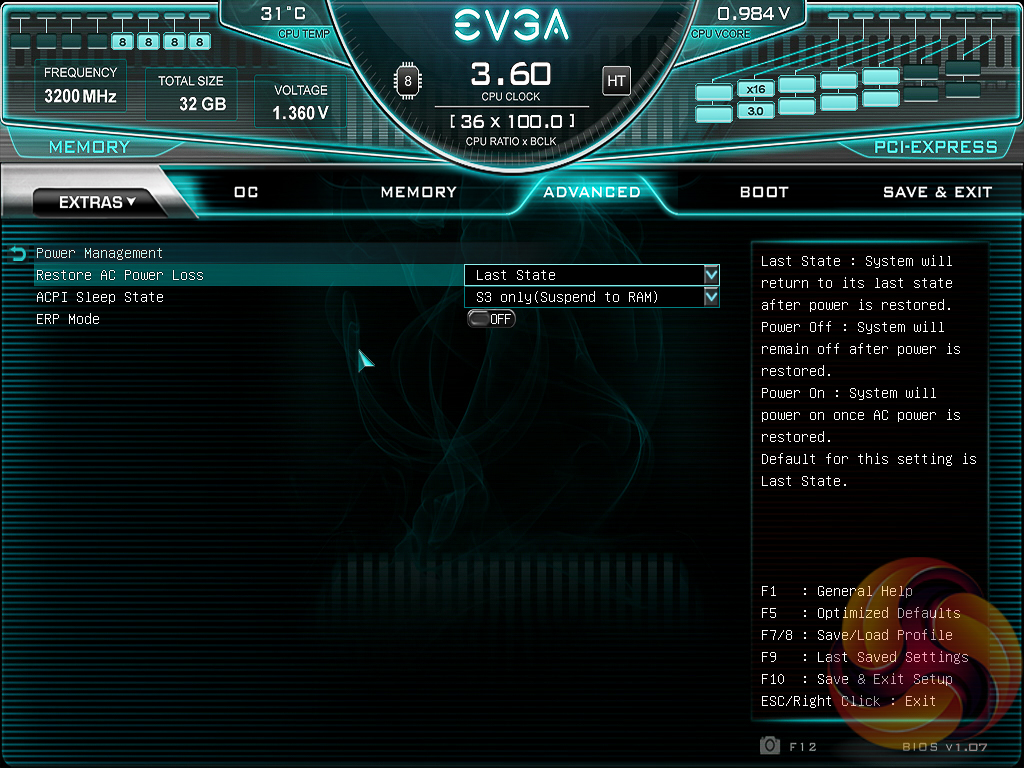
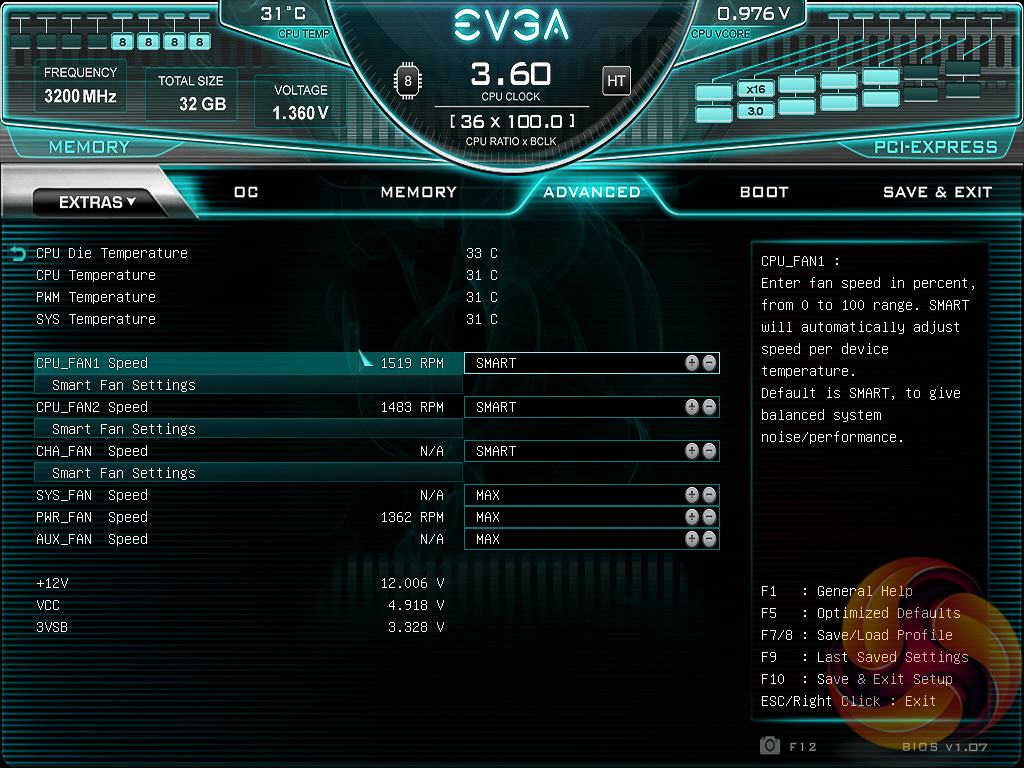
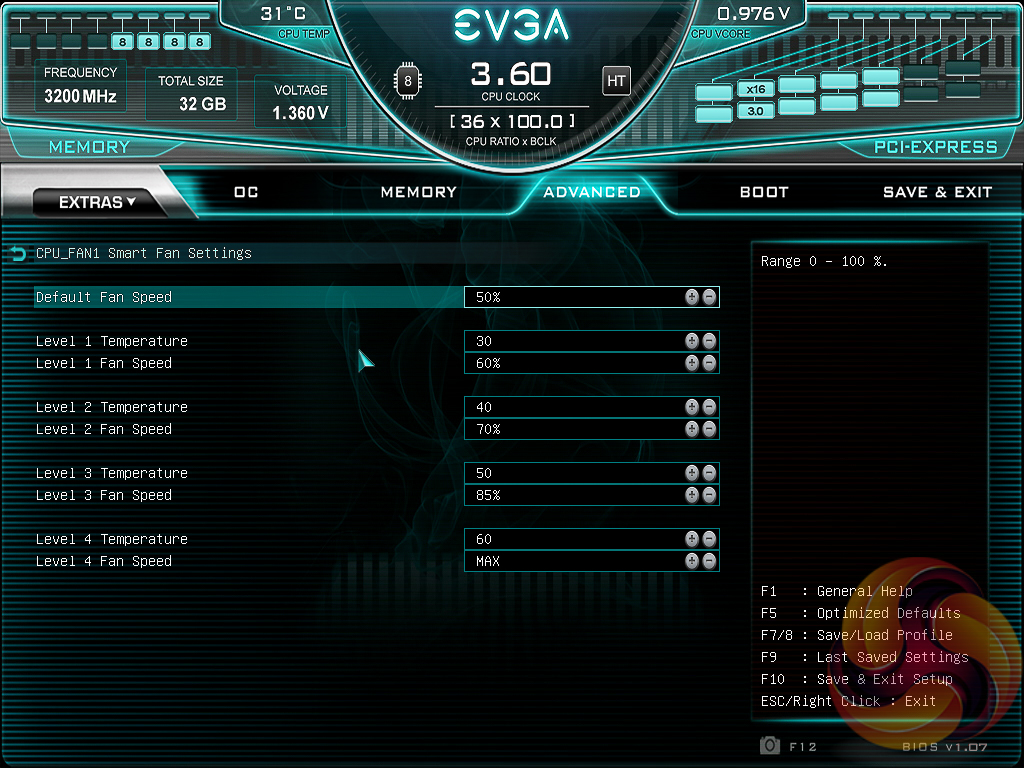
Fan control is done in the Advanced under H/W Monitor Configuration. The options available are to manually program a fan speed (i.e. 50%) or to set it to “SMART” mode. Once set to “SMART” the “Smart Fan Settings” will allow the user to configure five fan levels: the baseline level (default fan speed) and then four additional fan speeds that will be activated once the designated temperature thresholds are reached.
There is no fan tuning tool or GUI to assist with the process, which can make it a little tricky and tiresome.
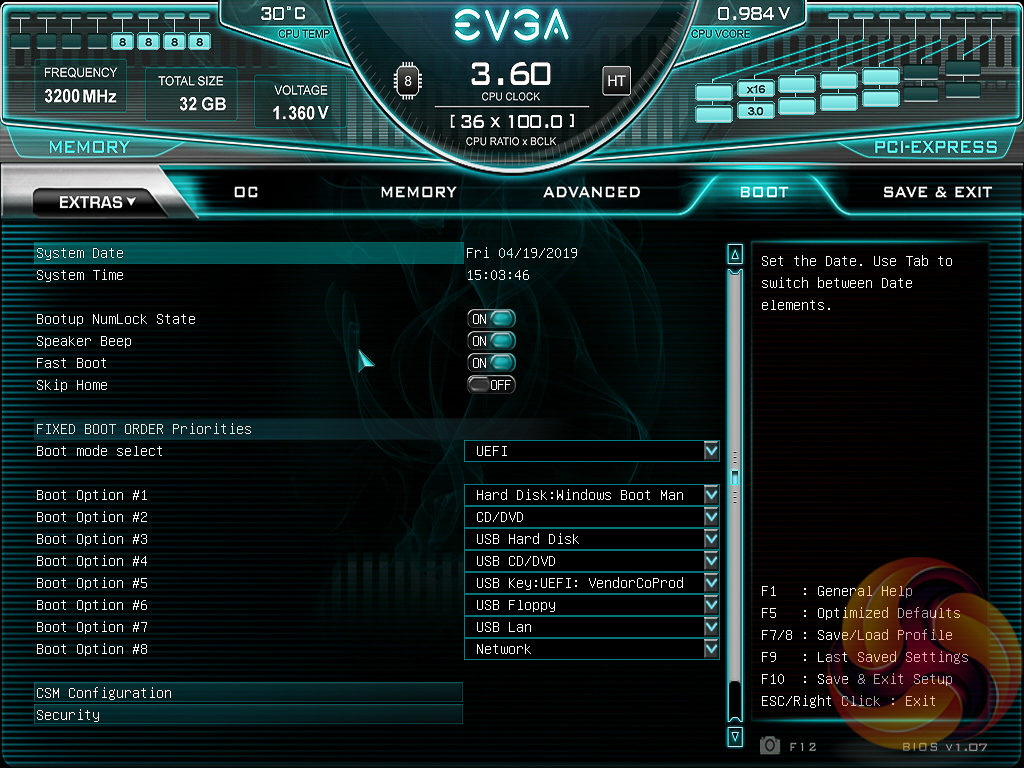
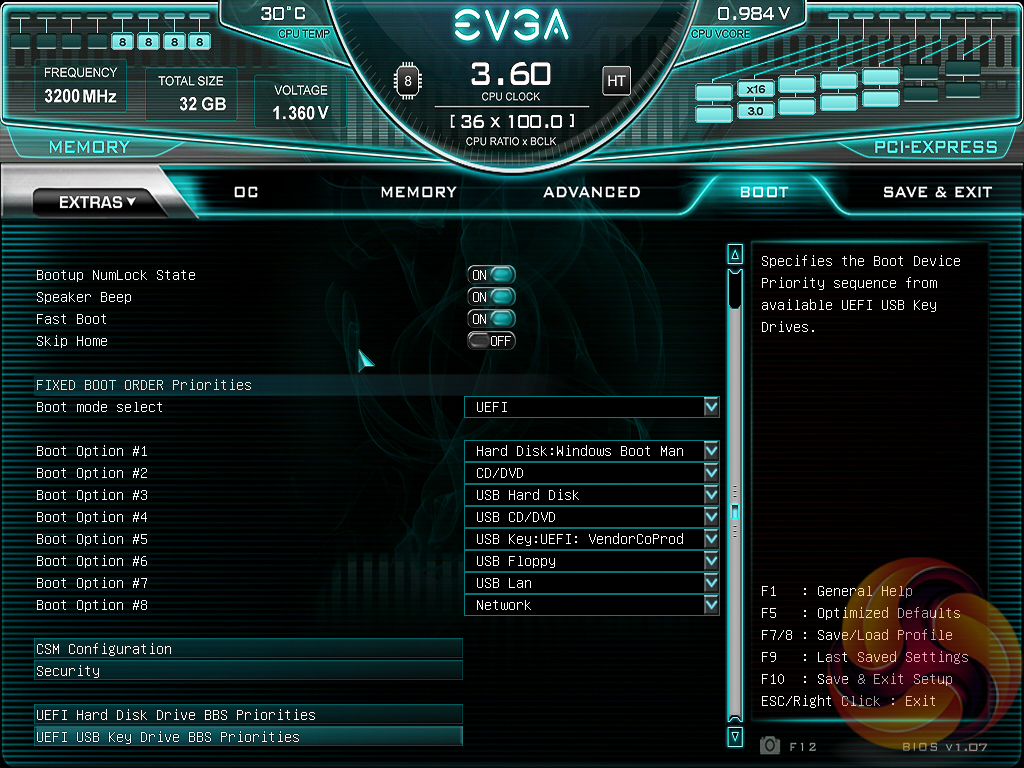
The Boot tab contains standard boot order and priority options.
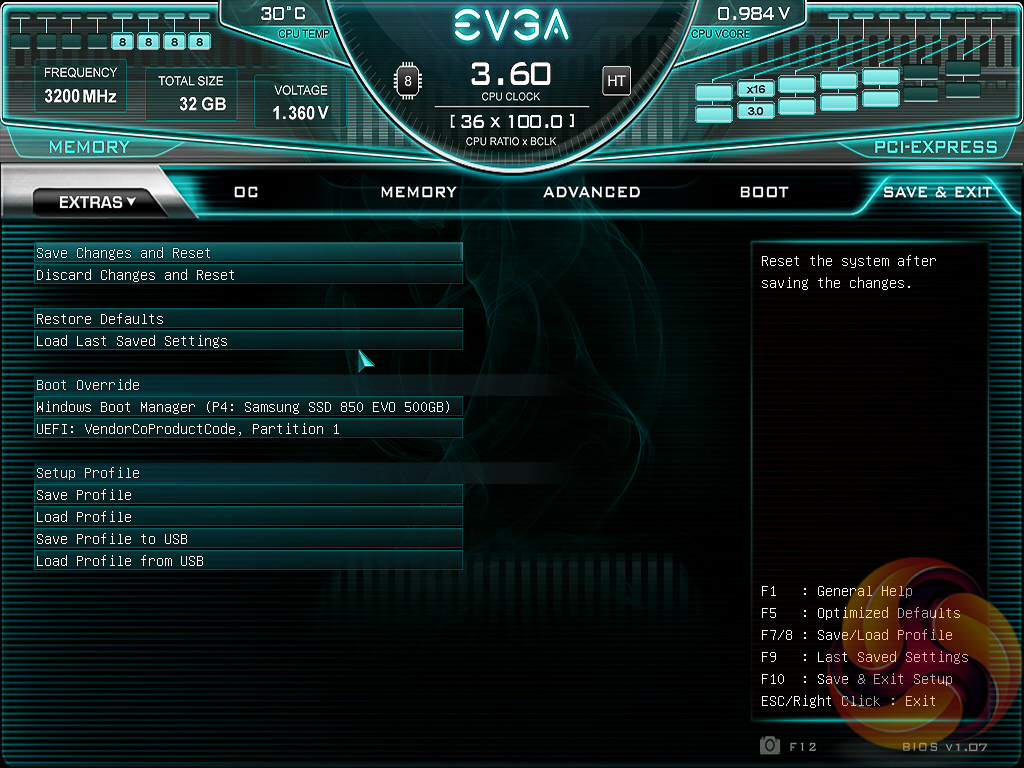
Save & Exit is exactly how it sounds, though it does also have Boot Override options. A summary of changes made to the BIOS settings is presented to the user upon exiting.
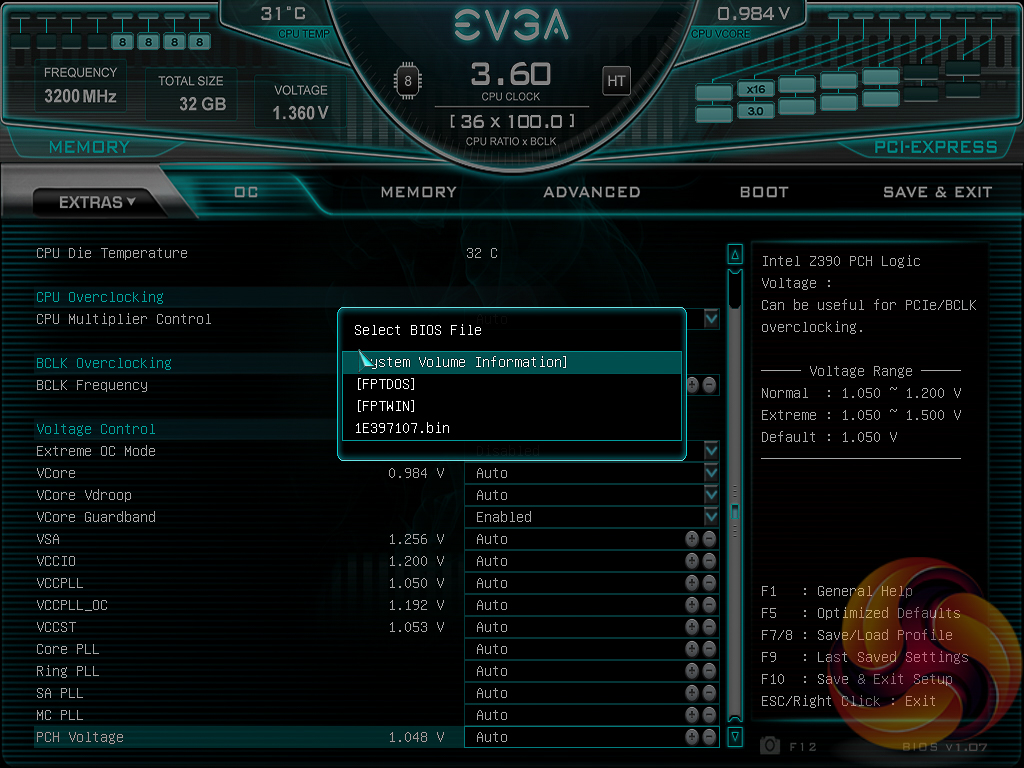
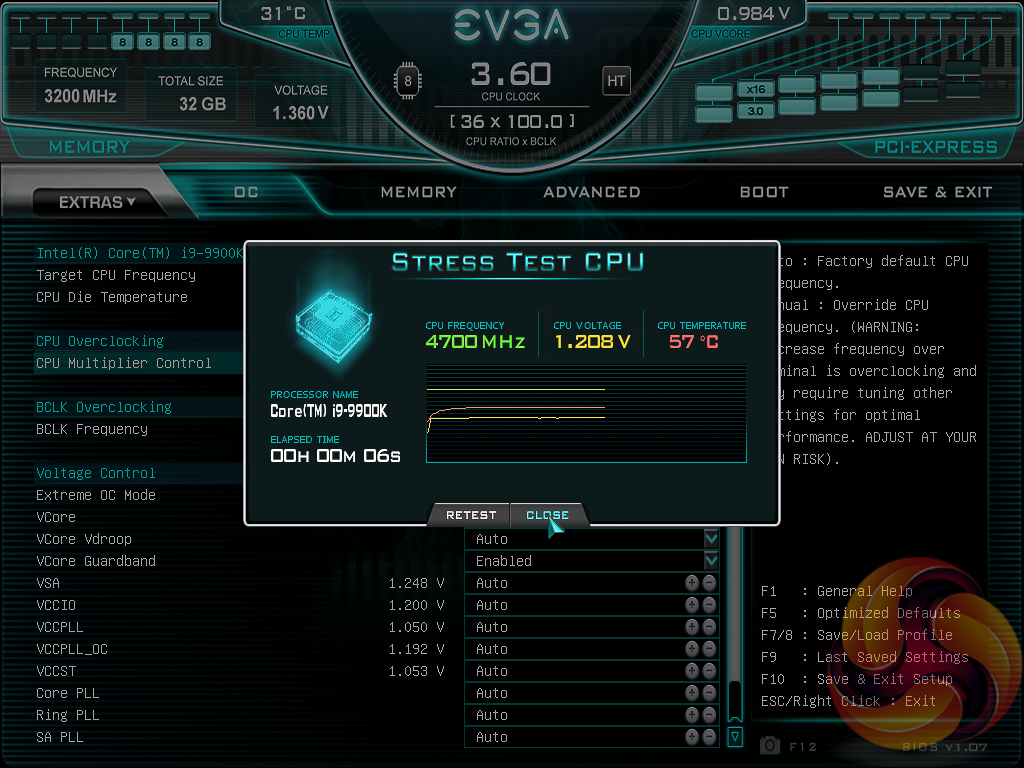
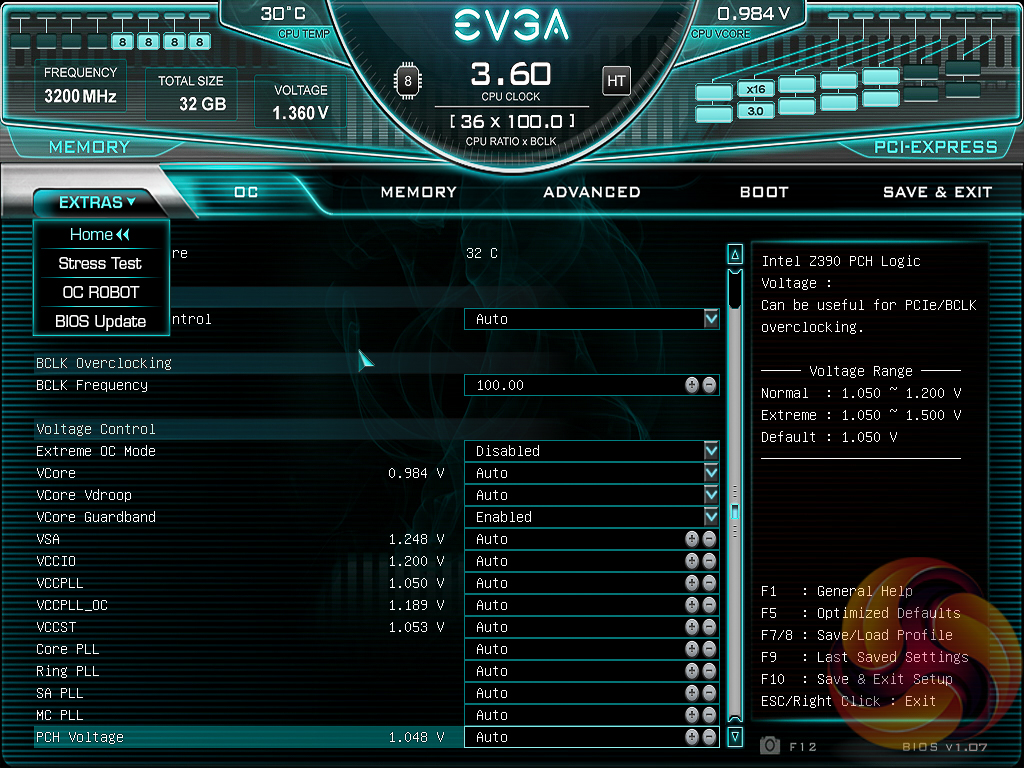
Under the “Extras” menu are three tools – a Stress Test for checking the stability of overclocks, the same OC Robot utility found on the landing page and a light-weight BIOS Update tool. This EVGA motherboard can update one of two ways – by the BIOS flashback USB port without any hardware installed (CPU, memory, etc.) or from a BIOS file on a USB stick accessed within the BIOS Update utility when there is a fully functioning system.
If you are unable to display some of the images on these pages, disable your ad blocker as it interferes with our gallery code.
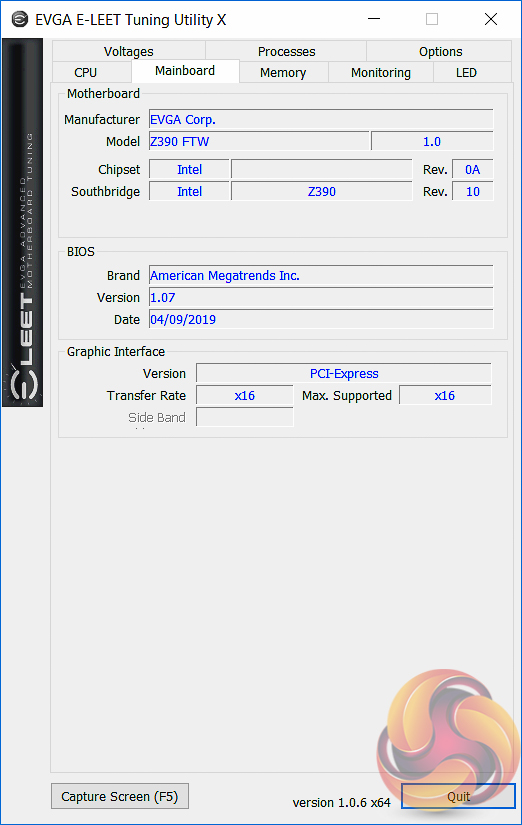
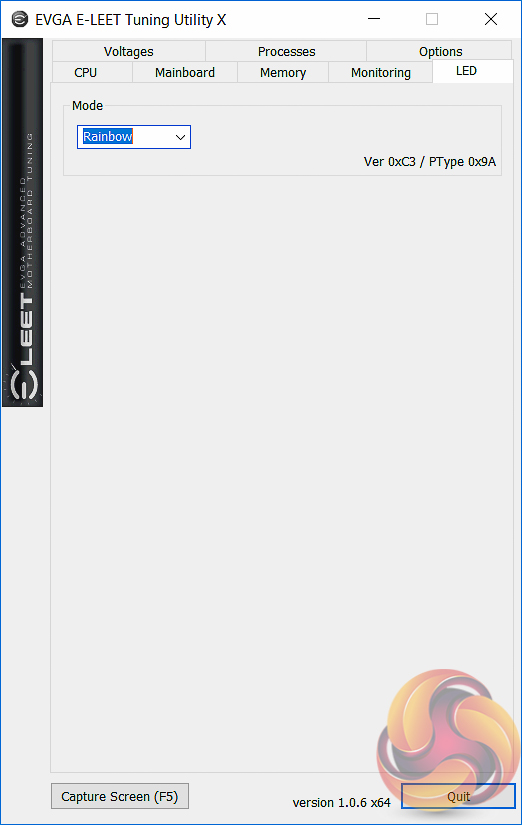
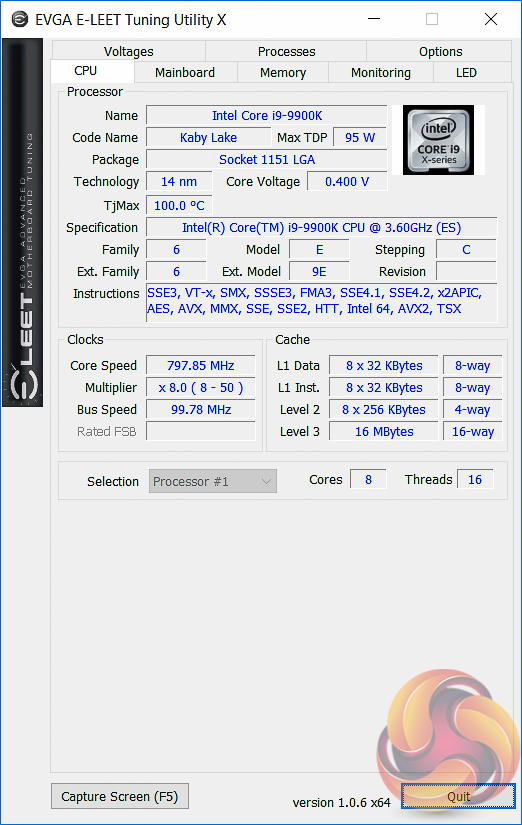
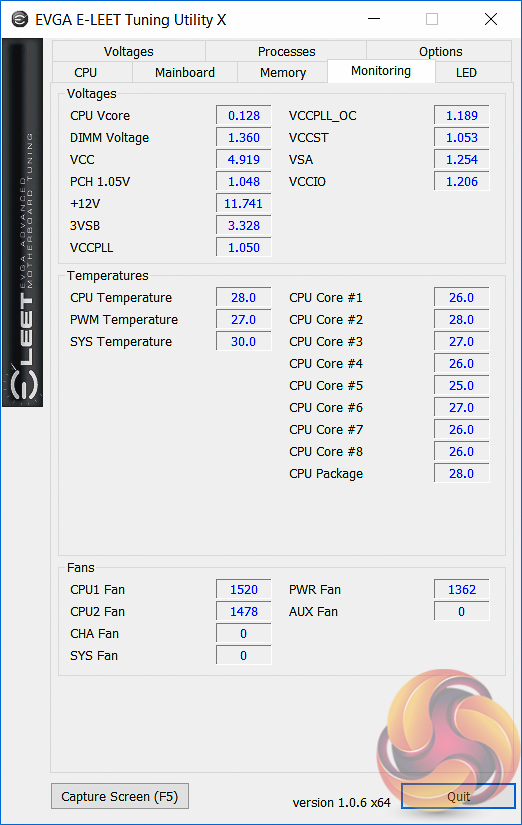
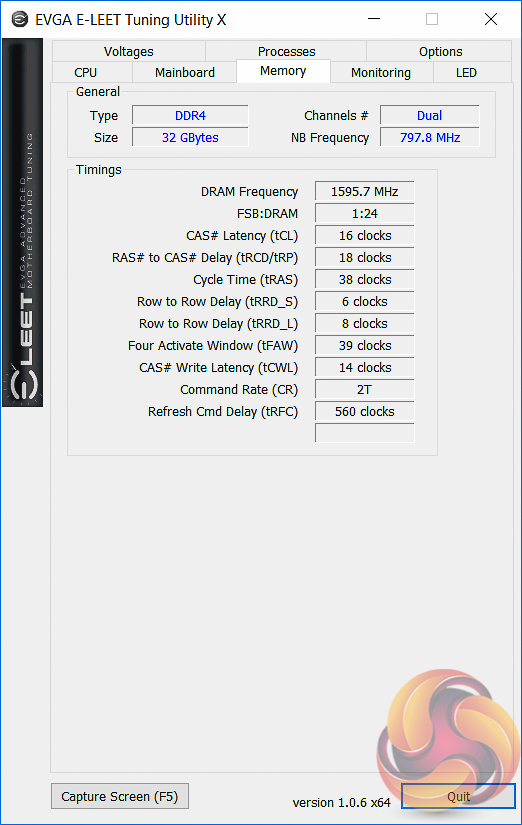
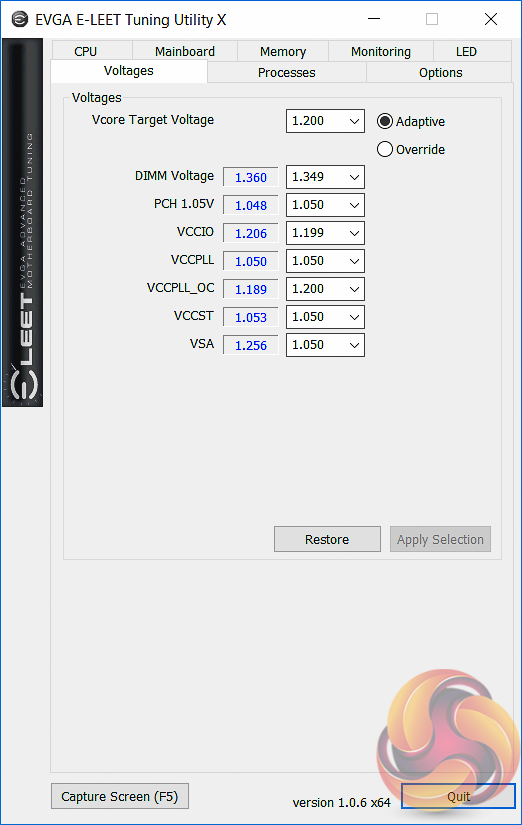
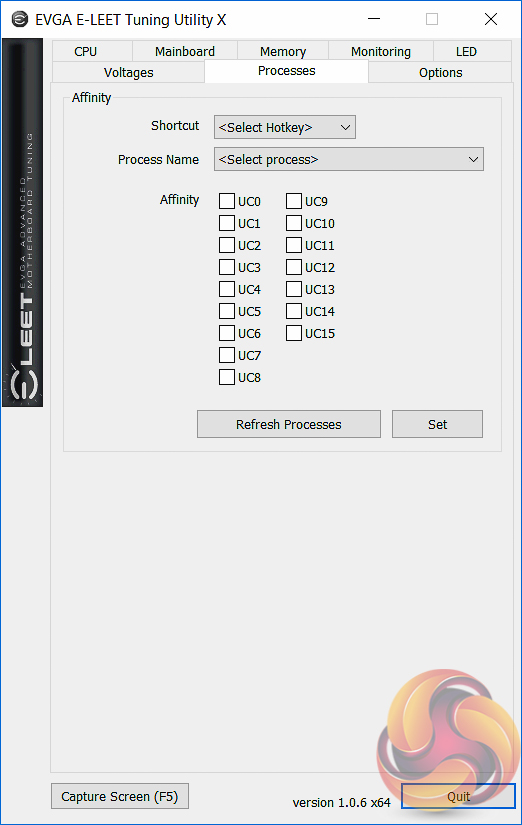
The E-LEET Tuning Utility X is the only notable software product with the Z390 FTW. This software utility allows for some on-the-fly voltage adjustments, monitoring information and lighting control for the optional RGB headers. Even so, the functionality as well as the design is at best basic, clearly software is not one of EVGA's strong points in motherboard design.
At the time of writing the software was only available on EVGA's American E-LEET microsite here, the EU microsite did not host a compatible version (1.0.6 or newer).
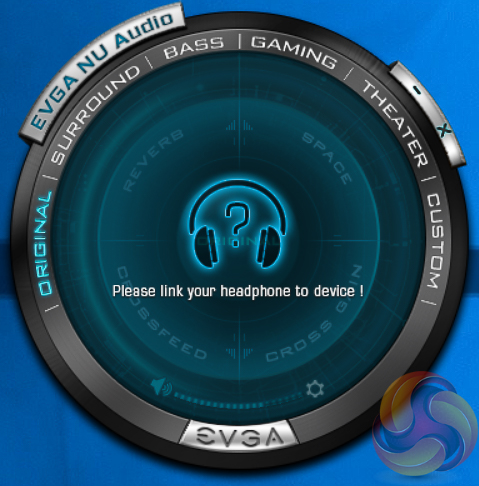
EVGA's “NU Audio” software is complementary to the onboard Realtek audio hardware and software. In short, it allows front-panel connected headphones to have software-Equalisation (EQ) profiles applied to them.
We will be outlining the EVGA Z390 FTW motherboard's performance with the Intel Core i9 9900K CPU, 32GB* of 3,200MHz** G.Skill Trident Z DDR4 memory and a Gigabyte GTX 1080 G1 Gaming.
*16GB for mini-ITX motherboards, 32GB for all other motherboards.
**B365 chipset is limited to 2,666MHz memory
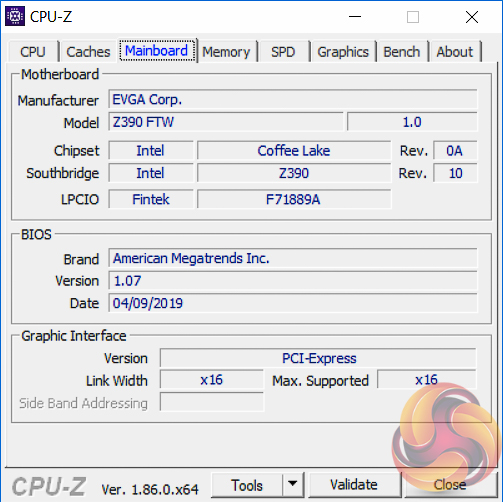
Motherboard Test System:
- Processor: Intel Core i9 9900K with Default Intel Turbo Behaviour where supported (varies depending on thermal and power conditions)
- Memory: 32GB (4x8GB*) G.Skill Trident Z XMP/DOCP/AMP (3,200MHz** 16-18-18-38 @ 1.35V), *2x8GB for mini-ITX motherboards
- Graphics Card: Gigabyte GeForce GTX 1080 G1 Gaming.
- System Drive: Samsung 850 EVO 500GB SSD
- CPU Cooler: Corsair H100i V2 with Two ML120 Pro Fans.
- Power Supply: Seasonic Platinum 760W SS-760XP.
- Operating System: Windows 10 Pro 64-bit
Comparison Motherboards:
- ASRock B365M Phantom Gaming 4
- ASRock Z390 Phantom Gaming 9
- ASUS ROG Strix Z390-E Gaming
- ASUS ROG Strix Z390-I Gaming
- EVGA Z390 FTW
- Supermicro SuperO C9Z390-CG-IW
Drivers and UEFI:
- Intel 10.1.17695.8086 chipset drivers
- Nvidia GeForce 416.34 VGA drivers
- EVGA UEFI v1.07 (12th April 2019)
Tests:
- Cinebench R15 – All-core CPU benchmark (CPU)
- SiSoft Sandra 2018.9.28.28 – Processor Arithmetic Test (CPU) and Memory Bandwidth Test (Memory)
- 7-Zip 18.05 x64 – Built-in 7-Zip benchmark test (CPU)
- AIDA64 Engineer 5.98.4800 – System cache & memory benchmark and stress test (Memory and Power Consumption)
- 3DMark v2.5.5029 64 & TimeSpy v1.1 – Time Spy (1440p) test (Gaming)
- Ashes of the Singularity: Escalation – Built-in benchmark tool CPU-Focused test, 1920 x 1080, Extreme quality preset, DX12 mode (Gaming)
- Deus Ex: Mankind Divided – Built-in benchmark tool, 1920 x 1080, Ultra quality preset, DX12 mode (Gaming)
- ATTO 3.05 – M.2, USB 3.0, USB 3.1, and SATA 6Gbps transfer rates (Motherboard)
- Rightmark Audio Analyzer 6.4.5 – Record and playback test using a line-in to line-out loopback with a 3.5mm audio cable (Motherboard)
- HWiNFO 5.91.3560 – System sensor monitoring during stress test (Power Consumption)
- Cybenetics Powenetics v2.2.0.0 – 12v EPS monitoring during stress test (Power Consumption)
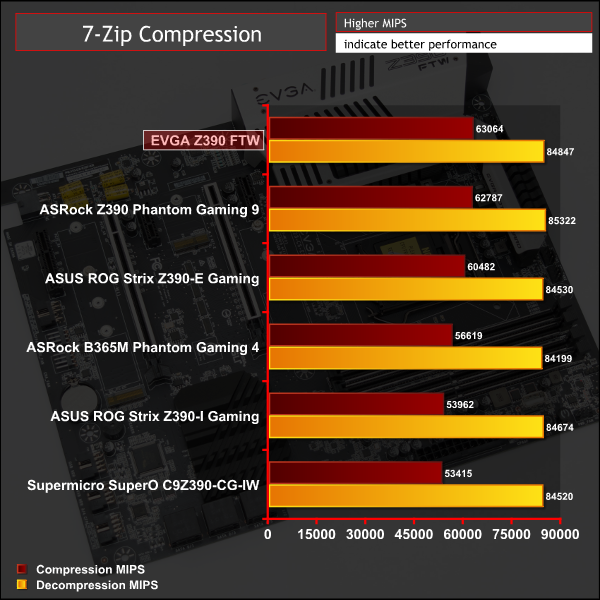
7-Zip
7-Zip is an open source Windows utility for manipulating archives. We measure the Total Rating performance using the built-in benchmark tool. The test stresses all CPU cores to 100% and shows an affinity for memory bandwidth.
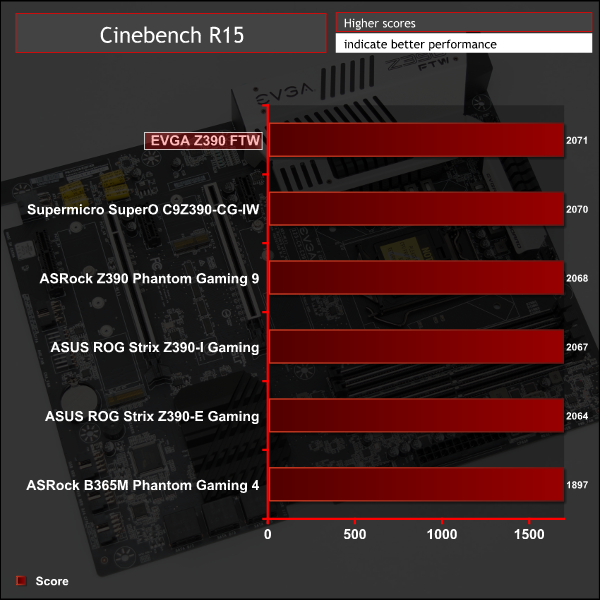
Cinebench R15
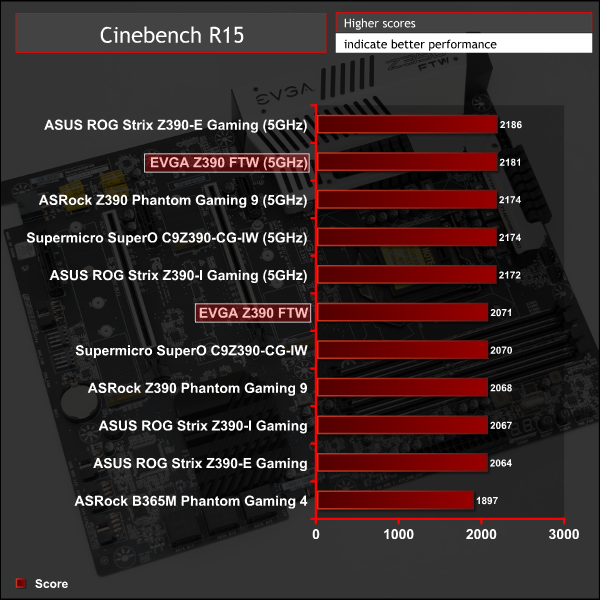
Cinebench is an application which renders a photorealistic 3D scene to benchmark a computer’s rendering performance, on one CPU core, all CPU cores or using the GPU. We run the test using the all core CPU mode.
Sandra Processor Arithmetic
SiSoft Sandra 2018 is a multi-function utility program that supports remote analysis, benchmarking and diagnostic features for PCs, servers, mobile devices and networks. We run the application’s processor arithmetic test to gauge the CPU performance on each tested motherboard.
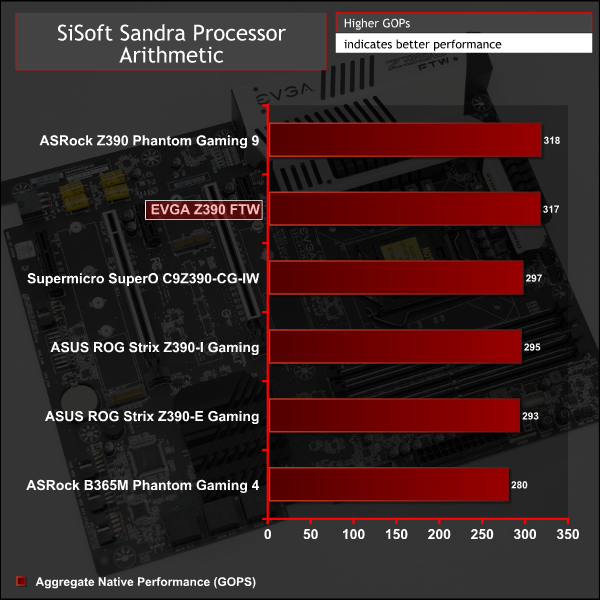
CPU performance is variable between the motherboards which respect Intel's Turbo Specifications and those that do not (the ASRock Z390 Phantom Gaming 9 and EVGA Z390 FTW).
EVGA has tweaked the Turbo settings to ensure the CPU perpetually runs at maximum Turbo frequency, 4.6~4.7GHz (depending on the workload), at the expense of power consumption. In shorter benchmarks, like 7Zip and Cinebench, it isn’t so noticeable because even CPUs following Intel's default Turbo specifications will ramp up to 4.7GHz for a short while (about 32 seconds) but in longer tests, such as SiSoft Sandra 2018 Processor Arithmetic, it is obvious which motherboards extend that Turbo duration indefinitely.
For a rough guide of how CPU performance compares to other platforms please see our most recent reviews for the following platforms:
B450/X470 (Ryzen 7 2700)
Z370 (Intel Core i7 8700K)
X299 (Intel Core i9 7900X)
Please note software and driver versions have changed hence why we caution that results are not directly comparable.
AIDA64 Engineer
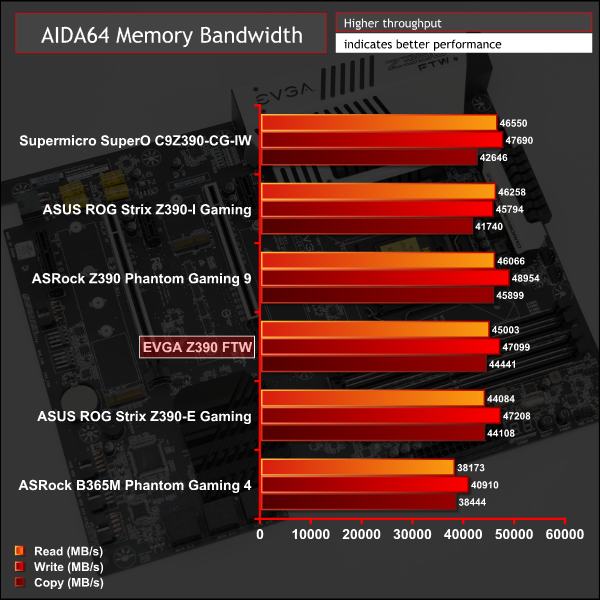
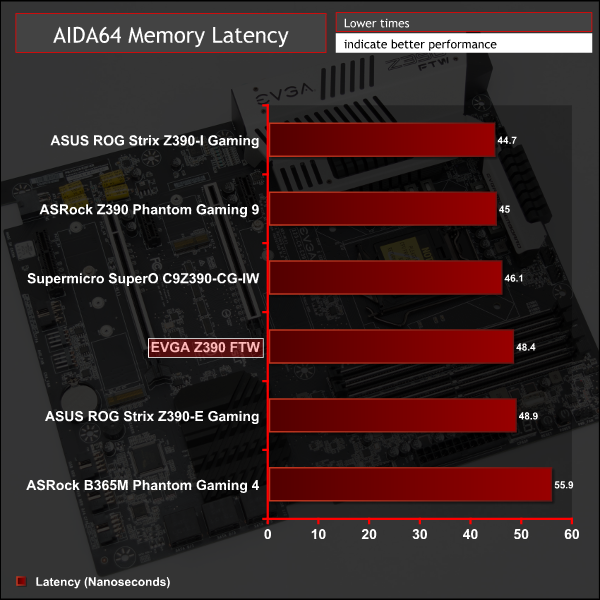
AIDA64 Engineer is a multi-featured software suite for diagnostics, stress testing, benchmarking, software auditing and various other measurement parameters. We use AIDA64 Engineer to benchmark memory throughput and latency.
Sandra Memory Bandwidth
SiSoft Sandra 2018 is a multi-function utility program that supports remote analysis, benchmarking and diagnostic features for PCs, servers, mobile devices and networks. We use the SiSoft Sandra memory bandwidth test to provide a set of memory bandwidth results.
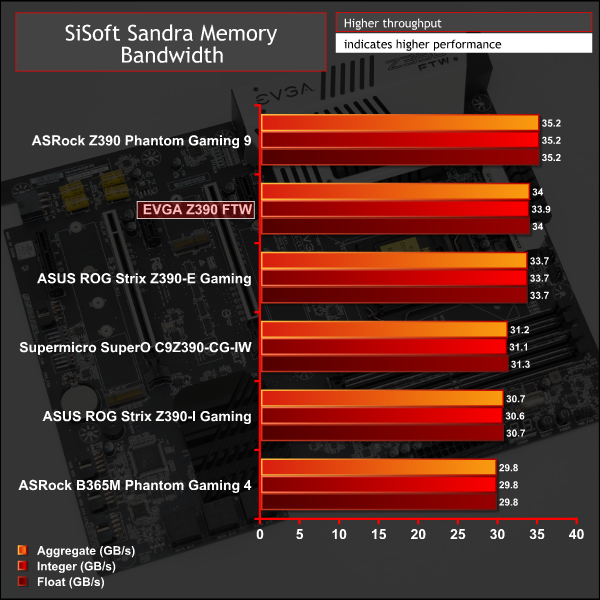
Memory performance on the EVGA Z390 FTW is fairly typical of an ATX Z390 motherboard.
For a rough guide of how memory performance compares to other platforms please see our most recent reviews for the following platforms:
B450/X470 (Ryzen 7 2700)
Z370 (Intel Core i7 8700K)
X299 (Intel Core i9 7900X)
Please note software and driver versions have changed hence why we caution that results are not directly comparable.
3DMark
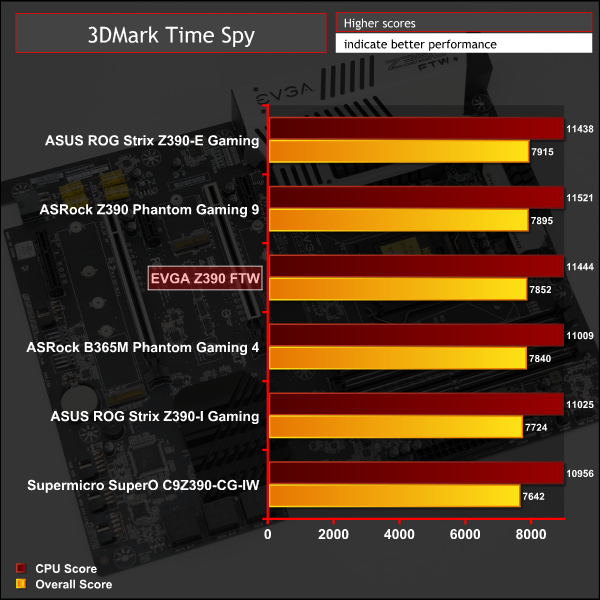
3DMark is a multi-platform hardware benchmark designed to test varying resolutions and detail levels of 3D gaming performance. We run the Windows platform test and in particular the Time Spy benchmark, which is indicative of high-end 1440p PC Gaming.
Ashes of the Singularity: Escalation
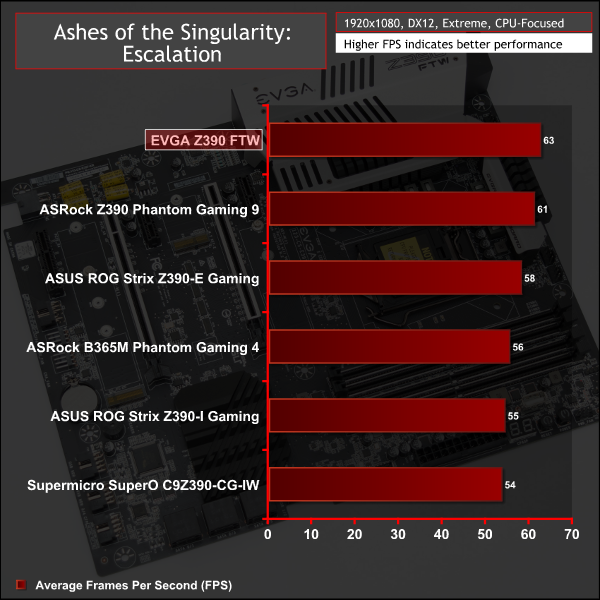
Ashes of the Singularity: Escalation is a Sci-Fi real-time strategy game built for the PC platform. The game includes a built-in benchmark tool and was one of the first available DirectX 12 benchmarks. We run the CPU-focused benchmark using DirectX 12, a 1080p resolution and the Extreme quality preset.
Deus Ex: Mankind Divided
Deus Ex: Mankind Divided is an action role-playing stealth video game released in August 2016. A built-in benchmark utility is included and we test using the Ultra quality preset and the DirectX 12 API at a 1080p resolution.
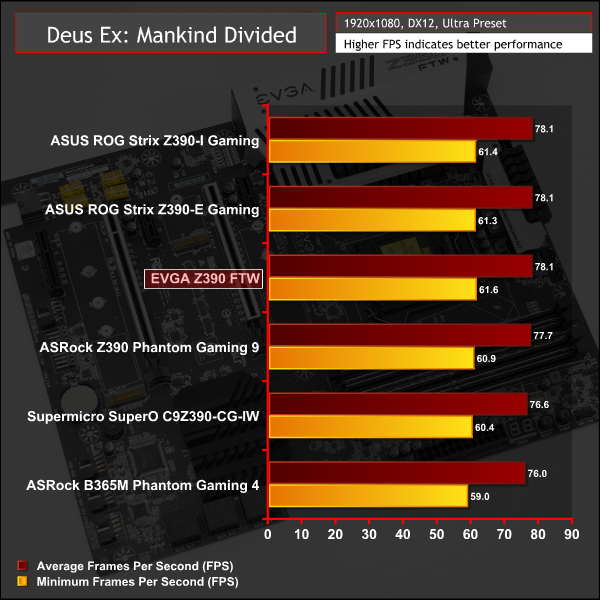
Gaming performance is towards the top of the pack assisted by EVGA's decision to ignore Intel stock specification on Turbo behaviour, which results in enhanced CPU performance.
For a rough guide of how gaming performance compares to other platforms please see our most recent reviews for the following platforms:
B450/X470 (Ryzen 7 2700)
Z370 (Intel Core i7 8700K)
X299 (Intel Core i9 7900X)
Please note software and driver versions have changed hence why we caution that results are not directly comparable.
ATTO Disk Benchmark
The ATTO disk benchmark is a Windows-based utility for testing storage performance of any storage drive or controller. We use the default benchmark setup.
M.2 PCIe Performance
For M.2 testing we use a Toshiba OCZ RD400 256GB M.2 PCIe NVMe SSD.
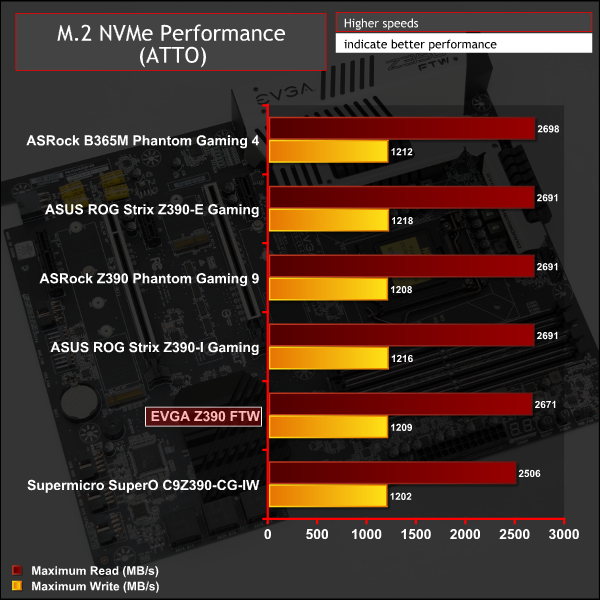
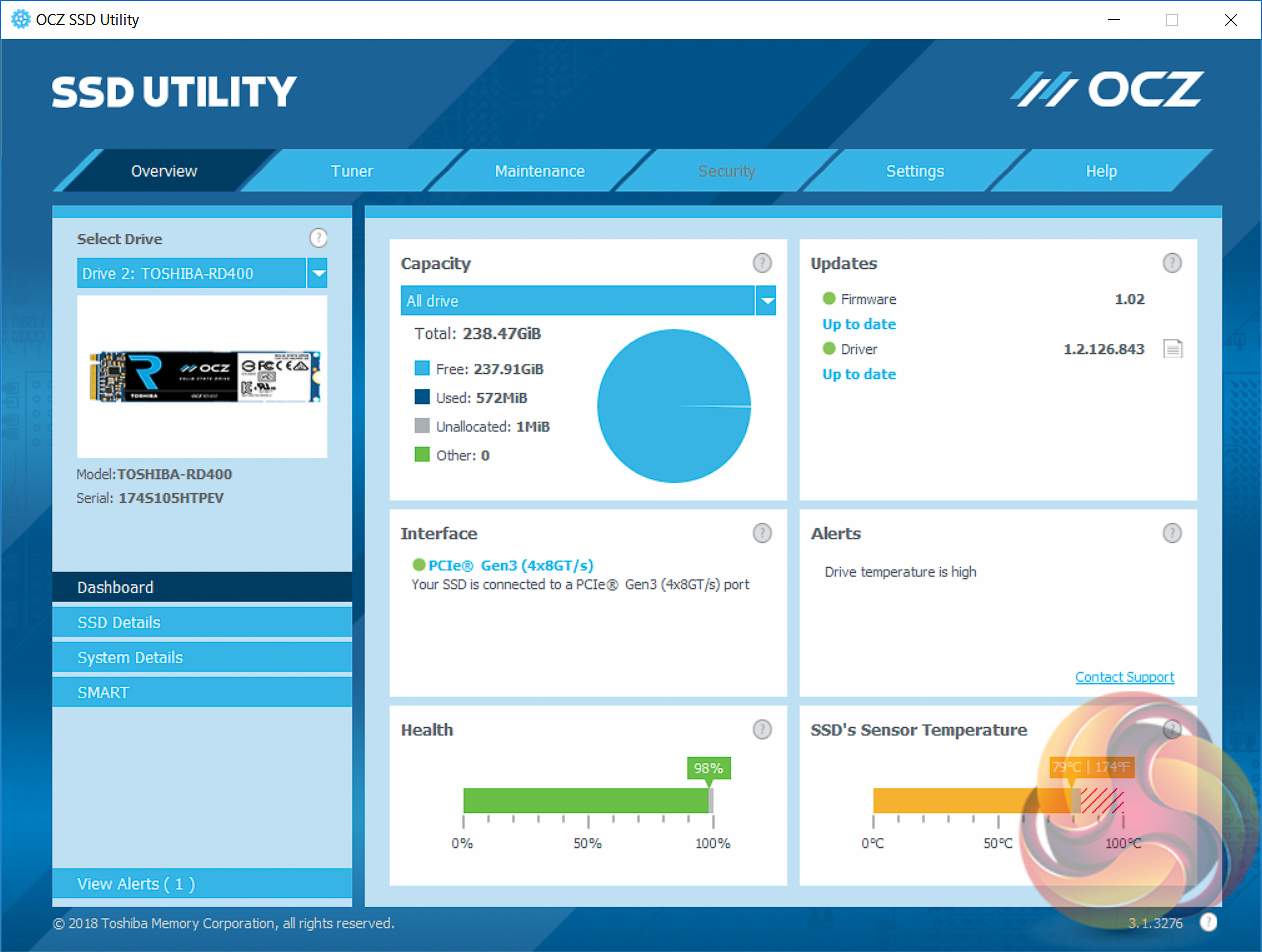
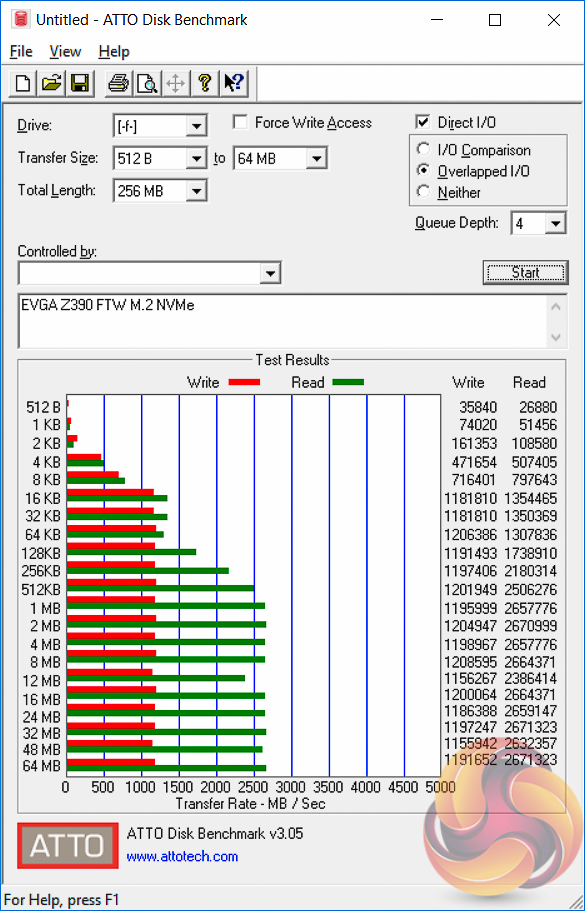
M.2 performance was standard fare but the cooling is very limited. EVGA provides “thermal pads” but since these have not heatsink to transfer heat into, they make minimal difference to temperatures and the M.2 drives will eventually throttle unless third party cooling, or significant airflow, is added.
USB Performance
We test USB 3.0 and 3.1 performance using a pair of Transcend SSD370S 512GB SSDs in RAID 0 connected to an RaidSonic Icy Box RD2253-U31 2-bay USB 3.1 enclosure powered by an ASMedia ASM1352R controller.
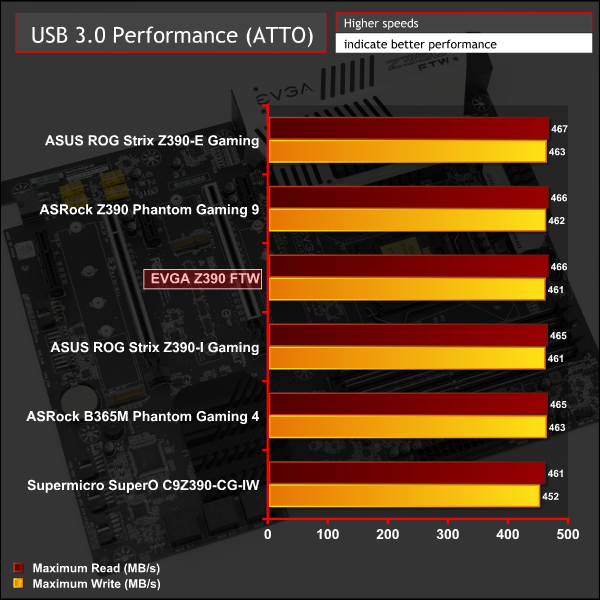
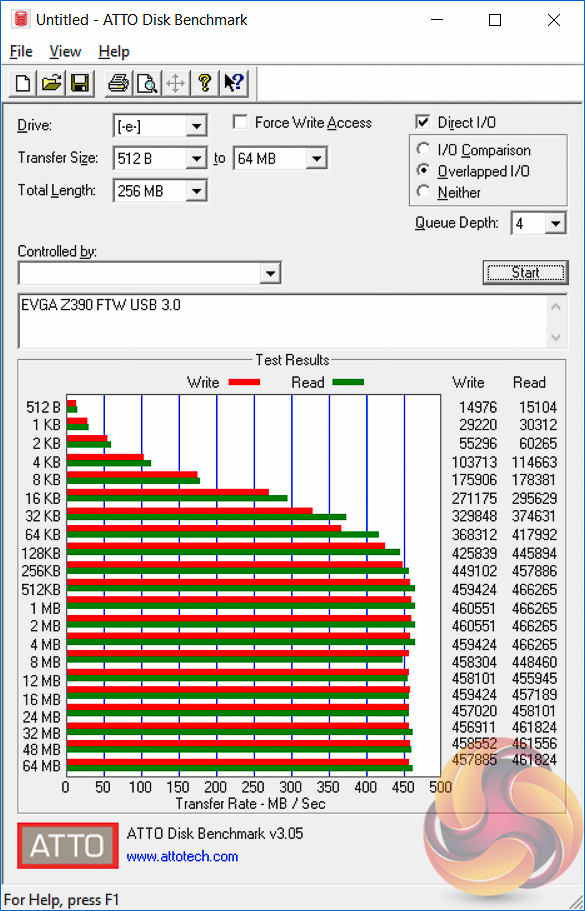
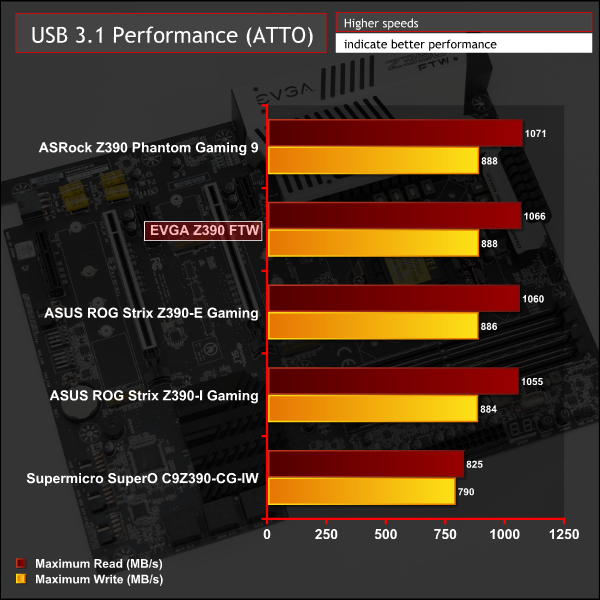
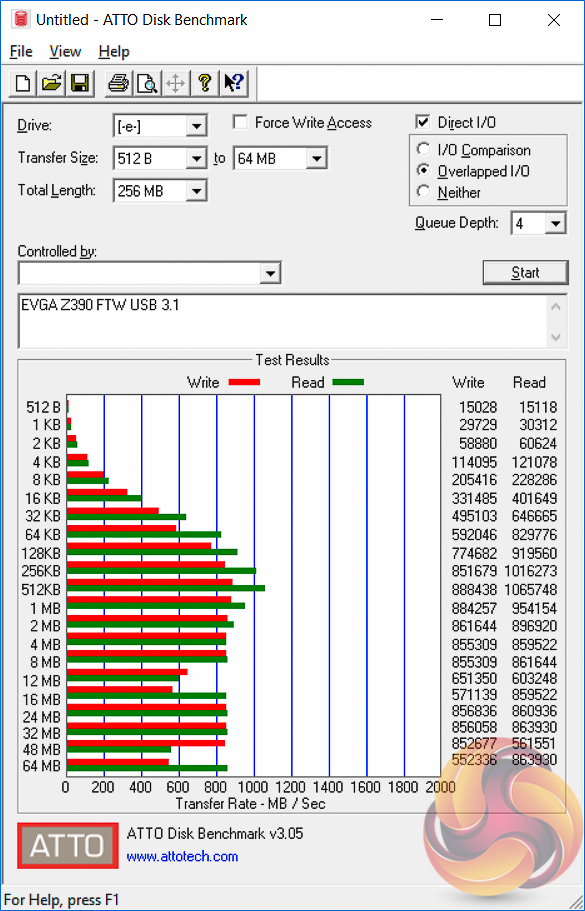
USB 3.0 and 3.1 performance was standard fare.
SATA III 6Gbps Performance
For SATA 6Gbps testing we use an OCZ Trion 150 480GB SSD.
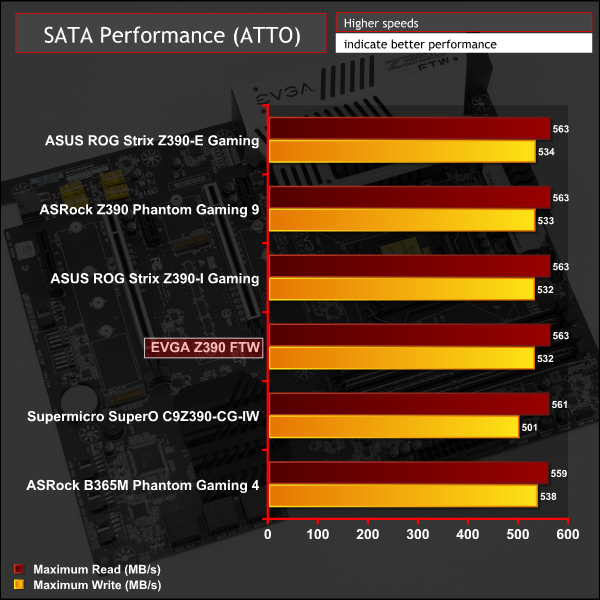
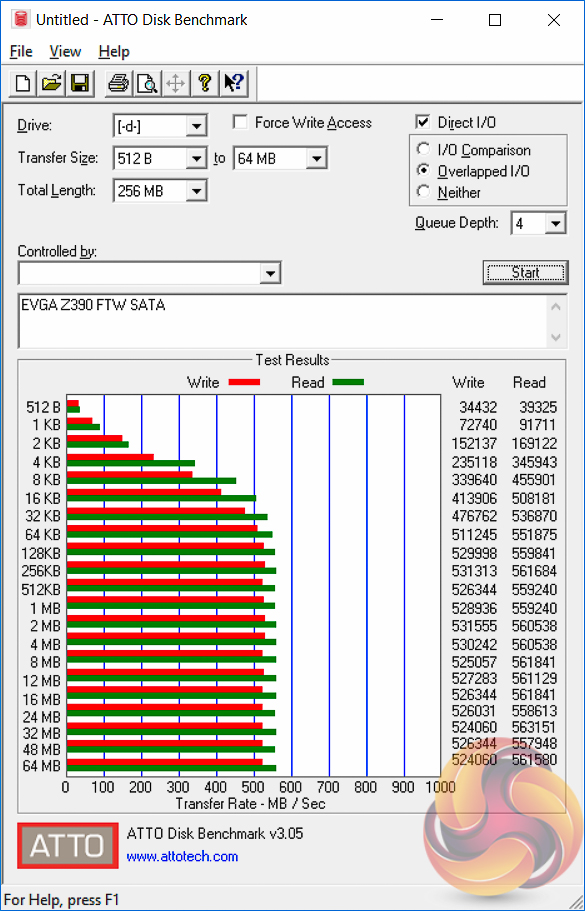
SATA performance was equally standard.
Audio
Rightmark Audio Analyser is a freeware benchmarking utility designed to objectively test the performance characteristics of audio solutions. We setup a line-in line-out loop and execute the record/playback test before generating the results report you see below. A sampling mode of 24-bit, 192 kHz is tested where available. If unavailable the closest alternative operating mode available is used and clearly marked.
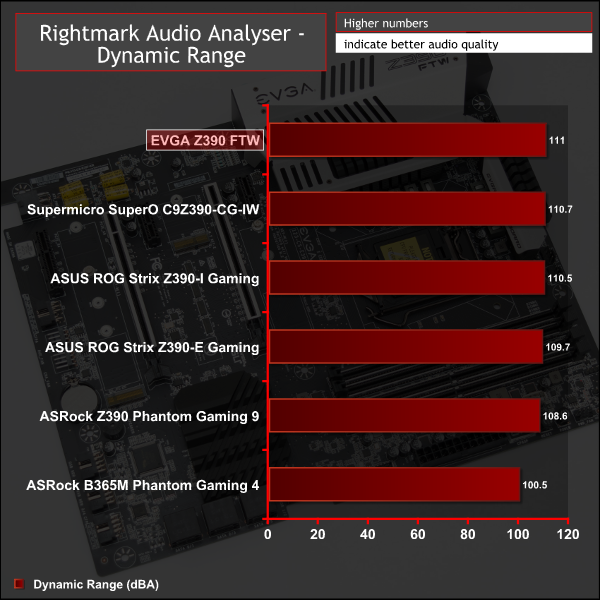

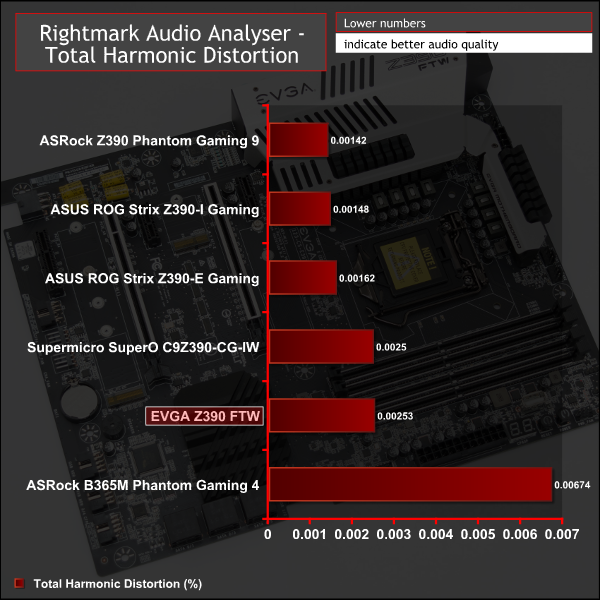
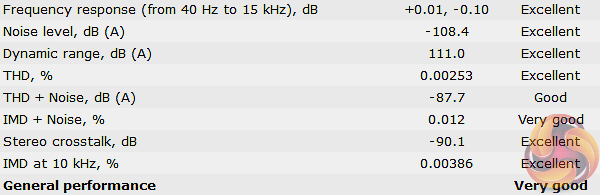
The audio performance was generally very good and EVGA does well to exploit the full capability of the Realtek ALC1220 codec.
Manual CPU Overclocking:
To test the EVGA Z390 FTW motherboard’s CPU overclocking potential, we set the CPU core voltage no higher than 1.3V and push for the highest stable clock speed. We maintain the DRAM frequency at 3200MHz to take memory stability out of the overclocking equation.
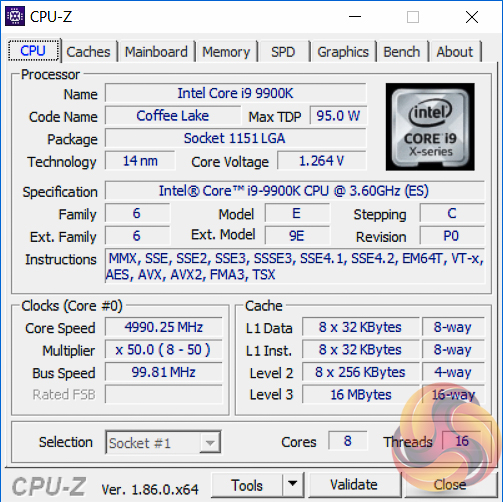
Our particular CPU is not stable at 5.1GHz even with 1.45v. The final stable overclock for almost all Z390 motherboards we may test should be 5GHz, unless there is something particularly wrong with the VRM that limits the voltage or power it can supply. In the case of the EVGA Z390 FTW it achieved 5GHz at 1.28 volts with no significant issues.
Motherboard Sensors
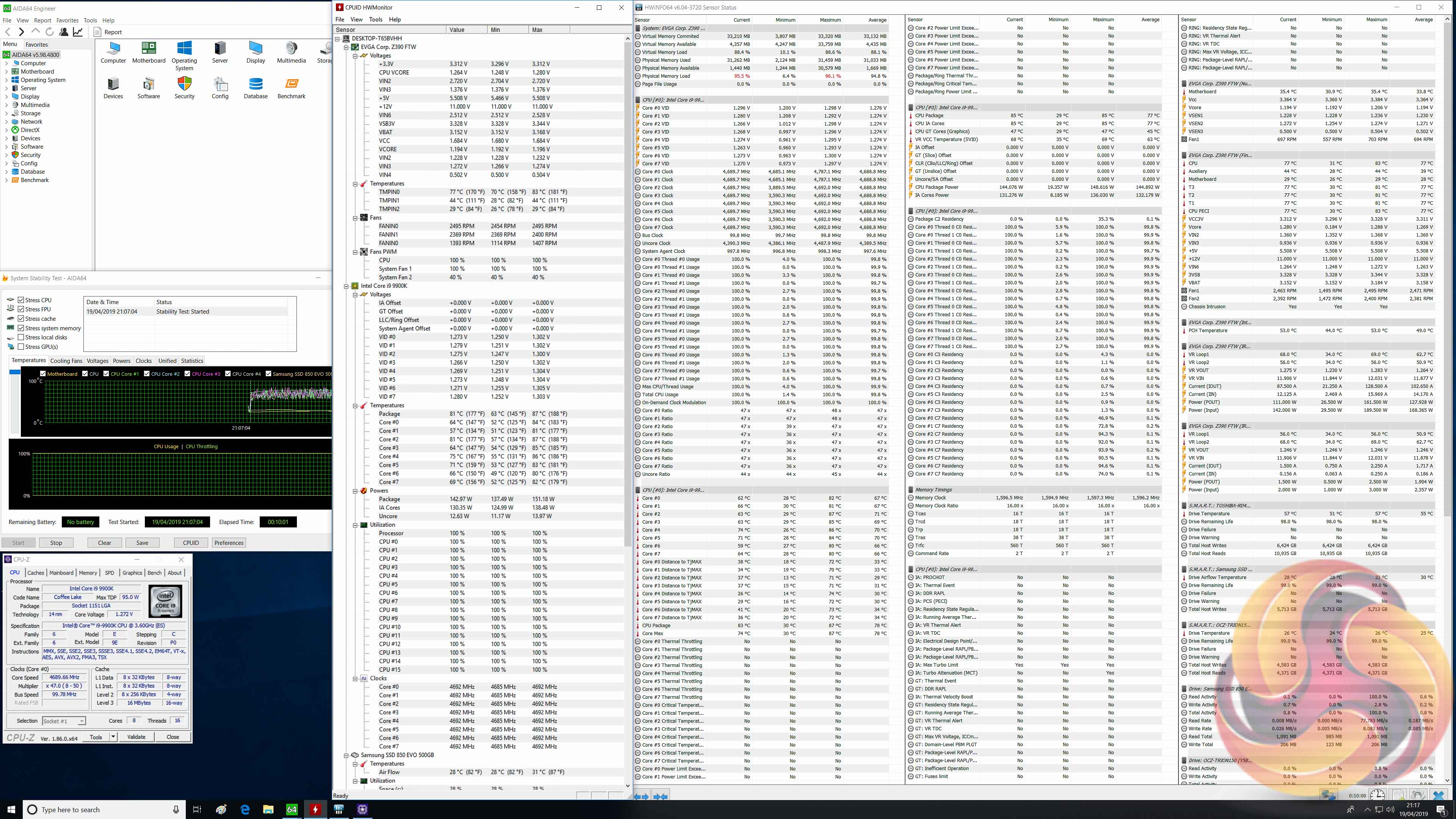
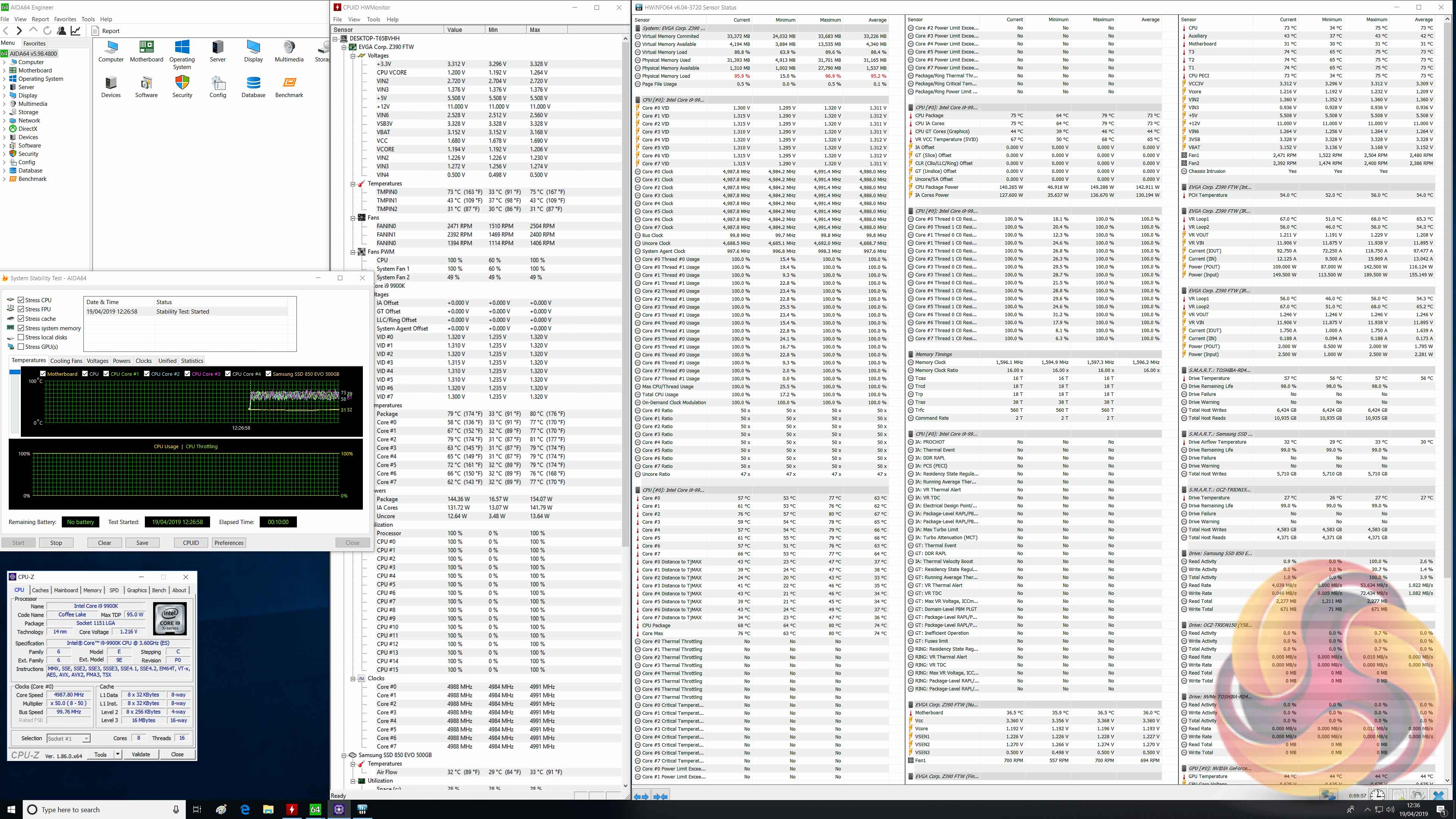
EVGA provides VRM sensors with the Z390 FTW which enabled us to observe that the VRM temperatures did not reach 70 degrees Celsius during testing, which is very respectable.
The VRM sensors also provide power input and output statistics which, if they are to be believed, imply the VRM is only operating at about 75 per cent efficiency – 168-watts in and 128-watts out at stock, 155 watts-in and 116-watts out at our overclocked load settings.
Overclocked Performance
System Power Consumption
We leave the system to idle on the Windows 10 desktop for 10 minutes before taking a reading. For CPU load results we run AIDA64 CPU, FPU, Cache and Memory stress tests and take a reading after 10 minutes. The power consumption of our entire test system (at the wall) is shown in the chart.
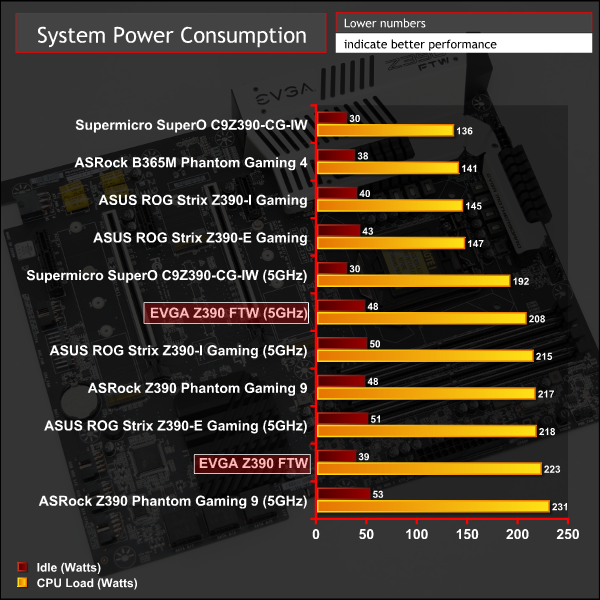
CPU power consumption actually fell during overclocking, which is corroborated by the sensor data above.
12-volt EPS Power Consumption
During the 10-minute stress test as specified above, we record the direct CPU power consumption drawn through the EPS 8-pin socket using modified EPS 8-pin cables that have a Tinkerforge Voltage/Current 1.0 bricklet intercepting and monitoring the power flow from the power supply. That bricklet then reports its data to a Tinkerforge Master Brick. All the data collected by the Tinkerforge Master Brick is passed into an external laptop over a USB connection and analysed in the Cybenetics Powenetics Project software.
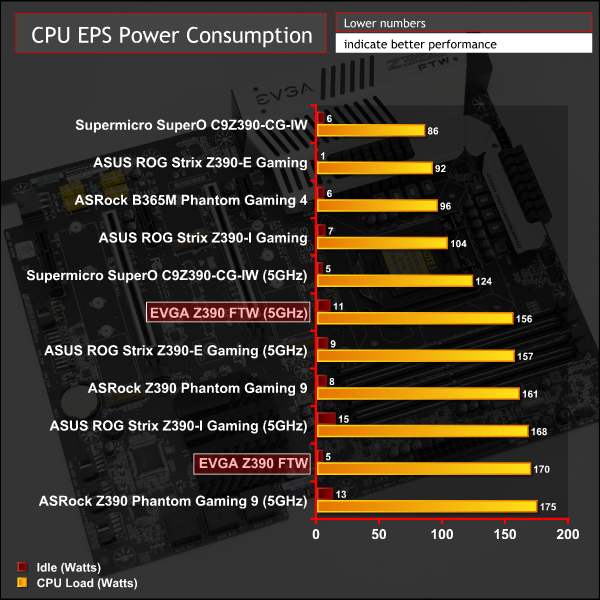
Similarly, power consumption measured at the 8pin EPS connector showed a similar drop when overclocking.
The one peculiarity is that the “VID” and “VCore” both increased when overclocking, compared to stock, yet power consumption decreased for the CPU as a whole. It is not immediately clear what explains this irregularity but either way the “optimised defaults” setup is clearly not optimal when it comes to the balance between performance and power consumption.
In a market where motherboard manufacturers compete fiercely to provide more connectivity and features than rivals, EVGA has adopted a different approach with the Z390 FTW.
The design ethos for the Z390 FTW is overclocking-centric with features like onboard diagnostic and power/reset buttons, an 8 phase VCore VRM provided by International Rectifier components, an in-BIOS CPU stress test and automated OC Robot overclocking utility.
For overclocking it is a pleasant motherboard to use with a straight forward UEFI design and relative simplicity to get results. The VRM for the CPU VCore is comprised of well-regarded components and EVGA has thought carefully about the cooling, providing 4 VCore phases to each of the heatsinks. The provision of VRM sensor information to let users monitor VRM performance is also a nice touch.
Yet even for overclocking our testing showed results that were broadly identical to most other Z390 motherboards, leading us to conclude that the CPU will still be the limiting factor for most users. Initially it seemed like the Z390 FTW would perform better as the OC Robot tool returned a 5.2GHz result, yet this configuration did not post…neither did it post at 5.1GHz with the same voltage, leaving us doubting the efficacy of the OC Robot utility.
The UEFI also omitted important settings for overclockers such as Power Limit settings and the VCore Vdroop settings provided in-place of Load Line Calibration (LLC) were not as granular or intuitive to control as on other motherboards.
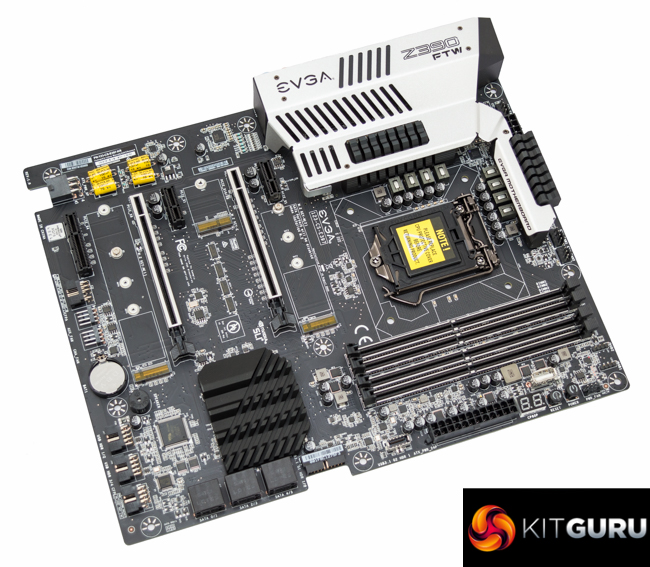
Overall connectivity is ample for most users with four USB 3.1 10Gbps ports, dual M.2, dual 12v G R B headers, an M.2 WiFi slot and full 7.1 channel audio.
Yet given the price point the average consumer can be forgiven for expecting more. Some of the nice-to-have features might have included; Integrated USB Type-C, onboard RGB lighting, M.2 heatsinks, onboard WiFi, dual LAN, support for integrated graphics (for application iGPU acceleration), heatpipe cooling or diagnostic LEDs.
Many of those omitted features might seem like an unreasonable ask yet rival motherboards at a similar price point, such as the ASRock Z390 Taichi or Gigabyte Z390 Aorus Ultra, offer most of the above features and with fewer compromises overall.
On the whole the EVGA Z390 FTW is worth considering for consumers with a preference towards the EVGA brand or seeking something that is different from the crowd, with more personality. In its own right the EVGA Z390 FTW is a good motherboard that will meet the expectations of most prospective buyers who want to game and overclock their system.
The EVGA Z390 FTW has a retail price of €249.99 (£220) in Europe at EVGA's own website and is sold with a 3 year warranty.
In the USA it can be had for $229.99 at EVGA's own website and has a 3 year warranty.
Pros:
- CPU VRM equally split across two heatsinks and with temperature monitoring
- High quality 8-phase CPU VRM
- Onboard diagnostic code reader and buttons
- Ample USB and storage connectivity
- 12v RGB expansion headers
- High quality audio
- USB BIOS flashback utility works without CPU installed
- Drivers provided on USB stick (not CD/DVD)
Cons:
- Disregard for Intel's stock Turbo specification
- No M.2 cooling
- Absence of onboard RGB lighting
- Integrated graphics not supported
- No power limit settings available in BIOS
- Very basic software functionality
- Limited retail availability
- USB Type-C only via header
KitGuru says: EVGA's Z390 FTW is a novel and interesting interpretation of an Intel Z390 overclocking motherboard.