 KitGuru KitGuru.net – Tech News | Hardware News | Hardware Reviews | IOS | Mobile | Gaming | Graphics Cards


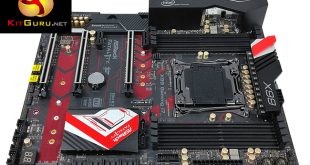
Since the launch of Intel's Broadwell-E CPU family for the X99 platform KitGuru has seen and tested a of variety refreshed motherboards from ASUS, Gigabyte and MSI. However, no assessment of new X99 motherboards would be complete without examining what ASRock has to offer.
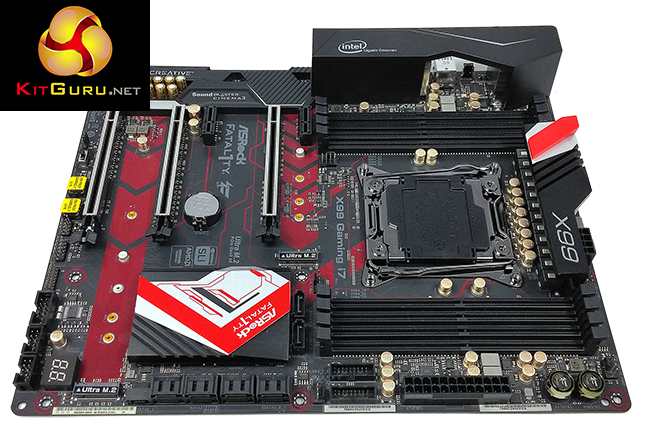
The ASRock motherboard on test today is the Fatal1ty X99 Professional Gaming i7. As the somewhat-verbose naming convention for this product implies it is part of ASRock's Fatal1ty range, and is simultaneously targeted for gaming and professional users of the X99 platform.
Rather fittingly this ASRock motherboard targets an almost identical price point to many other X99 motherboards we've tested such as the ASUS ROG STRIX X99 Gaming and Gigabyte X99-Ultra Gaming.
At around £275 in the UK, or $260 in North America, this is an upper-mid-range motherboard for the X99 platform that falls in the middle of ASRock's X99 range, which starts with the X99 Extreme 4 and ends with the flagship X99 Extreme 11.
The Fatal1ty X99 Gaming uses a somewhat predictable red and black “gaming” colour scheme with ASRock's almost-trademark gold-coloured capacitors. Despite RGB being the craze of 2016 ASRock has not implemented any RGB or LED lighting into the design, which may be refreshing to some.
The ASRock Fatal1ty X99 Gaming is more about delivering a significant amount of hardware for a competitive price, than flashy aesthetics.
| ASRock Fatal1ty X99 Professional Gaming i7 | |
| Form Factor |
ATX, 30.5 x 24.4 cm |
| CPU Socket |
LGA 2011-V3, 12 Phase VRM |
| Chipset | Intel X99 |
| Memory | DDR4, 8 DIMMs, up to 3300+ MHz with OC |
| Onboard Graphics |
None |
| Discrete Graphics | Nvidia 3-Way SLI or Quad-SLI, AMD 3-Way CrossFireX or Quad CrossFireX |
| Expansion Slots | 3 x PCIe 3.0 X16 (40 lane CPU: 16X/16X/0X or 16X/8X/8X, 28 lane CPU: 16X/0X/8X or 8X/8X/8X) 2 x PCI Express 2.0 x1 Slots |
| Storage | 10 x SATA III 6Gbps 1 x SATA Express (shared with SATA ports 4/5) 2 x M.2 32Gbps |
| USB | 6 x USB 2.0 (2 Rear, 4 Front) 8 x USB 3.0 (4 Rear, 4 Front), 4 Rear ports via ASM1074 2 x USB 3.1 (2 Rear) Type-A and C via ASM1142 |
| Networking | 1 x Intel I218V Gigabit LAN 1 x Intel I211AT Gigabit LAN Intel 802.11ac AC3160 dual-band WiFi & Bluetooth 4.0 |
| Audio | Realtek ALC1150 7.1 Channel with TI NE5532 Headset Amplifier |
| Fan Headers | 5 x 4-pin |
| Rear I/O | – 1 x PS/2 Mouse/Keyboard Port – 1 x Optical SPDIF Out Port – 1 x USB 2.0 Port (Supports ESD Protection (ASRock Full Spike Protection)) – 1 x Fatal1ty Mouse Port (USB 2.0) (Supports ESD Protection (ASRock Full Spike Protection)) – 1 x USB 3.1 Type-A Port (10 Gb/s) (ASMedia ASM1142) (Supports ESD Protection (ASRock Full Spike Protection)) – 1 x USB 3.1 Type-C Port (10 Gb/s) (ASMedia ASM1142) (Supports ESD Protection (ASRock Full Spike Protection)) – 4 x USB 3.0 Ports (ASMedia ASM1074 hub) (Supports ESD Protection (ASRock Full Spike Protection)) – 2 x RJ-45 LAN Ports with LED (ACT/LINK LED and SPEED LED) – 1 x Clear CMOS Switch – HD Audio Jacks: Rear Speaker / Central / Bass / Line in / Front Speaker / Microphone |
| UEFI | Custom UEFI with Dual BIOS chips |
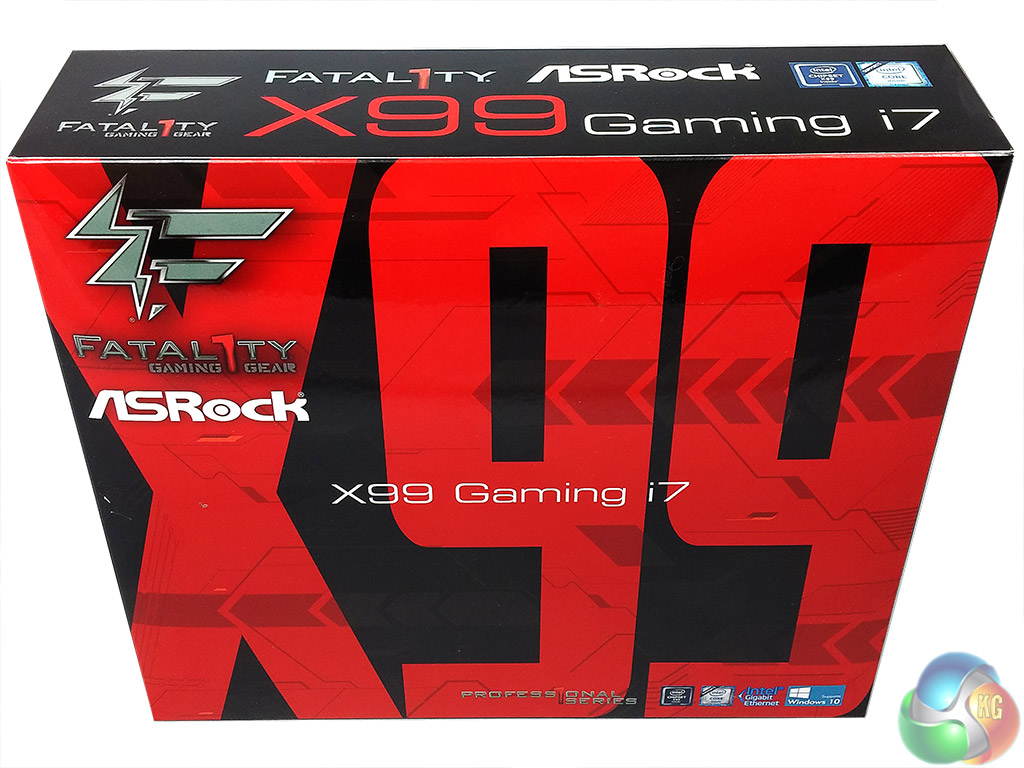
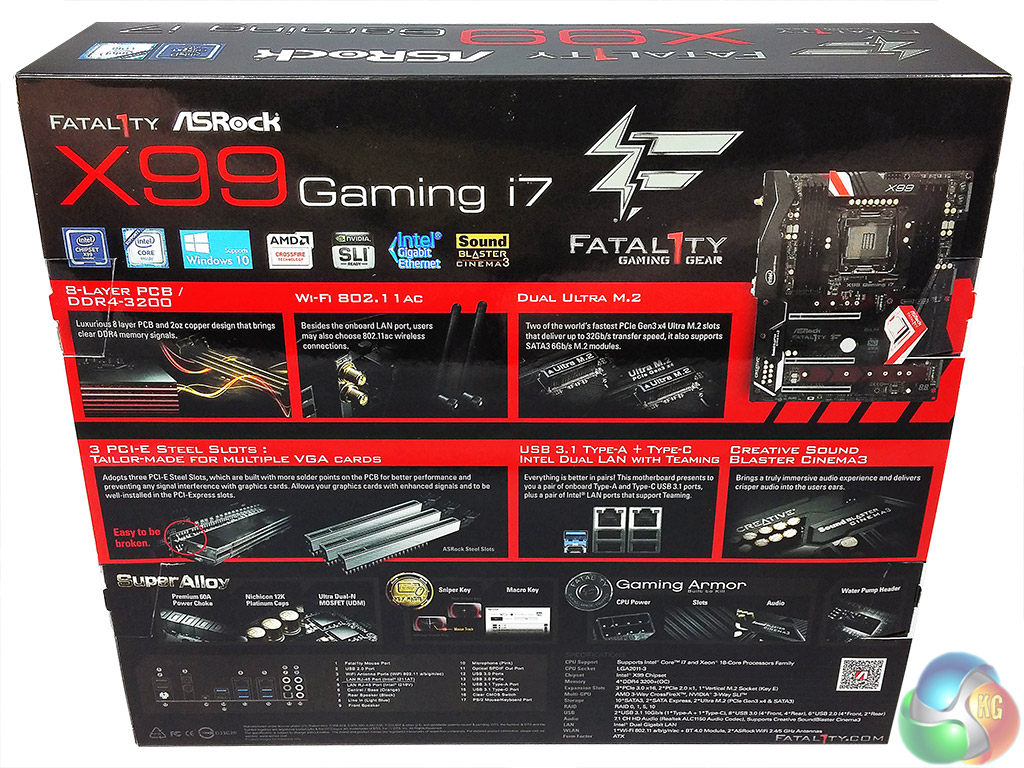
The ASRock Fatal1ty X99 Gaming i7 comes well packaged in a double-box with a padded anti-static bag. The packaging highlights the Gaming branding of the motherboard, though much of the feature focus is on connectivity (dual M.2, USB 3.1 and dual LAN) and build quality (steel reinforced PCIe slots, 8 layer PCB) rather than Gamer-centric features.
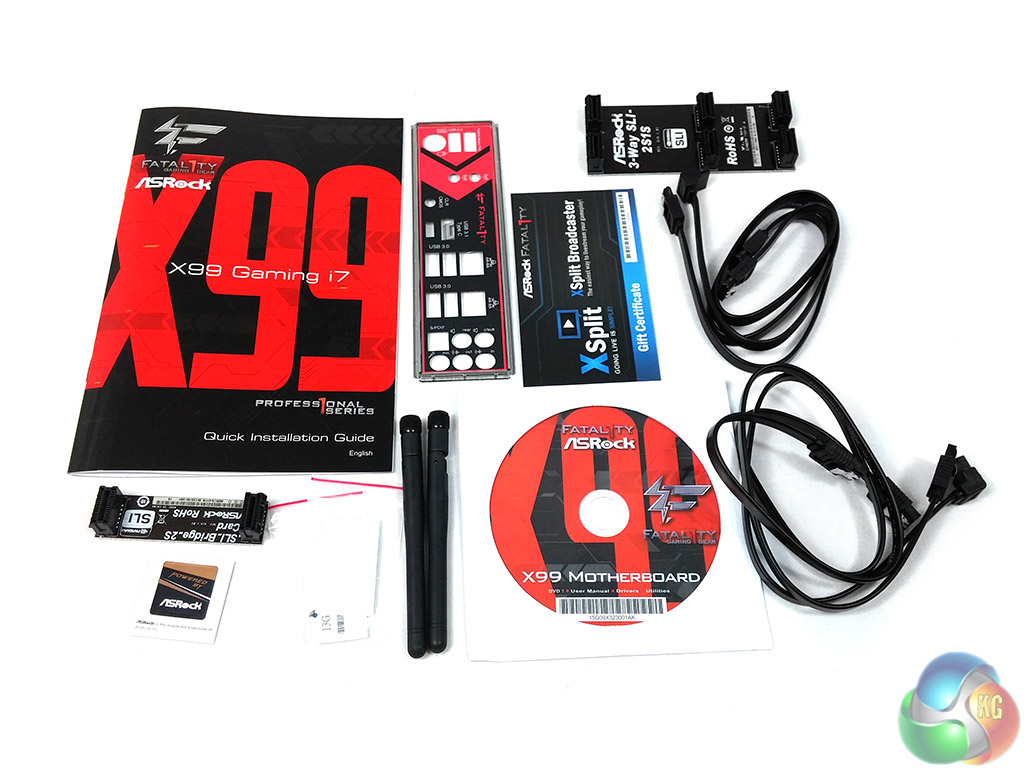
The accessory bundle is adequate for the price point, though we'd like to see more SATA cables as standard given there are 10 ports on the motherboard.
- 1 x Quick Installation Guide
- 1 x Support DVD
- 1 x I/O Shield
- 1 x Case sticker
- 1 x XSplit Broadcaster Gift Certificate
- 4 x SATA Data Cables
- 1 x ASRock 2-Way SLI Bridge Card
- 1 x ASRock 3-Way SLI Bridge Card
- 2 x ASRock WiFi 2.4/5 GHz Antennas
- 2 x Screws for Ultra M.2 Socket

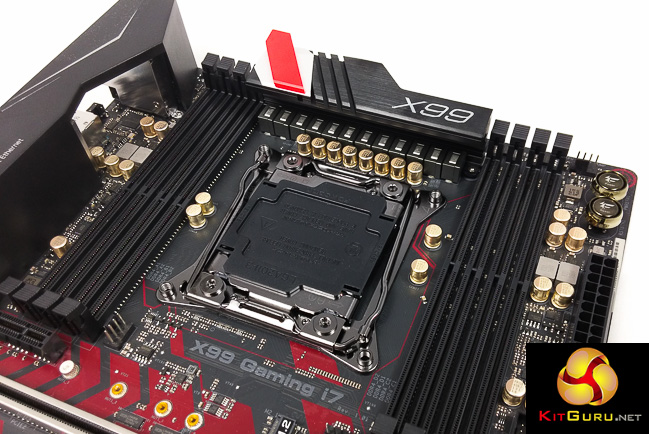
ASRock has continued the red and black theme of past Fatal1ty branded products but the styling has definitely been toned back to a more neutral colour scheme. Gone are the red DIMM and PCIe slots, in its place is more subtle red accenting on the motherboard PCB like ASUS also uses on its Z170 motherboards.
That said, given current motherboard market trends ASRock are perhaps limiting their audience by not offering a more neutral colour scheme with customisation options. Rival vendors have successfully used 3D Printing, RGB lighting, stickers, carbon fibre wraps and detachable pieces to give prospective buyers more customisation options. ASRock offers none of the aforementioned with this product which is a little disappointing.

Connectivity along the lower edge of the board is busy – HD Audio, a clear CMOS jumper, a BIOS selector switch, front panel connectors, TPM, COM and USB.
The BIOS chips have an unsightly yellow sticker on them which most buyers should consider removing to improve the aesthetic appeal. There's also a debug code reader and the first M.2 slot located in this same area.
The 3 PCIe 3.0 X16 lanes result in different configurations depending on whether a 40 or 28 lane CPU is used. For a 40-lane CPU the following configurations are available: 16X/16X/0X or 16X/8X/8X, for a 28-lane CPU 16X/0X/8X or 8X/8X/8X.
The two PCIe 1X slots are Gen 2.0 and get bandwidth from the chipset.
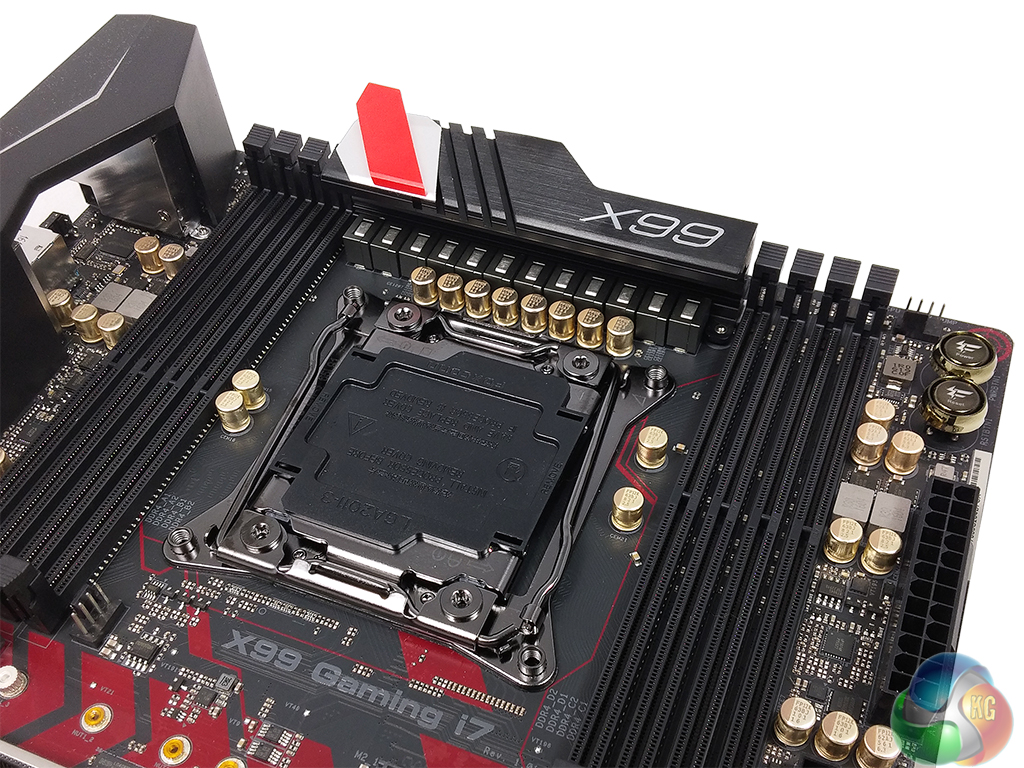
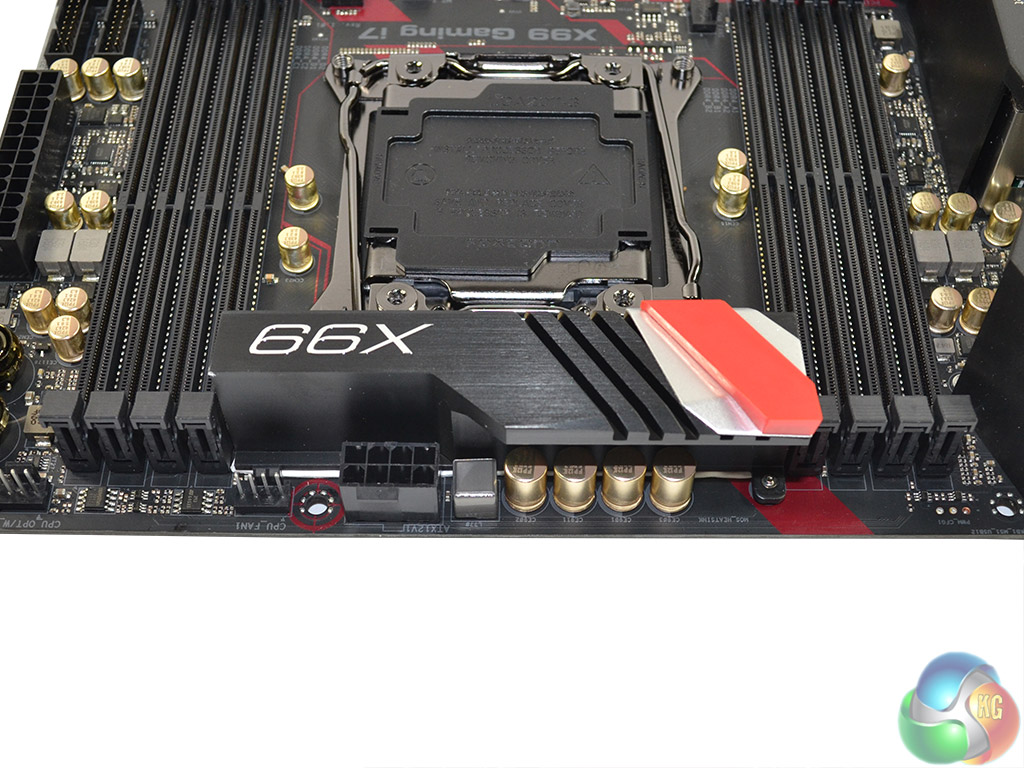
The CPU socket has a 12 phase hybrid-digital VRM solution and draws in power from a CPU EPS 8 pin connection. Capacitors in proximity to the CPU socket are ASRock's gold-coloured 12,000-hour (12k) rated units.
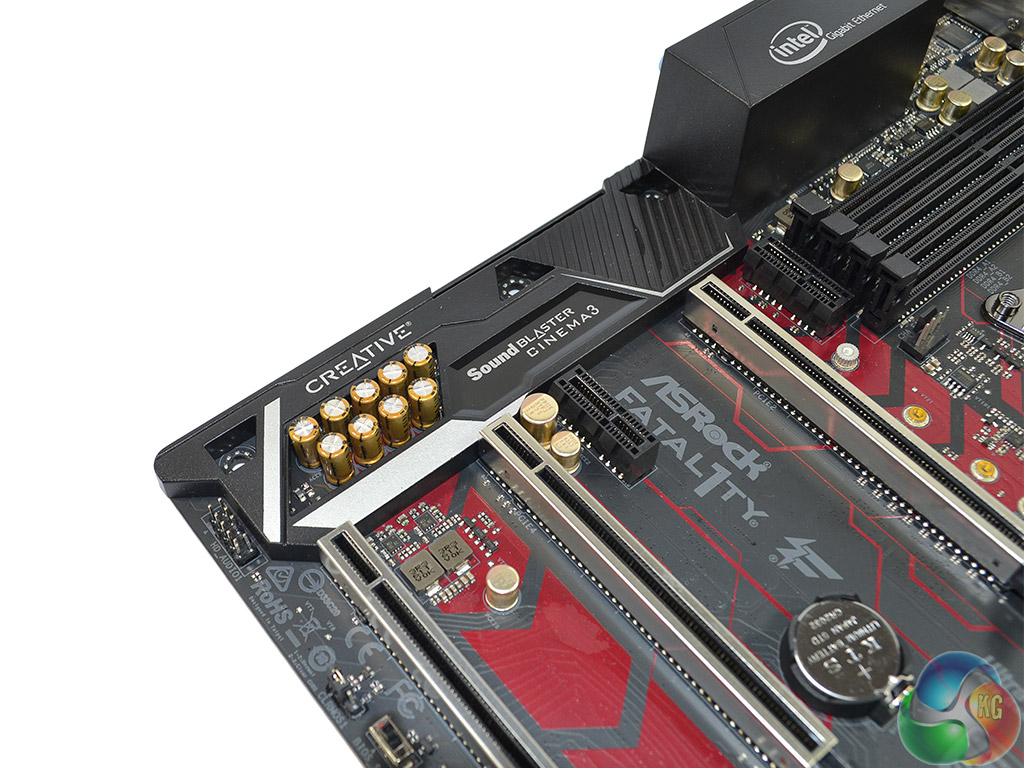
The Audio is provided by a Realtek ALC1150 codec that is unshielded and sits underneath the “Gaming Armour” on a isolated PCB. Nichicon Fine Gold Series capacitors and a Texas Instruments NE5532 headset amplifier further enhance the audio system.
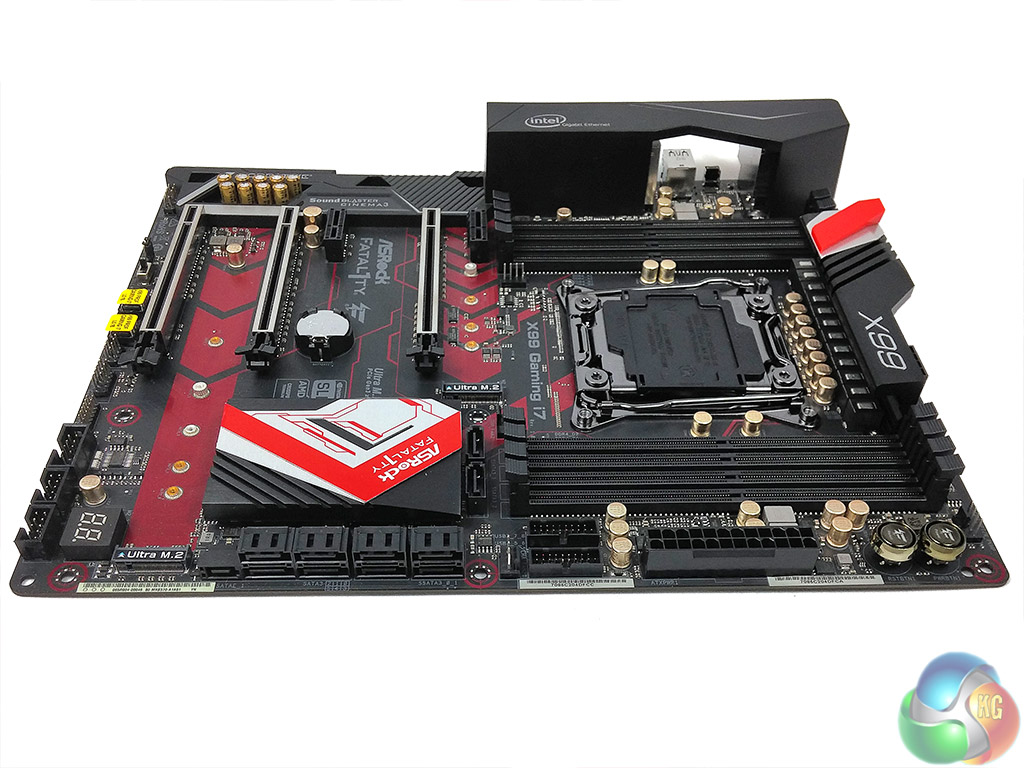
Storage connectivity is provided through 10 SATA ports, of which two are shared with SATA Express, and two M.2 ports.
Both M.2 ports support SATA and PCIe devices, though when a 28-lane CPU is used the first M.2 socket (M2_1) supports only SATA type devices. The M.2 ports also support the optional ASRock U.2 kit but this is sold separately and not included as standard.
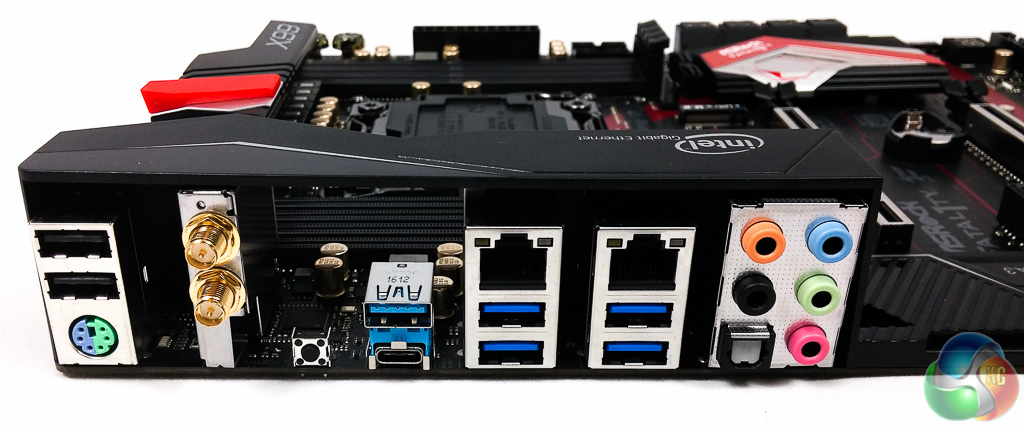
The rear I/O offers a nice blend of connectivity with two legacy USB 2.0 ports, a PS/2 combo port, four USB 3.0 ports, two USB 3.1 ports of which one is type-C, dual Intel LAN ports that support teaming, a clear CMOS button and six audio jacks (5 analogue 1 digital).
The antennae mounting points for the integrated WiFi module are also found in the rear I/O. Disappointingly, the WiFi solution is only rated at 433Mbps, which is significantly lower than the 867Mbps+ solutions we have seen on competing motherboards.
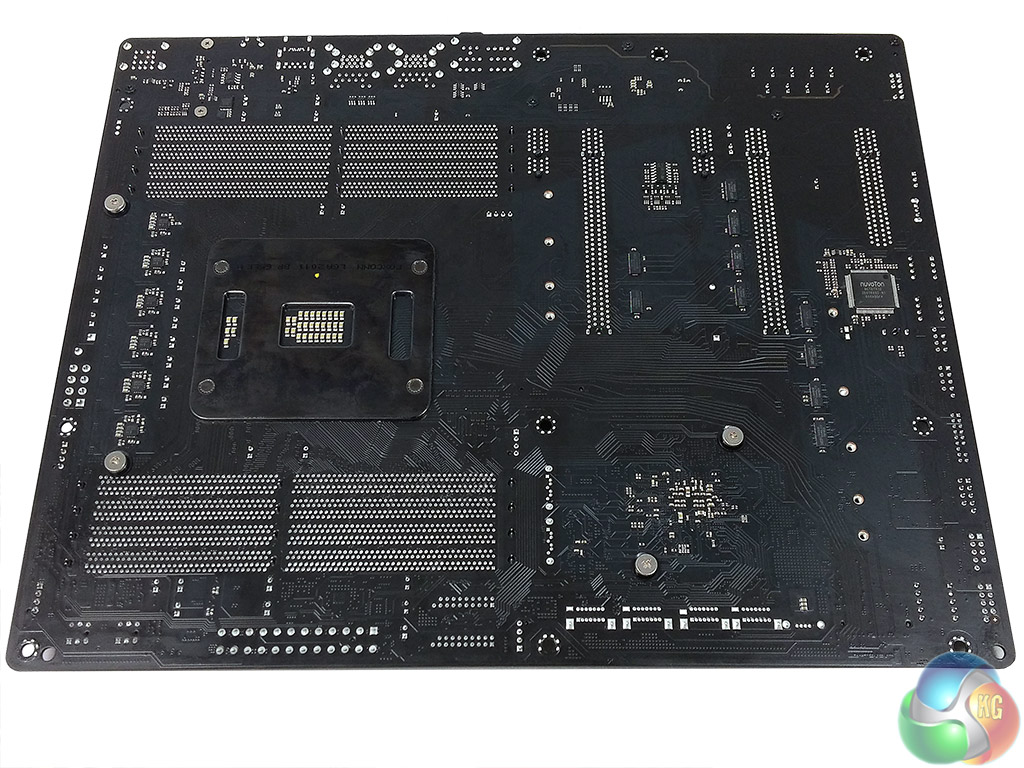
Underneath the motherboard all heatsinks are secured with standard Philips screws meaning easy removal for cleaning or installing waterblocks. There aren't any PCB reinforcement plates underneath as ASRock likely believes that the 8-layer PCB negates the need for this.
ASRock's UEFI hasn't changed much since our most recent ASRock X99 review, which is no bad thing as we concluded it was “well laid-out, easy to use, and full of relevant user-customisable parameters”.
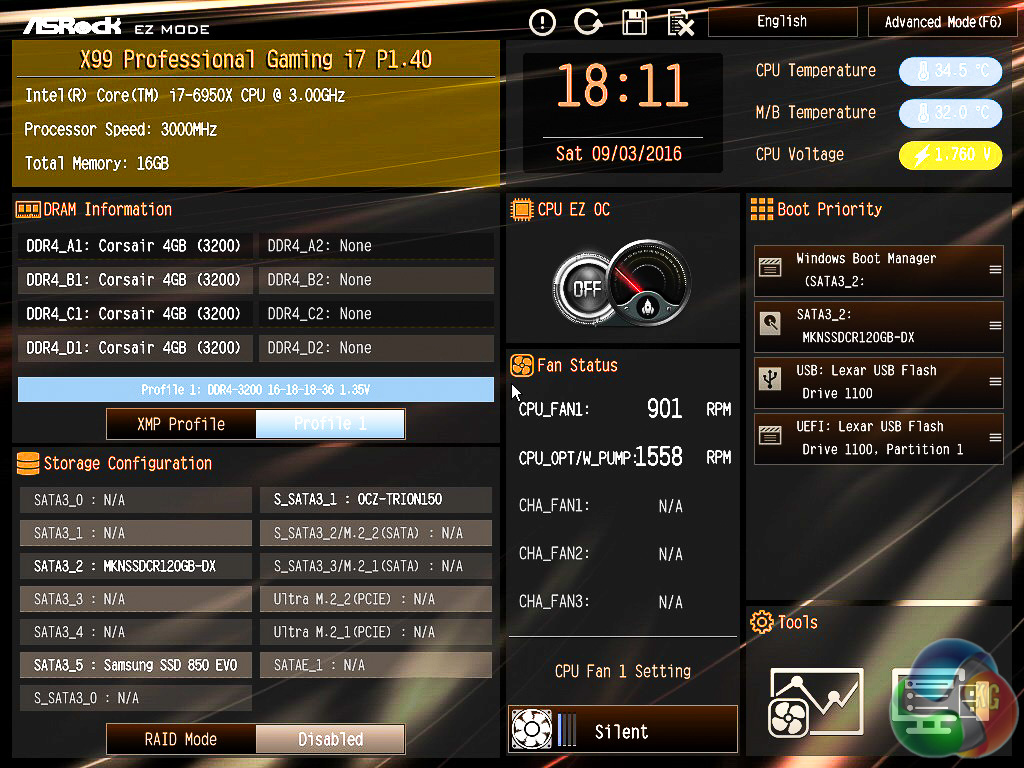
Upon entering the UEFI users are greeted by a splashscreen called EZ Mode; ASUS uses similar terminology for its splashscreen too. The general logic is that less-confident UEFI users should be able to access the most common options here such as boot order and XMP.
Users wishing to delve further into the advanced options can enter the advanced mode with an F6 keypress.
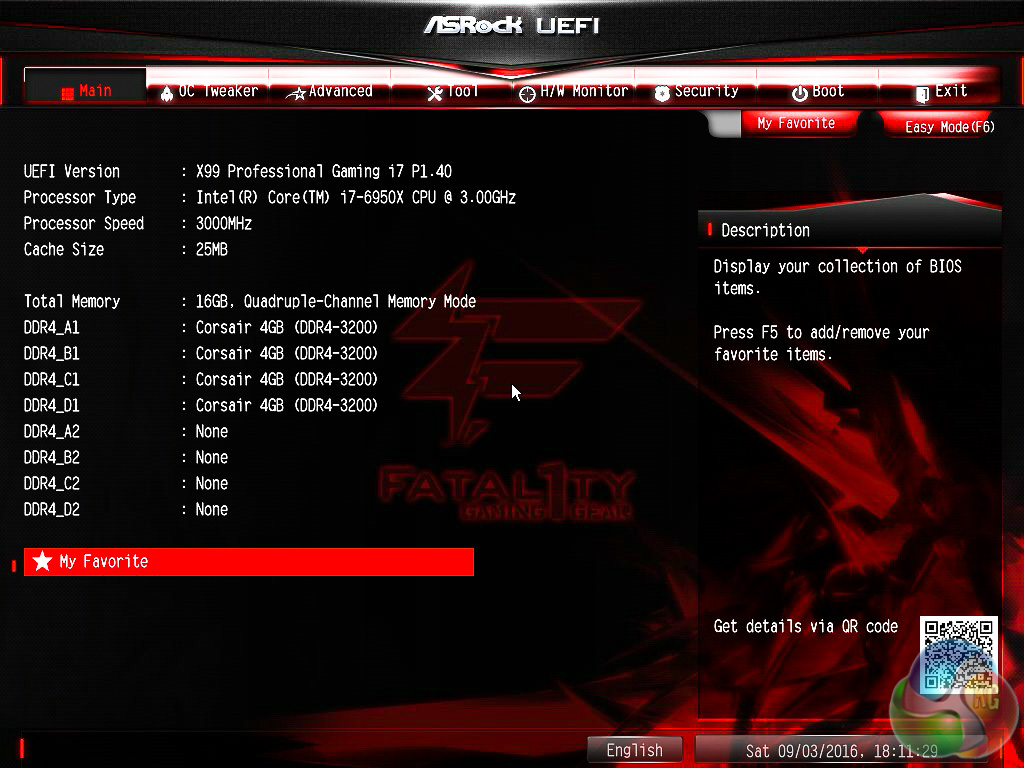
The ASRock UEFI has 8 key tabs: Main, OC Tweaker, Advanced, Tool, H/W Monitor, Security, Boot and Exit.
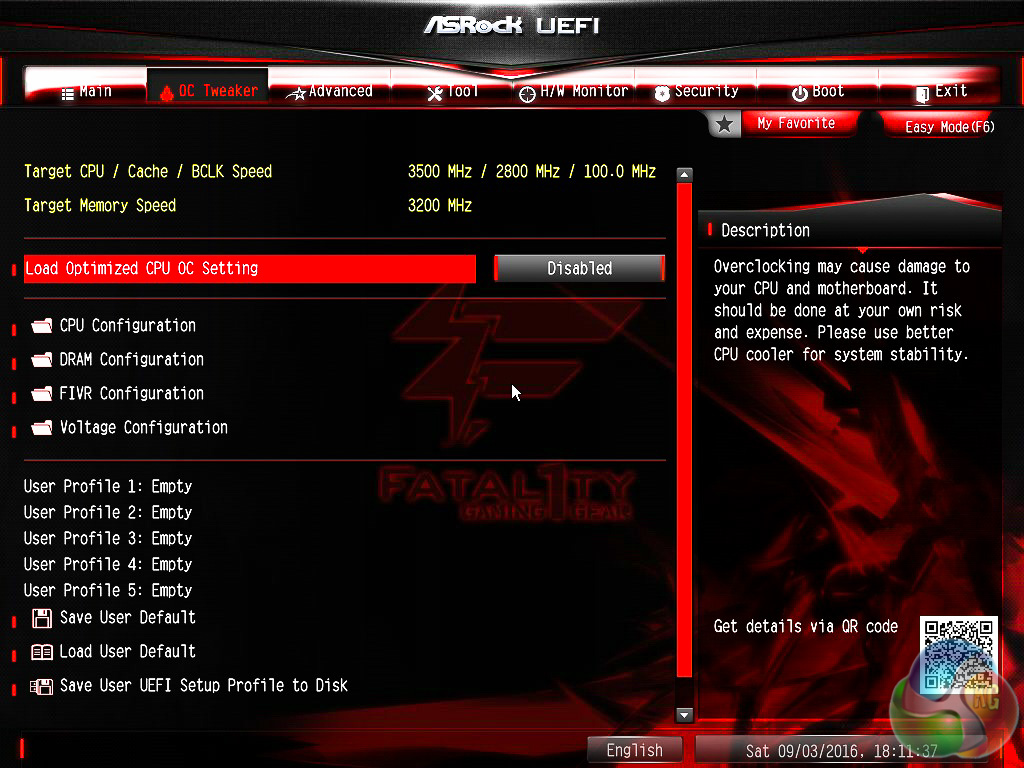
OC Tweaker is the area in which most time will be spent since this holds key CPU and DRAM options. CPU Configuration and DRAM Configuration tabs allow for frequency and general settings changes.
FIVR Configuration and Voltage Configuration facilitate changes to voltages, Load Line Calibration and other key parameters.
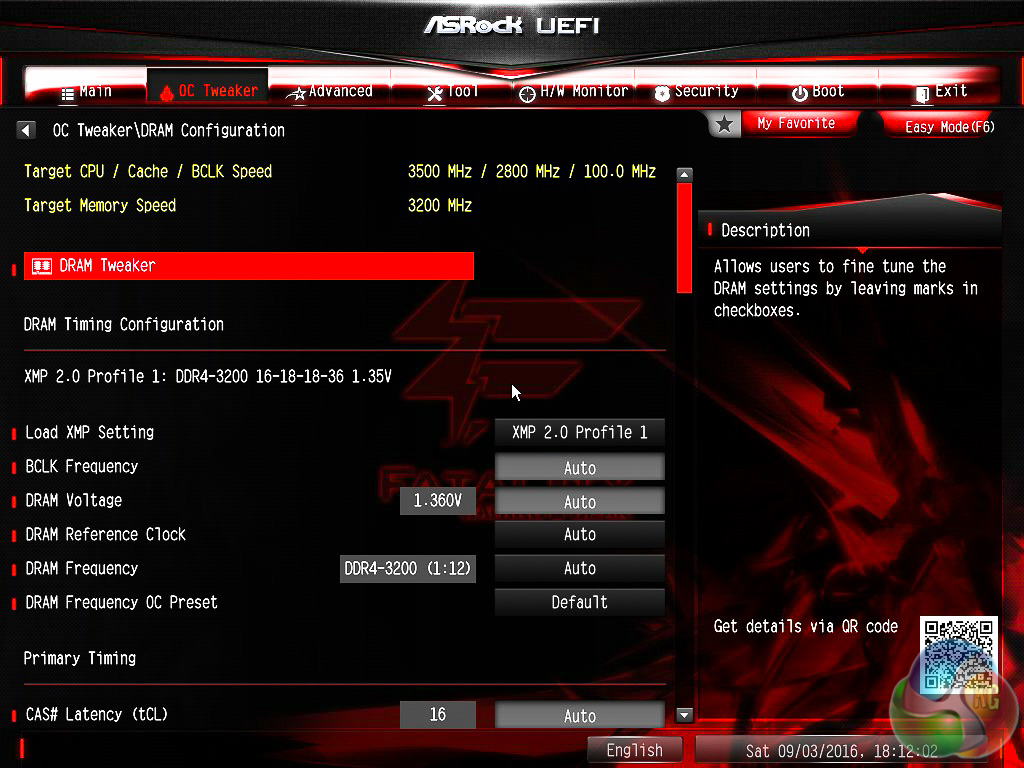
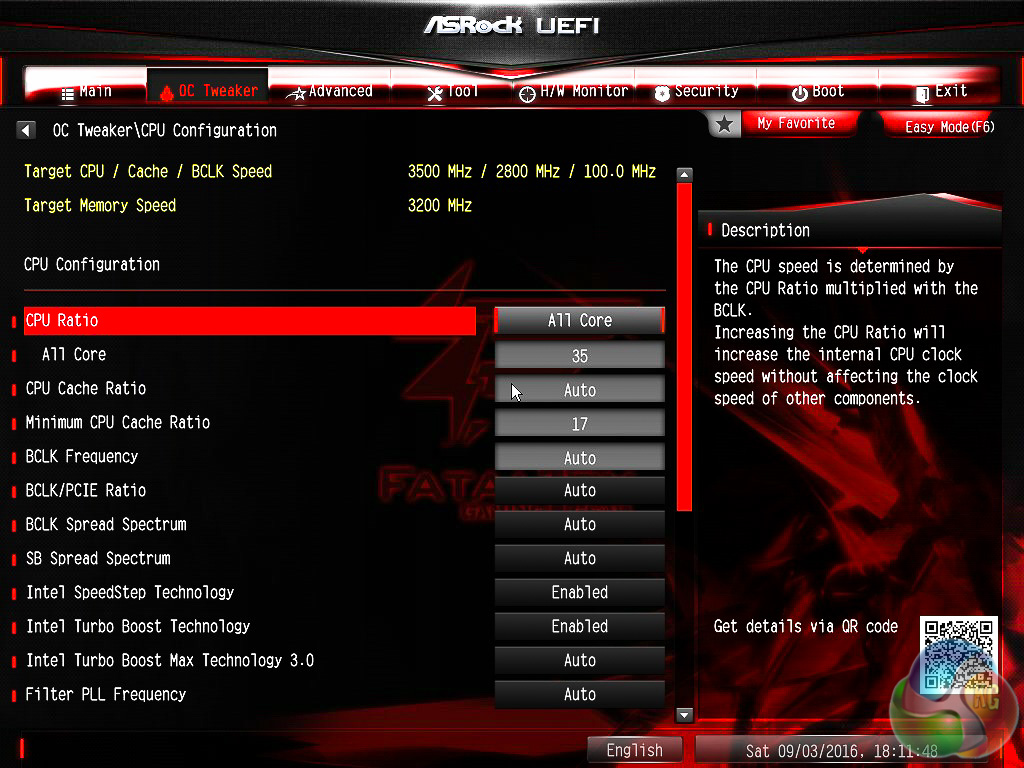
CPU tweaking options include the cache, Turbo Boost options and core ratios. By default, when enabling XMP or multicore enhancement, ASRock keeps to a 3.5GHz all-core turbo with up to 4GHz on the single golden core as dictated by Intel's new Turbo Boost 3.0 behaviour.
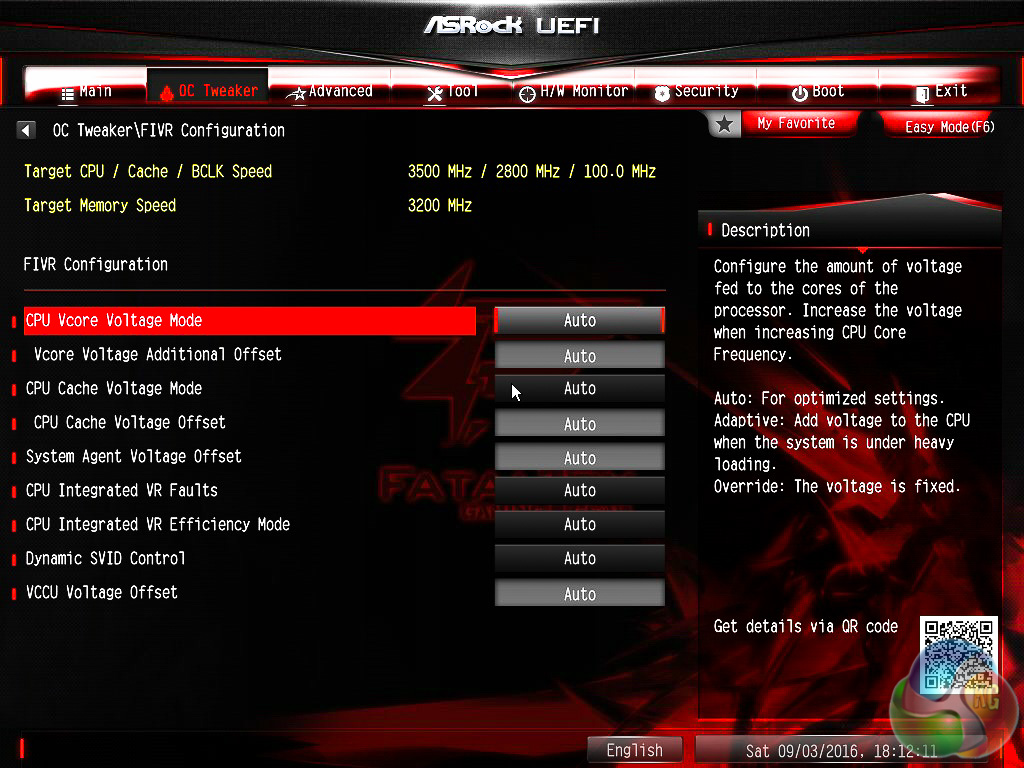
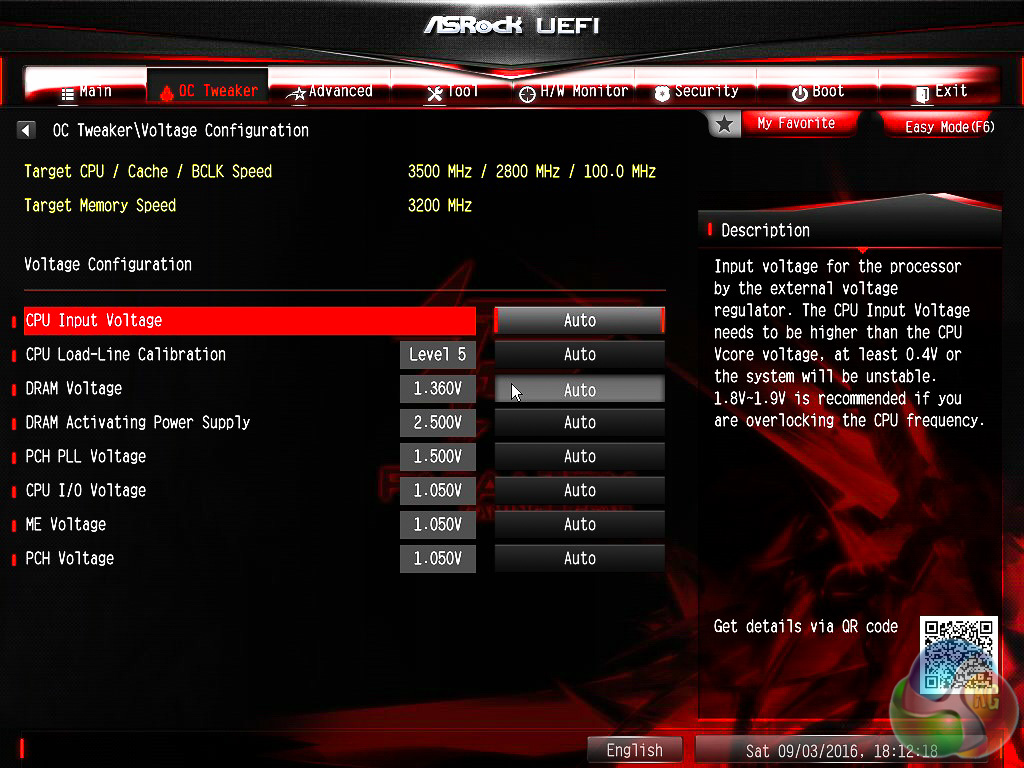
There are voltage options in both the Voltage and FIVR (Fully Integrated Voltage Regulation) configuration tabs so a bit of exploration may be required to find the appropriate setting.
VCore, Cache, System Agent (SA), SVID and VCCU comprise the FIVR section. CPU input, DRAM, PCH, I/O, ME and PLL voltages comprise the Voltage section, along with the Load Line Calibration (LLC).
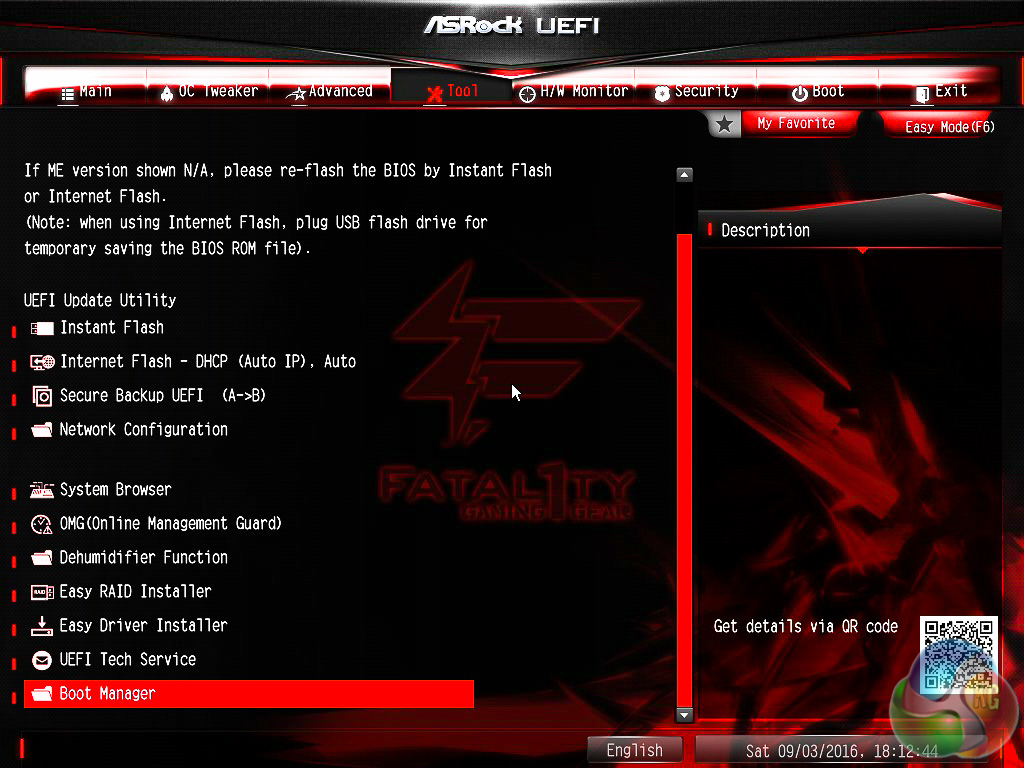
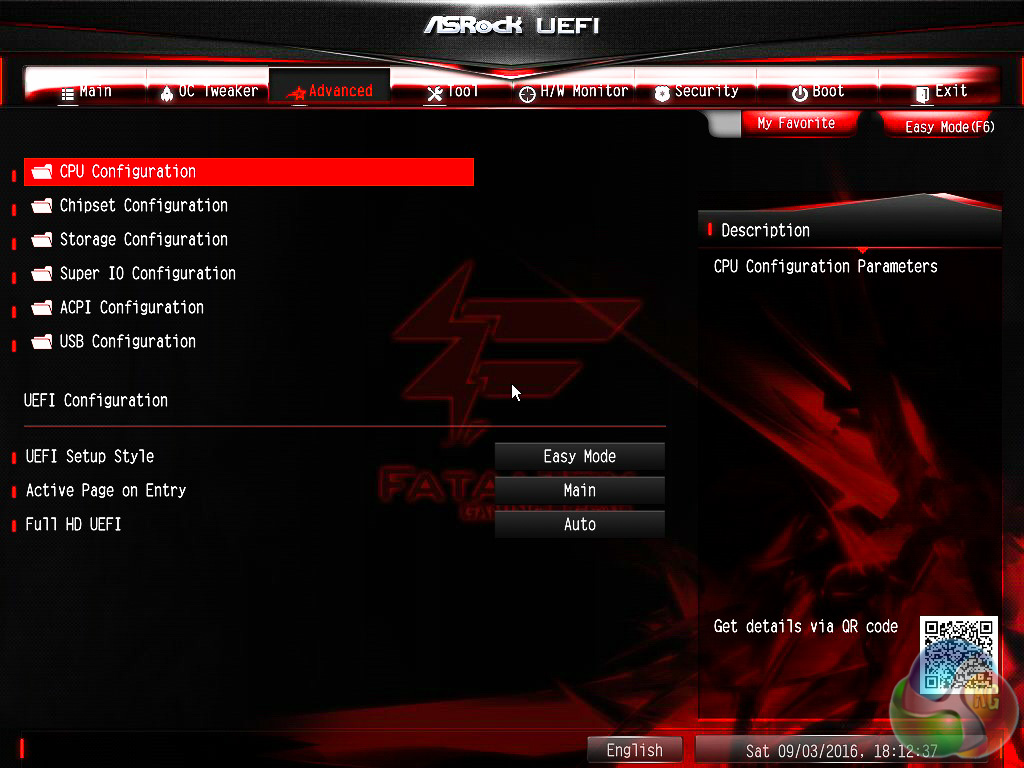
The Advanced section drills down more into the various onboard hardware and their available configuration options. In general the advanced tab is everything that isn't voltage or frequency related. It's more about toggling compatibility settings and different operational modes.
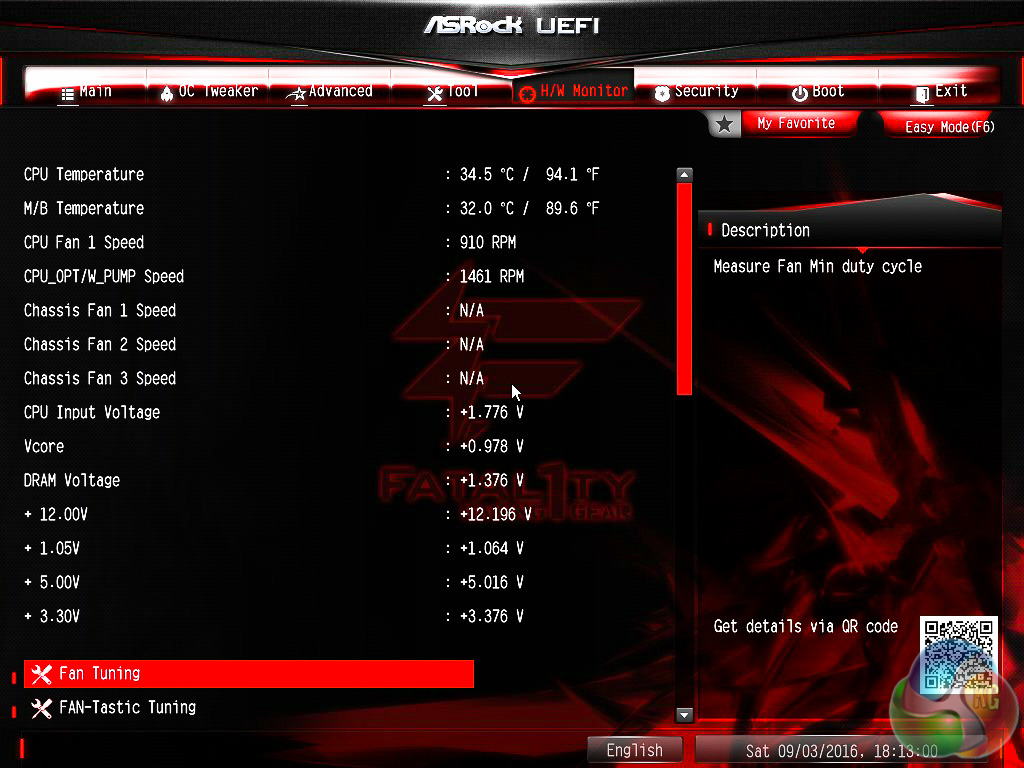
The H/W monitor tab contains the ASRock fan tuning utility. From here you can set standard PWM fan profiles or explore the fan voltage-RPM range with the tuning utility and set your own custom fan curve. The changes to the fan profiles also take place “live” rather than on reboot or save and exit, so it's easy to get the fans set up correctly before leaving the UEFI environment.
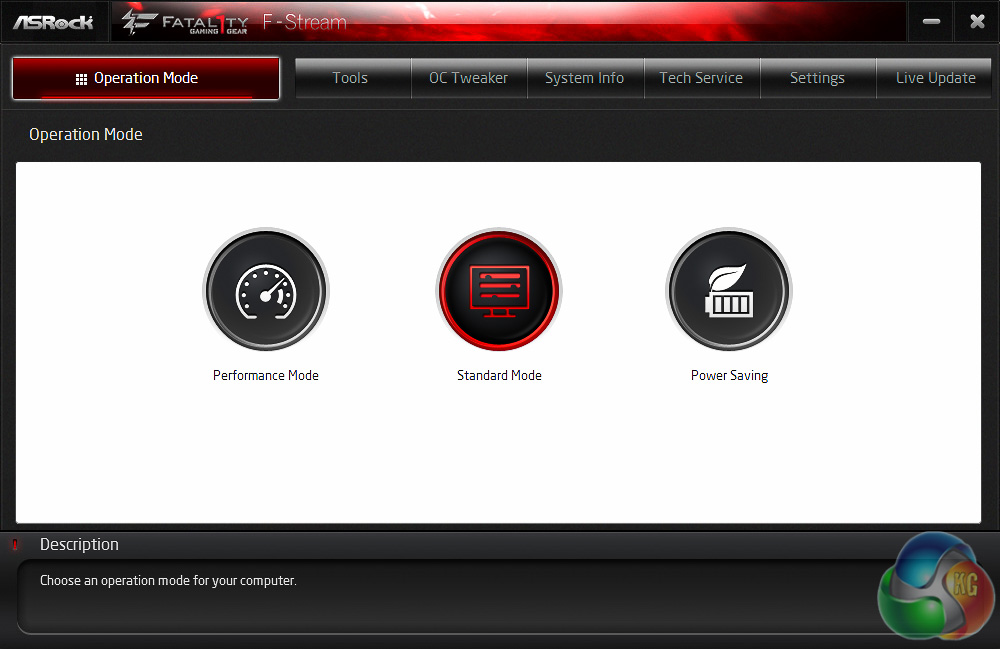
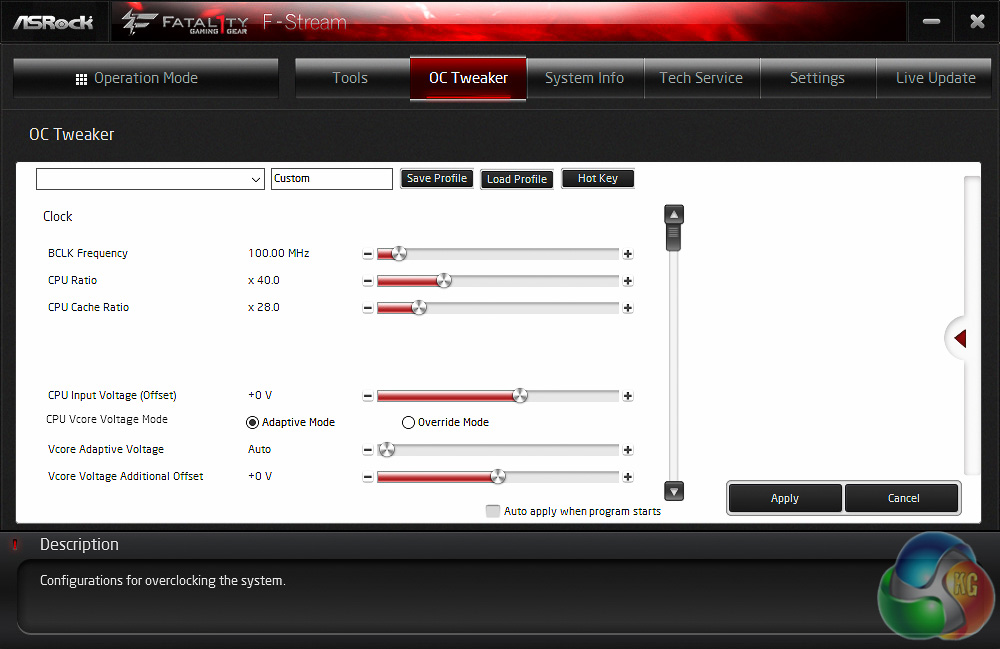
ASRock hasn't tried to be particularly innovative with its software products in recent years and that's probably a smart decision given many system builders and consumers refuse to touch any motherboard software aside from driver-related products.
Nonetheless, ASRock has some software products which do the job but are certainly not as well fleshed out as software from rival motherboard companies, particularly ASUS. The primary ASRock software utility is F-Stream (called A-Tuning on its channel boards).
In short, F-Stream is ASRock's equivalent of ASUS AI Suite, Gigabyte EasyTune and MSI Command Center. It includes power profiles, live operating system overclocking, fan tuning and assisted/automated overclocking, among a few other things.
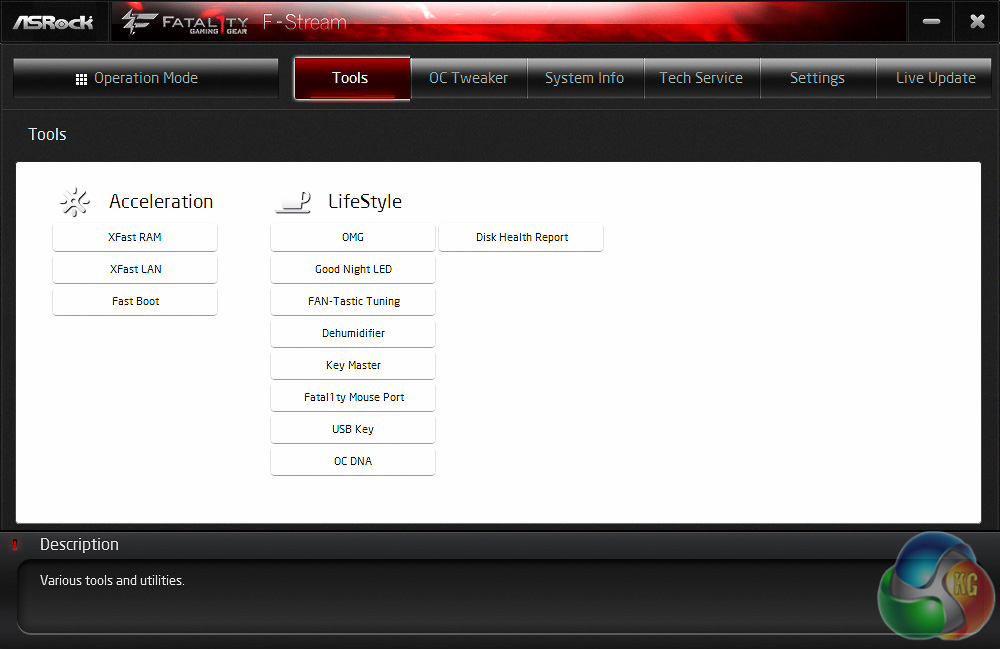
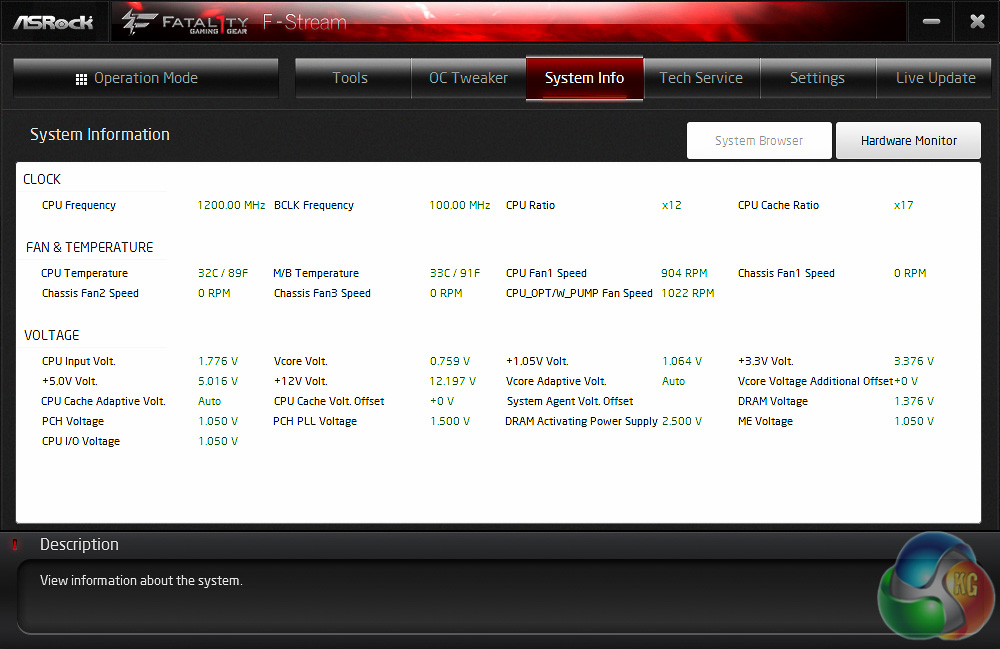
The Tools page within F-Stream lists all the available ASRock utilities for the motherboard in question. The interface is somewhat basic, but gets the job done.
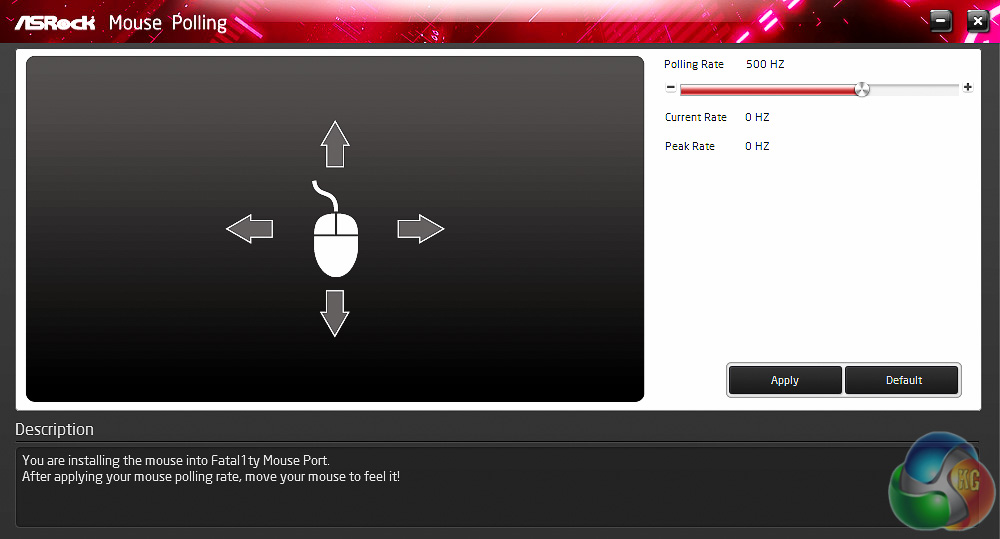
When a mouse is plugged into the Fatal1ty mouse port its polling rate can be manually adjusted up to 1000Hz. In many cases gaming mice have their own software for polling rate adjustments but where they do not this offers a functional solution.
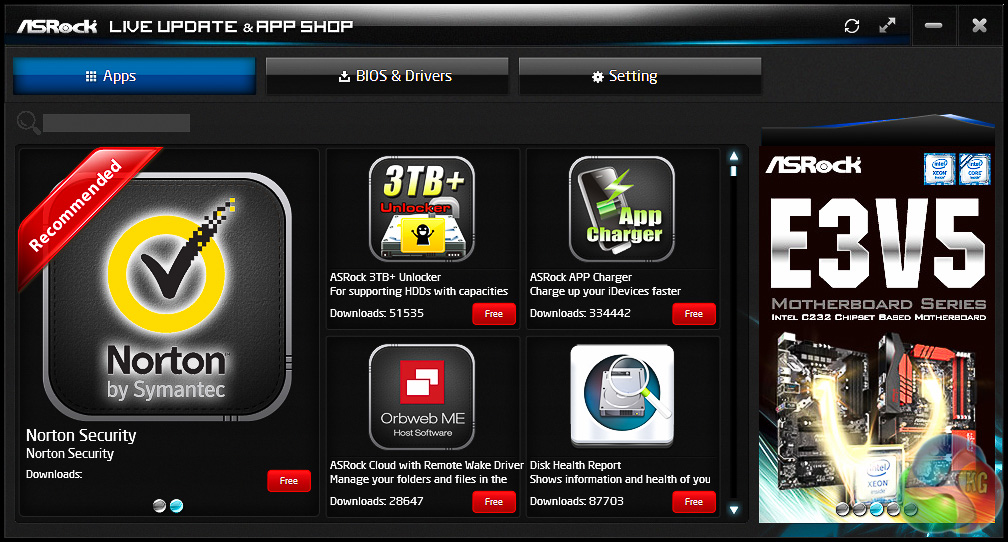
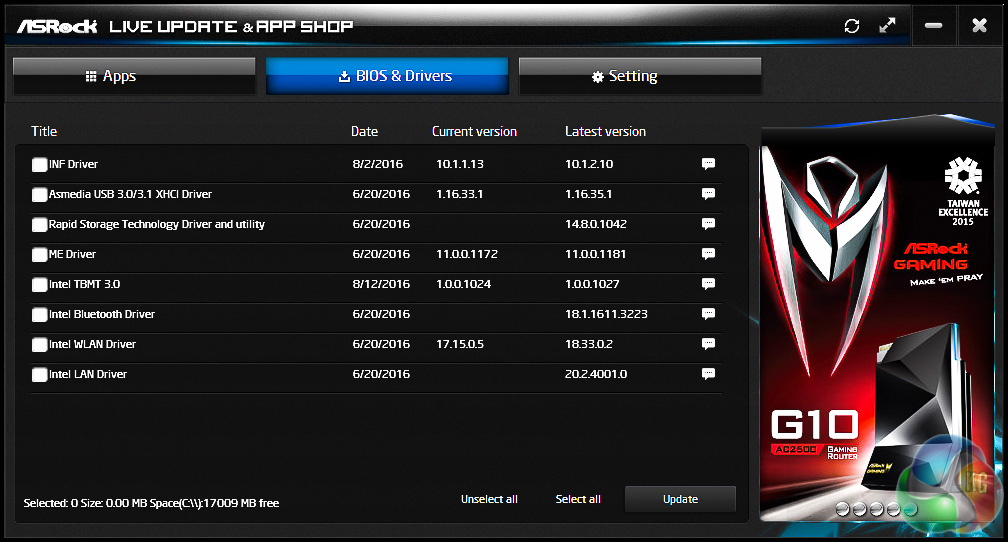
The Live Update software is intertwined with the App Shop. Once entering the BIOS & Drivers tab the utility will scan your system and inform you of which drivers or software have newer versions available. From here you can automate the downloading and installing process of these new software/driver versions.
X99 Motherboard Test System:
- Processor: Intel Core i7-6950X (3.5GHz all-core turbo).
- Memory: 16GB (4x4GB) Corsair Special Edition Dominator Platinum, 16-18-18-36 DDR4 @ 1.35V.
- Graphics Card: Nvidia GTX 980 Ti.
- System Drive: Mushkin Chronos 120GB
- Storage Test Drive: OCZ Trion 150 480GB (with a USB 3.0 to SATA adapter for USB 3.0 testing.)
- CPU Cooler: Antec Kuhler H20 1200
- Power Supply: Seasonic Platinum 760W.
- Test Bench: Lian Li PC-T60B.
- Operating System: Windows 10 Pro 64-bit.
Comparison X99 Motherboards:
Software:
- ASRock UEFI 1.4 (Release Date 10/08/2016)
- Nvidia GeForce 364.72 WHQL Driver
Tests:
- Cinebench R15 – all core CPU test and CPU power consumption figures.
- Handbrake – converting a short 720p movie file into a smartphone suitable format using the Android preset.
- SiSoft Sandra – processor arithmetic and memory bandwidth test sequences.
- AIDA 64 Engineer – memory and cache test.
- 3DMark – Firestrike (1080p) test.
- Ashes of the Singularity – built-in benchmark tool @ 1080p using the Crazy preset.
- Unigine Valley – built-in benchmark using the Extreme HD preset.
- Rightmark Audio Analyser – record and playback test using a line-in to line-out loopback on a high quality gold-plated 3.5mm cable.
- ATTO – default disk benchmark for SATA and USB testing
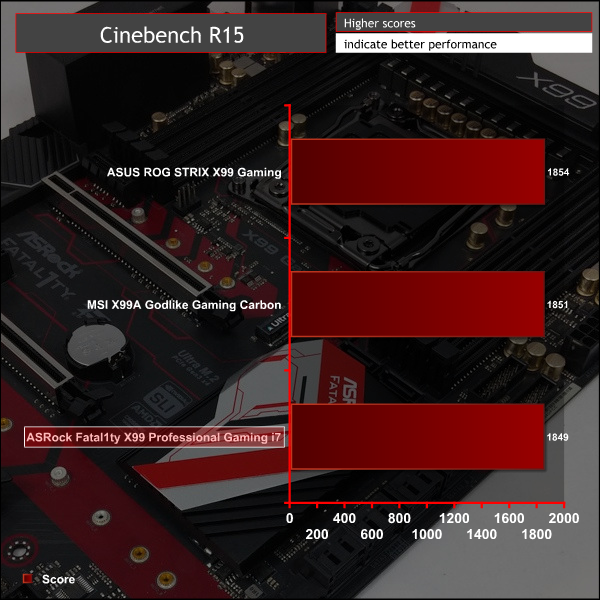
Cinebench R15
Cinebench is an application which renders a photorealistic 3D scene to benchmark a computer's rendering performance, on one CPU core, all CPU cores or using the GPU. We run the test using the all core CPU mode.
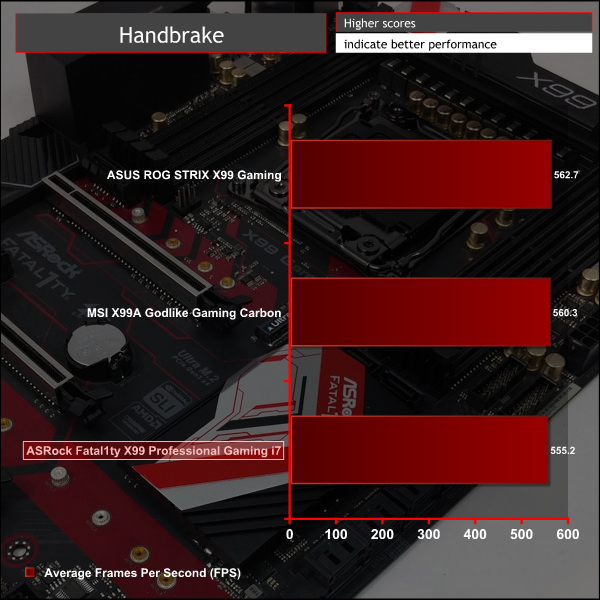
Handbrake
Handbrake is a free and open-source video transcoding tool that can be used to convert video files between different codecs, formats and resolutions. We use Handbrake to convert a short 720p video into the Android preset built into the application.
SiSoft Sandra
SiSoft Sandra 2016 is a multi-function utility program that supports remote analysis, benchmarking and diagnostic features for PCs, servers, mobile devices and networks. We run the application's processor arithmetic test to gauge the CPU performance on each tested motherboard.
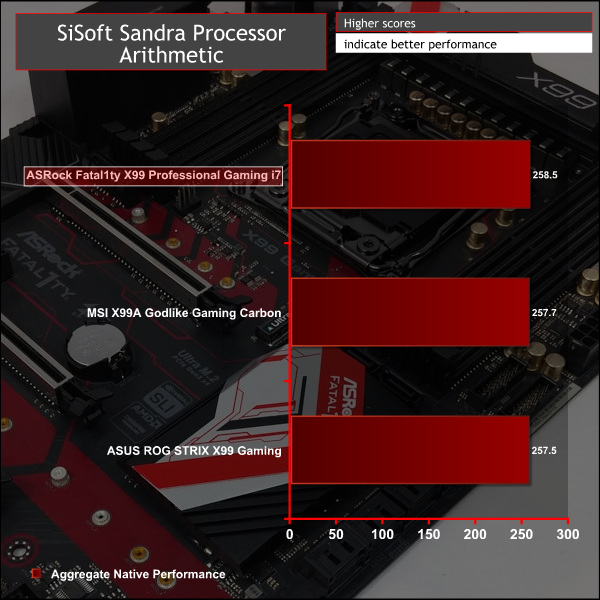
CPU is similar across all X99 motherboards though the ASRock board trails ever so slightly in some benchmarks due to its less-aggressive CPU cache ratio application. It automatically opts for the 6950X's base 2.8GHz when running a fixed 3.5GHz all-core turbo compared to 3.1GHz on both the on-test ASUS and MSI motherboards.
AIDA64 Engineer
AIDA64 Engineer is a multi-featured software suite for diagnostics, stress testing, benchmarking, software auditing and various other measurement parameters. We use AIDA64 Engineer to benchmark memory throughput and latency.
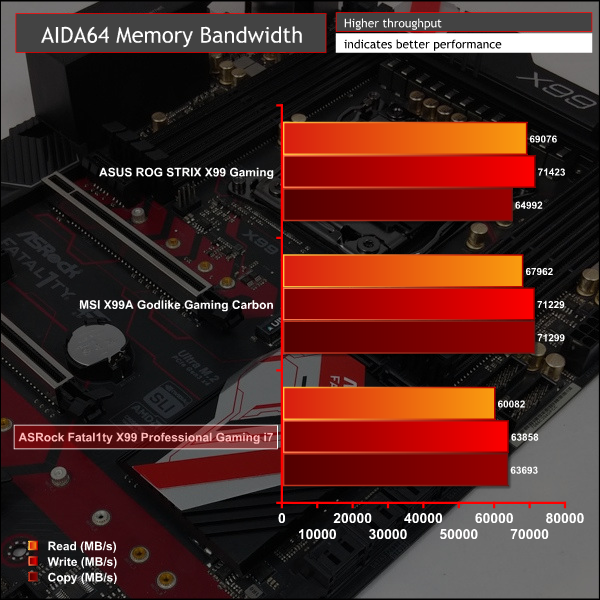
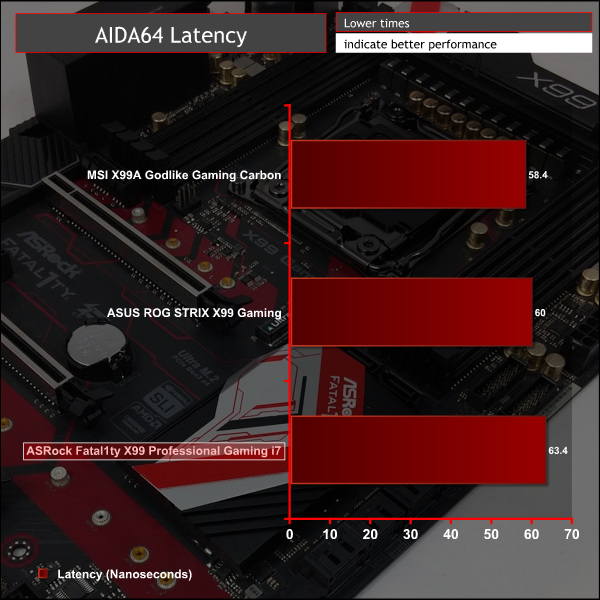
The previously mentioned lower CPU cache ratio plays out more in synthetic memory benchmarks, ASRock's Fatal1ty X99 Professional Gaming i7 is up to 10% slower in AIDA64.
Even after manually adjusting the CPU cache ratio to 31x to match ASUS' and MSI's X99 boards, we were only able to increase memory performance to 61,273, 69,354 and 64,105 MB/s read/write/copy. Latency improved to 61.5 ns. Those numbers are still slower than both ASUS and MSI but are improved, particularly writing bandwidth.
SiSoft Sandra
SiSoft Sandra 2016 is a multi-function utility program that supports remote analysis, benchmarking and diagnostic features for PCs, servers, mobile devices and networks. We use the SiSoft Sandra memory bandwidth test to give us an extra set of memory bandwidth results.
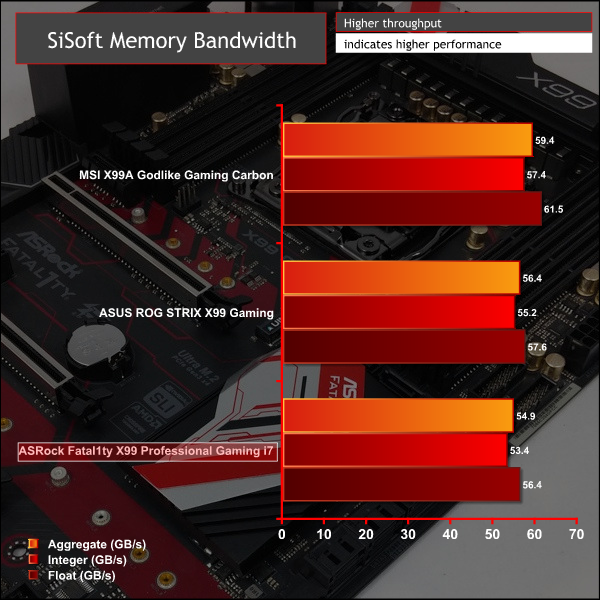
SiSoft Sandra was less sensitive to different cache ratios – improving to 56 GB/s aggregate, 54.9 GB/s integer and 57 GB/s float.
In summary, ASRock seems to be a few percentage points slower in memory benchmarks even when manually adjusting for the CPU cache ratio deficit.
3DMark
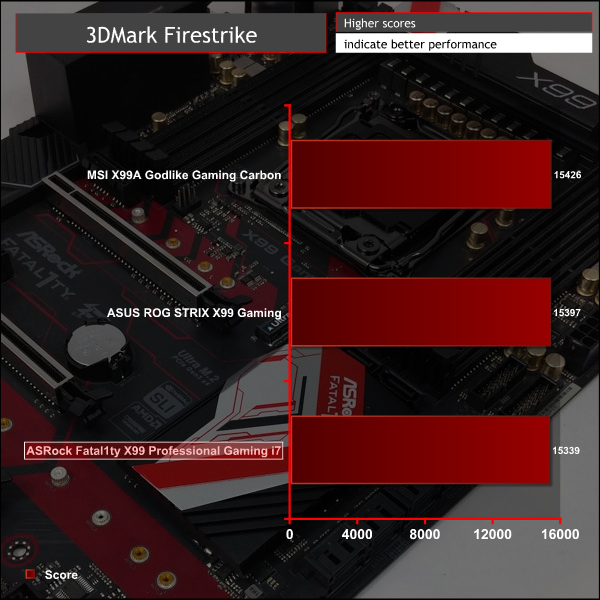
3DMark is a multi-platform hardware benchmark designed to test varying resolutions and detail levels of 3D gaming performance. We run the Windows platform test and in particular the Firestrike benchmark, which is indicative of high-end 1080p PC Gaming.
Ashes of the Singularity
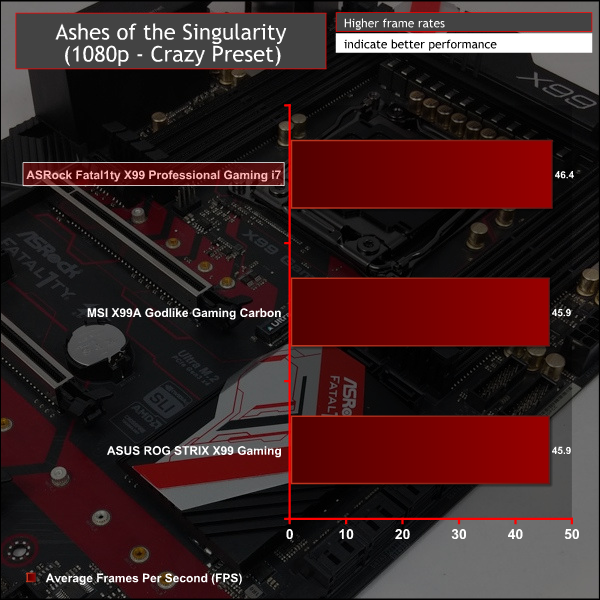
Ashes of the Singularity is a Sci-Fi real-time strategy game built for the PC platform. The game includes a built-in benchmark tool and was one of the first available DirectX 12 benchmarks. We run our tests using DirectX 11, a 1080p resolution and the Crazy preset.
Unigine Valley
Unigine Valley is a GPU stress testing and benchmarking tool that succeeds its predecessor, Unigine Heaven. Valley makes use of dynamic lighting, depth of field, ambient occlusion and dynamic weather patterns. We utililise the built-in benchmarking tool with the Extreme HD preset.
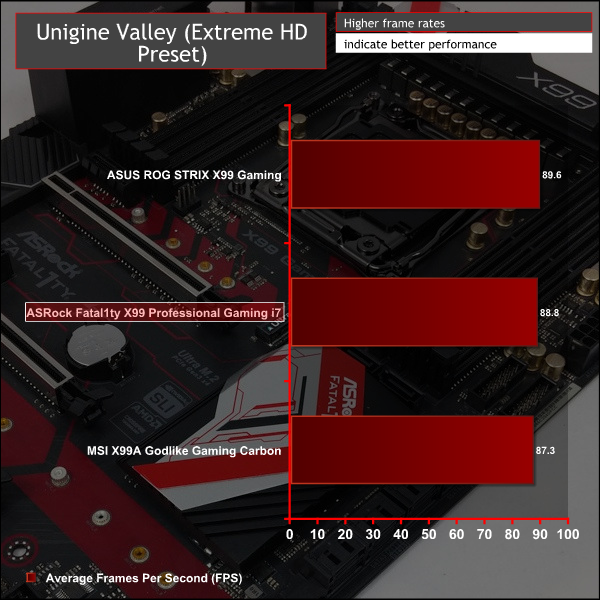
GPU performance varies only within margin of error across all tested X99 motherboards.
ATTO Disk Benchmark
The ATTO disk benchmark is a Windows-based utility for testing storage performance of any storage drive or controller. We use the default benchmark setup and run this on an OCZ Trion 150 SSD directly connected to the SATA ports and then again over a USB 3.0 port using a USB 3.0 to SATA III adapter.
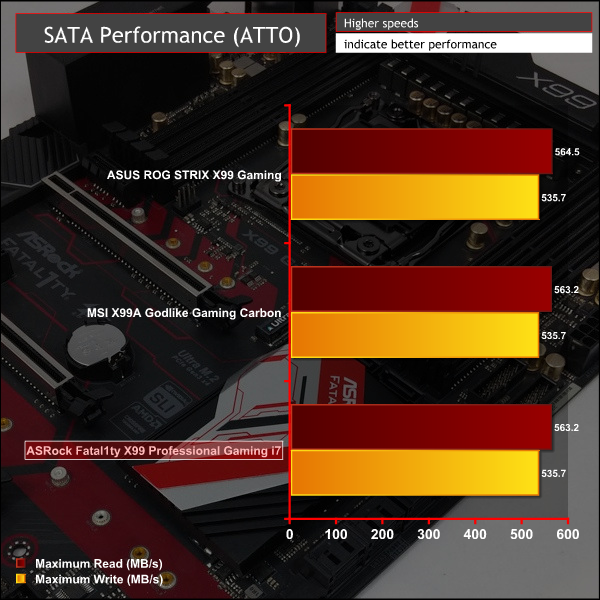
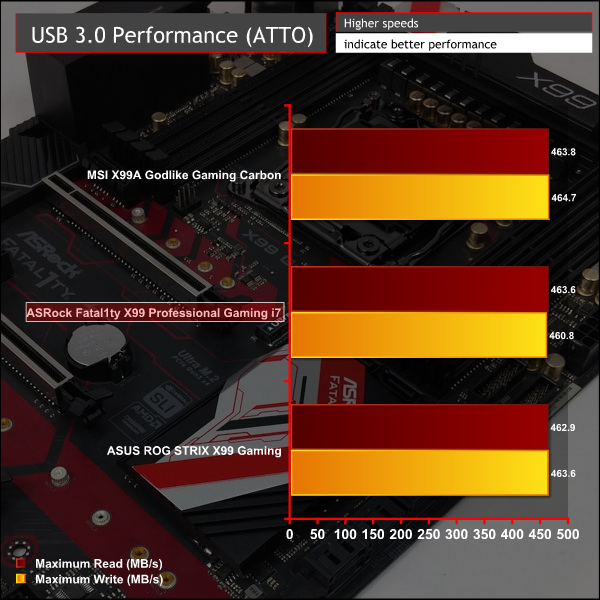
Since the X99 chipset controls USB 3.0 and SATA there was little variation between motherboards.
This similarity holds even accounting for different controllers. We tested the ASRock front and back USB 3.0 ports – the front being X99 and the rear fed through an ASMedia ASM1074 hub controller, and found the bandwidth results to be identical. This is likely to change when adding devices to the other rear USB 3.0 ports, however.
Rightmark Audio Analyser
Rightmark Audio Analyser is a freeware benchmarking utility designed to objectively test the performance characteristics of audio solutions. We setup a line-in line-out loop and execute the record/playback test before generating the results report you see below. This test was run at 16bit audio depth and 192KHz frequency.
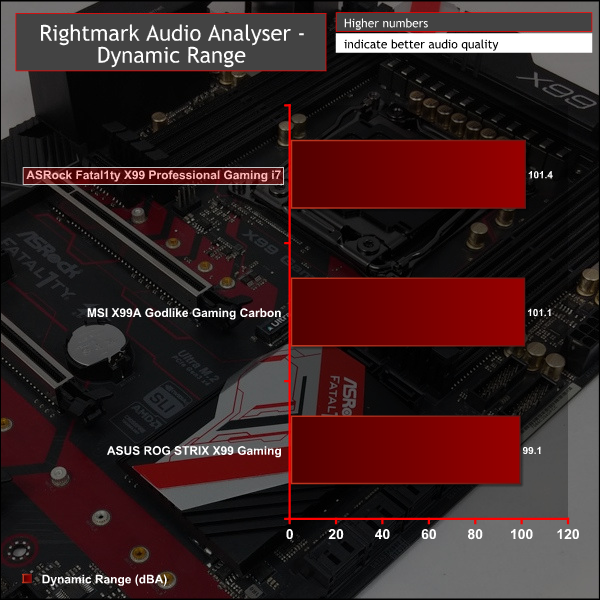
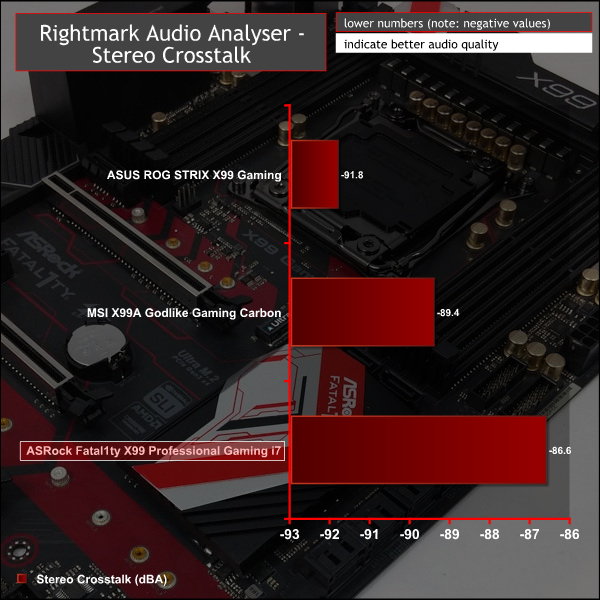
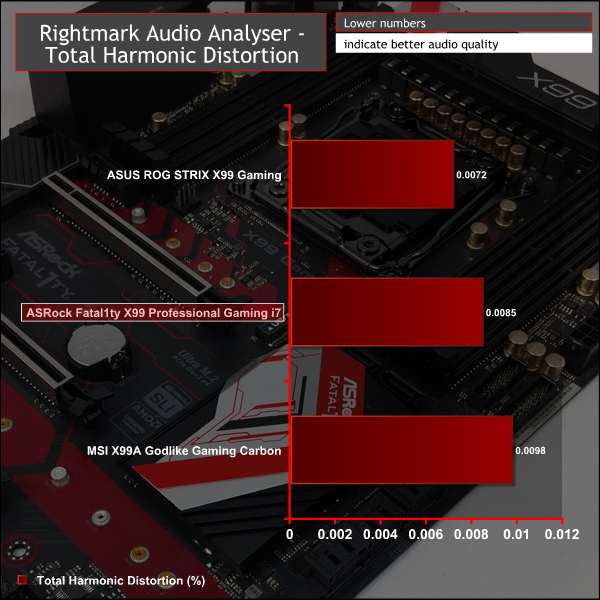
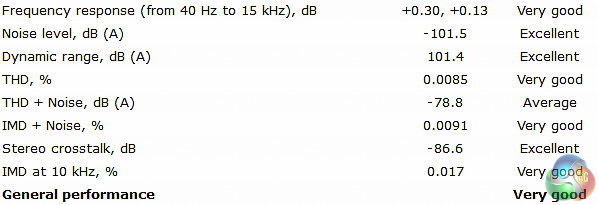
ASRock's audio solution is excellent, but so is the competition's. Since all motherboard vendors are using ALC1150 for their high-end motherboards there's been a surprising amount of convergence in the audio department too.
Vendors are trying to differentiate with extras like headphone amplifiers, swappable op-amps, higher-grade audio connectivity (6.35mm jacks, for example) and accompanying software. With its implementation ASRock uses a Texas Instruments headphone amplifier and offers Creative Sound Blaster 3 software for software-induced post-processing and other novel audio effects.
Power Consumption
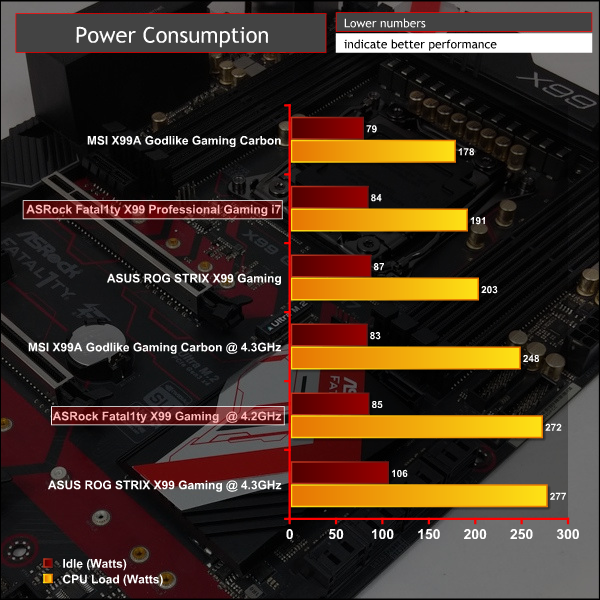
We leave the system to idle on the Windows 10 desktop for 5 minutes before taking a reading, for CPU load results we run Cinebench and take a reading in the middle of the render progress.
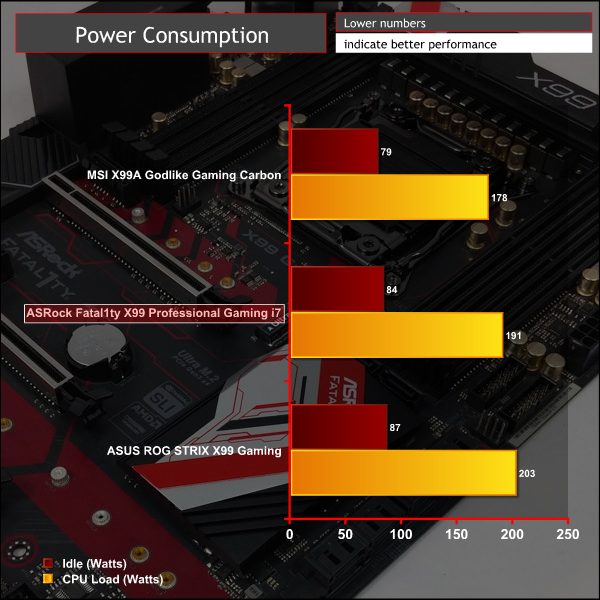
Power consumption falls directly between the MSI and ASUS X99 motherboards. ASRock's voltage profile is less aggressive than ASUS but more so than MSI. This accounts for the bulk of the power consumption differences between the motherboards on test.
Overclocking
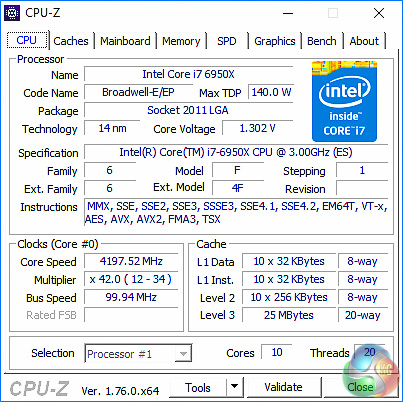
Normally we'd expected to achieve 4.3GHz with 1.3 volts or less for our X99 overclocking. However, due to a faulty CPU developing we have had to swap our i7-6950X for another sample.
On this ASRock X99 motherboard our replacement CPU achieved 4.2GHz at 1.3 volts – a fair result given how most Core i7 6950Xs overclock.
Reducing the voltage to 1.28v resulted in system stability, while increasing the frequency to 4.3GHz and voltage up to 1.325 and 1.35 volts still resulted in instability.
Both the performance and power consumption reflect the frequency and voltage used, respectively.
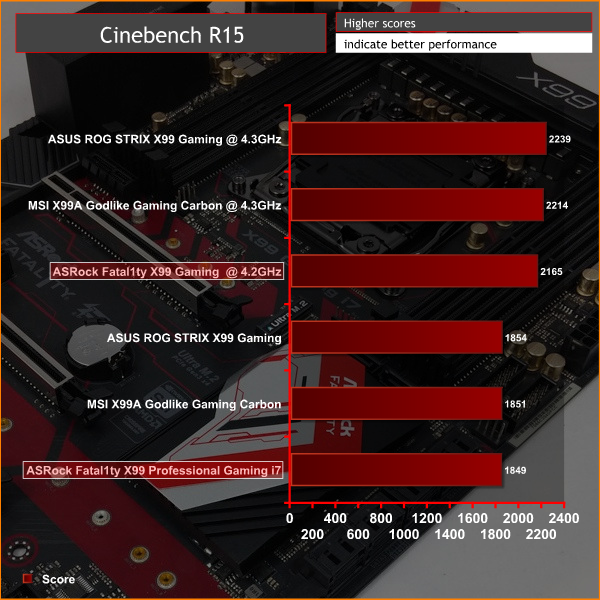
The X99 marketplace has become increasingly crowded with competitive options from the four main motherboard vendors thanks to them all refreshing their portfolios in response to Intel's new Broadwell-E CPUs.
Here at KitGuru we have reviewed a number of these motherboards including the ASUS Rampage V Edition 10 and STRIX X99 Gaming, Gigabyte X99-Ultra Gaming and MSI X99A Godlike Gaming Carbon.
ASRock‘s Fatal1ty X99 Professional Gaming i7 joins the fray with its own interpretation of what it thinks consumers want in this niche and specialised market segment.
In pricing terms, the ASRock motherboard is competitive with a UK retail price of £270 ($260 in North America). It's main like-for-like price-contenders are the ASUS ROG STRIX X99 Gaming (£280/$335) and the Gigabyte X99-Ultra Gaming (£250/$280). ASRock is more competitive in North America than it is in the UK, nonetheless, pricing is still fair given what's on offer.
ASRock's warranty duration seems to vary more by retailer and region than other vendors, but typically the warranty on this product is 2 or 3 years – check with your preferred retailer before purchasing. The industry-standard for a warranty on this class of product is 3 years.
While a gaming motherboard by name, the ASRock Fatal1ty X99 Professional Gaming i7 excels in regards to connectivity with dual Ultra M.2, dual Gigabit LAN with teaming support and a plethora of USB options. Taking into account general connectivity for motherboards at this price point, no other model is better equipped than ASRock's.
For example, Gigabyte's X99-Ultra Gaming has dual-gigabit but no teaming support and only a single M.2. Both the ASUS ROG STRIX X99 Gaming and MSI X99A Godlike Gaming Carbon have single Gigabit and single M.2.
The Fatal1ty X99 Professional Gaming i7 also nails the building experience with onboard power and reset buttons, a debug LED, a rear clear CMOS button and a clear CMOS jumper, something not all vendors have managed to include.
ASRock has made some compromises to achieve the extra connectivity; the number of full-sized PCIe slots has fallen from 4 to 3 to make room for the second M.2 port. There's also been little focus on customisation which means no RGB lighting or changeable heatsink covers like is found on rival motherboards.
Discuss on our Facebook page HERE.
Pros:
- Excellent all-round connectivity – WiFi, dual Gigabit, dual M.2, USB 3.1 and more.
- Great building experience – onboard buttons, debug LEDs, rear I/O clear CMOS
- Well rounded UEFI with sensible default turbo behaviour
Cons:
- No customisation options and somewhat tiresome red & black colour scheme
- Only 3 full-sized PCIe slots
KitGuru says: The Fatal1ty X99 Professional Gaming i7 is a connectivity-rich motherboard that delivers a great building experience.


Any idea of price?
Yes it’s discussed on the final page – around £270 in the UK and $260 in the US.
260 USD isn’t 270 GBP, even after the eu referendum bollocks.
Id more likely expect something like;
260 USD / 220 GBP
320 USD / 270 GBP
Wouldn’t make sense at all for it to be more in GBP than USD.
I know how the currency conversion (plus being British tax) works. But that’s what retailers are selling the board for. It says in the review that ASRock’s pricing is more competitive in North America than it is in the UK.
It’s 324 euros here in Belgium.
This one looks good, but if I was to go with X99 on a budget I would consider their Taichi model.
I do like the looks of Taichi. Even Fatal1ty looking good, Taichi Black and white looks really good.
I was pleasantly surprised when I got my FX990 Killer, it is one solid board with wonderful audio and I really do like the UEFI set up way more than Asus or MSi. My only complaint with mine is the rather terrible northbridge heatsink design, it’s just a stylized block of anodized aluminum with 3 grooves cut in it, I could have gone down to the 970FX board with all better heatsinks, USB 3.1 with a type C port and support for 220watt CPU’s, but I would have given up a far more superior chipset (I run multiple PCIe devices, wireless, a USB 3.1 card and 2 different graphics cards), additional power to PCIe and audio
Really good stuff coming out from them, love their mobos.