 KitGuru KitGuru.net – Tech News | Hardware News | Hardware Reviews | IOS | Mobile | Gaming | Graphics Cards



Scan will be well-known to KitGuru readers for its huge and comprehensive component supply business. But the company has also been building professional workstations for many years. The 3XS range includes both enthusiast systems for gamers as well as rack-mount servers and high-performance computing nodes. The 3XS GW-HTX35 is a high-end graphics system that brings together the best possible components in most areas, and won't give you much change out of £10,000 as a result.
Central to the GW-HTX35 is a pair of ten-core Xeon processors, giving this system huge potential with parallel-processing tasks like 3D rendering. These are backed by a healthy 64GB of RAM. But 3D modelling performance will be excellent, too, because this is the first system we have seen with the super-expensive NVIDIA Quadro M6000 professional graphics card, which costs around £3,000 on its own and sports a whopping 12GB of frame buffer. So this is a system with potential to reign supreme across the board. Read on to see how it does in our suite of professional tests.
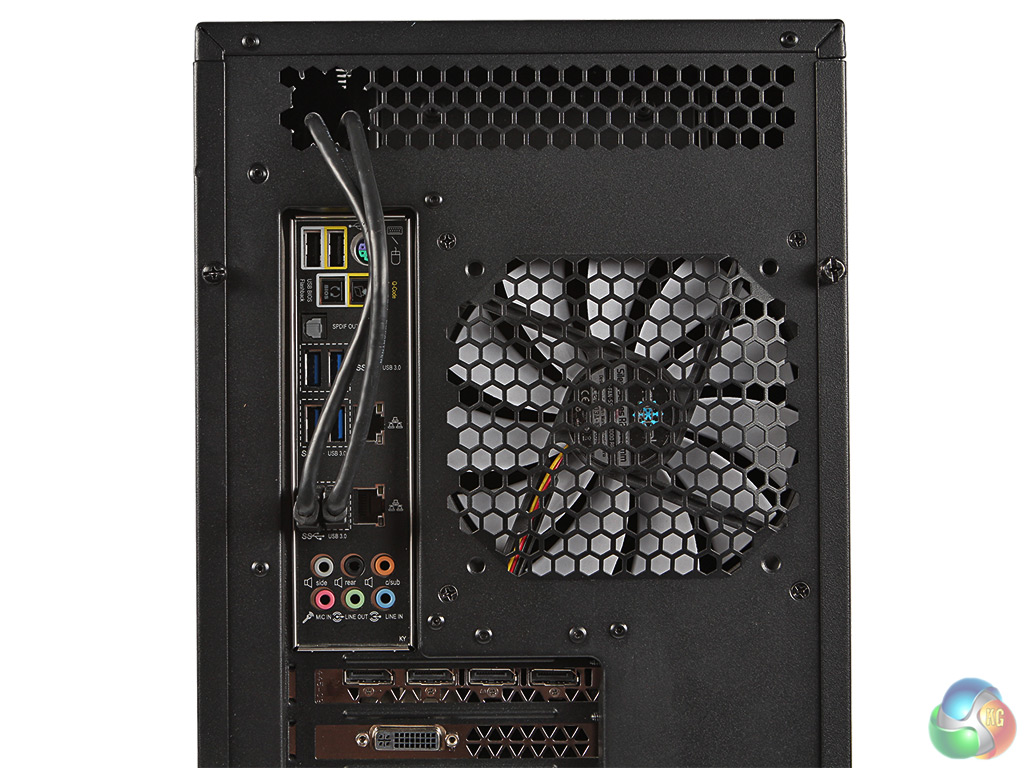
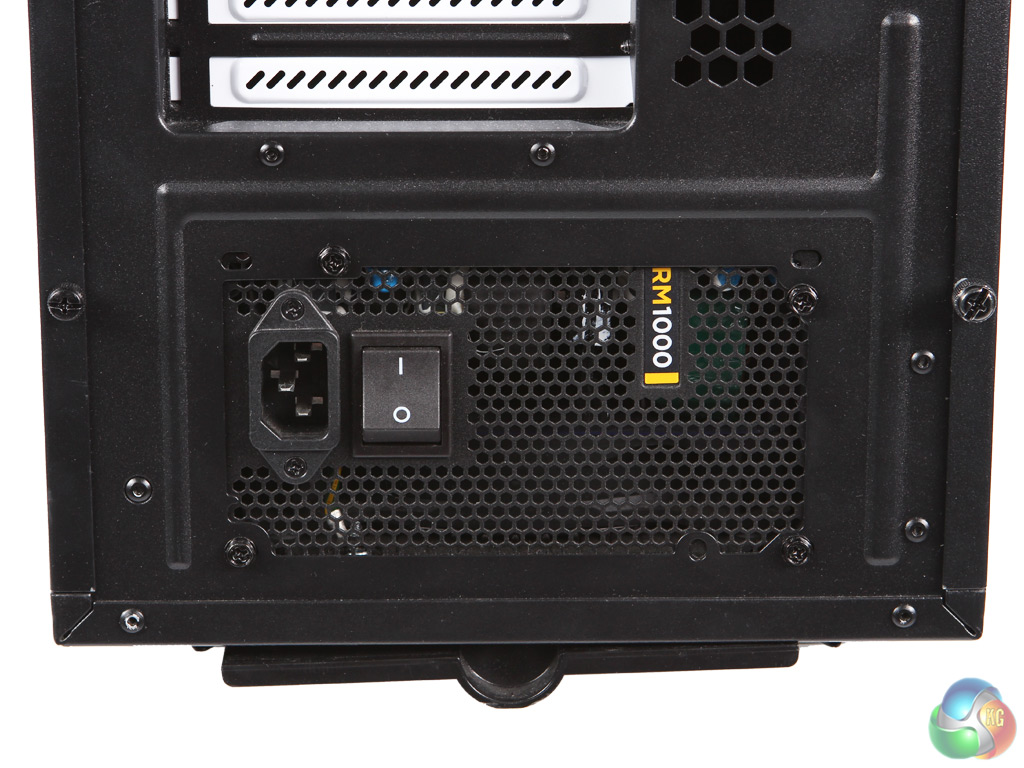
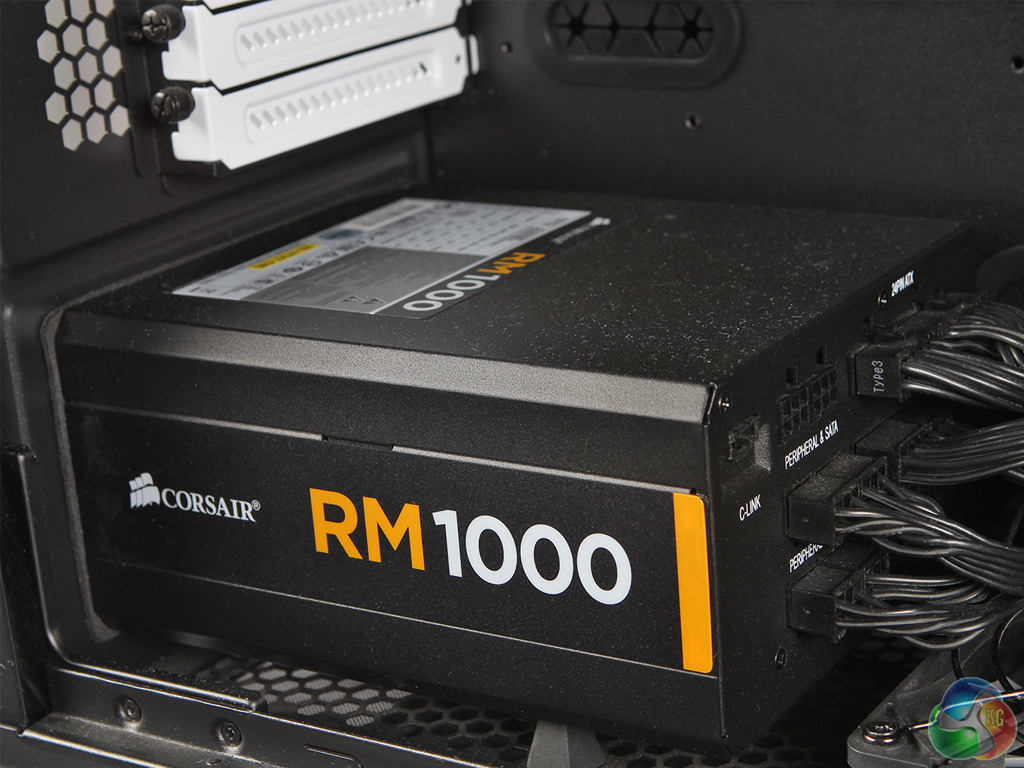
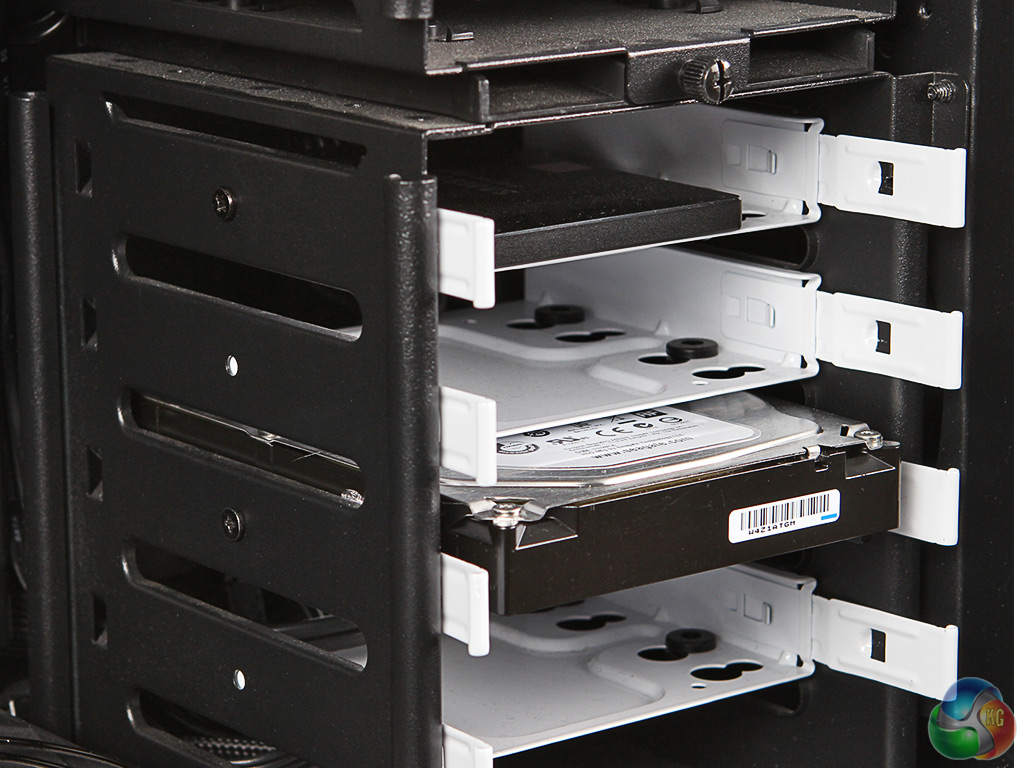
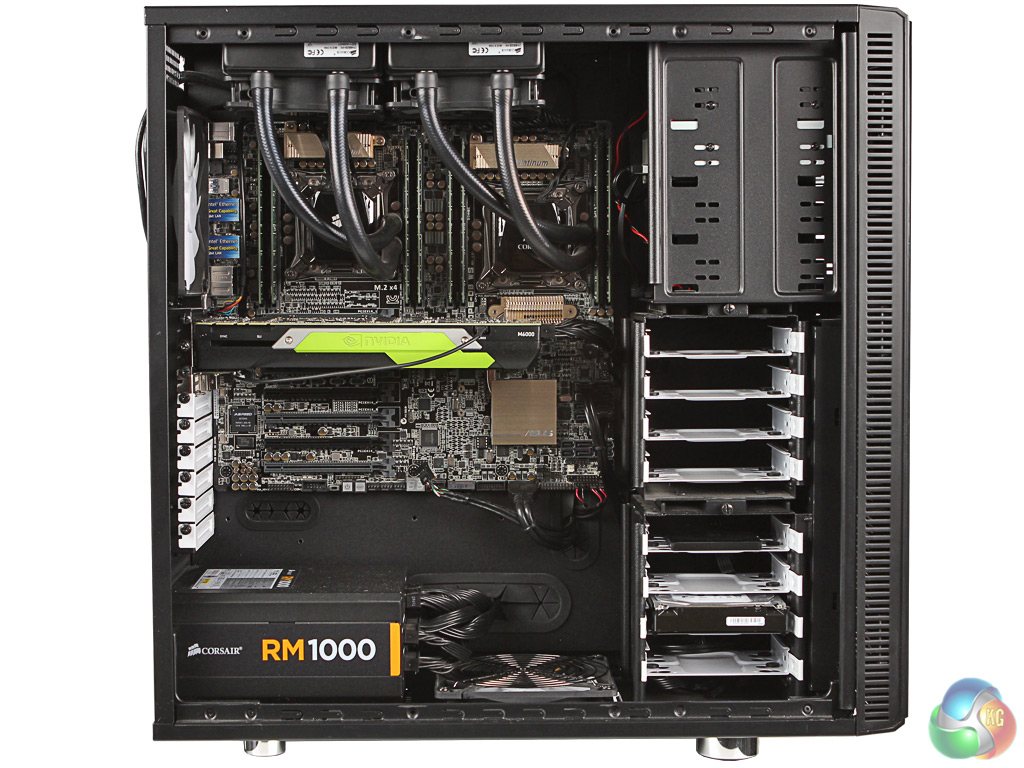
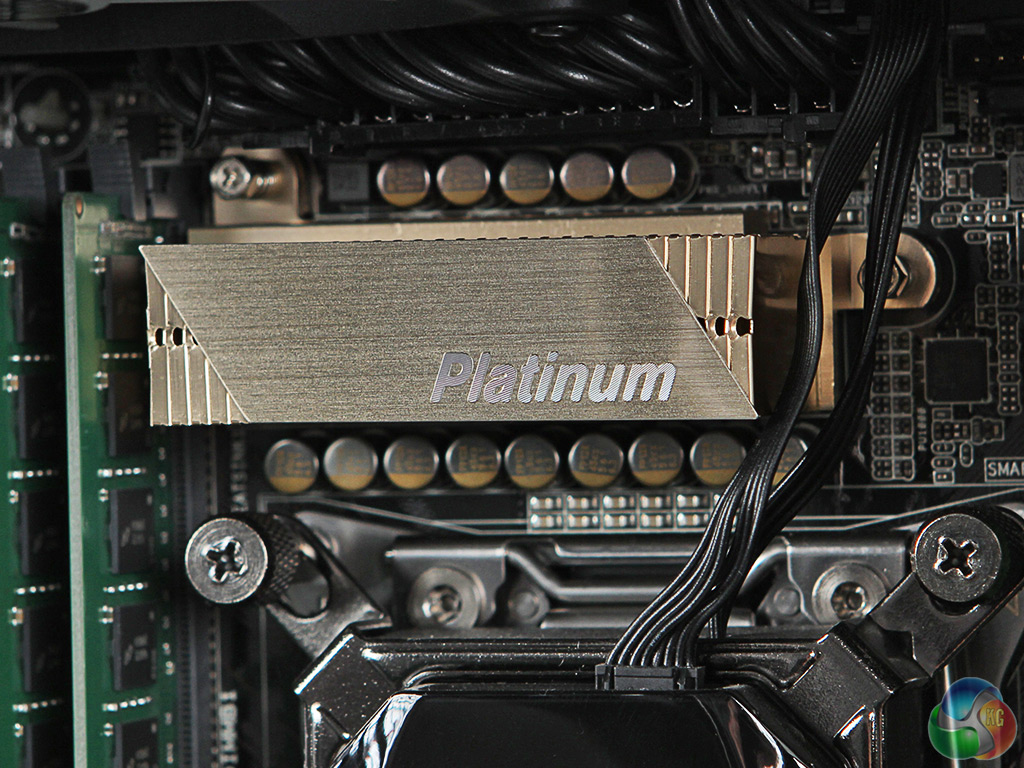
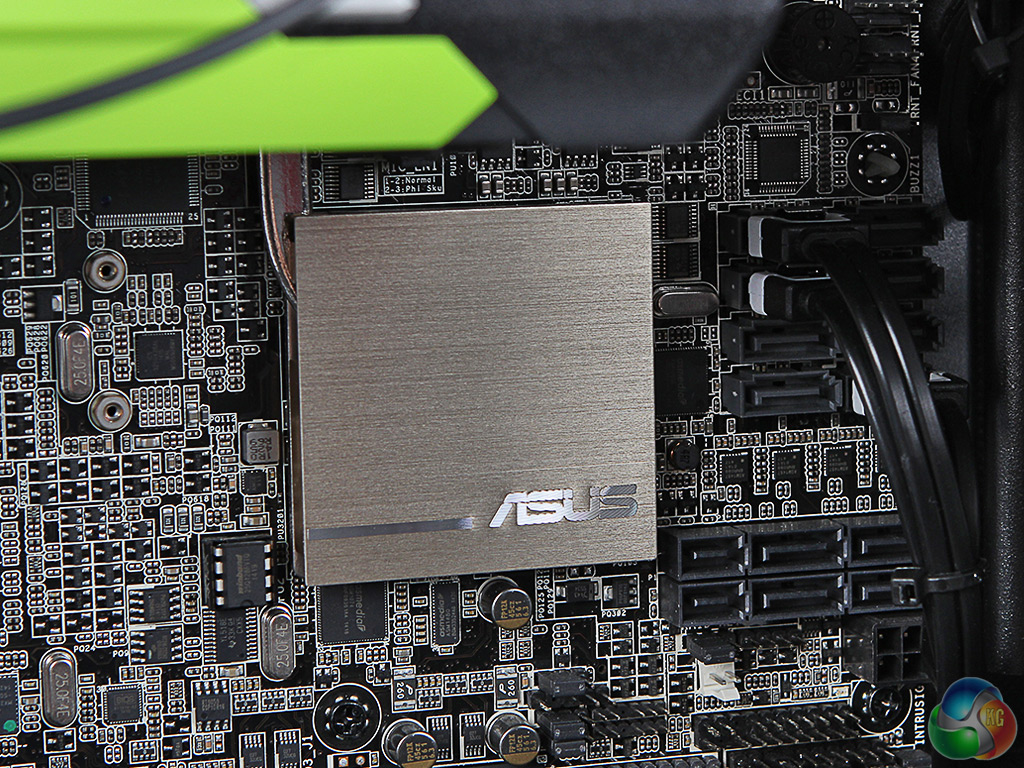
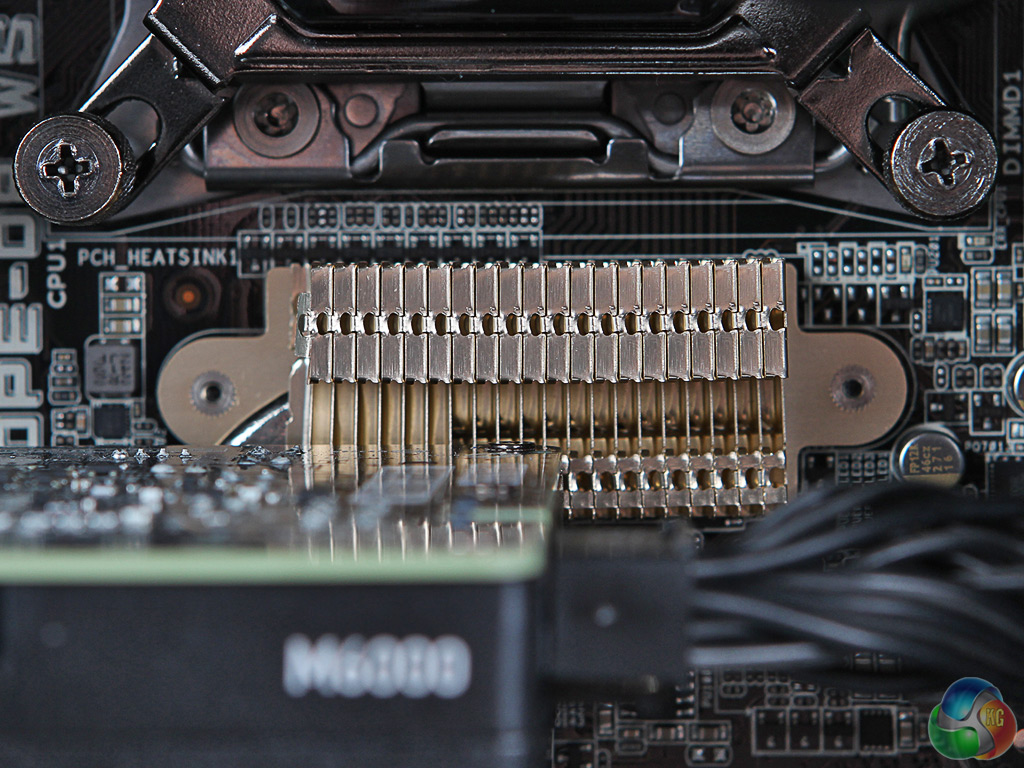
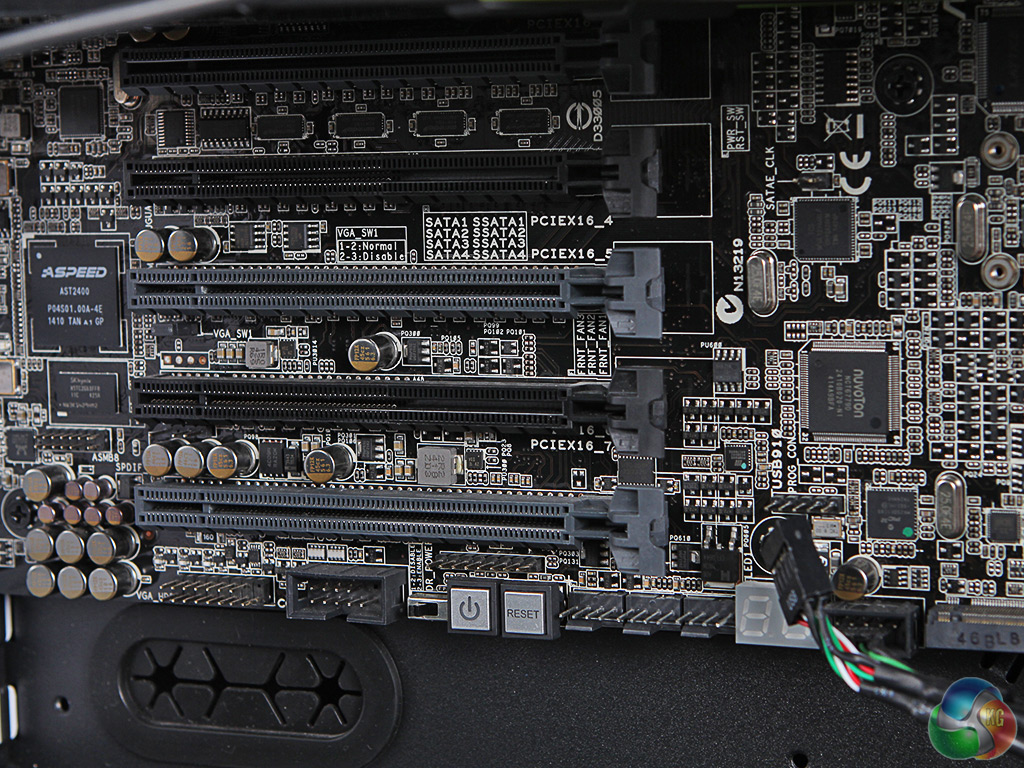
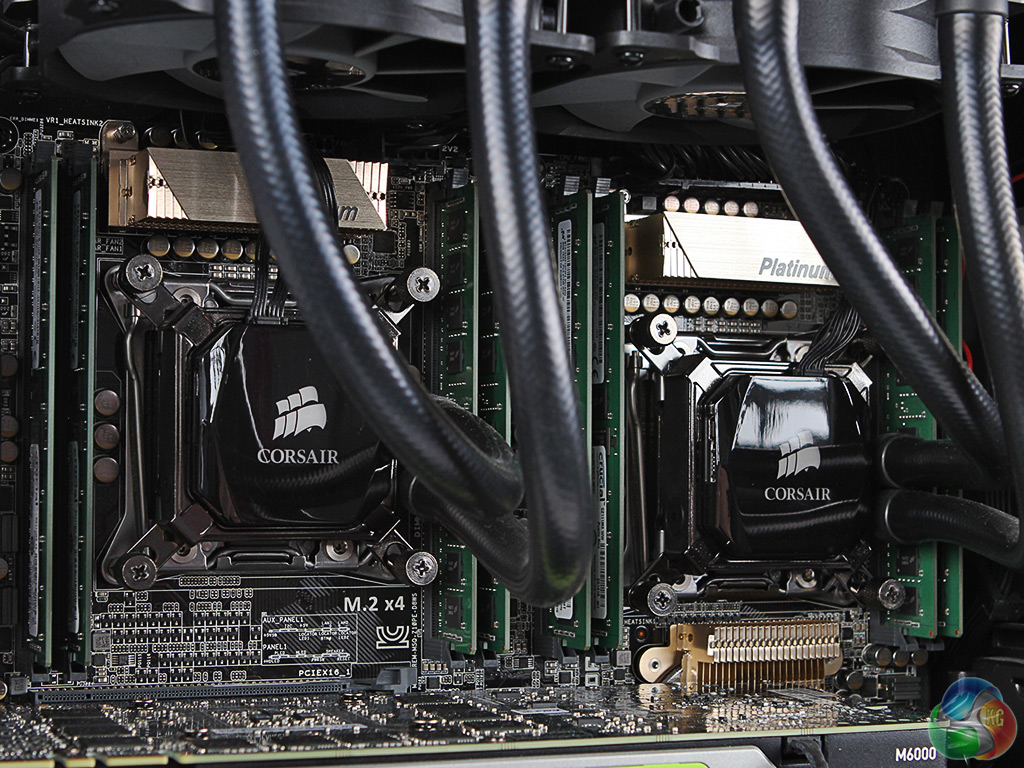
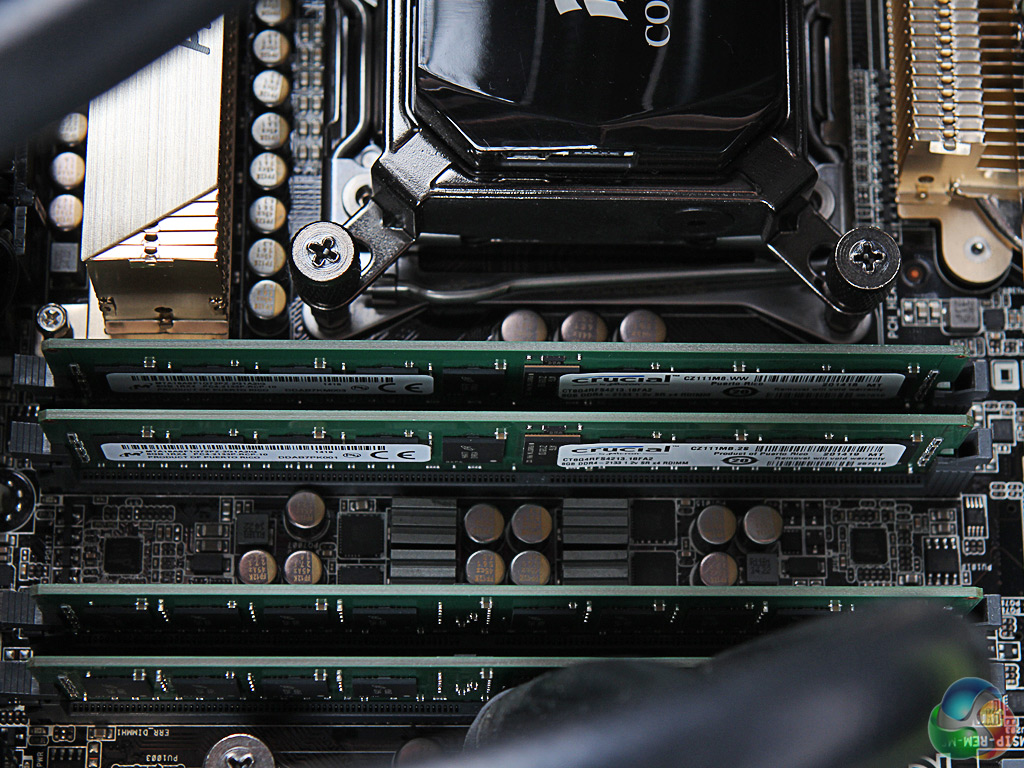
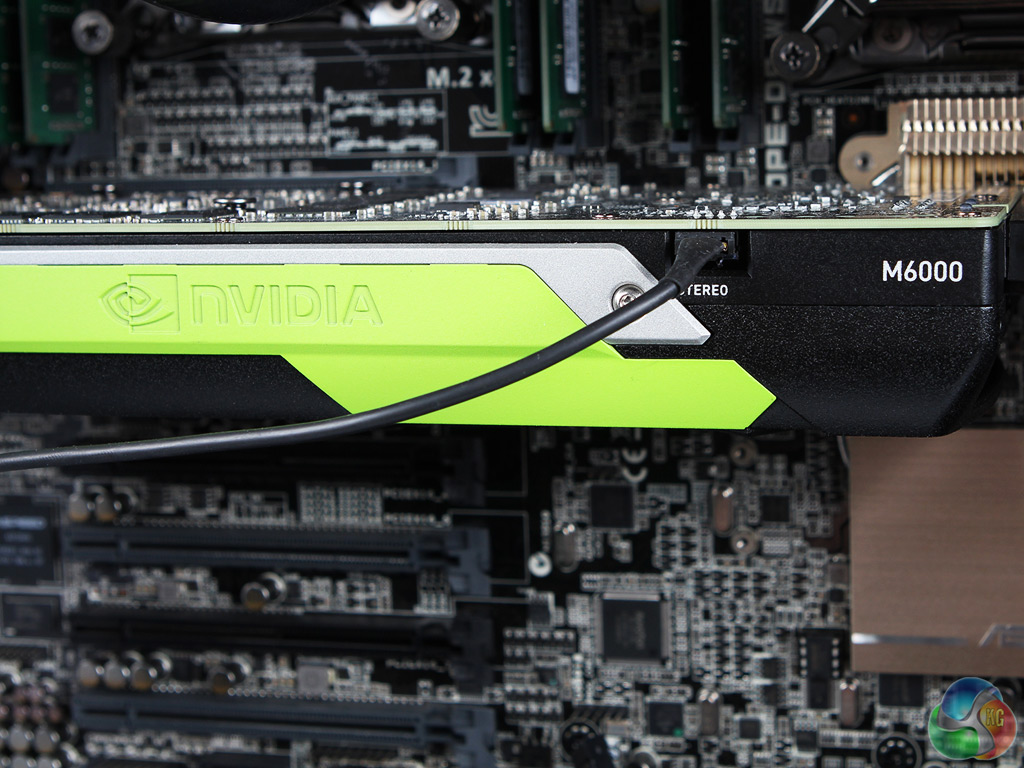
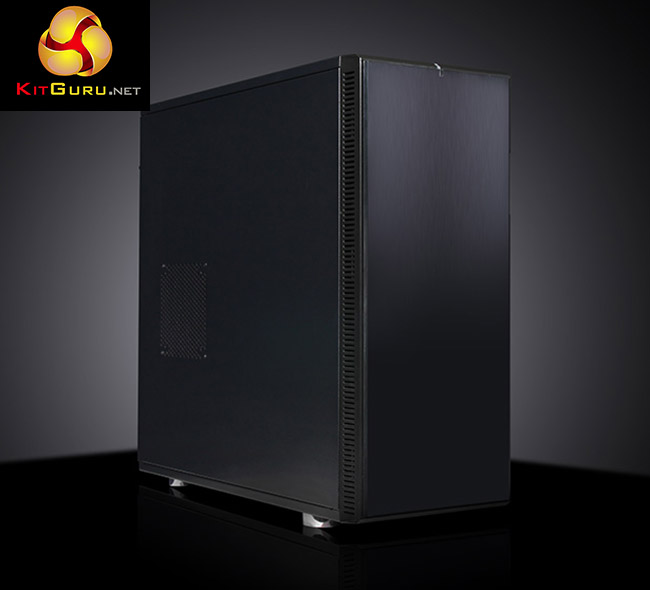
Here are some detailed shots of the system, internal and external.
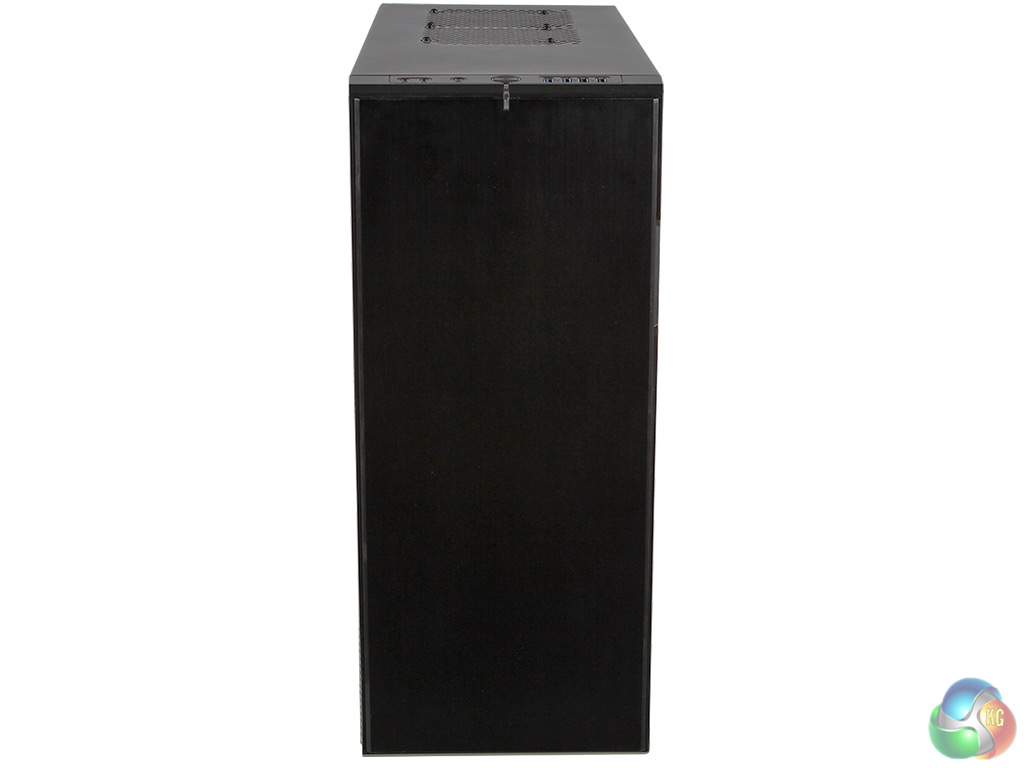
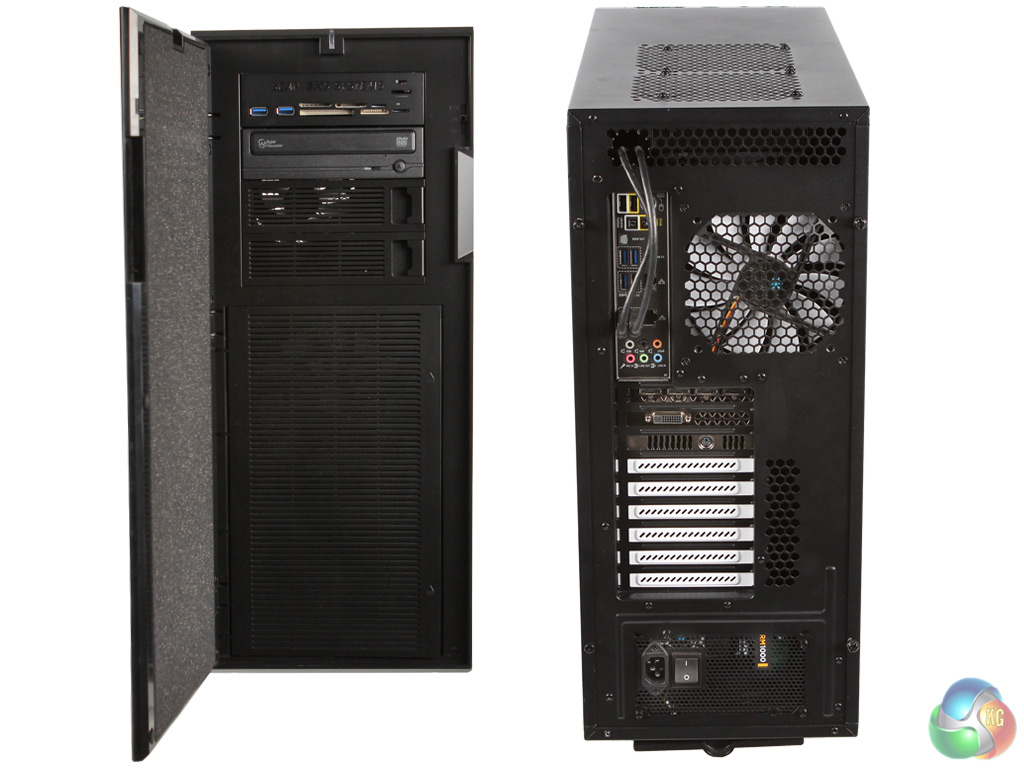
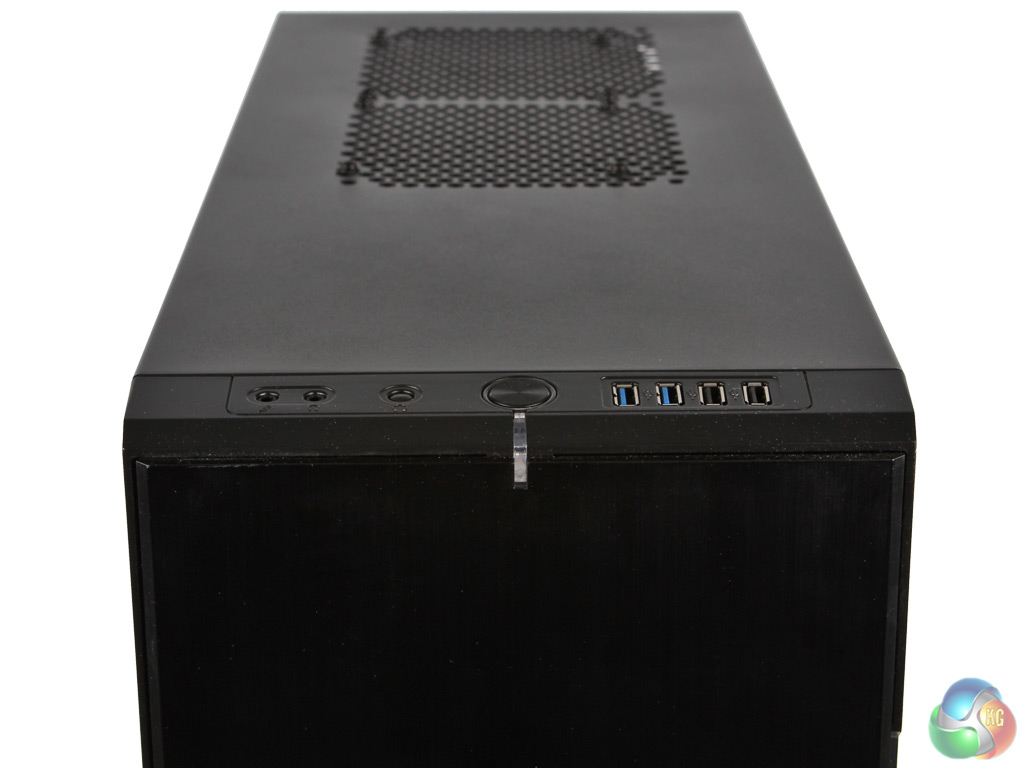
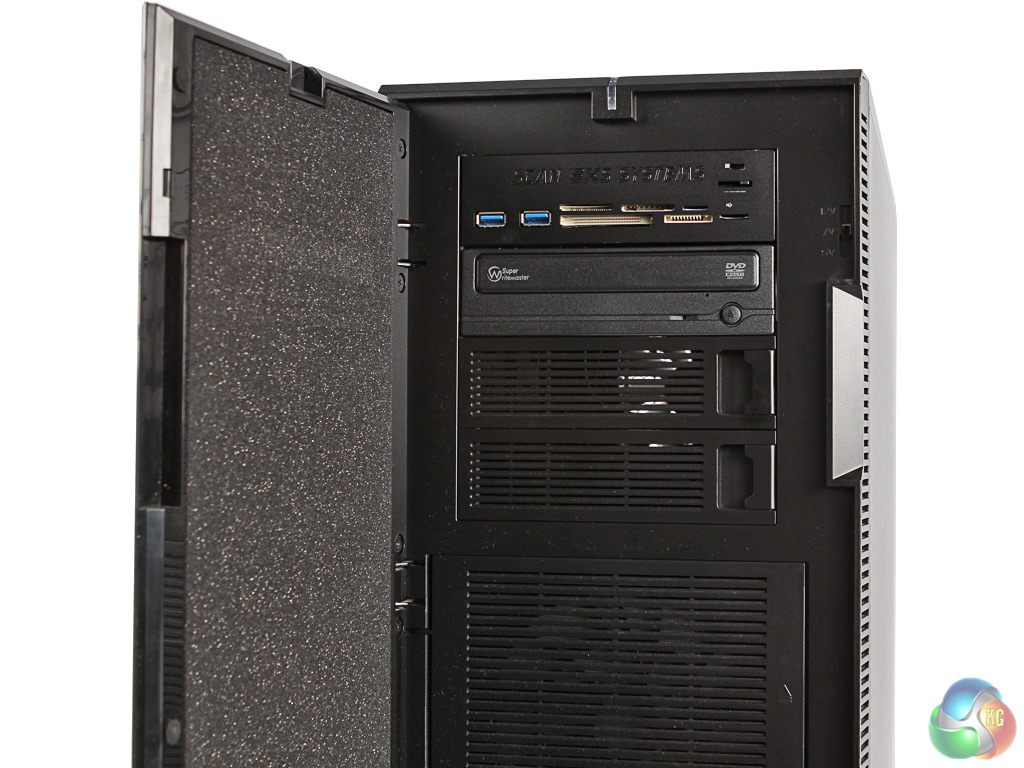
Scan 3XS GW-HT35 Specifications:
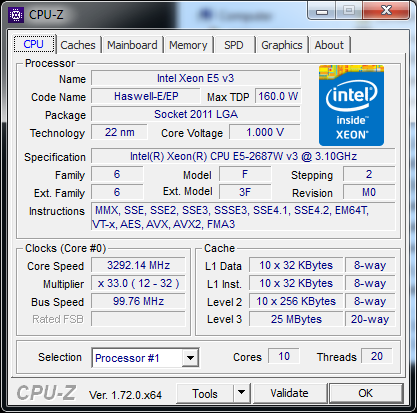
- 2x Intel Xeon E5-2687W V3 @ 3.1GHz
- 64GB Crucial ECC Registered DDR4 SDRAM @ 2,133MHz
- ASUS Z10PE-D8 WS Motherboard
- 512GB Samsung 850 Pro SATA III 6Gb/s SSD
- 2TB Seagate Barracuda 7200.14 SATA III 6Gb/s 7,200rpm HDD
- 12GB GDDR5 NVIDIA Quadro M6000 Graphics
- 2x 3XS customised Corsair H80 water cooling
- 1,000W Corsair RM PSU
- Fractal Design Define XL Titanium Grey chassis
- Windows 7 Professional 64bit
- 3 Years warranty, 1 Year Onsite, 2 Years RTB
Price: £9,179 inc VAT & Delivery (Buy from SCAN HERE)
The GW-HT35's pair of Xeon E5-2687W v3 processors are top of the official Intel workstation range, although there are server-focused parts with up to 18 cores that we do sometimes see in desktops. The E5-2687W v3 “only” offers ten cores, but has a clock speed advantage over most of the server CPUs, running at a nominal 3.1GHz, with a 3.5GHz Turbo Boost mode.
Unlike Core i7 processors, Xeons aren't usually supplied permanently overclocked, although some motherboards allow you to do so. Still, the 3.5GHz mode will be good for modelling. With Hyper-Threading available, there are 20 threads per CPU for a sizable total of 40 threads, which will be excellent for multi-threaded activities like rendering.
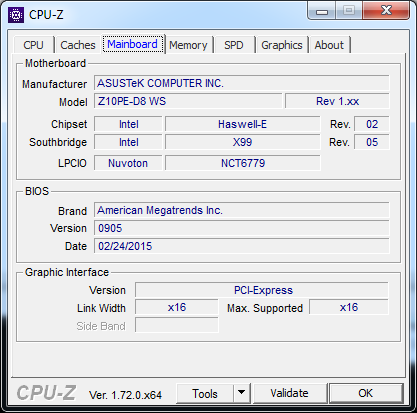
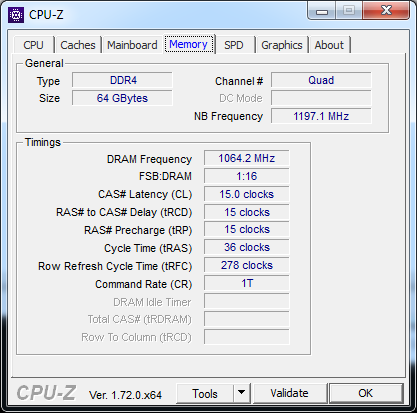
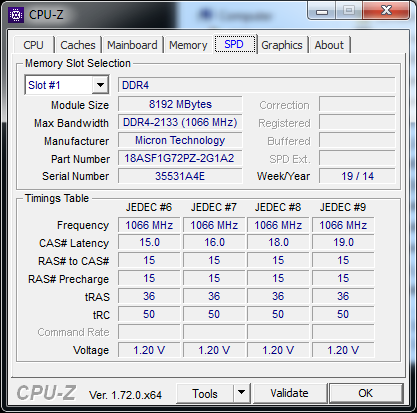
The twin processors are backed up by a very healthy 64GB of 2,133MHz DDR4 SDRAM, supplied as eight 8GB DIMMs on the Asus Z10PE-D8 WS. This doesn't leave any room for upgrade, as the DIMMs take all available slots.
But the board supports up to 512GB should you ever feel 64GB is not enough. The processors have been water-cooled by two of Corsair's H80's blocks, customised by Scan for the GW-HTX35's setup.
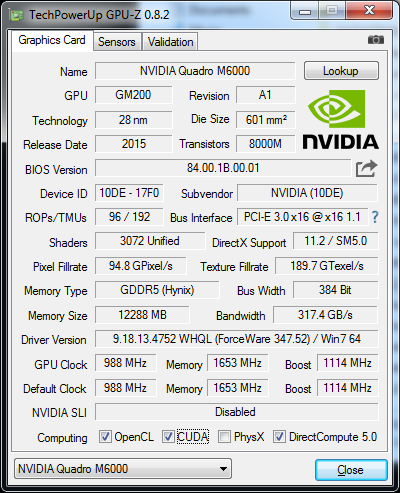
The next super-high-end inclusion is the graphics card. The NVIDIA Quadro M6000 is just about the most expensive graphics card on the market, but it's also the most powerful. This is the first of the high-end Quadros to move over to the NVIDIA Maxwell architecture, and the very first one to use the second-generation version, although 4000 and 5000 series spins are also planned.
The M6000 is a monster card. It incorporates a massive 3,072 CUDA cores – over 700 more than the high-end K5200 and more than twice as many as the popular K4200. The core frequency is fast at 988MHz and the 12GB of GDDR5 runs at 1,653MHz on a 384-bit bus, providing 317GB/sec of bandwidth, which is more than 50 per cent more than the K5200 and K4200. Although this card is a specialist one aimed at applications requiring huge texture sets, it should be a performance king across the board.
The Asus Z10PE-D8 WS motherboard sports eight 6Gb/sec SATA ports, plus two SATA Express offering up to two more each. There's also a M.2 x4 connection, but for some reason Scan hasn't taken advantage of this for main storage, using a SATA-connected 512GB Samsung 850 Pro for operating system and applications.
This is a surprise, given the hefty price of the system and the greater performance of M.2 drives. But there is also a secondary SATA storage device in the shape of a 2TB Seagate Barracuda 7200.14 7,200rpm conventional hard disk, which will provide plenty of capacity for audiovisual data and 3D assets. A Samsung SH-224DB DVD rewriter and multi-format are also supplied, so the full range of storage options are covered.
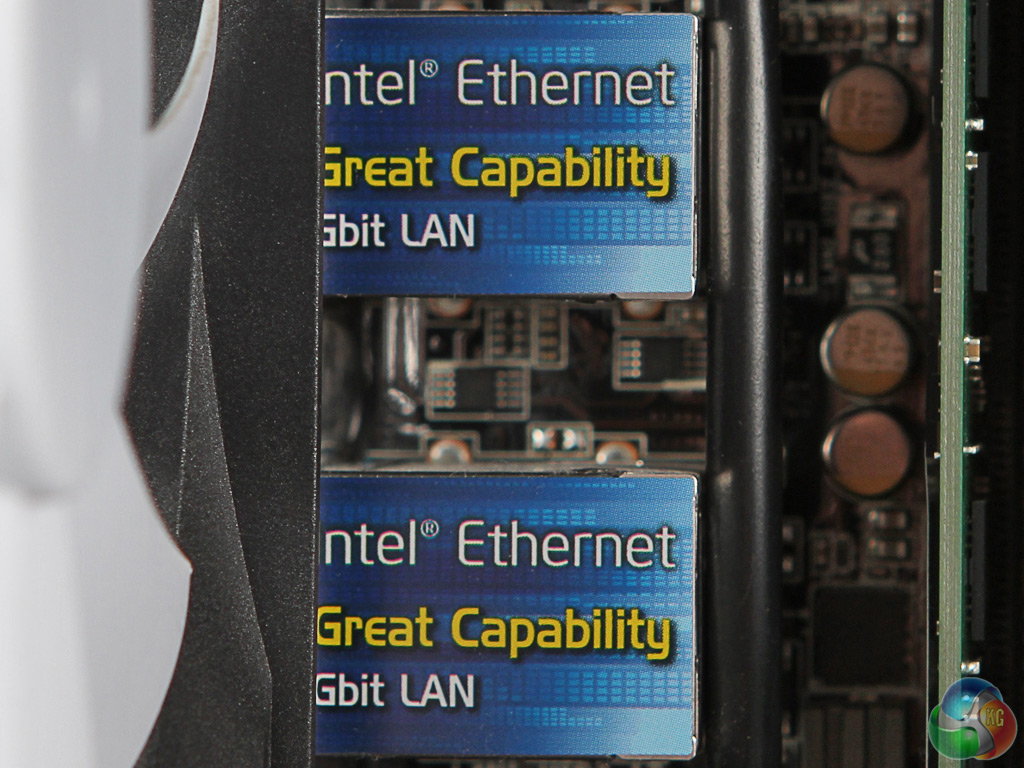
There are six USB 3.0 and two USB 2.0 ports alongside twin Gigabit Ethernet on the rear panel, plus eight-channel audio. So there is a good range of external connectivity on the rear, plus a couple of USB 3.0 in the memory card reader add-on. The chassis also offers a pair each USB 3.0 and USB 2.0 on the top front edge.
We put the Scan system through our usual suite of workstation benchmarks. For comparison, we pitted it against the Overclockers RENDA PW-E7F and the PC Specialist high-end Xeon workstation from our recent features with a NVIDIA Quadro K5200 fitted, although we haven't run every test on every workstation. Neither system is in the same league both in terms of specification or price, but they will at least provide a comparison.
Software:
Cinebench R15
SPECviewperf 12.02
SPECapc for 3ds Max 2015
SPECapc for SolidWorks 2013
Cadalyst Benchmark Test for AutoCAD 2015
CrystalDiskMark
RENDA PW-E7F Specifications:
- Intel Core i7-5960X @ 4.2GHz
- 32GB DDR4 SDRAM @ 2667MHz
- ASUS X99-E WS Motherboard
- 256GB Samsung 850 Pro SATA III 6Gb/s SSD
- 2TB Seagate Barracuda SATA III 6Gb/s 7,200rpm HDD
- 8GB GDDR5 AMD FirePro W8100 Graphics
- EK-WB water cooling
- SuperFlower PSU
- Phanteks chassis
- Windows 8.1 Pro 64bit
- 5 Years, 3 Years Collect and Return, 2 Years Labour
PC Specialist High-End Workstation Specifications:
- Intel Xeon E5-2697v3 @ 2.6GHz
- 64GB ECC DDR4 SDRAM @ 2,133MHz
- ASUS X99-E WS Motherboard
- 240GB Kingston HyperX 3K SATA III 6Gb/s SSD
- 2TB Western Digital Caviar Black WD2003FZEX SATA III 6Gb/s HDD
- CoolerMaster Hyper 212 EVO (120mm) Fan CPU cooling
- Corsair 750W CS Series Modular 80 Plus Gold PSU
- Corsair Carbide Series 200R Compact chassis
- Windows 8.1 Pro 64bit
- £3,249 inc VAT (without graphics card)
CINEBENCH 15 is a cross-platform testing suite that measures hardware performance and is the de facto standard benchmarking tool for leading companies and trade journals for conducting real-world hardware performance tests. With the new Release 15, systems with up to 256 threads can be tested.
CINEBENCH is available for both Windows and OS X and is used by almost all hardware manufacturers and trade journals for comparing CPUs and graphics cards.
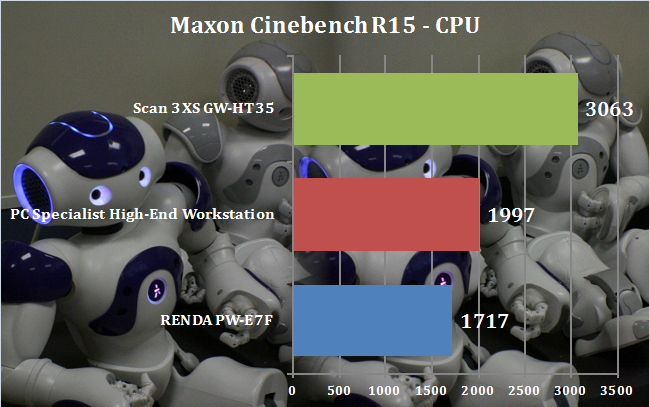
The CPU rendering portion of Maxon Cinebench R15 shows just how titanic the 40 threads from the two Xeon processors actually are. The result of 3,063 blows away our two reference systems, and shows that cores are king for rendering. The Scan 3XS GW-HTX35 will absolutely excel in this department.
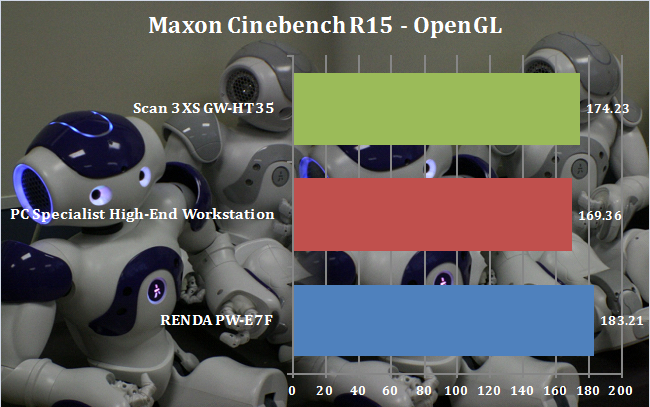
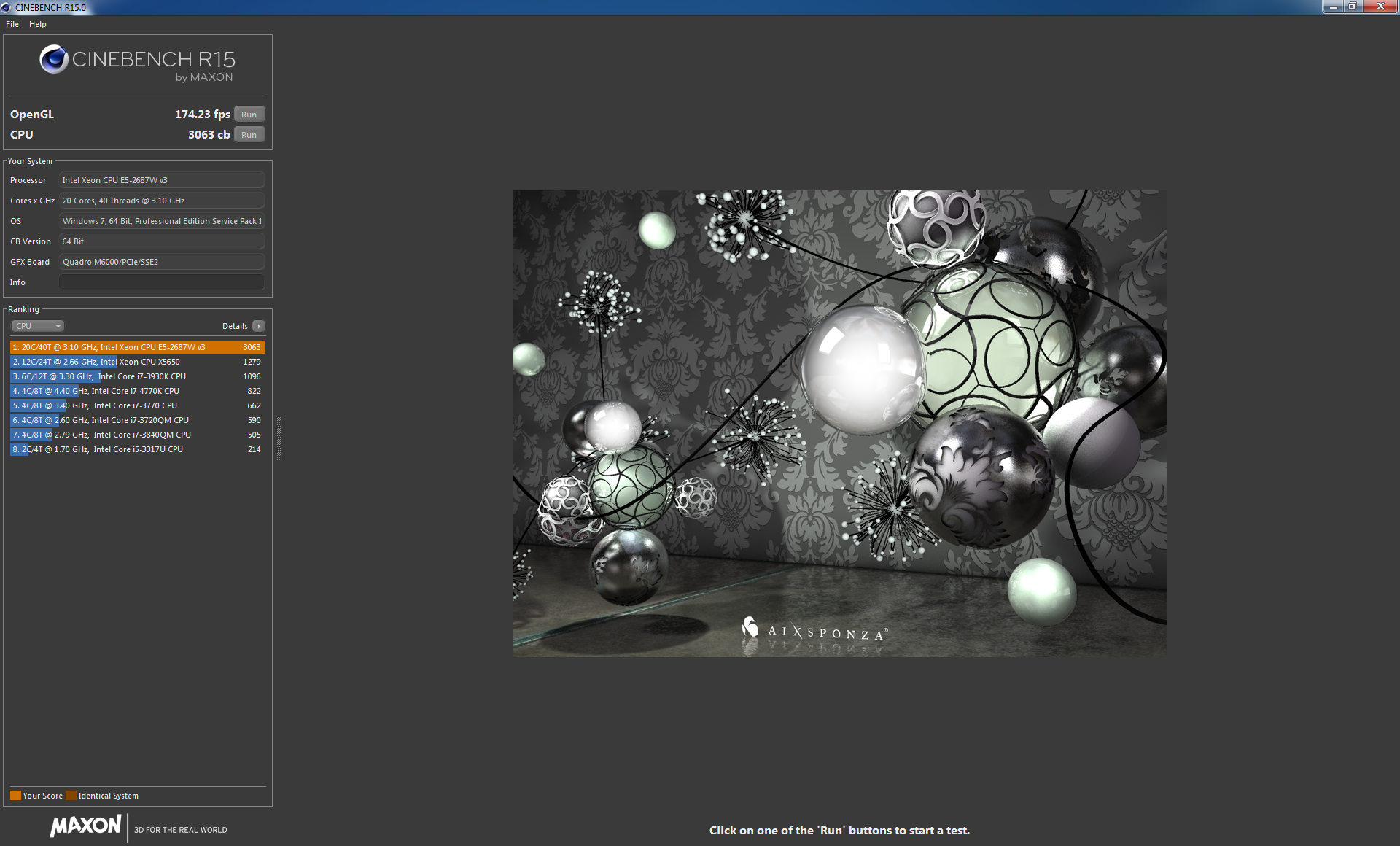
The Cinebench OpenGL results don't dominate so clearly, because clock speed has some influence over graphics, and Maxon Cinema 4D doesn't appear to benefit enormously from the huge number of CUDA cores on the M6000 graphics. So the Scan does beat the K5200-wielding PC Specialist system, but the RENDA system's 4.2GHz CPU clock pushes it mildly ahead.
In our workstation features, we found this was about the only graphics test that did gain significant benefit from CPU clock speed.
SPECviewperf 12, released by SPEC's Graphics Performance Characterization group (SPECgpc) on December 18, 2013, is an all-new version of the worldwide standard for measuring graphics performance based on professional applications. SPECgpc members at the time of release include AMD, Dell, Fujitsu, HP, Intel, Lenovo, NEC and NVIDIA.
SPECviewperf 12 measures the 3D graphics performance of systems running under the OpenGL and Direct X application programming interfaces. The benchmark’s test files, called viewsets, represent graphics content and behavior from actual applications.
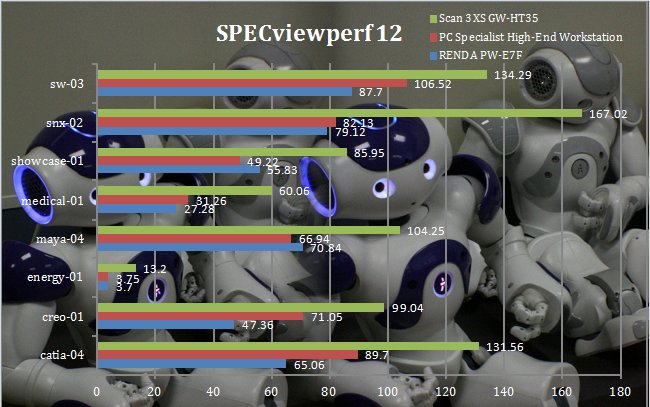
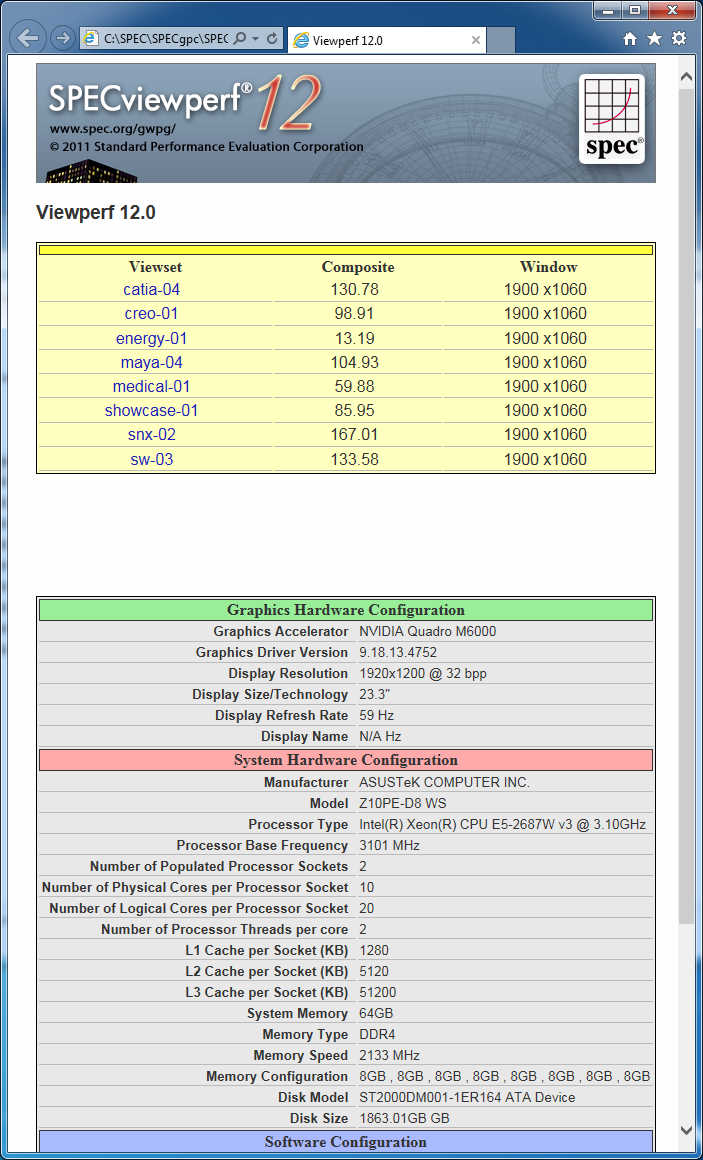
It's hard to say anything much more about the Scan 3XS GW-HTX35's SPECviewperf 12 results other than “wow”. The Quadro M6000 graphics annihilates all competition, with the Siemens NX snx-02 result being more than twice as fast as the Quadro K5200-wielding PC Specialist system.
The energy-01 viewset is particularly texture heavy, and the M6000 is more than 3.5x faster than the graphics in either comparison system. No matter what professional 3D content creation package you might be using, it's clear this system will make short work of it when modelling.
SPECapc for 3ds Max™ 2015 is performance evaluation software for systems running Autodesk 3DS Max 2015. The benchmark was introduced on August 13, 2014. The benchmark requires that users have a working version of 3ds Max 2015 with Service Pack 1 applied.
SPECapc for 3ds Max 2015 contains 48 tests for comprehensive measurement of modeling, interactive graphics, visual effects, CPU and GPU performance.
Features in the latest SPECapc benchmark are keyed to upgrades in 3ds Max 2015, including new DirectX 11 shaders and vector maps, Nitrous viewport enhancements, and new dynamics and visual effects. The benchmark also improves run-to-run consistency and results reporting.
Benchmark results are derived by taking the total number of seconds to run each test and nomalizing it based on a reference machine, in this case a Dell Precision 690 workstation with 2.0-GHz Intel Xeon 5130 processor, 4 x 4GB FB-DIMM DDR2 SDRAM (ECC) memory, NVIDIA Quadro Q600 graphics card, and Western Digital 500GB 7200 rpm hard drive. The normalization process ensures a scoring system where a bigger score is better. Composite scores are reported for CPU, GPU and large-model (city scene) performance.
The benchmark can be run at 4k and HD resolutions, and at different anti-aliasing levels: 0xAA (default), 2x, 4x, and 8x AA, although we performed all tests at the default setting.
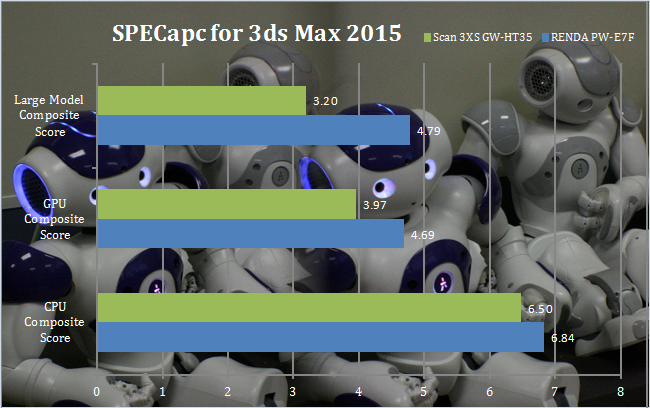
The Scan system didn't fare so well with 3ds Max 2015, which clearly benefits from both the clock speed of the RENDA and its AMD graphics, which we noted when we reviewed the latter machine do pay some dividends with this application.
SPECapc for SolidWorks 2013™ is performance evaluation software for vendors and users of computing systems running SolidWorks 2013 CAD/CAM software. It is designed to run on Microsoft Windows 7 64-bit platforms.
The benchmark includes 10 new models, each of which is exercised with 12 tests. Models were selected from the SolidWorks user community, with an emphasis on real-world datasets that can be distributed in the public domain. The largest model is 2.25 million triangles.
The 10 graphics-oriented tests in SPECapc for SolidWorks 2013 use three SolidWorks view settings – RealView, ambient occlusion and shadows – in combination with shaded and shaded-with-edges display styles. The two CPU tests within the benchmark include tessellation and PhotoView360 rendering.
The benchmark generates individual scores for each test and computes composite scores for graphics and CPU performance. The reference system for computing the normalized ratio that produces a “bigger is better” score is a Dell Precision 690 with Xeon 5130 2GHz, AMD FirePro V3750 and 16GB RAM with 4x4GB ECC DDR2 667 MHz.
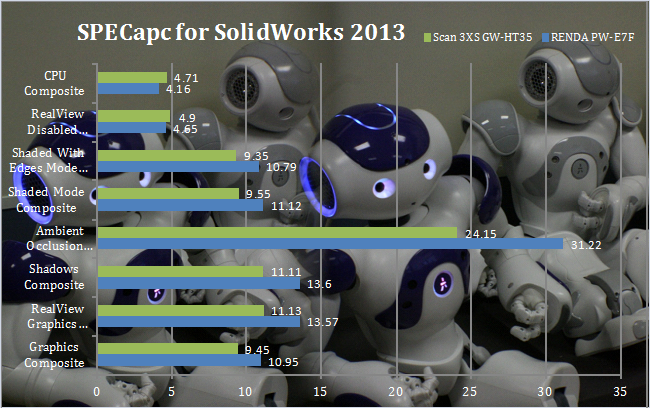
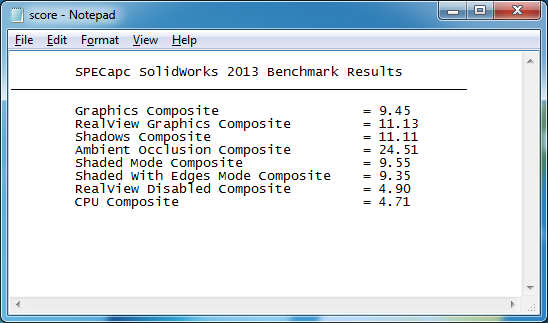
Although the Scan system excelled in the SPECviewperf SolidWorks viewset, the SPECapc benchmark tells a different story.
The single-core clock speed of the RENDA system gives it a notable edge in a number of the test areas, showing that for modelling CPU clock speed is more important than cores, although we're surprised the Quadro M6000 graphics didn't provide an edge, considering how dominant it was across the board in the SPECviewperf 12 viewsets.
Cadalyst Benchmark Test for AutoCAD 2015. The Cadalyst Systems Benchmark 2015 (C2015) is designed to test and compare the performance of systems running AutoCAD v2000-2015. The Total Index Score is calculated based on subindex scores for four areas of performance: 3D Graphics, 2D Graphics, Disk, and CPU. The 3D visualization portions of the benchmark are compatible with AutoCAD 2009 and later; the 2D portions of the test work with AutoCAD 2000 and later.
The benchmark compares the test times of your current system with a set of base times and computes an index number. An index score of 135, for example, means your test system is 135 times faster than the base system for the functions tested. The original Cadalyst Systems Benchmark was released in 1996. All versions have been developed by Art Liddle, a former editor of Cadalyst magazine and now a physics teacher at Springfield High School in Springfield, Oregon.
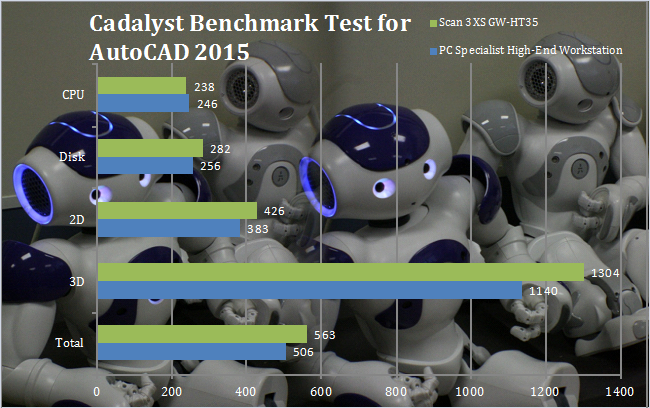
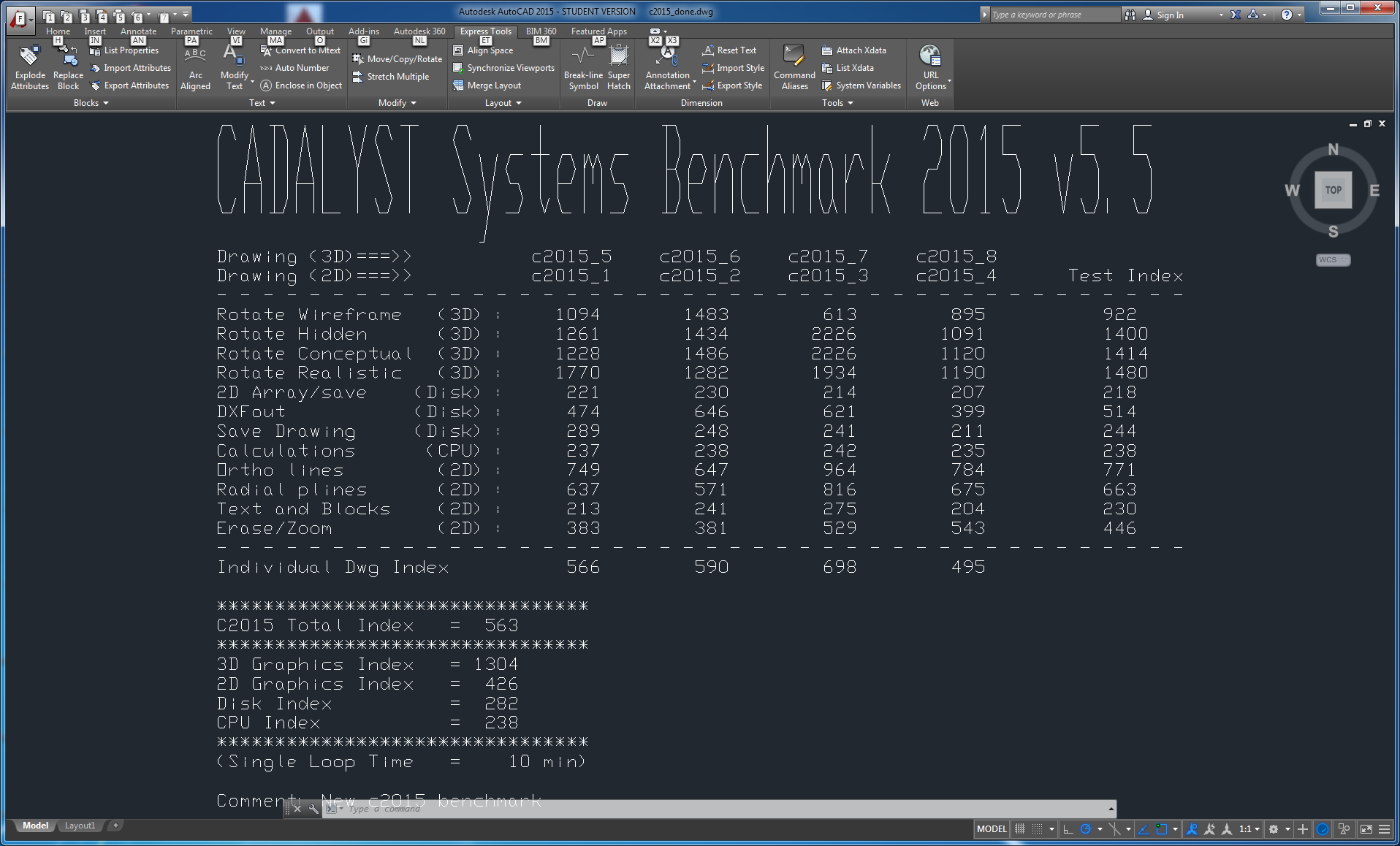
Although the Scan system didn't dominate in every aspect of the Cadalyst test, it was dominant over the PC Specialist comparison system in most areas. Clock speed is fundamental in this test, but these two systems are similar in this respect, with the PC Specialist's Xeon providing a 3.6GHz Turbo mode against the Scan's 3.5GHz. So the Quadro M6000 is providing the 11 per cent performance boost.
Crystalmark is a useful benchmark to measure theoretical performance levels of hard drives and SSD’s. We are using V3.0 x64.
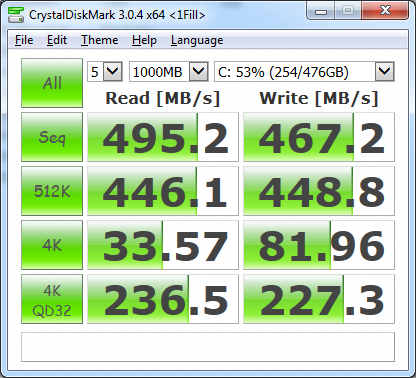
The Samsung 850 Pro is quick, but it isn't the fastest SSD, and M.2 drives are providing as much as twice the bandwidth. That said this is a decent drive for a boot and application disk, and the 512GB capacity should be more than enough for the lifetime of the system, despite software bloat.
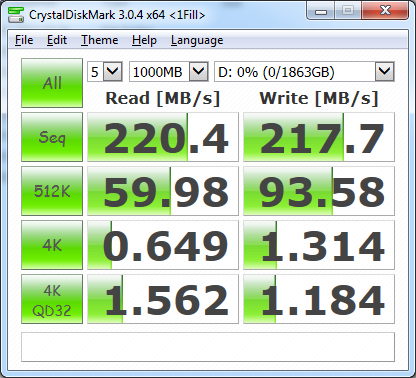
The 2TB Seagate Barracuda 7200.14 is pretty quick for sequential reading and writing, so as a storage device for audiovisual data it will be very decent indeed.
The Scan 3XS GW-HTX35 is a monster of a system in every respect. The dual Xeon E5-2687W v3 processors provide a massive amount of rendering power, far ahead of anything KitGuru has tested in the past. Thanks to the NVIDIA Quadro M6000 graphics, the story of success continues onto modelling.
There are a few areas where a faster-clocked Intel Core i7 system might provide a slight edge, such as Maxon Cinema 4D or Autodesk 3ds Max 2015. But with every other software we tested the Scan's CPU and graphics combination makes it the fastest option around, and in some cases by an enormous margin.
The only significant downside with this system is the price. You are paying more than £9,000 inc VAT for this huge specification. We also would have liked to have seen a M.2 x4 SSD instead of a SATA device for main storage. But this is the only quibble with the component selection.
Overall, although you are paying a fortune, at least you can do so in the knowledge that you're getting what you paid for – the fastest 3D workstation we have ever tested.
Price: £9,179 inc VAT & Delivery (Buy from SCAN HERE)
Discuss on our Facebook page, over HERE.
Pros:
- Supreme modelling performance.
- Supreme rendering performance.
- Excellent build quality.
- Top-end specification all round.
Cons:
- Very expensive.
- No M.2 SSD.
Kitguru says: The Scan 3XS GW-HTX35 is without question the fastest modelling and rendering workstation we have ever seen.

For the price you would expect it but is watercooling really needed on all these workstation PCs? It looks great (so does the OCUK one) but it just seems a bit OTT for what is in most cases going to be thrown into a server room, perhaps under the table or somewhere else that no one can see, plus no case window to show it off – I know the latter doesn’t matter as it’s a different market and silence is key on NLE & DAW systems but watercooling it seems almost pointless – I’d prefer to save some money and get high-end silence optimised cooling fans and heatsinks from Noctua for example.
Overclocking is another concern – Which may justify the watercooling – But a super high OC shouldn’t be in workstation PCs for fear of the system crashing. This doesn’t apply to this PC but there are plenty other workstation PCs done by companies like SCAN where they OC the CPU. If the CPU is OC’d a small amount then it’s not too bad but I’ve seen silly high OC’s which (if I was in the business of looking for a Workstation) would put me off as no OC is 100% stable no matter what lengths you go to ensure it doesn’t crash in various benchmark and stress test applications. Workstations should be safe and stable that you can trust for reliability with no fears.
my associate’s stride close aunti makes $98 an hour on the portable workstation……….Afterg an average of 19952 Dollars monthly,I’m finally getting 97 Dollars an hour,just working 4-5 hours daily online.….. Weekly paycheck… Bonus opportunities…earn upto $16k to $19k /a month… Just few hours of your free time, any kind of computer, elementary understanding of web and stable connection is what is required…….HERE I STARTED…look over here
it…
➤➤➤➤ http://GoogleAdvancedHomeJobsNetworkOnlineCenters/$98hourlywork…. ★★★★★★★★★★★★★★★★★★★★★★★★★★★★★★★★★★★★★★★★★★★★★★
Safety and stability is a good reason for water cooling. Most workstations I test use it even without overclocking because it means larger, quieter fans can be used and the greater cooling means rock-solid stability on long arduous computes like rendering.