 KitGuru KitGuru.net – Tech News | Hardware News | Hardware Reviews | IOS | Mobile | Gaming | Graphics Cards


Gigabyte's Z170XP-SLI is aiming to tempt users looking for a motherboard that offers the Z170 platform's core features, but without requiring a significant cash outlay. In the Z170XP-SLI, Gigabyte offers one of the lowest cost boards to support SLI, while also retaining features such as USB 3.1, USB Type-C, and a 32Gbps M.2 connector.
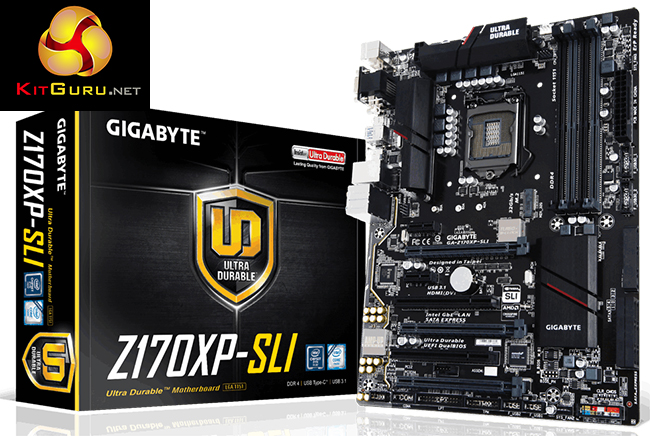
Gigabyte manages to cut costs and squeeze SLI certification into the Z170XP-SLI motherboard's ~£110 price tag by minimising the number of add-on features. Intel's healthy Z170 chipset makes such a design methodology possible, although noticeable divergences from the low-cost approach come in the way of an upgraded audio system, USB 3.1 ports, and no less than three SATA-Express connectors.
Can the Z170XP-SLI prove that jumping onto the Skylake platform does not have to be a costly activity?
Features:
- Fast USB 3.1 with USB Type-C™ – The World’s Next Universal Connector
- 3-Way Graphics with Premium PCIe Lane
- PCIe Gen3 x4 M.2 Connector with up to 32Gb/s Data Transfer (PCIe & SATA SSD support)
- 3 SATA Express Connectors for up to 16Gb/s Data Transfer
- 115dB SNR HD Audio with Built-in Rear Audio Amplifier
- High Quality Audio Capacitors and Audio Noise Guard with LED Trace Path Lighting
- Intel® GbE LAN with cFos Speed Internet Accelerator Software
- APP Center Including EasyTune™ and Cloud Station™ Utilities
- GIGABYTE UEFI DualBIOS™ Technology

I fail to see how this board is slower than the other 2 as the frame testing is within margin of error.
When one activates the XMP profile it automatically activates a memory stability option that should be set to normal to regain those 10Gbps extra. I don’t remember exactly how that option is called but just search for a memory related option that says “compatibility” or “stability” and switch it to “normal” instead.