KitGuru KitGuru.net – Tech News | Hardware News | Hardware Reviews | IOS | Mobile | Gaming | Graphics Cards



We have already seen the be quiet! Dark Rock Pro 3 stamp its authority on the high-end air cooler market. Now the company is aiming for another fight with its single tower Dark Rock 3 CPU cooler. Can a balance between cooling performance and noise make the Dark Rock 3 a worthy contender?

Using a thick aluminium fin array, the be quiet! Dark Rock 3 receives airflow from a single 135mm, 1400rpm SilentWings PWM fan. Six 6mm U-shaped heatpipes draw heat away from nickel-plated copper base to provide a cooling capacity of up to 190W.
Sporting an understated dark theme, with its black aluminium top cover, aesthetics are an area where be quiet! has always scored positively with buyers. Low-noise performance is also where be quiet! has excelled in the past.
Can revision 3 of the Dark Rock prove that be quiet! knows how to master the single tower CPU cooler market?
Specifications:
- CPU Socket Compatibility: Intel LGA 775, 1150, 1155, 1156, 1366, 2011 & AMD 754, 939, 940, AM2(+), AM3 (+), FM1, FM2 (+).
- Heatsink Dimensions (L x W x H): 97x137x160 mm.
- Heatsink Material: Aluminium fins.
- Base Material: Copper.
- Fan Speed (135mm): up to 1400 rpm.
- Fan Air Flow (135mm): up to 67.8 CFM.
- Fan Air Pressure (135mm): up to 2.1 mm H2O.
- Fan Connector: 4-pin PWM.
- Warranty: 3 years.
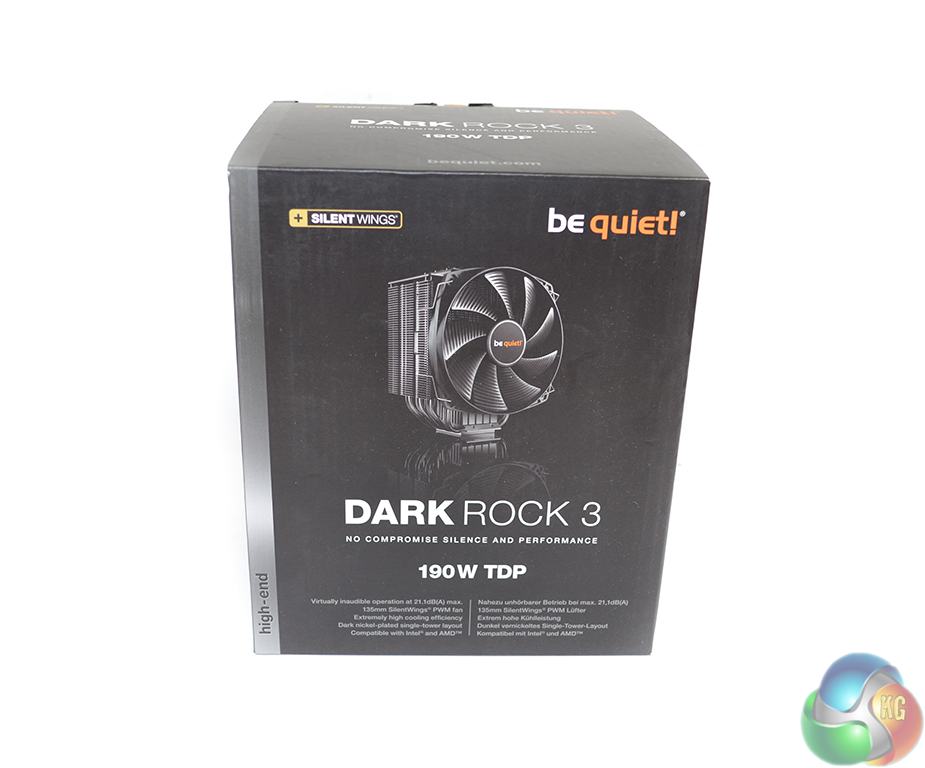
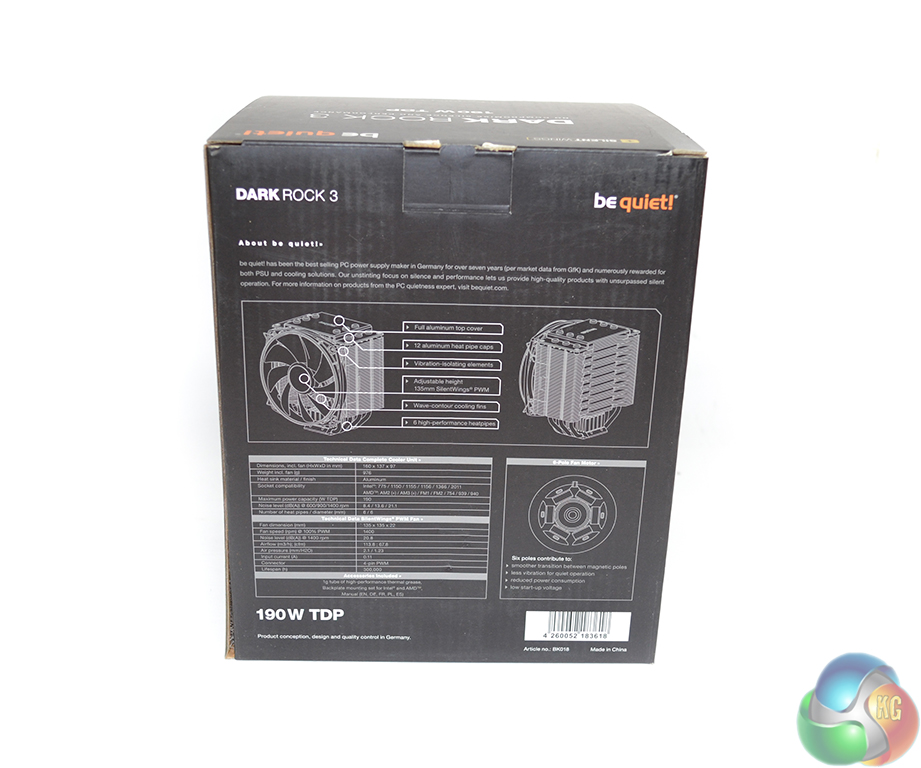
be quiet! ships the Dark Rock 3 in the company's standard black packaging. An image of the cooler and its 190W TDP rating are outlined on the front of the box, with advanced specifications and features being listed on the rear.
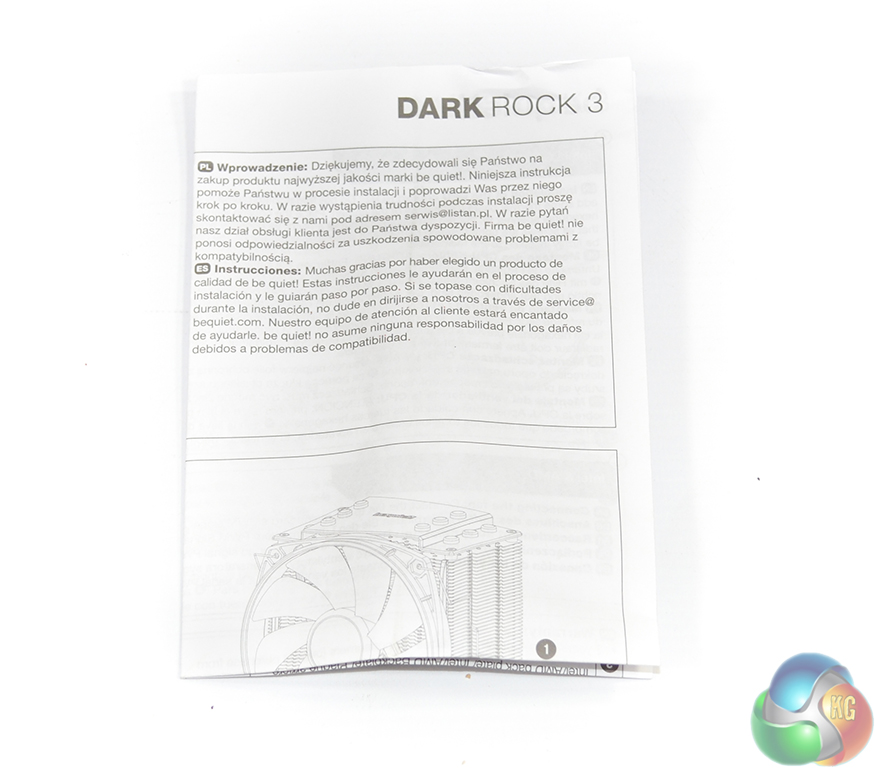
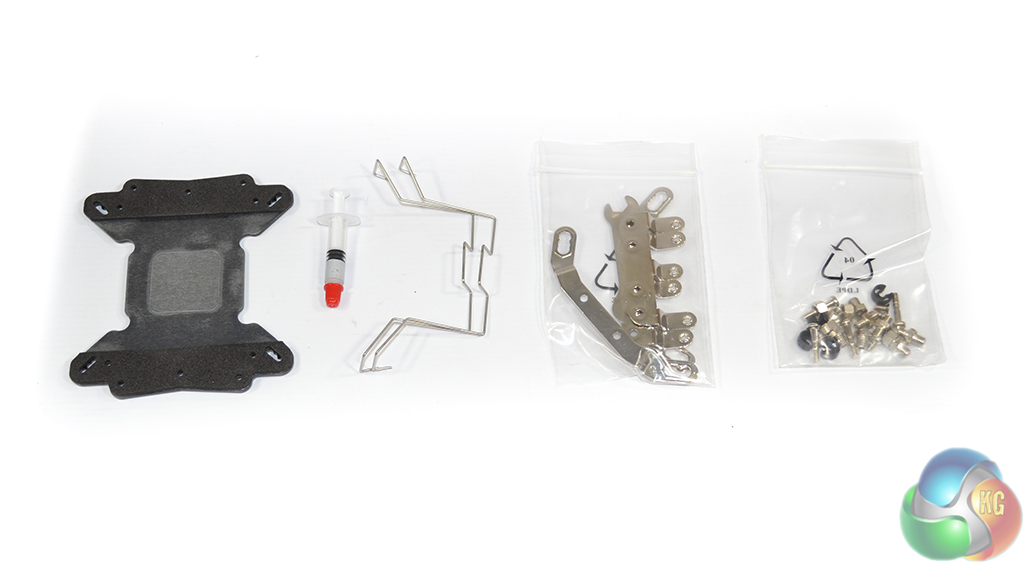
A detailed fold-out installation guide is supplied to assist users with the mounting process. The accessories bundle consists of mounting hardware for Intel and AMD, additional fan clips, and a 1g tube of thermal paste.
be quiet! opts for a sturdy metal backplate to minimise the risk of the CPU cooler moving or flexing one's motherboard when it is mounted.
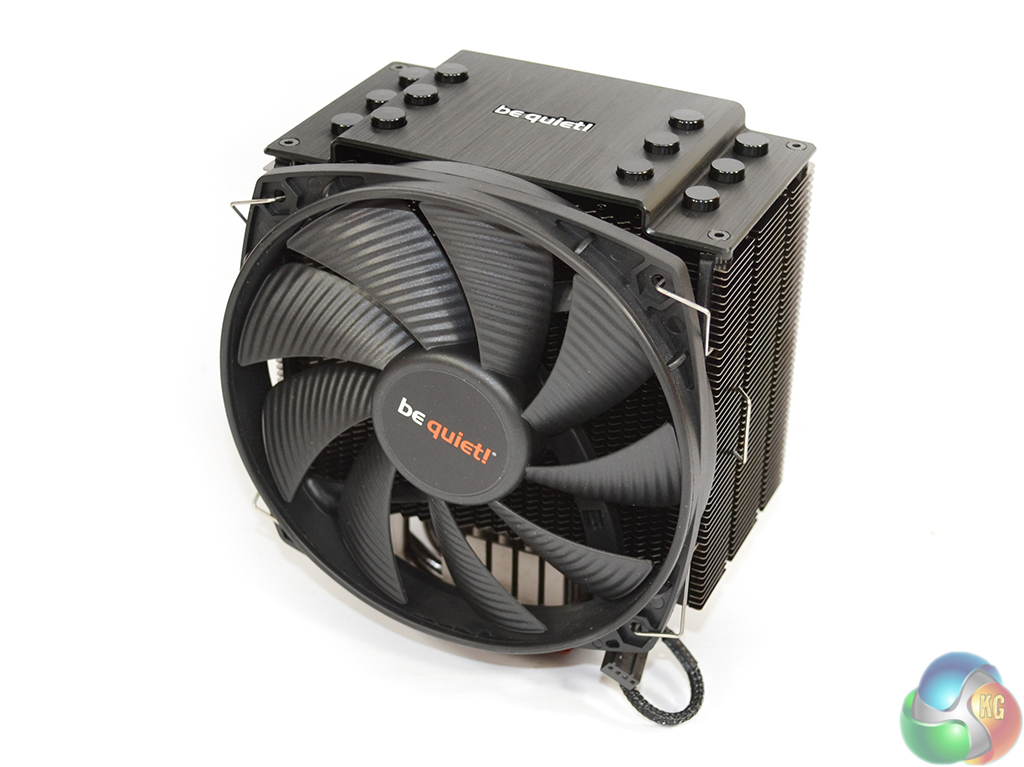
Providing airflow to the Dark Rock 3 is a 135mm SilentWings PWM fan clipped to the front of the single tower heatsink. Operating via a 4-pin PWM connector, the SilentWings fan can rotate at up to 1400rpm to shift up to 67.8 CFM of air with a rated noise level of 21.1 db(A).
Rubber strips are used to minimise the transfer of noise-inducing vibrations from the 1400rpm fan to the aluminium fin array.
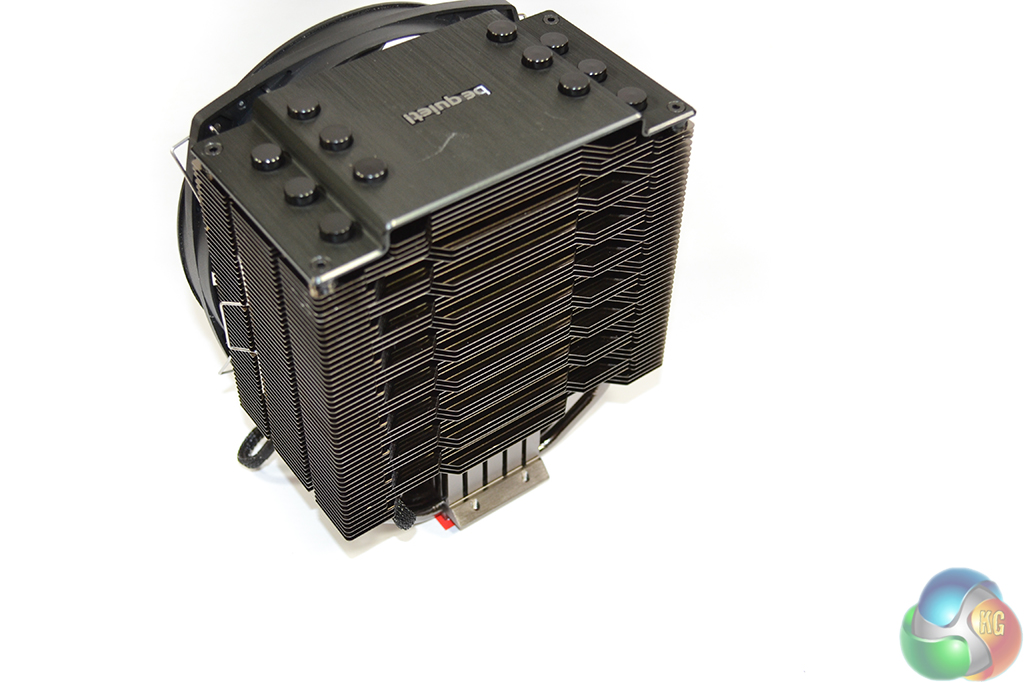
As was the case with the company's Dark Rock Pro 3, be quiet! uses an unusual fin design on the heatsink's back-end. Alternating grooves and extrusions are potentially acting as flow adjustment surfaces which allows the Dark Rock 3 to be optimised for rapid heat removal.
Another potential reason for the back-end fin design could be related to the cooler's compatibility with a second fan in a push-pull configuration. The fin array structure would allow for optimisations to the airflow's pressure gradient created by the rear fan.
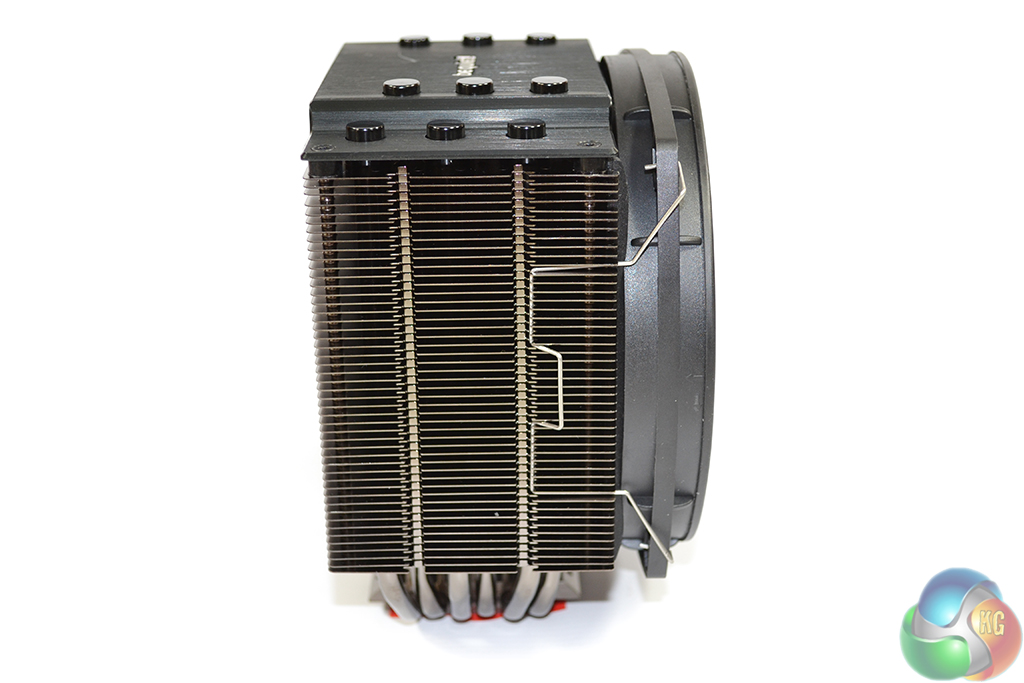
With its 73mm-thick aluminium fin array, the Dark Rock 3 has potential to cause interference with large memory heatspreaders. be quiet! combats the interference issue by allowing the front fan to be adjusted in mounting height.
The six 6mm copper heatpipes are split into two distinct rows through the heatsink. This allows efficient spreading of heat removed from the CPU; thermal energy will be distributed over a greater area of the fin array, ensuring that a specific location does not get saturated and bottleneck the heatsink's performance.
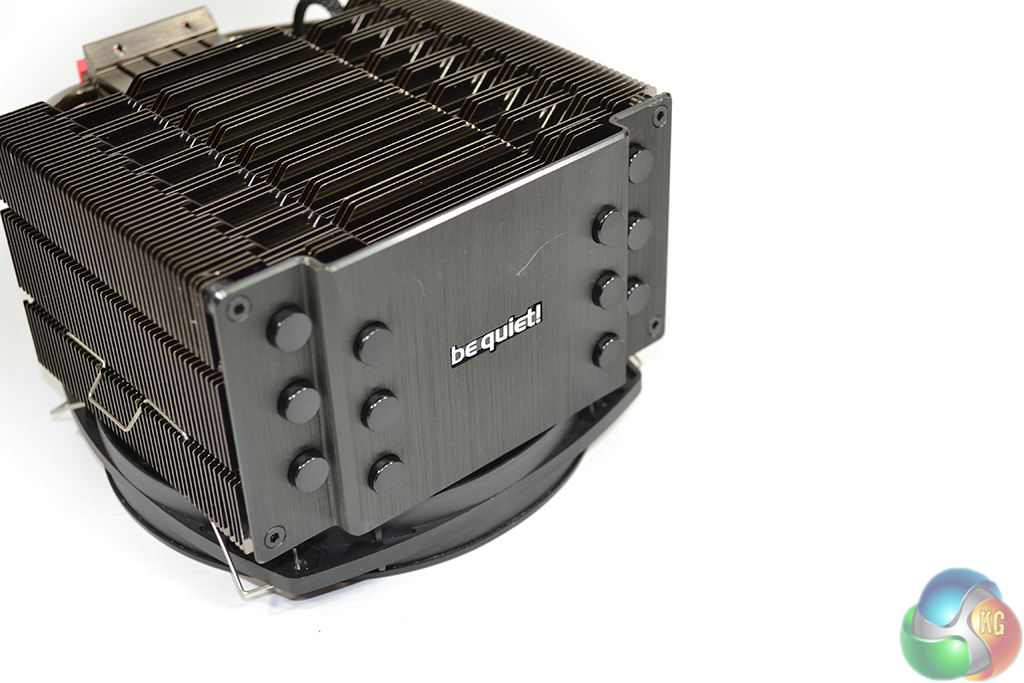
More for aesthetics and structural rigidity than cooling performance, be quiet! deploys an attractive aluminium plate on top of the cooler's fin array. Proving that cooling performance is not the aluminium top plate's motive, each heatpipe is separated from it via an insulating plastic cap. Moderation of heat interacting with the Dark Rock 3 from external sources could be another of the plate's duties.
Embossed with the be quiet! logo and utilising a dark black colour scheme, the top plate adds an elegant touch to the section of the CPU cooler that will be visible when mounted in one's chassis.
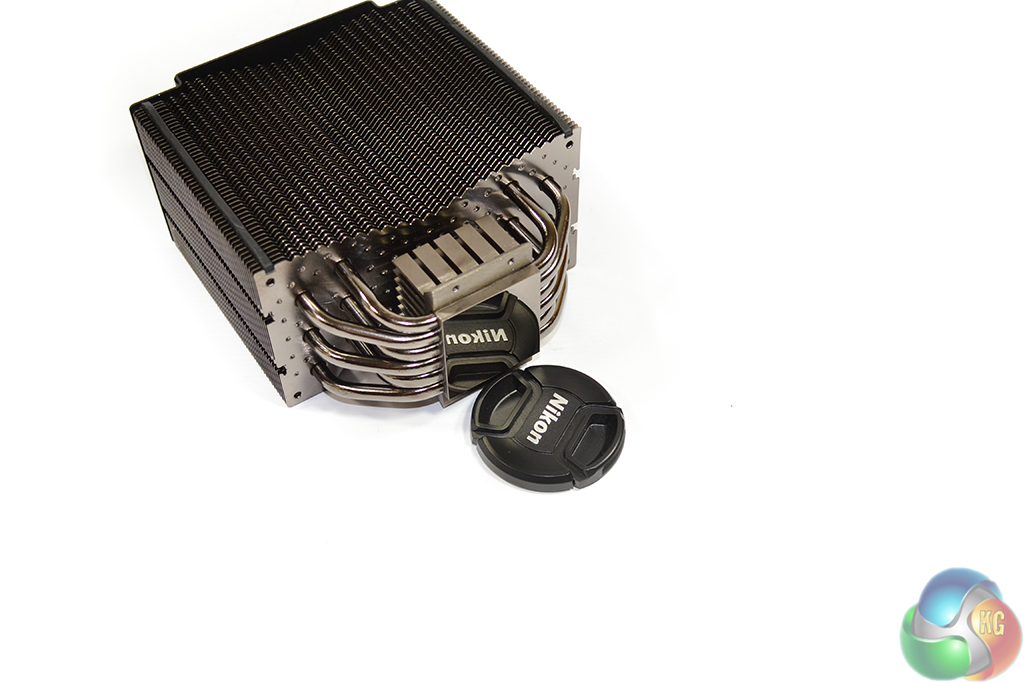
A highly-reflective nickel-plated copper base is used to transfer heat from a CPU to the six 6mm heatpipes. be quiet! opts for a solid base, rather than the heatpipe direct touch (HDT) alternative, to ensure that thermal energy is spread as evenly as possible along the copper block, allowing each heatpipe to contribute to cooling performance.
The aluminium fin array's inwards-sloping front side and sharp leading-edges create a pressure gradient for air flowing into the cooler, which in turn can allow the flow to penetrate the cooling fins with greater effect.
A large quantity of small dots are present on each of the fin surfaces. Such additions increase the airflow’s turbulence, which in turn has positive effects on the heatsink's convective heat transfer performance. In theory, the dots should add little (if anything) in regard to noise output, provided be quiet! has made the correct optimisations. Our acoustic performance results will allow us to gauge if this is the case.
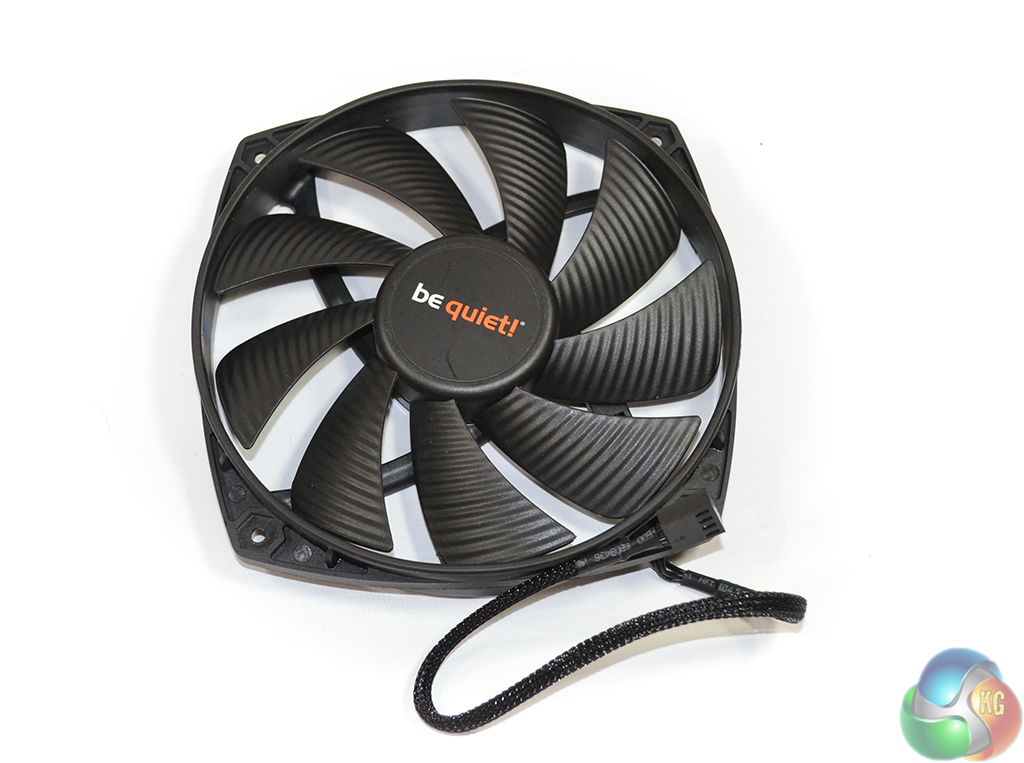
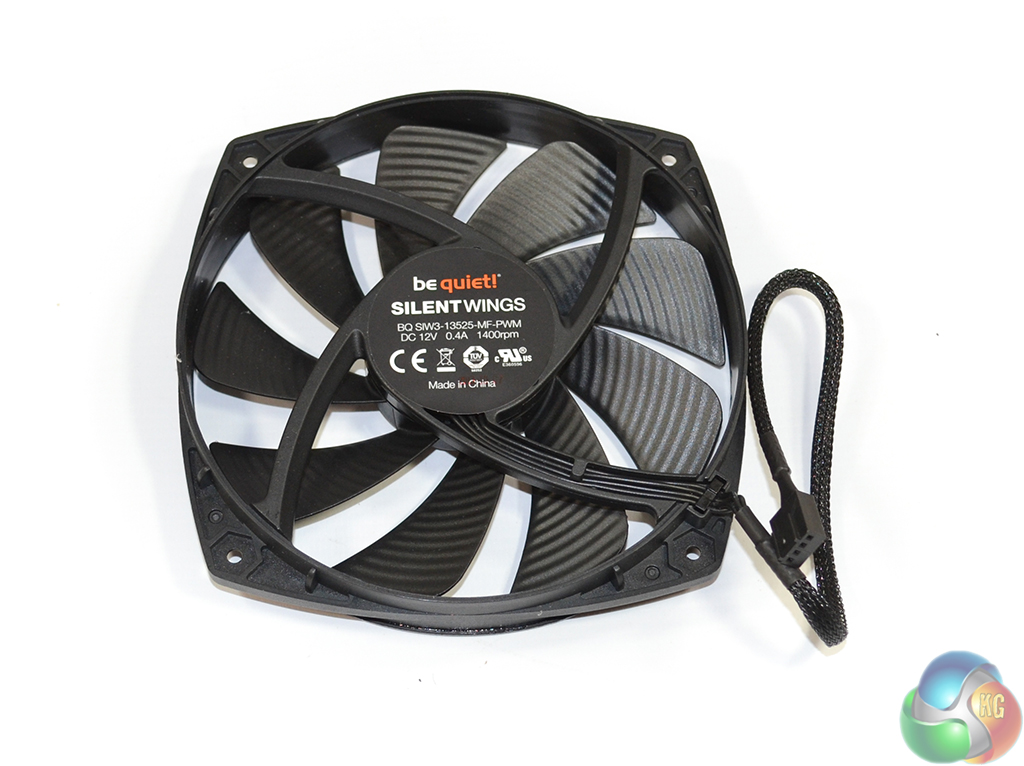
The 135mm be quiet! SilentWings PWM fan uses nine blades, each with a grooved structure, to optimise airflow levels at the relatively slow rotational speed of 1400rpm. This configuration has positive effects on noise performance; a sufficient quantity of air is transferred at lower levels of rotation.
Powered by a 4-pin PWM connector (on a braided 220mm cable), a six-pole motor powers the SilentWings fan and, according to be quiet!, allows for smoother transition between magnetic poles which results in fewer vibrations (hence noise). Also used for reduced noise levels and strong longevity is the fan's fluid dynamic bearing (FDB).
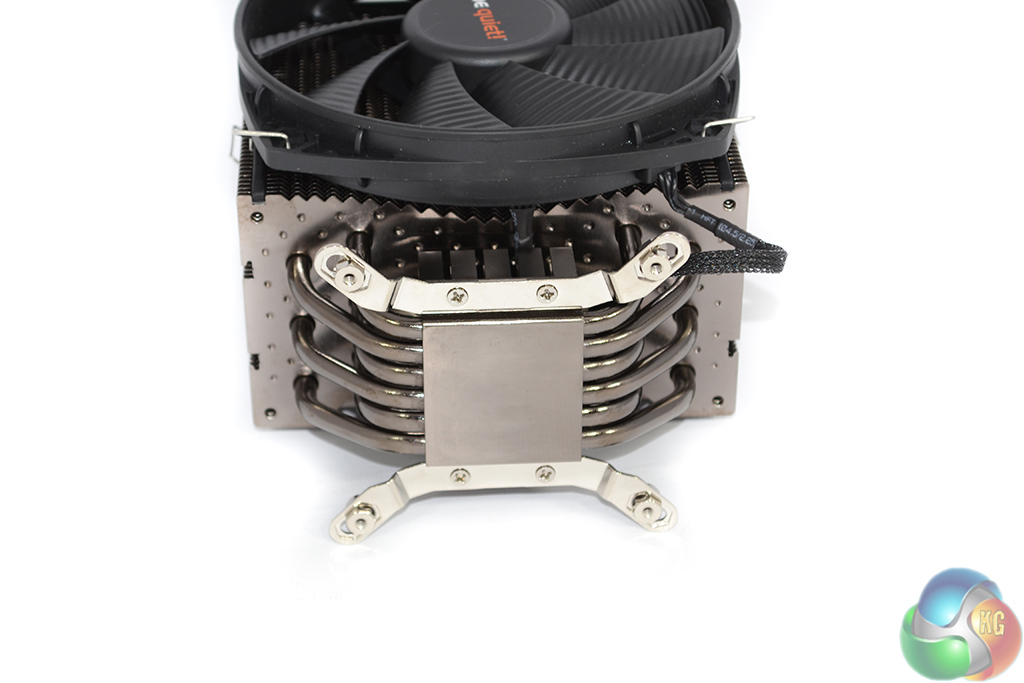
Preparing the cooler for mounting is done by screwing two fastening bars to the heatsink's underside. We would strongly advise screwing the four nuts into their mounting position before attaching the brackets to the cooler. This makes connecting the nuts a far easier task.
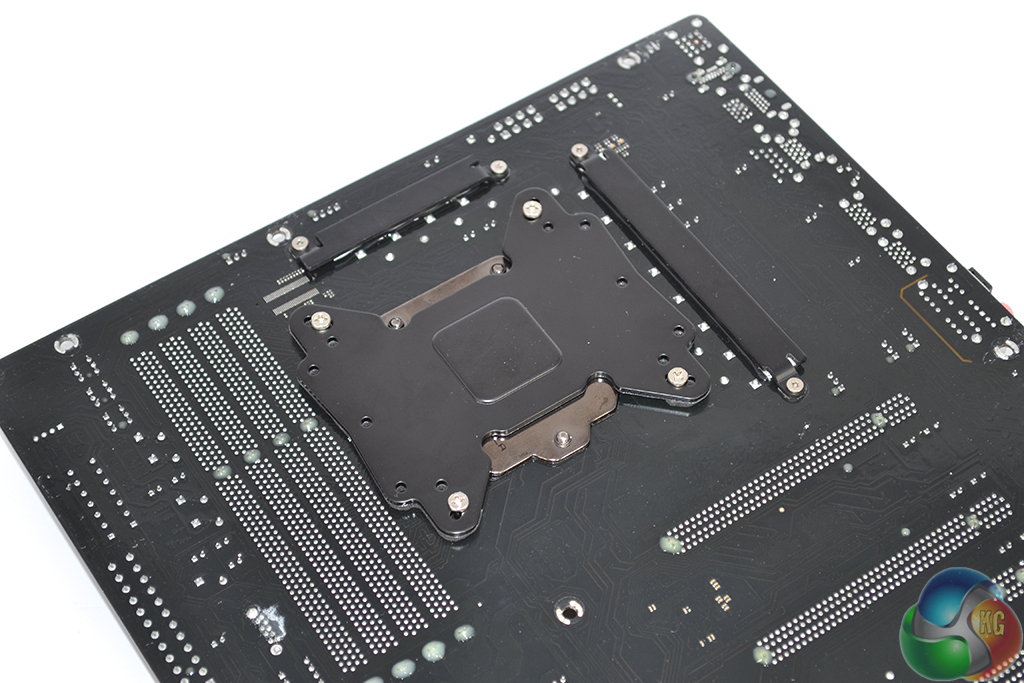
Four screws are pushed through the multi-socket backplate’s relevant holes. Comprised of a sturdy metal and vibration-damping foam, the backplate should enforce adequate structural rigidity for the heavy CPU cooler while also minimising noise-causing vibrations.
A plastic tightening clip is used to secure each mounting screws firmly in position. Given that the motherboard has to be flipped a number of times throughout the installation procedure, the use of securing clips is a smart move by be quiet!
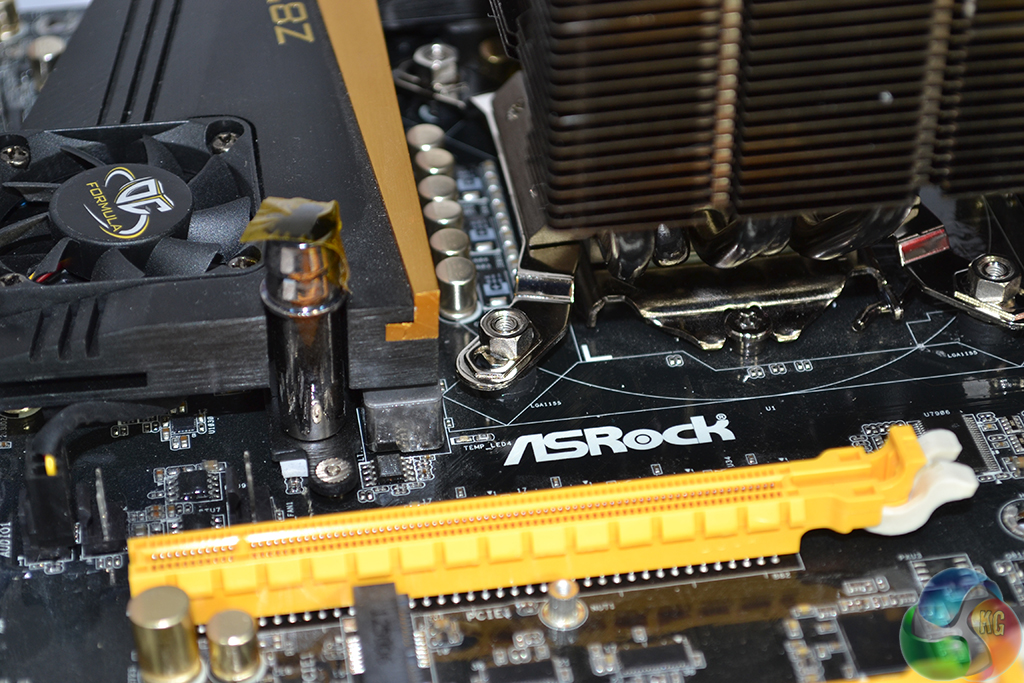
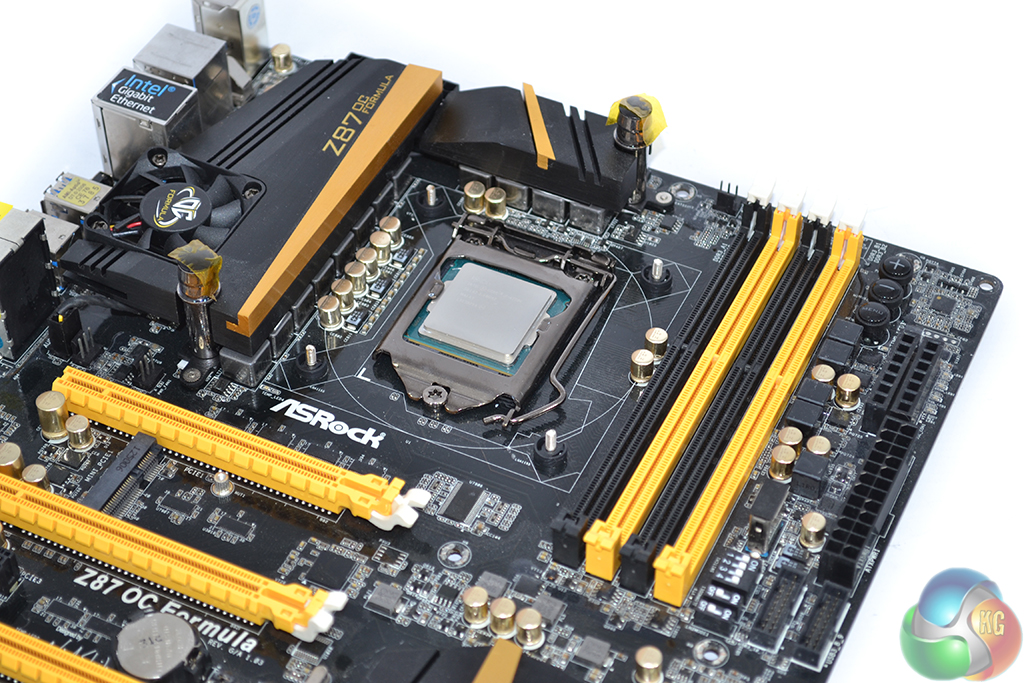
be quiet! supplies a wrench to tighten each nut when the cooler is being mounted to the motherboard. Outside of a chassis, tightening the nuts is not a particularly difficult process, dependent upon the VRM heatsinks on one's motherboard.
Inside a chassis however, the nuts can be very difficult to access, especially on motherboards with large VRM heatsinks. Tightening the nuts on our ASRock Z87 OC Formula motherboard when it was inside a case was difficult; on something like an Asus Sabertooth Z97 Mark 1, it will be almost impossible (small hands will be very helpful).
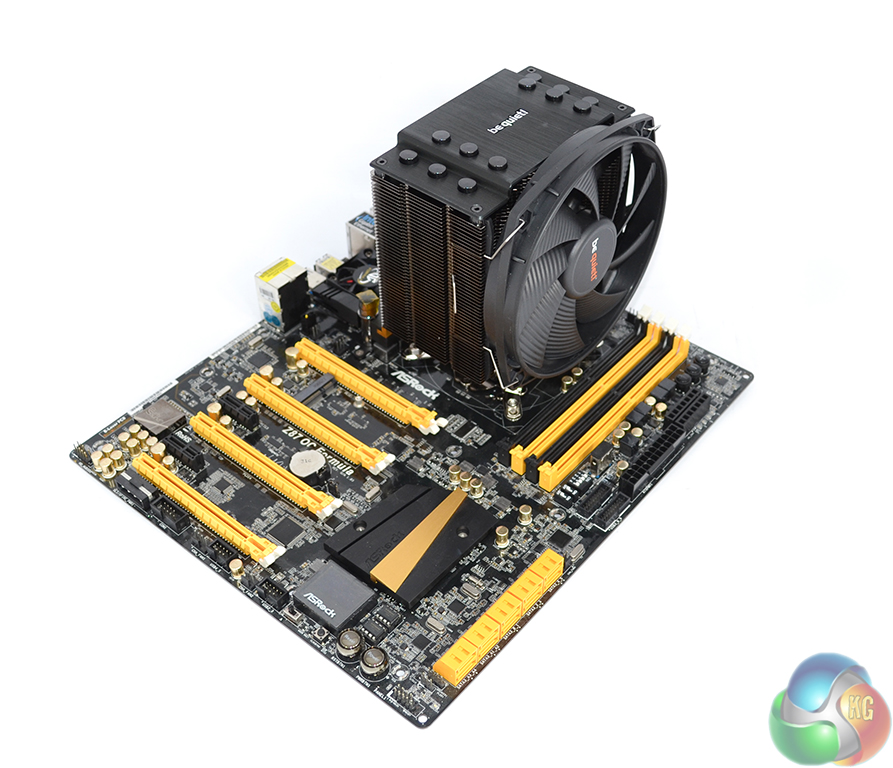
We have criticised the mounting method used by be quiet! in the past, and the Dark Rock 3 continues to disappoint us with its complicated fastening approach.
Effectively, the approach that be quiet! recommends leans towards users mounting their motherboard on the cooler, not the other way around, as convention would suggest is best. The screws must be tightened from the rear, hence it is impossible to fasten the cooler with the motherboard sitting flat on a surface.
Taking the base-up approach is more difficult on the Dark Rock 3 than the Dark Rock Pro 3 due to its protruding circular fan. Balancing the almost-1kg cooler is difficult when it does not have a perfectly flat top surface to rest on. And when you are able to balance it for long enough to connect the motherboard, aligning the screws is a difficult procedure which results in remnants of thermal paste being left in unconventional areas.
The best approach that we found was to hang the motherboard off a ledge (such as the edge of a table), sit the cooler in its relevant location (which is easy to visually locate when attaching the cooler to the board, not the other way around), and then fastening the mounting screws from underneath the overhanging board. It doesn't take much thought to realise that this is an inconvenient approach.
An easier installation method would have been to rely upon screw-fit fasteners, like the ones Corsair uses with its H100i, to clamp the mounting screws from the cooler's front side. This would have necessitated the removal of the cooler's front fan, but it would have been an easier and quicker procedure.
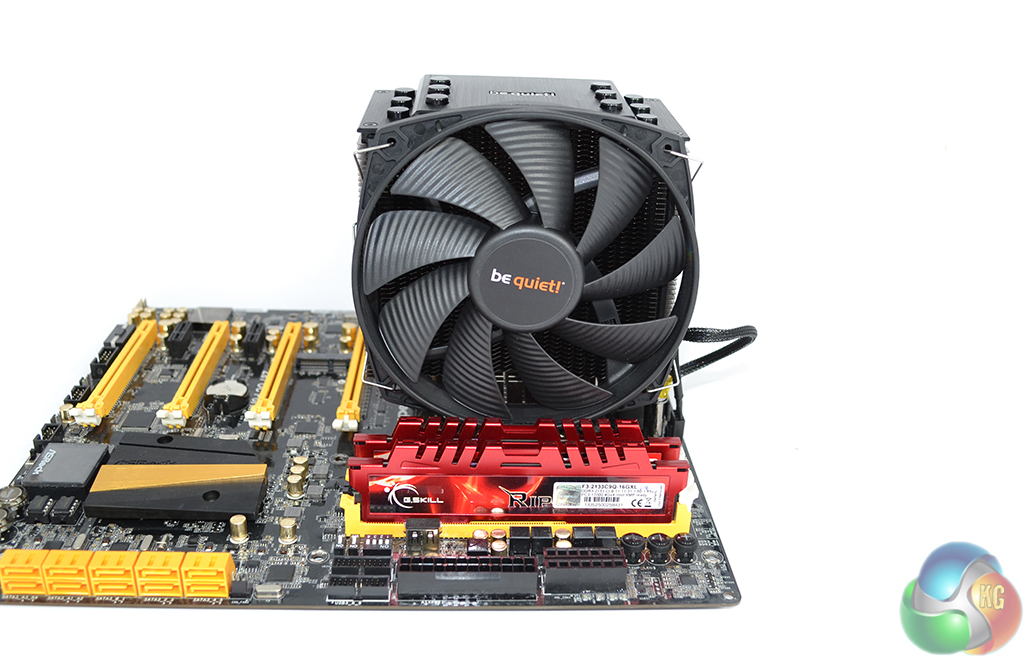
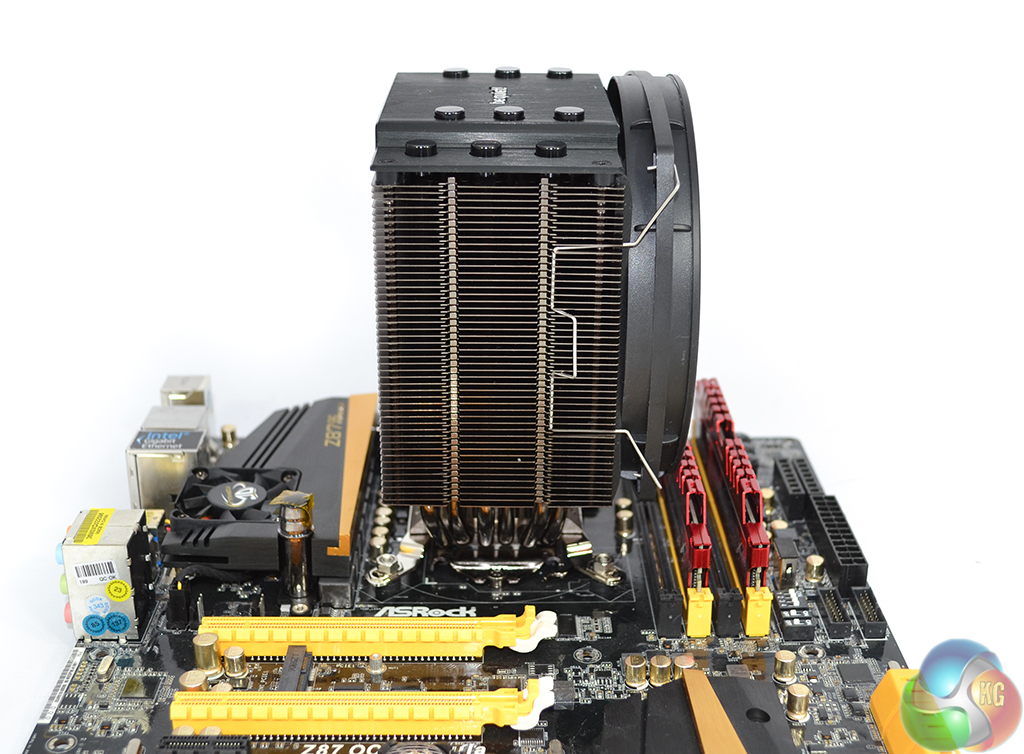
Despite the infrequent hassle of actually mounting the Dark Rock 3, the cooler's clearance is very good. If issues with tall memory modules occur, the front fan can simply be mounted at a higher position on the heatsink.
On our ASRock Z87 OC Formula motherboard, the unit did not interfere with G.Skill RipjawsX memory modules. Interference with VRM heatsinks was not an issue for the mounted cooler, either.
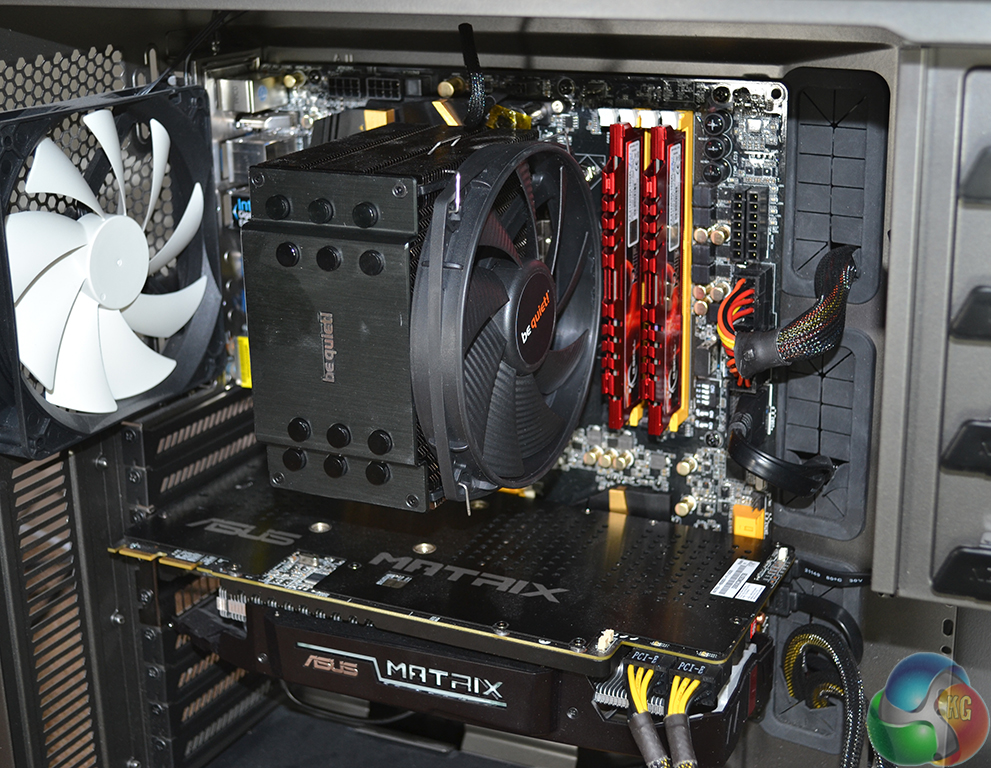
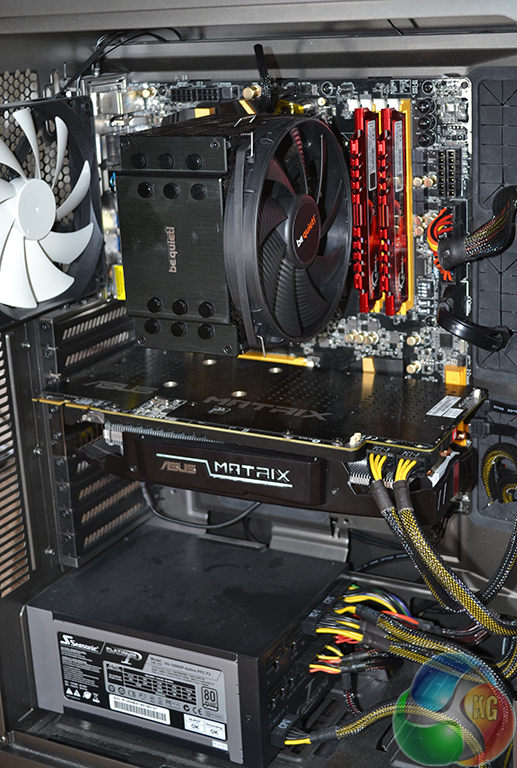
Once fully installed, security of the be quiet! Dark Rock 3's mount is excellent. The sturdy backplate is able to take the cooler's weight with almost non-existent levels of movement.
At 160mm-tall, the Dark Rock 3 is right on the limit of compatibility with many mid-tower cases. The 137mm-width ensures that the Dark Rock 3 does not overhang the motherboard's upper-edge and cause interference in a cramped chassis.
As can be seen from the picture, the decision by be quiet! to use a short – 220mm – fan cable was a smart one. The black braided cable can be hidden with ease and its dark colouring helps to camouflage it inside a system.
Thermal Performance Test Procedures:
- Idle temperatures are obtained after sitting at the desktop for 15 minutes.
- Load temperatures are obtained after running Prime95 in the ‘Small FFTs' mode for 15 minutes.
- We tested with our CPU set at 3.9GHz (typical multi-core turbo speed of most motherboards) using a BIOS-set voltage of 1.200V (in the region of most common MCT voltages).
- We repeated testing with our CPU overclocked to 4.5GHz (45x multiplier, 100MHz base clock) using a BIOS-set voltage of 1.325V.
- The cooler's fan is set to 100% to eliminate inaccuracies due to dynamic PWM fan speed adjustments.
- The supplied thermal paste is used to provide an accurate interpretation of the cooler's out-of-the-box performance.
- We use HWMonitor to measure the CPU temperature.
- CPU temperature recording is accurate to +/- 0.5°C. Ambient temperature recording is accurate to +/- 0.05°C.
- Ambient temperature was maintained at 22°C.
Acoustic Performance Test Procedures:
- We measure the noise output of our entire system from a distance of 1m while the CPU cooler's fan operates at 100% (indicating the maximum noise output).
- We set the case fans to minimum speed (hence noise) and avoid using a discrete GPU to isolate the CPU cooler's noise output.
Test System:
- Processor: Intel Core i7 4770K Retail (3.9GHz forced turbo and 4.5GHz OC).
- Motherboard: ASRock Z87 OC Formula.
- Memory: 8GB (2x 4GB) G.Skill RipjawsX (F3-2133C9Q-16GXL) 2133MHz 9-11-11-31.
- Graphics Card: Asus R9 280X Matrix Platinum 3GB.
- System Drive: 500GB Samsung 840 Series SSD.
- Case: NZXT Phantom 630.
- Power Supply: Seasonic Platinum 1000W.
- Thermal Paste: Supplied Corning TC-5121 thermal paste.
Comparison Coolers:
- be quiet! Dark Rock Pro 3.
- Noctua NH-D14.
- Corsair H100i.
Software:
- CPUID HWMonitor.
- Prime95.
- Windows 7 Professional with SP1 64-bit.
We compared the be quiet! Dark Rock 3 CPU cooler to a number of competing models which include the same company's Dark Rock Pro 3 and Noctua's NH-D14, as well as Corsair's H100i AIO liquid cooler.
It is worth noting that both the Noctua NH-D14 and Corsair H100i have received a large amount of usage over their lifetime. While we tried our best to clean the coolers and remove any dust, some dirt will inevitably remain and will have a small affect on the accuracy of our recorded performance (compared to a brand new unit).
Our charts show actual temperatures of the CPU, not delta temperatures.
Ambient temperature was maintained at 22°C.
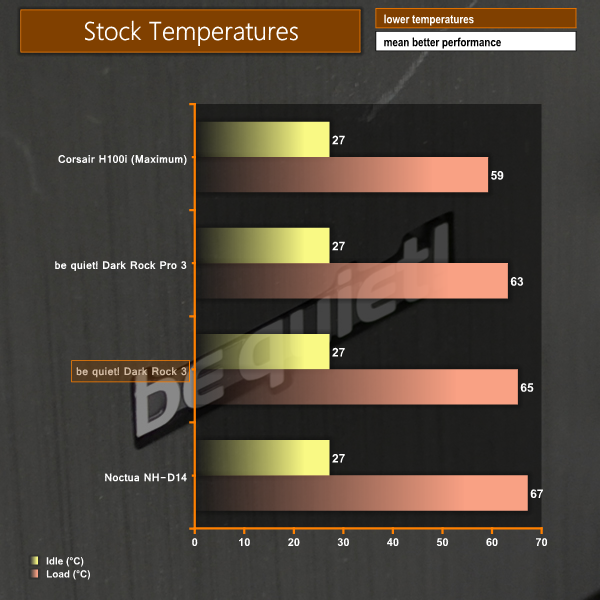
Positive performance numbers are put out by the Dark Rock 3 in the stock-clocked cooling test. The single tower cooler manages to perform within 2°C (3%) of its flagship brother – the dual tower Dark Rock Pro 3.
Our aging (and well-used) Noctua NH-D14 struggles to keep up with the be quiet! Dark Rock 3. As already pointed out though, the performance of Noctua's NH-D14 should be interpreted with care due to its heavy levels of usage. None of the air coolers can compete with Corsair's 240mm AIO liquid cooler in thermal performance.
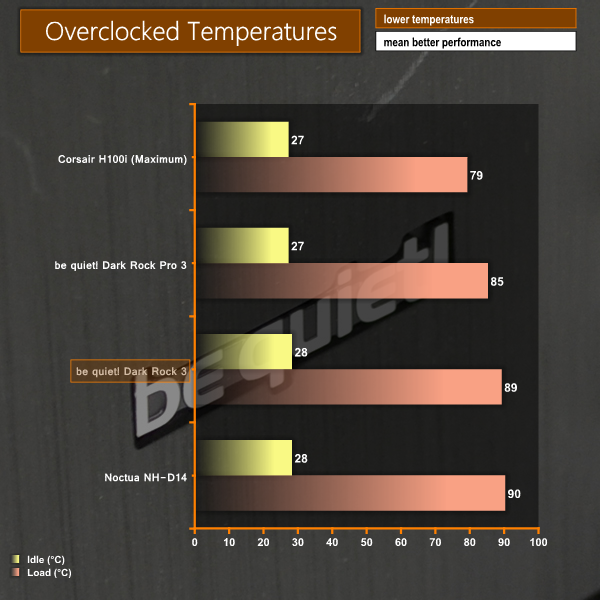
Despite lacking one of its 6mm heatpipes, an entire fin array, and a secondary cooling fan, the Dark Rock 3 manages to maintain competitive performance against the be quiet! flagship in our overclocked test. With an increased load, though, the single tower Dark Rock 3 starts to see its performance tend towards a saturation point.
Nevertheless, outpacing our Noctua NH-D14 by a single degree, and performing within 4.5% of the dual tower Dark Rock Pro 3 proves that the be quiet! Dark Rock 3 has strong cooling performance, even at higher thermal loads.
We measured the noise output of our entire system from a distance of 1m while the CPU cooler’s fan operated at 100% (indicating the maximum noise output).
Lower noise levels can be achieved by utilising the 4-pin PWM operation of the be quiet! Dark Rock 3 CPU cooler’s fan.
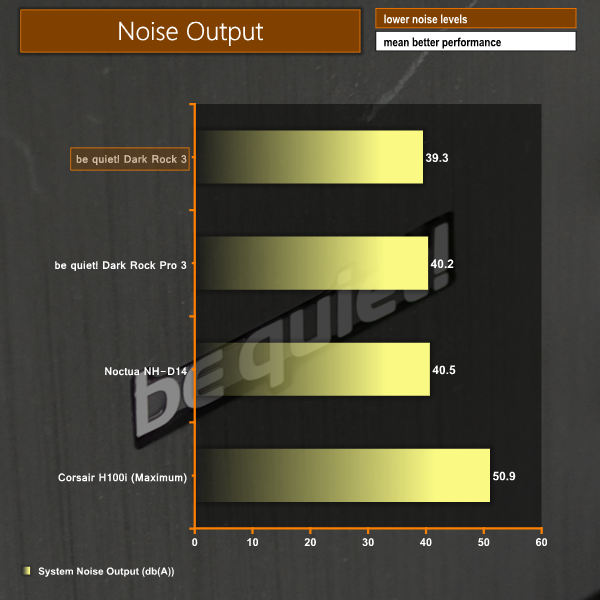
Noise levels are where the single-fan be quiet! cooler starts to show off. Achieving a sub-40 db(A) system noise output with the Dark Rock 3 installed is an impressive result. Furthermore, the 135mm SilentWings fan's PWM operation can be used to garner lower noise levels at reduced thermal loads.
While the difference between noise levels of each air cooler will be barely noticeable, the be quiet! Dark Rock 3 does provide an alluring balance between acoustic and thermal performance.
With a number of intelligent cooling optimisations and impressive acoustic levels, the be quiet! Dark Rock 3 is a very good CPU cooler that offers well-balanced performance and positive aesthetics.
Cooling performance of the Dark Rock 3 was strong. At stock and overclocked CPU speeds, the single tower Dark Rock 3 was able to outperform our aging Noctua D14 unit. A respectable fight was also put up against the be quiet! flagship Dark Rock Pro 3 dual tower CPU cooler.
Many of the cooling optimisations made by be quiet! are to thank for the Dark Rock 3's performance. A pressure-enhancing fin array design and turbulence-inducing dots on each fin are two examples of intelligent heat exchanger engineering.
Noise output was another clear strength for the be quiet! Dark Rock 3. Using the company's 135mm SilentWings PWM fan, the Dark Rock 3's measured noise levels were the lowest recorded out of the four comparison coolers. And with PWM operation the acoustic levels can be reduced further when thermal loads are low.
The Dark Rock 3 scores well for aesthetics and clearance. A subtle black theme allows the cooler to fit in with modern components and cases which consistently use black PCBs and interiors. Clearance for tall memory modules can be provided by means of the adjustable fan mounting height.
By far the biggest negative for the be quiet! Dark Rock 3 is its installation procedure. I tackled the mounting process with a motherboard outside of the chassis and it was still frustratingly difficult and more time consuming than that of the Noctua D14, for example. I would not want to mount the be quiet! cooler while the motherboard was housed inside a chassis.
We have criticised the be quiet! mounting procedure a number of times and, while it is getting better with consecutive generations, further work is undoubtedly required to enhance the simplicity of the process. Thankfully for users, the mounting of a CPU cooler is an infrequent procedure.
Available for £55 inc vat from OverclockersUK, the be quiet! Dark Rock 3 is one of the more expensive single tower CPU coolers on the market. It is around £10-15 cheaper than the dual tower be quiet! Dark Rock Pro 3.
With a strong balance between thermal performance and noise output, backed by an elegant appearance, the be quiet! Dark Rock 3 is a worthy choice for users who desire a strong overclock that doesn't bring with it a noise penalty.
Discuss on our Facebook page, over HERE.
Pros:
- Strong cooling performance.
- Low noise output.
- PWM fan.
- Attractive appearance.
- Height-adjustable fan to avoid RAM interference.
Cons:
- Difficult mounting procedure.
- Sizeable investment for a single tower CPU cooler.
KitGuru says: If you're looking for a high performance, low noise CPU cooler and a dual tower unit does not fit your needs, the be quiet! Dark Rock 3 is a very good choice.