 KitGuru KitGuru.net – Tech News | Hardware News | Hardware Reviews | IOS | Mobile | Gaming | Graphics Cards


While the X99 platform and its plentiful PCIe connectivity form a strong gaming foundation, the cost of an LGA2011-3 motherboard, DDR4 memory, and the Haswell-E CPU will put a considerable dent in any buyer's pocket. So when we see a gaming-orientated motherboard offering 3-way graphics capability, eight-core CPU support, and an enhanced audio solution, features take precedence and make the HEDT platform seem a more alluring investment.
Hitting the entry-level cohort of X99's product range, can MSI's £200 X99S Gaming 7 prove that the HEDT platform's motherboard is at least one area where money can be saved?
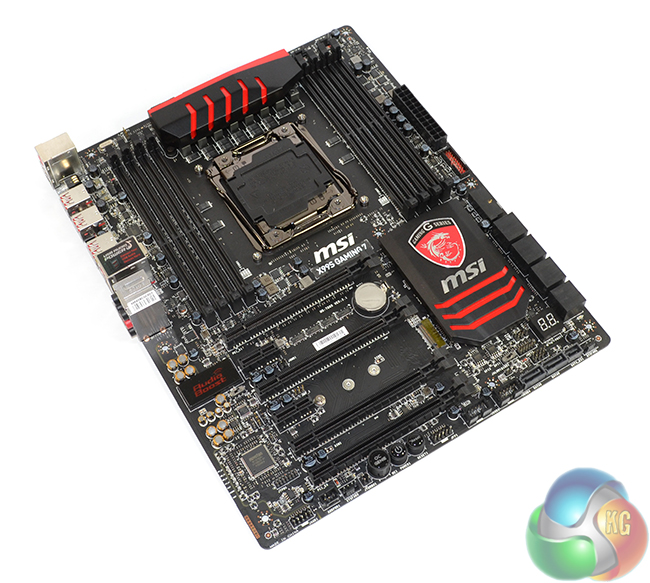
Towards the end of Intel's Z77 life-cycle, and from the beginning of Z87, MSI has pushed its Gaming series parts to various segments of the marketplace. From entry-level Z87 boards like the G43 Gaming, to flagship-status parts such as the Z97 Gaming 9 AC, MSI has driven its red-and-black boards into the spotlight for enthusiastic gamers. And it has worked.
Making an appearance for the LGA2011-3 socket, we take a look at MSI's X99S Gaming 7. Can 3-way graphics support, PCIe-fed storage lanes, Audio Boost 2 sound, and capacity for DDR4-driven eight-core CPUs prove that the X99S Gaming 7 is more than a well-priced piece of X99 eye-candy?
Features:
- Turbo M.2
- OC Engine.
- Audio Boost 2.
- USB Audio Power.
- Sound Blaster Cinema 2.
- Killer Ethernet.
- Click BIOS 4.
- OC Genie 4.
- XSplit Premium License.

I think the best combination to satisfy all my needs specially getting out the juices of M.2 there is two option.
Option 1 (40 lanes) with Intel Core i7-5930K or Intel Core i7-5960X Extreme Edition:
2 way SLI (E1_3.0x16+E3_3.0x16) + 1 M.2 (3.0×4) and 1 SSD on SATA Express (2.0×2)
or
Option 2 (28 Lanes) with Intel Core i7-5820K:
3 way SLI (E1_3.0x8+E3_3.0x8+E5_3.0x8) + 1 M.2 (3.0×4) and 1 SSD on SATA Express (2.0×2)
^_^ Great review Luke.
Hi there. I saw you review to late.
I have the same issue, can’t make the RAM to run on 3000MHZ with a 5820k.
Have you found any solution? Already contacted manufacturers(Kingston/MSI/Intel)…still no luck, so maybe you can help.
Thanks, and nice review btw.