 KitGuru KitGuru.net – Tech News | Hardware News | Hardware Reviews | IOS | Mobile | Gaming | Graphics Cards


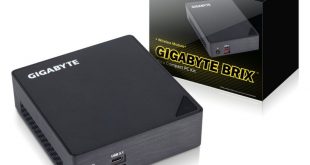
Gigabyte have impressed us previously with their BRIX family of devices. We last reviewed the BRIX Gaming UHD, a slightly larger, Mac Pro-style device which focused on being a small gaming machine. Today we look at the latest-and-greatest BRIX i7A-7500, featuring a brand-new Kaby Lake i7 processor. Can this tiny PC be a true desktop replacement?
Using the latest i7-7500U Kaby Lake processor, the BRIX i7A-7500 is a device I have been excited to review for a while. As it is a barebones system, memory and a M.2 storage device need to be supplied by the consumer, but the PC itself is truly miniscule – measuring 34.4 mm x 112.6 mm x 119.4 mm. We assess whether or not this tiny piece of kit is worth buying.
Specification
- Dimensions: 34.4 mm x 112.6 mm x 119.4 mm (1.35″ x 4.43″ x 4.7″)
- Motherboard Size: 105 x 110 mm
- CPU: Intel® Core™ i7-7500U 2.7GHz / 3.5GHz
- Memory: 2 x SO-DIMM DDR4 slots, 2133MHz, Max. 32GB
- LAN Gigabit LAN (Intel i219LM)
- Audio: Realtek ALC255
- Graphics: Intel® HD Graphics 620
- Expansion Slots: 1 x M.2 slot (2280_storage) PCIe /SATA, 1 x PCIe M.2 NGFF 2230 A-E key slot occupied by the WiFi+BT card
- Front I/O: 1 x USB 3.1 type C, 1 x USB3.1, 1 x head phone jack with MIC
- Rear I/O: 1 x HDMI (2.0), 1 x Mini DisplayPort (1.2), 2 x USB 3.0, 1 x RJ45, 1 x DC-In, 1 x Kensington lock slot
- Power Supply Input: AC 100-240V. Output: DC 19V. 3.42A
- VESA Bracket: Supports 75 x 75 and 100 x 100 mm
- Wifi Card: Intel® Dual Band Wireless-AC 3168
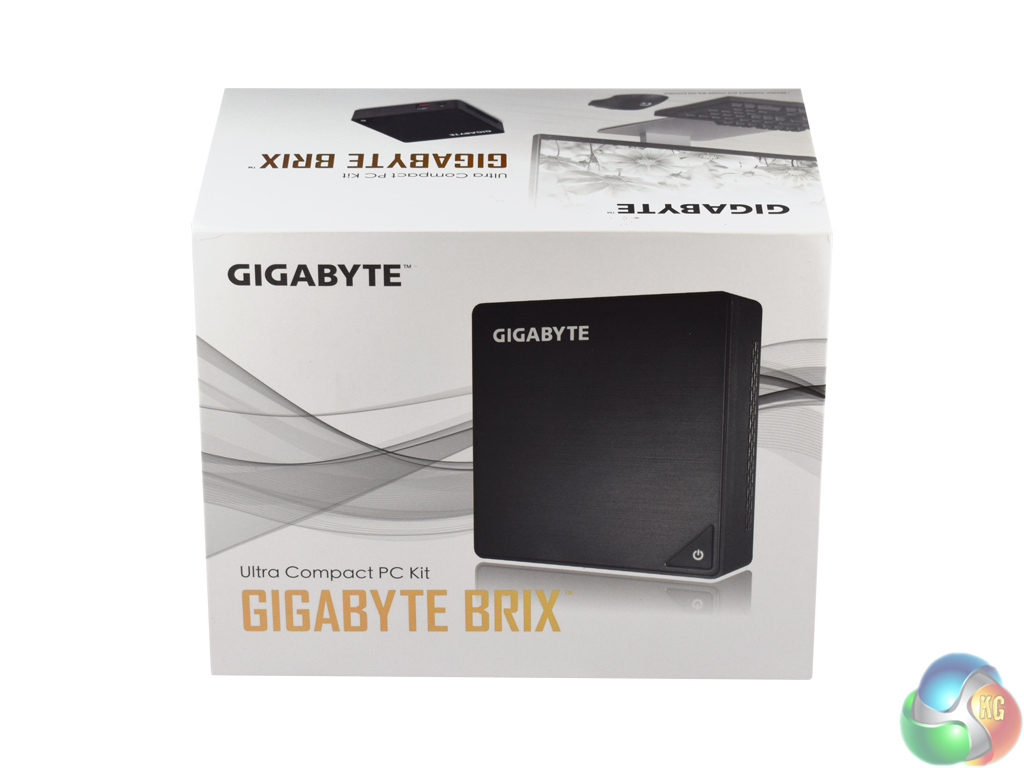
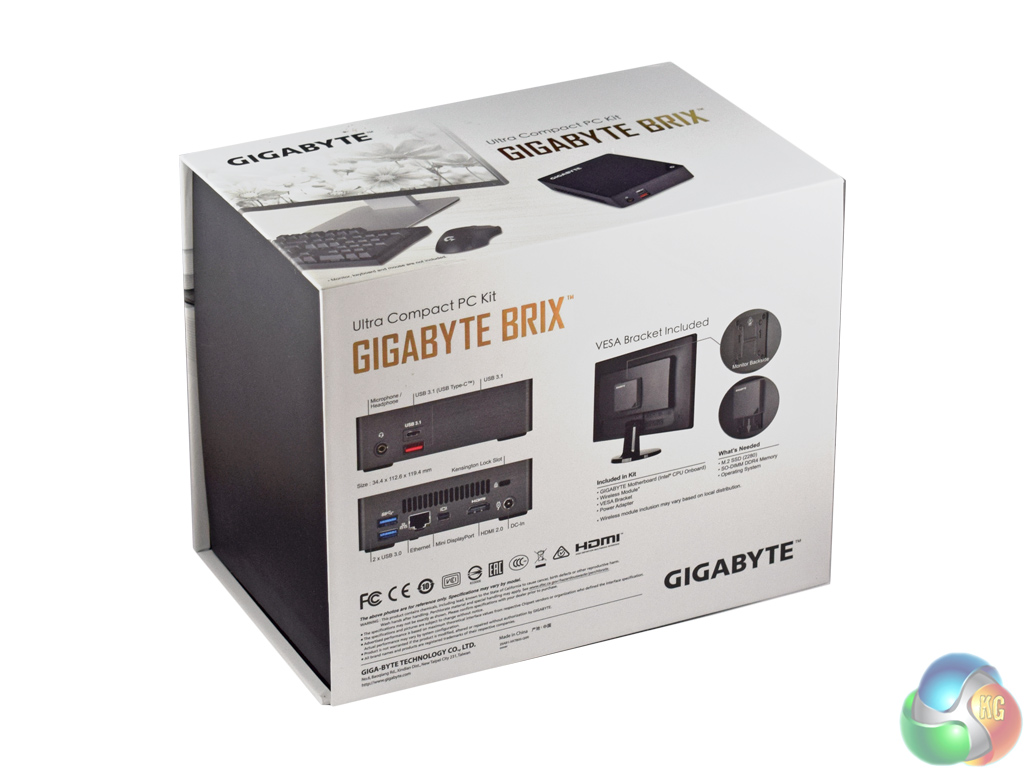
The Gigabyte BRIX i7A-7500 ships in a smart black-and-white box, with gold accents. From the outset, it looks like a quality piece of kit.
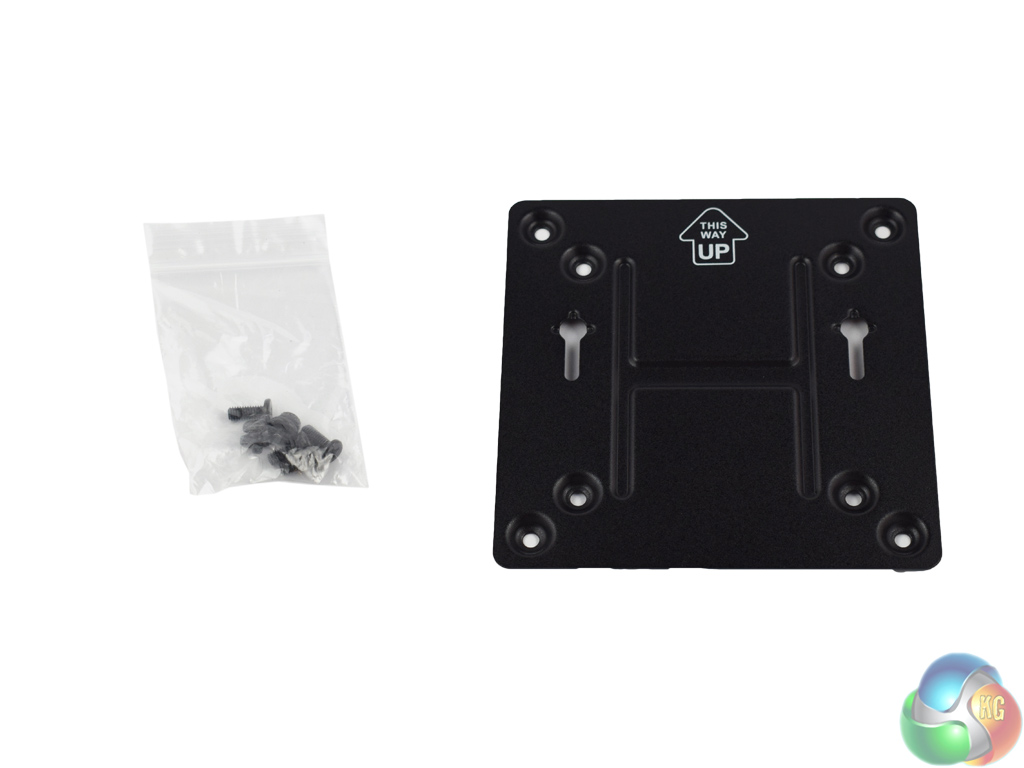
Inside, a VESA mount (75 x 75 and 100 x 100 mm) is supplied – allowing you to mount the BRIX to the rear of your monitor should you wish.
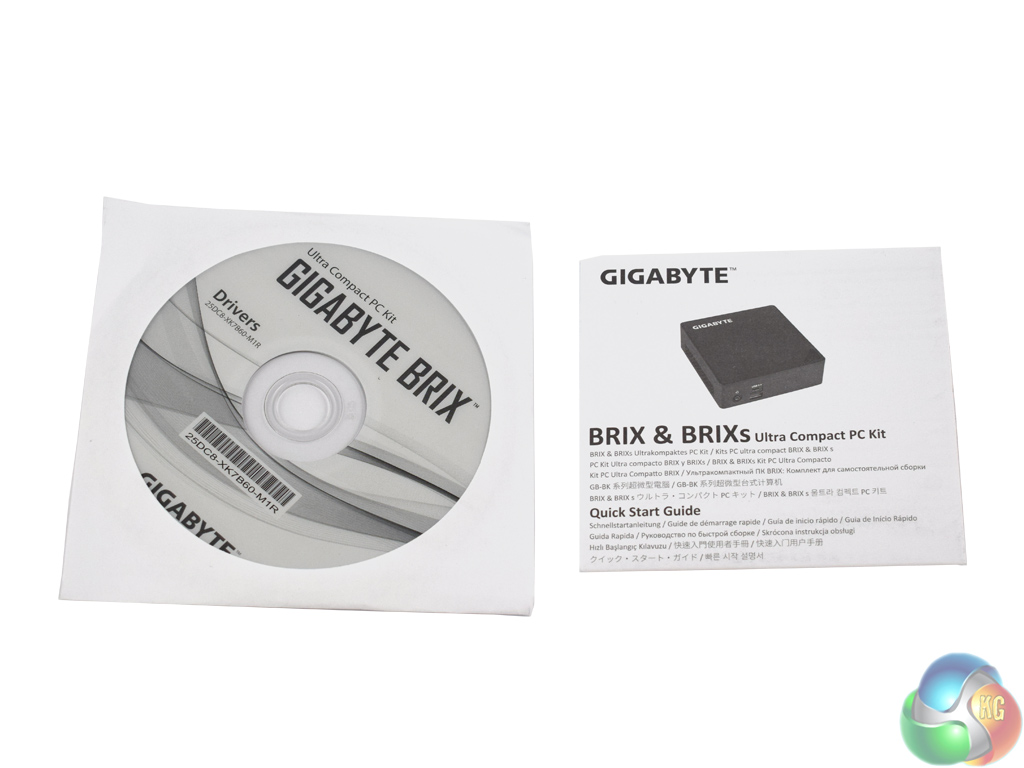
Also included is a driver CD (fairly pointless, as ever), as well as a small quick-start guide.
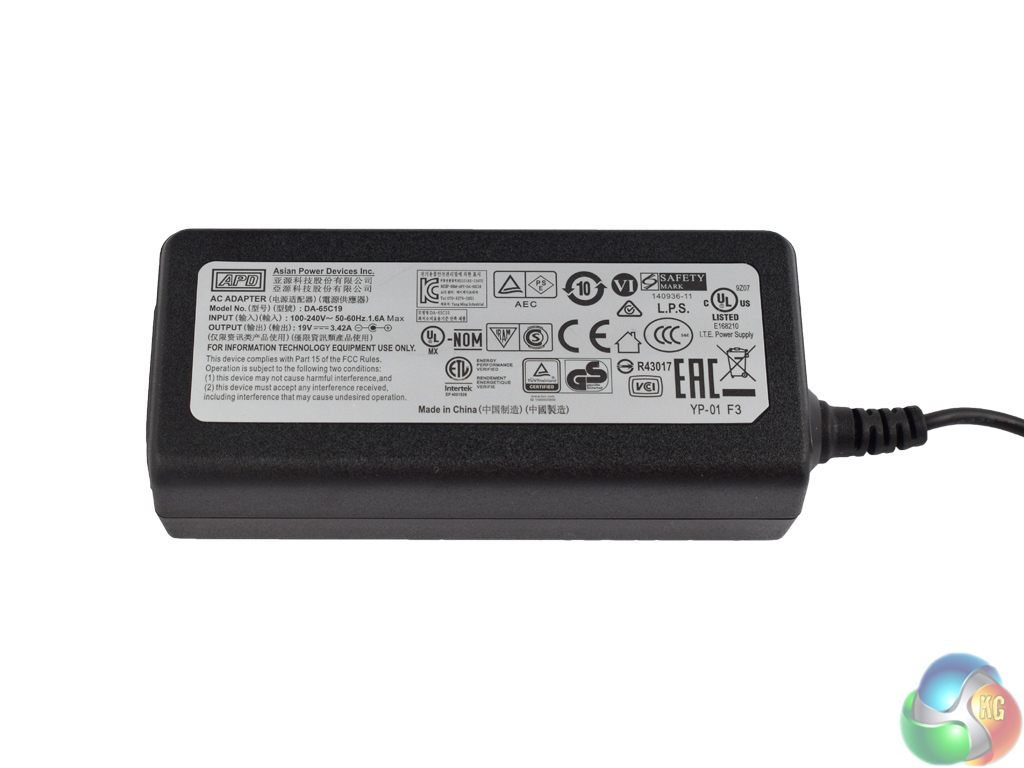
Lastly, the power brick is a relatively small unit. It is rated at the following specification – input: AC 100-240V. Output: DC 19V. 3.42A.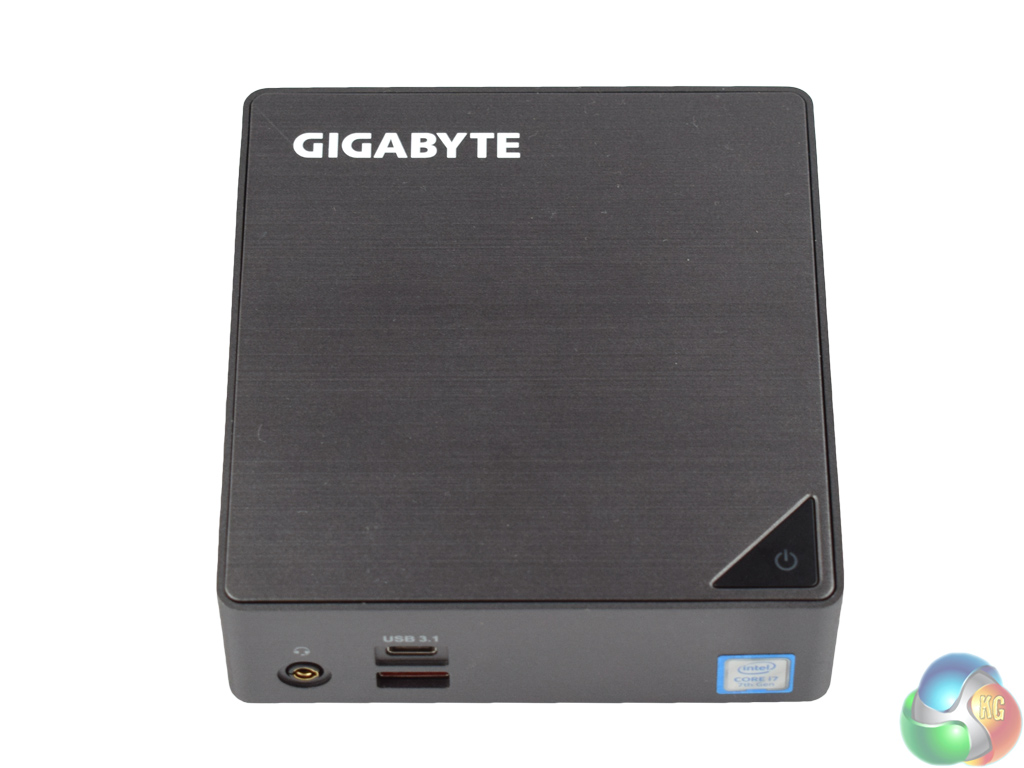
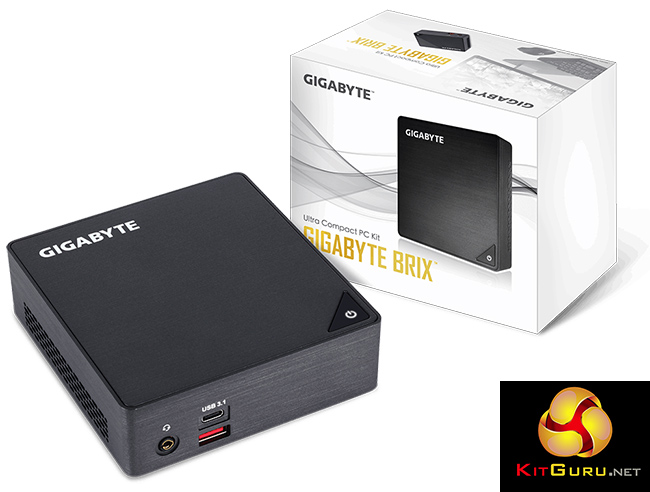
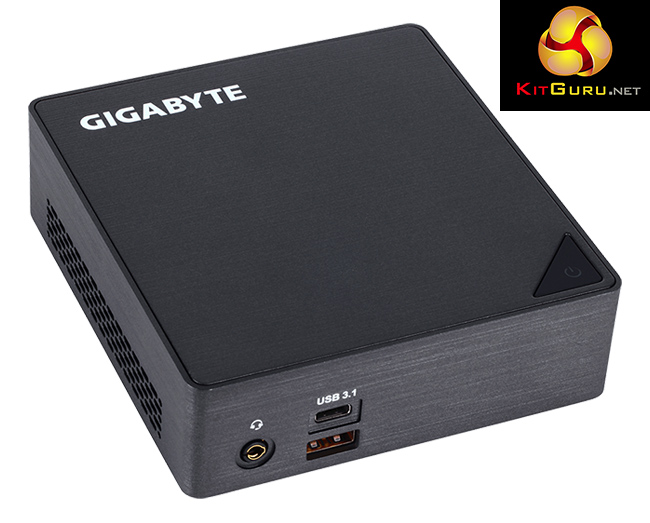
Here we get our first look at the BRIX itself. It is a minimalistic dark grey colour, with a lovely brushed aluminium finish. It certainly feels sturdy and looks very classy thanks to the brushed finish. We also get a feel for just how small the BRIX is, measuring just 34.4 mm x 112.6 mm x 119.4 mm.
The power button sits in the bottom-right corner on the top of the fascia, while a small Gigabyte logo features in the top left corner.
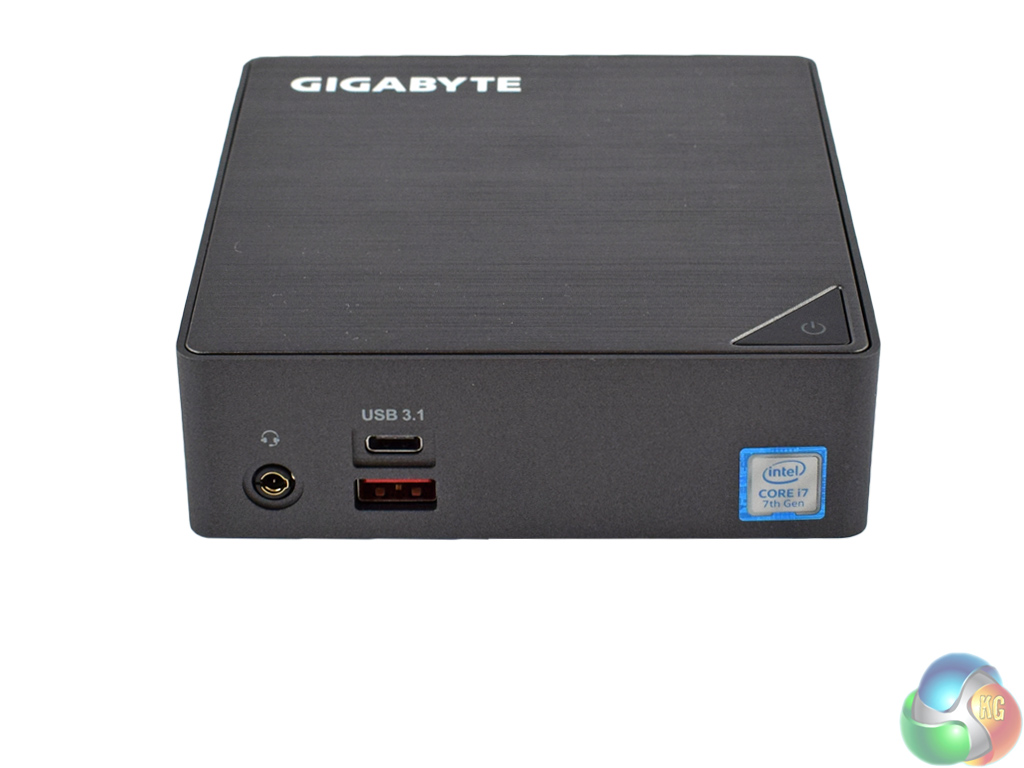
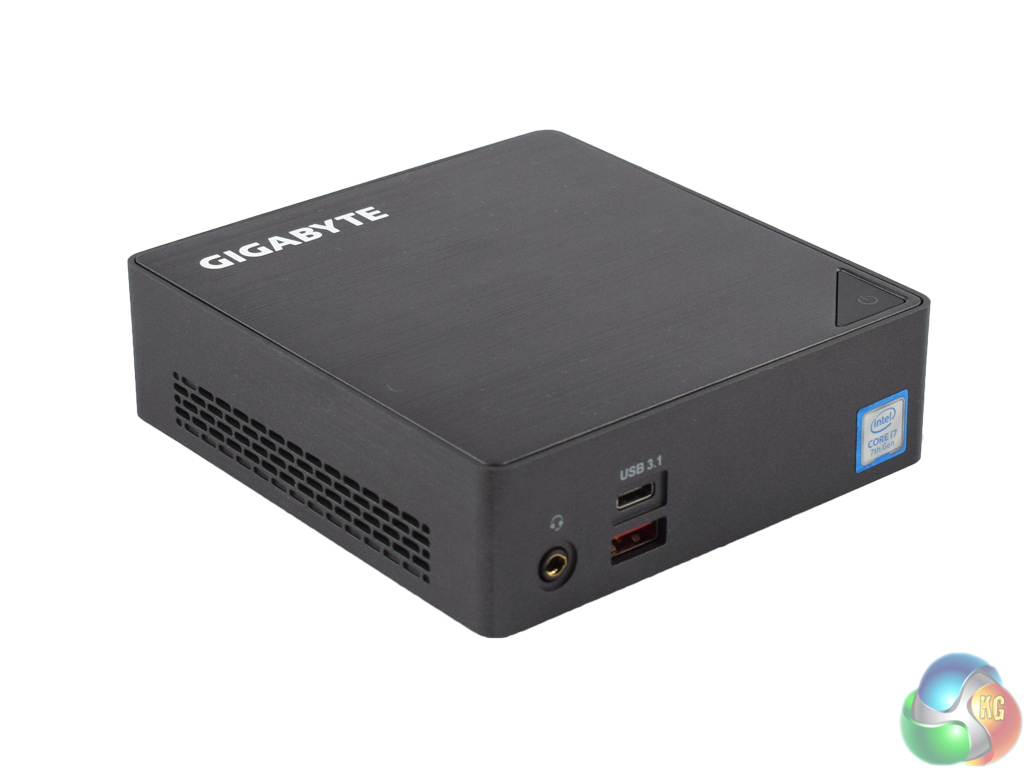
Taking a look at the front I/O, there is a single headset jack, as well as two USB 3.1 ports – one Type-A, one Type-C. These connections are powered by an Asmedia controller.
The sides of the chassis feature ventilated cut-out sections, which simply allow air in and out of the device.
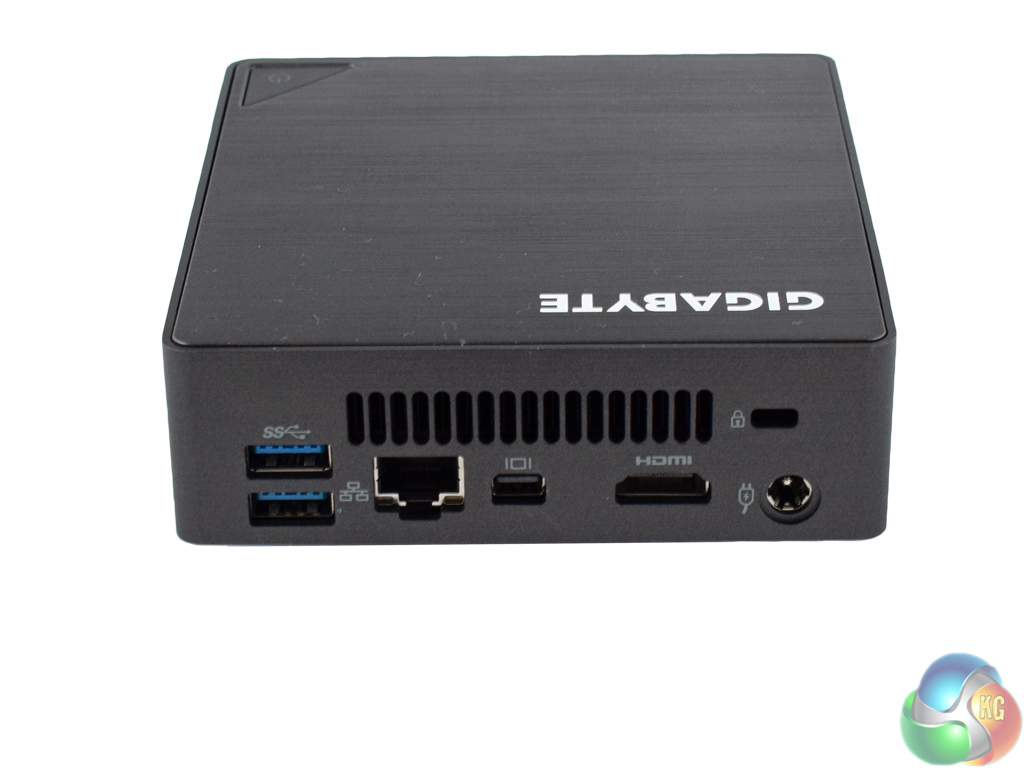
The rear I/O has plenty of connectivity options. We find 2x USB 3.0, an Ethernet port, mini-DisplayPort and HDMI display outputs, as well as the power-in connector and a Kensington lock.
Having the power, display and Ethernet ports at the back of the device is smart. It allows cabling to be hidden away out-of-sight, while the front I/O still provides quick-access ports to save you fiddling around at the rear of the BRIX. This configuration would allow the BRIX to sit under your TV, for example, and look very tidy.
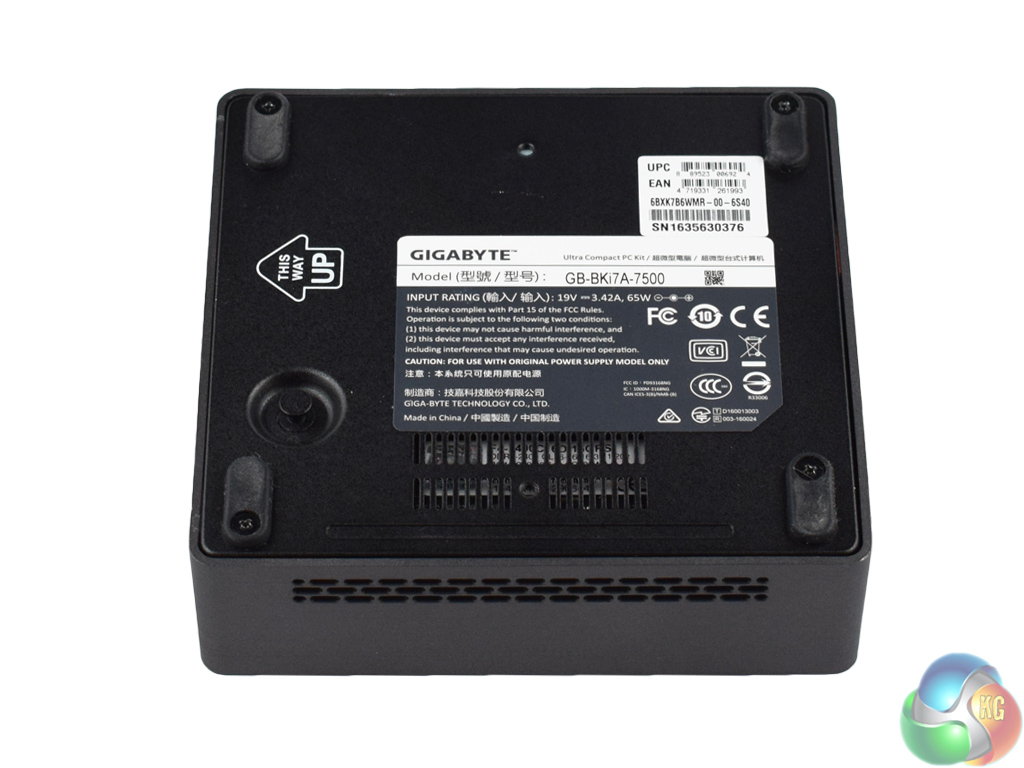
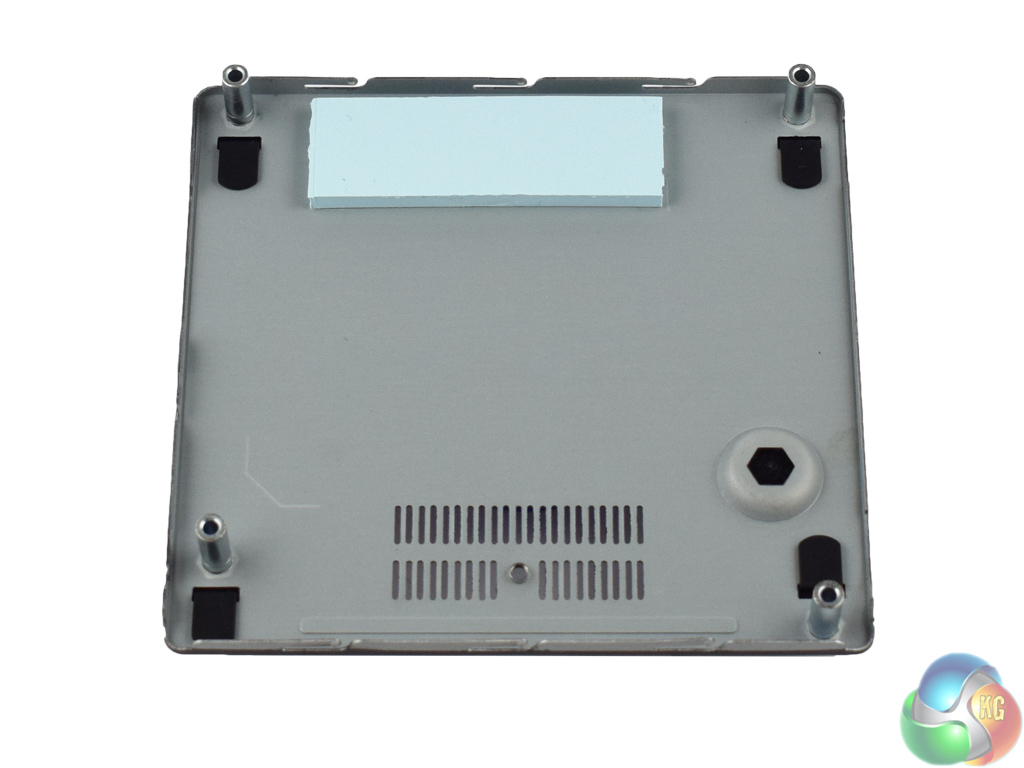
The base of the BRIX is removed by four small screws, allowing easy access to the motherboard. There is also a small handle, allowing you a pain-free way of lifting the panel off.
On the underside of the panel, there is even a thermal pad which sits over your M.2 SSD. This is a great touch from Gigabyte – M.2. SSDs which operate at high speeds, such as the Samsung 950 Pro, can overheat and throttle, reducing your read and write speeds. This thermal pad should prevent that unfortunate event from occurring.
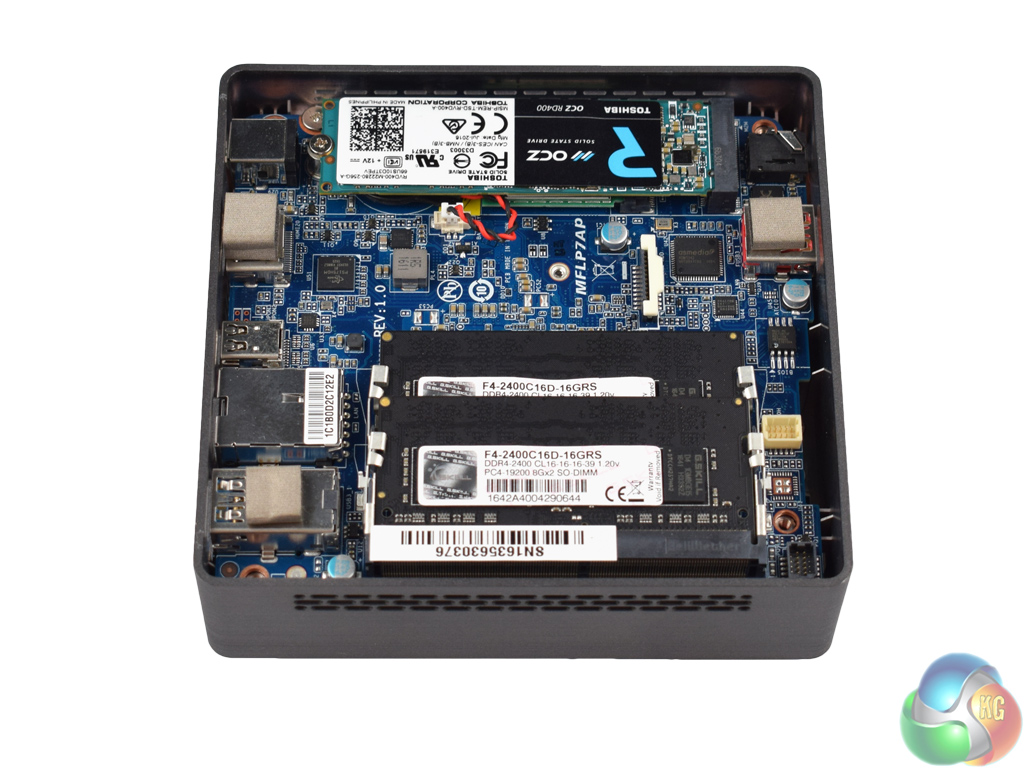
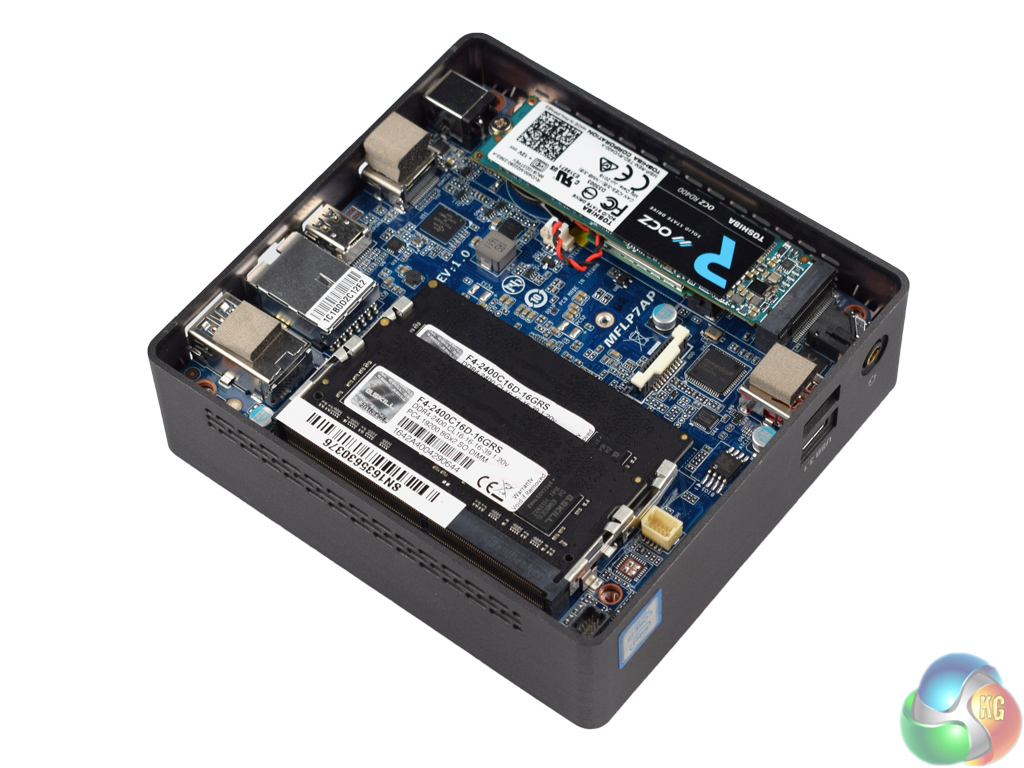
Lastly, we take a look at the innards of the BRIX. Out-of-the-box, 2x DDR4 SODIMM slots are unoccupied, along with 1x M.2 port. There is a second M.2 port which sits underneath the SSD slot, but this is occupied by the WiFi card.
We populated the empty memory slots with 2x8GB of 2400MHz G.Skill Ripjaws RAM, though the chipset limits the memory speed to 2133MHz. As for an M.2 SSD, we used the excellent Toshiba OCZ RD400 – review HERE. However, both PCIe or SATA SSDs are supported.The stand-out feature of the BRIX is undoubtedly the new Kaby Lake i7 CPU. The successor to the Skylake family of processors, it will be interesting to see how the Kaby Lake architecture improves over Skylake, if at all.
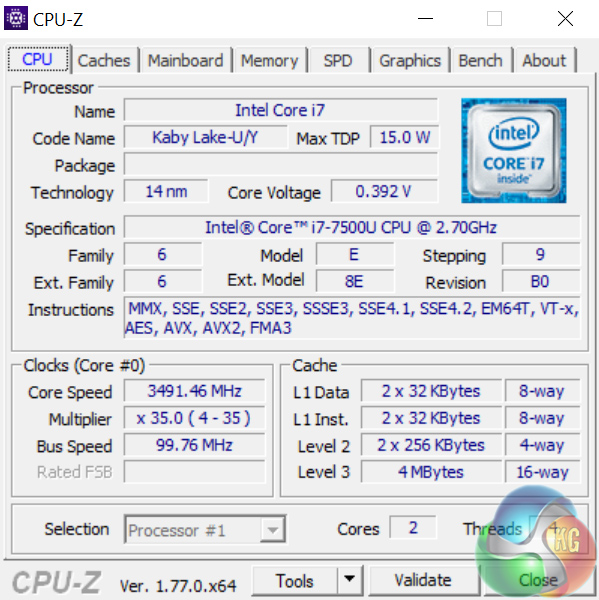
Above, we see an overview of the new hardware.
The i7-7500U is a dual-core processor with HyperThreading. It has a base clock of 2.7GHz and a boost clock of 3.5GHz. That being said, I found that even when idling, the CPU constantly operates at its 3.5GHz maximum clock speed.
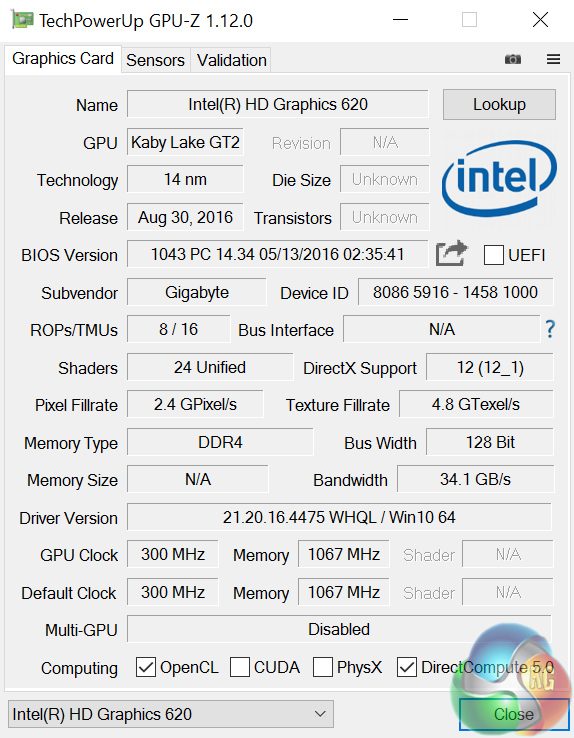
The integrated graphics are Intel HD Graphics 620, with a base clock of 300MHz. However, in theory at least, the graphics chip can boost as high as 1.05GHz.
Comparison systems
Today I will be comparing the BRIX i7A-7500 with the following systems, where applicable:
- Intel Core i7-6700HQ
- Nvidia GTX 960M
- 16GB Dual-Channel 1600MHz DDR3 RAM
- 128GB SSD + 1TB HDD
- Intel Bay Trail-M Celeron N2808 SoC
- Intel HD Graphics
- 4GB DDR3L RAM
- 64GB eMMc storage
- Intel Braswell N3050 SoC
- Intel HD Graphics
- 2GB DDR3L RAM
- 32GB eMMC storage
- Intel Core i3 i3-5010U
- Intel HD Graphics 5500
- 8GB Kingston SODIMM DDR3 1600MHz (1 x 8GB)
- 240GB Kingston V300 SSD
- Intel Core™ m5-6Y57
- Intel HD Graphics 515
- 8GB LPDDR3 1866MHz Memory
- 256GB Solid State Drive M2 2280 PCIe
- Intel Core i5-6500
- Asus Turbo GTX 960
- 8GB Corsair Vengeance LPX 2400MHz DDR4 RAM
- 500GB Samsung 850 EVO SSD
- Intel Core i7-6820HK
- Nvidia GTX 980 (desktop)
- 32GB DDR4 2400MHz RAM
- 2x 256GB Samsung SM951 PCIe SSDs in RAID0
- AMD FX-8320
- AMD RX-480
- 16GB DDR3 2133MHz RAM
- 240GB Adata Premier SP550
PCSpecialist Defiance III 17.3
- Intel i7-6700HQ
- Nvidia GTX 1060
- 16GB HyperX DDR4 2133MHz RAM
- 512GB SanDisk X400 M.2 SATA SSD
- Intel i7-6700HQ
- Nvidia GTX 950
- 16GB Crucial DDR4 2133MHz RAM
- 512GB Samsung Pro M.2 SSD
And lastly my personal desktop with a Core i3-4160, 8GB 1866MHz DDR3 and a GTX 960.
Test software
- SiSoft Sandra
- Cinebench R15
- Handbrake
- CrystalDiskMark
- ATTO Disk Benchmark
- 3DMark
- Prime 95 (version 26.6)
- CPUID HWMonitor
- AIDA64 Engineer
- PCMark 8
Finally, I also test with Tomb Raider (2013) to assess the graphical capabilities of the BRIX.Cinebench R15
To first test the i7-7500U processor, I ran Cinebench R15.
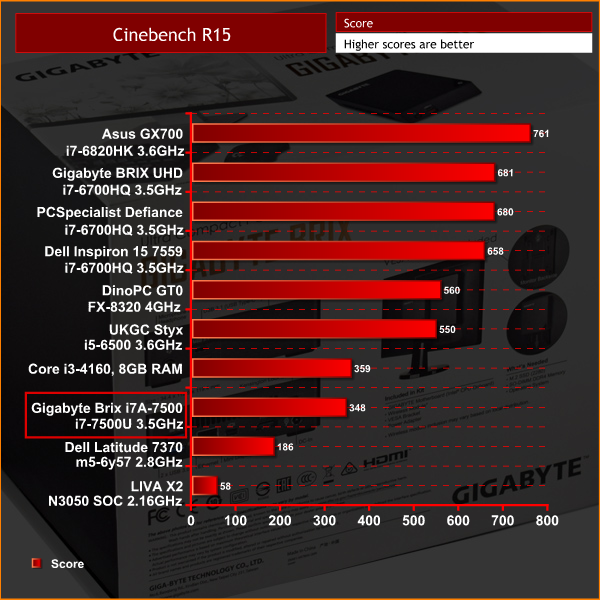
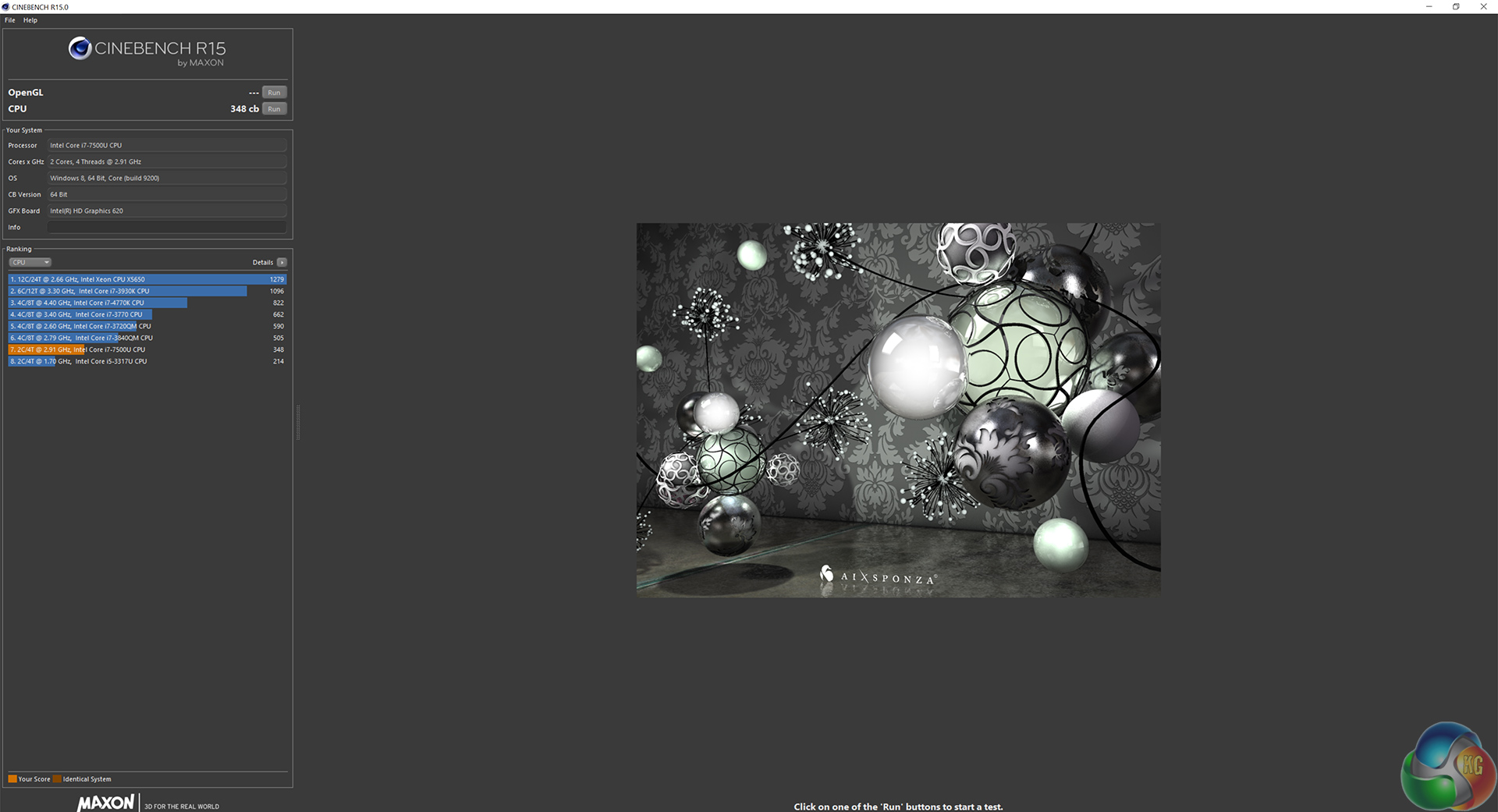
I must say I am pleasantly surprised with this result. While 348 cb in Cinebench R15 is not going to blow anyone's mind, this level of performance from a low-power, dual-core CPU is impressive. As you can see, this score is only just behind the desktop-grade i3-4160.
Handbrake
Next, I ran Handbrake, where I ask the CPU to encode a 1.8GB full-HD video file, outputting it to the specifications as determined by the in-built ‘iPhone preset’.
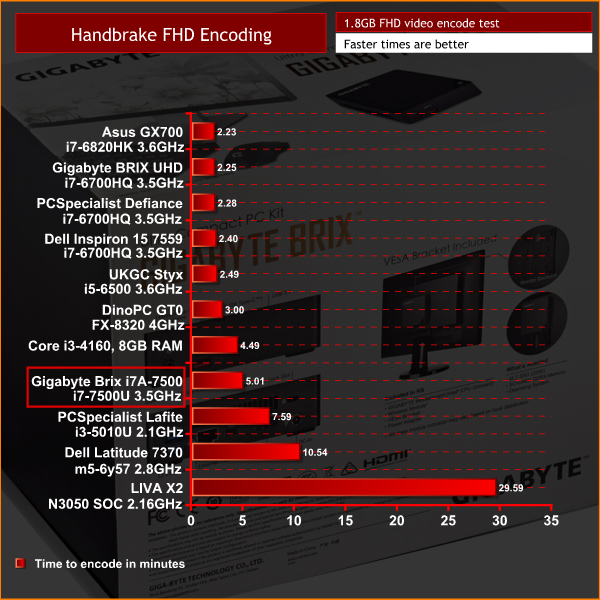
It is a similar story here. The i7-7500U completed the encode with a time of 5:01 minutes, which is towards the bottom of the chart. However, for a CPU with a TDP of just 15W, I would go as far as to say this a great result. Again, it is only just behind the i3-4160.
SiSoft Sandra arithmetic
The last test for the CPU, I ran Sisoft Sandra's arithmetic test – a synthetic benchmark.
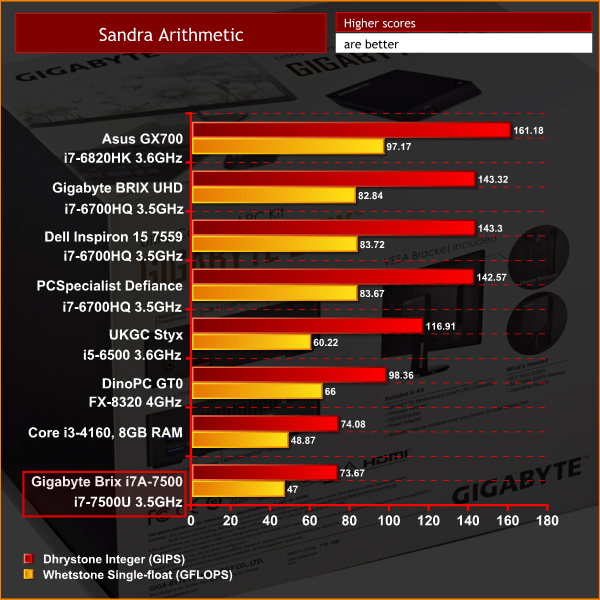
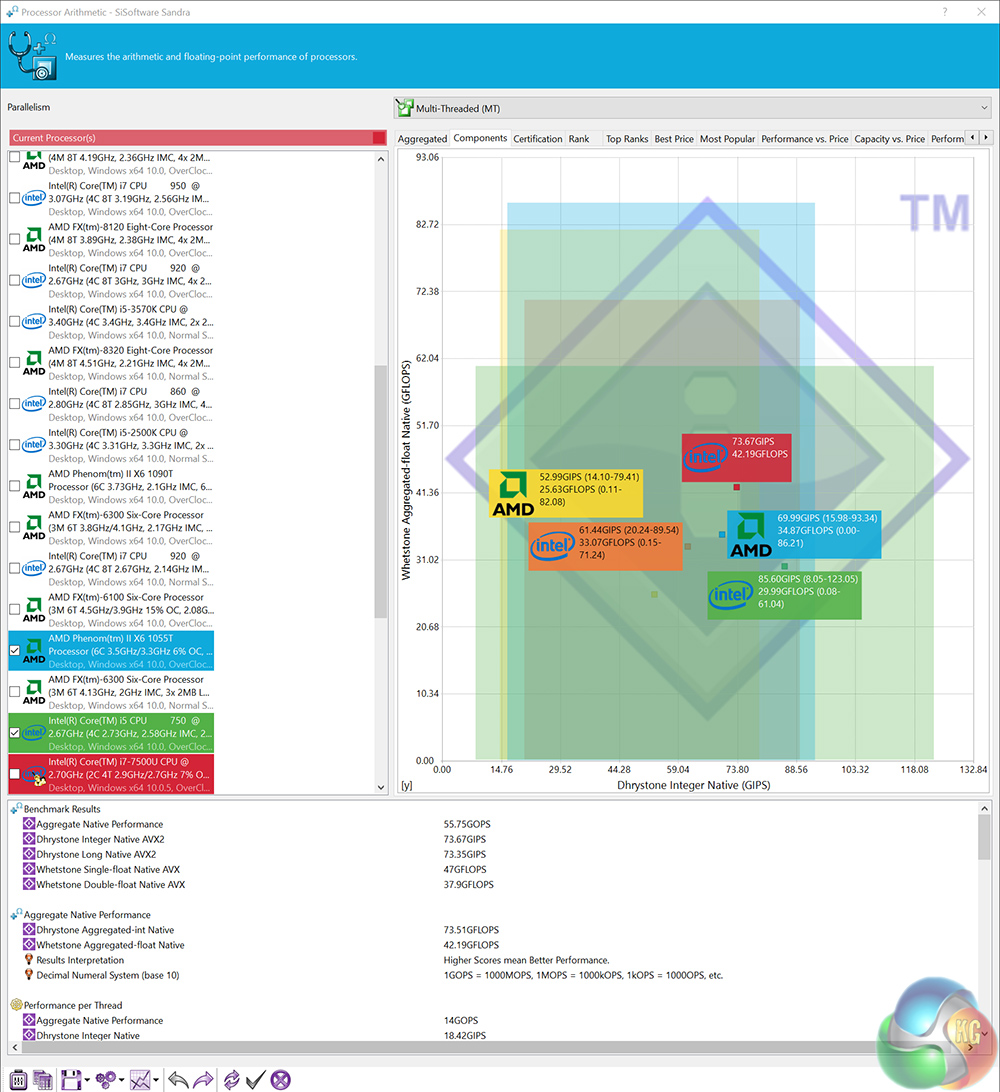
While the BRIX posts the lowest scores so far, it is a fraction away from beating the i3-4160. To have essentially desktop-grade, dual-core performance in such a small package is mightily impressive.3DMark Fire Strike
To first test the integrated Intel HD Graphics 620, I ran 3DMark Fire Strike.
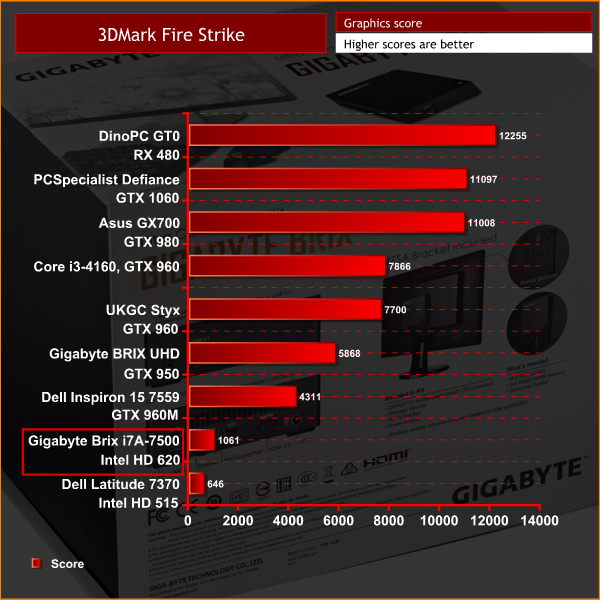
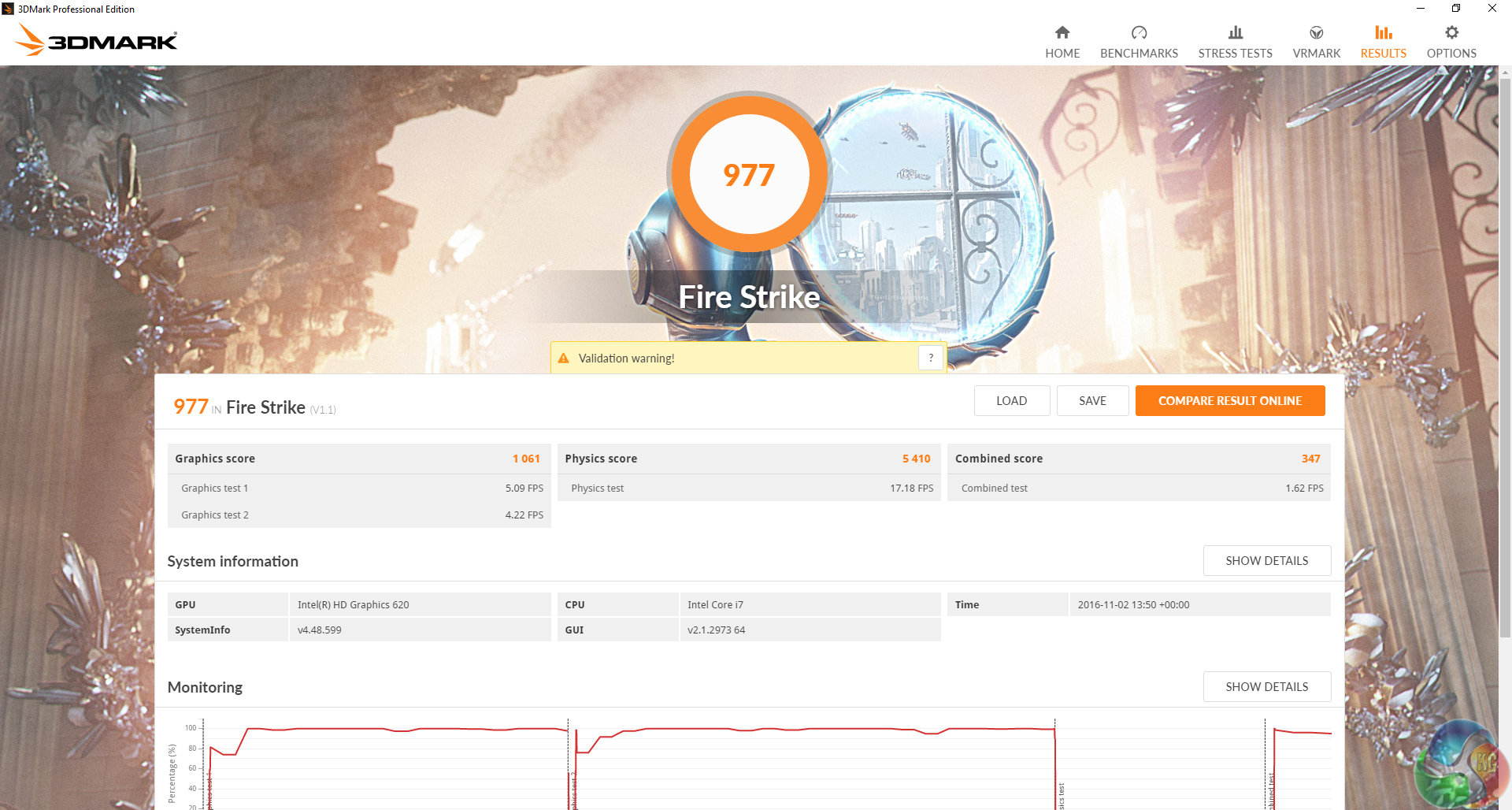
More in keeping with what we would expect from integrated graphics, a score of 1061 is not overly impressive. However, it is over 400 points faster than the last-gen Intel HD Graphics 515 from the Dell Latitude 7370.
Tomb Raider
Lastly, to see how the BRIX gets on with a less-demanding game, I ran Tomb Raider (2013), at 1080p using the ‘low' image-quality preset.
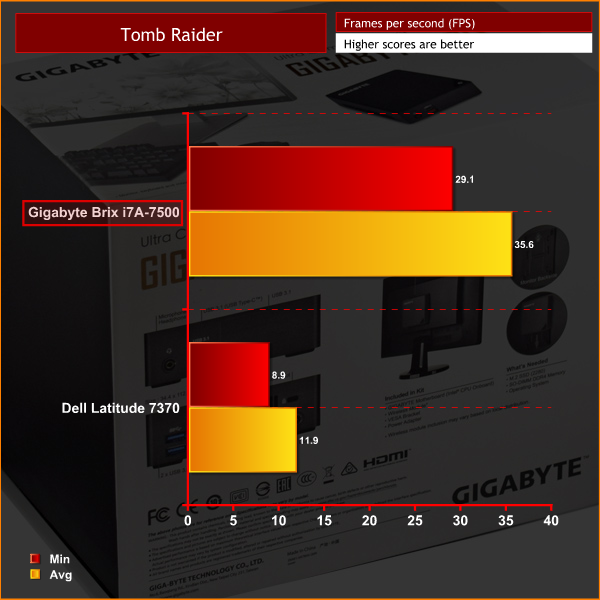
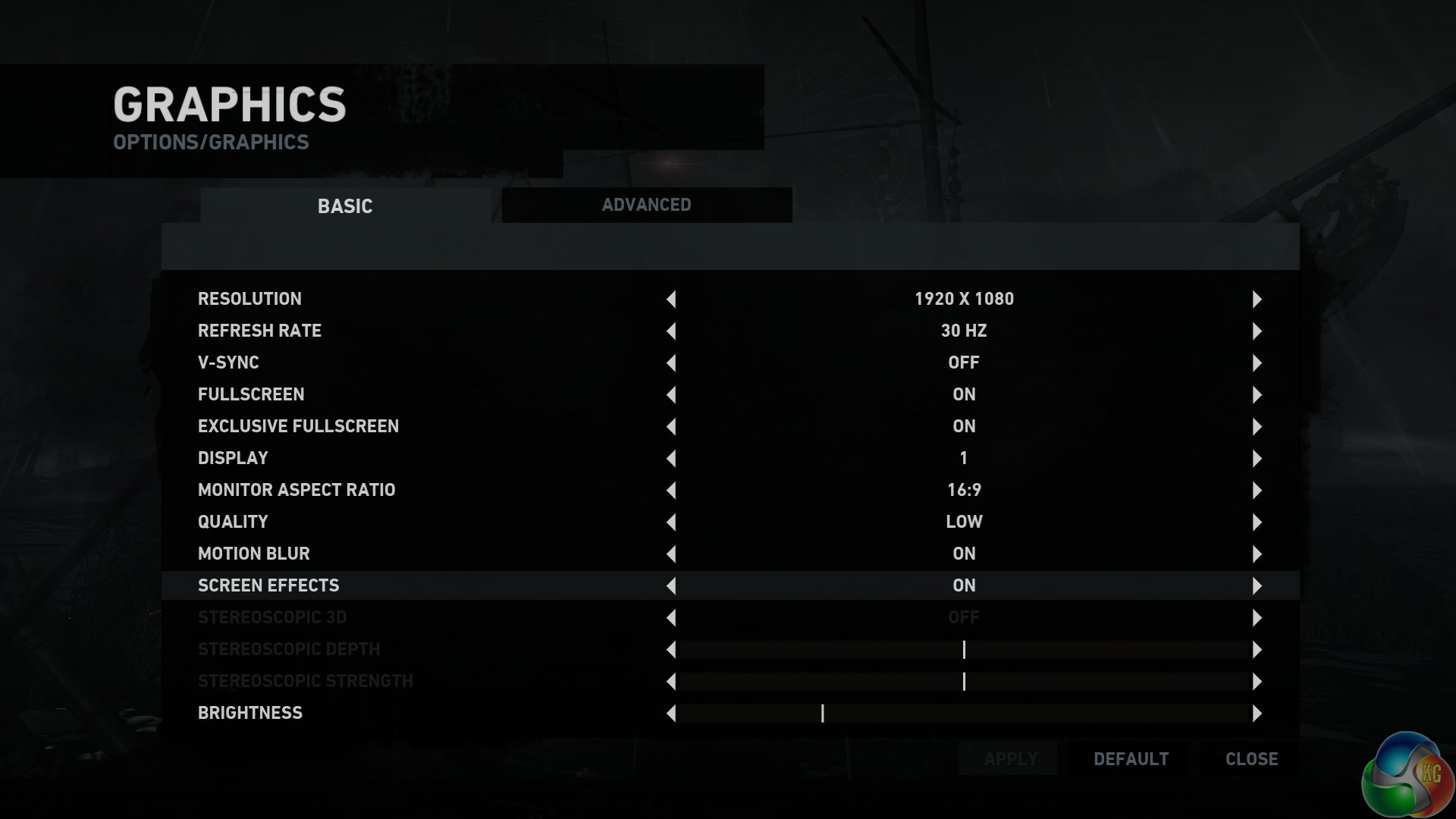
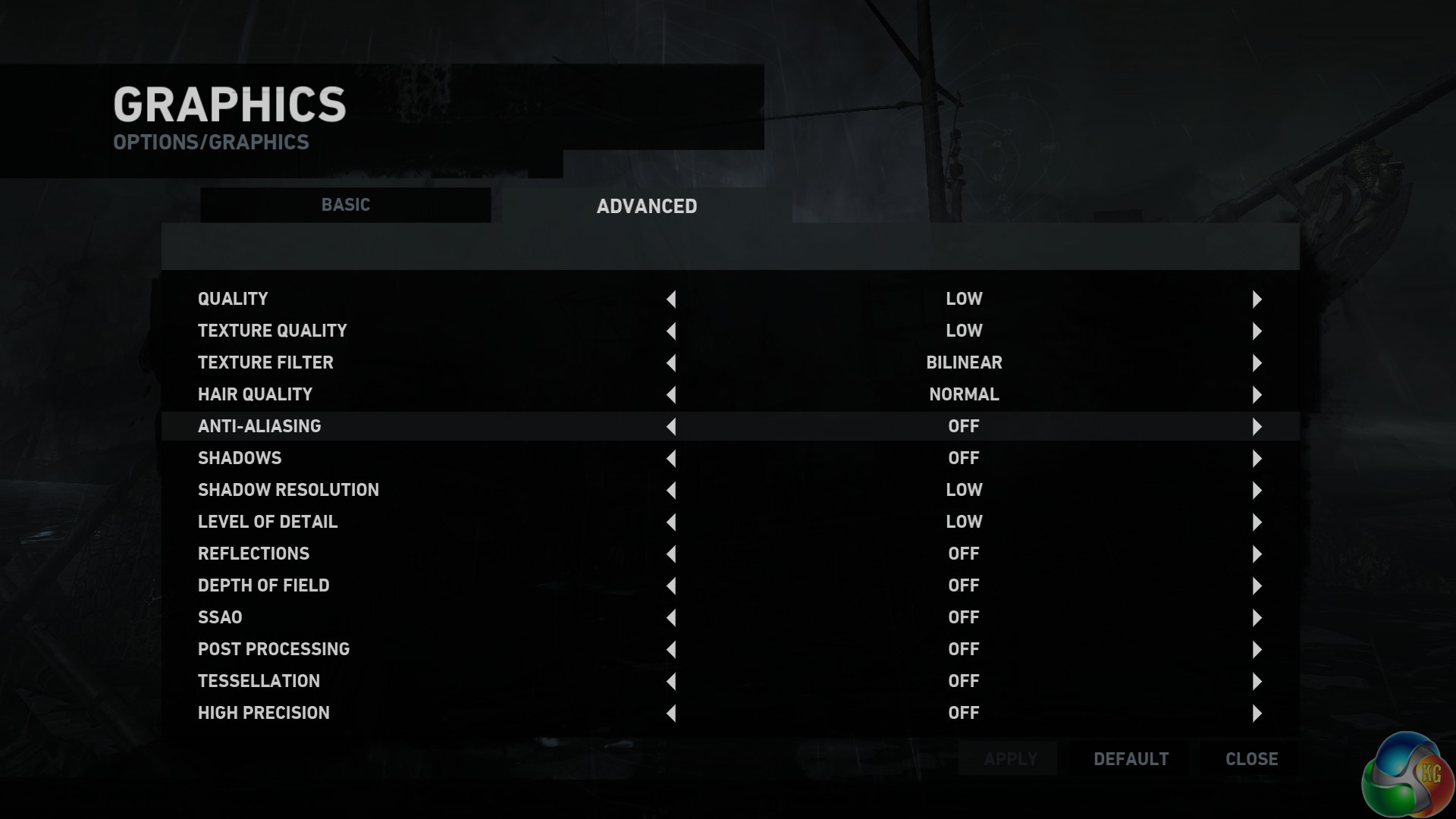
Here, the integrated graphics actually do OK. Admittedly, it is only using low settings – and clearly, we must stress the BRIX i7A-7500 is not for proper, high-end gaming. However, for casual Minecraft or Rocket League gamers who do not mind tweaking a few settings, this could do a job. That being said, we must re-iterate the BRIX is in no way, shape or form designed for proper full-fat gaming.PCMark 8
To give a general, overall score of the BRIX's performance, I ran PCMark 8's ‘Home Conventional' test.
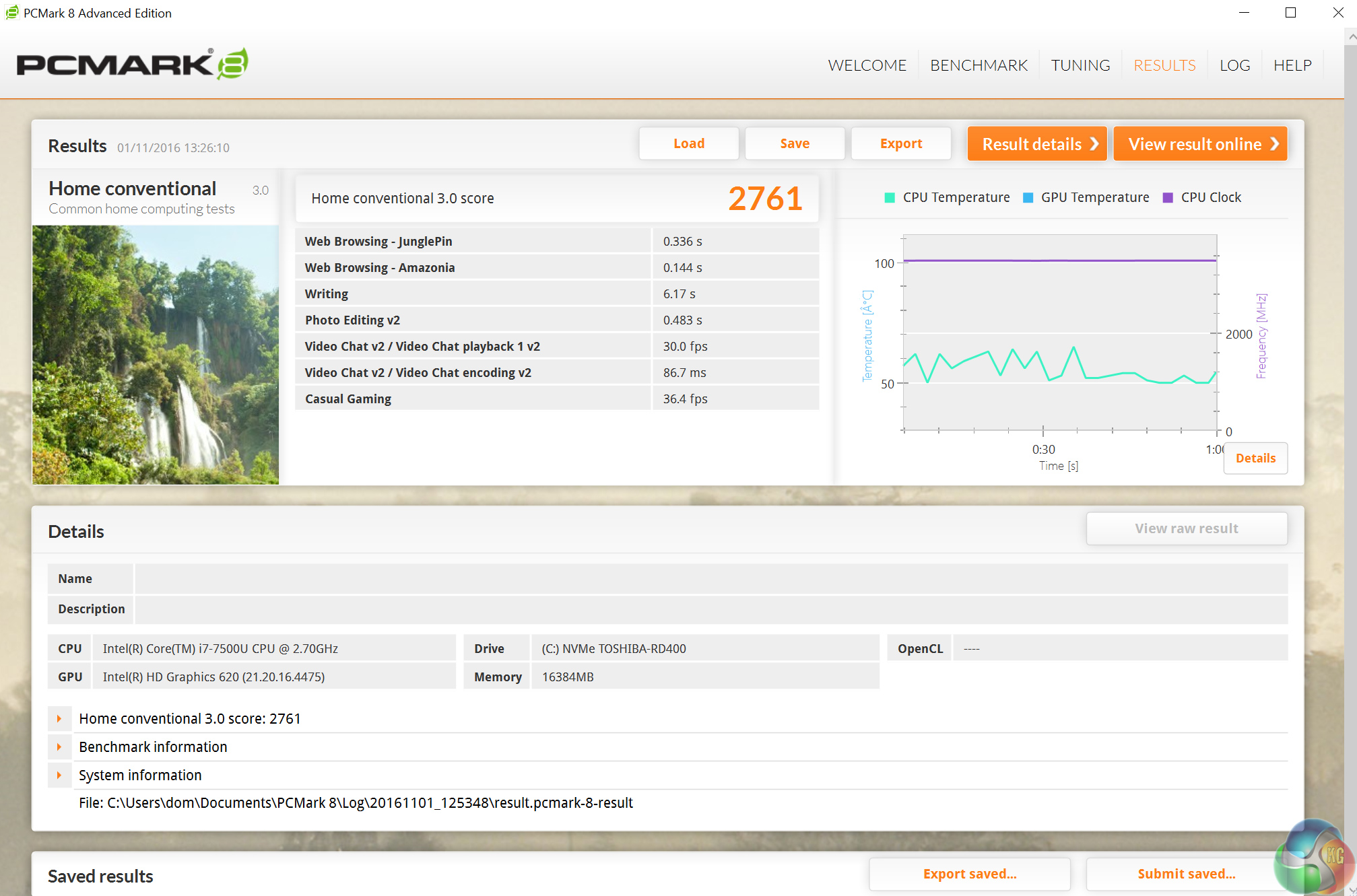
I do not have any comparison data here as I do not usually use PCMark 8 in my benchmarking process. However, I include the score to allow readers to run the same test (there is a free demo on Steam allowing you to do so) and see how your system compares.
Memory bandwidth
As users have to supply memory for the BRIX, I am not testing the speed of our G.Skill DDR4 kit. Rather, I am testing the memory bandwidth to ensure the 2x SODIMM slots on the BRIX are functioning properly.
Usually, I test memory bandwidth using SiSoft Sandra. However, I encountered a software issue and had to resort to using AIDA64.
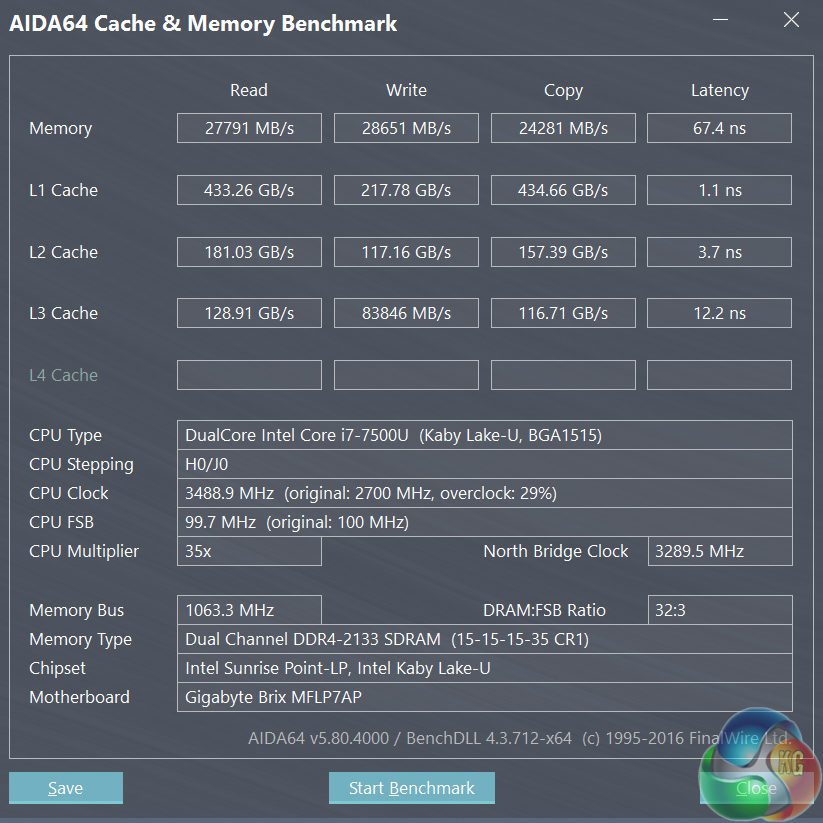
Above, on the top row, you can see the read and write speeds of the DDR4 memory. This tells me the memory interface is working perfectly well, and that it is of a high standard.
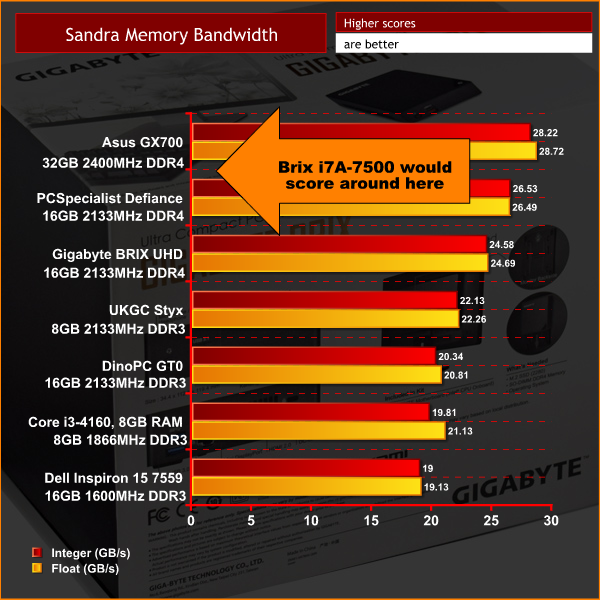
While not directly comparable, as I used two different pieces of software, the arrow on the chart above indicates roughly where the G.Skill/BRIX memory bandwidth would score had I used SiSoft Sandra's memory bandwidth test.
M.2 interface
As users need to supply an M.2 SSD (PCIe or SATA are supported), we are not testing the speeds of the Toshiba OCZ RD400 we installed ourselves. This test is to ensure the M.2 interface is functioning at its maximum speeds.
To test this, we benchmarked our PCIe, NVMe Toshiba OCZ RD400 using CrystalDiskMark and ATTO Disk Benchmark.
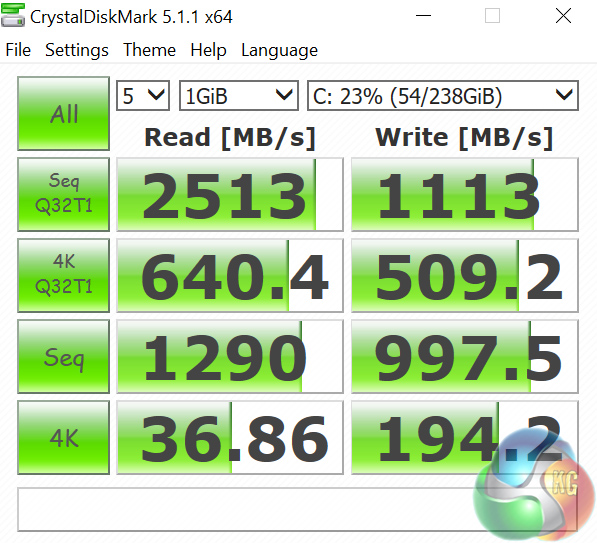
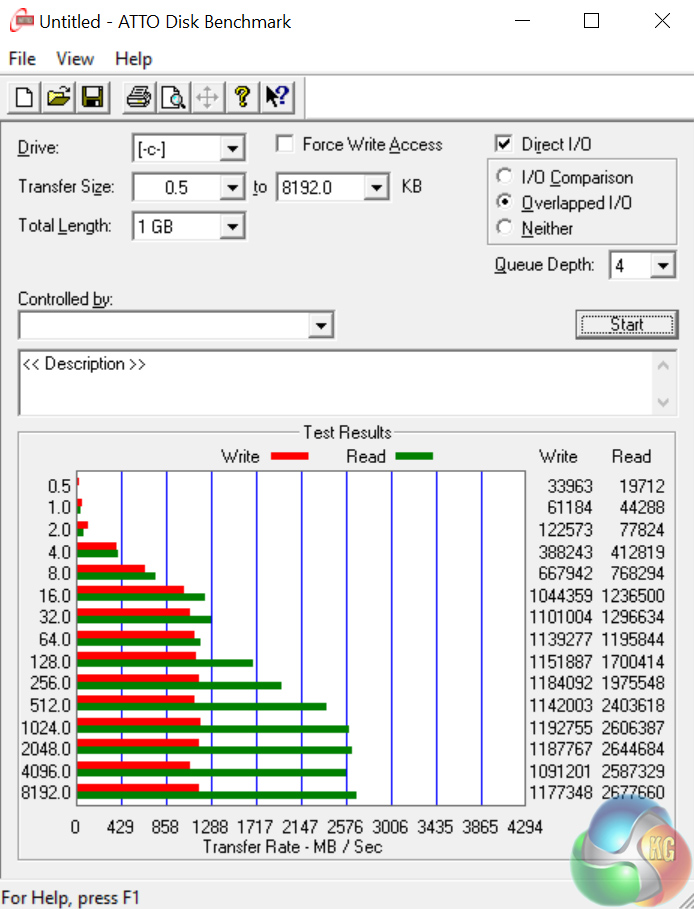
As you can see, the RD400 is operating at its full speed. This verifies the BRIX's M.2 interface is fully-functional.
USB 3.0
To test the BRIX's USB 3.0 Type-A ports, I plugged in an OCZ Trion 150 SSD via a SATA-to-USB 3.0 5Gbps adapter, which uses the ASMedia ASM1053 controller. We reviewed the SSD HERE, finding it delivers good speed at a budget price. Most importantly, it is capable of saturating the USB 3.0 bus, allowing us to test the speeds the two USB 3.0 ports delivers. To test this, I ran both CrystalDiskMark and ATTO Disk Benchmark on the Trion 150 drive.
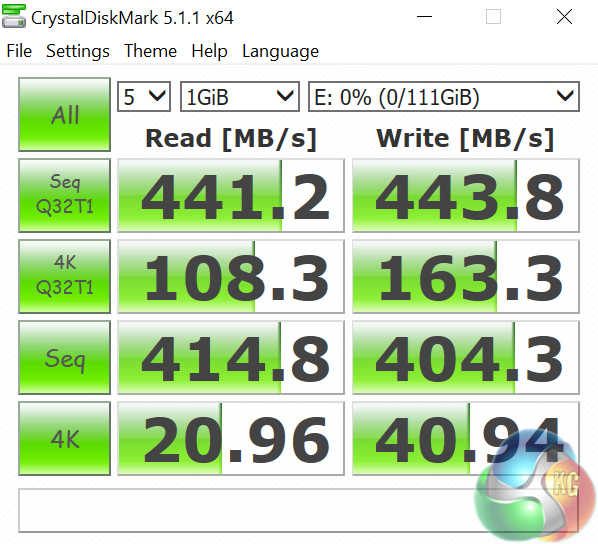
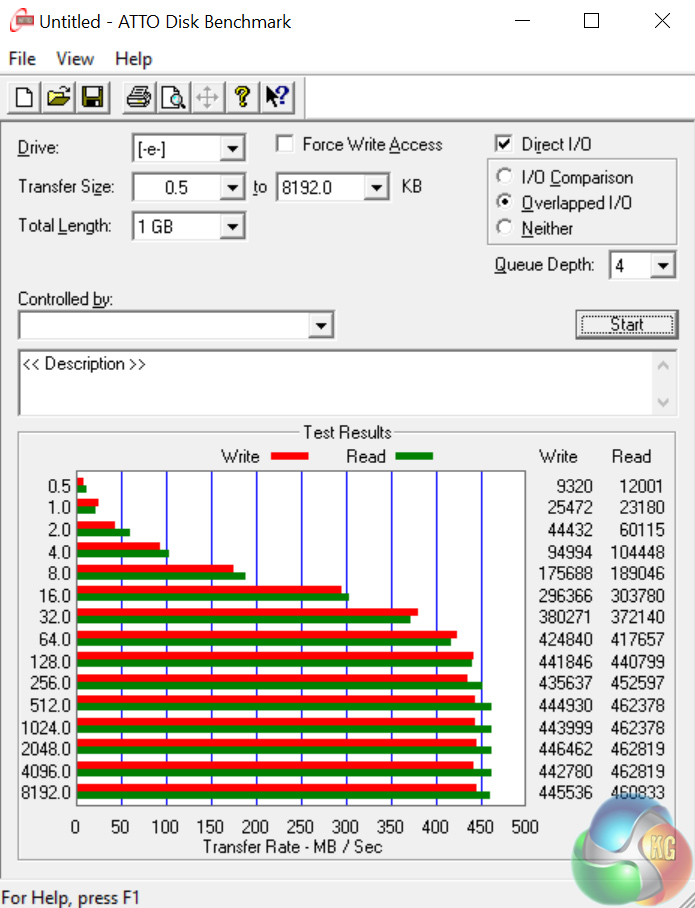
As expected, the USB 3.0 ports are operating right at the ceiling of the 5Gbps interface.Thermal dynamics
To find the BRIX's idle temperature, I left Windows on the desktop for 30 minutes. The ‘load’ temperature reading comes from running Prime95.
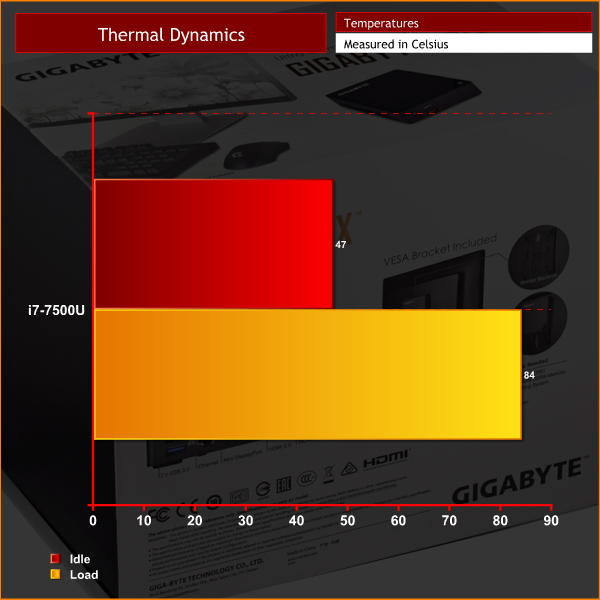
The i7-7500U's peak temperature of 84 degrees is fine – this is under 100% load, and it is very unlikely this CPU would be put under such stress in a real-world environment.
However, the idle reading of 47 degrees seems high to me. Not dangerously so, but it could be lower. My theory as to why this idle temperature is higher than usual is due to the CPU boost frequency. During my testing, I noticed the CPU always operates at its boost clock of 3.5GHz, even when idling on the desktop with 0.1% load. I checked the BIOS to ensure Intel SpeedStep was enabled – it was. Despite this, the CPU constantly ran at its boost clock, which I believe causes the high idle temperatures. Strange, but thankfully not dangerous.
Acoustics
At idle, the BRIX is silent – if the small fan which cools the CPU is spinning, I cannot hear it for the life of me. Under load, the fan does spin up – but it is still far from intrusive. In the vast majority of cases – media streaming, word processing, emailing etc – the BRIX will not be audible at all.
Power consumption
To get the ‘idle’ power draw for the BRIX, I left Windows on the desktop for 30 minutes. The ‘load’ power draw reading comes from running Prime 95 and Fire Strike Ultra simultaneously.
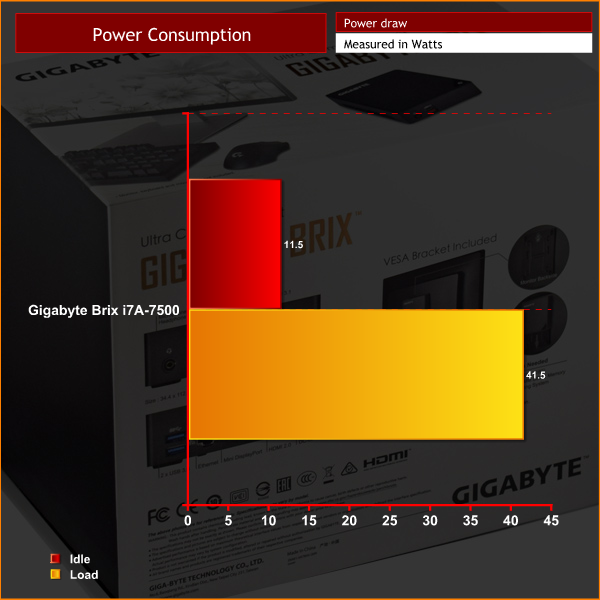
A peak power-draw of 41.5W is a great result. Clearly, the i7-7500U is an efficient CPU – as you would expect given its 15W TDP!All-in-all, the Gigabyte BRIX i7A-7500 is a very impressive piece of kit.
For starters, it is well designed with a lovely brushed aluminium finish. It is also impressively small, measuring just 34.4 mm x 112.6 mm x 119.4 mm.
Gaining access to the innards of the chassis is also very easy – simply remove four small screws and pull off the base panel. Once inside, users need to supply memory and an M.2 SSD (be it PCIe or SATA).
Another great feature of the BRIX is related to the M.2 SSD – as the base panel has a thermal pad which makes direct contact with your M.2 drive. As many fast SSDs can get hot and throttle, this is a smart touch from Gigabyte to make sure that does not happen.
The star of the show, however, is the new Kaby Lake i7-7500U CPU. In all of our tests, it was consistently on-par with, or very close to, the desktop i3-4160. You may be wondering why I am comparing this mobile i7 chip with an i3 that is never going to blow anyone away. The simple fact is, this i7-7500U offers almost exactly the same level of performance as a proper desktop CPU, but in a vastly smaller package.
This enables the BRIX to be a true desktop replacement. Admittedly, it is not going to be for gamers – but it is not aimed at the gaming market. The BRIX is aimed at those who still want a PC, but do not want to deal with the hassle of a large tower on or beside their desk.
This is where the BRIX excels – it packs the same level of performance as a desktop Core i3 into a tiny chassis, while supporting the fastest NVMe SSDs on the market.
While we are unsure on an exact release date, you can pre-order the Gigabyte BRIX i7A-7500 from Scan for £529.99 HERE. I think this is a very fair price given the strong performance from the i7-7500U, the excellent build quality and the tiny nature of the BRIX itself.
Discuss on our Facebook page HERE.
Pros
- Excellent build quality.
- Thermal pad for M.2 SSDs.
- Desktop-grade performance from the i7-7500U.
- Supports the fastest PCIe drives on the market.
- Truly tiny.
Cons
- Unsure exactly when it will be available.
KitGuru says: If you do not use a desktop to its full potential, this BRIX i7A-7500 could be the perfect replacement. It offers great performance in a tiny form-factor, making it ideal for those who want a miniscule desktop replacement.


1 yr have passed since I finally abandoned my office job and it was a best decision i made in my life… I started doing a job from home, for a company I stumbled upon over internet, several hours every day, and I earn much more than i did on my previous job… Pay-check i got for last month was for 9k dollars… Awesome thing about this job is that now i have more time to spend with my family… KORTA.NU/MDe
Seems silly not to wait for the iris graphics next quarter.
Nice little unit for sure but as B Brad pointed if there is going to be a Iris Graphics version next quarter then it would be worth the wait. This would make a nice front room entertainment device for video playback and very light duty gaming as it is now.