KitGuru KitGuru.net – Tech News | Hardware News | Hardware Reviews | IOS | Mobile | Gaming | Graphics Cards


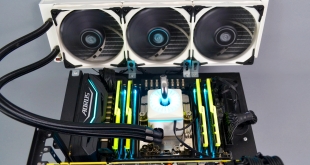
Since AMD launched its Threadripper 3000 processor series at the end of 2019, we have heard many discussions about how much of a struggle it is to keep the operating temperatures of the new high-end desktop CPUs under control. With the flagship Threadripper 3990X processor set for release next month, the struggle will be highlighted even more as the 64 core SKU comes in with its 280W TDP.
With the introduction of AMD Threadripper 3000 processors, many CPU coolers designed for previous generations have been reaching the limits of their thermal dissipation performance on the new platform. When overclocking the latest 3rd generation Threadripper CPUs, some cooling solutions that don’t fully cover the Threadripper IHS have been rendered useless.
However, there is still hope with some manufacturers that their latest CPU coolers are capable of cooling Threadripper 3000 CPUs. Deepcool has a new version of its Captain series which offers support out of the box for AMD high-end desktop CPUs. If you follow our CPU cooler reviews regularly, you will be familiar with the Deepcool Captain X-series design – just recently we reviewed the 240mm black version which produced great results on our Intel Core i9-9900K test bench.
The Deepcool Captain 360X is virtually identical to the 240mm version. However, obviously, the radiator is larger and it includes an extra 120mm TF 120 S fan, while the sample we have for review is white! Deepcool claims the Captain 360X is capable of cooling processors with up to 280W TDP so it may turn out that using the Captain 360X with 3rd generation AMD Threadripper processors will push it to its limit.
However, our current test bench for HEDT AMD CPUs is equipped with a 2nd generation AMD Ryzen Threadripper 2950X. While this may not prove whether the cooler is capable of keeping 3rd generation AMD Ryzen Threadripper CPU temperature under control, it will provide a result relative to other coolers we have tested on this platform and therefore show if it is an improvement over others currently available.
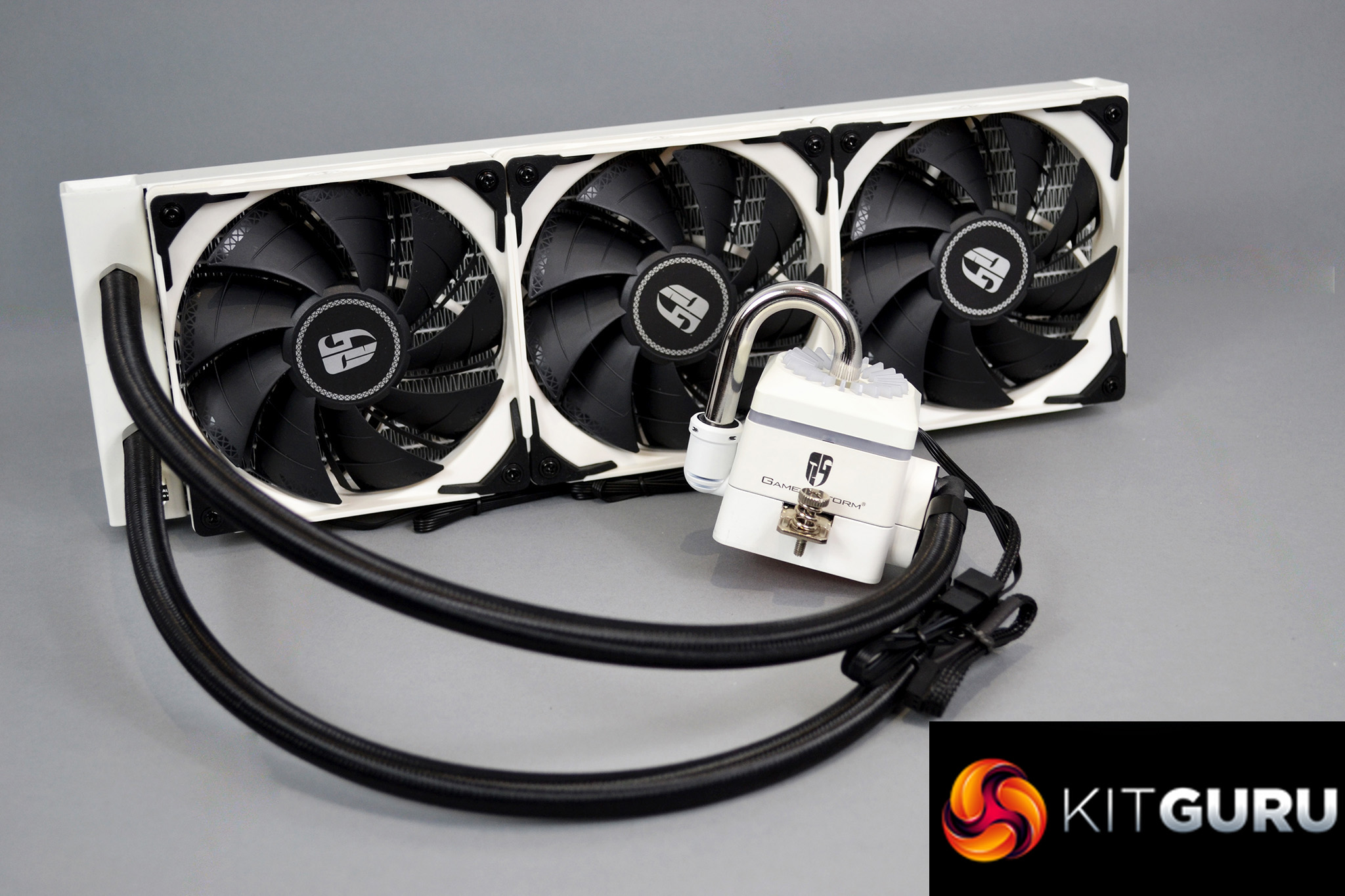
As we noted in our recent review of the Deepcool Captain 240X, the 360X is equipped with Deepcool’s updated pump featuring a new three-phase motor design that has pushed the rated TDP of the Captain 360X up to 280W, which is double that of the previous Captain 360EX 140W AMD TDP rating.
Along with the new pump design, the complete Captain X series range of AIO coolers feature Deepcool’s patented Anti-leak Technology which means the radiator is fitted with an EPDM rubber bag that contracts to create a void inside the radiator when pressure increases, therefore, relieving pressure and lowering the chance of a leak occurring.
Other features of the new Deepcool Captain X series all-in-one CPU coolers include a copper thermal transfer plate with microchannels at the base of the pump housing, a stainless steel U-shaped pipe replaces the previous generations glass design and distinctive RGB lighting is applied to the top of the pump housing that can be controlled via motherboard manufacturers RGB Sync software, or via the included RGB lighting controller that is bundled with the Captain X series coolers.
The Deepcool Captain also includes three specially tuned TF 120 S fans that are designed to work in tandem with the radiator and provide high static pressure from the flow-amplifying fan blade design and noise-cancelling frame. Deepcool also provides users with a PWM fan hub in the box that allows up to four fans to be connected for simple PWM control over all the fans.
Unlike the 240mm version featuring black and white colour scheme options, the Deepcool Captain 360X is currently only available in white. Priced at £139.99, it is competitively placed in line with other AIO coolers of similar design.
Key features
- Large cooling surface area from the 360mm radiator
- 280W TDP rating
- Anti-leak Technology
- RGB lighting
- PWM fan hub and RGB lighting controller included
- High wear-resistant ceramic bearings and core
Compatible CPU sockets:
Intel – LGA2066/2011-v3/2011/1151/1150/1155/1366
AMD – TR4/AM4/AM3+/AM3/AM2+/AM2/FM2+/FM2/FM1
Specifications
| Radiator Dimensions | 402×120×27 mm |
| Radiator Material | Aluminium |
| Net Weight | 1992 g |
| Tube Length | 465 mm |
| Pump Dimensions | 93.7×93×85 mm |
| Pump Speed | 2300 RPM±10% |
| Pump Noise | 17.8 dB(A) |
| Pump Connector | 3-pin |
| Pump Rated Voltage | 12 VDC |
| Pump Rated Current | 0.2 A |
| Pump Power Consumption | 2.4 W |
| Fan Dimensions | 120×120×25 mm |
| Fan Speed | 500~1800 RPM±10% |
| Fan Airflow | 64.4 CFM |
| Fan Air Pressure | 2.33 mmAq |
| Fan Noise | ≤32.1 dB(A) |
| Fan Connector | 4-pin PWM |
| Bearing Type | Hydro Bearing |
| Fan Rated Voltage | 12 VDC |
| Fan Rated Current | 0.15 A |
| Fan Power Consumption | 1.8 W |
| LED Type | RGB LED |
| LED Connector | 4-pin(+12V-G-R-B) |
| LED Rated Voltage | 12 VDC |
| LED Power Consumption | 1.56 W(PUMP) |
| EAN | 6933412726661 |
| P/N | DP-GS-H12-CT360XR-WH |
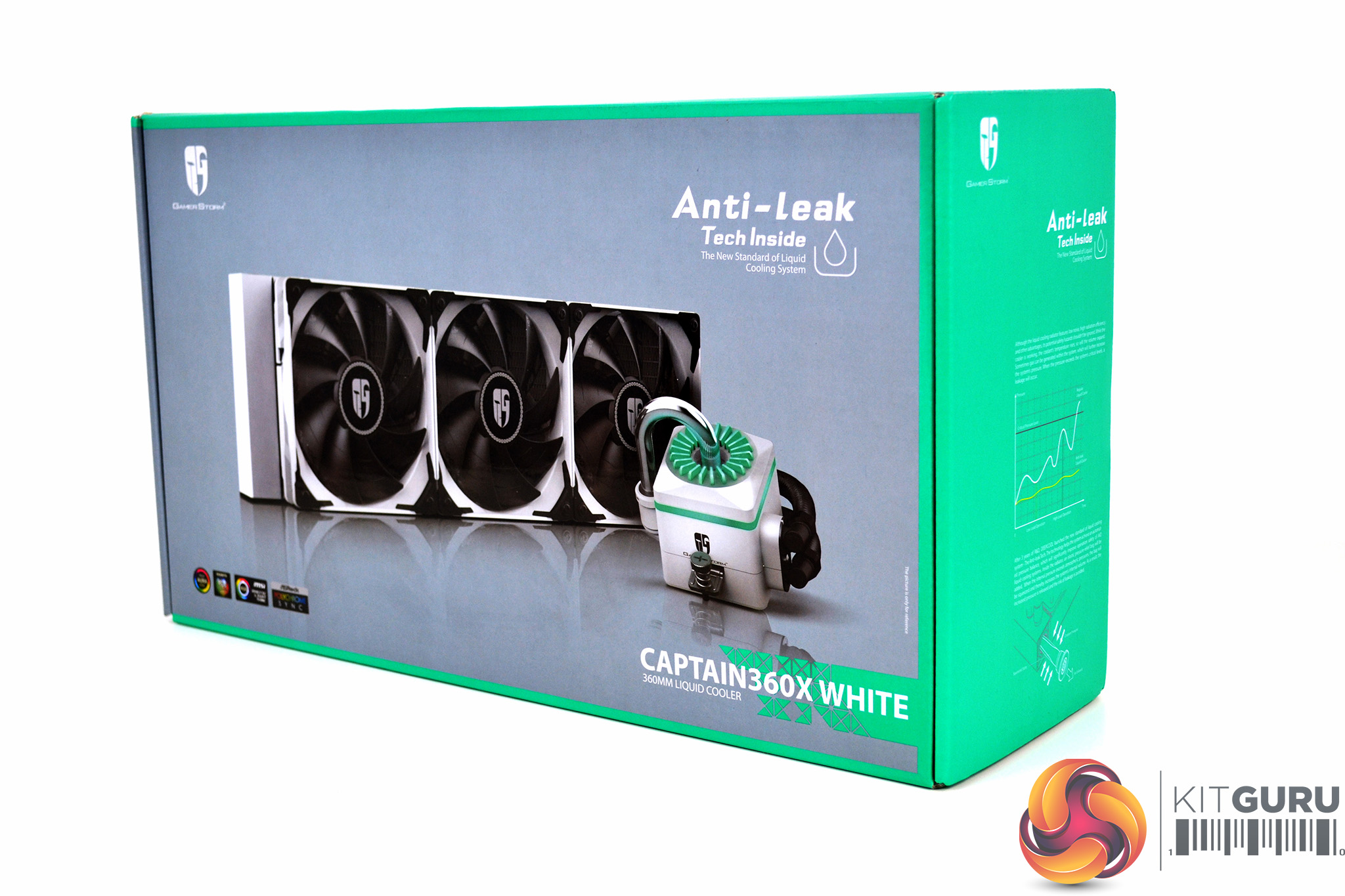
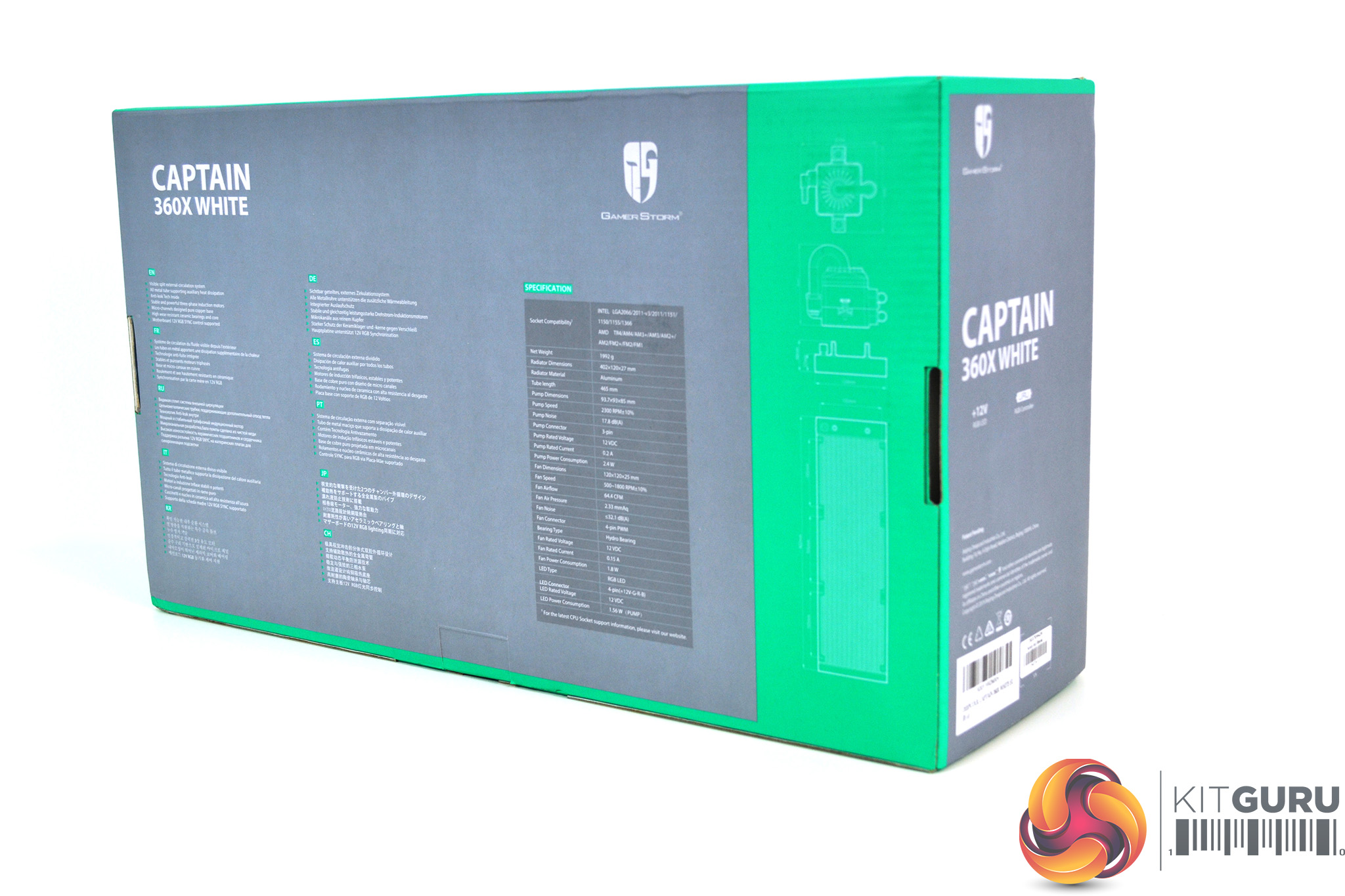
In typical Deepcool tradition, the Captain 360X arrived packaged in a cardboard box decorated in the usual grey and green colour scheme with a large image of the cooler, references to the Anti-leak Technology and trademark logos printed on the front. On the rear of the packaging is a list of features and detailed technical specifications with dimensions.
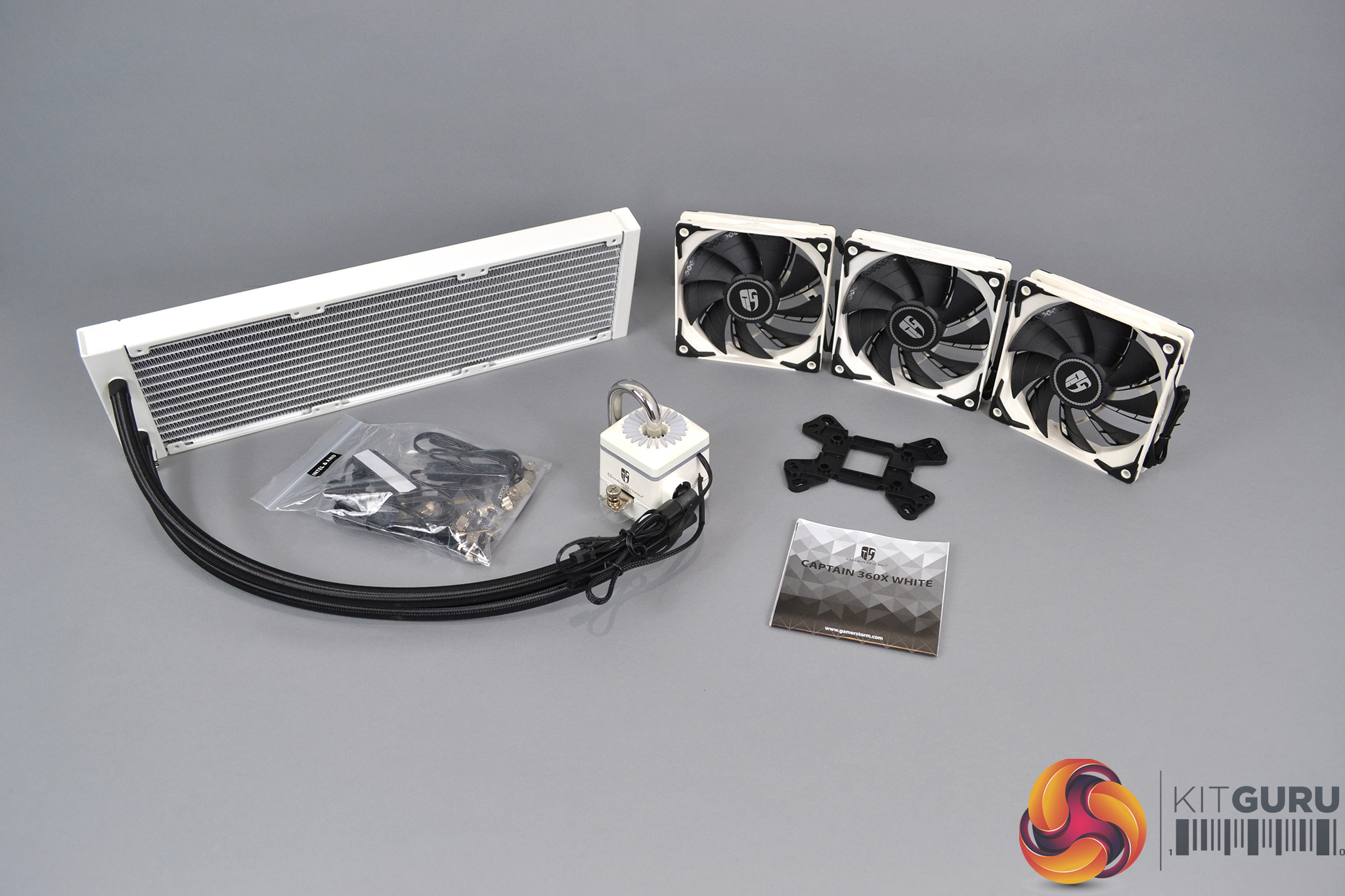
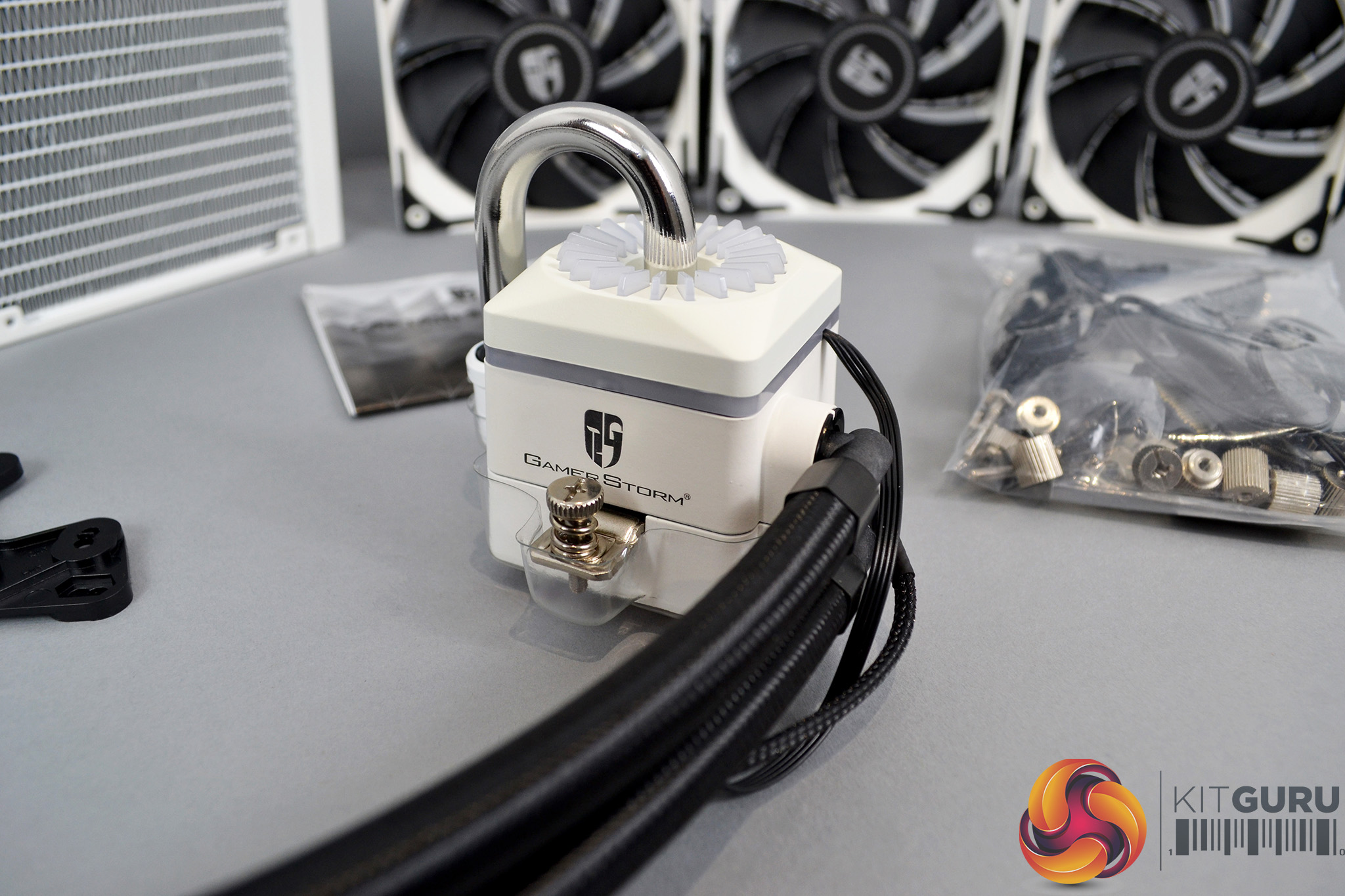
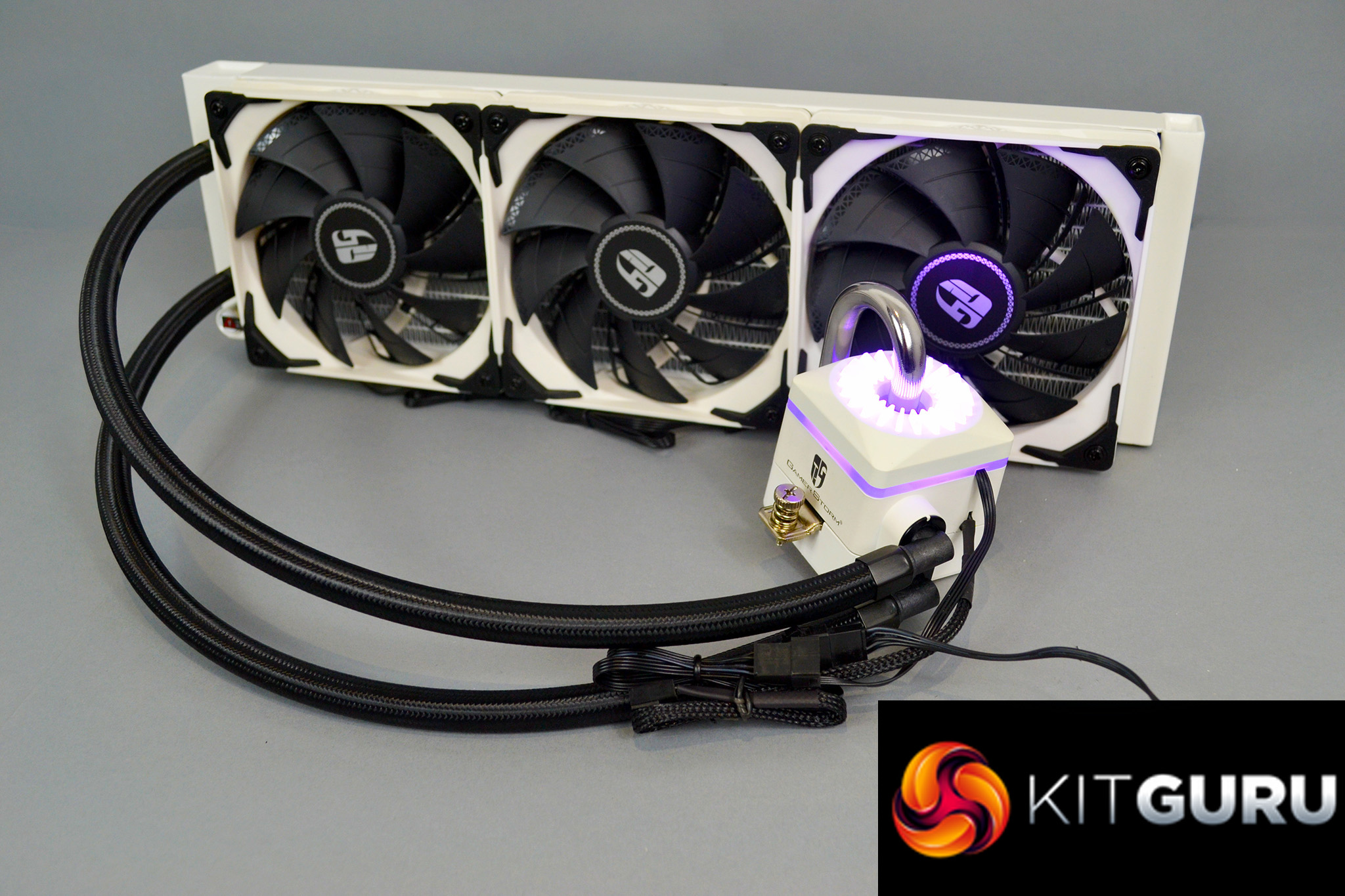
Once unpacked, we get to appreciate how elegant the Deepcool Captain 360X looks with its white theme providing a clean and bright appearance compared to typical black AIO coolers. System building enthusiasts looking to create a white themed PC should find the colour scheme extremely appealing. The black accents on the fans and tubing along with the silver U-shaped pipe provide a nice contrast to the white.
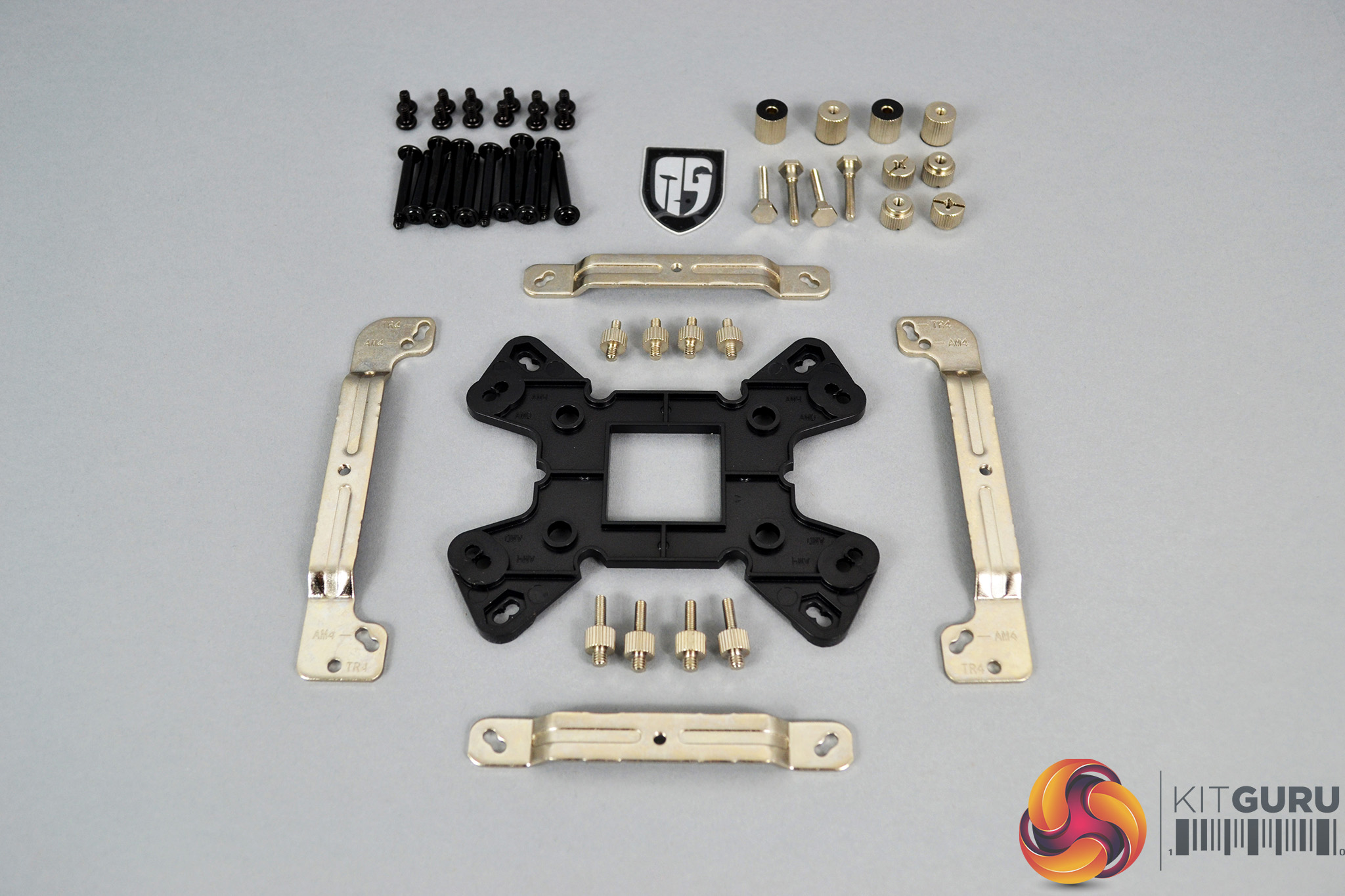
Deepcool has included extensive mounting hardware to cover all current desktop and high-end desktop platforms, meaning the Captain X series is compatible with all current mainstream socket types, so the cooler offers a good solution for future system upgrades.
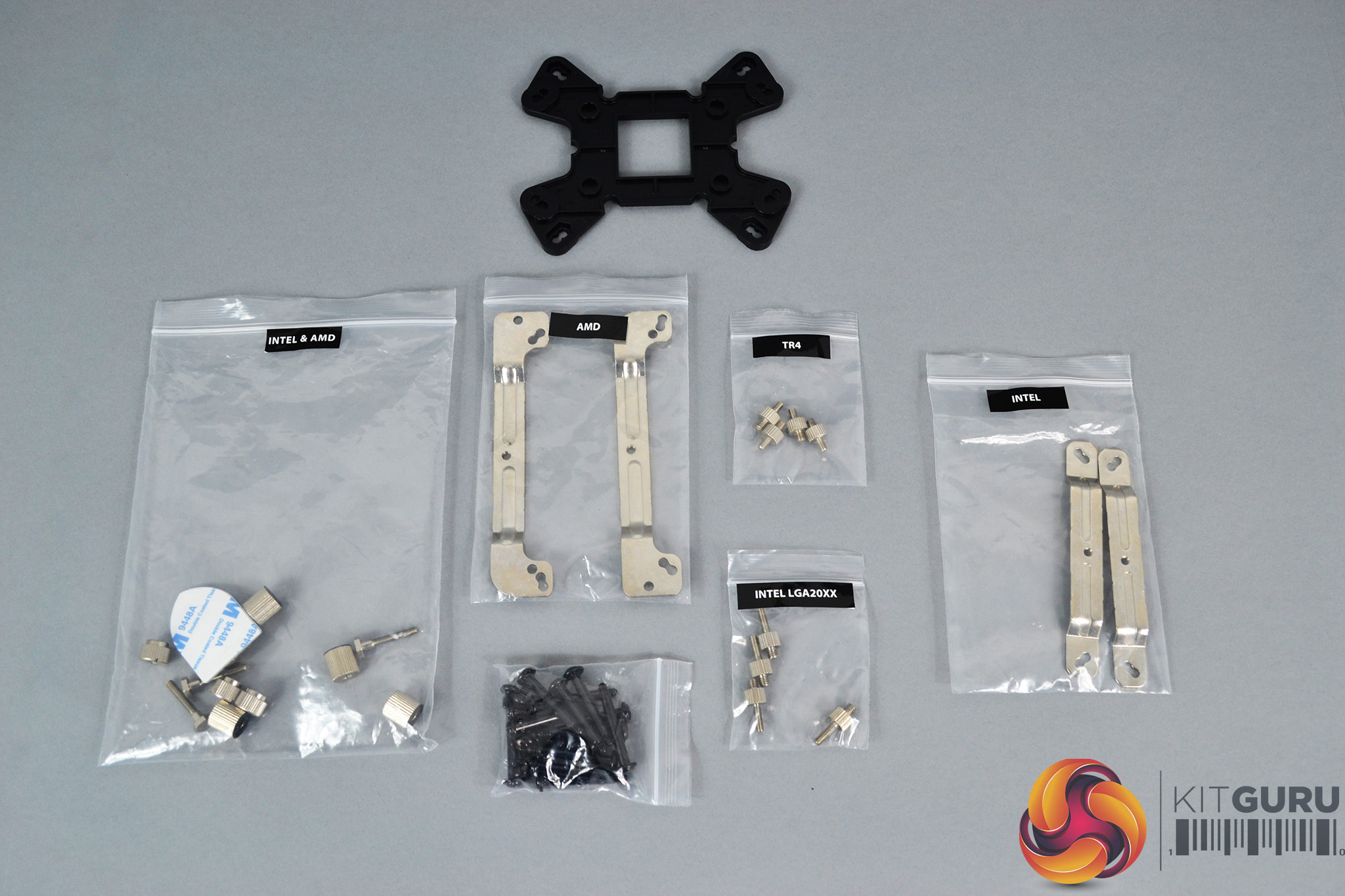
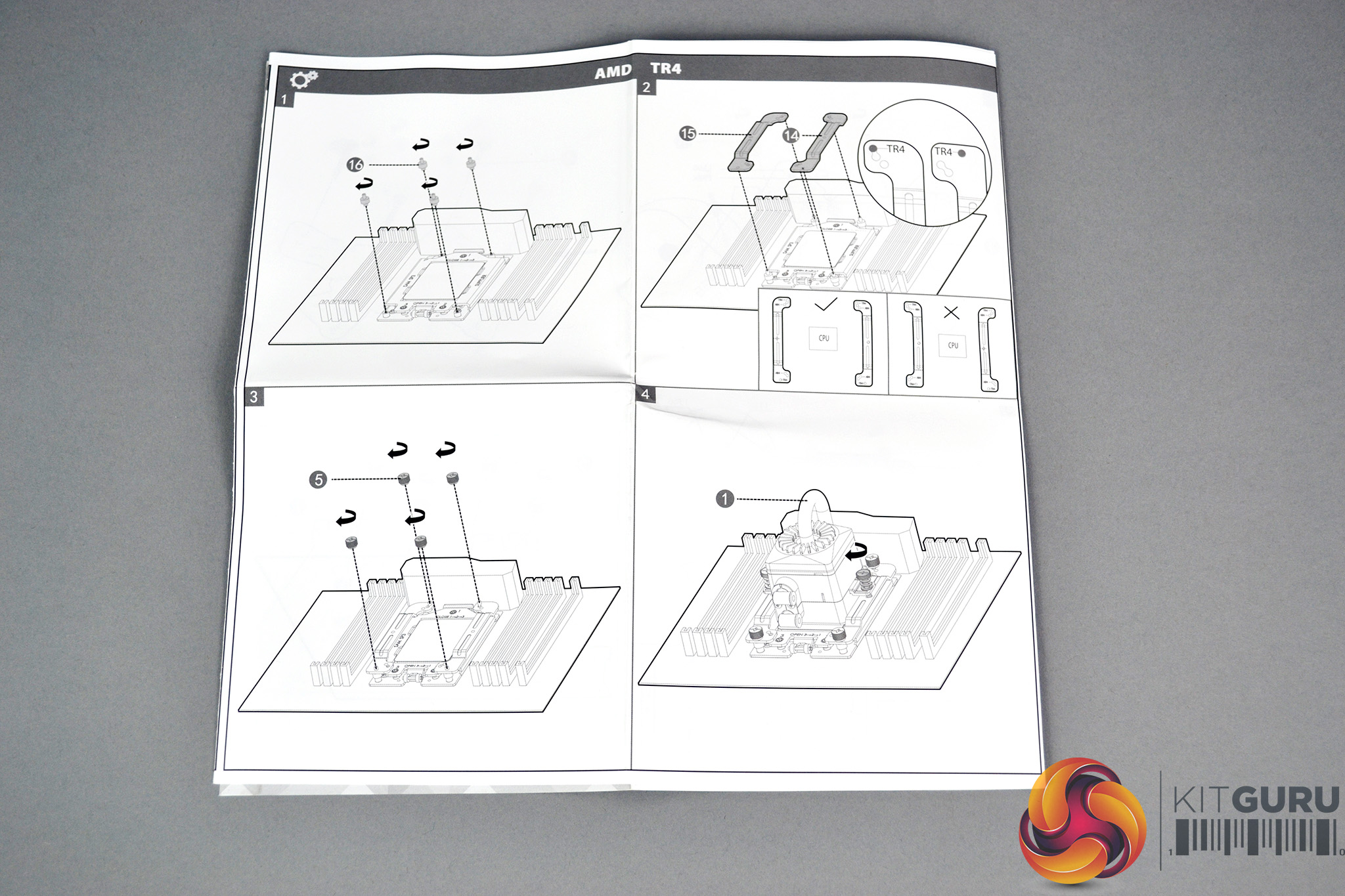
All the mounting hardware is sorted into bags with labels to distinguish which platform the parts are suited to. This will obviously help during the installation process and along with the detailed installation manual that’s in the box, should cut the installation time.
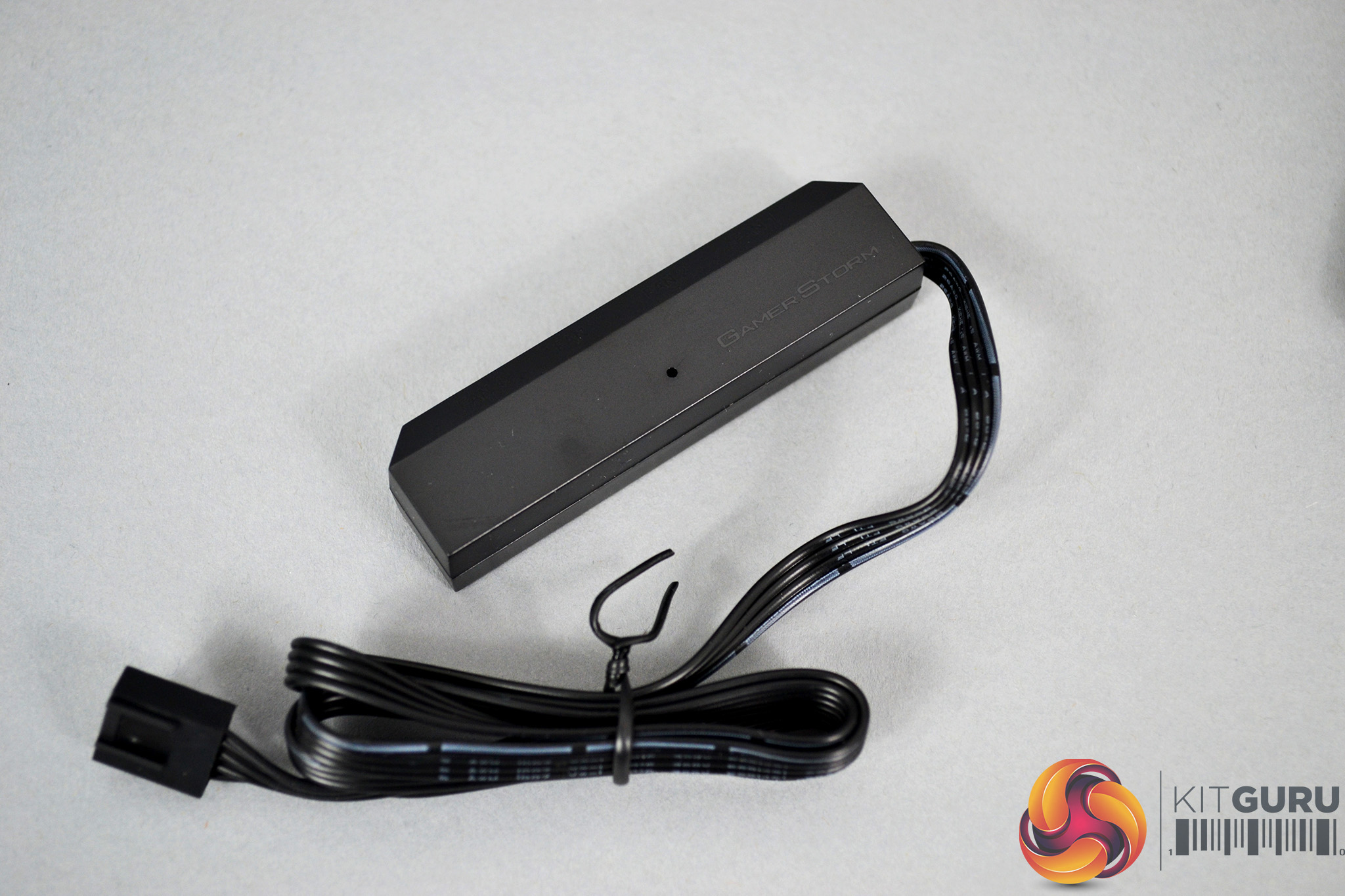
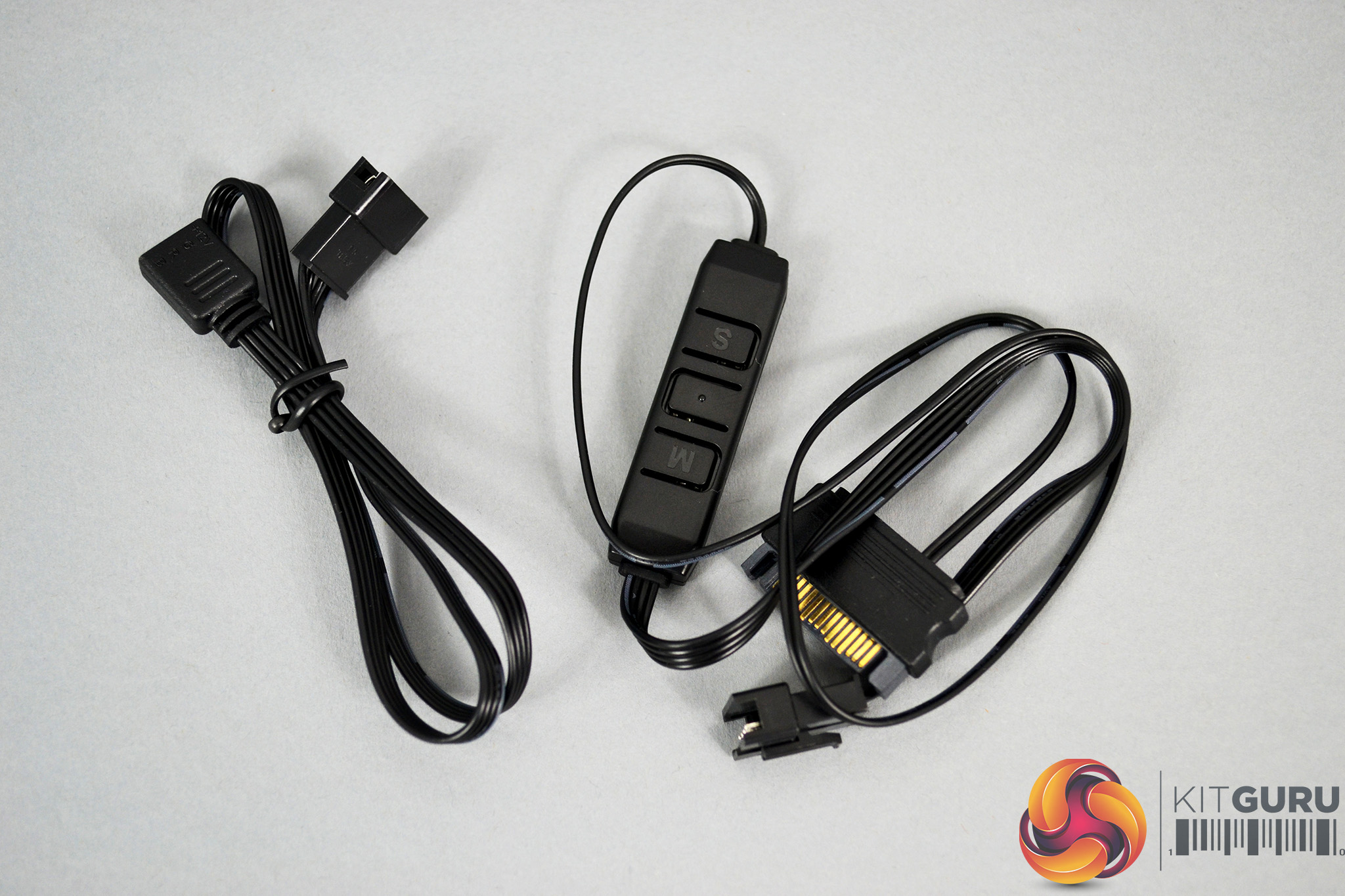
As well as extensive mounting hardware, the Deepcool Captain 360X comes with a PWM fan controller, an RGB extension cable and a simple RGB lighting controller with just three buttons to control RGB lighting colours, patterns and brightness. This may look a little primitive compared to controllers from other manufacturers, but it should help cable management too.
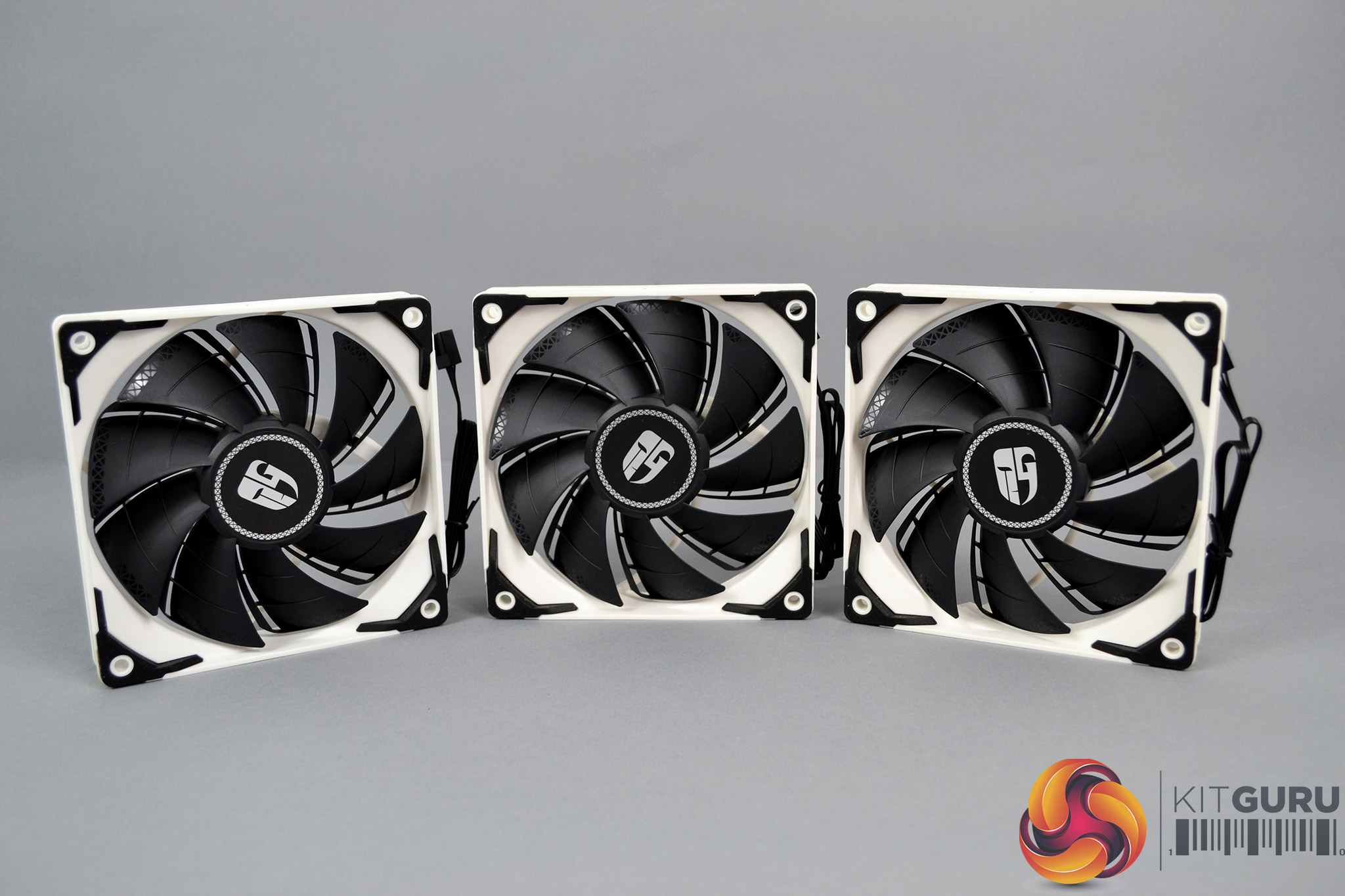
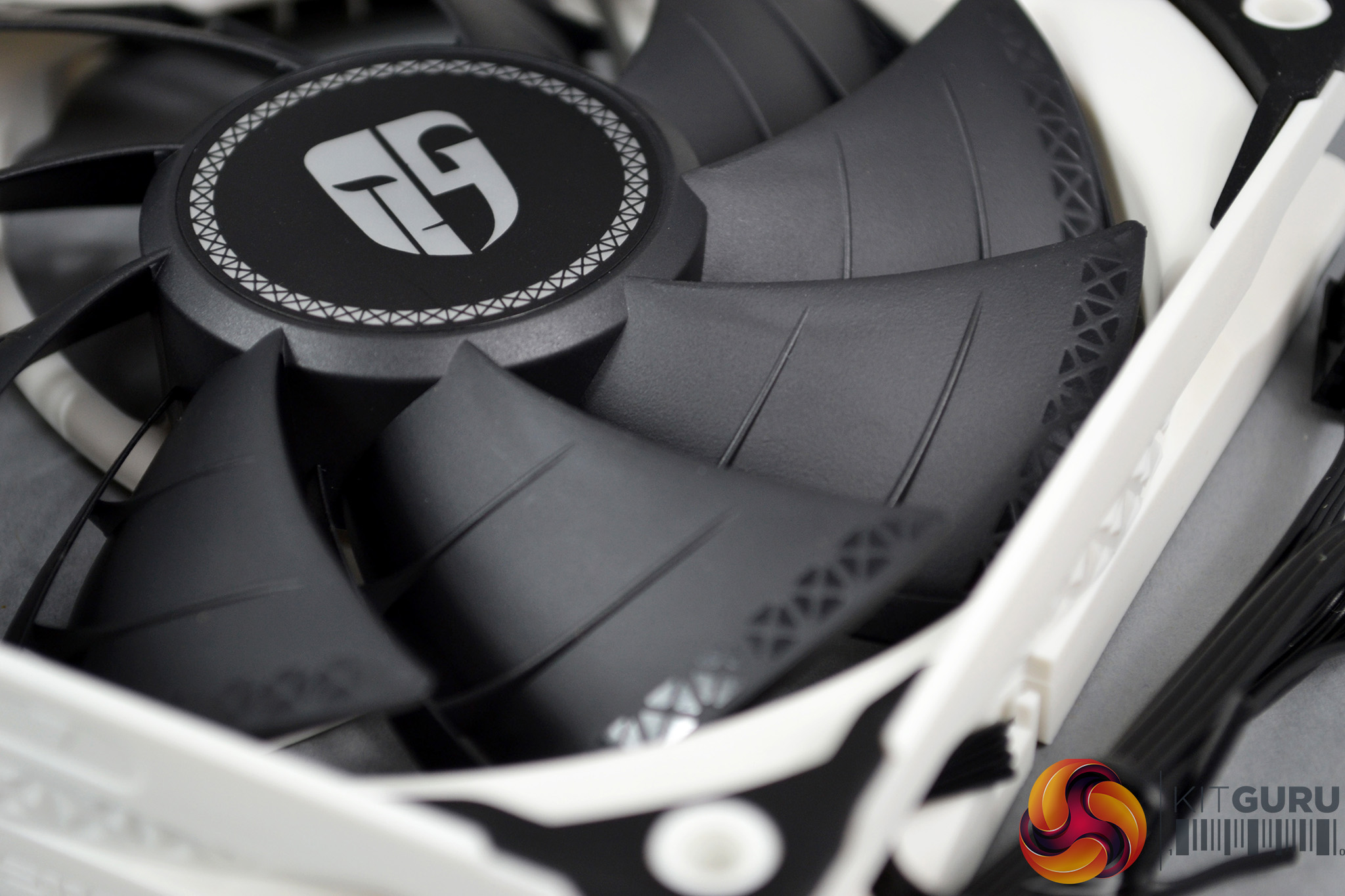
The three 120mm TF 120 S fans included with the Captain 360X are the same fans as we have seen used in other Deepcool AIO’s such as the Castle 240EX. These fans are specifically designed for use with radiators as they provide high static pressure with a PWM controlled speed range of 500-1800 RPM. The only noticeable difference with these is the white frames that contrast greatly with the black fan blades.
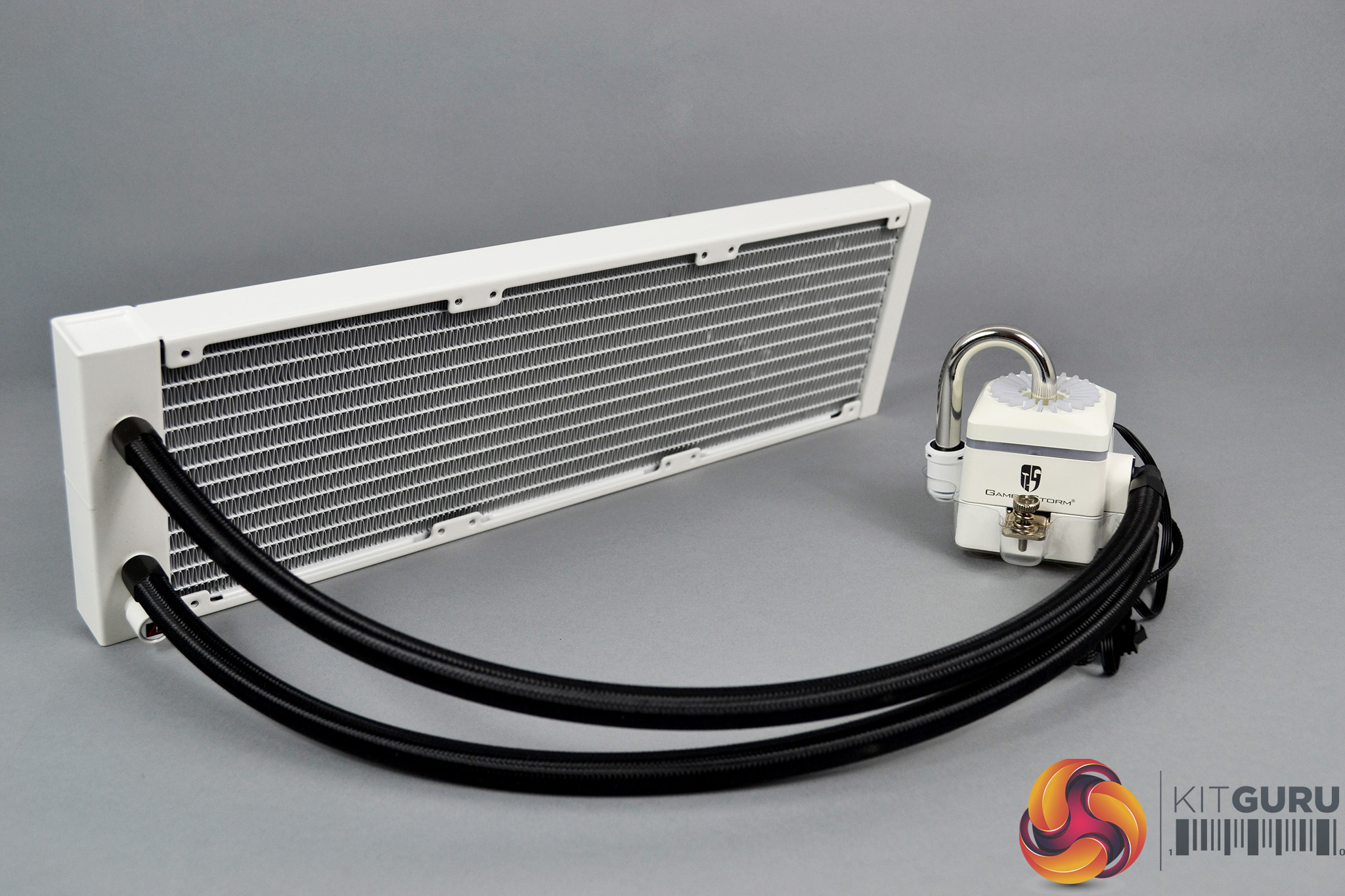
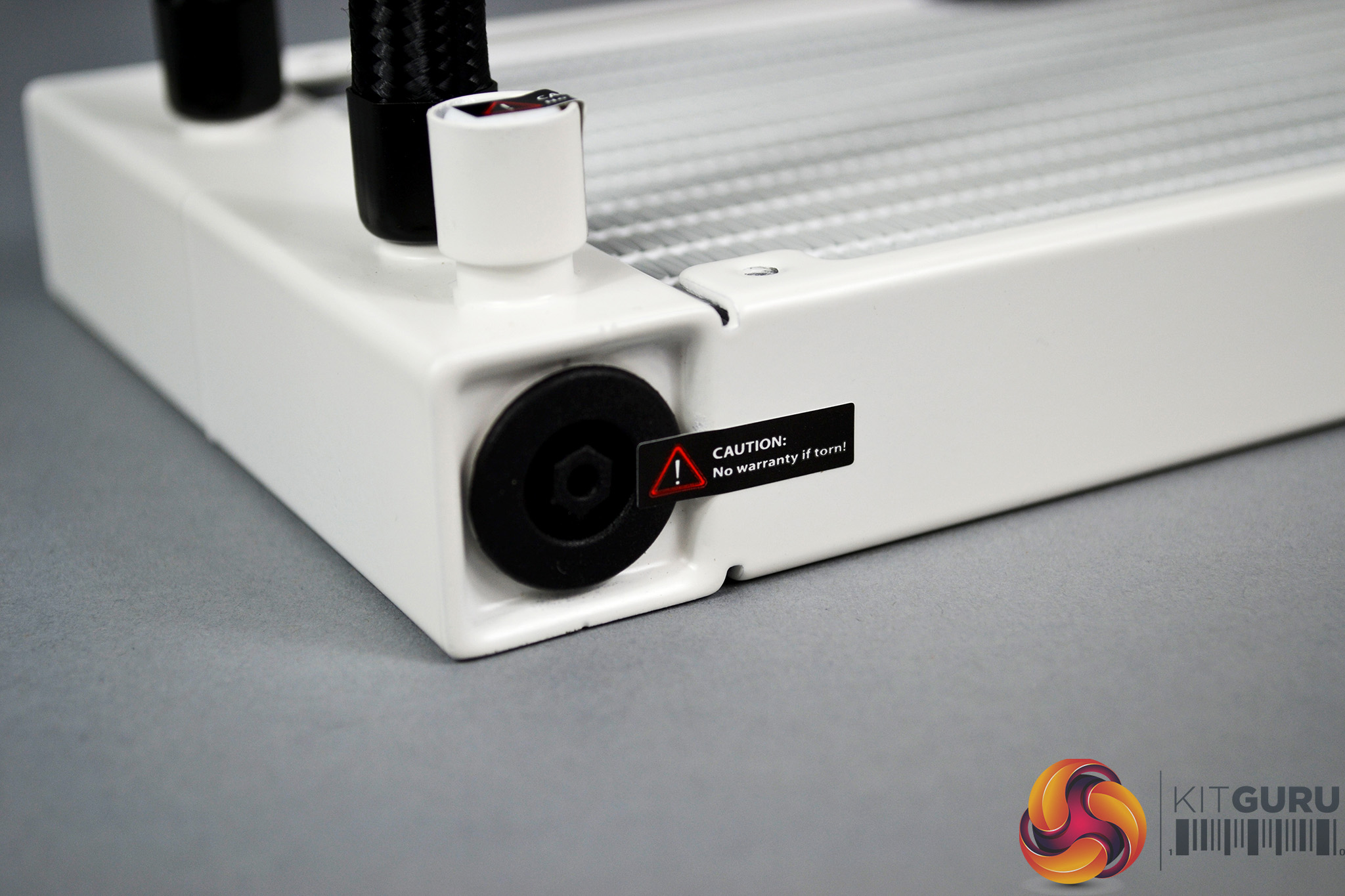
Moving on to the actual cooler itself, in typical Deepcool style the radiator seems to be manufactured out of high-quality materials, with a smooth and even white coating applied to it. In the bottom corner, below the tube outlets, is a plug covering the Anti-leak bag with a caution sticker applied over it.
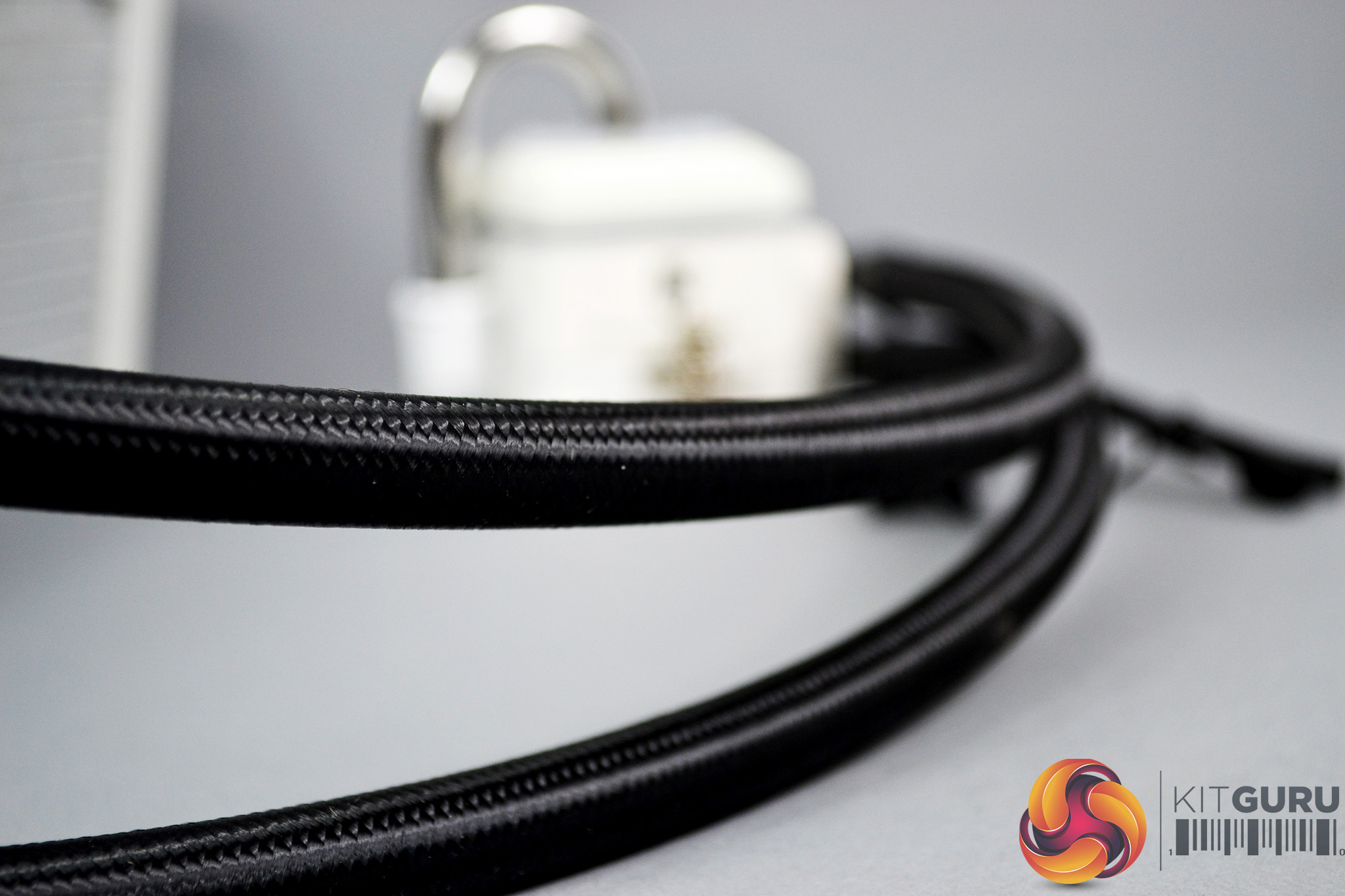
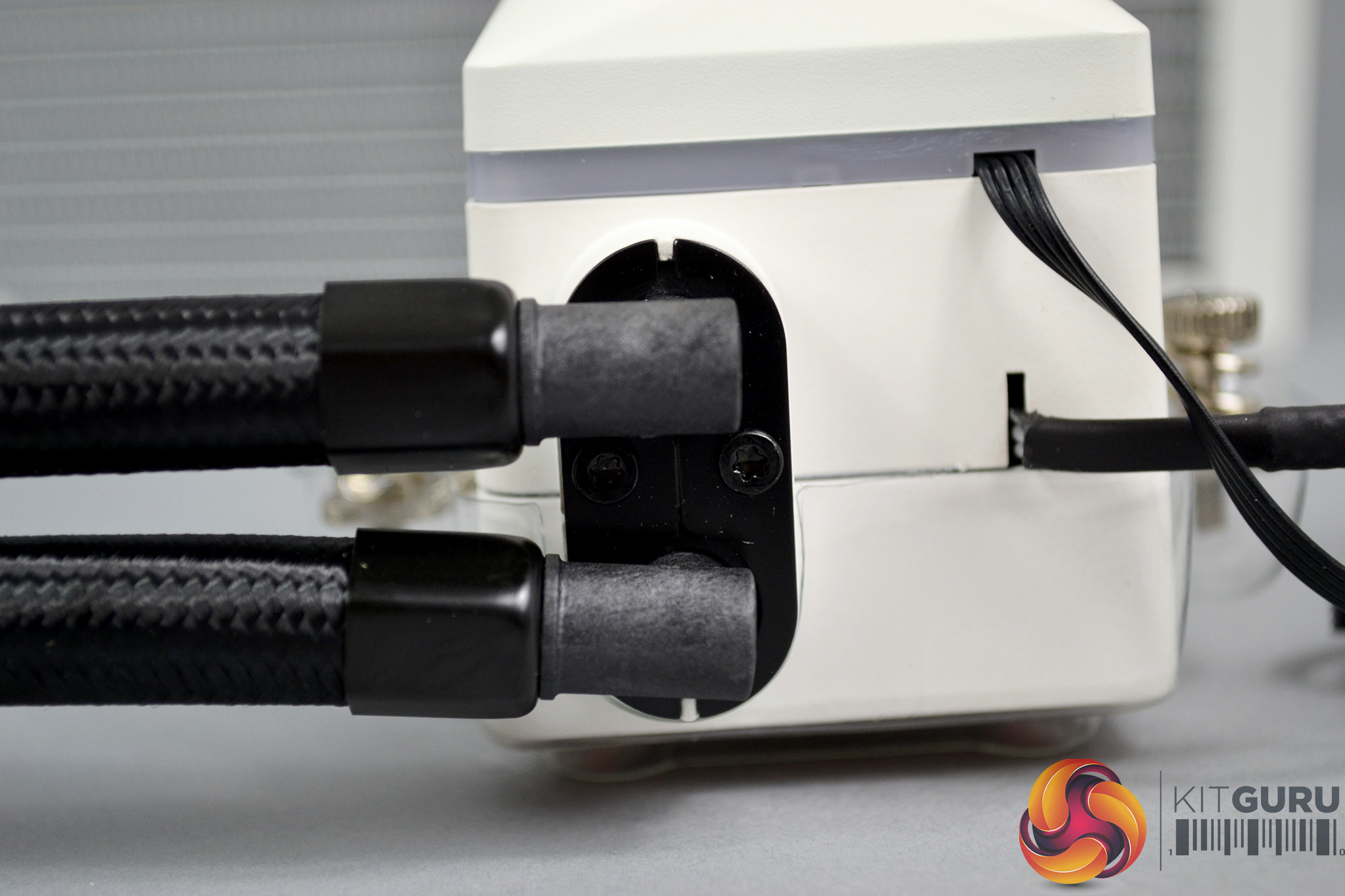
A healthy length of tubing at approximately 480mm has been utilised with the Captain 360X, and the tubing includes a high-quality braided sleeving for a premium appearance. At the pump end of the tubing are rotating fittings which should help with orientation when it comes to installation.
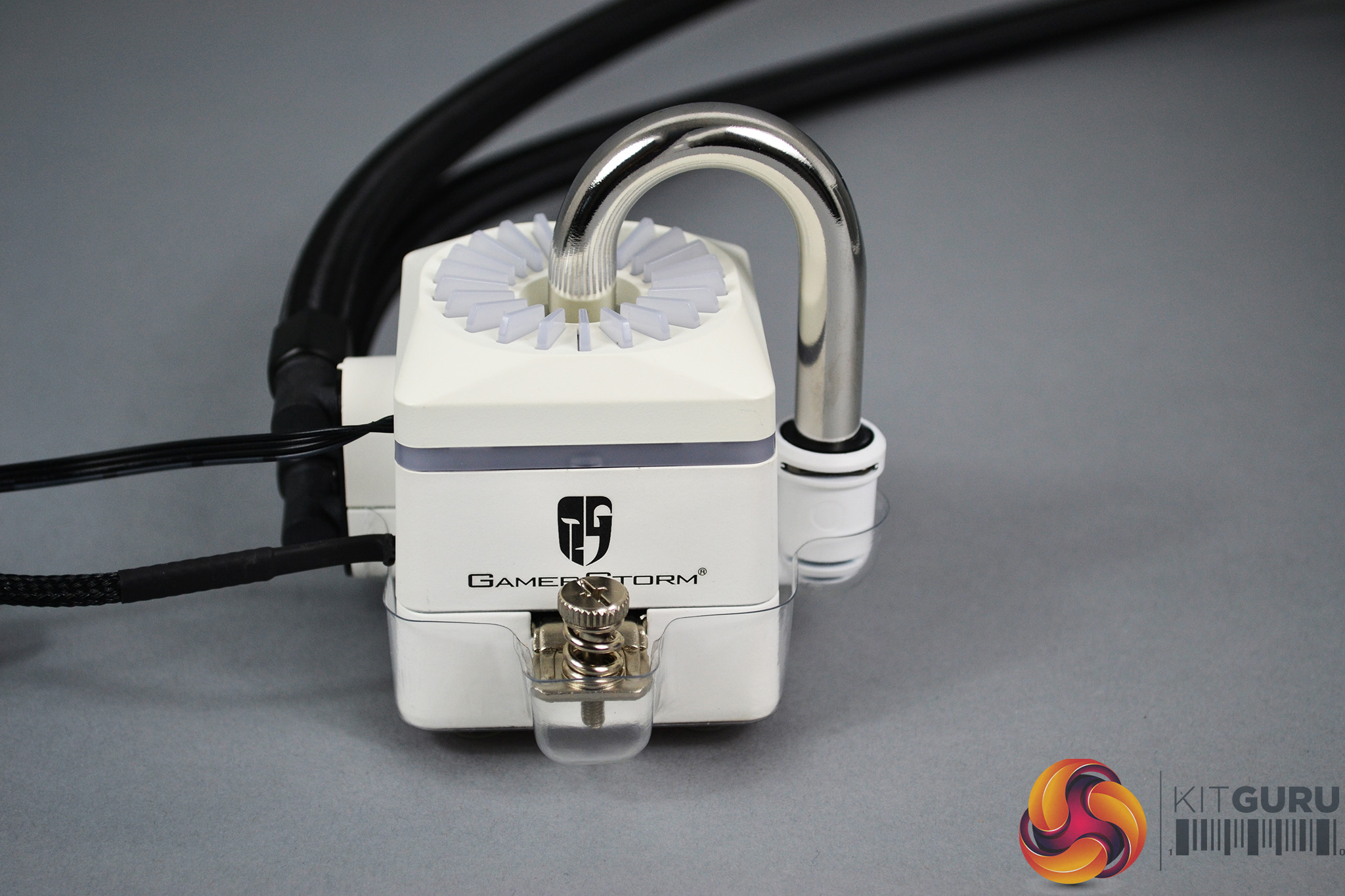
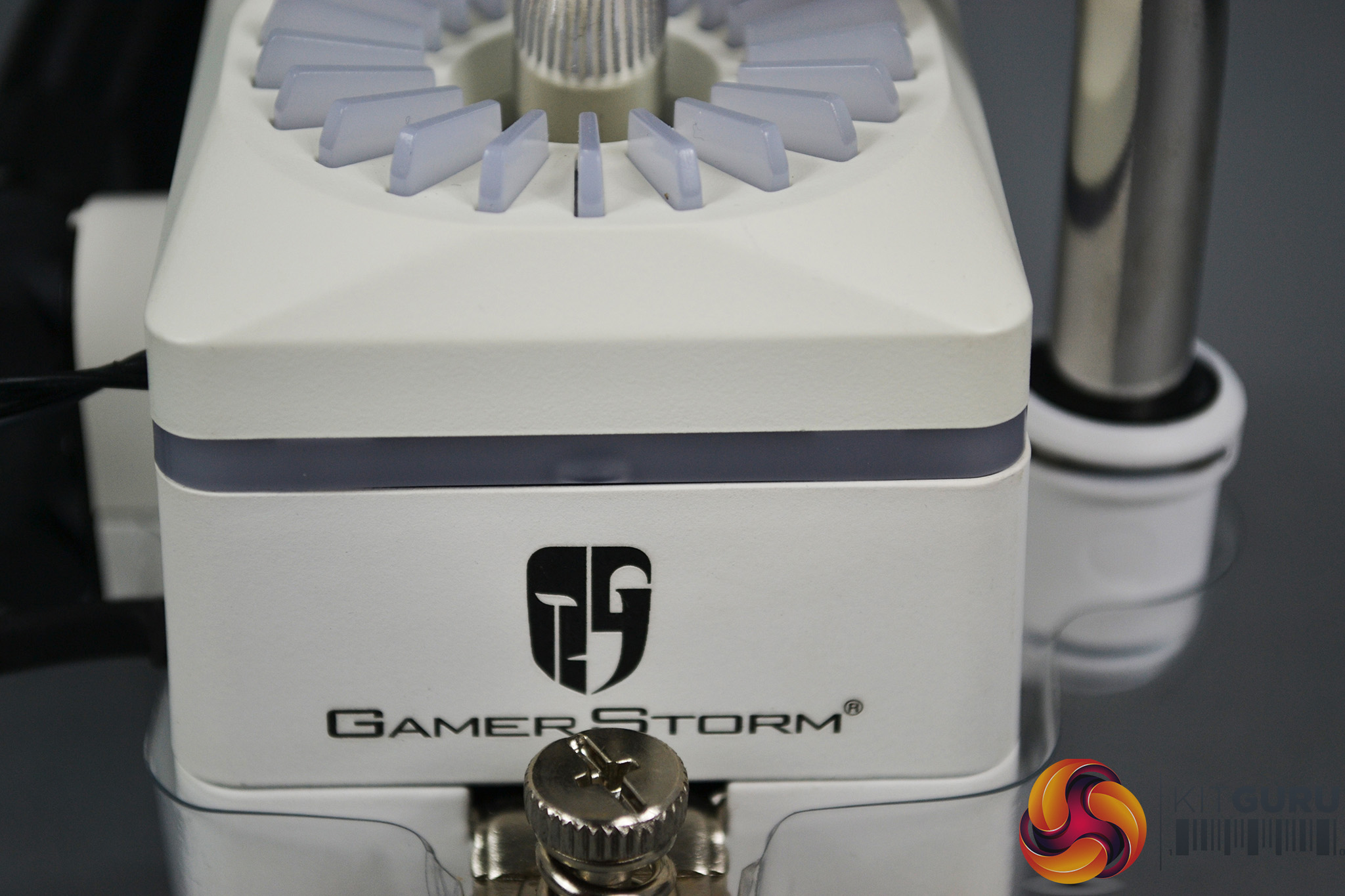
The Captain 360X pump housing is made from plastic and that too has a good quality feel. It is worth noting that there is a slight difference in the shade of white between the upper and lower parts of the housing. However, it isn’t too noticeable and shouldn’t detract from the overall appearance.
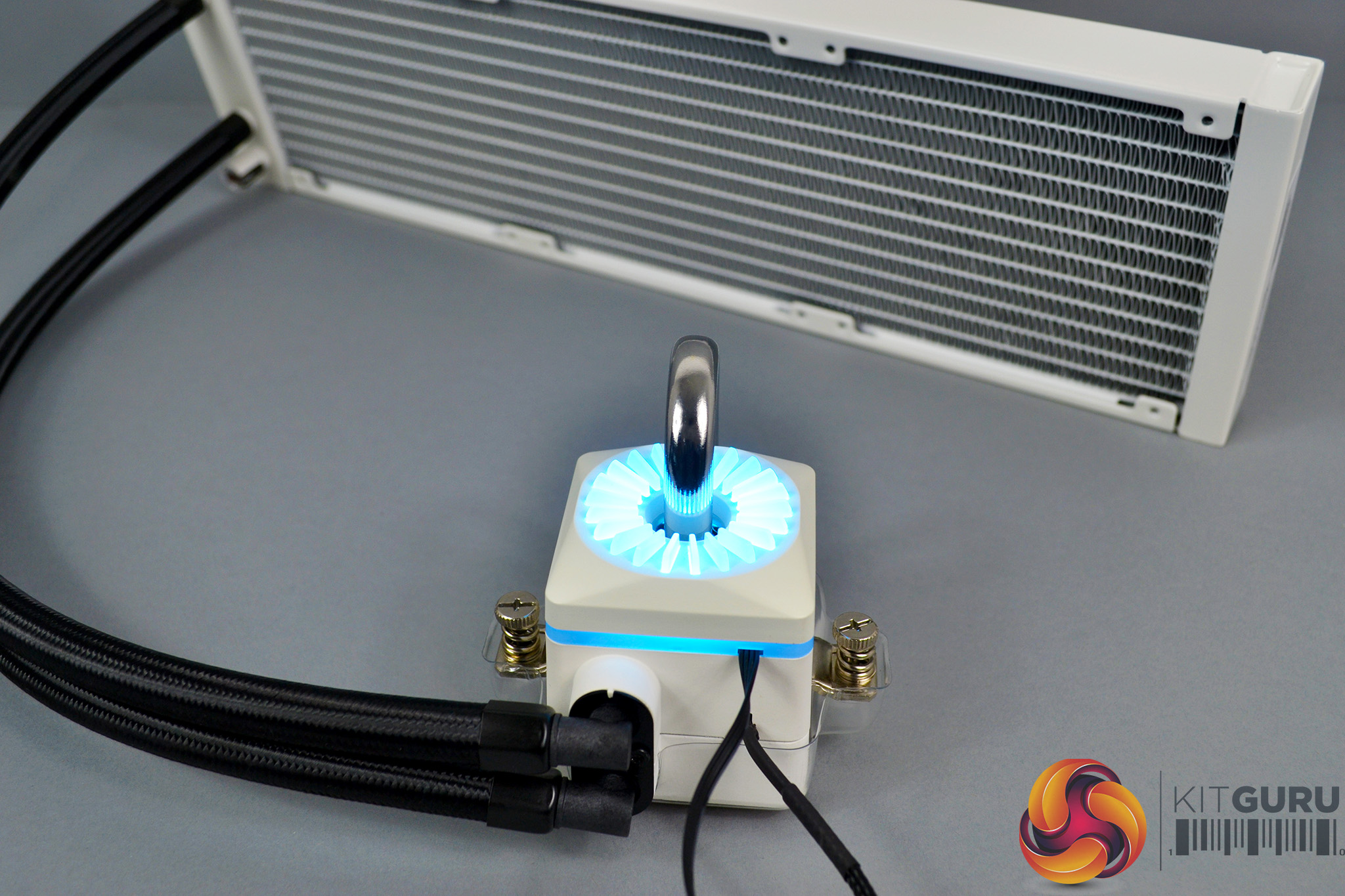
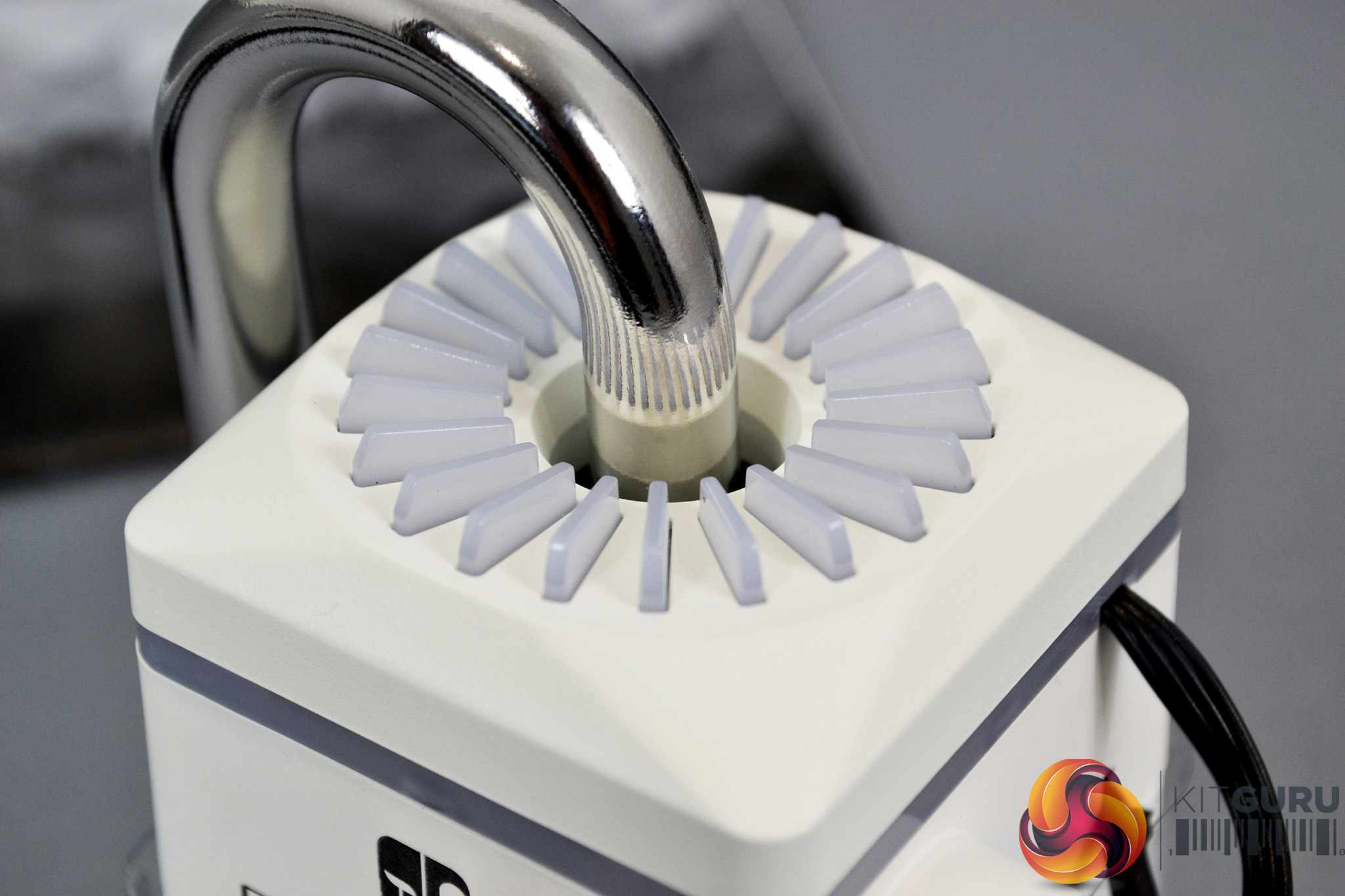
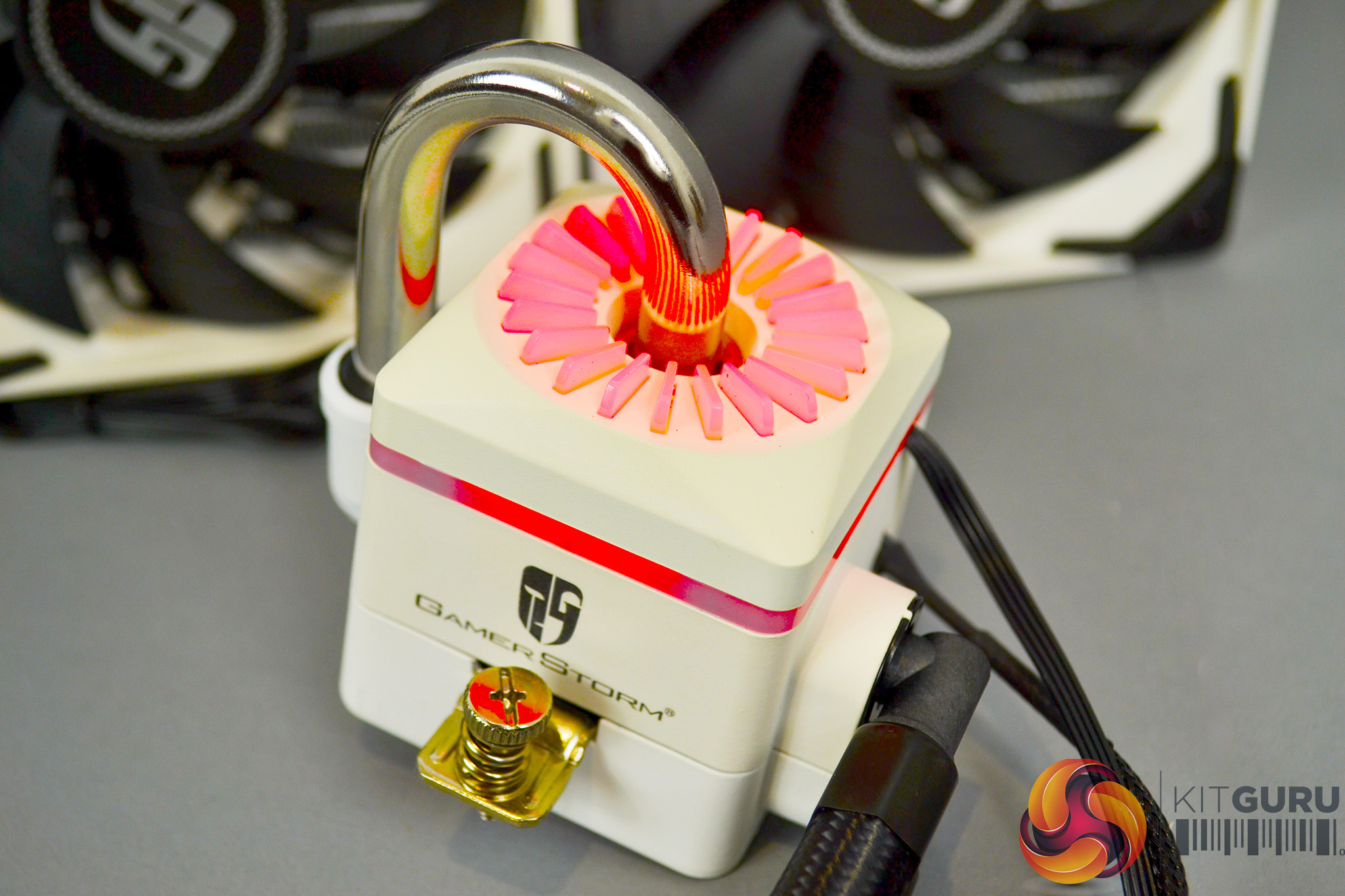
On top of the pump housing is a series of opaque fins in a circular pattern which light up with RGB illumination once the cooler is connected to power. Just below is another line of RGB lighting that covers the perimeter of the pump housing. In the centre of the RGB circle is the trademark Captain U-shaped tube, which in the X series, is manufactured from stainless steel.
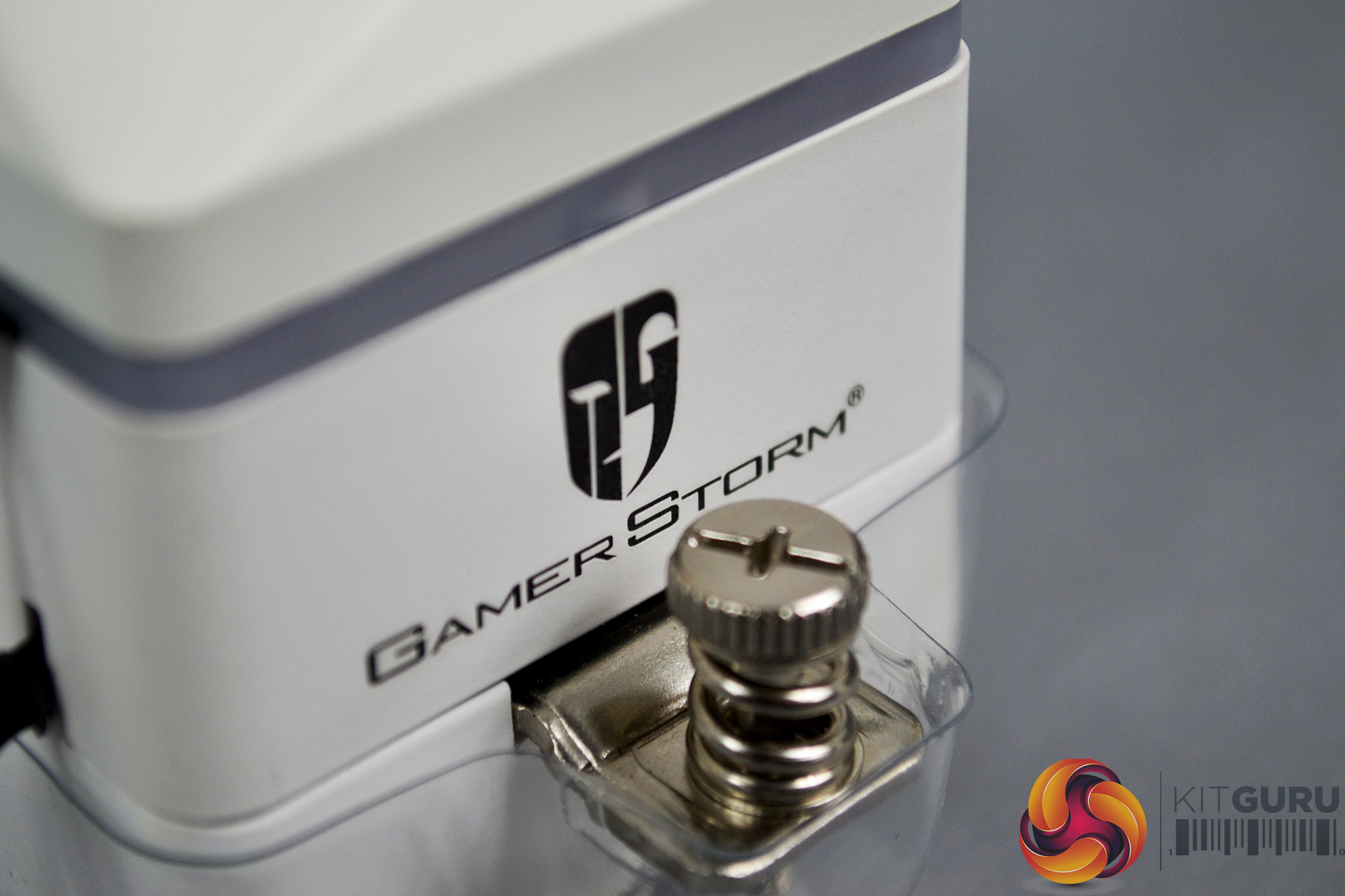
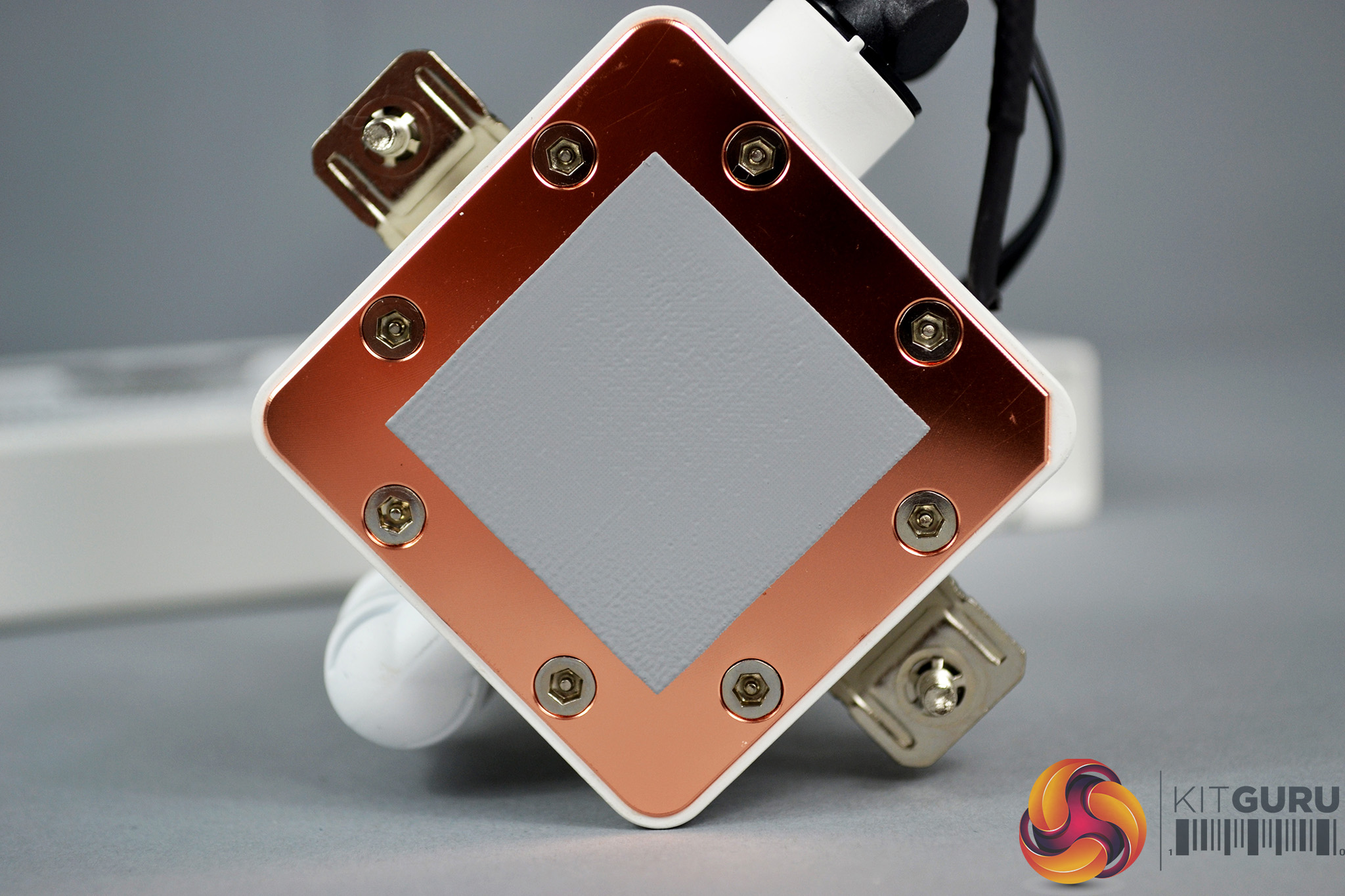
On either side of the pump body, just above the mounting brackets are subtle Gamer Storm logos and on the underside, there is a large, smooth, square copper thermal plate which has an even and accurately machined finish, with a pre-applied thermal compound coating.
Overall, the appearance of the Deepcool Captain 360X is very pleasing. Enthusiast system builders looking to create a white themed system with RGB lighting will no doubt find this AIO cooler a very attractive option when planning out their next build. The use of high-quality materials means not only does it look great, it should perform well too.
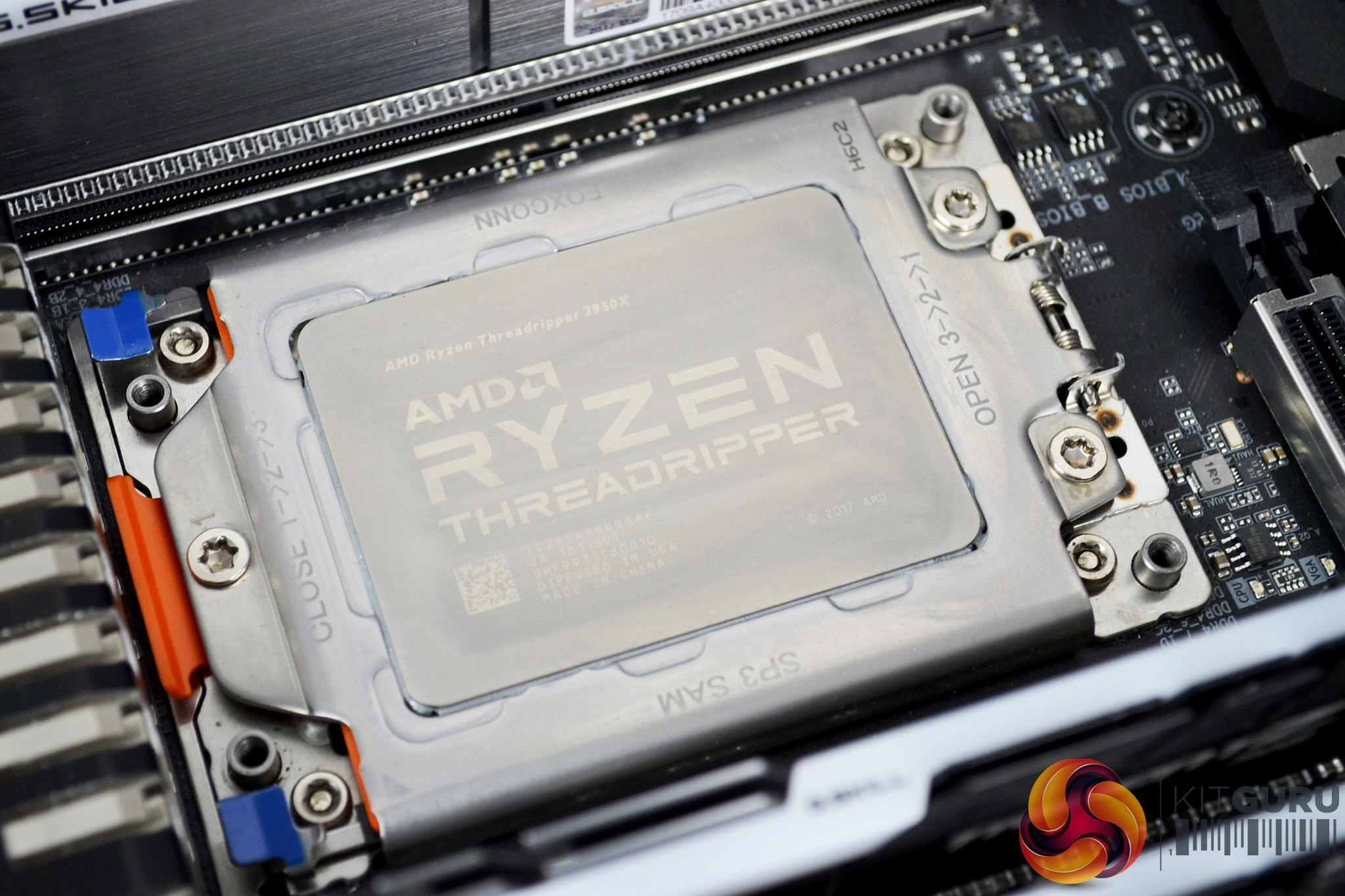
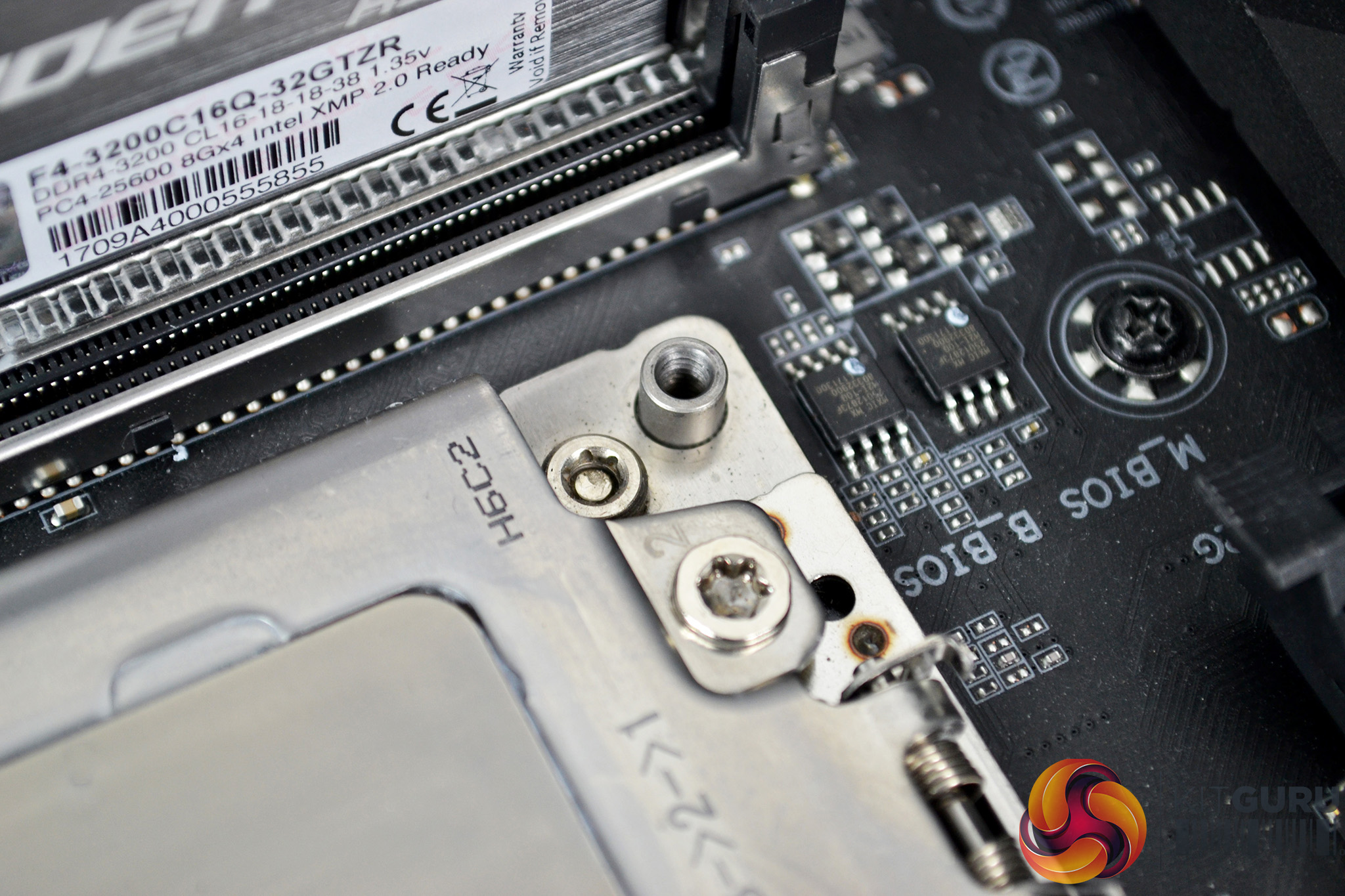
Since the AMD TR4 platform features a CPU cooler mounting solution directly integrated into the socket design, there are no fiddly retention backplates to install and even some CPU coolers require no preparation of the motherboard at all. However, the Deepcool Captain X series does require a little preparation prior to installing the pump on the socket.
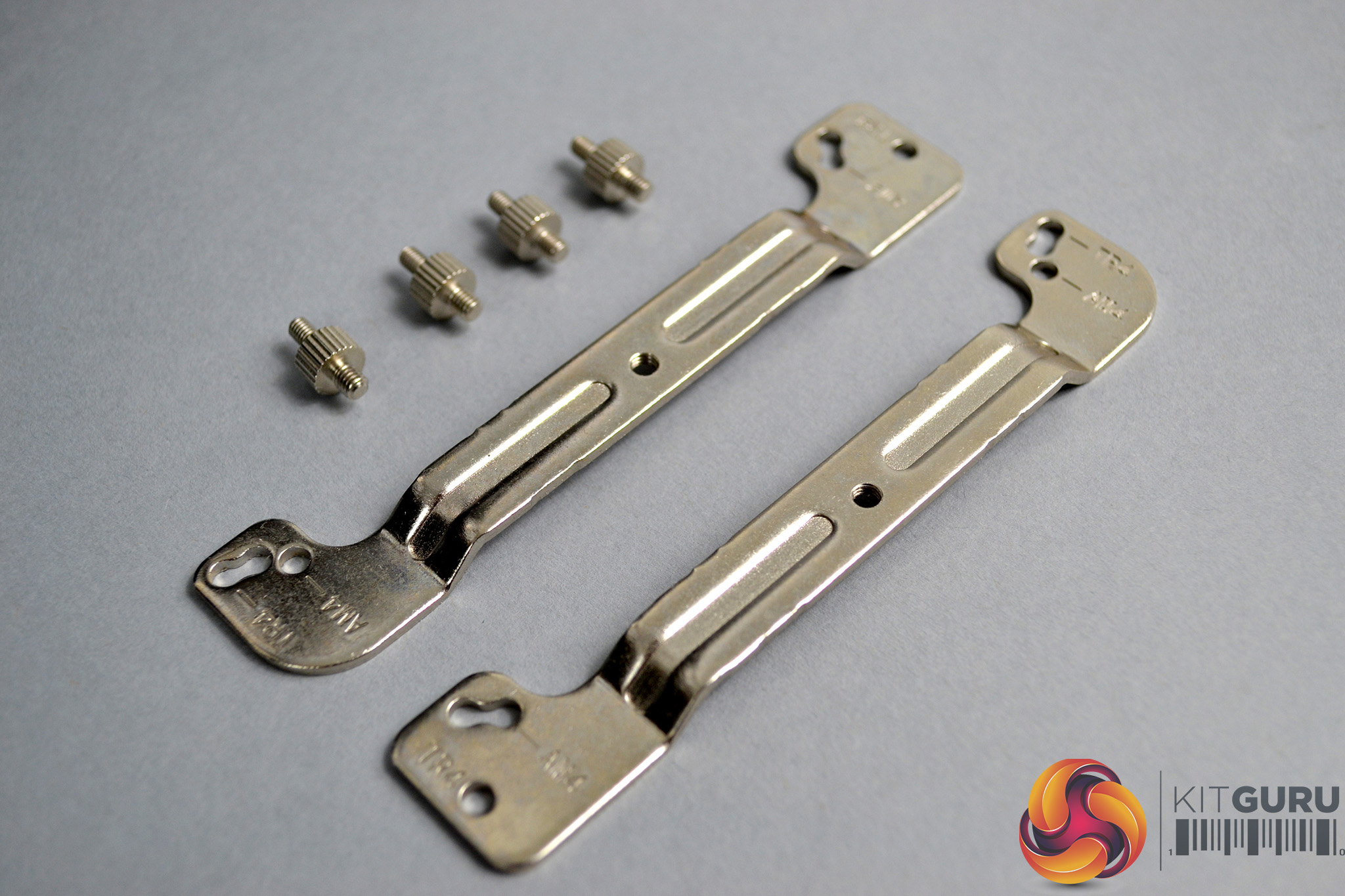
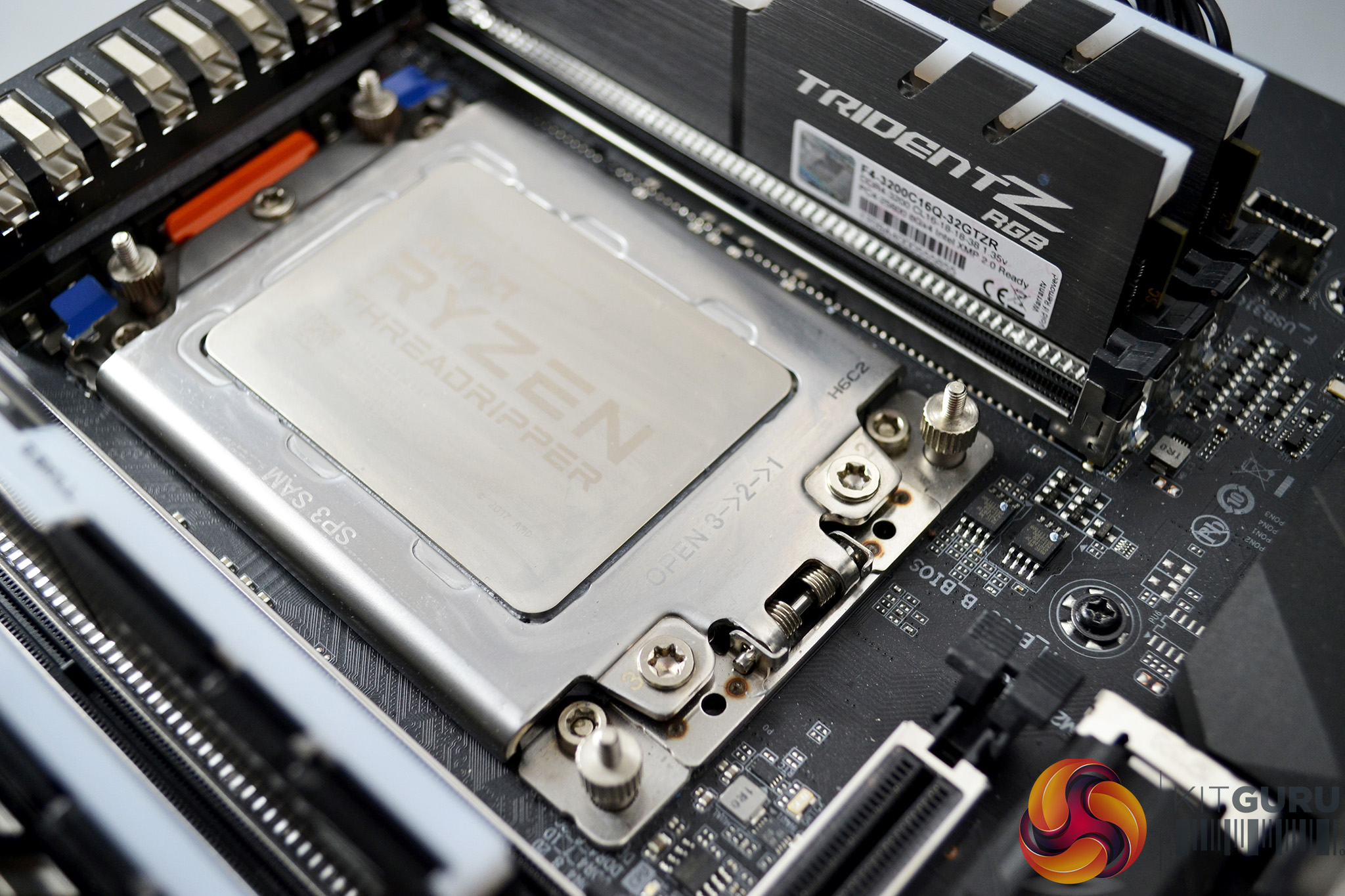
This involves installing two metal brackets to the TR4 socket. The process is quite simple – select the correct brackets and standoffs which are marked TR4 and can be found inside the bags labelled AMD. Screw the standoffs in place on the CPU socket mounting points by hand.
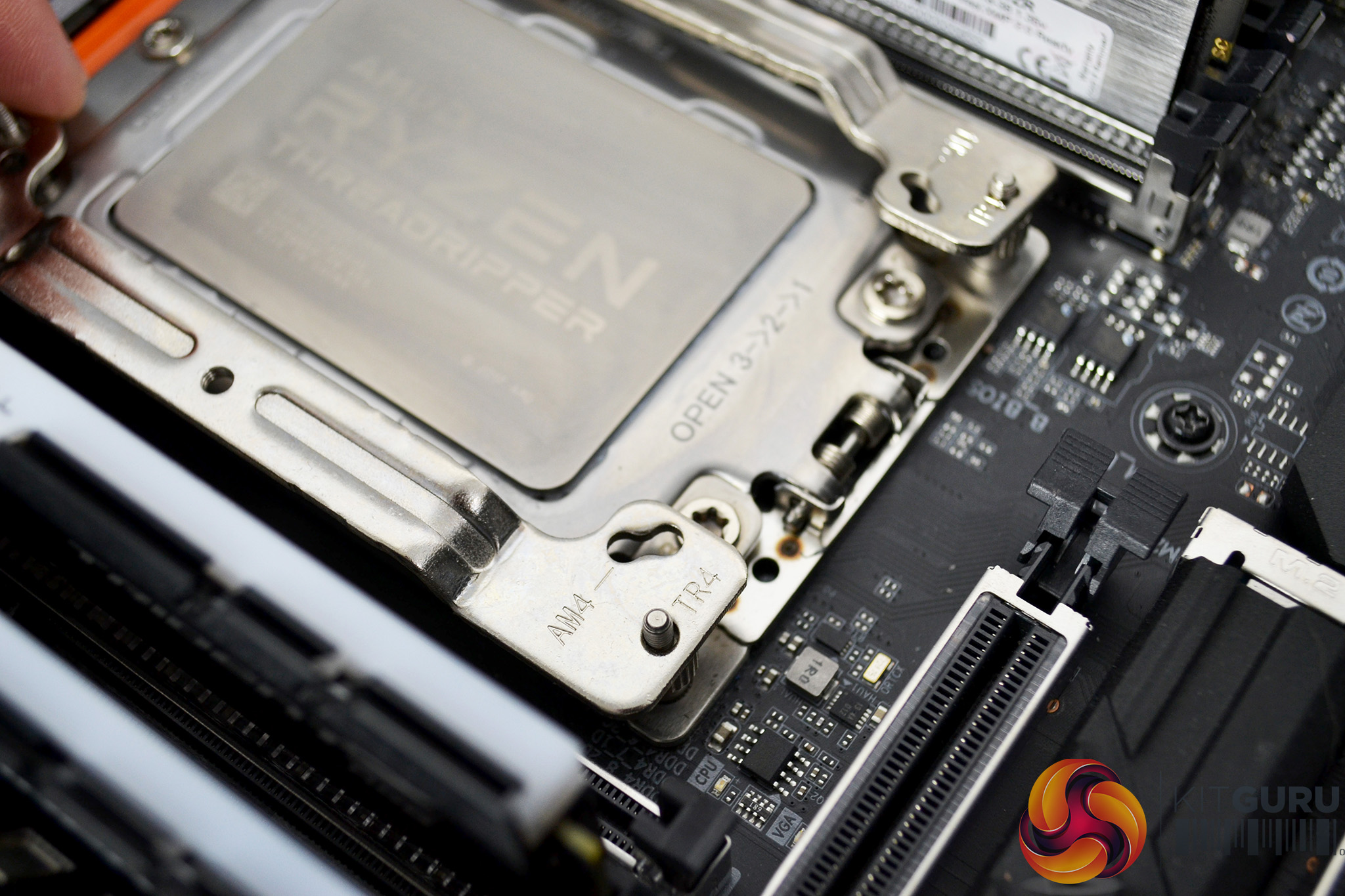
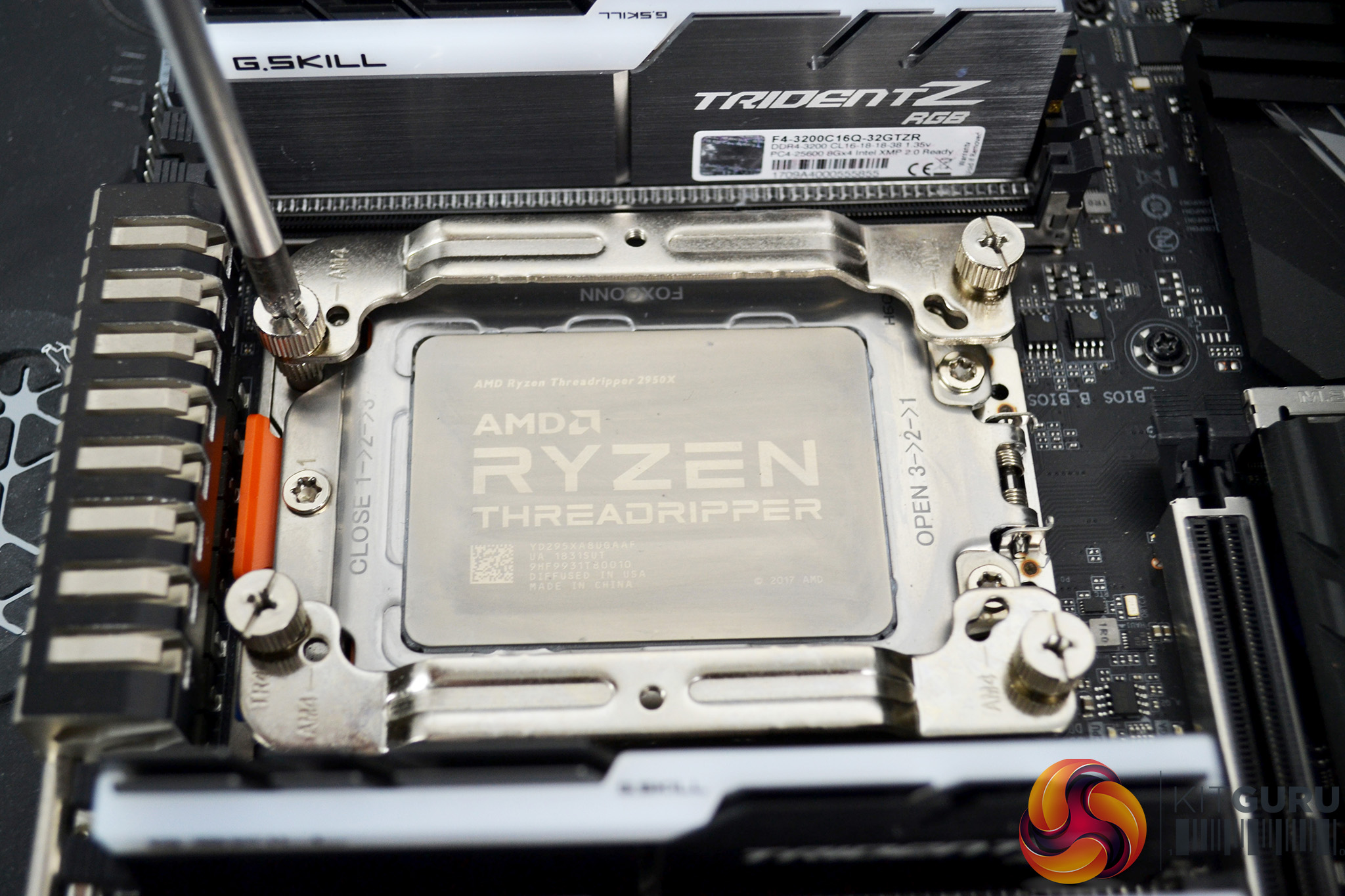
Next, place the AMD retention brackets over the standoffs in the correct orientation for socket TR4 and use the four thumbscrews to hold the brackets in place. Final tightening of the thumbscrews can be achieved by using a Philips screwdriver if necessary.
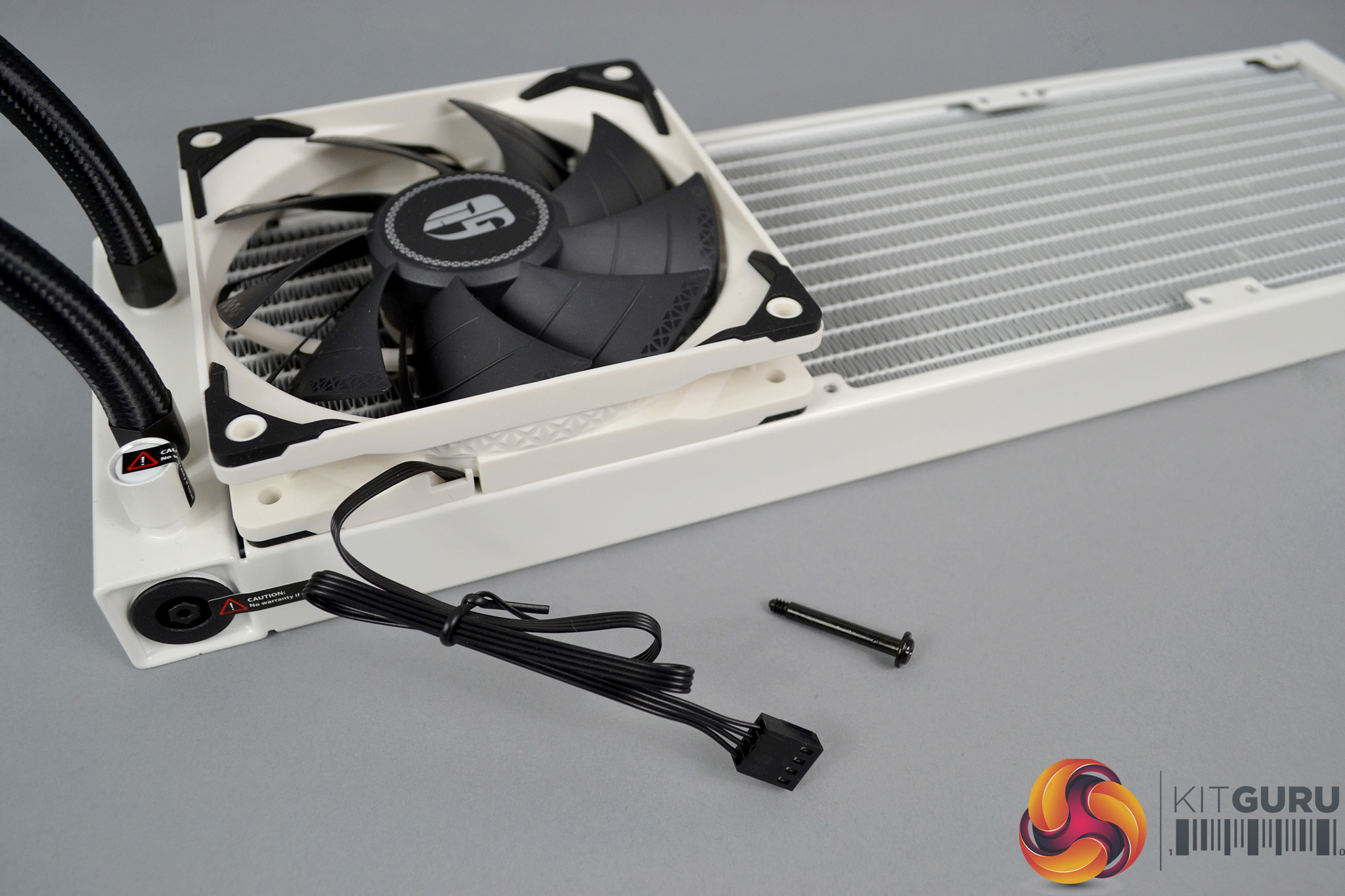
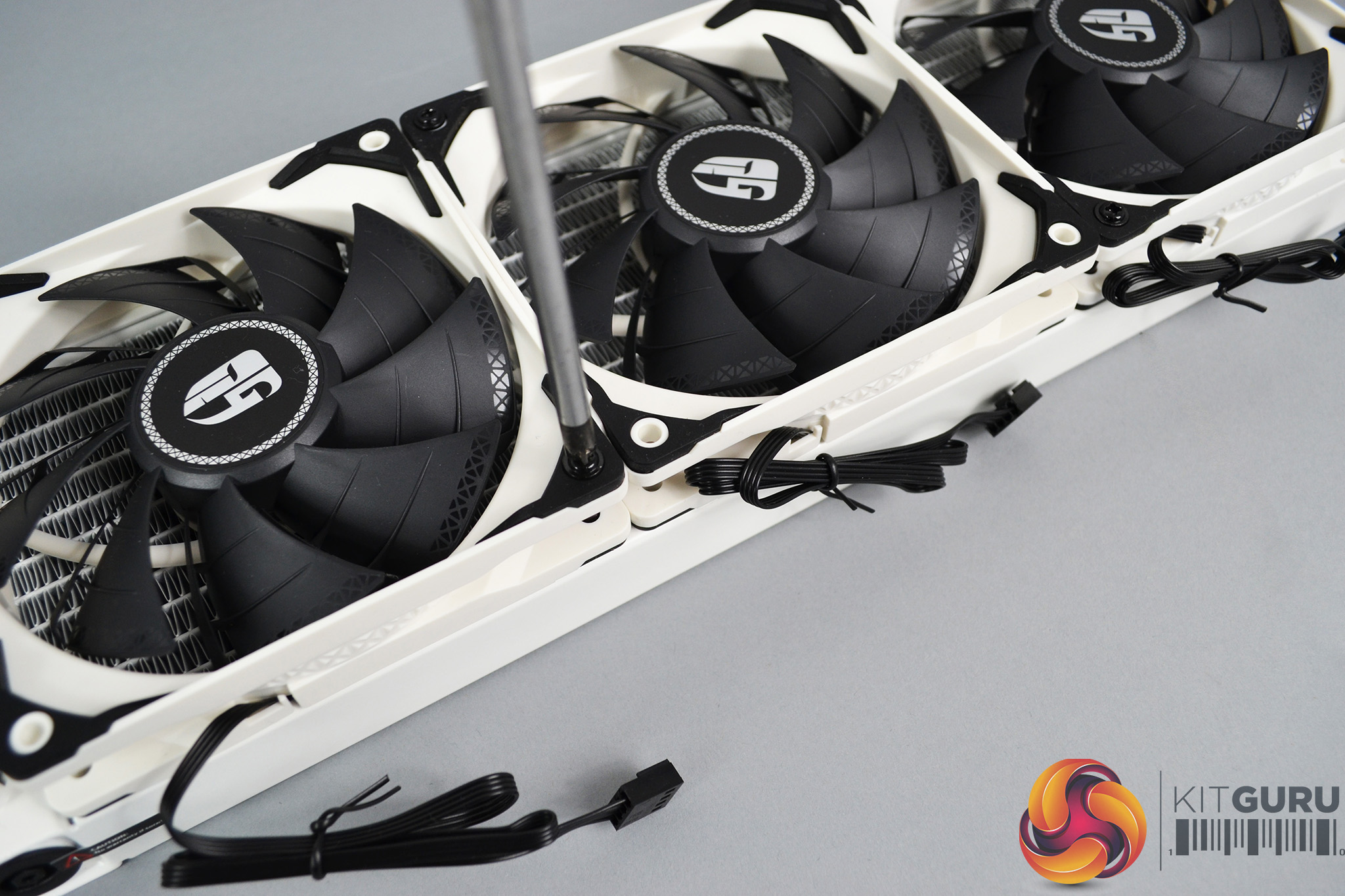
Now that the motherboard is prepared, the next step of the installation process is to attach the fans to the radiator. The easiest way to do this is by laying the radiator down on a table or other flat surface and placing the fans on top, with the mounting holes aligned. Fix the fans down to the radiator using the eight long black screws that are provided.
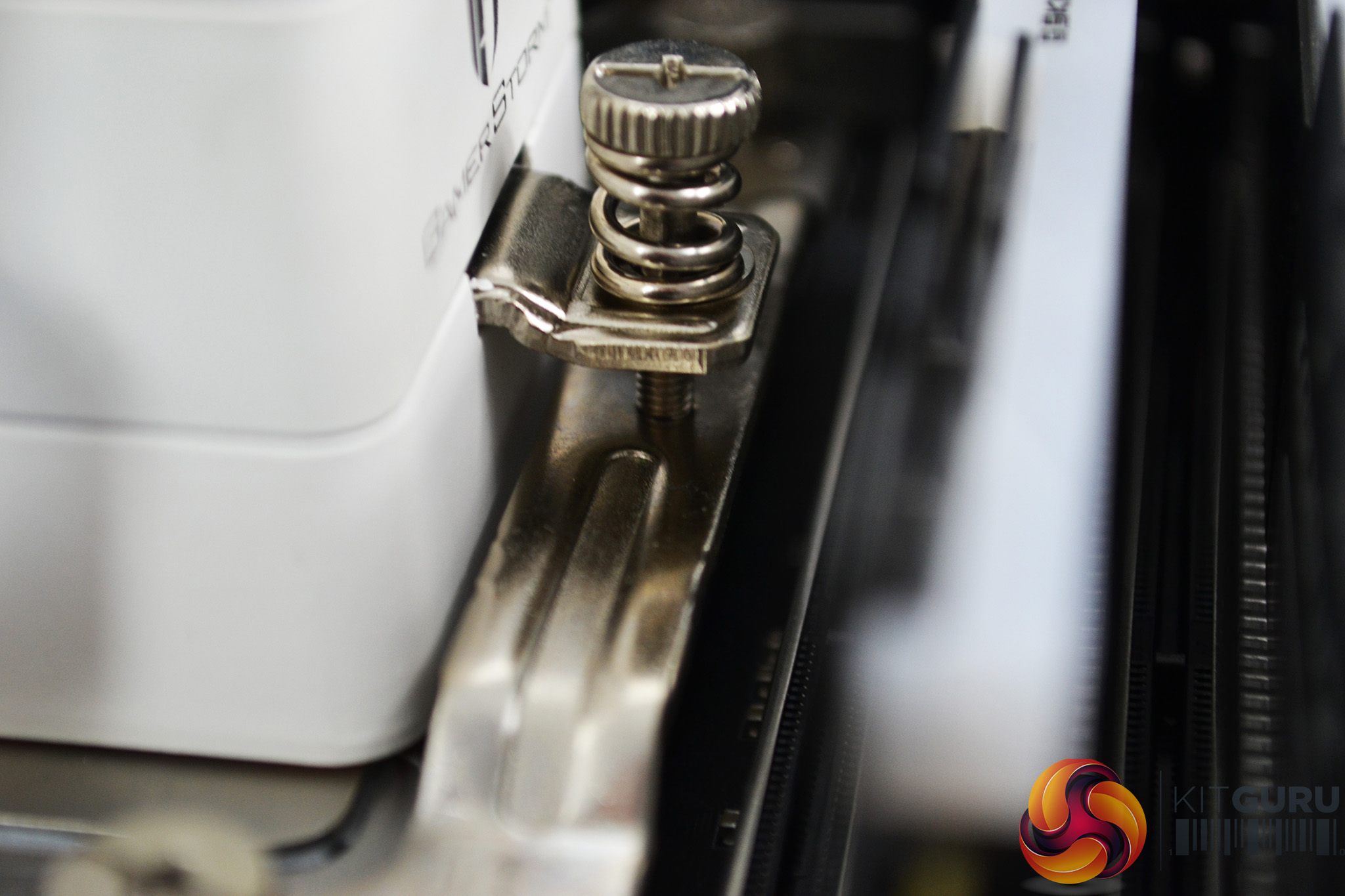
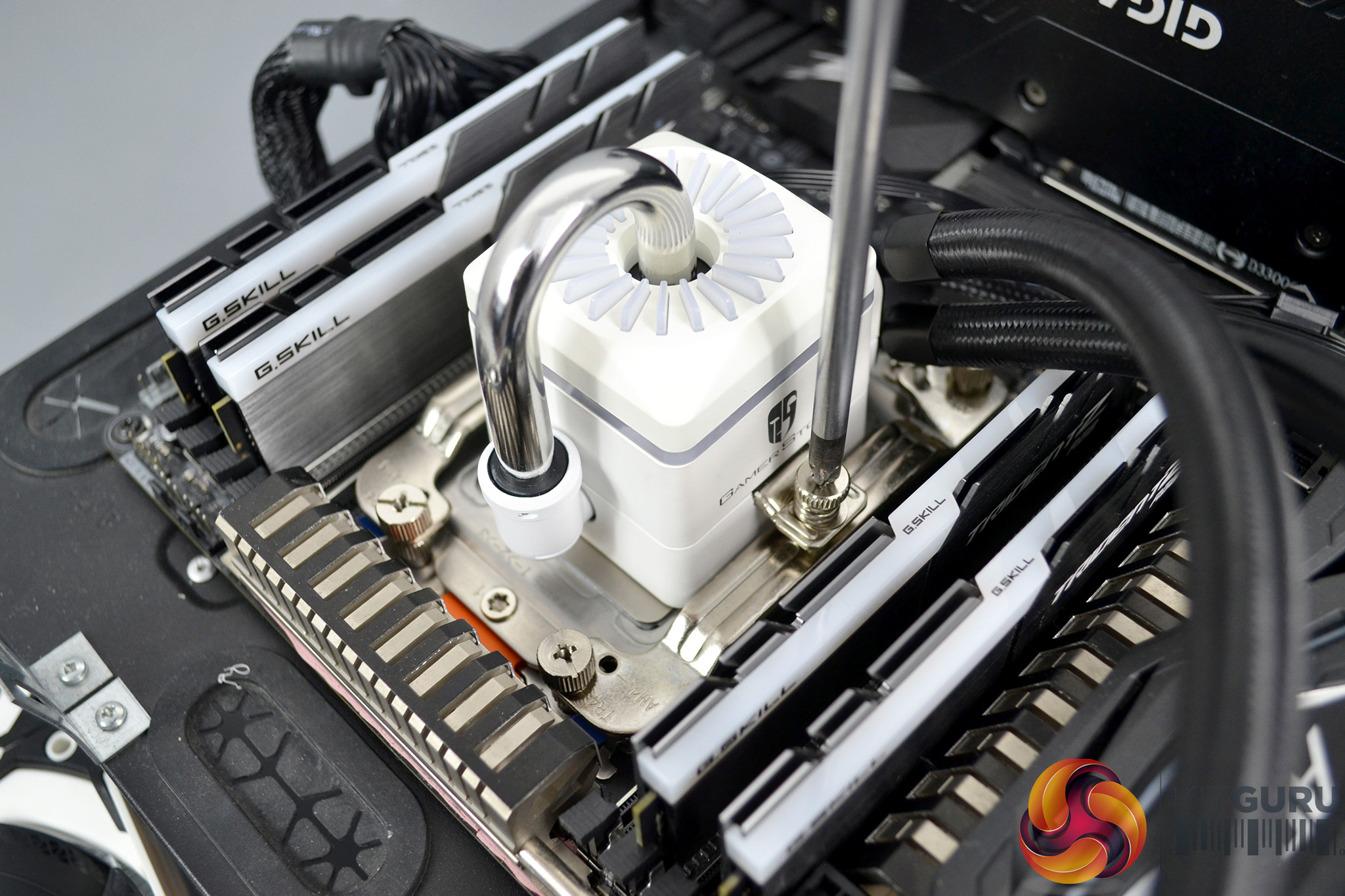
To complete the hardware installation, lower the pump down over the CPU socket with the mounting points aligned and tighten in place using the two integrated spring-loaded thumbscrews. Choose an appropriate position for the radiator to be mounted in your case. Then move on to the wiring installation.
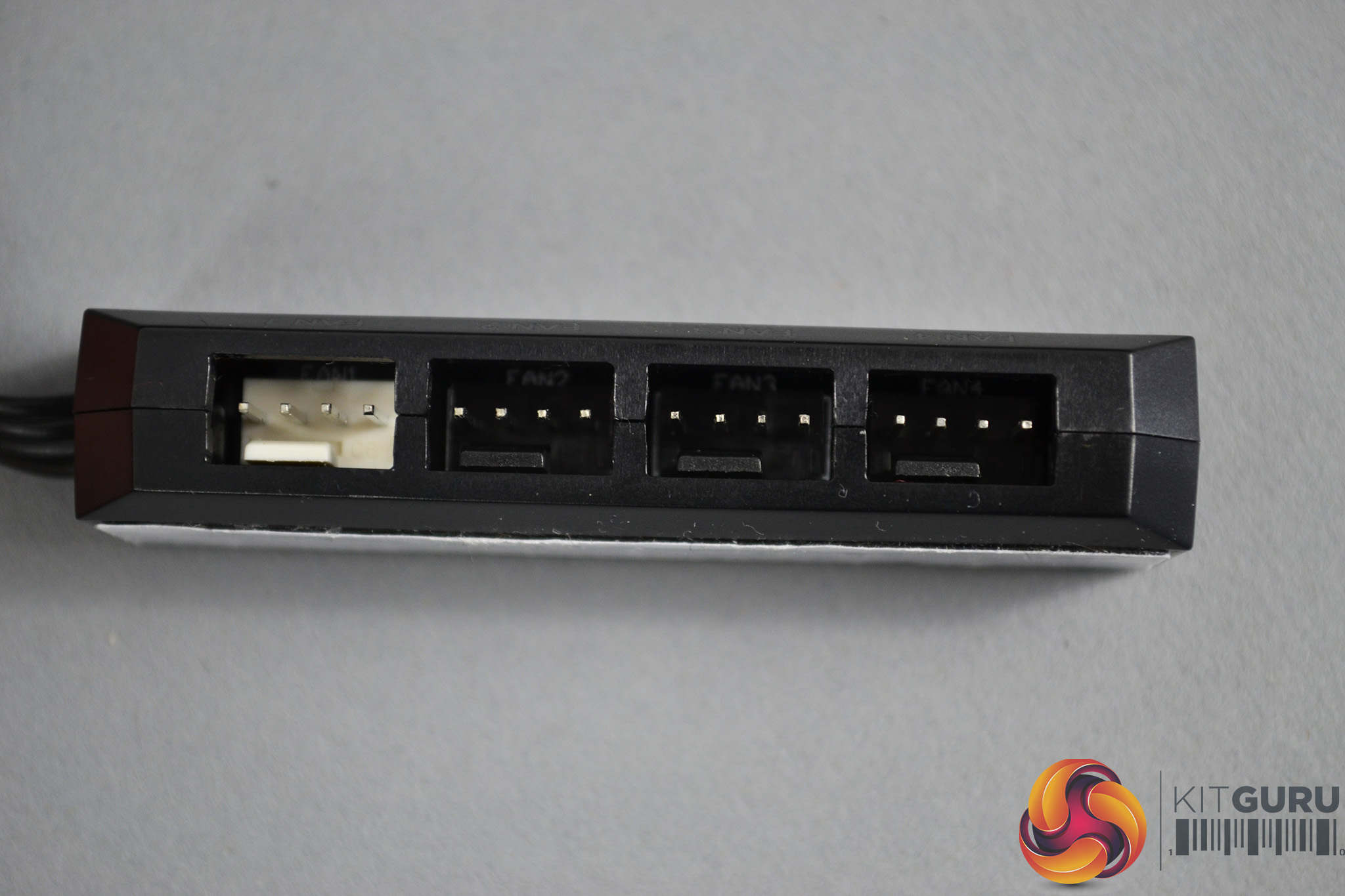
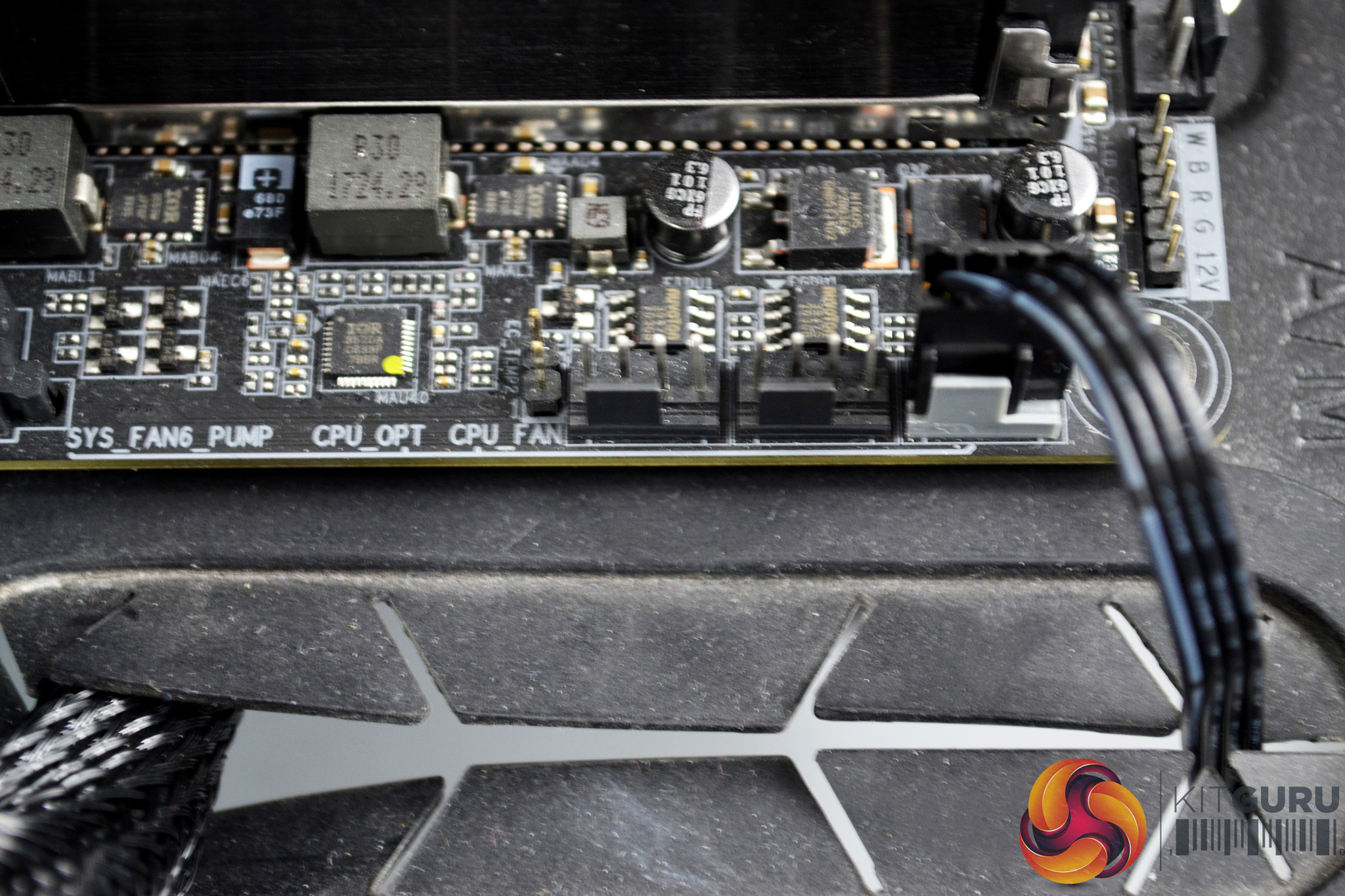
The final stage of installation for any all-in-one CPU cooler is the wiring. In this particular installation, it is quite simple – connect the included PWM hub to the motherboard CPU_FAN header and then connect the two fan cables to the PWM hub.
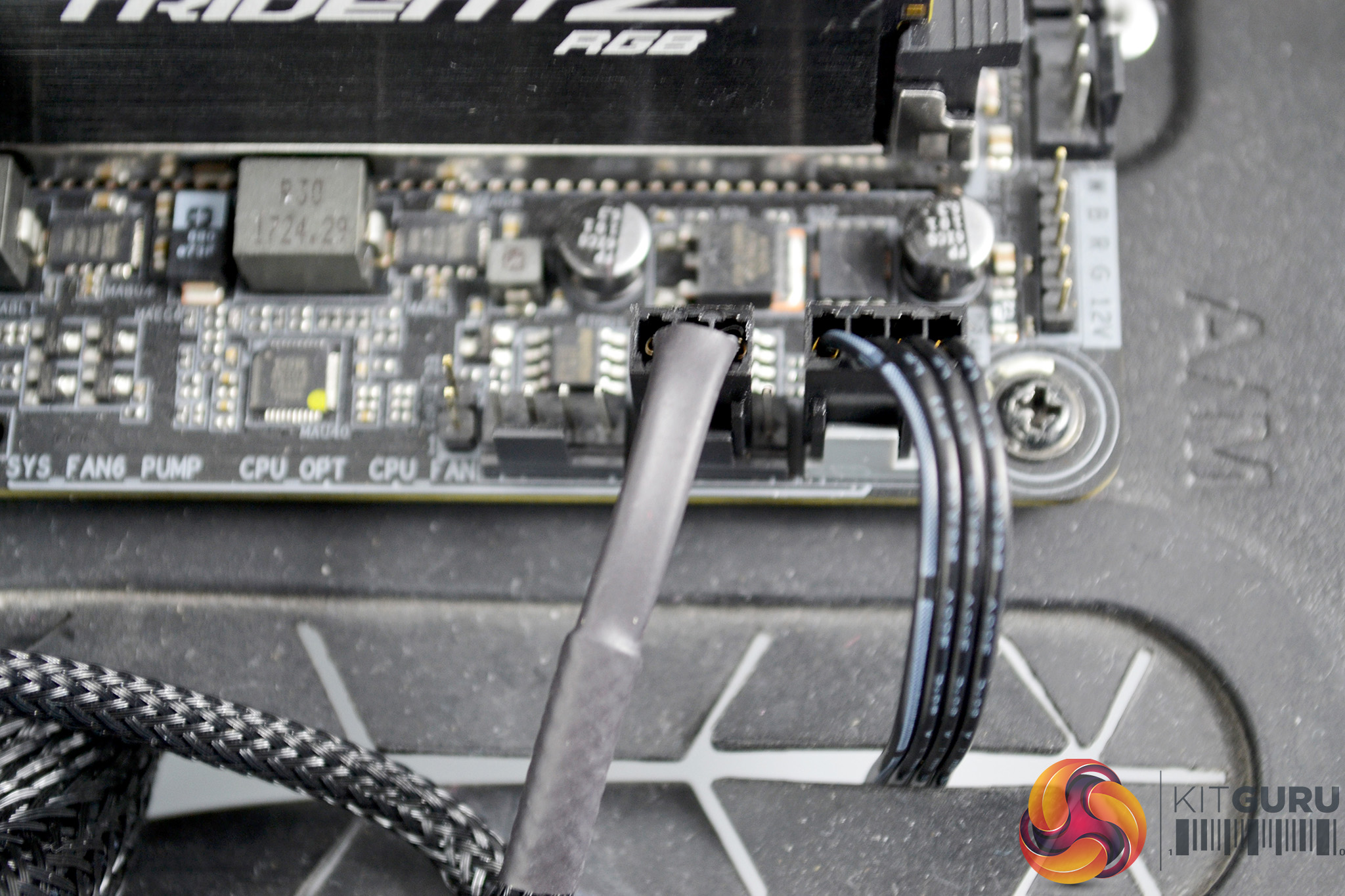
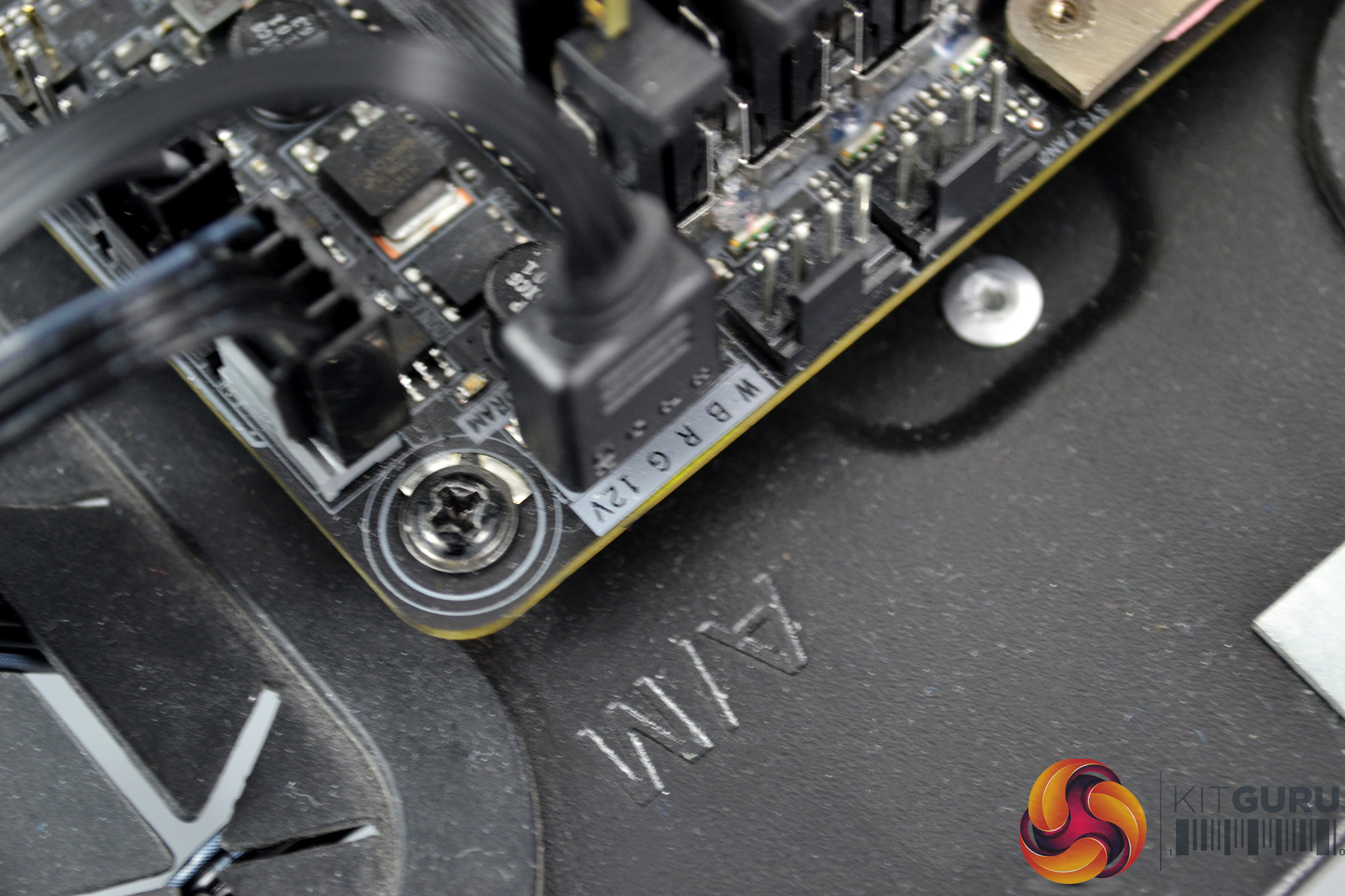
Next, connect the 3-pin pump cable to the motherboard CPU_OPT header to provide power to the pump. OurGigabyte X399 Aorus Gaming 7 motherboard includes 4-pin RGB headers, so to connect the RGB lighting we simply used the included RGB extension cable and connected to one of the RGB motherboards headers, so the lighting effects synchronised with the motherboard lighting.
RGB Gallery
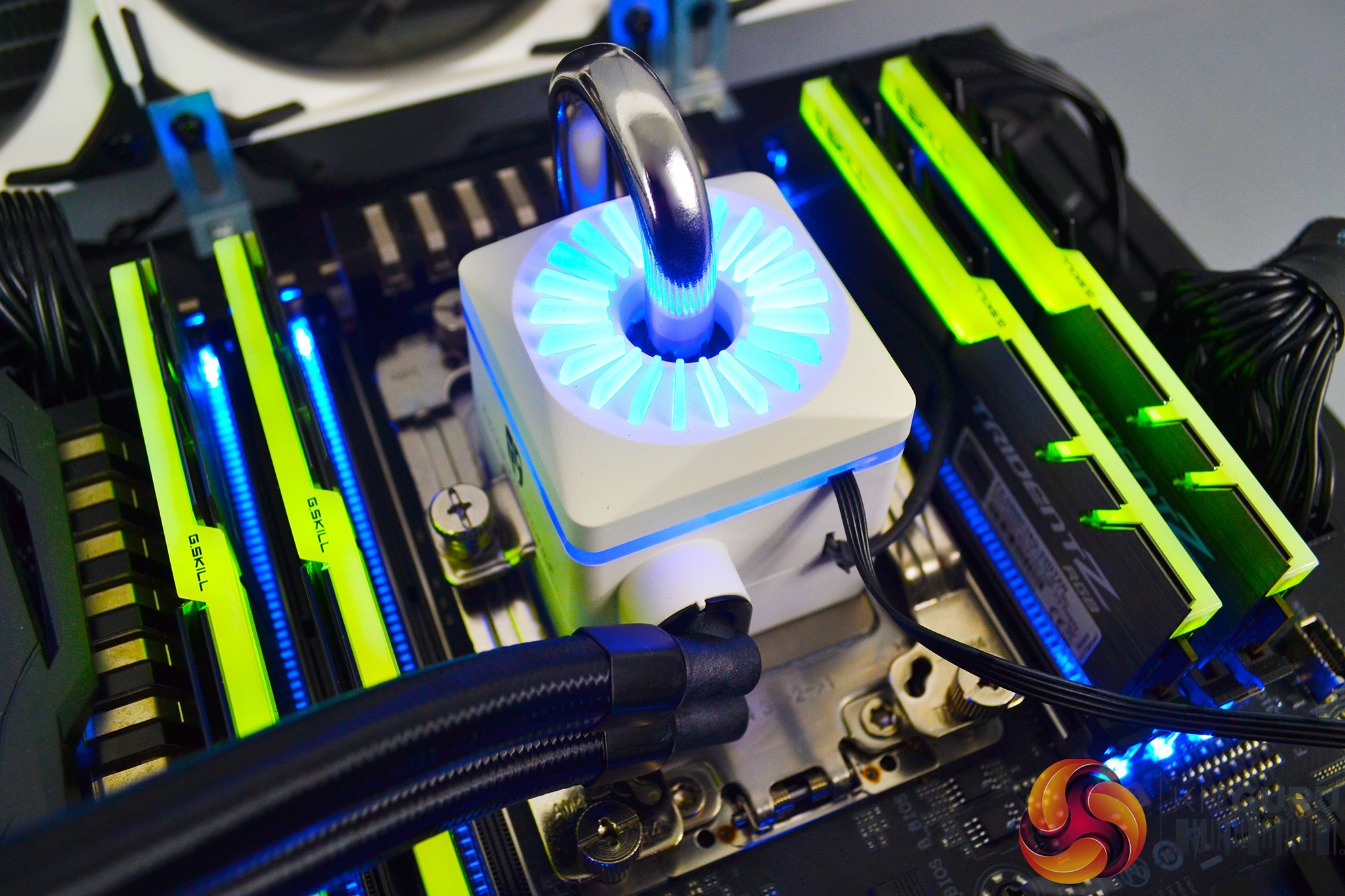
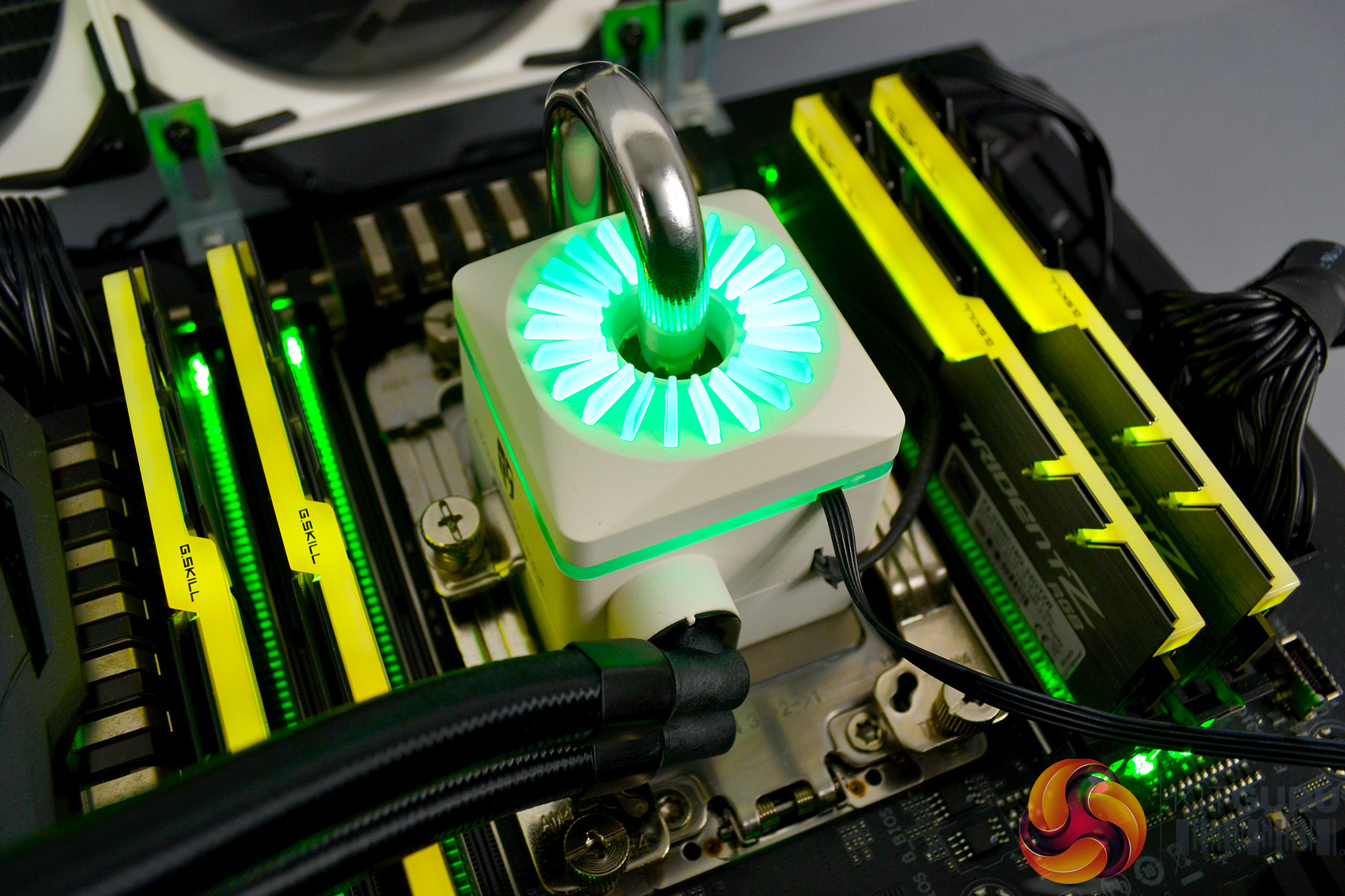
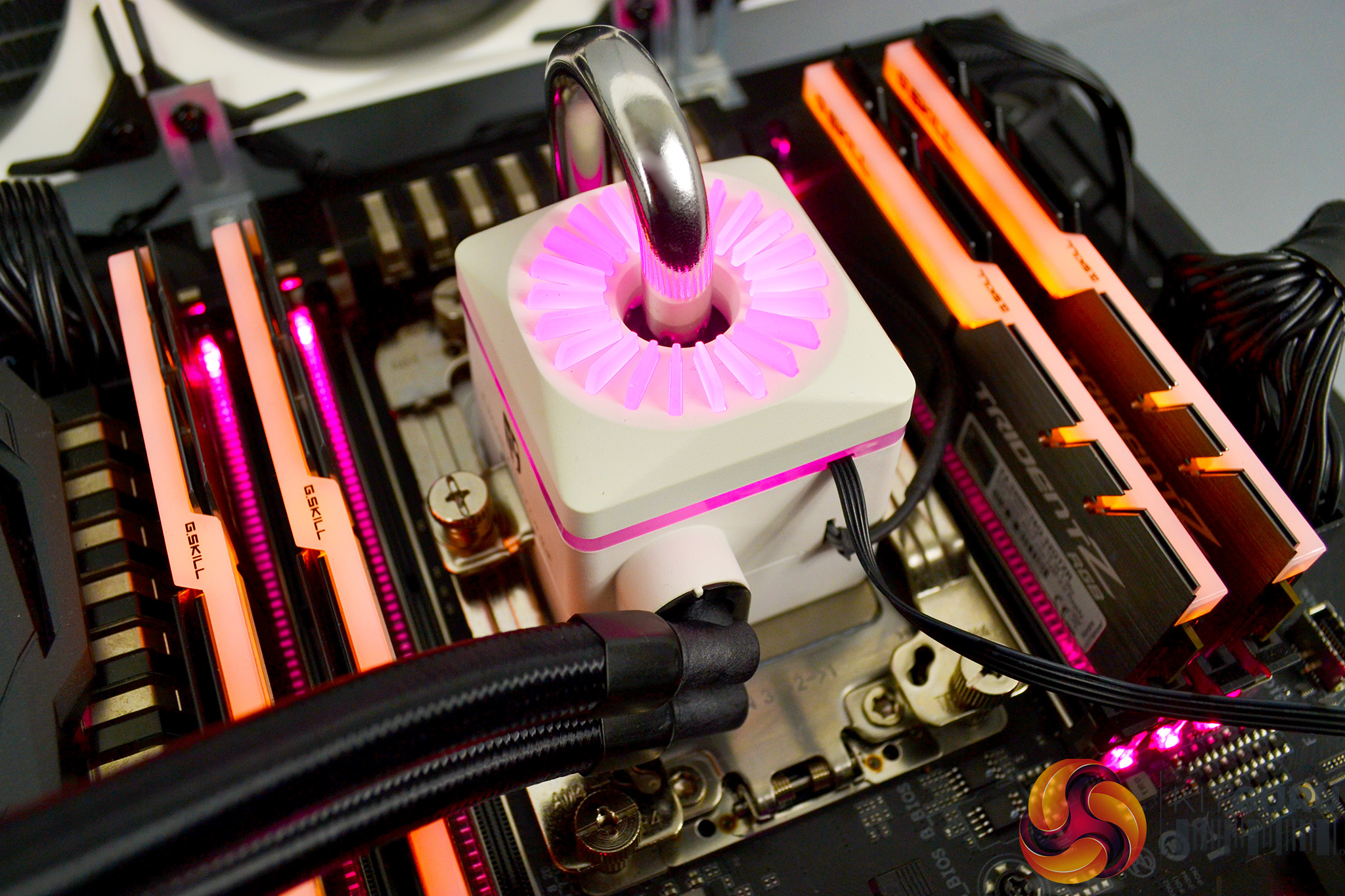
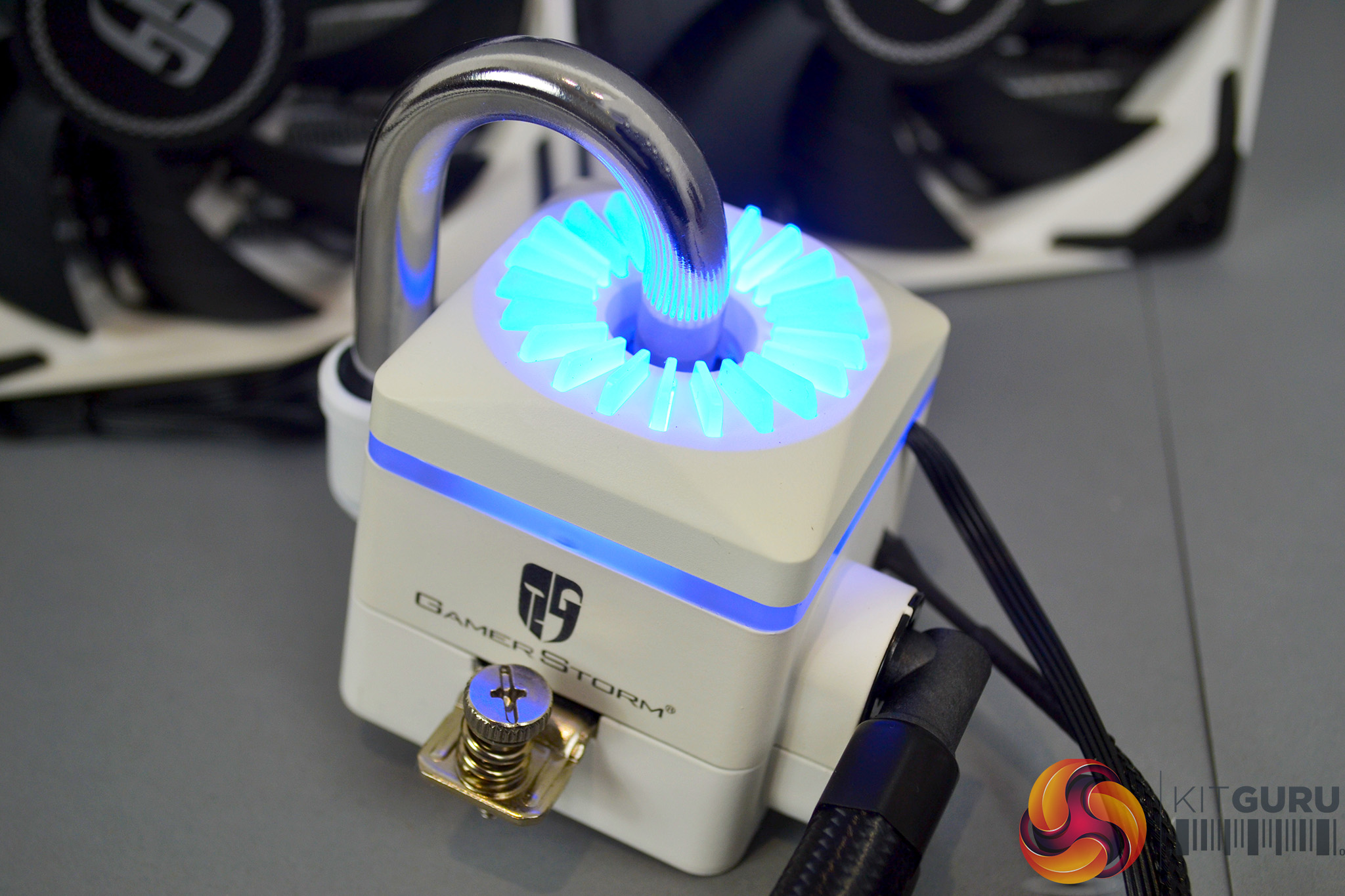
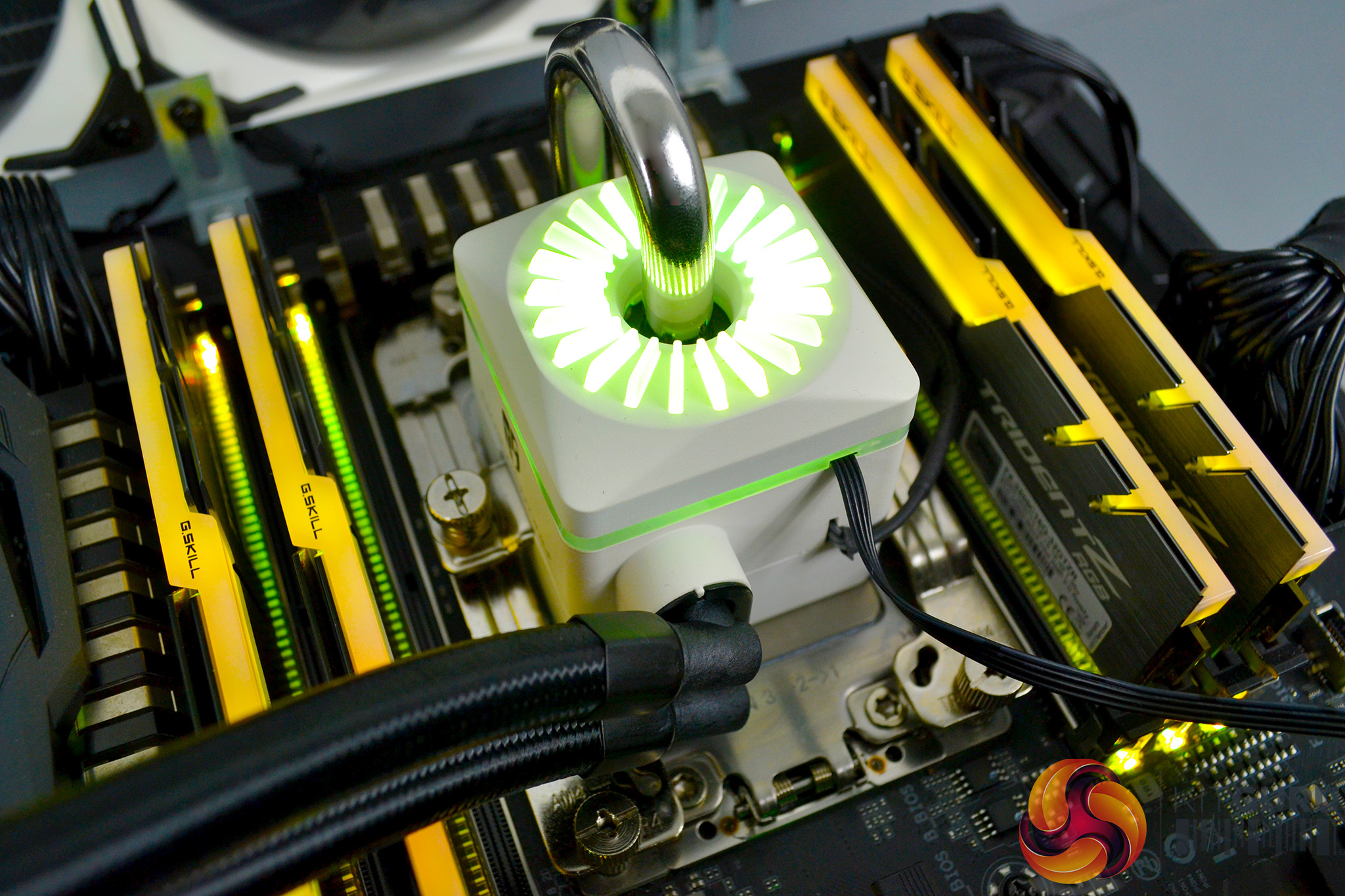
To measure the performance of TR4 CPU coolers, we devised an easily repeatable series of tests. The only variable is the coolers themselves to ensure the results can be accurately compared against one another.
Test Rig
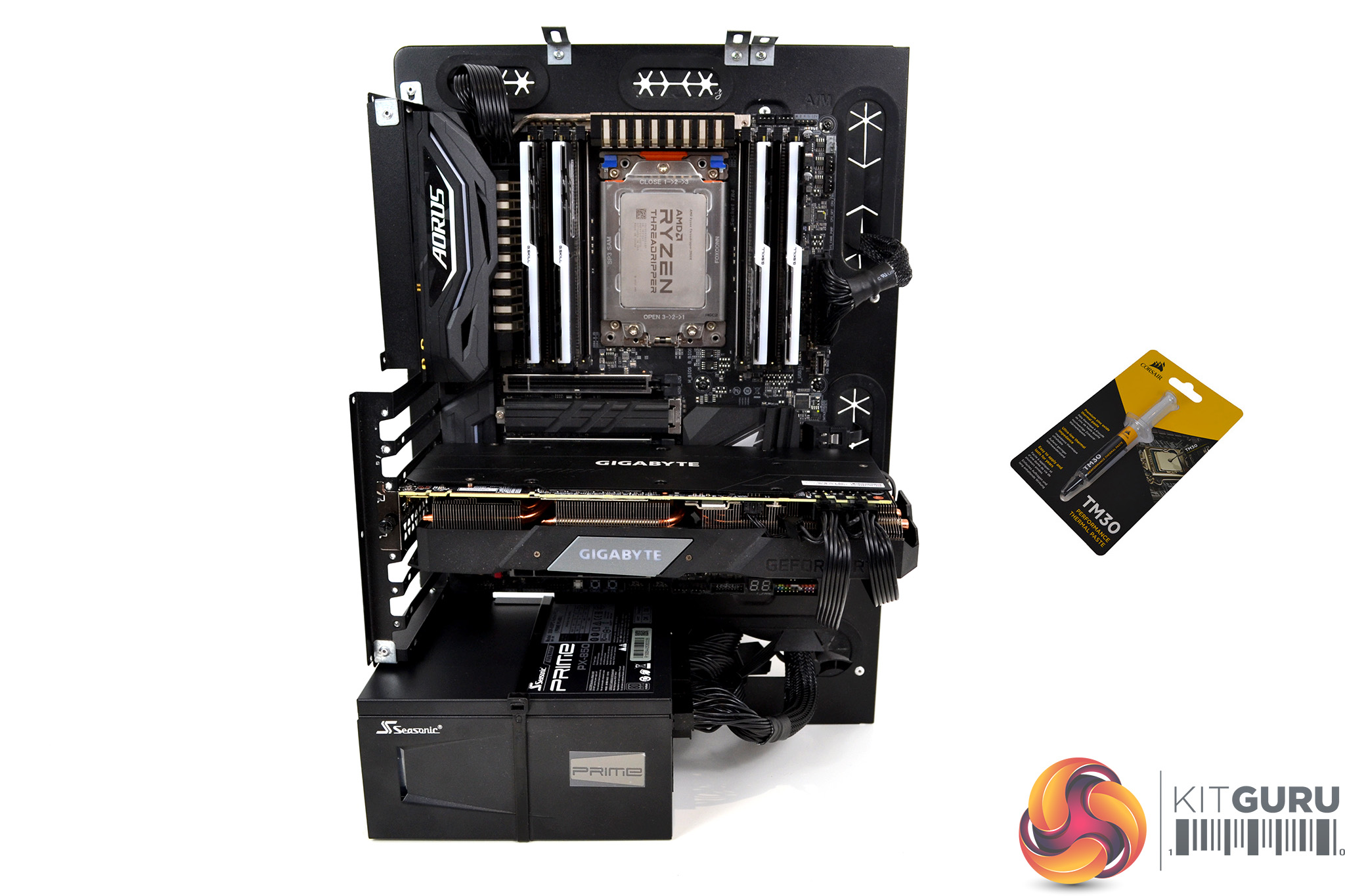
To reflect current hardware demands, we have updated the test system at KitGuru. It now comprises of an X399 platform and included, is the AMD Zen+ Threadripper 2950X, mated with a Gigabyte X399 Aorus Gaming 7 motherboard and 32GB (4x 8GB modules) G.SKILL Trident Z RGB DDR4 RAM, running at 3200MHz CL16. Our storage device is the Corsair Force LE 120GB SATA SSD. A Gigabyte RTX 2070 Super GPU is installed to enable a display output. Power to the test system is managed by a Seasonic Prime PX-850 power supply. Corsair TM30 thermal compound is used at all times to ensure consistency.
Thermal Testing Procedure
The procedure consists of several tests that will produce eight temperature readings for each cooler. The data can then be used to compare cooling performance.
First, we will lock the 2950X at its 3.6GHz all-core base clock speed, with a 1.225V Vcore applied in the BIOS. Then, let the system idle in Windows for 15 minutes and measure temperature. At the same frequency, we will then measure the load temperature.
To simulate overclocked frequency, we will then lock the 2950X to 3.8GHz on all cores with a 1.25V Vcore and run the same idle and load test again. To measure an extreme overclocking situation, we will lock the 2950X frequency to 4.0GHz on all cores with 1.275V Vcore and run the tests one final time – this should push the limits of the cooling performance of even the very best CPU coolers.
Admittedly, the overclocked frequencies/voltage may not be the highest achievable, but, nevertheless, it will give us a good set of data to compare the effect frequency/voltage changes have on temperature.
The temperatures presented in the graphs will be average Delta temperatures measured over the length of the test. We will calculate the Delta temperature by deducting the ambient temperature in the test room from the measured CPU temperature, both at idle and under load.
All idle temperatures are measured by letting the system idle in Windows for 15 minutes. Load temperatures are achieved by running AIDA64 stressing CPU, FPU and cache, again for 15 minutes. This should give the CPU enough time to reach its maximum temperature.
Throughout testing, Load Line Calibration will be set to Level 6 (Turbo) in BIOS and all CPU fans/pumps set to maximum RPM.
As the 2950X is suited more for productivity, a 300-second loop of Cinebench R20’s multi-core benchmarks will be run, which amounts to 8 passes, followed by three passes of Blenders BMW CPU benchmark to give a better idea of temperatures during typical use.
Noise Testing
Noise levels will be measured with our sound meter at a distance of 1 meter from the test bench. The cooler’s fans will be set to their maximum RPM rating. Ambient noise level in the room is measured at 37.4dBA and the peak noise level of the cooler will be recorded in dBA.
AIDA64 Performance
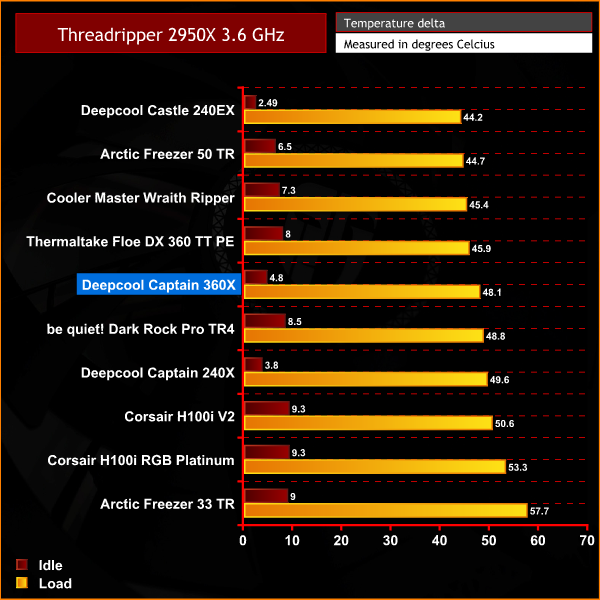

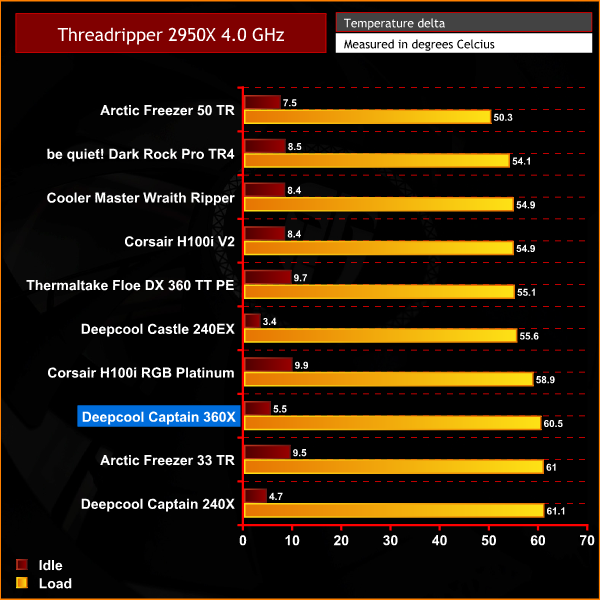
In our initial AIDA64 stress test with the AMD Threadripper 2950X CPU set at an all-core frequency of 3.6 GHz, the Deepcool Captain 360X did an adequate job of keeping the operating temperature under control and outperformed its sibling, the Captain 240X as expected. However, as CPU core frequency increased in further tests, the Captain 360X slipped down our charts and was beaten by its smaller rival from the same manufacturer, the Deepcool Castle 240EX, which is a surprise.
Blender Performance
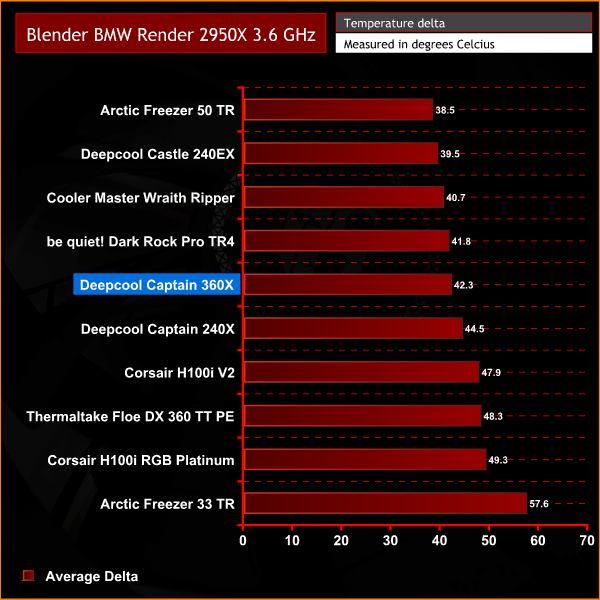
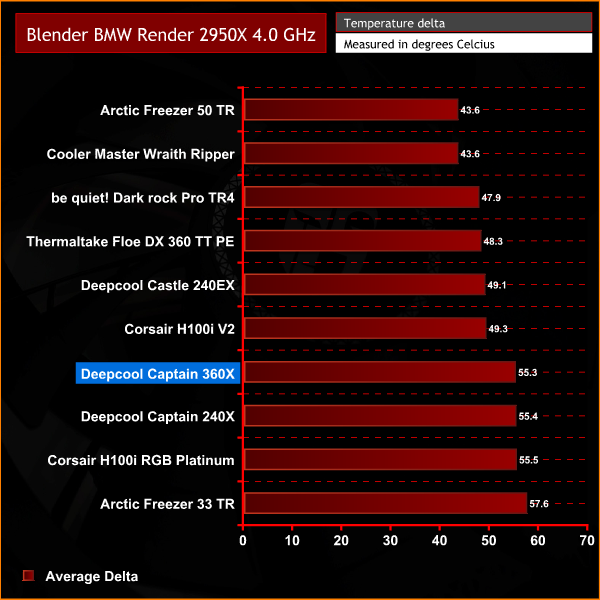
During Blender BMW render tests, the thermal dissipation performance of the Deepcool Captain 360X followed a similar pattern to results recorded in the AIDA64 stress test. It was a little disappointing to see the Captain 360X so far behind its closest 360mm rival, the Thermaltake Floe DX 360 TT PE in the 4.0GHz test.
Cinebench Performance
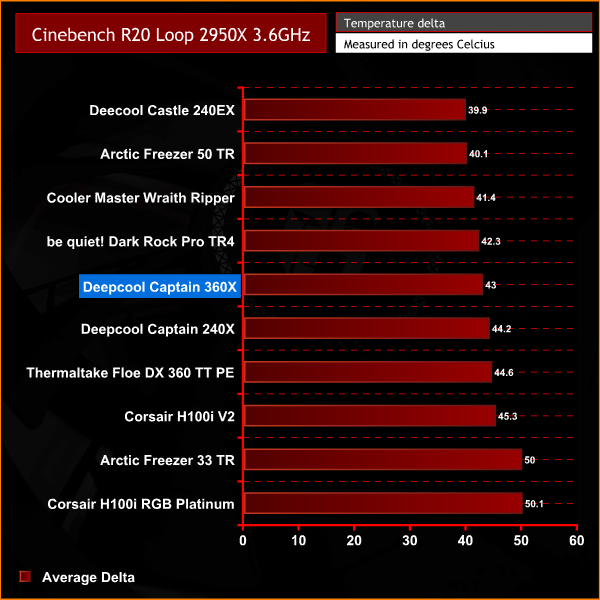
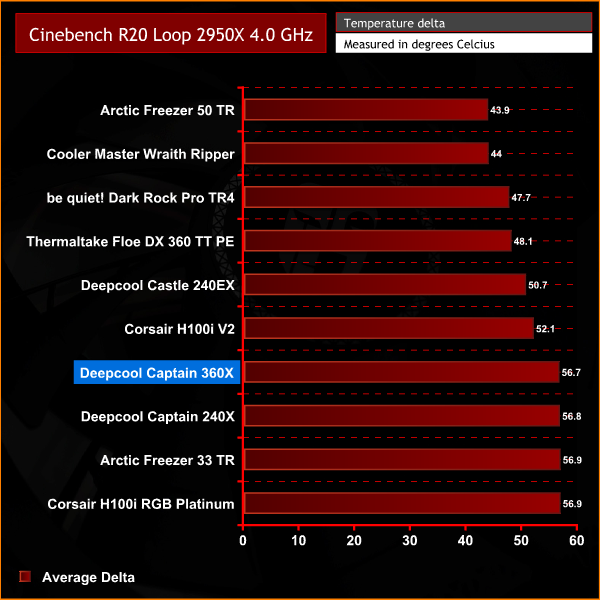
During our Cinebench tests, Captain 360X came out with pretty much the same results as in other tests. It managed to continue outperforming its smaller sibling, the Captain 240X but was well beaten by the closest 360mm rival and the Castle 240EX.
Noise Levels
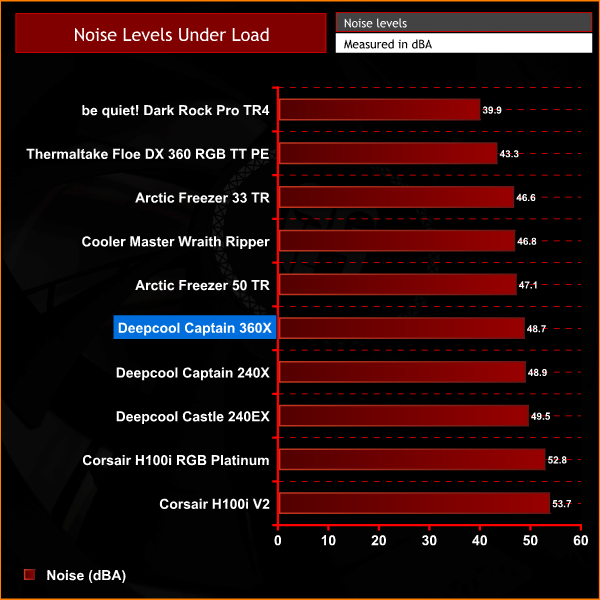
There are no big surprises in our acoustics testing – the Captain 360X produces around the same noise levels as the other Deepcool coolers that use the same TF 120 S fans in our chart. The Captain 360X is on the high side when it comes to noise output, however, it's not overly distracting.
Since the Deepcool Captain 360X is not a TR4 specific AIO cooler, we thought it would be best to add some testing on our desktop Intel Core i9-9900k system to find the true performance of the Captain 360X and compare it against other coolers we have tested on that system previously. You can find our complete Core i9-9900k testing methodology here. For this test, we will run the 3.6 GHz and 4.9 GHz stress test and record the results in the charts below.
AIDA64 Performance Intel Core i9-9900K test
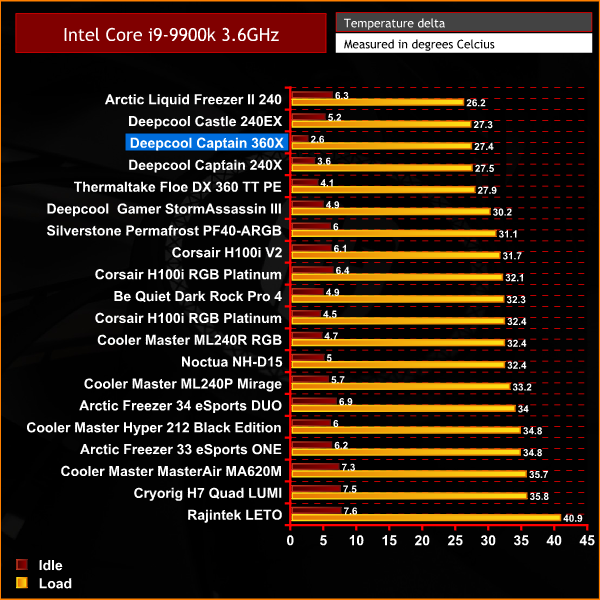
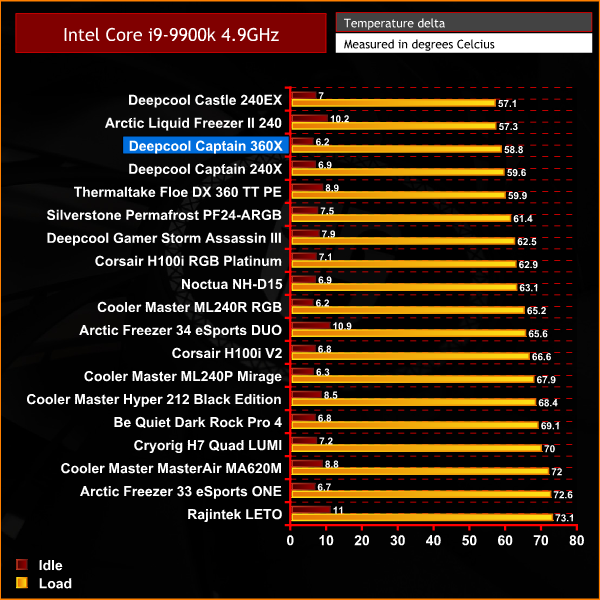
In our Intel Core i9-9900K thermal test, the Deepcool Captain 360X does a good job of keeping the temperature under control at both stock 3.6 GHz and 4.9 GHz overclocked frequencies. However, it is only a very slight improvement over its smaller sibling, the Captain 240X and is beaten by the Castle 240EX once again.
Overall, the Deepcool Captain 360X offers a well built and aesthetically pleasing 360mm all-in-one CPU cooling solution. The colour scheme will no doubt prove popular among enthusiast system builders and gamers who are looking to build a new system based on a white colour scheme, although we would have liked it to be also available in black to suit users seeking a more traditional style.
Deepcool has added some upgrades for its latest Captain X AIO series including its patented Anti-leak radiator technology, a new three-phase pump motor with ceramic bearings and core, along with the company’s attractive looking TF 120 S fans. An included PWM fan hub and RGB controller are a nice touch too and help with cable management.
In terms of thermal performance, we can’t help but feel a little let down by the Captain 360X on the socket TR4 platform. However, we are not too surprised since we have seen many times in the past AIO liquid cooling solutions that don’t fully cover the Threadripper HIS outperformed by air cooling solutions with full cover thermal transfer base plates.
When we look back at the results of our thermal performance tests, the Captain 360X managed to outperform its smaller sibling, the Captain 240X in all situations. So, while it may not be the best all-in-one cooler for high-end desktop AMD systems, it is a very solid mainstream desktop CPU cooler since it did a great job in our Intel Core i9-9900K tests.
One thing worth noting though is how much better the Deepcool Castle 240EX performed in some tests compared to the Captain 360X. This is quite interesting as the Castle 240EX uses the same radiator and fans as the Captain X-series so the pump design must work better in the Castle 240EX. Additionally, the Castle 240EX uses a four-point fixing method compared to two points fixing in the Captain X – this could also contribute to the better performance due to improved contact with the CPU IHS.
We would normally expect an all-in-one CPU cooler with a larger radiator from the same manufacturer to perform better. Since this one did not, we can only come to the conclusion that the Castle 240EX is a better all-round design and therefore is probably a better option to use for AMD HEDT processor cooling than the Captain X-series coolers.
However, some may prefer the more industrial appearance the Captain X series offers with its U-shaped stainless steel pipe design and the few degrees Celsius difference in performance may not be a problem to some users, especially those with stock CPU core frequencies, as the performance gap between the Captain 360X and Castle 240EX wasn’t as wide in those tests.
Taken as a whole, the Deepcool Captain 360X is a little disappointing in terms of raw cooling performance. After testing its smaller sibling, the Captain 240X, and being happy with performance on desktop platforms, we were expecting a bit more from the Captain 360X. Although it does a good job, the 360X doesn’t offer much improvement over the 240X.
So, unless you are specifically looking for a 360mm AIO, then we wouldn’t recommend the 360mm version over the 240mm, as it does not offer enough price-performance increase. However, if you are looking to purchase a 360mm AIO in white then it's probably not a bad option since it should offer impressive performance on mainstream desktop platforms and is quite handsome looking too.
The Deepcool Captain 360X is available to purchase in white for £139.99 from Amazon UK HERE.
Discuss on our Facebook page HERE.
Pros
- RGB lighting.
- PWM fan control.
- White colour scheme.
- Great range of CPU socket compatibility.
- Quick installation process.
- Good thermal performance on mainstream desktop platforms.
Cons
- Average thermal performance on socket TR4.
- Outperformed by the Castle 240EX.
- Only available in white.
- Fans could be a little loud for some users.
KitGuru says: Although we really love the appearance of the Captain 360X and its white colour scheme, we can't help but feel let down by its lack of thermal performance on socket TR4, especially since it was beaten hands down by a smaller 240mm AIO from the same manufacturer.