 KitGuru KitGuru.net – Tech News | Hardware News | Hardware Reviews | IOS | Mobile | Gaming | Graphics Cards


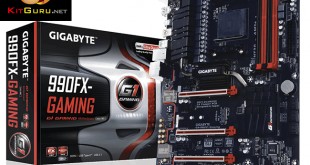
It seems like the AM3+ platform has been around forever, yet competitive value options on the CPU side mean that motherboard vendors are still battling for a slice of the pie with 970 and 990FX offerings. How do you make a chipset approaching its 5th birthday valid in 2016? Gigabyte takes the approach of adding valuable features such as 20Gbps M.2 PCIe NVMe connectivity, 10Gbps USB 3.1 Type-A & Type-C, and an enhanced audio solution.
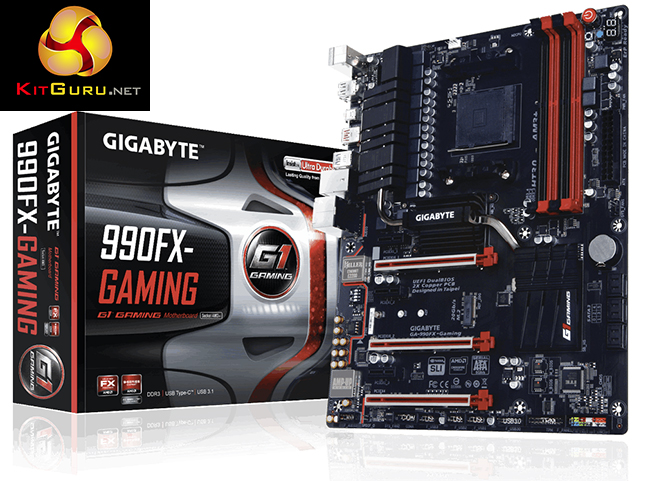
Despite its ripe age, the plentiful PCIe connectivity of AMD's 990FX Northbridge and SB950 Southbridge gives motherboard vendors compelling options for add-on devices. Realising the storage trends of modern PC builders, an M.2 connector supporting 20Gbps PCIe and SATA 6Gbps connections is built onto the board. There are also 10Gbps USB 3.1 Type-A and Type-C ports to complete the show for modern storage connections.
Focusing more on the 990FX-Gaming's features, audio is built around Gigabyte's AMP-UP solution that features a replaceable op-amp for a customisable listening experience. Networking is handled by a Killer E2200 series NIC which is bolstered by its OS-based management software for gamers. Catering for the target audience, Gigabyte gives its 990FX-Gaming the G1 treatment which includes fancy heatsinks and a red-and-black colour scheme.
Gigabyte ticks long-time checkboxes for a strong power delivery system and multi-GPU support, whilst also giving users an array of modern features. Can Gigabyte's 990FX-Gaming prove itself as a worthy option for building a modern AM3+-based gaming machine?
Features:
- Supports AMD AM3+/ AM3 Processor
- Dual Channel DDR3, 4 DIMMs
- Fast USB 3.1 with USB Type-C™ – The World’s Next Universal Connector
- PCIe Gen2 x4 M.2 Connectors with up to 20Gb/s Data Transfer (PCIe NVMe & SATA SSD support)
- 2-Way Graphics Support with Exclusive Ultra Durable Metal Shielding over the PCIe Slots
- 115dB SNR HD Audio with Built-in Rear Audio Amplifier
- Killer™ E2200 series Gaming Networks
- High Quality Audio Capacitors and Audio Noise Guard with Ambient LED Trace Path Lighting
- USB DAC-UP ports
- APP Center Including EasyTune™ and Cloud Station™ Utilities
- GIGABYTE UEFI DualBIOS™ Technology

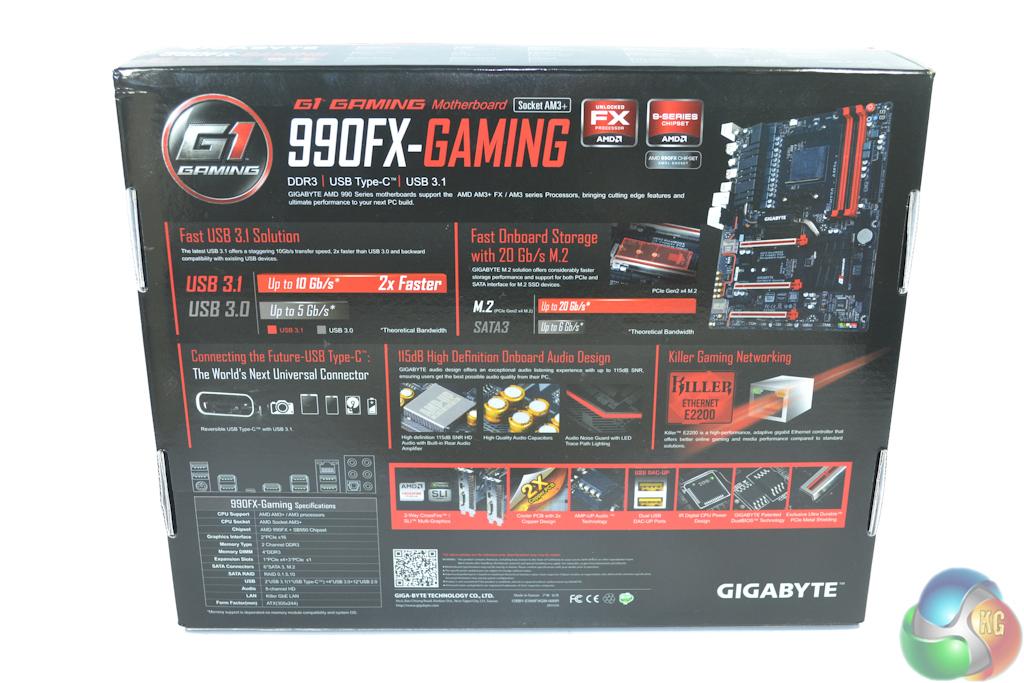
Gigabyte's box highlights the 990FX-Gaming motherboard's key features and other specifications. Annotated images are found on the rear.
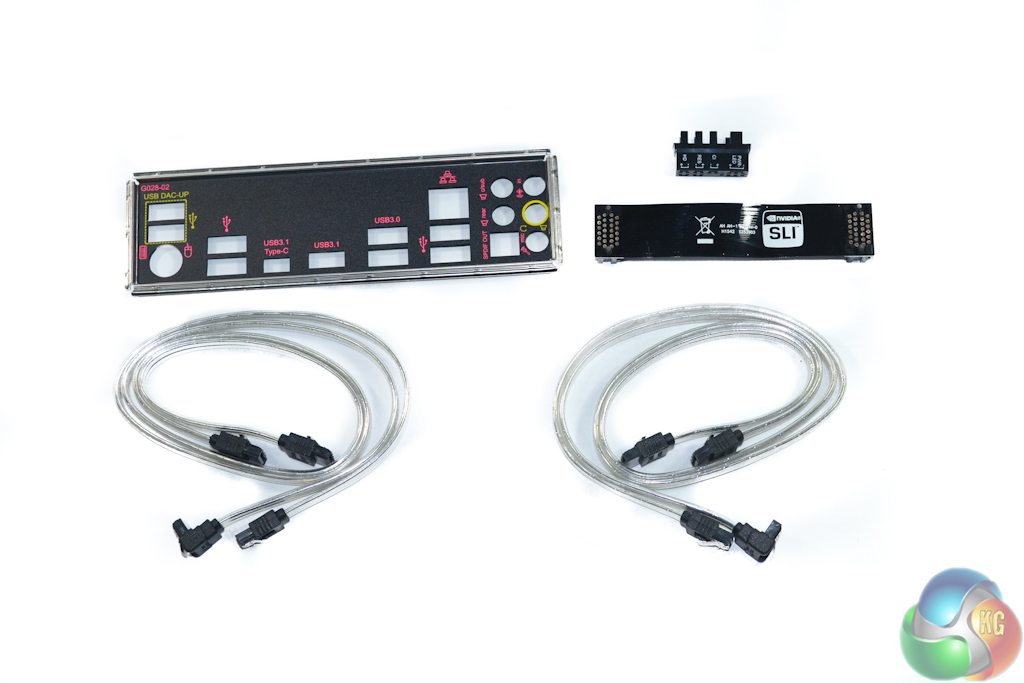
The bundle includes four clear SATA cables, which should react well to internal case lighting. Additionally there is a flexible, black SLI ribbon, the labelled rear IO shield, and a block to aid the simplicity of connecting front panel headers.
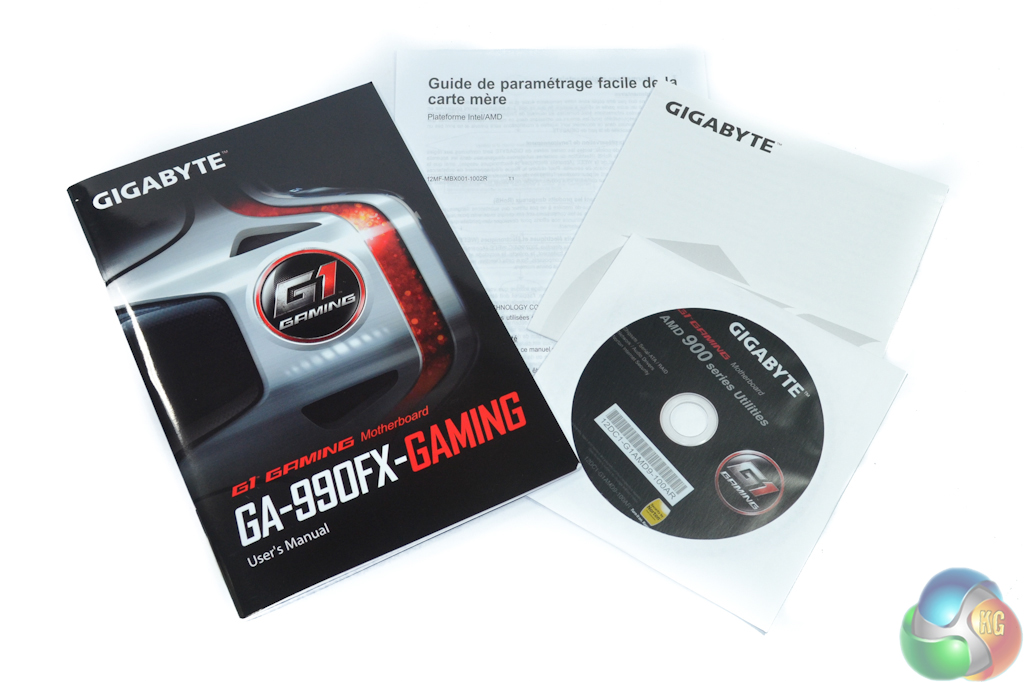
The standard affair of documentation is provided alongside a G1 Gaming case sticker.
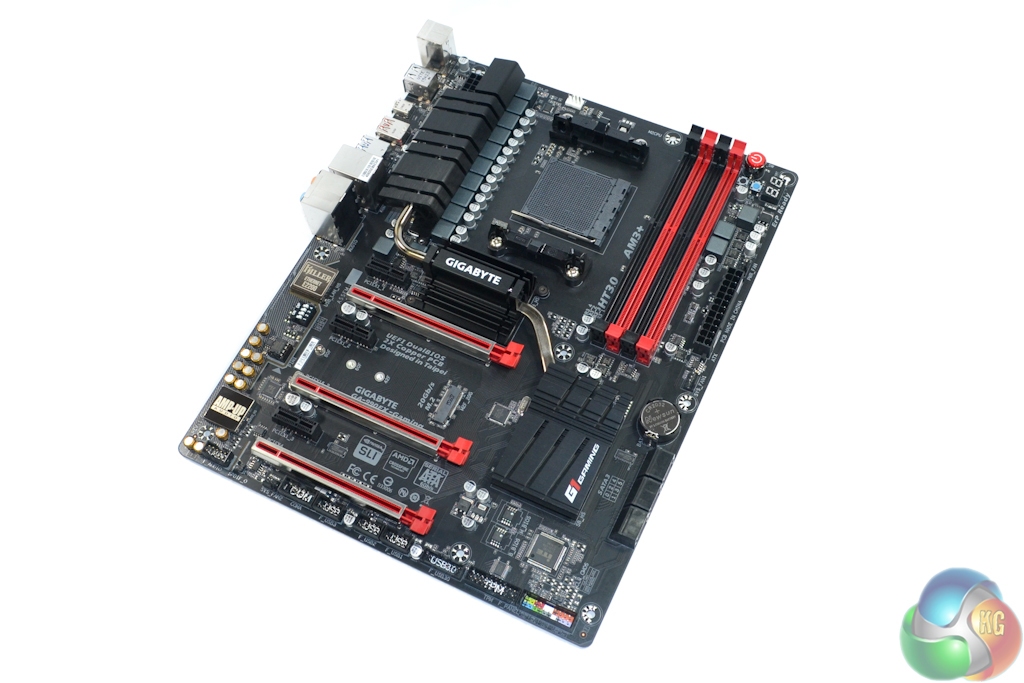
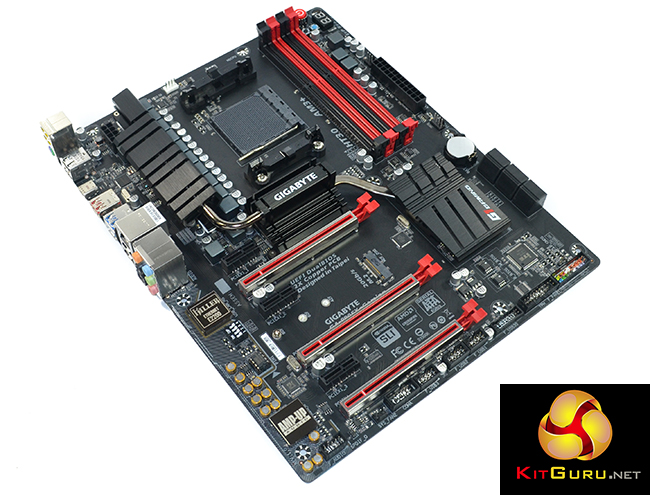
With its sights set firmly on a gaming audience, the Gigabyte 990FX-Gaming motherboard sports a good-looking red and black colour scheme. Gigabyte specifically uses a matte black PCB, rather than an ugly shade of washed-out brown, helping the board to remain attractive inside a well-lit chassis.
Gigabyte uses steel-reinforced PCIe x16 slots in order to minimise graphics card sag. As well as providing increased stiffness over plastic alternatives, the steel casing can also help to minimise EMI.
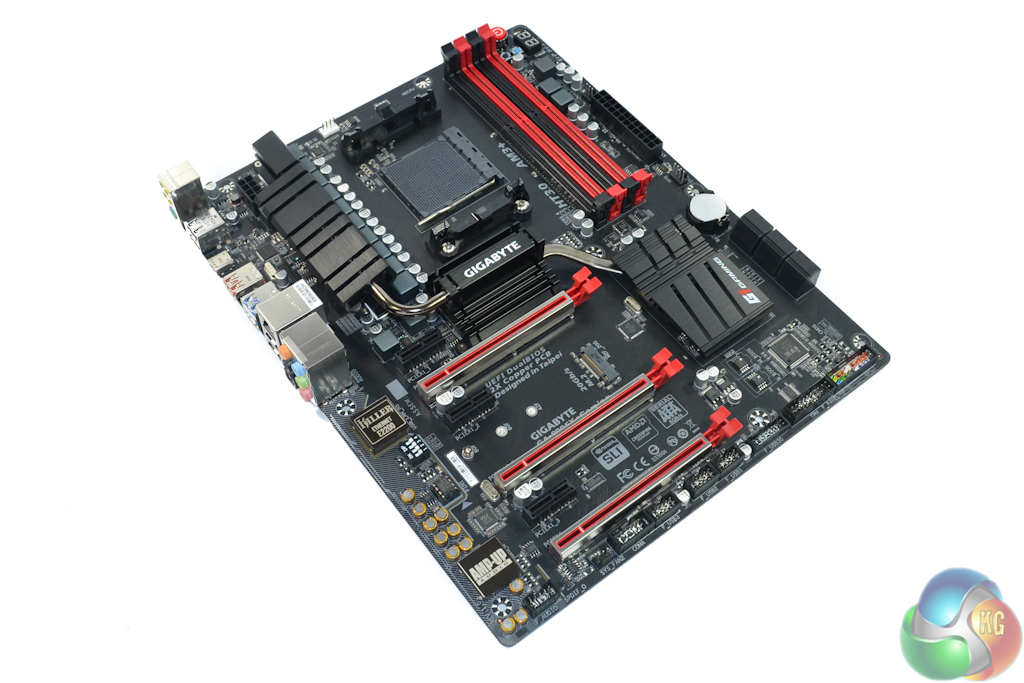
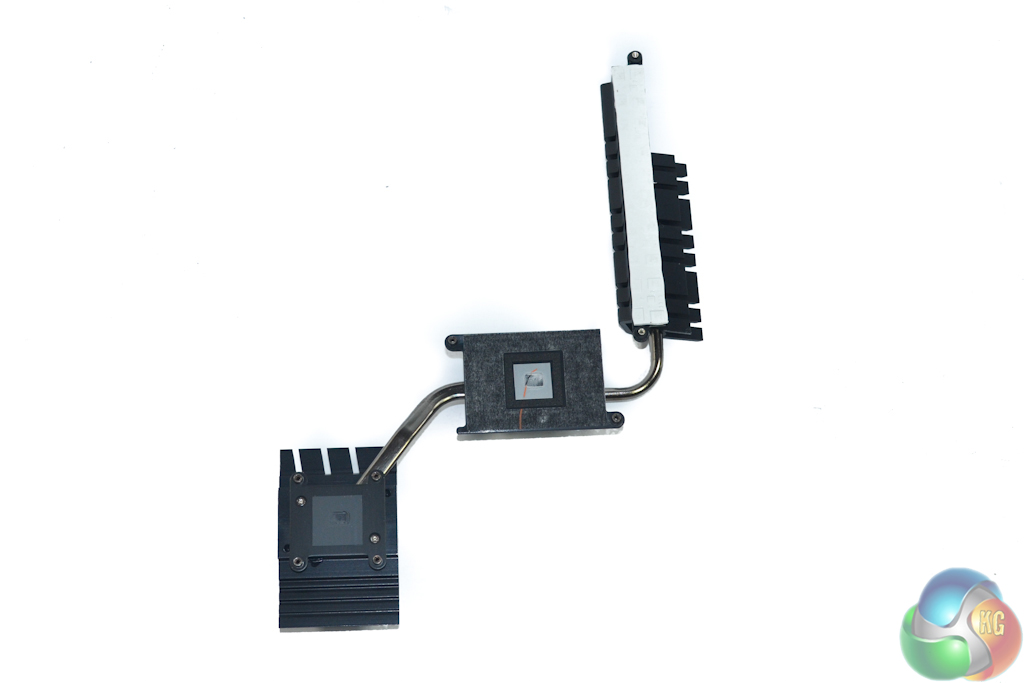
A sizeable trio of heatsinks, which are connected via two heatpipes, engulf a large proportion of the ATX motherboard. The design choices made by Gigabyte ensure that the heatsinks do not cause interference with the likes of graphics cards.
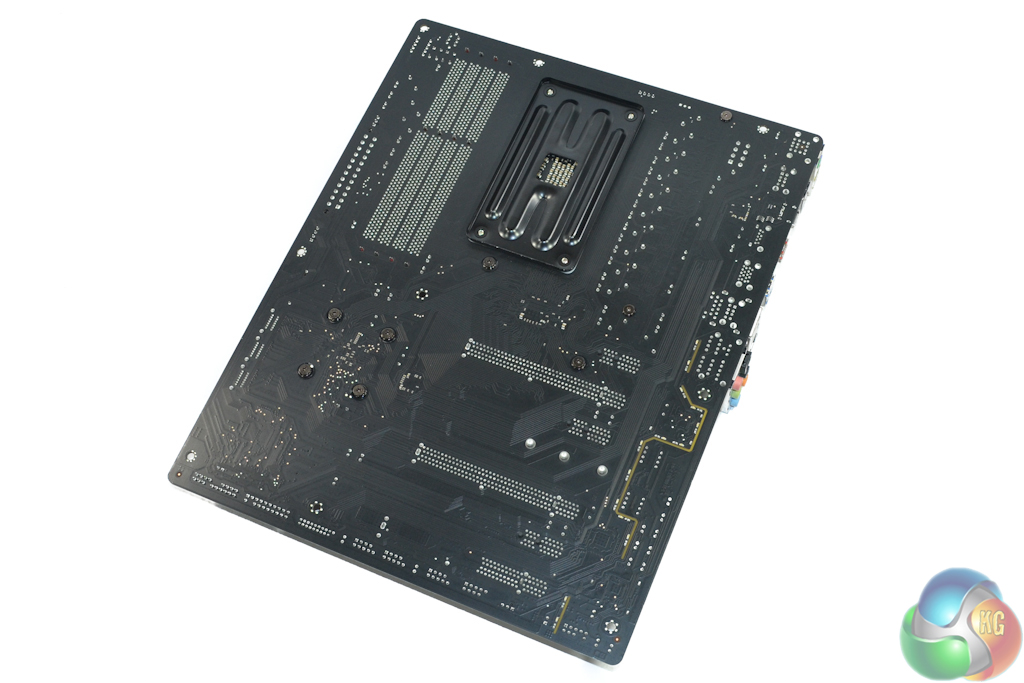
Switching focus to the board's rear side allows the physical PCIe lane distribution to be viewed, in addition to the segregated audio signal path.
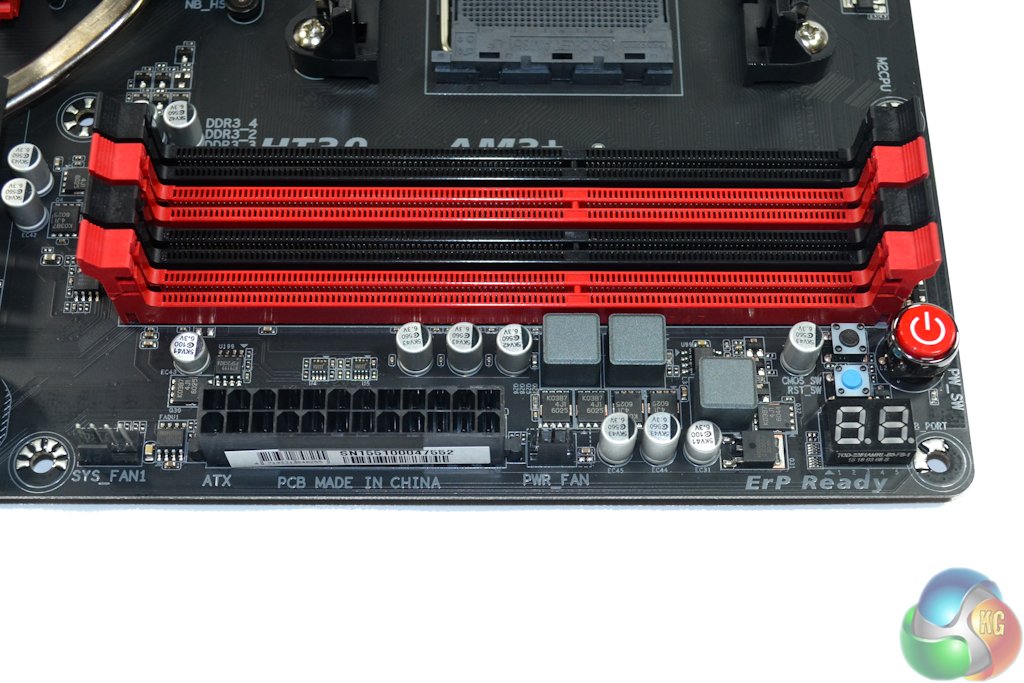
Up to 32GB of dual-channel DDR3 memory can be installed in the four DIMM slots. Gigabyte quotes frequency support for more than 2000MHz via overclocking. XMP memory configurations are also supported. We actually managed to use a 2133MHz, XMP-based memory speed without issues.
Onboard power, reset, and clear CMOS buttons are convenient for overclocking and troubleshooting measures. The same holds true for the two-digit LED display. A pair of fan headers is found close to the 24-pin power connector.
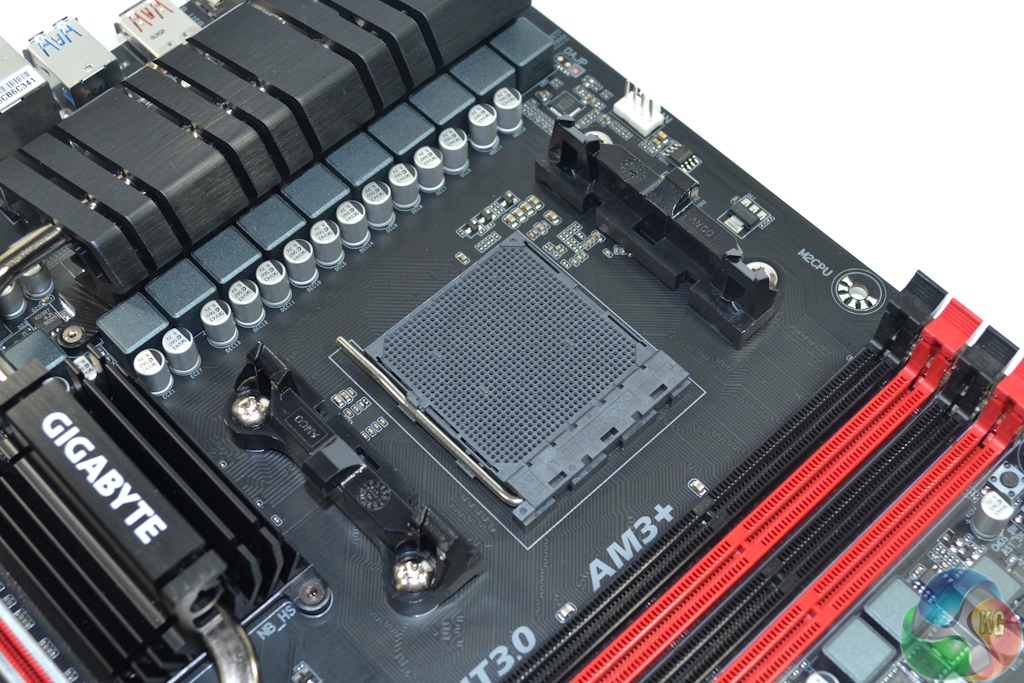
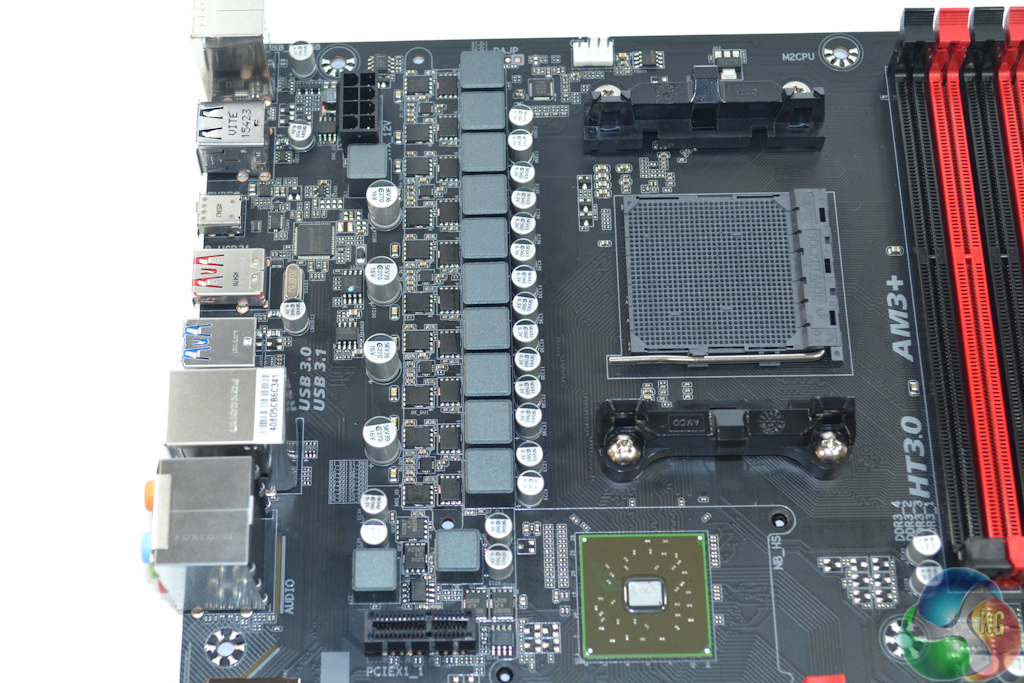
The black AM3+ socket is nestled between a pair of brackets for the pre-applied CPU cooler mounting system. Unlike Intel's motherboards, the socket does not feature any contact pins but instead uses holes for an AM3/AM3+ CPU to be installed in.
Utilisation of the AM3+ socket means that older DDR3-supporting AM3 processors from the Phenom II and Athlon II families are also compatible alongside the newer FX series chips.
A 10-phase power delivery system drives the CPU, with supplementary electronics feeding the memory and system voltages. Gigabyte opts for Renesas K03B7 and K0393 units as the high- and low-side MOSFETs. The power delivery system is managed by an International Rectifiers IR35648 PWM which also calls upon five IR3598 dual MOSFET drivers.
The importance of a strong power delivery system built around reputable components should not be underestimated for an AM3+ motherboard. With support for chips featuring TDPs as high as 220W out-of-the-box, there will be a significant amount of stress on the voltage-switching hardware, especially when overclocking is included.
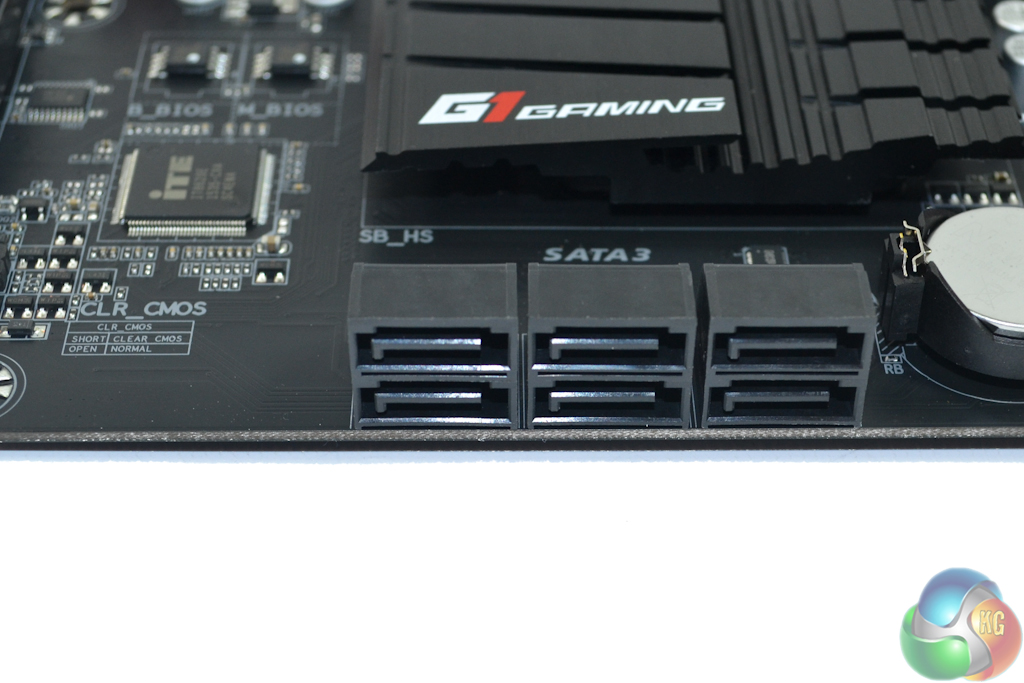
Six SATA 6Gbps ports are delivered directly from the AMD SB950 Southbridge. The common RAID versions are supported – 0, 1, 5, and 10.
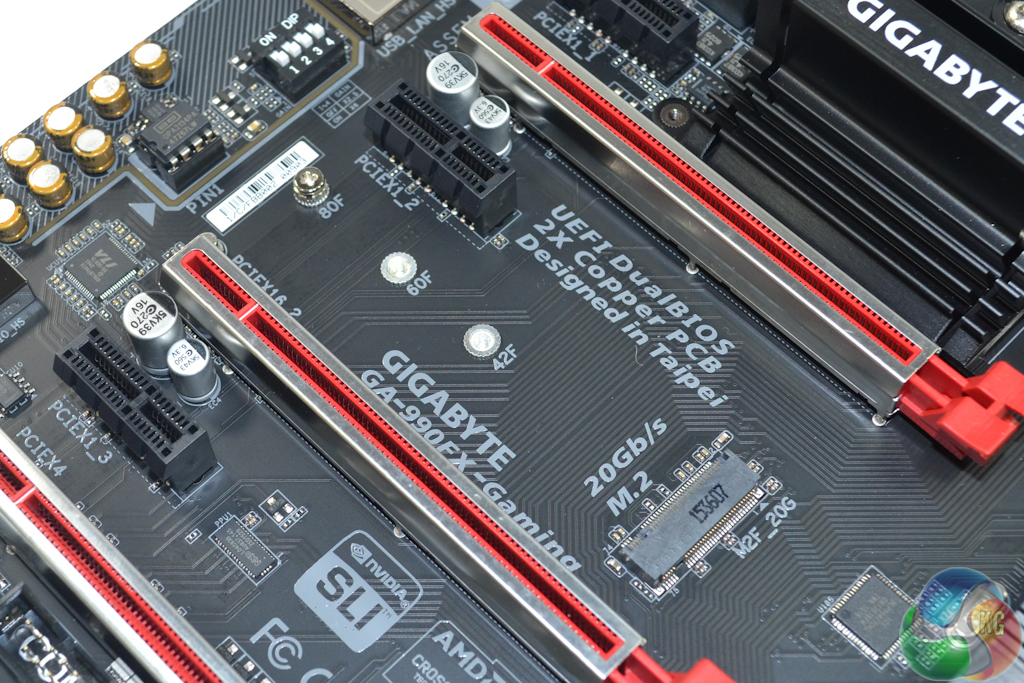
Gigabyte uses a four-lane connection from the 990FX Northbridge to provide 20Gbps PCIe connectivity for M.2 NVMe SSDs. Take off the overhead and that leaves a theoretical connection speed of ~2GBps to an M.2 SSD. Samsung's popular 950 Pro SSD is rated for read speeds of up to 2.5GBps and will be bottlenecked in this motherboard's M.2 slot.
This is where AMD's aging chipset and its application of ~500MBps PCIe 2.0 lanes, rather than the ~985MBps PCIe 3.0 lanes used on competing Intel chipsets, starts to show its age. With that said, it is good to see Gigabyte compensating for the ageing chipset by providing a four-lane connection rather than an even more restricted two-lane interface. NVMe support is also a positive.
The installation of an M.2 SATA SSD steals the lane from SATA port 5. M.2 PCIe SSDs do not share their bandwidth with the SATA 6Gbps ports, meaning that all six connections retain their function.
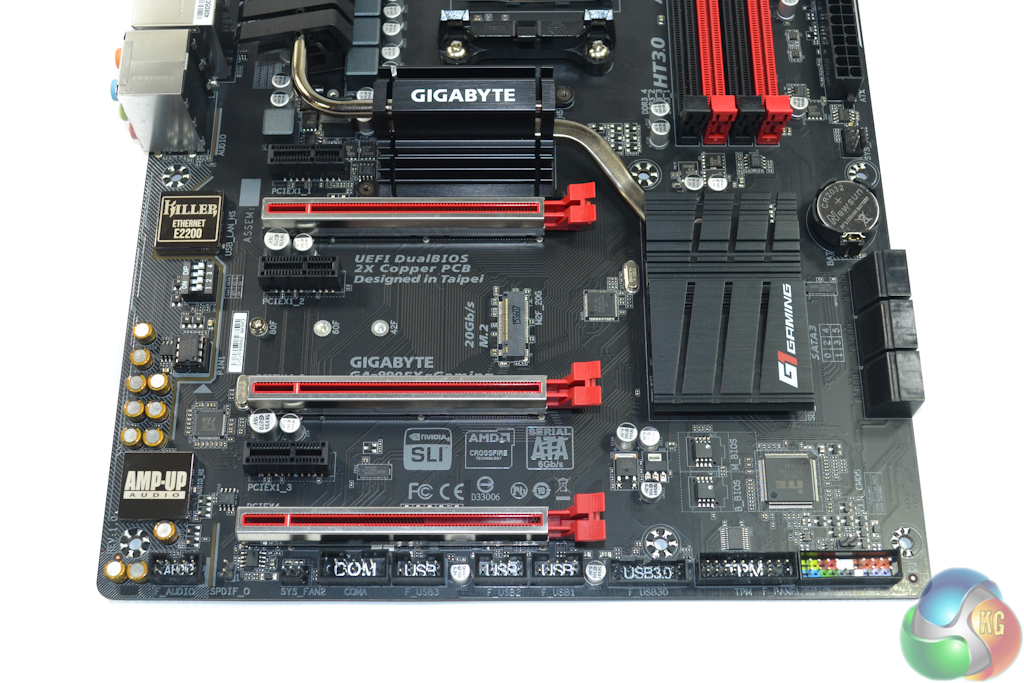
PCIe connectivity is a positive for the 990FX chipset. Gigabyte gives users support for 2-way SLI and CrossFire with both cards receiving a full 16 PCIe lanes, albeit at Gen 2 bandwidth (which is still generally fine for even the highest end GPUs).
That lowest full-length slot is wired for a 4-lane connection, and shouldn't be used for a third graphics card given its PCIe 2.0 bandwidth (unless you don't care for its performance). Bandwidth for the lowest slot is shared with the PCIe 2.0 x1 connector above it. With something installed in the x1 slot, the full-length connector will be limited to PCIe 2.0 x2 bandwidth. There are two further PCIe 2.0 x1 connectors that run without stealing lanes from elsewhere.
I have no complaints with Gigabyte's decision of only giving support for two high-bandwidth graphics cards, even when lane-splitting could have made four x8 PCIe links possible. If you're ever likely to be using 3-way CrossFire or SLI for gaming, you should really be investing in a higher performance CPU, such as those compatible with Intel's X99 platform.
Layout of the expansion slots is excellent. A user can install two dual-slot graphics card with a cooling gap between them. And there's still enough space and connectivity for a high-bandwidth expansion card in the bottom slot and something like a PCIe x1 WiFi card above the top GPU.
Swapping the (practically inaccessible) second PCIe x1 slot position with that of the M.2 connector would have made more sense. However, this may have also presented cooling concerns with an M.2 SSD for those using a blower exhaust graphics card.
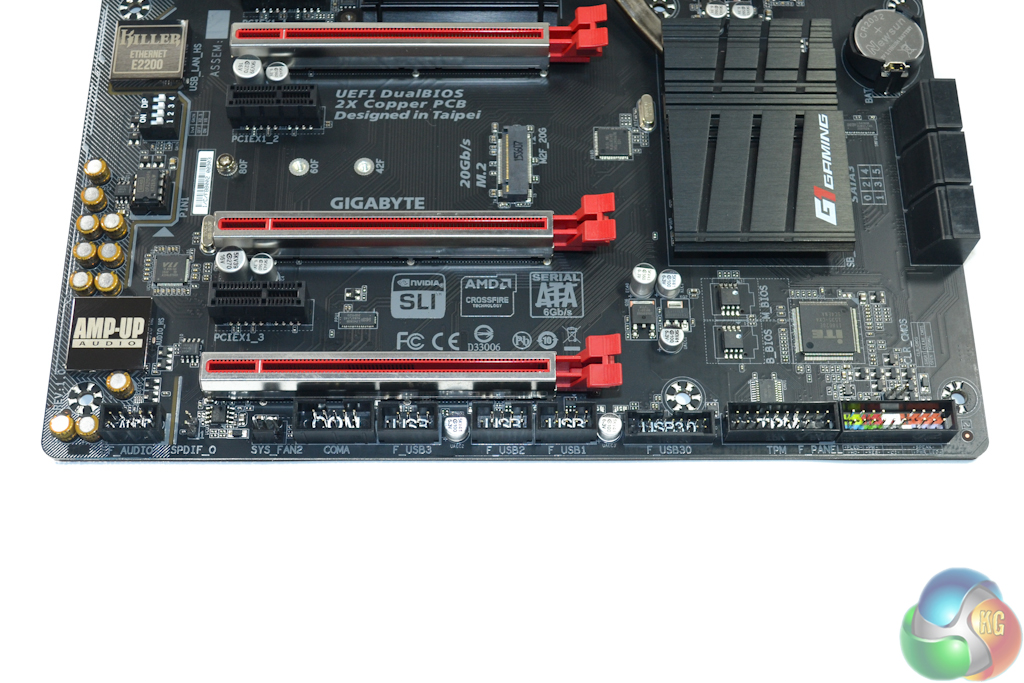
The lower IO ports are a standard affair – HD audio to the left and front panel headers to the right. Three USB 2.0 headers provide plenty of options for users with a host of peripherals.
The 2-port USB 3.0 header is powered by two of the four lanes provided by a VIA VL805 USB 3.0 add-on chipset. An add-on chipset is used because AMD's SB950 Southbridge does not provide native USB 3.0 support.
Gigabyte also adds COM and TPM headers for legacy operations. Dual BIOS chips provide redundancy in the event of a BIOS crash – this is one of Gigabyte's features that I love seeing.
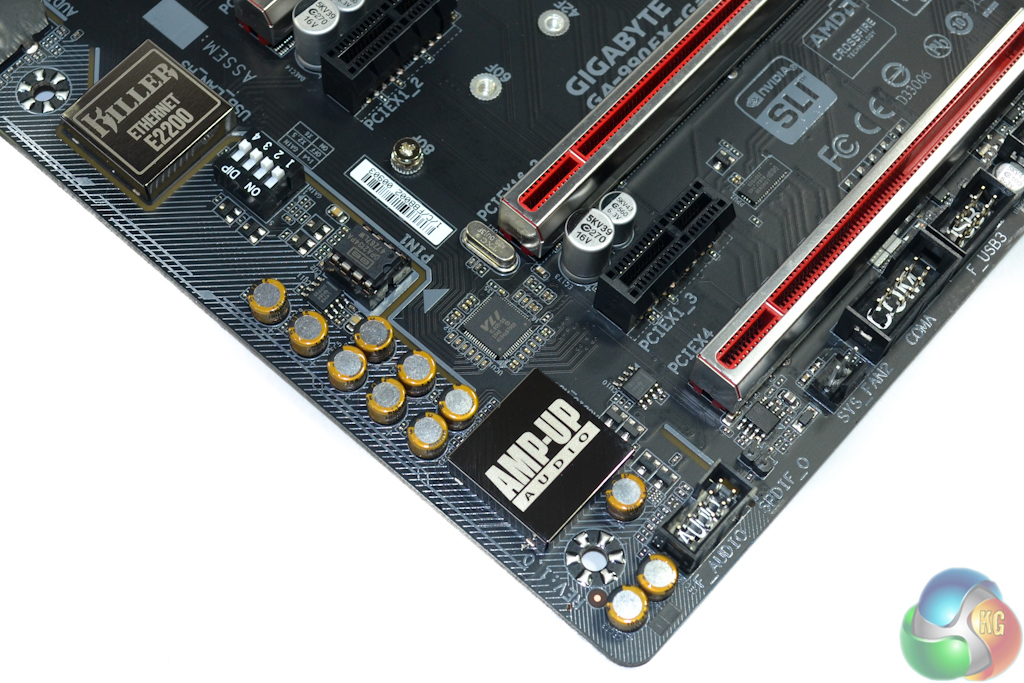
Gigabyte's AMP-UP audio system is based around the popular Realtek ALC1150 codec. The codec is shielded and signals travel along a dedicated path to reduce EMI. Nichicon audio capacitors form part of the system alongside Texas Instruments LM358 and LM393 components.
A socketed Texas Instruments Burr Brown OPA2134 operational-amplifier is supplied with the motherboard. This op-amp sells for around $30 on a popular auction site, so its inclusion is not to be overlooked. Gigabyte's socketed design means that audio aficionados can switch out the op-amp to suit their setup and listening preferences. Four dip-switches manage the op-amp's gain.

Peripherals can be connected via the rear IO's six USB 2.0 ports and single PS/2 connector. The yellow USB 2.0 ports indicate Gigabyte's USB DAC-UP functionality, which means that they receive a cleaner voltage signal in order to minimise interference with USB DACs and headsets.
Two blue-coloured USB 3.0 ports are provided by the remaining two lanes on the VIA VL805 add-on chipset. ASMedia's ASM1143 PCIe x2 controller is used to provide 10Gbps USB 3.1 Type-C and Type-A connectivity. Kudos to Gigabyte for including the new Type-C connector. Just don't expect full speed from both ports simultaneously; the ASMedia chipset's PCIe 2.0 x2 connection is limited to 8Gbps once the decoding overhead is accounted for.
Gigabit Ethernet is provided by a Killer E2200 series NIC. Despite the hate-it-or-love-it appeal to Killer's NICs, the network management software can be useful to gamers who don't have a high-end router with prioritisation support. Audio is delivered in the form of five 3.5mm jacks and optical SPDIF.
I would have liked to see a clear CMOS button on the rear IO, as this would have been especially convenient for overclocking users. Neither the AM3/AM3+ CPUs nor the 990FX chipset have graphics capabilities, hence the omission of any video connectors.
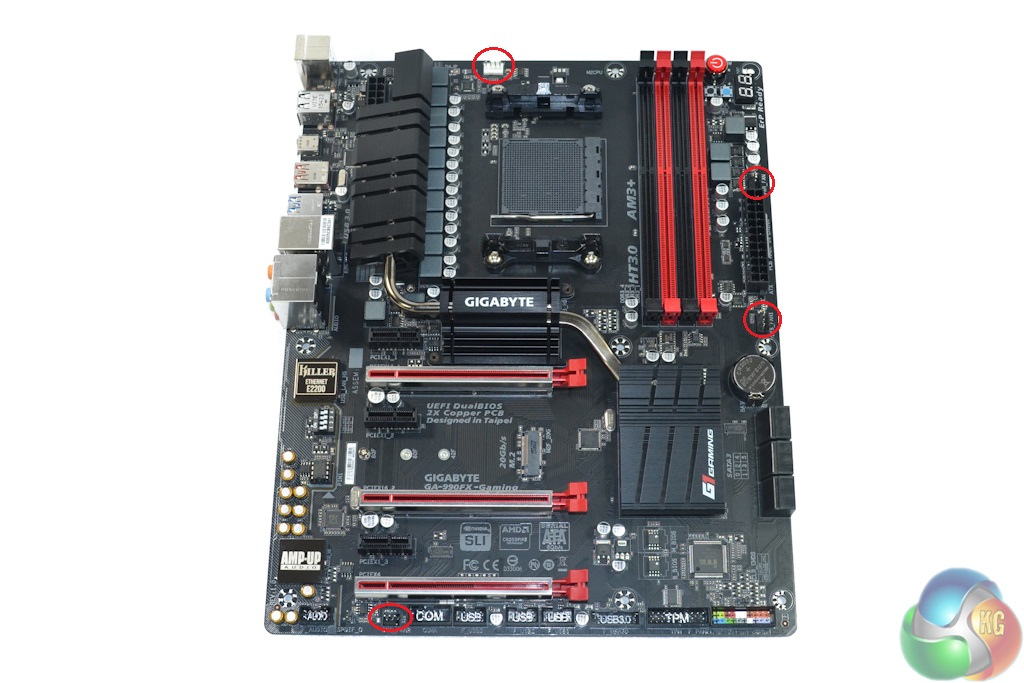
Four fan headers are distributed around the board, only two of which are 4-pin. Gigabyte allocates a single 4-pin fan header for the CPU, which is not good enough considering the cooling requirements for AMD's FX series CPUs. There are two more fan headers within reach of the CPU socket, but somebody with a dual-fan AIO water-cooling unit will have used all of the headers in the upper half of the motherboard before even moving onto case fans.
A total of four fan headers is not enough, especially when this board could happily house a 220W TDP CPU and two high-powered graphics cards, at which point case airflow becomes increasingly important.
Management of the fans and monitoring of system parameters is the task of an ITE IT8620E chipset. An ICS 9LPRS477DKL clock generator is also deployed on the motherboard.
A sturdy heatsink set is used to cool the MOSFETs, 990FX Northbridge, and SB950 Southbridge. With the 990FX chipset alone being rated for a TDP of almost 20W, it comes as no surprise that Gigabyte has taken cooling so seriously. The metal heatsinks were hot to touch when the board was loaded, which indicates that they are indeed effectively removing heat.
Gigabyte 990FX-Gaming UEFI
Firstly, we are pleased to report that our generic wireless mouse worked correctly in the Gigabyte 990FX-Gaming UEFI. We’ve found the mouse to be challenging with UEFI support, so when it functions correctly in the interface, that is usually a good sign for overall mouse support.
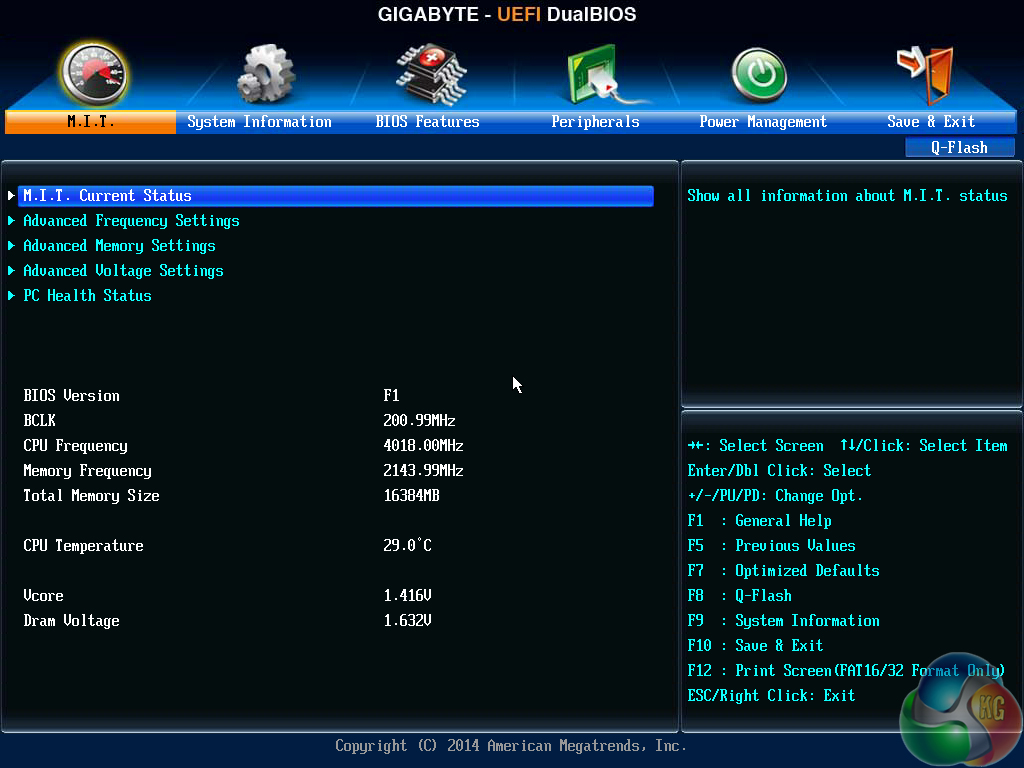
Upon entering Gigabyte's UEFI DualBIOS, the navigation section of the M.I.T page is opened. This page displays the primary system information, such as CPU and memory speeds, as well as voltages.
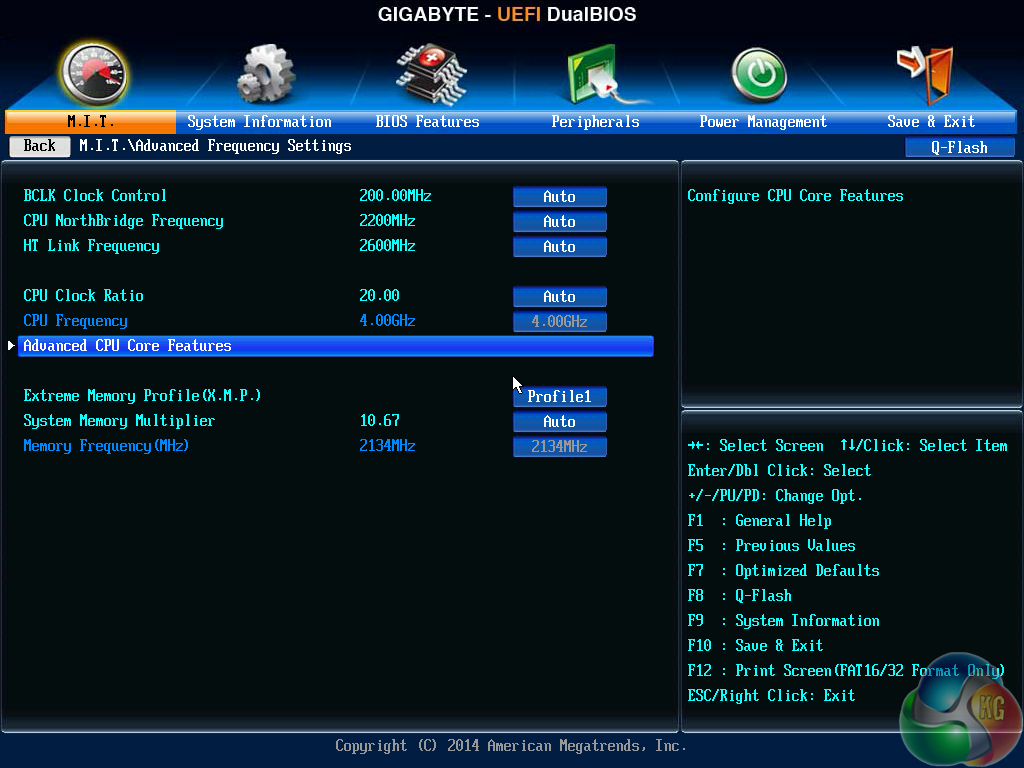
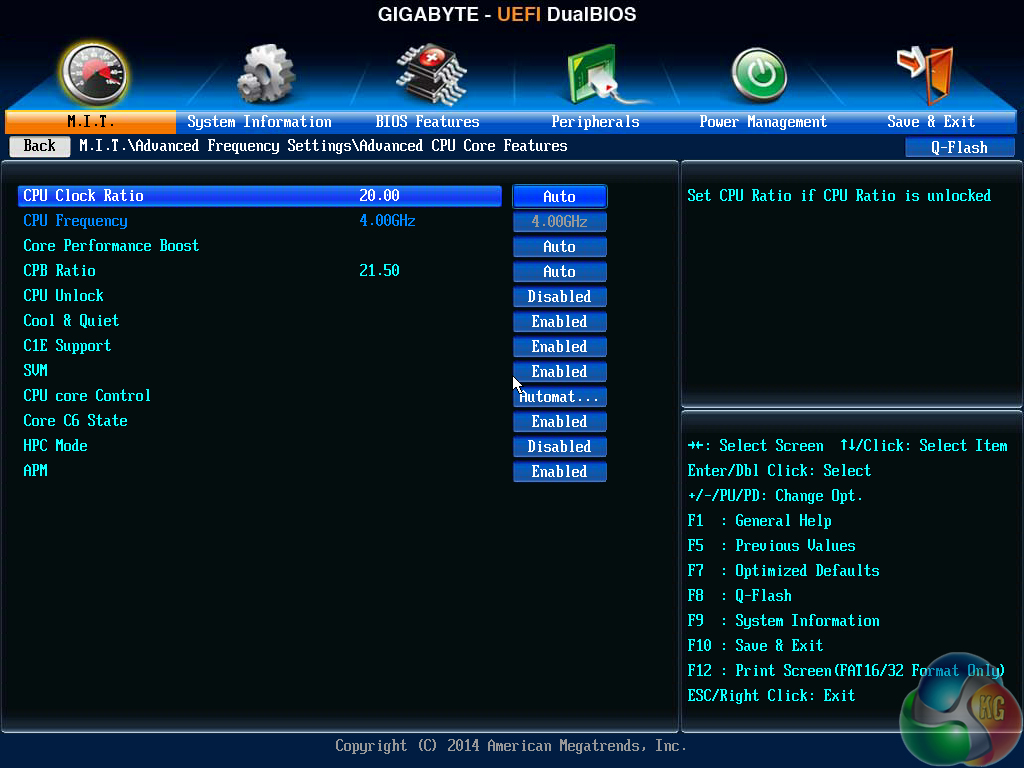
The Advanced Frequency Settings page provides access to system operations relating to the CPU and linked frequencies. Numbers for parameters such as the CPU clock ratio can be manually input using a keyboard.
Despite the Core Performance Boost (CPB) setting applying a ratio of 21.5x in the UEFI, the chip usually sat at 20.5x in the OS.
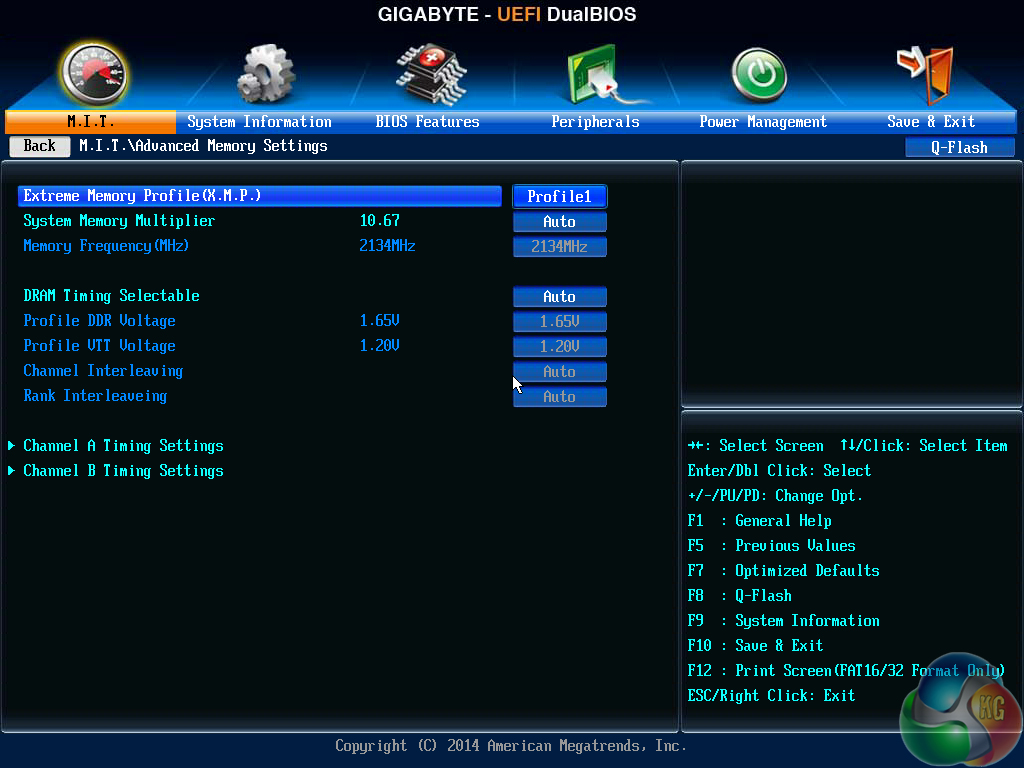
Memory settings can be tweaked in the dedicated page. XMP is supported, but the motherboard only features a maximum memory multiplier of 10.67x, which translates into 2133MHz using the default 200MHz Bus Speed.
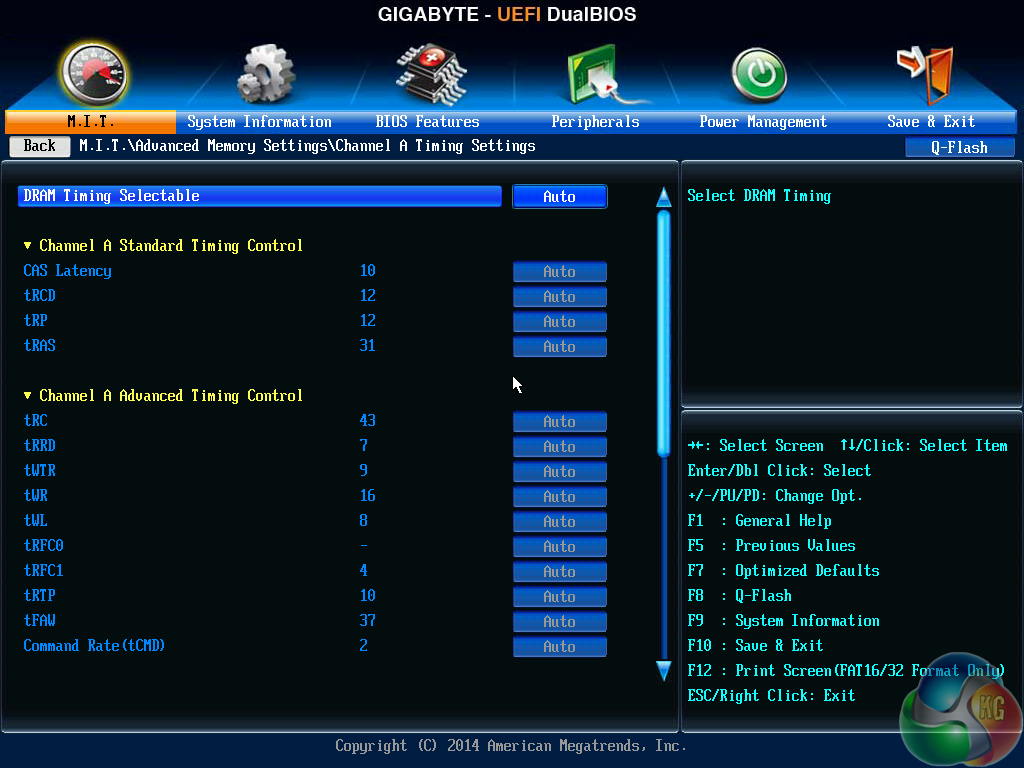
A separate sub-section allows users to adjust memory timings.
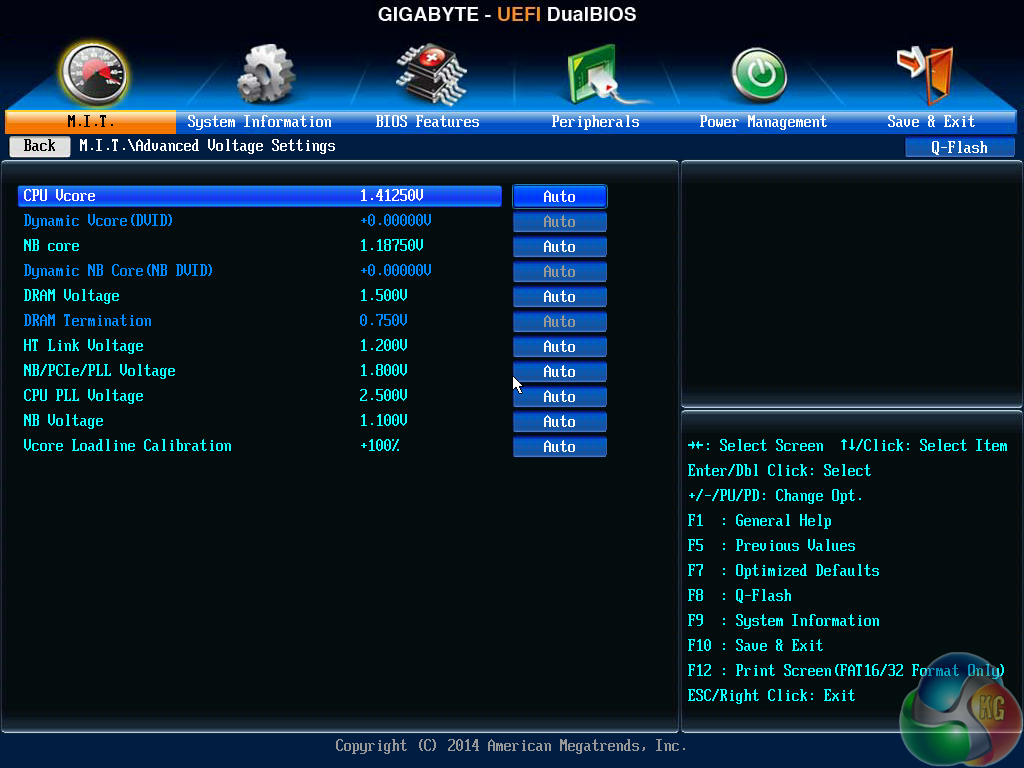
The Advanced Voltage Settings section is where all of the primary voltages can be adjusted. Voltages should be manually entered using the keyboard. There is also opportunity to use dynamic voltages and multiple loadline calibration (LLC) settings.
I would have liked to see Gigabyte include some form of colour warning system that shows whether the selected voltages are low, moderate, or high.
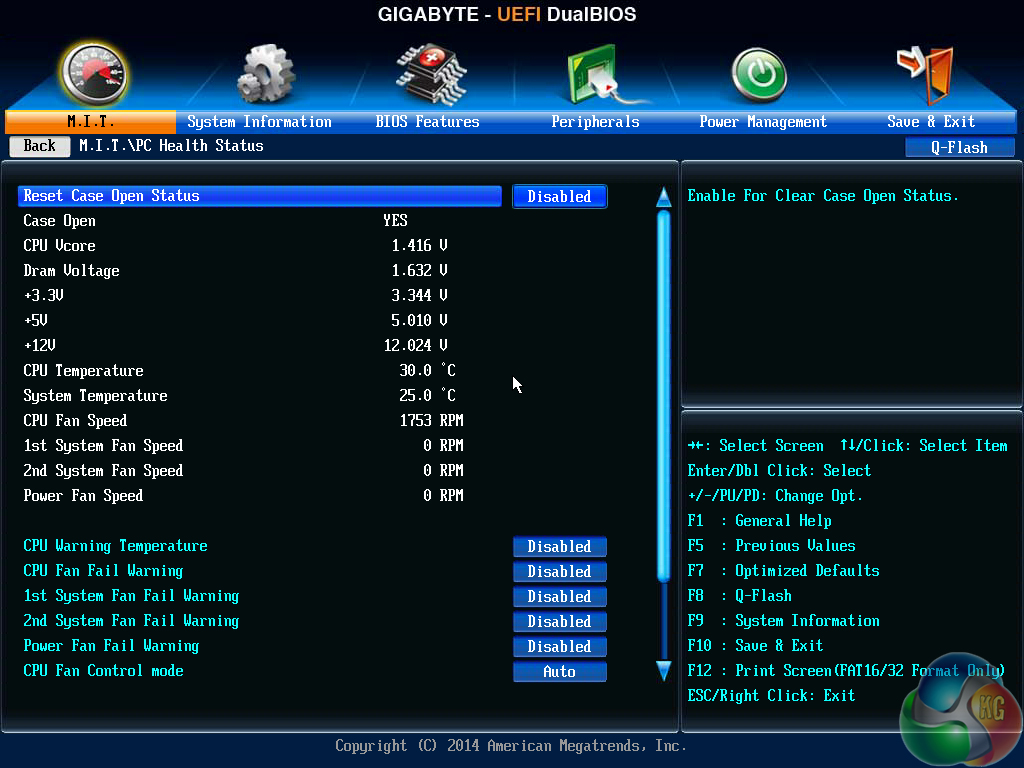
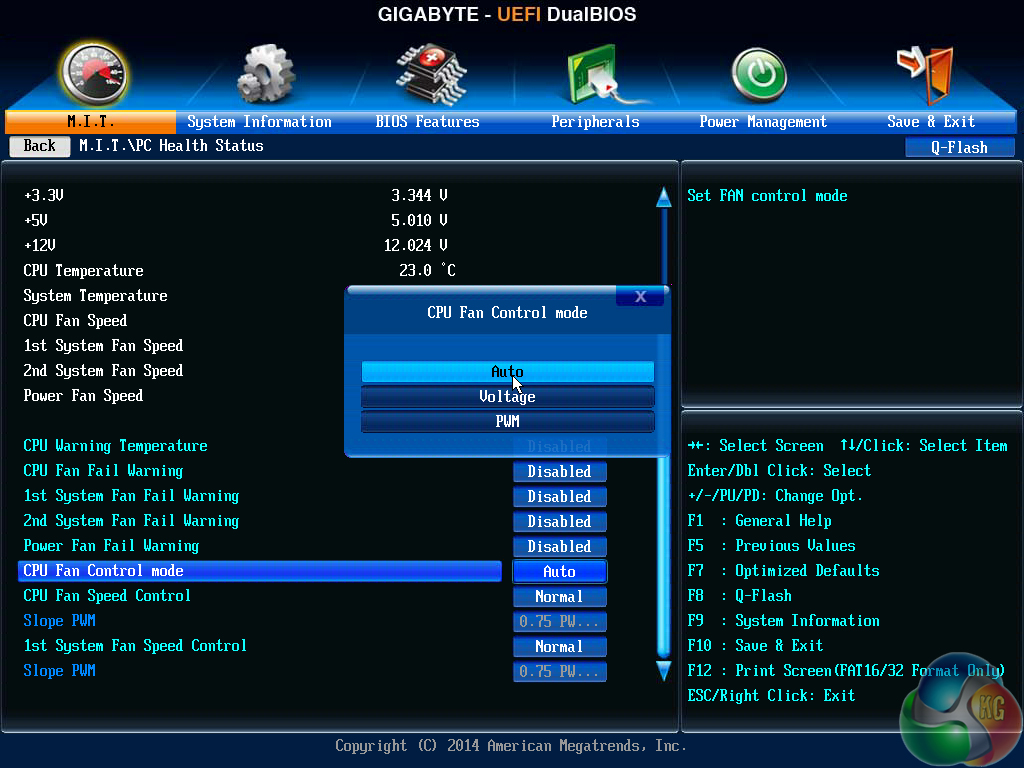
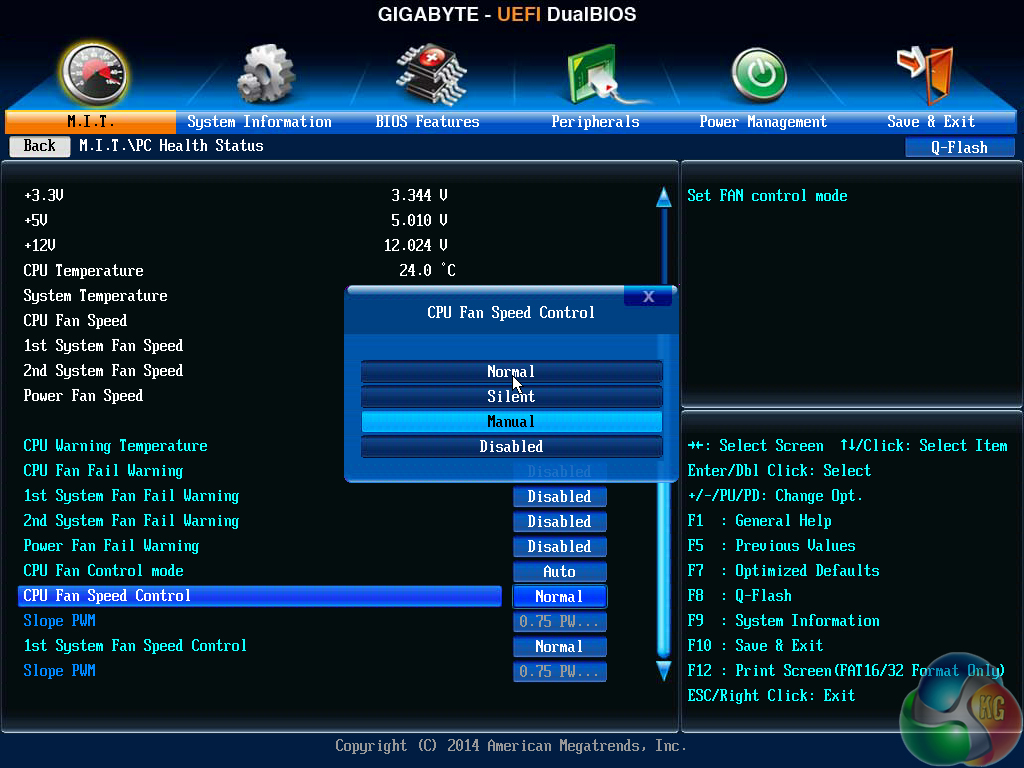
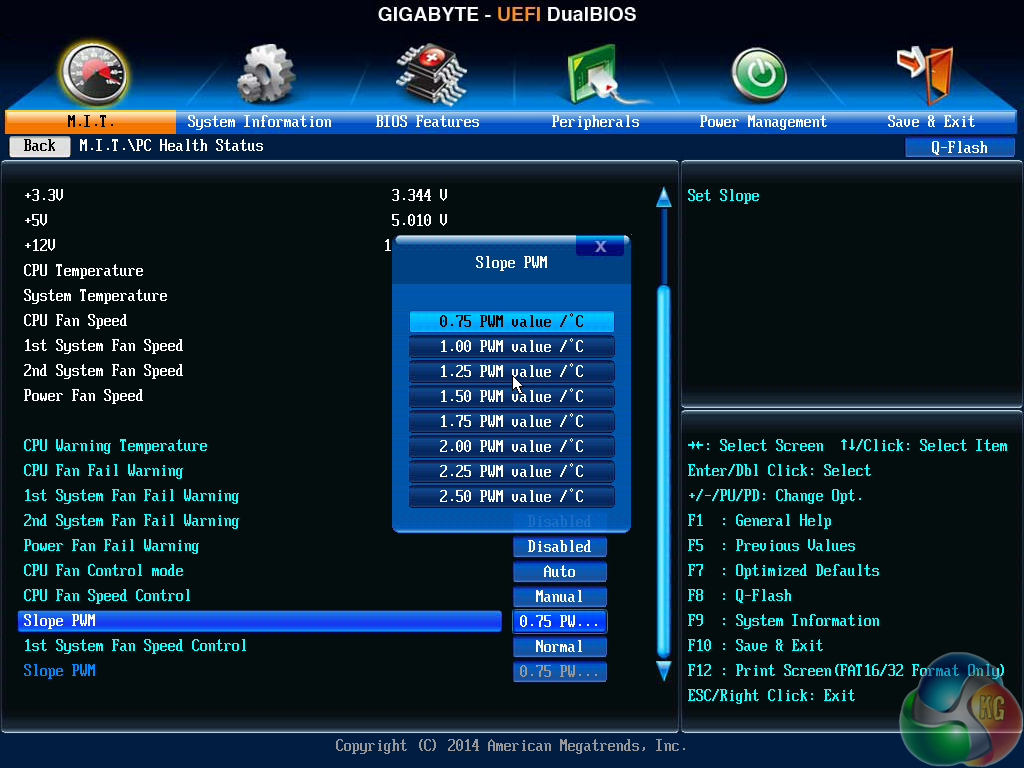
PC Health Status displays information relating to voltages, temperatures, and fan speeds. Three control methods can be applied to the single 4-pin header. There is also the option to control the speed of the CPU fan and (only) one of the three system fans, however the options are poor and the unit of speed change is very unclear.
A graphical solution in the UEFI would be preferable.
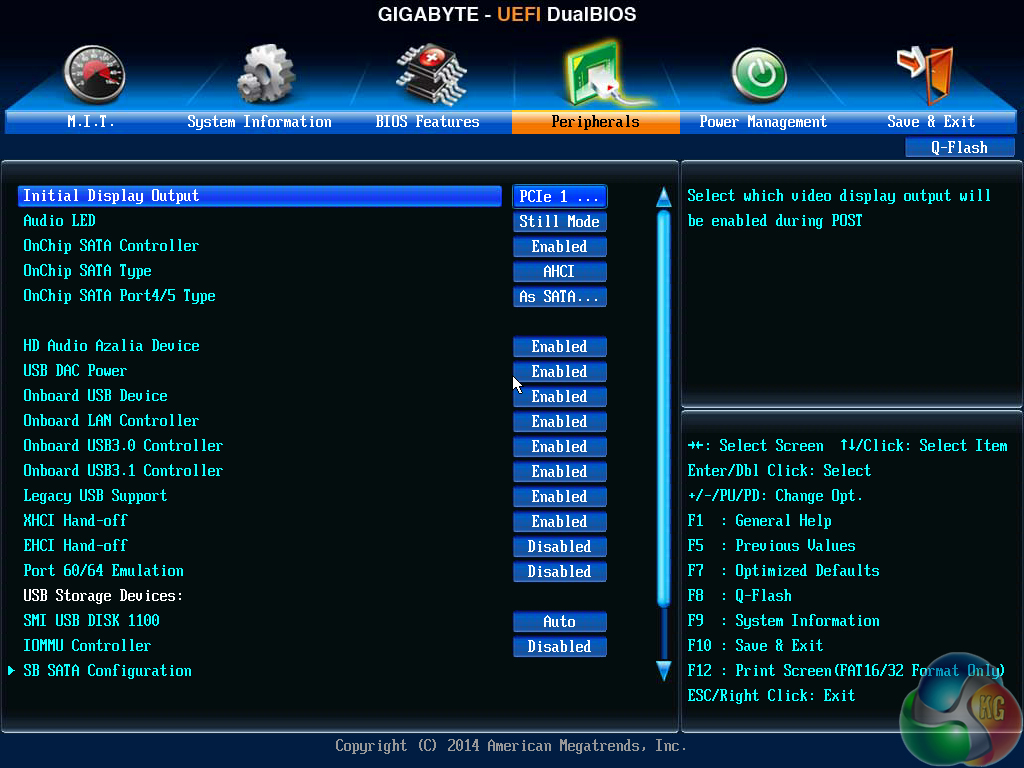
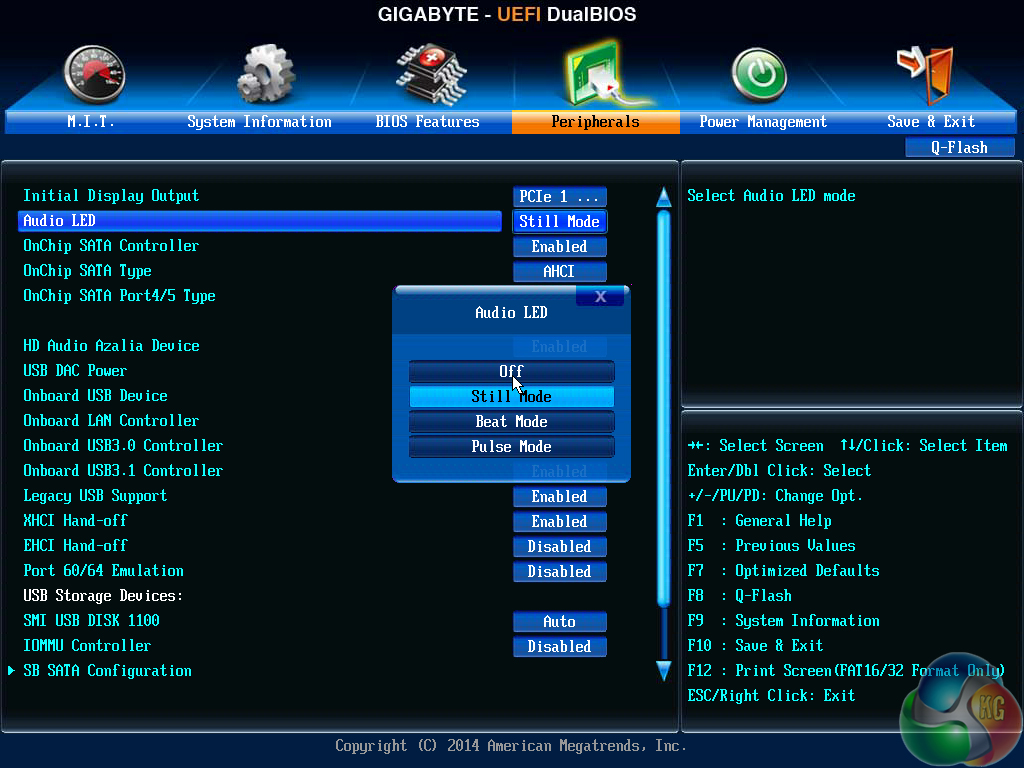
There is plenty of control for motherboard peripherals, as well as device pass-through using IOMMU. The red LED running through the audio trace can be set to operate with different modes or disabled completely.
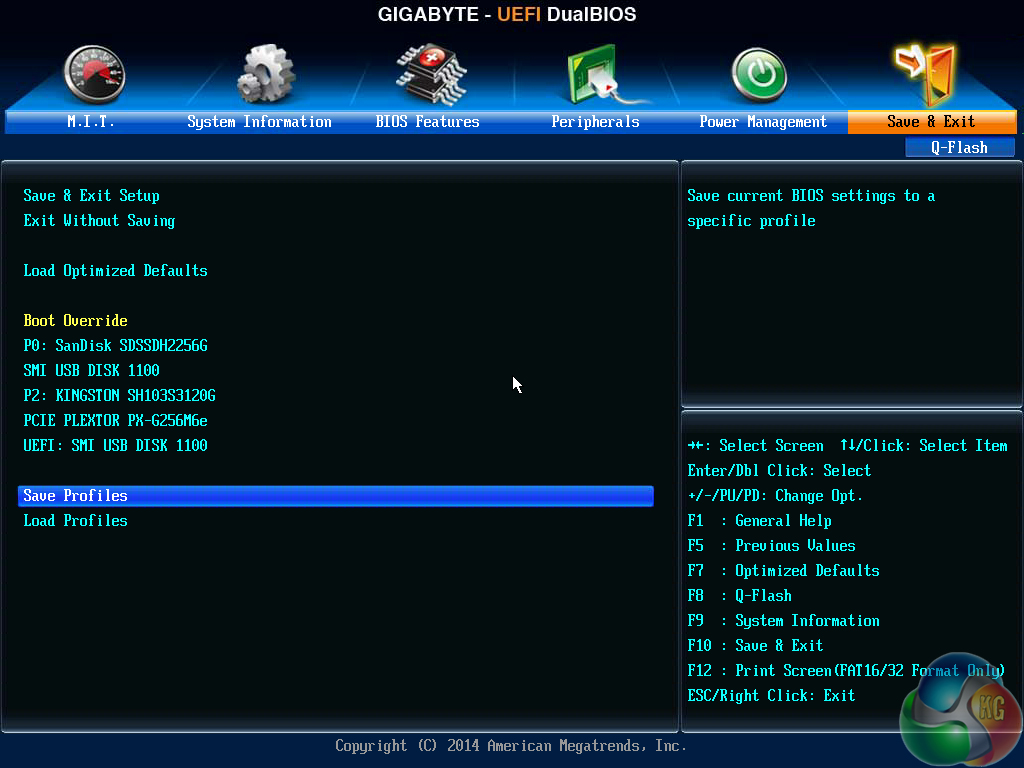
Boot Override is found in the Save & Exit section of Gigabyte's UEFI. BIOS configuration profiles are also saved and loaded in the same section (despite its positioning making little sense). Up to 8 UEFI profiles can be saved and loaded, and users are free to transfer additional profiles via USB stick.
While Gigabyte's UEFI DualBIOS implementation is perfectly functional, its appearance is lacklustre and old, while the fan control options leave a lot to be desired.
With that said, I do like the way that Gigabyte segregates parameters relating to the CPU, memory, and voltages. This helps to keep overclocking straightforward without flooding a user with information and available parameters on a never-ending page.
Software
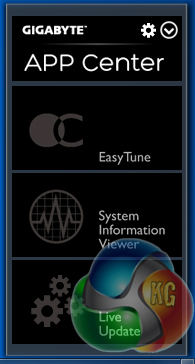
Gigabyte's OS-based software can be launched through the APP Center tool that sits in the system tray.
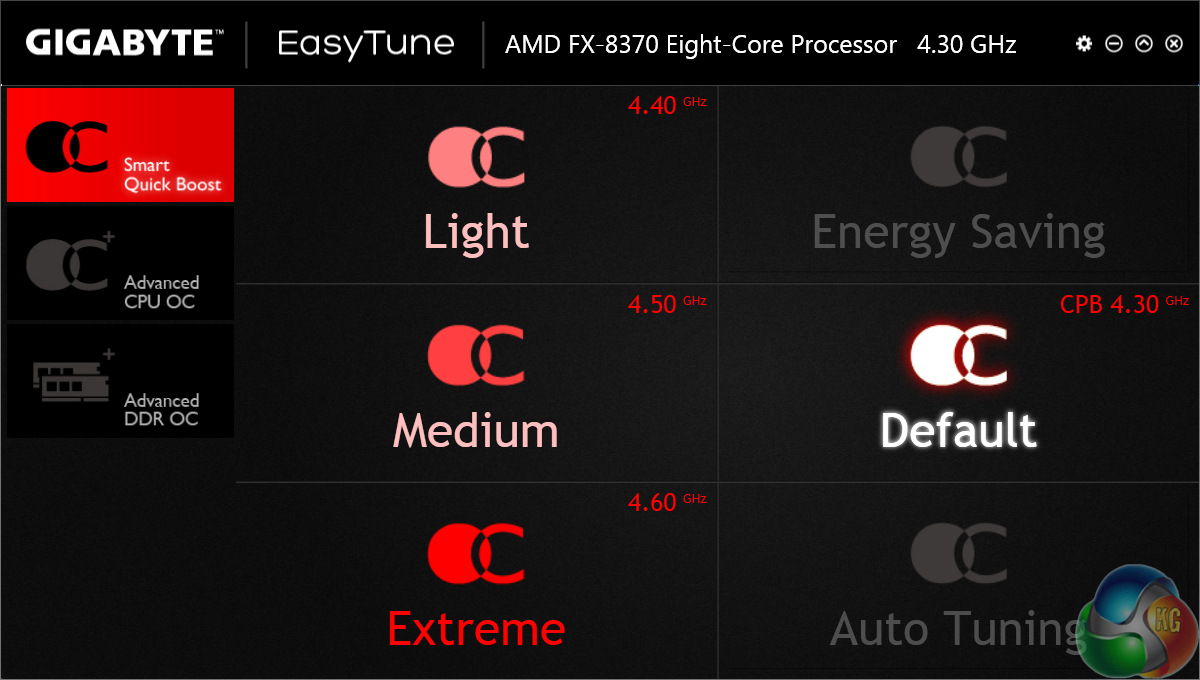
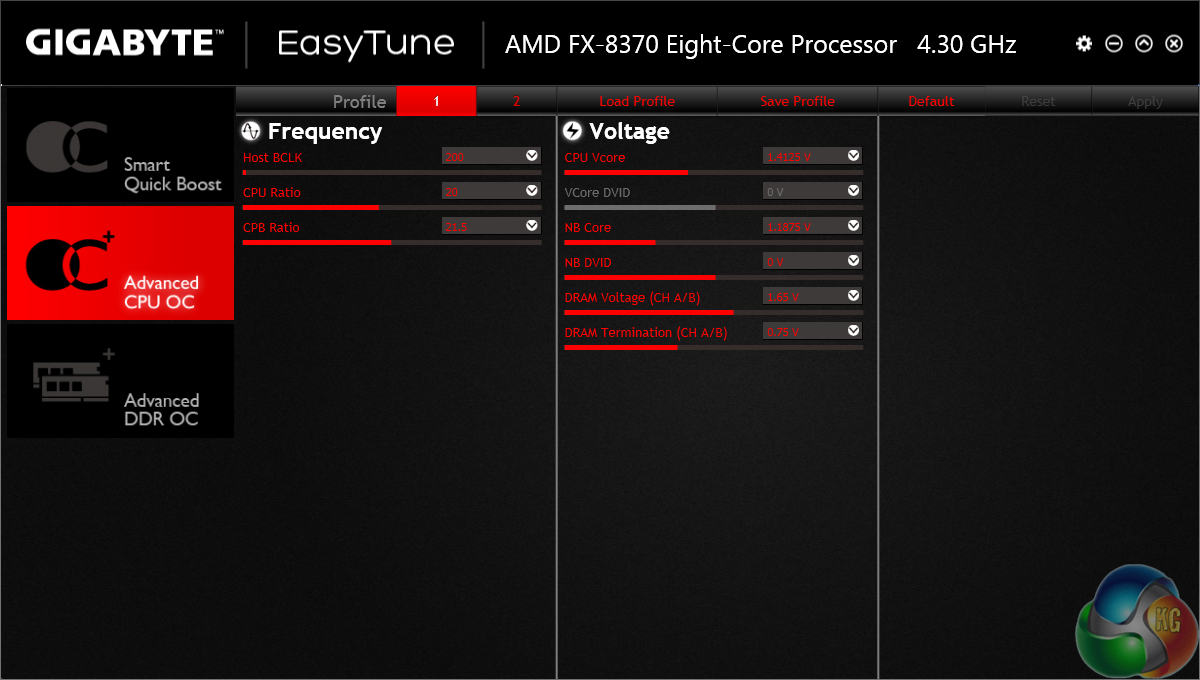
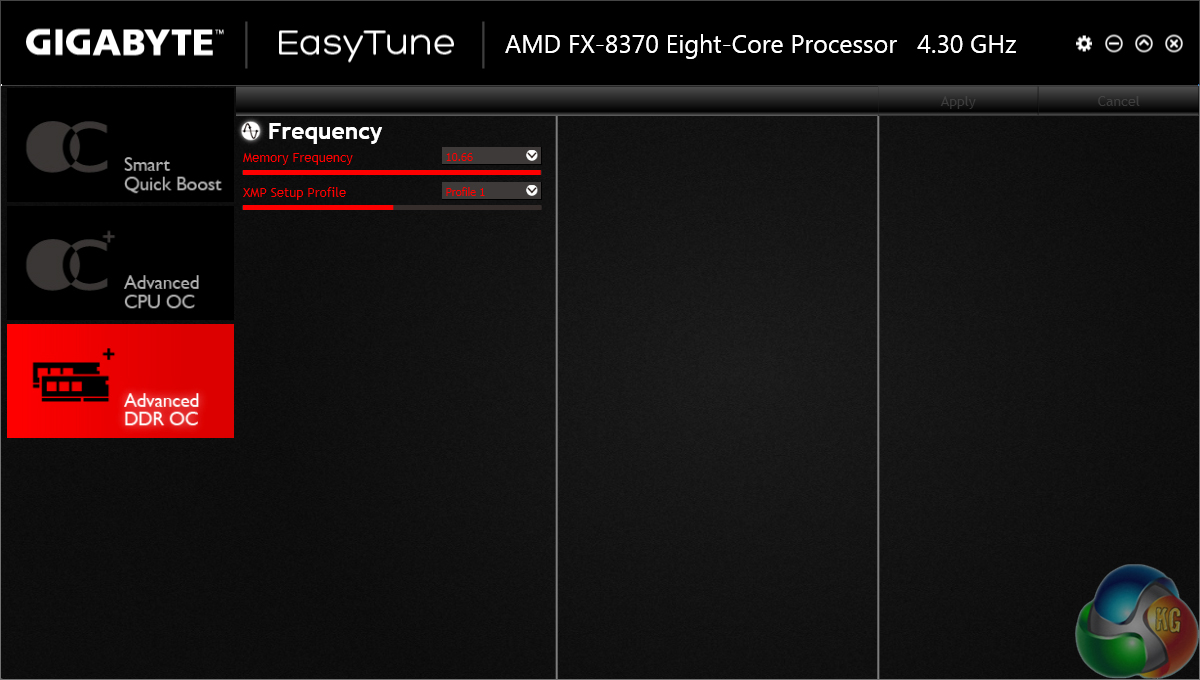
EasyTune can be used to manage system parameters, such as voltage and clock speed adjustments, as well as application of overclocking presets.
Unfortunately, we didn't have any luck with the overclocking presets – they didn't seem to work properly for our test system and the lucrative Auto Tuning option was unavailable.
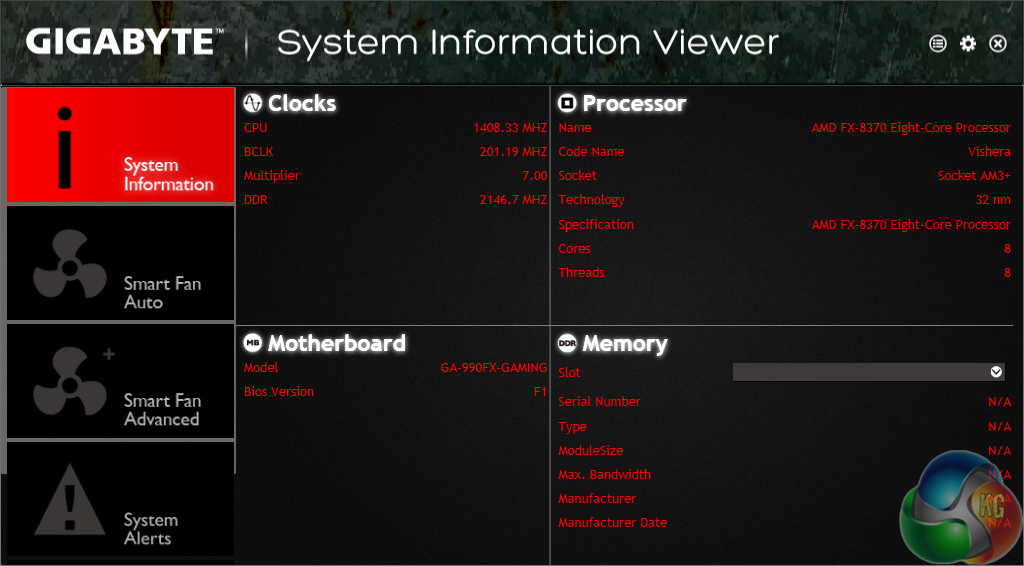
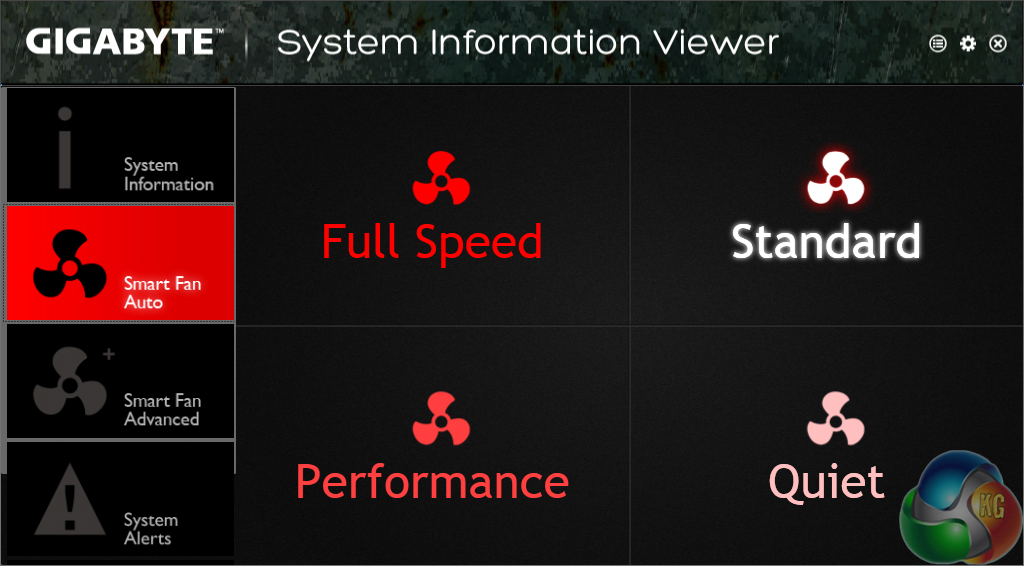
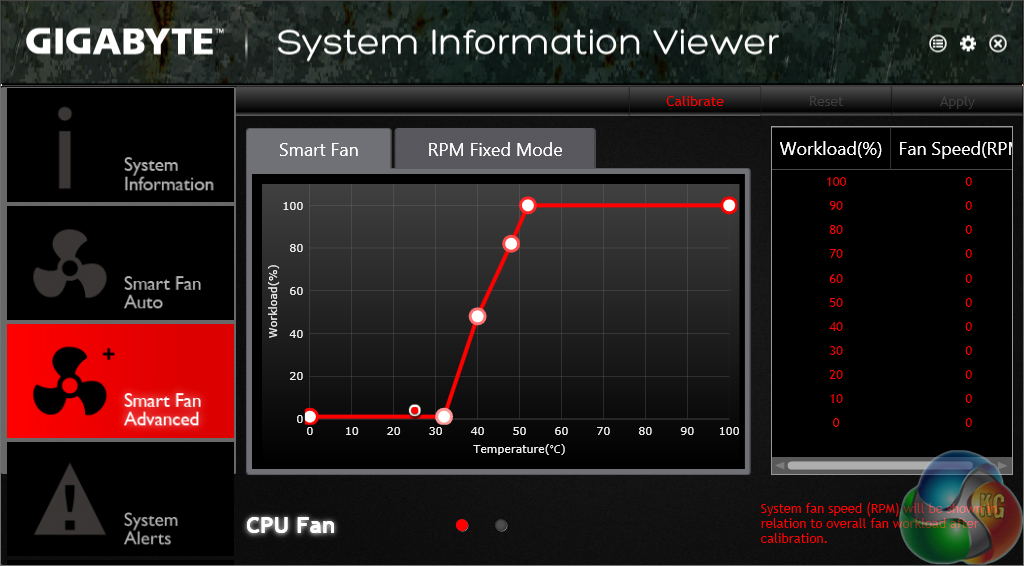
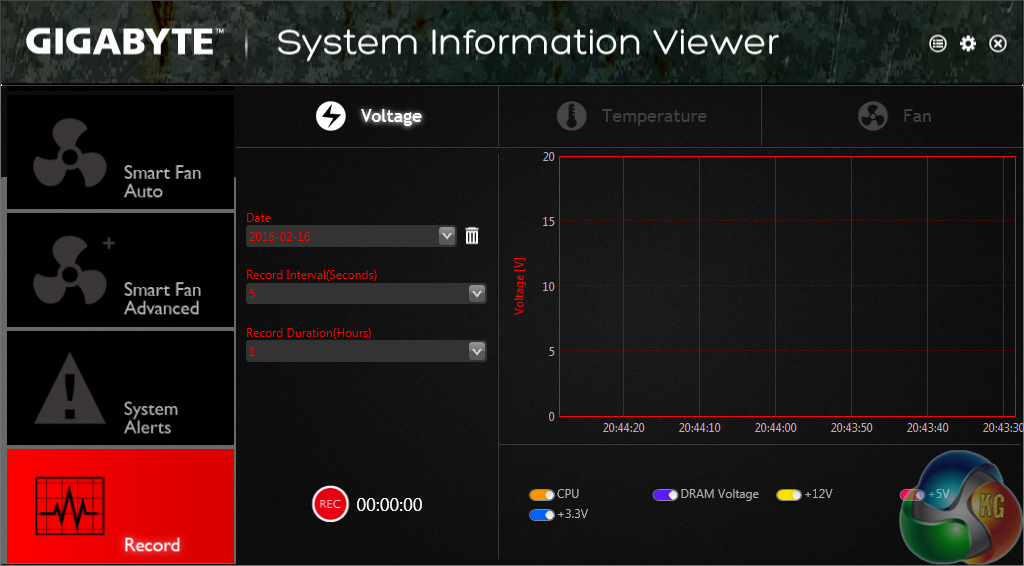
System Information Viewer (SIV) displays information relating to the system, such as voltages and temperatures. The fan control options built into SIV are good, especially when the user-definable fan speed curve page is explored. There are also options for recording system operating statistics.
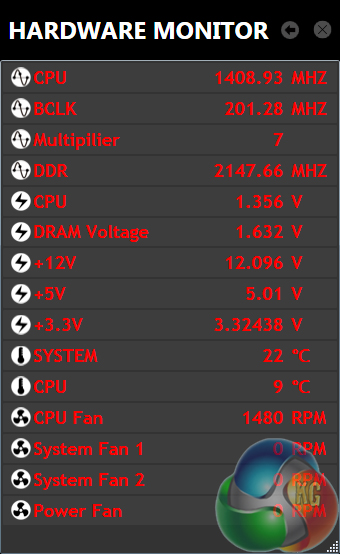
Hardware Monitor is a break-out section of SIV that displays information relating to the key system parameters in a convenient form factor.
Gigabyte's supplied software is OK, but it's nothing out of the ordinary. The standard affair of monitoring is found alongside some overclocking presets and fan control methods. Gigabyte also has the Cloud Station tool which aids multi-device accessibility.
However, software tools offered by competing vendors, such as a RAMDisk creation method and Go2BIOS button, are missing.
Automatic CPU Overclocking:
Gigabyte does not provide any automated or built-in overclocking profiles in the UEFI for the 990FX-Gaming motherboard. Overclocking presets are available using Gigabyte's EasyTune software, but these didn't work very well during our testing, and they rely upon the software being installed (which many users will hate). The Auto Tuning option was completely blanked out in the EasyTune software on our test system.
Given the target audience consisting of gamers who are likely to have a solid understanding of the hardware, this doesn't strike me as a major concern.
Manual CPU Overclocking:
Overclocking with AMD’s unlocked FX 8370 processor using the Gigabyte 990FX-Gaming motherboard was generally straightforward. We spent a significant amount of time testing various primary and secondary frequencies, multiplier ratios, voltages, LLC settings, and power states. All of those features were in sensible sections of the UEFI.
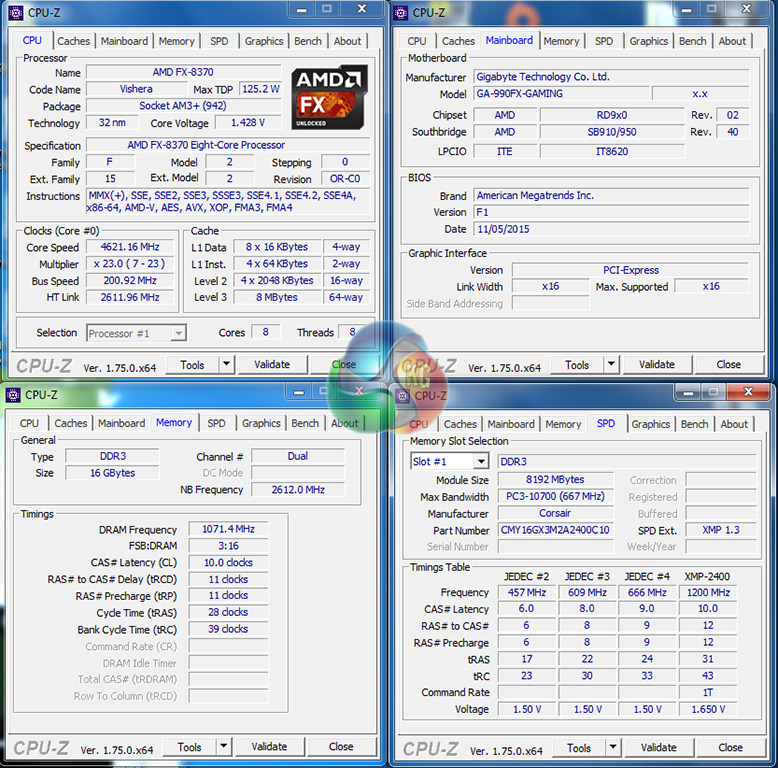
The best balance for our CPU overclock was a 4.6GHz CPU frequency (23x200MHz) and 1.425V core voltage with Medium LLC. We also applied a 2.6GHz NB frequency with 1.30V NB voltage. Power features such as C1E, C6, and Cool & Quiet were disabled. Memory speed was maintained at 2133MHz.
Medium LLC applied a voltage drop of around 9-21mV when the CPU was under heavy load. We accounted for this in the voltage level that we keyed into the UEFI. The accuracy on Gigabyte's Bus Speed is not very good; the board applies 200.92MHz, instead of a flat 200.00MHz, which results in a CPU speed overshoot of 21MHz and also changes the RAM clock.
We were able to push to 4.7GHz using 1.45V, however this was too much of a thermal load for the AMD Wraith CPU cooler that we tested with. We are, however, confident that higher voltages levels will be stable on the Gigabyte motherboard if your cooling solution can provide adequate performance.
We will be outlining the Gigabyte 990FX-Gaming motherboard's performance with an AMD FX 8370 CPU, 16GB of DDR3 memory, and a GTX 980 Ti graphics card.
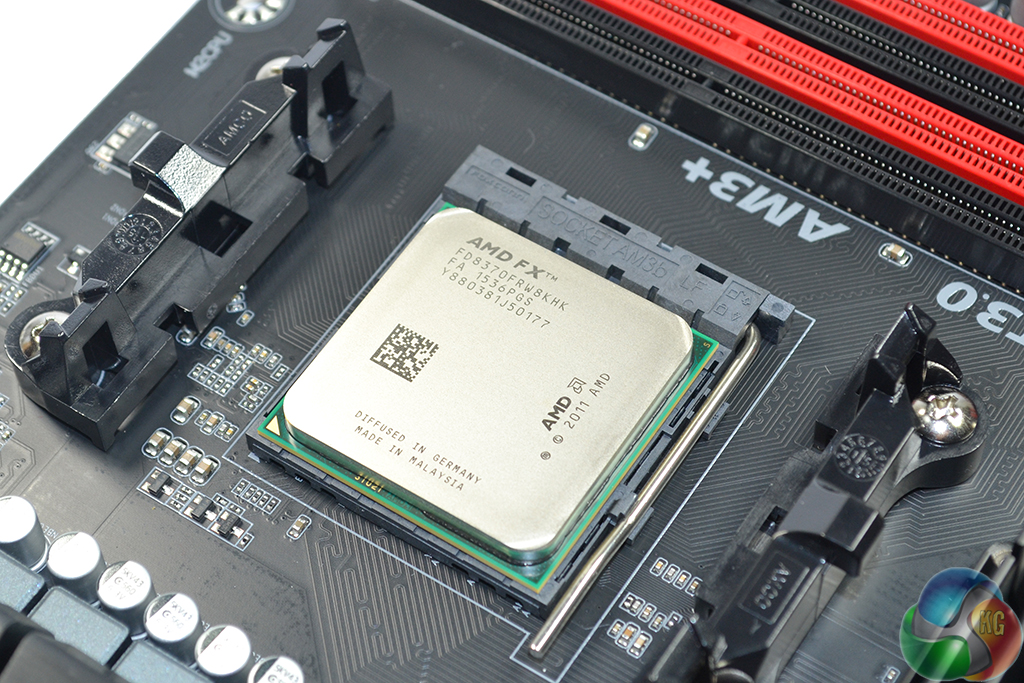
Unfortunately we do not have access to comparison data from other AM3+ motherboards. As such, we will highlight the performance gains available by using the Gigabyte 990FX-Gaming motherboard to overclock the FX 8370 CPU.
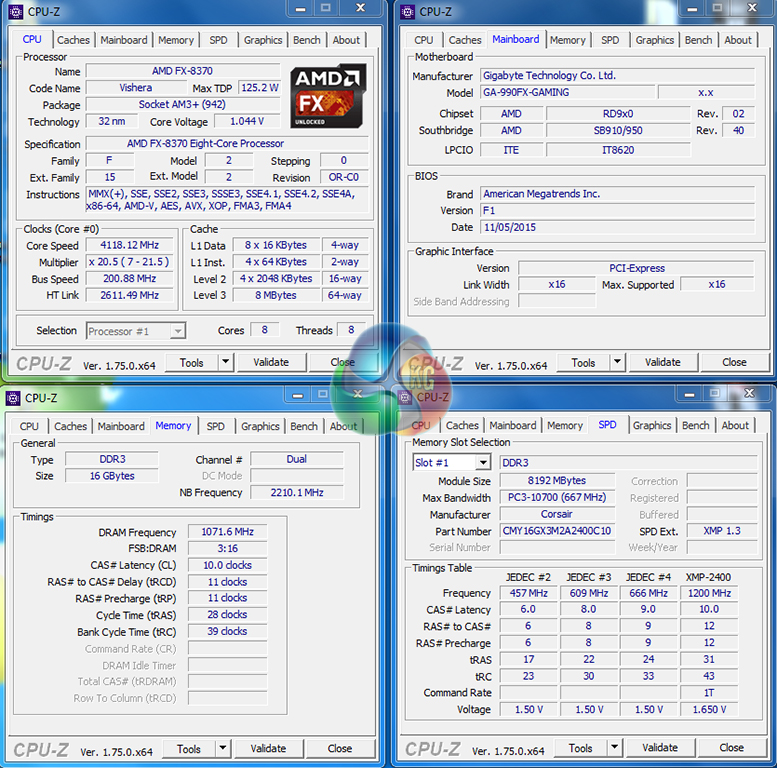
Despite the FX 8370 supporting a maximum Turbo Clock speed of 4.3GHz, Gigabyte's motherboard kept the chip at 4.1GHz using a 20.5x multiplier. This is likely to be a bug related to the motherboard's early BIOS revision, and will have an impact on performance.
The 2400MHz memory profile was loaded from our Corsair Vengeance Pro DDR3, however the board automatically set the kit to 2133MHz instead due to its 10.67x maximum memory multiplier.
AM3+ Motherboard Test System:
| CPU |
AMD FX 8370 ‘Vishera'
(Retail) 8 cores, 8 threads |
| Base Speed |
4.0GHz
|
| Max Turbo Speed |
4.3GHz (limited to 4.1GHz)
|
| Motherboard |
Gigabyte 990FX-Gaming
BIOS: F1 (AM3+, 990FX) |
| Memory |
Corsair Vengeance Pro
16GB (2x8GB) @ 2133MHz 10-11-11 DDR3 @ 1.65V |
| Overclock |
4.62GHz CPU @ 1.425V (Medium LLC)
2.6GHz NB @ 1.30V 2133MHz CL10 DDR3 |
| Graphics Card |
Nvidia GTX 980 Ti 6GB
(GeForce 361.75 drivers) |
| System Drive |
SanDisk Ultra Plus 256GB SATA SSD
|
| Games Drive | Samsung 850 EVO 500GB SATA 6Gbps SSD |
| CPU Cooler |
AMD Wraith
|
| Power Supply |
Seasonic SS-760XP 760W Platinum
|
| Operating System |
Windows 7 Professional with SP1 (64-bit)
|
Tests:
- Cinebench R15 – All-core CPU benchmark (System)
- HandBrake 0.10.2 – Convert 1.23GB 1080P game recording using the High Profile setting and MP4 container (System)
- 7-Zip 15.05 beta – Manual video archival (System)
- 3DMark 1.5.915 – Fire Strike Ultra (Gaming)
- Grand Theft Auto V – 1920 x 1080, near-maximum quality (Gaming)
- Middle Earth: Shadow of Mordor – 1920 x 1080, ultra quality (Gaming)
- ATTO – SATA 6Gbps, M.2, and USB 3.0 transfer rates (Motherboard)
- RightMark Audio Analyzer – General audio performance test (Motherboard)
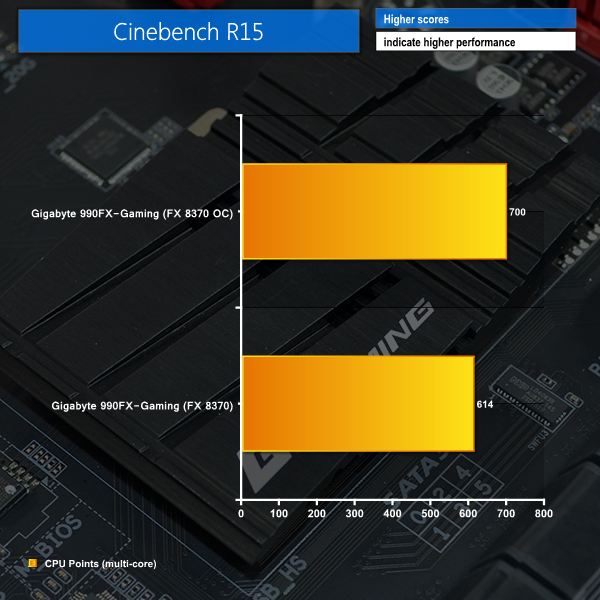
Cinebench
We used the ‘CPU’ test built into Cinebench R15 .
Handbrake Conversion
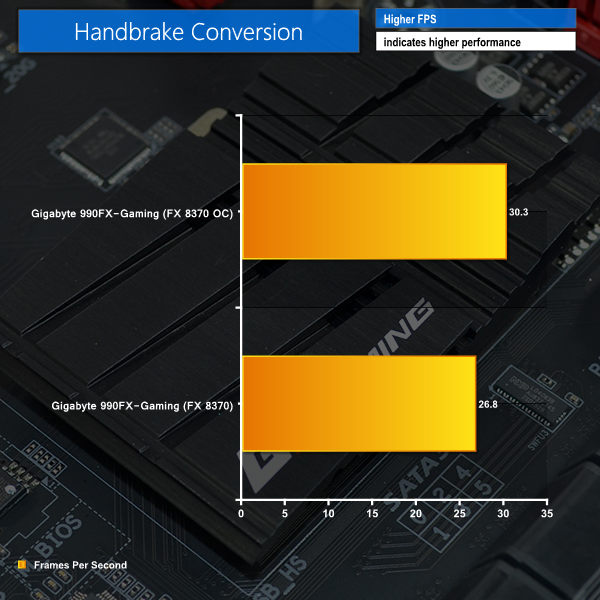
We measured the average frame rate achieved for a task of converting a 1.23GB 1080P game recording using the High Profile setting and MP4 container.
7-Zip
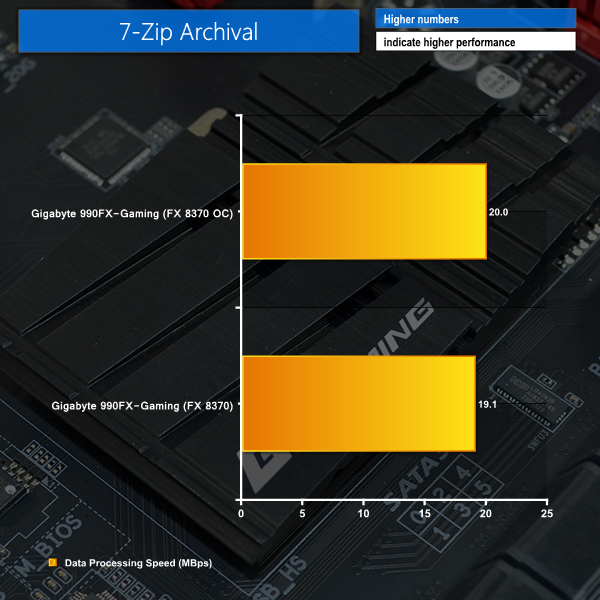
We manually archive a 1.23GB MP4 game recording to test the performance in 7-Zip.
Cinebench and Handbrake show good gains from overclocking the system using Gigabyte's motherboard. Their media-related workloads can help to boost productivity when healthy CPU and CPU NB clock increases are applied.
File archival in 7-Zip also completes a little quicker when Gigabyte's board is overclocked. However, the difference is not overly significant.
3DMark
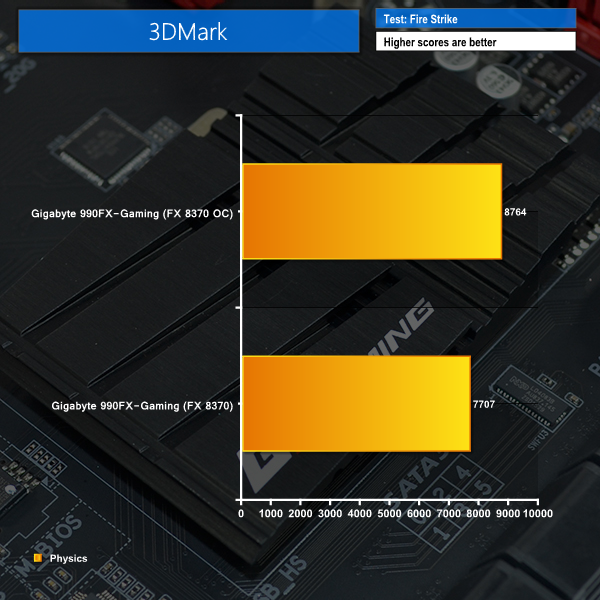
We used 3DMark‘s ‘Fire Strike’ benchmark which is designed to be used on gaming PCs.
Grand Theft Auto V
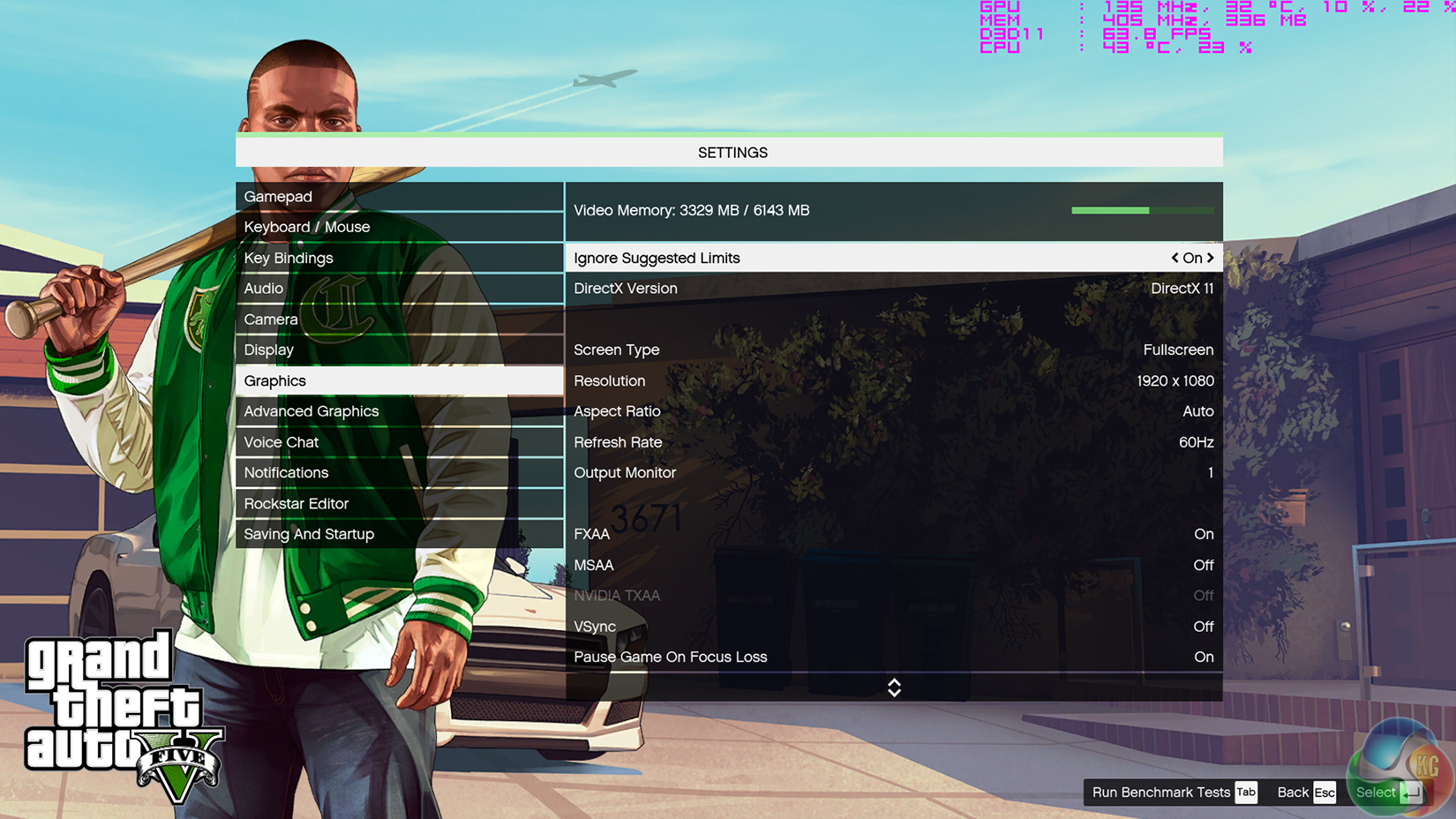
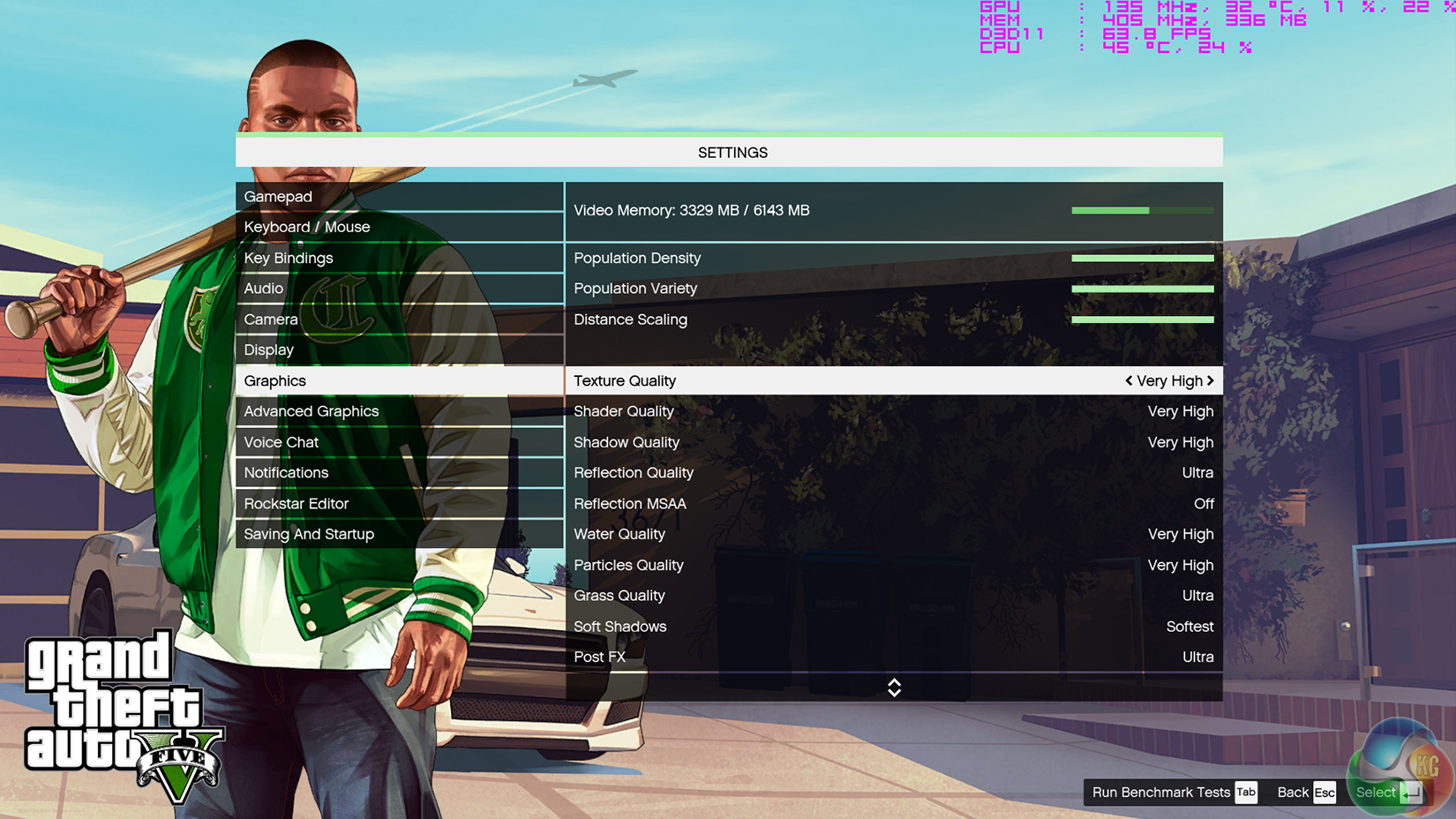
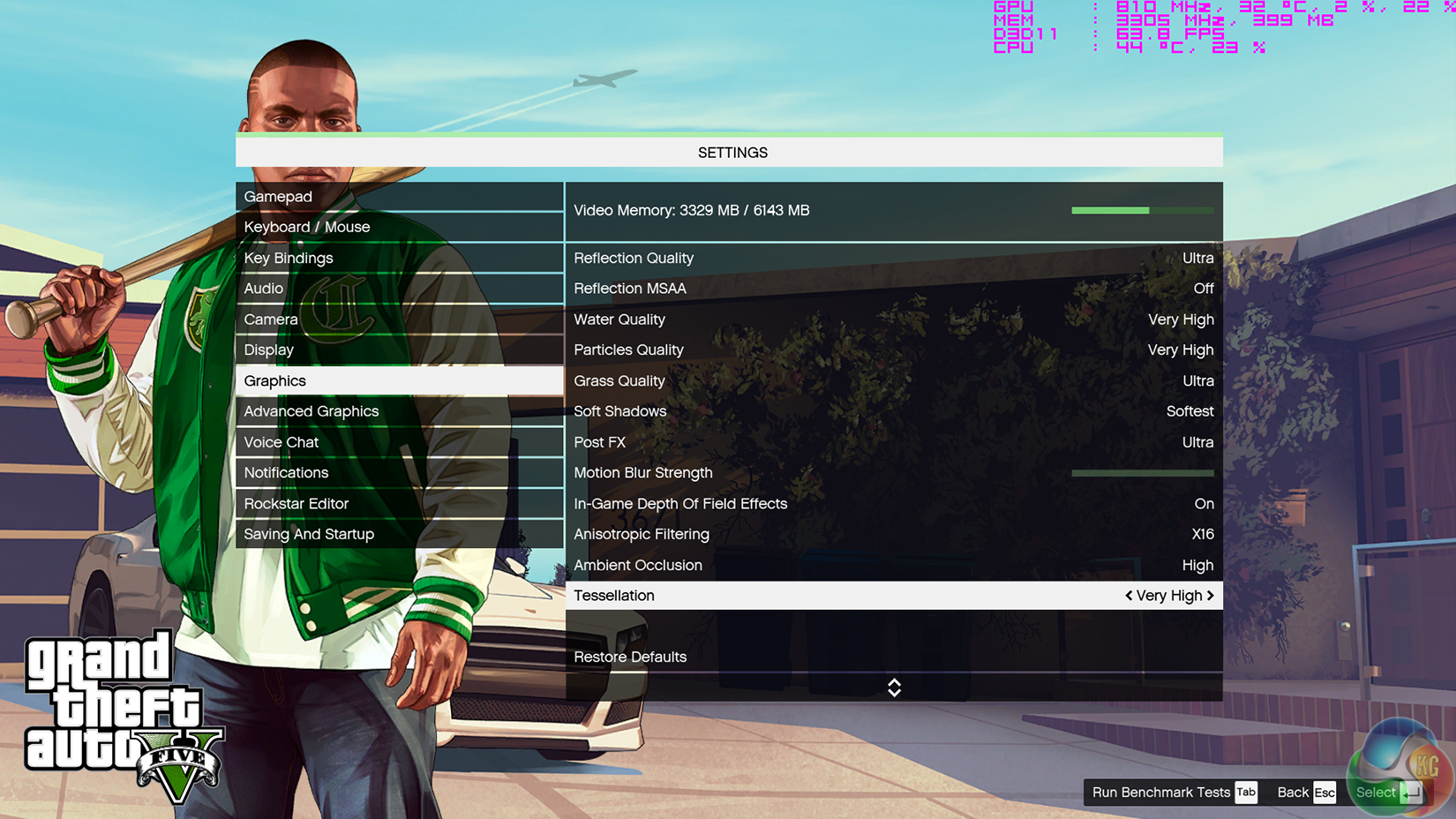
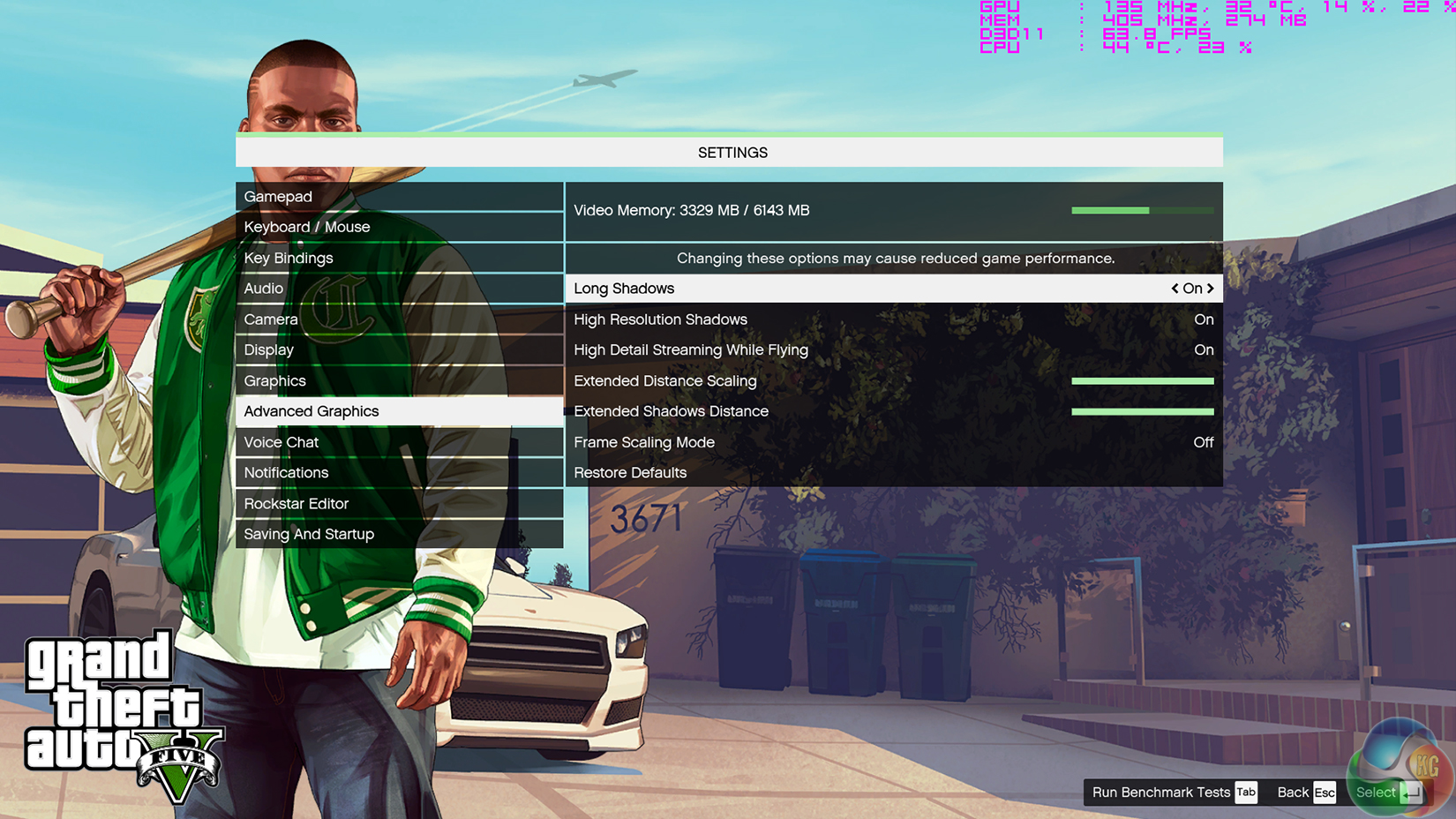
We apply very near maximum settings in Grand Theft Auto V and a 1920×1080 resolution to push today’s hardware. Our data was recorded using the built-in benchmark.

Middle Earth: Shadow of Mordor
We used a 1920×1080 resolution and the Middle Earth: Shadow of Mordor built-in benchmark set to ‘Ultra’ quality.

The Physics score in 3DMark shows a positive correlation with increased system frequency. Using Gigabyte's motherboard to overclock the system yields a points boost of more than 1000.
GTA V and Shadow of Mordor also show slight gains from the CPU overclock. The 4 FPS gain on GTA V's average is actually enough to push the number past the important 60 FPS level.
SATA
For SATA 6Gb/s testing we use a Kingston HyperX 3K (SandForce SF-2281) SSD.
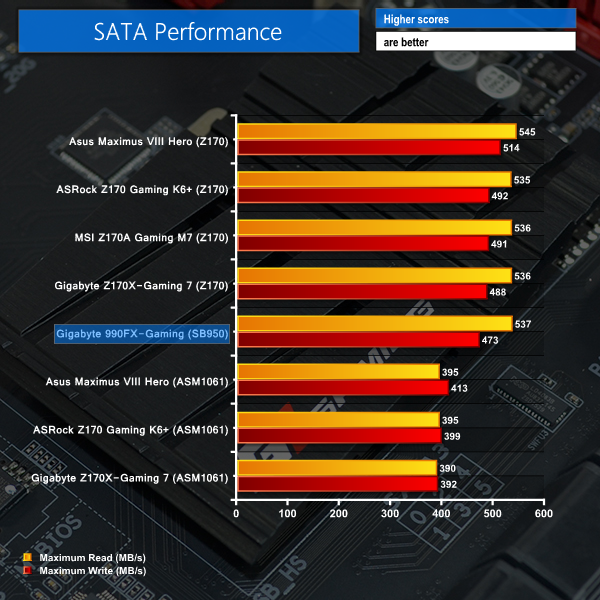
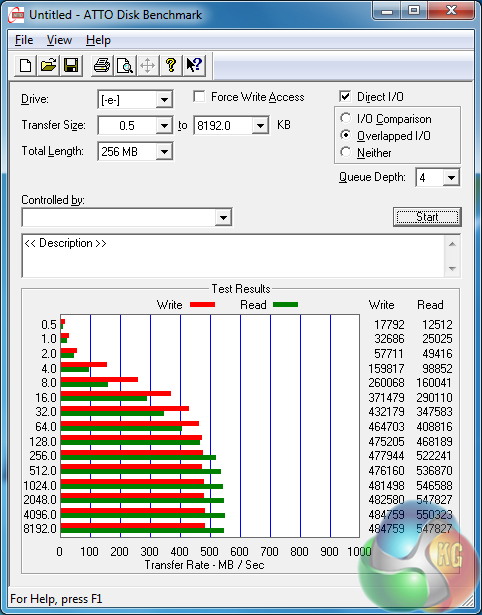
SATA 6Gbps performance from Gigabyte's motherboard is solid. Intel Z170-based solutions tend to be a little faster, but the margin is small.
M.2
For M.2 testing we use a Plextor M6e 256GB PCIe SSD.
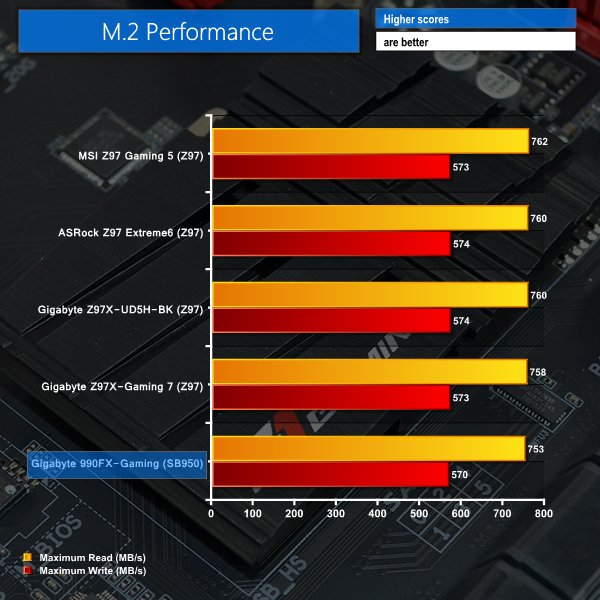
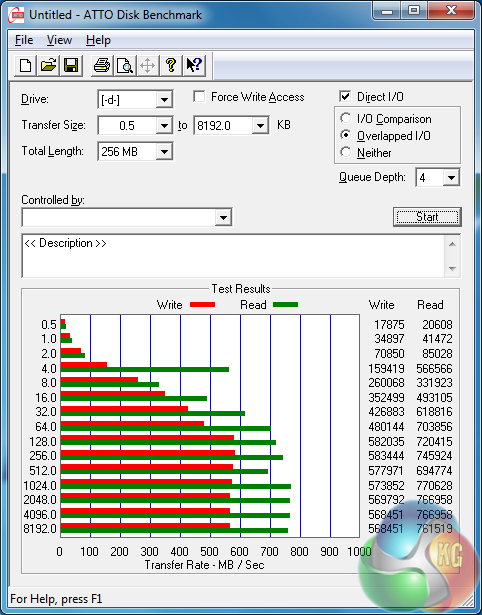
M.2 performance when using a PCIe 2.0 x2 Plextor M6e SSD is without bottlenecks. The bottlenecks will, however, be clear when a fast M.2 SSD, such as Samsung's 2.5GBps-capable 950 Pro, is used.
USB 3.0
We tested USB 3.0 performance using the Kingston HyperX 3K SSD connected to a SATA 6Gb/s to USB 3.0 adapter powered by an ASMedia ASM1053 controller. The test system uses Windows 7 with SP1 as the OS.
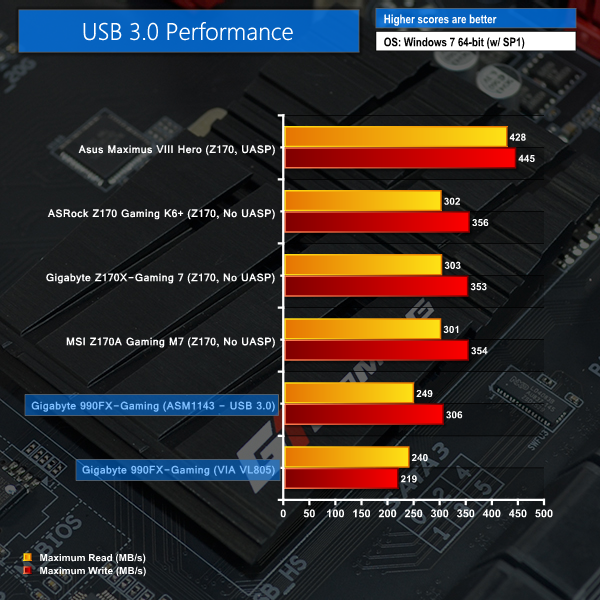
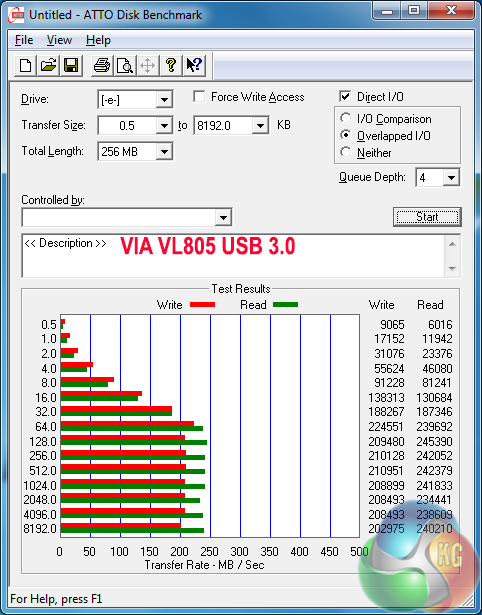
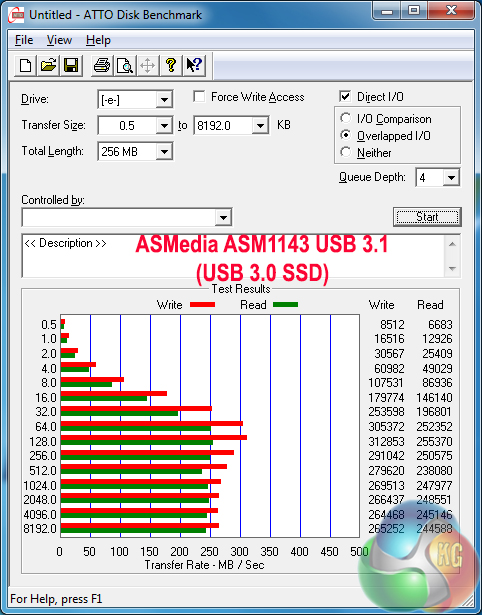
USB 3.0 performance from the VIA-fed ports is poor. This is due to the bandwidth from a single PCIe 2.0 x1 lane being shared between four USB 3.0 connections. Connecting further devices to the USB 3.0 ports will continue to reduce the speed.
Speed from the ASMedia ASM1142-fed USB 3.1 ports is not much better. With that said, both solutions should be capable of saturating the transfer rate potential of a USB 3.0 HDD, which is more likely to be used than an external SSD for users of this motherboard.
Audio
We use RightMark Audio Analyzer (RMAA) to analyse the performance of the motherboard’s onboard audio solution. A sampling mode of 24-bit, 192 kHz was tested.
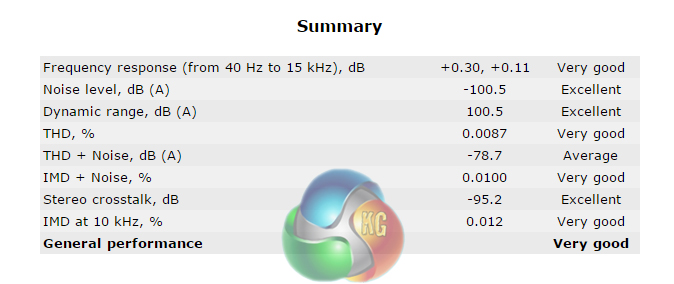
General performance from the AMP-UP audio solution on Gigabyte's 990FX-Gaming motherboard is rated as Very Good, according to RMAA. The noise level and dynamic range performances are particularly strong.
Power
We measured the power consumption with the system resting at the Windows 7 desktop, representing idle values.
The power consumption of our entire test system (at the wall) is measured while loading only the CPU using Prime95′s in-place large FFTs setting. The rest of the system’s components were operating in their idle states, hence the increased power consumption values (in comparison to the idle figures) are largely related to the load on the CPU and motherboard power delivery components.
We also record power draw at the wall while the final car chase section of GTA V’s benchmark is running. We pick this section due to it consistently tasking the CPU with the highest load of the entire benchmark.
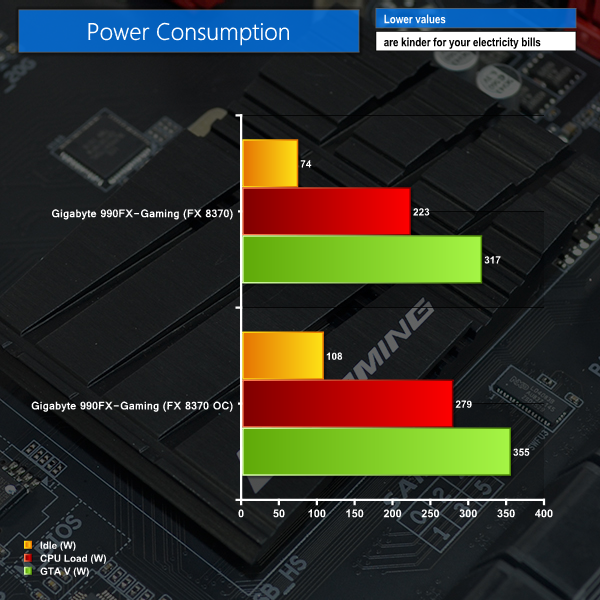
High power consumption numbers are associated with the high TDPs of AMD's CPU and the accompanying hardware (including the chipset). While overclocking has proven to deliver clear gains in CPU-heavy workloads, that added performance does come at the expense of increased power draw.
The strong power delivery system on the Gigabyte 990FX-Gaming motherboard was able to feed the over-volted FX 8370 CPU. And with an overclocked load power draw of just under 280W, the sizeable heatsink that Gigabyte deploys across the VRM and Northbridge looks to be a smart move.
The Gigabyte 990FX-Gaming is a capable AM3+ motherboard that gives users a taste of modern features on the aging 990FX chipset. It's the blend of modern features and support for older CPUs that could entice some users who are happy with their AMD chip's performance but are looking for faster storage connections and a better audio experience.
Stability from the motherboard is good, thanks in large to a solid power delivery system that allowed for overclocking of the 125W TDP FX 8370 CPU. We managed to push the chip to 4.6GHz, with stability, using AMD's Wraith air cooler. With enhanced cooling, the board was clearly capable of more than 4.6GHz (we actually hit 4.7GHz, but temperatures were high).
Speaking of overclocking stability, Gigabyte's cooling solution for the motherboard is smart. The MOSFETs and 990FX chipset can output a significant amount of heat power when loaded, so the decision to use a trio of beefy heatsinks connected via two heatpipes is entirely justified and sensible.
Layout decisions are logical and well-thought for gaming users. There's room for a pair of graphics cards alongside a high-bandwidth PCIe device, an x1 card, and a 20Gbps-linked M.2 PCIe NVMe SSD. The expansion options should suffice for all but the most deep-pocketed of gamers or those old-school guys who miss a legacy PCI slot.
Modern features are where Gigabyte has chosen smartly. Adding support for 10Gbps USB 3.1 in its Type-C and Type-A form is smart, and brings the board's feature set into 2016. The Killer E2200 series NIC will also be welcomed by some gamers, as will the enhanced audio solution.
One of the negatives is the number of fan headers that Gigabyte deploys. Four fan headers, only two of which can be controlled, is insufficient for a high-powered motherboard intended for energy-intensive CPUs and gaming-grade graphics cards.
And then there's the old layout style of the UEFI BIOS which feels dated, despite being perfectly functional. The UEFI-adjustable fan control method is about as bad as it gets for ease-of-use, but thankfully the OS-based approach is far more user-friendly.

Available around the £120 level, the Gigabyte 990FX-Gaming could be a good option for gamers looking to invest in the AM3+ platform. The board offers support for AMD's aging hardware, but it does so whilst also deploying modern features such as USB 3.1 Type-C, PCIe NVMe M.2, and an upgradeable audio solution.
Buy from Overclockers UK for £124.99 inc vat HERE.
Discuss on our Facebook page, over HERE.
Pros:
- PCIe 2.0 x4 & SATA-compatible M.2 connector.
- Support for PCIe NVMe SSDs.
- 10Gbps USB 3.1 Type-C & Type -A.
- Strong, upgradable audio solution.
- Killer's network management software may be useful to some gamers.
- Smart layout and design choices with an aesthetically pleasing appearance.
- Onboard buttons and dual BIOS chips can be useful.
Cons:
- UEFI looks old, navigation is unappealing, and the manual fan control method is not intuitive.
- Only four fan headers, with just two being user-controllable.
- USB 3.0 ports are very slow.
KitGuru says: A solid choice if you're after a feature-rich AM3+ motherboard to prolong the life of your AMD system.


Considering you used the new Wraith cooler from AMD, I’m surprised you didn’t include temps on your overclocking page. Maybe AMD told you not to? Kudos for including minimum fps though.
❝my .friend’s mate Is getting 98$. HOURLY. on the internet.❞….two days ago new McLaren. F1 bought after earning 18,512$,,,this was my previous month’s paycheck ,and-a little over, 17k$ Last month ..3-5 h/r of work a day ..with extra open doors & weekly. paychecks.. it’s realy the easiest work I have ever Do.. I Joined This 7 months ago and now making over 87$, p/h.Learn. More right Here;;/305➤➤➤➤➤ http://GlobalSuperEmploymentVacanciesReportsJobs/GetPaid/98$hourly…. .❦2:❦2:❦2:❦2:❦2:❦2:❦2:❦2:❦2:❦2:❦2:❦2:❦2:❦2:❦2:❦2:❦2:❦2:❦2:❦2:❦2:❦2:❦2:❦2:❦2:❦2:❦2:❦2::::;;/305……..
❝my .friend’s mate Is getting 98$. HOURLY. on the internet.❞….two days ago new McLaren. F1 bought after earning 18,512$,,,this was my previous month’s paycheck ,and-a little over, 17k$ Last month .,3-5 h/r of work a day ..with extra open doors & weekly. paychecks.. it’s realy the easiest work I have ever Do.. I Joined This 7 months ago and now making over 87$, p/h.Learn. More right Here;;/322➤➤➤➤➤ http://GlobalSuperEmploymentVacanciesReportsJobs/GetPaid/98$hourly…. .❦2:❦2:❦2:❦2:❦2:❦2:❦2:❦2:❦2:❦2:❦2:❦2:❦2:❦2:❦2:❦2:❦2:❦2:❦2:❦2:❦2:❦2:❦2:❦2:❦2:❦2:❦2:❦2::::;;/322………
You can see temps over here: http://www.kitguru.net/components/cpu/luke-hill/150-gaming-cpu-amd-fx-8370-w-wraith-vs-intel-core-i5-6400/9/
The FX 8370 hit around 53C under OC load, but was loud in doing so.
It’s okay, Luke. There’s a reason he’s accusing – oops, I mean suggesting – that you’re shilling for AMD.
Notice he didn’t have a problem when you didn’t include temps on the reviews of the Asus Maximus VIII Impact ( http://www.kitguru.net/components/motherboard/luke-hill/asus-maximus-viii-impact-z170-motherboard-review/10/ )
Or the MSI X99A SLI Plus ( http://www.kitguru.net/components/motherboard/luke-hill/msi-x99a-sli-plus-motherboard-review/10/ )
Or the ASRock Z170 Extreme4 (http://www.kitguru.net/components/motherboard/luke-hill/asrock-z170-extreme4-motherboard-review/9/ )
Or the MSI Z170A Gaming M7 ( http://www.kitguru.net/components/motherboard/luke-hill/msi-z170a-gaming-m7-motherboard-review/10/ )
But hey, at least you included them on the Asus Sabertooth Z170 Mark 1, right? Oh, no, wait, that was just motherboard temps. ( http://www.kitguru.net/components/motherboard/luke-hill/asus-sabertooth-z170-mark-1-motherboard-review/12/ )
But no. Clearly AMD told you not to include temps on this review.
Gigabyte did a great job with the motherboard but how many PCB layers does it come with. In the audio picture there seems to be 2 squares where I normally see the PCB layer count. The USB performance is partly hampered by the OS used in the review. I believe the results would have been very different with windows 8.1 due to native uasp. Good motherboard for all of those looking to upgrade existing AM3+ builds.
I own a MSI 970A SLI KRAIT EDITION, is working well, but i don`t think that is a good idea build AM3+ Motherboard this days, we will have Zen before 2017, i will update
I have this MB and AMD FX-9590 and I have no complain about cpu-related stability: at stock speed and all power features like C6, c&c, ecc it is really stable: Prime95 stress tests were really good and temperature never went in overheated zone, while other MBs did.
The really bad, bad, bad issues are BIOS related: system is unable to use some manual settings. The same problem related to multiplier explained in this review occurred in DRAM settings: XMP profile work perhaps, but manual settings are as goods as comments: system doesn’t use manual DRAM voltage settings, I’m not even sure manual timigs are taken into consideration.
Actually I’m using failsafe ram configuration because of that.
Any other experience related?
Haha!
Yeah I have been having difficulty trying to overclock RAM. I can run at 1866 but trying for 2133 like in review. Going to try adjusting voltages and try 2 dimms instead of 4. I am using the same CPU as you. My Asus CHVF-Z was much better for RAM oc, but couldn’t fit 2 triple slot cards without blocking the motherboardcase connectors. It was also missing the nice reinforced Pcie slots and the M2 slot that comes with the G1. I’m very happy with it overall. Handles the 220W beast no problem.
Gigabyte sent me a beta firmware to help ram issues.
Fact is, it works, BUT…
Yeah, to run at 2133 you need to use 2 banks only. This is bad.
And… I am able to run at 1600 x 4 banks, it is good, but when I set bios at 1866 it still runs at 1600.
N.B.: related to temperatures, I put a 140 fan running at minimum, perpendicular to VRM heatsink, having air flowing thru heatsink: result is 10°C less in gaming.
Is was worth the try.
I changed the voltage and took out 2 sticks. Running stable at 2133. I ran 4 sticks with 2 different brands at 1866 no problem, on original bios. Don’t use the xmp profile. Make a custom one.
just picked this MB up for $120 from Newegg +$10 rebate so $113 after rebate and shipping. I hope it gives my comp life until Zen comes out and is settled in..
How did you get the fx 9590 to run on it; my system is a new build and says the cpu is incompatible with the mb?
It worked from beginning.
Or BIOS has to be re-flashed, or CPU is not well mounted.
Thanks Graziano, i’ll give them a try.
I’m looking at doing a water cool loop with this mother board and would love to include the vrm and nb as they get ridiculously hot I find. Is it hard to remove the heatsinks covering those and would you know of any water blocks that would fit? having a near impossible time locating any. Spectacular review as usual!