 KitGuru KitGuru.net – Tech News | Hardware News | Hardware Reviews | IOS | Mobile | Gaming | Graphics Cards


The absence of the renowned Republic of Gamers Impact mini-ITX motherboard for the new ASUS Maximus IX series has not gone unnoticed. ASUS loyalists eager to build a mini-ITX system on the Z270 platform will have to opt for something else at the current moment in time. That alternative choice is the ASUS ROG Strix Z270i Gaming.
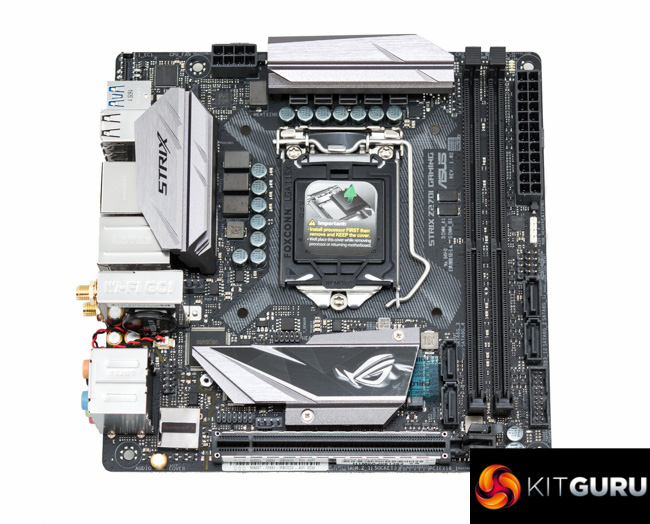
The ASUS ROG Strix Z270i Gaming is not of the same pedigree as a potential Maximus IX Impact and so for the die-hard enthusiast it may well not be prestigious enough. However, ASUS has still packed in a considerable amount of hardware and features into its mini-ITX Strix motherboard. Even if ASUS fails to release an Impact board for the Maximus IX generation, the Strix Z270i Gaming should still satisfy the majority of potential buyers.
ROG has long been associated with innovation and the mini-ITX Strix doesn't disappoint. There's a quirky “double-decker” chipset heatsink that doubles as an M.2 drive heatsink, dual M.2 ports (yes, dual M.2 on a mini-ITX motherboard!) and a front panel USB 3.1 header.
Innovation aside there's a strong core specification including RGB lighting, ample USB and storage options, Intel Gigabit, Qualcomm AC Bluetooth & WiFi, Realtek ALC1220 audio and a powerful CPU VRM married to ROG's well-refined UEFI.
A neutral colour scheme plays into the hands of consumers looking to customise their build and ASUS has been one of the most proactive brands in pushing forward 3D printing customisation for its motherboards so expect ample 3D printing potential going forward.
The ASUS Strix mini-ITX board currently carries a premium over rivals like the Gigabyte Z270N-Gaming 5 and MSI Z270i Gaming Pro Carbon AC so let's assess what this ASUS motherboard has to offer and see if it can justify the additional cost over its competitors.
| ASUS ROG Strix Z270i Gaming | |
| Form Factor | mini-ITX, 17cm x 17cm |
| CPU Socket | LGA 1151, 6+2 phase VRM |
| Chipset | Intel Z270 |
| Memory | DDR4, 2 DIMMs, up to 32GB, up to 4266MHz+ with OC |
| Onboard Graphics | Intel HD Graphics (supported CPUs), up to 1024MB of video memory |
| Discrete Graphics | Single Graphics Card Configurations only |
| Expansion Slots | 1 x PCIe 3.0 16X electrical (wired to CPU) |
| Storage | 4 x SATA III (via PCH) 2 x M.2 (Both PCIe 3.0 X4 32Gbps, one supports SATA III) |
| USB | 6 x USB 3.0 (4 Rear [1 Type-C], 2 Front, via PCH) 4 x USB 2.0 (4 Rear, via PCH) 1 x USB 3.1 (1 Front via ASM2142) |
| Networking | 1 x Intel I219V Gigabit LAN Qualcomm Atheros QCNFA364A 2T2R 802.11AC WiFi and Bluetooth 4.1 Combo. |
| Audio | Realtek ALC 1220-based 7.1 channel HD audio |
| Fan Headers | 3, all support 3/4 pin fans (1 x CPU, 1 x SYS, 1 x AIO_PUMP) |
| Rear I/O | 1 x DisplayPort 1 x HDMI 1 x LAN (RJ45) port(s) 4 x USB 3.0 Type-A + Type-C 4 x USB 2.0 1 x Optical S/PDIF out 5 x Audio jack(s) 1 x ASUS Wi-Fi GO! module (Wi-Fi 802.11 a/b/g/n/ac and Bluetooth v4.1) |
| UEFI | UEFI AMI, 1 x 128Mb Flash |
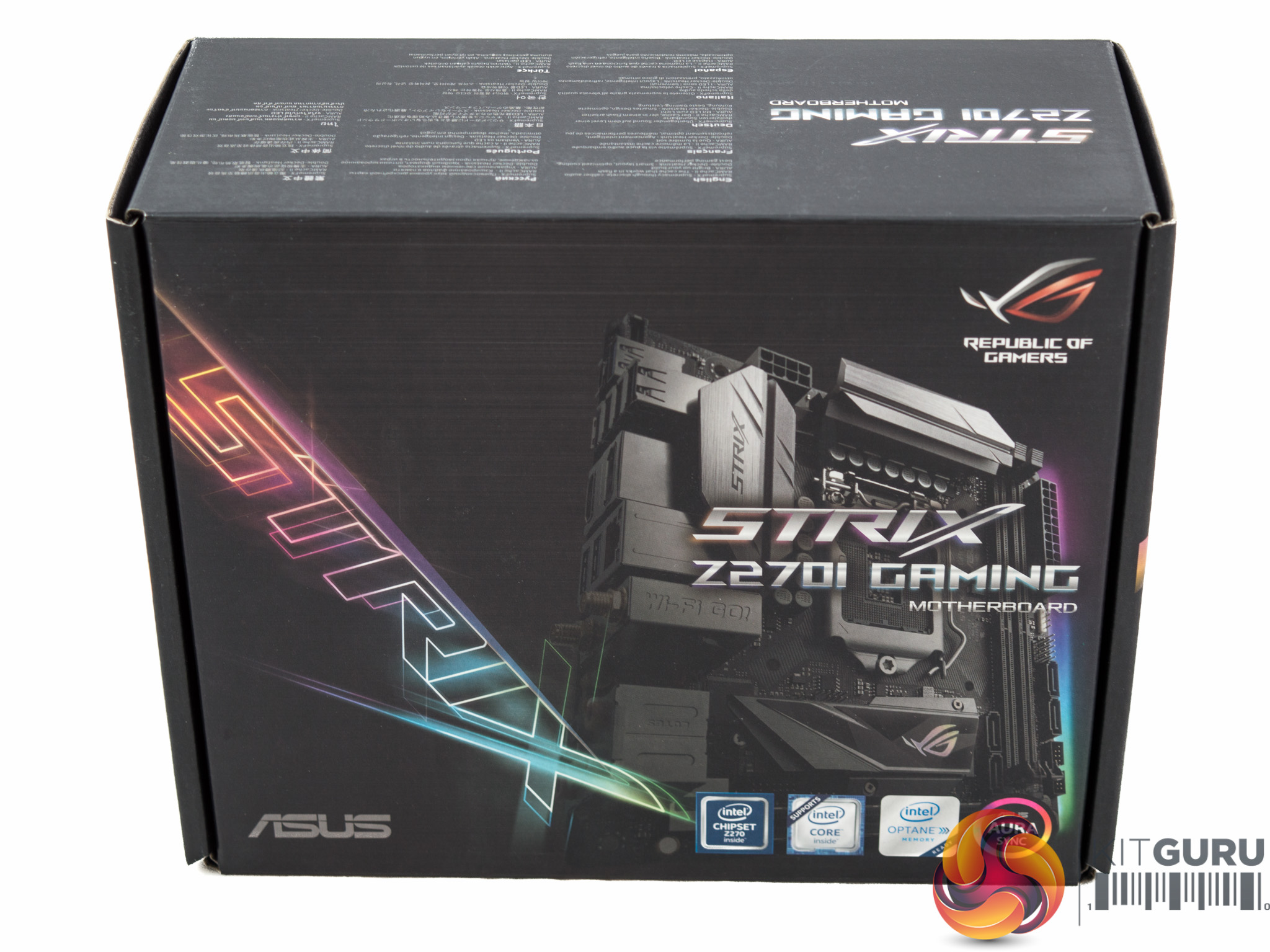
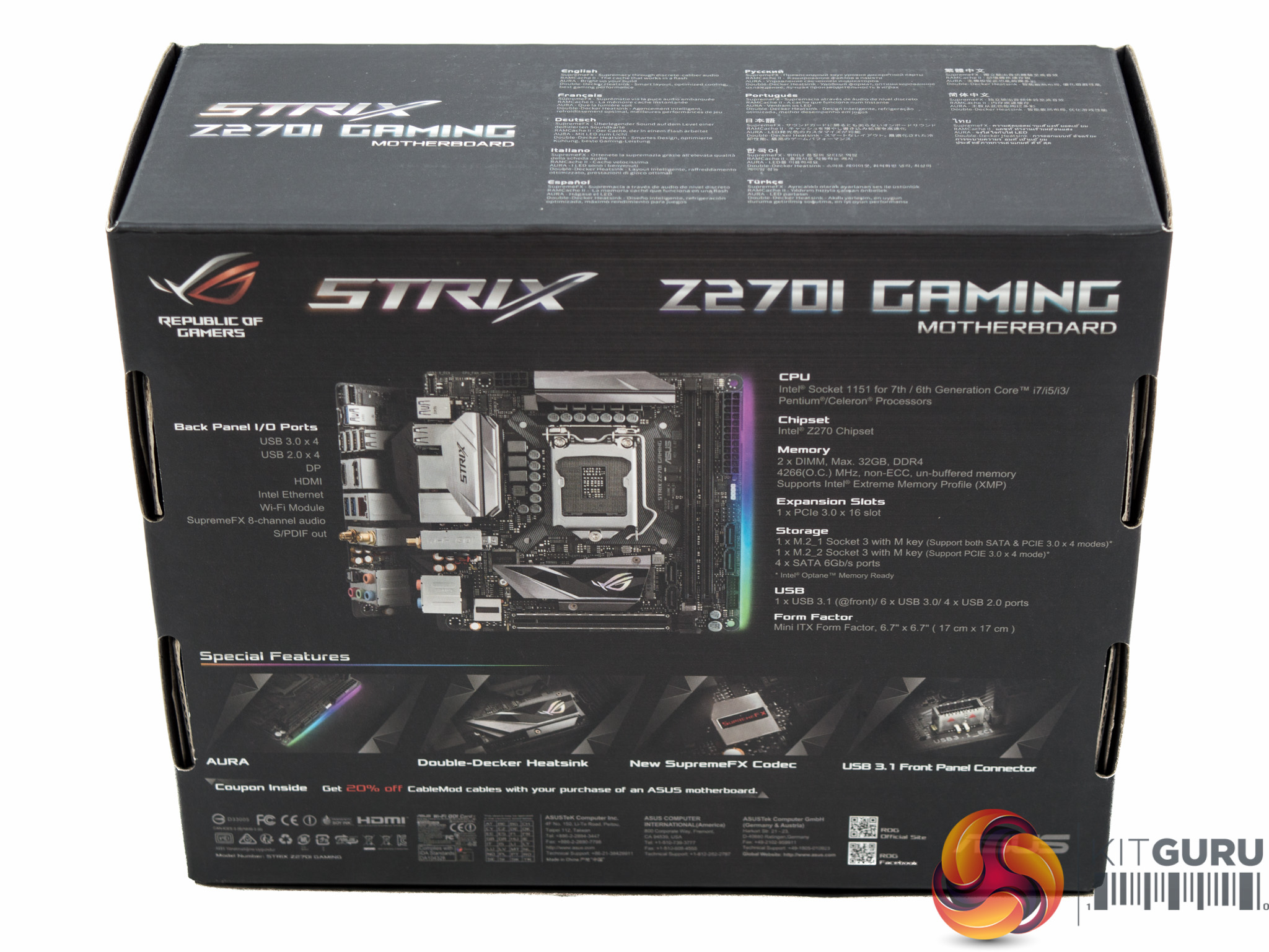
The packaging for the ROG Strix Z270i Gaming is conservative, only pointing out four key features alongside a labelled specification diagram. It's simple, to-the-point and minus the marketing overload we've come to expect from most motherboard vendors.
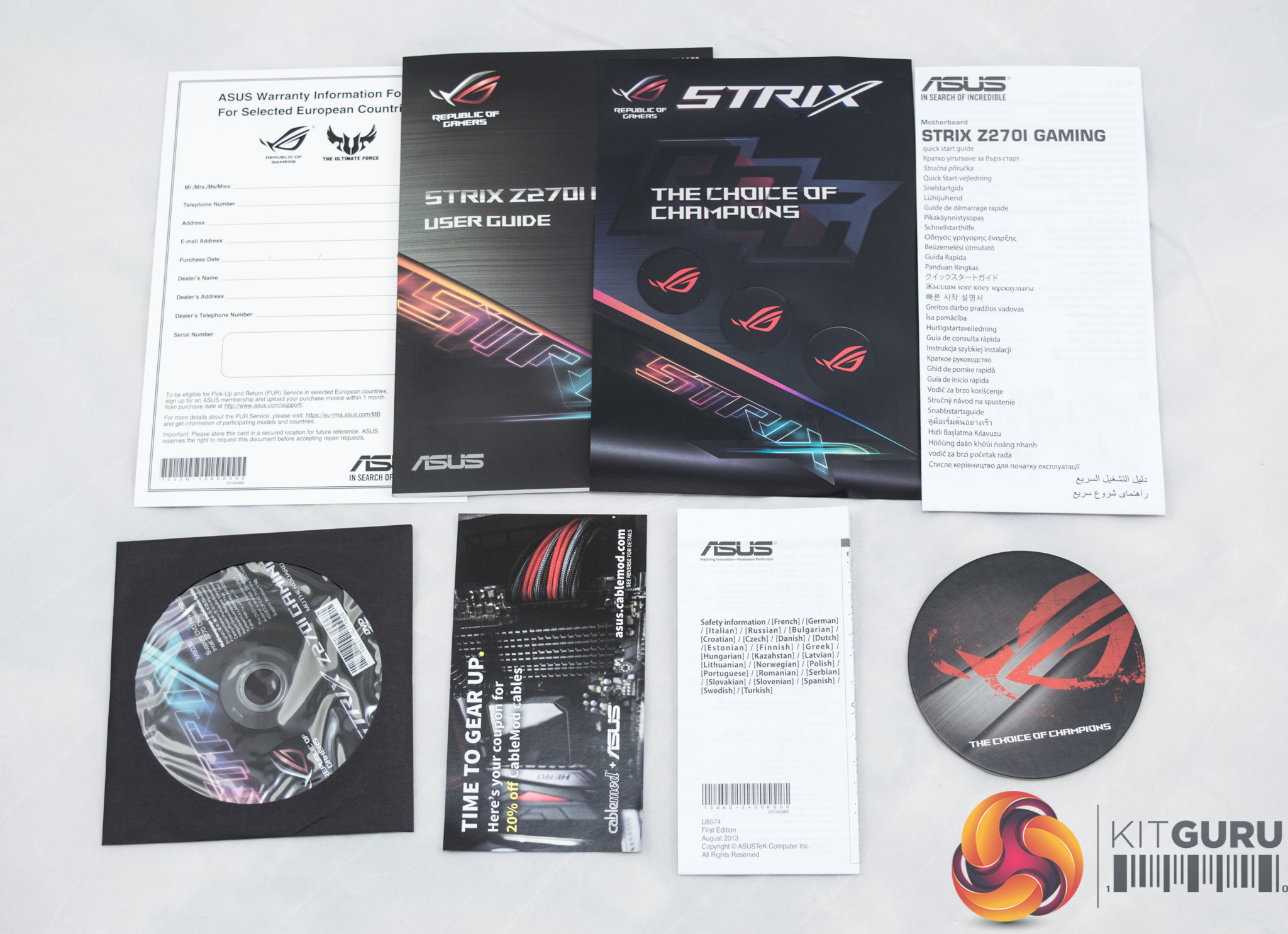

The accessory and documentation bundle is more generous than with many equivalent products. In the documentation bundle, user's manual and driver DVD aside, is a range of stickers, a 20% discount code for CableMod's RGB strips, a registration form for the ASUS Pick Up and Return warranty service and a drink coaster.
In the way of accessories there are four SATA cables, an RGB extension cable, a front panel cable (which expands the front panel header off into discrete male connections), the rear I/O shield, an ASUS CPU installation tool, some M.2 screws and mounting kits and ROG cable labels.
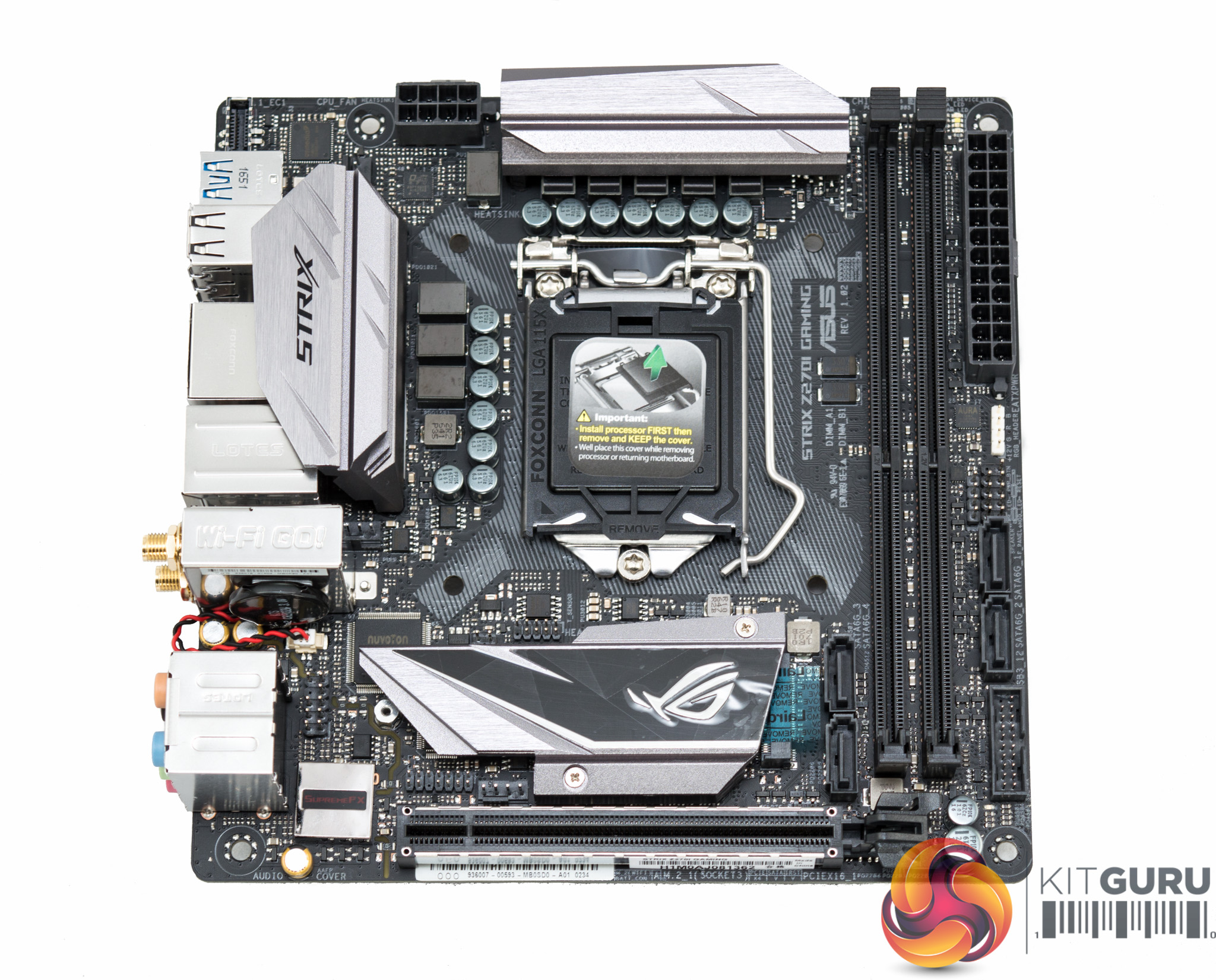
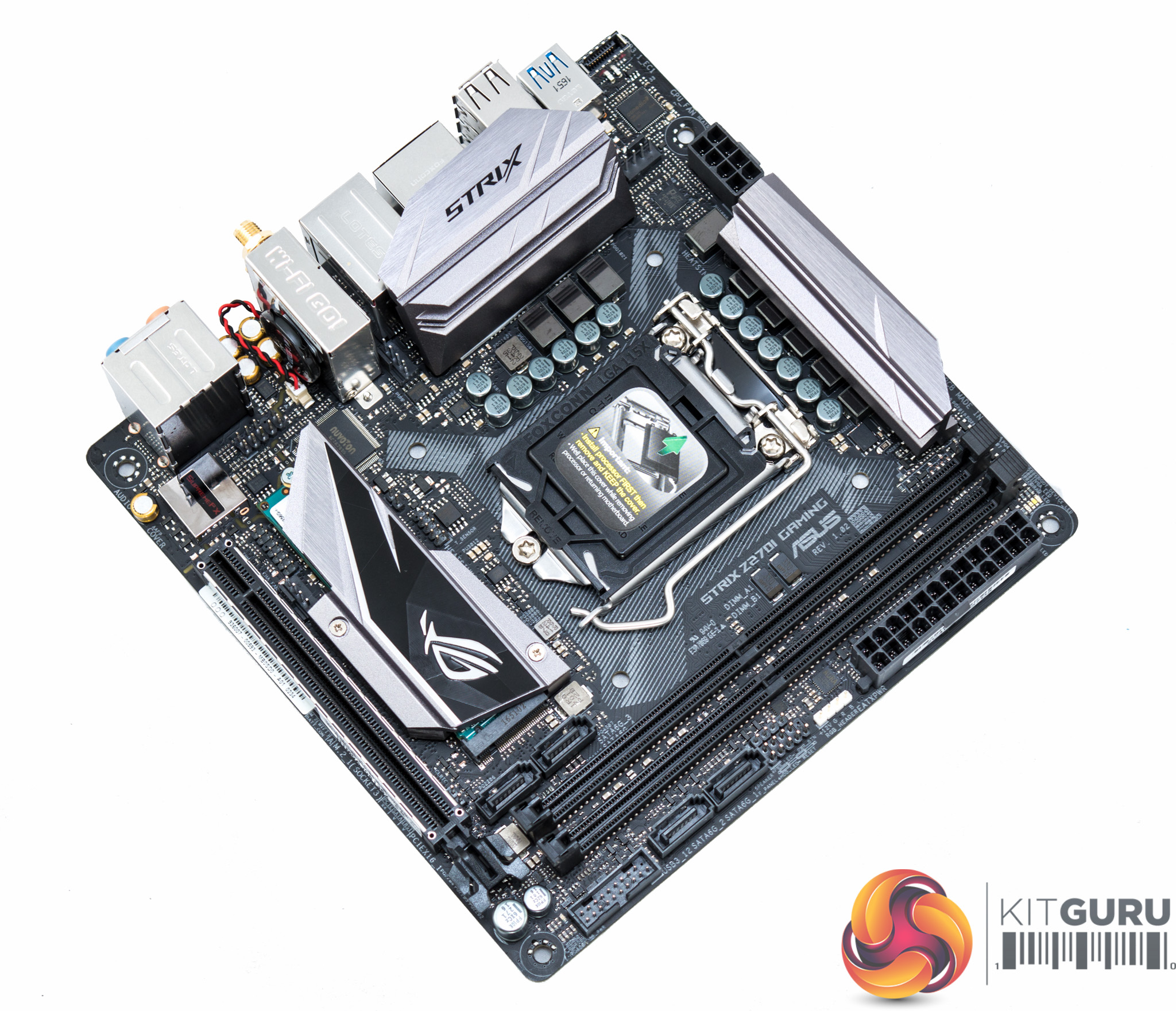
ASUS has always excelled with the aesthetics of its motherboards and the ROG Strix Z270i Gaming does not disrupt that trend. There are two VRM heatsinks with sharp angular designs plus another quirky looking chipset heatsink, the so called “double-decker” design. The whole colour scheme is neutral, focusing on black and grey, which works well with the ASUS AURA RGB lighting system.
RGB is provided as a configurable multi-zone setup but at a high-level it's really just a single RGB strip underneath the 24-pin edge of the motherboard. That strip is, however, configured into four individual sections, comprising 3 LEDs each, that can be controlled independently of one another. Plus users can use their own RGB LED strip for further customisation capability.
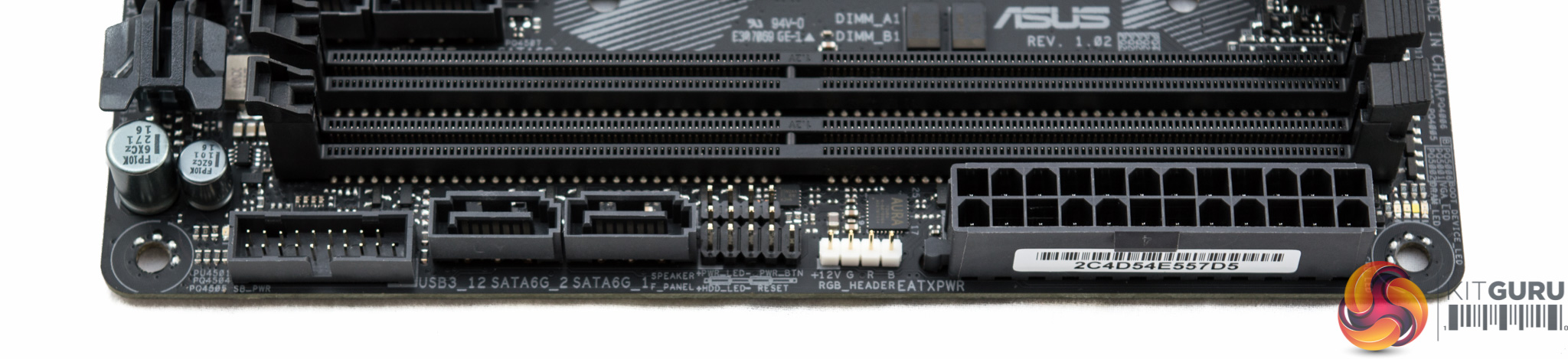
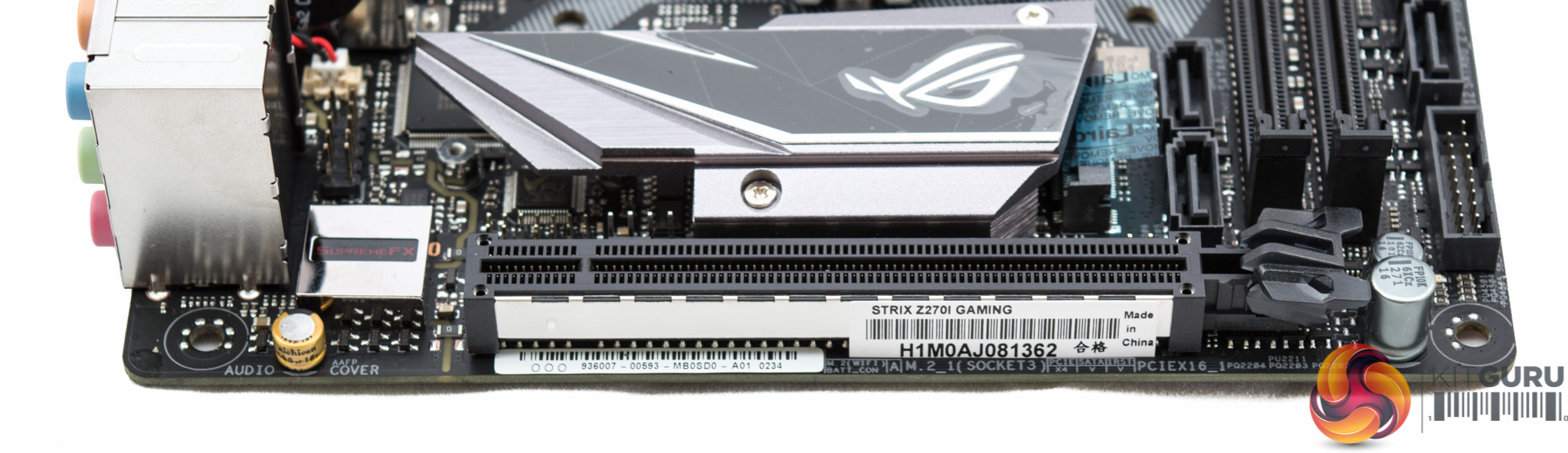
The layout is complex and busy, but well thought out. Along the 24pin-side ASUS provides debug LEDs, a 12v G R B header, front panel connections, two SATA ports and a USB 3.0 header. Near the chipset you'll find two more SATA ports and a shielded PCIe slot, the ASUS SafeSlot.
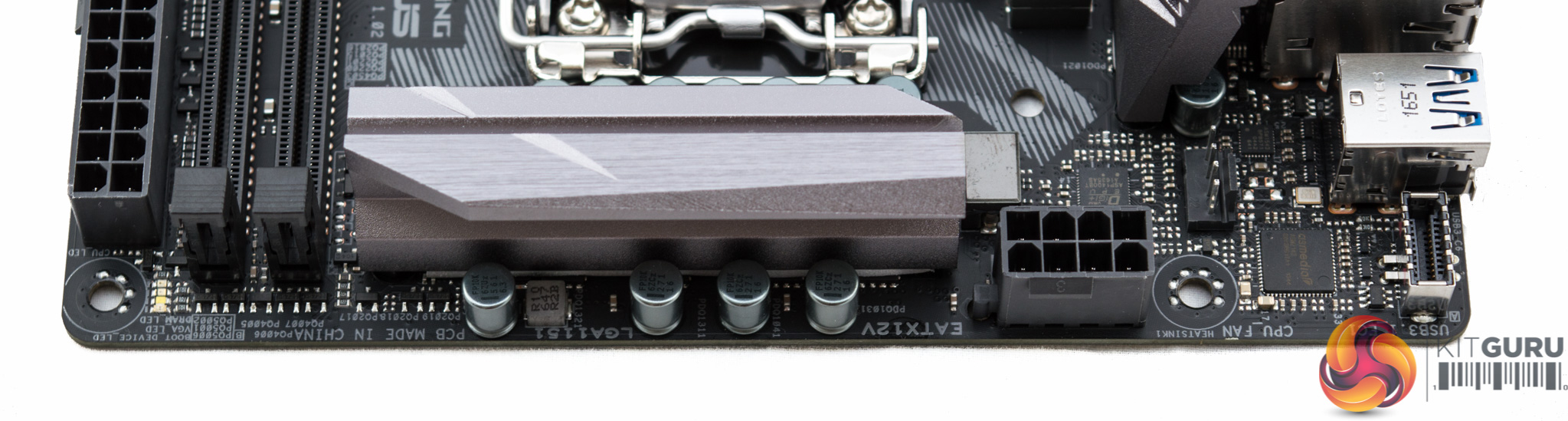
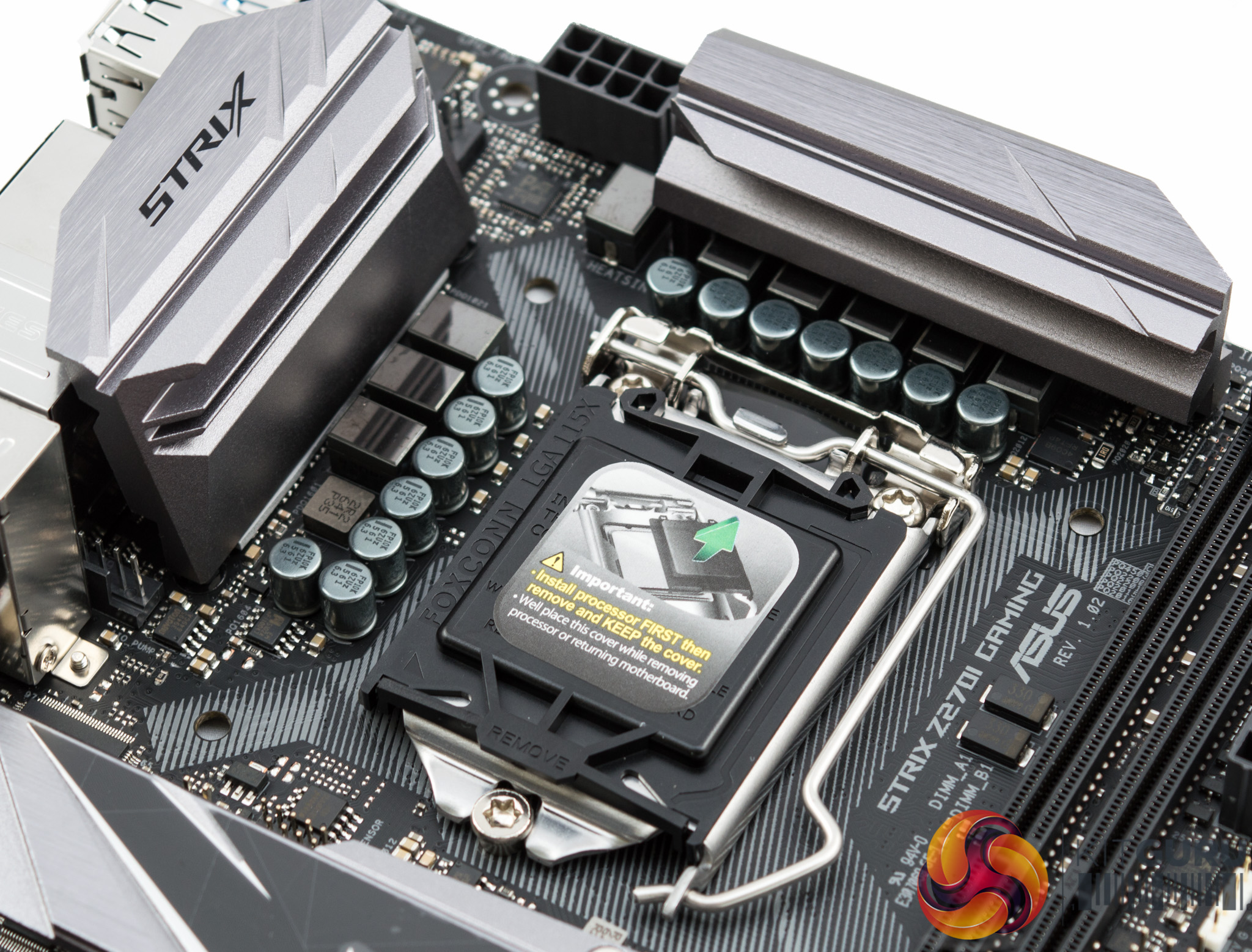
Around the CPU socket is a CPU fan header and 8 pin EPS connector while the AIO_PUMP header is located directly next to the CPU heatsink closest to the rear I/O. The system fan header is sandwiched between the chipset/M.2 heatsink and the PCIe slot.
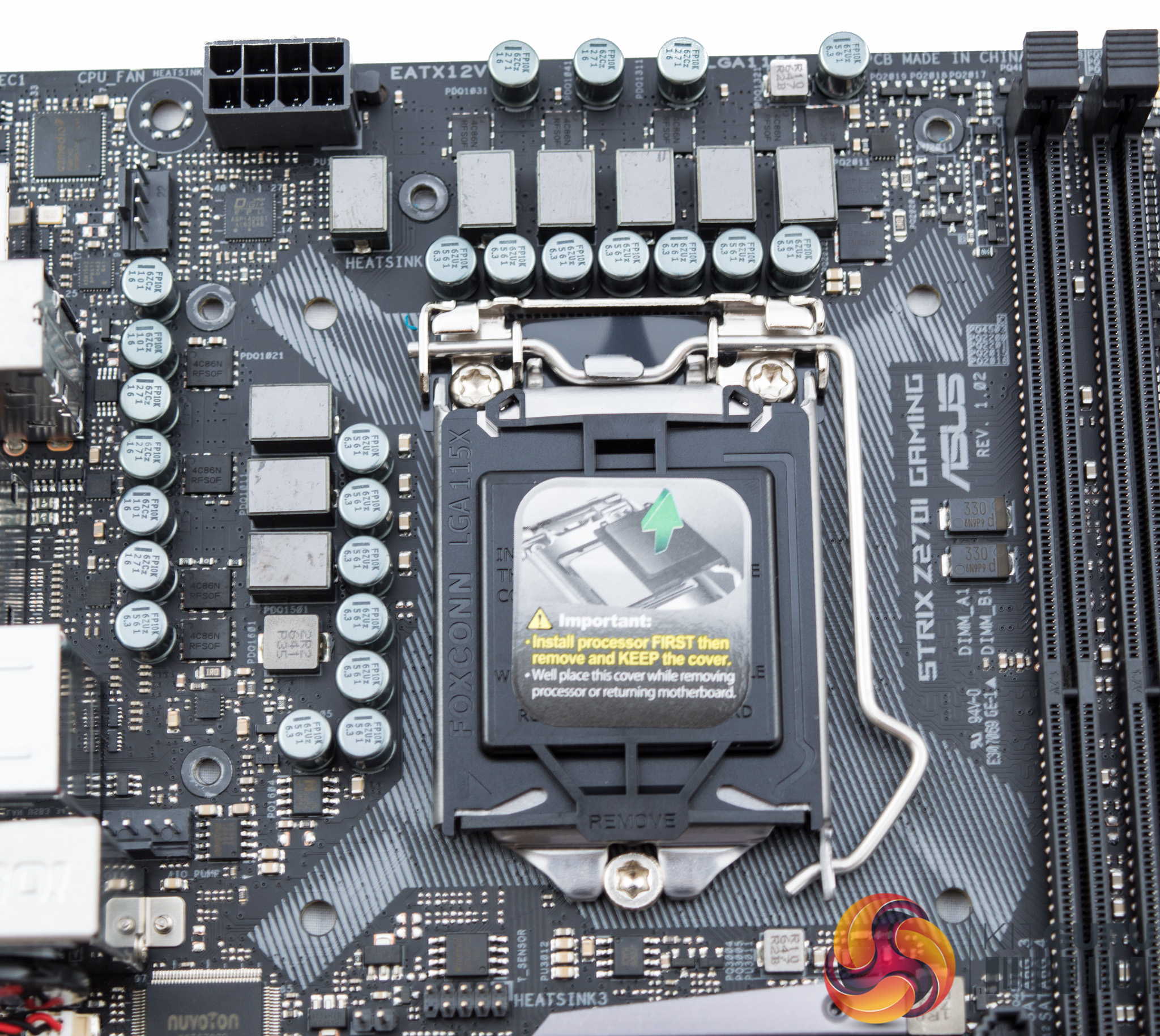
The power delivery system for the ASUS ROG Strix Z270i Gaming seems to be virtually identical to the Gigabyte Z270N-Gaming 5. That's a 6 phase design for the CPU, operated by a custom ASUS Digi+ VRM IC marked ASP14008T. Then there's a further two phases which contribute to the iGPU or other CPU components.
Each of the CPU MOSFETs are PowerPhase, Dual N-Channel units which combine the low-side and high-side FETs into a single package. These are capable of 20 and 32 Amps, high- and low-side, respectively, which is plenty for even the most heavily overclocked Kaby Lake CPU.
Dotted around the underside of the motherboard are an assortment of Richtek ICs to help regulate the voltages, but from the labelling alone it's not clear which parts are being used. ASUS also deploys a number of Nuvoton ICs to regulate and monitor the fans and temperature inputs including NCT6793D and 3949S.
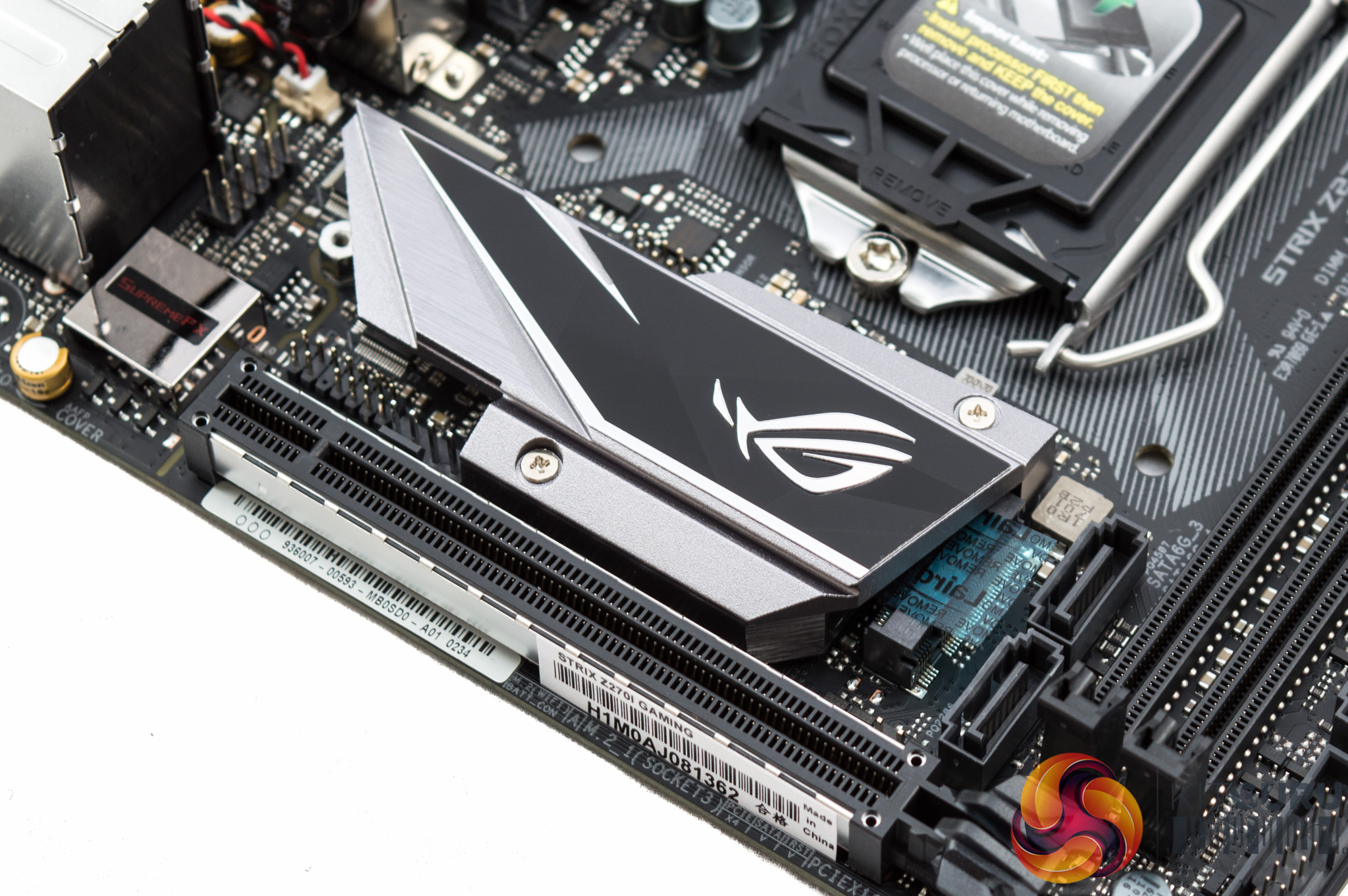
The ASUS Double-Decker heatsink is one of the niftiest motherboard innovations to be developed for tackling the problem of M.2 drives that thermal throttle.
MSI tried something similar with its M.2 heat shield but that is too big for the mini-ITX form factor and has been shown to be ineffective in some testing environments. The ASUS solution is more elegant since the heatsink cools both the PCH and an M.2 drive.
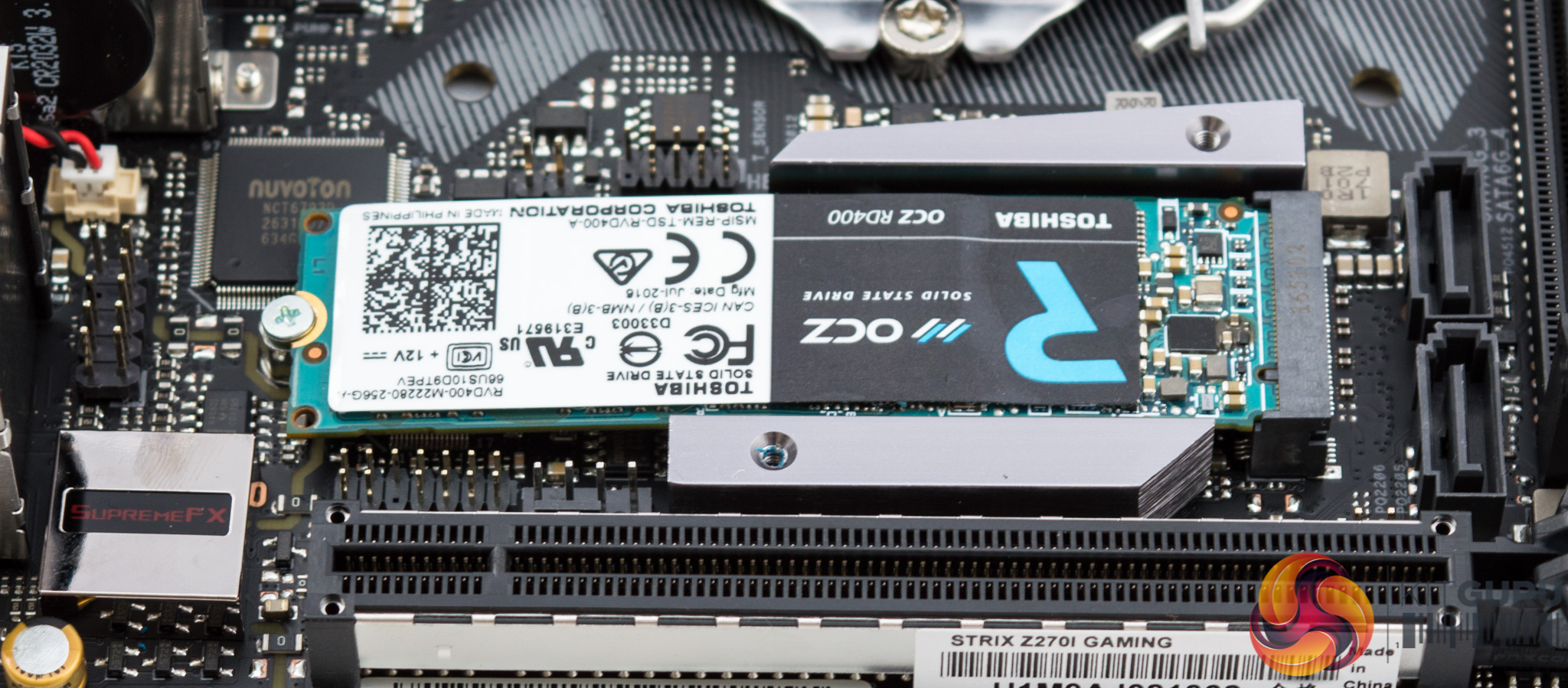
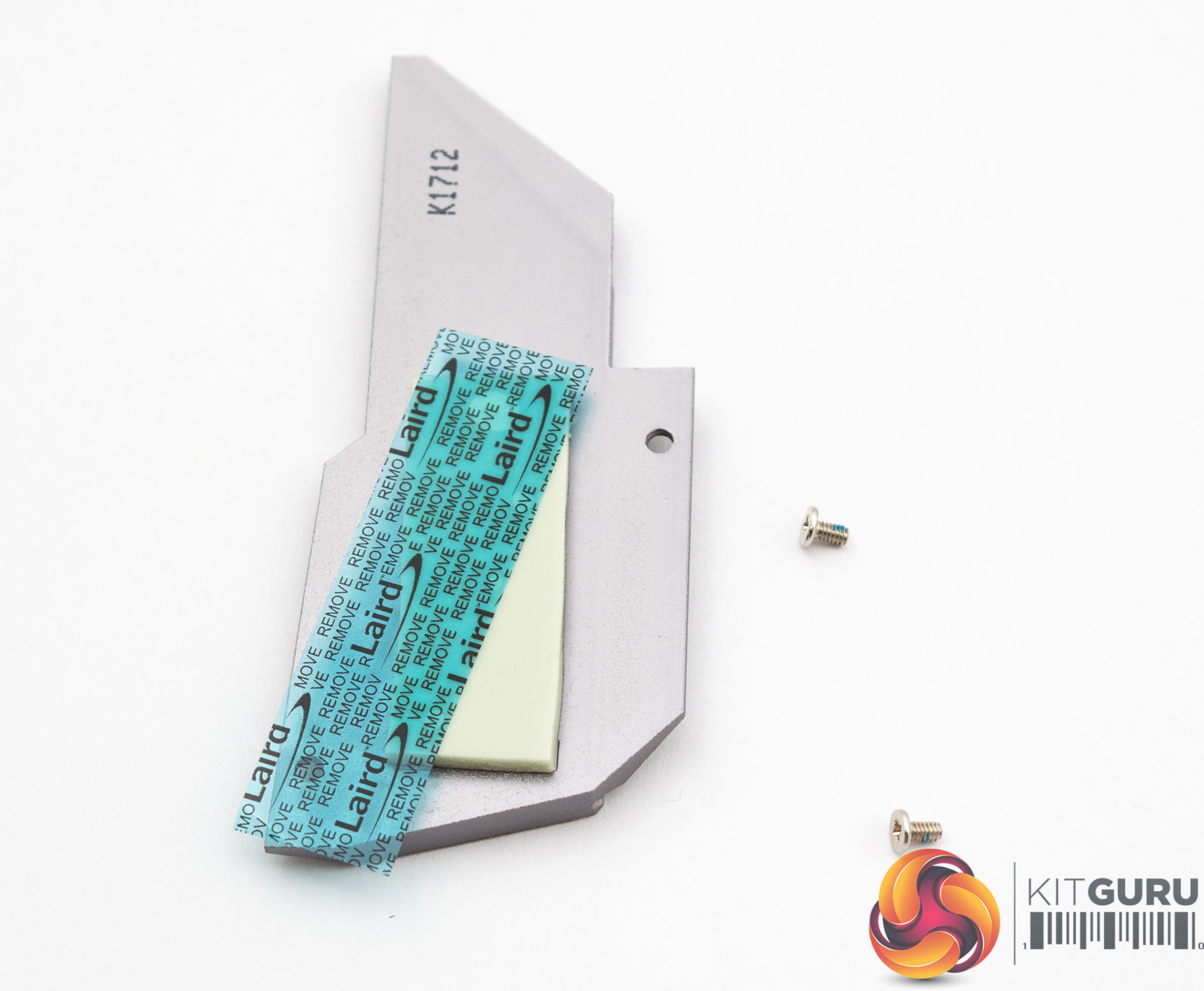
A couple of screws removes the top portion of the double decker heatsink and then a protective seal on a pre-fitted thermal pad needs to be removed before installing an M.2 drive.
The thermal pad will then help remove heat from the M.2 drive, passing it into the main heatsink which will mean the M.2 can dissipate heat at a faster rate than on its own relying on ambient airflow.
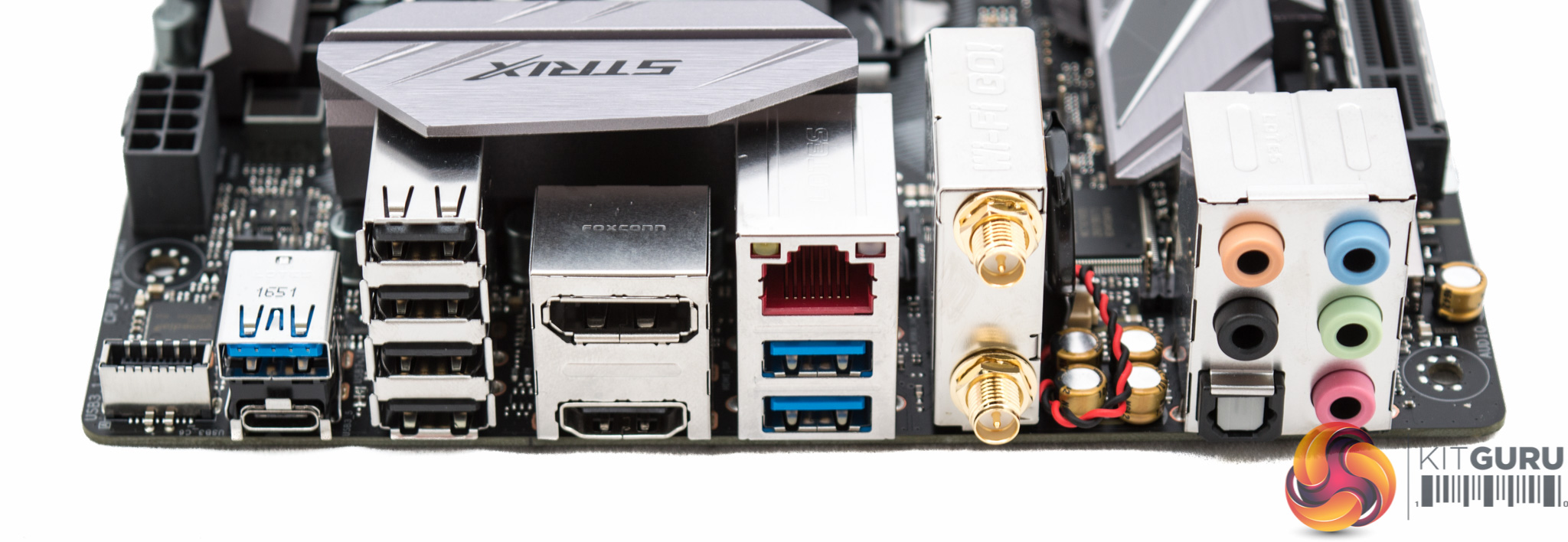
The rear I/O is among the best in its class in terms of sheer numbers. The full complement of audio connections is available alongside an impressive eight USB ports. However, keep in mind that none of these are USB 3.1 while rival motherboards have two USB 3.1 ports. As such, it means the USB Type-C port is only USB 3.0 speed and to get USB 3.1 you need a case or case accessory that supports the ASUS USB 3.1 front panel header. These are available but they are not cheap.
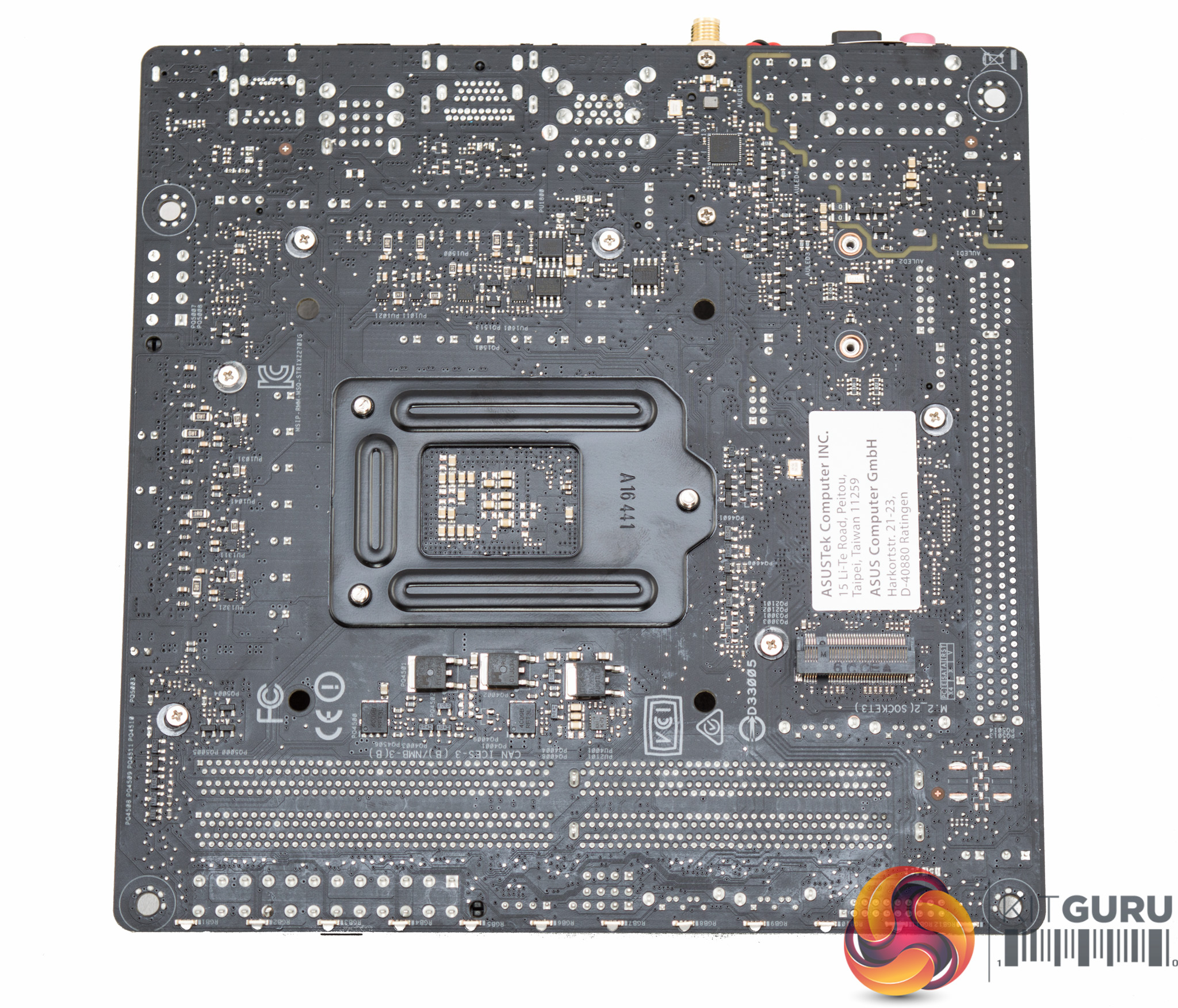
Underneath the ASUS motherboard is the second M.2 slot and a glimpse at the 12 LEDs which are split into four groups of three. All screws underneath the motherboard are easily removable so maintenance and modifications are simple to carry out.
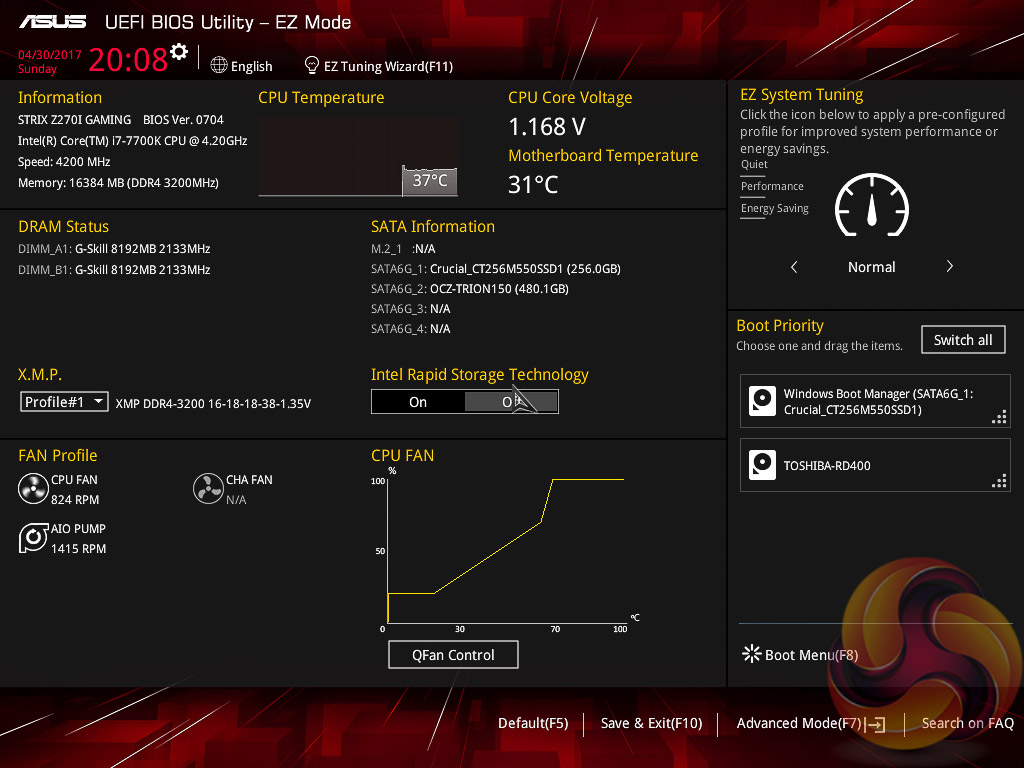
The ASUS UEFI enters straight into the EZ Mode splashscreen which has a selection of frequently used settings including XMP profiles, boot device order and fan speeds. Pressing F7 takes the user into the advanced section of the UEFI but there are some additional tools that can be accessed from the splash screen.
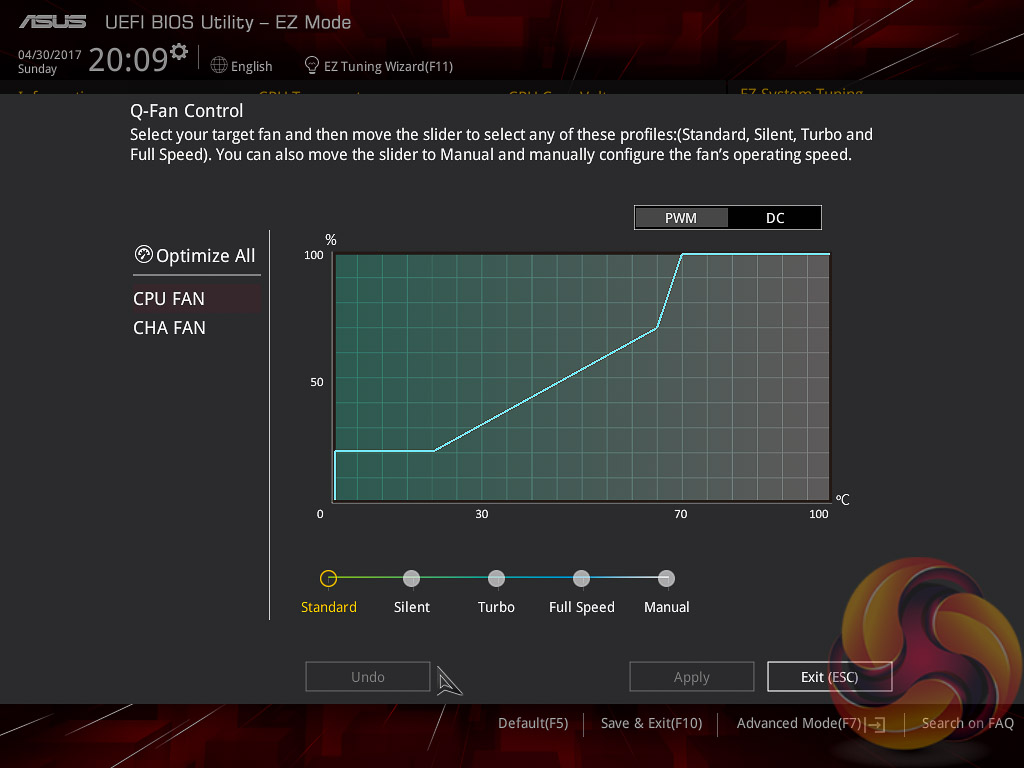
Q-Fan Control is a must-use utility since it will calculate the fan speed ranges of all PWM or DC fans on the 3 controllable fan headers (CPU, CHA1, AIO_PUMP). Once the voltage-to-fan-speed values have been calculated the user can then assign a preferred profile to each fan from the four presets (standard, silent, turbo, full speed) or simply set a custom profile using manual mode.
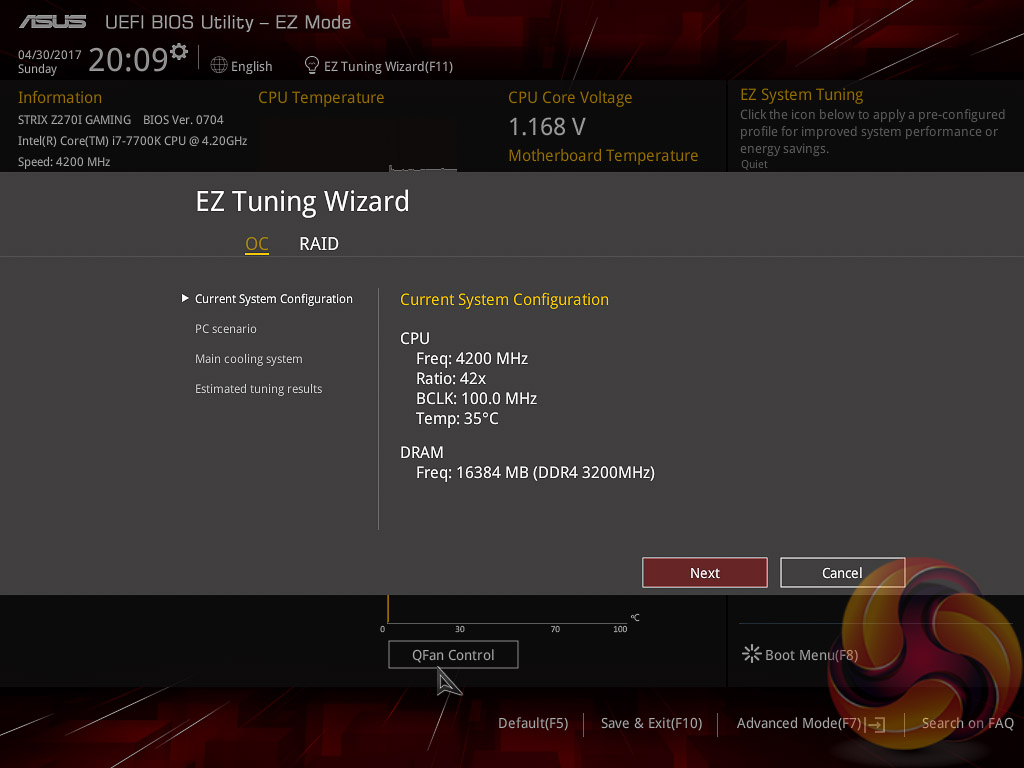
The EZ Tuning Wizard is the ASUS automated overclocking utility which will tune both the CPU and DRAM. Like most automated utilities a user of modest overclocking prowess can manage better but it’s handy for getting setup with an overclock in a hurry.
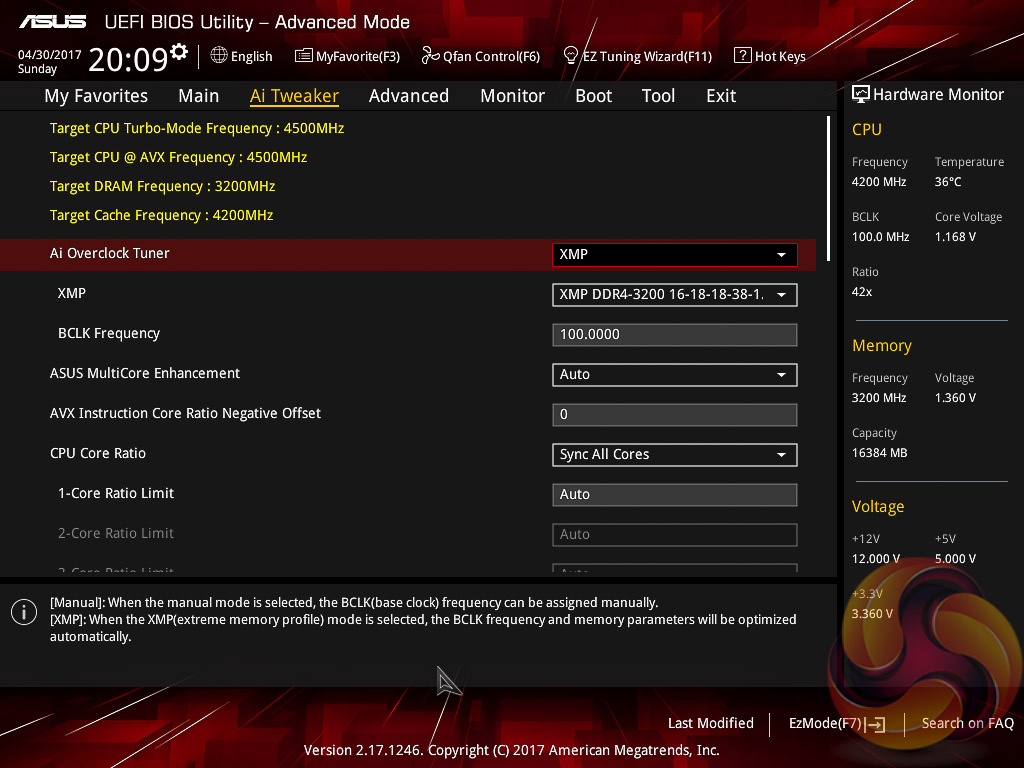
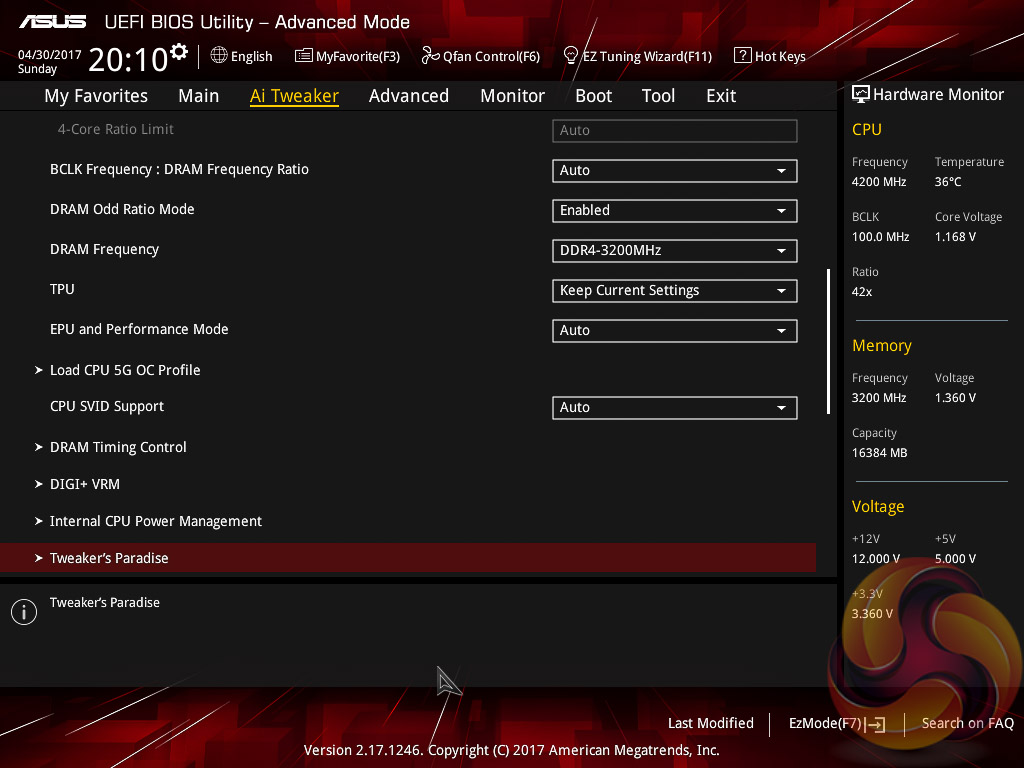
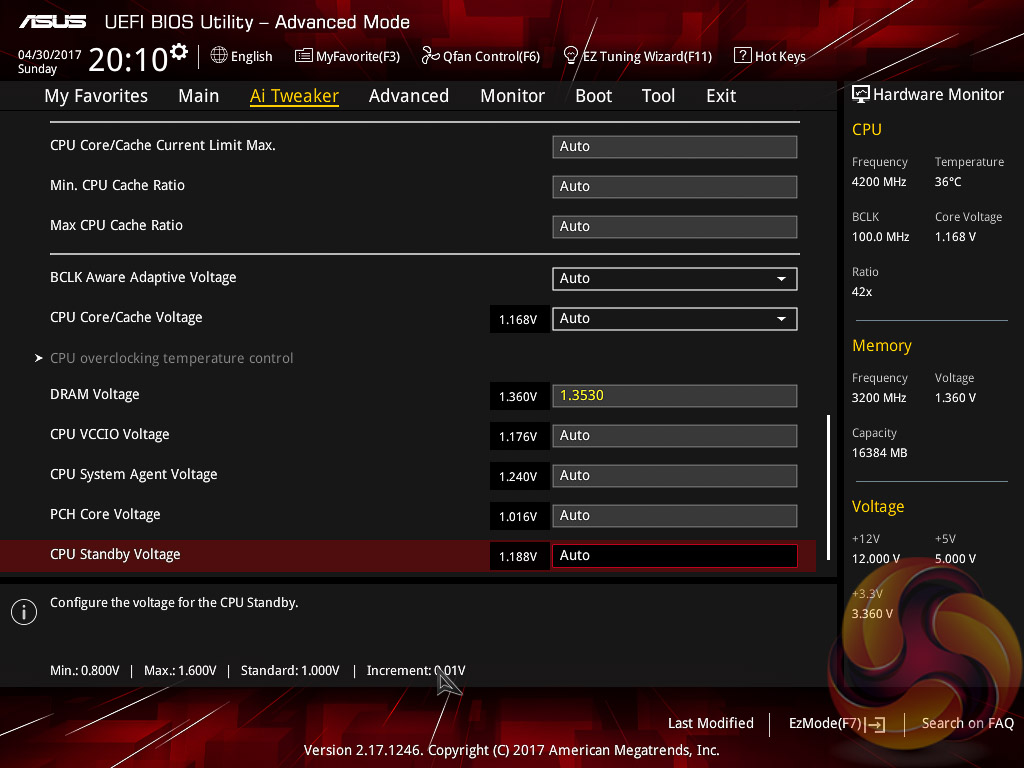
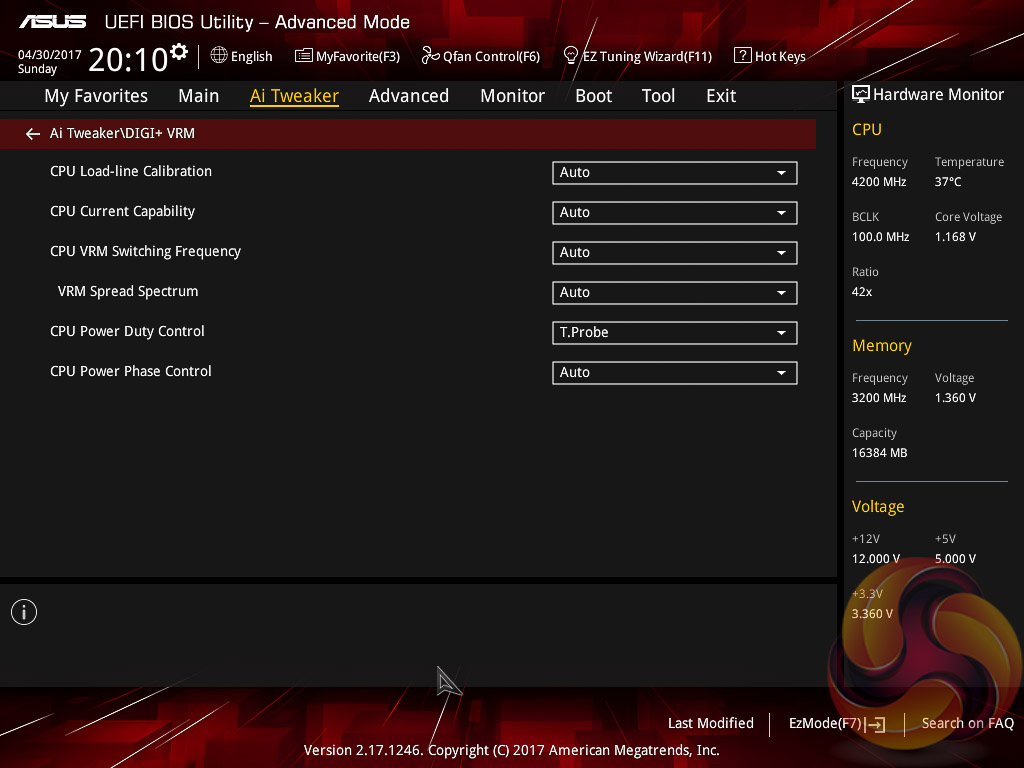
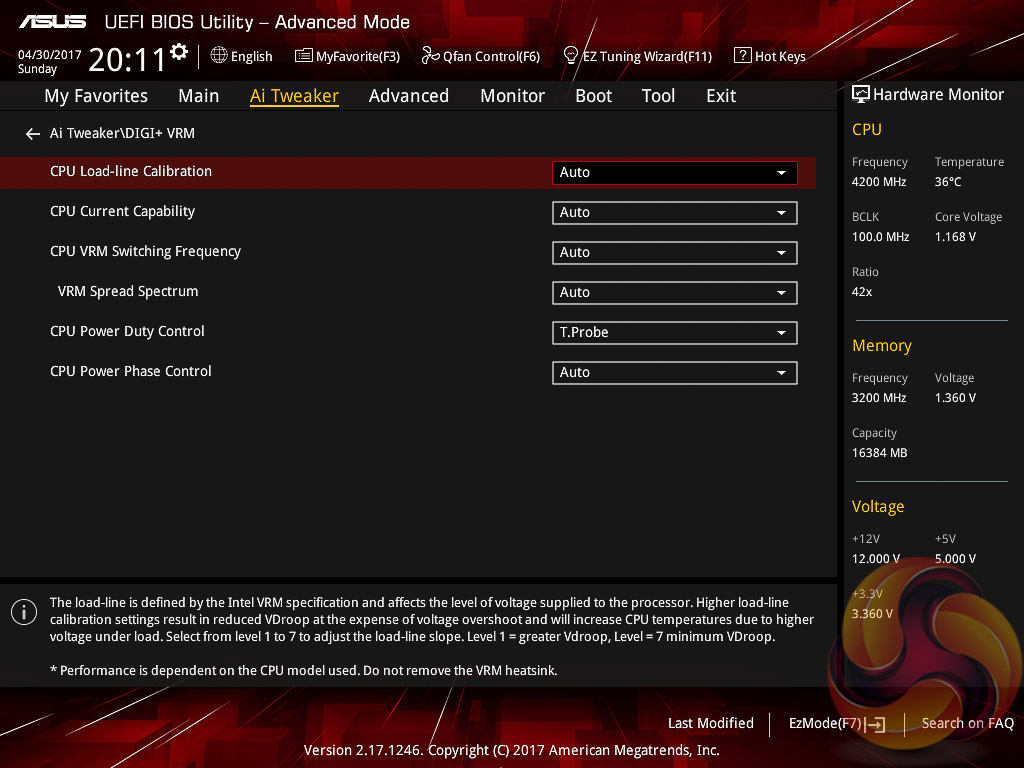
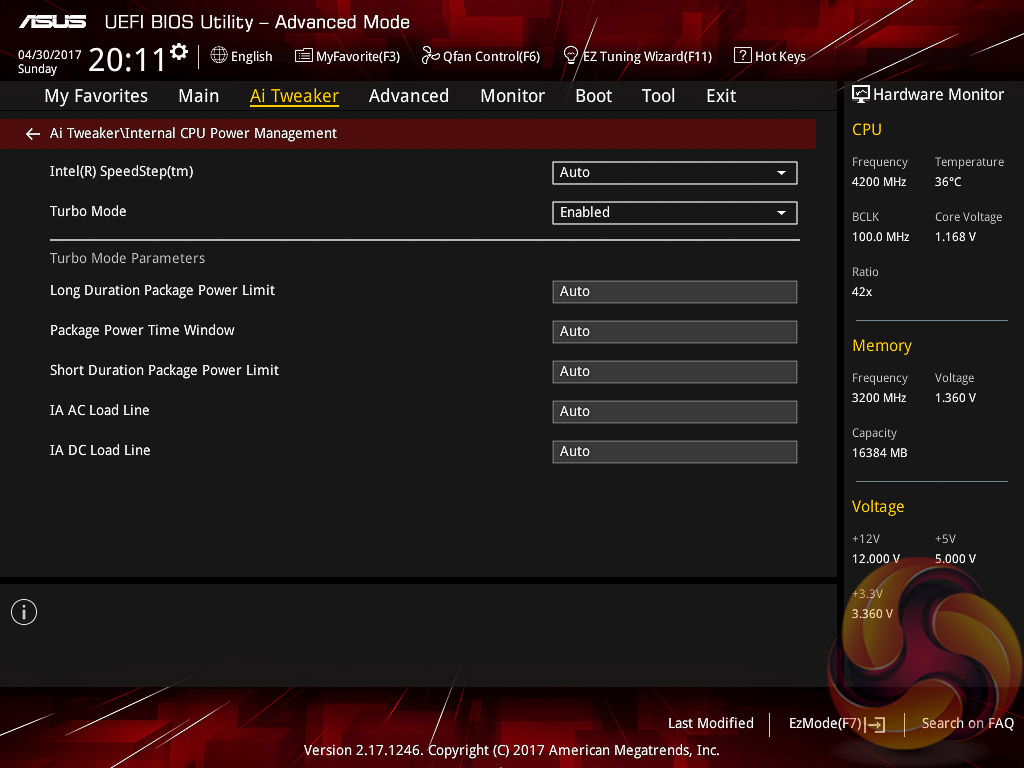
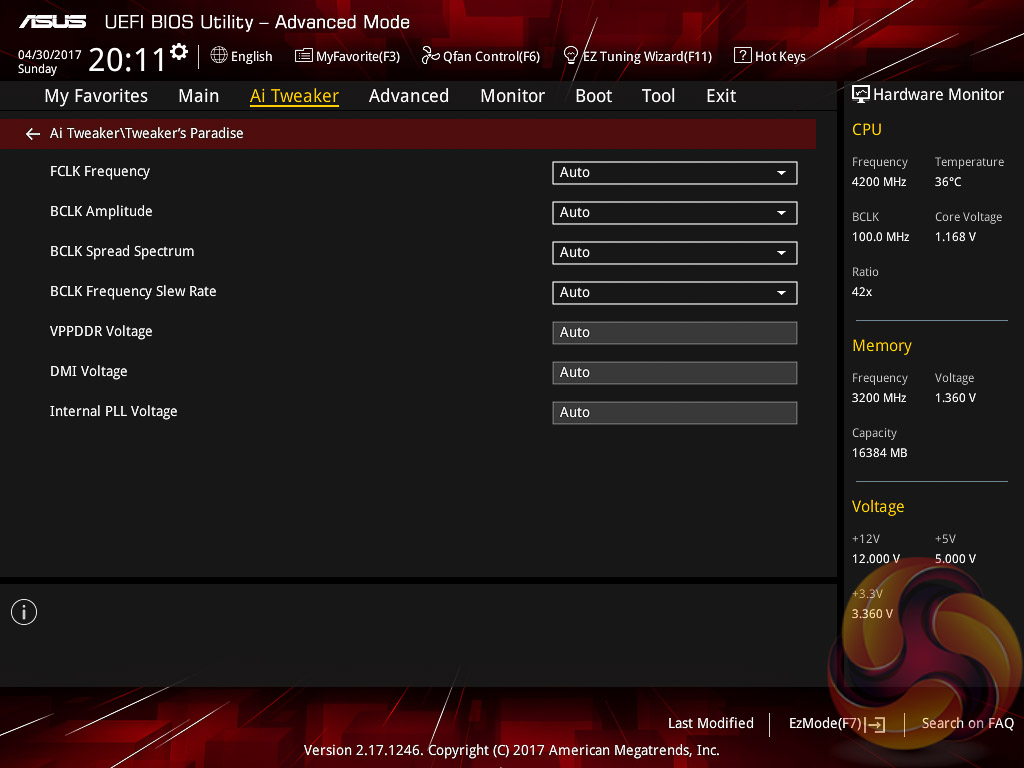
AI Tweaker is the UEFI tab which contains the vast majority of performance tuning settings pertaining to the CPU and DRAM. From here you can set XMP profiles, overclock the CPU, set all the various voltages and voltage operation modes, change the Load Line Calibration and considerably more.
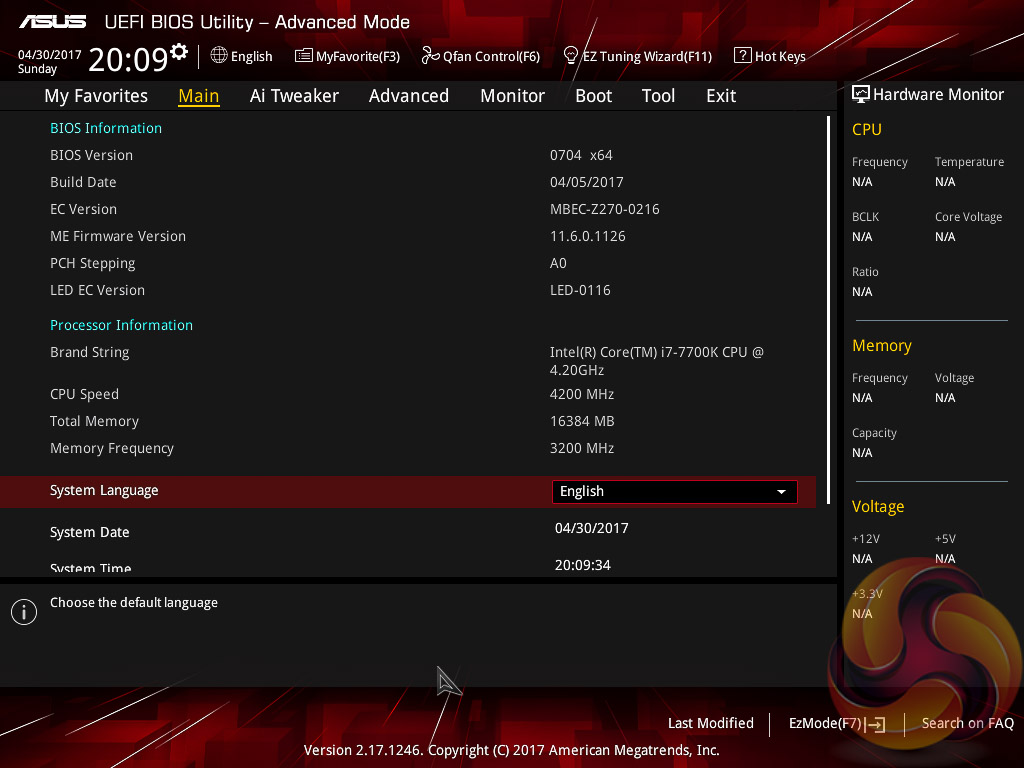
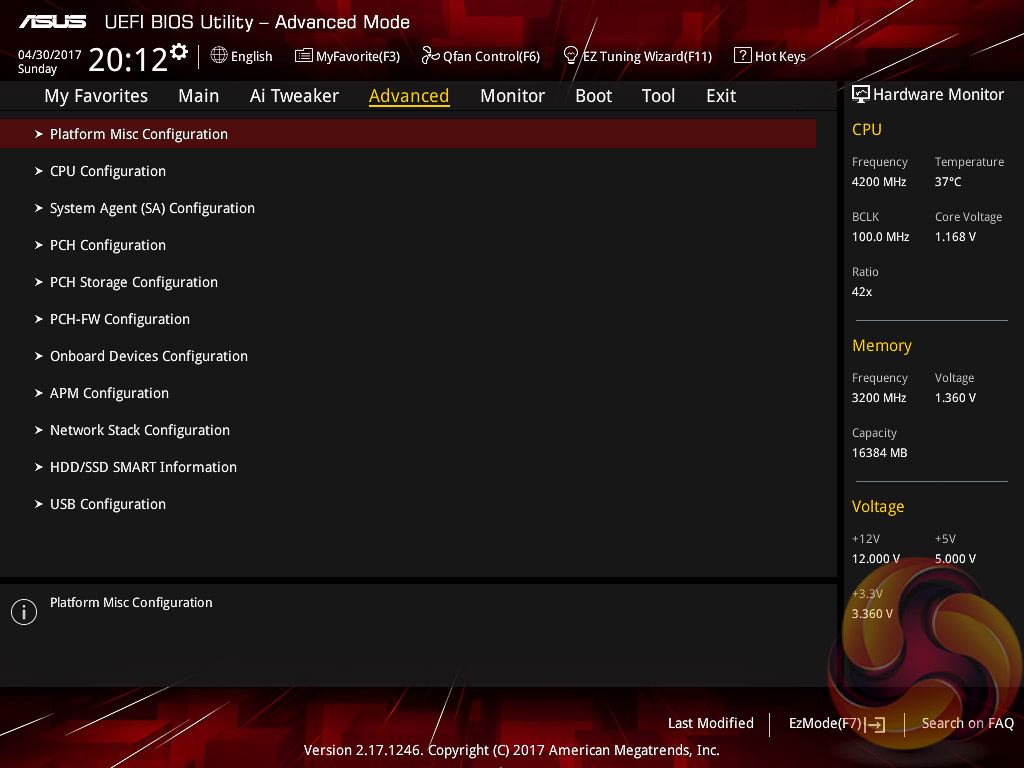
There is a significant selection of performance and compatibility parameters to be found under the Advanced section should the need arise. As well as a number of other peculiar settings related to the functions of onboard devices, LEDs, USB and storage controllers and much more.
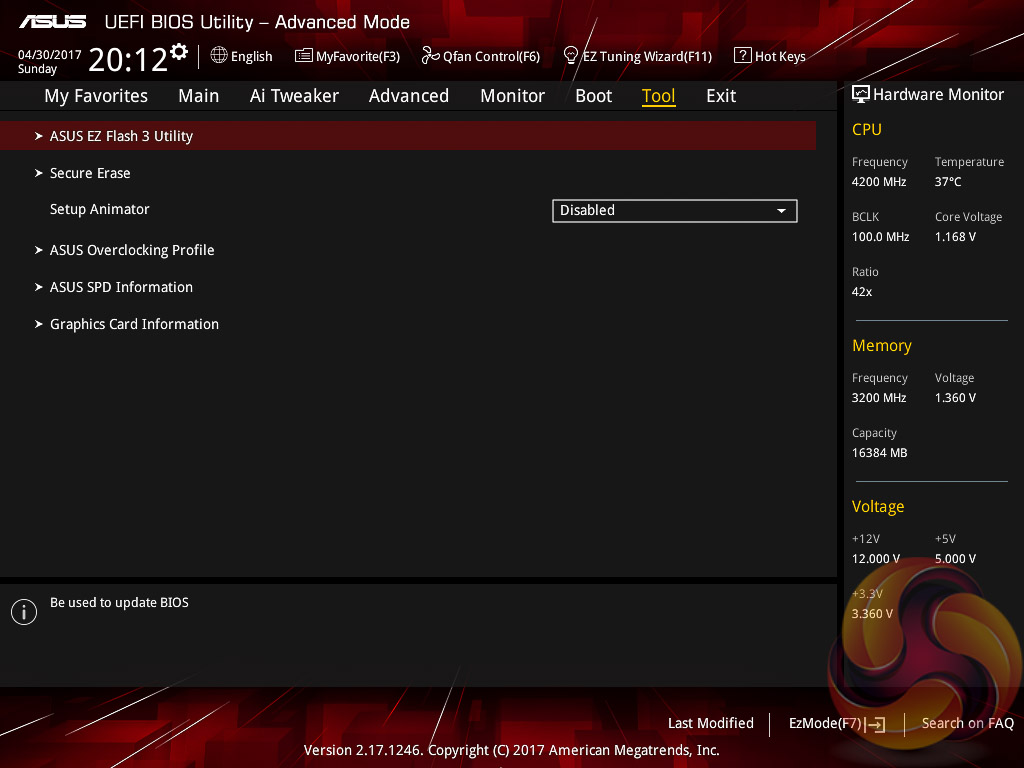
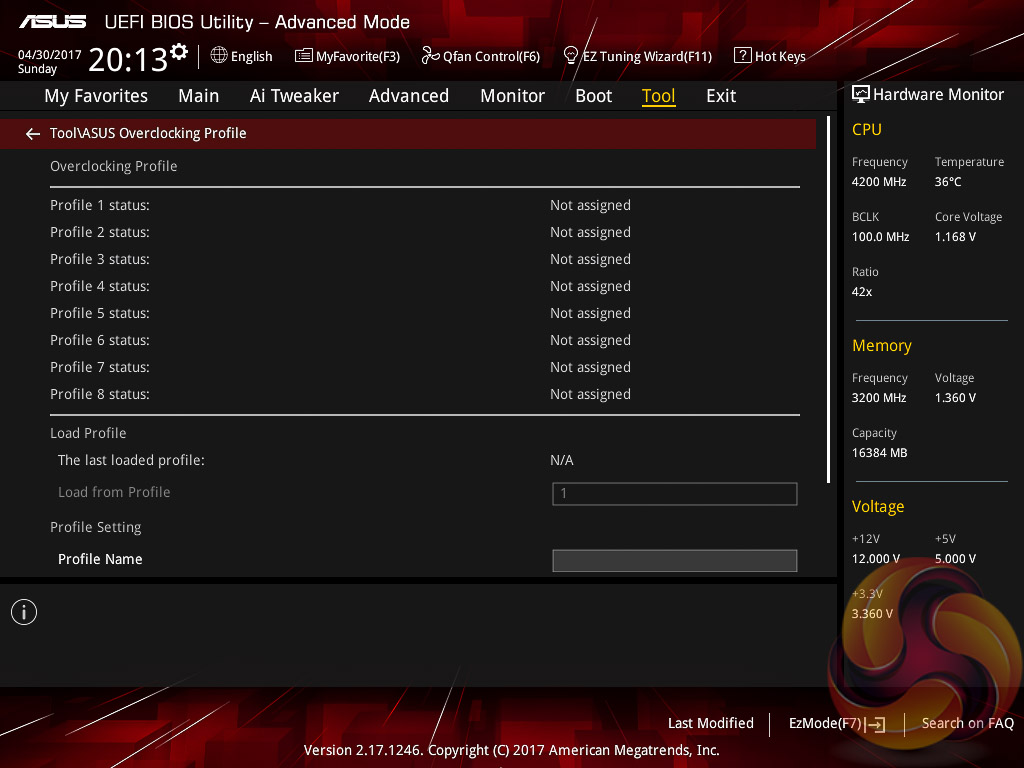
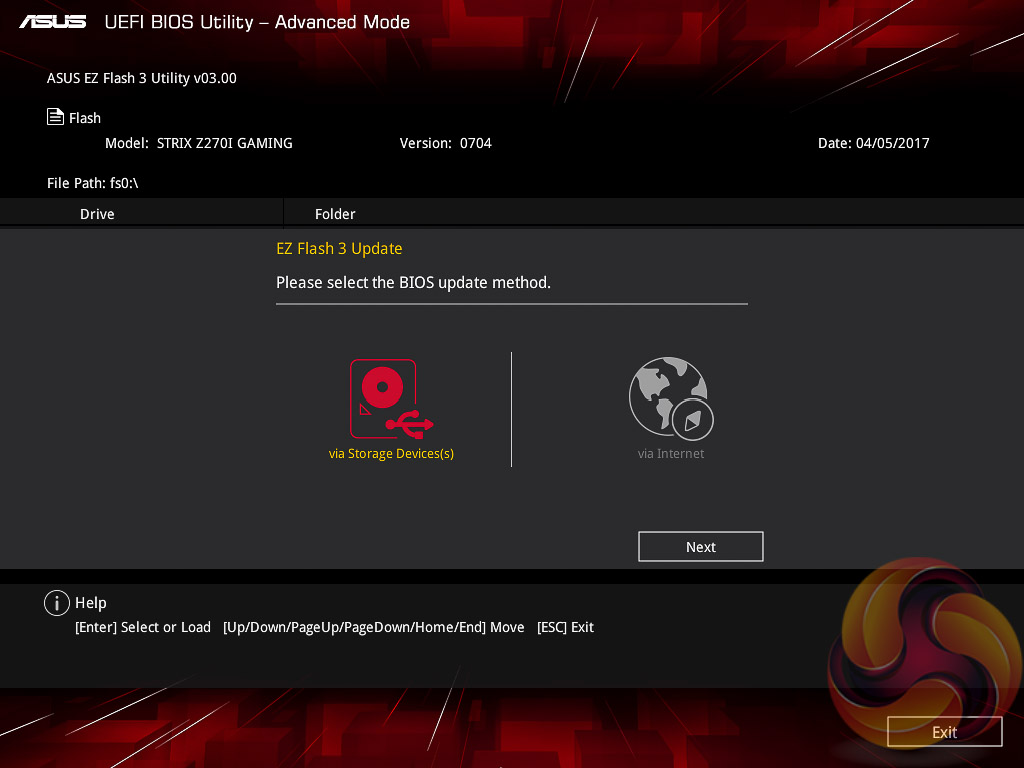
Users needing to update the UEFI (via the EZ Flash Utility), save, import or export BIOS settings, or secure erase a storage drive should refer to the Tool tab.
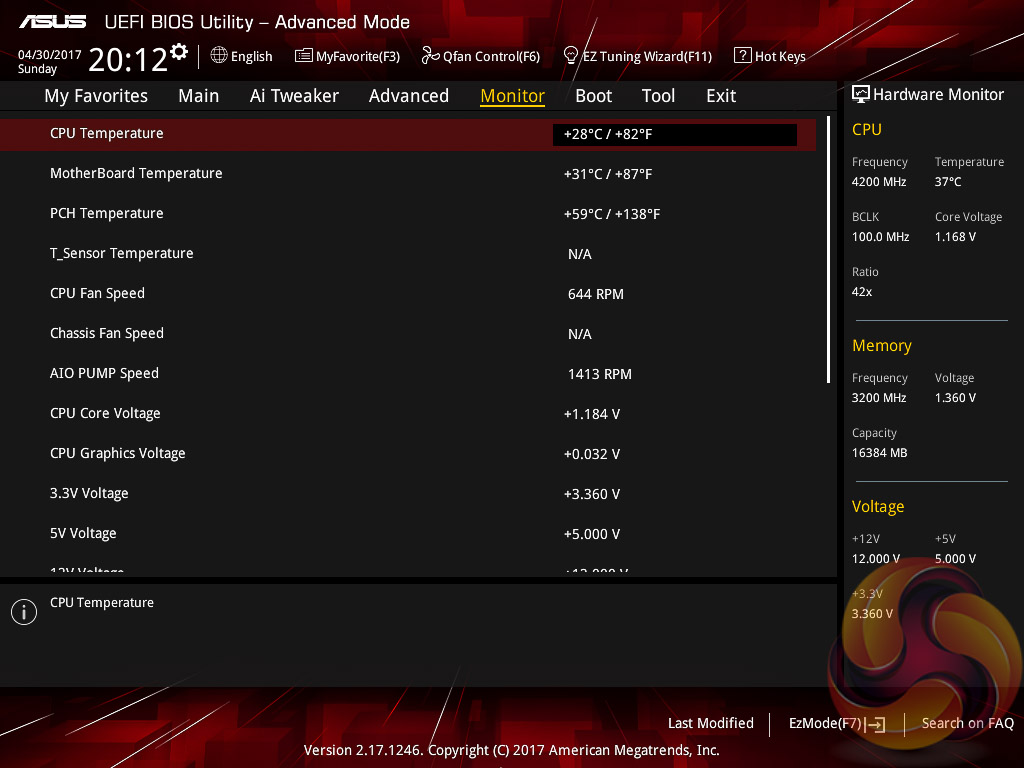
The Monitor tab will allow you to instruct the UEFI how to handle temperature data from the various sensors as well as what to do with fan speed profiles. For example where a fan speed profile is temperature dependant you can choose which temperature sensor to use.
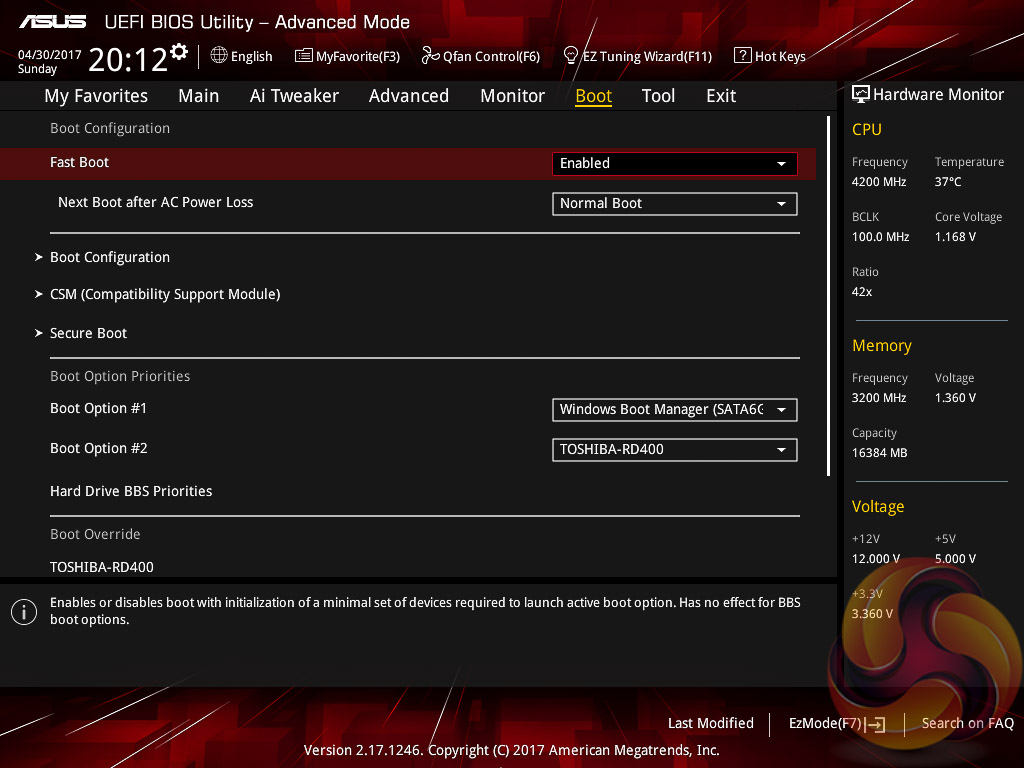
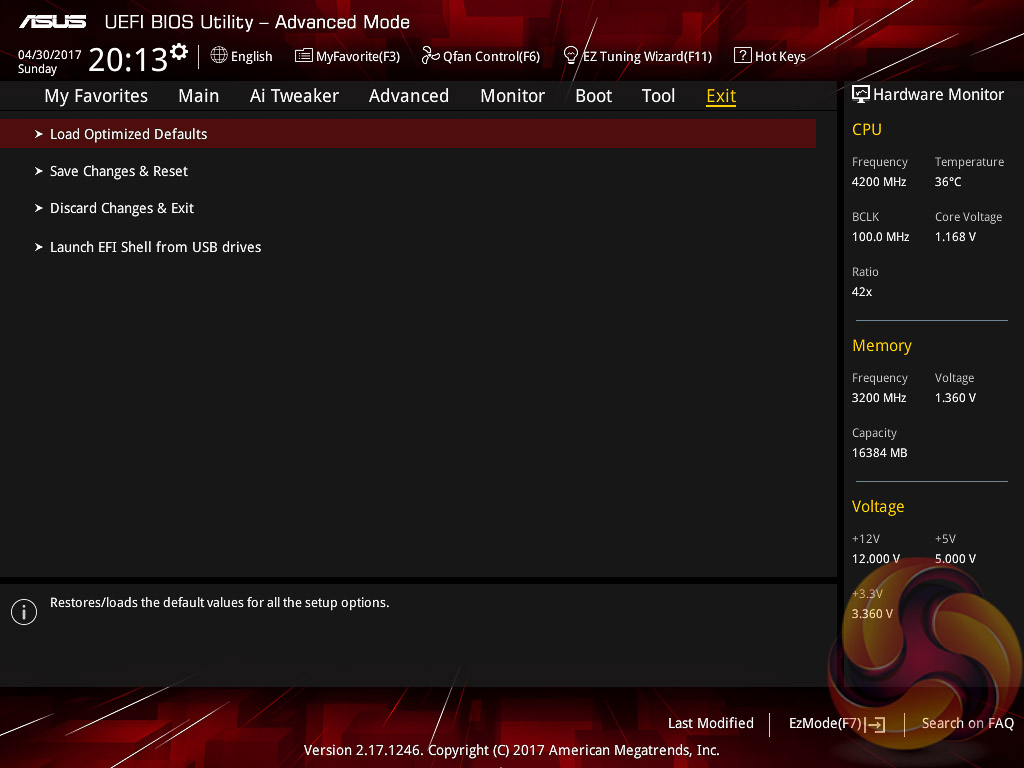
On the whole we find the ASUS UEFI environment to be intuitive and endowed with all the options users may need to achieve the vast majority, if not all, of performance- and compatibility-related issues. It also helps that ASUS hasn’t significantly overhauled the design of its UEFI in a long-while, some of its rivals have done this and it can be confusing for end-users. The ASUS UEFI is one of the strongest UEFI implementations on the market.
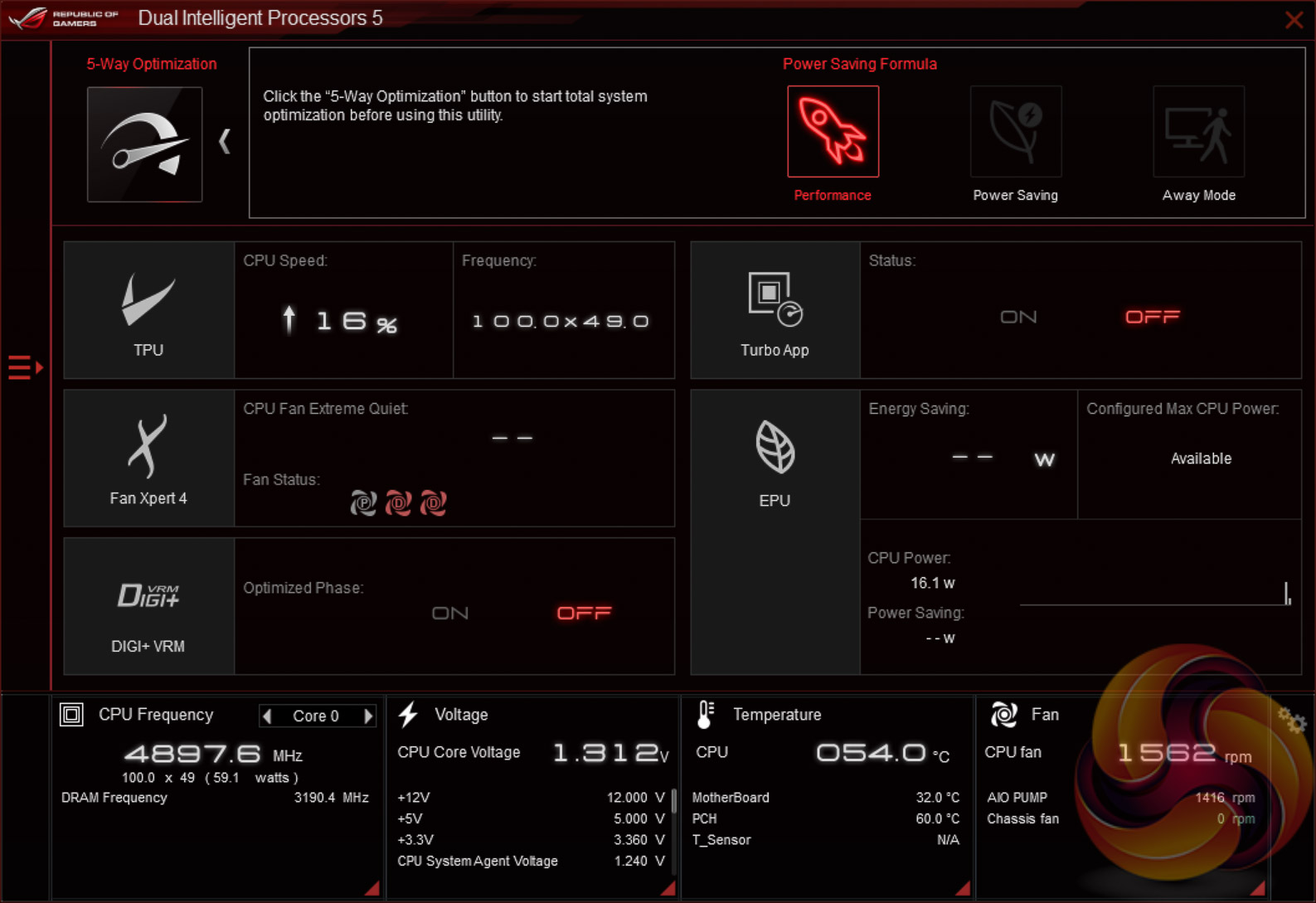
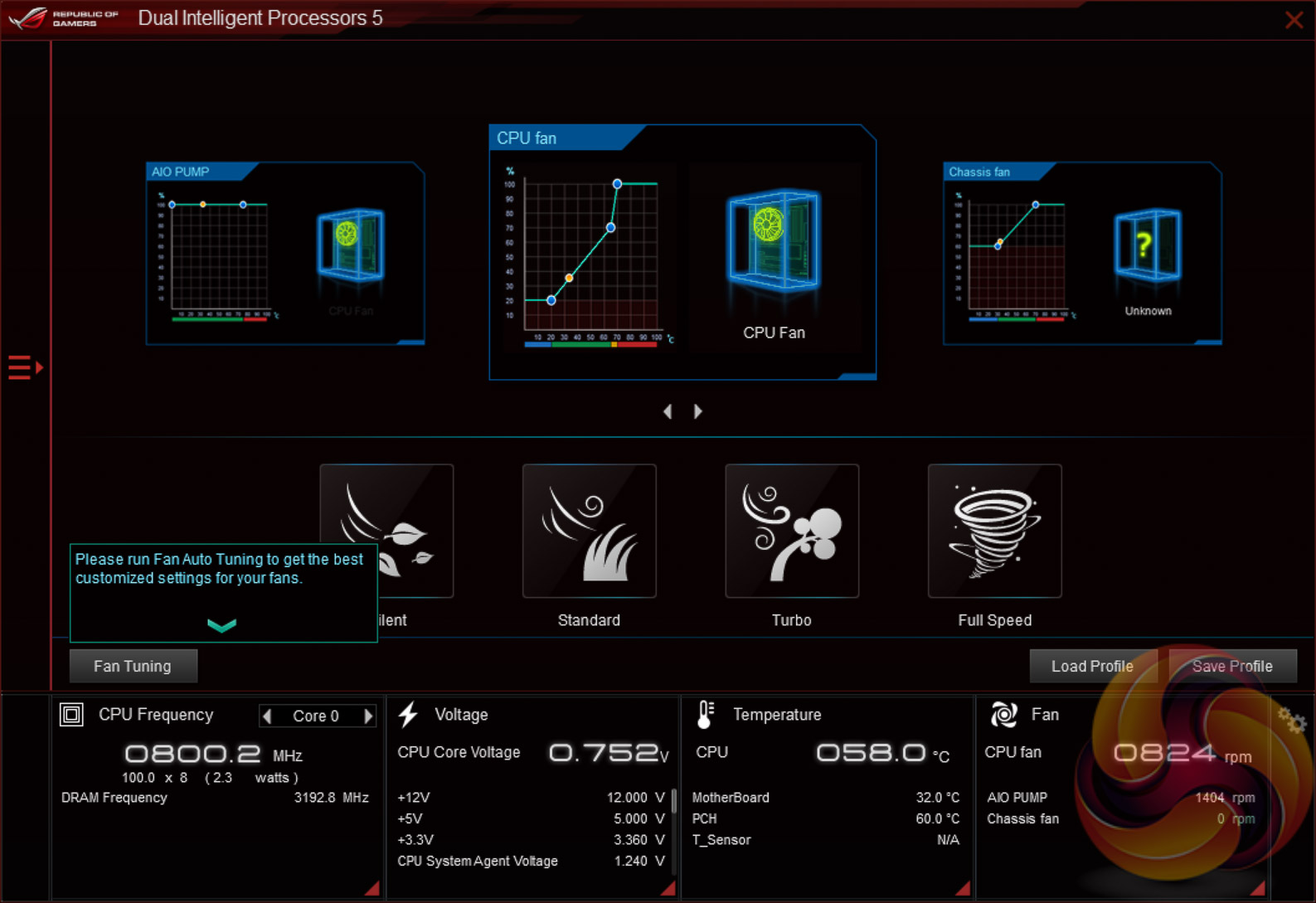
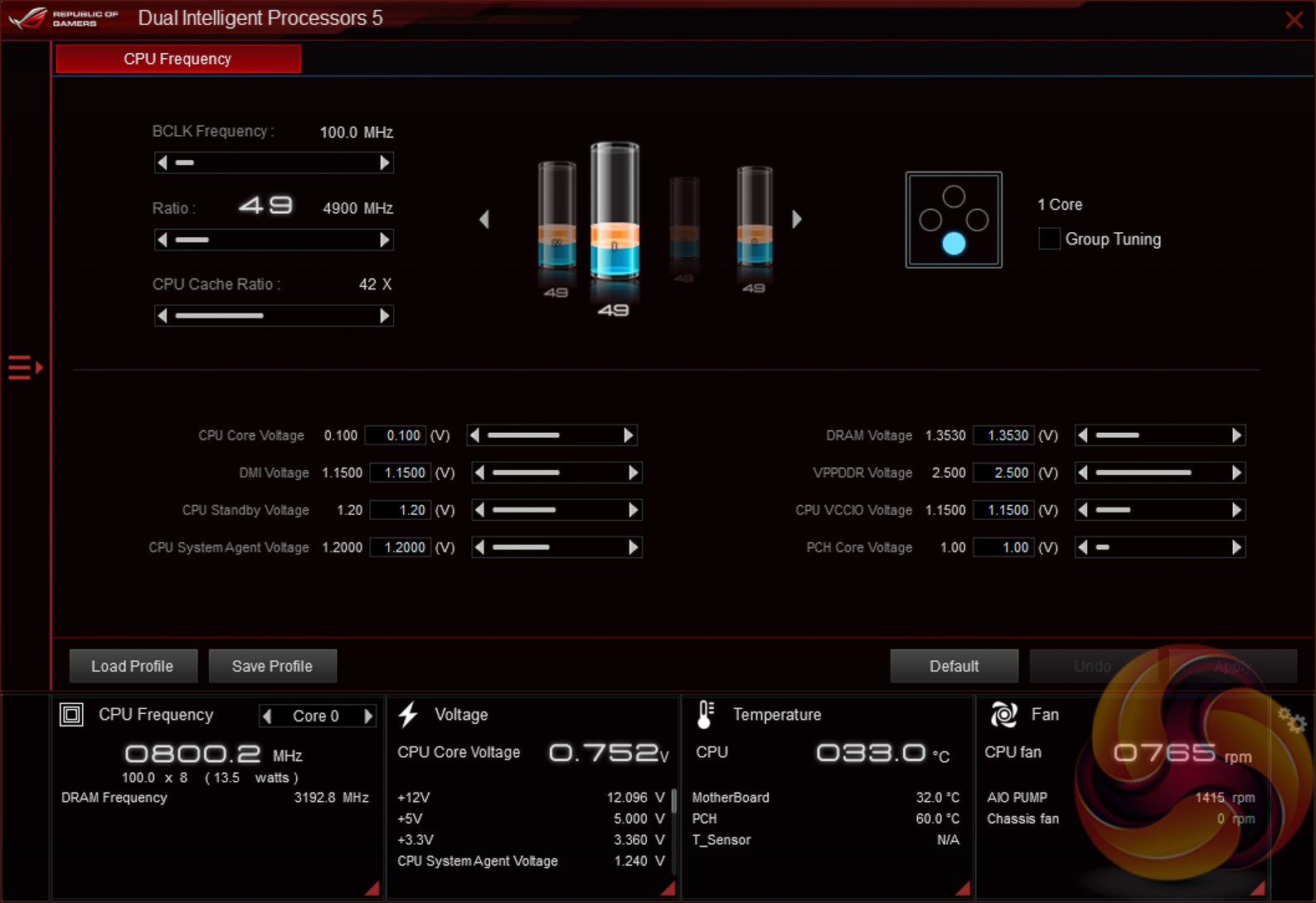
The main software utility for the ASUS motherboard range is the multi-function AI Suite III. It contains within it a significant number of utilities including the EPU and TPU profiles, the Turbo App for core and application specific turbo behaviour, Fan Xpert 4 and on-the-fly overclocking support.
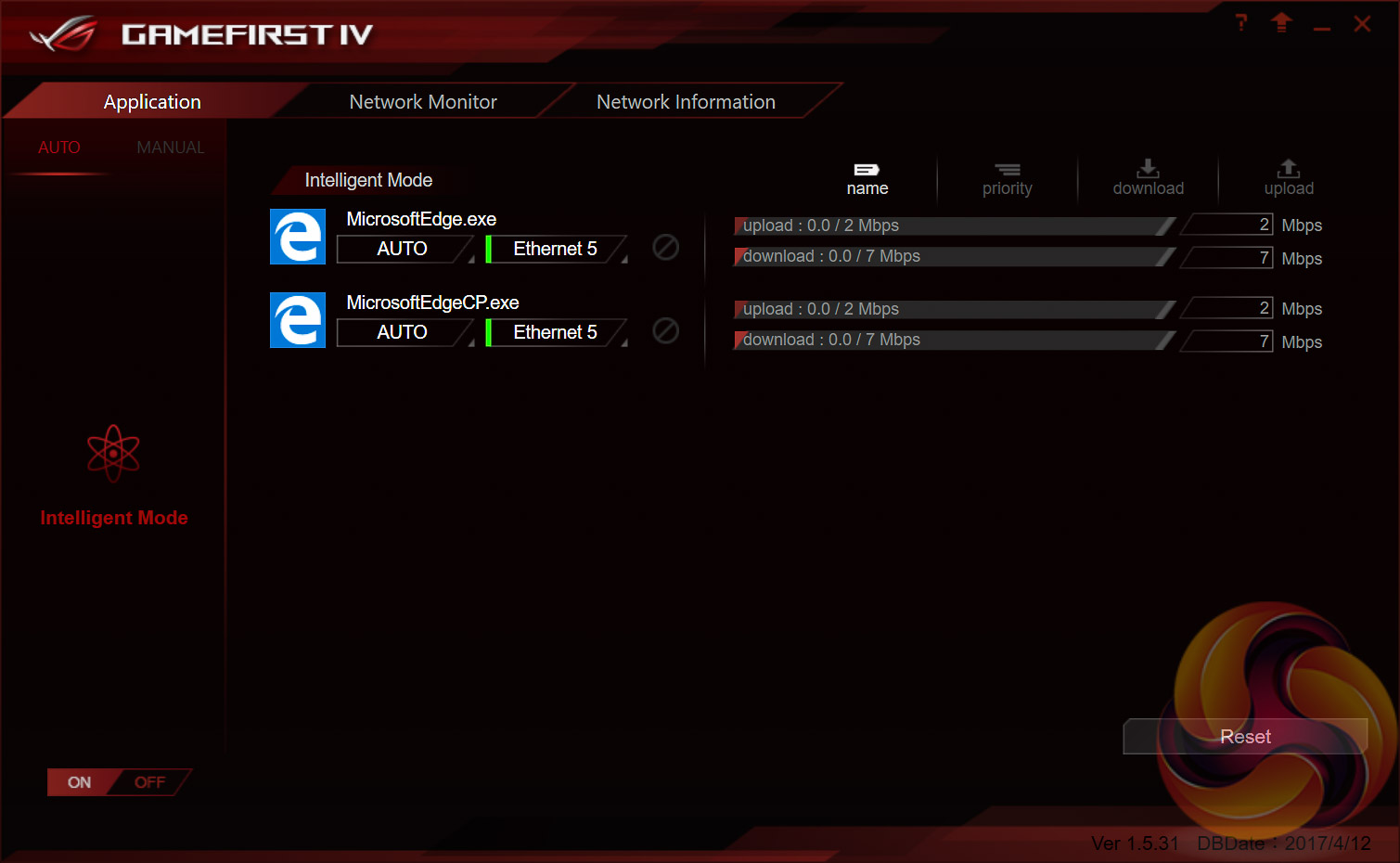
The ROG GameFirst software is now at version IV and supports Multi-Gate Teaming technology and Intelligent mode when used with Windows 8.1 and Windows 10 64-bit.
Multi-Gate teaming allows the onboard WiFi to be used at the same time as the Wired LAN to maximise network throughput, as well as the ability to prioritise different applications to different interfaces. For example gaming applications can take priority usage of the wired connection while torrent downloads could be pushed to the wireless.
The intelligent mode “contains smart learning and app identification, smart learning is to learn the most frequently used software to help choose the best networking connection automatically; app identification is to send unidentified applications to server for instant recognition.”
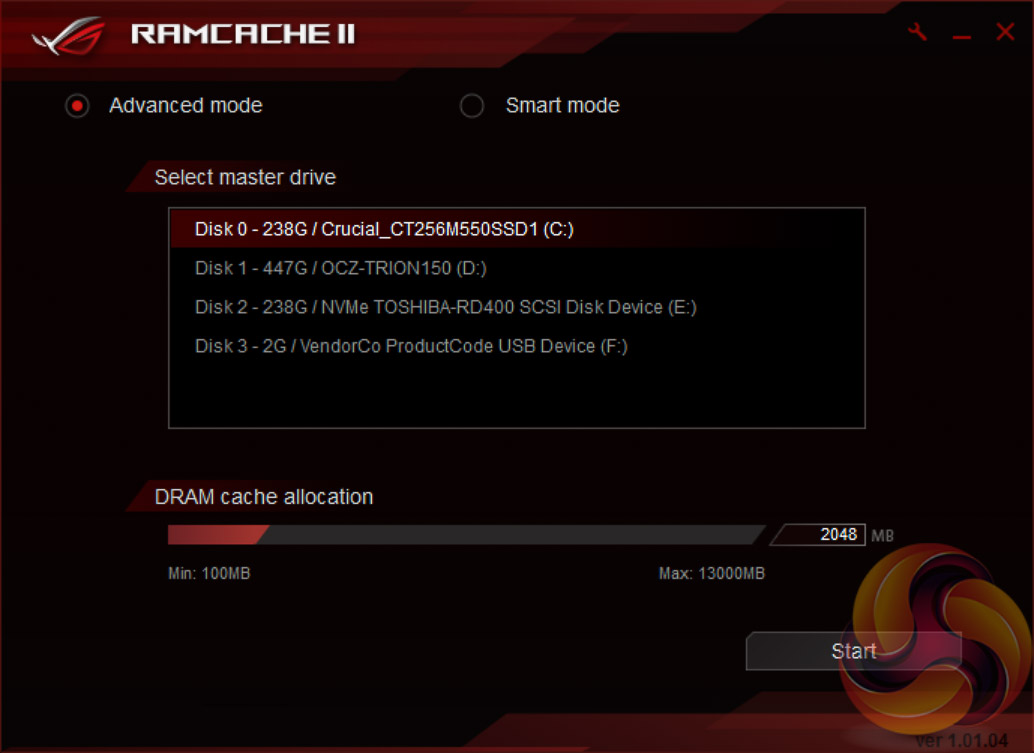
The ROG RAMCache II software, which complements pre-existing ROG RAMDisk software, has been improved for Z270 to help with program loading and file transfers of regularly accessed data. Users simply need to set aside the amount of RAM they would like to allocate for caching and the RAM Cache II software handles everything else behind the scenes when in Smart mode. There is an advanced mode that gives some additional parameters for controlling the software.
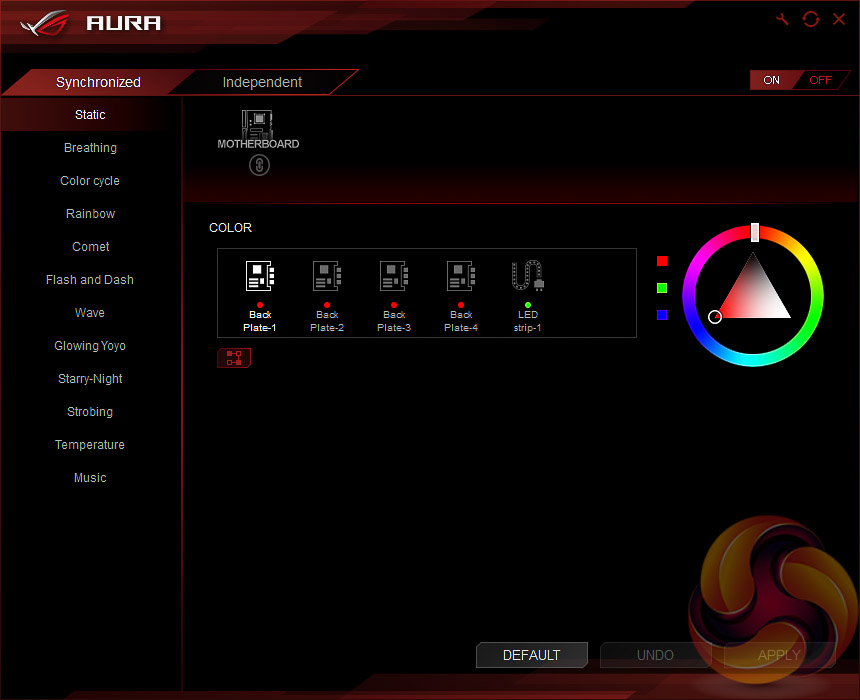
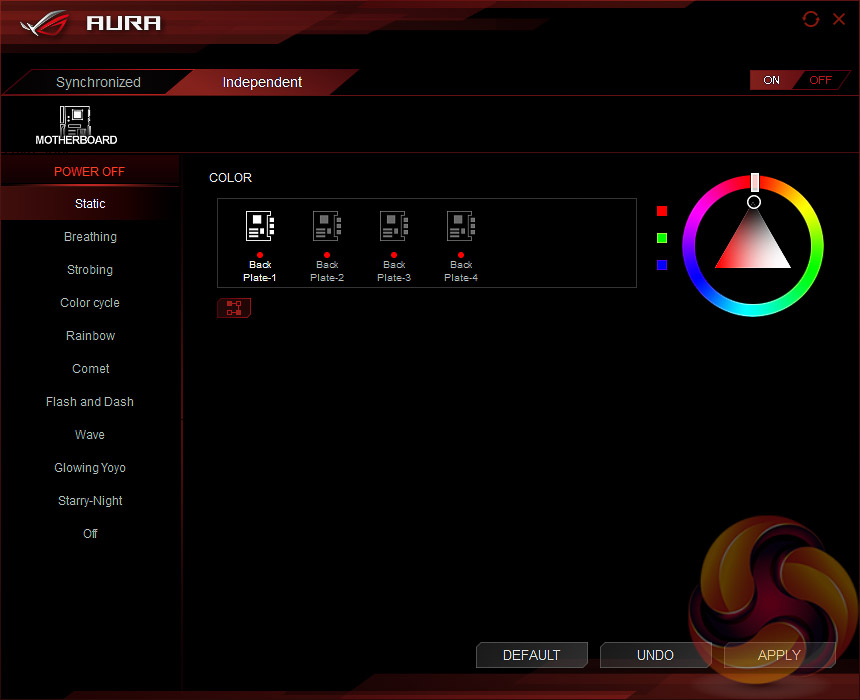
The ASUS AURA RGB software is functional, it serves its intended purposes but it isn't the most intuitive. For instance, the “Independent” mode isn't the mode that lets you control the LED zones independent of each other, it's the mode that lets you set the LED behaviour when the system is turned off and running from standby power – go figure.
That aside, it's still quite easy to apply a wide-range of LED effects and colours to the built in LEDs or an optional strip, we tested with a CableMod unit. The number of lighting modes has increased since we last tested the Aura software, it's a decent RGB implementation and ASUS is improving it all the time.
Our main gripe would be that the software still isn't clear enough in letting users know which permutations of colours, lighting effects, synchronisation and zones are possible or not.
We will be outlining the ASUS ROG Strix Z270i Gaming motherboard's performance with the Core i7 7700K CPU and 16GB of 3200MHz G.Skill Trident Z DDR4 memory.
By default the ASUS ROG Strix Z270i Gaming motherboard applies a multi-core turbo (MCT) state and forces the i7 7700K to a constant 4.5GHz when XMP is enabled. Overclocked performance will be outlined later in the review.
Z270 Motherboard Test System:
- Processor: Intel Core i7 7700K (4.5GHz All-Core Turbo).
- Memory: 16GB (2x8GB) G.Skill Trident Z XMP (3200MHz 16-18-18-38 @ 1.35V).
- Graphics Card: Gigabyte GeForce GTX 1080 G1 Gaming.
- System Drive: Crucial M550 256GB SSD.
- CPU Cooler: Corsair H100i V2 with Two ML120 Pro Fans.
- Power Supply: Seasonic Platinum 760W SS-760XP.
- Operating System: Windows 10 Pro 64-bit
Comparison Z270 Motherboards:
- ASRock Fatal1ty Z270 Professional Gaming i7
- ASRock Z270 Extreme4
- ASUS ROG Maximus IX Apex
- ASUS ROG Maximus IX Formula
- ASUS ROG STRIX Z270i Gaming
- Gigabyte Z270N-Gaming 5
- Gigabyte Z270X-Ultra Gaming
- MSI Z270 Gaming M7
- MSI Z270i Gaming Pro Carbon AC
Drivers and UEFI:
- Intel Chipset 10.1.1.38
- Nvidia GeForce 376.33 VGA drivers.
- Gigabyte UEFI F2 (20/02/2017)
Tests:
- Cinebench R15 – All-core CPU benchmark (CPU)
- HandBrake 1.0.0 – Convert 6.27GB 4K video recording using the Normal Profile setting and MP4 container (CPU)
- SiSoft Sandra 2016 SP1 – Processor Arithmetic Test (CPU) and Memory Bandwidth Test (Memory)
- 7-Zip 16.04 x64 – Built-in 7-Zip benchmark test (CPU)
- AIDA64 Engineer 5.80.4000 – System stress test and cache & memory benchmark (Memory and Power)
- 3DMark Fire Strike v1.1 – Fire Strike (1080p) test (Gaming)
- Ashes of the Singularity – Built-in benchmark tool CPU-Focused test, 1920 x 1080, Extreme quality preset, DX12 version (Gaming)
- Metro: Last Light Redux – Built-in benchmark tool, 1920 x 1080, Very High quality, SSAA, AF 16X, Tessellation: High (Gaming)
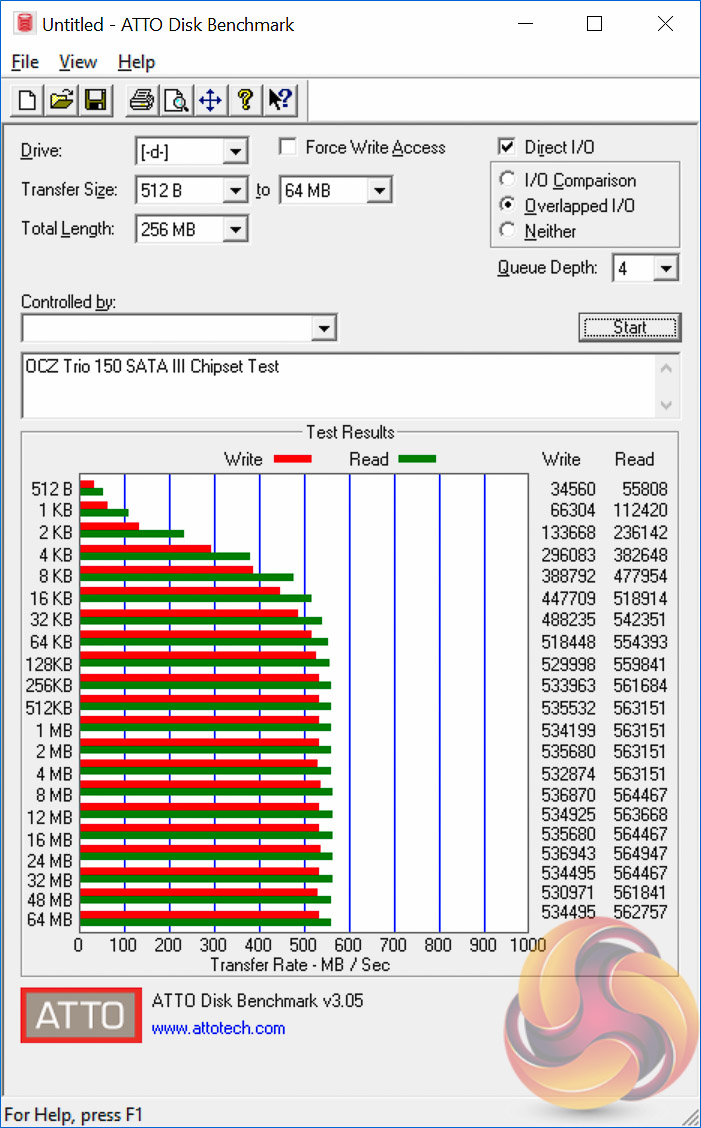
- ATTO – M.2, USB 3.0, USB 3.1, and SATA 6Gbps transfer rates (Motherboard)
- RightMark Audio Analyzer – Record and playback test using a line-in to line-out loopback with a 3.5mm audio cable (Motherboard)
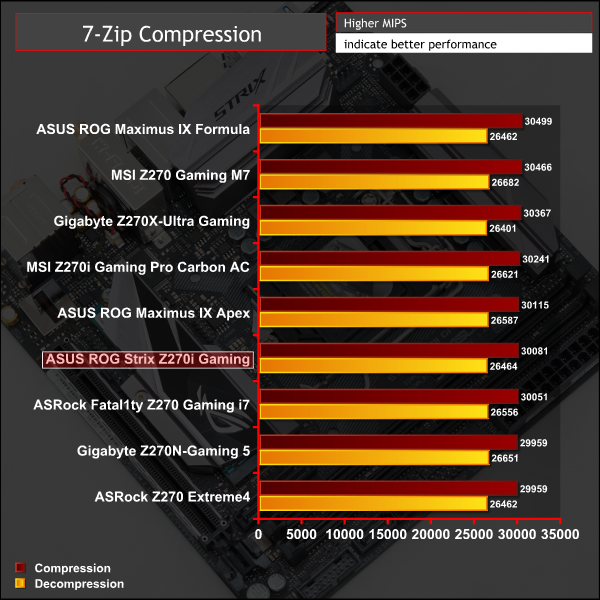
7-Zip
7-Zip is an open source Windows utility for manipulating archives. We measure the Total Rating performance using the built-in benchmark tool. The test stresses all CPU cores to 100% and shows an affinity for memory bandwidth.
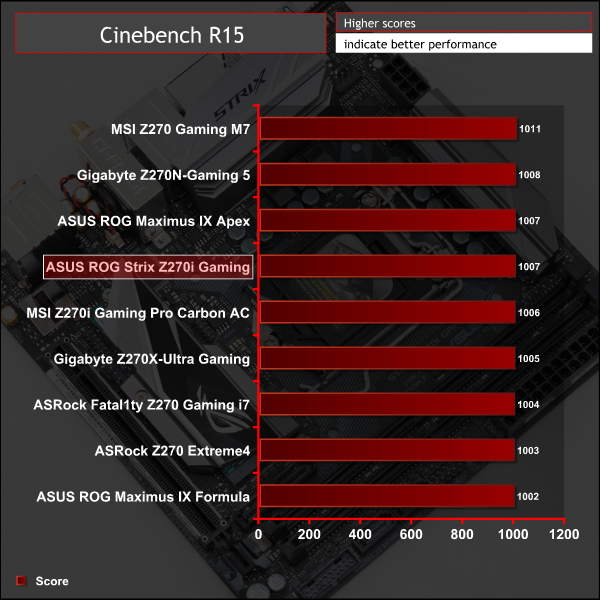
Cinebench R15
Cinebench is an application which renders a photorealistic 3D scene to benchmark a computer’s rendering performance, on one CPU core, all CPU cores or using the GPU. We run the test using the all core CPU mode.
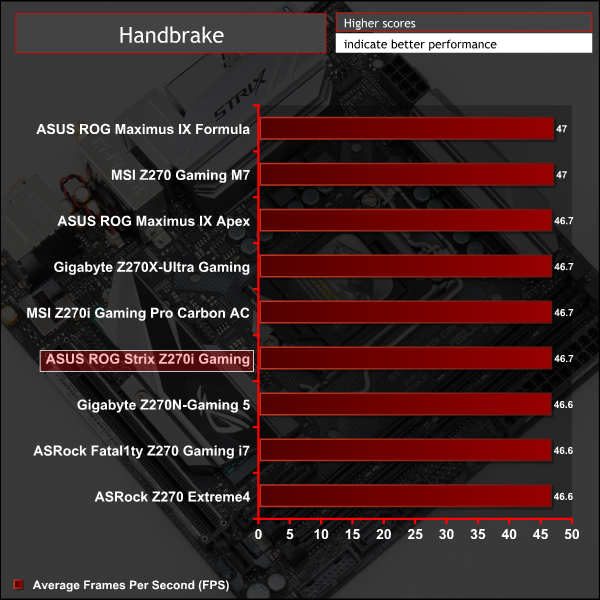
Handbrake Conversion
Handbrake is a free and open-source video transcoding tool that can be used to convert video files between different codecs, formats and resolutions. We measured the average frame rate achieved for a task of converting a 6.27GB 4K video using the Normal Profile setting and MP4 container. The test stresses all CPU cores to 100% and shows an affinity for memory bandwidth.
Sandra Processor Arithmetic
SiSoft Sandra 2016 is a multi-function utility program that supports remote analysis, benchmarking and diagnostic features for PCs, servers, mobile devices and networks. We run the application’s processor arithmetic test to gauge the CPU performance on each tested motherboard.
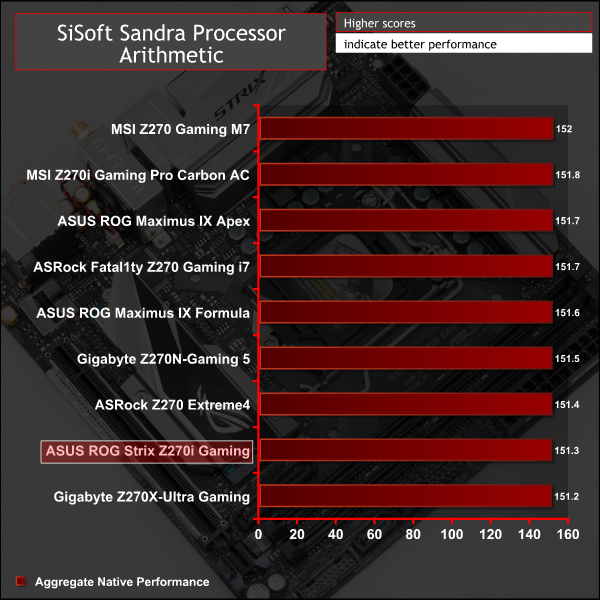
CPU performance is consistent across all Z270 motherboards on test.
AIDA64 Engineer
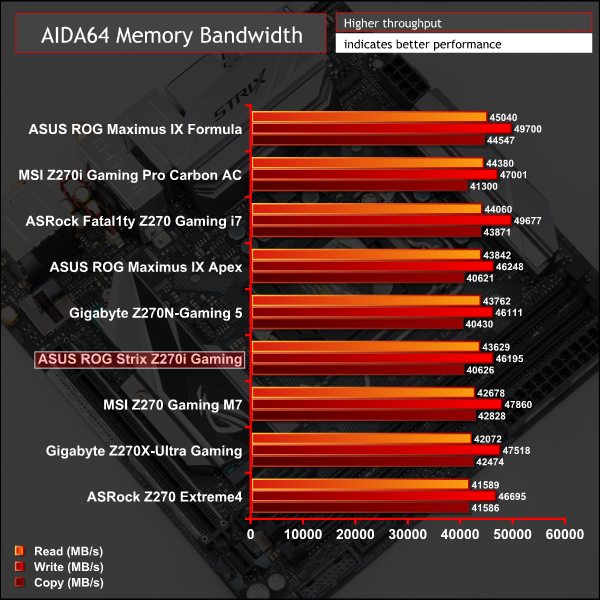
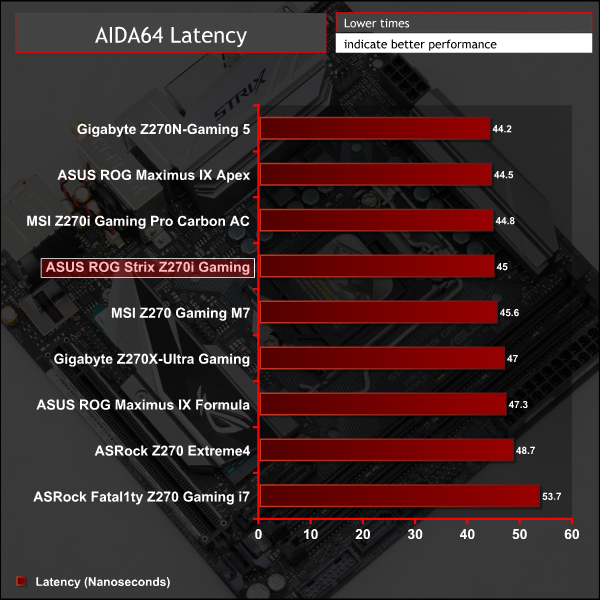
AIDA64 Engineer is a multi-featured software suite for diagnostics, stress testing, benchmarking, software auditing and various other measurement parameters. We use AIDA64 Engineer to benchmark memory throughput and latency.
Sandra Memory Bandwidth
SiSoft Sandra 2016 is a multi-function utility program that supports remote analysis, benchmarking and diagnostic features for PCs, servers, mobile devices and networks. We use the SiSoft Sandra memory bandwidth test to provide a set of memory bandwidth results.
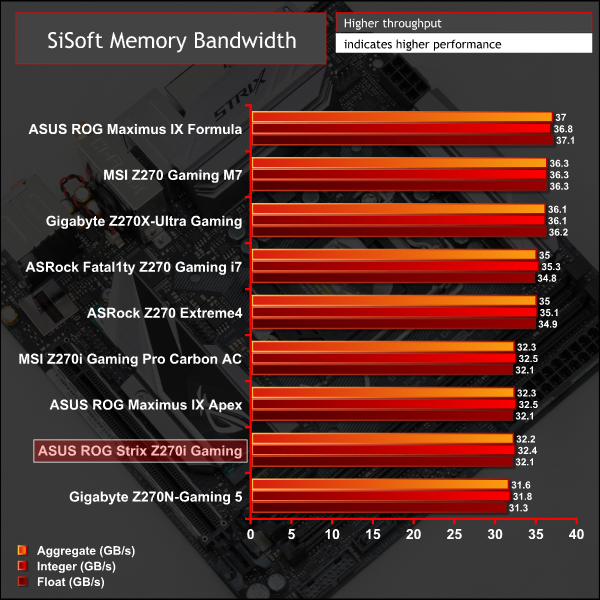
Memory performance is right where it should be given mini-ITX will only support two DIMMs. Motherboards tested with four DIMMs performed slightly better but the real-world performance impact is negligible.
3DMark
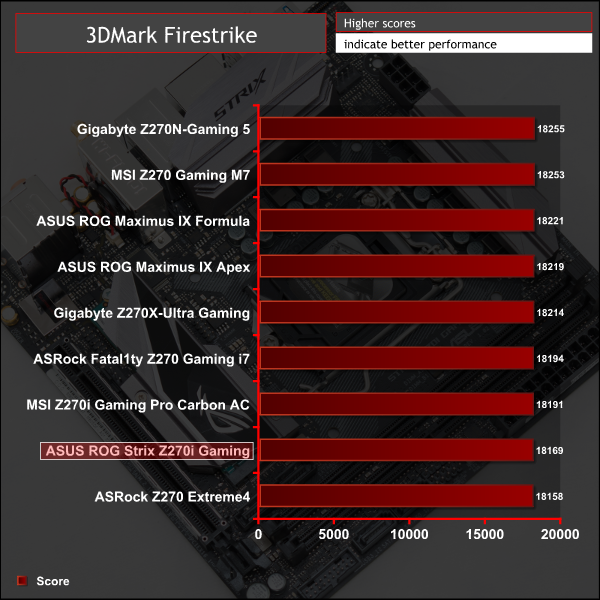
3DMark is a multi-platform hardware benchmark designed to test varying resolutions and detail levels of 3D gaming performance. We run the Windows platform test and in particular the Fire Strike benchmark, which is indicative of high-end 1080p PC Gaming.
Ashes of the Singularity
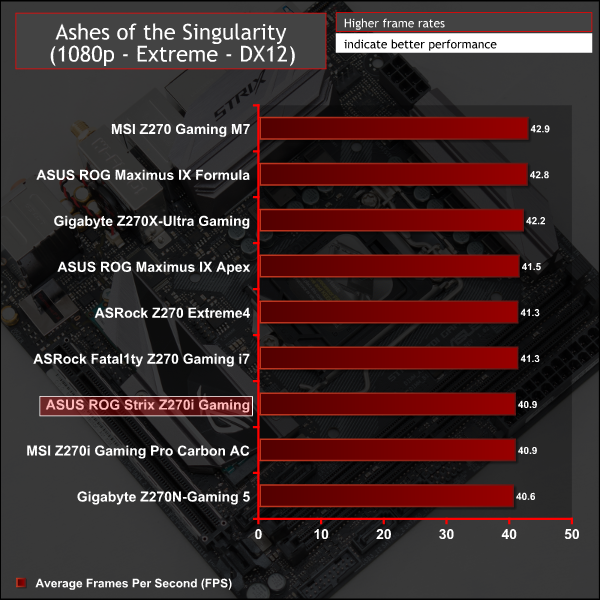
Ashes of the Singularity is a Sci-Fi real-time strategy game built for the PC platform. The game includes a built-in benchmark tool and was one of the first available DirectX 12 benchmarks. We run the CPU-focused benchmark using DirectX 12, a 1080p resolution and the Extreme quality preset.
Metro: Last Light Redux
Despite its age, Metro: Last Light Redux remains a punishing title for modern computer hardware. We use the game's built-in benchmark with quality set to Very High, SSAA enabled, AF 16X, and High tessellation.
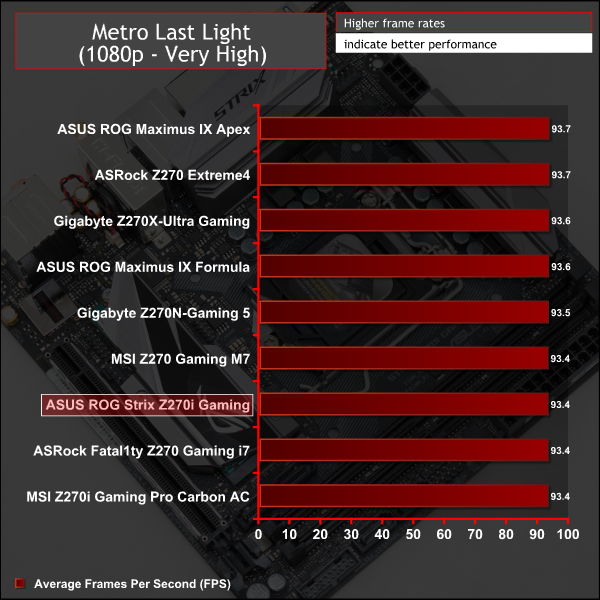
3D Gaming performance varies insignificantly across all motherboards on test.
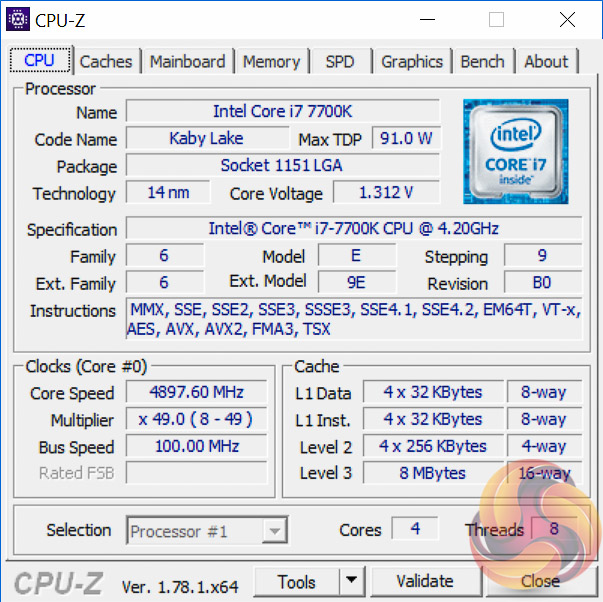
Overclocking is rather predictable for Kaby Lake CPUs once the established maximum frequency of a CPU is determined within acceptable voltage parameters. In our case, we don't like to push beyond 1.35~1.375 volts and using that as an upper maximum voltage up to 4.9GHz was stable. As we noticed on other boards, 5GHz will boot but will fall over under extreme load scenarios.
For 4.9GHz we could achieve this with as little as 1.312 volts which was achieved with an offset of 0.075v from the auto voltage and all other parameters (such as LLC) left to Auto. Voltage droop does occur using Auto LLC but that's not because there is anything inherently wrong with the power delivery system. It's easy to set the voltage to not drop below a certain value if you set the LLC accordingly (the High value or “higher”).
3600MHz XMP Memory:
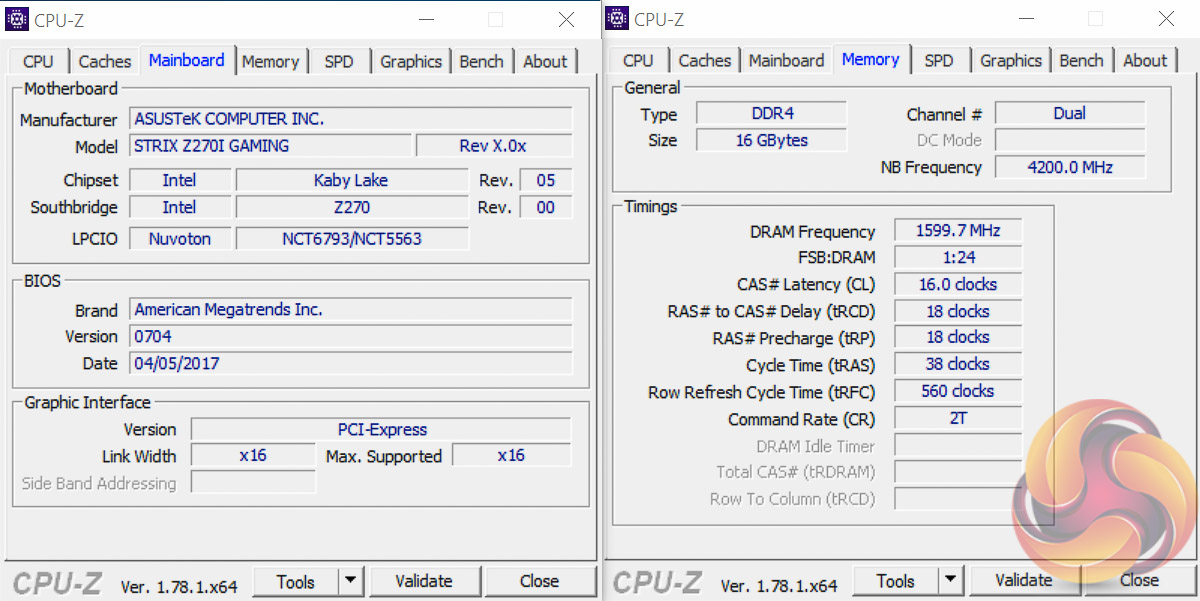
We test the motherboard's ability to run G.Skill's high-speed 16GB DDR4 Trident Z kit at a 3600MHz XMP setting. High-speed XMP settings can prove a challenge for motherboard designers when optimising the settings for stability at the intended DRAM frequency.
ASUS ROG Strix Z270i Gaming executed the XMP 3600MHz profile of our G.Skill Trident Z 16GB (2 x 8GB) memory kit with no hesitation.
Overclocked Performance
As a performance comparison, we have included the results from eight other Z270 motherboards. The maximum overclocked configuration achieved with any other board was a 4900MHz (49 x 100MHz) or 5000MHz (50 x 100MHz) processor frequency whilst using 3200MHz CL16 memory.
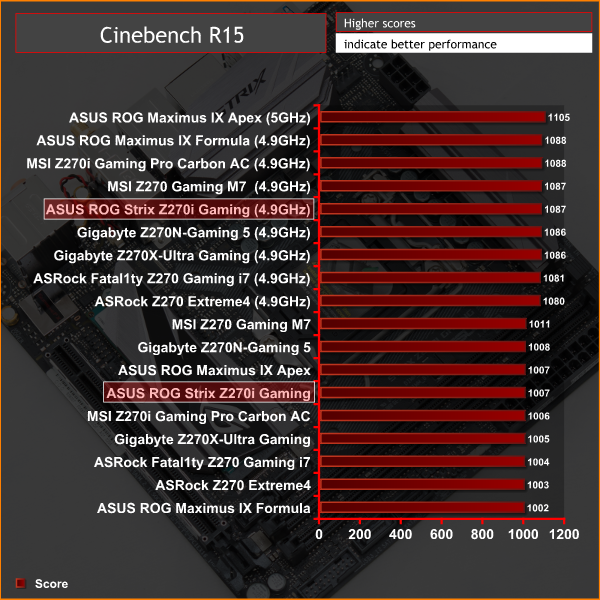
Overclocked performance is in-line with the competition.
Power
We leave the system to idle on the Windows 10 desktop for 5 minutes before taking a reading. For CPU load results we run AIDA64 CPU, FPU, and Cache stress tests and take a reading. The power consumption of our entire test system (at the wall) is shown in the chart.

Power consumption at idle and load was good and there's a reasonable efficiency saving for mini-ITX users over ATX equivalent systems.
ATTO Disk Benchmark
The ATTO disk benchmark is a Windows-based utility for testing storage performance of any storage drive or controller. We use the default benchmark setup.
M.2 PCIe Performance
For M.2 testing we use a Toshiba OCZ RD400 256GB M.2 PCIe NVMe SSD.
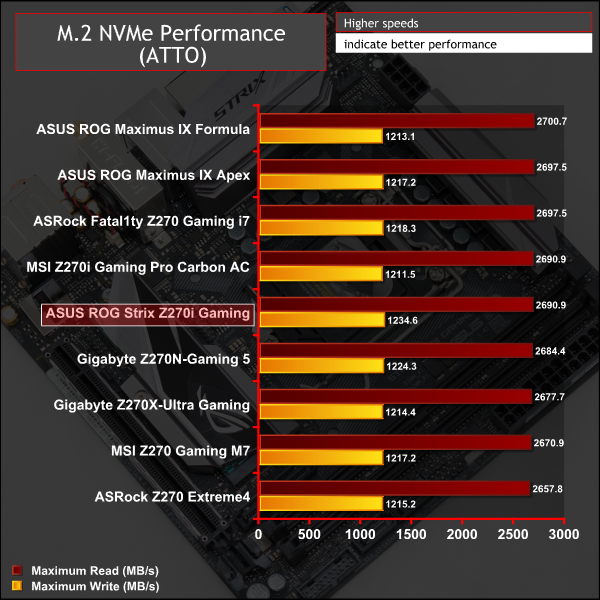
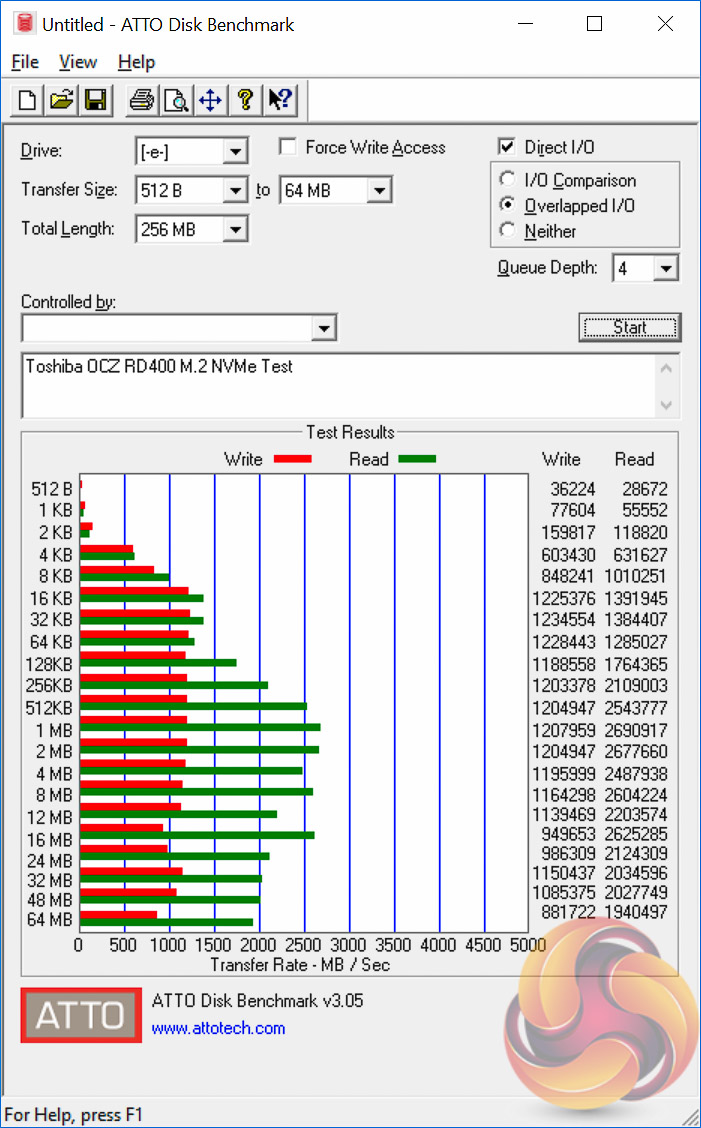
Despite the ASUS Double-Decker heatsink solution, thermal throttling still occurred suggesting that the solution is not capable of entirely eradicating the problem. It did, however, take considerably longer for thermal throttling to occur and the effect on performance was much less severe since the temperature was not as high.
The drive rarely exceeded 75 degrees Celsius under extended stability testing and we witnessed temperatures in the 80s when using the MSI heat shield on the MSI Z270 Gaming M7 as well as temperatures higher than that when the drive was completely bare on other boards.
Straight after the drive being fully formatted, something we do before benchmarking any drive, it would lightly thermal throttle towards the end of the first ATTO run. From a cold system start we had to run the test eight times before some light throttling kicked in. As a guide, on other motherboards the drive would heavily throttle on the first or second ATTO run regardless of how cold the drive was at the beginning.
Mileage will vary depending on ambient airflow, temperatures and other factors, but generally the ASUS solution does seem effective.
USB Performance
We test USB 3.0 and 3.1 performance using a pair of Transcend SSD370S 512GB SSDs in RAID 0 connected to an Icy Box RD2253-U31 2-bay USB 3.1 enclosure powered by an ASMedia ASM1352R controller.
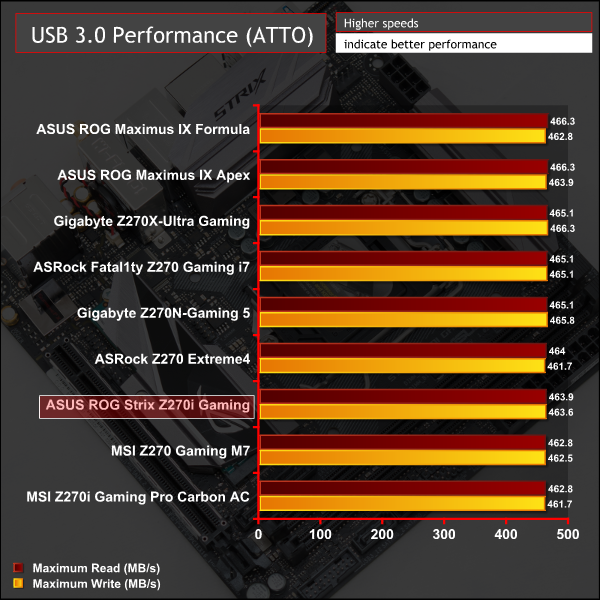
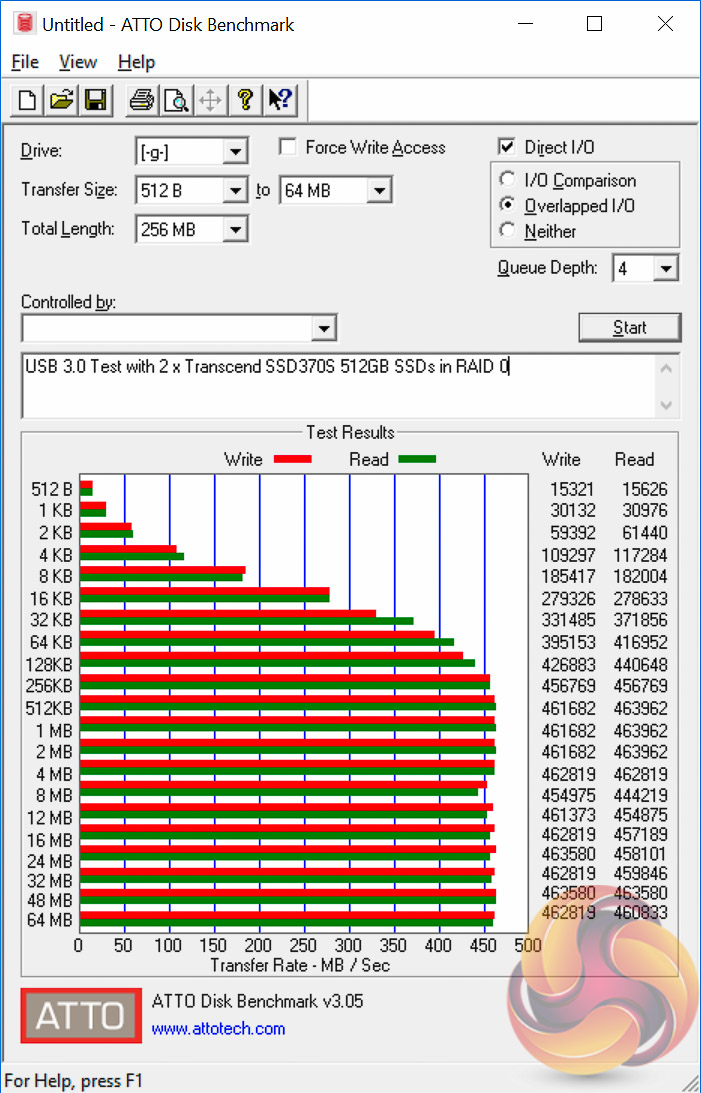
Since the ASUS ROG Strix Z270i Gaming uses a USB 3.1 front panel header and has no other USB 3.1 ports, we weren't able to test its performance as we did not have a compatible chassis or front panel adapter available. Nonetheless, with it using the same ASMedia ASM2142 USB 3.1 controller as all the competition, performance should be comparable, if not identical.
SATA 6Gbps Performance
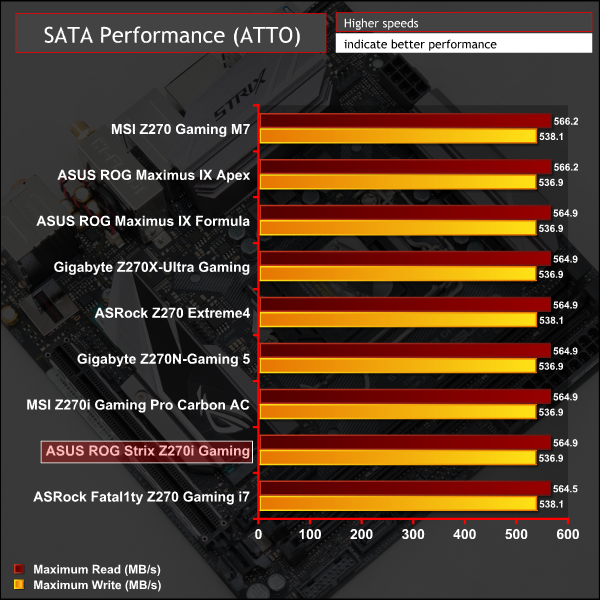
For SATA 6Gbps testing we use an OCZ Trion 150 480GB SSD.
Audio
Rightmark Audio Analyser is a freeware benchmarking utility designed to objectively test the performance characteristics of audio solutions. We setup a line-in line-out loop and execute the record/playback test before generating the results report you see below. A sampling mode of 24-bit, 192 kHz was tested.
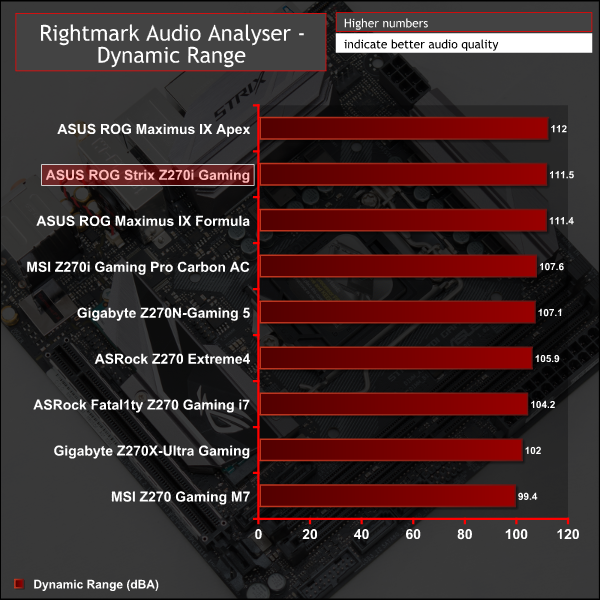
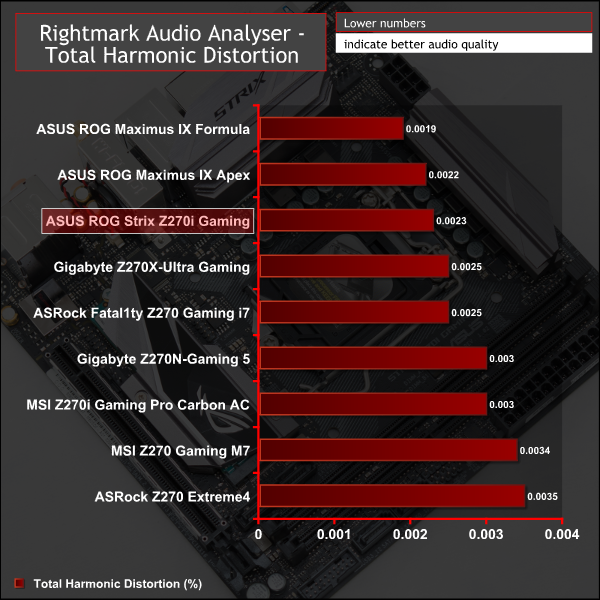
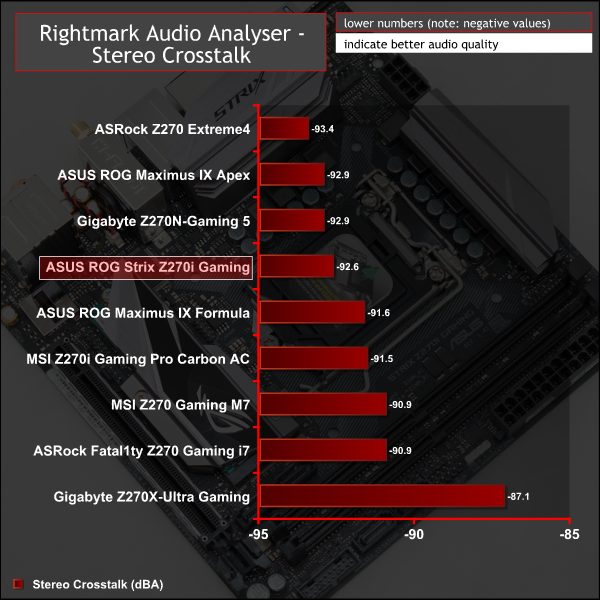
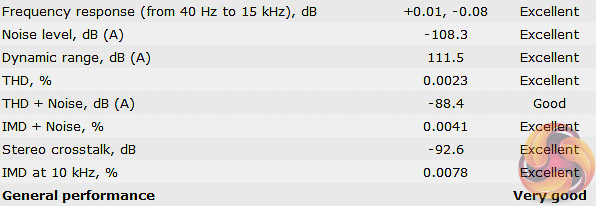
ASUS has the best performing audio solutions of any motherboard vendor for the Z270 generation. Unsurprisingly, this means the Z270i Gaming was among the top three motherboards of which the other two are also ASUS motherboards. That said, most Z270 motherboards of the mid-range to high-end use Realtek's very capable ALC1220 codec so few users will be left disappointed by the audio quality available to them.
The end user's choice of headset, earphones or speakers are more likely to be the limiting factor on audio quality than the motherboard's audio implementation.
ASUS has long been a favoured and renowned brand for mini-ITX motherboards and after testing the ROG Strix Z270i Gaming it is easy to see why this is the case. Out of the three mini-ITX motherboards KitGuru has tested so far for the Z270 chipset the ASUS motherboard is easily the best.
Performance across all mini-ITX motherboards for the Z270 chipset is largely the same but the ASUS motherboard manages to outperform rivals in regards to audio quality and in terms of M.2 performance since the innovative double decker chipset heatsink almost entirely prevents thermal throttling.
ASUS also offers more rear I/O connectivity, at the sacrifice of no USB 3.1-capable ports, though buyers will still be able to get USB 3.1 through the ASUS USB 3.1 header that can be expanded into a USB 3.1 port on a compatible chassis or front panel accessory. Keep in mind though that cases which support this are not yet mainstream and the front panel accessories can be pricey.
The inclusion of a second M.2 slot on mini-ITX motherboards is almost unheard of but yet again ASUS proves the point that these things are capable with enough research and development innovation.
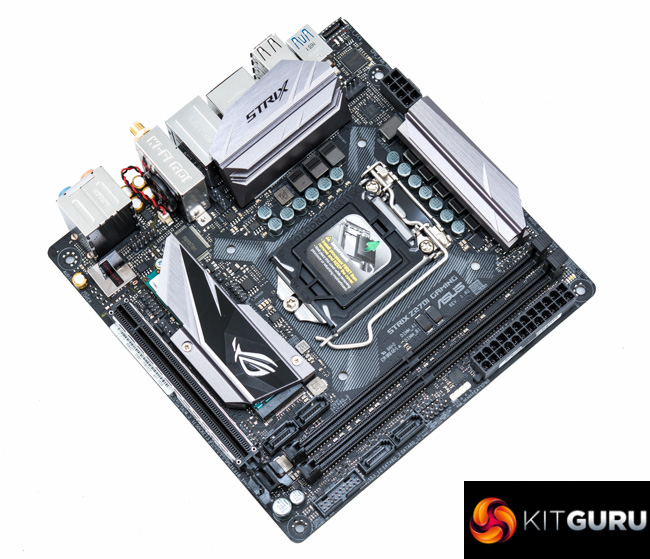
The motherboard is well-built and styled with its neutral colour scheme and sharp looking heatsinks. Combine that with the functionally strong RGB lighting system, the software is still a little bit fiddly, and the ASUS motherboard is a good option for system builders looking to customise their PC.
In regards to cost, the price for this ASUS motherboard ranges from £180 to £200 ($170-190) making it broadly similar to the Gigabyte Z270N-Gaming 5 and MSI Z270i Gaming Pro Carbon AC, though it is about 5-10 per cent more expensive overall. That extra cost is easily justifiable.

The ASUS ROG Strix Z270i Gaming is available at Overclockers UK for £199.99. ASUS offers a manufacturer warranty of 3 years with this product.
Pros:
- Double-Decker heatsink significantly reduces thermal throttling for M.2 drives
- Solid CPU power delivery system
- Dual M.2 slots
- Intuitive UEFI
- Good networking capability and number of rear USB ports
- Debug LEDs
Cons:
- No USB 3.1 Gen 2 on rear I/O
- Not as over-engineered as a Maximus IX Impact would be
KitGuru says: The best Z270 mini-ITX motherboard we've tested so far, the ASUS ROG Strix Z270i Gaming is an outstanding choice for compact system builders.


This needs to be released as a x370, and I would buy it instantly.