KitGuru KitGuru.net – Tech News | Hardware News | Hardware Reviews | IOS | Mobile | Gaming | Graphics Cards


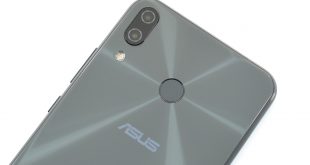
Despite the fact that the ZenFone 4 only became available towards the end of 2017, MWC 2018 saw the announcement of its successor – the ZenFone 5. Now available to buy for £349.99 here in the UK, we have got our hands on the phone and put it through its paces to see if it is worth buying. With an all-new design, AI cameras and Snapdragon 636 chip, the ZenFone 5 has the makings of a solid all-rounder. But what's it like in the real world?
Not to be confused with the ZenFone 5Z also announced at MWC 2018, the ASUS ZenFone 5 is a mid-range phone priced at £349.99. That alone is significant, as not only is it highly affordable in today's market, but it is actually £100 cheaper at launch than its predecessor, the ZenFone 4. So, for less money you are getting a larger screen, more appealing design, and an upgraded processor.
The ZenFone 5 does face still competition, however, particularly from the Honor 10. That phone launched for £399, but is now available for £369 from Amazon – putting it right up against the ZenFone 5.

Specification:
- Finish / Colour: Meteor Silver, Midnight Blue
- Capacity: 64GB internal, microSD up to 2TB.
- Weight: 165g
- Dimensions: 153mm x 75.65mm x 7.7mm (LxWxD)
- Display: 6.2in Full HD+ (2246×1080) Super IPS+
- Processor: Qualcomm Snapdragon 636
- Memory: 4GB LPDDR4X
- Main Camera: 12MP, f/1.8 – Sony IMX363
- Secondary Camera: 8MP, f/2.0 – 120° wide-angle camera
- Front Camera: 8MP, f/2.0
- Battery: 3300mAh with fast charging
- OS: Android Oreo with ASUS ZenUI 5
Design
Note: if the above images are not displaying properly, you may need to disable your ad block software as they are known to interfere with our display code.
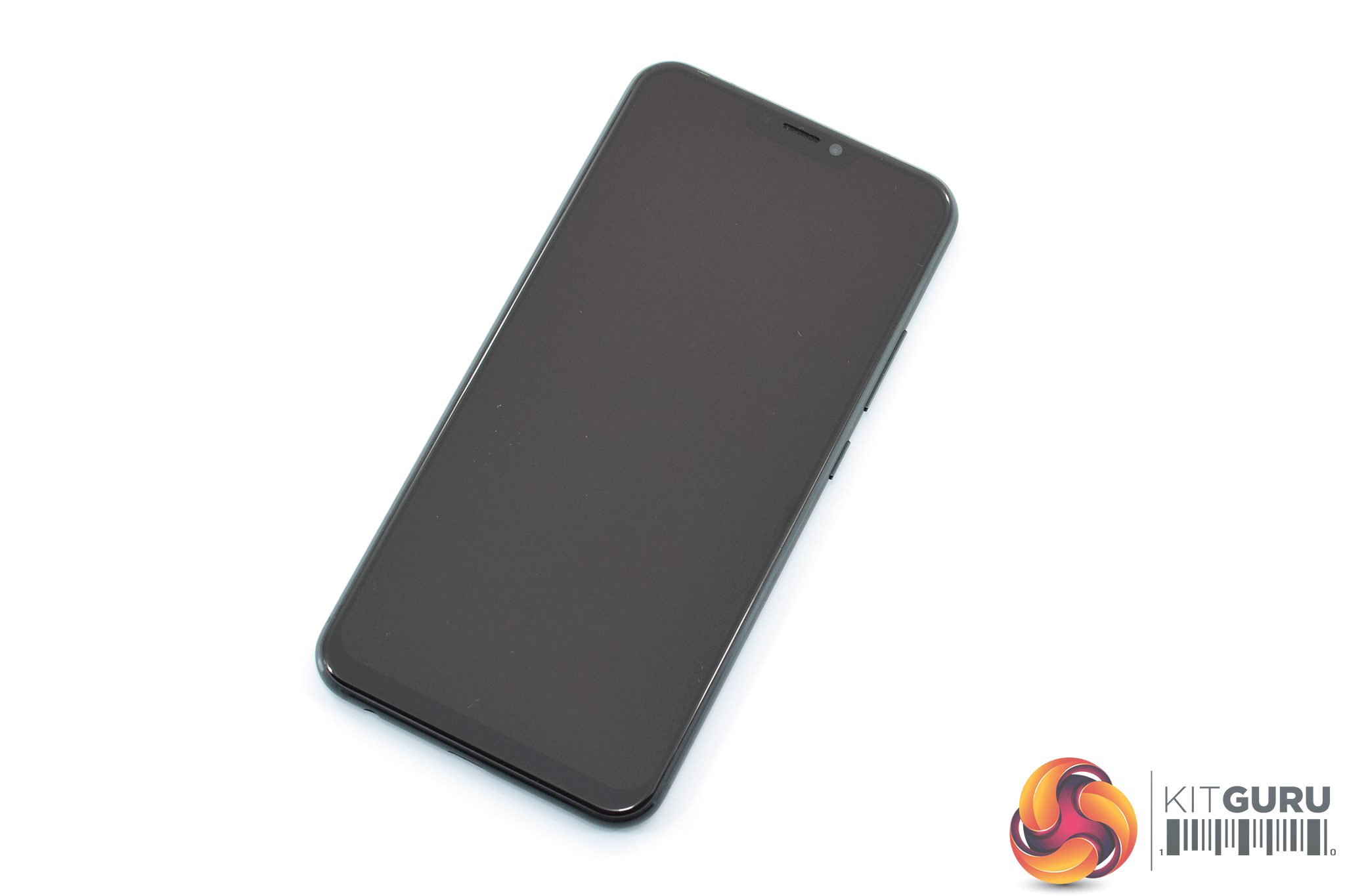
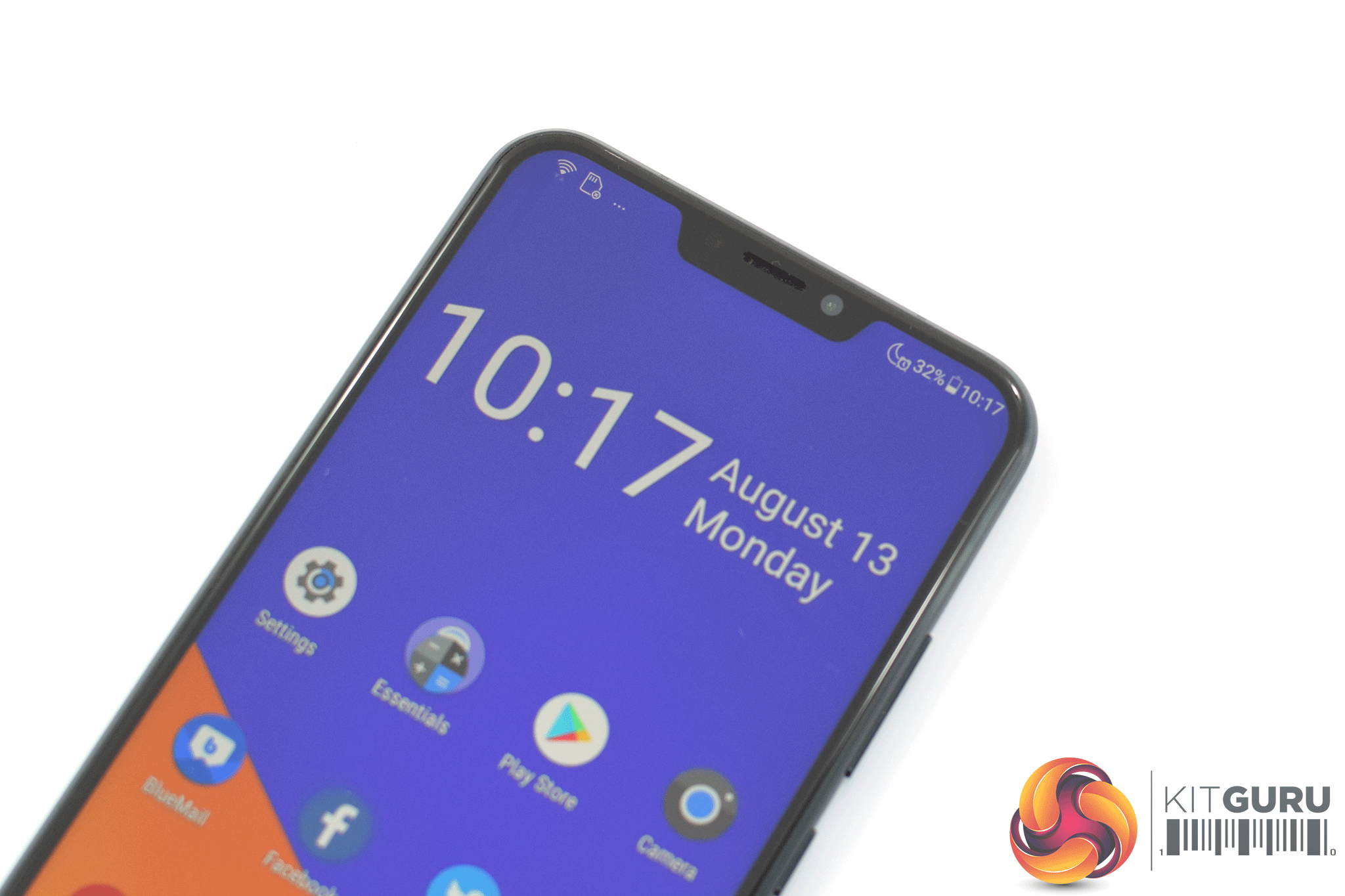
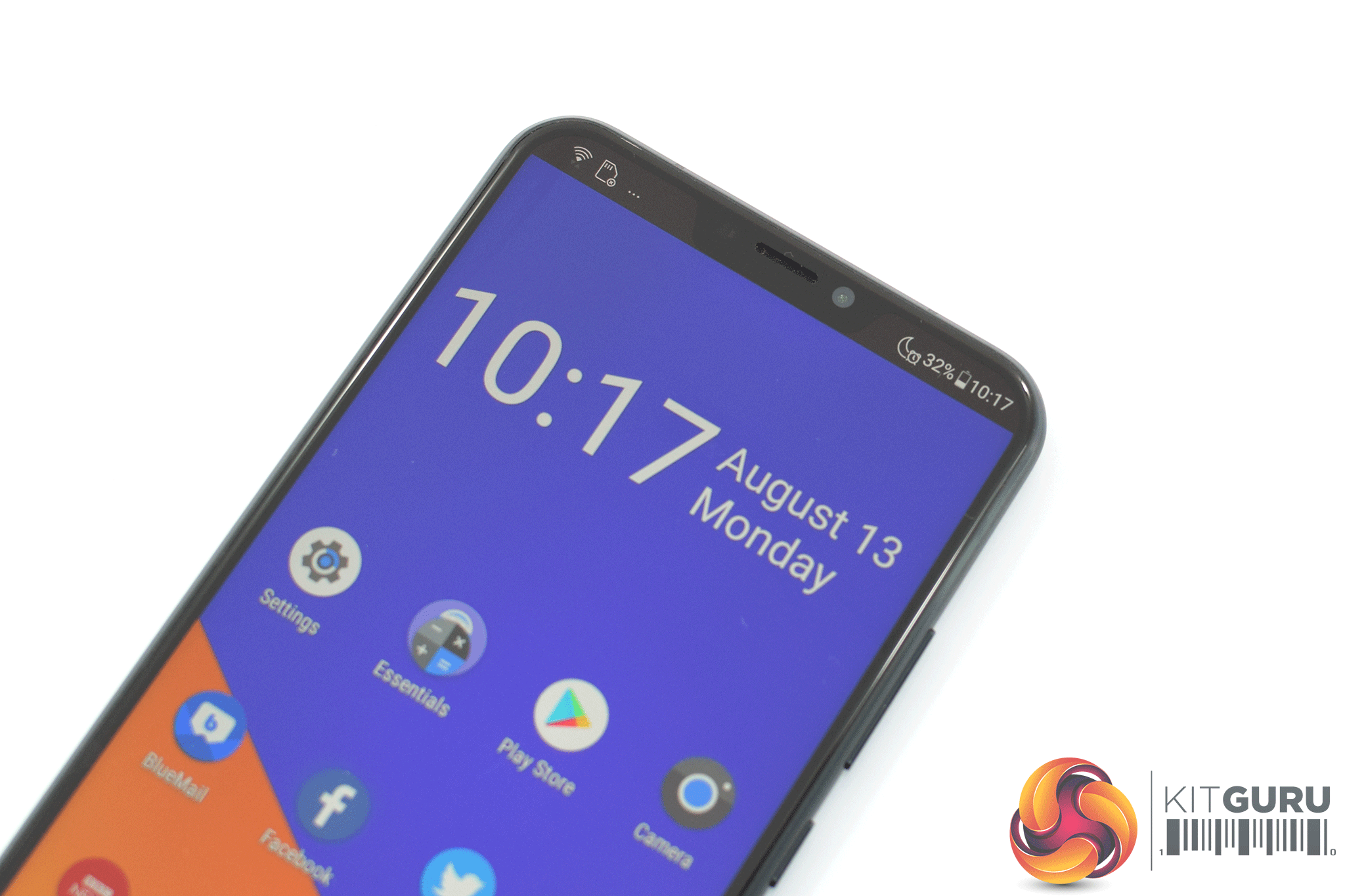
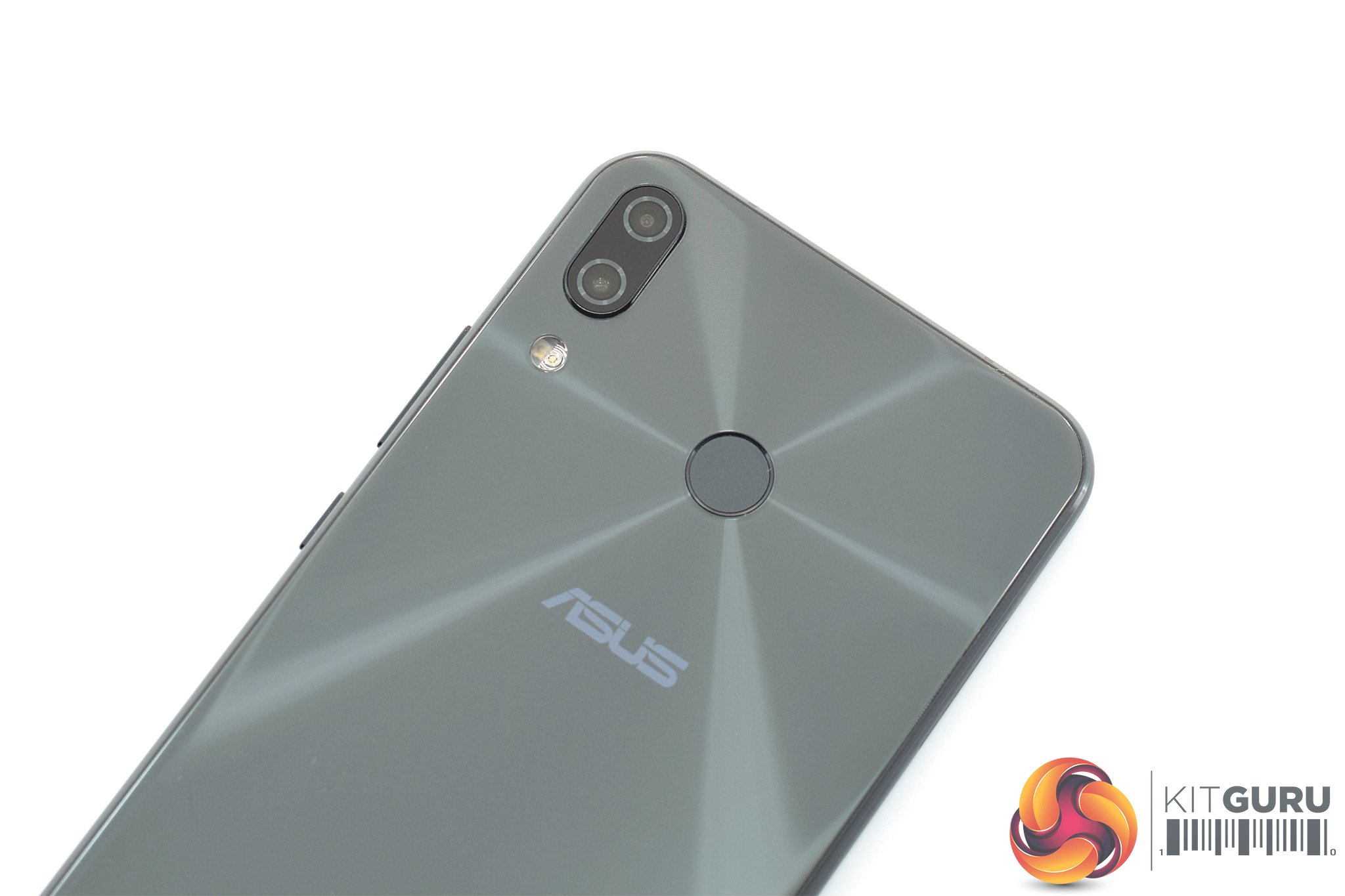
If you have been keeping up to date with the smartphone market over the last year, then you will be instantly familiar with the look of the ZenFone 5. That's because – like almost everyone else – the company has shrunk the bezels, added a notch and removed the front-facing fingerprint scanner. Compared to the ZenFone 4, this new look is admittedly a huge leap forward – but compared to the rest of the market, it is nothing new.
Still, it is good to see a much larger 6.2in display with the ZenFone 5, as that is 0.7in bigger than its predecessor's screen. The notch is a bit larger than most – though it is still smaller than the iPhone X's – but you can ‘disable' it using software. As the screen is IPS LCD not OLED, however, you can very much tell it is still there.
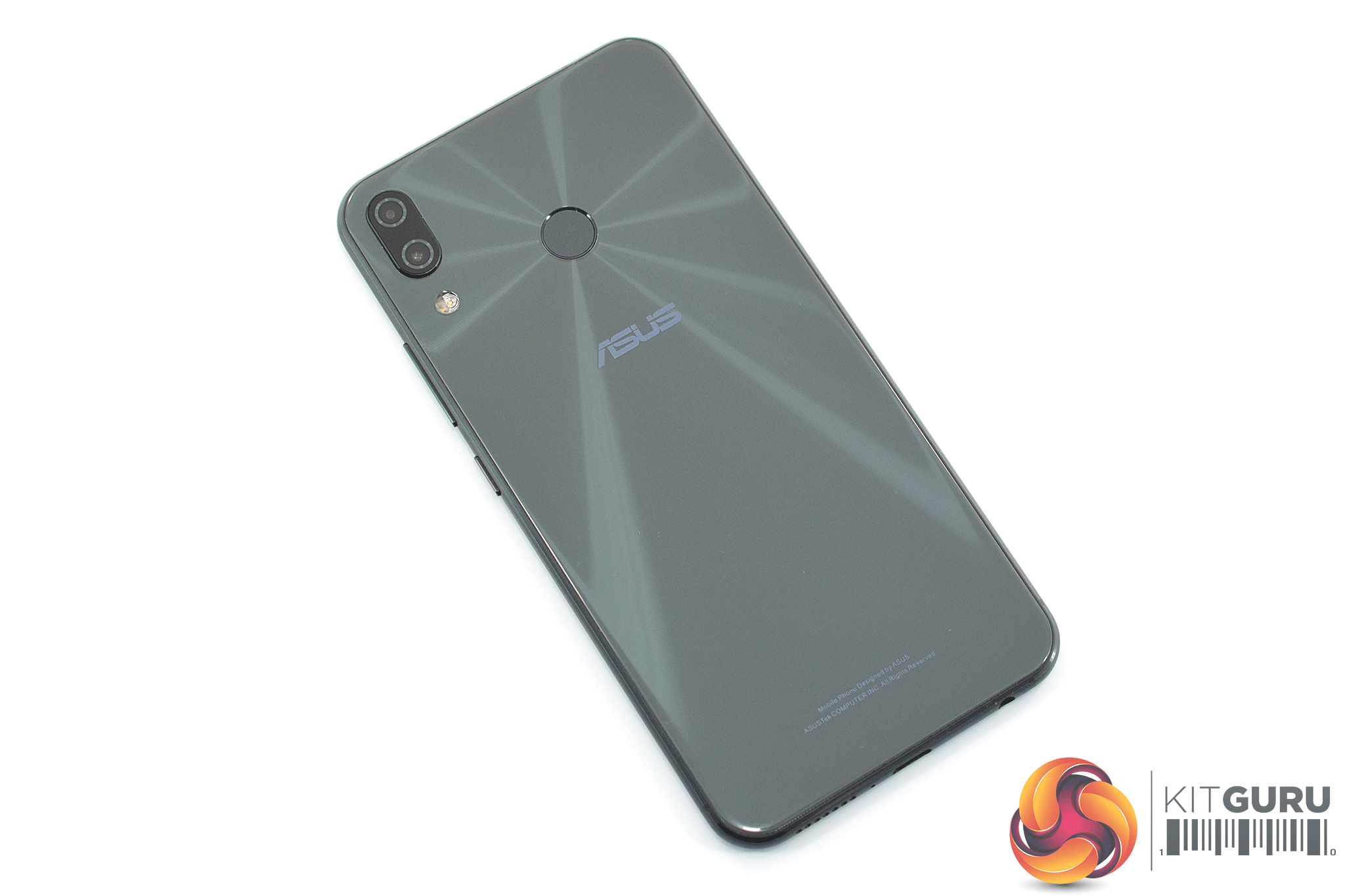
In terms of the device colour, the ZenFone 5 is available in two options – midnight blue or meteor silver. I have the former, and I have to say it looks much more grey in person – the official product photos make it look almost black which is certainly not the case. That aside, the glass back does shimmer when it hits the light in a certain way, and you can see the effect it has in the images above – light seems to burst out from around the fingerprint scanner, and it is certainly an attractive touch.
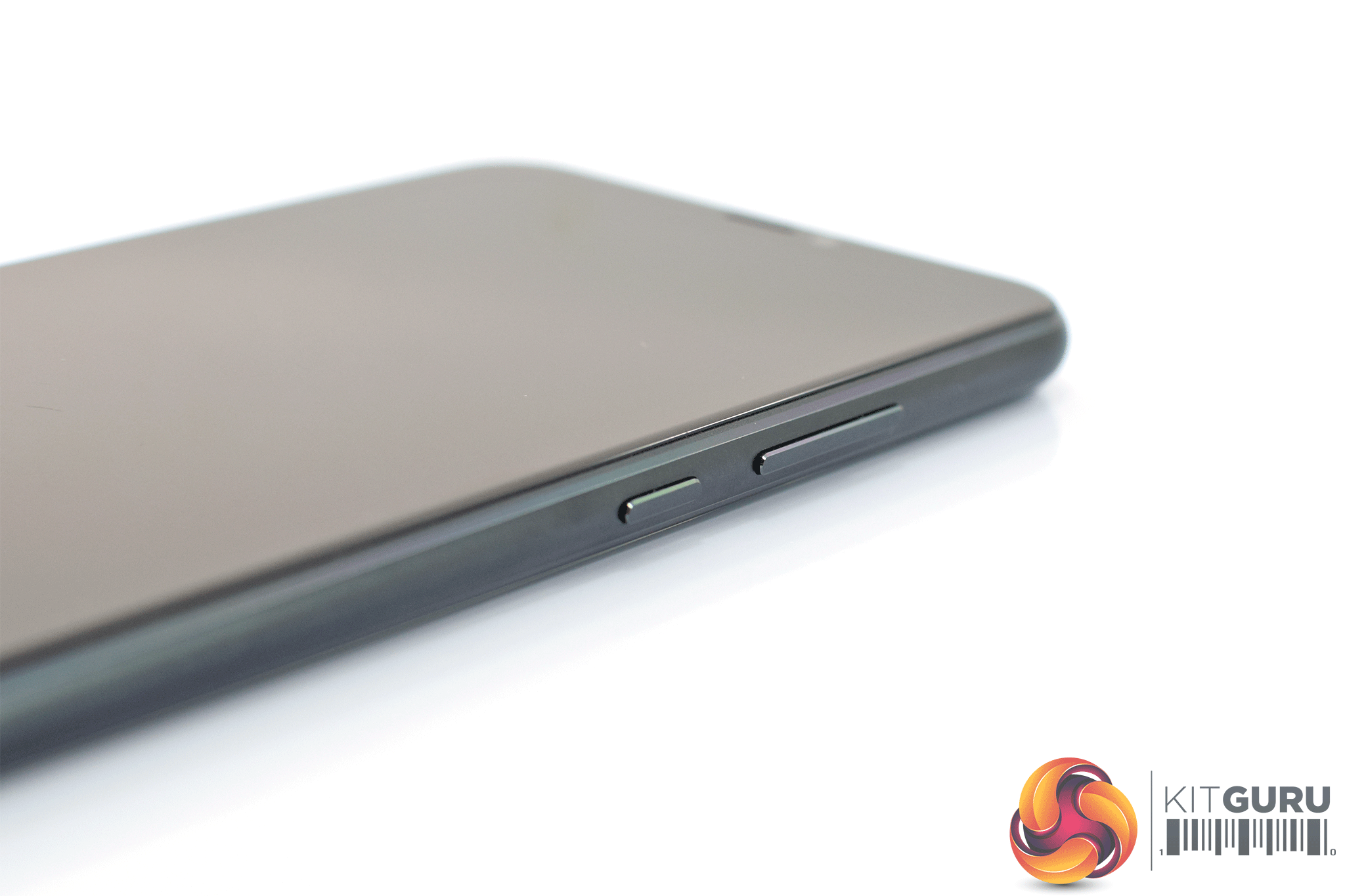
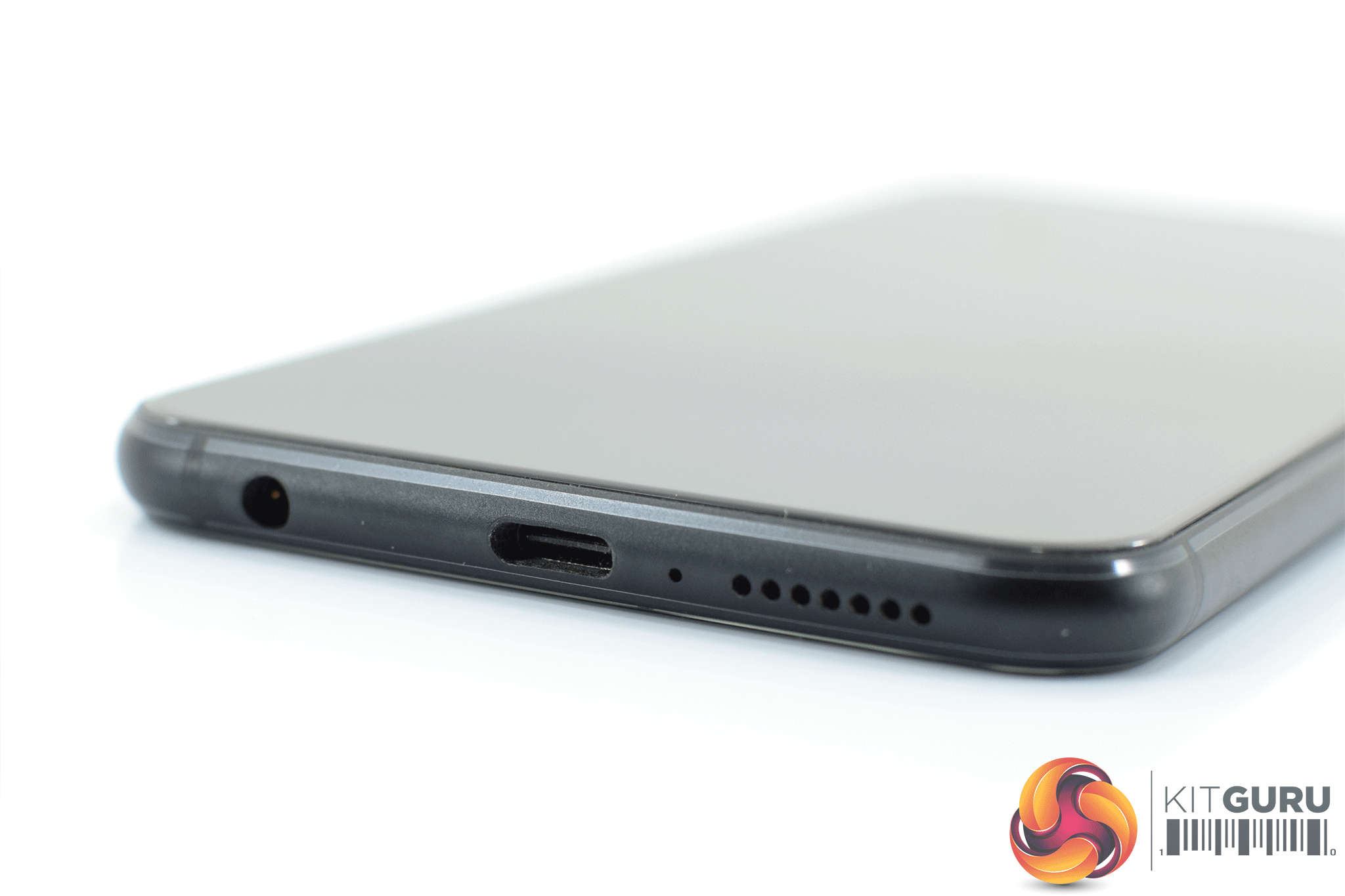
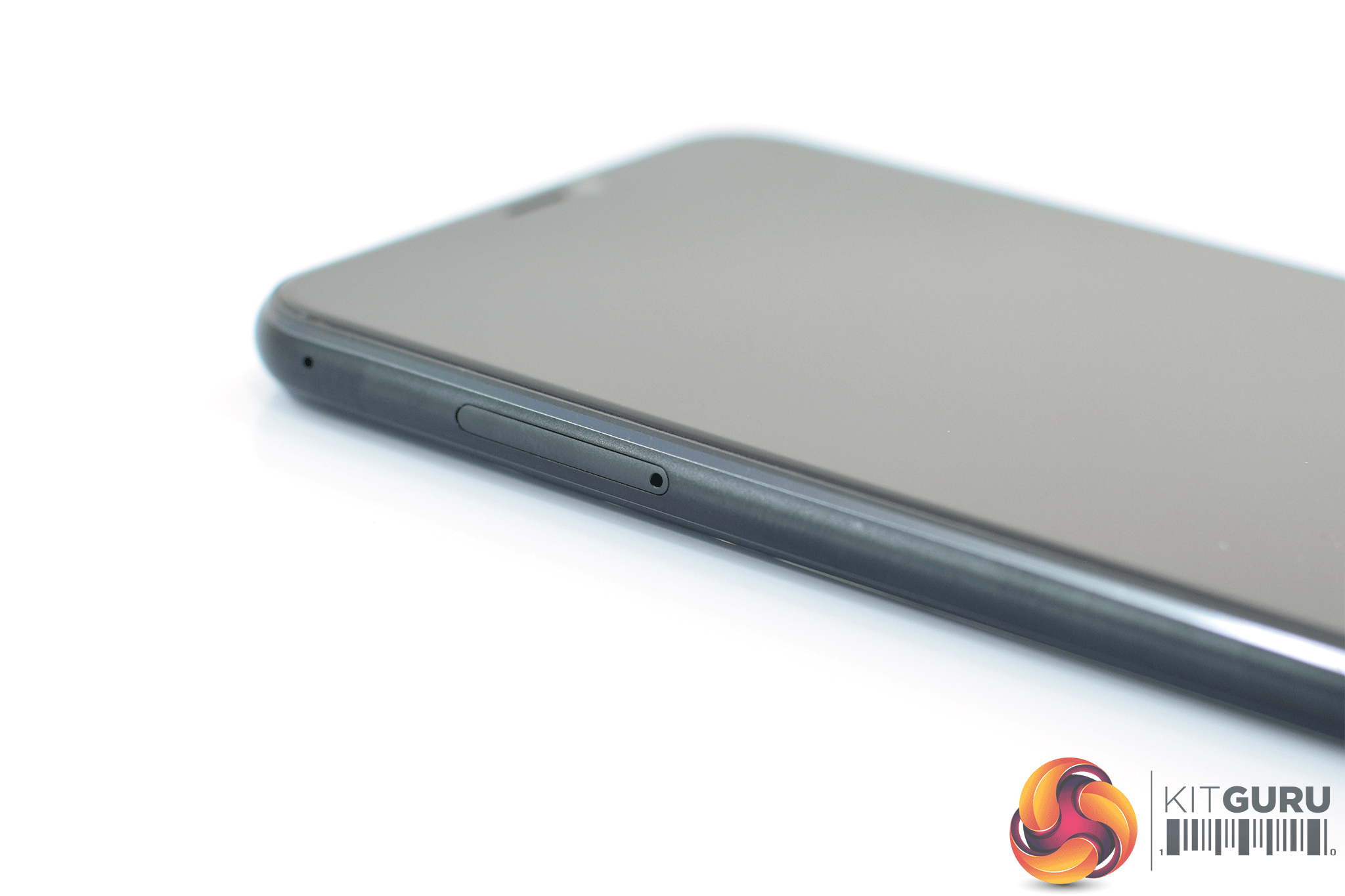
Elsewhere, a power button and volume rocker are found on the right-hand edge of the phone, while the SIM tray (which supports dual nano-SIMs or 1x SIM and 1x microSD card) is situated on left-hand edge. At the bottom edge we find the USB-C port, speaker grille and a 3.5mm jack. On the back of the phone, a circular fingerprint scanner is positioned towards to the top of the device, but it is within easy reach of your index finger. A small module in the top-left corner houses the dual-camera system.
Lastly, it is definitely worth noting there is no IP rating for water and dust resistance, and ASUS does not even claim that the phone is ‘splash proof' – a tactic employed by the OnePlus 6, despite that phone lacking an IP certification as well. I would definitely avoid getting this phone wet at all costs.
Display
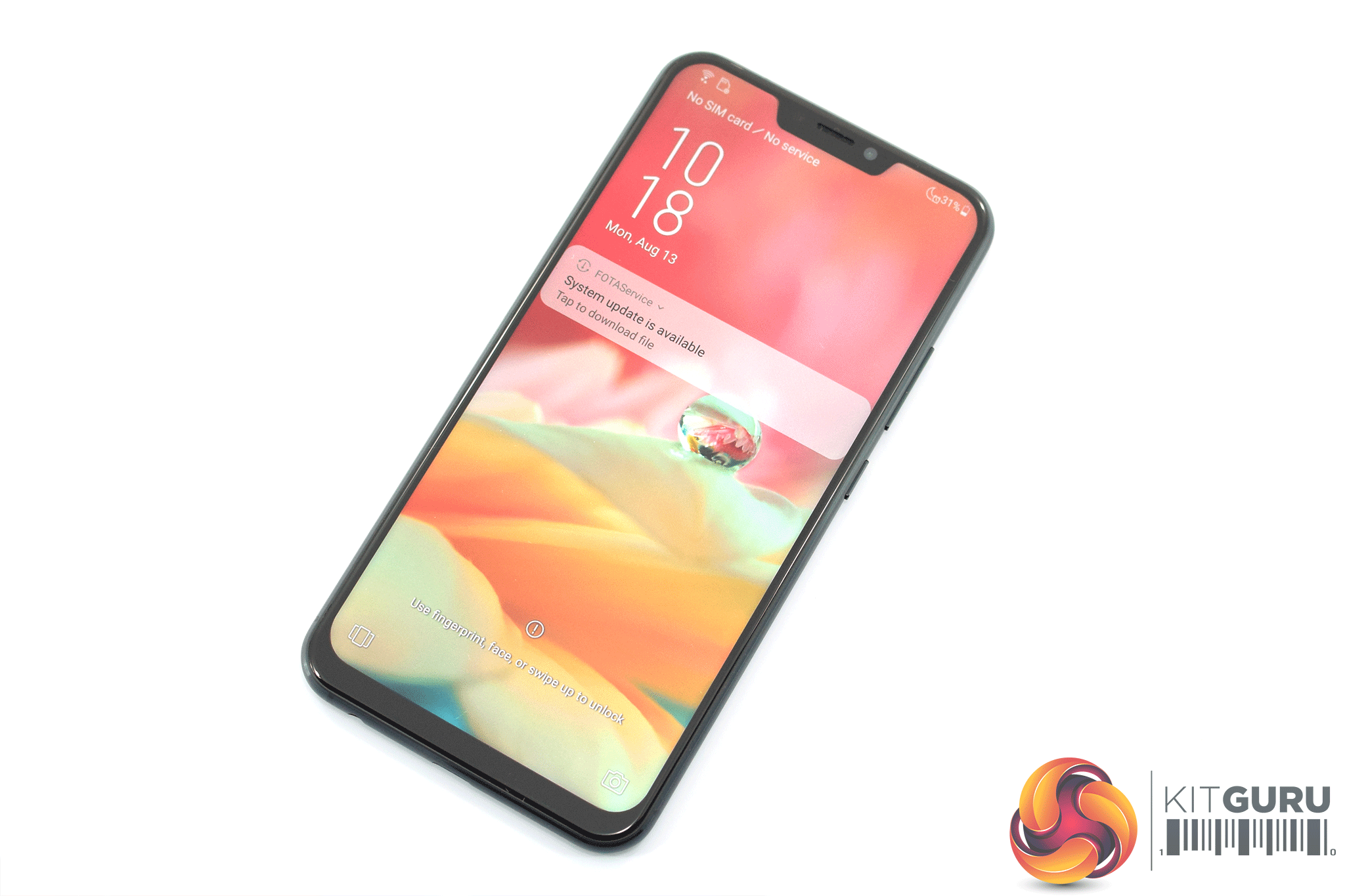
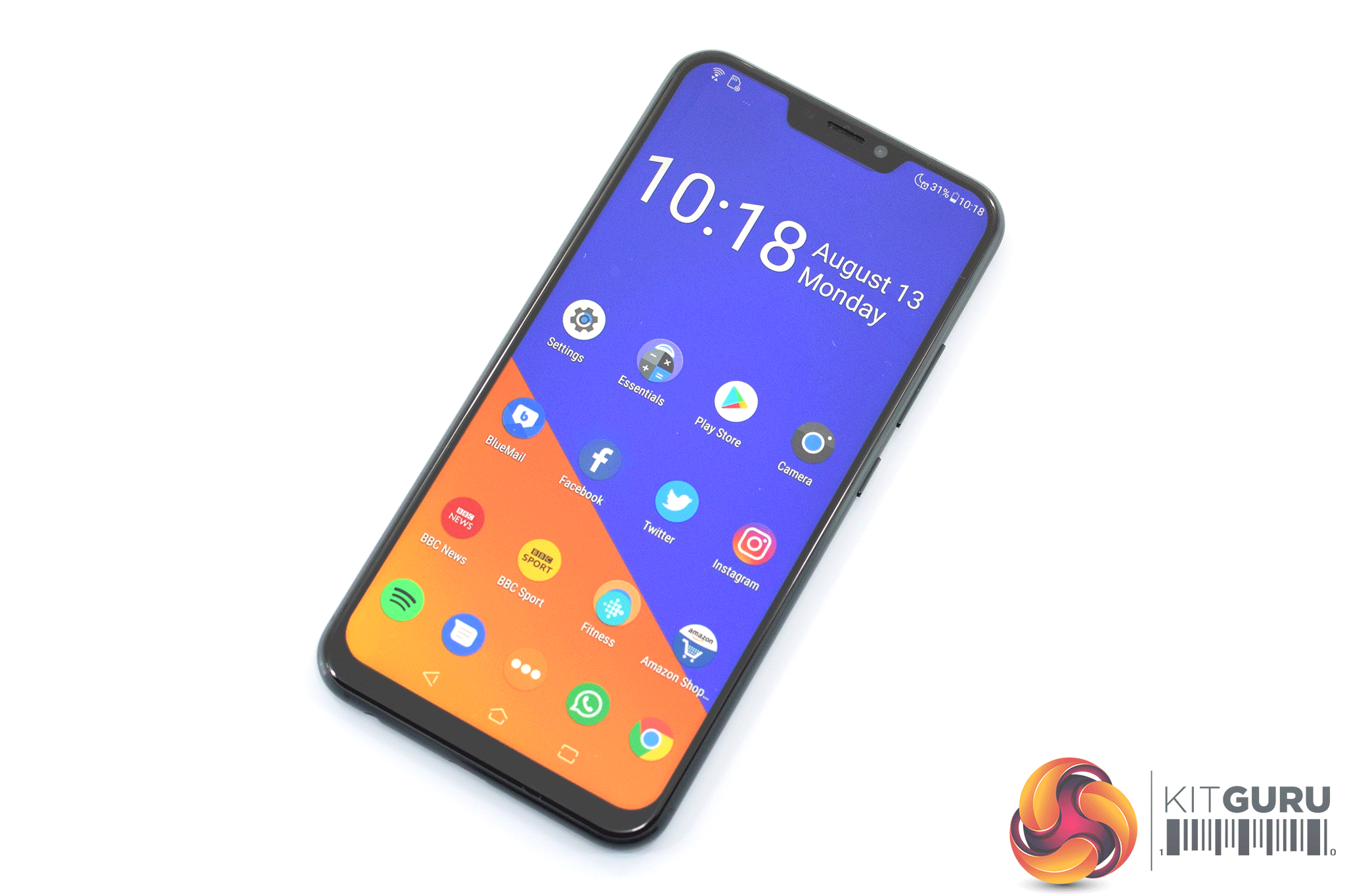
Like the vast majority of other smartphones these days, the ZenFone 5 has adopted a taller screen aspect ratio – 18.7:9, to be exact, This means the resolution is the so-called ‘Full HD+', or 2246×1080.
Across the 6.2in display, this gives a pixel density of 402 PPI – roughly in-line with the Honor 10 and even the Huawei P20 Pro. It is not as razor-sharp as QHD displays – with the Note 9, for instance, you can't make out the individual pixels – but for the price, it is certainly sharp enough.
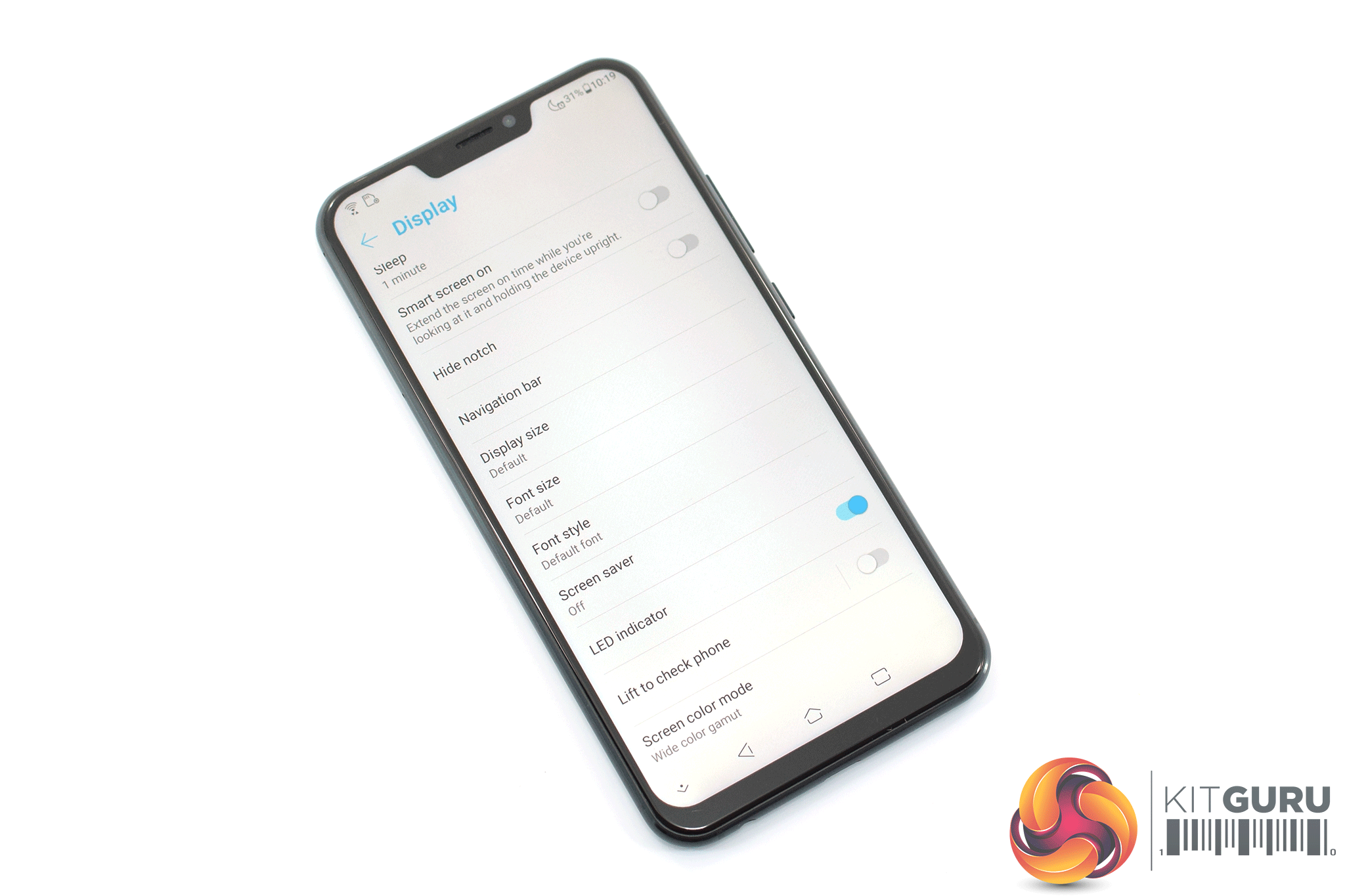
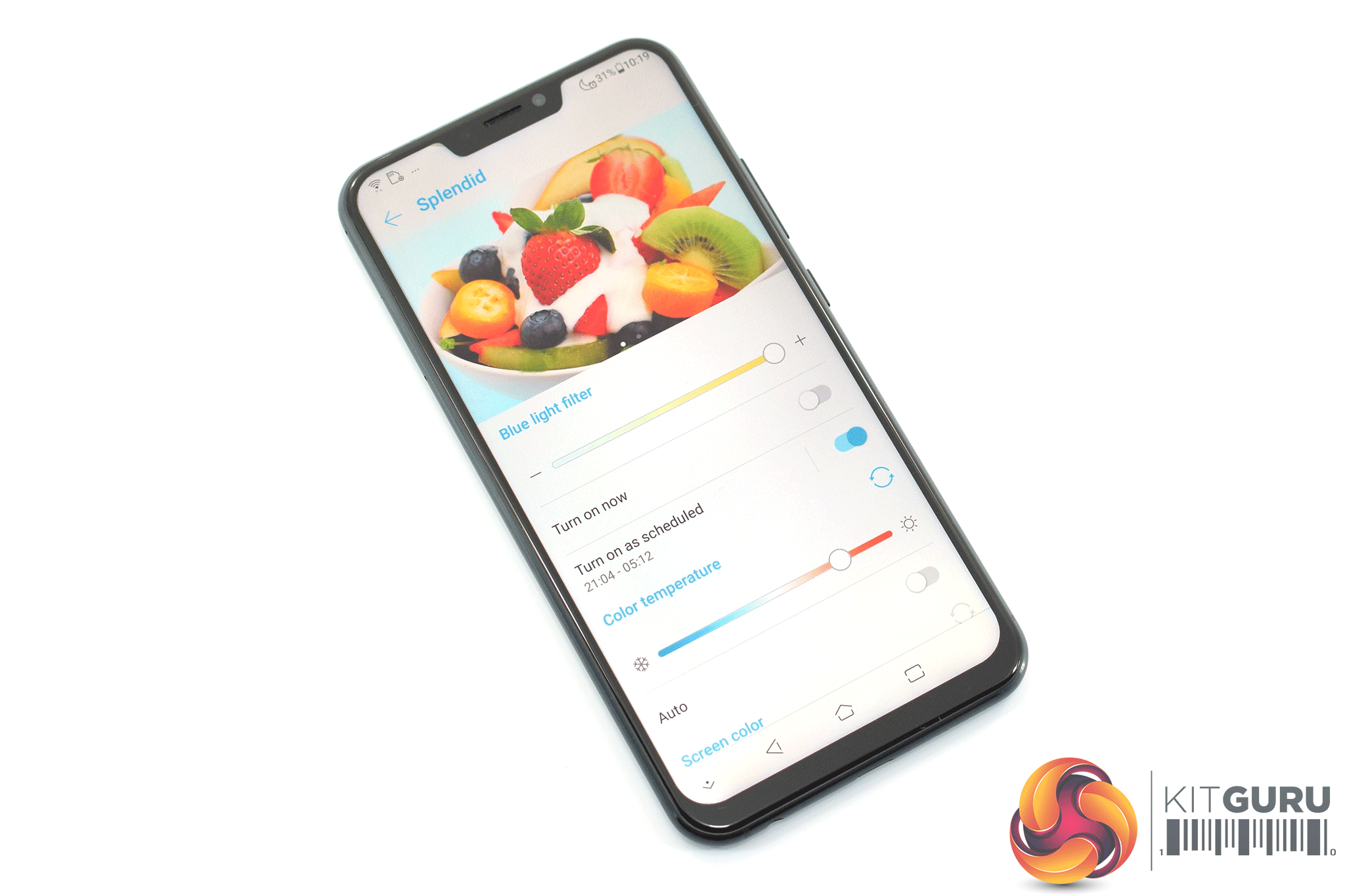
It's also an IPS panel – which is about as good as it gets for this price, as it would be a minor miracle to get an OLED display for £350. Still, colours are punchy out of the box and viewing angles are similarly excellent. If you want to tinker with the overall look of the display, too, there are options to adjust the saturation levels and white balance in the phone's settings.
Lastly, brightness levels are also good. The phone gets bright enough to use outdoors on a sunny day, while it does get just about dim enough to use comfortably in a dark room. Overall, it is a very capable IPS display for the money.
Performance
The ASUS ZenFone 5 sports the mid-range Snapdragon 636 processor, 4GB of RAM and 64GB of internal storage.
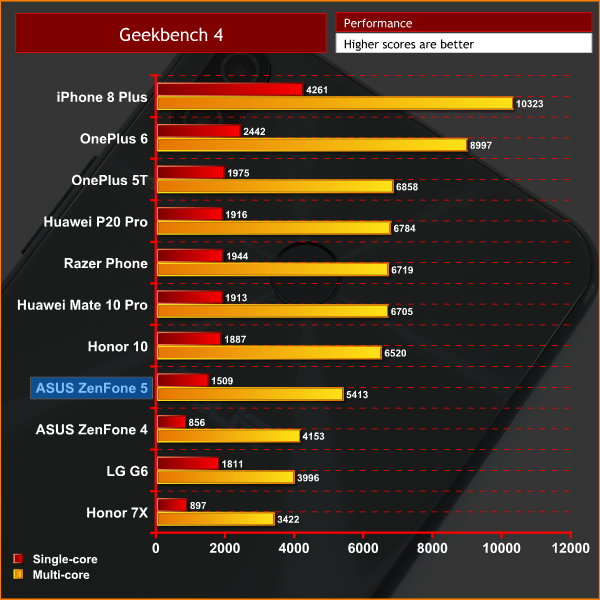
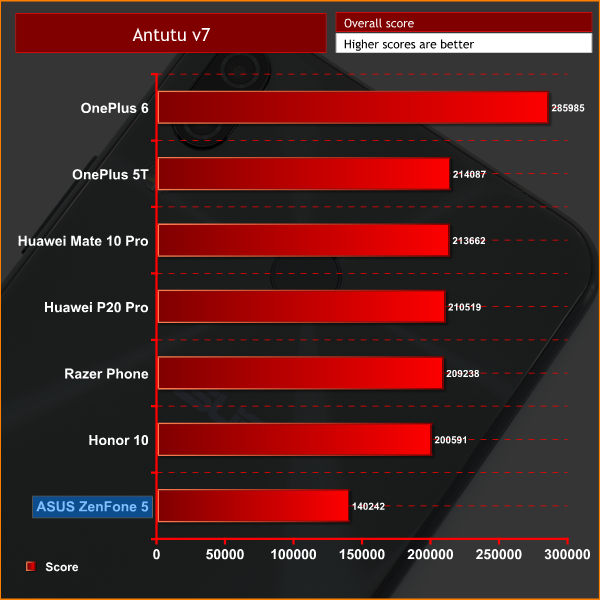
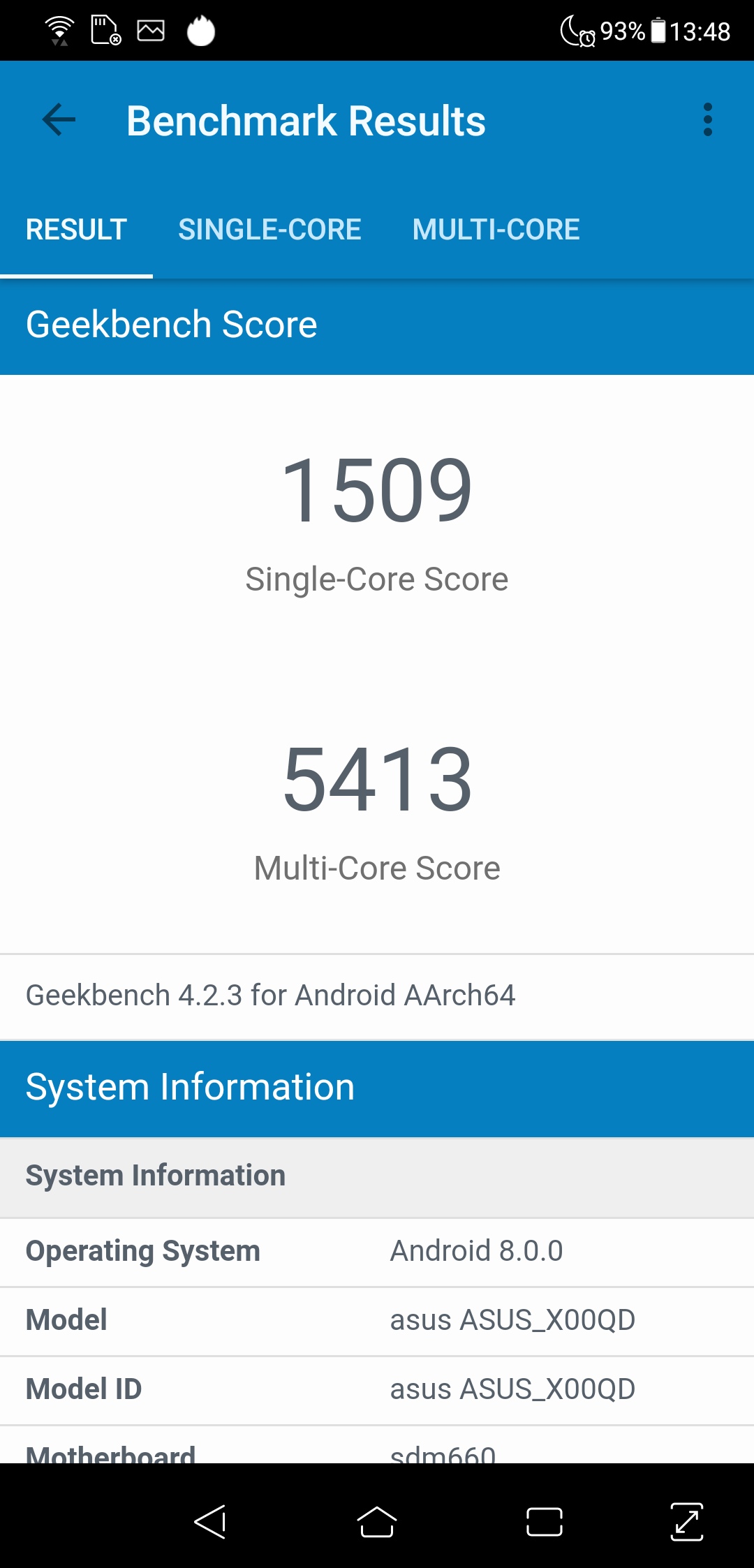
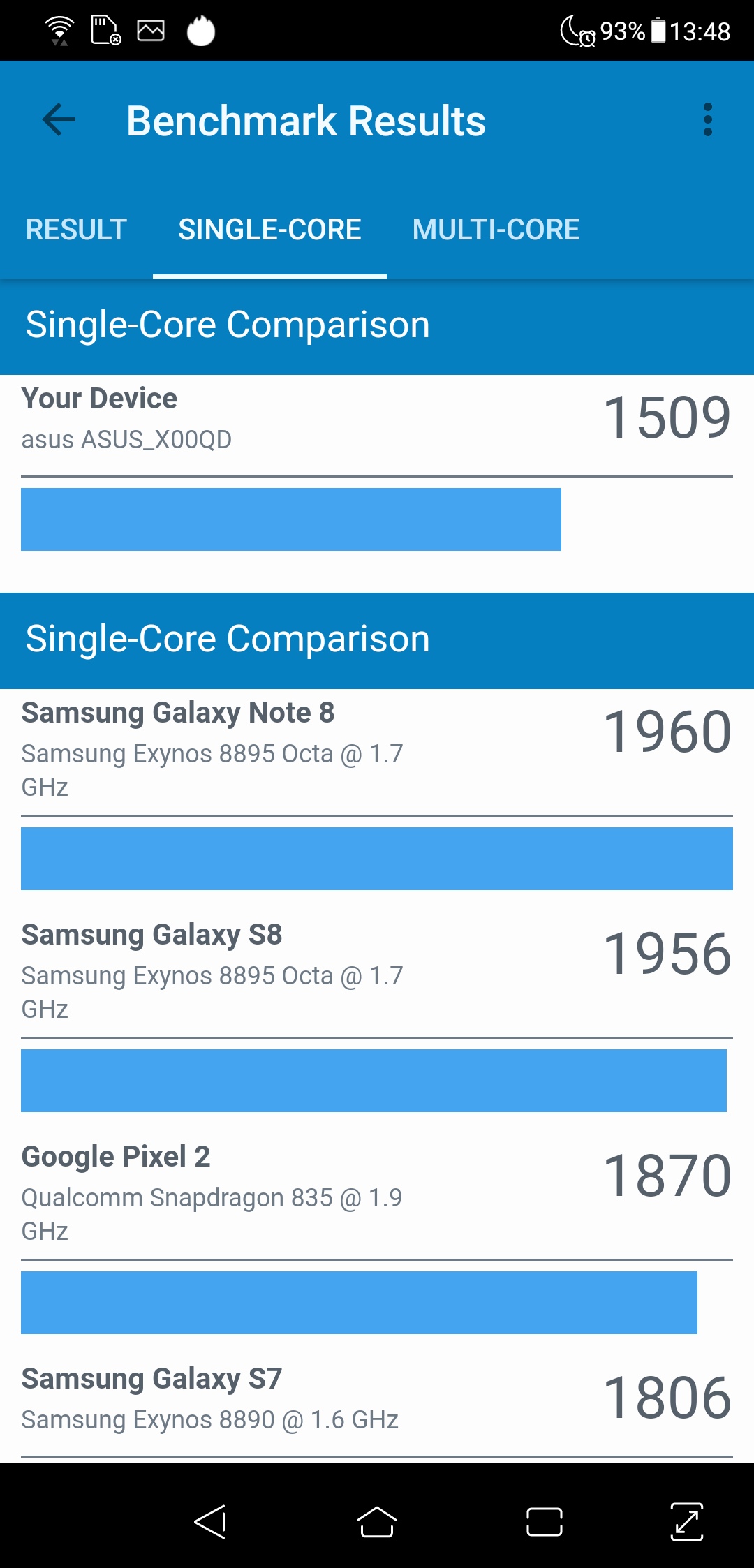
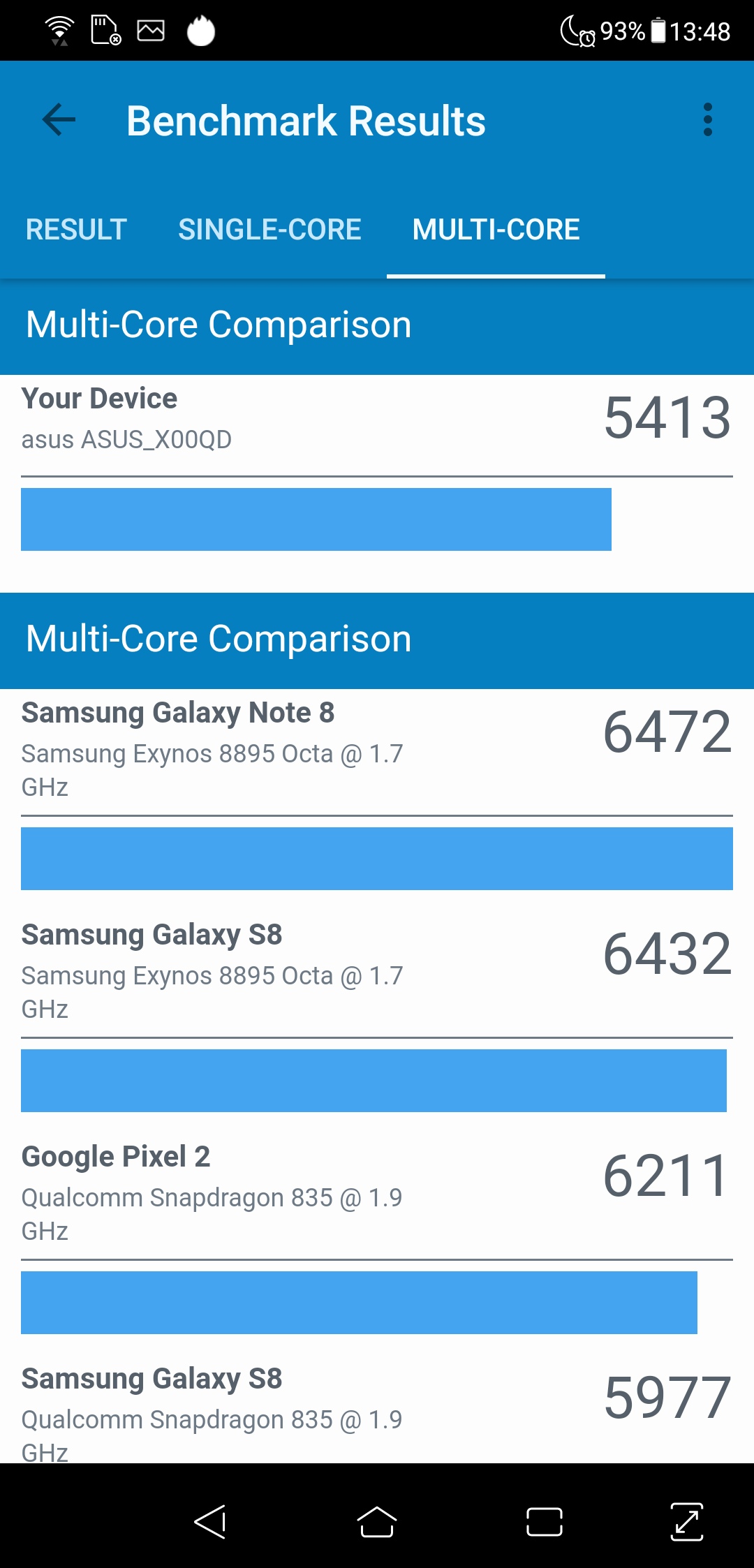

Speaking in terms of the ZenFone 5's synthetic performance, it is clearly not quite as fast as some of its rivals. The Honor 10, for instance, scores over 1000 points more in the Geekbench 4 multi-core test, despite the two phones being similarly priced.
In the real world, though, the difference is not as pronounced. I did notice the occasional slowdown during my two weeks of testing, and it is not that hard anymore to max out 4GB of RAM. Still, performance is generally solid, and for £350 you can't really expect much more.
The fingerprint scanner is also decent – it is not as fast the P20 Pro or OnePlus 6, but again when we consider the price of this phone, it is just fine. There is also support for face unlocking, which has a noticeable delay of about a second before it unlocks, but it gets the job done if you want to unlock the phone hands-free.
Software
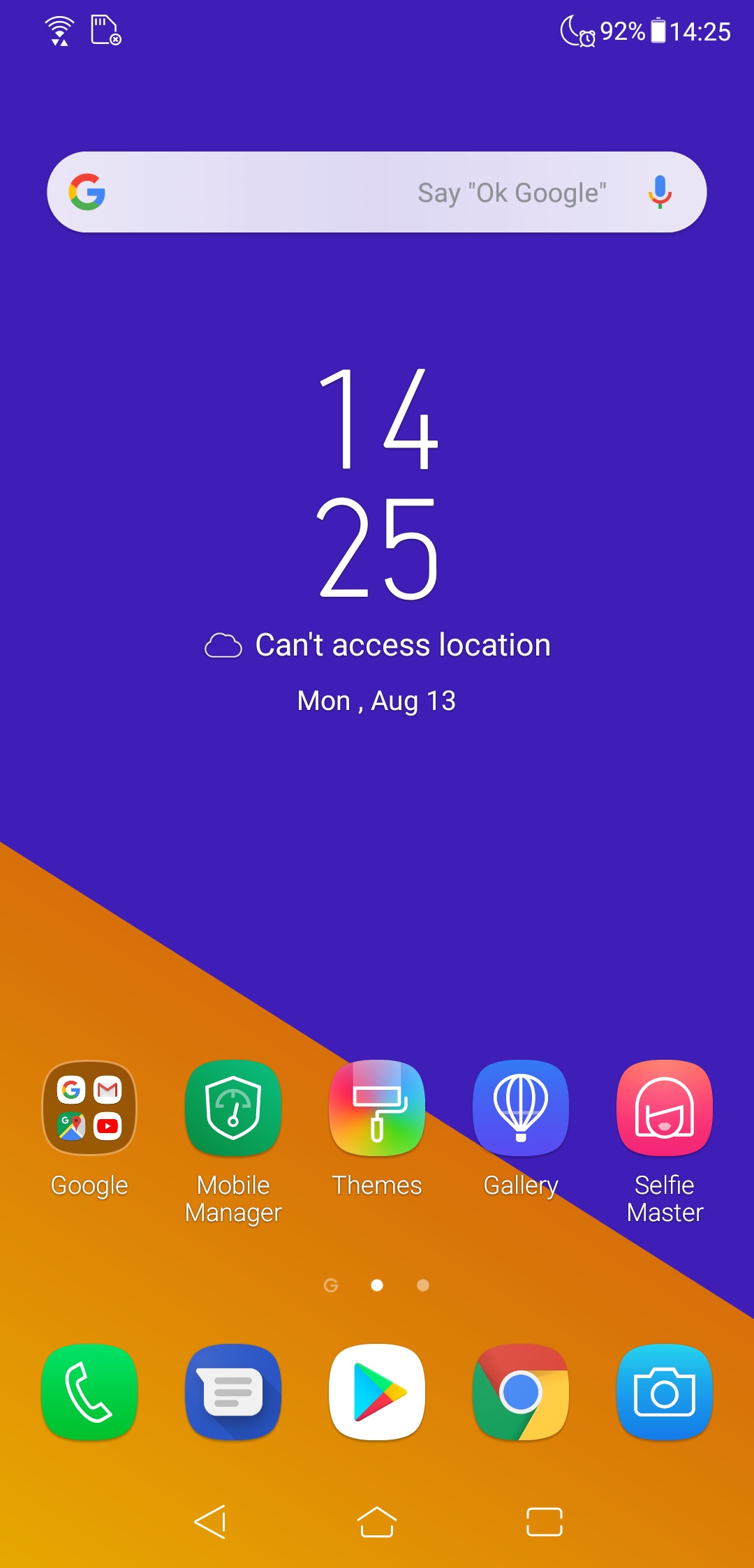
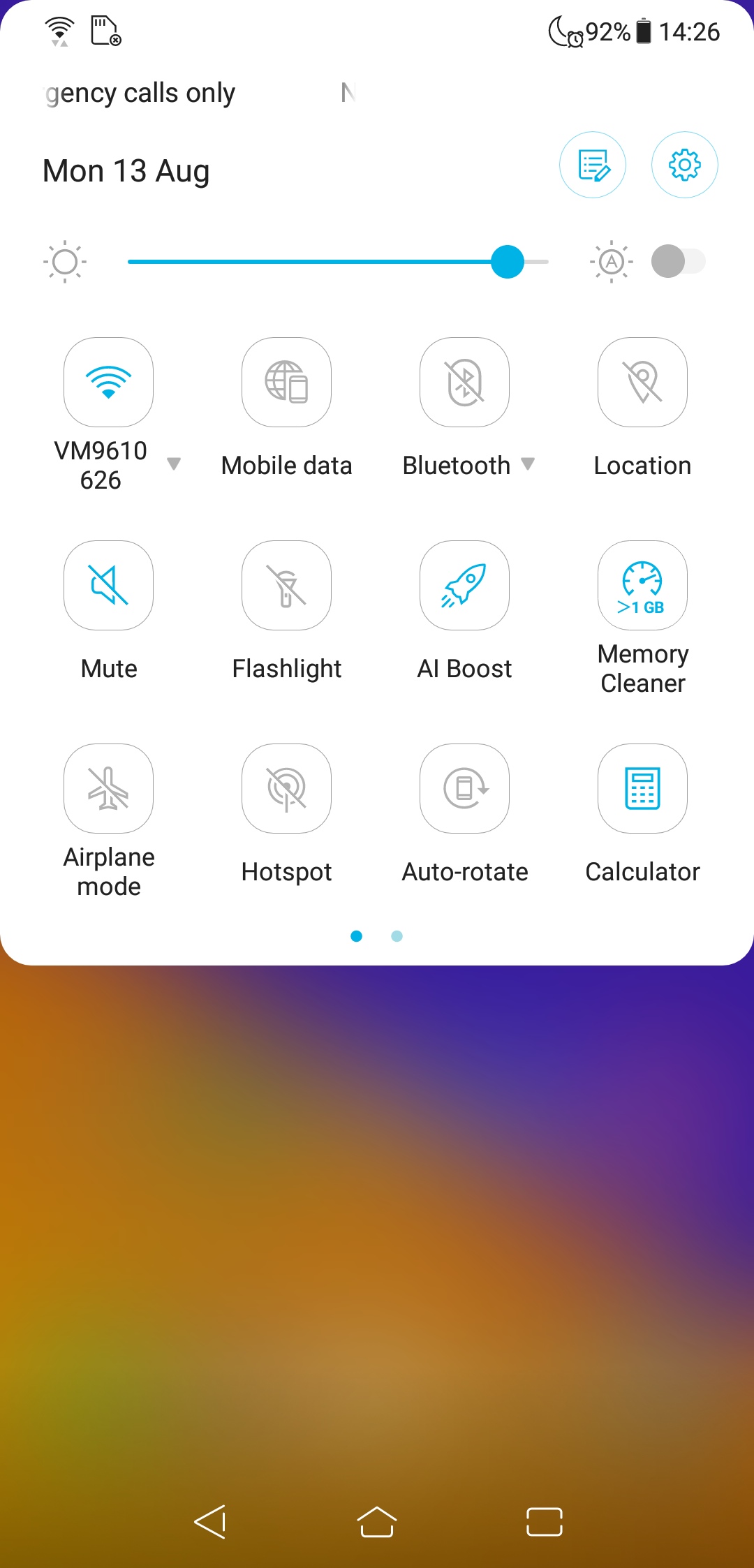
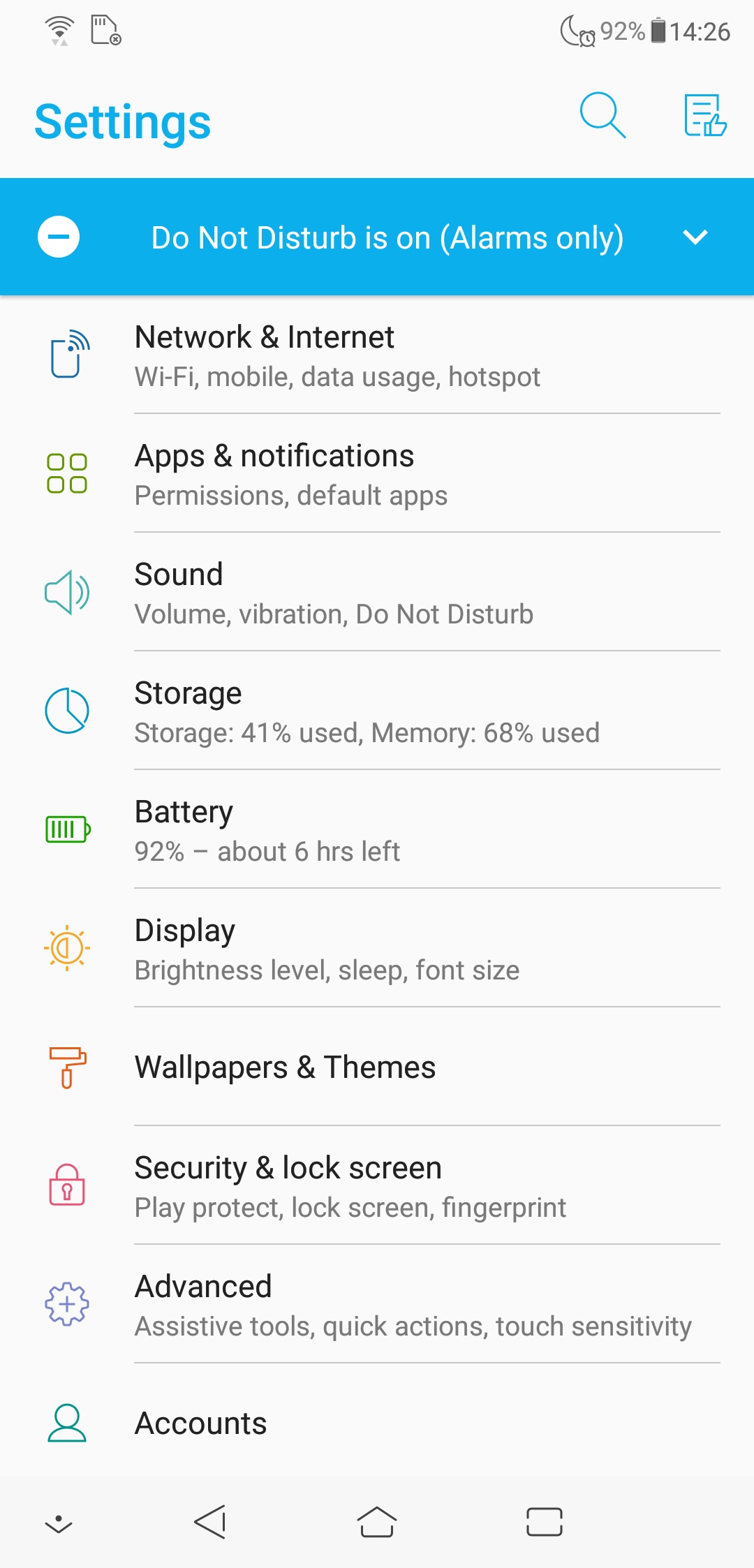
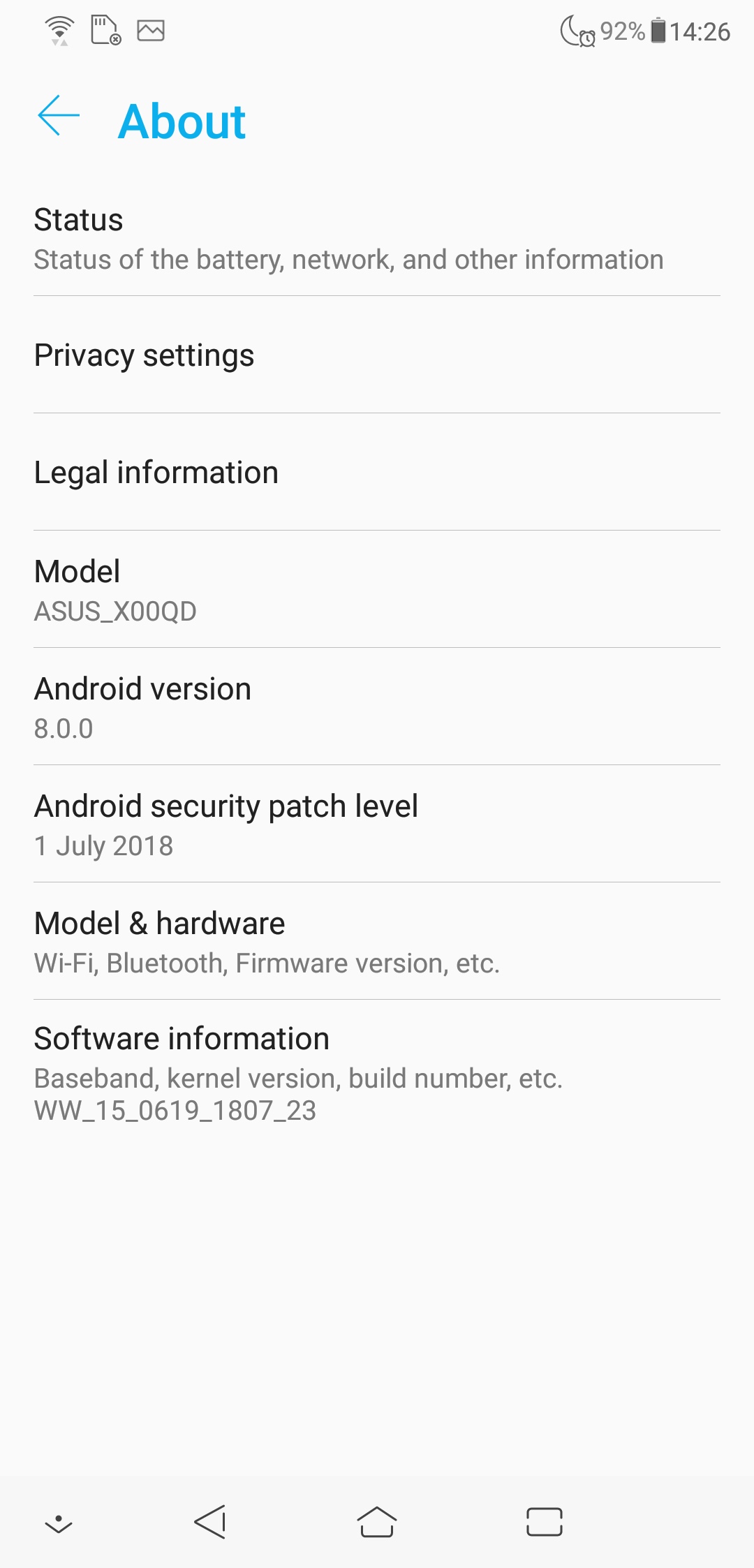
Moving onto software, the ZenFone 5 runs Android Oreo 8.0 – since I have had the device it has received one OTA update, but even then it has not yet been updated to Oreo 8.1 which is a shame. On top of that, the phone also sports ASUS' ZenUI 5 which is a rather colourful skin.
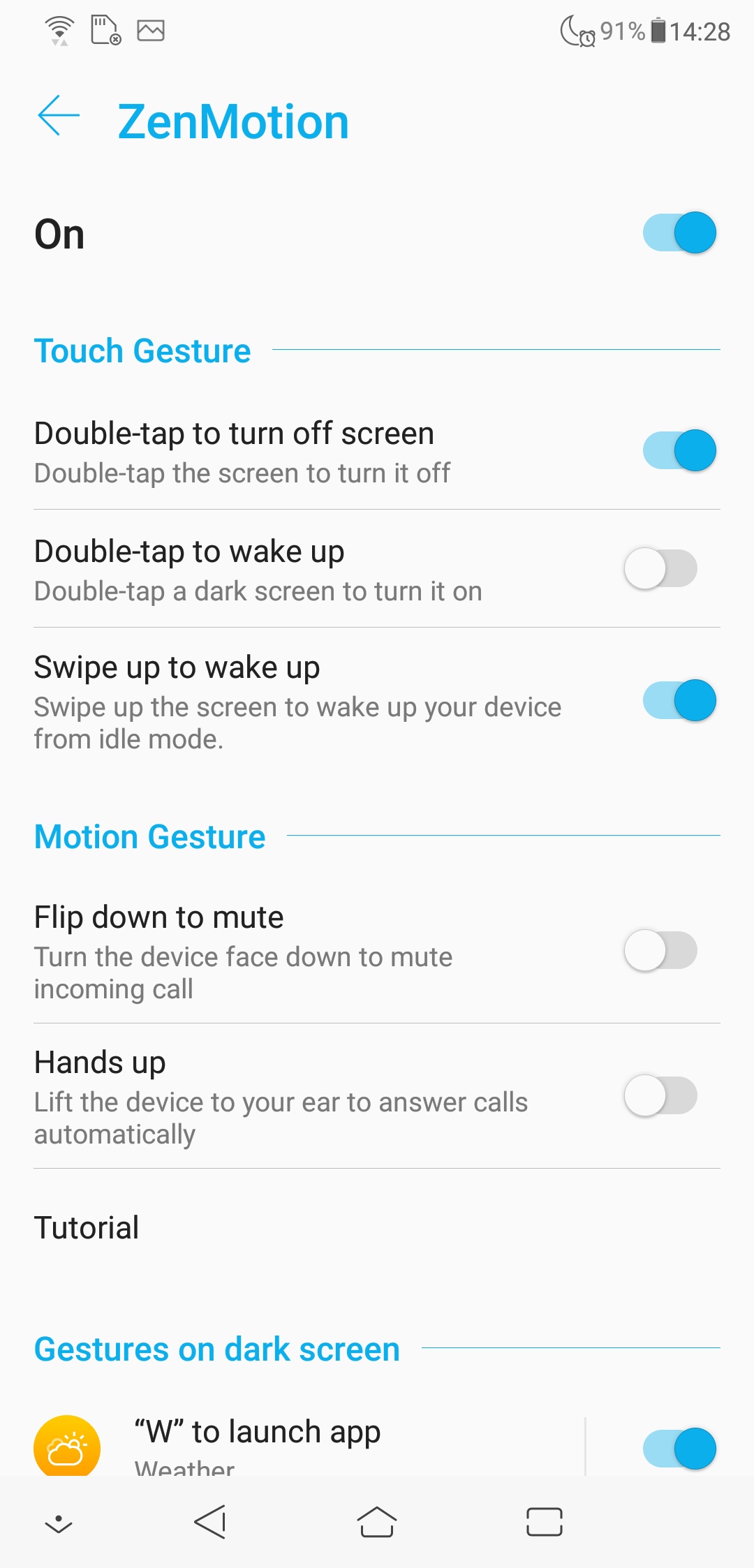

It is probably about as far from stock Android as you can get – but that is not to say it doesn't have any useful features. One of these is called ZenMotion, which lets you open various apps and control the phone through touches and gestures. You have the usual ‘double tap to wake' functionality, as well as the option to lift the phone up to answer incoming calls, but my favourite feature is the ability to ‘draw' on the screen with your finger when the phone is locked.
All you need to do is trace a letter on the screen – the software gives up to six different letters you can use – and then it will open whichever app you have programmed to that letter. For instance, draw a ‘c' and the camera app will open, or draw a ‘w' to open the weather app. Each letter can open any app of your choice, too, so it is a pretty nifty way to get into apps quickly.
There are also a few ‘AI' features baked in. One is called ‘smart screen' which will prevent the phone from automatically turning off the screen if it detects your face looking at the phone – from my testing, it seems to work just fine. There's also ‘AI charging' which supposedly learns when you charge the phone, and slows down the charge time accordingly to prevent excess strain on the battery – similar to Qnovo's tech. This isn't something you can test over a short period of time, but it should help in the long run.
One thing I'm not so keen on is the implementation of the notification icons. This is thanks to the larger-than-usual notch, meaning you can only fit two different notification icons on the status bar – a ‘…' icon will appear to let you know more notifications are there, but you won't know what they are without swiping down to open up the full notification panel. It can be quite frustrating if you're trying to multi-task.
Still, the software as a whole is fine – there is a fair bit of additional functionality baked into ZenUI 5, and while some may not find the bright colours and playful icons overly appealing, it doesn't pose any major problems for the user, so you will be able to get around the ZenFone 5 just fine.
Camera
On paper, the dual-camera system used with the ZenFone 5 is almost identical to that of the ZenFone 4. The 12MP primary sensor has supposedly been upgraded, from the Sony IMX362 to the IMX363, but the sensor size is the same at 1/2.55″ and pixel size is the same at 1.4µm. The lens aperture of f/1.8 is also the same. The difference between the two seems to be the lens FOV – ASUS says the ZenFone 5 has a 24mm equivalent focal length, while the ZenFone 4 has a 25mm equivalent focal length. Other than that, the primary cameras seem identical.
The secondary sensor takes 8MP photos and is a 120° wide-angle camera – ASUS says it is the equivalent of a 12mm lens on a full-frame (35mm) sensor. There is less information available about this secondary camera, but the on-paper spec is again unchanged.
We break the camera analysis into three sections – out of the box image quality using the primary camera, a comparison of the primary and wide-angle cameras, and a look at the camera's HDR processing.
Auto image quality














Note: if the above images are not displaying properly, you may need to disable your ad block software as they are known to interfere with our display code.
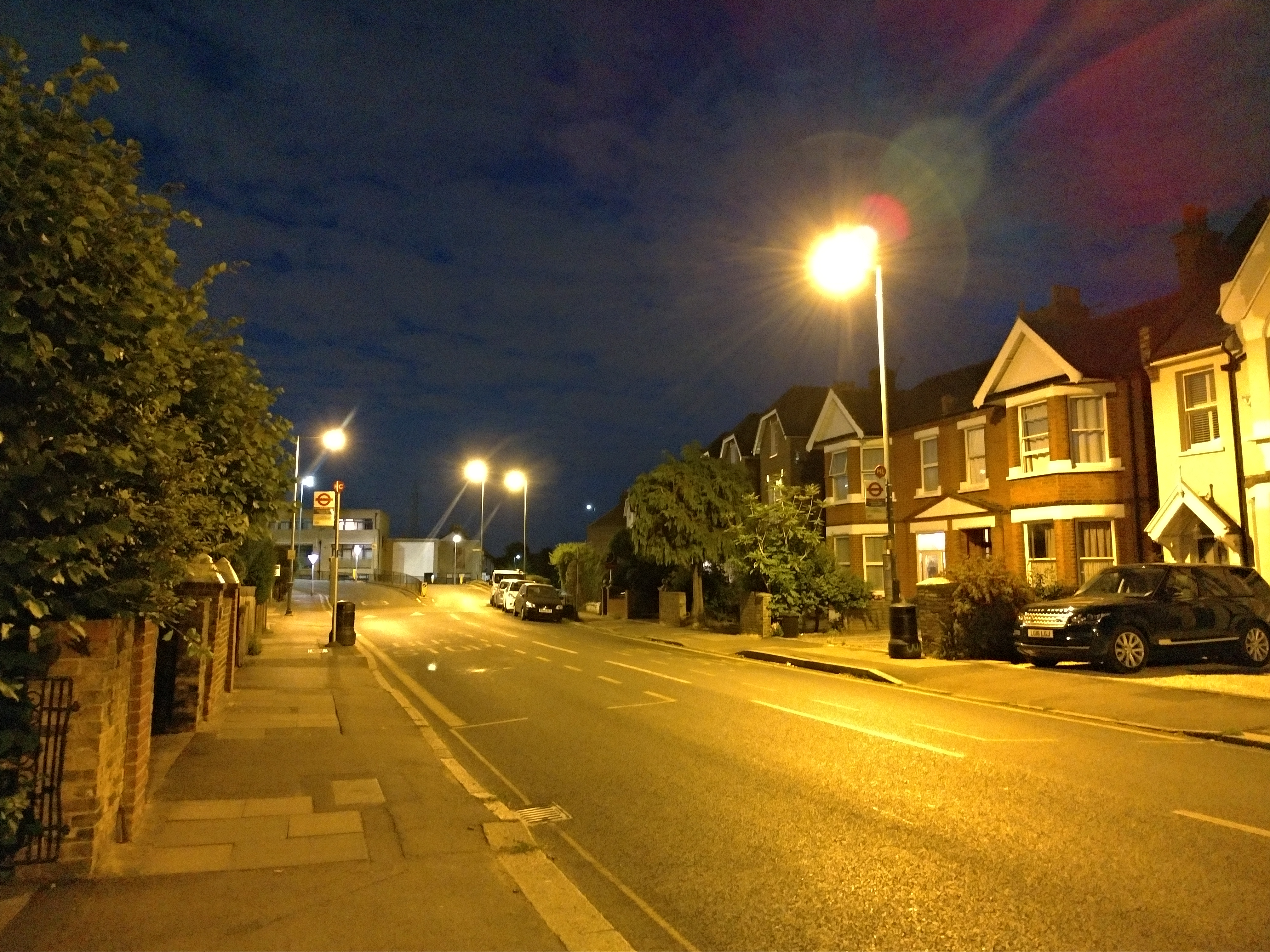
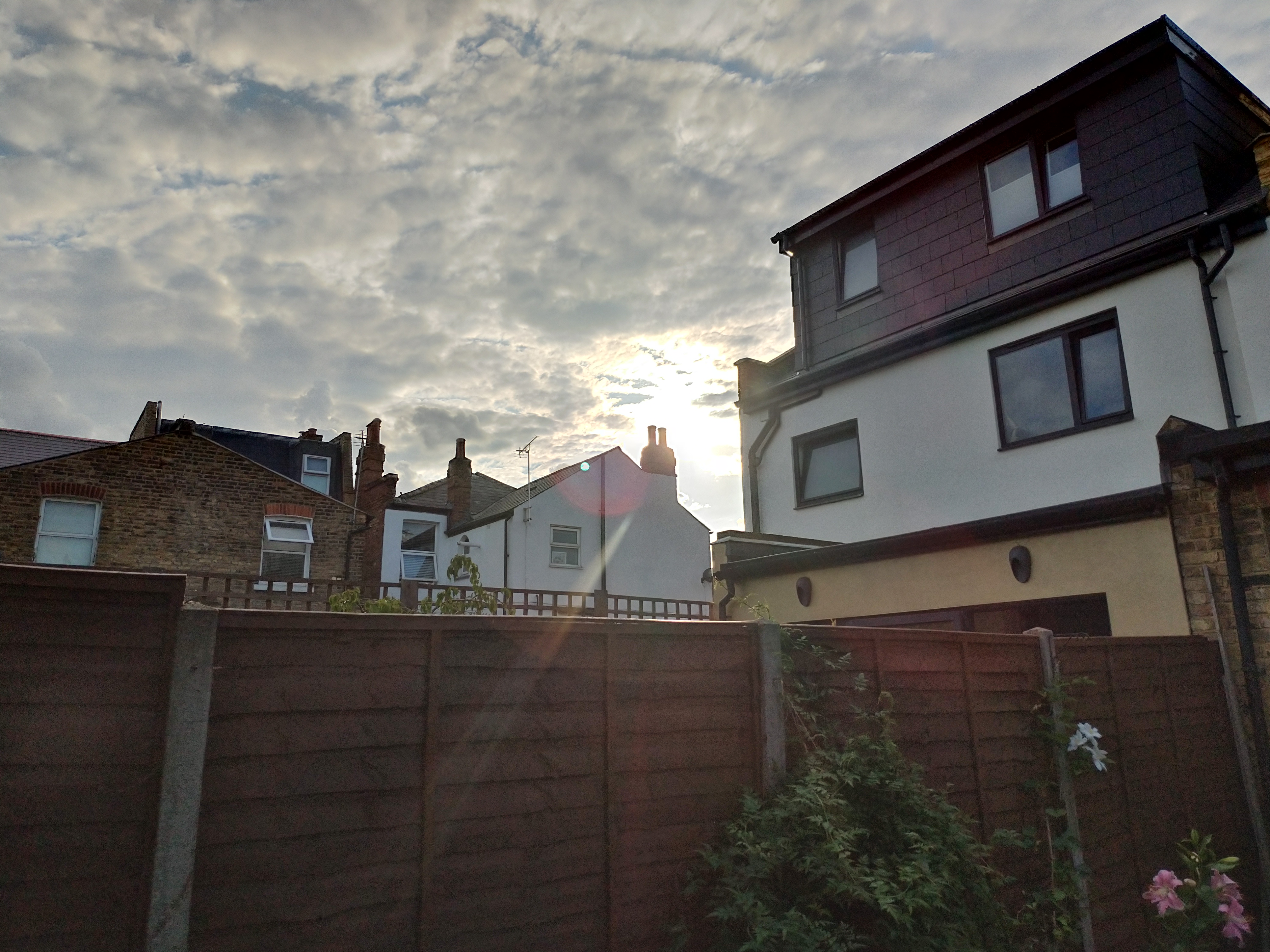
Starting with a look at general, out of the box image quality using the primary 12MP sensor. In a nutshell, I think it is capable of taking pretty decent photos.
For one, the colours are nice and punchy, while there is a good amount of detail to each shot (though that does depend on the amount of light available – but more on that later). I would suggest the images can look a touch over-sharpened, but this seems to be a modern trend that more and more manufacturers are adopting, so maybe I'm in the minority which likes a more natural-looking image.
On the whole, though, I am pretty pleased with some of the photos presented above. You will notice, however, that the sharpest photos were taken with lots of light available – low-light shots quickly lose detail and look rather grainy, which is a shame.
The other thing to touch on is the AI scene detection. The ZenFone 5 can recognise 16 different objects/scenes – including people, food, cats, dogs, and so on – and then it automatically optimises ‘the camera settings for almost any kind of subject'. In all honesty, I couldn't tell what was being optimised. The scene detection worked fine – I would point the phone at my dog, and a dog icon came up in a second or two, no problem. The issue is, I simply can't tell what the camera is actually changing once it has detected the scene or object.
With the Huawei P20 Pro, for instance, there is a noticeable change in what the photo looks like after a scene has been detected – point the phone at the sky, and you will notice the sky looks bluer. With the ZenFone 5, it's all well and good having scene detection – but since you can't really tell what is actually being changed, it feels like it is there just for the sake of it.
Standard vs wide-angle lenses









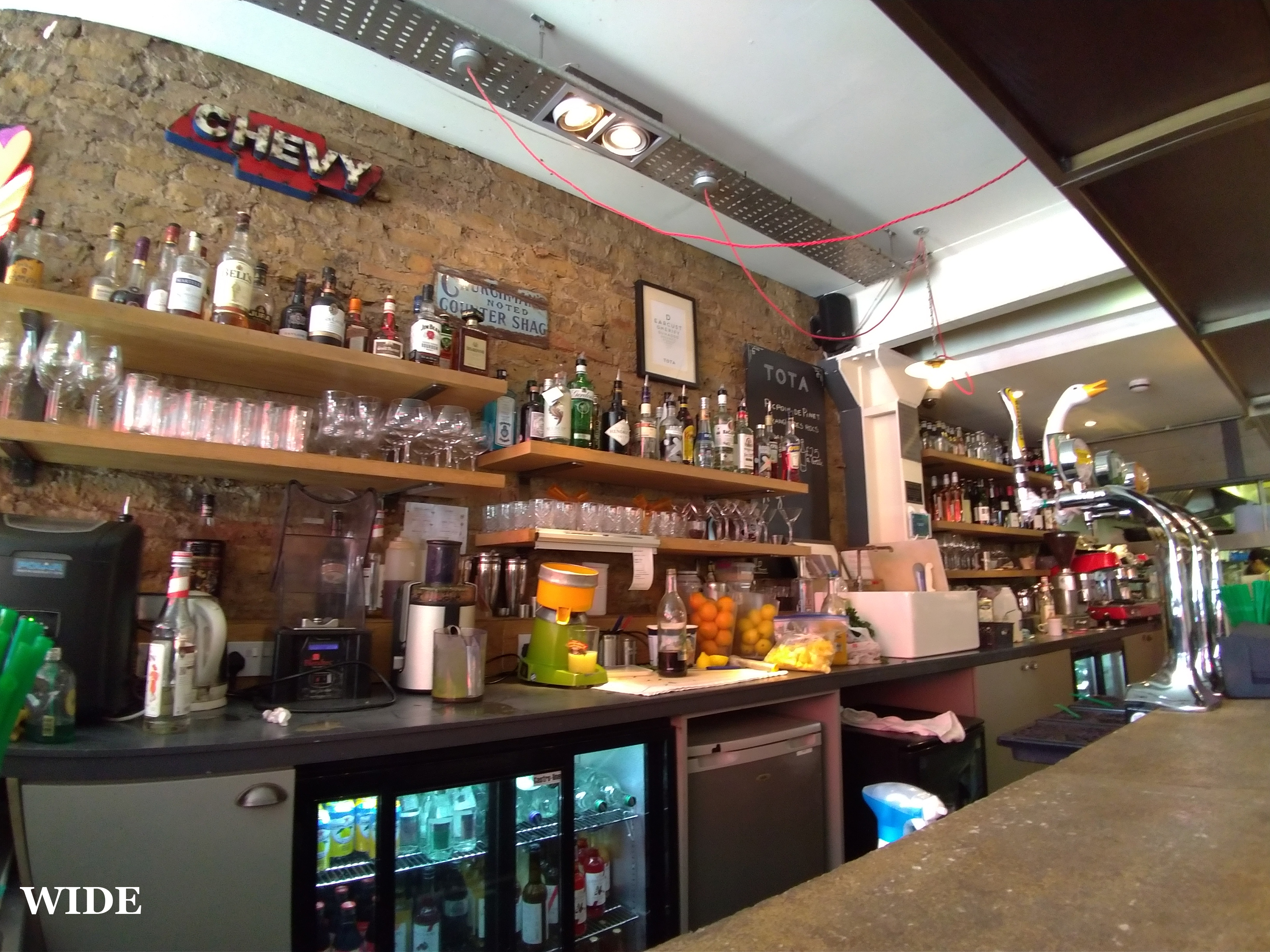


Unlike most other photos with a secondary camera, the ZenFone 5 has a wide-angle lens rather than a telephoto. It is only 8MP, so images aren't as big as with the primary camera, but you do get a significantly enhanced FOV.
It can look really good, too, depending on what you are photographing. Wide architectural shots can look much better than the standard lens, as you can fit so much more in frame. It's also a great tool if you just physically cannot move back any further to try and get everything in shot.
Because it is so wide, you do get some barrel distortion – that fish-eye effect – particularly towards the edges of the frame. This makes straight lines look rather curvy, which could be a pain if you are trying to get everything perfectly symmetrical. On the flip-side, you can actually use it as a bit of an artistic tool to create some funky images. I would just say photos of people don't look too good with the wide-angle lens due to that distortion.
The wide-angle lens also struggles in lower-light situations – you can see there is less detail in the photos compared to the primary camera, even in bright daylight, so when you go inside or it gets to night time, images do look rather grainy.
On the whole, though, I do like the inclusion of the wide-angle lens. It is probably best to use it with discretion – it won't look good all the time, particularly in low light – but when you get it right, it can produce a photo that very few other phones can manage.
HDR
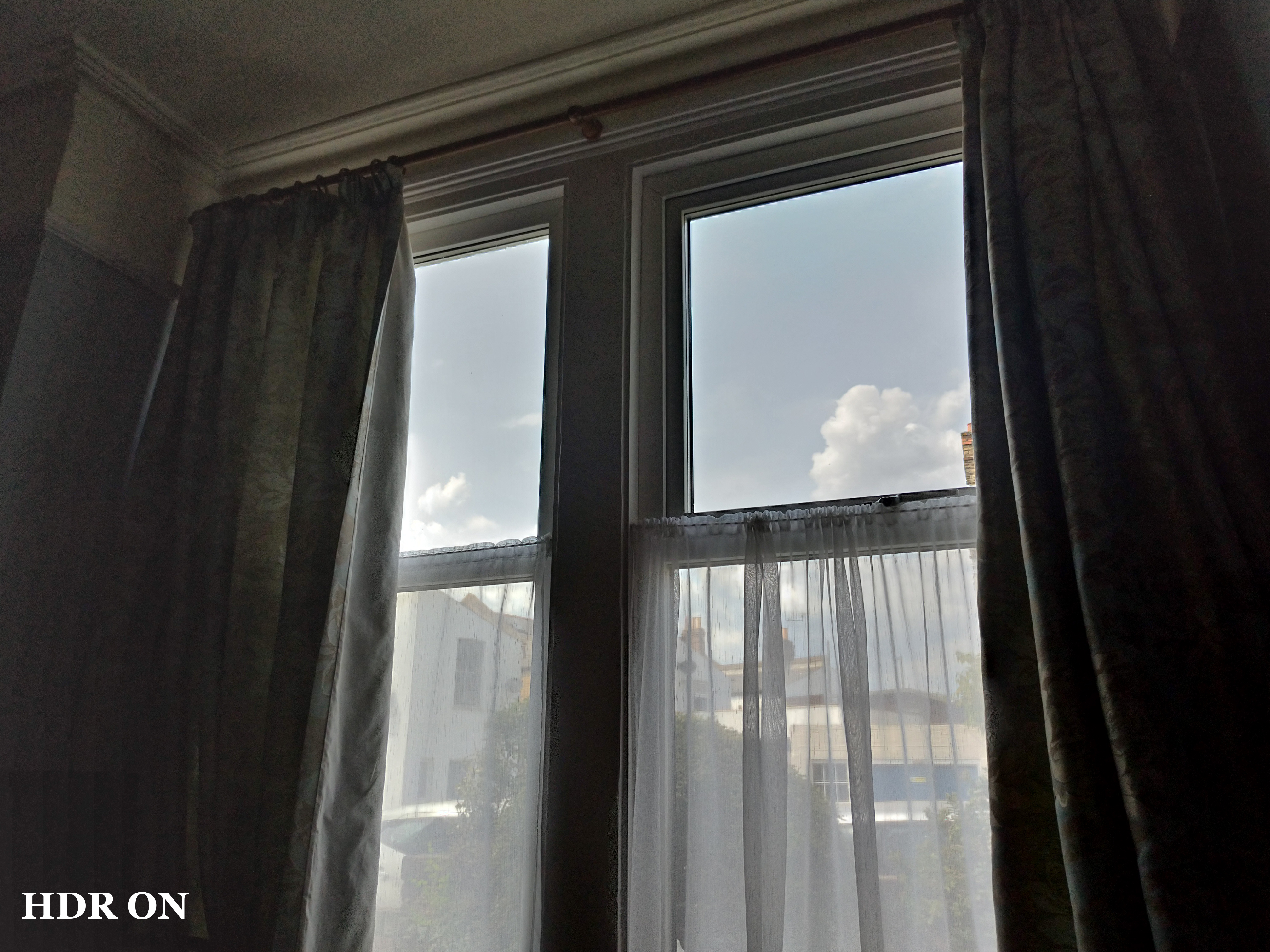
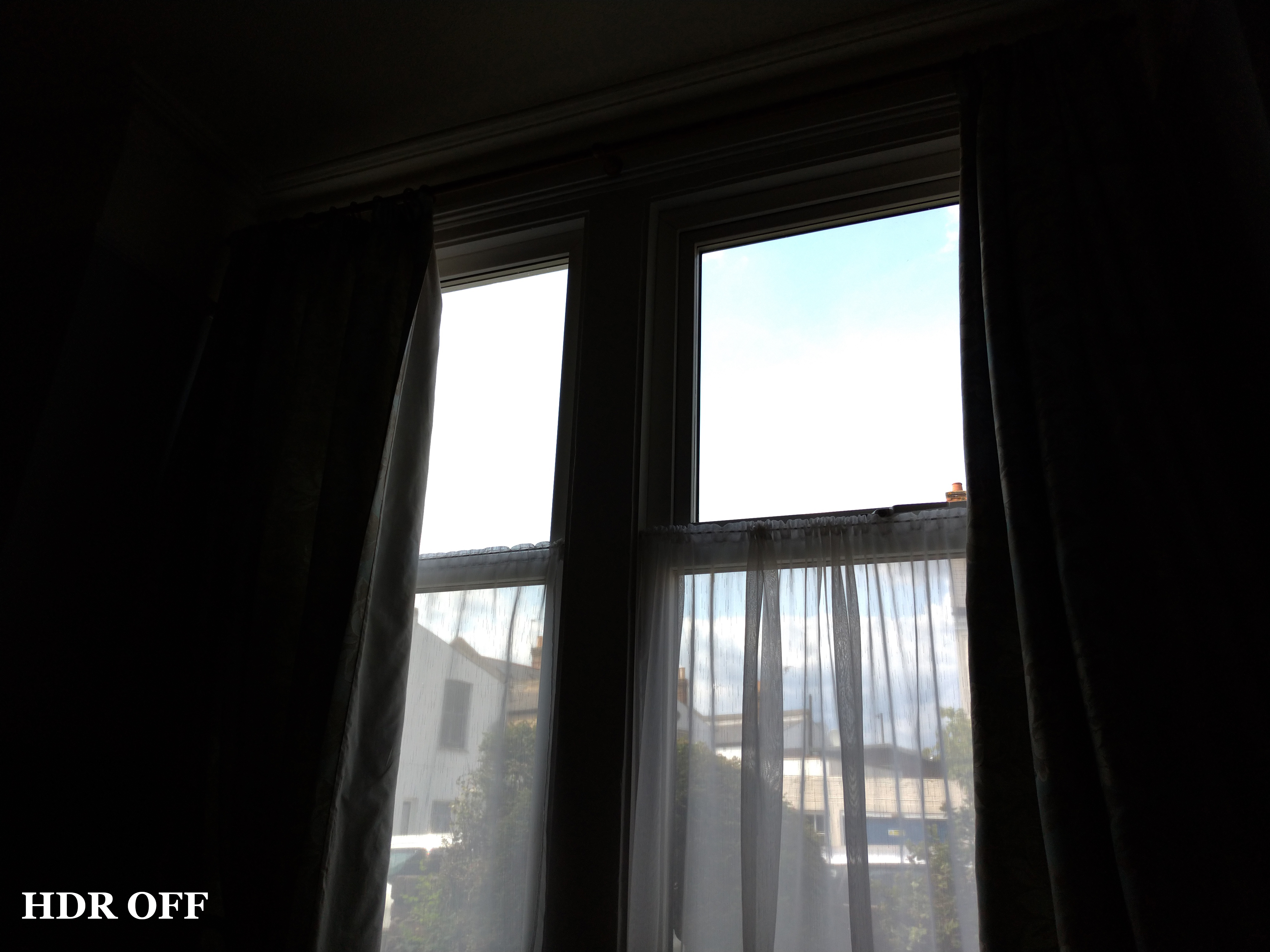


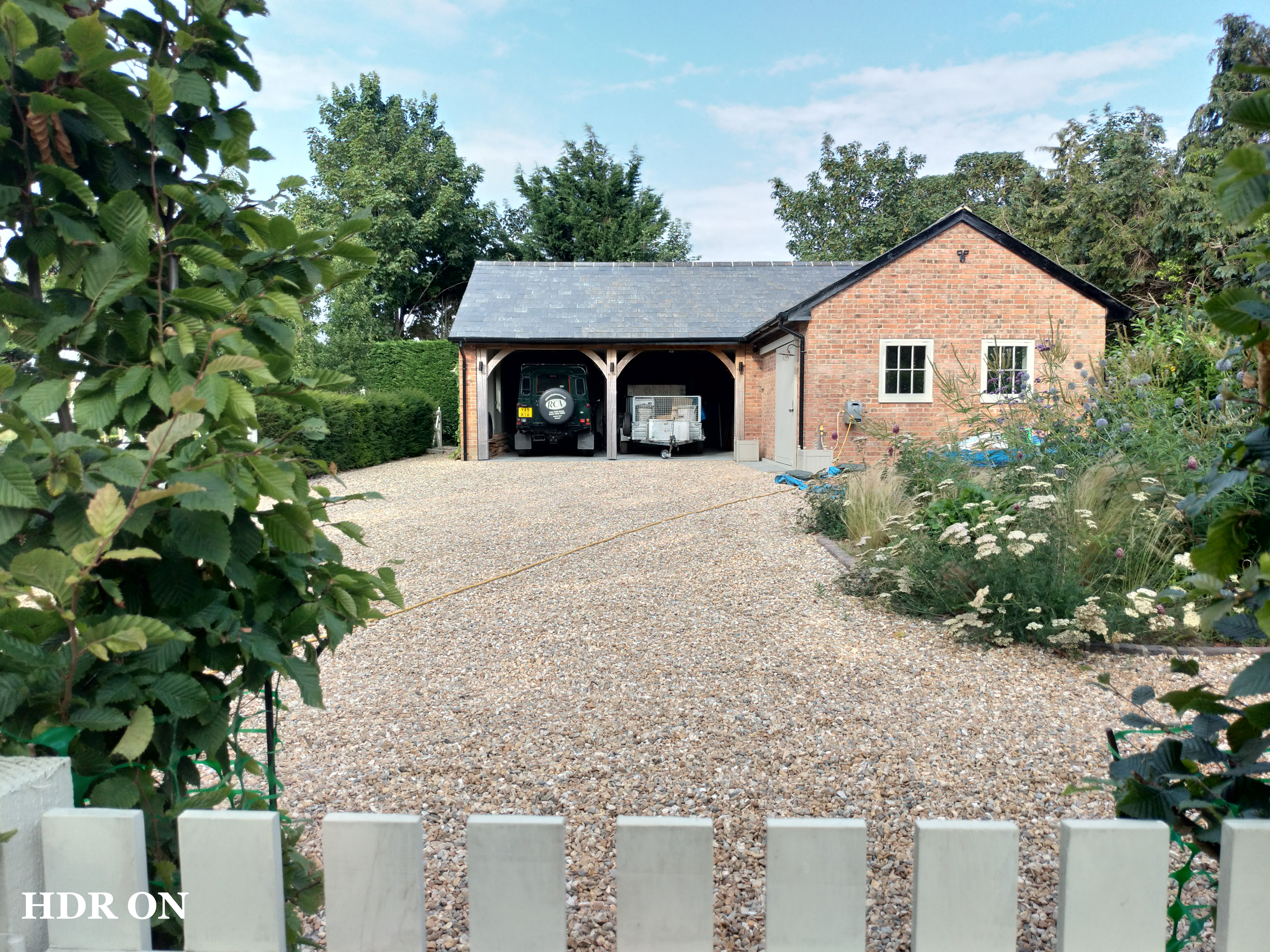
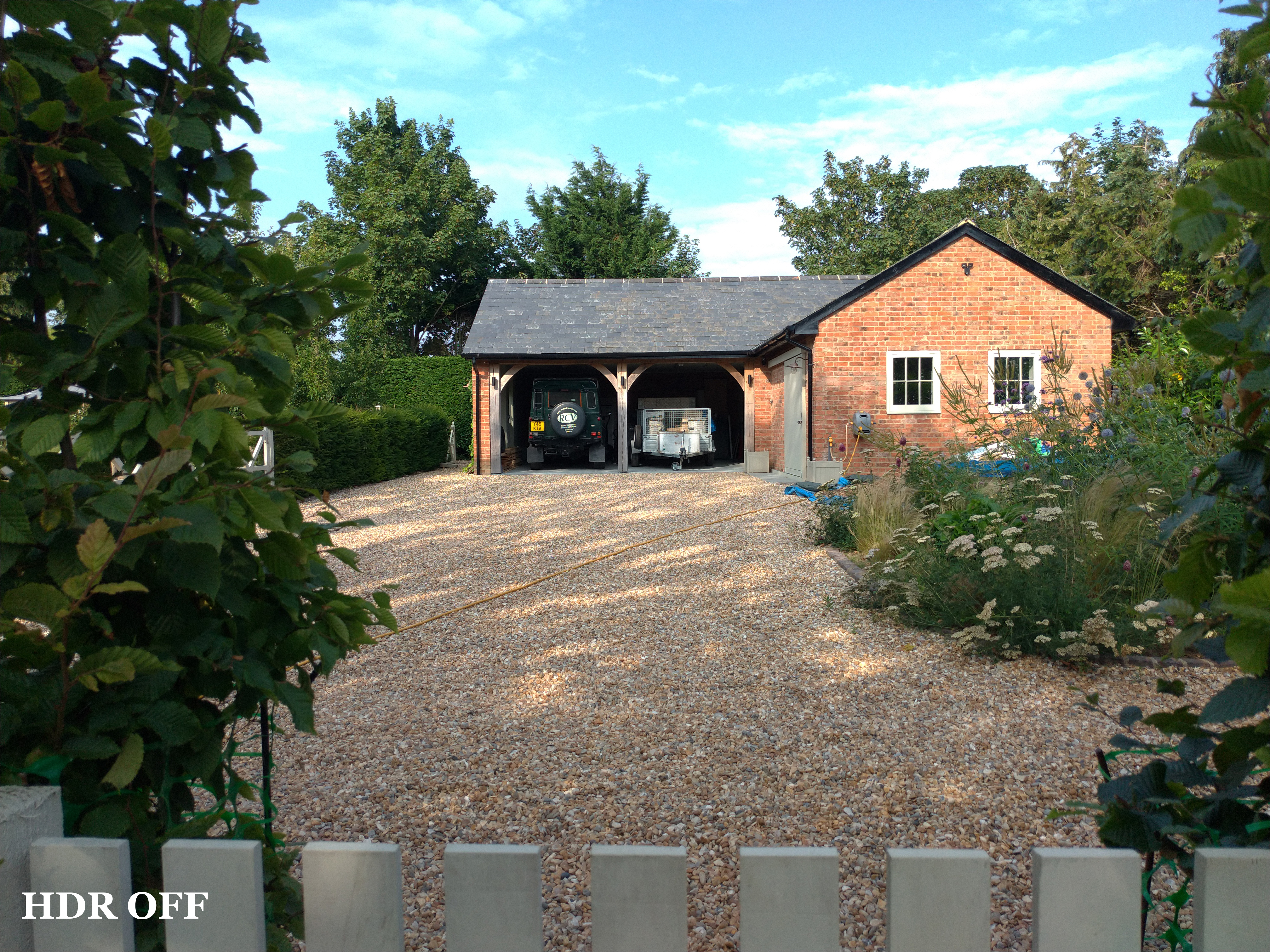
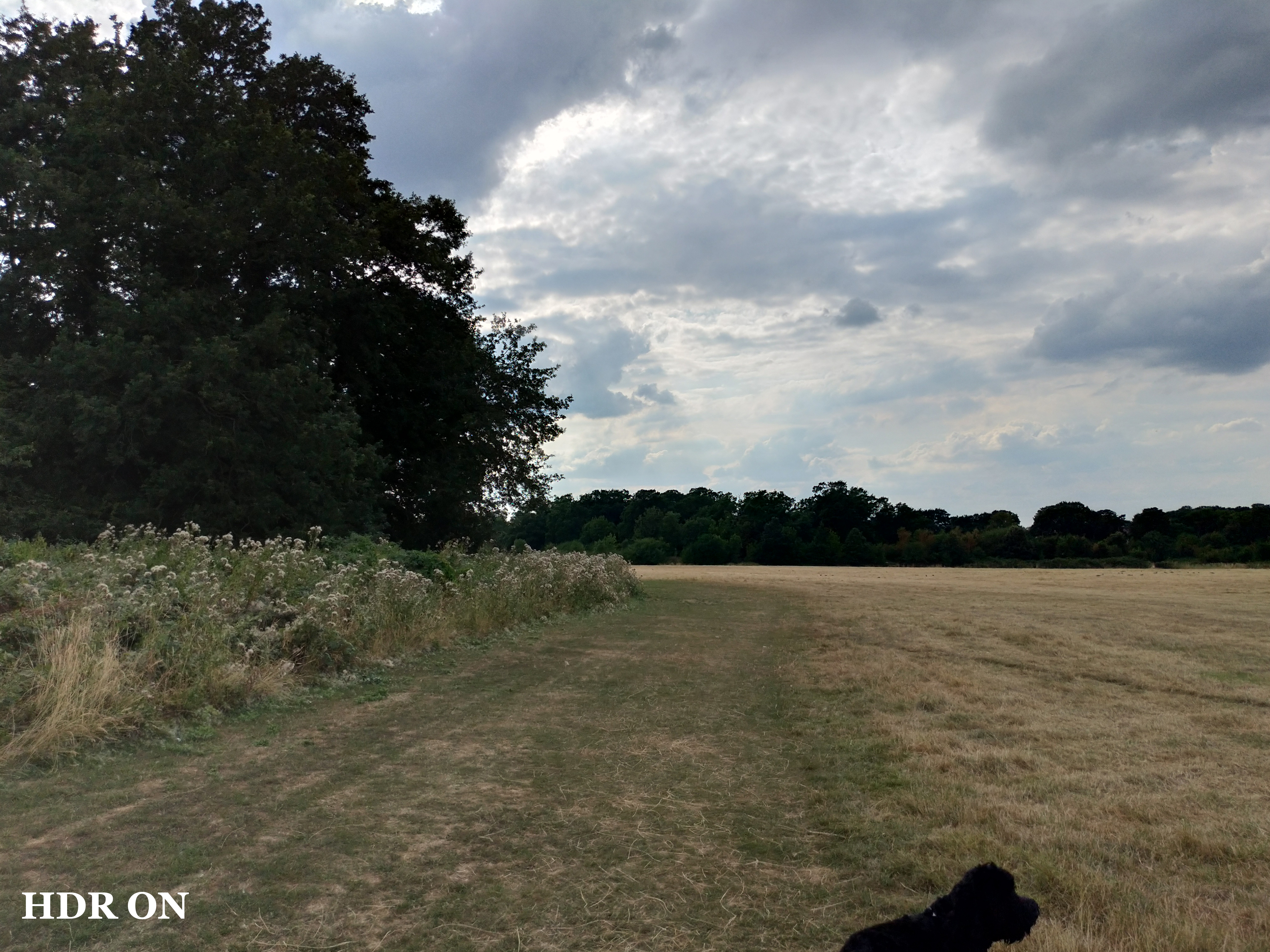
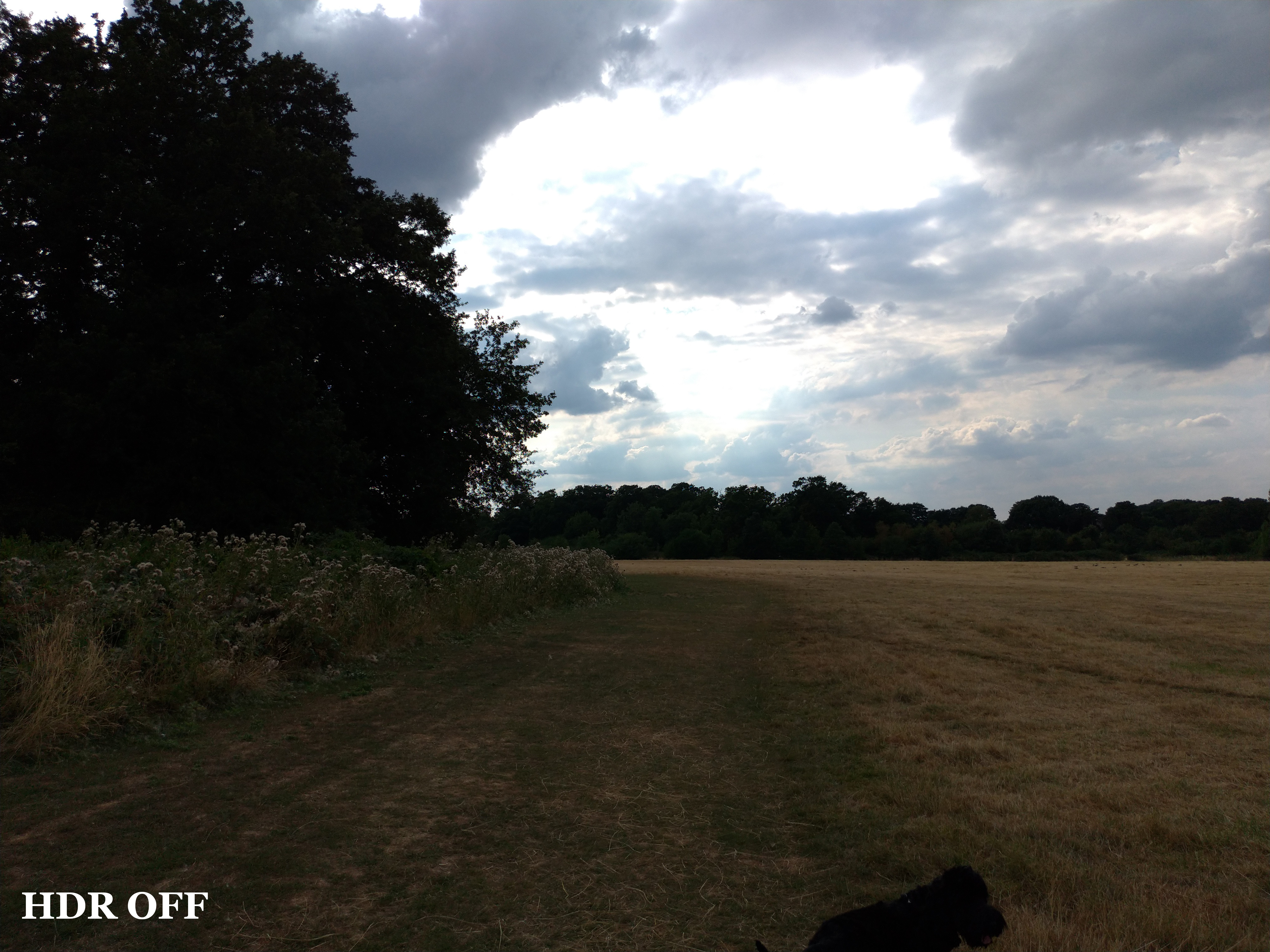


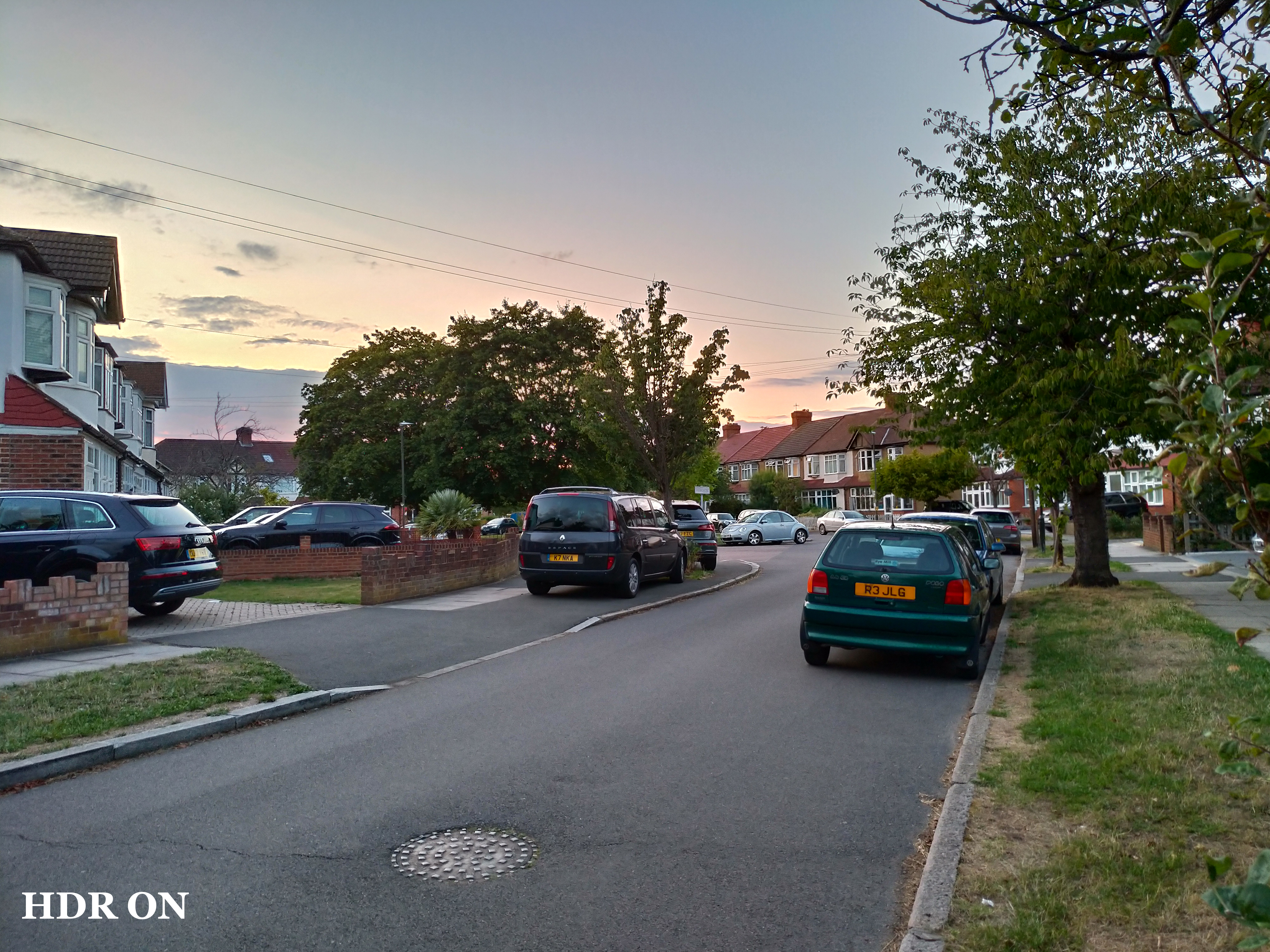
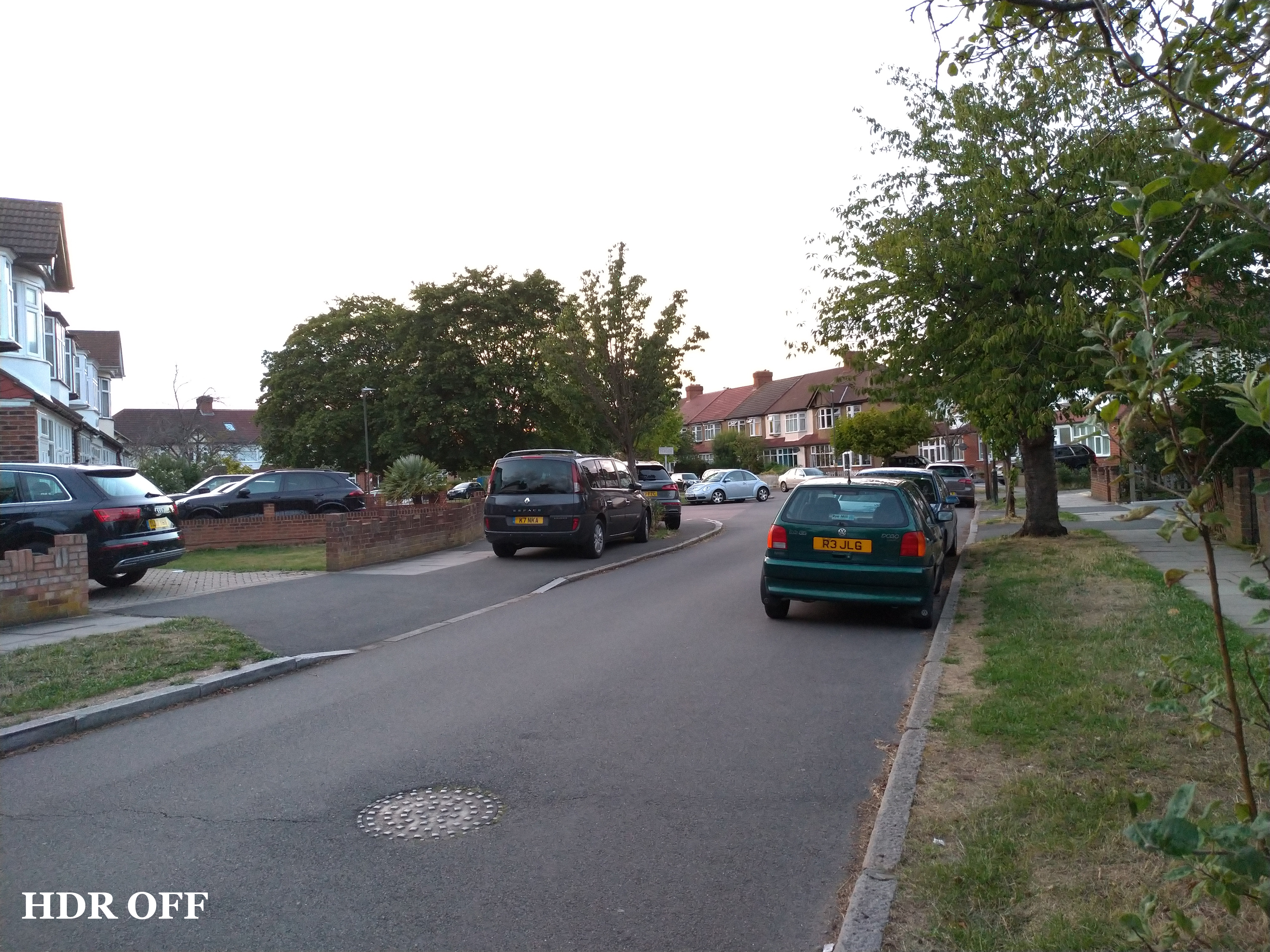
The last feature to talk about is the ZenFone 5's HDR processing. By default, the camera app uses ‘HDR Auto' so it automatically creates a HDR shot if it thinks the photo needs it. You can, however, turn HDR off entirely, or keep it on all the time.
From the example shots above, I think it becomes pretty clear than having HDR on will create a better final photo 9 times out of 10. The camera's dynamic range with HDR off is frankly terrible, but when you enable HDR it manages to pull back so much detail and colour from previously blown-out areas of each photo.
It's not perfect – it can make the photos look a bit flat, or sometimes a little artificial – but compared to what the photo would look like if the HDR option was not there, I would take the HDR version almost every time.
Thankfully, the phone is also pretty good at turning HDR on automatically – assuming you leave the setting on ‘HDR Auto' that is. It can occasionally take a second for HDR to kick in, but every time I wanted to the phone to enable HDR, it did.
Battery
The last area to touch on is battery life. The ZenFone 5 uses a 3300mAh cell – which is a pretty standard size in 2018. Because of that, battery life is pretty much in line with other smartphones we have seen recently, like the Honor 10 and OnePlus 6.
That means you should easily get a day's use out of it – a typical day for me would involve around 4.5 hours of screen-on time, and I would have around 20% battery left once it got to about 10pm. It's certainly decent, but if battery life is your main priority, there are longer-lasting phones out there – like the Huawei Mate 10 Pro.
Still, if you need to charge the phone is a hurry, the ZenFone 5 sports what ASUS calls ‘BoostMaster'. It's essentially fast charging technology based on the Qualcomm standard, though a 30-minute charge (from 0%) only charged the phone to 33% – and that was using the supplied 10W charger and cable.
With the Razer Phone‘s 24W charger, however, I was able to charge up the phone to 40% after 30 minutes, which suggests you will get better results with a more powerful charger. In any case, it is still not a huge amount gained after 30 minutes, so the fast charging does have to go down as a disappointment.
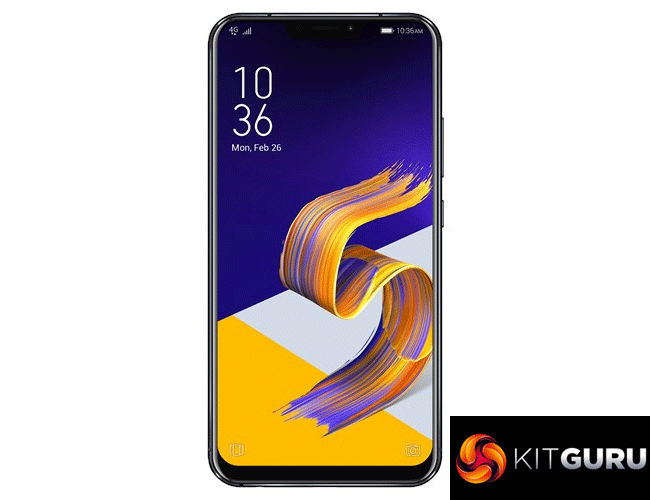
The ASUS ZenFone 5 is a solid mid-range effort that improves on its predecessor in a number of ways.
For one, it sports a larger 6.2in display that has a new 19:9 aspect ratio. It has introduced a notch as well, which makes it look like almost every other Android flagship around at the moment, but if we were to criticise ASUS for that, we would also have to criticise Huawei, OnePlus, LG and so on. A notch is simply the current trend for 2018.
That display is very good for the money, anyhow, with punchy colours and excellent viewing angles. Speaking of colours, ASUS' software will also appeal to those who like their Android experience to be bright and lively – and it also has a few good features to boot.
As for performance, the Snapdragon 636 processor is decent but not the fastest out there, and I did notice the phone would reach its 4GB RAM limit once I had opened quite a few apps. That being said, it is by no means a slow phone, and for the money the overall experience is pretty similar to the Honor 10.
The main focus of the phone, however, is the camera. This has one standard 12MP sensor, and one 8MP wide-angle camera which can be used to good effect. Overall image quality is impressive, and you will be taking plenty of sharp and punchy photos with this phone. Low-light performance is a bit disappointing, though, be it with the standard or wide-angle camera. Fortunately, the ZenFone 5 does utilise some effective HDR processing which can pull a remarkable amount of detail back, where the photo would otherwise be over-exposed.
At £349.99, the ZenFone 5 is a very solid option to have. Its new design is predictable, but it brings a flagship feel to the phone without adding several hundred pounds to the price tag. It is also £100 cheaper, at launch, than the ZenFone 4 – a smart move which confirms the ZenFone series as a low-to-mid range family, a position I think it is best suited to compete from.
So, if you want a very capable all-rounder without spending more, the ZenFone 5 comes well recommended. It isn't quite perfect, but it still offers impressive bang-per-buck.
You can buy one directly from ASUS HERE.
Pros
- Large screen looks good.
- Software has a few nifty features.
- Camera produces impressive results with good lighting.
- £100 cheaper than its predecessor at launch.
- Generally decent performance for the price.
- Glass back reflects light beautifully.
Cons
- Camera low-light performance is not the best.
- Snapdragon 636 can occasionally stutter.
- Large notch restricts amount of notification icons.
KitGuru says: The ASUS ZenFone 5 is a very solid phone if you don't want to spend more than £350. With a couple of refinements, it could be even better.