KitGuru KitGuru.net – Tech News | Hardware News | Hardware Reviews | IOS | Mobile | Gaming | Graphics Cards


The Asus PG27UQ surely has to be one of the most anticipated gaming products in recent history. First unveiled a year and a half ago, this is the first monitor to offer not just a 4K resolution and 144Hz refresh rate, but true HDR with a full array local dimming backlight as well.
On paper it’s the ultimate 27-inch gaming monitor that should provide stunning image quality and competitive gaming performance. The downside? Well, aside from it having been delayed for so long, there’s the fact it costs an eye-watering £2229.
Whichever way you look at it, that’s a somewhat ludicrous figure for a 27-inch gaming monitor, no matter how good it is. But, such is the level of technology here that it’s not totally unreasonable either.
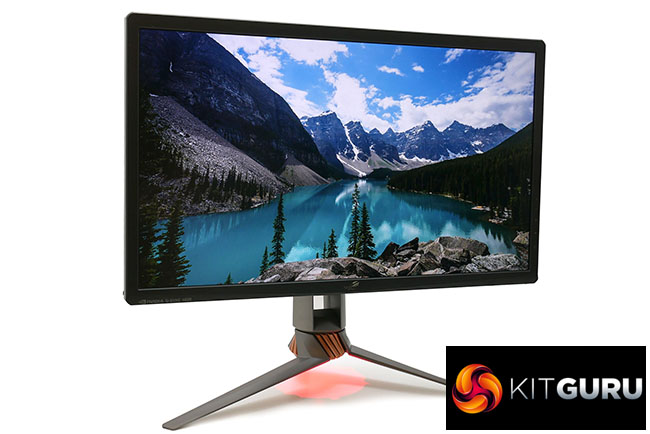
That full array local dimming backlight consists of 384 separately controlled lighting zones, plus you’ve got quantum dot technology being employed for the RGB filters and we’re sure that AU Optronics' 4K, 144Hz-capable IPS LCD panels don’t come cheap either.
The secret to unlocking such a fast frame rate for such a high resolution is not just the use of the latest LCD panels but also the arrival of the DisplayPort 1.4 standard. While graphics cards have supported this for a while (your card may need a firmware update), monitors haven’t, so this marks the arrival of a new breed.
As for the HDR side of things, high dynamic range is all about two enhancements to existing image presentation. Whereas normal video/game/image content is generally mastered for use in the sRGB colour space, using an 8-bit colour depth, and with a reference contrast of 1000:1, HDR ups the ante on all of these figures.
The HDR10 standard, which is fast becoming the main reference point for most things HDR, requires displays to handle 10-bit colour and to cover over 90% of the larger DCI-P3 colour space as well as have displays be capable of producing a 10,000:1 contrast ratio. All of which the PG27UQ is able to meet.
This should result in far richer, more vivid and realistic looking images. The proof of the pudding is in the testing, though, so lets dive in to see if can deliver.
Specifications:
- Screen size: 27-inch, 16:9 aspect
- Native resolution: 3,840 x 2,160
- Refresh rate: 144Hz
- Panel type: IPS
- Contrast ratio: 1,000:1 native, 10,000:1 HDR
- Brightness: 300cd/m2, 1000cd/m2 HDR
- Response time: 4ms grey-to-grey
- Display inputs: DisplayPort, HDMI
- USB hub: USB 3.0, two ports
- Tilt: Yes
- Raise: Yes
- Swivel: Yes
- Pivot: Yes
- VESA: Yes
- Warranty: 3 years
Retail Price: £2229 (inc. VAT)
The PG27UQ arrives with just its base to attach, which is done via a single captive thumbscrew, and a basic selection of accessories in the box. You get a DisplayPort cable, HDMI cable, USB cable, the power brick, a little bag with extra filters for the downward facing light and a cover for the rear ports.
Attaching the base is a simple process and once done you’re faced with a striking looking display. Asus’s recent flagship gaming monitors have all featured fairly bold, and at times divisive, designs that include extra flashing lights, off-piste colour choices and lots of jaunty angles, and that’s the case again here. In fact, when it comes to the lights, Asus has really kicked things up a notch.
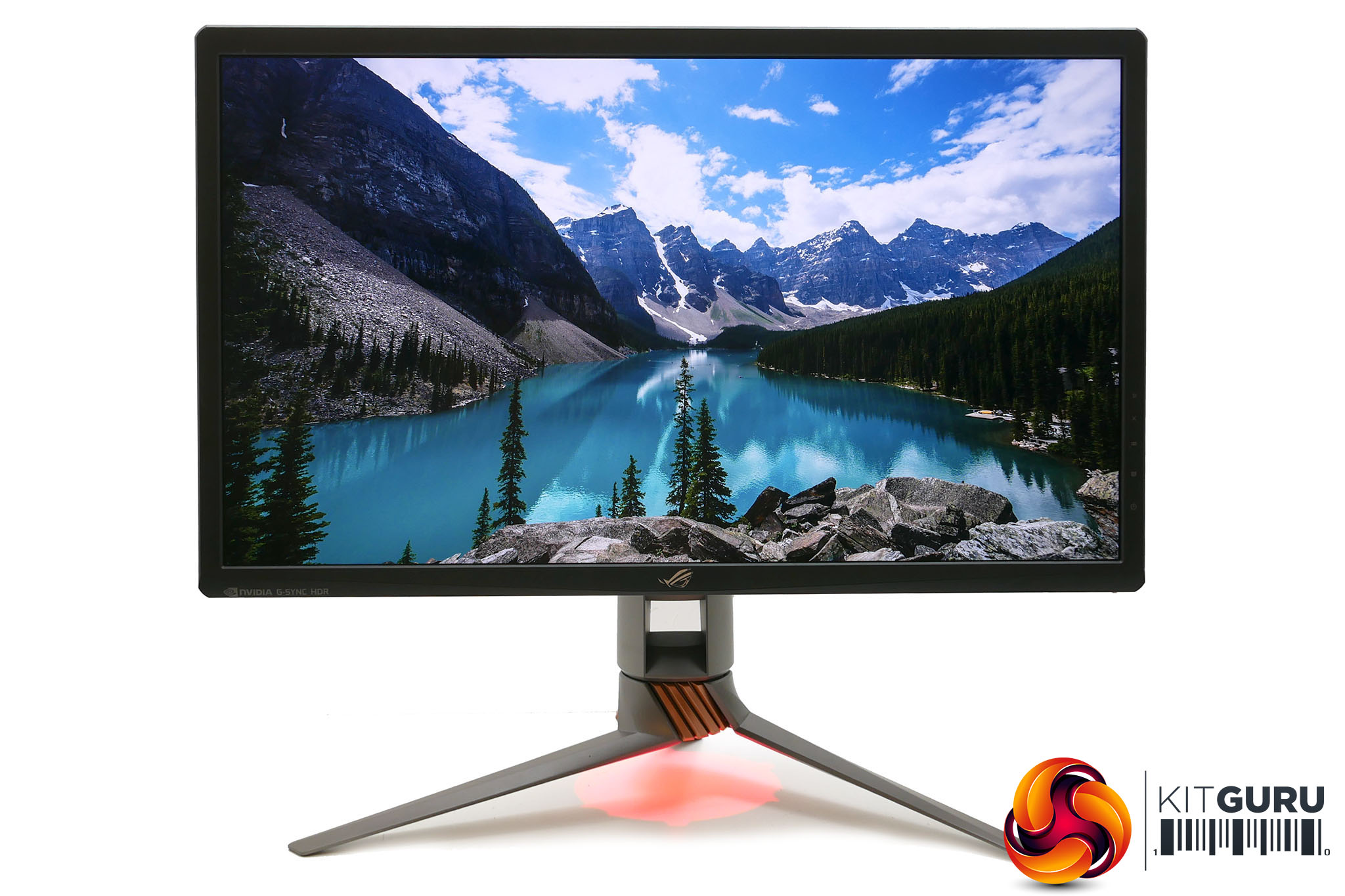
You get no less than four light-up sections on this display. One of these will be familiar to those that have seen other recent high-end Asus monitors, which is the downlight. This bright red light projects from the base of the stand onto your desk. You can then draw on the included clear plastic covers so that you project a pattern instead.
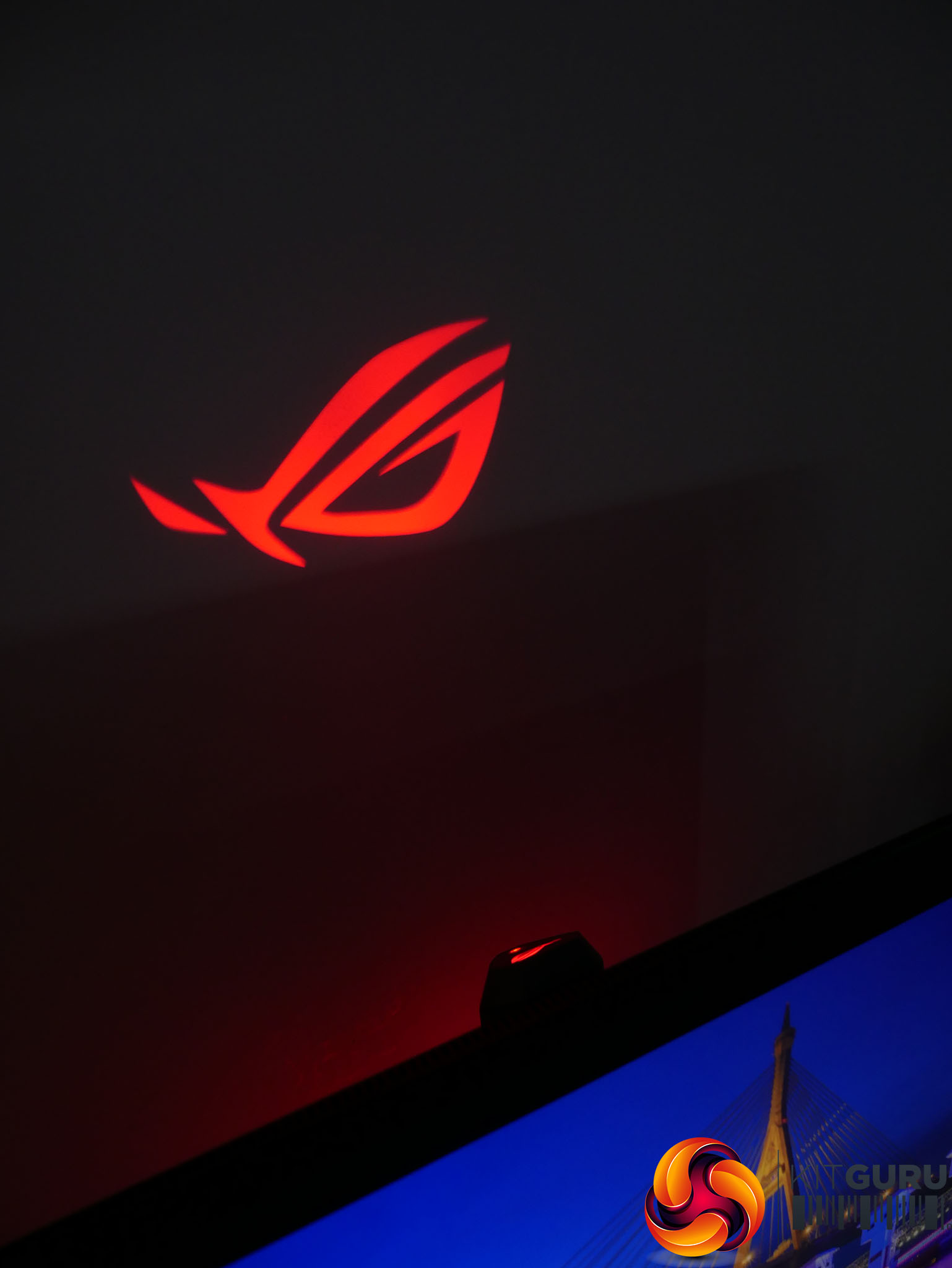
This has been joined by two lights on the top of the stand. One is just a backlit ROG logo and the other projects an ROG logo. You can adjust the angle so that it projects on a wall behind or ceiling above.
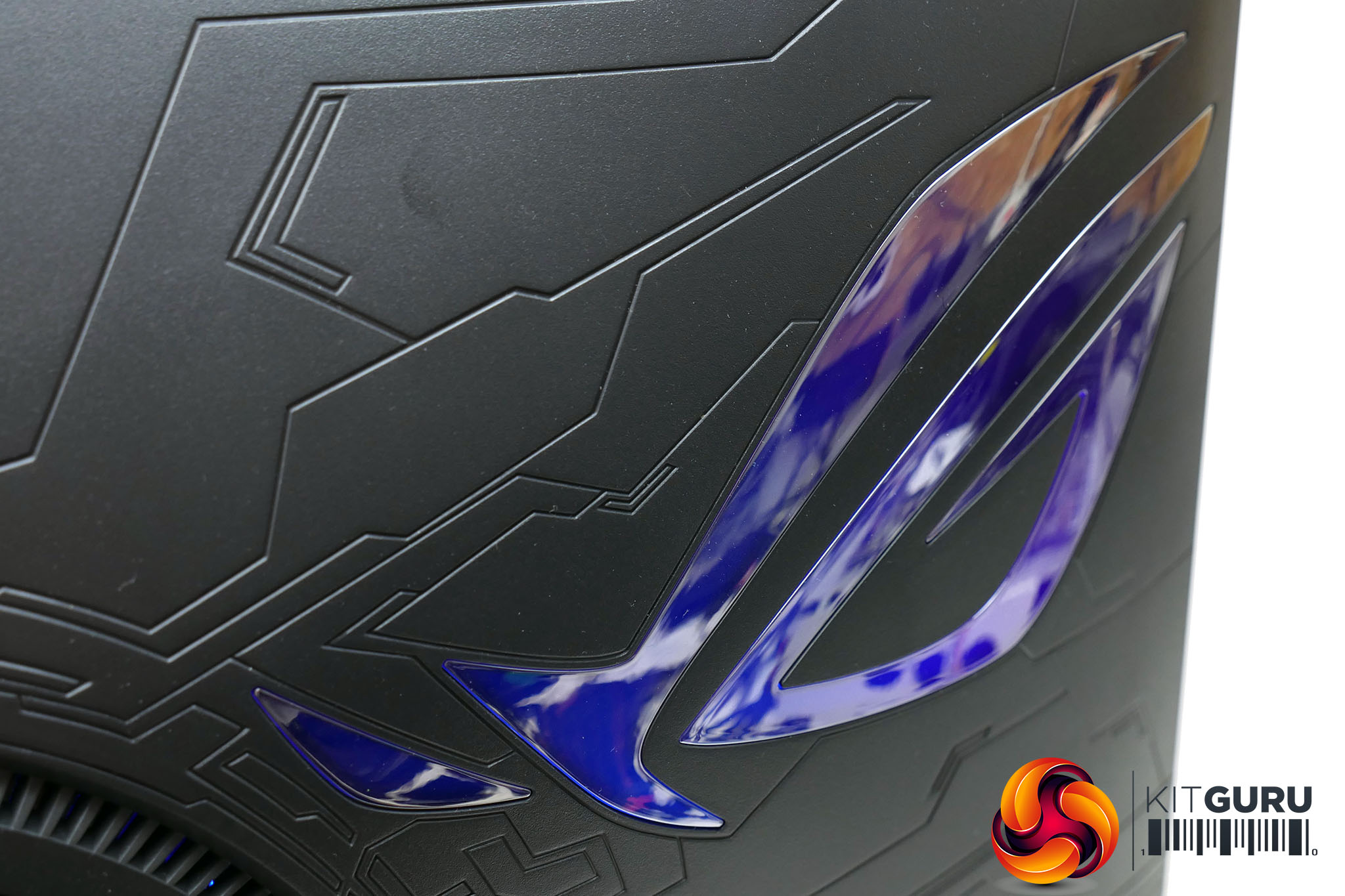
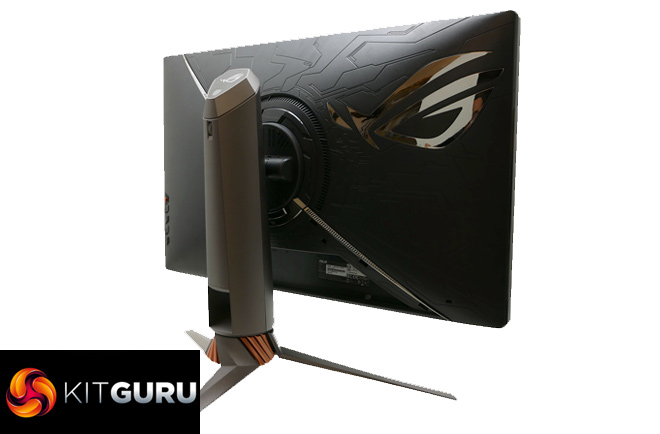
Finally there’s the RGB backlit ROG logo on the back of the display. This features several RGB elements so that it can show multiple different patterns and colour combinations.
Design considerations aside, in all likelihood the two projected lights will be too much of a distraction to have on all the time but the two backlit logos are understated enough.
As for the overall design, it’s certainly not subtle but neither is it too garish. From the front it looks positively classy with no overly bright paints or plastics used anywhere. The display itself is mostly matt black plastic while the stand has a grey/silver finish with just one subtle copper highlighted section.
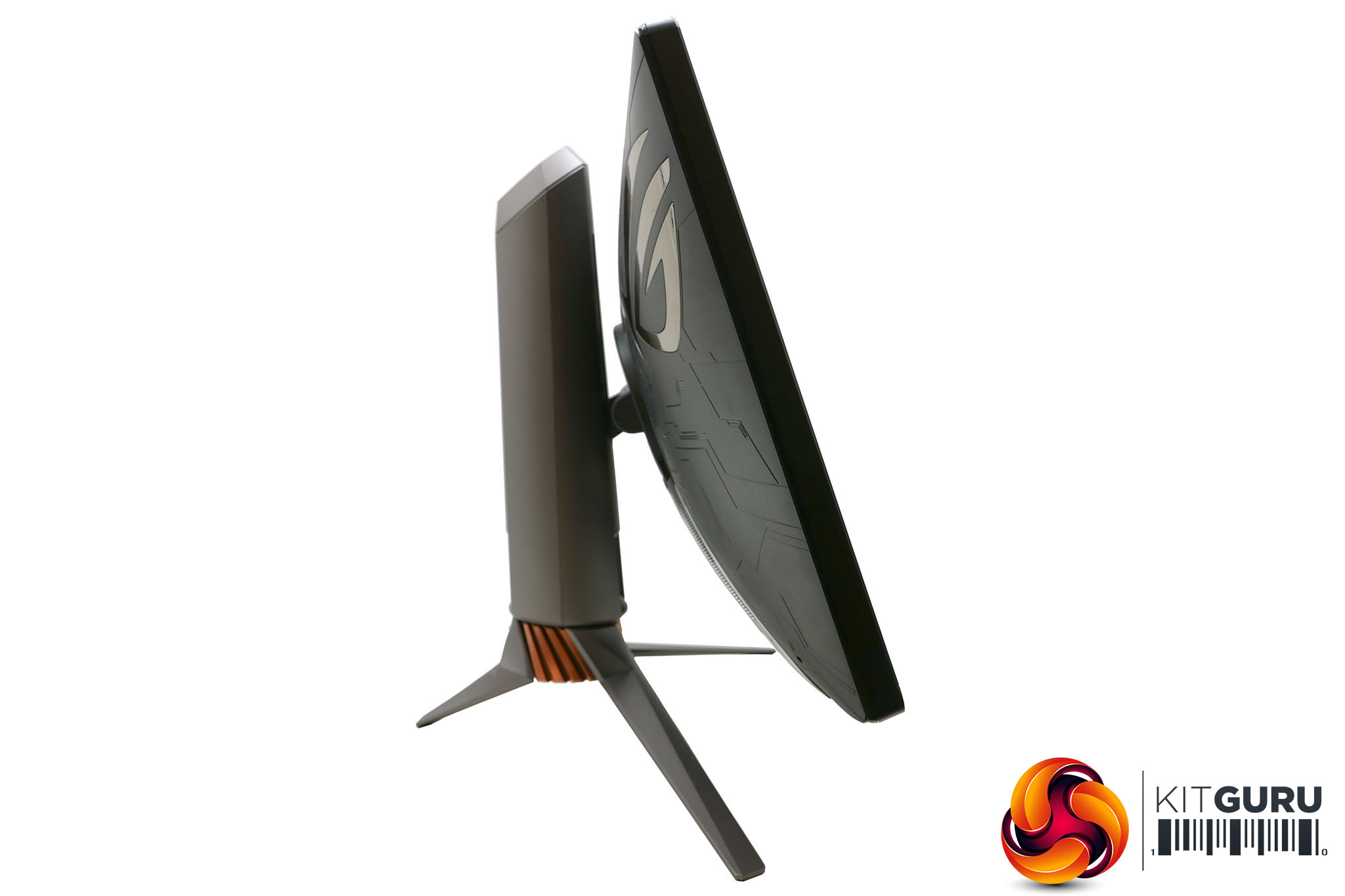
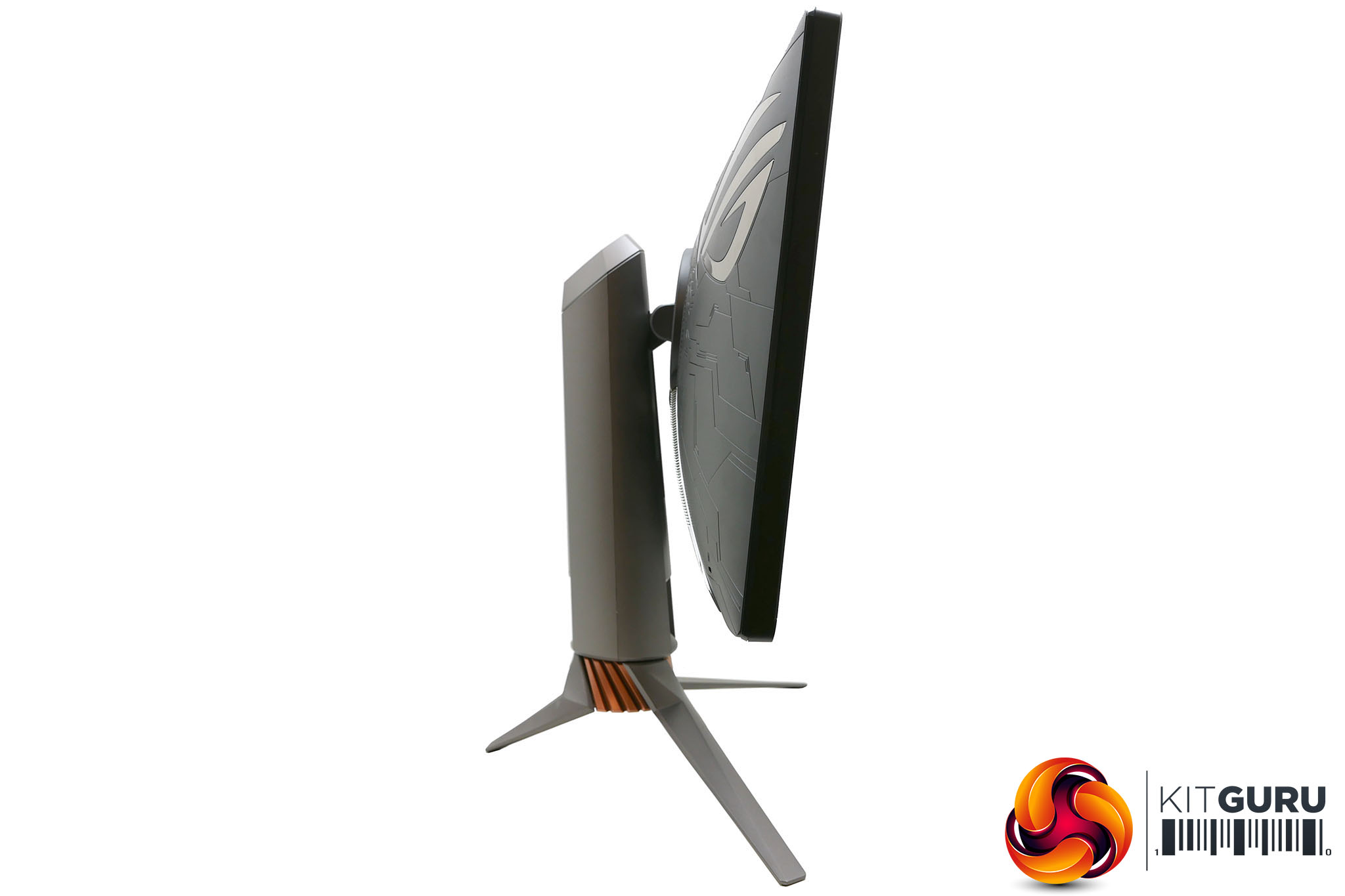
Place this display next to the likes of the PG278Q, though, and you do notice just how chunky this display is. Not only is the whole display much thicker but you also miss out on a low-profile or hidden bezel, giving a slightly more old-school vibe to the whole thing.
There’s good reason for this, though, as the display simply requires more depth to fit all its backlit trickery in. With 384 separate lighting zones it can’t simply rely on thin reflective films to distribute the backlight, like with normal LCD monitors. Likewise, the edges of the display no doubt require a more robust frame to ensure lighting is properly controlled.
In terms of extra features, you get very little here. There are a couple of USB 3.0 ports and a headphone jack round the back but otherwise that’s your lot – no headphone stand, audio pass-through or speakers here.
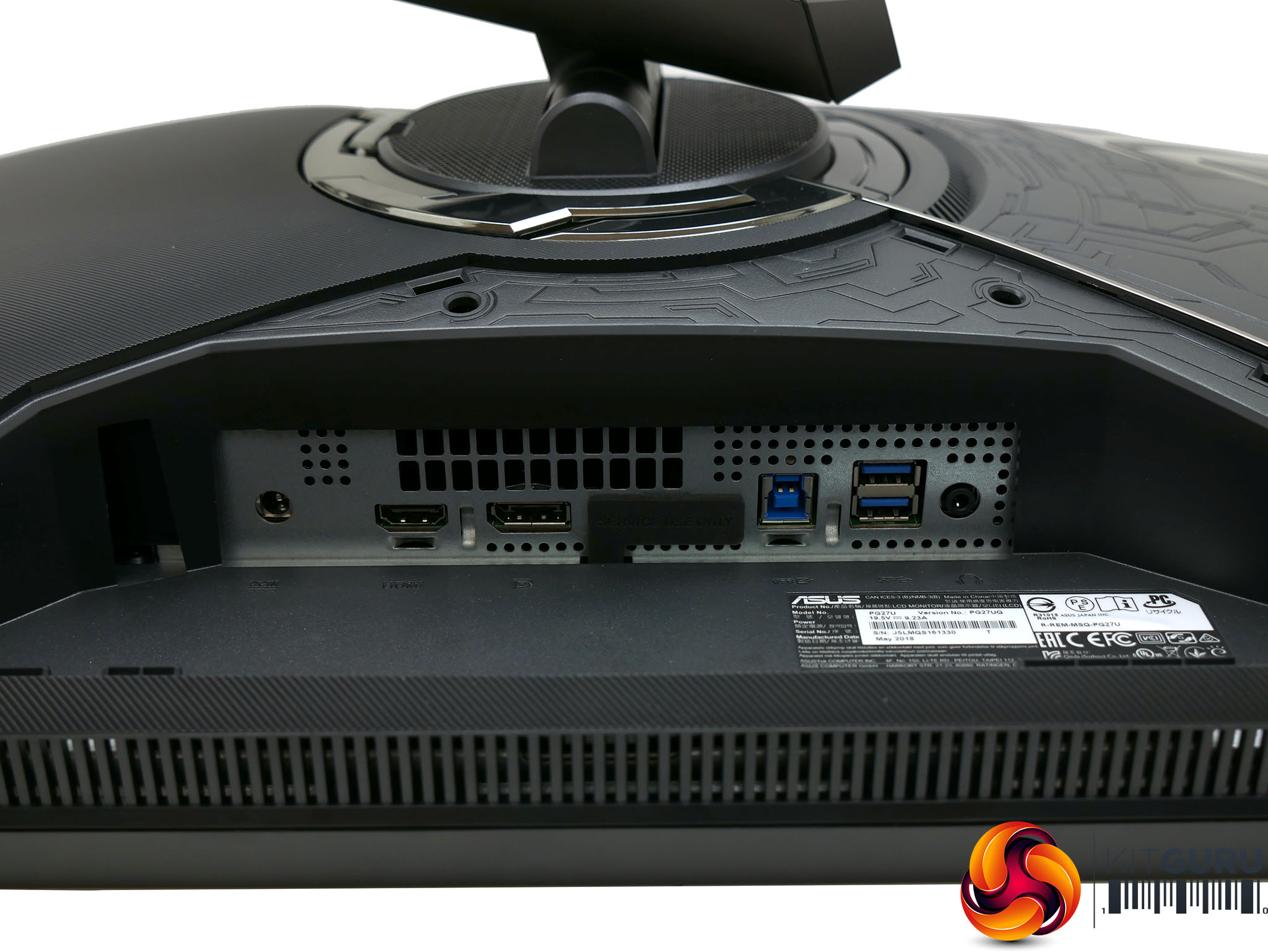
Meanwhile, for video connectivity, this display’s use of G-Sync means you’re limited to just one DisplayPort 1.4 and one HDMI 2.0. That’s enough to get going but means this display won’t be ideal as a hub for all your media and gaming devices.
That inclusion of DisplayPort 1.4 is all important, though, as it’s only with the latest version of DisplayPort that you can achieve the throughput required for 4K at 144Hz.
As for the stand, it offers a full range of adjustments. It can move 120mm up and down, 35° left and right, tilt forward 5° and back 20° and the display can be pivoted 90° into a portrait orientation, which makes plugging in all your cables much easier.
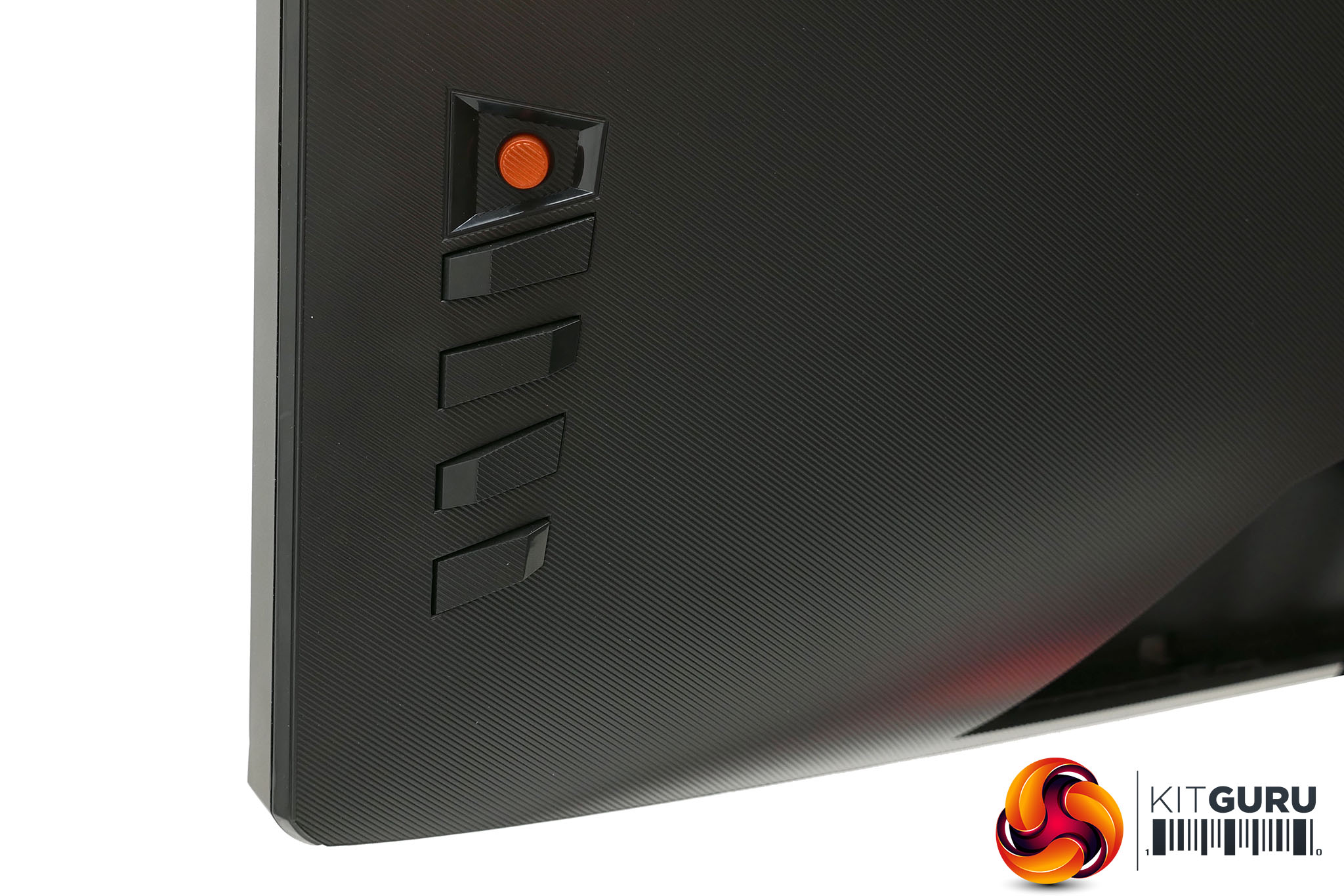
The controls for the OSD are placed down the right side of the back of the display. You get a mini-joystick for navigating the main menu plus four extra buttons for power, exiting the menu and bringing up a couple of extra gaming menus.
The controls are actually a little bit wobbly and indistinct compared to some previous Asus models we’ve reviewed, which is a little disappointing. They’re still perfectly usable but don’t have that satisfying well-engineered feel.
Thankfully the menus themselves are far more satisfying, as you’ll find out on the next page.
Controlling the onscreen menu of the PG27UQ is nice and easy thanks to the intuitive control system that has a mini-joystick providing up, down, left and right movement, and you can click it in for item selection.
Tap the joystick button and the main menu opens up, with six sub menus providing all the options.
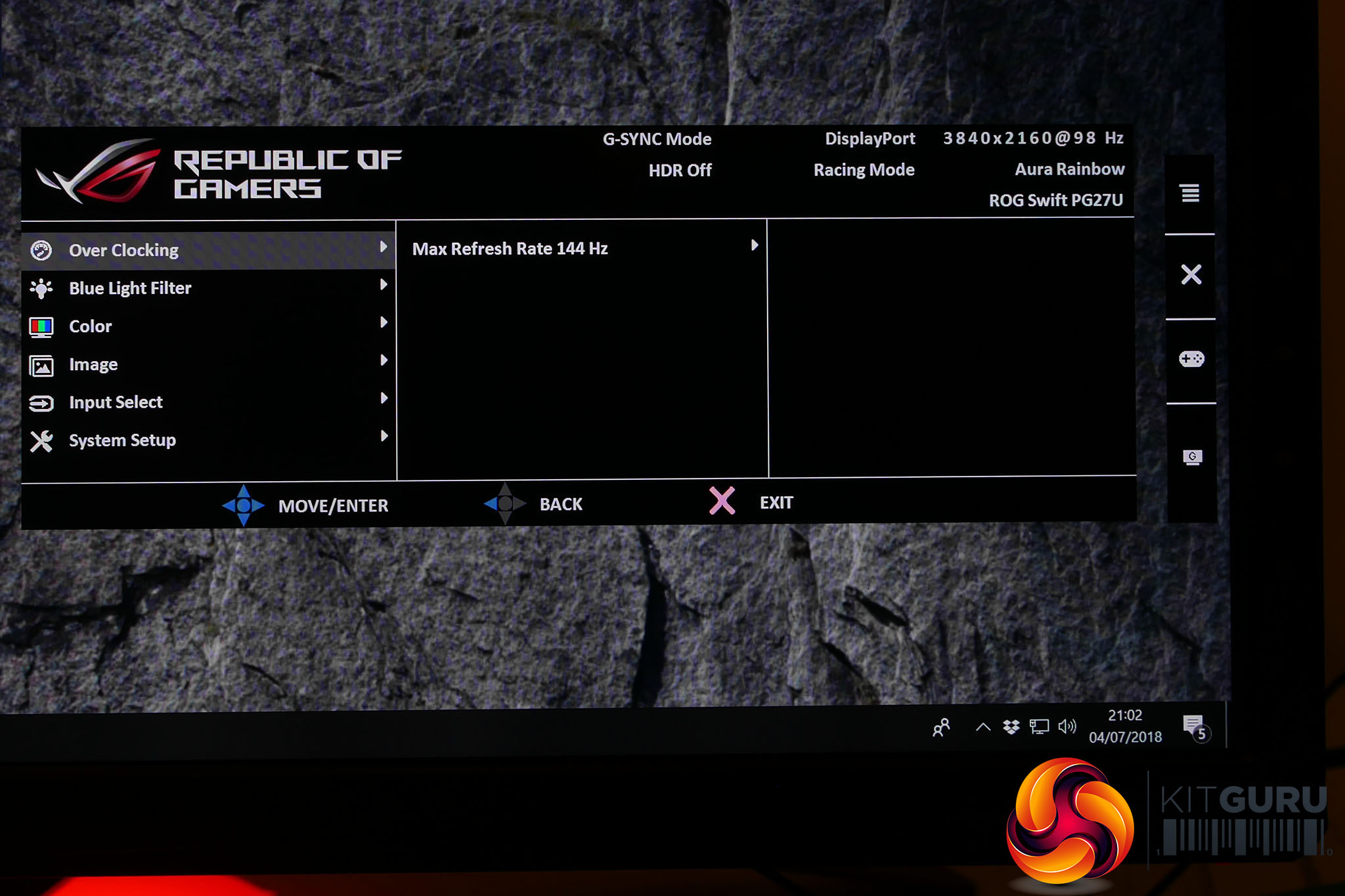
First up is the Over Clocking menu, which provides the option to boost the display’s refresh rate from its default maximum of 120Hz up to 144Hz. We largely didn't feel the need to enable this as 120Hz felt sufficiently fast, but at least the option's there.
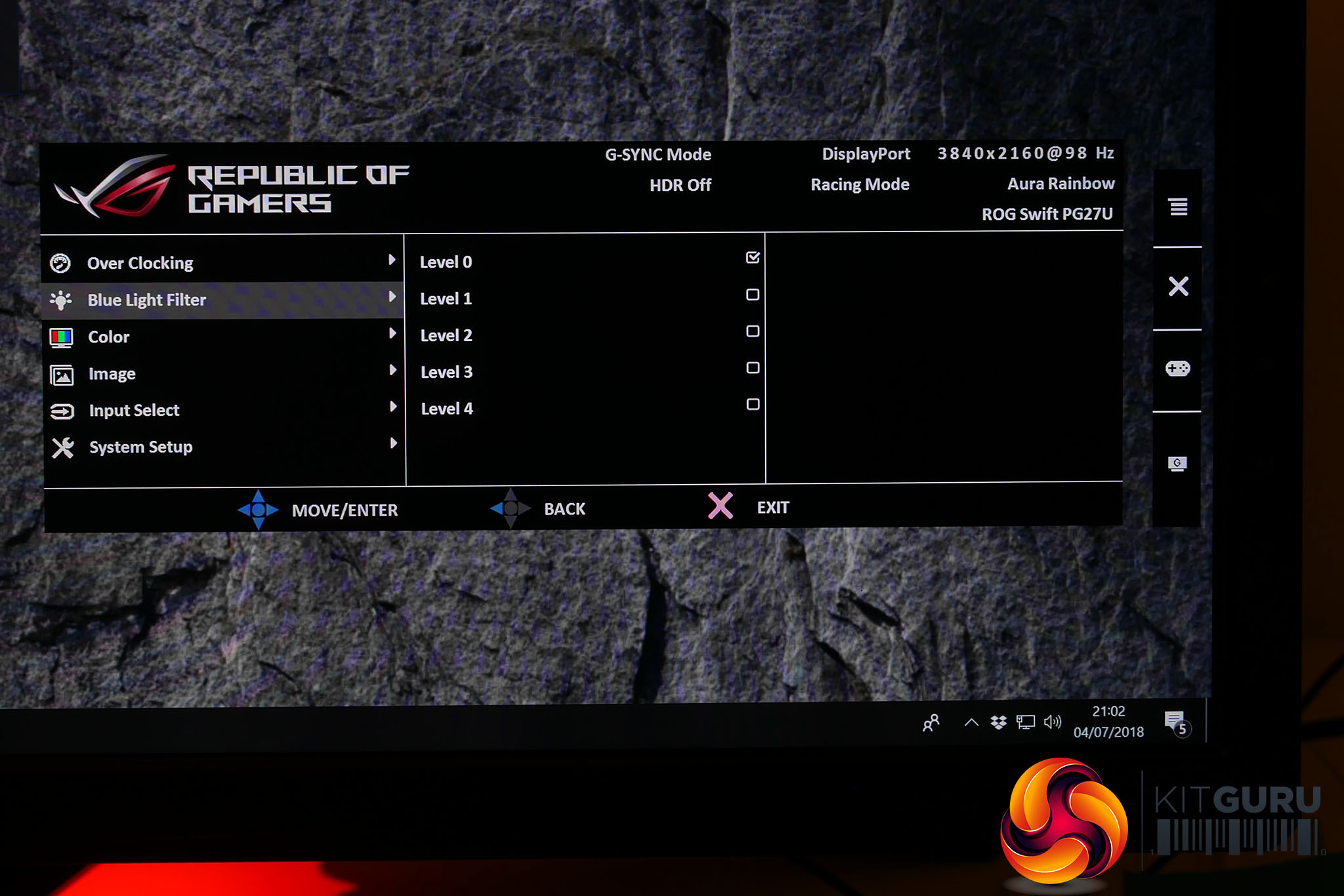
Next up is the blue light filter menu which is where you can reduce the overall blue light level of the display. This can help reduce eye strain, especially when using a display late at night.
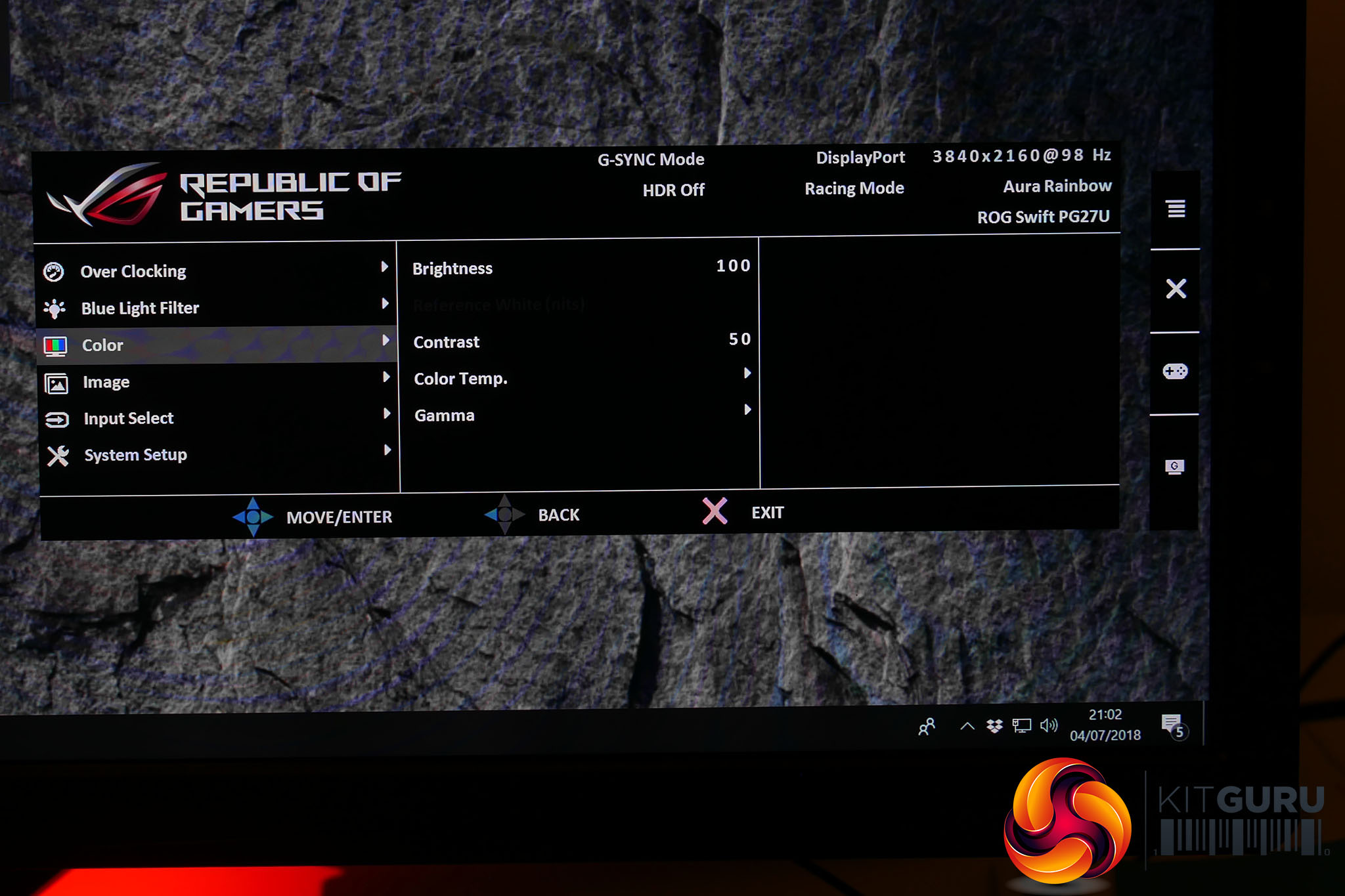
The Color menu is where you’ll find all the core settings for tweaking the overall image quality of the display with controls for brightness, contrast, colour temperature and gamma.
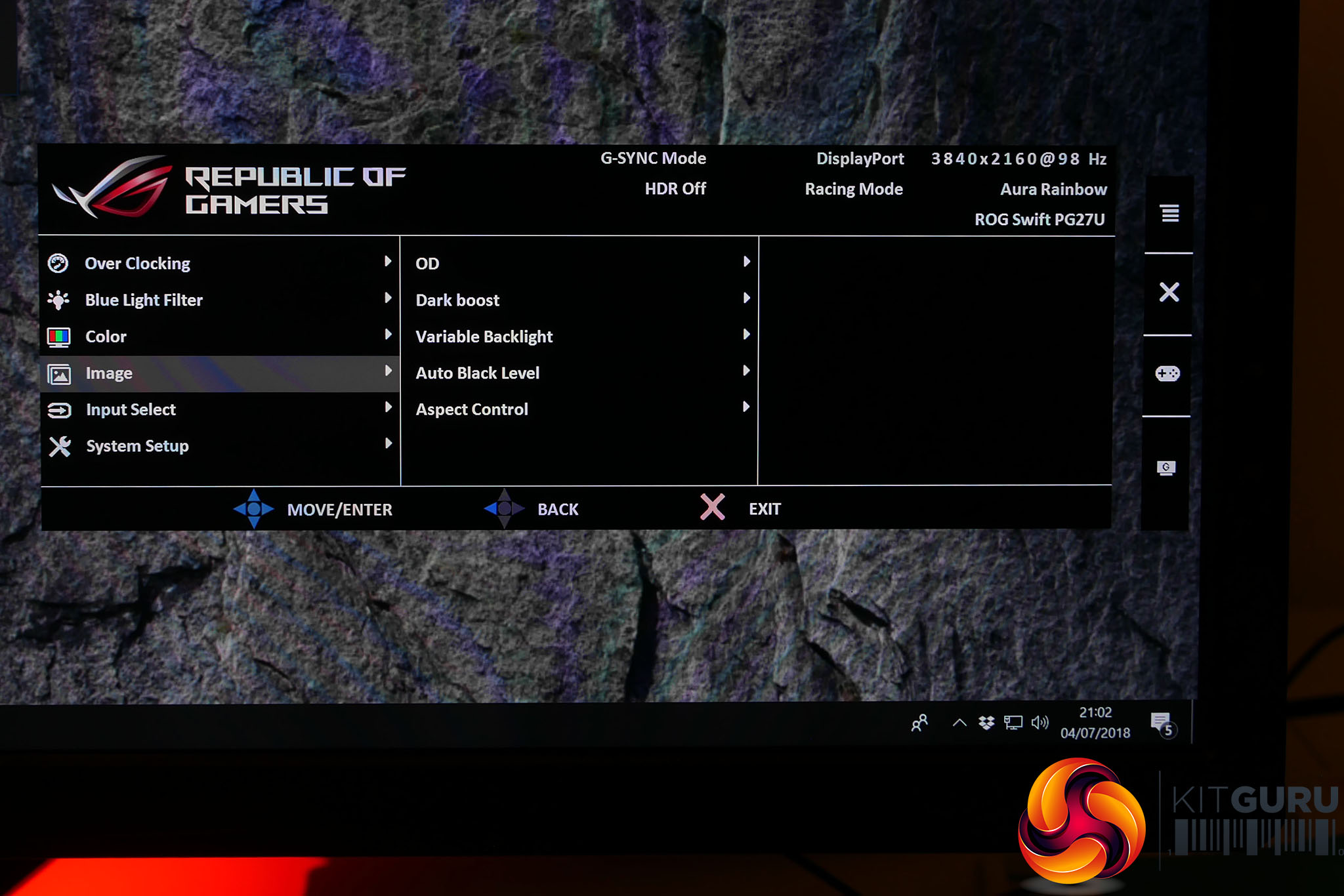
Meanwhile, the Image menu includes several key and useful options. OD is a standard LCD overdrive setting while Dark Boost provides a quick and easy way to boost the brightness of the darkest parts of the image, which is great for helping to see enemies hiding in the dark when gaming.
Variable Backlight is a crucial setting as this is what controls whether those 384 backlight zones act independently or as one. Turn this off and the display is much more akin to a standard IPS display, with a more typical 1000:1 contrast ratio. Turn it on and the dynamic backlight control boosts contrast to essentially infinite levels (Asus gives a typical figure of 50,000:1).
Next up is Auto Black Level, which automatically boosts the black level according to ambient lighting conditions. Finally, Aspect Control lets you control whether the display shows non-native resolutions at full screen stretched, at 1:1 resolution or a stretched version but at the same aspect ratio.
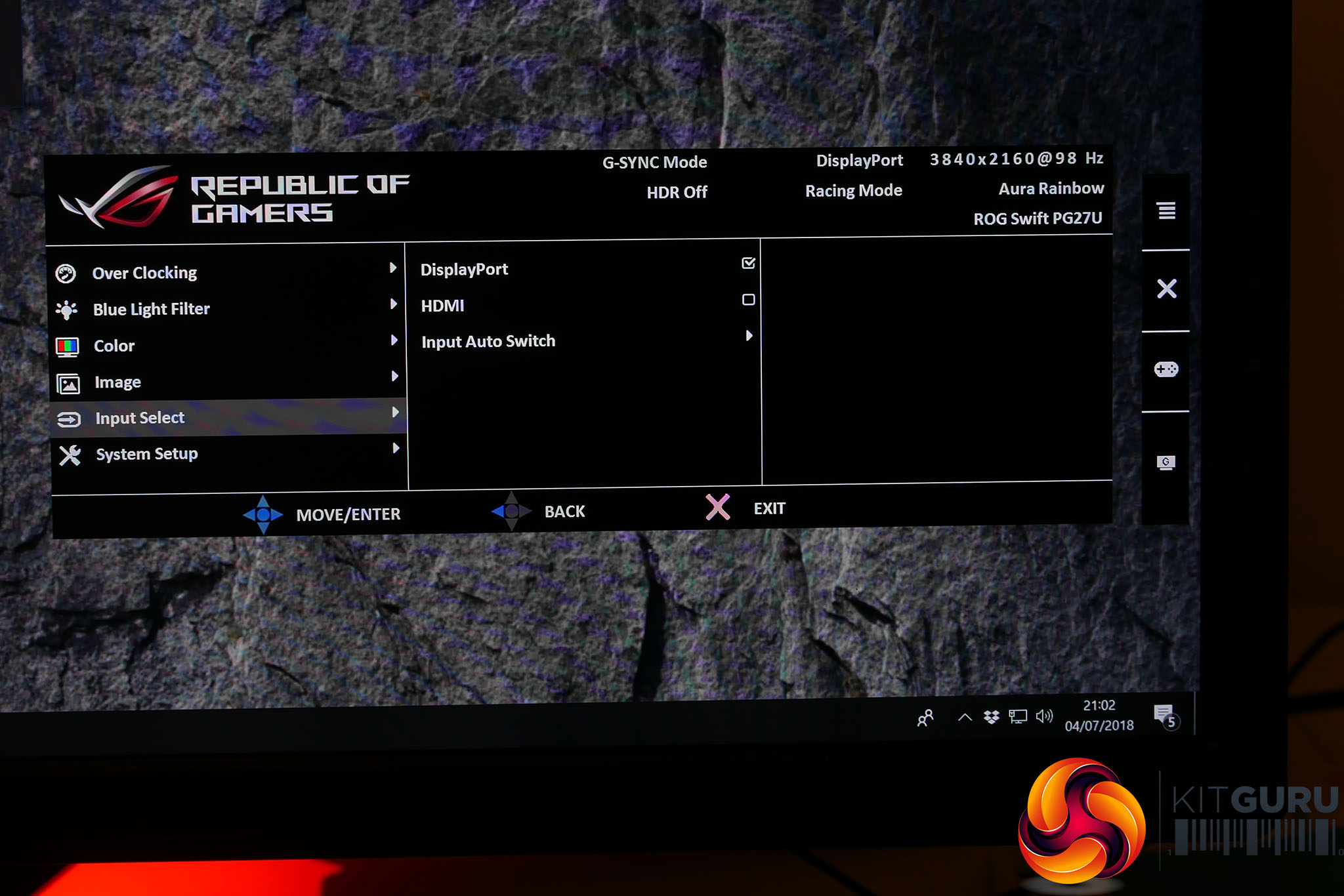
The Input Select menu is as basic as you’d expect for a display with just two inputs.
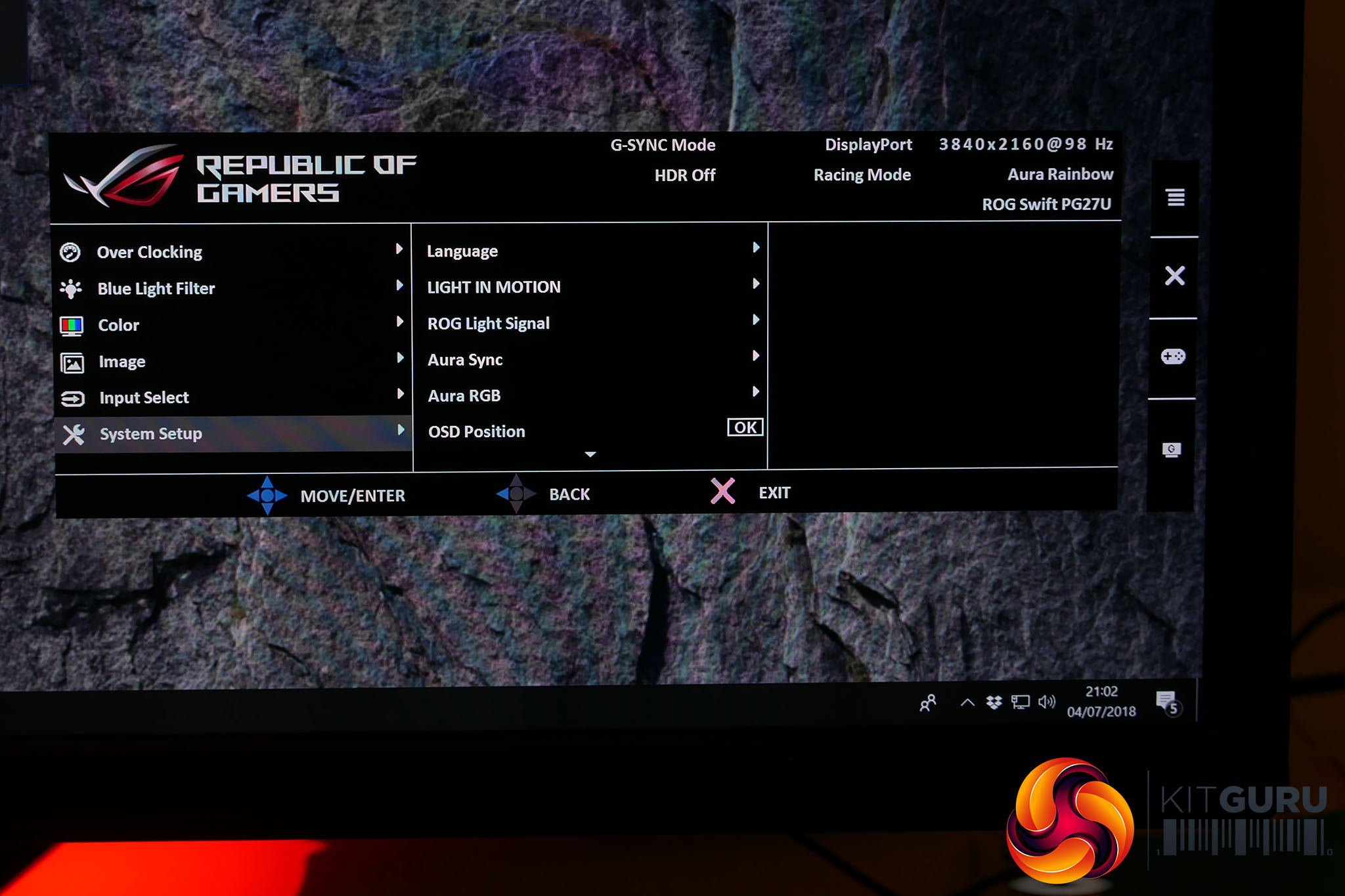
System Setup, which is often the part of an OSD where you’ll find the more mundane settings like Language, Eco mode and Sleep Timer, is actually home to a few key additions here. Light In Motion and Light Signal are the two projected lights. The former can be adjusted to different brightness levels while the latter can only be fully on or off.
Aura RGB lets you control the RGB logo on the back of the display, with options for Rainbow, Color Cycle, Static, Breathing and Strobing effects, as well as the option to turn it off.
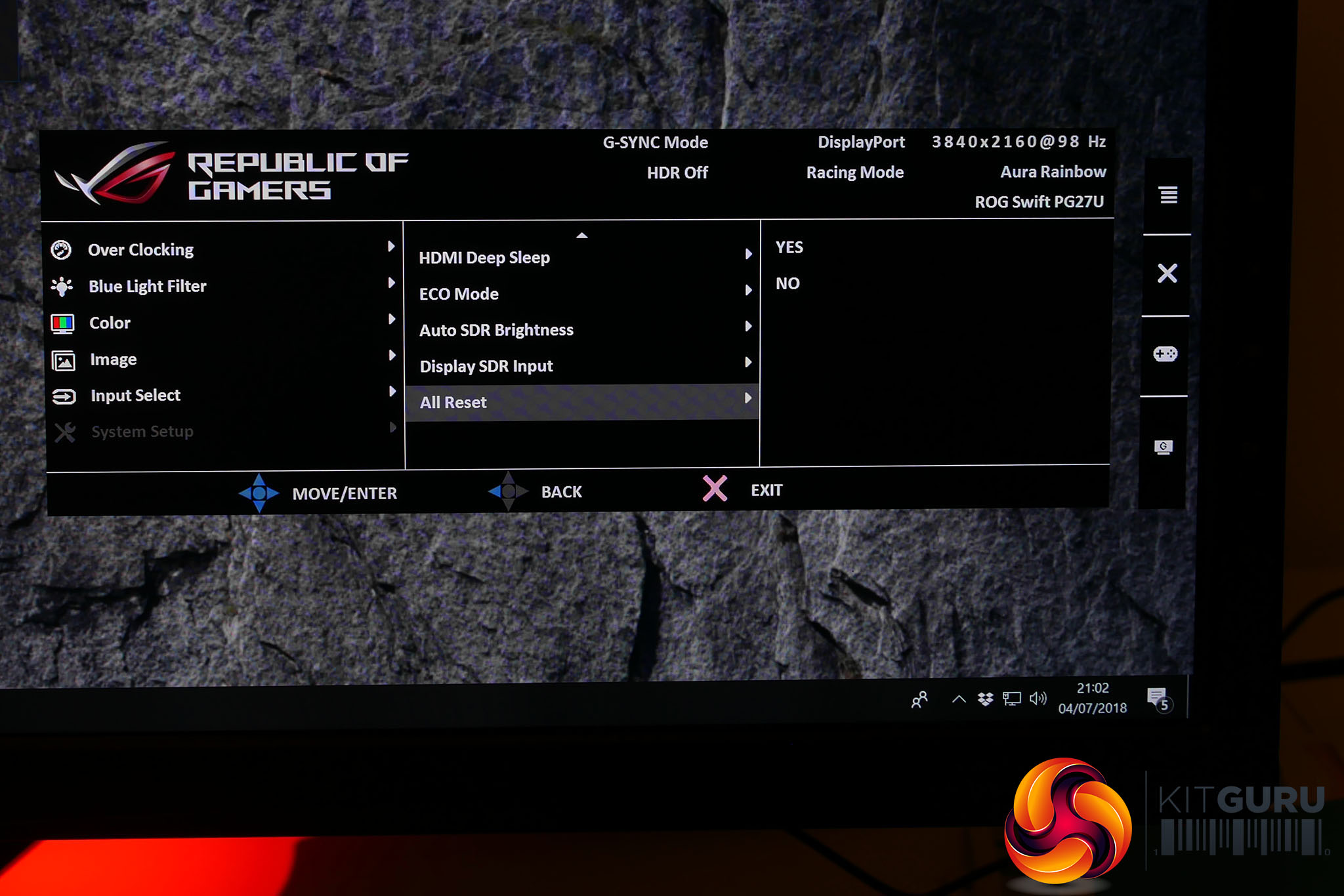
Another key setting is the Display SDR Input option. This enables you to engage the display’s wider colour gamut for non-HDR content. In day to day use, this isn’t particularly useful but it enables to you clearly see the wider colour gamut in action – turn it on for normal desktop work and everything looks radioactive due to the vibrant colours – making it easier to potential troubleshoot any issues you might be having with HDR. Plus, it allows us to test the wide gamut colour performance, which wouldn’t otherwise be possible in HDR mode.
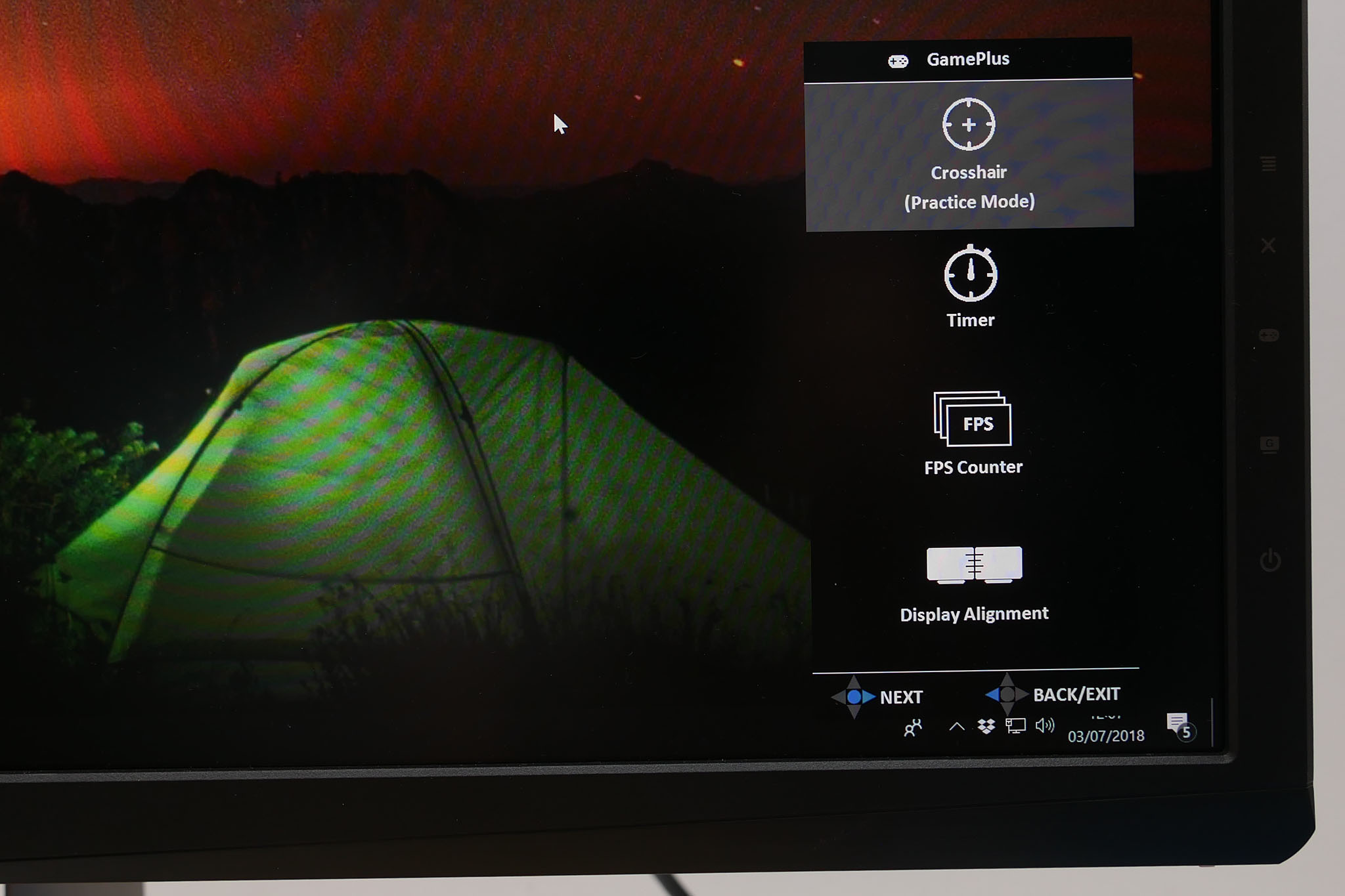
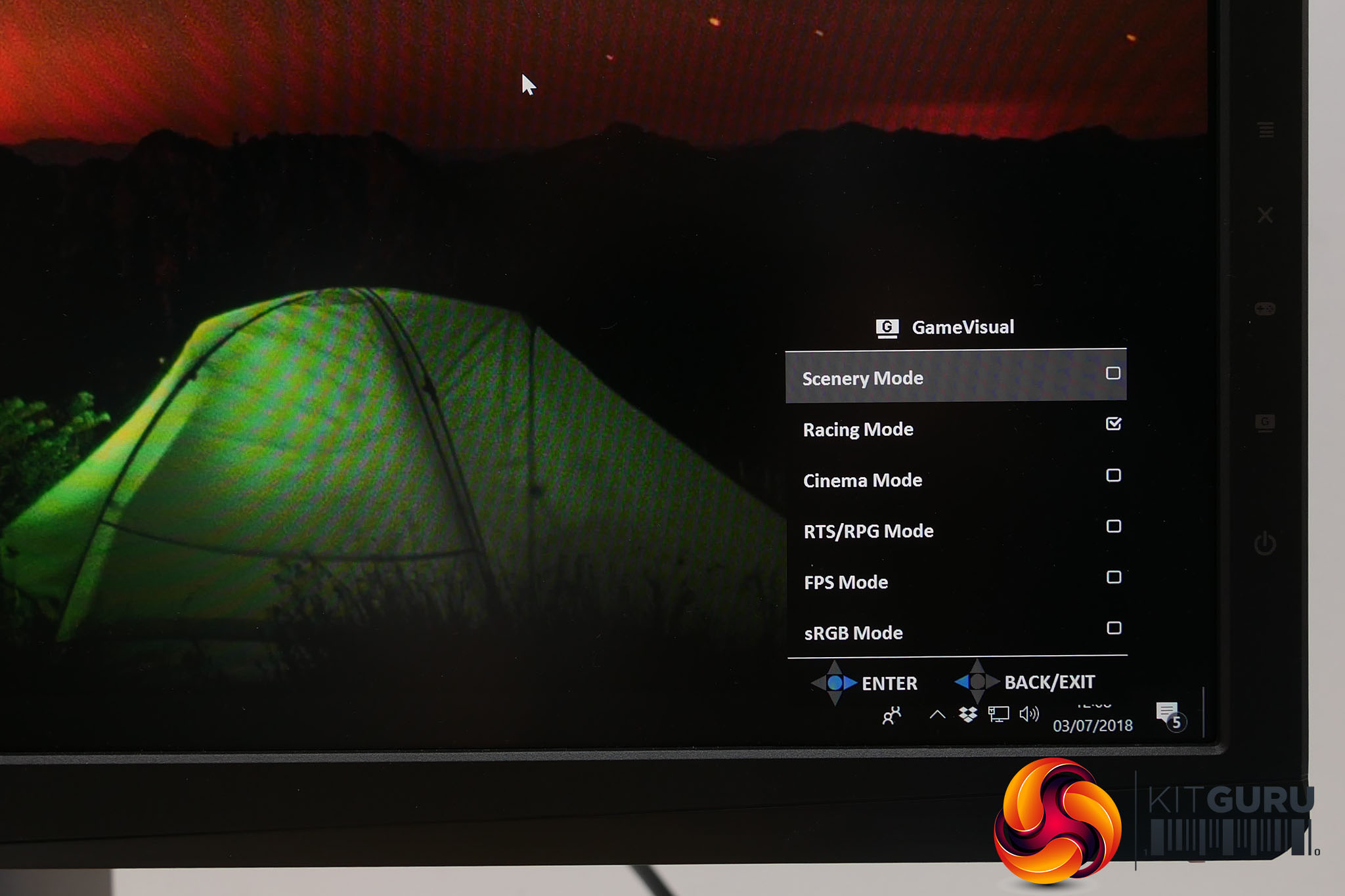
That’s it for the main menu but you also get two further game-oriented menus that should be familiar to those with existing Asus gaming monitors. The GameVisual menu provides a number of presets supposedly tailored for different games. As ever the default is Racing Mode, which seems rather random, but it’s basically the one with the least number of other options enabled.
Opt for FPS Mode and the Dark Boost and Over Drive settings are cranked up. RTS reduces the Dark Boost, sRGB Mode enables a pre-calibrated sRGB mode where the brightness and colour settings are all locked out and fixed. All told, we saw no reason not to stick with Racing Mode.
The GamePlus menu provides four extras. There’s a crosshair, that could potentially be useful for shooting games where you don’t actually get a crosshair otherwise, a timer, a FPS counter and a display alignment tool. None are exactly essential but we’re not going to complain about a few extra features.
We’ll be exploring the extra features of this display over on the next page, where we’ll look at the use of 4K on a 27-inch screen, what 4K at 144Hz feels like and of course we'll dive into this display’s HDR capabilities. For this page, though, we’ll be concentrating on its core image quality in terms of viewing angles, uniformity and colour reproduction.
Even within the confines of just exploring these factors, there are still three key modes in which to judge the display. The first is with it set to its most standard monitor-like settings, with its variable backlight turned off and its colour gamut fixed to sRGB, rather than wide gamut.
Next we’ll assess the display again in its sRGB colour mode but with the variable backlight turned on. This will give us a sense of how much the contrast of the display improves and whether it provides as consistent a colour performance in this mode.
Finally, we’ll turn on the extended colour gamut and test whether it lives up to the display’s claimed 97% DCI-P3 colour coverage, which is crucial for it truly hitting the mark for HDR content.
As per usual, we’ve tested the display with a DataColor Spyder Elite colorimeter and its accompanying software along with an Xrite iDisplay Pro and DisplayCal software. We find the former is better for providing easier to understand results but it tends to under report contrast so we use the iDisplay Pro and DisplayCal to correctly measure this.
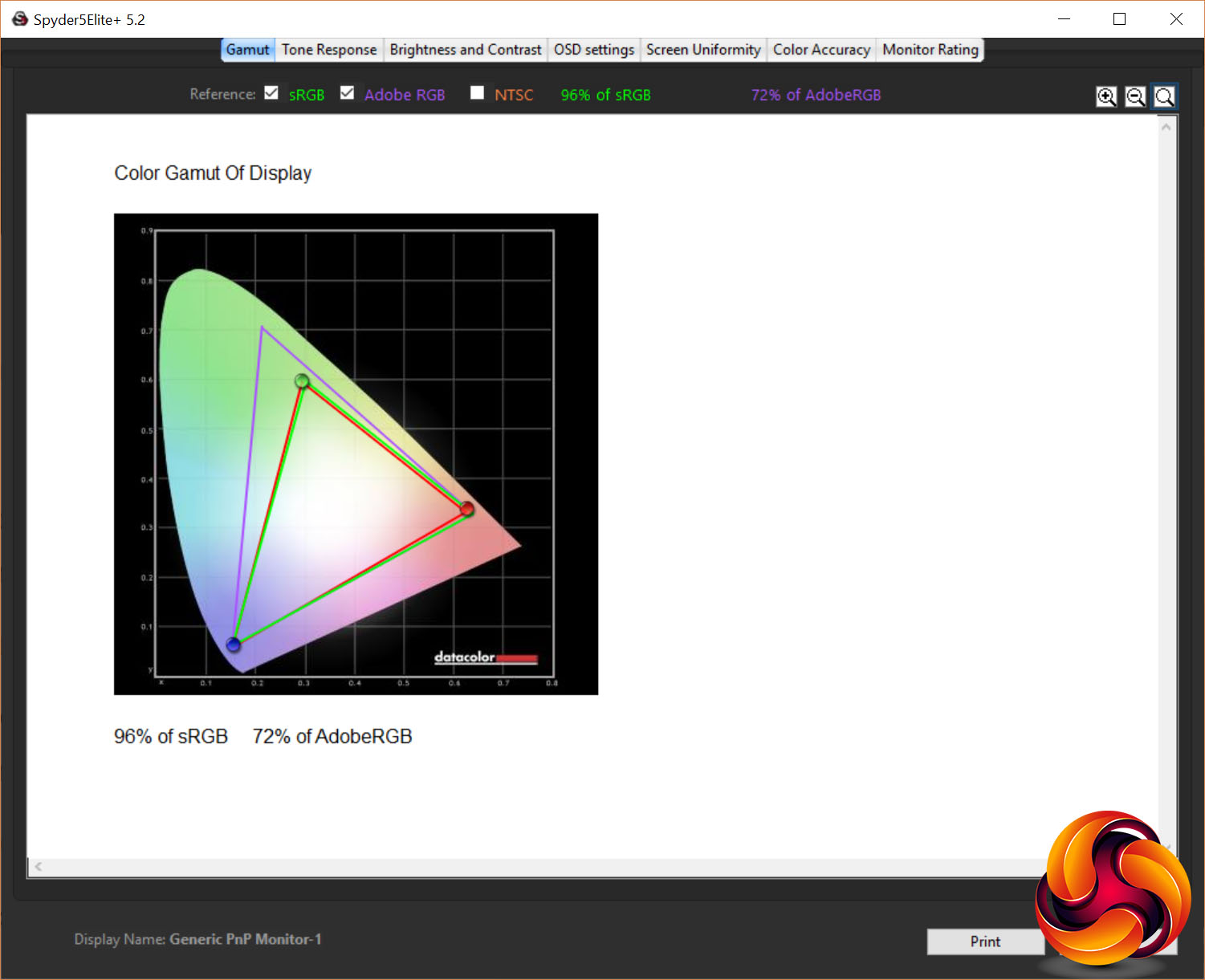
In its “basic monitor” state, the PG27UQ puts in as impressive a performance as you’d hope considering its astronomical price.
The first test that the colorimeter performs checks for how much of the various standard colour spaces the monitor can cover and the PG27UQ falls a touch short of 100% of the sRGB colour space and hits 77% of the AdobeRGB space. We’d expect this display to hit 100% sRGB in this test but 96% is definitely close enough to not be a concern.
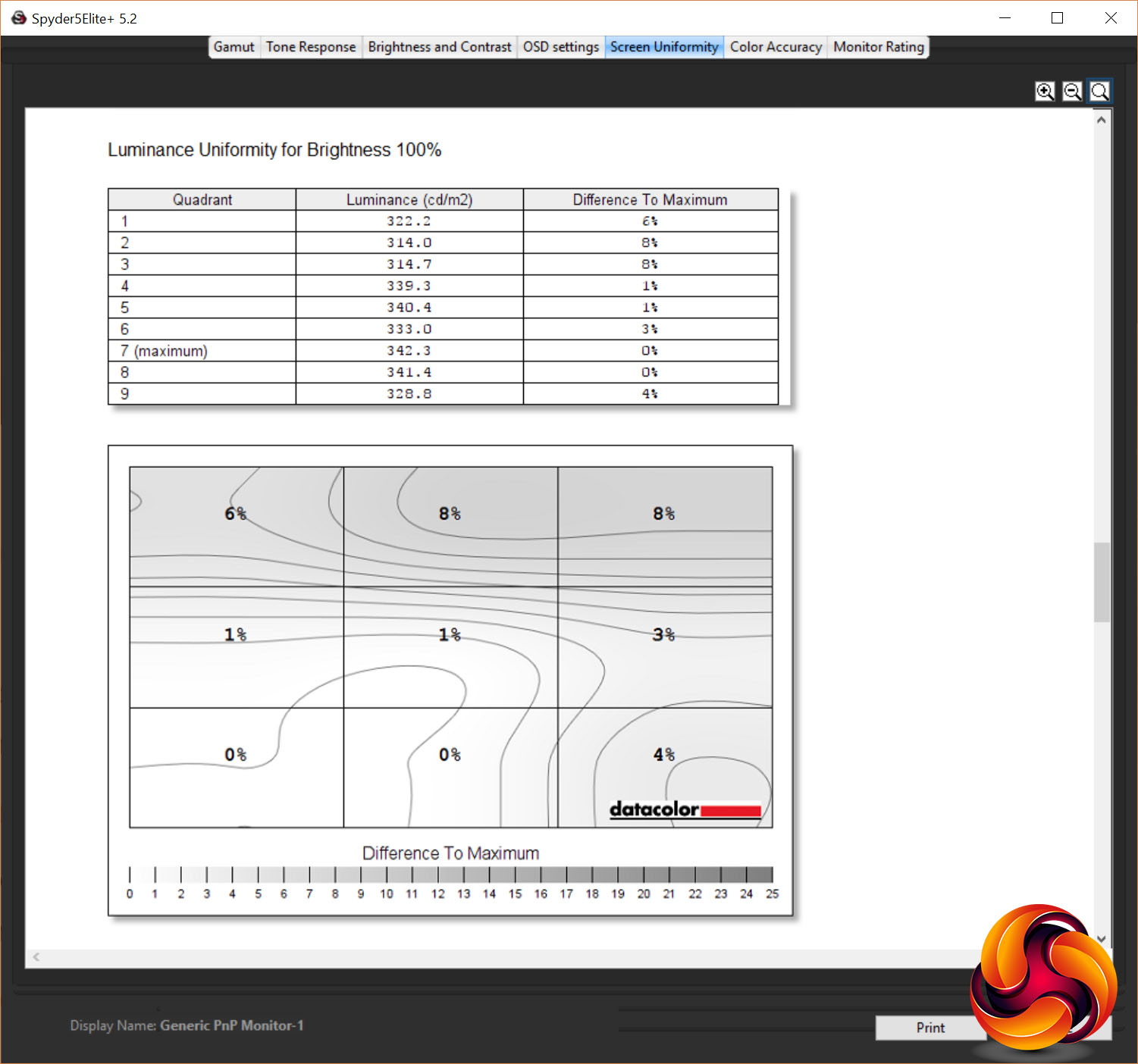
Brightness uniformity is up next and the PG27UQ put in a decent performance. At 100% brightness it showed just a 3.4% average variation in brightness across the area of the screen – not bad considering you’ve got 384 separate LEDs lighting it up.
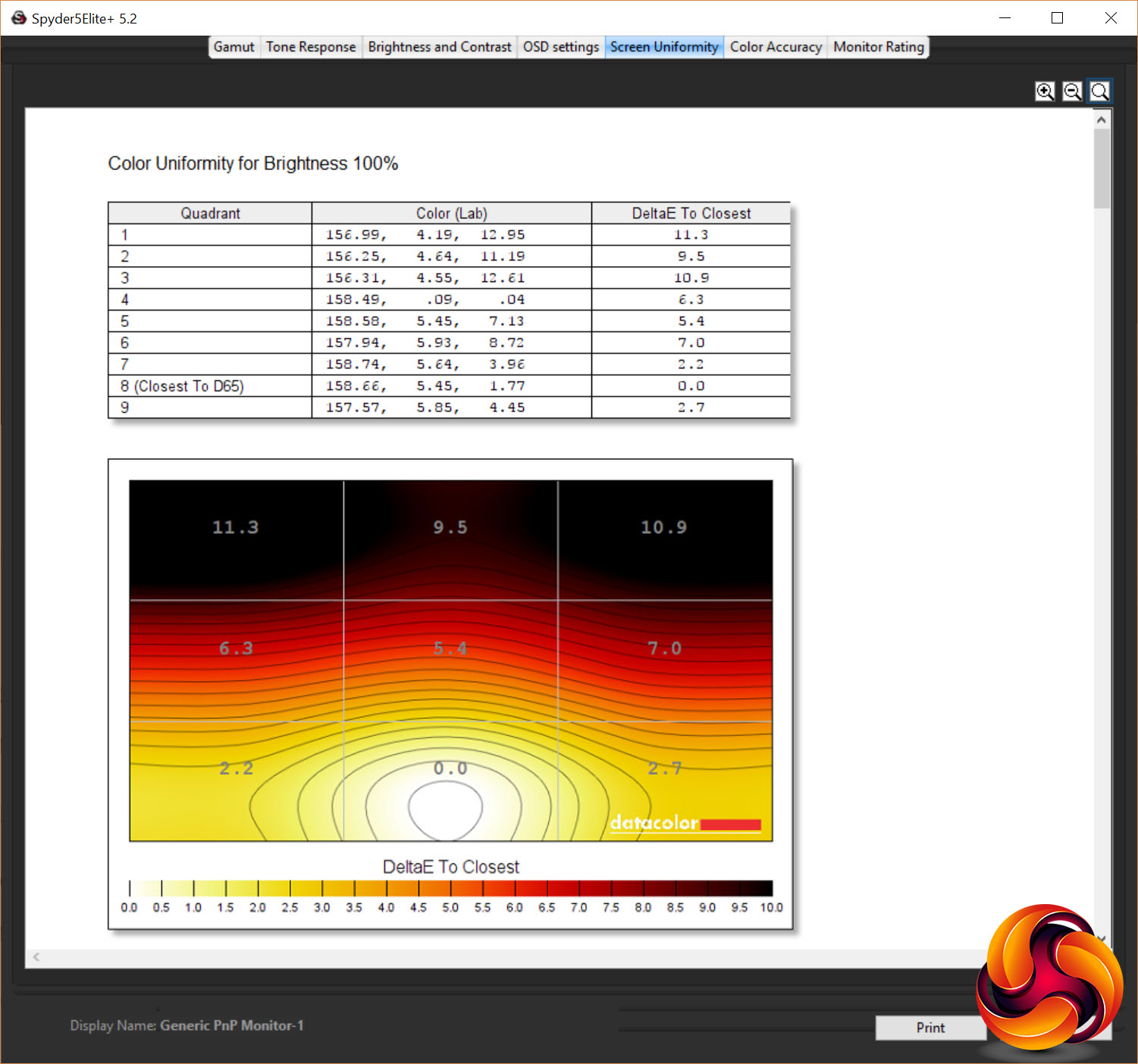
Meanwhile, colour uniformity is less impressive. An average of 6.1% at 100% brightness is a touch above the best standard IPS displays. It’s still low enough that you’re unlikely to ever notice but technically it’s there.
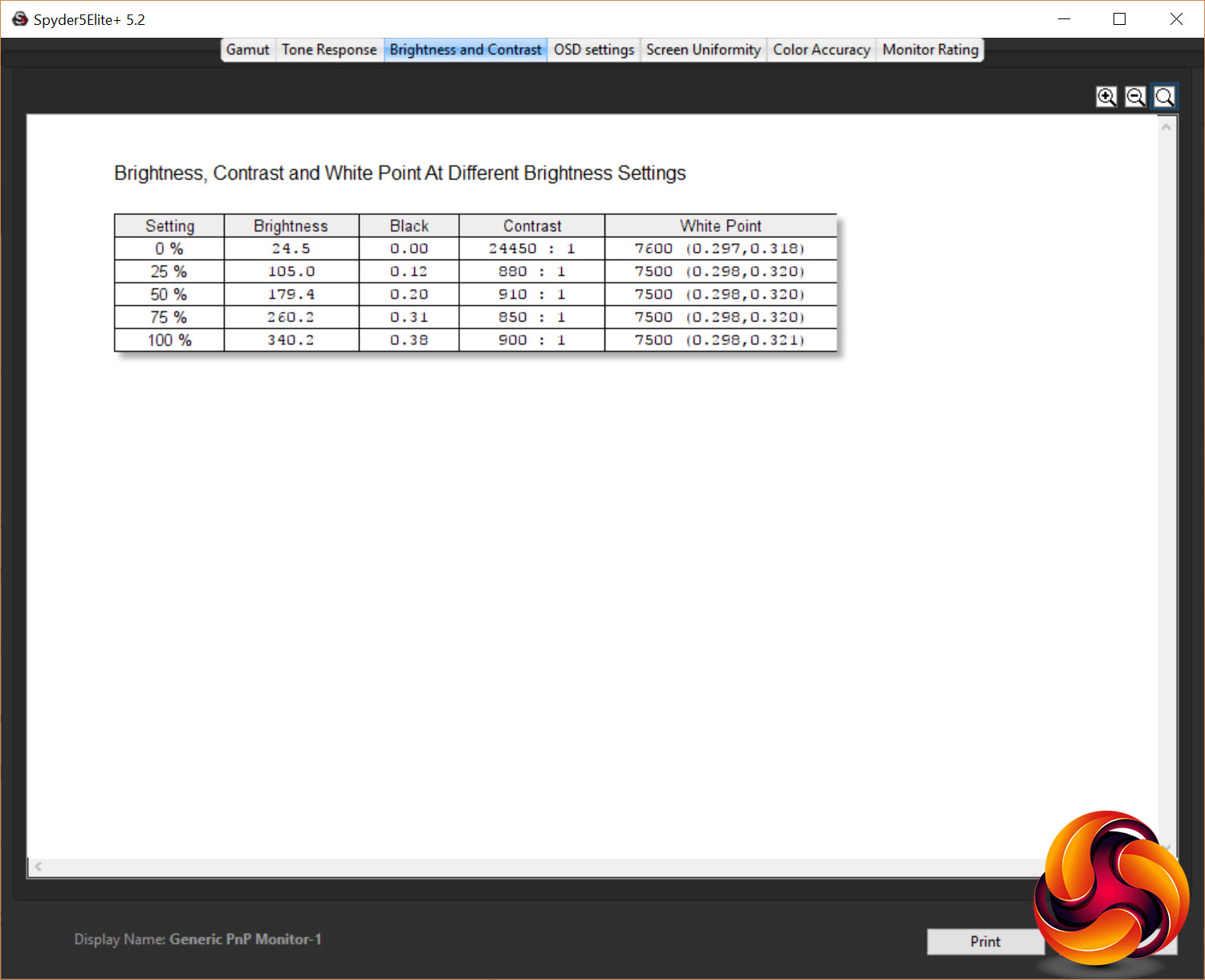
In terms of the overall brightness range, this monitor maxes out at 340nits in non-HDR mode (it will peak at 1000nits in HDR). Meanwhile its black level registered at 0.38nits, giving a contrast figure of 900:1. Using our iDisplay Pro we checked contrast again and it registered at 1076:1 with a black level of 0.3392nits.
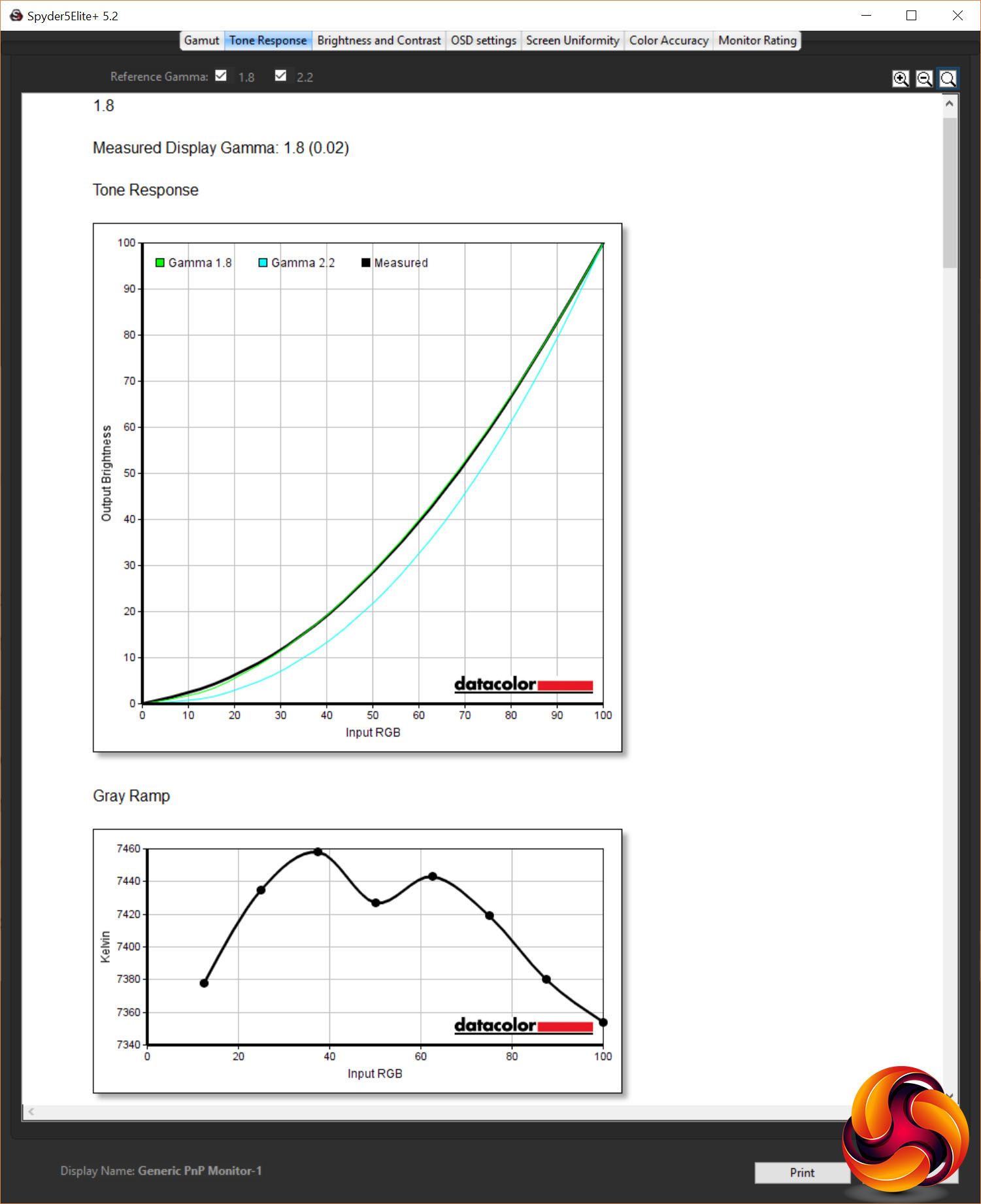
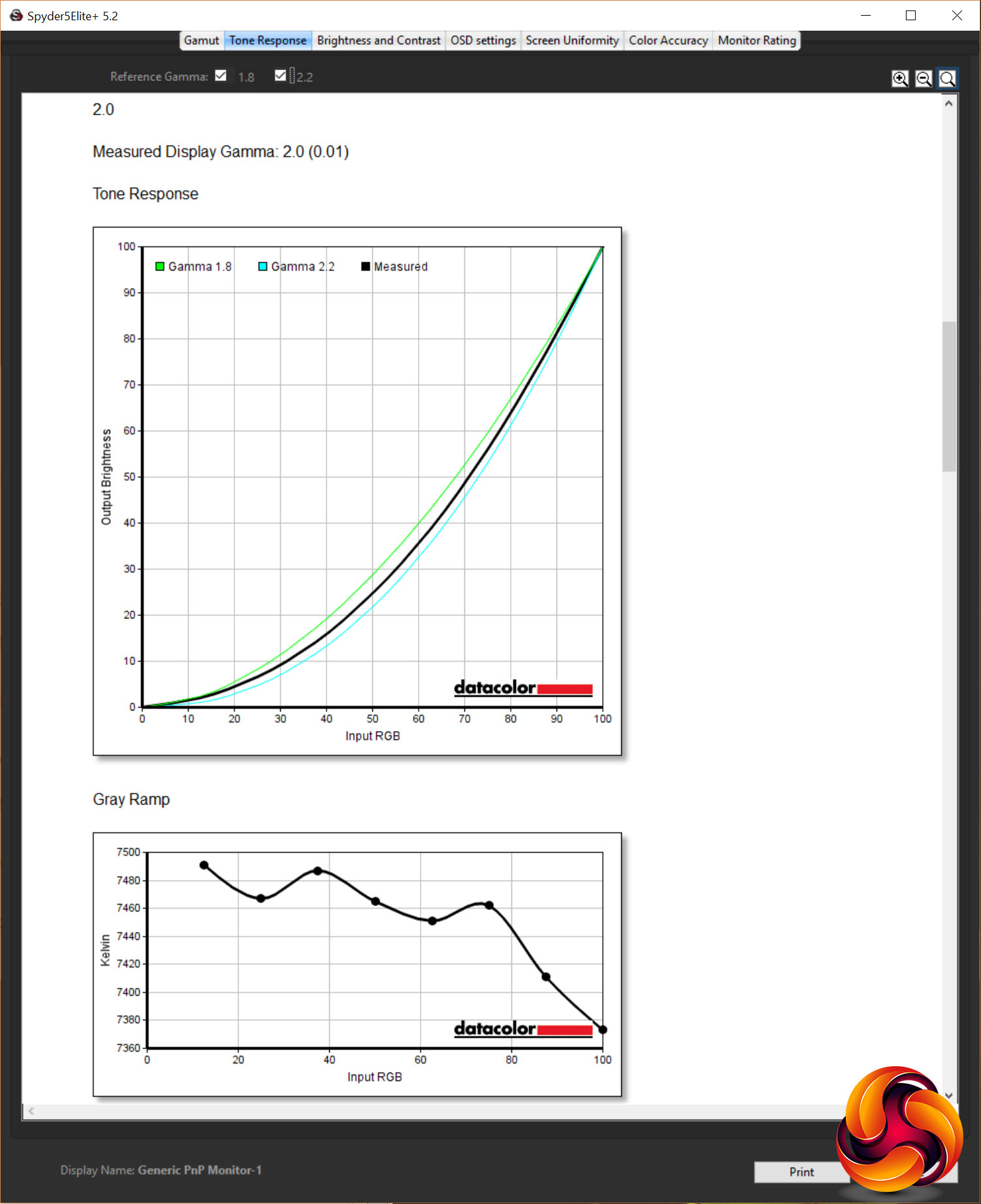
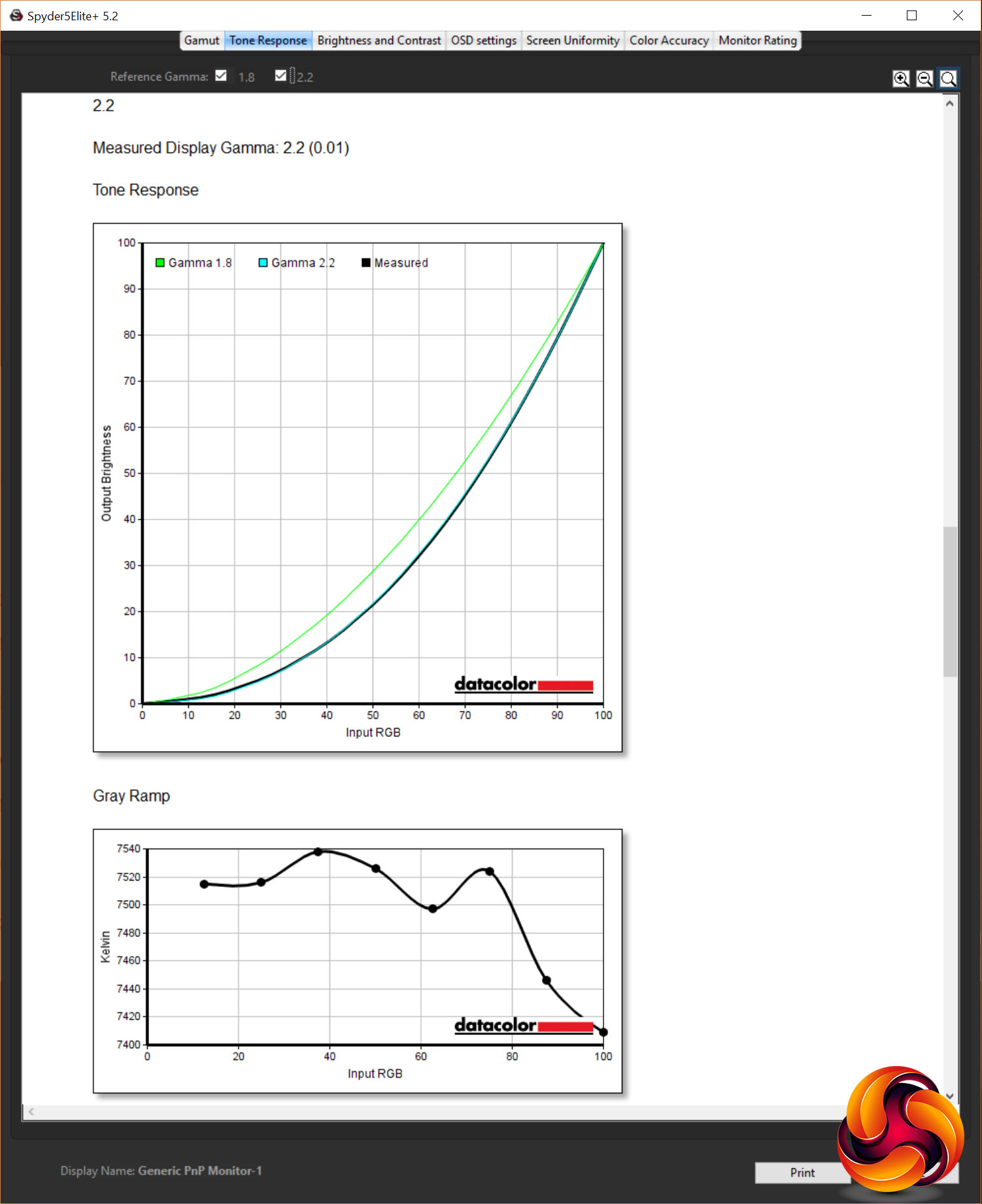
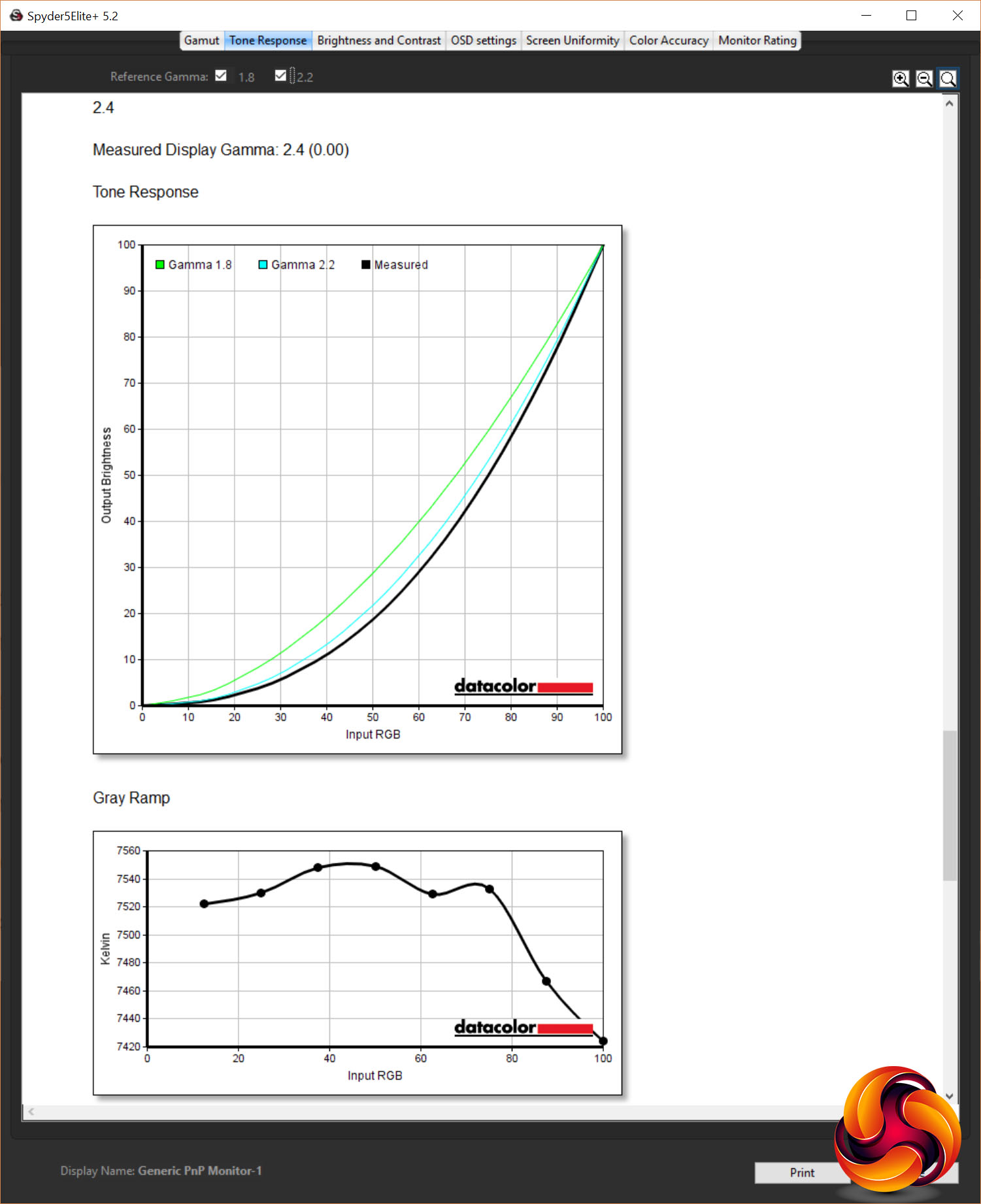
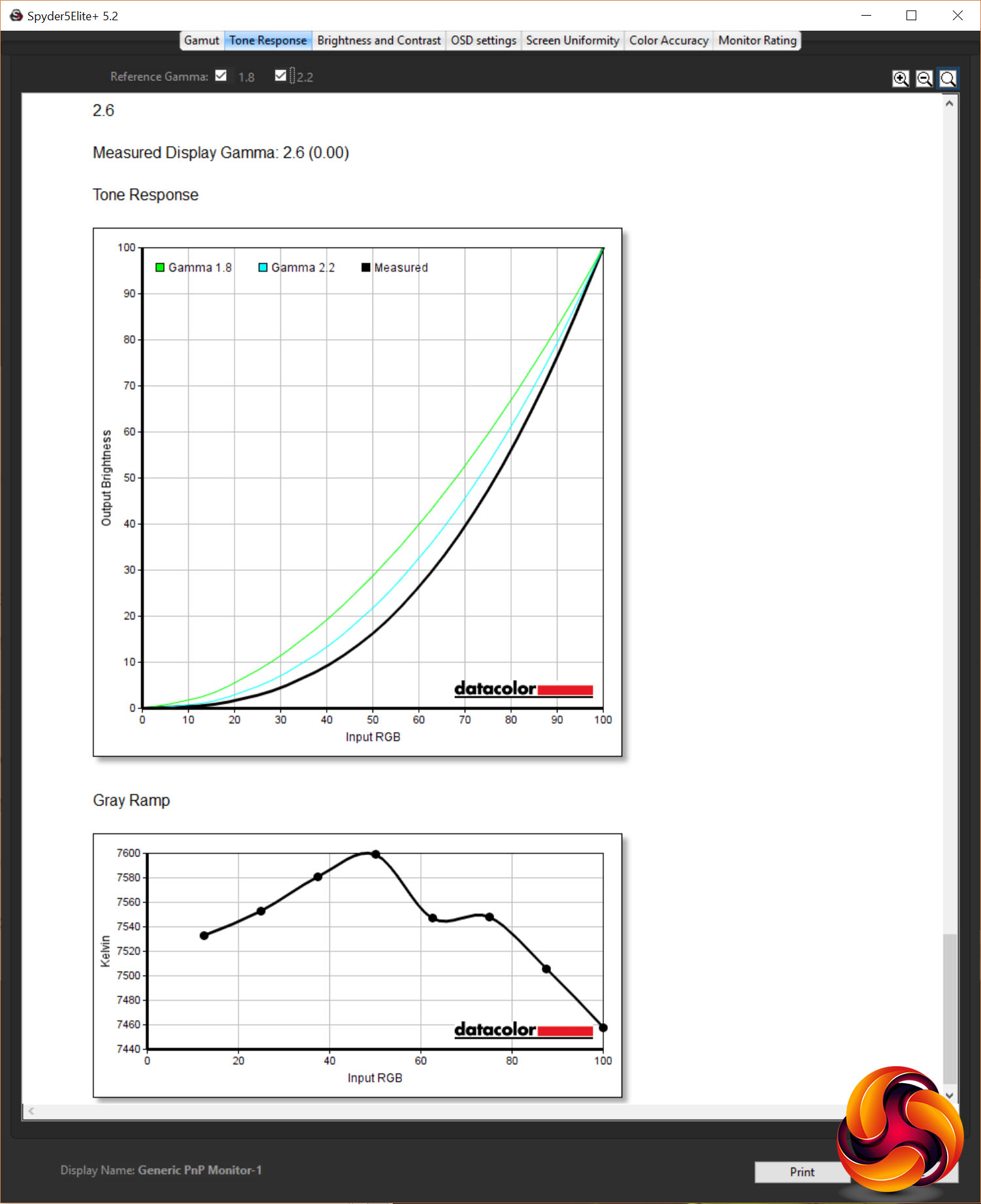
As for its gamma performance, you get five settings on this display: 1.8, 2.0, 2.2, 2.4 and 2.6. Measuring these with the Spyder Elite, every single one was spot on.
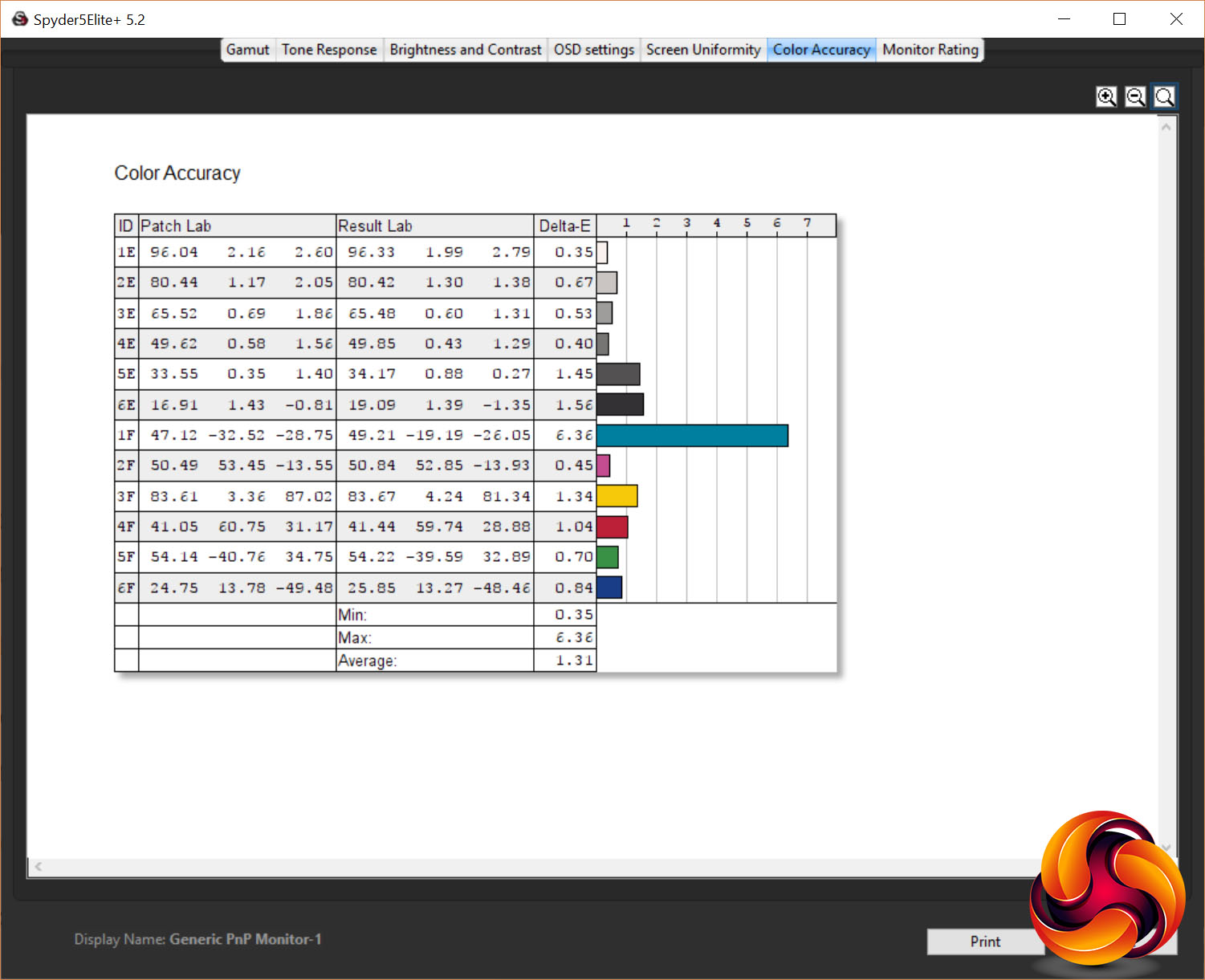
Colour accuracy is also top notch for a panel of this type, with an average Delta E of just 1.31, and a maximum of 6.36. Anything below three is considered all but imperceptible.
All told, this display would rank highly among standard IPS displays regardless of all of its other extra modes. For just knuckling down and getting on with some work – especially anything that will involve image or video editing – you can be safe in the knowledge you can turn all the tricks off and get excellent image quality and accuracy.
For those moments where you do want things to look a bit more dynamic, though, you can turn on the variable backlight. In our tests this boosted the contrast of the display to 6424:1, with a black level of just 0.1087 at 100% brightness.
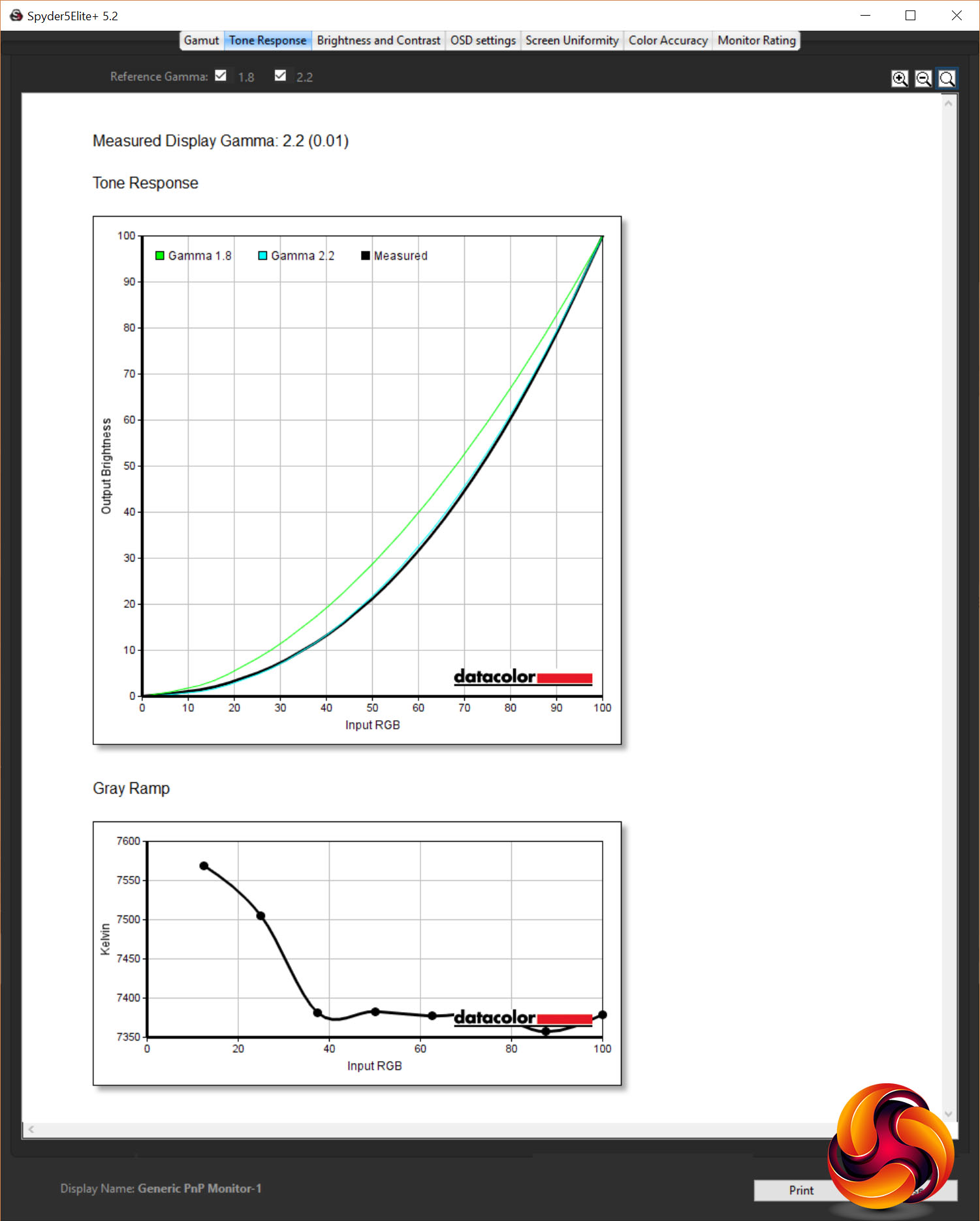
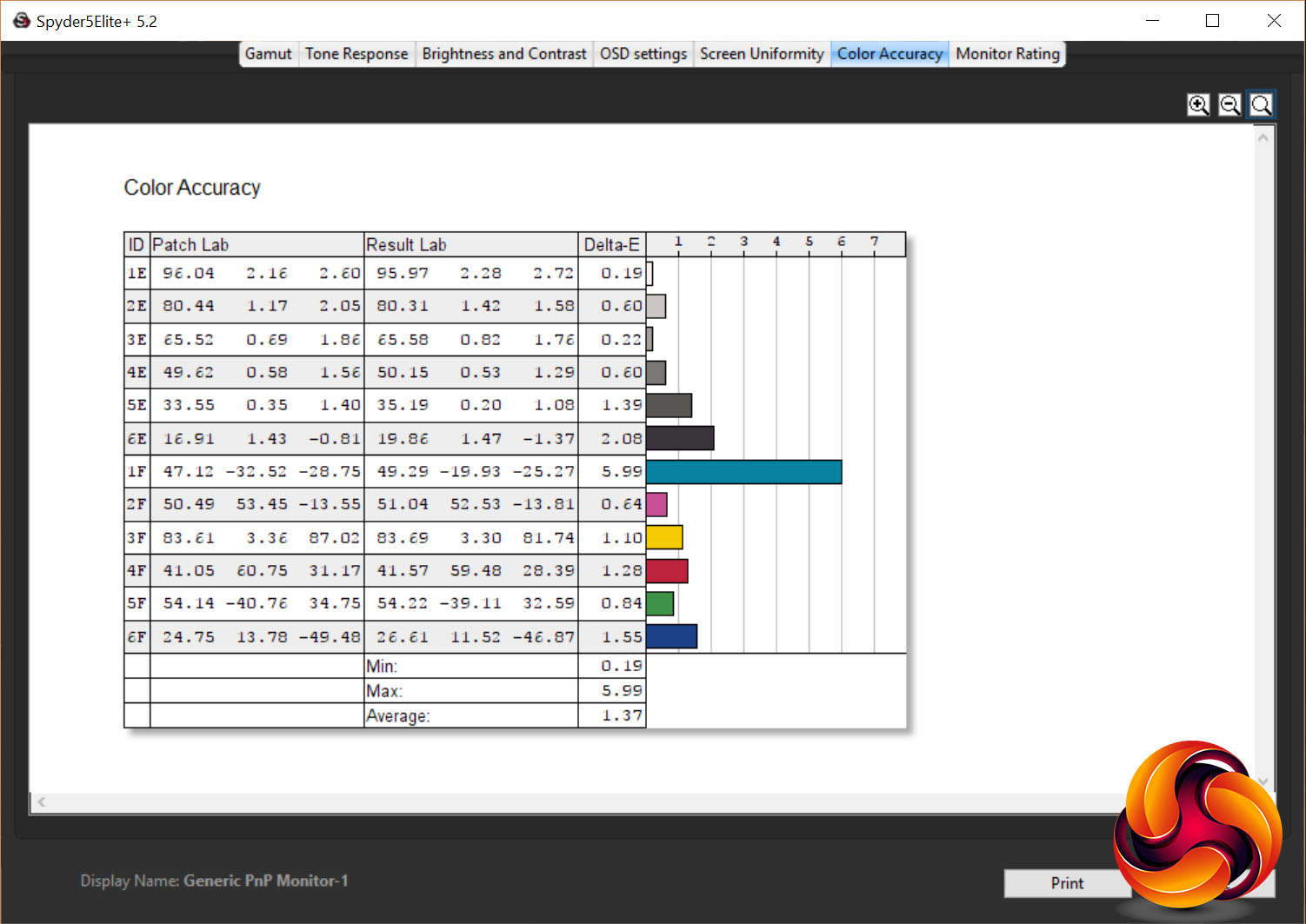
This also didn’t significantly affect colour performance, with the Spyder’s tests showing gamma and colour temperature remaining accurate.
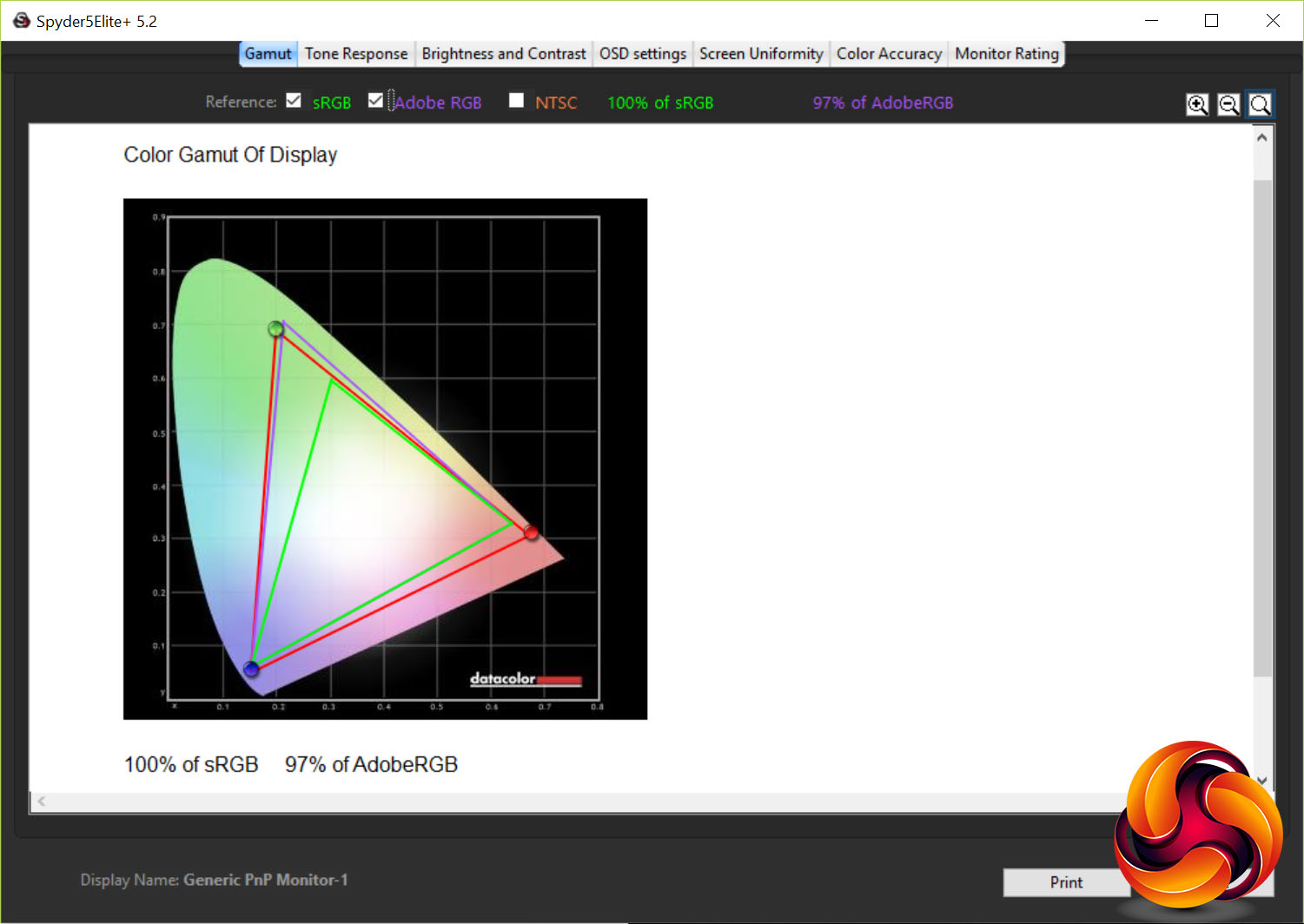
Finally, cranking up the colour gamut, the PG27UQ again impresses. The gamut test shows Adobe RGB coverage (the Spyder software doesn’t test for DCI-P3) has increased from 77% to 96%. We also tested coverage with the iDisplay Pro and sure enough it hit 91.6% DCI-P3 – a little shy of the claimed 97% but still a marked improvement over the 70% coverage in sRGB mode.
And again, other aspects of the display’s performance weren’t negatively affected.
So, whether you’re using this display as a conventional sRGB monitor, bumping up its contrast for watching movies or going full high-gamut HDR, this display delivers the goods. Contrast is high, colours are accurate and its gamma response is just as it should be.
As for viewing angles, this being an IPS display it retains very good colour reproduction from almost all angles. The only thing to look out for is IPS glow. This is where some of the white backlight bleeds through the image when viewed from off axis. It can tend to make an image look a bit washed out and can create a distracting grey glow effect from the corners of the screen, though this is generally only noticeable when viewing dark images, such as video with black bars above and below the main frame.
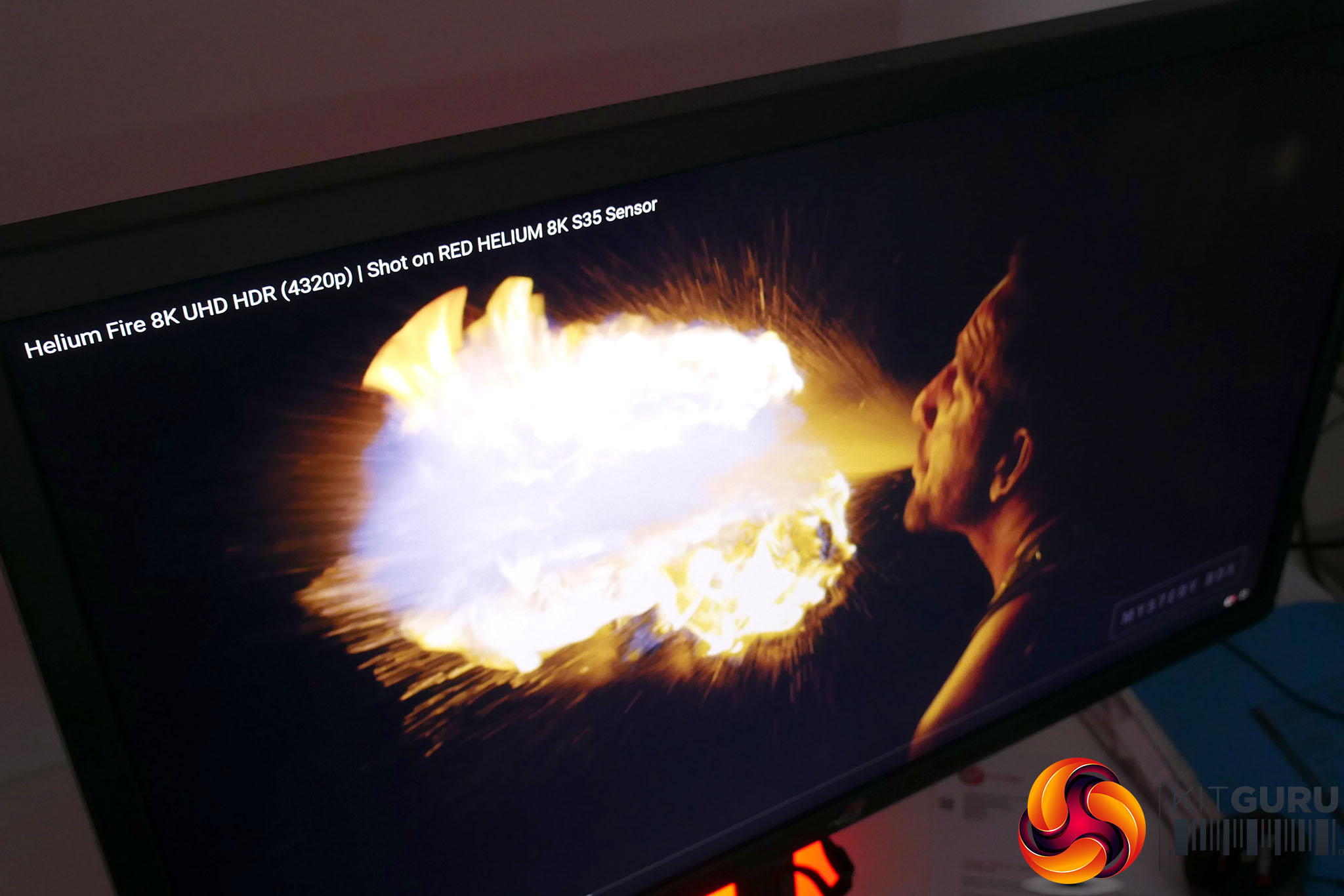
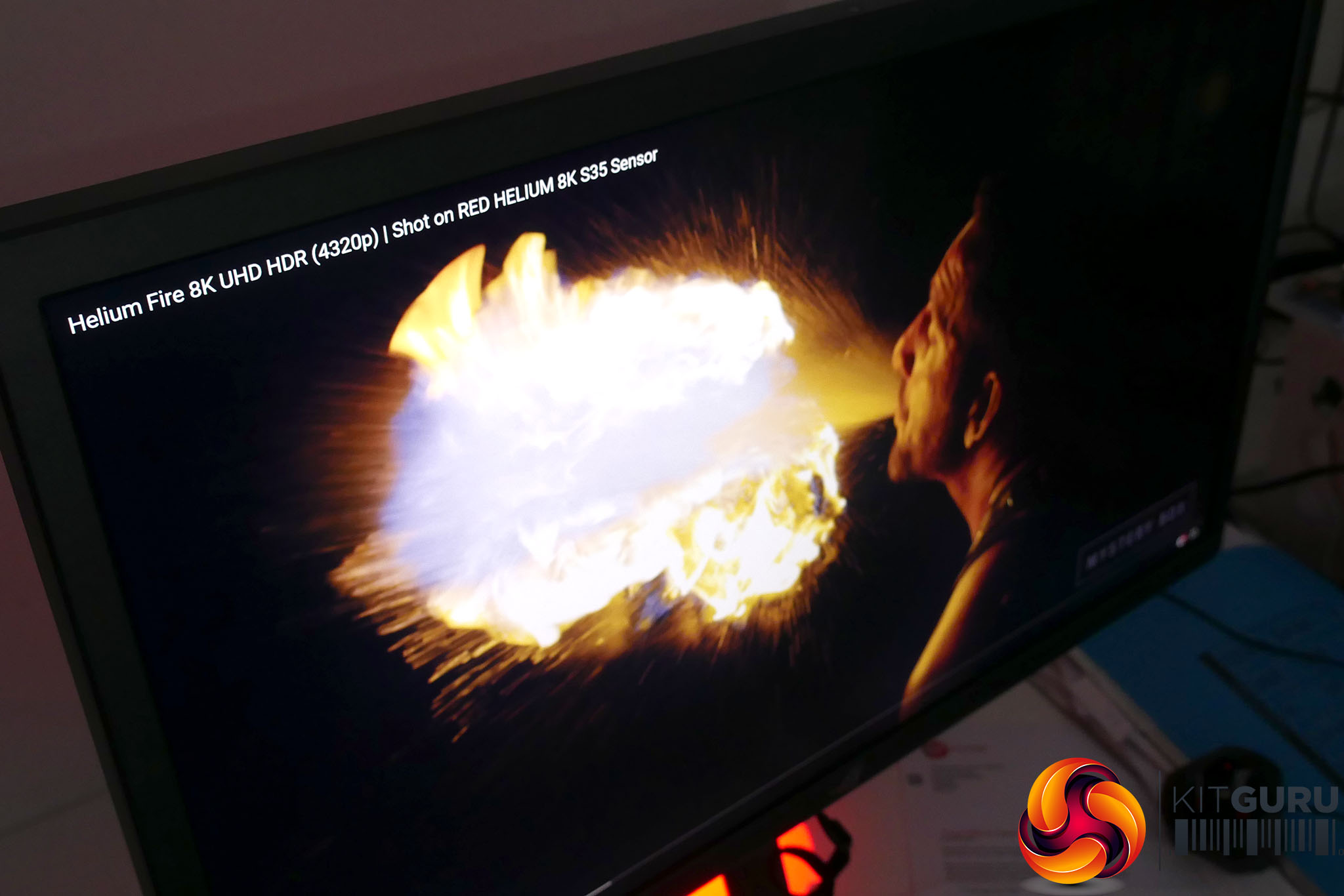
IPS Glow without dynamic backlight and with
Here, the IPS glow is similar to most IPS displays when using the static backlight mode but turning on variable backlight greatly reduces the perceived impact of IPS glow. This is because the darker backlights behind darker areas of the image means there’s less light to leak through.
4K
Assessing this monitor isn’t just about its baseline image quality, as it has so much more to offer than that. First up is its 4K resolution.
Having 3,840 x 2,160 pixels on a screen this size is nothing new but it’s worth going over what this does and does not bring to the table. Most obviously, having so many pixels means you need to use Windows’ scaling options to make things more readable.
This setting defaults to 150% and sure enough this is what we’d recommend. This results in an equivalent working resolution of 2,560 x 1,440, which is a standard resolution for a 27-inch display.
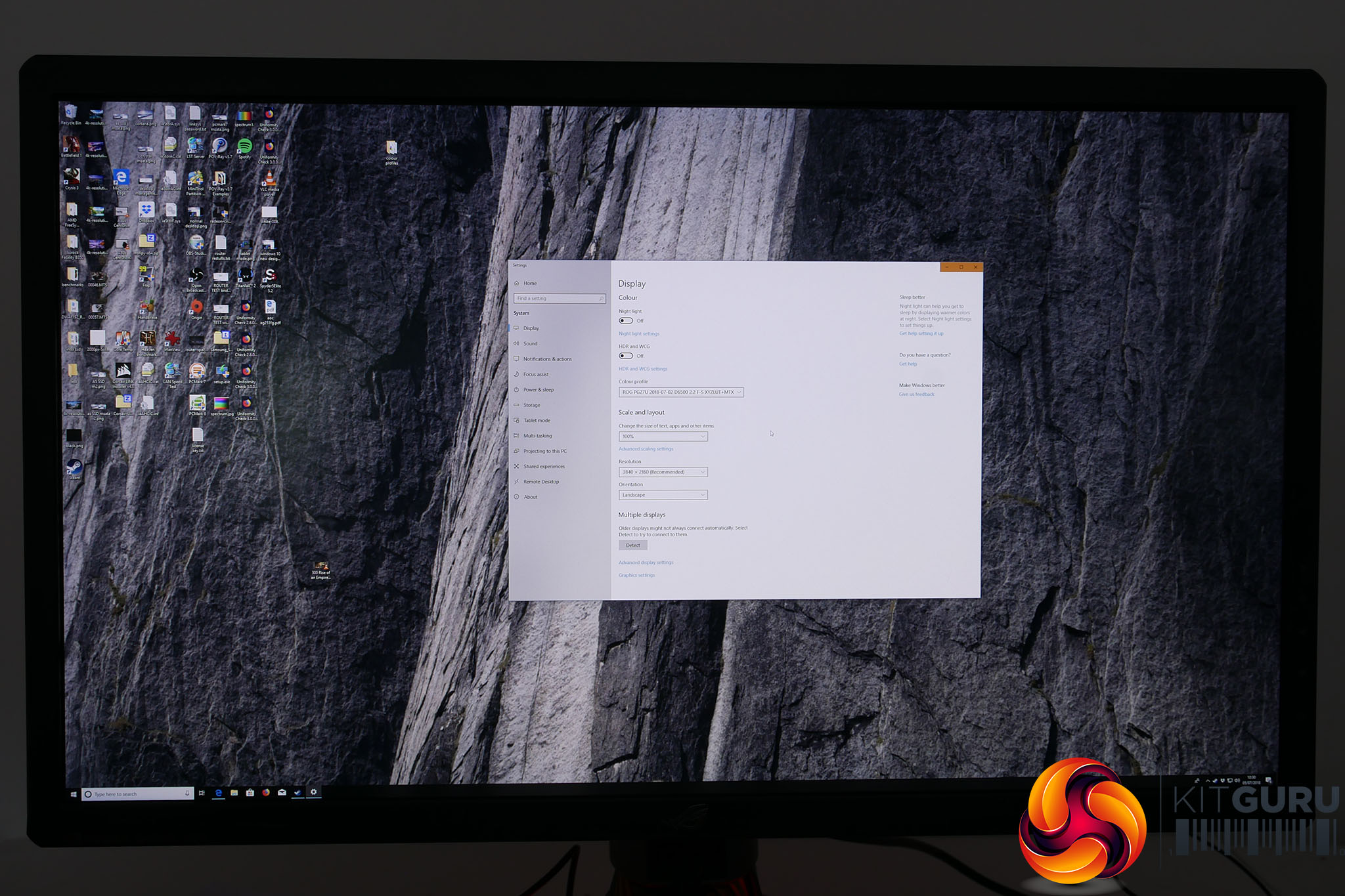
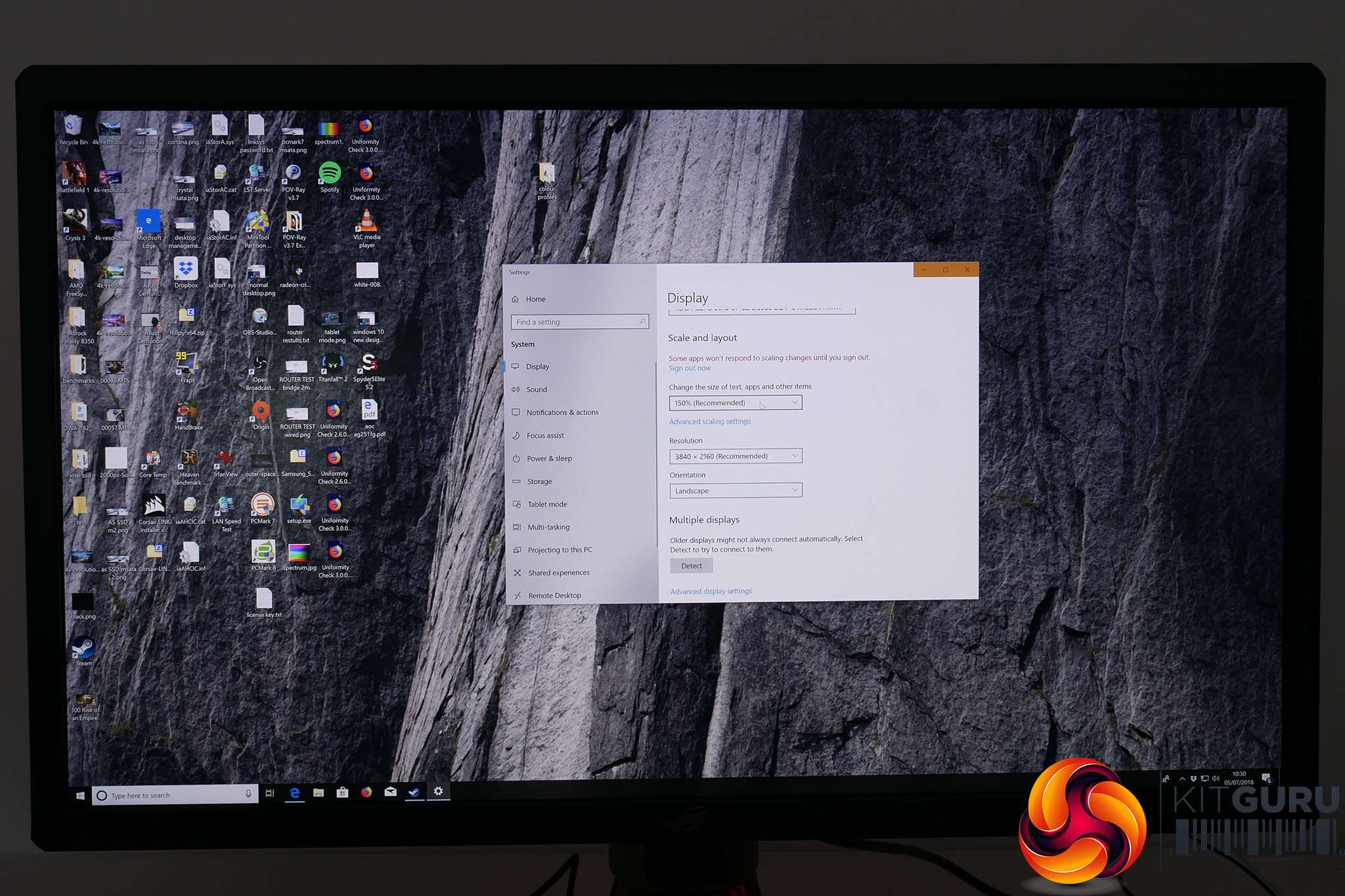
Windows scaling at 100% and 150%
Of course, the big downside here is that you’re paying all that money for all those extra pixels and yet in general desktop use you don’t benefit from a larger desktop space. If your idea of the ultimate monitor upgrade is to also get a bigger display that means you can do more with it, then the PG27UQ doesn’t deliver that.


A normal 1440p 27in monitor compared to the PG7UQ
Instead, what you do get is the benefit of those extra pixels for things like watching video, editing pictures and even small things like the thumbnails for YouTube videos are much sharper.
Just be aware that sometimes Windows scaling does mess up and apps, such as EA Origin, will appear really small, while some others won’t scale well and look soft and blurry.
Gaming
This also applies to gaming on this screen. Play at the native 4K resolution and games look amazingly sharp but if your graphics card can’t deliver the frame rate to run at this resolution things aren’t so good. While the screen can still run games at a lower resolution, they definitely don’t look as good as they would if running on a screen with that native resolution. There’s a softness to the image that can be distracting, particularly for competitive gaming.
For instance, in our testing we tended to prefer playing the likes of PlayerUnknown’s Battlegrounds – a game that even a GTX 1080 Ti struggles to play at 4K – on the Asus PG278Q. It looked sharper and felt more responsive. The PG27UQ has a decent 4ms response time but 1ms TN monitors are still objectively better for competitive gaming.
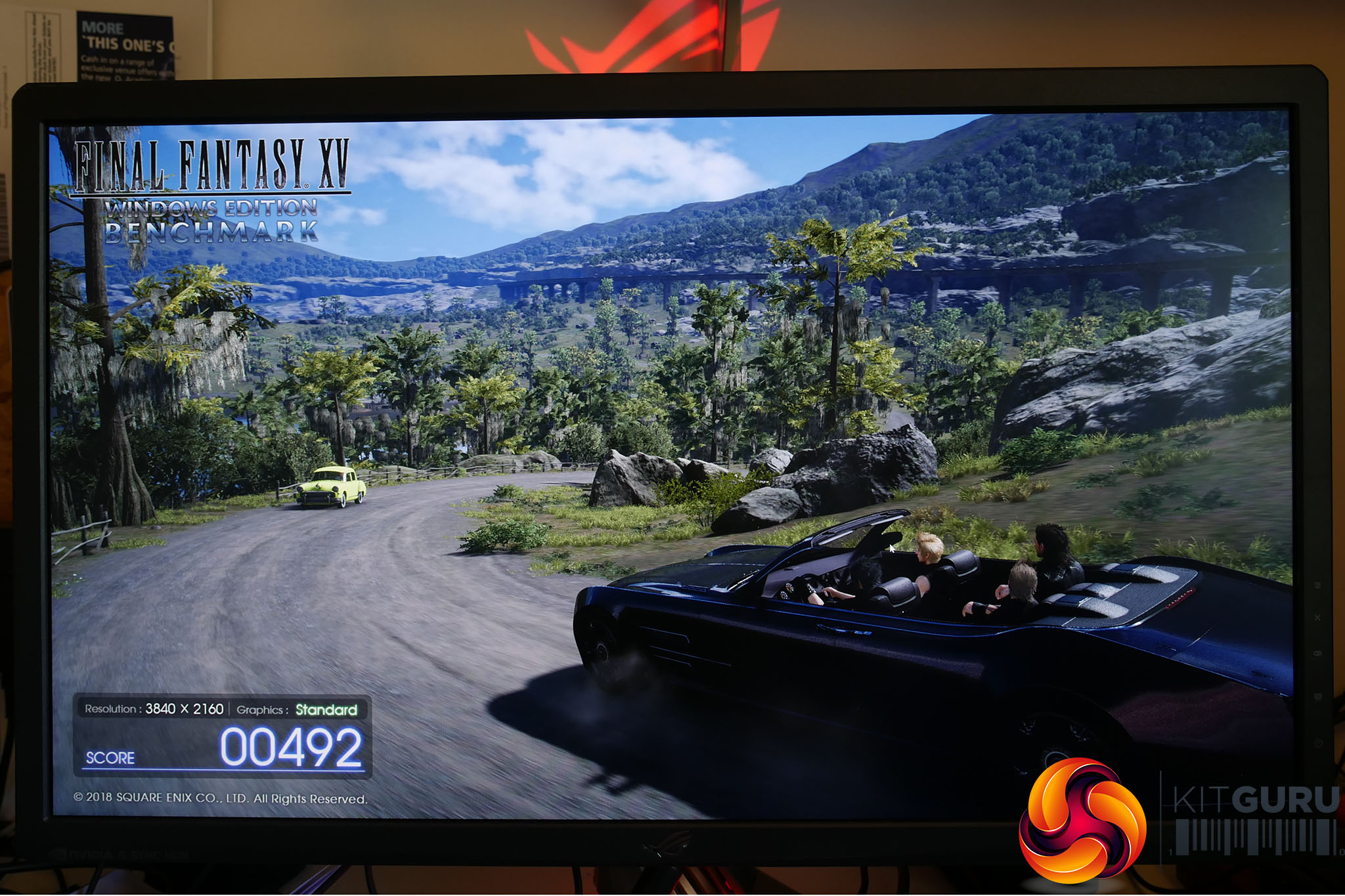
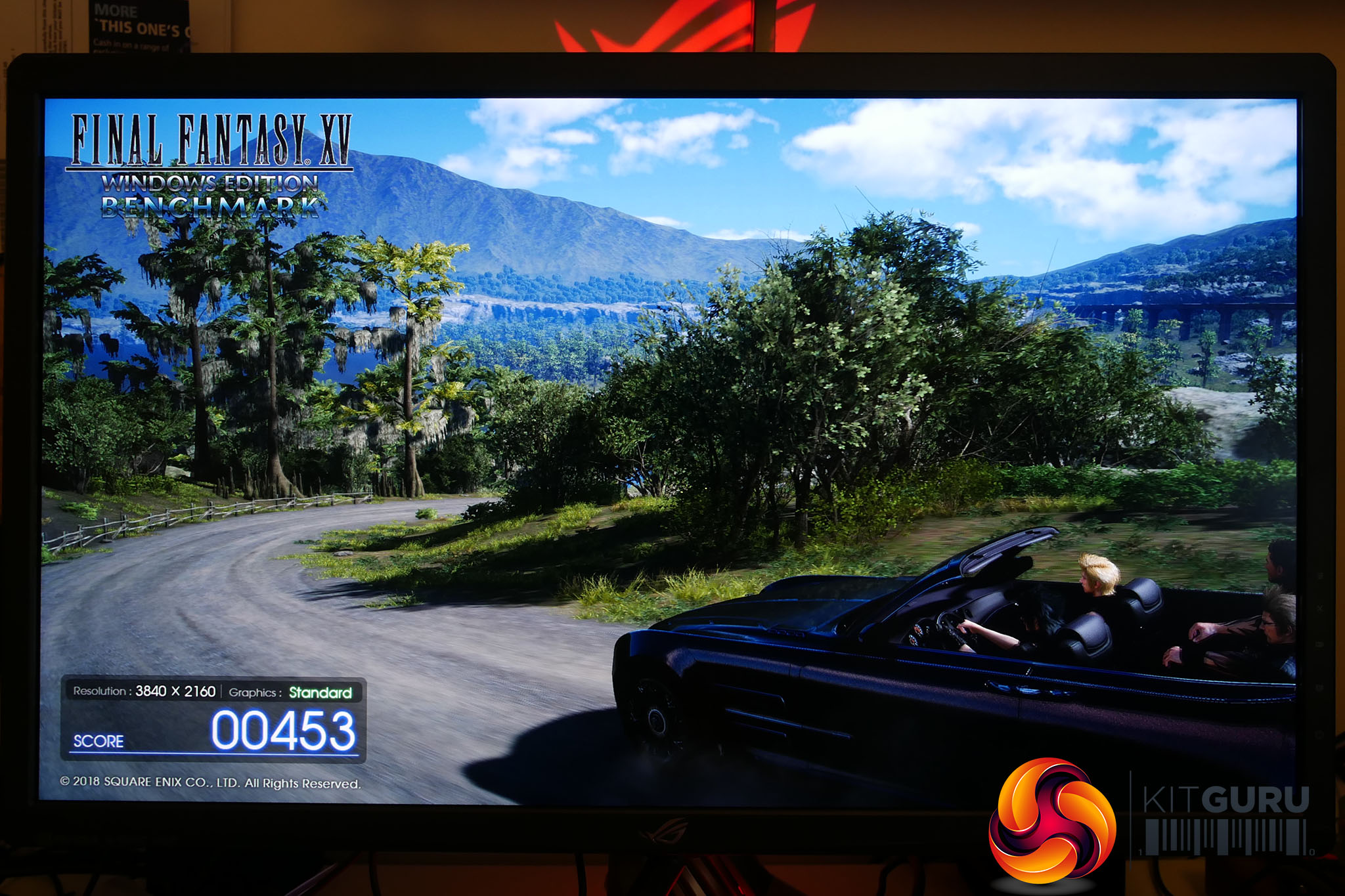
Left: 4K SDR, Right: 4K HDR
Nonetheless, when the rest of your system can deliver the frames, this display delivers the goods. Some people remain unconvinced that there’s much of a difference between 60Hz and 144Hz but to the rest of us the difference is like night and day. As such, being able to play at a razer sharp 4K resolution and at 144Hz is quite something.
Sure, it’s unlikely to help you in competitive gaming, but even for slower-paced single-player games like The Witcher or Hitman the extra smoothness makes for a vastly more enjoyable time.
That is only furthered when you factor in the presence of G-Sync. This means that not only are you getting a sharp image and fast frame rate but there’s no image-tearing or stutter. It is a truly fantastic gaming experience.
HDR
All of that and we’ve not even touched on HDR, which in some ways is both the most and least important feature of this display. It’s the most important because the 384 zone full array local dimming is the most expensive aspect of the screen and when it works it looks incredible.
The huge difference between the brightest and darkest parts of the image adds so much depth while the extended colour range makes video, in particular, look almost disconcertingly real.
So vivid do colours look that at first you think they are wrong but, once you get your head round it, you realise that’s how all video should look.

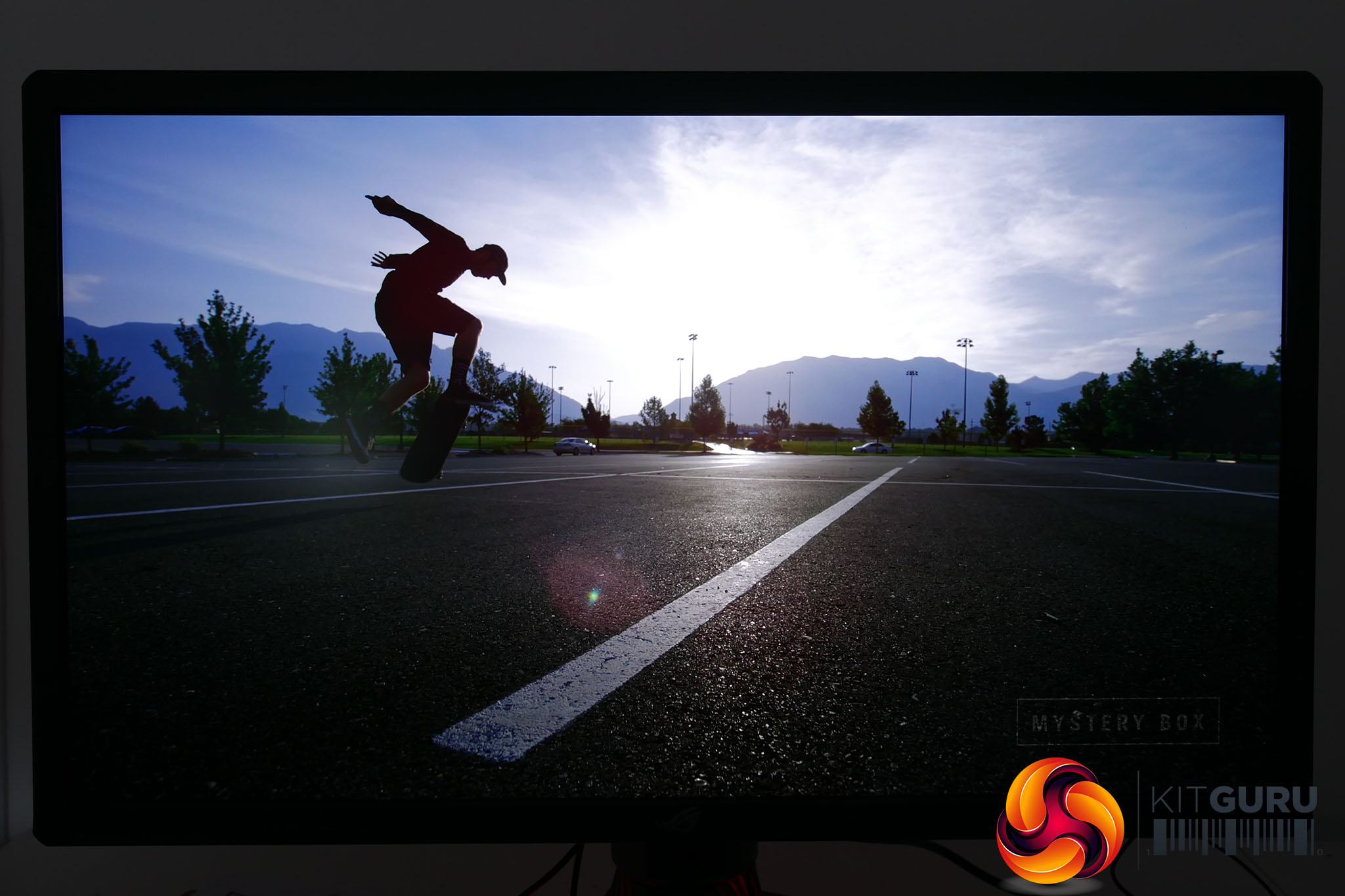
Standard dynamic range (left) vs high dynamic range (right)
Umpteen monitors we’ve previously seen have claimed HDR support but this is the first one to truly deliver on all of the promise. The contrast, the vividness of colours but also the restraint and accuracy in the image all come together to create something that truly feels like the next step in video and gaming fidelity.
However, the reason HDR is also the least important part of this monitor is that right now HDR support is so weak.
For video there’s a growing level of support, though often the HDR version of films and TV shows aren’t necessarily accessible through your computer. Meanwhile support in gaming is even worse.
There are a few big name exceptions such as Battlefield 1, Star Wars: Battlefront 2, Hitman and final Fantasy XV but the list isn’t growing all that rapidly and it still doesn’t quite feel like there’s that one big hit to really make you want to go out and buy a display like this.
That said, that support will come, even if it might be another year from now before you can regularly expect to get HDR support in a decent number of the latest games.
What isn’t in doubt, though, is that this display is a clear cut above any other display out there when it comes to delivering true HDR. The promise of full array local dimming backlights on monitors has been talked about for years and finally it has been realised in the PG27UQ.
There are just a couple of final things to note, however. This display can't deliver true 10-bit colour HDR above 98Hz but instead drops to 8-bit with dithering for higher frame rates. Considering HDR is not the sort of feature we'd turn on for competitive gaming, this seems like a perfectly reasonable compromise as 98Hz is ample for a smooth single-player gaming experience.
Also, while this display can do an excellent job with certain light-on-dark, high-contrast scenarios, it can only go so far. For things like stars in a night sky or fireworks, the sheer number of tiny, bright lights is too much for the backlight to deal with. After all, each zone is still illuminating 21,600 pixels so it can only do so much to distinguish between light and dark areas. You’ll have to look to the likes of OLED displays to get that true pixel-to-pixel HDR.
The Asus ROG Swift PG27UQ is undoubtedly the single finest 27-inch gaming monitor you can buy right now (upcoming direct competitors such as the Acer X27 notwithstanding). Whether you’re after gaming performance, top image quality for desktop work, the utmost in 4K detail or the dazzling display of HDR, it delivers on every front.
In many ways, it’s the sheer versatility that’s on offer here that’s so compelling. You can reliably edit images and video to a professional standard, you can watch fantastic looking standard dynamic range video, you can play games to a competitive level, you can indulge in fantastic HDR games and video and of course you can just rely on the great viewing angles and overall image quality to sit and work at this display for hours on end.
However, there are a couple of stumbling blocks. The first is simply the price. Sure, if you’ve got the money going completely spare then have at it. But, if spending even £1000 on the likes of the PG348Q seemed like a stretch for you, saving more than double that amount for this display is probably a stretch too far.
There’s also not enough HDR content out there at the moment and there are still occasions where running a high resolution on Windows is frustrating enough that it would take the shine off your new purchase. When you’re spending this much you want to feel the benefits everyday, not just on the odd occasion.
Then there’s the size of the display. Again, when you’re spending this amount, for many of us the expectation would be for a size as well as a performance upgrade. As such, a 34-inch ultrawide may still be the more tempting upgrade if you’ve already got a conventional 27-inch display.
Those points aside, however, we cannot get over the basic fact that this is a fantastic screen most of us would count ourselves lucky to own.
You can buy the PG27UQ for £2299.99 HERE.
Discuss on our Facebook page, over HERE.
Pros:
- Stunning image quality.
- Great gaming performance.
- 4K gaming at 144Hz is special.
- HDR looks fantastic.
- Fully adjustable stand.
Cons:
- Very, very expensive.
- Windows resolution scaling can be iffy.
- Hugely powerful PC needed for 4K gaming.
- Not enough HDR content.
KitGuru says: It's best 27-inch gaming monitor you can get, but it’s super expensive and not without some compromise.