 KitGuru KitGuru.net – Tech News | Hardware News | Hardware Reviews | IOS | Mobile | Gaming | Graphics Cards


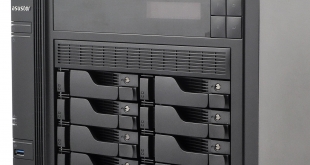
We've already looked at one of Asustor's AS620*T family of NAS units, the 4-bay AS6204T, but now we've got our hands on its much larger sibling, the 8-bay AS6208T. The AS620*T series sits under Asustor's Power User to Business banner with the AS6208T sitting firmly in the latter camp.
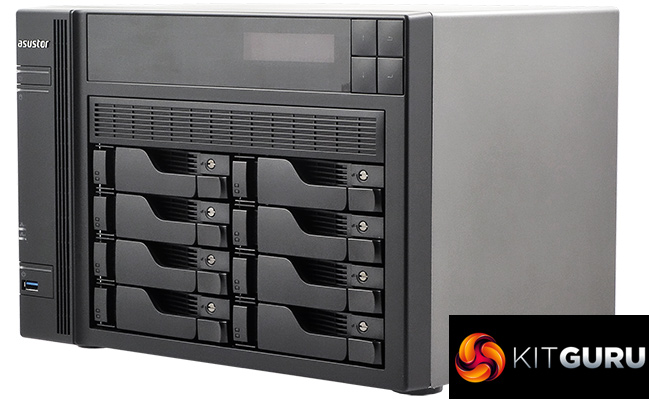
The Asustor AS6208T is powered by an Intel Celeron J3160 quad-core processor which has a base frequency of 1.60GHz which climbs to a 2.4GHz burst frequency. Backing this up is 4GB of DDR3L memory which is expandable up to a maximum of 8GB via two SO-DIMM slots.
It has an integrated hardware AES-NI encryption engine as well as an acceleration engine which supports H.264 (AVC), H.265 (HEVC), MPEG-4 Part 2, MPEG-2 and VC-1 formats.
Asustor quote headline performance figures for the AS6208T at 398MB/s for reads and 355MB/s for writes over RAID 5. But as they say, the devil is in the detail. This headline figure is with all four Ethernet ports being used in Link Aggregation mode.
Using two ports linked, the read performance drops to a still very respectable 224MB/s with writes at 220MB/s. Using a single port the performance drops down to 112MB/s read and 111MB/s write speeds, again in RAID 5 mode.
Specifications
- Intel Celeron 1.6GHz Quad Core.
- Integrated AES-NI hardware encryption engine.
- Hardware acceleration engine.
- 3-year warranty.
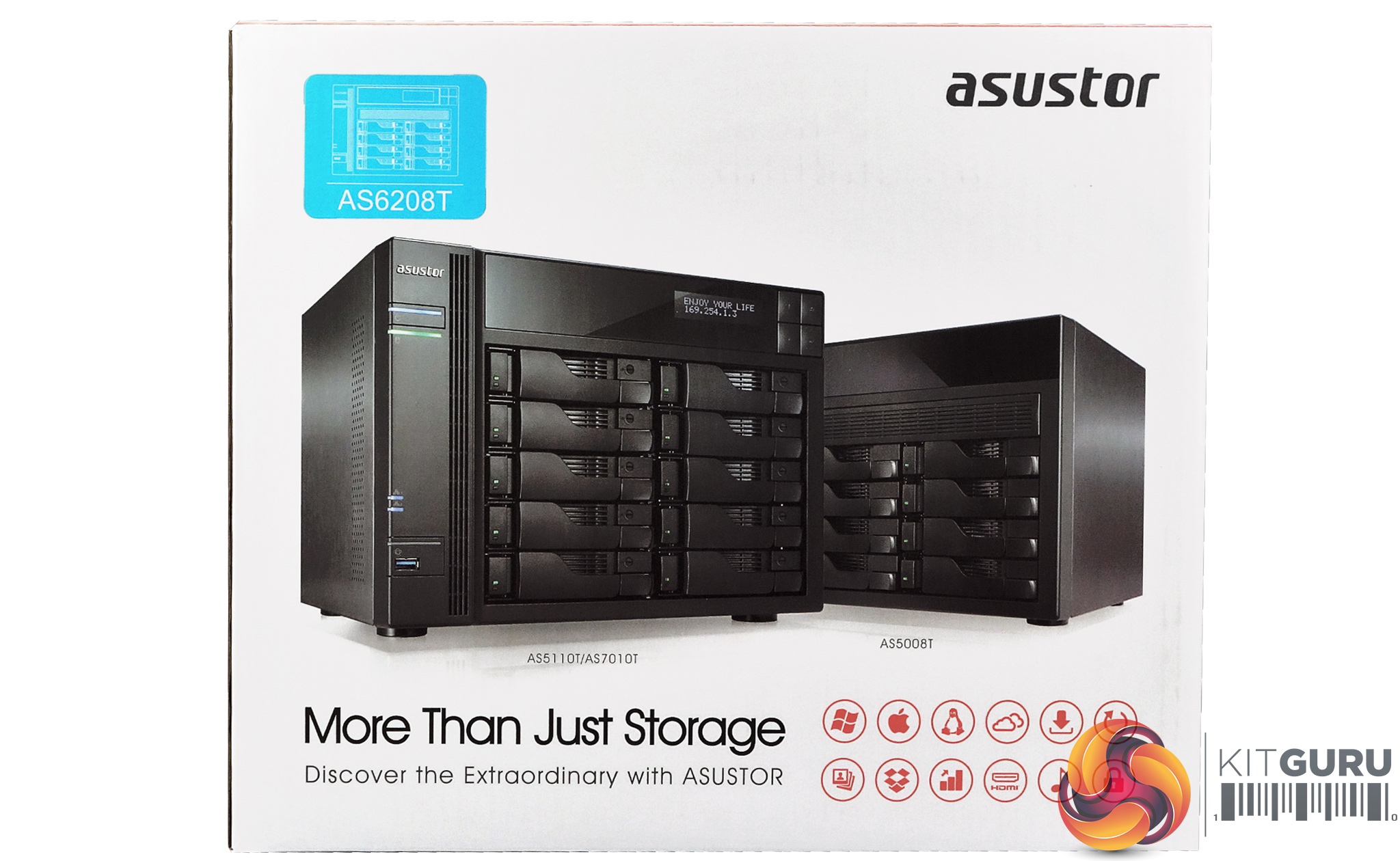
As you might imagine, an eight bay NAS ships in a rather large box. The front of the box oddly has images of the AS5008T eight bay NAS and the AS5110T/AS7010T ten bay NAS with just a sticker showing an outline image of the AS6208T.
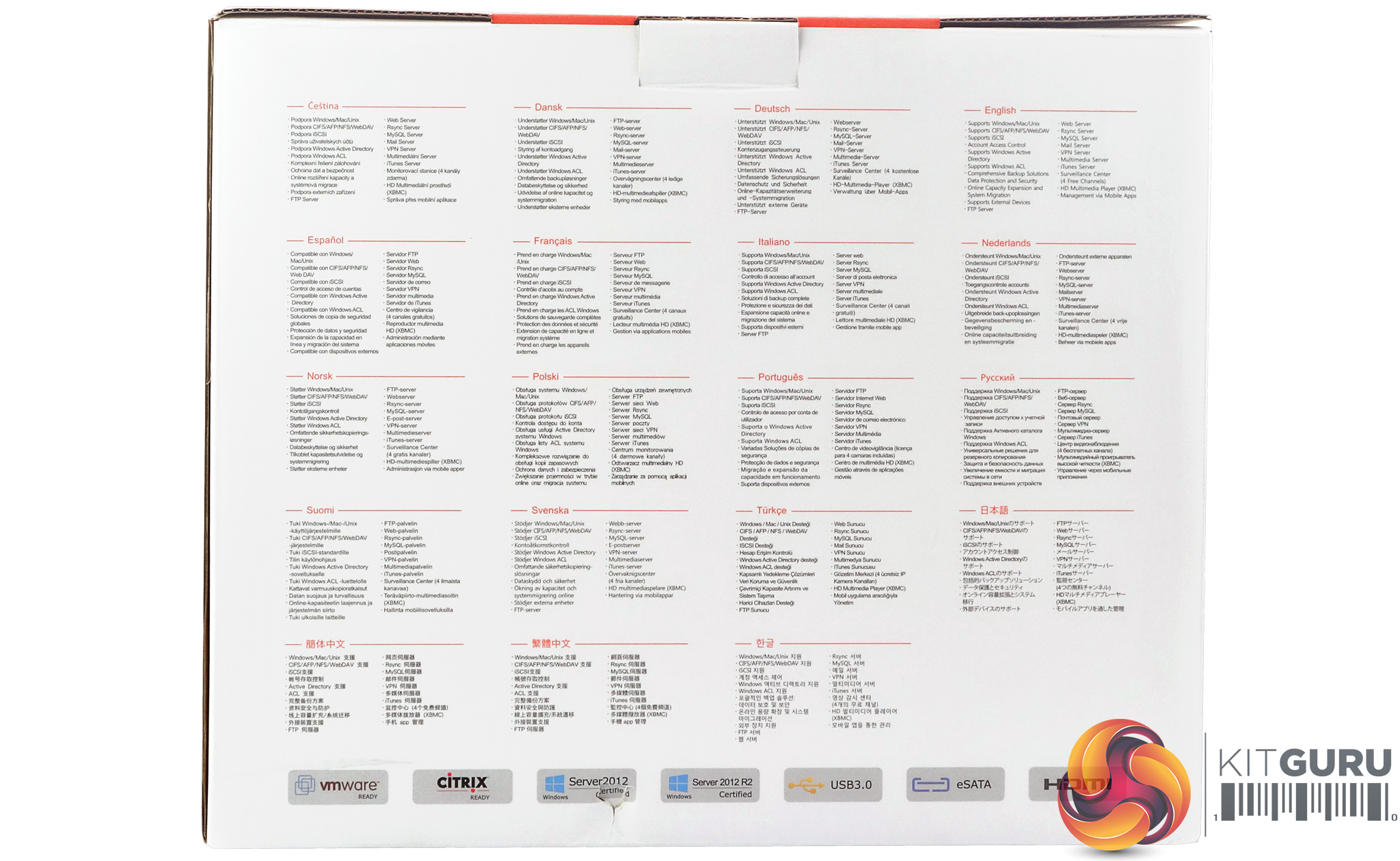
The bottom right-hand side of the box displays a group of icons representing what the device supports and can be used for. The rear of the box has multilingual lists of some of the services and functions the AS6208T supports.
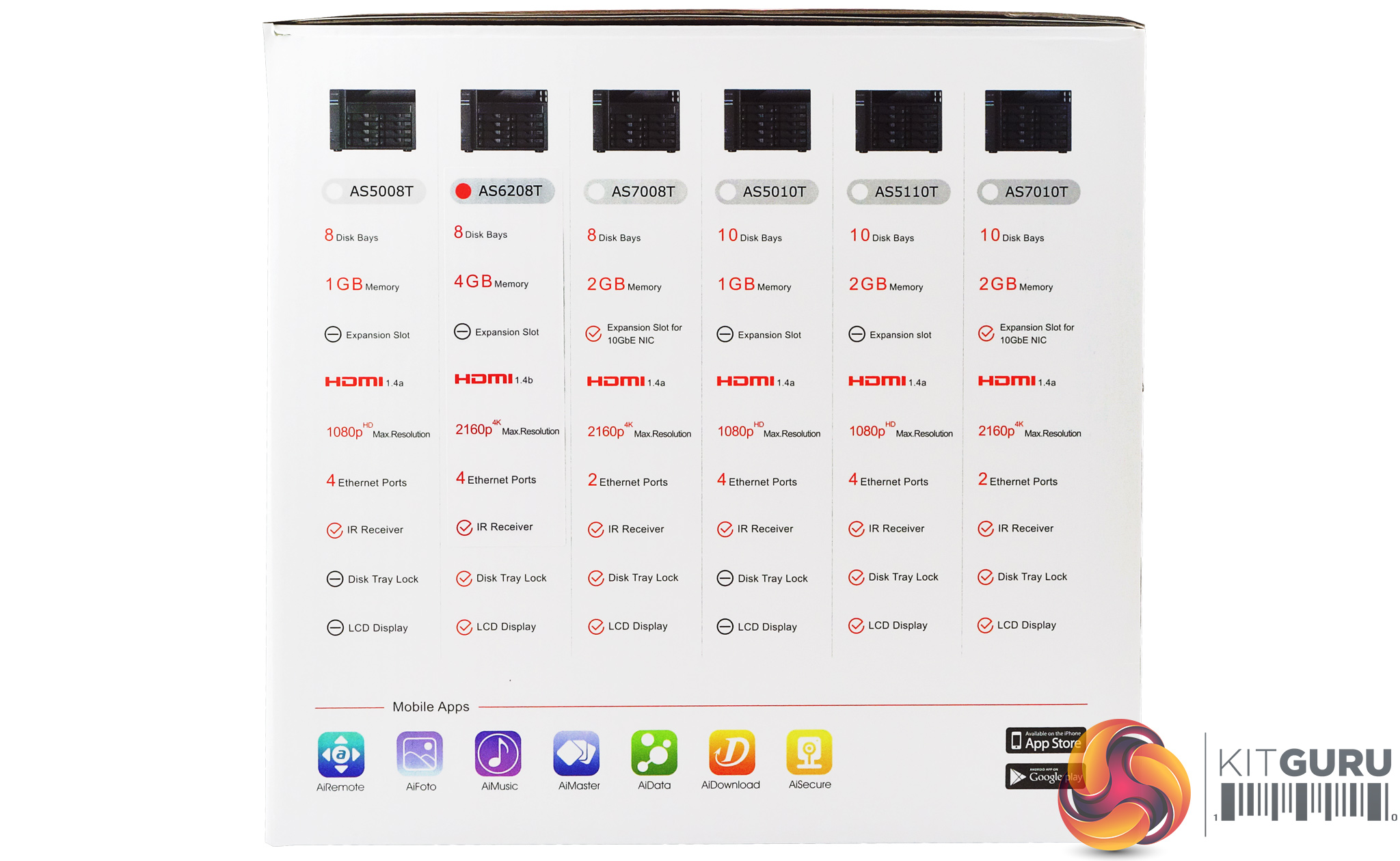
One side of the box displays images and specifications for the eight and ten bay Asustor NAS models that are currently available, the only one missing is the flagship of the AS620*T range, the AS6210T.
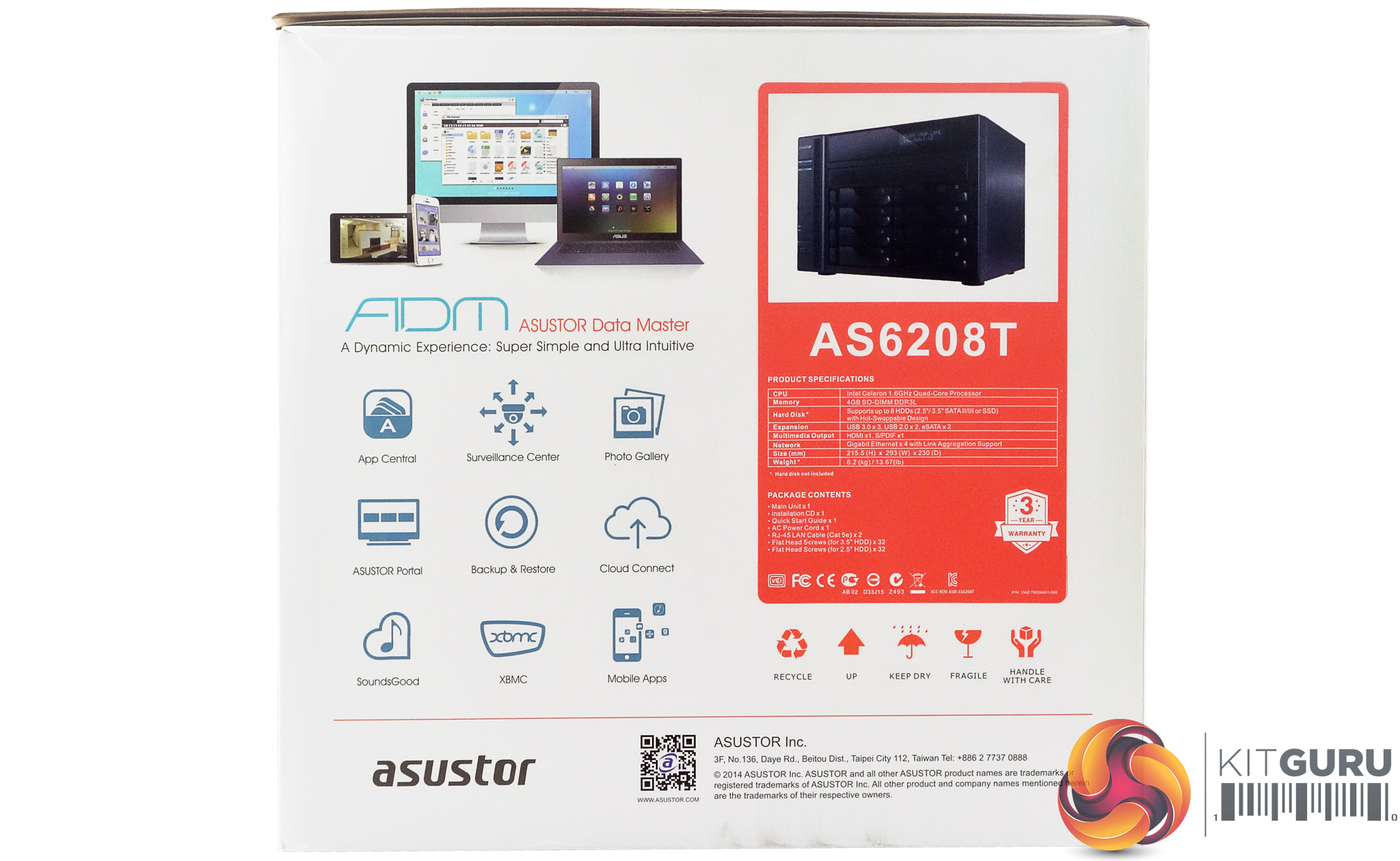
The other box side displays a more detailed specification box for the AS6208T and a list of what is the box. There's also a graphic of some of the ADM (Asustor Data Master) OS features.
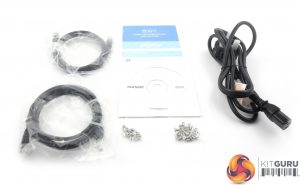
The box bundle is small but everything you need to get started with the AS6208T is included; a pair of Cat 5e Ethernet cables, an installation CD and two full sets of screws to secure eight 3.5in or 2.5in drives.
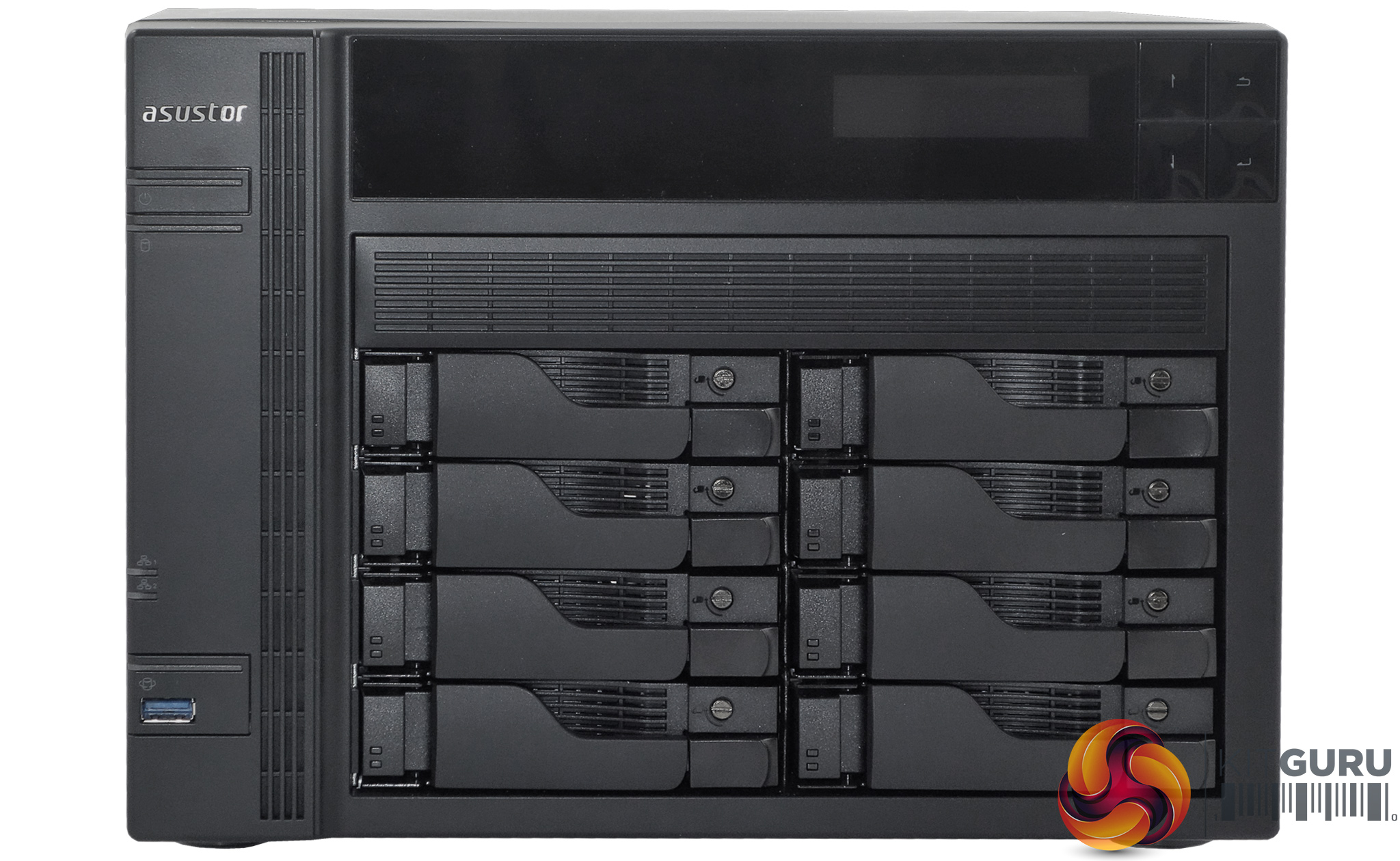
Having said that it comes in a large box, the AS6208T is actually pretty compact for an eight bay NAS, thanks to having its eight bays laid out in horizontally in two banks of four.
The power button sits on the top left-hand side of the front bezel while towards the bottom of the same sides sits a USB 3.0 port built into the USB copy button. Two LED indicators at the top of the front bezel display power state and system status, while there's another LED in the USB copy button.
Sitting above the drive bay housing is an LCD screen which displays information on the state of the NAS during the bootup sequence and then deactivates once the NAS has started. The screen and the four menu buttons next to it can also be used to initialise the NAS.
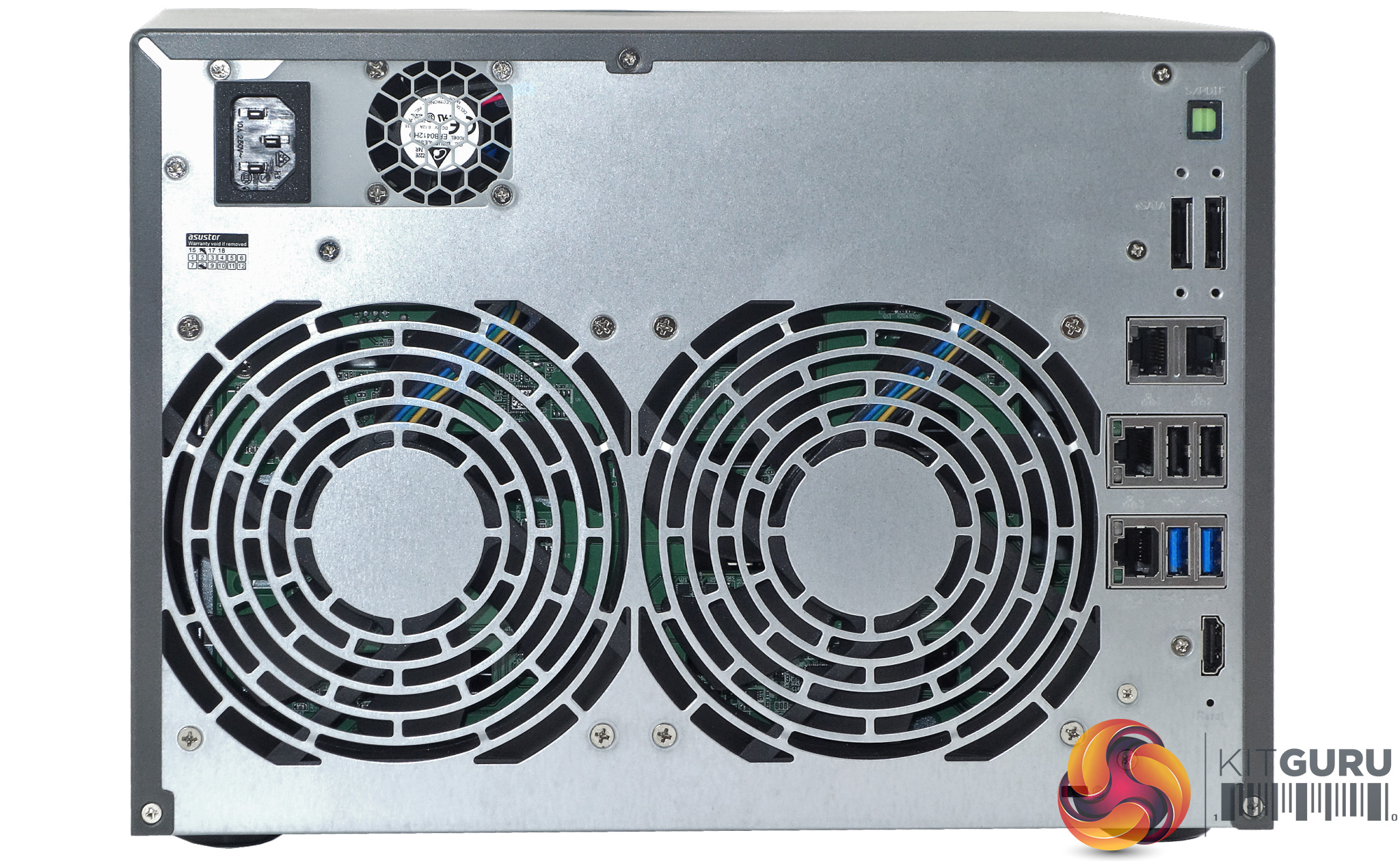
The rear panel is dominated by the pair of grills for the two 120mm cooling fans. Above the left-hand grill is the small 40mm fan for the internal Delta Electronics DPS-250AB 240W power unit which sits on top of the drive cage.
Despite the small size of the power supply fan it is very quiet in operation as are the two YS Tech FD121225HB main cooling fans. The FD121225HB is a twin ball bearing design rated at 2,600rpm with a quoted noise level of 44 dBA.
To the right of the main grills sit a host of ports which give an idea of what the AS6208T can be used for. For starters, there are four Gigabit Ethernet ports, all supporting Link Aggregation, a pair each of USB2.0, USB 3.0 and eSATA ports. Joining these are single S/PDIF and HDMI 1.4b ports.
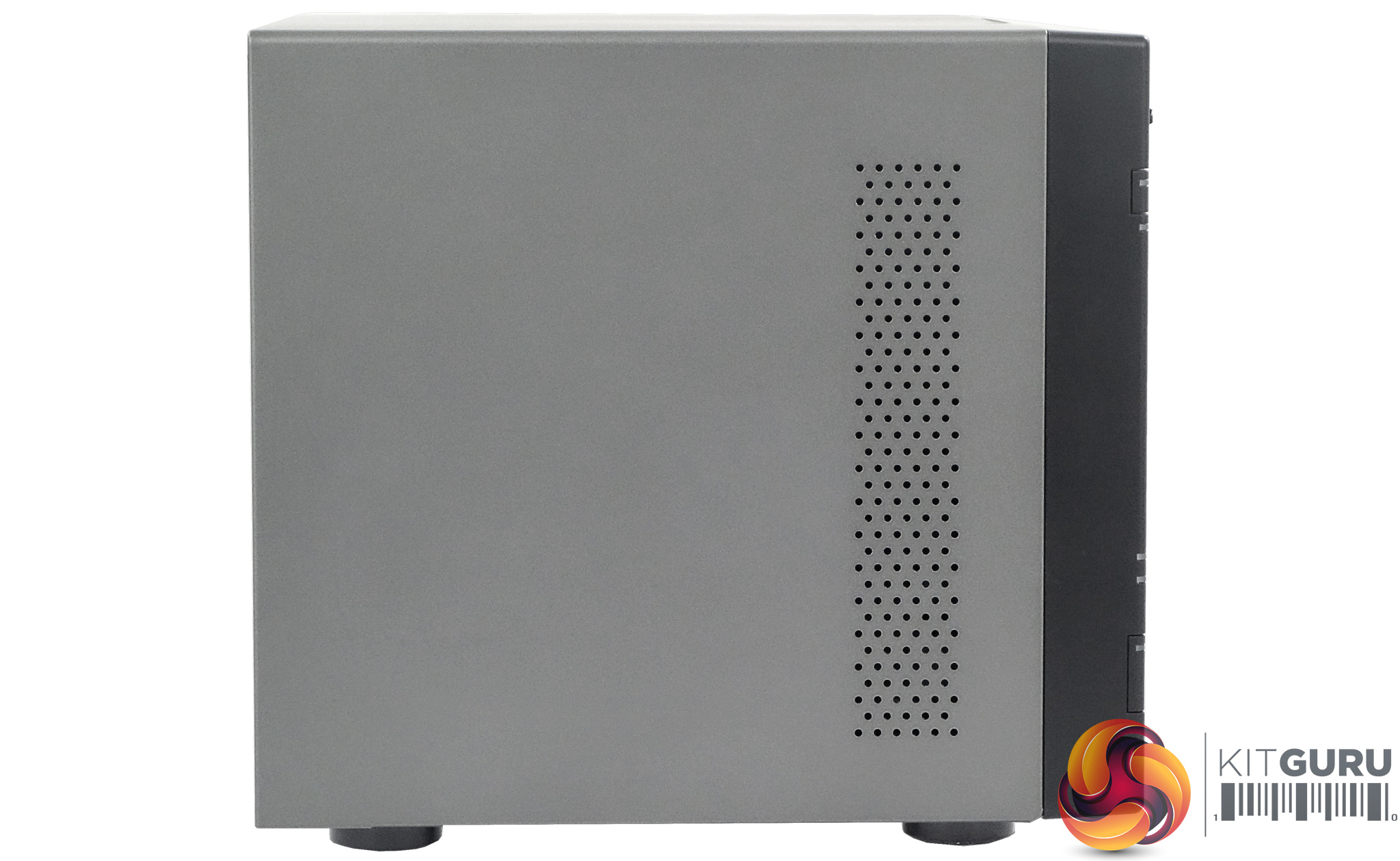
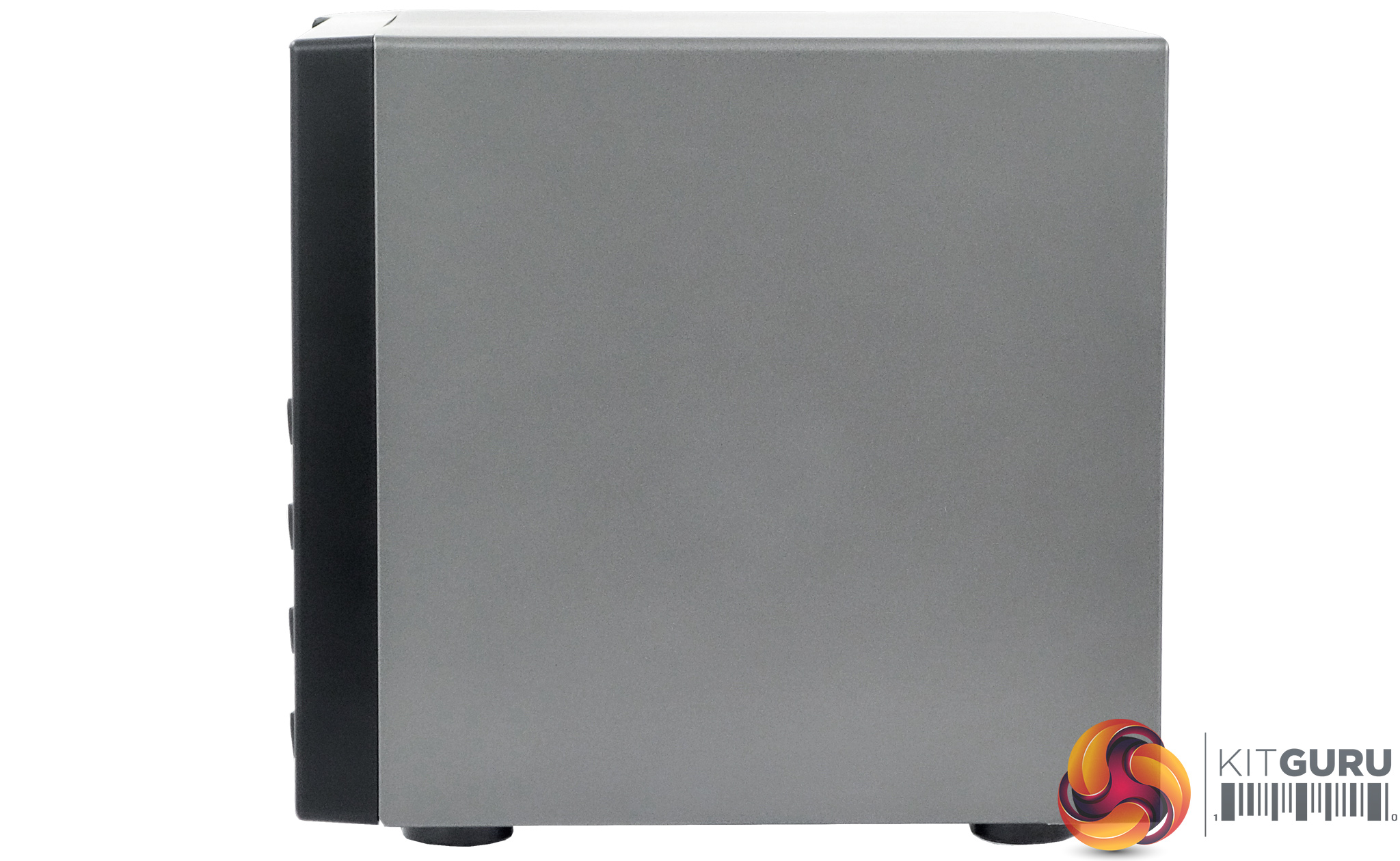
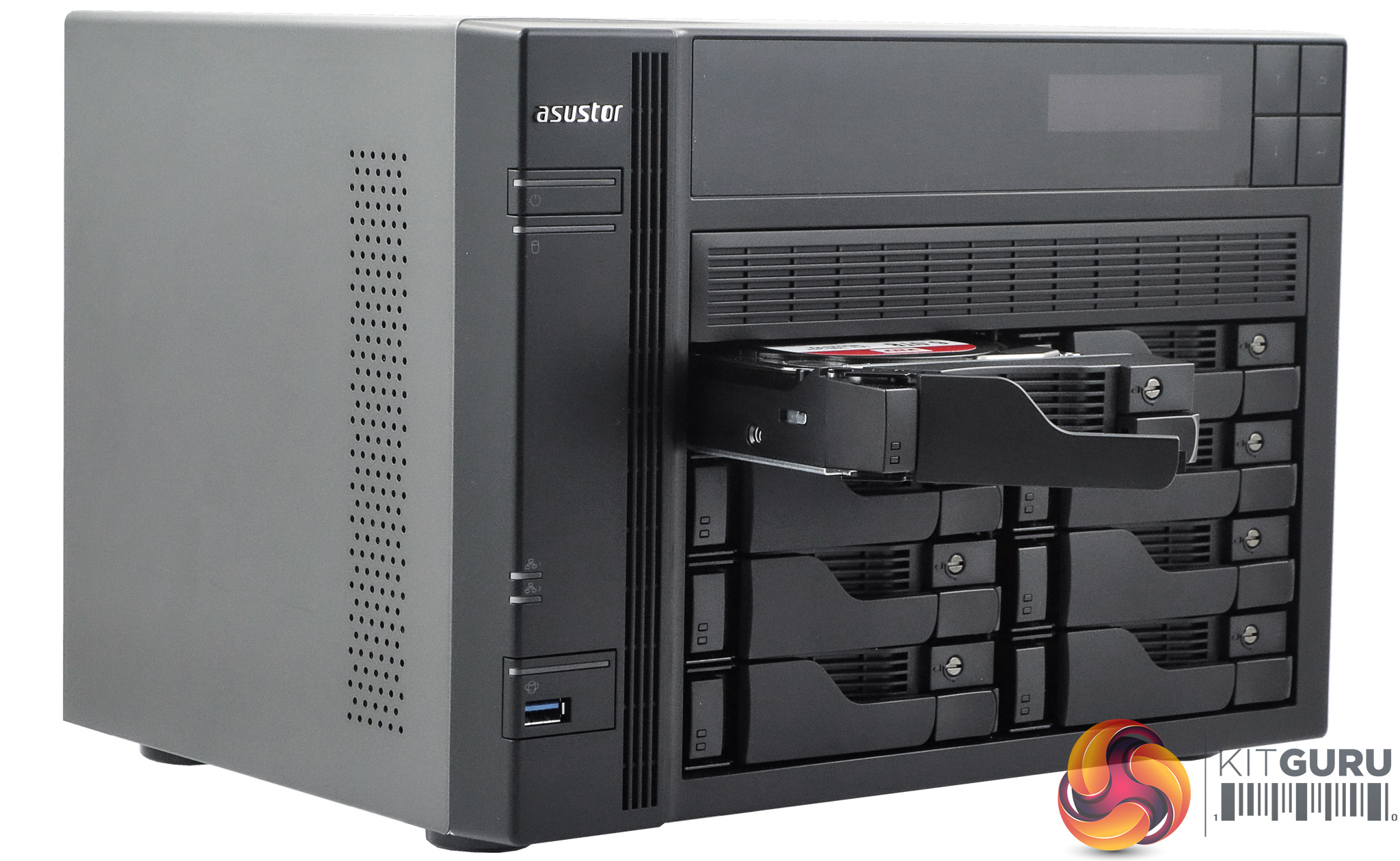
The drive trays have a nod to physical security in the fact they have locks on the bay doors which use a flat headed screwdriver to lock them, not as secure as using an actual key, but much better than having no lock at all.
Each tray has is own LED activity LED built into the front door.
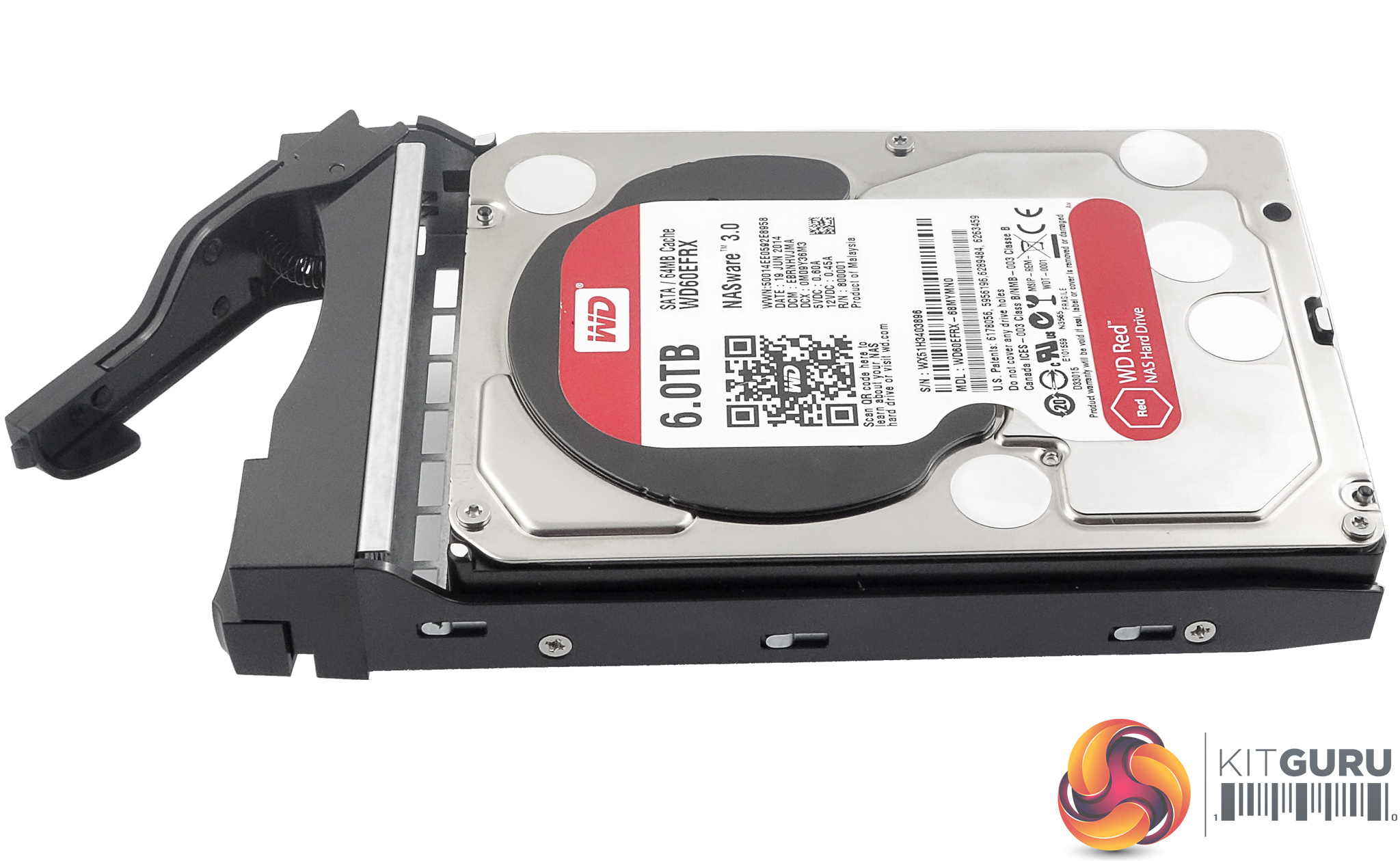
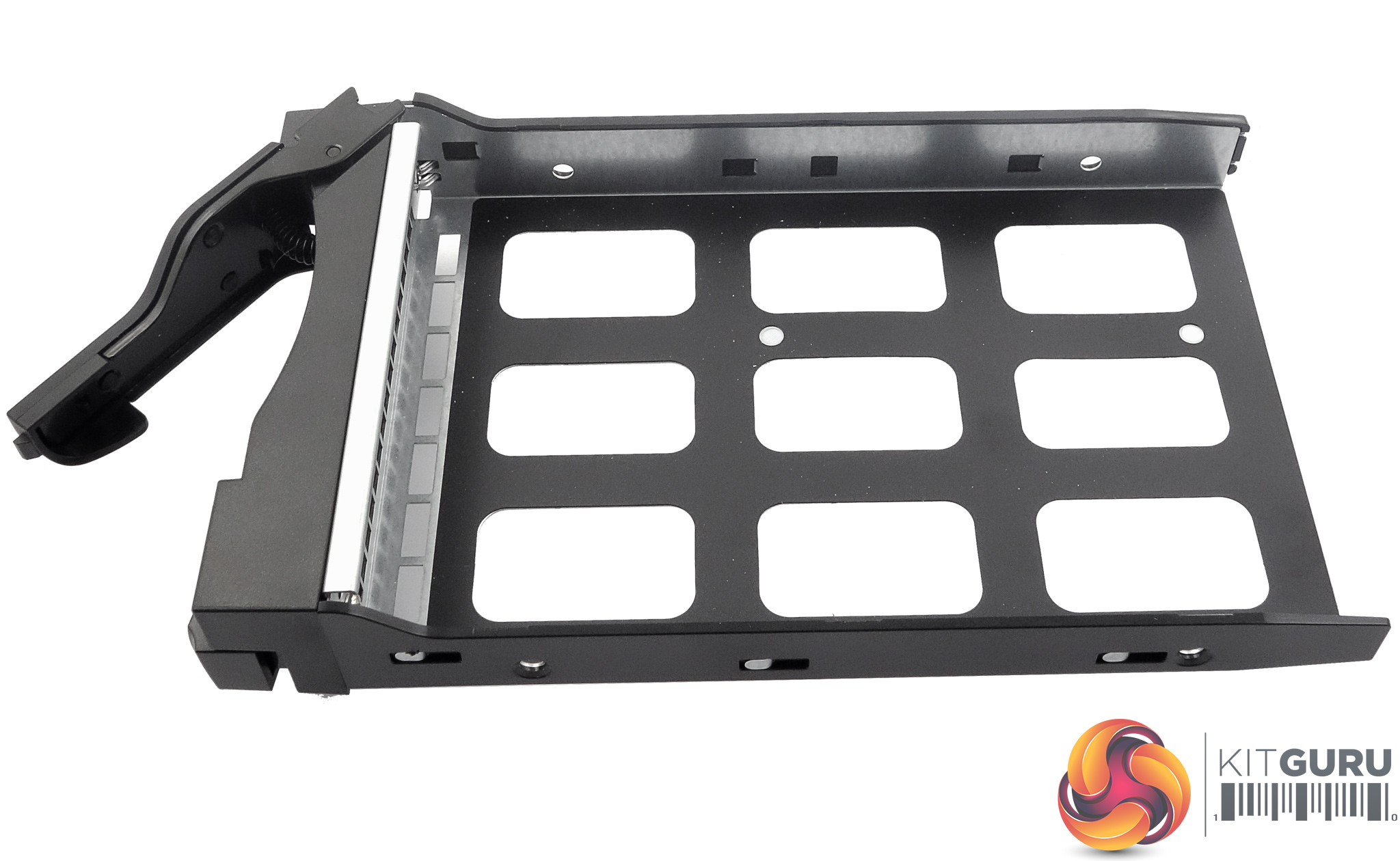
The trays have a good build quality to them, being constructed from metal with a decent plastic used for the doors. 3.5in drives are held in place by screws in the tray sides while 2.5in drives the screw holes in the base of the tray.
Asustor provide enough screws to mount eight of either size of drive.
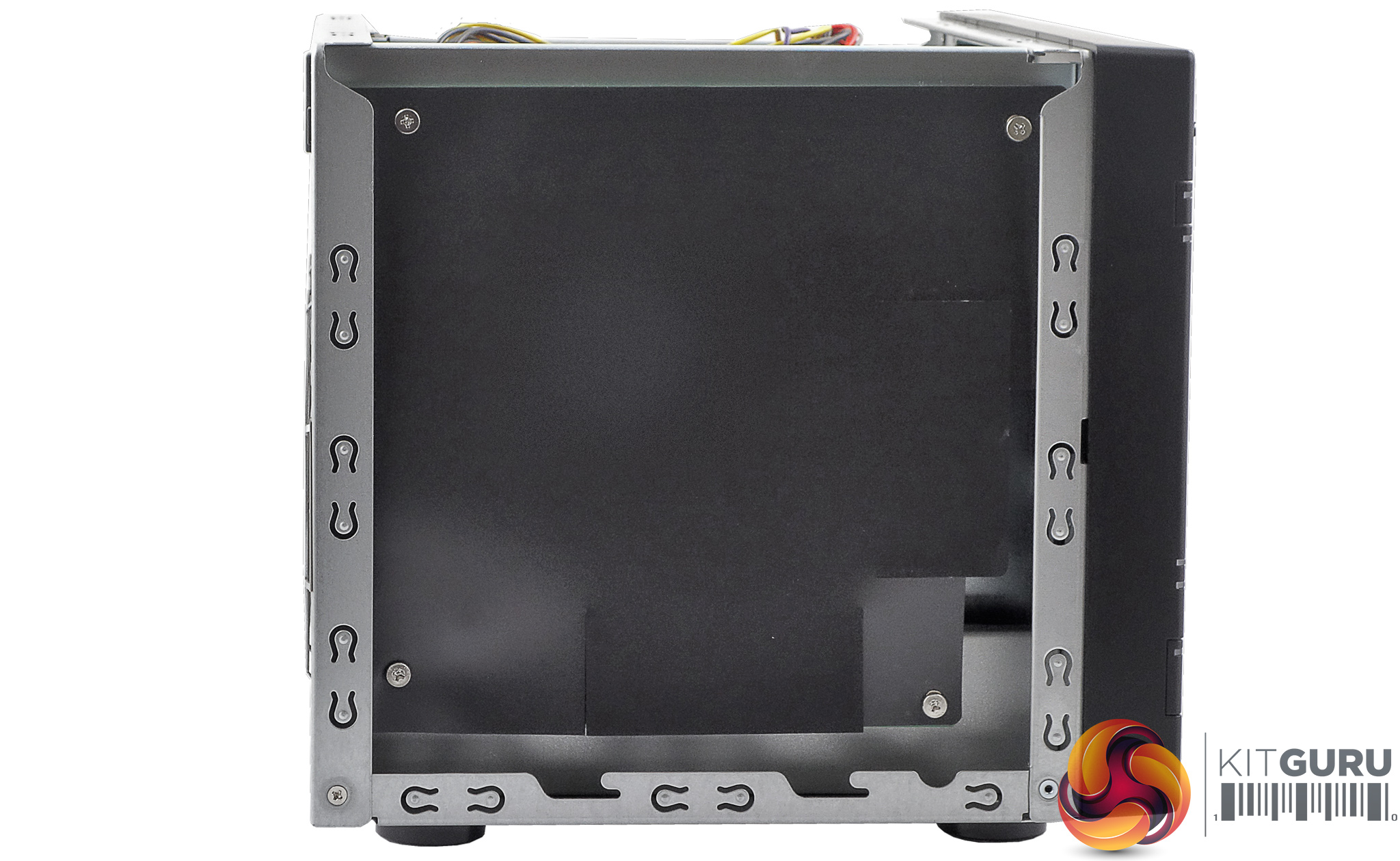
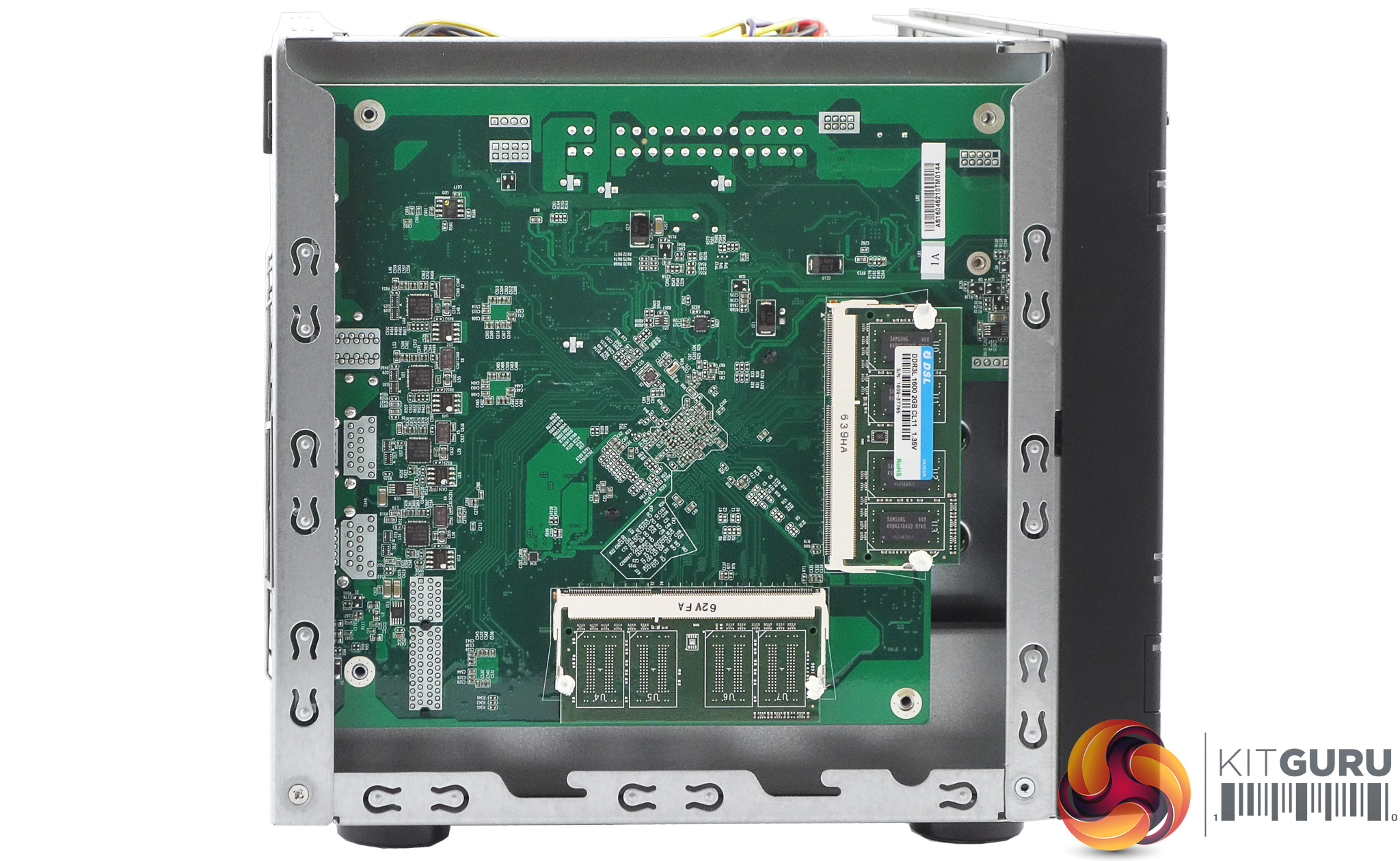
If you need to increase the memory in the AS6208T it is a really straightforward job. Once the cover is removed you are confronted by a black cover which hides the back of the motherboard.
This cover is cut to allow the memory modules to be replaced (the two SO-DIMM slots can hold up to 4GB of memory each), but it's a lot less fiddly if you undo the four screws that hold the cover on and remove it.
The side of the cover facing the motherboard does have a sticky surface, but it pulls away from the motherboard without too much fuss.
Physical Specifications
Processor: Intel Celeron J3160 1.6GHz Quad Core (burst up to 2.24 GHz)
Memory: 4GB DDR3L-1600
Gigabit Ethernet Ports: 4
Front panel connectors: 1 x USB3.0
Rear panel connectors: 2 x USB 3.0, 2 x USB 2.0, 2 x eSATA, 1 x HDMI 1.4b, 1 x S/PDIF.
RAID support: JBOD, RAID 0, RAID 1, RAID 5, RAID 6, RAID 10.
Cooling: 2 x 120mm
Maximum hard drive size supported: 10TB
Maximum Capacity: 80TB
Dimensions (D x W x H) 230 x 293 x 215.5mm.
Weight 6.2kg.
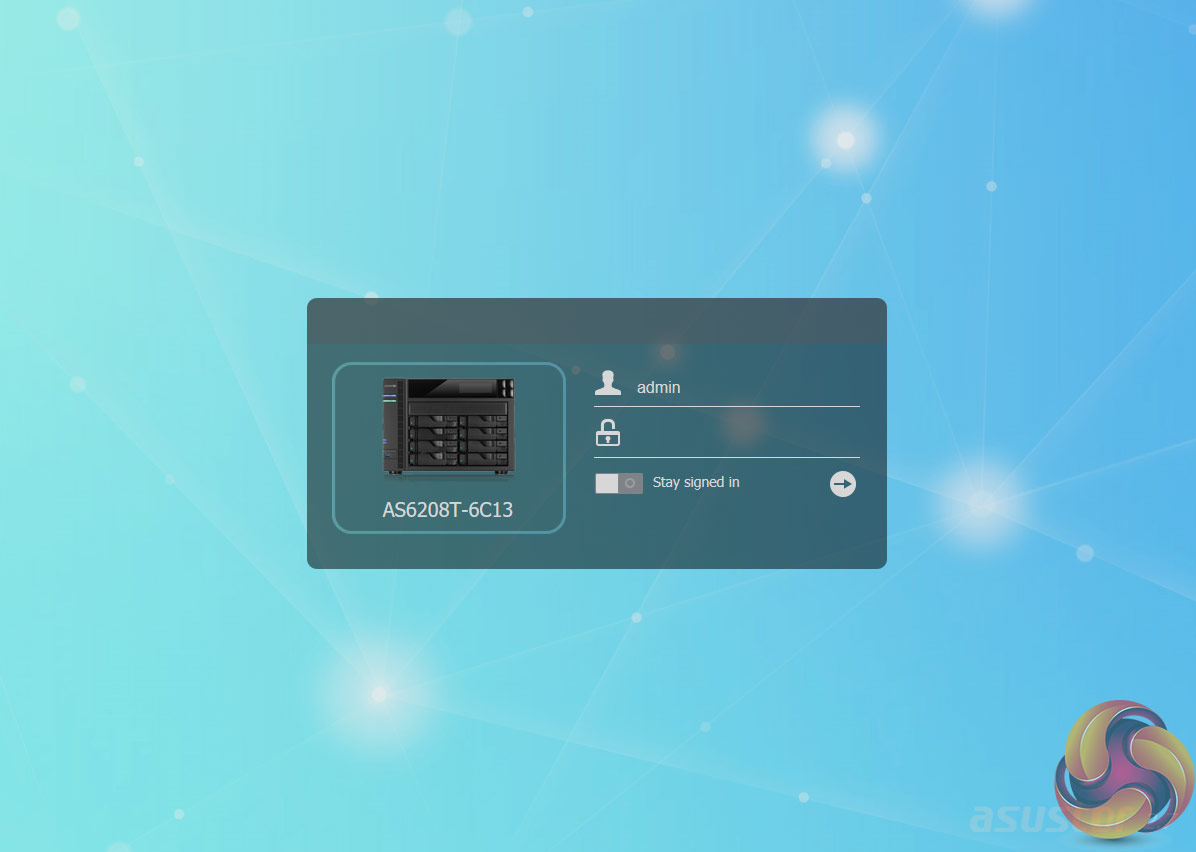
Asustor's ADM (Asustor Data Master) OS remains one of the best NAS OS around and is constantly upgraded by Asustor to try and keep it one step ahead of the competition. Easy to install, ADM is graphically rich and easy to navigate through. Once you have logged into the NAS you see the main ADM page.
Here you will see icons for all the major sections of the OS and whilst the icons take you to general pages, if you want to perform a more precise search, then Asustor's Searchlight advanced search software is the thing to use.
At the top right-hand side of the main ADM page is a magnifying glass icon, this is the shortcut to the Searchlight tool.
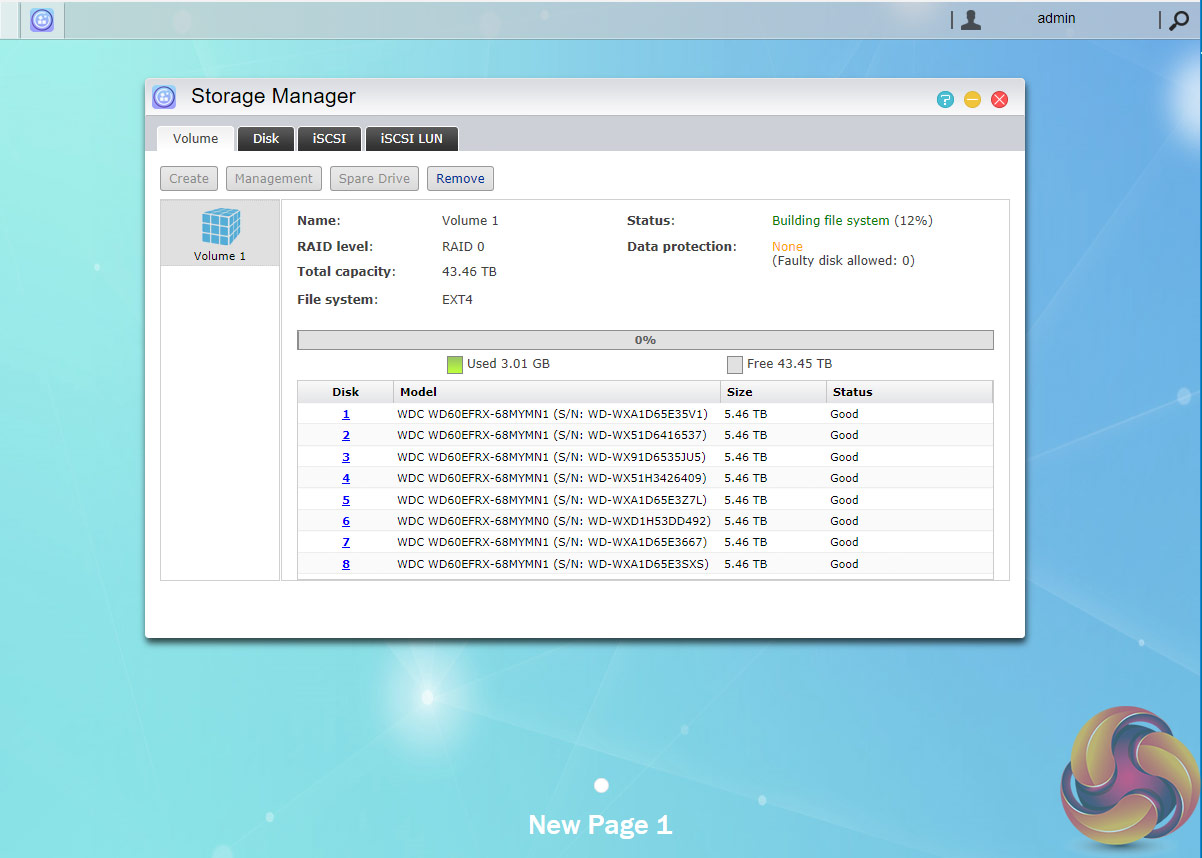
Storage Manager is where you create disk volumes and RAID arrays. The manager also lets you check the status of any disks in the NAS, displays S.M.A.R.T info as well as the setup and managing of iSCSI volumes.
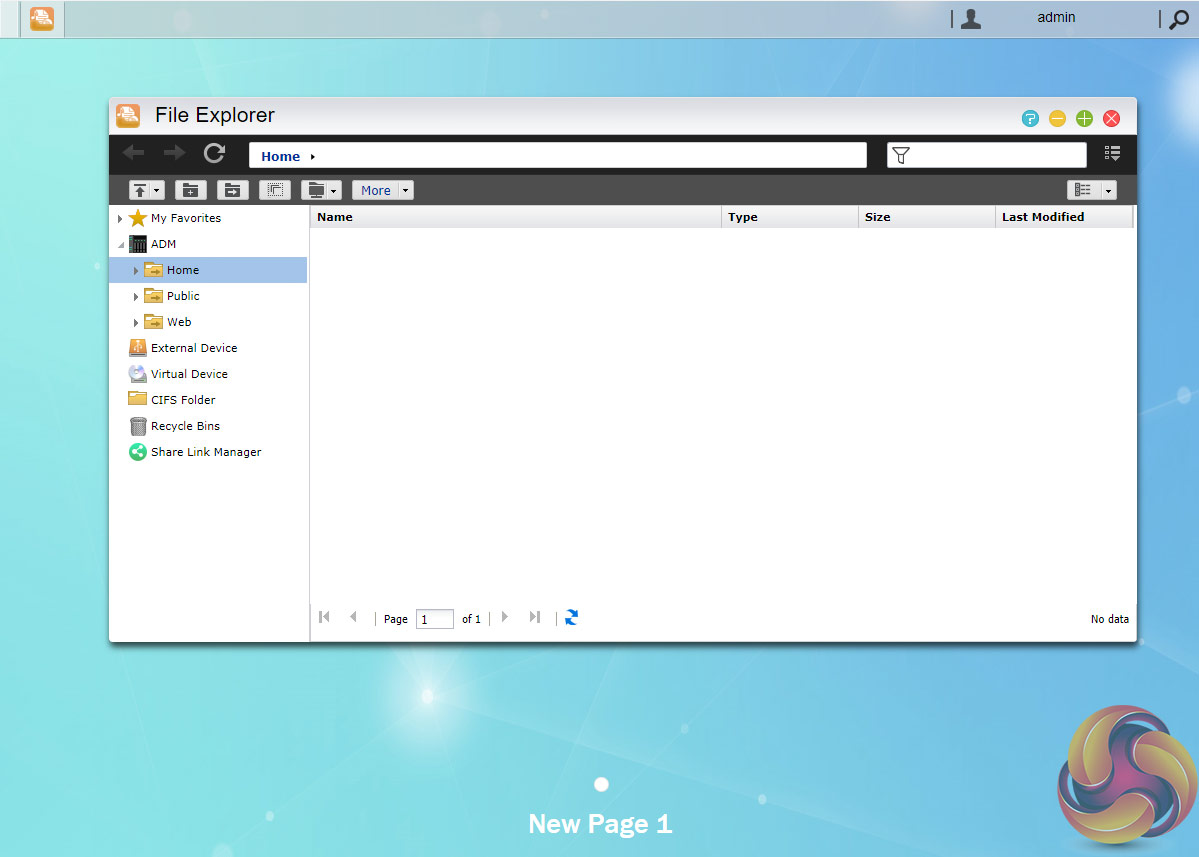
With File Explorer, you can manage the files on the NAS as well as on the local PC and any external drive that may be plugged in. It also allows the mounting of a .iso file as a virtual drive so its contents can be browsed.
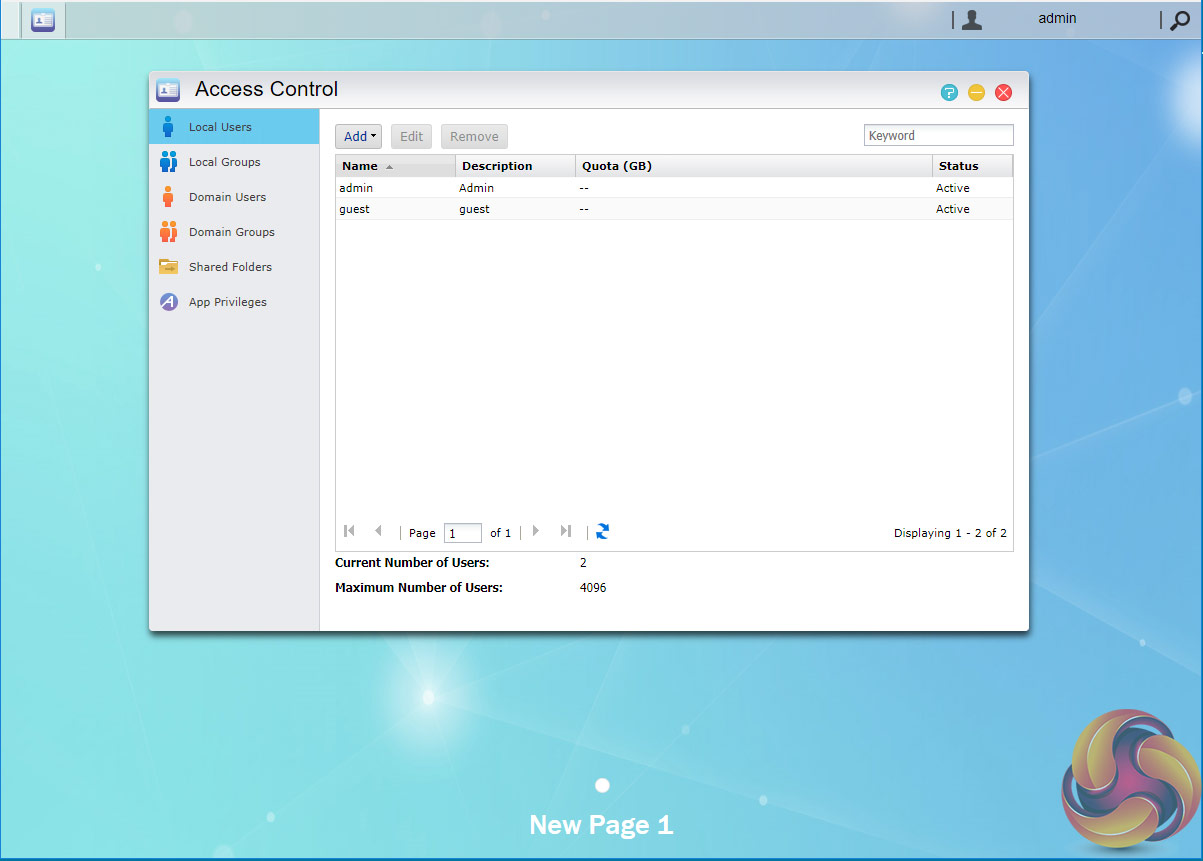
Access control is the management page where users and groups access rights to shared folders are set up and managed.
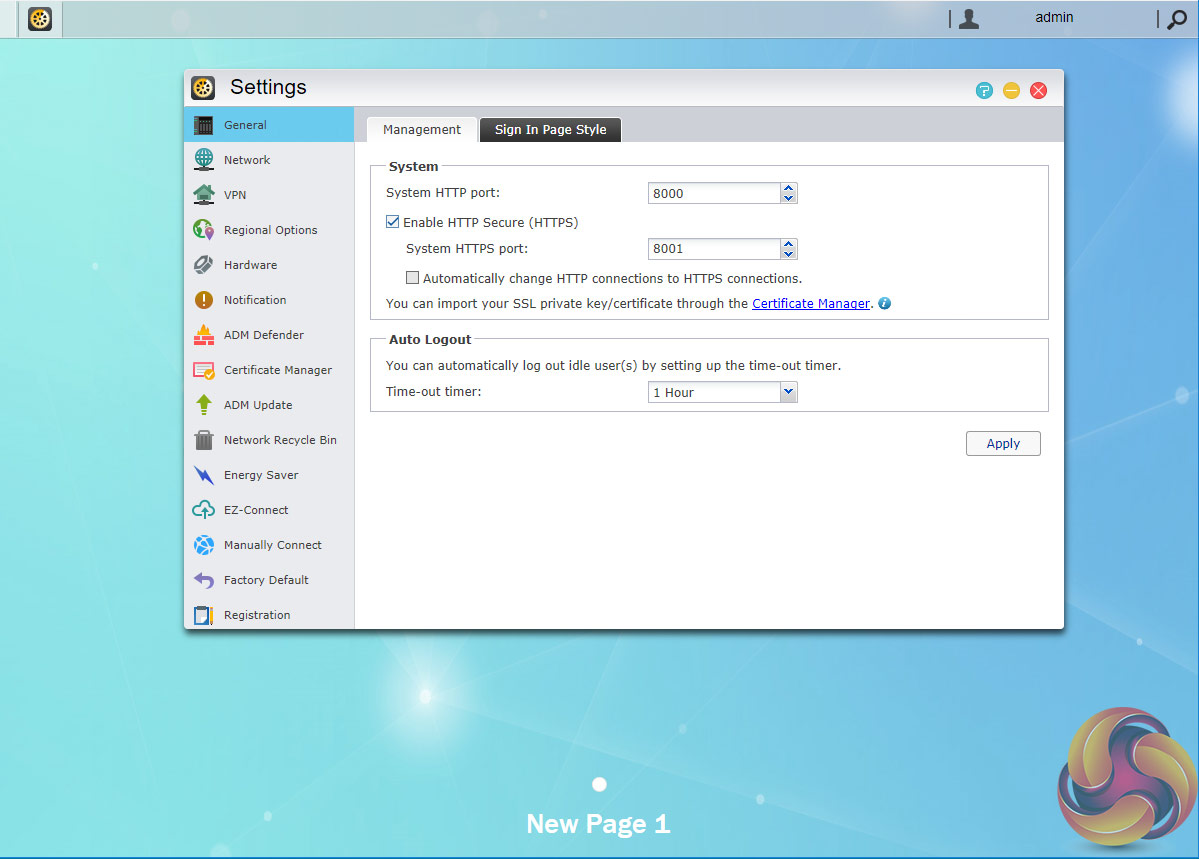
The Settings page as you might imagine has a whole host of options to configure the AS6208T exactly how you want from changing network and VPN settings to power usage and fan settings. There's even a page that looks after changing the appearance of the login page.
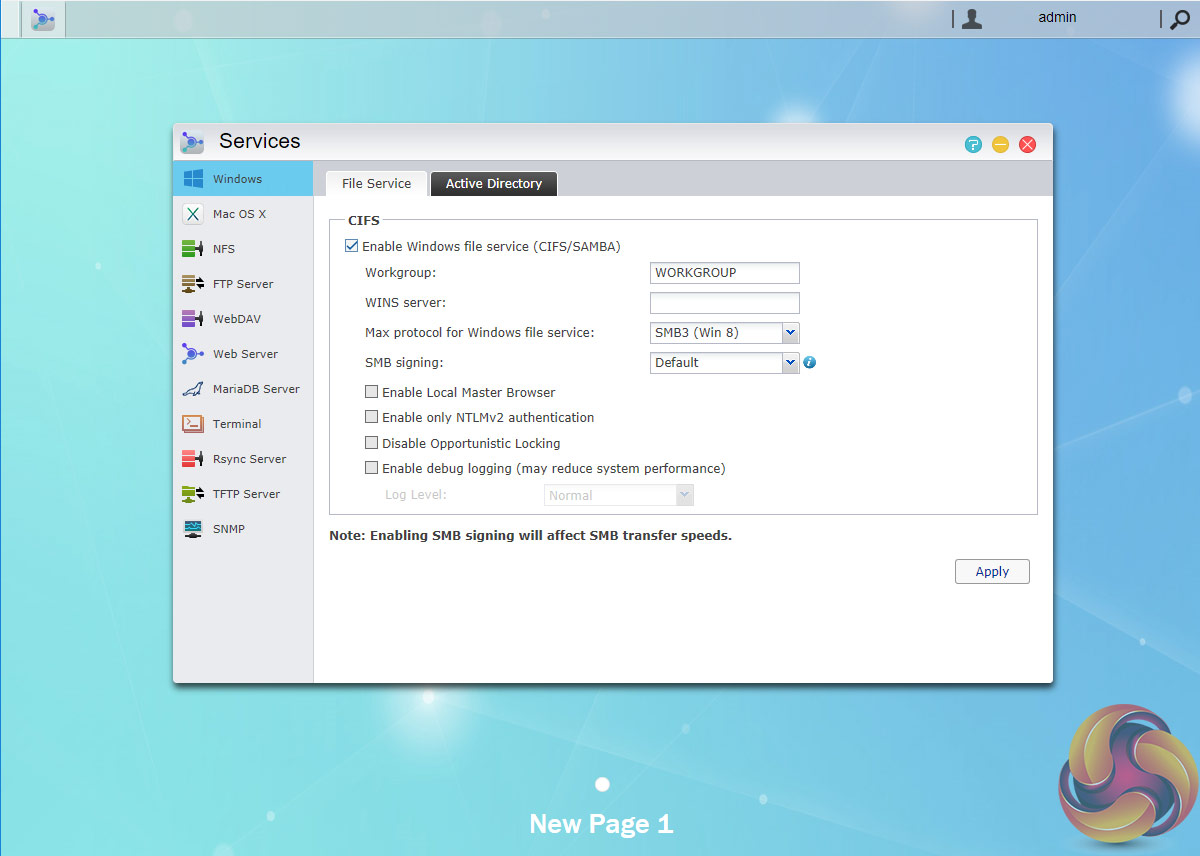
Configuring network servers such as FTP, Web and MySQL is done through the Services page. Windows (CIFS/SAMBA), Mac OS (AFP & Bonjour) and Linux (NFS) file services are supported and are also setup via this section.
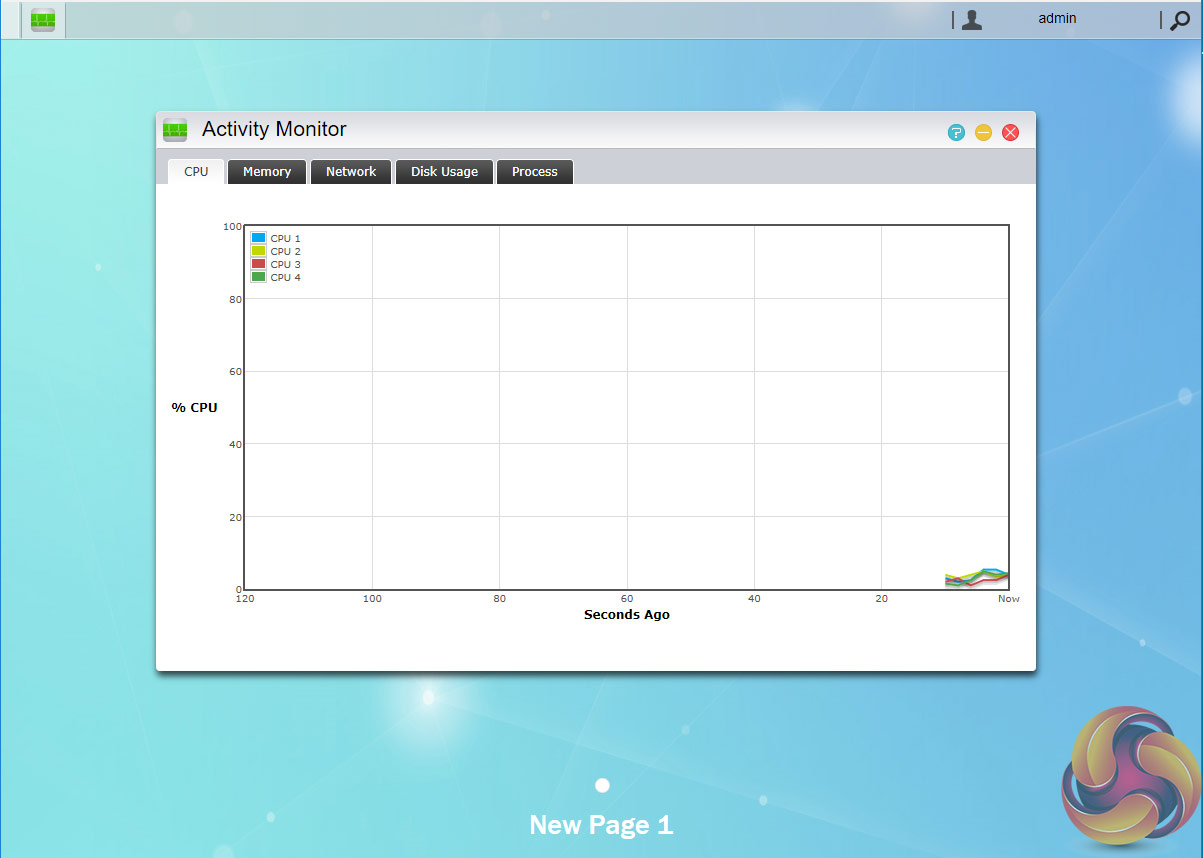
The Activity Monitor is a dynamic service that monitors the NAS displaying CPU, memory and storage space usage as well as network activity.
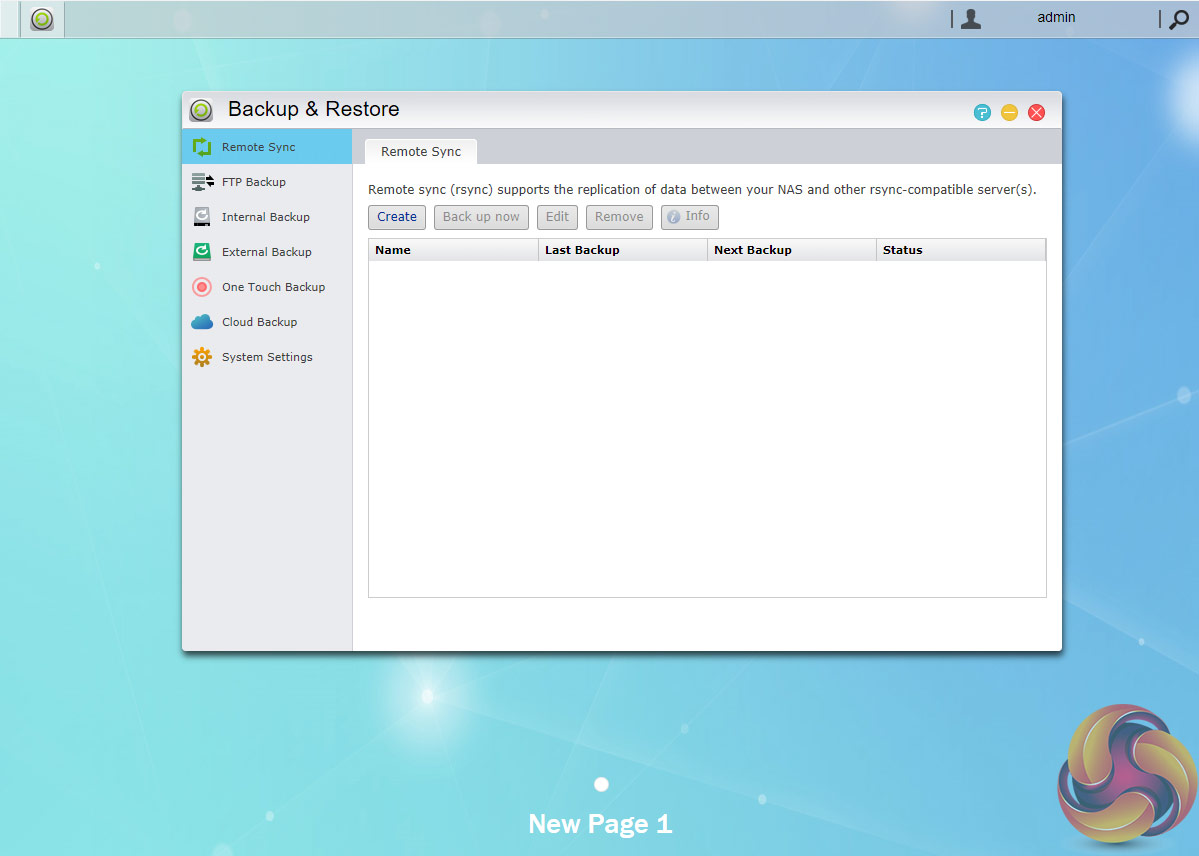
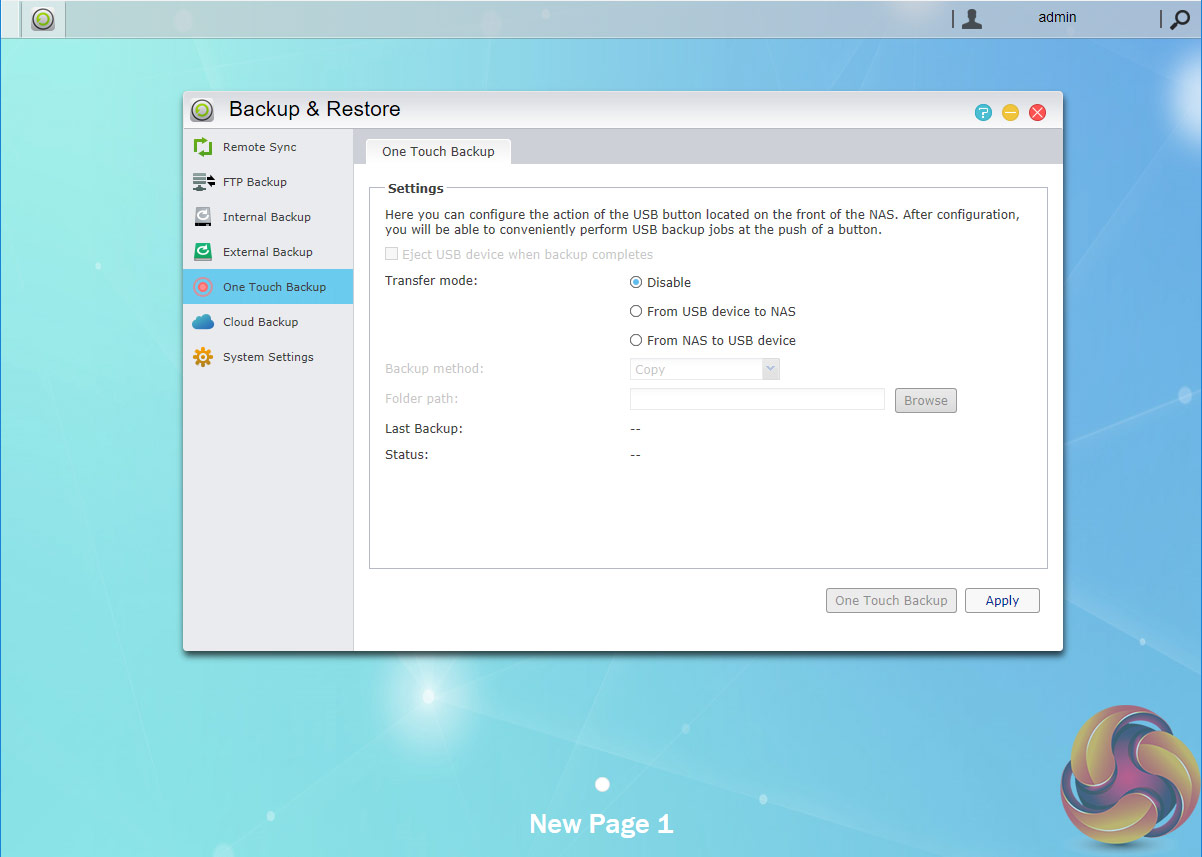
The one thing that ADM does very well is backup support. Over a dozen different backup options are supported either via hardware such as external drives, other devices on the network or the MyArchive technology or via a variety of public cloud services.
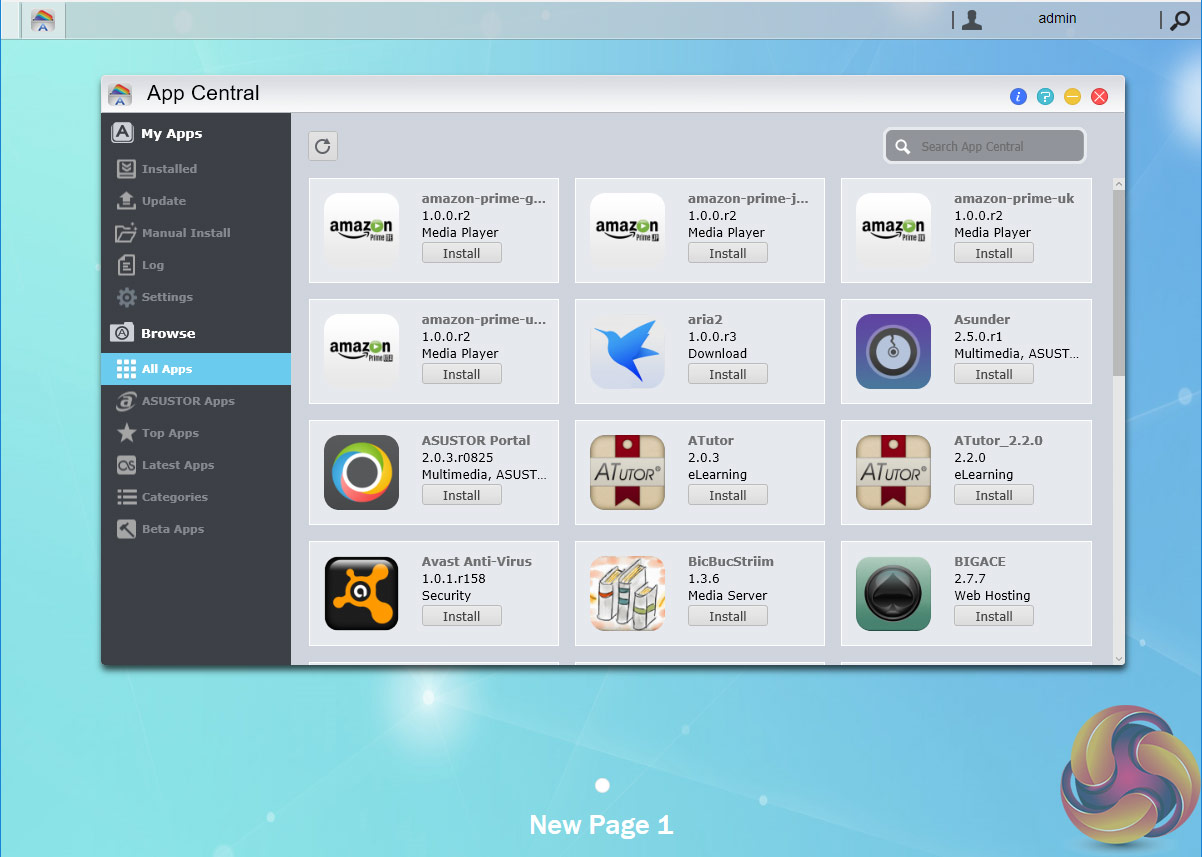
App support has always been one of ADM’s strong points, as one glance at the App Central menu confirms. App Central is the control centre for app management and shows installed apps, all available apps and updates. At the time of writing, the list of available apps to choose from for the AS6 series of devices stretches to a mightily impressive 264 apps.
MyArchive
One very clever backup solution that ADM brings to the table is called MyArchive. This allows hard drives to be used as removable drives so you can swap between different collections of data as and when you need it. Recently upgraded, MyArchive now supports EX4, NTFS and HFS+ file systems.
Data security, particularly in an office environment is paramount and MyArchive drives have AES 256-bit encryption support (EXT4 file system only at present) and to add another layer of protection a USB device can be used as a physical encryption key.
Asustor Portal
The Asustor Portal allows the AS6204T to become the central hub of any media collection. The software comes with Google Chrome/Chromium, Netflix and YouTube apps and it also supports Boxee and Kodi.
Adding the URL-Pack gives even more streaming options. Connect the AS6204T to a HDMI ready display and you can use it to watch videos or browse the internet without the need to fire up your PC.
ADM Highlights
Asustor Portal
MyArchive
Searchlight
iSCI Lun Snapshots
Cloud Backup
Web-based file access.
VPN server
Virtual Storage – supports VMware, Citrix and Hyper-V storage environments.
Mail server
Built-in FTP server.
BitTorrent client.
iTunes, UPnP, MiniDLNA, and Plex Media servers.
Surveillance Center – 4 free camera channels (expandable up to 36 by buying more camera licenses).
Mobile control and media streaming via AiData, AiMaster, AiRemote, AiMusic, AiCast and AiVideos.
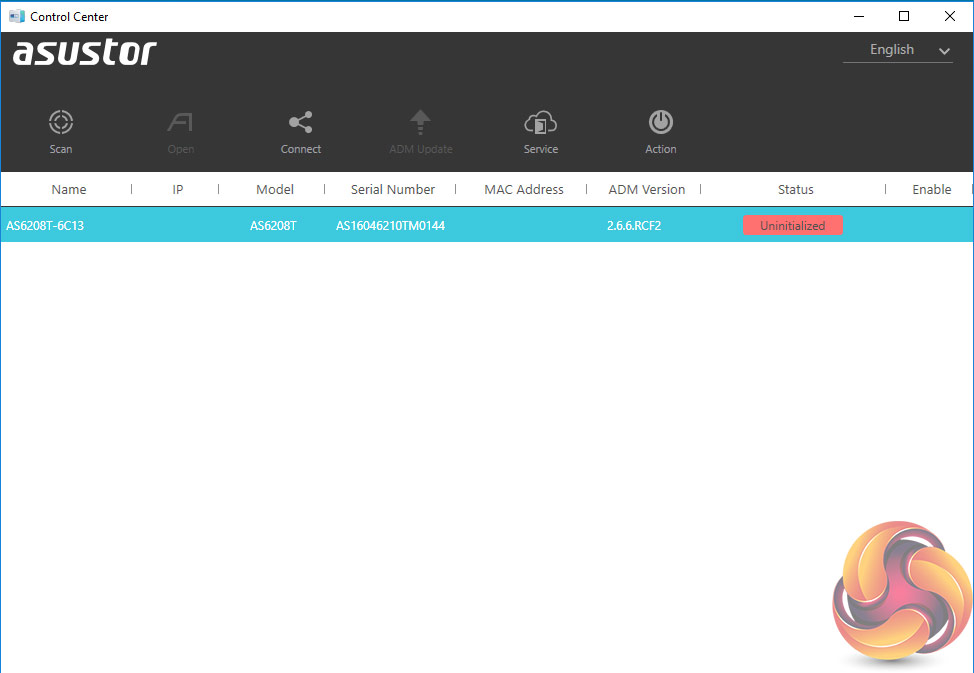
The first thing to do when setting up the AS6208T is to download the Asustor ACC (Asustor Control Center) from the Asustor website. This app finds the NAS on the network to allow you to begin the installation process using the Web Setup. It also allows you to manage the NAS without logging into the ADM (Asustor Data Master) OS.
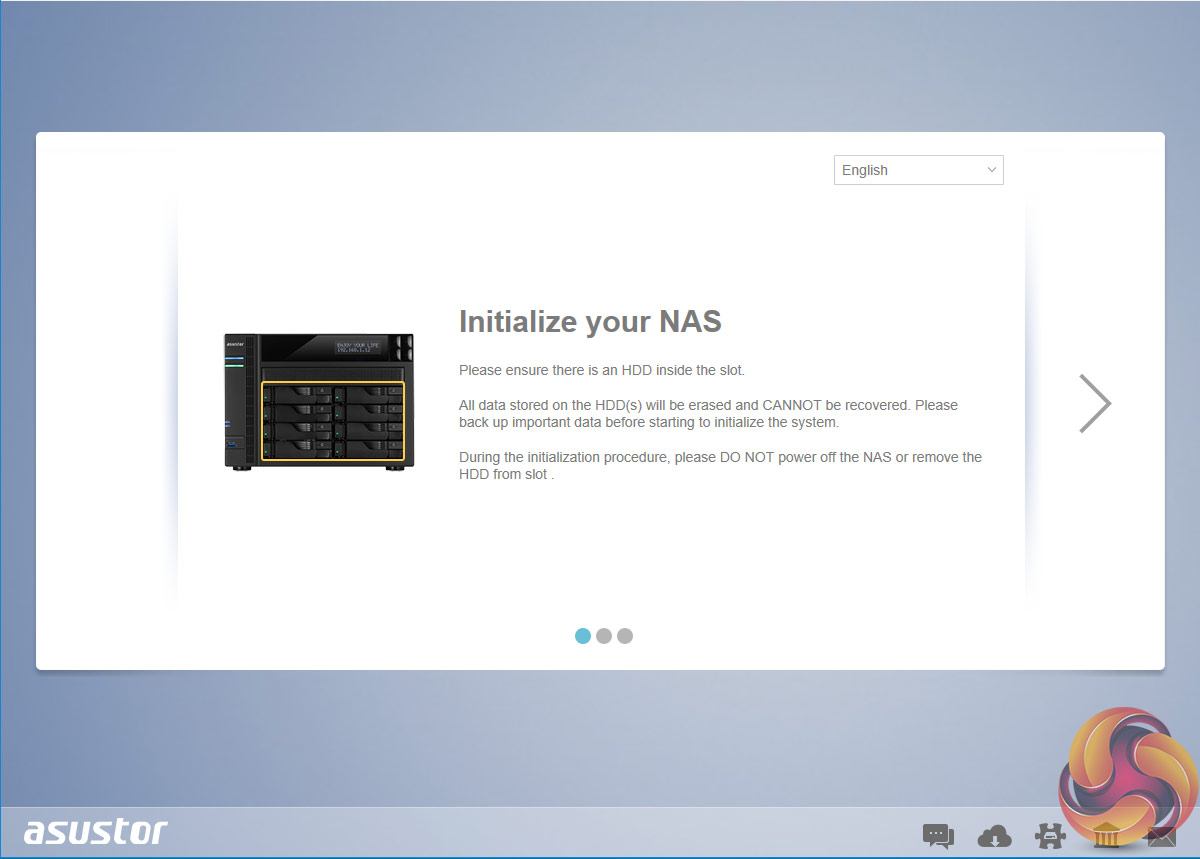
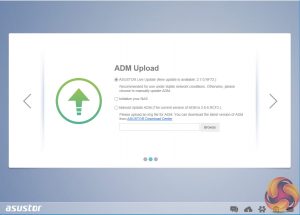
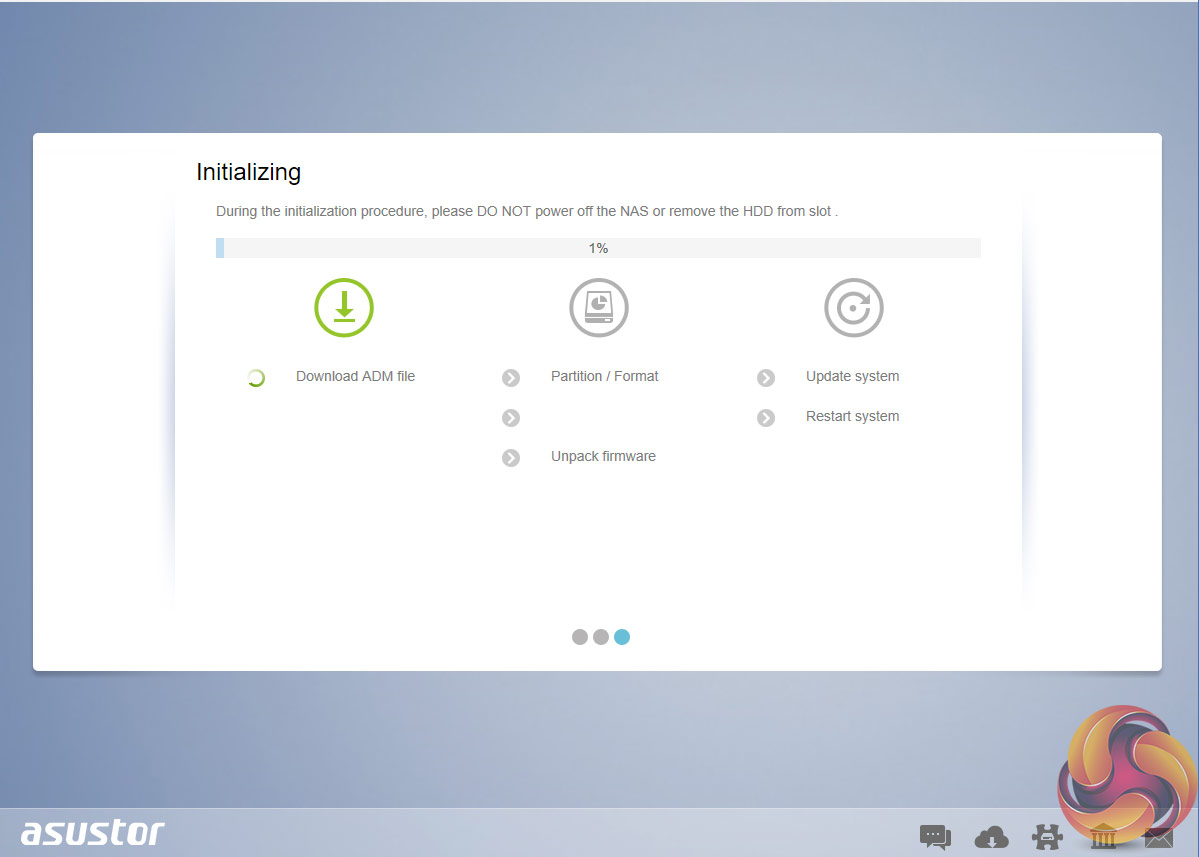
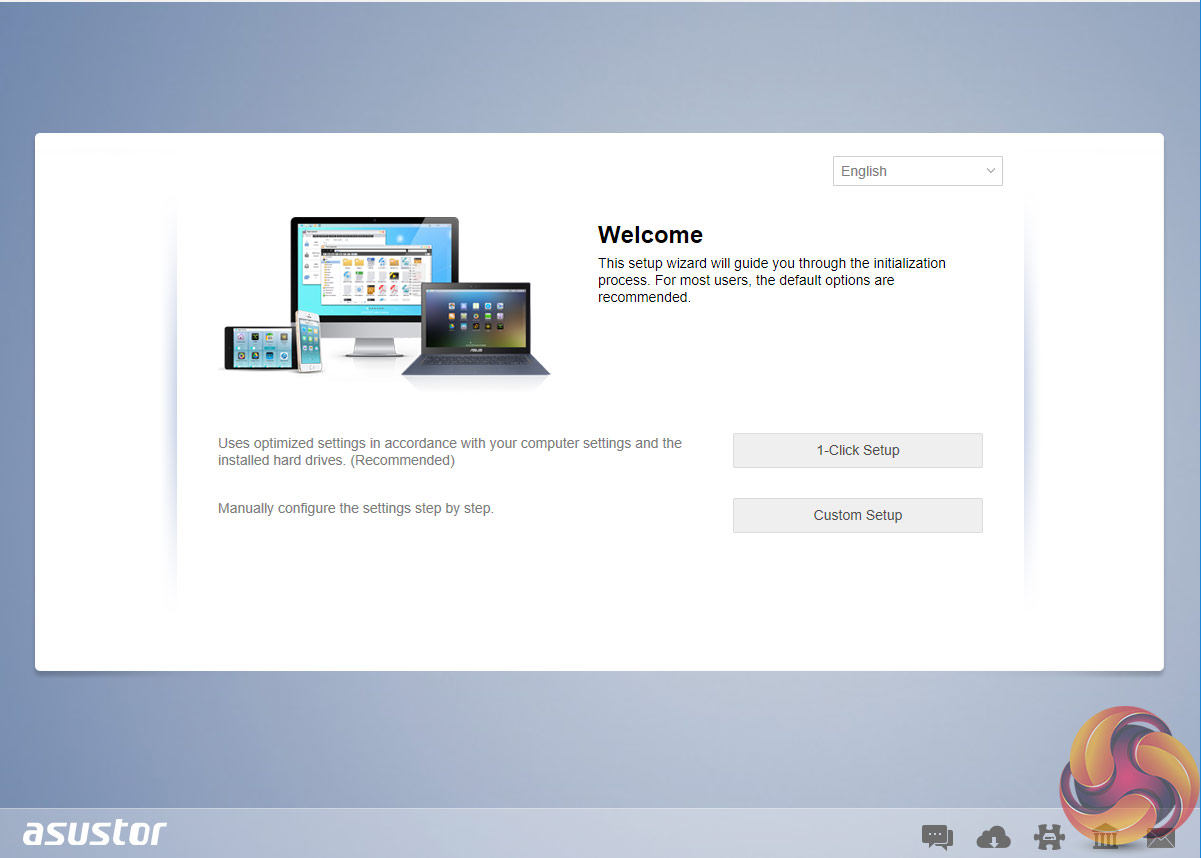
There are two ways to work through the installation process a simple one-click or custom. The custom route enables you to configure more settings as you progress the setup.
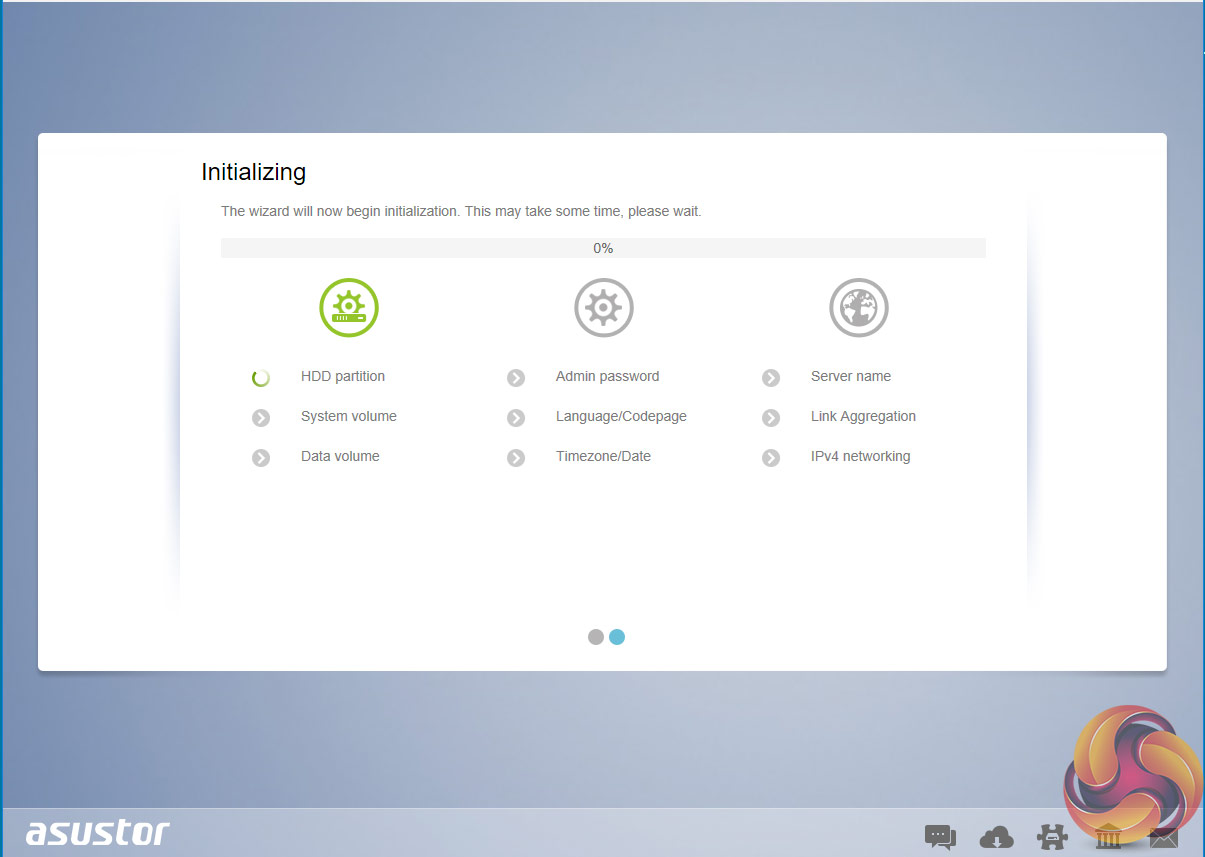
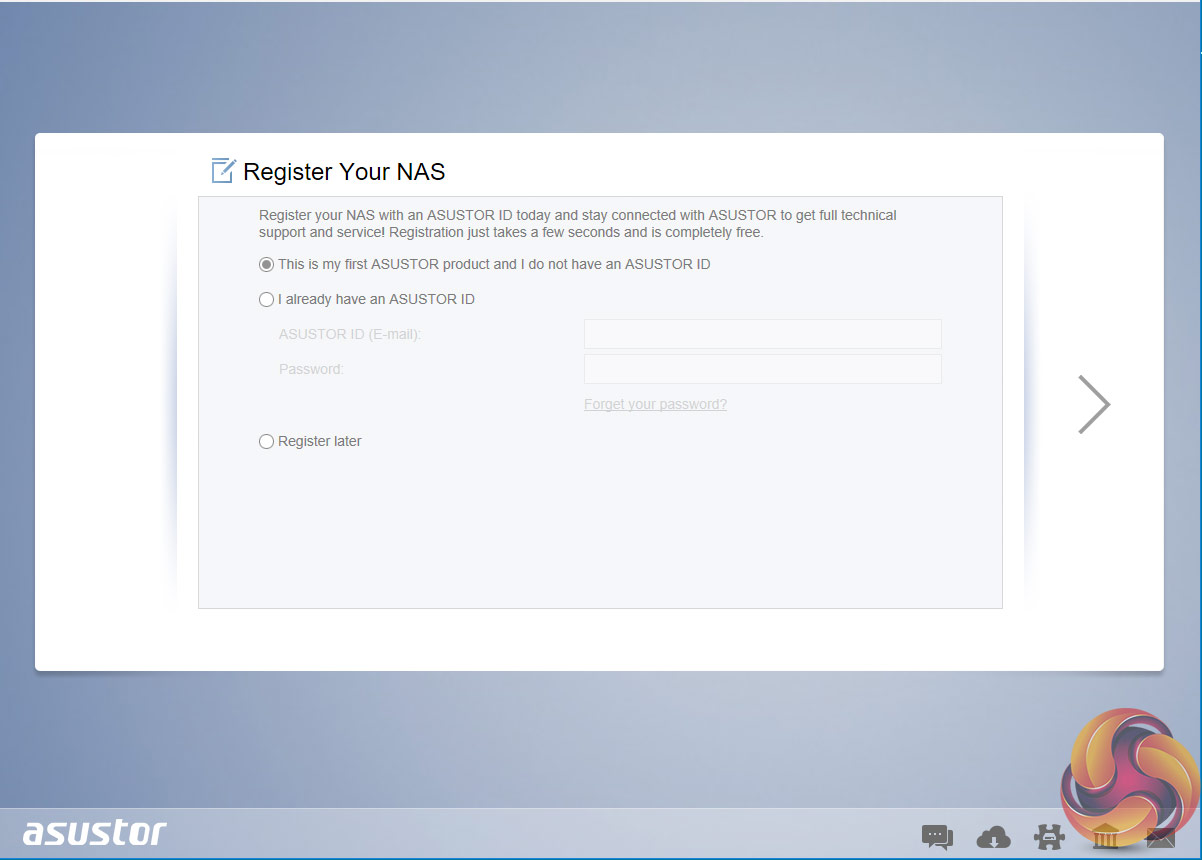
The setup is pretty quick, around 10 minutes or so after starting you are confronted by the log on screen to start using the AS6208T.
To test the Asustor AS6208T we used eight WD Red 6TB drives (WD60EFRX, 5,400rpm class, 64MB cache), built into all the RAID arrays supported by the device; RAID 0,1, 5, 6 and 10 and then tested using a single Ethernet connection.
Software:
Atto Disk Benchmark.
CrystalMark 3.0.3.
IOMeter.
Intel NASPT.
To test real life file/folder performance we use a number of different file/folder combinations to test the read and write performance of the NAS device. Using the FastCopy utility to get an MB/s and time taken for each transfer, the data is written from and read back to a 240GB SSD.
60GB Steam folder: 29,521 files.
50GB Files folder: 28,523 files.
12GB Movie folder: 24 files – mix of Blu-ray and 4K files.
10GB Photo folder: 621 files – mix of .png, .raw and .jpeg images.
10GB Audio folder: 1,483 files – mix of .mp3 and .flac files.
Crystalmark is a useful benchmark to measure theoretical performance levels of hard drives, SSD’s and other storage devices.We are using V3.0.3.
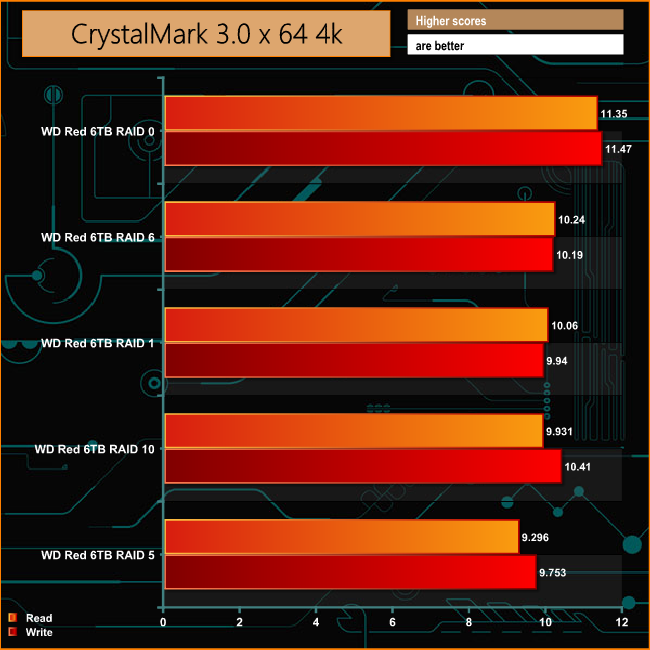
Taking the RAID 0 performance out of the equation, the AS6208T shows pretty good consistency across the arrays in both reads and writes when dealing with the small files sizes of everyday use. There is however a small drop in the read speed in the RAID 5 setup.
The ATTO Disk Benchmark performance measurement tool is compatible with Microsoft Windows. Measure your storage systems performance with various transfer sizes and test lengths for reads and writes. Several options are available to customize your performance measurement including queue depth, overlapped I/O and even a comparison mode with the option to run continuously.
Use ATTO Disk Benchmark to test any manufacturers RAID controllers, storage controllers, host adapters, hard drives and SSD drives and notice that ATTO products will consistently provide the highest level of performance to your storage.
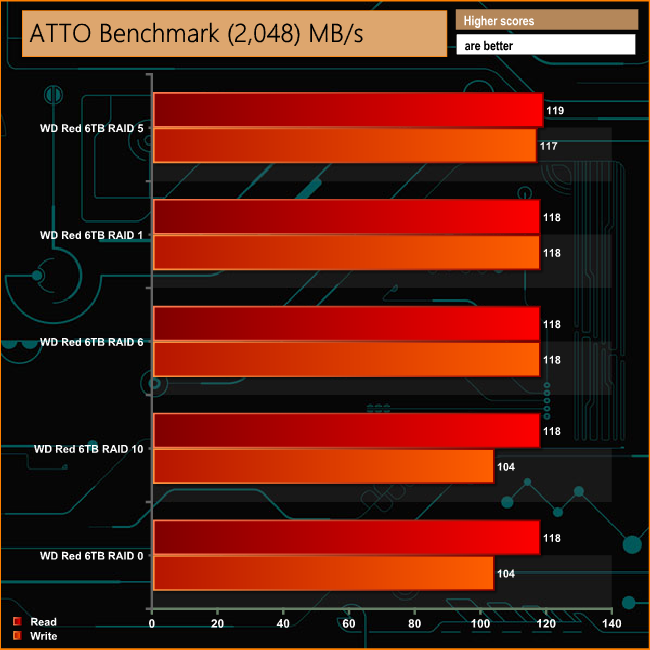
The official headline Sequential speeds for the AS6208T are 398MB/s for reads and 355MB/s for writes in RAID 5 mode, but this is with all four Ethernet ports in Link Aggregation mode. Single port speeds are quoted as 112MB/s for reads and 111MB/s for writes.
Using the ATTO benchmark we could not only confirm those single port figures for RAID 5 Sequential performance but saw a very small increase on the official figures at 119MB/s for reads and 117MB/s for writes.
The only two occasions that we saw figures below the official single connection rates was in the write performance for both RAID 0 and RAID 10.
Intel’s NASPT (NAS Performance Toolkit ) is a benchmark tool designed to enable direct measurement of home network attached storage (NAS) performance. NASPT uses a set of real world workload traces (high definition video playback and recording, video rendering/content creation and office productivity) gathered from typical digital home applications to emulate the behaviour of an actual application.
We’ve used some of the video and office apps results to highlight a NAS device’s performance.
HD Video Playback
This trace represents the playback of a 1.3GB HD video file at 720p using Windows Media Player. The files are accessed sequentially with 256kB user level reads.
4x HD Playback
This trace is built from four copies of the Video Playback test with around 11% sequential accesses.
HD Video Record
Trace writes a 720p MPEG-2 video file to the NAS. The single 1.6GB file is written sequentially using 256kB accesses.
HD Playback and Record
Tests the NAS with simultaneous reads and writes of a 1GB HD Video file in the 720p format.
Content Creation
This trace simulates the creation of a video file using both video and photo editing software using a mix of file types and sizes. 90% of the operations are writes to the NAS with around 40% of these being sequential.
Office Productivity
A trace of typical workday operations. 2.8GB of data made up of 600 files of varying lengths is divided equally between read and writes. 80% of the accesses are sequential.
Photo Album
This simulates the opening and viewing of 169 photos (aprrox 1.2GB). It tests how the NAS deals with a multitude of small files.
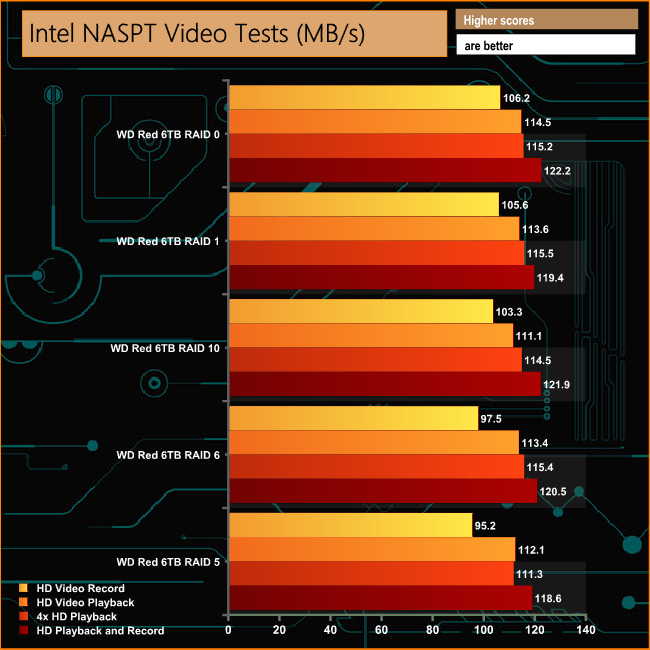
The AS6208T dealt with the video tests of Intel's NASPT benchmark comfortably, scoring above 100MB/s in all bar two test runs. The two exceptions were in the HD Video Record test runs of RAID 5 and 6 modes where the performance was just shy of the 100MB/s mark at 97.5MB/s and 95.2MB/s respectively.
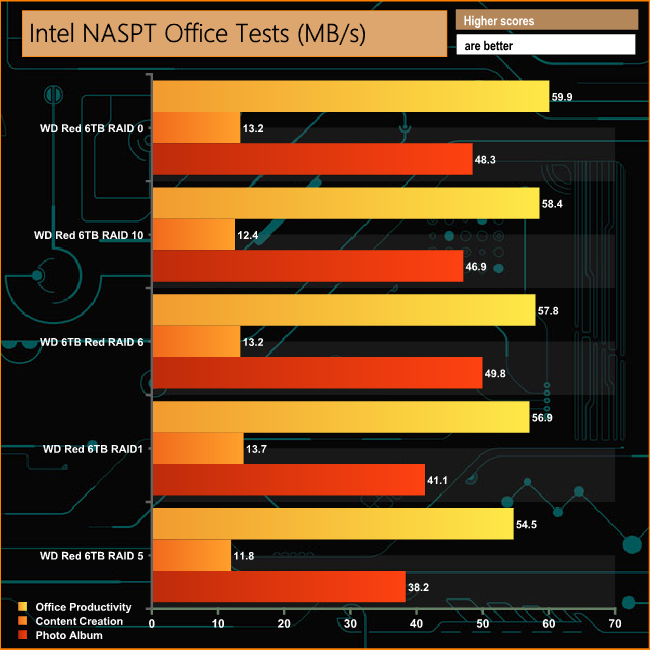
With the exception of the RAID 5 performance in the Content Creation and Photo Album tests, the AS6208T shows a good deal of consistency across the arrays.
IOMeter is another open source synthetic benchmarking tool which is able to simulate the various loads placed on hard drive and solid state drive technology.
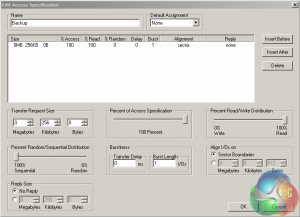
We set IOmeter up (as shown above) to test both backup and restore performance on a 100GB partition.
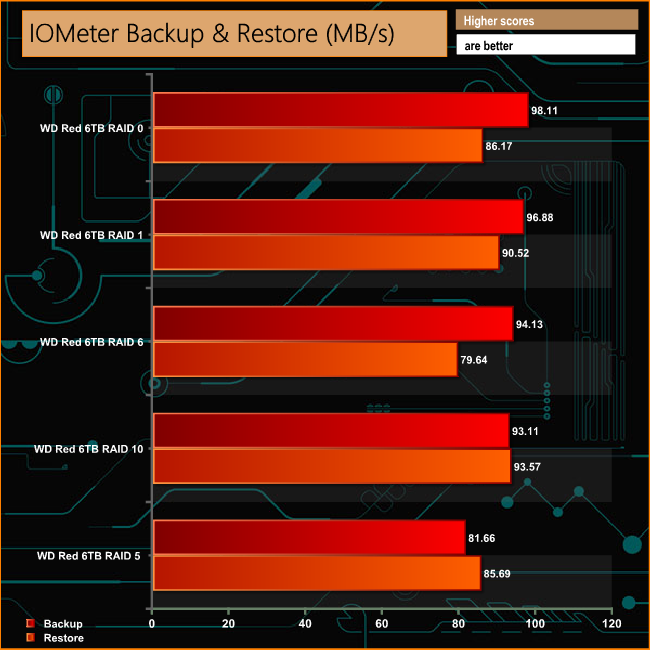
Although the AS6208T didn't break the 100MB/s mark in our backup/restore tests it's still pretty quick. It's fastest reading back the data when in a RAID 10 array and slowest when reading in RAID 6.
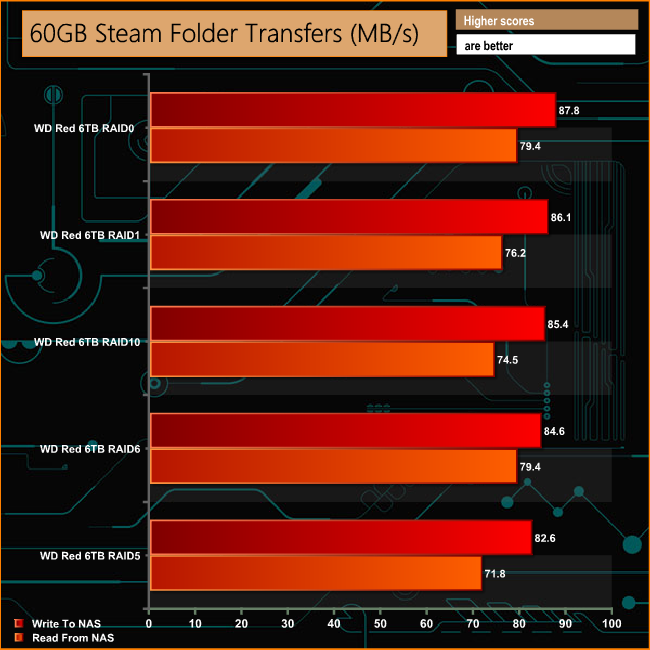
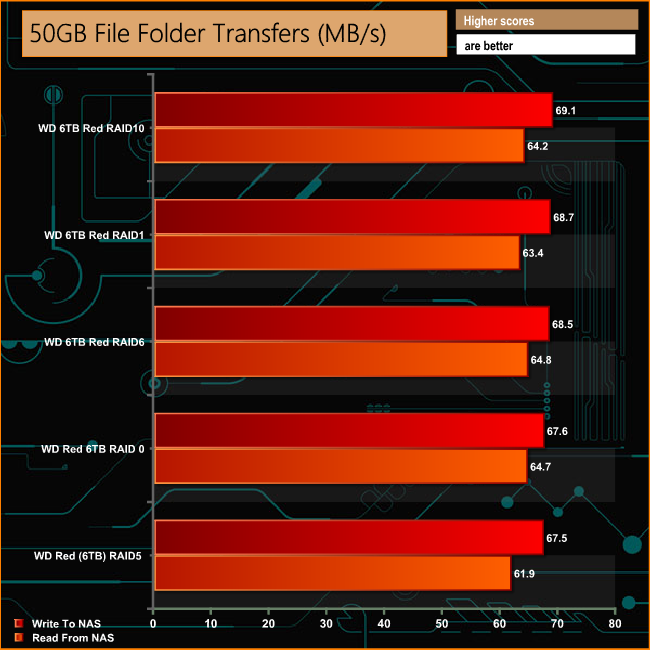
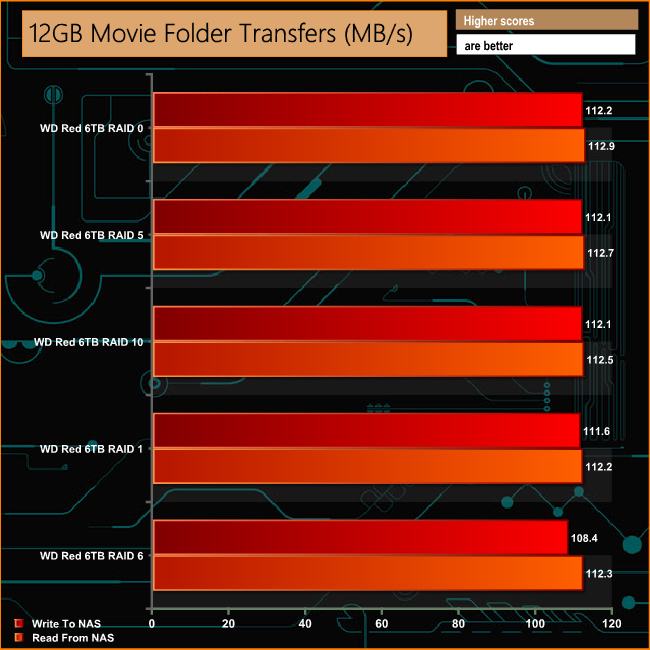
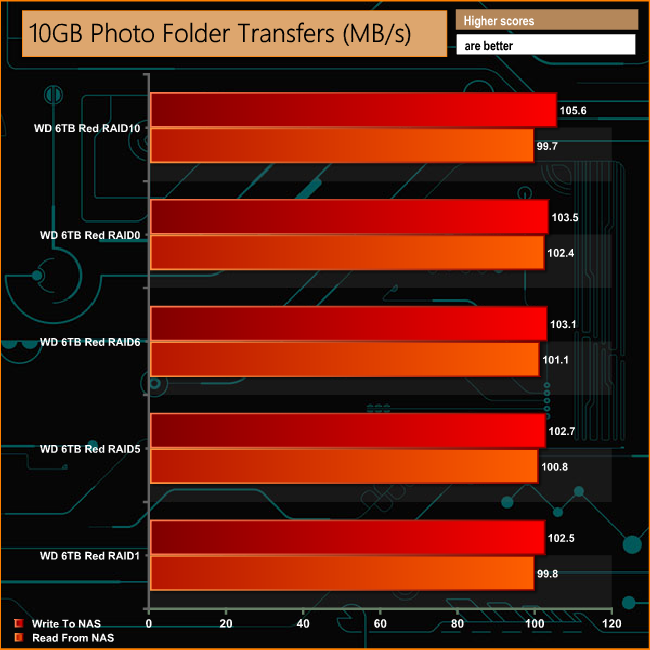
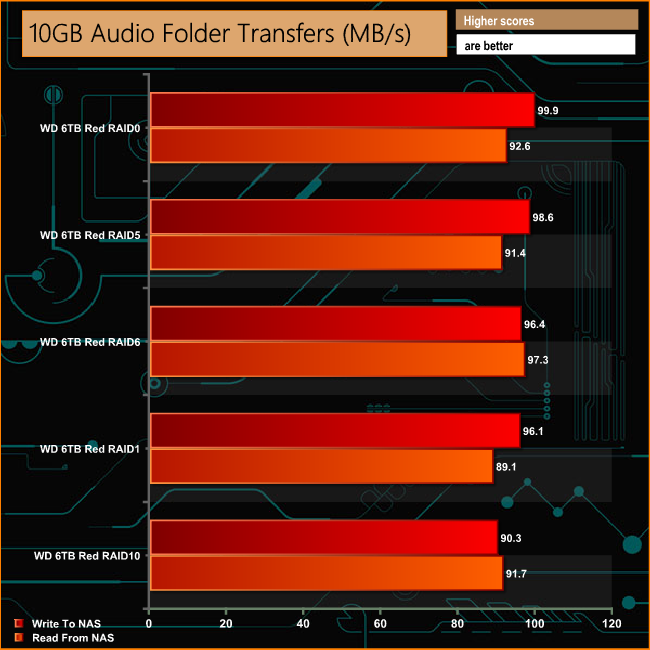
When the AS6208T was tested using our real life file transfer tests, it showed a pretty good level of performance consistency across all the tested arrays for both reads and writes.
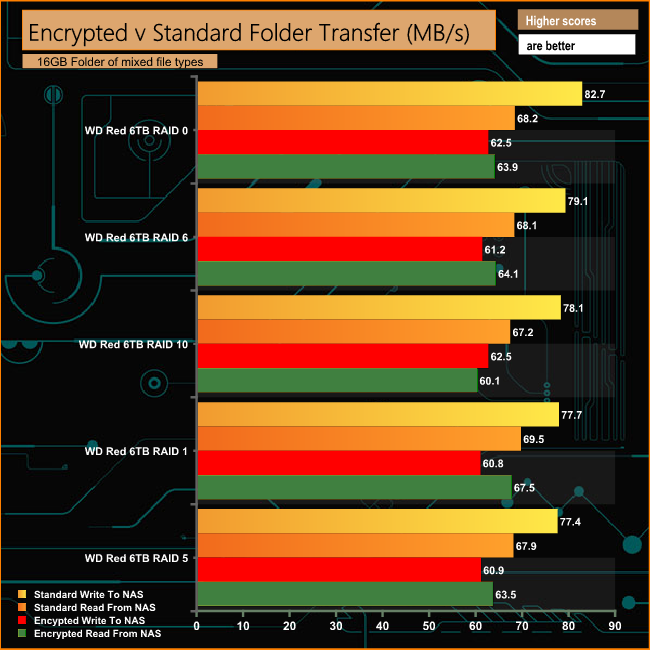
As the AS6208T comes with an integrated encryption engine, we tested the transfer speed of a 16GB folder of mixed file types both unencrypted and encrypted to see how much effect the encryption has on performance.
As can be seen from the graph, the engine helps bolster performance during these folder transfers dropping just 17MB/s in RAID 5 when writing to the NAS.
We tested the peak power consumption of a NAS at the wall during a run of CrystalDiskMark 5.0.2 as this version of the benchmark runs the read and write benchmark suites separately so it's easier to monitor what power the device is using during each function.
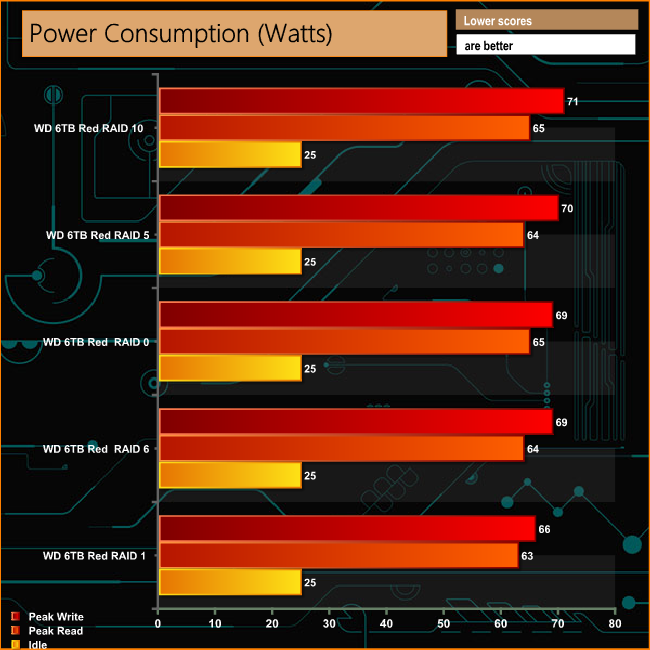
The AS6208T uses around 70W of power when being pushed hard writing to the disks and around 64W when in peak read mode. For a device with eight hard drives in that's pretty good but having a CPU with a TDP of just 6W and using hard drives with an active rating of just 5.3W does help keep the peak power figures down.
Asustor's AS620*T family of NAS devices sit under the companies Power User to Business banner with models ranging from 2-bay all the way up to the flagship 10-bay model, the AS6210T. One notch down the food chain from the flagship unit is the 8-bay AS6208T.
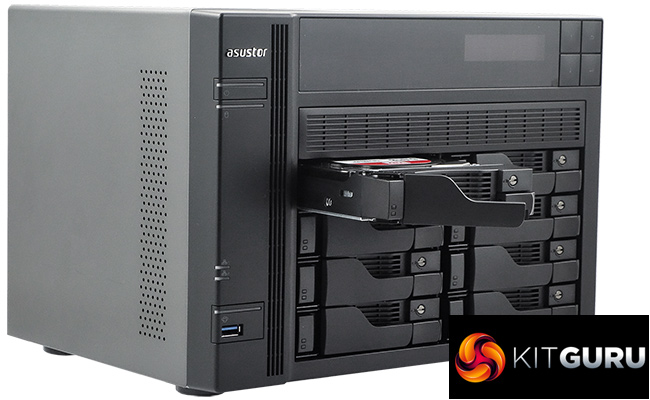
With the combination of a quad-core processor and dual channel memory, the AS6208T is a powerful NAS device. Asustor quote three throughput figures for the AS6208T depending on how you have the four Ethernet ports set up as they support Link Aggregation.
In RAID 5 mode with all four ports linked Asustor quote Sequential Read/Write figures of 398MB/s and 355MB/s respectively. With two ports linked, the figures drop to 244MB/s for reads and 220MB/s for writes and finally with a single connection the performance is quoted at 112MB/s for reads and 111MB/s for writes.
When tested with a single connection in the ATTO benchmark we obtained figures for a RAID 5 array of 119MB/s for reads and 117MB/s writes, a little better than the official figures.
One area where the AS6208T shines is when it comes to backing up data for Windows, Mac and Linux users. There are a multitude of options both hardware and cloud-based, over twelve in fact. On the hardware side, data can be backed up onto USB external devices, local machines on the network or by using the MyArchive technology. As for cloud-based options; Amazon S3, Dropbox, OneDrive, Box.net, Google Drive, WonderBox, xCloud, CrashPlan, HiDrive and Ralus are all supported.
On the business side of things, the AS6208T provides Hyper-V, Citrix and VMware virtual storage support which together with support for iSCSI/IP-SAN and NFS protocols allows it to fully integrate with existing IT setups. By using VirtualBox with 4GB or more of memory you can install virtual machines of differing OS on the AS6208T, turning the NAS into a company backup PC and by using ADM it's also possible to set up mobile virtual machines.
A dedicated hardware AES-NI encryption engine provides AES 256-bit encryption and the various collections of important data that can be stored using the MyArchive technology are protected by AES 256-bit encryption with an added level of security afforded by being able to use a USB device as a physical encryption key.
It can also be used as a center of a security system for a business as it comes with 4 free camera channels. By buying additional camera licenses, up to 36 channels can be supported by the AS6208T. By using Surveillance Center together with the AiSecure mobile app you can even stream live camera feeds to a mobile device.
In the home, the AS6208T’s 4K playback support and HDMI port make it an ideal central hub for a multimedia collection and with up to 80TB of storage capacity (at the time of writing the NAS supports drives up to 10TB) there's a fair bit of space to store media files. Add in the host of streaming software that is available via the Asustor Portal (Google Chrome, Chromium Web, Netflix, Kodi, Spotify and Virtual Box), with others available through the URL-Pack, and the multimedia capability is excellent.
In its multimedia guise, the AS6208T doesn’t even need a PC to be powered up to use it. Just connect the NAS to an HDMI ready display and you can use it to watch videos browse the internet or listen to music.
We found the AS6208T for £666.92 on Amazon.co.uk HERE
Discuss on our Facebook page, over HERE.
Pros:
- ADM software.
- Data backup options.
- Hardware transcoding engine.
- Expandable memory.
Cons:
- Lack of proper locks on drive bays.
Kitguru says: A powerful, and thanks to the ADM software easy to use NAS for business or with its multimedia support and potential for huge storage space, a powerful home media hub.


2 comments