KitGuru KitGuru.net – Tech News | Hardware News | Hardware Reviews | IOS | Mobile | Gaming | Graphics Cards


Well here we are, 16 years into the new millennium and the rate of technological development shows no signs of slowing down. As the KitGuru Editorial Team sat down to discuss the best products of the year, we were constantly reminded of how much can change in just such a short period of time.
From the launch of the 1.4GHz Pentium 4, to Intel’s 6700K Skylake chips touching the 7GHz mark in August this year.
Back in the year 2000, Samsung’s R&D team created the first 512Mb DRAM, while this August saw the launch of the PM1633a – a 16TB solid state drive that effectively removes one of the mechanical storage sector’s last ‘wins’: Superior capacity. 3D Vertical NAND memory promises a lot in terms of capacity/cost in the near future.
Arguably the biggest steps forward ‘into a new tomorrow' are about to happen in virtual reality. The fundamentals haven’t really changed over the past 15 years (in as much as you wear a headset and a computer presents you with an alternative reality), but the Virtual Reality world is becoming more realistic and we’re seeing a glut of new, affordable technologies preparing to hit the mass market – including the Valve/HTC headset and the Rift/Touch from Oculus. Developer editions of the Microsoft HoloLens are being touted around the $3k mark, but that will change – especially if Asus and Gigabyte get into the market in 2016.
After the huge impact of the Maxwell architecture on the market, 2015 was a relatively slow one for graphics. Right now, all eyes are on the rumours that nVidia taped out its Pascal/GP100 chip in June 2015 and shipped 9 engineering samples in September. It could feature four stacks of HBM2 memory, offering gamers 16GB desktop cards and Quadro cards for professionals with up to 32GB. Final yields and pricing will likely be at the mercy of TSMC’s new 16nm FinFET process. We don't yet know what AMD have planned but HBM V1, showcased by AMD with their Nano and Fury range of cards has paved the way for future innovation in the VRAM segment.
As with last year’s awards, we’ll start with the items closest to the heart of your PC and work our way out to the retailer that you, the reader, voted as the best place to buy technology.
So what were the ‘Best of the Best' products in 2015?

Processors
Although it initially launched in 2011, price moves meant that Intel Sandy Bridge processors really started to take significant market share at the start of 2012. As the price of the 2500K dropped, it finally became the natural successor to the overclocker’s favourite: The D0 stepping Q6600. KitGuru’s awards for 2015 see a reprise for the 6600 brand name in our mainstream processor of choice section. The high-end/professional choice was a lot harder. In many ways, the Core i7 5820K is still the processor of choice for many serious users, but we wanted to flag one of the new generation.
High-End/Professional
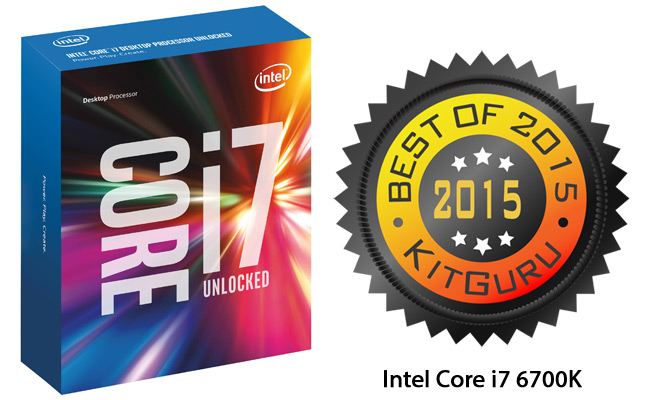
The overclocking potential of the Skylake processors is very good and we consistently hit 4.8GHz with our Core i7 6700K sample at 1.4v. Skylake was a measurable improvement over Devil’s Canyon, with a ~200MHz boost needed on the older chips to match Skylake’s inherent performance levels at stock speeds. Unfortunately, the price of the 6700K means it can’t pull away from the 5820K – with both of them available around the £300 mark.
Professionals will want the greater core count and PCIe connectivity of the 5820K, but most of you are likely to be opting for gaming – at which point the overclocking headroom (and improved chipset functionality) from the 6700K makes it a winner.
KitGuru's choice for the Best High End Processor 2015 goes to the Intel Core i7 6700K.
Mainstream
Globally, the average selling price of a desktop PC without peripherals or operating system is now under £300/$400. However, the KitGuru version of ‘mainstream’ considers PCs that are less than £600/$900 to be distinctly budget, while more than £1,500/$2,250 is heading toward the high end.
Sure, there will be overlap at either end, so a mainstream processor needs to be at home in a machine from £600 to £1,500. There are surprisingly few candidates in this area, largely because of AMD’s lack of a new architecture launch in a very long time.
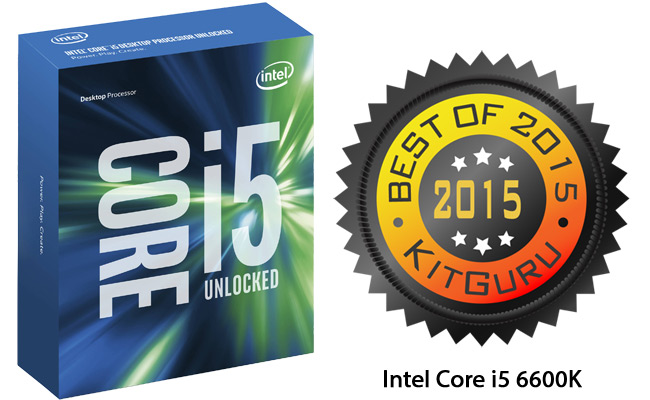
With the benefits of Z170 that we’ve already alluded to, it was always going to be a Skylake chip – and one with overclocking capability. At the time we went to press, Overclockers had the Intel Core i5 6600K on sale at just over £185. With a base frequency of 3.5GHz, we had no trouble getting a stable 4.5GHz at 1.35v in the KitGuru Labs.
At that speed, it out muscled the 5820K at 4.5GHz in PC Mark 8. If you are gaming on a HD monitor, then our tests gave almost exactly the same in-game performance for the 6600K at 4.5GHz as the 5960X at 4.4GHz in Grand Theft Auto 5.
KitGuru's choice for the Best Mainstream Processor of 2015 goes to the Intel Core i5 6600K.
Motherboards
With Intel completing a clean-sweep of the processor categories, our options for motherboard were made somewhat narrower. KitGuru readers will always gravitate toward performance, stability and owning the latest technologies. Over on Facebook, KitGuru has over 313,000 followers and when you guys post, we pay attention.
One area where you are not scrimping is with motherboards. For that reason, we have decided to give one award to the best X99 board and a second for the best Z170 board – suitable for builds with either the Core i5 6600K or Core i7 6700K.
Z170
With all of the stand alone motherboard reviews we have produced in 2015 – alongside the Z170 boards we have seen inside systems supplied for testing – one product stood head and shoulders above the rest. When the only negatives we can find are ‘Some of the overclocking features take time to master – like LLC’ and ‘If you use a graphic card above the M.2 slot with a U.2 adapter then things can get tight’, then you know you had to look for ‘downsides’.
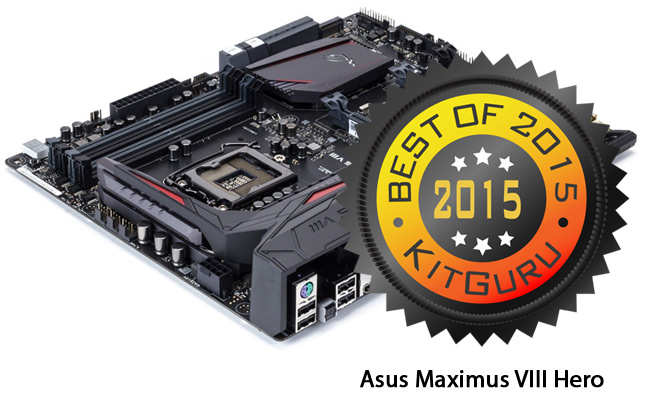
The Asus Maximus VIII Hero weighs in around the £170 mark, so it’s not cheap, but you get a hell of a lot of board for your money. The work that Asus has done in the area of audio quality showed through in our RMAA testing and there is a smart allocation of storage and connectivity interfaces – alongside USB Type A and C interfaces – but the jewel in the crown is the UEFI BIOS.
For those who are relatively new to overclocking, the profiles offered by Asus will give you great results. For experts, the fine tuning options are really straightforward. All round, if you are building a serious Z170 system, then the Asus Maximus VIII Hero is hard to beat.
KitGuru's choice for the Best Z170 Motherboard in 2015 goes to the Asus Maximus VIII Hero.
X99
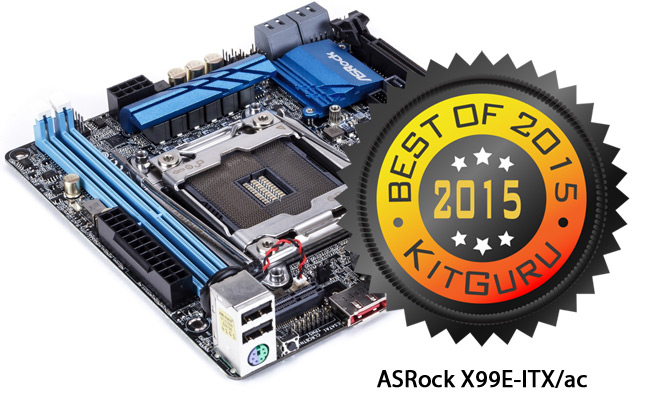
Every year, the R&D team at ASRock manages to pull off at least one surprise – and this year it has been achieved with the X99E-ITX/ac Mini ITX motherboard. While gamers favour the seriously big chassis, with a ton of fans and lights, professionals are just as likely to want something small and gorgeous sitting on/around their desktop.
With the Core i7 5820K so easy to overclock – and delivering so much performance in professional applications – Mini ITX is an attractive option.
When we reviewed the ASRock X99E-ITX/ac in June, it was the first board of its kind. Just as impressive as ASRock beating the rest of the big boys to market, was the fact that way that they managed to minimise the performance loss from such a shrink. While you will want a larger board for world record attempts etc, if your aim is to overclock an Intel Core i7 5960X to its maximum stable level for everyday use, then the X99E-ITX/ac will give you that, easily.
Haswell-E and Xeon processors (up to 18 cores) now have a good Mini ITX option – and data throughput from the 32Gbps Ultra M.2 connector is stunning. Dual channel memory is the only real bottleneck compared to a full sized X99 board and you will need to check whether the all in one liquid cooler you want to use will fit.
Overall, an engineering masterpiece. At the time of going to press, this motherboard was around £189.
KitGuru's choice for the Best X99 Motherboard in 2015 goes to the ASRock X99E-ITX/ac.
SSD and Memory
In 2015, we saw more memory kits inside complete systems than we looked at separately. The same is true for solid state drives. In each of these categories, the winner was clear from the first moment we saw the product.
We have been asked why we don’t spend more time looking at mechanical hard drives and the answer is simple: Performance levels between the main manufacturers are very similar – and a long way back from what you get with a solid state drive.
Then there is the price – with brands like SanDisk doing their part to push 960GB drives under the £200 mark. As a result, most KitGuru readers now look at mechanical drives as a back up solution – local or NAS.
While the hard drive industry isn’t 100% behind the BackBlaze report, the quarterly survey of the reliability of 50,000 drives is unique in its size and consistency – so probably worth a read if you need a mechanical drive.
Solid State Drive
The performance and form factor of the new M.2 drives means that they will play a massive role in the future of KitGuru reader systems, but – for now – most people are still using either a SATA III or PCI-Express model.
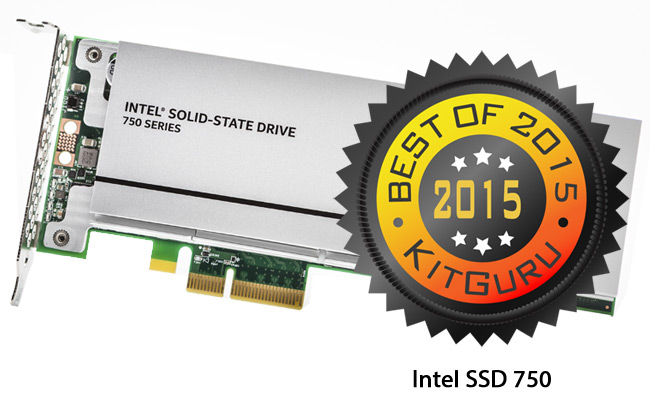
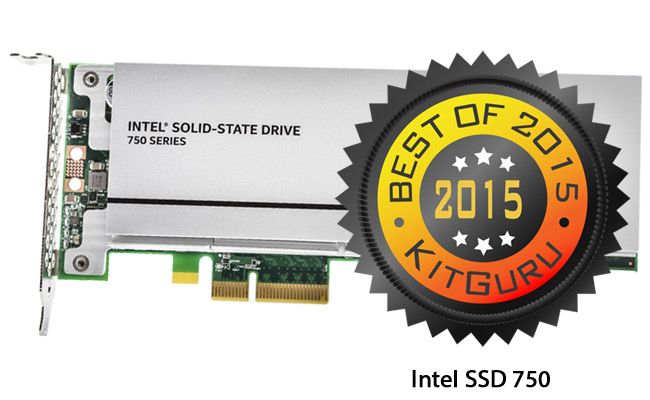
For most requirements, 400GB is ample in terms of primary storage – so when the stunningly good looking Intel SSD 750 arrived in the KitGuru Lab, the first tick boxes were instantly marked off. Next you need to look at ease of installation.
Fitting the Intel 750 was as easy as fitting graphics card – you just need to make sure you have the right kind of slot for maximum performance. That slot will be important if you really want to kick data around at phenomenal rates.
Using a PCIe 3.0 x8 slot on an Asus X99 board we measured a peak of 2,596 MBps in ATTO (2,048) – although Intel offers a more conservative top end limit of 2,200 (we assume they were using less aggressive clocks elsewhere).
In terms of reliability, Intel offers a full 5 year warranty, which shows confidence in the product. That brings us down to price. At launch, the 400GB variant was £369.98 from Overclockers and still picked up our top award. Checking earlier today, it was down to a much more competitive £225.
KitGuru's choice for the Best Solid State Drive in 2015 goes to the Intel SSD 750.
Memory Series
For the first time in years, we found ourselves sitting down for a discussion on the best memory series and Kingston was not on the shortlist. Instead, one name consistently came to the front for discussion. Corsair made its bones with the original TwinX paired memory concept. Brought to market at a time when increased frequencies, lower latencies and overall stability started to become more important, Corsair understood what was needed and it soon picked up a reputation for creating some of the biggest and most innovative heat spreaders with its Dominator series.
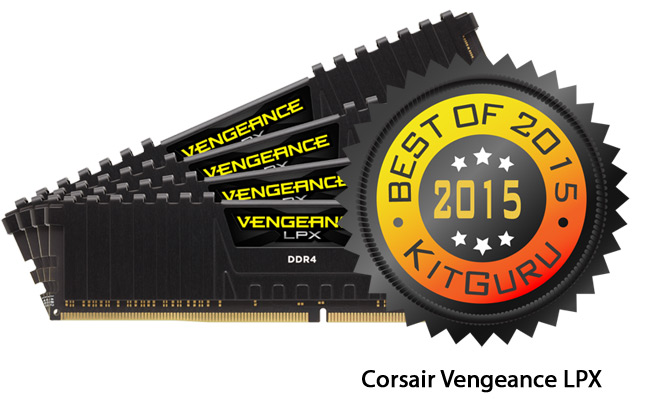
While Corsair’s 2014 products didn’t stand out enough to be recognised by our annual awards, its R&D team has driven the Vengeance LPX series forward and you can now buy 4,133MHz kits off the shelf for less than £300.
The pure aluminium headspreader does a great job in keeping temperatures under control for stability and the 8-layer PCB helps you to reach extreme speeds. Each module is individually screened for compatibility & performance potential – and is supplied with a lifetime warranty from stores like Overclockers UK.
KitGuru's choice for the Best Memory Series in 2015 goes to the Corsair Vengeance LPX.
Graphics
Without doubt, graphics is the sexiest category in any line up. Processor core speeds and Solid State transfer rates attract enthusiasts and we all love a massive 4K screen, but no part of your PC increases in raw power every couple of years as much as graphics.
With all of the next-gen Pascal cards lined up for somewhere near the second quarter of 2016 and the majority of Maxwell cards already out before the end of 2014, AMD was able to step forward in 2015 with at least one revolutionary technology – High Bandwidth Memory (HBM), the result of a project that AMD kicked off with SK Hynix back in 2008. Unfortunately, in its first incarnation, AMD’s design meant that overall memory was limited to 4GB in the Fury cards.
While HBM is certainly a clever innovation, nVidia’s promise to put 4 times as much ‘HBM2’ on its flagship desktop graphics card in 2016, means that we’ll need to wait a few more months before we can really see the full potential of AMD’s initial vision. AMD themselves will obviously want to dominate, so we will be waiting on what they have planned as well in the coming months.
Finally, we’re introducing an HTPC category this time around. When we interviewed Henry Kao, the global head of Gigabyte’s motherboard business at Computex, one area that he flagged for growth was Mini ITX. The living room gaming battlefield has been the subject of a million memes in 2015, with PC Gaming Royalty claiming all sorts of wins.
For today’s consoles to be truly crushed, we’re gonna want to see some very impressive small graphics cards: Enter the KitGuru HTPC Card of the Year category.
AMD High End
Arctic Islands looks set to land in the Summer of 2016 and will be the first major new series from AMD to benefit from a process node shrinkage since the 7000 series at the start of 2012. Despite that, AMD still managed to launch the most innovative graphics technology of 2015 with HBM – and then coupled that launch with an ingenious repackaging onto one of the smallest PCBs we’ve ever seen for a high-end graphics card.
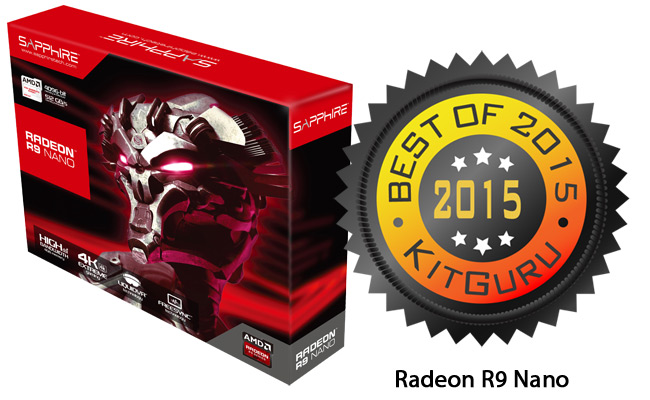
The Radeon R9 Nano is just 6 inches long and uses a single fan to cool its 175 watt engine. Even so, it comes with 4GB of HBM and delivers up to 1GHz straight out of the box. It’s so small that it barely extended past the edge of the X99 Mini ITX motherboard we used for testing.
This brings us to the all-important numbers. In Fire Strike, this 6” dynamo managed to glide past Asus’ GTX980 Strix – which shows that it can hold its own with the big boys – and at stock speed it managed to average over 34 frames per second in Grand Theft Auto 5 at 4K with image quality set to maximum.
You would imagine that such a small card might suffer from noise in trying to dissipate the heat generated by working so hard, but we were pleasantly surprised. In a small form factor gaming rig, noise levels were on a par with a GTX980. Price-wise, the AMD R9 Nano will set you back around £50 more than an entry level GTX980, but a full length card has no chance of fitting into the smallest of chassis.
At the time of going to press, starting at £409 is what we're seeing. For innovation, performance and sheer cheekiness in design, the Nano is our choice for high end AMD cards.
KitGuru's choice for High End AMD Graphics Card of 2015 goes to the AMD R9 Nano.
AMD Mainstream
No AMD partner works harder at creating innovative cooling solutions than Sapphire. Not every innovation works 100% – as we saw when Sapphire investigated ‘using a stiff shroud in order to replace the rigidity lost by removing the backplate' on some of its early R9 3xx designs.
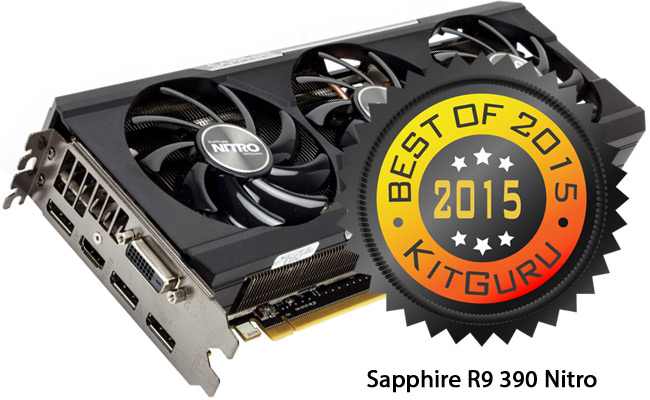
That said, as soon as we saw the updated R9 390 Nitro (with backplate and 8GB of GDDR5), we knew that Sapphire was onto a winner. This Direct X 12, 28nm card might have 30% less processors than the Fury X, but when you push they clock up from 1,040MHz to 1,133MHz then you can get to an average of 32fps in Grand Theft Auto 5 at 4K with maximum IQ settings – just 5fps behind the stock Fury … but the Sapphire R9 390 Nitro is close to half the price.
At £259 the Sapphire R9 390 Nitro delivers a serious amount of power for the money and the inclusion of the new backplate makes a huge difference in temperatures. When we tested the first version of the card back in June, our Thermal Imaging System showed significant hot spots – with peaks close to 86 degrees. The latest 2015 version shows a drop of almost 30 degrees with no discernible hotspots.
KitGuru has decided that the Sapphire R9 390 Nitro is the Best Mainstream Graphics Card from AMD in 2015.
nVidia High End
The ‘Ti’ variant of nVidia’s top end Maxwell chip delivers such devastating performance that (when clocked/cooled correctly) not even a liquid cooled AMD Fury X with HBM could beat it. So the winner in terms of ‘which chip to pick’ in this category was easy.
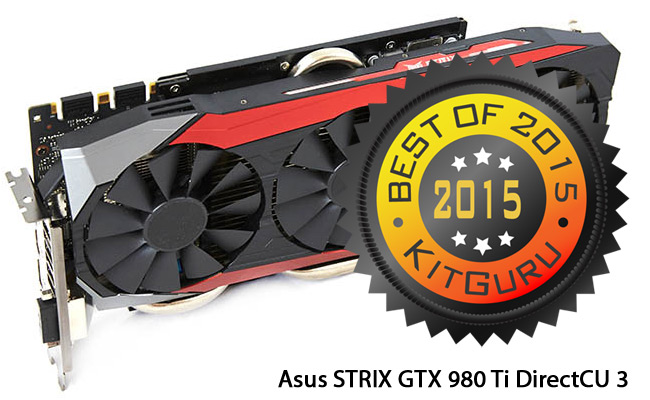
That brings us down to the ‘best implementation’. If we tell you that the winner was built-by-robots and incorporates a 14 phase power system, then you’ll know that the results are going to be serious. The Super Alloy II capacitors that are used on the winning card have the potential to last 90,000 hours longer than traditional capacitors.
All of these small details are important, because a chain is only as strong as its weakest link – and the Asus STRIX Gaming GTX 980 Ti DirectCU 3 has no weak points. OK, we did flag the £660 price tag at launch when we tested it, but even that has dropped down to £599.
To win, the Asus card needed to be something very special. Competition in this area is steep. Palit’s Super JetStream was impressive, but we didn’t really expect anyone to superseded the Gigabyte GTX980 Ti G1. Asus managed it with the STRIX Gaming GTX 980 Ti DirectCU 3. In fact, it beat the G1 in every single test – a truly impressive result. In doing so, it ran 4 degrees hotter than the G1 under duress in Furmark, but this was by design.
Asus deliberately set its fan profile for ‘lower noise’ and it worked. In Grand Theft Auto 5 at 4K with maximum IQ, the STRIX breezed past the Titan Z and X cards, while blowing away our overclocked R9 Fury X by almost 24% (average of 9fps faster).
KitGuru’s choice for the Best High End nVidia Card is the Asus STRIX Gaming GTX 980 Ti DirectCU 3.
nVidia Mainstream
After making general interface cards for 6 years, Inno3D became a 3Dfx partner in 1995 and has since been manufacturing millions of graphic cards each year (for a number of brands – as well as its own line up). Back in March, we took delivery of the most ludicrously named card of the year – without any expectations.
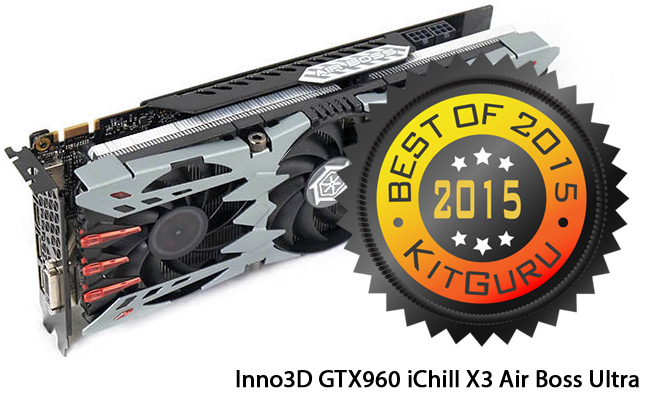
We were pleasantly surprised. The GTX 960 has been the chip of choice for nVidia fans wanting decent frame rates at HD resolutions, without breaking the bank. With half the GDDR5 memory and CUDA cores of a GTX980, the Inno3D GTX960 iChill X3 Air Boss Ultra has actually gone up £10 since we reviewed it – but even at the new price of £179, performance is very impressive.
The brash cooler design might be an acquired taste, but there’s no doubting that it does an amazing job of keeping the GPU chilled. When KitGuru Labs applied an extensive period of Furmark to a range of GTX960 cards, the Inno3D managed to stay at 50 degrees – which is 19 degrees cooler than the Palit GTX960 Super JetStream and 10 degrees under the Asus GTX960 Strix OC Edition.
At the same time, the Inno3D was faster than all of the GTX960 cards we tested. More performance and cooler processor? That’s a winning combination in any gamer’s book.
For the Best nVidia Mainstream Graphics Card of 2015, KitGuru's choice is the Inno3D GTX960 iChill X3 Air Boss Ultra.
HTPC Graphics
After all the positive things we said about the R9 Nano, surely it must be KitGuru’s first choice for HTPC graphics, right? Unfortunately, AMD’s ‘French Restaurant’ approach to pricing means that this card requests a significantly higher price without putting much more on your plate. Alongside ‘sensible price’, it’s crucial that our winner in the HTPC category can deliver stunning frame rates at 1080p with low noise. Given that HTPC systems often find themselves in a restricted air-flow environment, running cool would be nice.
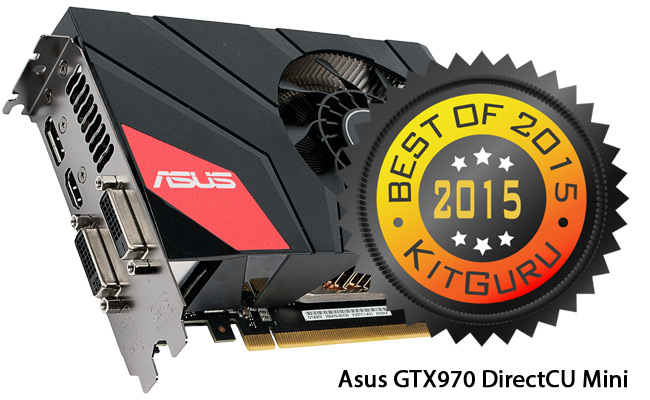
Enter the Asus GTX970 DirectCU Mini, a 4GB version of the classic gaming card that’s just over 6” long (17cm). When gaming continuously, it didn’t go above 60 degrees and generated less than 35 dBA – with a complete system load of 226 watts.
All of those numbers are ‘in the zone’ for living room use, but what about the all-important in-game performance? The GTX970 GPU delivered the goods across a range of tests. The slowest average we recorded at 1080p was 64fps in Metro: Last Light Redux set to ‘High Quality’. Grid AutoSport managed a whopping 108fps average at ‘Ultra’ setting. The key thing to remember here is that while consoles try to achieve synchronisation with your TV at 60fps in games, it is only possible by dropping the image quality right down.
There are plenty of ‘Console Vs PC IQ Comparisons’ across the web, well worth checking out. In the meantime, we can confirm that the best choice for a Home Theatre / Gaming PC will set you back around £275.
The best HTPC Graphics Card of 2015 is the 4GB Asus GTX970 DirectCU Mini.
Monitors
OK, so you’ve chosen your graphics card, motherboard and processor – at some point you are going to start thinking about the screen that you’re going to be looking at for the next 3 years. The improvement in affordable screen technology has been nothing short of stunning. Top companies like AOC offer 1080p screens with IPS technology for less than £95 and the Q2577PWQ gives you a 2560×1440 IPS screen for less than £220. All of which adds up to a great interface experience, regardless of budget.
Then we get to the KitGuru audience. When we surveyed almost 3,000 of you earlier in the year, 40% told us that you were going for a 4K screen next. That’s a significant number and the reduction in price for 4K screens that we’ve seen in 2015, means that our overall winner for this year’s awards is a 4K monitor.
Best 4K Screen
Ask Conan what’s best in life and you get a famous answer about crushing your enemies, seeing them driven before you and hearing the lamentation of the women. Ask KitGuru Labs the same question about monitors and we’ll list high quality IPS panels with 10-bit colour, G-Sync and a stand that pivots, tilts and rotates as you need it.
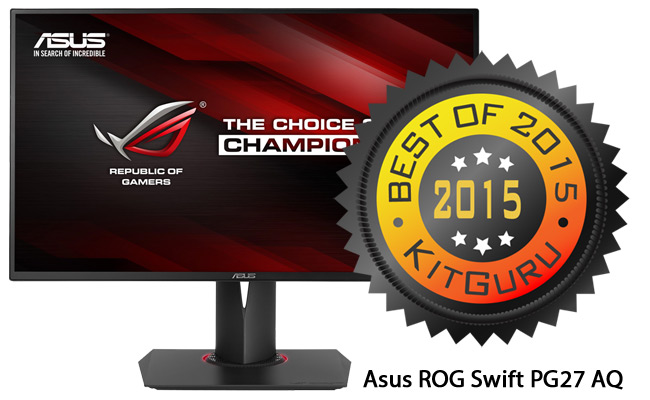
Then we get on to purity of colour – ideally straight out of the box – but we’re happy with some calibration as long as we get a perfect result. Our winning screen for 2015 was the Asus ROG Swift PG27AQ, which managed to tick all of our boxes at the start of November. At £720, it isn’t the cheapest 4K panel you will find in the market, but across a range of tests it was easily the best 4K screen we have seen for gaming.
While competitive gamers might want a 144Hz screen, you’ll need to wait for DisplayPort 1.3 to hit wide availability in 2016 before that’s a possibility with a 4K screen. This monitor offers the very best combination of the available technologies at a price point that would allow you to create yourself a complete ‘killer rig’ for less than £2,000 all in. That’s £400 less than the PQ321QE monitor when we evaluated it at KitGuru.
KitGuru's choice for the Best 4K Monitor of 2015 is the Asus ROG Swift PG27AQ.
Best non-4K Screen
While G-Sync was a great innovation from nVidia, everyone loves an open standard approach to product innovation – enter AMD FreeSync for stutter/tear-free gaming.
When using a large screen, it's nice to be have full tilt, swivel, pivot and height adjustment to help you get the perfect viewing angle. One of the new synchronisation technologies is ‘good to have', but we also like it when a screen offers a refresh rate higher than 60Hz.
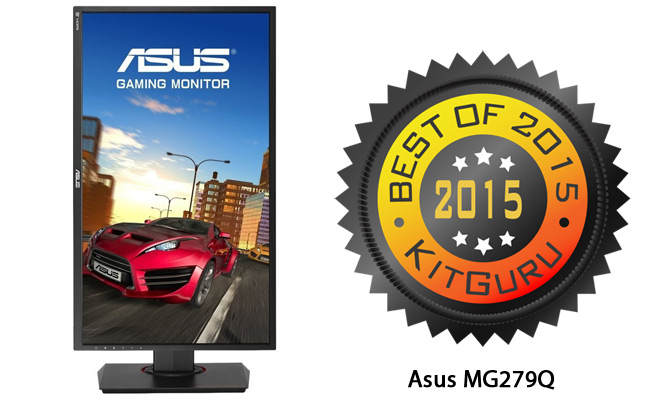
With the 27″ Asus MG279Q, you get all the adjustments you need, alongside FreeSync as well as a maximum 144Hz refresh rate when needed. Even with the largest of screens, there are still advantages to being able to rotate your monitor 90 degrees for Photoshop etc design work – or if you want to run a series of panels with something like EyeFinity for multi-screen gaming.
Adaptive sync monitors tend to carry a premium in terms of price. When we reviewed this screen, it was close to £480, but at its new price of £439 the Asus MG279Q can't really be called expensive – considering the image quality, feature set and 3-year on-site warranty. When being picky, we noted that it doesn't support HDMI 2.0, didn't have picture-in-picture or support FreeSync past 90Hz.
That said, the ‘plus' column was loaded with all the good things you could want from a screen, including FreeSync on an IPS panel, with the possibility to get up to 144Hz – and superb brightness/contrast.
KitGuru's choice for the Best non-4K Monitor in 2015 goes to the Asus MG279Q.
Best Value Monitor
While 4K screens are great value right now, many of us won't want to spend much more than £200 on a screen. Until recently, that would mean a standard HD panel, but the latest price drops mean that you can now get a Quad HD IPS monitor under £230. Impressive?
Let's check the exact specification that impressed KitGuru to give this panel a ‘Must Have' award in June.
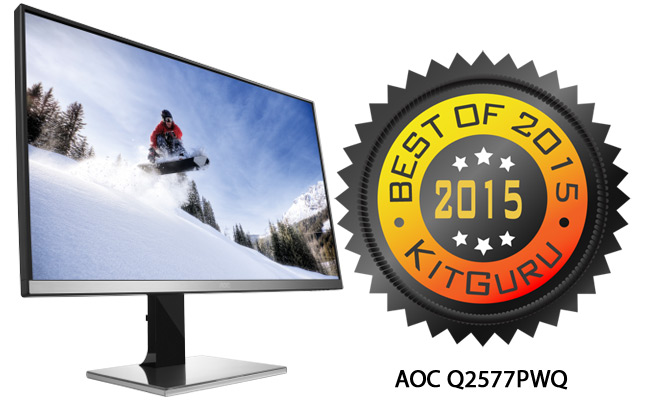
The AOC Q2577PWQ takes the popular 2,560×1,440 ‘Quad HD' resolution and delivers it in a 25″ panel instead of the traditional 27″ format. The result looks great. The panel itself is one of the latest IPS designs, offering superior colour quality, brightness, contrast and a wide viewing angle.
With flexible options for tilt and pivot, the addition of height adjustment should make it easy to find the optimal position for your environment. A small ‘cable tidy' bracket on the back makes it easier to keep your desk looking neat. It has a full range of connections, including an MHL option for Android phones. Straight from the box, the uncalibrated monitor achieved one of the best Adobe scores we've seen. After calibration, things got better and you would need an Apple 5K Retina display to beat it.
While the 5ms refresh is going to be slightly slow for pro-level gamers, mortals will be fine. Our ‘downside points included the lack of a USB hub and weak speakers, but in an enthusiast environment those points would be remedied with add ons.
Lastly, there was price. When we gave it a ‘Must Have' award, it was 1 penny under £290. The £60 price reduction makes this a clear winner.
KitGuru's choice for Best Value Monitor 2015 goes to the AOC Q2577PWQ.
Chassis
With all of your major components selected, now’s the time to consider looks: What will your next rig look like? What size chassis do you go for and what will it set you back? When you consider that a chassis is basically a frame with 6 panels attached, it’s incredible how much variation there is – and just how much fanbois reaction gets stirred up every time one of the major design houses releases a new option.
One thing is for sure, you have spent a lot of 2015 telling us how much your love our video reviews for chassis. There’s nothing quite like a KitGuru Labs walk-thru to let you know if your dream case will actually allow you to assemble your dream build.
This year, we nominated options in 4 categories: Mini ITX, Micro ATX, ATX and Design Innovation. We’ll start with the innovation category.
Design Innovation
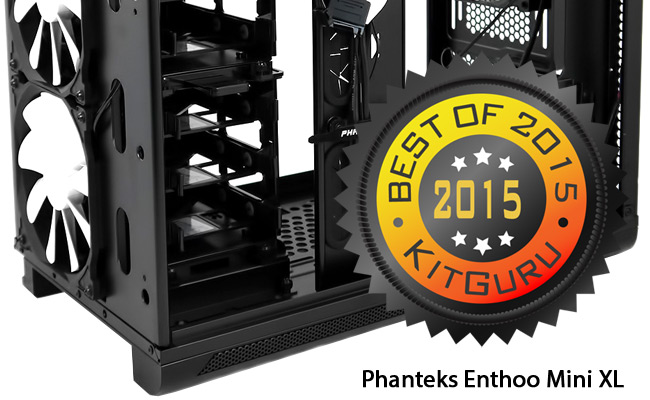
The strangely named Phanteks Enthoo Mini XL chassis was one of the first to arrive in 2015, but it stood out a mile and had ‘flexibility’ at the top of its feature list. Phanteks call the overall concept ‘Super Micro ATX’ and it involves giving system builders the option to install two machines in one chassis. It’s at that point that the name starts to make sense.
You can’t have a mini XL in the real world – the terms are contradictory – but here they refer to the combination of the two build options. Build quality & lighting were superb and assembly/ maintenance was really straightforward – with thumbscrews and magnetic dust filers to make life easy.
If water cooling is your bag, then the options are ‘legion’. Overall, the feeling we got was that Phanteks’ R&D team was really showing off its ability to innovate with this chassis. We’re not sure how many people would want to build a pair of systems into one case, but there could be one instance we can imagine: Someone who wanted a standard Windows PC running right alongside a descendant of BSD Unix (Hackintosh anyone?).
At £145, it isn’t cheap, but then great craftsmanship should cost money. Whatever your criteria, Phanteks certainly pushed some barriers.
KitGuru's choice for Chassis Design Innovation for 2015 goes to the Phanteks Enthoo Mini XL.
Mini ITX
Without doubt, this will become an ever more important battleground. There’s something very cool about building a tremendous amount of power into a small/good looking space. Our winner in this category looks good with the lights on, but really comes to life when you have spent some time on the lighting design and then drop the ambient.
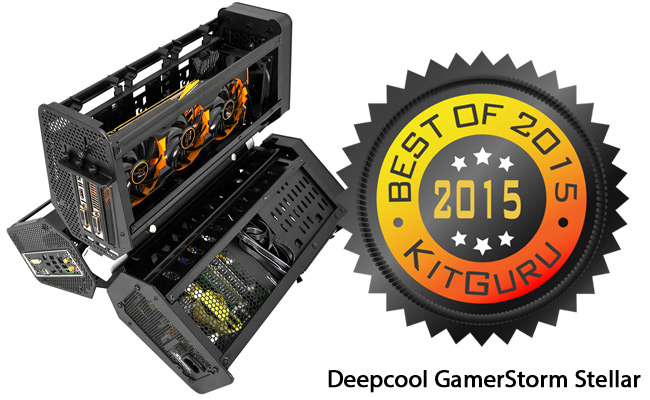
When designing the GamerStorm Tristellar, Deepcool spared no expense on materials or build quality. As a result, what appears to be a relatively delicate design at first glance, turns out to weigh in at a surprising 16Kg. The triple cabin layout is amazing, with the graphics card and 3 drive bays in the top section. The mainboard gets one of the supporting cabins with the power supply in the other.
There’s no getting away from the challenges that this chassis presents in terms of weight, cabling, price, cable labels and the overall footprint size. That said: We loved it! The launch price of £499 has tumbled to a more manageable £349. While not cheap, this is a ‘statement PC’ chassis and, as such, is sure to be a talking point with any visitors to your humble gaming abode. It supports a full length (320mm) graphics card and there are lots of powerful CPU options available on Mini ITX boards.
Companies like Fractal Design, Thermaltake and Cooler Master have plenty of sensible options in market. This is solely for those who want to add a touch of OMG to their experience.
KitGuru's choice for Mini ITX Chassis of the Year 2015 is the Deepcool GamerStorm Stellar.
Micro ATX
After a pair of designs that look to innovate hard and expect you to pay accordingly, for our Micro ATX choice we have opted for one of the best value chassis we’ve seen in a long time.
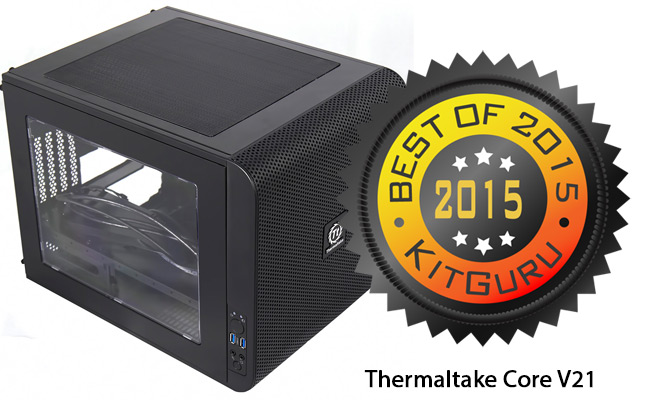
The Thermaltake Core V21 has a truly adaptable design, allowing you to move fans and radiators around to your heart’s content. Even if you don’t augment the main 200mm front-facing fan, you will still enjoy decent temperatures.
We built a Core i7 4770K system with a Sapphire R9 290 Tri-X which, under load, did not exceed 65/77 degrees. Despite the amount of holes cut into the design, we got an average of 35.3 dBA, which isn’t that bad and could be reduced with the addition of some anechoic alterations. Magnetic dust filers will help keep your new build clean and there is a big window on one side, through which you can admire your assembly skills.
Last of the plus-points is the ability to stack V21 chassis to build an improbable system with a separate home for serious liquid cooling. Sure, it could be quieter and you’re not getting the most rigid steel frame the world has ever seen, but at a smidgeon under £47, it has plenty of cool things on offer to keep you happy.
Micro ATX is the mass market, so we went with a good value proposition.
KitGuru's choice for the Best Micro ATX Chassis of 2015 is the Thermaltake Core V21.
ATX
If you’re on a budget, then you’re likely to be looking at Core i5 processors and Micro ATX chassis. Choosing a full size ATX case means you’re planning on a much more serious build.
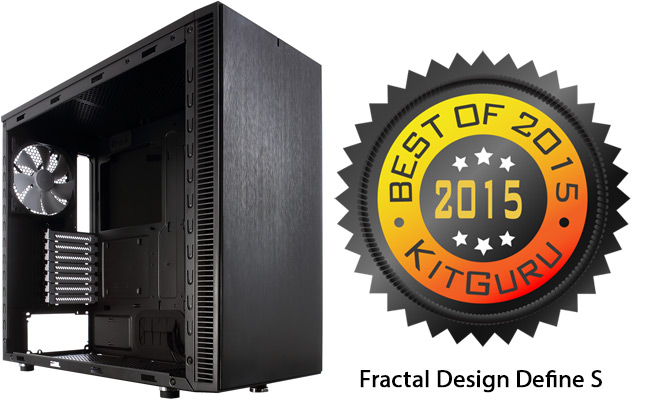
That kind of space will allow you to fit a pair of large radiators (420mm in the roof and a 360mm in the front) – ideally with mounts that are offset to help you clear the mainboard – as well as quality cushioning for your power supply and Velcro cable straps for better management. Enter the Fractal Design Define S.
The design team on the Define S have really given a lot of thought to high-end builds, with plenty of mounting options that will make assembly a simple process. KitGuru is all about balance, so we need to mention that there is no filter in the top ventilated section and that you only achieve serious rigidity when fully assembled.
The addition of a power supply cover would help here – but then we get to the price. After listing all the features that this case has to offer serous builders, we get to the £69 asking price and realise that the ‘value’ lever has already been pushed to the max. KitGuru speaks to all of the major system builders in the UK and there is one story about Fractal that stands out.
We spoke to a head of production of a famous system integrator who told us, “We have a quota system. We need to build a certain number of systems a day. Our guys always start with the Fractal chassis because they are so much quicker to work with. We can hit close to our target in no time at all if we do the Fractal Design system builds first”.
KitGuru’s choice for the Best ATX Chassis of 2015 goes to the Fractal Design Define S.
Power Supplies
How many people choose a power supply early into the planning for a new rig? If there’s one component that should come last, it’s the power supply. Only after you’ve planned your graphics cards, processor and cooling options will you know how many watts you need to make your new system run. You can then factor in additional wattage for future upgrades and add in some overhead for spikes when you boot etc.
In the wake of Maxwell/Skylake, it’s easy to produce many serious gaming rigs with a draw that’s less than 600 Watts. At the opposite end of the spectrum, when you’ve interviewed one of the planet’s best overclockers after he’s smashed a ton of world records, you know that only the ultimate in 2kW power supplies will do. In between, we have added two categories: up to 1kW and up to 1.5kW. Here are the best supplies we’ve seen in 2015.
Killer Watts
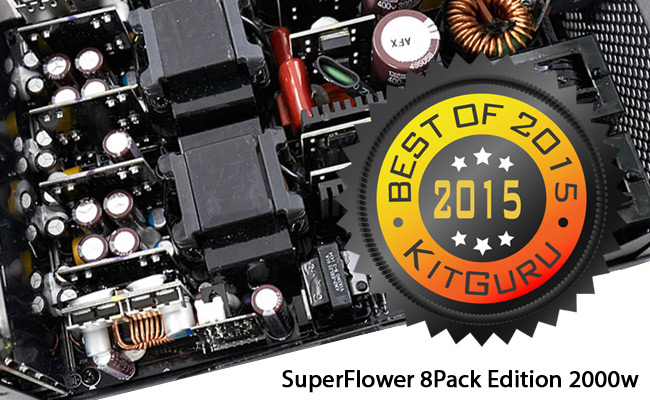
Ian ‘8Pack’ Parry paired up with SuperFlower’s R&D team to create the dream power supply for mega clocking and so the Leadex Platinum ‘8Pack Edition’ 2000 watt power supply was born.
The last thing that 8Pack needs when going for a new HWBOT entry is a unit that trips out. As a result, this SuperFlower unit delivers a jaw dropping 166.6 amps. Serious stuff. Testing is intense, with each unit undergoing 2,000 power-up/down cycles before being boxed and shipped.
Cables are likewise OTT with almost 30 included with each PSU. The manufacturer suggests that budding overclockers check that their current chassis is able to accommodate a power supply that measures 150x86x220 mm.
For comparison, a popular budget power supply like Corsair’s 550w VS Series is 80mm shorter. At £329 this unit commands a serious price, but 8Pack uses it to power World Record breaking systems which can have up to £10,000 worth of hardware. £329 seems like a bargain.
KitGuru’s choice for Best Killer Watt PSU of 2015 goes to the SuperFlower Leadex Platinum ‘8Pack Edition’ 2000w.
Up to 1,500 Watts
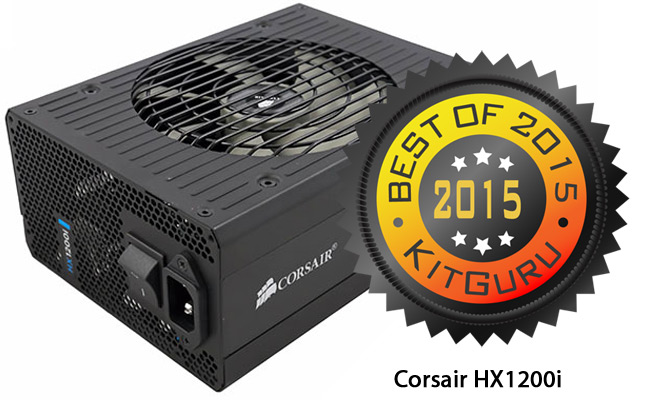
The Corsair AX1500i was one of the most impressive supplies we tested in 2014. That said, when we came to the final analysis for our end-of-year awards, we found the £360 price tag just too high to justify a win. We were, therefore, excited to begin testing on the Corsair HX1200i in May.
At £199, the price is certainly more affordable. OK, it’s an analogue rather than digital unit, but how would it face up to competition from other platinum-rated units? The 7 year warranty bode well, as did the long list of certifications and approvals. We like the intelligent fan control, which means that the HX1200i won’t spin up until the unit approaches a 500 watt draw.
The internal design comes from CWT, as we would expect with the latest Corsair units, and they have done an excellent job. In testing, we actually managed to draw 1,344 watts before the PSU’s protecting circuit kicked in. Also, when we pulled a solid 85 amps from the unit’s 12v rail, it still held steady at 12.02 – the kind of stability you will need for a serious build. Alongside a powerful, stable power supply, Corsair has done a great job with the overall look and feel – from the deep paint to the generously long cables, which will make it easy to wire even the largest of conventional chassis. This market sector is the domain of the most serious of PSU companies, with the likes of Seasonic and SuperFlower.
The Corsair HX1200i is the Best Sub-1500w PSU we’ve seen in 2015.
Up to 1,000 Watts
Cards like the Asus GTX980 Strix OC draw up to 190 watts. Running a pair of these in SLi with an Intel Core i7 5820K that has a TDP of 140 watts, means you can quickly demand up to 600 watts from your power supply. Whether you start with that kind of specification or simply want the upgrade ability, then you won’t want to make a mistake with your power supply unit. May was a bit of a golden month for PSUs.
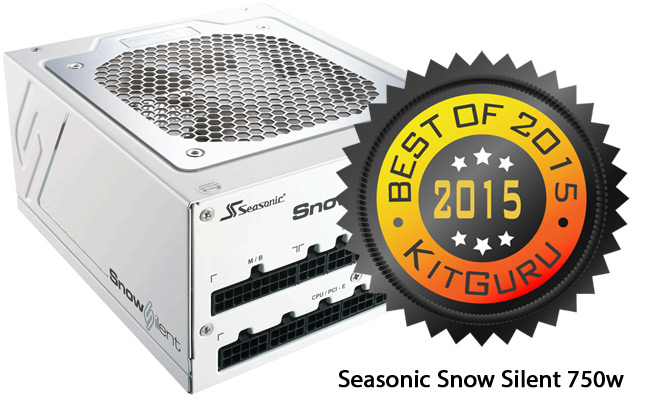
Alongside the HX1200i, KitGuru Labs also took delivery of the Seasonic Snow Silent 750 watt. Built to the kind of exacting standard that we have come to expect from Seasonic, it is a pure modular design with a low noise fluid dynamic bearing fan and the unit is guaranteed for 7 years.
That guarantee is made possible by the use of top quality components like the 105c Japanese Nippon Chemi Con capacitors. In out tests, this over engineered 750 watt design delivered up to 875 watts before protection kicked in.
The Seasonic Snow Silent 750 Watt is the best PSU up to 1,000 watts that we’ve seen this year.
Up to 600 Watts
With the latest advances in GPU and CPU technology, it’s difficult to specify a single graphic card system that needs more than 600 watt PSU. In our test rig, the complete draw for an Asus Strix Gaming GTX 980 Ti DirectCU 3 system peaked close to 350 watts when gaming. So getting the buying advice right in this category is vital for the vast majority of gamers.
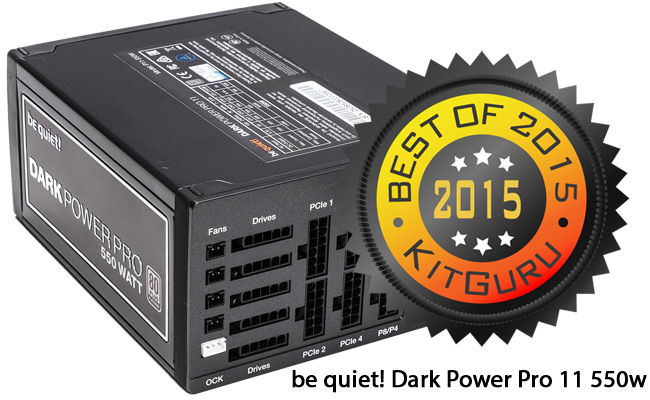
The be quiet! Dark Power Pro 11 550 watt unit arrived in the KitGuru Labs in September – four months after the initial Dark Power Pro 11 units started to ship. At £110, this is a Platinum rated product – made possible by be quiet!’s decision to adopt 105c rated Japanese Rubycon and Nippon Chemi Con capacitors in both primary and secondary stages.
This move translates to a long, reliable product life. It also means that peak performance is an impressive 633 watts before protection circuitry does its work. This is a technically stellar unit with switchable multi/single rail option, extremely low noise levels and excellent ripple suppression.
The best power supply we have seen up to 600 watts in 2015 was the be quiet! Dark Power Pro 11 550 watt.
Cooling
Last year’s list included a GPU cooling solution, but the graphics card manufacturers have really raised their game in 2015, so we’re going to focus on CPU solutions with one winning for air and another for liquid cooling. In the past, we’ve done system assembly videos which have utilised the stock coolers provided, then done a side-by-side comparison with popular options like the Arctic Cooling Freezer or Noctua NH-U12S.
The result has been dramatic under load, with the stock cooler regularly hitting around 100 degrees, while the Arctic dropped that to 70 and the Noctua achieved 65 degrees. Having a CPU run at 100 degrees or more is not a healthy state of affairs, while at the other end of the spectrum, the closer you get an overclocked Core i7 CPU to 50 degrees, the better the solution.
Air Cooler
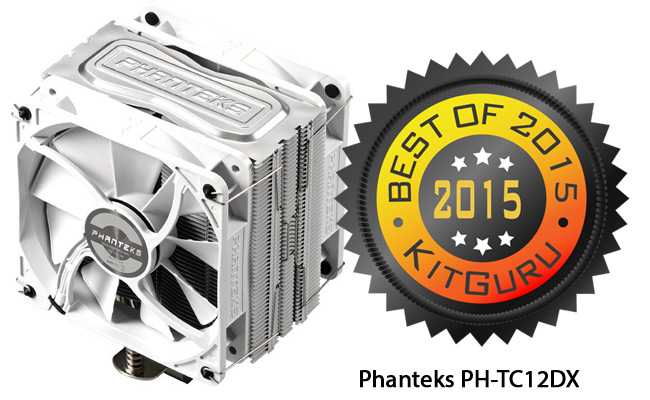
When KitGuru completed a recent multi-cooler shoot-out feature, we managed to get two coolers to tie for top spot. Both the Deepcool Assassin II and the Phanteks PH-TC12DX kept our Core i7 4820K at 62 degrees, despite being clocked to 4.5GHz. But then we got to price and the winner became clear.
The Deepcool Assassin II was a penny under £70, but the Phanteks was only £39. If you want to keep the inside of your machine colour co-ordinated, it’s also worth noting that the Phanteks cooler comes in white, blue, red and black.
In standard use, the fan is near silent, but you will hear something when running a demanding game on an overclocked processor – assuming that you’re gaming in complete silence, without speakers or headphones. Phanteks supplies some useful mounting options and we found the cooler straightforward to install. Despite having a fan on either side, it was possible to mount the cooler and still have access to the memory slots.
KitGuru’s choice for the Best Air Cooler of 2015 goes to the Phanteks PH-TC12DX.
Liquid Cooler
In 1999, Edvard König got hold of his first PC and quickly realised that ‘passive’ and ‘air’ were not for him. Over the next 4 years, while he was studying, Edvard began working on water block prototypes – aptly named EK-1, EK-2 and EK-3.
From there grew one of the most respected specialist cooling companies in the world – EKWB. When KitGuru caught up with Petri Korhonen (AKA SF3D) in 2013, it was clear just how much care and attention goes into the EKWB product line up. When we heard that the company was getting into the all in one market with the Predator 240 and 360, we requested a sample into the KitGuru Lab.
We weren’t disappointed.
From the moment we opened the box, we could see that EKWB was playing a different game from most of the competitors in this sector of the market. In real terms, the pre-assembled/filled unit doesn’t really cost much less than building it yourself from EKWB parts that are available in the market, but then there’s the hassle factor.
Before looking at the test numbers, we just want to point out that if you have the ‘right kind of motherboard’, then fitting will take no time at all, but could be longer/more involved if you need to swap out mounting screws. Please note that this is an Intel only cooler.
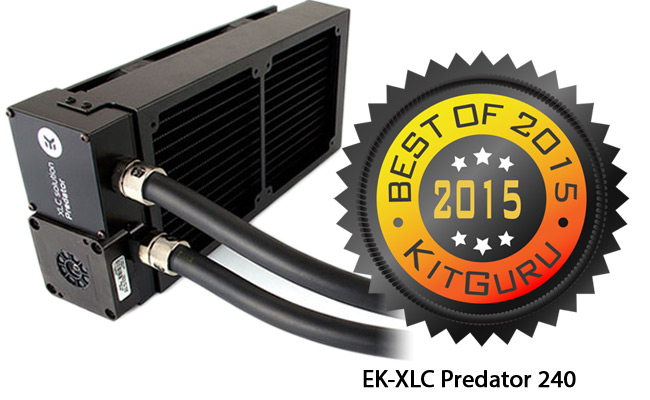
With a price of £159, we put this EK-XLC Predator 240 up against the latest version of last year’s winner in this category – the Corsair H110i GT. In our test rig with a Core i7 4820K running at 4.5GHz, the Predator was a solid 5 degrees cooler than the Corsair.
Sure, it costs more, but you’re only going to be buying this if your rig is already maxed out in terms of CPU, SSD and graphics cards – so you’d unlikely to feel the extra £67. It isn’t cheap, but it is substantial, gorgeous and very effective.
KitGuru’s choice for the Best Water Cooling Solution in 2015 goes to the EK-XLC Predator 240.
Peripherals
We are as guilty as everyone else. KitGuru Labs spends a huge amount of time on the testing of graphic cards, CPUs, solid state drives and the like – knowing that once you’ve bought/assembled your PC, then you will be focused entirely on the screen, keyboard, mouse and monitor.
The KitGuru Annual Awards gives our team the chance to put special focus on peripherals – to make sure that you don’t miss any of the start products we tested in 2015.
Keyboard – Overall
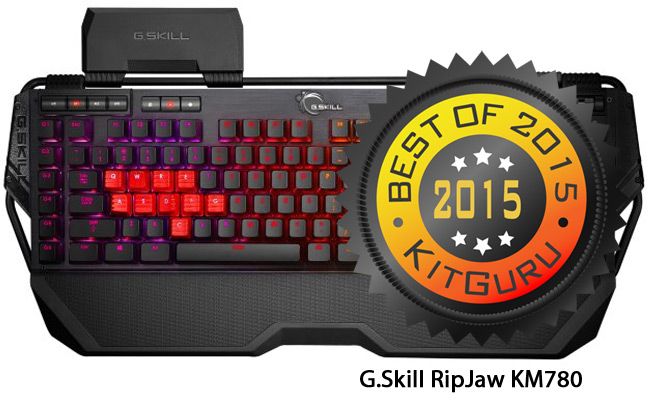
Any solidly built keyboard with Cherry MX mechanical switches is likely to do well at KitGuru. The inclusion of RGB backlighting, anti-ghosting, wrist rest, a brushed aluminium frame and audio/USB connectivity means that almost all of the standard tick boxes have already been checked.
When you look and see a G.Skill, then that’s when the surprise element kicks in. Memory brands expanding out to peripherals is not new, but it’s an unusual move for G.Skill. So how well did they do? Well, we’ve already covered how good the underlying specification was – on top of which you need to say that the gold-plated cabling was neatly braded and the online price of ~£150 makes it one of the costliest options around.
Overall, the G.Skill RipJaw KM780 is a fully featured keyboard with great software and solid build quality.
KitGuru’s choice for the Best Keyboard Overall of 2015 goes to the G.Skill RipJaw KM780.
Keyboard – Mainstream
Big, solid IBM-feel keyboards are something that many in the KitGuru team absolutely love. There’s something satisfying about a nice, heavy ‘thunk’ when you hit a key – positive feedback to say that you’ve definitely hit it and it is ‘staying hit'.
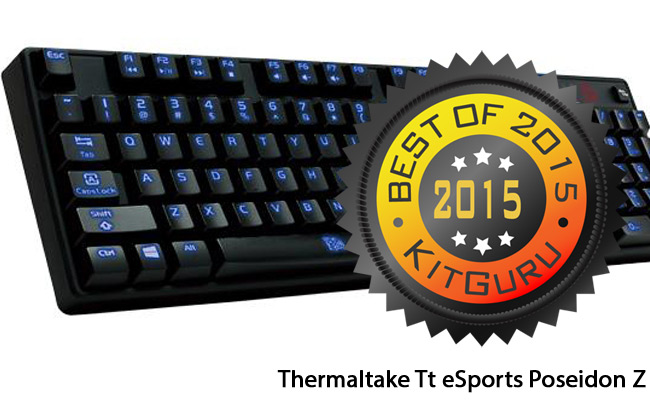
Normally, we would expect that you be achieved with Cherry keys, but Thermaltake’s design team have opted for Kailh switches in the Tt eSports Poseidon Z Mechanical Keyboard. It’s worth noting that this design does not include either a USB or audio pass-through, although it does have a cable management groove and rubber feet.
Construction is plastic, rather than the brushed aluminium found in high end models, but the feel is solid and at £65, it is close to half the price of our overall winner. If you’re a quick typist that wants a fast action keyboard with positive feedback, this is for you.
KitGuru’s choice for Best Mainstream Keyboard in 2015 goes to the Thermaltake Tt eSports Poseidon Z.
Mouse – Overall
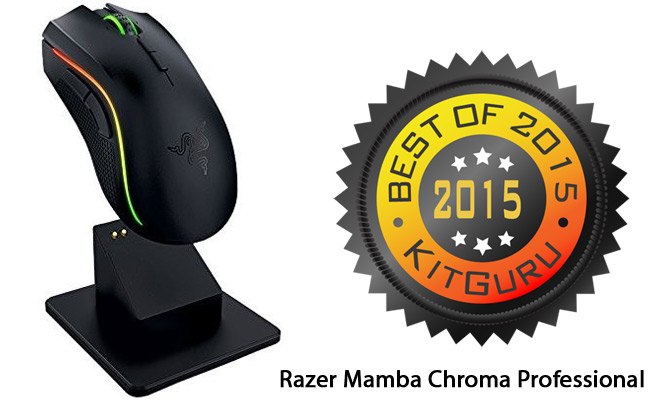
When the Razer Mamba Chroma Wireless Professional Gaming Mouse arrived in KitGuru Labs, it was supplied at the ‘World’s Most Advanced Gaming Mouse’. Strong claim, but was it true? After extensive testing, we were forced to agree with the label. Build quality is excellent and the 16,000 dpi resolution is market leading.
Sure, we would have liked longer wireless gaming with a single charge, but 20 hours is longer than a person should game without a break and you can put it in its charging cradle when not in use. Effectively, this is a more advanced, wireless version of the Razer Tournament Edition, but it costs around £50 more.
That said, this is without doubt the best wireless gaming mouse you can buy – comfortable to use for extended periods and it pairs up with the rest of the Chroma family. Despite costing around £135, the fact that you can even buy it from supermarkets like Tesco, just goes to show the kind of appeal that Razer has – inside and outside the hard core gaming community.
For KitGuru Labs, the Razer Mamba Chroma Wireless Professional is the Best Mouse Overall of 2015.
Mouse – Mainstream
With a basic gaming mouse starting around the £20 mark, the mainstream arguably extends up to just past £50. To spend more than £50 on a mouse, you’re going to have serious game in your locker or serious cash in your pocket – in either case you need to be looking at our overall winner.
That said, each person’s choice of mouse is a very personal thing. Layouts can vary for left and right handed people – with a gamer’s palm or claw grip also being significant factor – as well as the sensitivity (DPI). Of all the mice we used and tested in 2015, we’ve opted for a unit that combines an affordable price with a range of features and good build quality.
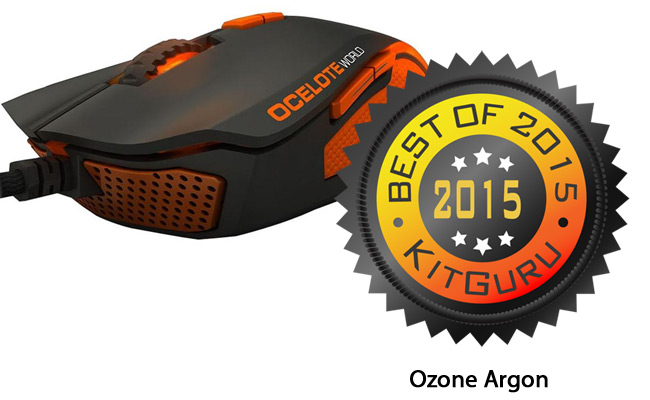
The Ozone Argon Ocelote World 8200 DPI Laser Ambidextrous Gaming Mouse has a stand-out name as well as a stand-out black and orange colour scheme. It has 9 programmable buttons and a non-slip rubberised surface coating with 128kb memory to hold up to 5 profiles for various games.
Accuracy and sensitivity are taken care of by the ADNS 9800 laser sensor. What makes this mouse all the more surprising is the price: At just over £42, it really is good value – especially when you consider the high quality braided cabling and the option to add an 18g weight to give a different feel.
KitGuru’s choice for the Best Mainstream Mouse in 2015 goes to the Ozone Argon.
Headset
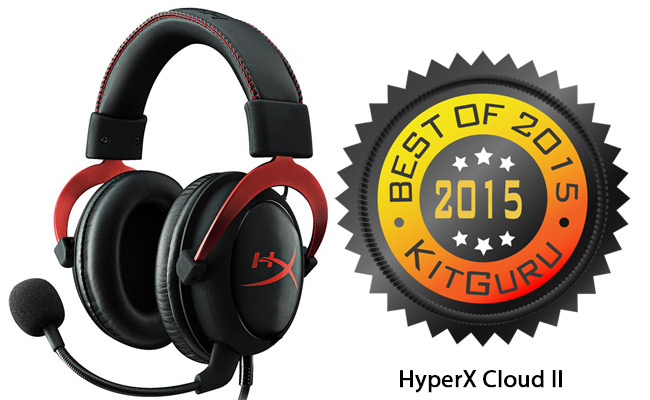
We all know the expression, ‘One hit wonder’. It perfectly describes the pinnacle of ‘beginner’s luck’. The world of high tech has seen plenty over the years. When our panel decided that the best headset of 2014 was the HyperX Cloud, we had no expectation that the same memory company would knock the ball out of the high-def audio park two years in a row. But they have.
The original HyperX Cloud made no attempt to create anything more complicated than stereo, yet did so brilliantly. The updated version takes your audio experience to a completely different level, by including its very own 7.1 amplification circuit to give gameplay a whole new feel. Feel the need to freak yourself out completely? Try Alien: Isolation with this headset cranked up in an empty house.
The in-built microphone provides crystal clarity for VOIP and the ear cushions are positively luxurious. Can you spend around £150 and get a better experience? Probably. But this headset is just £75 online and, at that price, it cannot be beaten.
KitGuru’s choice for Headset of the Year 2015 goes to the HyperX Cloud II.
Speakers
If current trends continue, we may need to change the title for this award. The two best units we tried in 2015 were both ‘audio bricks. Single units with an impressive set of features and the ability to drive solid, clear audio.
While the BenQ treVolo brought a clean crisp sound to the KitGuru Labs, with its clever use of electrostatic technology and fold-flat design, it’s perhaps more of a companion to an HD projector in the living room than something a technology enthusiast would use around the house for gaming, films or music.
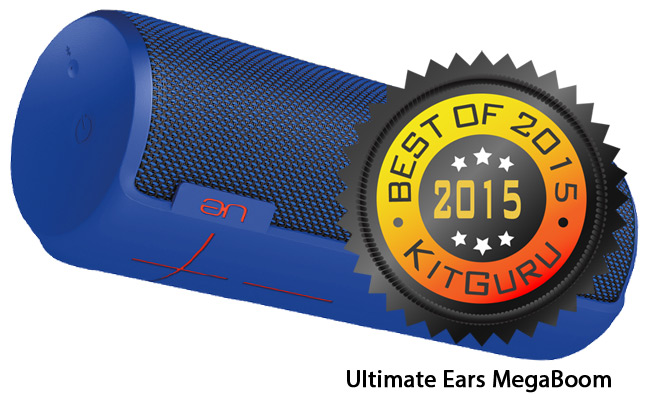
On the other hand, the Logitech sub-brand Ultimate Ears game us the very impressive MegaBoom at the start of 2015 and it remains the most impressive speaker system we have seen. Supplied as a single unit, which delivers 360 degree audio, deep bass and close to 100ft (30m) range wirelessly, it can also pair with a second speaker and survive immersion in water. Our reviewer described the output as ‘stonking’ – able to fill any room in your house – and adaptable enough to cope with any kind of audio profile.
During our testing, we discovered that it is waterproof up to 1 metre for 30 minutes and the Bluetooth connection to the source audio doesn't stutter until you hit around 70ft (more than 20 metres). It’s available from a number of outlets, including high street stores, for less than £200 in black, red or pink.
KitGuru’s choice for the Best Speaker System of 2015 goes to the Ultimate Ears MegaBoom.
NAS and Routers
Enterprise-scale approaches to communication and data storage are the target of some large and very focused solutions from specialist players. Here at KitGuru, we have traditionally evaluated two kinds of solution: One for small to medium sized businesses (SMB) and one for home use – with corresponding price points.
Business storage solutions will focus more on expandability, while home solutions need to be affordable, reliable and easy to set up. When we evaluated routers this time around, we found that the best hardware available was equally adept to both environments.
Business NAS
With the recent drop in the price of massive mechanical hard drives, we find ourselves able to buy an 8TB SATA HDD for £180. Populate a 5-bay NAS with that drive and you have the potential for 40TB of pure space or 24TB in a secure RAID 6 array.
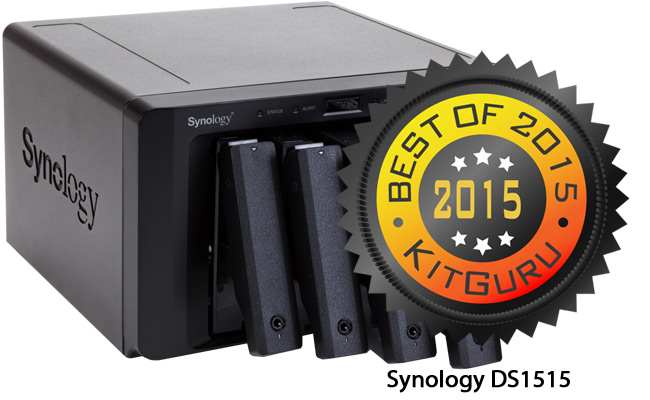
At £520, the Synology DS1515 isn’t cheap, but it does a good job of ticking off the requirements that any SMB is likely to have on their check list, including a quad core processor, hardware encryption engine, four Gigabit LAN ports and scalability up to 15 hard drives by daisy-chaining a pair of DX1513 units. The additional LAN ports obviously provide redundancy, but they can also be cleverly paired to provide something called Link Aggregation which, in our tests, had a significant impact on transfer speeds for large files.
KitGuru’s choice for Best Business NAS in 2015 goes to the Synology DS1515.
Home NAS
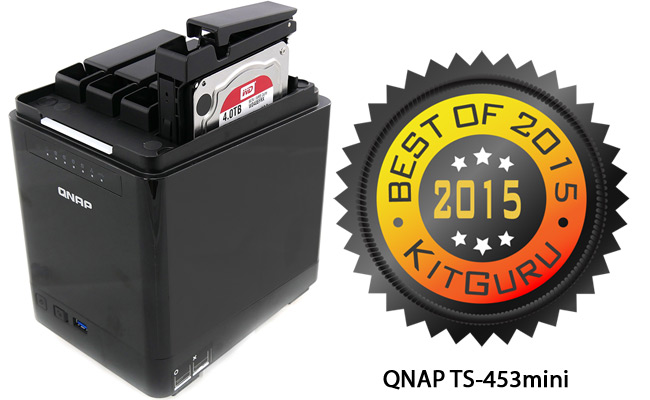
There are plenty of cool solutions in the £100-200 range if you just fancy having a couple of drives outside your main rig for backup. If you want a pair of Gigabit LAN ports, an Intel quad core processor and four drive bays, then you’ll need more budget – but you could also be pleasantly surprised. At £358, the QNAP TS-453mini also includes an HDMI port so the onboard QTS operating system can access/output to a screen/TV. Power consumption is trivial and the NAS itself is, effectively, silent.
Populating the unit is simple and tool-free. Once up and running, you can then run a Windows VM on top of the Linux distribution provided – should you desire. There are also plenty of surveillance options included for good measure. Overall, this is a fast, affordable NAS with enough bays for a home system and a good set of features like 256-bit military-level encryption and an integrated anti-virus solution based on the open source clamAV toolkit.
KitGuru’s choice for the Best Home NAS of 2015 goes to the QNAP TS-453mini.
Router
As the average speed of broadband continues to increase, it’s a constant shock to KitGuru just how many people use the router supplied by their ISP. In most cases, the units that are supplied ‘for free', struggle to penetrate plasterboard walls. It's no surprise then that when you look to buy a router online (and you ‘filter results by popularity'), then – in most cases – the best-selling units are all range extenders.
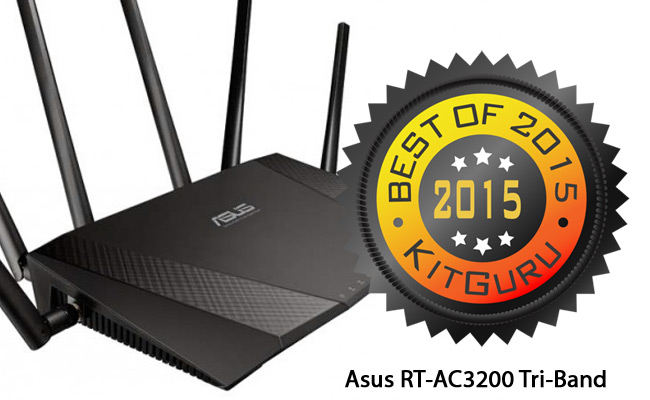
At launch, the Asus RT-AC3200 Tri-Band Wireless Router claimed to offer the world’s fastest combined data rate – with 2,600Mbps through a pair of 5GHz bands plus another 600Mbps on the 2.4GHz band. Seeing a router with 6 antennas (3 send and 3 receive) is an impressive sight and this configuration has been created to allow maximum throughput for all your wi-fi devices.
At £199, it isn’t the cheapest router out there, but when you consider how important your ‘wireless umbilical cord’ to the world is, then you start to take a more balanced view.
The supplied software is brilliant, with plenty of useful tools (including the real time bandwidth monitor), and Smart Connect which improves performance for any wireless product – at any range.
There is definitely a law of diminishing returns that kicks in when you choose to spend more than £100 on a router, but at the same time if you need serious performance – at distance – then the additional investment will be worthwhile.
KitGuru’s choice for Router of the Year 2015 goes to the Asus RT-AC3200 Tri-Band.
Desktop Systems
While the majority of KitGuru readers prefer to build your own, one positive thing has come in the wake of the global economic collapse of 2008: Only the best system builders survived. For laptops and desktops, we have gone with an overall winner, a mainstream choice and a system that focuses on offering the best value for money.
In a lot of cases, the size of these system builders means that they are able to buy components for far less money than the average KitGuru reader – so the overall price of a build might be very similar to what you’d achieve when buying the components yourself, separately.
The difference is that these are pre-built systems and any issue you experience becomes the system builder's problem to solve. Worth considering.
Overall
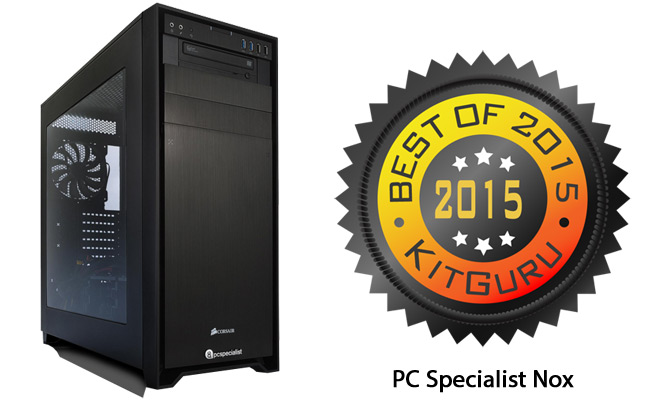
In a world where the name of a simple mouse can extend past 60 characters, we’re quite sure that Nox is the shortest product name we’ve seen this year. While this system from PC Specialist is short on name, it is extremely long on spec.
Eventually, we gave it a score of 9 out of 10 – with the only cons being the lack of an optical drive and the inclusion of a very annoying Bullguard trial version. Let’s leave that behind and focus on specification. At its heart, the Nox has KitGuru’s choice for ‘Best CPU of the Year’, a Core i7 6700K clocked up to 4.6GHz on an ROG Maximus VIII Ranger (which is a close relation to our choice for ‘Overall Best Mainboard of the Year’).
The system boots from KitGuru’s choice for ‘Best Overall SSD for 2015’, the 400GB Intel 750 and that’s backed up by a 2TB Toshiba data drive. The serious overall look and feel comes from the Corsair Obsidian 750D and the 750w Corsair PSU provides ample juice for the GTX980 graphics card – with enough over for a second card should you decide to go SLi in the future.
PC Specialist is the largest local system builder in this market, so it’s a name you can trust. When we filmed our ‘Complete Guide to Workstations’ up at PC Specialists’ building earlier in the year, we were pleasantly surprised with the sheer scale of the operation – you could service a Boeing 787 Dreamliner in their building.
Despite running an operation of that magnitude, they are still really competitive on price. Bought ‘off the shelf’ with the PC Specialist system builder, you would be quoted £1,742 for this spec, but choosing the specific ‘Nox' build means you pay just £1,499.
KitGuru’s choice for Best PC Overall in 2015 goes to the PC Specialist Nox.
Mainstream
When Asus launched the Republic of Gamers brand in 2006, it would have been difficult to foresee the huge impact that the brand would have on the market. Now, as it’s about to start its 10th year in the industry, the ROG brand is as important to Asus as the ‘M’ team is to BMW.
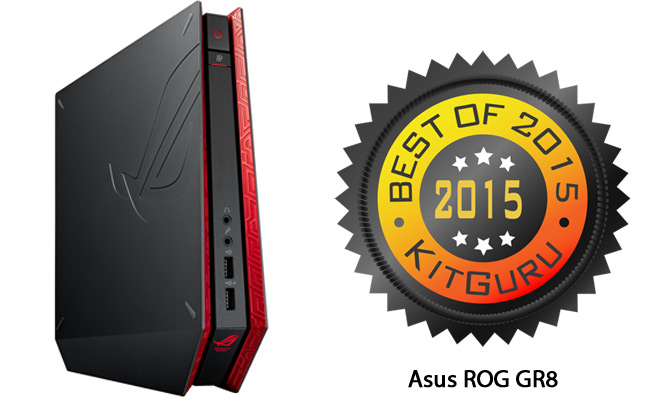
For our mainstream category, we decided to go for a system that would work in the living room, attached to a TV, as easily as it would serve as a work/HD gaming rig in your bedroom. The Asus GR8 uses an anomaly of a processor, with a dual core Intel Core i7 4510U (TDP just 15w) inside a console-esque body that looks exactly like a PC console should look.
The GTX750 Ti will play games at 1080 on your TV and we achieved an average of 65fps with Tomb Raider on ‘High’ image quality. You will hear the main cooling fan when the system powers up for gaming, but it’s far from noisy.
Since we first saw it last January, the specification has changed slightly, with the main memory dropping from 8GB to 4GB, but the price has also tumbled from £799 to just £629 from a variety of outlets, including supermarkets. Given that it also comes with a half decent keyboard and mouse, at that price, we have a clear winner.
The Asus Republic of Gamers GR8 is KitGuru’s choice for Best Mainstream PC in 2015.
Value
In previous years, a price point of £629 would have comfortably taken our value award, but KitGuru is aware that the average selling price for pre-built systems continues to tumble and we wanted to make sure that 2015’s list of the best products around included one seriously great value system that we first saw back in May, the MSI Cubi.
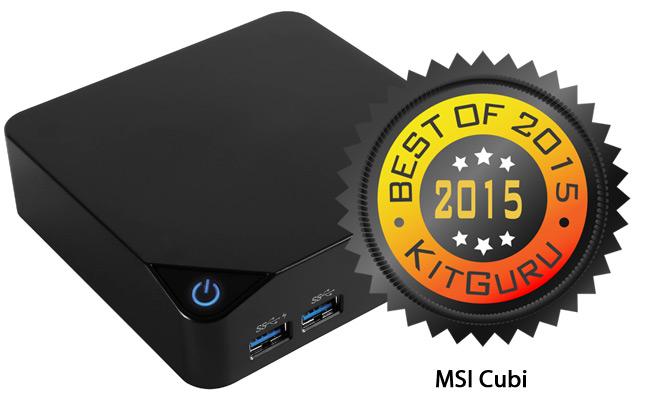
Effectively a bare bones design with a pre-fitted Intel chipset mainboard and processor included in the base price, you can choose your own spec. Adding components is an easy task. Given that it measure less than 12cm on each side, this kind of PC will effectively disappear next to your screen – and with a power draw between 10w and 24w, you’re never going to notice it on your electricity bill.
Sure, it doesn’t have the raw grunt of something like the Gigabyte Brix S, but if you choose an option with the Core i5 5200U, then you should be able to get games like Dirt to a playable frame rate by dropping the IQ settings and gaming at ~720p.
Booting from an M.2 SSD will make the unit feel lively and responsive – with your home NAS or an expansion drive for ‘real’ storage. Using the Scan basket system, we managed to put together an MSI Cubi wth the 5200U processor, 4GB DDR3L and a 128GB SanDisk M.2 SSD boot drive for £416 – including Windows 10. This is a ‘complete working environment’ PC that you can pick up and move easier than most laptops.
KitGuru’s choice for Best Value PC in 2015 goes to the MSI Cubi.
Laptops
Once the poor cousin of the regular PC, laptops have upped their game in recent years and you can now buy an impressive gaming rig that can hold its own against many desktops. Technologies like M.2 SSDs are perfectly suited to small environments, bringing with them the kind of blistering pace that old laptops, with 5400rpm mechanical drives, could only dream of.
Overall
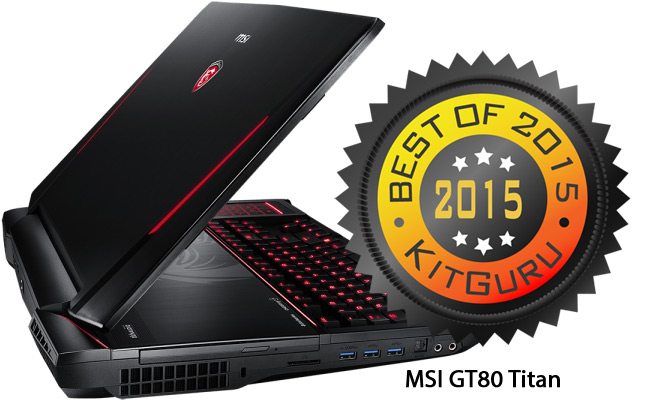
One system to rule them all means cranking everything to the maximum and that’s something that MSI showed KitGuru in previews toward the end of 2014 – and the specification is still 100% relevant as we prepare to enter 2016.
In an area as competitive as the high end gaming laptop market, that means a top end Intel Core i7 processor with a pair of GTX980M GPUs in SLi with the whole thing booting off a RAID set-up and the inclusion of a mechanical SteelSeries keyboard.
The specification has altered slightly since we first saw this product, with the original 4980HQ processor being replaced by a Skylake 6820HK – and the £3,499 price tag has now dropped to £3,170. You now get Windows 10, which is a definite bonus over Windows 8. When we first saw the Titan in Taipei in November 2014, it made a huge impression. It still does.
KitGuru’s choice for Best Laptop Overall in 2015 goes to the MSI GT80 Titan.
Mainstream
We're still shocked at how many laptops are created and sold without an SSD. If there was one product that would benefit from an SSD upgrade above all others, it's the laptop. But what else would you look for in a mainstream machine?
Core i7 processor would be nice and a GTX960 driving a full HD screen at 1920×1080 would definitely be attractive. If you could get it to boot off an SSD, but also include a 1TB data drive for your Steam collection etc, then that would just about do it.
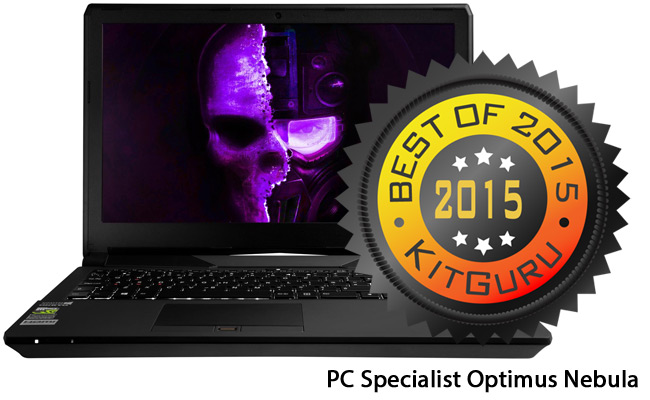
When we took delivery of the PC Specialist Optimus Nebula in April, it offered exactly that. On confirming the specification before including it in our awards, we were told that it was now shipping with Windows 10 (naturally) and double the amount of SSD – with a 240GB HyperX Savage replacing the old 120GB HyperX 3K.
Finally, the 4720HQ CPU has been swapped for a Skylake 6700HQ. In a desktop, we would think twice before declaring this a clear upgrade, given that the top end speed technically drops by ~100MHz in Turbo Mode.
That said, the Skylake architecture is ‘clock for clock' more powerful and it does a great job in terms of TDP – which can be configured to draw up to 12w less than the 4720HQ (35w vs 47w). We were impressed with the original specification, so the new OS, CPU and SSD reinforce our earlier conclusion – especially at a price point of only £849.
KitGuru's choice for Best Mainstream Laptop of 2015 goes to the PC Specialist Optimus Nebula.
Value
We use a 1920×1080 laptop for video editing on the fly. When we bought it, that kind of screen resolution was only available on the most expensive of laptops. KitGuru's winner in the Value Laptop category has a full HD screen around £500. The definition of ‘Value' has definitely changed in recent times.
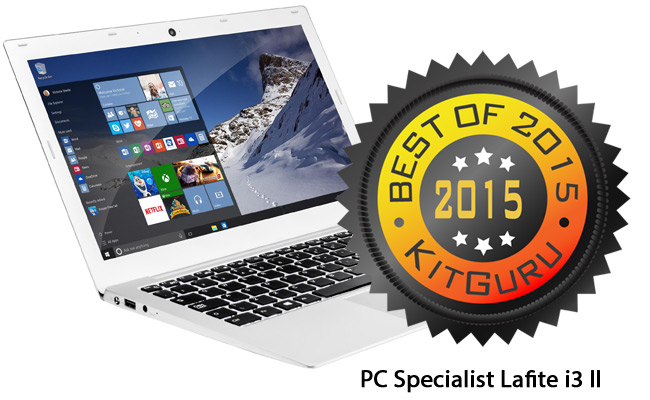
There have been some upgrades to the specification since August and we'll flag those for you in a second. First, let's look at the original specification's battery life. On a continuous use loop, we got just shy of 4.5 hours in PCMark 8's Battery Benchmark, which is pretty impressive for such a low cost laptop. What helps is the removal of the old mechanical drive and the inclusion of a 240GB SSD. That one improvement over previous generations of hardware means you get a fast, responsive unit with long battery life at just 1.42Kg.
They even include a free month's laptop insurance, in case you have an accident or leave it lying around while you're still getting used to it. Overall, this laptop is ultra-thin, ultra-light and very affordable with a sharp 1080p display.
There have been a few changes since we reviewed it in August, namely the price is now £519 to cover an updated specification that includes a 6100U Skylake processor (200MHz faster and 2.5w less thirsty than the original 5010U), a backlit keyboard, improved touch pad and the old RJ45 connector has been replaced with a USB 3.1 (Type C) USB port.
KitGuru's choice for Best Value Laptop of 2015 goes to the PC Specialist Lafite i3 II.
At the start of this year's awards, we compared and commented on how things have changed over the last 15 years. Nowhere has the change been more dramatic than in the mobile arena. Back in the year 2000, we were still fixated on WAP and being able to get the sports scores – on the move and in text-only mode – from web sites like the BBC was considered a bit of a miracle.
In the year 2000, the most powerful desktop systems would have had a Pentium processor running close to 1.5GHz with a 45GB hard drive and 256MB of system memory – and that would set you back almost £2,000. Modern phones leave that spec in the dust and we expect mobile devices to be ‘free' with a connection contract.
Mobile Phone – Overall
We ramped up our testing on mobile devices for 2015. In order to win in this category, a mobile would need to show off a considerable range of features – including a Quad HD screen (4x 1280×720) that's over 5 inches, maybe a 16 megapixel main camera and an 8 megapixel one for shooting yourself.
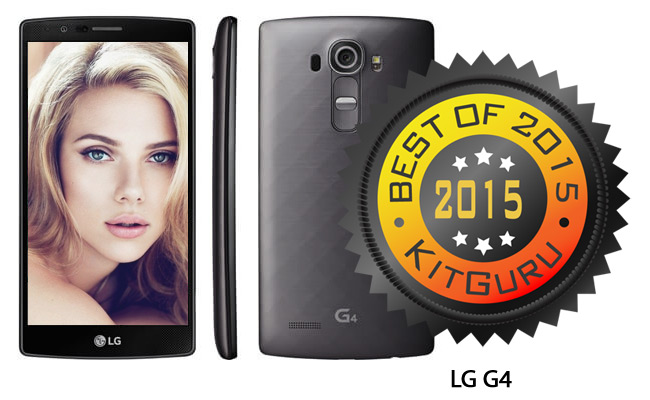
To drive that experience, we might choose a 6-core processor running at 1.8GHz and include a 3,000mAh battery. Lastly, it would be nice to have an expansion slot for additional storage. With its latest G4 model in August, LG comfortably ticked all of those boxes and also offered a newly re-designed user interface called LG Optimus UX 4.0 which provided an impressive/intuitive way to use Lollipop 5.1.
On the more practical/physical side of things, LG has created a texture rear for this phone that definitely reduces the chances of it slipping out of your hand. It is available unlocked and SIM free for just £310, which makes it a bit of a bargain when compared to the latest high end phones from Apple or Samsung. Only measurable downside is that the battery life could be a little better.
KitGuru's choice for the Best Mobile Phone Overall in 2015 goes to the LG G4.
Mobile Phone – Value
This is a very tough category. Over the last couple of years, phone feature sets have become increasingly homogenised. This is something that you only really discover when you (or a family member) destroys their uninsured contract phone.
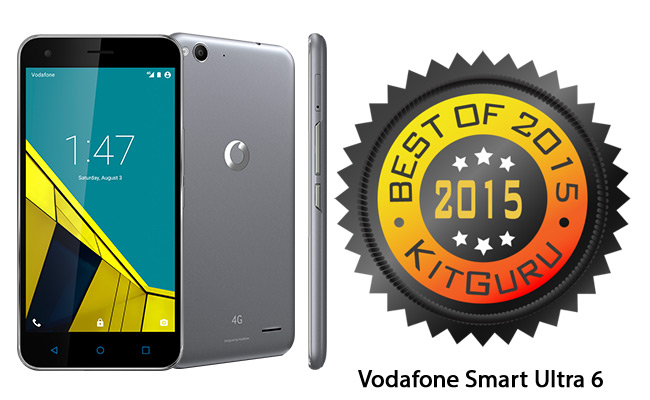
You suddenly realise that there's a spread of very capable handsets around the £100 mark. So what do you have to sacrifice? Well, our winning choice includes a 1080p display that is 5.5″ across and it offers a good quality 13 megapixel main camera and a decent 5 megapixel selfie-cam. It's no slouch when it comes to processing, with the industry's first 8-core 64-bit CPU architecture processor, the Qualcomm SnapDragon 615.
Like our overall winner, it is supplied with a 3,000mAh battery. While PPI (Pixels Per Inch) isn't the only measurement of screen quality, it is a good indicator and a higher number is generally better. The iPhone 6S gives you a 1,334×750 pixel screen with 326 PPI.
Our value choice phone offers a full HD (1920×1080) screen with 401 PPI. Also, this is an IPS screen, which delivers colours that pop and a strong contrast between black and white – alongside a wide range of viewing angles.
In our final analysis, we concluded that the specification and build quality offered by our winning choice, could easily have come with a £300 price tag and not looked out of place. At £125 it is a complete bargain.
KitGuru's choice for Best Value Mobile Phone in 2015 goes to the Vodafone Smart Ultra 6.
Tablet
Despite pioneering the tablet market with its iPad, Apple's market share has dipped below 25% in 2015. That means 3/4 of you are opting for non-Apple tablets. Alongside the obvious candidates from Samsung, the ‘darlings' of the non-iPad tablet market include the Nexus range from Google.
On paper, that would make the Nexus 9 a candidate in this category, but unfortunately we couldn't get past the cheap design and all of the corners that appear to have been cut with this HTC-produced tablet. The Nexus offered that unfortunate combination of ‘lemonade lifestyle for champagne money', coming in around the £300 mark. Apple iPad Air pricing for a plastic unit is not a ‘Must Have' combination in our books.
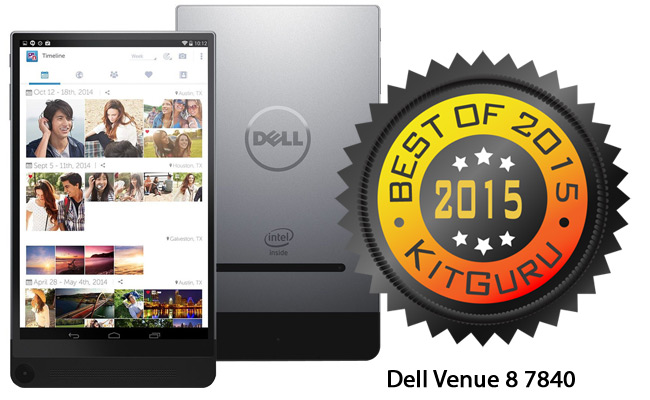
KitGuru's winner in this category suffers from none of those issues. Just 6mm thin, the Dell Venue 8 7840 has a machined aluminium body that looks amazing. Even though it only weighs ~300 grams, it still feels really solid.
The 8.4″ OLED display gives you 2560×1600 resolution that's beautifully sharp in use (although it doesn't offer the same range of viewing angles that more expensive tablets give you). Despite the incredible thinness of the design, the battery still lasts close to 2 days with normal use (9.5 hours ‘straight') and you can expand the built-in storage with the microSD reader.
It offers Intel RealSense photography – which allows you to play with the depth of field of your photos later – unfortunately the camera optics themselves need a re-think and we're hoping for more with the next generation – especially with a £319 price tag.
KitGuru's choice for Best Tablet of 2015 goes to the Dell Venue 8 7840.
With over 313,000 followers actively engaged with KitGuru on Facebook, we see a never ending stream of Reader Rigs over the course of a year. Some share simple tweaks, while others are clearly Black Belt 10th Dan experts in the art of the Dremel. We love seeing your systems and how you use the hardware we recommend – in your gaming and professional PCs.
Social media shrinks the planet – bringing together hardware enthusiasts from across the world. Nowhere has that point been made clearer than in KitGuru's selection for Reader's Rig of the Year in recent times. From Italy to the Far East, we've seen stunning systems on several continents.
Without doubt, this year's winner is about as far away as you can get. From KitGuru HQ to Cambridge Park in the suburbs of Sydney, Australia would take you around 30 hours on a plane. You can have fun with this ‘furthest away' concept using the Antipodes ‘Tunnel' Map site – with the UK on the left and Australia on the right.
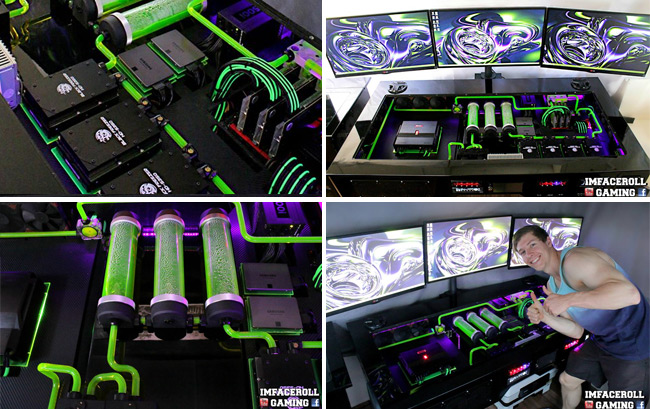
When Corey Gregory is not reading up on the latest hardware or proposing to Amelia Rosina, then he's busy building serious gaming rigs.
We love Corey's Ultimate Custom Desk PC – complete with triple screen gaming action. The attention to detail is incredible and it's a joy simply to look at.
This is exactly the kind of build we like to encourage on KitGuru. Something that's completely awesome, but at the same time could be used every day. Well played Corey! [yframe url='https://www.youtube.com/watch?v=kZWo0KoUz4E']
Our Technical Excellence category is always one of the hardest to decide. We no longer live in a world of constant failure, where you spend as much time maintaining your rig as you do using it. If you install the latest version of Windows 10 onto a PC with quality hardware, then your chances of a BSOD are close to zero. We put computers to sleep and poke them away in a mater of seconds – and even a ‘cold boot' with an SSD-based laptop is measured in seconds, not minutes.
Samsung's drive to push V-NAND has already had a big impact on the market – with 48-layer 3rd generation product already being lined up for sale in 2016. From the first NVMe product announcement in July 2013, to KitGuru's choice of Solid State Drive of the Year 2015, the SSD market has changed completely.
What we previously considered ‘fast' has been blown away with PCI Express and M.2 products. Storage capacity has shot up and the days of wondering if you could live with a 64GB drive to having ‘400GB of some of the fastest storage ever seen' available at just over £200.
Which brings us to the winner of this year's award, the Intel SSD 750.
Sure, performance is stunning, but that is only part of the story. Intel has put a lot of work into compatibility, to improve the boot process across a wider range of set-ups – as well as reducing latency times and maximising the lifespan of the drive. As a result, the declared MTBF (Mean Time Between Failures) is now 1.2 million hours of use – enough for even the most hardcore data centre or Warcraft warrior.
With a fast drive from the previous generation of SSD technology, a sustained read speed of more than 500MB/sec was considered strong performance. The Intel SSD 750 drives deliver over 3 times that speed. And it does that at just £225 for the 400GB version.
In every way, this drive represents a glimpse into the future. In the same way that Intel pioneered the dawn of the original Solid State Drive era with the X25, it is now leading the charge into a new tomorrow.
KitGuru's choice for Technical Excellence 2015 goes to the Intel SSD 750.
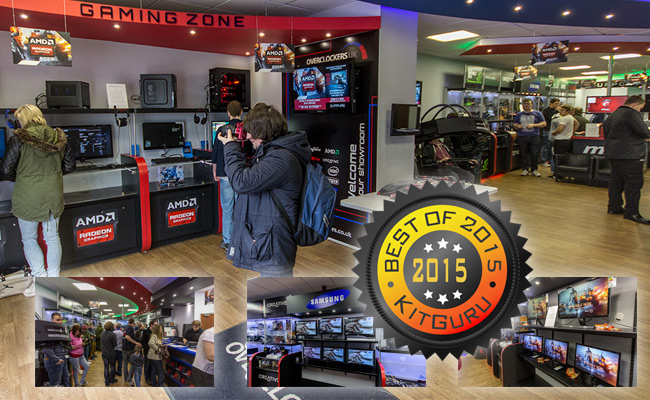
Choosing the right technology is just one part of the ‘Happy Computing' puzzle. You also want to make sure you get a competitive price, expert advice before you buy and access to a responsive support team in case things go wrong. So which store do KitGuru readers rate higher than all others?
That the KitGuru reader's choice for the Best Store of the Year is the same as it has been over the past 3 years is impressive. But when you look at the ‘winning margin', you see something completely different. In 2013 and 2014, Overclockers.co.uk just edged ahead of Amazon. Not so in 2015. This time the gap between Overclockers and its nearest rival is a whopping 15%. Impressive stuff. We wanted to know why.
Steve Ling has been the Managing Director of Overclockers through this increase, so he seemed like the natural person to ask.
“We now have a lot more support staff”, Steve told KitGuru. “Plus we have also increased the number of staff in the warehouse – to make it as fast as possible for us to ship customer orders. Our new web site is integrated even tighter with our back end system, to help ensure we have the right stock on the shelves and we pride ourselves on getting the latest technologies to market first”.
“We continuously review and improve the experience for our customers before, during and after the sale. We've achieved many improvements by changing our processes and adding staff in the critical areas. No matter how much you try, things can go wrong and when they do, we take responsibility and make sure the customer is looked after”.
While a free packet of Haribo in every system dispatched probably does help (!), there's no doubt that Overclockers has developed into a very efficient reseller over the past 3 years – and KitGuru's readers have voted yet again on which store they love the most.
KitGuru Reader's Choice for Store of the Year 2015 goes to Overclockers.co.uk
In a year that saw the launch of Skylake and the Nano, we have been impressed by the amount of work that technology companies are putting into getting ready for 2016/17. In terms of ‘new tech', 2015 will probably go down as a plateau year.
Microsoft launched Windows 10, which at least meant that it had listened to its audience. Offering it as a free upgrade was fine, but no intelligent person volunteers to install a new OS over the top of an old OS and reports from inside Microsoft say that the company is disappointed at take up rates for its free OS upgrade. Making it easier for existing owners of Windows 7/8 to download the new OS and install it onto their system on a new SSD would probably go a long way to boosting the numbers but, so far, this kind of intelligent upgrade has not marketed strongly to users.
So what will the new year hold that is so exciting?
The push toward VR looks like it will demand a lot more from your hardware. nVidia's Pascal range of cards was originally scheduled for a Computex launch, but we're now hearing rumours that at least some of the cards might be brought forward for the new VR headset launches.
New memory technologies will make high-end computing more fun and we're all looking forward to the Haswell-E successors that are rumoured to be making a show in Taipei around the start of June.
For all of these launches – and many more besides – we believe that 2016 will be one of the most exciting years ever for technology.
At the same time, we are proud of the way that KitGuru's audience continues to grow and that we have such an amazing and loyal following on social media – with 315,000 people regularly tuning in to check out the latest news, reviews and gossip on Facebook alone.
In 2015, that family became much larger as we co-founded the European Hardware Association – combining 9 of the largest independent hardware sites from across the continent. We had our first European Hardware Awards ceremony at the prestigious Taiwan International Conference Centre at the start of Computex, and the winners of the first ever pan-European Community Hardware Awards will be announced at the start of January 2016.
Discuss on our Facebook page, over HERE.
KitGuru Says: We continue to find technology interesting and exciting – and we really appreciate all your support. Please keep your comments coming on Facebook and we always want to see more of your systems – to see what you guys are doing with the hardware that we test and present. We wish you and your family a very Happy New Year for 2016!