KitGuru KitGuru.net – Tech News | Hardware News | Hardware Reviews | IOS | Mobile | Gaming | Graphics Cards


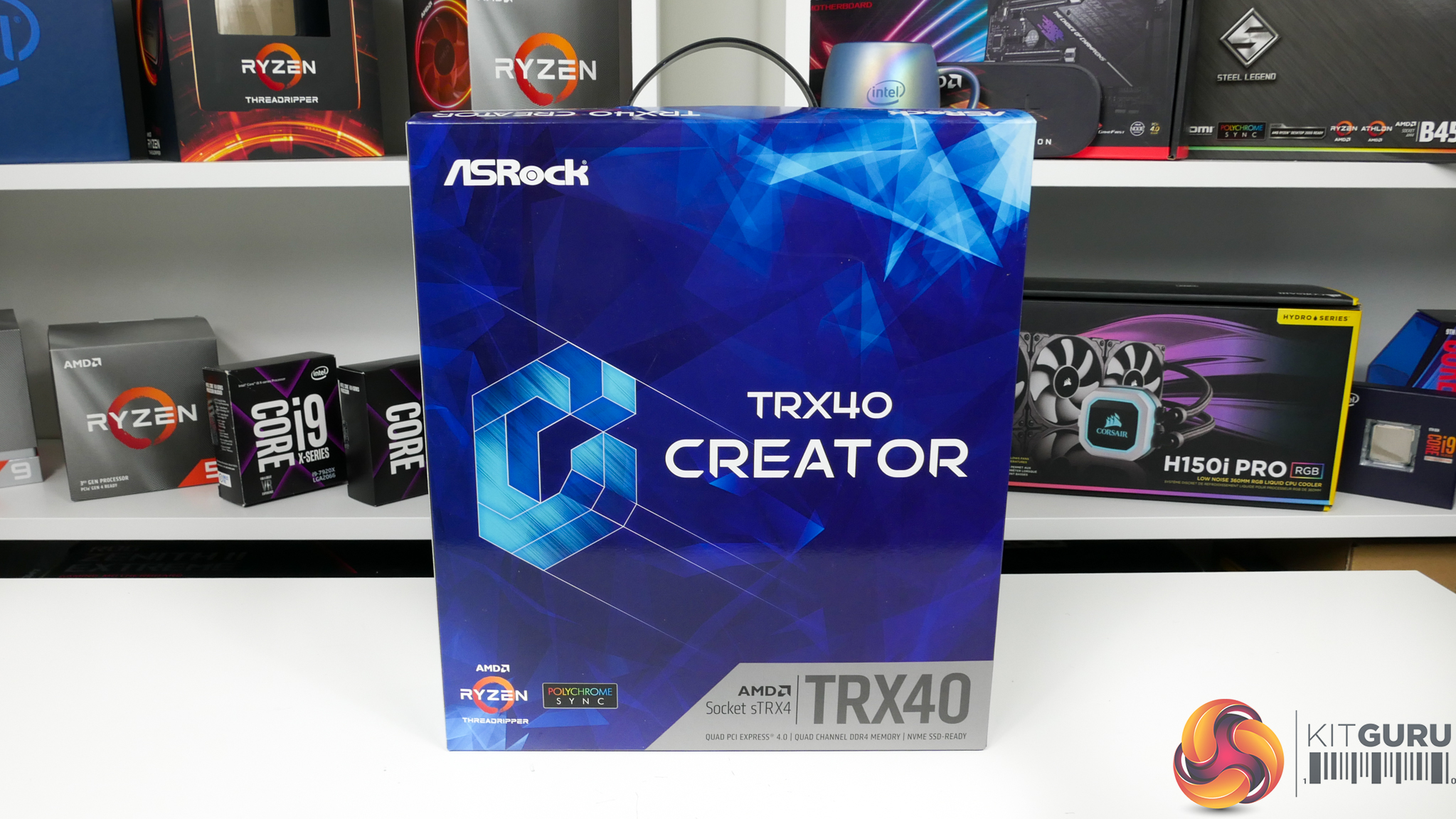
ASRock’s TRX40 Creator motherboard is firmly positioned in the market to appeal to prosumer users looking to adopt the latest Threadripper platform. A few ways in which ASRock achieves that aim is by omitting onboard RGBs and fancy aesthetic shrouds in favour of 10Gb Ethernet and a quad-GPU slot layout.
Arguably most prominent for ASRock’s TRX40 Creator is the notable provision for quad graphics card slot spacing. Despite the TRX40 platform’s healthy PCIe lane allocation, ASRock’s offering is one of the few options that makes installation of four graphics cards a possibility. And it does so while sticking to the standard ATX form factor, which is a significant positive for chassis compatibility.
Of course, professional freelancers and content creators demand more than just preferential slot spacing. That’s where ASRock throws in 10Gb Ethernet via an Aquantia NIC and a 2.5Gb partner from Realtek. High-speed connectivity doesn’t end there, with the inclusion of 2.4Gbps WiFi and a 20Gbps USB 3.2 Gen 2×2 Type-C port.
Priced at just under £450 in the UK, which is particularly reasonable for a sTRX4 offering, ASRock is not asking potential buyers to break the bank for the luxury of workstation-geared design choices and included features. Let’s take a closer look.
Features (information taken from the ASRock webpage):
- Supports 3rd Gen AMD Ryzen™ Threadripper™ Processors
- 8 Power Phase Design, 90A Dr. MOS & Power Choke
- XXL Aluminum Alloy Heatsink & Heatpipe Design
- Supports DDR4 4666+(OC)
- 4 PCIe 4.0 x16
- NVIDIA® NVLINK™, 4-Way SLI™, AMD 4-Way CrossFireX™
- 8 SATA3, 2 Hyper M.2 (PCIe Gen4 x4), 1 Hyper M.2 (PCIe Gen4 x4 & SATA3)
- 1 Rear USB 3.2 Gen2 x2 20Gb/s Type-C
- 3 USB 3.2 Gen2 (1 Front Type-C, 2 Rear)
- 8 USB 3.2 Gen1 (4 Front, 4 Rear)
- 7.1 CH HD Audio (Realtek ALC4050H+ALC1220), Supports Purity Sound™ 4 & DTS Connect
- AQUANTIA® 10G LAN, Realtek 2.5G LAN
- Intel® Wi-Fi 6 802.11ax (2.4Gbps) + BT 5.0
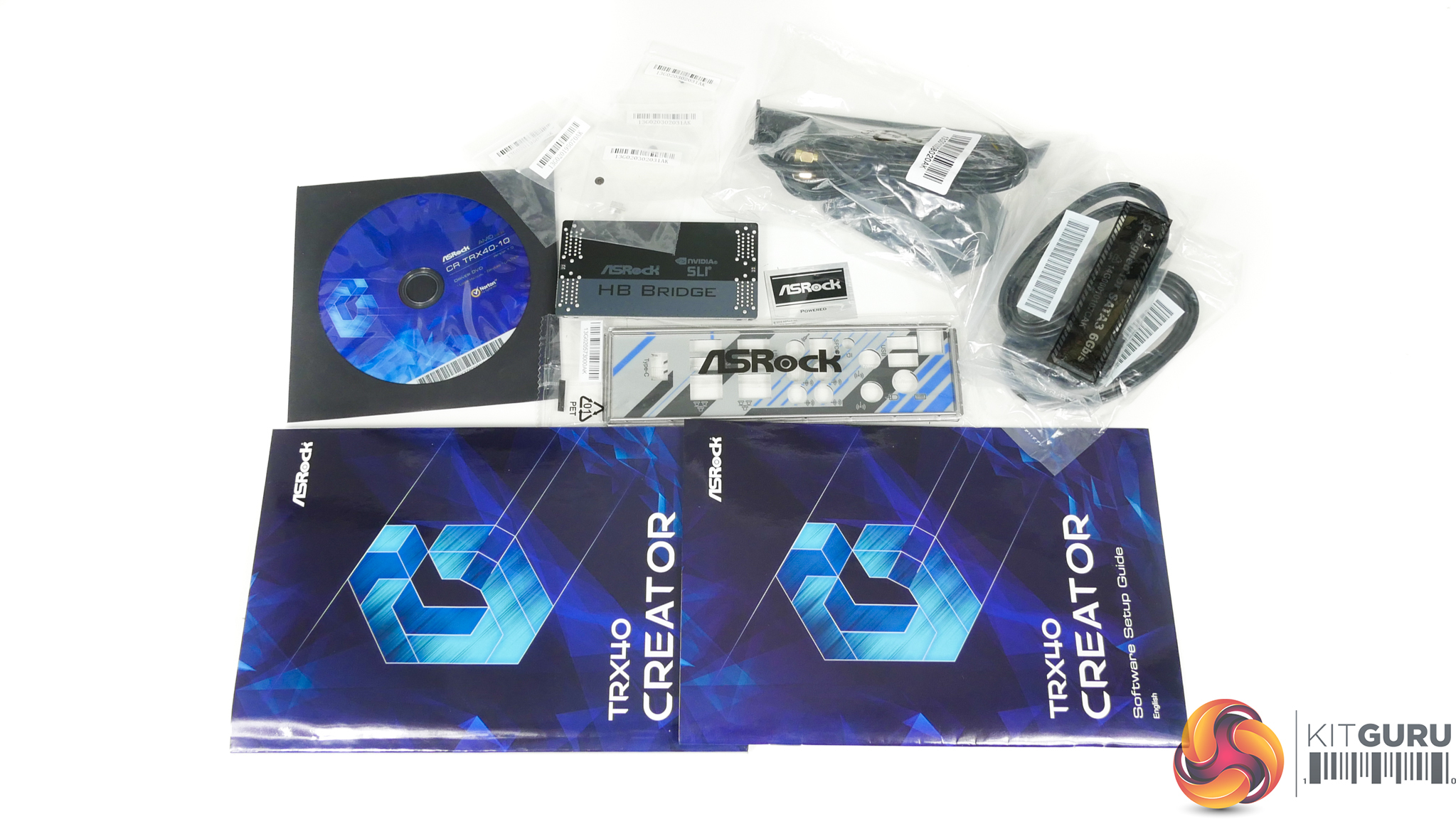
ASRock’s bundle for the TRX40 Creator includes a 2-way HB SLI bridge, the rear IO shield, SATA cables, wiring and antennae for the WiFi adapter, and screws for M.2 SSDs. The usual stickers, drivers CD, and paper manuals are also provided.
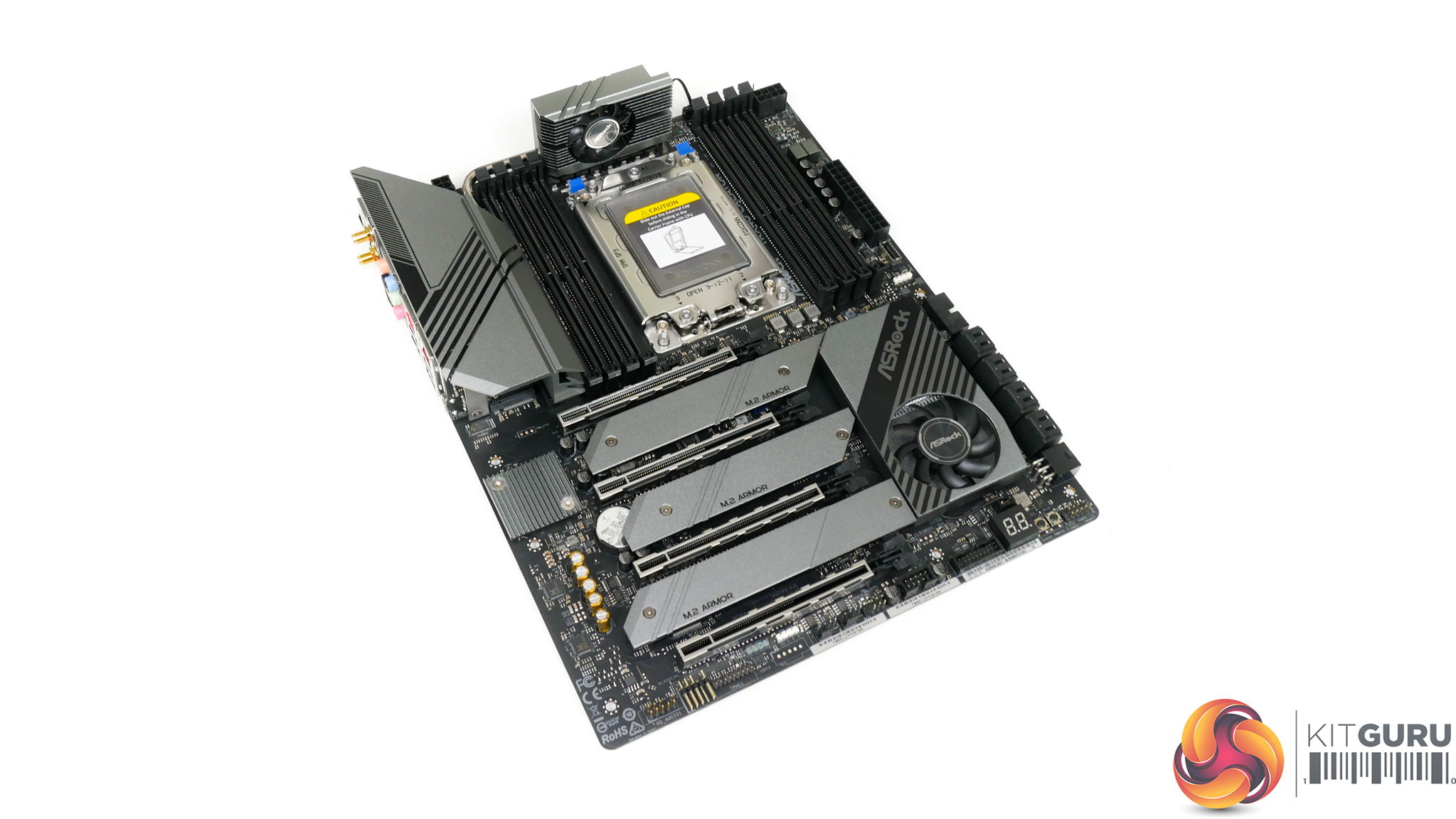
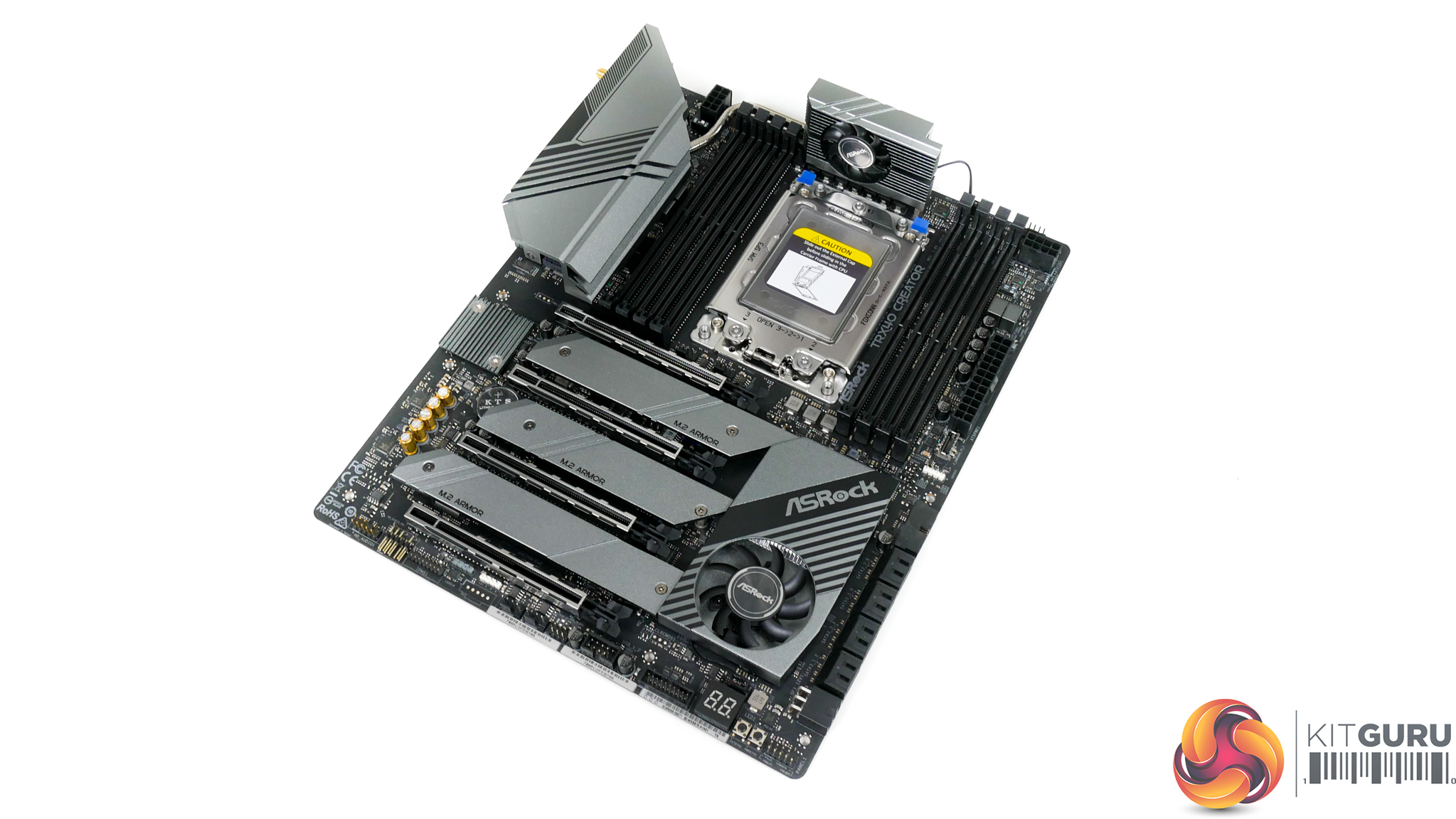
The ASRock TRX40 Creator uses a primarily black and silver/grey colour scheme across the motherboard. Areas most notable for their grey contrast are the heatsinks.
It is noteworthy that this motherboard does not feature any onboard RGB LED lighting, and I am perfectly happy with that. ASRock is clearly gearing this product towards creative professionals, many of whom will be far more interested in performance, stability, and value than flashy lights for their workstation.
With that said, there are still onboard RGB headers if you do feel the need to have separate LED strips mounted in your workstation chassis.
Typically, I would moan at the lack of onboard voltage measurement points. However, I feel that they are less important on a workstation-style motherboard where users are less likely to be tinkering with their system on a regular basis.
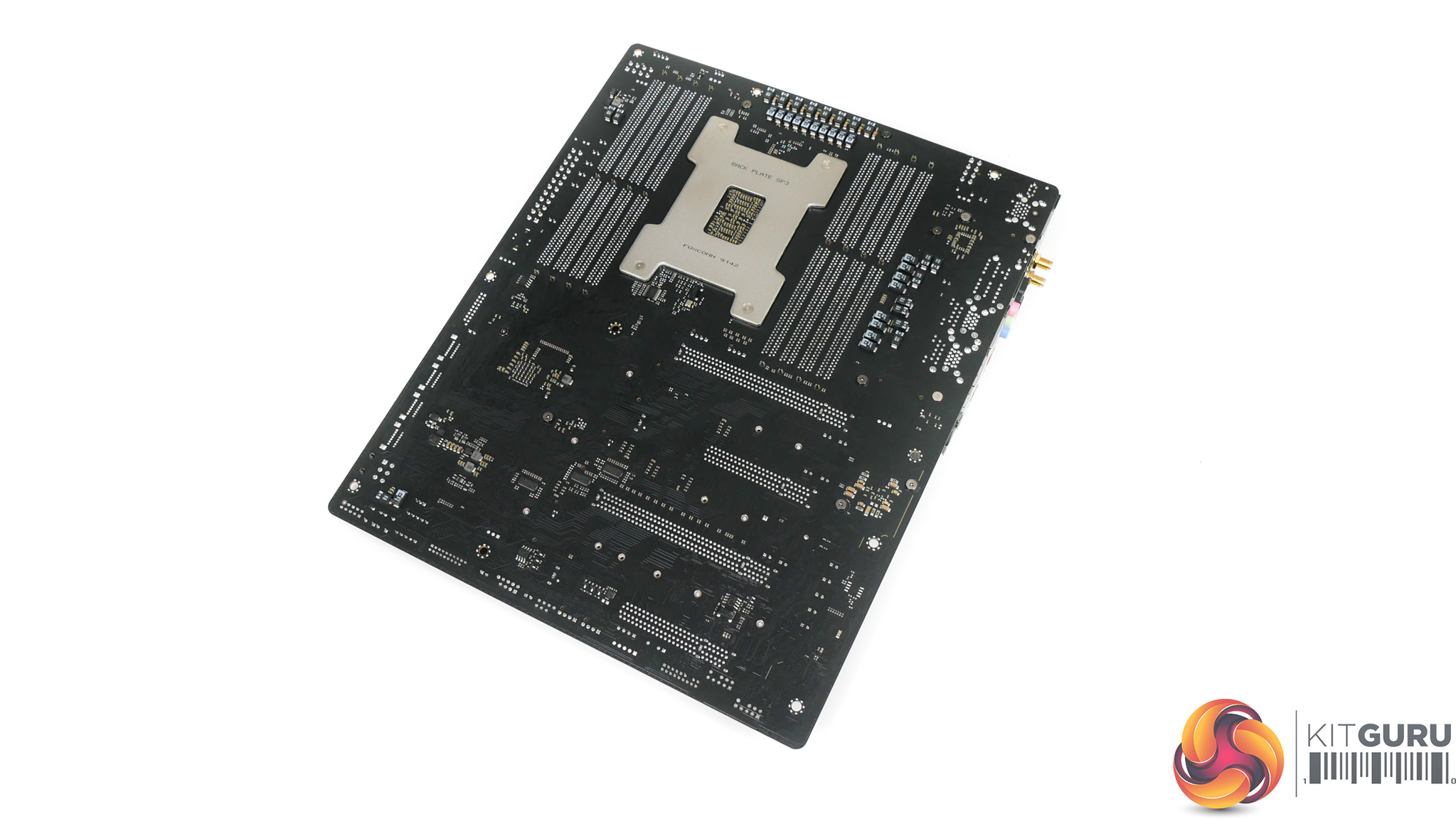
Flipping over to the rear side of the motherboard, we see the plain PCB without any form of heatsink or shielding in any area. This is interesting as competing products tend to use a small strip heatsink mounted beneath the primary MOSFET area, while others use a full cover backplate that contacts specific hot zones.
ASRock’s decision to omit any form of heatsink or metal shroud highlights a measure designed to save on costs and it also gives indication that the vendor is confident in the abilities of its chosen hardware to run at reasonable temperatures.
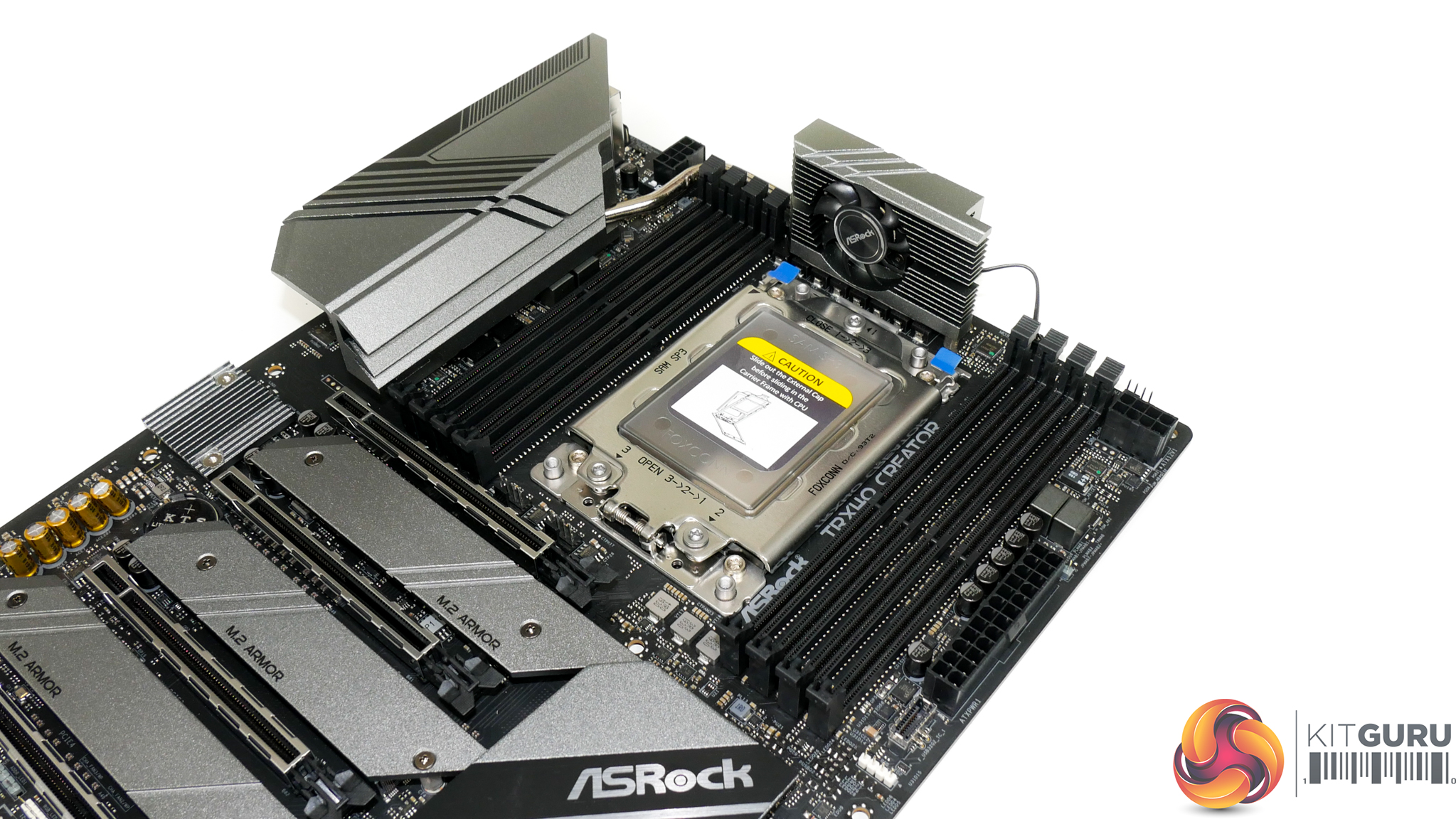
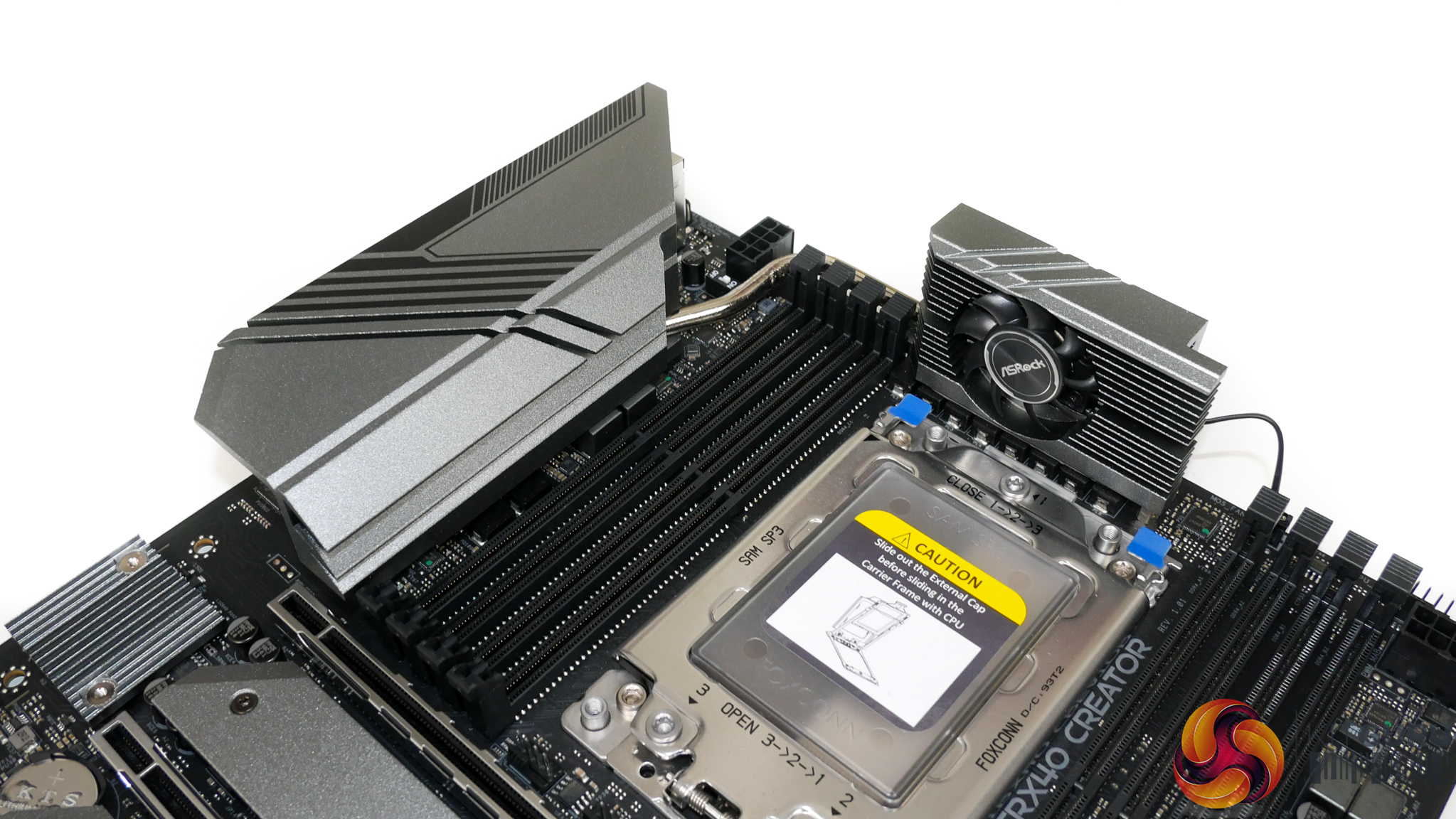
Eight DIMM slots with the single latch installation method are sat either side of the large sTRX4 CPU socket. ASRock quotes DDR4 frequency support well in excess of 4GHz, with 4266MHz modules from Corsair and HyperX specifically listed as compatible according to the QVL.
ASRock’s webpage also quotes support for both Non-ECC and ECC UDIMMs, though the memory QVL is clearly very light of information regarding ECC module compatibility.
One of the more obvious design quirks is ASRock’s use of a taller-than-usual VRM heatsink positioned directly above the sTRX4 CPU socket. This height is dictated by the desire to mount the VRM fan vertically and it initially had me concerned with regards to CPU cooler interference.
I can, however, report that our sizable Cooler Master Wraith Ripper CPU cooler was able to fit without contacting the VRM heatsink. Clearance is in the order of millimetres, so it would seem that ASRock tested this possible conflict in the early design stages for the TRX40 Creator motherboard.
Noctua’s TR4 coolers are also likely to fit thanks to their sliding mount’s ability to adjust the heatsink mounting location.
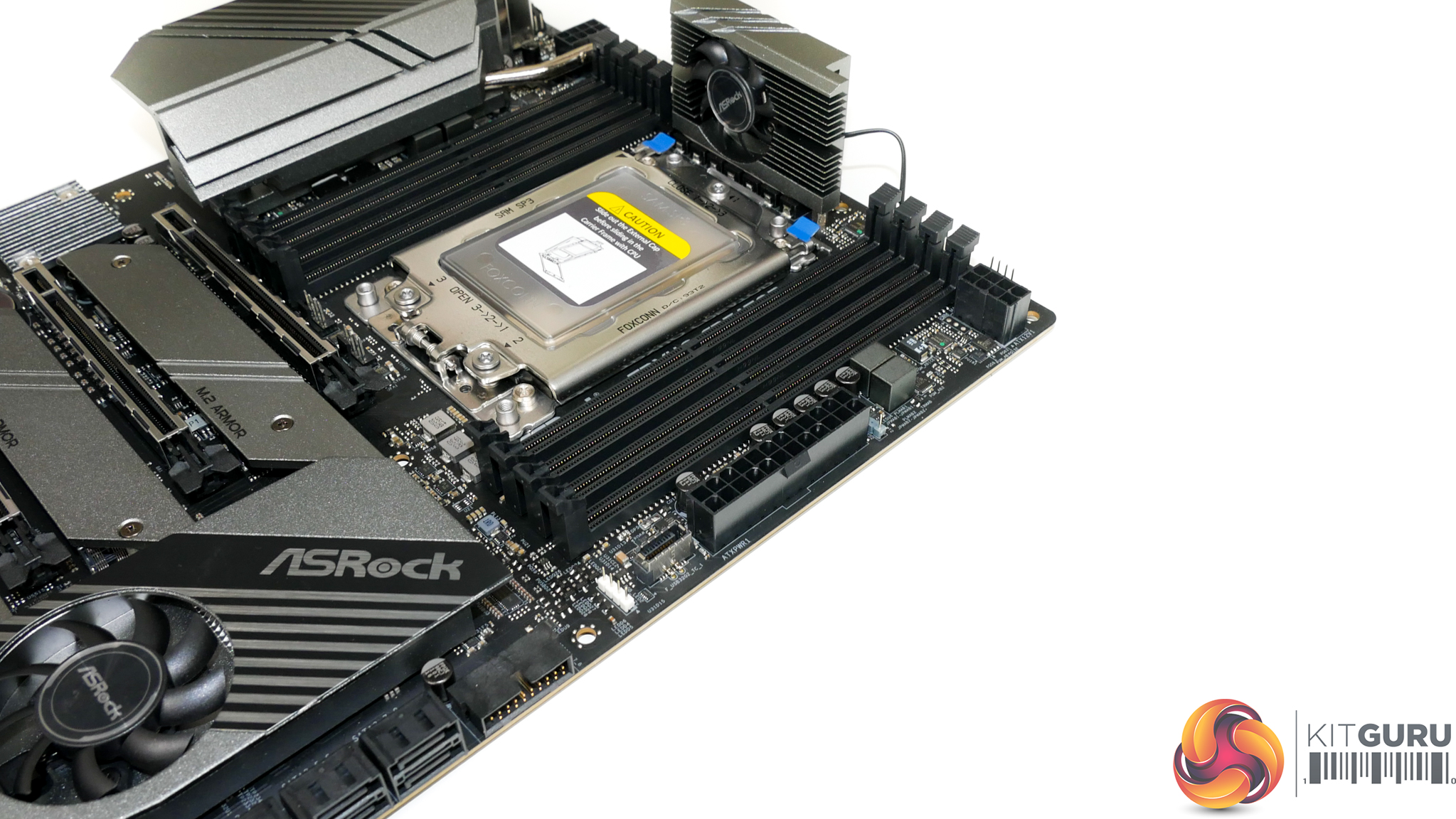
Close to the 24-pin power connector you will find the usual pair of RGB headers in addition to the internal USB 3.2 Gen 2 10Gbps Type-C header.
It is pleasing to see ASRock sticking to the standard ATX form factor and width with the TRX40 Creator. While it certainly limits the amount of hardware and cooling that ASRock can physically fit on the motherboard, sticking with standard ATX sizing vastly improves compatibility with cases.
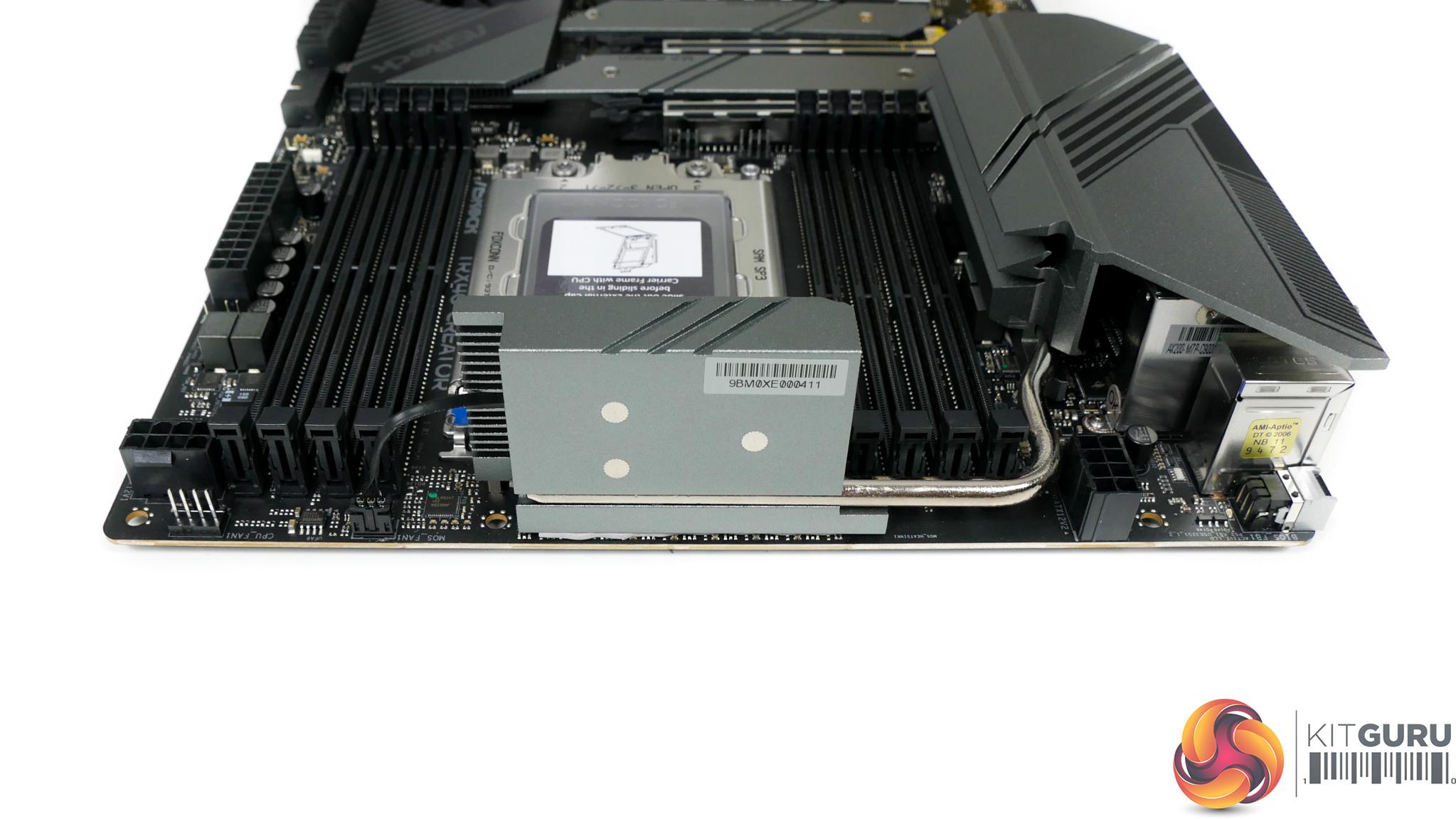
Dual 8-pin power connectors are used to feed the hungry Threadripper 3000 CPUs. As we saw with ASUS’ similarly priced competitor, ASRock positions these power inputs on opposite sides of the motherboard. Depending on your chassis, this may benefit you in terms of cable management or it may make the tidying process more difficult.
The decision looks to be driven by ASRock’s desire to connect the two VRM heatsink towers via a heatpipe that routes directly where the second 8-pin connector would typically be placed. ASRock also argues that splitting the CPU power connectors allows the VRM to be fed from two sides, thus improving efficiency and temperatures.
Either way, you get the dual 8-pin connectors that deliver the extra power delivery Threadripper 3000 CPUs demand when overclocked.
ASRock includes a physical switch on the motherboard that allows for some more extreme power delivery settings to be obtained. Realistically, we see no point in this addition on a professional-geared motherboard; perhaps it is a feature that has been left over from the more enthusiast orientated offerings in ASRock’s range.
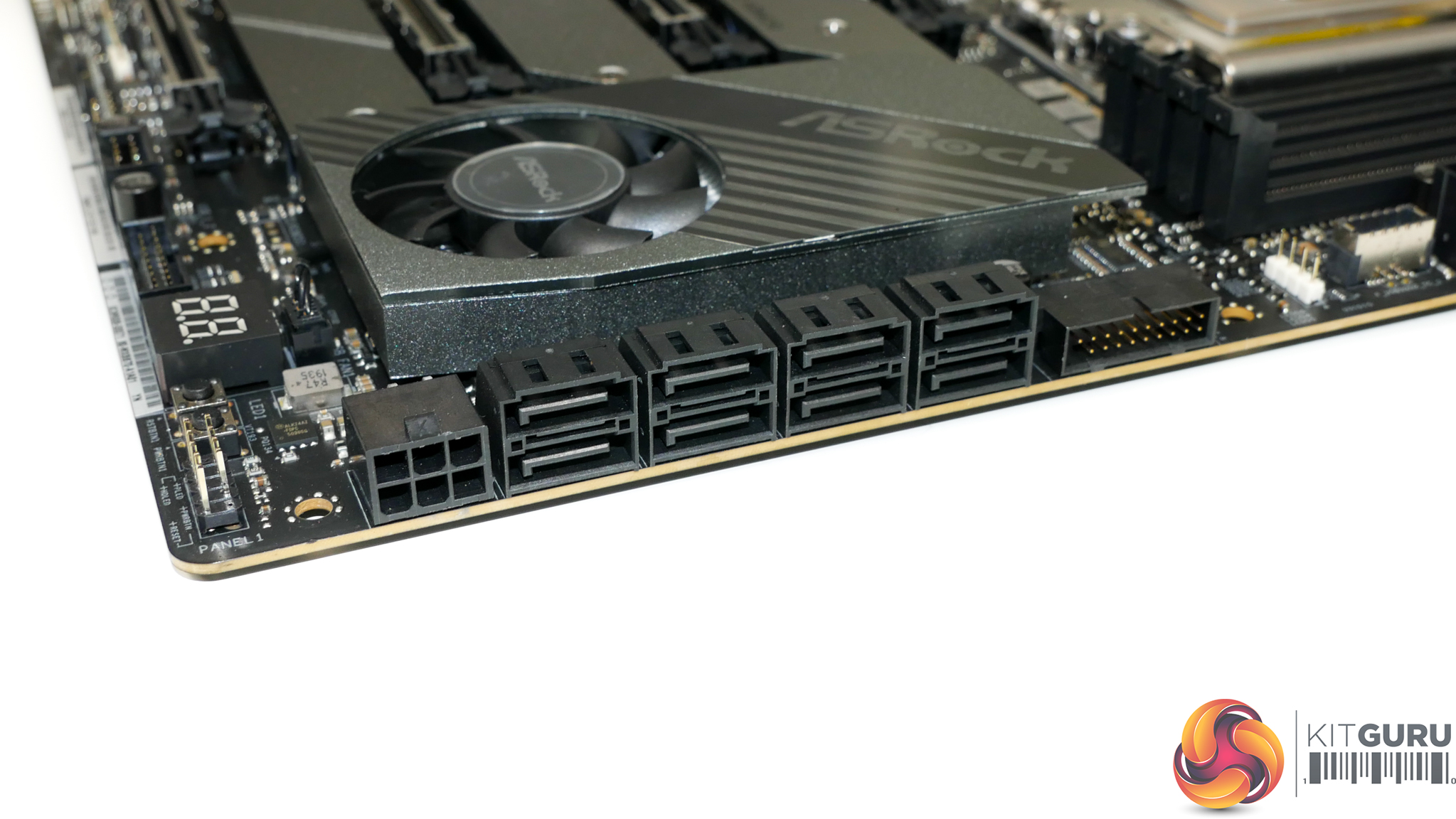
Eight SATA ports are provided by the TRX40 Creator – a number that I think is perfectly adequate for this motherboard’s target audience when the M.2 slots are also factored in.
ASRock makes no reference to bandwidth sharing between the SATA ports and other expansion devices, so a content creator can use all eight ports simultaneously.
Next to the bank of SATA ports is one of the motherboard’s two internal USB 3.0 5Gbps headers. This is mounted in a right-angled location which may ease cable management duties.
A right-angled 6-pin PCIe power connector is added to the motherboard in light of the four full-length PCIe expansion slots. It is not unreasonable to think that some users may install three or four high powered graphics cards on this motherboard, at which point the extra power delivered by a dedicated 6-pin connector is likely to be valuable.
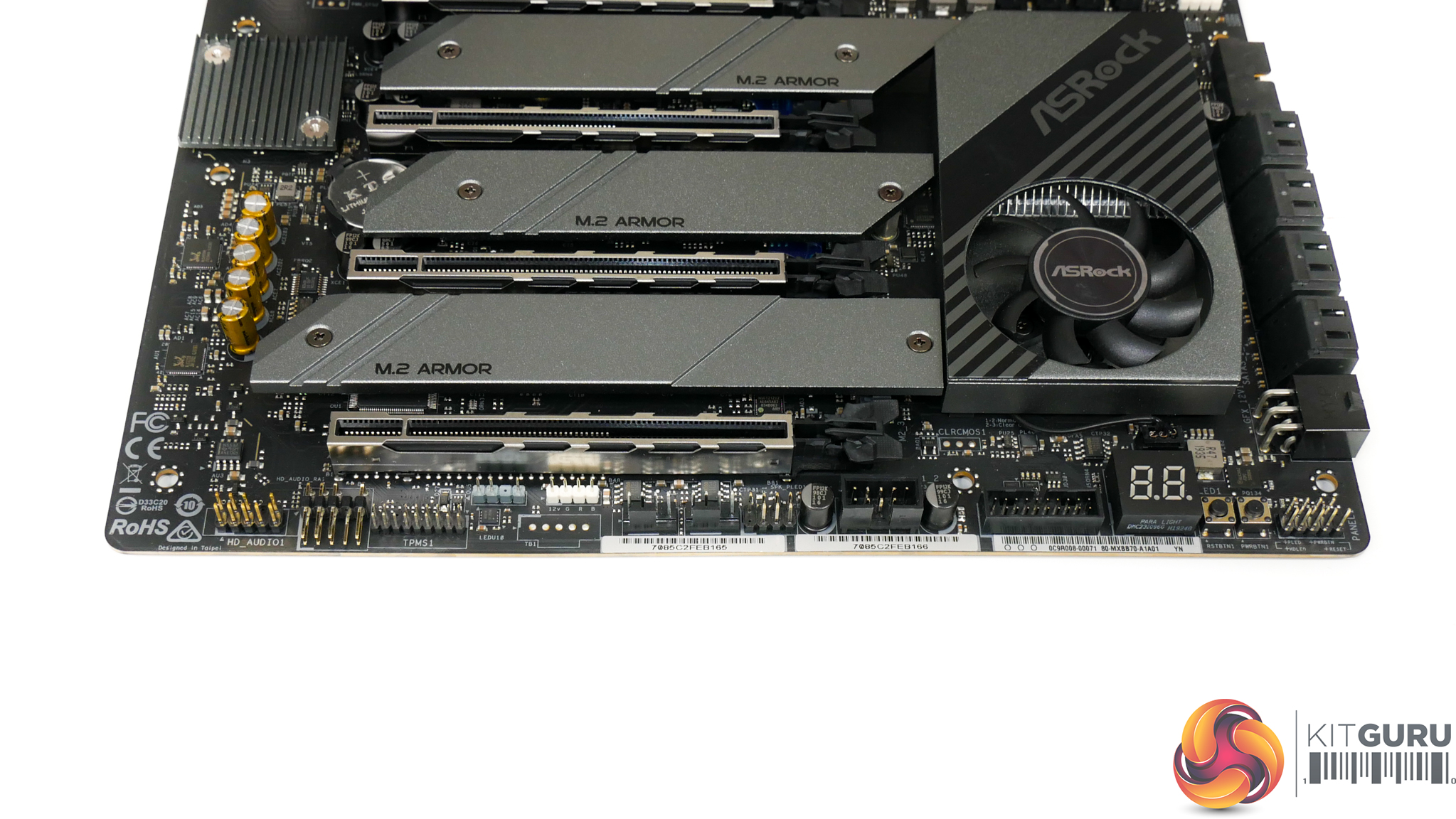
One unique addition to the usual set of bottom edge connectors is a right-angled HD audio header. This is mounted next to the vertically orientated HD audio header and is clearly a design decision stemming from the bottom full-length PCIe slot that could house a large graphics card.
Moving along the bottom edge, we see TPM, RGB, two 4-pin fan, USB 3.0 5Gbps, and USB 2.0 headers. ASRock’s inclusion of only a single USB 2.0 header is disappointing as these prove widely used by AIO pumps, RGB controllers, and many cases. Disappointingly, there is no included Thunderbolt Add-In-Card header with the TRX40 Creator.
I like the inclusion of a two-digit debug LED and its mounting location is reasonable given that the top-right alternative location is likely to be covered by a large air CPU cooler. Simple onboard power and reset buttons are also useful additions for times of troubleshooting, so credit to ASRock for placing them on this motherboard.
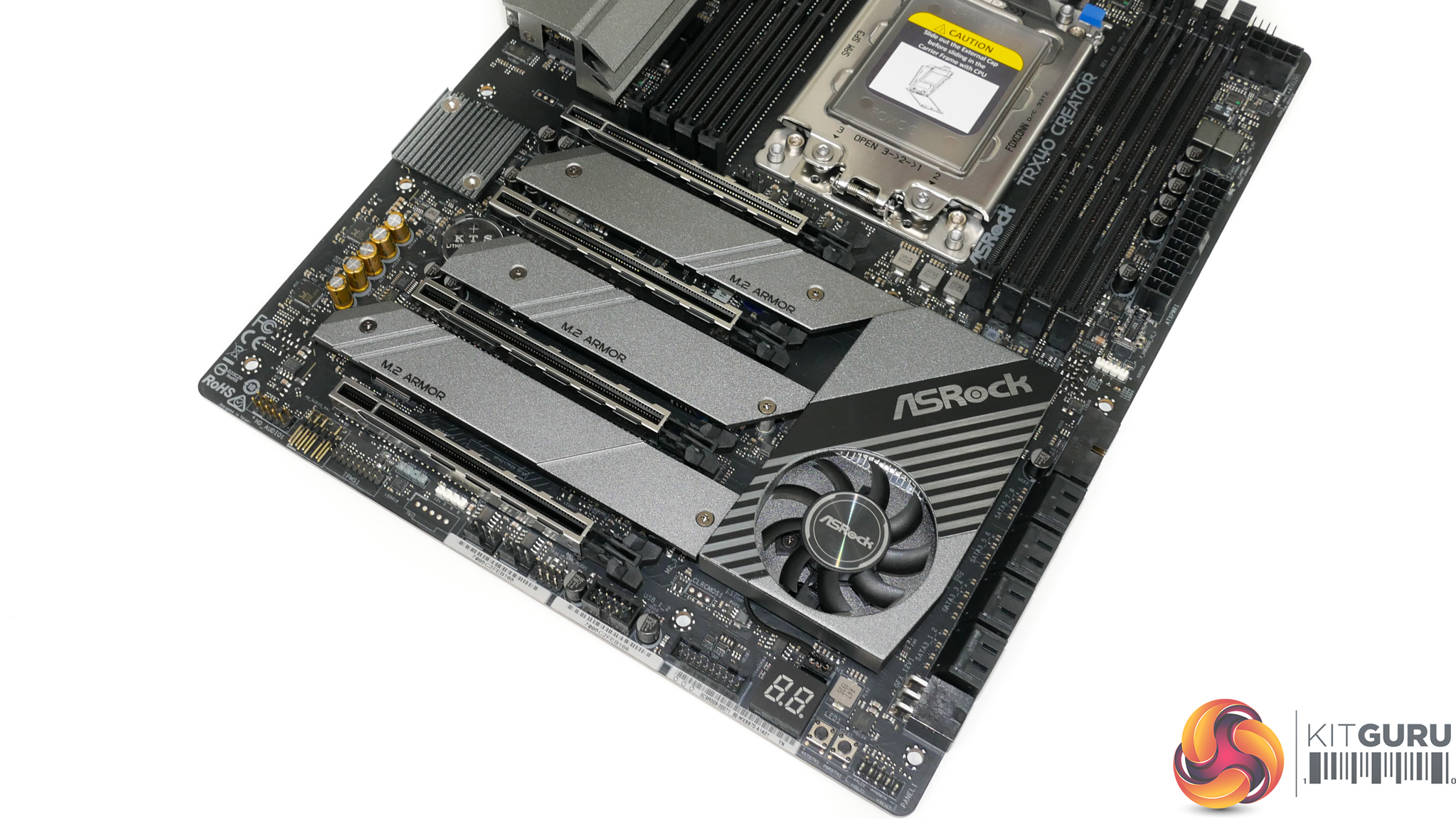
ASRock’s PCIe slot layout allows for the use of four dual-slot graphics cards or other expansion devices simultaneously. That point will be particularly important to some users such as those dealing with highly demanding rendering jobs, especially given that TRX40 Creator is one of the few sTRX4 motherboards to offer such capability.
While all of the PCIe slots are full length in size, the lane allocation (from top to bottom) is x16/x8/x16/x8. 4-way SLI and CrossFire are technically supported, but this configuration is more suited to users with demanding workloads in applications that can address multiple individual GPUs.
Alternatively, passing through high-end GPUs to four individual virtual machines is another worthy use case for this type of slot layout.
We must credit ASRock for this design decision. The compromises required are clear; the CPU socket is pushed up thus limiting the size allowance for the VRM and the PCB area that the heatsink can use. In addition, two triple-slot graphics cards will leave no other slots accessible, unlike some competing motherboards. But those trade-offs may be worthwhile to professionals with specific workloads that benefit from multiple expansion cards and the decision is one that allows the TRX40 Creator to truly live up to its ‘Creator’ name.
One clear area that needs consideration is CPU cooler interference with the top expansion slot. We could not install our Gigabyte RTX 2080 Ti Aorus Xtreme graphics card in the top slot as the card’s backplate interfered with the large Cooler Master Wraith Ripper CPU cooler. This is something to consider when choosing a relevant CPU cooler and a graphics card with a backplate.
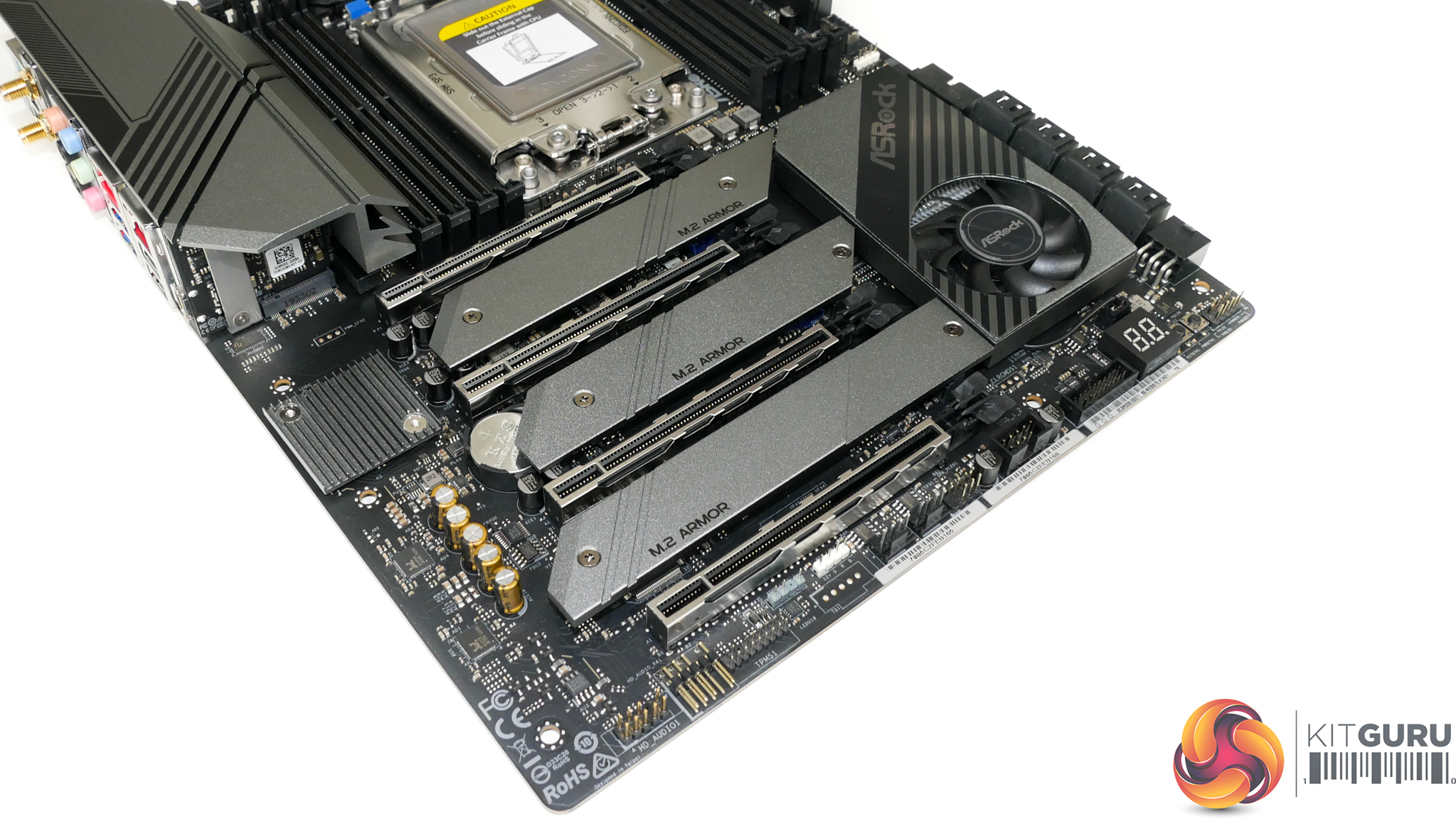
The TRX40 Creator is equipped with three M.2 slots, all of which sit between the PCIe expansion slots and beneath metal heatsinks. There is plenty of space beneath the individual, elevated heatsink strips. This may aid cooling as airflow can directly reach the SSDs beneath, although that also means that hot exhaust air from graphics cards can interact easily with the M.2 devices.
Both of the top two slots support drives up to 80mm long and can only be used with PCIe SSDs (up to Gen 4 x4 bandwidth). The bottom slot extends drive compatibility to 110mm-long M.2 devices and also adds support for SATA 6Gbps SSDs.
ASRock’s SSD installation method is simple and quick as only two screws need to be removed in order to provide access to the underlying M.2 connector. This also means that any of the M.2 slots can be used with a PCIe SSD with a large heatsink as ASRock’s strip heatsinks can be removed individually.
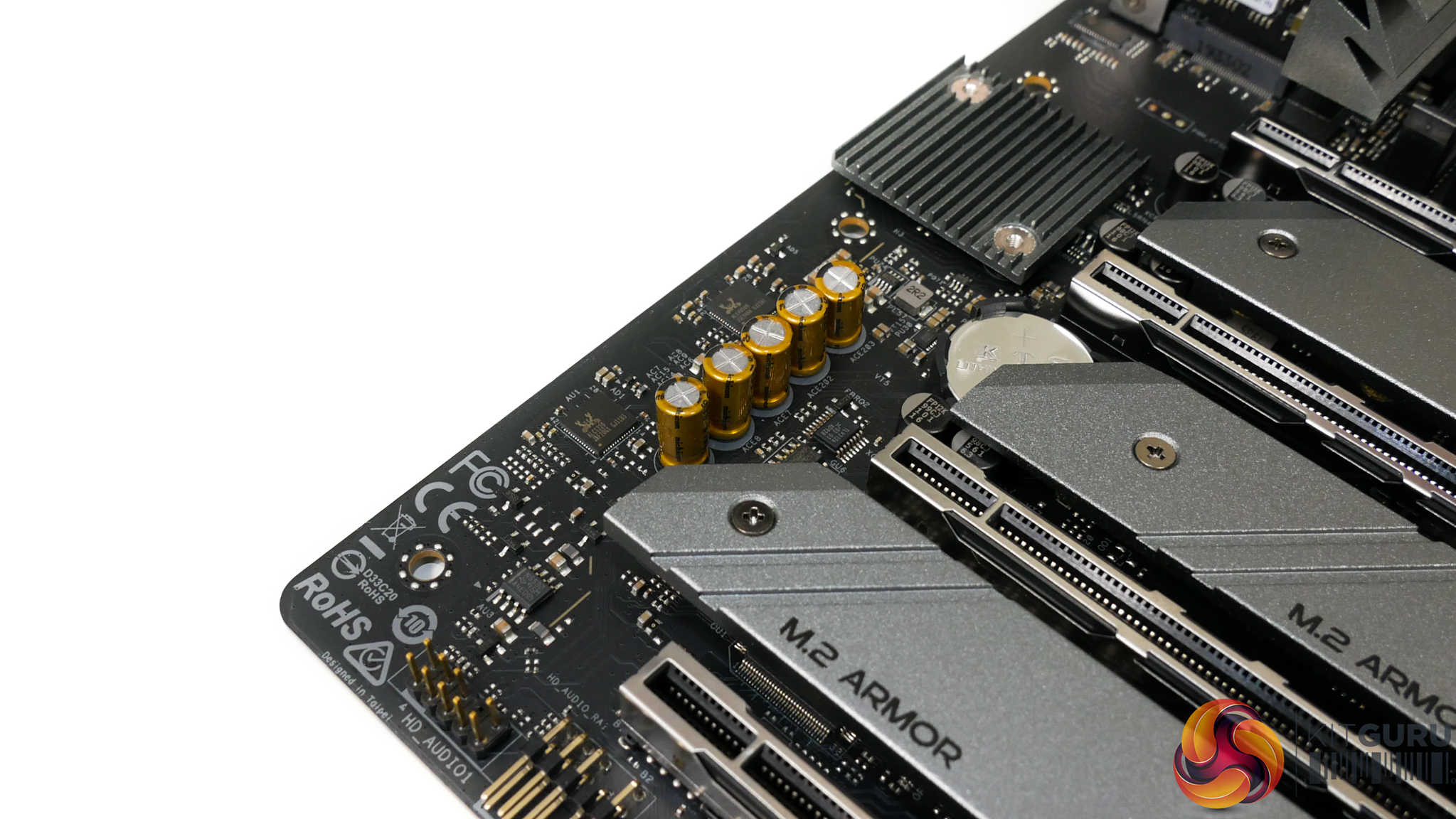
ASRock’s Purity Sound 4 audio system is built around the Realtek ALC1220 audio codec. The codec is powered by a USB 2.0 port from the TRX40 chipset and using a Realtek ALC4050H bridge as the TRX40 platform does not natively support onboard audio.
Located close to the pair of Realtek chips is a Texas Instruments NE5532 operational-amplifier and a bank of Nichicon Fine Gold series audio capacitors.
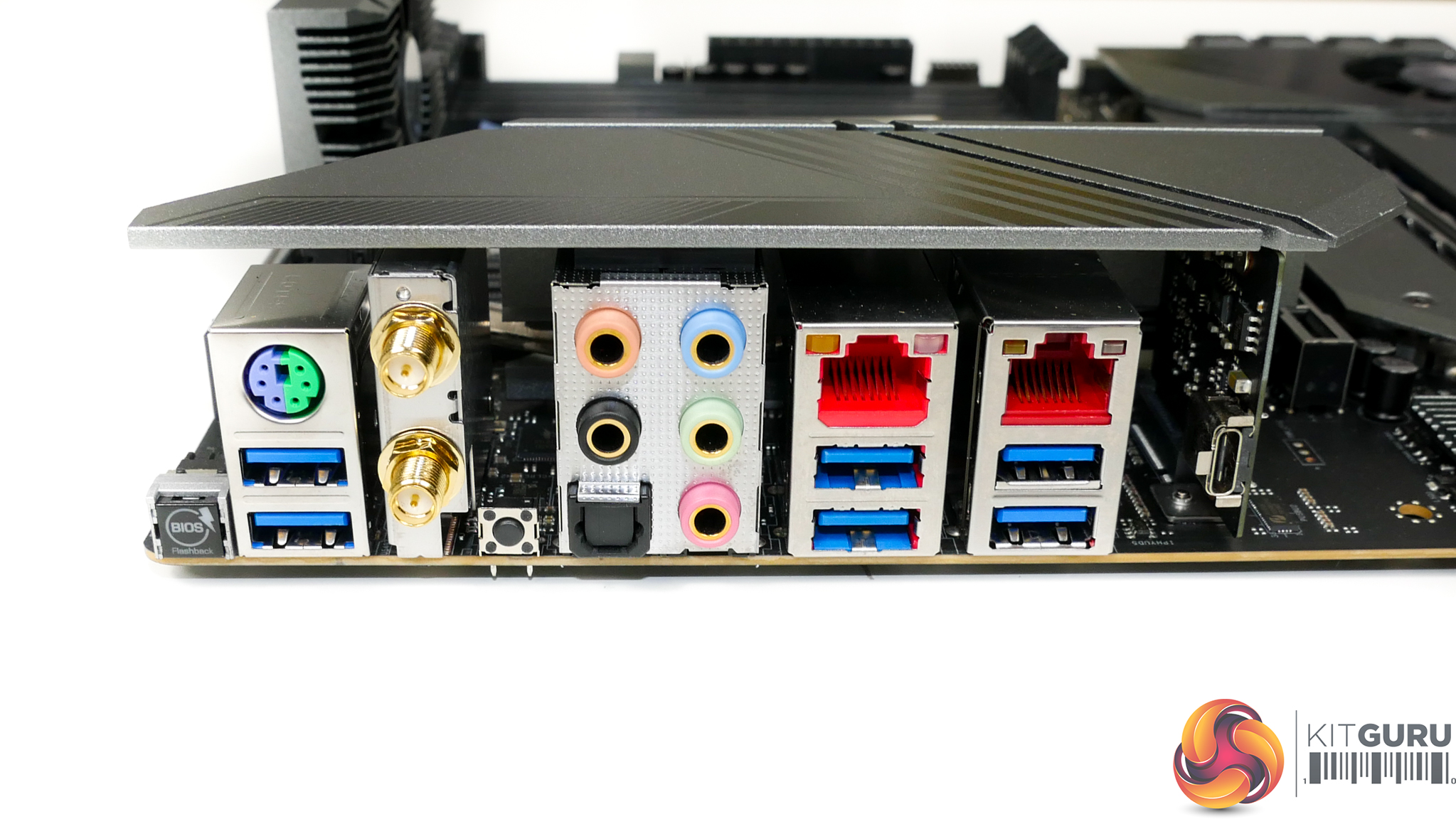
Star of the show for the rear IO is ASRock’s inclusion of 10 Gigabit networking via a standard RJ-45 Ethernet connector. The controller powering the 10GbE port is an Aquantia AQC107, which is mounted beneath a heatsink. Partnering the 10Gb Aquantia NIC is a 2.5Gb Realtek RTL8125AG controller.
It is good to see ASRock including a pair of high-speed NICs on a motherboard targeting creative professionals. Clearly, the 10Gb Aquantia NIC is of real benefit to those who push vast amounts of data across their 10Gb network or via a point-to-point server link. Equally so, the 2.5Gb NIC is a good sidekick for times when a 2.5Gb point-to-point or switched connection may be adequate.
Two USB 3.0 5Gbps port are mounted directly beneath a PS/2 combo port. Next to these is the pair of WiFi antenna plugs for use with the Intel 802.11ax wireless networking module. Moving further right, we see two more USB 3.0 5Gbps Type-A ports followed by a pair of 10Gbps USB 3.2 Gen 2 ports. The usual set of audio connectors is positioned towards the centre of the rear IO.
ASRock includes a single USB Type-C connector that is provided via a pre-mounted add-in-card. This Type-C port operates at USB 3.2 Gen2x2 bandwidth making it capable of up to 20Gbps transfer speeds. That’s a useful feature for users with demanding file transfer schedules in a system without Thunderbolt 3.
The inclusion of a BIOS Flashback button is now common on motherboards of this ilk, but the rear-mounted clear CMOS button is a positive inclusion. I’d say that clear CMOS button’s mounting location is smart to avoid accidental presses, given that users will infrequently connect or disconnect audio and WiFi antenna connections, unlike USB ports.
ASRock does not deploy an integrated IO shield, which looks to be a cost saving measure. This is a little disappointing for such a premium motherboard, but I think that it is reasonable for ASRock to omit this design feature for a small cost saving on a workstation-type motherboard.
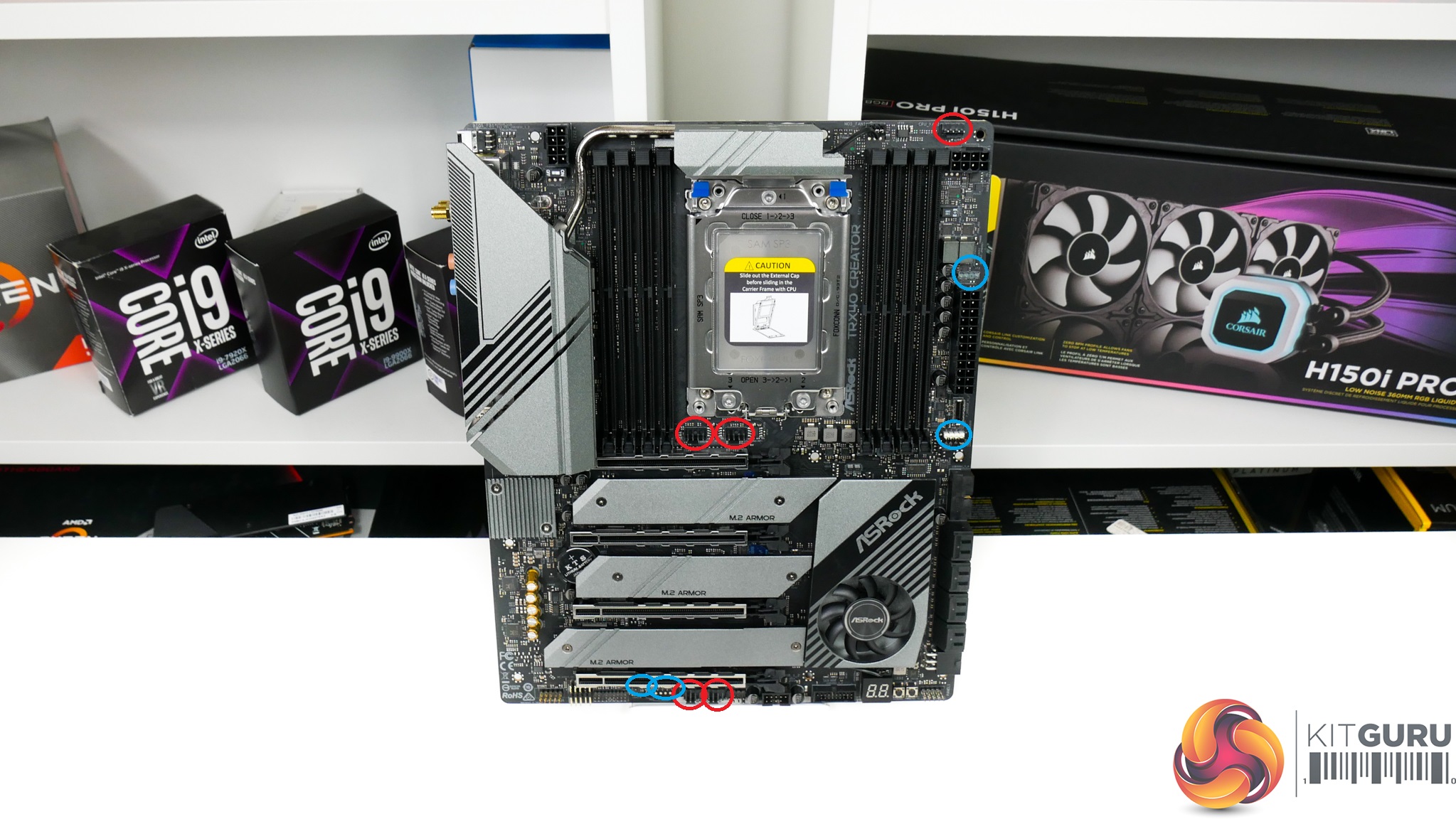
You get a total of five 4-pin fan headers spread across the motherboard, three of which are within easy reach of the CPU socket. Five headers is borderline adequate for a motherboard of this calibre; if you are happy to run your dual-fan CPU cooler through a splitter, the remaining four headers should just about serve many people’s chassis fan and AIO pump requirements.
The MOSFET and chipset fans are controlled via their own dedicated headers and have good speed control within the UEFI and OS software.
ASRock includes four RGB headers, two of which are of the addressable RGB version. Location of these headers is reasonable, with all four being positioned near the board’s edge.
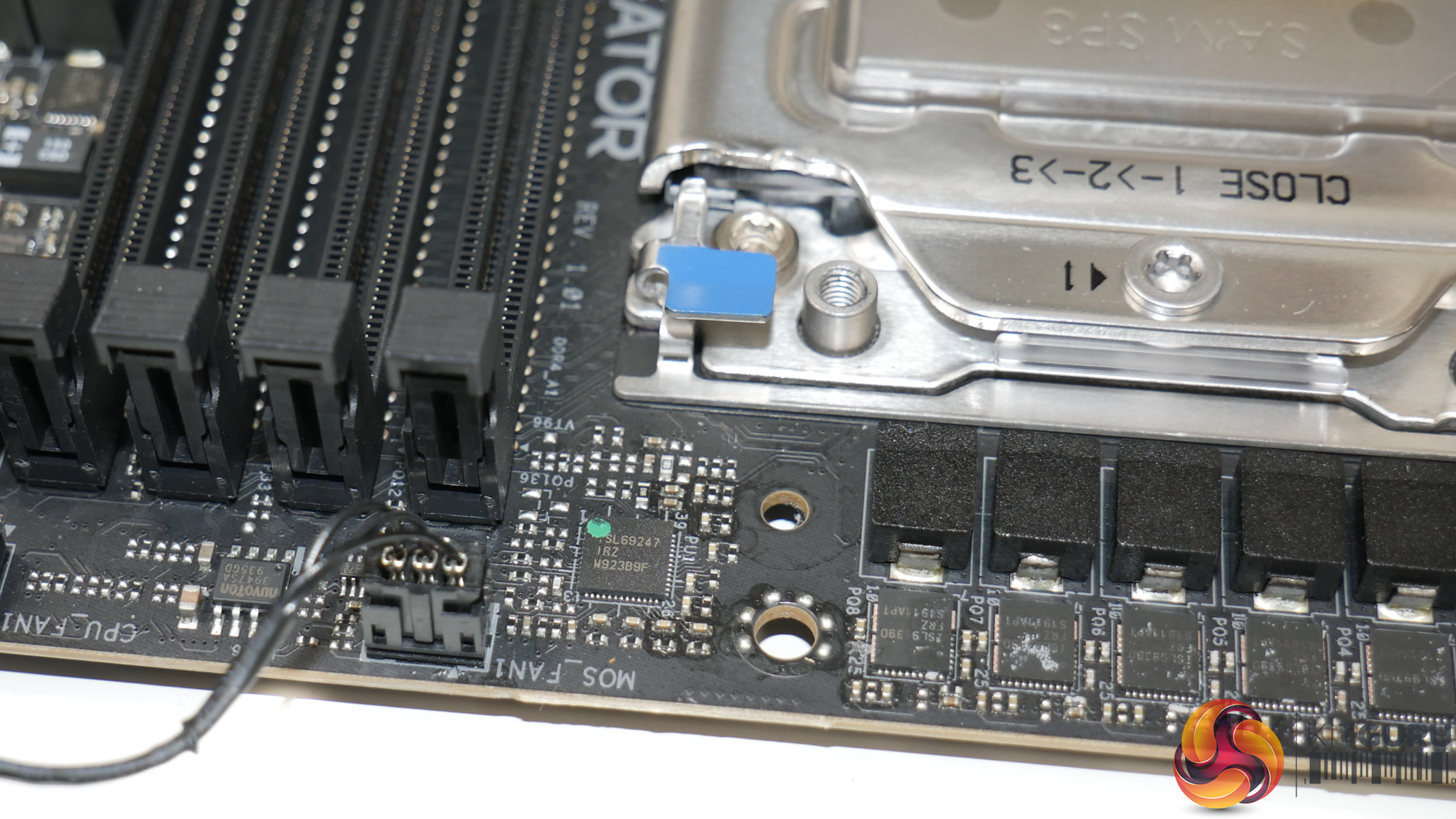
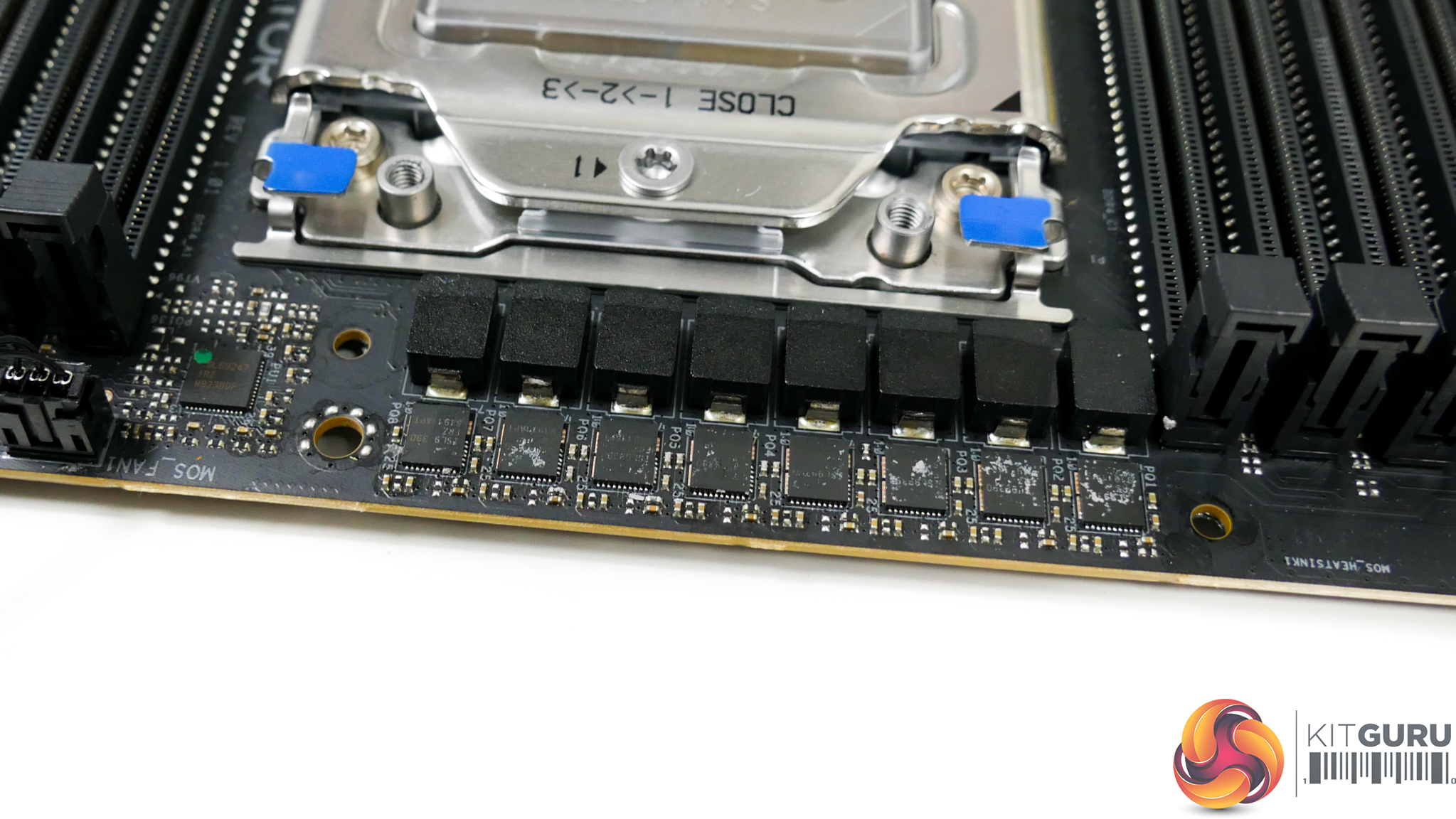
ASRock is using the Intersil ISL69247 PWM controller to manage the eight-phase power delivery system. There are no phase doublers present, implying that ASRock is running the PWM controller in 8+0 mode.
Intersil ISL99390 DrMOS power stages are used for direct power delivery. Each of these power stages features a current capability of 90A, giving the eight-phase VRM solution a theoretical peak of 720 Amps.
Despite the sprinkling of 12K-rated capacitors near the DIMM slots, the CPU area is notably slim of such components. Given the space constraints, ASRock is forced to mount the sizeable set of capacitors allocated to CPU duties on the motherboard’s rear side.
Even though some of the competing sub-£500 motherboards have a higher quantity of power delivery phases for their VRM solutions, it is hard to find criticism for an eight-phase system with 90A power stages. Even the 64-core 3990X is likely to be a manageable task for the TRX40 Creator’s power delivery capability, especially when combined with the active MOSFET heatsink.
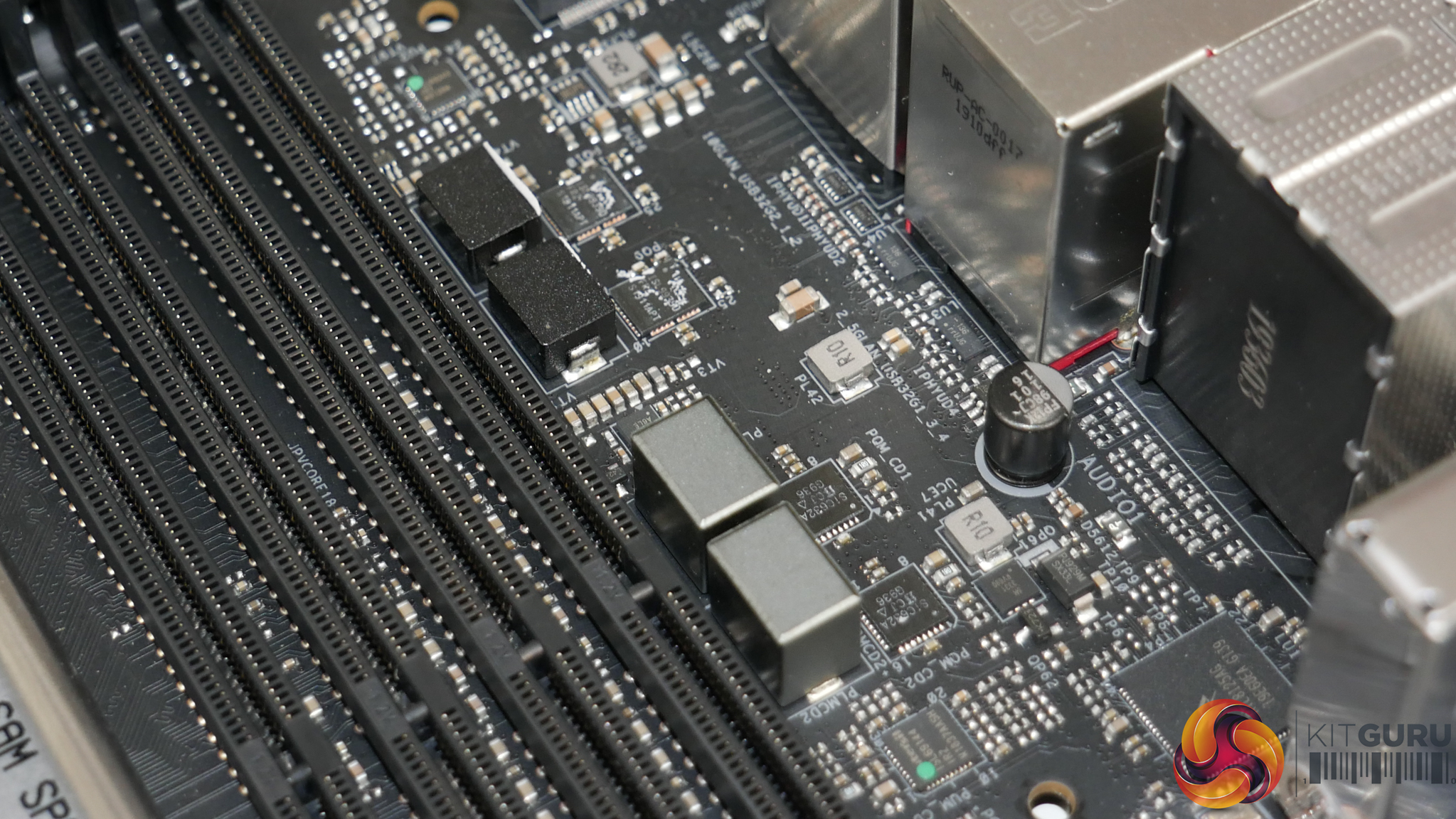
Each of the two DRAM banks is fed by a two-phase power delivery system. Each set consists of one Intersil ISL69144 controller and two Vishay SiC632A integrated power stages.
The SoC is handled by an Intersil ISL69243 controller and two ISL99390 DrMOS power stages. This is a hefty power delivery system for the SoC and the components also feature direct cooling via a thermal pad connection to the left side of the VRM heatsink.
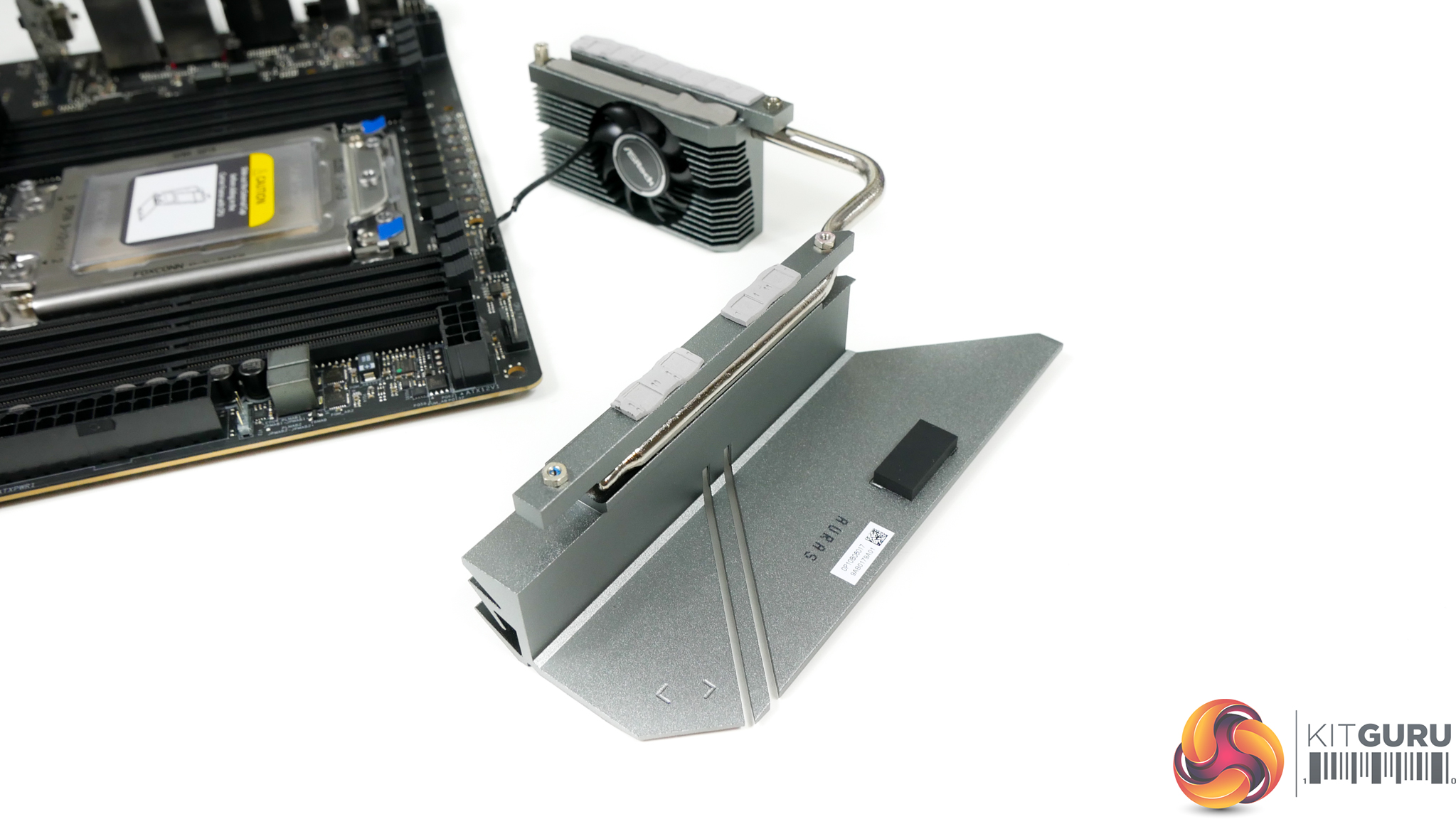
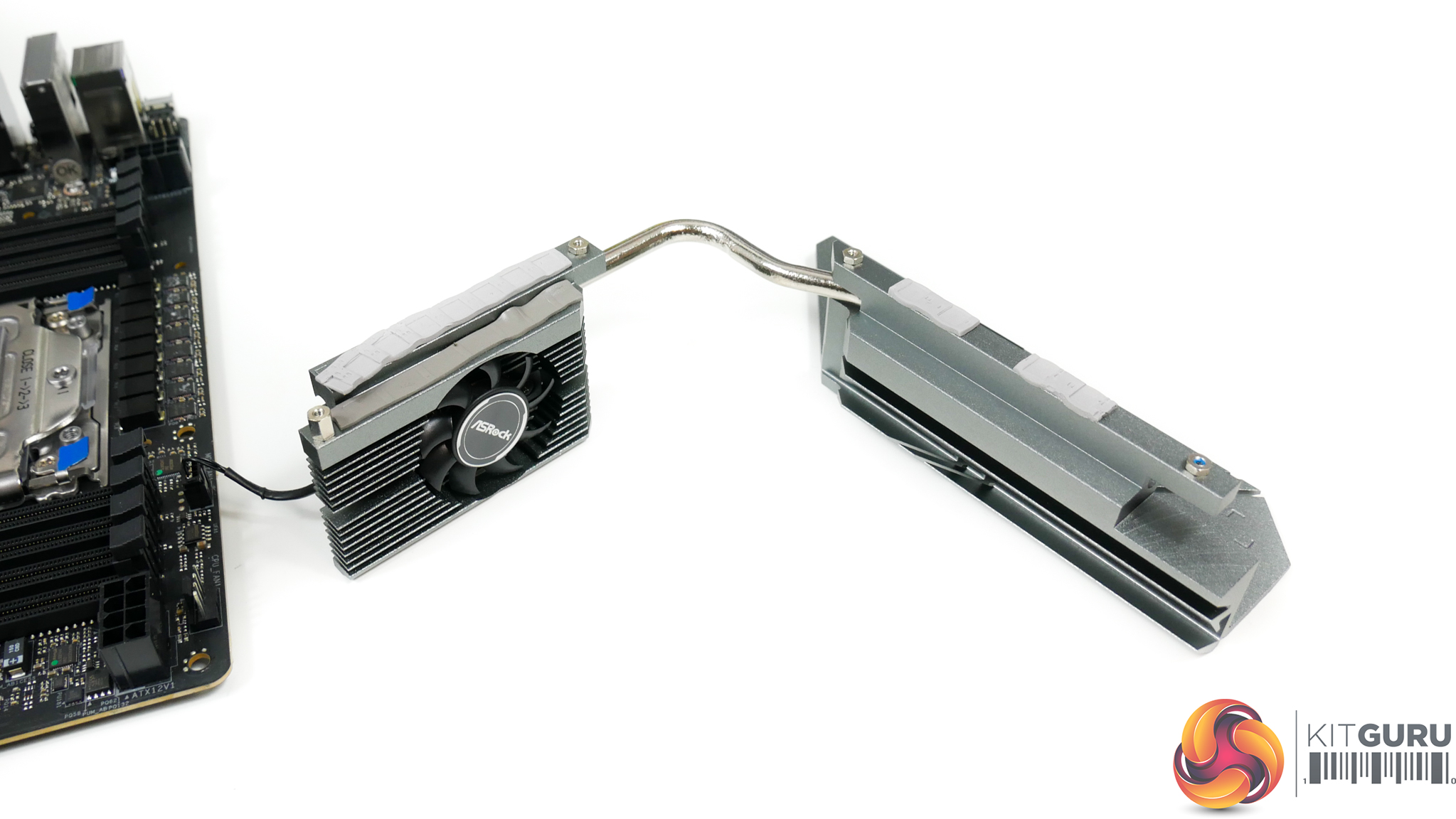
The approximately 37mm, up to 8800 RPM fan is positioned directly within the MOSFET section of the VRM heatsink. This makes sense as the underlying MOSFETs are the components that will shed the most energy into the heatsink. Thermal pad connections are made to the MOSFETs and also the low-profile chokes.
A single heatpipe is used to connect the VRM heatsink’s two individual fin stacks. While the smaller MOSFET section is clearly designed with surface area in mind, the larger secondary block of metal looks to place more focus on aesthetics. With that said, there’s plenty of benefit to the thermal capacitance of a solid slab of un-finned metal when it comes to dealing with short, intense loading periods.
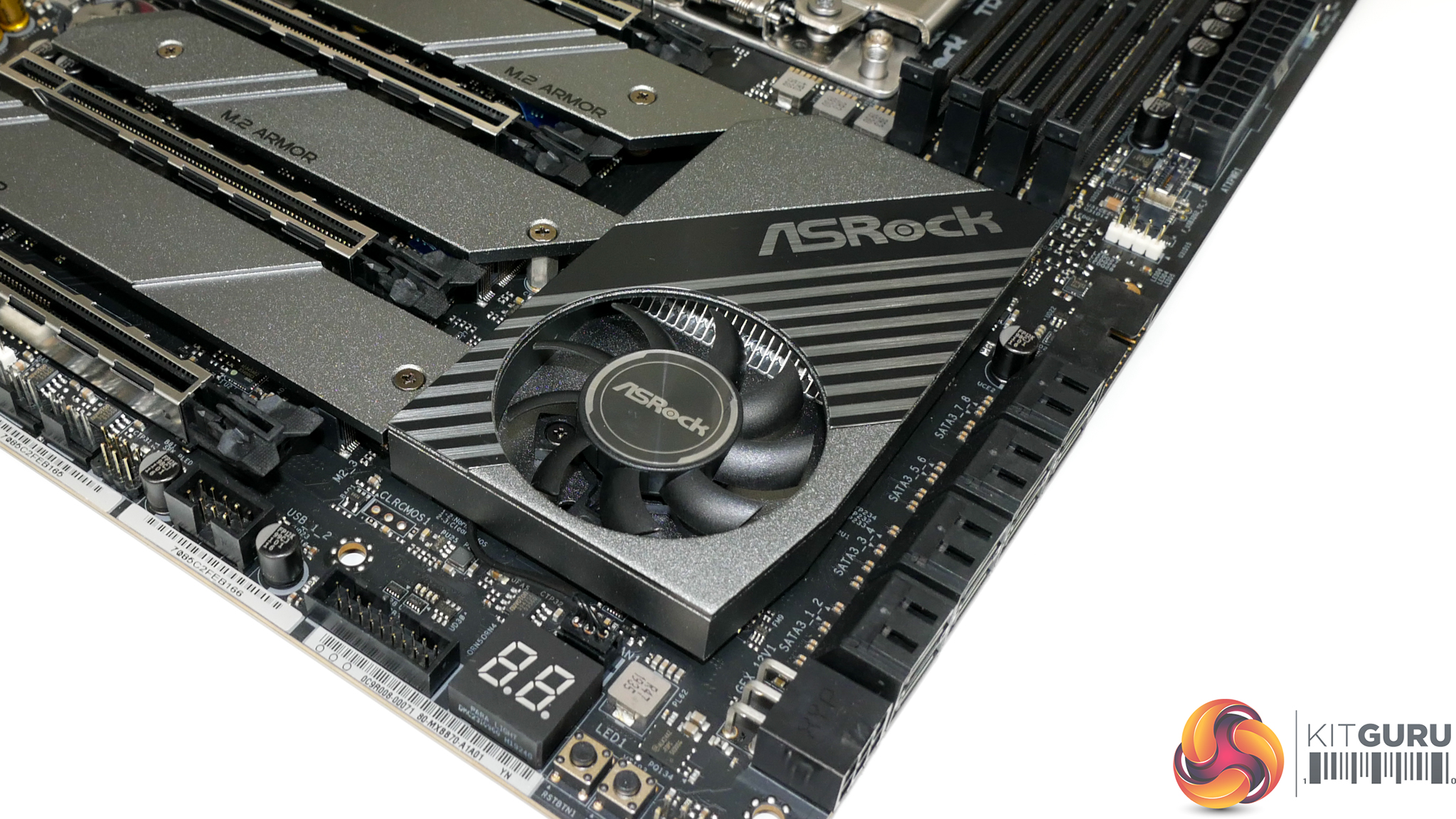
The chipset fan measures around 47mm diameter and can operate up to approximately 6900 RPM. This small blower is intended to direct air over a fin array that is rather generous in size for cooling the chipset.
Unfortunately, there is minimal consideration in the design for directing airflow towards the fin array. The positioning of the chipset fan is a challenge also, as an open venting graphics card sat in the slot above will exhaust its hot air into this small blower, thus raising chipset temperatures accordingly.
A temperature spike of more than 10°C was observed in our testing when a nearby GPU was loaded.
UEFI
ASRock maintains the same UEFI design that we have seen from its motherboards dating back to X370 and older. This is not a bad thing as ASRock’s implementation is clear, well laid out, and has enough features for most users.
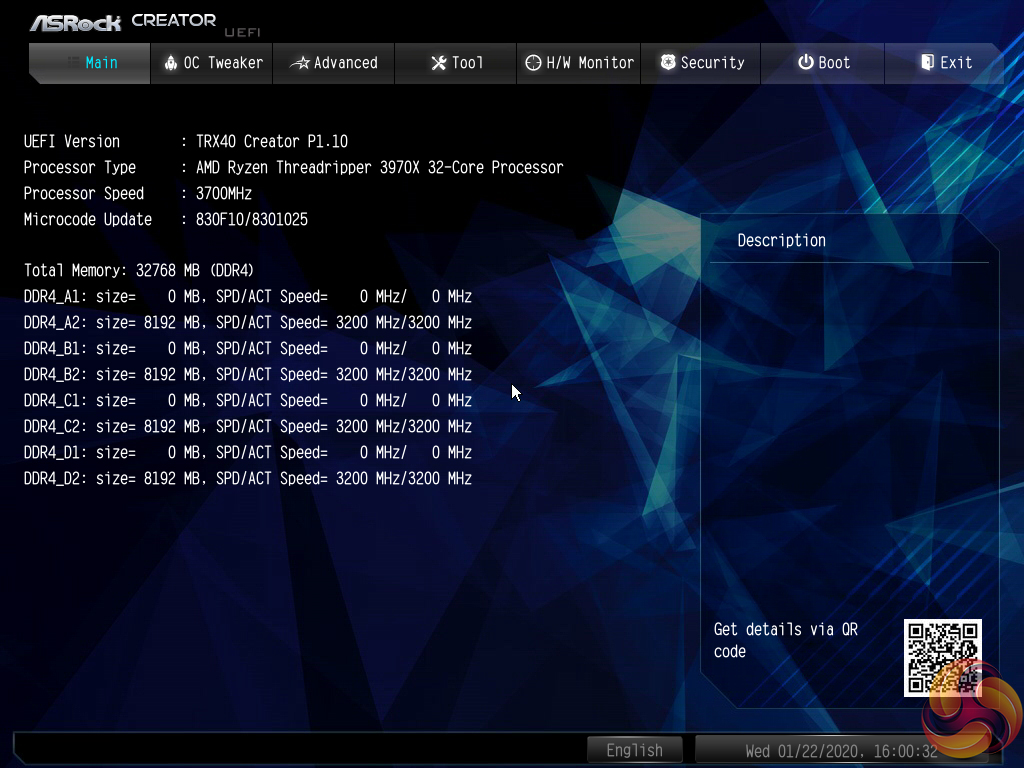
The Main page for ASRock’s UEFI outlines primary information relating to the system and motherboard.
We noticed that ASRock does not include an Easy Mode section on the BIOS version that we tested with. This is disappointing given the separate section’s ability to present less-experienced BIOS-dwellers with simple options that are unlikely to cause instability.
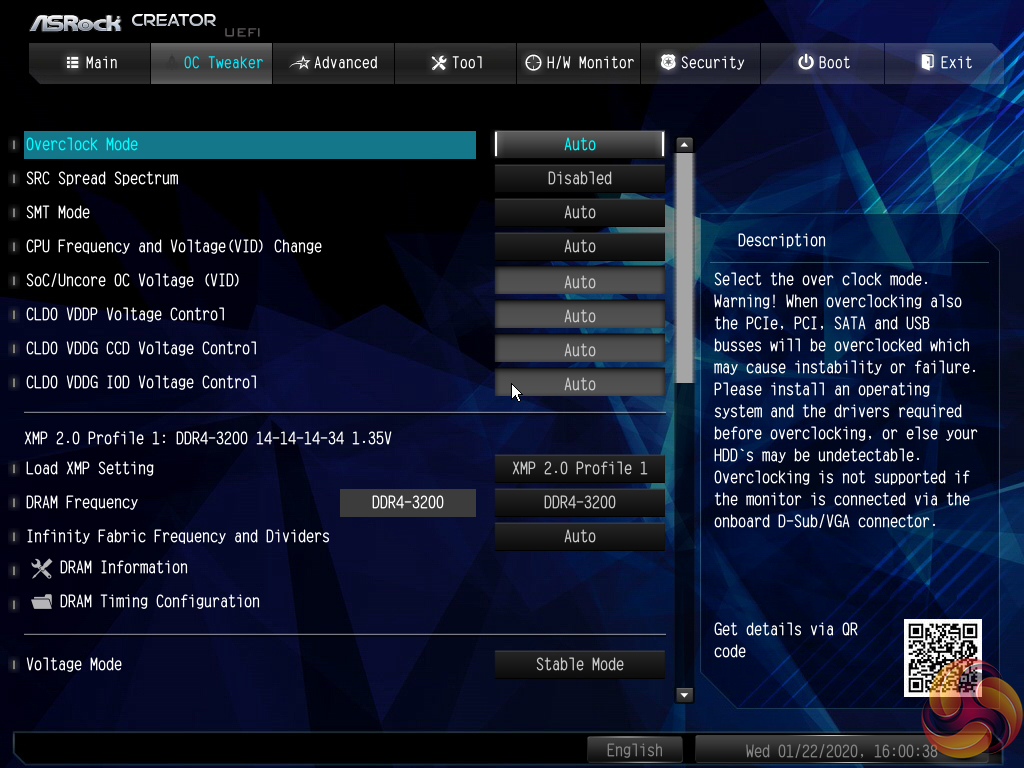
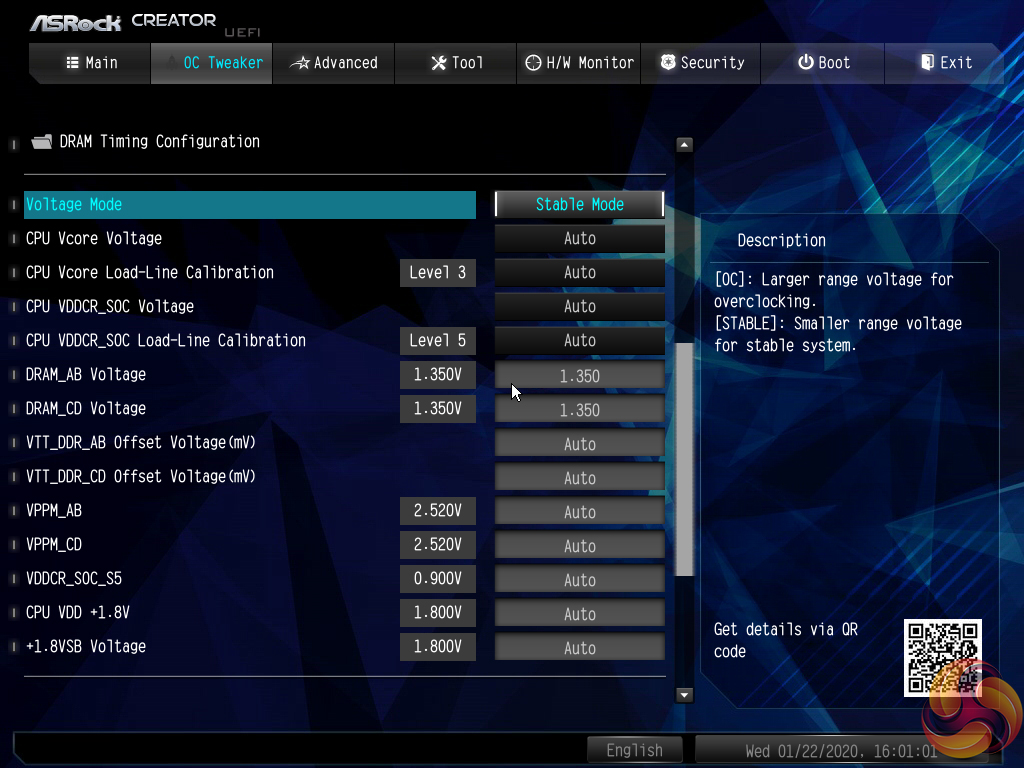
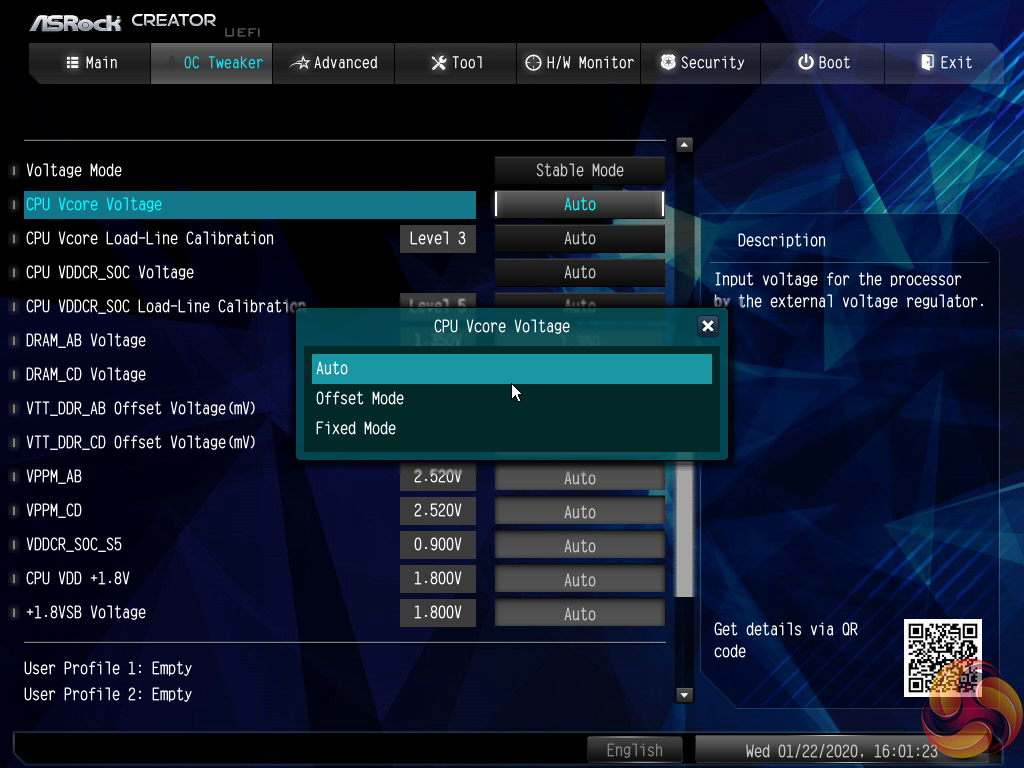
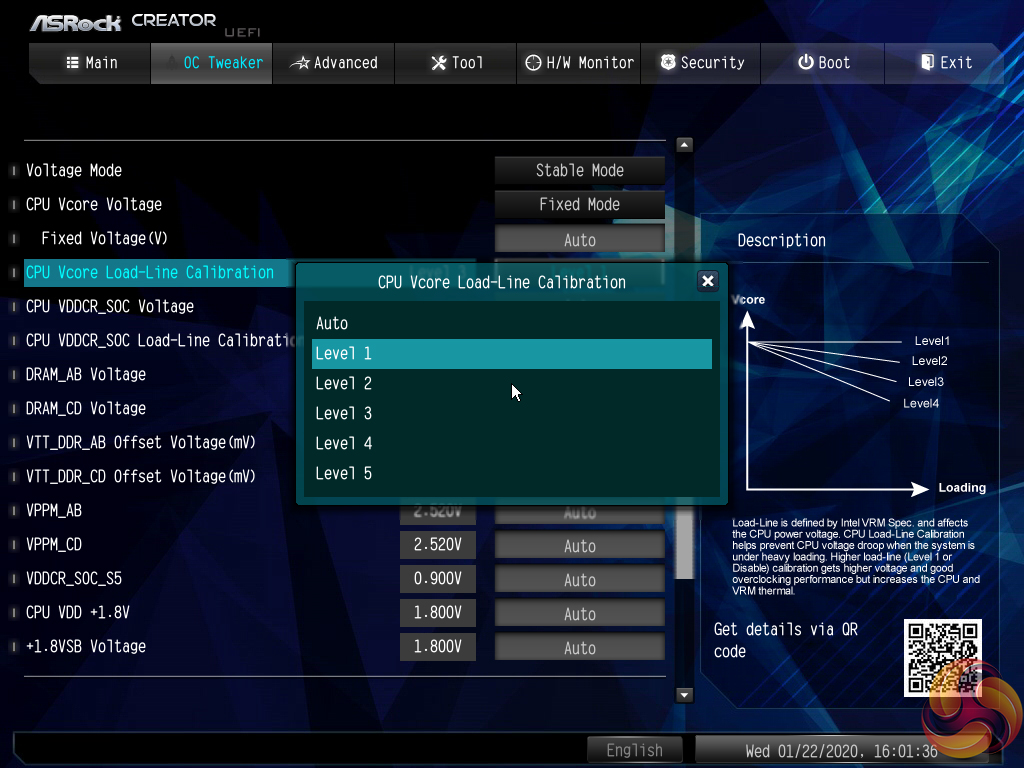
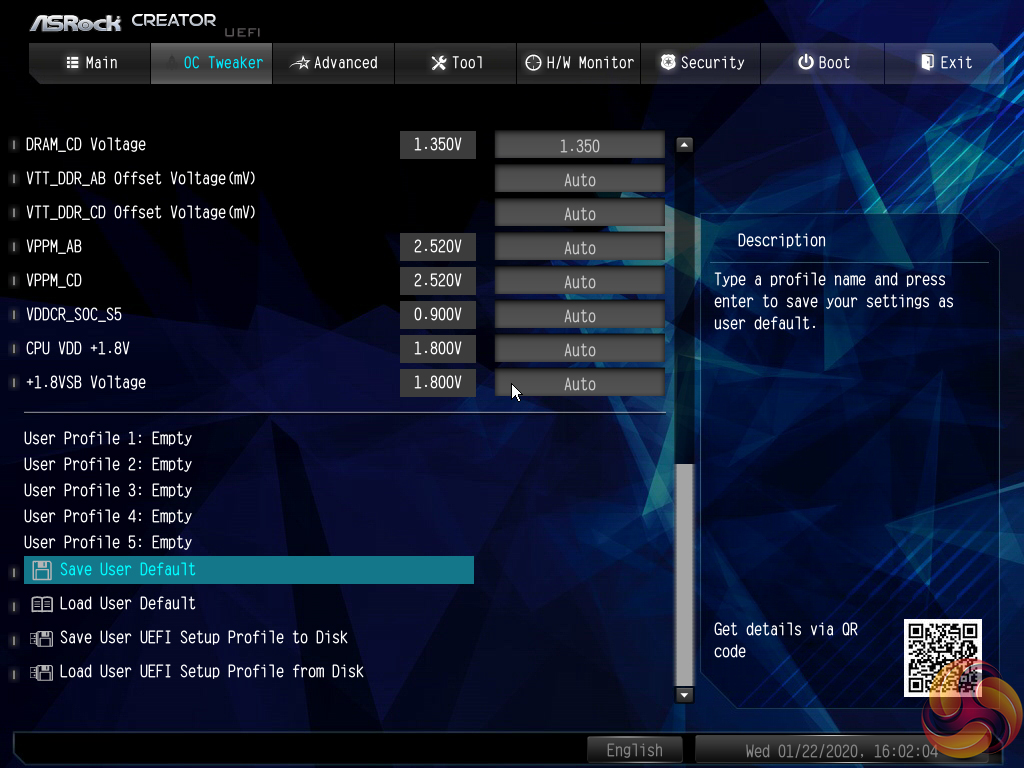
The heart of the performance tuning is the OC Tweaker section within which ASRock splits off the adjustment options into CPU, DRAM, and Voltage to aid ease of navigation.
The OC Tweaker section is good in terms of the options and granularity the user has to tune their hardware. The voltage number input seems to be using a switch to red text when voltage levels that are high and risky have been entered. ASRock’s system for allowing a user to manage loadline calibration is very good as the options are clearly displayed using a graph.
Five save profiles is perhaps cutting it a little fine for enthusiasts. However, there is the ability to transfer the profiles via USB. We also noticed that the saved settings stayed in place following a BIOS update, which is handy.
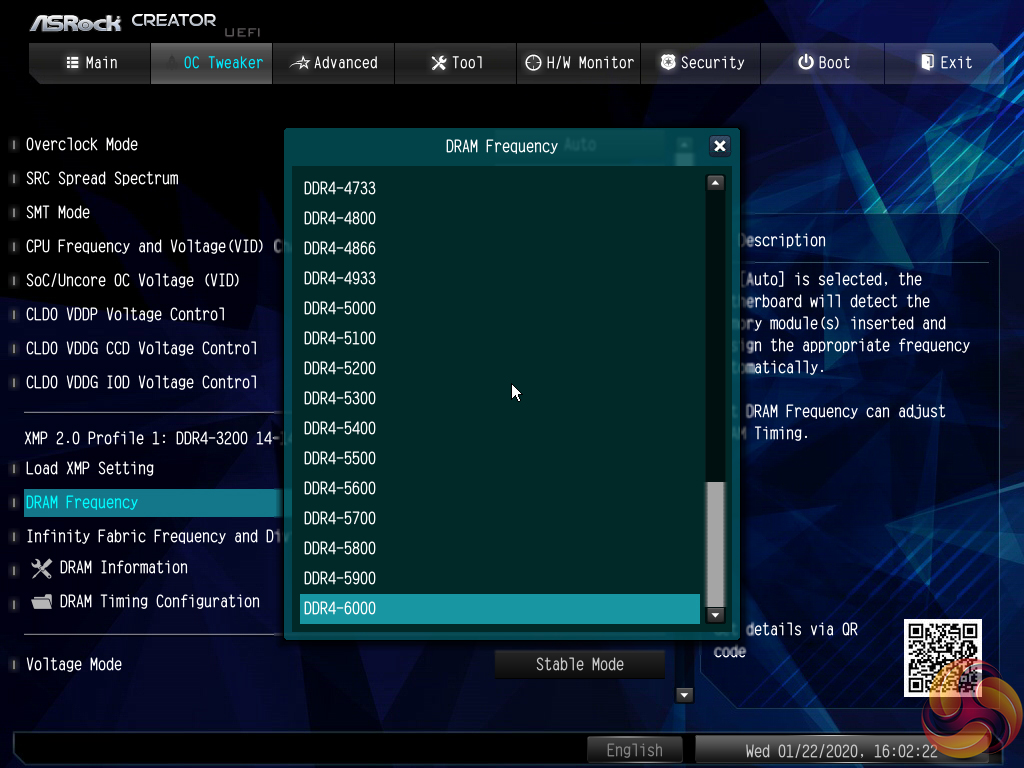
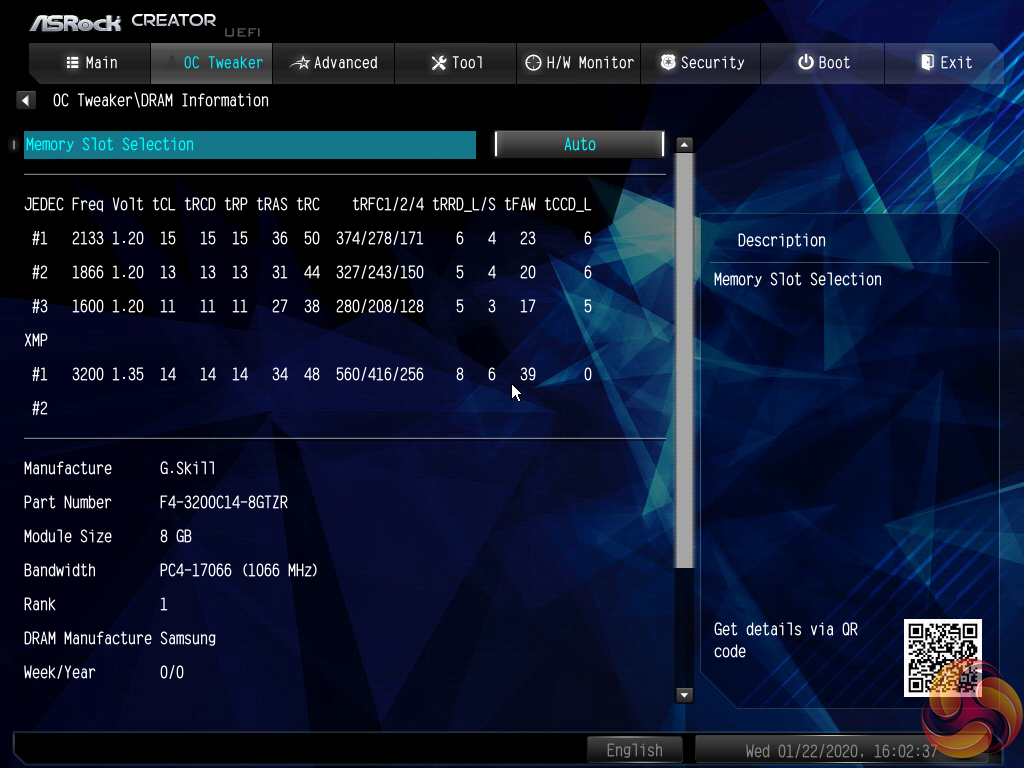
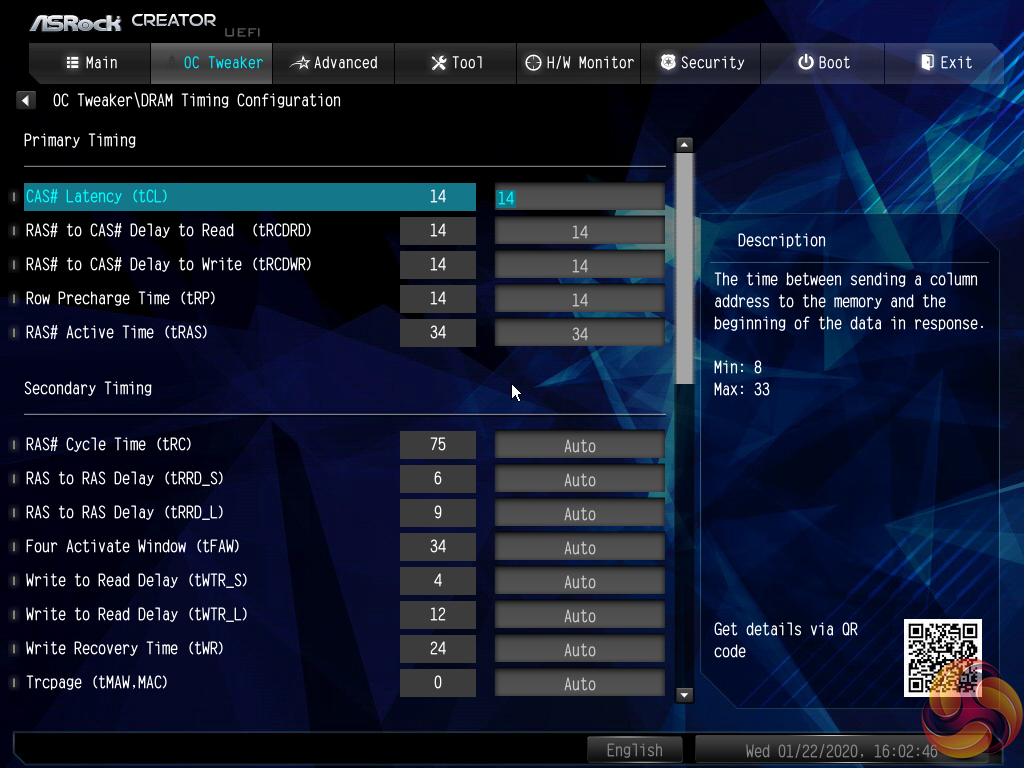
Plenty of memory-related settings are available, including dividers for extremely high frequencies.
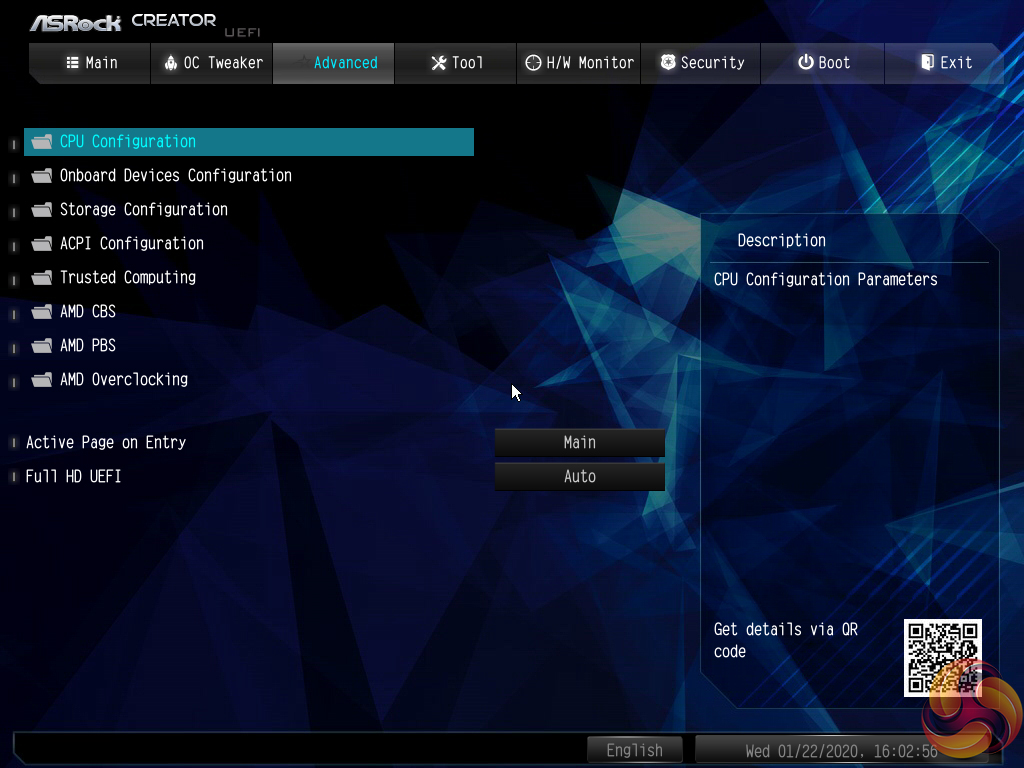
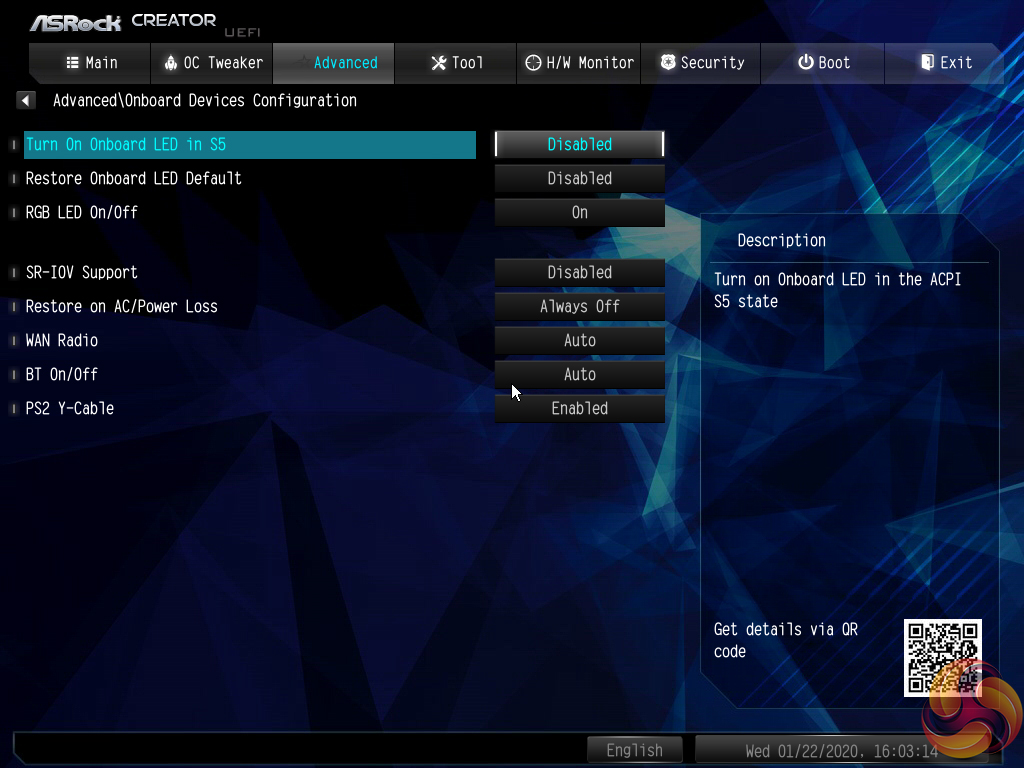
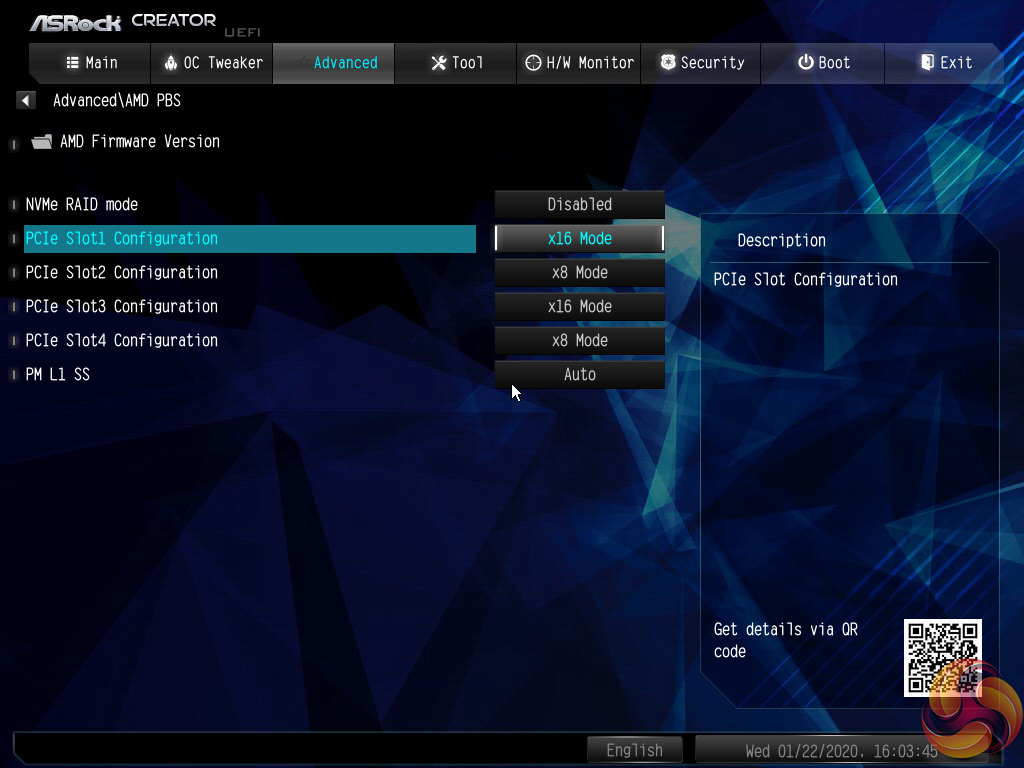
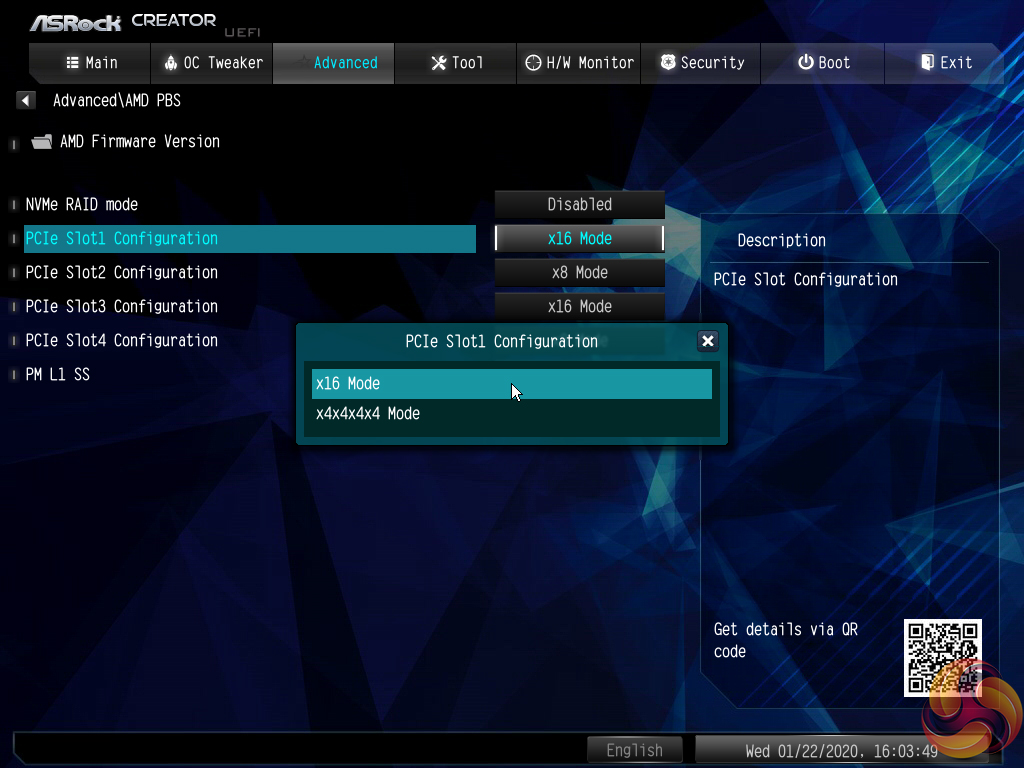
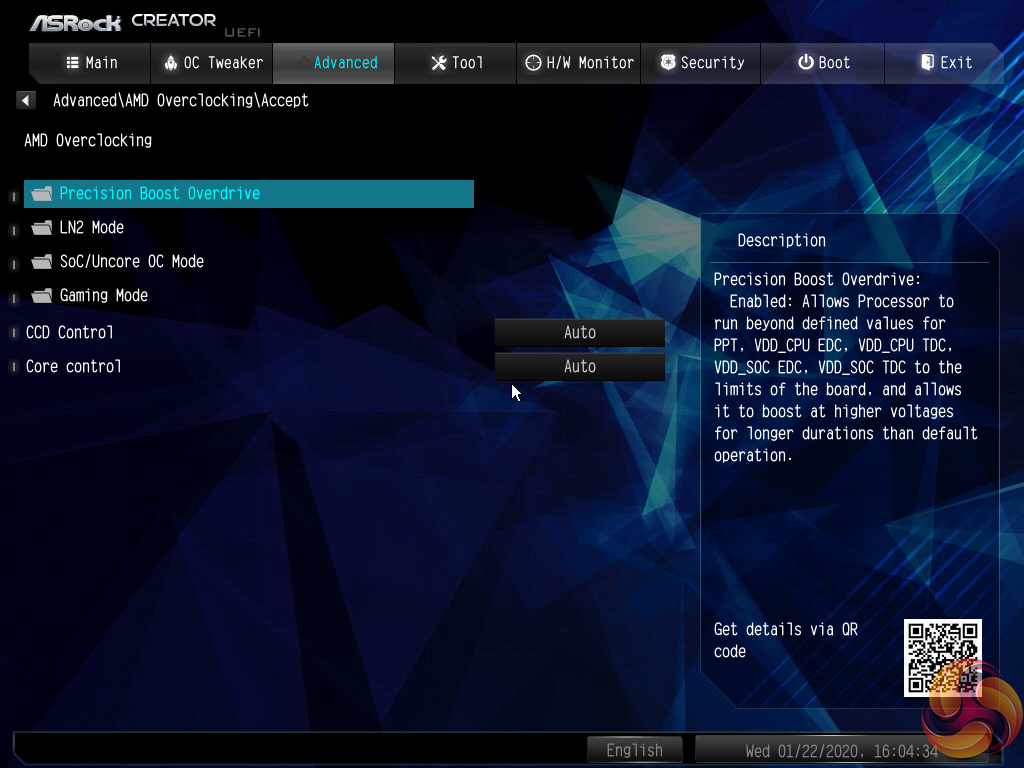
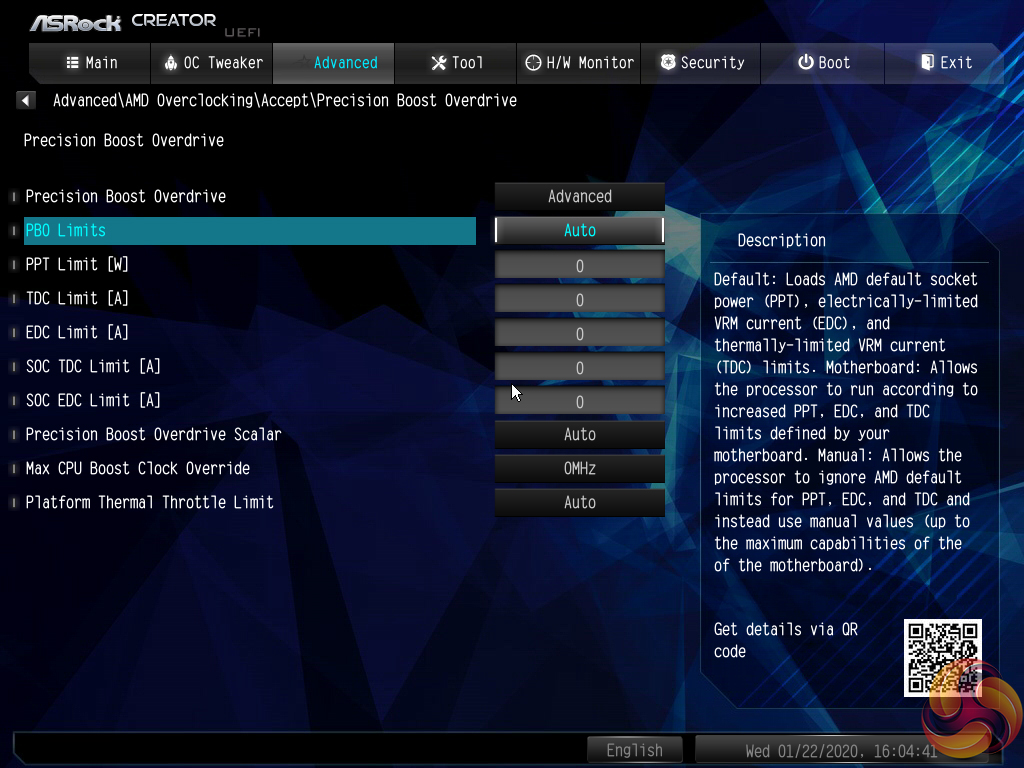
Settings more closely tied to the AMD CPU operation are found within the Advanced section. Settings such as CCD and core operations can be adjusted. There is also access to the Precision Boost Overdrive settings.
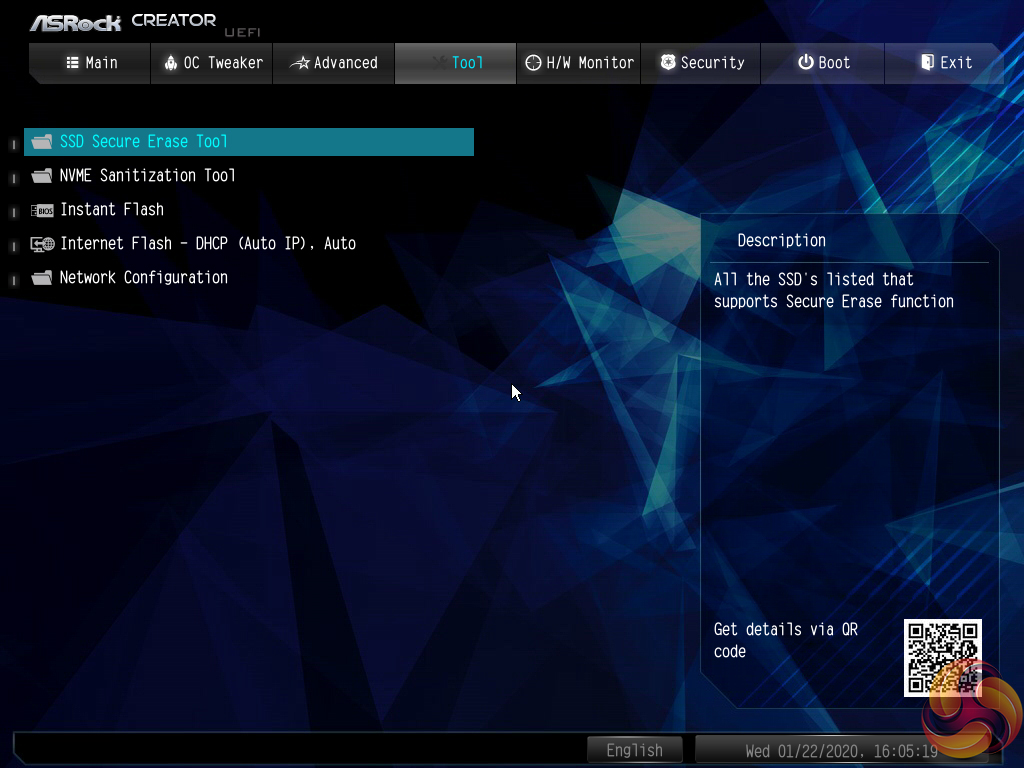
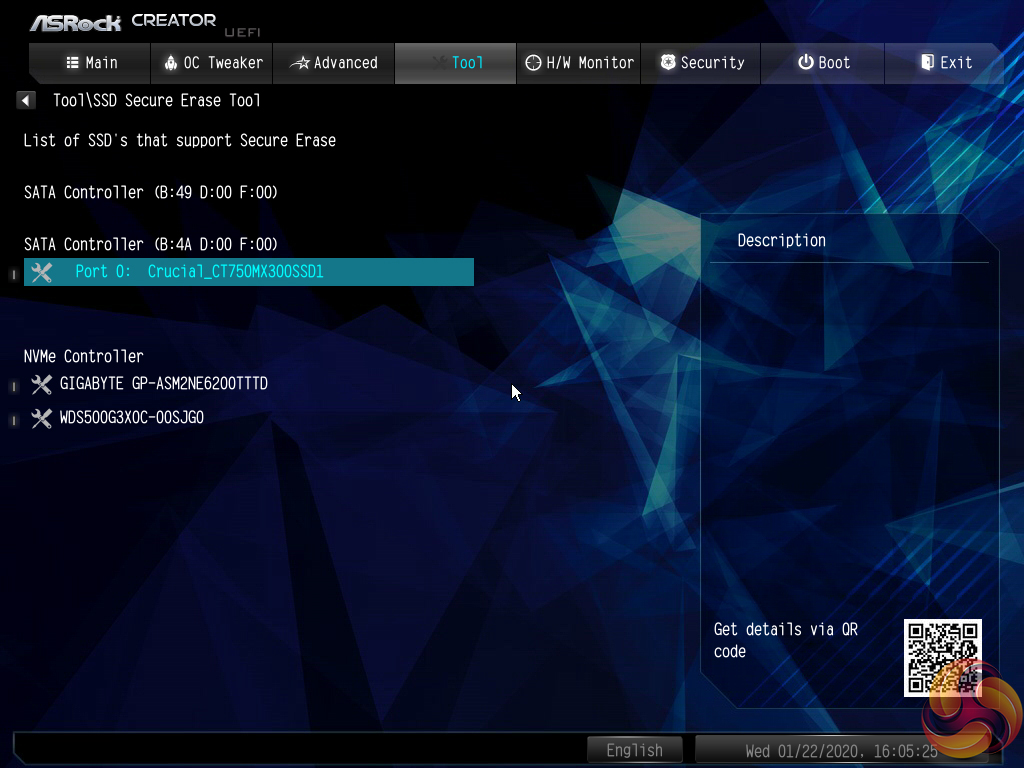
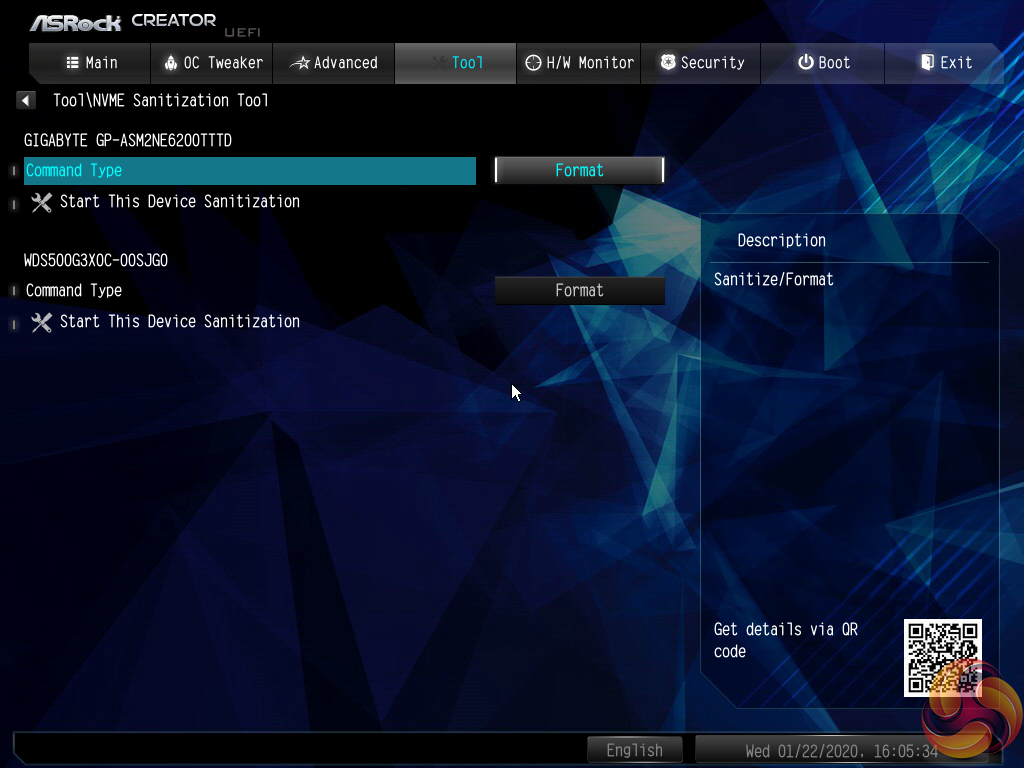
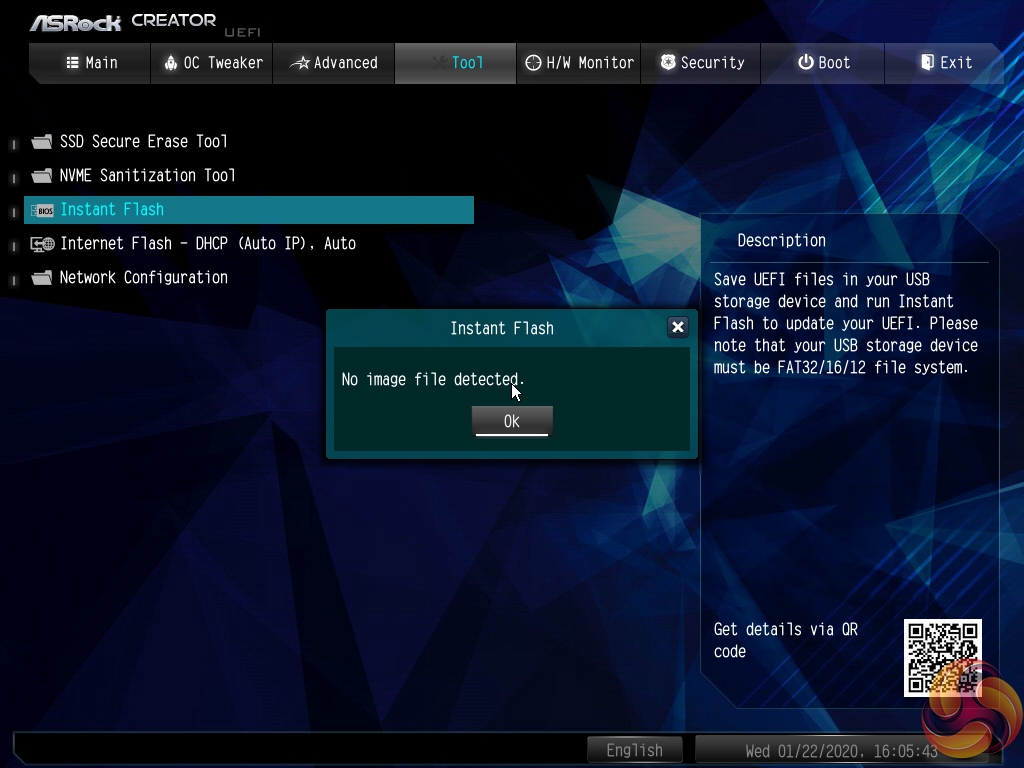
The Tools section holds a number of handy utilities such as Instant Flash for updating the UEFI (including via the internet).
Instant Flash automatically scans a connected USB flash drive, rather than prompting a user to navigate through the folders to a BIOS file. There’s nothing wrong with this approach as the motherboard is able to find the BIOS update file itself. However, if your USB drive contains a large amount of data, the time taken to find the relevant BIOS file will be long.
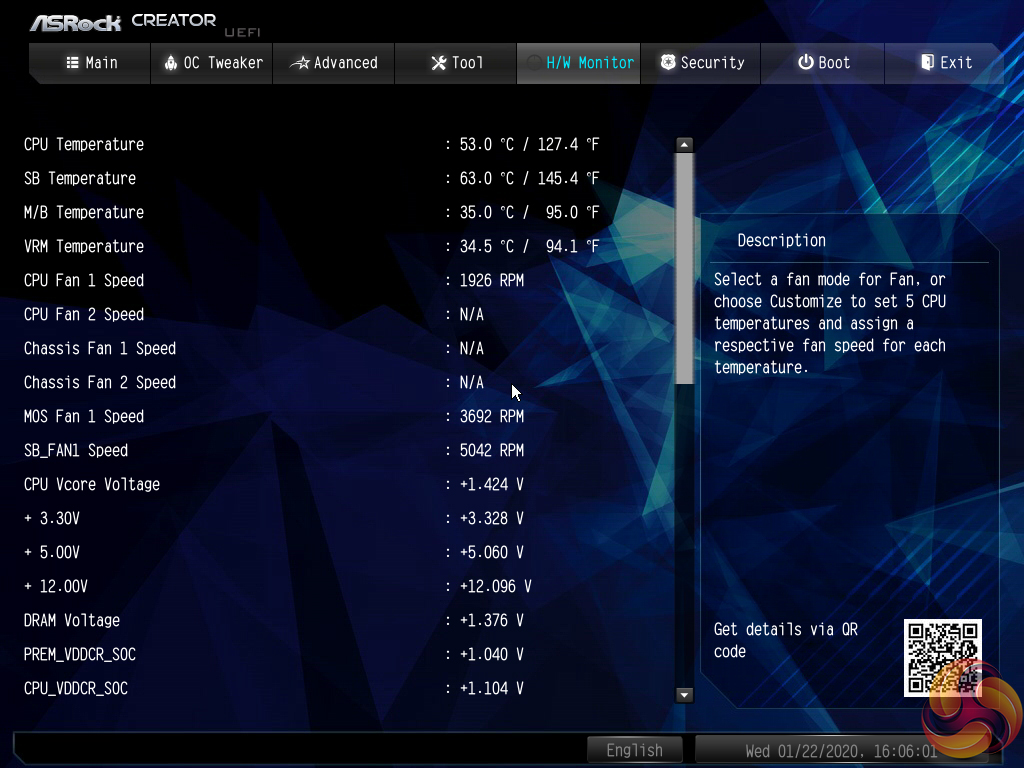
H/W Monitor contains fan controls and a number of temperature and voltage readouts for monitoring.
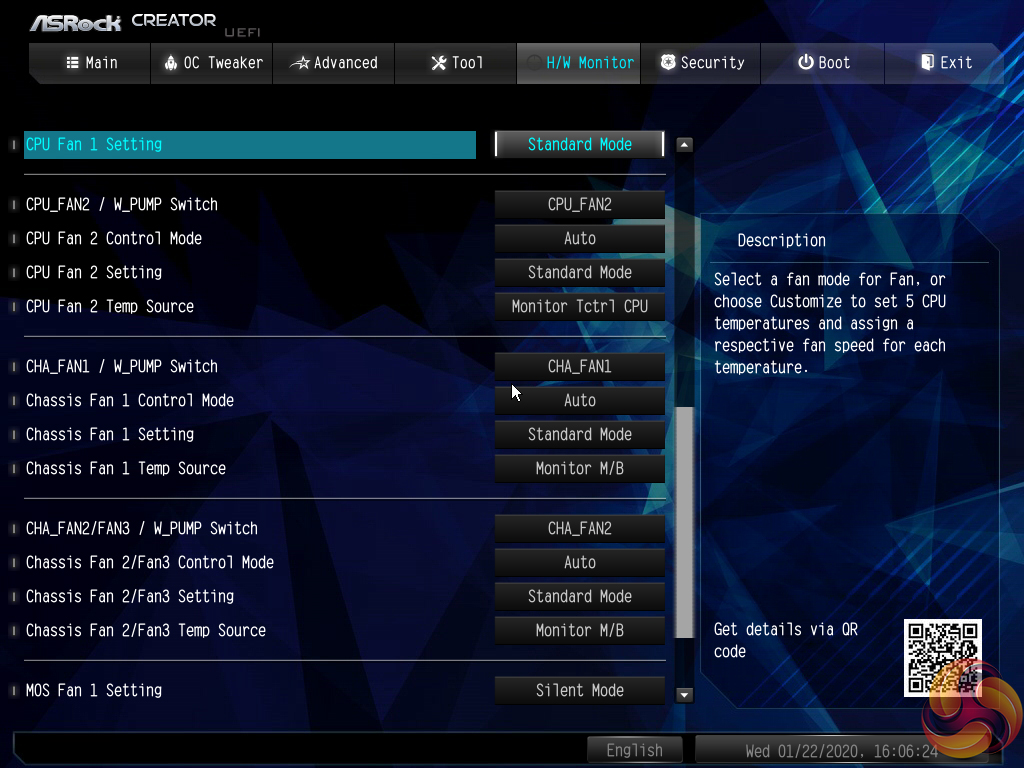
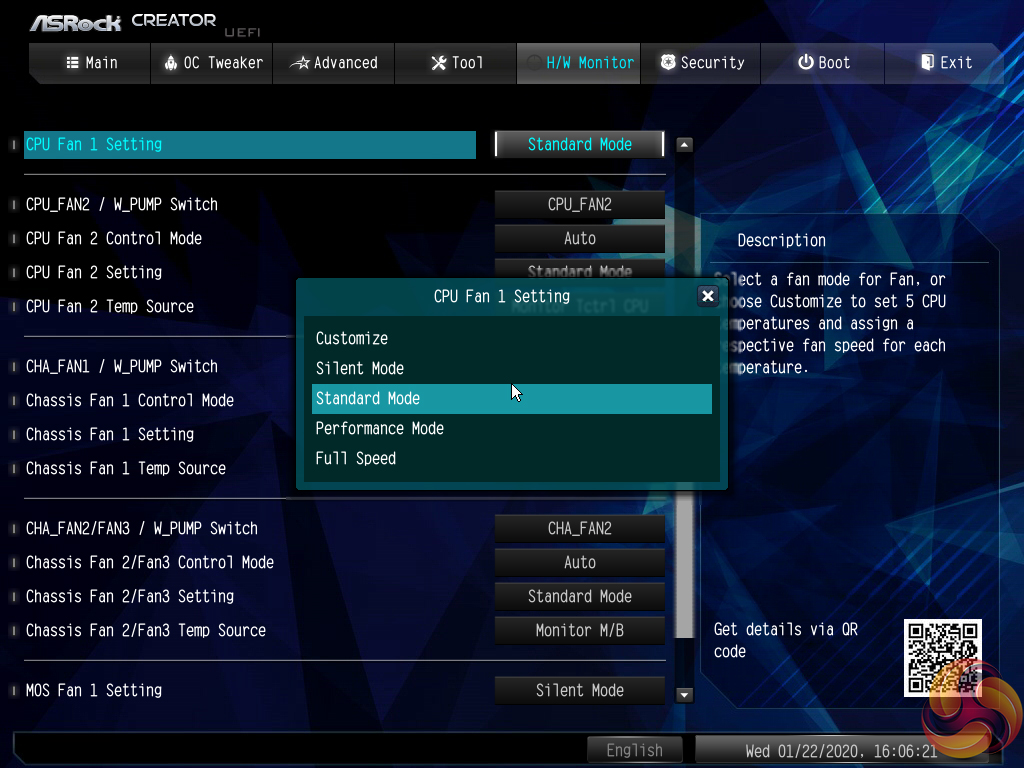
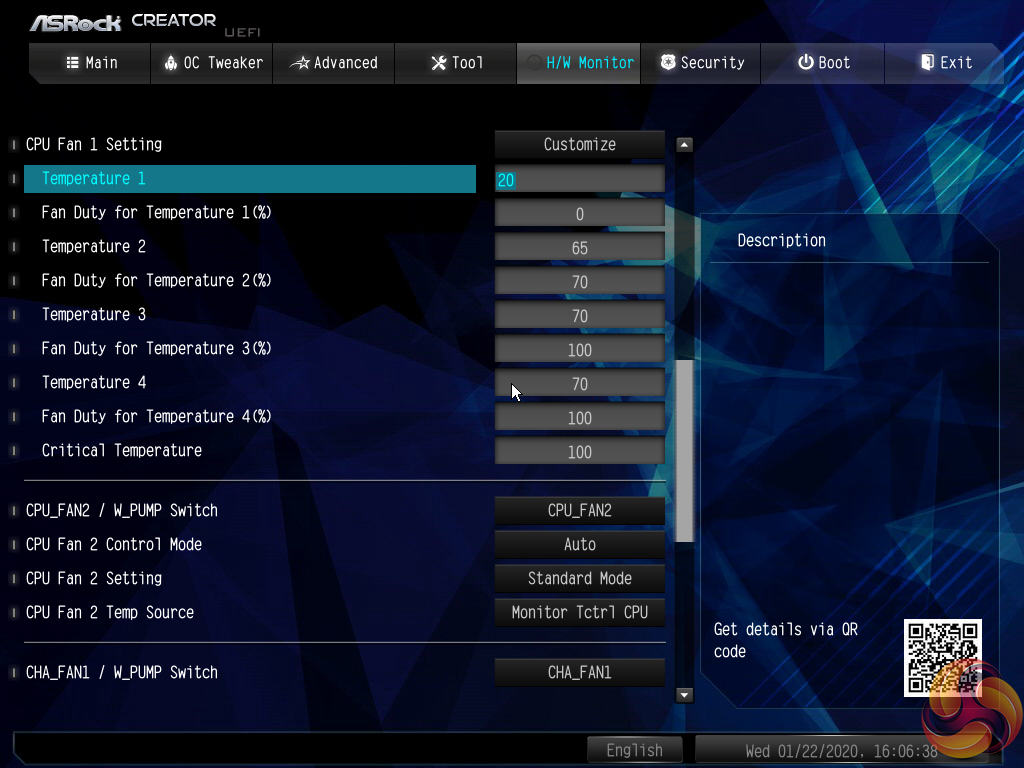
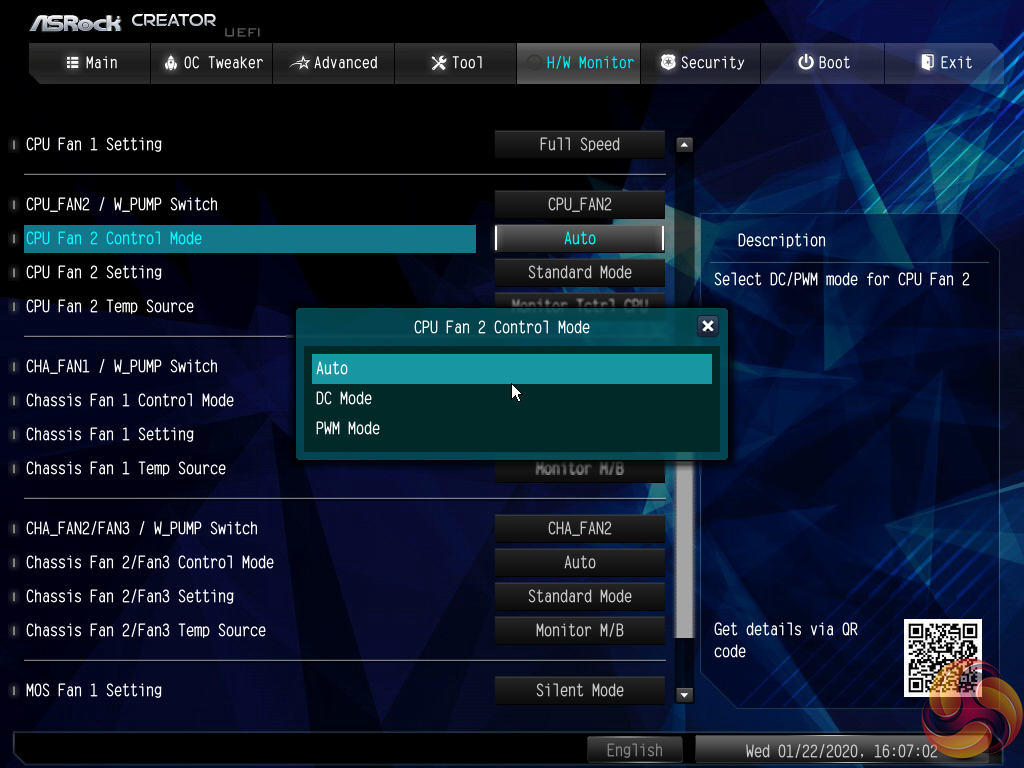
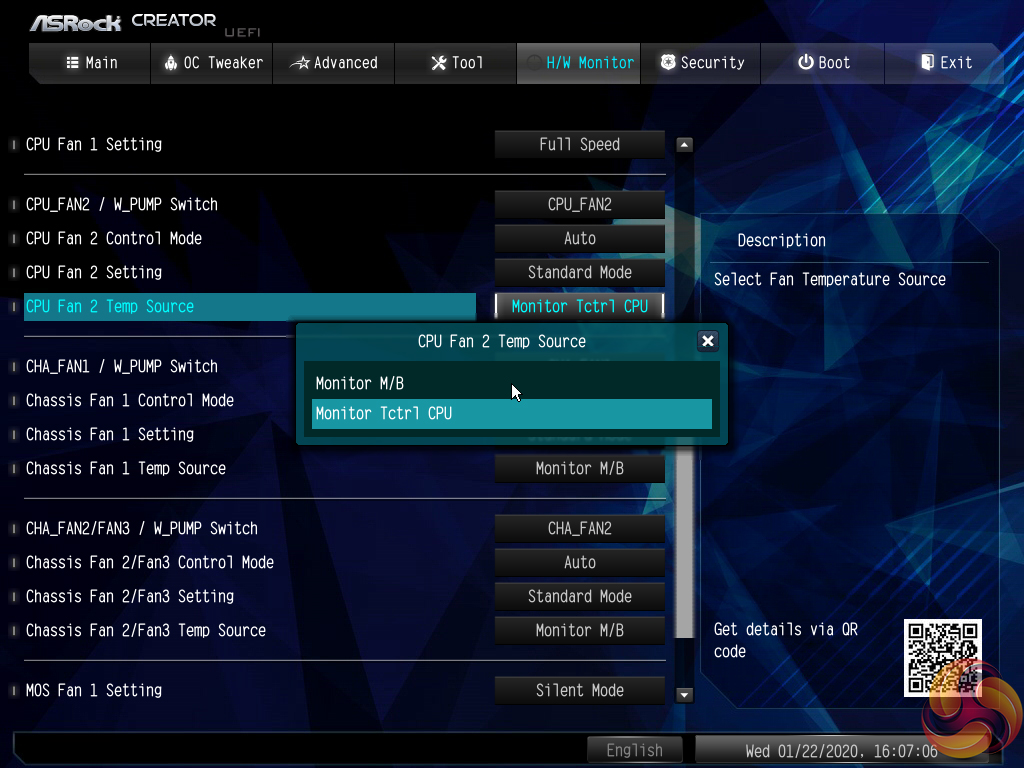
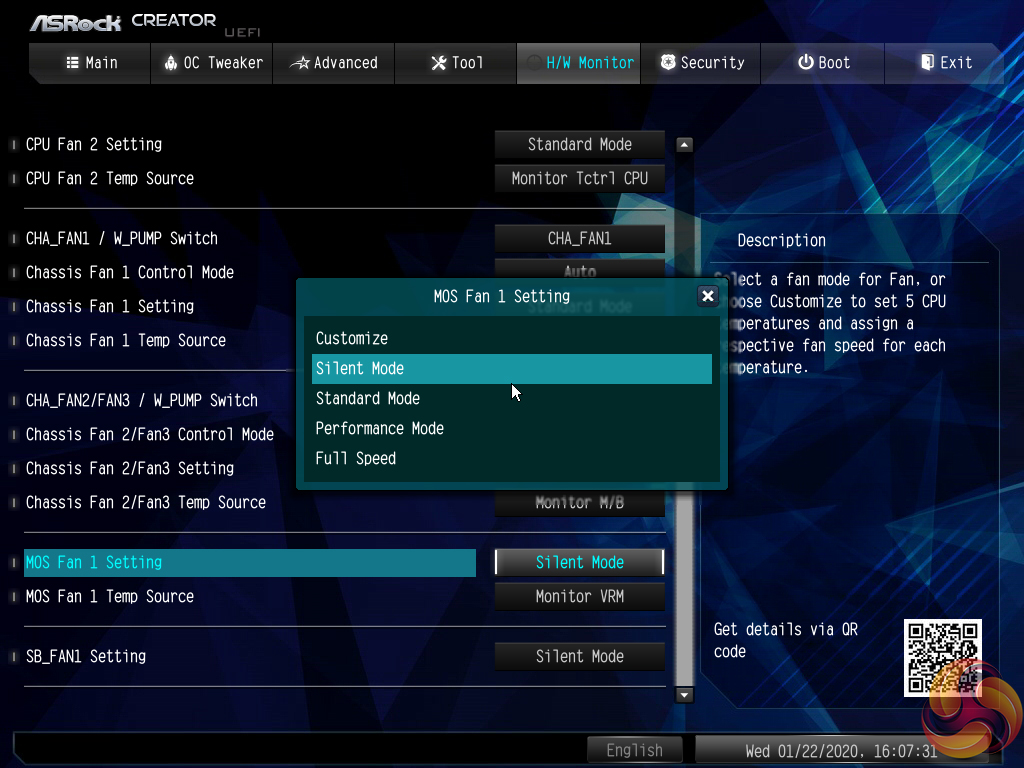
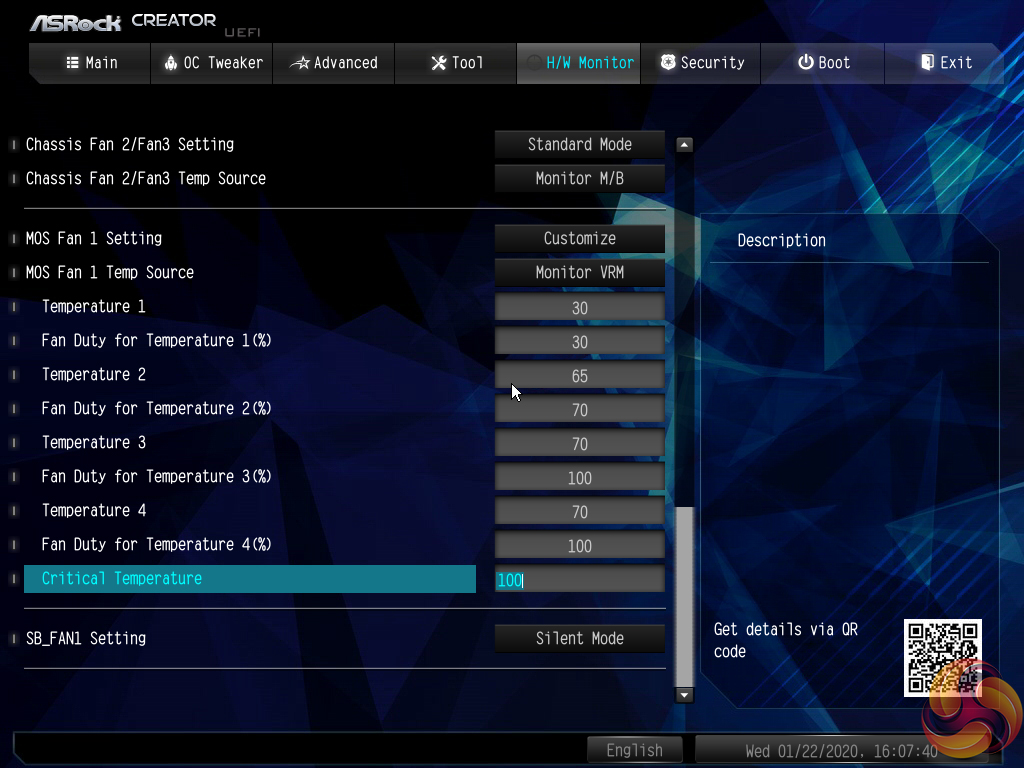
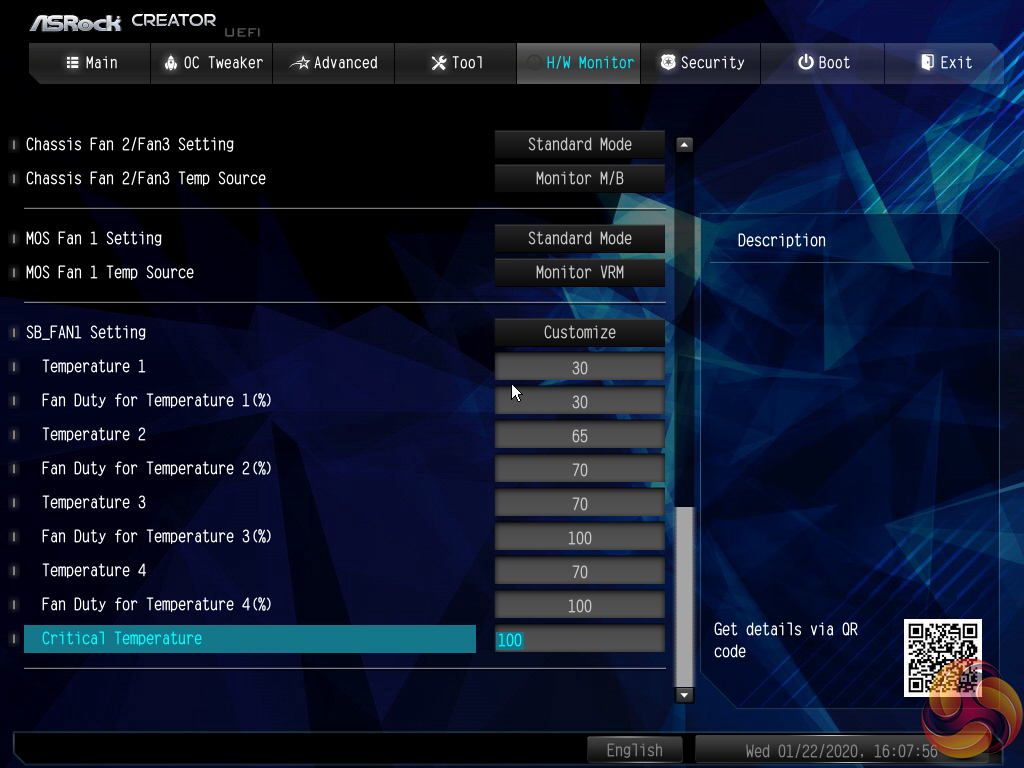
The fan options are plentiful with a variety of fan speed profiles but only CPU and motherboard temperature reading options. A user can set a well-tuned fan speed curve simply by opting for numerical inputs.
There are no hysteresis options (time delays between fan speed changes) that are available on some competing motherboards, which is disappointing.
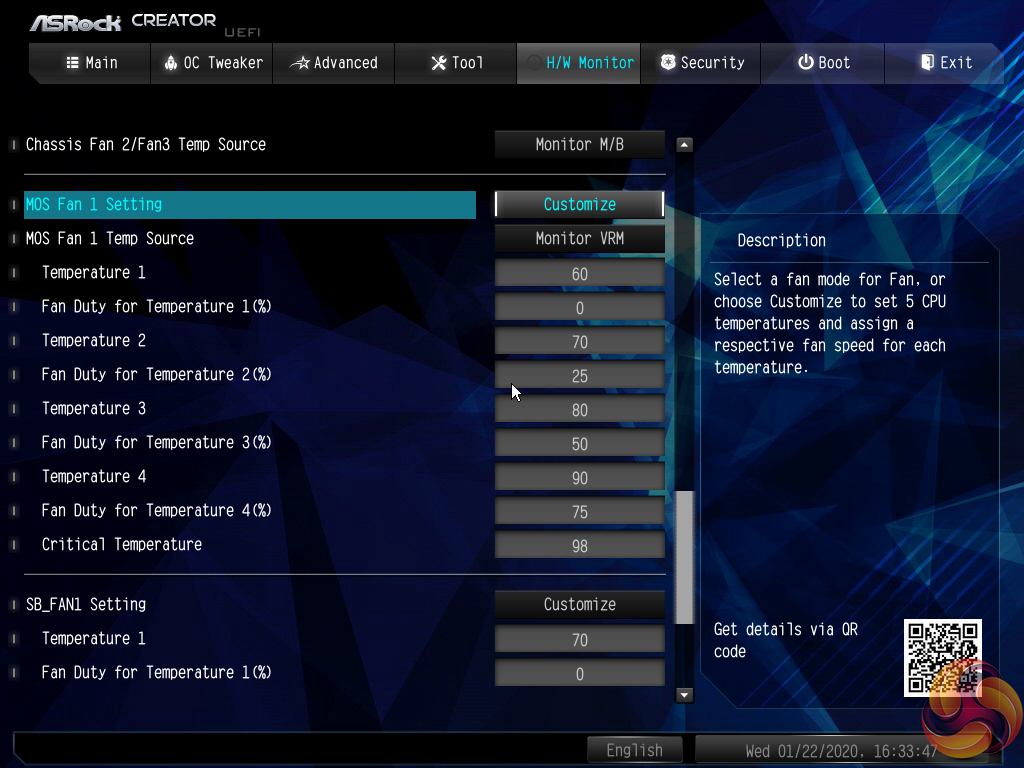
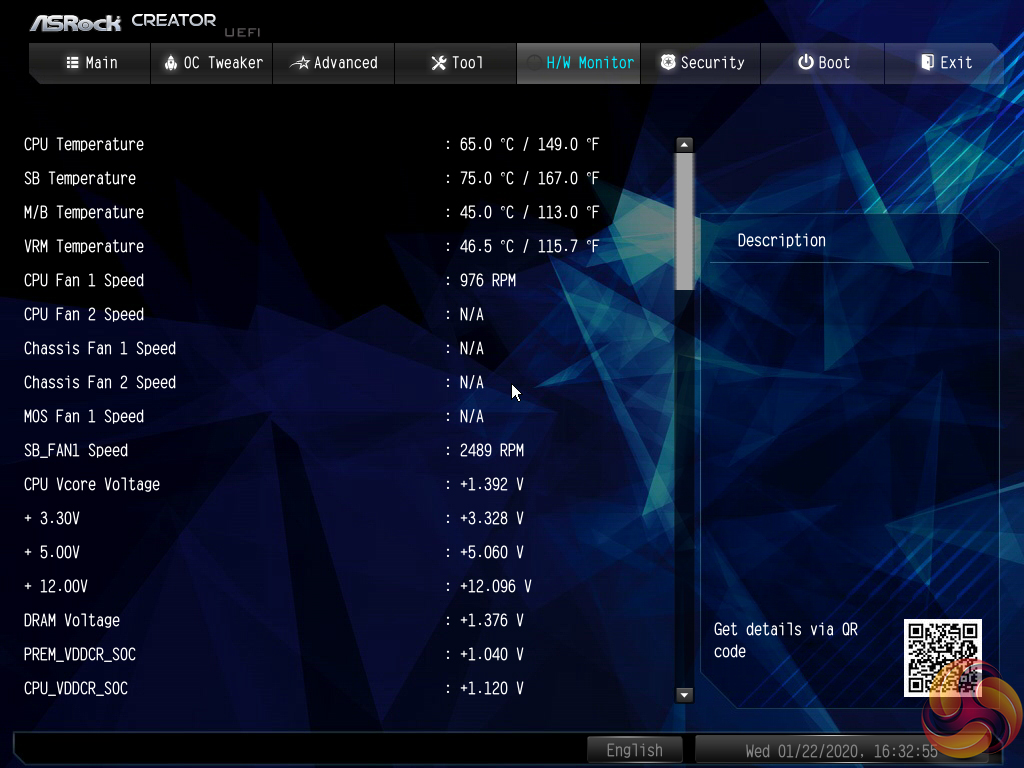
It is good to see included presets for the chipset and MOSFET fan and the same granular level of controllability. This is especially true because the presets provided by ASRock are very poorly tuned but quick user interpretation can adjust this to one's preference, including 0 RPM fan modes.
Software
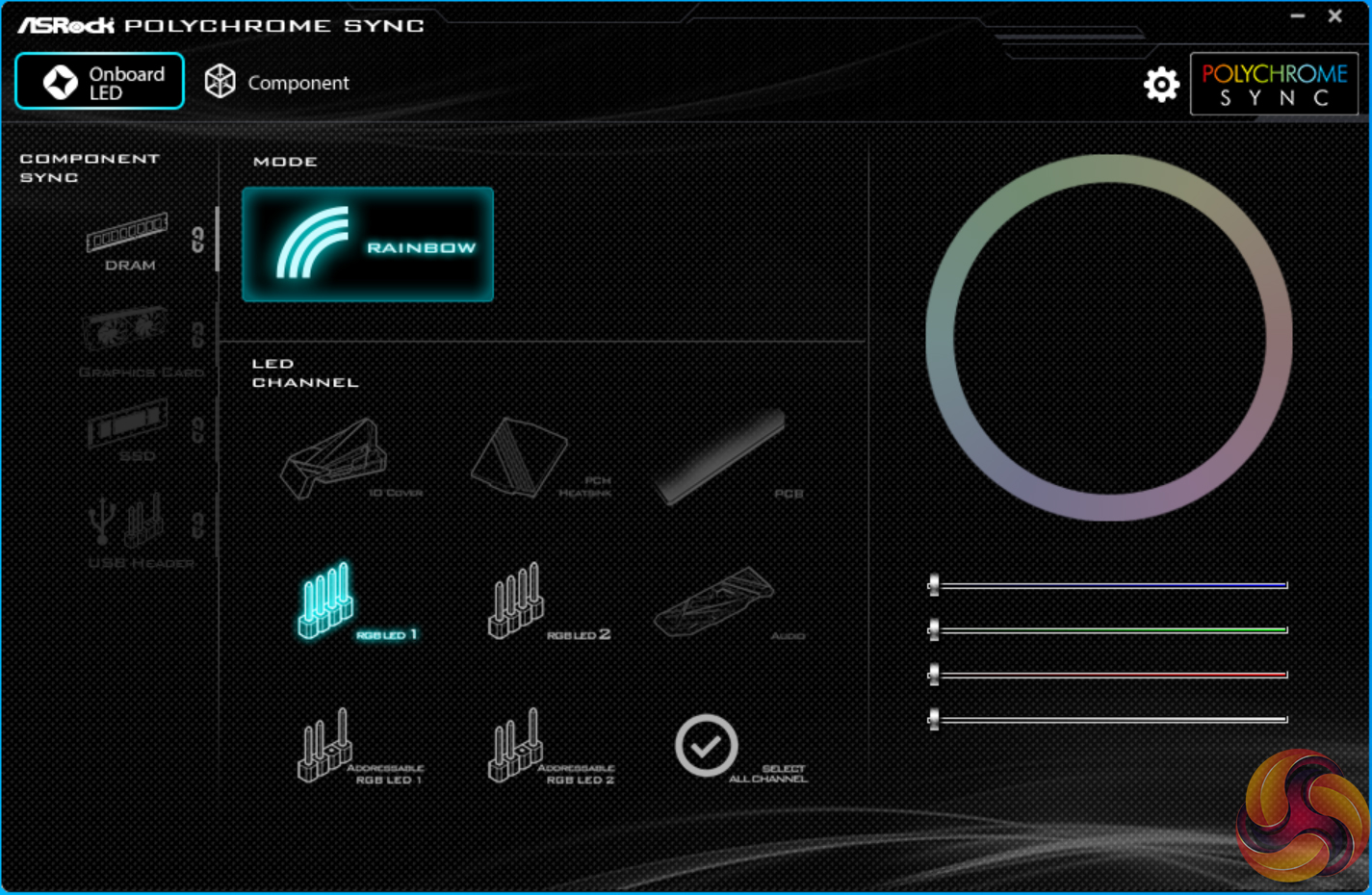
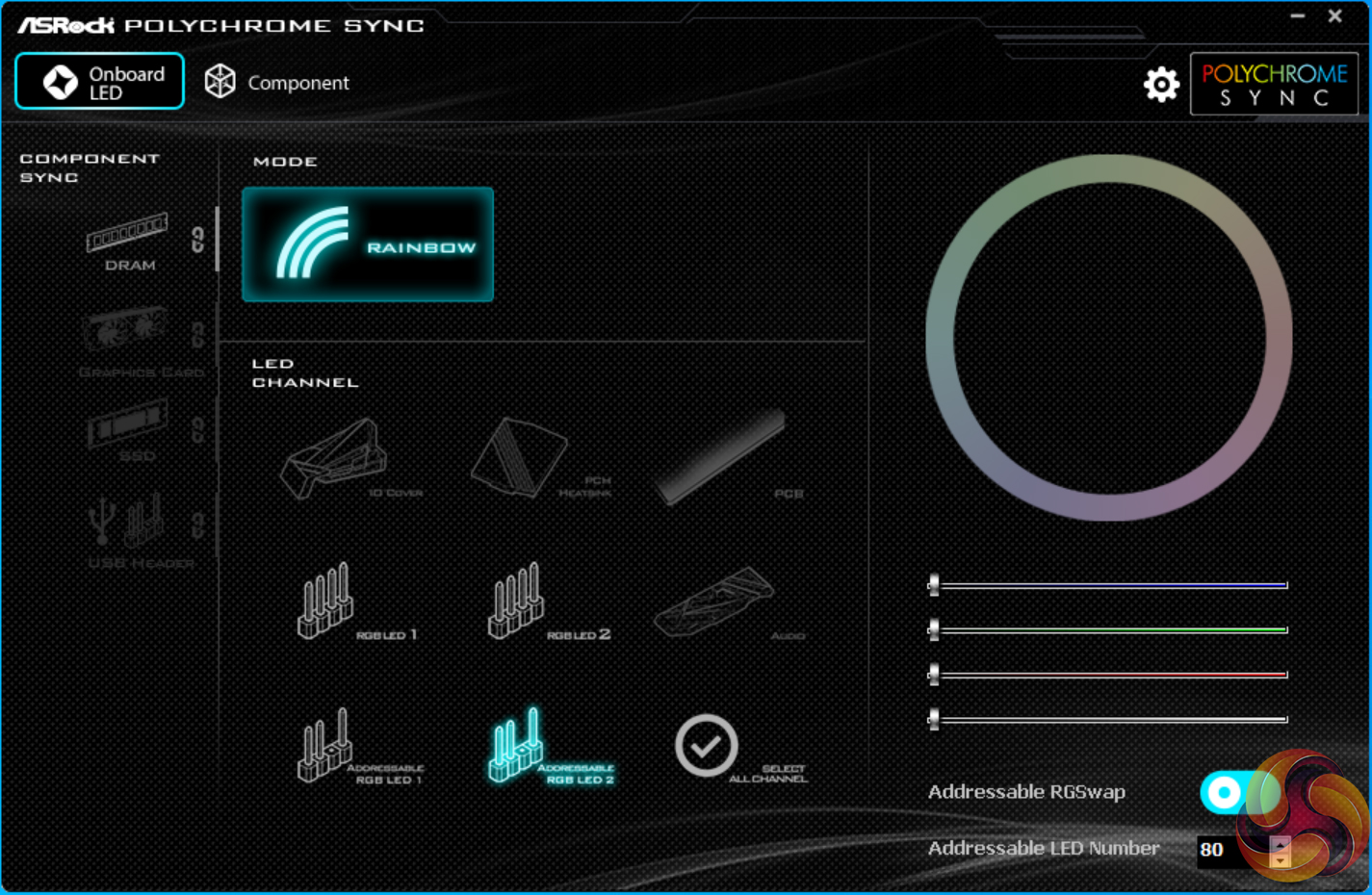
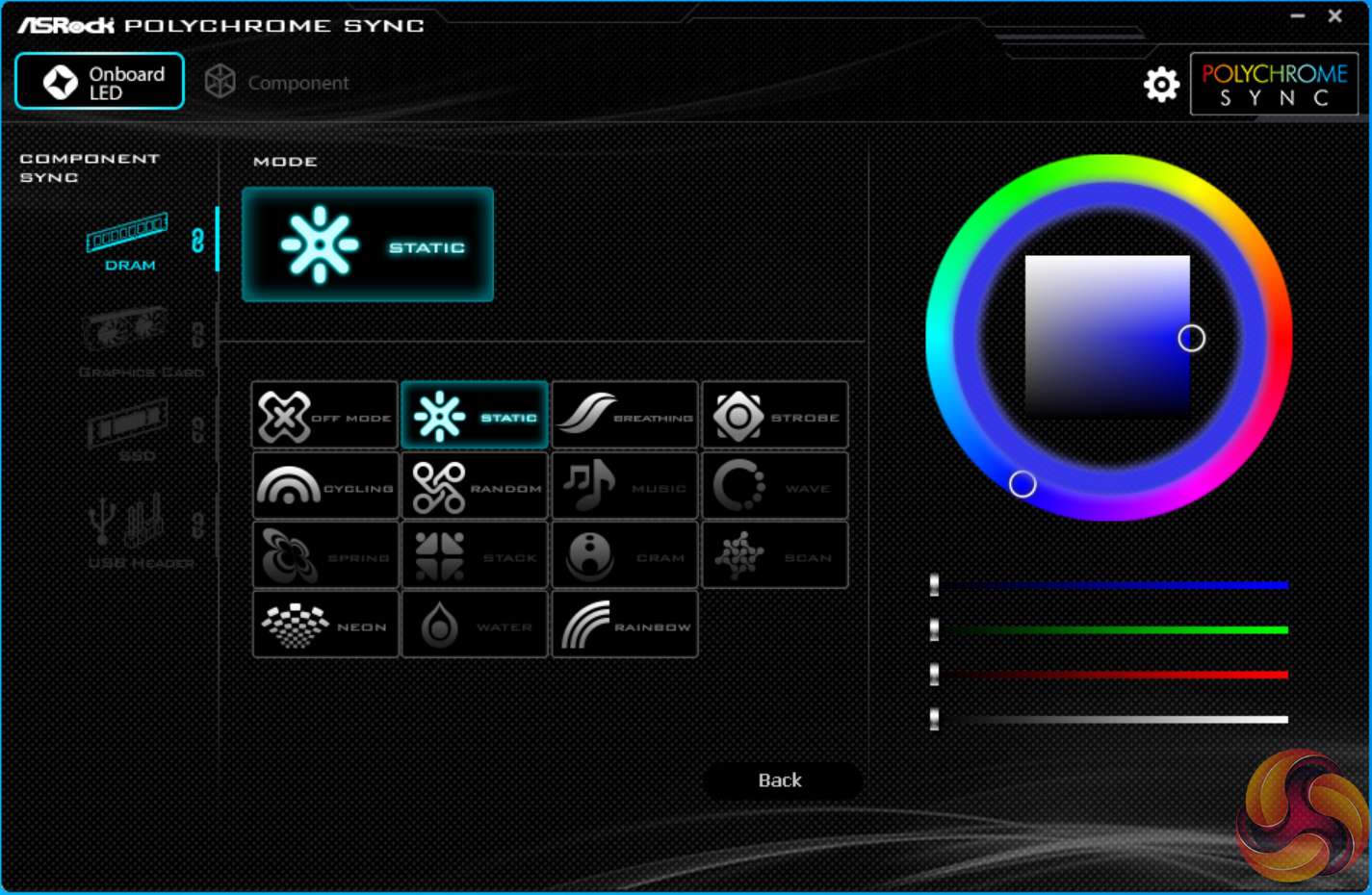
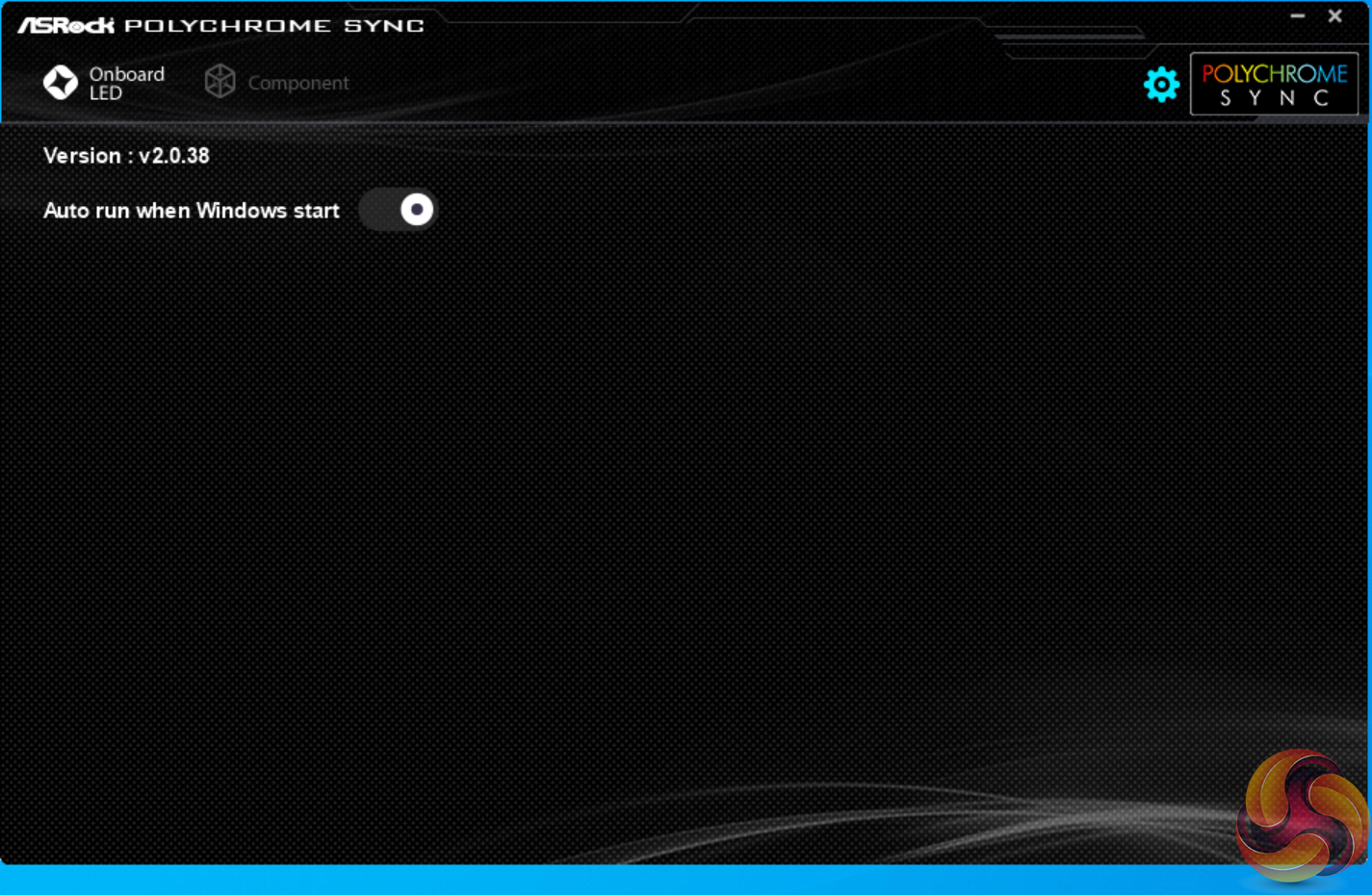
ASRock's primary OS software offering is Polychrome Sync RGB. This tool allows users to control RGB lighting through their motherboard and it worked well in our testing. There are options for different lighting modes, colours, and speeds.
Unfortunately, however, there are no modes that I would consider ‘smart' such as a colour gradient based on CPU temperature or system CPU load.
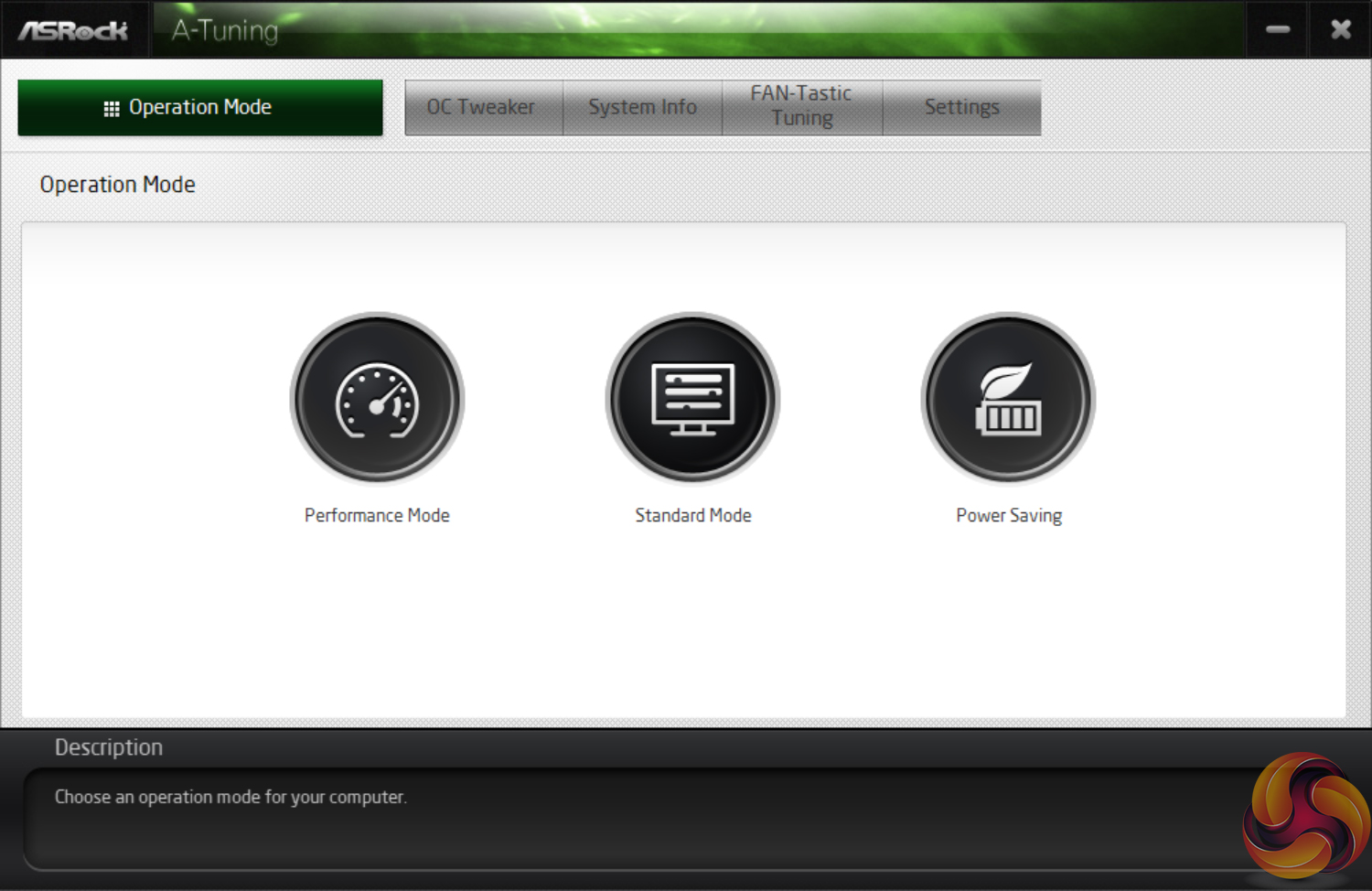
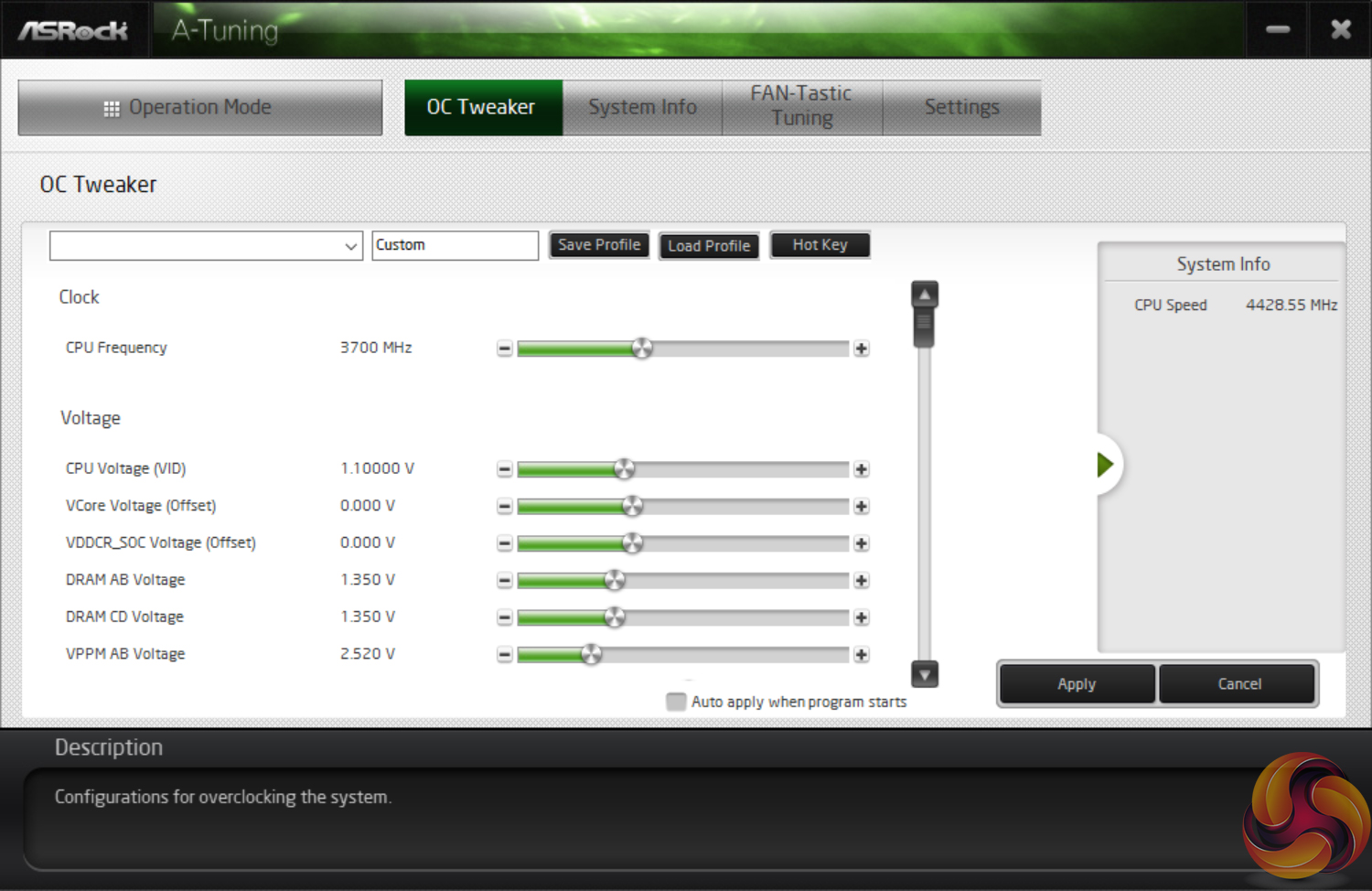
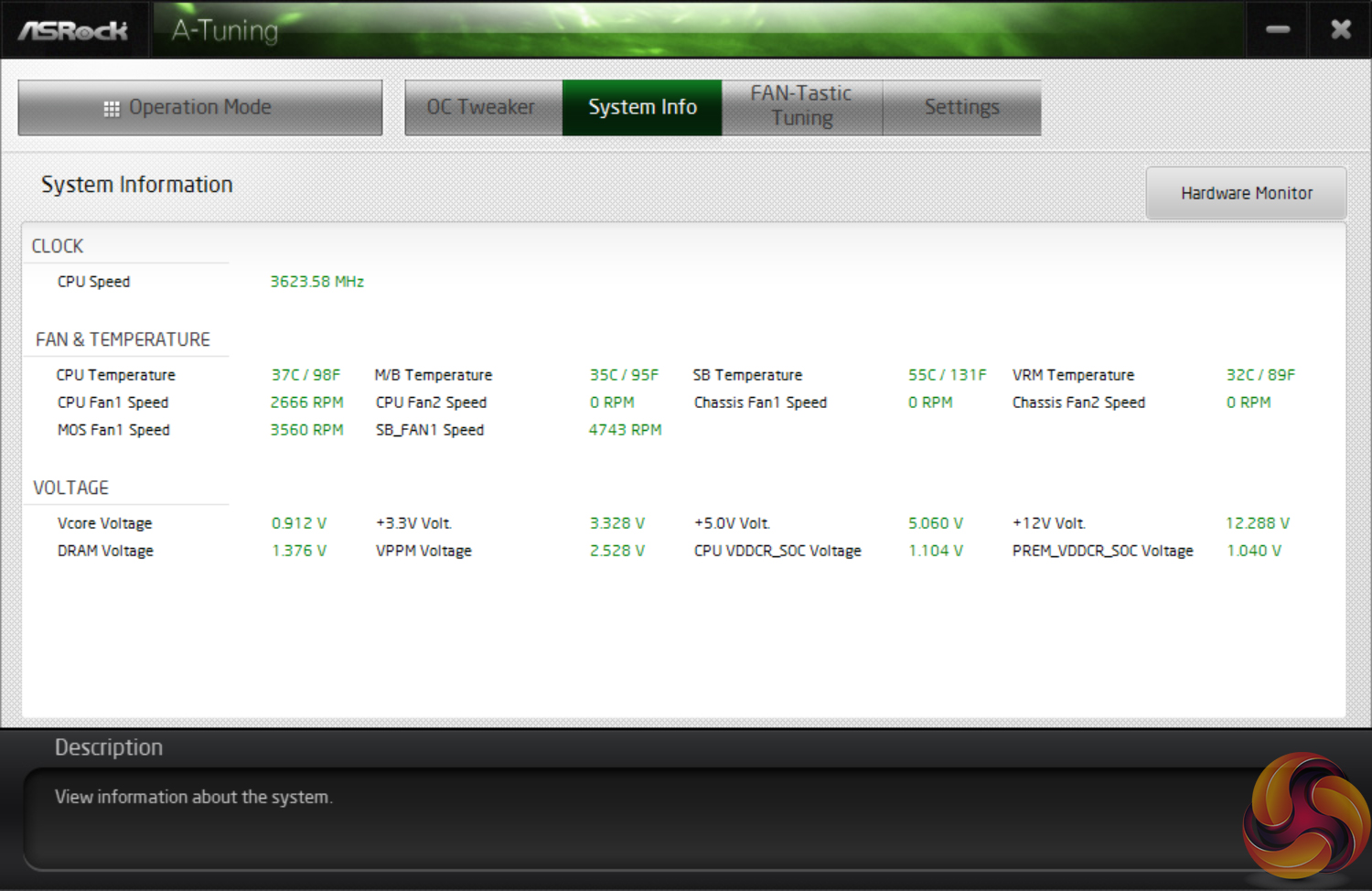
A-Tuning is the other key piece of software that ASRock offers. This tool is primarily centred around controlling system operations such as fan speed and displaying information such as frequencies, temperatures, and voltages.
Unfortunately, the FAN-Tastic Tuning section did not work in our testing with the TRX40 Creator. We expect its abilities to be the same as what we have seen from other ASRock motherboards whereby fan speeds can be configured visually using a multi-point curve.
We will be outlining the ASRock TRX40 Creator motherboard’s performance with the AMD Ryzen Threadripper 3970X CPU, 32GB of 3200MHz DDR4 memory, and an Aorus RTX 2080 Ti XTREME graphics card.
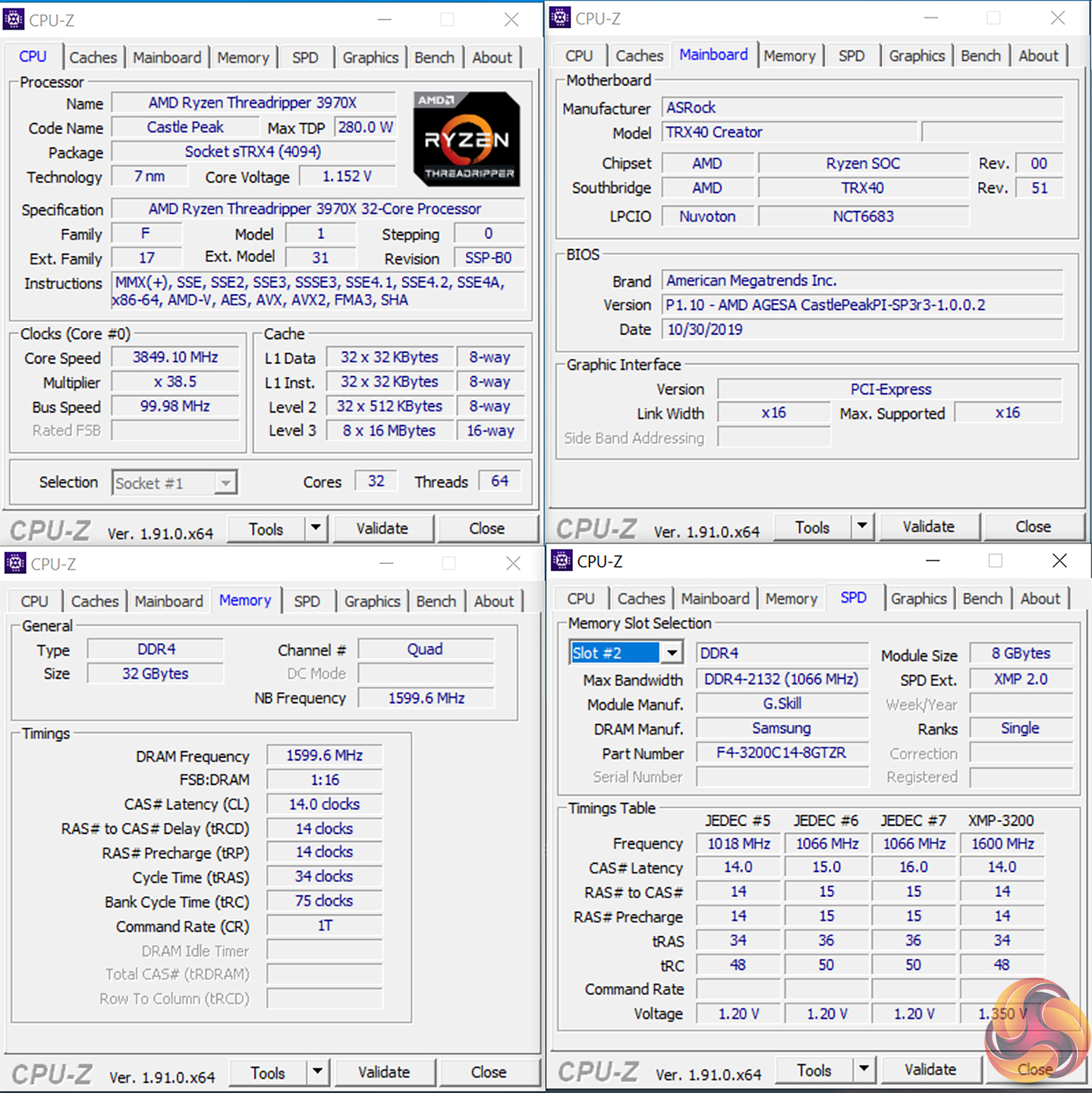
TRX40 Motherboard Test System:
- Processor: AMD Ryzen Threadripper 3970X.
- Memory: 32GB (4x8GB) G.SKILL 3200MHz CL14 DDR4 @ 1.35V.
- Graphics Card: Gigabyte Aorus RTX 2080 Ti XTREME 11G (custom fan curve to eliminate thermal throttling).
- System Drive: WD Black SN750 500GB.
- Test SSD: Gigabyte Aorus PCIe Gen 4 2TB.
- Games SSD: Crucial MX300 750GB.
- CPU Cooler: Cooler Master Wraith Ripper (full speed fans to eliminate thermal throttling).
- Power Supply: Seasonic Prime TX-1000 80Plus Titanium 1000W.
- Operating System: Windows 10 Pro 64-bit 1909 Update.
Drivers and UEFI:
- ASRock TRX40 Creator BIOS 1.10 [AGESA 1.0.0.2] (latest at the time of testing).
Comparison Motherboards:
- ASUS ROG STRIX TRX40-E Gaming (BIOS 0602).
- ASUS ROG Zenith II Extreme (BIOS 0601).
- Gigabyte TRX40 Aorus Master (BIOS F4e).
Tests:
- Cinebench R20 – All-core & single-core CPU benchmark (CPU), Stress test (Temperatures & Power Consumption)
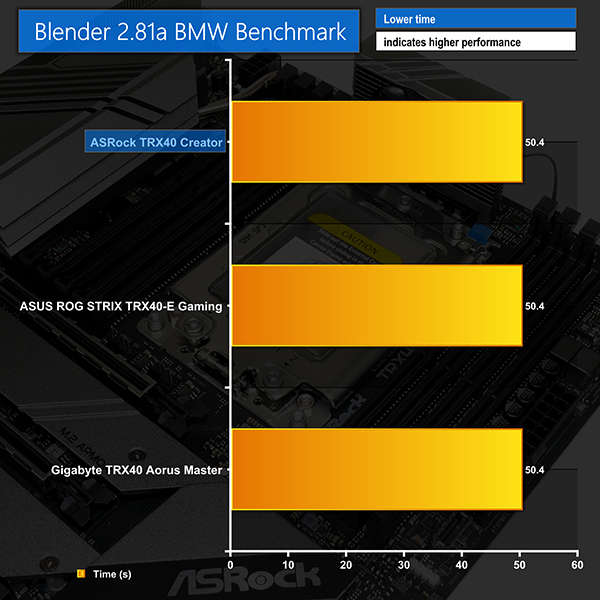
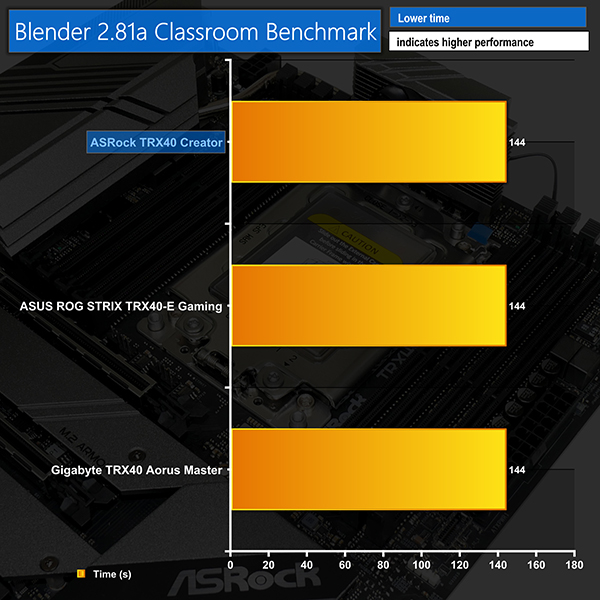
- Blender 2.81a – All-core rendering of the BMW and Classroom benchmark (CPU), Stress test (Temperatures & Power Consumption)
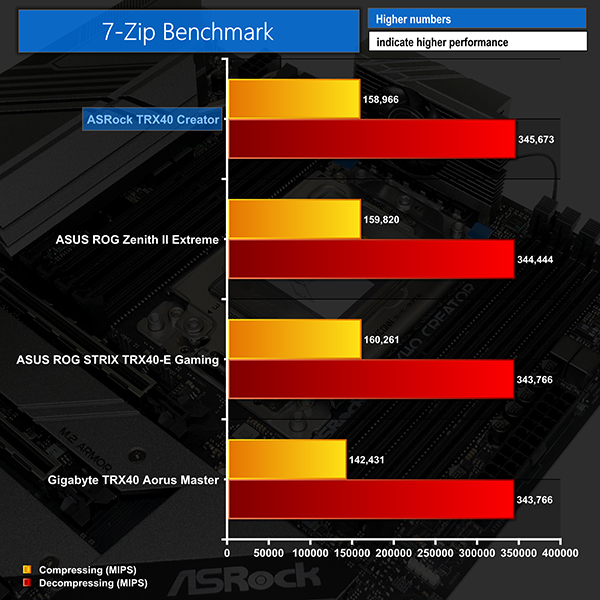
- 7-Zip v19 – Built-in 7-Zip benchmark test (CPU & Memory)
- SiSoft Sandra – Memory bandwidth (Memory)
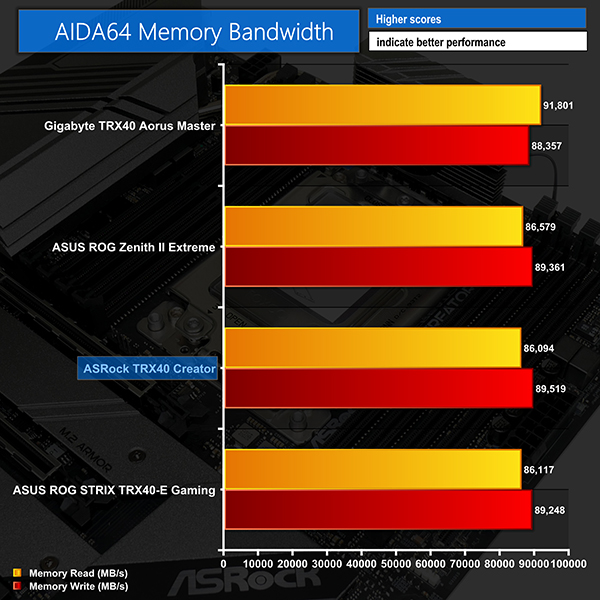
- AIDA64 – Memory bandwidth, memory latency (Memory)
- 3DMark TimeSpy – Time Spy (1440p) test (Gaming)
- Deus Ex: Mankind Divided – Built-in benchmark tool, 1920 x 1080, Ultra quality preset, no AA, DX12 version (Gaming)
- Shadow of the Tomb Raider – Built-in benchmark tool, 1920 x 1080, Highest quality preset, no AA, DX12 version (Gaming)
- CrystalDiskMark– Storage transfer rates (Motherboard)
- Rightmark Audio Analyzer – Record and playback test using a line-in to line-out loopback with a 3.5mm audio cable (Motherboard)
- HWiNFO – System sensor monitoring during stress test (Temperatures & Power Consumption)
Cinebench R20
Blender BMW & Classroom Benchmarks
7-Zip
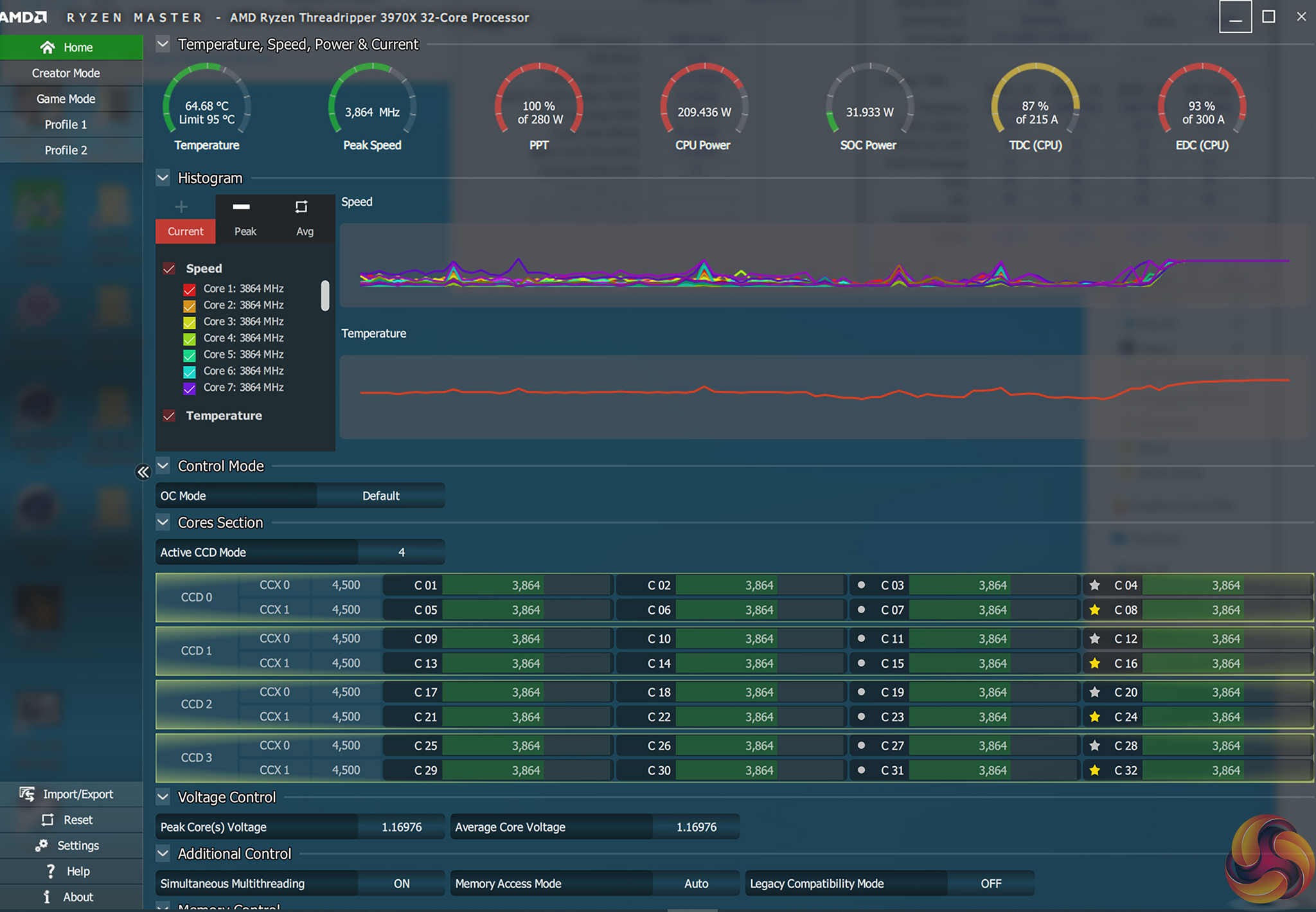
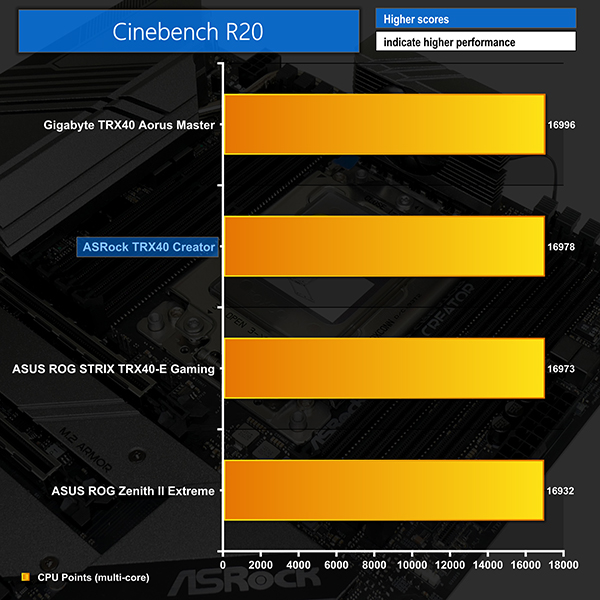
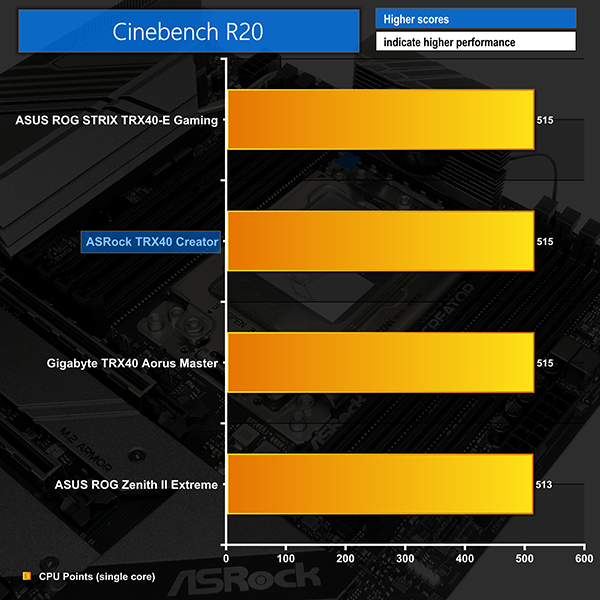
Cinebench runs as well as we would expect on the ASRock TRX40 Creator motherboard; the multi-threaded score is comparable to competing solutions at this price point. Meanwhile, the single-threaded result is also as good as other TRX40 options thanks to the ASRock board hitting maximum CPU boost clocks proficiently. All-core frequency was around 3850MHz (38.5x) to 3875MHz (38.75x) during the short-duration Cinebench nT runs.
Blender also showed appropriate performance levels from the TRX40 Creator, thanks in large to the similar all-core boost frequencies that were achieved. We recorded the 3970X CPU operating around the mid-3800MHz mark during our Blender test runs.
Alongside Blender and Cinebench, 7-Zip also delivered performance right in line with our expectations. This proves that ASRock’s boost clocks are working as intended for the TRX40 Creator and there is no concern with the memory subsystem’s performance.
AIDA64 Engineer
Sandra Memory Bandwidth
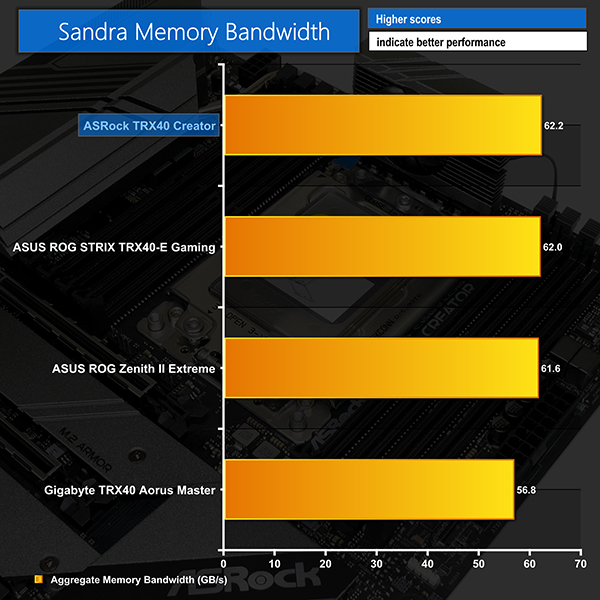
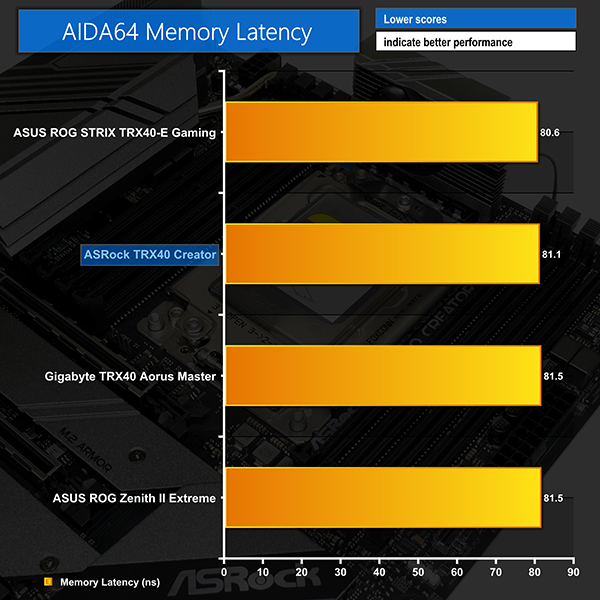
ASRock’s memory bandwidth results in AIDA64 are comparable to those from ASUS but cannot quite match the Gigabyte TRX40 Aorus Master. Switching to the SiSoft Sandra test, however, sees ASRock take the lead and deliver just over 62GBps of bandwidth with 3200MHz CL14 quad-channel modules.
Latency performance is perfectly fine, with ASRock’s board sitting between the results of ASUS’ and Gigabyte’s similarly priced competitors.
3DMark
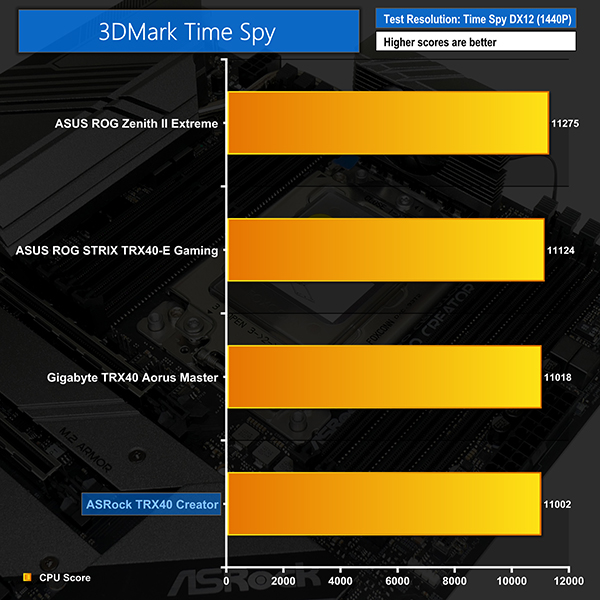
3DMark is a multi-platform hardware benchmark designed to test varying resolutions and detail levels of 3D gaming performance. We run the Windows platform test and in particular the Time Spy benchmark, which is indicative of high-end 1440p PC Gaming.
The Division 2
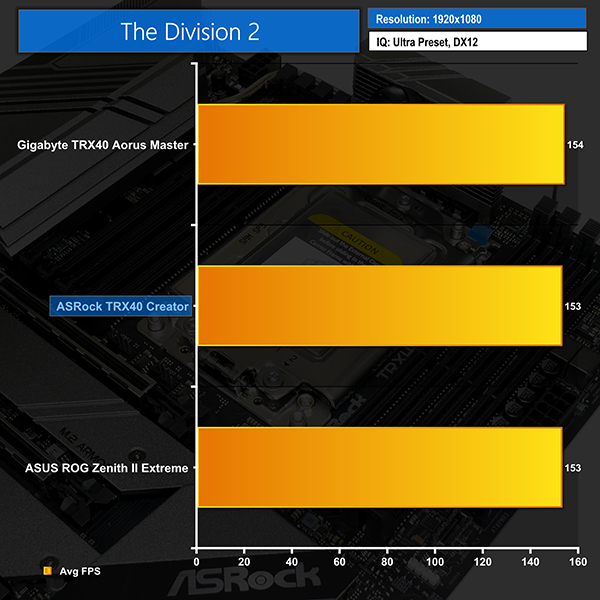
We use the game’s built-in benchmark with quality set to Ultra, VSync disabled, and DX12 mode.
Shadow of the Tomb Raider
We run the built-in benchmark using the DirectX 12 mode, anti-aliasing disabled, and the Highest quality preset.
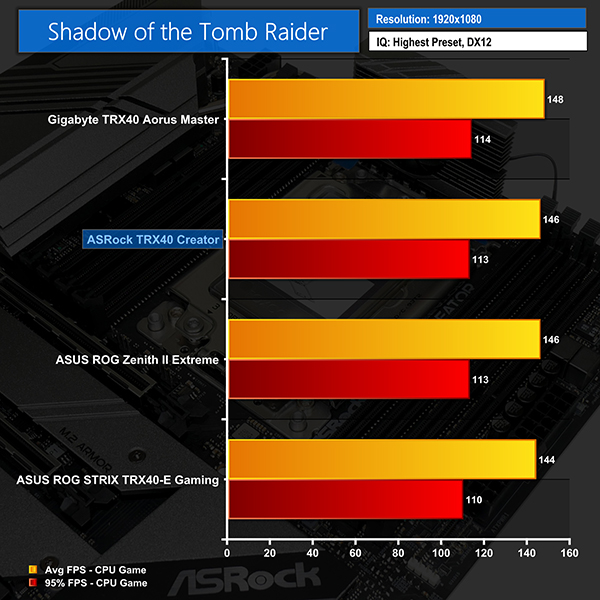
There’s little to distinguish between the TRX40 Creator and its competitors in terms of gaming performance. You may see a couple of FPS difference on average when using Gigabyte’s TRX40 Aorus Master, but in reality, these results are all within a small performance grouping.
We would have no concern in using this ‘Creator’ orientated motherboard for gaming based on the performance numbers we observed.
M.2 PCIe Performance
We test M.2 PCIe performance using an Aorus PCIe Gen 4 2TB SSD. This SSD uses a Phison-based PCIe Gen 4 controller.
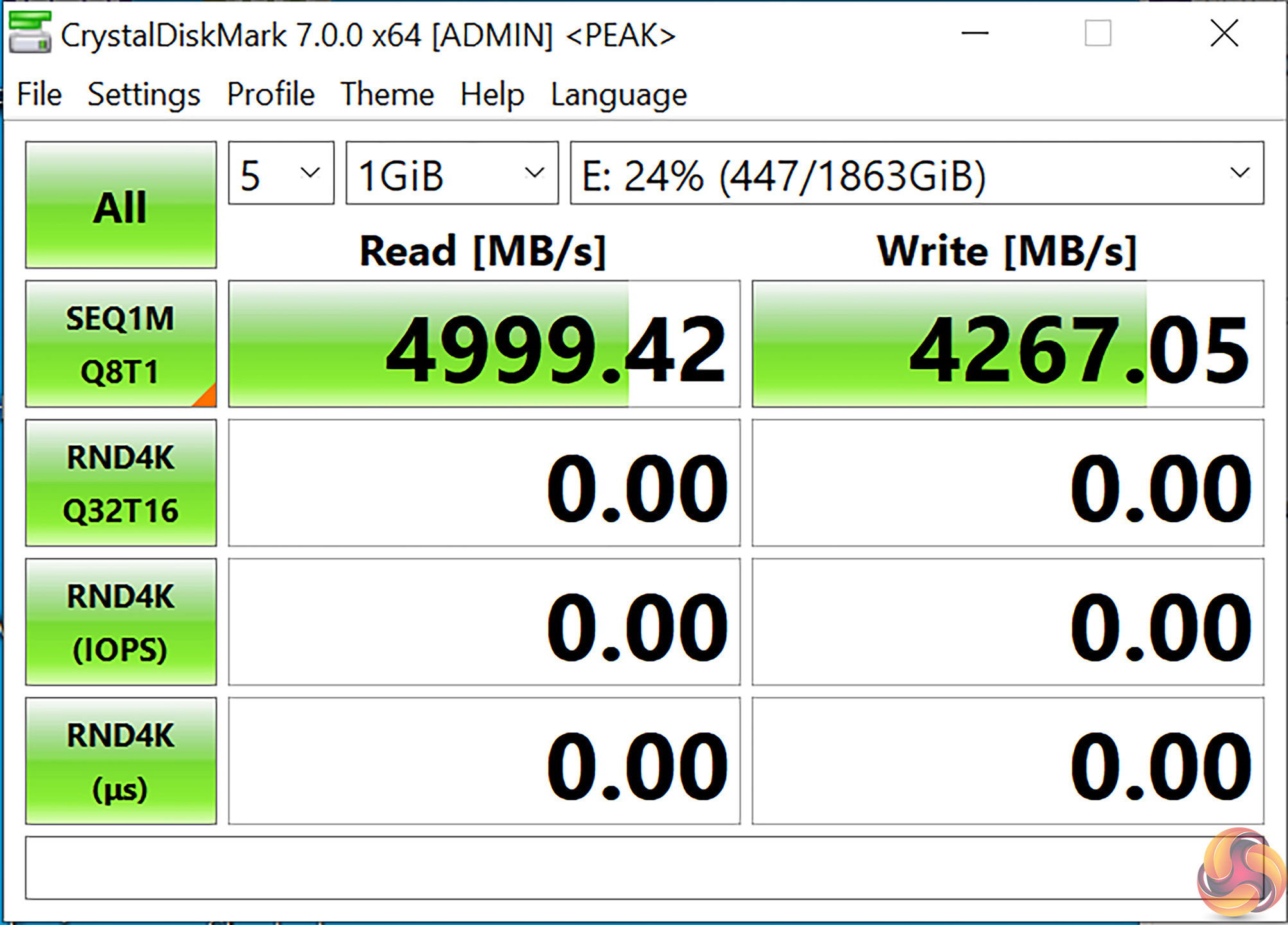
M.2 performance is right on the 5GBps mark that we expect from our Aorus PCIe Gen 4 2TB test SSD.

Cooling performance from ASRock’s M.2 SSD heatsink was fine for our short, burst-type testing. The drive also stayed below 60°C in our CrystalDiskMark test runs.
One clear consideration should be the influence of a hot graphics card directly above the M.2 slot. But this point is also relevant for most competing motherboards that position the M.2 slots between PCIe expansion slots.
SATA 6Gbps Performance
For SATA 6Gbps testing we use a Crucial MX300 750GB SSD.
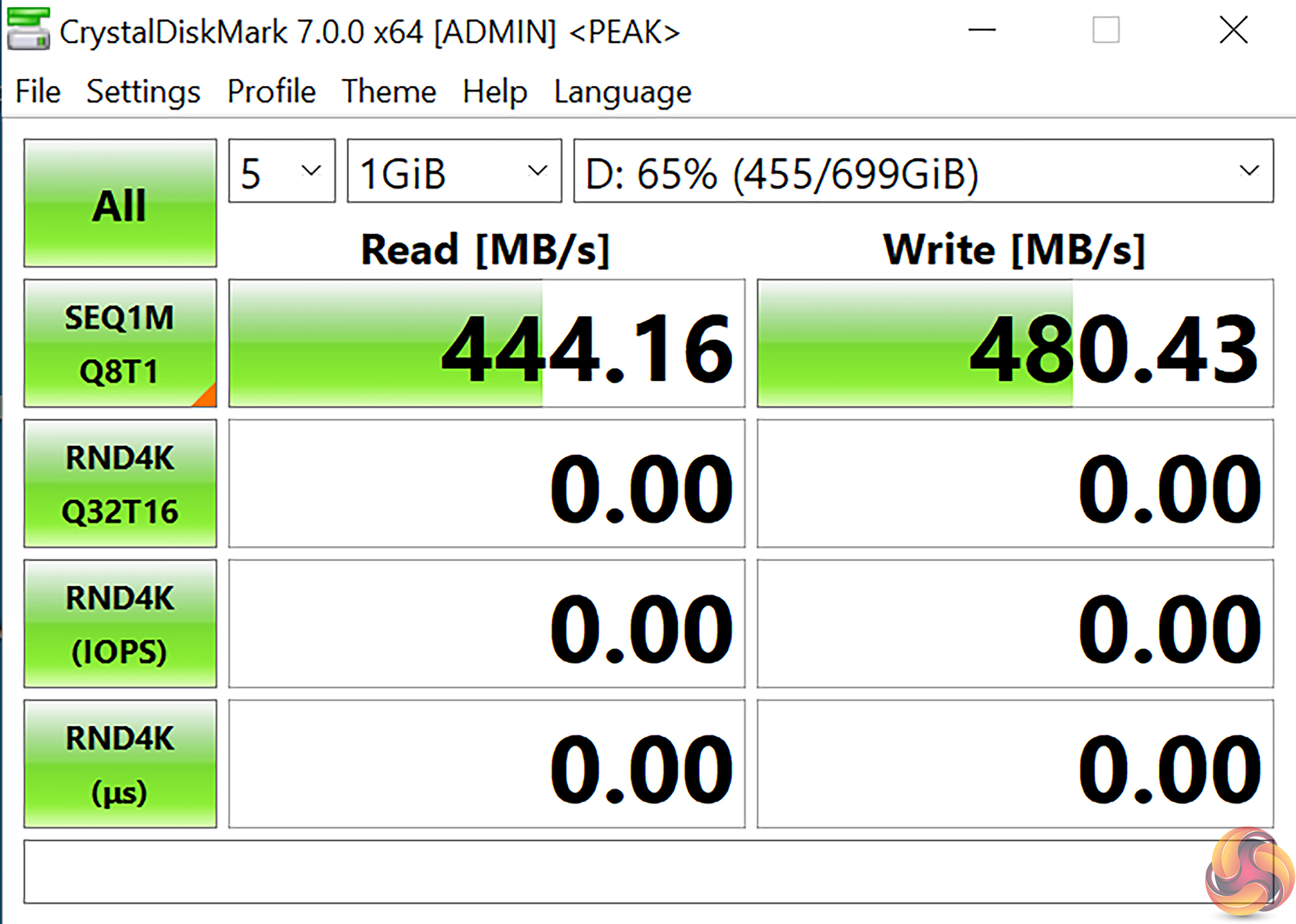
SATA performance is right where we would expect it to be. The plentiful connectivity options for the TRX40 Creator, combined with our tested speed results, means that we would have no concerns running multiple high-speed drives from the SATA connections.
Audio
Rightmark Audio Analyser is a freeware benchmarking utility designed to objectively test the performance characteristics of audio solutions. We setup a line-in line-out loop and execute the record/playback test before generating the results report you see below. A sampling mode of 24-bit, 192 kHz was tested.
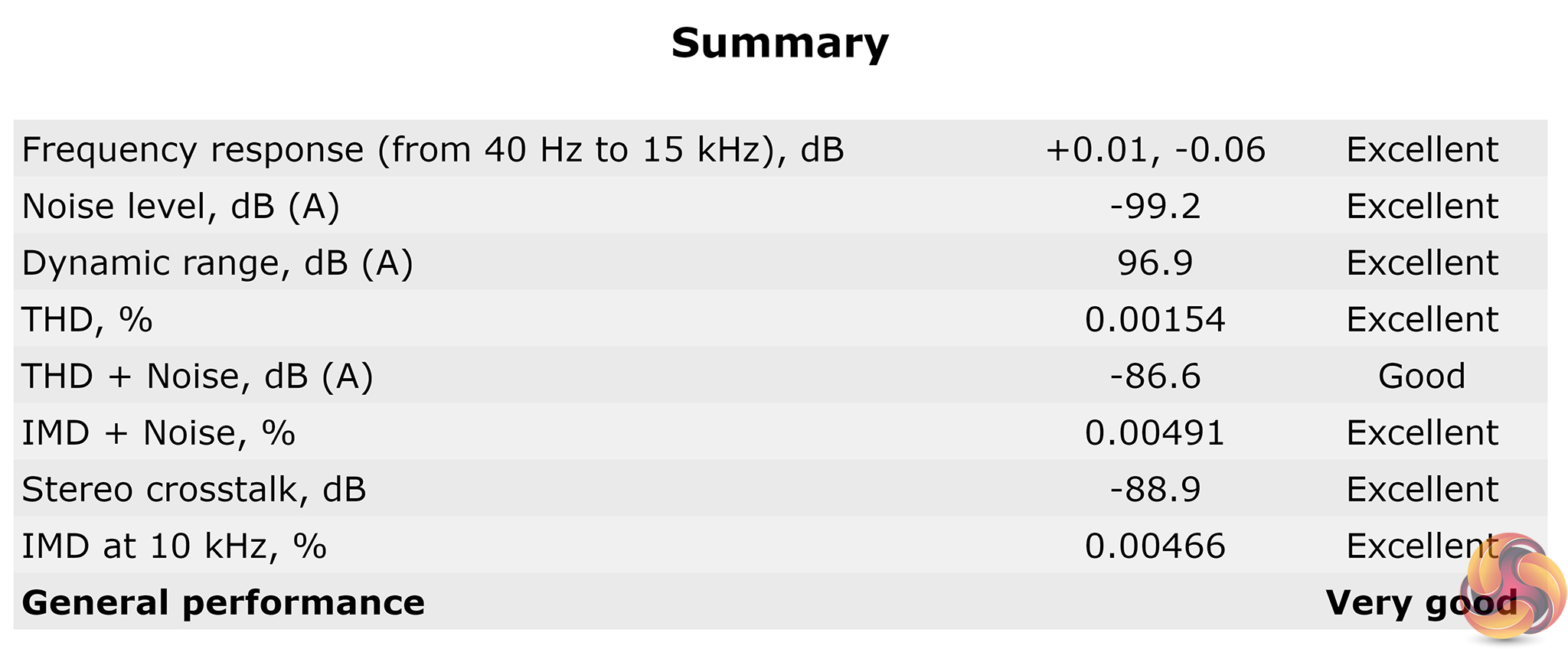
Rightmark Audio Analyser rates the ASRock TRX40 Creator motherboard’s audio system as ‘Very Good’ overall, with most of the categories scoring ‘Excellent’.
Manual CPU Overclocking:
To test the ASRock TRX40 Creator motherboard’s CPU overclocking potential, we set the CPU Core Voltage to 1.25V and applied the Level 1 LLC setting.
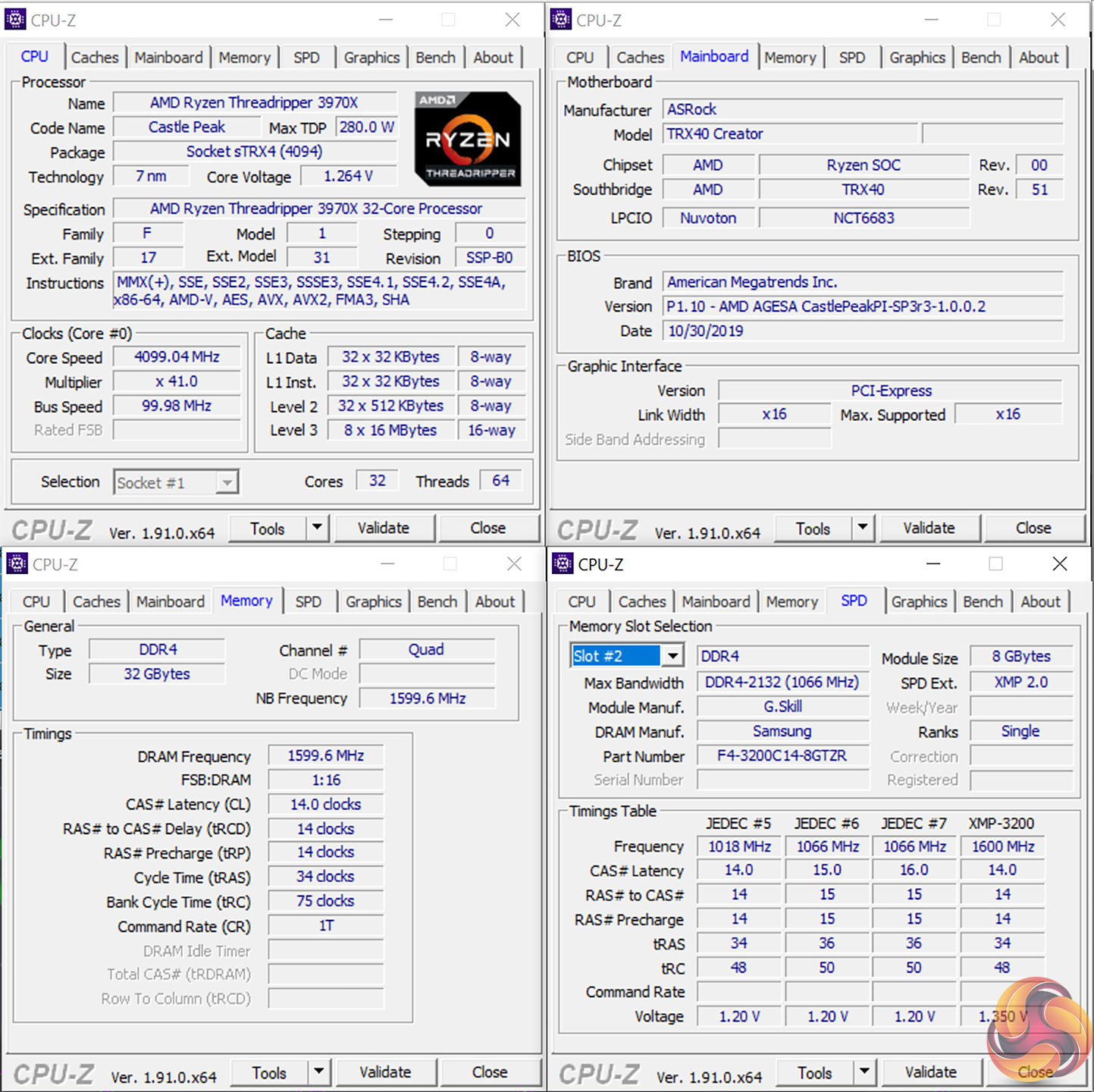
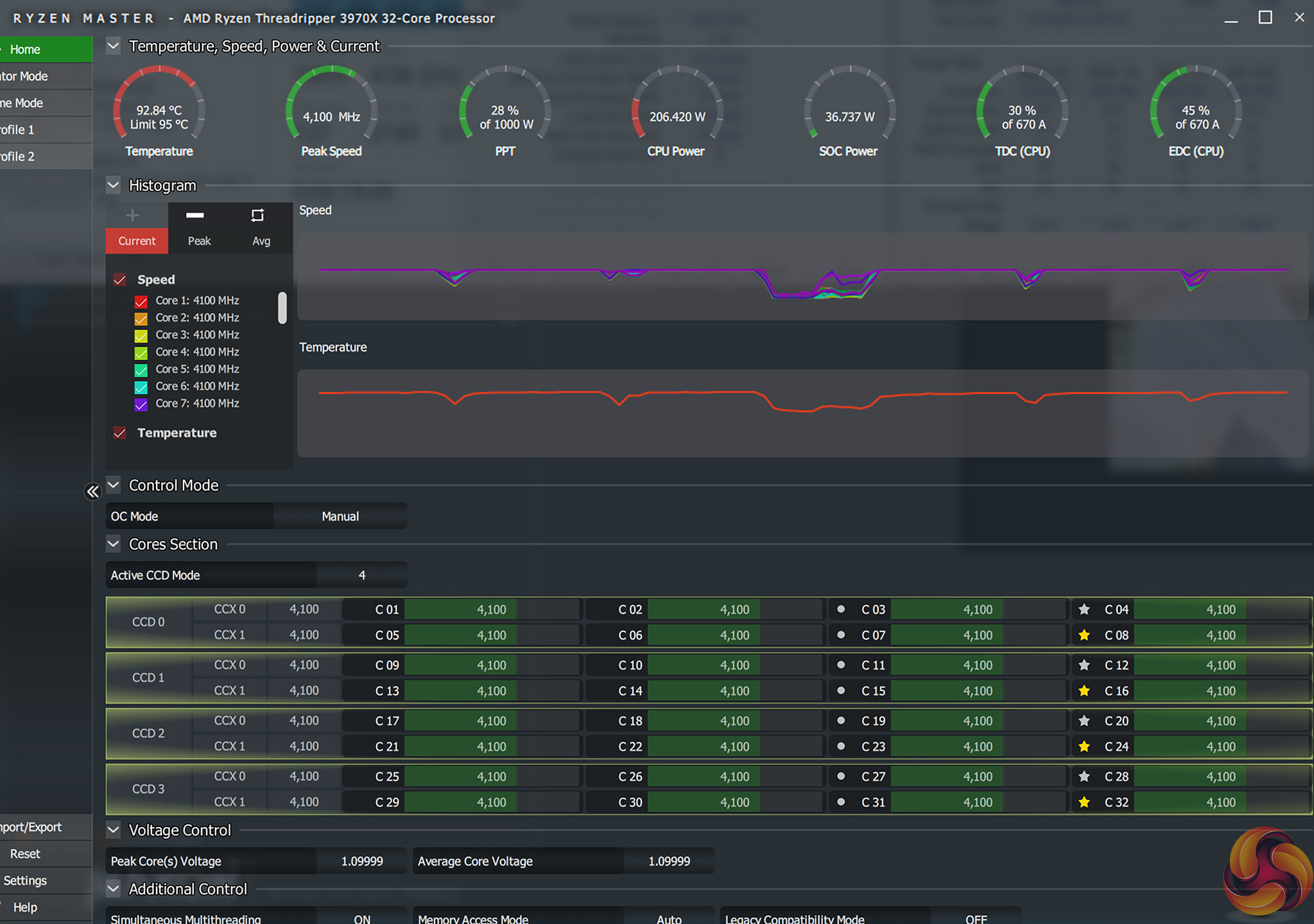
We were able to hit a stable frequency of 4100MHz using a load voltage of 1.264V according to CPU-Z and HWinfo. This used a BIOS-set core voltage of 1.25V and Level 1 load-line calibration (LLC).
ASRock’s LLC settings within the UEFI are clearly visualised via a graph. We were happy with the steady state offset of plus 14mV delivered by the Level 1 LLC setting.
4100MHz at 1.25V BIOS-set voltage is a solid result and is comparable to what we achieved on competing motherboards at this price point. Higher frequency is likely achievable via higher voltage, but this will require a particularly high-end CPU cooling configuration to stay below 100°C.
Motherboard Sensors
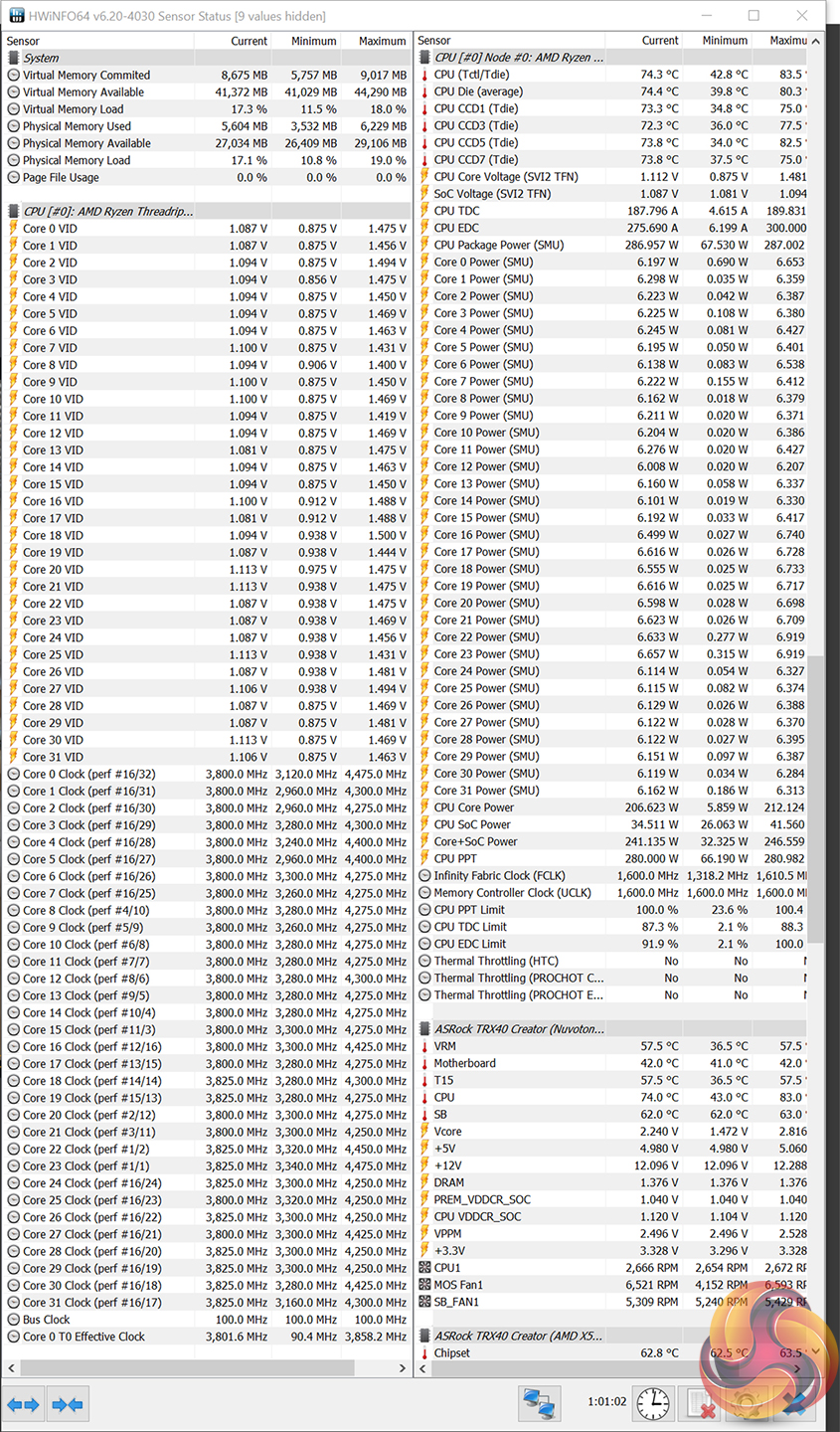
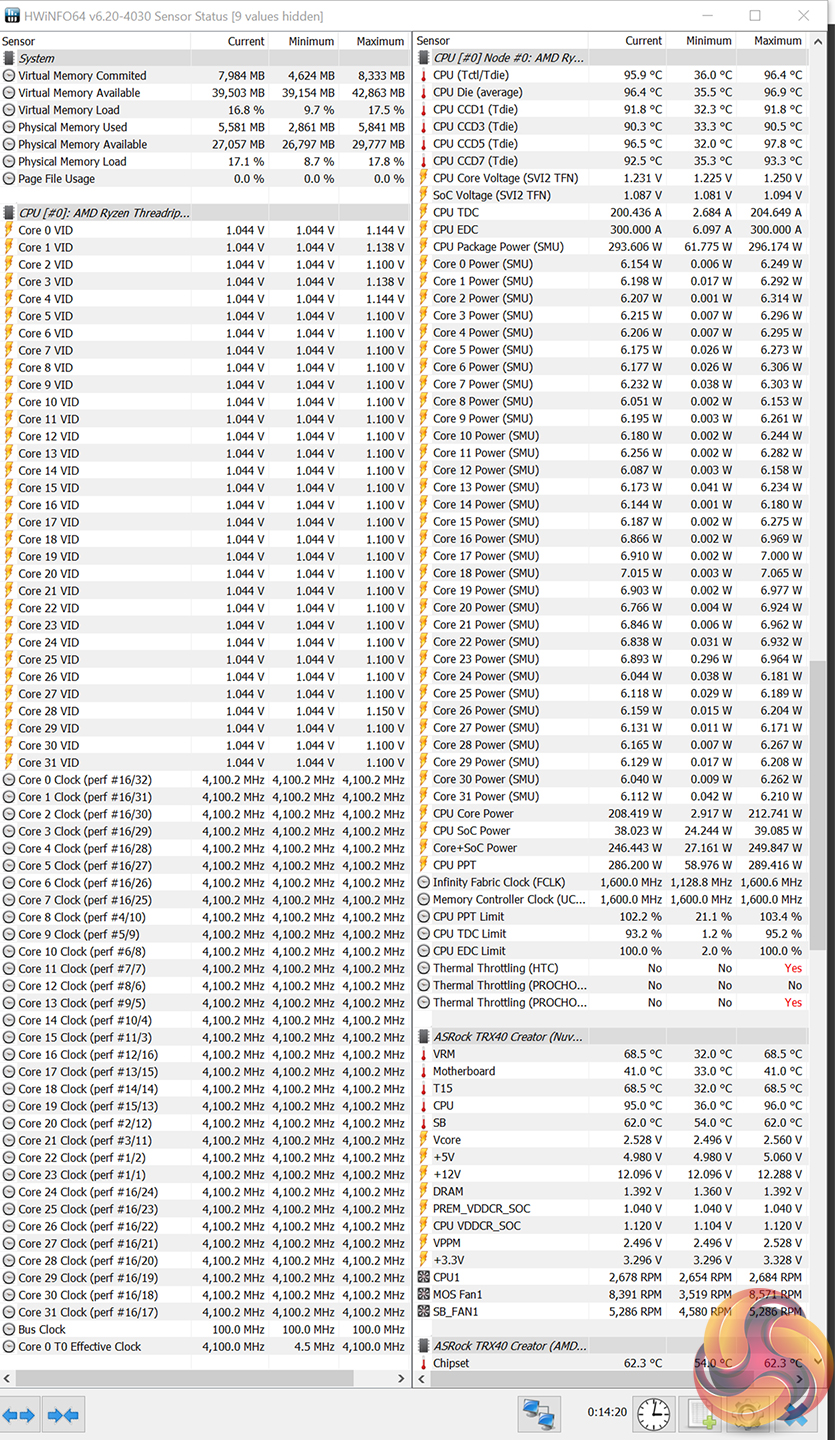
ASRock includes onboard temperature sensors which include a VRM reading. This is good to see on a motherboard of this calibre and it gave us confidence that the MOSFET temperatures were in check throughout our testing.
Importantly, the VRM temperature sensor reading looks to be accurate based on numbers from our manual testing equipment. This is a positive as it allows users to fine-tune the MOSFET fan curve precisely, knowing that the temperatures displayed are indeed close to the real component operating temperature.
As a note, CPU package power data readings look to be accurate at stock speeds. However, as we have seen for other TRX40 motherboards, overclocking the CPU manually throws these numbers out into vastly inaccurate territory.
Overclocked Performance
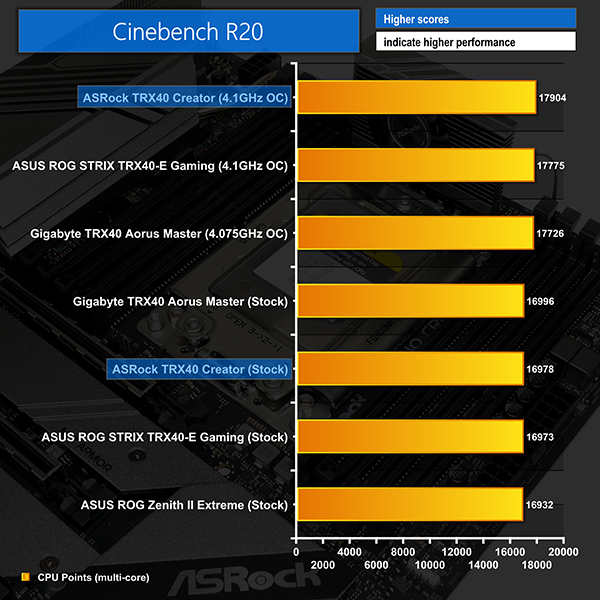
Cinebench R20 scoring is boosted by just under 1000 points, or 5.5%, when the system is overclocked to 4.1GHz CPU frequency. As is the case for Ryzen 3000, a manual 4.1GHz clock speed is lower than the 4.5GHz maximum Precision Boost 2 frequency and therefore lightly threaded workloads will suffer.
Precision Boost Overdrive will help to alleviate those lightly threaded drop-offs while also reducing all-core frequency below the manually overclocked value.
System Power Consumption
We leave the system to idle on the Windows 10 desktop for 10 minutes before taking a reading. For CPU load results we run Cinebench R20 nT and Blender Classroom stress tests and take a reading. The power consumption of our entire test system (at the wall) is shown in the chart.
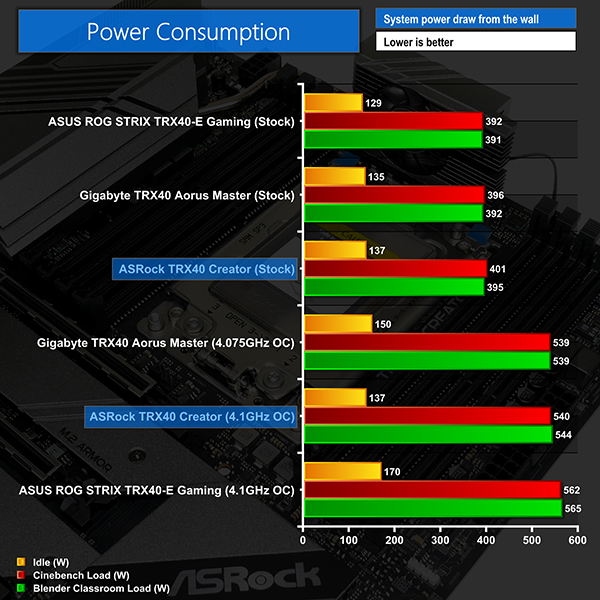
ASRock applies reasonable voltages and that delivers sensible stock speed power numbers. The TRX40 Creator consistently drew a little more energy than its competitors, but the differences were no cause for concern from an energy efficiency or power delivery standpoint.
Overclocking load draw numbers were slightly lower than ASUS’ offering thanks to preferential target voltage accuracy from ASRock’s board. This is because ASUS uses a different CPU VCore sensor reading methodology.
Just under 550W system wide power draw, most of which is going to the CPU, is an extremely high level that demands solid cooling and a strong power supply like the Seasonic Prime TX-1000 that we used.
System Temperatures
We run the Cinebench R20 nT test on loop for 1 hour while recording the system data using HWInfo. This data is then analysed to show the CPU temperatures and also the VRM MOSFET temperatures, when the sensor data is available.
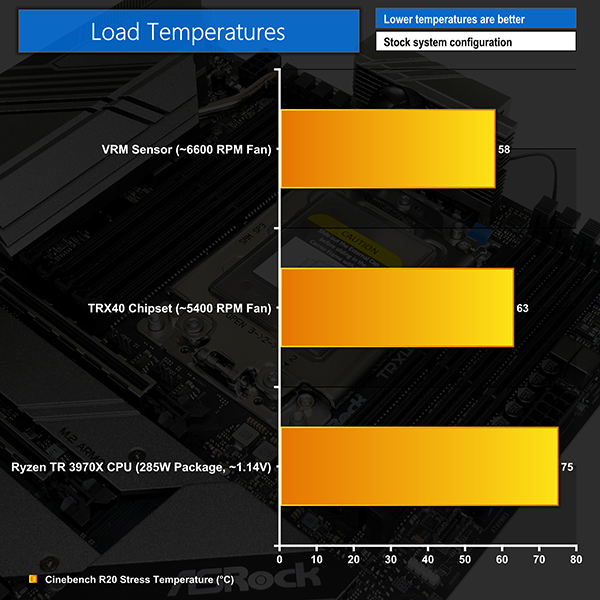
ASRock delivers solid VRM temperature numbers but this is thanks in large to the high fan speeds of its default curves. While the ASUS TRX40-E competitor’s VRM solution stayed below 60°C without the heatsink’s fan even kicking in, the ASRock board’s MOSFET fan was whizzing around at 6600 RPM for our 58°C result.
That’s unimpressive for a stock-clocked system as the fan was audible and irritating. The same comments are true for the chipset cooling solution and its 5400 RPM fan reading for a 63°C temperature result.
Overclocking the system did not cause any problems for the VRM heatsink as the fan simply ramped up even higher and managed to keep the MOSFETs below 70°C in our testing. Whether the software-reported fan speed readings are correct or not is somewhat irrelevant; I would not be happy with the noise output level from the VRM and chipset fans with the system loaded.
Thankfully, ASRock’s UEFI and OS software allow for granular control over both fans, including setting a zero RPM operating point. This worked reasonably well in our testing, provided you’re happy to see your chipset temperatures lingering above 70°C most of the time.
The compressed footprint of the TRX40 Creator’s eight-phase power delivery solution looks to be perfectly fine from a power delivery perspective, but it clearly presents a cooling challenge that ASRock feels is solved by using a small, loud fan.
Competitively priced at just under £450, the ASRock TRX40 Creator motherboard differentiates itself by offering a unique concoction of features that are highly likely to appeal to professionals buying into the Threadripper platform.
The ability to install four dual-slot graphics cards into an ATX-sized system is perhaps a dream scenario for many potential buyers who deal with heavy animation software, multi-GPU compute, or demanding virtual machines. ASRock’s TRX40 Creator is the only option on the market that gives users that flexibility.
Of course, that ability also comes with compromise, as users with two triple-slot graphics cards will have no further PCIe expansion slots available. This caveat is arguably of minor importance to the TRX40 Creator’s intended target audience, many of whom will likely be running dual-slot workstation graphics cards.
10 Gigabit networking in addition to a 2.5Gb adapter and 2.4Gbps WiFi are clear features that many professional users will appreciate. The same can be said for ASRock’s smart inclusion of a 20Gbps USB 3.2 Gen 2×2 Type-C port that goes some way to offsetting the omission of Thunderbolt 3 capability.
Out of the box performance was solid and we had no problem with our overclocking efforts thanks to ASRock’s clear UEFI and accurate voltage levels. Despite ‘only’ running an eight-phase power delivery solution, we did not see any signs of weakness when using the 32-core Threadripper CPU. AMD’s 64-core monster may be a tougher task if overclocking with this motherboard, however.
One clear area where the TRX40 Creator is not strong is its VRM and chipset cooling configuration. While the raw numbers that we recorded showed the temperatures to be perfectly reasonable, the high fan speeds and loud noise levels made for an irritating operating environment. ASUS’ TRX40-E running in passive fan mode achieved similar VRM temperatures to ASRock’s board running at an audible and irritating 6600 RPM fan speed.
The default fan speed profiles for both the MOSFET and chipset heatsink fans are adequate from a temperature perspective but woeful from a noise standpoint. Thankfully, ASRock provides excellent control capability in the UEFI and OS software and we successfully tweaked the fan curves to run at zero RPM up to temperature points that we were happy with. Just don’t expect to keep those low fan speeds forever as the motherboard’s physical size constraints clearly result in VRM and chipset heatsink design compromises.
It is clear where ASRock has chosen to cut costs to price the TRX40 Creator at an aggressive sub-£450 level. You do not get an integrated IO shield, onboard RGB, or fancy motherboard shrouds. And there’s no denying that the VRM heatsink is a basic design that leverages a high-speed fan for strong cooling performance. However, all of those compromises are extremely smart choices for a workstation-type motherboard targeting professional users. They pave the way for undeniably valuable add-ons such as 10Gb and 2.5Gb Ethernet, 20Gbps USB Type-C, and the ability to install four graphics cards.
Overall, the areas where ASRock forces compromises to make way for its value-added features are well-thought and they result in the TRX40 Creator being a truly smart option for professional users looking to make money from their Threadripper-based system.

The ASRock TRX40 Creator is priced at £449.99 (at the time of writing) at Overclockers UK.
Discuss on our Facebook page HERE.
Pros:
- Supports four dual-slot graphics cards in standard ATX form factor.
- 10GbE and 2.5GbE as well as 2.4Gbps WiFi.
- 20Gbps USB 3.2 Gen 2×2 Type-C port.
- Solid performance out of the box.
- Good overclocking capacity, thanks to the simple UEFI and voltage accuracy.
- Strong VRM and chipset cooling capacity.
- Three M.2 slots.
Cons:
- MOSFET and chipset fans are needlessly loud using preset profiles.
- Only five onboard fan headers.
- Tall VRM heatsink could easily cause CPU cooler or AIO radiator interference.
- Only one internal USB 2.0 header.
KitGuru says: An exceptionally smart option for professionals wanting high-speed networking, fast USB Type-C, and multiple high-bandwidth expansion cards. Just make sure you’re willing to manually tweak the MOSFET and chipset fan speed curves.