 KitGuru KitGuru.net – Tech News | Hardware News | Hardware Reviews | IOS | Mobile | Gaming | Graphics Cards


Although many KitGuru reviews might show off the most powerful and expensive hardware in the world not everyone can afford a £3,000 system, or fit that giant tower case into a small bedroom. That is why today you do not necessarily need a monstrous ATX case, high end motherboard and companion hardware – just to play games at 1080p.
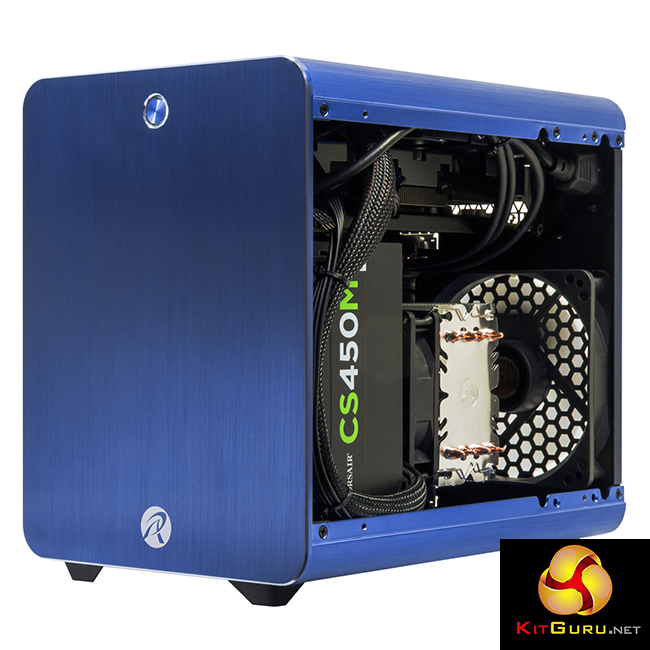
Enter the diminutive, competitively priced Overclockers UK Titan Electron we are looking at today. The Titan Electron is an extremely compact system build, comprising a powerful Intel Haswell CPU, capable mid-range GPU with a decent amount of memory and high-speed storage.
There are a plethora of options available for this system with the most economical offering coming with a high-capacity HDD, low-power i3 CPU and Nvidia GTX 750. And if funds permit, you can bolster performance with a more impressive i5 4690 CPU and GTX 970 4GB graphics card.
The system we have today is lower cost than both of those, utilising the same i3 CPU, GTX 960 and 8GB of memory. Full specifications can be seen below.
Regardless of which internal choices you make though, this system always comes in the compact Raijintek Metis brushed aluminium chassis – though there are a number of colour options to choose from. [yframe url='http://www.youtube.com/watch?v=2zs3SAuBnTw']
Features
- Intel Core i series processing power & up to 16GB of DDR3 memory.
- Compact chassis design in a variety of styles and colours.
- Powerful AMD Radeon or Nvidia GeForce Graphics.
- Flexible Specification.
Specifications
Although there are a number of hardware options for the OCUK Titan Electron, these are the specifications for our particular test model:
- CPU: Intel Haswell Core i3 4330.
- Motherboard: ASUSTek H81I-Plus.
- Memory: TeamGroup 8GB 1600MHz DDR3.
- Graphics: Nvidia GTX 960 2GB.
- Storage: Seagate ST1000DX001 1TB Hybrid SSHD.
- Case: Rajintek Metis Blue Brushed Aluminium.
Price as specified: £611.98 inc vat. Buy direct from Overclockers UK HERE.
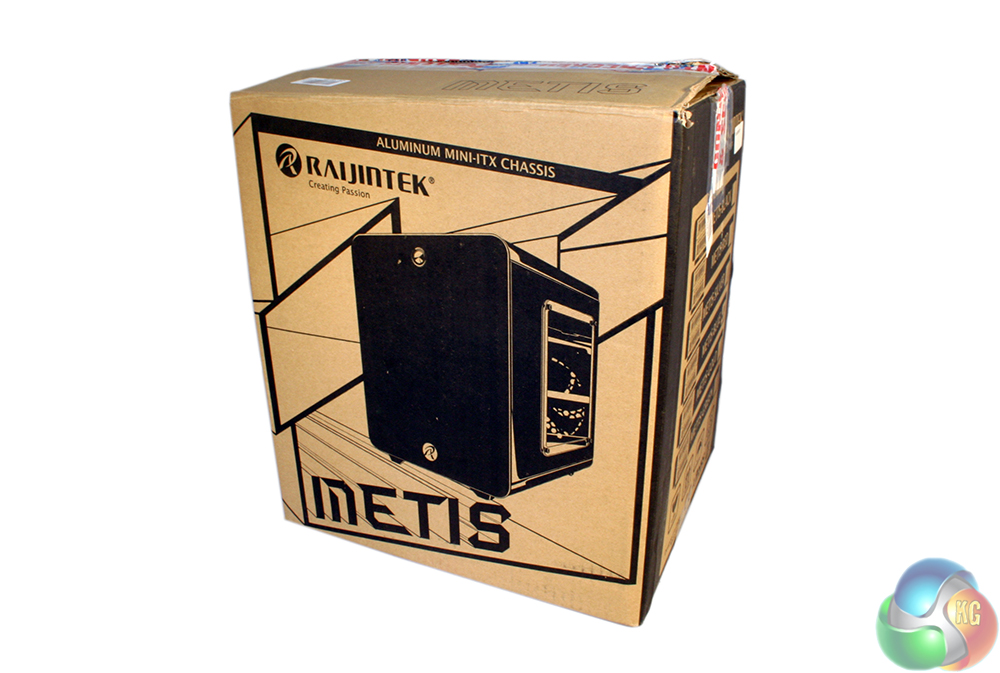
Packaging for this PC is, as with every Overclockers UK system delivery, excellent. There are end cardboard pads wrapped around a large box, which in turn is filled with air pockets and cardboard spacers for added protection. Inside that, you find the system box itself, which is padded with polystyrene – even the interior is padded to prevent components moving around.
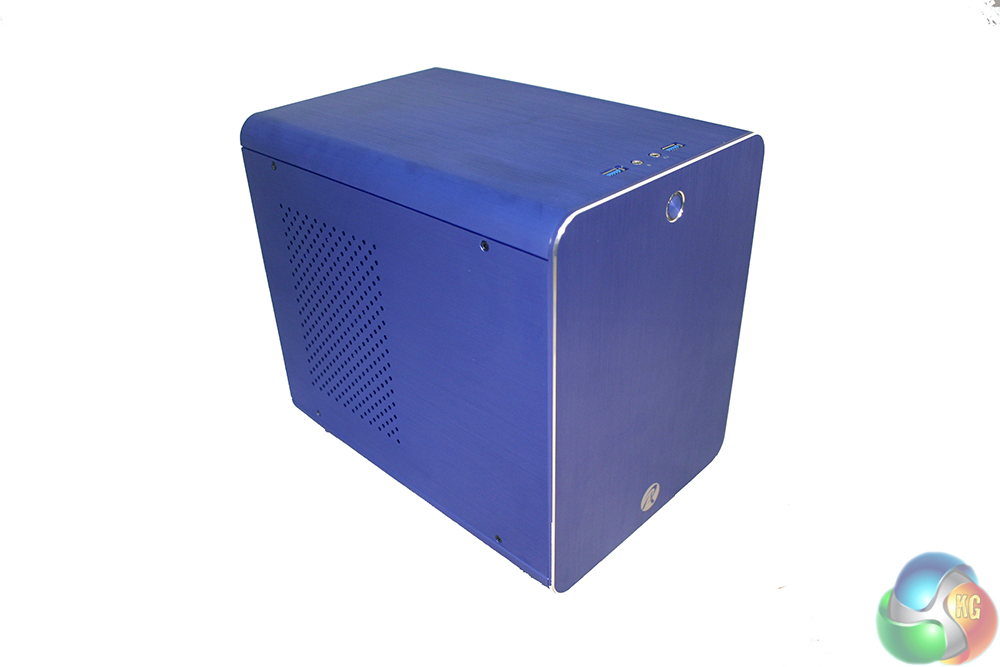
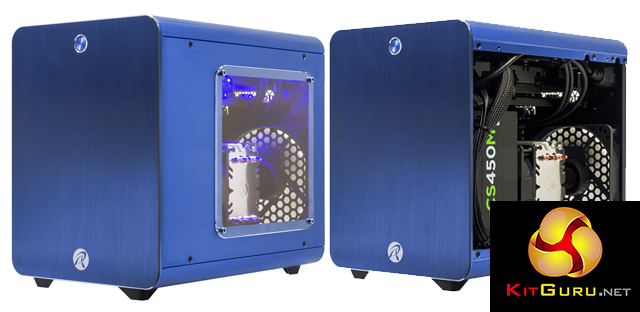
Once you have stripped away all the cardboard and padding, you find this attractive little system inside. The Rajinken Metis is a nice chassis with a brushed aluminium finish. Of course, that does mean you are going to run into fingerprint issues, so have a cleaning cloth handy if you like the case to be smudge free.
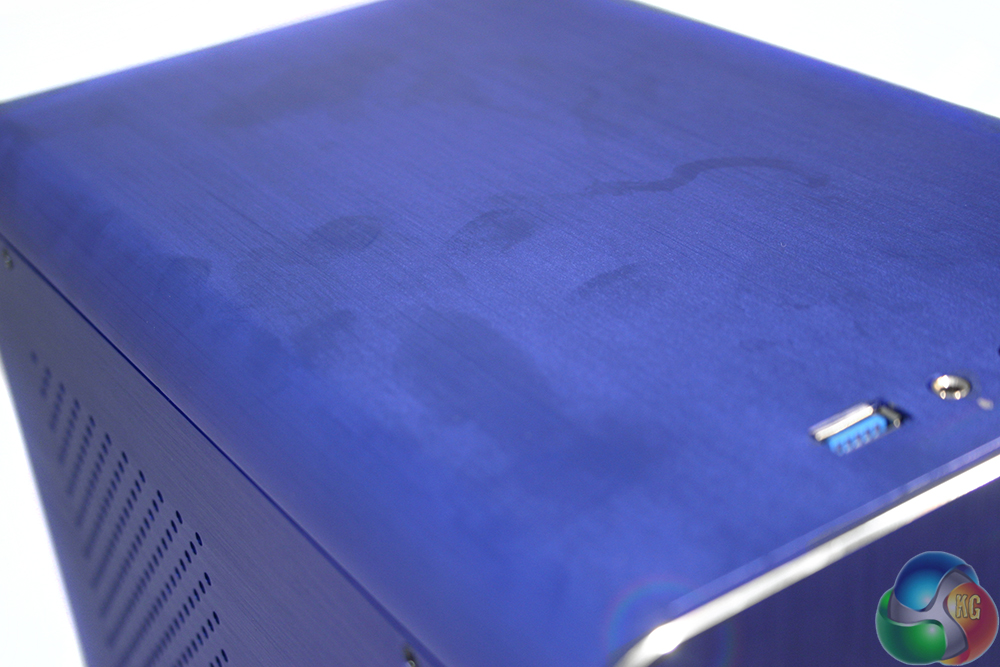
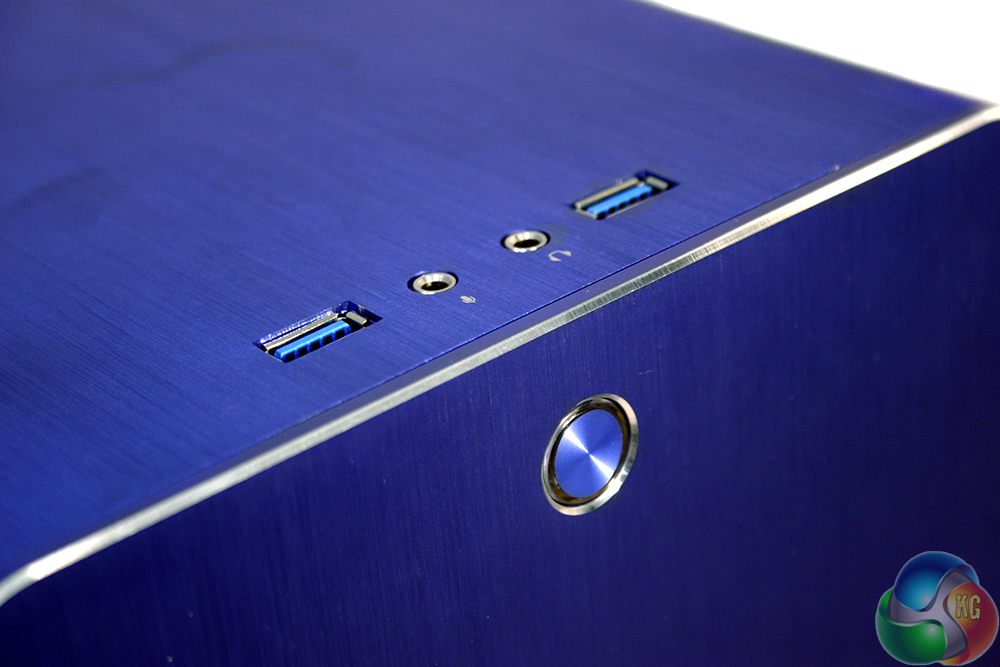
It is a fairly detail free case though. While some may find it a bit bland, we enjoyed its streamlined appearance.
At the front end there are a pair of USB 3.0 ports, as well as a headphone and mic port. The power button, located at the top of the front panel is also finished in aluminium. It glows red when powered on.
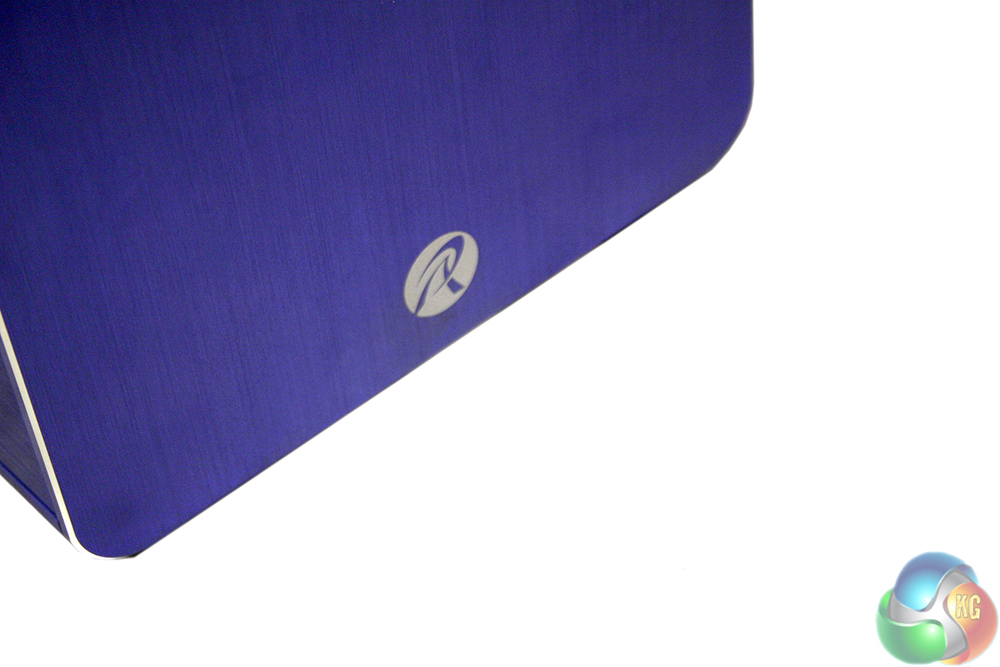
The base of the front has the only real styling on the chassis, featuring a small Rajinken logo. The left hand side has a grill section to help exhaust any warm internal air.
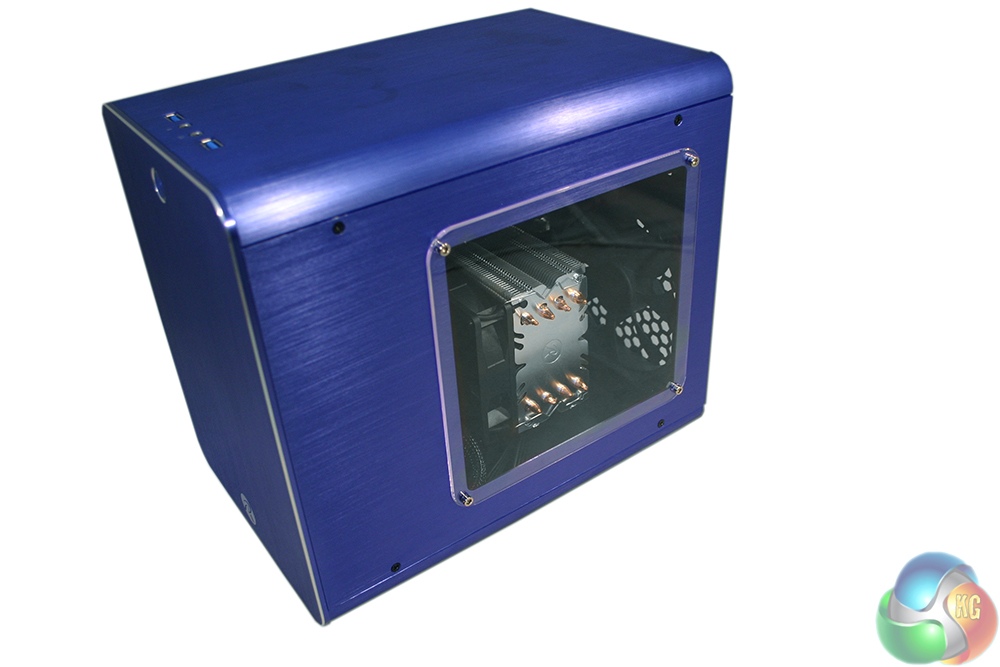
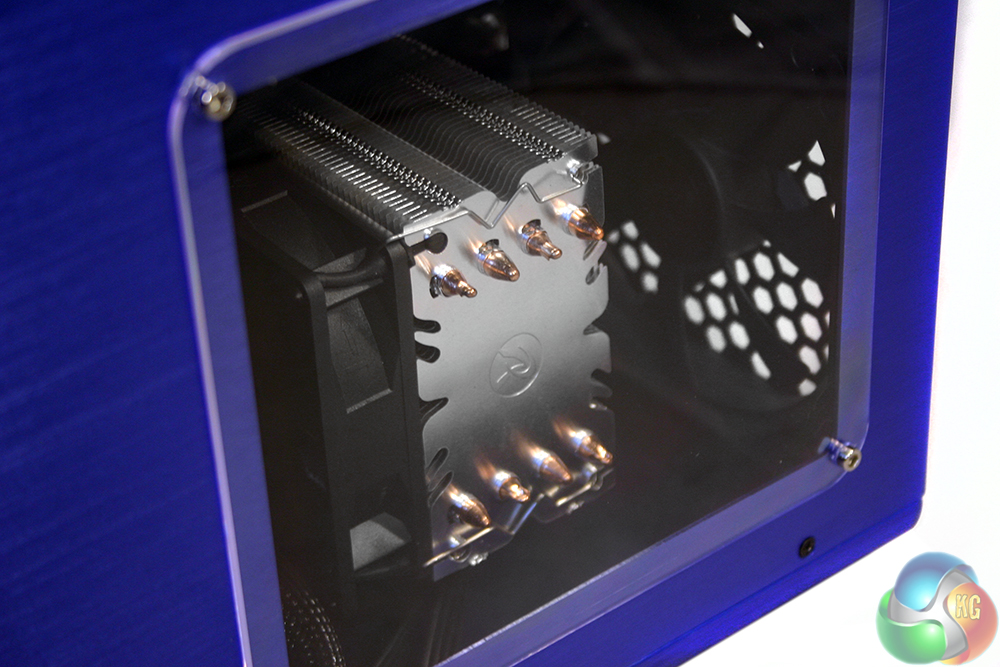
The acrylic window gives a good view of the CPU cooler, though it keeps the graphics card and other components hidden away.
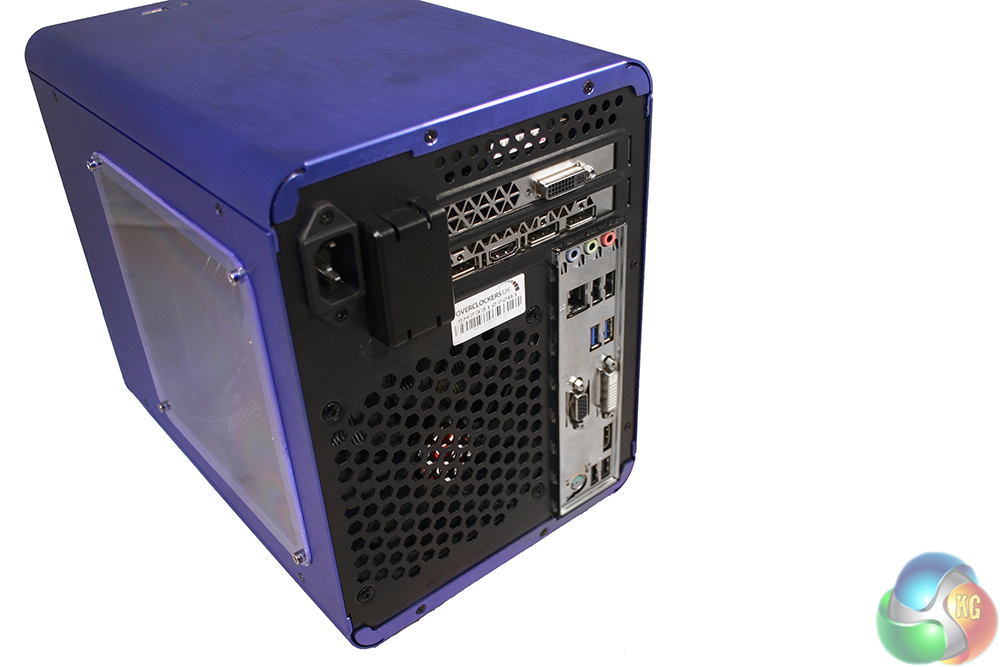
The back of the system is reversed from the typical gamer set ups we see, since the power supply is mounted at the front – the cable is routed through to the top. Rather different too, the graphics card can be found at the top of the system, because the motherboard is reversed from the usual configuration.
That means that the rear exhaust is mounted on the bottom of the case.
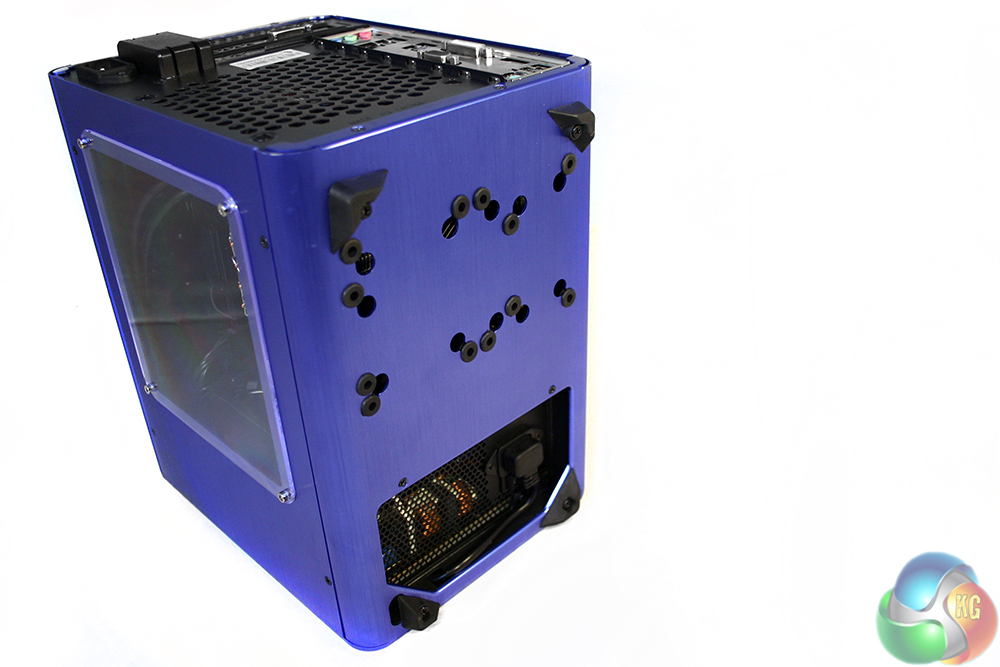
The underside of the case is fitted with a number of rubber feet, an open air intake for the power supply and a selection of holes for wall mounting – if you fancy being really creative.
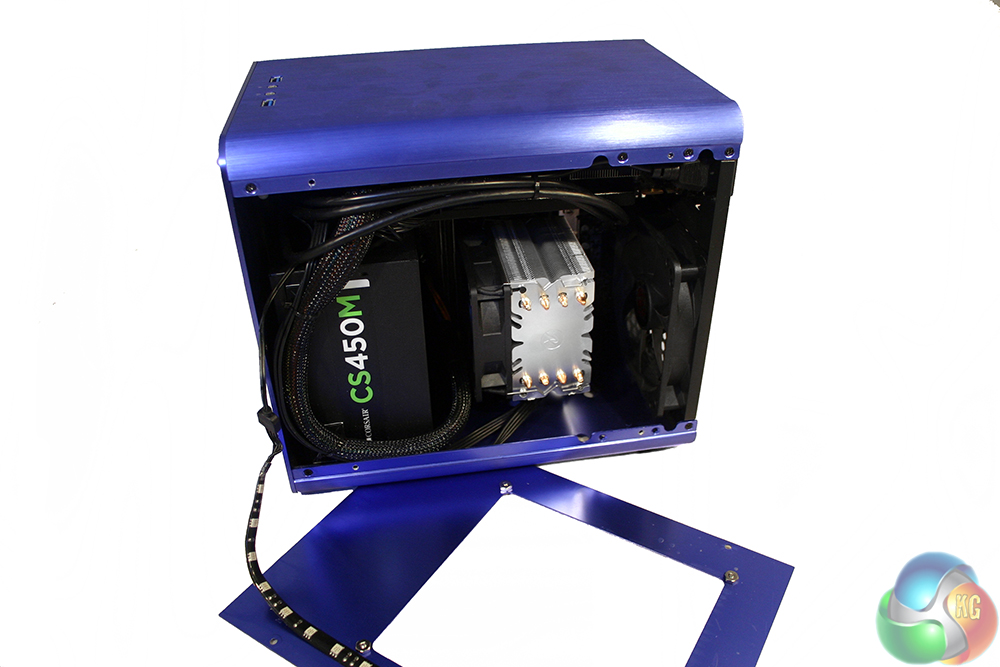
With the side panel off, we get a much better look at the system itself, as well as the attached light strip which is pinned to the window. It is not an extra you have to buy with the system, but for £16 extra you can make it all look pretty when powered on.
Although cable management is not as tidy as some systems we have looked at, Overclockers UK have still done a commendable job so air can flow easily.
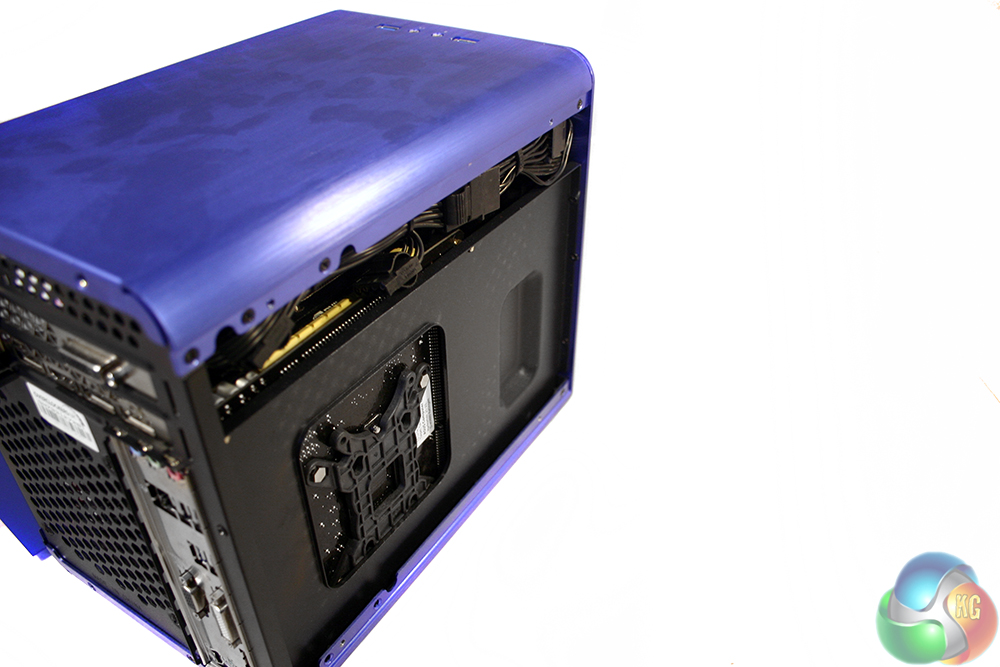
One downside to this case is that taking it apart is not as easy as many others. There are no thumbscrews and the screws that are there are quite small. The panels also fit together without padding, so if you are taking the system apart, be careful of scratching the brushed finish.
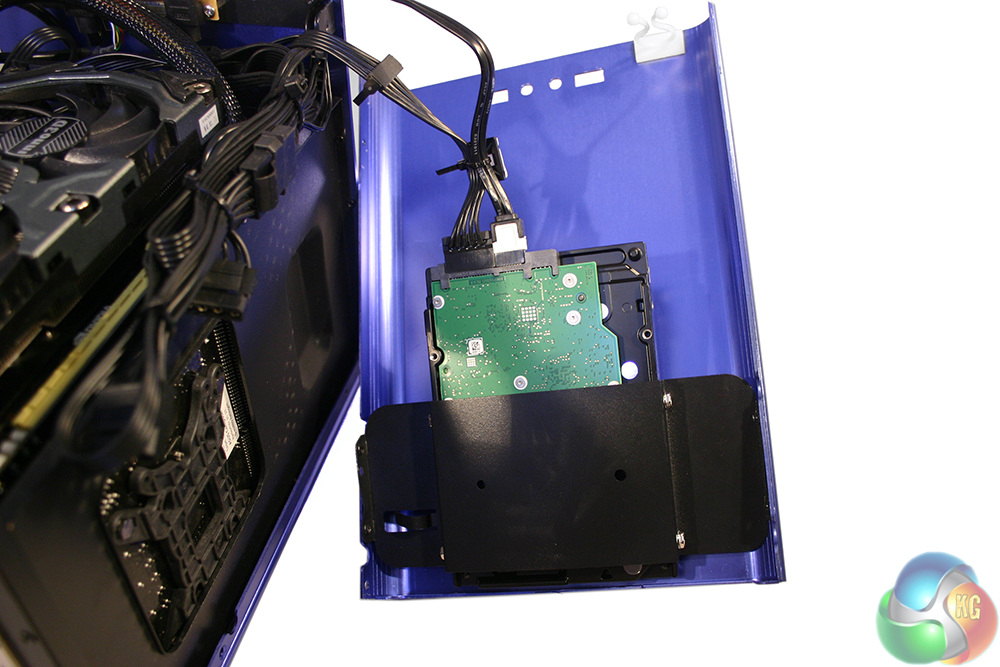
Removing the top panel is the most difficult, since it holds the SSHD hybrid drive in place too.
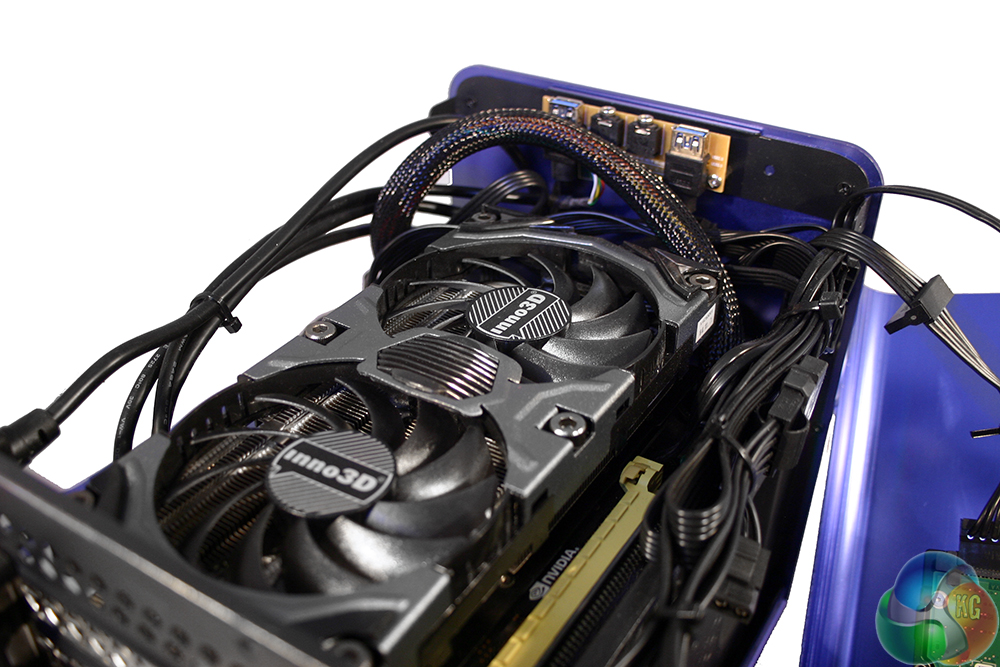
It will be necessary now and again though, if for no other reason than to give you access to the graphics card so you can clean out the cooler.
The Overclockers UK Titan Electron ships with Windows 10 pre-installed, though if you already have an applicable copy of Windows 7, 8.1 or 10 (the former two allow for a free upgrade to the latter) you can save yourself £80 by opting out of having it pre-installed. However if you do go down that route, bear in mind that you will need to install it yourself, as well as all of the necessary drivers.
Going with an OCUK installed system does mean it is ready to go right out of the box. You can also upgrade to the pro version of any of the aforementioned operating systems for an extra £37.
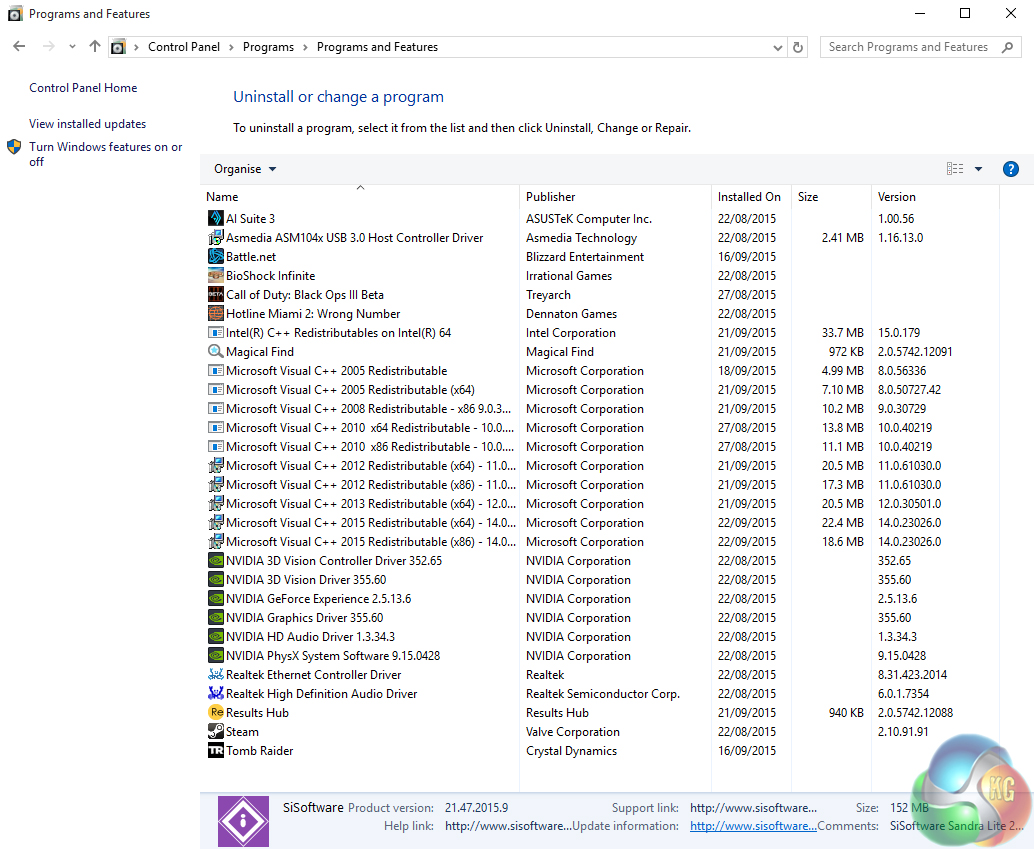
The software that comes pre-installed on the Titan Electron is pretty barebones. There were a few games left to aid testing, which is always appreciated, but unfortunately buyers cannot expected the same treatment.
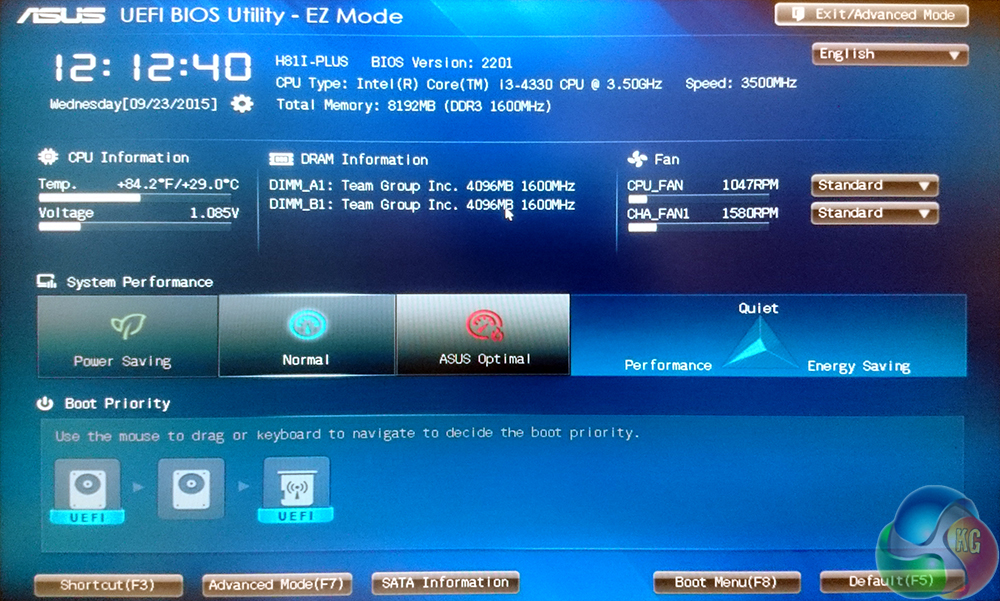
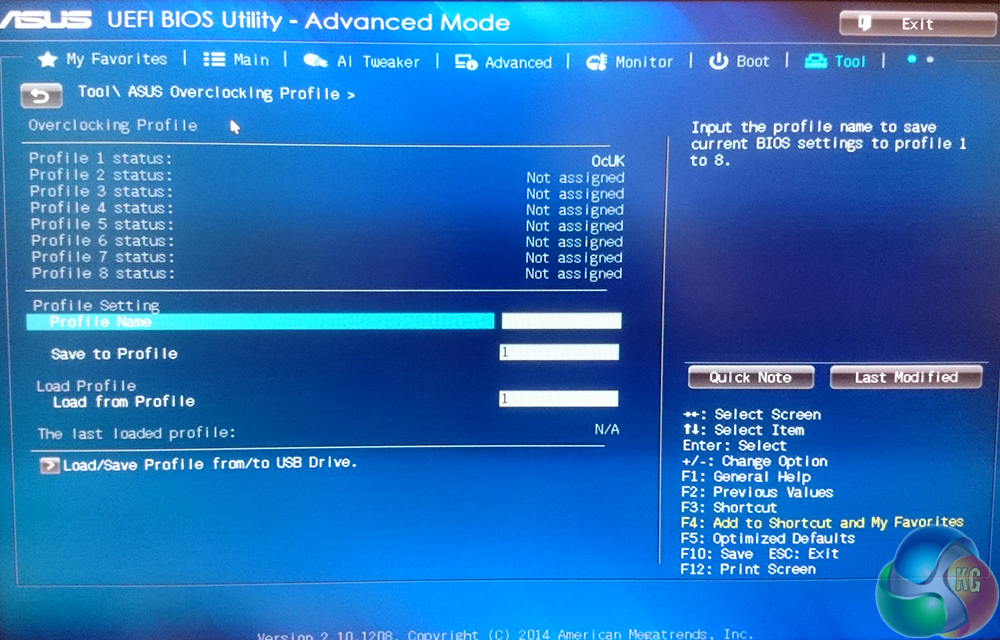
The UEFI BIOS is all configured by OCUK, with fan and system profiles set to normal. There are some small tweaks that can be made here to make the system quieter or more performance focused, if you choose. For an inexperienced user – the default ‘normal' setting is perfectly acceptable.
Additionally, Overclockers UK have set up their tweaked BIOS configuration as a saved profile, so you can reload it at any time.
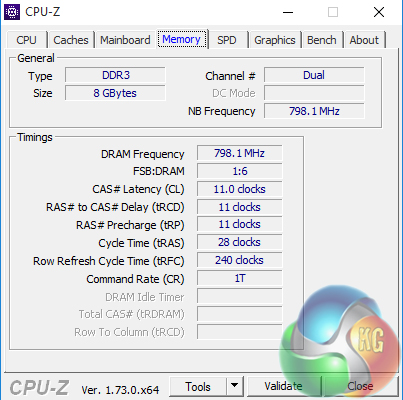
OCUK have enabled the power saving options – to downclock the CPU when activity is low. This will help reduce power consumption if the system is left on for long periods of time.
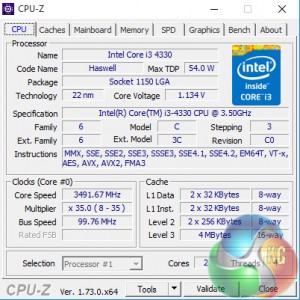
With a bit of load, the full 3.5GHz frequency can be realised.
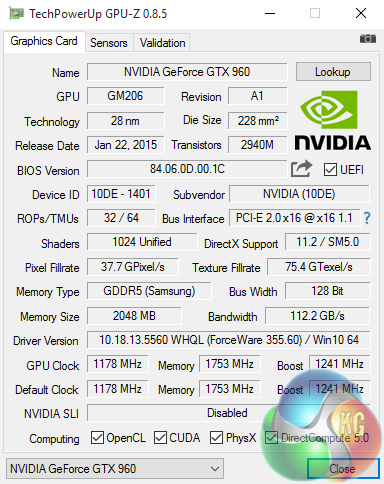
Although OCUK has not put any sort of overclock on the GTX960, we can see that this particular one (made by INNO3D) does operate at a higher frequency than Nvidia's reference board (1,178 MHz vs 1,127MHz).
Although there are some more specific ways we can test the Overclockers UK Titan Electon, to get a general idea of its overall performance, there are a few different benchmarks we like to run.
They include the likes of Cinebench, media encoding and Sisoft Sandra, which test the power of the CPU, as well as a more overarching view of the system’s performance. All settings were left as standard.
Cinebench
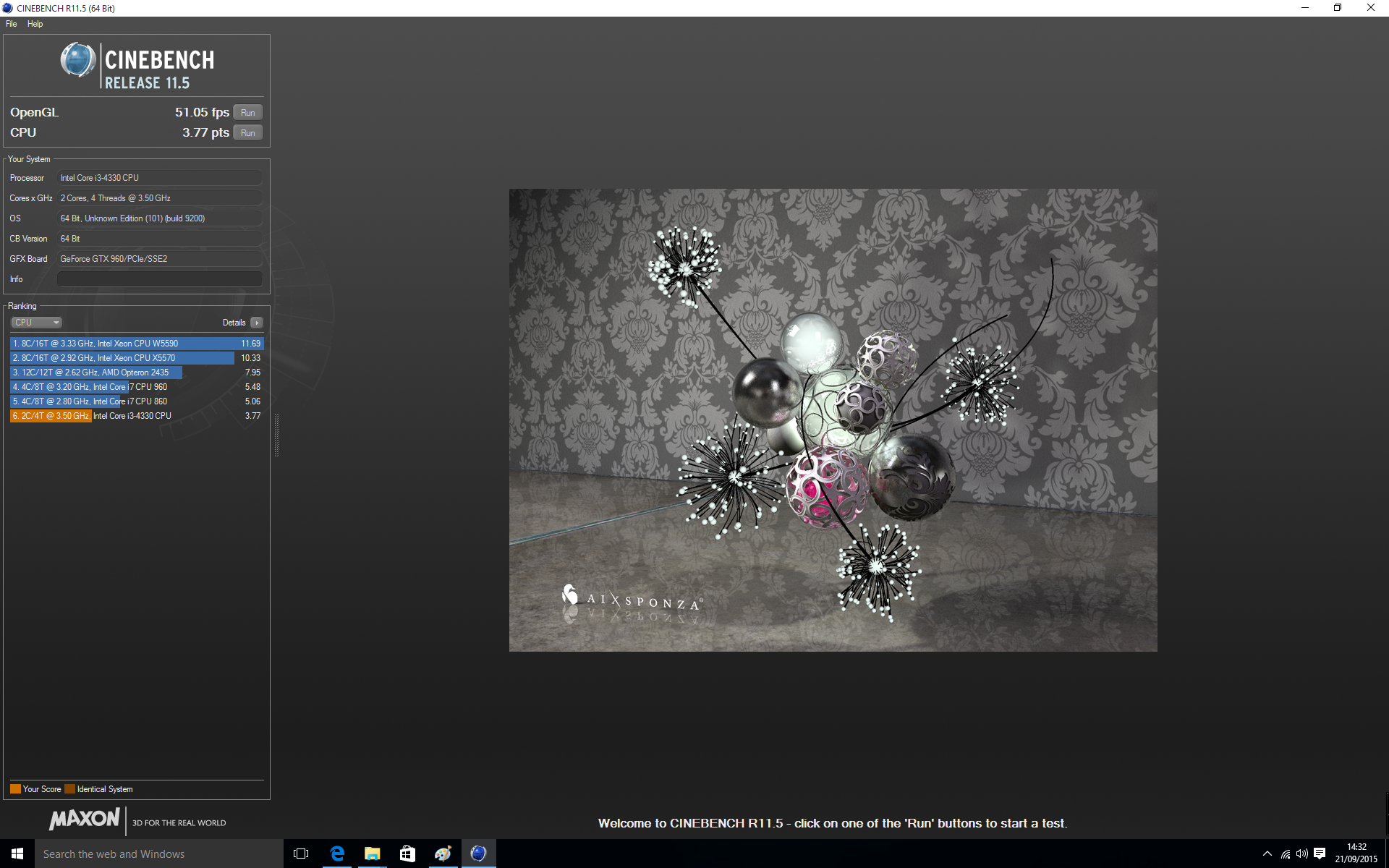
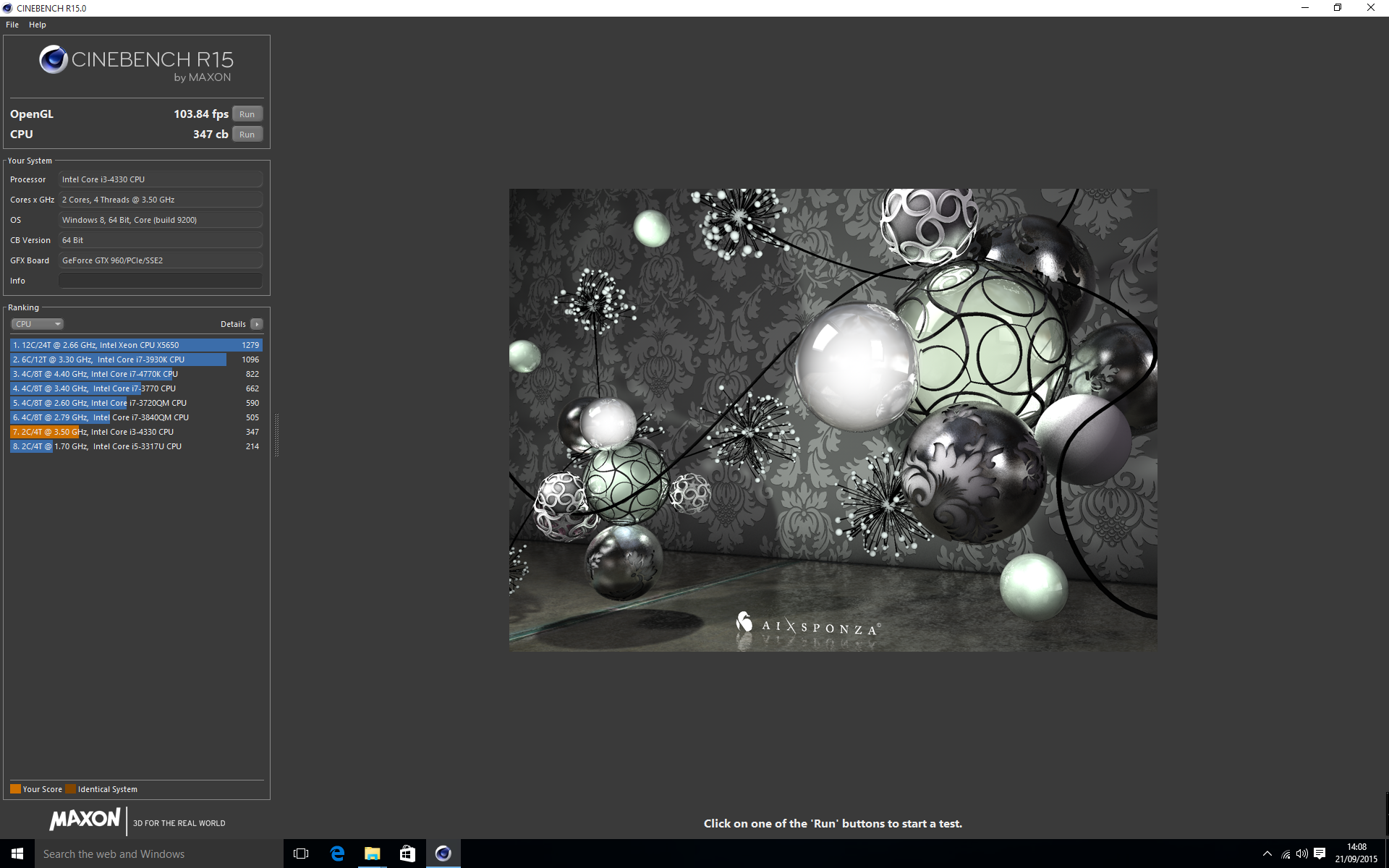
Although the CPU in this configuration of the Titan Electron is hardly a powerhouse, it still delivers a reasonable score in this benchmark. To be realistic, you don't really opt for a Core i3 processor if 3D rendering is going to be part of your daily life.
Media Encoding
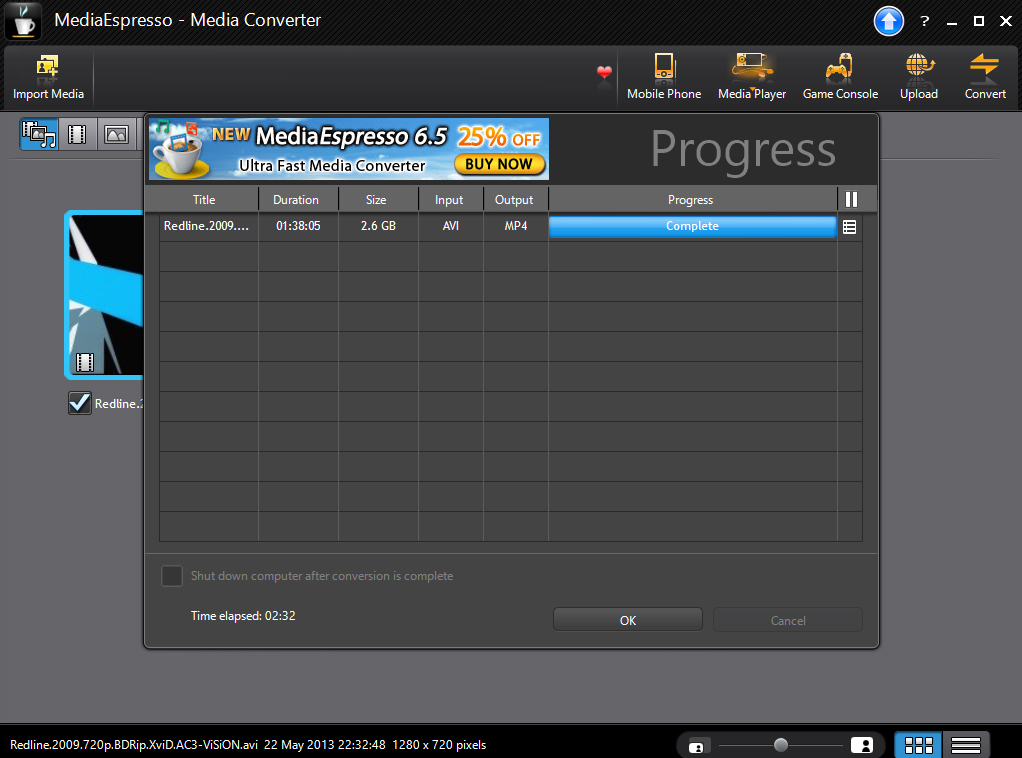
For this test we used a 2.6GB 720p movie rip and converted it from an AVI file to an MP4 using Media Espresso 6's iPad specifications with hardware acceleration enabled.
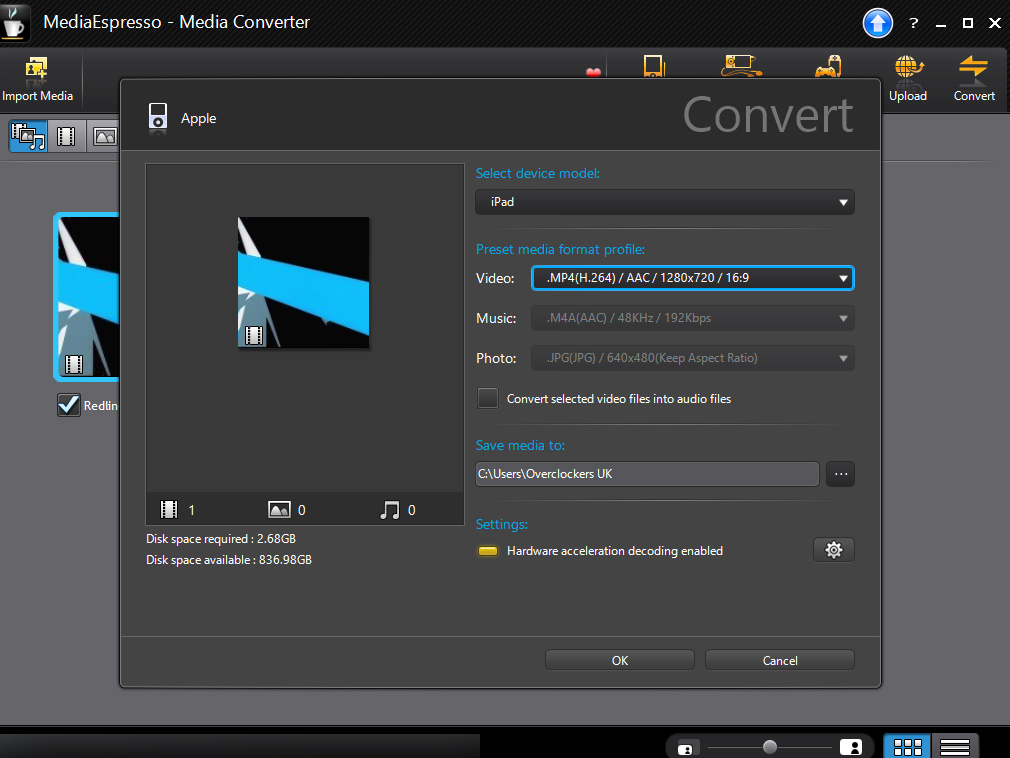
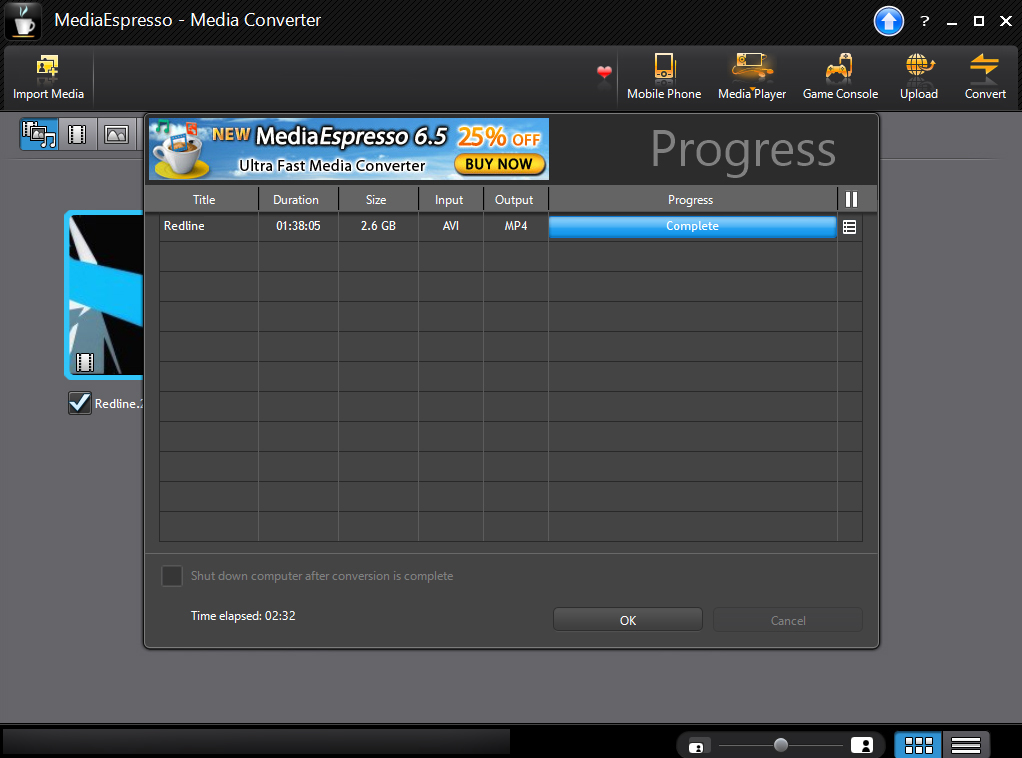
Although if you are performing regular video encoding we would recommend a more powerful CPU than the one within this Titan Electron, it actually does a very impressive job of converting the AVI file to the Apple iPad format – taking less than three minutes to change over a near 3GB file.
Sisoft Sandra
With Sandra, we ran both the CPU Arithmetic test and Memory Bandwidth tests.
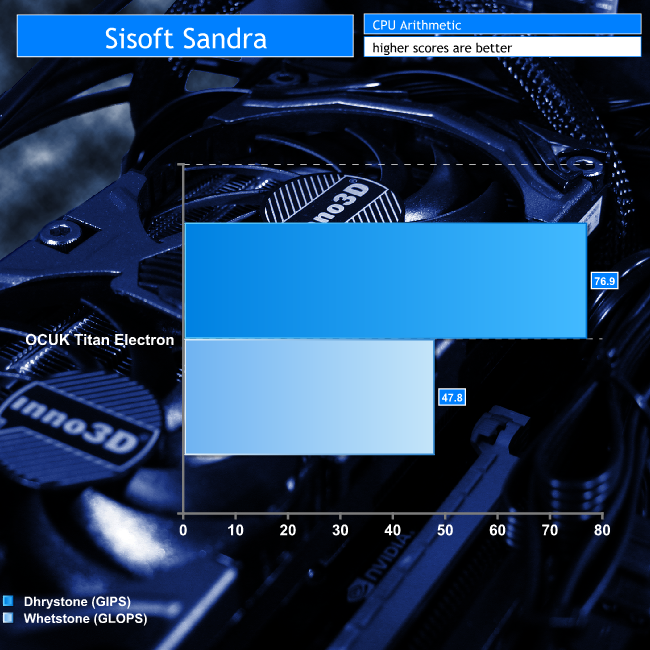
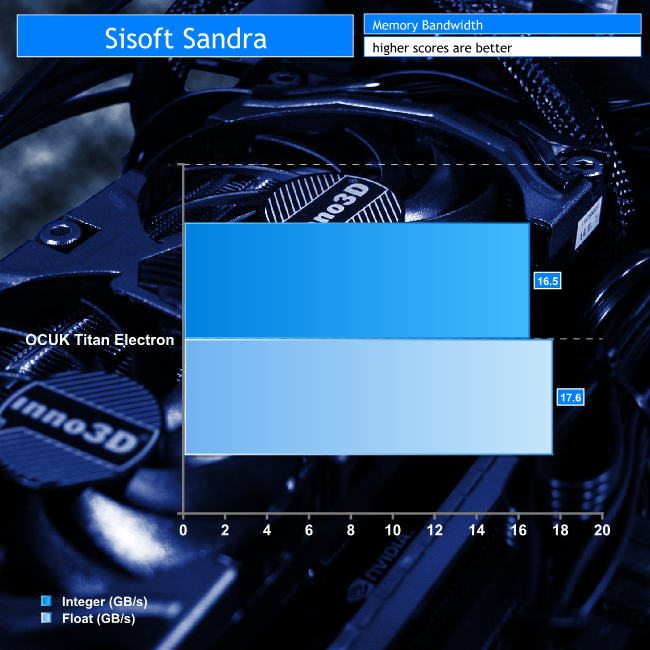
Even though the i3 CPUs might be at the lower end of Intel's line up, chips like the i3 4330 are decent budget offerings. As the DDR4 memory is running in dual channel, performance is perfectly acceptable.
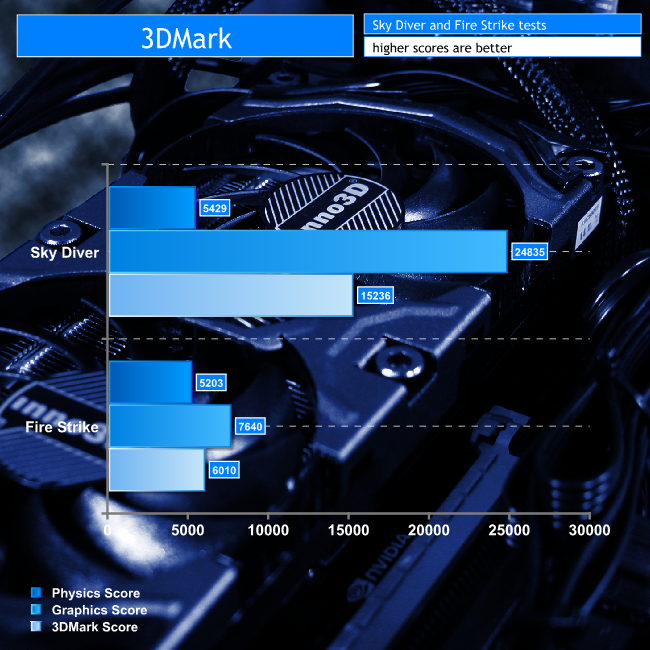
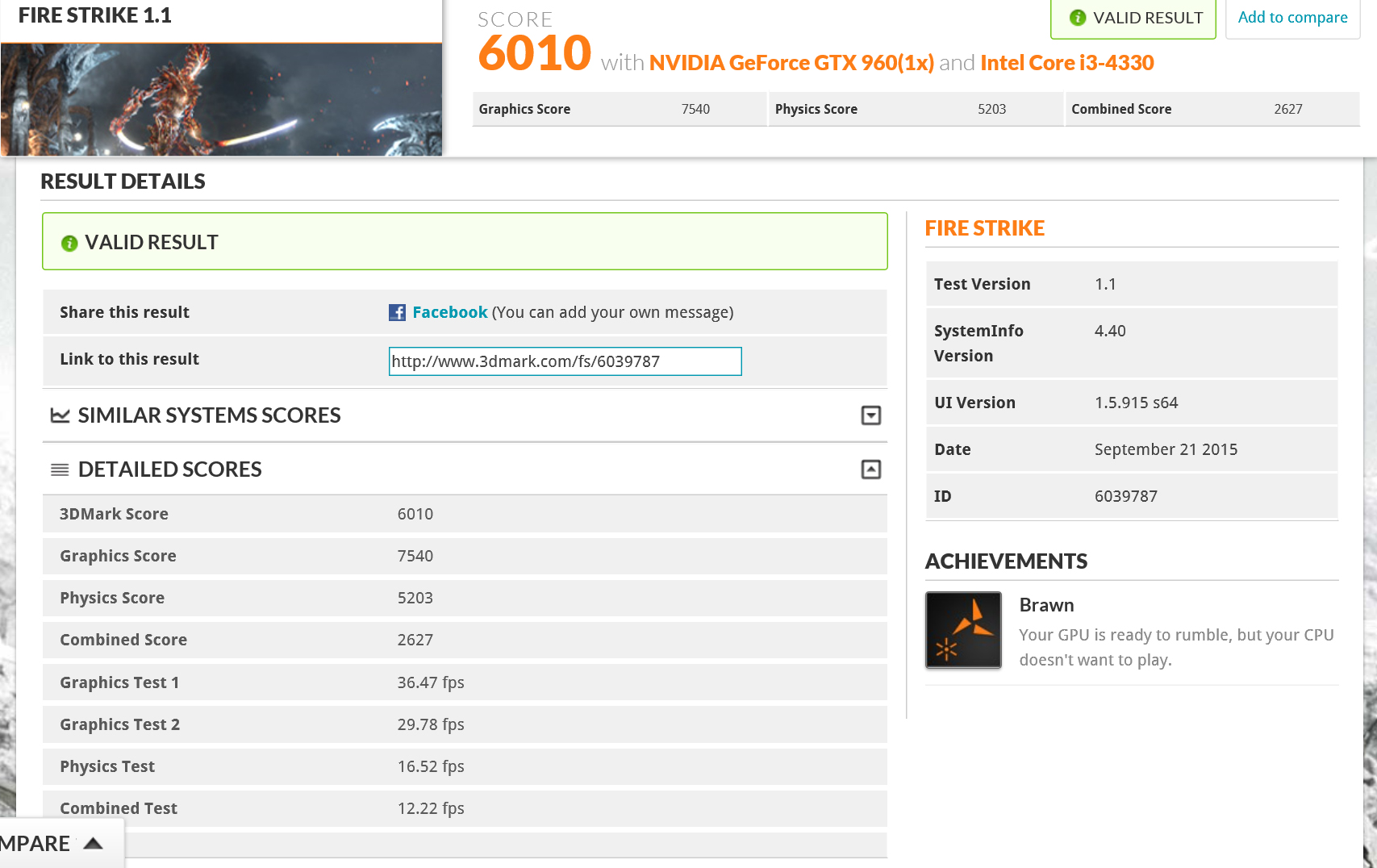
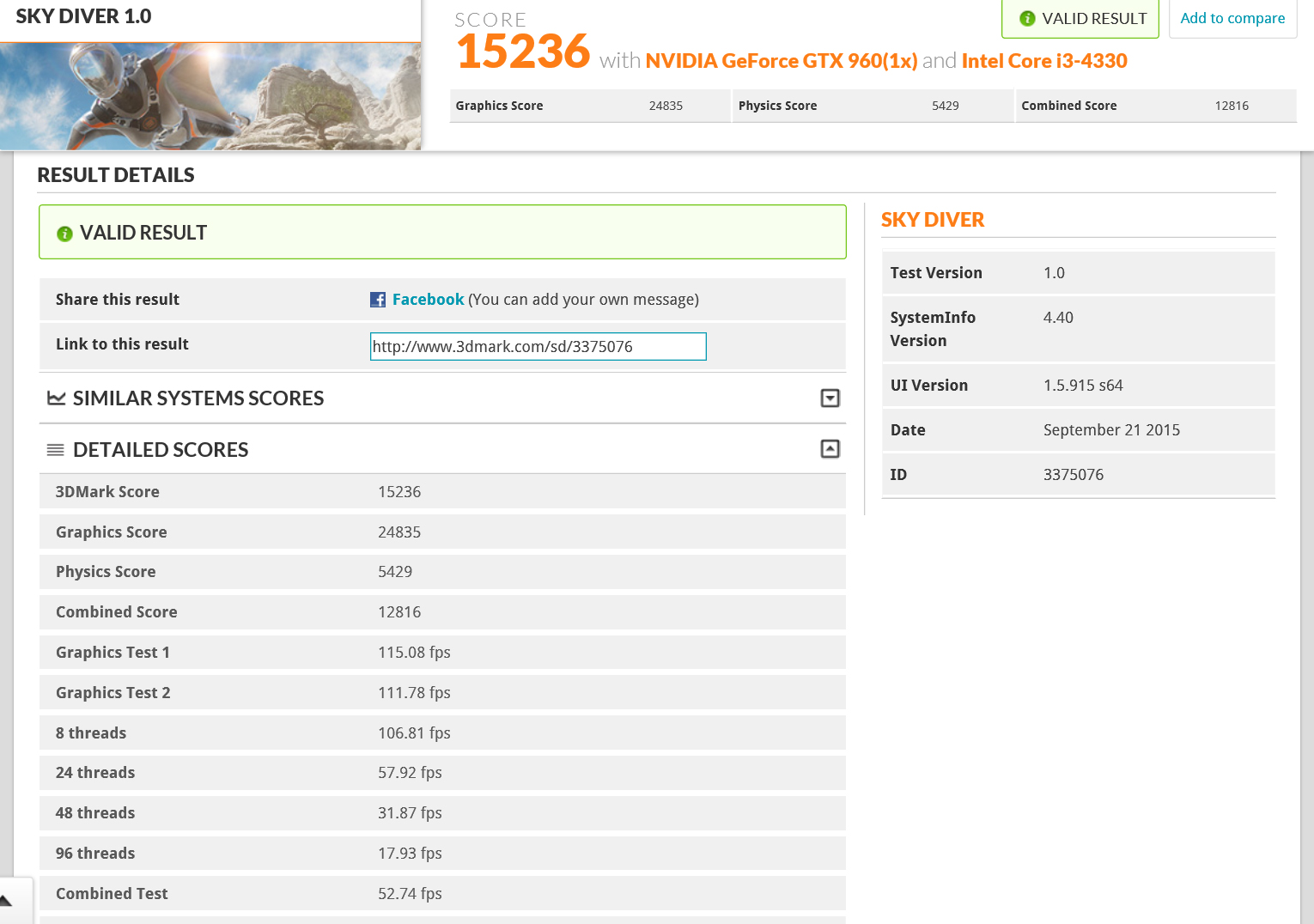
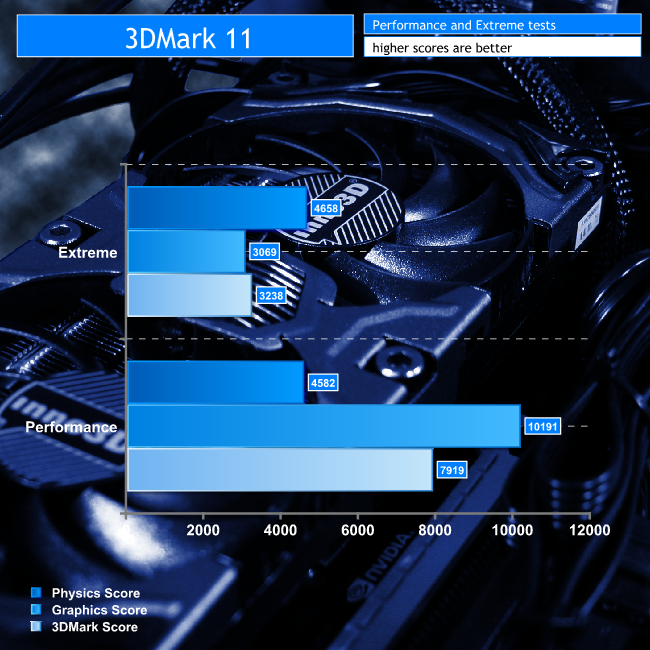
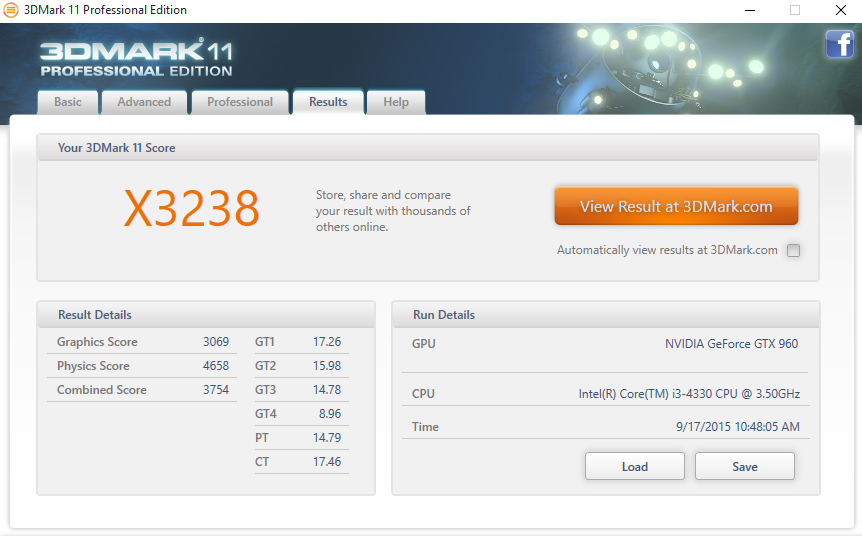
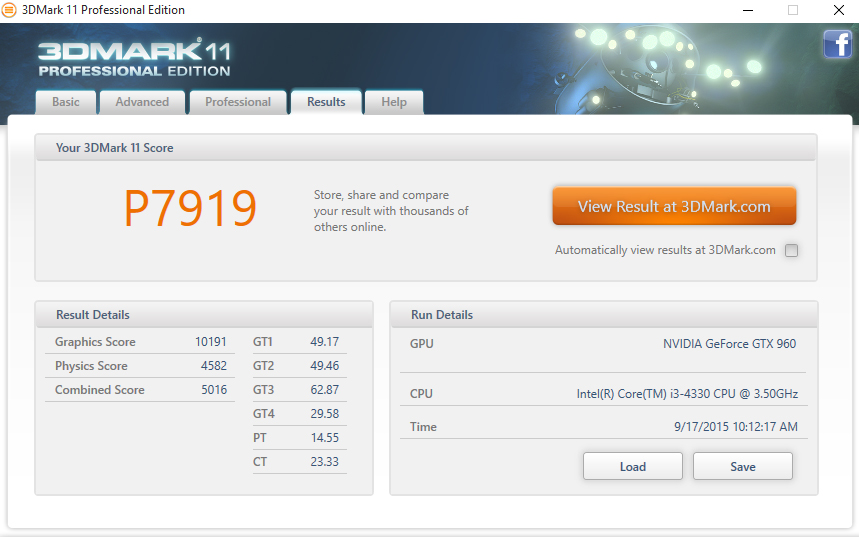
Although games give us the best real world insight into how the system will perform, synthetic 3D benchmarks are useful as a ‘direct number comparison' against other systems. Many KitGuru readers will have their own system already benchmarked, so below we include results from the last three versions of 3DMark.
Futuremark has released various versions of its 3Dmark software over the years, and it has long been considered the gold standard of programs for testing that aspect of a PC, so we used not only its latest but several previous offerings to test this system too.
3Dmark
3Dmark11
3Dmark Vantage
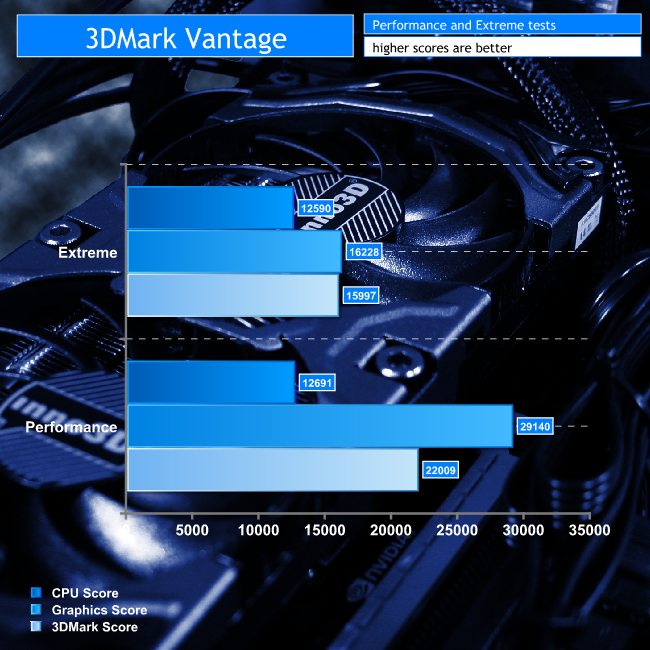
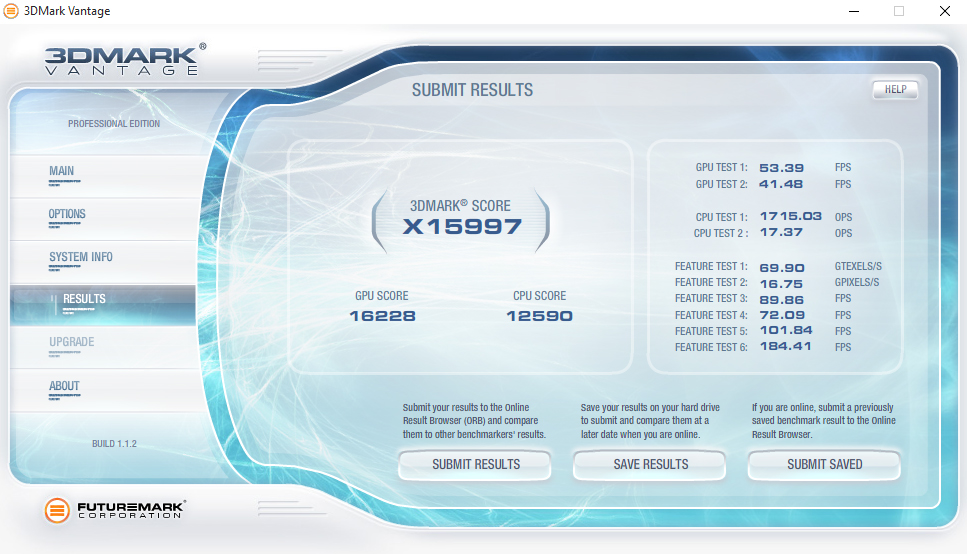
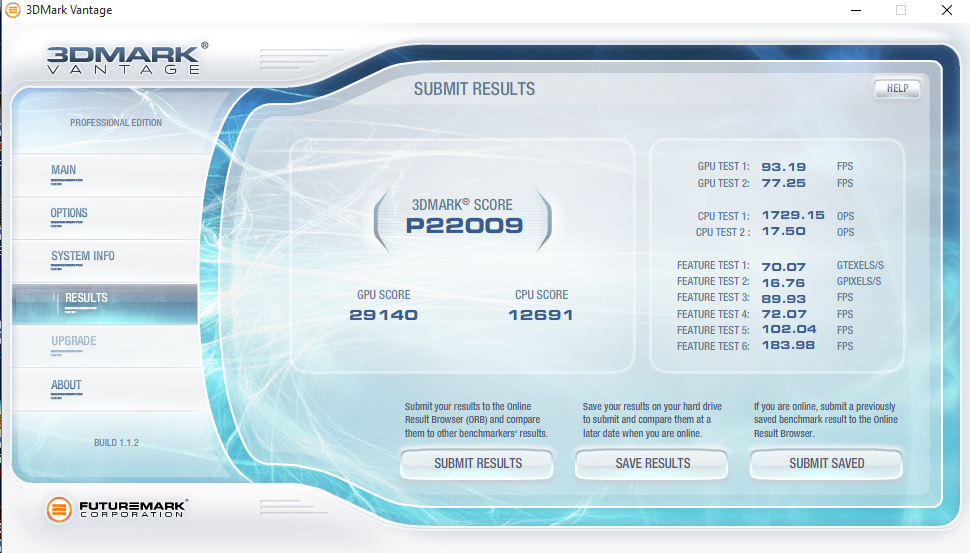
We already know the Nvidia GTX960 is not a frame rate powerhouse GPU, but at 1080p we think it is perfectly acceptable. For the modest asking price, it delivers some solid figures.
That said, it is clear that the i3 CPU struggles to handle some of the more advanced physics in these tests. While for gaming this is not always a major problem, more intensive CPU demanding titles such as Grand Theft Auto 5 will certainly struggle with the i3 – adding another two cores would be a good move. There are relatively cost-effective upgrade options available on the store page for this system, with OCUK offering a Core i5 4460 for less than £50 extra. Something to bear in mind.
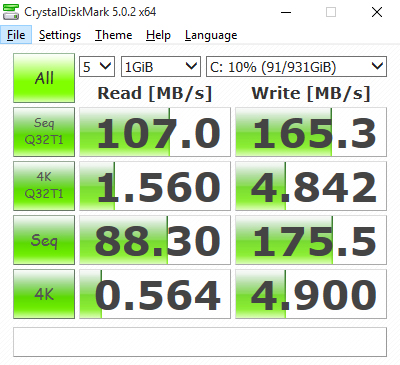
Although not equipped with a dedicated SSD, that does not mean the SSHD storage performance of the Titan Electron will be poor. To make sure of that fact, we ran it through several benchmarks to test various aspects of the stock storage solution.
Crystal DiskMark
AS SSD
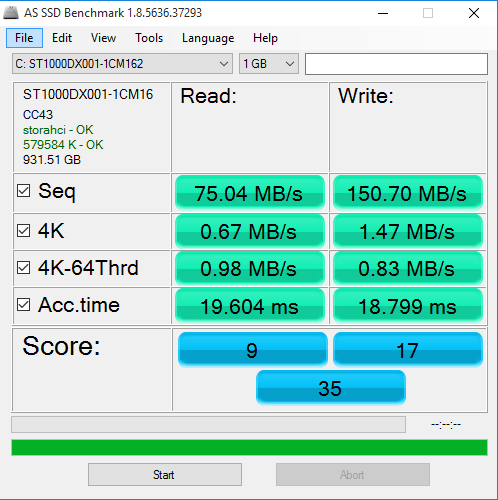
Unfortunately for this particular page, neither of these synthetic tests are likely to show the real benefits of the storage solution. While an SSD might have large performance improvements over a traditional HDD from the get go, an SSHD like the one found in this configuration of the Titan Electron tends to improve over repeated accessing. Benchmarks don't really show it in the best light as the SSHD will likely run out of cache.
So why did OCUK use an SSHD? In simple terms, the drive will transfer frequently accessed data to the NAND flash memory portion – this means data can be accessed much quicker and as long as you are not trying to play multiple different games in a short period of time, the overall experience should be snappier.
With the lower price of SSDs today, it is less necessary to go a route like this, but it will really depend on your circumstances. If you do not need a lot of space, a small SSD will perform much better – although storage space will be a considerable trade off.
Tomb Raider
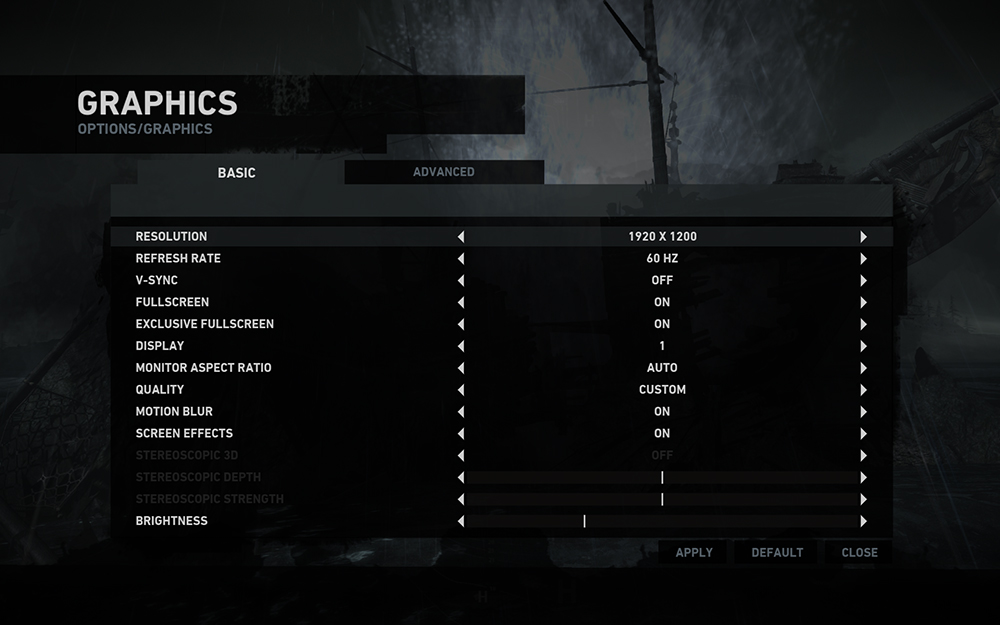
For this test we used the built-in Tomb Raider (2013) benchmarking utility, with the following basic settings:
Default, high and “ultra” settings for this test were as follows:
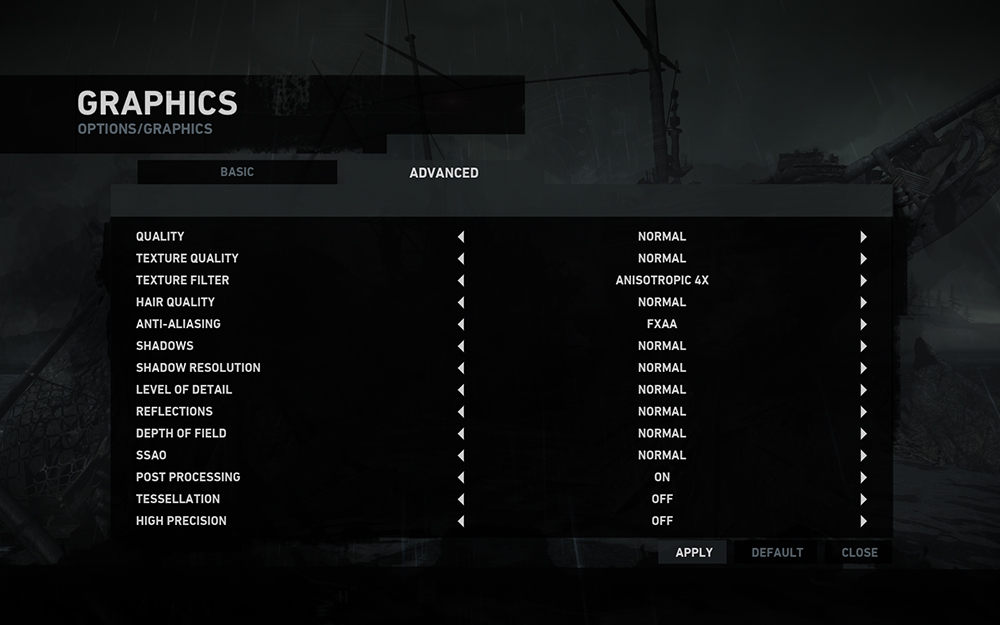
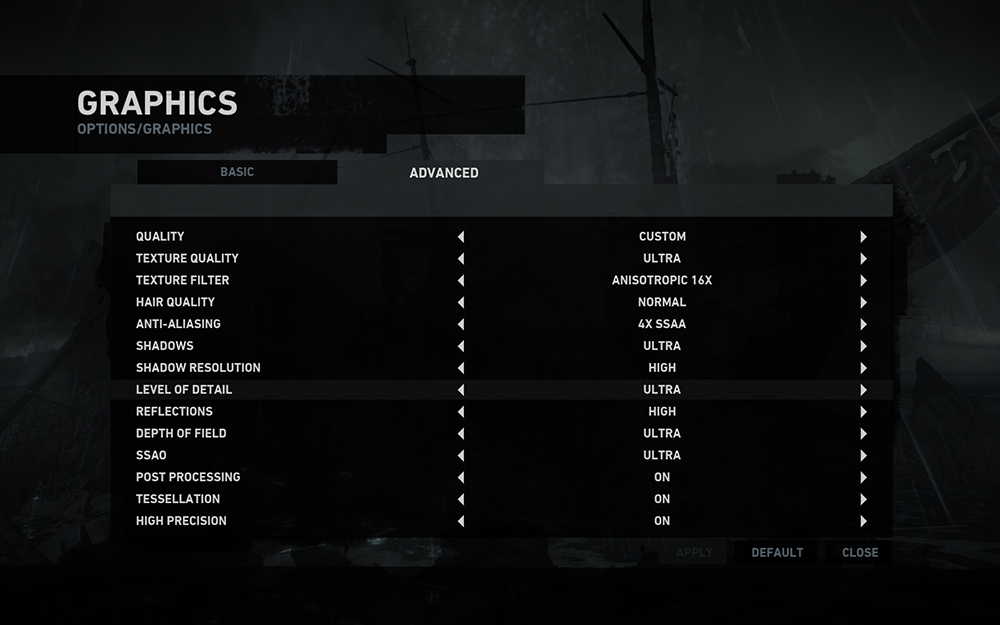
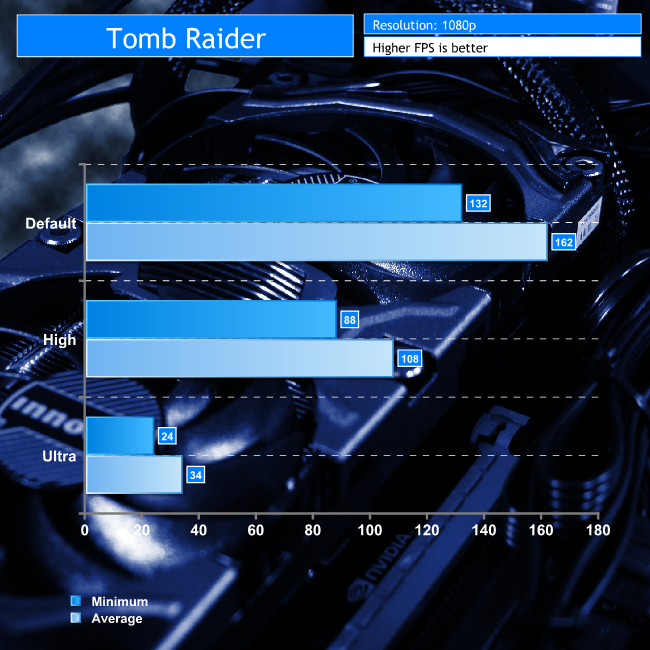
This is a solid showing from this little mini-ITX machine. The frame rates at the lower settings are excellent and it is only the absolute ultra settings that we ran into any problems.
Bioshock Infinite
For this we used the built-in Bioshock Infinite benchmarking utility, set at “High” and “UltraDX11_DDOF” settings, both at 1080p resolution.
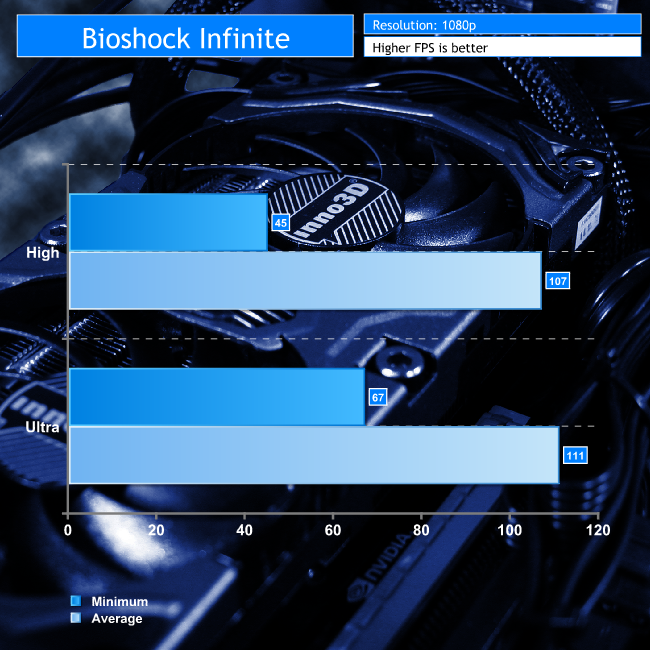
Not even a bit of a problem here. Bioshock Infinite is still a stunningly pretty game that not too long ago required a beast of a system to make it really shine, but today you can do it with a mini-ITX system with a mid-range GPU. This is a very capable little system that seems to have no problem with some of these older AAA titles.
Heroes of the Storm
While the other games benchmarked above are a little older and of the AAA caliber, Heroes of the Storm is more contemporary and geared towards a more mainstream audience. That means that above all else, this system needs to be able to play games just like this one.
We measured the frame rate of entire games using the same characters on the same maps, so while the moment to moment frame rates may differ, the overall average rate throughout the 20 minute or so games should be a useful stat to track.
The resolution during all tests was 1080p
Default: All settings as they were automatically configured.
High: All settings at high and turned on (no AA).
Max: All settings at ultra, AA enabled.
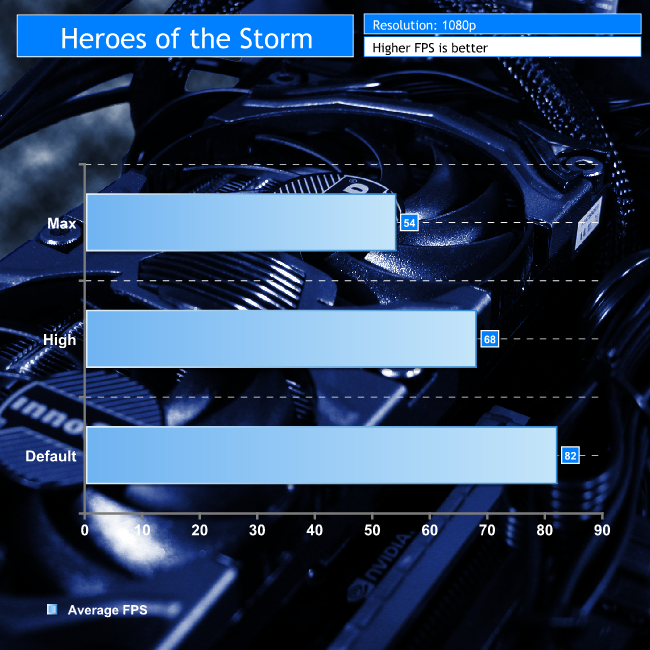
Once again the Titan Electron has no problems handling a game like this. Even at maximum settings, it barely ever felt like it lagged and there were no zero-FPS stutters as we have seen with this game from some lower powered systems in the past.
Rocket League
Rocket League is another stupendously popular title, so being able to play it at reasonable settings is important. However, since this system breezed through all tests at middling settings, we ended up testing it maxed out in 1v1, 2v2, 3v3 and 4v4 match ups to make sure it was capable in all scenarios.
Below are the results from one of the 4v4 games we took part in.
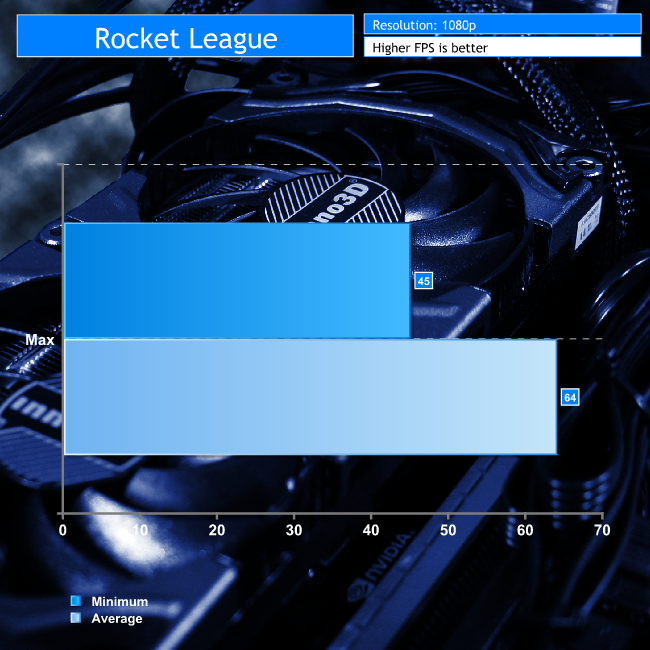
Again, no problems at all. Whether you are looking to player older, high-end titles, or more contemporary ones that are not quite as taxing, you will not have any issues with this PC.
Temperatures
To make sure that the OCUK Titan Electron is not getting too toasty with its stock cooling solutions, we took temperature readings of its main components during idling, general usage, gaming and high-load scenarios. We also measured power draw during those same instances to see how much you can expect to spend running this system.
To load it, we ran four instances of Prime 95 and the Furmark burn in test simultaneously. While this is far in excess of the load even intensive games are likely to put on this system, this is a good way to make sure that whatever the scenario the Titan Electron will stay within safe temperatures.
Ambient temperatures were maintained at a steady 19 degrees celsius.
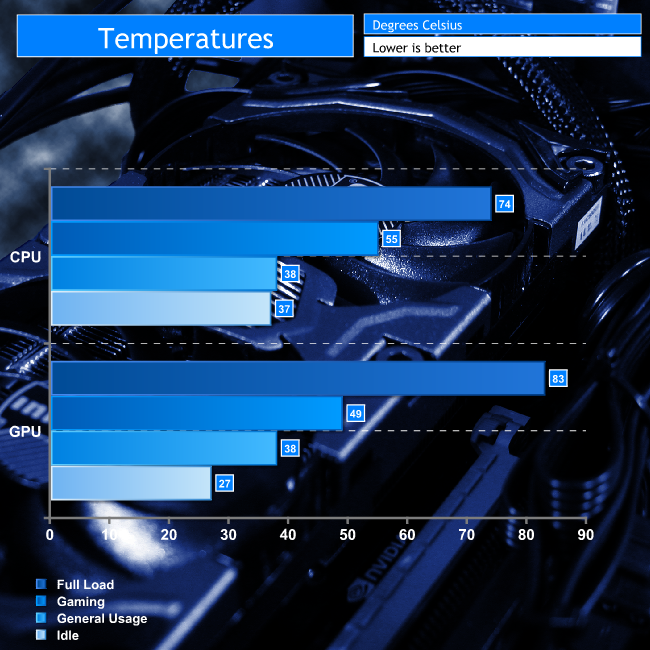
Overclockers UK has done a good job of selecting the right CPU cooler and fan profiles for the job with this system, as during heavy gaming and general usage, there are no problems with the temperature of this system whatsoever.
That said, judging by how it behaves when it is absolutely maxed out, if you were hoping to overclock or tweak this system then we would advise you to improve the cooling inside.
Power Consumption
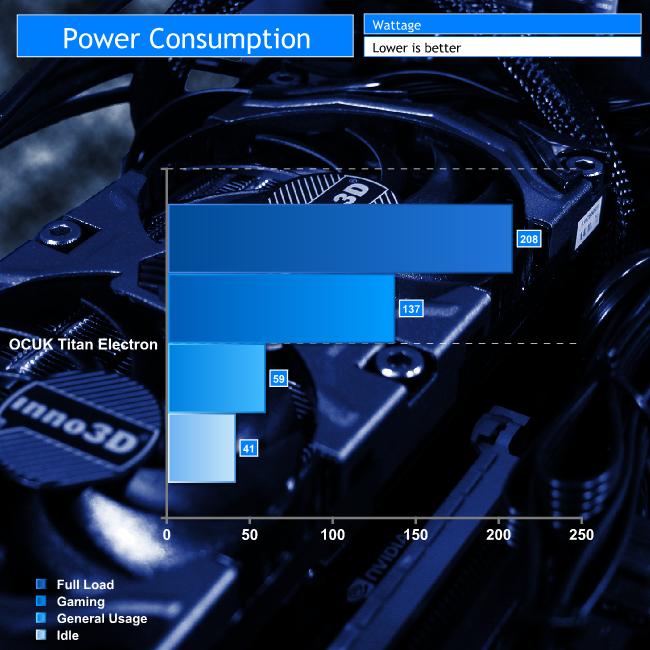
Do not expect a hefty bill when running this system, as it is power draw is not bad at all.
Usability
The OCUK Titan Electron system we were sent is a nice little rig to use. Despite lacking a dedicated solid state drive, it feels snappy and boots quickly into Windows 10, which itself runs very well even with the low-end of the spectrum system specifications. I encountered very little stuttering or frame rate drops in any of the live gaming tests.
It also worked well as a media center, having no issue watching high definition movies or performing office tasks such as photo editing. Web browsing is similarly smooth and multi-tasking is not a problem, despite being limited to just two cores – thumbs up there for hyperthreading. That said I would rather use a fully fledged Solid State Drive as a dedicated boot and gaming drive to improve load times a little.
Noise
Although not silent and certainly a little noisier during gaming or heavy testing, the Titan Electron is barely noticeable, especially when compared to more traditional desktop systems which sport many more fans and coolers. Those requiring absolute silence may need to make some adjustments to fan profiles or to the impellers themselves, but most people will be perfectly happy with how this system sounds.
The Overclockers UK Titan Electron is a very capable little rig, despite its physical footprint being less than a cubic foot. It is attractive, powerful and has plenty of storage space and is very modestly priced. We know many of the £2,000+ systems we review are stunning to look at, but very few people can afford them.
Despite the low price tag, the Titan Electron can quite easily cater to a number of different roles. It could be a high-powered media centre and lounge gaming system – this is essentially specified the same as mid-range Steam machines from some manufacturers or it could double up as a low profile photo editing suite. The fact that it is as small as it is means you can easily hide it out of view, so it won't cause space issues.
Although this system is unlikely to take home any performance awards, it is certainly customisable enough that if you want to tweak something so it is more to your needs, the options are there.
Want a more powerful CPU? You can jump for a quad-core i5 for £47 more. Prefer an SSD over the built-in SSHD but still want that storage space? You can switch over to a 120GB SSD and a terabyte HDD for £40 extra. You could even save money if you wanted by dropping the pre-installed operating system and getting rid of the side window and interior lighting. Together those three options would free up another £100 for you to reinvest into the GPU or memory, both of which can also be upgraded for a few pounds here and there.
The Titan Electron can also be upgraded with a GTX 970 4GB if you want to enhance gaming performance over the GTX960, but be prepared to pay £150 extra.
Along with the excellent Overclockers UK build quality and cable management, you also get a full three-year warranty with a 24 month collect and return policy and a 30 day trial of some security software. You can upgrade to a full five year warranty for another £60 if you desire added peace of mind.
This system is reasonably power efficient meaning you won't end up with a huge electricity bill if you leave it on 24/7.

The Overclockers Titan Electron can be purchased with prices starting at £511.98 inc vat. Our particular model can be configured for £610. The system is ideal for media center use and with the GTX960 incorporated it can handle many of the latest games at 1080p. You have the option to upgrade to a GTX970 if you want to run with image quality settings maxed out.
Discuss on our Facebook page, over HERE.
Pros
- GTX960 is good at 1080p, GTX970 options are available at extra cost.
- ideal for HD media duties.
- Attractive and compact.
- Quiet.
- low power draw.
Cons
- Brushed aluminium scratches easily and is prone to finger prints.
- We would opt for an i5 as upgrade prices are small.
KitGuru Says: The OCUK Titan Electron is a solid machine, whether you are using it for gaming, media playback or general web browsing. There are plenty of upgrade options available at minimal cost.


Let me show you real ways to get paid some money on weekly basis by _completing basic tasks on-linefrom comfort of your home for 3-4 hrs a day ~ Check >my__@+__ID to see more information
not they first not they last…