 KitGuru KitGuru.net – Tech News | Hardware News | Hardware Reviews | IOS | Mobile | Gaming | Graphics Cards


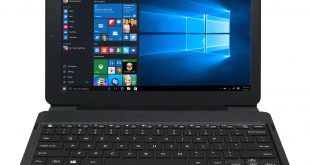
The Venturer PrimePro 12 TS is an affordable 2-in-1 laptop/tablet hybrid that offers a basic experience for users on a budget. It has a large, 12.2-inch HD display, as well as an Intel Atom processor and 4GB of RAM. Can it do enough to make it your next purchase? Let's find out.
The £350 market area is a very competitive segment, so Venturer definitely has its work cut-out to ensure the PrimePro 12 TS is a success. Read on for a full assessment of its capabilities, including a look at the display, processing power and build quality of this unit.
Specification
- Screen: 12.2” 1920 x 1200 Pixels
- Operating System: Windows 10
- Processor (CPU): Intel ® Atom™ (Up to 1.83GHz)
- Display: Multi Points Capacitive Touch Screen
- Memory: 4GB RAM
- Storage: 64GB Flash
- Connectivity: Wi-Fi 802.11 b/g/n, Bluetooth 4.0
- Camera (MP):2MP + 2MP (Front & Rear)
- Sensor: G-sensor
- Connectors: Micro SD, Micro USB (For Charging Only), USB, Headphone, Mini HDMI, DC Jack
- Audio: Speakers, Microphone
- Battery Life: Up to 8 Hours
- Dimensions: Approximately 300 x 206 x 11.8 (WxDxH) mm excluded keyboard, approximately 300 x 213 x 24.6 (WxDxH) mm with keyboard
- Weight: Approximately 907g excluded keyboard, 1500g with keyboard
- Accessories: AC Adaptor, Detachable Keyboard/Trackpad, Angle Adjustable
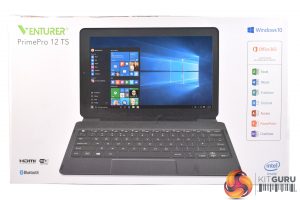
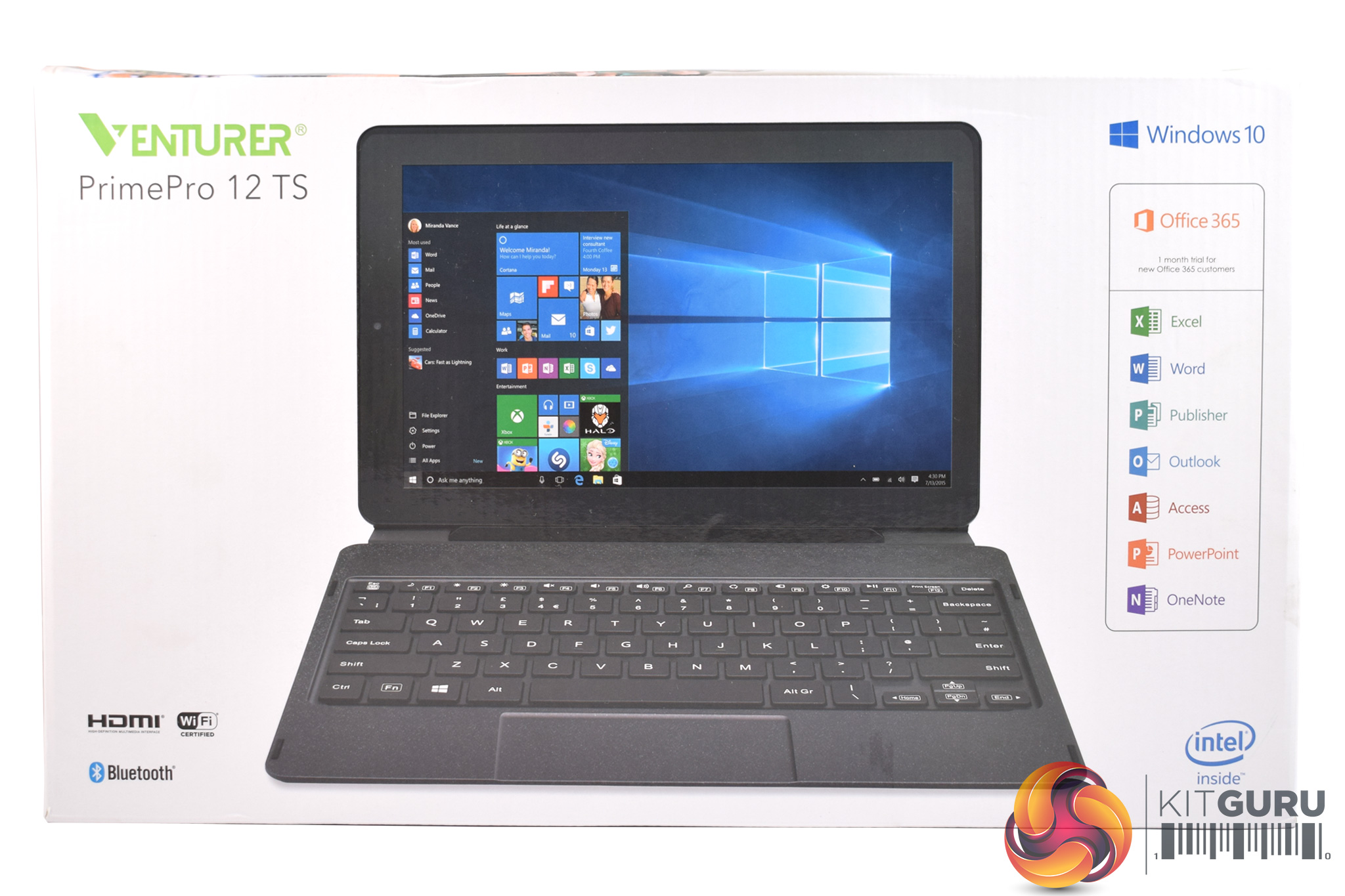
The Venturer PrimePro 12 TS ships in a white box, with a large photo of the product dominating the front.
Inside, the only piece of documentation is a small quick-start guide.

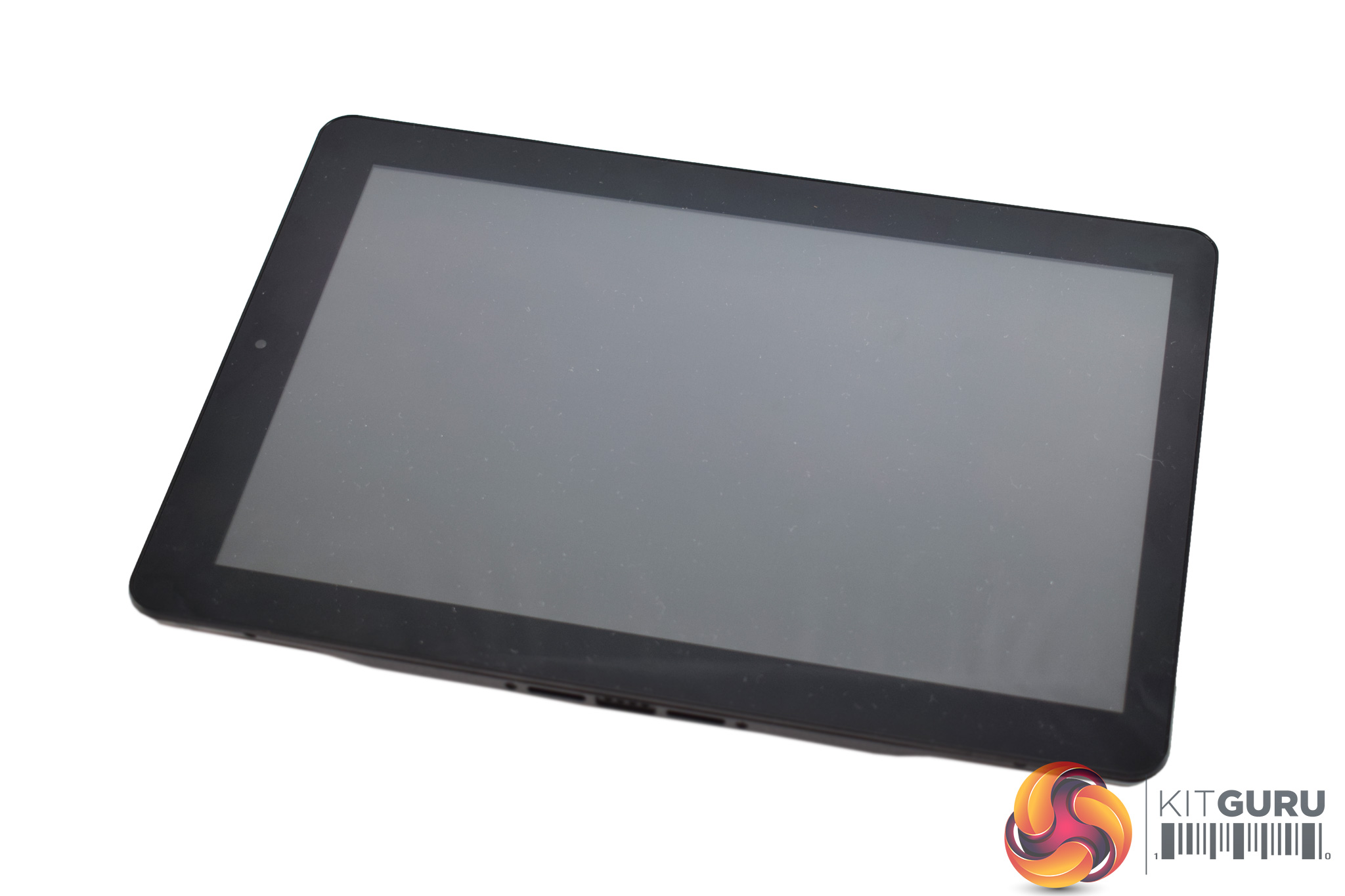
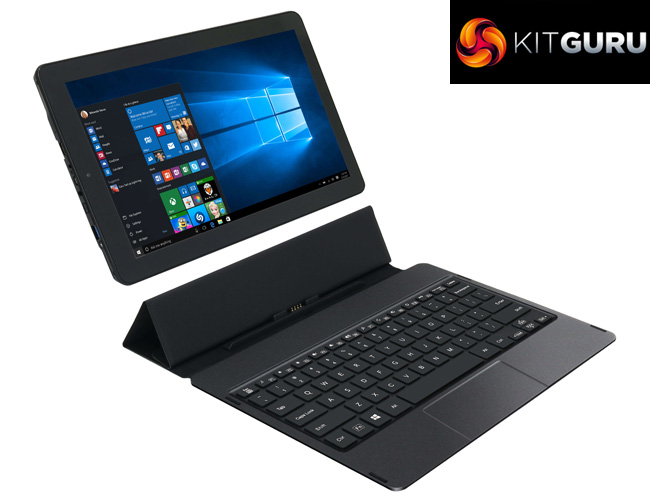
As the PrimePro 12 TS is a 2-in-1 device, it is essentially a tablet that docks to a keyboard to give added functionality.
The tablet itself is matte-black, and on the back we find a speaker grill, a Venturer logo and a 2MP camera. The front of the tablet is bare save for a 2MP front-facing camera.
I do think the design could have been better here, though, as the tablet itself is quite chunky and unattractive. For example, it has very thick bezels, measures nearly 12mm thick and weighs 900g (not including the keyboard). The latter point is very significant as the PrimePro 12 TS quickly becomes a burden if you are holding it as a tablet.
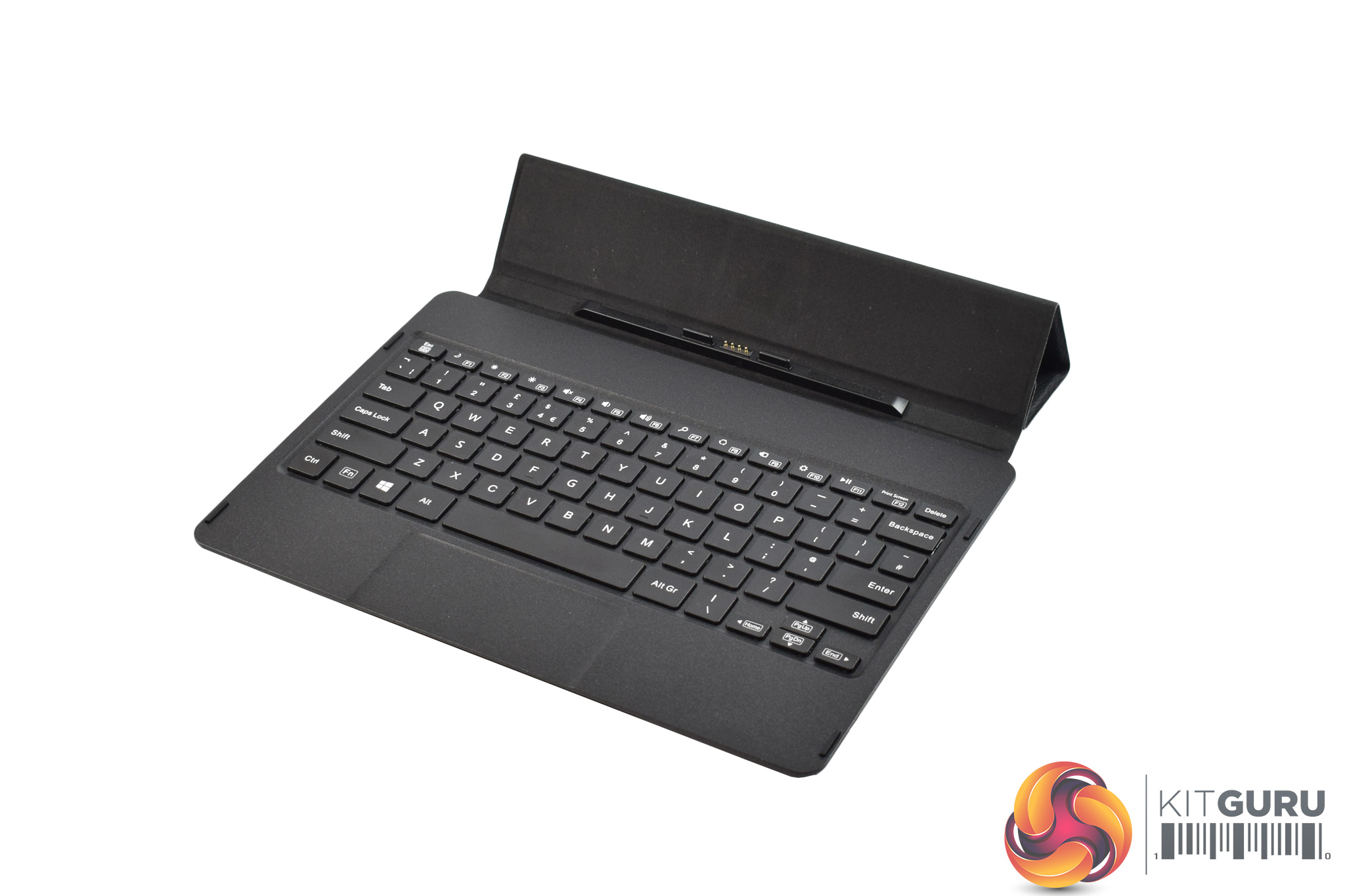
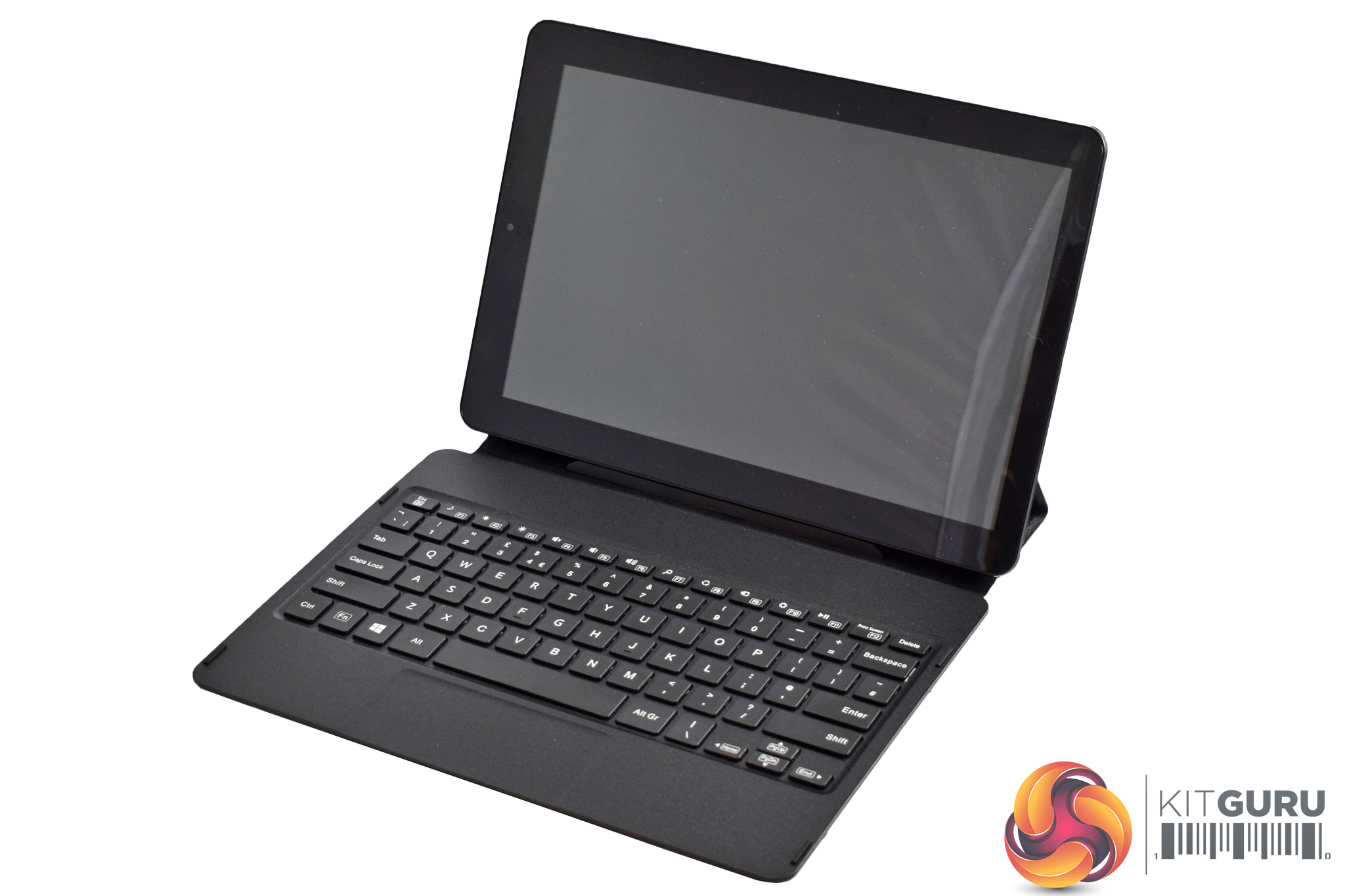
The keyboard ‘dock' its pretty conventional, and the tablet connects using magnets. The dock brings the total weight to 1500g, or 1.5kg, which is pretty good for a laptop, it is just the 900g tablet-only weight which is significantly more than what we are used to with other tablets.
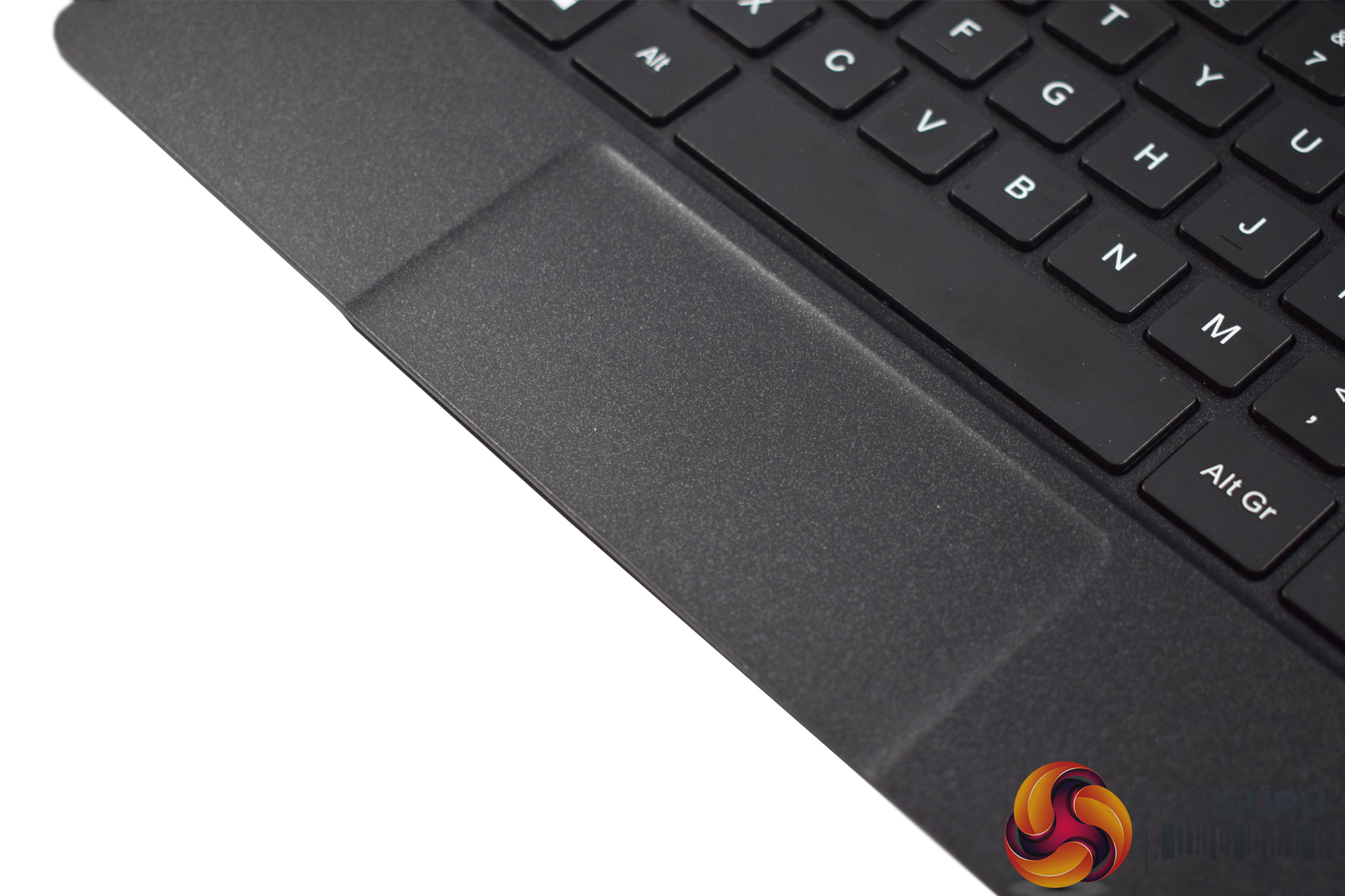
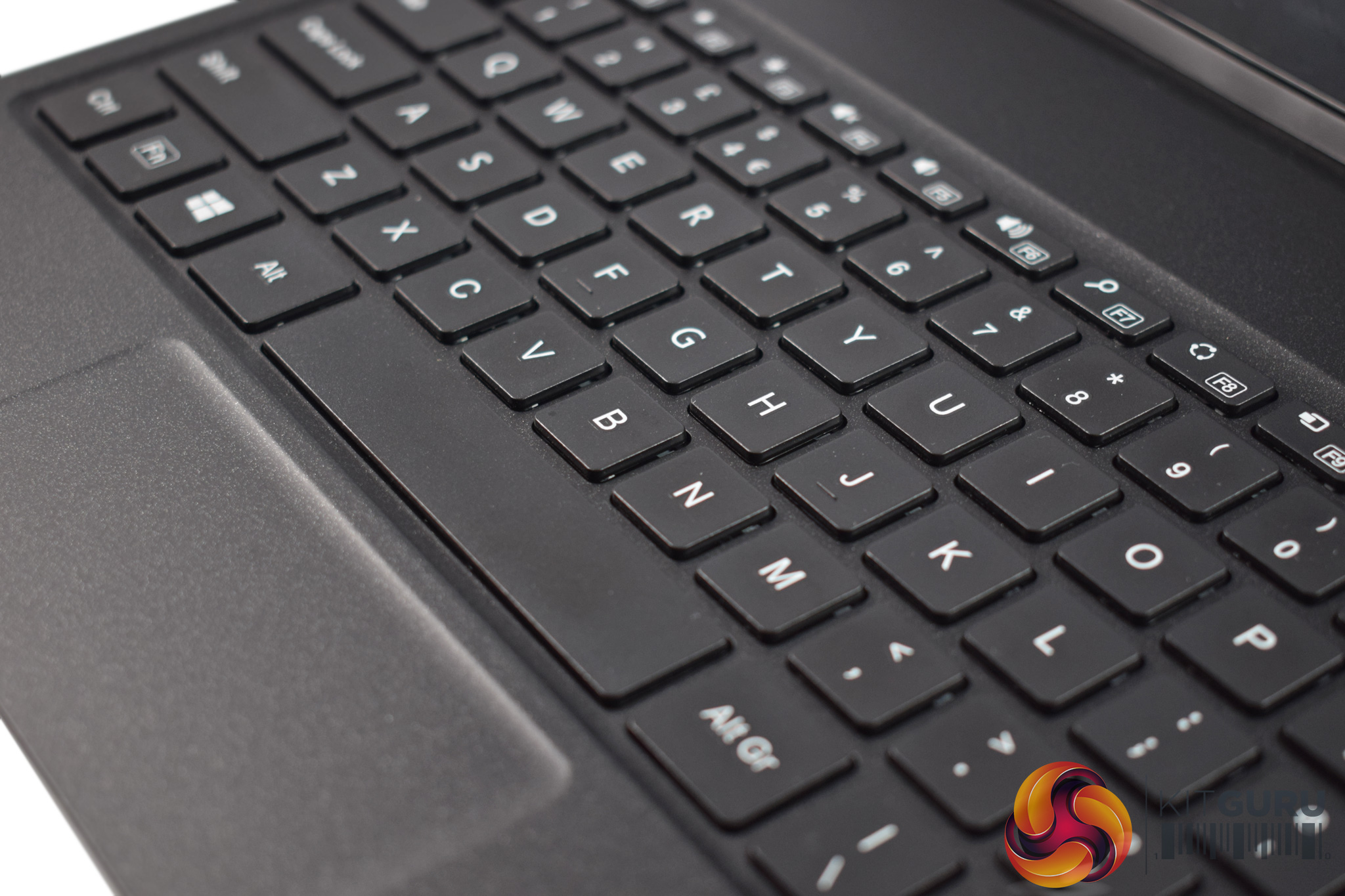
Using the PrimePro 12 TS as a laptop delivers very mixed results. The trackpad is frankly terrible, as tracking is just so imprecise. This is primarily because the trackpad material is not very smooth – it feels thick and heavy – and the physical size of it is also limiting. In Windows it quickly becomes a challenge to navigate successfully. Drag-and-drop functionality also seems non-existent, while two-finger scrolling is touch-and-go at best.
However, the keyboard is actually pretty decent. The keys have a fair bit of travel – more than what can be said for most laptops these days – and these is also some satisfying tactile feedback which is always appreciated. Obviously there's no num-pad, and PgDn/PgUp share space with the arrow keys, but the overall typing experience is positive.
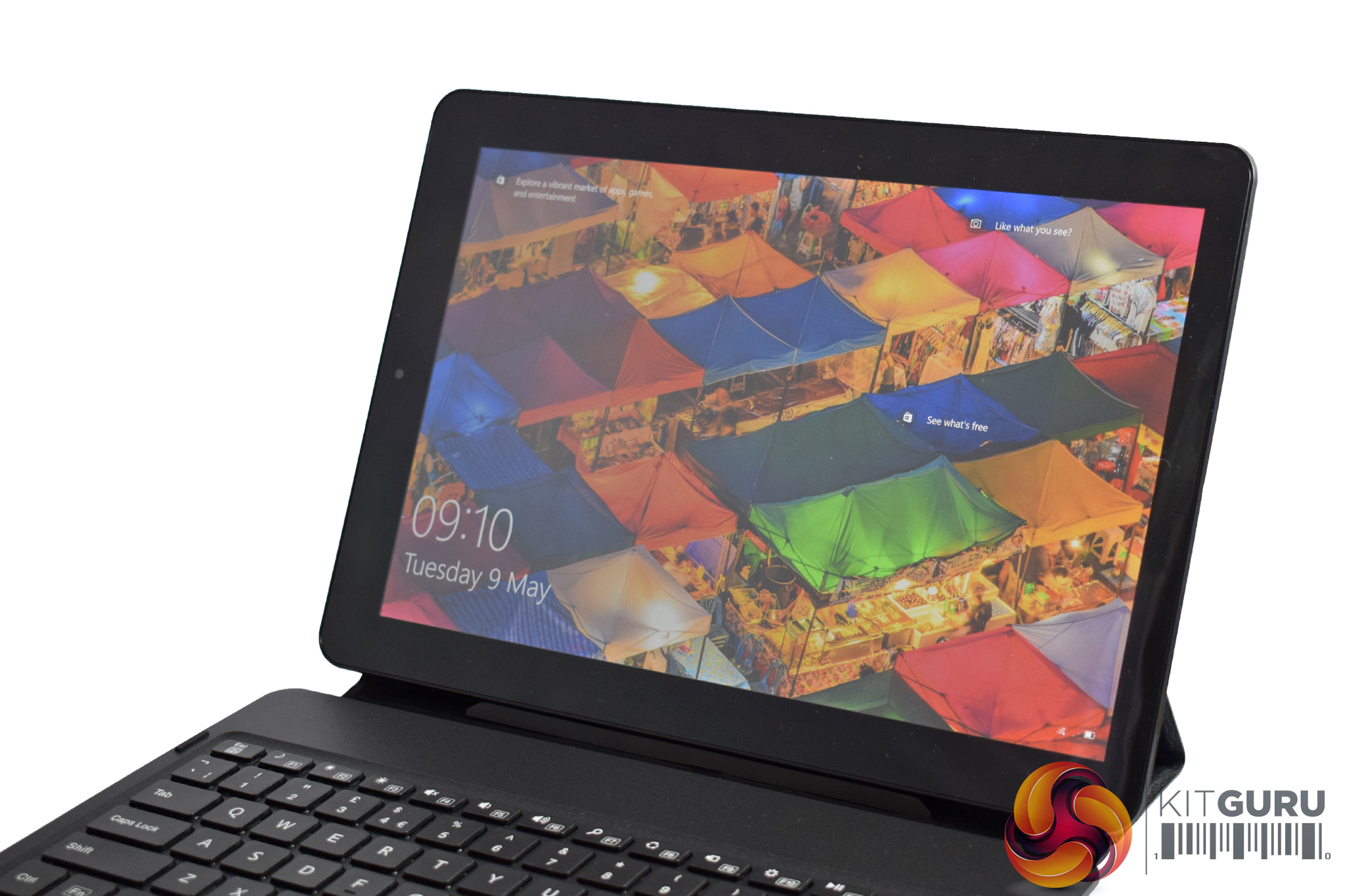
The display is another area where the PrimePro 12 TS delivers mixed results. It is an IPS panel, so colours are pretty vibrant and there is minimal colour shift. It is also reasonably sharp given its 1920×1200 resolution (a 16:10 aspect ratio). However, the touch-enabled screen is hugely reflective, to the point where watching TV shows in a well-lit area is very distracting. There is also noticeable backlight bleed, as my sample had a hot-spot in the bottom-right corner and along the top edge.
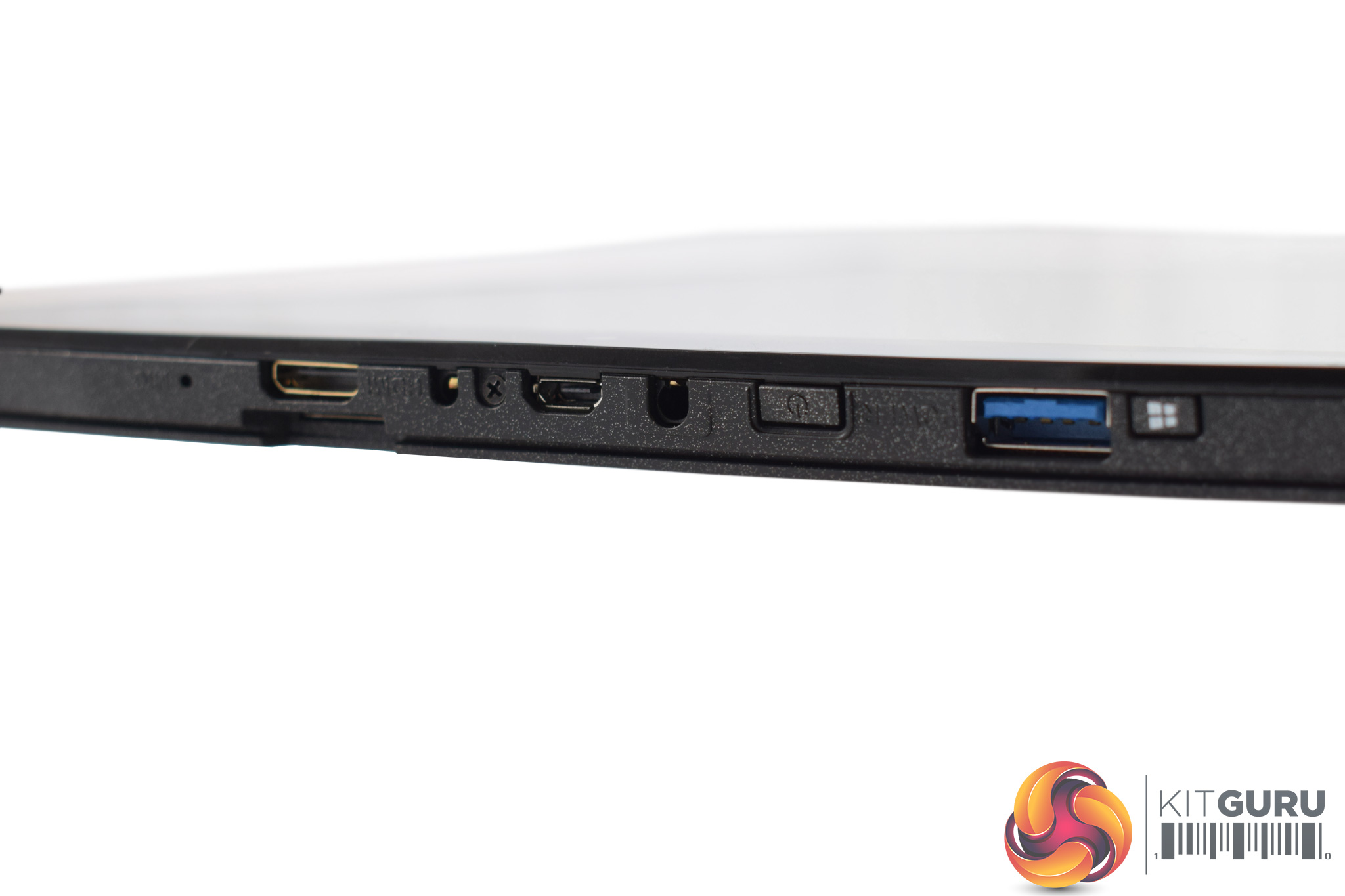
Elsewhere, the I/O is not overly plentiful: we find 1x USB 3.0 Type-A, 1x micro-USB port (for charging only), 1x headset combo jack and a mini HDMI port. It is good to see a full-size Type-A port, but having just one is definitely limiting.
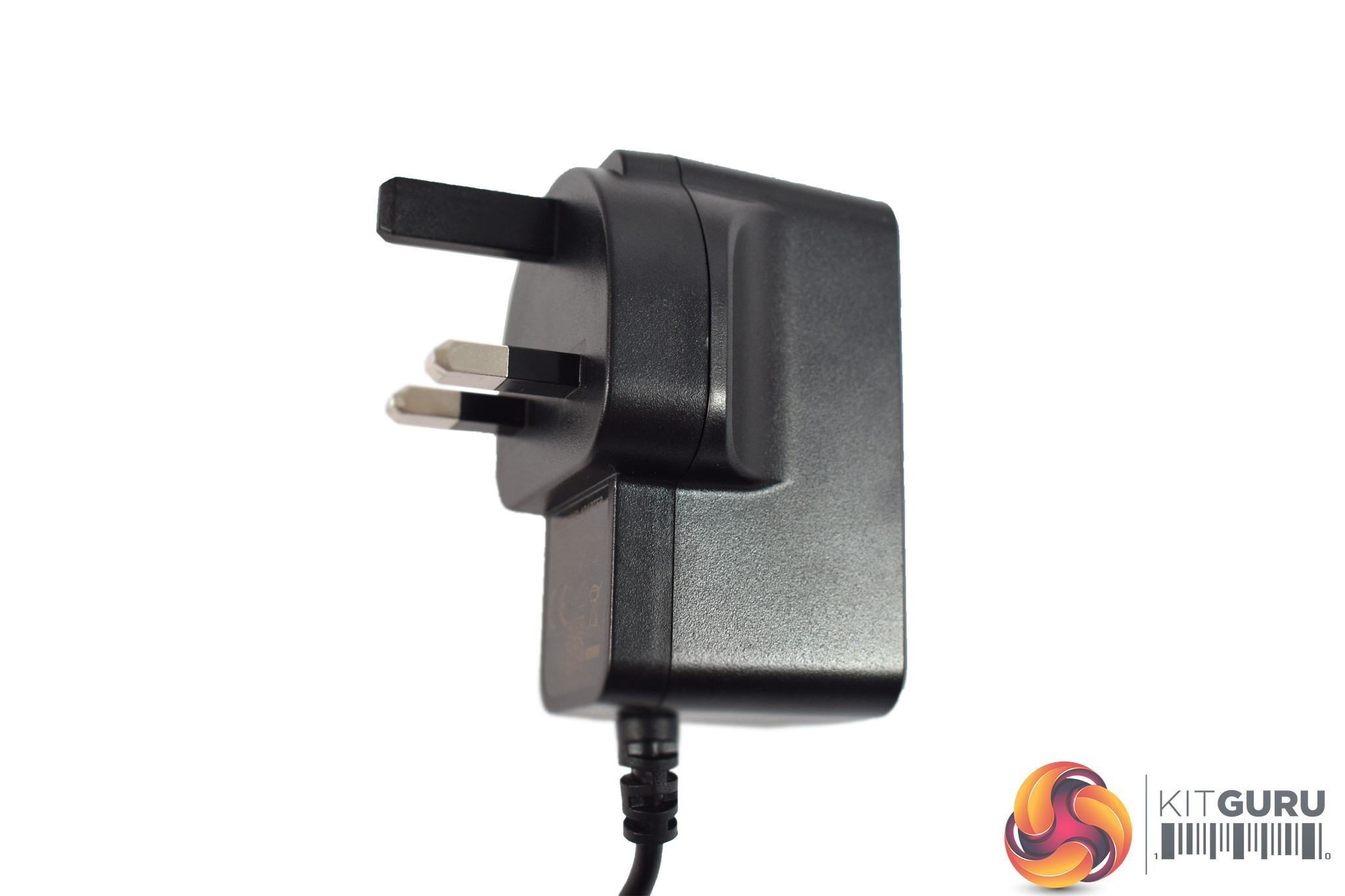
Lastly, the ‘power brick' is just a typical wall charger, just like you'd get with a mobile phone.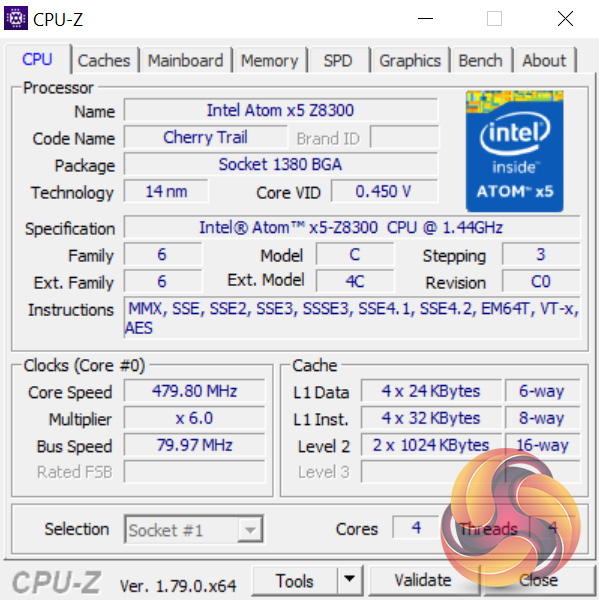
The Venturer PrimePro 12 TS is powered by an Intel x5-Z8300 processor from Intel's Cherry Trail family. This is actually a quad-core chip, but it is still a mobile chip and has a base clock of just 1.44GHz. It is also worth pointing out that this chip is now quite old: it launched in Q2 of 2015, so 2 years ago. This might give you an indication of its relative performance.
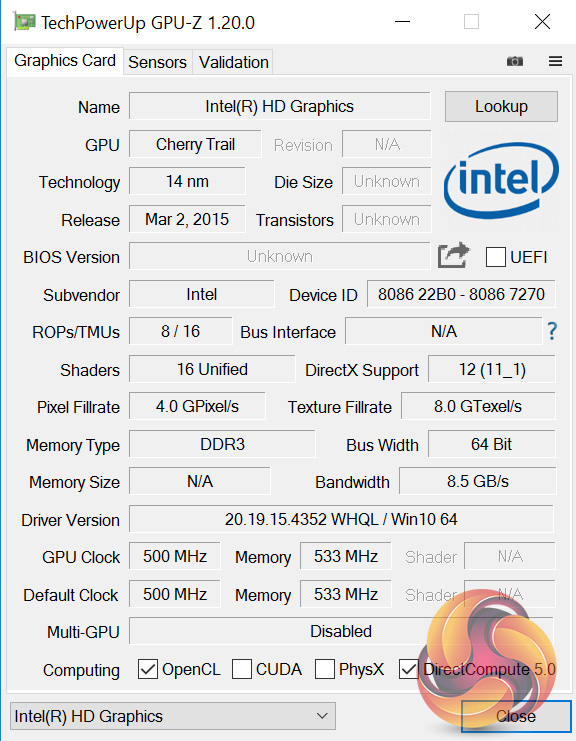
It also uses ‘Intel HD Graphics', with no model code.
Comparison systems
- Intel Core i7-6700HQ
- Nvidia GTX 960M
- 16GB Dual-Channel 1600MHz DDR3 RAM
- 128GB SSD + 1TB HDD
- Intel Bay Trail-M Celeron N2808 SoC
- Intel HD Graphics
- 4GB DDR3L RAM
- 64GB eMMc storage
- Intel Braswell N3050 SoC
- Intel HD Graphics
- 2GB DDR3L RAM
- 32GB eMMC storage
- Intel Core i3 i3-5010U
- Intel HD Graphics 5500
- 8GB Kingston SODIMM DDR3 1600MHz (1 x 8GB)
- 240GB Kingston V300 SSD
- Intel Core™ m5-6Y57
- Intel HD Graphics 515
- 8GB LPDDR3 1866MHz Memory
- 256GB Solid State Drive M2 2280 PCIe
- Intel Core i5-6500
- Asus Turbo GTX 960
- 8GB Corsair Vengeance LPX 2400MHz DDR4 RAM
- 500GB Samsung 850 EVO SSD
- Intel Core i7-6820HK
- Nvidia GTX 980 (desktop)
- 32GB DDR4 2400MHz RAM
- 2x 256GB Samsung SM951 PCIe SSDs in RAID0
- AMD FX-8320
- AMD RX-480
- 16GB DDR3 2133MHz RAM
- 240GB Adata Premier SP550
PCSpecialist Defiance III 17.3
- Intel i7-6700HQ
- Nvidia GTX 1060
- 16GB HyperX DDR4 2133MHz RAM
- 512GB SanDisk X400 M.2 SATA SSD
- Intel i7-6700HQ
- Nvidia GTX 950
- 16GB Crucial DDR4 2133MHz RAM
- 512GB Samsung Pro M.2 SSD
- Intel i7-7500U
- Intel HD Graphics 620
- 16GB G.Skill DDR4 2133MHz RAM
- 256GB Toshiba OCZ RD400 M.2 SSD
- Intel i7-6700K
- Nvidia GTX 1070
- 16GB Corsair Vengeance 3000MHz DDR4 RAM
- 500GB Samsung 750 EVO SSD
- Intel i5-6402P
- Nvidia GTX 1060
- 16GB Corsair Vengeance LED 3000MHz DDR4 RAM
- 256GB Intel 600p M.2 SSD
- Intel i5-6200U
- Intel HD Graphics 520
- 16GB G.Skill Ripjaws 1600MHz DDR3 RAM
- 256GB Toshiba OCZ RD400 M.2 SSD
- Intel i5-6600K
- Nvidia GTX 1070
- 16GB Corsair Vengeance 3000MHz DDR4 RAM
- 256GB Intel 600p M.2 SSD
- Intel i5-7600K
- Nvidia GTX 1060
- 16GB HyperX 2133MHz DDR4 RAM
- 250GB SK Hynix SL308 SSD
- Intel i7-7500U
- Intel HD Graphics 620
- 8GB 1866MHz DDR3L RAM
- 256GB PCIe SSD
- Intel i5-7600K
- Nvidia GTX 1060
- 16GB Corsair Vengeance 3000MHz DDR4 RAM
- 250GB WD Blue M.2 SSD
- Intel i5-7200U
- Intel HD Graphics 620
- 8GB 2133MHz DDR3L RAM
- 512GB SATA M.2 SSD
- Ryzen 7 1700X
- Nvidia GTX 1080
- 16GB 2933MHz DDR4 RAM
- 256GB Intel 600p M.2 SSD
- Ryzen 5 1600
- Nvidia GTX 1070
- 16GB 2400MHz DDR4 RAM
- 250GB Samsung 960 EVO M.2 SSD
- Intel i7-7700K
- Nvidia GTX 1080
- 16GB 3200MHz DDR4 RAM
- 500GB Samsung 960 EVO M.2 SSD
Fierce PC Blackfire Hammerhead
- Ryzen 5 1500X
- AMD RX 580 8GB
- 16GB 2400MHz DDR4 RAM
- 500GB Samsung 850 EVO SSD
Test software
- SiSoft Sandra
- Cinebench R15
- Handbrake
- CrystalDiskMark
- ATTO Disk Benchmark
- 3DMark
- Prime 95 (version 26.6)
- CPUID HWMonitor
- AIDA64 Engineer
Cinebench R15
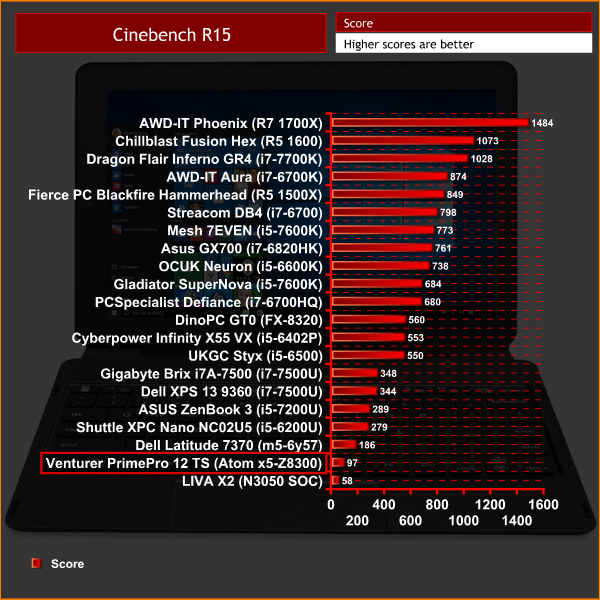
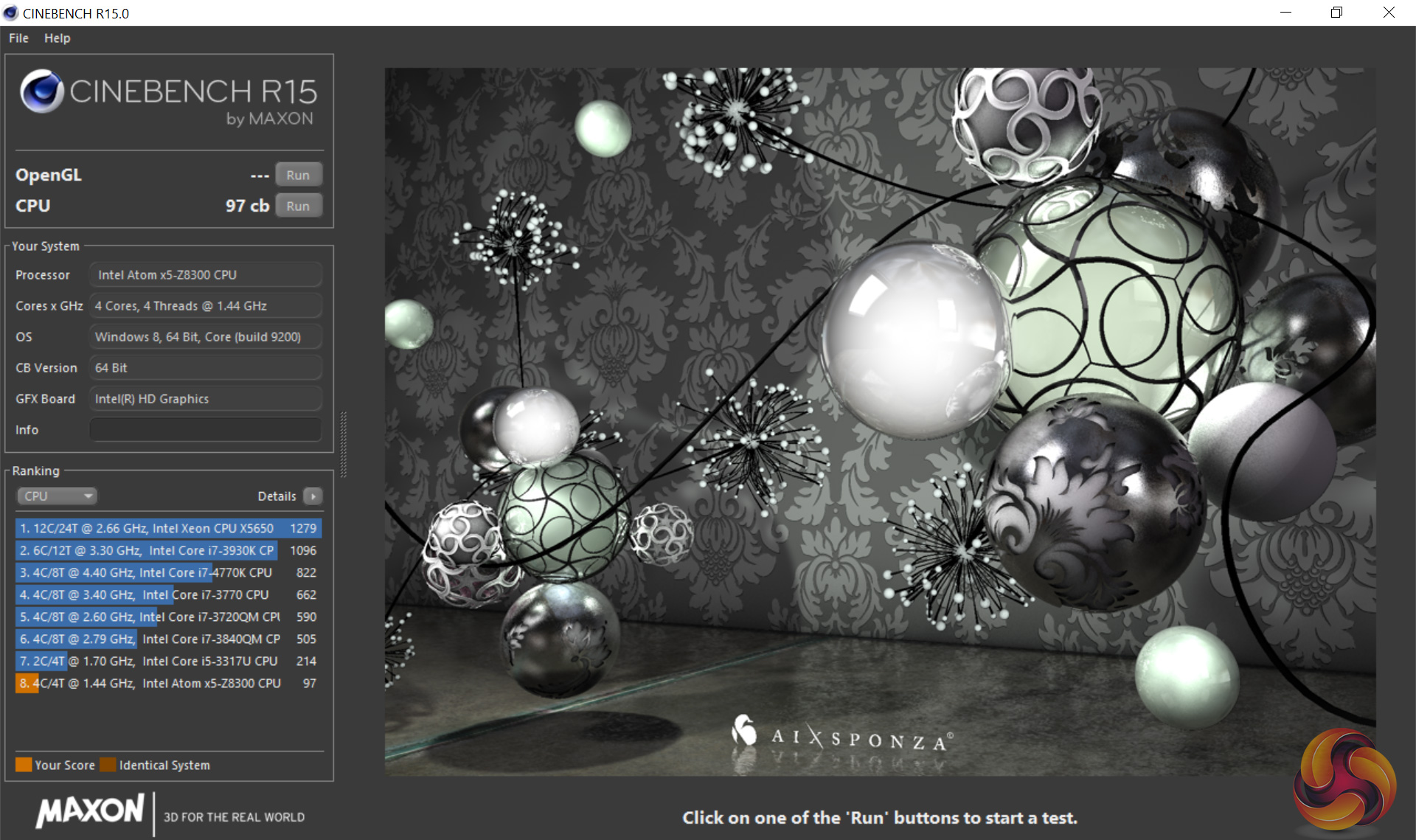
First impressions are not good here – a score of 97 in Cinebench is the second-lowest I have seen.
SiSoft Sandra
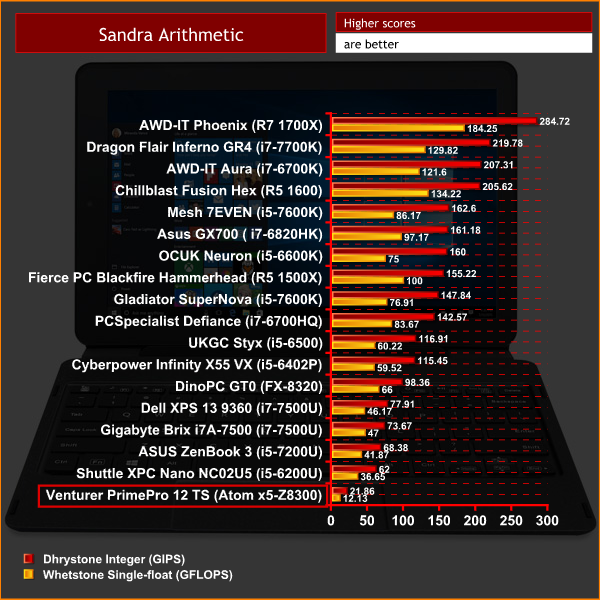
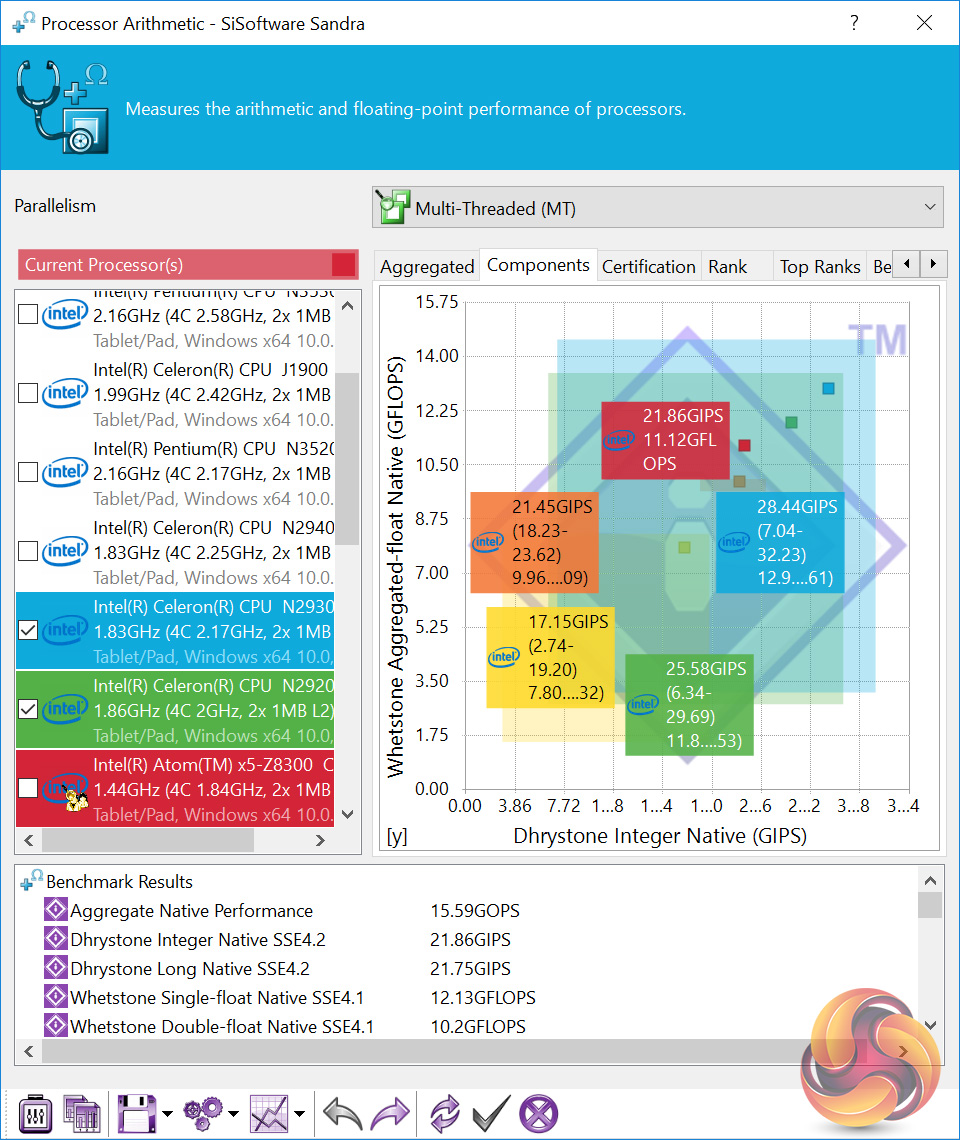
SiSoft Sandra's arithmetic score confirms that this is a very slow processor.
3DMark Fire Strike
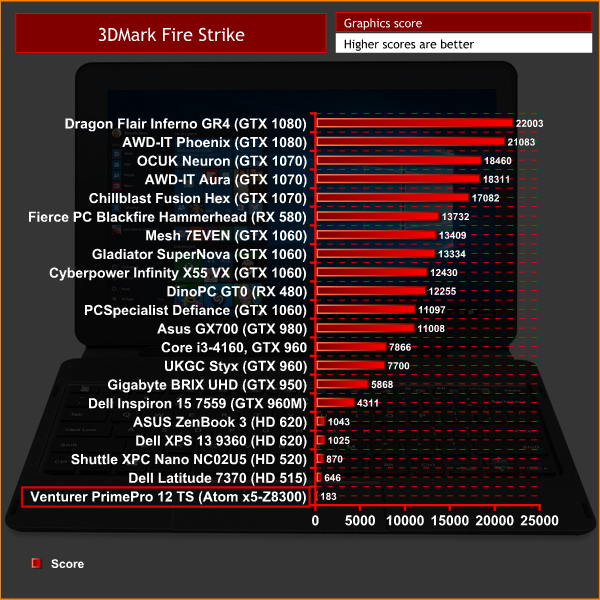
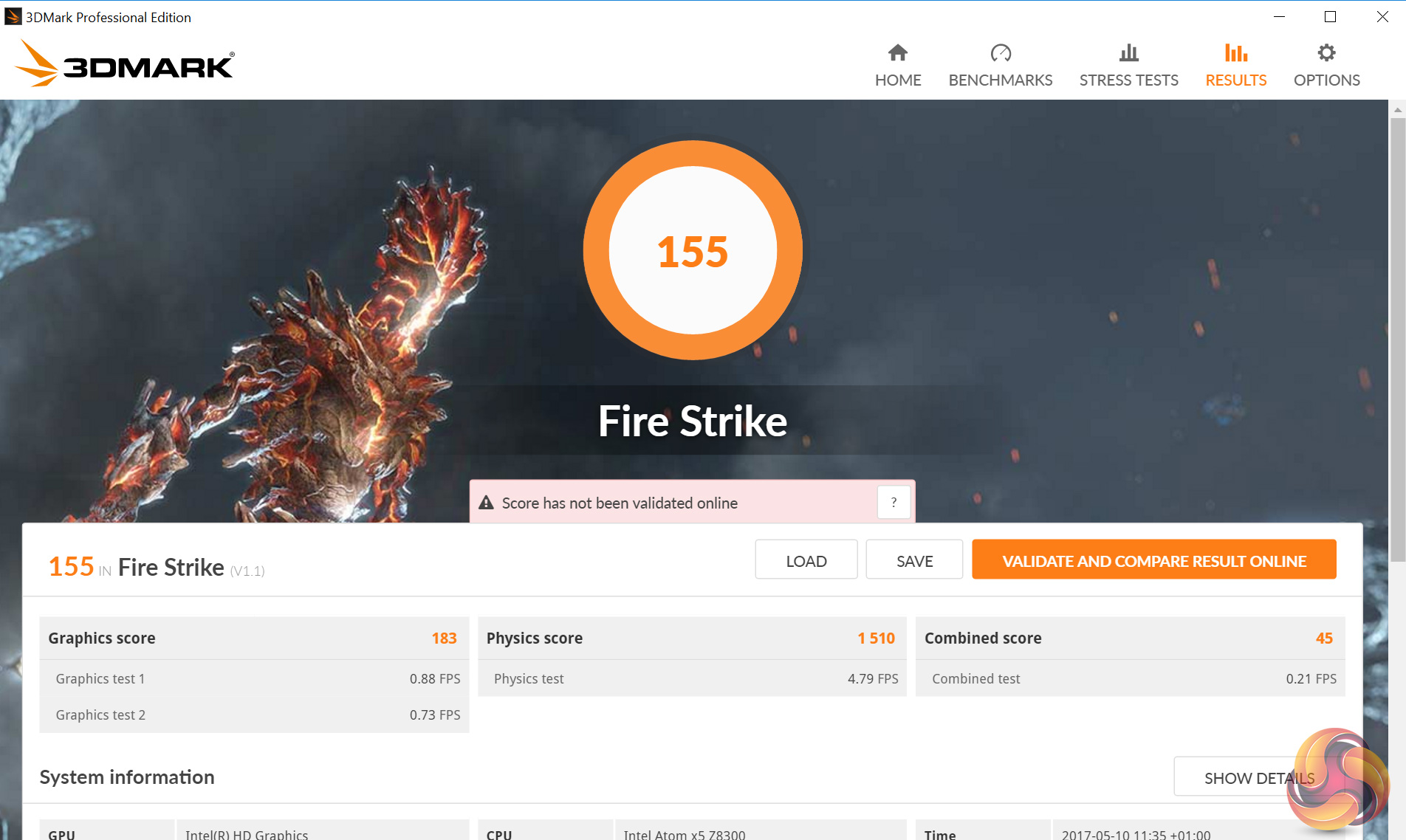
Fire Strike gives us an indication of the Atom's integrated graphics power. A score of just 183 speaks volumes.PCMark 8
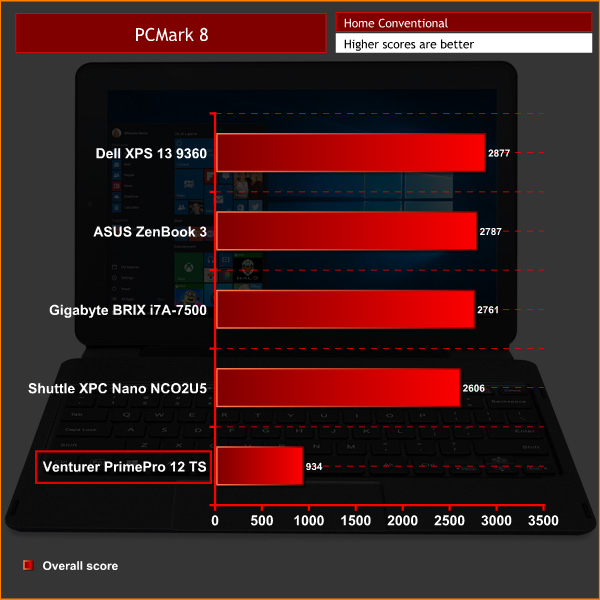
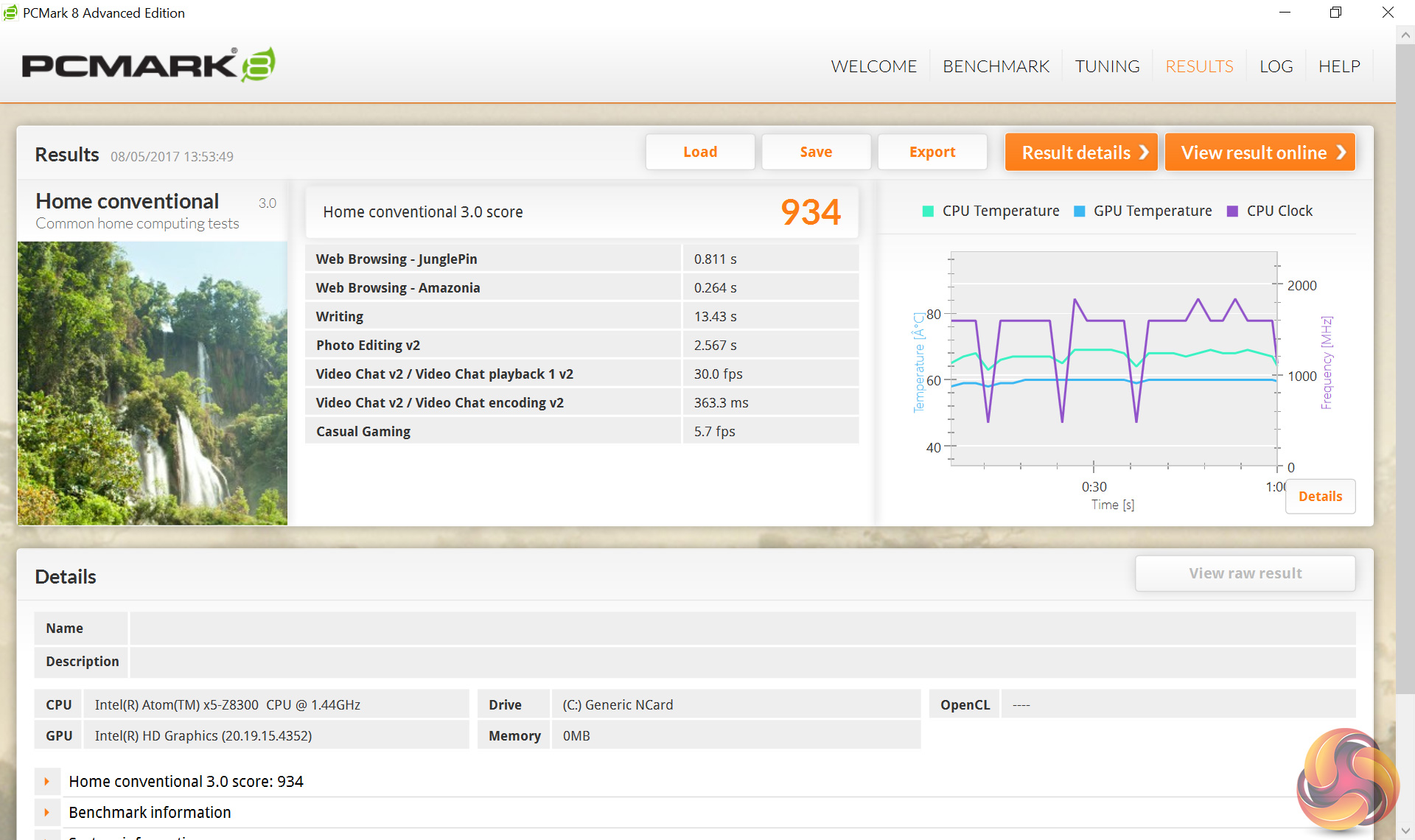
PCMark 8 gives us a big-picture, overall system score, and clearly the PrimePro 12 TS can't cut it against other modern laptops.
Memory bandwidth
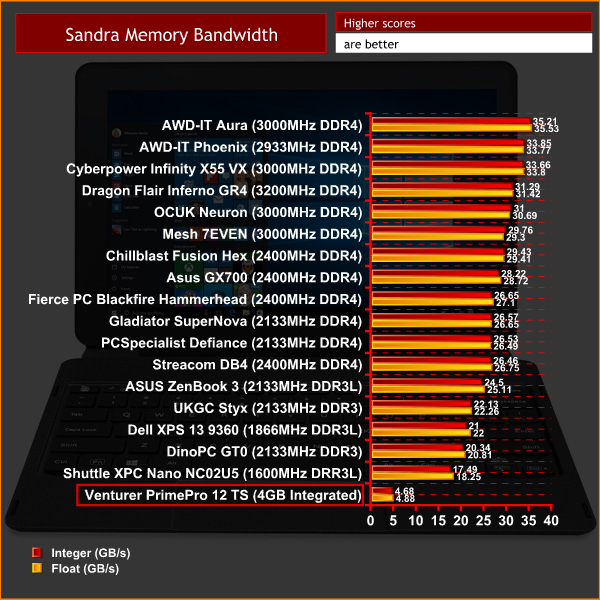
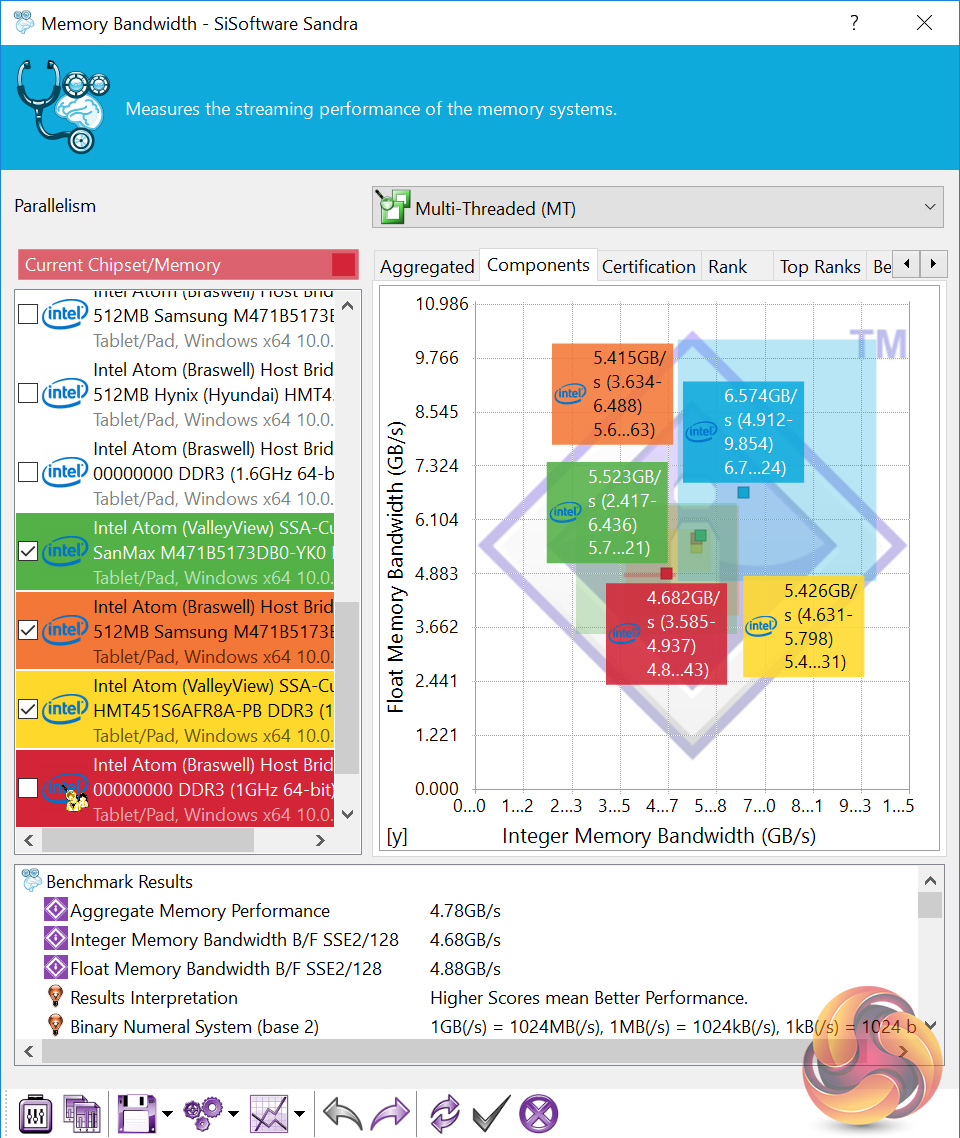
The 4GB of integrated mobile memory is also very slow in comparison to even DDR3L SODIMMs.
WiFi
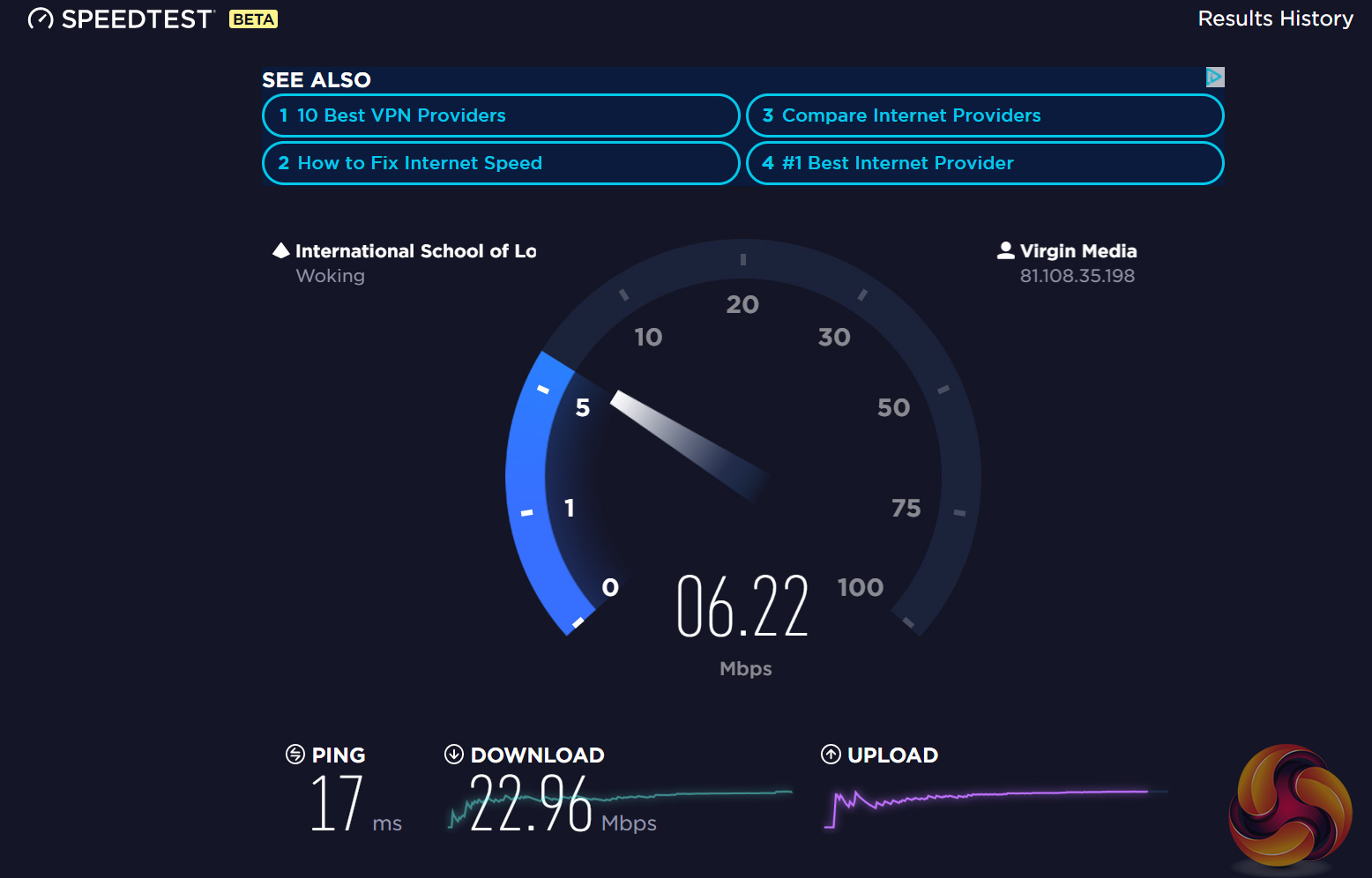
I don't usually include WiFi speed tests, but after using the PrimePro for the first half an hour or so, it quickly became apparent to me that something was not quite right with its WiFi speeds.
My Virgin Media fibre package delivers 100 Mbps download, and typically 8-10 Mbps upload speeds. However, with the PrimePro 12 TS sitting 3 feet away from the router, I did not even get a quarter of my usual download speed.
Something is clearly not right, so I tried to find a WiFi driver on Venturer's website – nothing. They don't list any drivers for the PrimePro 12 TS at all, so we are left with Windows' default drivers. As such, I can only conclude the 802.11 b/g/n WiFi chip is just not up to scratch.Integrated storage
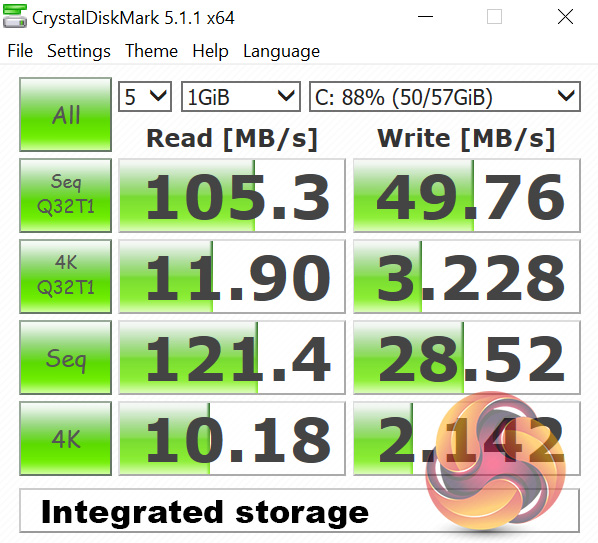
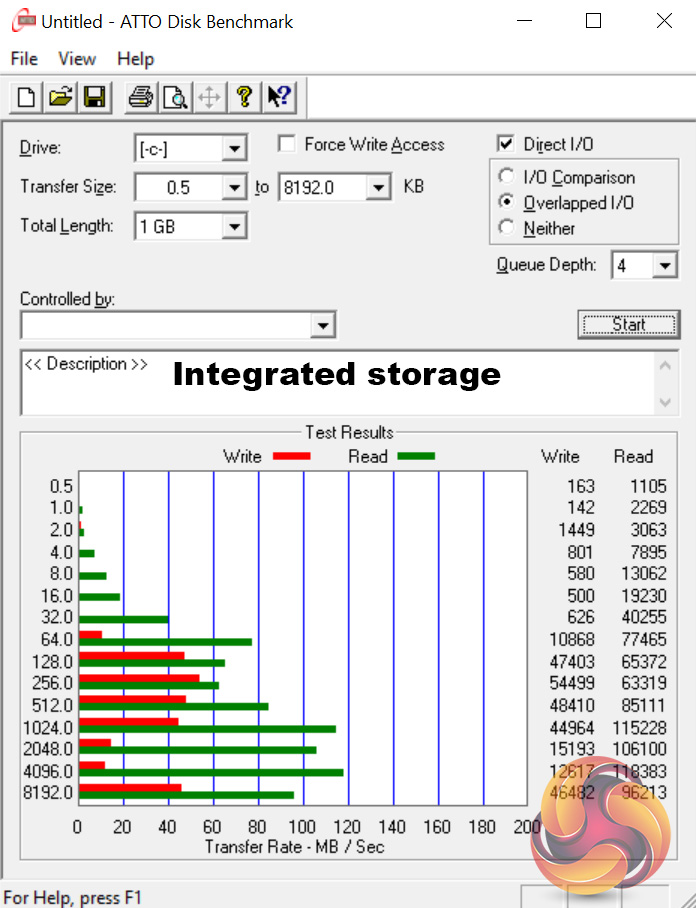
CrystalDiskMark and ATTO Disk Benchmark are used to benchmark the system's integrated storage.
As you can see, it is clearly not going to win any awards for its speed.
USB 3.0
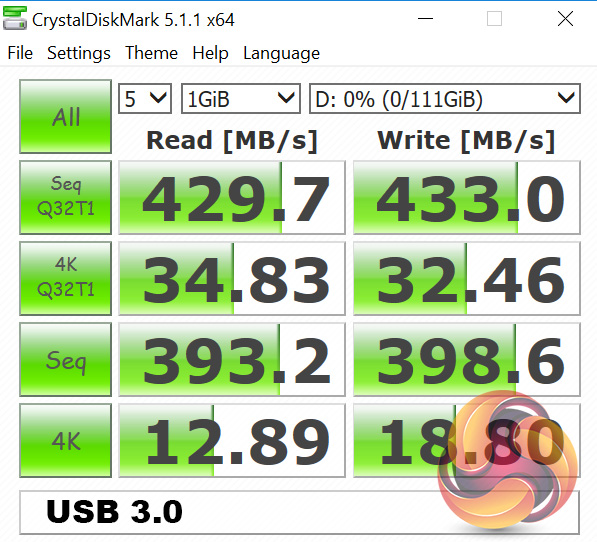
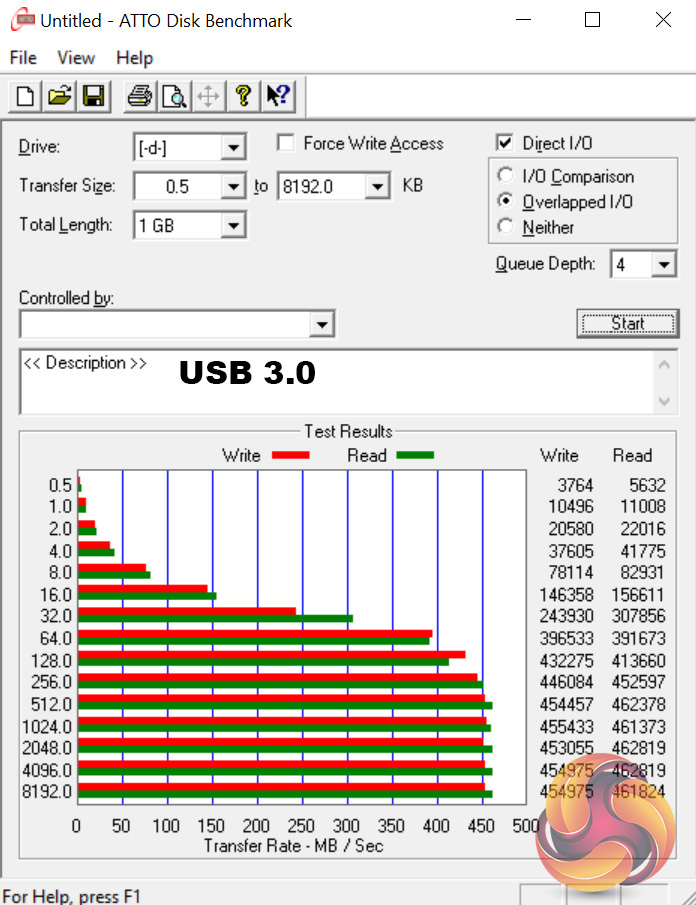
To test the speed of the single USB 3.0 port, I plugged in an OCZ Trion 150 SSD via a SATA-to-USB 3.0 5Gbps adapter, which uses the ASMedia ASM1053 controller. We reviewed the SSD HERE, finding it delivers good speed at a budget price.
Most importantly, it is capable of saturating the USB 3.0 bus, allowing us to test the speed the single USB 3.0 port delivers. To test this, I ran both CrystalDiskMark and ATTO Disk Benchmark on the Trion 150 drive.
Thankfully, the speeds are good and indicate no issues with the USB 3.0 interface.Thermal Dynamics
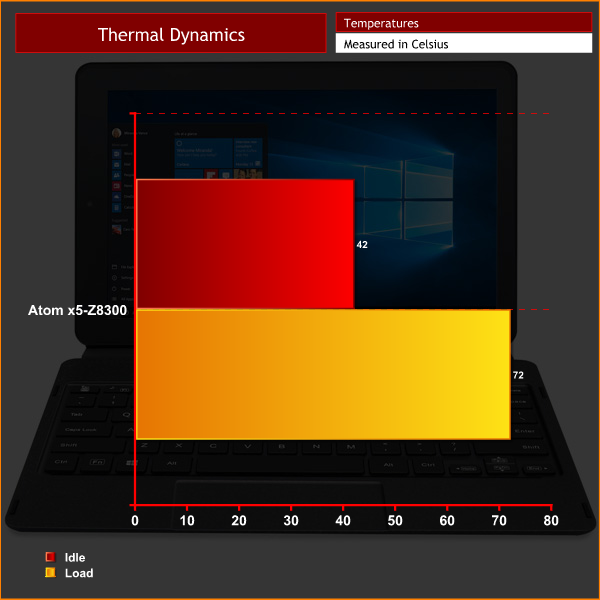
The PrimePro 12 TS' Atom CPU is a low-power chip, so it does not get too hot. It is also passively cooled, so the unit emits no noise.
Power Consumption
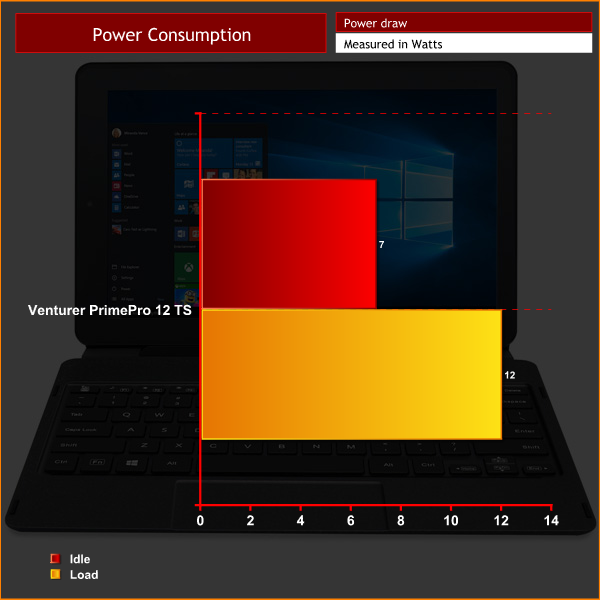
Power consumption is also negligible, with a peak reading of just 12 Watts with the system under 100% load.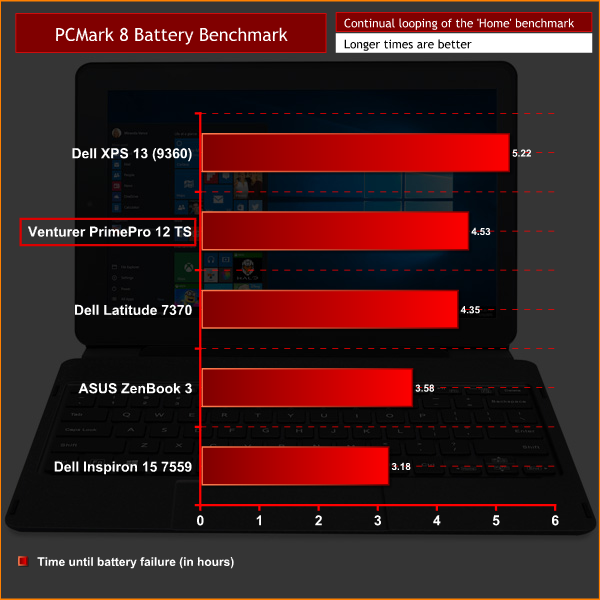
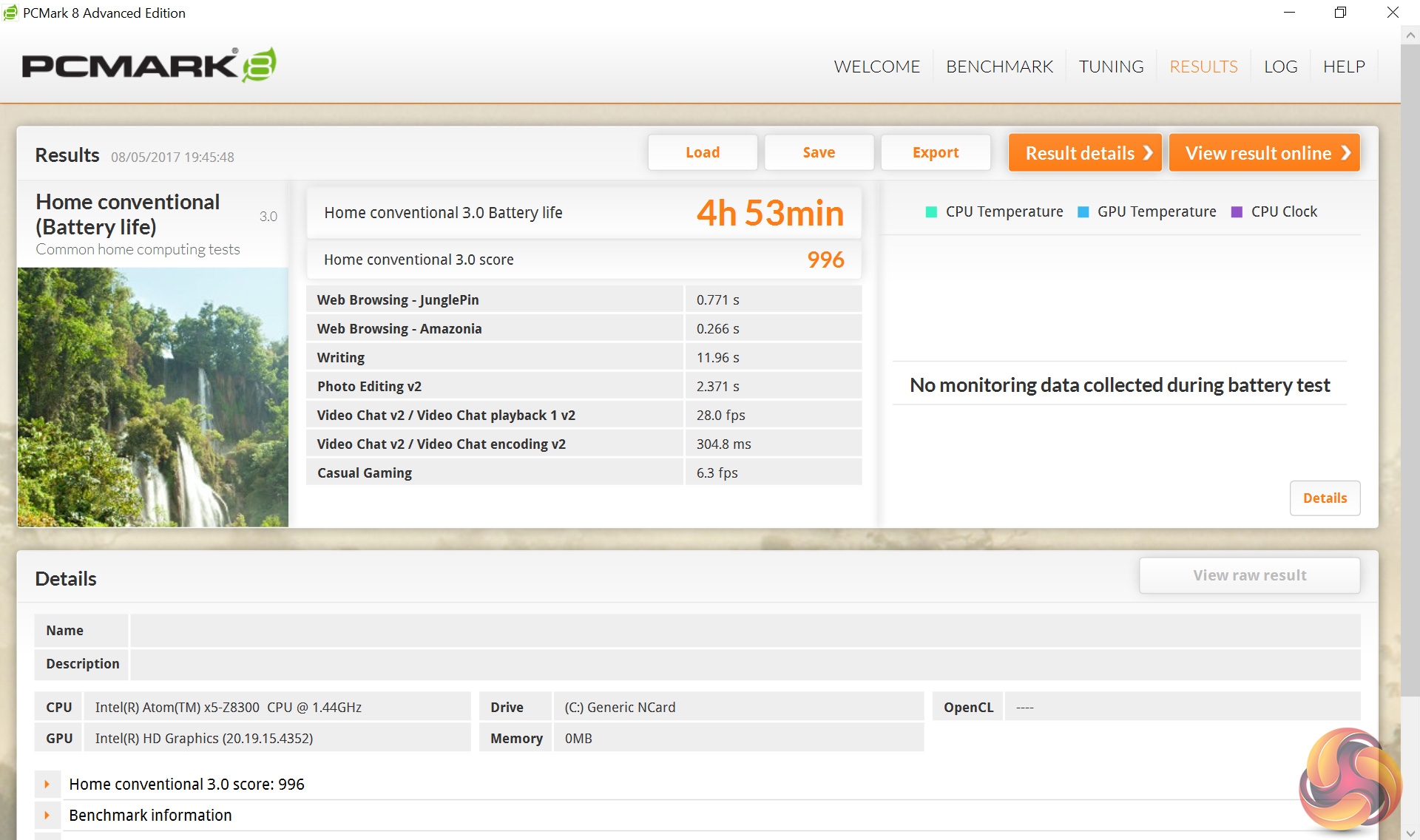
The last area to test is the battery life of the PrimePro 12 TS. To do this, we use PCMark 8's in-built battery benchmark, running the ‘Home conventional' test with screen brightness at 50%.
The battery life is actually very good, lasting nearly 5 hours of the PCMark 8 test. This can be doubled for an effective 10-hours real-world use time.All-in-all, the Venturer PrimePro 12 TS has to go down as a big disappointment.
For starters, its design is quite poor. This is made evident by the thick bezels, 900g tablet-only weight, and the 11.8mm tablet thickness – an iPad Air this is not.
Elsewhere, its trackpad is frankly awful. I had great difficulty just navigating to precise locations as the mouse pointer jiggles around as you move your finger. Drag-and-dropping files is also a nightmare and the two-finger scroll functionality is patchy at best.
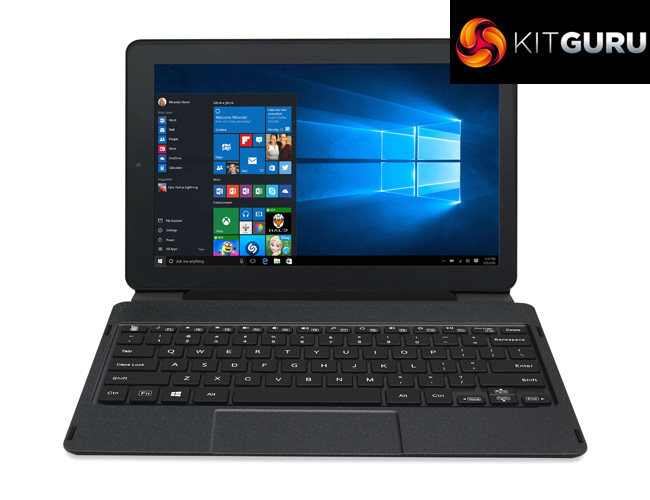
The PrimePro 12 TS' display is also a mixed-bag. Its colours look pretty good, and there is no noticeable colour shift, but the screen just reflects like crazy, to the extent where I found it very difficult to consume content in a well-lit area. My sample also exhibited noticeable backlight bleed.
The biggest let down is performance, though. I just found the PrimePro 12 TS to be so sluggish – to give a real-world example, it took this machine 15 minutes just to install 3DMark, and that is no exaggeration. I also experienced frequent lock-ups when opening new tabs in Chrome or opening more than a couple of applications. Our synthetic benchmarks only reflect the terrible real-world performance of this unit. Clearly, using a 2 year-old Atom processor has not proved a wise move.
I must also mention the WiFi speeds. My usual 100 Mbps download speed was severely bottlenecked by the PrimePro 12 TS, to the extent where I received less than 25% of my usual bandwidth when sitting just 3 feet away from my router. This is simply terrible and is a major issue for a device that can only connect to the internet via WiFi.
Of course, there are some good things about the Venturer PrimePro 12 TS – namely, the decent keyboard and strong battery life performance. However, these two things simply can't do enough to make the PrimePro 12 TS worthwhile. If you're looking for a £350 2-in-1 hybrid laptop, this one is best avoiding.
You can buy it from Amazon for £349.99 inc. VAT HERE.
Pros
- Decent keyboard.
- Battery life is above average.
- Display produces good colours.
Cons
- Thick and bulky.
- Terrible trackpad.
- WiFi performance is awful.
- So slow and sluggish.
- Single USB 3.0 port.
- Display is very reflective.
- Noticeable backlight bleed.
KitGuru says: If you are on the lookout for a decent new 2-in-1 hybrid laptop, capable of performing a variety of tasks, the Venturer PrimePro 12 TS is not the device you are looking for.


To my memory the lowest score I’ve seen on Kitguru and first time I can recall seeing the fabled brown cup….but then again my processor and memory is slower than the ones installed on this poor 2-1.
that’s an award I have never seen before
CNN is paying 97$ per hour! Work for few hours and have longer with friends & family,,,Here’s how to make additional cash each week…On tuesday I got a great new Land Rover Range Rover from having earned 9036 Dollars this last four weeks.. Its the most-financialy rewarding I’ve had.. Learn more about it on following link
http://www.Best21.Com….
and that’s a spam bot I have never seen before with realistic goals!
I can buy a lenovo 2 in 1 with the exact same specs for £129.99, now, thats why this got awarded the brown cup.