KitGuru KitGuru.net – Tech News | Hardware News | Hardware Reviews | IOS | Mobile | Gaming | Graphics Cards


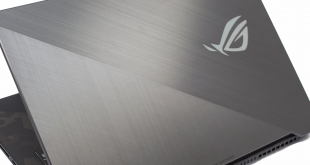
ASUS thought it spotted a niche in the market building laptops specifically for First Person Shooter (FPS) gamers when it first released the ROG STRIX SCAR laptop. Fast forward through another generation of Nvidia graphics and now ASUS is back with an even better offering – a 144Hz & 3ms panel using with Nvidia's latest RTX 2070 mobile GPU and Intel's 6-core i7-8750H – meet the ROG STRIX RTX SCAR II.
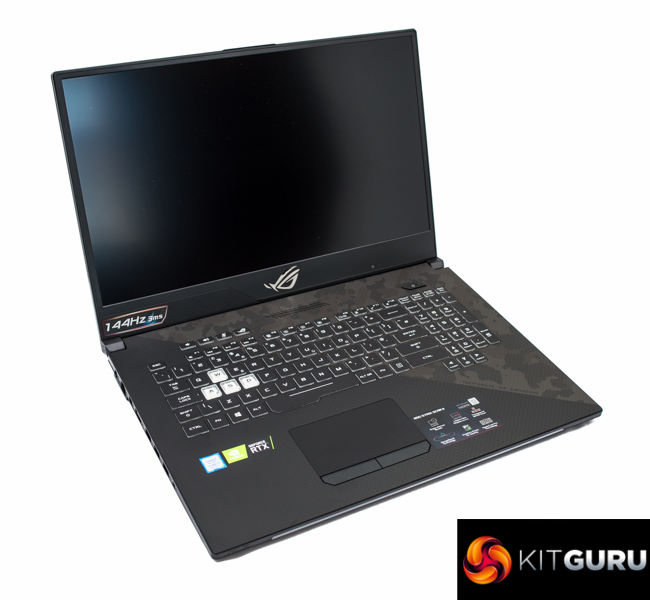
The ASUS ROG STRIX RTX SCAR II comes flexibly equipped depending on the prospective buyer's budget. Configuration options include:
- either a 15.6 or 17.3 inch screen;
- an RTX 2060 or 2070, or older generation GTX 1060 or 1070 graphics also used by the first generation SCAR (all mobile variant GPUs);
- an Intel i7-8750H or i5-8300H
- Windows 10 Home or Windows 10 Pro
- 16GB or 32GB of DDR4 memory
ASUS tailors it to FPS gamers with a number of tweaks including a low response time (3ms) and high refresh rate display (144Hz), a “WASD” illuminated keyboard, ROG Gladius II mouse and capable gaming hardware, including an ample-sized NVMe SSD for loading games quicker. In practice, the alignment to FPS gamers is more of a marketing spin as the tweaks that make it good for “FPS gamers” make it good for all gamers.
The design is noticeably improved over the first generation ASUS ROG STRIX SCAR that KitGuru tested which had a much chunkier display bezel, no keyboard backlighting and an inferior 120Hz 5ms display. Hardware specification improves too, but with the improved hardware comes an increased cost. Nonetheless, consumers looking for a high-performance and well thought-out gaming laptop will inevitably consider the ROG STRIX RTX SCAR II at some point – so let's check out how it performs.
| ASUS ROG Strix RTX SCAR II GL704GW (as tested) | |
| UK Price (as tested) |
£2,599.99 (accurate at time of writing) |
| UK Warranty |
2 Years |
| Operating System (OS) |
Windows 10 Home 1803 64-bit (freely upgradeable to 1809) |
| Central Processing Unit (CPU) | Intel Core i7-8750H |
| Graphics Processing Unit (GPU) | Nvidia GeForce RTX 2070 8GB GDDR6 mobile GPU |
| Random Access Memory (RAM) | 16GB |
| Solid State Drive (SSD) | 512GB Intel 660P NVMe PCIe 3.0 |
| Hard Disk Drive (HDD) | Seagate FireCuda Solid State Hybrid Drive 1TB 2.5″ SATA III |
| Display | 17.3-inch non-glare, 1920×1080, IPS, 144Hz refresh rate, 3ms response time, 100% sRGB coverage |
| Keyboard | Backlit chiclet keyboard with 4-zone RGB, 1.8mm travel distance and 0.25mm keycap curve |
| Audio | 2 x 3.5W speakers with “Smart AMP” technology, array microphones |
| Input/Output (I/O) |
1 x USB 3.1 Gen 2 (10Gbps, Type-C) 3 x USB 3.1 Gen 1 (5Gbps) 1 x USB 3.1 Gen 2 (10Gbps) 1 x mini Display Port 1.4 1 x HDMI 2.0b 1 x RJ-45 LAN 1 x SD card reader 1 x 3.5mm headphone and microphone combo 1 x Kensington lock port |
| Power | 230W power adapter |
| Networking | Intel Wireless-AC 9560 802.11ac 2T2R with Bluetooth 5.0 Realtek RTL8168 Gigabit Ethernet |
| Weight | 2.9kg (without power adapter) |
| Dimensions | Width: 39.98cm Depth: 27.35cm Height (closed): 2.49-2.64cm |
| Extras | Includes ROG Gladius II Gaming Mouse |
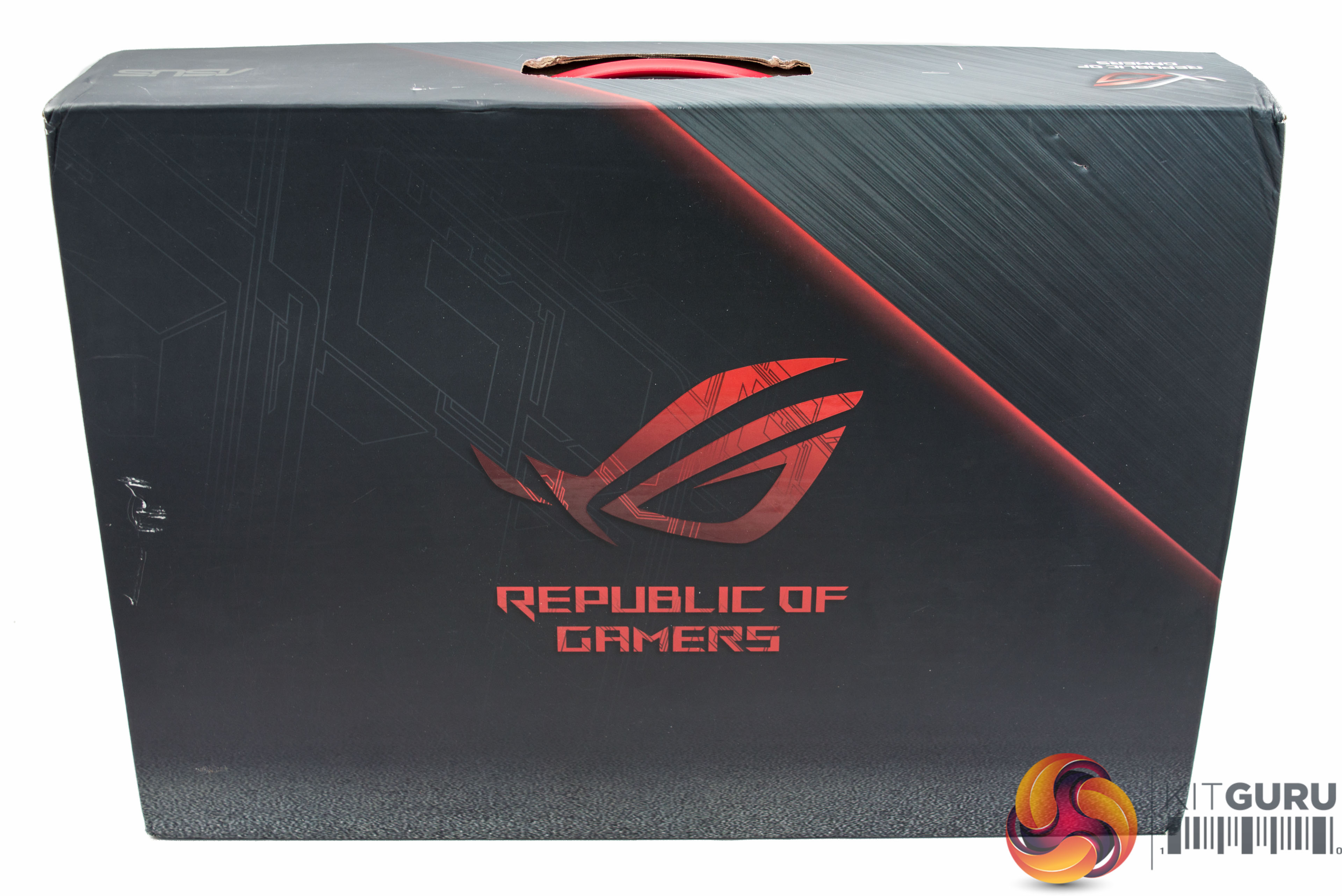
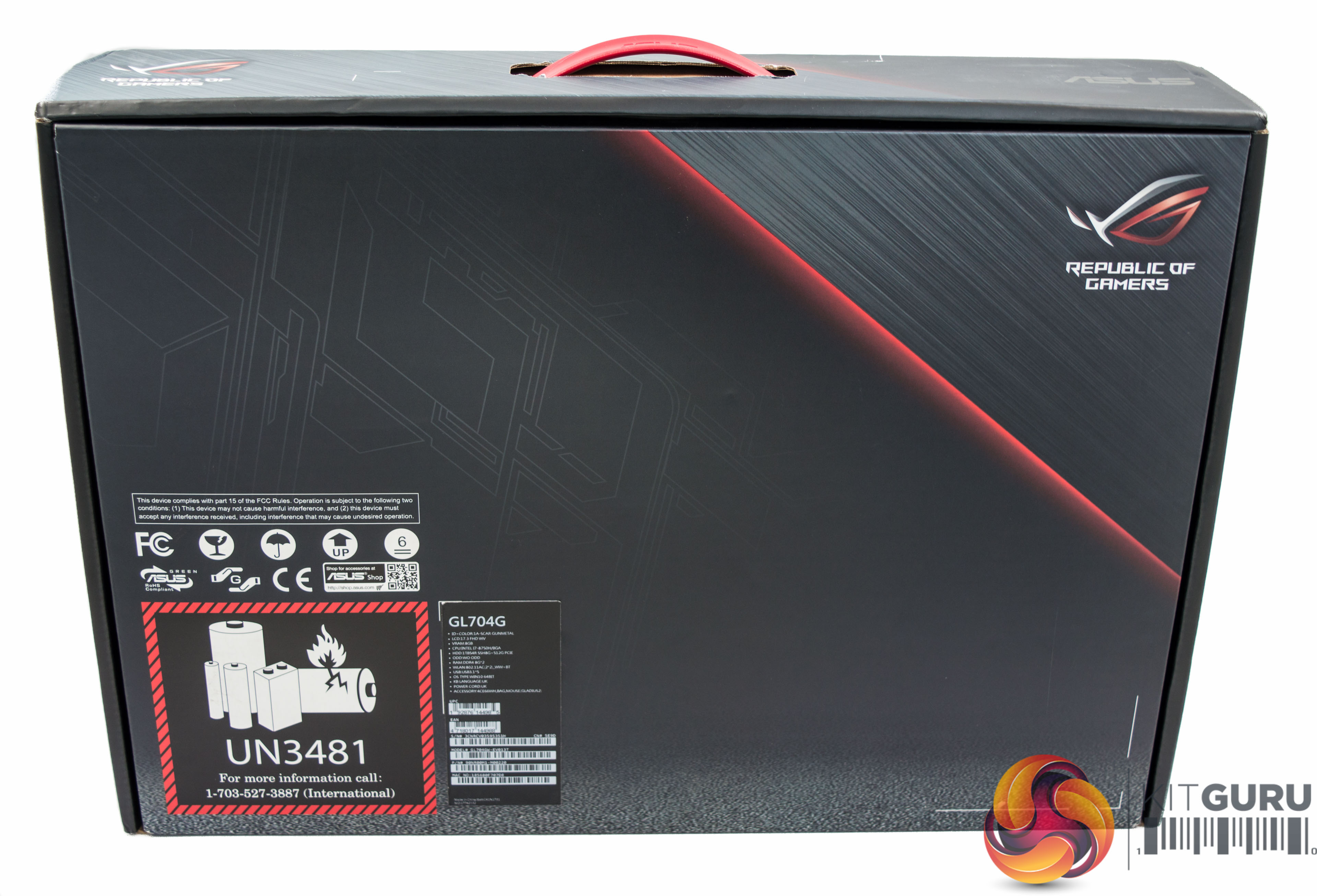
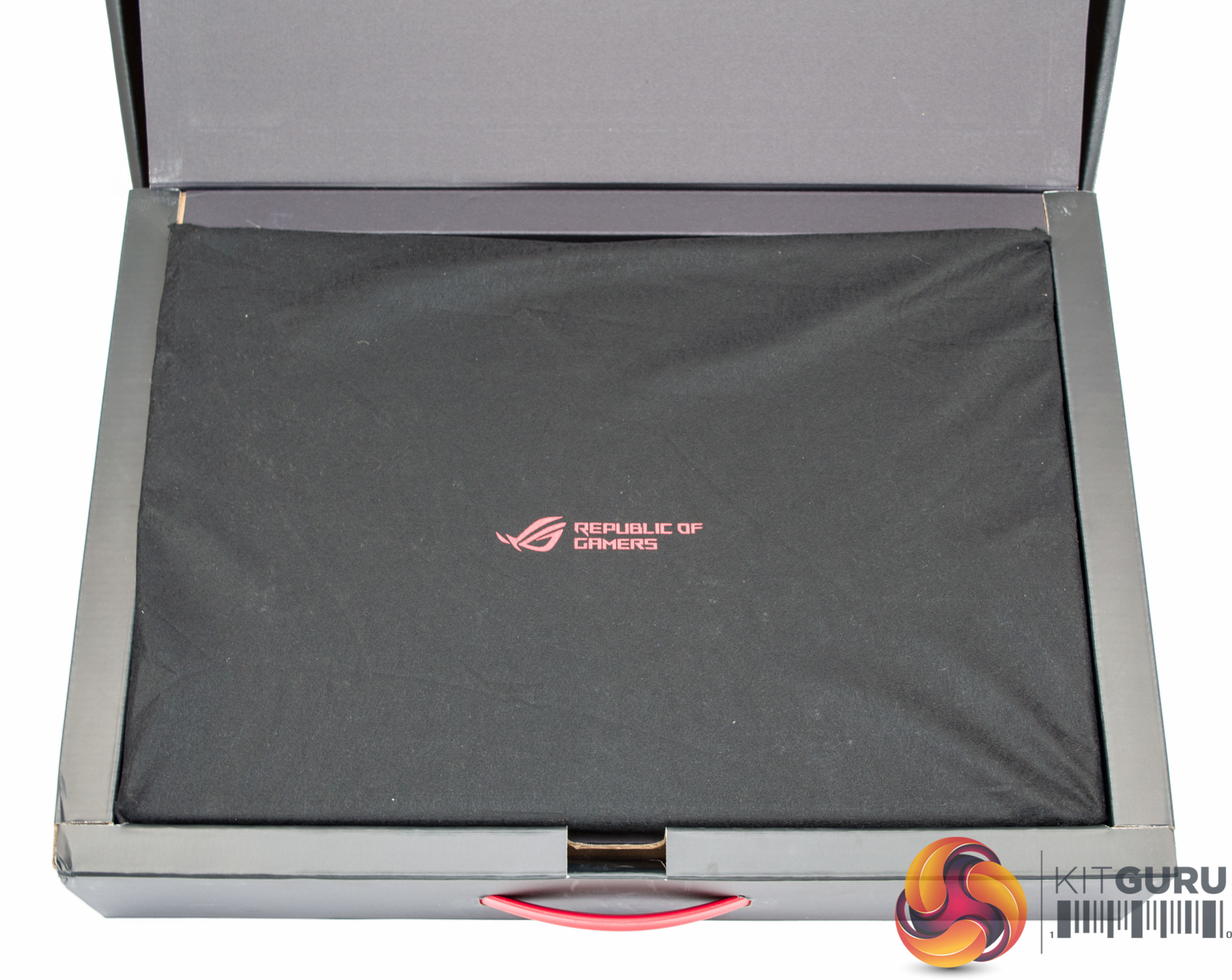
The packaging is appropriate for keeping the ROG STRIX RTX SCAR II protected and ensuring it can be easily transported back and forth to gaming events, if that's your thing.
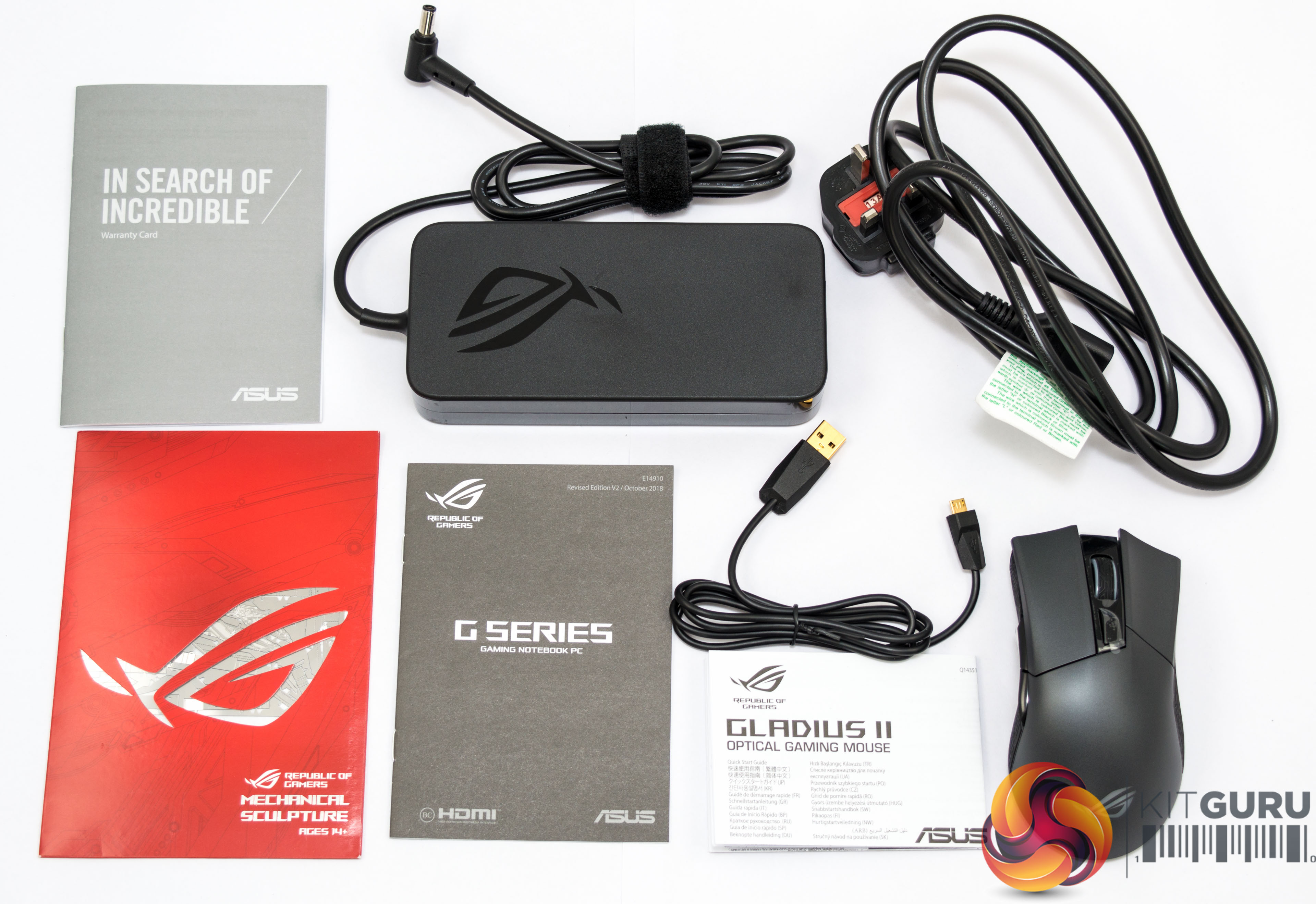
The accessory bundle is mainly documentation but it also includes the 230-watt power brick and a bundled ROG Gladius II gaming mouse – which will be required by or any self-respecting FPS gamer.
Overall Design
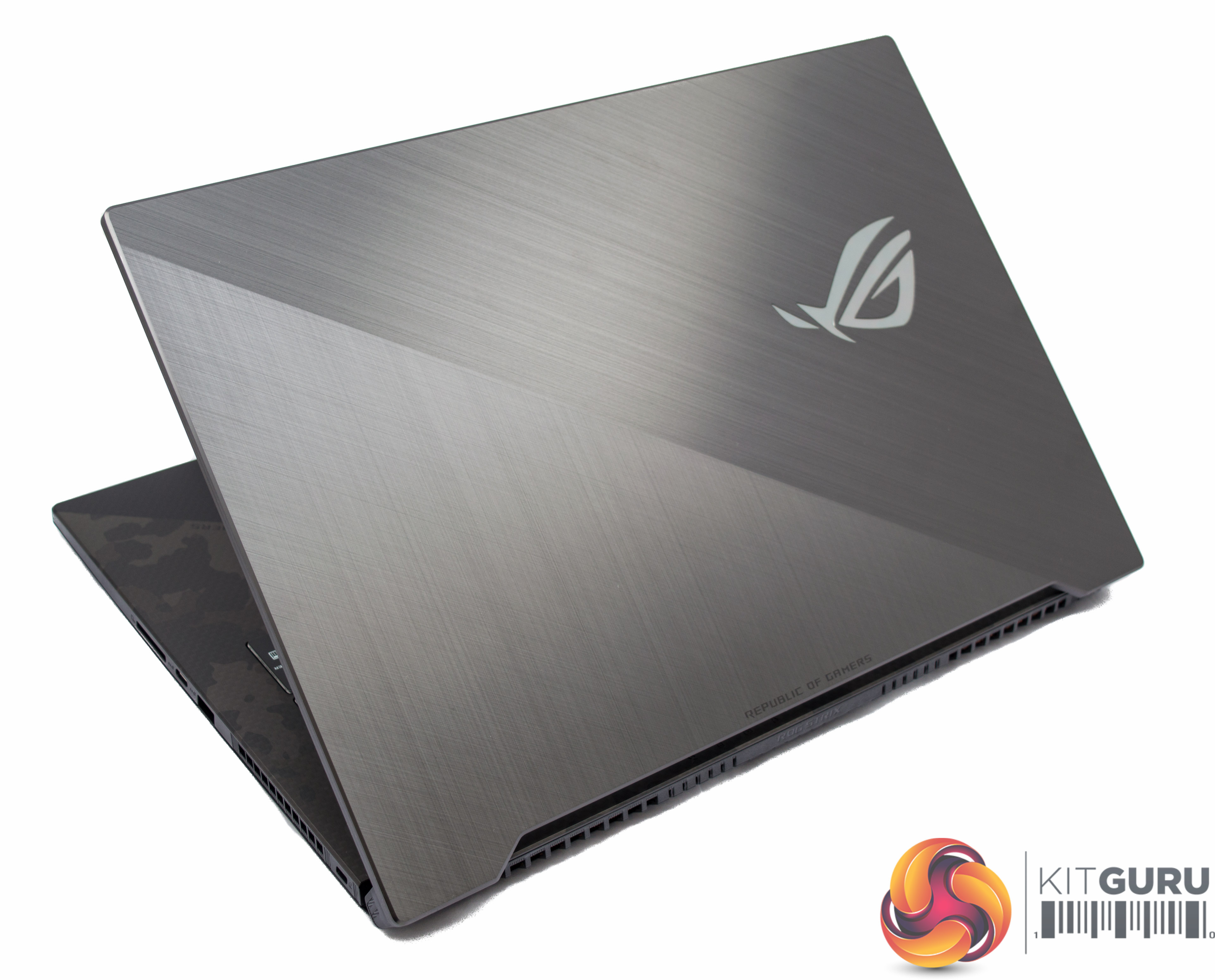
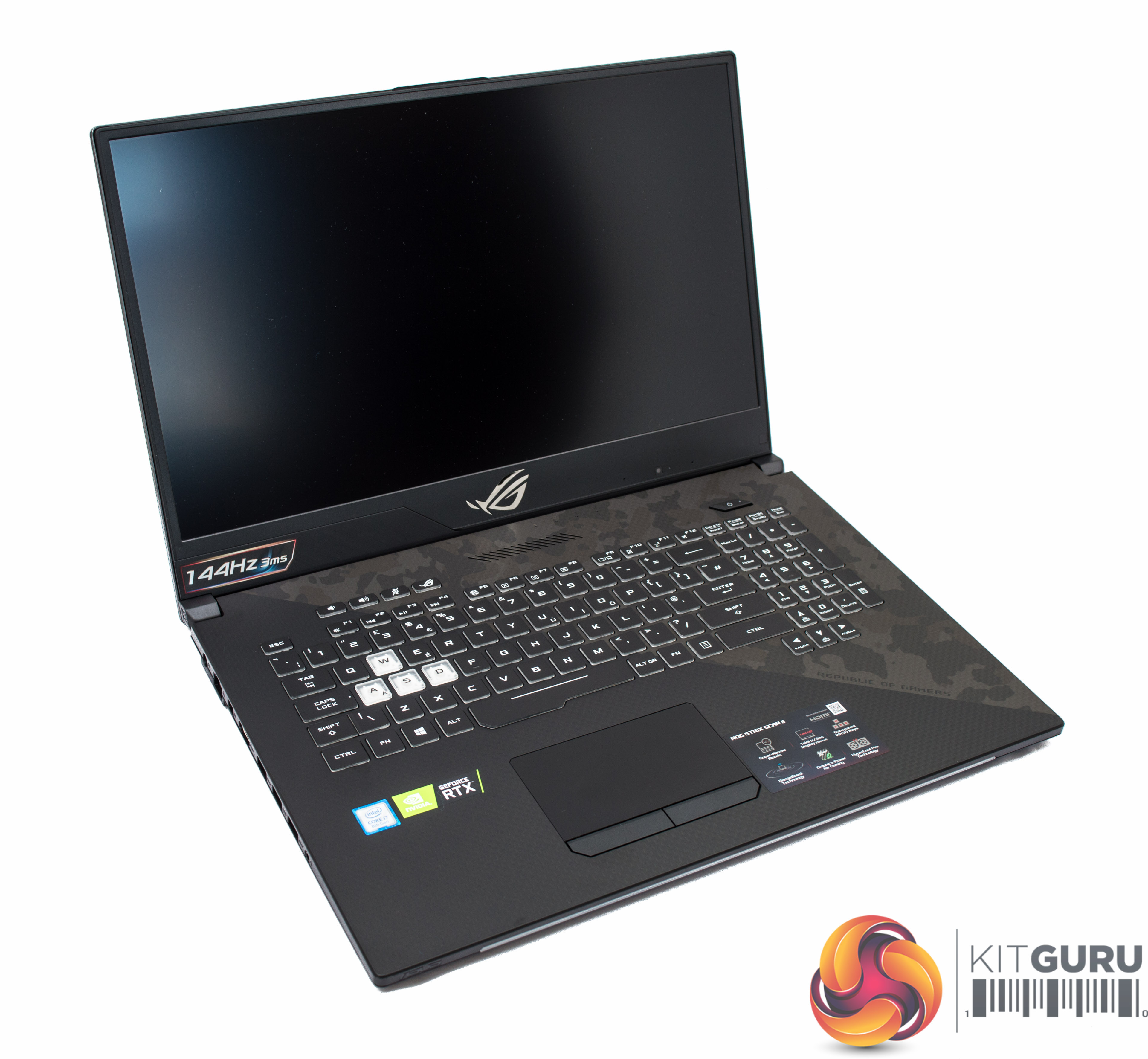
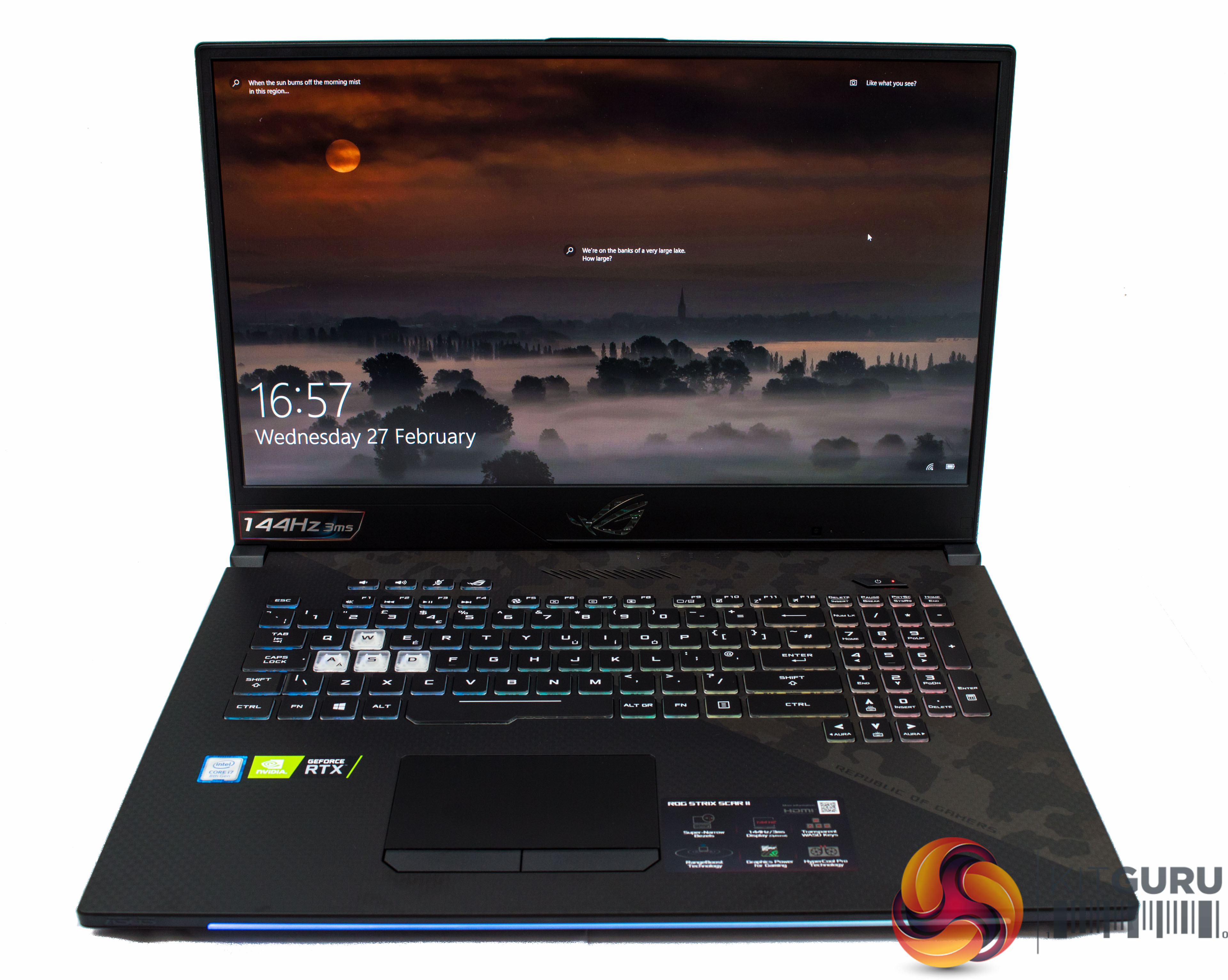
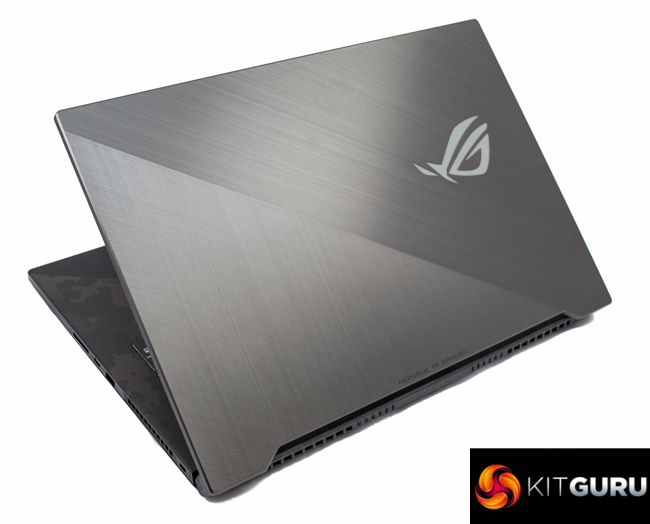
The design of the ROG STRIX RTX SCAR II is sleek and reasonably under-stated. It uses a faux-brushed metal cover on the lid and military camouflage over one diagonal half of the keyboard area. The display has a narrow bezel which allows for the 17.3 inch display to be squeezed into a slightly smaller form factor than its predecessor, 40mm wide vs 41.4mm on the first SCAR.
The Republic of Gamers (ROG) logo on the back of the display lights up when turned on, along with the RGB keyboard and RGB strip along the lower front edge of the chassis.
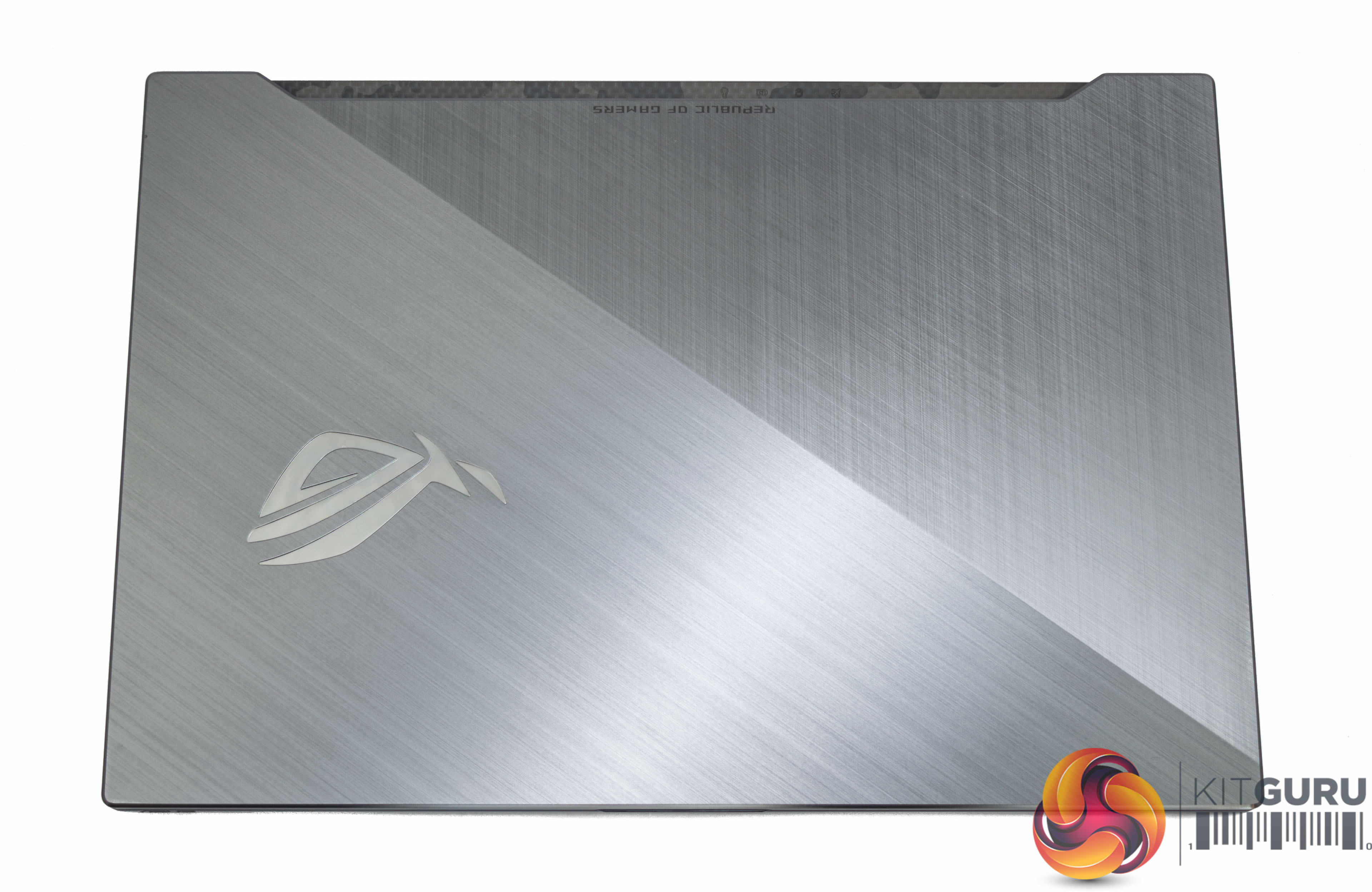
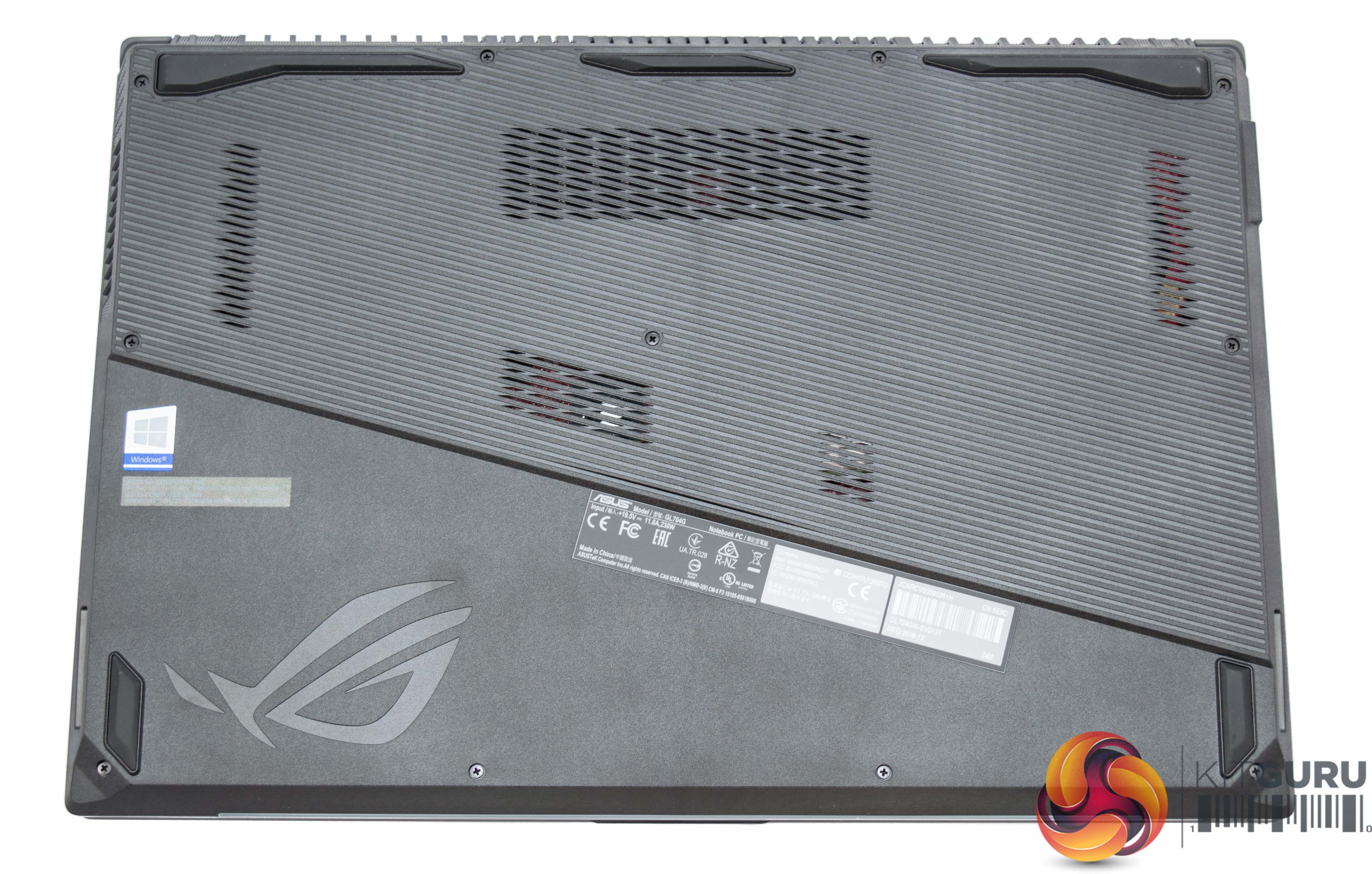
Being plastic rather than metal, the faux brushed metal chassis is remarkably finger-print resistant.
Underneath there are a number of intake vents and rubber feet. Be careful not to block those intake vents when gaming as temperatures are already high, blocking vents will only cause throttling and impair performance.


The thickness of the laptop varies slightly from front to back, it's about 2.5mm at the front and 2.65mm at the back. Even so, it's not that thick considering the hardware on offer, as the pound coin for reference demonstrates.
There is venting around the chassis including on the right hand side, but not the left, and along the entire length of the back.
That ventilation system which ASUS calls “HyperCool Pro” includes a pair of 12v fans, a large thermal heat-spreading plate, “self-cleaning anti-dust tunnels” and a “Hyper Fan” mode (activated with FN + F5, “Turbo” mode) to keep things cool under heavy load.
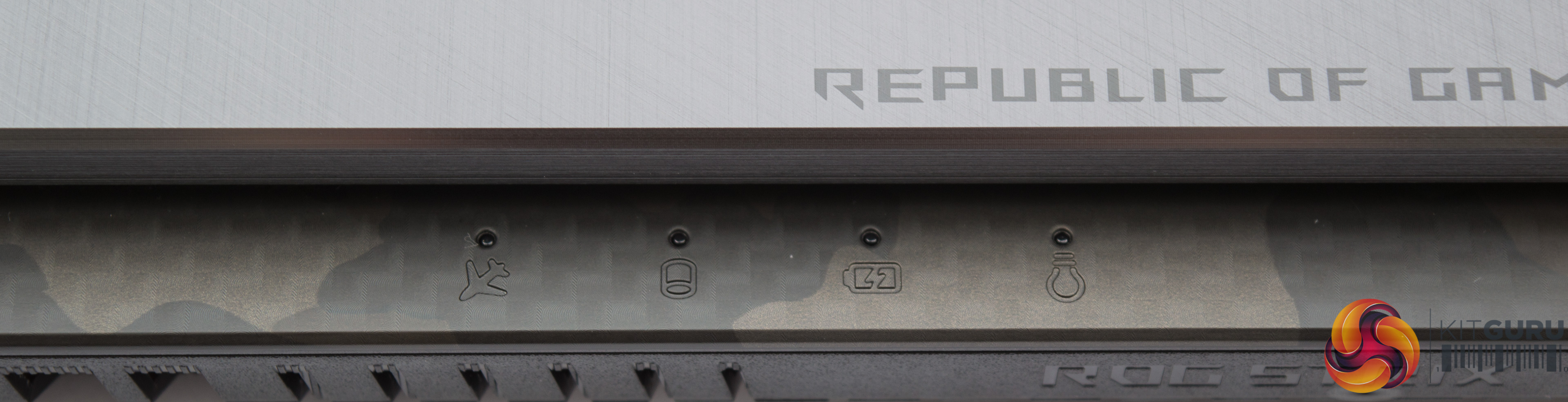
There are four indicator LEDs located above the speaker, or visible from the back when folded, that indicate charging, power, hard drive activity and air-plane mode status.
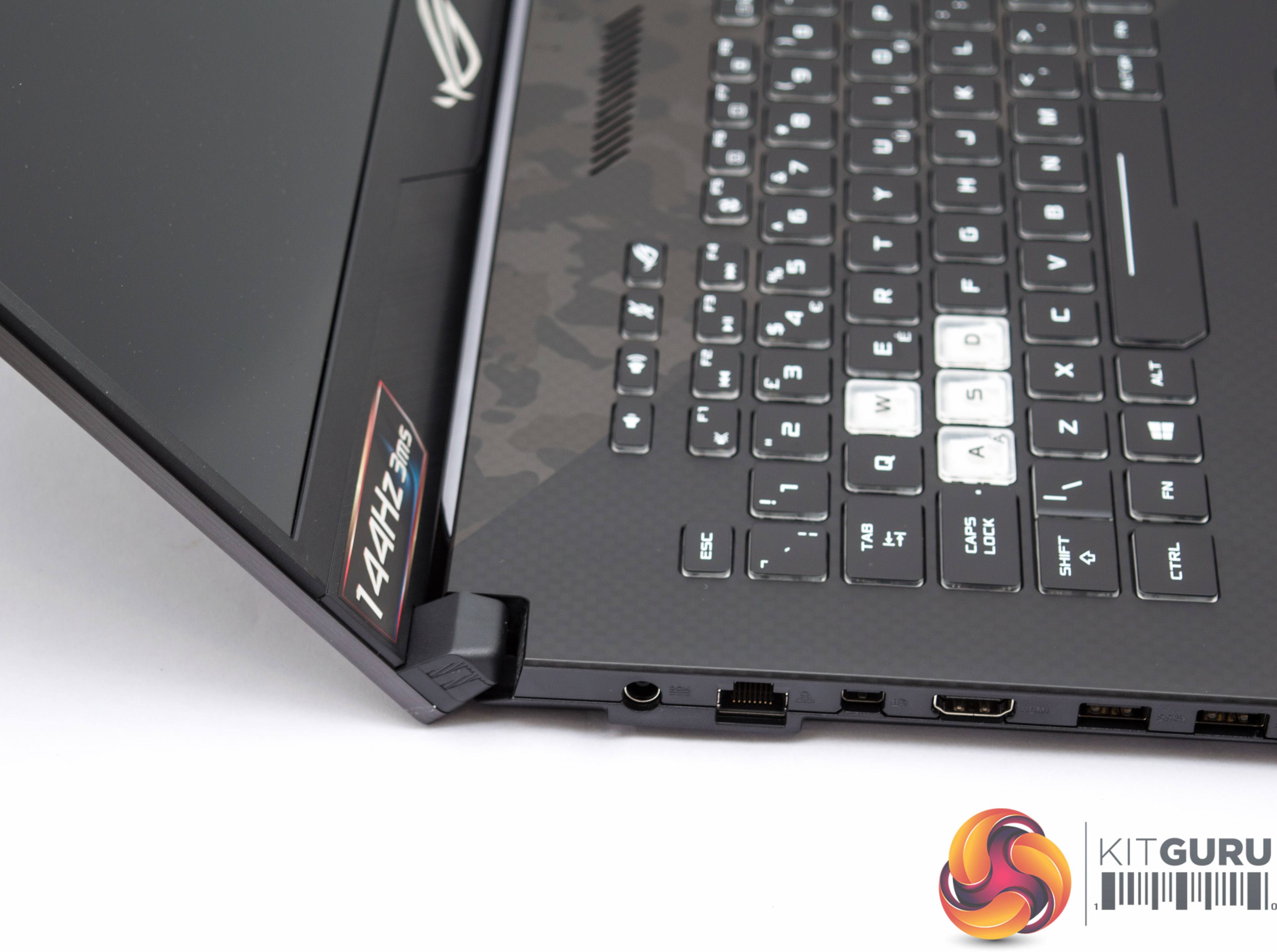
The display hinge is robust, this angle also shows just how thin the display unit is.
Connectivity
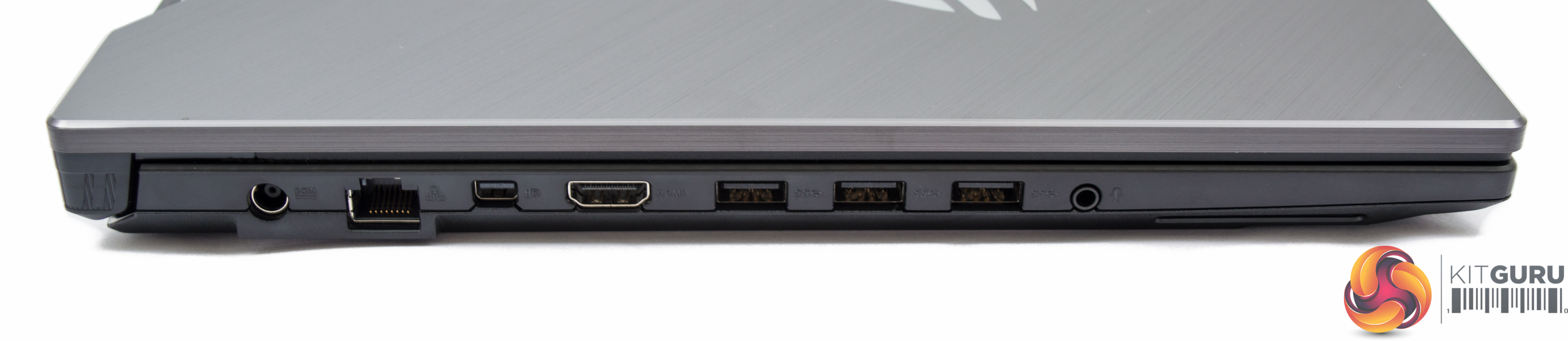

The overall connectivity is very generous and provides the following:
- 1 x USB 3.1 Gen 2 (10Gbps, Type-C)
- 3 x USB 3.1 Gen 1 (5Gbps)
- 1 x USB 3.1 Gen 2 (10Gbps)
- 1 x mini Display Port 1.4
- 1 x HDMI 2.0b
- 1 x RJ-45 LAN
- 1 x SD card reader
- 1 x 3.5mm headphone and microphone combo
- 1 x Kensington lock port
Keyboard, Trackpad and Speakers
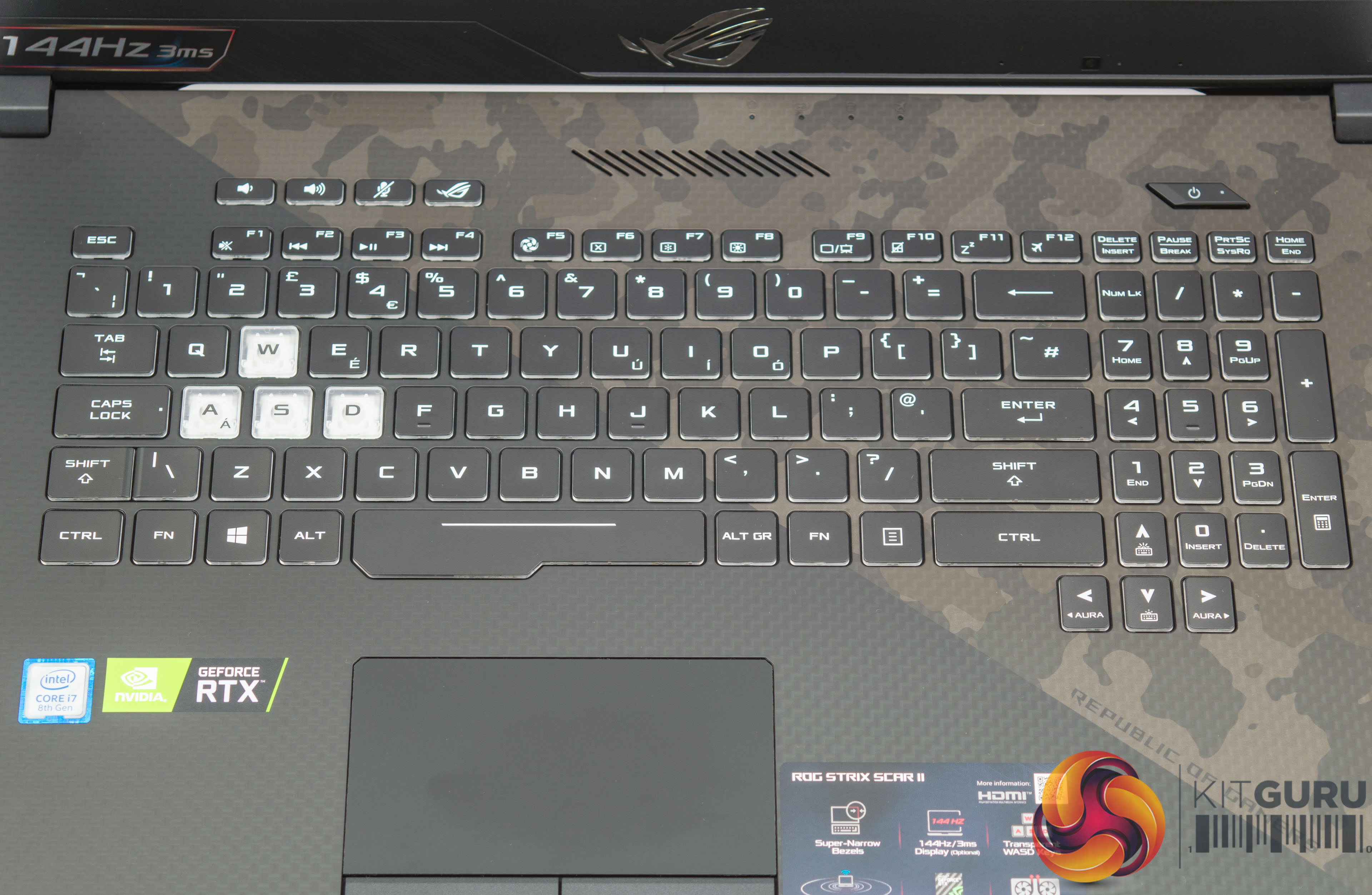
The keyboard is large, taking up most of the available space and on the whole is clear to read and well laid out. It is no mechanical offering for sure, but it is pleasant to use and the AURA RGB lighting adds some flair.
The small sized enter key is somewhat frustrating, though, users may often find themselves pressing shift or # by accident while they adjust to the keyboard design.
The WASD keys are designed differently, to stand out for FPS gaming, but in practice they feel no different in terms of key press and actuation to the other keys. The number pad on the right as well as the arrow keys are much narrower than normal, to allow the rest of the keyboard to be larger.
There are a few macro keys for volume adjustment, microphone mute and a button to open the ASUS ROG “Armoury Crate” which allows you to set the power profiles (Windows/Silent/Balanced/Turbo/Manual). Balanced is the default and that is how we tested.
The power button on the keyboard has a red illumination when the laptop is on. When the laptop is turned on on from “power off” (i.e. not standby) or restarted it makes a rather loud “swooshing” noise, deliberately and out of the speakers, which is somewhat obnoxious. This can be turned off in the BIOS.
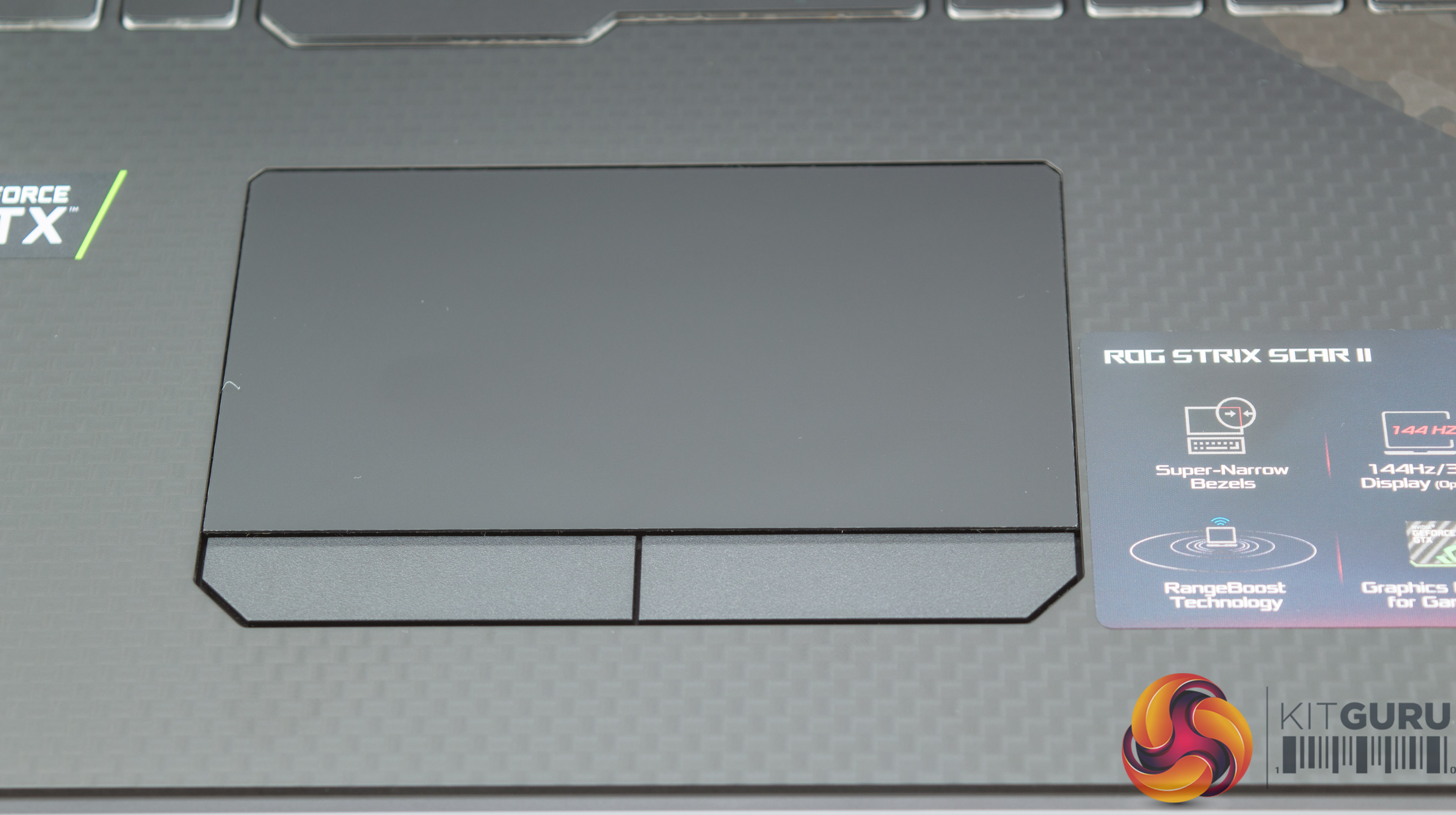
The trackpad is “average” – it holds a bit of resistance to the finger and can be fiddly sometimes but it works for its intended uses, which are not gaming. Most users will skip over the trackpad and go straight for the ASUS-provided ROG Gladius II mouse which is very good mouse and more than capable of handling any FPS game in comfort and style.
The only issue is ASUS does not provide a mouse mat to go with the Gladius II. Given the overall cost of the laptop and the fact they included a mouse in the first place it seems strange to have not included an ASUS branded mouse mat to complete the package.
Under extended system use the keyboard area does get warm, but nothing uncomfortable because the cooling is well handled by the dual-fan system using rear and side exhausts.
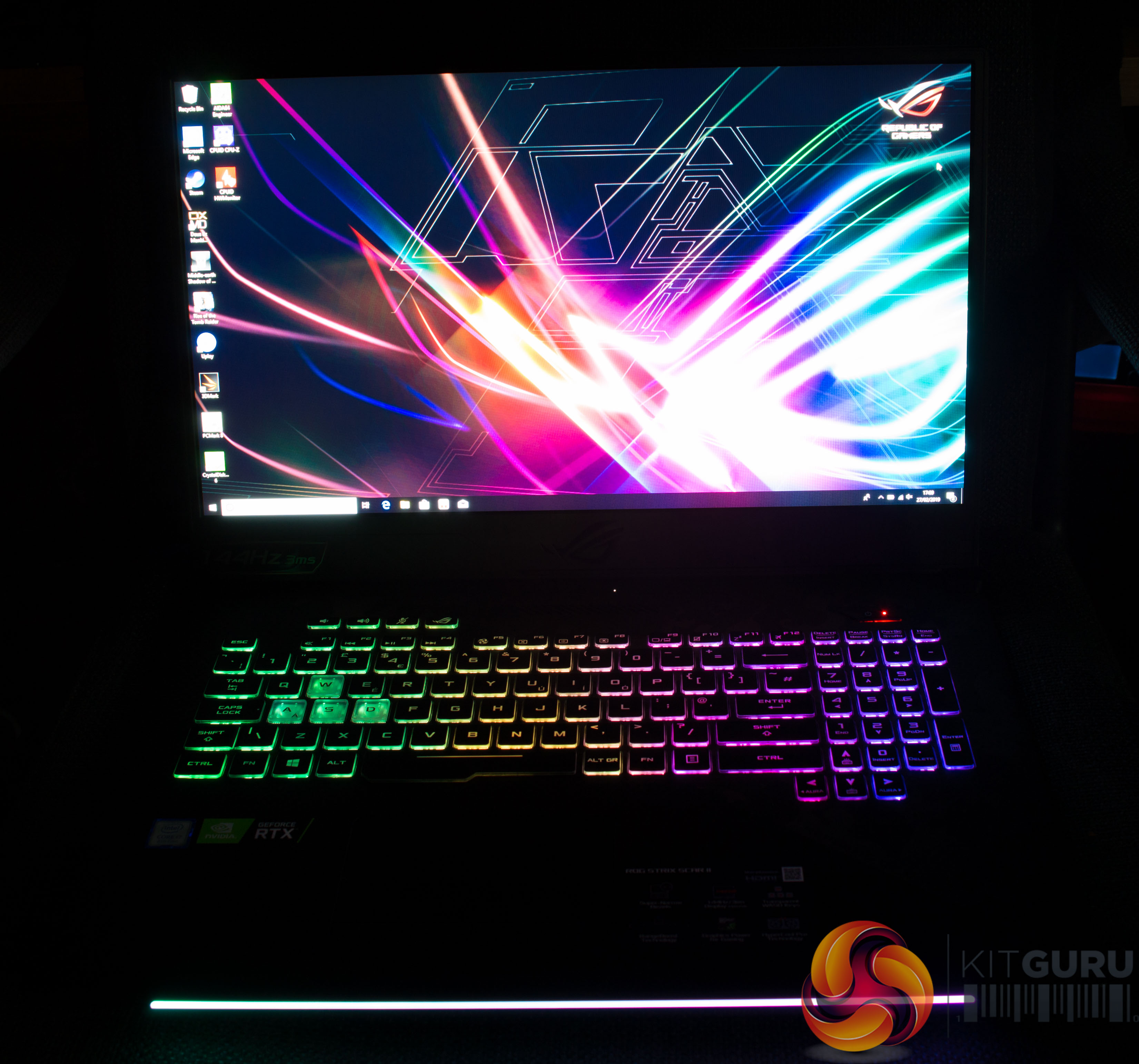
The AURA implementation is more than bright enough and offers easy control using the FN key and the AURA hotkeys on the navigation arrows; left and right change the operational mode and up and down change the brightness. The implementation is a “4-zone” design, which you can see from the picture above by the way the colours split.
Display
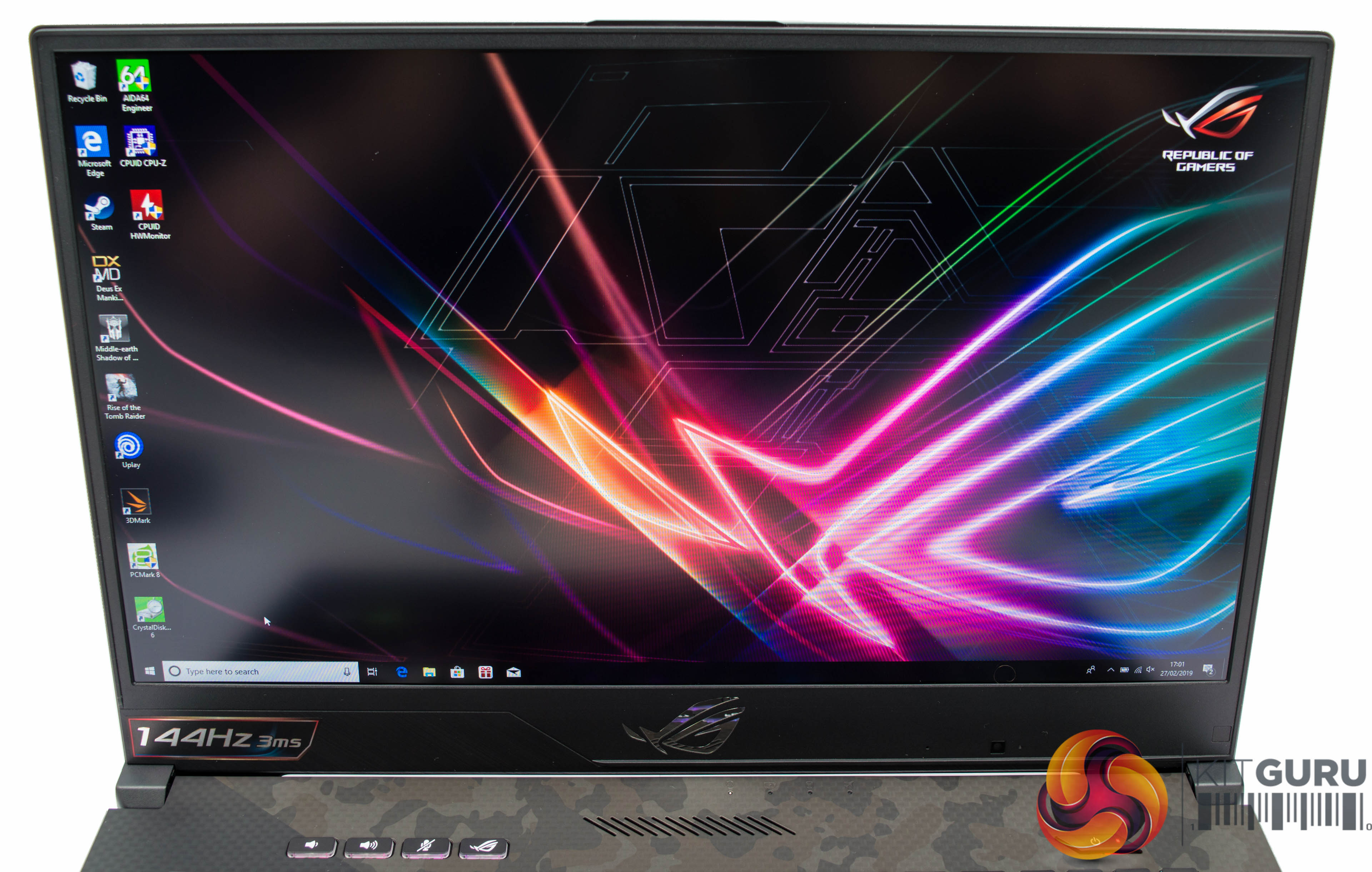
The 1920 by 1080 full HD display is a real pleasure to use with its IPS panel, rapid response times and high refresh rate. The anti-glare coating works reasonably well but in direct light there is still some glare that is visible, though that glare is trivial in comparison to glossy displays equipped on some other laptops.
The display is the real highlight of the laptop – it's a pleasure to look at from all angles, it's more than bright enough and it's responsive and vivid for all types of gaming from FPS to Strategy. However, it has one major let-down for many avid gamers which is the lack of G-Sync support.
The 1920×1080 resolution is sometimes “labelled” dated in this day and age but in practice, on a screen of this size, it is still the best choice especially when you consider that the 1080p resolution is what facilitates the high 144Hz refresh rate and low 3ms response time. A panel of higher resolution, such as 1440p, would not be nearly as forgiving for FPS gaming.
There is a 720p/30FPS webcam located in the bottom right section of the display bezel, which includes a microphone too.
Inside
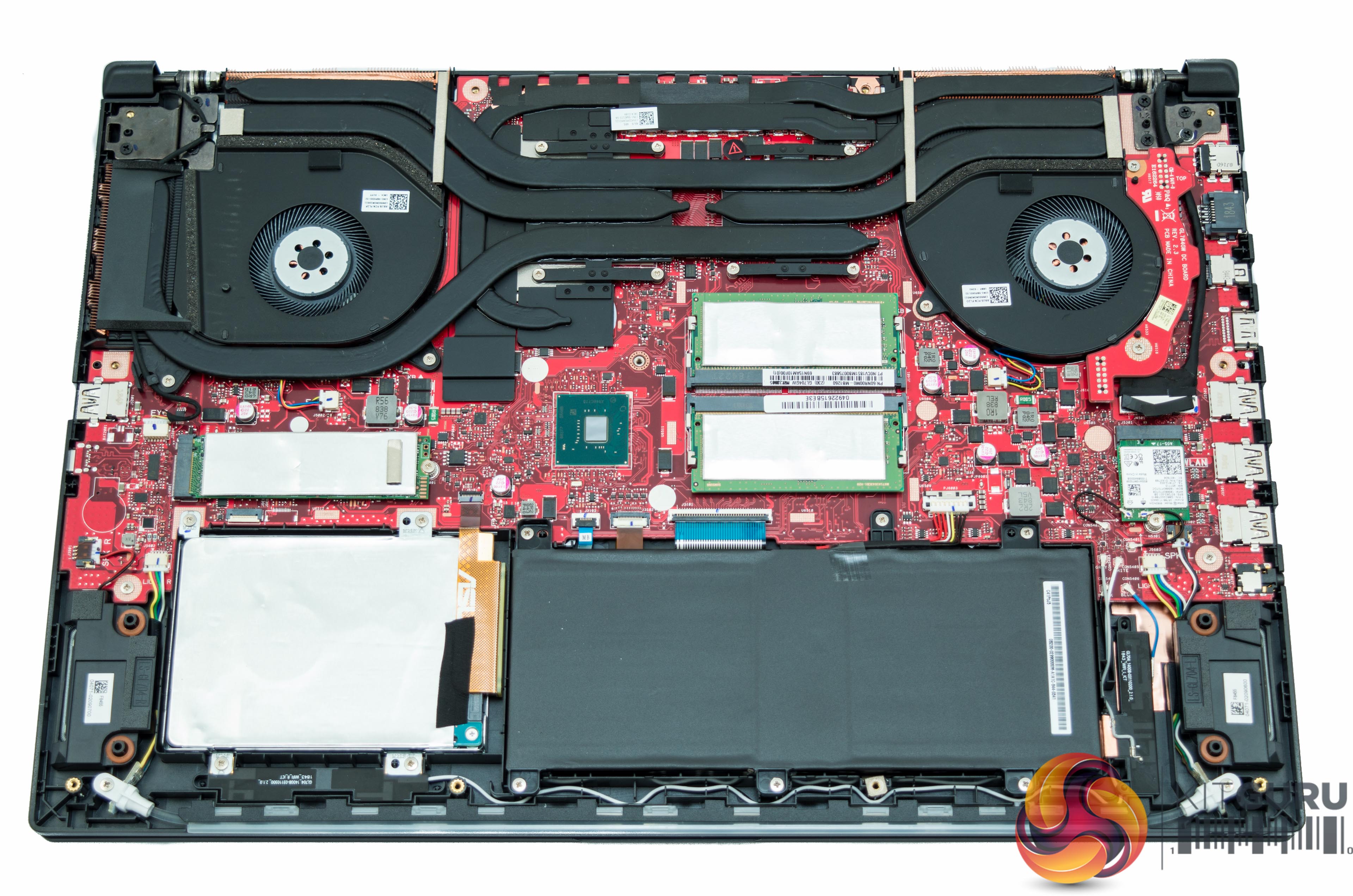
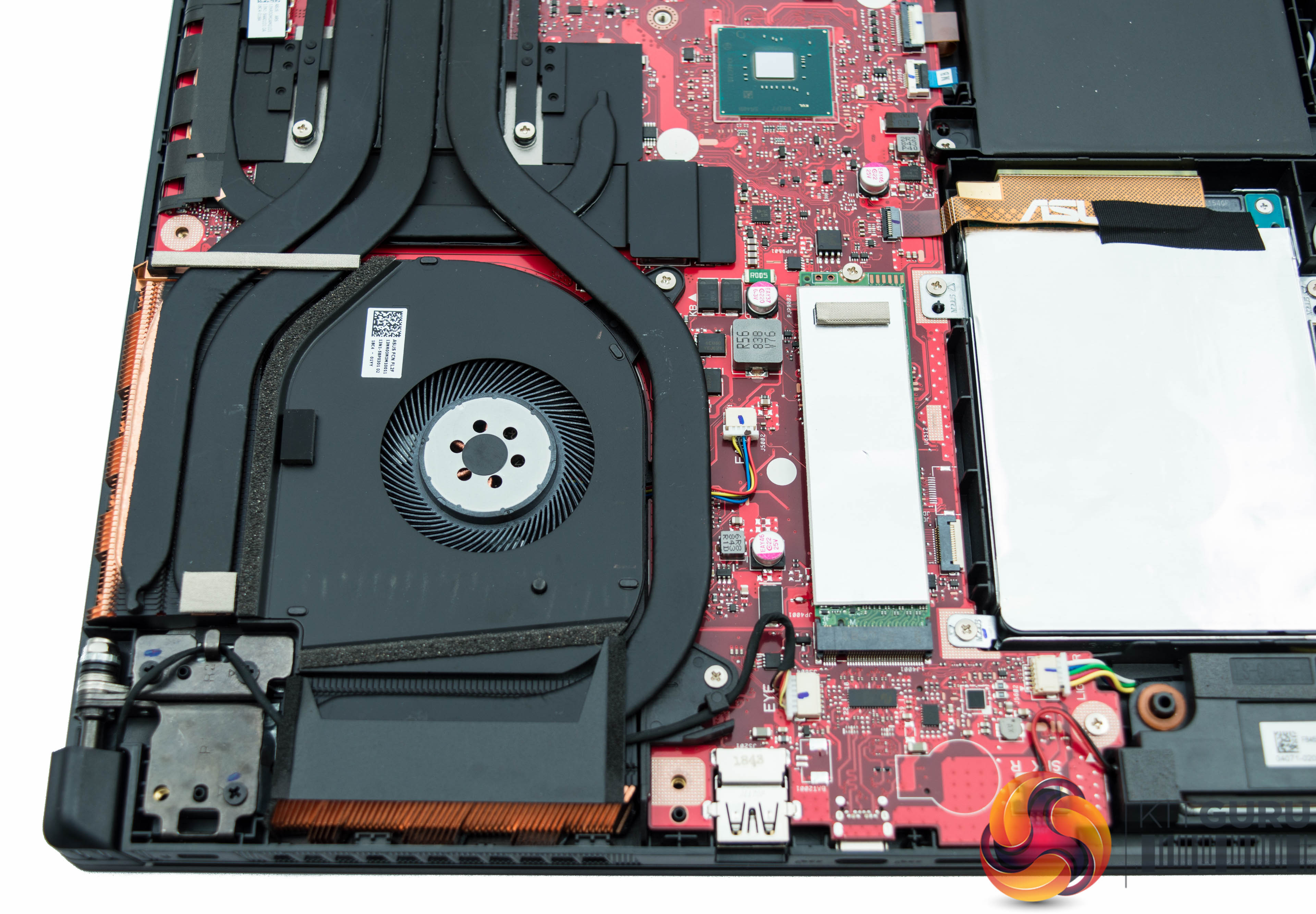
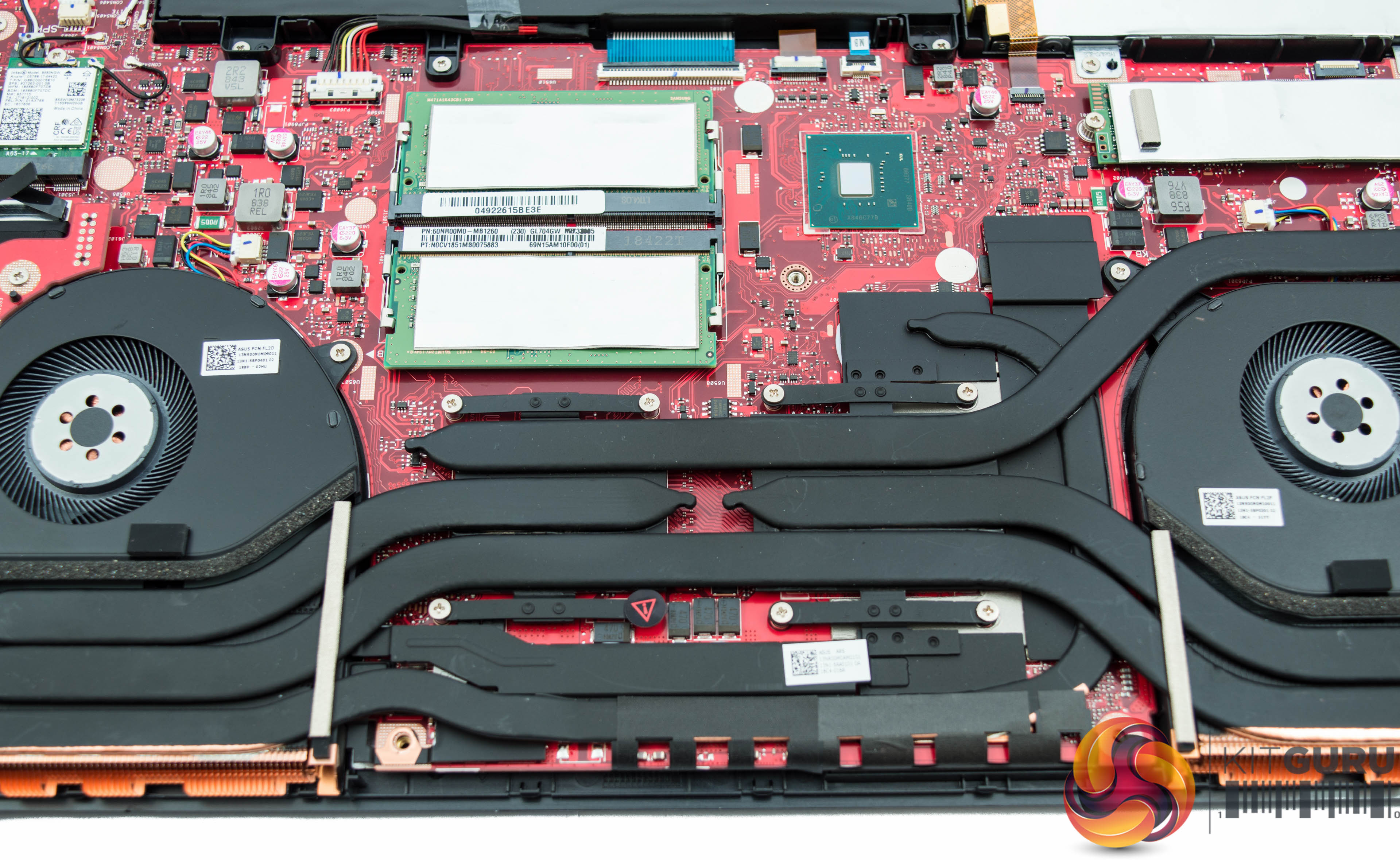
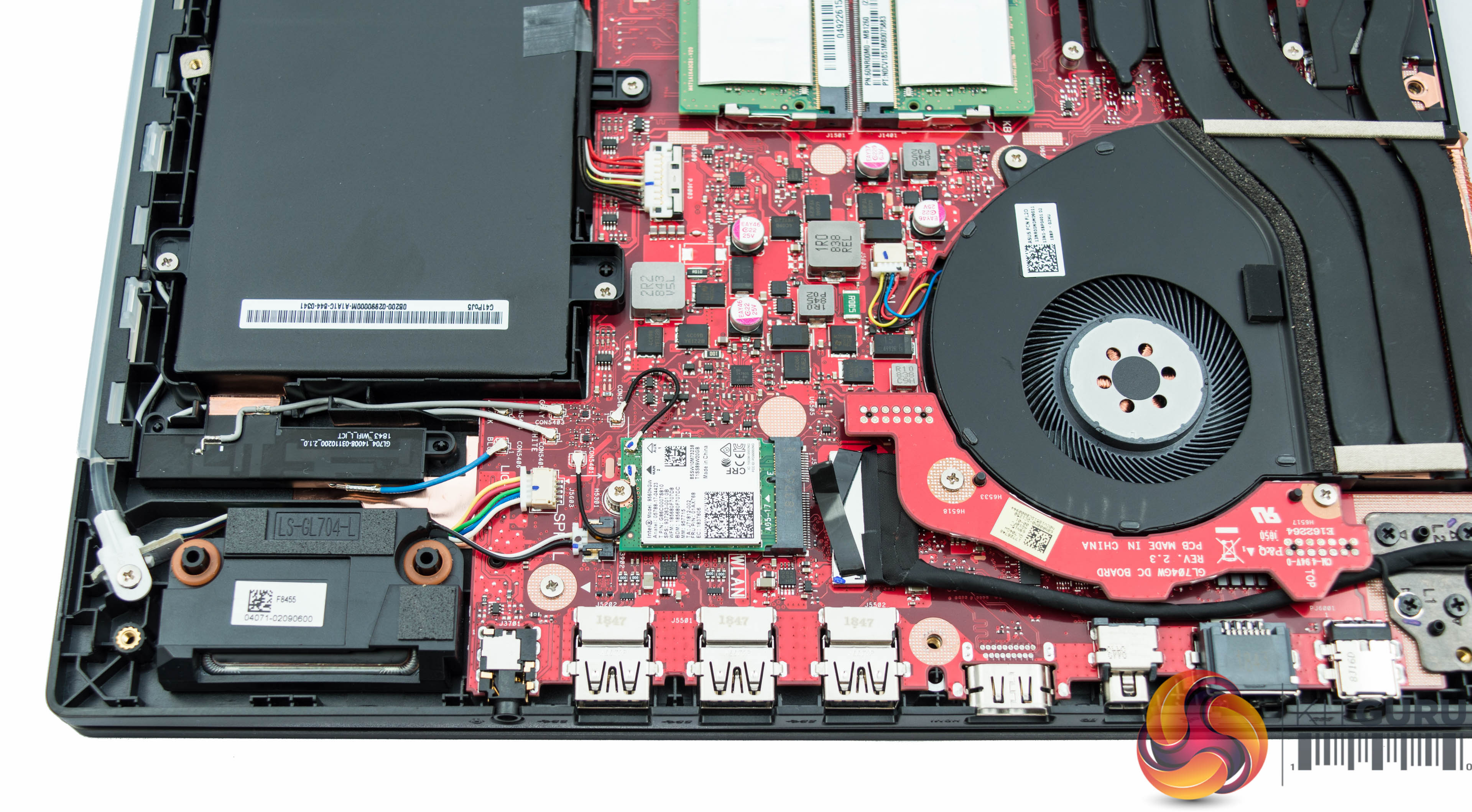
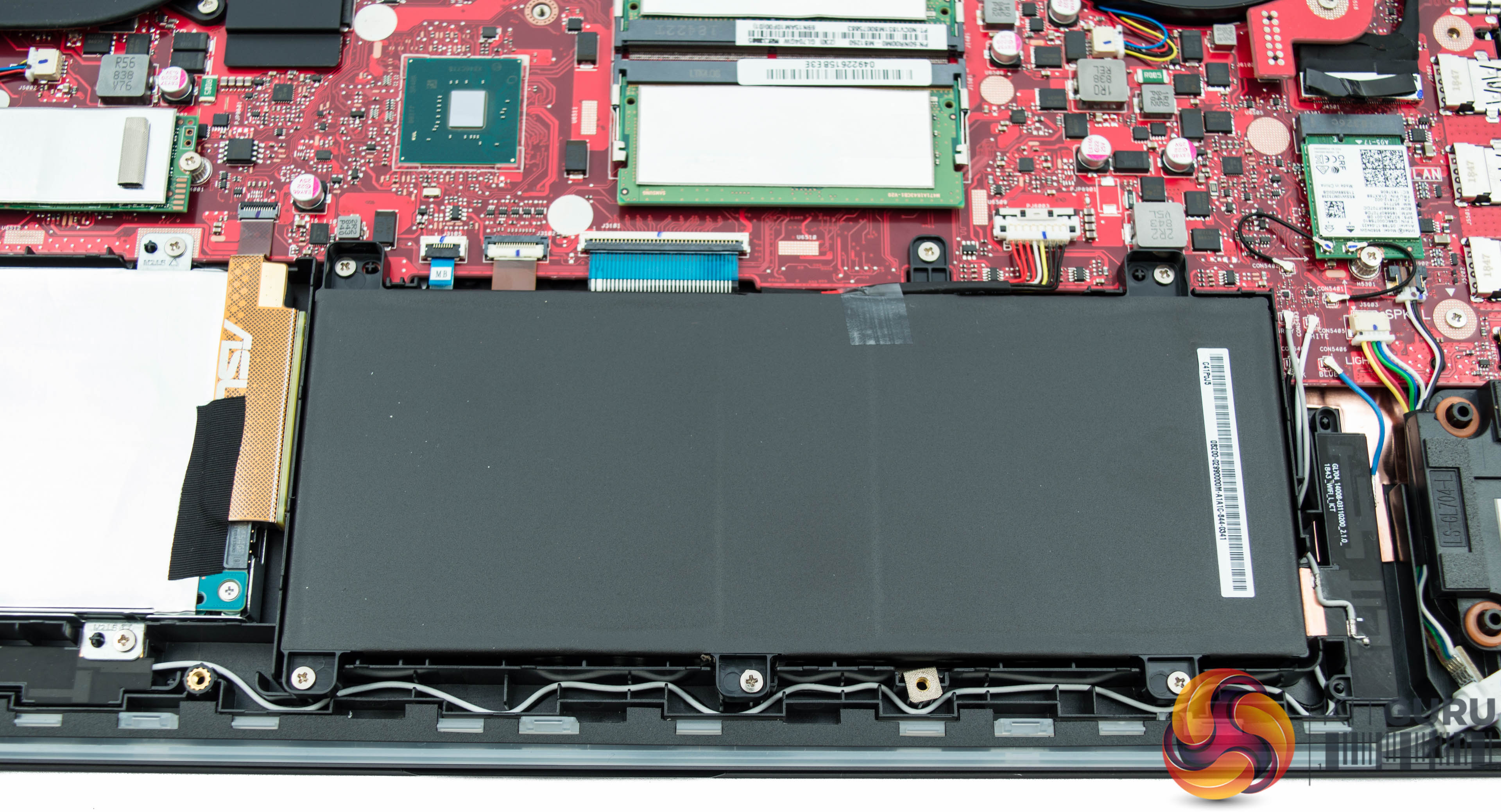
The cover is fairly easy to get off with a single screw driver and a plastic, not metal, pry tool to separate the bottom cover from the main laptop chassis. ASUS even provides a user guide on its product page on how to carry this process out.
The internals are neatly arranged and give a good look at that dual fan cooling system. Both fans intake from the bottom of the laptop but one exhausts out the rear only and the other out the rear and side. Heat pipes, fans and heatsinks are shared between the CPU and GPU.
The memory is arranged over two DDR4 SODIMM slots, only two modules are supported so the configuration is to be either 2 x 8GB or 2 x 16GB.
Some other coverage of this laptop has suggested ASUS is also shipping the 16GB variant with a single 16GB module, which could be detrimental to overall system performance by changing the laptop to single-channel, rather than dual-channel, memory operation. Prospective buyers should be cautious of this and check with their preferred retailer before buying if it represents a concern.
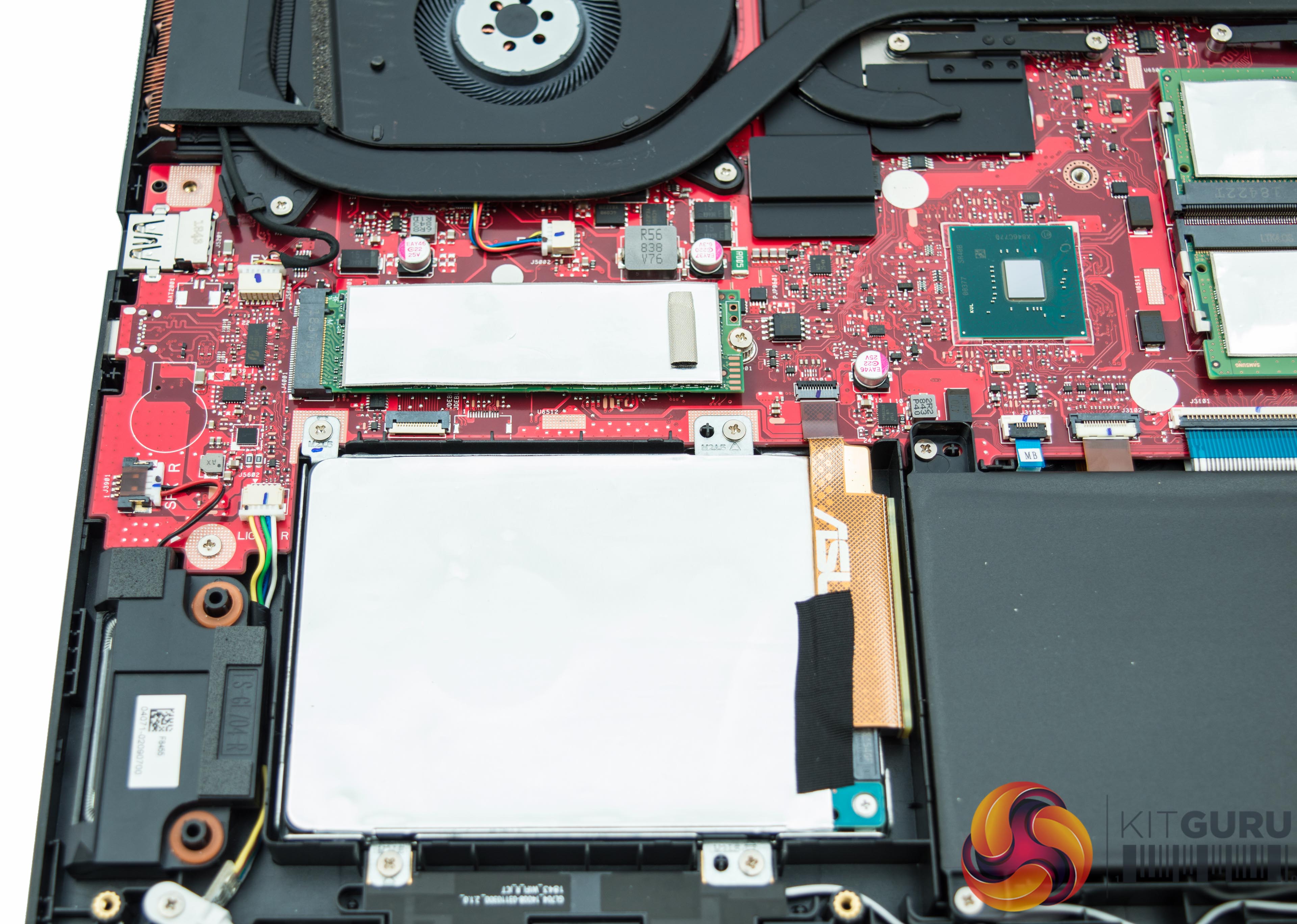
The NVMe SSD sits on a PCIe 3.0 X4 interface even though the Intel 660P M.2 NVMe SSD used performs more in-line with PCIe 3.0 X2 speeds, as we detail later on in the review. The good news is that users could, in theory, swap out for a faster NVMe M.2 SSD without too much hassle, but in practice the drive is still plenty-fast for typical usage.
The last observation is that the battery seems fairly small but this is understandable as gaming laptops spend most of their lives “plugged in” and therefore the priority is more towards performance components than battery life when allocating chassis space.
UEFI
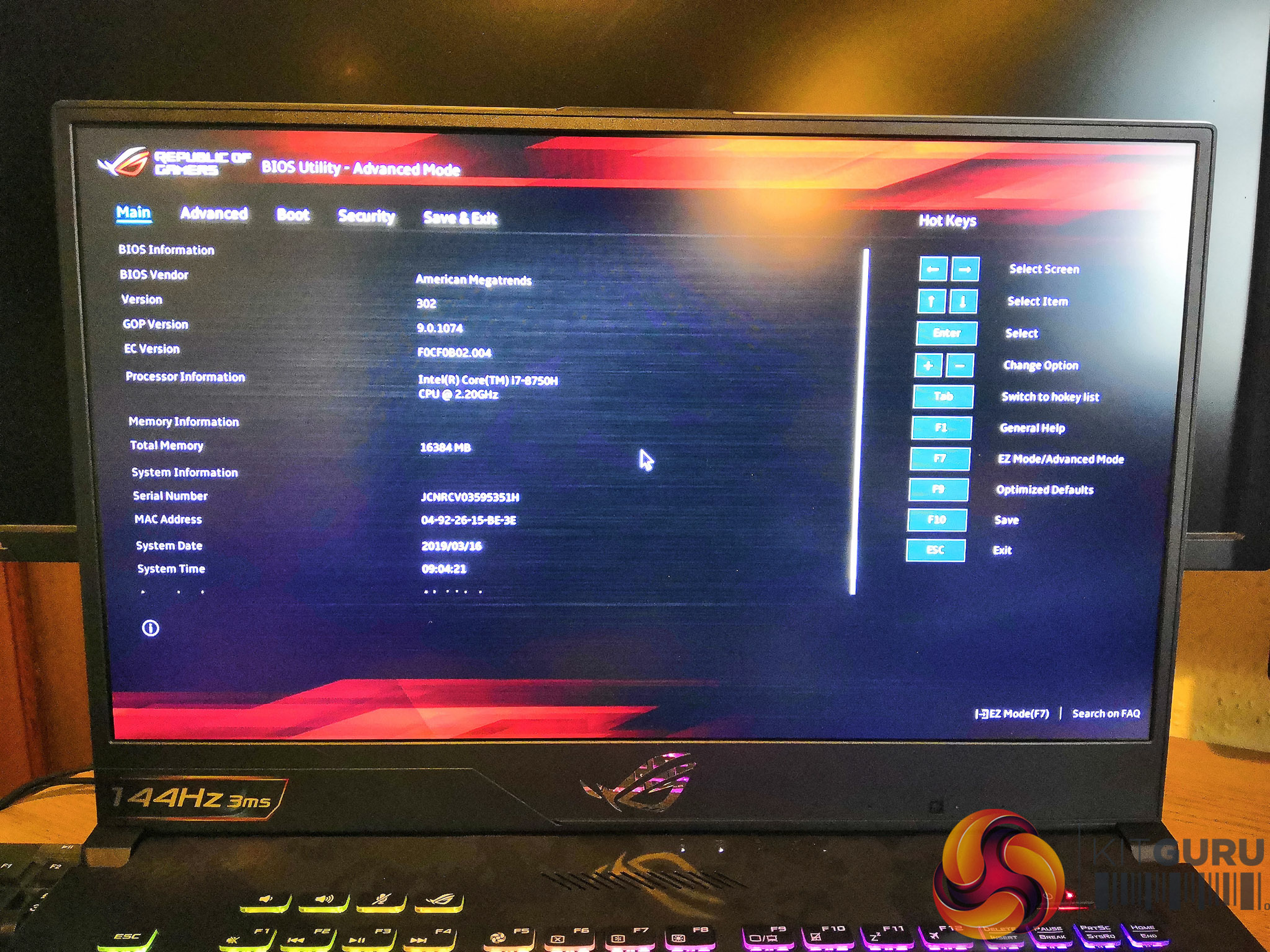
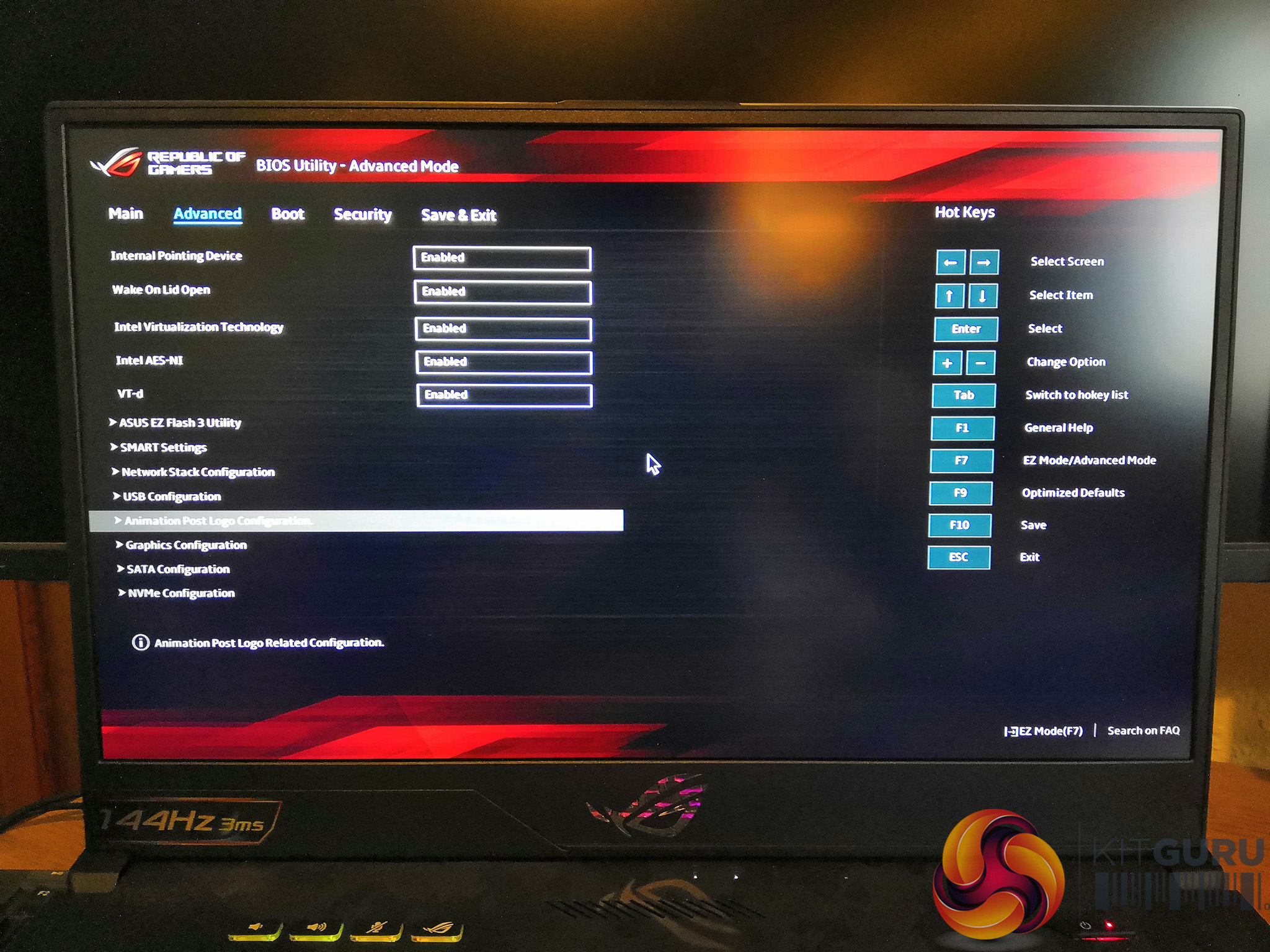
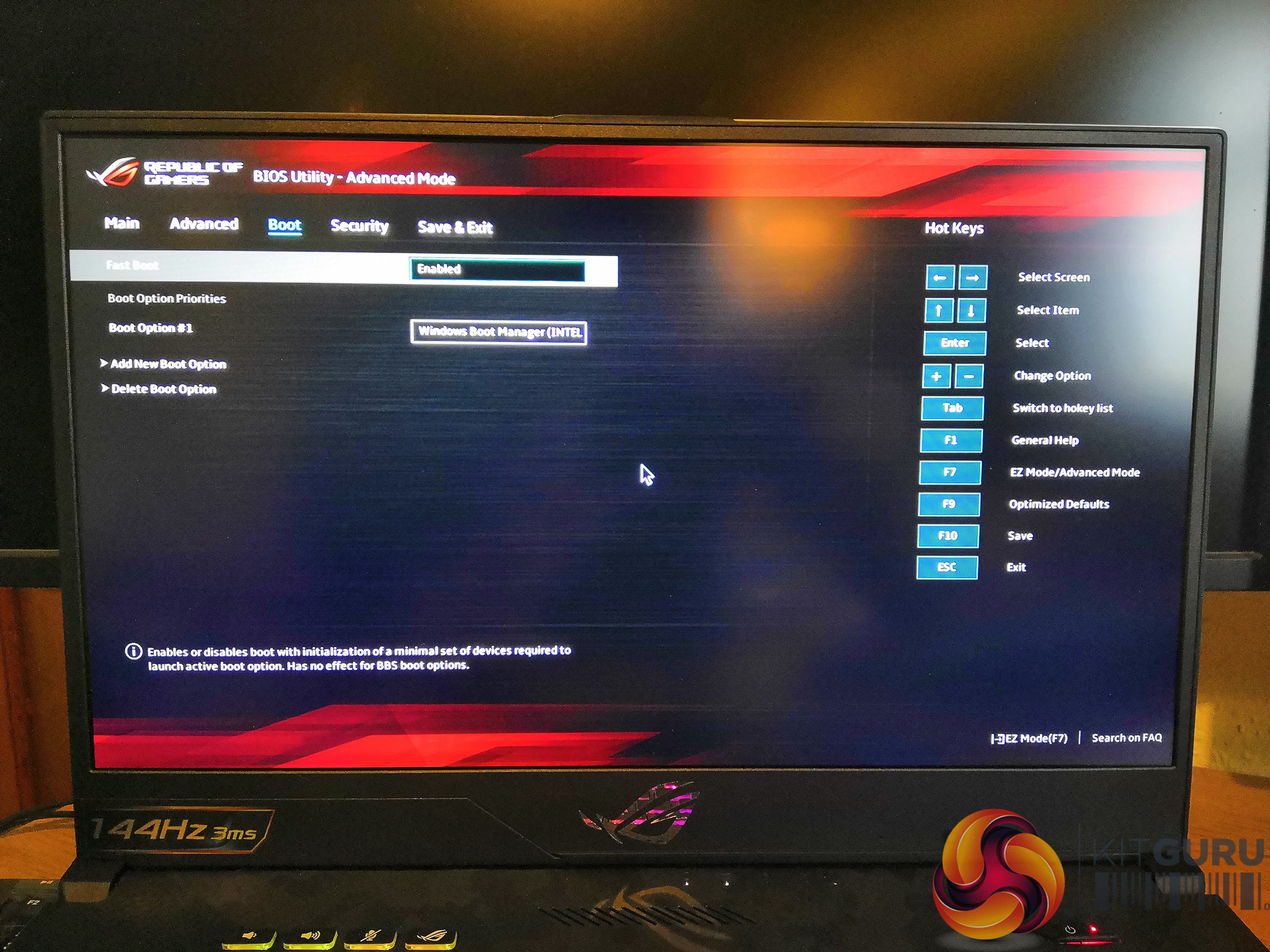

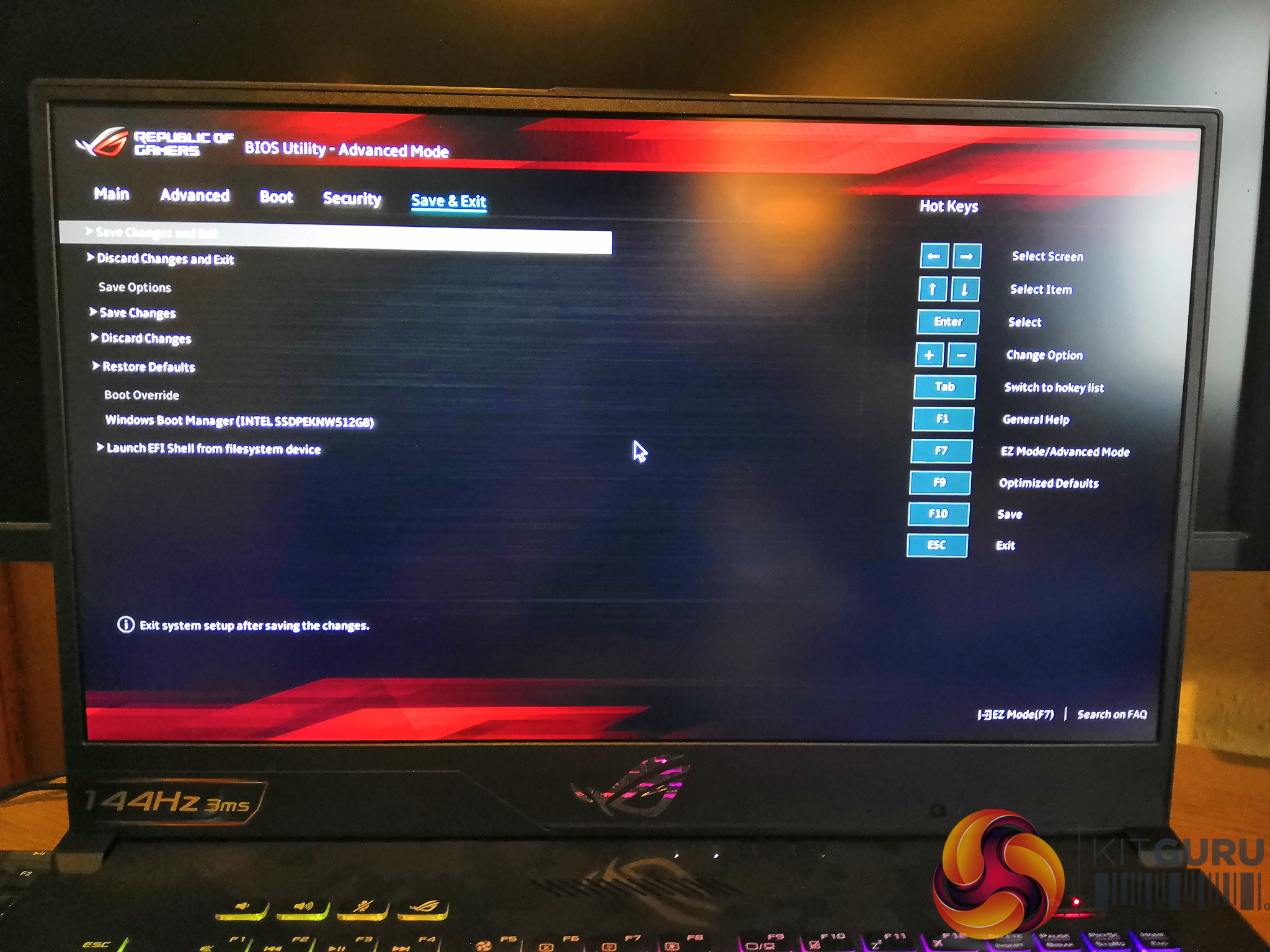
The UEFI, entered into by pressing F2, is not overwhelmingly important with a laptop since there isn't anything significant that can be tweaked in terms of performance. However, the UEFI is clearly laid out and pleasant to use. Luckily for us, the obnoxious starting up noise can also be disabled under “Advanced”, “Animation Post Logo Configuration”, set this parameter to “Disabled”, then save and exit (F10).
Methodology Notes
To test the ASUS ROG Strix RTX SCAR II GL704GW laptop KitGuru ran a series of standard benchmark tests that are used in most laptop reviews on our site. The results of the benchmarks presented in this review represent the average of three runs of each benchmark test.
Given that each laptop has been tested at a different point in time, the effect of driver updates and Windows updates should be kept in mind when making direct comparisons between laptops.
ASUS shipped the laptop to us running Windows 10 1803, but we updated the laptop using the Windows update function to version 1809 before starting with testing. A minimum of Windows 10 1809 is required to make use of the Nvidia RTX Ray Tracing functionality, which is used by the 3DMark Port Royal benchmark. ASUS assured us that as this was only a review build, future versions shipping to consumers would have a Windows 10 1809 build going forward.
We tested the laptop in “Balanced” mode but there is a “Turbo” mode, enabled by the FN + F5 hotkey, which gives slightly higher performance but with considerably more noise and heat. This is separate from the Windows power profile of which there was only a “Balanced” option programmed into the laptop out of the box (i.e. no power saver or high performance modes available).
Comparison Laptops
Below is a full list of all laptops included in this review as points of comparison or reference to the laptop on test. Where KitGuru has fully reviewed a reference laptop, the review link is provided below.
- ASUS ROG GX501VI Zephyrus (i7-7700HQ & GTX 1080 Max-Q)
- ASUS ROG Strix RTX SCAR II GL704GW Review (i7-8750H & RTX 2070)
- Cyberpower Tracer III (i7-8750H & GTX 1060)
- Gigabyte Aero 15 v7 (i7-7700HQ & GTX 1060)
- Gigabyte Aero 15X v8 (i7-8750H & GTX 1070 Max-Q)
- Gigabyte Aero 15-X9 (i7-8750H & RTX 2070 Max-Q)
- MSI GS65 Stealth 8RE (i7-8750H & GTX 1060)
- MSI GS65 8RF (i7-8750H & GTX 1070 Max-Q)
- MSI GT83VR 6RF Titan (i7-6920HQ & dual GTX 1080)
- PC Specialist Fusion II (i7-8750H & GTX 1060 Max-Q)
- PC Specialist Octane VI RYX (i9-9900K & RTX 2080 Max-P)
- PC Specialist Recoil II (i7-8750H & GTX 1060)
- Razer Blade 15 Advanced (i7 8750H & RTX 1070 Max-Q)
- Razer Blade 15 Base (i7-8750H & GTX 1060 Max-Q)
Tests and Software:
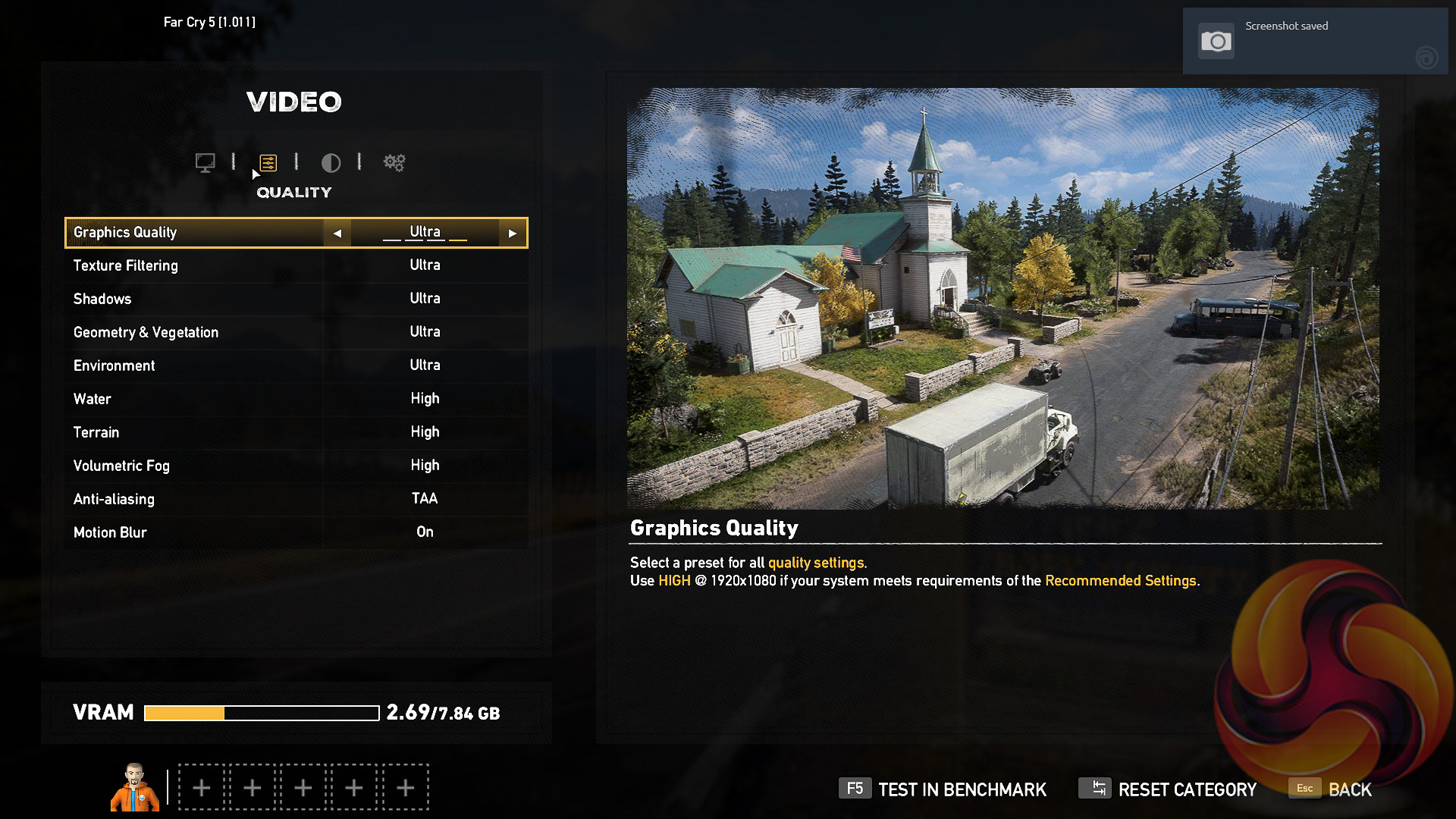
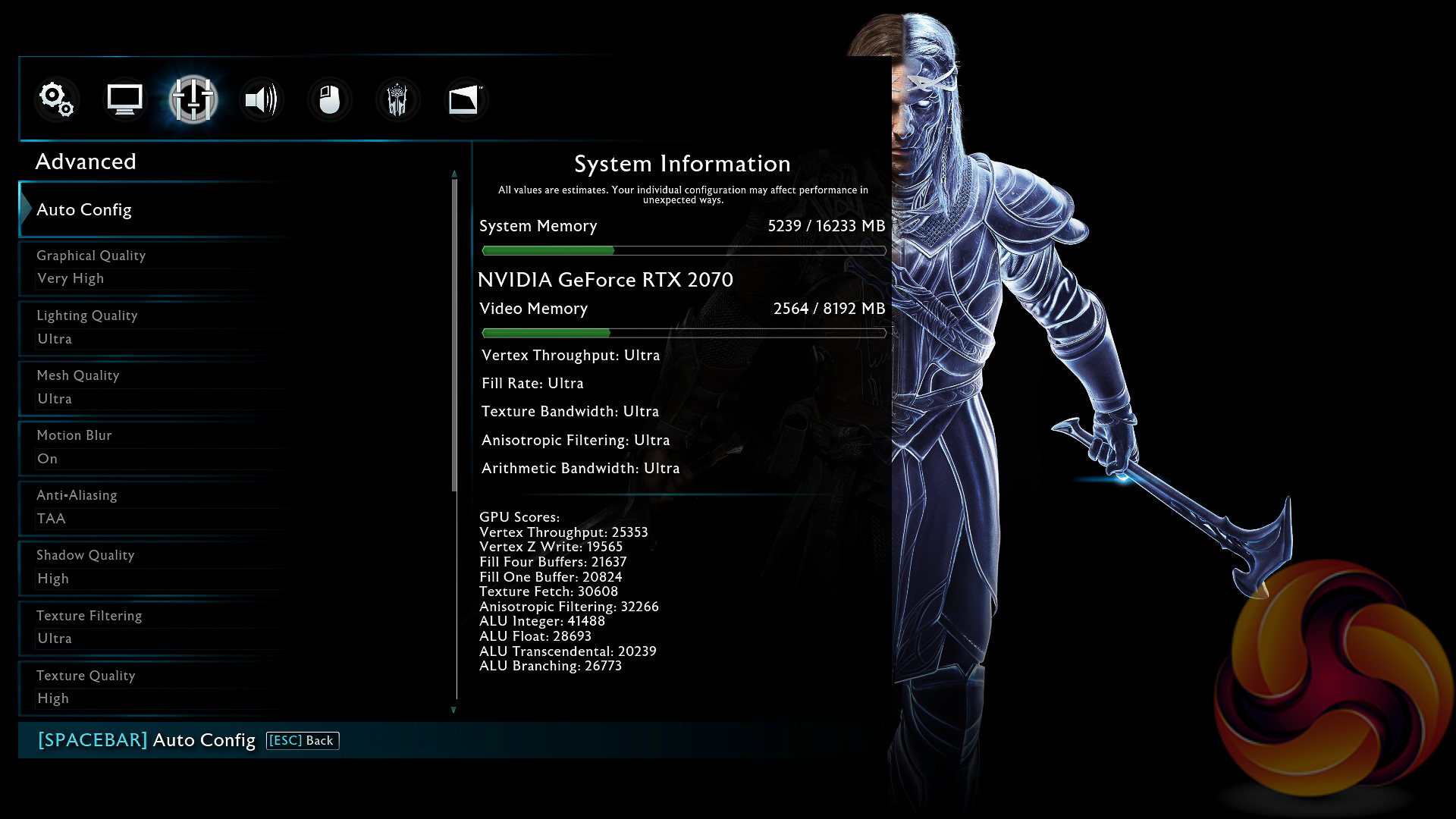
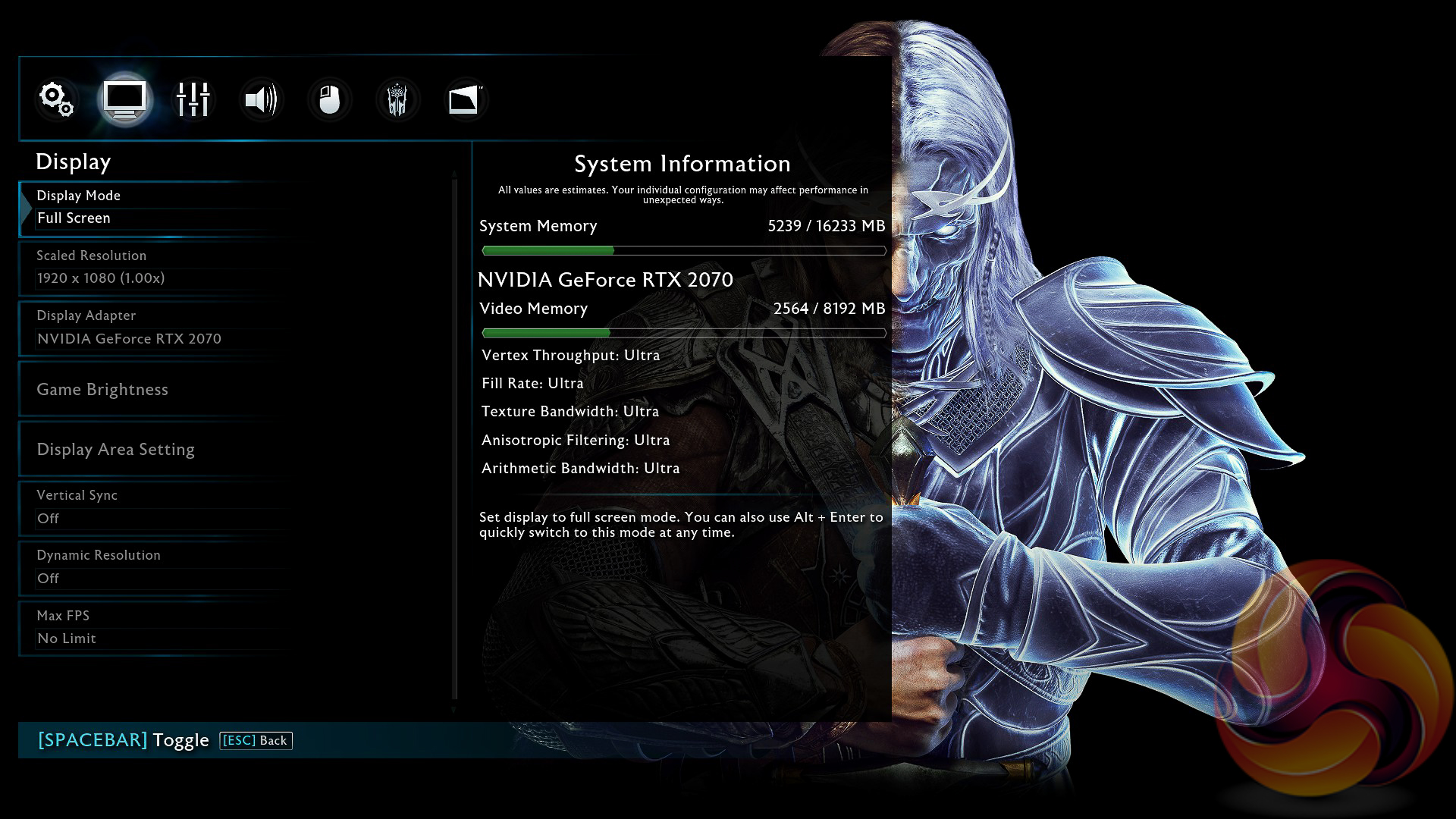
Below is the list of software and games that KitGuru used to review this laptop. Note for the games that the specific graphics configuration settings are presented above each respective graph using screenshots.
- Cinebench R15 – All-core and Single Thread CPU benchmark (CPU). Average of three runs.
- CrystalDiskMark (Storage). Test result is the average of five runs.
- 3DMark (Gaming). Average of three runs.
- Fire Strike
- Fire Strike Ultra
- Port Royal
- Time Spy
- Deus Ex: Mankind Divided (Gaming) Average of three runs.
- Far Cry 5 (Gaming) Average of three runs.
- Middle Earth: Shadow of War (Gaming) Average of three runs.
- Rise of the Tomb Raider (Gaming) Average of three runs.
- Tom Clancy's Ghost Recon: Wildlands (Gaming) Average of three runs.
- PCMark8 (Battery)
- AIDA64 Engineer (Thermal and Acoustic)
- HWiNFO (Thermal and Diagnostics)
- CPUID CPU-Z and HWMonitor (Thermal and Diagnostics)
Cinebench R15
Cinebench is an application which renders a photorealistic 3D scene to benchmark a computer’s rendering performance, on one CPU core, all CPU cores or using the GPU. We run the test using the all core and single core CPU modes.

ASUS deploys the very popular i7-8750H CPU with the GL704GW which has six physical cores, twelve threads and has a peak turbo frequency of 4.1GHz with a base frequency of 2.2GHz. With the ASUS implementation the multi-core performance is slightly higher than similarly equipped laptops, probably due to ASUS running the laptop with more power consumption which enables the CPU to operate faster. Single core performance is the same.
CrystalDiskMark
We tested both the primary and secondary storage devices using CrystalDiskMark; a commonly used disk benchmark software.
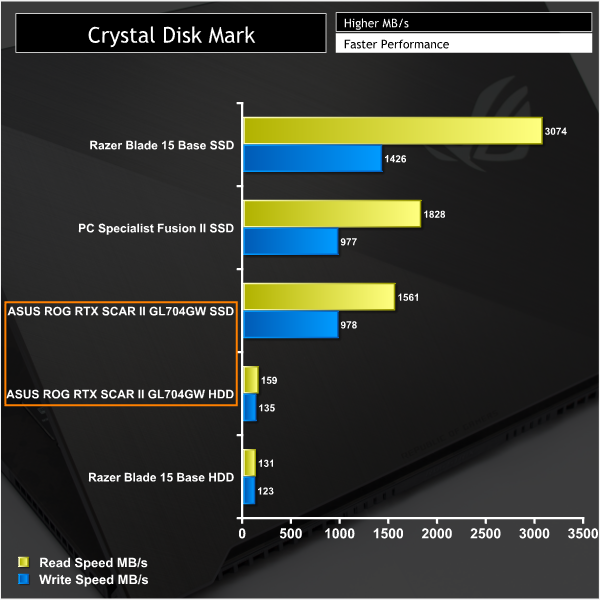
The NVMe drive that ASUS uses in the ROG Strix RTX SCAR II GL704GW (Intel 660P Series 512GB NVMe) is fairly entry-level in terms of performance for an NVMe SSD with about 1.5GB/s read and 1GB/s write. The Razer Blade 15, for example, uses the higher-end Samsung PM981 NVMe drive which has almost double the read performance and about 50 per cent more writing speed.
The integrated hard drive, providing another 1TB of storage using Solid State Hybrid Drive technology, has good read and write speeds for a hard drive but pales in comparison to even the entry-level NVMe SSD ASUS has deployed.
3DMark
3DMark is a multi-platform hardware benchmark designed to test varying resolutions and detail levels of 3D gaming performance. We run the Windows platform test and in particular the Fire Strike, Fire Strike Ultra, Time Spy and Port Royal benchmarks, which are indicative of high-end 1080p and 1440p PC Gaming.
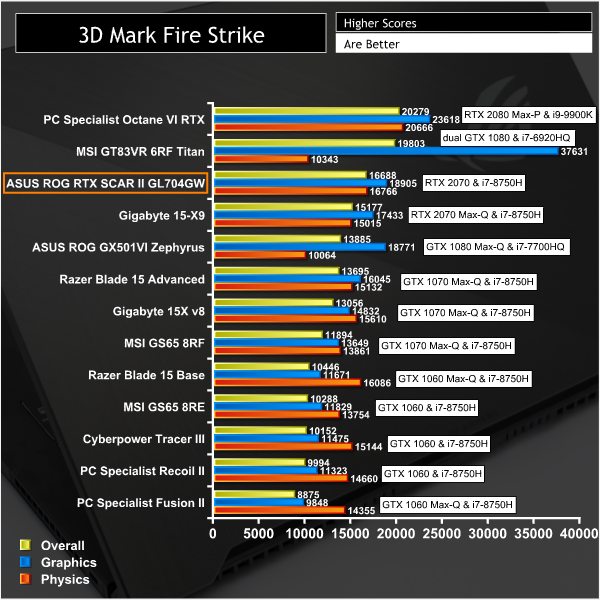
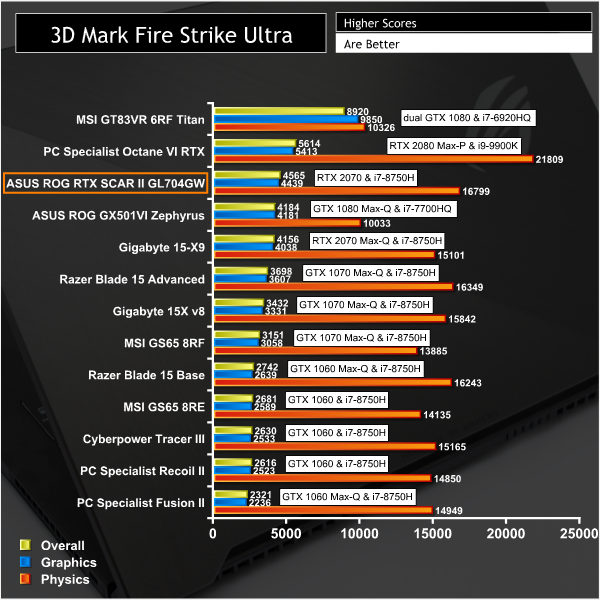
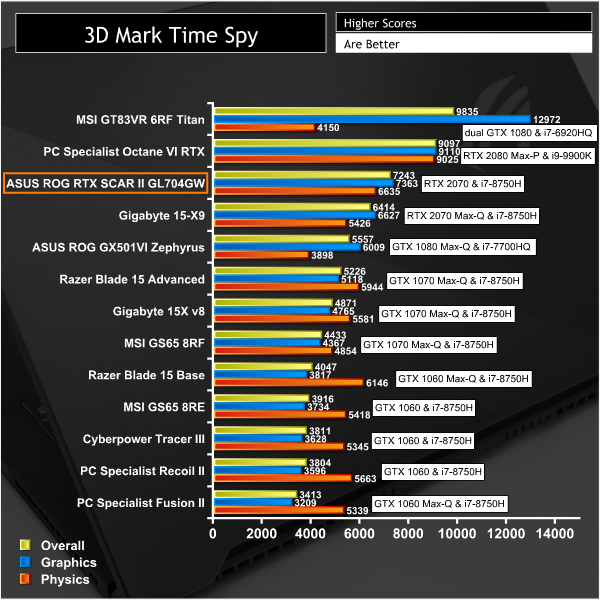
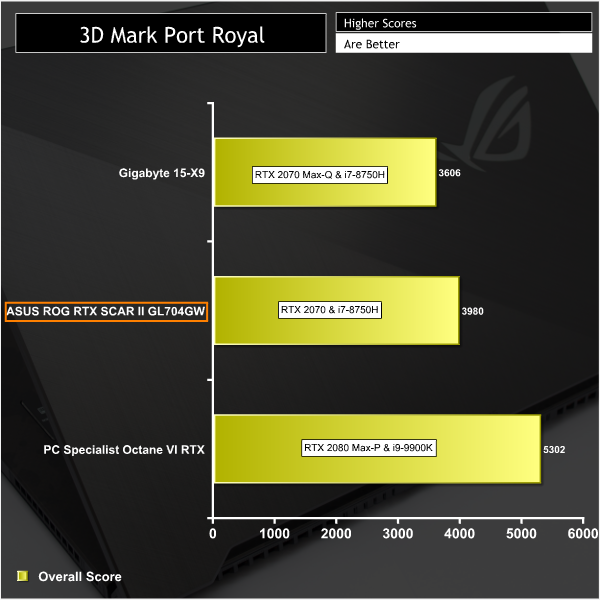
The GPU deployed in the ASUS ROG STRIX RTX SCAR II, the mobile RTX 2070, fares better than the RTX 2070 Max-Q (an underclocked variant of the mobile RTX 2070) but cannot keep up with the RTX 2080 Max-P. It is a very high-end graphics processing unit for a laptop and will handle all modern games with playable settings and nice detail levels.
Deus Ex: Mankind Divided
Deus Ex: Mankind Divided is set in the year 2029, two years after the events of Human Revolution and the “Aug Incident”—an event in which mechanically augmented humans became uncontrollable and lethally violent. Unbeknownst to the public, the affected augmented received implanted technology designed to control them by the shadowy Illuminati, which is abused by a rogue member of the group to discredit augmentations completely. (Wikipedia).
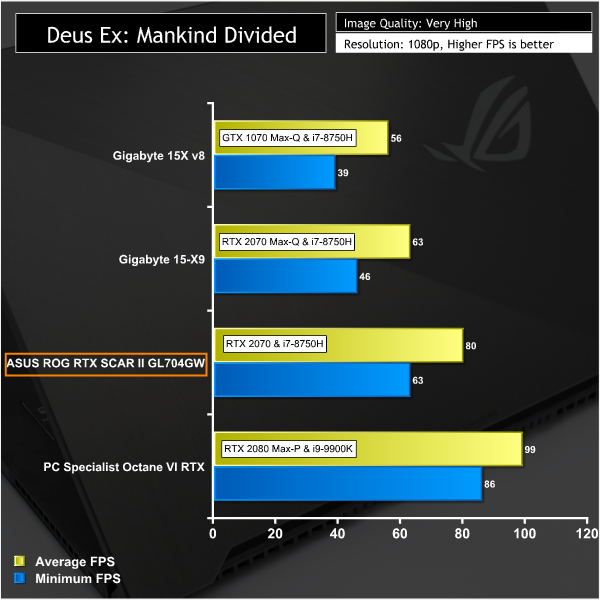
We test using the Very High preset, MSAA disabled and the DirectX 12 API.


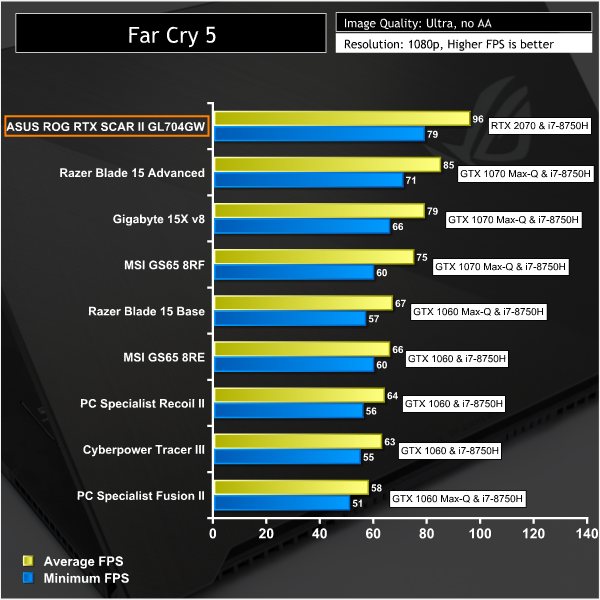
Far Cry 5
Far Cry 5 is an action-adventure first-person shooter game developed by Ubisoft Montreal and Ubisoft Toronto and published by Ubisoft for Microsoft Windows, PlayStation 4 and Xbox One. It is the eleventh entry and the fifth main title in the Far Cry series, and was released on March 27, 2018.
The game takes place in the fictional Hope County, Montana, where charismatic preacher Joseph Seed and his cult Project at Eden’s Gate holds a dictatorial rule over the area. The story follows an unnamed junior deputy sheriff, who becomes trapped in Hope County and works alongside factions of a resistance to liberate the county from Eden’s Gate. (Wikipedia).
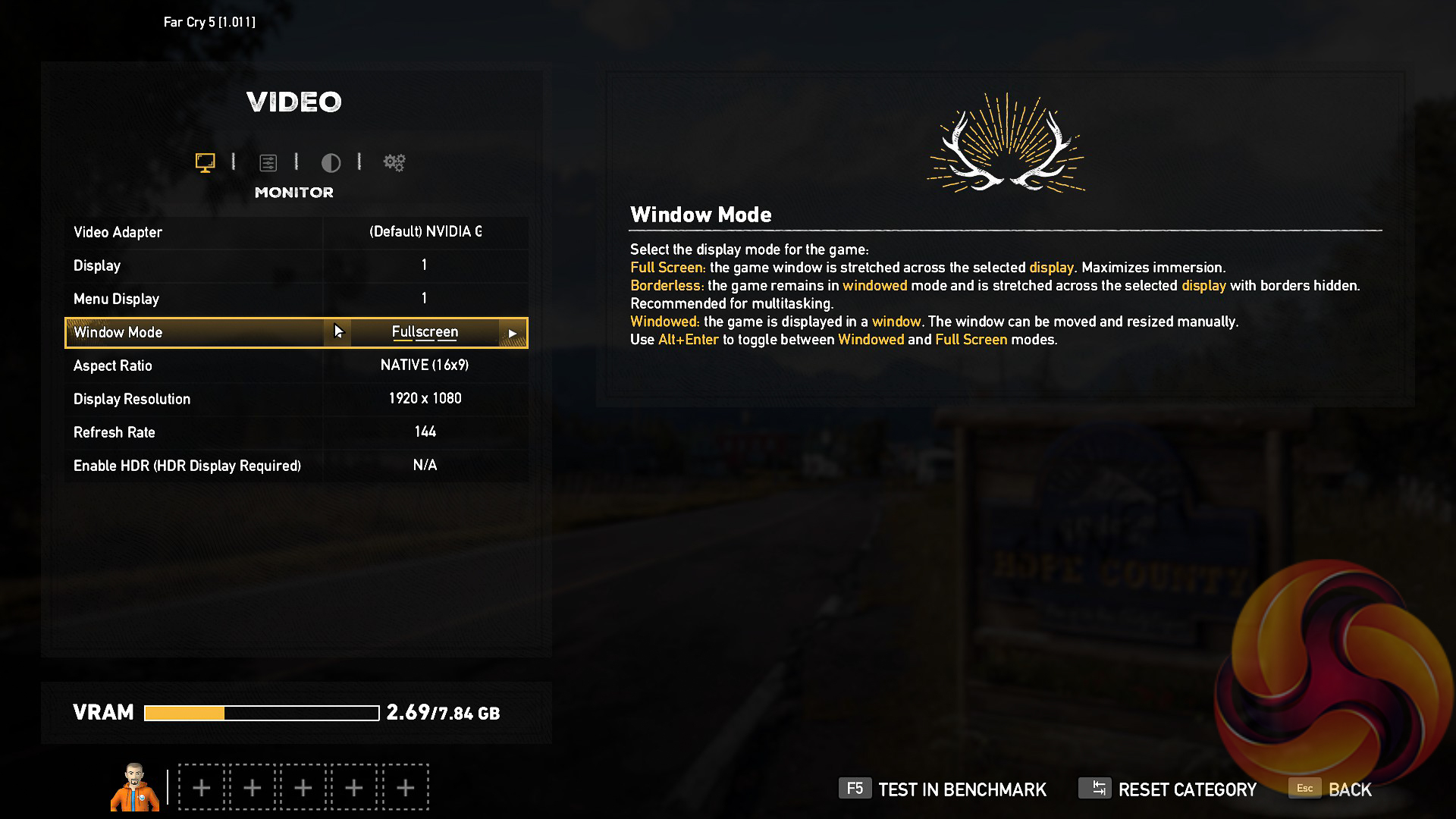
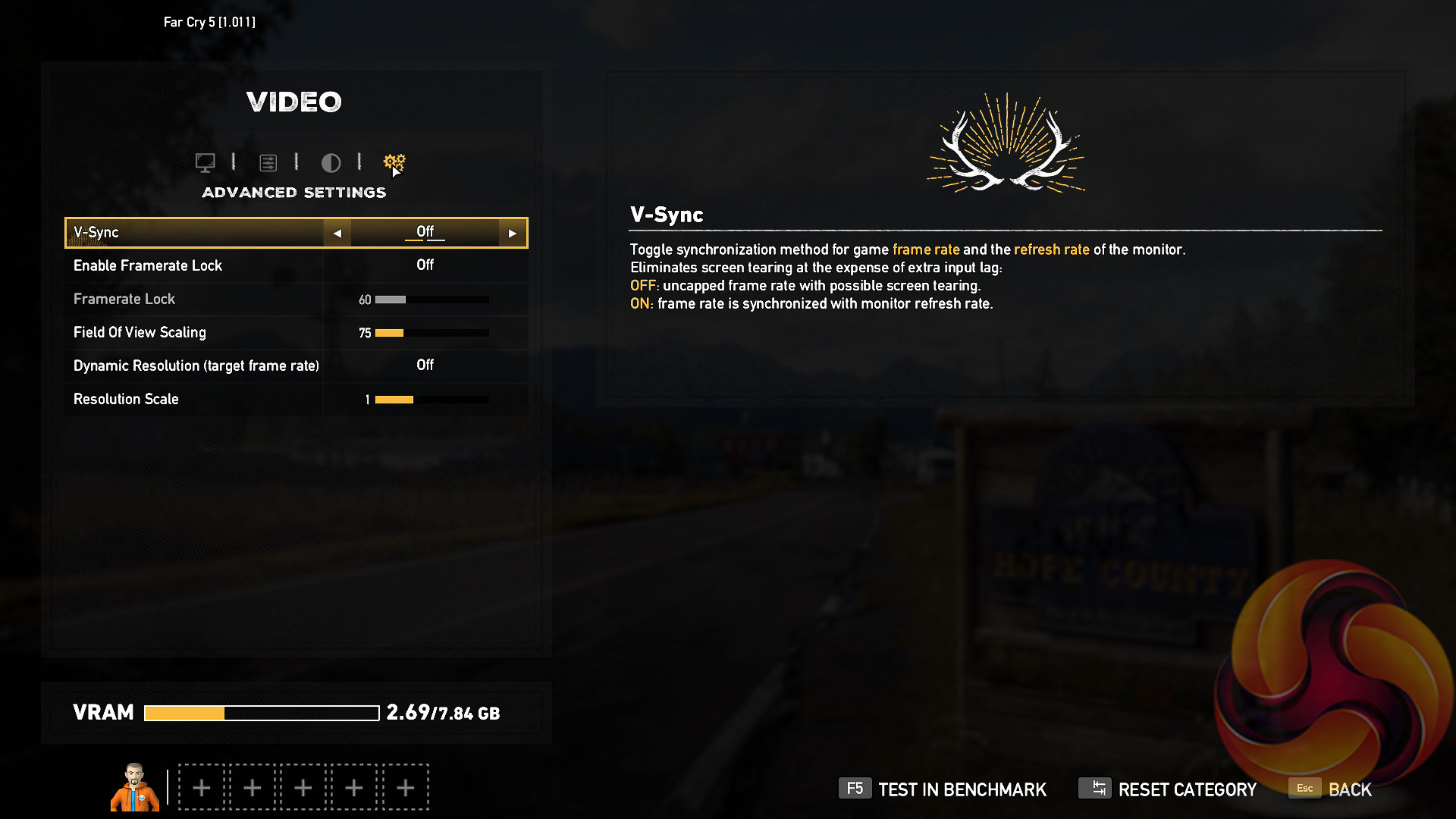
We test using the Ultra preset, with AA and motion blur disabled.
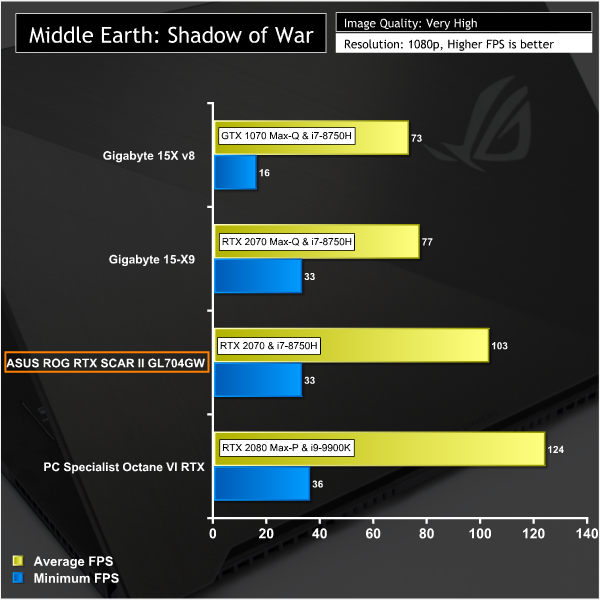
Middle Earth: Shadow of War
Middle-earth: Shadow of War is an action role-playing video game developed by Monolith Productions and published by Warner Bros. Interactive Entertainment. It is the sequel to 2014’s Middle-earth: Shadow of Mordor, and was released worldwide for Microsoft Windows, PlayStation 4, and Xbox One on October 10, 2017. (Wikipedia).
We test using the Very High preset.
Rise of the Tomb Raider
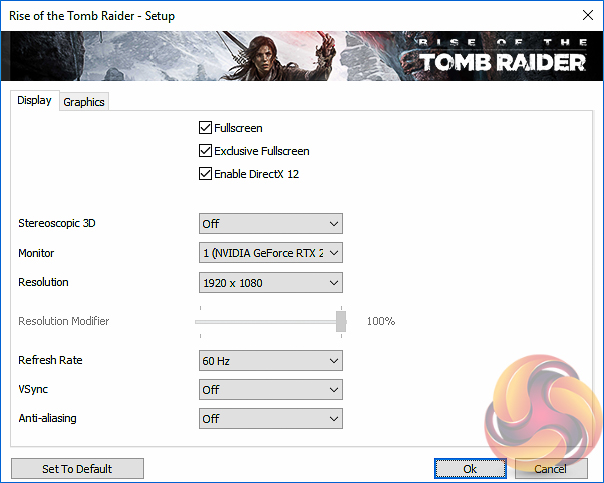
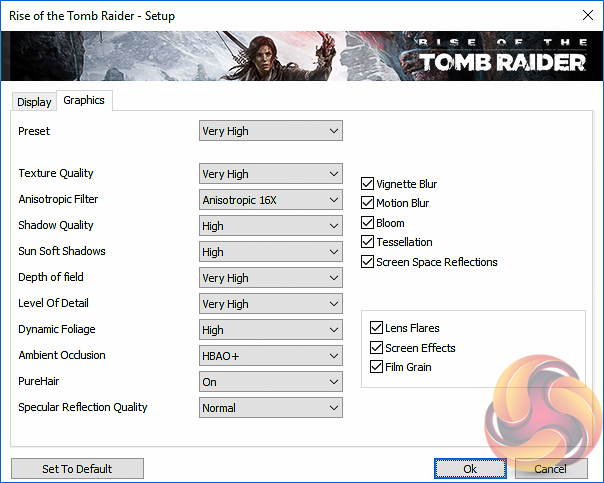
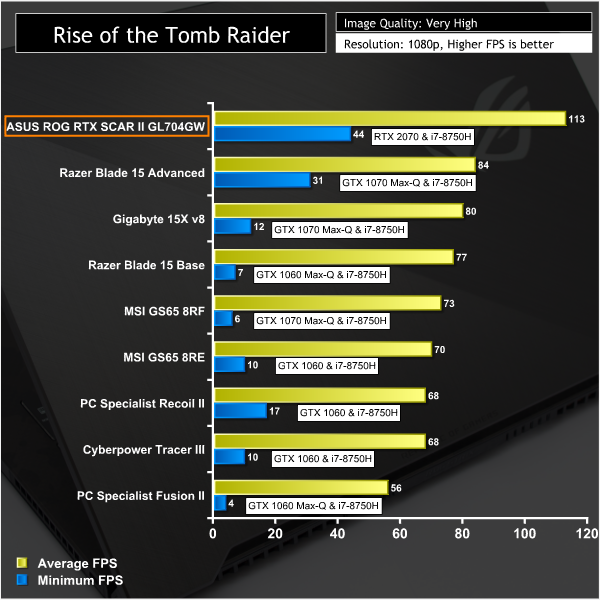
Rise of the Tomb Raider is a third-person action-adventure game that features similar gameplay found in 2013’s Tomb Raider. Players control Lara Croft through various environments, battling enemies, and completing puzzle platforming sections, while using improvised weapons and gadgets in order to progress through the story. It uses a Direct X 12 capable engine.
We use the Very High quality preset with Direct X 12 enabled.
Tom Clancy's Ghost Recon: Wildlands
Tom Clancy’s Ghost Recon Wildlands is a tactical shooter video game developed by Ubisoft Paris and published by Ubisoft. It was released worldwide on March 7, 2017, for Microsoft Windows, PlayStation 4 and Xbox One, as the tenth instalment in the Tom Clancy’s Ghost Recon franchise and is the first game in the Ghost Recon series to feature an open world environment. (Wikipedia).
We test using the Very High preset.
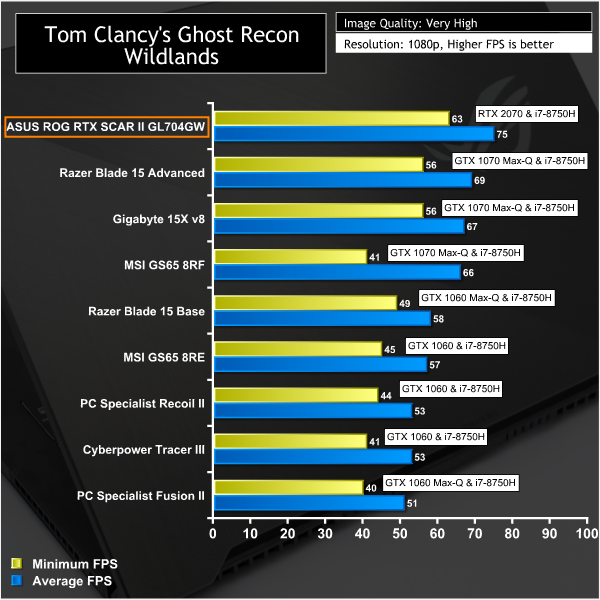
All the game tests reveal a similar story – the mobile RTX 2070 surpasses pretty much everything we've tested so far aside from the RTX 2080 Max-P and dual-GTX 1080s in the MSI Titan.
PCMark 8
PCMark 8 is an industry standard PC benchmarking tool. PCMark 8 tests the performance of all types of PC, from tablets to desktops with five separate benchmark tests plus battery life testing. In this review we use PCMark 8 for battery life testing only.
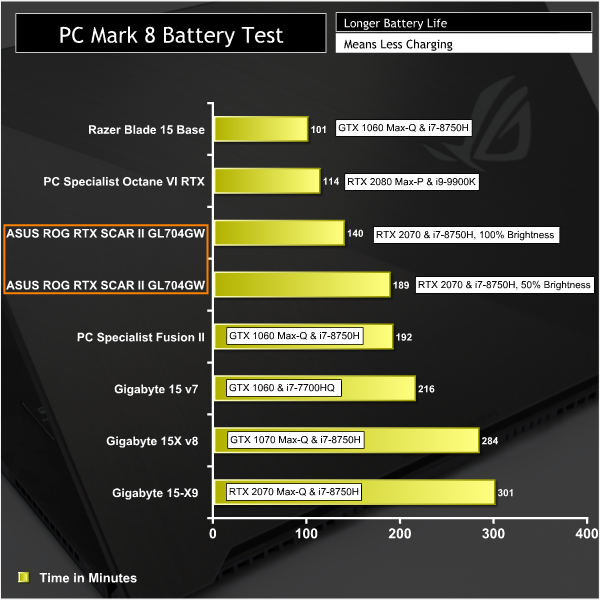
Battery life is, unexpectedly, pretty low with the user able to get around 2 to 3 hours of medium home usage. During gaming the battery life would be considerably less but users should be plugging in when gaming so the CPU and GPU can run at full frequency. At 17.3″ in size, the ROG STRIX RTX SCAR II is hardly meant to be a portable gaming machine so keeping it plugged it is almost a given.
Acoustics
To measure noise levels at idle we allow the laptop to sit for 10 minutes on the Windows 10 desktop and place the decibel meter (Benetech GM1351) in the middle of the laptop with the measuring end over-hanging the front of the laptop slightly, before taking a measurement. For load we use AIDA64 Engineer to load all components of the system and take a noise reading in the same location after 10 minutes of load.
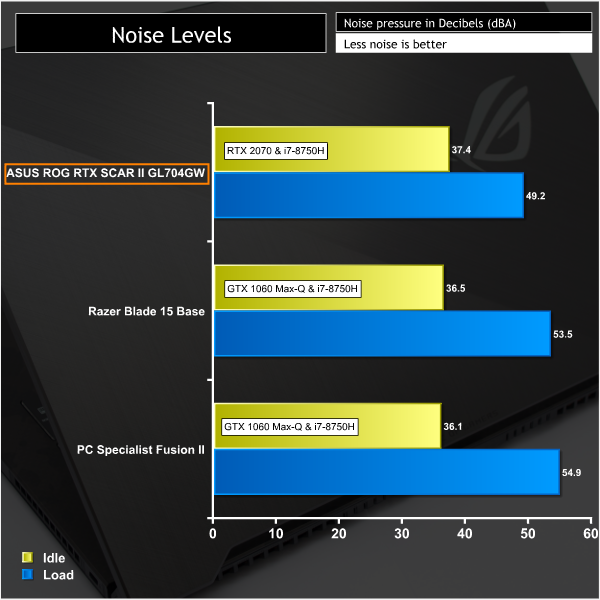
Noise levels are fairly palatable, even under heavy load, but definitely noticeable. During gaming it isn't so much of an issue if you are making use of the speakers or headphones.
In fact, our main gripe was at idle or low loads where there is strange noise that sounds like a weird combination of a muffled fan noise, speaker interference and coil whine. it is quite noticeable and will be irritating for users who spend a lot of time on their laptop without gaming.
From our testing, putting the laptop into “Silent” mode by pressing FN + F5 and cycling through the options, removed the noise. This suggests it is likely the fan and is potentially some kind of fan bearing noise at low speed.
Conversely, putting the laptop into “Turbo” mode, which we did not do for our testing, increases the total system noise level significantly. Expect around 54 dBA but with slightly overall improved performance due to the slightly lower temperatures.
Thermals
System temperatures were recorded in the same idle and load scenarios as the noise testing using HWiNFO. Idle represents the minimum temperature after 10 minutes on the Windows 10 desktop while load represents the average temperature after 10 minutes of AIDA64 Engineer full system load (stress test). For the CPU we take the average of all six CPU cores.
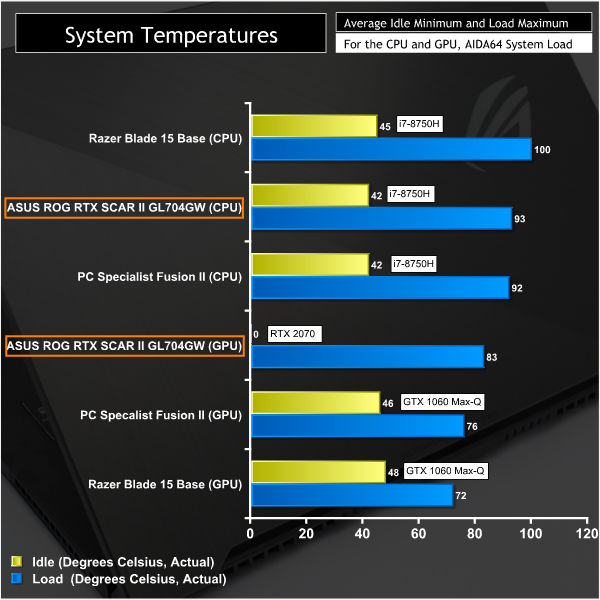
System temperatures are perfectly reasonable. The CPU runs in the mid-90s but did not throttle, however, 90-100 degrees for the Intel Core i7-8750H is actually standard fare. The GPU ran fairly warm too, around 83 degrees Celsius which is maintained through “GPU Boost” frequency control. At idle the GPU switches off, hence the 0.
Power Consumption
Power consumption was recorded in the same idle and load scenarios as noise and temperatures – the steady state reading after 10 minutes on the Windows 10 desktop idling and another steady state reading after 10 minutes of AIDA64 Engineer full system load (stress test).
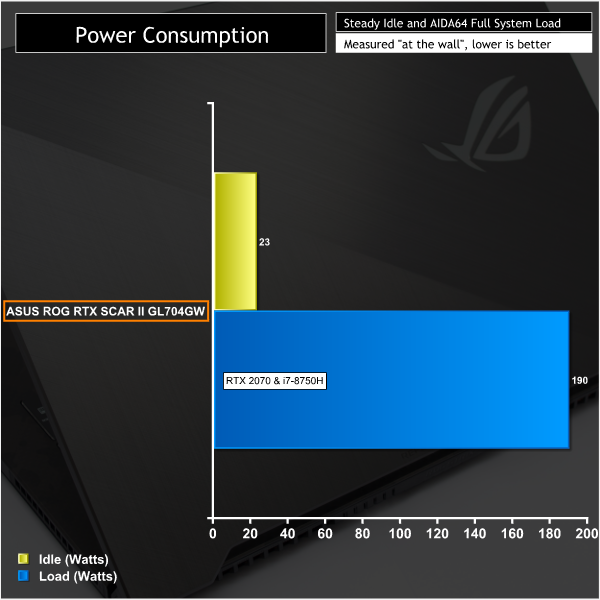
Power consumption, when plugged in, was about right. In theory the adapter can output 19.5 volts at 11.8 amps, about 230-watts. 190-watts at the wall, given the adapter is probably about 90 per cent efficient, means the laptop was only pulling around 170-watts of power. There is, in theory, another 60-watts of capacity on the adapter to spare some of which is used when setting the “Turbo” mode profile.
Regardless, 190-watts under heavy system load is a low power consumption figure compared to what a gaming desktop of an equivalent price-point might utilise.
Gamers with a large budget looking for a high-performance gaming laptop have ample choice in today's market. ASUS knows this and has tried taking a different approach, focusing specifically on FPS gamers, when delivering the ROG STRIX RTX SCAR II. That said, gamers with a specific requirement for a large laptop, such as the 17.3″ form factor of this GL704GW, do have slightly less choice making this ASUS option a strong contender.
There are some rivals in this segment including MSI's GE75 Raider, available in an identical configuration to this for less money, as well as also numerous other options from Acer (Triton), Gigabyte (Aorus) and Razer in 15-inch form factors. However, where ASUS has the upper hand over a lot of its rivals is with the implementation of the mobile RTX 2070 in full, rather than as an “under-clocked” Max-Q version.
That fully-fledged mobile implementation comes with its own inevitable drawbacks such as higher operating temperatures for both the CPU and GPU, in the realm of 90-95 and 80-85 degrees Celsius, respectively, as they are on a shared cooling system. However, ASUS is not alone here and most laptops in this class have similar, if not higher, temperatures. ASUS does an admirable job of keeping temperatures under control, all things considered.
Noise is a fairly important consideration for some gamers and this laptop is not quiet, gaming laptops never are, though the fan noise at load is unlikely to be a bugbear and is easily tolerable with headphones or turning the speakers up when gaming.
We found that a scratchy fan/whine noise at idle or low-loads, when in Balanced or Turbo but not in silent, was grating along with the “whooshing” noise that is deliberately pumped out the speakers on power up or restart. Perhaps some gamers will find it cool, we found it unnecessary, but it can be turned off in the BIOS.
It is easy to forget about the drawbacks of this laptop once the gaming starts. While the IPS display may not be G-Sync capable, the 144Hz refresh rate and 3ms response time, paired up with that mobile RTX 2070, make for a delightful gaming experience. The laptop has bags of performance potential and is very responsive thanks to the NVMe storage drive and Core i7-8750H processor with 16GB of dual-channel system memory.
Furthermore, the build quality is excellent all around; there are no squeaks, rattles or creaking plastics. The display hinge is firm and progresses smoothly, the trackpad and keyboard are solid with only slight chassis flex around the keyboard area. The chassis itself is nicely designed with a high-end appearance and the outside is remarkably finger print resistant.
On the whole the ROG STRIX RTX SCAR II is a well-rounded and high-performance gaming laptop that will tick most boxes. ASUS still has some tweaks it could and should make to improve future versions, but most gamers will still be satisfied with what's on offer, even if the price is somewhat steep.

The ASUS ROG Strix RTX SCAR II GL704GW laptop (RTX 2070, i7 8750H, 16GB RAM, 512GB NVMe, 1TB SSHD) has a retail price of £2599.99 in the UK at Overclockers UK and is usually sold with a 2 year warranty.
In the USA it can be had for $2198 at Amazon and usually has a 2 year warranty.
Pros:
- Excellent performance from the processor and graphics
- Beautiful and responsive 144Hz 3ms IPS display
- Uses Seagate FireCuda SSHD rather than traditional HDD for secondary storage
- Fairly finger-print resistant design
- Ample I/O
- Easy-access internals (upgrade-guide provided on ASUS website)
- Includes ROG Gladius II mouse
- RGB lighting system
- Clean and easy to use UEFI
Cons:
- No G-Sync for the display
- Irritating fan noise at idle or low loads
- Shipped with 1803, 1809 is required for Ray Tracing, but a free update to 1809 is available
- Shipped with McAfee and other unwanted apps
- M.2 SSD could be faster
- No mouse mat included with Gladius II
KitGuru says: The ASUS ROG STRIX RTX SCAR II is a solid gaming laptop with ample performance and a glorious display, just be ready to pay for the privilege.