KitGuru KitGuru.net – Tech News | Hardware News | Hardware Reviews | IOS | Mobile | Gaming | Graphics Cards


If you’re after the ultimate in gaming performance but for the lowest possible outlay, this system from PC Specialist should be right up your street. Packing an Intel Core i7-8700K and Nvidia GeForce GTX 1080 Ti, it's a top-notch gaming machine yet it costs just £1,629.
Considering that CPU and graphics card combo alone will set you set you back over £1,000 when bought separately, to get a full system for £600 more is mighty impressive.
You also get a Fractal case with a glass side panel, a 256GB M.2 SSD, a 2TB hard drive and of course all the essentials to keep everything running, including a Corsair power supply, Asus motherboard and Corsair all-in-one liquid CPU cooler. The system even comes pre-overclocked.
Otherwise, there’s next to nothing in the way of extras here, with just a couple of strips of white LEDs lighting up in the interior, but for the price this should still prove to be a mighty impressive PC.
Specifications:
- OS: Windows 10 64-bit
- CPU: Intel core i7 8700K (overclocked to 4.8GHz)
- Memory Supplied: 2 x 8GB
- Memory Type: DDR4
- Memory Speed: 2,133MHz
- Max Memory Support: 64GB
- Graphics Chipset: nVidia GeForce GTX 1080 Ti
- Graphics Memory: 11GB GDDR5
- Storage: 256GB M.2 SSD, 2TB hard drive
- USB Ports: 6
- Video output(s): 2 x HDMI, 2 x DisplayPort, DVI
- Card Reader: No
- Audio: Headphone and line outputs, mic input
- Warranty: 3yr collect and return
Total cost: £1,629.99
Just as with the Overclockers UK Germanium we looked at recently, the first thing to notice is the choice of case.
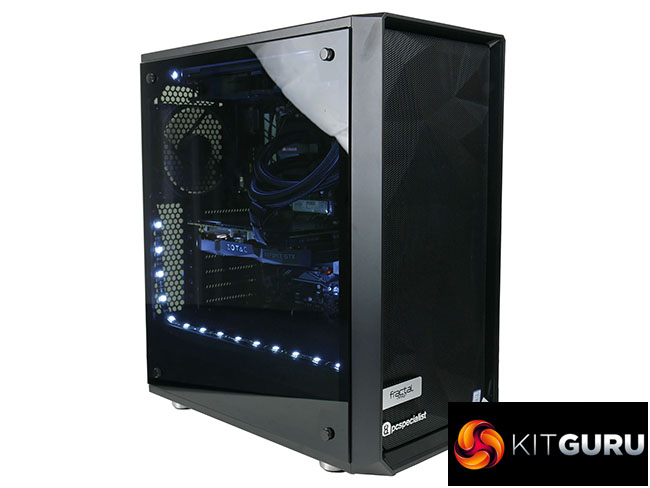
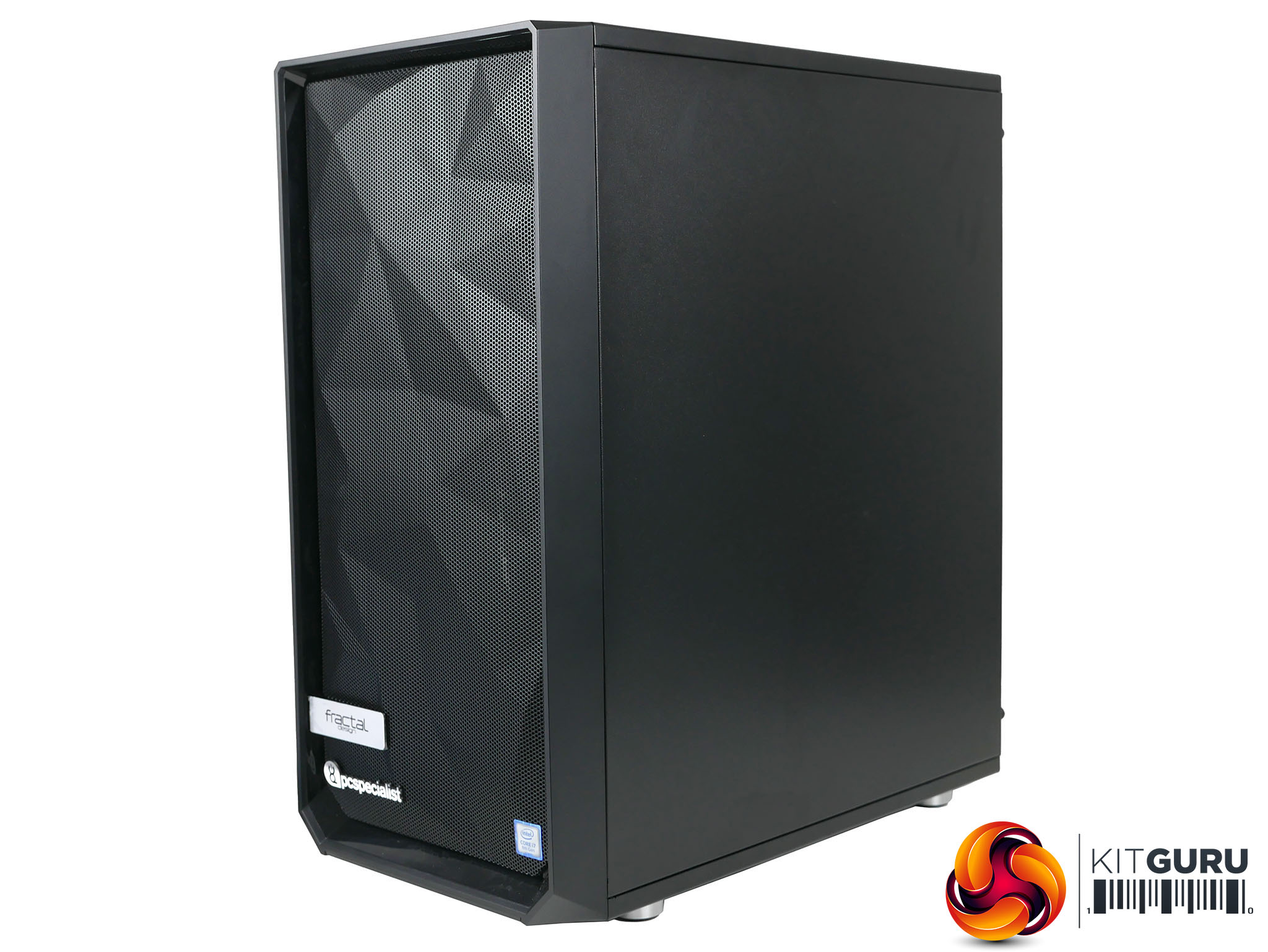
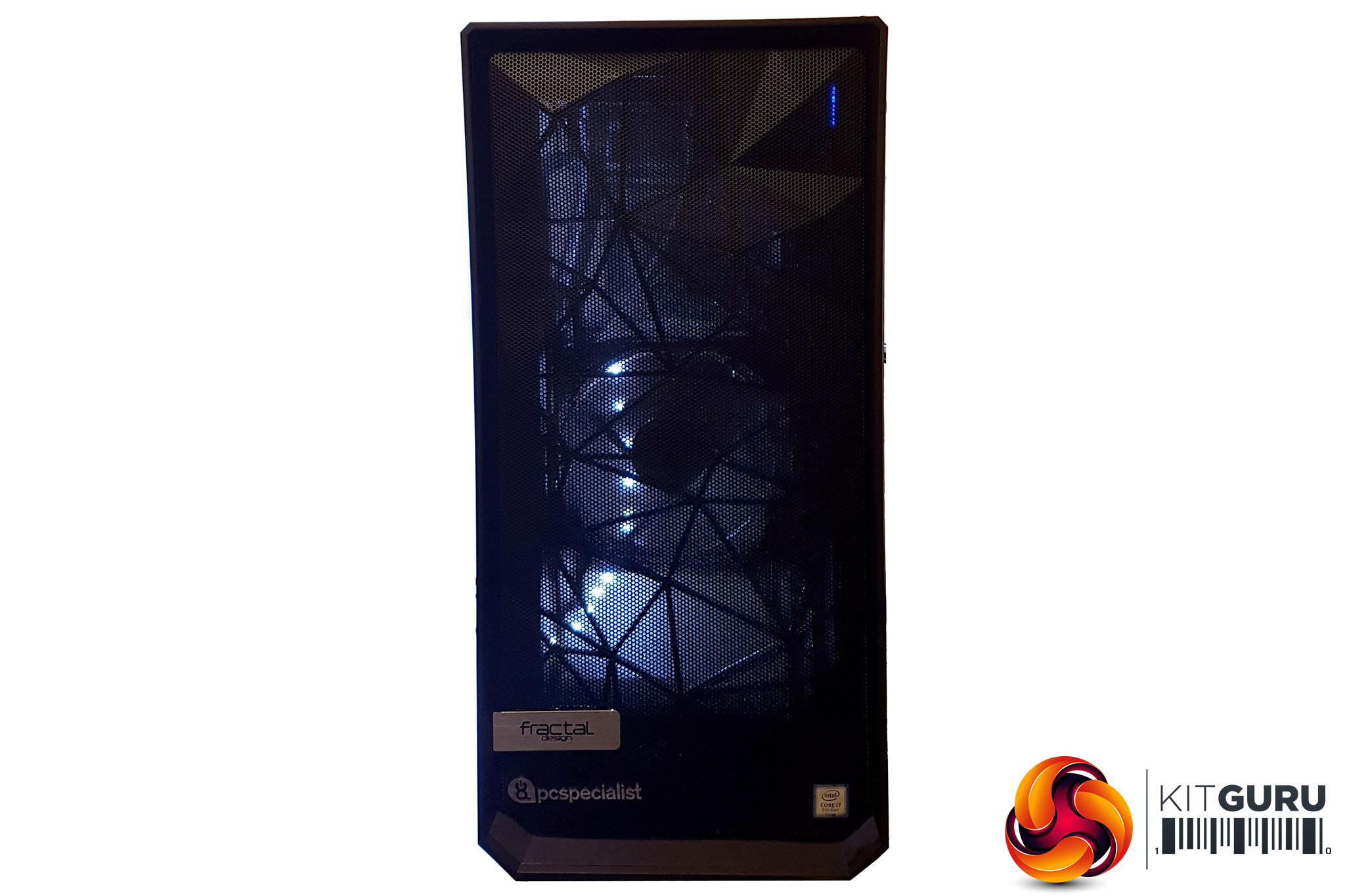
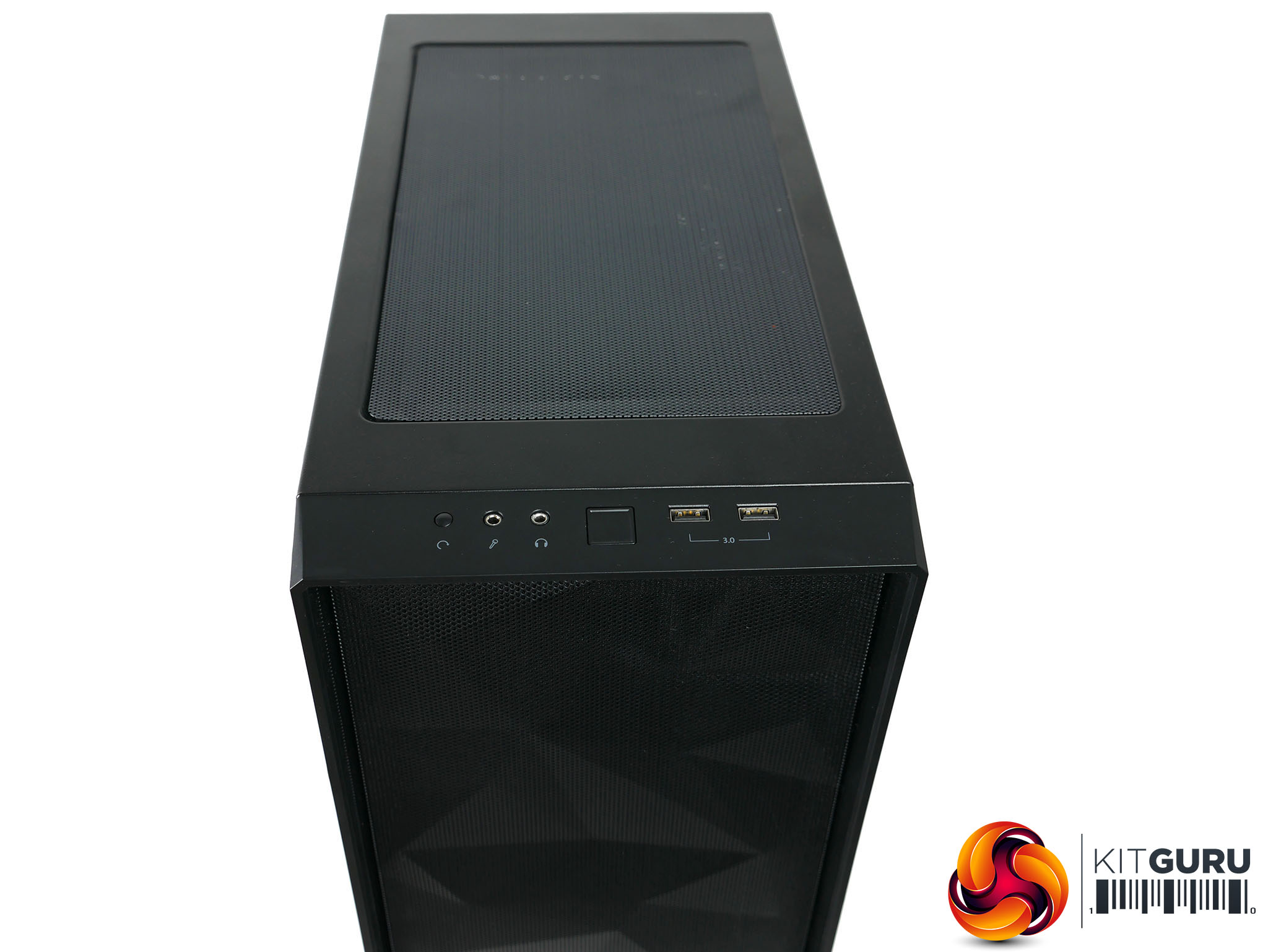
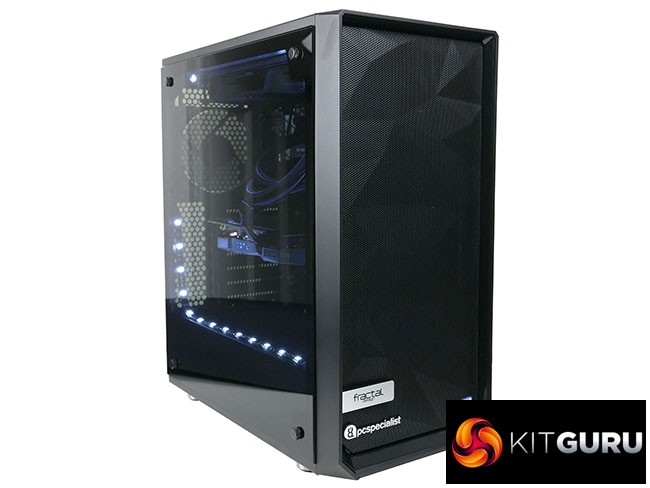
PC Specialist has opted for the Fractal Design Meshify C and its signature is an angular mesh on the front that allows for three big fans to pull in air. It’s functional but isn’t the most attractive, particularly once a PC has bright lights in it, as it does here. The lighting shines through the grill on the front, making a show of the lattice support structure, fans and brackets behind.
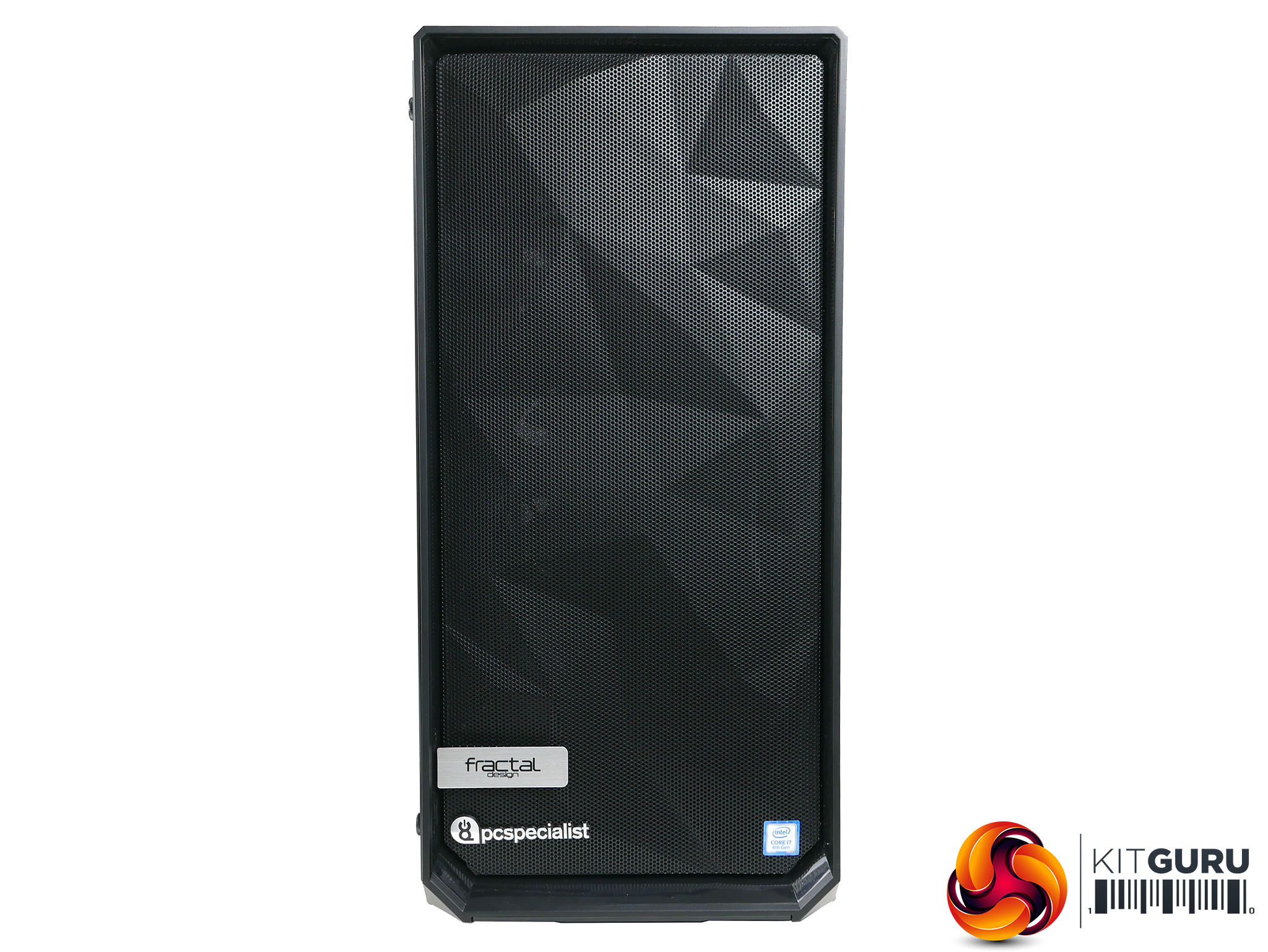
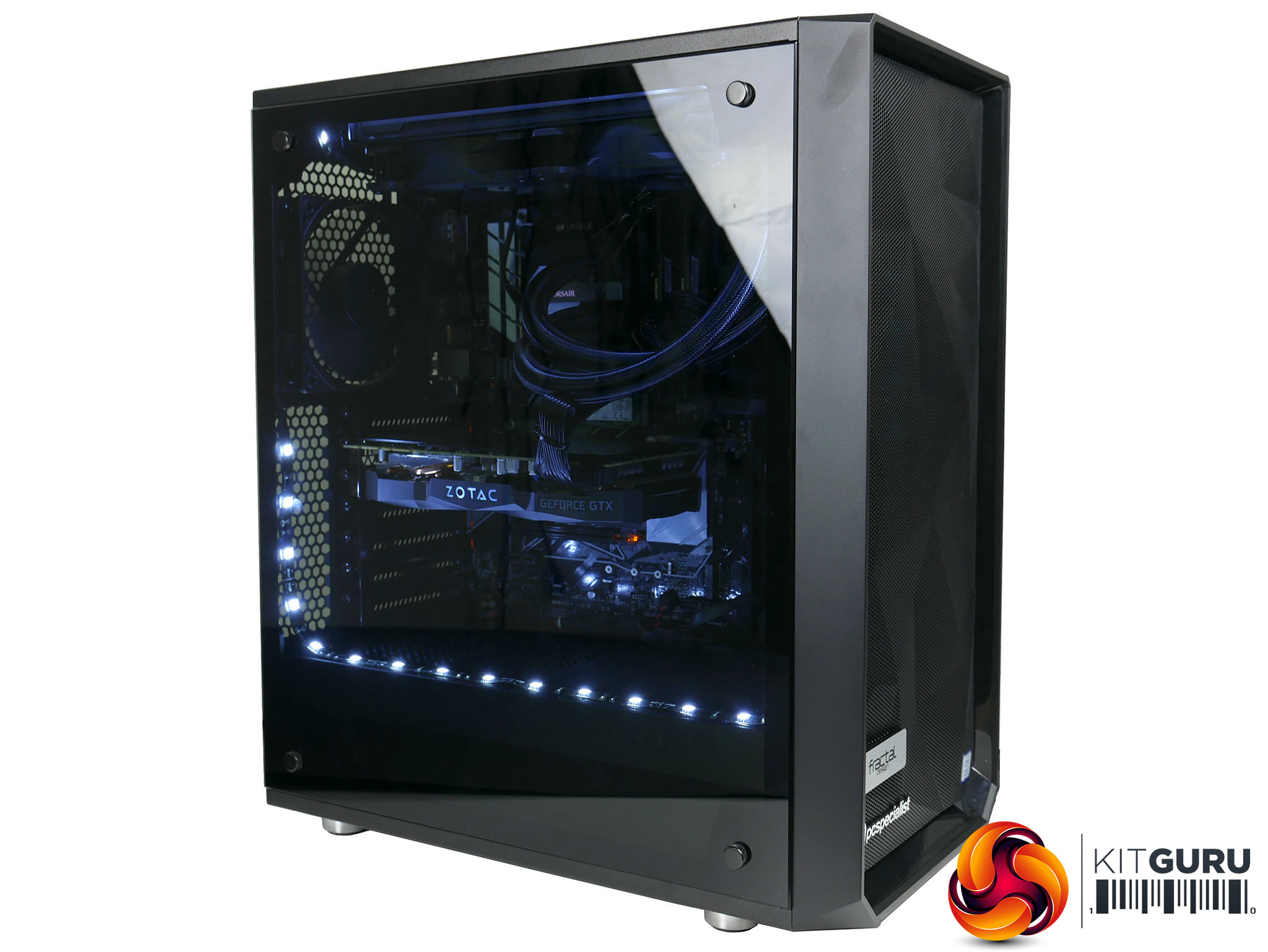
Elsewhere the case is fairly plain, with a normal steel panel on the back and no aluminium panels or other premium touches. The only thing you do get is a glass side panel that’s tinted to help hide some of the messy dark crevices of your build. PC Specialist has also added its own logo and an Intel logo to the front of the case.
So, it’s not the most striking case choice but that’s why it’s one of the cheaper glass-panelled options available. If you fancy something a bit different, it’s easy enough to change this.
PC Specialist hasn’t gone to town with the lighting in this build either, both in terms of additional lighting and components that include their own lighting. So there’s no RGB RAM, LED-equipped motherboard or flashing graphics card.
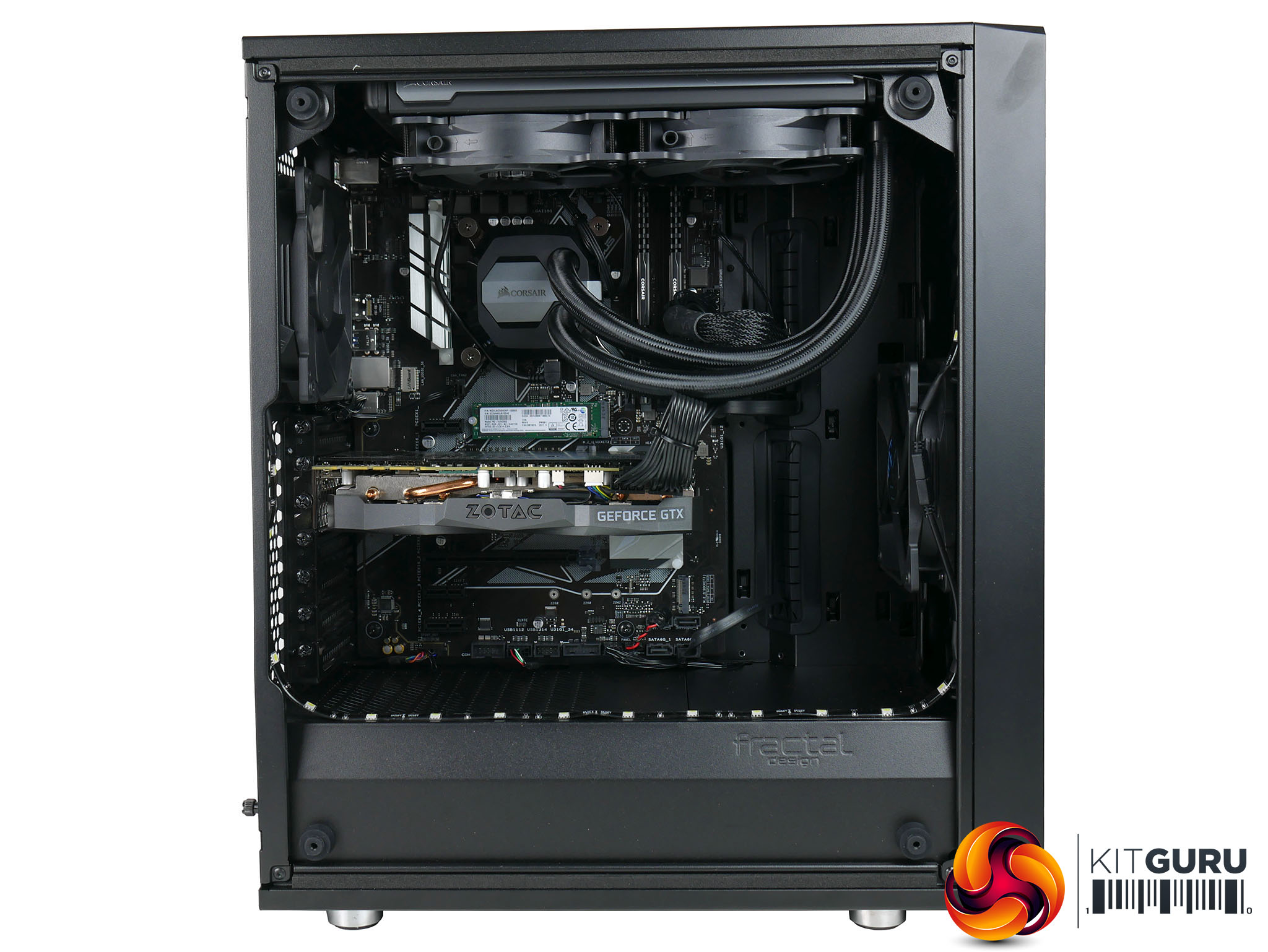
Instead, the only lighting you get comes from two strips of magnetically-attached white LEDs that frame the main chamber of the case. It certainly lights up the inside of the case – to a dazzling degree – but stylistically it’s a very token gesture, with the strip being clearly visible through the side of the case.
A slightly more tactical placement and a lower brightness setting would improve things a great deal, but that’s easy enough to do yourself.
Meanwhile, the overall build quality of the system is impressive. All the cables have been neatly routed and either tied up or hidden away. Round the back, in particular, it’s very neat making it easy to remove and replace the back panel – no bulging panels here.
Like most modern cases the Meshify C has a separate chamber for the PSU and hard drives, with space for two 3.5inch drives. SSDs and other 2.5inch drives are mounted behind the motherboard tray.
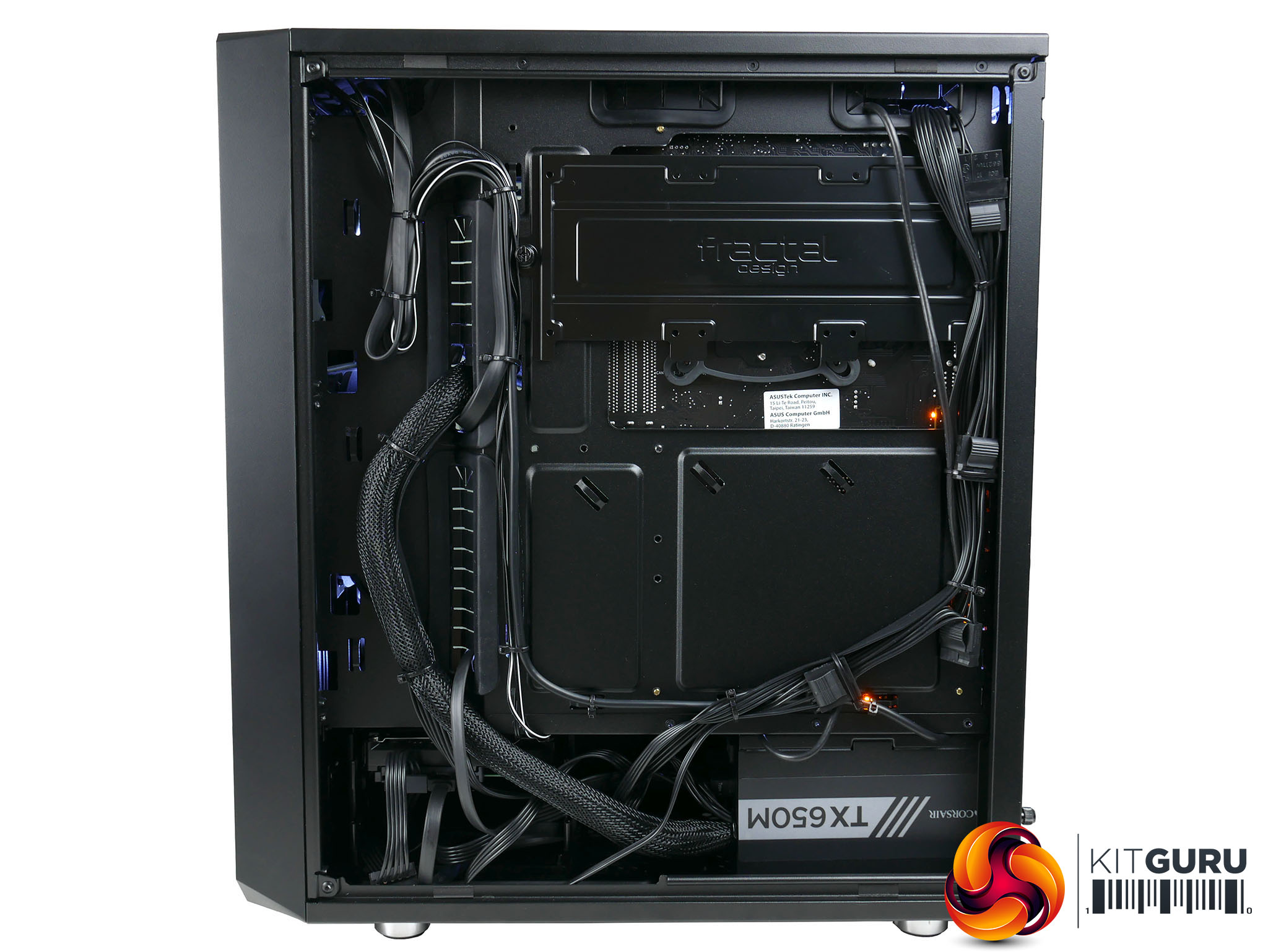
Meanwhile the PSU itself is a Corsair TX650M, which is a quality modular unit with plenty of power for a system like this.
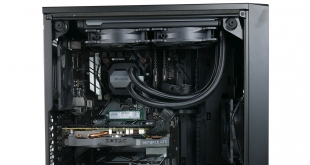
A Corsair cooler has also been chosen for the CPU. The H100i V2 is an all-in-one liquid cooler with a 240mm radiator/fan that’s mounted in the top of the case. There’s also a 120mm fan in the front and one in the back.
You really can’t go wrong with an Intel Core i7-8700K and Nvidia GeForce GTX 1080 Ti when it comes to a high-end gaming PC, and sure enough that’s what PC Specialist has gone for here.
The company has also pre-overclocked the CPU to 4.8GHz. That’s not quite as far as the 4.9GHz of the Overclockers Germanium but it’s still an improvement over the CPU’s default boost speed.
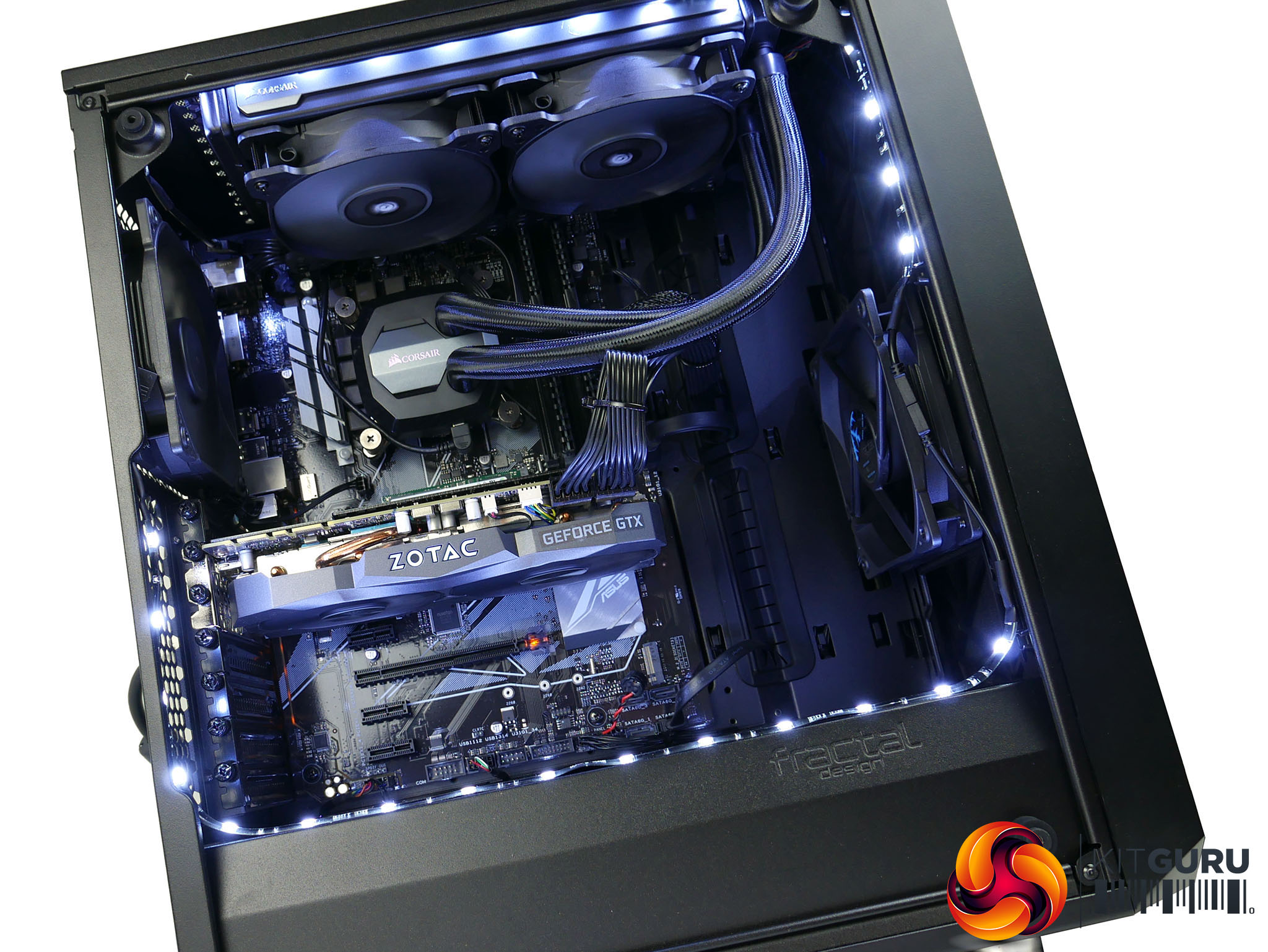
Performing those overclocking duties is a very basic Z370 motherboard, the Asus Z370-P. This is about as cheap a Z370 as you can get, with it costing around £105 on its own. So cheap is it that it doesn’t even offer surround sound while it also lacks USB Type-C and only has six USB ports.
But, it gets the job done and it’s easy enough to add a few upgrades. There are plenty of USB headers on the board, you can easily just use a headset or a separate sound card/adapter if you need surround sound.
Another area where PC Specialist has kept things to a minimum is in the choice of RAM. It runs at just 2133MHz, which is slow enough that it can impact performance a little. Bumping up to 2666MHz or 3000MHz RAM can be worth the extra outlay.
This general theme continues with the choice of graphics card, which is the Zotac GeForce GTX 1080 Ti Mini. This is one of the cheaper GTX 1080 Ti options out there, though in terms of build quality and performance you wouldn’t guess it. However, it does suffer from one major problem, which is that one of its fans never stops spinning and is quite noisy, which is something we’ll touch on more in our noise test.
On the storage front, you get a very capable 256GB Samsung PM961 M.2 SSD for your boot drive and a 2TB Seagate drive for bulk data.
All told, while we’ve picked on some of the cheaper components here, in the end that’s why this system costs so little. Aside from a slightly bigger SSD and hard drive, the Overclockers Germanium is essentially the same core system but costs over £700 more. That’s what splashing out on all those little extras does when you total them all up.
To test the PC Specialist Vulcan X, we have pushed it through a broad array of benchmarks and tests. We have tested CPU performance, GPU performance, drive performance, thermals, power usage and noise levels to give a comprehensive view of the system.
Here are the benchmarks you can expect to find in this review:
- Cinebench R15
- CrystalDiskMark
- 3DMark Fire Strike
We also ran the following games to test the Germanium’s gaming prowess.
- Deus Ex: Mankind Divided
- Rise of the Tomb Raider
For comparison we’ve also included results for a variety of different systems including the PC Specialist Vulcan Pro, which has a near identical system with a i7-8700K processor and GTX 1080 Ti graphics housed in a conventional, understated case. It costs just £1,749.
Next is the Overclockers Germanium. As just mentioned on the previous page, this is an all but identical system in terms of its key components but every other part of it has been upgraded, including the case, RAM, storage and cooling. Costing £2399, it perfectly represents a slightly more premium alternative.
Then there’s the Corsair One Elite. This is again a very similarly specced machine but without the hard drive and all squished into a tiny form factor, and all for an even higher price of £2799.
The Alienware Aurora R7 provides a slightly lower spec comparison, with it using an i7-8700 and GTX 1080 and it’s priced at £1,729.
CINEBENCH R15 is a cross-platform testing suite that measures hardware performance and is the de facto standard benchmarking tool for leading companies and trade journals for conducting real-world hardware performance tests. With the new Release 15, systems with up to 256 threads can be tested.
CINEBENCH is available for both Windows and OS X and is used by almost all hardware manufacturers and trade journals for comparing CPUs and graphics cards.
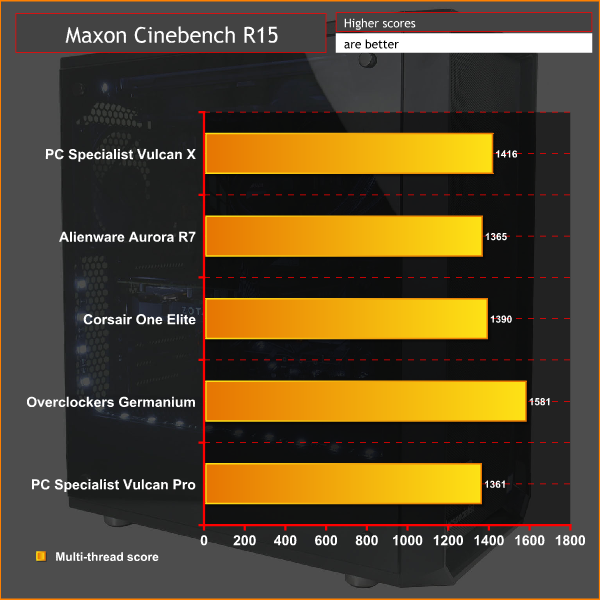
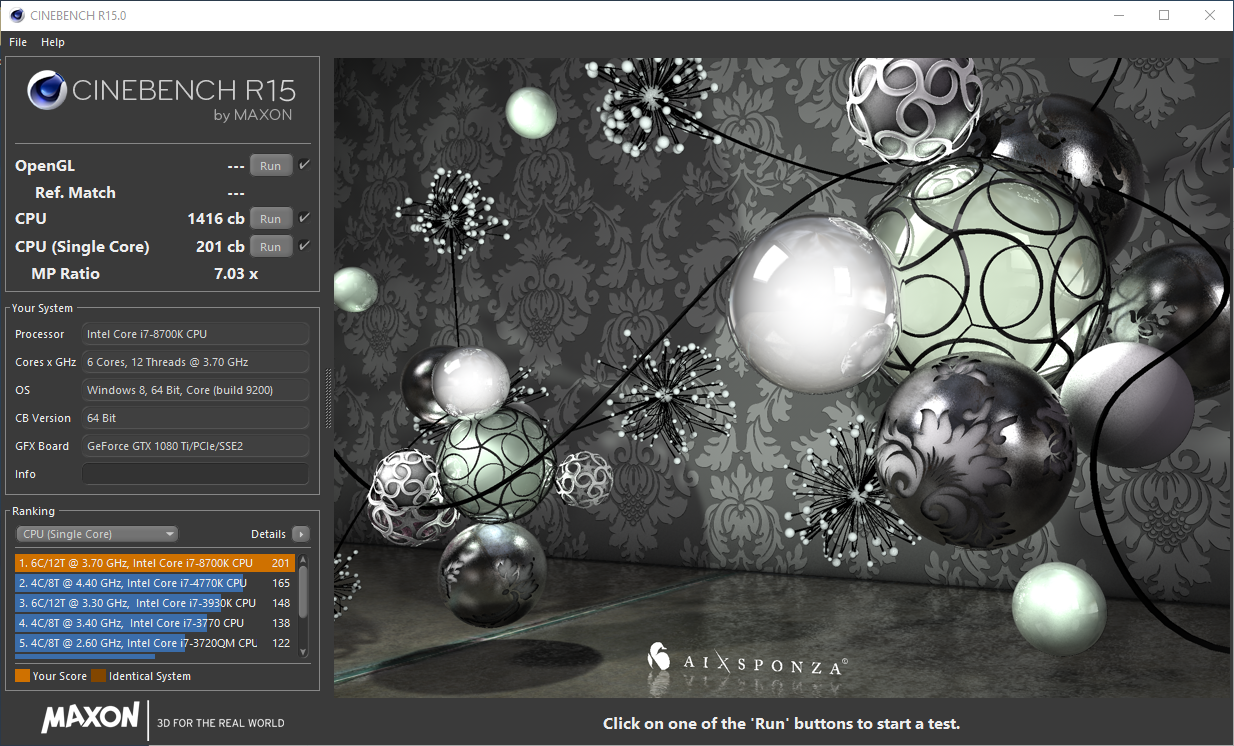
The PC Specialist Vulcan X’s overclocked 8700K manages to pull out a small lead over all the other systems we’ve compared it to, other than the Overclockers UK Germanium. Its 4.9GHz overclock resulted in a surprisingly large lead over all the rest.
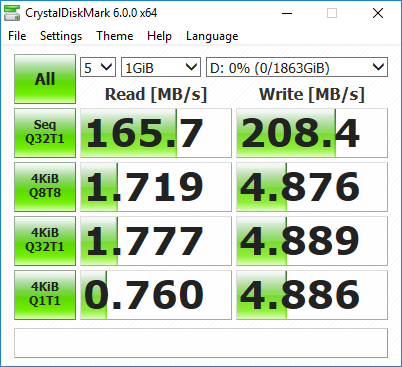
CrystalDiskMark 5.1.1 is an industry standard benchmark for testing the raw speed of a storage device. It uses a test file to variously write data to or read data from the drive, checking for sequential read and write speed and random read and write performance, with it also testing performance at various queue depths. The size of the test file can be selected from 50MB to 32GB. We test using the default 1GB file size.
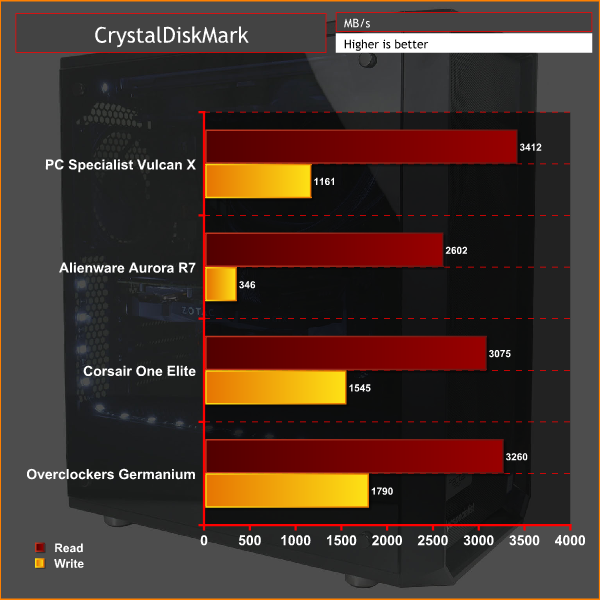
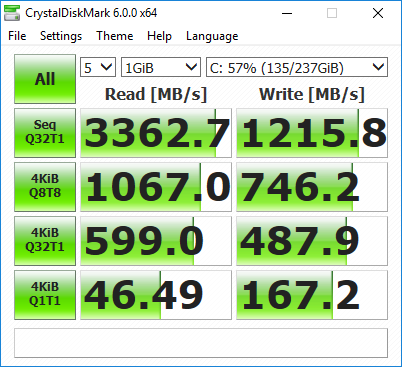
The PM961 is essentially the OEM version of the Samsung 960 EVO, and sure enough its performance in our tests was impressive. It even pulled ahead of the Overclockers UK Germanium for sequential read speed, though it fell behind for write speed.
It's fast enough that performance is not the reason you’d ever want to upgrade – it’s the limited capacity that would tempt us to go for a 500GB model instead.
Meanwhile the 2TB hard drive offers typical slow hard drive performance. You'll want to avoid storing anything that's accessed frequently on it.
Another industry-standard benchmark, 3DMark provides a number of different tests for taxing graphics cards and emulating different gaming challenges. We use the Fire Strike and Fire Strike Extreme tests, which run the same test but at two different resolutions: 1080p and 1440p.
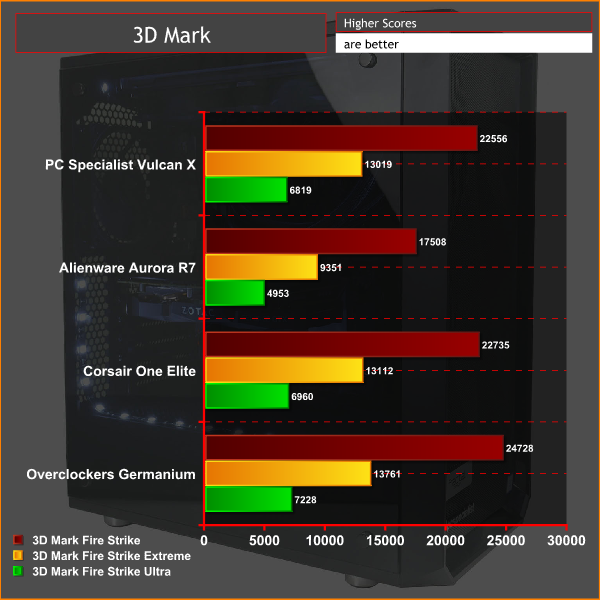
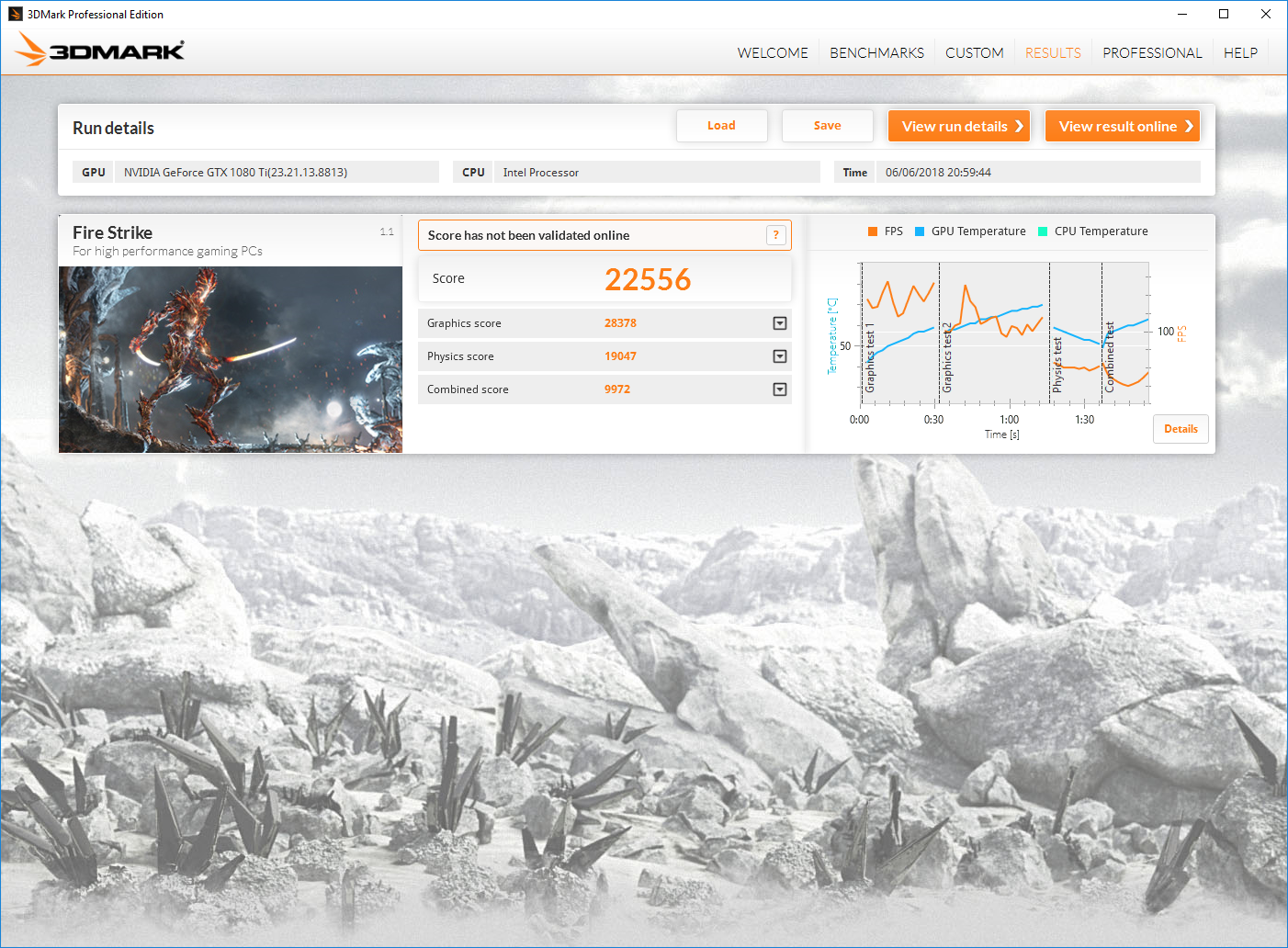
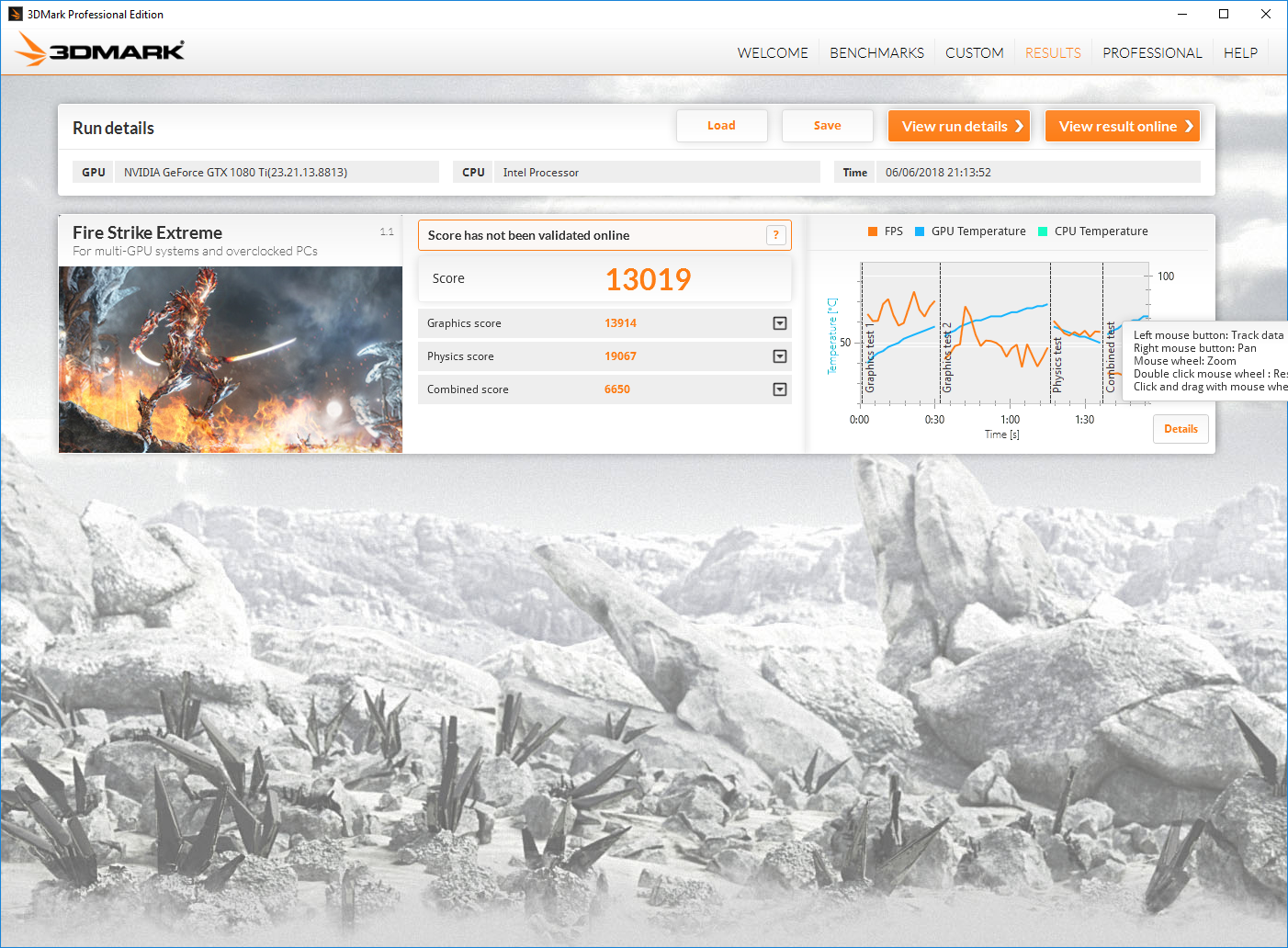
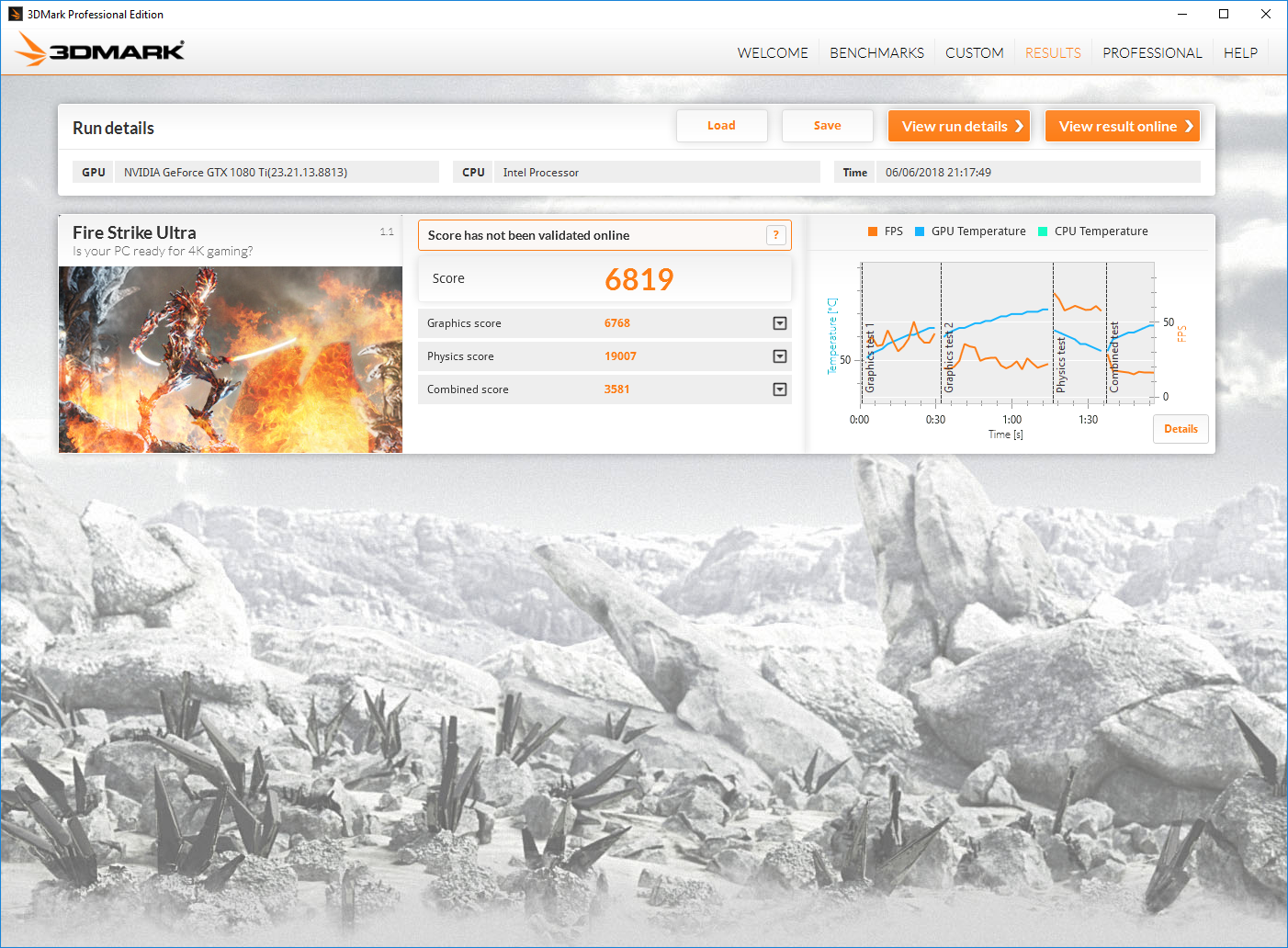
We were a little surprised to see the Vulcan X fall behind the Corsair One Elite in our 3DMark tests. Considering the One Elite isn’t overclocked, we’d expect the Vulcan X to edge ahead.
Meanwhile, the Germanium again takes the overall performance crown, but in all but the least demanding test the difference is negligible.
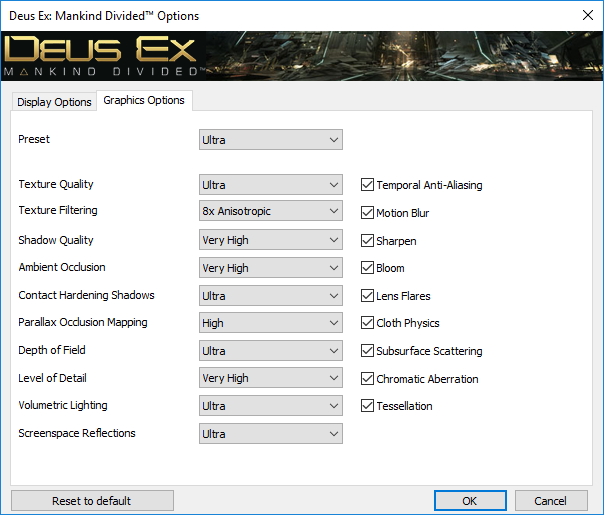
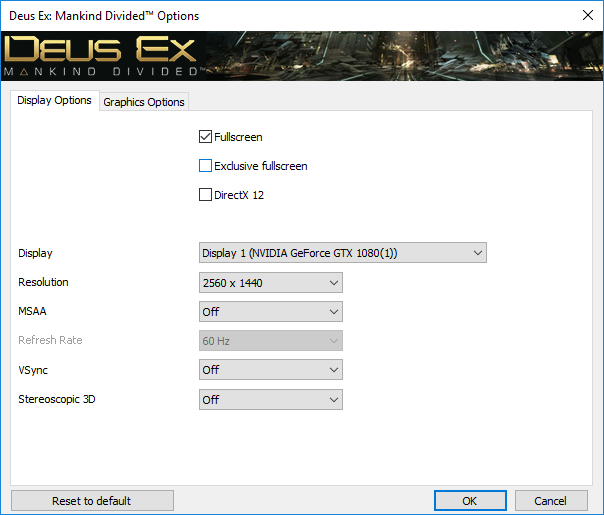
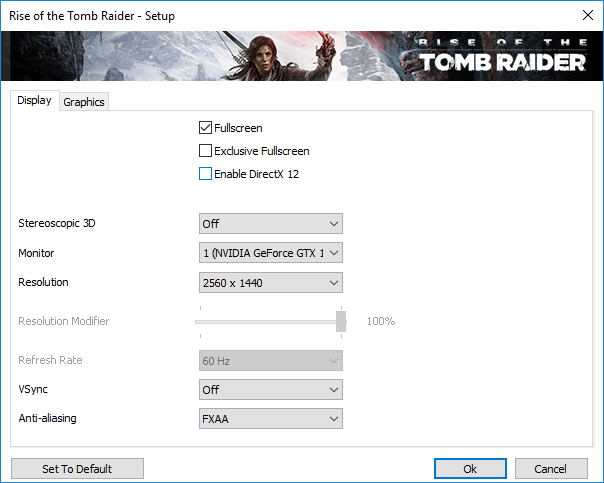
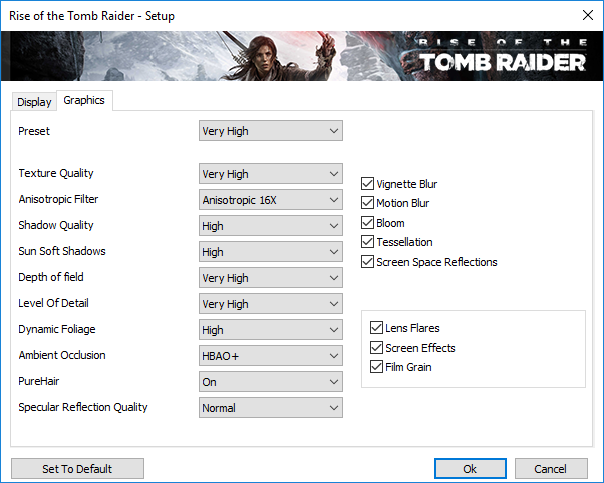
Next up we ran some real-world gaming tests, using Deus Ex: Mankind Divided and Rise of the Tomb Raider. We tested at 1080p and 1440p resolutions. We used each game’s in-built benchmark.
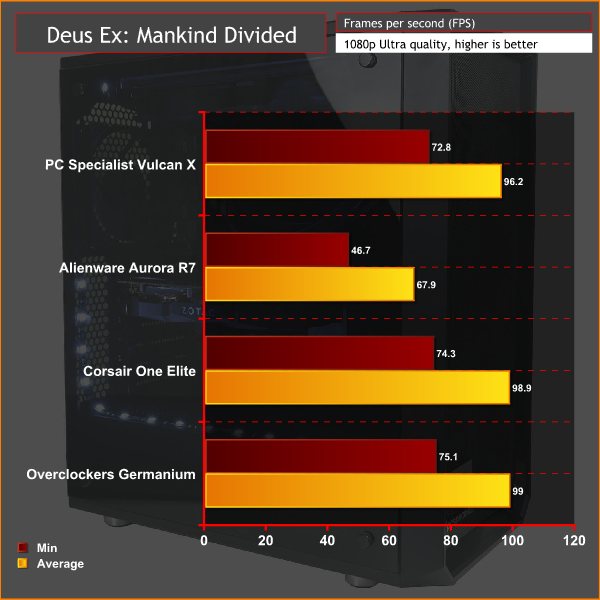
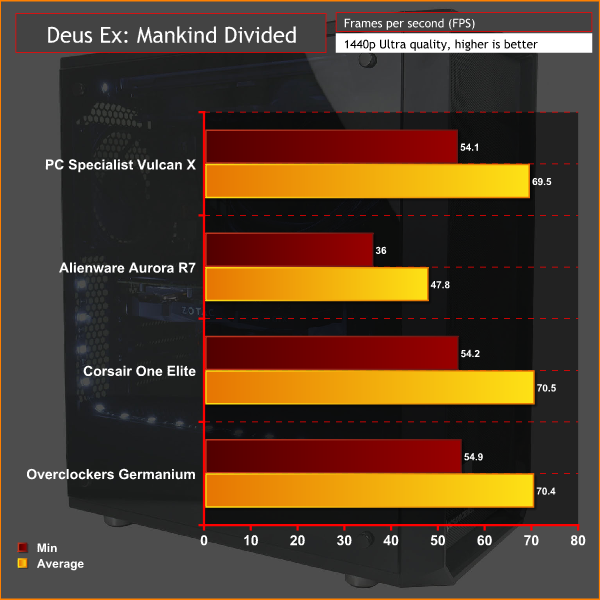
Just as with 3DMark we again see the Vulcan X just falling behind the Corsair One Elite, which itself is a little further back from the Overclockers UK machine.
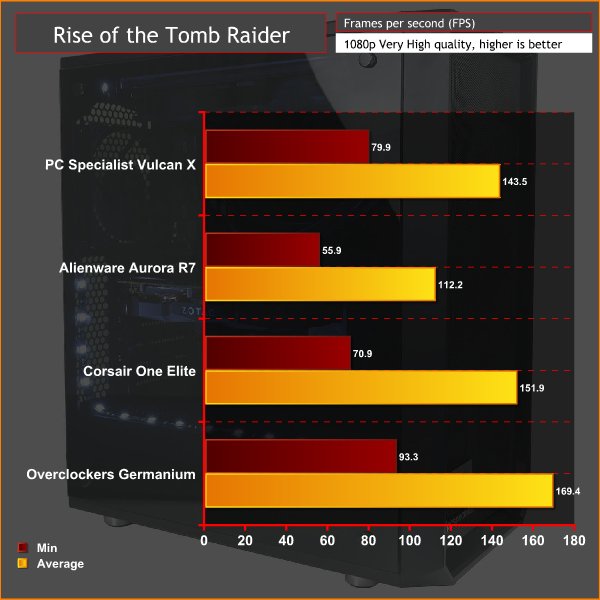
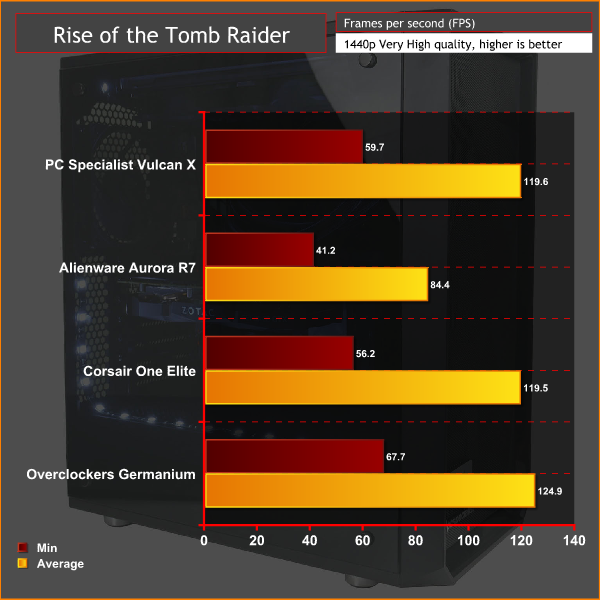
This would seem to suggest the One Elite does a slightly better job of keeping its graphics card cool, allowing it to run with higher clock speeds.
To measure idle temperatures, a reading was taken after having Windows open on the desktop for 30 minutes. A CPU reading under load was taken with Prime 95’s SmallFFt test running while a GPU-load reading was taken with 3DMark Fire Strike running.
Noise levels were tested using a decibel meter held 30cm from the front of the desktop.
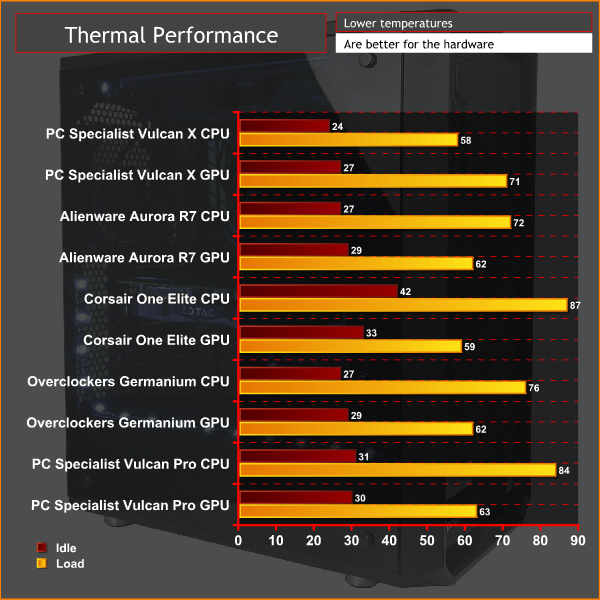
The Vulcan X may not quite top our charts for performance, but when it comes to cooling it does well. A peak of 58C for the CPU is impressive, while a 71C peak temperature for the GPU highlights the positive impact the ventilated front of the Meshify has.
On the flipside, that noisy graphics card really is distracting. With the system at idle it pushed noise levels to 39.7dB, which is above the 35.5dB of the other two systems we’ve compared it to.
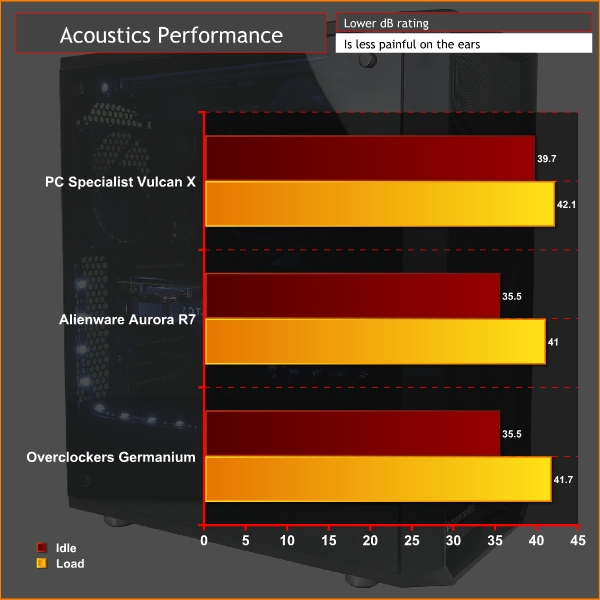
Under load it was also a little louder, though all the systems are still noticeably loud at this point so it’s of less significance.
Nonetheless, without a way to shut off that Zotac graphics card’s fan, it is certainly a significant annoyance.
The PC Specialist Vulcan X is a great example of just how powerful a gaming PC you get for surprisingly little money. It packs a top CPU and GPU while doing away with nearly all frivolous extras resulting in a rig that delivers as much performance as systems costing £1000 more.
Of course, skimping on all those extras does result in a few compromises. The case isn’t the most stylish we’ve seen, while you also get a fairly plain interior with no lights on any of the components and just a strip of white LEDs for illumination. If you like your PC to have a little pizzazz, you may want to spend a little extra on a few upgrades.
Similarly, there are a few compromises on the performance front, though they’re far less significant than you might expect. The use of relatively slow 2133MHz DDR4 holds back performance a little so we’d recommend looking at upping this to 2666MHz if the upgrade isn’t too costly.
You also get a rather small 256GB SSD. This will mean you can only install a handful of modern AAA games before having to start installing them to the secondary hard drive. Stepping up to a 500GB SSD would be a tempting upgrade.
The biggest cause for concern, though, is the choice of graphics card. Zotac’s Mini GTX 1080 Ti performs just fine but its loud fan is a significant distraction when the PC is idling. PC Specialist only offers the choice of an unspecified GTX 1080 Ti (i.e. whatever's in stock) or specifically an Asus model. The latter costs an extra £75, but based on what we’ve seen, we’d take that upgrade rather than risk having the noisy Zotac model found here.
All told, while there are a few tweaks we might be inclined to make when ordering one of these PCs, what isn’t without doubt is that the Vulcan X offers excellent value and performance, making it well worth buying.
You can get one for £1,629.99 from PC Specialist HERE.
Pros:
- Fantastic value.
- Blistering gaming performance.
- No frivolous extras.
Cons:
- Noisy graphics card.
- Not the most stylish case.
KitGuru says: The Vulcan X is a fine example of just how much performance can be gleaned from a tight budget.