 KitGuru KitGuru.net – Tech News | Hardware News | Hardware Reviews | IOS | Mobile | Gaming | Graphics Cards


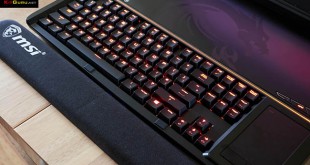
Few products have generated as much hype and interest as the MSI GT80 Titan Gaming laptop. Kitguru was the first major publication to cover the new laptop when we flew over to Taipei last November. LEO then got his hands on an early pre retail sample for KITGURU TV back in December. Today we present our full, in depth analysis of what can only be considered the most powerful laptop that money can buy. Add a full mechanical keyboard with Cherry switches into the mix and you have a heady combination for a gamer demanding a fully mobile form factor.
Before reading our indepth analysis today, be sure to watch LEO's early video coverage from December 2014 over HERE.
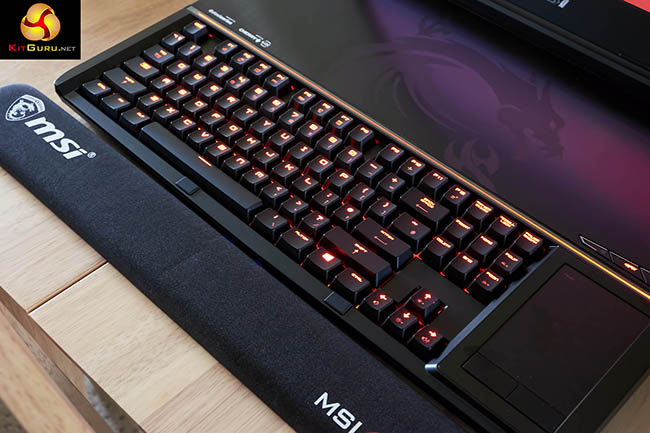
The MSI GT80 Titan will ship in various guises over the coming months and our review sample ships with some seriously high end hardware.
The GT80 Titan is powered by Intel's most powerful mobile chip – the i7 4980HQ which runs at 2.8ghz with a turbo to 4ghz. There is 32GB of DDR3 memory installed, alongside dual Nvidia GTX980M graphics cards and a 1TB 7,200 rpm storage drive. To ensure that system responsiveness is never an issue, MSI have equipped this machine with 4x 256GB Solid State Drives, running in RAID 0.
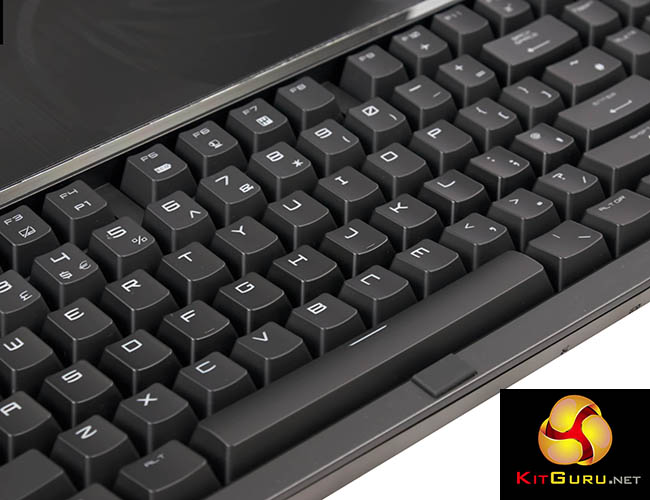
While all this high end hardware is enough to get an enthusiast gamer literally foaming at the mouth, one of the biggest talking points is the inclusion of a full mechanical Steelseries keyboard featuring Cherry switches.
This backlit board has caused much debate over the last month due to the position. The deep travel mechanical keys force the internal hardware to be pushed back inside the chassis. MSI are aware that this could be uncomfortable, so as the first image on this page highlights – they have included a gel style wrist rest as part of the package.
MSI GT80 Titan Specifications:
- OS: Windows 8.1
- CPU: Intel core i7 4980HQ (2.8Ghz – 4Ghz)
- Display: 18.4” Full HD, anti-glare LCD in LED backlight 1920×1080 16:9
- Memory Supplied: 4 x 8GB (32GB)
- Memory Type: DDR3L
- Memory Speed: 1600
- Max Memory Support: 32GB
- Graphics Chipset: Dual nVidia GeForce GTX 980M SLI
- Graphics Memory: 8GB GDDR5 x2
- Storage: 4 x 256GB M.2 SSD + 1TB 7200RPM
- Keyboard Type: SteelSeries Red backlit mechanical keyboard with Cherry MX Brown Switches
- USB3.0 Ports: 5
- HDMI Port(s): 1
- Mini Display port(s): 2
- LAN Port(s): 1
- Microphone Jack(s): 1
- Headphone Jack(s) (SPDIF): 1
- Card Reader: SD (XC/HC)
- Audio: – 4.1 Sound by Dynaudio
- LAN: Killer DoubleShot Pro Gb LAN
- Wireless LAN – Killer DoubleShot Pro 11ac
- Bluetooth: V4.1
- Webcam: Full HD type (30fps@1080p)
- Warranty : 2 YR's Collect & Return (1 YR Global)
Total cost £3,499 inc vat.
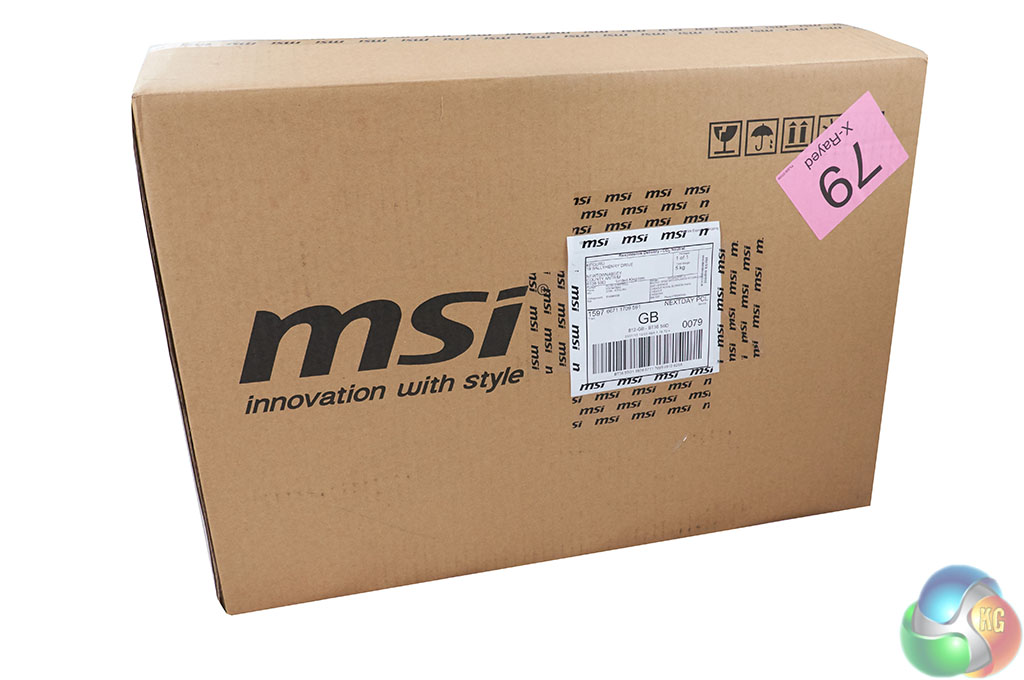
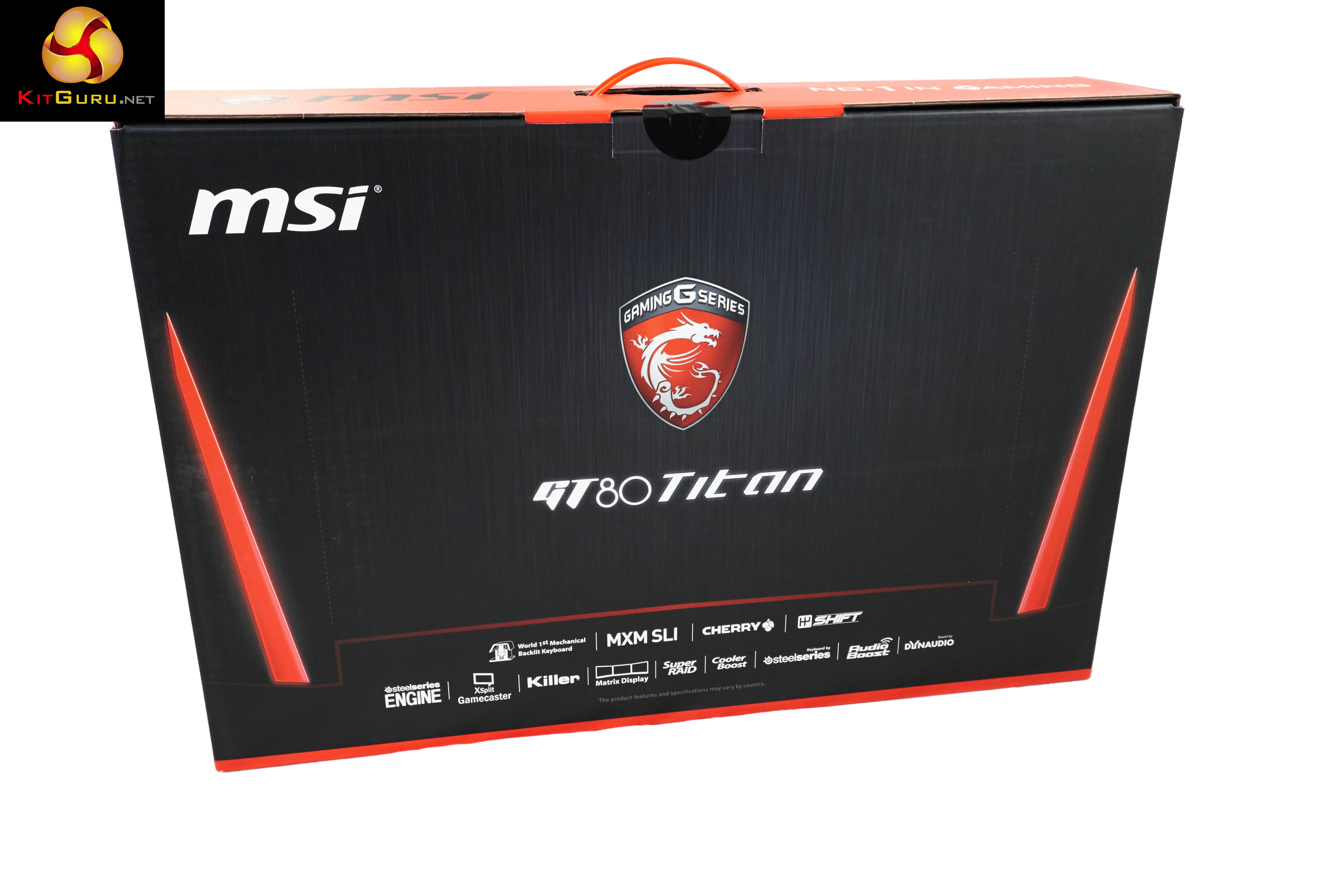
The MSI GT80 Titan gaming laptop arrives in a large brown box with plain company branding on the sides.
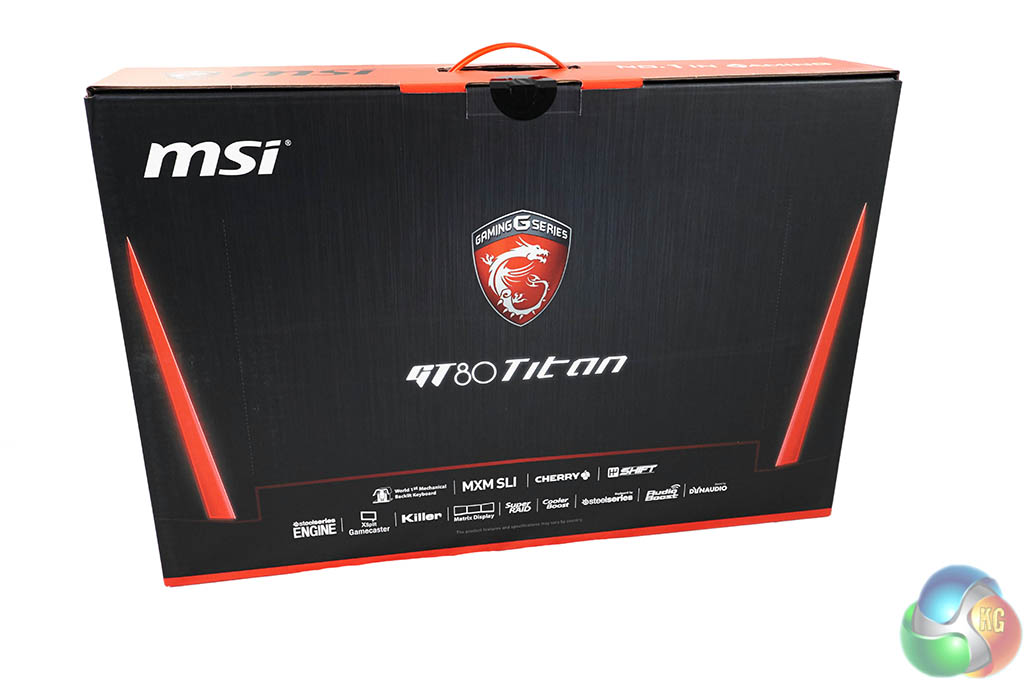
A wise idea shipping the GT80 Titan box inside a plain brown box – the post man might decide to elope with the new machine if he saw the full colour, inner box with all the detailed specifications.
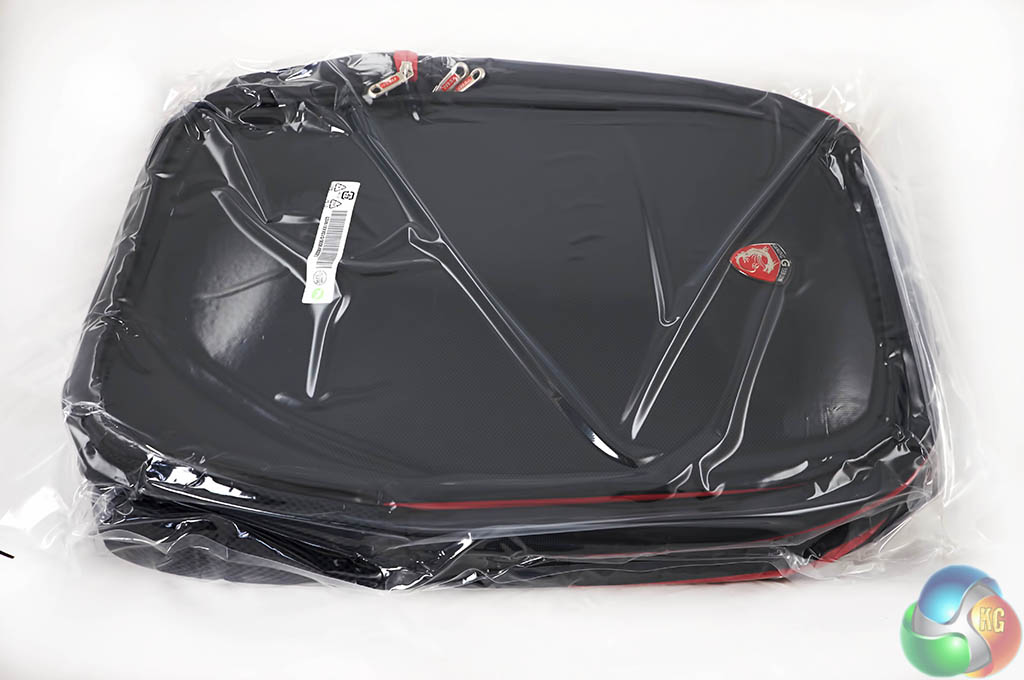
Alongside the inner box, is a backpack, branded by MSI and designed specifically to carry the laptop around with you. While the GT80 Titan is reasonably light considering the form factor, 4.5kg is not exactly the kind of weight you want strapped to your back all day.
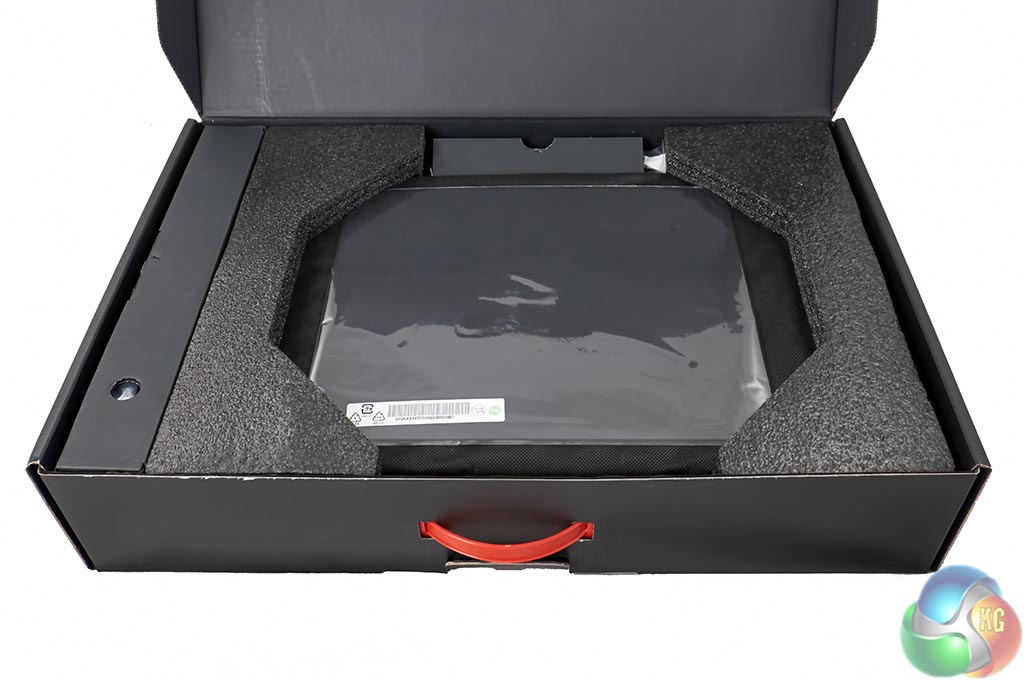
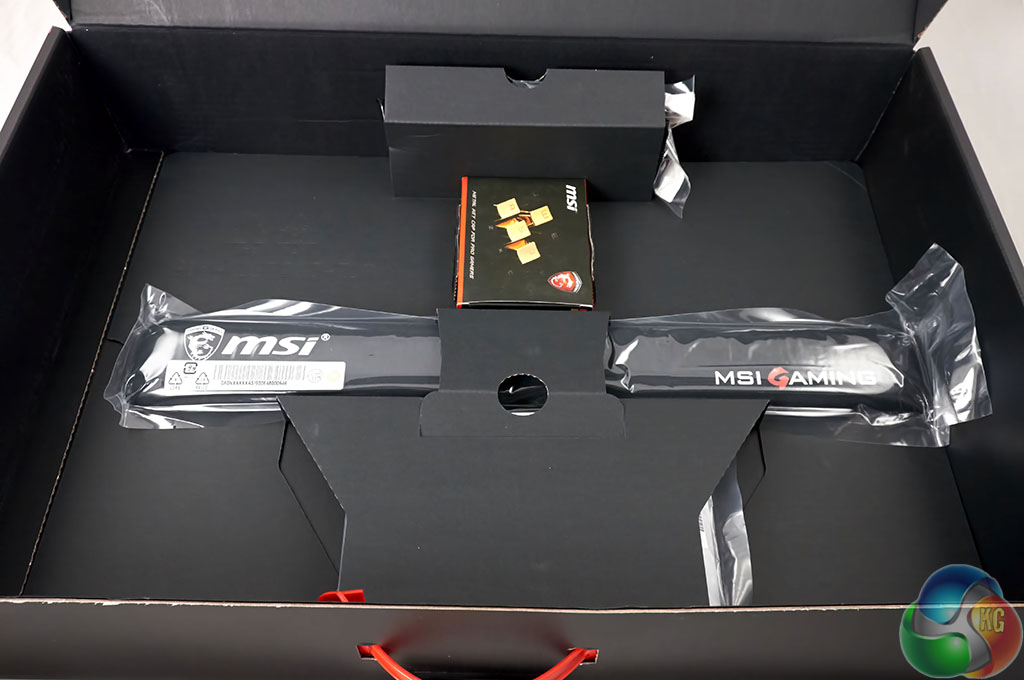
The GT80 itself is sandwiched between two thick pieces of foam. Lifting it up exposes other goodies that MSI have included as part of the deal.
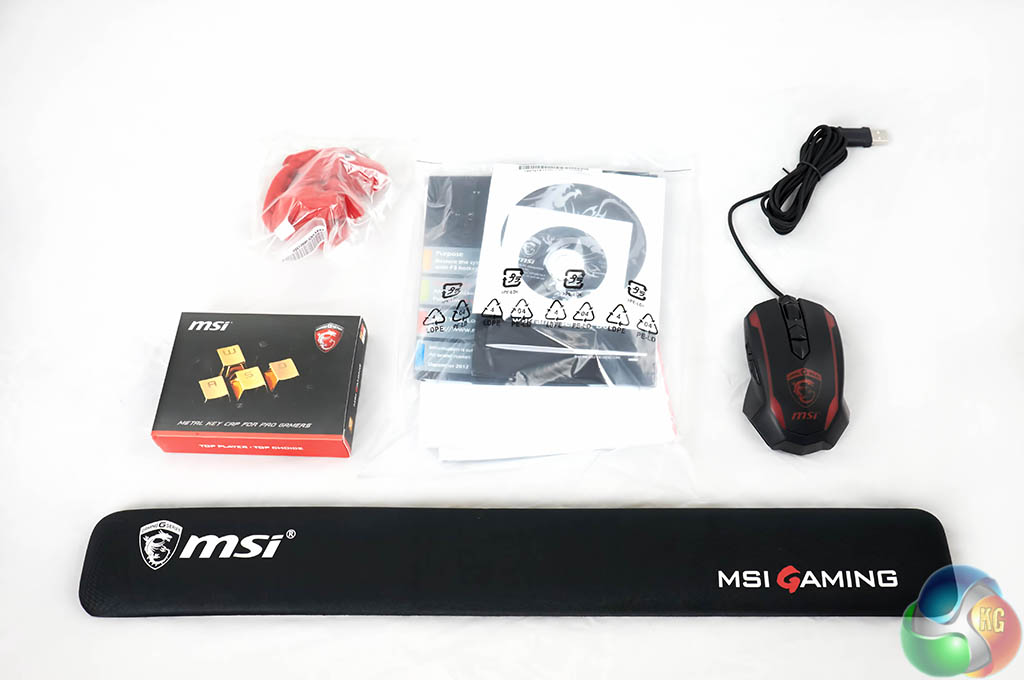
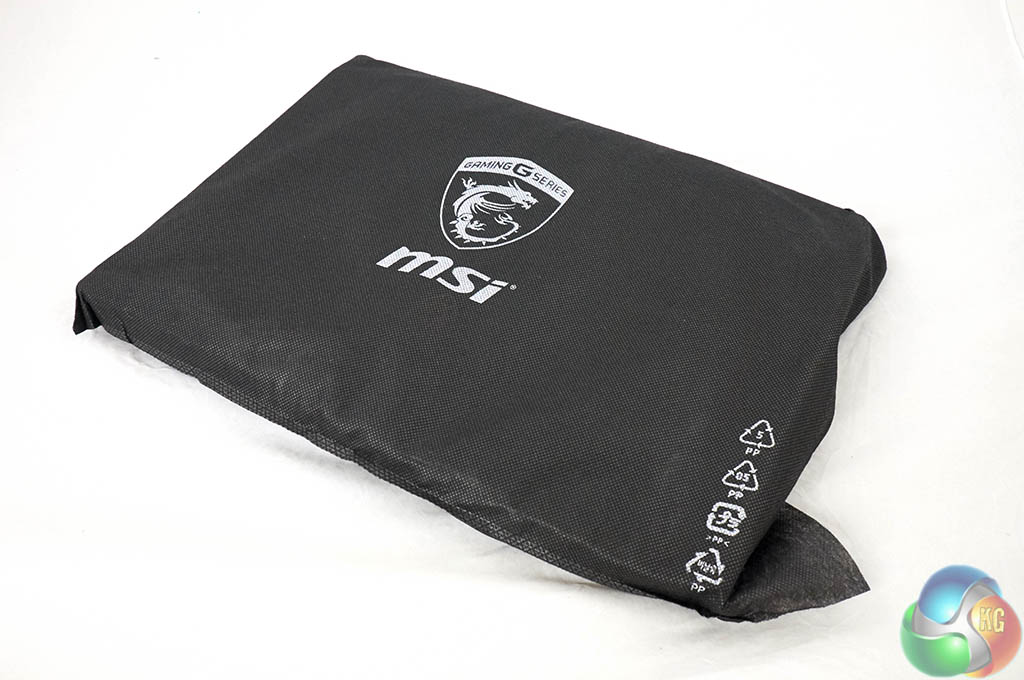
Above, a soft dragon toy, literature/drivers/software for the product, a gaming mouse, replacement metal keys and GEL wrist rest. The laptop is covered in a soft felt bag, shown above right.
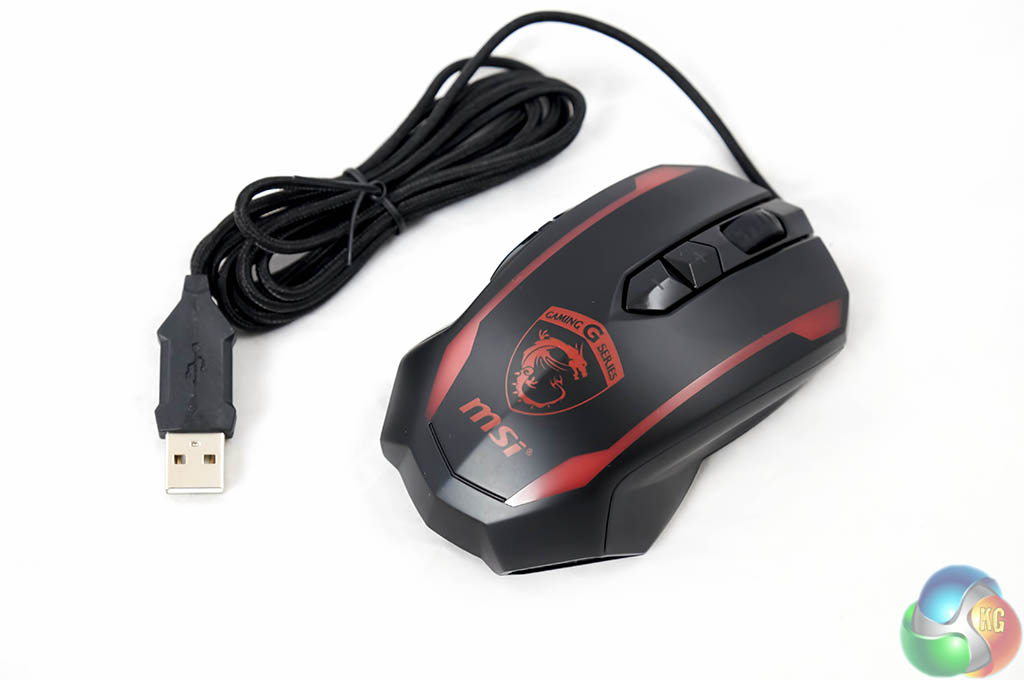
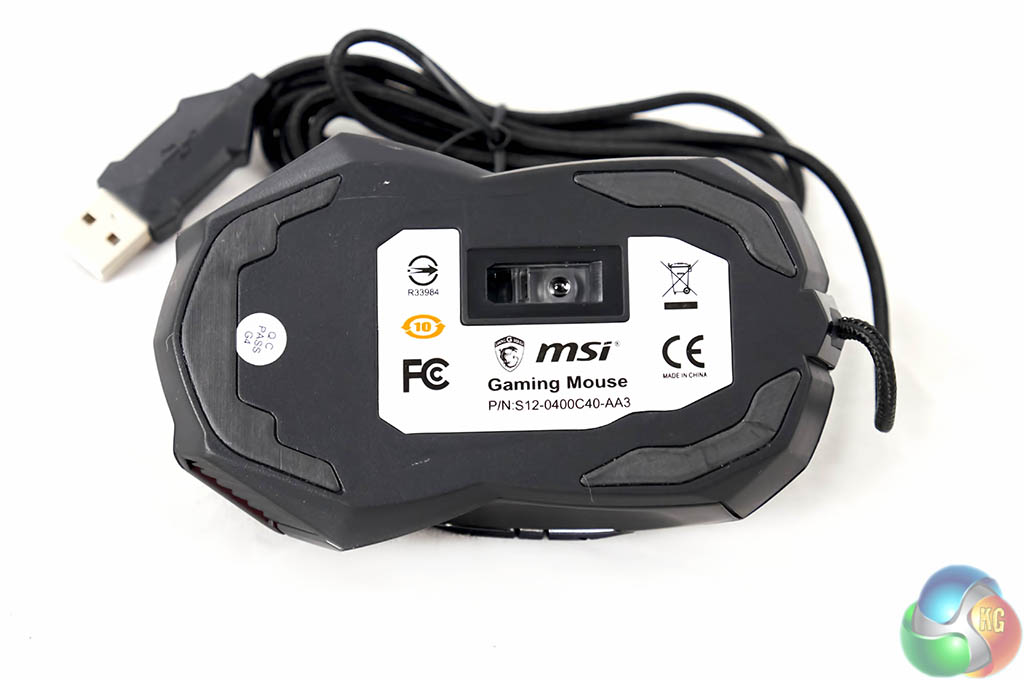
The branded MSI gaming mouse is a welcome addition and will surely be used by many. That said, if you already have a favourite mouse at hand, this is likely to go back into the box.

A little red dragon ‘mascot' for the desk. Its a cute little extra, which we always like to see.
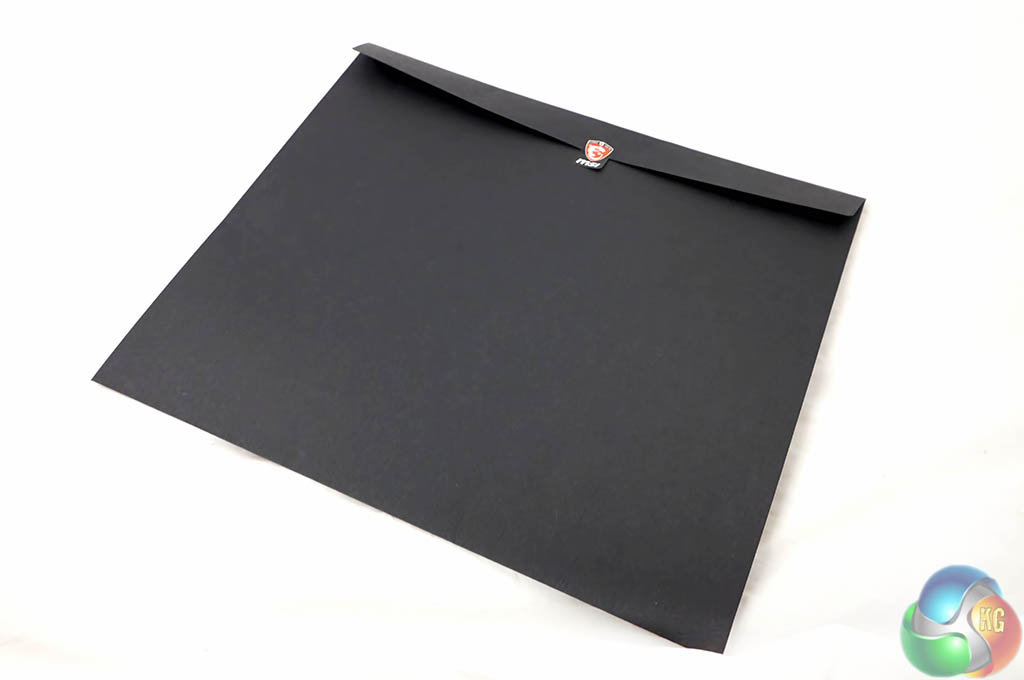
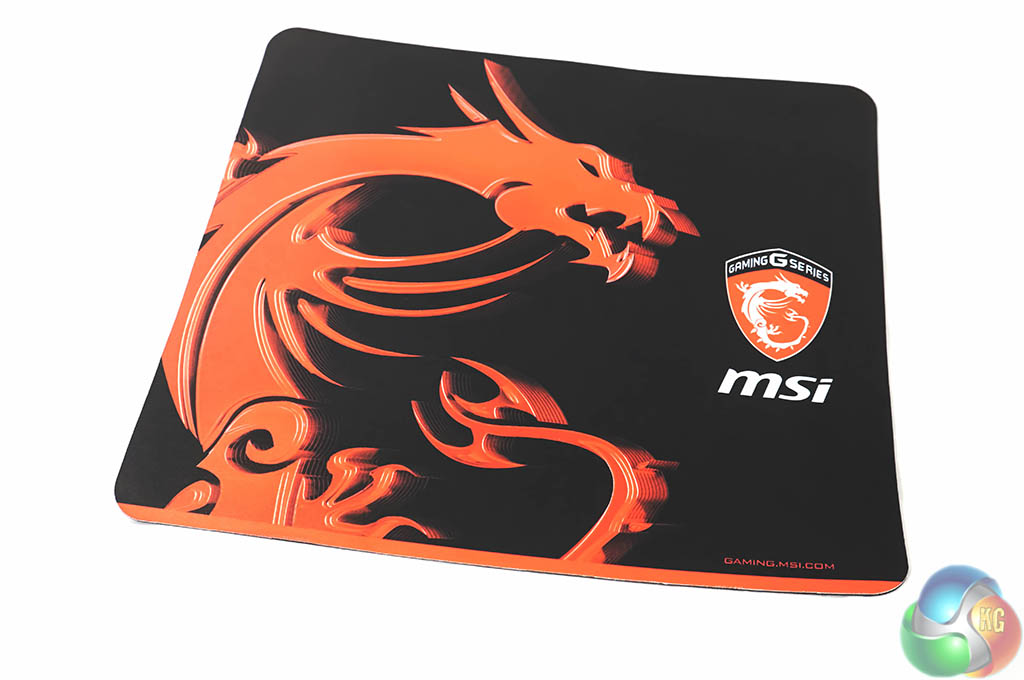
At first I thought the black folder contained some information for review publications to use. In fact it was the home for a rather attractive cloth mouse mat. Again, many people are likely to have their own mat of choice, but if not – this is another useful addition to the bundle.
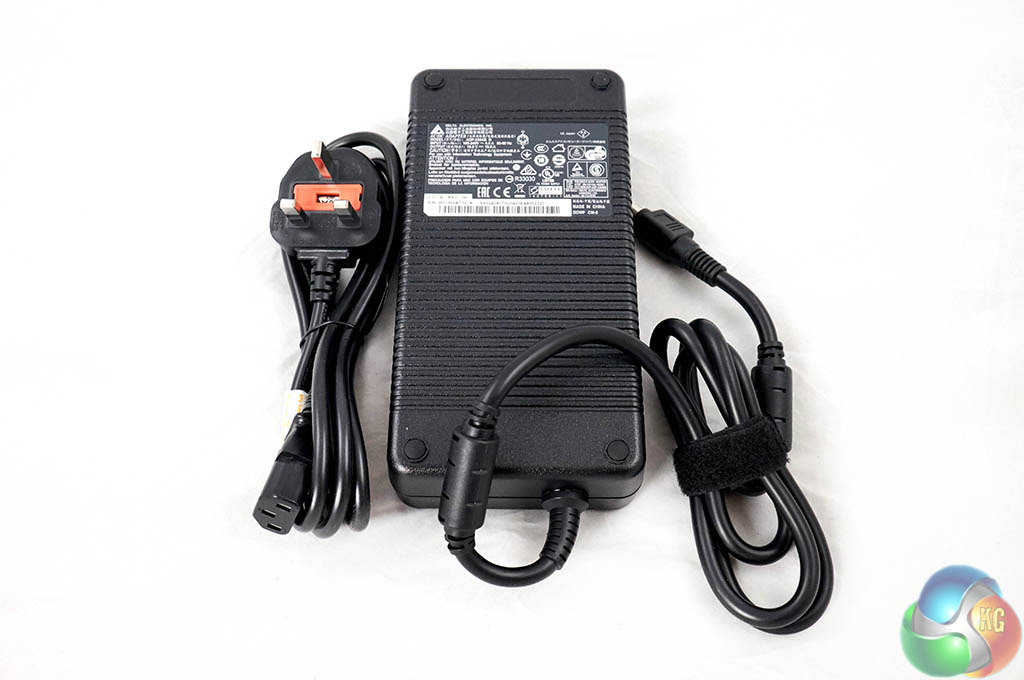
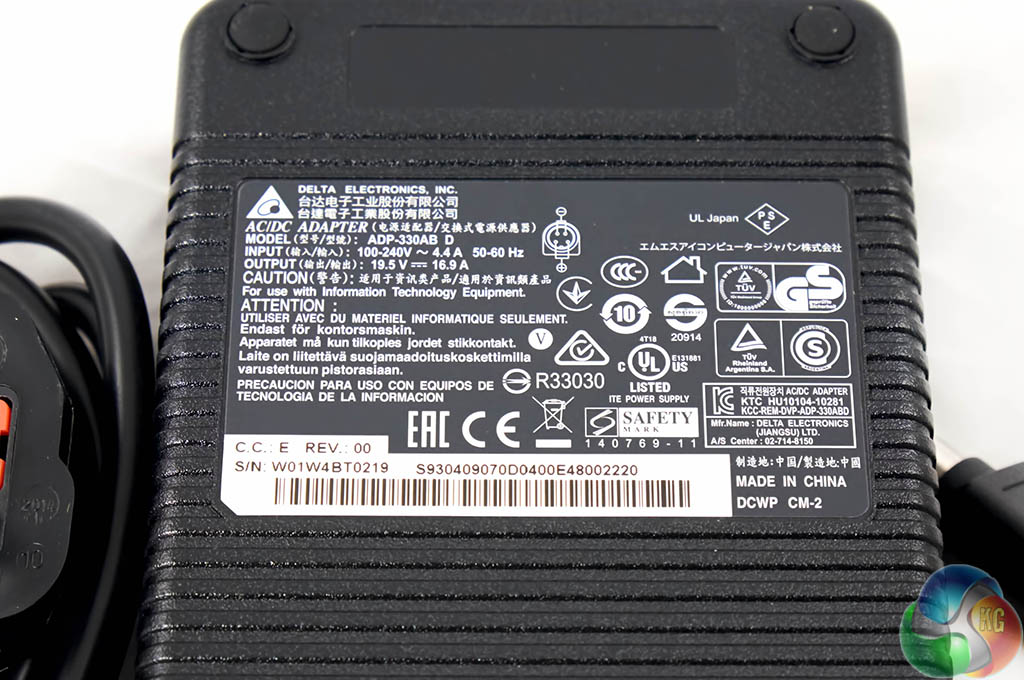
This is a high grade power supply by one of the top companies – DELTA. We worked out that this power supply can handle around 330 watts of juice. It is a serious brick. We test power drain later in the review.
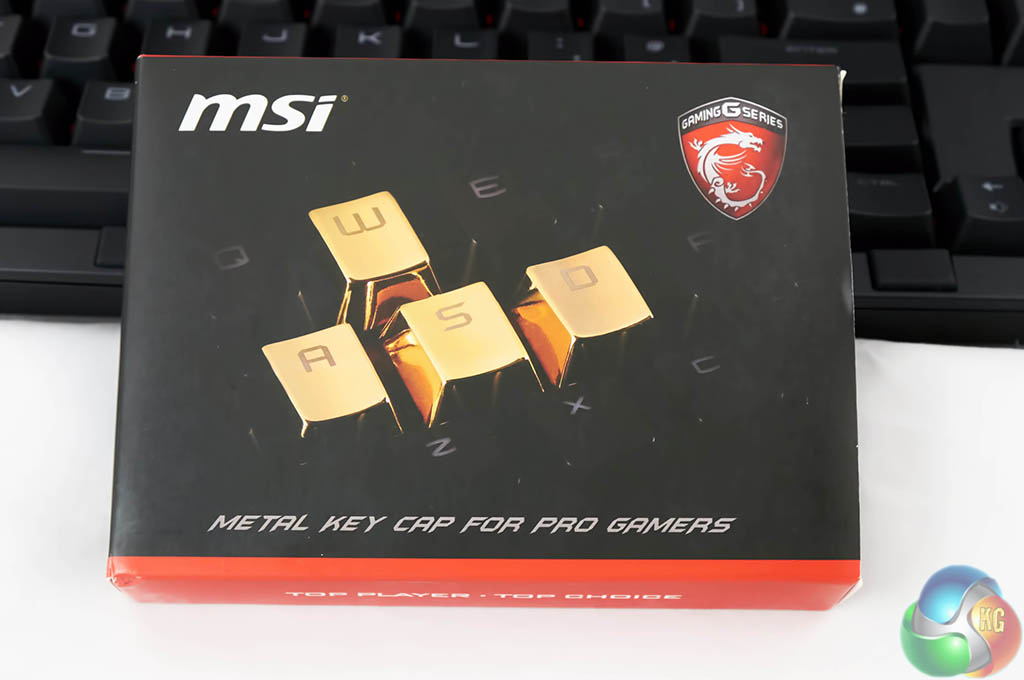
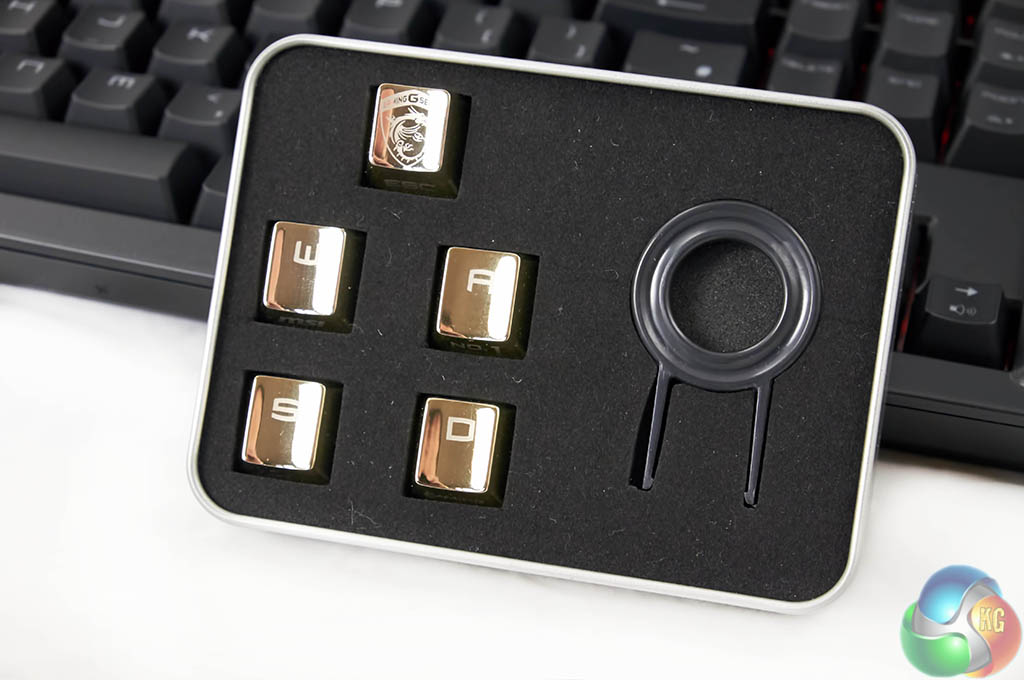
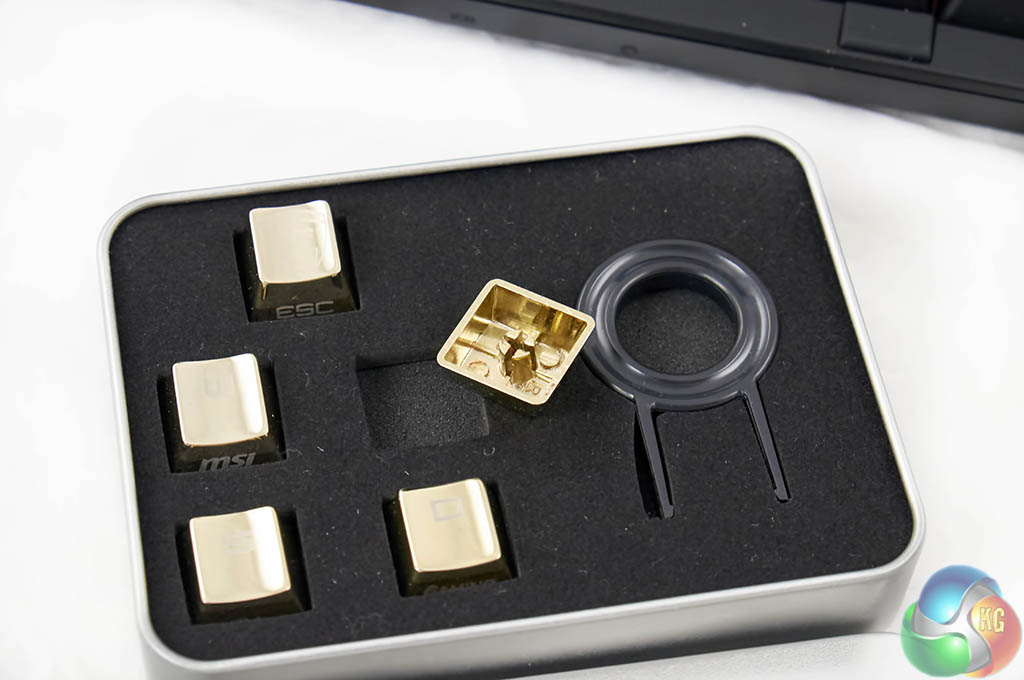
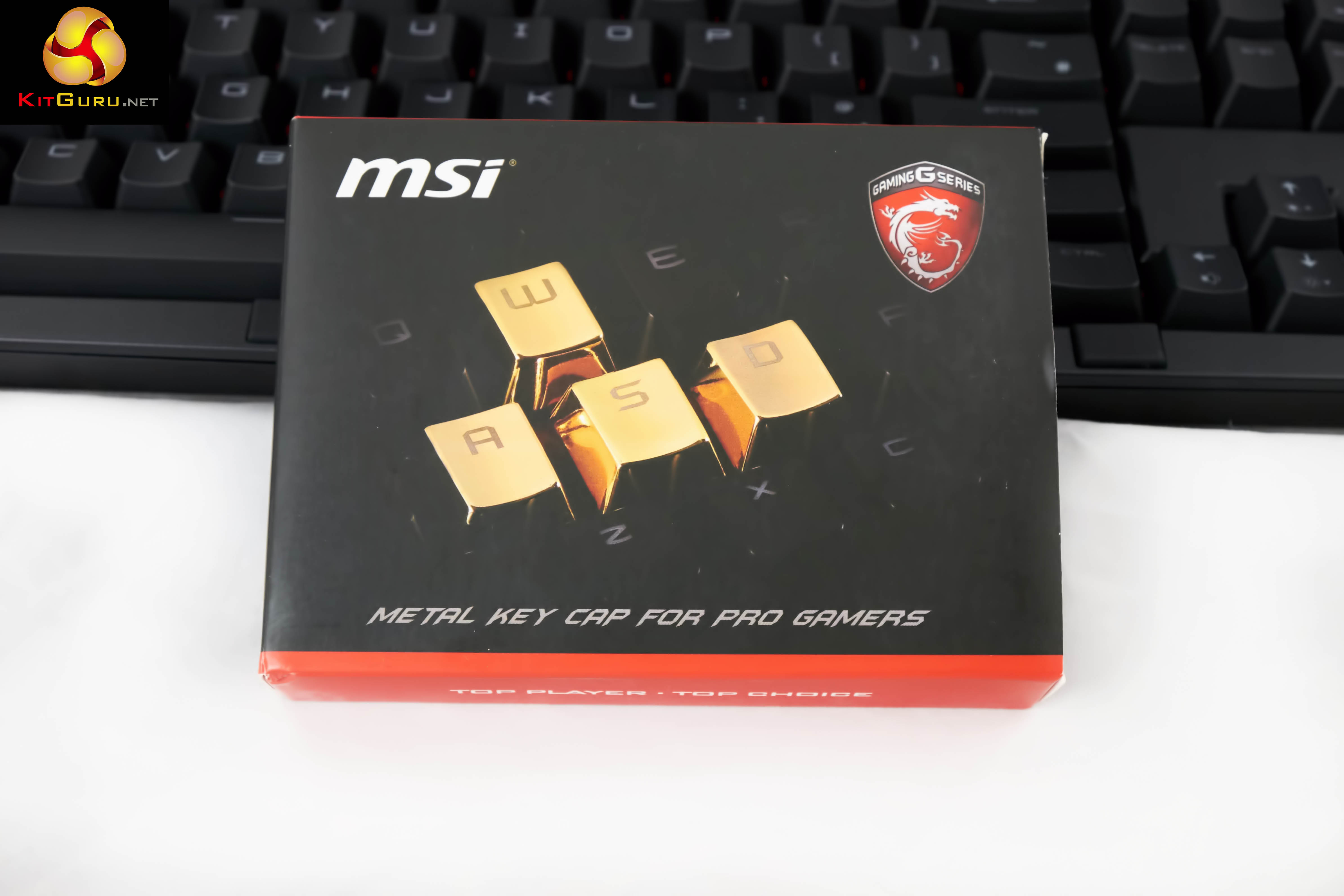
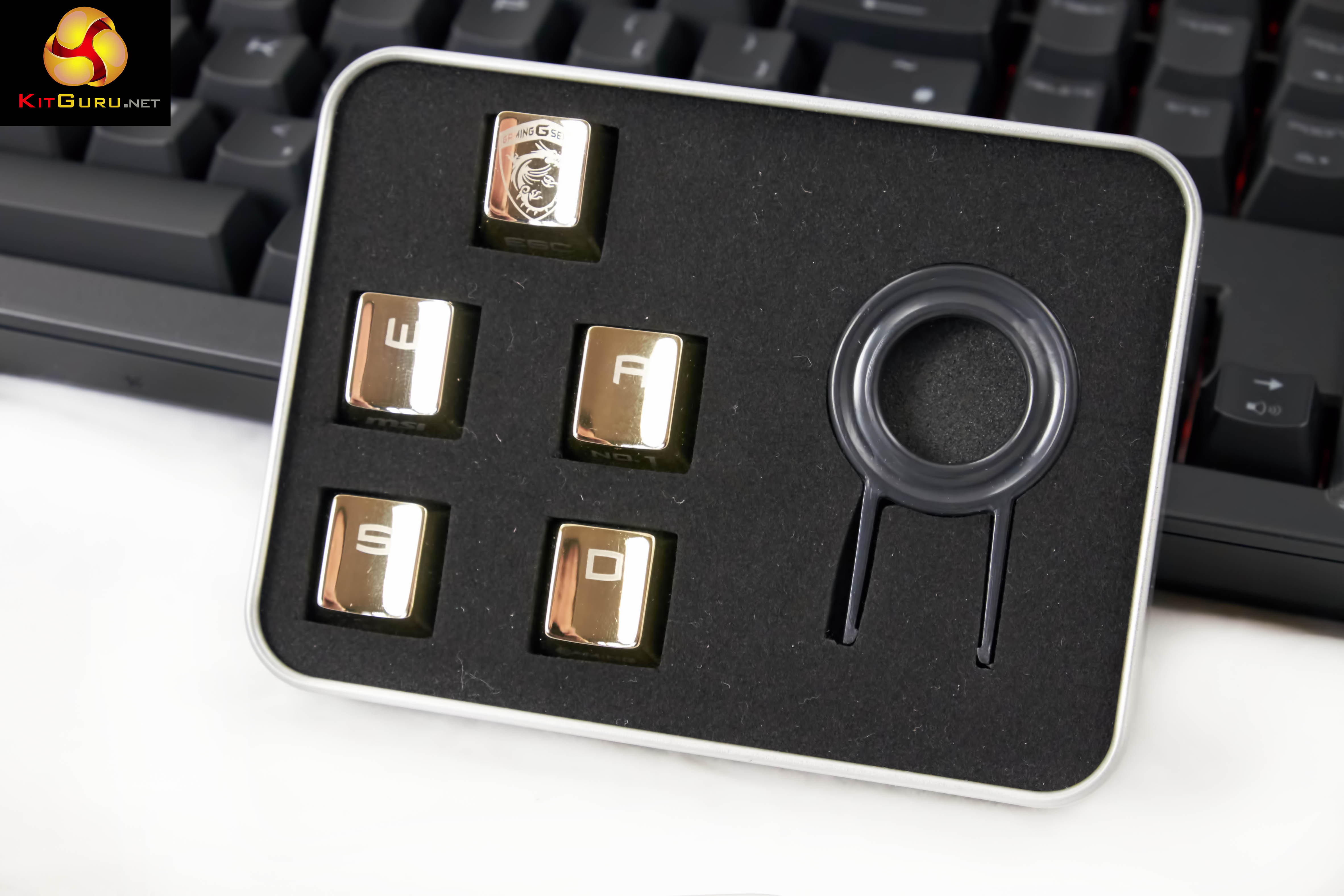
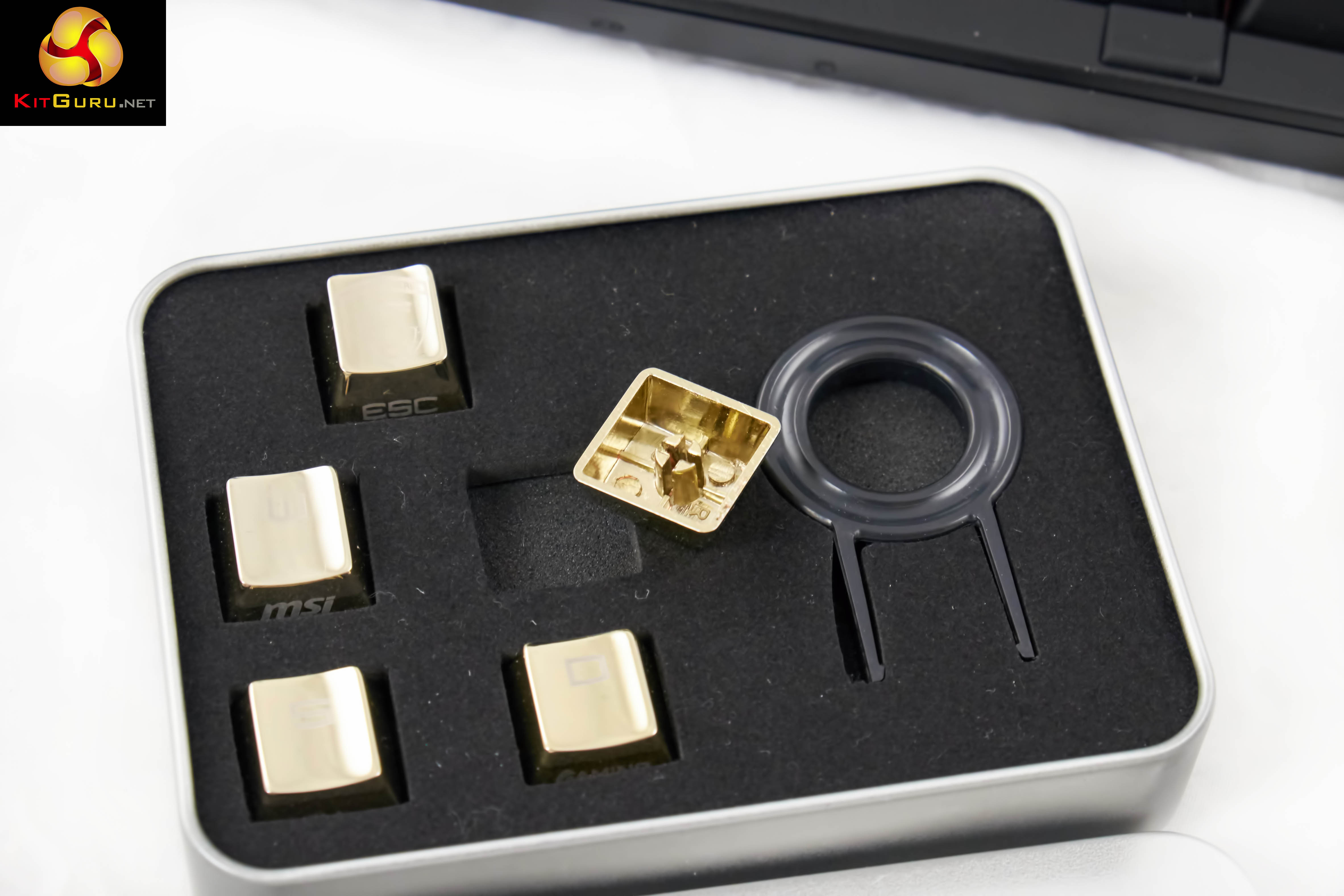
MSI include a lovely aluminum box which contains 5 gold, metal (and rather heavy) replacement keys, along with a key changing tool. The W, A, S, D and ESC keys can be replaced. Another cool little extra to help justify the £3,499.
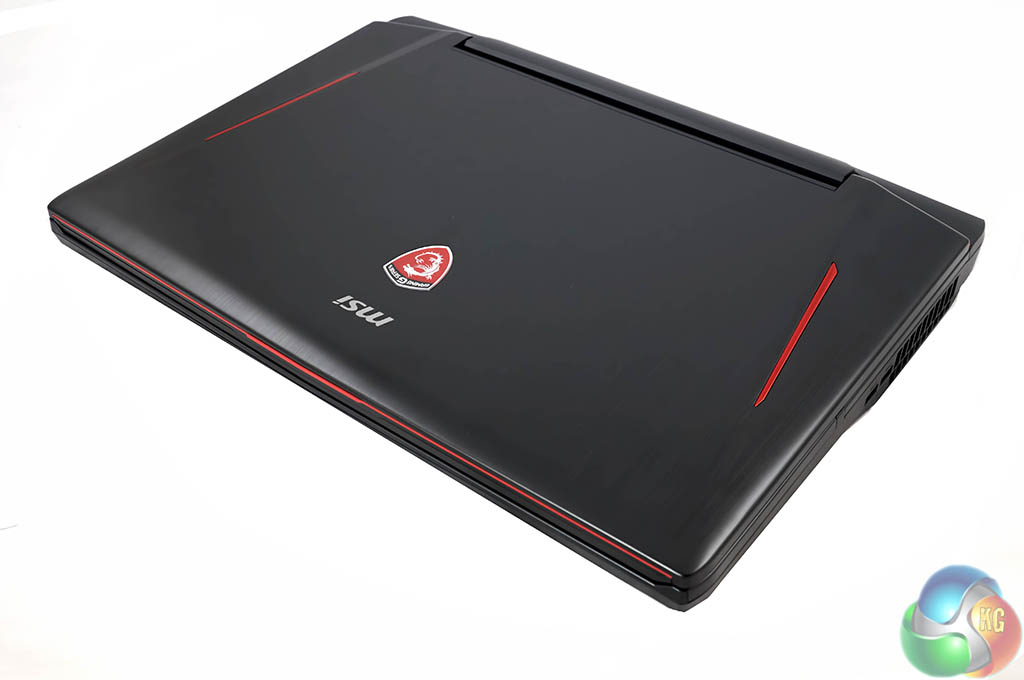
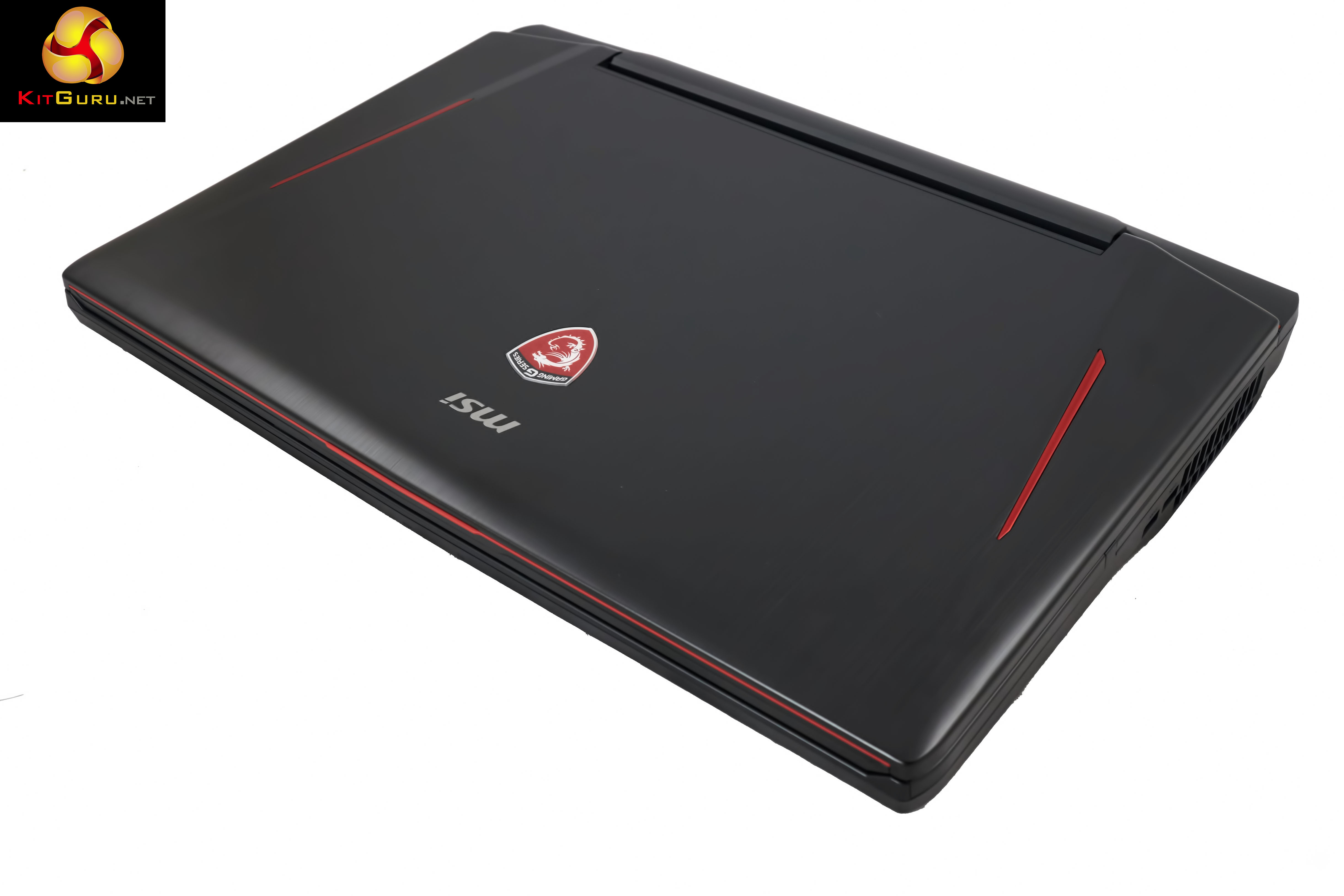
The MSI GT80 Titan is a looker. We love the subtle red stripes which run along the chassis on either side, at an angle.
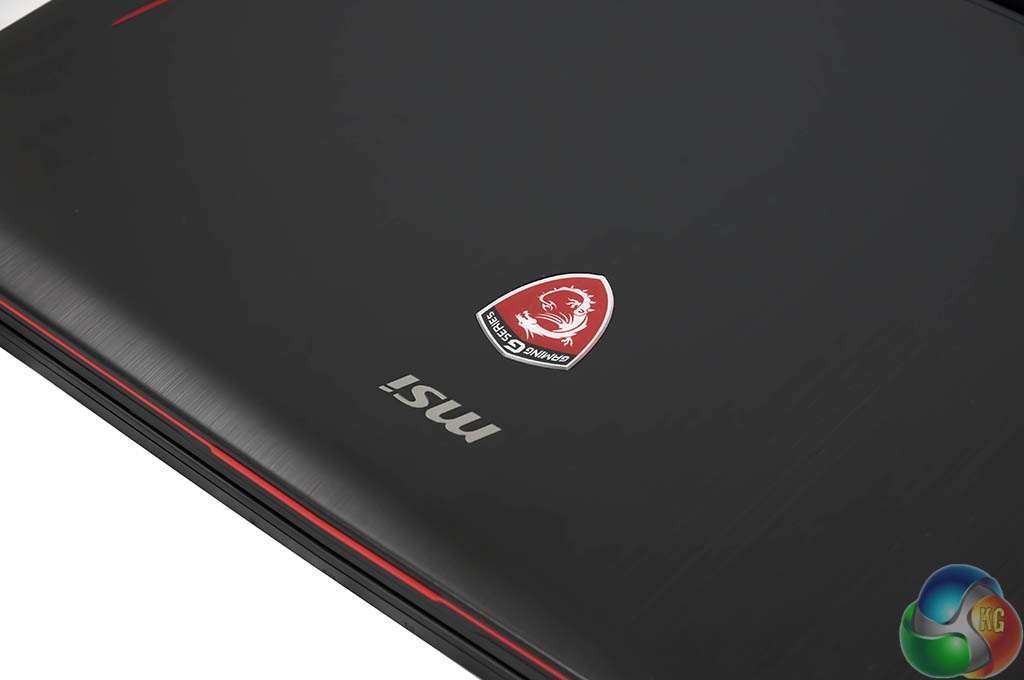
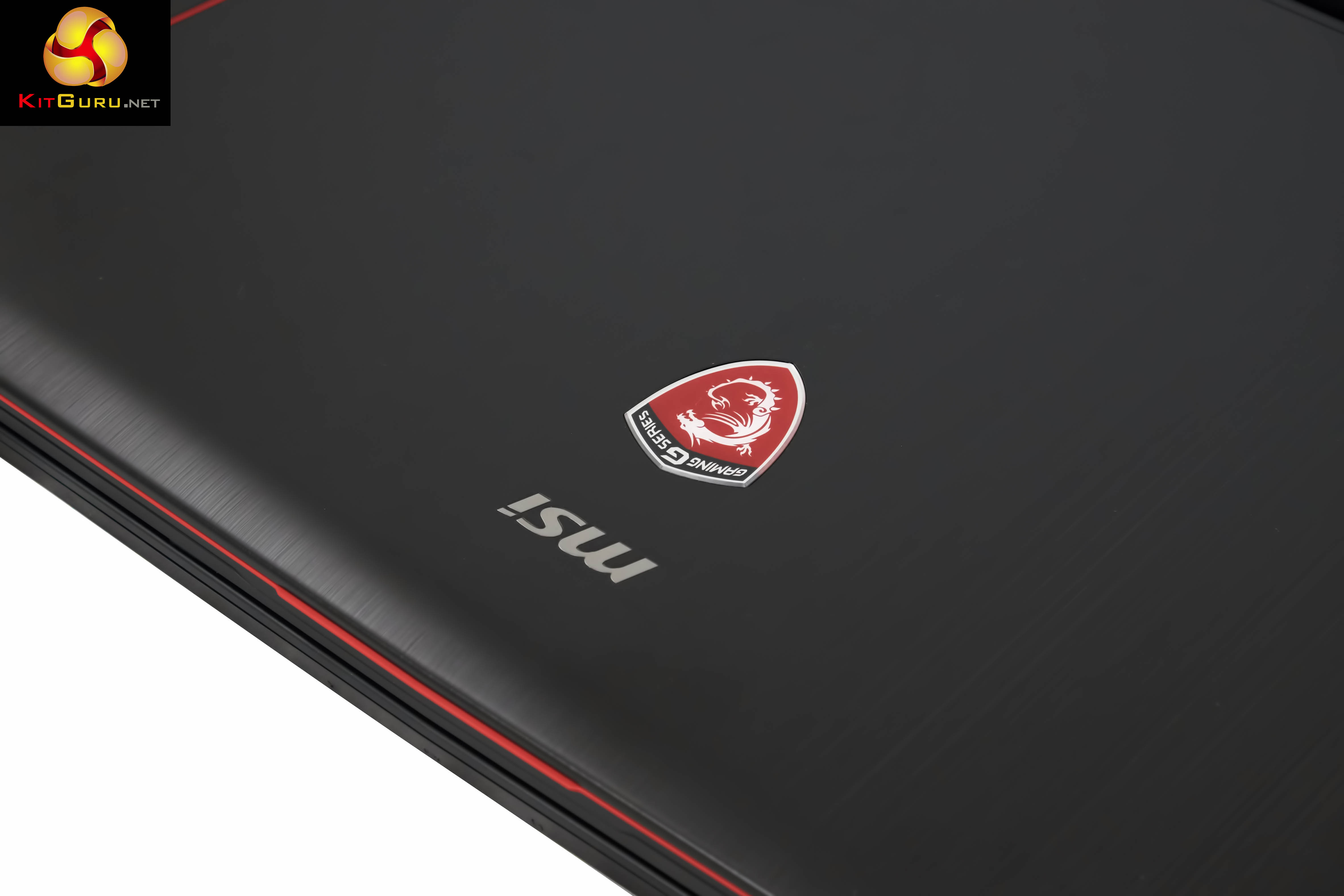
The MSI badge and name is positioned centrally, just as you open the lid.
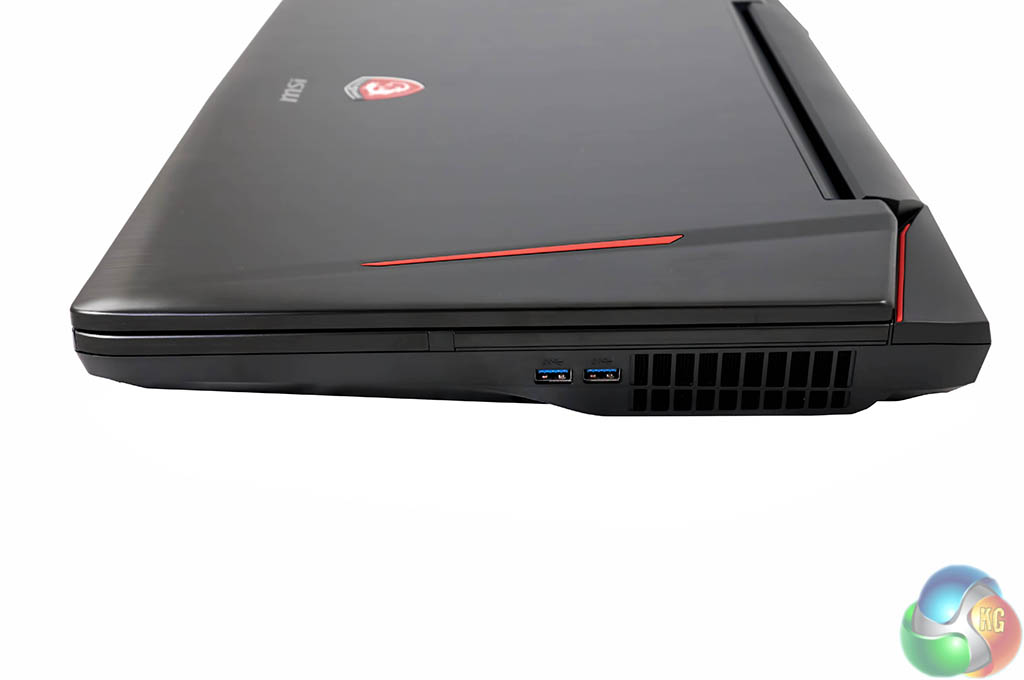
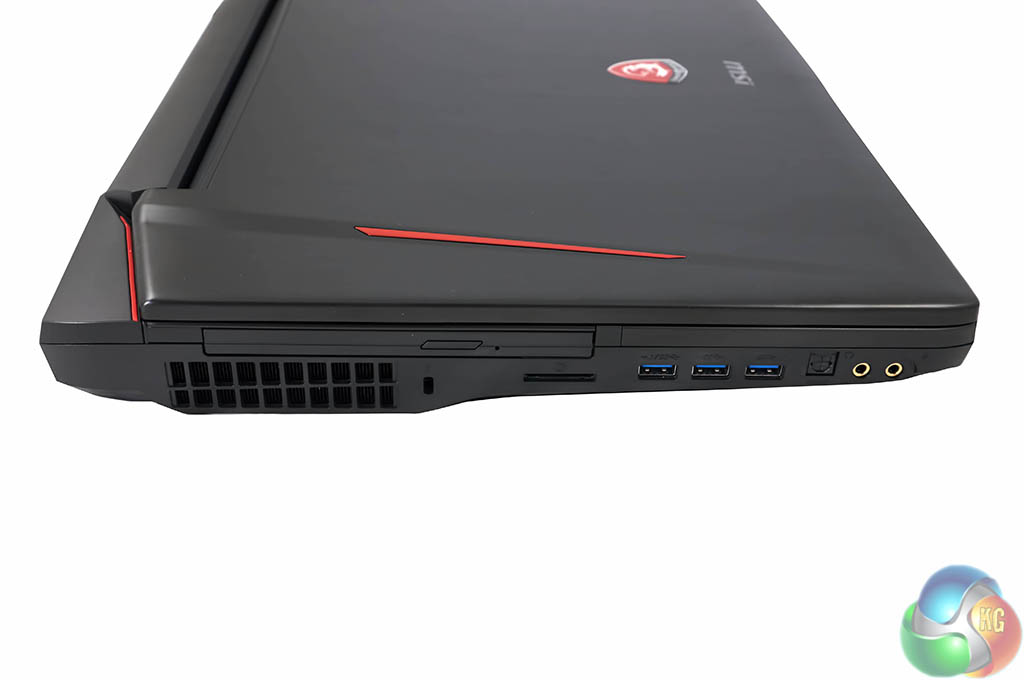
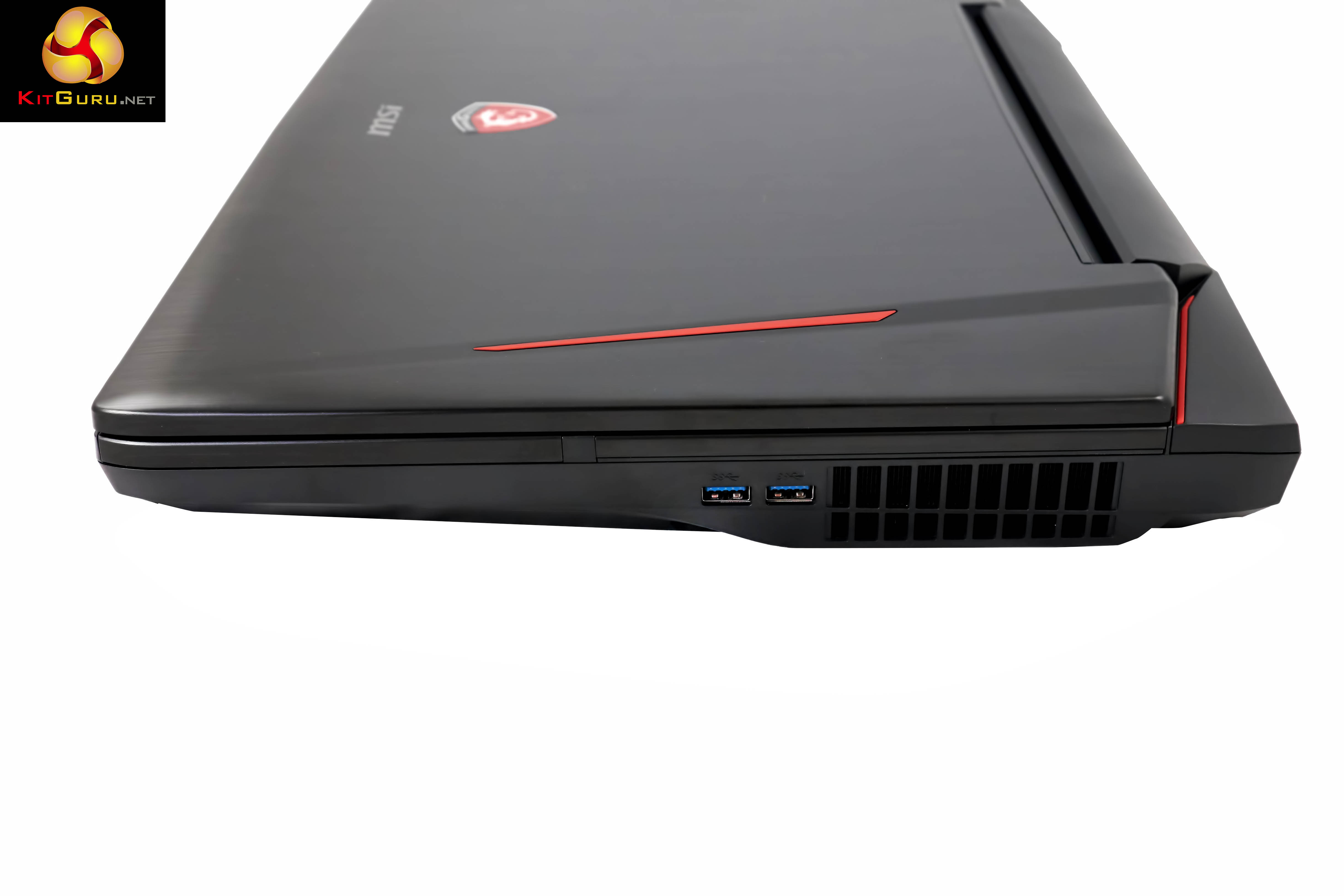
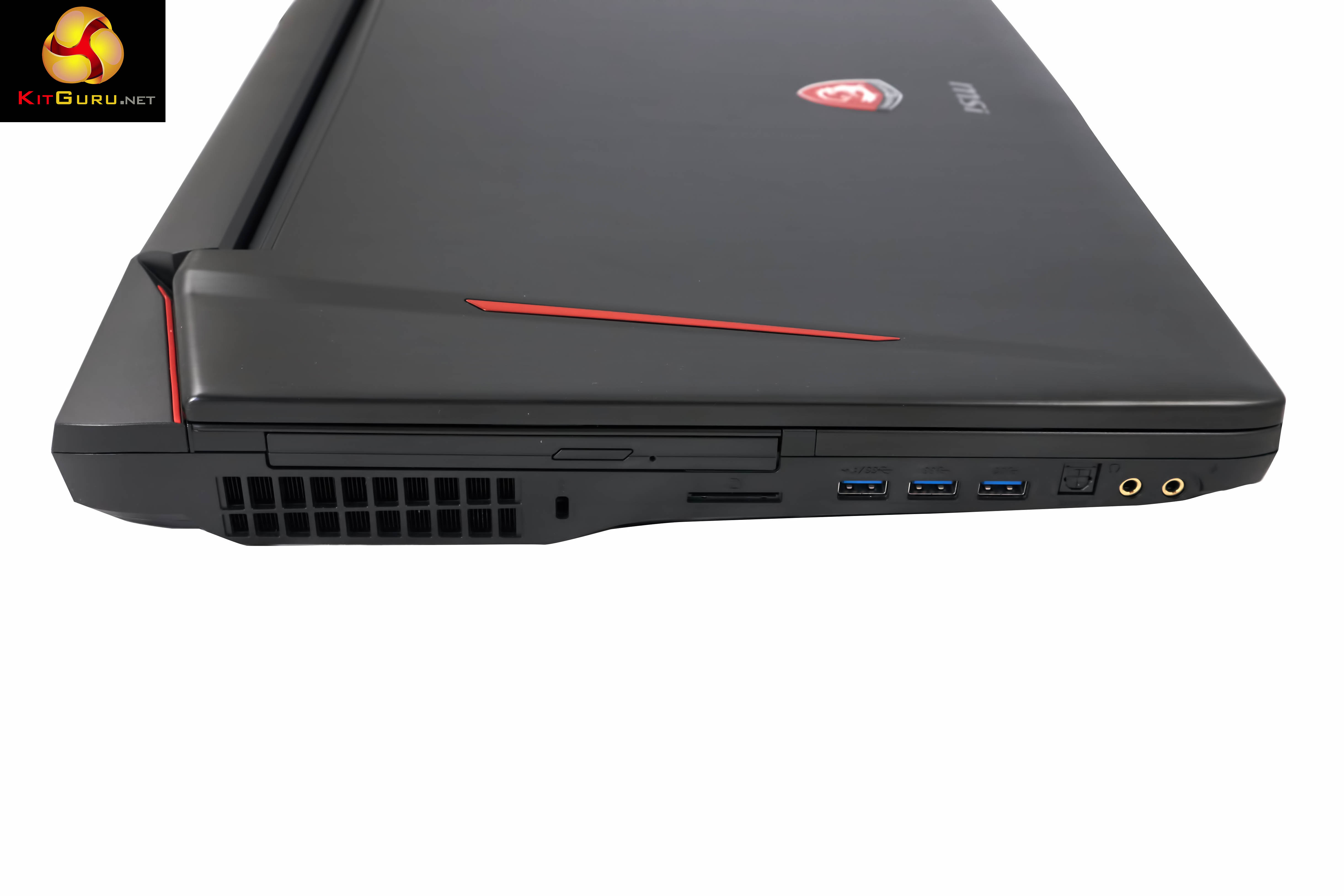
Along the left side of the chassis are microphone and headphone jacks, optical connector, 3x USB 3.0 ports and a card reader. Above this is the bluray drive. At the back is a Kensington lock alongside a substantial air vent. On the right side of the chassis are two more USB 3.0 ports and another big air vent. A total of 5x USB 3.0 ports should be more than enough for most people.
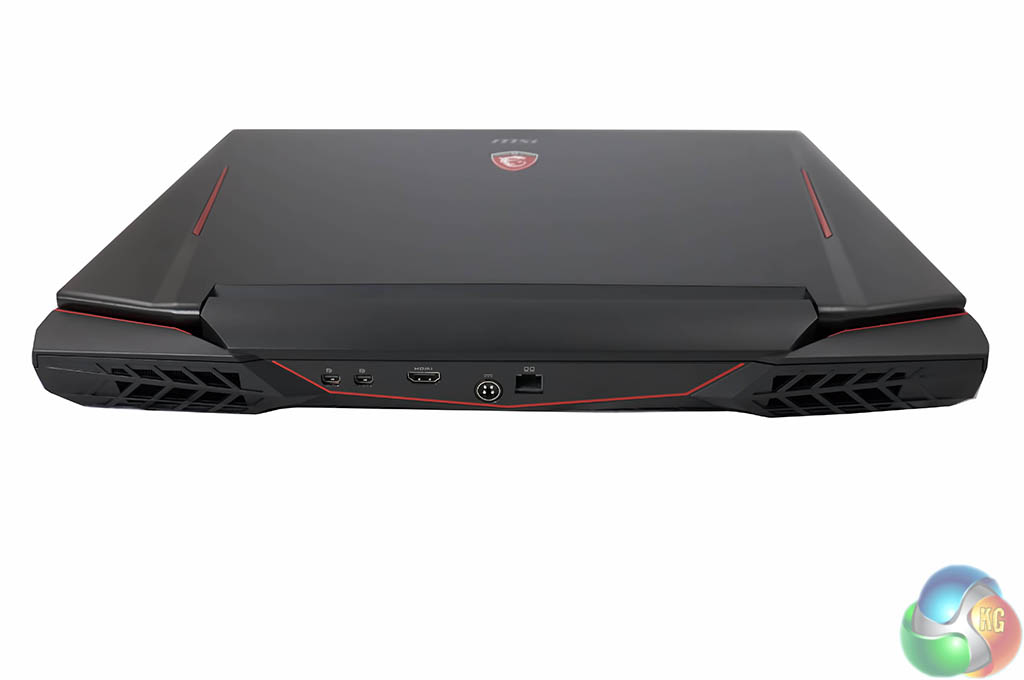
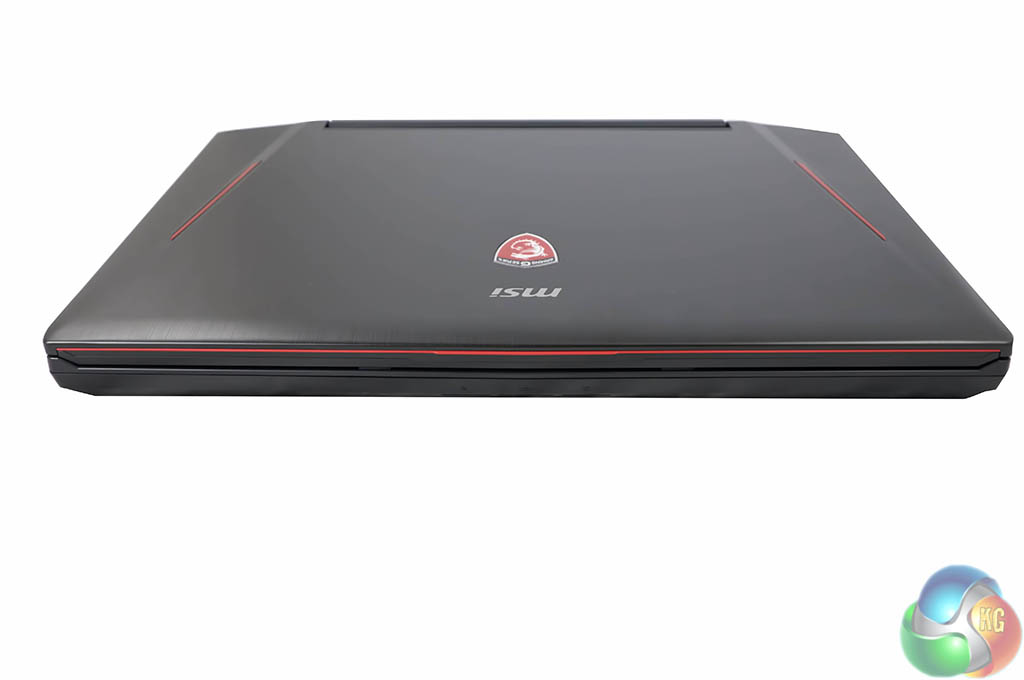
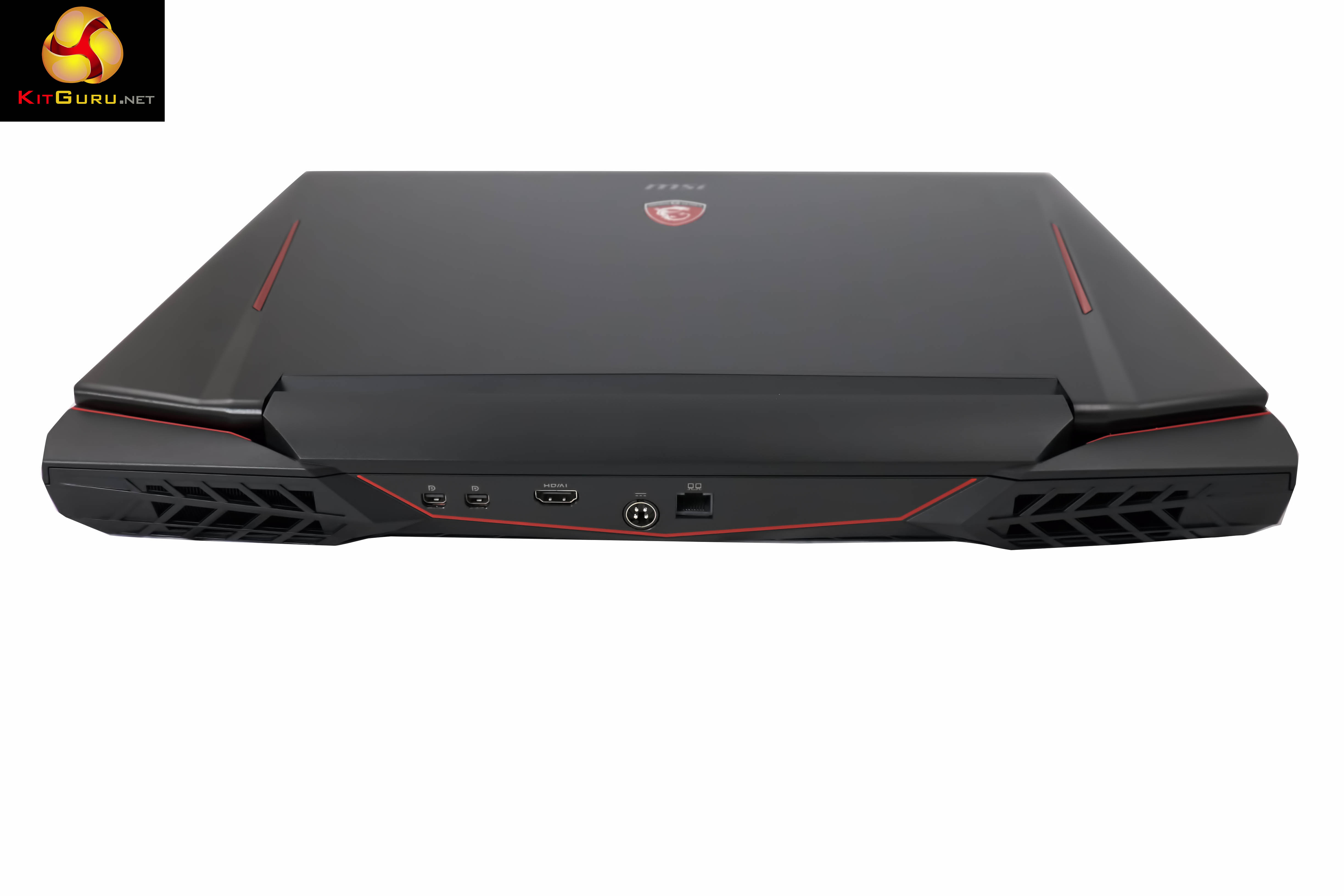
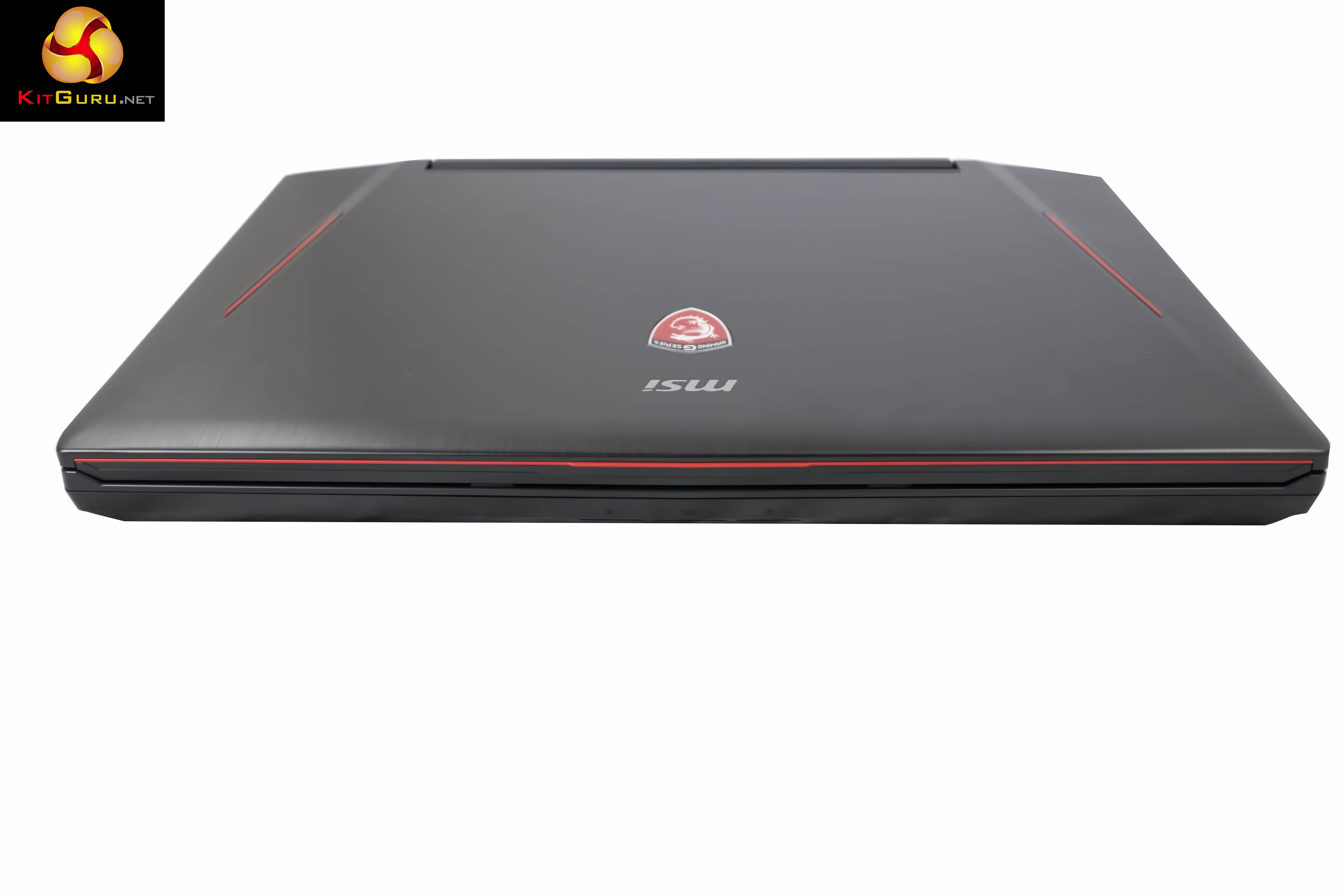
The front of the laptop has no ports. Along the back of the chassis are two mini Displayport connectors, full sized HDMI connector, power adapter and GB LAN connector. Two more big cooling vents can be seen at either side, rear of the chassis.
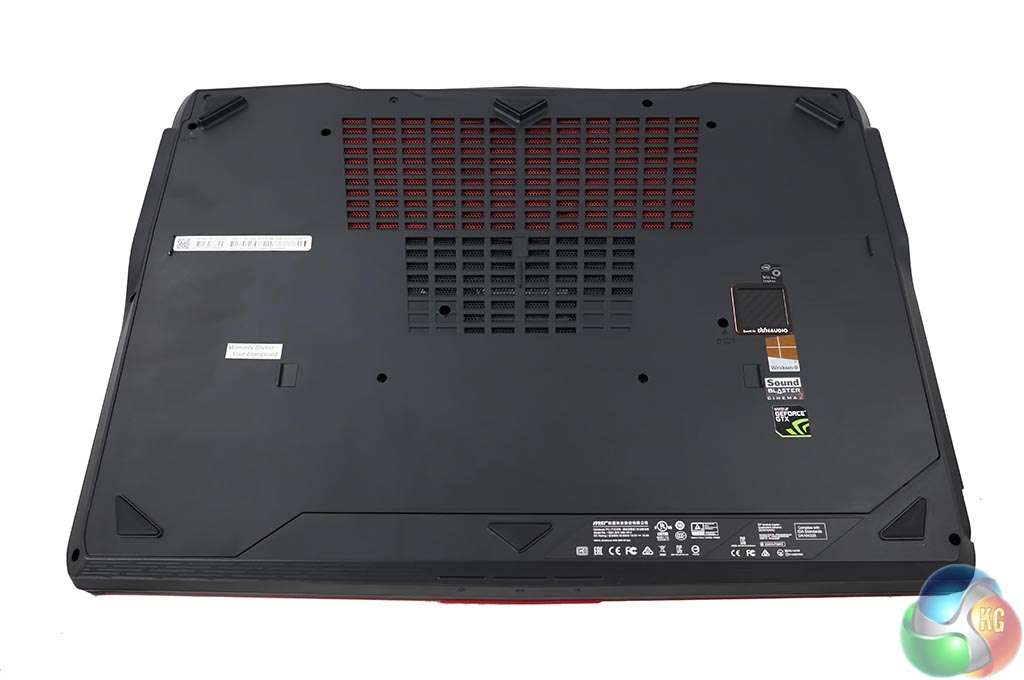
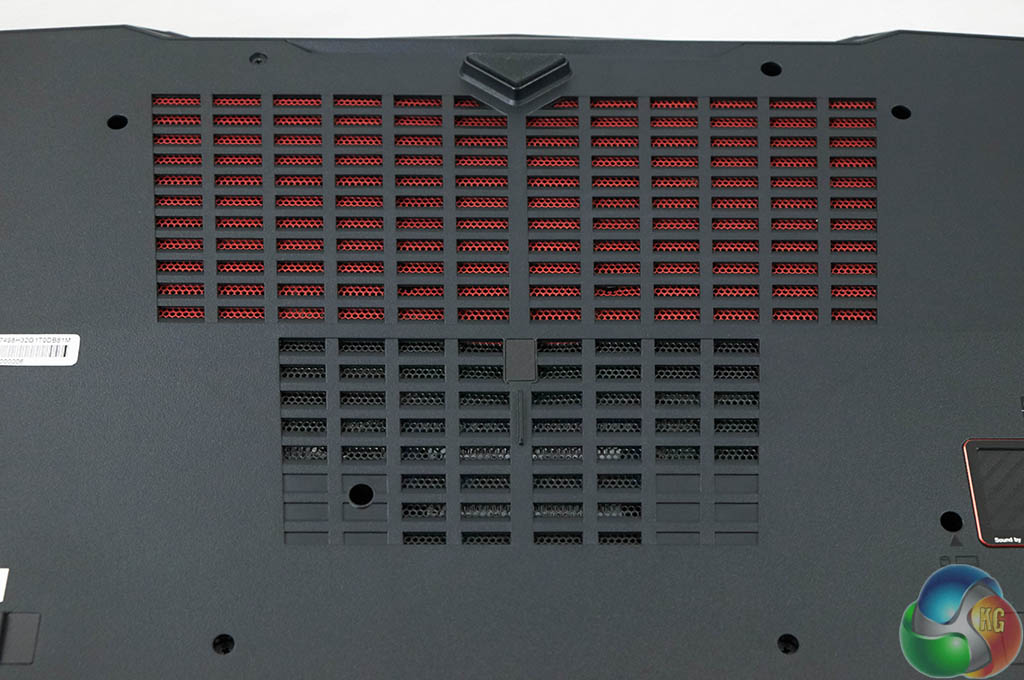
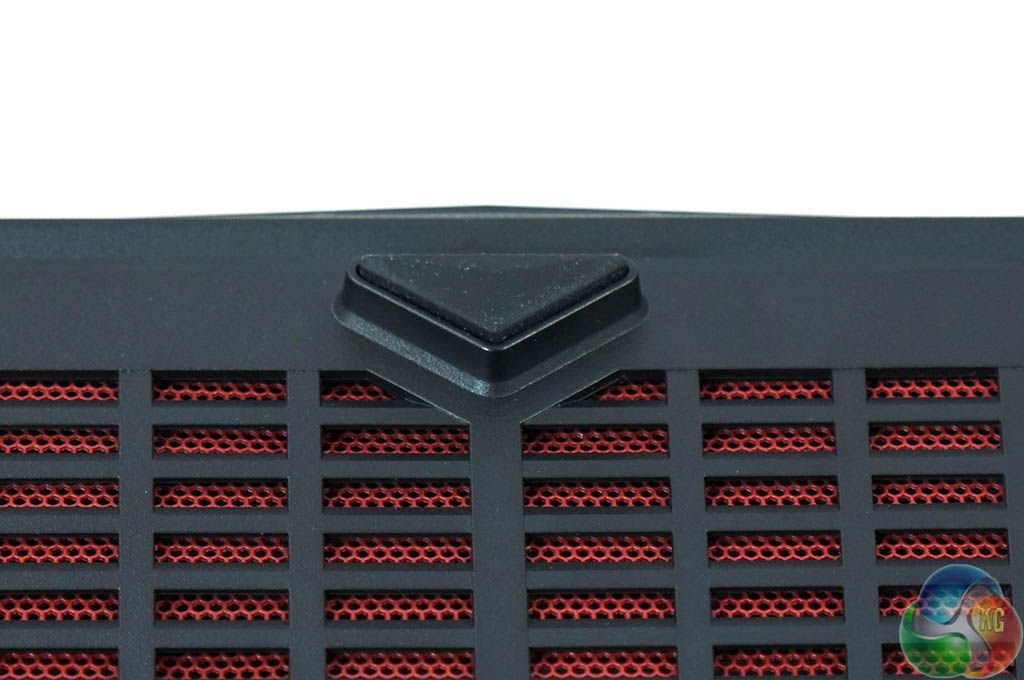
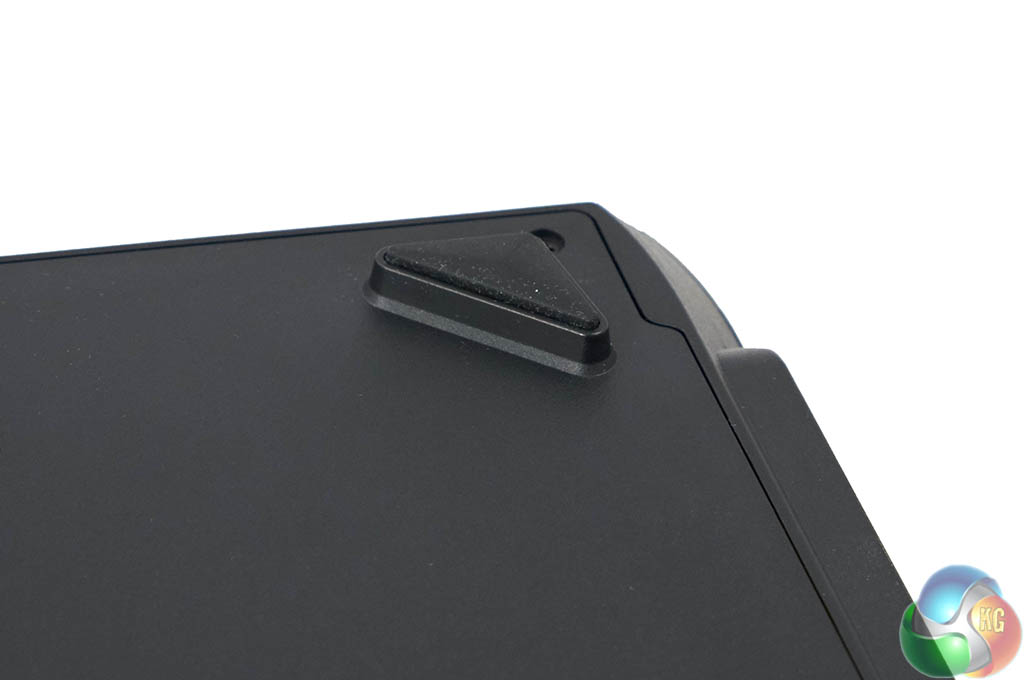
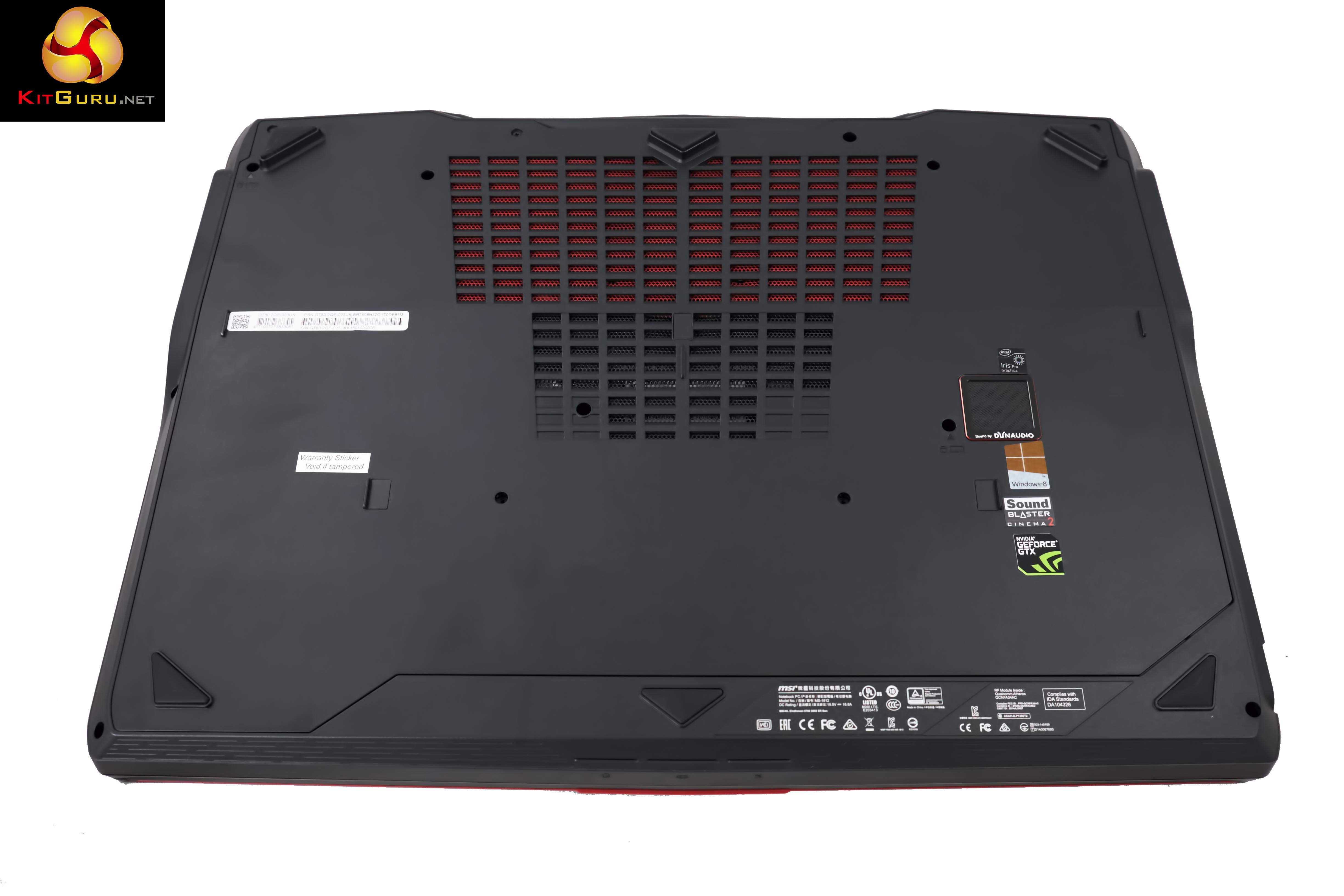
There are several large black and red coloured vents along the bottom of the chassis. In each corner of the chassis are large rubber feet to hold the laptop secure, and to raise it off the surface for better airflow.
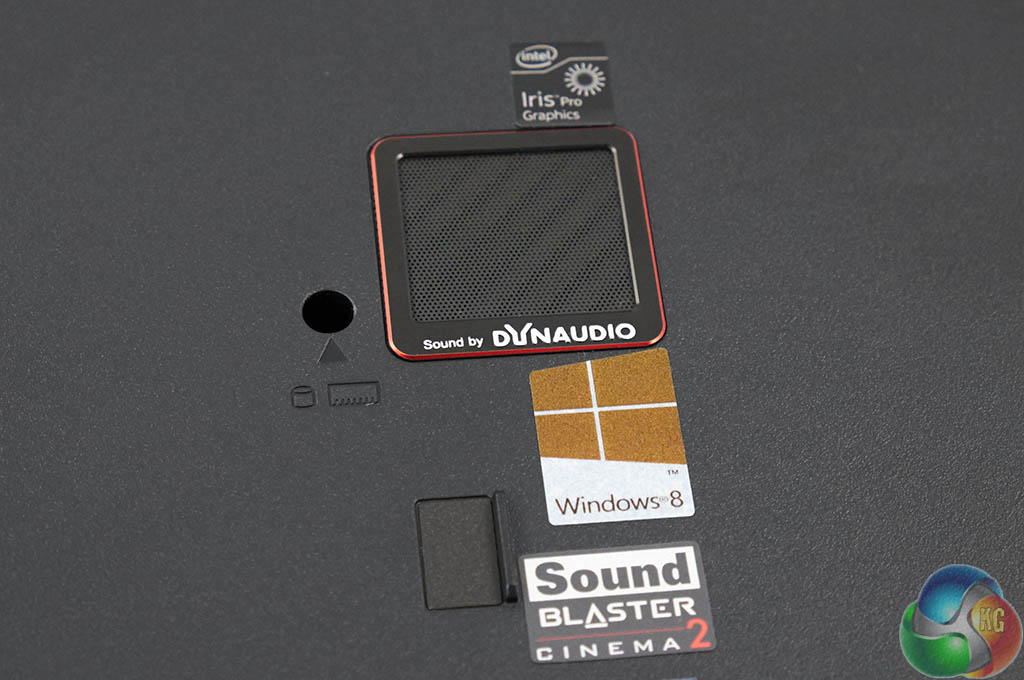
There is a little DynAudio speaker visible underneath the chassis, shown above.
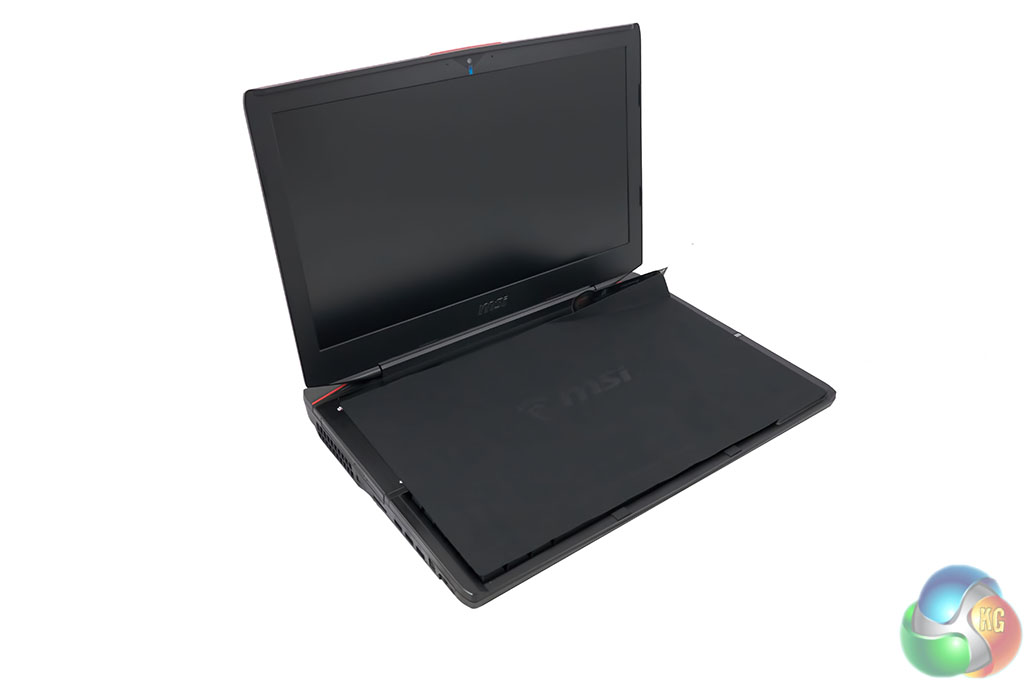
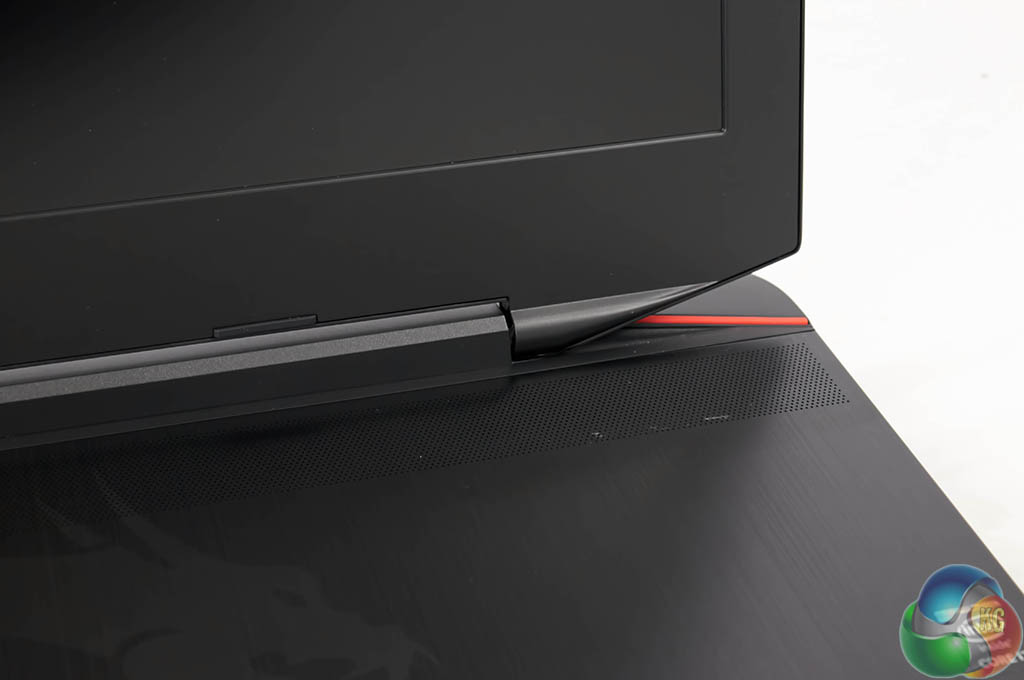
The laptop ships with a thin protective sleeve between keyboard and screen. There was a little ‘specs' sticker on the laptop – like one you would see in a shop – highlighting all the hardware inside.
This was painful to remove and actually left a little glue type residue on the speaker grill – shown above. This might have been isolated to our specific review sample which arrived direct from the factory.
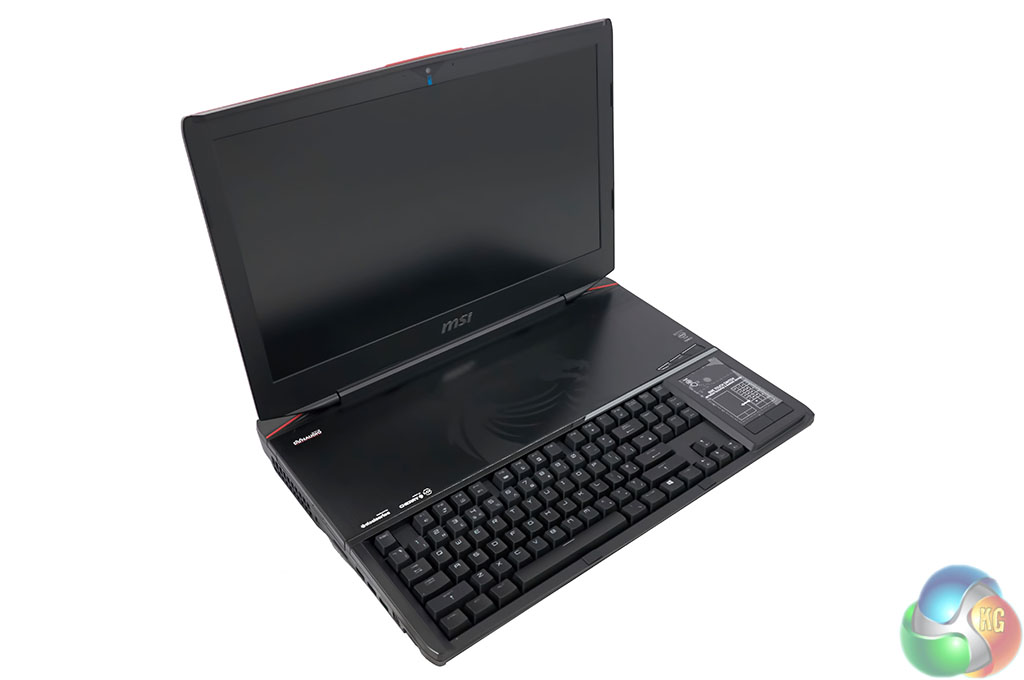
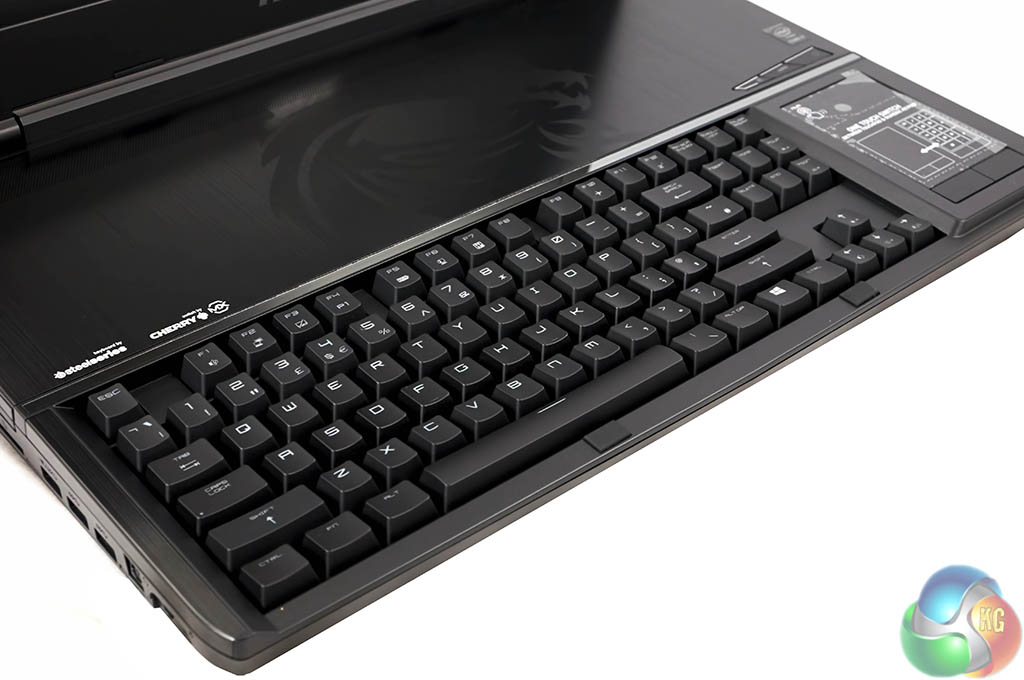
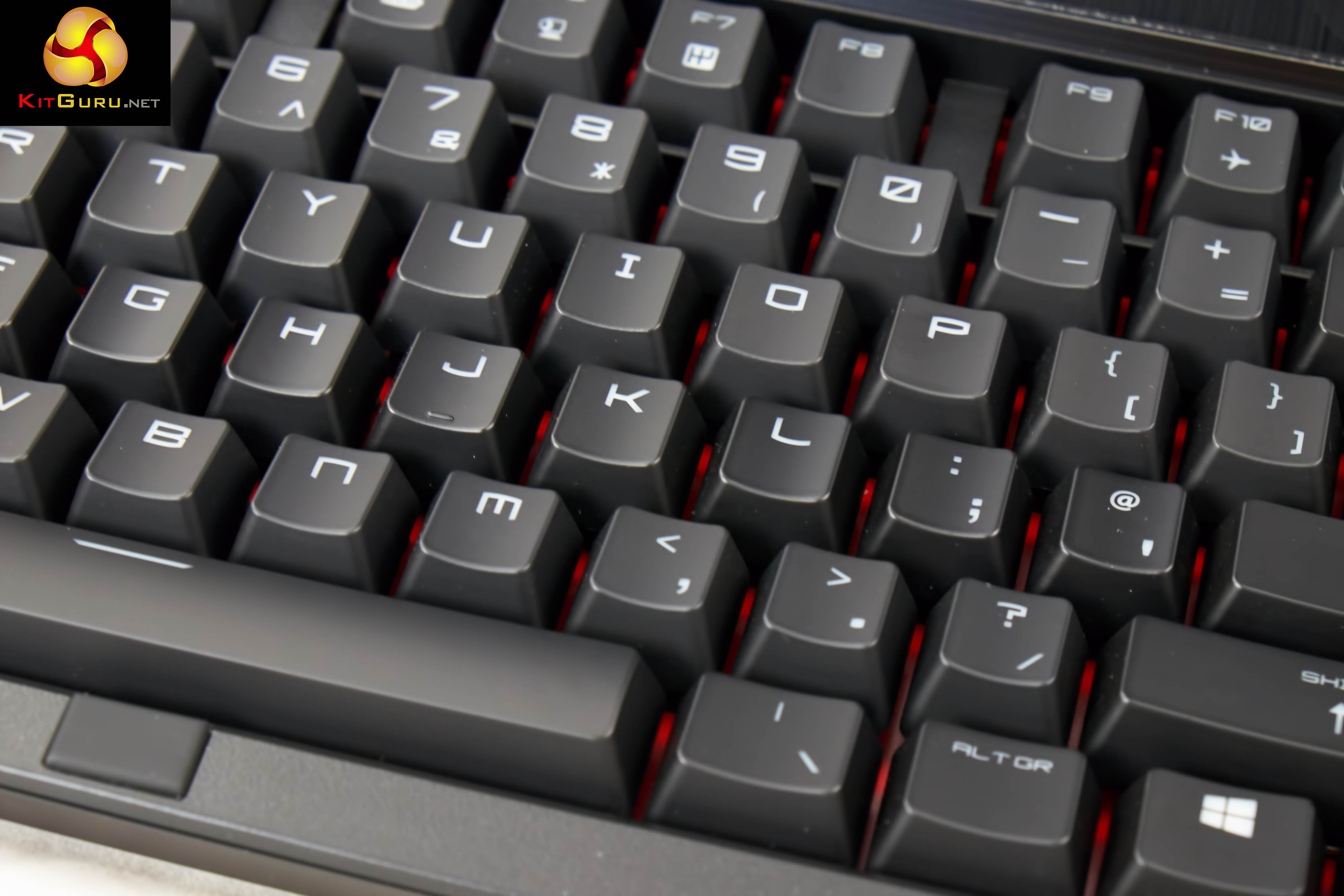
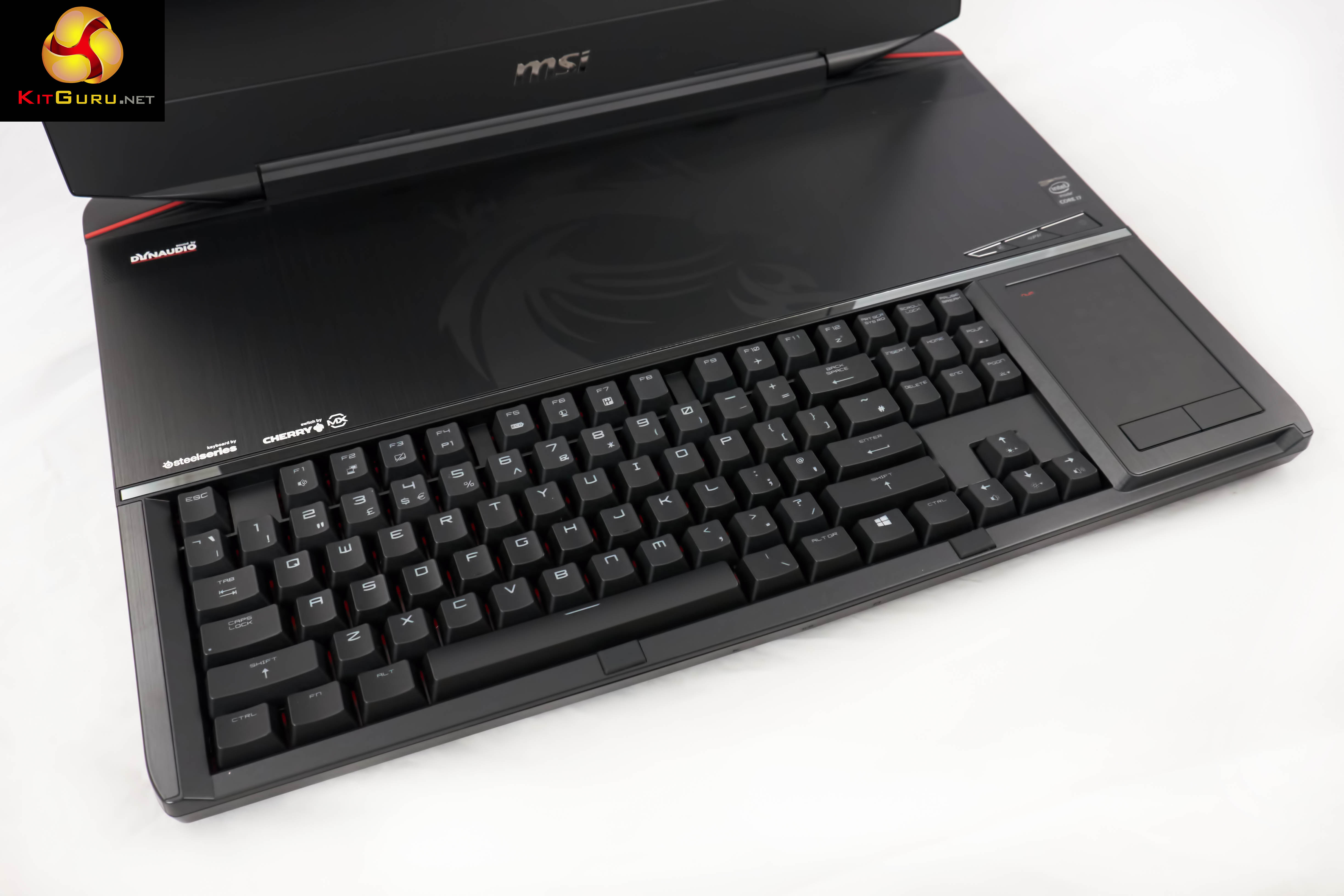
This is the first time we have seen a mechanical keyboard on any laptop and the experience is as good as we hoped. No more spongy key presses – you can really get into some speed typing with the GT80 Titan. Only negative point I would mention would be the single height return key, but that's more a personal thing.
A speaker runs the full width above the keyboard, to support the other speaker underneath the chassis. The GT80 Titan Dynaudio system in operation delivers surprisingly good sound quality, a league above any laptop audio system I have heard to date. That said, you will still want dedicated external speakers or quality headphones for the best media and gaming experience.
For those interested, the audio system is more than loud enough to annoy everyone on a plane or train.
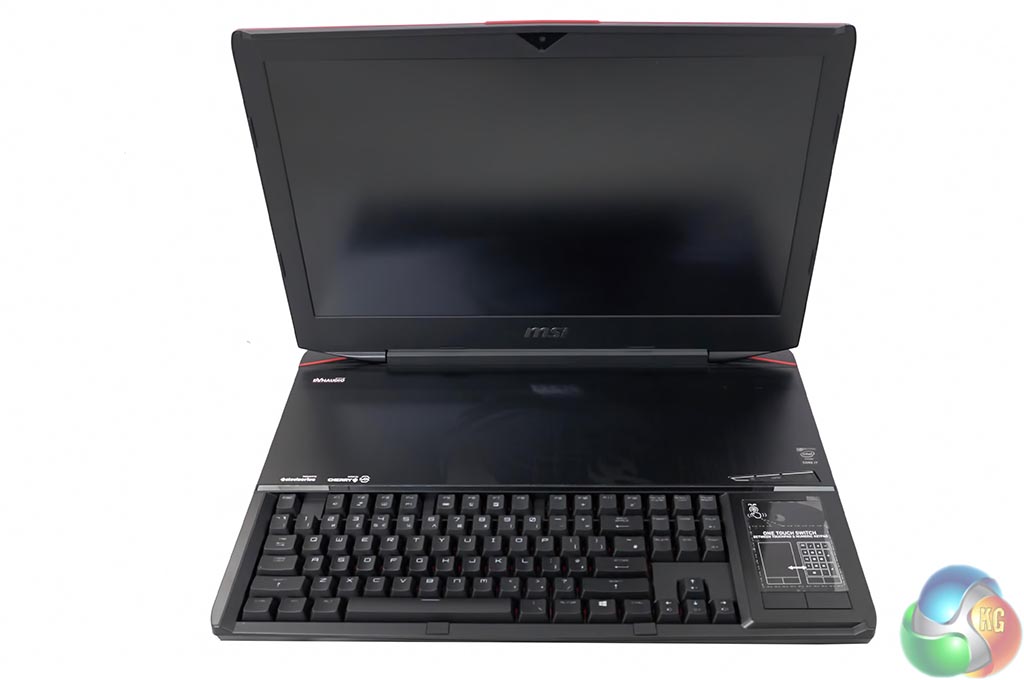
The screen is semi matte, and as such won't mirror the scene behind your head in brightly lit conditions. I like how more manufacturers are moving from gloss screens in the last year, finally realising that they are more trouble than they are worth. This panel however is only 1920×1080 (1080p) which seems a rather unusual decision – especially considering there are two GTX980m's running in SLi.
Perhaps MSI will move to a 3k or 4k panel in future, but for now, 1080p it is.
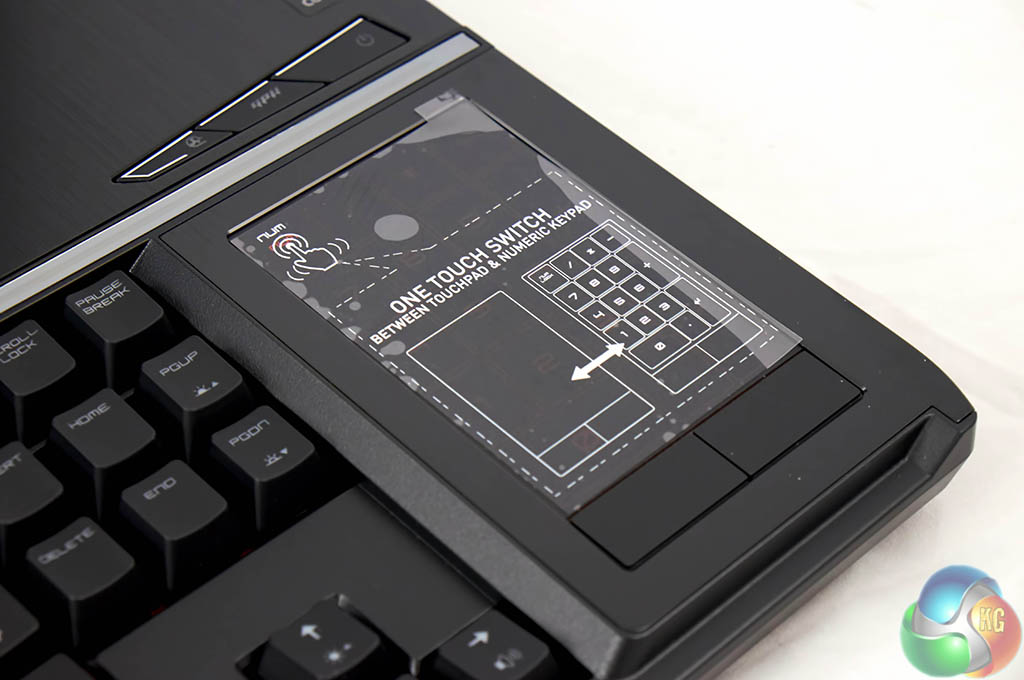
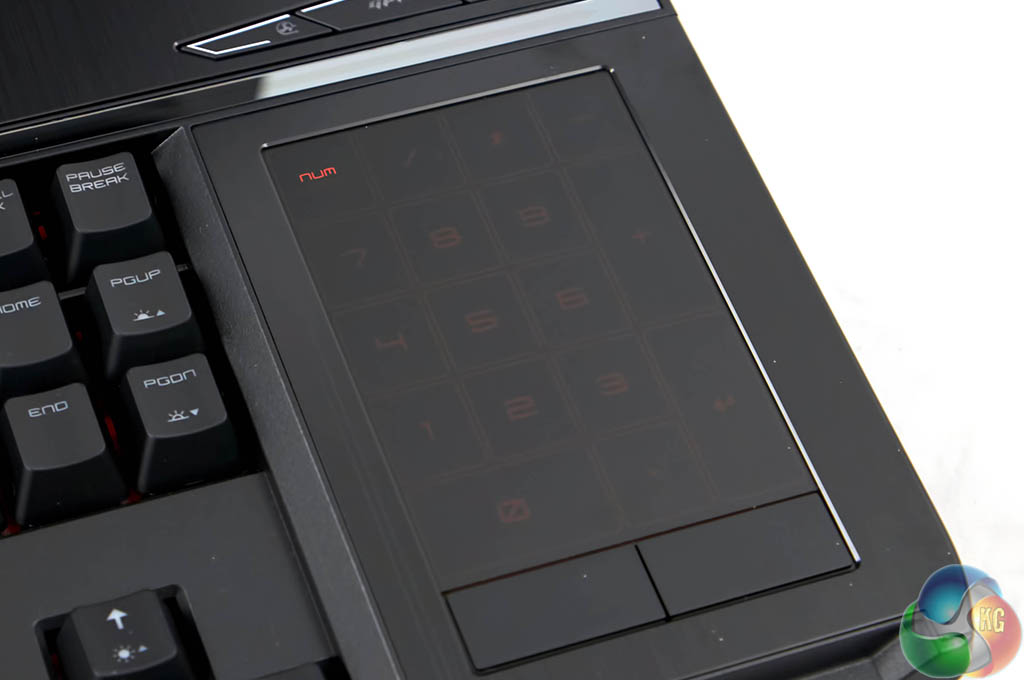
The touchpad at the side of the keyboard doubles up as a numpad, if you are using a mouse. You can easily switch between numpad and touchpad functionality via a button. Two physical buttons are placed underneath the pad, for left and right mouse presses.
The touchpad works as well as we could expect, and in a pinch its perfectly usable. Not sure this is an ideal laptop for an airplane or train due to the physical size, but I am sure some people will try it out.
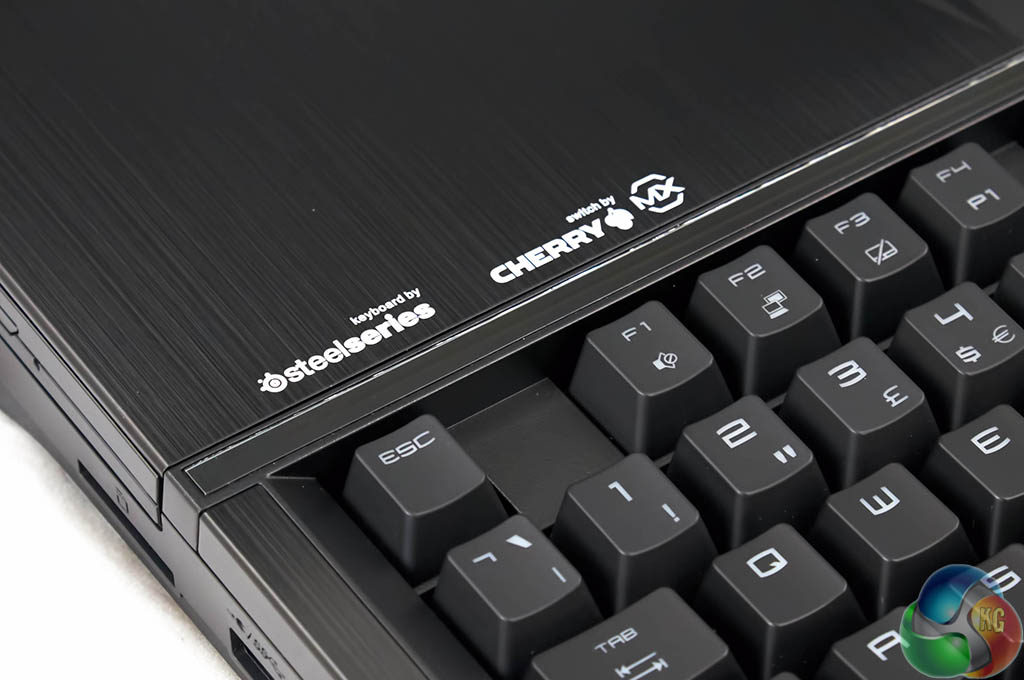
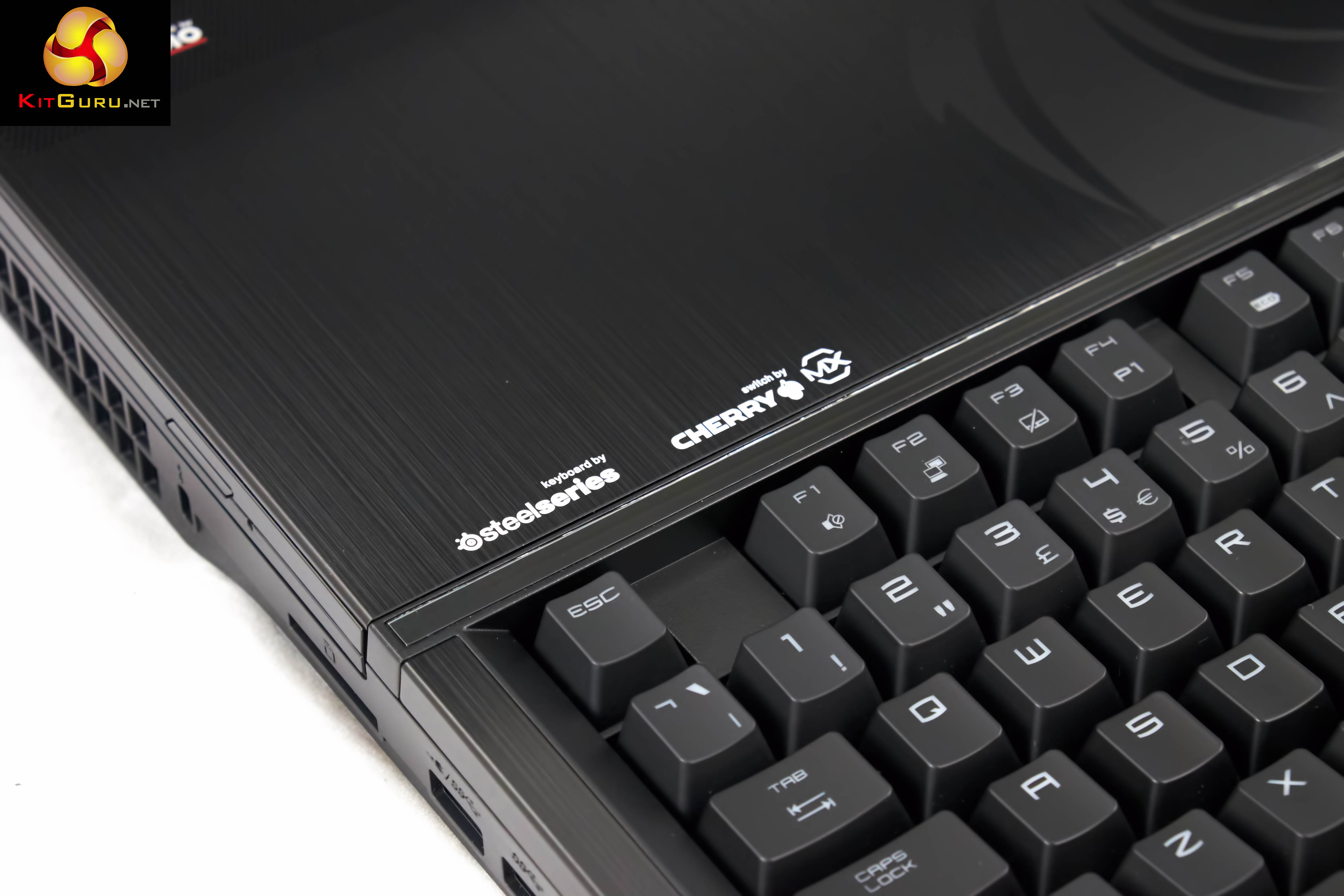
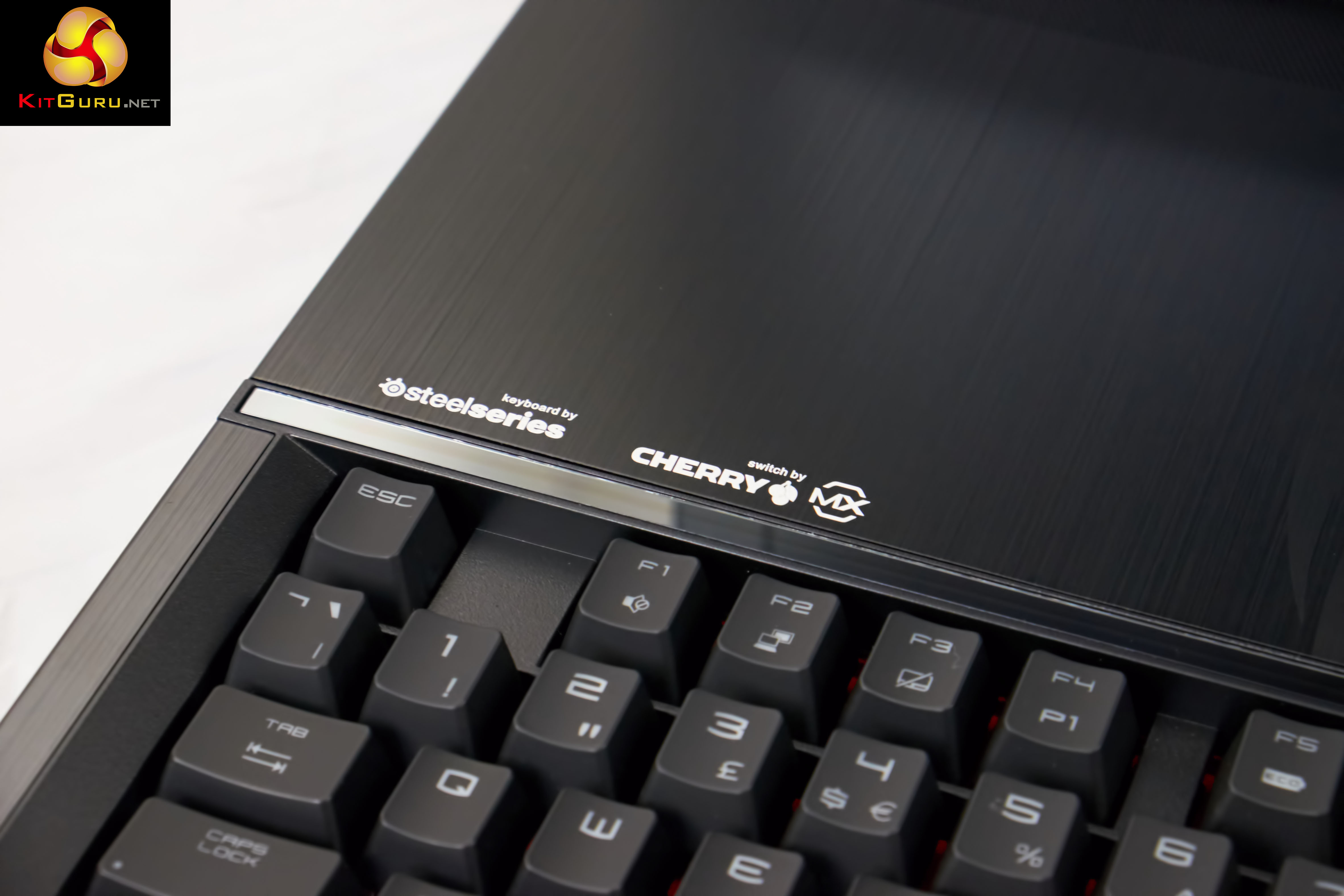
Some product placement logos top left. This is a Steelseries keyboard which uses Cherry MX Brown switches.
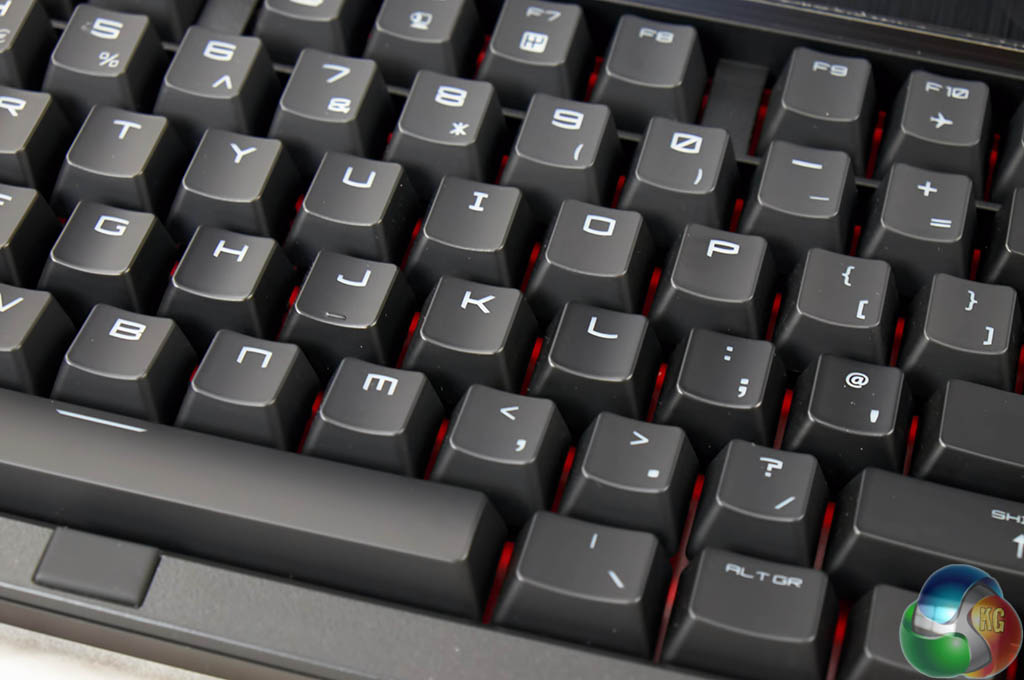
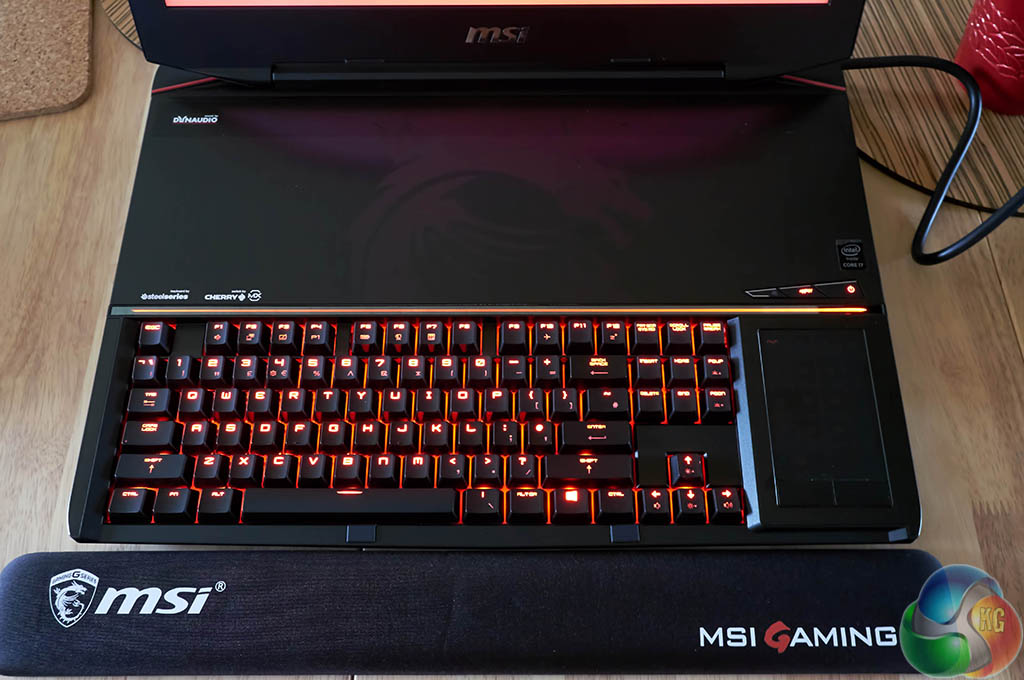
The keyboard is backlit with red lighting and the quality is very bright and even, and rather attractive. We feel MSI haven't compromised in key areas, which is good to see at the price.
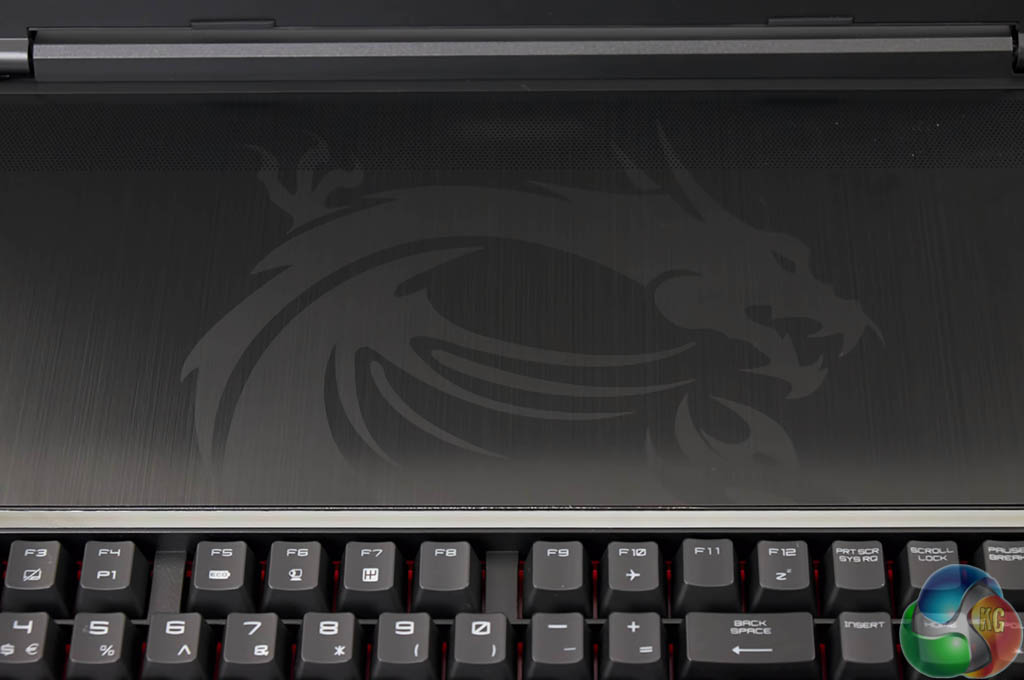
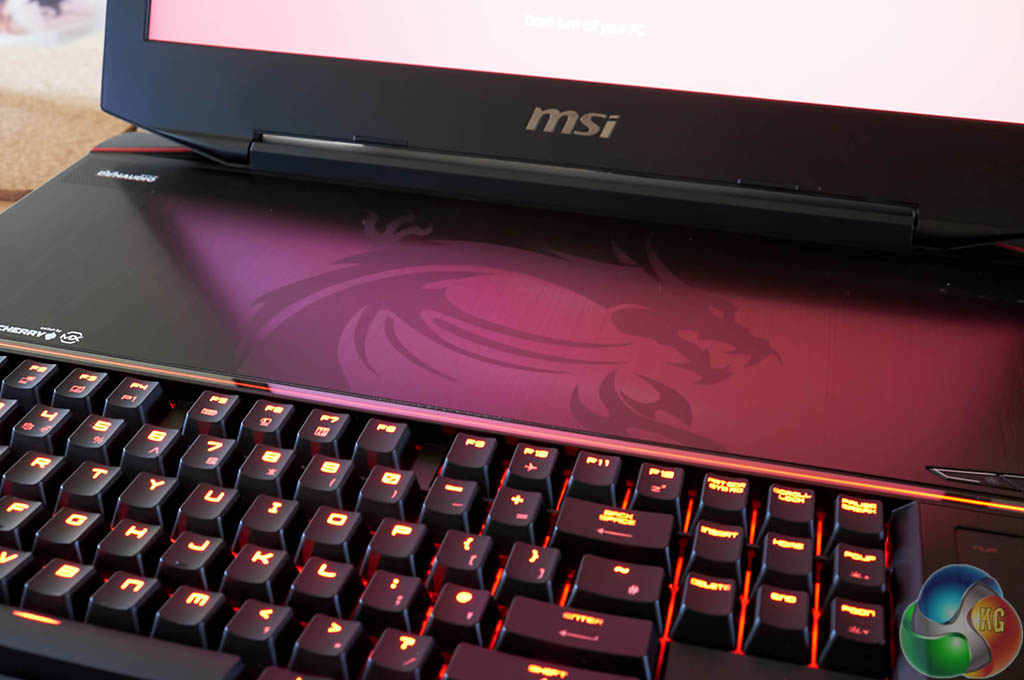
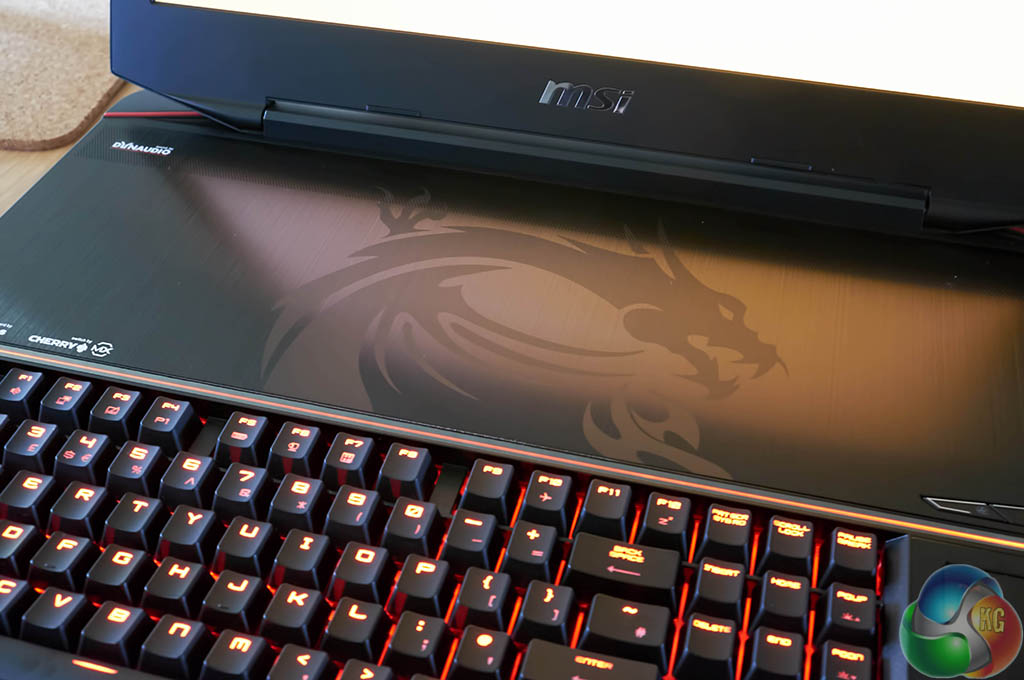
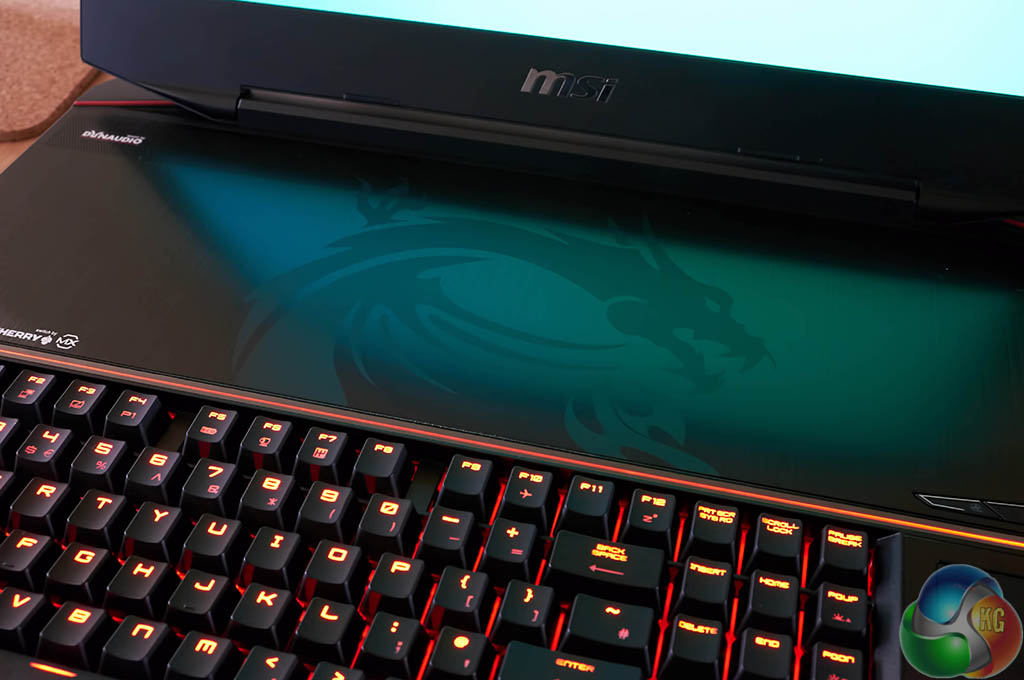
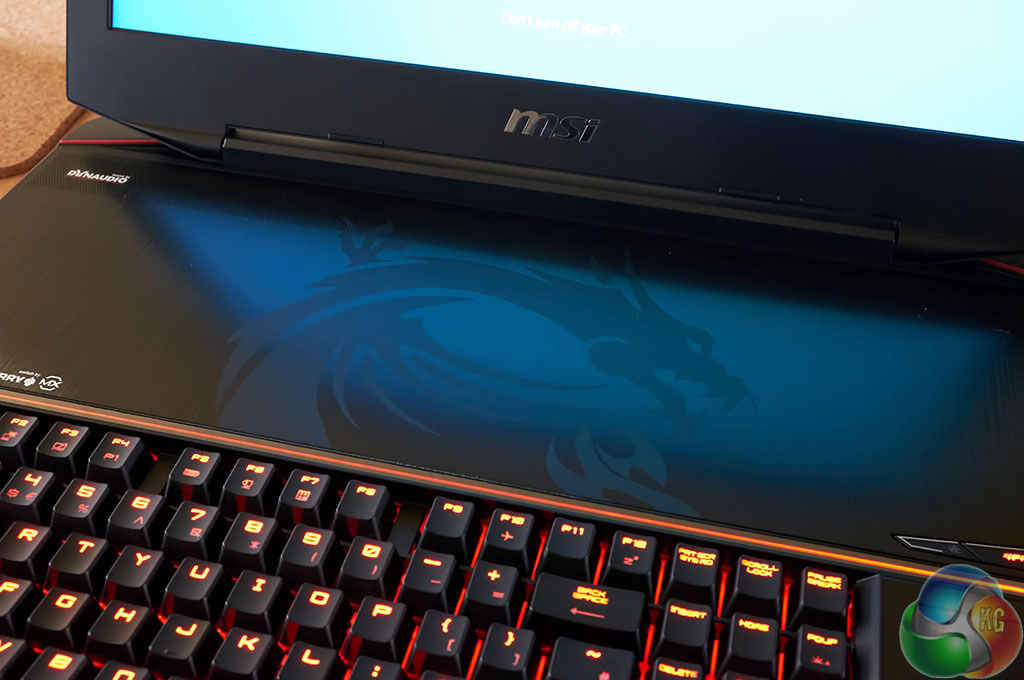
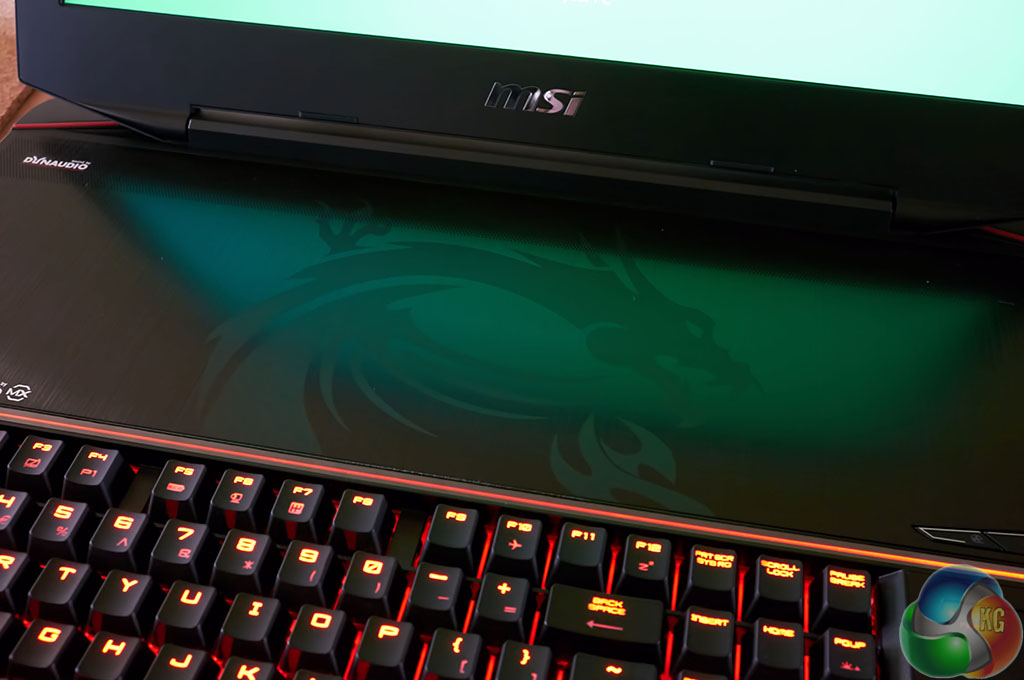
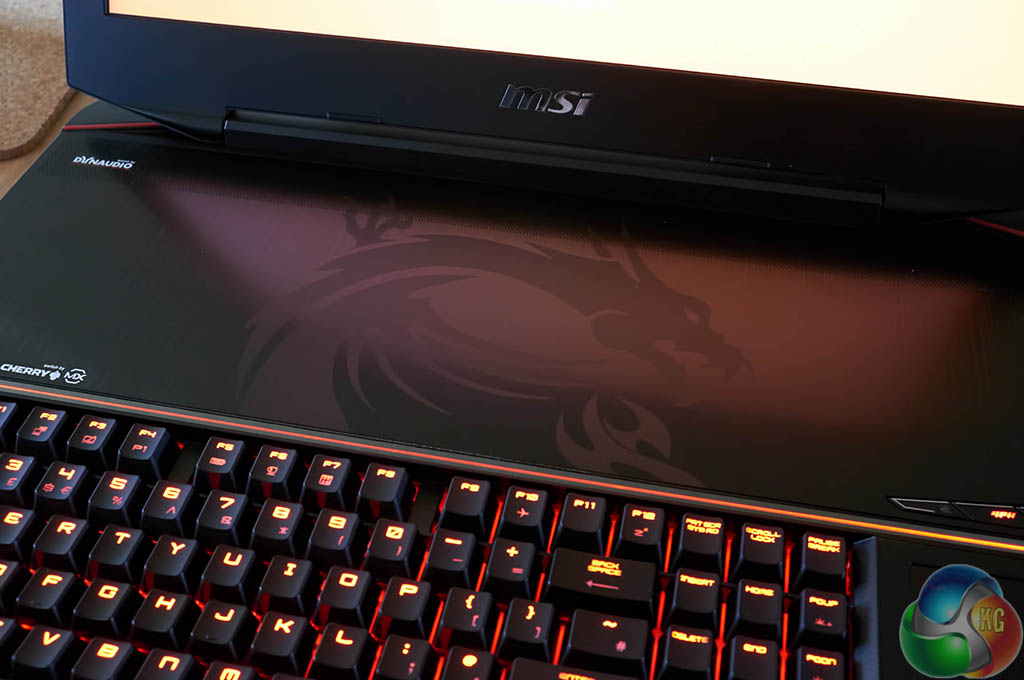
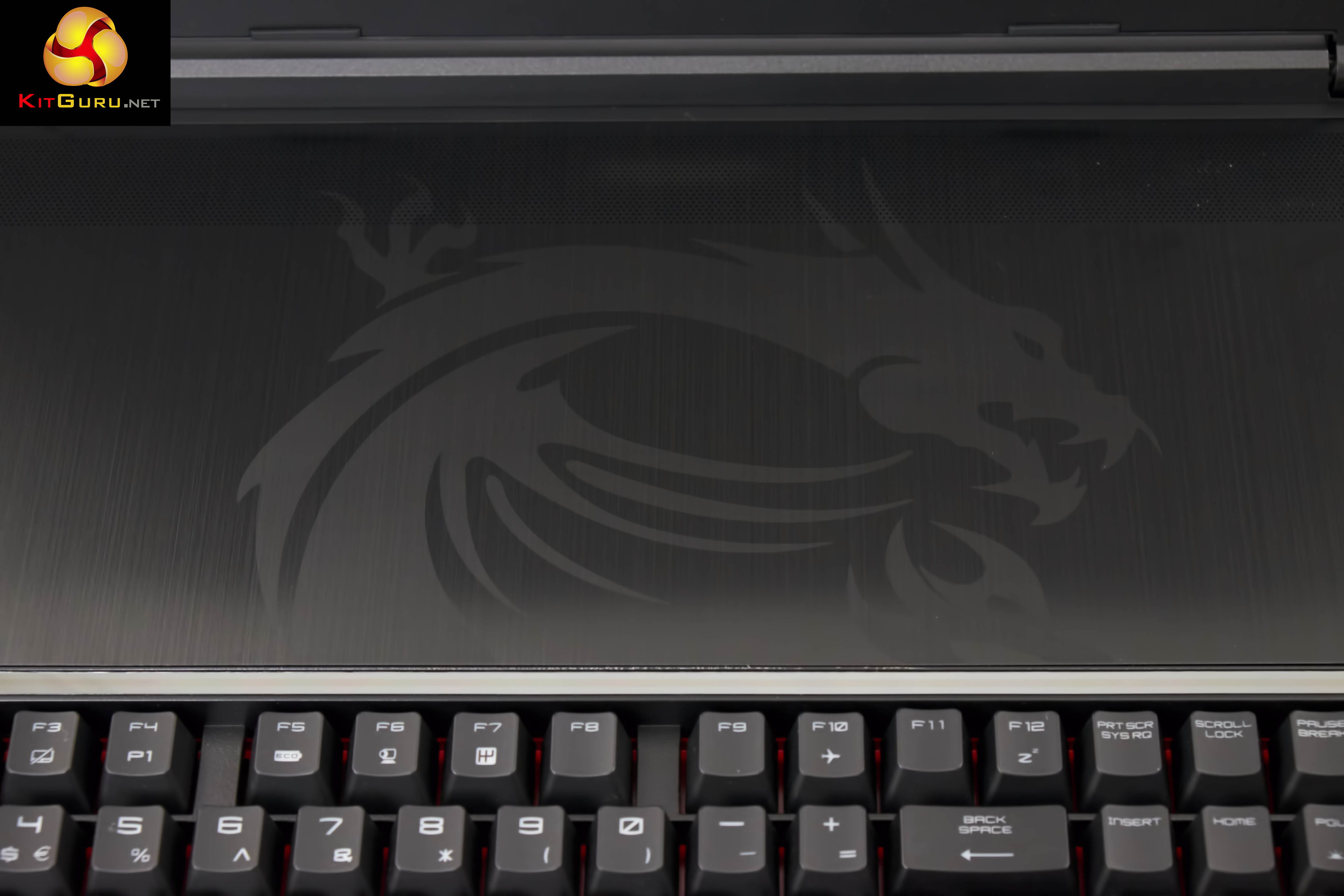
In night light conditions the dragon above the keyboard will reflect against the light – which is very appealing in action. I tried to capture with my camera this under various screen light conditions, shown above. It looks better ‘in the flesh'.
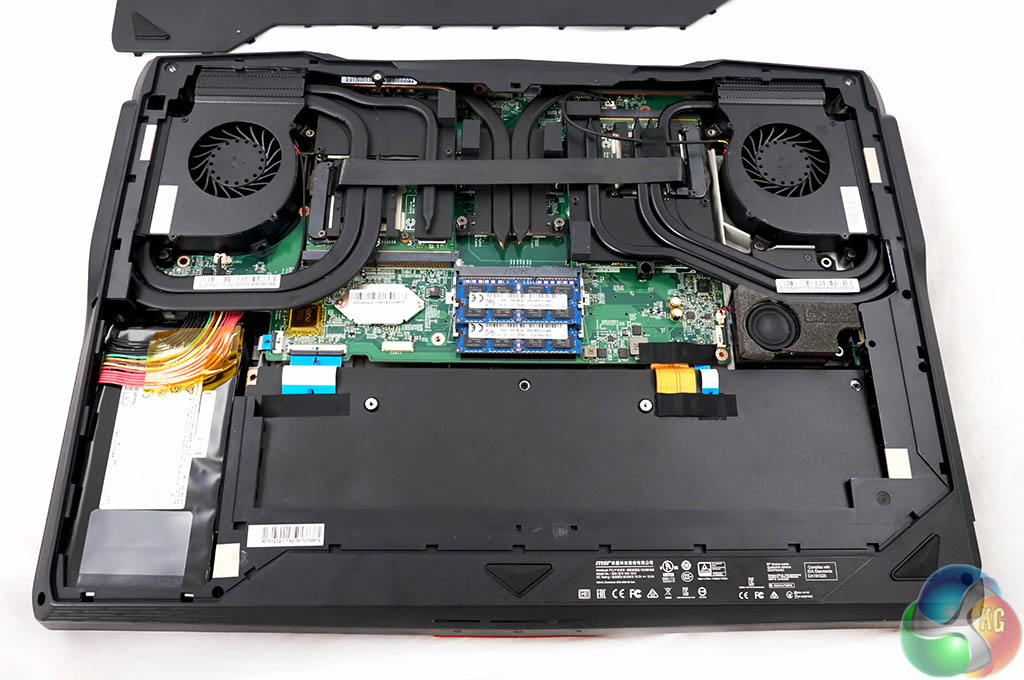
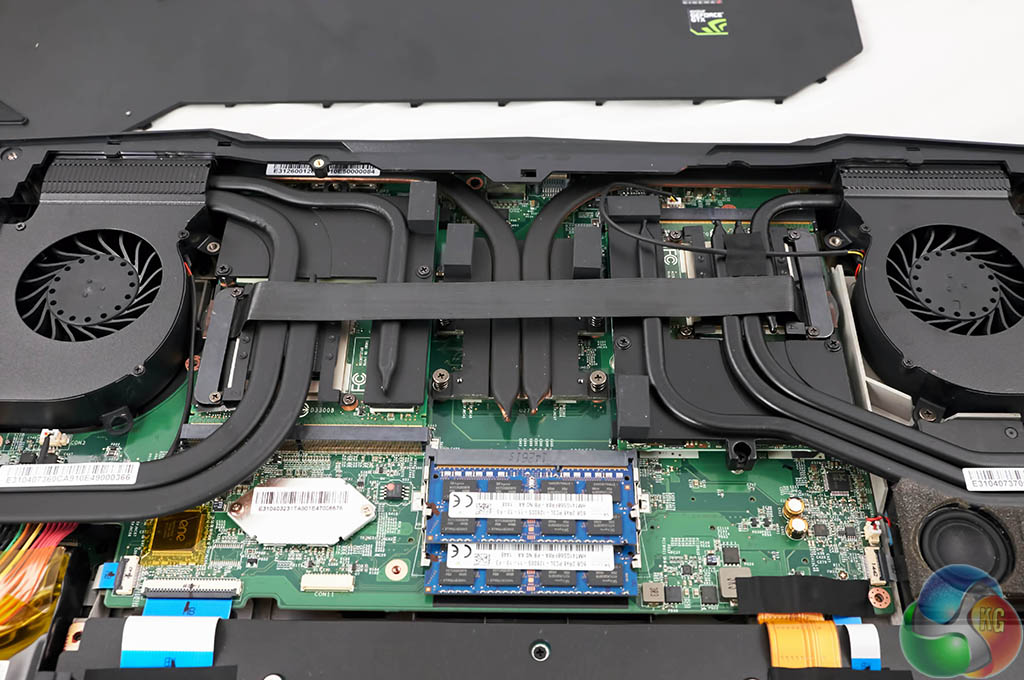
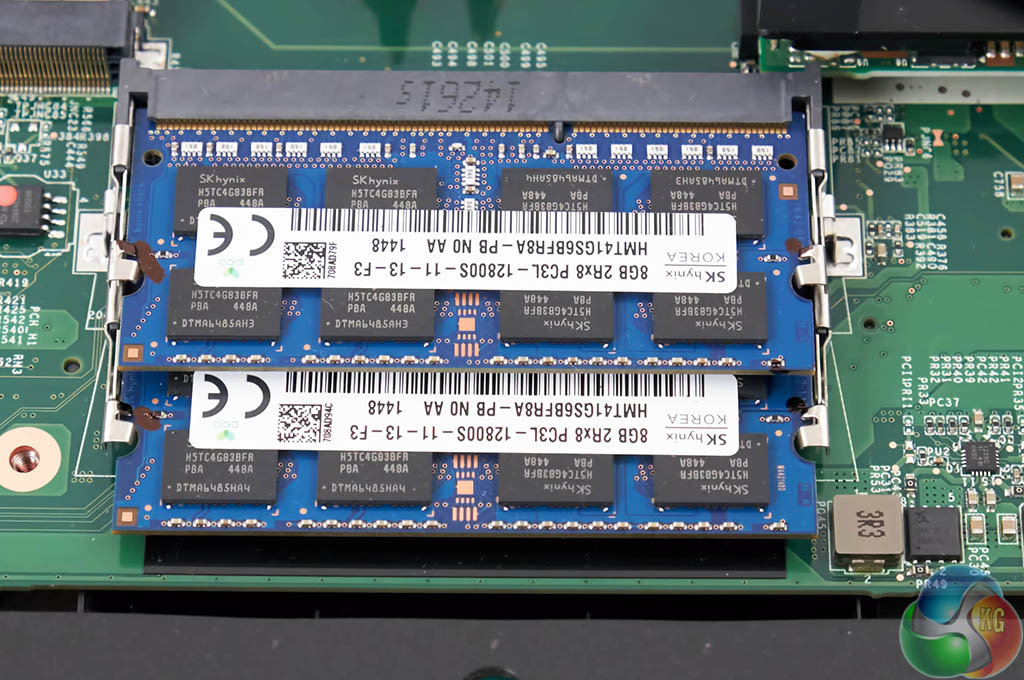
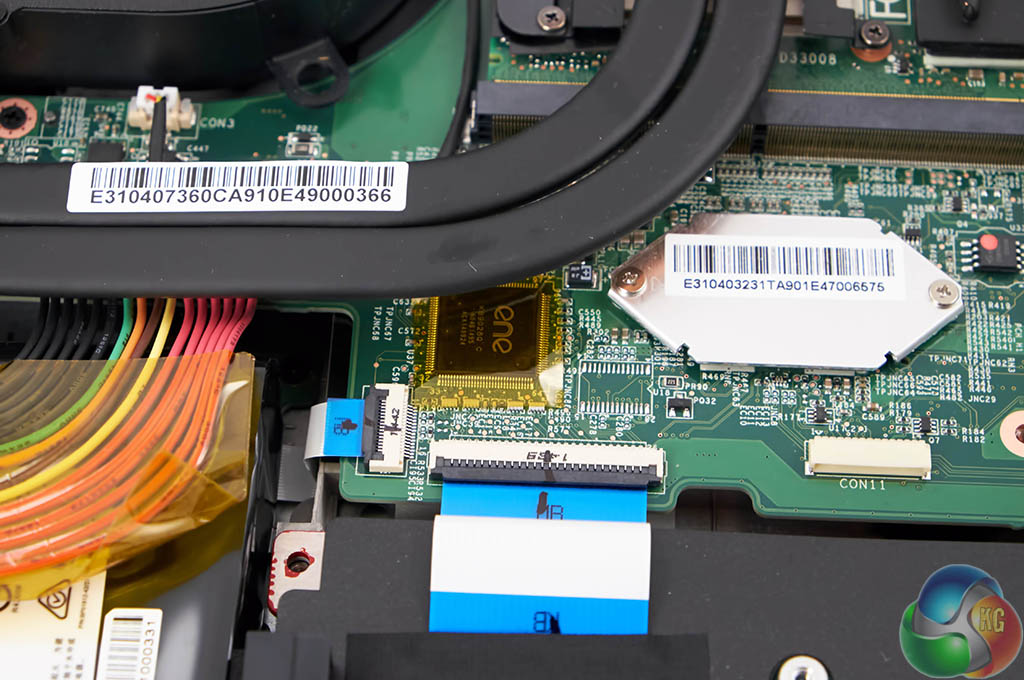
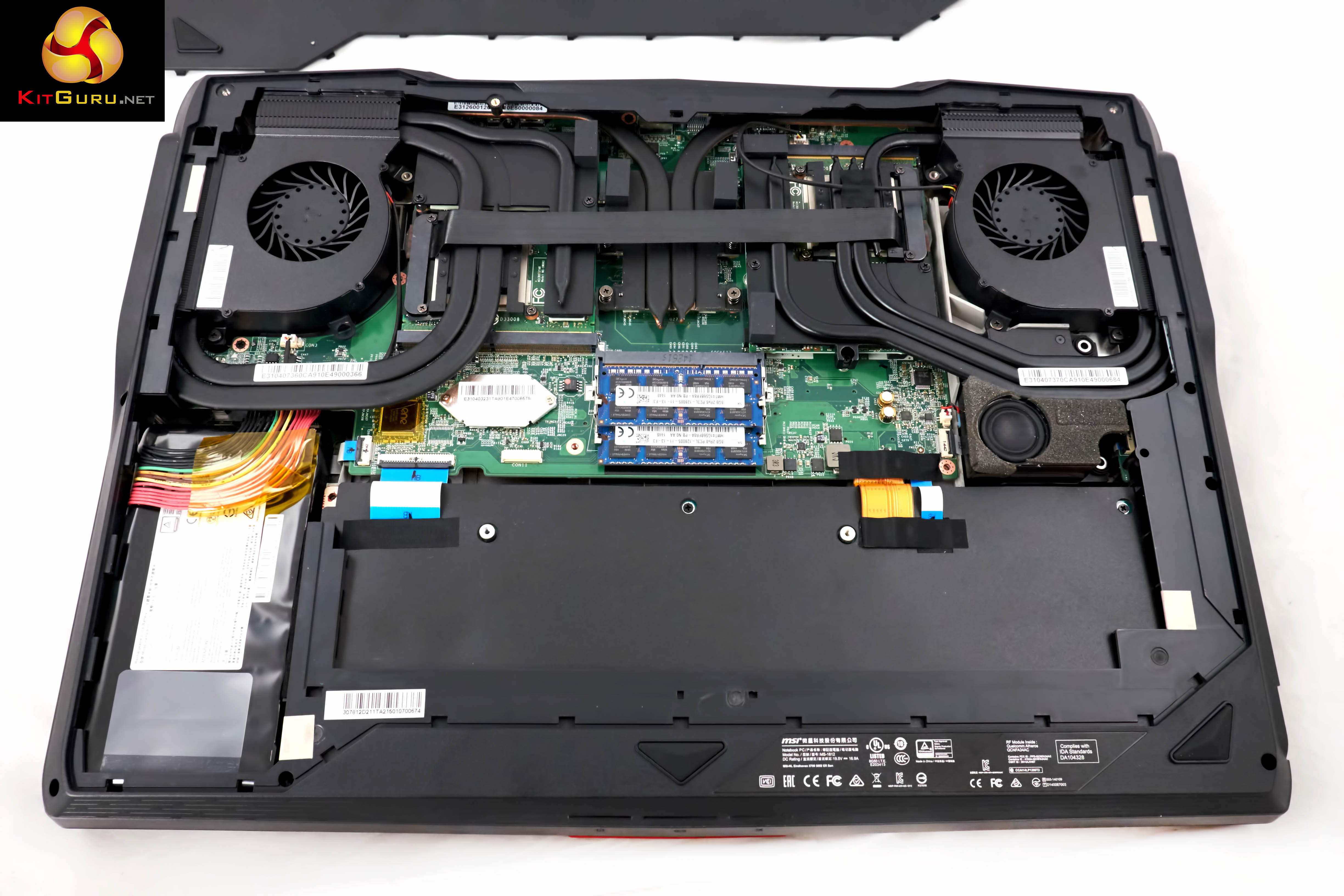
Removing the bottom panel takes a little time as there are around 10 screws holding the panel in place. It is worth pointing out that if you remove the bottom panel there is a ‘warranty invalid' sticker you will damage. Not sure if MSI will completely cut you loose if the laptop ever fails and this is broken, but it is worth checking into first.
The cooling system inside the GT80 Titan is formidable. I can think of no better word. There are no less than 9 thick heatpipes running into heatsinks on either side of the chassis. Two large fans are placed at the side and rear vents to ensure stability. The processor is installed centrally.We like how MSI have painted the cooling system black. This is almost identical to the pre release sample we had weeks ago – although the (heat resistant) bridge cable between the two GTX980m's is tighter and the overall build quality is a little higher.
I couldn't help but feel a little disappointed to see the main PCB was an ugly green and not black. I know there won't be many Apple fans reading this review, but I remember taking apart a Macbook Pro last year and admiring the all black motherboard. Very sexy. GT80 Titan motherboard, not so sexy to look at.
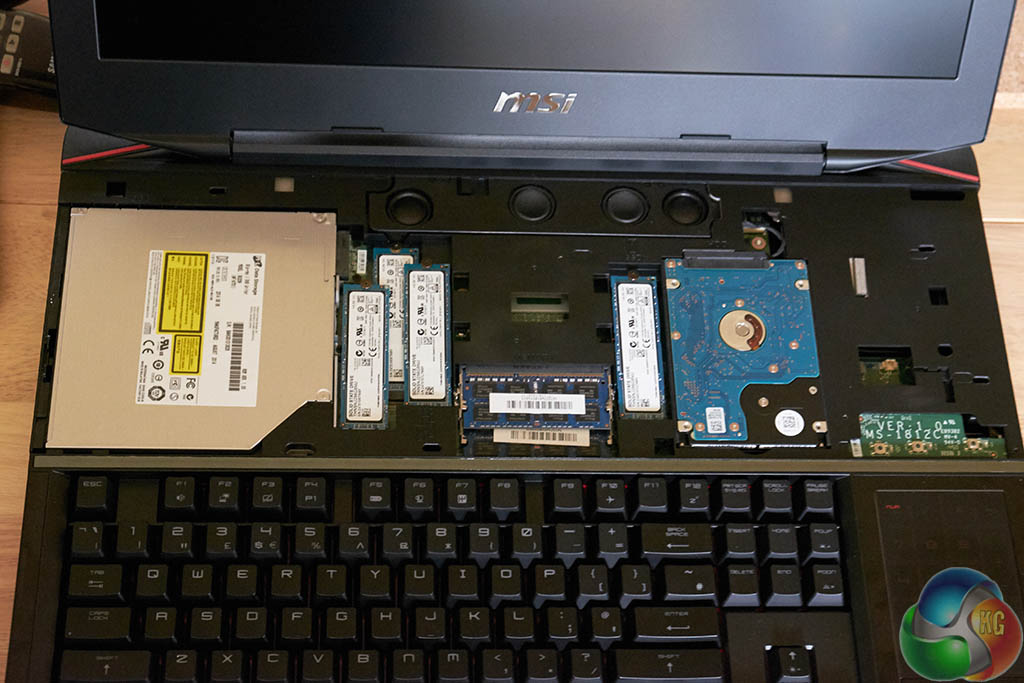
Two of the screws on the underside of the chassis allow the top panel to be removed with relative ease (they have little icons next to them, so impossible to miss). You simply push down gently on the panel, and then to the right to remove it. While two of the memory sticks are underneath the board, the remainder are here.
We spoke to MSI about potentially upgrading the GT80 Titan in years to come and they said that future upgrades will be supported via specific retailers in various countries around the globe. We don't have confirmed details on this yet, but the idea right now is to allow people to pay for new graphics cards from Nvidia (for instance), ship the laptop to a local retailer in your country and pay to get it upgraded. As you will see later when we get to testing the video cards, we can't imagine anyone will be running out of gaming power anytime soon however.
On this page we present some high resolution images of the product taken in our professional studio. These will take much longer to open due to the dimensions, especially on slower connections. If you use these pictures on another site or publication, please credit Kitguru.net as the owner/source.
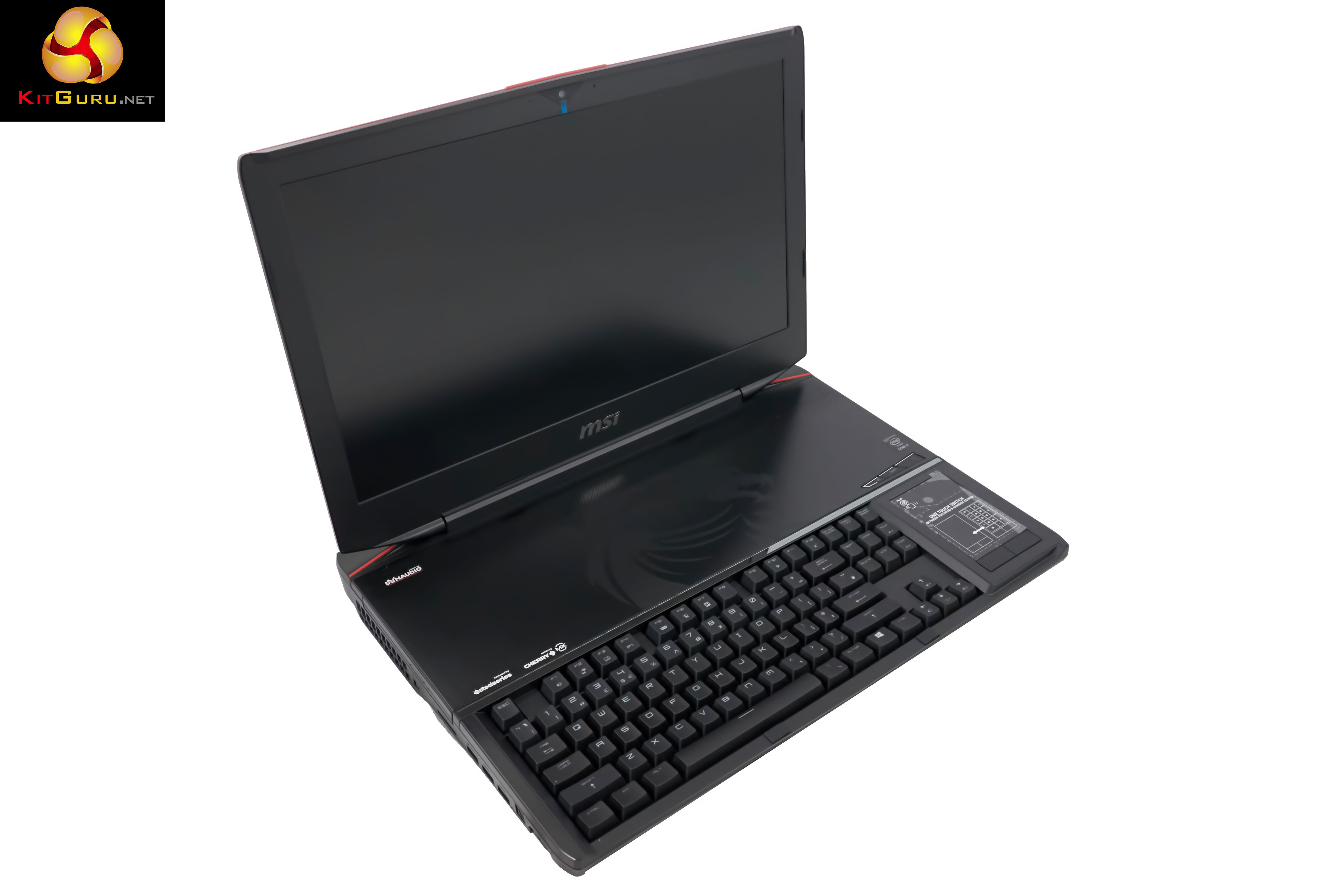
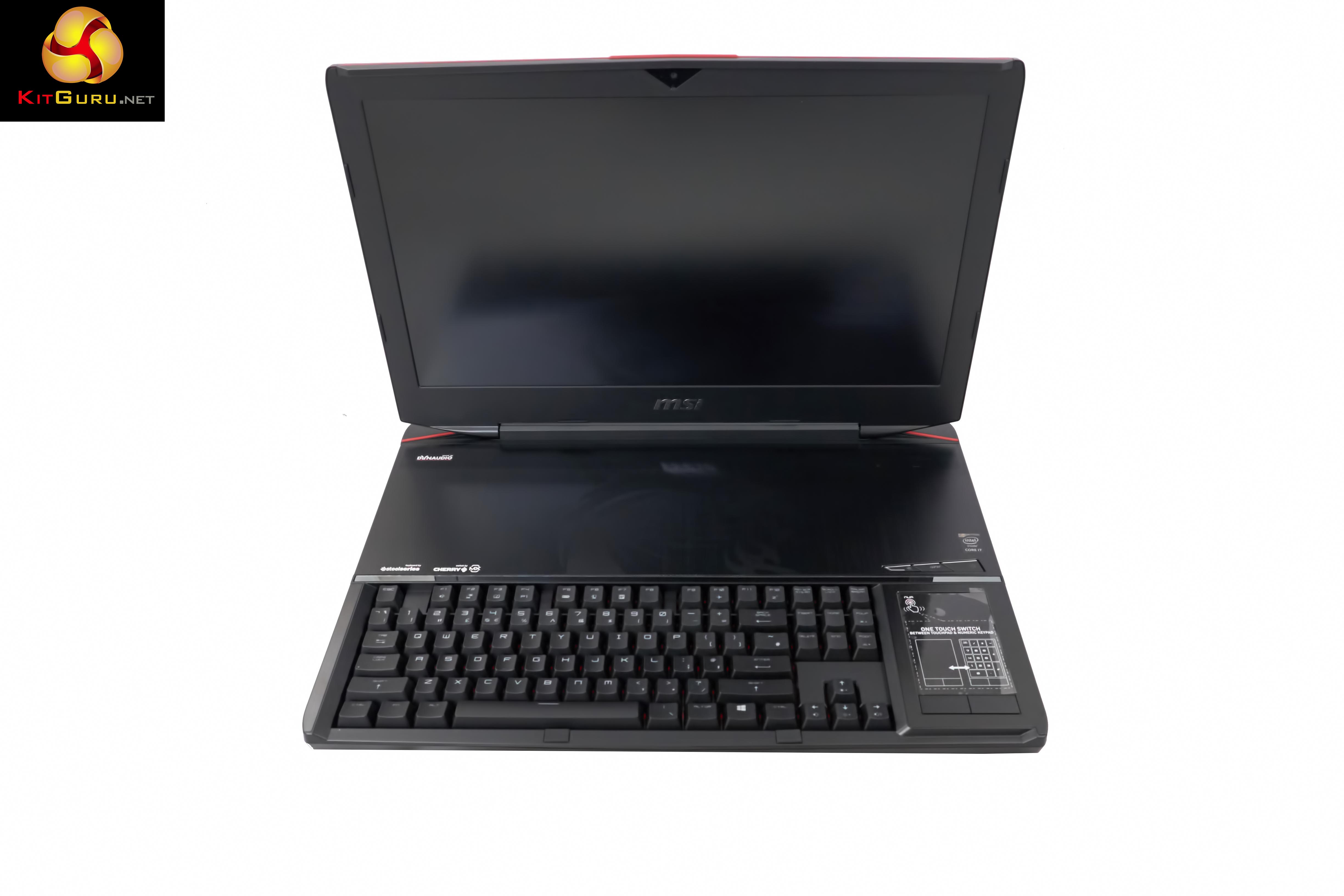
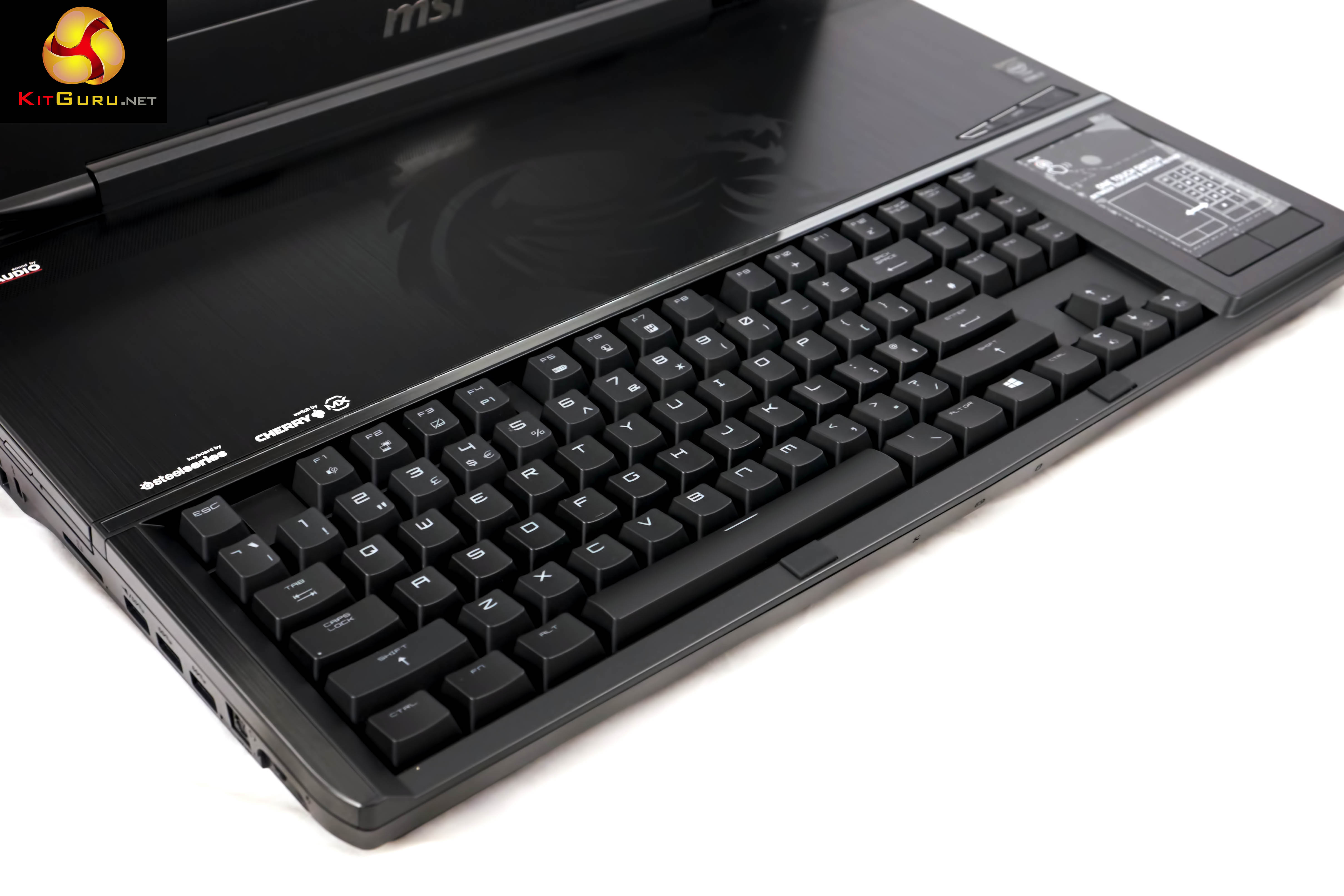
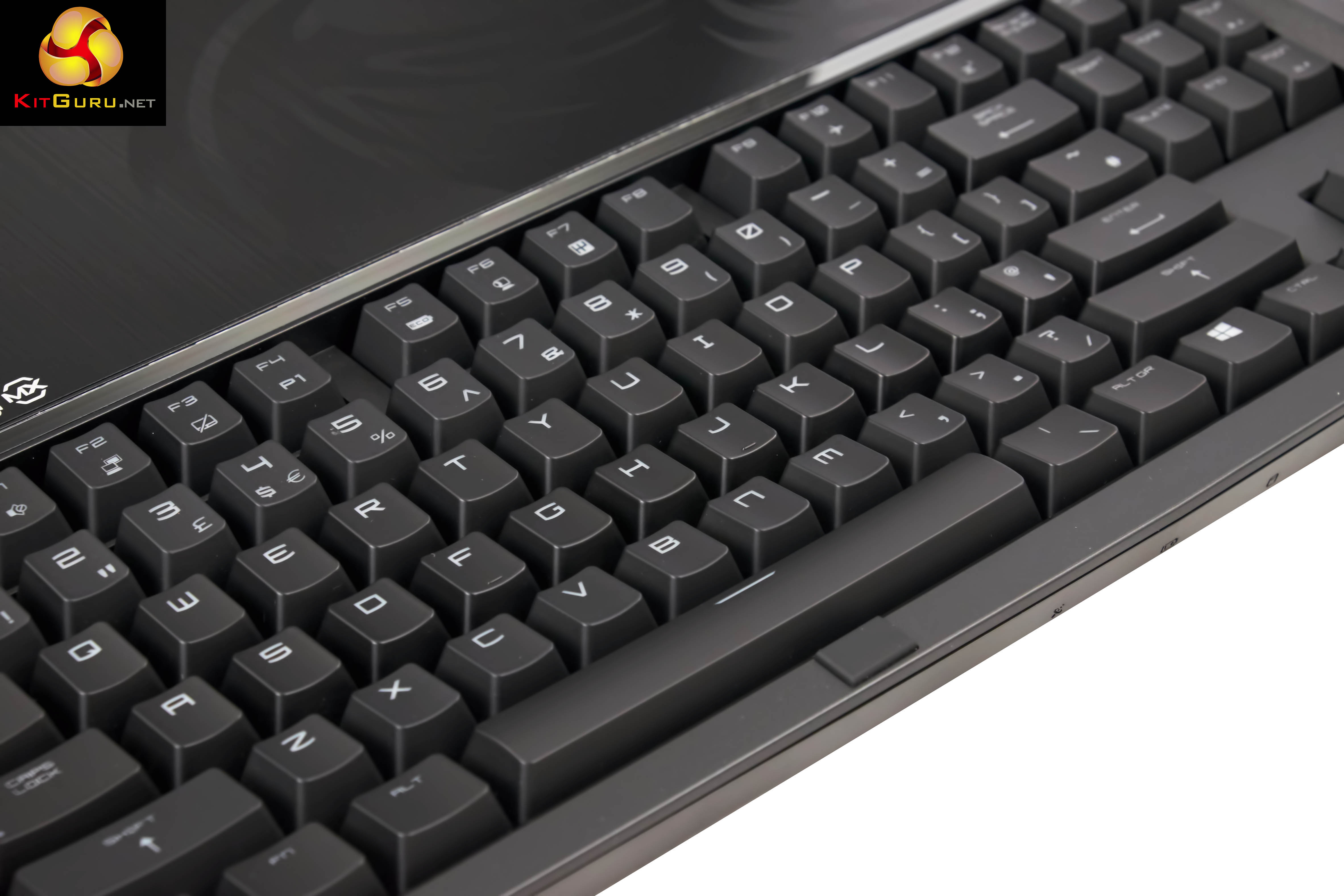
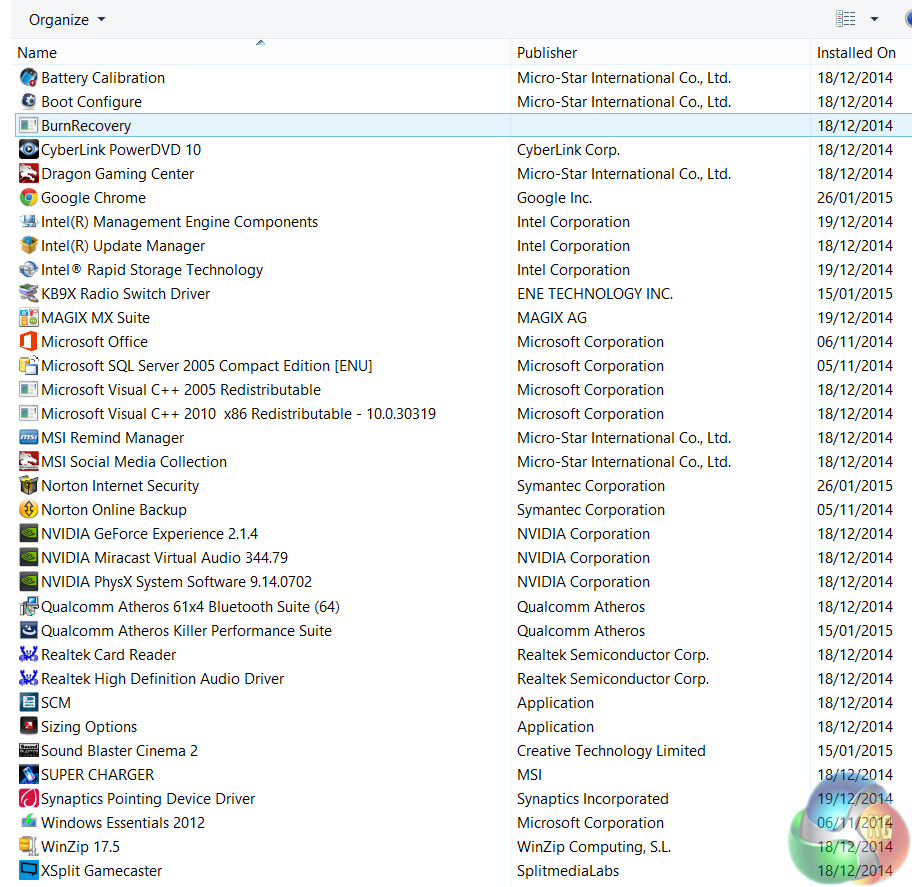
I was a little disappointed to see an install featuring Norton Internet Security and Online Backup, but this is likely personal taste. I would much rather MSI installed only the necessary drivers and gave the end user the option to use the software they wanted. The machine did throw up quite a few initial popups for registration and payment. We deinstalled Norton's completely as it is a resource hog.
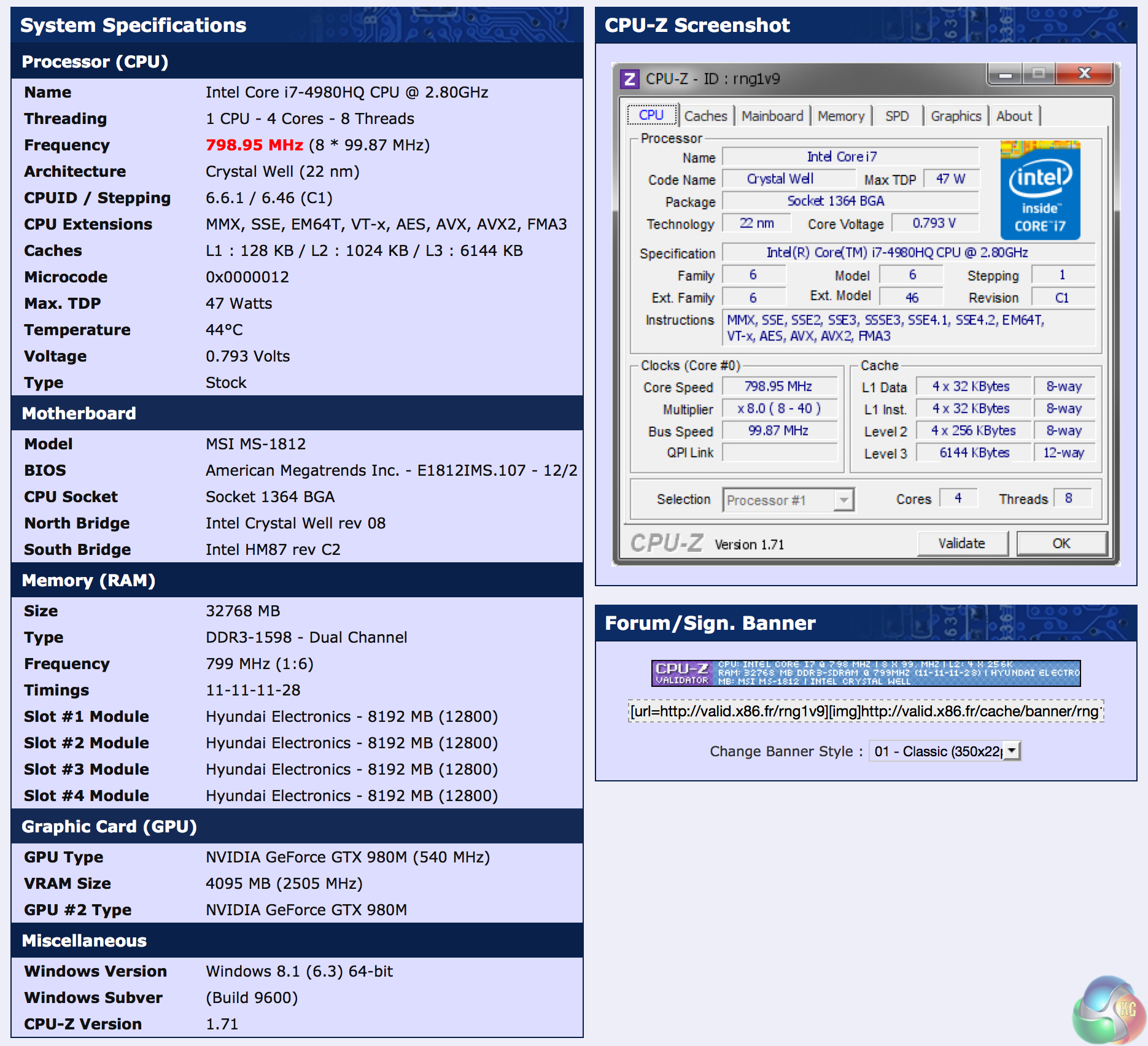
System validation is available over HERE. A breakdown of the hardware inside the MSI GT80 Titan. At the heart of the system is the flagship Intel Core i7 4980HQ which runs at 2.8ghz, with a turbo to 4ghz. 32GB of Hyundai DDR3 memory is installed, running at 1600mhz with 11-11-11-28 timings. This is a dual channel configuration.
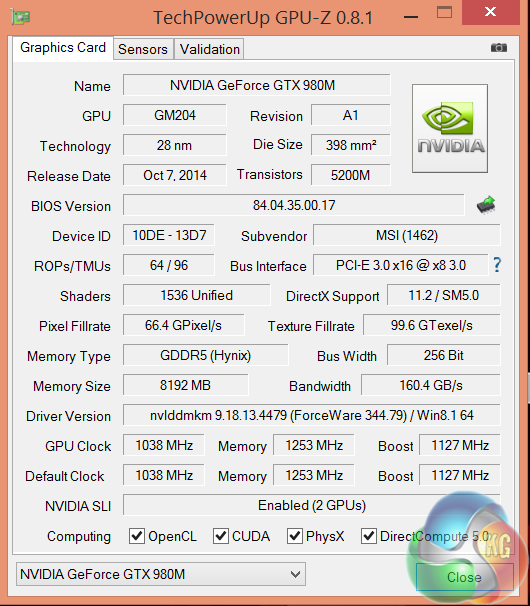
Installed inside the MSI GT80 Titan are not one, but two Nvidia GTX980m graphics cards. Each card has 1,536 CUDA cores, 64 ROPS and 96 texture units. The core is running at 1,038mhz, with a Boost speed of 1,127mhz. The memory runs at 1,253mhz (5Gbps effective). the 8GB of GDDR5 Hynix memory is connected via a 256 bit memory interface. They are in fact, two very powerful mobile GPU's. They are actually that capable that we felt it useful to compare them (in SLi) against some leading desktop graphics cards. More details below.
Comparison Mobile Systems (for specific synthetic test compares):
MSI GS60 Ghost Pro 3K 2QE (i7 4710HQ)
MSI GT72 2PE Dominator Pro (072UK)
MSI GS60 2PE Ghost Pro 15.6 inch (Intel I7-4700HQ).
MSI GT70 2OC (Intel Core i7 4700MQ).
MSI GS70 2OD Stealth (Intel Core i7 4700HQ).
MSI GE40-20C Dragon Eyes (Intel Core i7 4702MQ).
PCSpecialist Inferno 11.6 inch (Intel Core i7 3630QM).
MSI GX60 (AMD A10 4600M).
Lenovo ThinkPad X1 Carbon (featuring Core i5 3427U).
Lenovo ThinkPad Edge S430 (featuring Core i5 3210M).
PC Specialist Vortex III HD72 (featuring Core i7 3610QM).
Asus G74SX-91013Z (featuring Core i7 2360QM).
Dell XPS 14z (featuring Core i7 2640M).
AlienWare M18X (featuring Core i7 2960XM Extreme Edition).
MSI CX640 (featuring Core i5 2410M).
Intel Core i7 2600k desktop processor.
Intel Core i5 2500k desktop processor
Comparison Desktop System (for gaming tests).
Detailed specifications over HERE.
Asus GTX980 ROG Matrix Platinum (1,241 mhz core / 1,753mhz memory)
Asus R9 290 Direct CU II OC (1000 mhz core / 1,260 mhz memory)
Gigabyte GTX770 OC (1,137mhz core / 1,753 mhz memory)
Sapphire Dual X R9 285 (965 mhz core / 1,400 mhz memory)
XFX R9 280X DD (1,000 mhz core / 1,500 mhz memory)
Asus Direct CU II GTX 760 OC (1,006mhz core / 1,502mhz memory)
Asus GTX750TI Strix OC Edition (1,124mhz core / 1,350mhz memory)
Software:
3DMark 11
3DMark
Cinebench R11.5 64 bit
Cinebench R15 64 bit
FRAPS Professional
Unigine Heaven Benchmark
Unigine Valley
SiSoft Sandra
CrystalDiskMark
ATTO Disk Benchmark
Cyberlink PowerDVD Ultra 12
Cyberlink MediaEspresso
Games:
Grid Autosport
Tomb Raider
Metro Last Light Redux
Thief 2014
Total War Rome 2: Emperor Edition.
All the latest BIOS updates and drivers are used during testing. We perform generally under real world conditions, meaning KitGuru tests games across five closely matched runs and then average out the results to get an accurate median figure. If we use scripted benchmarks, they are mentioned on the relevant page.
Game descriptions edited with courtesy from Wikipedia.
SiSoftware Sandra (the System ANalyser, Diagnostic and Reporting Assistant) is an information & diagnostic utility. It should provide most of the information (including undocumented) you need to know about your hardware, software and other devices whether hardware or software.
Sandra is a (girl’s) name of Greek origin that means “defender”, “helper of mankind”. We think that’s quite fitting.
It works along the lines of other Windows utilities, however it tries to go beyond them and show you more of what’s really going on. Giving the user the ability to draw comparisons at both a high and low-level. You can get information about the CPU, chipset, video adapter, ports, printers, sound card, memory, network, Windows internals, AGP, PCI, PCI-X, PCIe (PCI Express), database, USB, USB2, 1394/Firewire, etc.
Native ports for all major operating systems are available:
- Windows XP, 2003/R2, Vista, 7, 2008/R2 (x86)
- Windows XP, 2003/R2, Vista, 7, 2008/R2 (x64)
- Windows 2003/R2, 2008/R2* (IA64)
- Windows Mobile 5.x (ARM CE 5.01)
- Windows Mobile 6.x (ARM CE 5.02)
All major technologies are supported and taken advantage of:
- SMP – Multi-Processor
- MC – Multi-Core
- SMT/HT – Hyper-Threading
- MMX, SSE, SSE2, SSE3, SSSE3, SSE 4.1, SSE 4.2, AVX, FMA – Multi-Media instructions
- GPGPU, DirectX, OpenGL – Graphics
- NUMA – Non-Uniform Memory Access
- AMD64/EM64T/x64 – 64-bit extensions to x86
- IA64 – Intel* Itanium 64-bit
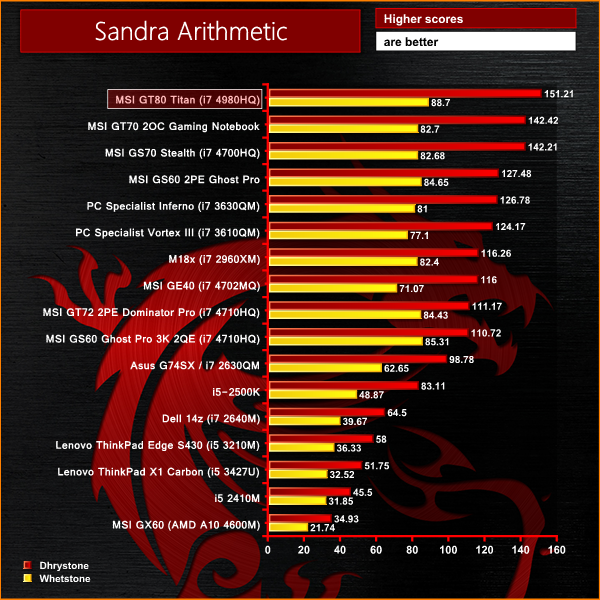
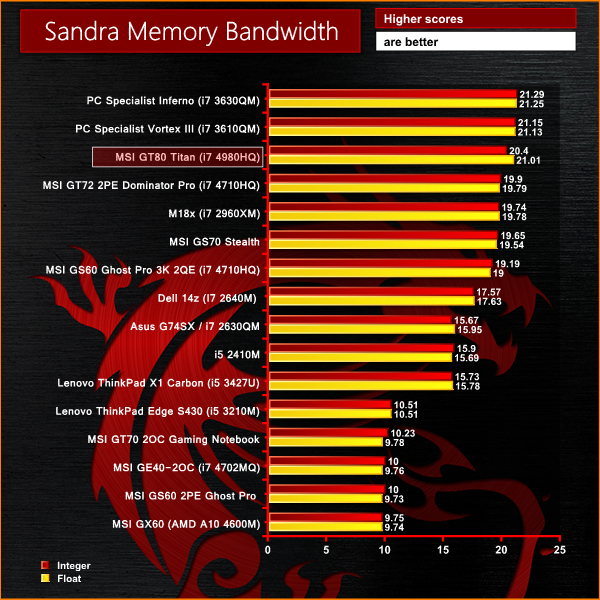
Certainly no lack of performance from the 4980HQ processor, taking top position in our mobile chart, by a clear margin. Memory performance is as we would expect from dual channel with relatively loose timings, close to the top of the chart.CINEBENCH R11.5 64 Bit is a real-world cross platform test suite that evaluates your computer’s performance capabilities. CINEBENCH is based on MAXON’s award-winning animation software CINEMA 4D, which is used extensively by studios and production houses worldwide for 3D content creation. MAXON software has been used in blockbuster movies such as Spider-Man, Star Wars, The Chronicles of Narnia and many more. CINEBENCH is the perfect tool to compare CPU and graphics performance across various systems and platforms (Windows and Mac OS X). And best of all: It’s completely free.
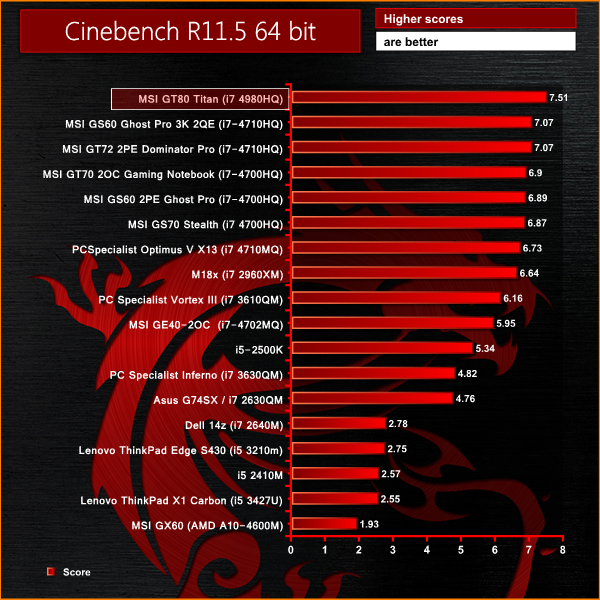
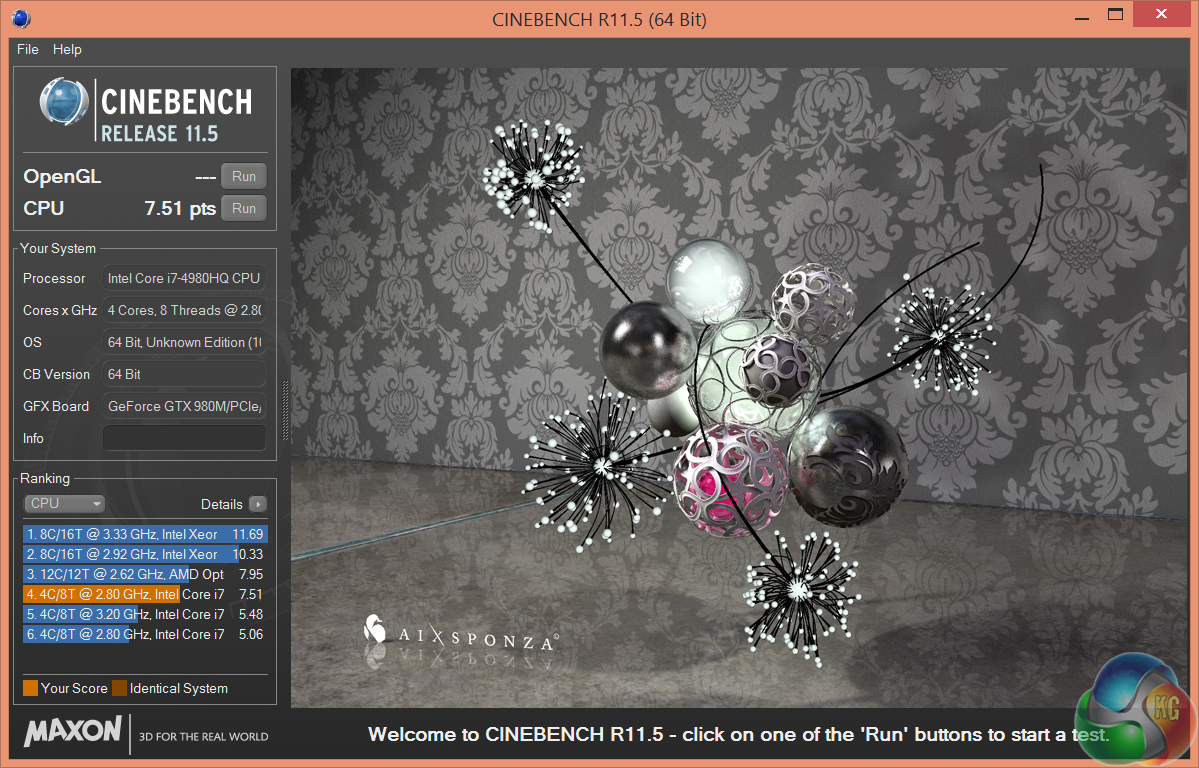
Again, the monster flagship 4980HQ takes top position in the mobile processor chart, scoring 7.51 points. This machine could easily handle serious 3D rendering duties on the move.
CINEBENCH 15 is a cross-platform testing suite that measures hardware performance and is the de facto standard benchmarking tool for leading companies and trade journals for conducting real-world hardware performance tests. With the new Release 15, systems with up to 256 threads can be tested. CINEBENCH is available for both Windows and OS X and is used by almost all hardware manufacturers and trade journals for comparing CPUs and graphics cards.
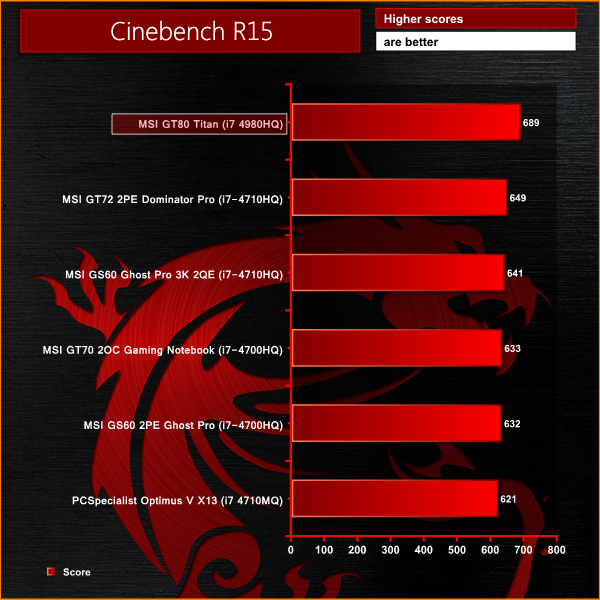
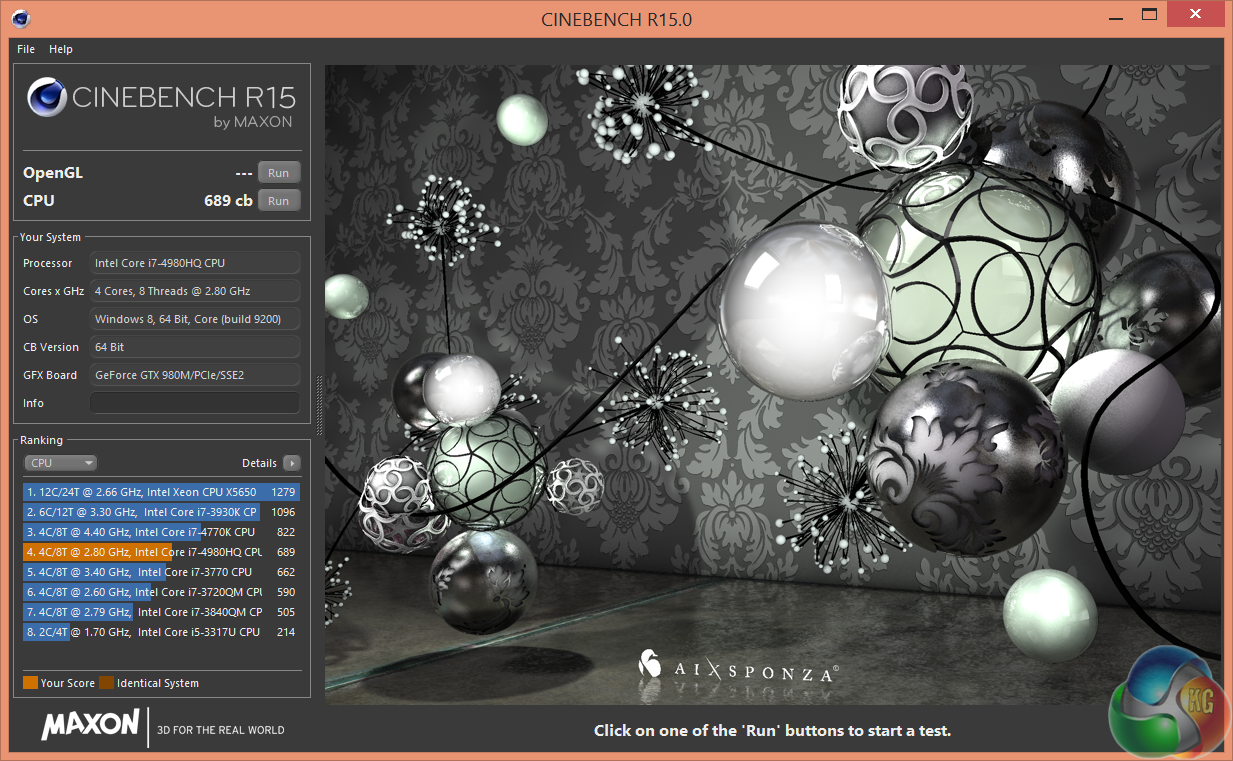
Beginning to see a pattern? Top position again in the latest Cinebench benchmark, scoring 689 points.
3DMark 11 is designed for testing DirectX 11 hardware running on Windows 7 and Windows Vista the benchmark includes six all new benchmark tests that make extensive use of all the new features in DirectX 11 including tessellation, compute shaders and multi-threading.
After running the tests 3DMark gives your system a score with larger numbers indicating better performance. Trusted by gamers worldwide to give accurate and unbiased results, 3DMark 11 is the best way to test DirectX 11 under game-like loads.
If you want to learn more about this benchmark, or to buy it yourself, head over to this page.
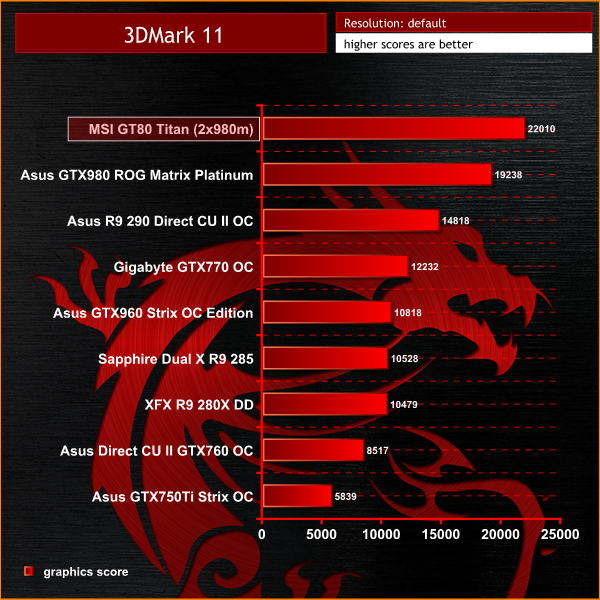
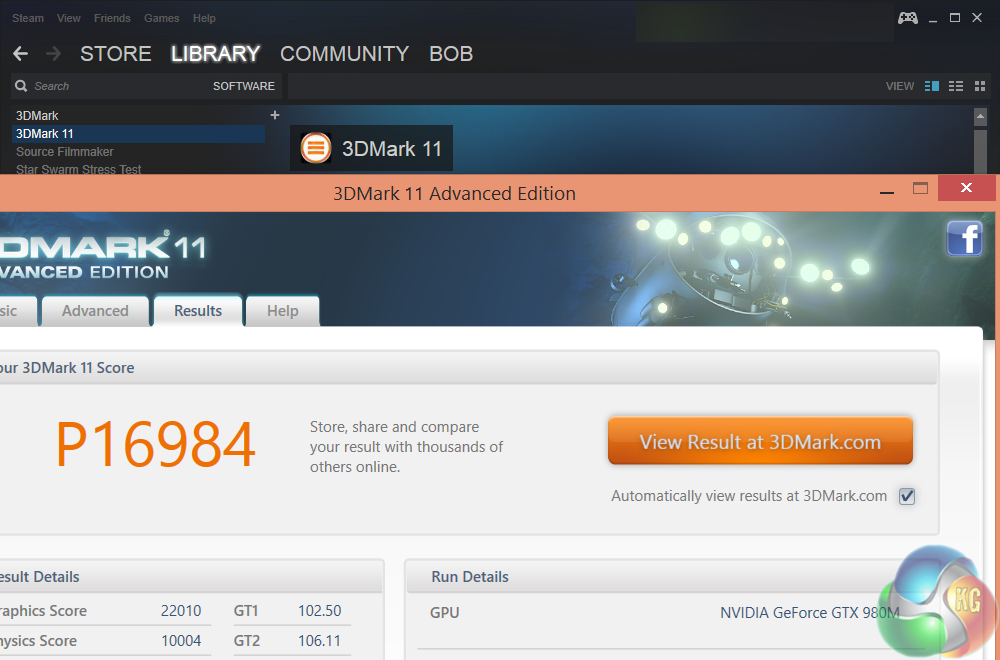
Certainly no lack of GPU performance from the dual GTX980m, scoring 22,010 points in the graphics test. This is close to 3,000 points more than our reference desktop test rig, featuring the high end Asus GTX980 ROG Matrix Platinum graphics card.3DMark is an essential tool used by millions of gamers, hundreds of hardware review sites and many of the world’s leading manufacturers to measure PC gaming performance.Futuremark say “Use it to test your PC’s limits and measure the impact of overclocking and tweaking your system. Search our massive results database and see how your PC compares or just admire the graphics and wonder why all PC games don’t look this good.To get more out of your PC, put 3DMark in your PC.”
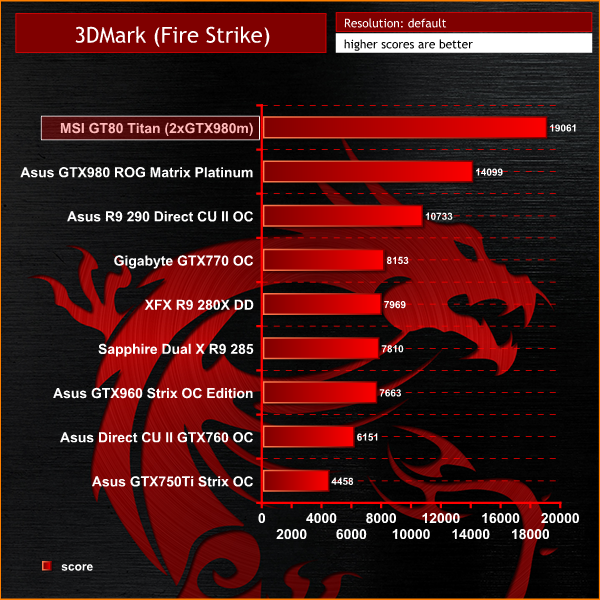
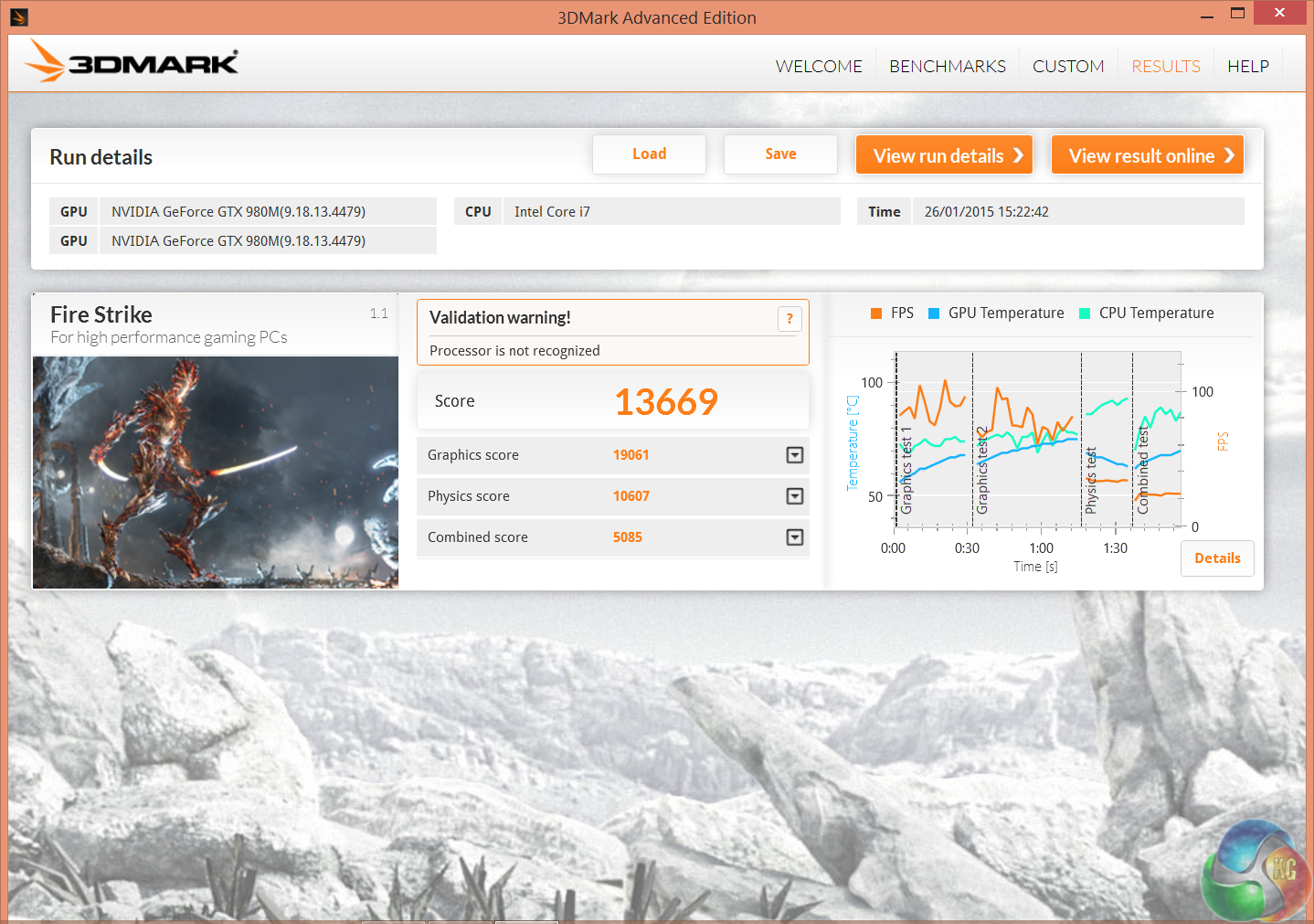
A staggering result, with both GTX980m's delivering a final graphics score of just over 19,000 points. This is around 5,000 points more than an overclocked GTX980 desktop solution.The MSI GT80 Titan ships with 4x 256GB Solid State drives, configured into RAID 0 for maximum performance. There is also a 1TB 7,200 rpm 2.5 inch drive installed, for storage duties.
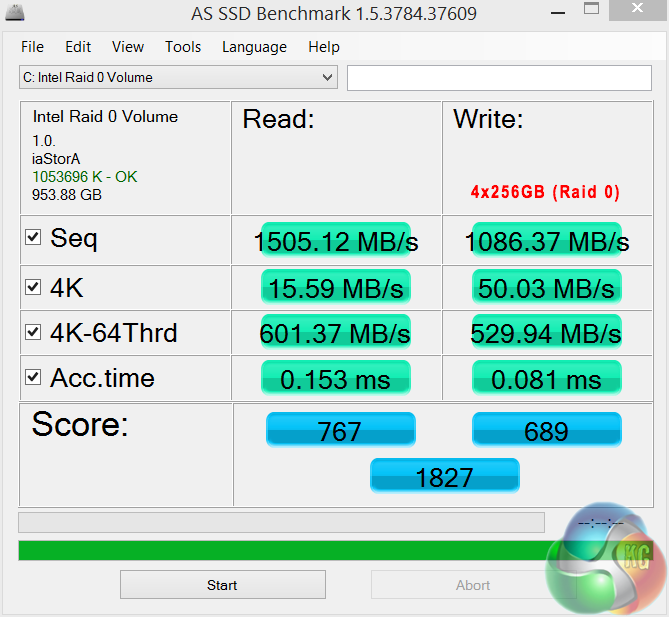
We tested first with AS SSD, and the 4 Solid State drives in RAID 0 scored a staggering 1827 points. Sequential read rated at 1505MB/s, with sequential write at 1086MB/s.
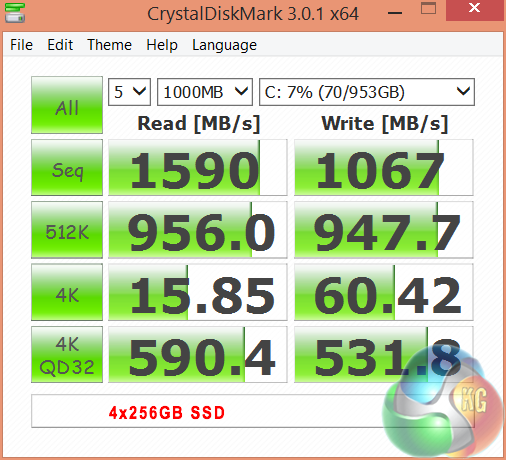
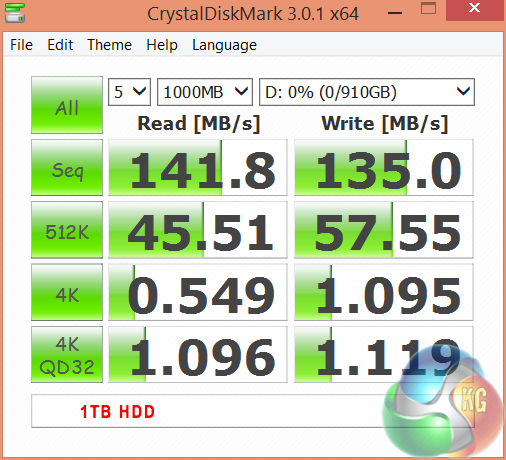
Crystaldiskmark delivers similar performance to AS SSD, although sequential read speed is just short of 1,600MB/s. 4K QD32 performance is staggering. The 1TB 7,200 rpm hard drive scores as well as we could expect from a 2.5 inch drive, rating around 140MB/s in both read and write tests.
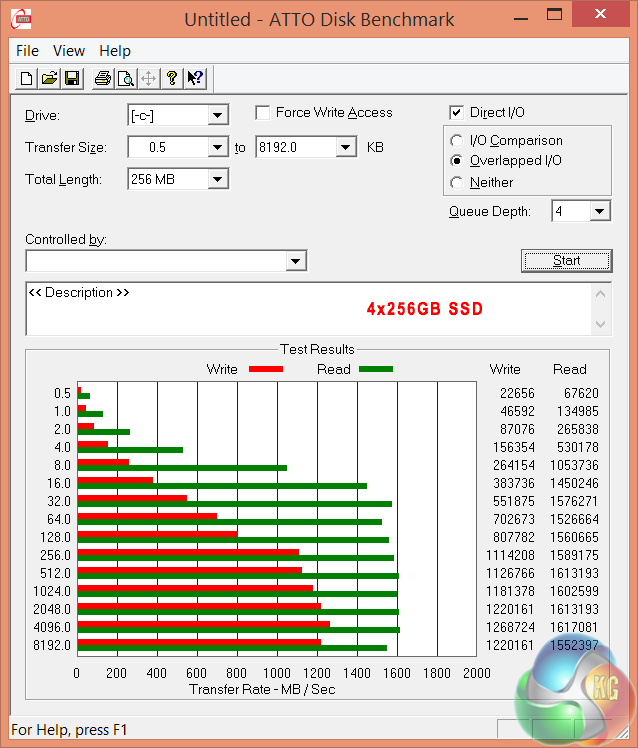
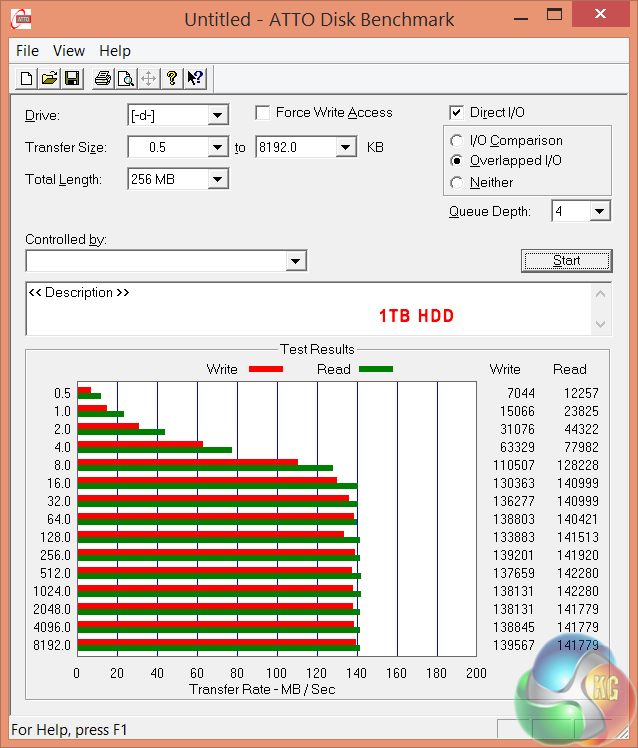
The 4x SSD Raid 0 configuration scores very well in ATTO, peaking at 1,600MB/s read, and 1,250MB/s write.
All these synthetic figures are useful, but in the real world we can safely say that the MSI GT80 Titan never forces you to wait for anything. The GT80 Titan boots in seconds and applications such as Adobe Photoshop are ready to use in around 2 seconds. The Raid 0 OS configuration breaks new performance ground, and is significantly faster than any other MSI laptop we have tested.
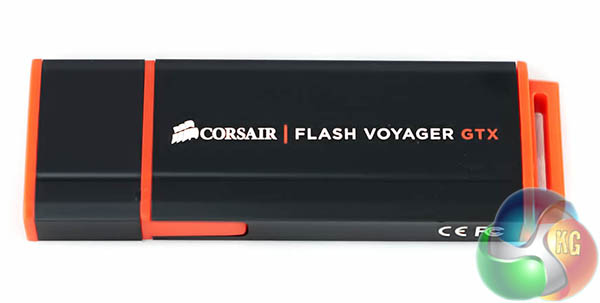
We recently replaced our long term Patriot Supersonic Magnum 256GB with the faster Corsair Flash Voyager GTX 128GB.
You can read our review of the product over here. This page explains differences in performance with or without a UASP driver. The MSI GT80 Titan has Windows 8.1 installed, so we don’t expect issues.
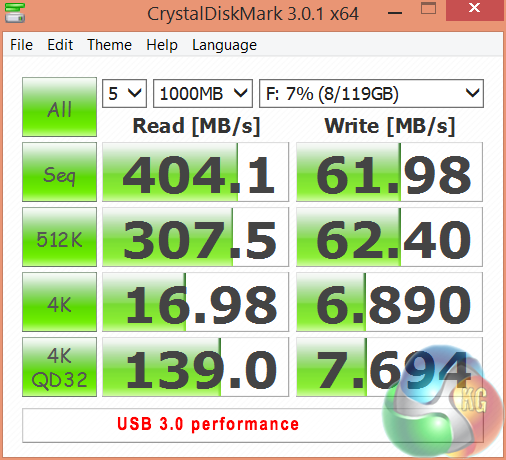
Performance from the USB 3.0 ports are excellent. The drive hits over 400 MB/s in the sequential read test.
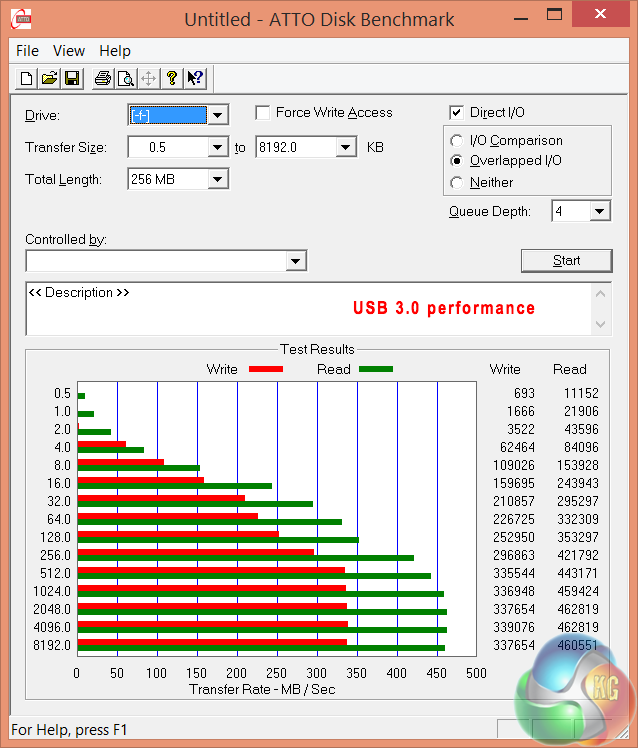
The ATTO benchmark highlights incredible performance from the USB 3.0 controller – hitting 460MB/s in the read test and 340MB/s in the write test.
CyberLink MediaEspresso 6 is the successor to CyberLink MediaShow Espresso 5.5. With its further optimized CPU/GPU-acceleration, MediaEspresso is an even faster way to convert not only your video but also your music and image files between a wide range of popular formats.
Now you can easily playback and display your favourite movies, songs and photos not just on your mobile phone, iPad, PSP, Xbox, or Youtube and Facebook channels but also on the newly launched iPhone 4. Compile, convert and enjoy images and songs on any of your computing devices and enhance your videos with CyberLink’s built-in TrueTheater Technology.
New and Improved Features:
- Ultra Fast Media Conversion – With support from the Intel Core i-Series processor family, ATI Stream & NVIDIA CUDA, MediaEspresso’s Batch-Conversion function enables multiple files to be transcoded simultaneously.
- Smart Detect Technology – MediaEspresso 6 automatically detects the type of portable device connected to the PC and selects the best multimedia profile to begin the conversion without the need for user’s intervention.
- Direct Sync to Portable Devices – Video, audio and image files can be transferred in a few easy steps to mobile phones including those from Acer, BlackBerry, HTC, Samsung, LG, Nokia, Motorola, Sony Ericsson, and Palm, as well as Sony Walkman and PSP devices.
- Enhanced Video Quality – CyberLink TrueTheater Denoise and Lighting enables the enhancement of video quality through optical noise filters and automatic brightness adjustment.
- Video, Music and Image File Conversion – Convert not only videos to popular formats such as AVI, MPEG, MKV, H.264/AVC, and FLV at the click of a button, but also images such as JPEG and PNG and music files like WMA, MP3 and M4A.
- Online Sharing – Conversion to video formats used by popular social networking websites and a direct upload feature means posting videos to Facebook and YouTube has never been easier.
For our testing today we are converting a 3.3GB 720p MKV file (2h:12mins) to Apple Mp4 format for playback on a portable device. This is a common procedure for many people and will give a good indication of system power. We are using the newest version of MediaEspresso. We couldn't enable hardware acceleration as the software didn't seem to like the GTX980m's.
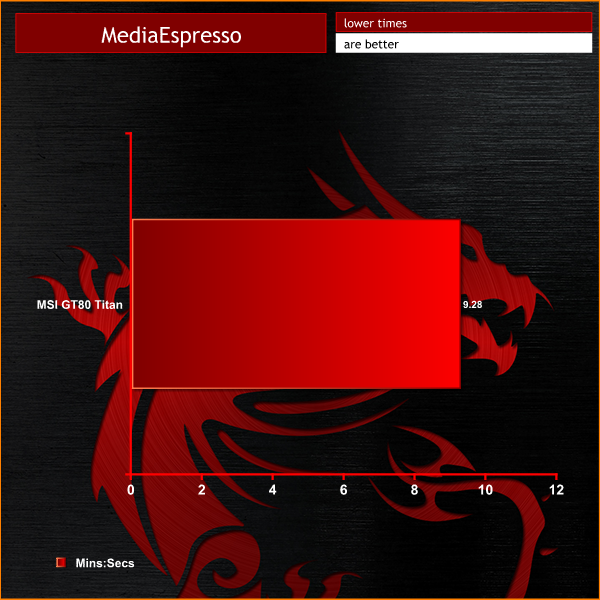
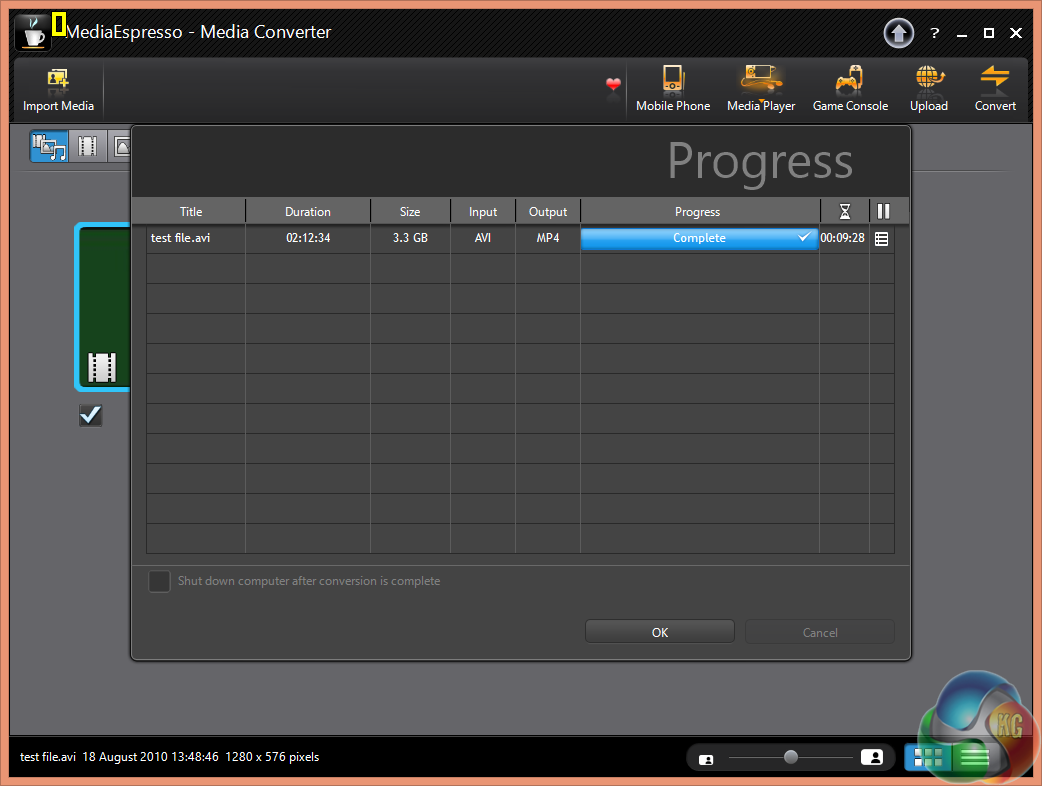
The final time of 9 minutes and 28 seconds is short of the best we have seen, although this is because the software wasn't able to enable hardware acceleration, therefore all the work was through the processor directly.
Tomb Raider received much acclaim from critics, who praised the graphics, the gameplay and Camilla Luddington’s performance as Lara with many critics agreeing that the game is a solid and much needed reboot of the franchise. Much criticism went to the addition of the multiplayer which many felt was unnecessary. Tomb Raider went on to sell one million copies in forty-eight hours of its release, and has sold 3.4 million copies worldwide so far. (Wikipedia).
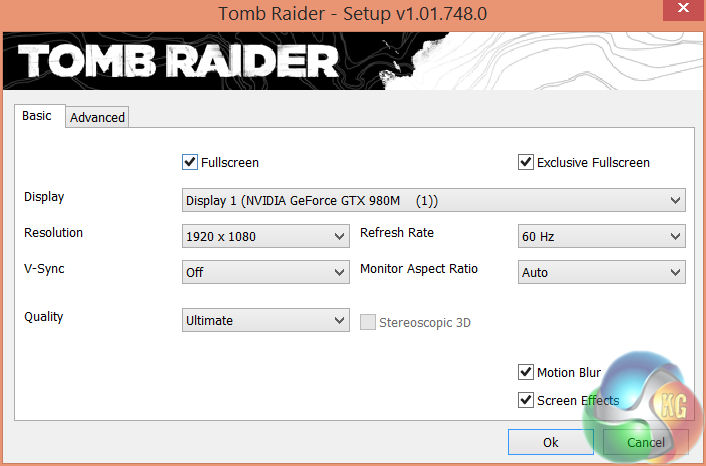
We test at 1080p with the image quality settings right at the limit.

Crazy frame rates at 1080p, averaging 131 frames per second. The SLi profile works extremely well with this engine. A higher 3k resolution panel would be a good option for MSI to add.
Grid Autosport (styled as GRID Autosport) is a racing video game by Codemasters and is the sequel to 2008′s Race Driver: Grid and 2013′s Grid 2. The game was released for Microsoft Windows, PlayStation 3 and Xbox 360 on June 24, 2014. (Wikipedia).
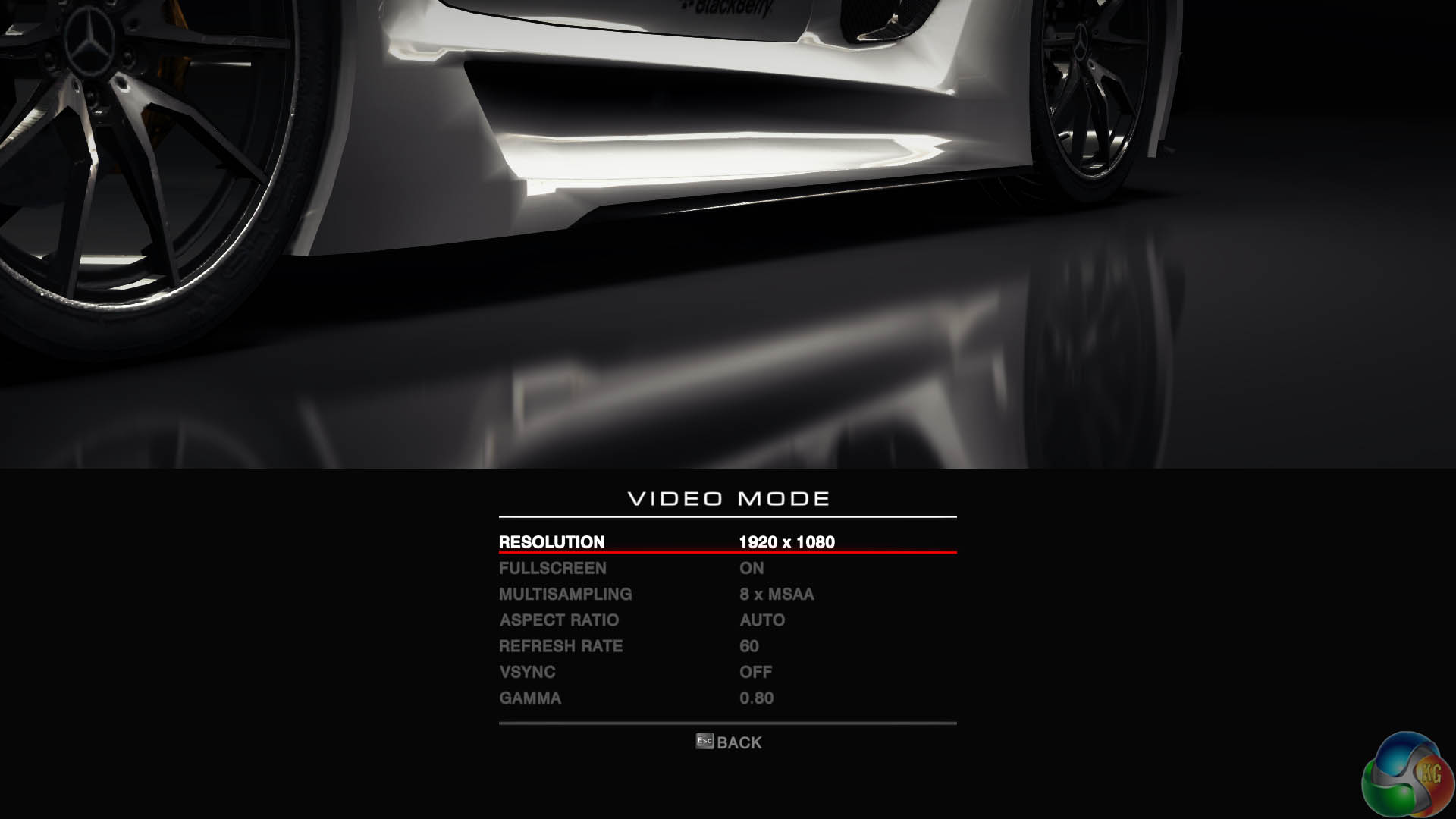
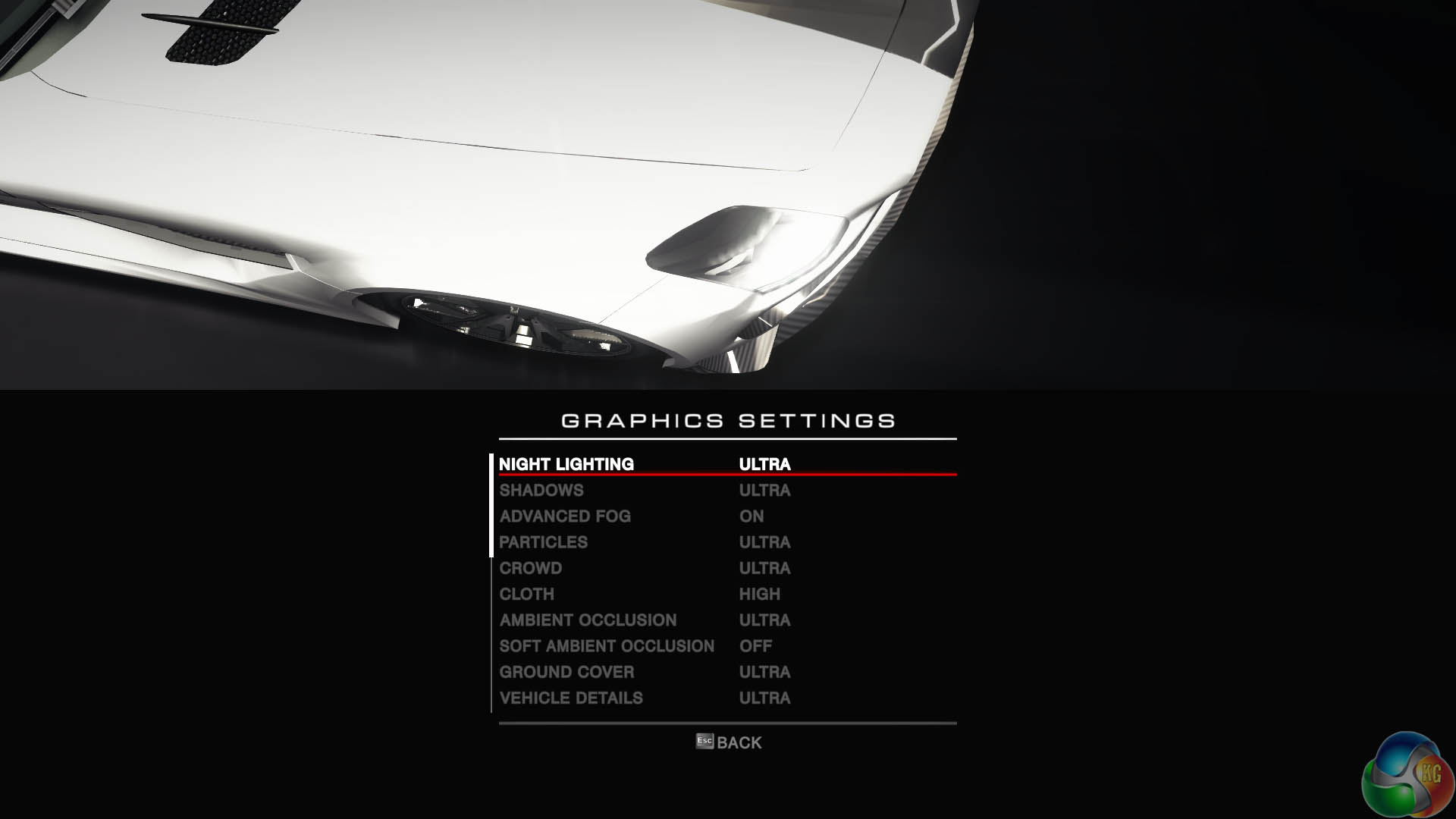
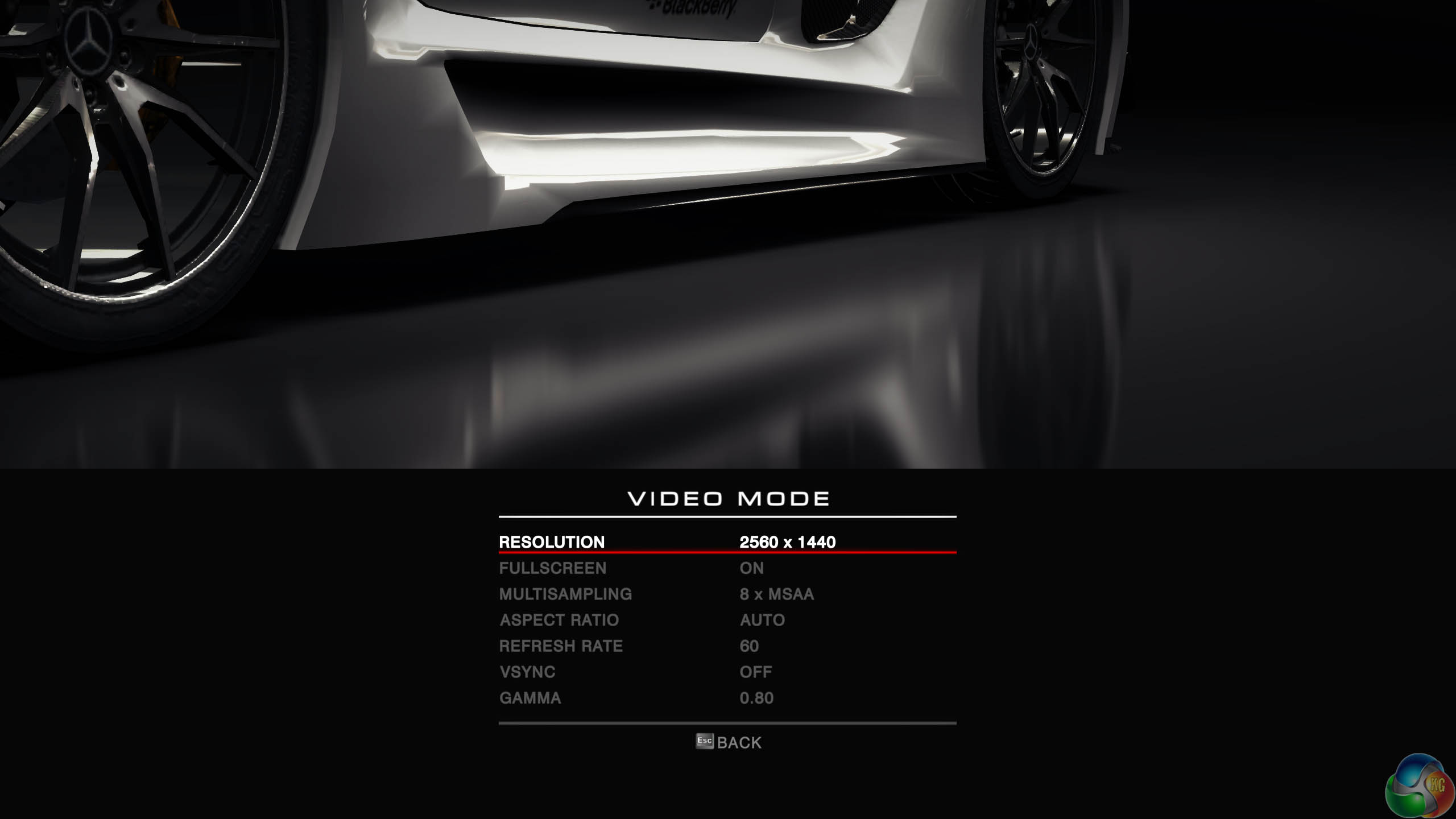
We test at 1080p, with the game engines ‘ULTRA’ image quality profile and with 8 times Anti Aliasing enabled.
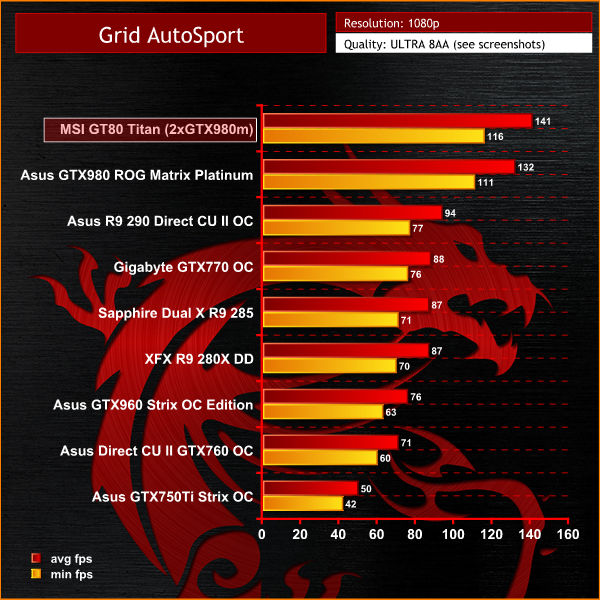
Excellent results, averaging 141 frames per second, and holding a frame rate above 110 at all times. Again the graphics hardware seems a little overkill for a mere 1080p resolution.
Thief is set in a dark fantasy world inspired by Victorian, gothic, and steampunk aesthetics. Garrett, a master thief who has been away from his hometown for a long time, returns to it, a place known only as The City, and finds it ruled with an iron grip by a tyrant called The Baron. While The City is ravaged by a plague, the rich continue to live in isolation and good fortune while the poor are forming numerous mobs against the authorities, Garrett intends to use the volatile situation to his favor. (Wikipedia).
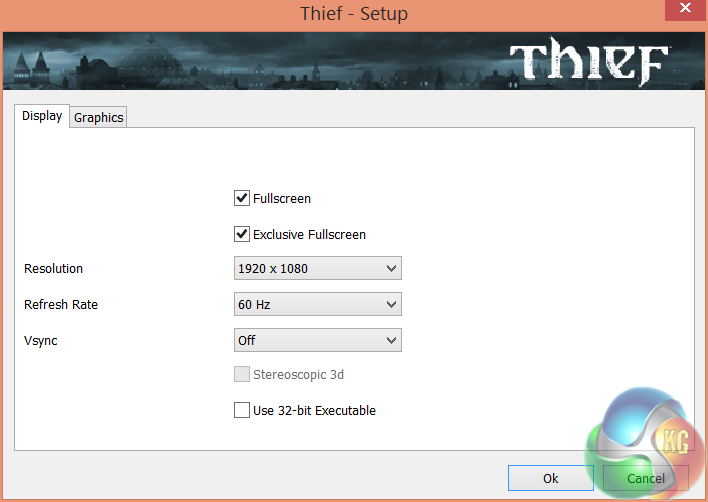
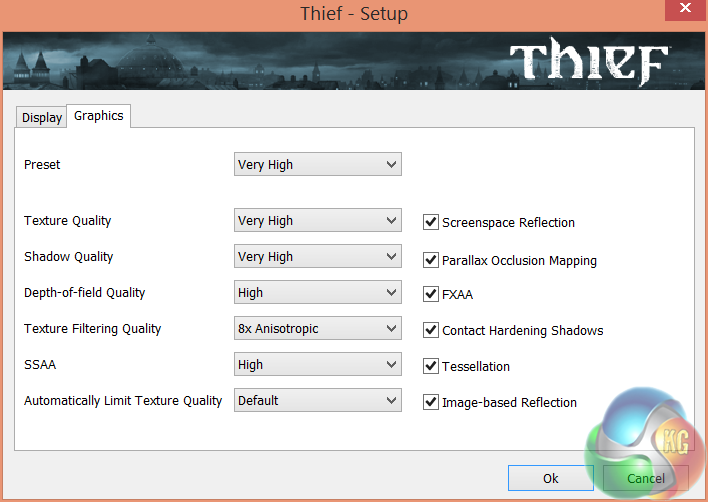
We test at 1080p with the highest image quality settings (very high).
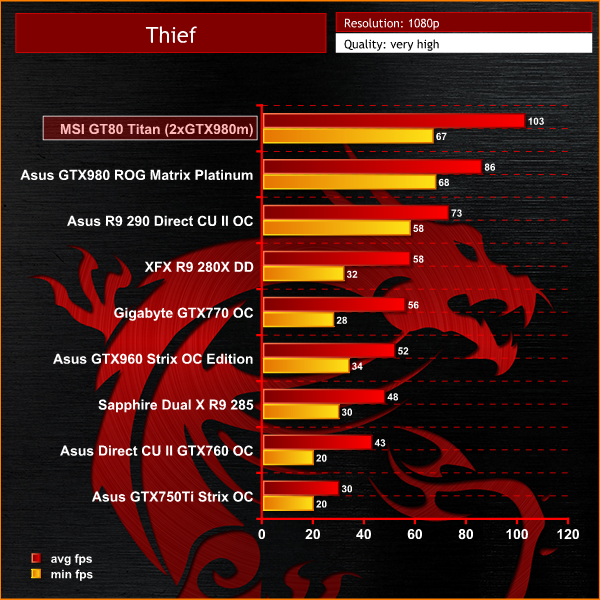
At 1080p, the dual GTX980m's deliver crazy frame rates, averaging 103 frames per second – significantly ahead of the single desktop GTX980.
On May 22, 2014, a Redux version of Metro Last Light was announced. It was released on August 26, 2014 in North America and August 29, 2014 in Europe for the PC, PlayStation 4 and Xbox One. Redux adds all the DLC and graphical improvements. A compilation package, titled Metro Redux, was released at the same time which includes Last Light and 2033. (Wikipedia). We test with following settings: quality high, SSAA on, 16AF, Tessellation normal.
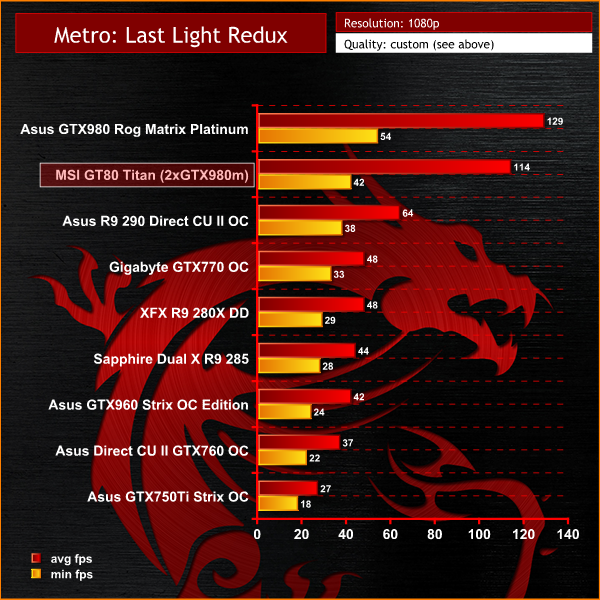
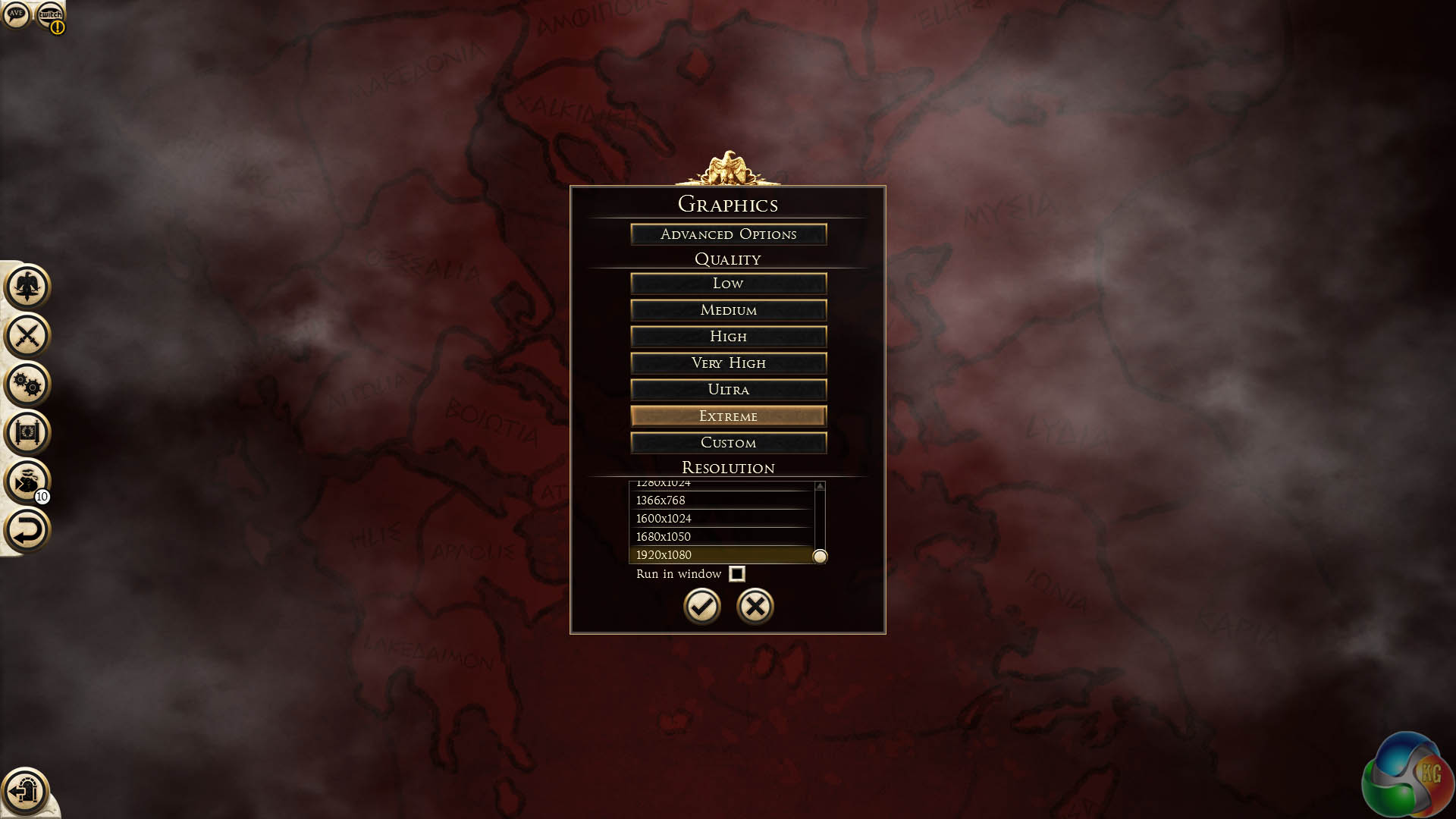
A turn around in this game test – the desktop GTX980 managed to outperform the dual GTX980m's. We would imagine the rest of the GT80 Titan might be causing an overhead compared to the overclocked desktop 4790k processor with 2,400mhz memory.Total War: ROME II Emperor Edition. Emperor Edition collects together all free content to date, which includes wide-ranging revisions, additions to game features and adds a brand new Campaign Pack expansion, ‘Imperator Augustus’. We test the game at 1080p with the image quality settings at the maximum – ‘EXTREME’.
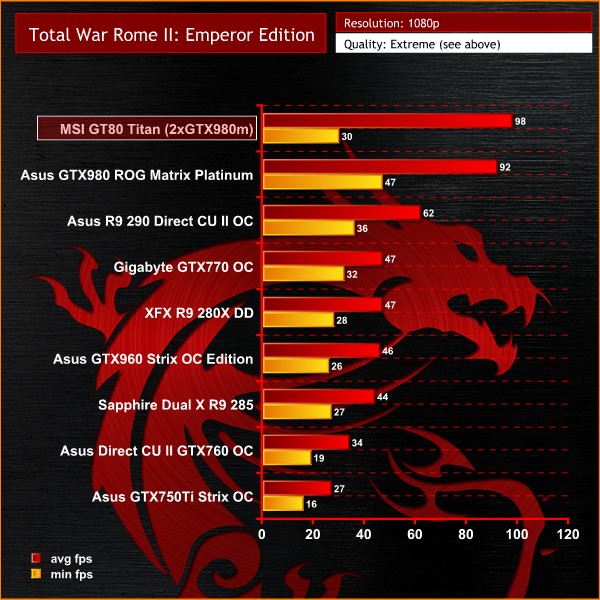
The system performs very well with this game, averaging 98 frames per second. While this is higher than the single overclocked GTX980 desktop graphics card, the minimum frame rate wasn't quite as good.The tests were performed in a controlled air conditioned room with temperatures maintained at a constant 23c – a comfortable environment for the majority of people reading this.Idle temperatures were measured after sitting at the desktop for 30 minutes. Load measurements were acquired by playing Crysis Warhead for 30 minutes and measuring the peak temperature. We also have included Furmark results, recording maximum temperatures throughout a 30 minute stress test. All fan settings were left on automatic.
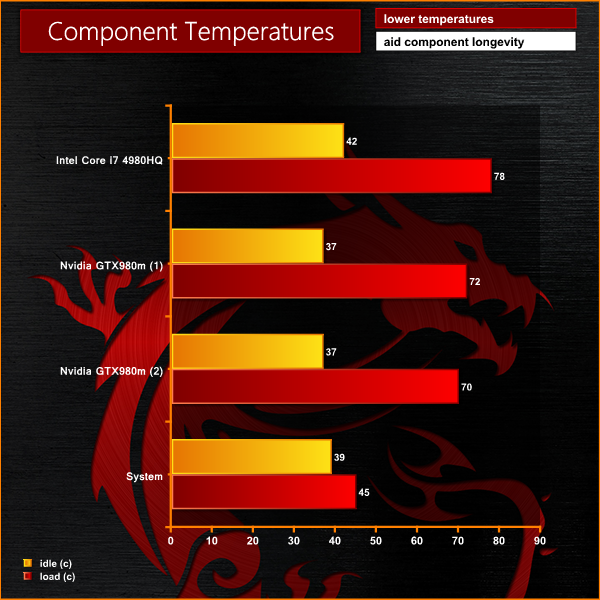
The cooling system inside the MSI GT80 Titan is powerful. Under any kind of load situation there is a serious level of air flow throughout the rear half of the chassis.
We attached five diodes to the back of the chassis and then placed the case on a desk to use normally. We played Tomb Raider for a few hour and measured the temperatures from each diode.
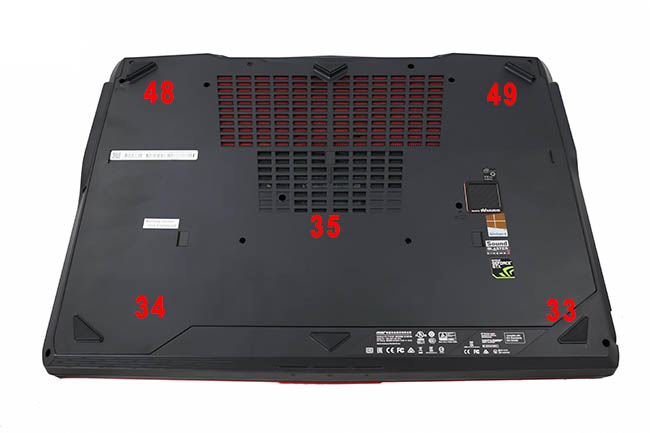
There is no doubt the rear of the chassis gets toasty under extended load situations. Air flows through the side and rear panels on each side. The front half of the case by comparison is very cool at all times.
We have built a system inside a Lian Li chassis with no case fans and have used a fanless cooler on our CPU. The motherboard is also passively cooled. This gives us a build with almost completely passive cooling and it means we can measure noise of just the graphics card inside the system when we run looped 3DMark tests.
We measure from a distance of around 1 meter from the closed chassis and 4 foot from the ground to mirror a real world situation. Ambient noise in the room measures close to the limits of our sound meter at 28dBa.
Why do this? Well this means we can eliminate secondary noise pollution in the test room and concentrate on only the video card. It also brings us slightly closer to industry standards, such as DIN 45635.
KitGuru noise guide
10dBA – Normal Breathing/Rustling Leaves
20-25dBA – Whisper
30dBA – High Quality Computer fan
40dBA – A Bubbling Brook, or a Refrigerator
50dBA – Normal Conversation
60dBA – Laughter
70dBA – Vacuum Cleaner or Hairdryer
80dBA – City Traffic or a Garbage Disposal
90dBA – Motorcycle or Lawnmower
100dBA – MP3 player at maximum output
110dBA – Orchestra
120dBA – Front row rock concert/Jet Engine
130dBA – Threshold of Pain
140dBA – Military Jet takeoff/Gunshot (close range)
160dBA – Instant Perforation of eardrum
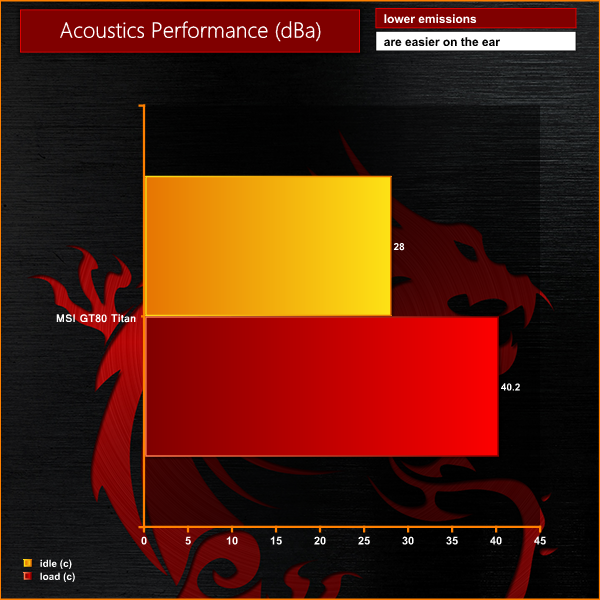
Having the most powerful, hot running hardware does have a downside. It needs serious air flow to remain cool. The fans spin quite fast when both processor and graphics cards are under load. We recorded a maximum 40dBa from the system (after 90 minutes of Tomb Raider gaming), although generally it wouldn't be quite so loud.
To test today, we are putting the machine through a variety of ‘real world’ situations, mirroring the real world usage of a potential customer.
One as a media movie lover on the move (wearing headphones), a person wanting to watch high definition media on a train journey or bus with screen brightness two notches from maximum.
Second as a businessman, with screen brightness around half way. Wireless was enabled. A mixture of checking, answering emails using Microsoft Office and editing pictures in Adobe Photoshop.
Lastly as a gamer, playing Tomb Raider until the machine turned itself off.
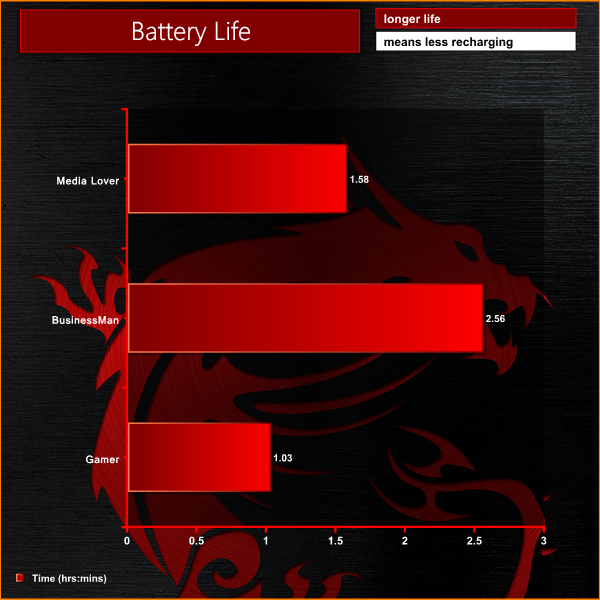
Even with a 75.24Wh battery, under most conditions you would expect between 2 and 3 hours life – which in reality really isn't that bad. This isn't a laptop you should expect to run on battery power for any length of time. Ideally you always want a power socket close at hand.We measure power demand at the socket with a calibrated meter.
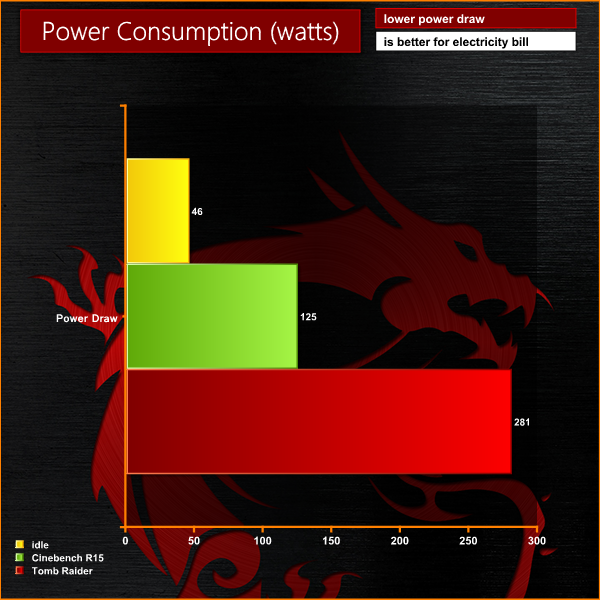
The system consumes around 45 watts when idling in Windows 8. When tasked with Cinebench, the CPU increases the system load to 125 watts. When playing Tomb Raider the load rises to 281 watts. The power brick does get very warm after several hours, but all seems well within expected parameters.
If you want the most powerful laptop on the market and aren't willing to accept any compromises, then the MSI GT80 Titan should be right at the top of your final shortlist.
First impressions are positive. MSI load the box with extras such as a mouse, mouse mat, backpack, gold metal replacement keys, a Dragon toy and gel wrist rest. Its a well rounded bundle that goes some way to making you feel justified in spending all that money.
The GT80 Titan is exceptionally well put together. There are no creaks or groans when you open the lid, and the construction quality is high grade. The red sports stripe along both corners of the lid are attractive, yet not too flashy. The red and black grills underneath add to the sports car style appearance, although I was slightly disappointed to notice that the motherboard inside is green and not black. A minor point, but if Apple can do it with their MacBook Pro's, why can't MSI?
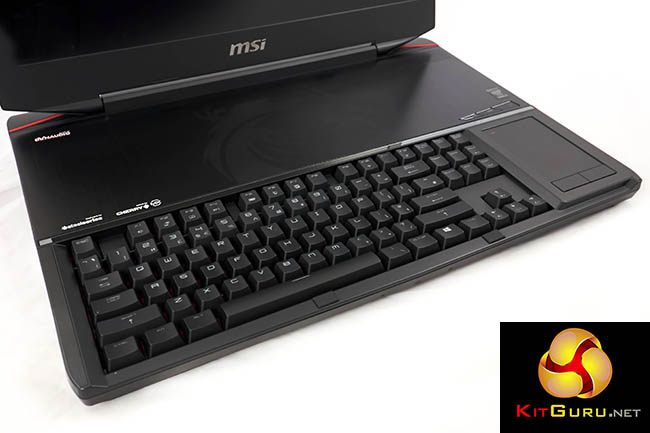
The Steelseries mechanical keyboard is obviously one of the stand out selling points. Never before have we tested a laptop with Cherry MX brown switches and it completely transformed the experience. A huge upgrade for mobile typists, and we hope to see MSI offering other switch options in the coming months, as we are quite confident it will be a much in demand customisation.
Steelseries do deserve credit for the keyboard implementation, because I didn't notice any major issues moving directly from a high end Ducky Shine featuring Cherry green switches. Obviously the switch type feels quite different, but it only took a couple of minutes to be hitting 100 words per minute. My only negative would be the single height return key – these always give me problems, but perhaps I am in the minority.
Without question this is the pinnacle of laptop keyboard development and sets a new benchmark.
The smooth panel at the right of the keyboard is an inspired concept and likely to be welcomed by a huge audience. You can simply use it as a touchpad with left and right buttons. Adding a mouse to game? press a button – toggle the touchpad off and get access to a full size backlit numpad. Yes please.
When we previewed the MSI GT80 Titan weeks ago, many people complained that the keyboard would likely be very uncomfortable to use for long periods of time. The placement at the very front of the chassis has been forced onto MSI. The deep travel keys mean that all the juicy hardware has to be pushed to the back of the chassis. Without room to rest your wrists it could end up painful – however MSI have included a full length gel wrist rest as part of the package. This was very comfortable to use long term so I don't see a concern here.
You may be murmuring to yourself that hauling around a gel wrist rest is hardly practical, but lets be honest here – this is NOT the laptop you will want to bring with you to use on a train or airplane. This is designed as a pure desktop replacement, and for LAN parties. It will also double up as a powerful 3D rendering and video editing system on the move – if you use hotels regularly and have constant access to a power plug for instance.
Technically, there is little to fault. The onboard Dynaudio system is as good as you are likely to get within a mobile environment. Adding good headphones or speakers will undoubtedly improve the experience, but onboard bass response and volume output surprised me.
The four 256GB Solid State drives in RAID 0 can deliver 1600MB/s through the SATA interface, allowing the laptop to boot within 10 seconds. In real world terms, the system is massively responsive and most programs will load within seconds.
The Intel Core i7 4980HQ is a powerhouse processor and easily the fastest chip we have tested to date. You pay a premium for this model, but it broke our previous mobile records when tasked with 3D rendering. The 32GB of 1,600mhz DDR3 memory will prove useful if you need a machine to double up for more serious workstation duties.
We were interested to see how Nvidia's GTX980m would deal with the latest game engines. At 1080p two of them seem overkill right now, generating over 100 frames per second with most of the titles we tested, even when image quality settings are cranked to the limits. MSI may be adding a 3k or 4k screen at a later date, but we have no more details right now.
Including all this flagship hardware inside a relatively small chassis (by desktop standards) does mean that serious air flow is needed. The MSI GT80 Titan does produce a lot of noise when both 4980HQ and GTX980m's are heavily loaded. The fans spin at high speeds and air flows through the vents at the side and rear of the chassis. Noise levels rise to around 40dBa and are clearly evident, even over the onboard speaker system. We doubt many gamers will care about this and we would imagine many will be wearing a quality headset anyway.
The idea of allowing the end user to easily get access to much of the internals via a top panel is an interesting concept. We can't imagine a very large audience would ever consider opening this laptop, but it does make life a little easier if you want to add memory, or swap out a drive. MSI did tell us that the plans are to allow this machine to be easily upgraded in the coming years, via selected dealers in various countries. When Nvidia replace the GTX980m for instance, MSI claim it will be able to offer an upgrade option to the end user.
All in all, this is a remarkable laptop which should tick almost all the boxes for a gamer who only wants to the settle for the best laptop gaming experience possible. In this regard MSI can consider the GT80 Titan a complete success.
Nvidia told us today that until the end of March, the customer will get a free copy of Dying Light with any GTX965, GTX970 and GTX980m equipped laptop.

We have no store links as yet, but this particular model we reviewed today will sell for £3,499 inc vat. Check Overclockers UK in the coming weeks for availability.
Discuss on our Facebook page, over HERE.
Pros:
- High build quality.
- full mechanical backlit keyboard.
- excellent panel.
- touchpad/numpad concept works well.
- two GTX980m's outperform an overclocked desktop GTX980
- 4980HQ is a powerhouse.
- MSI claim upgrades will be coming to support customers long term.
- 4x256GB SSD's deliver more than 1.5GB/s throughput.
- onboard audio is impressive.
Cons:
- No 4k panel?
- cooling system can get loud.
Kitguru says: Want the best gaming laptop money can buy? The GT80 Titan will not disappoint.

do want, cant afford . . . yet 😉
btw quote: “MSI may be adding a 3k or 3k screen” 😉 4th paragraph from end
I really want this laptop! BTW, XoticPCs are selling this with SSD options allowing a choice of manufacturers and capacities. It’s hard to decide on buying now or waiting to see IF a 3K or 4K screen will be offered in the future. Good job, MSI!
Great review! Very thorough and detailed. Keep up the good job! Really gave me an idea about what this gaming laptop has to offer. It’s a really great laptop with the only downside I can think of being it’s price.
Don’t get the point of having that much graphics power without at least a 3k screen. Unless you’re doing some serious 3d rendering then it’s just so much hot air.
Don’t get the point of having that much graphics power without at least a 3k screen. Unless you’re doing some serious 3d rendering then it’s just so much hot air.
What doesn’t make sense is such a good laptop with only a 1080p screen. When will they learn?
Did you notice CPU-Z validation[1] reports wrong VRAM size?
[1] http://valid.canardpc.com/rng1v9
It’s missing the version of the benchmark software. Also, there’s no information on the SSDs models used.
Great Review…but so expensive….with mechanical keyboard is awesome
is this wide-view anti glare Display?
Wow! What a beast! Finally a laptop that really competes with the high end of the desktop market. The real downside is it’s very expensive.
A desktop with decent CPU and GTX 980 would be cheaper than this…but yeah laptops are more expensive since they need to be mobile…but lets be honest….this laptop ain’t that mobile for dat price tag.
shIT…dafuq did i just wrote 0.0
@Zardon is that HDMI port output only? No HDMI input mode? Alienware laptops from 2014 had the single HDMI port than could be run as input or output based on function key combination switches.
insane hardware but i must say im little disappointment whit screen resolution this laptop in eu cost 5k euros and screen should have at lest 1440p if not 4k
While that is true, the newest alienwares have omitted the hdmi in feature, so you cant really blame msi for not putting it in. Would have been an amazing feature to add in though.
This isnt so much as msi’s own fault, as the market for 18.4inch panels for laptops is a slowly dwindling marketspace. The current panels in the gt80 are also leftovers from the production by various companies in the past.
Yeah I heard about the change on the 2015. I don’t like a laptop smaller than 18.4″ screen size. Guess my M18X R1 is a precious model now, will be hard in the future to replace if something fails. Might have to stock up on the M18X R2 ivy bridge motherboard so I can fall back on that option since it works perfectly in the M18X R1 chassis. CPUs are more easier to come by.
Fed up with the ridiculous prices for MXM cards, for the price of two MXM top line cards I can build a ITX or Micro-ATX rig for high end gaming with sort of ‘acceptable’ mobility when I travel internationally. Just plug the HDMI output from cabinet to the laptop and I can have a gaming rig when I want it without the need for a separate monitor. The Alienware Graphics Amp is so large that getting a separate mini system makes much more sense and value. I would be willing to go the graphics AMP route if there was an 18.4″ model. 17.3″ just doesn’t cut it especially with embedded CPU and GPU. The graphics Amp is still penalized by somewhat with the 4X PCIE bus while the external cabinet option with a new system is going to be rendering on 16X PCIE 3.0 and fed out via HDMI.
Ideally I would like a simple 18.4″ laptop with no high end graphics in it, just upgradable PGA MQ processor support and HDMI input function. Am done with MGPU/dGPU laptops, MXM pricing by the cartel is untenable. MSI promises upgradeability by supplying parts but don’t be under any illusions their MXM cards will be just as expensive. The CPU is HQ BGA so it is embedded, which is a shame for a flagship laptop aimed at upgradeability.
muhteşem birşey alacam
And yet other companies are making much higher resolution laptops, say Apple.