 KitGuru KitGuru.net – Tech News | Hardware News | Hardware Reviews | IOS | Mobile | Gaming | Graphics Cards


The launch of Intel's Skylake CPUs sees the introduction of a whole new platform based around the LGA 1151 socket. Making use of Intel's feature-healthy Z170 chipset, Asus is targeting gamers who value premium aesthetics and enhanced gaming-grade features with the Maximus VIII Hero. Will the Republic of Gamers (ROG) features and branding tempt gamers to part with the Hero's £171.99 asking price?
You can read our review of the Skylake processors HERE.
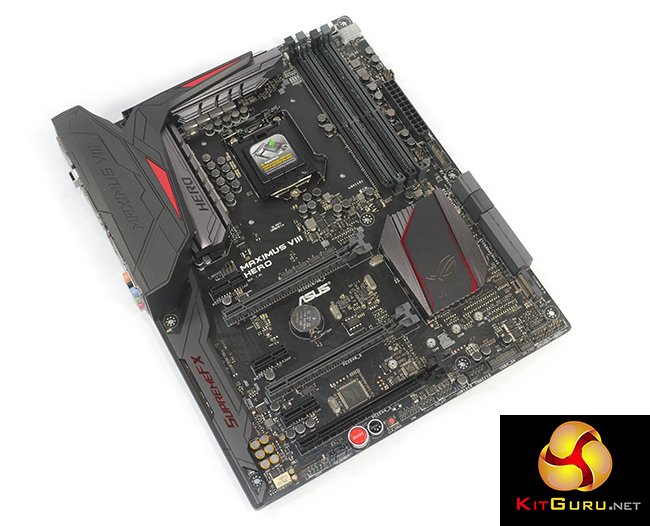
Offering support for a pair of graphics cards in addition to high-speed storage, Asus is clear in its targeting of gamers who are willing to spend a little more on a motherboard that comes equipped with a solid supply of features. Forming the aforementioned set of features are Asus' enhanced – SupremeFX – audio solution, an Intel NIC with network prioritisation software, a diverse range of gaming-centric software applications, and a customisable lighting scheme for the chipset heatsink LED.
Other noteworthy features include USB 3.1 Type-A and Type-C ports, a PCIe 3.0 x4 M.2 connector, and support for up to 64GB of DDR4 memory with 4000MHz+ operating speeds. With its gaming-orientated styling and focus on overclocking capabilities, how does Asus' Maximus VIII Hero fair in our test suite?
Features:
- Intel Ethernet with LANGuard and GameFirst III
- SupremeFX 2015 Audio.
- Lighting Control.
- Extreme Engine Digi+.
- USB 3.1 Type-A and Type-C.
- PCIe 3.0 x4 M.2.
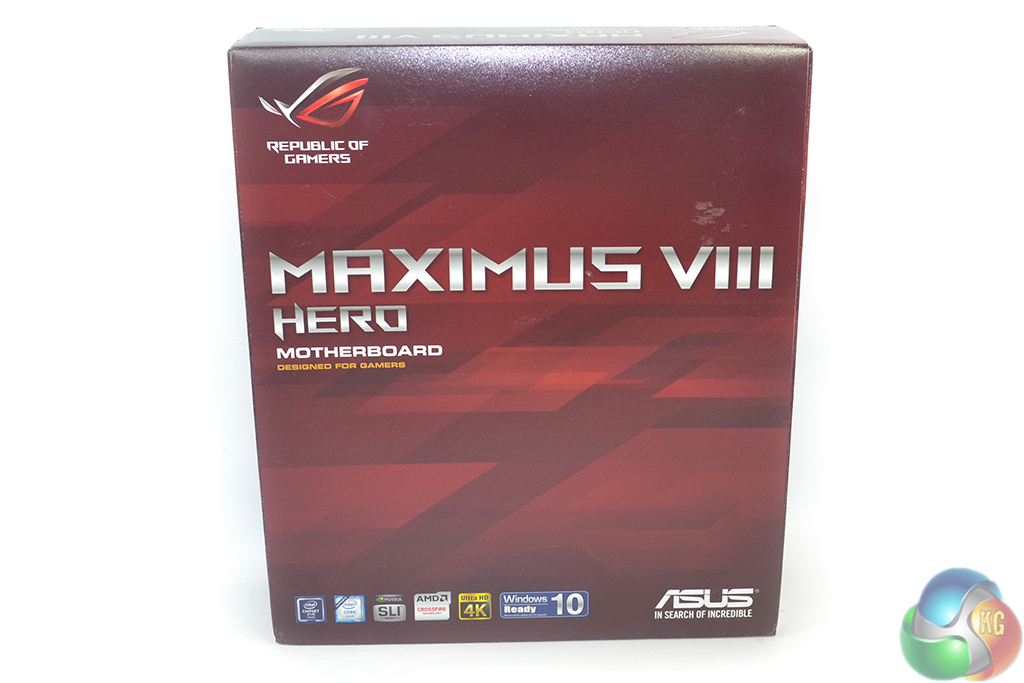
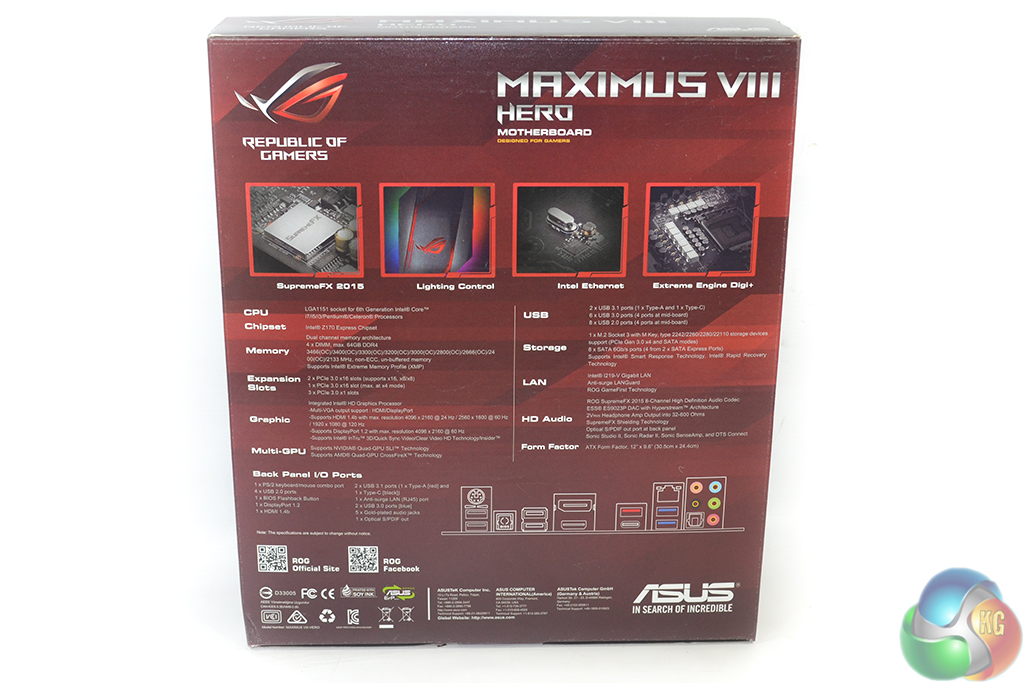
Asus ships the Maximus VIII Hero in typical ROG packaging.
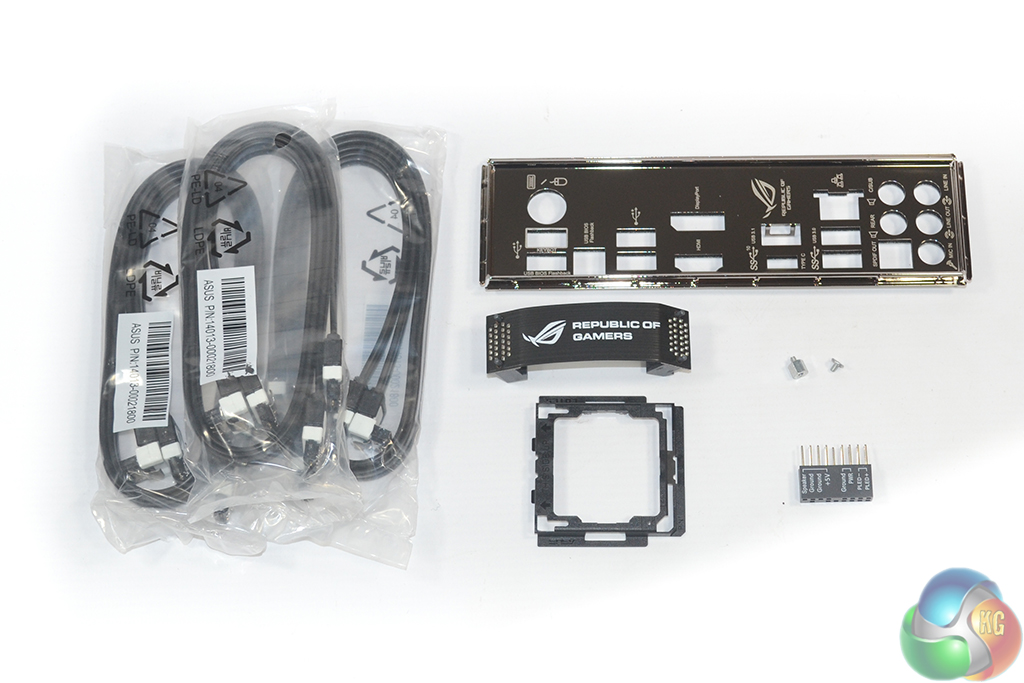
Six SATA cables, a black SLI ribbon, Asus' convenient Q-connector, hardware for M.2 card installation, the rear IO shield, and a CPU installation tool form the hardware bundle.
Asus supplies the installation tool to make installing an expensive CPU less of a stressful situation for novice system builders.
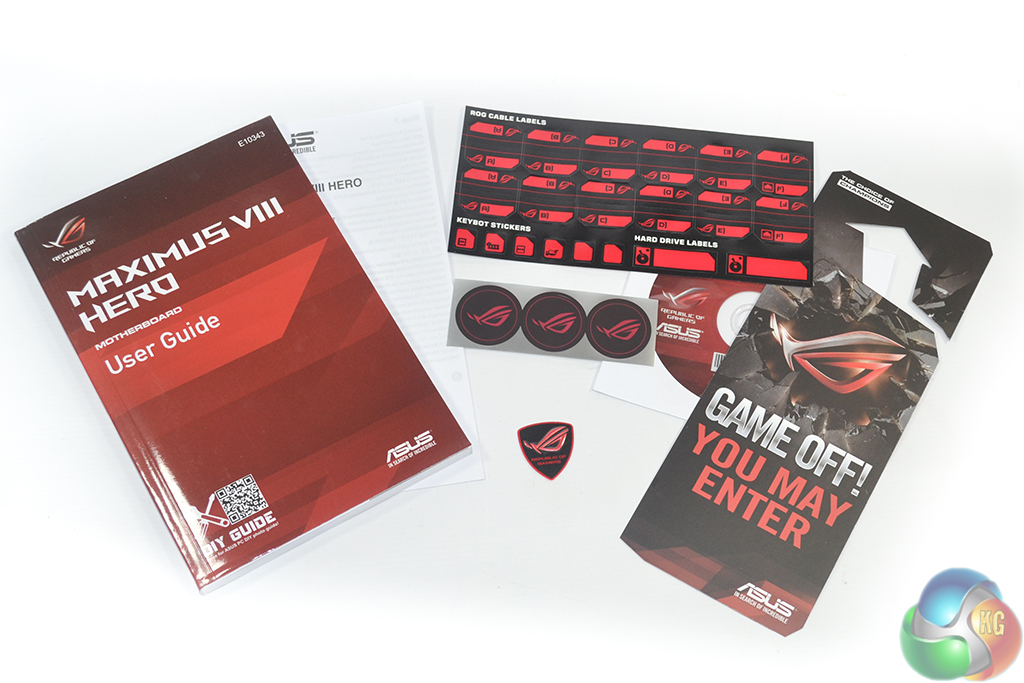
The usual affair of documentation is supplied alongside convenient cable label stickers, case badges, and a door hanger.
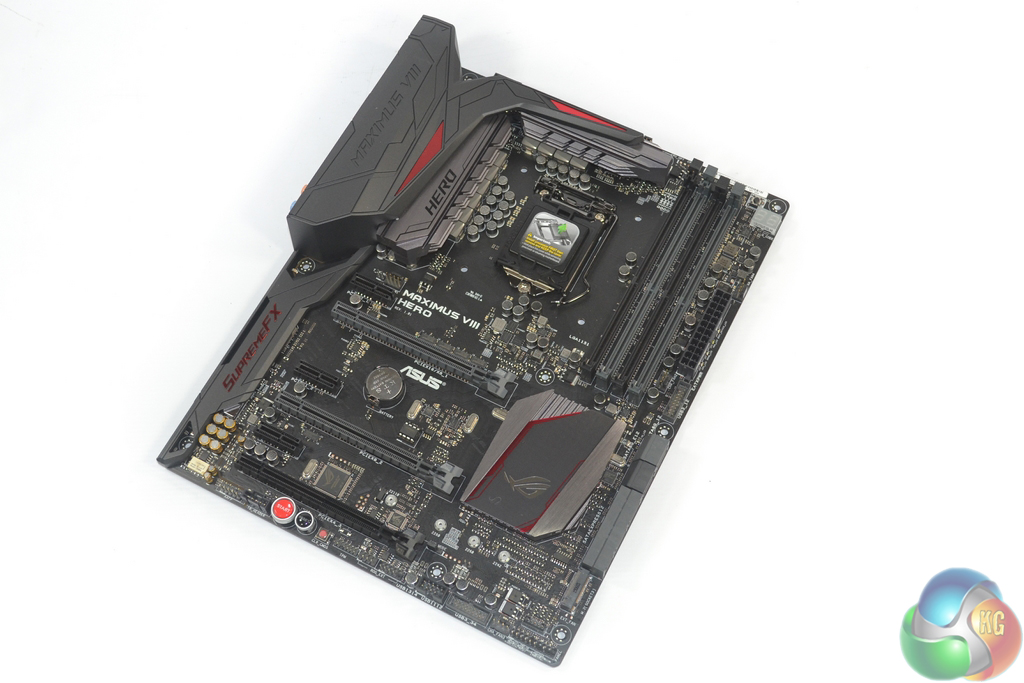
In a noticeable change from previous generation ROG products, Asus equips the Maximus VIII Hero with a largely black and grey colour scheme that sports tints of red. Asus is most likely of the mindset that red and black is becoming an overused colour scheme for motherboard and that something different, but not too far from past successes, should be attempted.
As is to be expected by any motherboard aiming for aesthetic wins, a matte black PCB is used throughout. Making use of a motherboard component that is becoming increasingly popular, Asus equips a plastic covering to block ugly reflections from the rear IO ports. The plastic shield also provides Asus with additional surface area that can be branded and styled to fit the ROG bill.
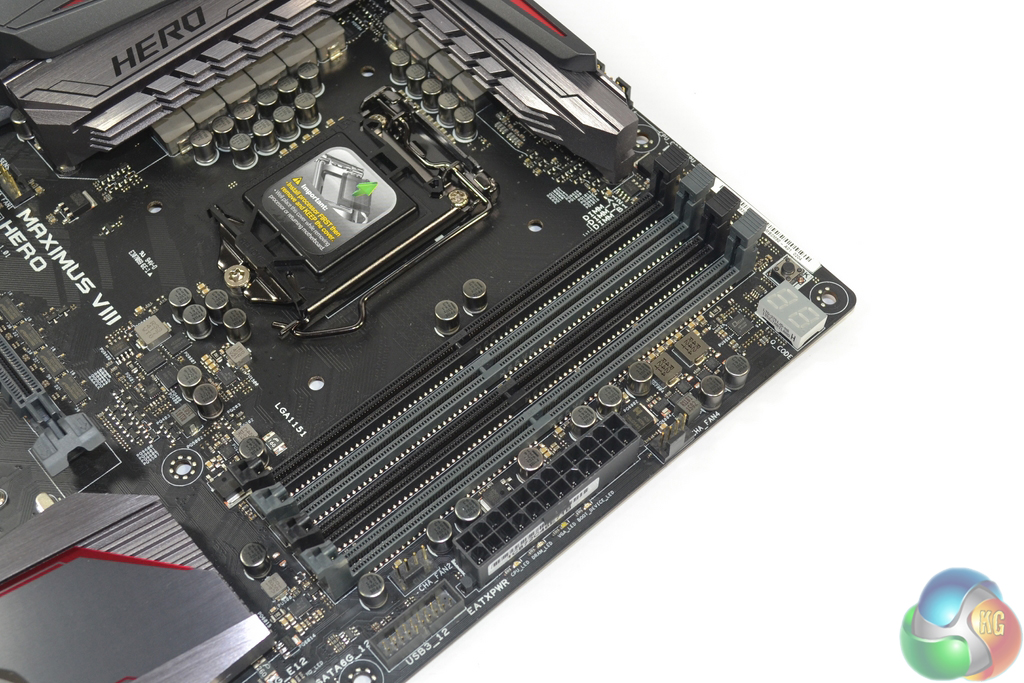
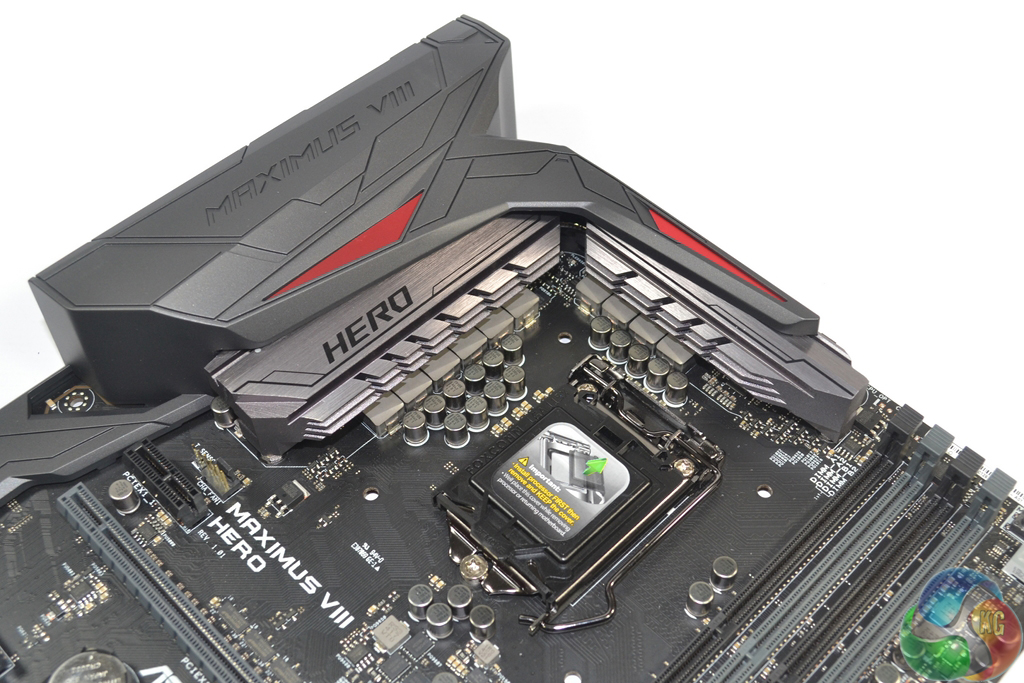
Four single-latch DIMM slots provide support for up to 64GB of dual-channel DDR4 memory. Asus quotes frequency support of up to 3733MHz, although higher memory frequency dividers are accessible in the UEFI. DDR3L memory is not supported by this motherboard. Close to the 24-pin connector is an outwards-facing USB 3.0 header. The upper-right corner is also the location for a two-digit debug LED.
Feeding an LGA 1151 CPU are eight power phases that form Asus' Extreme Engine Digi+. A further two phases are used to drive the CPU's integrated GPU, while a separate pair is allocated memory powering duties. The Extreme Engine Digi+ power delivery components include 10K-rated black metallic capacitors, MicroFine alloy chokes which have a higher density through using a finer powder processing techniques, and NexFET MOSFET packages. All of this is managed by a digital PWM controller.
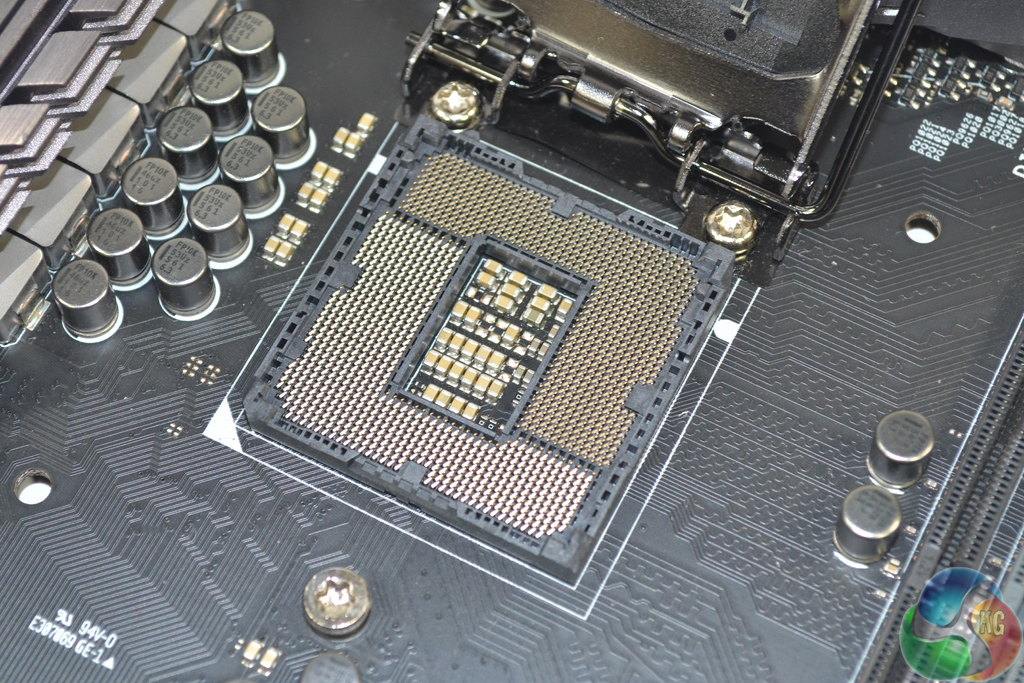
While there has been reference towards an enhanced OC socket design for Asus LGA 1151 motherboards, this is only applicable for the highest-end Deluxe and Maximus VIII Extreme SKUs. The Maximus VIII Hero does not feature a CPU socket that is any different to Intel's reference design.
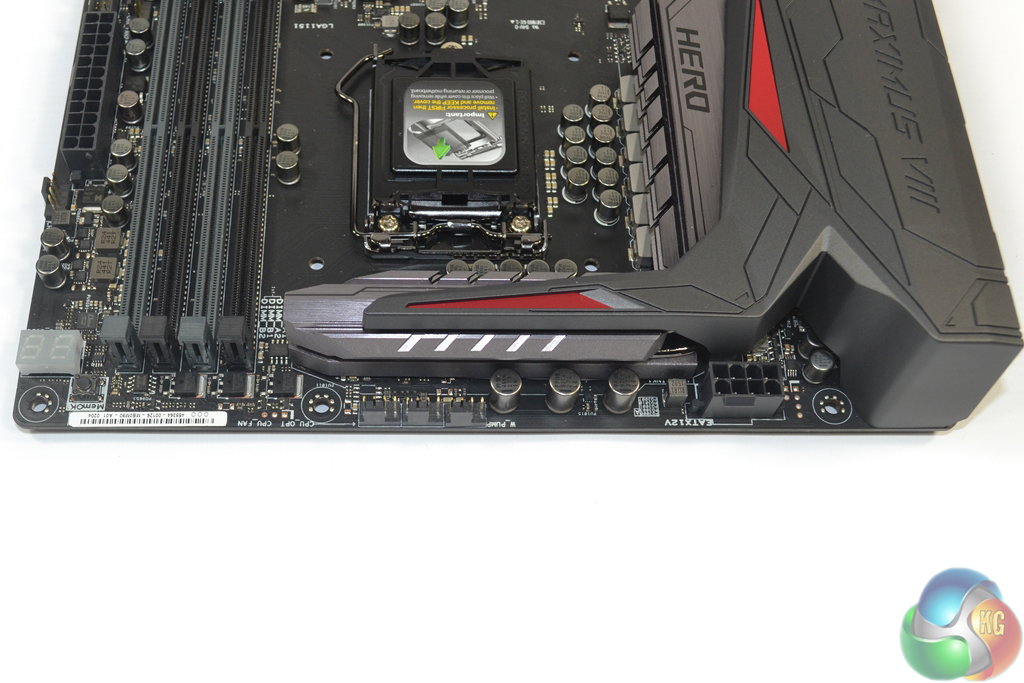
Along the motherboard's upper edge, nestled closely to the VRM heatsink are the 8-pin power connector and three fan headers.
Two of the 4-pin fan headers are allocated CPU fan duties, while the third is designed to be used with pump units for AIO water coolers. Asus decided to allocate a completely separate fan header that is intended to run at 100% speed so that users can avoid confusion when plugging in their AIO liquid cooler's pump. And if you don't require the header for a pump unit, it can be treated as a generic fan header and controlled through the UEFI.
I like this move because it makes the system building process less confusing for inexperienced builders. And even to those who understand how their AIO liquid cooler's pump functions, having a trio of fan headers in close proximity makes for easier cable management.
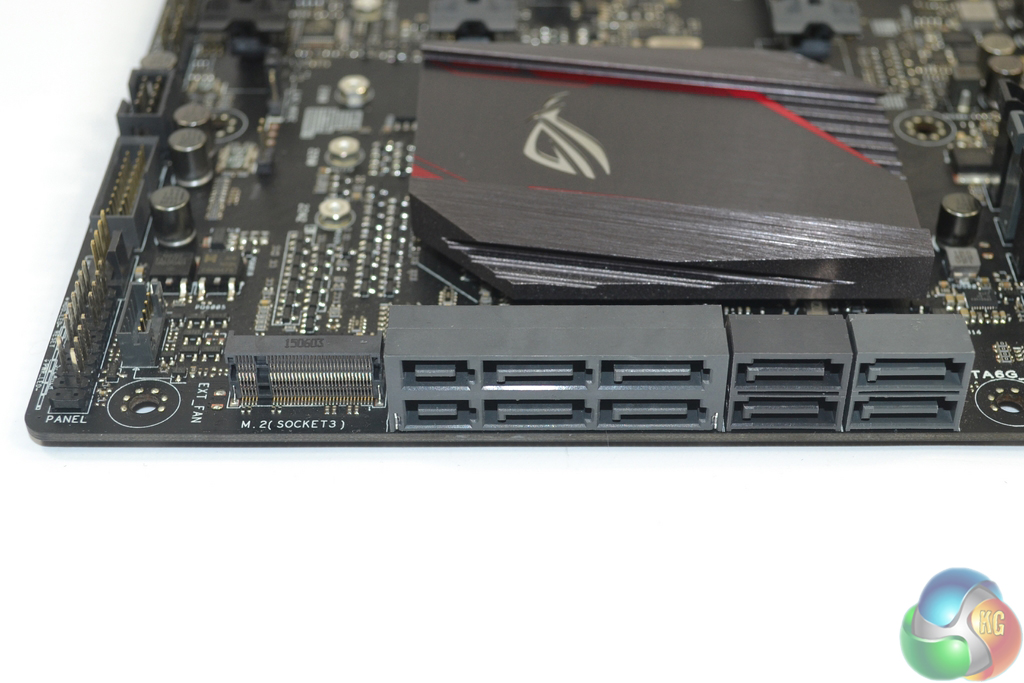
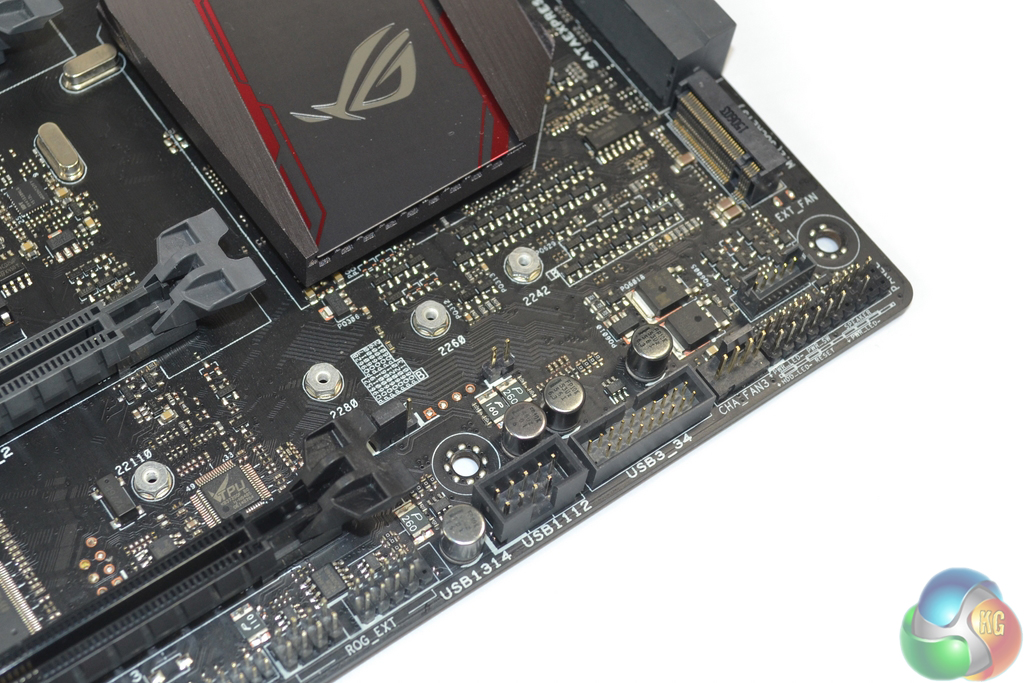
A total of six SATA 6Gbps ports are provided by the Z170 chipset, four of which can be used to double up as two 10Gbps SATA-Express connectors. An additional two SATA 6Gbps ports are provided by ASMedia' ASM1061 chipset. These connections are slower than the ones operating from Intel's chipset and should be reserved for slower storage devices.
In the motherboard's bottom-right corner is the M.2 connector. Asus routes four PCIe 3.0 lanes to the slot in order to provide a bandwidth capacity of 32Gbps – an ideal number for fast drives such as Intel's SSD 750 and Samsung's SM951. M.2 drives up to 110mm-long are supported, as are adapter cards to provide a U.2 connector although these are likely to interfere with a graphics card in the second PCIe x16 slot.
M.2 SATA drives are also supported by the M.2 connector thanks to Intel's flexible IO lanes and their ability to switch between PCIe and SATA modes.
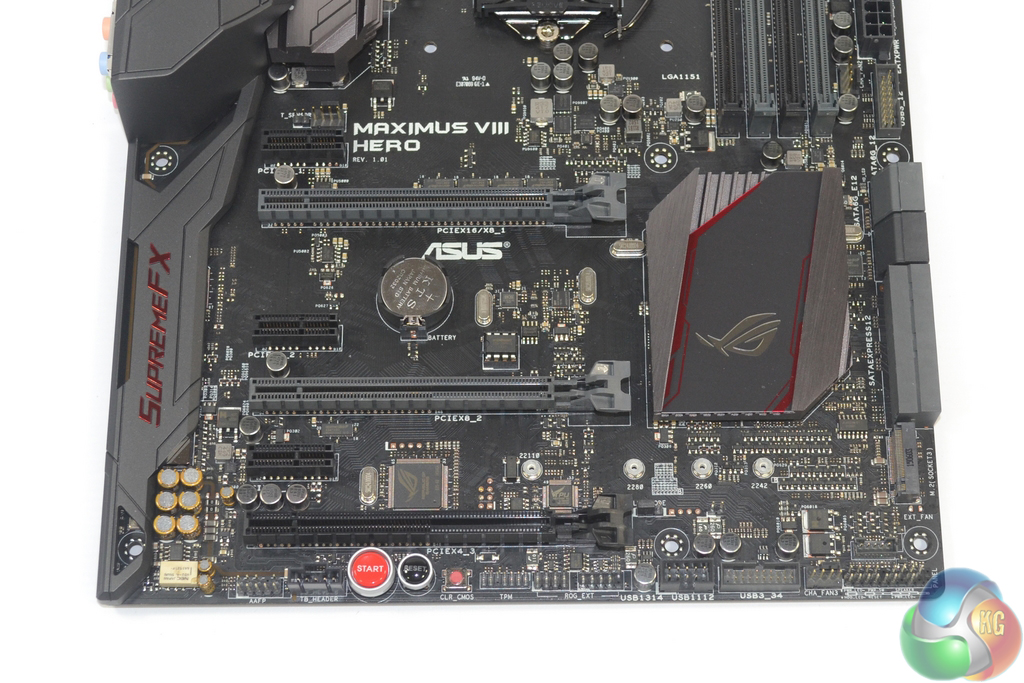
The uppermost pair of full-length PCIe 3.0 slots (the grey-coloured ones) receive their lanes directly from the LGA 1151 CPU, so these are the ones that you will want to use for graphics cards or high-speed PCIe storage devices. x16/x0 and x8/x8 operation is supported, making 2-card SLI and CrossFire possible.
The lowermost full-length PCIe slot siphons four PCIe 3.0 lanes from the Z170 chipset's plentiful stack. Thanks to the Z170 chipset's healthy allocation of PCIe 3.0 lanes, this connector can be used simultaneously with a PCIe 3.0 x4 SSD in the M.2 slot. There's nothing preventing the PCIe 3.0 x4-capable slot from housing an AMD GPU for a triple-card configuration, but the latency penalty would likely be significant.
A more sensible usage for the slot is as a home for PCIe SSDs such as the PCIe 3.0 x4 NVMe Intel SSD 750 drive. While this induces higher latency than the CPU-fed PCIe lanes, it also leaves those available exclusively to graphics cards. Two of the three open-ended PCIe 3.0 x1 connectors share bandwidth with the lowermost expansion slot and will force it into PCIe 3.0 x2 operation if all slots are utilised.
With Intel's latest RST drivers touting support for RAID of PCIe SSDs, I see no reason as to why one PCIe and one M.2/U.2 form factor (via an adapter) SSDs could not be installed and work together in RAID. They are both connecting via PCIe lanes to the chipset, and it's that connection method that is important, not the form factor that the drive occupies.
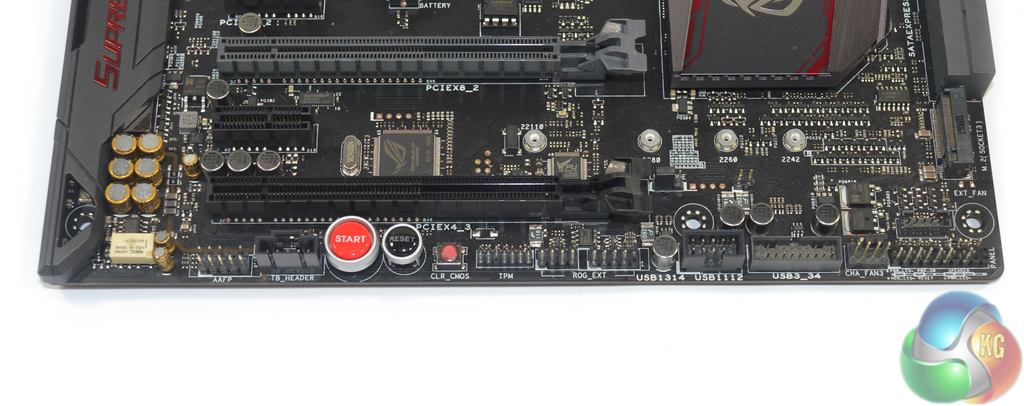
We find the usual USB, front panel, and audio connectors along the board's bottom edge. There's also an additional USB 3.0 header, power and reset buttons, a clear CMOS button, the Thunderbolt header, and a connector for the ROG OC panel.
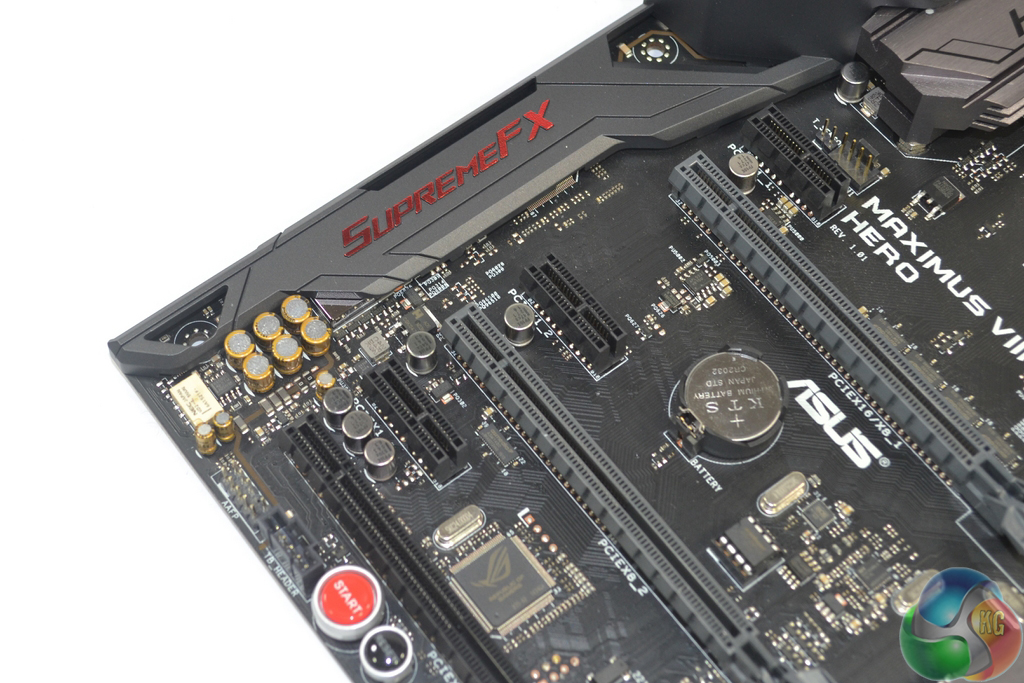
Audio is one of the areas where Asus invest heavily in the Maximus VIII Hero. Based around the Realtek ALC 1150 codec, Asus adds an ESS ES9023P DAC, A Texas Instruments R4580 amplifier, an NEC UD2-4 5NU de-pop relay, Nichicon audio capacitors, a dedicated clock, and a cluster of EMI prevention methods.
To compliment that audio hardware, Asus provides a comprehensive software tool to give audio control to the motherboard's users.
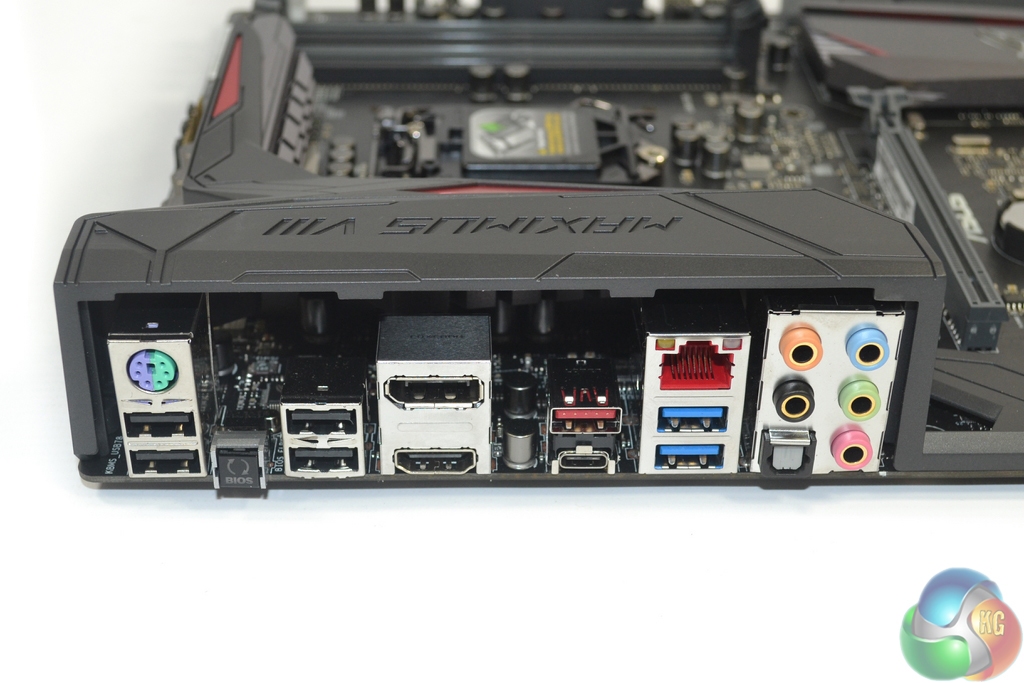
Four legacy USB 2.0 ports and the venerable PS/2 connector are retained for peripheral and BIOS flashing duties. Asus also outfits a pair of USB 3.0 Type-A ports stemming from the Z170 chipset, as well as a single 10Gbps USB 3.1 Type-A and one 10Gbps USB 3.1 Type-C connector which are provided by ASMedia ASM1142 and Etrontech EJ179V chipsets.
Gigabit Ethernet is provided by means of Intel's I219V NIC and Asus' own GameFirstIII network control software. The standard affair of audio connections is present. A 4K resolution at 60Hz is supported by the onboard DisplayPort connector, while the HDMI plug also support 4K but at a 24Hz refresh rate.
Asus' BIOS Flashback button can be used to flash the BIOS without hardware installed. It also serves as a convenient clear CMOS mimicking tool.
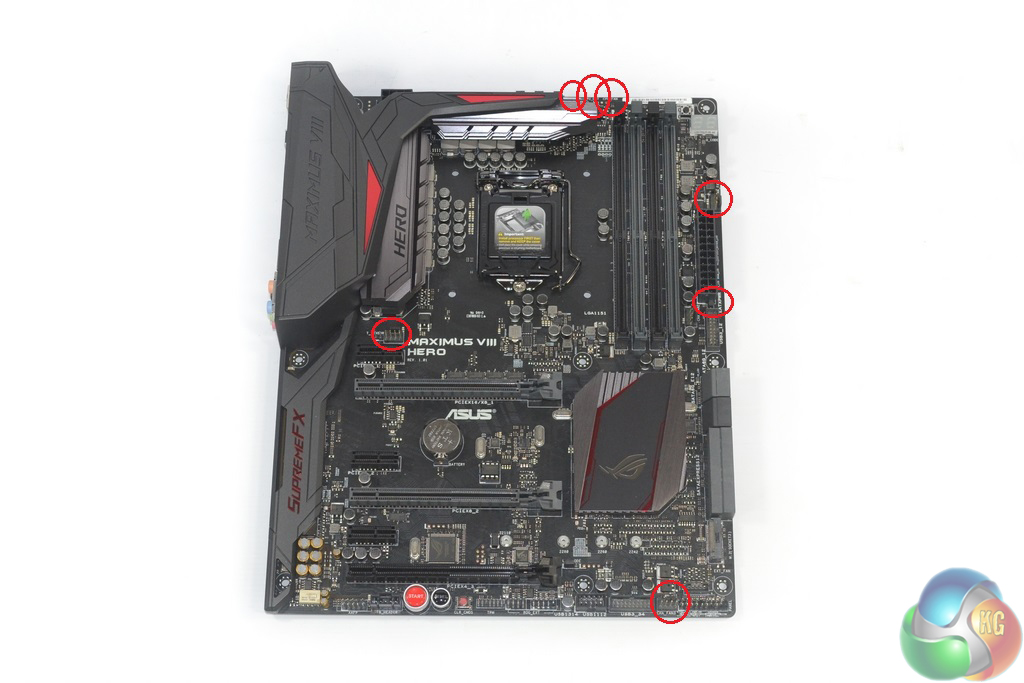
Distribution of the seven 4-pin fan headers is excellent. With the aid of Nuvoton's NCT6793D chipset, Asus allows these headers to be controlled via the UEFI or through a tool in its OS-based AI Suite 3 software.
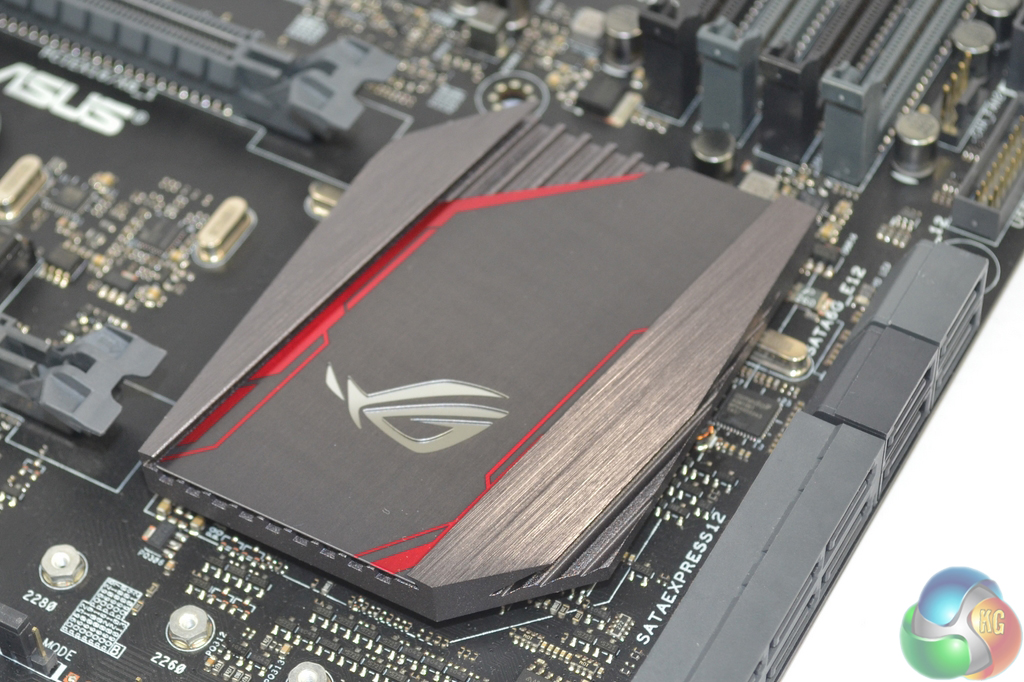
A practically limitless choice of colours can be selected for the chipset lighting feature. Users who want a stroke of yellow to contrast their black and red motherboard can apply that scheme. The lighting glows from beneath the chipset heatsink.
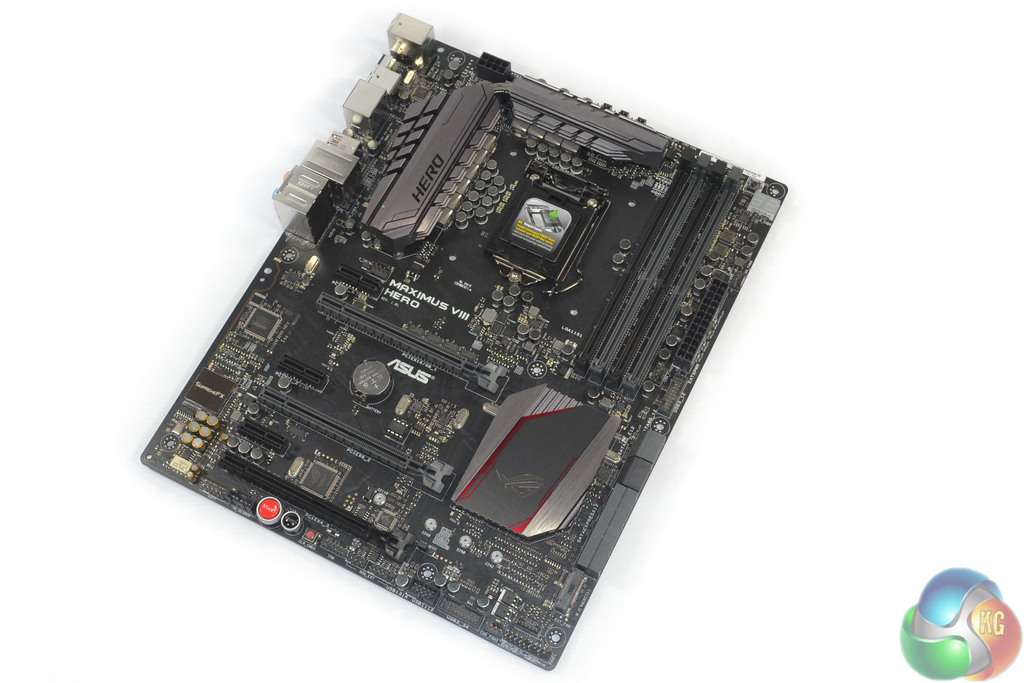
The plastic cover can be easily taken away by removing a handful of screws. Removing the cover reveals a sizeable pair of MOSFET heatsinks that are linked via a heatpipe.
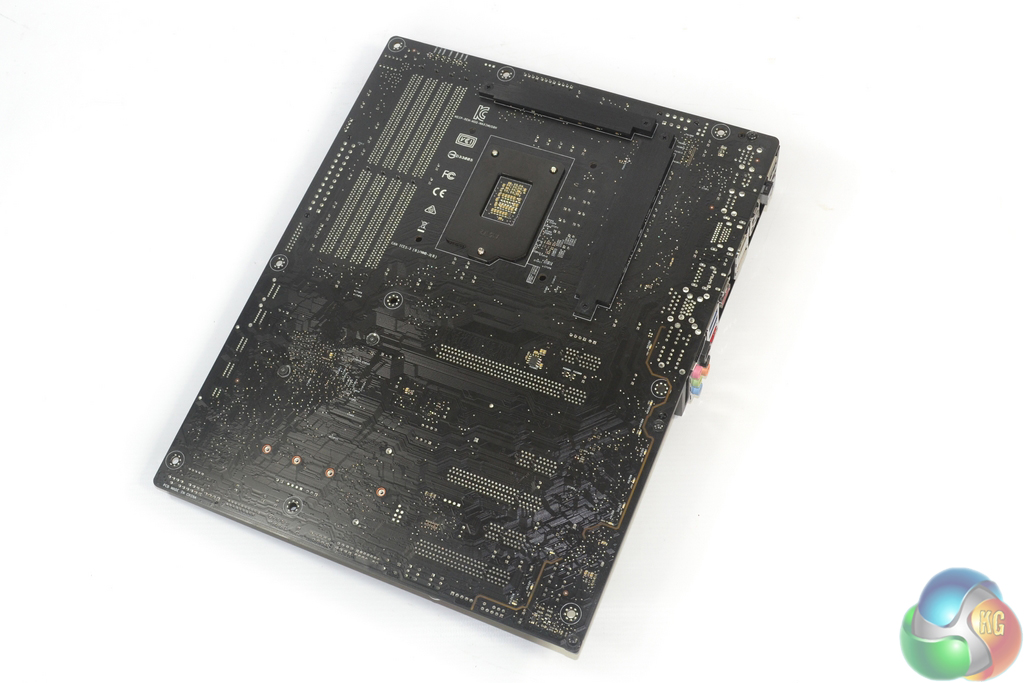
Two metal strips on the motherboard's rear side cool voltage regulation hardware that is mounted behind the board.
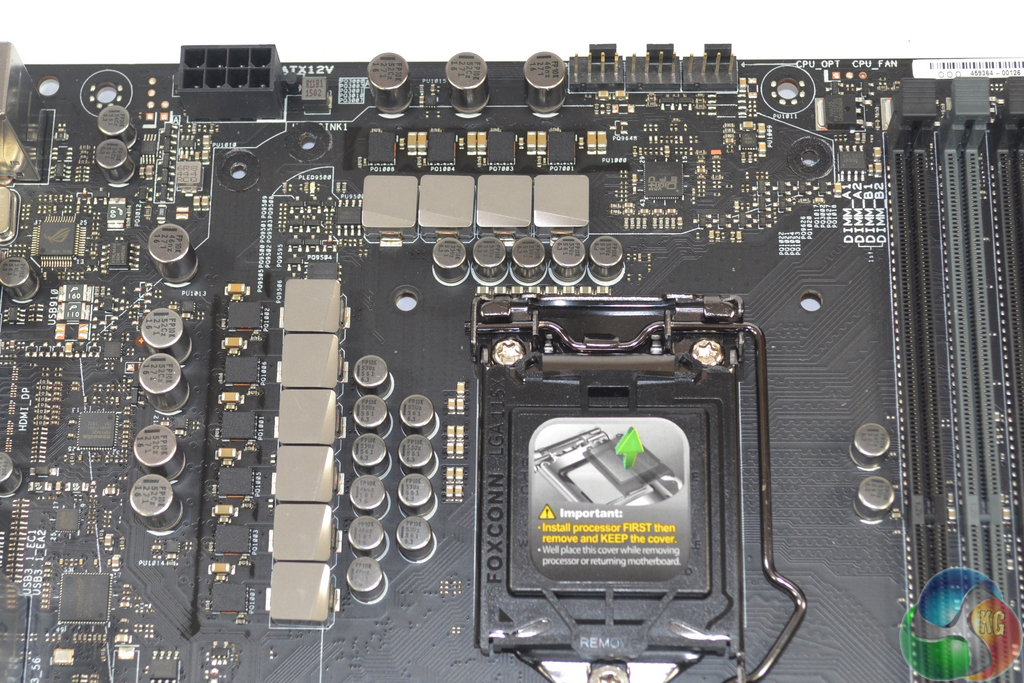
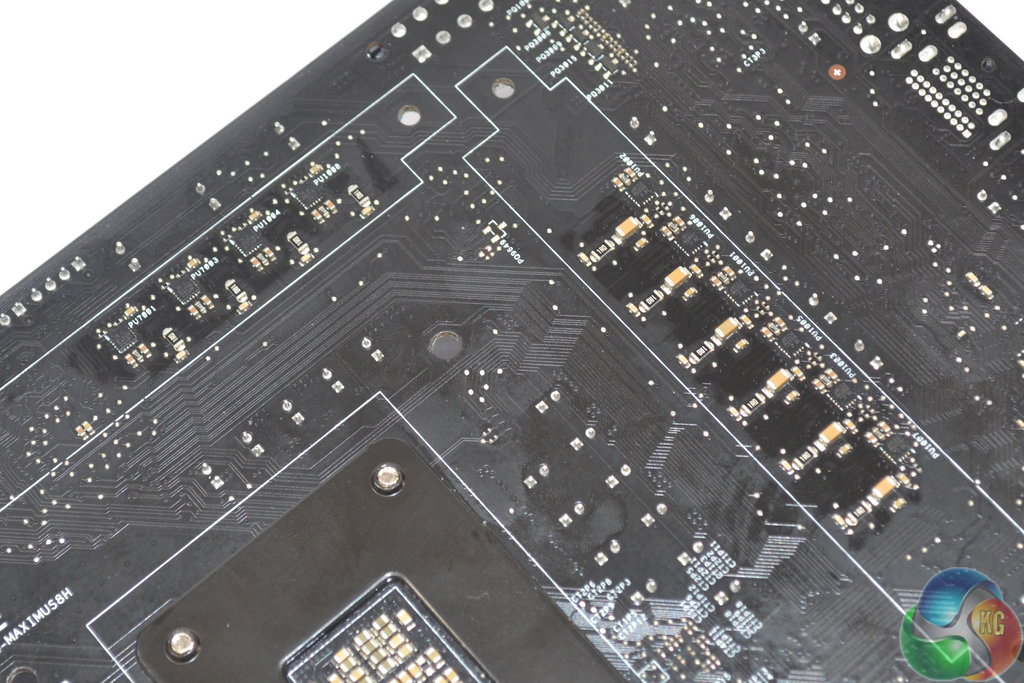
The Maximus VIII Hero's ten-phase power delivery solution relies upon Texas Instruments 87350D MOSFET power blocks which are rated up to 40A operation. The chokes do not seem to be of Asus' 60A BlackWing variety, so I would assume that the ones employed here sport a lower operating current level that matches the MOSFETs' limits.
While Asus' Digi+ VRM EPU ASP14051 controller is used to manage the power delivery system, the TI power blocks are driven by ten rear-mounted International Rectifiers IR3535M MOSFETs drivers. A Digi+ ASP1103 controller manages the DRAM power delivery system, while an IDT 6V41538NLC clock gen is used for fine BCLK adjustments.
Firstly, we are pleased to report that our NZXT Avatar S and generic wireless mouse worked correctly in the Asus Z170 UEFI. We’ve found our NZXT Avatar S to be the most troubling mouse with UEFI support, so when it functions correctly in the interface, that is usually a good sign for overall mouse support.
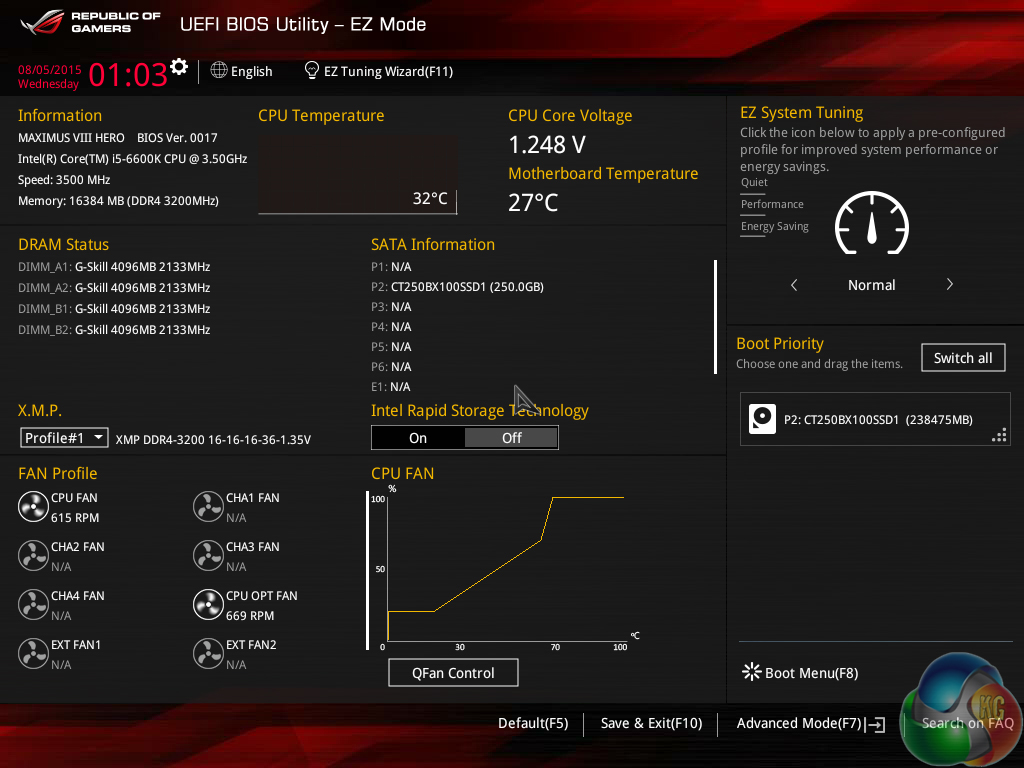
Opening up the UEFI leads to an entry page that displays a broad set of basic system information. From here, less experienced users can adjust boot device priority and fan speed settings without having to make the sometimes daunting step of delving deeper into the UEFI.
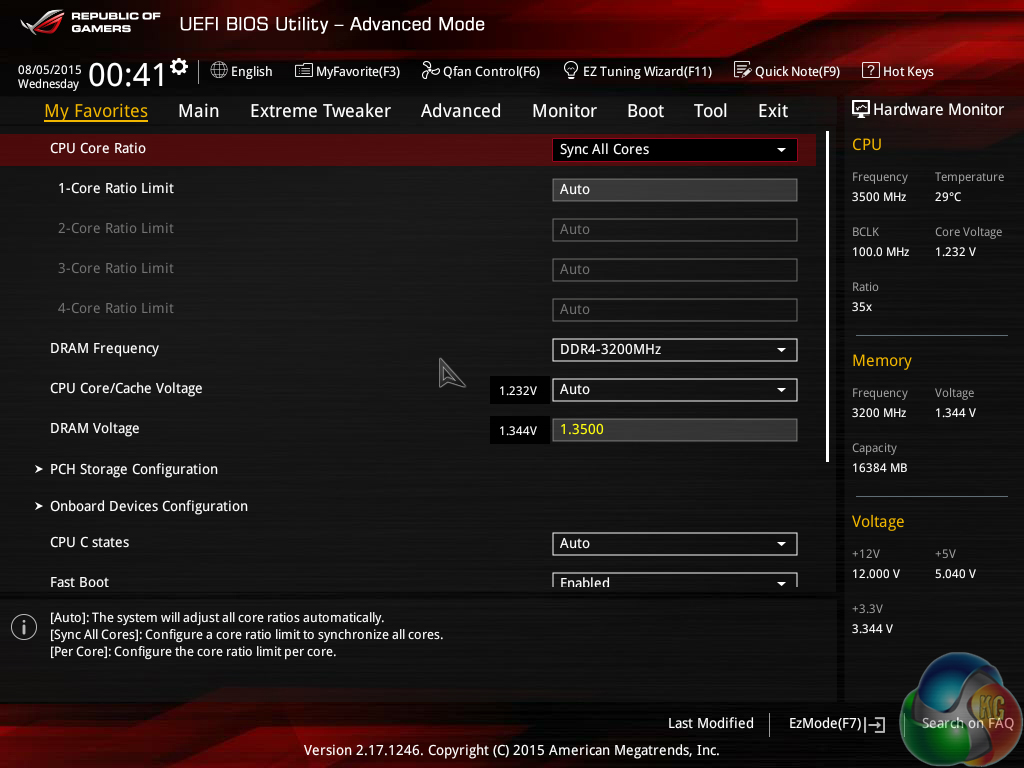
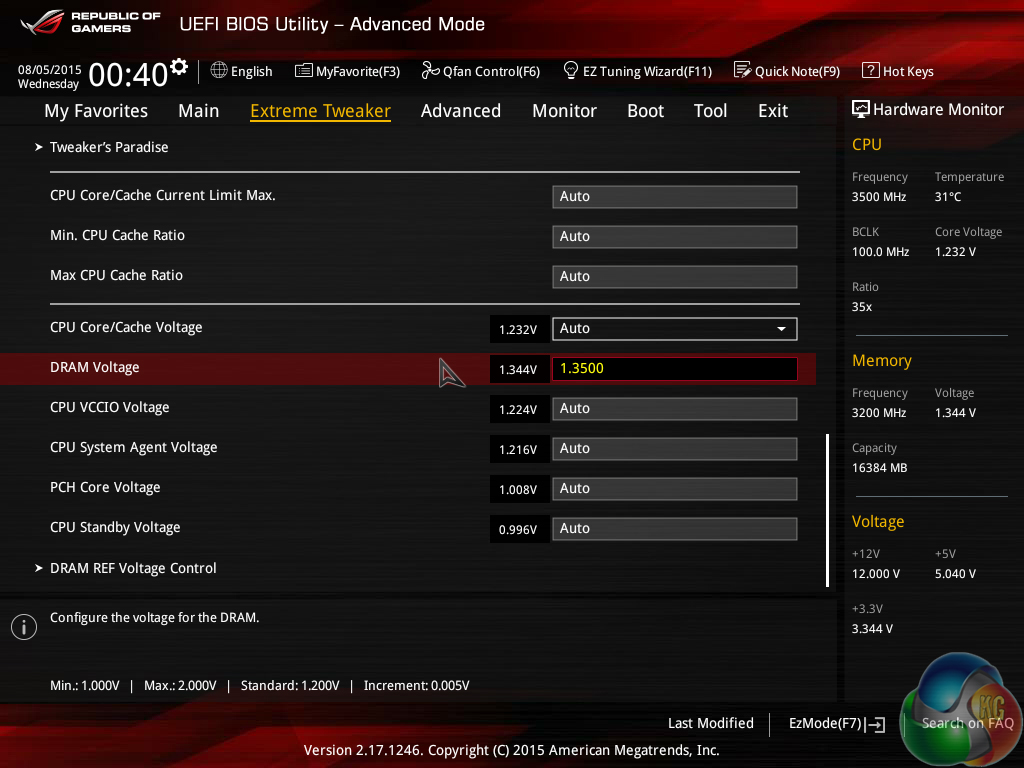
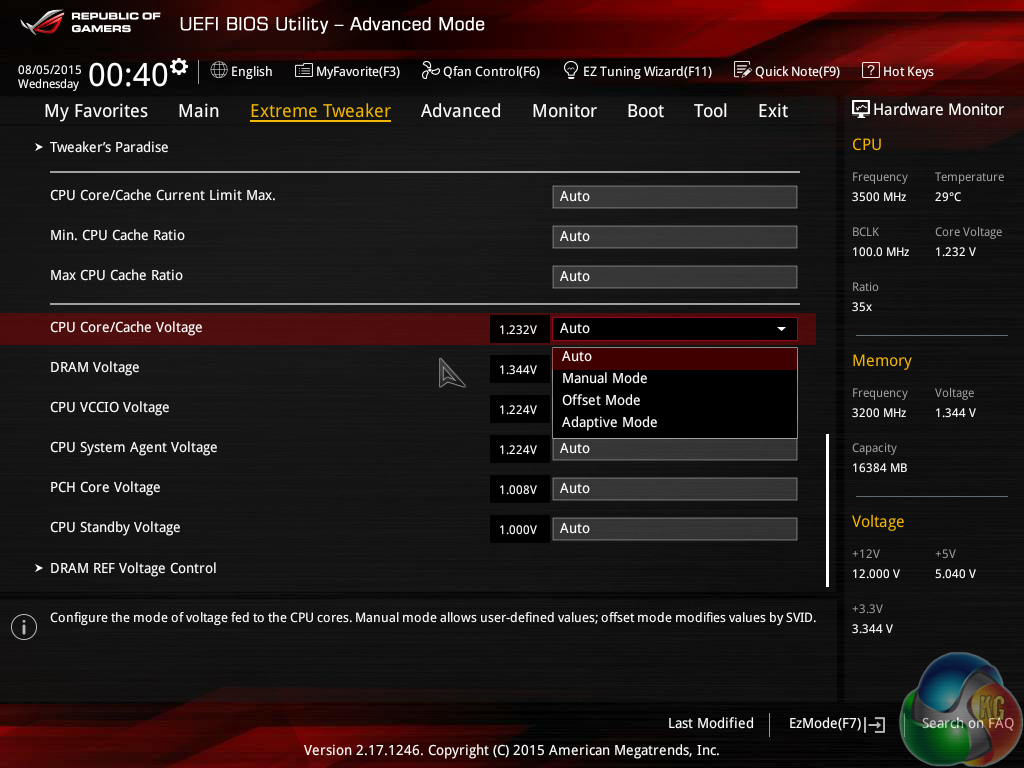
Extreme Tweaker follows the standard layout that we have come to expect from recent Asus motherboards, and that’s a good thing. Easy access is provided to ratio, frequency, and voltage settings, allowing users to adjust their system parameters with minimal effort.
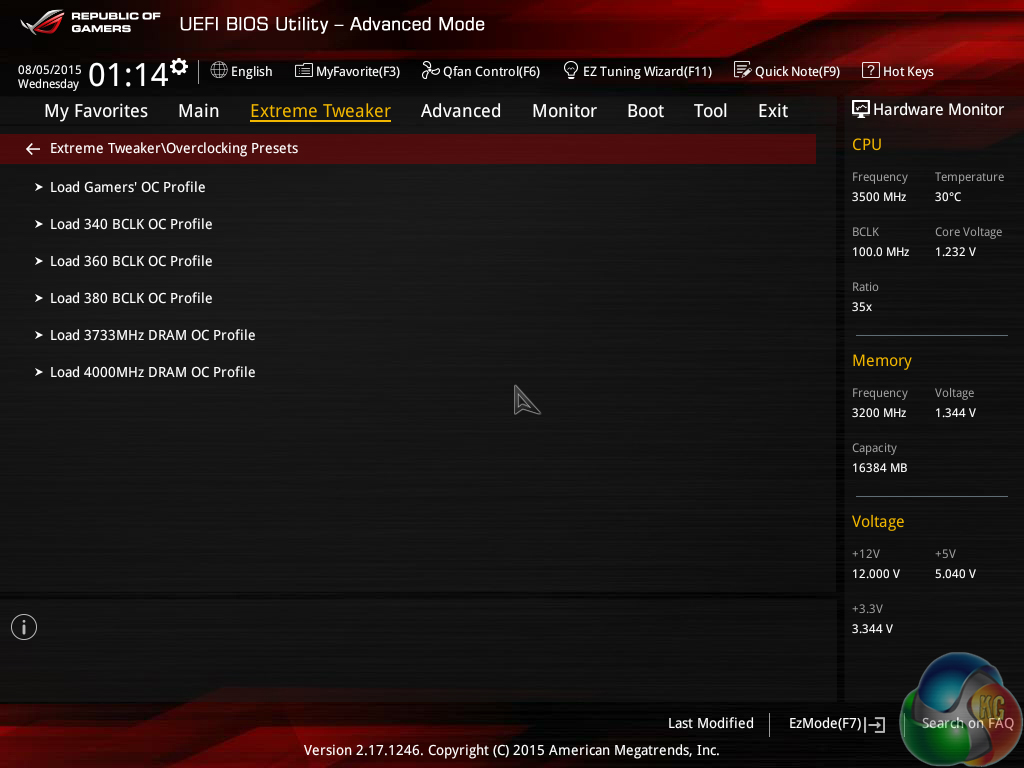
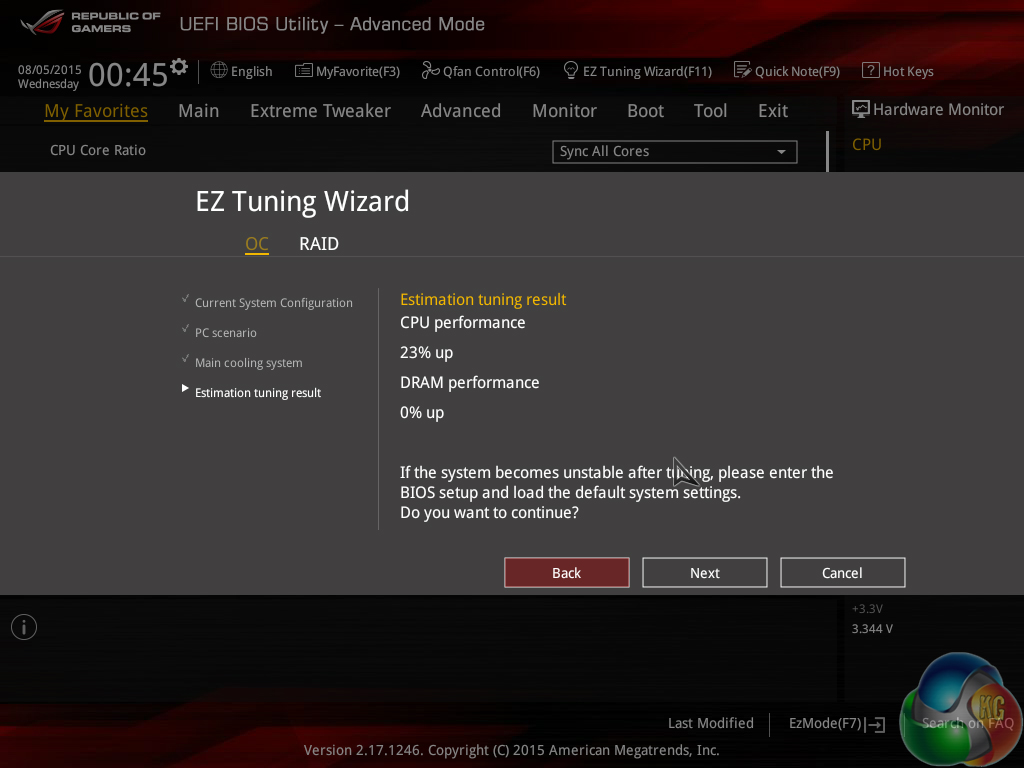
A set of CPU- and memory-related overclocking presets is supplied. These presets are convenient for users looking to tweak their hardware in a similar way to the professionals. there is also the EZ Tuning automated overclocking tool that can be relied upon.
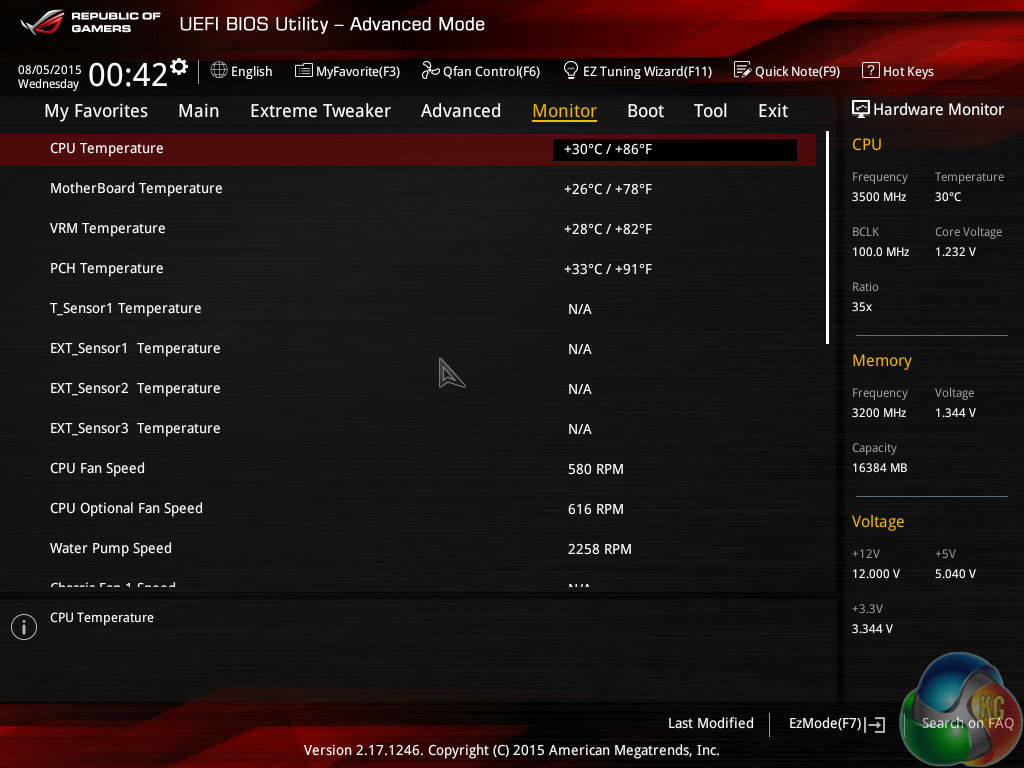
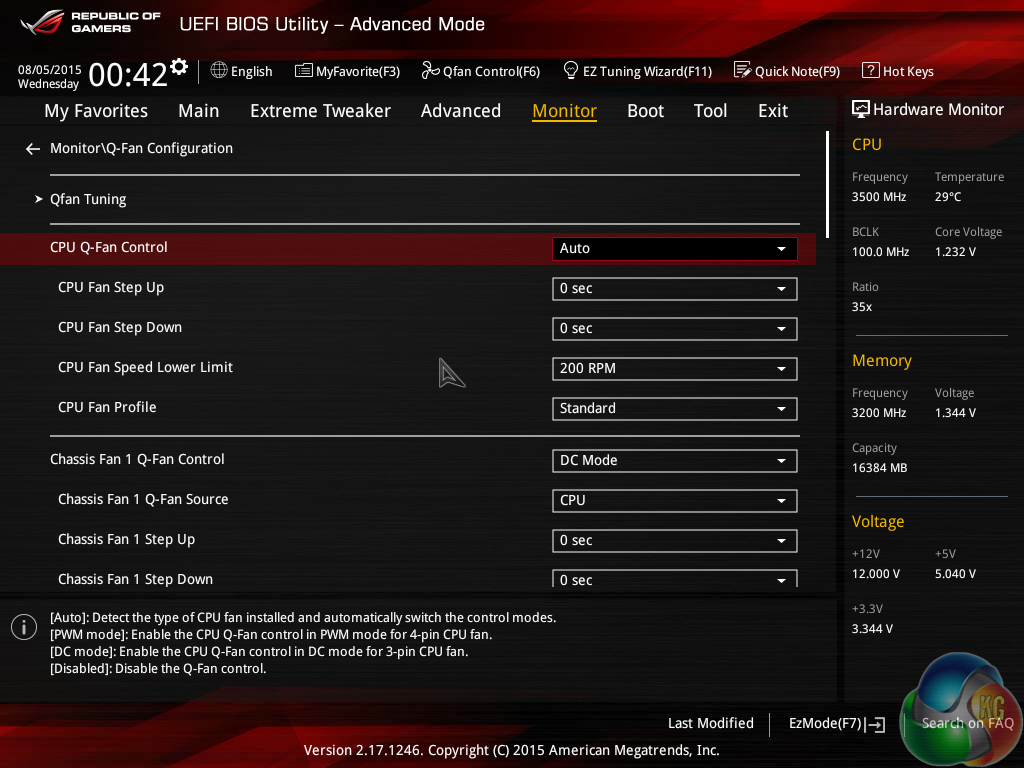
An array of voltages, temperatures, and fan speed can be monitored in the UEFI. Manual fan speed control is also provided.
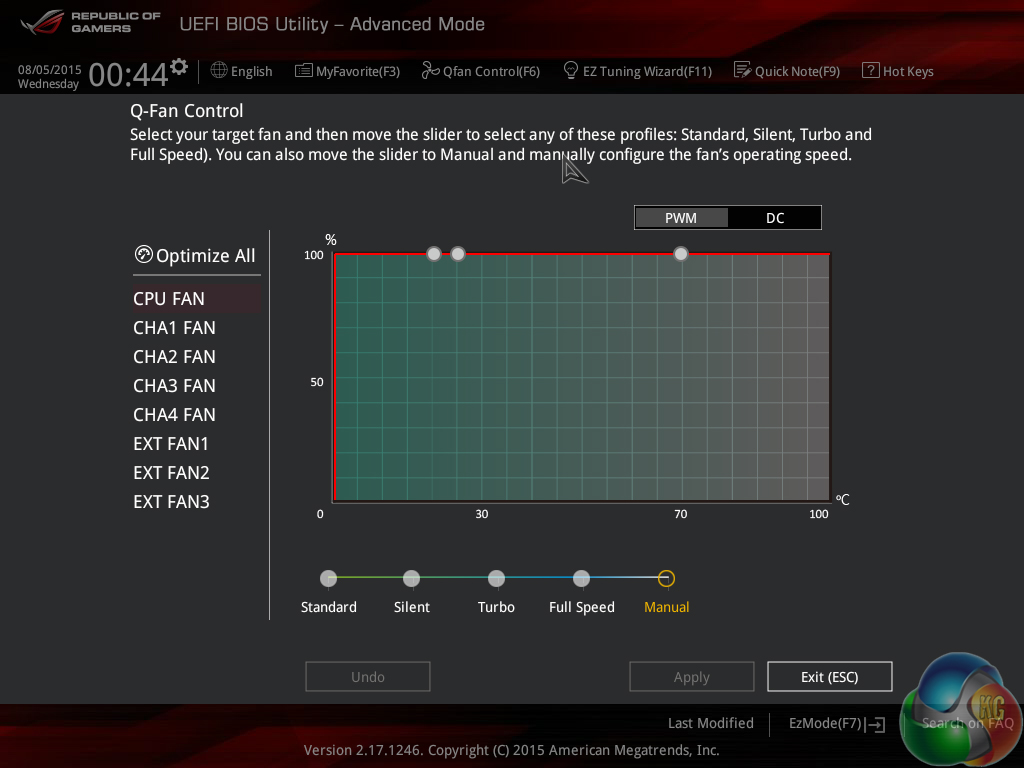
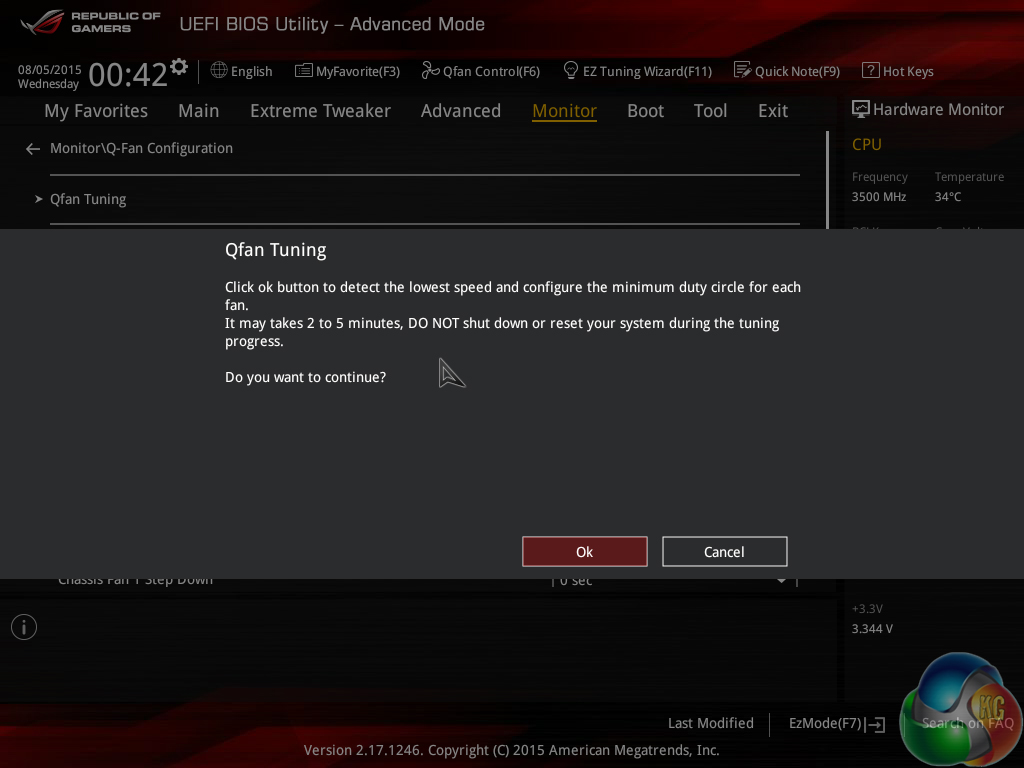
Asus gives the ROG UEFI its usual level of flexibility regarding fan speed tweaking. The Q-Fan Tuning utility gives users a graphical display from which they can adjust speed against temperature settings and there's also an automated configuration tool.
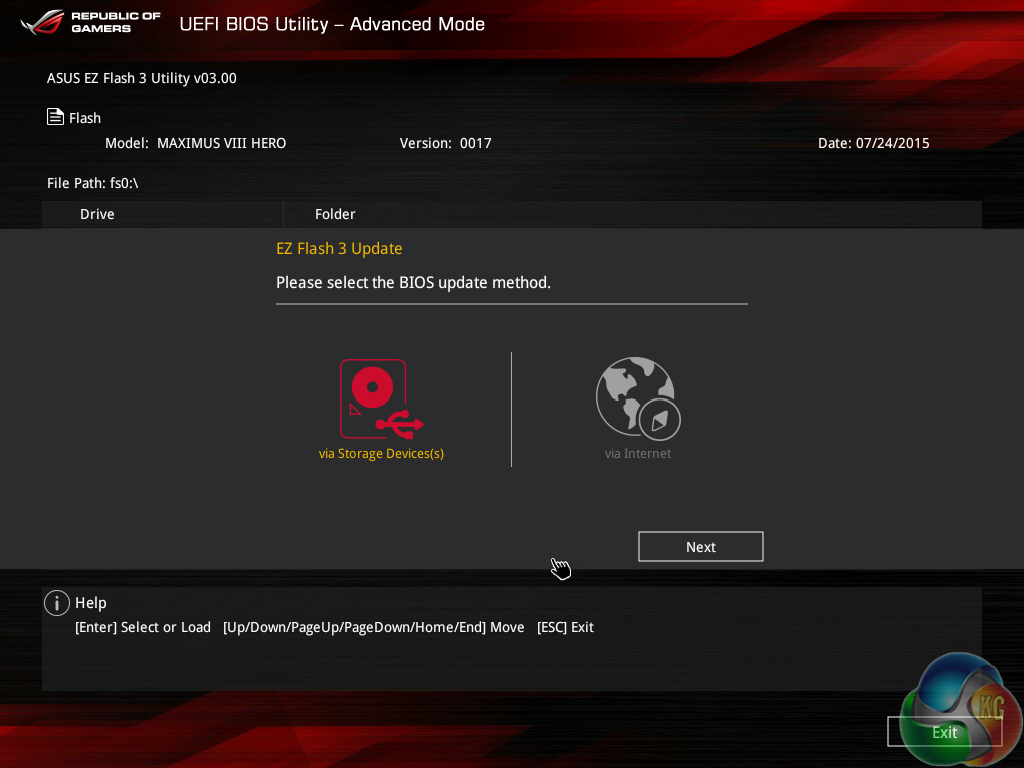
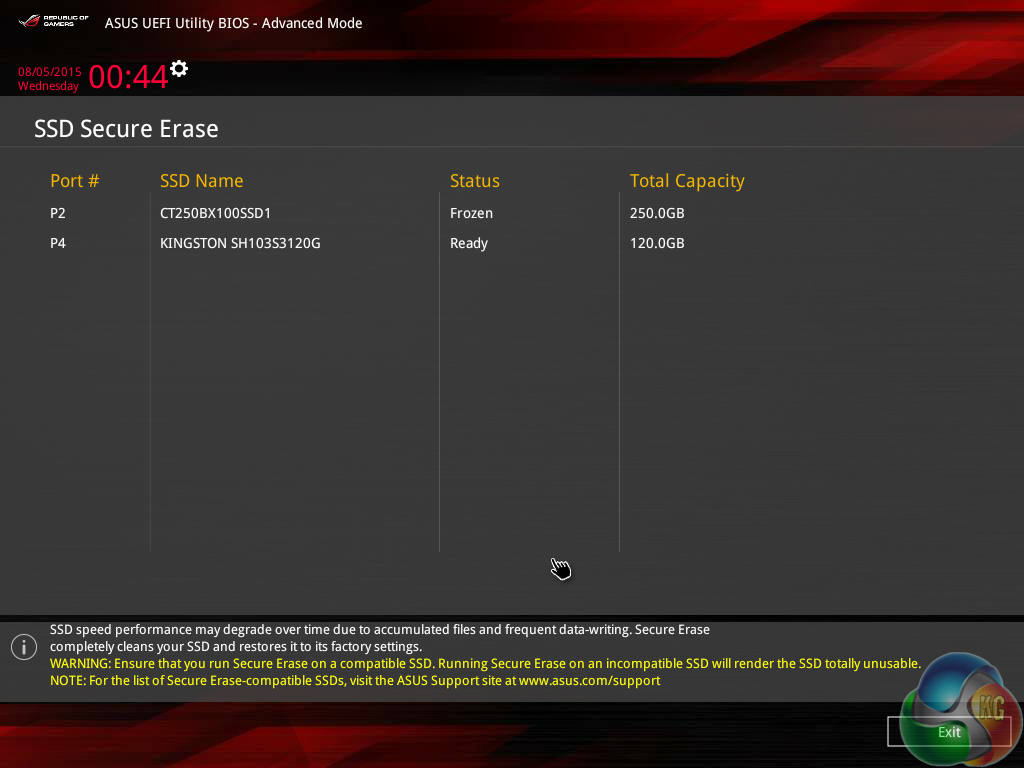
Asus’ usual set of tools is supplied in the ROG UEFI, as well as the convenient Secure Erase. Users can route through a drive to look for a BIOS update file.
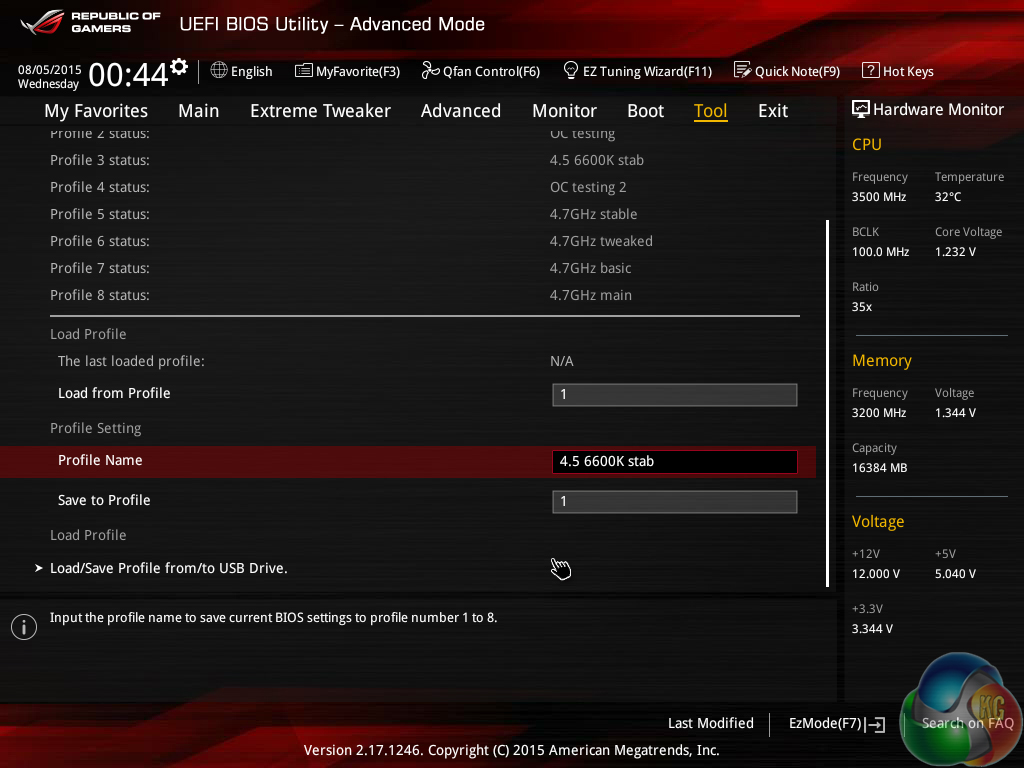
Up to eight settings profiles can be saved, named, and transferred.
The Z170 ROG UEFI is practically identical to that used on the Z97 motherboards. It follows Asus’ tried-and-tested interface layout and styling, and that’s a good thing. The interface is easy to navigate, plenty of options are provided, and the appearance is good to look at.
We have no complaints regarding the Z170 iterations of the ROG boards’ interface. Not even the comparatively low 1024×768 resolution can be registered as a negative because Asus manages to display a relevant amount of information on each frame without making the screen full of confusion.
Software
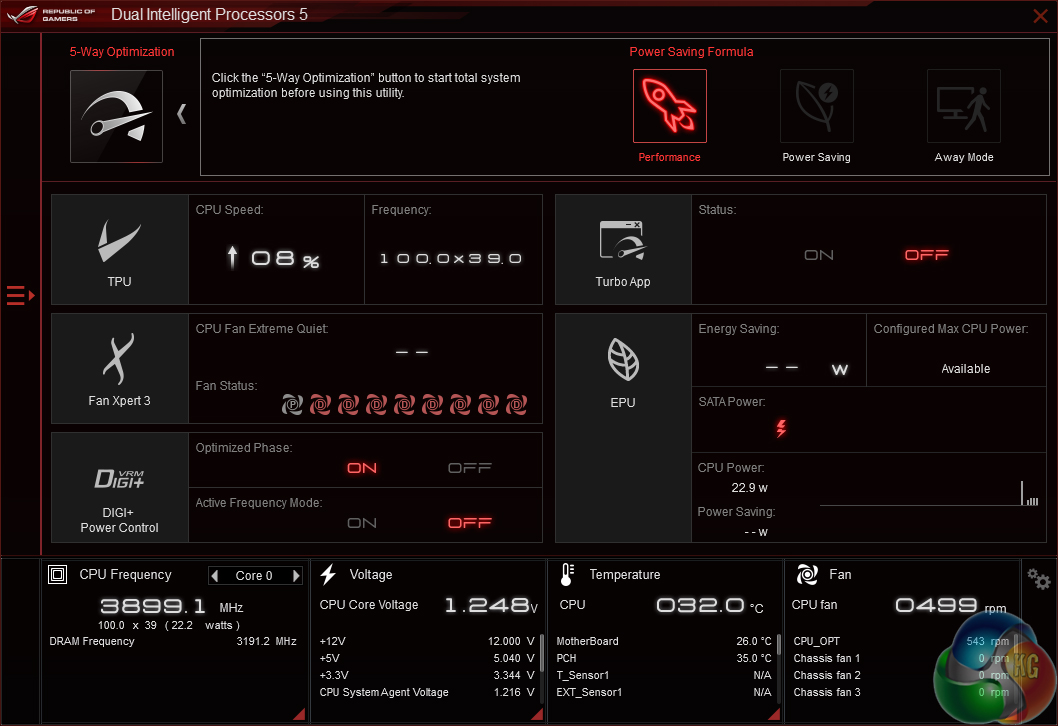
Asus’ AI Suite 3 software is very good. A strong array of voltage, frequency, and power settings can be adjusted via the software.
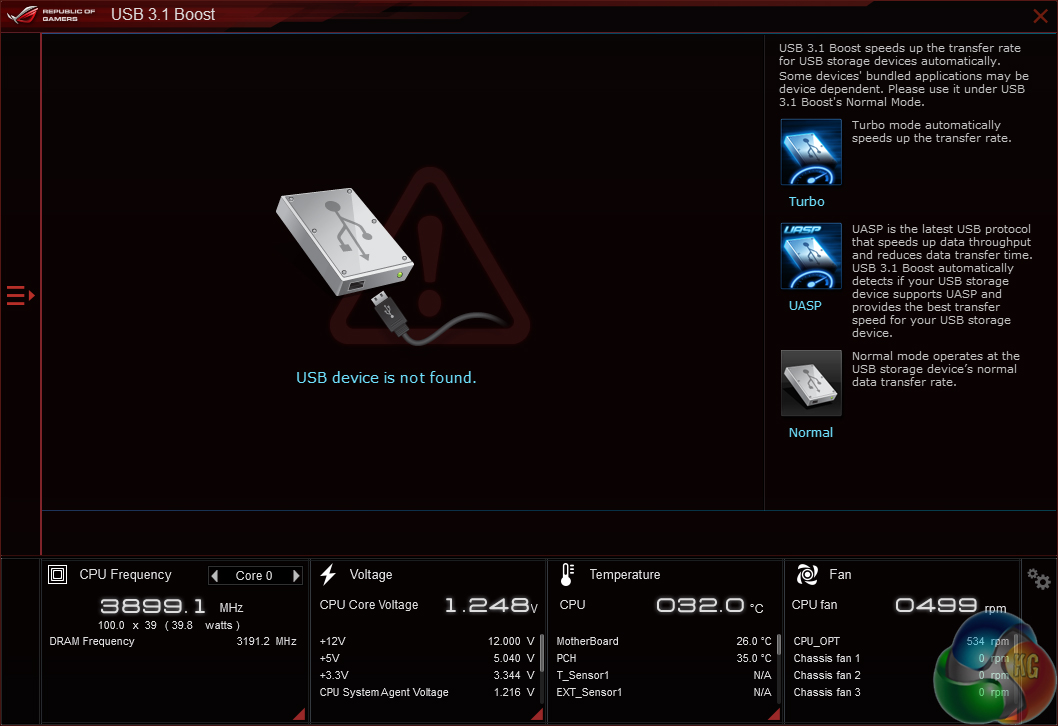
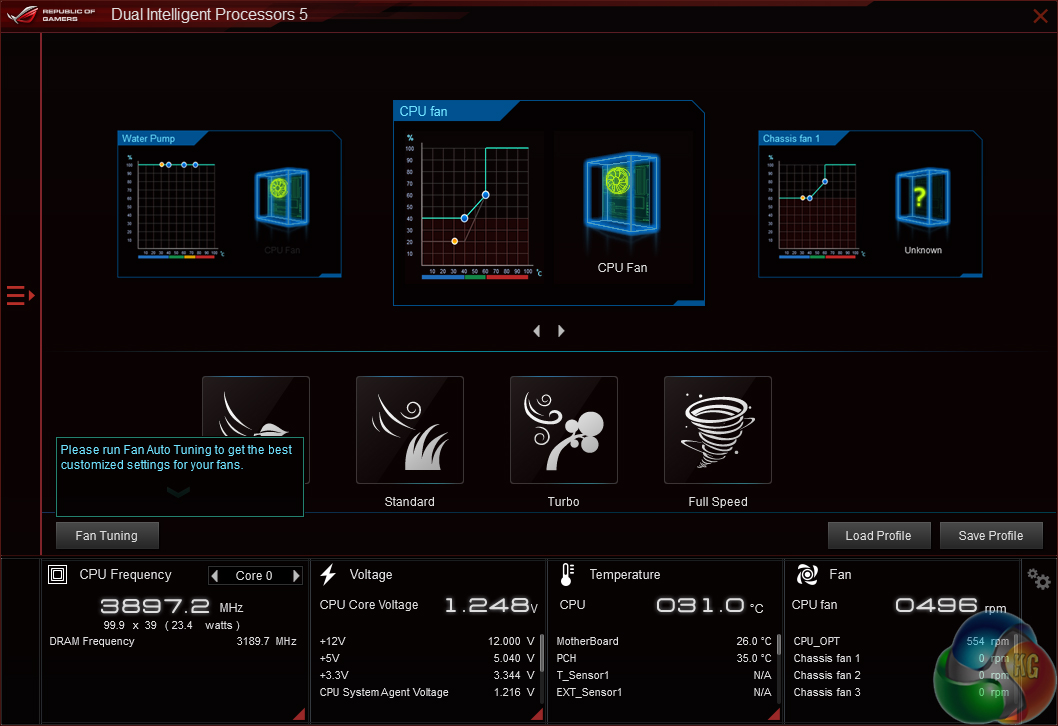
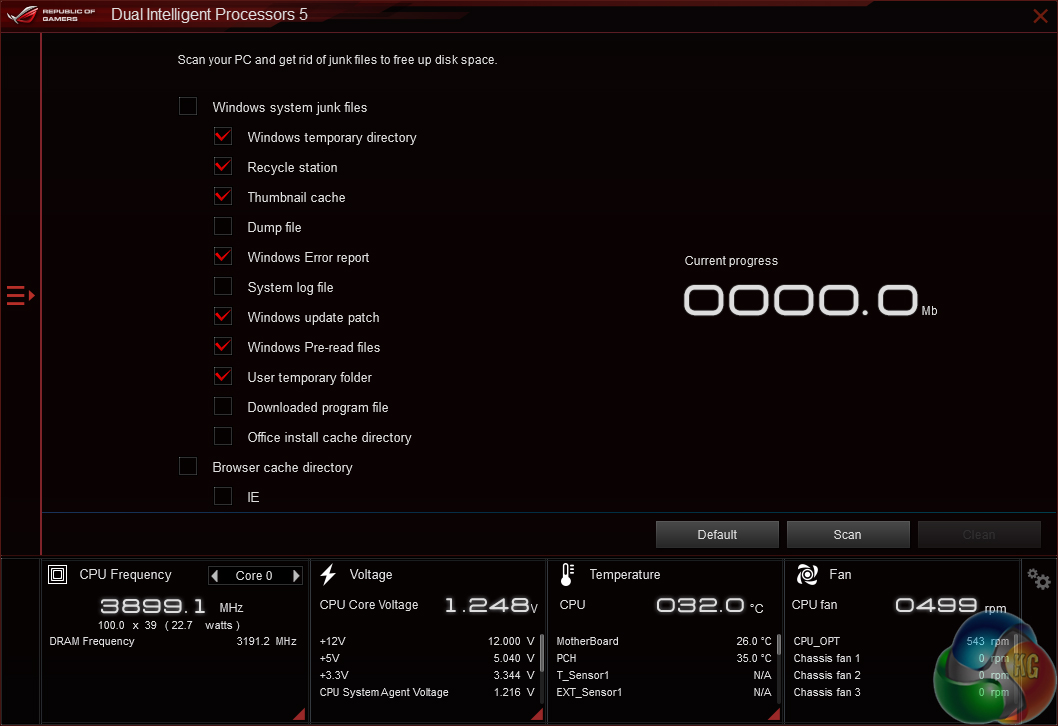
There are also supporting applications that allow tweaking of fan speeds, enhancing of USB drive speeds, and cleaning of OS operations.
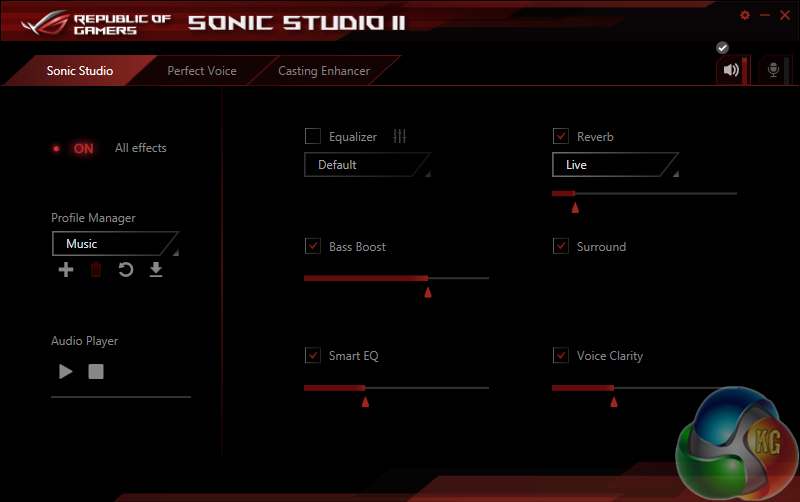
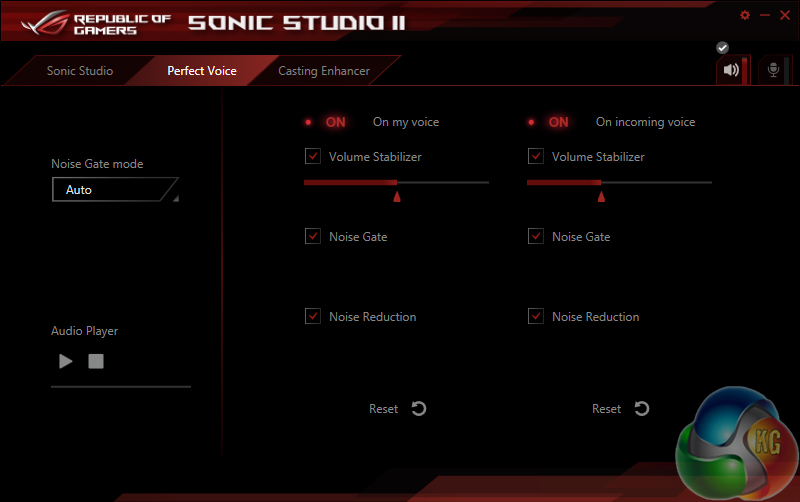
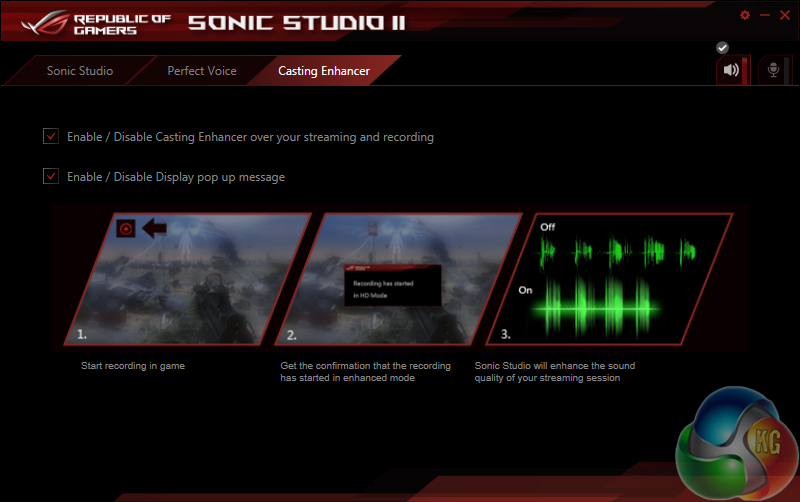
Sonic Studio II gives users an array of options for the audio experiences.
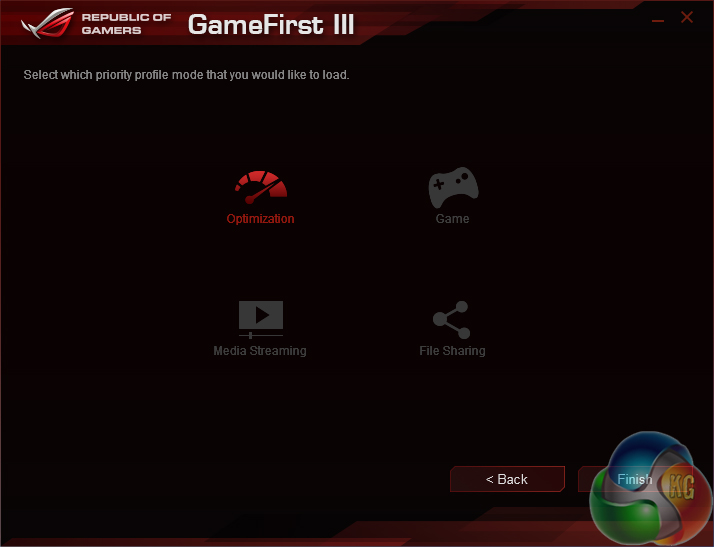
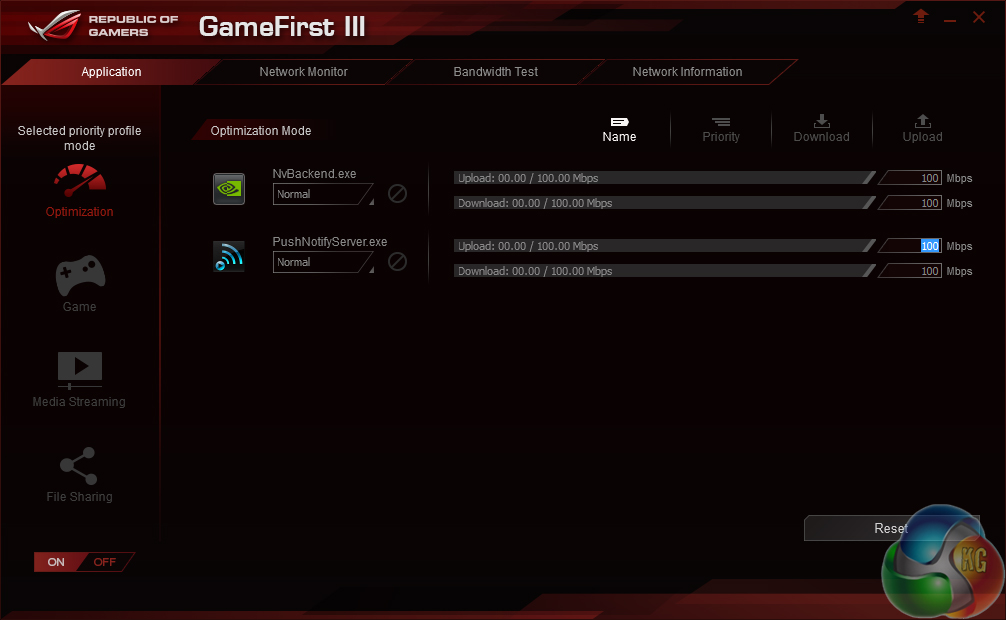
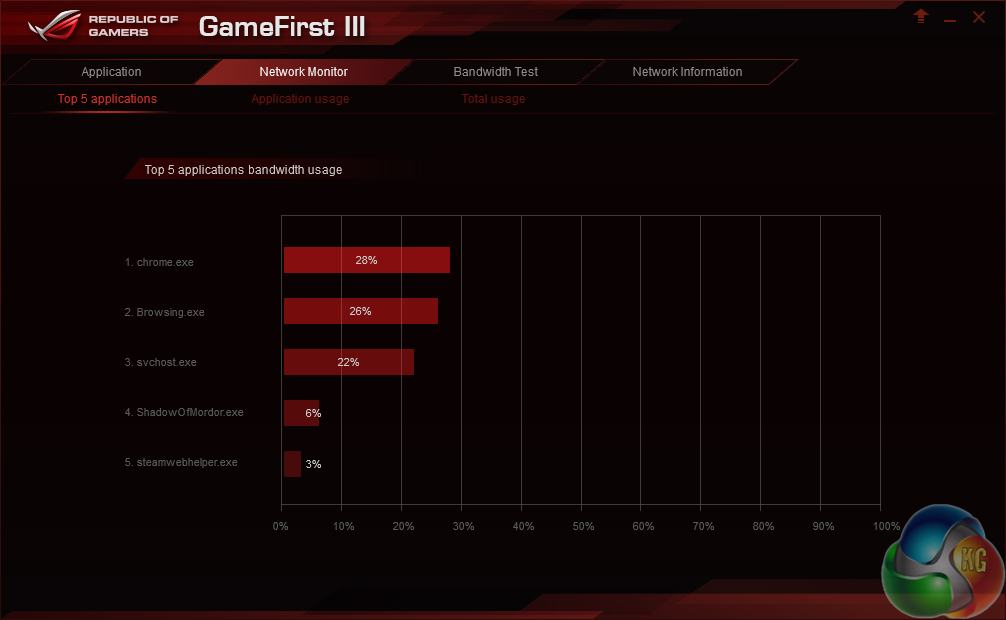
GameFirst III is Asus’ network-controlling software that, in essence, is a competitor to Killer’s Network Manager suite. The software allows Asus to opt for an Intel I219-V NIC without losing the software functionality that Killer’s competing part offers.
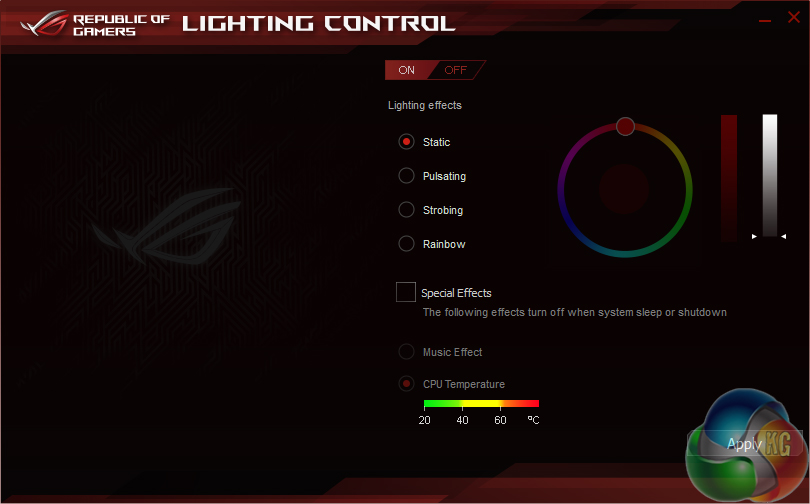
A software tool can be used to control the colour of the light underneath the chipset heatsink. This will be welcomed by users who value matching or unique colour schemes.
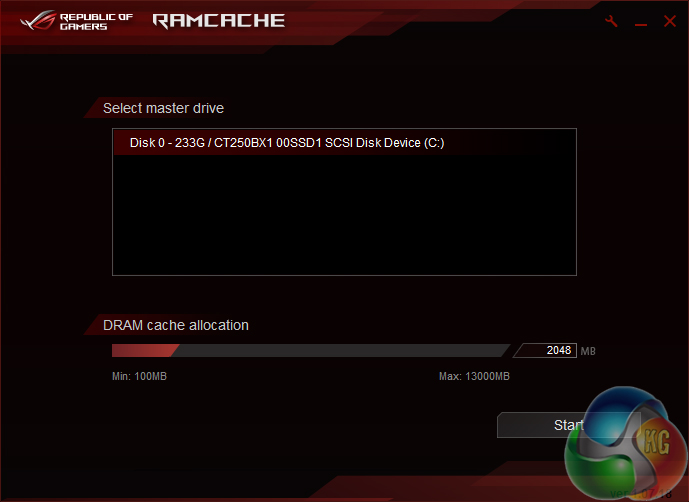
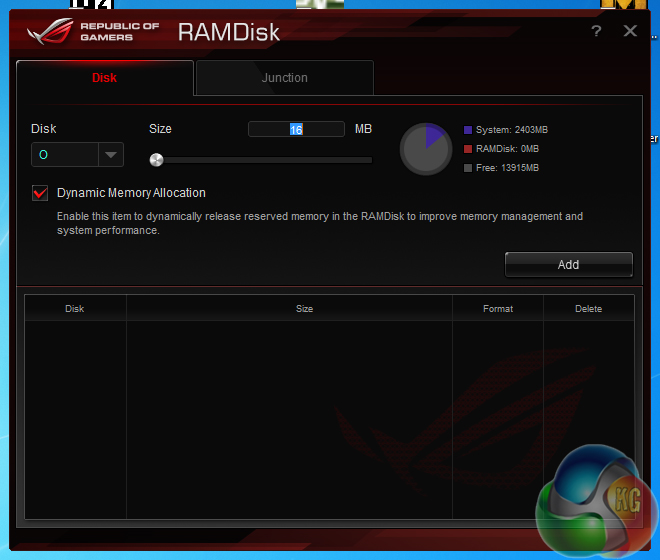
A sizable RAMDisk can be formed to provide users with ultra fast storage. This is particularly convenient for those who own large capacity memory kits and simply do not know what to do with it when gaming.
RAMCACHE is a tool that can utilise system memory in order to speed up transfers between external disk drives. Asus demonstrated this software at a recent technical seminar and proved the noteworthy transfer speed gains that it can provide.
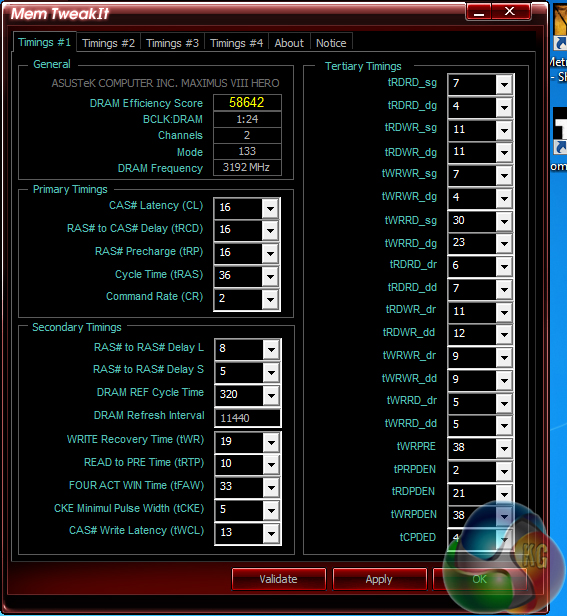
Mem TweakIt allows memory timings to be viewed and adjusted.
Manual CPU Overclocking:
We used the Asus Maximus VIII Hero motherboard to test our Skylake CPUs for their launch, so this overclocking section is taken directly from that review.
Intel Core i7-6700K Overclocking
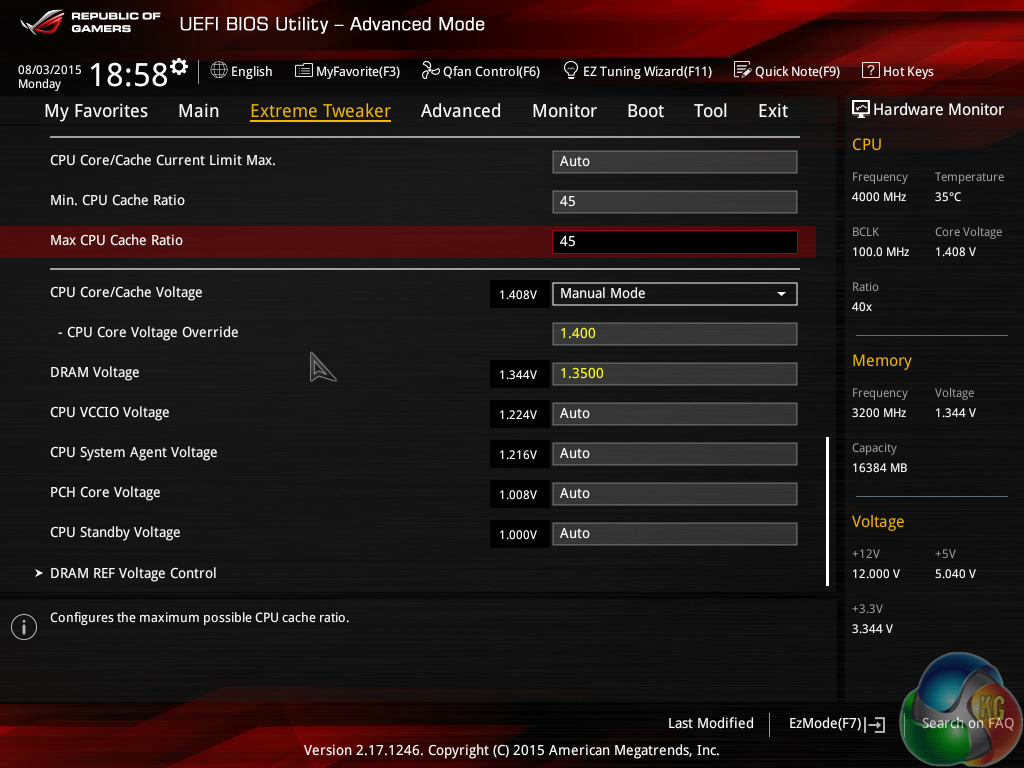
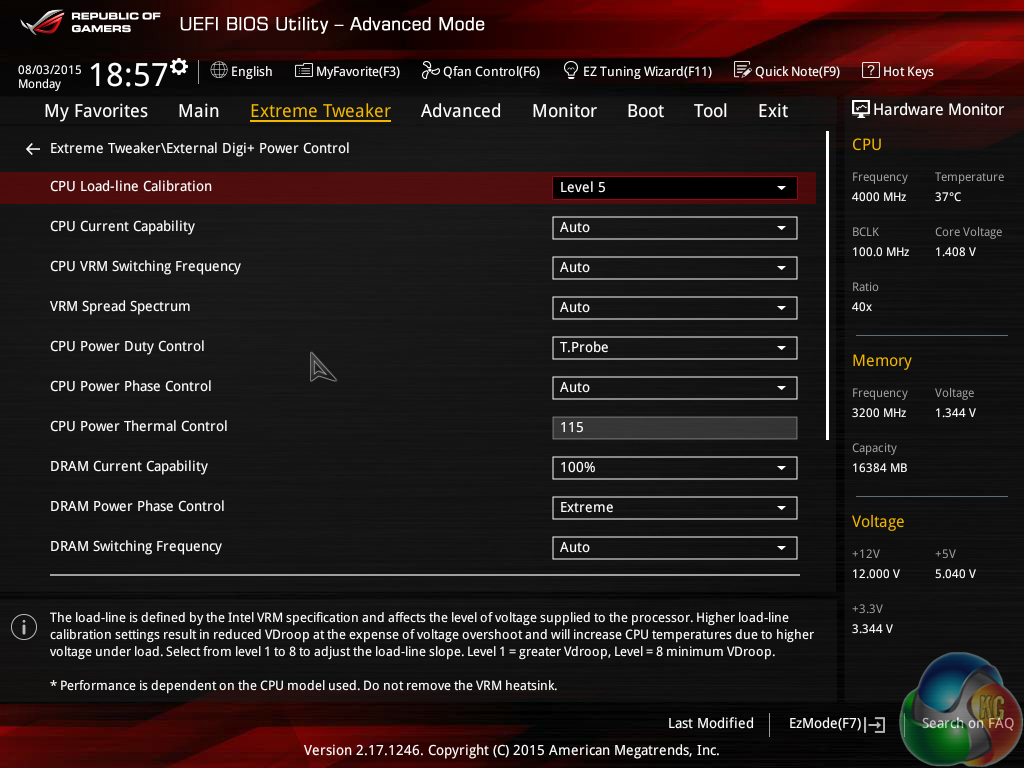
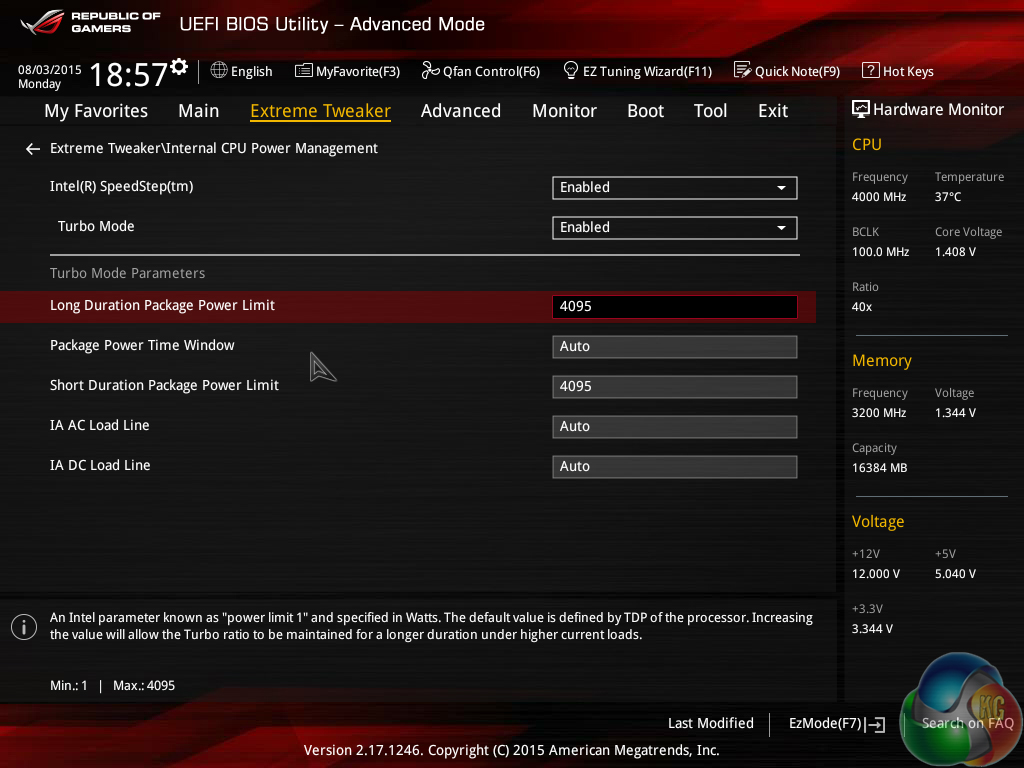
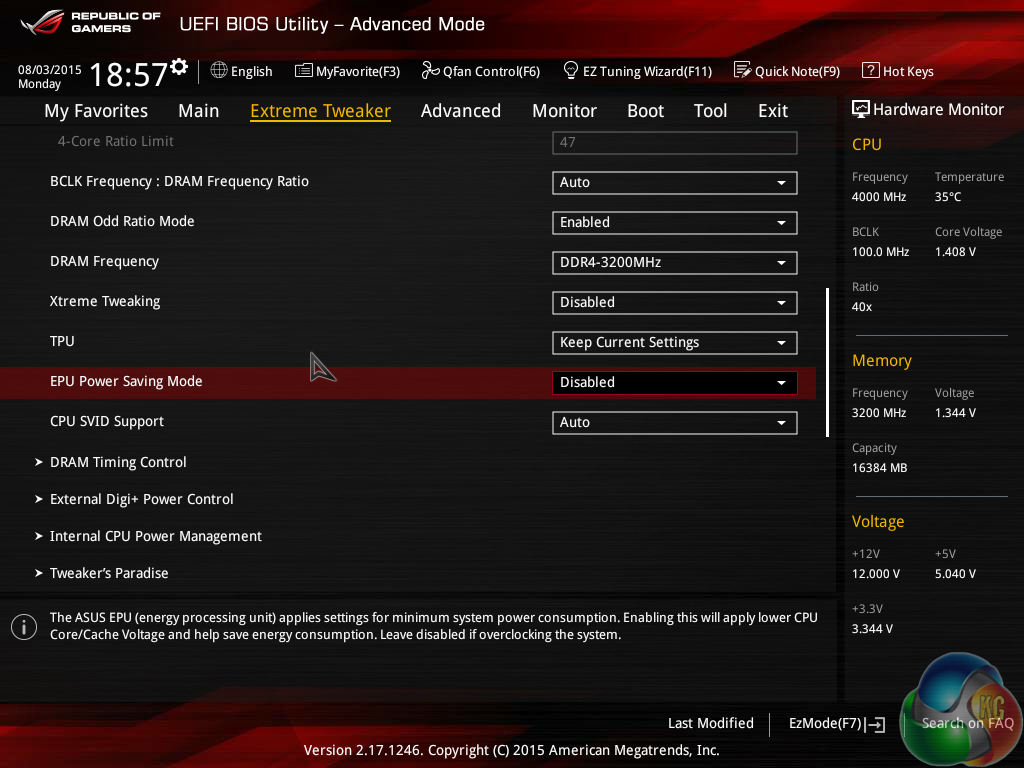
We tested a variety overclocking configurations to find the best settings for our chip. In order to keep temperatures in check and maintain voltages at what we are told are safe levels for 24/7 usage, the maximum CPU Core voltage was set at 1.40V. Empirical testing showed that Asus' level 5 LLC profile resulted in a load core voltage closest to our selected 1.40V level – the 6700K chip was delivered 1.392V under full load with a 1.40V Core voltage and level 5 LLC settings.
Gains can be had from running the PCH voltage at 1.1V, and increasing the CPU standby and PLL voltages to around 1.20V and 1.45V, respectively. With that said, we found that simply applying a manual VCore level, adjusting the LLC settings, and removing power delivery thresholds resulted in equally-good overclocking gains. It is also worth noting that the CPU cache is now driven by the single core voltage level, so finding a voltage sweet-spot for that setting is not required. Overclocking headroom allows the cache frequency to be run very closely to the increased CPU frequency.
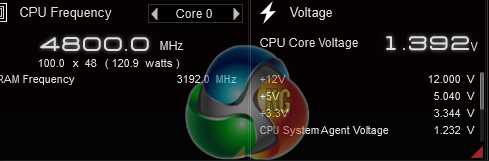
We managed a comfortable 4.8GHz from our retail 6700K chip while using a 1.4V core voltage (which translated into 1.392V under load with our LLC settings). This level was perfectly stable for extended periods of stress testing and temperature levels were well below the worrying 90°C mark.
Speaking to other system integrators with Skylake overclocking experience, around 4.7-4.8GHz with a 1.4V core voltage seems to be a comfortable level for many Core i7-6700K chips. Knocking the voltage down towards the 1.35V level should deliver 4.5GHz comfortably. The i7 overclocking gains seem consistent, controllable from a temperature perspective, and fairly straightforward to manage.
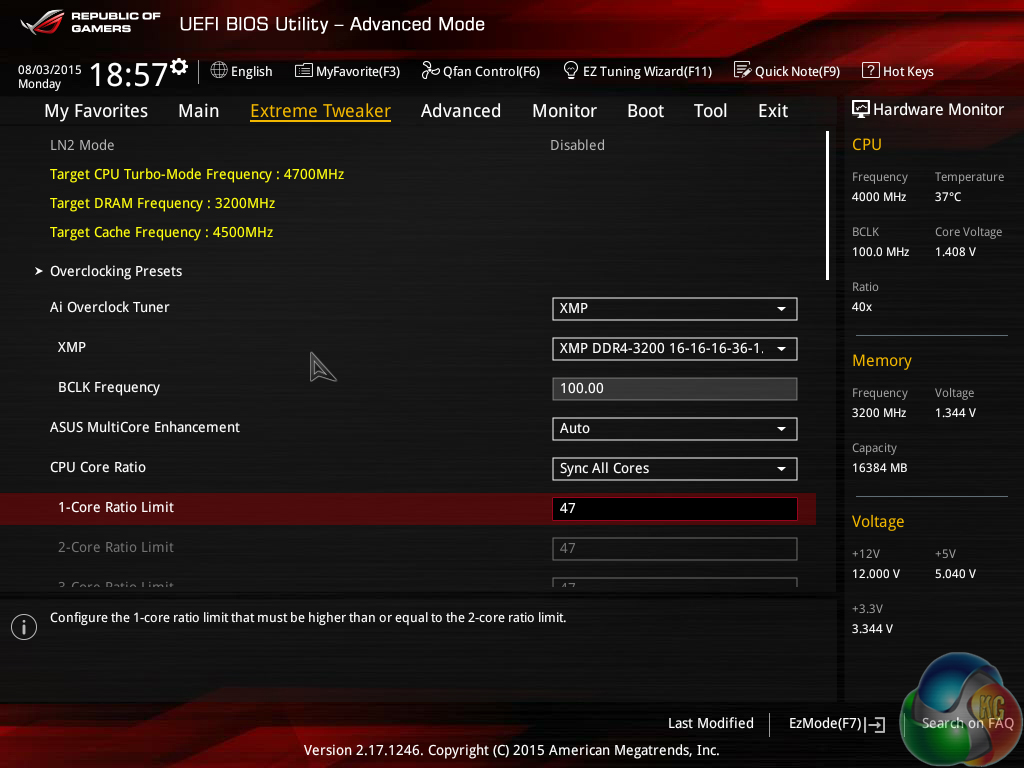
In order to make a direct comparison with our 4.7GHz Devil's Canyon chip, we decided to run our Core i7-6700K testing at 4.7GHz. This used the same settings as the 4.8GHz profile mentioned about – 1.40V Core voltage, level 5 LLC, and removed power thresholds.
We set the CPU cache frequency at 4.5GHz in order to open performance gains but not push it to a point where stability is compromised.
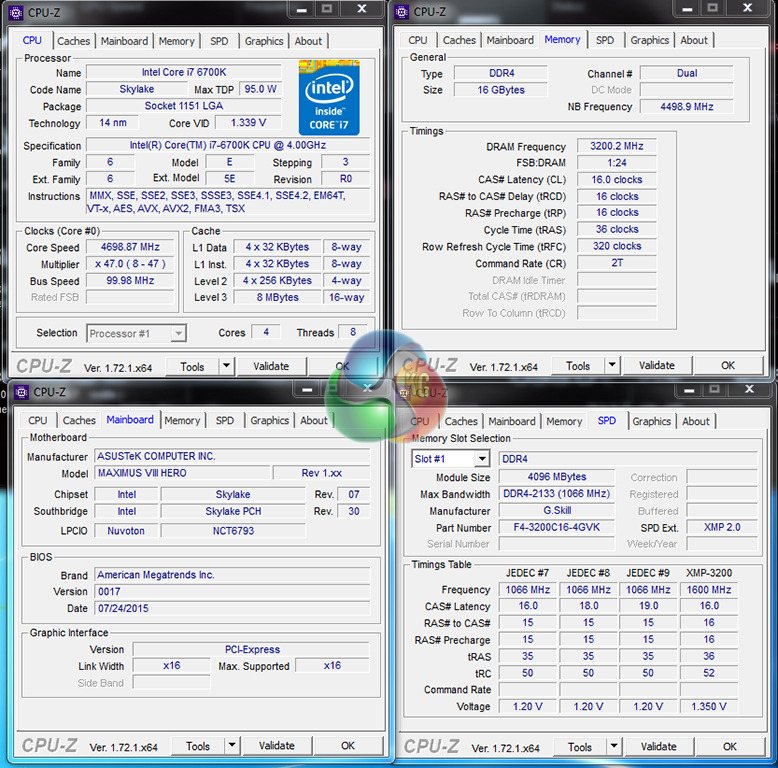
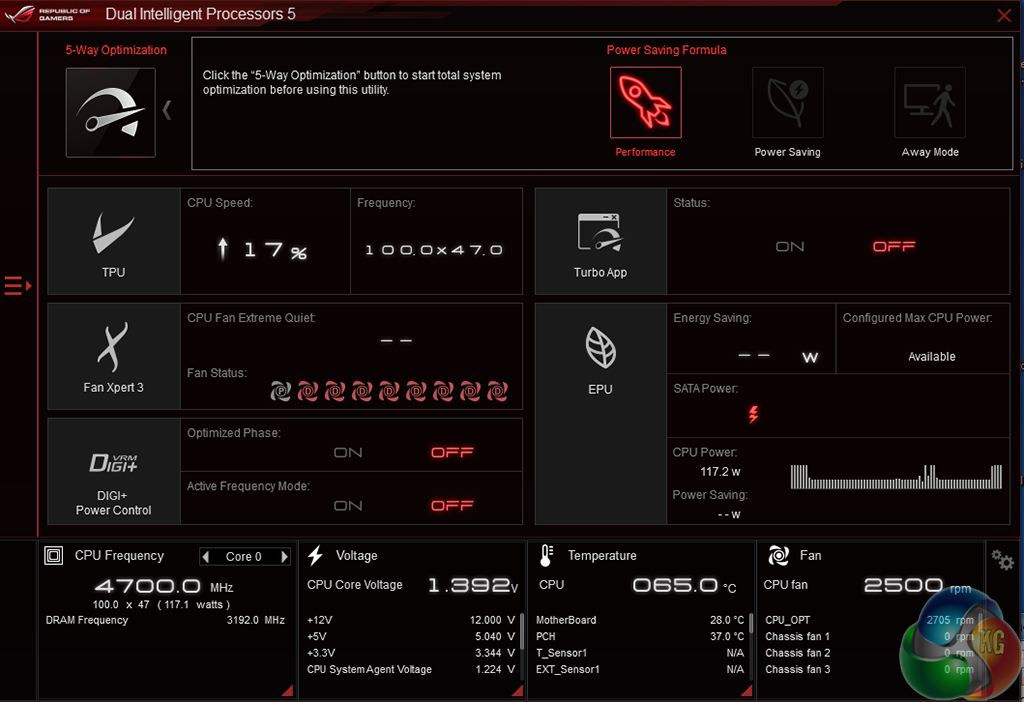
Note: CPU-Z does not identify the correct CPU core voltage 100% of the time. We recommend using the motherboard vendor's software utility to record system voltages until a new release of CPU-Z launches.
Our validation can be viewed HERE.
Intel Core i5-6600K Overclocking
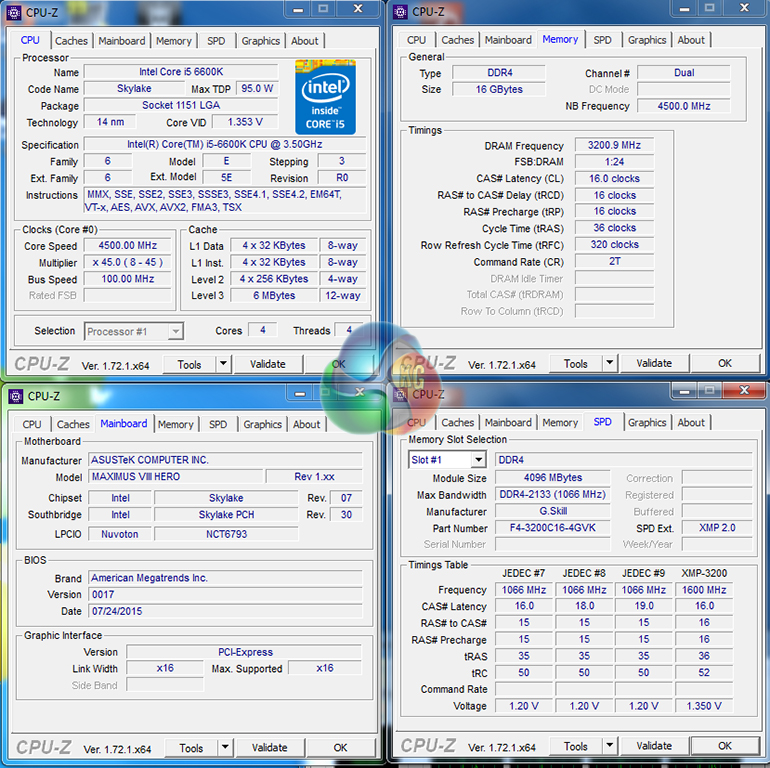
Overclocking our Core i5-6600K CPU was less effective than the i7-6700K. Despite being fed with 1.4V initially, the chip would not hold stability on all cores at a frequency of 4.6GHz via the 46x100MHz route.
We accepted the frequency limit of 4.5GHz and were able to dial down CPU core voltage to 1.35V. CPU cache frequency was set at 4.5GHz.
We will be outlining the Asus Maximus VIII Hero motherboard's performance with the Core i7-6700K CPU at its stock frequency (4.2GHz due to forced turbo) and when overclocked to 4.7GHz using 1.40V.
This is the first LGA 1151 motherboard that we have tested so we do not have comparison data from other motherboards featuring the same chipset. As such, we have decided to use the charts from our Skylake CPU review to show the performance potential that a system build utilising the Asus Maximus VIII Hero and Z170 platform can provide.
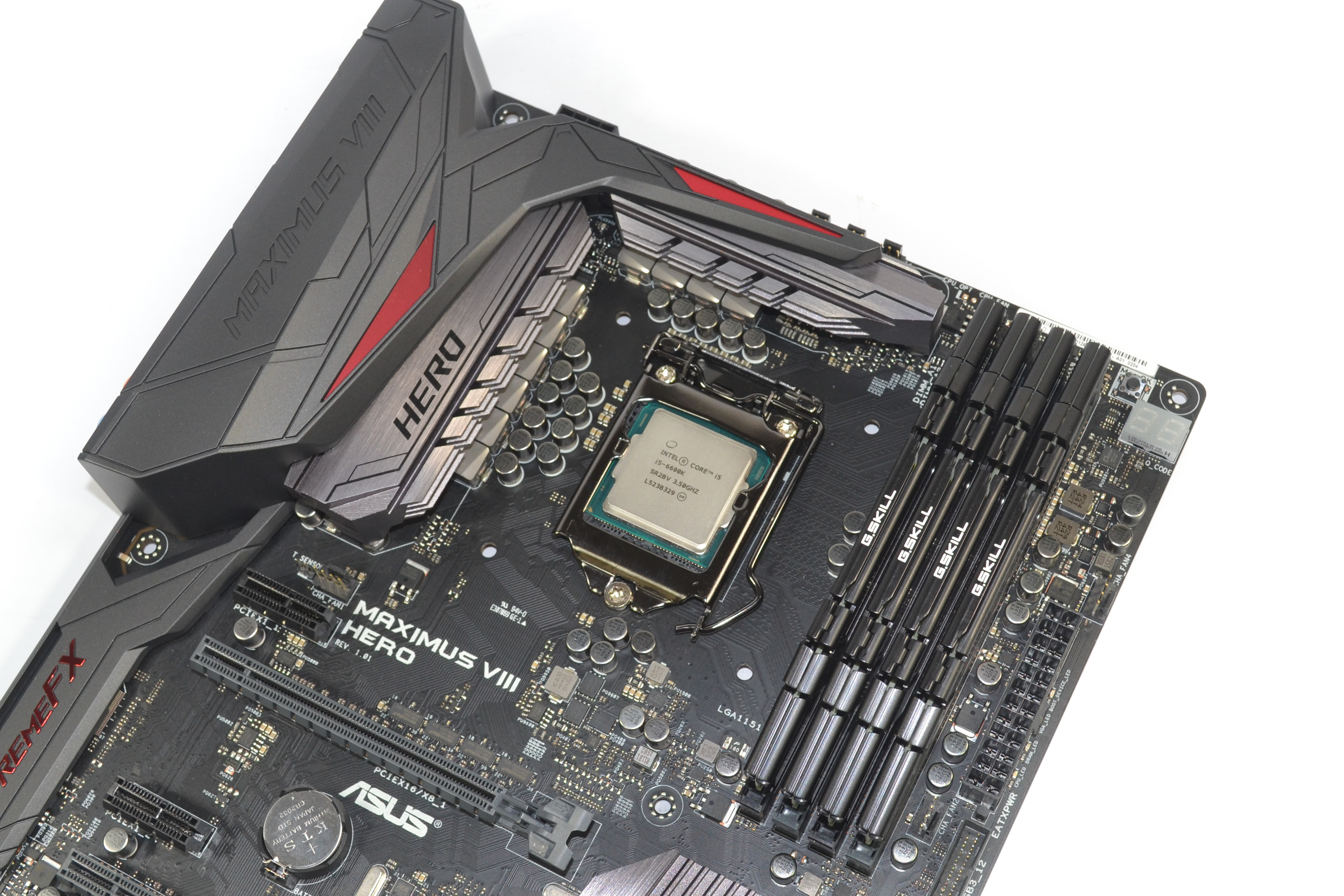
The Asus motherboard gives users the option to apply multi-core turbo (MCT) and force the 6700K to a constant 4.2GHz when XMP is enabled. We opted to utilise this setting and it will be displayed as the ‘stock’ setting.
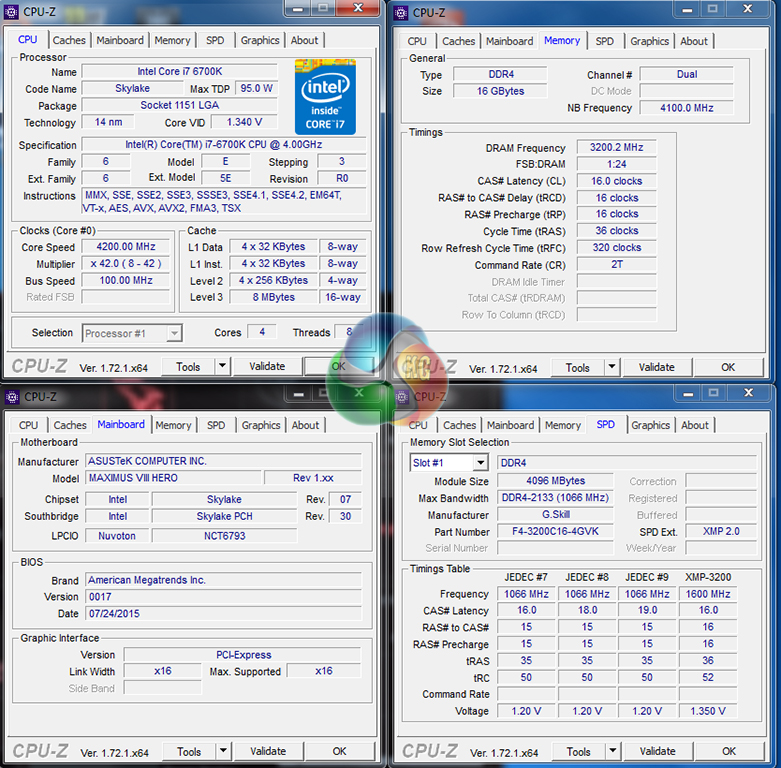
Z170 Motherboard Test System:
- Processor: Intel Core i7-6700K (4.2GHz forced turbo).
- Memory: 16GB (4x4GB) G.Skill Ripjaws V 3200MHz 16-16-16-36 DDR4 @ 1.35V.
- Graphics Card: Nvidia GTX 980 Ti.
- System Drive: 250GB Crucial BX100 SSD.
- CPU Cooler: Corsair H100i.
- Case: NZXT Phantom 630.
- Power Supply: Seasonic Platinum 1000W.
- Operating System: Windows 7 Professional with SP1 64-bit.
Software:
- Asus Maximus VIII Hero BIOS v0017 (latest at the time of testing).
- GeForce 353.30 VGA drivers.
Tests:
- SiSoft Sandra 2015 SP2b (v2142) – Processor arithmetic and memory bandwidth (System)
- 3DMark 1.5.915 – Fire Strike Ultra (System)
- Cinebench R15 – All-core CPU benchmark (CPU)
- 7-Zip 15.05 beta – Manual video archival (CPU)
- HandBrake 0.10.2 – Convert 1.23GB 1080P game recording using the High Profile setting and MP4 container (CPU)
- Grand Theft Auto V – 1920 x 1080, near-maximum quality (Gaming)
- Middle Earth: Shadow of Mordor – 1920 x 1080, ultra quality (Gaming)
- Metro: Last Light – 1920 x 1080, very high quality (Gaming)
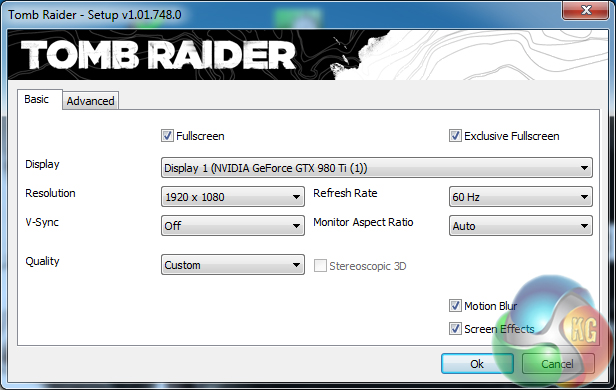
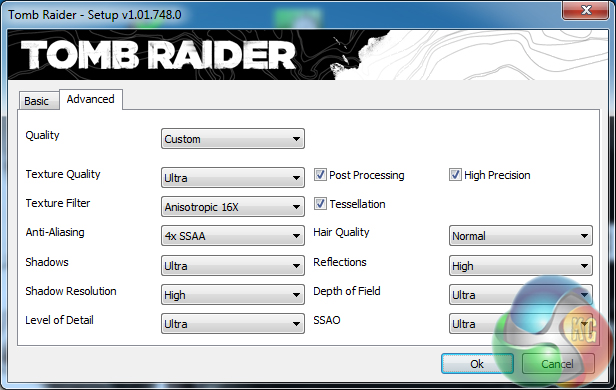
- Tomb Raider – 1920 x 1080, maximum quality, TressFX disabled (Gaming)
- ATTO – SATA 6Gbps, USB 3.0, M.2 transfer rates (Motherboard)
- RightMark Audio Analyzer – General audio performance test (Motherboard)
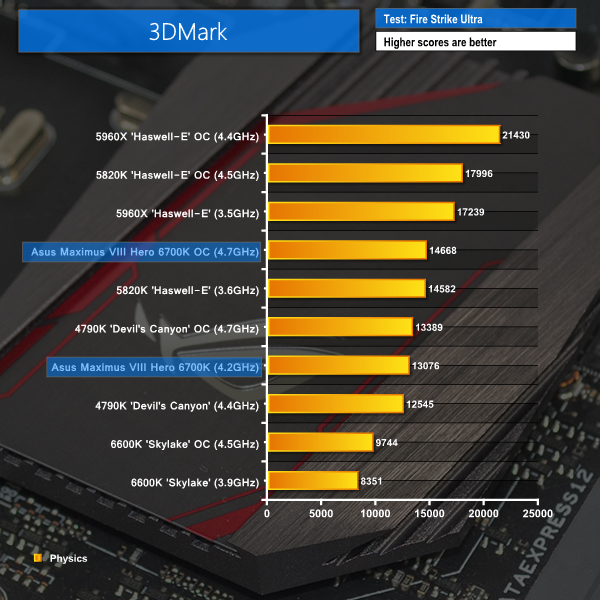
3DMark
We used 3DMark‘s ‘Fire Strike Ultra’ benchmark which is designed to be used on high-resolution gaming PCs.
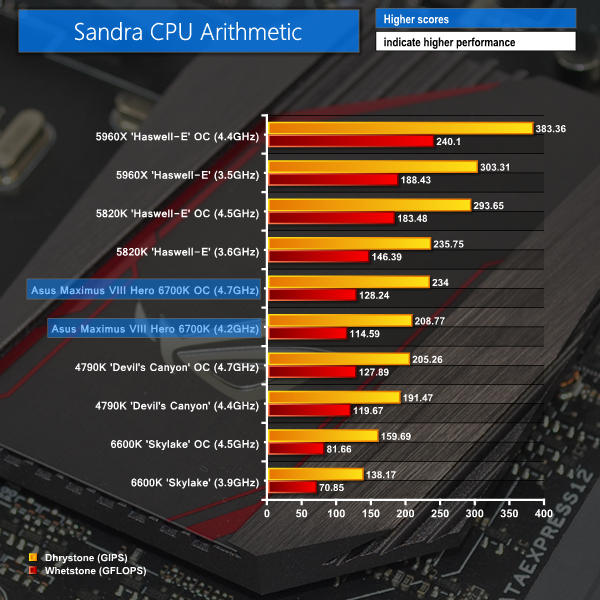
Sandra Processor Arithmetic
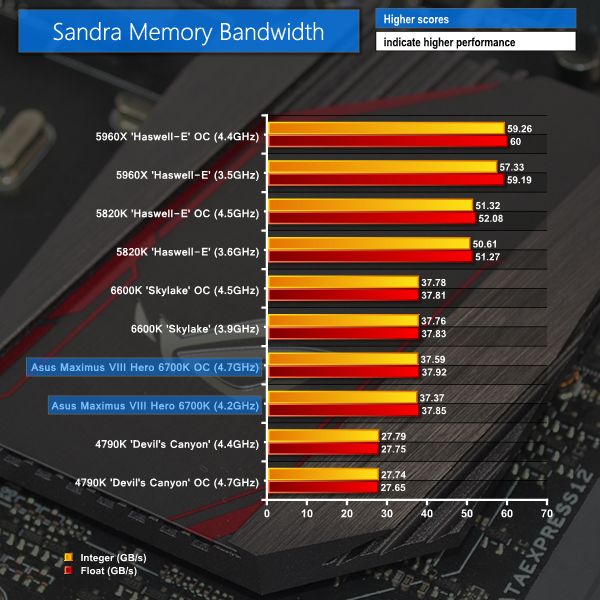
Sandra Memory Bandwidth
Benchmarks that leverage CPU cores and frequency benefit from the Maximus VIII Hero motherboard's overclocking capacity with a Skylake i7-6700K CPU. Being able to push the CPU frequency allows worthwhile performance gains to be unlocked.
Opting to support DDR4 memory rather than the DDR3L alternative, Asus' Maximus VIII Hero unlocks sizeable memory bandwidth gains thanks to DDR4's significantly higher operating frequency.
Cinebench
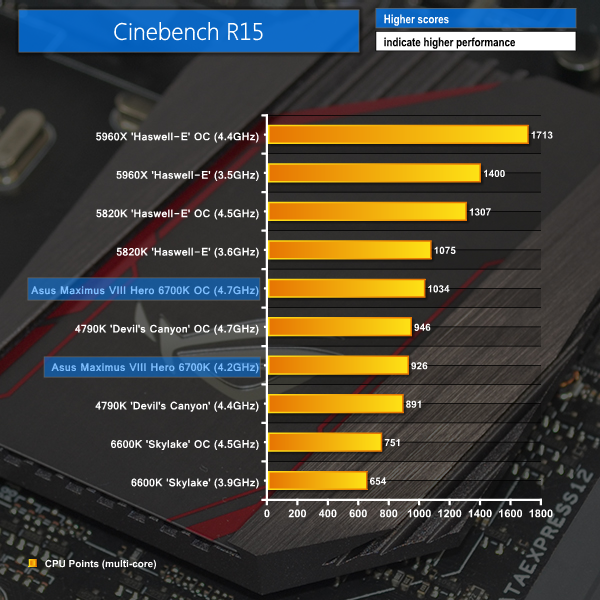
We used the multi-core ‘CPU’ test built into Cinebench R15 .
7-Zip
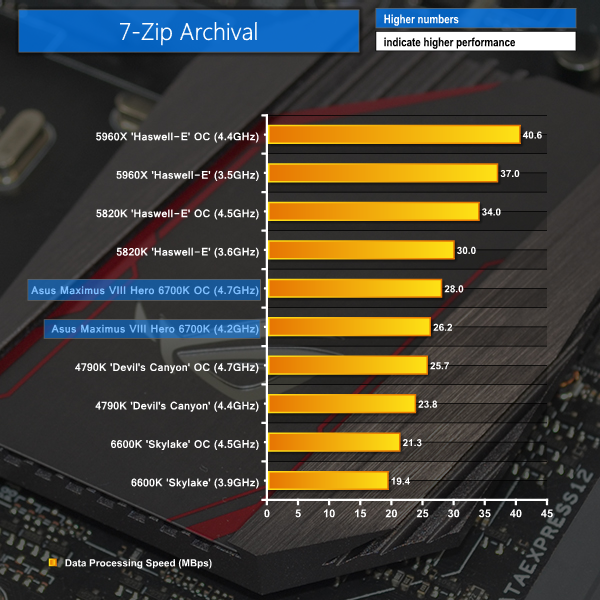
We manually archive a 1.23GB MP4 game recording to test the performance in 7-Zip.
Handbrake Conversion
We measured the average frame rate achieved for a task of converting a 1.23GB 1080P game recording using the High Profile setting and MP4 container.
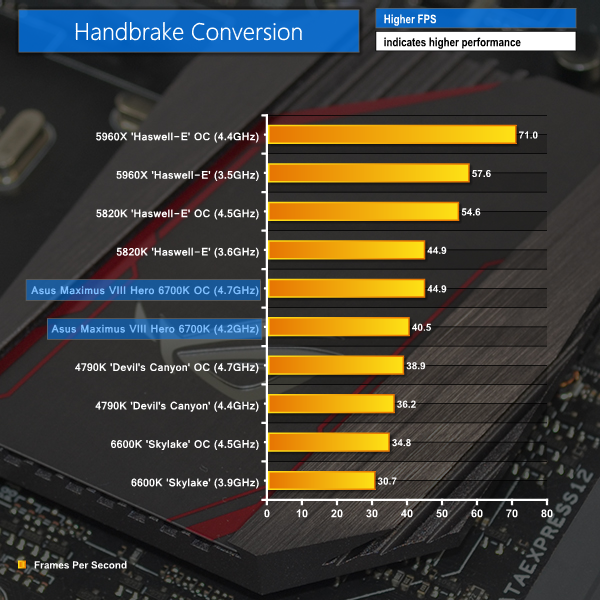
Asus' Maximus VIII Hero Z170 motherboard is able to overclock the 6700K to a point where it becomes competitive with the Haswell-E 5820K. The ability of Asus' motherboard to push the CPU clock to 4.7GHz reaps solid performance gains.
Metro: Last Light
We used a 1920×1080 resolution and the Metro: Last Light built-in benchmark set to ‘Very High’ quality to offer an intense challenge for the hardware.
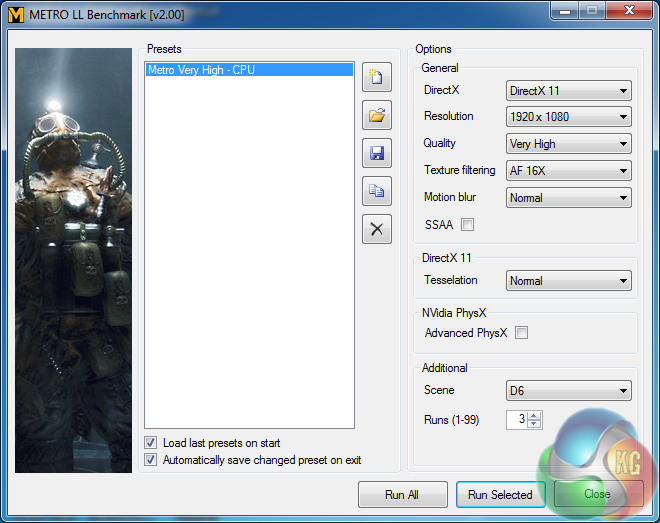
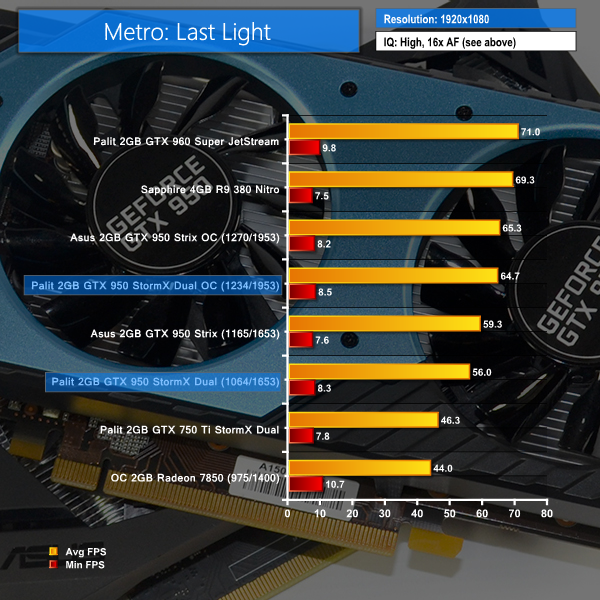
We have heard of additional comments suggesting that Metro: Last Light has a platform bug that is hampering its performance with the Skylake-based platform by inducing consistent stuttering. We certified that this issue relates to Skylake platform drivers by running the same benchmark on a separate SSD that utilises our Z97 system drivers, not the Skylake/Z170-specific ones, and the performance was 113.0 FPS, which is roughly what we would expect.
The Z170 platform launch and new driver updates should fix the stuttering problem to restore CPU performance.
Grand Theft Auto V
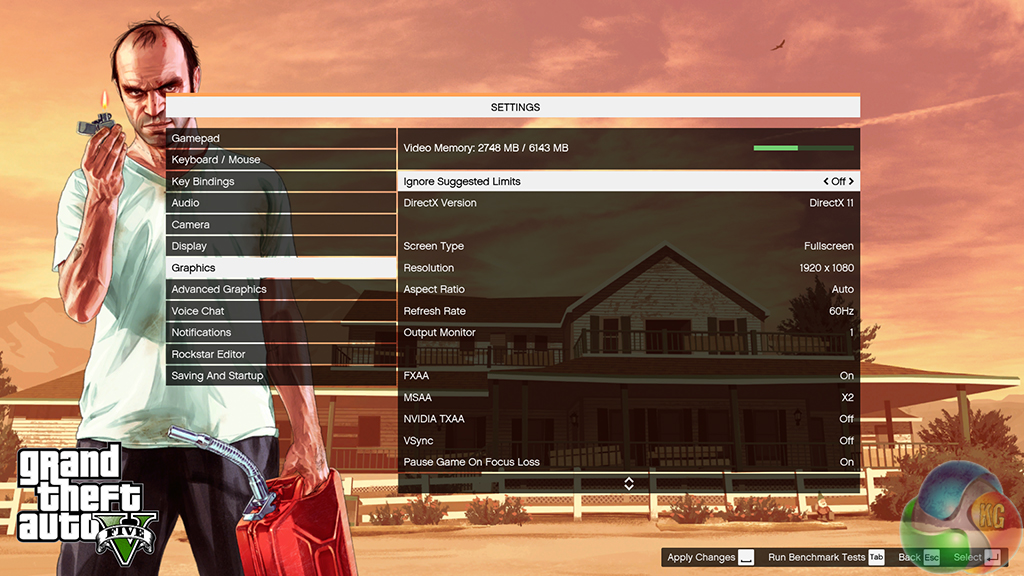
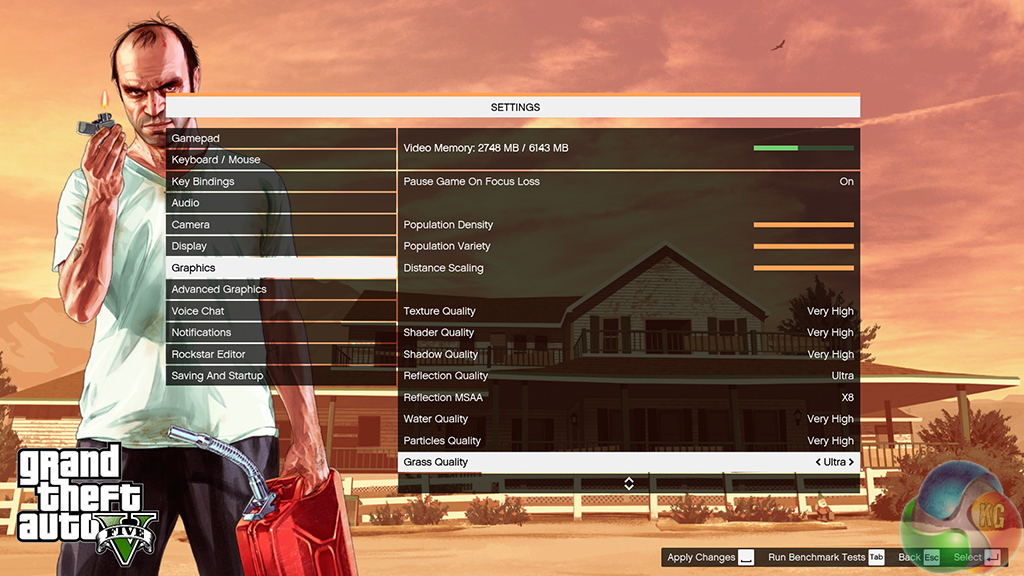
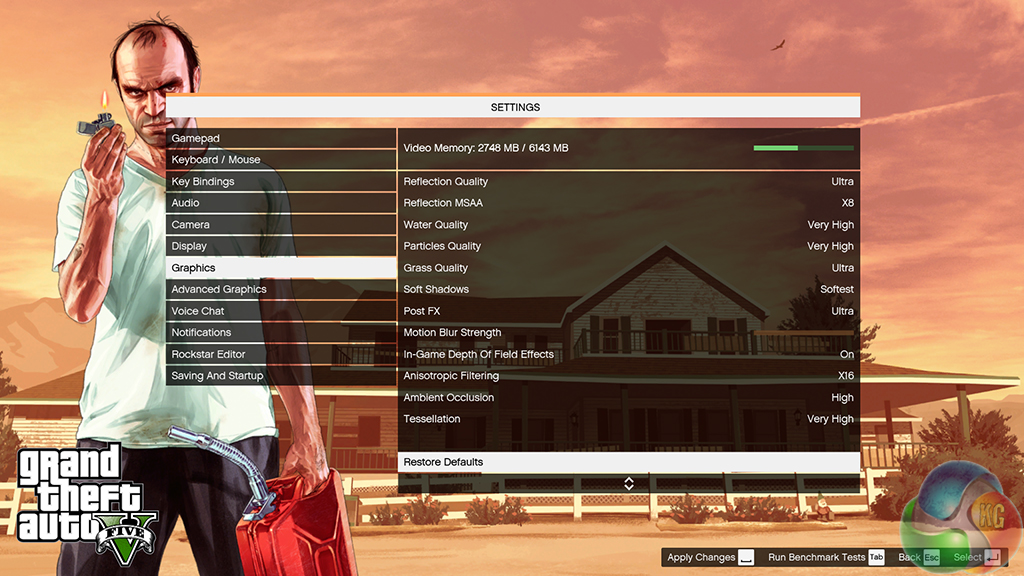
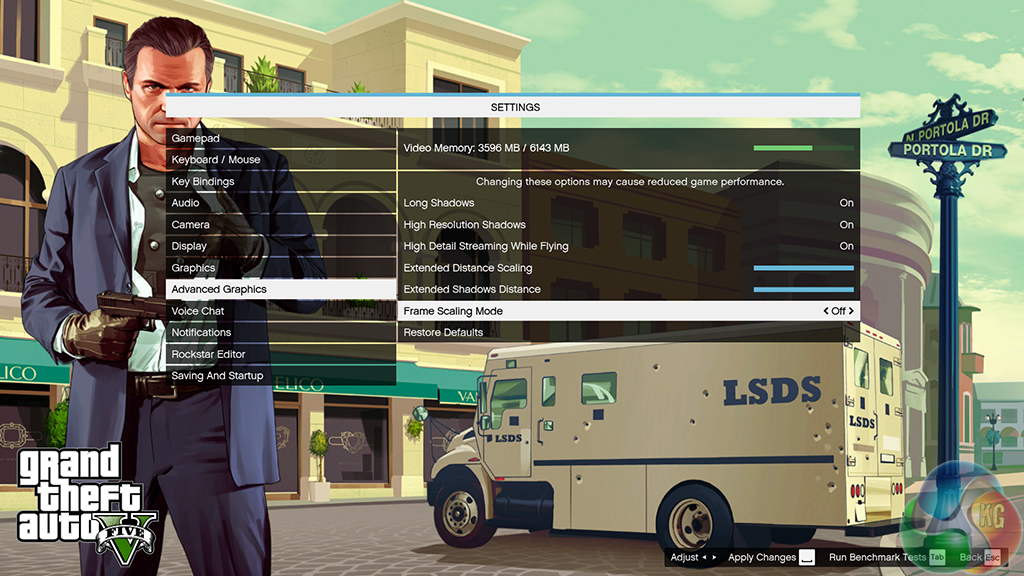
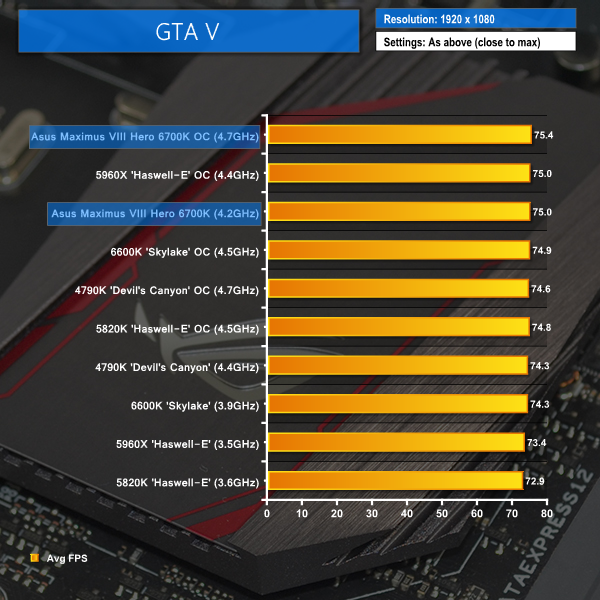
We apply very near maximum settings in Grand Theft Auto V and a 1920×1080 resolution to push today’s hardware. Our data was recorded using the built-in benchmark.
Middle Earth: Shadow of Mordor
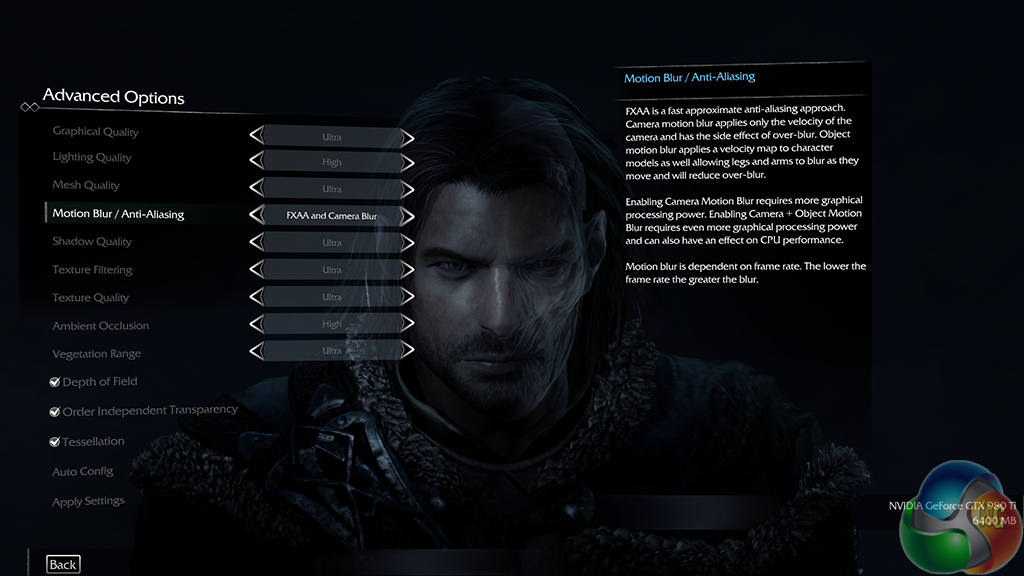
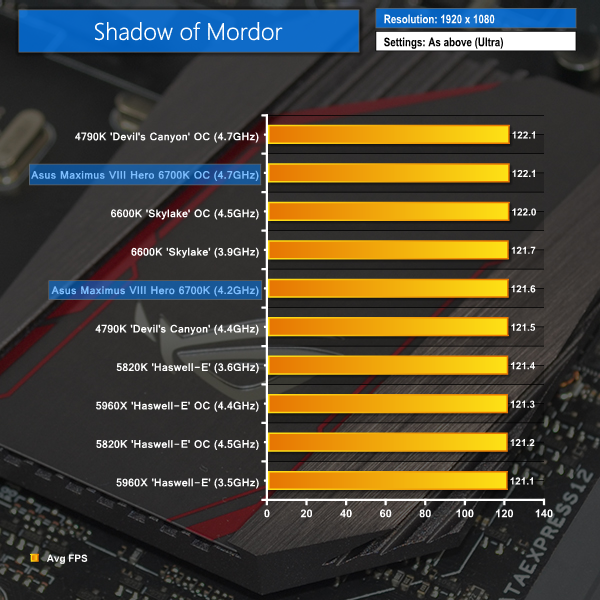
We used a 1920×1080 resolution and the Middle Earth: Shadow of Mordor built-in benchmark set to ‘Ultra’ quality.
Tomb Raider
We used a 1920×1080 resolution and the Tomb Raider built-in benchmark set to maximum quality, with TressFX disabled.
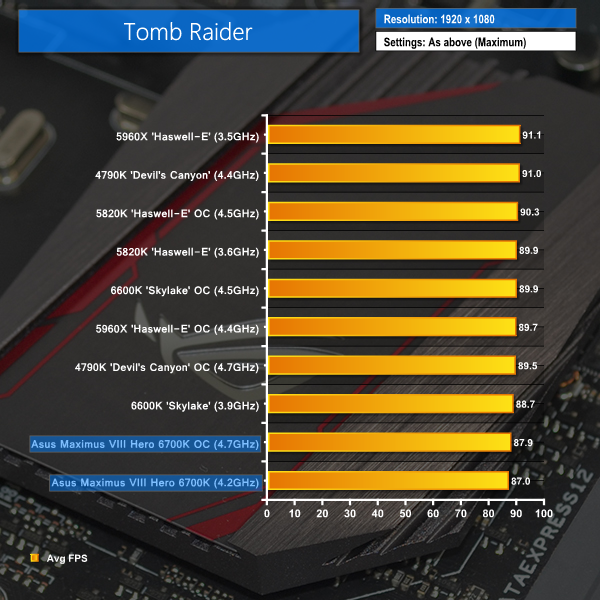
Other than a few early release bugs, Asus gaming-orientated Maximus VIII Hero looks to be able to satisfy its gamer target audience thanks to the positive frame rate numbers shown by Skylake CPUs. The solid overclocking potential of Asus' board helps to squeeze a few extra fractions of a frame in some games.
M.2 connector
We use Plextor‘s M6e 256GB M.2 SSD to test the speed of a motherboard's M.2 connector. We reviewed the 512GB Plextor M6e (and its PCIe x2 adapter card) HERE. Unfortunately we do not have access to a PCIe 3.0-based SSD to fully test the M.2 connector’s performance limits.
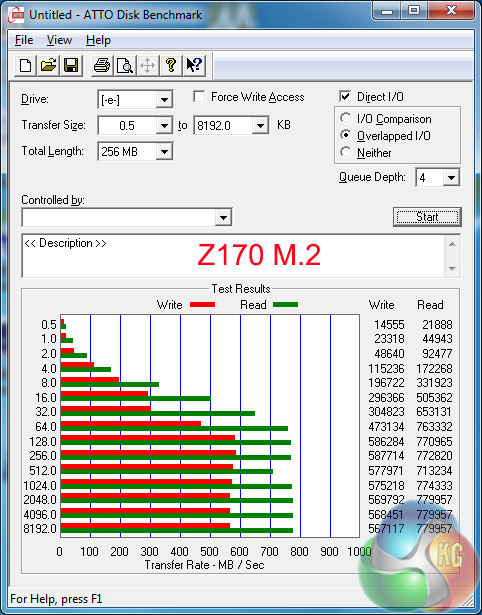
Unsurprisingly, the 32Gbps-capable M.2 connector has no problem providing enough bandwidth for our Plextor M6e to operate without a speed restriction.
SATA
For SATA 6Gb/s testing we use a Kingston HyperX 3K (SandForce SF-2281) SSD.
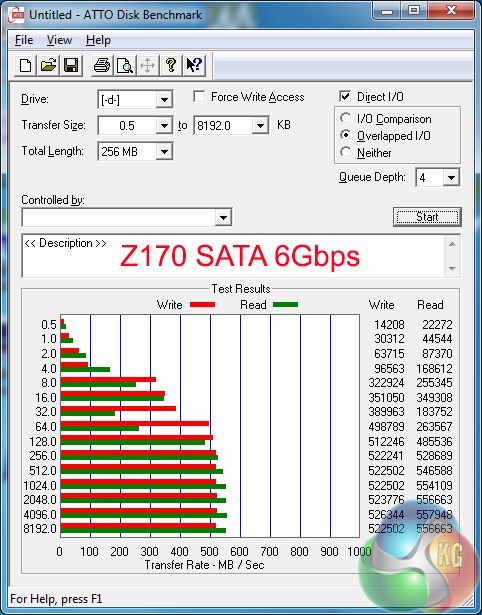
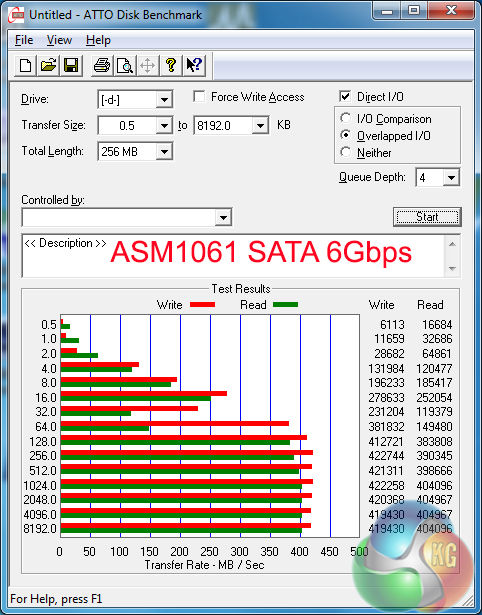
SATA 6Gbps performance from the chipset-fed ports is without issues. ASMedia-based connectors show significantly lower speeds, so these should be reserved for slower mechanical storage.
USB 3.0
We tested USB 3.0 performance using the Kingston HyperX 3K SSD connected to a SATA 6Gb/s to USB 3.0 adapter powered by an ASMedia ASM1053 controller.
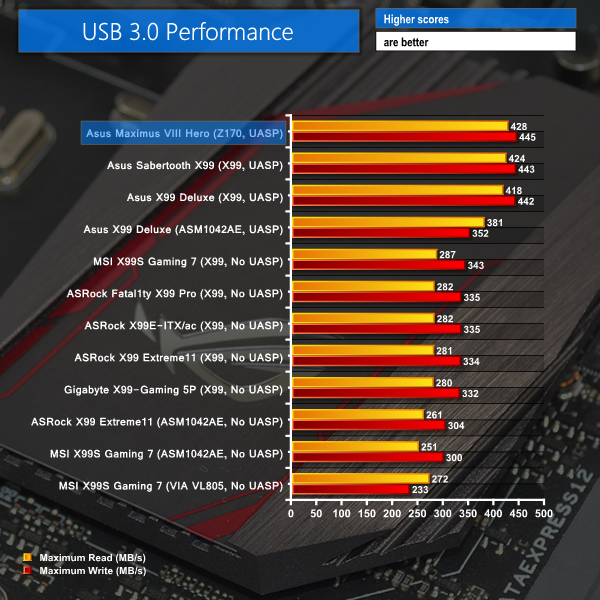
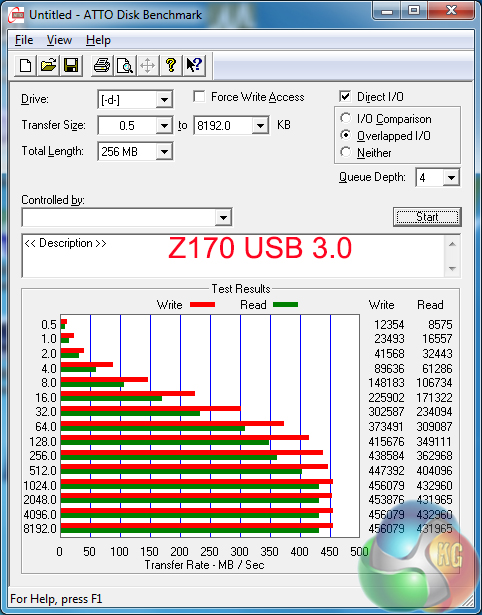
Asus' continued support for its USB 3.1 Boost software allows the vendor's motherboards to score convincing victories when using Windows 7 thanks to the software's UASP driver. In Windows 8.1 and Windows 10, the difference between the USB 3.0 speeds of Asus motherboards and those from competitors will be far less significant.
Audio
We use RightMark Audio Analyzer (RMAA) to analyse the performance of the motherboard’s onboard audio solution. A sampling mode of 24-bit, 192 kHz was tested.
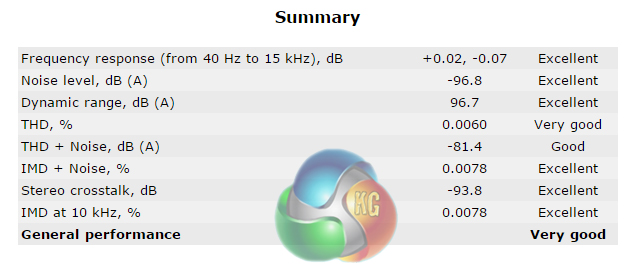
RMAA reports the audio system on Asus' Maximus VIII Hero as having ‘Very Good' general performance.
We measured the power consumption with the system resting at the Windows 7 desktop, representing idle values.
The power consumption of our entire test system (at the wall) is measured while loading only the CPU using Prime95′s in-place large FFTs setting. The rest of the system’s components were operating in their idle states, hence the increased power consumption values (in comparison to the idle figures) are largely related to the load on the CPU and motherboard power delivery components.
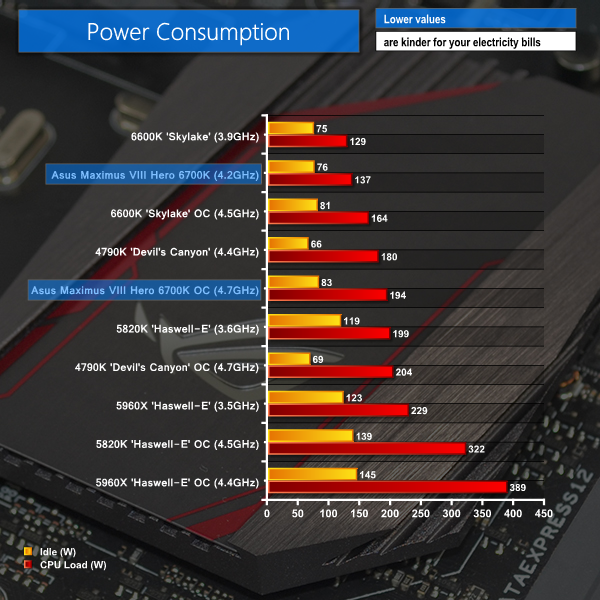
Asus' power delivery system looks to be allowing the Skylake CPUs to operate with positively-low energy usage levels. A 1.4V CPU overclock increases system-wide power consumption, but motherboard and VRM temperatures still stayed in check for the Maximus VIII Hero.
Asus' Maximus VIII Hero has been crammed with gaming-orientated features, both on the hardware and software fronts, and styled to appeal to appearance-conscious builders. The result is a positive one.
Solid overclocking performance is delivered by the Maximus VIII Hero. Skylake CPUs are inherently fun and simple to overclock, although there's also room for fine-tuned adjustments if that's what you prefer. Asus has done a good job at tweaking the Maximus VIII Hero's UEFI settings to appeal to more knowledgeable overclockers, as well as those who simply want a performance boost. I would, however, like to see Asus make their LLC settings easier to understand and control.
We had no problems pushing four sticks of 3200MHz DDR4 with the Maximus VIII Hero, and the board was perfectly stable throughout our testing even though up to 1.40V was being delivered to the CPU.
Inherent features from the Z170 platform are well-chosen by Asus. There's support for high-bandwidth CrossFire and SLI of two cards, as well as simultaneous opportunity to install a pair of PCIe 3.0 x4 SSDs. USB 3.0 ports are plentiful and Asus utilises add-on chipsets to provide USB 3.1 connectors in the Type-A and Type-C form.
A particular strength for the Hero is its enhanced audio solution. RMAA test results indicate strong performance from the system, and our empirical testing agrees. Gamers who do not see the need to invest in a dedicated sound card are likely to be happy with Asus' onboard solution.
One of the board's main selling points is its styling. The stand-alone motherboard is, in my opinion, very attractive. With that said, I still prefer the bold red and dark black colour scheme of yesteryear's ROG motherboards. I think that gamers who have spent time and money on other hardware to match their colour scheme precisely may be disappointed to see the motherboard's sudden style change. The chipset lighting control, however, is a nice touch that adds a degree of novelty to the motherboard.
As we have simply come to expect from Asus, the UEFI and supplied software are both excellent. Although we did not examine it fully in this review, RAMCache can be particularly useful and gamers will welcome network control through GameFirst III.
With suggested pricing of £171.99, Asus' Maximus VIII Hero will be one of the more expensive Z170 motherboards on the market. To users who are willing to pay the price premium for ROG software and hardware features, as well as a unique styling, the Maximus VIII Hero is a good choice, albeit not the most cost-effective one.
Discuss on our Facebook page HERE.
Pros:
- Good set of gaming-orientated features.
- Strong audio solution.
- Smart allocation of storage and connectivity interfaces.
- Solid UEFI with a range of overclocking options.
- USB 3.1 Type-A and Type-C.
- Chipset lighting control will appeal to many.
- Some useful pieces of software.
Cons:
- Some of the overclocking settings can be difficult to master (namely LLC).
- Potential for interference if a graphics card is positioned above the M.2 slot with a U.2 adapter card installed.
KitGuru says: A well-designed motherboard that carefully targets its audience with a set of precisely-chosen features.


Z87/97 still look better. This new one not really. Too much black and not enough red. The grey does looks okay. Looks like I’ll be skipping this series. The specs will make the difference in the end and the pricing.
X99 has 8 RAM ports and many of the boards have USB 3.1 and M2 Turbo ports. I can’t really justify this.
hi! just wanna know what is the total height if the covering plates from the back panel up to the parts near the cpu socket? hope anyone can answer it by millimeter. thanks 😀
I think it looks pretty awful tbh compared to their Z87/97 offerings. That plastic cover looks way tacky and sub-standard for a £170 board. The whole overall look of the board just doesn’t scream high-end ROG to me. Granted the RGB is a nice touch but it’s only on the chipset heatsink and there is still red present on the heatsinks which just ruins the point doesn’t it not?
The Ranger board is even worse on the styling. I don’t get why people are loving the look of these…
Can the chipset lighting cover be removed for paint modding?
Really mate? Please link the x99 matx motherboard with 8 Ram slots, because I would love to see it.
In my opinion this board looks better than other 1151 ones on the market (Gigabyte GA-Z170X, MSI Z170A for example). All of them have a tacky look to them with coloured highlights and labels.
I’d like to know what you think is a better looking board than this one, even if it is subjective.