 KitGuru KitGuru.net – Tech News | Hardware News | Hardware Reviews | IOS | Mobile | Gaming | Graphics Cards


Intel's Z97 chipset has arrived, bringing with it a handful of new features, including native support for PCIe-based storage. Motherboard manufacturers have been busy working on their boards based on the 9-series chipset. As of May 11th, the LGA 1150 socket motherboards with Z97 and H97 chipsets are available to purchase.
We analyse Gigabyte's upper-mid range Z97X-UD5H-BK Black Edition motherboard to see what features it and the Z97 chipset bring to the table.
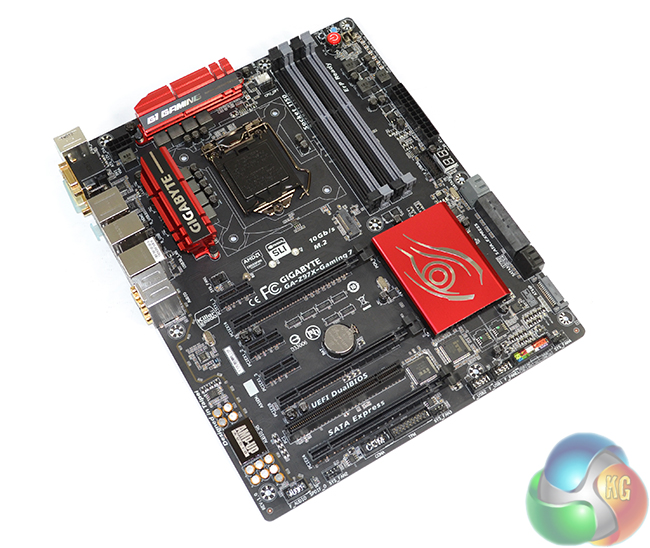
With its Z97X-UD5H-BK Black Edition motherboard, Gigabyte is aiming to provide the upper-mid range market with features that will satisfy gamers and conventional users alike. Hitting an important target zone that Asus exploited with its TUF series motherboards, Gigabyte is building the Black Edition version of its UD5H board around durability and reliability.
The value associated with certified reliability is something that I can understand. Many users are happy to pay-up for the additional peace of mind that their component has already survived high-stress loading, effectively accelerating its electronic components further away from their infancy region in the bathtub curve.
Many people may suggest that such reliability dictates the requirement for workstation-level hardware, although that's not always feasible. For example, I use my personal system on a daily basis for a variety of tasks, from gaming and general web-browsing, to CAD, computational simulation, and programming.
Workstation-level hardware may only suffice for the engineering-tasks that make up less than 50% of my usage. Not necessarily to me personally, but gaming hardware may not appeal to users with a similarly varied workload. This is where Gigabyte's ‘hybrid' Z97X-UD5H-BK Black Edition motherboard has an opportunity to prove its worth.
Key features for the Z97X-UD5H-BK include SATA Express and M.2 connections, support for multi-VGA configurations, a Killer E2200 series NIC partnered with Intel's I217-V, and a Realtek ALC1150-based audio system. Reliability aspects include 10K black capacitors, International Rectifiers power controllers, a 2 Oz copper PCB, onboard voltage reading points, and Gigabyte's patented Dual BIOS.
Certified for reliability by undergoing a 168-hour stress test and backed up by a 5-year warranty, can Gigabyte's £174.95 Z97X-UD5H-BK Black Edition motherboard prove its worth through our critical analysis?
The Z97 Chipset
To consumer audiences, the most important new feature that Z97 brings with it is native support for PCIe 2.0 x2 M.2 storage devices with speeds of up to 1GBps. Other features include enhanced security and updated storage support (based around PCIe SSDs).
Motherboard Features:
- Durable components.
- Safe design.
- 10Gbps M.2 connector.
- 10Gbps SATA Express connector.
- Killer E2200 series NIC.
- Intel LAN.
- Realtek ALC1150.
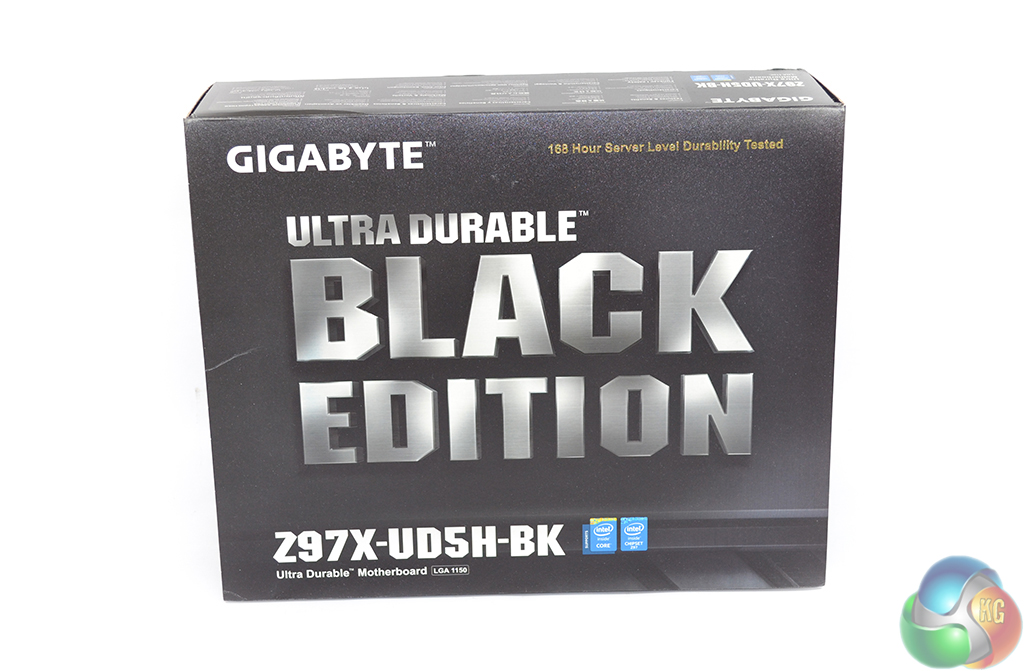
Sticking to the motherboard's Black Edition marketing, Gigabyte ships the Z97X-UD5H-BK in black packaging.
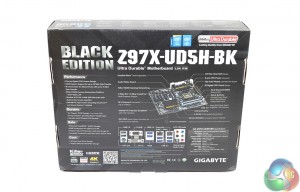
An annotated image featuring extensive information regarding the motherboard's specifications is found on the packaging's rear side.
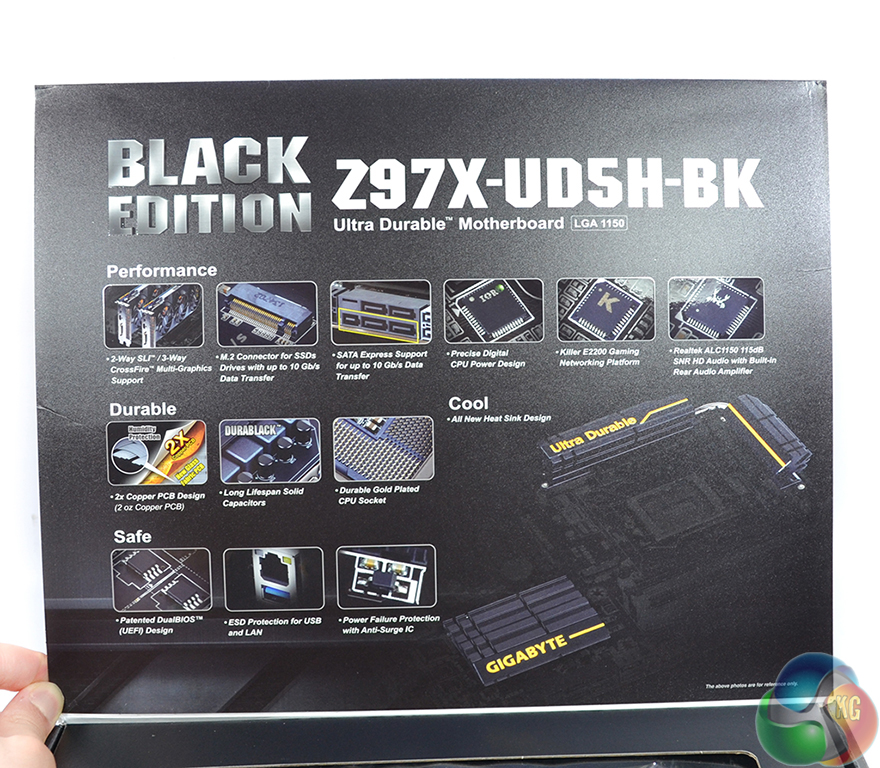
Opening the front flap reveals additional information regarding the Z97X-UD5H-BK motherboard. A plastic window also gives a glimpse at the motherboard inside.
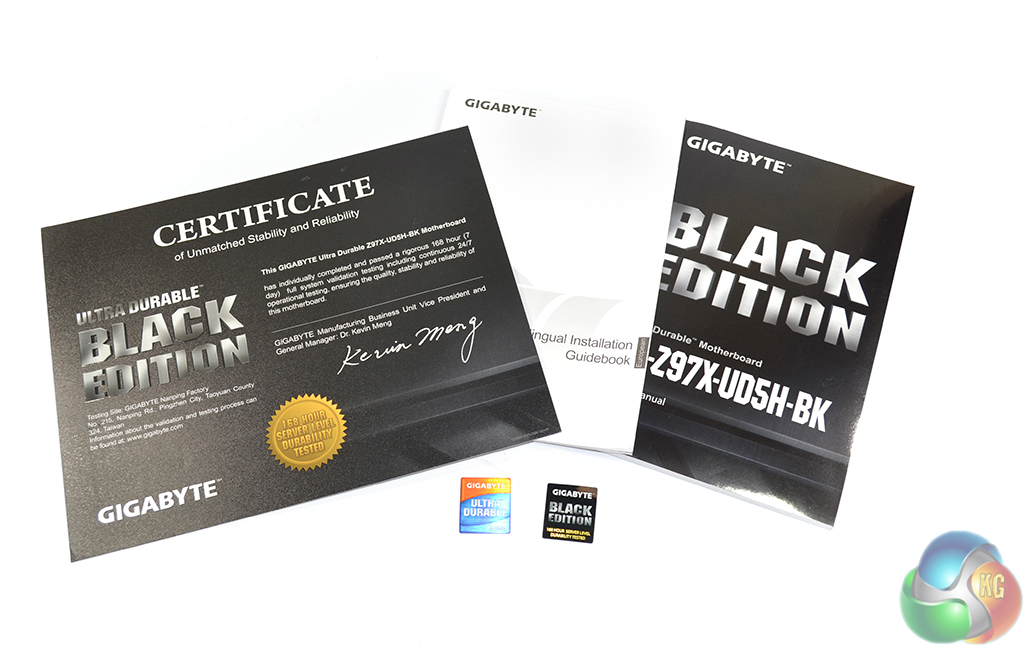
Documentation is supplied in the form of manuals, a drivers disk, two case badges, and a certificate. Gigabyte's included certificate of reliability and stability states that the Z97X-UD5H-BK motherboard has passed a week-long continuous operation test.
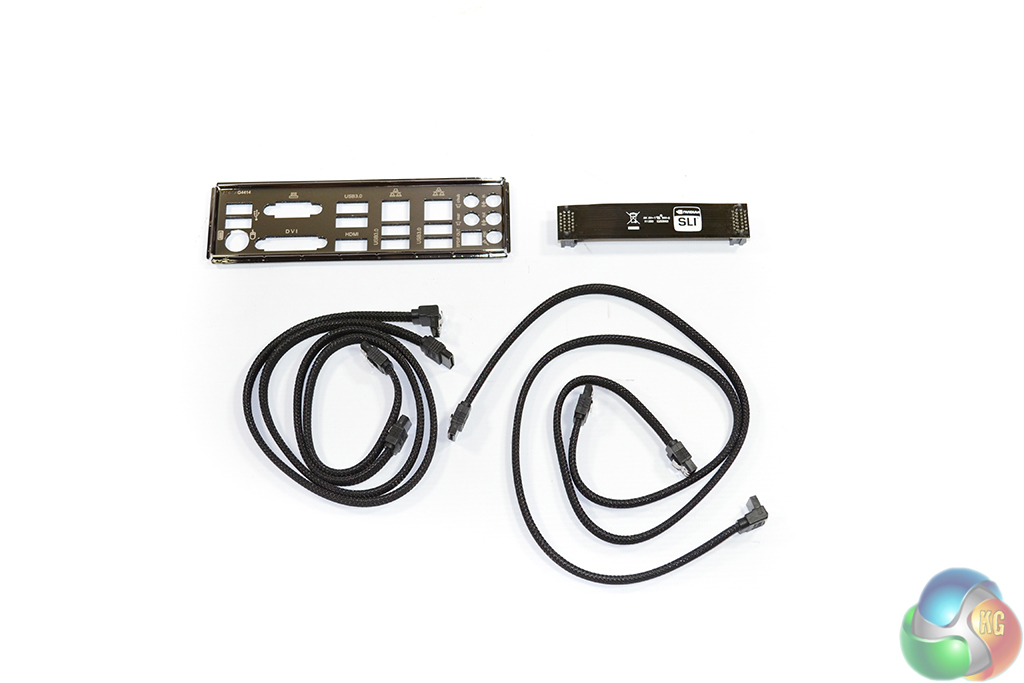
Despite the Z97X-UD5H-BK motherboard's upper-mid range price point, Gigabyte includes a bare accessory bundle. A black IO shield is accompanied by a dark black SLI bridge and four SATA cables.
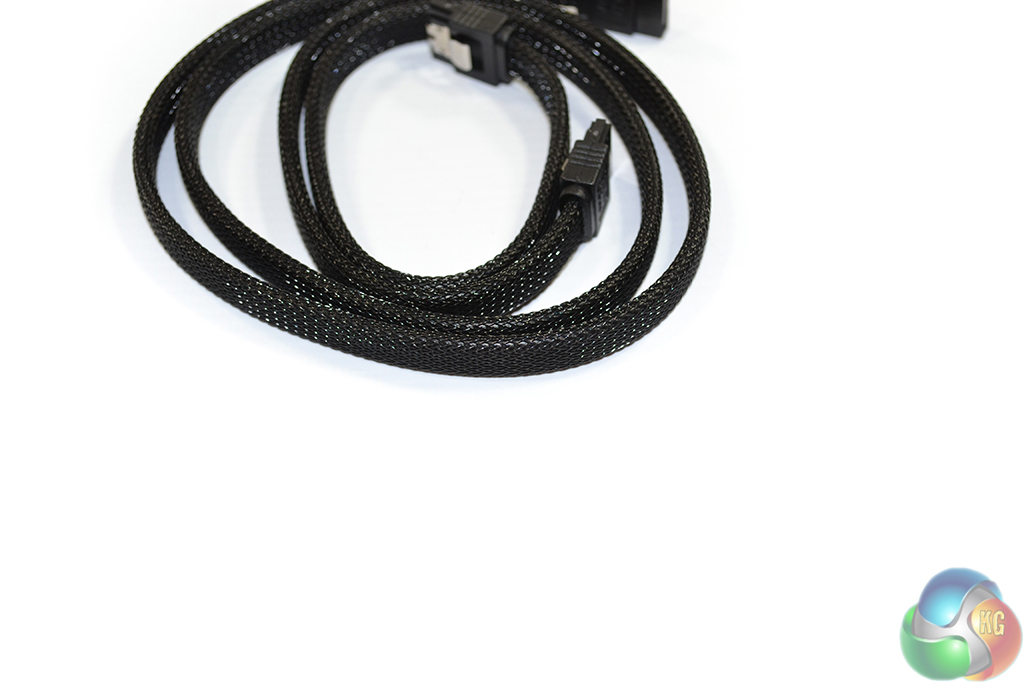
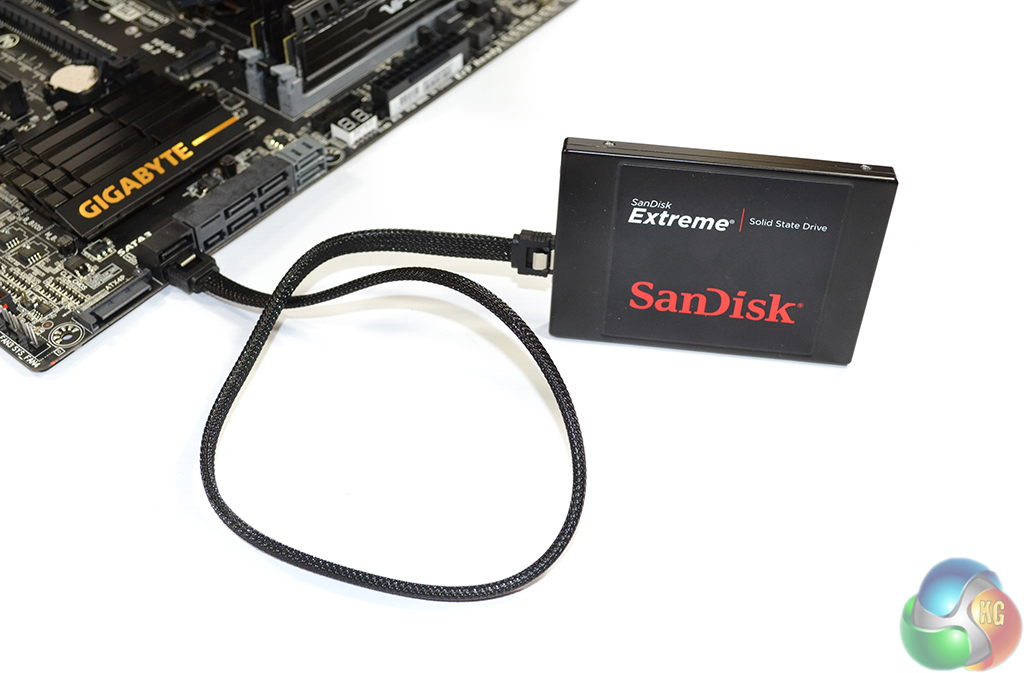
Each SATA cable is contained within an attractive mesh material that provides a unique appearance over the conventional plastic coating.
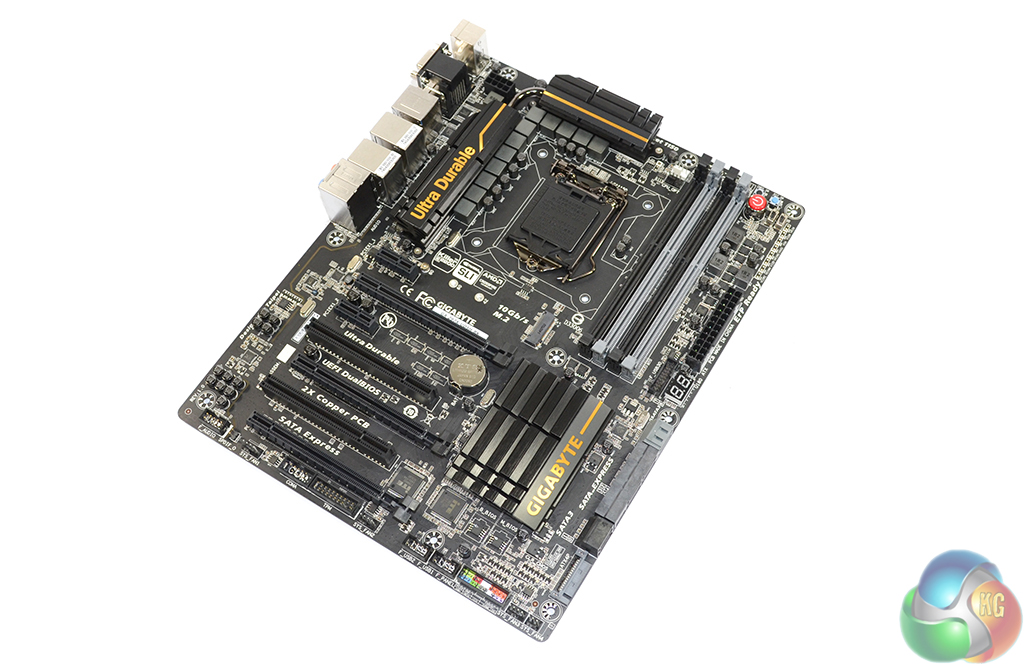
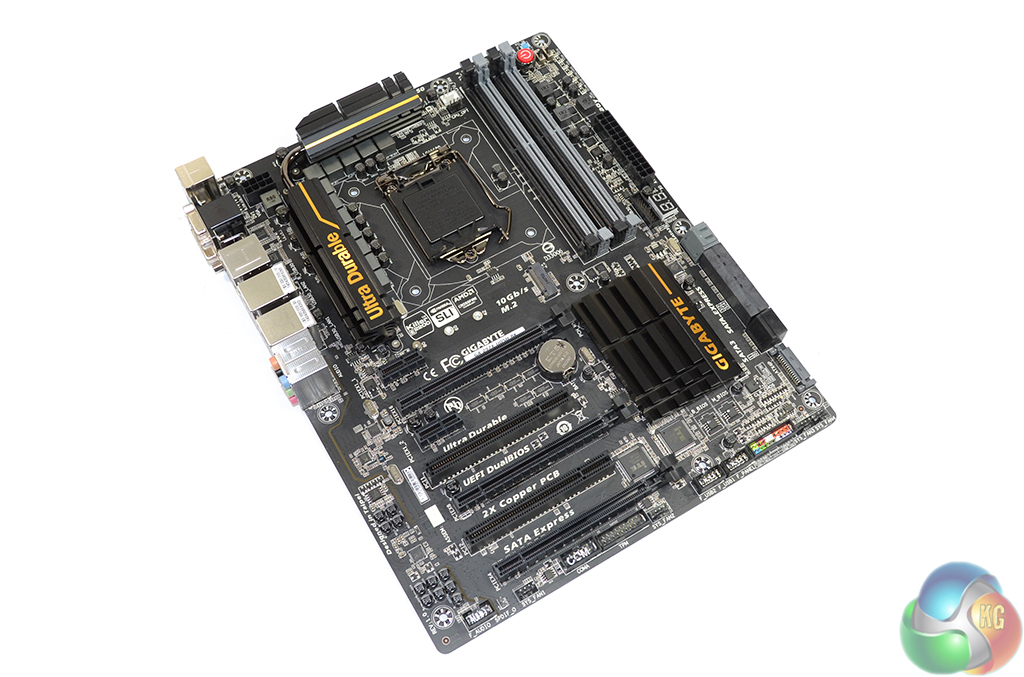
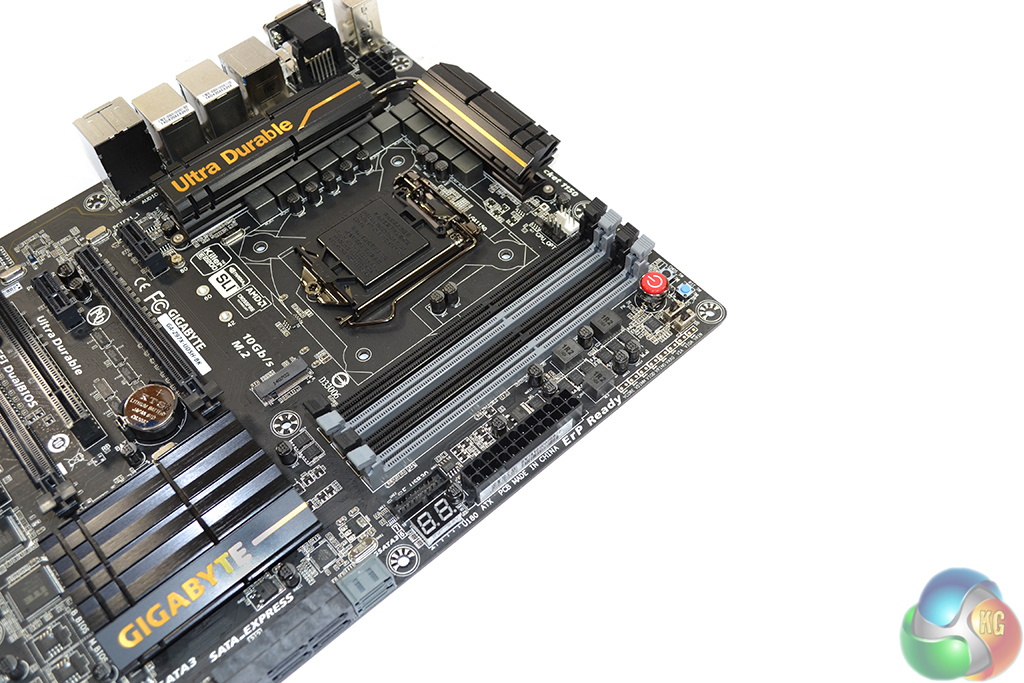
As the name would suggest, Gigabyte’s Z97X-UD5H-BK Black Edition motherboard uses a dark colour scheme with gold and grey hints offering small variances from the all-black appearance.
Gigabyte’s upper-mid range motherboard is accompanied by a host of user-orientated features, but two further foundations for the Black Edition part are: stability and reliability. Gigabyte outlines the motherboard’s durability by operating a continuous, week-long, server-level stress test which includes Litecoin mining as a task. Dual BIOS chips are also used to provide redundancy.
Owners of Gigabyte's Black Edition motherboard are able to join the Black Edition Members' Club. Gigabyte states that members can enjoy a number of benefits from joining the club, but the most important perk is an extended warranty period which sees the board being covered for five years. That's a strong warranty period which shows that Gigabyte has faith in its motherboards.
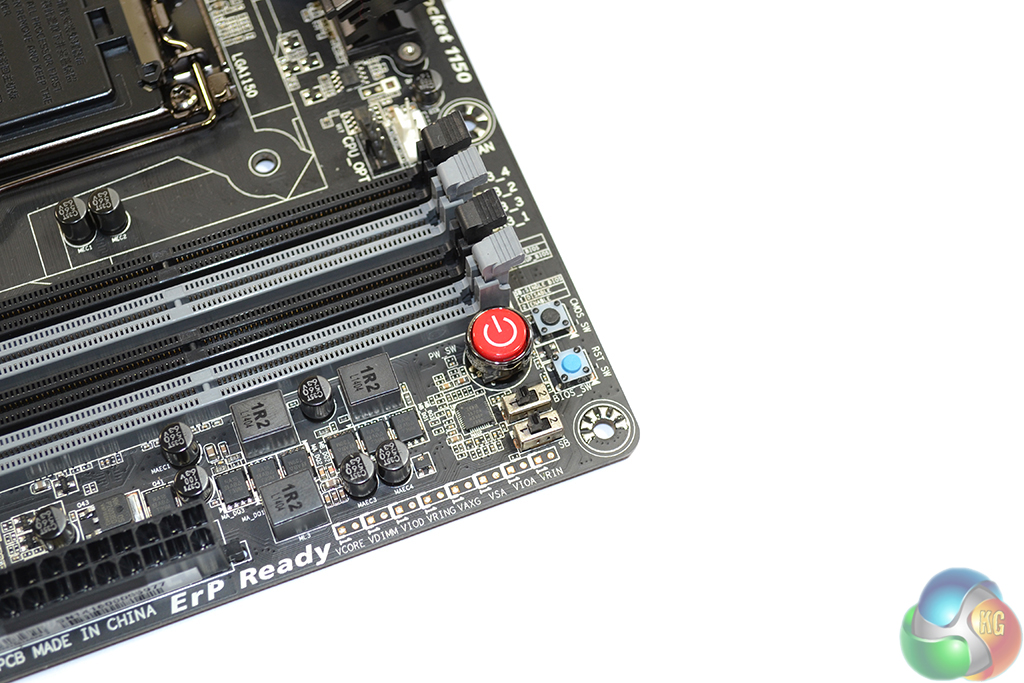
Up to 32GB of DDR3 memory can be installed in the Gigabyte Z97X-UD5H-BK motherboard. Gigabyte does not state supported memory speeds over the CPU's native 1600MHz frequency. Speeds of up to 2933MHz should be achievable with most quad-core LGA 1150 i5s or i7s.
In the vicinity of the DIMM slots are onboard buttons and voltage checkpoints to assist with users’ overclocking efforts. The button functions are: On/Off, Clear CMOS, and Restart. Switches allow for the BIOS mode to be switched between single and dual.
Gigabyte's positioning of the onboard Debug LED is slightly odd; a thick USB 3.0 cable feeding into the nearby header is likely to block the debug display's view.
Durability and reliability are key philosophies behind the twelve phase power delivery system and electrical arrangement; Gigabyte’s Z97X-UD5H-BK utilises a 2 Oz copper PCB design, 10K black solid capacitors rated for 10,000 operating hours at 105°C, and a 15-micron gold-plated CPU socket.
International Rectifiers 3570A and 3598 controllers work in tandem to operate the power delivery system and voltage regulation.
A pair of eye-catching heatsinks, sporting gold-coloured Gigabyte branding, are connected via a heatpipe and tasked with cooling the motherboard’s MOSFETs. The heatsinks are sufficiently low-profile to make interference with large CPU coolers an unlikely issue.
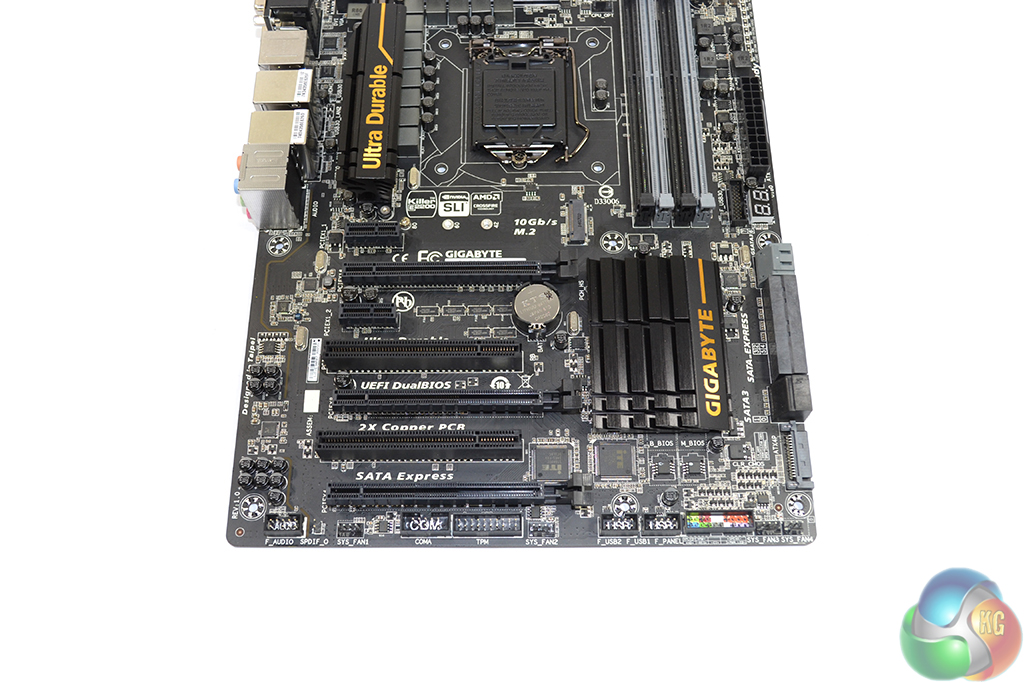
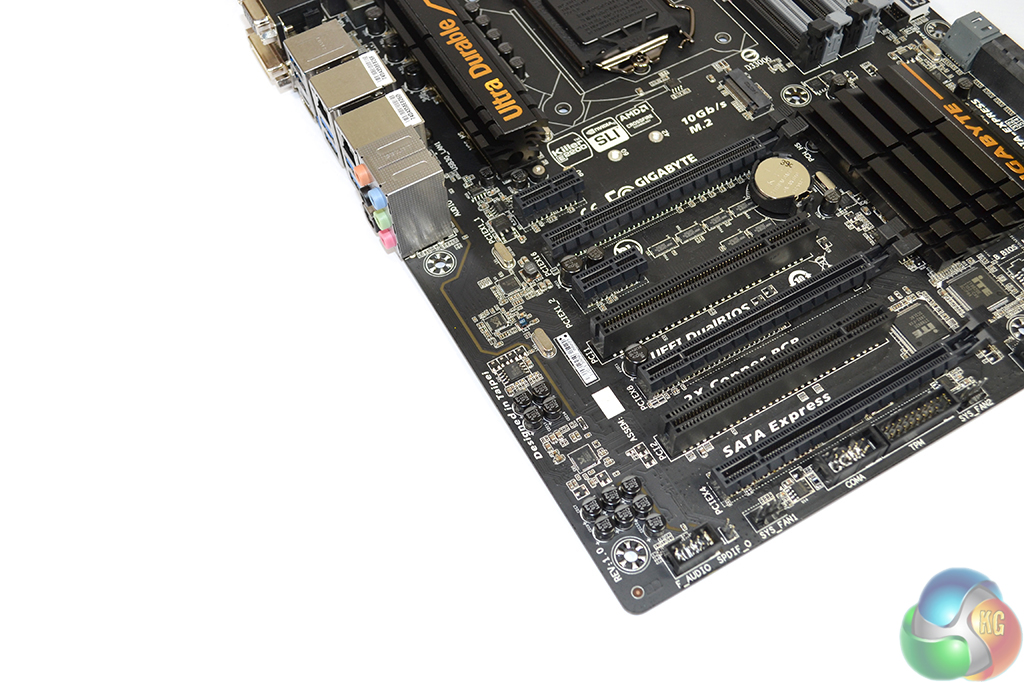
Support for 3-way CrossFire and 2-way SLI is present on the Gigabyte Z97X-UD5H-BK. All PCIe x16-length slots are fed by the CPU’s sixteen PCIe 3.0 lanes. 3-way CrossFire is supported in an x8/x4/x4 manner, while SLI is limited to a 2-way setup due to the technology’s insistence on PCIe x8 connections.
One caveat of providing all full-length PCIe slots with CPU-fed lanes is further expansion. A user wanting SLI (which dictates x8/x8 bandwidth) and a PCIe x2 or x4 interface storage drive, to sit in the lower full-length slot, will have to look for a different motherboard.
A single PCIe lane is used by an ITE 8892E bridge chip to outfit the Z97X-UD5H-BK with a pair of legacy PCI slots. Layout of the expansion area is very good; triple-slot graphics cards can be used in a multi-GPU configuration at x8/x8 bandwidth, or a dual two-slot card setup can be given a breathing gap between the partnering boards.
Gigabyte includes an auxiliary SATA power connector, situated next to the data connections, to provide extra juice to multi-VGA configurations.
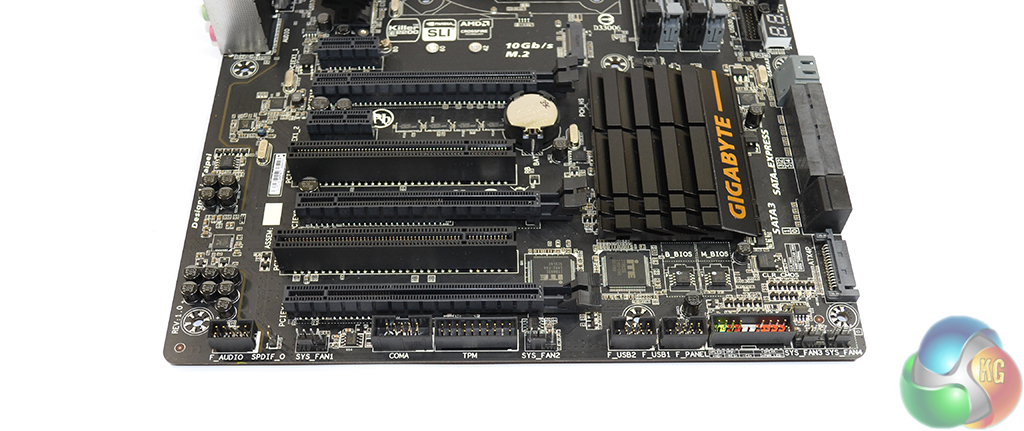
Front panel connections are the usual affair; the audio header sits to the left while the front panel chassis connections lie to the right. Four system fans headers, one 3-pin and three 4-pin, are sat along the motherboard's bottom edge.
The Trusted Platform Module (TPM) may be welcomed by many productivity users who put emphasis upon the security of their system.
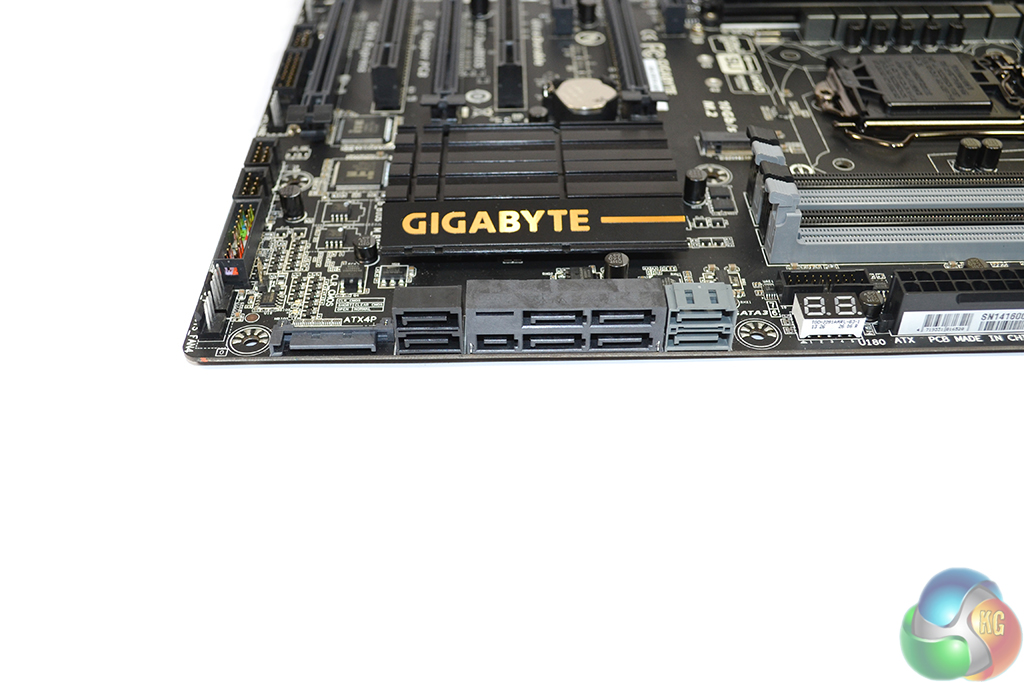
Six Z97-powered SATA 6Gbps connectors are found on the Gigabyte Z97X-UD5H-BK motherboard, with a further two ports being provided by an add-on Marvell controller. One PCIe 2.0 lane is used to provide bandwidth to the Marvell SE9172-fed pair of grey SATA 6Gbps ports. RAID 0, 1, 5, and 10 support is provided by the chipset-fed SATA connections, while the Marvell controller can only handle RAID 0 and 1.
SATA Express support is present; two of the chipset-fed SATA 6Gbps connectors can be used alongside the additional bandwidth-provided port to produce a 10Gbps SATA Express connection.
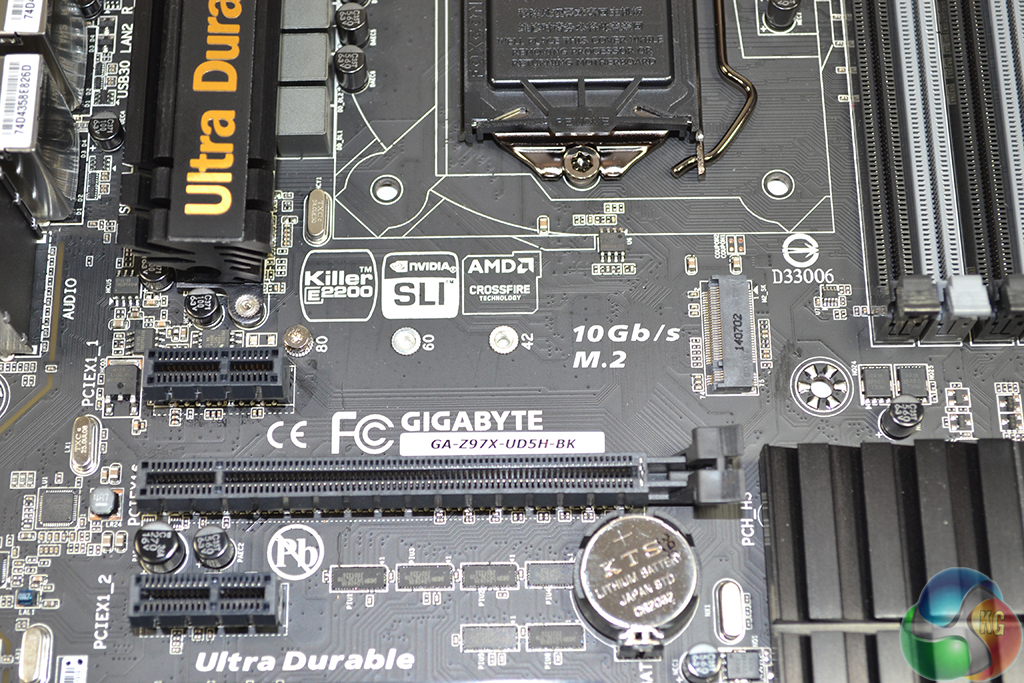
Positioned between the CPU socket and upper PCIe expansion slot is the motherboard’s 10Gbps M.2 connector. Situated away from lingering expansion cards, the positioning of Gigabyte’s M.2 implementation is excellent, as is its support for 42, 60, and 80mm drives.
Due to bandwidth restrictions of the Z97 chipset and the Z97X-UD5H-BK motherboard with its host of add-on controllers, there are limitations as to which storage interfaces can be used simultaneously. Only one set from SATA ports 5 and 6, the M.2 slot, and the SATA Express connection can be used at the same time.
The point to take from providing SATA Express and M.2 connectors, even though they cannot be used together, is one of future-proofing. It is still unclear as to which interface will receive better market adoption, so Gigabyte leaves users with a choice of which to use and the freedom to switch interfaces a few years down the line.
Based around the Realtek ALC1150 codec, Gigabyte uses a Texas Instruments N5532 amplifier for rear audio purposes and filters signals through a series of capacitors and a discrete PCB layer. Realtek's ALC1150 codec provides a signal-to-noise ratio of 115.
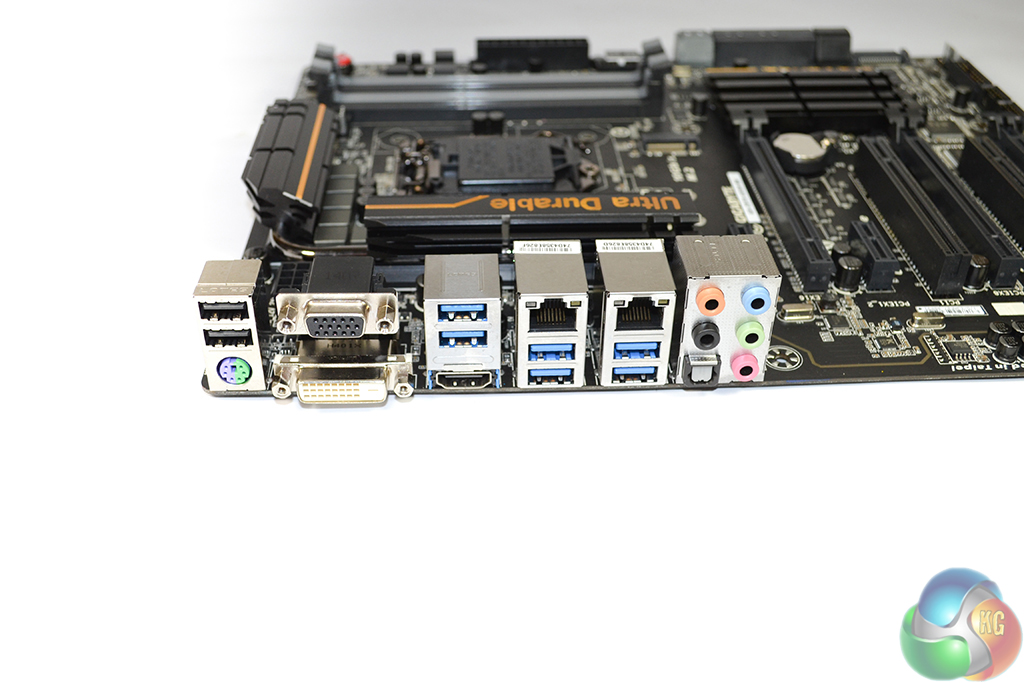
Highlight of the rear IO is the pair of LAN ports. Aiming to cater for all consumer-level audiences, Gigabyte uses a Killer E2201 NIC to provide gamers with smooth online performance, while Intel’s tried-and-tested I217V chipset provides accompaniment and potential low CPU overhead benefits.
ASMedia ASM1442K and NXP PTN3360DBS are used for shifting of the rear connectors' video signals. PS/2 support ensures that gamers can use their old mechanical keyboards.
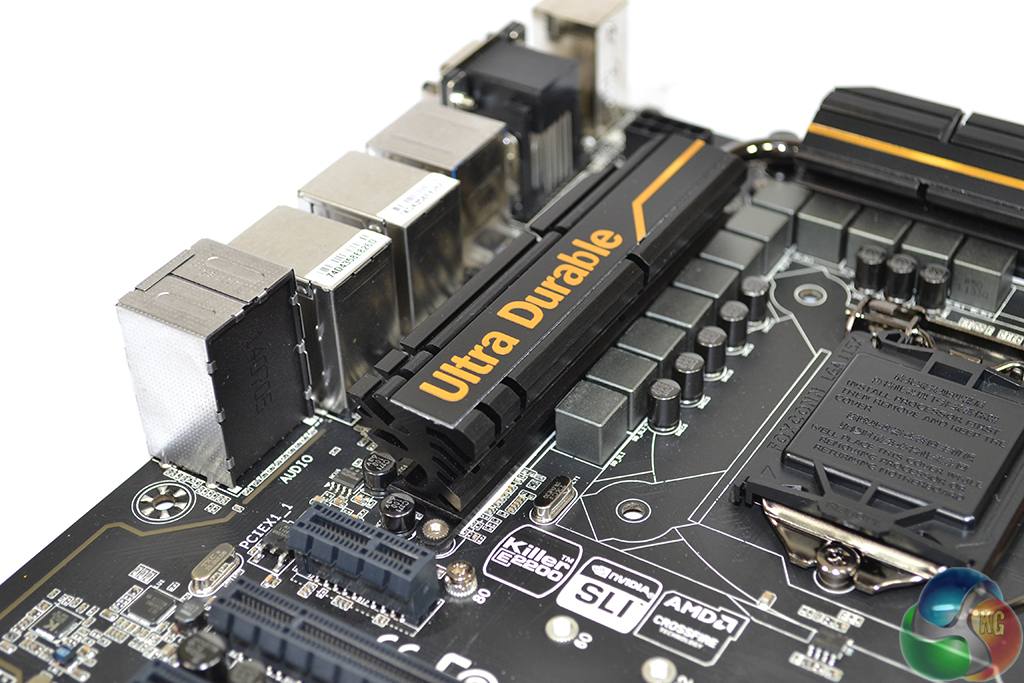
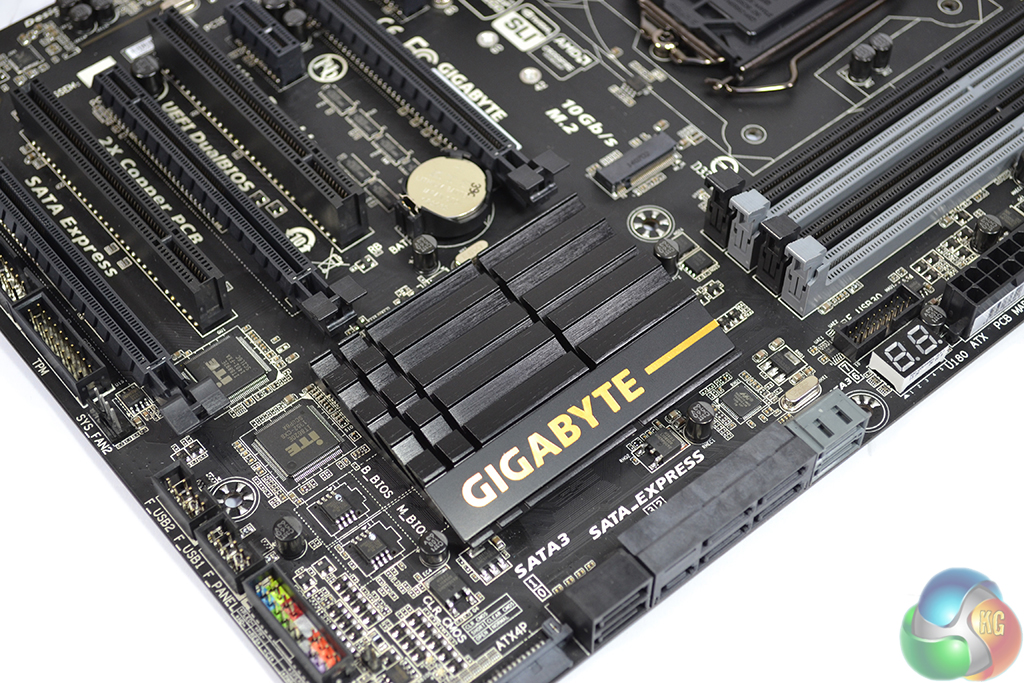
Gigabyte uses a solid black base colouring for its low profile heatsinks, with touches of gold to create an attractive appearance.
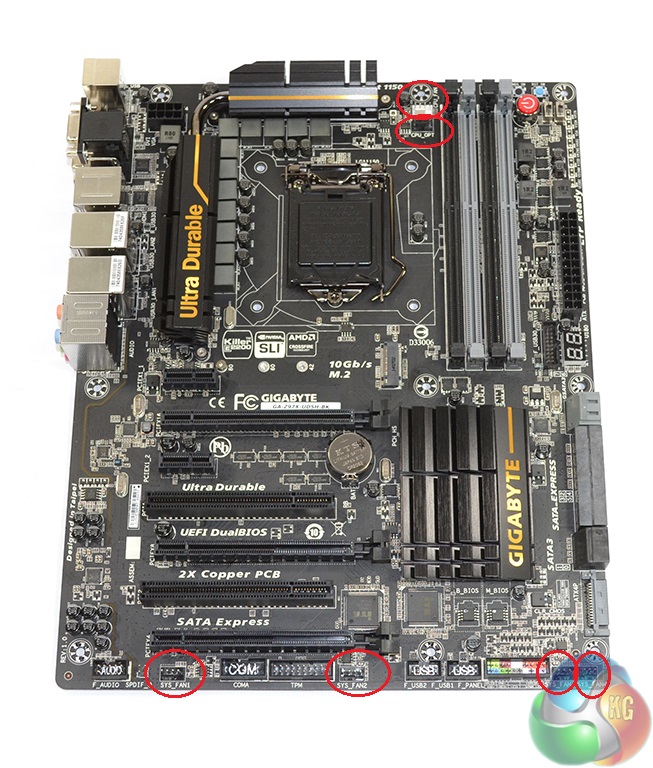
Six fan headers are found on the Z97X-UD5H-BK motherboard, five of which are 4-pin. Two 4-pin headers connecting to the CPU's PWM lane is a good move by Gigabyte which shows that the company is listening to feedback.
Unfortunately, distribution of the remaining four fan headers is particularly poor. All four of the connectors are situated along the motherboard's bottom which, while fine for powering side panel fans, makes stealthily routing a cable from the rear fan mount or an AIO cooler's pump unit almost impossible. Gigabyte should have placed one header near the rear chassis fan position and another near the 24-pin connector.
The motherboard features a total of six USB 3.0 ports, and one header for an additional two connections. A Renesas uPD720210 hub is used to provide four of the ports.
Firstly, we are pleased to report that our Leetgion Hellion mouse worked to its usual standard in the Gigabyte Z97X-UD5H-BK Black Edition motherboard’s UEFI BIOS.
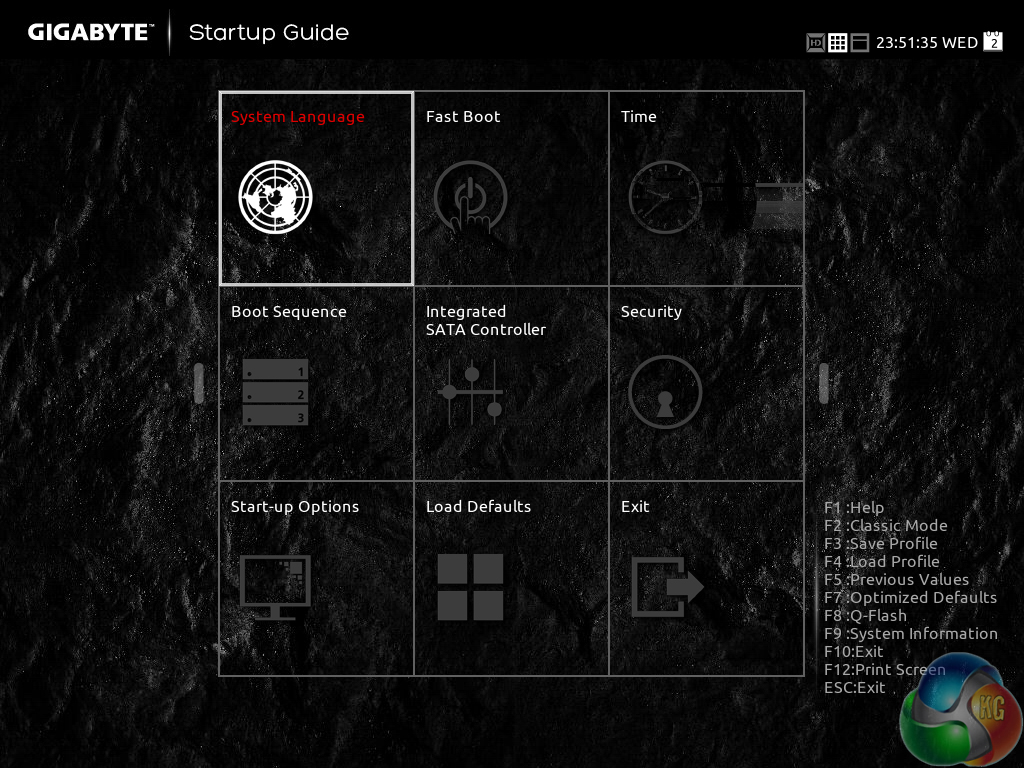
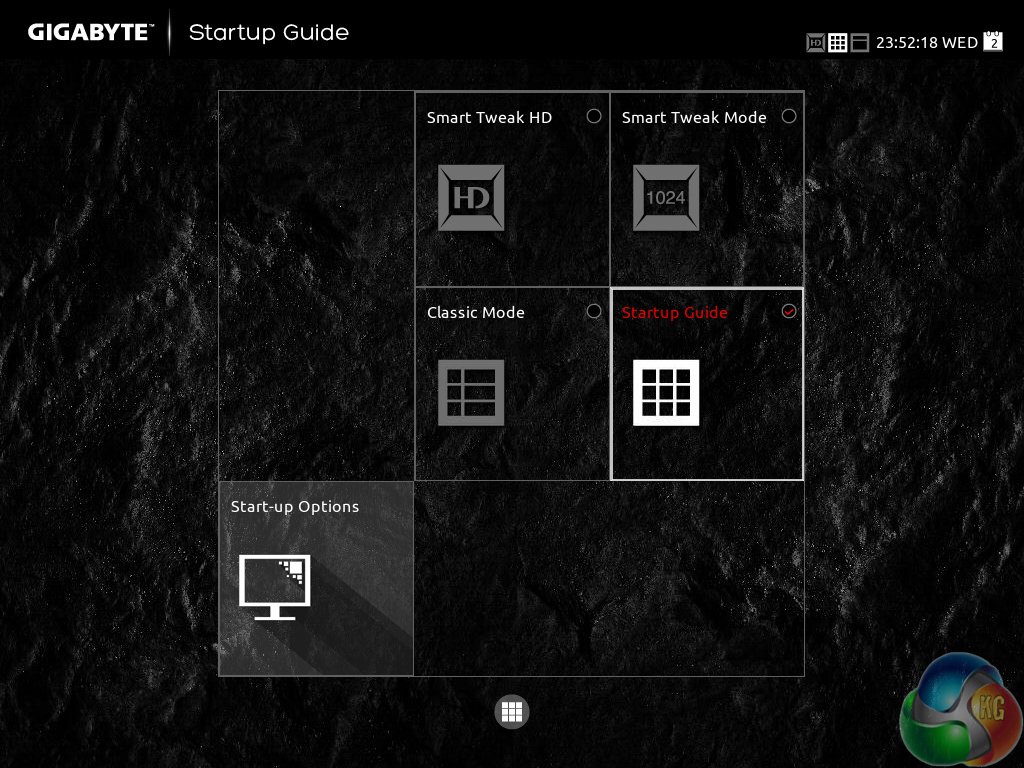
Gigabyte greets users with an entry page that resembles the Windows Metro UI. Tiles provide users with quick access to certain features and settings.
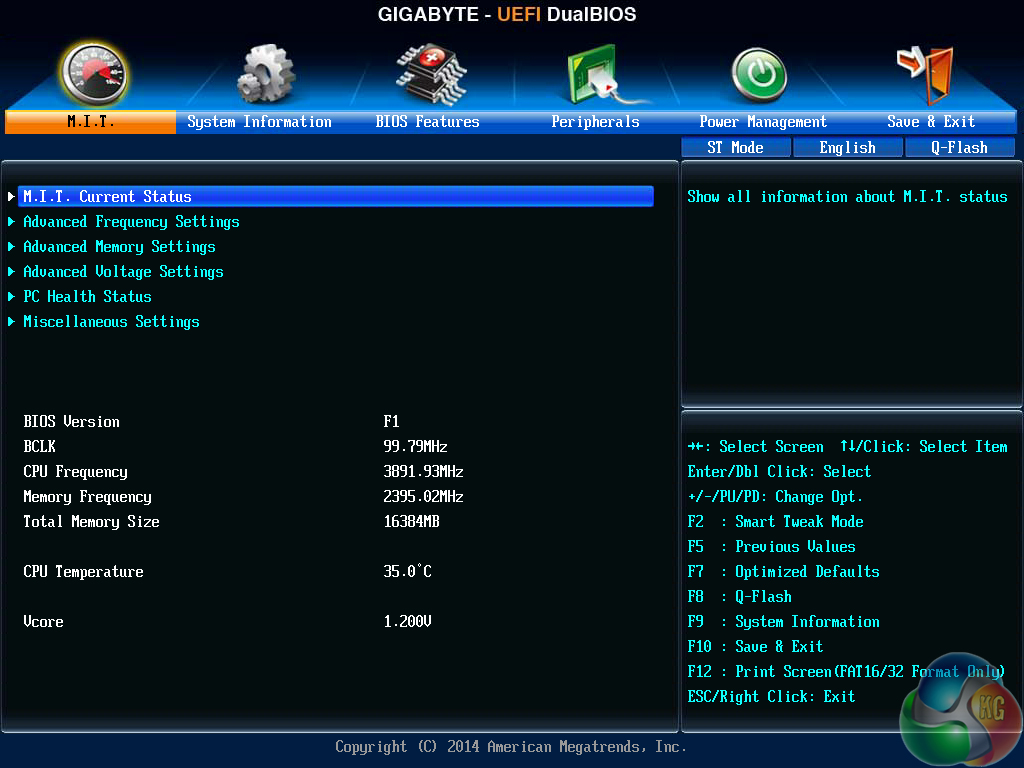
A UI based around Gigabyte's old style of BIOS is present on the Z97X-UD5H-BK motherboard.
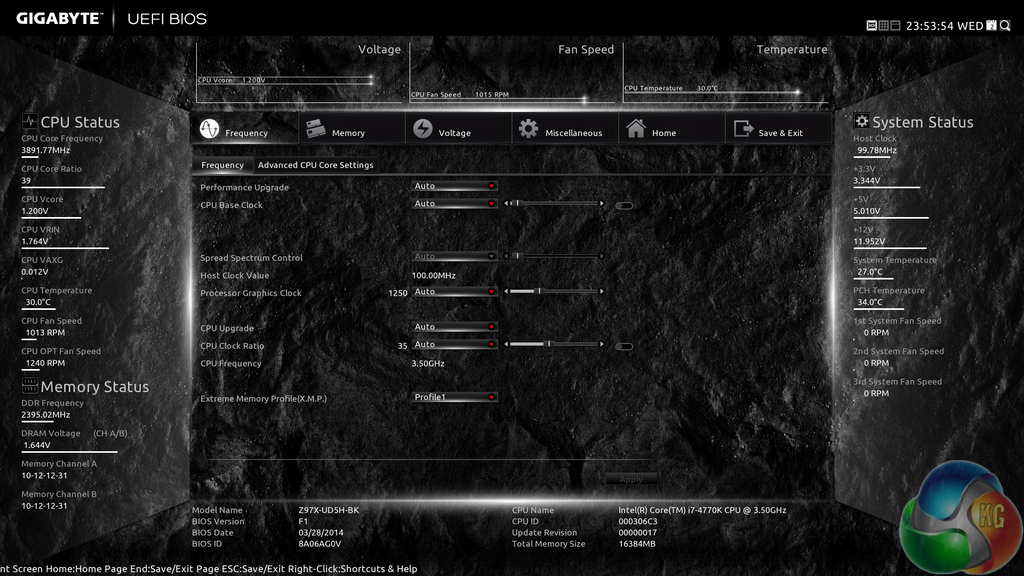
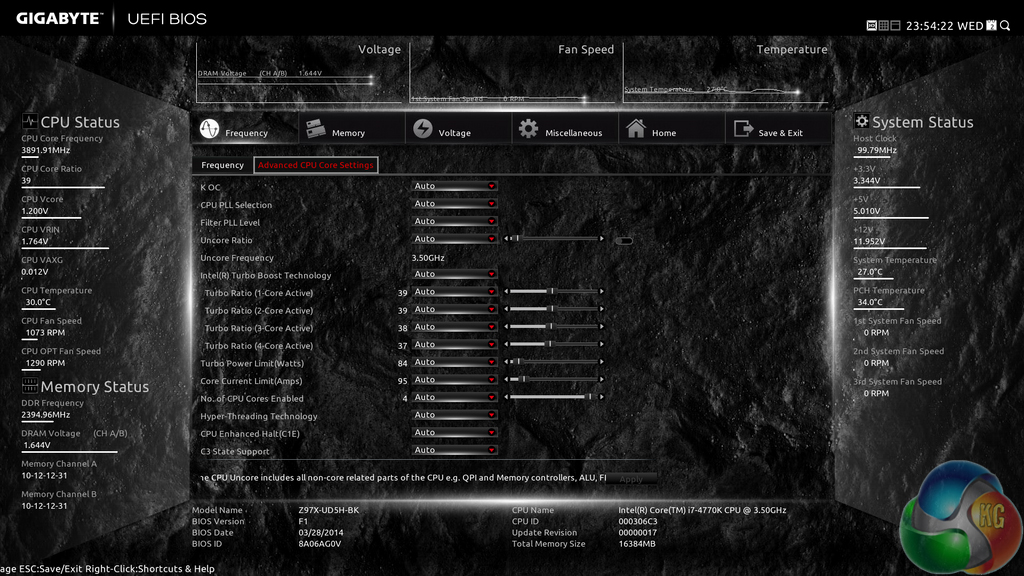
Upon entering the 1920 x 1080 (dependent upon your monitor's resolution) UEFI, Gigabyte opens the frequency page. The interface packs large amounts of information into a single screen by virtue of its 1920 x 1080 resolution. Voltages, frequencies and other monitoring parameters are consistently scattered around the outside of each page.
A number of speed parameters and performance boosts can be selected via the Frequency page and its subsections.


Frequency and timings configurations can be adjusted via the Memory section. Gigabyte includes pre-set profiles tailored for high-spec RAM kits by overclocking professionals such as HiCookie.
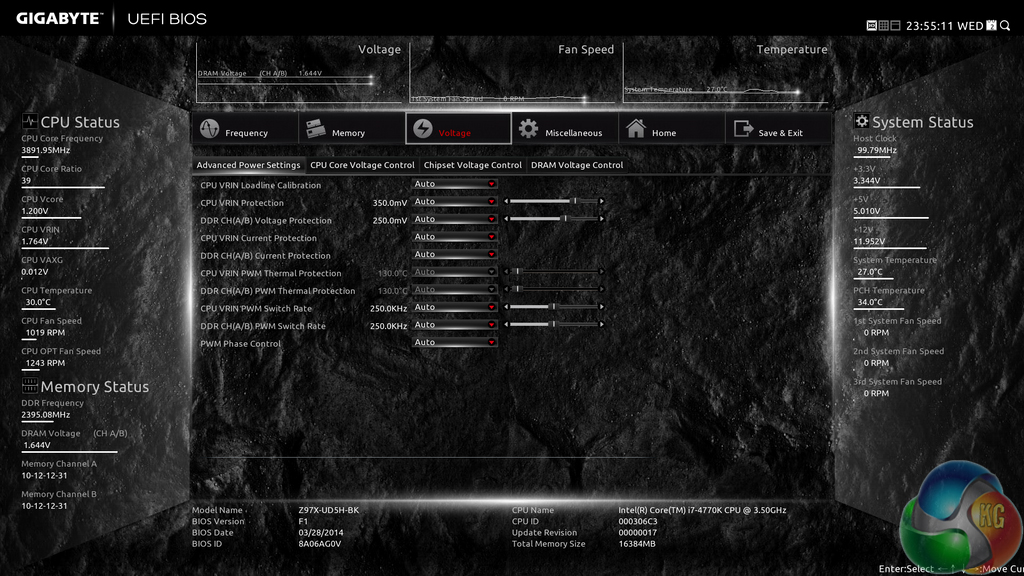
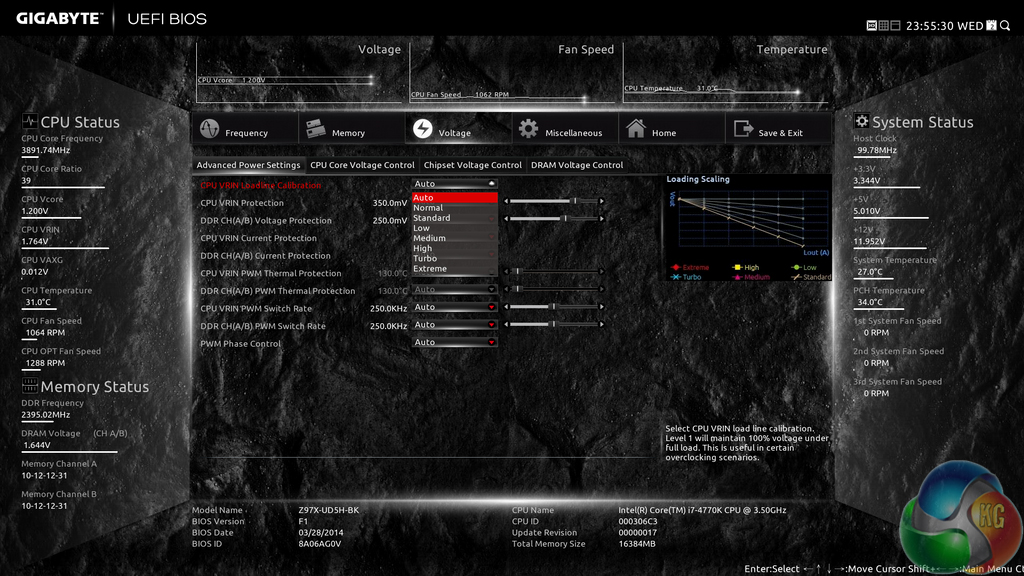
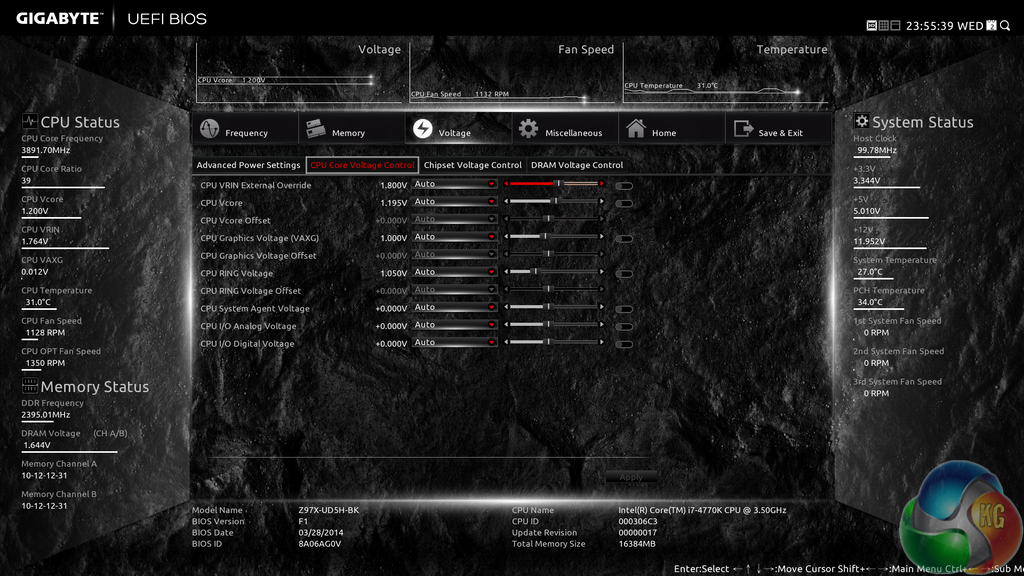

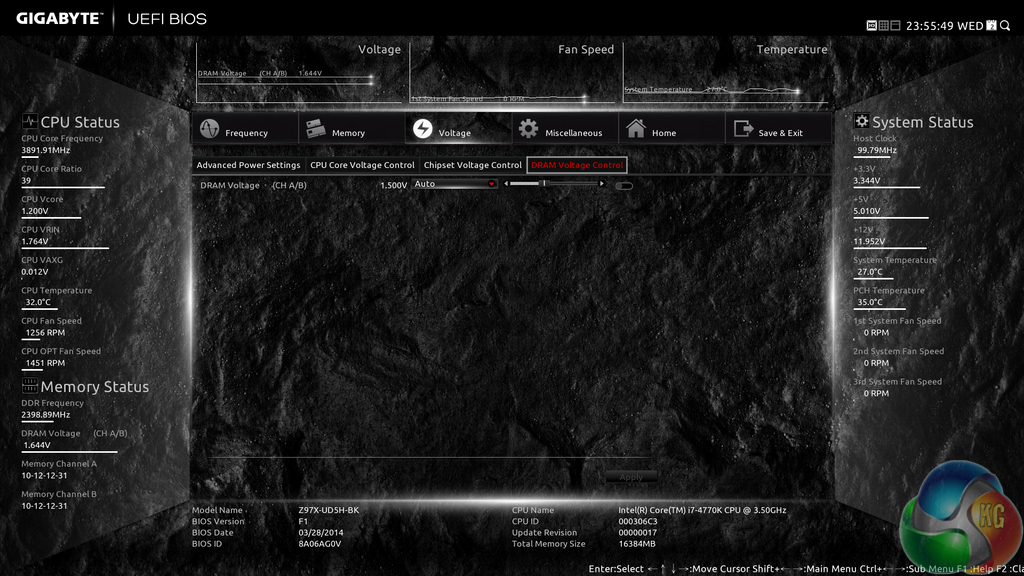
Power and voltage settings can be adjusted in the relevant subsection. Some of the parameters, such as CPU VRIN Loadline Calibration, open a graphical display to assist a user in making an appropriate choice.
Oddly, Gigabyte situated the all-important CPU voltage controls in the second column on the Voltage subsection, not the first.
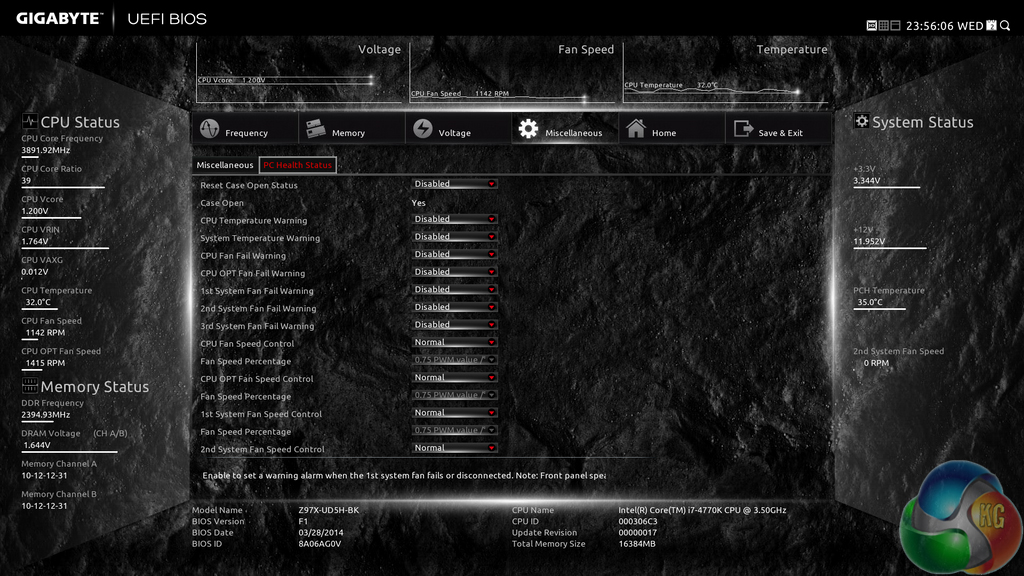
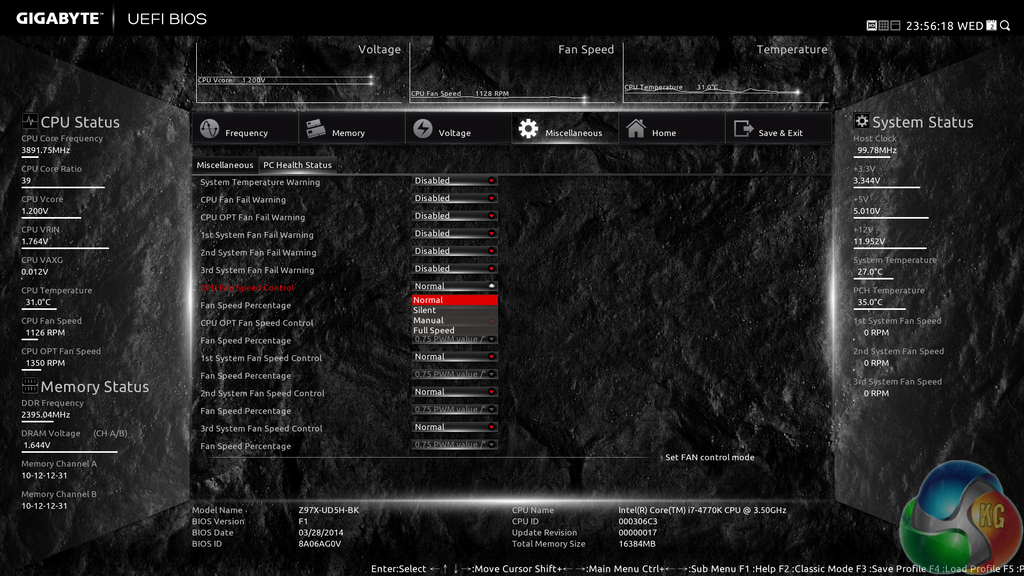
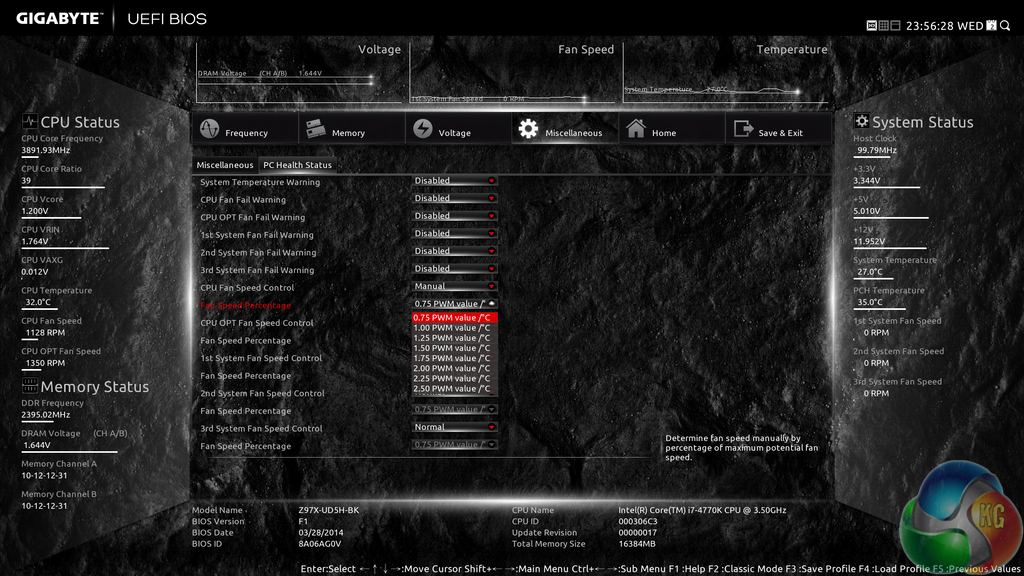
Fan and warning settings can be accessed via the PC Health Status column of the Miscellaneous section. Fan speed controls can be set to a user's preference, albeit with a limited range of input.
Gigabyte uses a drop-down list to outline the relevant fan speed curves, which is a less user-friendly approach than the graphical interface used by competing motherboard vendors.
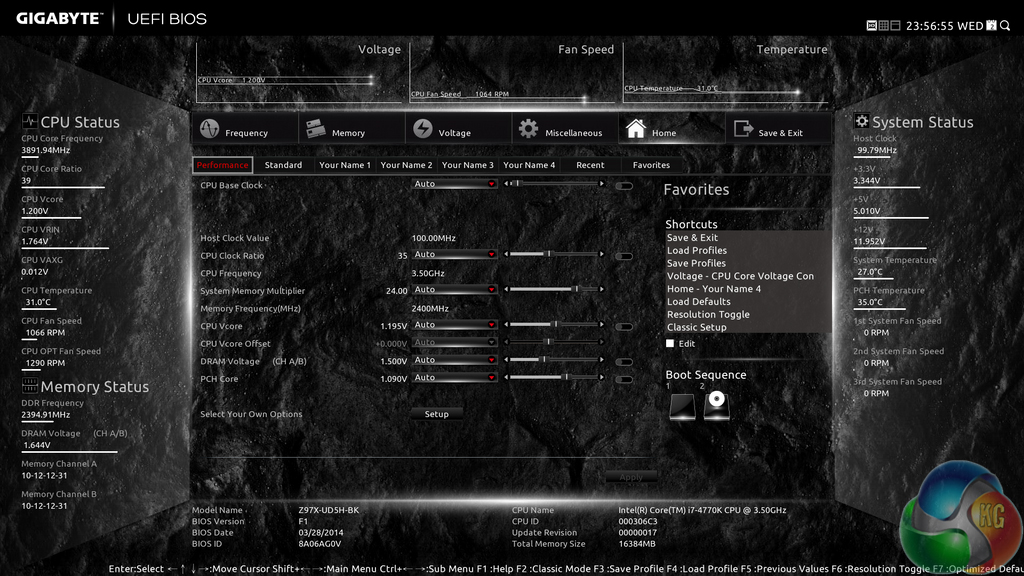
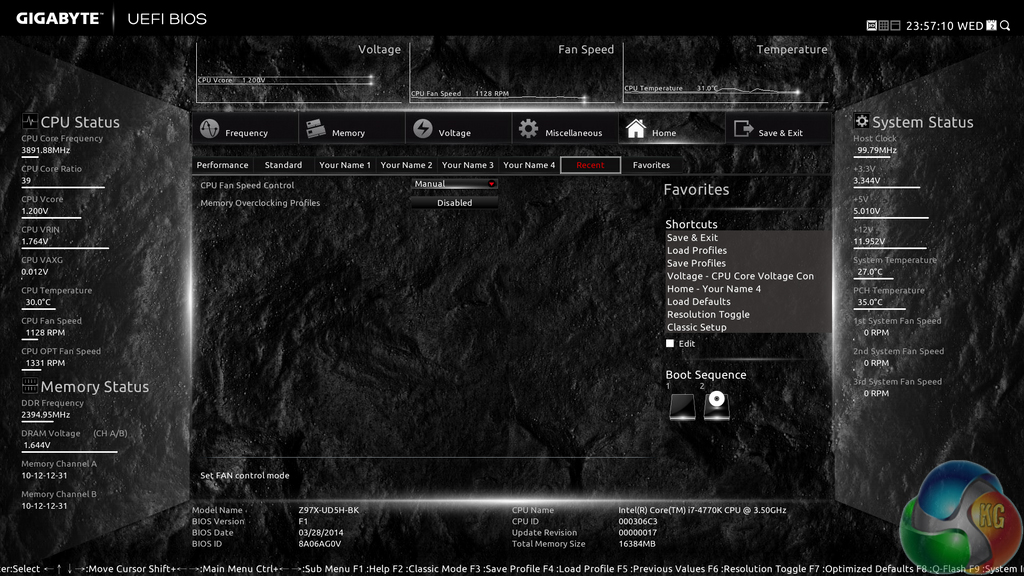

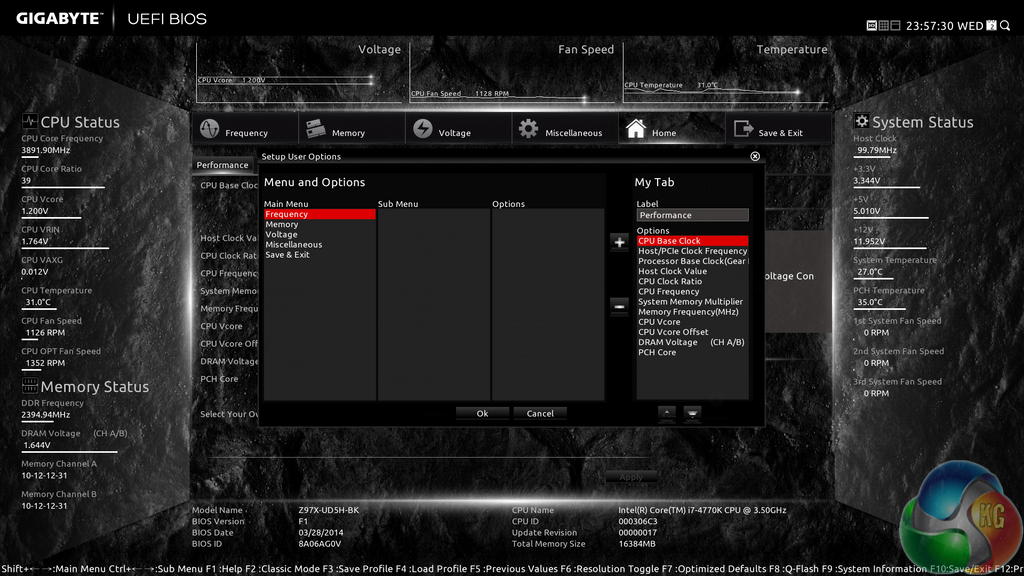
The Home section provides an area where users are given a degree of freedom as to the interface's layout. By default, key component parameters are displayed on the Home page, but this layout can be tweaked to a user's preference. And if you'd rather not tweak the interface, Gigabyte allows you to create four custom pages from scratch.
The Recent section displays recently used settings while the Favourites tab can provide quick access to frequently used parameters.
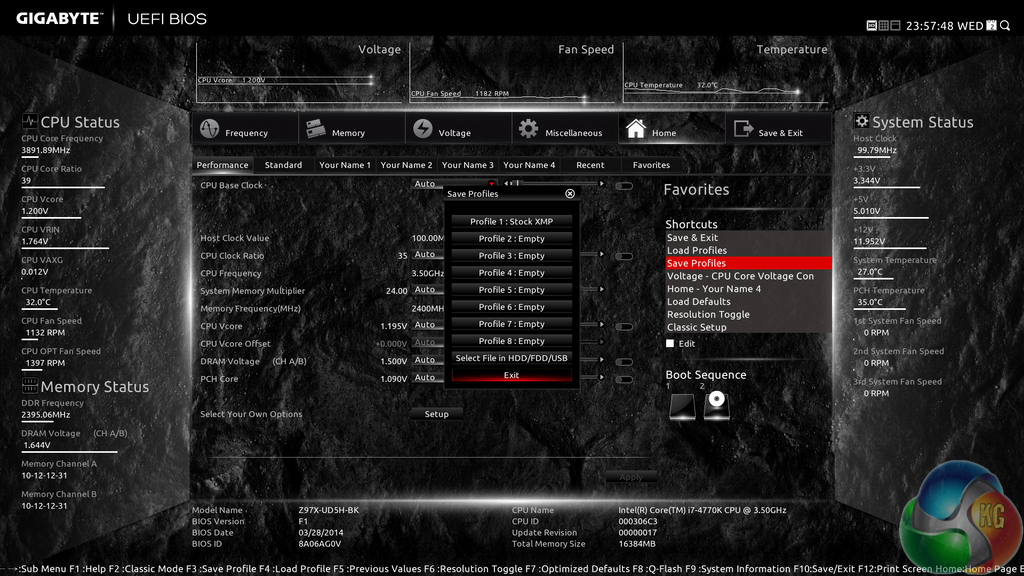

Up to eight OC profiles can be saved to the motherboard's internal memory, while many more and more can be exported or imported via USB.
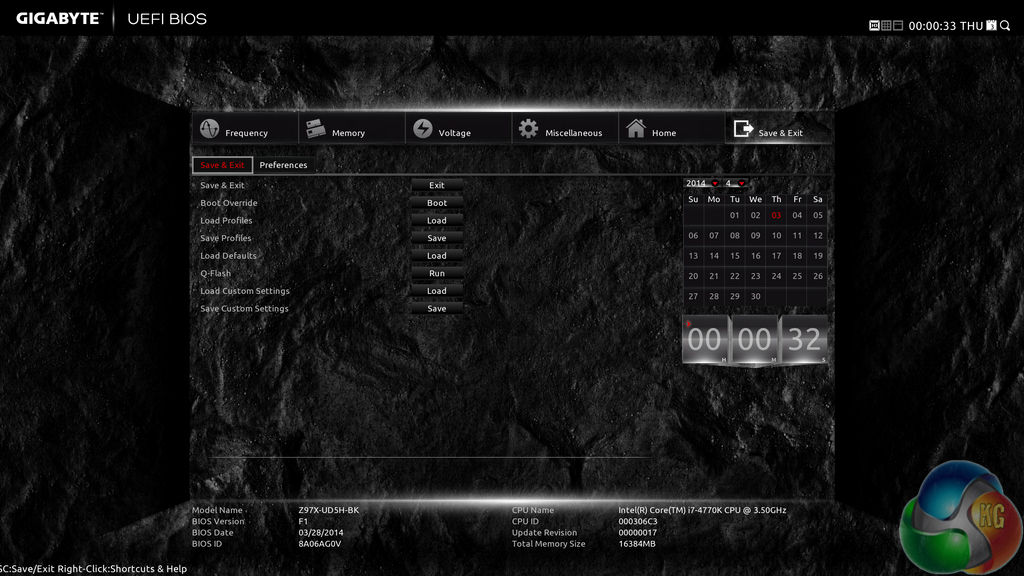

Control adjustments for the UEFI and the Q-Flash BIOS updater can be accessed via the Save & Exit section. I would prefer Gigabyte to have given the many of the control parameters their own section titled ‘Settings' to make them easier to spot in the UEFI. Save & Exit typically implies saving and exiting, not adjusting control options and updating the BIOS.
Some useful additions to Gigabyte's UEFI are the ability to change the visual theme, background wallpaper, and resolution.
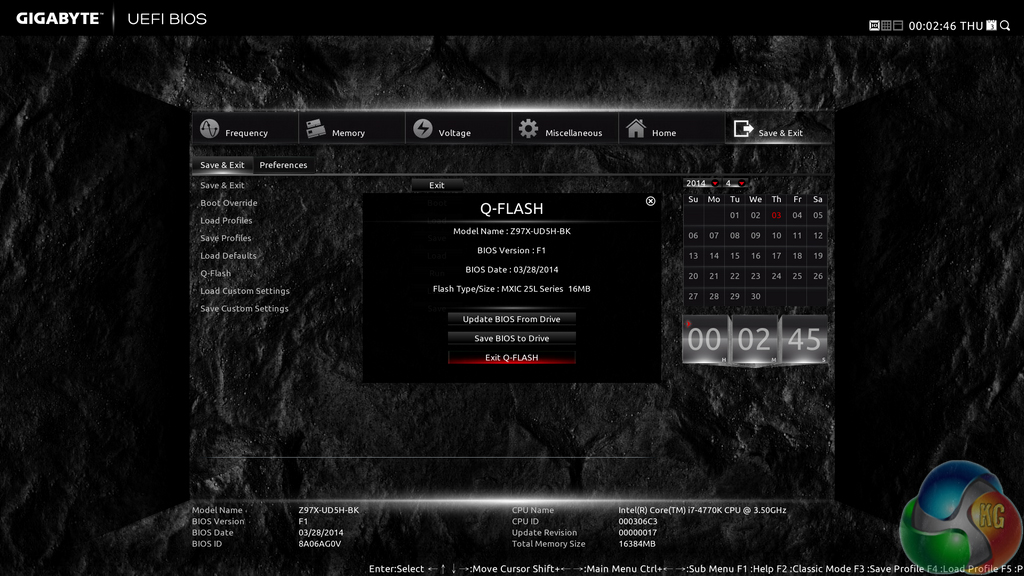
The Q-Flash updater is able to access folders in a USB flash drive, allowing users to manually seek a BIOS file.
Gigabyte has made some key improvements on its Z97 UEFI over the version used on many of the company's Z87 boards. The most noteworthy upgrade comes in the form of organisation; Gigabyte has optimised the layout to make sifting through BIOS settings and sections a simpler task. It is indeed a more pleasant experience working in the Z97X-UD5H-BK motherboard's UEFI.
The use of a Full HD, 1920 x 1080 resolution is excellent. Additional information relating to operational recordings can be displayed on a page without interfering with the parameters that users intend to tweak. And there's also the old style of BIOS for people who have extensive experience with Gigabyte's motherboards from previous generations.
There are still a few issues relating to overlapping content. Many parameters for frequency and voltage are repeated multiple times causing the UEFI to seem more crammed than it actually is. Fan speed control is also a negative aspect; a list outlining arbitrary (to many people) values and units is less user-friendly than a graphical interface displaying the fan speed curves.
Software
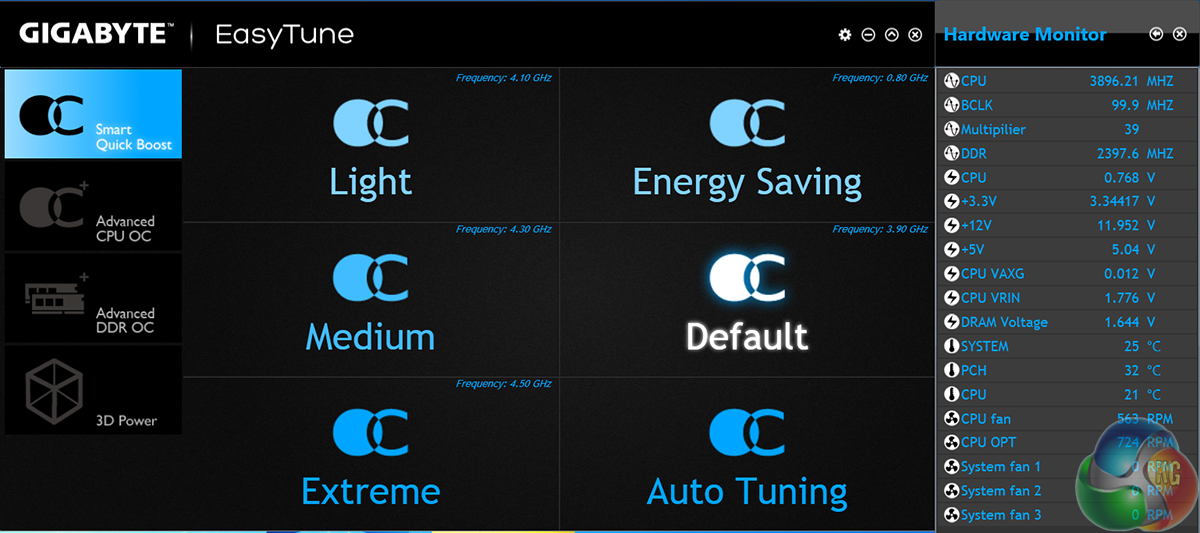
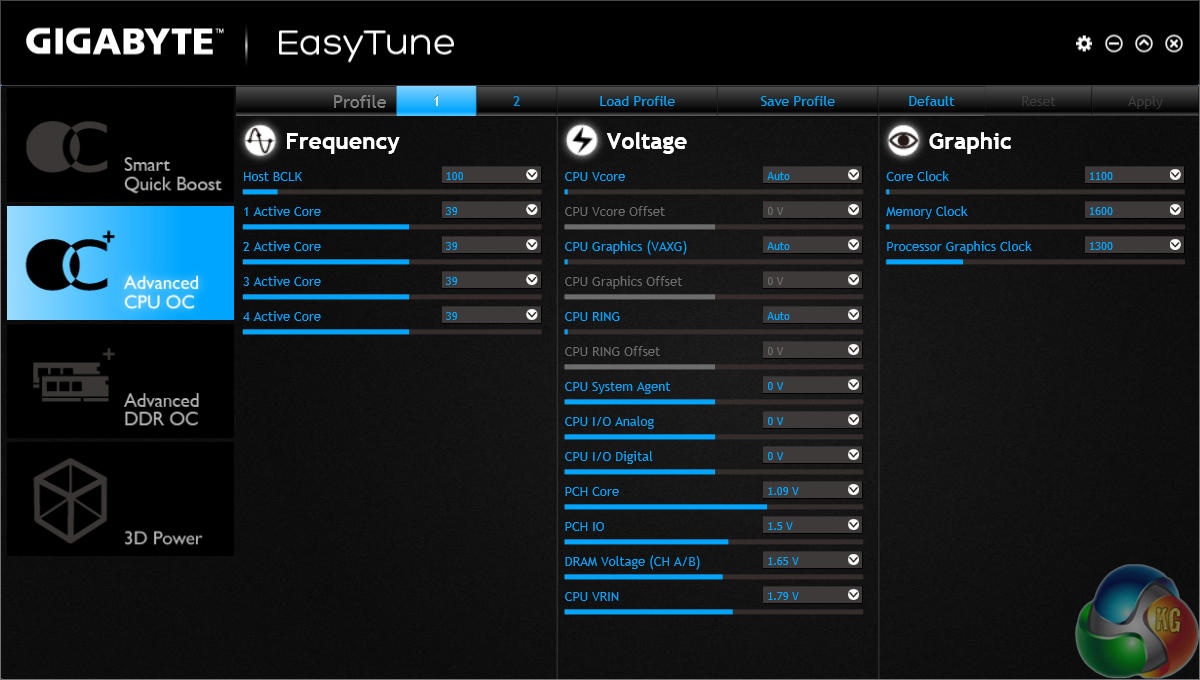
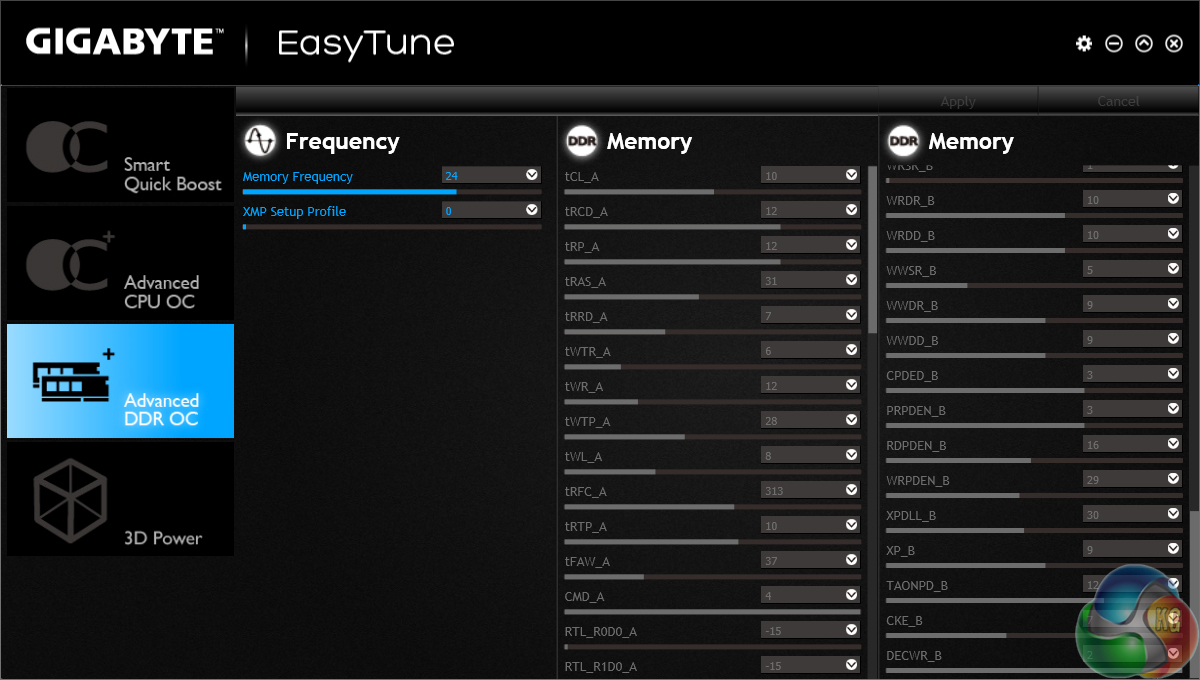
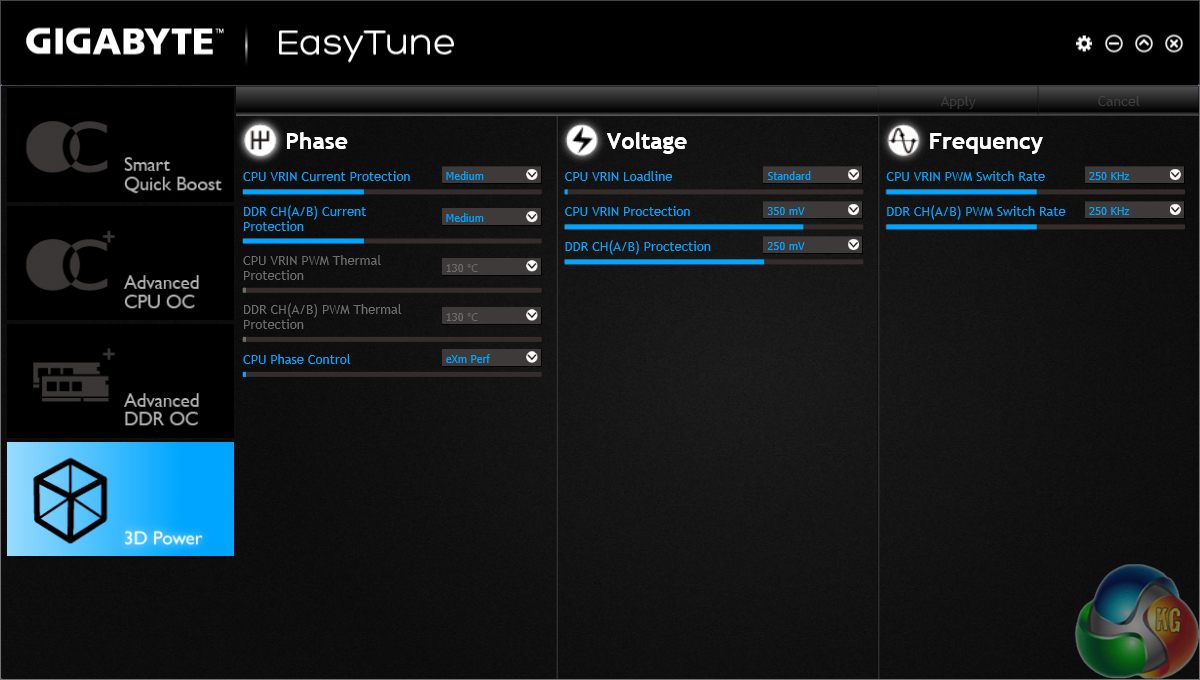
Gigabyte's EasyTune software allows users to view and adjust frequency, voltage, and other overclocking-related settings in an OS environment. Pre-set frequency profiles can also be selected.
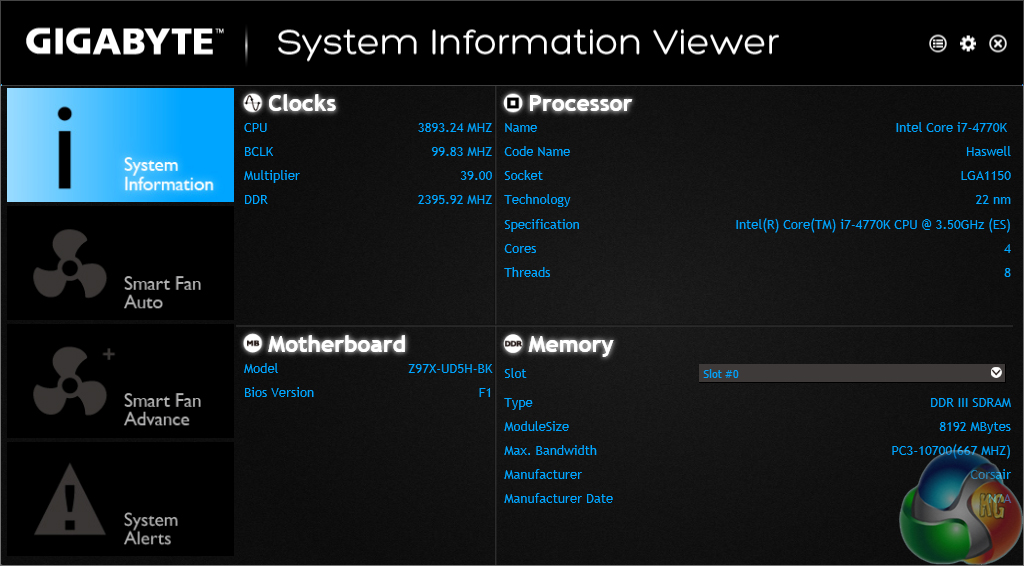
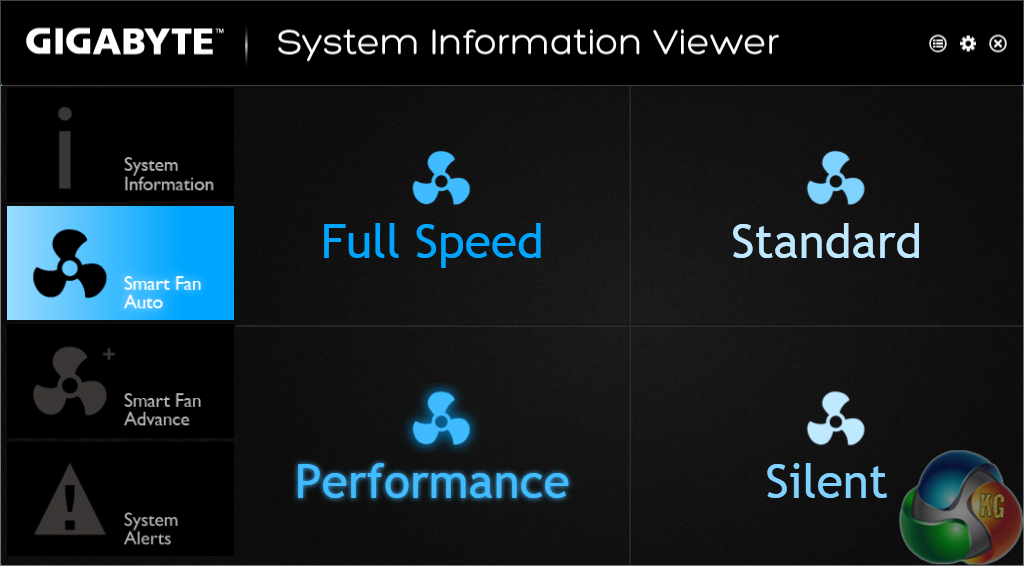
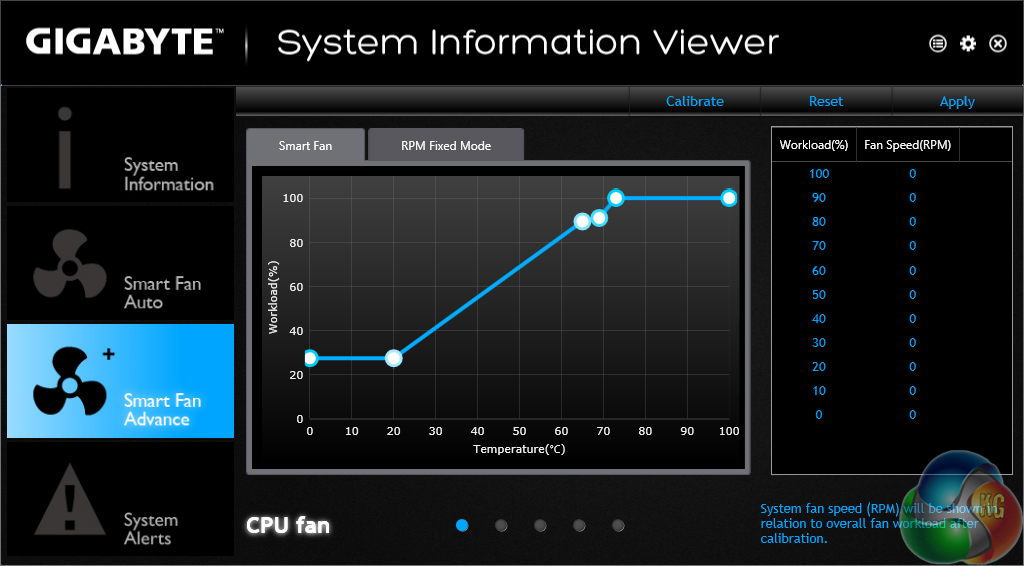
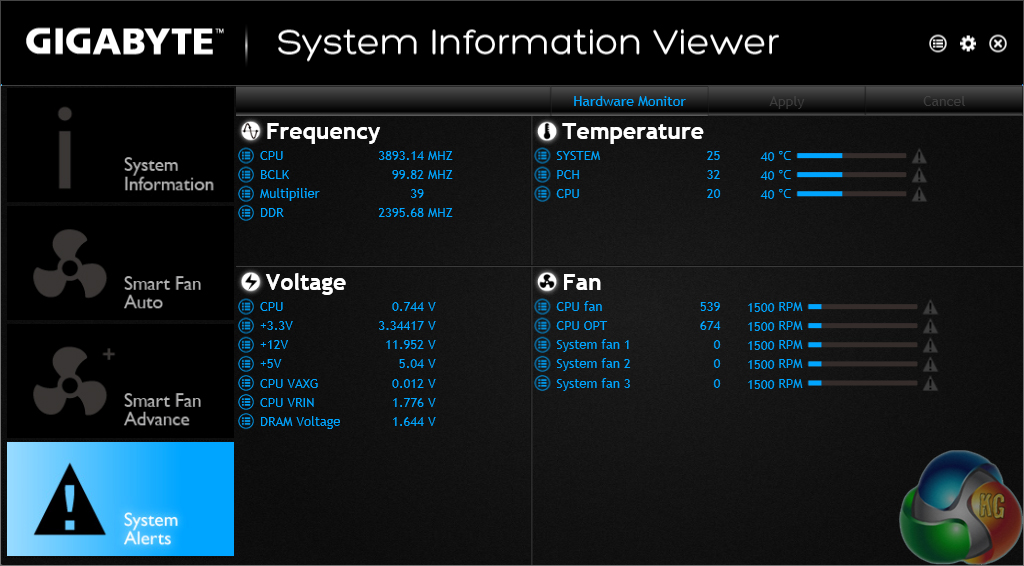
System information and fan speed settings can be tweaked via their own section in Gigabyte's software suite.
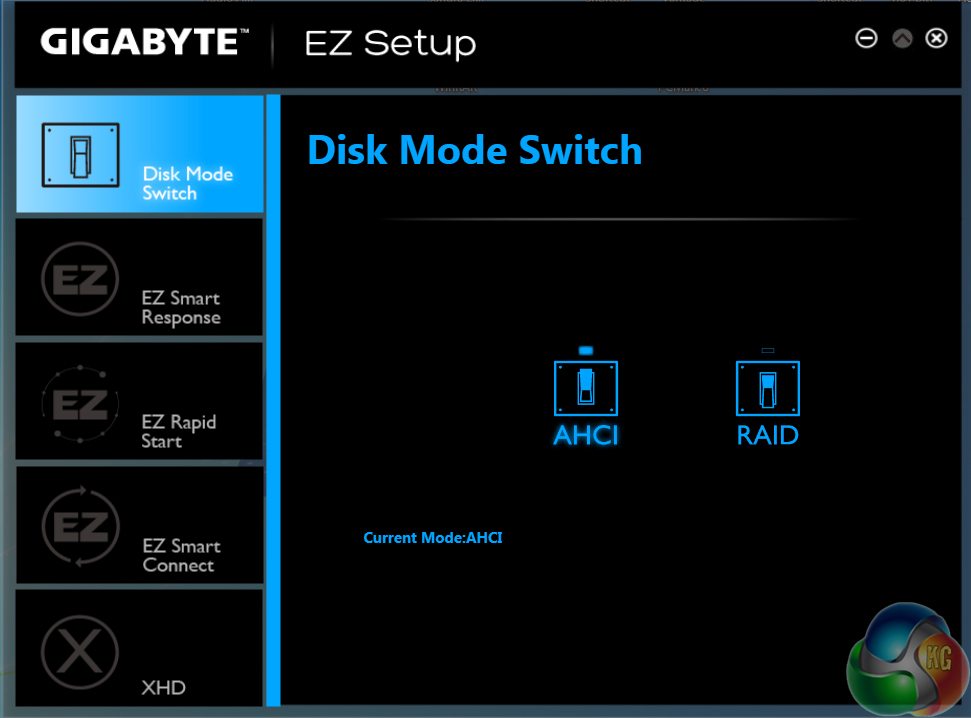
EZ Setup allows users to tweak their storage configuration settings.
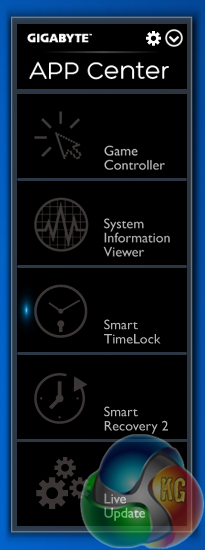
The app centre lists the installed applications that can be used with Gigabyte's motherboard.
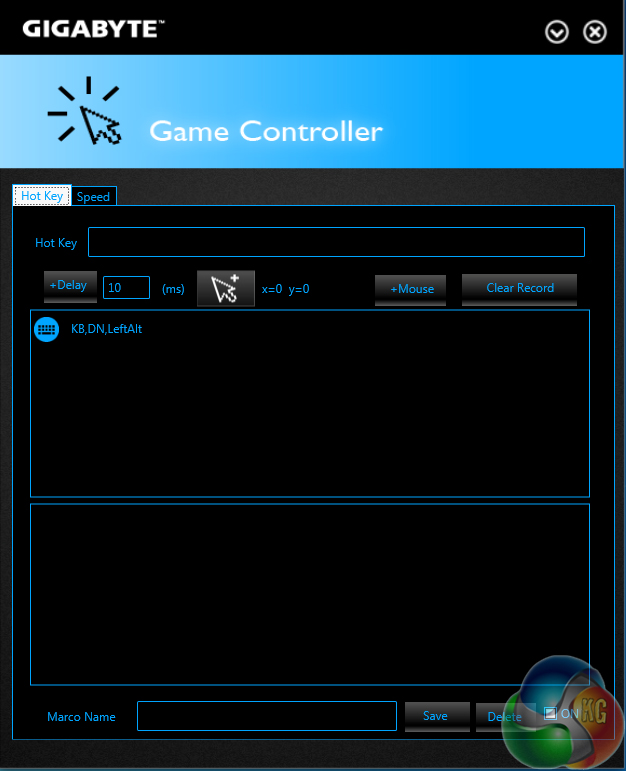
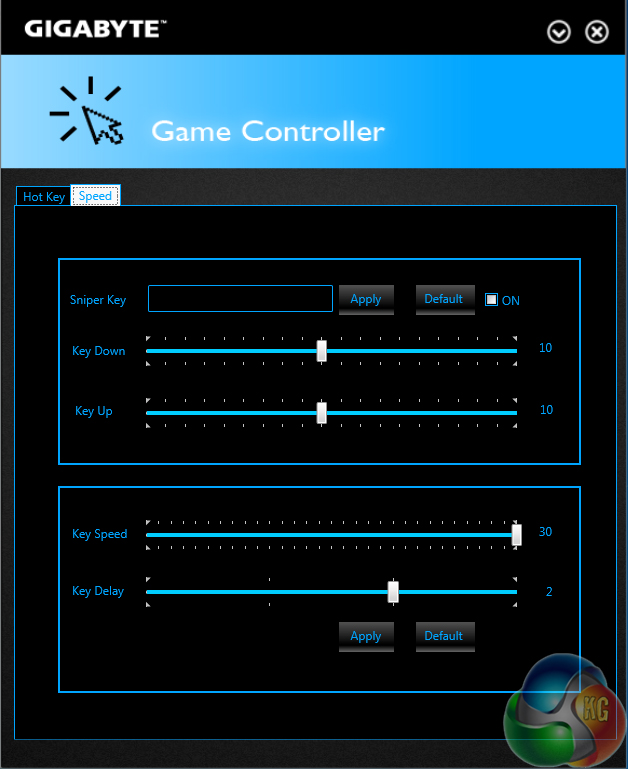
Game controller allows users to adjust the operation of their mouse in a gaming environment.
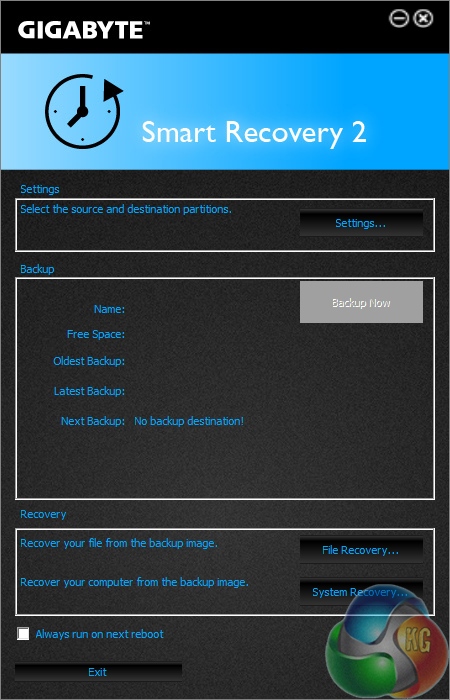
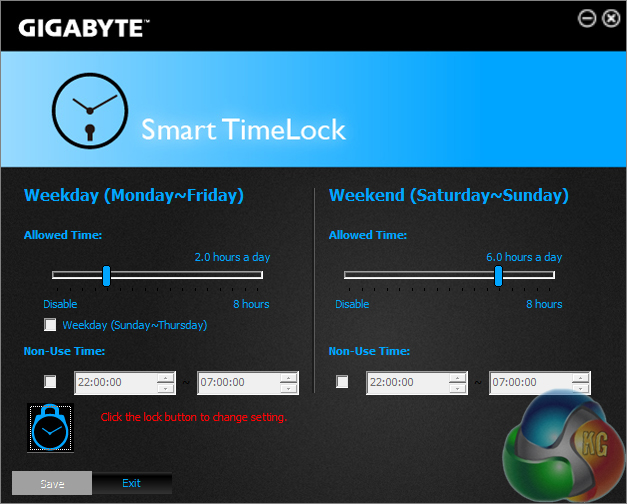
Smart Recovery 2 is Gigabyte's backup manager, while Smart Time Lock allows users to set times for when their system can be operated. The latter feature could be particularly useful to semi-professional users who demand an extra level of security.
Since the introduction of the LGA 1155 Sandy Bridge processors, Intel has steadily been relocating many of a system's features onto the CPU itself, and away from the motherboard or chipset.
Haswell is just the latest architecture to see many of the critical system operations handled by the processor. As such, benchmarking a motherboard becomes more of a test to certify that the part operates correctly and meets the anticipated performance levels.
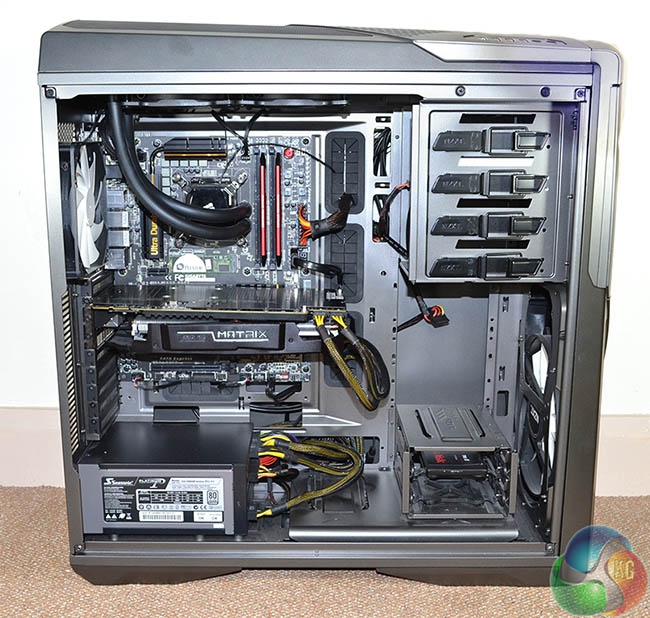
We will be outlining the Gigabyte Z97X-UD5H-BK Black Edition motherboard's performance with the Core i7 4770K CPU at its stock frequency (3.9GHz due to forced turbo). Overclocked performance will be outlined later in the review.
Performance of the Gigabyte Z97X-UD5H-BK motherboard will be compared to that of two other Z97 parts. All motherboards are partnered with identical hardware and software, so the results are directly comparable.
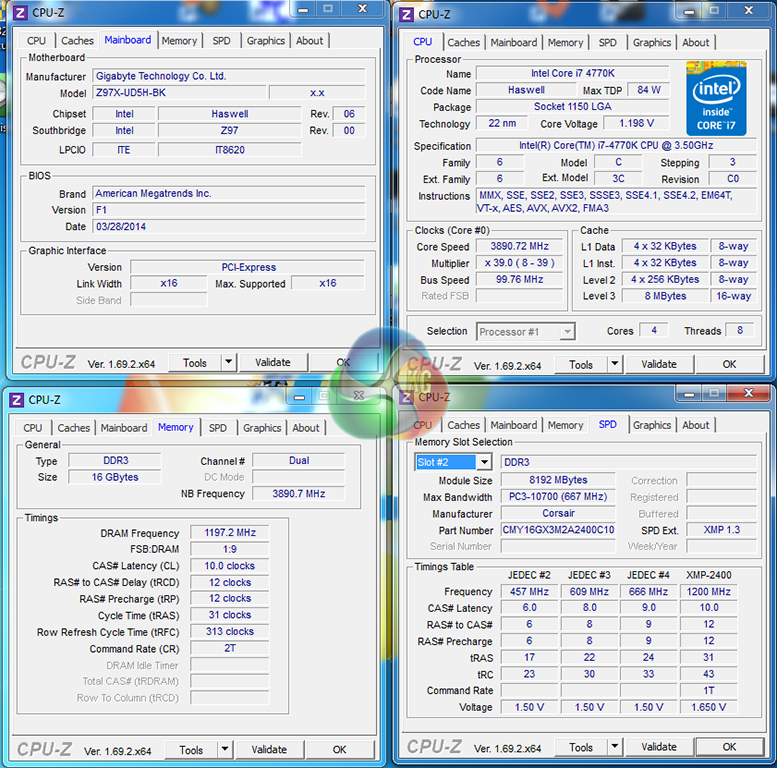
By default, the Gigabyte Z97X-UD5H-BK motherboard applies multi-core turbo (MCT) and forces the 4770K to a constant 3.9GHz when XMP is enabled. This will be displayed as the ‘stock’ setting in the charts.
CPU-Z reports a core voltage of 1.20V for the 3.9GHz 4770K setting. This is a fairly common VID to use for Z87- and Z97-based motherboards with a 4770K CPU.
Note: Shortly before this review went to publication, we worked with engineers for one of the motherboard vendors and discovered that the latest version of CPU-Z currently has issues reading real-time voltages with the Intel processor's default power saving modes enabled. As such, we would recommend using the motherboard's specific software. We will update our testing and monitoring procedures accordingly in future reviews.
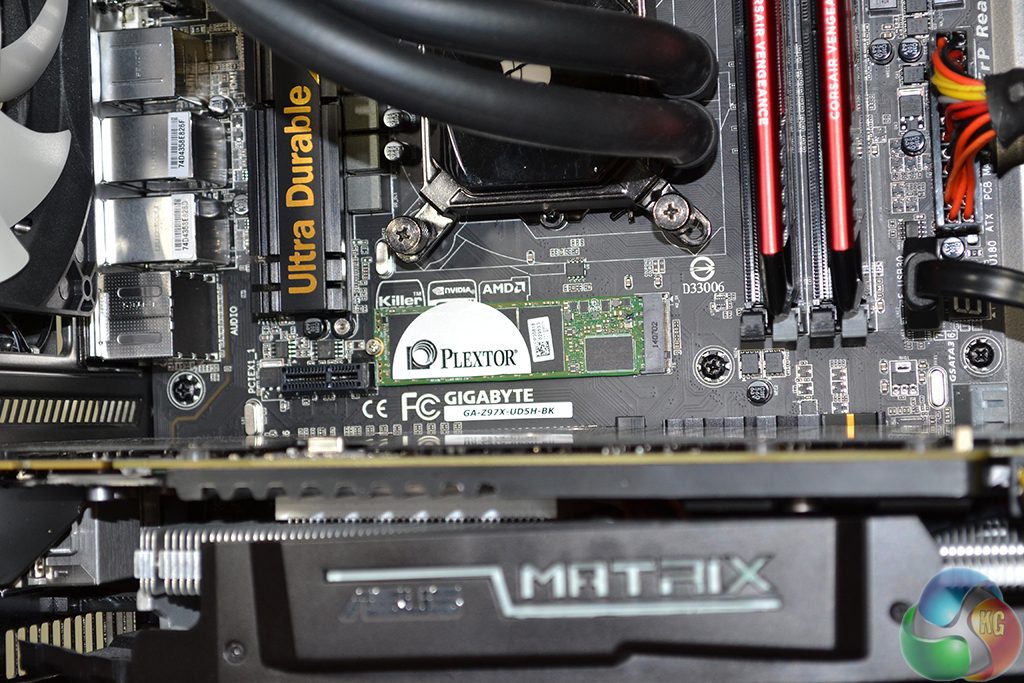
Support for the PCIe-based M.2 storage interface is one of the key features for the Z97 chipset. We use Plextor's ultra-fast M6e 256GB M.2 SSD to test the speed of a motherboard's M.2 connector. We reviewed the 512GB Plextor M6e (and its PCIe x2 adapter card) HERE.
Z97 Motherboard Test System:
- Processor: Intel Core i7 4770K Retail (3.9GHz forced turbo).
- Memory: 16GB (2x 8GB) Corsair Vengeance Pro 2400MHz CL10.
- Graphics Card: Asus R9 280X Matrix Platinum 3GB.
- System Drive: 240GB SanDisk Extreme II SSD.
- CPU Cooler: Corsair H100i.
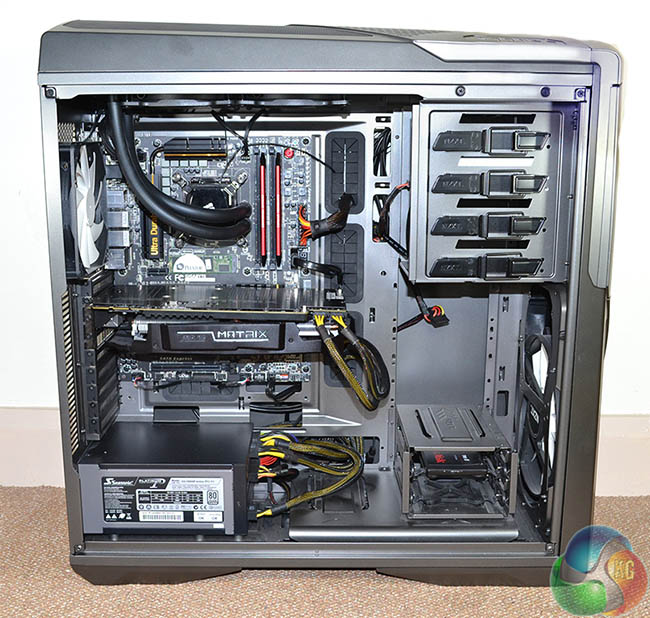
- Case: NZXT Phantom 630.
- Power Supply: Seasonic Platinum 1000W.
- Operating System: Windows 7 Professional with SP1 64-bit.
Compared Z97 Motherboards:
- Asus Sabertooth Z97 Mark 1.
- MSI Z97 Gaming 5.
Software:
- Gigabyte Z97X-UD5H-BK Black Edition BIOS F1.
- Catalyst 14.4 VGA drivers.
- Intel 10.0 chipset drivers.
Tests:
- 3DMark 1.1.0 – Fire Strike (System)
- SiSoft Sandra 2014 SP2 – Processor arithmetic, memory bandwidth (System)
- Cinebench R15 – All-core CPU benchmark (CPU)
- WinRAR 5.01 – Built-in benchmark (CPU)
- HandBrake 0.9.9 – Convert 4.36GB 720P MKV to MP4 (CPU)
- ATTO – SATA 6Gbps, USB 3.0, M.2 transfer rates (Motherboard)
- RightMark Audio Analyzer – General audio performance test (Motherboard)
- Bioshock Infinite – 1920 x 1080, ultra quality (Gaming)
- Metro: Last Light – 1920 x 1080, high quality (Gaming)
- Tomb Raider – 1920 x 1080, ultimate quality (Gaming)
3DMark
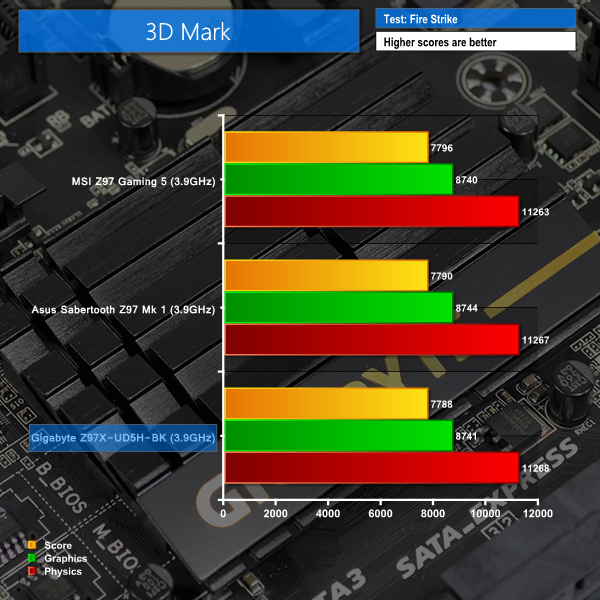
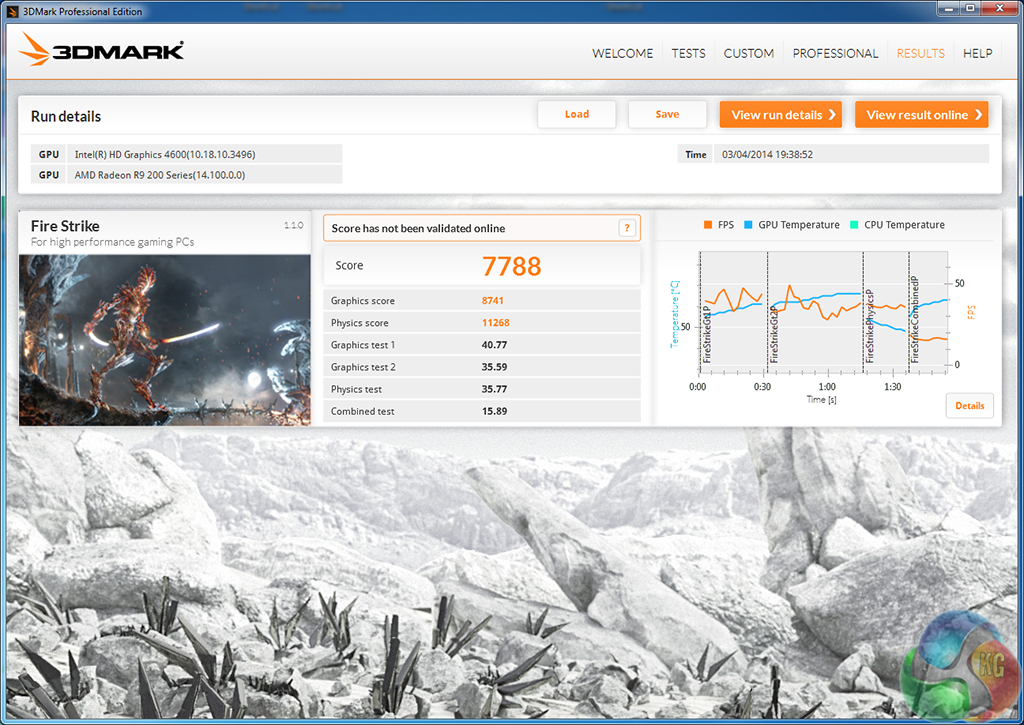
We used 3DMark‘s ‘Fire Strike’ benchmark which is designed to be used on gaming PCs. We opted for the Normal setting, NOT the Extreme mode.
Sandra Processor Arithmetic


Sandra Memory Bandwidth
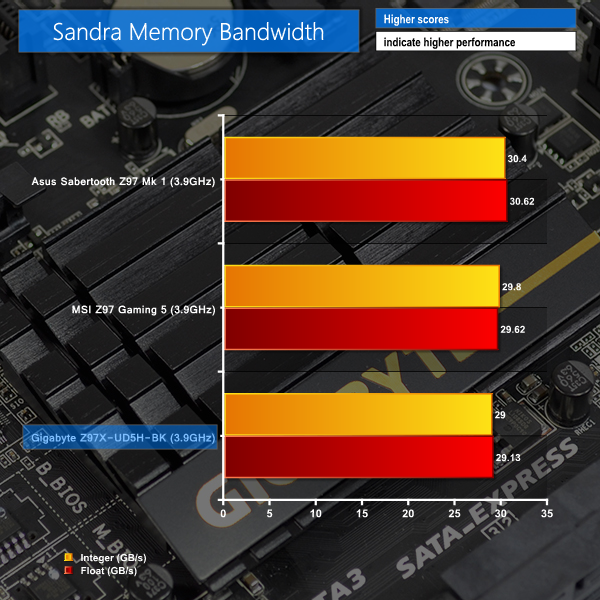

System-related tests run quickly on the Gigabyte Z97X-UD5H-BK. Performance is comparable to systems based around other Z97 motherboards.
Memory bandwidth, as reported by SiSoft Sandra, is slightly down on competing Z97-based motherboards. Asus outscores Gigabyte by about 5% in the test, although we have observed stronger-than-usual memory bandwidth results from Asus motherboards in the past.
MSI's Z97-based motherboard outscores Gigabyte's by between one-and-a-half and two-and-a-half percent in the memory bandwidth test. This small differential is like to be related to variables and errors in the test software and its procedure.
Cinebench
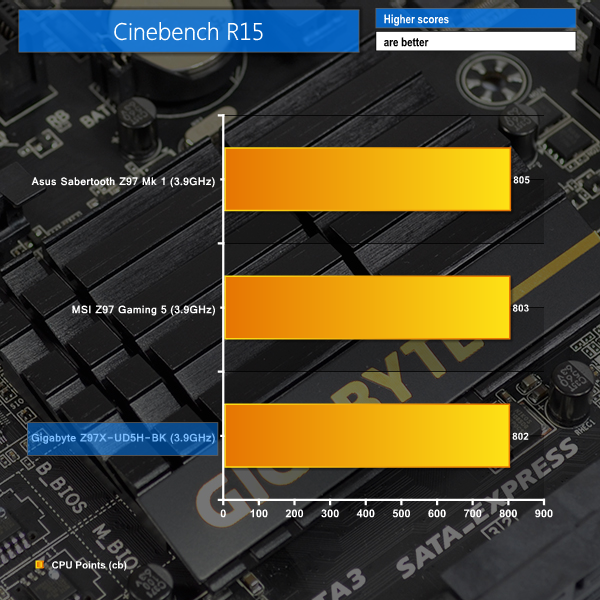
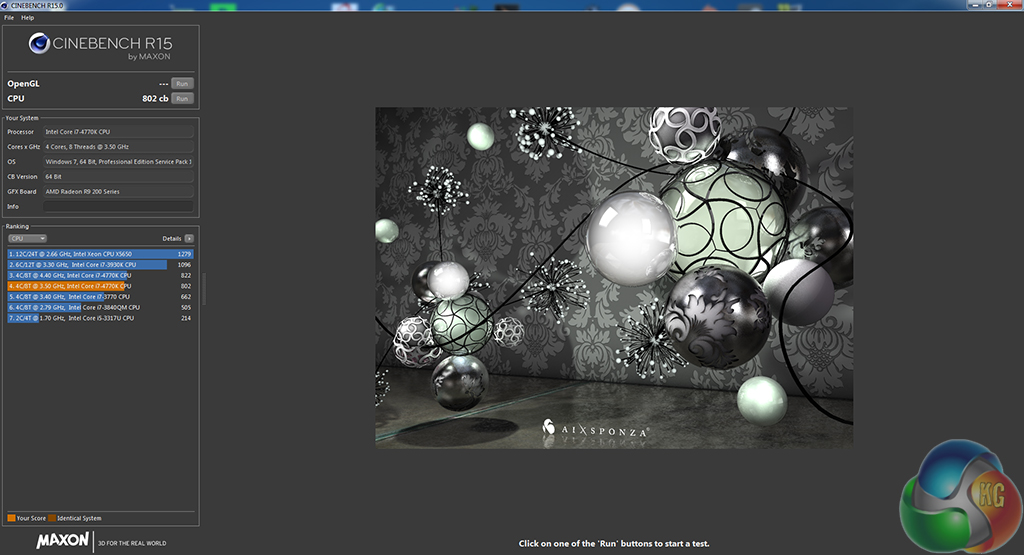
We used the ‘CPU’ test built into Cinebench R15.
WinRAR
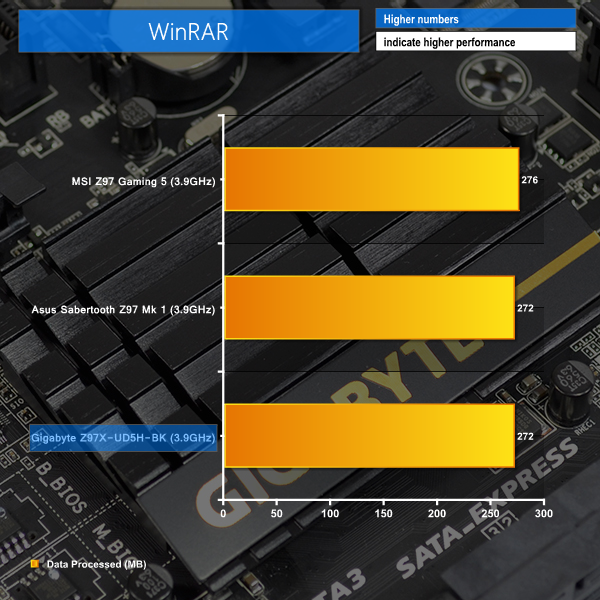
WinRAR’s built in benchmark and hardware test can help us outline the performance differentials between each motherboard. We record the amount of data processed after a 30-second run.

Handbrake Conversion
We measured the average frame rate achieved for a task of converting a 4.36GB 720P MKV movie to 720P MP4 format.
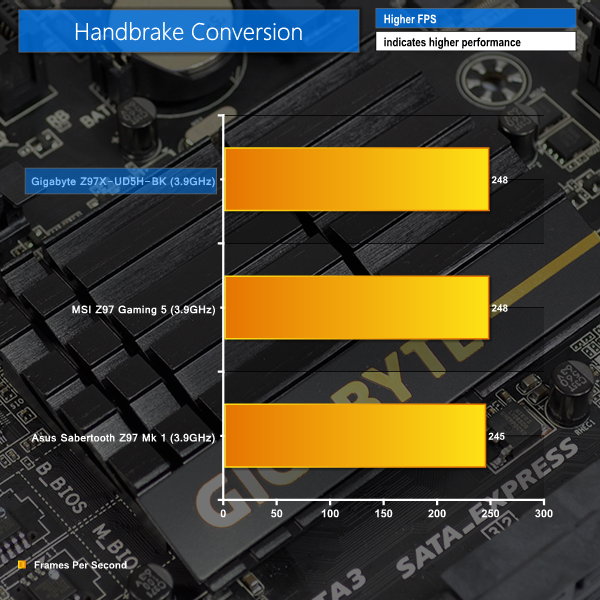
CPU-related test results do not outline any cause for concern. Small differences between the performances of all three motherboards are constricted to around 1.5% or lower.
Bioshock Infinite
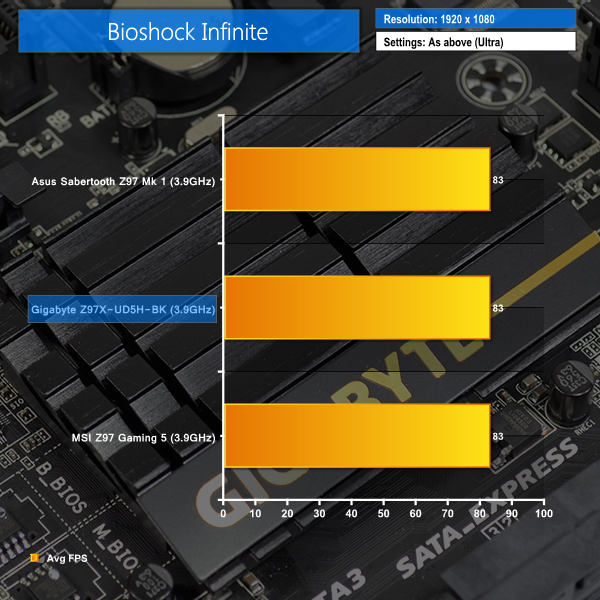
We used the Bioshock Infinite demanding ‘Ultra’ setting and a 1920 x 1080 resolution to push today’s gaming hardware. Our data was recorded using a section of the game, not the built-in benchmark.

Metro: Last Light
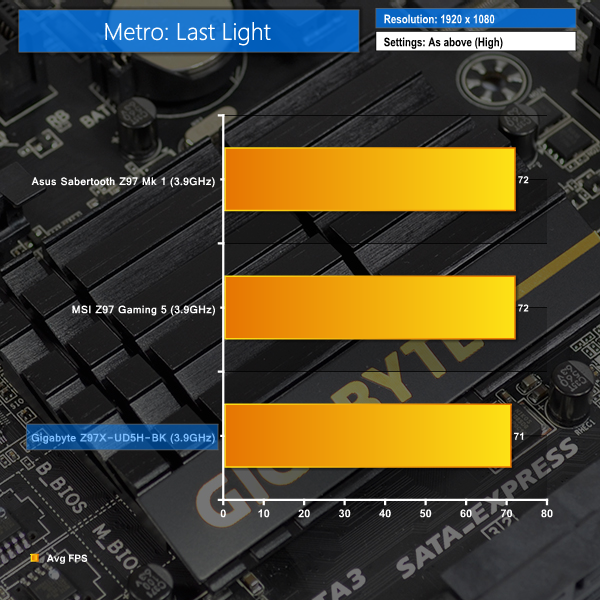
We used a 1920 x 1080 resolution and the Metro: Last Light built-in benchmark set to ‘High’ quality to offer an intense challenge for the gaming hardware while also making playable frame rates a possibility.

Tomb Raider
We used a 1920 x 1080 resolution and the Tomb Raider built-in benchmark set to ‘Ultimate’ quality.
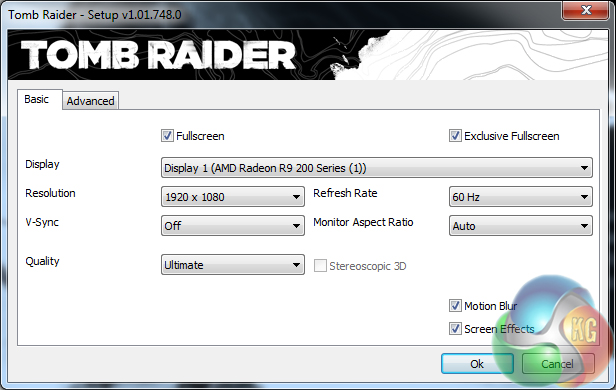
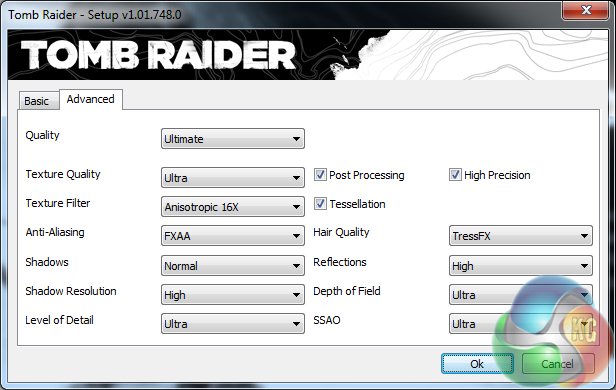
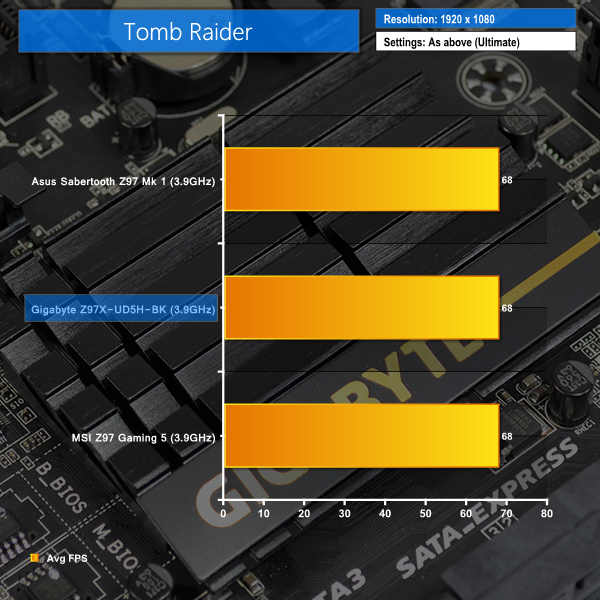
Gigabyte's Z97X-UD5H-BK shows performance equivalent to competing products from MSI and Asus in our Tomb Raider and Bioshock Infinite tests.
In comparison to the other Z97 motherboards, a single frame (1.4%) is dropped by the Z97X-UD5H-BK in the Metro: Last Light benchmark.
SATA
For SATA 6Gb/s testing we use a Kingston HyperX 3K (SandForce SF-2281) SSD.
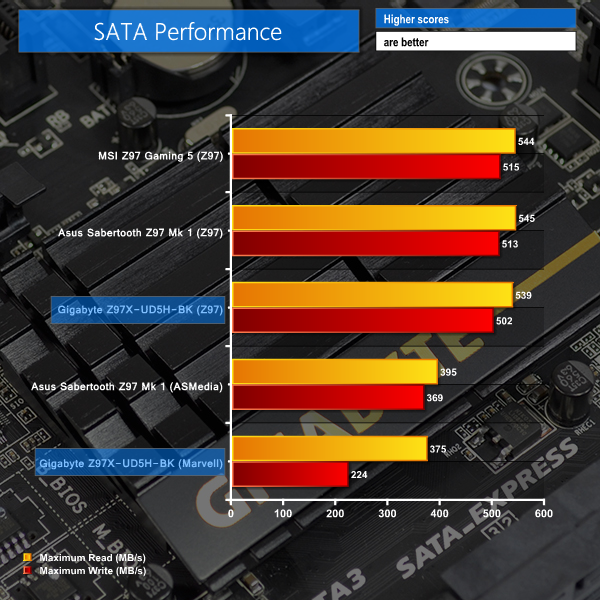


The Z97 SATA 6Gbps connections act as we would expect them to; the speed of a SATA 6Gbps SSD, such as the Kingston HyperX 3K, will not be limited by the chipset-based links.
Marvell's 88SE9172 chipset provides two SATA 6Gbps ports from the Z97 chipset's PCIe 2.0 lanes. Throughput of the Marvell 88SE9172-fed SATA 6Gbps ports is far lower than that of the native Z97 connections. In fact, ASMedia's alternative – the ASM1061 chipset – provides significantly higher throughput numbers than the Marvell option.
We would recommend reserving the two Marvell connectors for slower storage devices such as mechanical HDDs. Gigabyte needs to analyse its Marvell-based storage system; the current performance raises questions.
M.2 connector
We use Plextor‘s ultra-fast M6e 256GB M.2 SSD to test the speed of a motherboard's M.2 connector. We reviewed the 512GB Plextor M6e (and its PCIe x2 adapter card) HERE.

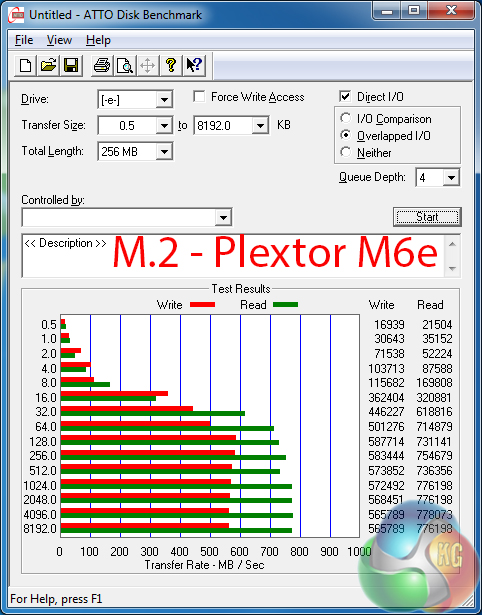
Fed by two PCIe 2.0 lanes from the Z97 chipset, the M.2 connection on Gigabyte's motherboard is capable of taking Plextor's M6e SSD to the limit of its performance numbers. No issues here.
USB 3.0
We tested USB 3.0 performance using the Kingston HyperX 3K SSD connected to a SATA 6Gb/s to USB 3.0 adapter powered by an ASMedia ASM1053 controller.
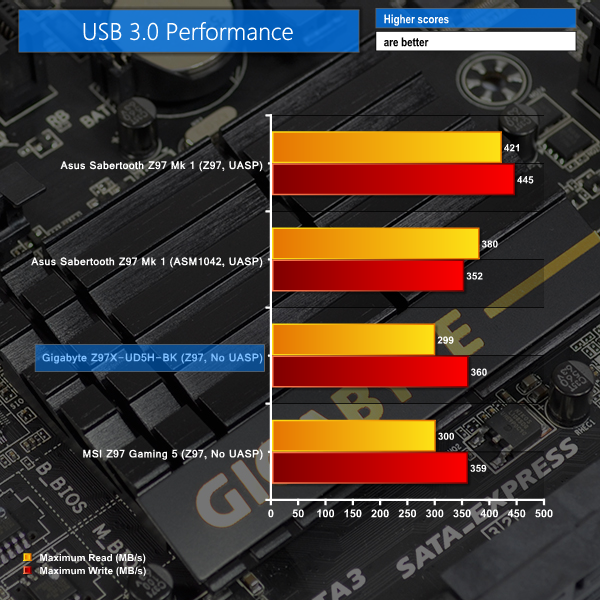
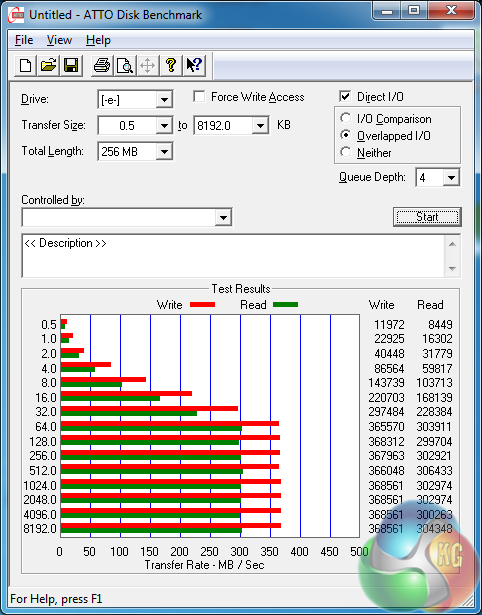
Gigabyte does not provide a UASP-activating software tool (as Asus and ASRock do) for Windows 7 users, hence the Z97X-UD5H-BK's USB 3.0 transfer rates are limited to 360MBps and lower, rather than the interface's typical limit of around 450MBps.
Audio
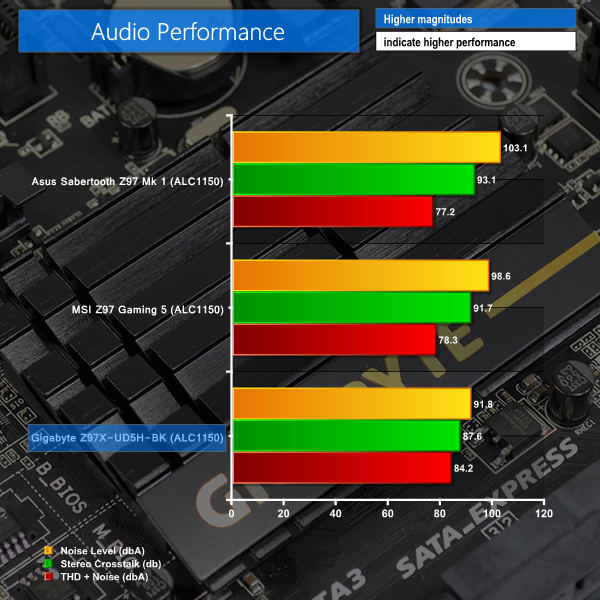
We use RightMark Audio Analyzer (RMMA) to analyse the performance of the motherboard’s onboard audio solution. A sampling mode of 24-bit, 192 kHz was tested.

Based around the Realtek ALC1150 codec, Gigabyte uses a Texas Instruments N5532 amplifier for rear audio purposes and filters signals through a series of capacitors and a discrete PCB layer. Realtek's ALC1150 codec provides a signal-to-noise ratio of 115.
Testing the Z97X-UD5H-BK board's audio solution was a challenging procedure. Our typical settings for the RMAA test resulted in an input waveform with an unusable amplitude. After many hours of tweaking, we managed to create a waveform that delivered consistent results.
RMAA reports the Gigabyte Z97X-UD5H-BK motherboard as having an audio solution with Excellent performance. The numerical results are in the region that we would expect them to be for a Realtek ALC1150-based solution. Total Harmonic Distortion + Noise performance of the Z97X-UD5H-BK is strong.
Automatic CPU Overclocking:

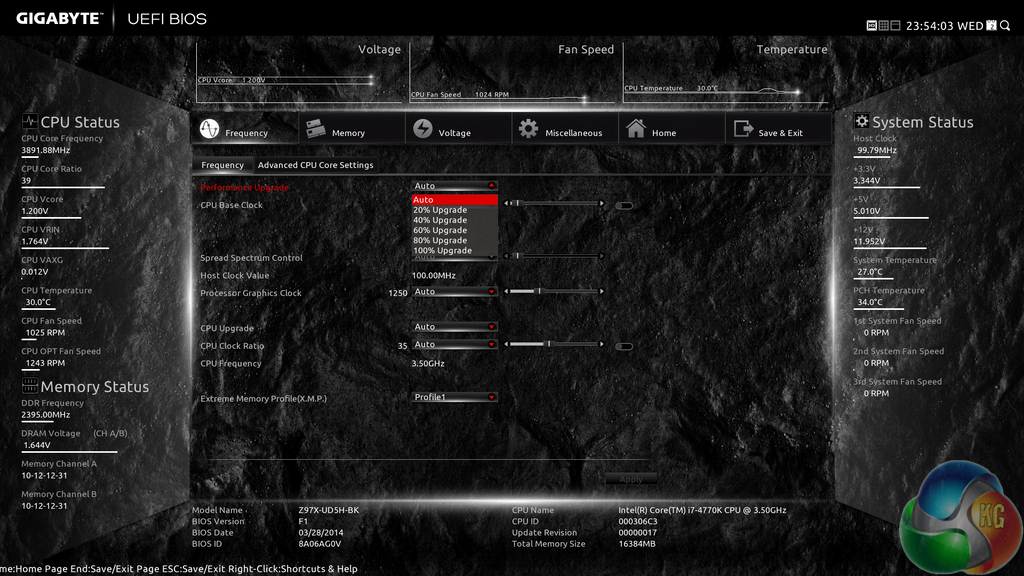
Built into the Z97X-UD5H-BK motherboard’s UEFI is a parameter called ‘Performance Upgrade’. This seems to be Gigabyte’s version of automated overclocking.
Users are free to select from five profiles which are named: 20%, 40%’ 60%, 80%, and 100%. Oddly enough, the number values mean nothing. The profile names do little more than confuse a user away from applying the profile in fear for their chip’s life – 100% would be a huge overclock.
We recorded the profile settings to be configured as follows:
- 20% gives a CPU frequency of 4.30GHz with a VCore of around 1.40V and DRAM speed of 1600MHz.
- 40% gives a CPU frequency of 4.40GHz with a VCore of around 1.40V and DRAM speed of 1600MHz.
- 60% gives a CPU frequency of 4.50GHz with a VCore of around 1.40V and DRAM speed of 1866MHz.
- 80% gives a CPU frequency of 4.60GHz with a VCore of around 1.355V and DRAM speed of 1866MHz.
- 100% gives a CPU frequency of 4.70GHz with a VCore of around 1.42V and DRAM speed of 2133MHz.
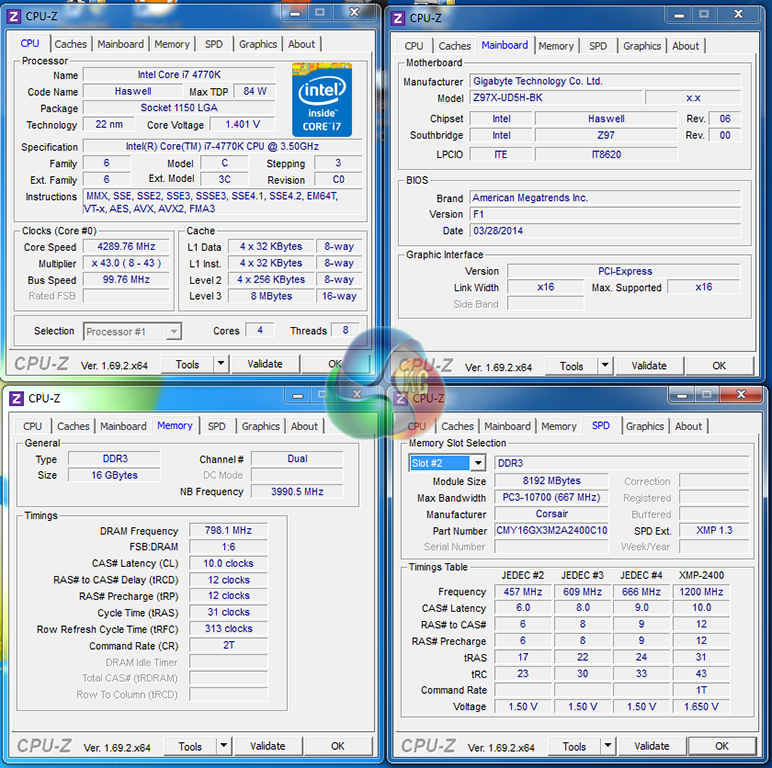
As is clear, all of the profiles use high voltage levels which will demand a very potent CPU cooler. We feel that the three lowest-speed profiles are very badly optimised. 1.40V for a frequency of 4.30GHz, 4.40GHz, or 4.50GHz is far higher than what is necessary and results in CPU temperatures which are unstable even with a Corsair H100i. We would not use any of those three profiles for 24/7 usage as 1.40V is higher than we would want our chip to use for extended periods of time.
The 80% 4.60GHz profile uses some well-thought settings. Unfortunately, 4.6GHz is higher than many processors are capable of reaching, ours included. The Z97X-UD5H-BK applied a 1.42V VCore for the 100% 4.70GHz option which, again, is higher than we would recommend for safe usage over extended time periods.
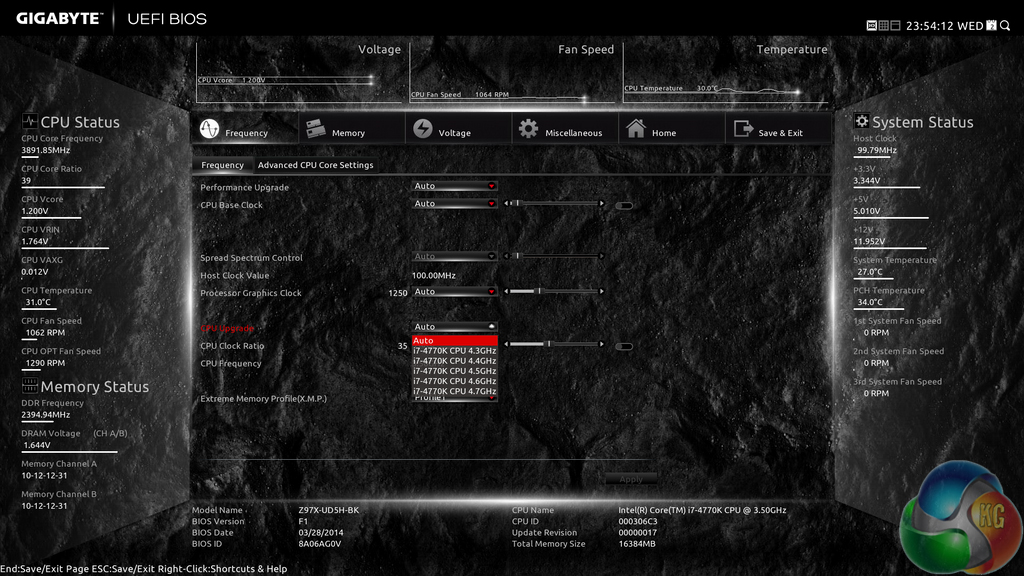
Given the bad decisions made when applying settings to the Performance Upgrade profiles, users wanting an automated overclocking option are forced to rely upon the CPU Up setting. Unfortunately, this option is also programmed badly, with a VCore of 1.40V being applied to each profile, even the sub-4.50GHz options.
To say that we are unimpressed by Gigabyte’s attempts at providing automated overclocking options would be an understatement. Despite the badly optimised profile, the truth is that a significant proportion of this board’s target audience is likely to be capable of applying a stable overclock to their system, negating the reliance upon the poor automated options.
If automated overclocking is a must for your needs, we would advise going down the OS software route that Gigabyte provides, although its options are more constricted.
Manual CPU Overclocking:
To test the Gigabyte Z97X-UD5H-BK Black Edition motherboard’s CPU overclocking potential, we first increased the CPU VCore to 1.325V, Cache voltage (called RING voltage) to 1.275V, and CPU Input Voltage (called VRIN) to 1.900V. LLC was set to ‘Auto’.
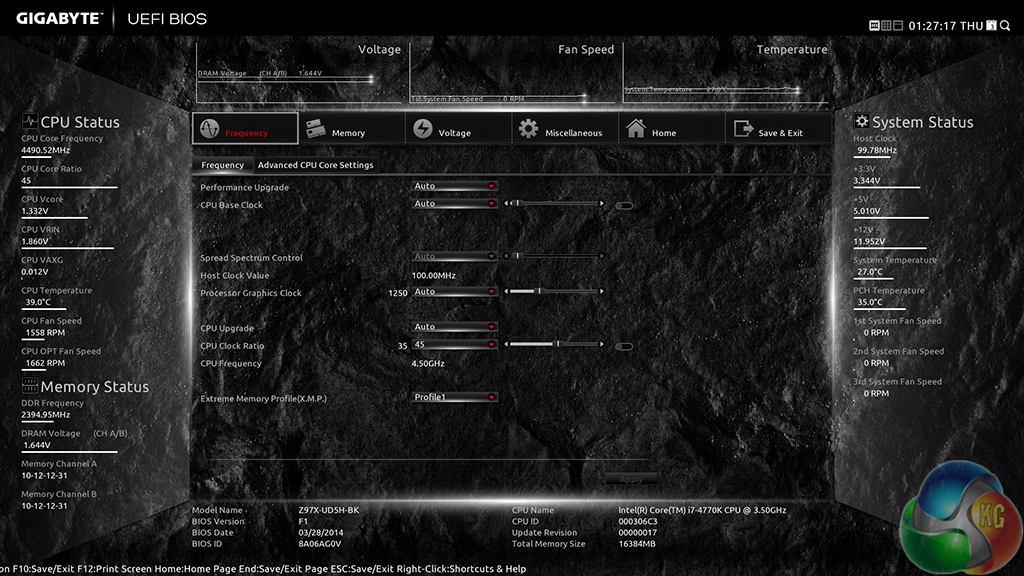
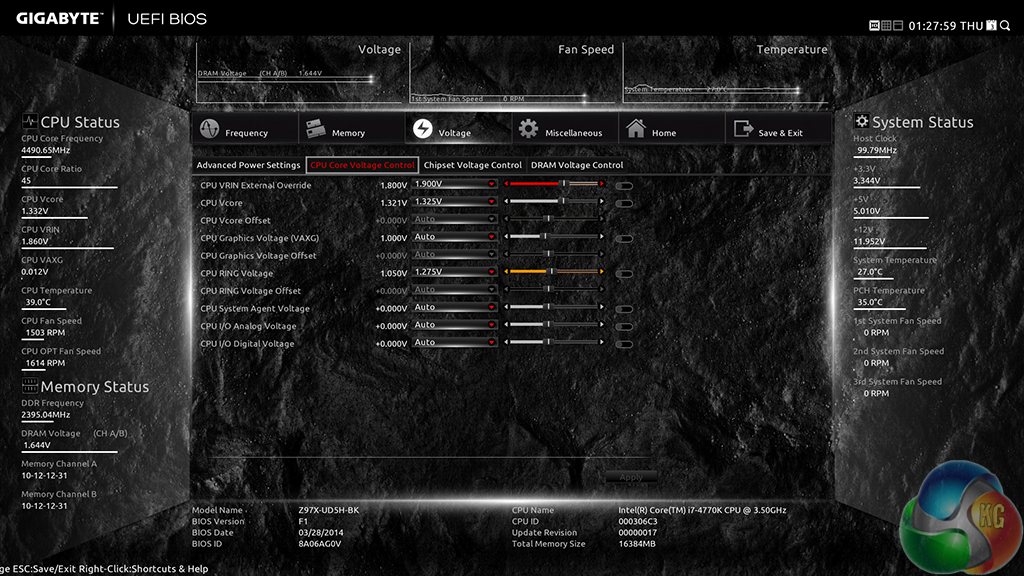
Gigabyte's UEFI makes overclocking our 4770K to its 4.5GHz limit a simple task. A multiplier adjustment to 45x was made on the Frequency page, while voltages were adjusted in their relevant sections. Gigabyte’s slider options also help to make small voltage increases a possibility.
For hitting 4.5GHz, we didn’t have to mess around with offset voltages or any other irritating settings; the Z97X-UD5H-BK was happy to take our inputs and return a 4.50GHz overclock.
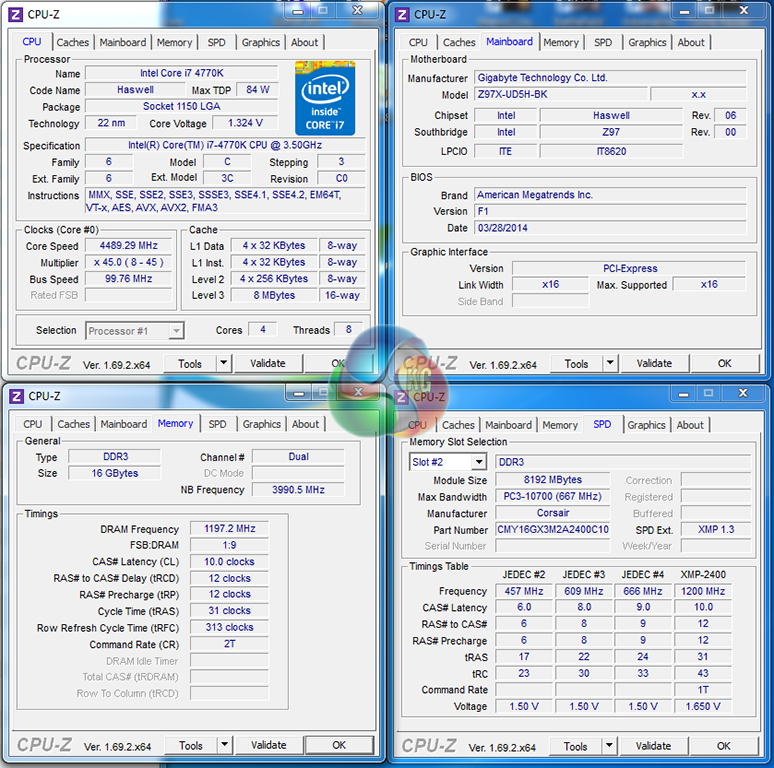
4.5GHz at 1.325V was perfectly stable with the Gigabyte Z97X-UD5H-BK motherboard and our Corsair H100i cooler. The Gigabyte board had no problems taking our chip as far as it will go.
We cannot comment on voltage accuracy because, as we have already pointed out, after testing this motherboard we recognised reading issues using CPU-Z. Our future reviews will update the recording procedures accordingly to analyse voltage accuracy of the motherboard's power delivery system.
We will outline the performance increases that can be obtained from using the Gigabyte Z97X-UD5H-BK motherboard to overclock our system. Our overclocked processor frequency was 4.5GHz and memory speed was 2400MHz.
As a performance comparison, we have included the overclocked results from two other Z97 motherboards. The maximum overclocked configuration achieved with each board was a 4500MHz (45 x 100MHz) processor frequency and 2400MHz CL10 memory speed.


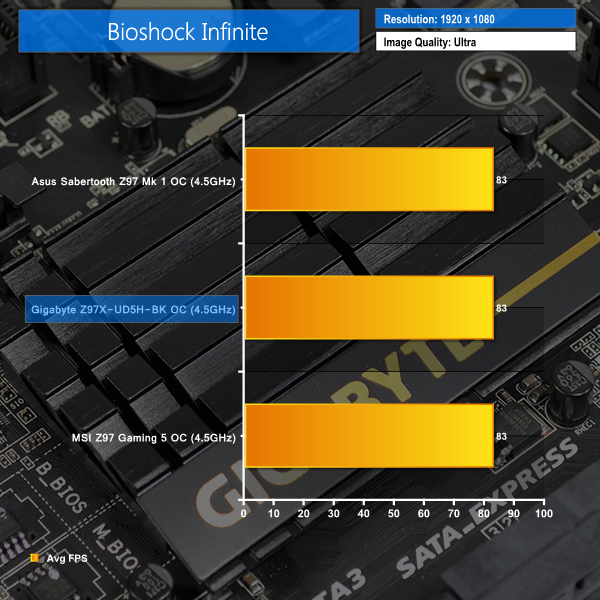
Overclocked performance is as expected; Gigabyte's Z97X-UD5H-BK is happy to trade blows with competing motherboards. There are no score differentials which highlight any cause for concern.
We measured the power consumption with the system resting at the Windows 7 desktop, representing idle values.
The power consumption of our entire test system (at the wall) is measured while loading only the CPU using Prime95′s in-place large FFTs setting. The rest of the system’s components were operating in their idle states, hence the increased power consumption values (in comparison to the idle figures) are largely related to the load on the CPU and motherboard power delivery components.
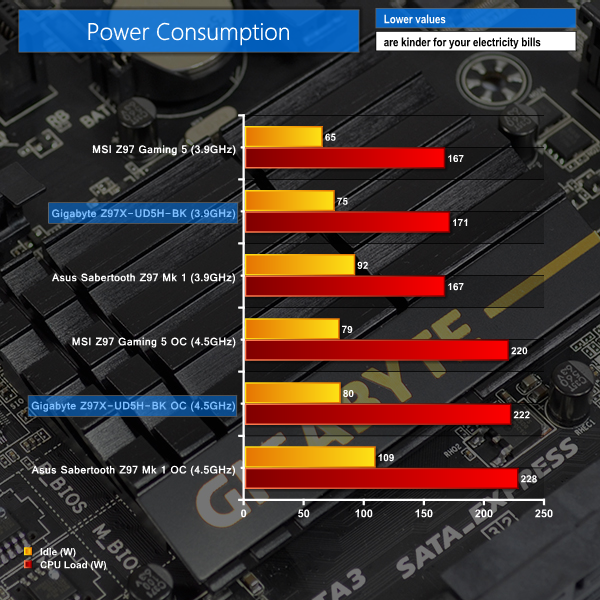
Operating under Intel's low power states at idle, Gigabyte's Z97X-UD5H-BK delivers solid power consumption numbers for a controller-heavy motherboard. Overclocked figures help to speak for the efficiency of Gigabyte's “durable” power delivery system.
With a feature-heavy design built around reliability and durability, the Gigabyte Z97X-UD5H-BK Black Edition motherboard is a competitive option in the upper-mid range market. Gigabyte packs the board with features that will appeal to a wide audience, from gamers to power users to semi-professionals who value reliability certifications.
Regarding test results and overclocking numbers, we have no issues to report, which is about as much as we can say for the performance of a functioning Z97 motherboard. Our 4770K was carried to its limit of 4.5GHz and test results were in the region that we would expect them to be for an LGA 1150-based board.
Performance of some of the motherboard's storage controllers wasn't up-to-scratch. The Marvell SE9172 SATA 6Gbps implementation delivers low transfer rates, while many Windows 7 users will also miss the 100+MBps of throughput that is lost with Gigabyte not providing a UASP-activating tool. Thankfully the 10Gbps M.2 connection and chipset-fed SATA 6Gbps ports had no problem hitting the speed limits of our test drives. SATA Express support is another positive.
Gigabyte's layout choices are almost excellent, it's just the poor fan header positioning that can still leave users with cable management problems. Distributing four fan headers along the board's bottom edge, leaving only two CPU headers in the entire upper half, is a bad decision.
Feature-wise, Gigabyte's Z97X-UD5H-BK motherboard scores highly. Gamers are catered for with a Killer E2201 NIC, Realtek ALC1150-based audio solution, and multi-VGA support, while general productivity people can also benefit from the Intel I217-V GbE controller, voltage reading points, and additional legacy connectors.
Subtle changes have been implemented into Gigabyte's UEFI BIOS to make its layout easier to work with. Highlight of Gigabyte's interface is undoubtedly the 1920 x 1080 resolution. The interface still has its niggles, but overall it is a well laid out, stable implementation.
Too bad the same cannot be said for Gigabyte's pre-set overclocking profiles. Quite simply, the profile settings are terrible, to the point where they simply aren't usable. A core voltage of around 1.40V for 4.3GHz is ludicrous, not to mention potentially unhealthy for one's processor.
Be it by coincidence or planning, the poor overclocking pre-sets are unlikely to be a problem for the Z97X-UD5H-BK board's knowledgeable target audience. And on a positive note, Gigabyte does include memory frequency pre-sets configured by some of the world's best overclockers, such as HiCookie.
Gigabyte makes bold claims that the Z97X-UD5H-BK Black Edition motherboard is designed for reliability and durability. Utilising 10K black capacitors, anti-surge ICs, International Rectifiers power controllers, onboard voltage reading points, and a pair of BIOS chips, I have no problem believing Gigabyte's claims. A five-year warranty proves that Gigabyte has faith in its board.
Priced at £174.95 from Overclockers UK, Gigabyte's Z97X-UD5H-BK Black Edition motherboard is a well-rounded choice for users who desire a stable, reliable motherboard with a host of onboard features. Asus' Sabertooth Z97 Mark 1 provides stiff competition in the same price range and with a similar target market, although Gigabyte's option also has its advantages over Asus' TUF series board and other competing options.
Discuss on our Facebook page, over HERE.
Pros:
- 10Gbps SATA Express and M.2 connections.
- Built for reliability and durability – 10K black capacitors, DualBIOS, anti-surge ICs, sever-level stress tested.
- Features for gamers – Killer NIC, multi-VGA support, Realtek ALC1150 audio solution.
- Features for general usage – additional Intel NIC, extra SATA 6Gbps ports, legacy connectors.
- 5-year warranty.
- Likeable styling.
- Good UEFI implementation.
Cons:
- Marvell-based SATA 6Gbps ports aren't as fast as ASMedia (or Z97) alternatives.
- Distribution of fan headers is poor.
KitGuru says: An impressive, feature-heavy motherboard designed for reliability and backed up by a 5-year warranty. An excellent choice for users with a variety of functional demands.


big fan of gigabyte boards – this is a great looking mobo, good spec, good bios and pricing. I might aim a little higher up the Gigabyte food chain this time though – waiting on some of the higher end board reviews when K is out
Want to see a review of their sniper board
These Gigabyte Black Editons are a scam. They have the same specs as their UD5H boards but you end up paying 20% more for just a black heatsink and a burn-in test? I expect that a product works even without a factory burn-in test Save yourself 20% and get the normal UD5H.
Z97 looks more like a refresh product from the Z87. Except from the Sata Express support (which is a very premature technology) there is nothing really new
i am in it to win it send it my way