 KitGuru KitGuru.net – Tech News | Hardware News | Hardware Reviews | IOS | Mobile | Gaming | Graphics Cards


2014 and 2015 both saw huge increases in the availability of 4K displays. That availability is continuing to increase in 2016, especially with 4K laptop displays being more and more common. That is made evident by the Dell Inspiron 15 7559, which also boasts a Core i7-6700HQ, 16GB RAM and a GTX 960M graphics chip all for just £999.
Of course, you are very unlikely to be gaming at 4K with the included GTX 960M, as it simply does not have the power to push a 4K display. With a laptop, you will want a GTX 980M before you even start to think about 4K gaming. Still, we analyse the Inspiron 15 7559‘s system, general and gaming performance before giving our verdict as to whether this laptop is worth a purchase.
Specifications:
- Processor: 6th Generation Intel® Core™ i7-6700HQ Processor (6M Cache, up to 3.50 GHz)]
- Operating System: Windows 10 Home 64-bit English
- Display: 15.6-inch UHD (3840 x 2160) Truelife LED- Backlit Touch Display
- Memory: 16GB Dual Channel DDR3L 1600MHz (8GBx2)
- Hard Drive: 128GB Solid State Drive + 1TB 5400 rpm Hard Drive
- Video Card: NVIDIA® GeForce® GTX 960M 4GB GDDR5
- Warranty: 1 year Collect & Return Hardware Support included with your PC
- Productivity Software: Microsoft® Office 30 Day Trial – Excludes Office License
- Security Software: McAfee® LiveSafe Consumer 12 Month Subscription
- Keyboard: Internal UK/Irish Qwerty Backlit Keyboard
- Wireless: Intel® 3165AC + BT4.0 [802.11ac + Bluetooth 4.0, Dual Band 2.4&5 GHz, 1×1]
- Dimensions: 383 x 265 x 25.3mm
- Starting Weights: Starting at 2.72 Kg / 6.0 lb with 4K UHD touch display, 16 GB Memory
- Ports: HDMI v1.4a with 4K Display support , (3) USB 3.0 including (1) with PowerShare Kensington lock slot, 2-in-1 SD(UHS50)/MMC, RJ-45, Headset.
- Chassis: Integrated Widescreen HD (720p) Webcam with Dual Array Digital Microphone
- Software: My Dell, Dell Digital Delivery, Dell Backup & Recovery, DropBox, Microsoft® Office 2013 trial, McAfee LiveSafe (30Day).
- Keyboard / Touchpad: Standard full-size, spill-resistant keyboard with numeric keys. Optional backlit full-size, spill-resistant keyboard with numeric keys.
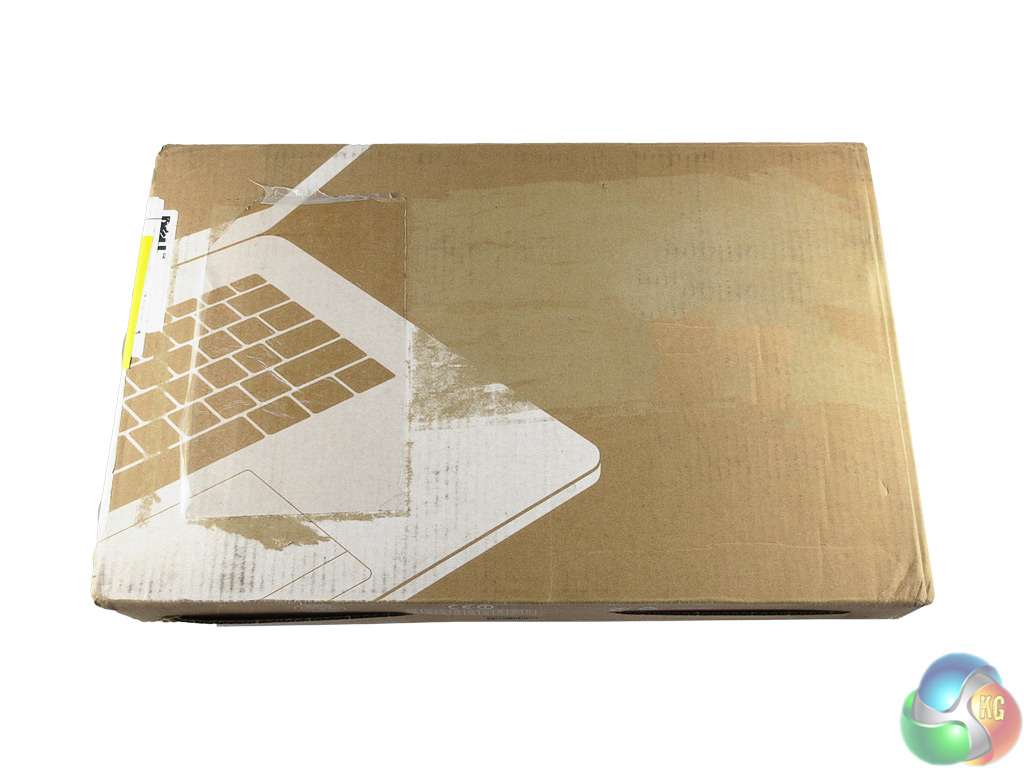
The Dell Inspiron 15 7559 came well packaged in a brown cardboard box. Admittedly, my sample looks rather scruffy but presumably it has been to other journalists first, whereas a retail product would undoubtedly arrive in pristine condition.
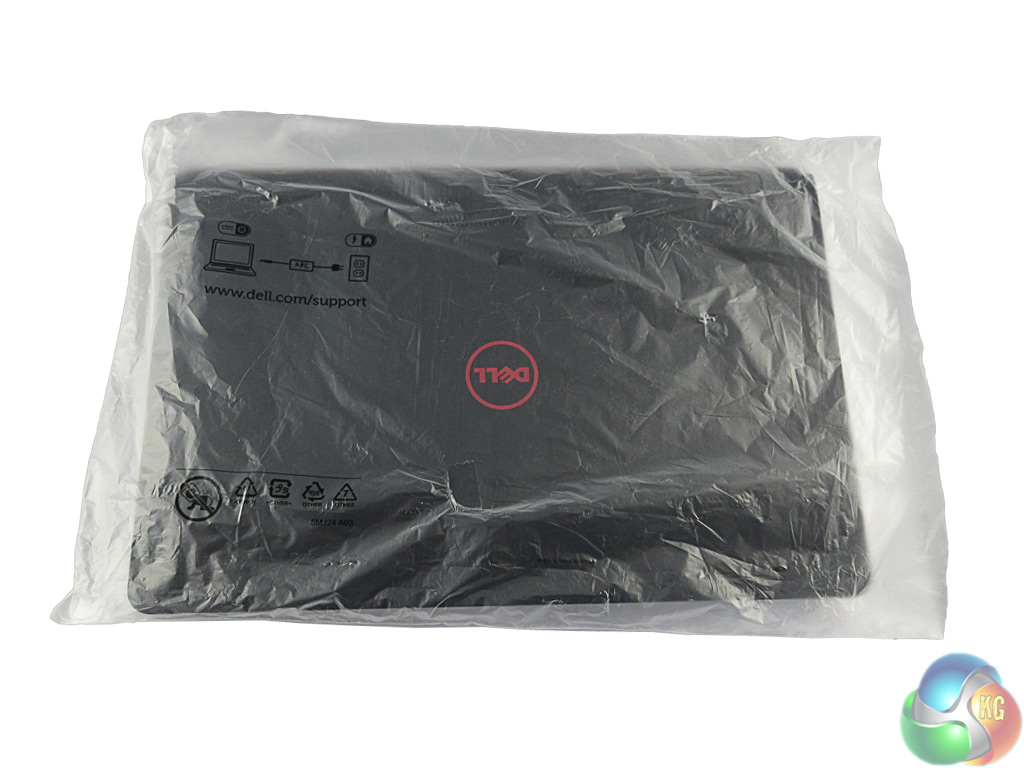
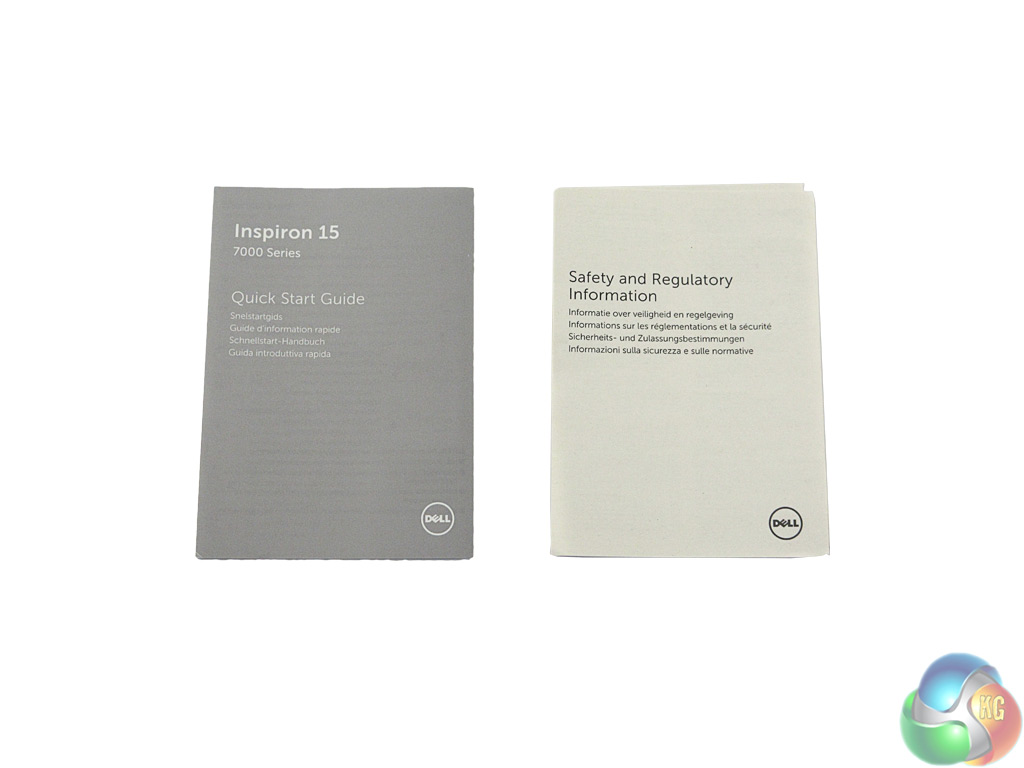
Inside the box, the laptop itself is kept in a protective sleeve, with the power brick in a separate compartment. There are safety and quick start guides also present, but both are very brief.
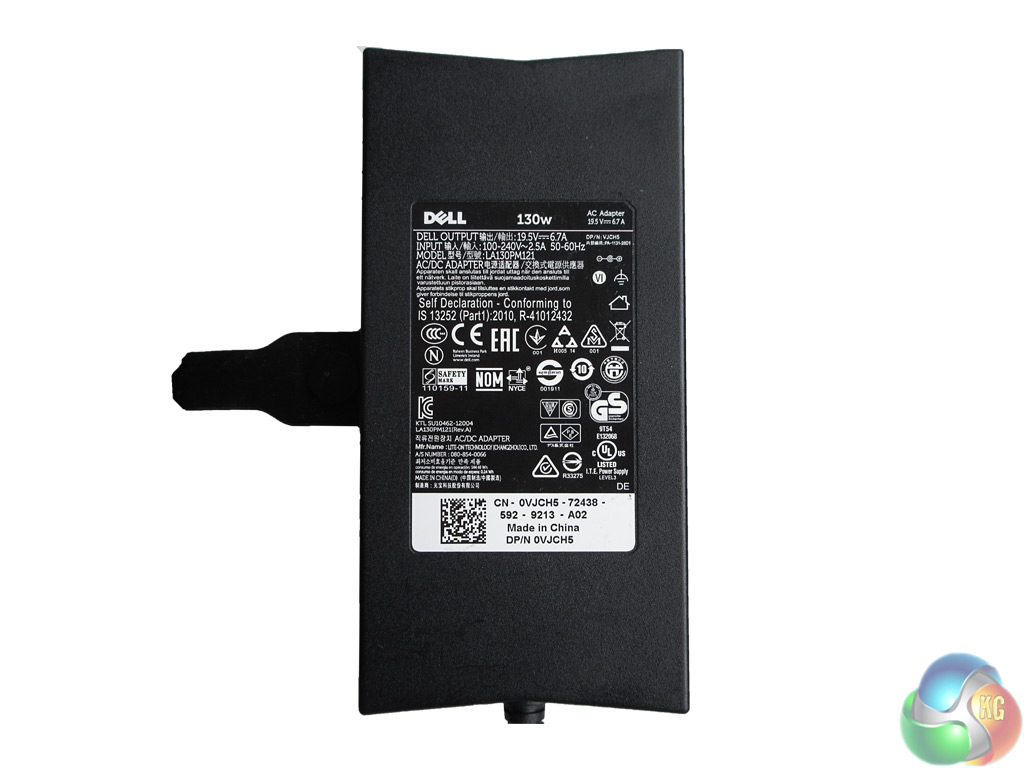
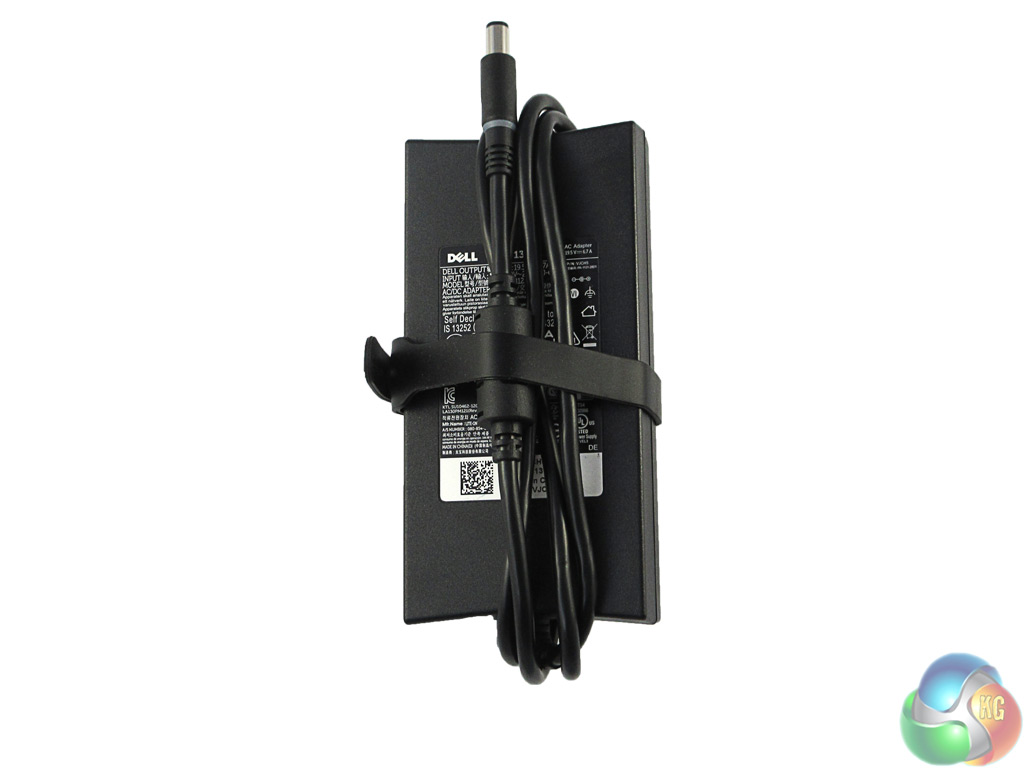
The power brick itself is a 130 Watt unit, which I thought quite modest for this level of hardware but it does the job perfectly fine. It also has a ‘built-in' strap to tie up the cabling from the brick, a nice touch to keep things tidy.
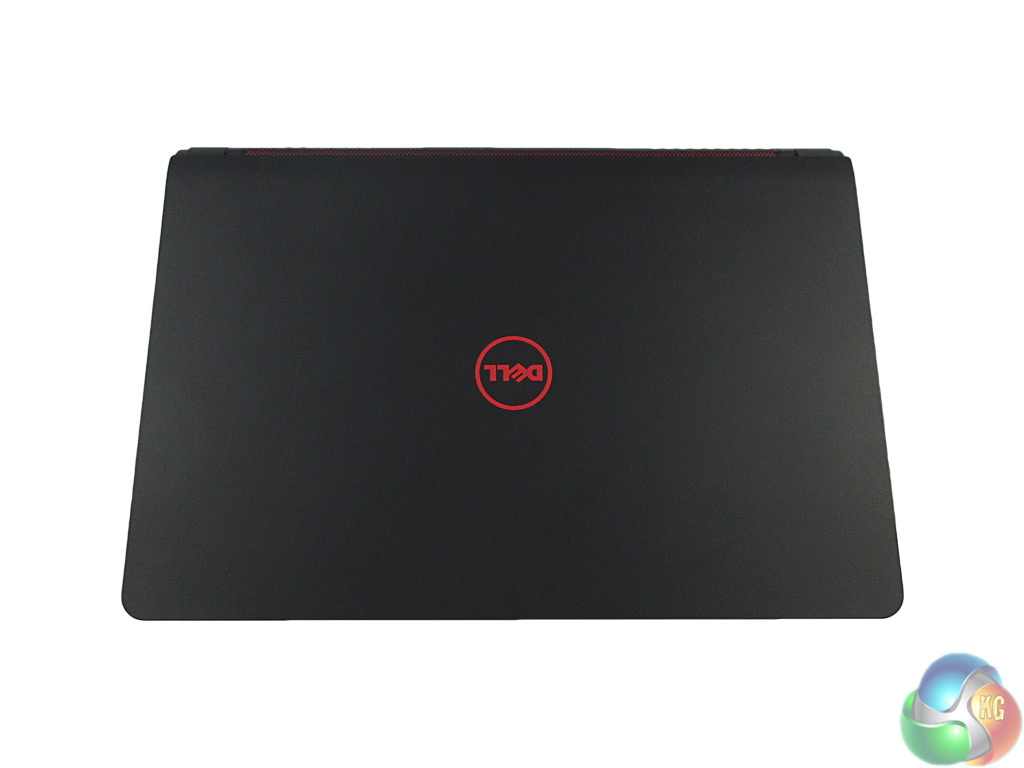
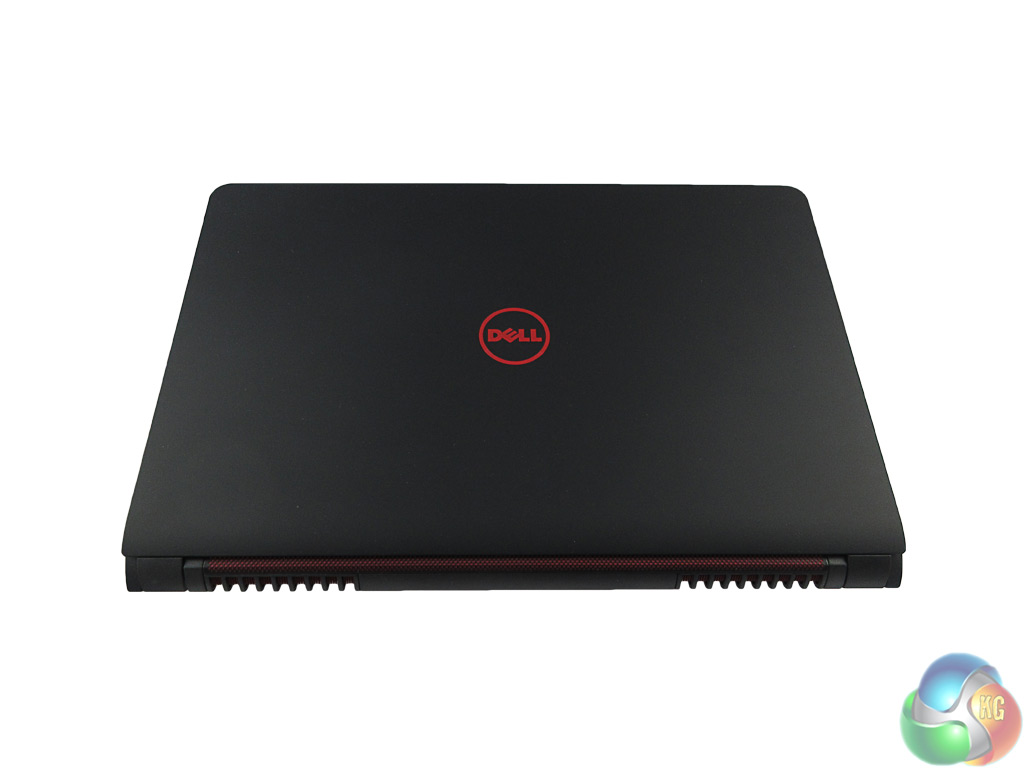
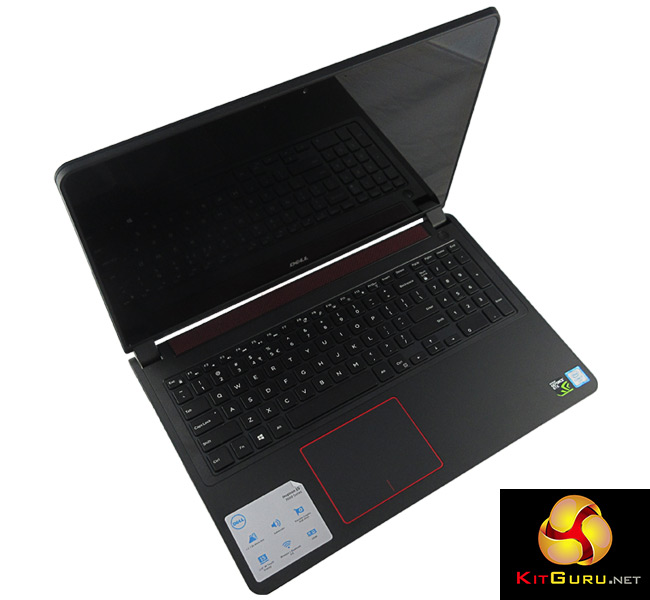
The Inspiron 15 7559 is a fairly attractive laptop. The main chassis is obviously black, while the red Dell logo adorns the top of the lid. This black and red theme is continued all over the laptop, with hints of red elsewhere as we shall see below.
The chassis itself has a rubberised finish, which has a slight tendency to show up greasy marks, but as long as your hands are fairly clean they won't leave a mark.
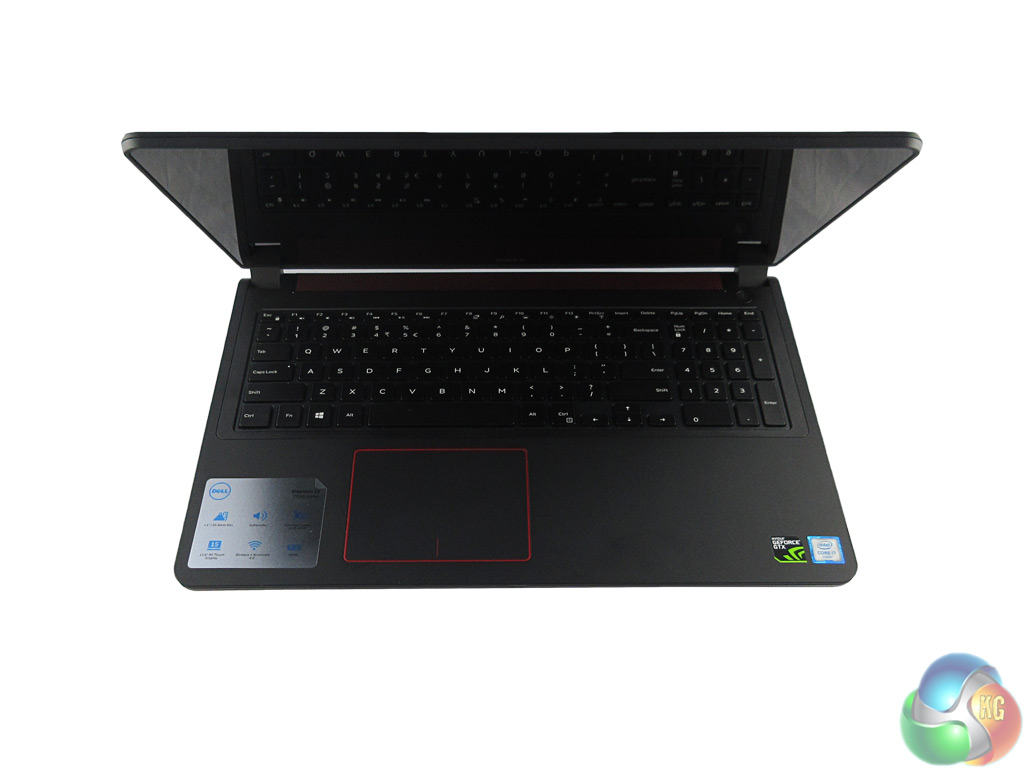
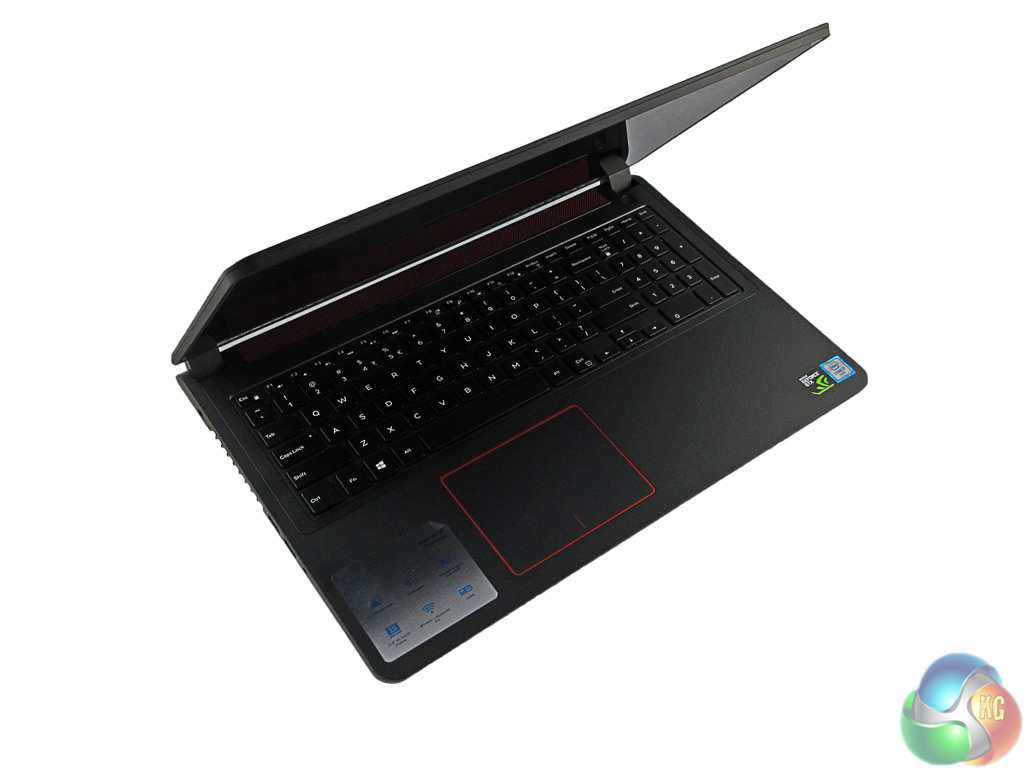
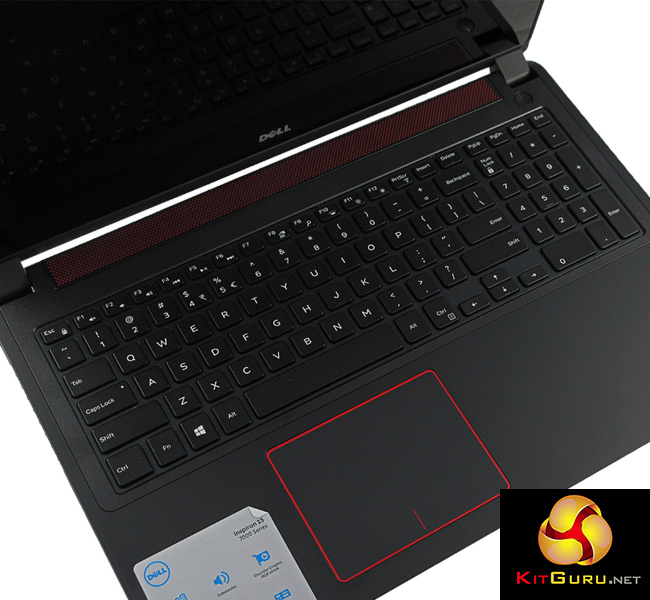
Once the lid has been opened, you can see more red accents – first, and most visibly, the soundbar at the top of the keyboard is what I can only call a ‘red mesh.' Secondly, the trackpad – just left of centre – is outlined with red. I must say I find this colouring quite attractive – it is not overdone or too bold, but simple and effective.
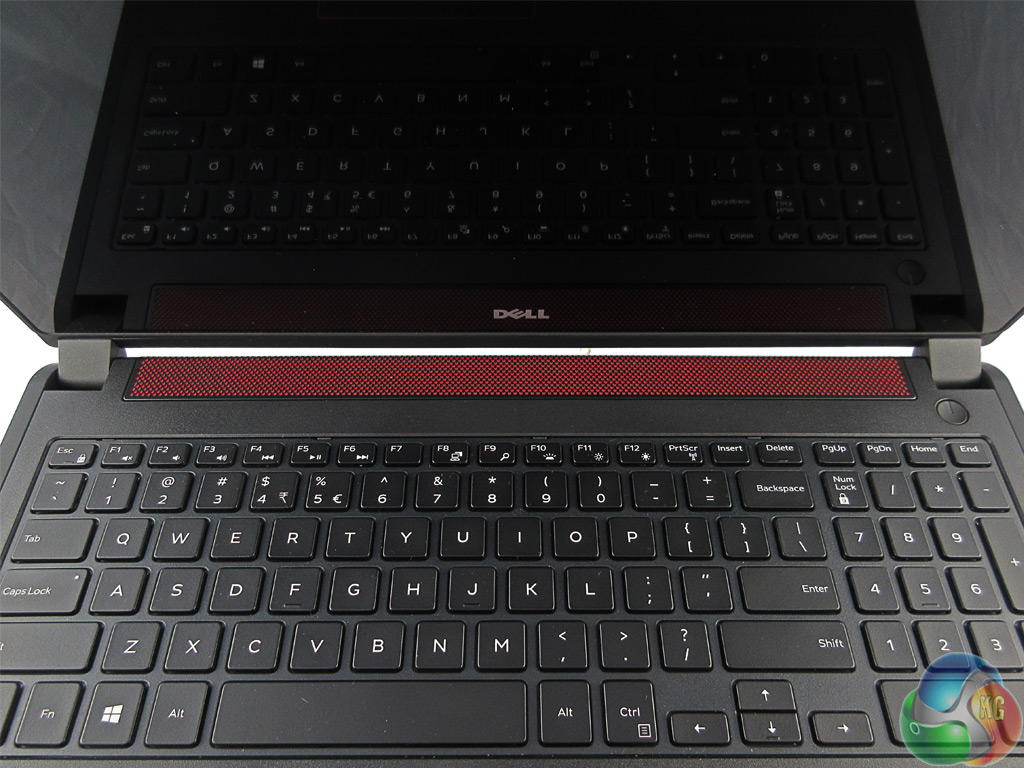
The actual sound quality from the laptop is very good for a laptop under £1000. I was able to watch movies and even game using just the speakers without feeling the need to get my headphone set for better quality.
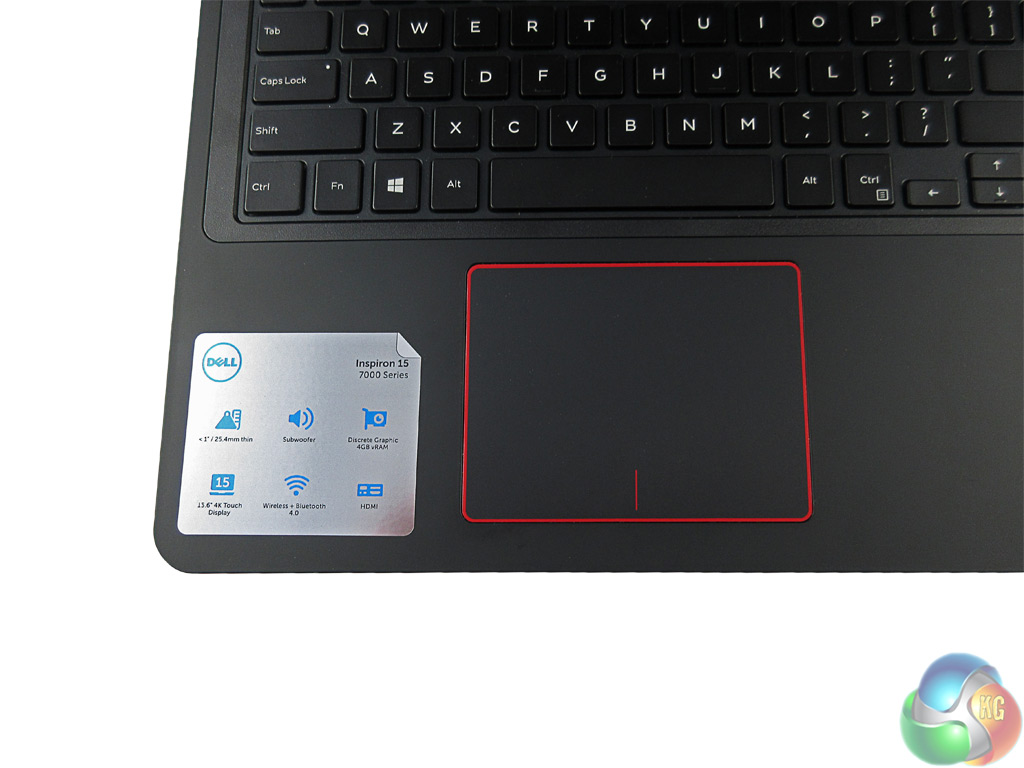
The trackpad, too, is good quality. It is not a ‘glossy' trackpad, instead it blends in well with the main body of the laptop. Tracking is accurate and multi-finger gestures are supported.
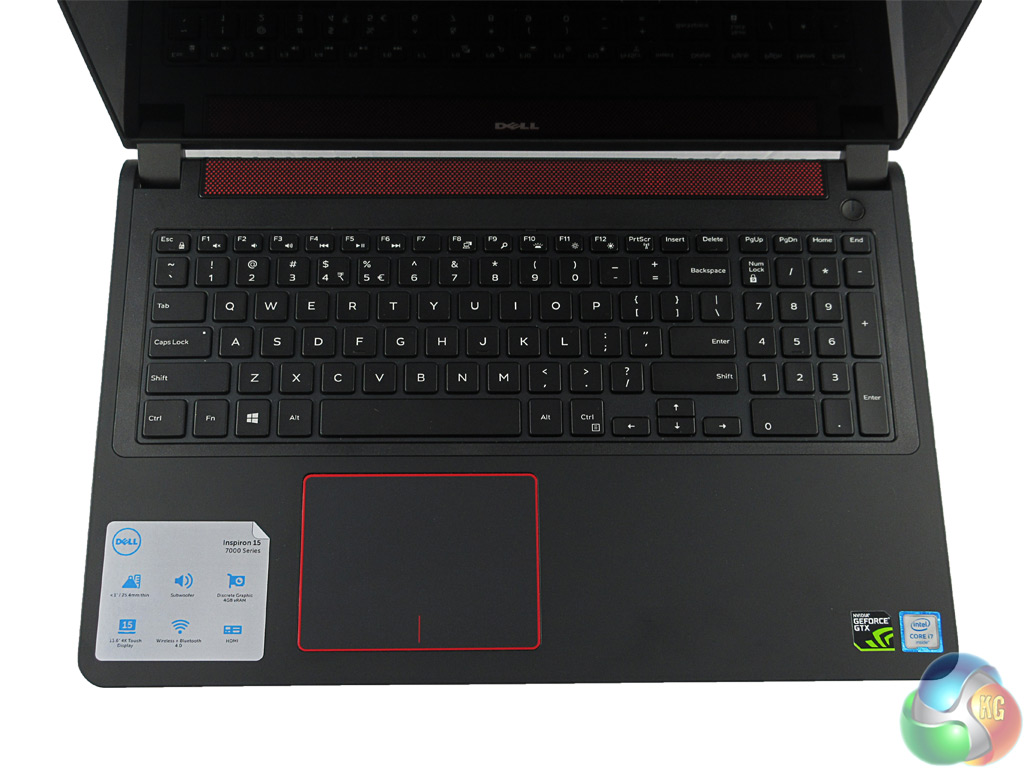
Dell have fitted a decent keyboard too, however key travel is minimal. For a laptop an inch thick, I would have hoped for slightly more key travel but you soon adjust to it. Coming from a desktop mechanical keyboard, though, requires a transition period.
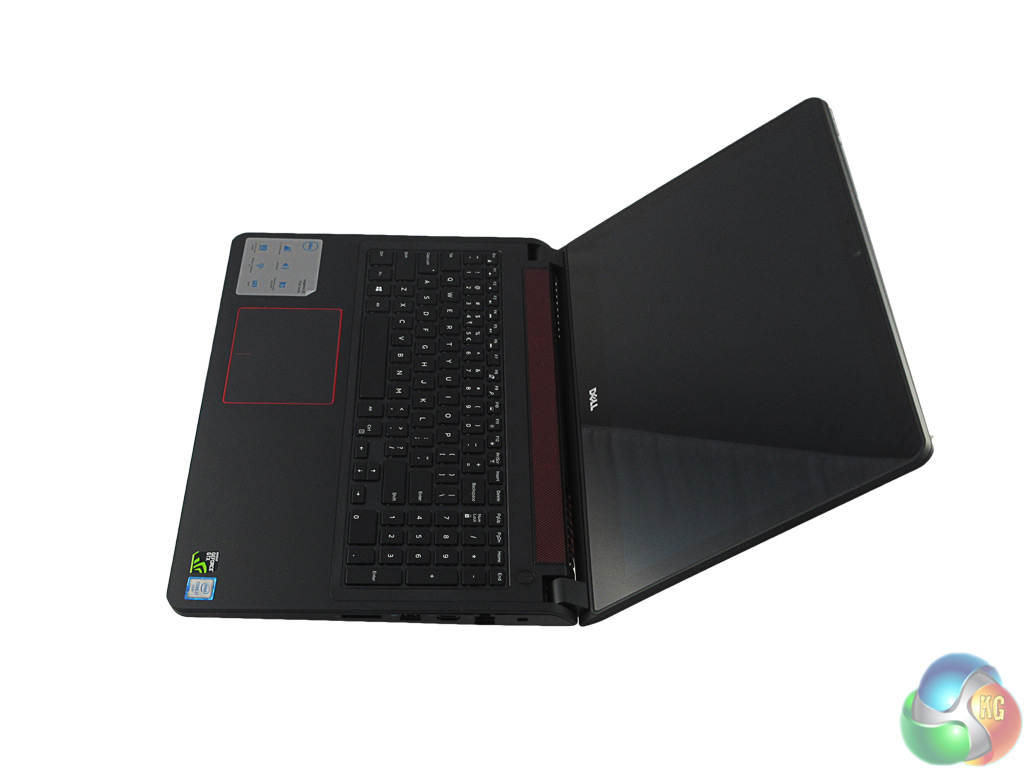
When fully extended, the laptop screen opens to approximately 150 degrees, which is more than I could imagine anyone needing.
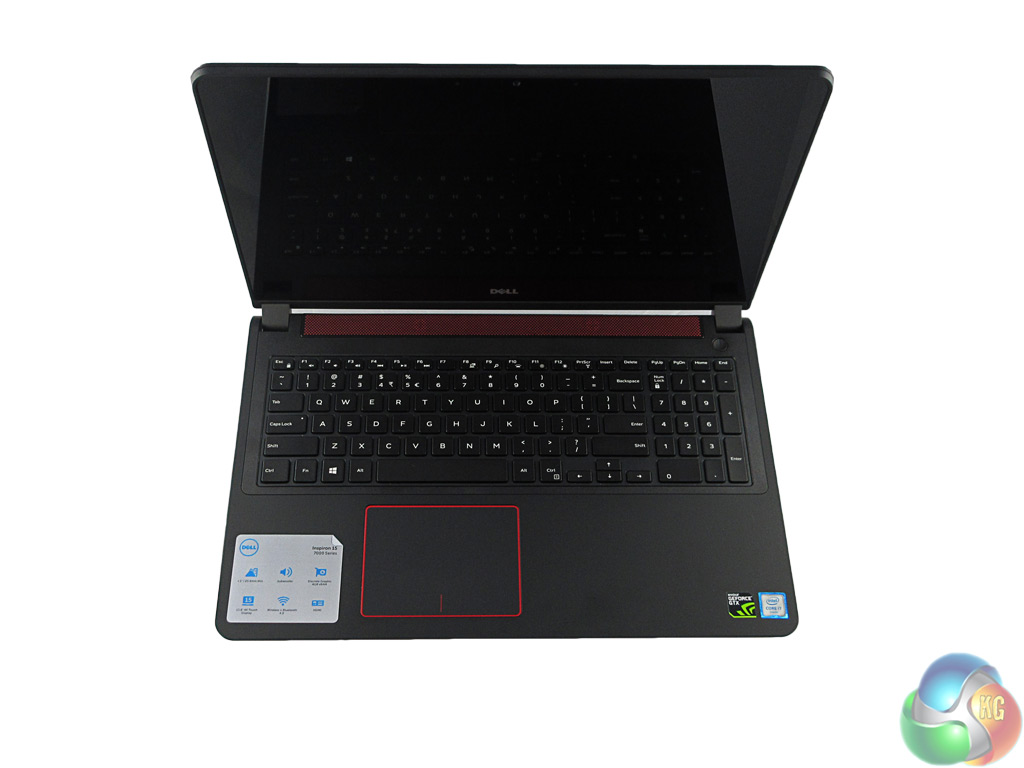
The display itself is top quality. The 3840×2160 resolution is sharp across 15.6 inches – and of course, Windows makes use of scaling (at 250%) else the laptop would be simply unusable. Still, it is a bright and vivid display great for watching UHD content and looking at photos.
As we shall see, though, gaming at 4K on the Inspiron 15 7559 is perhaps not the best idea. One final thing to note on the display is that it is a touch screen – which can be useful, but does mean the display is rather reflective.
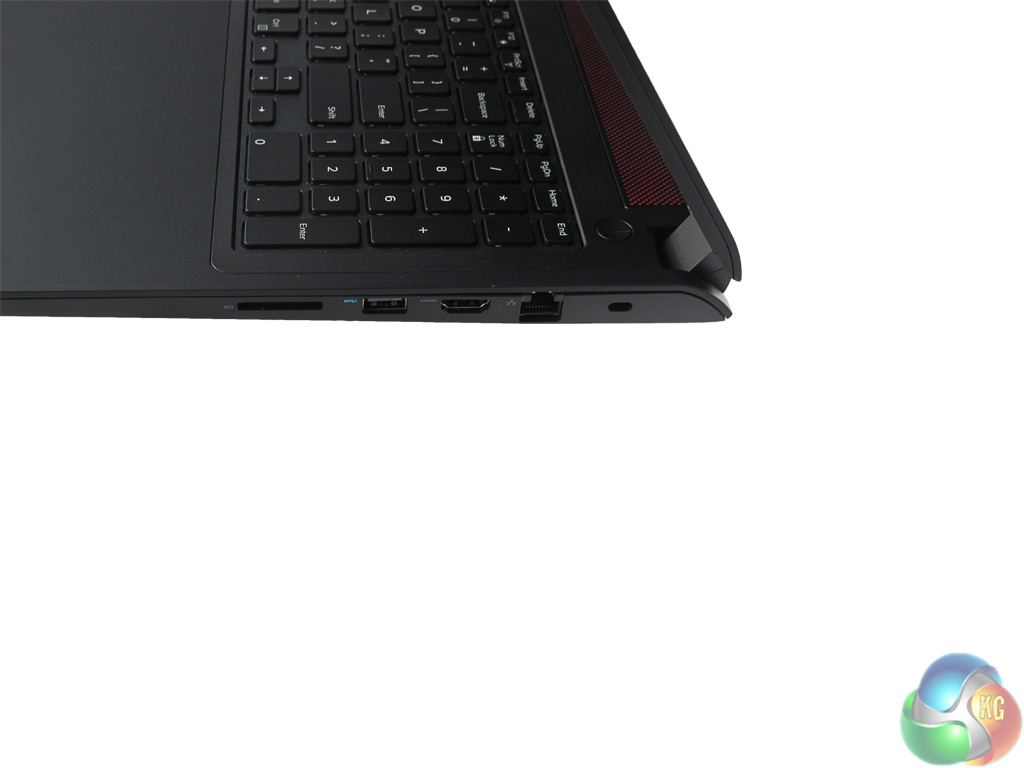
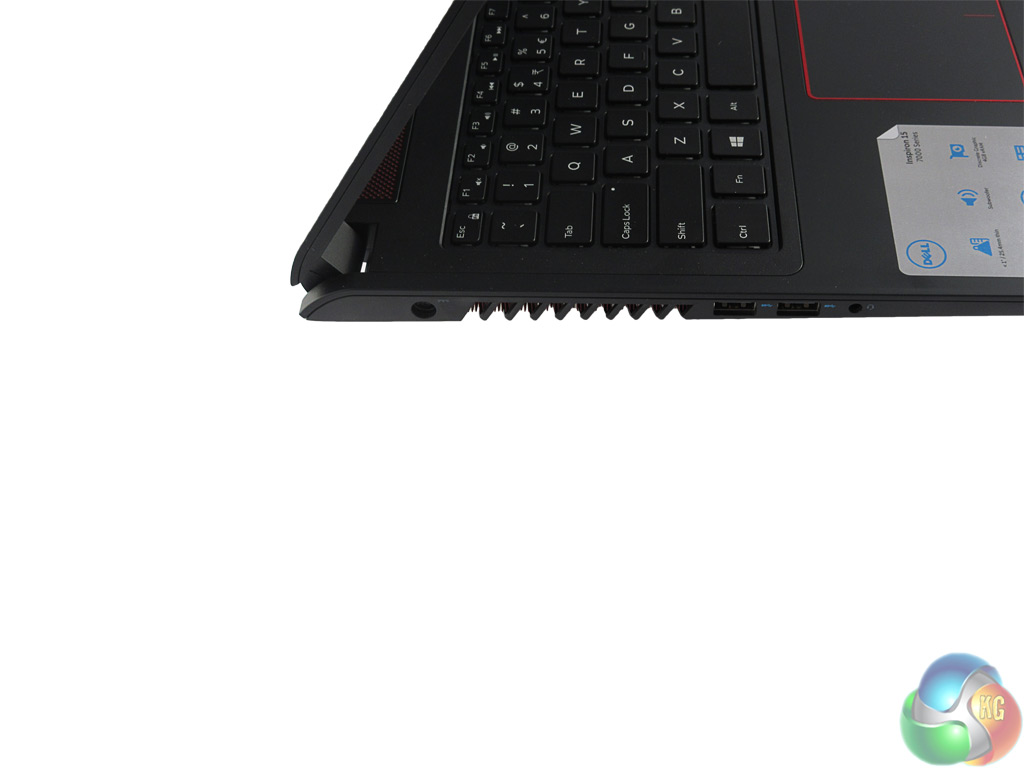
In terms of connectivity ports, the Inspiron is well equipped. There are 3x USB 3.0 ports, 1x SD card reader, 1x Ethernet port, 1x HDMI 1.4a port, and the headphone jack. Obviously USB 3.1 is the future, but it is probably unreasonable to expect such a port on a laptop under the £1000 mark.
There are no ports on the back of the laptop, just exhaust vents and some red cooling fins.
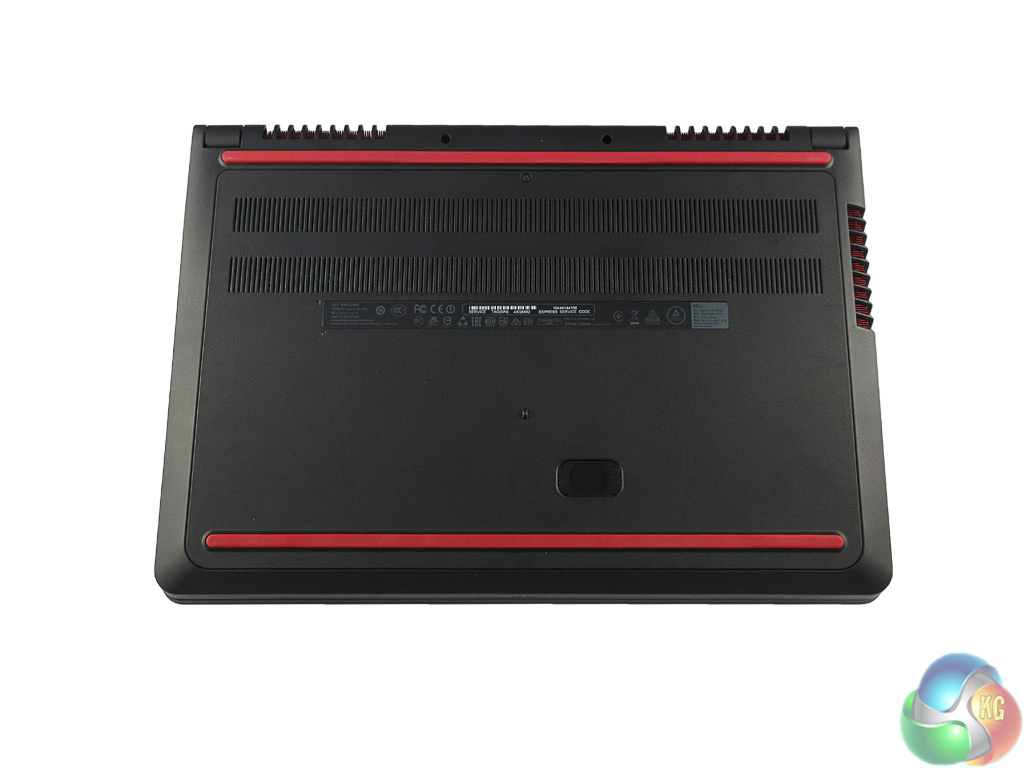
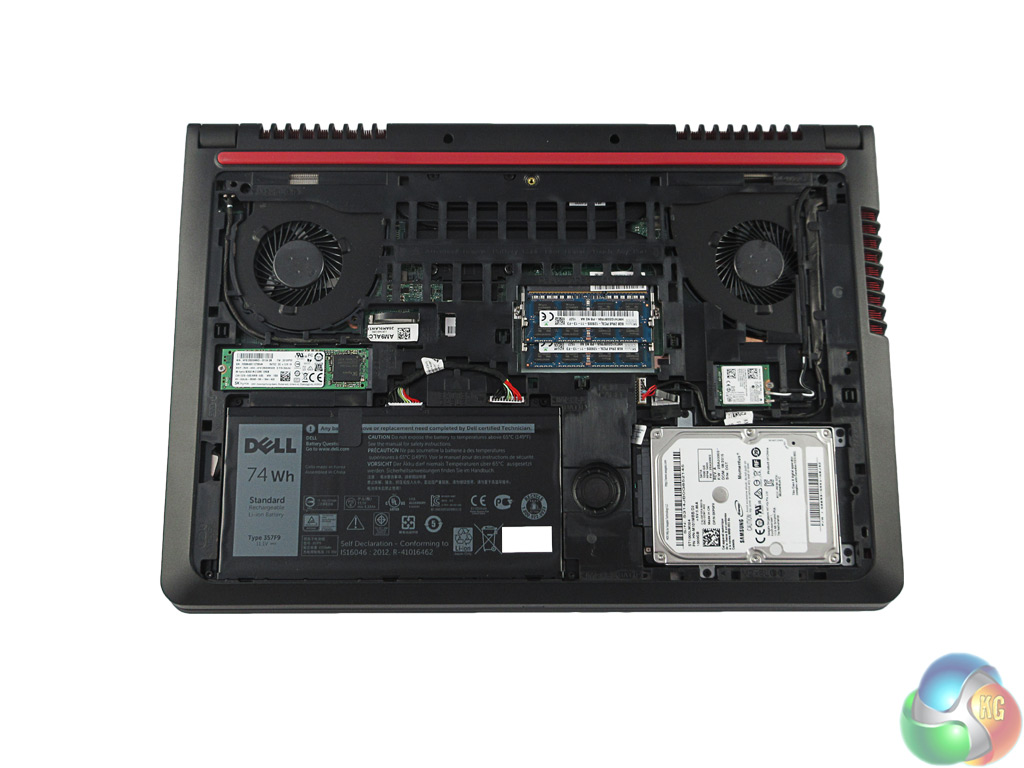
Taking the underside panel off the Inspiron 15 7559 is very easy – simply remove one screw and pull at the edges to release the clips holding the panel down. Inside, everything is very tidy with easy access to both the M.2 SSD and the 1TB HDD.
The battery is actually fairly compact, but both RAM slots are taken – though 16GB should be enough for most consumers.
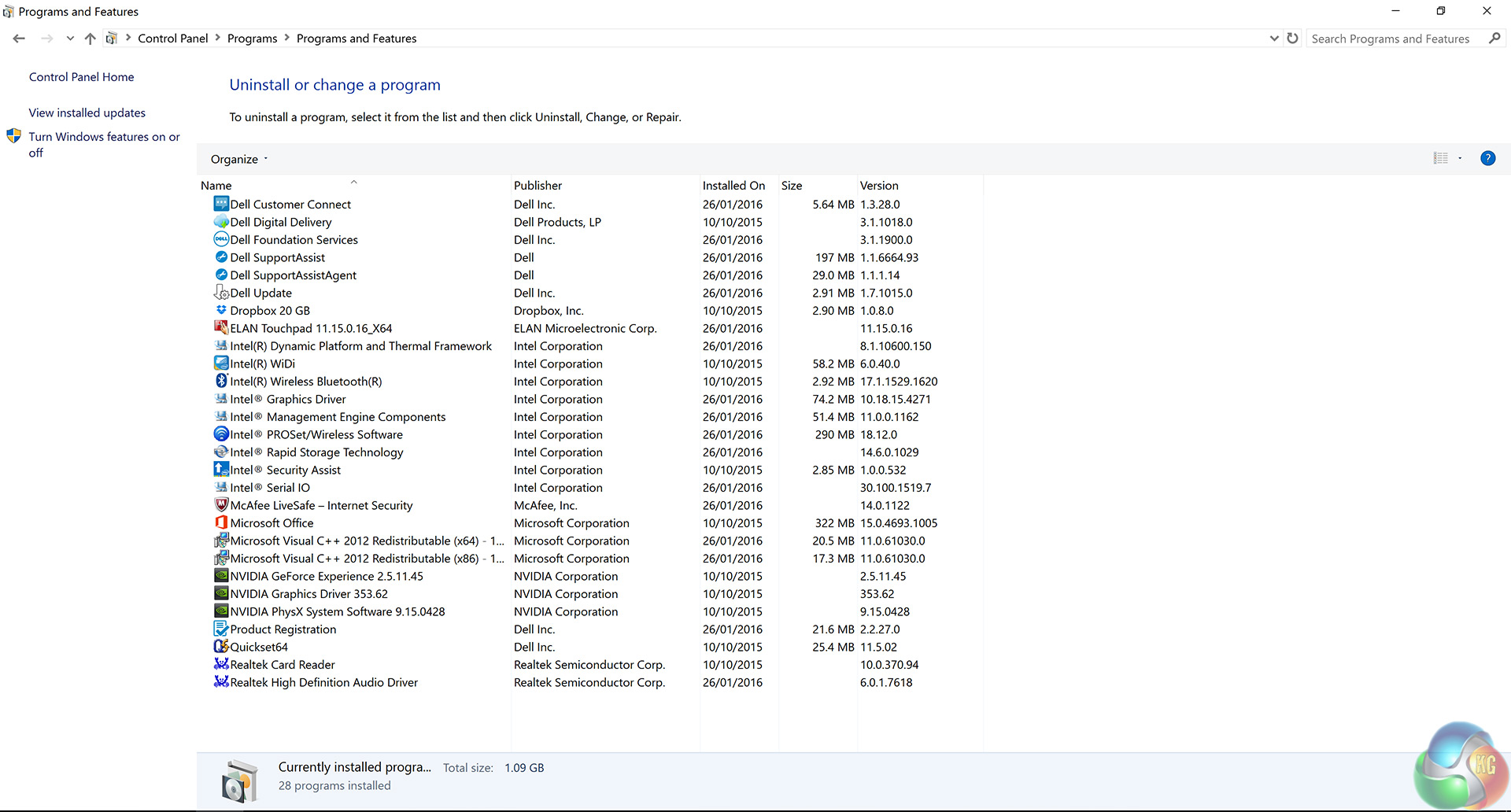
As you can see from the above screenshot, the Inspiron 15 7559 comes with little bloatware. The only exception to this would be McAfee anti-virus, which nagged me no-end – so it was uninstalled straight away.
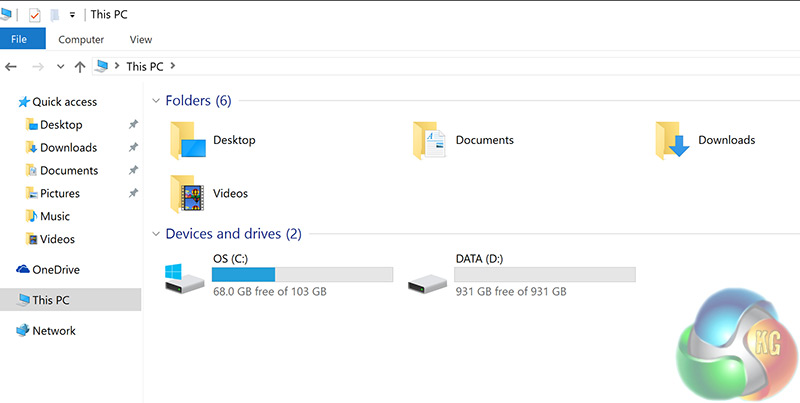
In terms of storage, a fresh install of Windows leaves the SSD with 68GB free space, while the HDD has 931GB space.
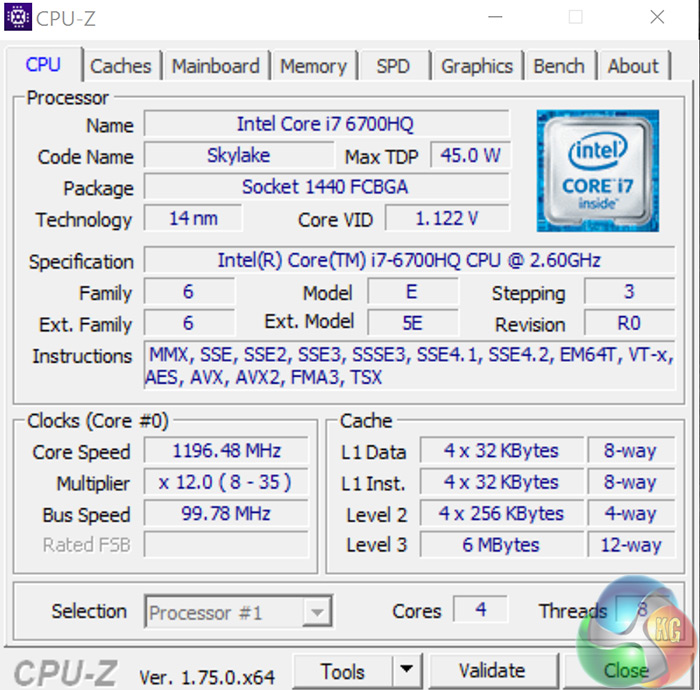
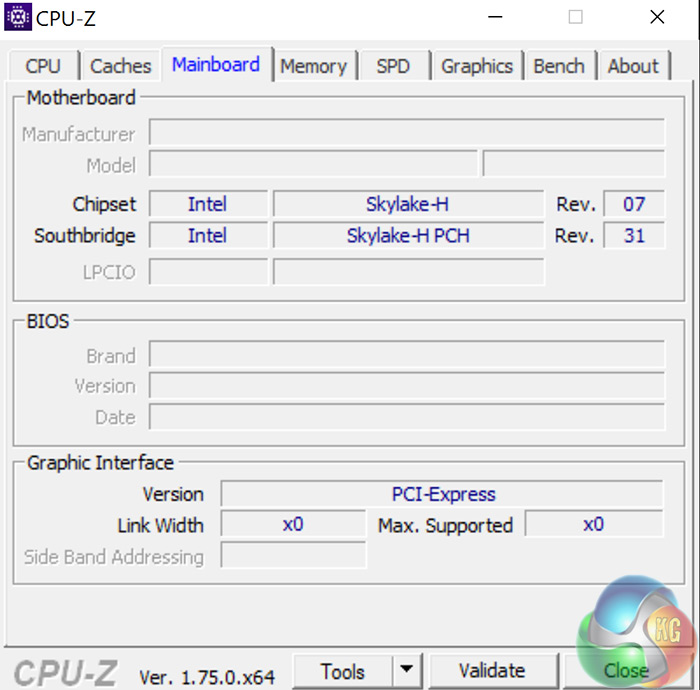
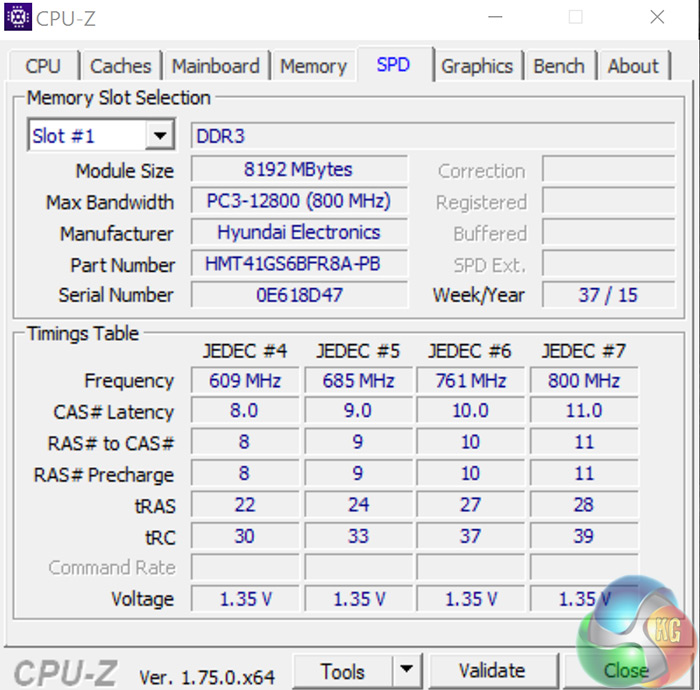
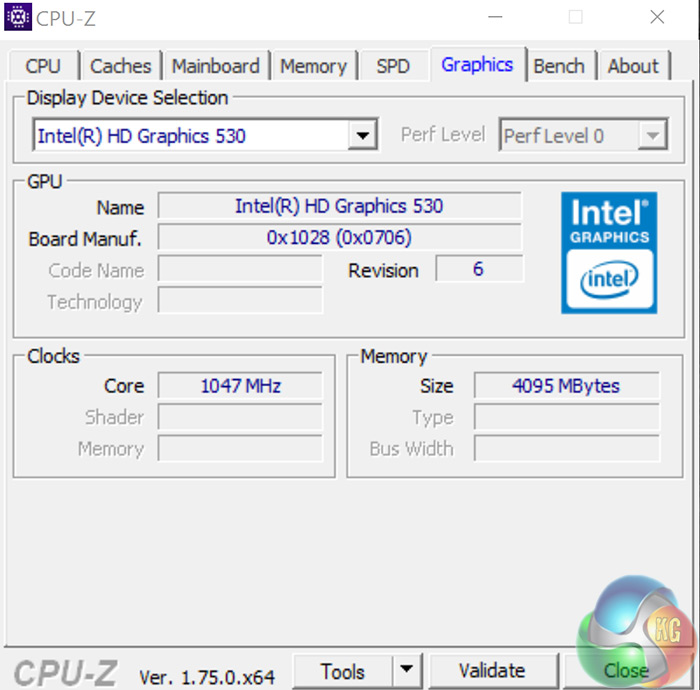
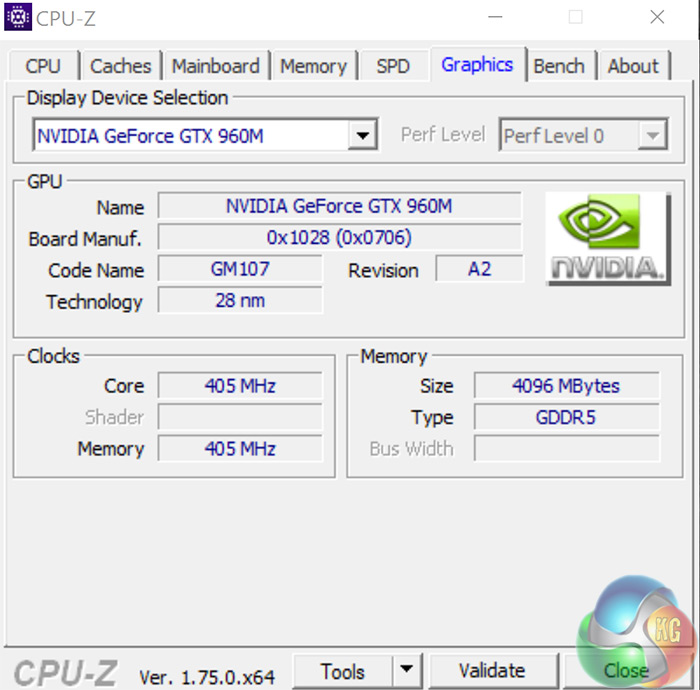
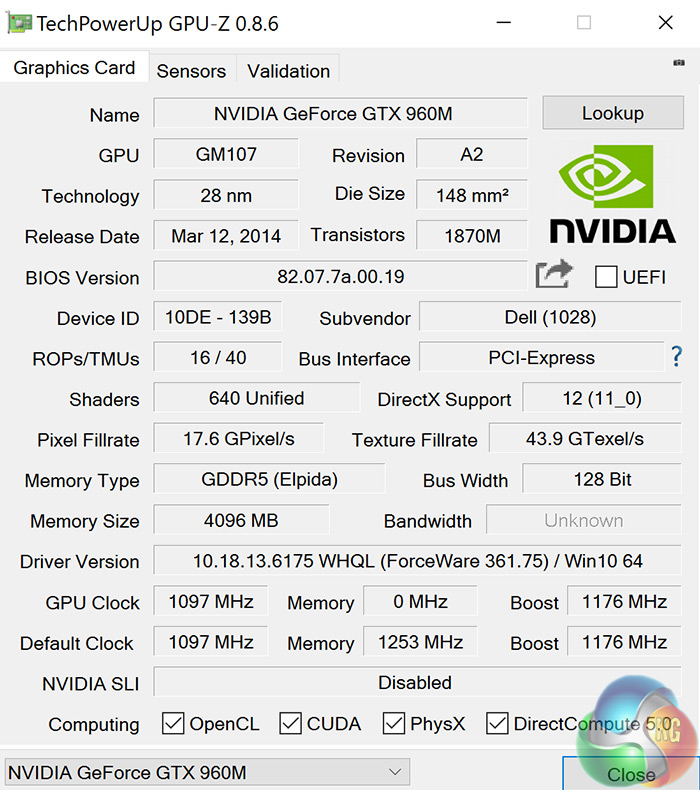
Here you can see an overview of the system CPU and GPU, courtesy of CPU-Z and GPU-Z respectively. The quad-core i7-6700HQ is clocked at 2.6GHz and boosts to 3.5GHz. Unfortunately, the Inspiron 15 7559 sticks with 16GB of older DDR3 RAM, presumably to keep costs down – with 11-11-11-28 timings.
The i7 has Intel HD 530 integrated graphics, while obviously the GTX 960M is the discrete graphics chip we are interested in. It is fabricated from a 28nm process, and features 16 ROPs, 40 TMUs and 640 CUDA cores. It also has 4GB of VRAM clocked at 1253MHz.
The main focus of tests using the GTX 960M will be at 1080p, but we also include 4K data to give you an idea of the settings you will need to lower to game at 4K on the Inspiron.
Comparison systems:
While I have not had a similar gaming laptop for review recently, I have benchmarked the Inspiron 15 7559 against PCSpecialist's Lafite (Core i3-5010U, 8GB RAM) and my personal desktop system (Core i3-4160, GTX 960, 8GB RAM) to give you an indication of the relative performance of this laptop.
Test software:
SiSoft Sandra
Cinebench R15
PCMark 8
Handbrake
CrystalDiskMark
ATTO Disk Benchmark
3DMark 11
3DMark
Fraps
CPU-Z
GPU-Z
HWMonitor
Games tested:
Tomb Raider
Grid Autosport
Battlefield 4
Middle-Earth: Shadow of Mordor
All the latest BIOS updates and drivers (in this case, the latest Nvidia 361.75 graphics driver) are used during testing.
Game descriptions edited with courtesy from Wikipedia.SiSoftware Sandra (the System ANalyser, Diagnostic and Reporting Assistant) is an information & diagnostic utility. It should provide most of the information (including undocumented) you need to know about your hardware, software and other devices whether hardware or software.
Sandra is a (girl’s) name of Greek origin that means “defender”, “helper of mankind”. We think that’s quite fitting.
It works along the lines of other Windows utilities, however it tries to go beyond them and show you more of what’s really going on. Giving the user the ability to draw comparisons at both a high and low-level. You can get information about the CPU, chipset, video adapter, ports, printers, sound card, memory, network, Windows internals, AGP, PCI, PCI-X, PCIe (PCI Express), database, USB, USB2, 1394/Firewire, etc.
Native ports for all major operating systems are available:
- Windows XP, 2003/R2, Vista, 7, 2008/R2 (x86)
- Windows XP, 2003/R2, Vista, 7, 2008/R2 (x64)
- Windows 2003/R2, 2008/R2* (IA64)
- Windows Mobile 5.x (ARM CE 5.01)
- Windows Mobile 6.x (ARM CE 5.02)
All major technologies are supported and taken advantage of:
- SMP – Multi-Processor
- MC – Multi-Core
- SMT/HT – Hyper-Threading
- MMX, SSE, SSE2, SSE3, SSSE3, SSE 4.1, SSE 4.2, AVX, FMA – Multi-Media instructions
- GPGPU, DirectX, OpenGL – Graphics
- NUMA – Non-Uniform Memory Access
- AMD64/EM64T/x64 – 64-bit extensions to x86
- IA64 – Intel* Itanium 64-bit
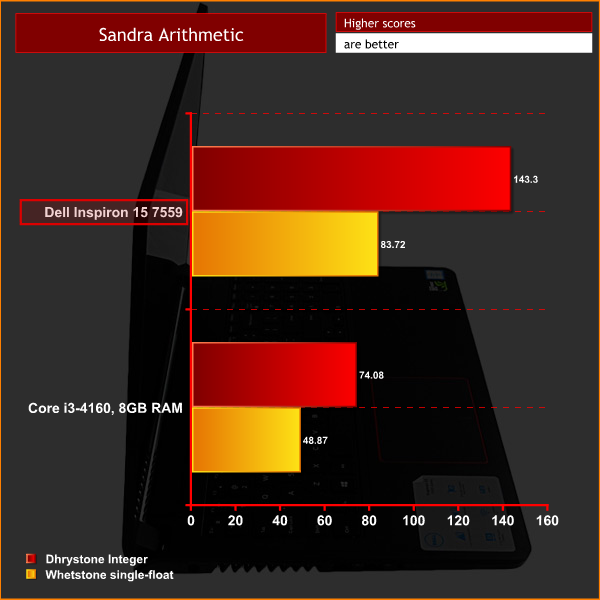
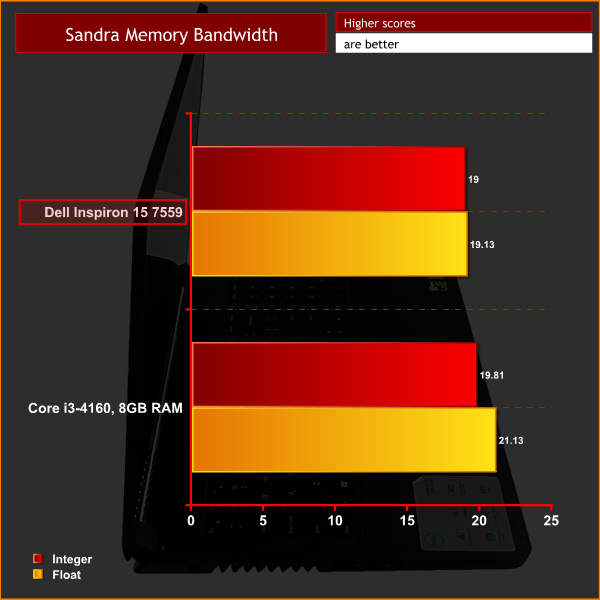
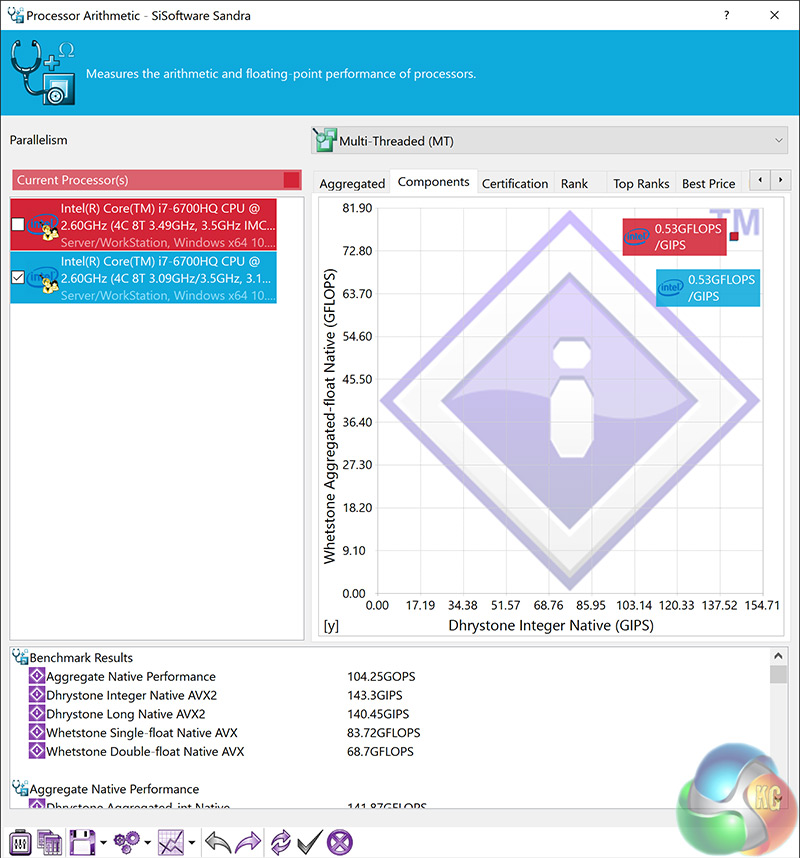
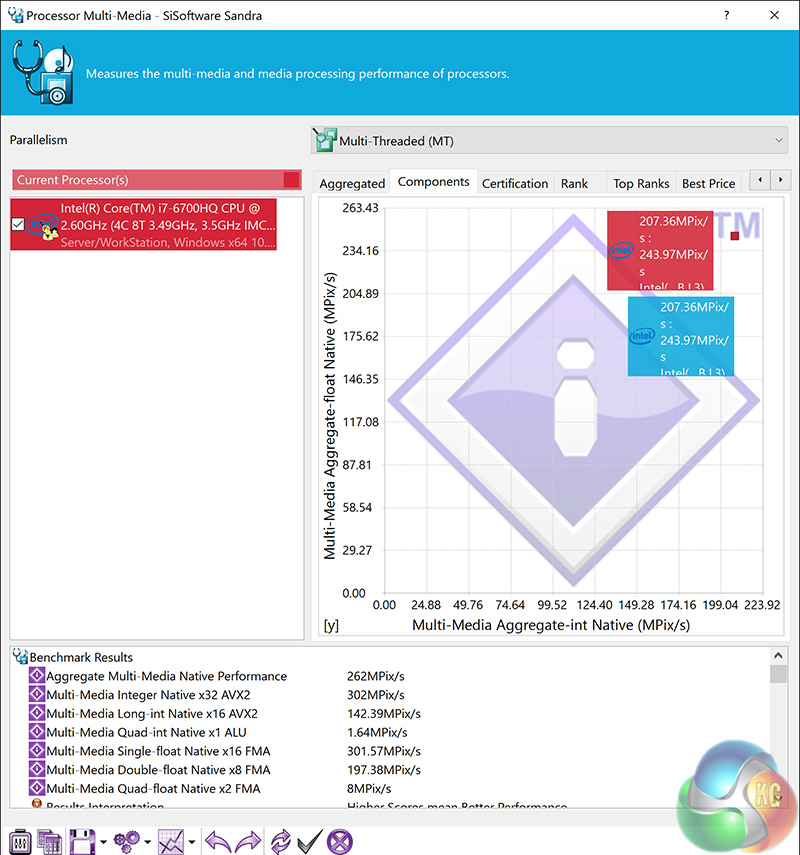
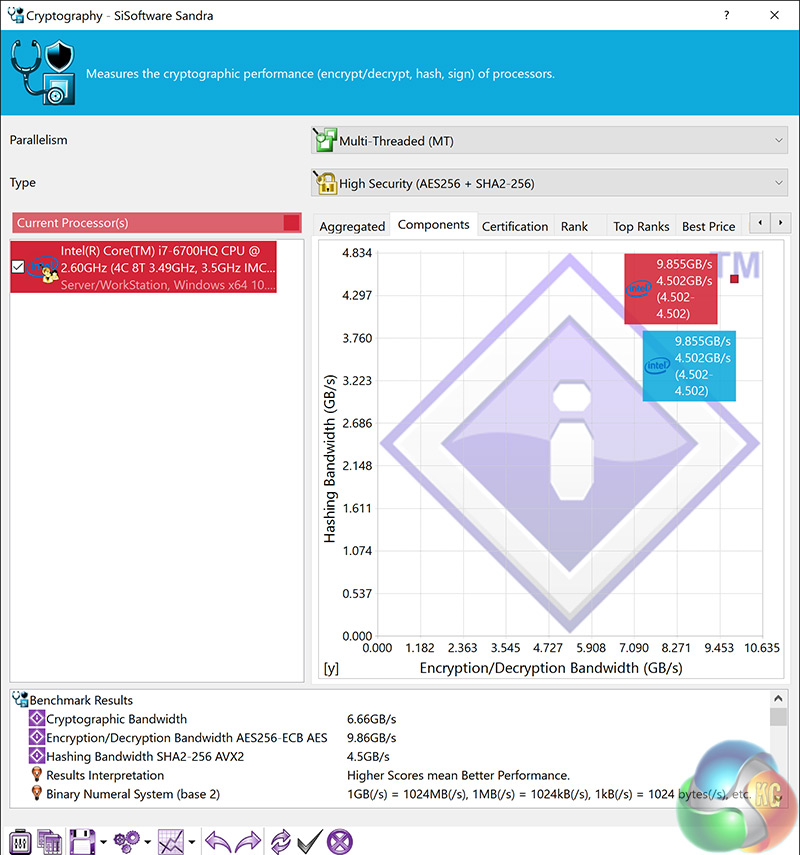
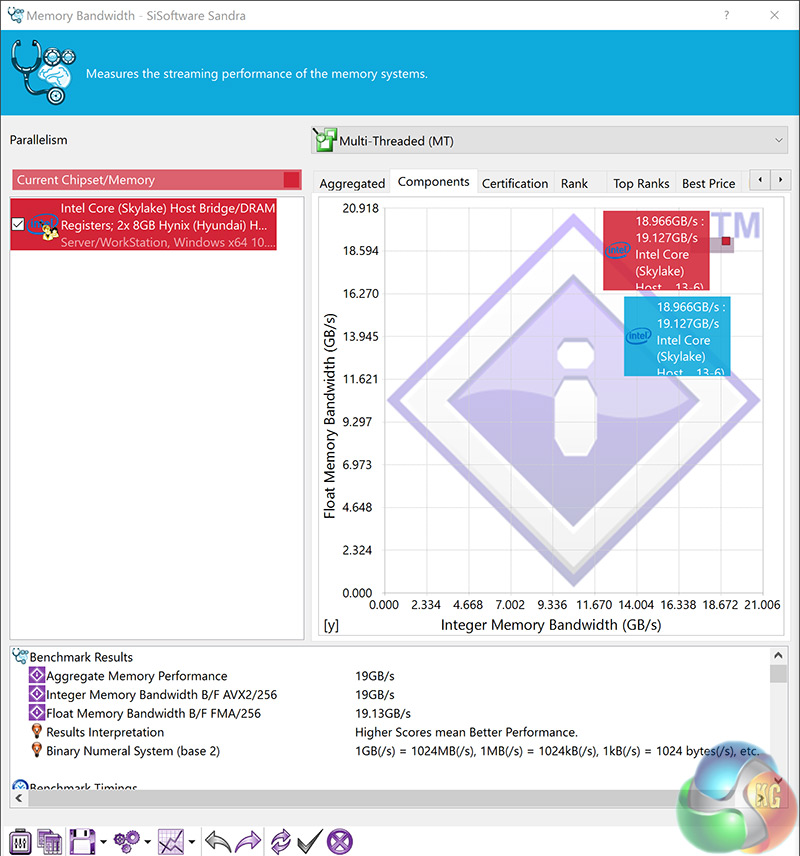
Above you can see the Inspiron's scores across 4 Sandra benchmarks we commonly use at KitGuru. The CPU performance is particularly impressive – but we would expect nothing less of the latest quad-core Skylake mobile CPU.
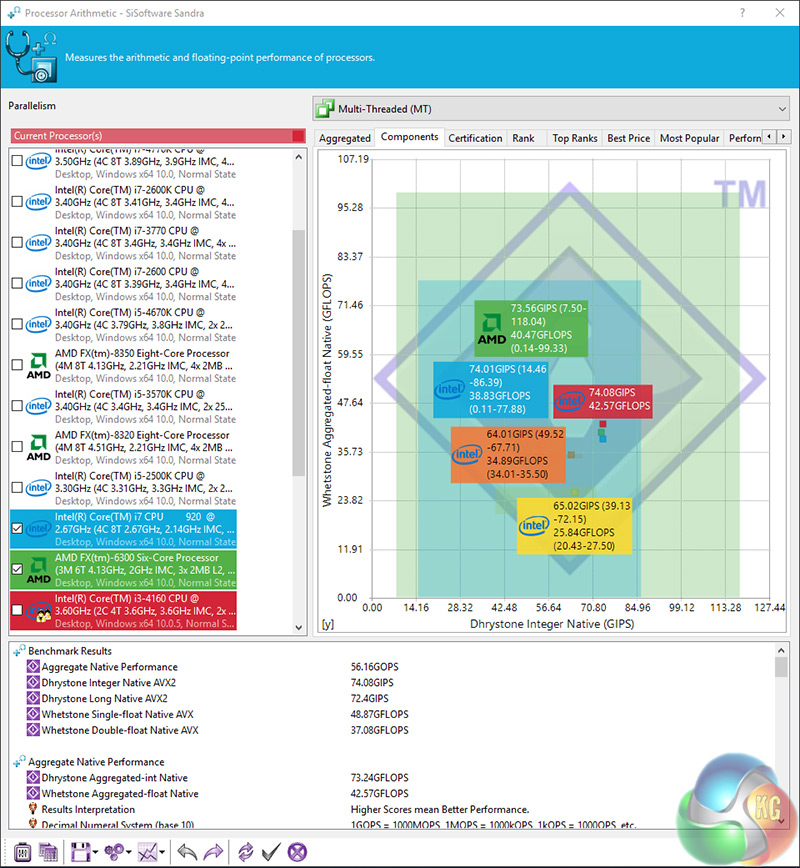
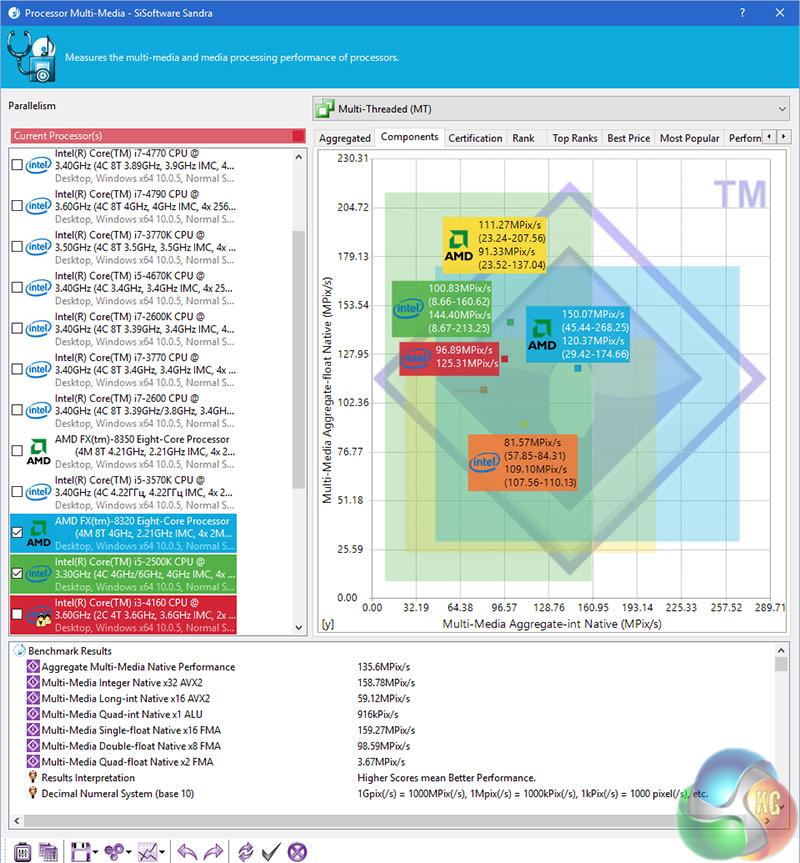
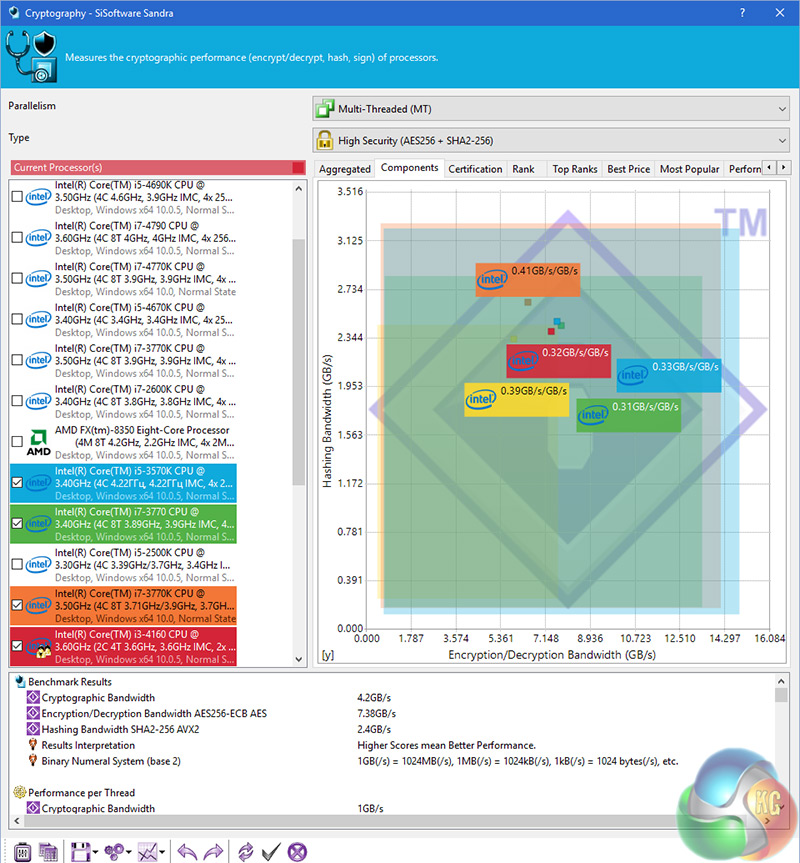
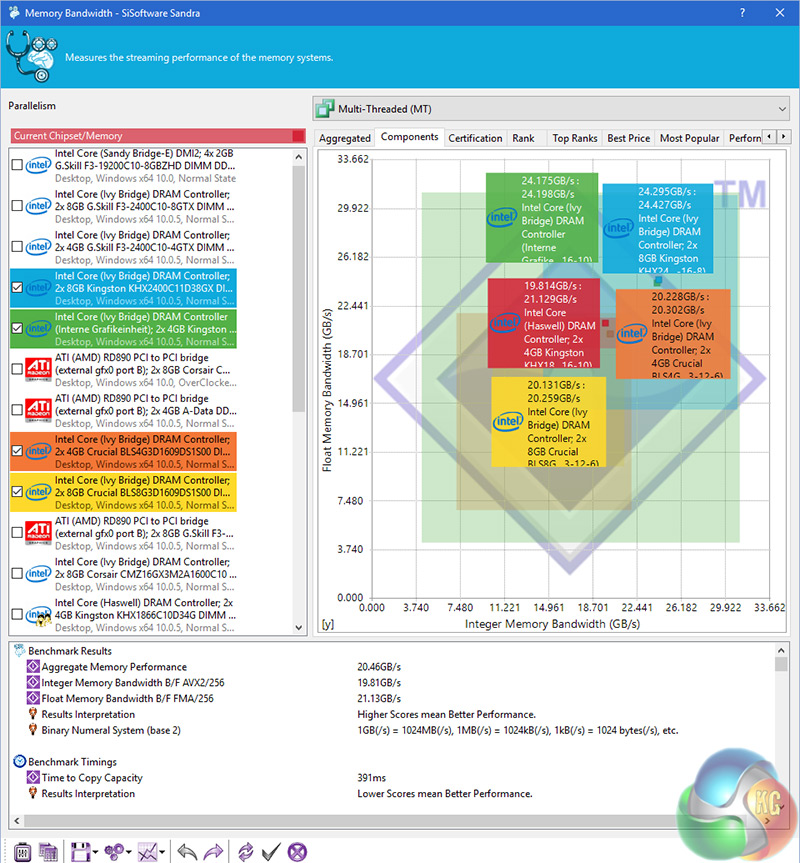
Above are the results from my desktop PC (Core i3-4160, 8GB DDR3 1866MHz) and you can just see the advantage the desktop memory has over the DDR3 laptop memory. However, the i7-6700HQ wipes the floor with my dual-core desktop i3-4160.
So far so good for the Inspiron 15 7559.
CINEBENCH 15 is a cross-platform testing suite that measures hardware performance and is the de facto standard benchmarking tool for leading companies and trade journals for conducting real-world hardware performance tests. With the new Release 15, systems with up to 256 threads can be tested. CINEBENCH is available for both Windows and OS X and is used by almost all hardware manufacturers and trade journals for comparing CPUs and graphics cards.
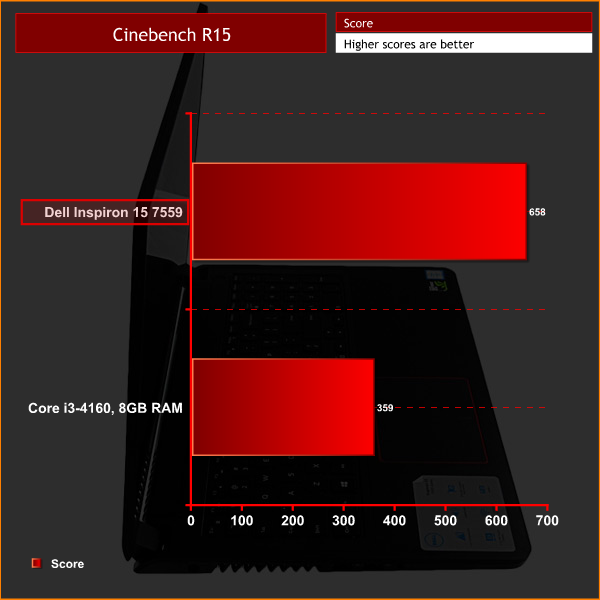
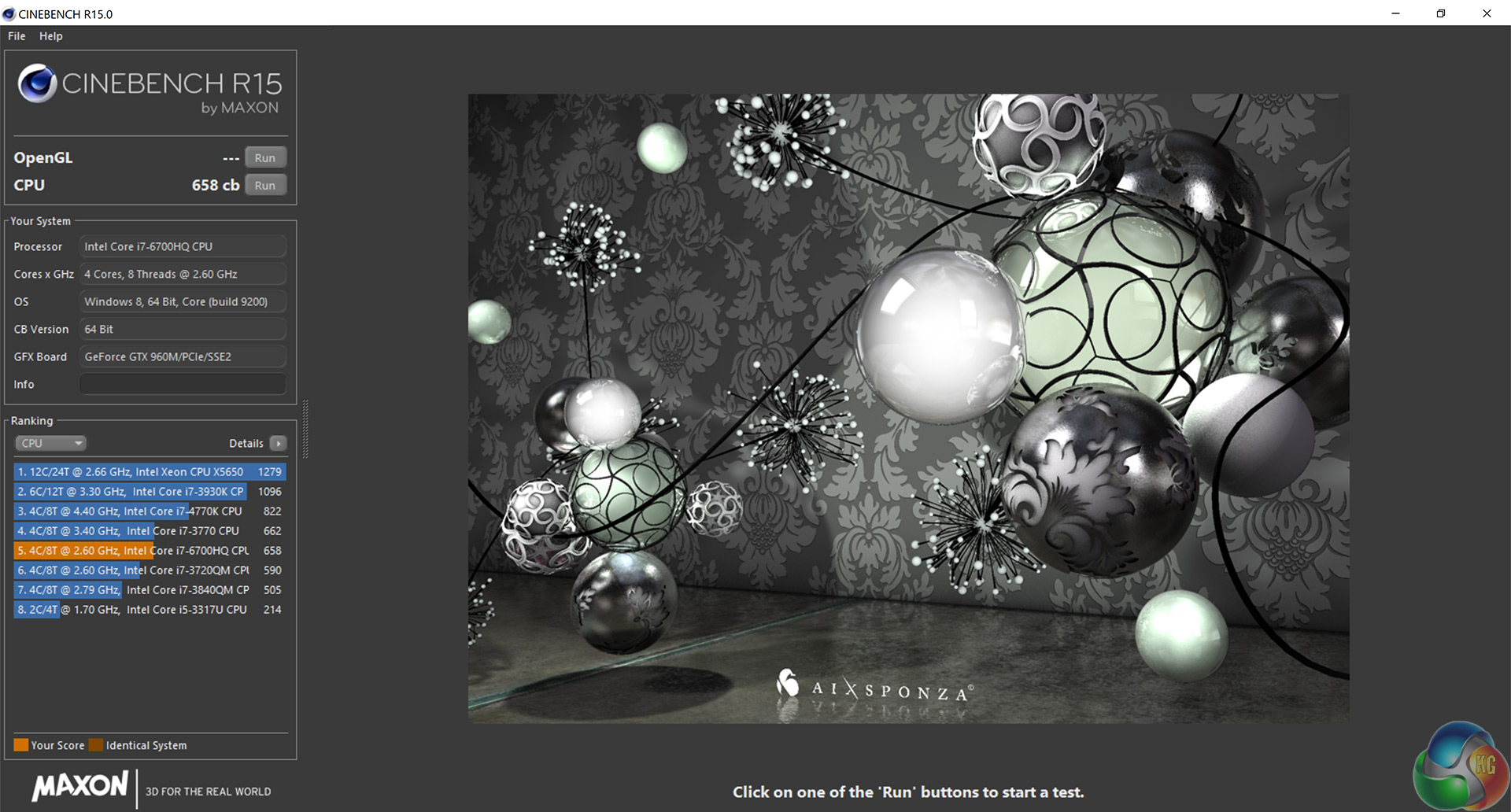
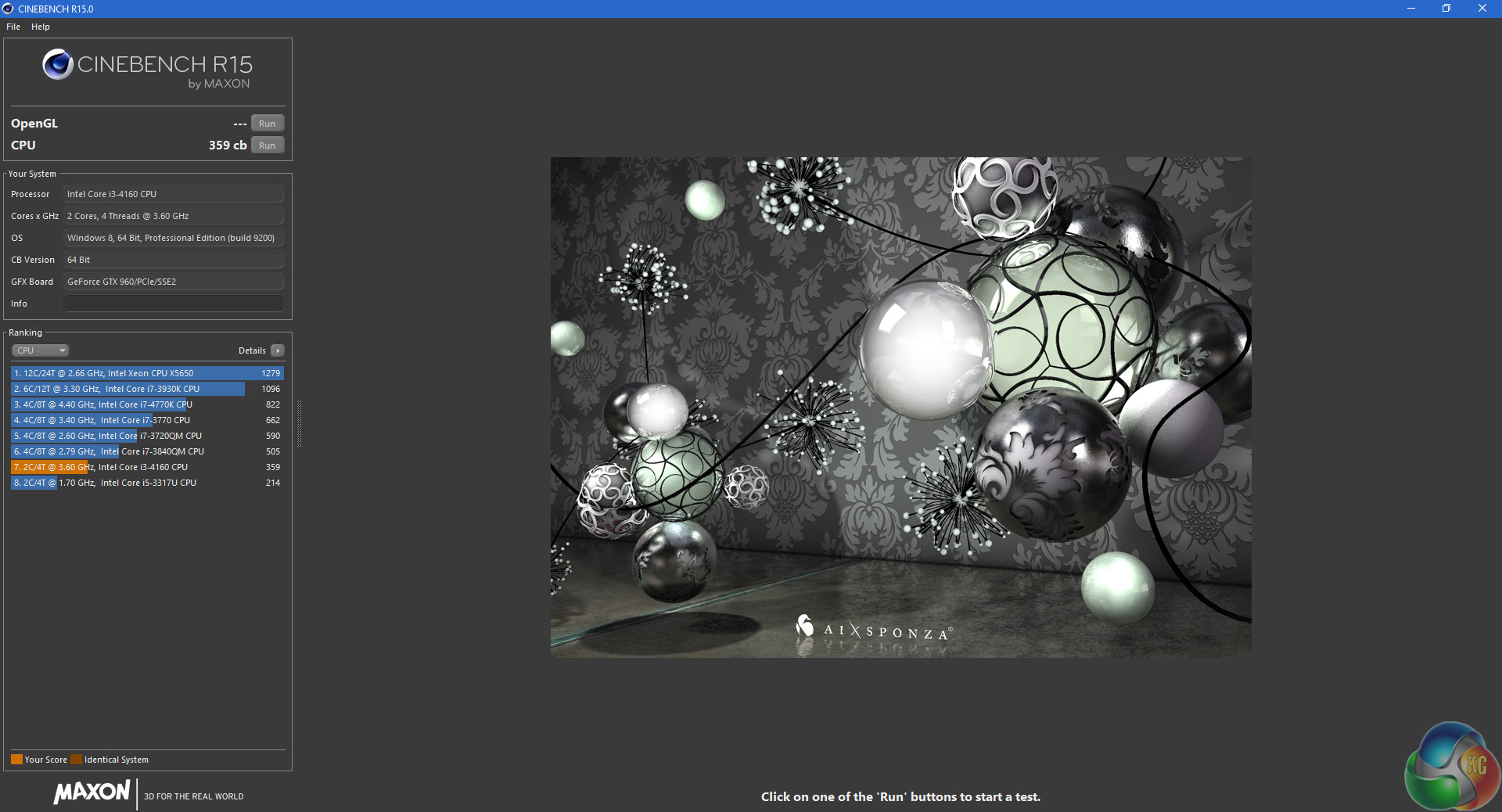
In Cinebench R15, the Inspiron 15 7559 was again superior by quite a margin – clearly the i7-6700HQ is a powerful CPU, which is potentially the beginnings of a good all-round laptop. We shall see.The PCMark 8 Home benchmark includes workloads that reflect common tasks for a typical home user. These workloads have low computational requirements making PCMark 8 Home suitable for testing the performance of low-cost tablets, notebooks and desktops. Home includes workloads for web browsing, writing, gaming, photo editing, and video chat. The results are combined to give a PCMark 8 Home score for your system.
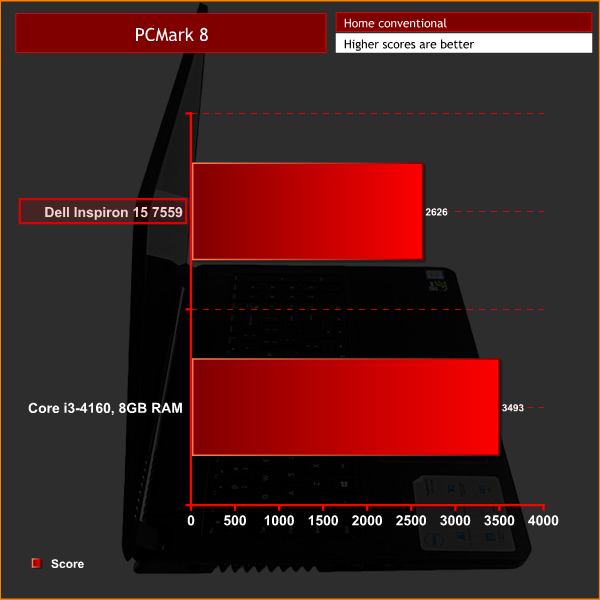
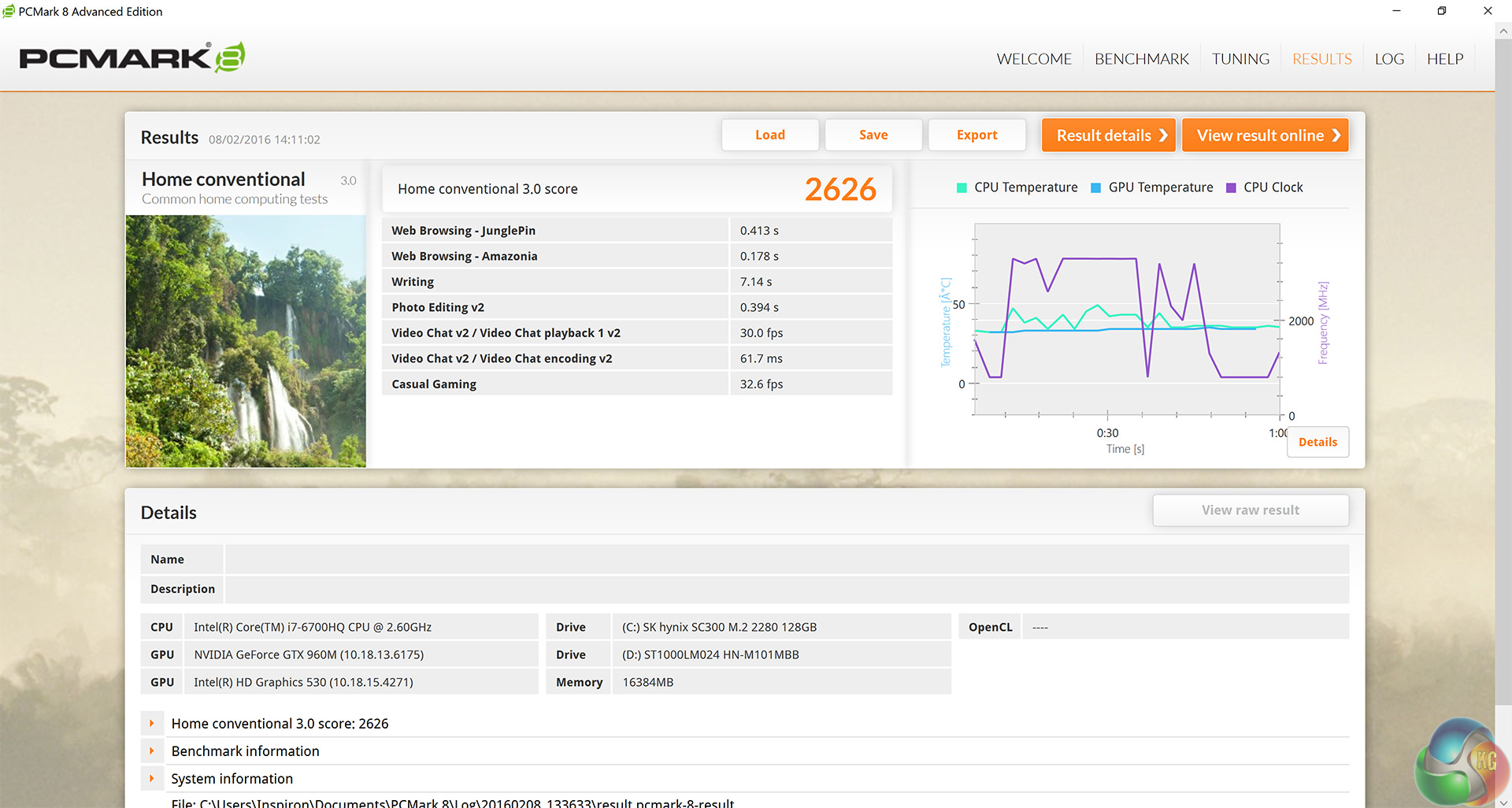
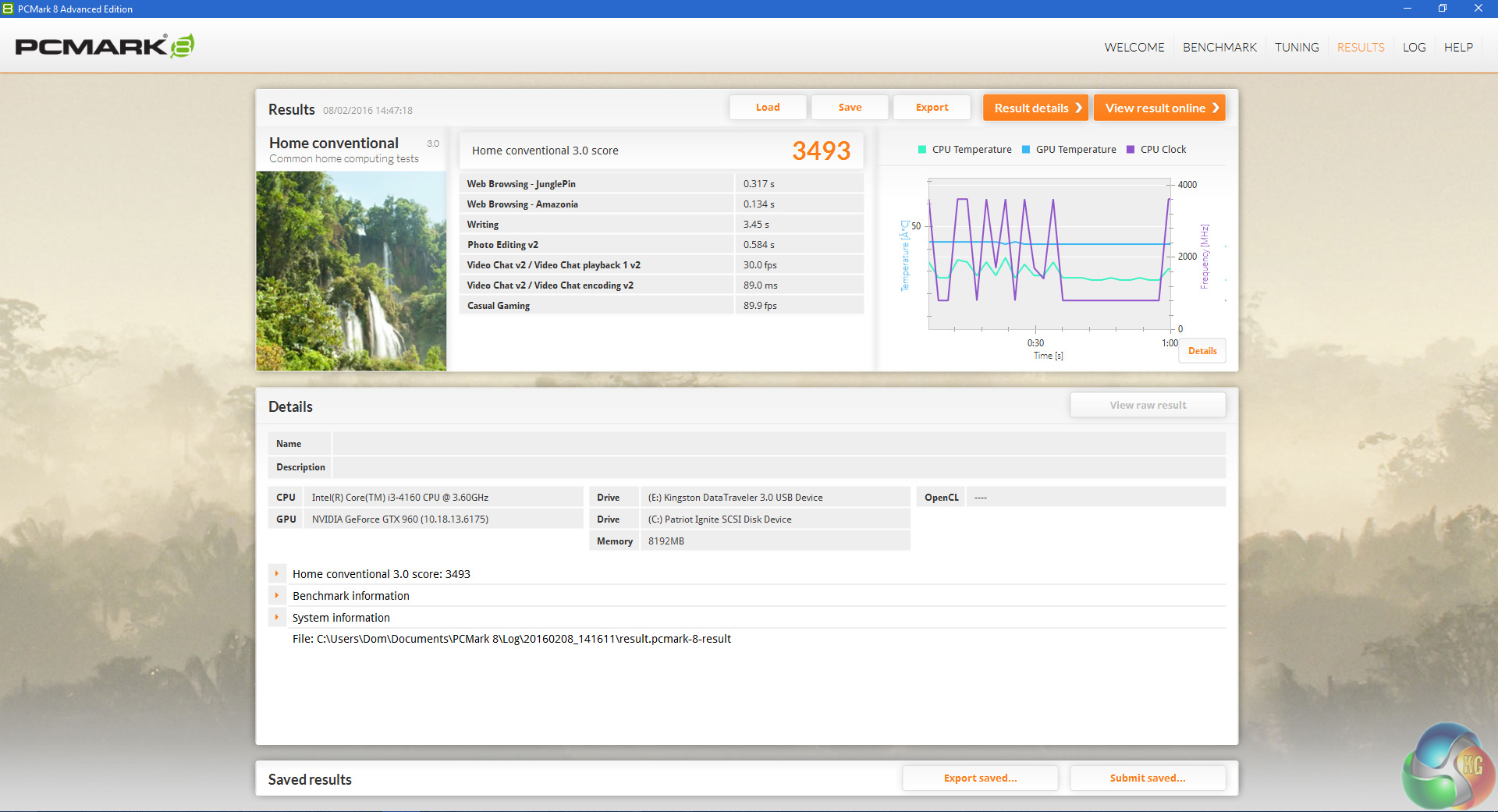
PCMark 8's Home test is not the most demanding, but it allows a comparison to be drawn with other systems. Here, the Inspiron is not quite as fast as the Core i3/GTX 960 combination – but if you look closely, the ‘photo editing' and ‘video chat encoding v2' scores from the Inspiron were actually faster than than the desktop's, again showing the Core i7-6700HQ's supremacy over the desktop i3.
This suggests, if the Inspiron had more powerful GPU, it would be rivalling my desktop system as it is the ‘casual gaming' score which lets it down.HandBrake is a tool for converting video from nearly any format to a selection of modern, widely supported codecs.
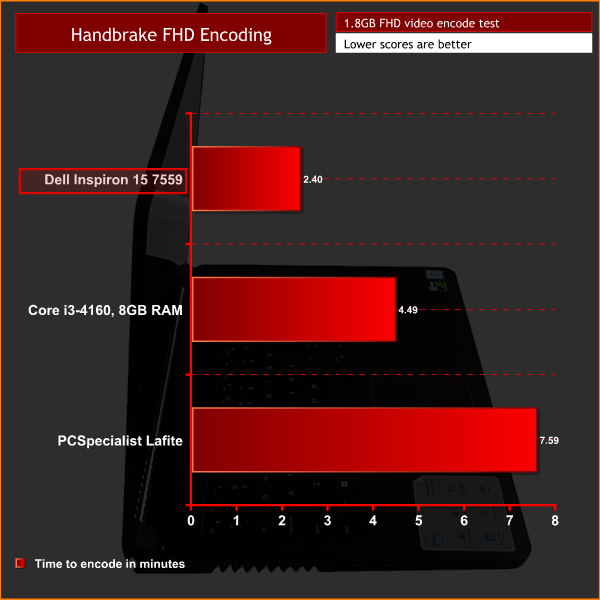
Handbrake video conversion is a CPU task – and again, we can clearly see the Core i7-6700HQ is a stellar performer, encoding the 1.8GB file in almost half the time as the desktop system. Furthermore, the Inspiron is more than 3 times faster than PCSpecialist's Lafite which uses the Core i3-5010U CPU. Here we test the Inspiron's SSD and HDD performance, using CrystalDiskMark 5.1.1 and ATTO Disk Benchmark 2.47.
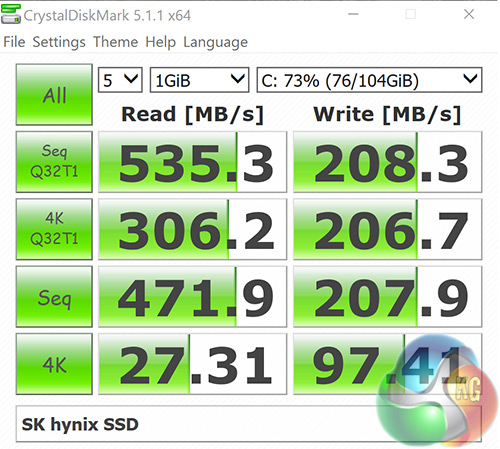
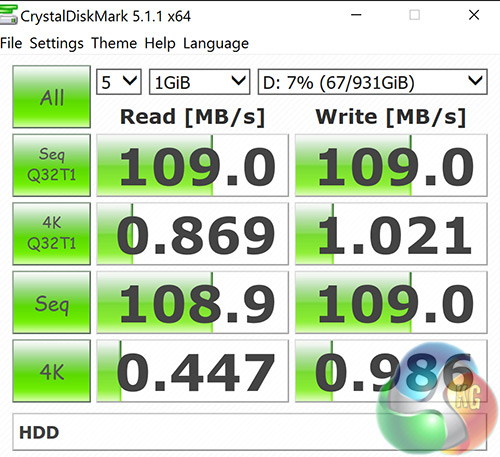
Interestingly the SK hynix 120GB M.2 SSD delivers very solid read speeds but its write speeds are lacking which is a shame. Still, booting into Windows is fast and responsive. The HDD represents fairly typical speeds for a 5400 rpm hard drive.
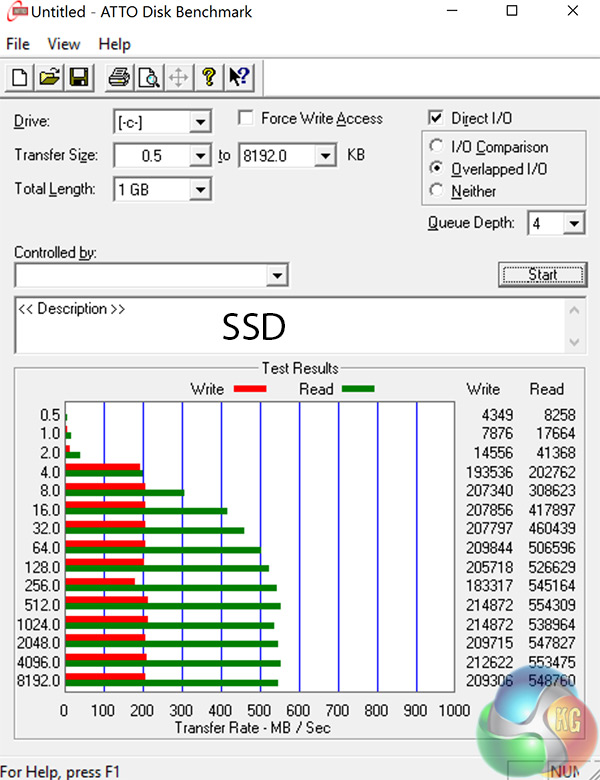
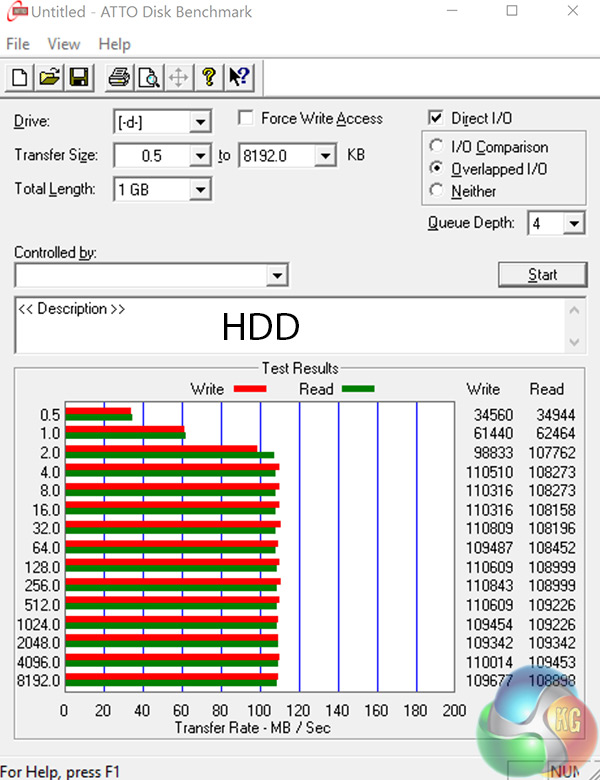
ATTO Disk Benchmark merely confirms the results from CrystalDiskBenchmark, as results are essentially identical. To test the Inspiron's USB 3.0 bandwidth I used the popular Samsung 850 EVO plugged in via a SATA to USB 3.0 adapter.
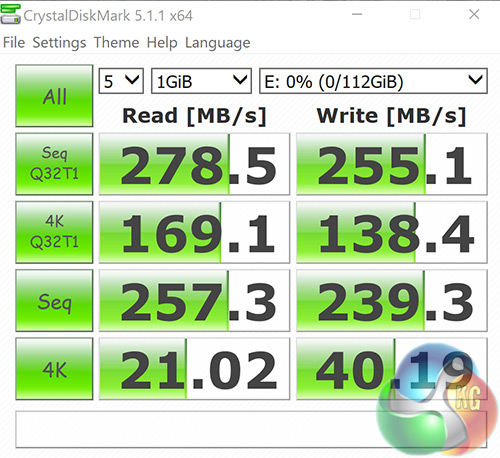
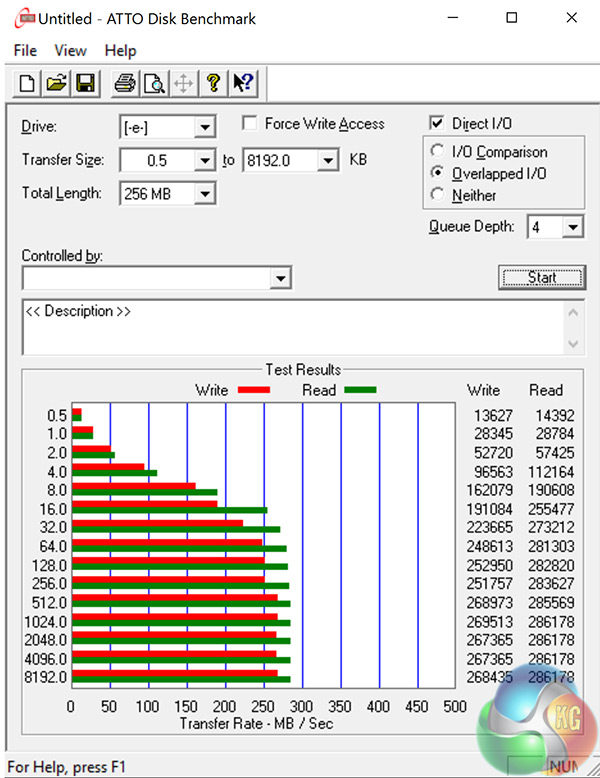
Results from CrystalDiskMark 5.1.1 and ATTO Disk Benchmark 2.47 have the Inspiron's USB 3.0 bandwidth slightly below where I hoped it would be. 400 MB/s would be a decent speed, as the theoretical limit of 640 MB/s is not realistically achievable, but the Inspiron tops out around the 280 MB/s mark.3DMark 11 is designed for testing DirectX 11 hardware running on Windows 7 and Windows Vista. The benchmark includes six all new benchmark tests that make extensive use of all the new features in DirectX 11 including tessellation, compute shaders and multi-threading. After running the tests 3DMark gives your system a score with larger numbers indicating better performance. Trusted by gamers worldwide to give accurate and unbiased results, 3DMark 11 is the best way to test DirectX 11 under game-like loads.
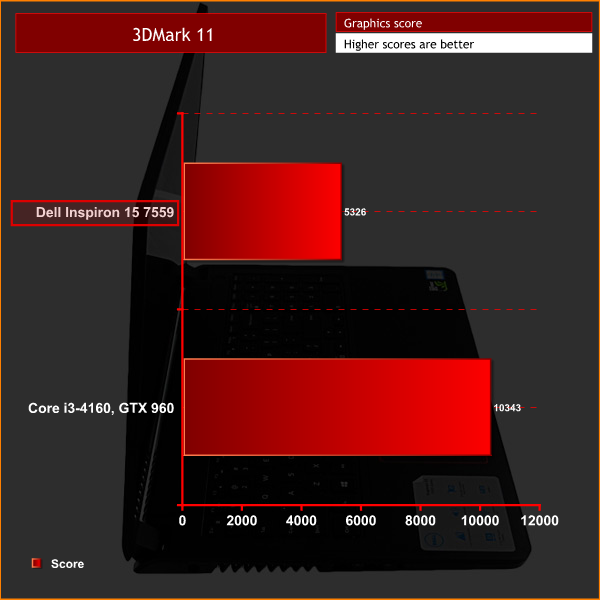
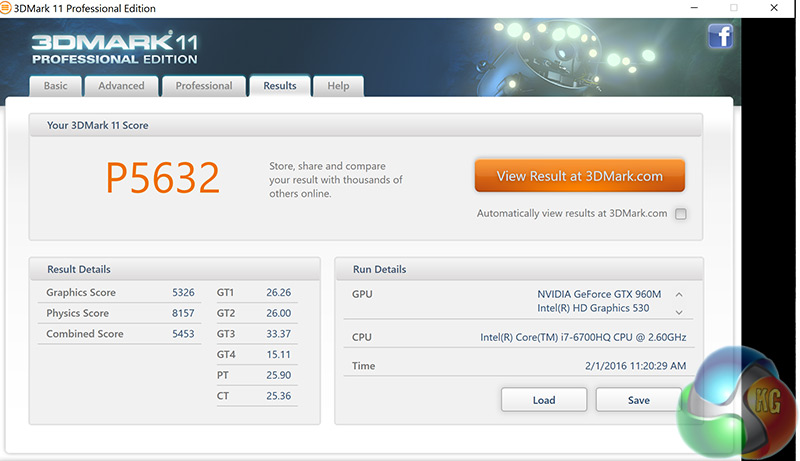
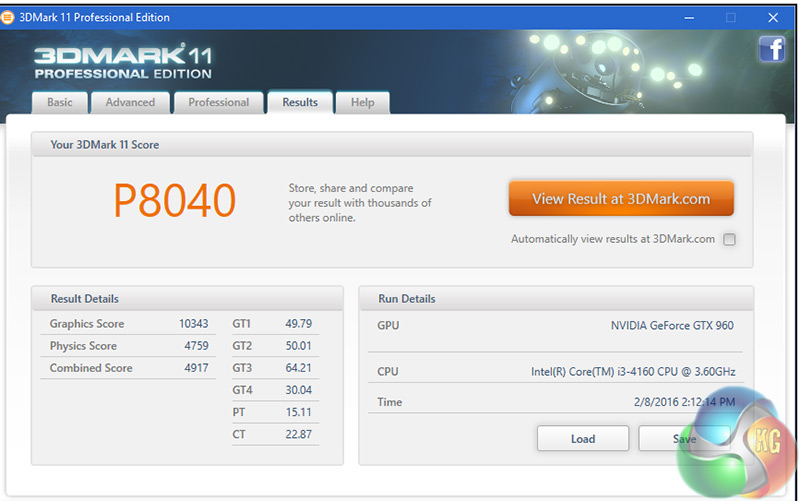
3DMark 11 suggests the GTX 960M has roughly half the graphical power of the desktop GTX 960. However, this is a synthetic test so it does not mean the GTX 960M will be hopeless for 1080p gaming.3DMark is an essential tool used by millions of gamers, hundreds of hardware review sites and many of the world’s leading manufacturers to measure PC gaming performance. Futuremark say “Use it to test your PC’s limits and measure the impact of overclocking and tweaking your system. Search our massive results database and see how your PC compares or just admire the graphics and wonder why all PC games don’t look this good. To get more out of your PC, put 3DMark in your PC.”
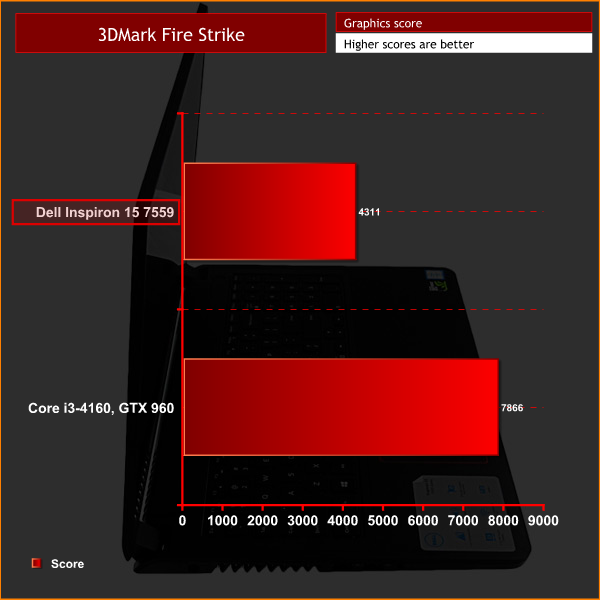
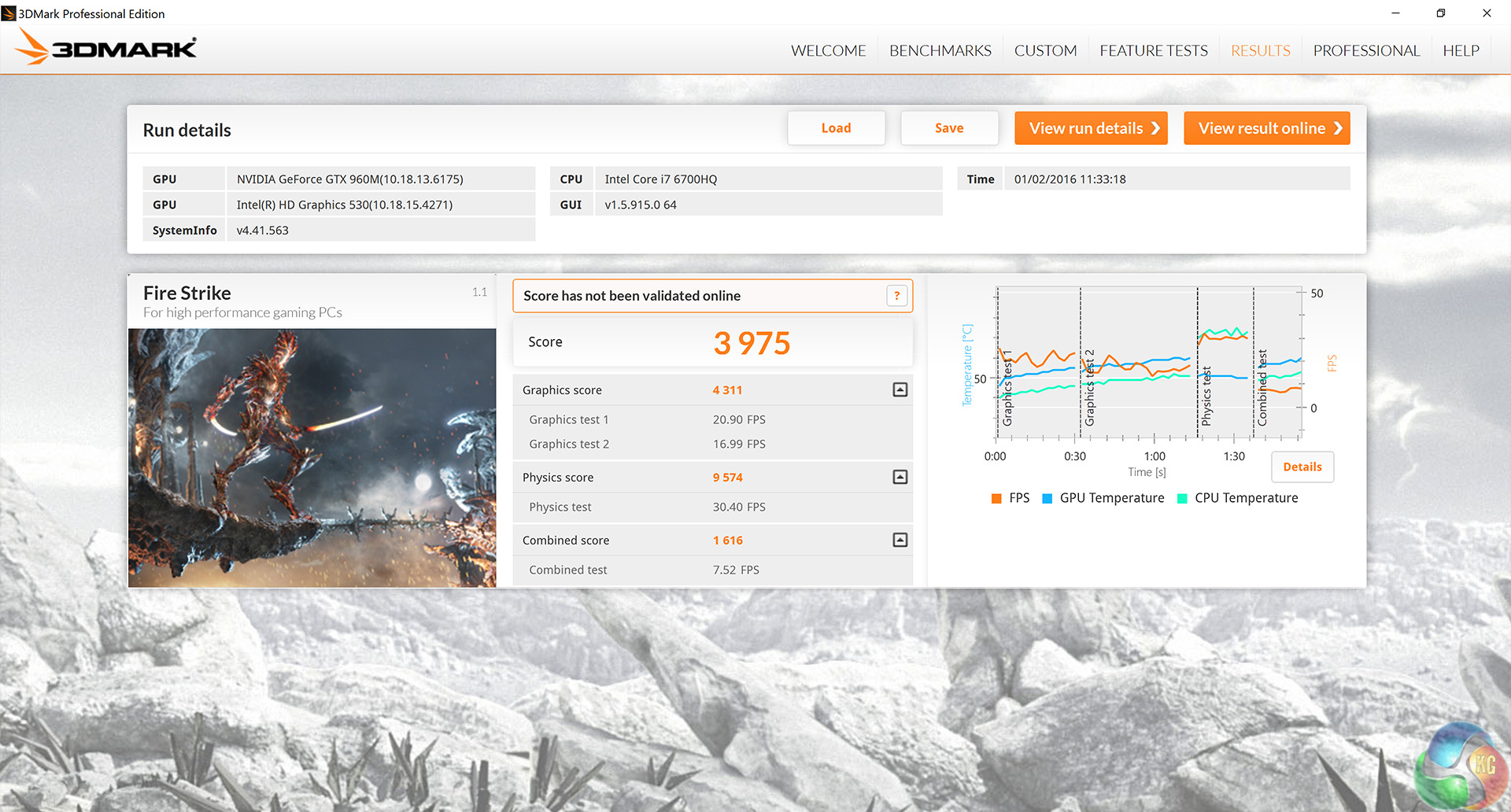
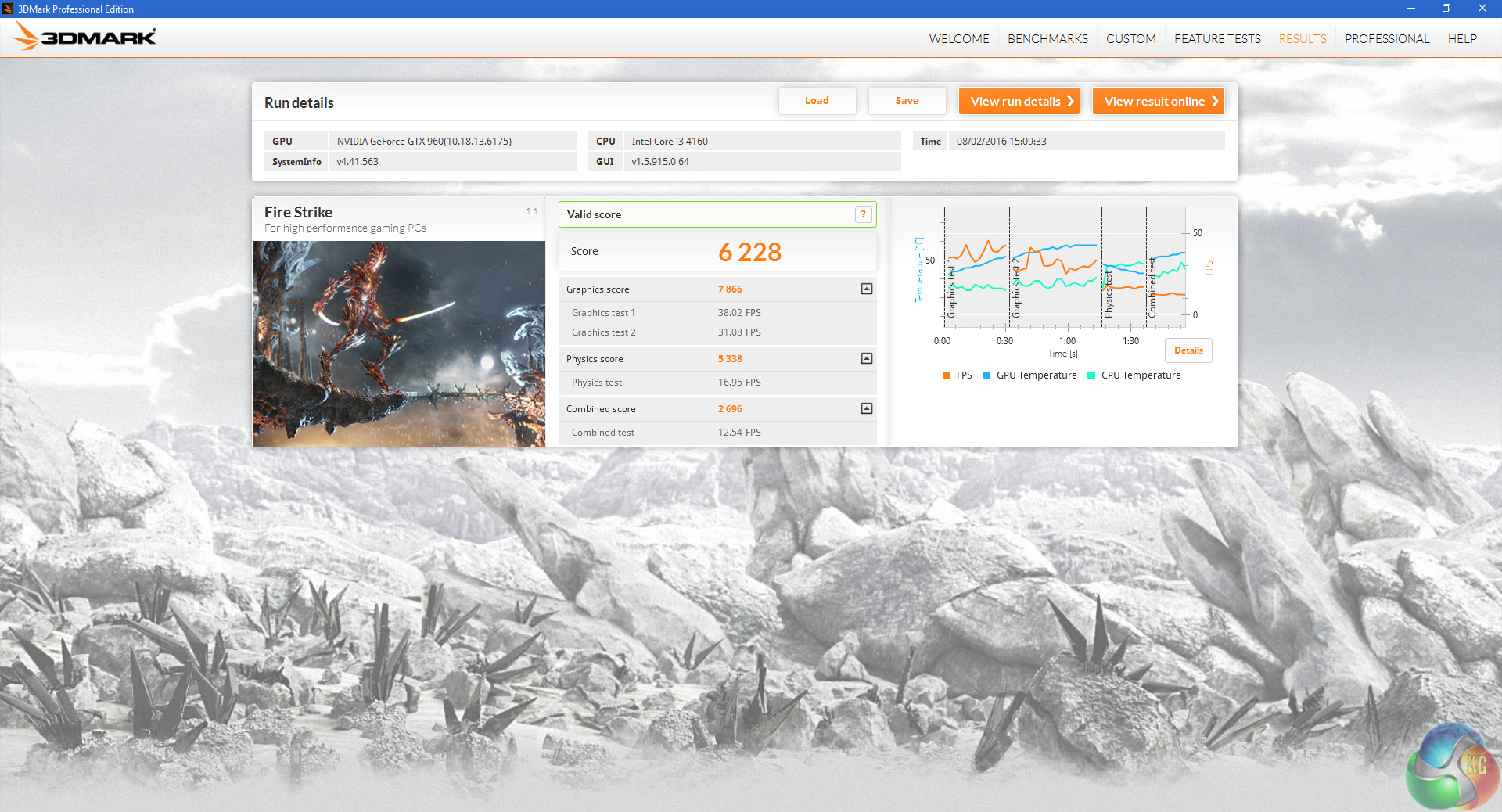
In 3DMark Fire Strike, the GTX 960 again shows its relative superiority over the mobile GTX 960M. However, the Inspiron's high physics score – higher than that of the Core i3-4160 – suggests a top-end mobile GPU like the GTX 980M paired with the i7-6700HQ would make for a very good gaming experience indeed.Tomb Raider received much acclaim from critics, who praised the graphics, the gameplay and Camilla Luddington’s performance as Lara with many critics agreeing that the game is a solid and much needed reboot of the franchise. Much criticism went to the addition of the multiplayer which many felt was unnecessary. Tomb Raider went on to sell one million copies in forty-eight hours of its release, and has sold 3.4 million copies worldwide so far. (Wikipedia).
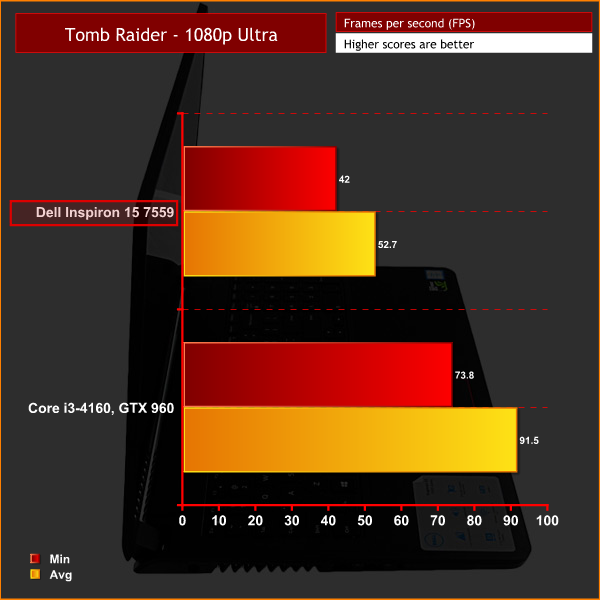
Above you can see the 1080p results using the ‘ultra' preset. Clearly, the Inspiron is able to handle Tomb Raider at 1080p, but how about 4K? Below we put it to the test.
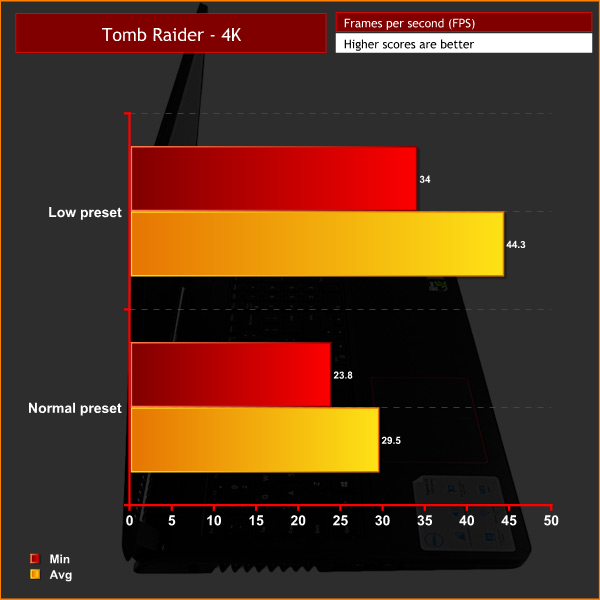
Above you can see a comparison of the ‘low' and ‘normal' presets in Tomb Raider at 4K – and it confirms what we had already assumed. You need to dial down the settings significantly to play at 4K with the Inspiron 15 7559, to the extent where ultra settings at 1080p look vastly superior.Grid Autosport is a racing video game by Codemasters and is the sequel to 2008′s Race Driver: Grid and 2013′s Grid 2. The game was released for Microsoft Windows, PlayStation 3 and Xbox 360 on June 24, 2014. (Wikipedia).
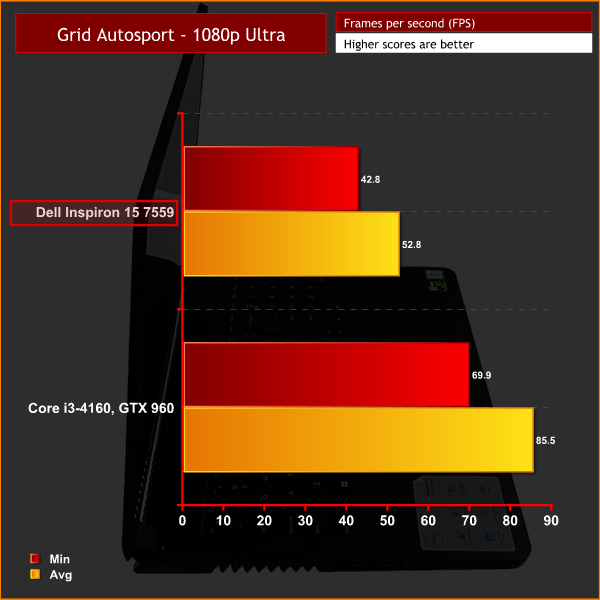
The GTX 960M gives another good showing at 1080p with the ‘ultra' preset and 4x MSAA enabled, it is clearly capable of gaming at reasonable settings at 1080p.
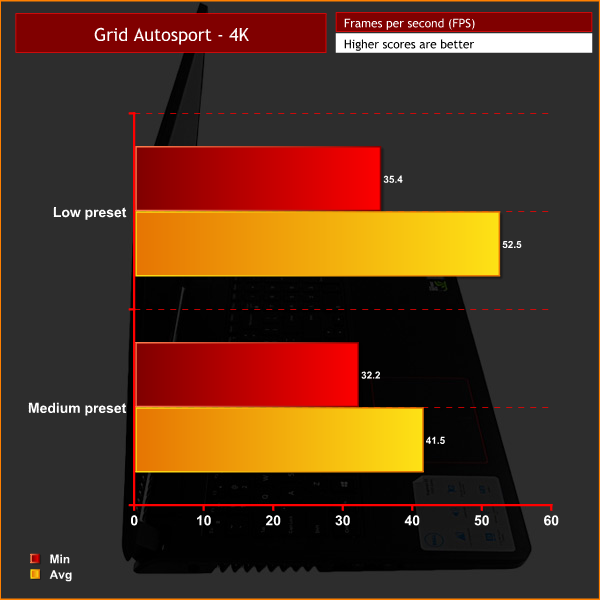
Running the ‘low' and ‘medium' presets at 4K are as high the settings will go before FPS drops below 30. Again – you are not going to game at 4K with the Inspiron 15 7559, higher settings at 1080p are simply more playable and attractive.Battlefield 4 (also known as BF4) is a first-person shooter video game developed by EA Digital Illusions CE (DICE) and published by Electronic Arts. The game is a sequel to 2011′s Battlefield 3. Battlefield 4 is built on the new Frostbite 3 engine.
The new Frostbite engine enables more realistic environments with higher resolution textures and particle effects. A new “networked water” system is also being introduced, allowing all players in the game to see the same wave at the same time. Tessellation has also been overhauled.
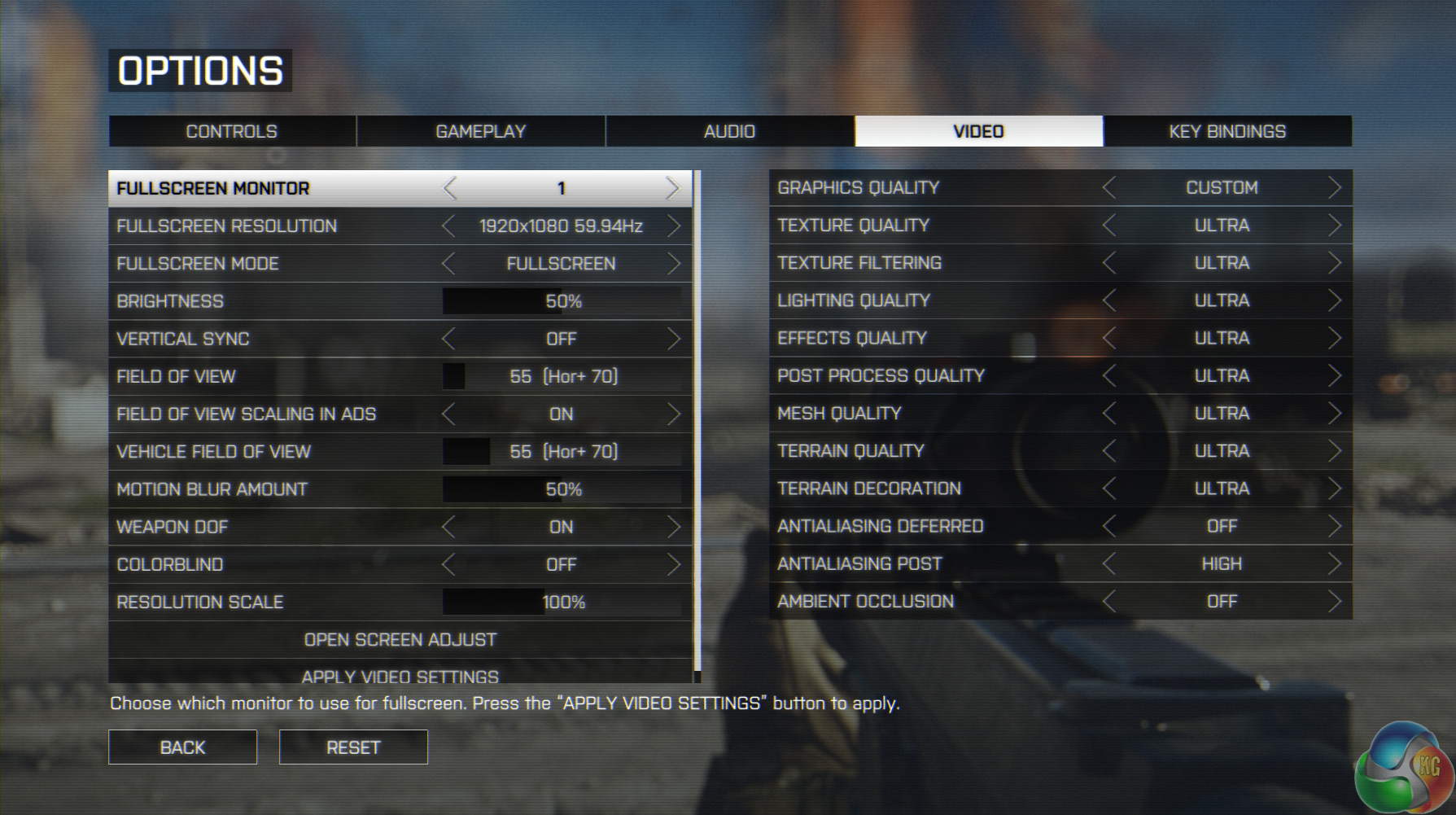
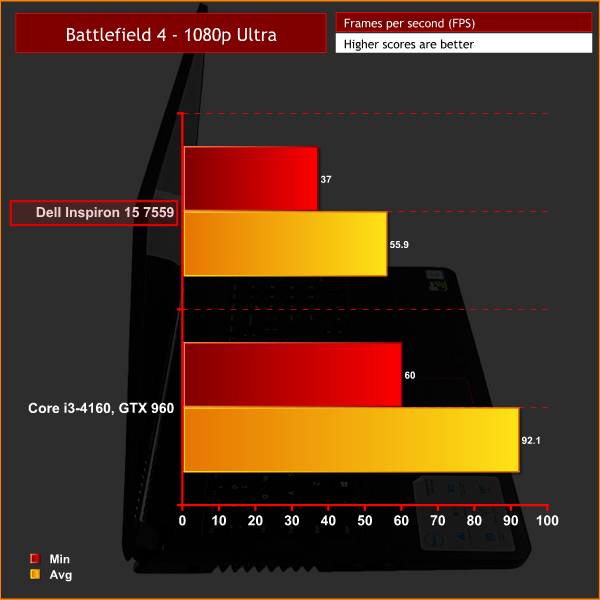
We test Battlefield 4 at 1080p, ‘ultra' settings, but with AA and Ambient Occlusion off. Again, the Inspiron proves more than capable at 1080p.
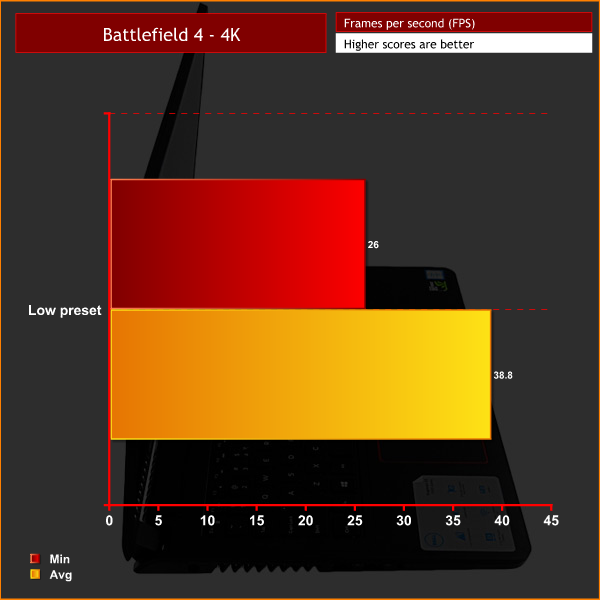
Even with the lowest settings preset, minimum FPS at 4K could not stay above 30 FPS. The Inspiron 15 7559 is clearly a 1080p only gaming laptop.In Middle-earth: Shadow of Mordor, the player plays as a ranger by the name of Talion who has wraith-like abilities. In this open world video game, players have the freedom to pursue side quests and roam around the world.
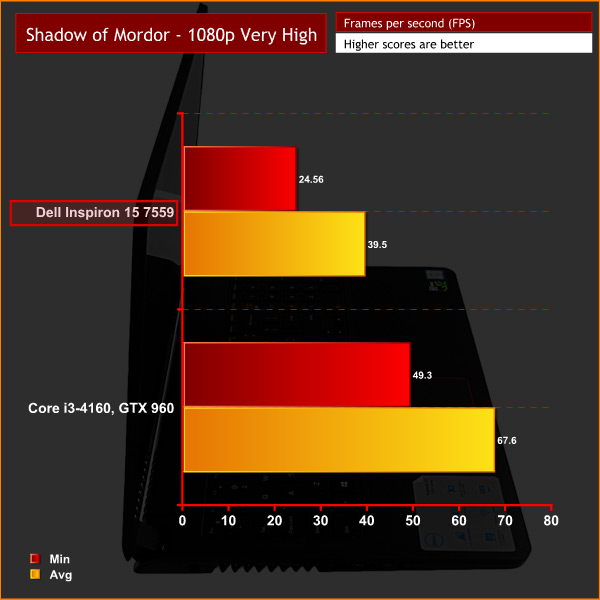
While the FPS do drop below 30 at 1080p in Shadow of Mordor, this is only a blip and most of the action is playable at ‘very high' settings, although the settings could be tweaked for a smoother experience while still retaining a high image quality.
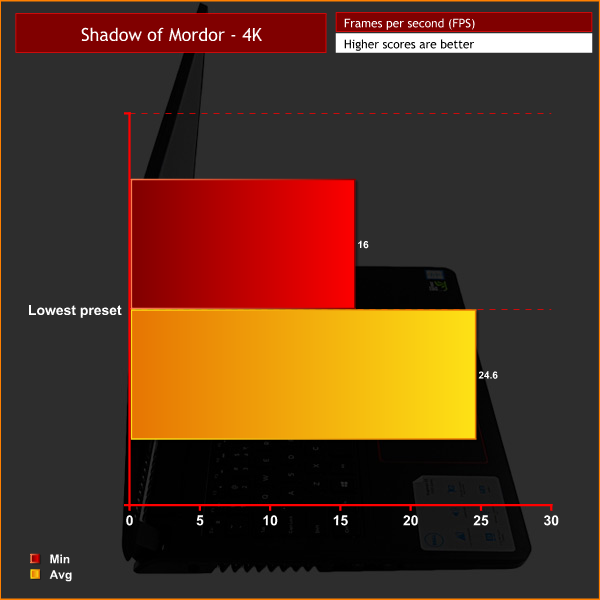
4K again proves too much, even using the ‘lowest' settings preset.
For idle temperatures, a reading was taken after having Windows open on the desktop for 30 minutes. A reading under load was taken while Prime95 and 3DMark Fire Strike ran simultaneously.
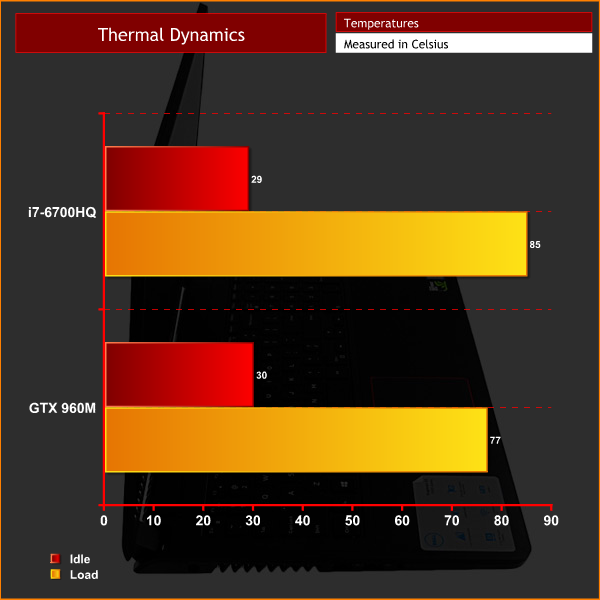
While the CPU peaking at 85 degrees is certainly getting very warm, it is below the 90 degrees level.
The GPU, too, is operating well within its safe parameters by peaking at 77 degrees.
In terms of acoustics, the Inspiron cycles between 5 levels of fan speed. At the lowest, it is essentially silent – it cannot be heard browsing the web or watching movies and the like. Gaming, however, causes the fans to spin significantly faster. If someone is in the room with you, it would be a distraction. With any pair of headphones though, the noise would be completely blocked out as it is not ferociously loud. You do notice the fans without any noise to block them out, though. For idle power draw, a reading was taken after having Windows open on the desktop for 30 minutes. A reading under load was taken while Prime95 and 3DMark Fire Strike ran simultaneously.
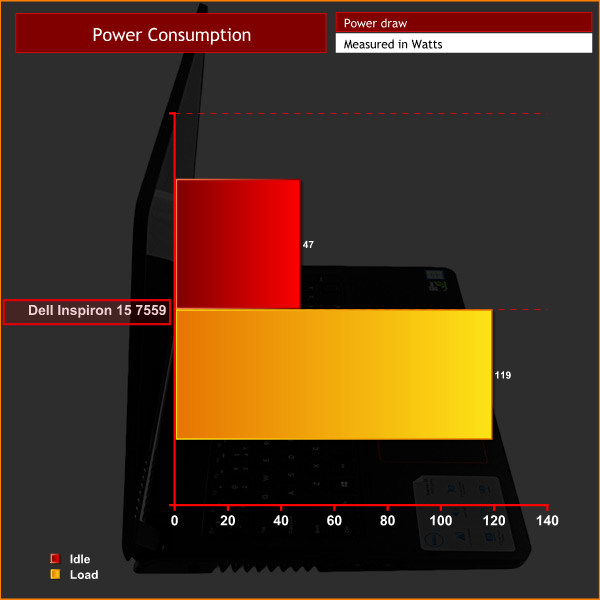
This is a relatively low amount, especially for a device powering a 4K display. While the 119 Watts under load pushes the 130 Watt power brick close, it is within the boundaries.I used PCMark 8‘s battery benchmark to give an estimated battery life. This benchmark loops the ‘Home conventional' test until the battery fails, and I kept screen brightness at 50%.
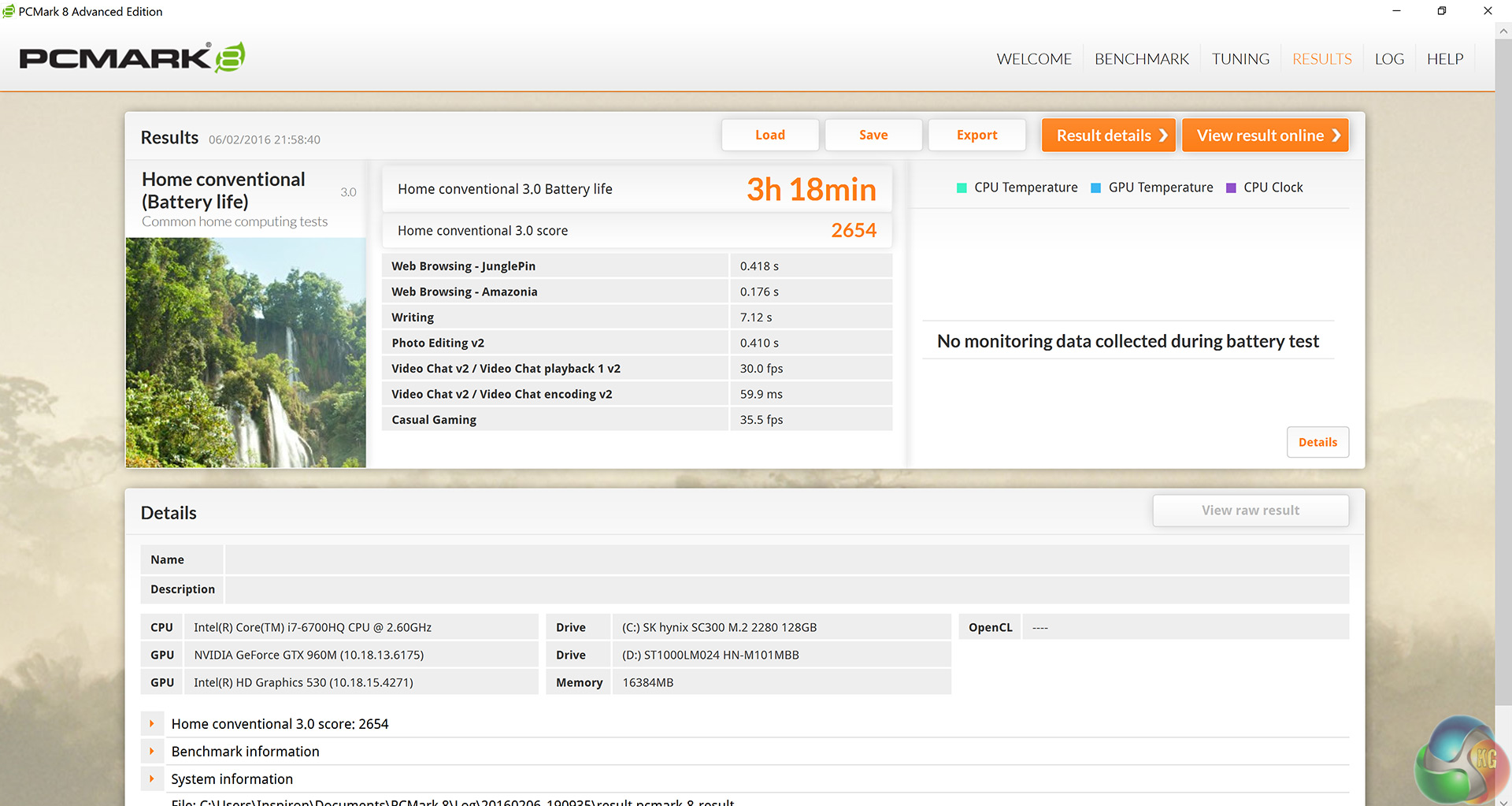
3 hours 18 minutes is a very respectable result, especially for a 4K laptop with the powerful i7-6700HQ under the hood. Under normal circumstances, 6 hours of battery life is essentially guaranteed.The Dell Inspiron 15 7559 is a mid-range laptop (£999) attempting to bring a 4K display to the mass enthusiast audience.
However, the Inspiron has solid foundations aside from its glorious 4K display. The Skylake Core i7-6700HQ is a very powerful CPU, providing great results across our tests, including SiSoft Sandra and Cinebench R15. It certainly wipes the floor with my desktop Core i3-4160.
One area that could be enhanced is the system memory. Presumably to keep costs down, Dell use older DDR3 RAM (PC3-12800) in the Inspiron instead of newer, faster DDR4 memory. It is not a huge problem as the system still performs very well, but DDR4 support would help provide extra security for those looking for a ‘future-proof' laptop.
The Nvidia GTX 960M proved to be an effective and capable gaming GPU at 1080p. We did test at 4K out of interest, and only the lowest of settings render playable results at that resolution – the GTX 960M is simply not powerful enough to push that many pixels at high settings. However, if you adopt the mindset that the Inspiron is a 1080p gaming laptop you will not be disappointed. The 4K display here is more for movies and photos, where it excels … just not for gaming.
The Inspiron is well designed, too. It has tasteful red accents to complement the black chassis, but it is subtle and not overbearing as with some laptops. Admittedly it is all made from plastic, but costs needed to be saved somewhere to accommodate this level of internal hardware. It certainly does not feel cheap to hold and use, so personally I think Dell have done the right thing to prioritise hardware over build materials.
The keyboard and trackpad are good all-rounders, too – but neither blew me away. The keyboard has particularly minimal key travel, something that took adjusting to coming from a desktop mechanical keyboard. The trackpad does track accurately, but most likely users will be utilising a USB mouse to game so it is not of the highest significance. Out and about, though, and it will do the job just fine.
It is also worth mentioning the very solid battery life. You can expect around 6 hours of normal usage from this laptop, and closer to 3 hours for high-intensity workloads. For a 4K laptop this is particularly impressive, especially when you consider the powerful Core i7-6700HQ needs a fair amount of juice, too.
One final area of discontent must be noted, though. There is a 120GB SK hynix M.2 SSD included, alongside a 1TB HDD. Nowadays we could really do with a 240GB SSD alongside the HDD, as once Windows and some large software suites are installed you will be running out of SSD space. Furthermore, while the SSD has fast read speeds, the write speeds are somewhat lacking – registering less than half the speed of the read speeds.
Still, the Inspiron 15 7559 is a very decent laptop for the price, and I would recommend it if you are looking to game at 1080p but take advantage of the other benefits 4K has to offer.
You can pick it up directly from Dell for £999 here.
Discuss on our Facebook page, over HERE.
Pros:
- 4K display.
- Core i7 and GTX 960M is a good combination for 1080p gaming.
- Relatively affordable.
- Good looking.
- Strong battery life.
- Silent under light loads.
- Fairly light at just 2.7KG.
Cons:
- Not an effective 4K gaming machine.
- SSD is small and writes data comparatively slowly.
- DDR3 memory not DDR4.
KitGuru says: The Dell Inspiron is fantastic for anyone looking to get a laptop with a 4K display, though bear in mind it cannot game at 4K. Despite this, it is well priced and has few issues going against it.


It is good to be uniqe they say but why you are you using that many pages?
Besides that good review and nice product