 KitGuru KitGuru.net – Tech News | Hardware News | Hardware Reviews | IOS | Mobile | Gaming | Graphics Cards


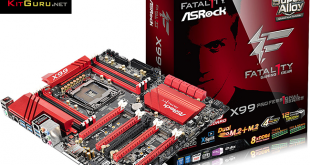
ASRock's Fatal1ty series of motherboards caters for gaming enthusiasts and today we have the line-up's flagship in for review – the X99 Professional. With 4-card SLI and CrossFire support, Killer and Intel NICs, and enhanced audio, does ASRock's red-and-black Fatal1ty X99 Professional live up to its top-of-the-line status by carrying the flag for its team?
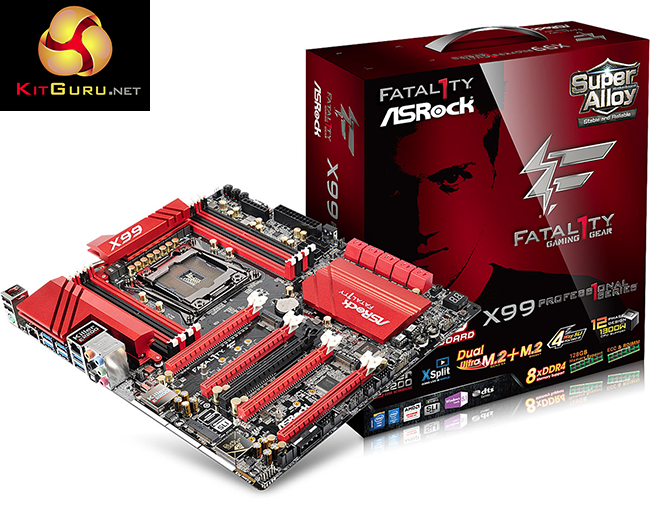
Utilising an LGA 2011-3 processor and the X99 chipset, ASRock's Fatal1ty X99 Professional has a wealth of underlying features to offer enthusiast gamers. True support for 4-card SLI and CrossFire configurations, simultaneous provision for two high-speed M.2 storage devices, and a general assortment of gaming-orientated upgrades are indicative of the motherboard's flagship status.
It is a fair to suggest that the enthusiast PC gaming community will be split between tinkerers and those who just want to play. ASRock caters for the former group with onboard buttons, voltage measurement points, and a vigorous (1300W!) power delivery system. While the latter may point out dual BIOS redundancy and sizeable cooling heatsinks for minimising their gaming system's downtime.
Has ASRock successfully tied together an extensive set of features into a gaming motherboard worthy of flying the flag for the company's Fatal1ty series?
Features:
- ASRock Super Alloy
- Gaming Armor
- Digi Power, 12 Power Phase design
- 5 PCIe 3.0 x16, 1 Half Mini-PCIe
- Supports AMD 4-Way CrossFireX™ and NVIDIA® 4-Way SLI™
- 7.1 CH HD Audio with Content Protection (Realtek ALC1150 Audio Codec), Supports Purity Sound™ 2 & DTS Connect
- Intel® Gigabit LAN + Qualcomm® Atheros® Killer LAN
- 10 SATA3, 1 Ultra M.2 (PCIe Gen3 x4), 1 M.2 (PCIe Gen2 x4 & SATA3)
- 11 USB 3.0 (4 Front, 6 Rear, 1 Vertical Type A), 6 USB 2.0 (4 Front, 1 Rear, 1 Fatal1ty Mouse Port)
- 1 COM Port Header, 1 Thunderbolt™ AIC Connector
- Supports ASRock HDD Saver Technology, Full Spike Protection, ASRock Cloud, APP Shop, F-Stream, Key Master
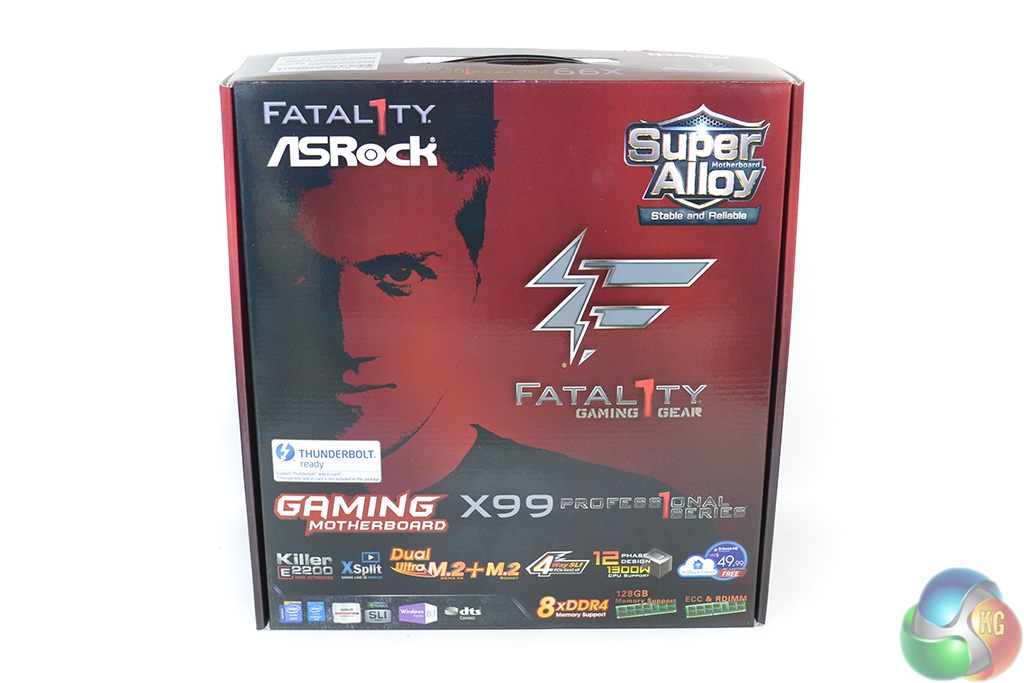
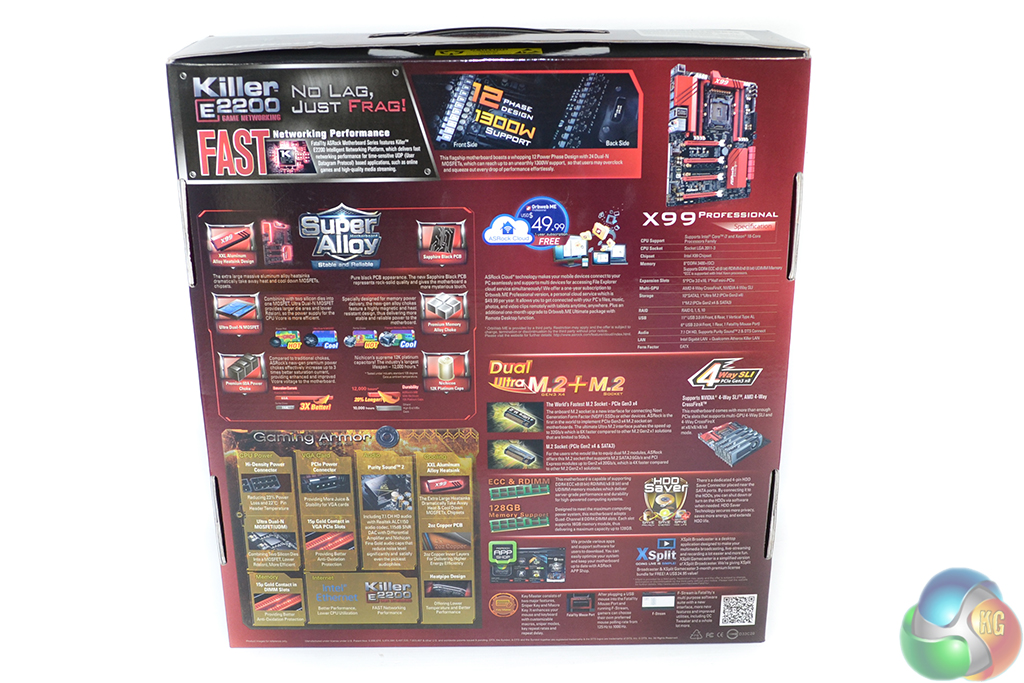
ASRock ships the X99 Professional in the company’s typical red and black Fatal1ty packaging. The front of the box outlines some of the key features, while a more detailed look at the specifications is found on the rear.
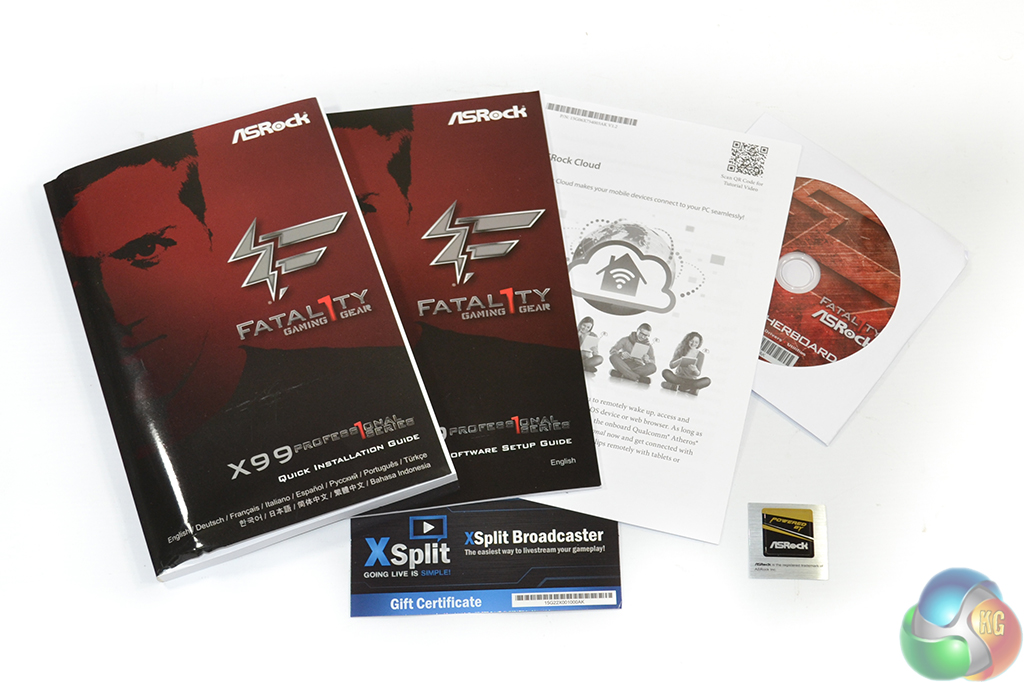
The usual affair of documentation is provided – relevant manuals and a driver CD. ASRock also provided a case sticker and a license key for a 3-month trial of XSplit Premium, worth $24.95.
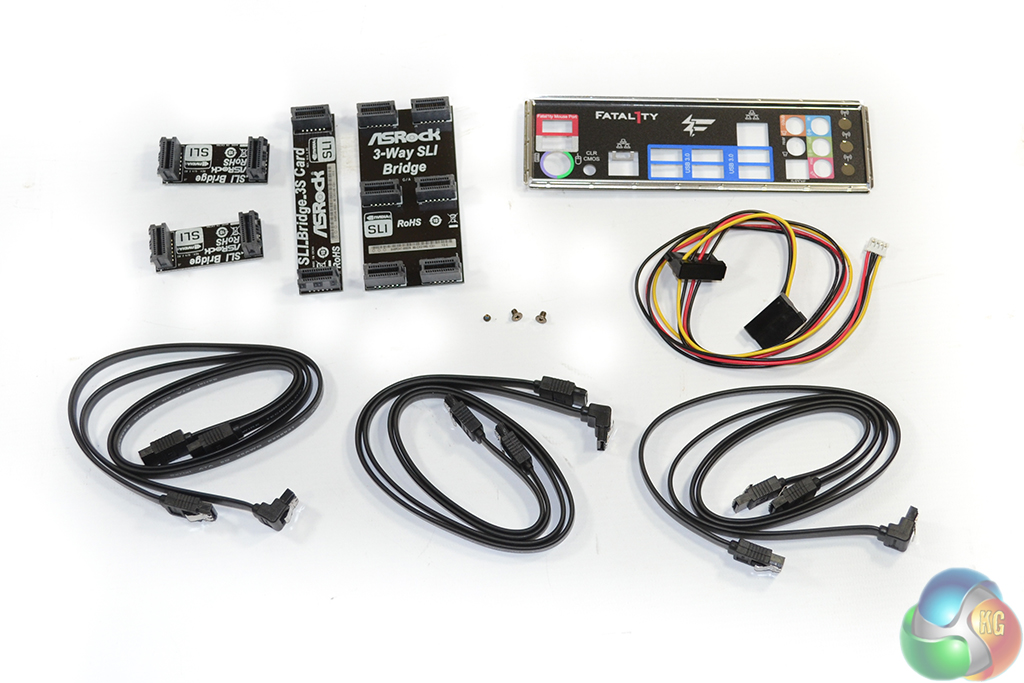
Given the board’s premium pricing, it comes as no surprise to see a healthy accessory bundle. The supplied cables are formed of six for SATA data and one for ASRock’s HDD Saver power connector. I would like to see the HDD Saver cable coloured purely black at some point in the near future – multi-coloured cables are ugly.
Three screws are used for the pair of M.2 connectors and the mini-PCIe slot. The rear IO shield is colour coded and features pre-positioned holes for three antennas should users decide to install an internal WiFi card. ASRock supplies four rigid SLI bridges which aren’t quite pure black – they’re a dark brown.
While there is a dedicated bridge for 3-card SLI, a 4-card setup relies on three separate connectors. This is bit of a ‘cheap-out’ measure that I would prefer to see stopped.
When paying this much for a motherboard which is 4-way SLI capable, a dedicated 4-way bridge should be included. It’s a ‘cleaner’ solution.
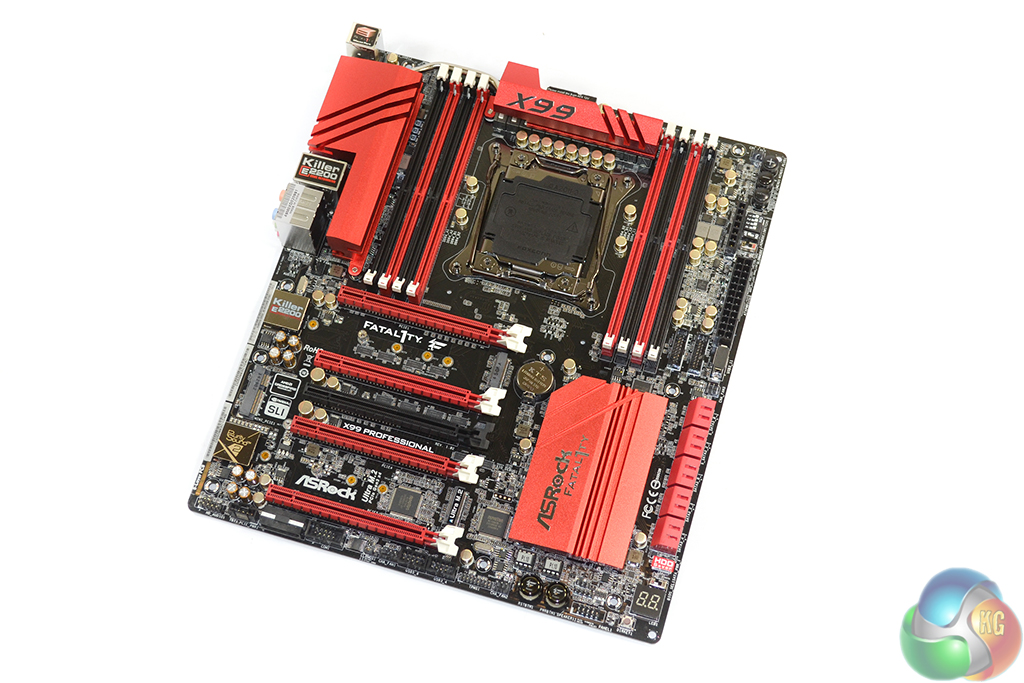
The ASRock Fatal1ty X99 Professional uses the typical red and black colour scheme that is associated with the series. While recent feedback from readers may suggest that red and black themes are beginning to bore them, old habits die hard. A black PCB is almost a necessity on the calibre of gaming board, so I am happy to report that ASRock has complied.
ASRock widens the motherboard’s PCB to the E-ATX form factor in order to fit the necessary hardware. This shouldn’t cause clearance issues for enthusiast cases, which are likely to support the extended PCB.
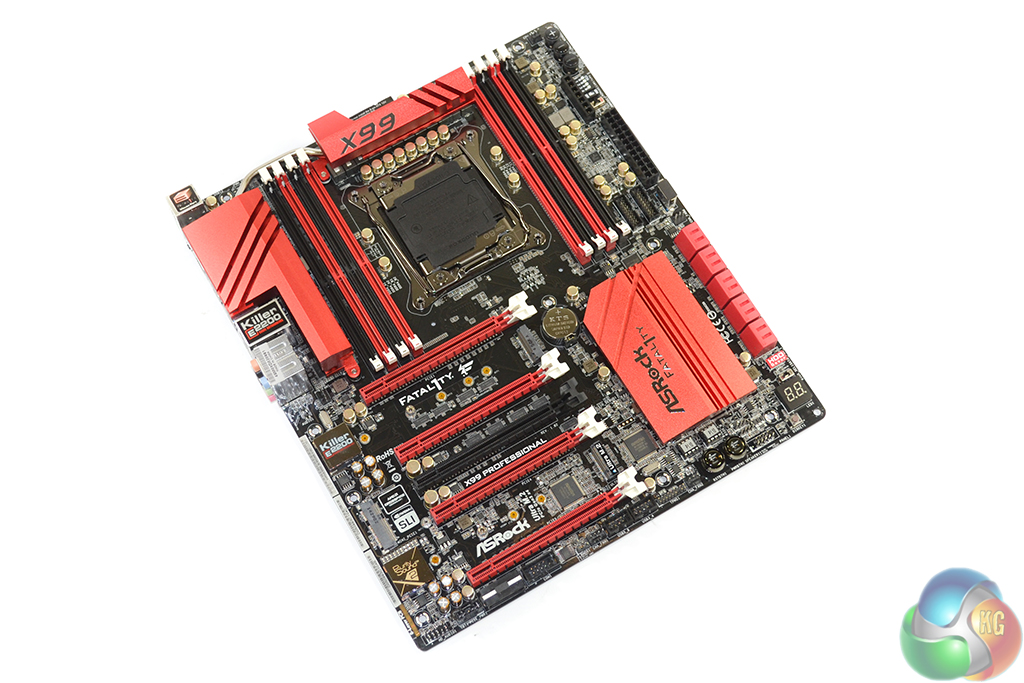
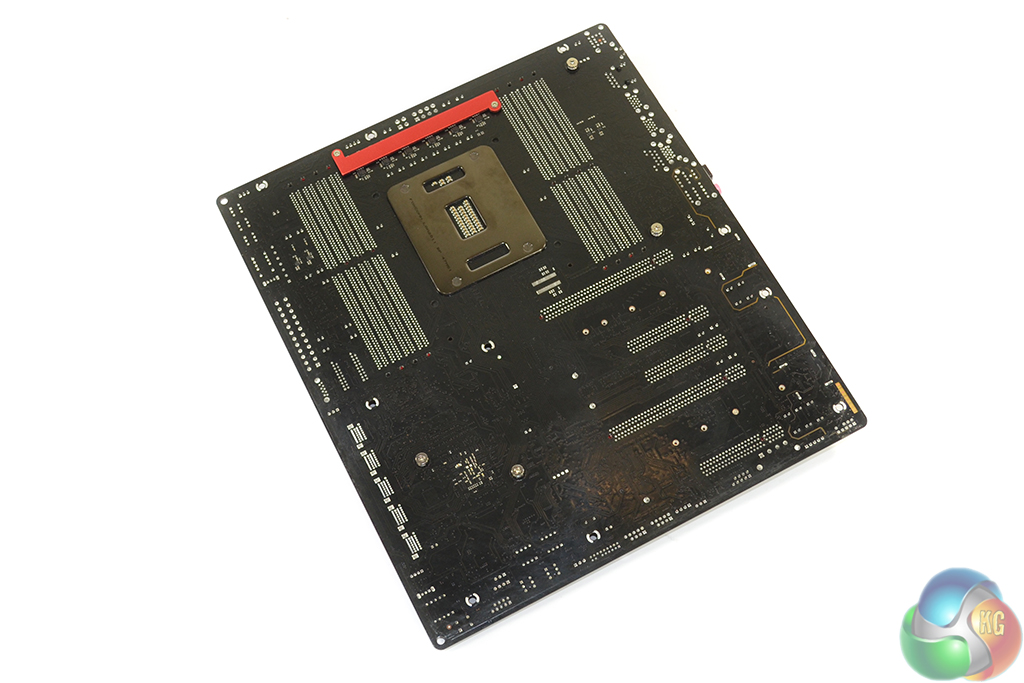
“XXL Aluminium Alloy” VRM and chipset heatsinks engulf a sizeable portion of the motherboard. While oversized heatsinks can sometimes act as an inconvenience, their implementation on X99’s hard-pushed VRM is welcomed.
A smaller strip heatsink cools an additional 12 MOSFETs mounted on the motherboard’s rear side.
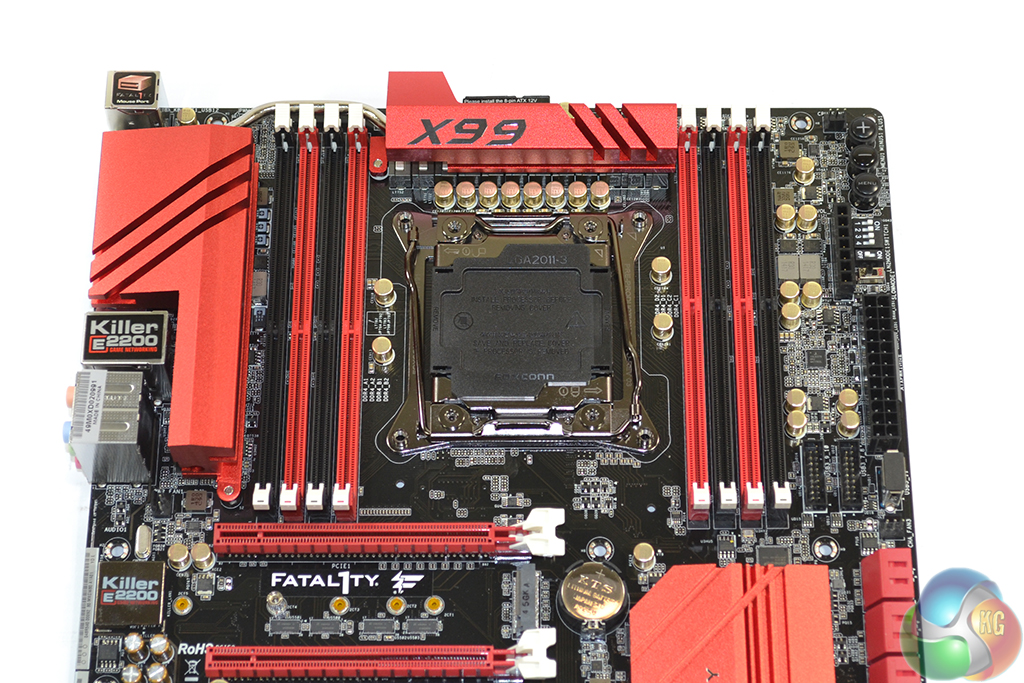
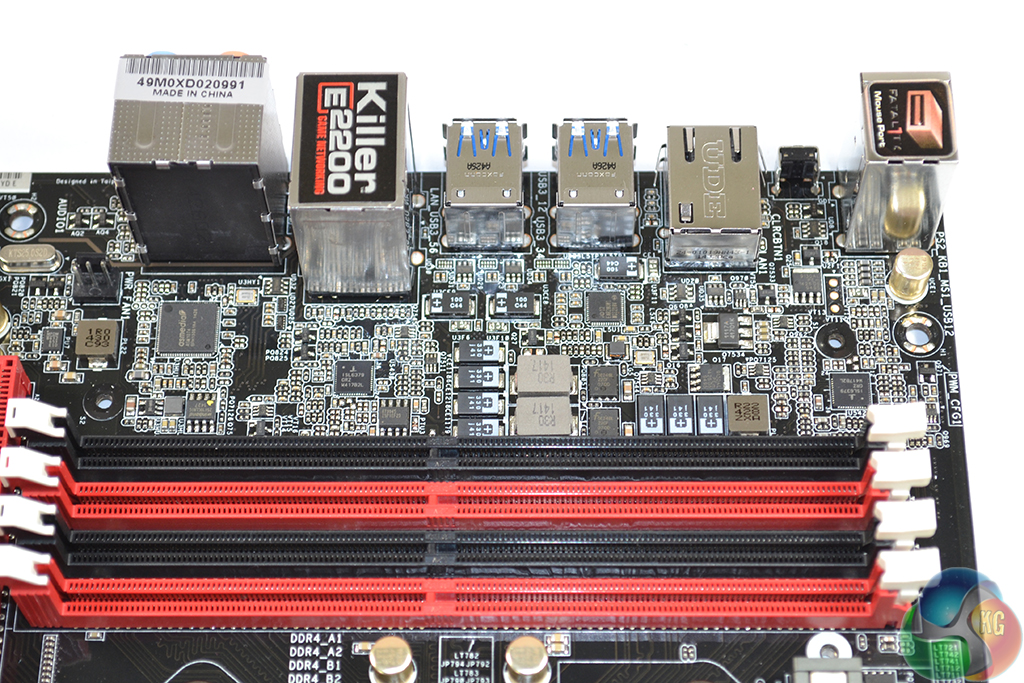
Sandwiched between a pair of DDR4 DIMM banks is the large LGA 2011-3 CPU socket. ASRock quotes support for memory frequencies above 3400MHz, although reaching those speeds will depend upon the BIOS implementation and the CPU’s IMC strength.
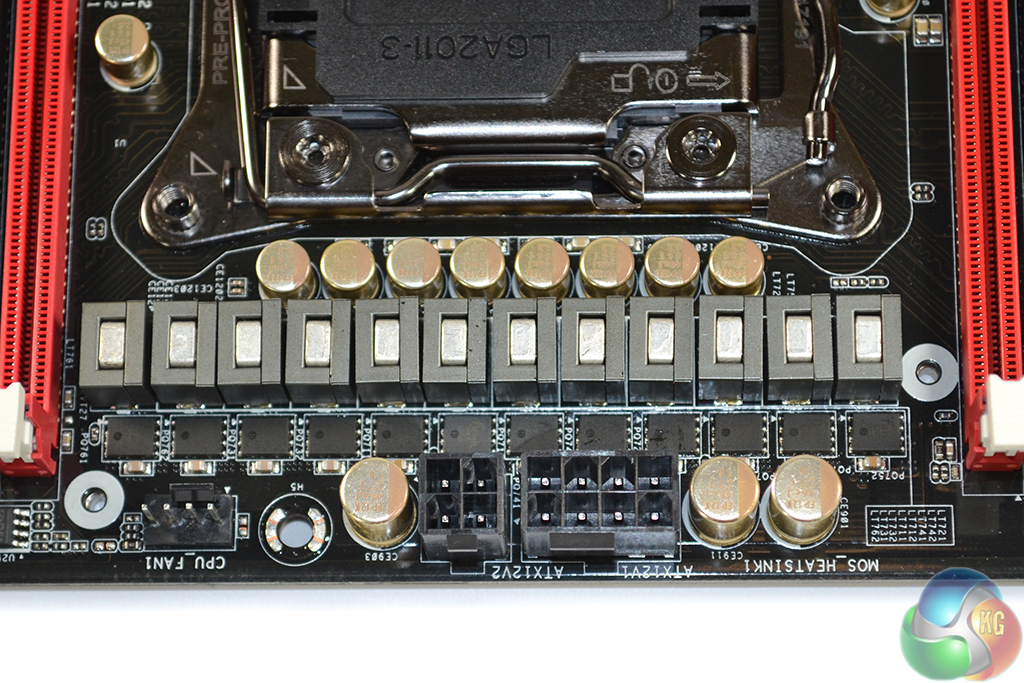
The power delivery system used by ASRock is generically similar across the company’s range of high-end X99 motherboards. Proving that point, the Fatal1ty X99 Professional uses a twelve phase system to feed a power-hungry LGA 2011-3 CPU. We took an in-depth look at ASRock’s power delivery system on the X99 OC Formula, over here (which is, as far as I can tell, identical to the Fatal1ty X99 Professional's system).
ASRock suggests that the system is capable of delivering up to 1300W of power to the CPU. Some quick maths suggests that this would be using a core voltage of around 1.8V, based on the 720A capacity of twelve 60A chokes.
ASRock also uses Nichicon ‘Platinum’ capacitors, rated for 12,000 operating hours at 105°C, for power delivery functions. Scale that running temperature down to a realistic operating value and it translates into a very long operational lifespan for each capacitor.
Two ISL6379 PWM controllers manage the X99 Professional’s two 2-phase memory power delivery systems (one power system for each DIMM bank). ASRock uses two Fairchild FDMS3660S MOSFETs per DIMM bank, as well as ‘Premium Memory Alloy Chokes‘ which are suggested to deliver their current with reduced temperatures.
Other memory-related components include (for each of the two systems/DIMM banks) Richtek's RT9045 regulator, two R30 1417 chokes, one R22 428 ZXA choke, one 1R0 430 C93 choke, and a mixture of capacitors.
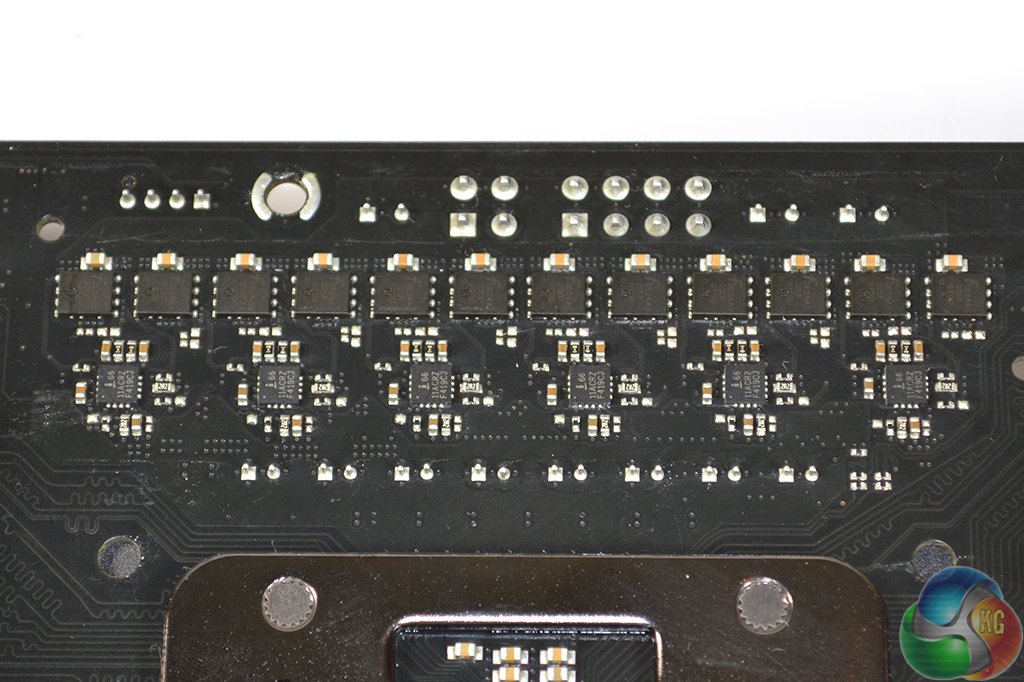
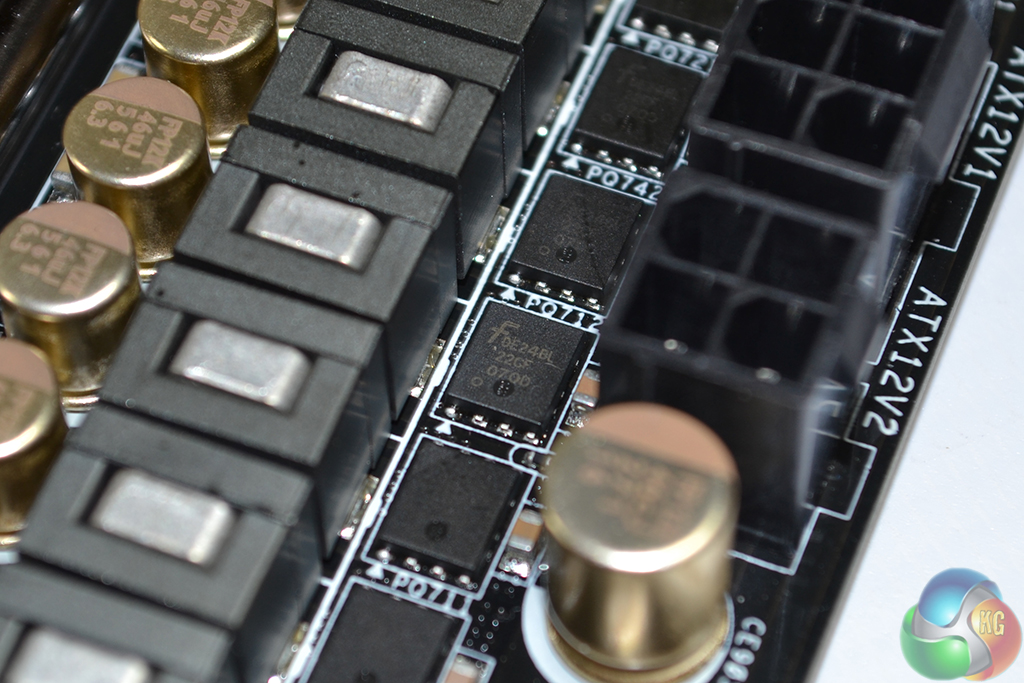
Looking more specifically at the CPU power delivery components, ASRock opts for a 6-phase Intersil ISL6379 PWM controller to provide the overall VRM management. Six Intersil ISL6611A phase-doublers each take a single PWM input lane from the ISL6379 and convert it to two PWM output lanes. This allows ASRock to provide twelve physical power delivery phases for the CPU.
Finding information for the ISL6379 PWM chip is very difficult, although numerous sources suggest that it is a ‘hybrid’ analog/digital controller. If that is indeed the case, it’s the analog section of the controller that is to thank for ASRock’s rapid voltage switching frequency which leads to positive power consumption numbers under low stock-clocked loads (as we will outline later). However, some of the enhanced accuracy and future-looking voltage level projection may be missing compared to a purely digital component.
A total of 24 MOSFETs are used to switch voltages, with twelve residing on the motherboard's front side and a further dozen on the rear. Marked with Fairchild Semiconductor's logo and DE24BL 22CF 070D text, these are the same FDMS3660S dual N-channel MOSFETs that we saw used on ASRock's X99 OC Formula motherboard.
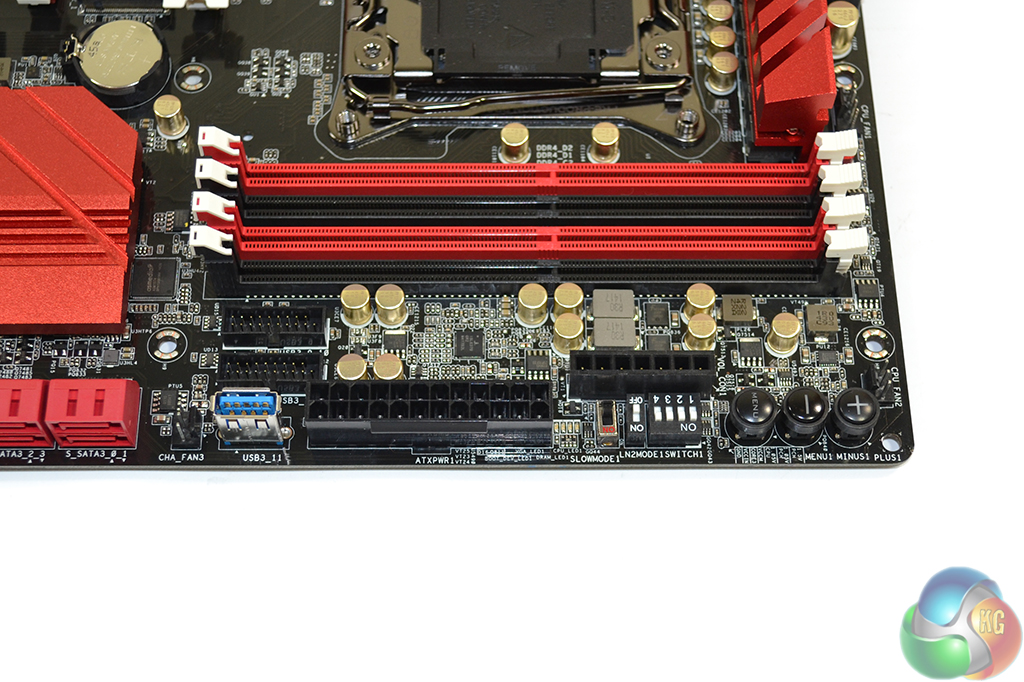
Situated in close proximity to the 24-pin power connector are two USB 3.0 headers. An ASM1074 hub controller is used to split one of the PCH USB 3.0 links in order to provide an outwards-facing standard USB 3.0 Type-A port.
Voltage checking points, PCIe lane disabling switches, toggles for LN2 and slow mode operation, and onboard overclocking buttons spill over from ASRock’s overclocking-geared SKUs.
I like the inclusion of voltage checking headers and the PCIe lane disabling switch, although I don’t see the need for the other switches and buttons which are heavily geared towards sub-zero overclockers (which is not this board’s target audience).
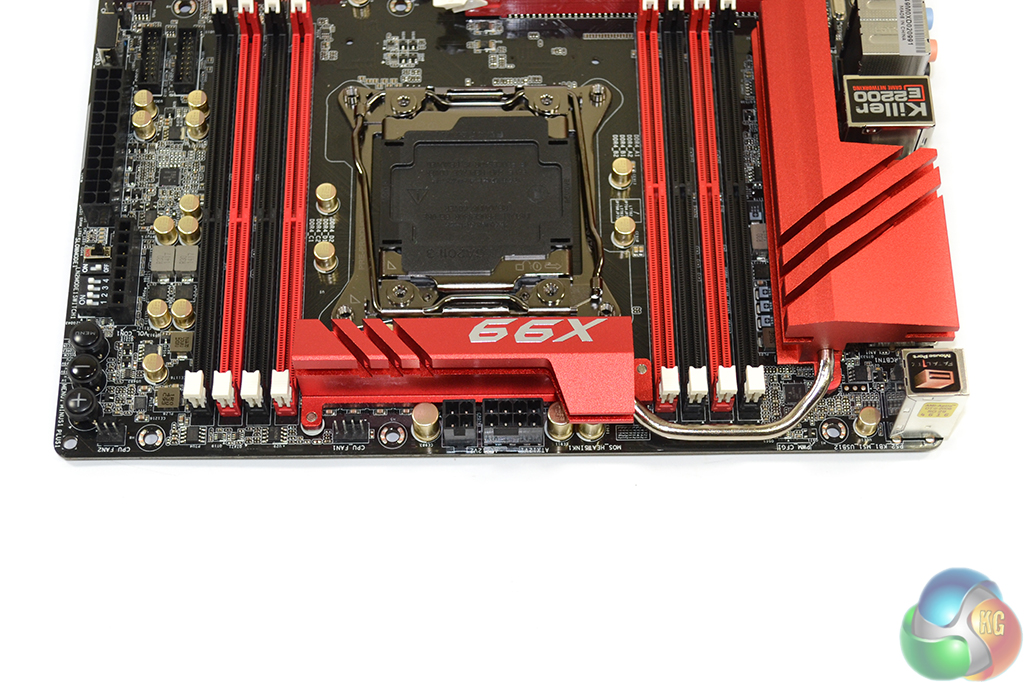
An 8-pin CPU power connector is joined by a 4-pin slot in order to feed high currents to the hungry Haswell-E CPUs.
Although I do not believe that dual power connectors is necessary for a gaming motherboard, splitting the high currents demanded by a Haswell-E chip through two connectors may aid their longevity.
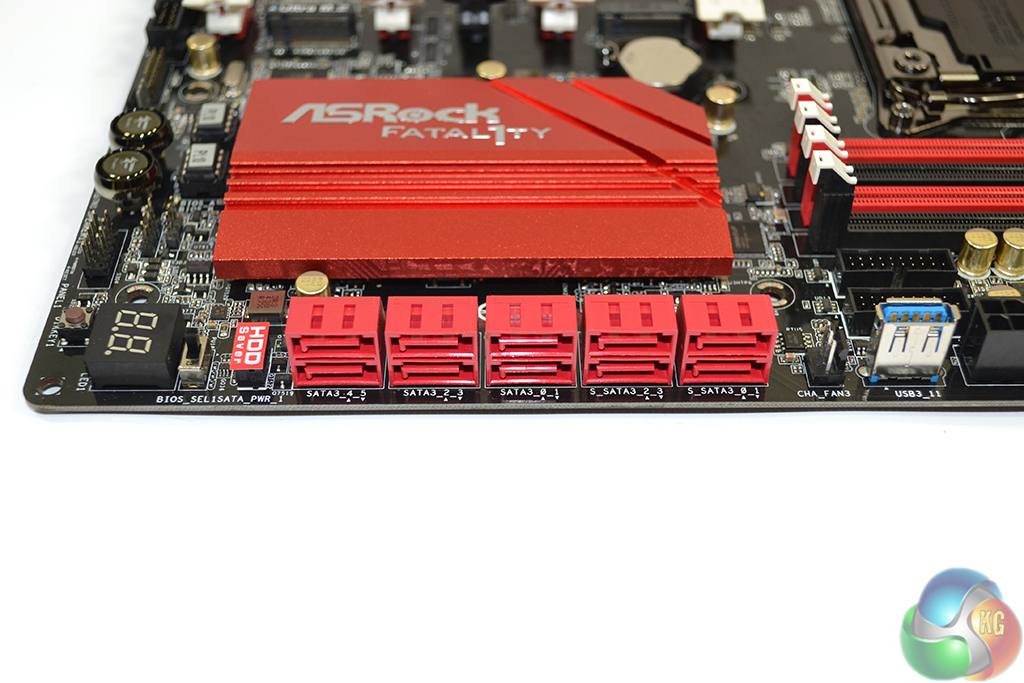
Ten SATA 6Gbps ports are all provided directly from the Intel X99 PCH. The six to the left should currently be used for RAID configurations, while the four on the right (labelled S_SATA_0-3) should be reserved for slower storage until Intel’s RST driver supports RAID on those ports.
Although we are still in the early stages of post-SATA-6Gbps storage interfaces, M.2 seems to have already prevailed as the primary solution for high-speed drive connections. For that reason, I do not see the lack of SATA Express as a glaring negative; there are the M.2 connectors to rely upon for high-speed SSD-based storage, while SATA 6Gbps proves adequate for slower HDDs.
ASRock’s HDD Saver port can be used to power up to two drives. The function is useful if you want to control your drive’s operating state via the OS – perhaps for security, noise, or longevity purposes.
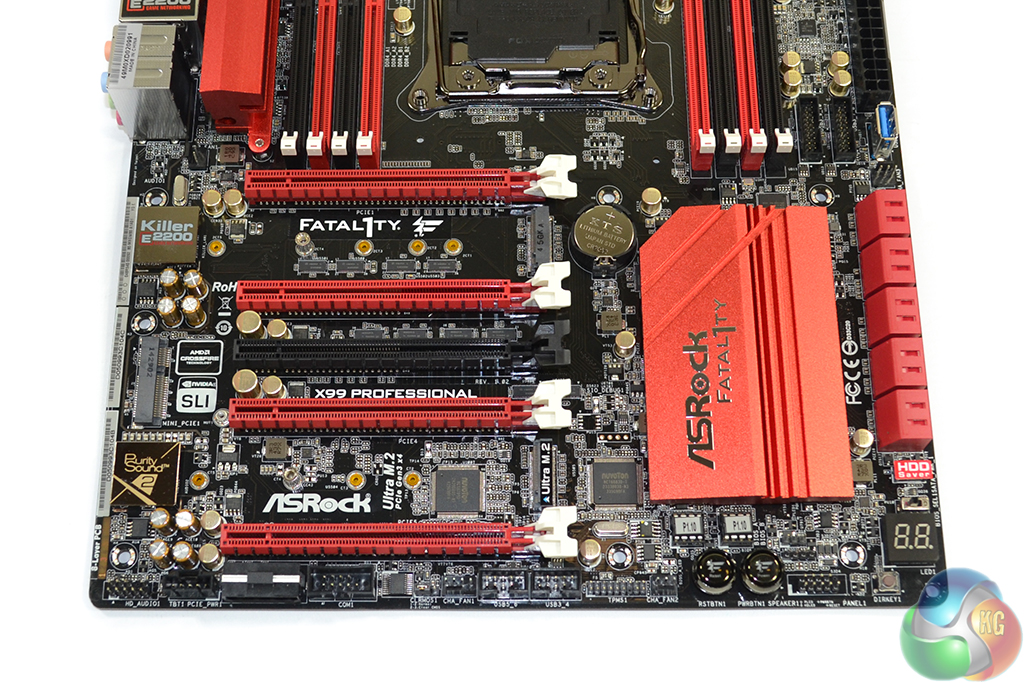
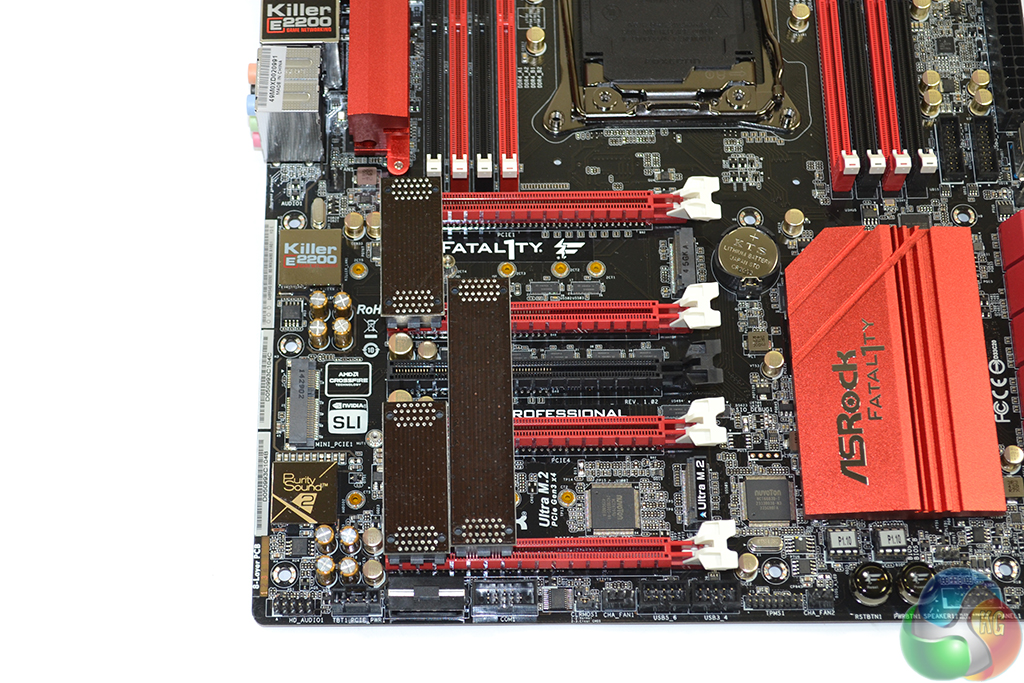
High-bandwidth 4-way SLI and CrossFire are both supported by the X99 Professional, provided a 40-lane CPU is used. The red slots are to be used for graphics cards, the first and third of which are hard-wired for up to sixteen PCIe lanes, with the other two linking by a maximum of eight lanes.
The uppermost (PCIE1) PCIe slot is used for a full x16 link to one card, while two cards are given sixteen lanes each, as well as two cooling gaps, using the PCIE1 and PCIE4 connectors. Three cards rely upon the first three red connectors, and are linked to the CPU at PCIe 3.0 x8/x8/x16. 4-way configurations use all of the red PCIe connectors in an x8/x8/x8/x8 link.
With a 28-lane CPU, the lowest PCIe slot is disabled and the remaining PCIe links are x16/x0/x4/x8 or x8/x8/x4/x8. So back-to-back triple-card configurations are inevitable with a 40- or 28-lane CPU. But two-card spacing is excellent.
The black connector can be thought of as an expansion card slot (for the likes of high-bandwidth PCIe SSDs or RAID cards); the connector runs at a maximum of PCIe 3.0 x4 and steals its bandwidth from the PCIe 3.0 x4 Ultra M.2 slot.
I have no problems with ASRock’s PCIe configuration; the layout is smart and 4-way SLI/CrossFire can be used alongside a PCIe 3.0 x4 SSD in the Ultra M.2 slot.
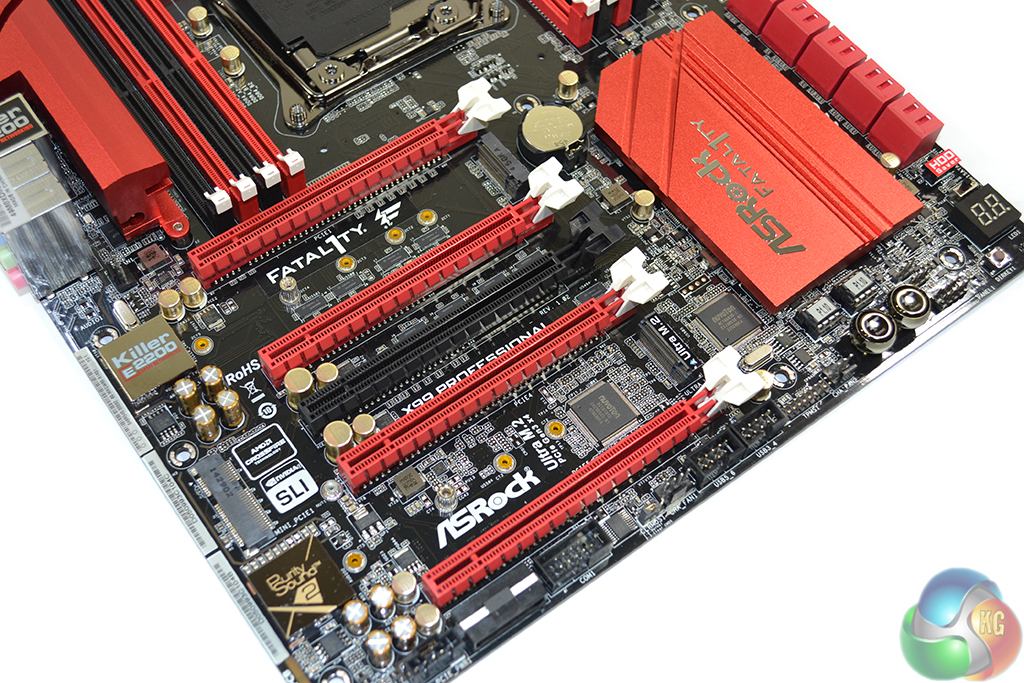
Aiming to provide further upgrade potential, ASRock equips the Fatal1ty X99 Professional with not one, but two M.2 connectors. Both slots support the common 2242, 2260, and 2280 form factors, as well as the 110mm-long 22110 implementation. Hardware RAID is not supported between the two connectors due to one connection deriving from the chipset and the other from the CPU.
The uppermost slot receives up to four PCIe 2.0 lanes from the X99 PCH, giving it a bandwidth of 20Gbps which is ideal for serving fast M.2 SSDs, such as Samsung’s XP941. M.2 SATA drives are also supported on the uppermost slot, although this renders the S_SATA_3 port inactive.
ASRock’s Ultra M.2 moniker is given to the lower M.2 connector, indicting its usage of four PCIe 3.0 lanes from the CPU for up to 32Gbps bandwidth potential. This 32Gbps M.2 port can still be used alongside 3-way graphics setups on a 28-lane CPU and 4-way on a 40-lane chip.
A half mini-PCIe slot uses a single PCIe 2.0 lane from the X99 PCH. Its inclusion is convenient for users who want internal WiFi but cannot afford to sacrifice an expansion slot from a high-bandwidth PCIe device or graphics card.
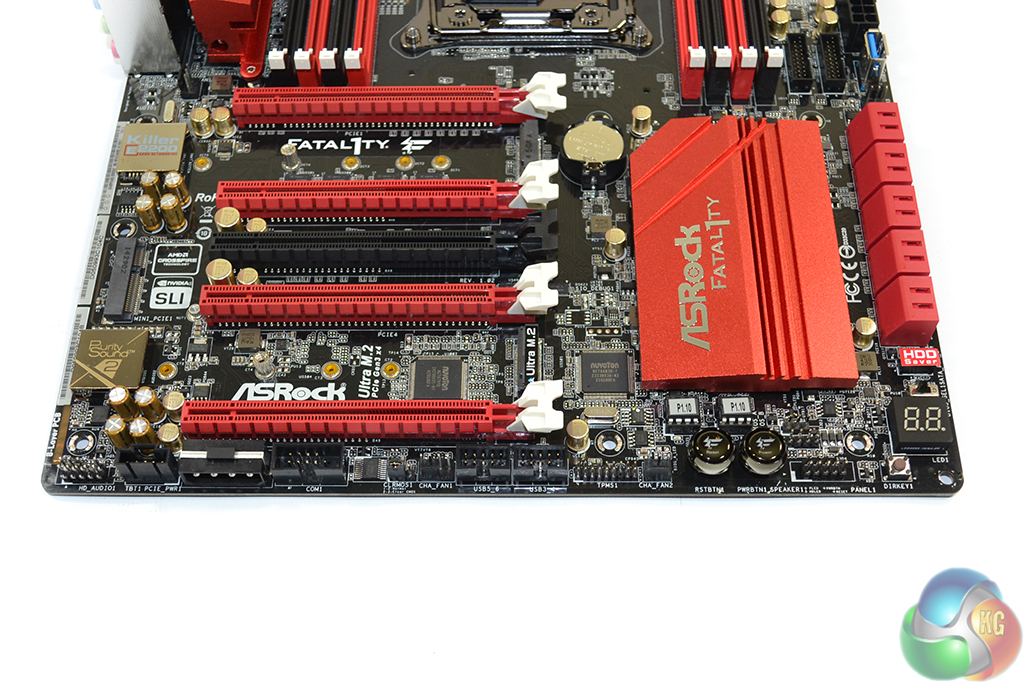
Bottom edge connectors are the standard affair – audio to the left and front panel connector to the right. Two USB 2.0 headers feature, as well as a synchronisation link for add-in Thunderbolt II cards. ASRock includes a downwards-facing molex power connector to stealthily provide additional juice for taxing multi graphics card setups.
Onboard power and reset buttons are convenient when troubleshooting, while the DirectKey button is useful for booting straight into the BIOS. The onboard debug LED is equally convenient for rapid troubleshooting measures.
That said, all of those ports should be placed on the upper-right corner of the board where they are always accessible. Users of this board are far more likely to require access to the power and DirectKey buttons than the finesse overclocking toggles.
I like ASRock’s inclusion of two BIOS chips and the linked toggle switch – it gives the board redundancy in the event of a BIOS corruption. Other notable connectors are COM and TPM headers, a clear CMOS jumper, and two chassis fan headers.
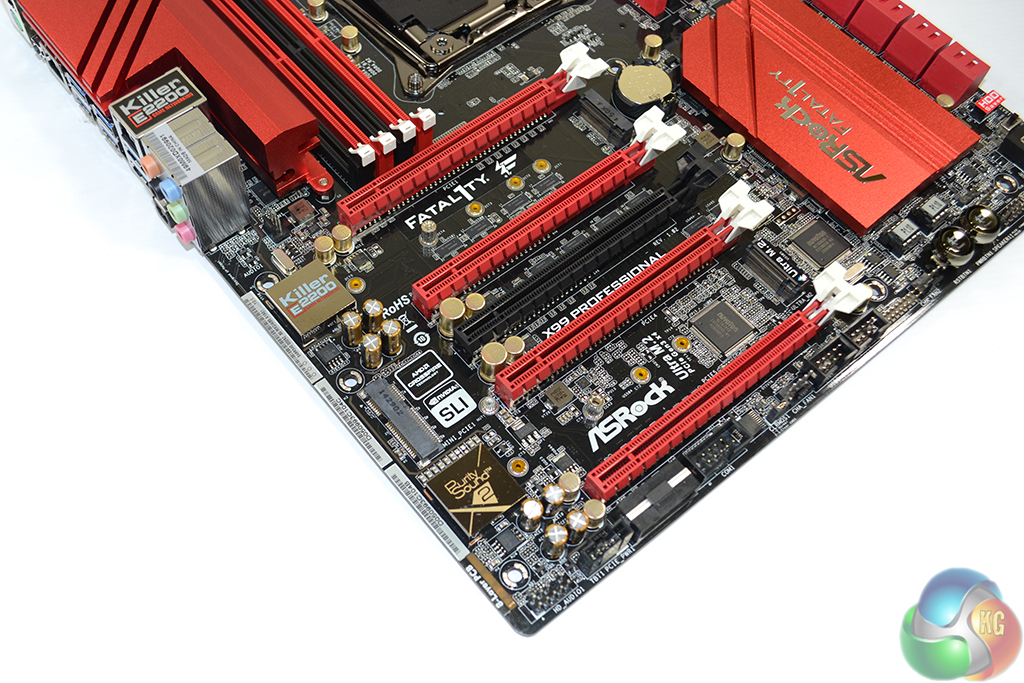
ASRock’s Purity Sound 2 audio system is based around the Realtek ALC1150 codec. Nichicon Fine Gold series capacitors smooth the audio signal while a pair of Texas Instruments NE5532 amplifiers cater for high impedance headphones to both the front and rear IO ports.
A dedicated cover for the codec and a segregated audio path aim to minimise the level of EMI. ASRock does not use gold-plated jacks on the rear IO, however.
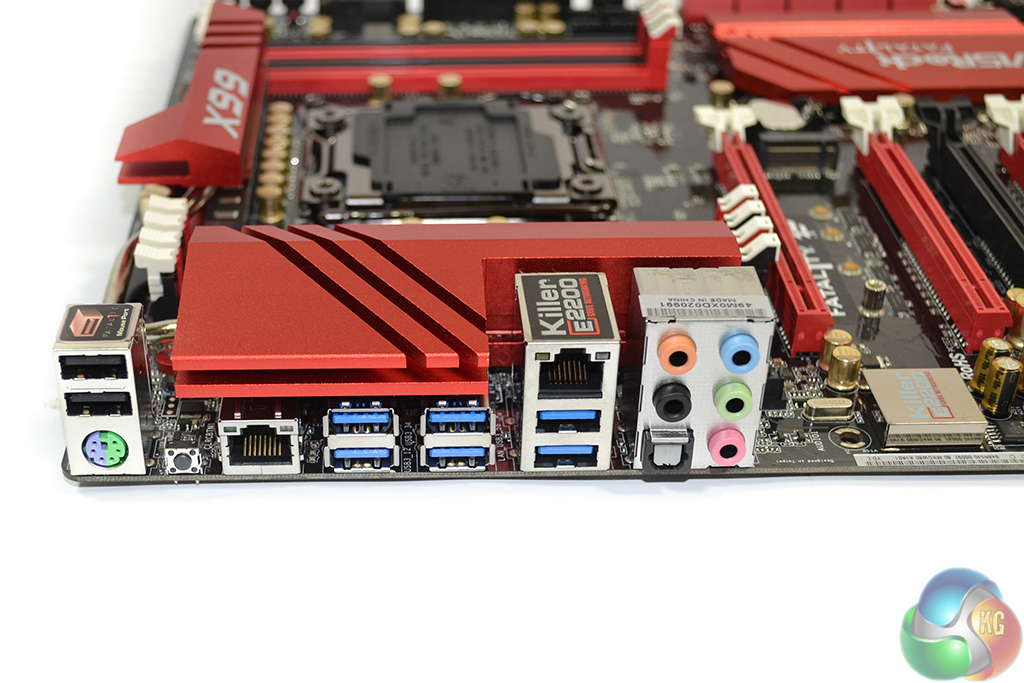
Six USB 3.0 ports are found on the rear IO, four of which are duplicated by an ASMedia ASM1074 hub controller. Two USB 2.0 ports are ideal for low-bandwidth peripherals, with one of the connectors supporting ASRock's Fatal1ty Mouse Port. PS/2 is provided for legacy support.
Intel's I218-V chipset provides one of the GbE connections, while the other is controlled by a Killer E2200 series NIC. I like this move by ASRock because I know that many enthusiasts detest Killer NICs, while others may prefer its OS-based network management software.
Audio connectors and a clear CMOS button (which I absolutely love to see included) complete the rear IO.
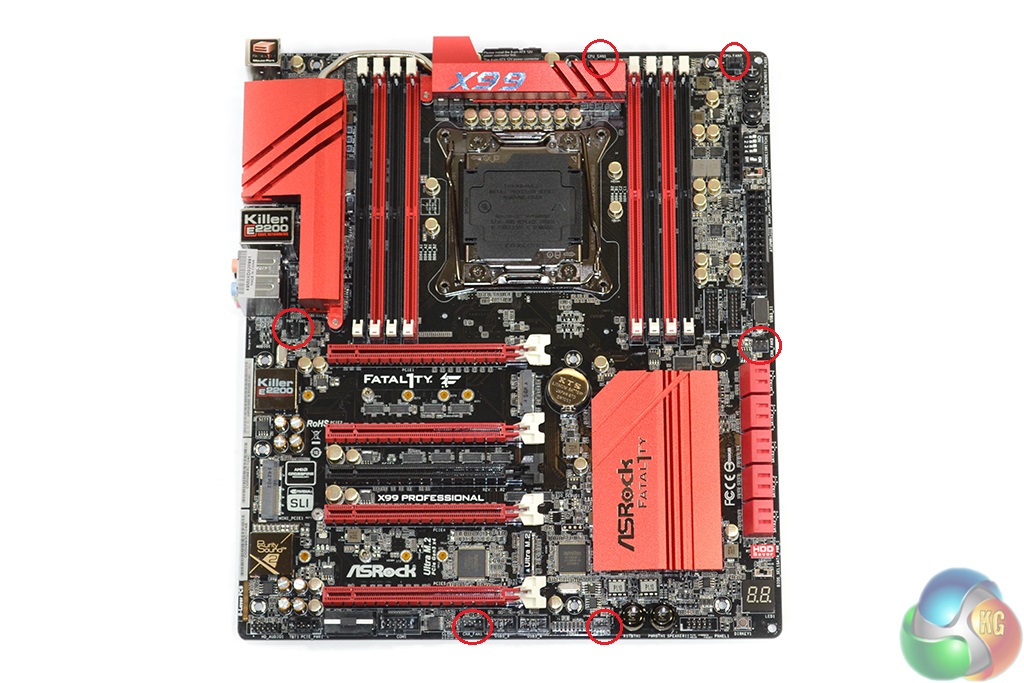
Distribution of the board's six fan headers (four 3-pin, two 4-pin) is excellent. Two headers cater for CPU fans, although I would have liked to see easier access to a third – powered – connector for AIO liquid coolers' pump units. Placing three headers on the board's edges is great for cable management purposes, while the cable path for a rear chassis fan is minimal.
ASRock employs two Nuvoton SuperIO chipsets – the NCT6791D and NCT6683D-T. While they can both perform the same voltage, temperature, and fan speed monitoring functions, I’d wager that the more advanced NCT6683D-T is included for its enhanced fan control and SPI flash capabilities.
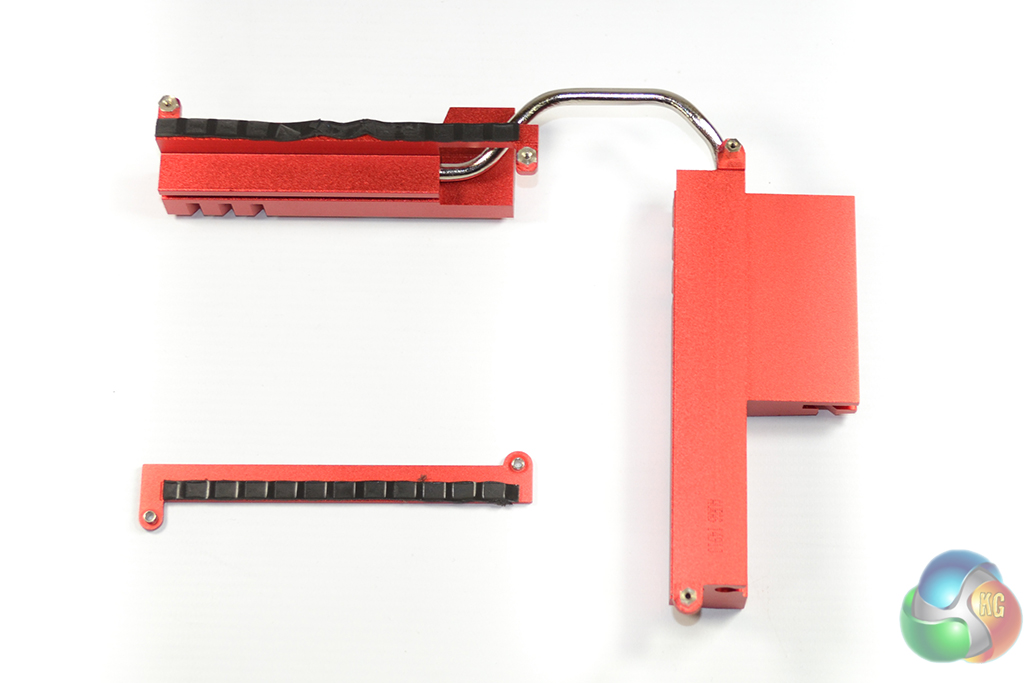
The sizeable pair of aluminium alloy heatsinks are easy to remove from the motherboard. Although technically analysing their performance is very difficult, the heatsinks' sheer bulk makes them seem sufficient for cooling the motherboard VRM.
Firstly, we are pleased to report that our NZXT Avatar S mouse worked to its usual standard in the ASRock X99 UEFI. We’ve found our NZXT Avatar S to be the most troubling mouse with UEFI support, so when it functions correctly in the interface, that is usually a good sign for overall mouse support.
ASRock's X99 UEFI is consistent across its motherboard line-up (hence our screenshots being taken from a previous review). There are subtle differences between the versions, the most notable of which is a different background colour depending on the motherboard's series. The interface uses a 1920×1080 display resolution.
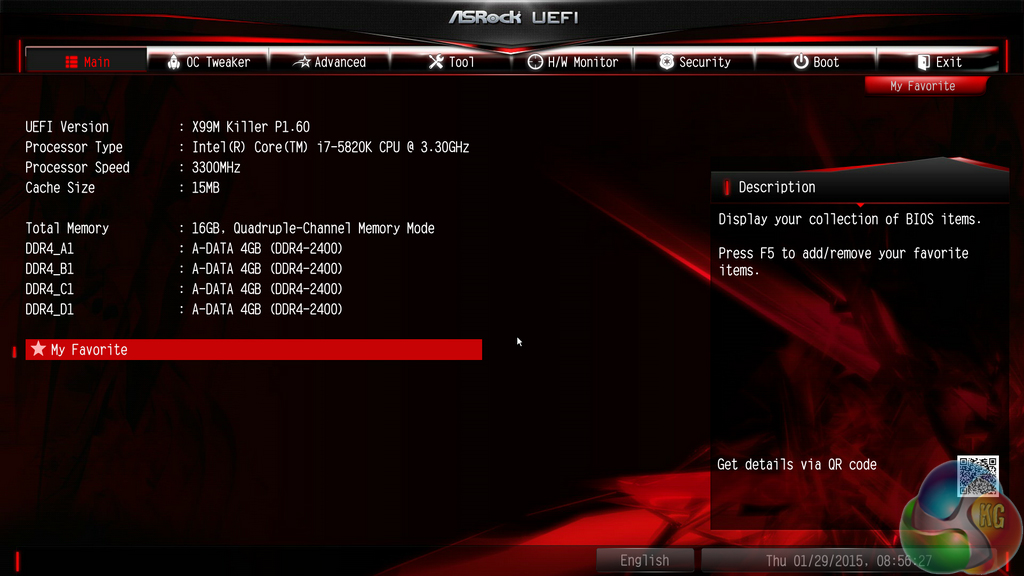
The Main page displays information about the system components. There is a My Favorite section that gives users quick access to their most desirable settings.
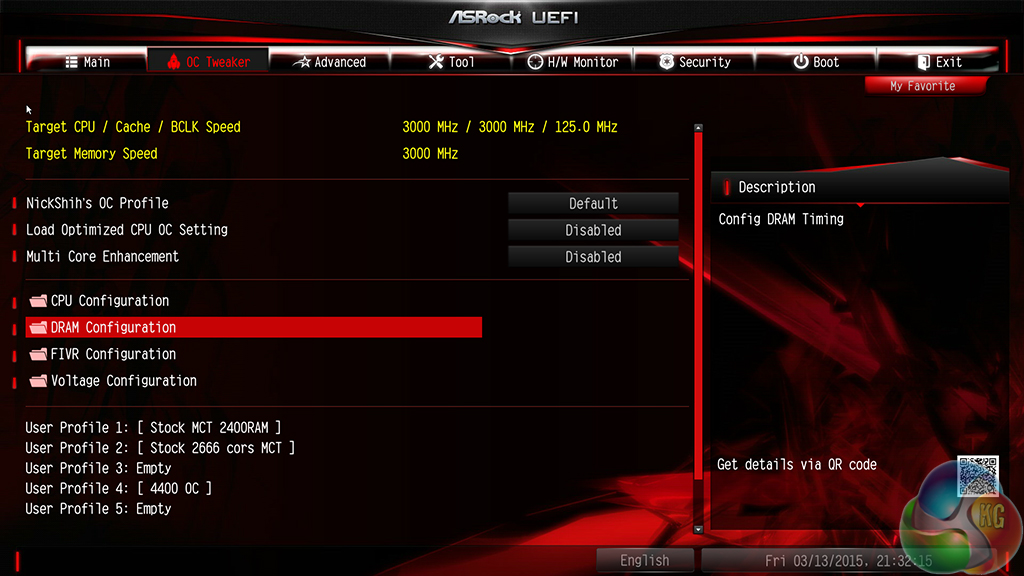
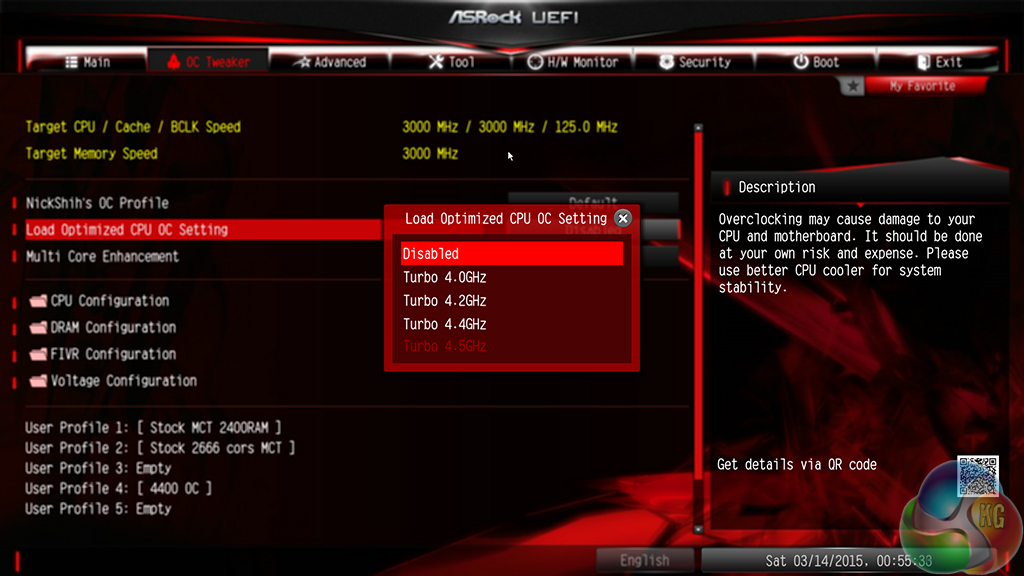
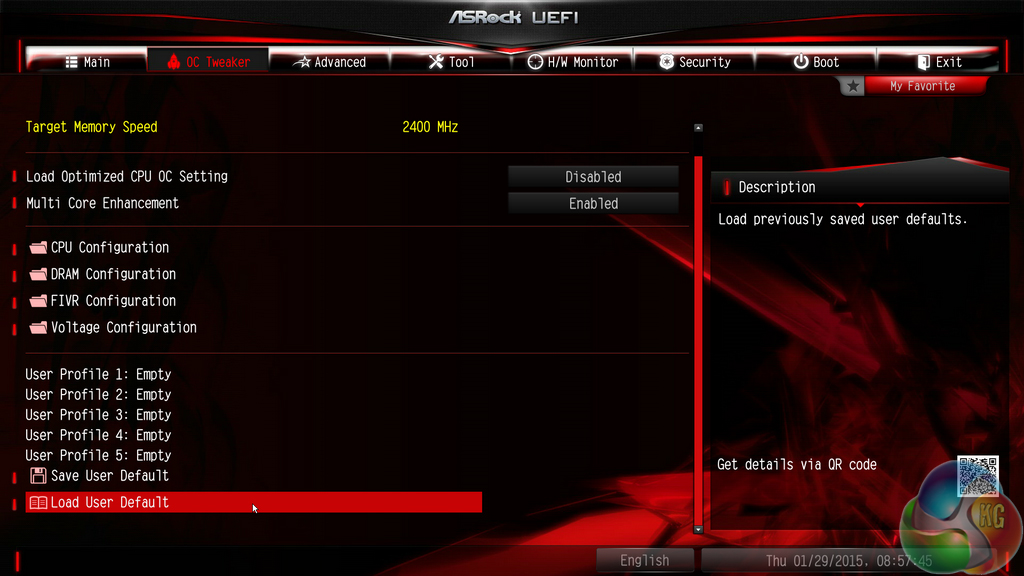
The OC Tweaker page controls access to the board's numerous overclocking-related sub-sections. I like the way that ASRock has split its main overclocking sections into separate folders. This keeps the interface clean and makes the desirable settings easy to find. It also proves that ASRock is listening to feedback and taking steps to improve its UEFI user experience.
Overclocking profiles designed by one of the world-leading professional overclockers – Nick Shih – can be loaded from the UEFI. There are also some less extreme overclocking profiles set by ASRock’s engineers.
Up to five customised user profiles can be saved to the board's internal memory. I feel that five profiles is sufficient for a motherboard that is not intended for competitive overclocking. A USB flash drive can be used to transfer profiles to and from the board.
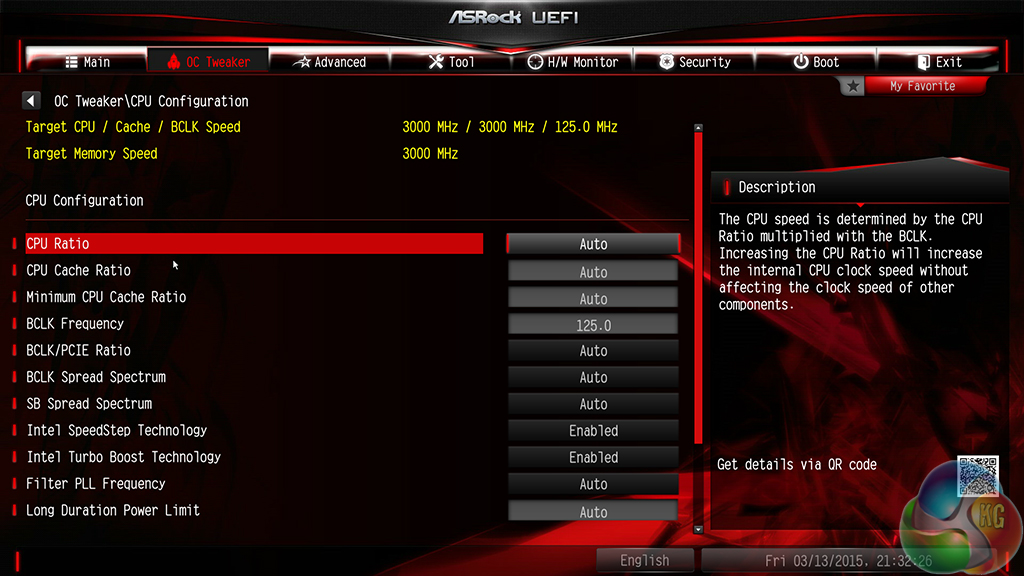
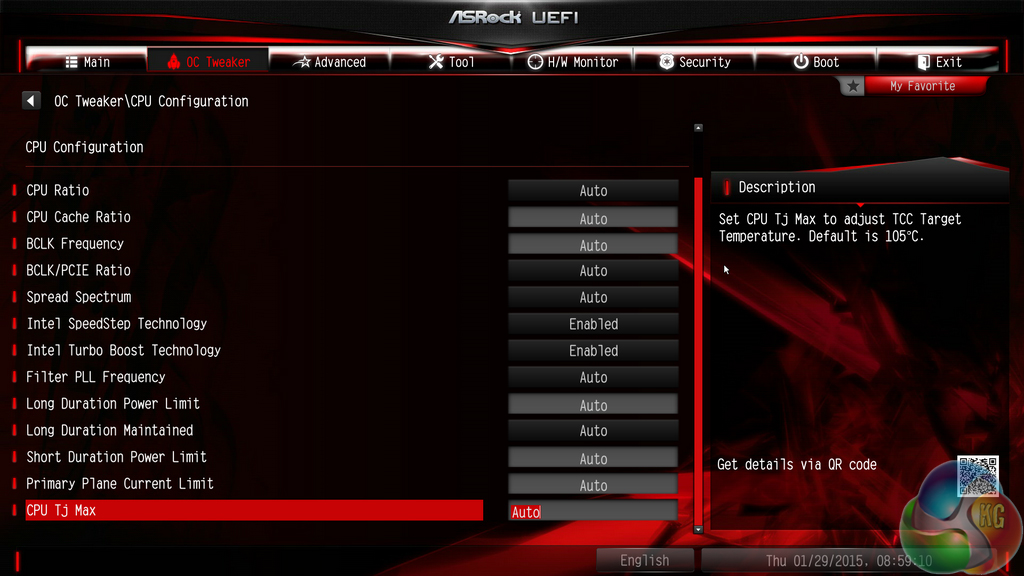
The standard set of parameter and ratio settings are provided under the CPU Configuration section. ASRock also adds a CPU TJ Max input which is a unique setting allowing users to change their processor's thermal throttling temperature. Approach this setting with caution and appreciation for the involved risks.
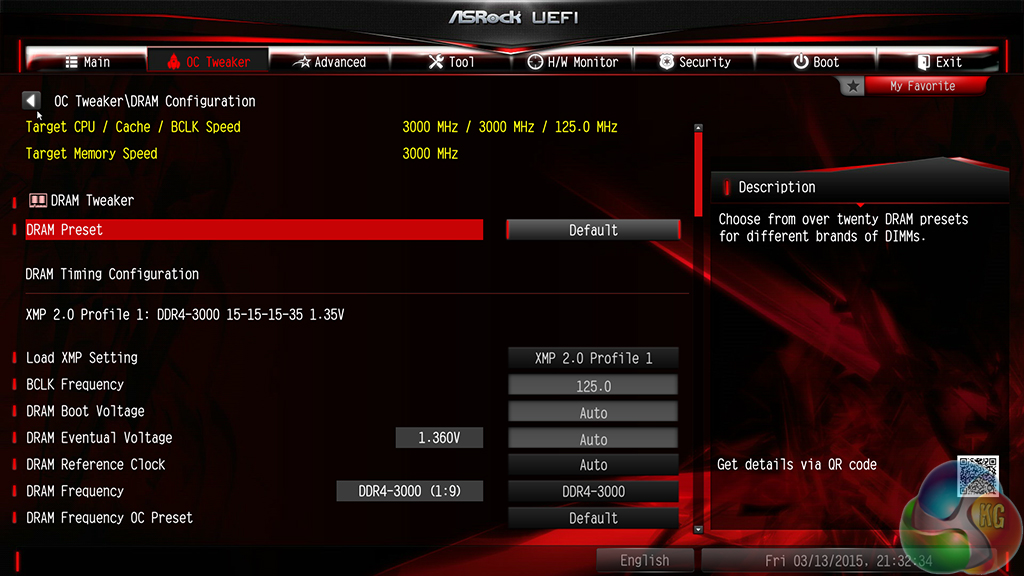
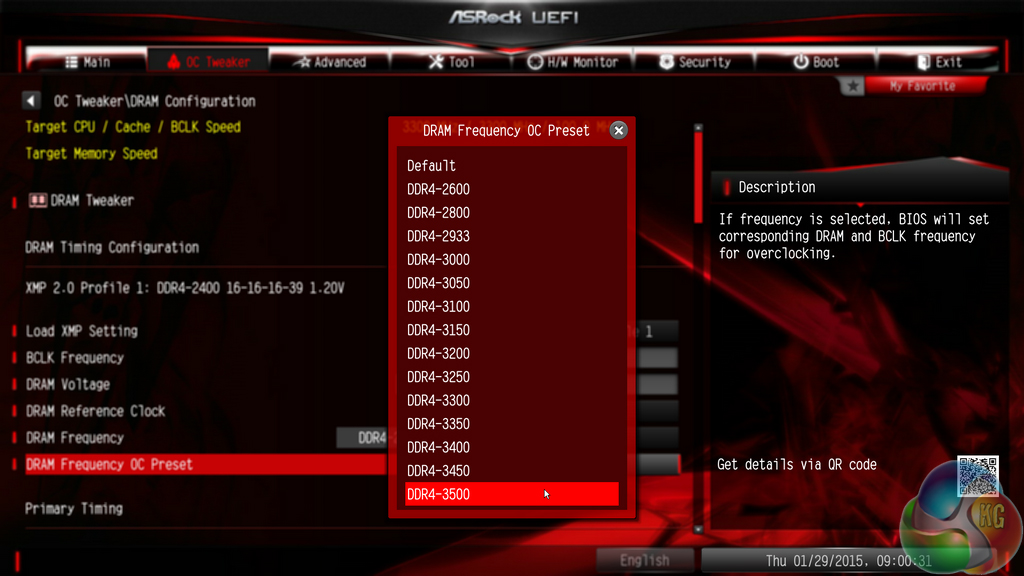
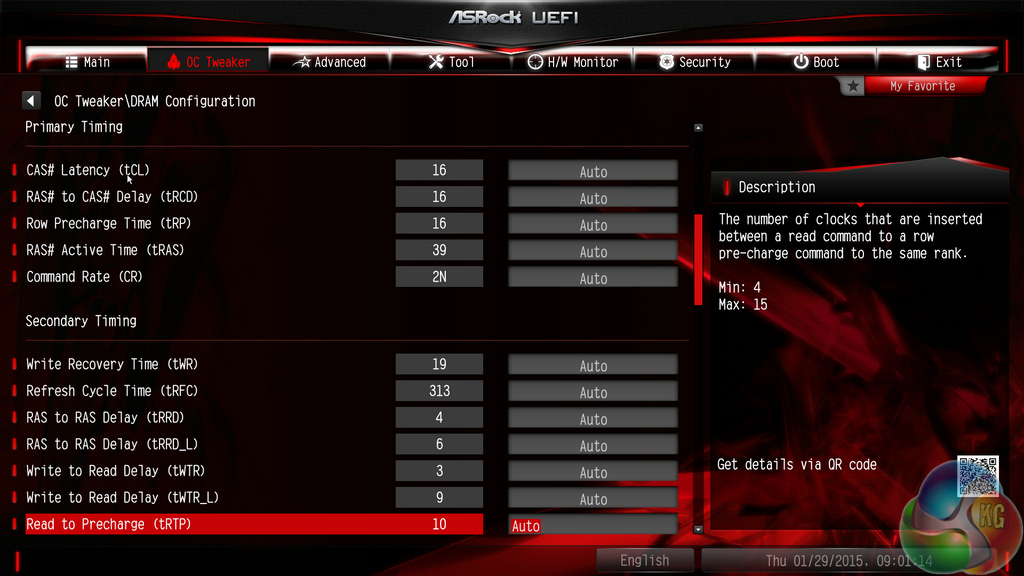
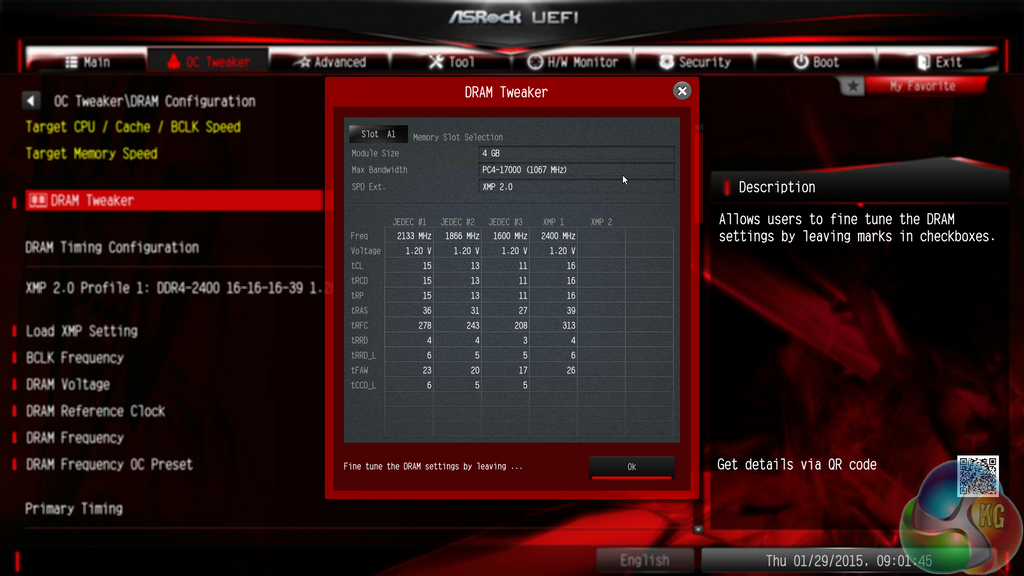
There is a strong range of memory overclocking settings provided in their specific sub-section. Users can adjust their DRAM frequency and voltage in addition to viewing their kit's rated, and applied, timings.
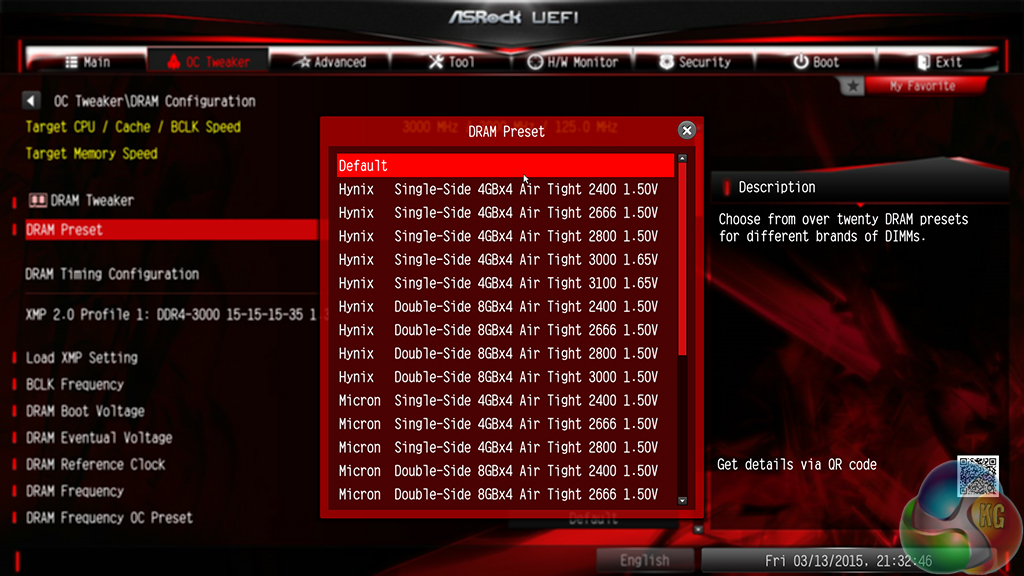
A large number of pre-tweaked (presumably by Nick Shih) overclocking profiles are included in the memory section. I would advise caution before loading any of the profiles as a test to see what your memory is capable of – anything more than 1.50V is particularly high for DDR4 and should be approached with caution.
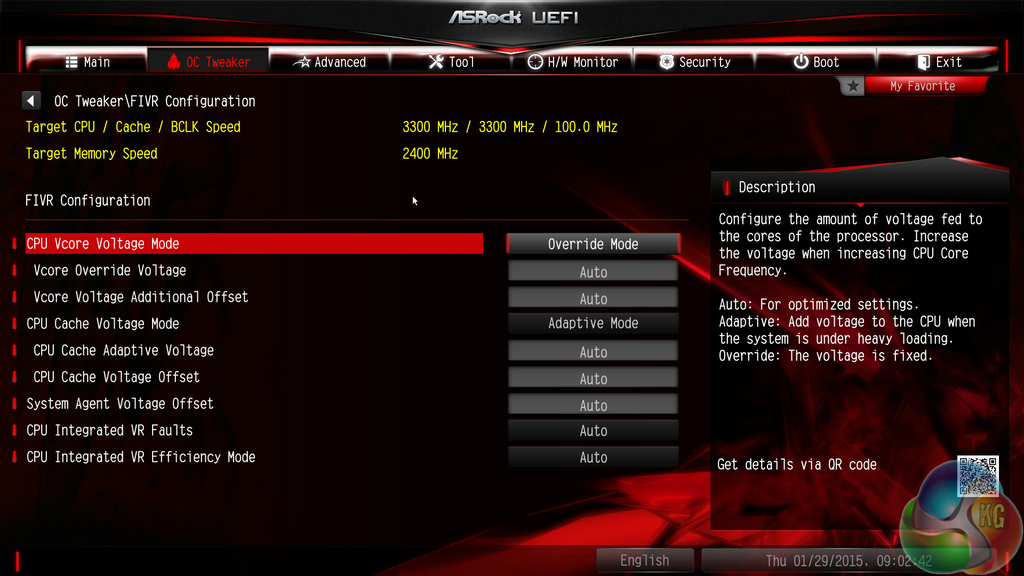
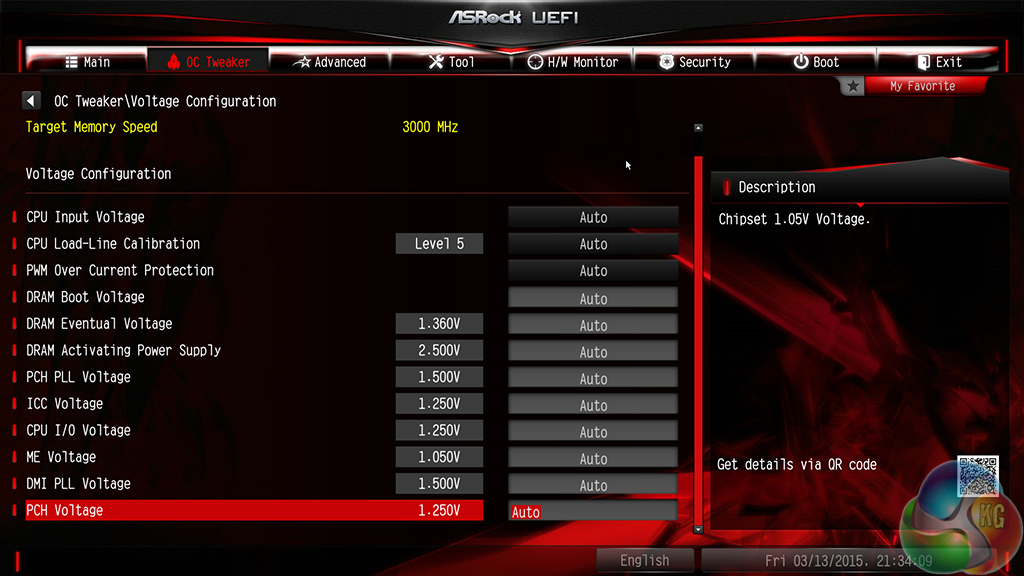
Settings relating to the Haswell-E processor's Fully Integrated Voltage Regulator (FIVR) are given their own section. Here users can apply the primary voltage settings that will deliver their quick-and-easy overclocked settings.
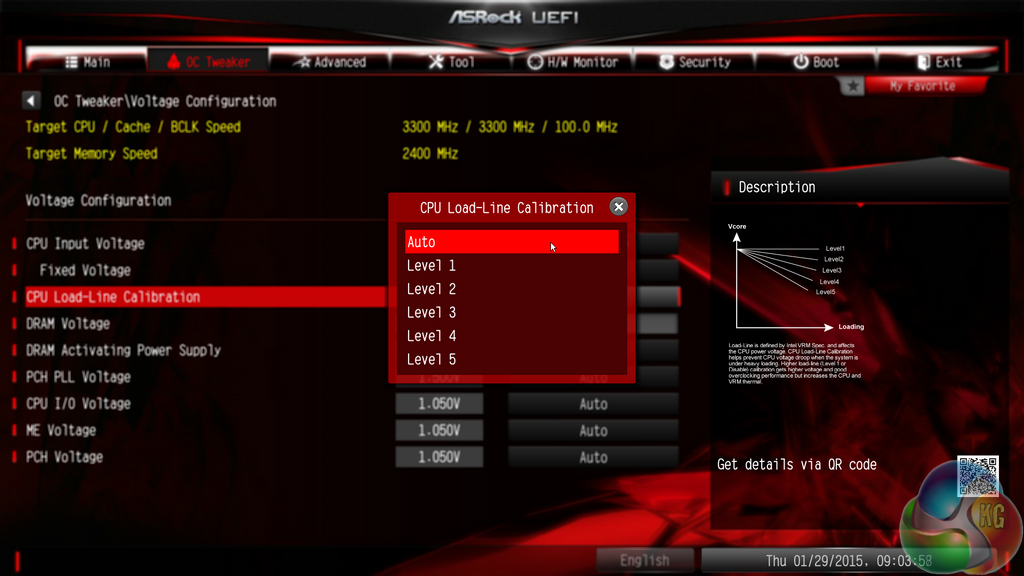
Moving over to the Voltage Configuration section is where users can fine-tune the parameters to squeeze even more frequency out of their components.
ASRock typically allows users to opt for automatic, manual, or adaptive voltage configurations.
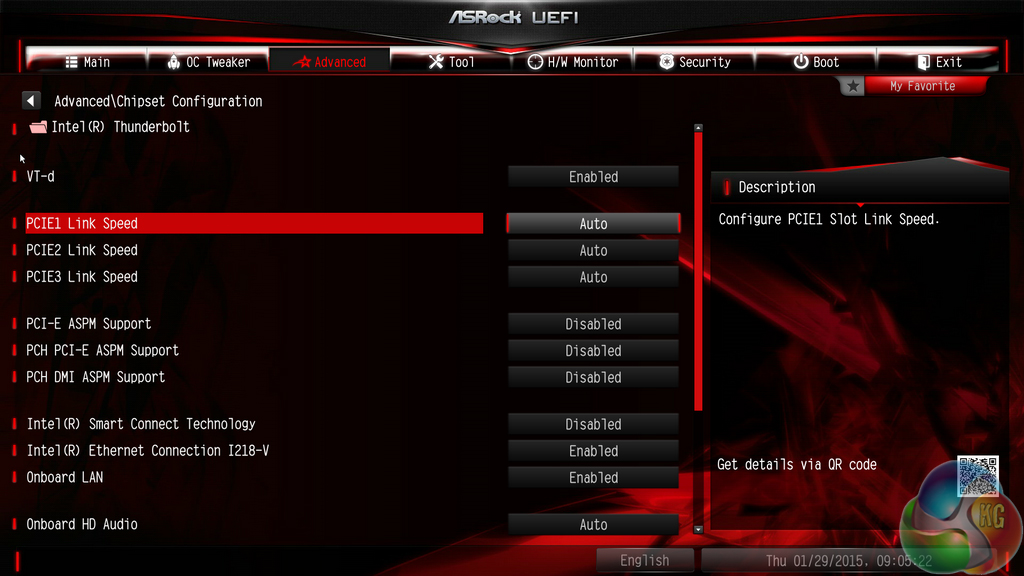
The Chipset Configuration section is useful when ensuring that expansion slots are receiving the correct PCIe bandwidth.
Storage interfaces and their installed drives can also be controlled.
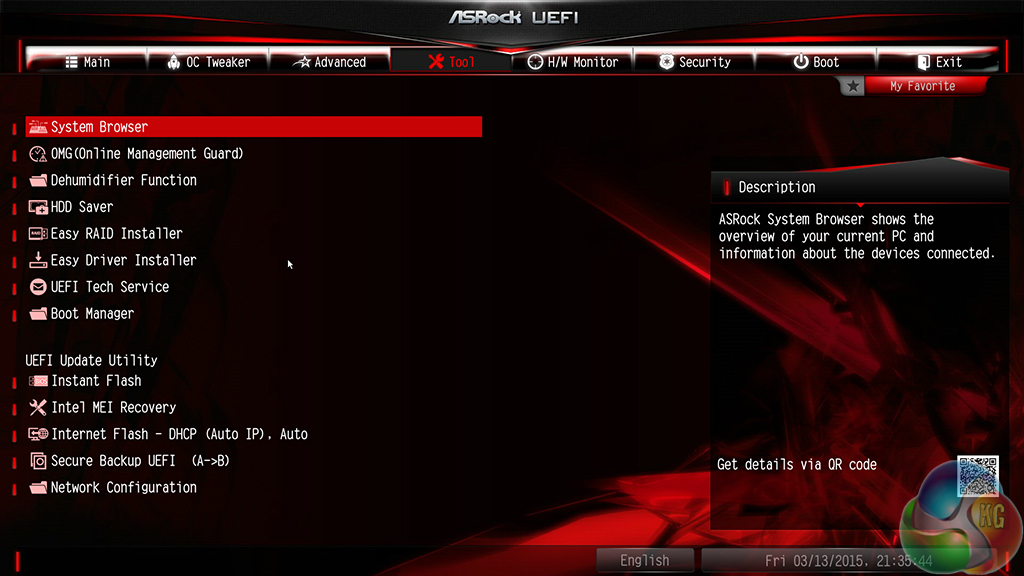
ASRock includes a number of convenient tools in its UEFI. Users can rapidly apply a number of system configurations and drivers can also be downloaded via the interface.
Instant Flash, ASRock's simple BIOS updating tool, scans through one's USB flash drive to search for the relevant BIOS file. While this sounds good, with the tool's ability to scan all the way through your flash drive until it finds the relevant BIOS profile, users with a large amount of data on their drive could find the search time to be in the order of minutes. There's little wrong with a manual folder search.
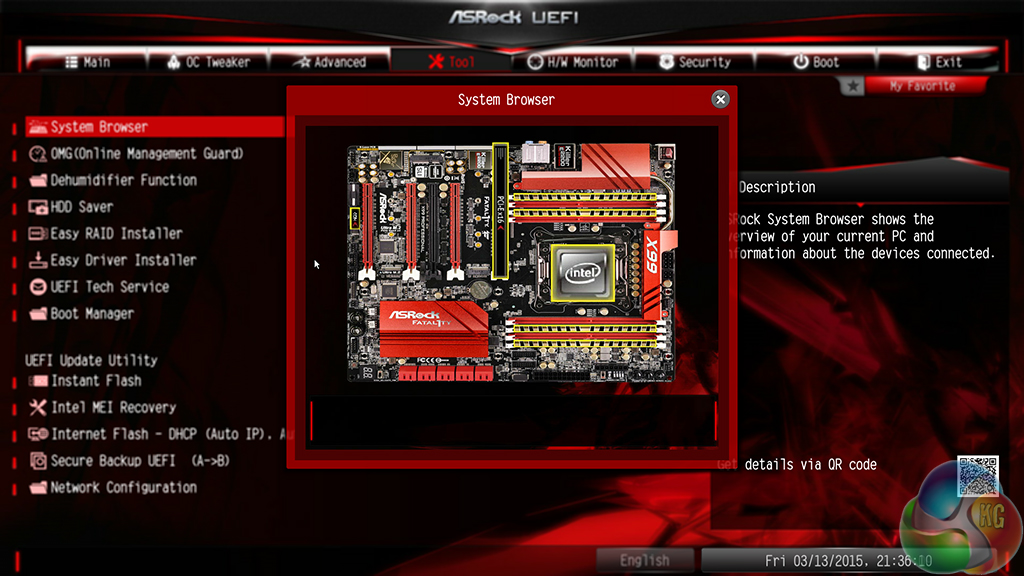
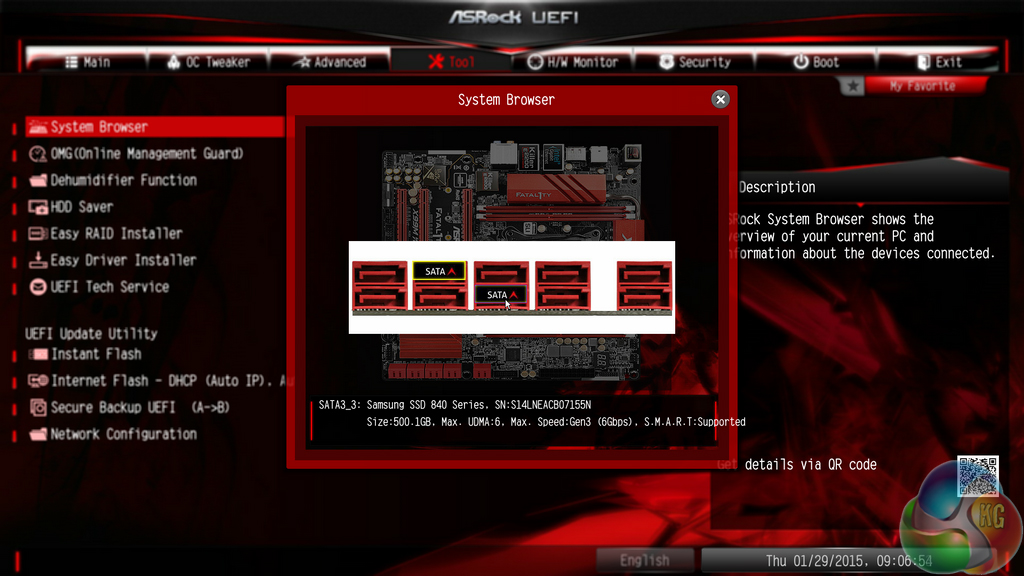
System Browser is a convenient tool that displays which components are connected to the motherboard. The tool is particularly useful for troubleshooting purposes; if, for example, a memory stick is faulty, it will not show up in the System Browser window.
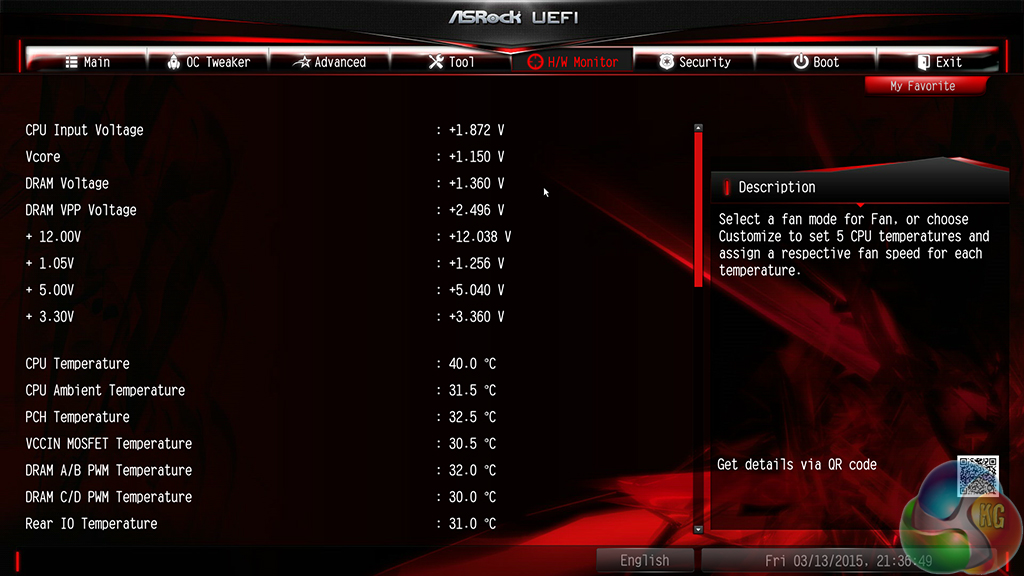
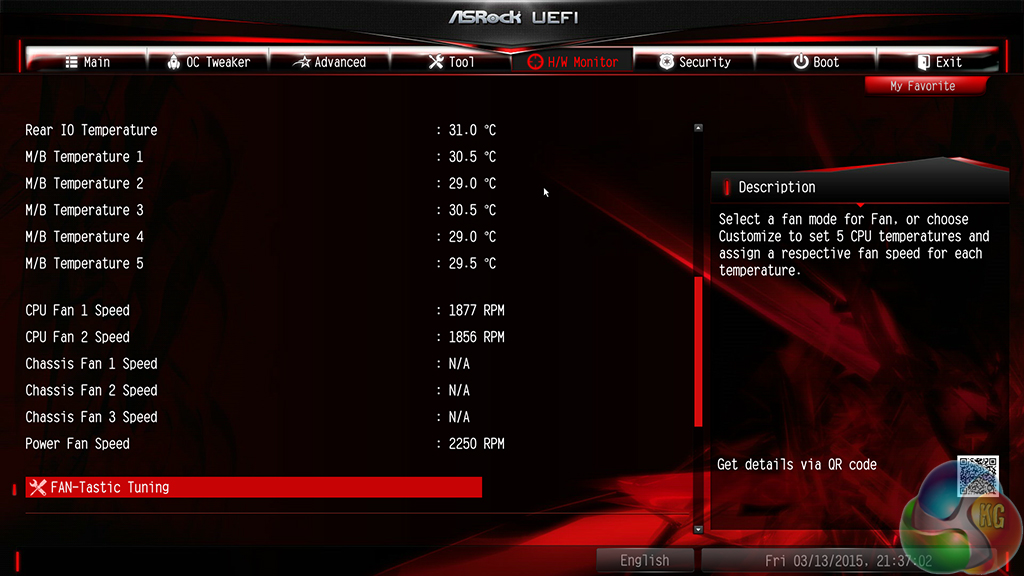
ASRock includes an extensive set of voltage, temperature, and fan speed readings on its HWMonitor page. This is where the pair of Nuvoton SuperIO chipsets and numerous board-placed thermal reading points prove valuable.
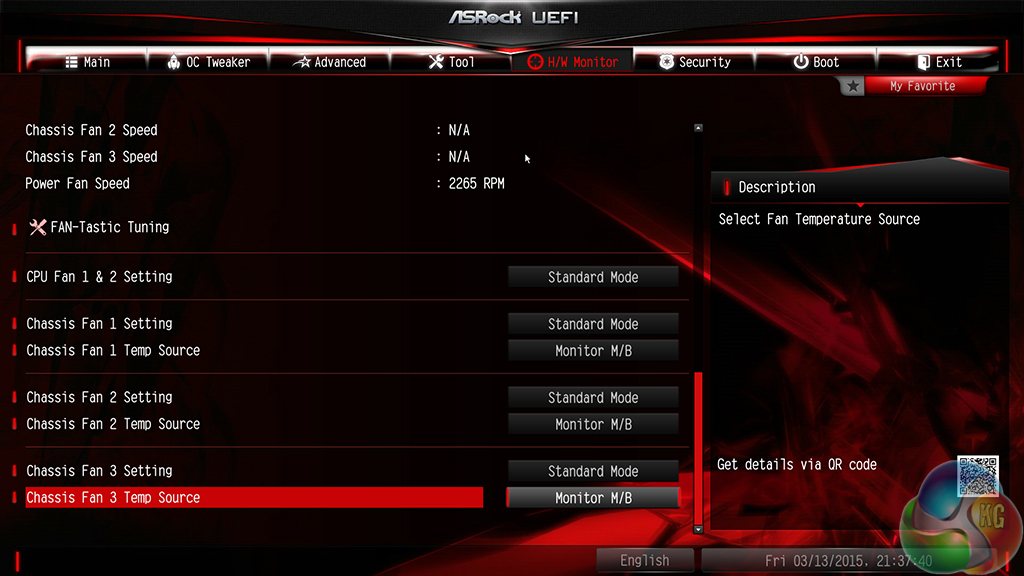
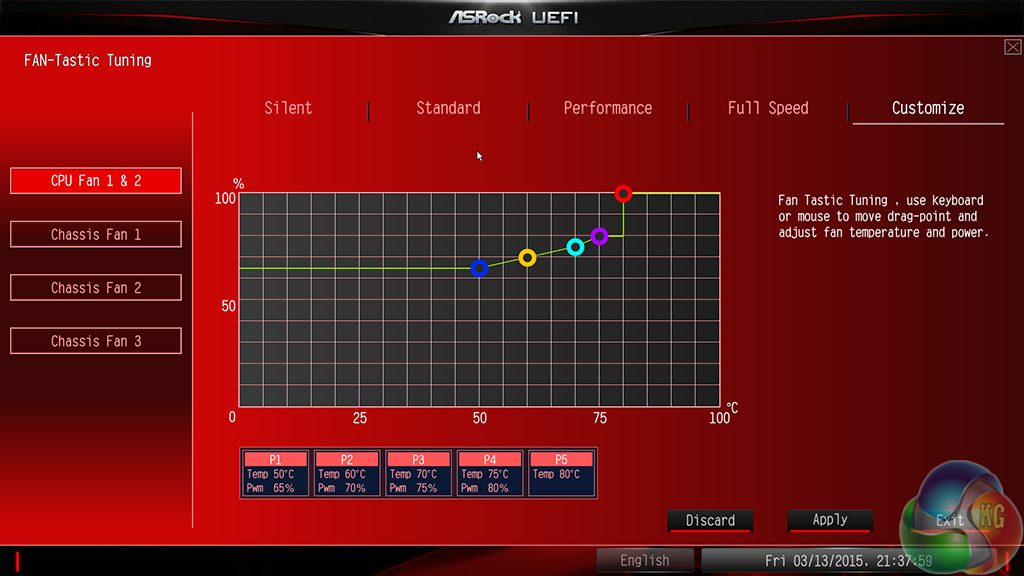
There are two ways of setting fan speeds in ASRock’s UEFI. Users can either select from pre-defined profiles, or they can fine-tune their own custom fan speeds. There’s the old way of doing this – by selecting the relevant choices from multiple drop-down lists. Or there’s ASRock’s modern FAN-Tastic Tuning visual tool.
I was very impressed by the capabilities of the FAN-Tastic Tuning tool (the cheesy name, on the other hand…). The five-point curve can be adjusted to an individual’s preference with a large range of freedom; a CPU temperature as low as 30°C can be set, while the fan can run at 0% or 20-100% in 1% increments. And what is particularly impressive is the board’s ability to completely shut-off a controlled fan below a user-defined temperature threshold.
The level of control FAN-Tastic Tuning provides is excellent, especially when a fan can be set to stop spinning in order to provide a particularly quiet system.
UEFI Summary
In the latest motherboard platform launches, ASRock has worked hard to improve its UEFI. The company has moved to a Full HD – 1920×1080 – resolution, the layout has been re-ordered, the styling has changed, and new-and-improved tools have been designed.
ASRock now has a UEFI that I would deem to be right on the heels of Asus' solution, making it the second best interface on the market (in my opinion). And there are some clear areas where ASRock's interface trumps that of Asus' (System Browser, for example). What is equally positive is that ASRock has clearly listened to user feedback that said the UEFI layout needed improvement.
The interface is well laid-out, easy to use, and full of relevant user-customisable parameters.
ASRock F-Stream
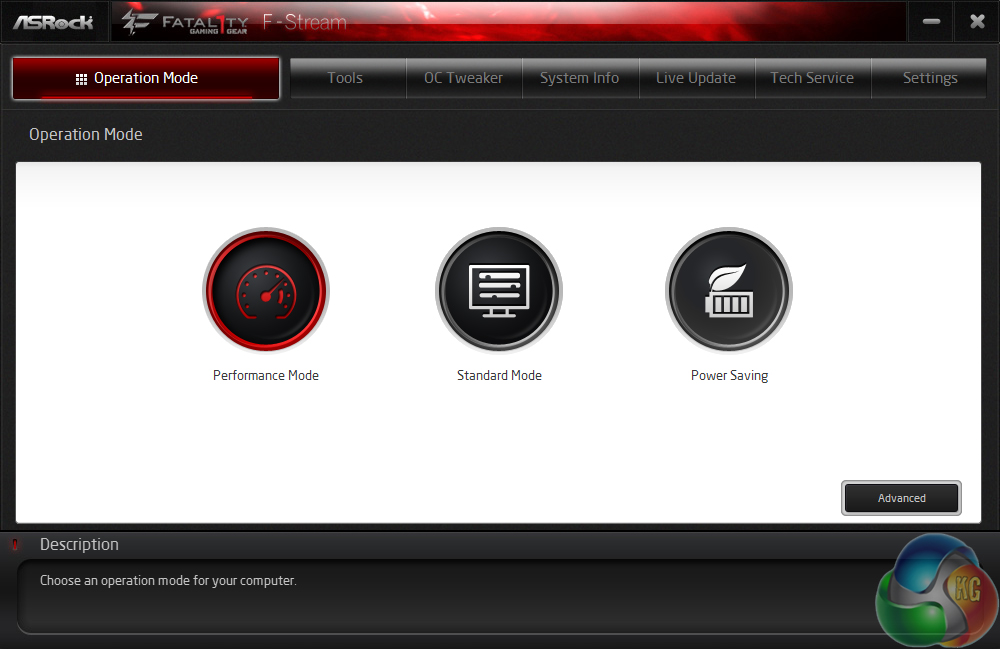
ASRock's F-Stream software for its Fatal1ty series motherboards is practically equivalent to the A-Tuning software found on the vendor's channel parts.
There are three system modes designed for different operating scenarios. We opted for the Performance mode.
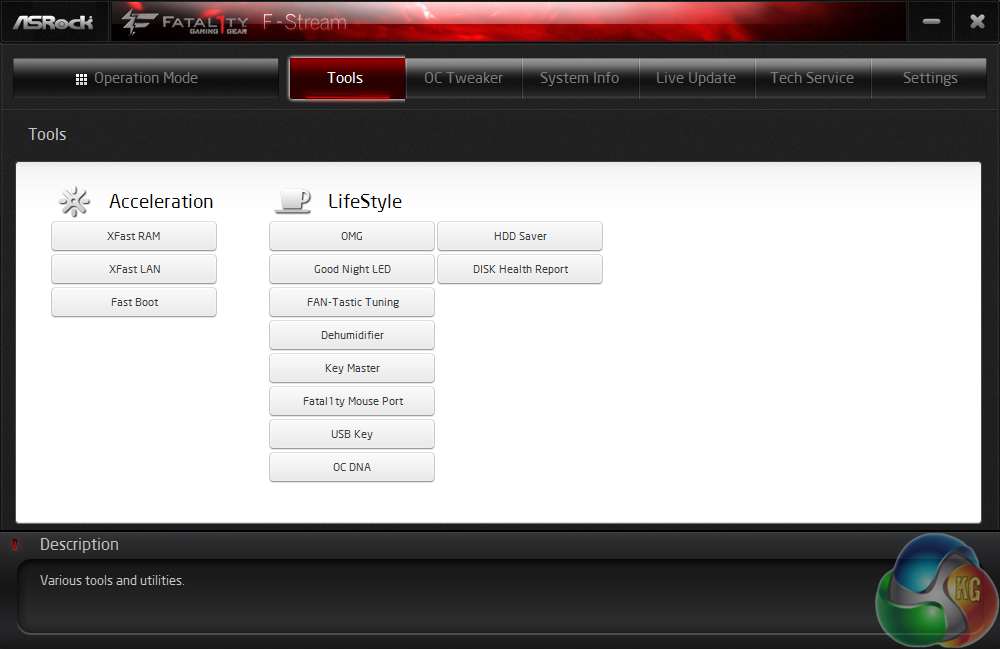
ASRock includes a number of tools in its F-Stream software suite.
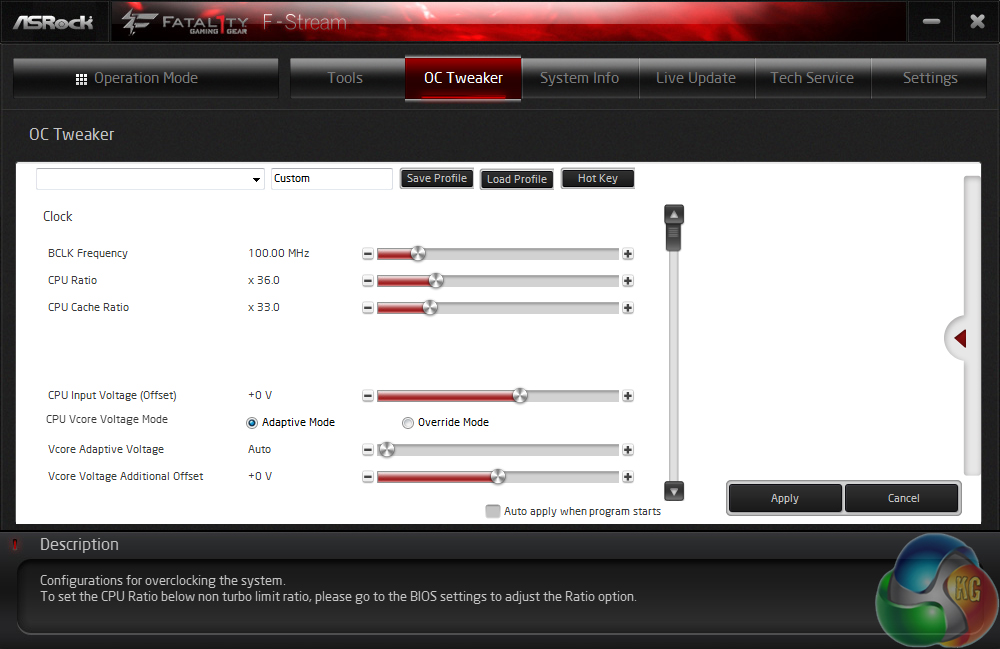
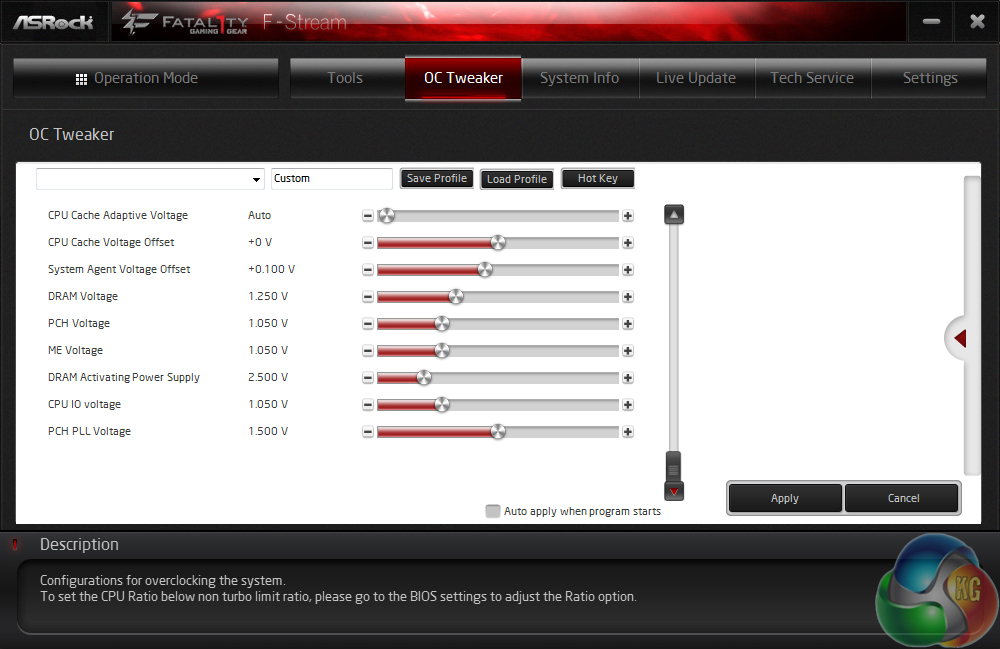
Overclocking settings and parameters can be tweaked via the software, in an OS environment.
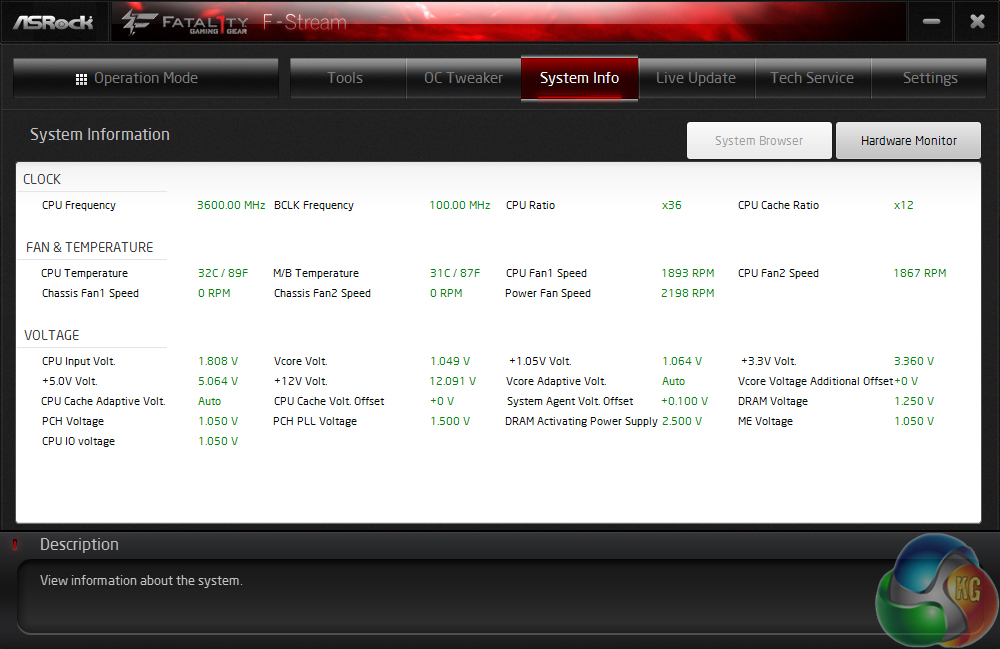
Readings relating to system parameters such as voltages, frequencies, and fan speeds are outlined in the System Info page.
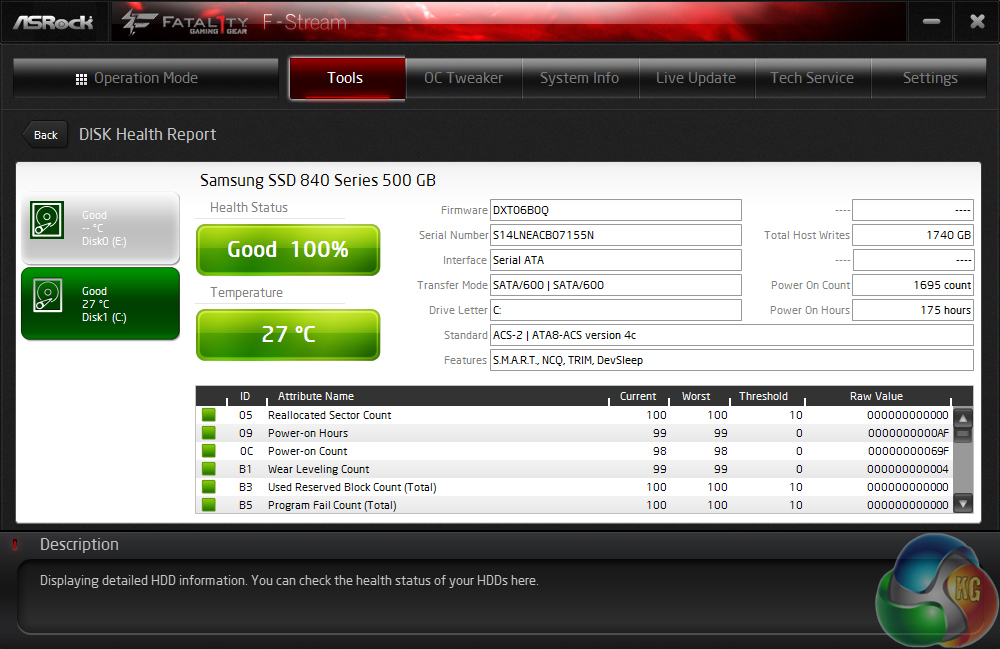
The health and other general statistics relating to a storage drive can be read via one of ASRock's tools.
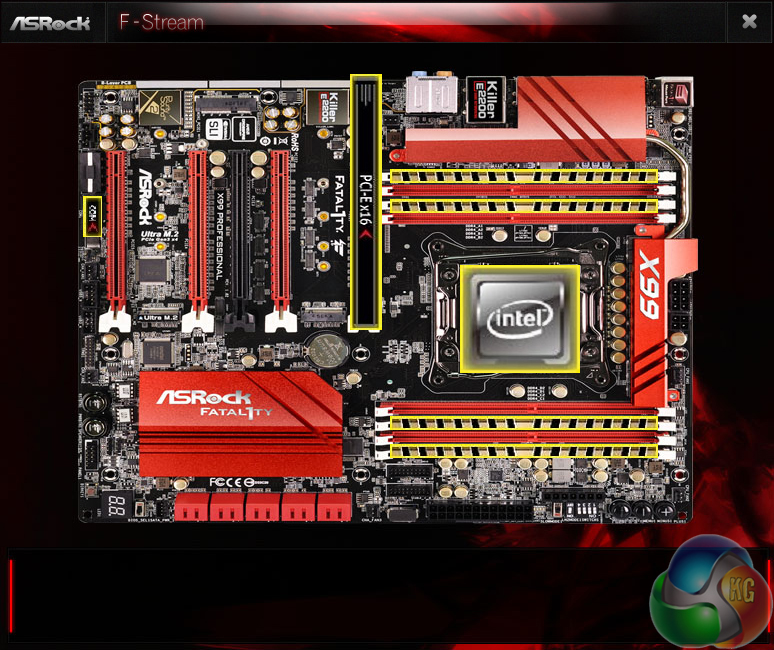
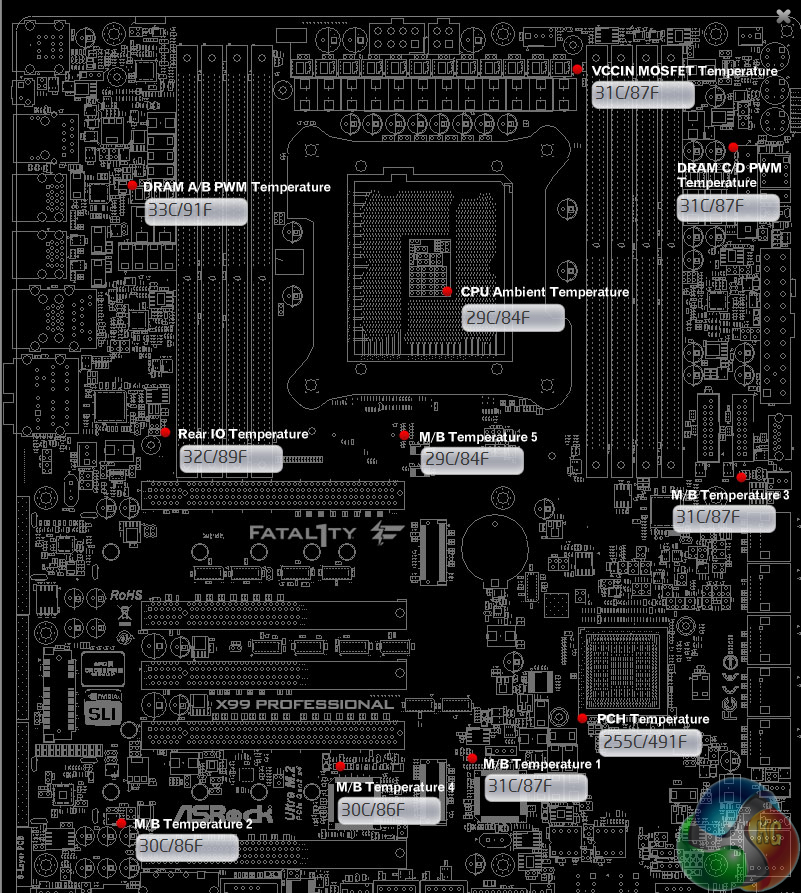
ASRock also puts its convenient Board Explorer tool in the F-Stream software package. There is also a section to record readings from the multiple temperature sensors distributed around the board.
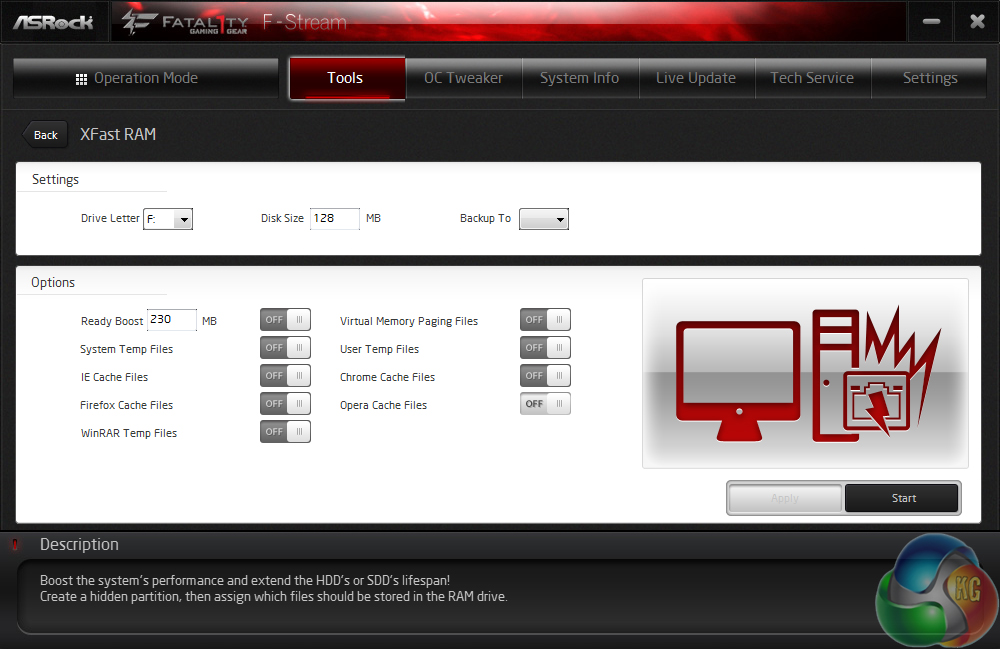
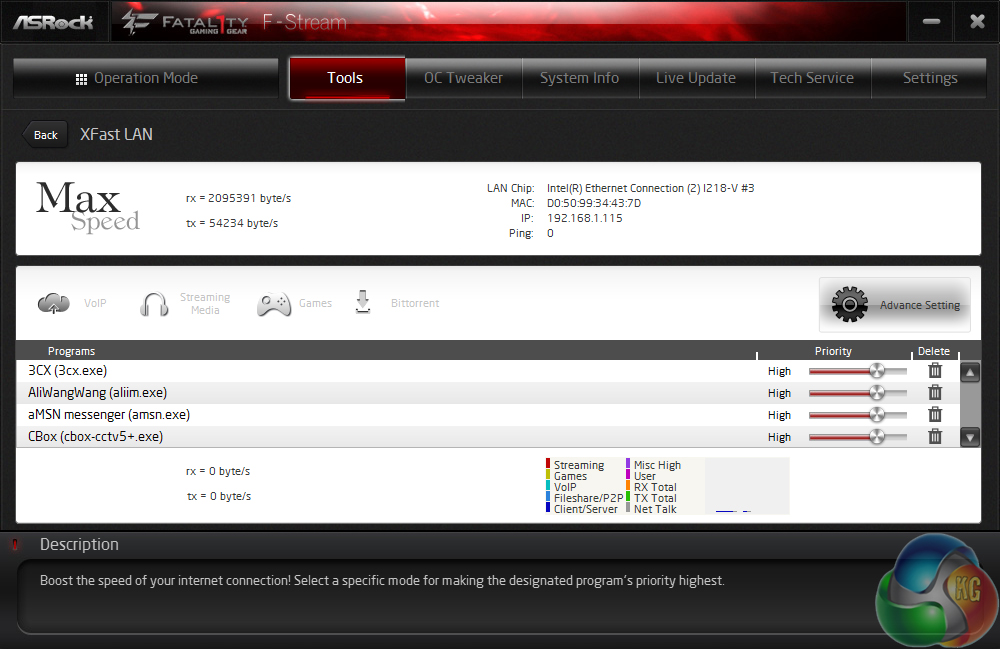
XFast RAM can be used to create RAM drive, while XFast LAN gives users the opportunity to control their network bandwidth allocation (much like Killer's Network Manager software).
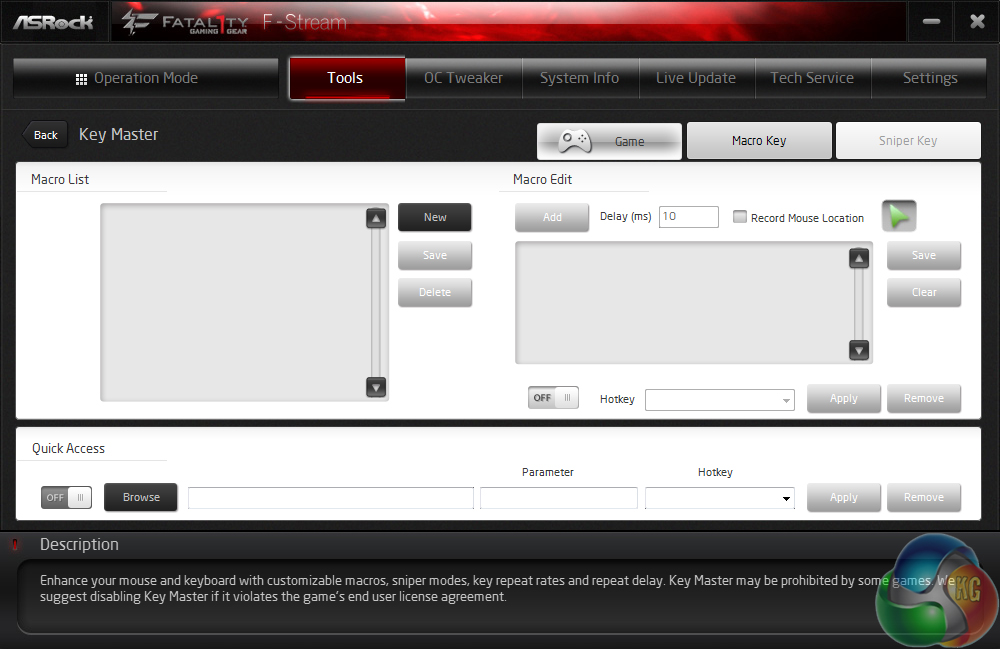
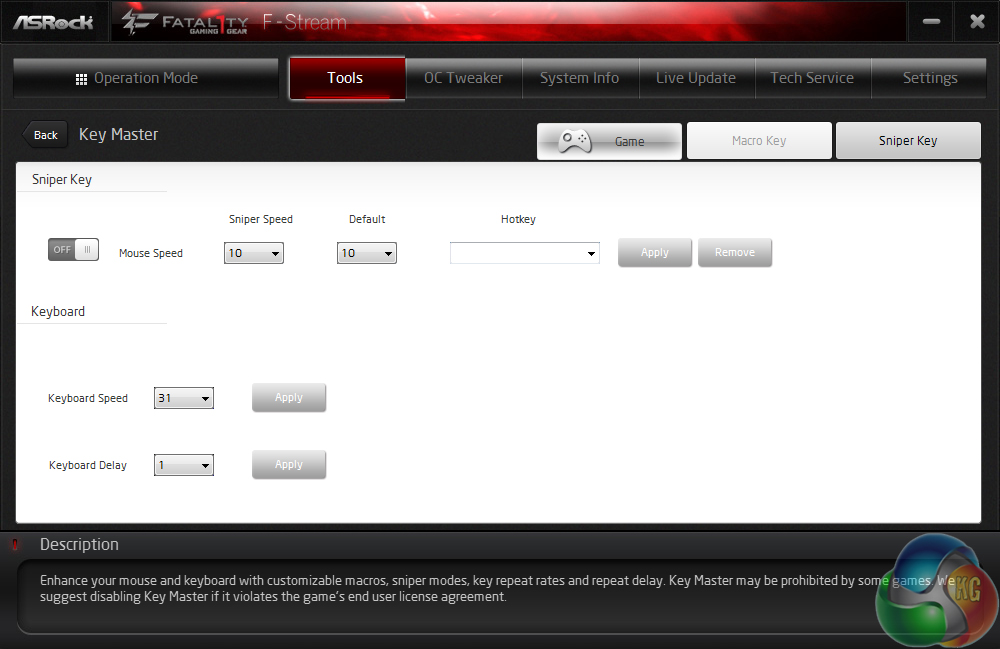
Key Master can be used to assign macro keys, which can be useful for certain high-APM games. There's also Sniper Key which can be used to stabilise mouse movement when high accuracy is required (like when sniping in a FPS game).
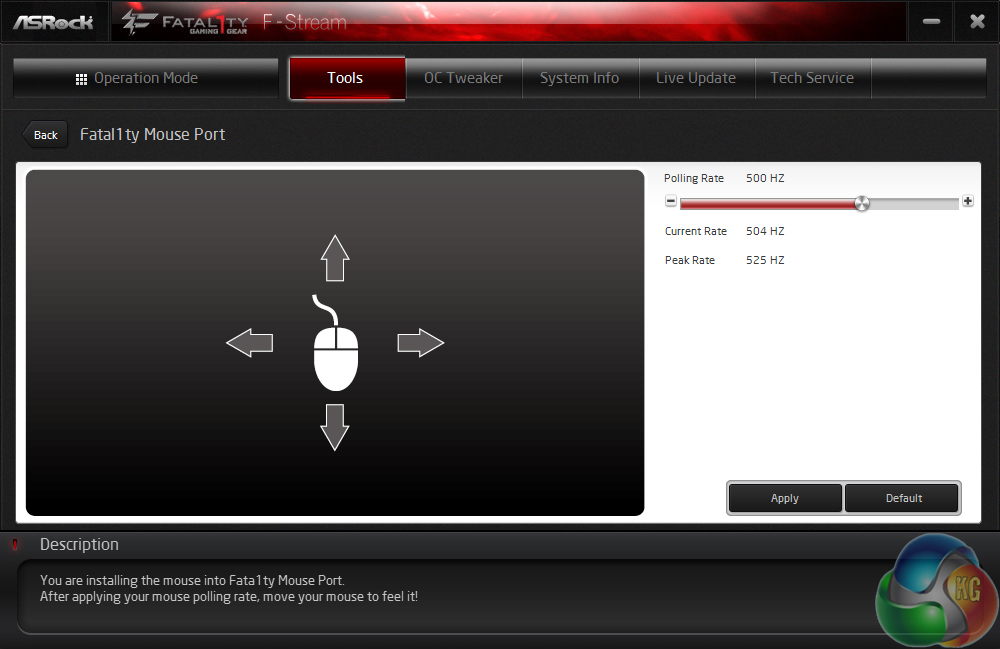
Fatal1ty Mouse Port gives gamers the ability to control the polling rate of their mouse. While this is a fair inclusion, most gaming mouse software will provide similar functionality.
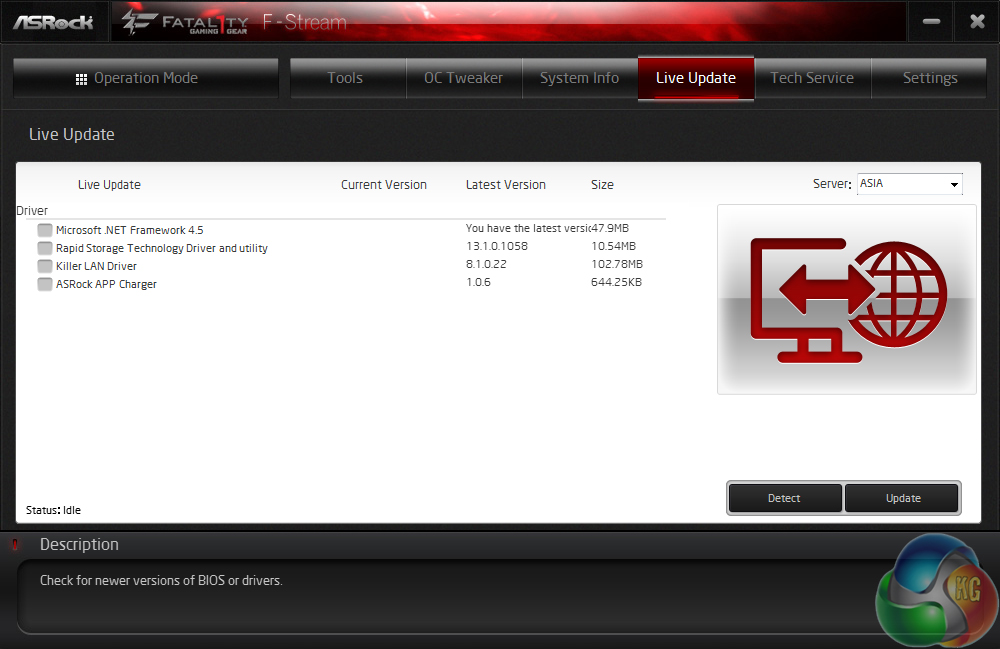
Live Update is well-implemented by ASRock and is more convenient than trawling through a website full of drivers.
Fatal1ty Rapid OC and Timings Configurator
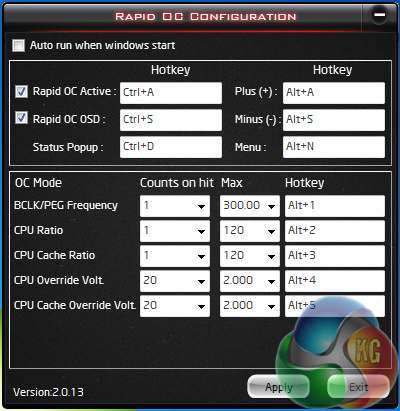
ASRock's Fatal1ty Rapid OC tool can be used to make system adjustments while in the OS.
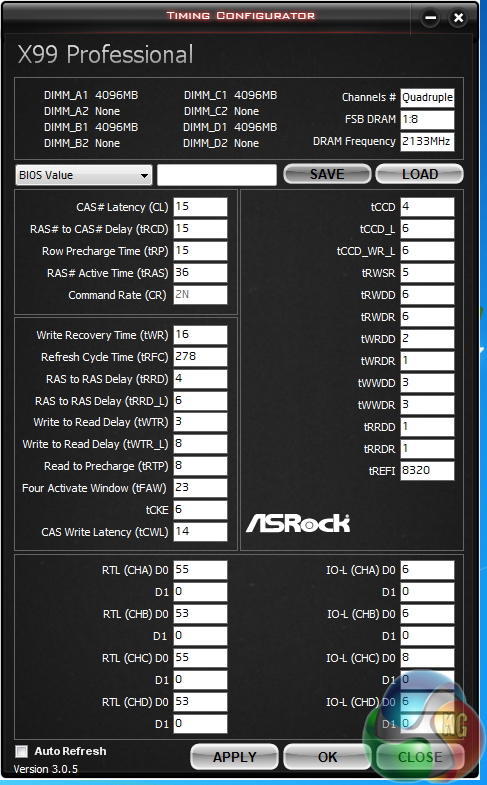
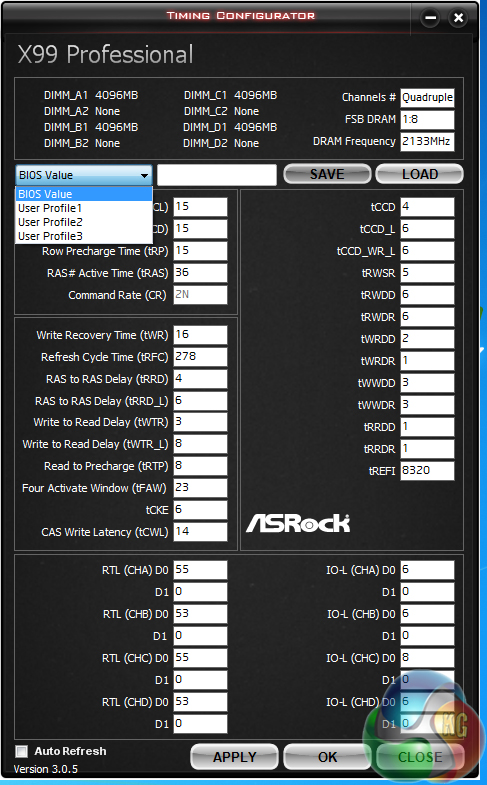
The timings configurator can view and manipulate memory configurations.
ASRock App Shop

App Shop can be used to download new software, including some pieces from external companies, such as Google.
ASRock also includes 1-year subscription to Orbweb.ME (worth $50) which will be welcomed by users who opt for cloud storage.
We will be outlining the ASRock Fatal1ty X99 Professional motherboard's performance with the Core i7 5960X CPU at its stock frequency (3.5GHz due to forced turbo). Overclocked performance will be outlined later in the review.
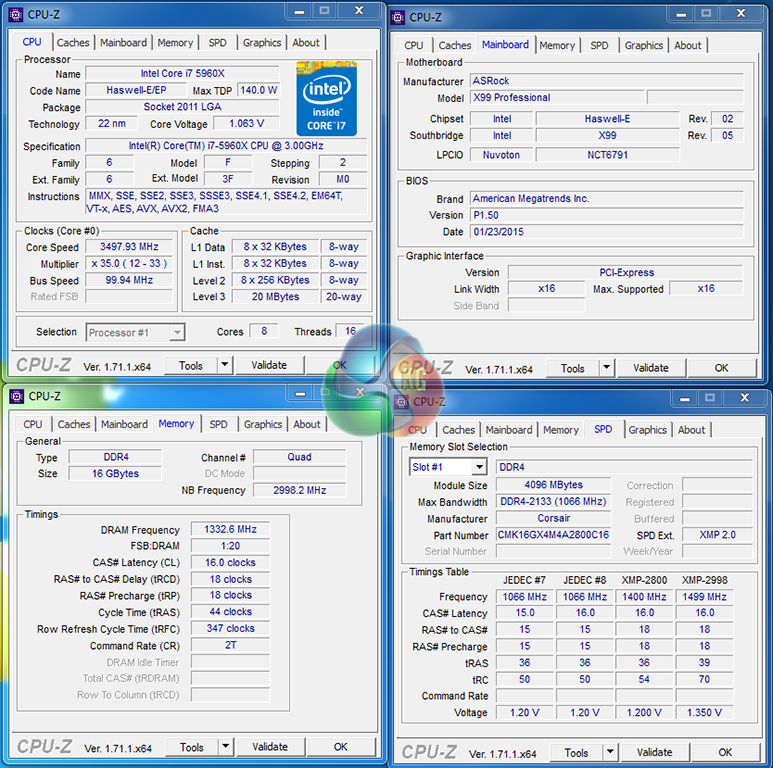
The first thing to point out is that we were forced to use Corsair memory as opposed to our tests system's standard 2666MHz G.Skill Ripjaws4 F4-2666C15Q-16GRR set. We could not get the system to run stably with the G.Skill kit's XMP configuration (despite the kit being on the QVL), although this is an issue which ASRock knows about. Other memory vendors' parts seem to be unaffected.
Multi-core turbo (MCT) is not applied automatically when XMP is enabled on ASRock's motherboard. This is good for users who want Intel-standard Turbo Boost profiles, and bad for those who want the maximum speed without overclocking. We had to manually enable MCT, forcing our 5960X to a constant 3.5GHz operating frequency, in order to keep comparisons as fair as possible.
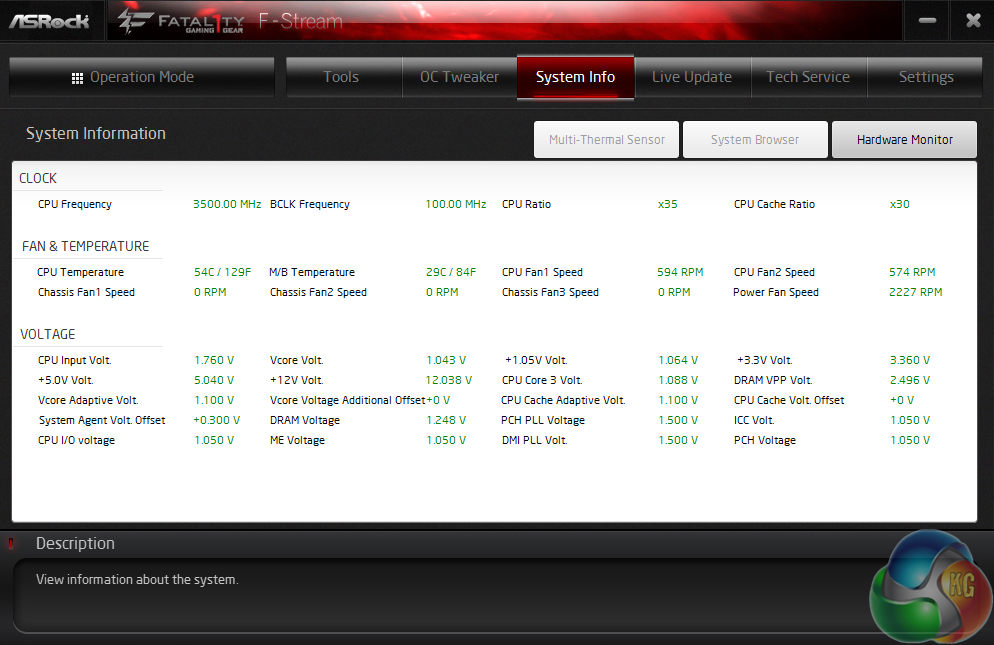
CPU-Z is unable to track the motherboard's voltages in real-time, so we rely upon ASRock's own monitoring tool for system voltage readings. We certified the tool by checking its consistency against direct multimeter readings from the onboard voltage measurement points. CPU Core Volt. reading seems the most reliable for CPU readings.
ASRock sneakily applies a higher-than-stock DRAM voltage of around 1.25V. This will not affect system stability, although it is what we would consider ‘cheeky‘. The stock-clocked CPU core voltage lingers around the 1.09V mark when loaded and drops substantially under low load.
X99 Motherboard Test System:
- Processor: Intel Core i7 5960X ES (3.5GHz all-core turbo).
- Memory: 16GB (4x 4GB) Corsair Vengeance LPX 2800MHz @ 2666MHz 16-18-18-44 DDR4 1.25V.
- Graphics Card: Asus R9 280X Matrix Platinum 3GB.
- System Drive: 500GB Samsung 840.
- CPU Cooler: Corsair H100i.
- Case: NZXT Phantom 630.
- Power Supply: Seasonic Platinum 1000W.
- Operating System: Windows 7 Professional with SP1 64-bit.
Compared X99 Motherboards:
- ASRock X99 OC Formula (BIOS v1.16) – with 16GB (4x4GB) Corsair Vengeance LPX 2800MHz 16-18-18-44 DDR4 @ 2666MHz 1.25V.
- ASRock X99 Extreme11 (BIOS v1.00) – with 16GB (4x4GB) G.Skill Ripjaws4 2666MHz 15-15-15-35 DDR4 @ 1.25V.
- Asus X99 Deluxe (BIOS 0801) – with 16GB (4x4GB) G.Skill Ripjaws4 3000MHz 15-15-15-35 DDR4 @ 1.35V.
- MSI X99S Gaming 7 (BIOS V17.3B1) – with 3.56GHz CPU and 16GB (4x 4GB) Corsair Vengeance LPX 2800MHz CL16 DDR4 @ 2800MHz 1.20V.
Memory support issues with earlier motherboard BIOSes means that there are still differences in the tests kits and configurations used. I had hoped that G.Skill's 2666MHz Ripjaws4 kit had stabilised our test system, but an incompatibility with ASRock's motherboard forced us back to Corsair's Vengeance LPX modules.
We had no problems using the Corsair kit at a 2666MHz set frequency. ASRock is aware of the issue with G.Skill sticks and told us that we aren't the first to comment on the instability problem. Other vendors' DIMMs seem to be problem-free.
Software:
- ASRock Fatal1ty X99 Professional BIOS v1.50 (latest).
- Catalyst 14.9 VGA drivers.
Tests:
- 3DMark 1.3.708 – Fire Strike (System)
- SiSoft Sandra 2014 SP2 – Processor arithmetic, memory bandwidth (System)
- Cinebench R15 – All-core CPU benchmark (CPU)
- WinRAR 5.10 – Built-in benchmark (CPU)
- HandBrake 0.9.9 – Convert 4.36GB 720P MKV to MP4 (CPU)
- ATTO – SATA 6Gbps, USB 3.0, M.2 transfer rates (Motherboard)
- RightMark Audio Analyzer – General audio performance test (Motherboard)
- Bioshock Infinite – 1920 x 1080, ultra quality (Gaming)
- Metro: Last Light – 1920 x 1080, high quality (Gaming)
- Tomb Raider – 1920 x 1080, ultimate quality (Gaming)
3DMark
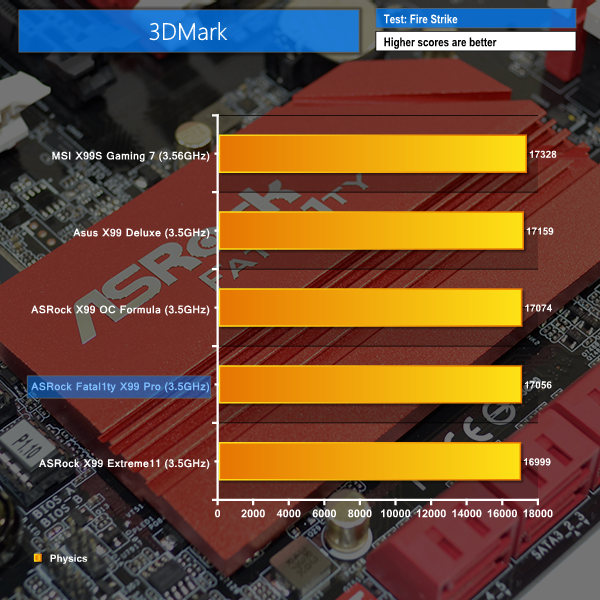
We used 3DMark‘s ‘Fire Strike’ benchmark which is designed to be used on gaming PCs. We opted for the Normal setting, NOT the Extreme mode.
Sandra Processor Arithmetic
Sandra Memory Bandwidth
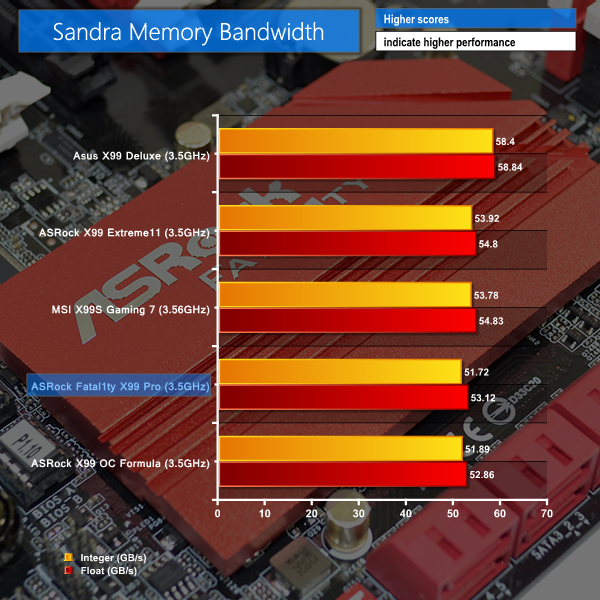
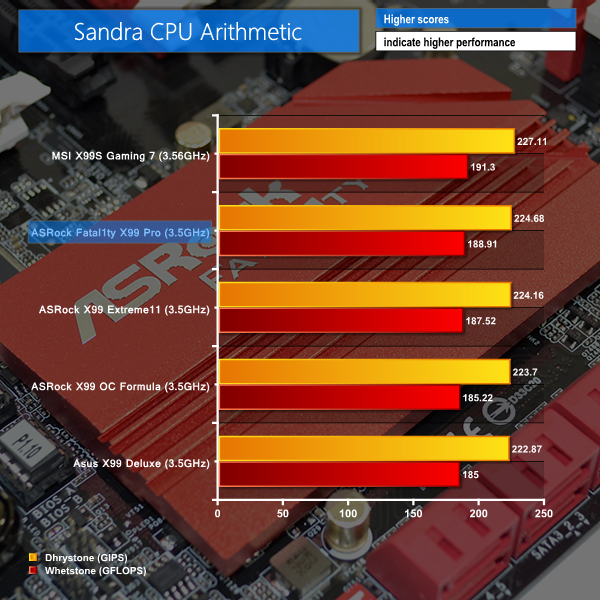
ASRock's Fatal1ty series flagship puts in decent numbers for our first set of system benchmarks. Memory bandwidth numbers are down against the competing solutions due to a different kit being used, although CPU arithmetic results are positive.
Cinebench
We used the ‘CPU’ test built into Cinebench R15 .
WinRAR
WinRAR’s built in benchmark and hardware test can help us outline the performance differentials between each motherboard. We record the amount of data processed after a 30-second run.

Handbrake Conversion
We measured the average frame rate achieved for a task of converting a 4.36GB 720P H.264 movie (in the MKV container) to one in the MP4 container.
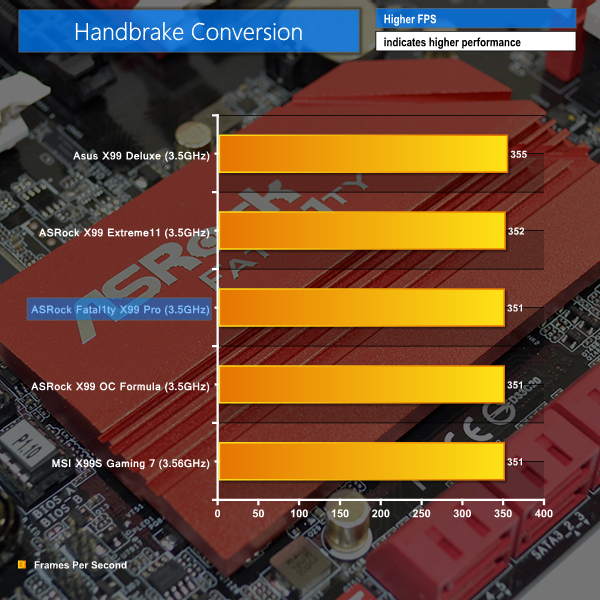
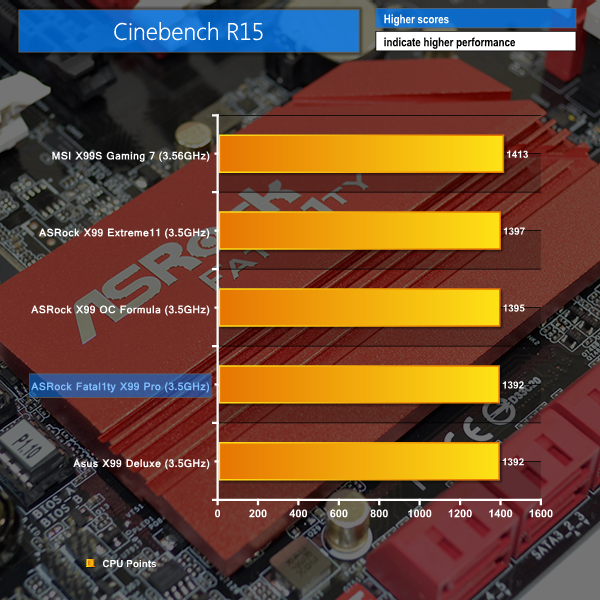
Generally middle-of-the-road performance is shown by the ASRock Fatal1ty X99 Professional in our CPU-heavy tests.
Cinebench puts the part a handful of points off the pace of competing boards with the same clock speed. The WinRAR test is dominated by ASRock motherboards, and the Fatal1ty X99 Professional maintains the trend of strong performance.
Handbrake, however, puts the board a few frames per second behind Asus' leading solution.
Bioshock Infinite
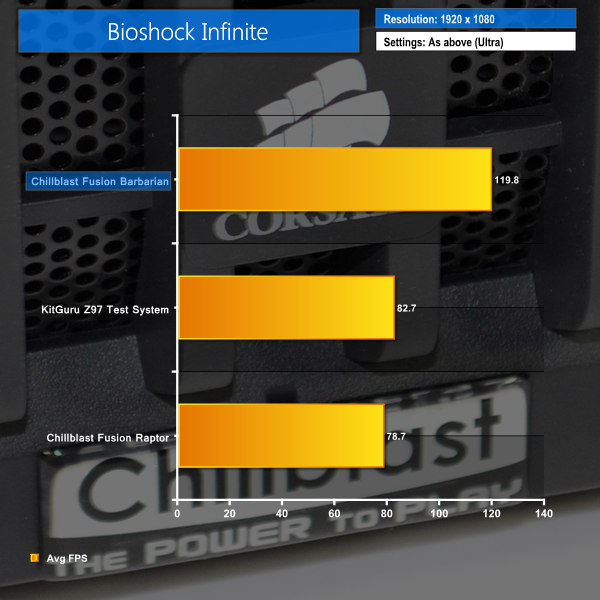
We used the Bioshock Infinite demanding ‘Ultra’ setting and a 1920×1080 resolution to push today’s gaming hardware. Our data was recorded using a section of the game, not the built-in benchmark.

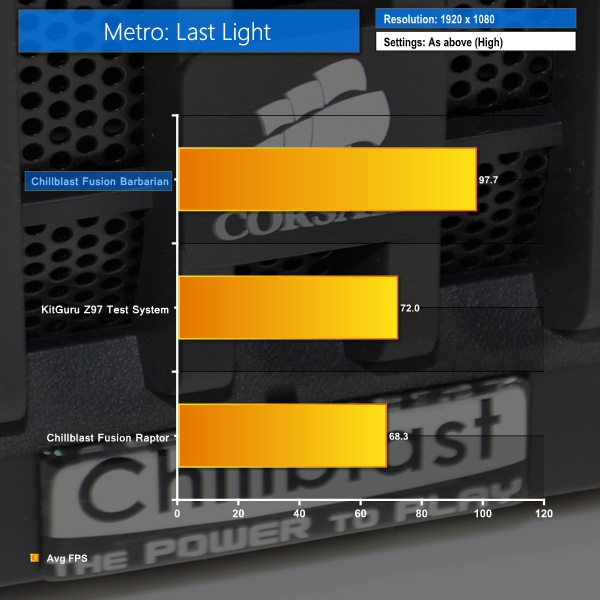
Metro: Last Light
We used a 1920×1080 resolution and the Metro: Last Light built-in benchmark set to ‘High’ quality to offer an intense challenge for the gaming hardware while also making playable frame rates a possibility.

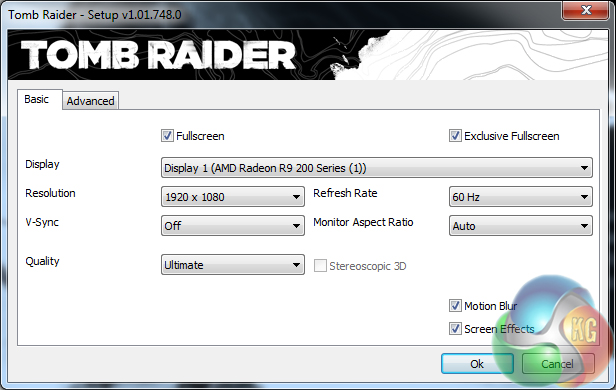
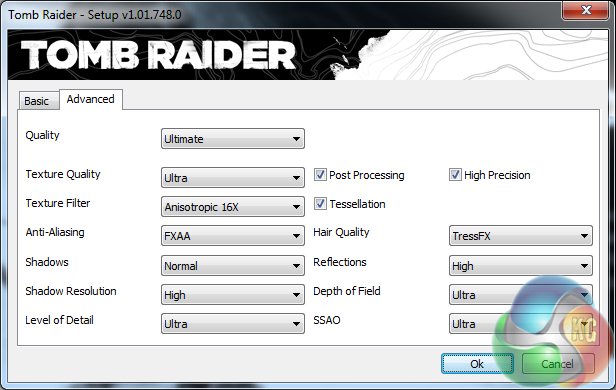
Tomb Raider
We used a 1920×1080 resolution and the Tomb Raider built-in benchmark set to ‘Ultimate’ quality.

Gaming performance of the ASRock Fatal1ty X99 Professional is shown to be excellent and chart-topping. The main reason for this display is due to Steam game updates and a forced driver change since the competing boards' data was gathered.
For that reason, I'd interpret this set of results as ASRock's Fatal1ty series flagship showing that it is no slouch in the gaming performance department.
M.2 connector
We use Plextor‘s fast M6e 256GB M.2 SSD to test the speed of a motherboard's M.2 connector. We reviewed the 512GB Plextor M6e (and its PCIe x2 adapter card) HERE.
Unfortunately we do not have access to a faster, PCIe 2.0 x4-based SSD to fully test the M.2 connectors' performance limits.
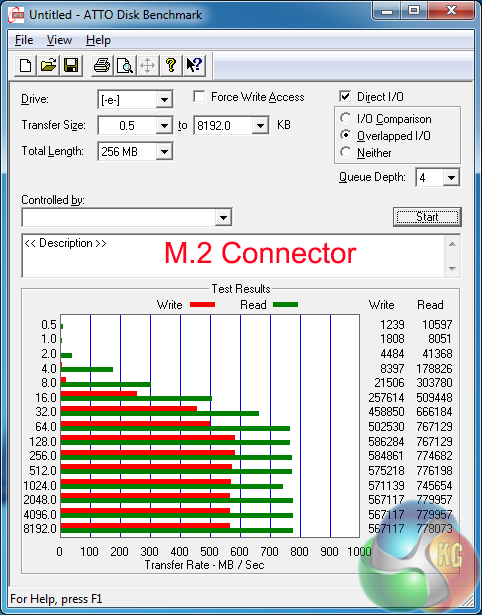
An M.2 SSD, such as Plextor's M6e, is given room to flex its full potential in both of the motherboard's slots. Even the fastest M.2 SSDs on the market, such as Samsung's SM951 and the Plextor M7e, will be powered without any speed handicap in the 32Gbps-capable Ultra M.2 slot.
That said, Samsung's ultra-fast SM951 will push right up against the 20Gbps bandwidth limitation of ASRock's ‘standard' chipset-fed M.2 connector.
SATA
For SATA 6Gb/s testing we use a Kingston HyperX 3K (SandForce SF-2281) SSD.
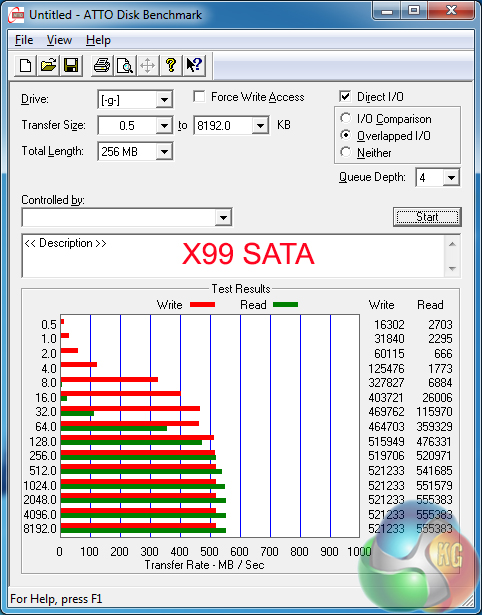
SATA performance is as we would expect from the X99-fed 6Gbps ports.
USB 3.0
We tested USB 3.0 performance using the Kingston HyperX 3K SSD connected to a SATA 6Gb/s to USB 3.0 adapter powered by an ASMedia ASM1053 controller.

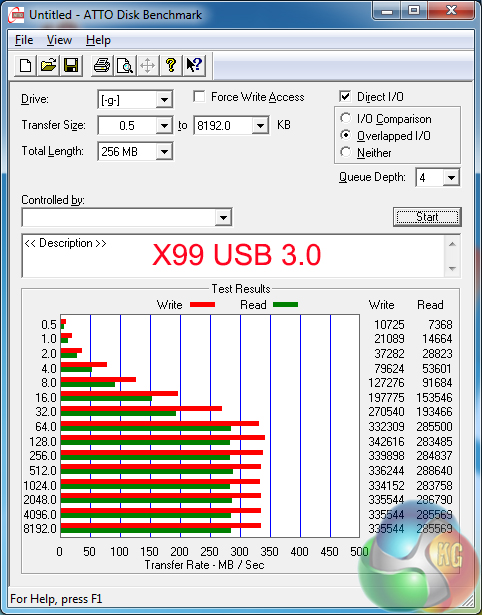
USB 3.0 transfer rates are consistent across the ports fed directly from the X99 PCH and those routed through ASMedia's ASM1074 hub chipset.
Users without Windows 8.1 will be limited to sub-350MBps transfer rates because ASRock does not supply a UASP-activating tool for Windows 7.
Audio
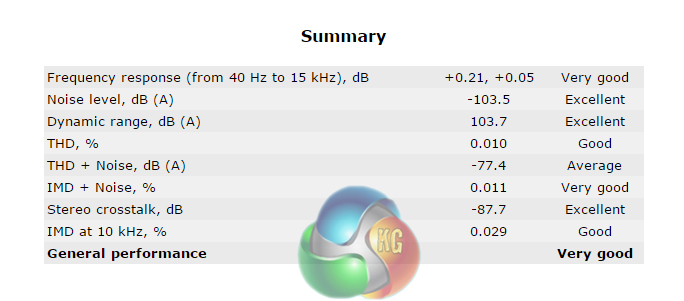
We use RightMark Audio Analyzer (RMAA) to analyse the performance of the motherboard’s onboard audio solution. A sampling mode of 24-bit, 192 kHz was tested.
ASRock’s Purity Sound 2 audio system is based around the Realtek ALC1150 codec. Nichicon Fine Gold series capacitors smooth the audio signal while a pair of Texas Instruments NE5532 amplifiers cater for high impedance headphones. A dedicated cover for the codec and a segregated audio path aim to minimise the level of EMI.
According to RMAA, ASRock's Purity Sound 2 audio solution delivers Very Good general performance. The audio test results put ASRock's solution behind that used on Asus' X99-Deluxe, although it is competitive with the system applied by MSI's X99S Gaming 7.
Automatic CPU Overclocking:
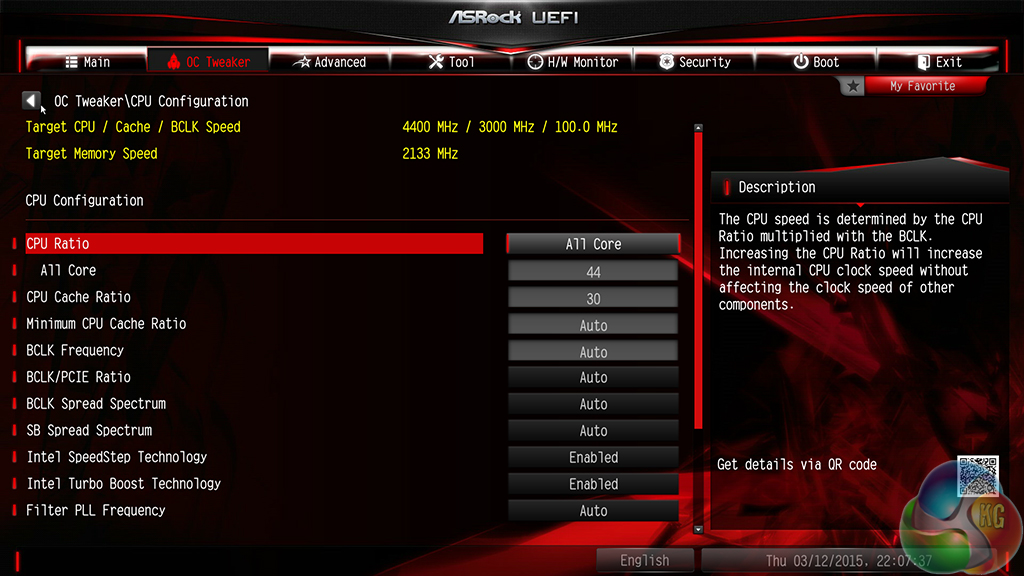
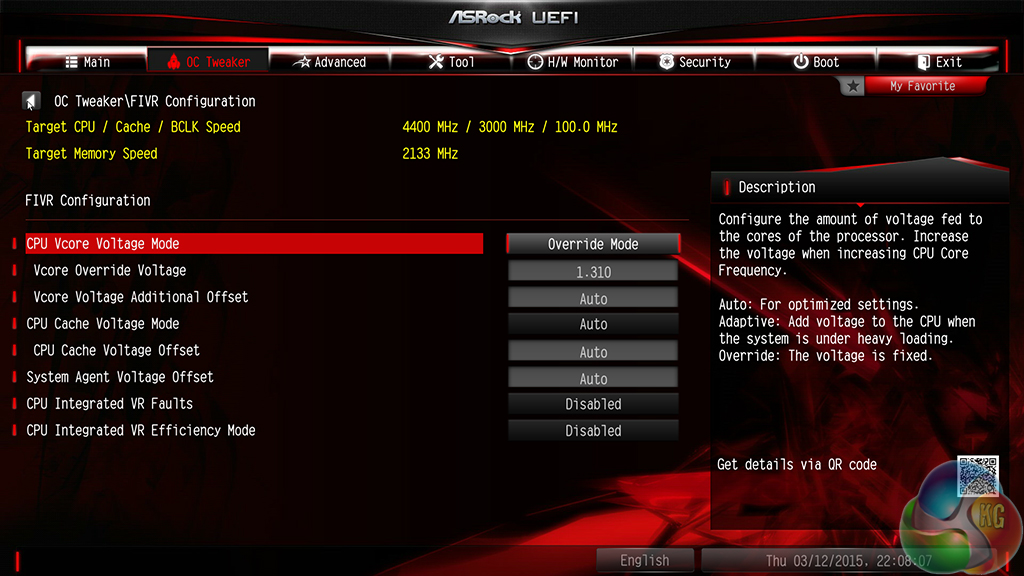
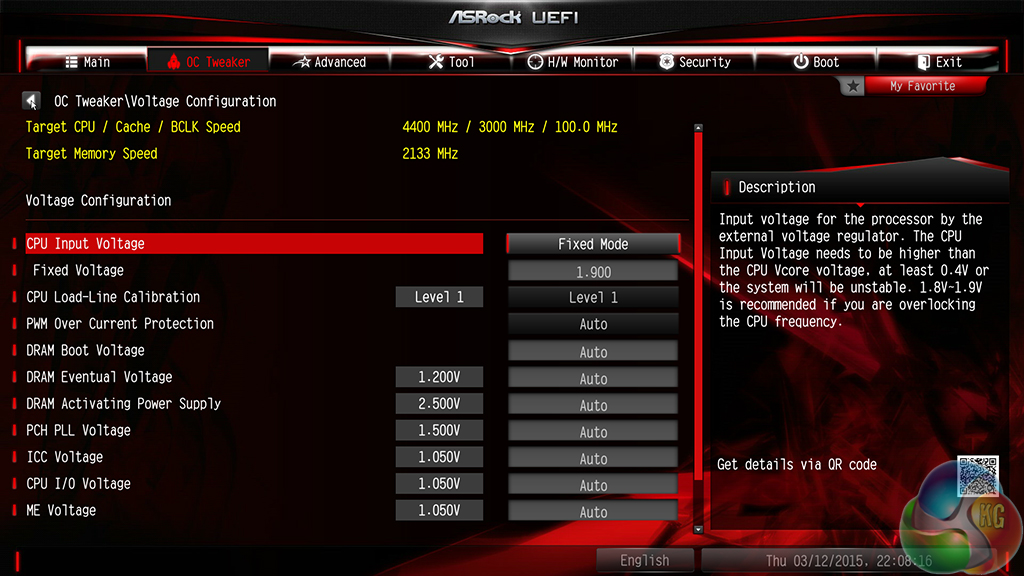
ASRock includes a set of well-tuned CPU overclocking presets. The main profile settings for the 5960X CPU are as follows:
- Turbo 4.0GHz = 40x All-Core CPU, 30x Cache, 1.20V Adaptive VCore, Disabled VR settings, ‘Auto’ Input Voltage, Level 5 LLC
- Turbo 4.2GHz = 42x All-Core CPU, 30x Cache, 1.22V Adaptive VCore, Disabled VR settings, ‘Auto’ Input Voltage, Level 5 LLC
- Turbo 4.4GHz = 44x All-Core CPU, 30x Cache, 1.31V Override VCore, Disabled VR settings, 1.90V Input Voltage, Level 1 LLC
- Turbo 4.5GHz = 45x All-Core CPU, 30x Cache, 1.36V Override VCore, Disabled VR settings, 1.90V Input Voltage, Level 1 LLC
It is worth noting that you should disable XMP if your memory utilises a 125MHz BCLK, otherwise the system will apply the same multipliers which will result in ludicrous frequency goals.
The Nick Shih OC profiles are far more adventurous and are clearly tailored for LN2 cooling configurations.
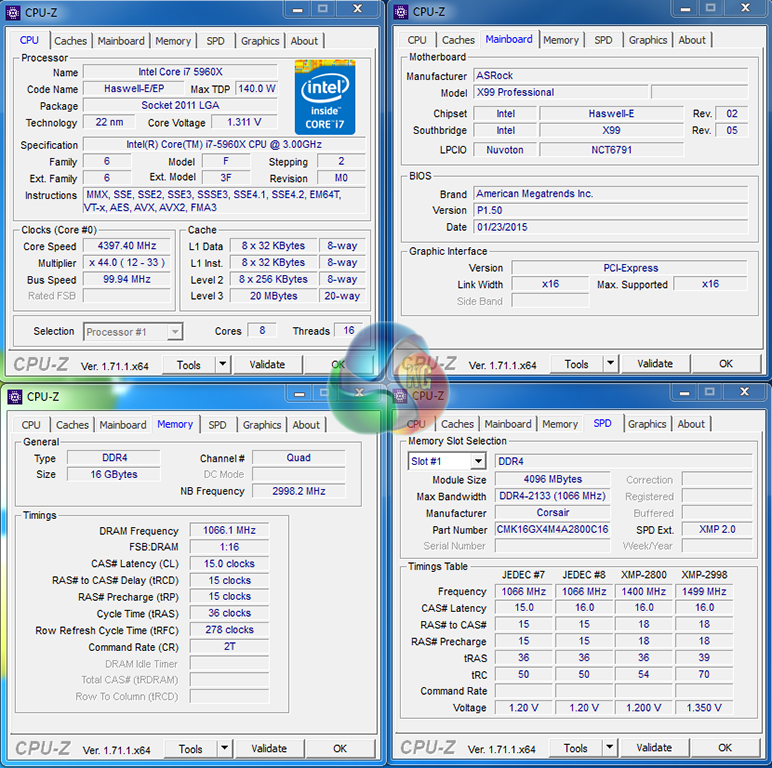
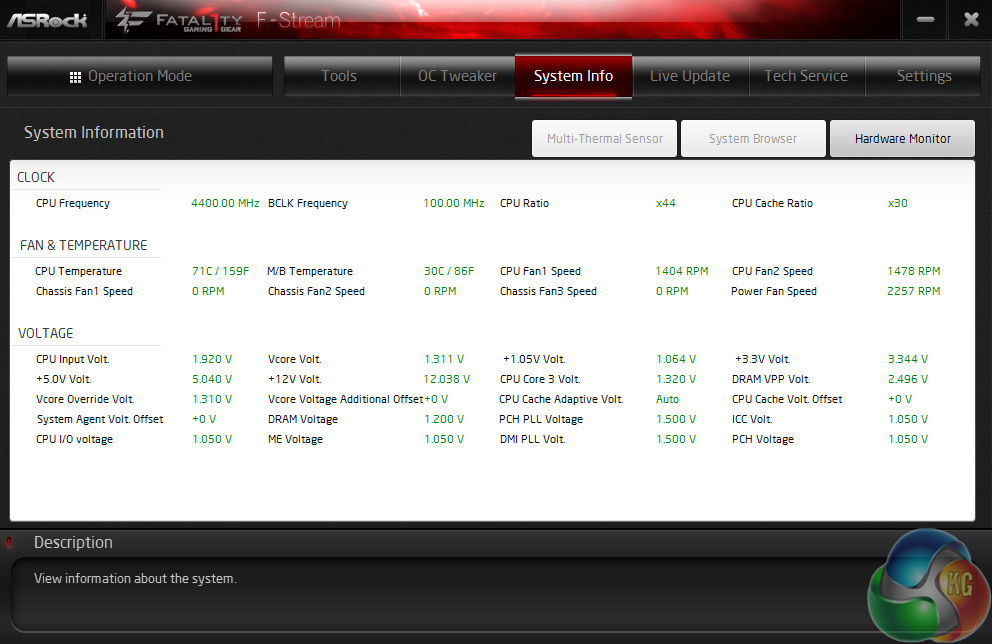
We were able to use both the 4.4GHz and 4.5GHz profiles with perfect stability. However, the 1.36V CPU voltage of the 4.5GHz profile was too intense for the Corsair H100i – the CPU hit almost 90°C within seconds of Prime95 loading. 1.36V is more than I'd like to use on a 24/7 basis unless I was running a custom water-cooling loop.
Haswell-E chips may be efficient, but eight cores get hot when their voltage is pumped up.
I like the overall tuning of the 4.4GHz frequency profile; settings and voltage levels are sensible and seem safe for 24/7 usage with high-end air or AIO liquid coolers.
Manual CPU Overclocking:
To test the ASRock Fatal1ty X99 Professional motherboard’s CPU overclocking potential, we first increased the CPU VCore to 1.30V, Cache voltage to 1.25V, and CPU Input Voltage to 1.90V. We also disabled Integrated VR ‘Faults' and ‘Mode', and applied level 1 LLC.
We maintained the DRAM frequency at 2666MHz in order to take its stability out of the overclocking equation. Cache frequency was maintained at 3.0GHz.
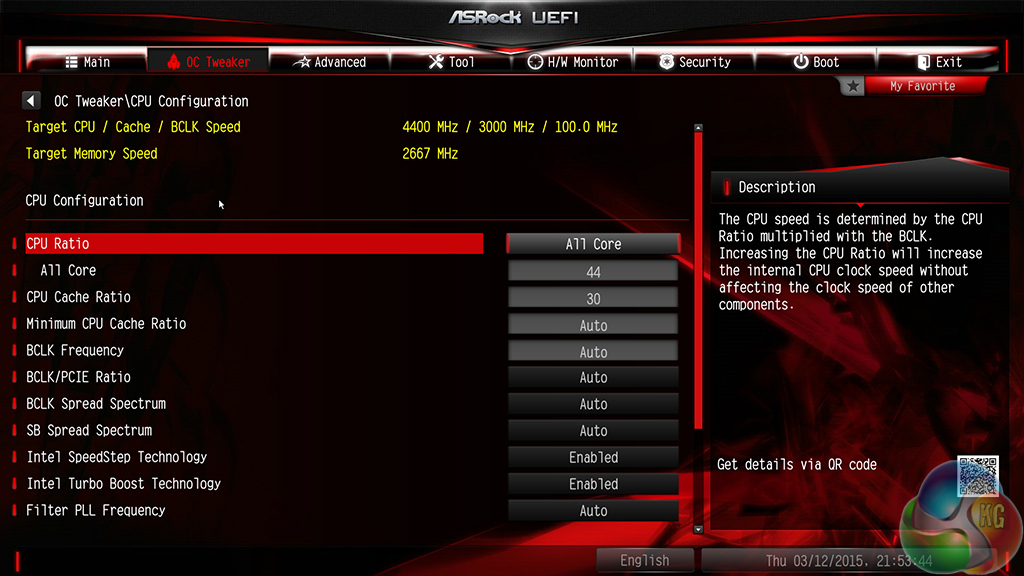
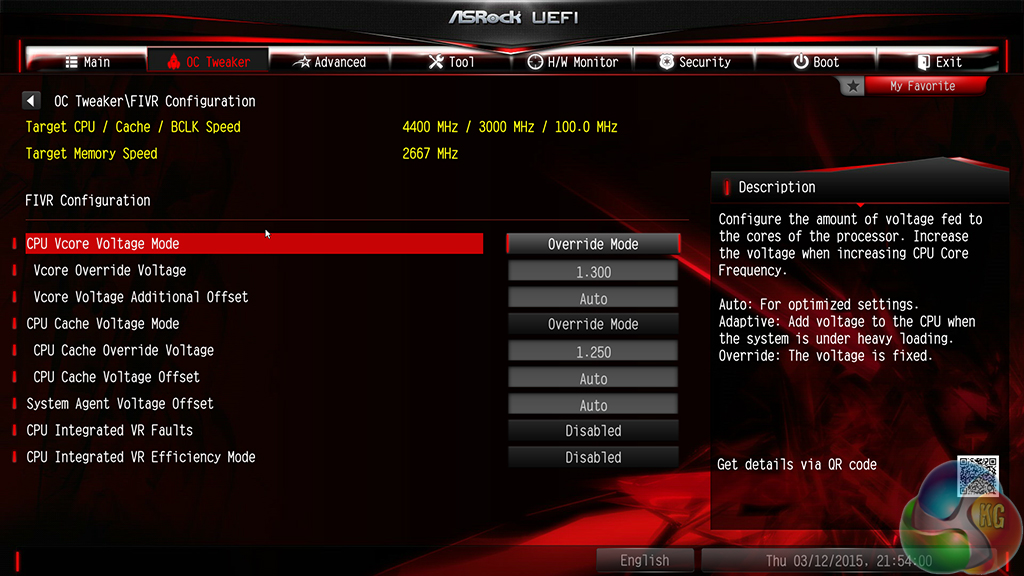
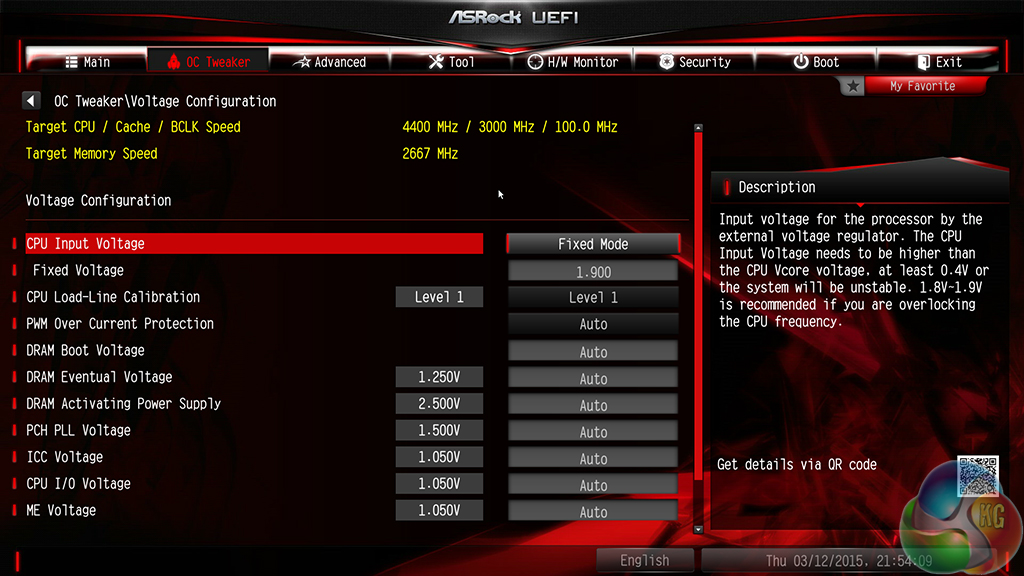
ASRock’s segregation of CPU and motherboard settings makes the relevant parameter easy to locate. Overclocking in ASRock’s UEFI is a straightforward procedure that will be welcomed by gamers who aren’t well-versed in searching through BIOS settings.
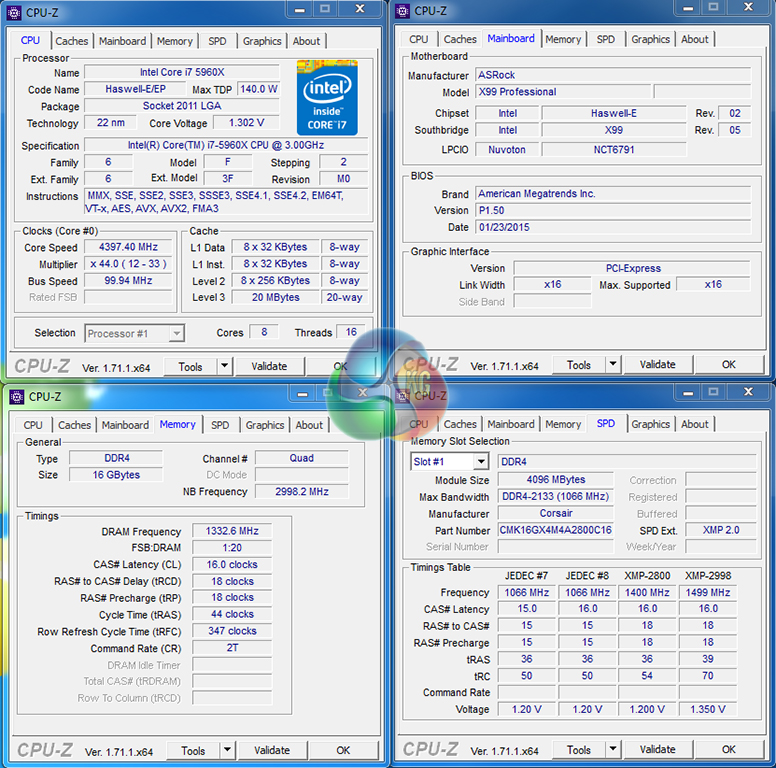
We hit our 5960X CPU's 4.4GHz frequency limit with the typical voltage level of 1.30V. We like this setting because it offers a tameable level of heat output and stability.
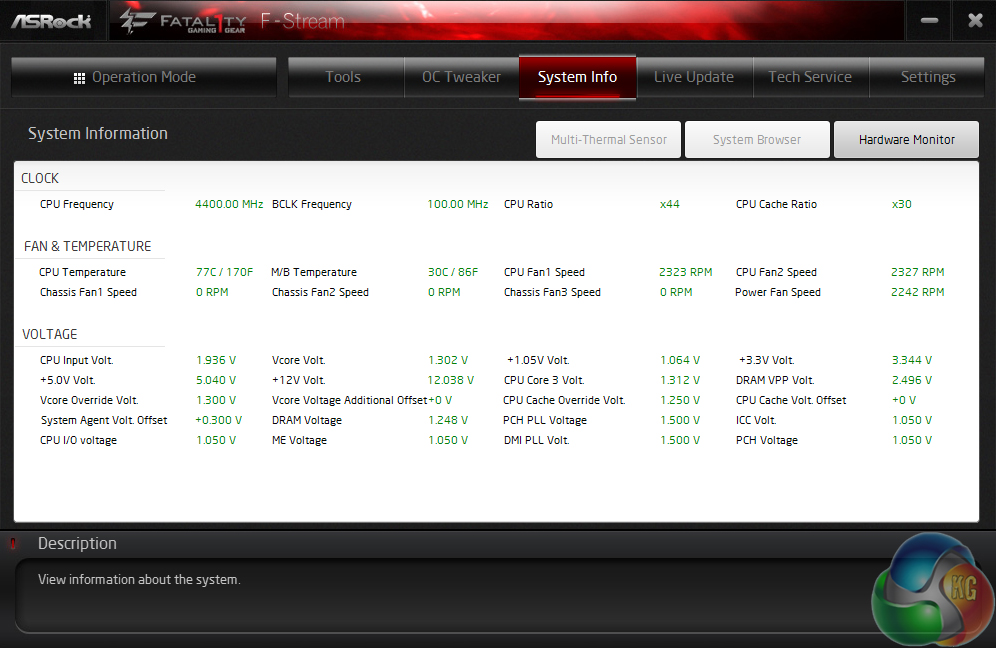
We recorded a voltage overshoot of 0.012V on the CPU core, which is a respectable level for ASRock's chosen Intersil ISL6379 hybrid (not fully digital) controller.
The CPU Input voltage, however, showed a 36mV overshoot which is more than we would typically like to see from a high-end motherboard.
Our validation can be viewed here.
Memory Frequency Performance:
Support for high-speed memory kits has been a particularly troubling topic since the X99 launch. We test the motherboard's ability to load the 3000MHz XMP configuration on our G.Skill Ripjaws4 DDR4 memory.
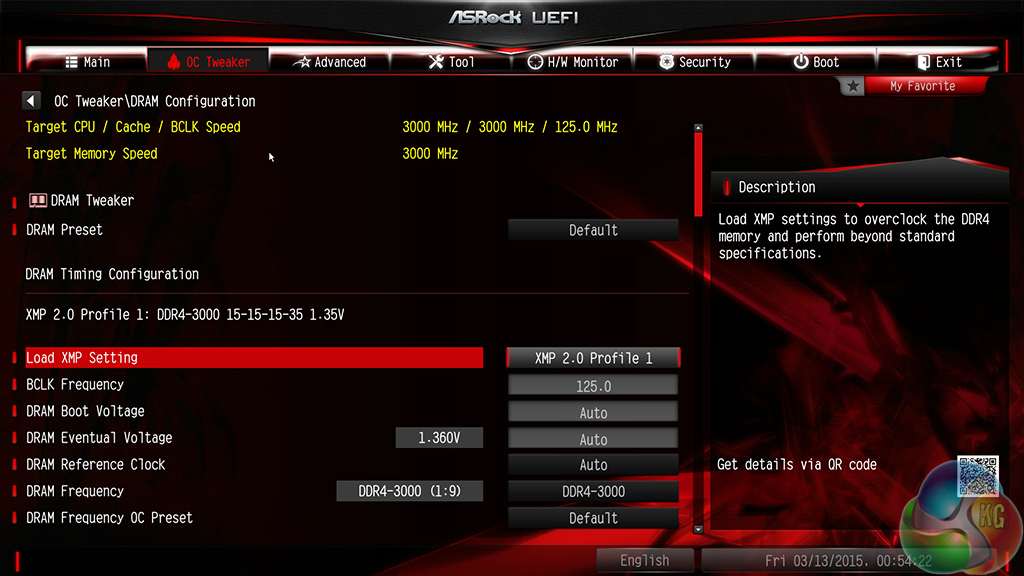
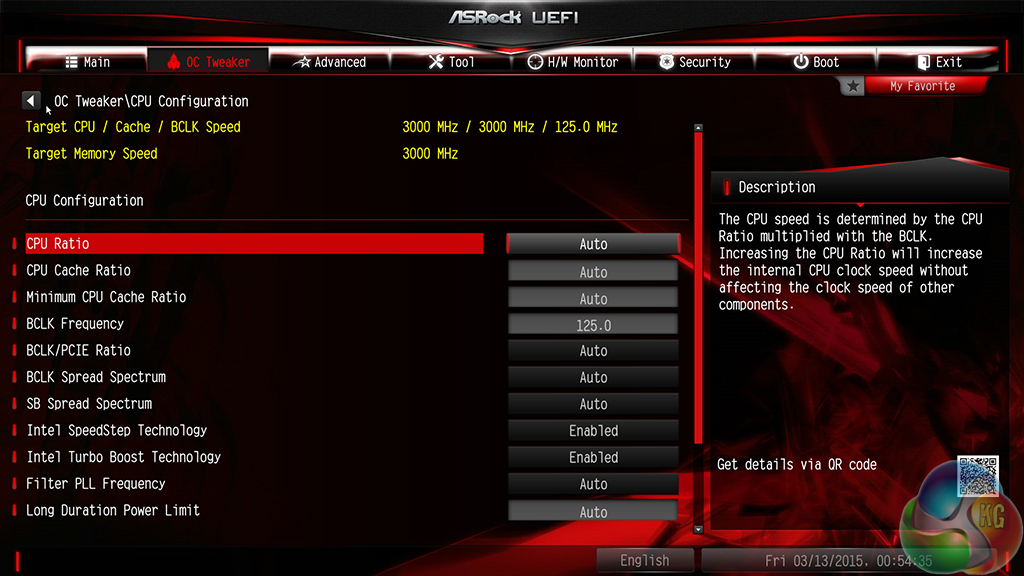
I did not have positive hopes for 3GHz memory capability from our G.Skill Ripjaws4 kit, especially when the Fatal1ty X99 Professional could not run the slower – 2666MHz – sibling.
So I was pleasantly surprised when I saw the system boot at 3GHz memory clocks without issue. ASRock's board was able to read the XMP settings and correctly adjust to a 125MHz BCLK. The CPU core multiplier was dropped to compensate, which resulted in all-core turbo being disabled (irrelevant of whether it was set to enabled or not).
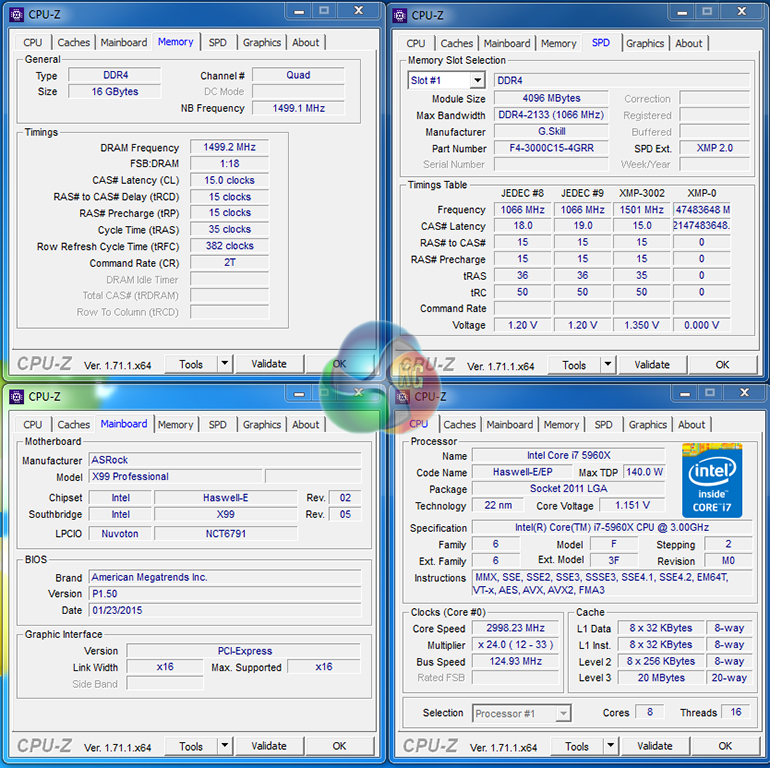
The 3GHz memory worked perfectly in Windows and did not throw up any stability issues. ASRock bumps the CPU Core voltage up to around 1.15V in order to facilitate the 125MHz BCLK.
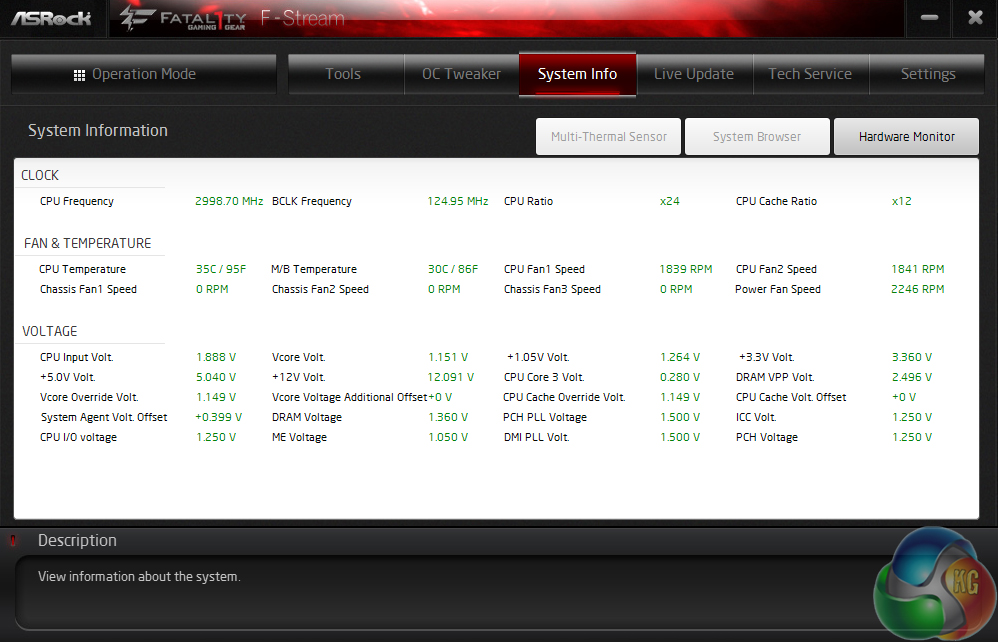
G.Skill's 3GHz XMP setting should run at 1.35V but ASRock's board applied 1.36V. Unrequested DRAM over-voltage is a clear trend for ASRock's Fatal1ty X99 Professional, and is something that I do not like to see on a high-end motherboard filled with overclocking features.
If a user or component asks for 1.35V or 1.20V, that's what should be fed – not 10 to 50mV greater.
The validation can be viewed here.
We will outline the performance increases that can be obtained from using the ASRock Fatal1ty X99 Professional motherboard to overclock our system. Our overclocked processor frequency was 4.4GHz and memory speed was 2666MHz.
As a performance comparison, we have included the overclocked results from four other X99 motherboards. The maximum overclocked configuration achieved with each board was a 4.4GHz processor frequency.
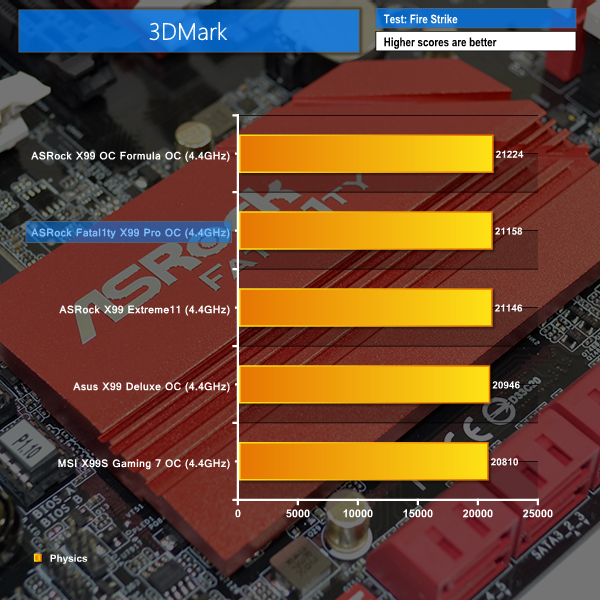


ASRock's Fatal1ty X99 Professional fairs well in 3DMark when overclocked, and the board puts in a decent Cinebench score. Those performance gains do not extend to Bioshock Infinite, however; the frame rate actually dropped by around 3-4 FPS when the system was overclocked.
It's not the first time we have seen this happen to a motherboard, so after confirmation from numerous re-tests, I began to dig into the issue and find its cause. The problem seems to derive from manually applying an all-core CPU multiplier. Even manually requesting an all-core multiplier of 35x (the standard enhanced turbo level) would cause the frame rates to drop in Bioshock Infinite. This is an odd issue and one that needs further attention.
It is worth pointing out that Bioshock Infinite was the only game affected; neither Tomb Raider nor Metro: Last Light suffered FPS drops when the system was overclocked. This potentially points a finger towards the Bioshock Infinite benchmark itself.
We measured the power consumption with the system resting at the Windows 7 desktop, representing idle values.
The power consumption of our entire test system (at the wall) is measured while loading only the CPU using Prime95′s in-place large FFTs setting. The rest of the system’s components were operating in their idle states, hence the increased power consumption values (in comparison to the idle figures) are largely related to the load on the CPU and motherboard power delivery components.
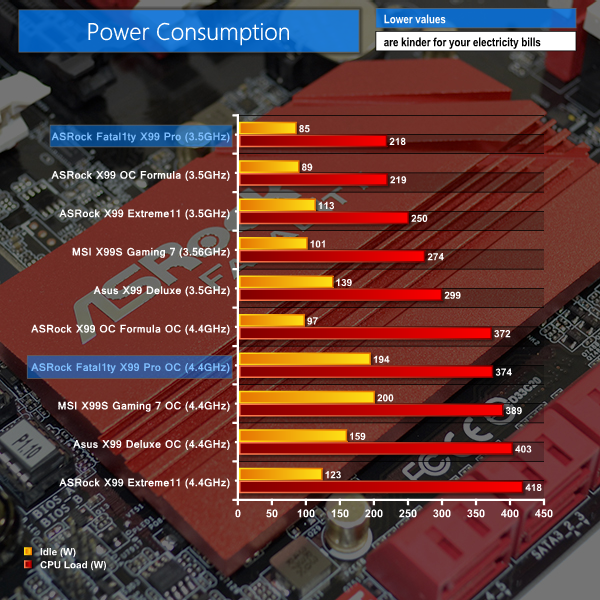
The ASRock Fatal1ty X99 Professional motherboard shows excellent power consumption numbers at stock clocks, especially when idling. Turning up the voltage and applying an overclock changes the situation.
Load power consumption numbers when overclocked are still positive. The idle power draw, however, shows a huge spike and is larger than anticipated given the board's similarities to ASRock's own X99 OC Formula. One of the overclocked settings is preventing the CPU core voltage from dropping under low load, forcing increased power consumption numbers.
This ‘issue' can be solved with adjusted overclocking settings that allow the core voltage and multiplier to drop under lower loads.
The ASRock Fatal1ty X99 Professional is a feature-rich motherboard that warrants its place at the top of the tree for ASRock's gaming series motherboards.
Overall performance of the motherboard is what we would expect from an X99 part. We did not spot any noteworthy deficiencies relating to CPU, memory, or system performance. And the numbers posed by storage interfaces were positive, except for the lack of a UASP-activating tool for Windows 7 users.
Overclocking capabilities of the motherboard are positive, thanks in large to the well-organised UEFI implementation and the strong power delivery system. If you simply do not care for manual frequency adjustments, the built-in overclocking profiles are sensibly constructed.
One of the primary negatives relating to overclocking is the board's insistence on setting higher voltage levels. While general overshoots on certain voltage rails are impossible to remove, ASRock has manually tuned the motherboard to increase DRAM voltage by 50mV for 1.2V kits and 10mV for our 1.35V G.Skill set. This should not be the case – 1.20V should mean 1.20V.
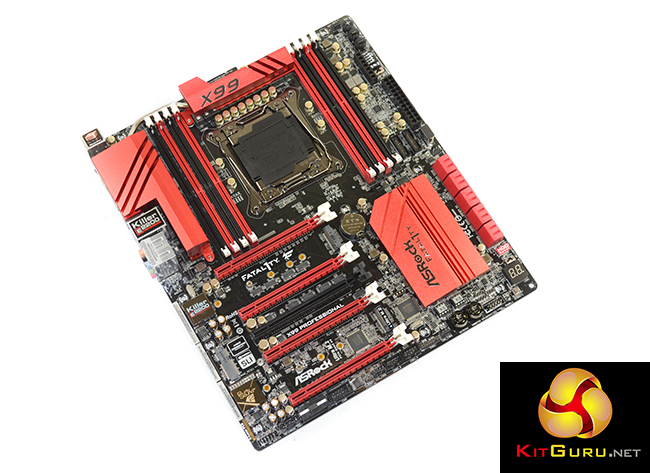
The set of gaming and general usage features provided by ASRock is excellent. The enhanced – Purity Sound 2 – audio solution delivered very good performance, there is plenty of graphics card capacity, and users can operate two high-speed M.2 SSDs alongside 3-way and 4-way SLI. NICs from Killer and Intel is a further positive that caters to a wider audience than if one or the other was selected.
Overall motherboard layout is superb. Spacing for dual graphics cards is well-thought-out and the lack of any major interference points truly is a breath of fresh air on such a component-rich motherboard. There's no need to worry about a graphics card blocking USB 3.0 headers, or limited card spacing causing cooling worries. And that's exactly how it should be with a high-end motherboard.
There were a few minor issues discovered throughout testing. The biggest of these is a cause for concern – incompatibility with a G.Skill Ripjaws4 2666MHz memory kit's XMP settings. While memory support can be enhanced through BIOS updates, it is slightly concerning that incompatibilities are still occurring more than six months after X99's launch.
Availability of the ASRock Fatal1ty X99 Professional motherboard is poor through the major retailers such as OverclockersUK. By looking at US pricing, availability through smaller UK retailers, and the ASRock X99 OC Formula motherboard's cost, around £250-290 seems to be the best interpretation of retail price availability for the Fatal1ty X99 Professional.
That will put ASRock's Fatal1ty series flagship in tough competition with Gigabyte's X99-Gaming G1 WIFI, and extended battle with the MSI's X99S Gaming 7 or Gaming 9 ACK and Asus' X99-Pro or X99-Deluxe. While there is no clear-cut winner in that market segment, ASRock's Fatal1ty X99 Professional shows enough performance and a sought-after set of features that make it a warrantable purchase.
Discuss on our Facebook page, over HERE.
Pros:
- Excellent support for multiple graphics cards alongside PCIe M.2 SSDs.
- Attractive set of features – enhanced audio, Killer and Intel NICs, HDD Saver.
- 32Gbps Ultra M.2 and 20Gbps M.2 connectors, both compatible with a range of drive lengths.
- Strong power delivery system and positive overclocking results.
- Smart connector layout with no major interference worries.
- Half Mini-PCIe connector is useful for WiFi without sacrificing full-length PCIe slots.
- Easy-to-use UEFI and decent set of OS software.
Cons:
- Still some potential compatibility issues with memory.
- Applies increased voltage levels to the memory without request.
- Limited availability and therefore inconsistent and high pricing.
KitGuru says: A feature-rich motherboard that is worthy of managing your high-end, enthusiast gaming system.

Its quite controversial for a company linked to overworked employees suicides to name their product Fatality…
♪♪get $73 every /hr@ac23:
Going Here you
Can Find Out,
►►► http://CareerMaxJobs91.biz/live/trades/onlines…
You guys make some weird choices. You have trouble using the 2666MMhz g.skill memory and opted to use memory from Corsair, but later in the review you say that the 3000Mhz G.Skill memory was performing fine. So why not do the main tests with the 3000Mhz memory instead of 2666Mhz memory from another manufacturer. It seems to me that the 3000Mhz and 2666Mhz memory modules of G.Skill are closer to each other than 2666Mhz memory from different manufacturers..
so what’s better for gaming the z170 or the x99