 KitGuru KitGuru.net – Tech News | Hardware News | Hardware Reviews | IOS | Mobile | Gaming | Graphics Cards


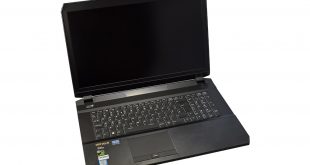
Here at KitGuru we have already seen the monster that is the Asus ROG GX800VH – featuring dual GTX 1080s. However, with the price expected to be upwards of £5000, it is out of reach for most laptop gamers. That is where the PCSpecialist Defiance III comes in. It sports a Pascal GTX 1060 GPU, quad-core i7 processor and 16GB DDR4 memory, all in an attractive chassis. At £1349, it is still an investment, but do its features make the price worthwhile?
Given that the PCSpecialist Defiance III utilises a desktop GTX 1060, which we reviewed here, we can expect great performance on the 1080p, 17.3in display. A 512GB M.2 SSD is accompanied by a 1TB SSHD, and given the array of USB ports (Type-C and Type-A) also included, the Defiance III looks like a very exciting proposition on paper.
We put the Defiance III through its paces and see how it fares.
Specifications
- Chassis & Display Defiance Series: 17.3″ Matte Full HD IPS LED Widescreen (1920×1080)
- Processor (CPU): Intel® Core™ i7 Quad Core Processor 6700HQ (2.6GHz, 3.5GHz Turbo)
- Memory (RAM): 16GB HyperX IMPACT 2133MHz SODIMM DDR4 (2 x 8GB)
- Graphics Card: NVIDIA® GeForce® GTX 1060 – 6.0GB GDDR5 Video RAM – DirectX® 12.1, G-SYNC
- Storage: Hard Disk 1TB SEAGATE HYBRID 2.5″ SSHD Drive, SATA 6 Gb/s, 64MB CACHE (5400 rpm). M.2 SSD 512GB SANDISK X400 M.2 2280 (up to 540MB/R, 520MB/W)
- Memory Card Reader: Integrated 6 in 1 Card Reader (SD /Mini SD/ SDHC / SDXC / MMC / RSMMC)
- AC Adaptor: 1 x 200W AC Adaptor
- Sound Card: Intel 2 Channel High Def. Audio + MIC/Headphone + SoundBlaster X-Fi MB3
- Bluetooth & Wireless: GIGABIT LAN & WIRELESS INTEL® AC-8260 M.2 (867Mbps, 802.11AC) + BLUETOOTH USB
- Ports: 5 x USB 3.0 PORTS AS STANDARD
- Battery: Defiance Series 4 Cell Lithium Ion Battery (60WH)
- Keyboard: DEFIANCE SERIES RGB BACKLIT UK KEYBOARD
- Operating System: Genuine Windows 10 Home 64 Bit
- Notebook Mouse: INTEGRATED 2 BUTTON TOUCHPAD MOUSE
- Webcam: INTEGRATED 2.0 MEGAPIXEL WEBCAM
- Warranty: 3 Year Standard Warranty (1 Month Collect & Return, 1 Year Parts, 3 Year Labour)
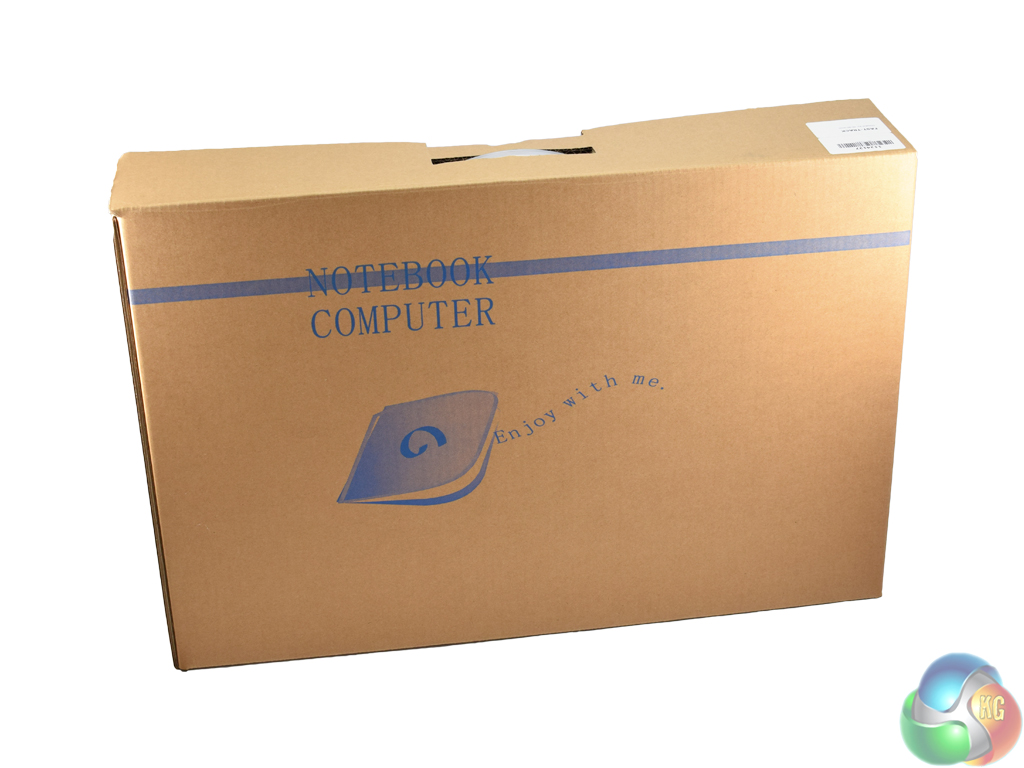
The PCSpecialist Defiance III ships in a plain brown box – it's not pretty but it does not have to be.
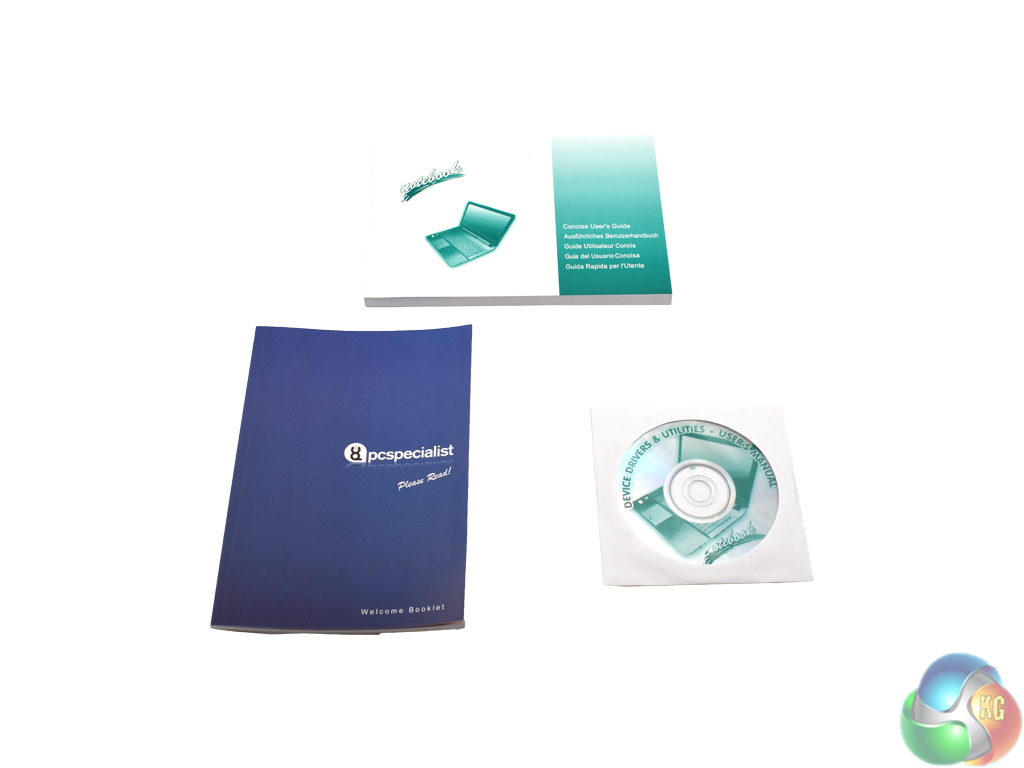
Inside, there is an assortment of manuals and driver disks, although this is not ideal as there is no optical drive built-in to the Defiance. A USB flash drive would have been the smarter approach.
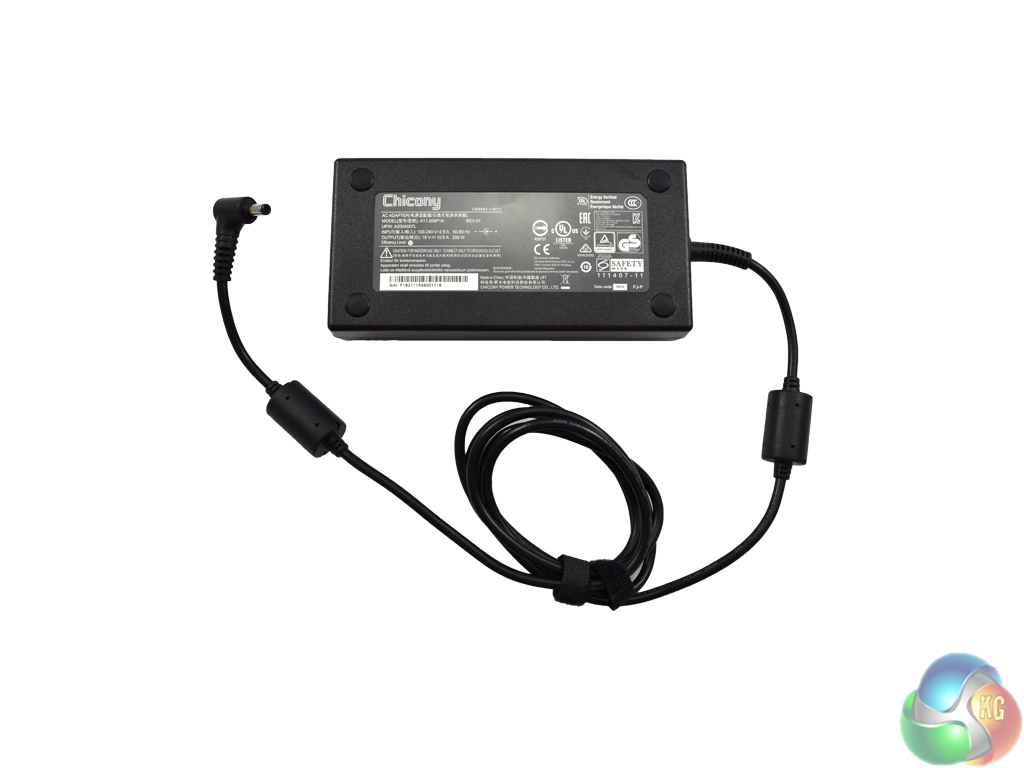
Finally, the power brick is a fairly hefty unit, rated at 200W.
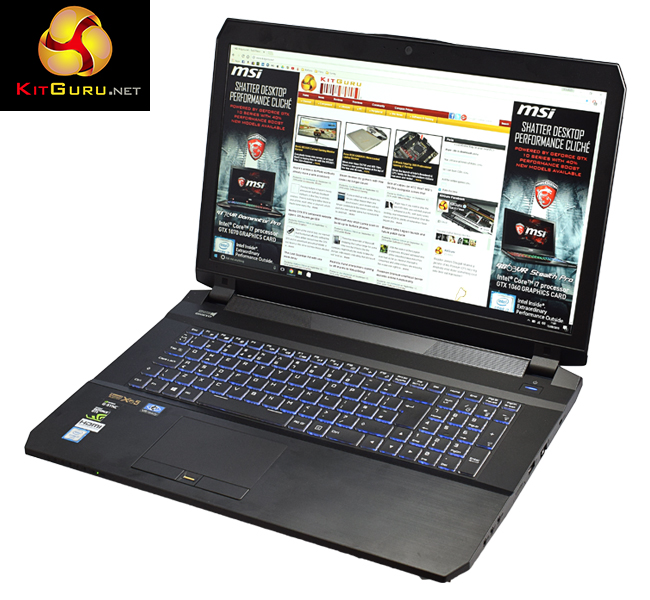
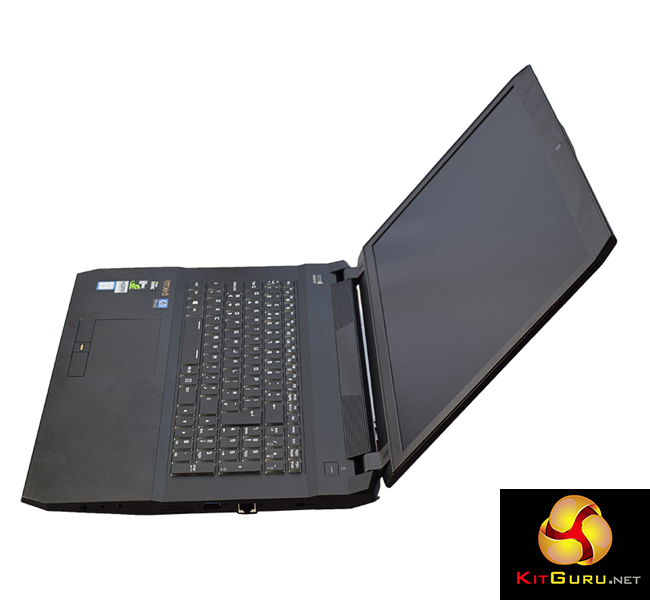
Above we get our first look at the PCSpecialist Defiance III. It has a lovely brushed aluminium finish, which I would describe as a ‘charcoal' colour, rather than black.
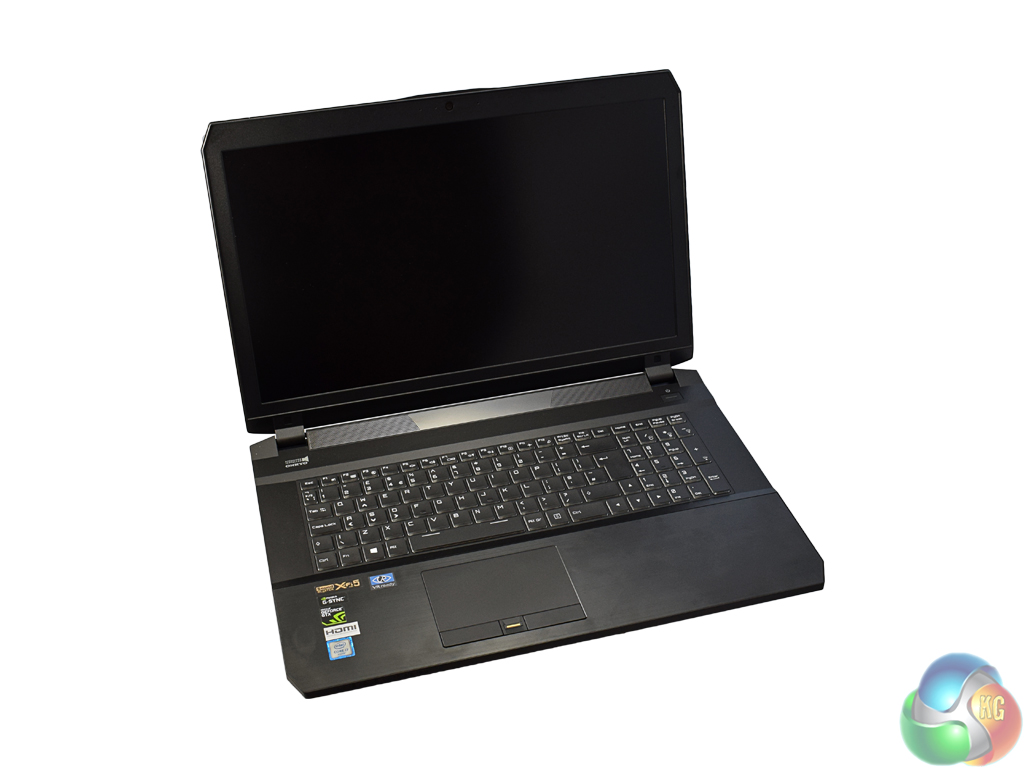
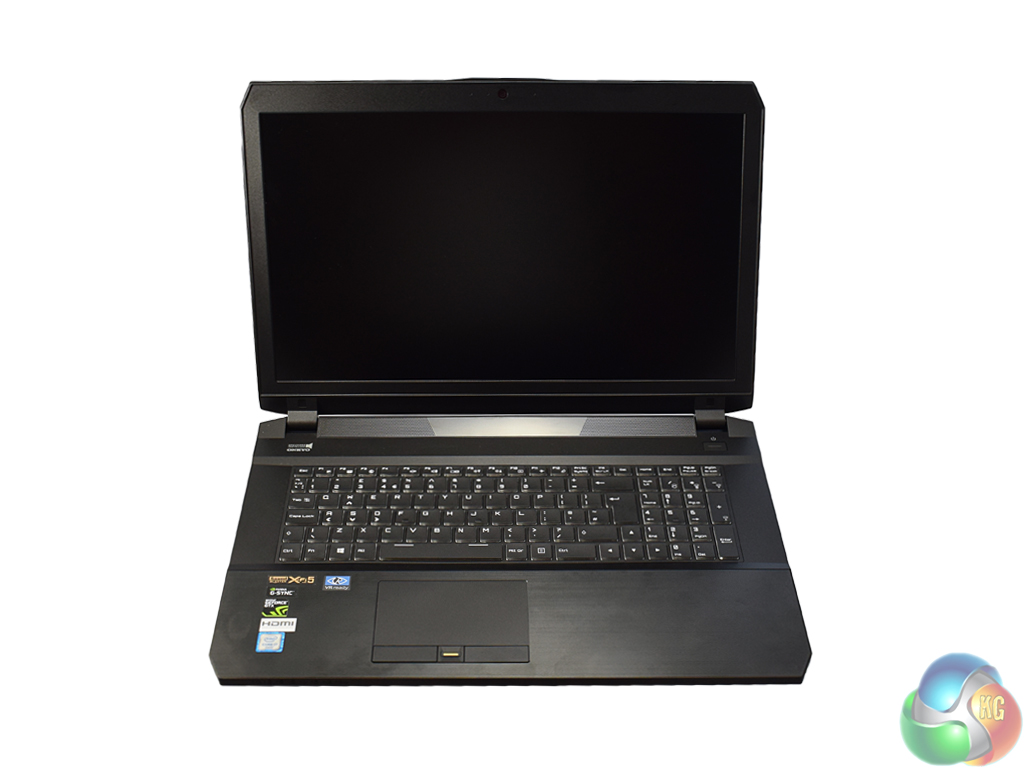
Opening up the laptop, we see this brushed aluminium finish continues around the edges of the keyboard.
With the lid open, we also get a feel of how large the laptop is – a 17.3in panel is used here.
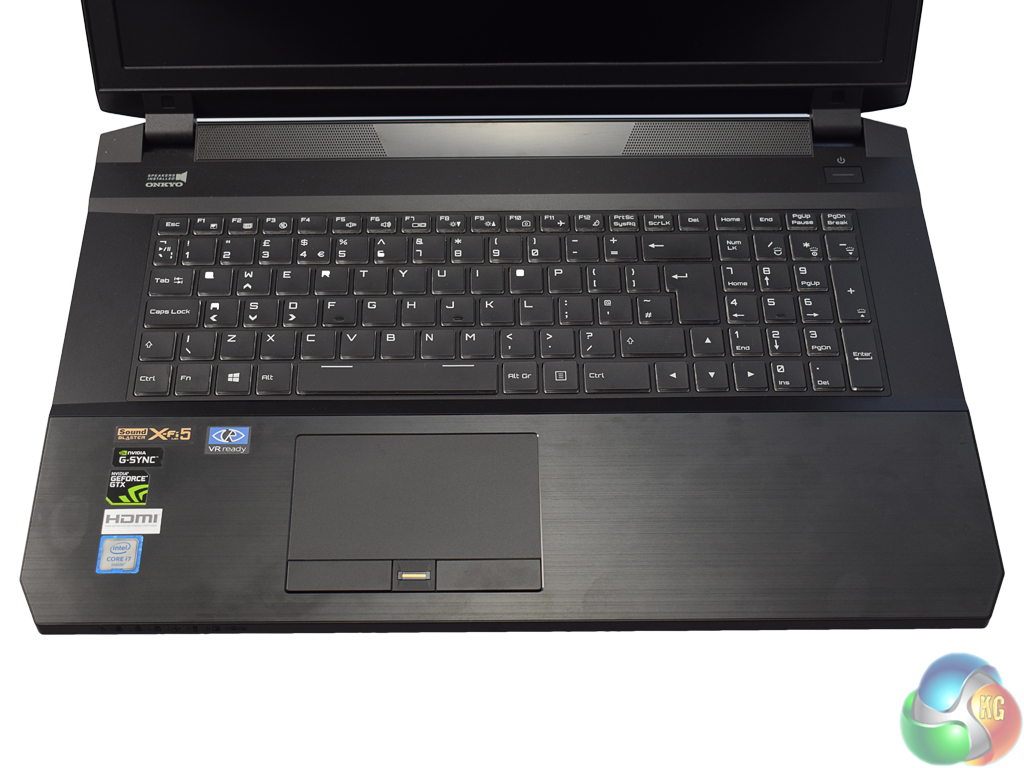
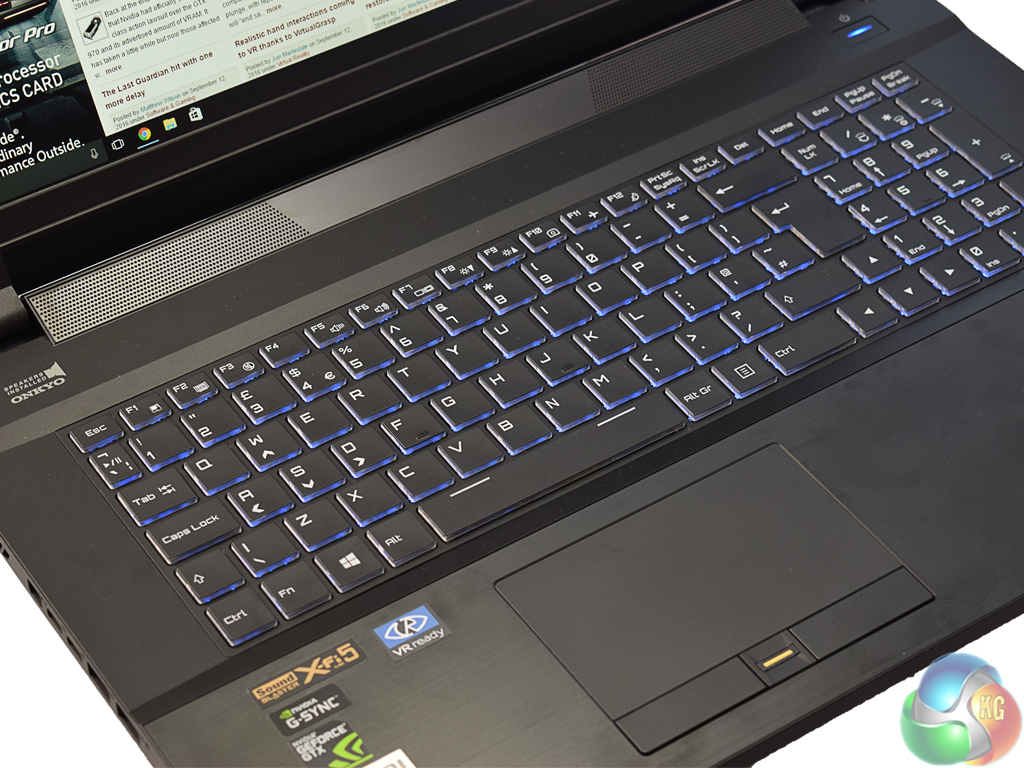
Coming next to the keyboard, the Defiance III may look like a typical laptop keyboard at first glance. However, it is worth detailing two main ways it elevates itself above the competition.
First, the keyboard has more key travel than most laptops. Of course, it does not have quite the same feeling as a mechanical keyboard, but you certainly feel the key being pressed, which is more than can be said for many other laptops I have reviewed. Added to that, while the keyboard is not mechanical, it almost feels like a tactile switch is being used, as the keys just push back ever so slightly at the point of actuation. While I would imagine the keys use the typical scissor switches, they are certainly of high quality.
Secondly, the keyboard is RGB capable. Of course, this is not a feature unique to the Defiance III, but I would say it is rare enough to see in a laptop of this price to make it worth mentioning. I left the keyboard with a static blue backlight, but it is good to have RGB control should you want it.
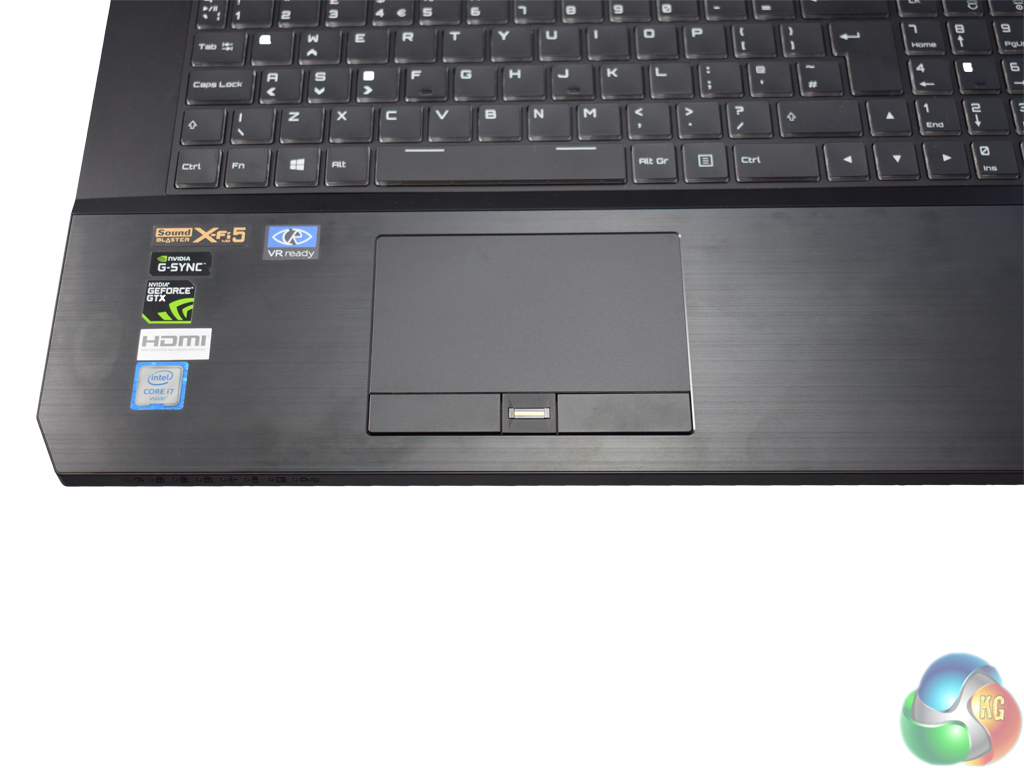
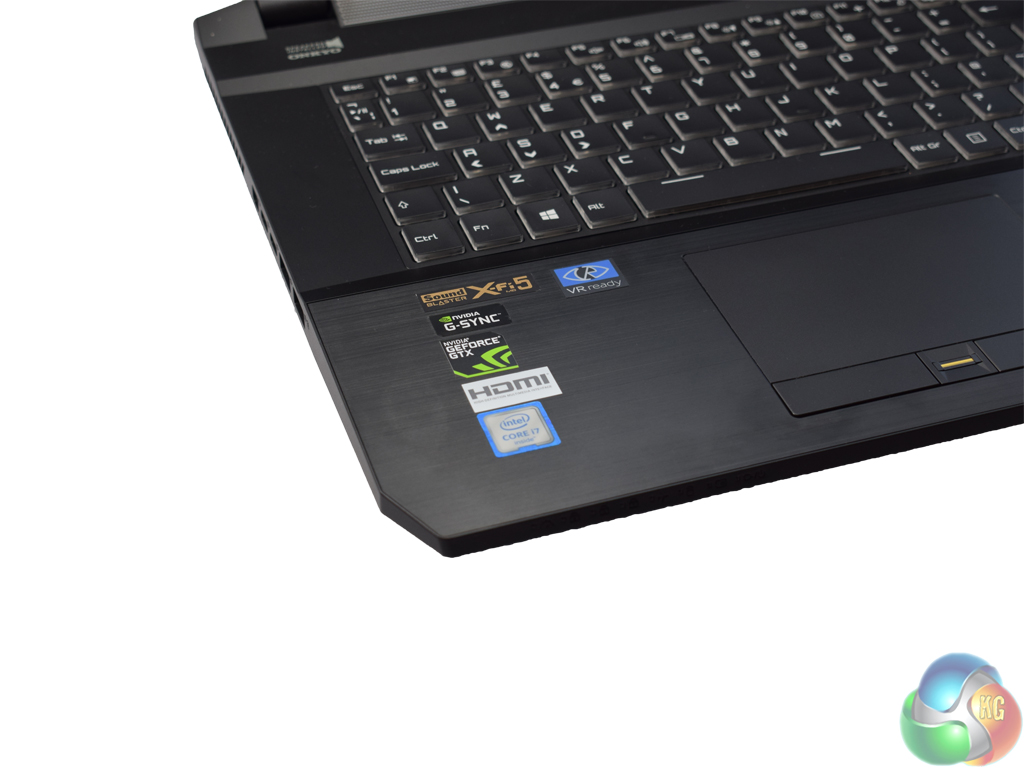
Next we come to the touchpad. Rather than using integrated buttons, there are dedicated left-and-right click buttons included. Some people prefer integrated buttons, others prefer dedicated buttons – I am not fussed myself, but it works here and that is the main thing. The actual trackpad is very smooth and a pleasure to use. I previously criticised PCSpecialist's Lafité trackpad for being ‘sticky', or creating too much friction while tracking. That is not the case here, which is good to see.
To the left of the mousepad are a number of stickers, all indicating various features of the laptop's hardware. One thing to note, however, is that there is a Nvidia G-Sync sticker, when the panel does not support the technology. I can only assume it is included because the GTX 1060 is G-Sync capable when paired with a display that supports the technology.
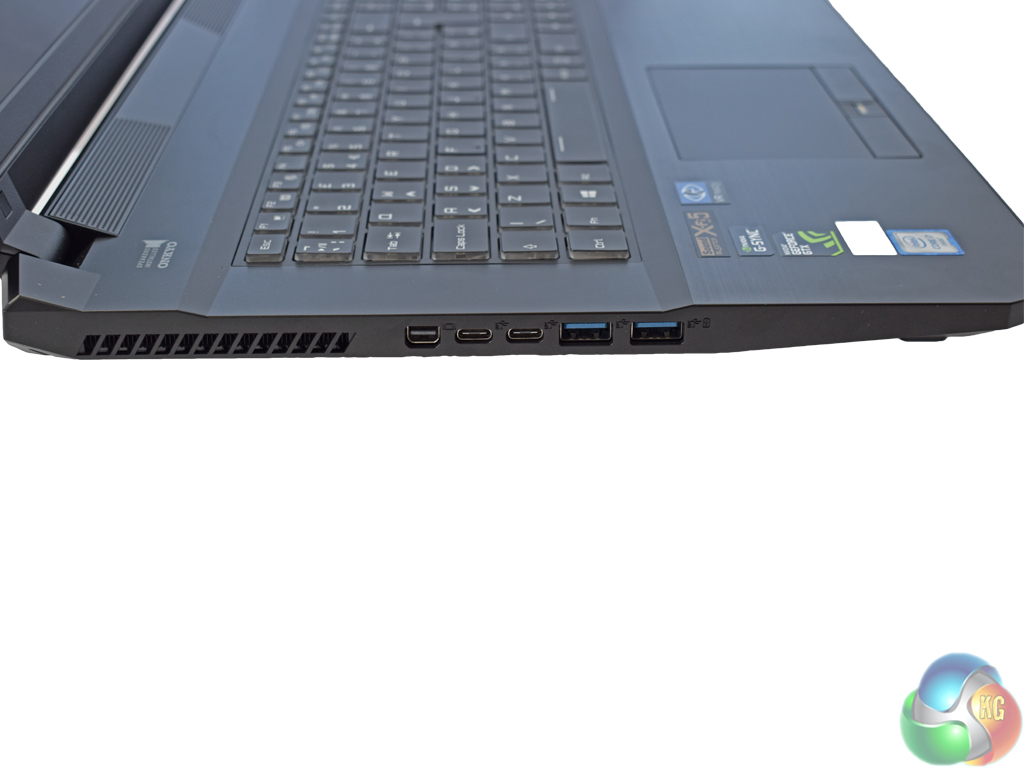
Coming next to the ports and connectors, we will start with the left edge. Here we find 1x mini DisplayPort, 2x USB 3.1 Type-C ports, and 2x USB 3.0 Type-A ports.
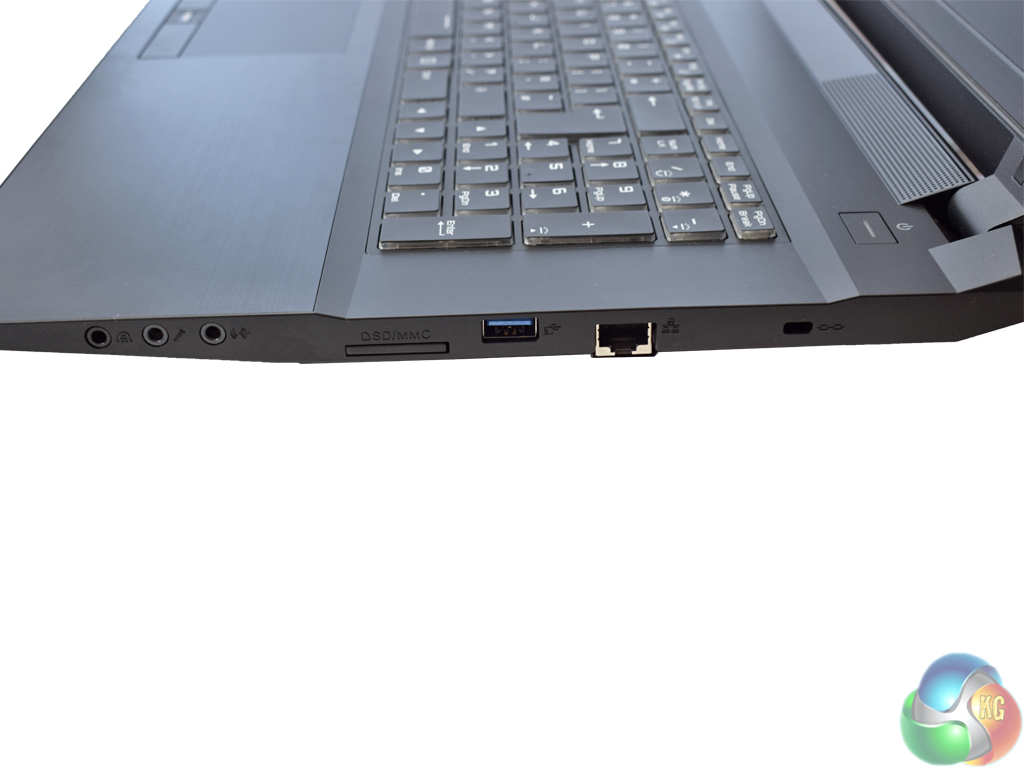
On the right edge there are 3x audio jacks, 1x SD card reader, 1x USB 3.0 Type-A, an Ethernet port and a Kensington lock.
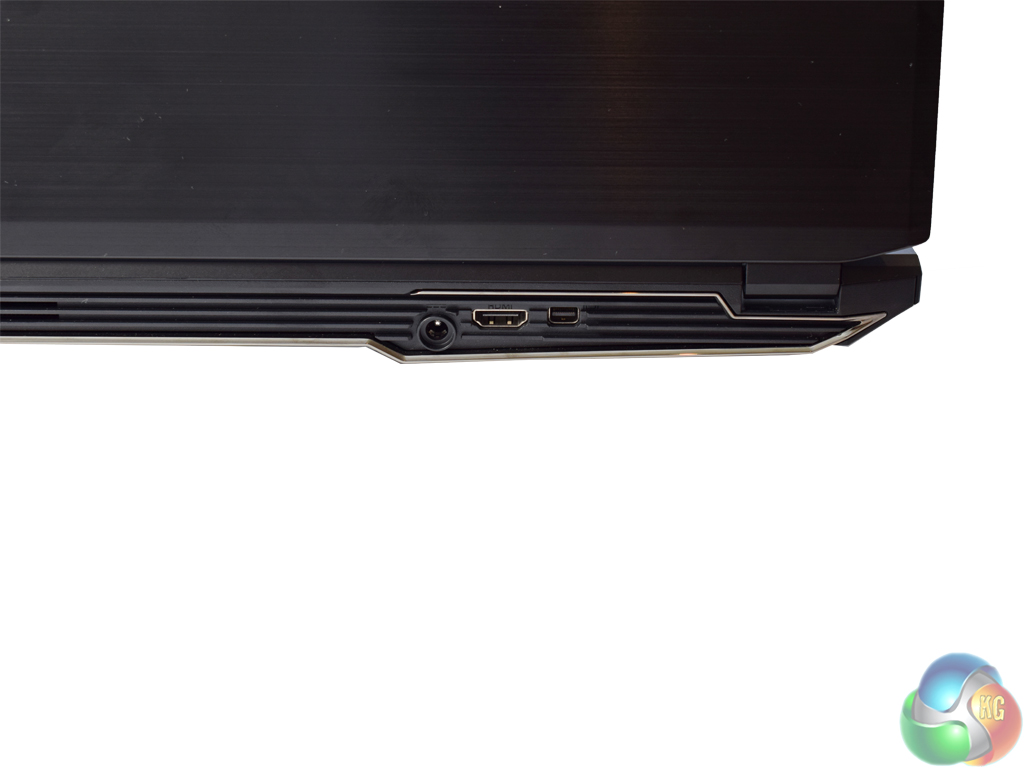
The power input, 1x HDMI port and 1x mini DisplayPort are located on the rear of the chassis.
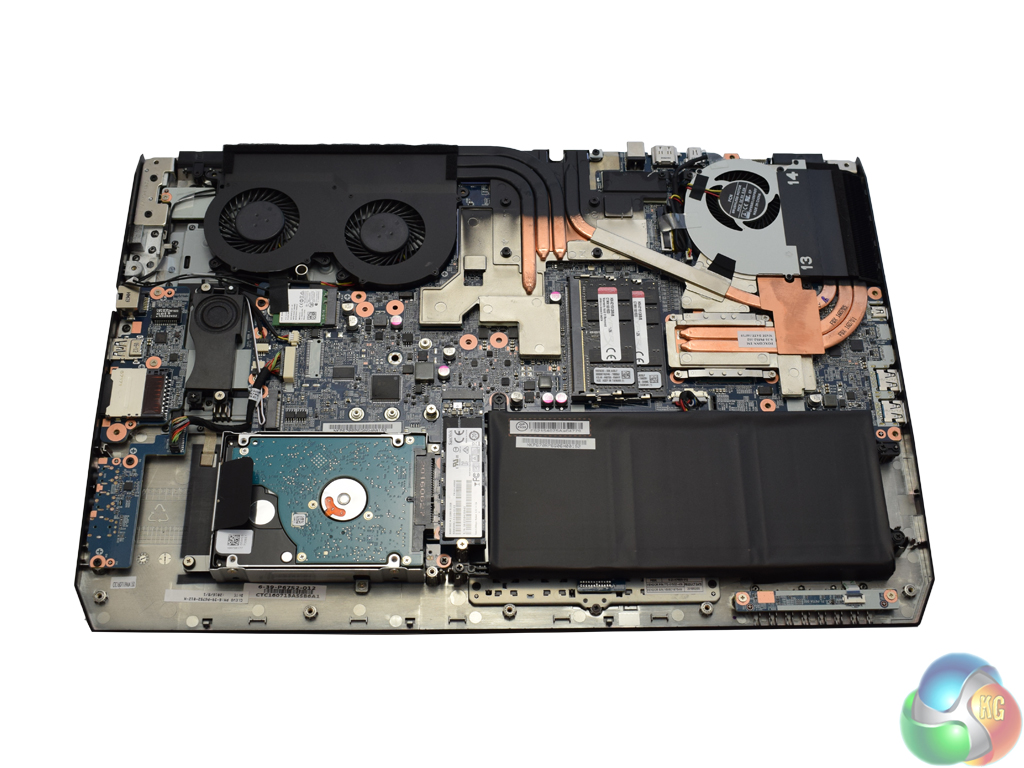
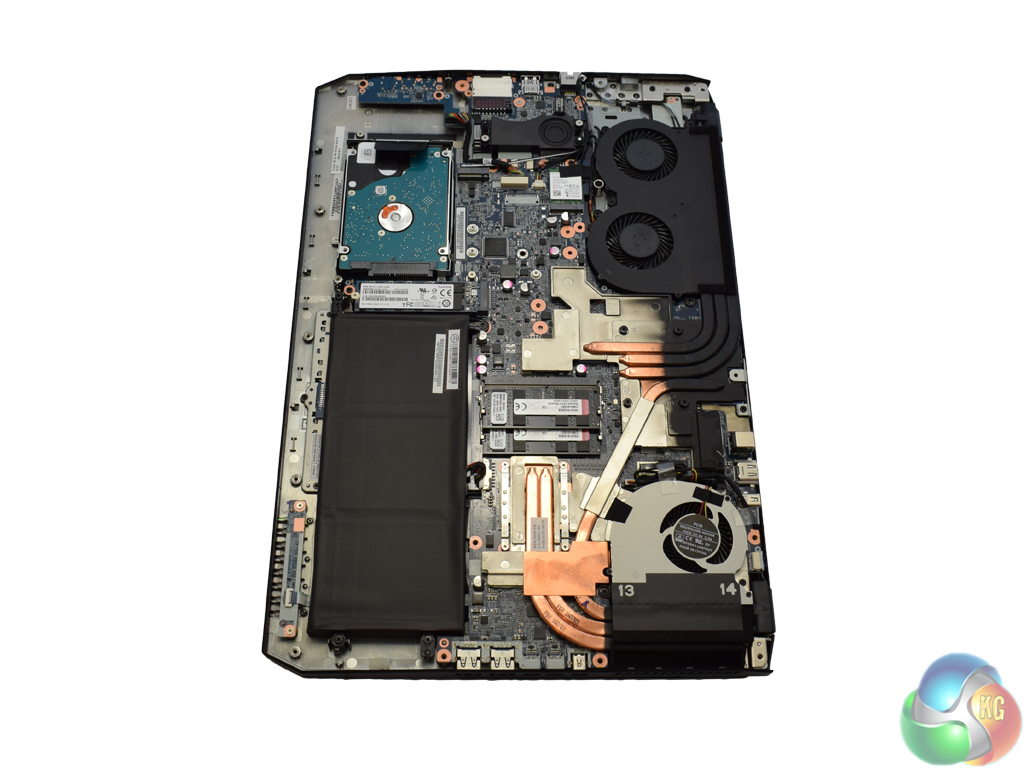
Finally, we take a look at the laptop's innards. Removing the base cover is a simple matter of a few Phillips-head screws, and the panel then slides off.
The first thing to notice is the array of copper heat-pipes. There are quite a number of them, all designed to keep the GTX 1060 and i7 CPU from getting too hot.
In terms of an upgrade path, there are only 2x SODIMM slots, both of which are occupied with 8GB modules. There is a spare PCIe M.2 slot though, so you could add in some super fast storage if need be.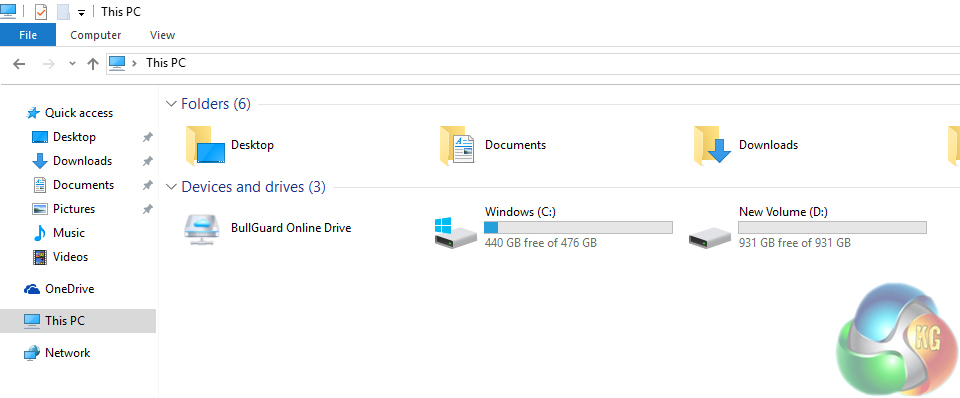
First things first – with a fresh install of Windows 10, there is 440GB free on the SanDisk M.2 SSD, while the Seagate SSHD has 931GB of free space.
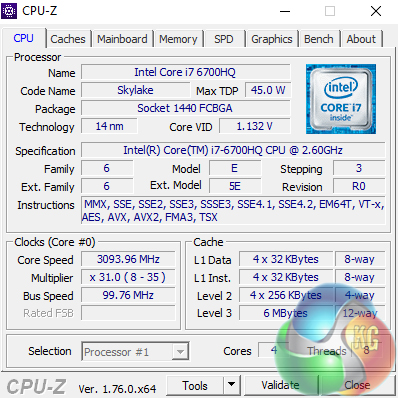
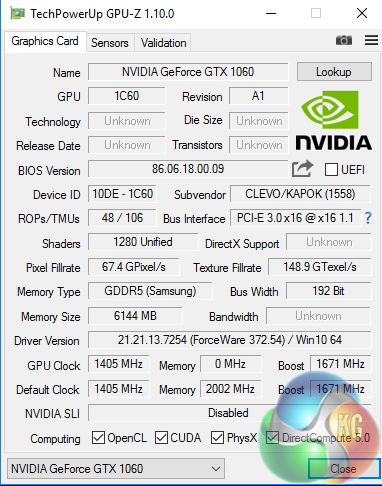
Above we can see overviews of the CPU and GPU, thanks to CPU-Z and GPU-Z respectively.
The i7-6700HQ is clocked at 2.6GHz though it turbos to 3.5GHz – which is where it spends most of its time during testing. It is of course made up of 4 cores and 8 threads.
The GTX 1060 is the full-fat desktop chip, though the base clock has been reduced from 1506MHz to 1405MHz. It has a certified boost clock of 1671MHz, but we will talk more about clock speeds on the next page. The GPU is accompanied by 6GB of GDDR5 VRAM, utilising a 192-Bit bus.
Comparison Systems
While I will be comparing the Defiance III with a number of system listed below, the most interesting comparison for me will be with the ASUS ROG GX700. I reviewed the GX700 in July, and given it sports a desktop GTX 980, plus an overclockable i7 CPU, it will be interesting to see how the Defiance III fares against it with its newer GTX 1060. The Defiance is also more than £2k cheaper than the GX700.
The rest of the comparison systems are as follows:
- Intel Core i7-6700HQ
- Nvidia GTX 960M
- 16GB Dual-Channel 1600MHz DDR3 RAM
- 128GB SSD + 1TB HDD
- Intel Bay Trail-M Celeron N2808 SoC
- Intel HD Graphics
- 4GB DDR3L RAM
- 64GB eMMc storage
- Intel Braswell N3050 SoC
- Intel HD Graphics
- 2GB DDR3L RAM
- 32GB eMMC storage
- Intel Core i3 i3-5010U
- Intel HD Graphics 5500
- 8GB Kingston SODIMM DDR3 1600MHz (1 x 8GB)
- 240GB Kingston V300 SSD
- Intel Core™ m5-6Y57
- Intel HD Graphics 515
- 8GB LPDDR3 1866MHz Memory
- 256GB Solid State Drive M2 2280 PCIe
- Intel Core i5-6500
- 8GB Corsair Vengeance LPX 2400MHz DDR4 RAM
- Asus Turbo GTX 960
- 500GB Samsung 850 EVO SSD
- Intel Core i7-6820HK
- Nvidia GTX 980 (desktop)
- 32GB DDR4 2400MHz RAM
- 2x 256GB Samsung SM951 PCIe SSDs in RAID0
- AMD FX-8320
- AMD RX-480
- 16GB DDR3 2133MHz RAM
- 240GB Adata Premier SP550
And lastly my personal desktop with a Core i3-4160, 8GB 1866MHz DDR3 and a GTX 960.
Test software
- SiSoft Sandra
- Cinebench R15
- Handbrake
- CrystalDiskMark
- ATTO Disk Benchmark
- 3DMark 11
- 3DMark
- Prime 95 (version 26.6)
- CPUID HWMonitor
- AIDA64 Engineer
Test games
- Tomb Raider
- Grid Autosport
- Middle Earth: Shadow of Mordor
- Grand Theft Auto V
All games are tested at the 1920×1080 resolution using the latest Nvidia GeForce 372.54 driver.When Nvidia announced Pascal GPUs for laptops, part of the announcement was the ability to overclock the GPUs. As such, before delving into the rest of the review, here I detail my findings when overclocking the GTX 1060.
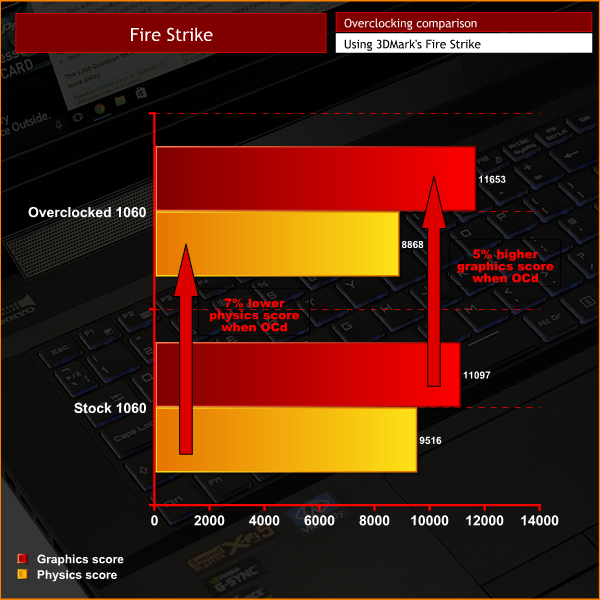
Essentially, I found that overclocking made little difference, and in some cases made performance decrease.
What I did was simply add +150MHz to the GPU core using MSI Afterburner. The power limit is locked for overclocking laptop GPUs.
However, as you can see above, this overclock had a negligible effect on 3DMark's Fire Strike graphics score and even worsened the physics score. This would likely be because the extra heat from the overclocked GPU adversely affected the CPU's thermals, given that they share cooling heat-pipes.
The small graphics increase can be explained by the fact that, due to GPU Boost 3.0, the stock-clocked GTX 1060 was already boosting happily well beyond the advertised boost clock. As such, the GPU was already boosting beyond the +150MHz offset before I even applied it. Thus, when I did apply the +150MHz, the GPU could only boost a little higher than it had been already, due to it hitting its thermal ceiling.
SiSoftware Sandra (the System ANalyser, Diagnostic and Reporting Assistant) is an information & diagnostic utility. It should provide most of the information (including undocumented) you need to know about your hardware, software and other devices whether hardware or software.
Sandra is a (girls’) name of Greek origin that means “defender”, “helper of mankind”. We think that’s quite fitting.
It works along the lines of other Windows utilities, however it tries to go beyond them and show you more of what’s really going on. Giving the user the ability to draw comparisons at both a high and low-level. You can get information about the CPU, chipset, video adapter, ports, printers, sound card, memory, network, Windows internals, AGP, PCI, PCI-X, PCIe (PCI Express), database, USB, USB2, 1394/Firewire, etc.
Native ports for all major operating systems are available:
- Windows XP, 2003/R2, Vista, 7, 2008/R2 (x86)
- Windows XP, 2003/R2, Vista, 7, 2008/R2 (x64)
- Windows 2003/R2, 2008/R2* (IA64)
- Windows Mobile 5.x (ARM CE 5.01)
- Windows Mobile 6.x (ARM CE 5.02)
All major technologies are supported and taken advantage of:
- SMP – Multi-Processor
- MC – Multi-Core
- SMT/HT – Hyper-Threading
- MMX, SSE, SSE2, SSE3, SSSE3, SSE 4.1, SSE 4.2, AVX, FMA – Multi-Media instructions
- GPGPU, DirectX, OpenGL – Graphics
- NUMA – Non-Uniform Memory Access
- AMD64/EM64T/x64 – 64-bit extensions to x86
- IA64 – Intel* Itanium 64-bit
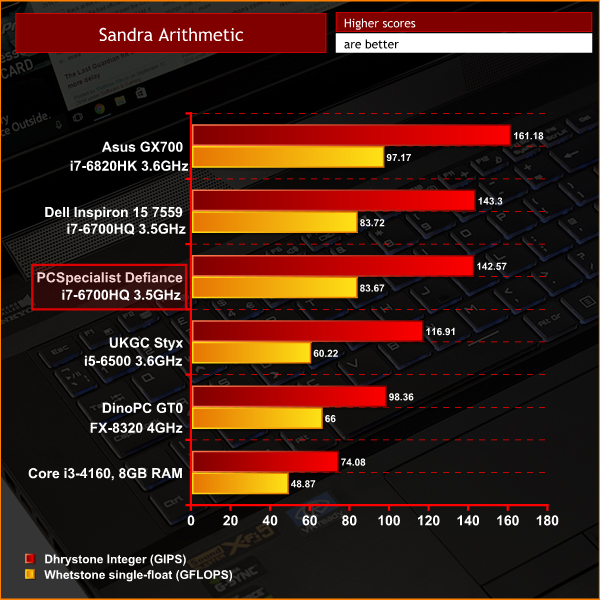
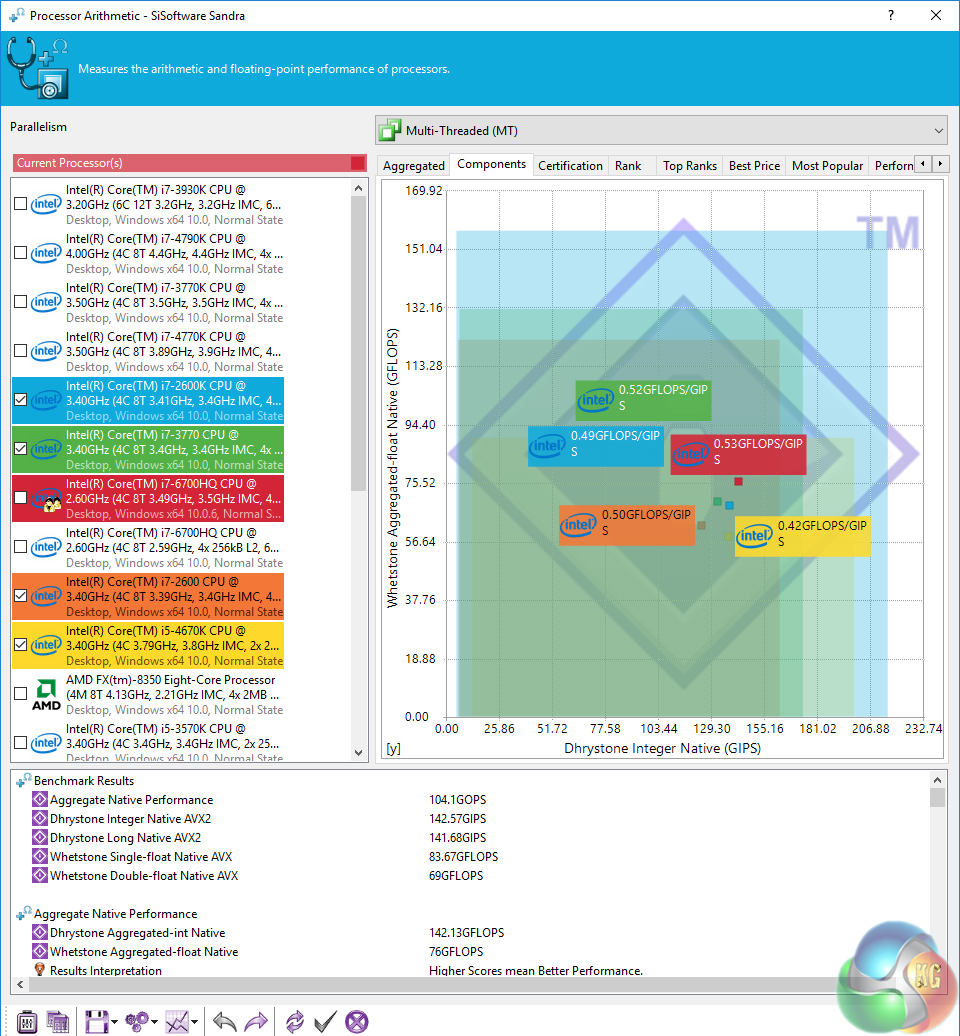
First impressions of the Defiance III are good. The i7-6700HQ gives very similar performance to the Dell Inspiron 15 7559, as obviously they utilise the same CPU. The extra clock speed takes the i7-6820HK of the GX700 into the lead, however.
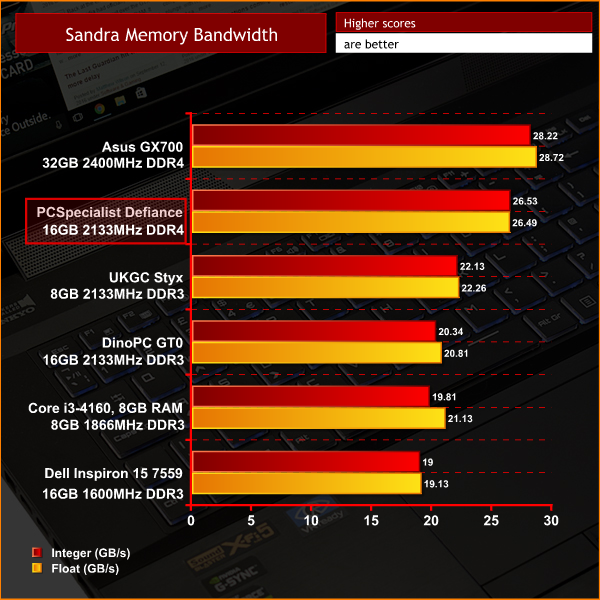
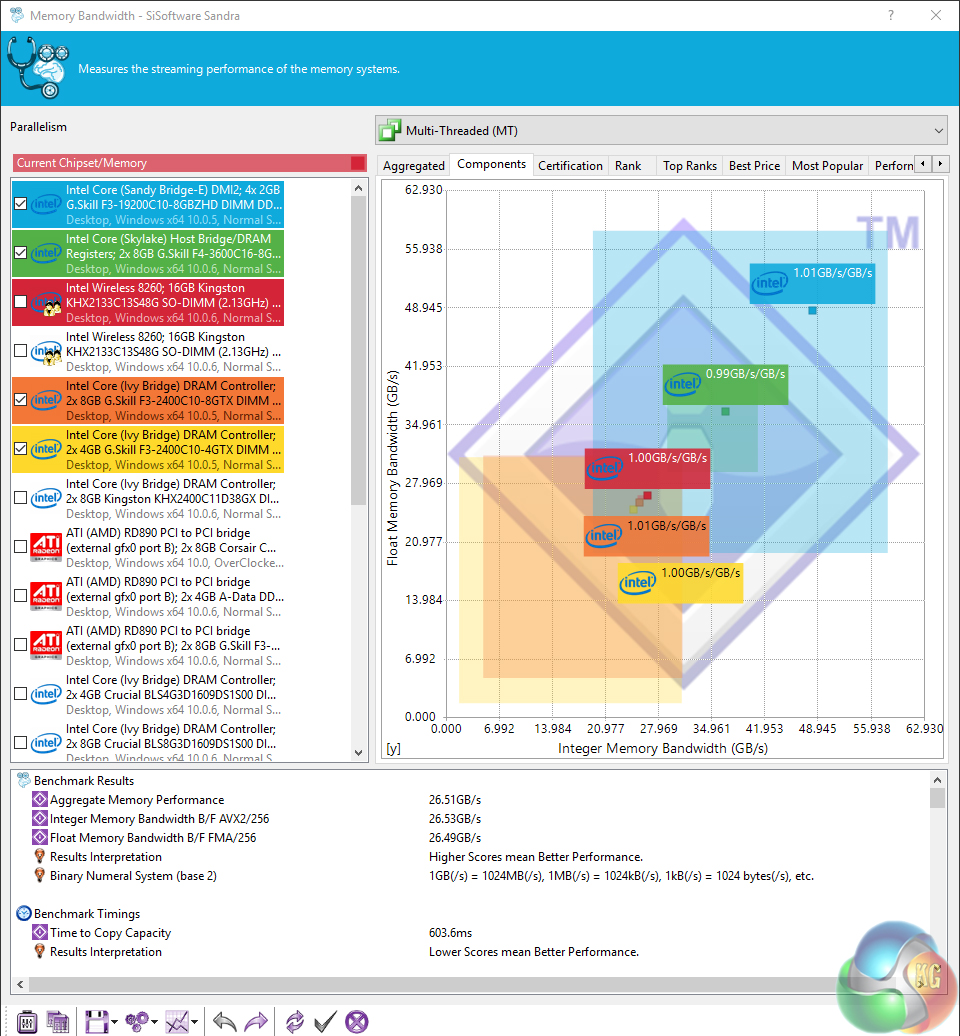
Memory bandwidth is also good, particularly for 2133MHz laptop RAM. Again, however, the faster memory in the GX700 helps it to the top of the table.CINEBENCH 15 is a cross-platform testing suite that measures hardware performance and is the de facto standard benchmarking tool for leading companies and trade journals for conducting real-world hardware performance tests. With the new Release 15, systems with up to 256 threads can be tested. CINEBENCH is available for both Windows and OS X and is used by almost all hardware manufacturers and trade journals for comparing CPUs and graphics cards.
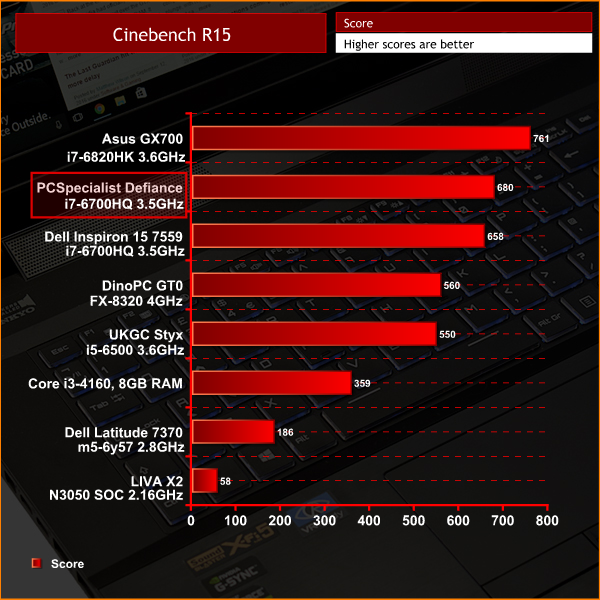
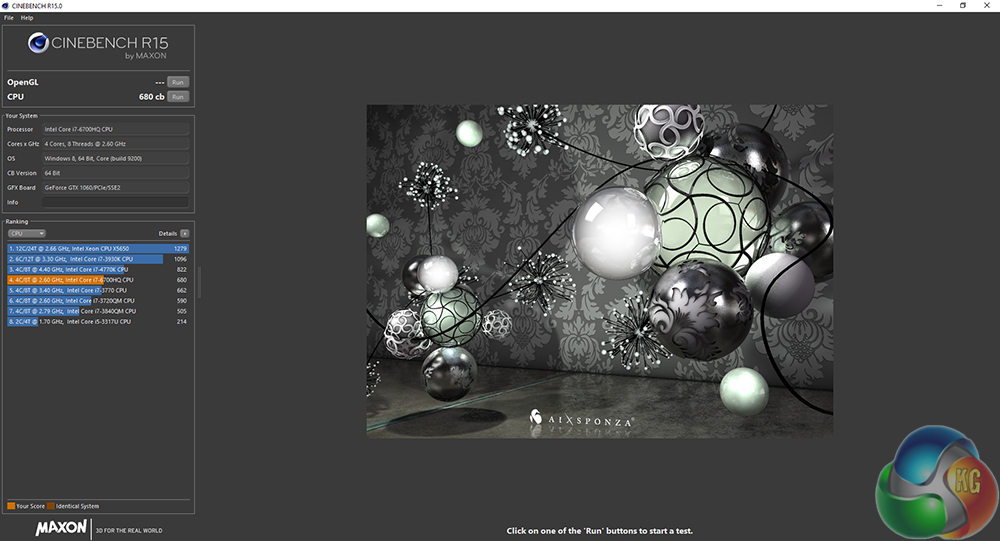
In CinebenchR15, another CPU-related task, the i7-6700HQ is again behind the i7-6820HK. Nonetheless, 680 cb is a very good score, especially for a mobile chip.HandBrake is a tool for converting video from nearly any format to a selection of modern, widely supported codecs.
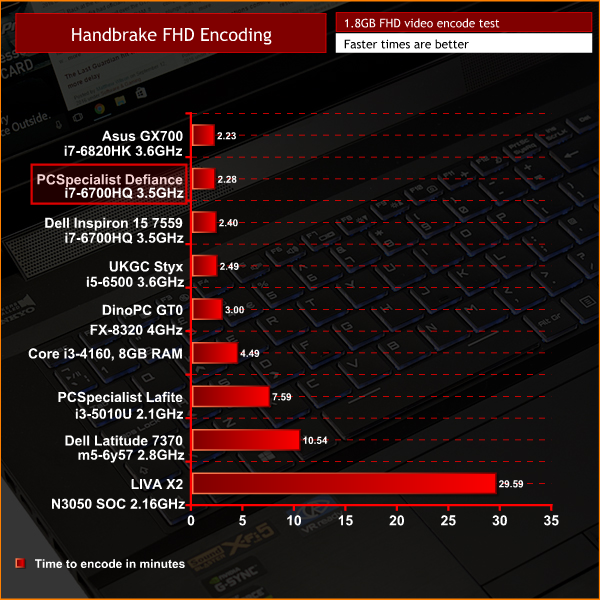
Another similar story with my Handbrake video encoding test. The extra clock speed of the i7-6820HK pushes it into a slender lead of just 5 seconds, though both scores are excellent.Here we test the Defiance III's storage performance, using CrystalDiskMark 5.1.1 and ATTO Disk Benchmark 2.47
SanDisk X400 SSD
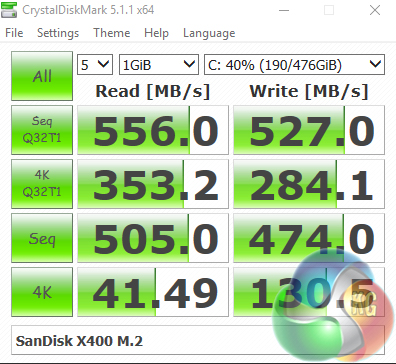
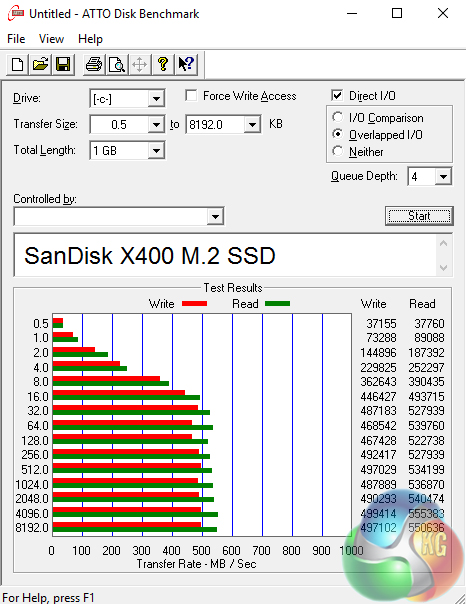
Great speeds from the SATA 3 SSD. It is not at the same level of PCIe-based storage solutions, but it tops out right at the ceiling of the SATA 3 interface.
Seagate SSHD
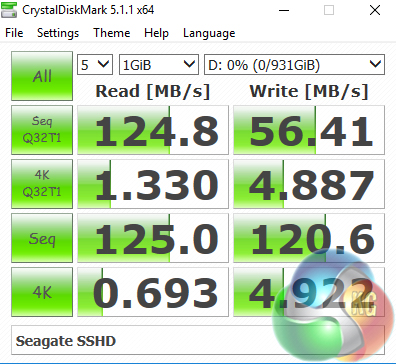
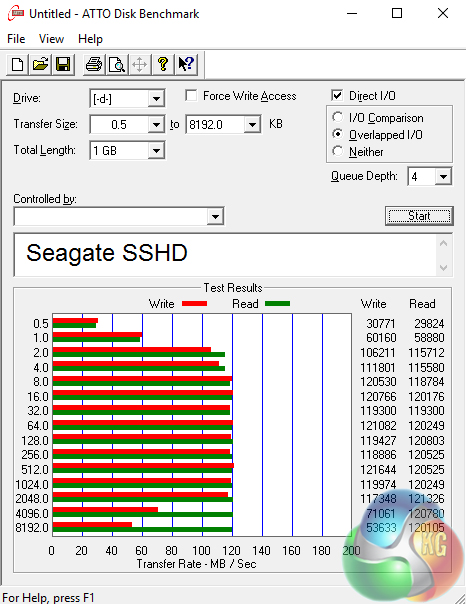
I was slightly disappointed with the SSHD speeds, however. For a standard hard drive, they would be fine – but the small SSD cache does not seem to help in these synthetic tests.To test the USB 3.0 ports on the Defiance III, I plugged in an OCZ Trion 150 SSD via a SATA-to-USB 3.0 5Gbps adapter, which uses the ASMedia ASM1053 controller. We reviewed the SSD HERE, finding it delivers good speed at a budget price.
Most importantly, it is capable of saturating the USB 3.0 bus, allowing us to test the speeds the USB 3.0 ports deliver. To test this, I ran both CrystalDiskMark and ATTO Disk Benchmark on the Trion 150 drive.

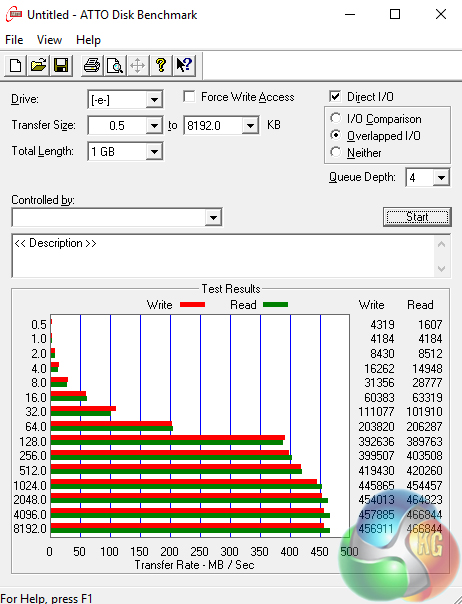
As you would expect, the results are right at the ceiling of the USB interface. There are also 2x USB 3.1 Type-C ports on the Defiance – but unfortunately I had nothing on hand capable of saturating the USB 3.1 bus.3DMark 11 is designed for testing DirectX 11 hardware running on Windows 7 and Windows Vista. The benchmark includes six all new benchmark tests that make extensive use of all the new features in DirectX 11 including tessellation, compute shaders and multi-threading.
After running the tests 3DMark gives your system a score with larger numbers indicating better performance. Trusted by gamers worldwide to give accurate and unbiased results, 3DMark 11 is the best way to test DirectX 11 under game-like loads.
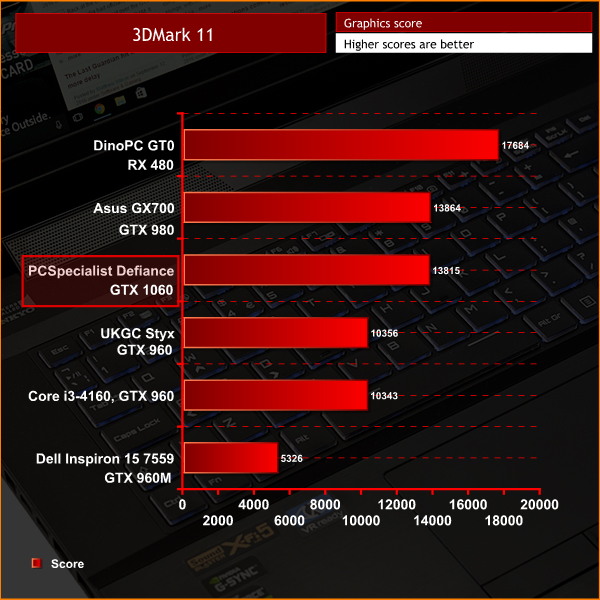
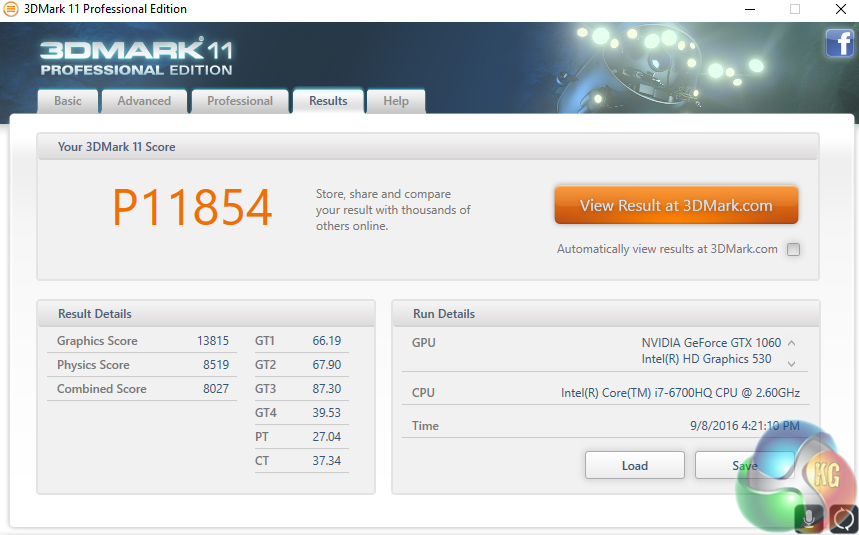
Here we get our first look at the graphics performance of the Defiance III, with its new GTX 1060. It falls just short of the GTX 980 in the ROG GX700, while the RX 480 from DinoPC's Primal GT0 is at the top of pile.3DMark is an essential tool used by millions of gamers, hundreds of hardware review sites and many of the world’s leading manufacturers to measure PC gaming performance. Futuremark say “Use it to test your PC’s limits and measure the impact of overclocking and tweaking your system. Search our massive results database and see how your PC compares or just admire the graphics and wonder why all PC games don’t look this good. To get more out of your PC, put 3DMark in your PC.”
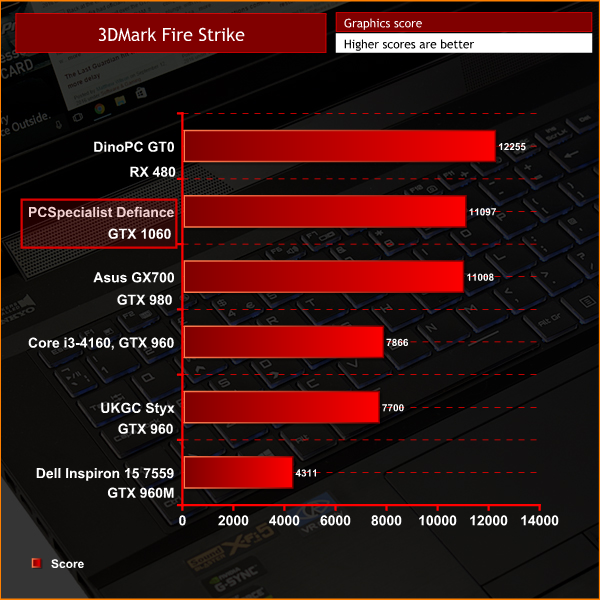
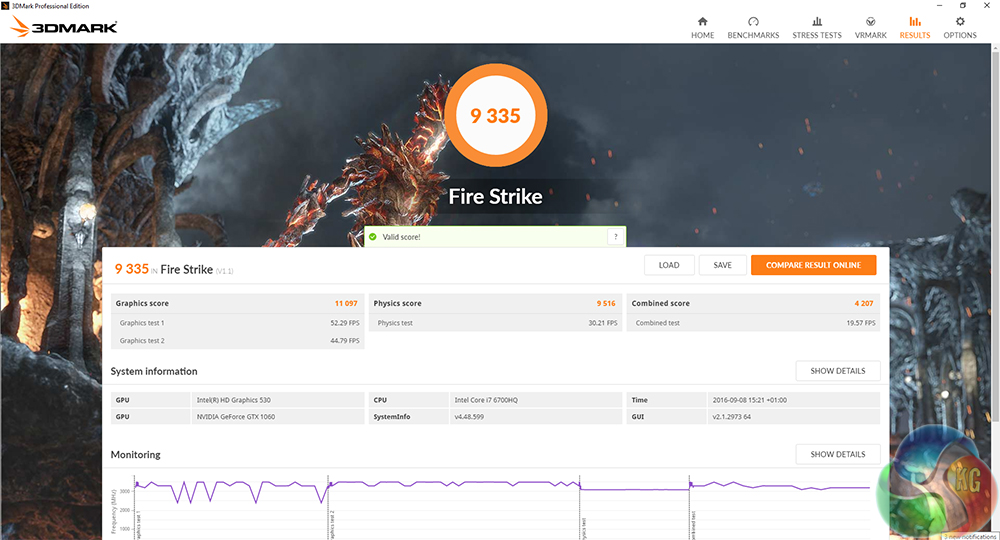
Using the newer Fire Strike test, however, the GTX 1060 pulls ahead of the GTX 980 by a mere 89 points. Still, it is a lead, albeit a slender one.Tomb Raider received much acclaim from critics, who praised the graphics, the gameplay and Camilla Luddington’s performance as Lara with many critics agreeing that the game is a solid and much needed reboot of the franchise. Much criticism went to the addition of the multiplayer which many felt was unnecessary. Tomb Raider went on to sell one million copies in forty-eight hours of its release, and has sold 3.4 million copies worldwide so far. (Wikipedia).
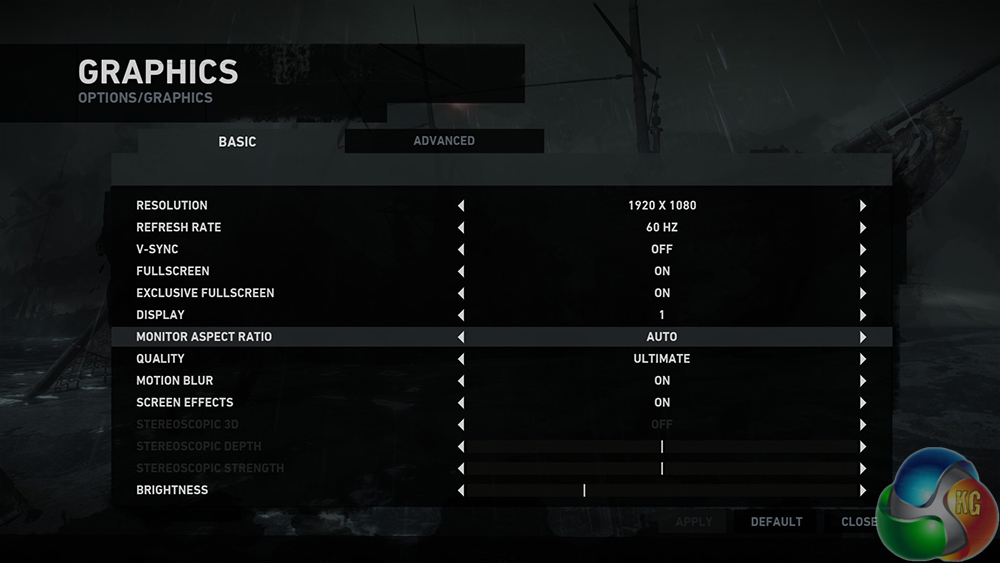
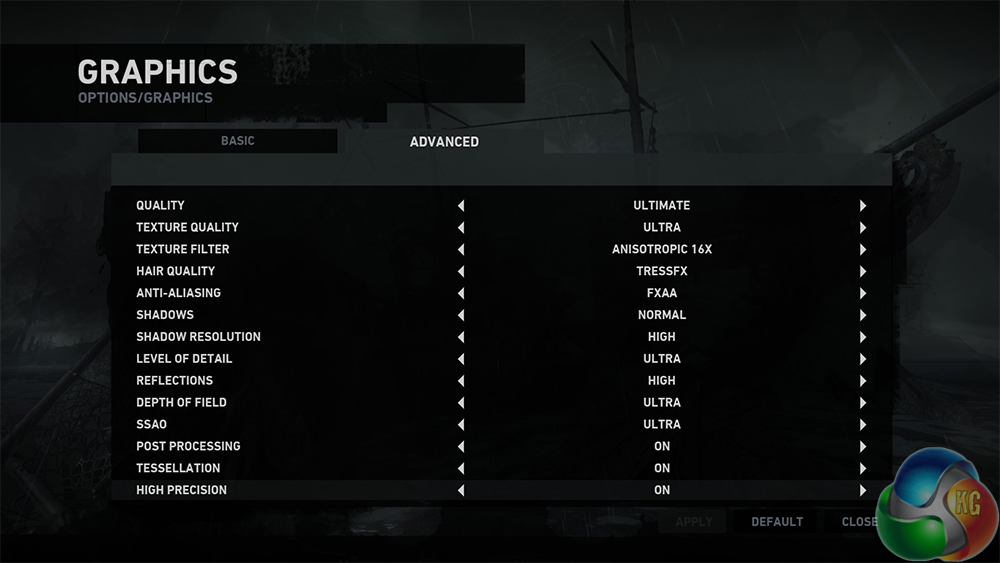
We test using the ‘ultimate' preset at 1920×1080.
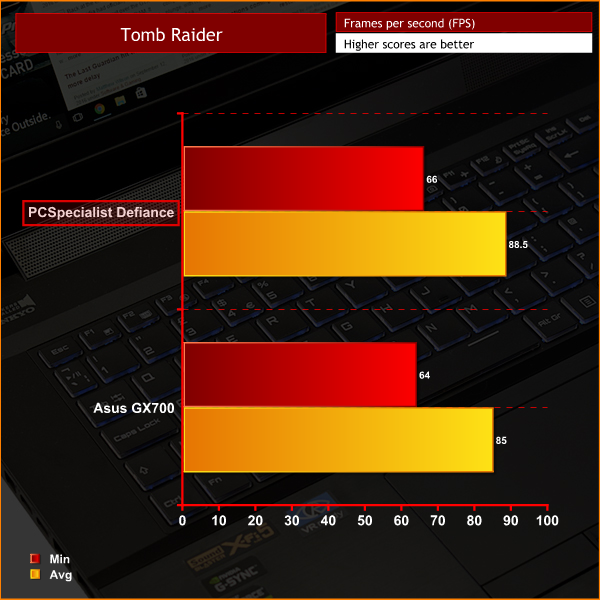
In our first game, the Defiance III just pips the Asus GX700, with its average frame rate score being just 3fps ahead. However, the Defiance costs £2250 less, and performs better (in this test, at least) – which certainly bodes well for the other games on test today.Taken in isolation, both sets of frame rates are excellent, too.Grid Autosport is a racing video game by Codemasters and is the sequel to 2008′s Race Driver: Grid and 2013′s Grid 2. The game was released for Microsoft Windows, PlayStation 3 and Xbox 360 on June 24, 2014. (Wikipedia).
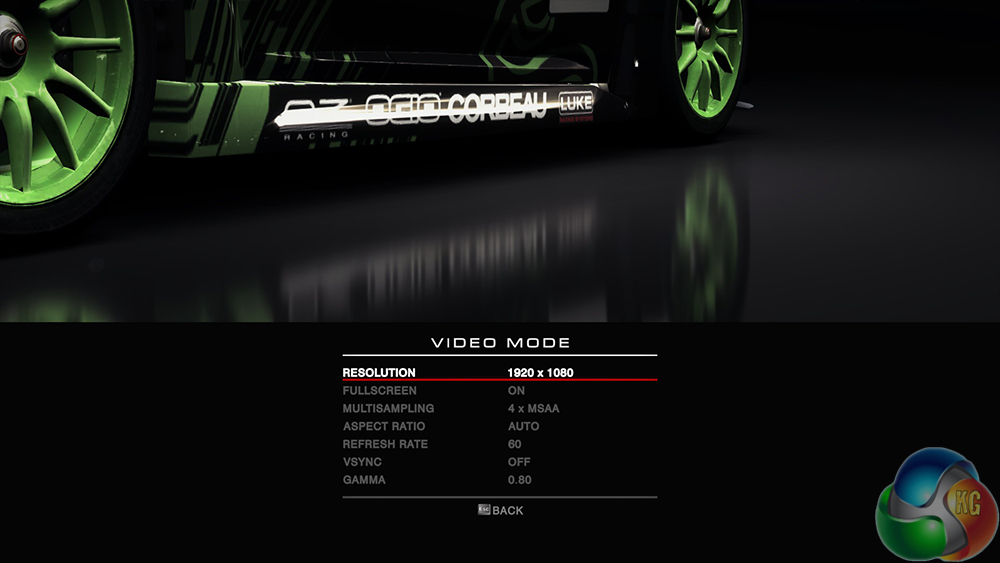
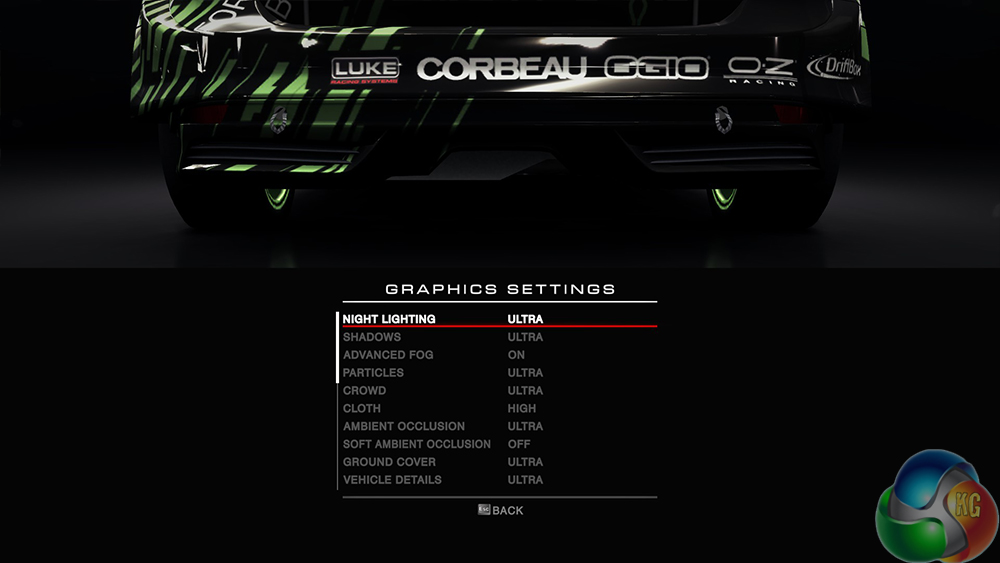
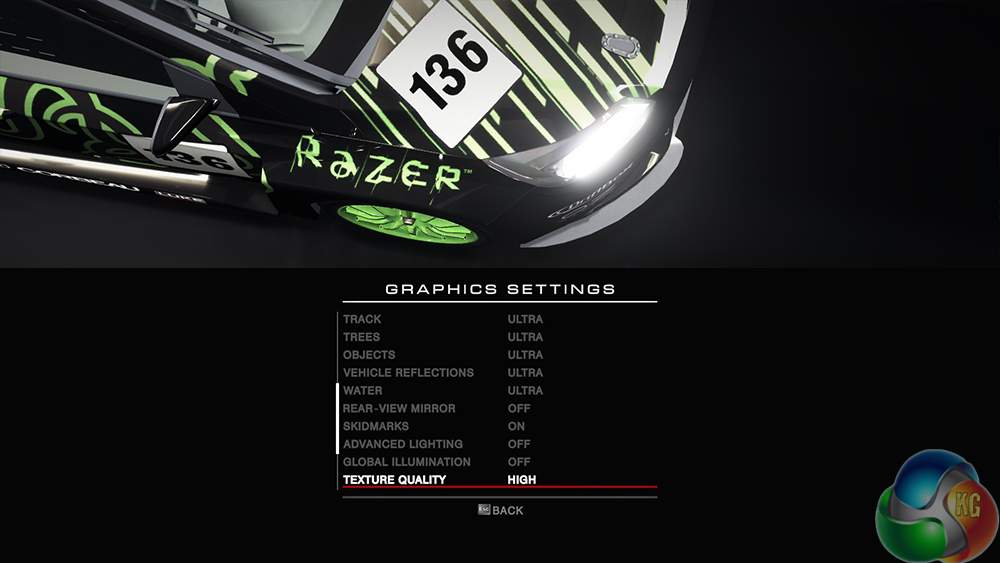
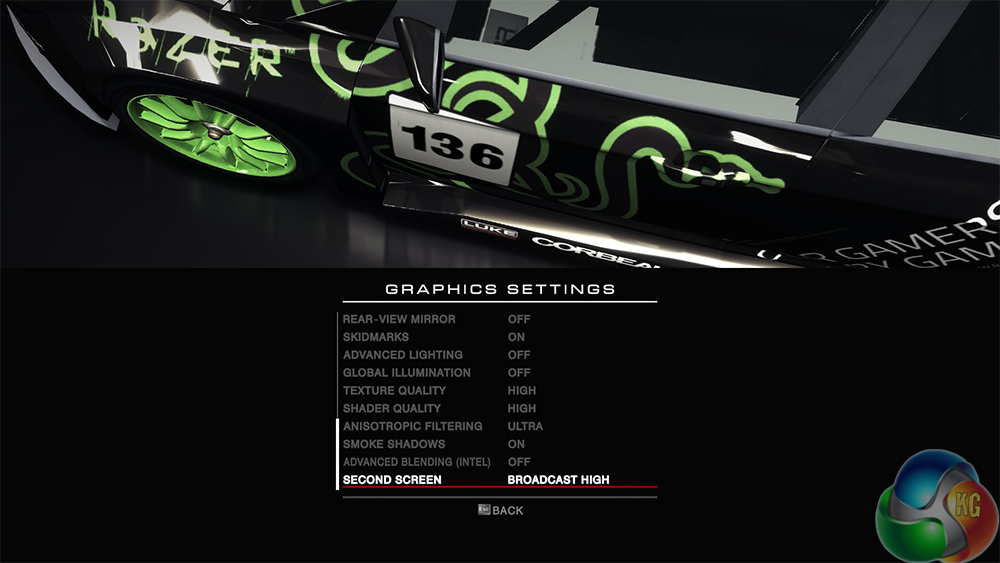
We test using the ‘ultra' preset, with 4x MSAA.
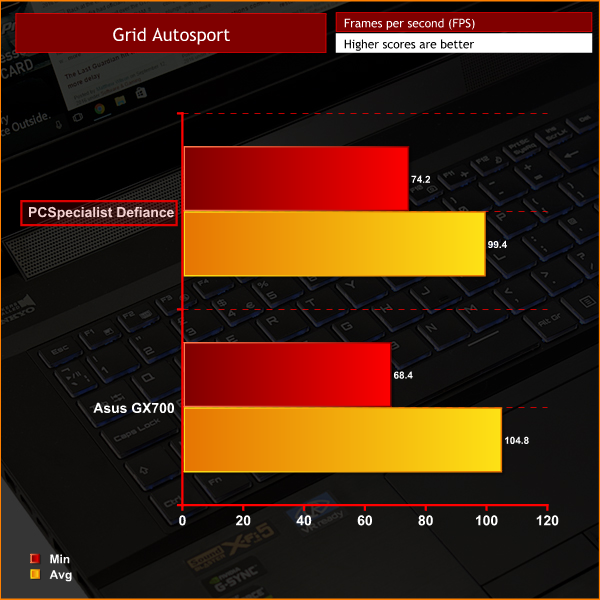
In Grid Autosport, the Defiance III took a lead in terms of minimum frame rates, though its average was slightly less than that of the GX700. Still, the performance is terrific at 1080p.In Middle-earth: Shadow of Mordor, the player plays as a ranger by the name of Talion who has wraith-like abilities. In this open world video game, players have the freedom to pursue side quests and roam around the world.
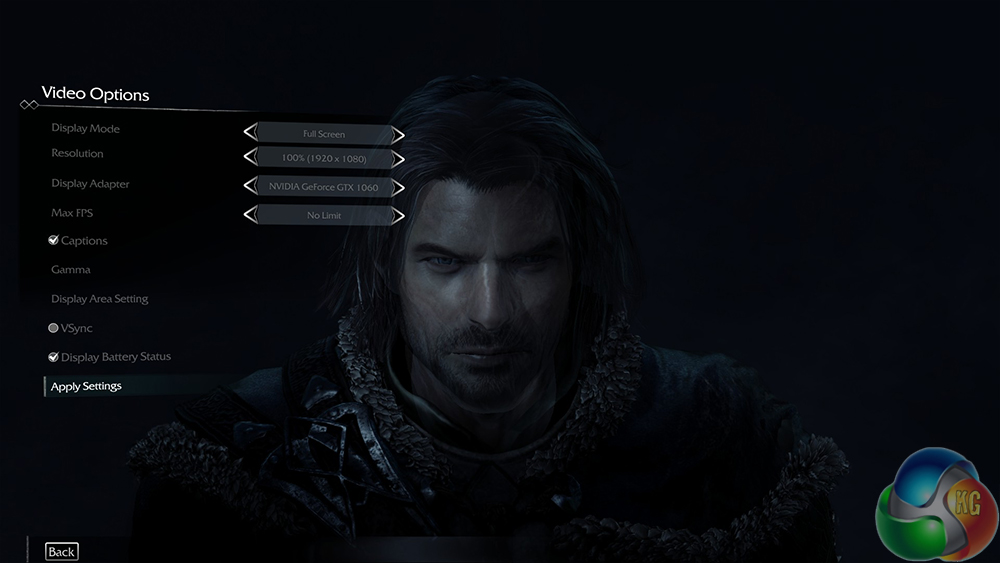
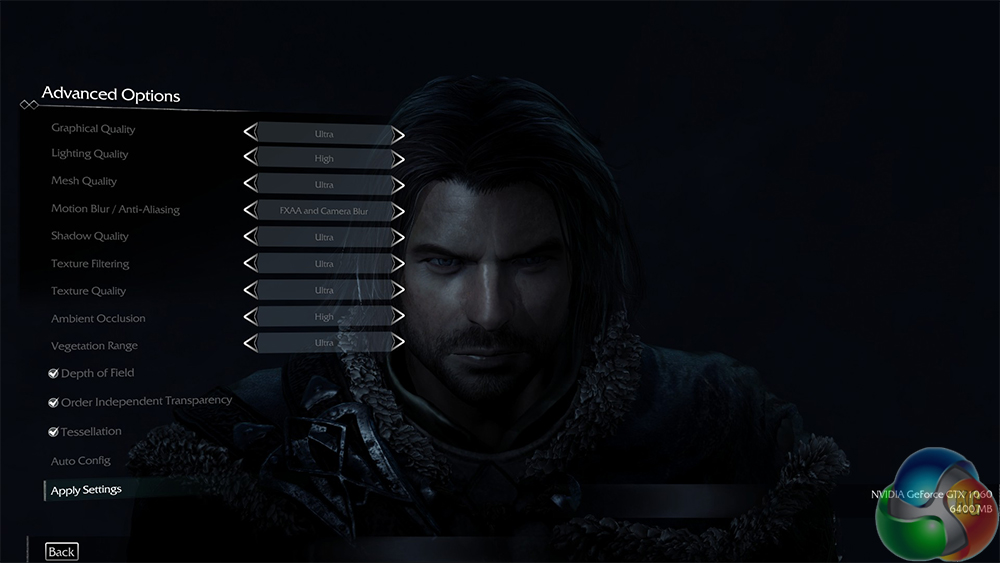
We test using the ‘ultra' preset.
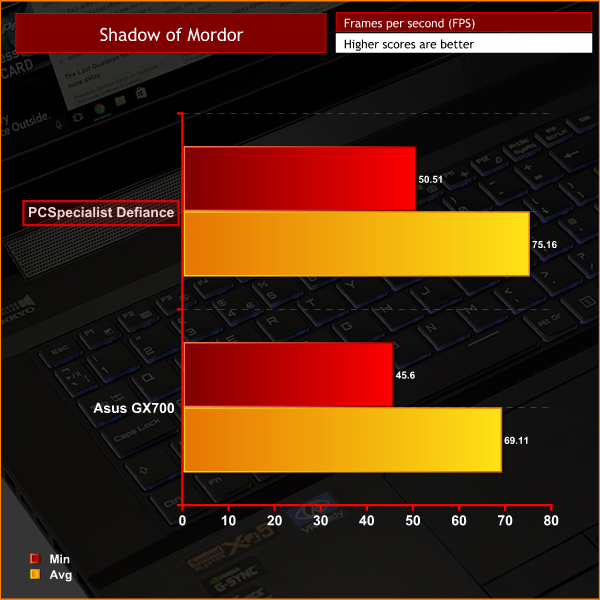
Again, we see slightly higher frame rates for the Defiance III over the GX700. In this demanding game, a minimum of 50fps is a great score, too.Grand Theft Auto V is an action-adventure game played from either a first-person or third-person view. Players complete missions—linear scenarios with set objectives—to progress through the story. Outside of missions, players may freely roam the open world. Composed of the San Andreas open countryside area and the fictional city of Los Santos, the world is much larger in area than earlier entries in the series. It may be fully explored after the game’s beginning without restriction, although story progress unlocks more gameplay content.
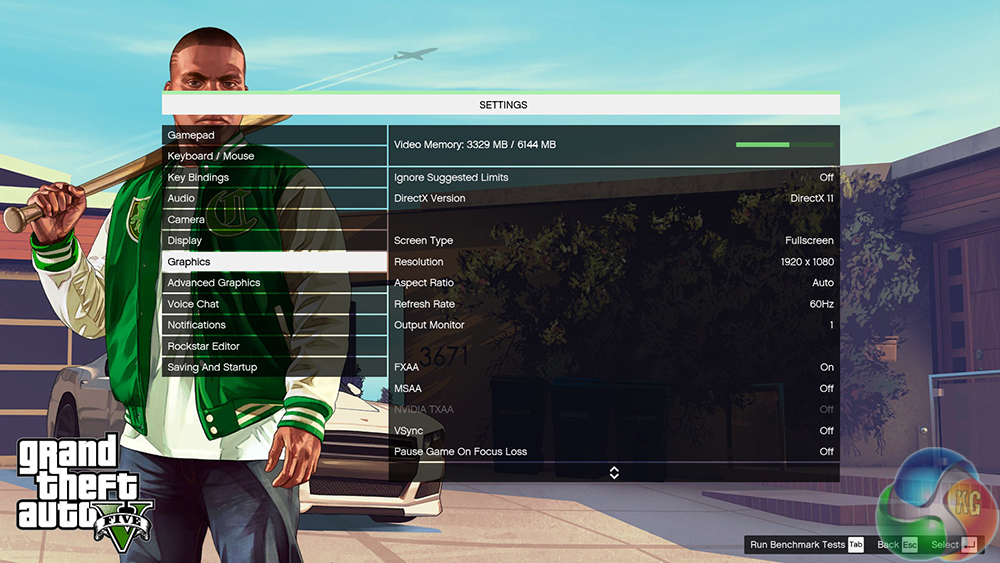
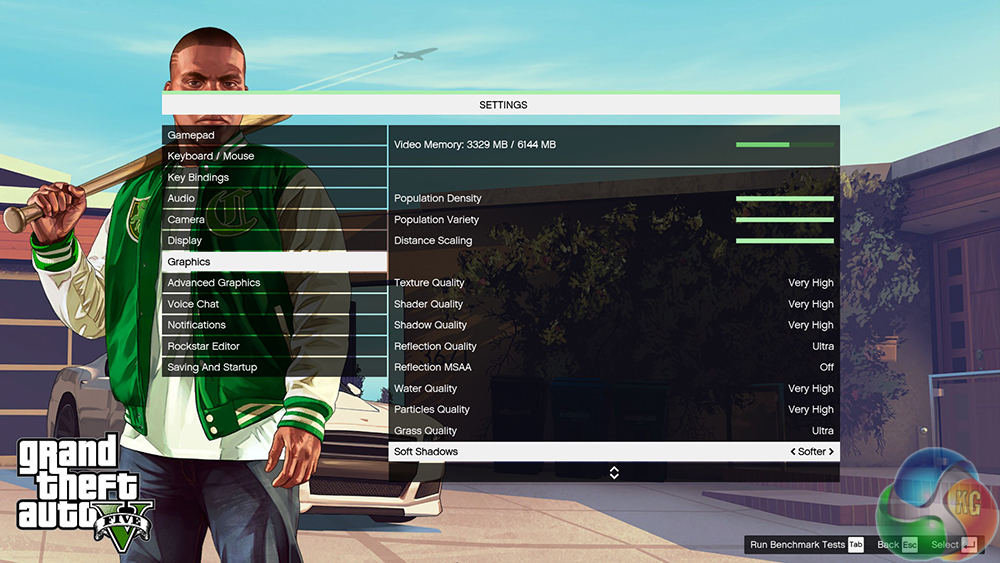
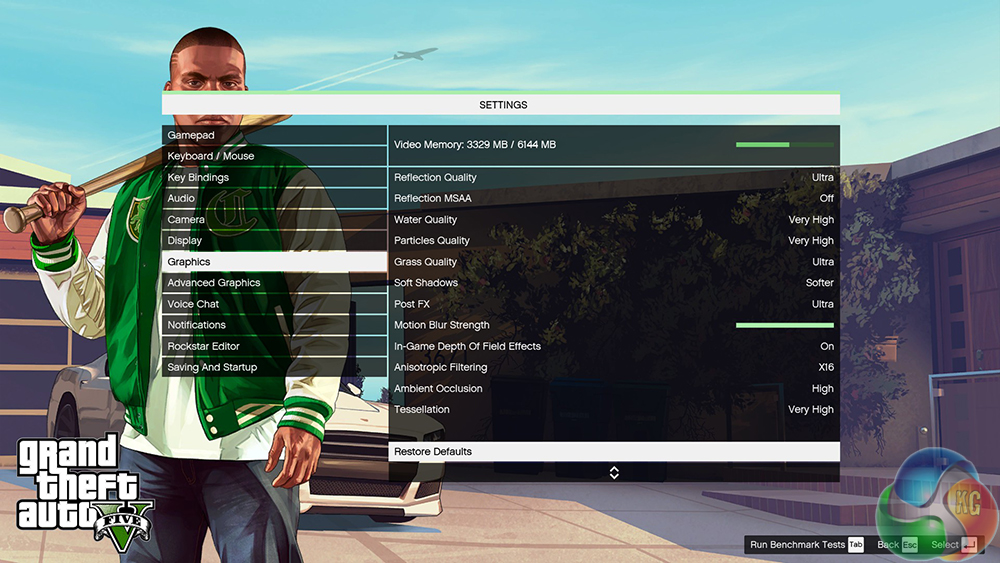
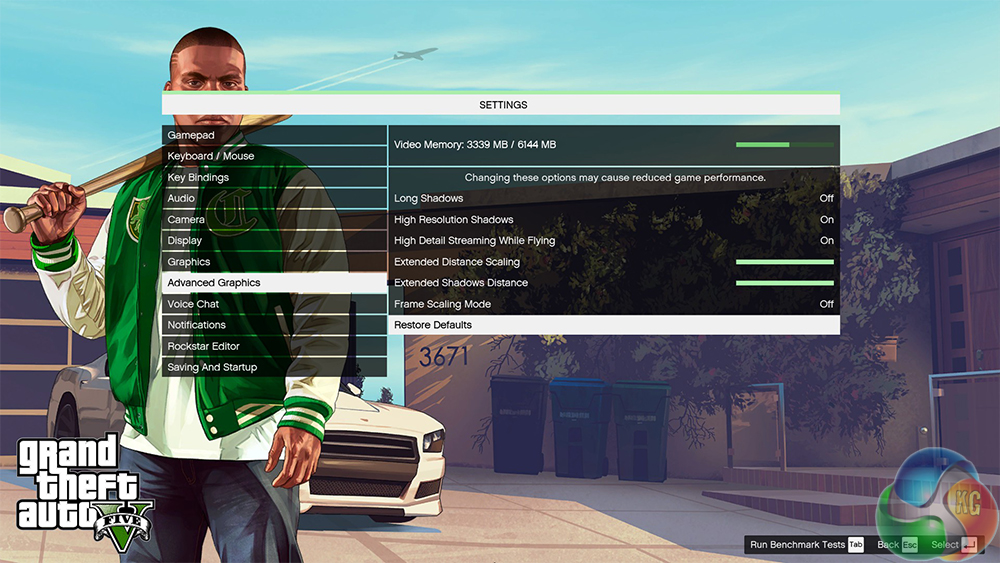
We maximise every setting, though MSAA is disabled.
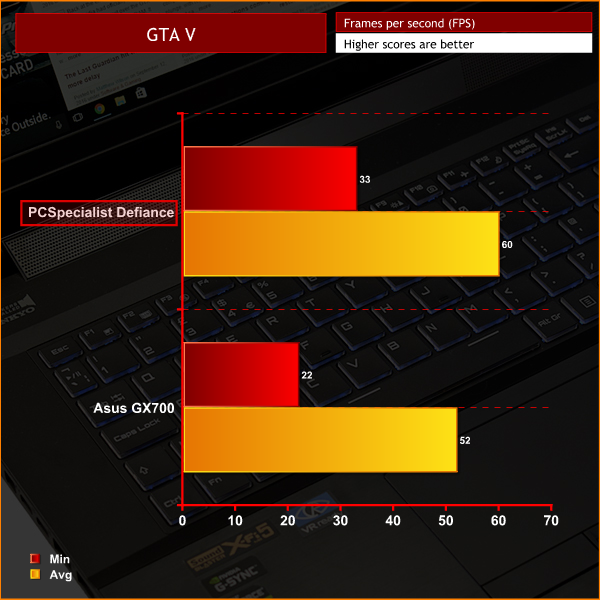
In GTA V we actually see some sizable gains for the Defiance III. An increase of 8fps for the minimum figure is not to be sniffed at, while averaging 60fps means the Defiance is hitting the gaming sweetspot.To measure idle temperatures, a reading was taken after having Windows open on the desktop for 30 minutes. A reading under load was taken with AIDA64's stress test running.
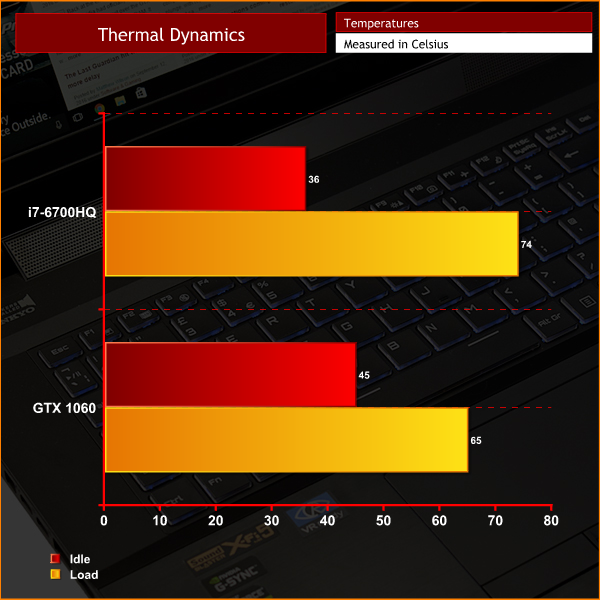
As you can see, temperatures are perfectly respectable. During gameplay you can expect temperatures to be lower, too – as AIDA64 makes the components run at 100% load constantly, which is not representative of a gaming session.To measure the acoustics performance of the Defiance III I used a digital sound meter. I first took an ambient reading to act as a baseline figure, before measuring the laptop's noise levels at idle and under load.
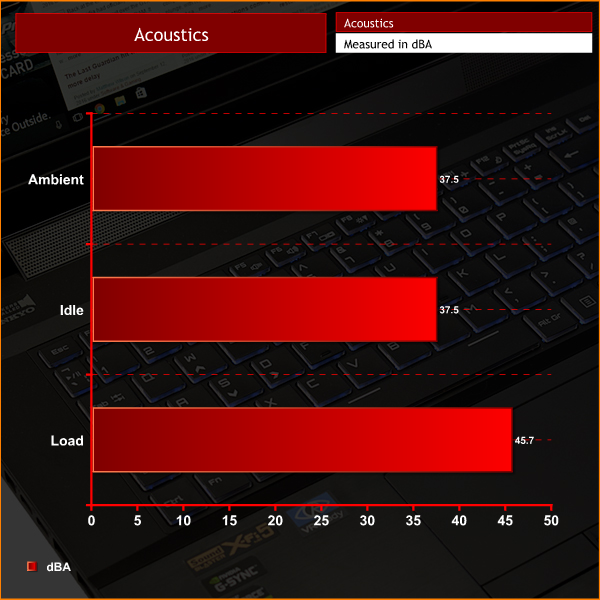
As you can see, the Defiance III is silent when it idles – at least, I could not hear it above background noise.
With any powerful laptop, the fans do ramp up under load, causing a small spike in noise levels. It is a bit intrusive during gameplay, so a headset is advised. However, the same can be said for pretty much any other gaming laptop on the market right now, so it is hardly a reason to criticise the Defiance III.For idle power draw, a reading was taken after having Windows open on the desktop for 30 minutes. A reading under load was taken with AIDA64's stress test running.
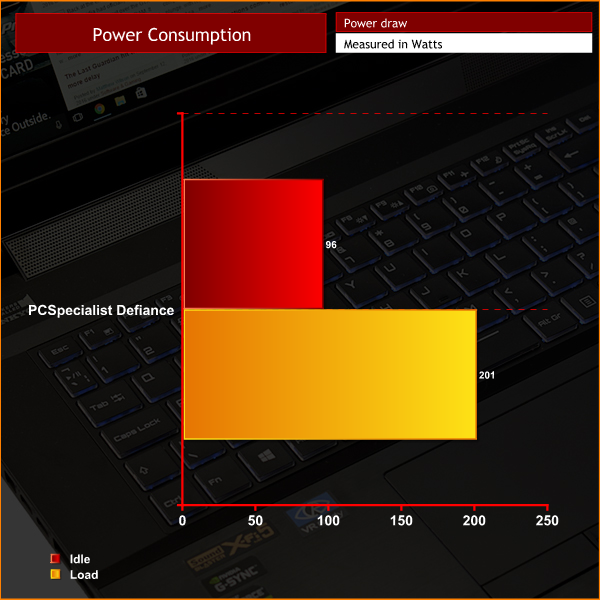
Not much to comment on here – although the 201W reading under load actually exceeds the 200W rating of the included power brick. This is due to the real-world efficiency of the power brick. However, 1W is not likely to cause a big issue – in any case, it is within the margin of error.To test the battery life of a laptop, we use PCMark 8’s in-built battery benchmark – which loops its ‘Home’ benchmark until the battery fails. We do this with the screen brightness set at 50%.
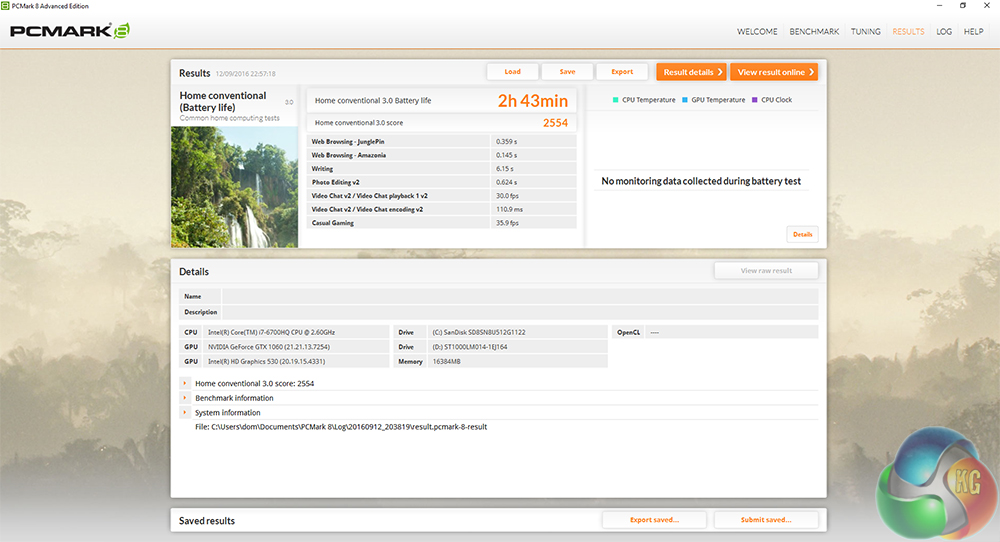
A time of 2:43, for a gaming laptop such as the Defiance III, is actually pretty decent. I would suggest this score is down to the greater efficiency of Pascal as compared to older architectures. A rough, real-world battery life of about 5 hours can be expected.In summary, the PCSpecialist Defiance III 17.3 is an excellent gaming laptop.
For starters, it is housed in a lovely, brushed aluminium chassis – which is reasonably light at 3.2KG, and only 29.98mm thick. The keyboard also deserves a special mention for its decent amount of key travel and RGB functionality.
The star of the show is the brand-new GTX 1060 GPU, though. While overclocking the chip does not result in big, if any, improvements, GPU Boost 3.0 does a very good job at keeping the clock speeds well above the advertised boost clock.
When paired with a capable, quad-core-with-Hyper-Threading CPU such as the i7-6700HQ, it makes for a great gaming combination. The Defiance III actually outperforms the £3500 Asus ROG GX700 of last generation in every game we ran, with an increase of 8fps in GTA V's minimum frame rate being just one example of its relative gaming prowess.
The CPU by itself is also very solid, with great scores across our range of benchmarks – an encoding time of 2:28 for my Handbrake test is particularly good.
I also saw top speeds from the SanDisk X400 M.2 SSD, while a 1TB SSHD from Seagate is ideal for mass storage. USB 3.0 speeds are top-notch, while the battery life is surprisingly good for a gaming laptop of this calibre.
In summary, the PCSpecialist Defiance III just does everything consistently well. It has great hardware inside, but also an excellent keyboard and chassis which makes day-to-day use very satisfying. Also, let's not forget the stonking gaming performance provided by the GTX 1060.
You can pick one up from PCSpecialist for £1349 HERE.
Discuss on our Facebook page HERE.
Pros
- GTX 1060 is excellent at 1080p.
- i7-6700HQ is no slouch either.
- Lovely keyboard with RGB functionality.
- Beats the £3500 Asus ROG GX700 with previous generation hardware, despite being £2250 cheaper.
- Chassis is attractive, while also being reasonably light.
Cons
- Manually overclocking Pascal in a laptop is a bit iffy.
KitGuru says: The PCSpecialist Defiance III has excellent hardware, an attractive chassis and solid all-round performance. For £1349, it's faster than the more expensive Asus ROG GX700, making it look a real bargain.


Damn. Putting desktop Pascals aside, the new generation of mobile gpus is basically a revolution, especially incredibly well balanced power consumption to performance wise 1060. Simply brilliant!
Google is paying 97$ per hour! Work for few hours and have longer with friends & family! !mj314d:
On tuesday I got a great new Land Rover Range Rover from having earned $8752 this last four weeks.. Its the most-financialy rewarding I’ve had.. It sounds unbelievable but you wont forgive yourself if you don’t check it
!mj314d:
➽➽
➽➽;➽➽ http://GoogleFinancialJobsCash314MarketSocialGetPay$97Hour… ★★✫★★✫★★✫★★✫★★✫★★✫★★✫★★✫★★✫★★✫★★✫★★✫★★✫★★✫★★✫★★✫★★✫★★::::::!mj314d:….,….
21 pages of review and barely any mention of the quality of screen they’ve used. It’s such a huge factor in choosing a laptop; how on earth did you manage to overlook it?!
I hope someone’s given you that feedback already between writing this and now!