 KitGuru KitGuru.net – Tech News | Hardware News | Hardware Reviews | IOS | Mobile | Gaming | Graphics Cards


Founded in 2006, Asus is celebrating 10 years of creating gaming-orientated enthusiast hardware through its Republic of Gamers (ROG) brand. And what better way to celebrate a 10-year anniversary than with a special edition of the company’s flagship motherboard? An enhanced version of the Rampage V Extreme, the Rampage V Edition 10 has bells and whistles in abundance.
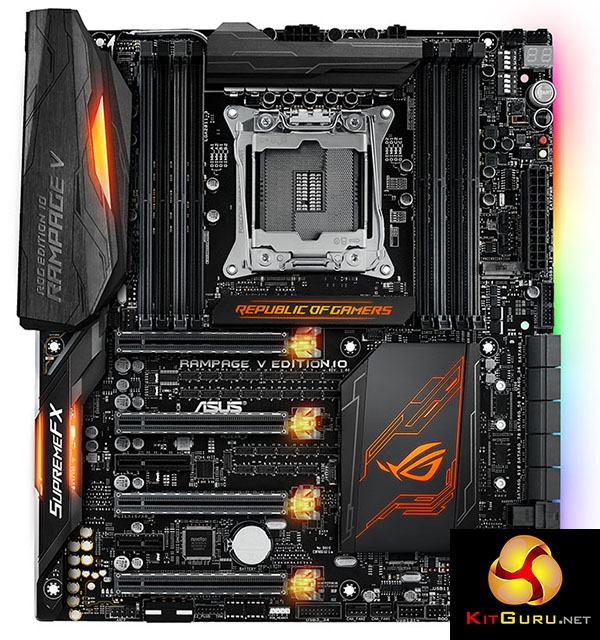
Focusing on the topic that has given Republic Of Gamers motherboards such respect over the years – their hardware – Asus clearly hasn’t cut corners when considering the features that gamers and enthusiasts desire. There’s support for 4-way SLI and Crossfire, 32Gbps U.2 and M.2 ports for high-speed NVMe PCIe SSDs, and a rear IO that includes four 10Gbps USB 3.1 ports and dual LAN connections. On top of the core hardware is a high-end audio system that is bolstered by a separate audio box featuring high-end components.
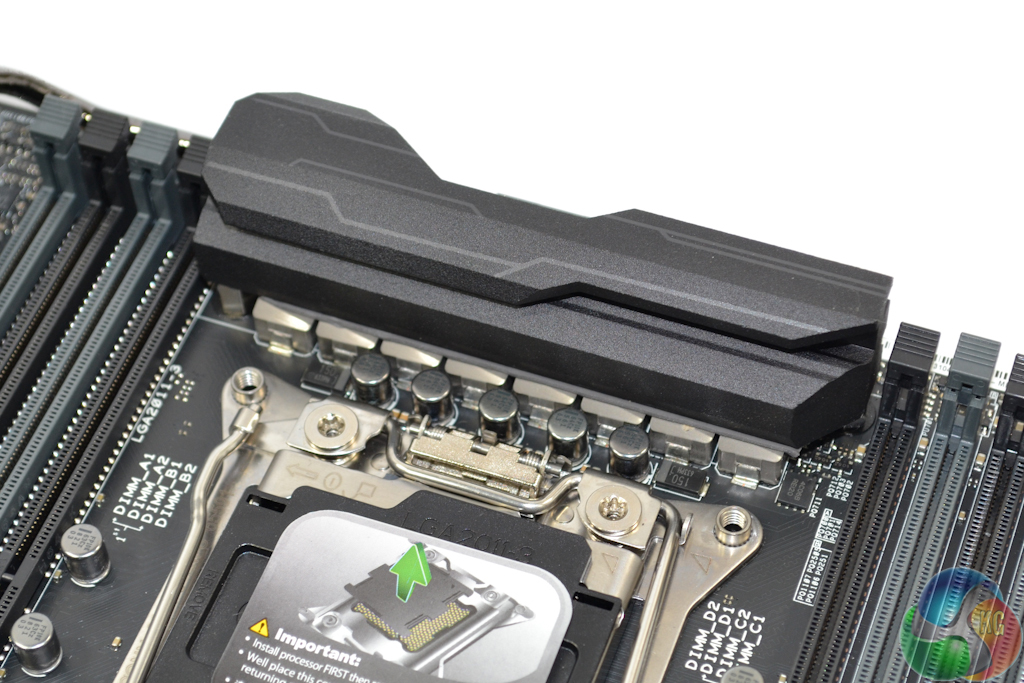
Continuing with the hardware theme, Asus gives the Rampage V Edition 10 a true eight-phase CPU power delivery system. Central to the solution are 60A International Rectifiers MOSFET solutions which are driven by a digital PWM and cooled by a sizeable heatsink which also acts as an attractive rear IO cover.
And of course with the year being 2016, RGB lighting is present. The colour scheme can be matched to one’s own preference, with different appearances in different motherboard locations being a possibility.
The feature list clearly points towards a premium product, but that is of little relevance if the performance is not up to scratch. Let’s see how this £500 motherboard performs through our test suite.
Features:
- Best gaming lighting: Aura RGB illumination and Aura 4-pin RGB-strip header
- Best gaming extra – SupremeFX Hi-Fi
- Best gaming performance – 5-Way Optimization with Auto-Tuning, second-generation T-Topology and Extreme Engine Digi+
- Best gaming audio – Reinvented SupremeFX with intuitive Sonic Studio II
- Best gaming networking – Best-in-class Intel® Gigabit Ethernet ,LANGuard and GameFirst technology
- Best gaming connectivity — 3×3 802.11ac Wi-Fi , NVMe U.2, M.2, SATA Express and USB 3.1 Type-A and Type-C for extreme-speed transfers and total compatibility
- Best gaming protection – SafeSlot, pre-mounted I/O shield, and carefully-selected premium components for maximum durability.
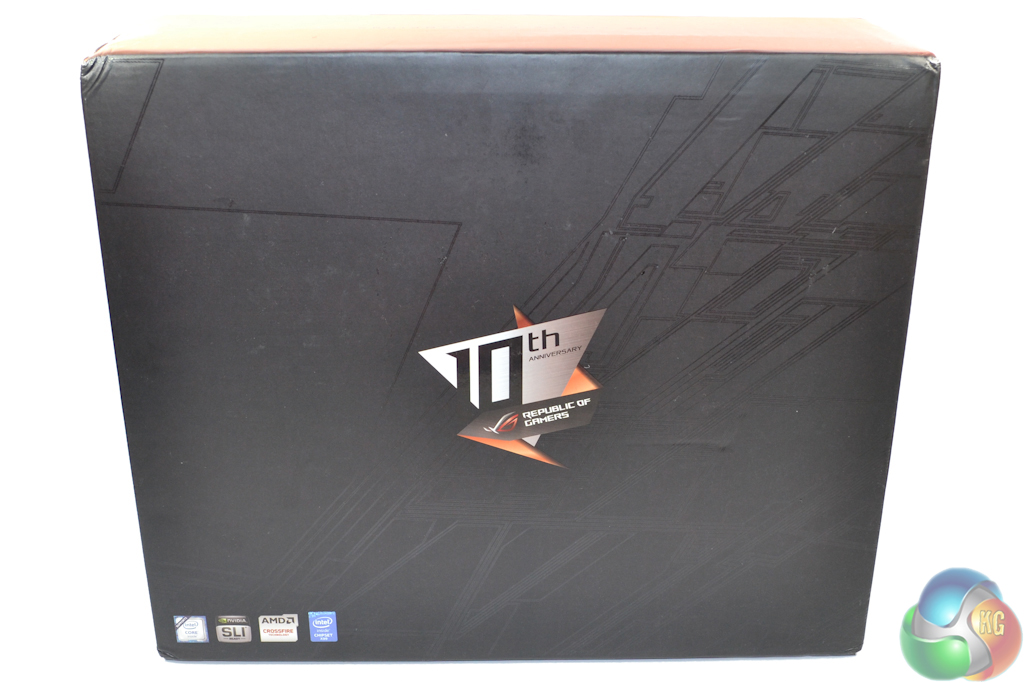
Asus ships the ROG Rampage V Edition 10 motherboard in a sizeable black box. There’s very little in the way of branding on the front side, with exception of a graphic highlighting the 10th anniversary edition status of the product.

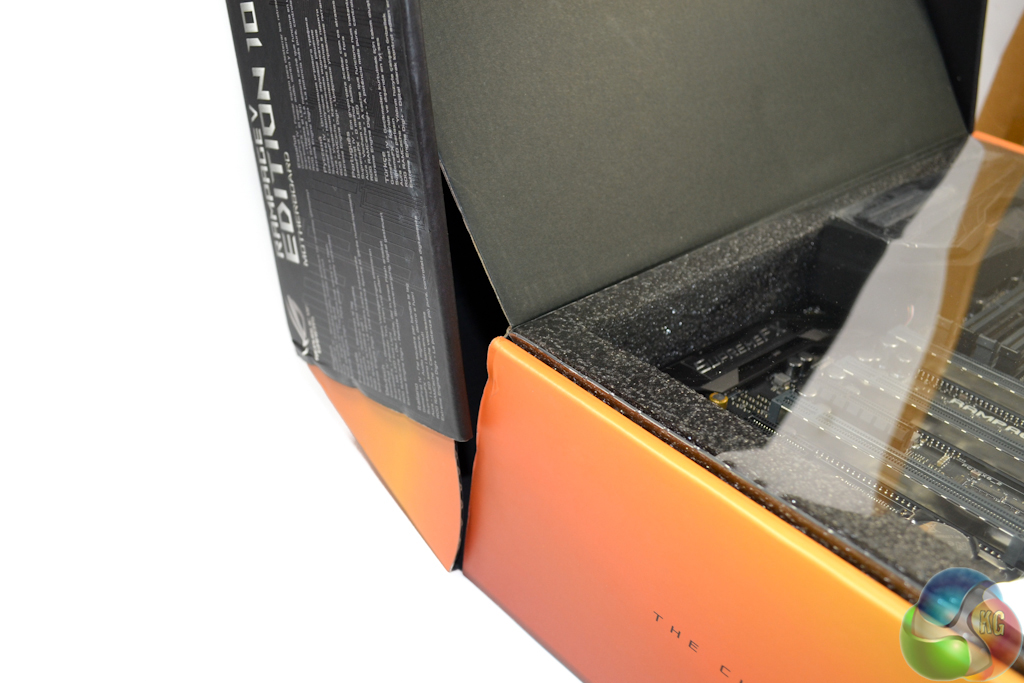
A more in-depth look at the board’s features and specifications is found on the rear of the box. Asus uses a hinge to open the lid, giving the packaging a premium feel.
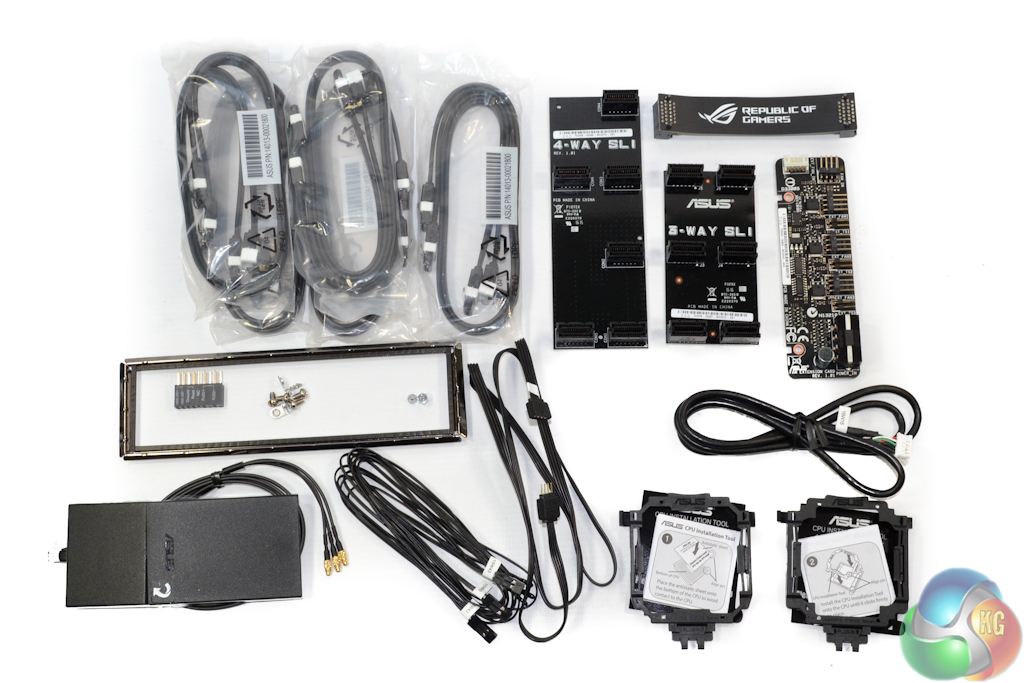
Premium fulfilment is a clear goal for Asus’ accessory bundle. Not content on supplying the standard inclusions, Asus provides:
- 10x SATA cables
- 3x SLI bridges (2-way flexible, 3-way rigid, and 4-way rigid)
- Fan extension board and accompanying cable
- 3x thermistor cables
- Aura RGB lighting cable
- 2x CPU installation tools (for both Haswell-E and Broadwell-E CPUs)
- Asus Q-connector
- Magnetic 3-stream 802.11ac WiFi antenna
- Rear IO bracket
- Installation screws
Powering and controlling a sizeable array of fans is made easier by Asus’ included Ext Fan header board. The board takes a single 4-pin fan input, in addition to dedicated control and power inputs, and provides a trio of 4-pin fan and temperature sensor outputs. These fans can be controlled via the UEFI, as well as the temperature readings from the user-mountable thermistors.
The magnetic design of Asus’ WiFi adapter makes it ideal for securing it to the rear of a steel chassis. With three 802.11ac WiFi streams, the adapter is rated for transfer rates in the up to 1.3Gbps, whilst also supporting the 2.4GHz and 5GHz frequency bands. Bluetooth functionality is another inclusion for the adapter.
Unusual in appearance, the somewhat bare rear IO bracket is primarily for ESD isolation and structural support. Asus’ patent-pending pre-installed IO shield design is intended to improve simplicity of the installation process.
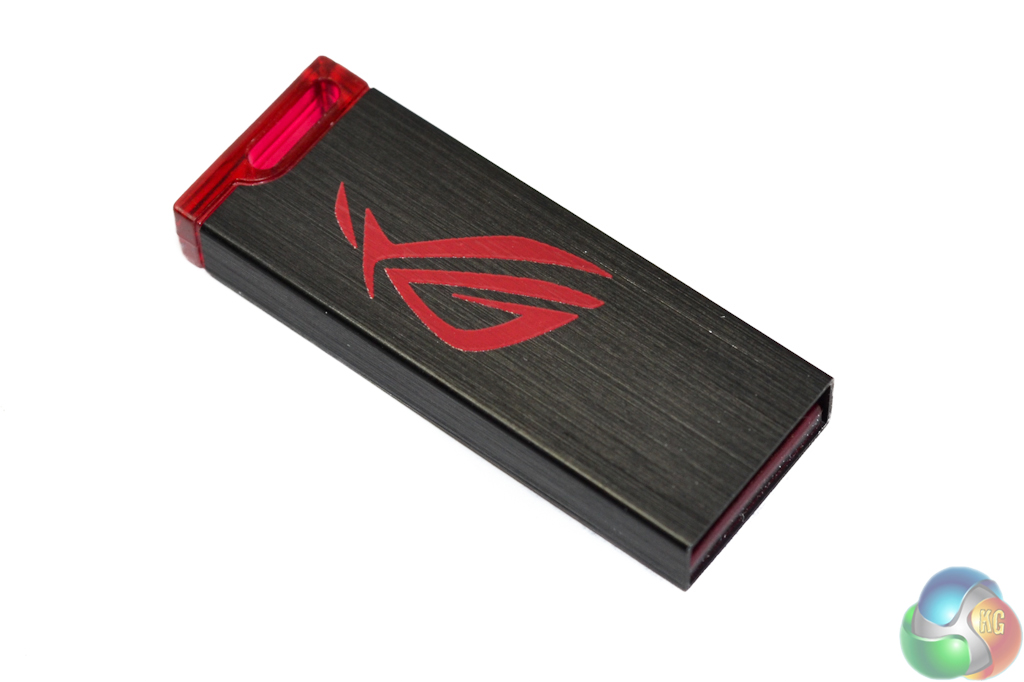
A move that I, and many other enthusiasts, wholeheartedly welcome is Asus’ inclusion of a USB stick for drivers and software, rather than the typical optical media. Optical drives are becoming more of a rarity in user-built gaming systems. Drivers on a USB stick, however, means that software can at least be installed before the latest versions are accessed through the website.
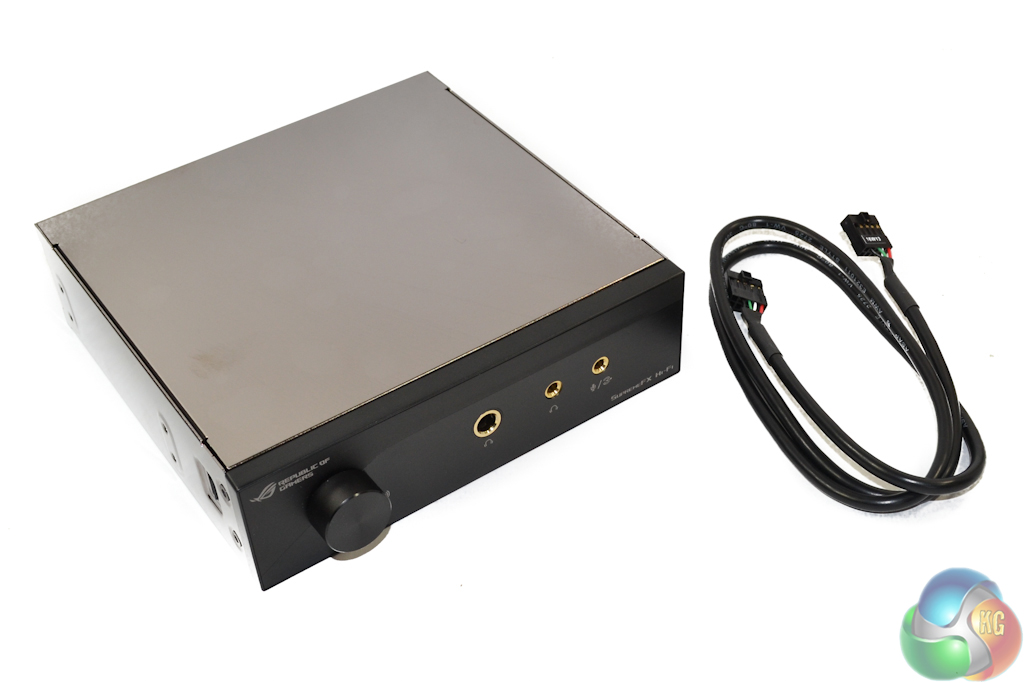
A dedicated 5.25” SupremeFX Hi-Fi box and accompany USB 2.0 header connection cable are included to give the Rampage V Edition 10 enhanced audio capabilities.
A large and pleasant-to-the-touch audio knob is mounted alongside a 6.3mm headphone jack and 3.5mm headphone and microphone connections.
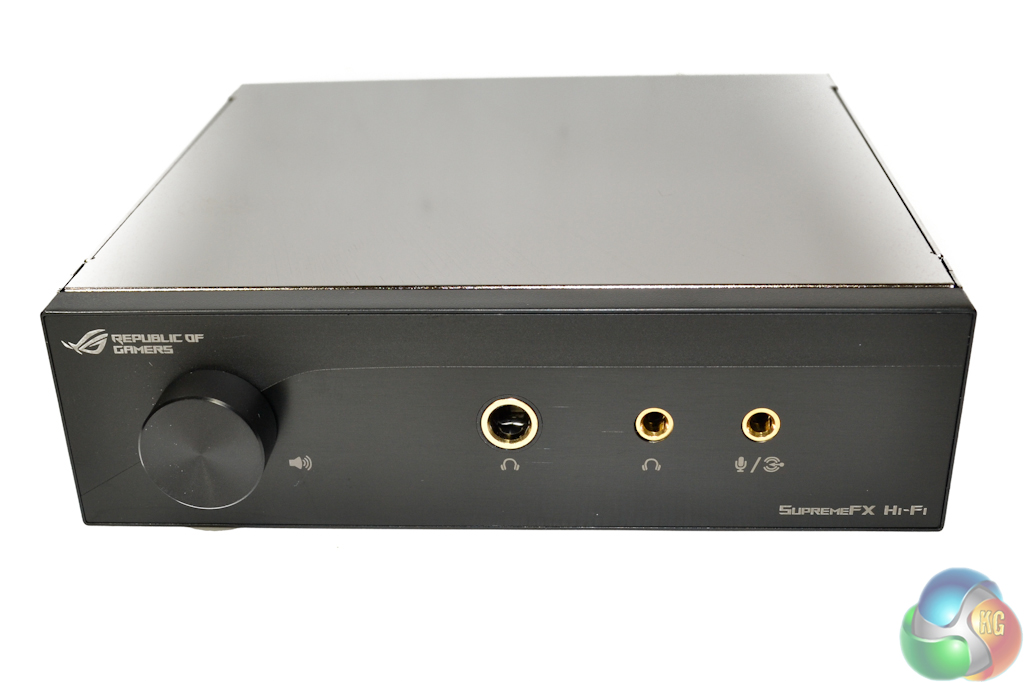
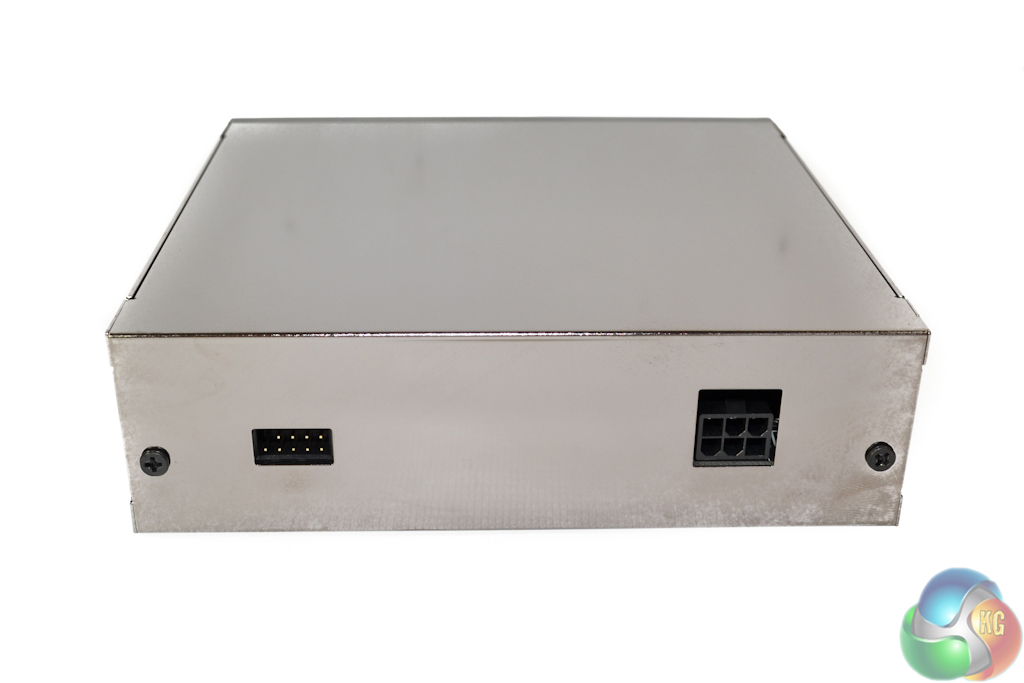
The requirement for a 6-pin PCIe power connection leads to the assumption that this box ‘means business’. An array of audio-geared components are utilised.
A pair of Texas Instruments LM4652 operational amplifiers, in addition to a dedicated TPA6120 headphone amplifier, provide capability for 32-bit, 386kHz audio with an ability to drive 600 Ohm headphones. The DAC is an ESS 9018M2M Sabre unit. Cirrus Logic is called upon for the provision of an ADC. Additionally, Nichicon and WIMA audio capacitors are utilised, as well as a de-pop relay and Asus’ dedicated Sonic SenseAmp.
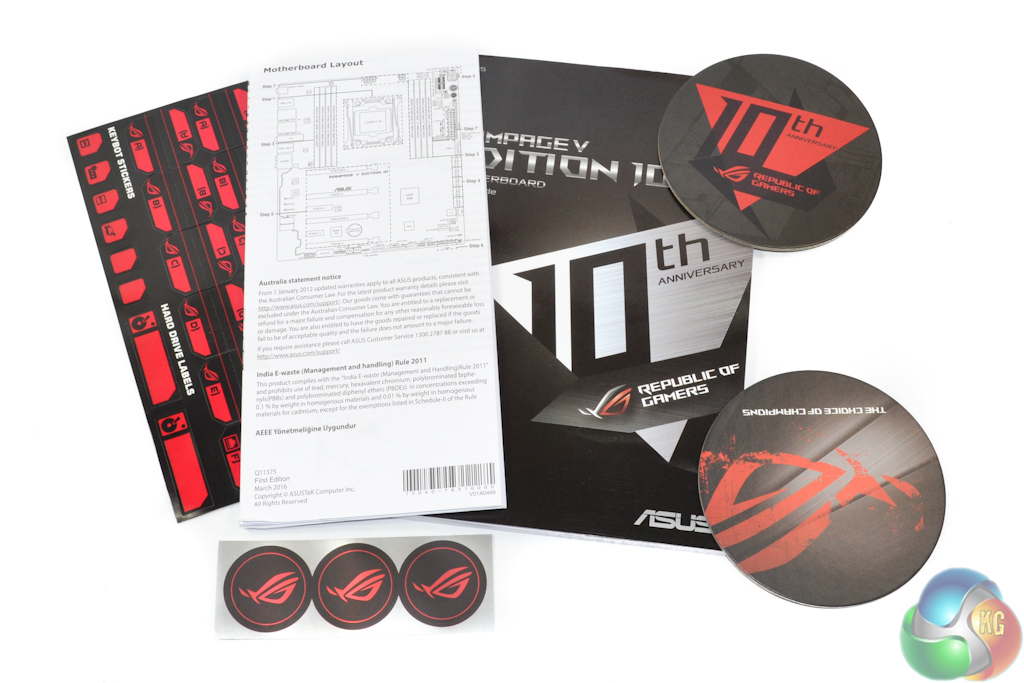
Alongside the usual documentation, Asus includes a pair of ROG coasters, three stickers, and a sheet full of cable labels.
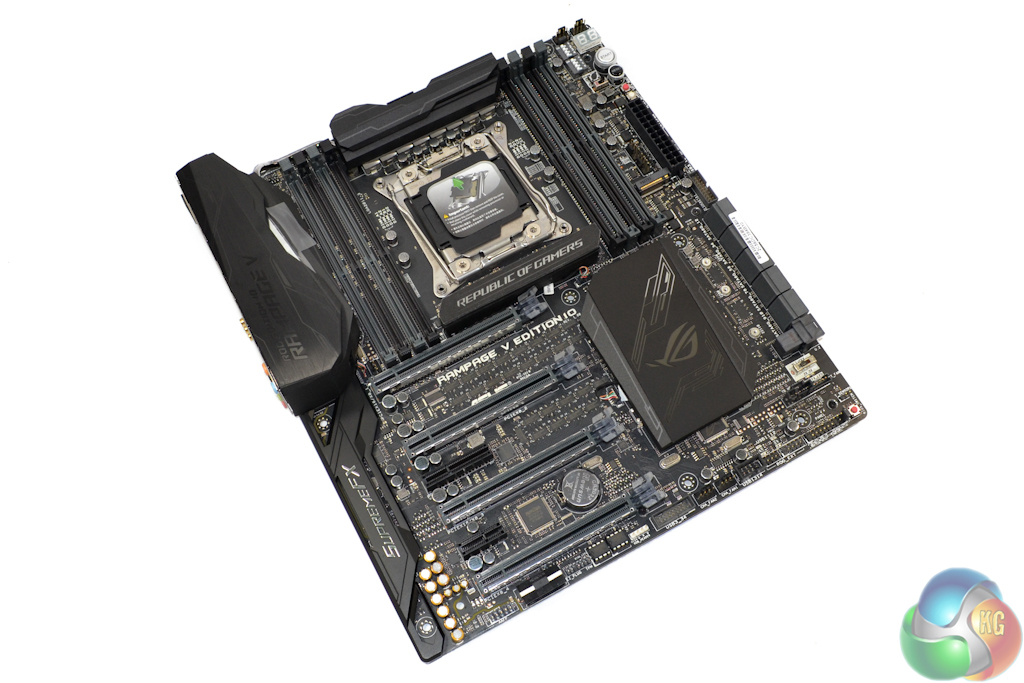
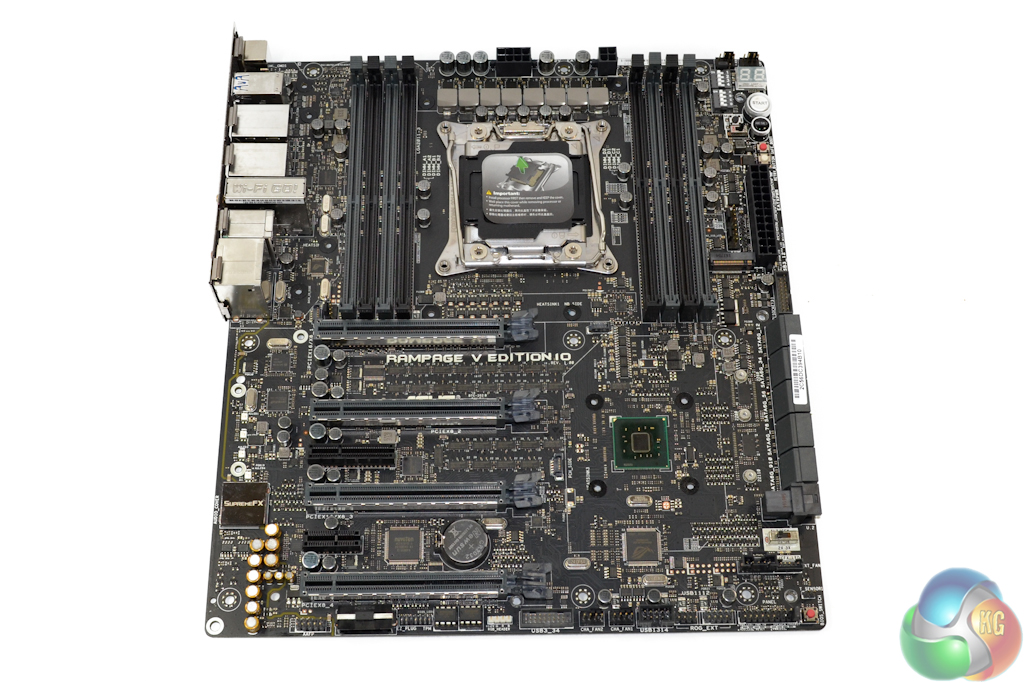
Heftiness is one of the most glaring traits of the Asus ROG Rampage V Edition 10 motherboard. EATX in stature, and featuring sizeable heatsinks, there’s no worry about this motherboard flexing under the stress of a heavy CPU cooler.
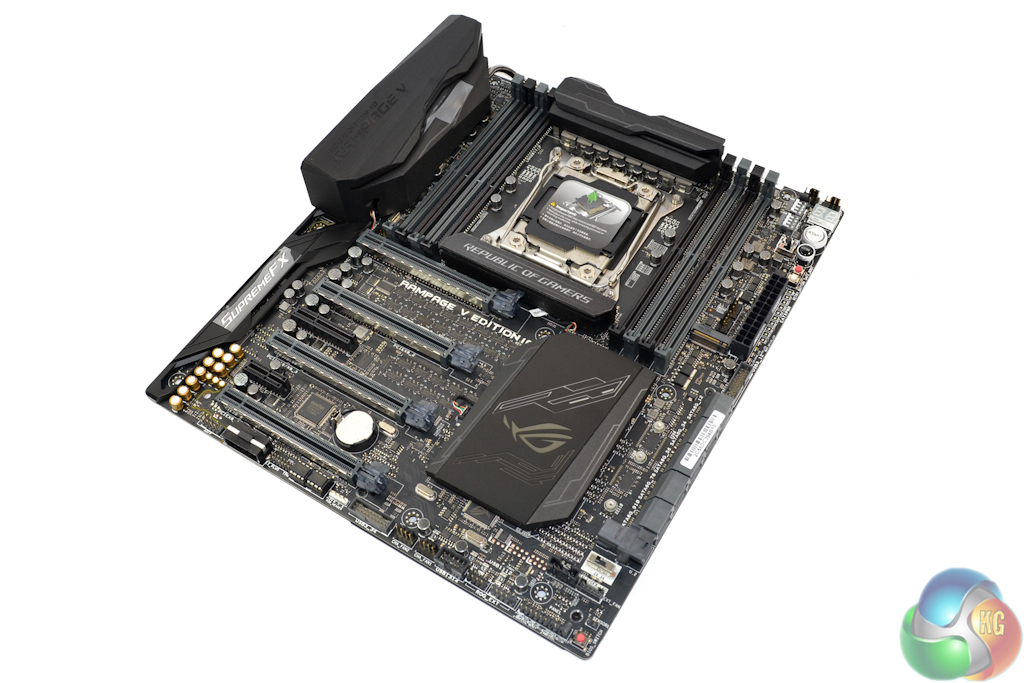
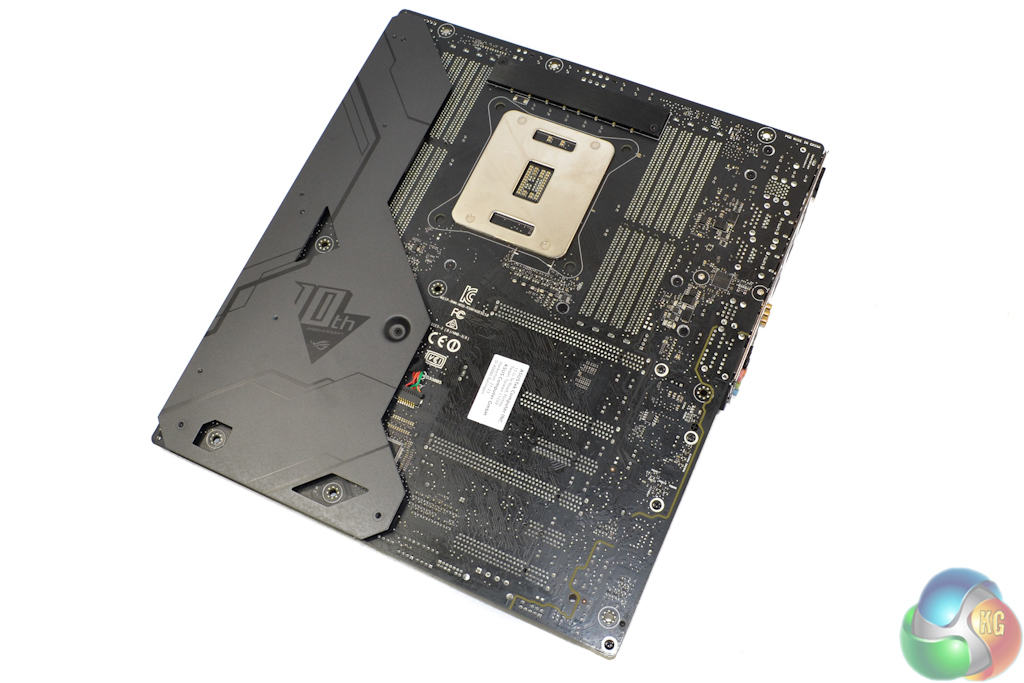
Asus veers away from the typical red and black colour scheme that is synonymous with ROG motherboards (although the Rampage IV Black Edition was a notable exception). The Rampage V Edition 10 uses a primarily black styling which features hints of grey.
Aesthetic allure is always a subjective point. Personally, I think that the colour balance works well and I am also happy to see that there is no slipping away from grey and black (like there was for a red LED on the Rampage IV Black Edition).
That rear sheet of metal houses LEDs for the board’s lighting system and also acts to enhance its structural rigidity. Ignore that metal strip behind the VRM area as it doesn’t actually cool any components directly.
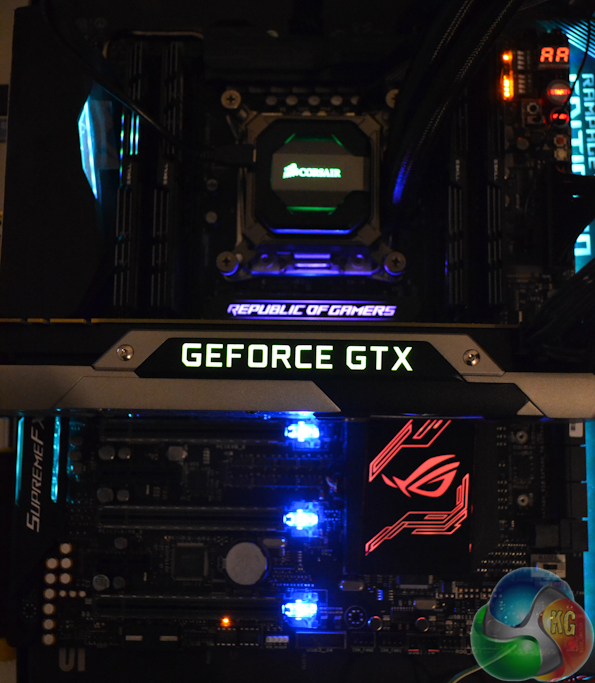
Primary RGB LED lighting zones are the rear IO and audio area, PCIe slot latches, the ‘northbridge’ heatsink, and the chipset heatsink. Colour also spills from behind the motherboard and colour matches the rear IO and audio zones.
Asus’ comprehensive software tool (which is shown later in the review) provides user-control for features such as the lighting colour and pattern. Different colours can be set for the individual lighting zones.
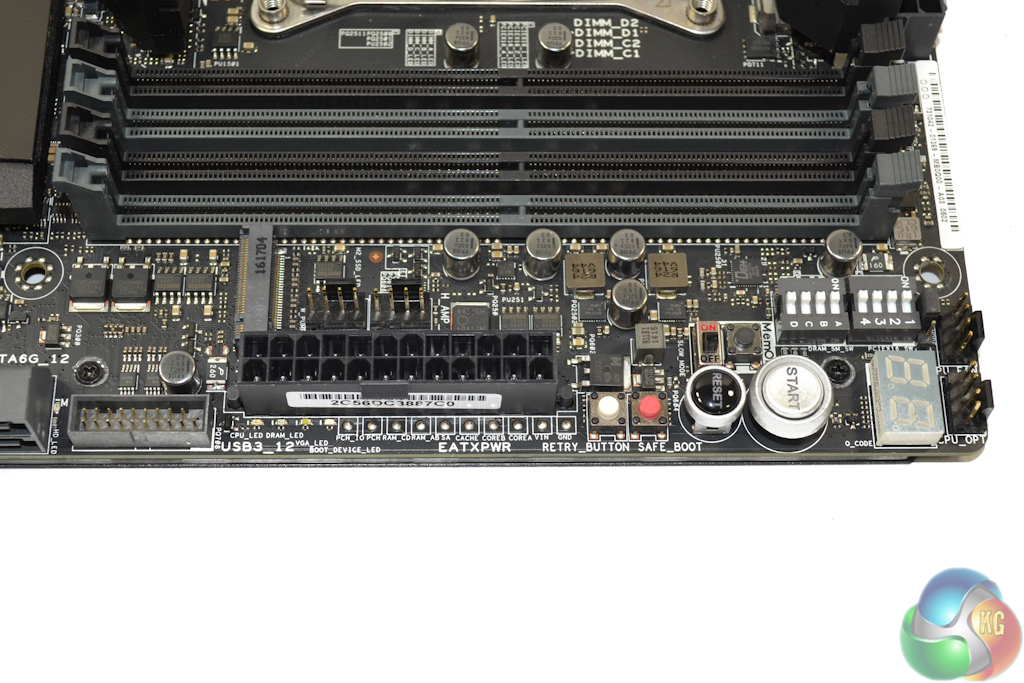
The busy 24-pin area is home to numerous buttons, switches, and headers.
Onboard start and reset buttons, in addition to a 2-digit LED display are expected inclusions for a board of this calibre. Overclocking-centric features are found in the form of dip switches for the DIMM and PCIe slots, retry and safe boot buttons, as well as LN2 and slow mode jumpers.
A set of direct voltage monitoring points (Probelt) is found in a convenient location near the 24-pin connector. This inclusion is expected by hardened overclockers who require direct readings rather than putting their faith into software. Asus could have been smarter with the Probelt points, however. The bare metal humps on the motherboard force a user to hold multimeter prongs firmly in place whilst making readings.
This is less than ideal for overclockers who want to view voltage read-outs on their multimeter while using their hands to freely adjust system settings and pour LN2. MSI has a good approach where the multimeter prongs can be fed into break-out cables that hold them in position, without requiring the overclocker’s hands.
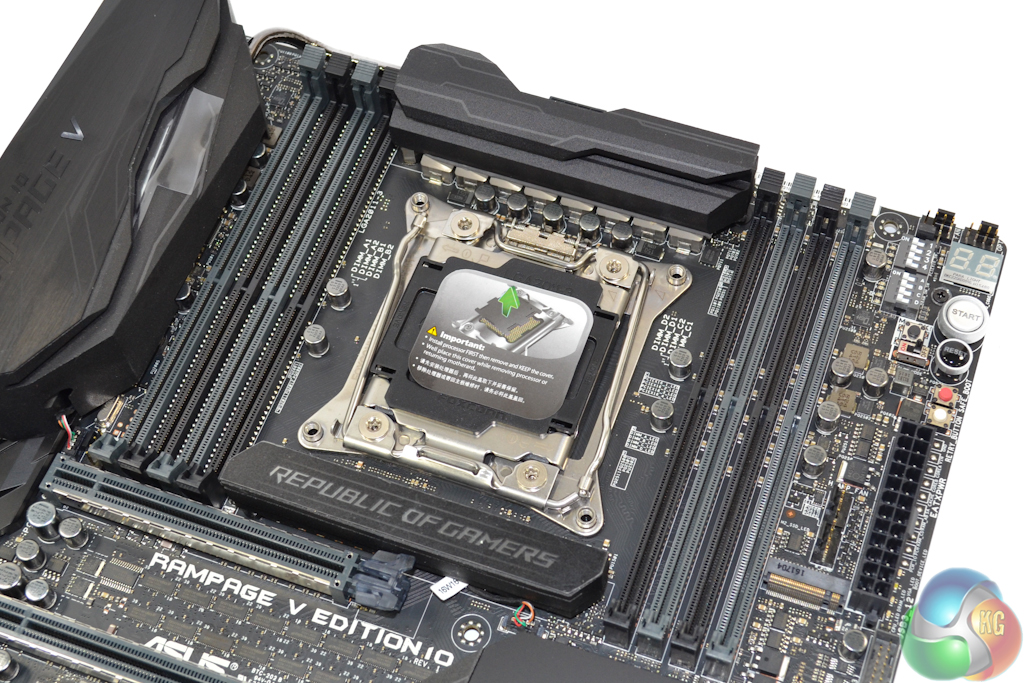
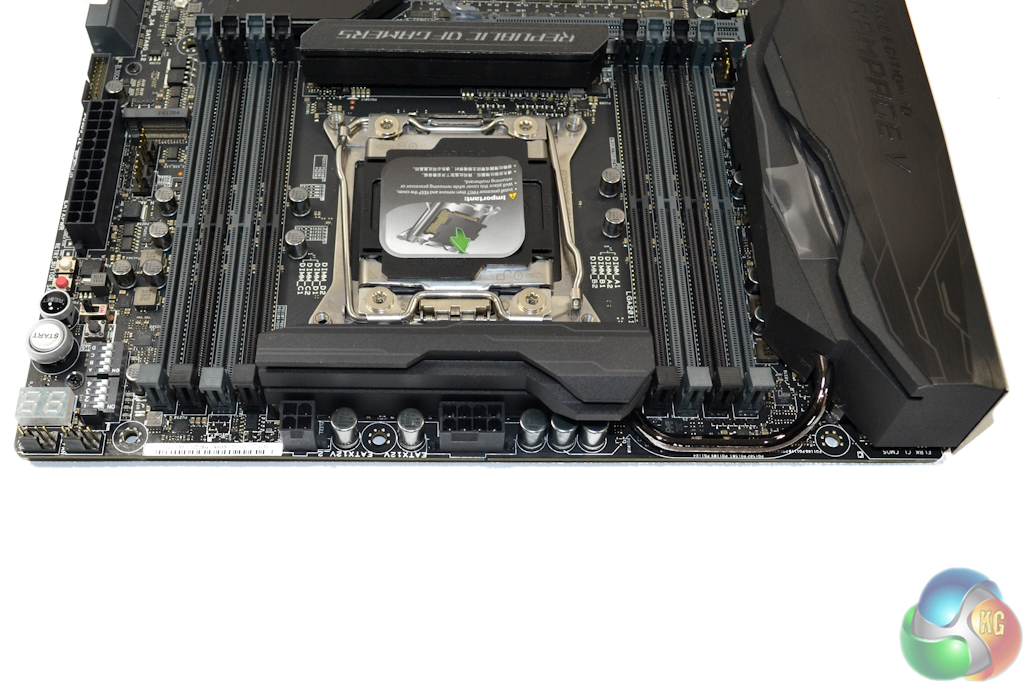
Central to the motherboard is the LGA2011-3 CPU socket. Asus uses the modified LGA2011-3 socket that it popularised at the X99 platform’s launch. The additional pins are used to enhance CPU cache capabilities and widen voltage options.
Up to 128GB of DDR4 memory can be installed in the eight DIMM slots, with Asus quoting frequency capabilities in the region of 3333MHz. With the memory slots being so close to the uppermost PCIe connector, Asus smartly uses single-latch mechanisms in order to avoid interference concerns.
Proximity of the onboard buttons to the right-side DIMM banks could highlight an issue for LN2 overclockers. The onboard buttons may be susceptible to freezing during long overclocking sessions where the memory is also put under LN2.
A supplementary 4-pin CPU power connector is used alongside the standard 8-pin port to enhance the power and current capability to a heavily overclocked CPU. The power connectors are nestled nicely behind the VRM heatsink which is good for users who need to conduct cable management inside a chassis.
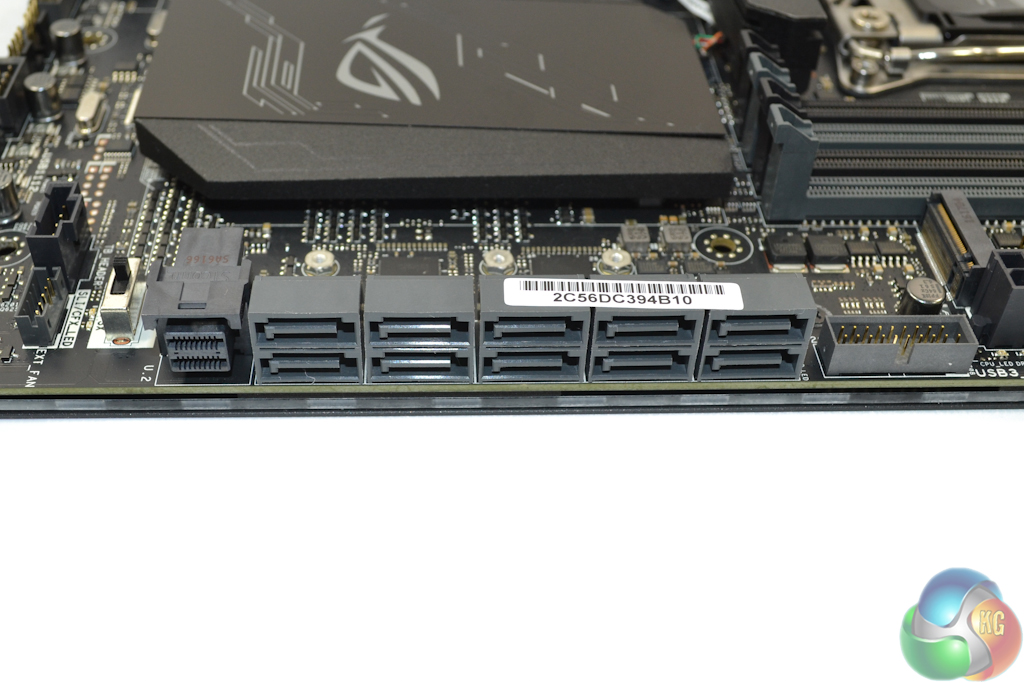
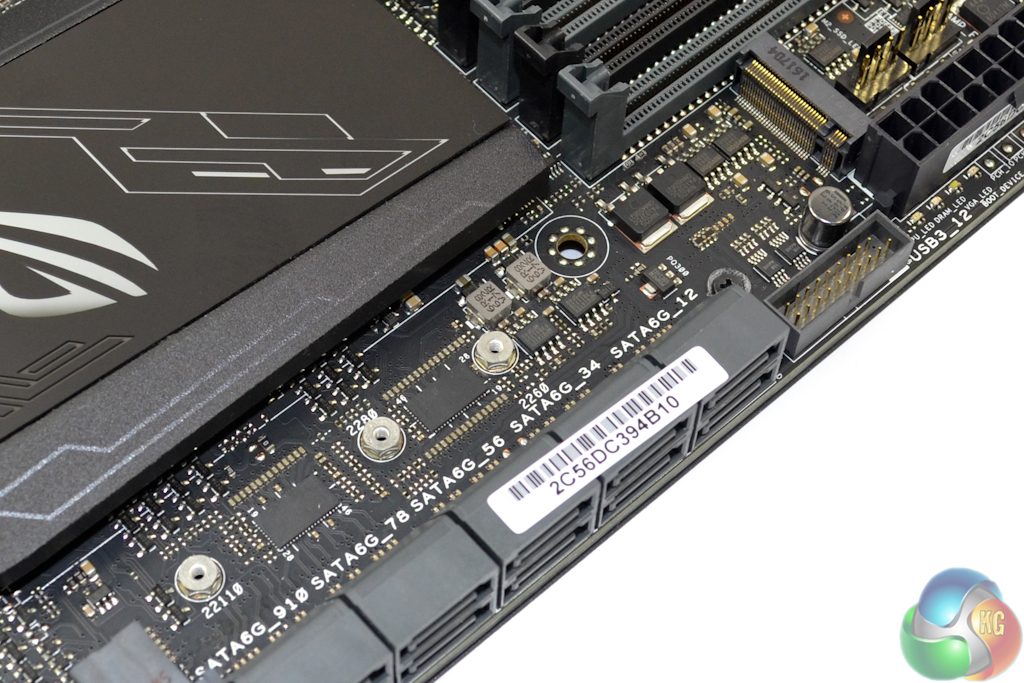
All ten of the right-angled SATA 6Gbps ports operate directly from the X99 chipset. Note the omission of SATA-Express. That’s not a problem to most users, but it may be annoying to those who want to run a front panel USB 3.1 connection box. That outwards-facing USB 3.0 header is fed by the X99 chipset.
The U.2 port uses four PCIe 3.0 lanes run from the CPU in order to provide up to 32Gbps of bandwidth. NVMe PCIe storage devices, such as the Intel SSD 750, are supported. Identical bandwidth and PCIe routing is used for the PCIe-only M.2 connector that supports up to 110mm-long SSDs.
Both the U.2 and M.2 slots can be used simultaneously at full PCIe 3.0 x4 bandwidth. They do, however, steal lanes from the lowermost full-length PCIe 3.0 x8 slot, unless a 4-way GPU configuration is used.
According to Asus, four GPUs will run at x8 each, with 8 total lanes being allocated for the U.2 and M.2 connectors. It is impressive that such GPU might can be used alongside a pair of high-speed storage interfaces.
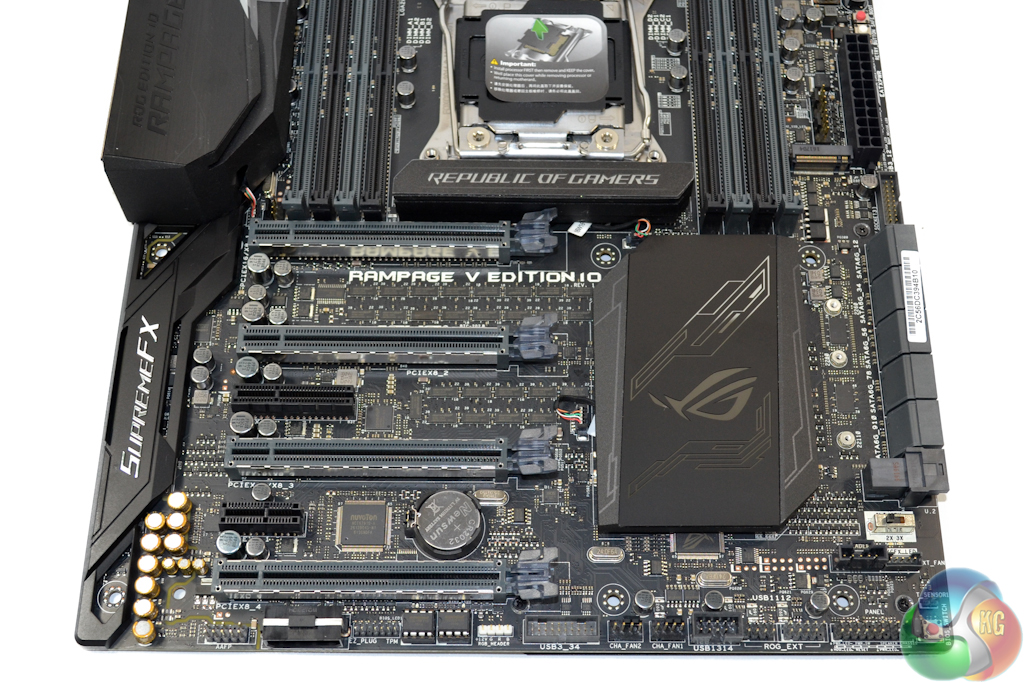
Each of the full-length PCIe slots uses Gen 3 lanes directly from the LGA 2011-3 CPU. The slots are hard-wired as x16/x8/x16/x8, meaning that both Nvidia SLI and AMD Crossfire are supported up to 4-way.
This lane distribution decision is smart as it provides ample cooling for popular two-card configurations. Bandwidth allocation is significantly different with a 28-lane CPU, although pairing a <£400 CPU with this £500 motherboard would be questionable budget allocation.
Focussing on the physical characteristics, Asus uses a stronger slot design which the company calls SafeSlot in order limit graphics card sagging and damage during shipping of a system.
An open-ended PCIe 2.0 x4 slot can be used for high-bandwidth devices such as RAID cards. Despite Asus’ use of an ASMedia ASM1184e PCIe 2.0 x1-to-x4 bridge chip, the physical slot is forced to share bandwidth with rear USB 3.0 ports and one of the USB 3.0 headers. The open-ended PCIe 2.0 x1 slot is useful for lower bandwidth devices such as a HDMI capture card.
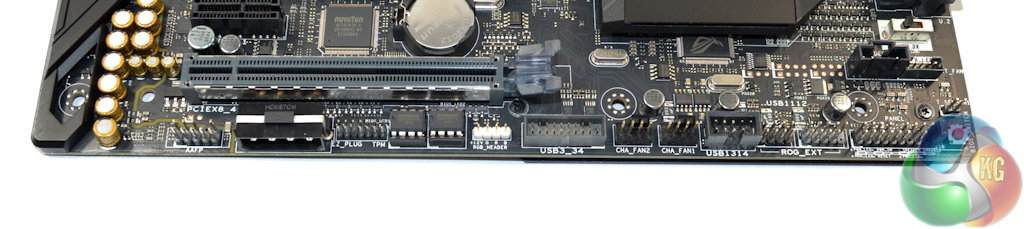
In addition to the usual front panel connections, Asus provides a 4-pin molex connector to boost power delivery to hefty multi-GPU configurations. I would have preferred this connector to be of a SATA or PCIe variety as the 4-pin molex interface is becoming less common.
Dual socketed BIOS chips and a selector button provide redundancy against catastrophic BIOS failure. Next to the BIOS chips is the Aura RGB header for lighting strip connections.
There’s an additional USB 3.0 header along the bottom edge which is fed by the X99 chipset but also shares bandwidth with the PCIe 2.0 x4 connector. I am disappointed by the inclusion of only two USB 2.0 headers, one of which can be tied up by the ROG extension device. It’s important to remember that the SupremeFX HiFi audio box also requires a USB 2.0 header.
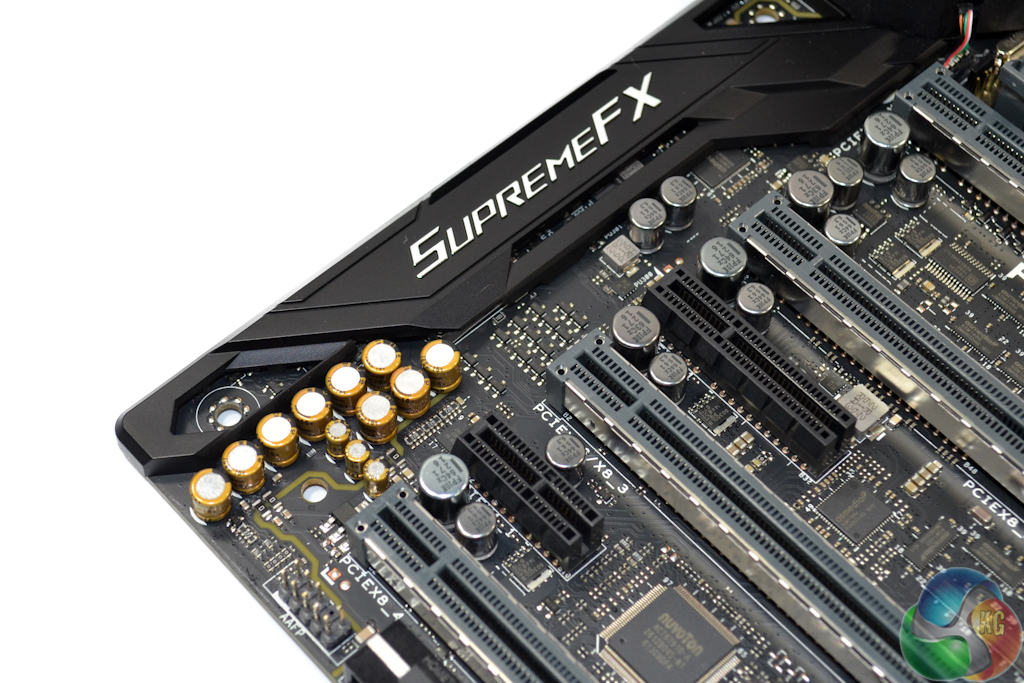
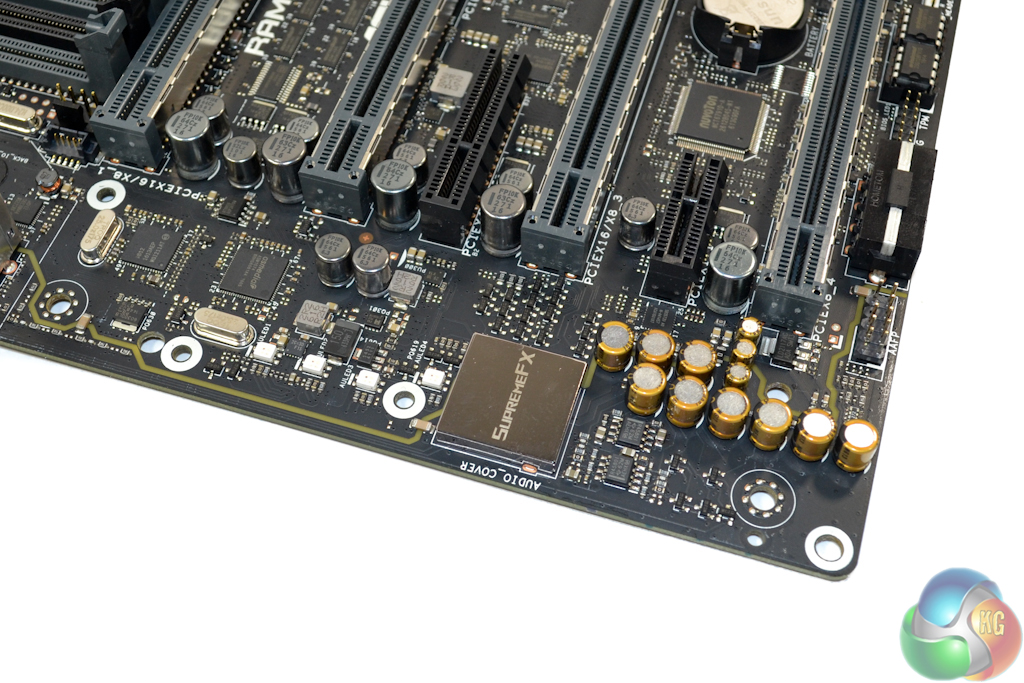
Realtek’s ALC1150 audio codec is central to the onboard SupremeFX audio solution. Accompanying components include two Realtek R45801 op-amps and Nichicon audio capacitors.
Shielding of the codec and dedicated PCB paths are used to minimise signal interference.
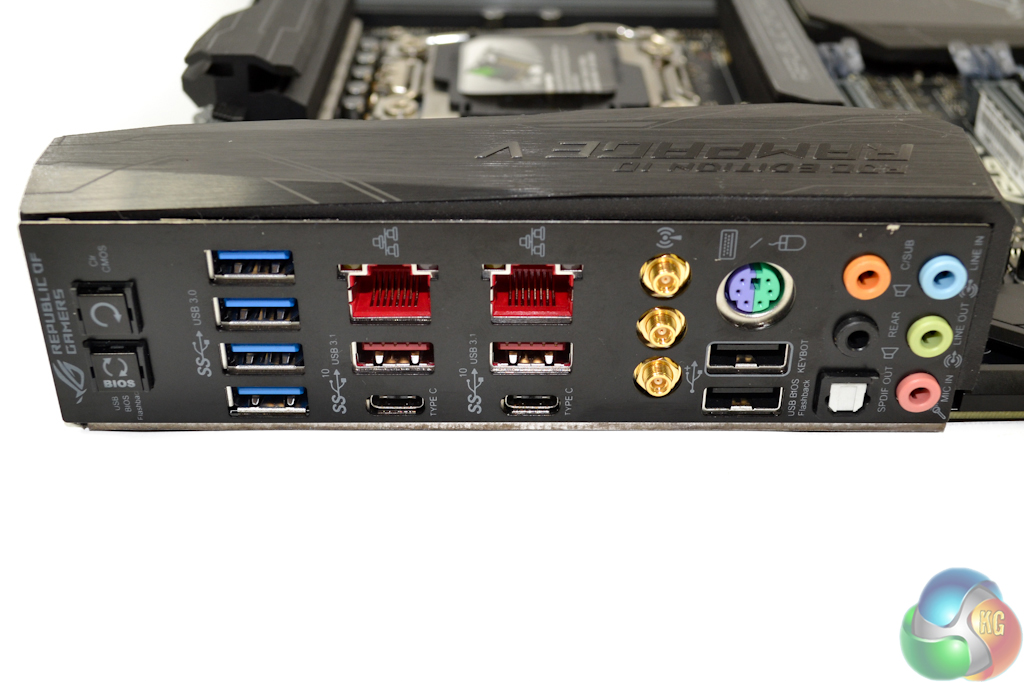
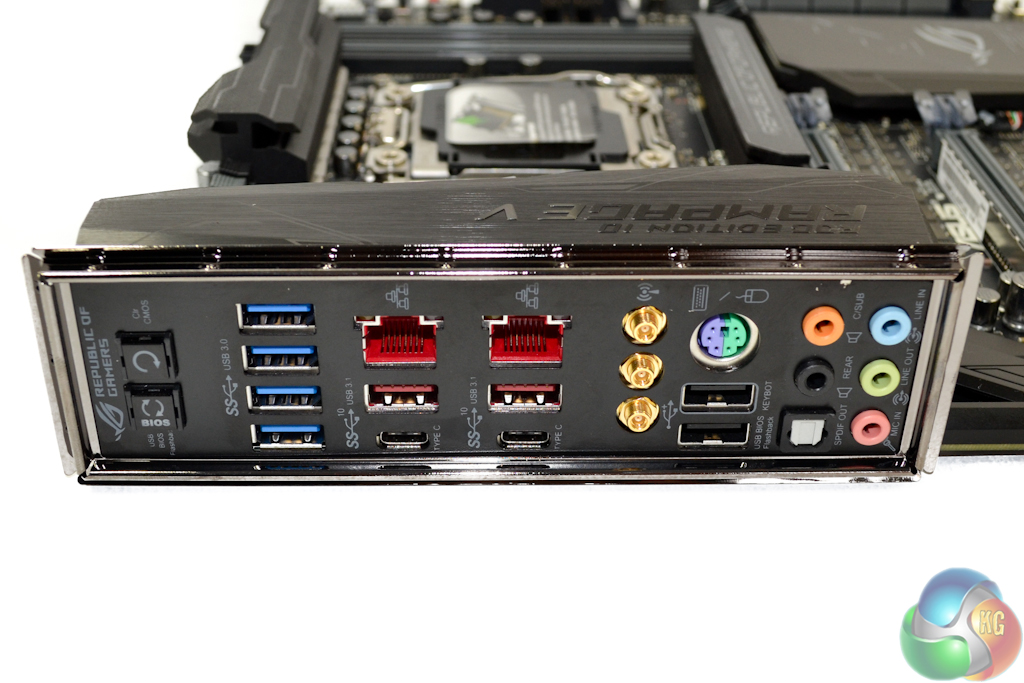
A wide variety of connections are found behind the Rampage V Edition 10’s pre-mounted IO shield. BIOS Flashback and Clear CMOS buttons are ideal for overclocking scenarios. Four USB 3.0 ports are provided with assistance from an ASMedia ASM1074 hub chipset.
Dual Gigabit Ethernet ports are provided by Intel I218V and I211AT chipsets. Killer NICs are dismissed as Asus’ GameFirst IV software provides network management capabilities. Further networking performance comes from the Broadcom 3-stream 1.3Gbps 802.11ac WiFi connector.
Two 10Gbps USB 3.1 Type-A and two 10Gbps USB 3.1 Type-C ports are provided by a pair of ASMedia ASM1142 host controllers and Etrontech EJ179V Type-c logic chipsets. Given the board’s premium status, it is disappointing to see that Intel’s superior Alpine Ridge USB 3.1 controller is not selected. Thunderbolt 3 support is also another notable omission for a £500 motherboard whose price tag shouldn’t translate into compromise.
A legacy PS/2 port is useful for troubleshooting overclockers. Two USB 2.0 ports are ideal for mouse and keyboard duties. One of the ports is dedicated to the Keybot utility with the other supporting Asus’ USB BIOS Flashback. Audio connections are the standard affair.
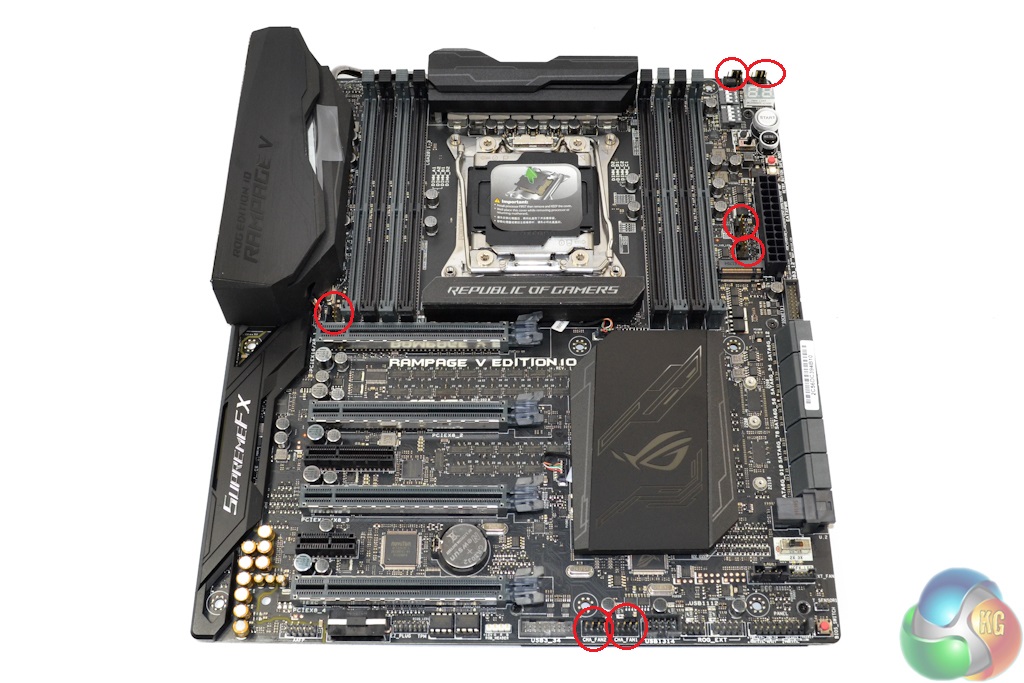
Asus provides seven onboard 4-pin headers, and backs them up with some degree of BIOS- and software-level control. Distribution of the fan headers is superb. The bundled external board provides an additional three 4-pin fan headers, albeit at the expense of one on the motherboard.
Fan speed control and system monitoring functions are the duty of Nuvoton NCT6791D-A and multiple ROG chipsets.
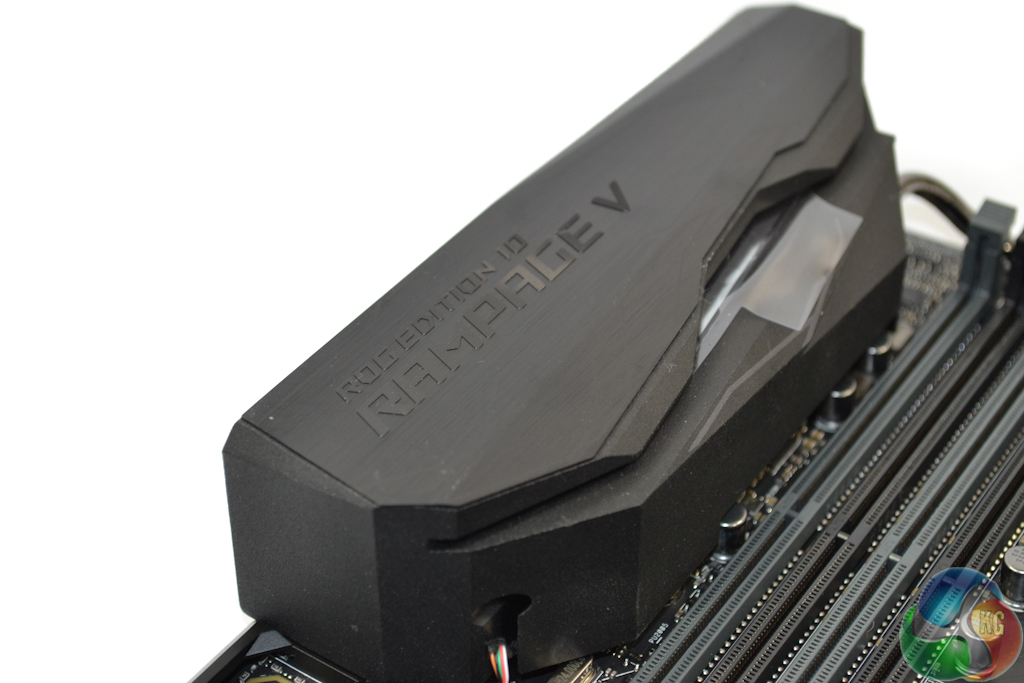
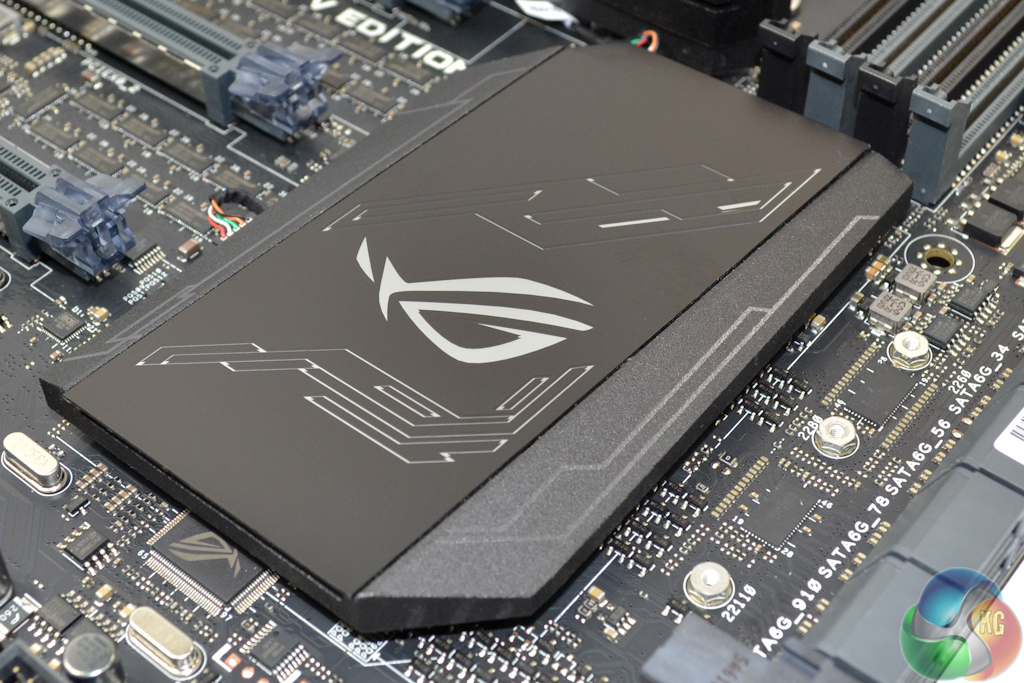
RGB LEDs are housed inside the hefty chipset heatsink and rear IO cover. A heatpipe joins the VRM heatsink and rear IO cover, thus increasing the thermal performance of the physically larger unit.
All of the heatsinks can be removed with relative ease in order to allow for waterblock fitting.
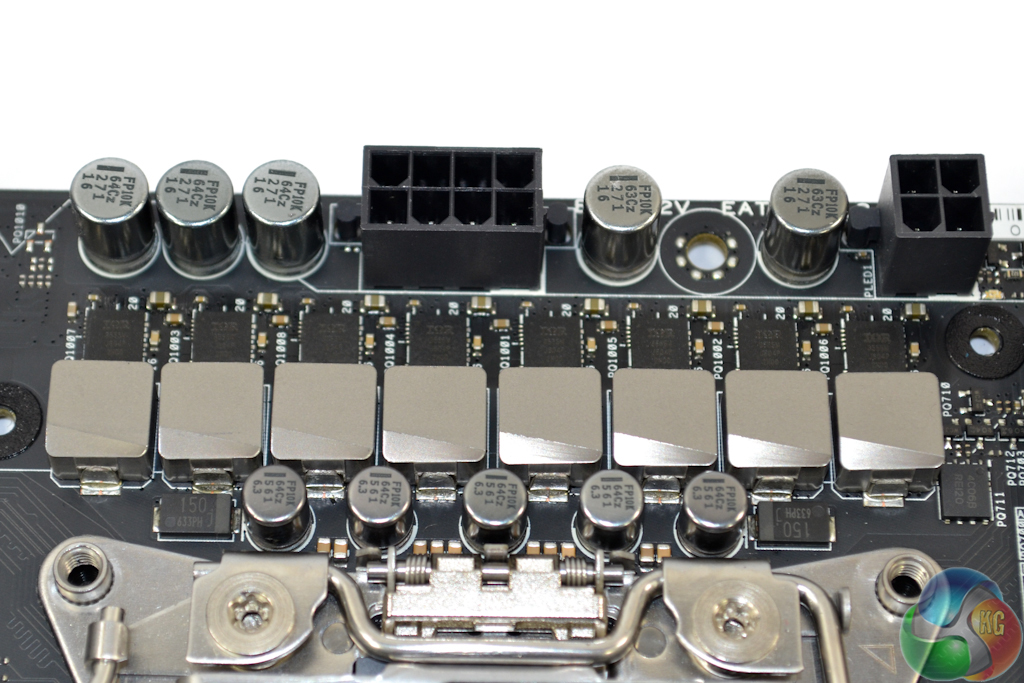
The 8-phase CPU power delivery system is driven by Asus’ Digi+ ASP1257 PWM. Eight of International Rectifiers’ well-respected 60A IR3555M integrated PowIRstage solutions are used. There are no dual driver ICs which implies that Asus’ PWM is in fact a true 8-phase design.
10K-rated capacitors and MicroFine alloy chokes complete the primary CPU power delivery system.
Memory looks to be a two-phase approach per DIMM bank, with a supplementary phase for powering other system parameters. Each set of four DIMM slots is flanked by a Digi+ ASP1250 PWM, a GStek GS9238 buck converter, and two chokes and MOSFETs.
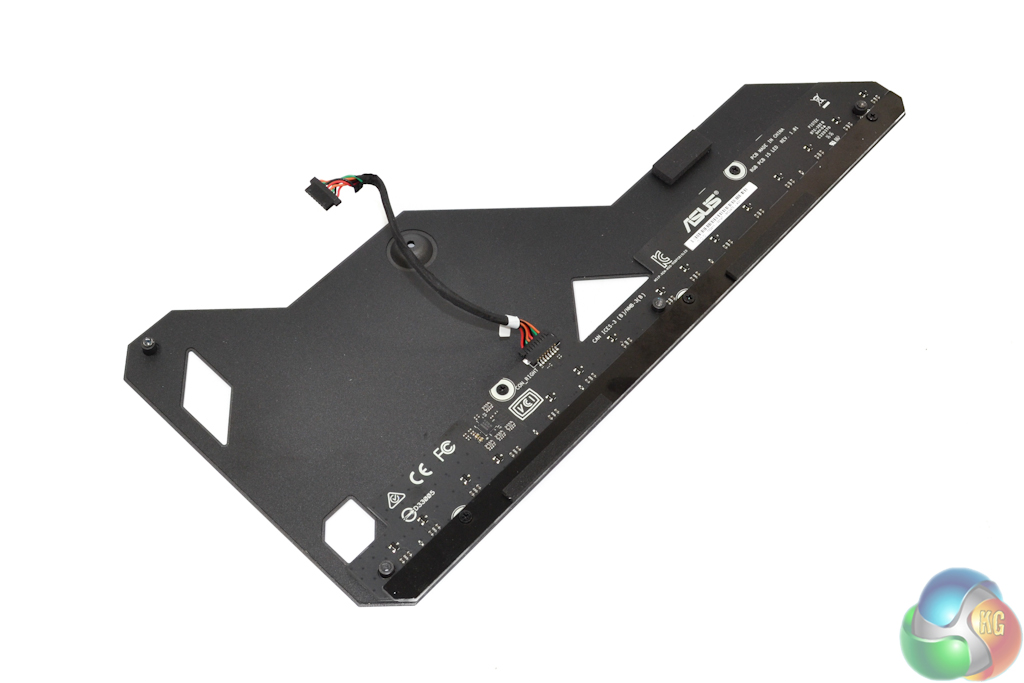

Enhancing the board's structural rigidity is the primary goal for the backplate. Asus also uses the sheet of metal as a way of mounting RGB LEDs.
The sizeable, LED-equipped heatsink does a good job at cooling the VRM even under heavy load. In addition to cooling the MOSFET solutions, Asus also applies a thermal strip to the heatsink in order to provide some level of choke cooling. A smart move.
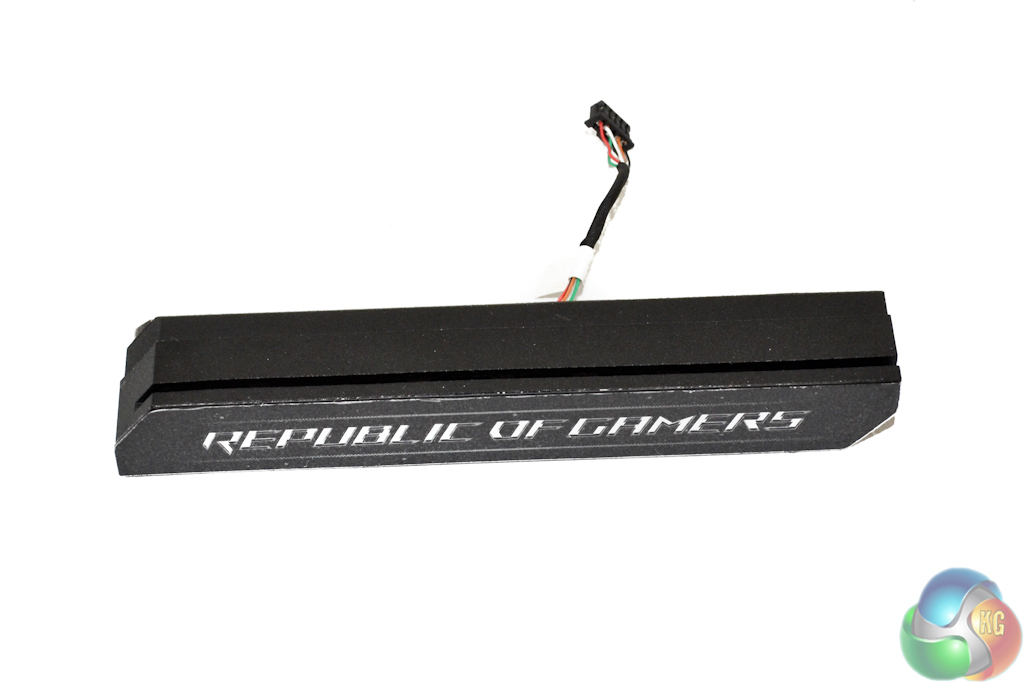
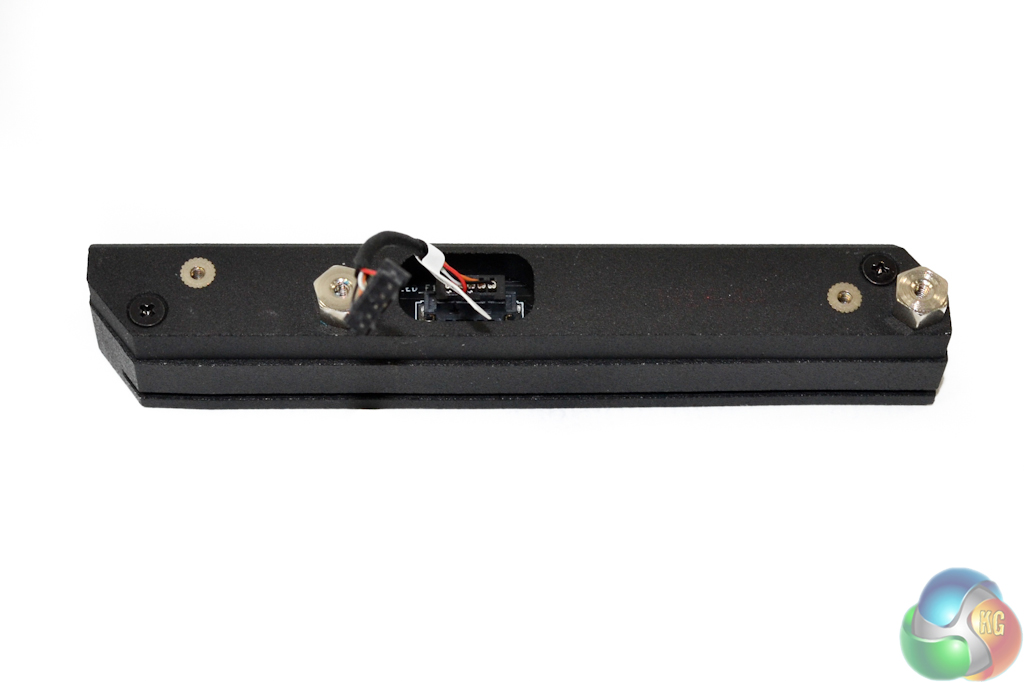
No significant cooling is conducted by the ‘northbridge’ heatsink. Its purpose is to look good and house LEDs as well as the Republic of Gamers branding.
Asus ROG X99 UEFI
Firstly, we are pleased to report that our generic wireless mouse worked correctly in the Asus ROG X99 UEFI. Some mice can be troubling with UEFI support, so when a generic wireless unit functions correctly in the interface, that is usually a good sign for overall mouse support.
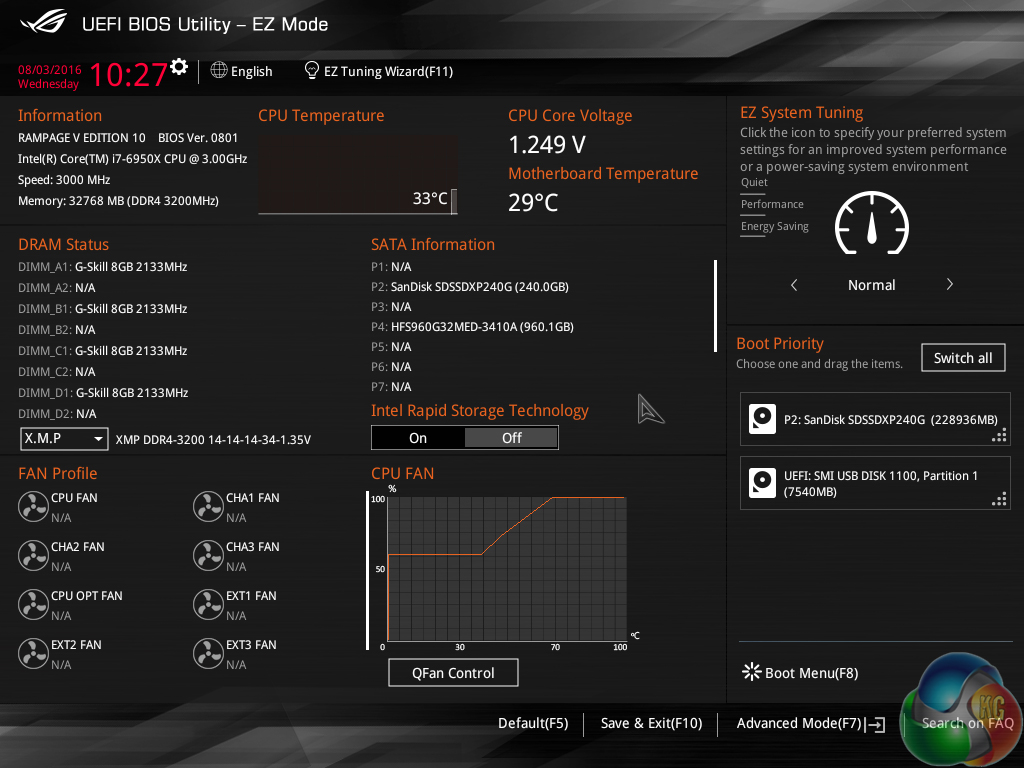
After a slow POST which measured almost 10 seconds using default and frequency-tuned settings, Asus’ UEFI can be dived into.
Asus includes a dedicated EZ Mode UEFI section that provides the ability to view and adjust basic system parameters. This section is ideal for novice users as well as those times where a quick setting adjustment is required.
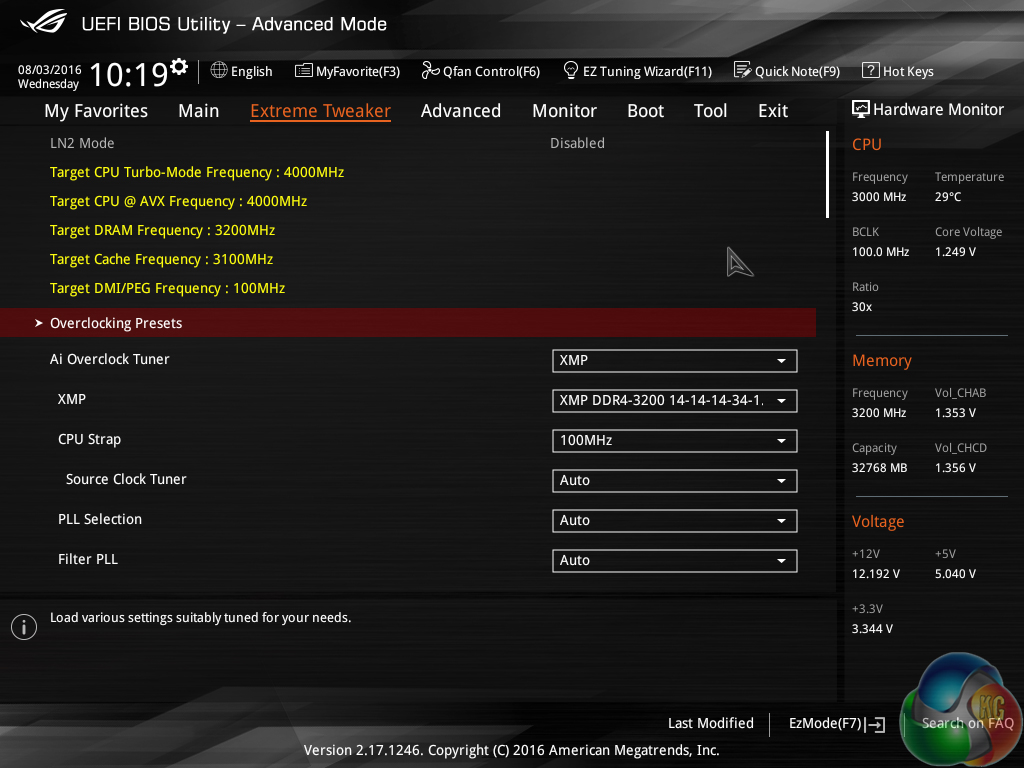
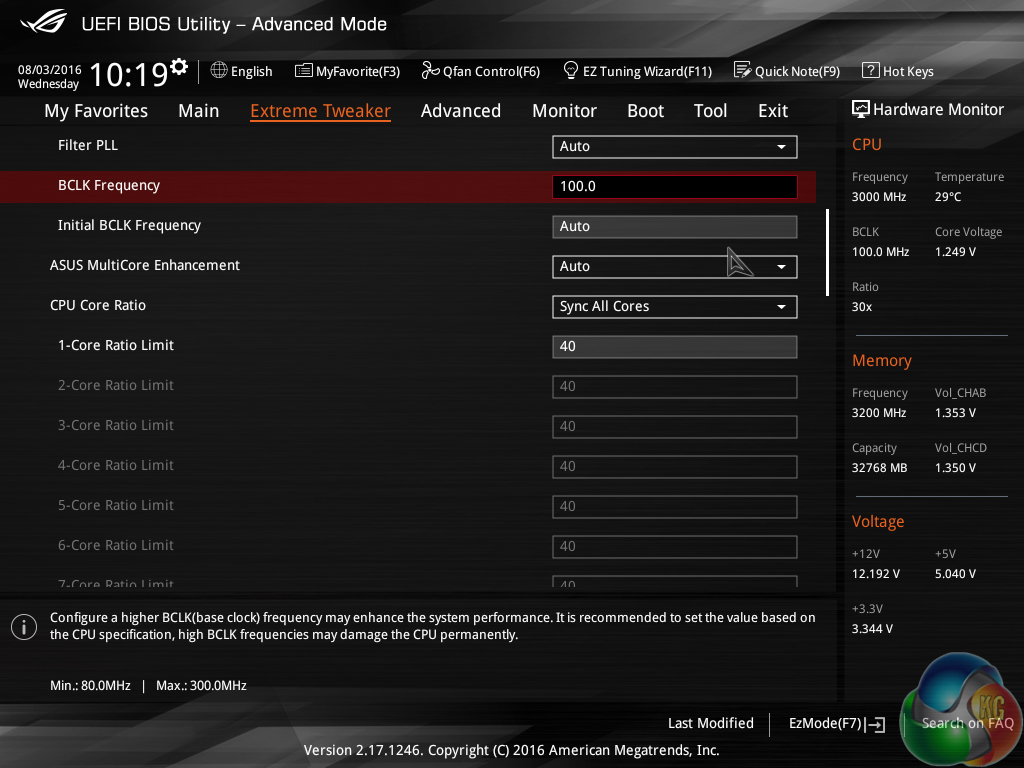
Pressing F7 allows the advanced sections of Asus X99 UEFI to be entered. The page of most interest is Extreme Tweaker, as this is where the main system settings such as voltages and clock speeds are controlled.
Yellow text at the top of the page indicates the target settings when settings are changed (or the current settings if they are not adjusted).
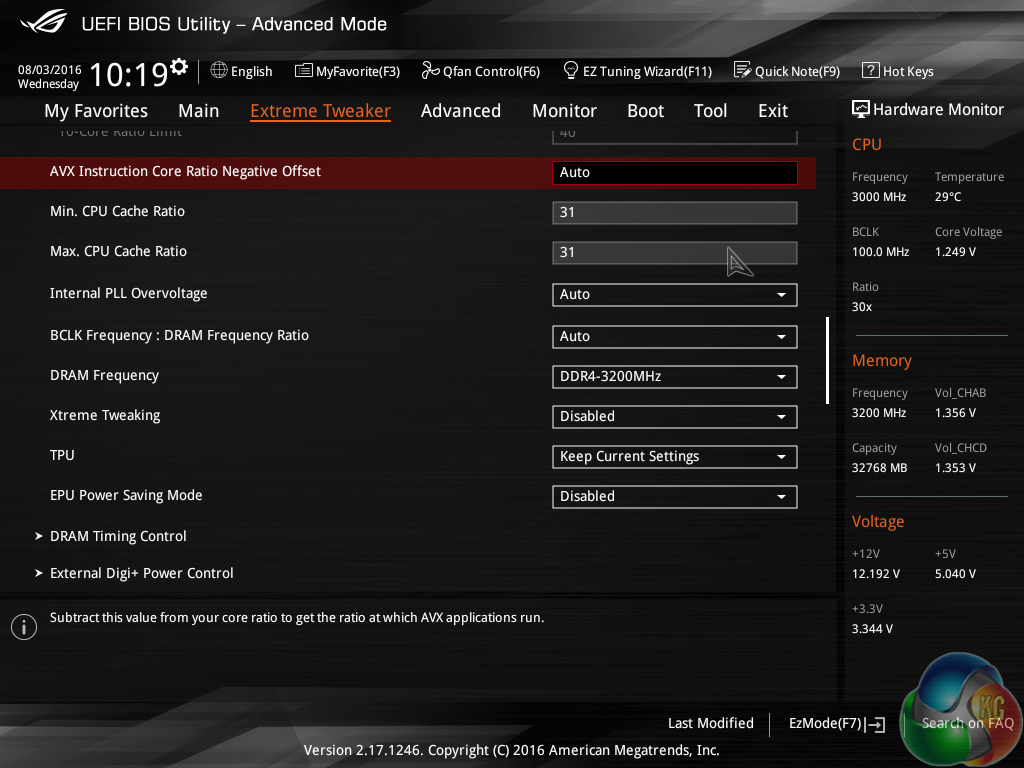

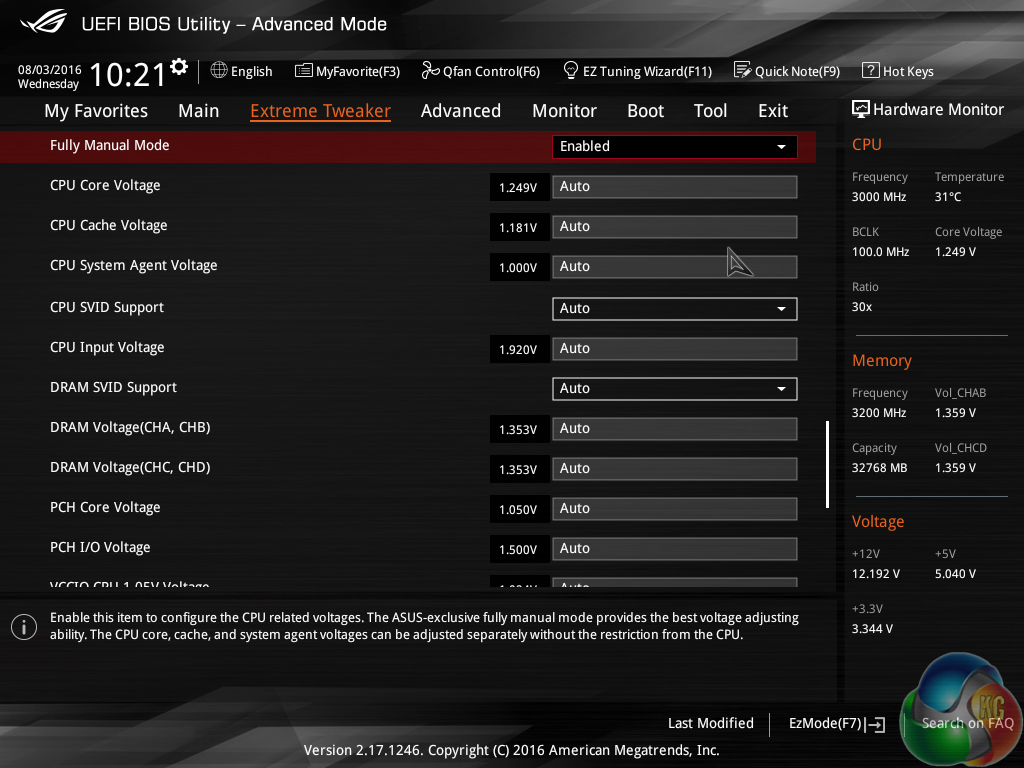
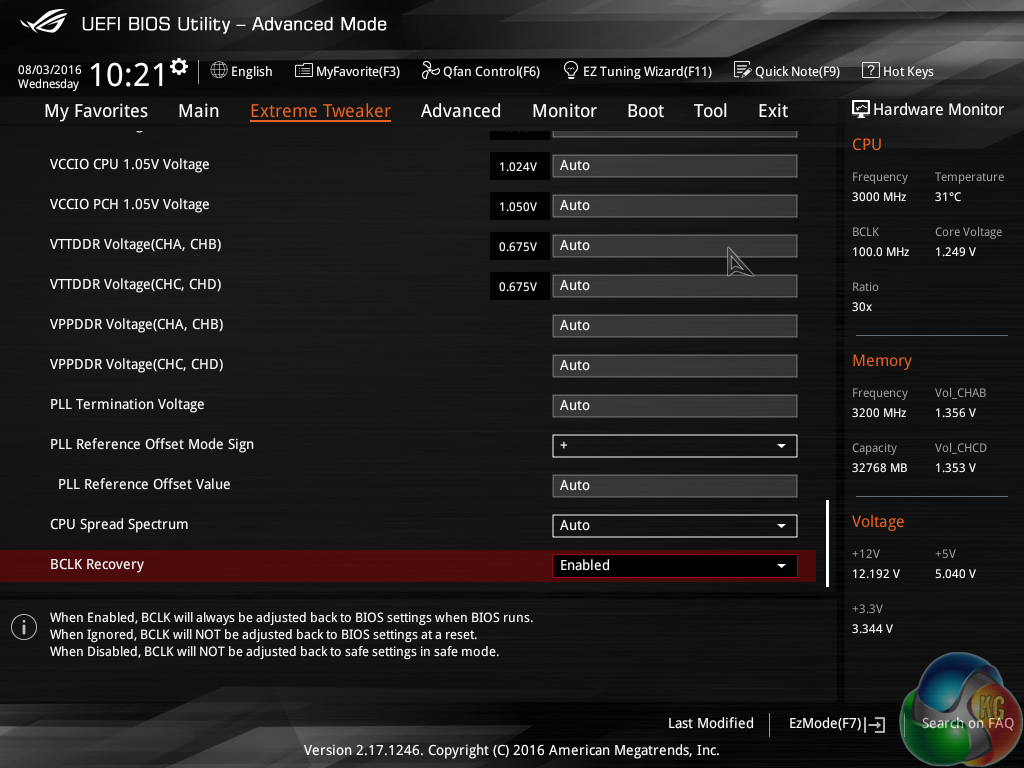
There is plenty of scope for adjustment in relation to voltage, frequency, and ratio settings. Asus’ clear approach to UEFI layout has transferred over to the Rampage V Edition 10 as the interface is very easy to navigate and control.
Placing a Hardware Monitor section down the right side of the page is a smart move. It allows users to view their current operating parameters and quickly compare them to planned adjustments.
Another smart move is Asus’ use colour to indicate how the level of voltage selected relates to ‘safe’ suggestions. Purple, yellow, and red are used to provide user assistance, which is particularly helpful for users upgrading from older platforms with significantly different voltage requirements.
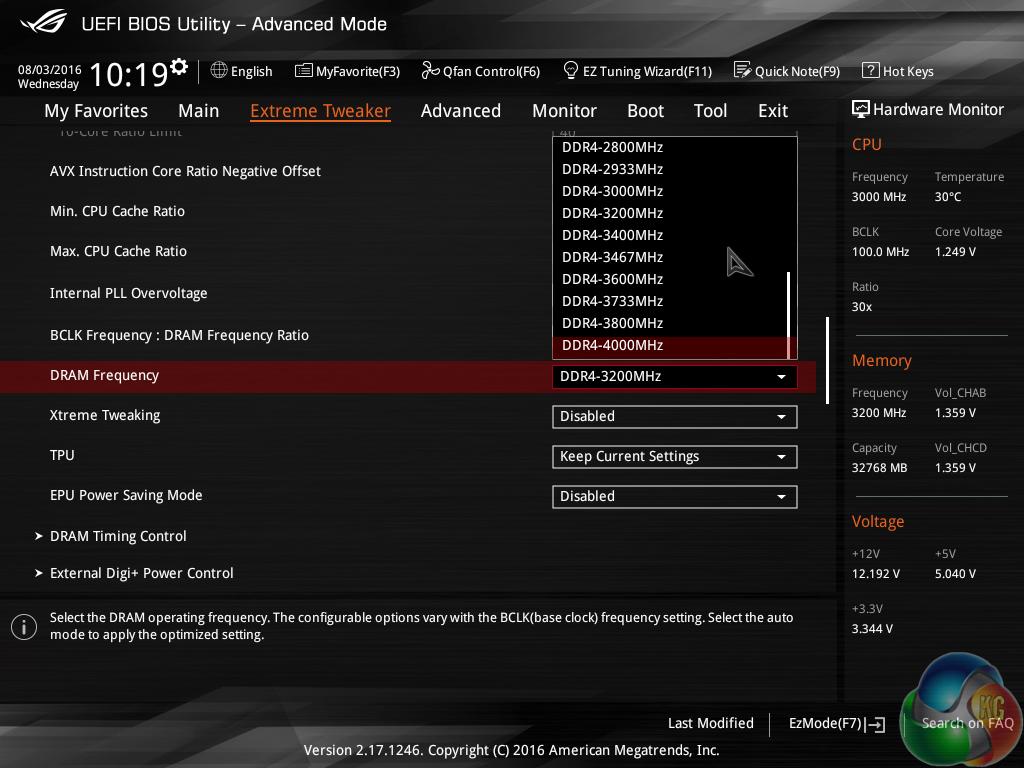
DRAM dividers up to 4000MHz can be selected. Asus provides good granularity between the dividers, allowing for more in-depth tweaking.
While 4000MHz frequencies are extremely high for the current crop of DDR4 modules, having high dividers is beneficial to overclocking enthusiasts who may want to tweak the BCLK while also maintaining a high effective DRAM clock speed.
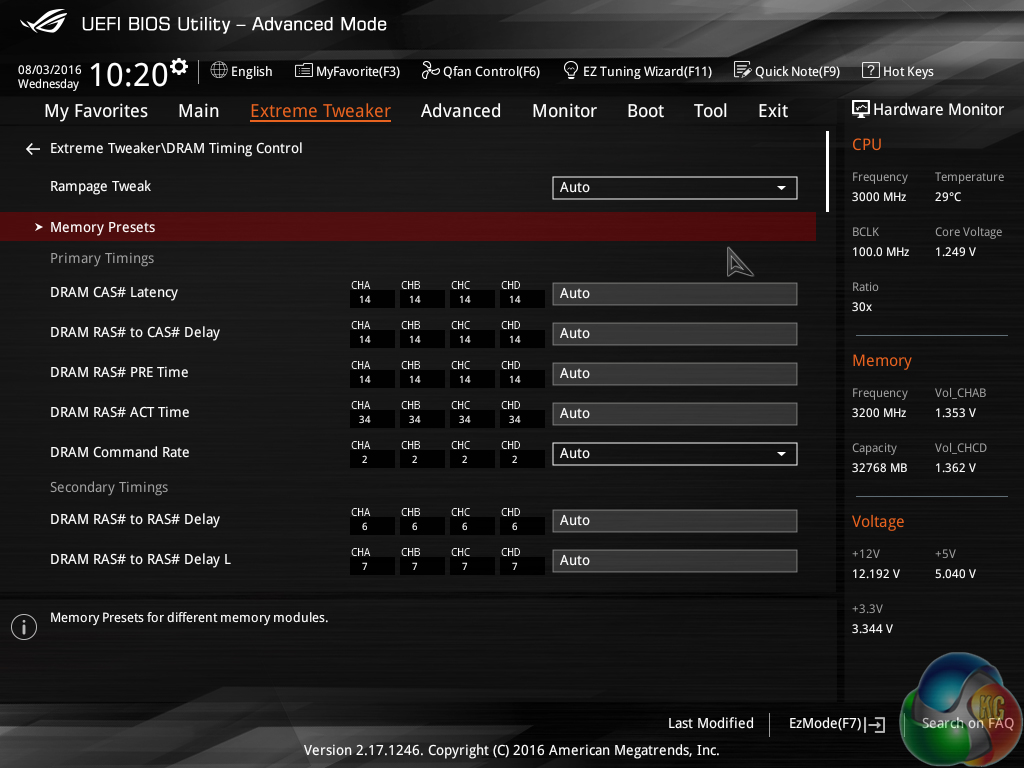
Plenty of control over timings is to be expected on a motherboard of this calibre. There is also a subsection for preset memory frequency and timing profiles.
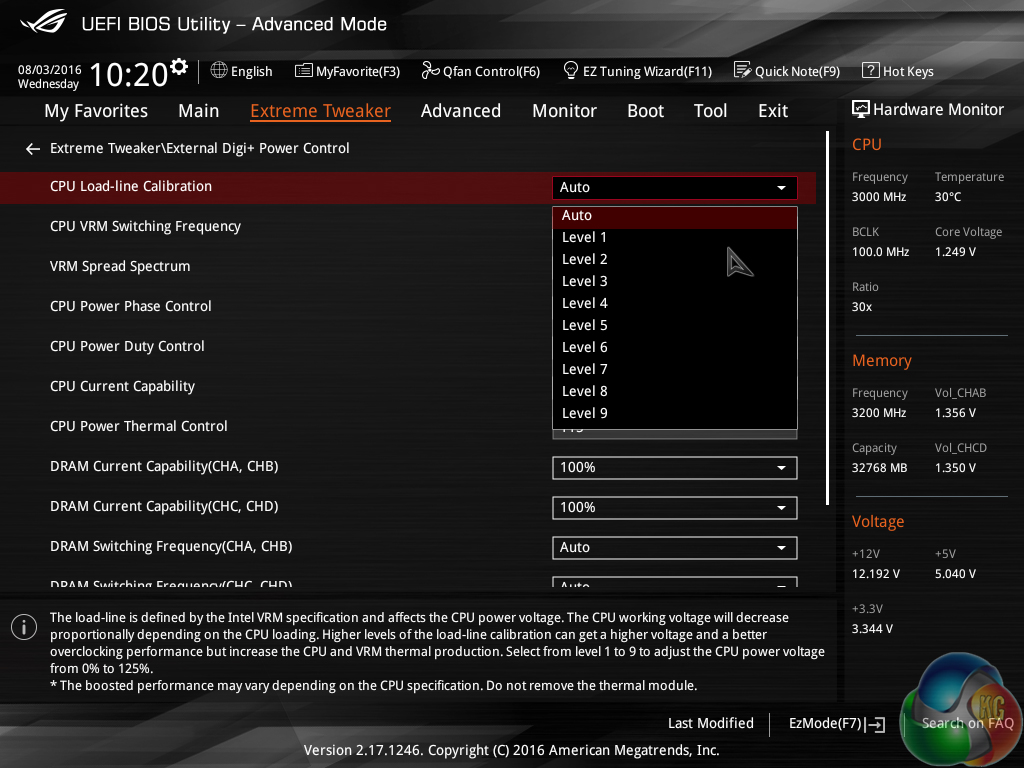
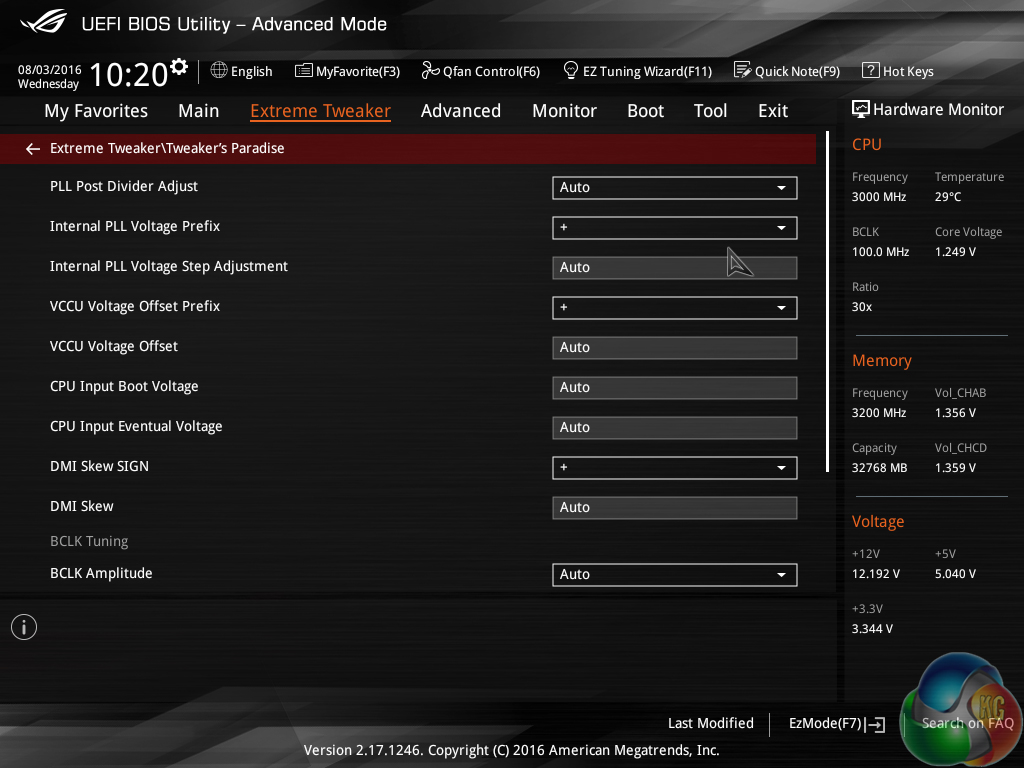
Further user-led adjustment opportunities are provided through a number of subsections.
External Digi+ Power Control is the area where settings related to the motherboard’s management of the primary components are found. Nine CPU load-line calibration (LLC), although Asus does not do a good job at clearly outlining what each setting offers. ASRock has a far better system whereby a labelled voltage against load graph shows visually how each LLC level operates.
Tweakers’ Paradise gives an even greater level of control over settings that may be desirable to extreme overclockers. This subsection is unlikely to be visited by general enthusiasts or even power users who aren’t extremely familiar with a deep level of motherboard operation.
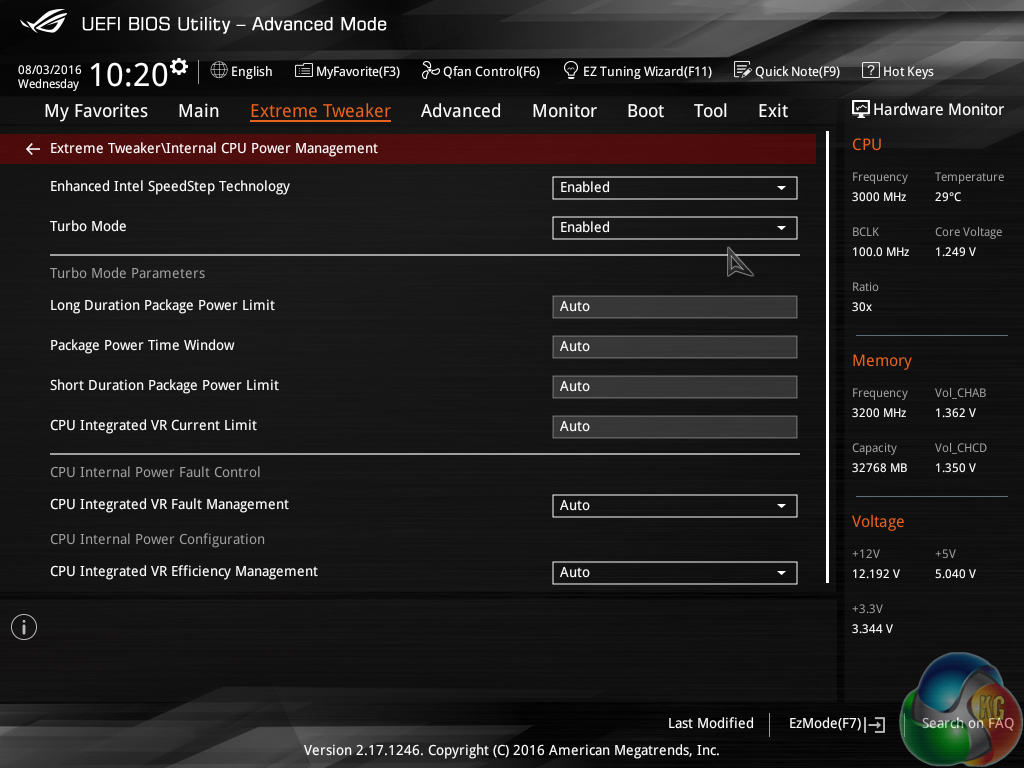
Parameters specifically relating to the CPU power management are found in a dedicated subsection.
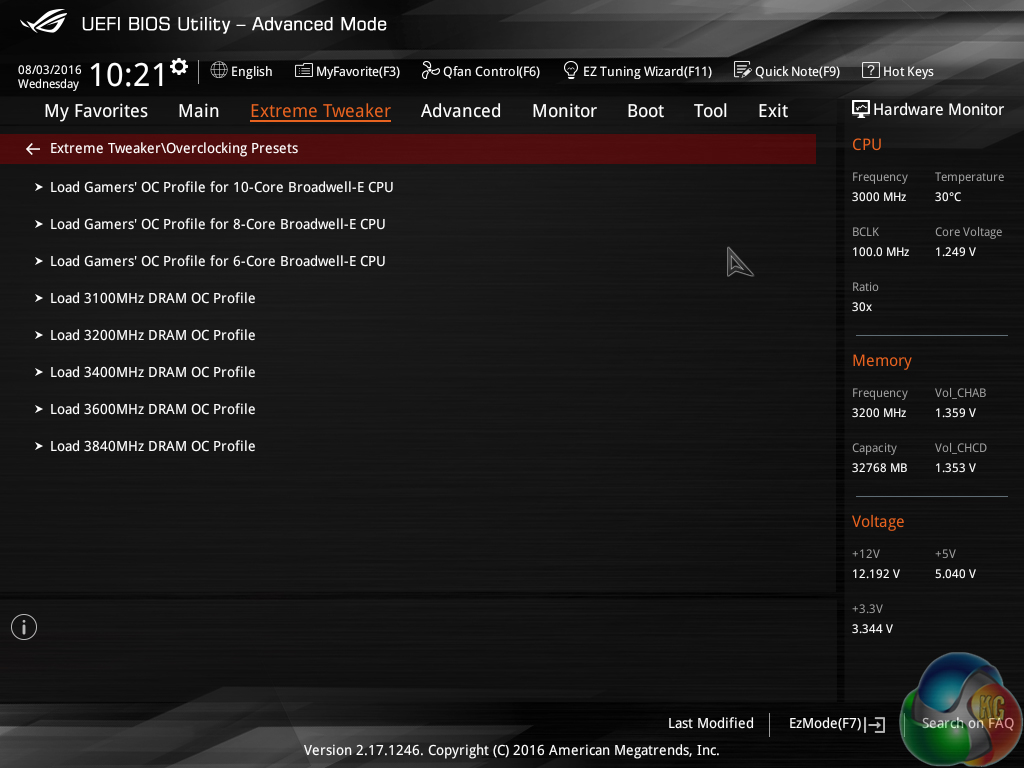
A number of preset overclocking profiles are included. These profiles are useful for finding suggested operating capabilities of the system’s hardware and then conducting further manual tweaking.
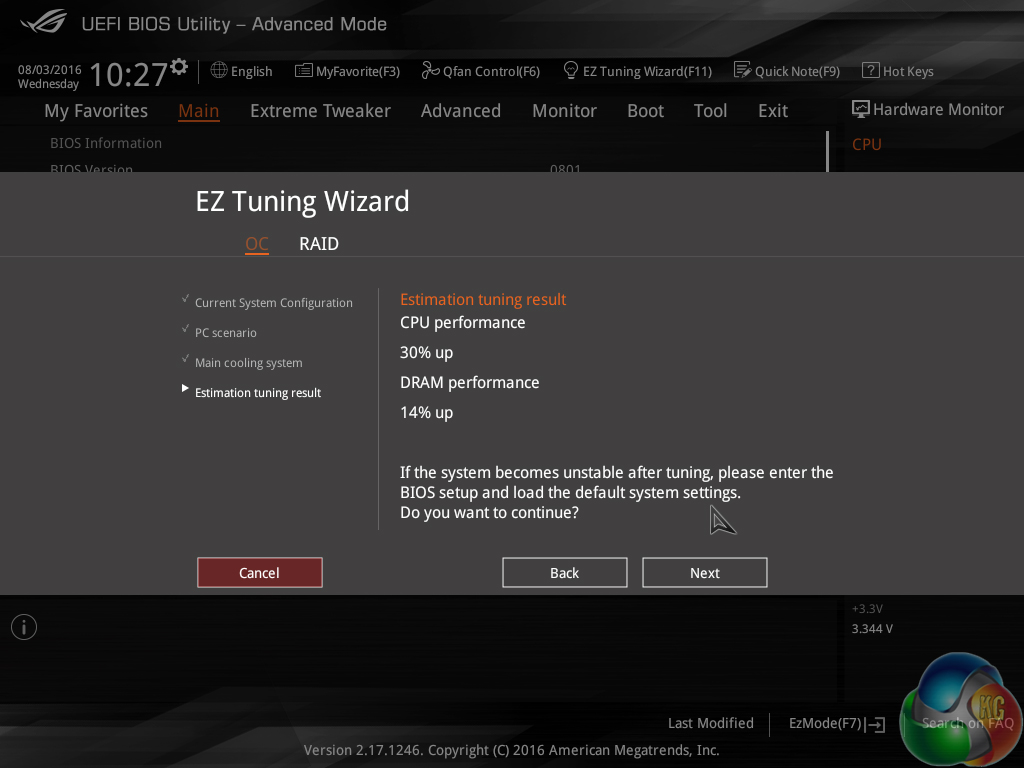
In addition to the Asus-set predefined overclocking profiles, a somewhat automated overclock can be applied using the EZ Tuning Wizard. The reason I call it ‘somewhat’ automated is because the wizard asks users a few basic questions about their system hardware and then offers a speed boost for the CPU and memory. There’s no automated fine-tuning involved, the user’s selections simply hone in on the frequency boosts offered.
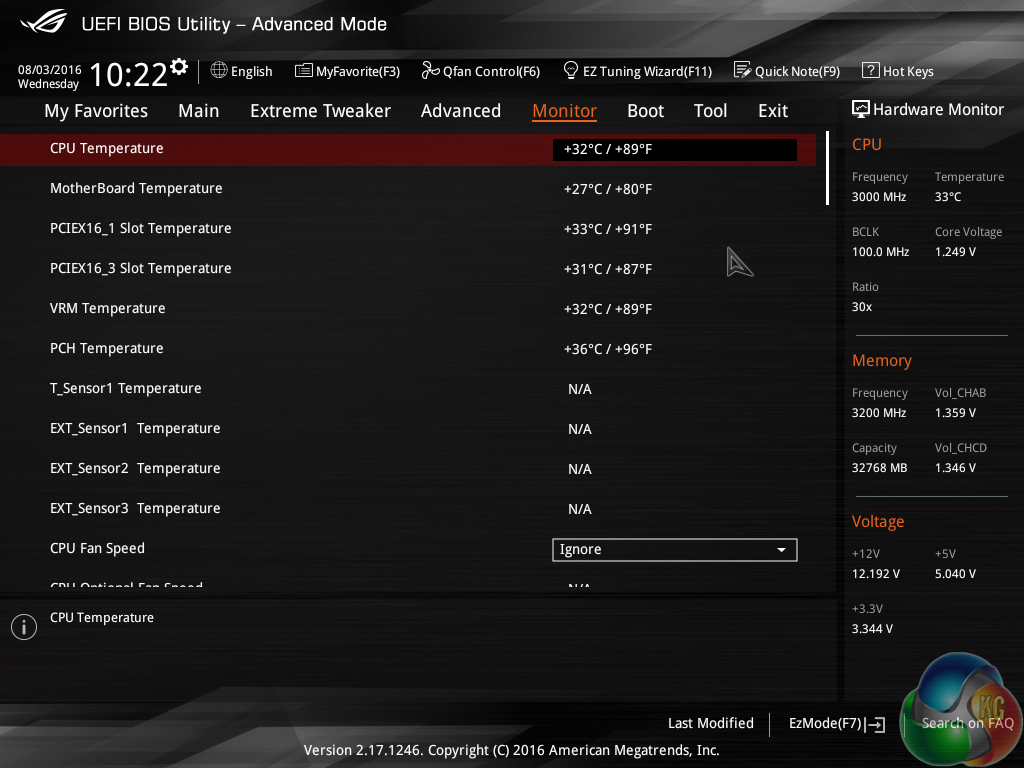
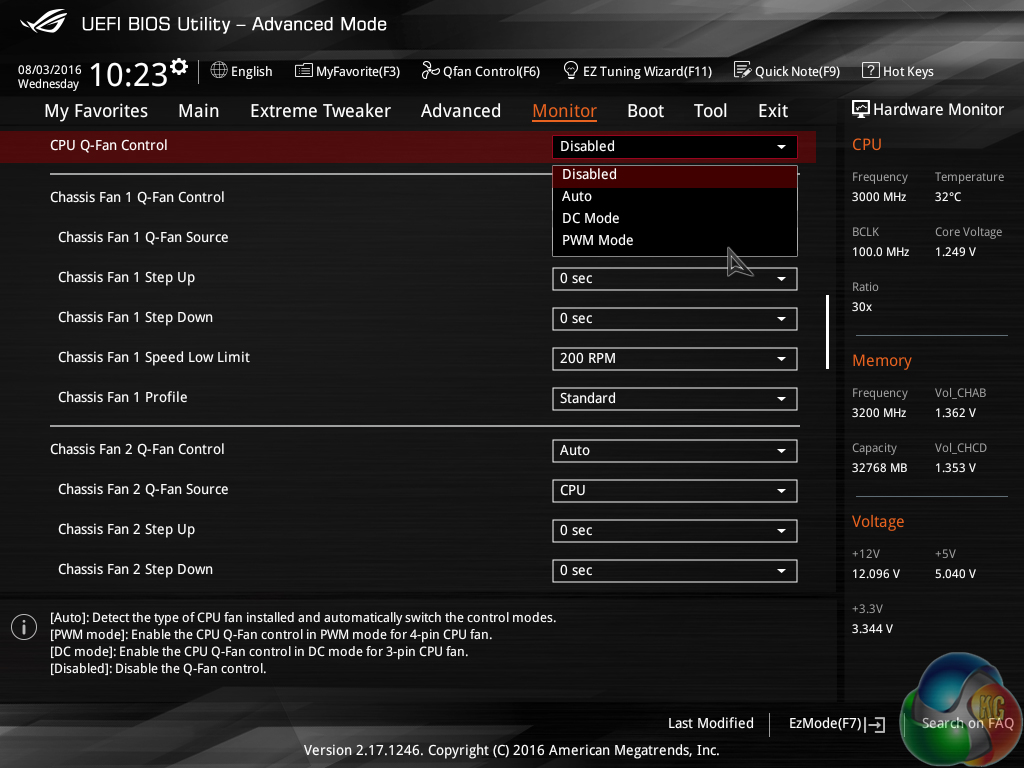
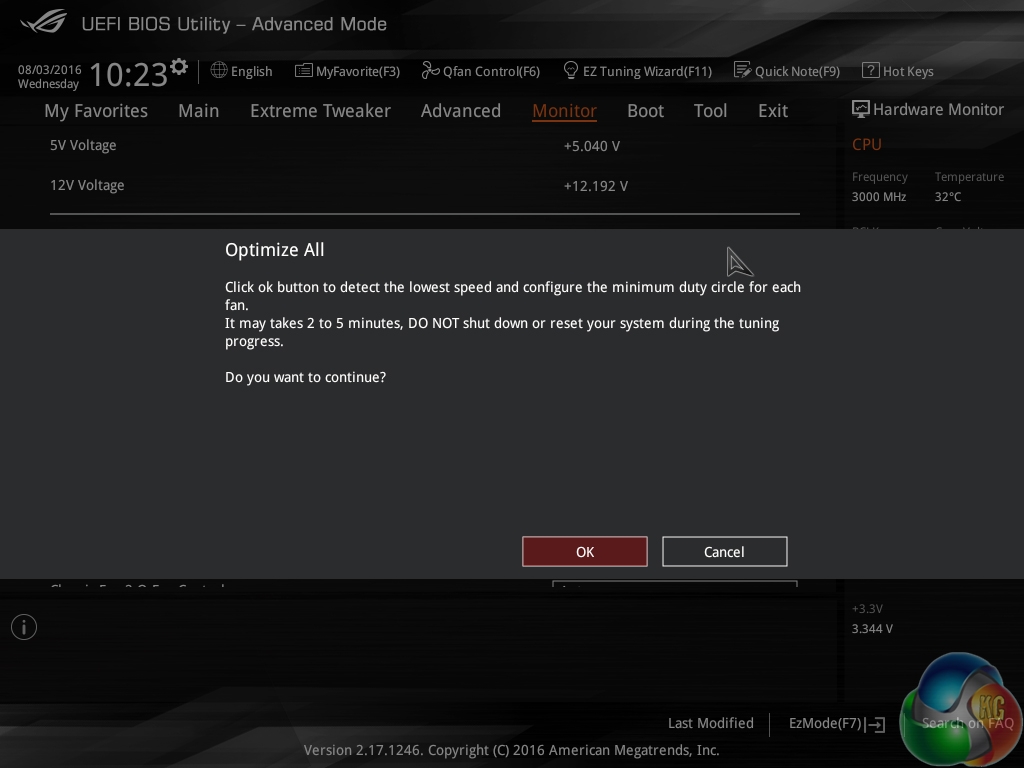
A good level of temperature monitoring activity is displayed through the Monitor section. More emphasis on fan speeds and system voltages would have been welcomed.
A basic drop-down selection of fan speed control modes is provided. Basic is the appropriate word there as more in-depth control of fan speeds and curves is found elsewhere. There is, however, an optimisation tool that runs a set of operations in order to automatically tweak the fan speed curve to a balanced level.
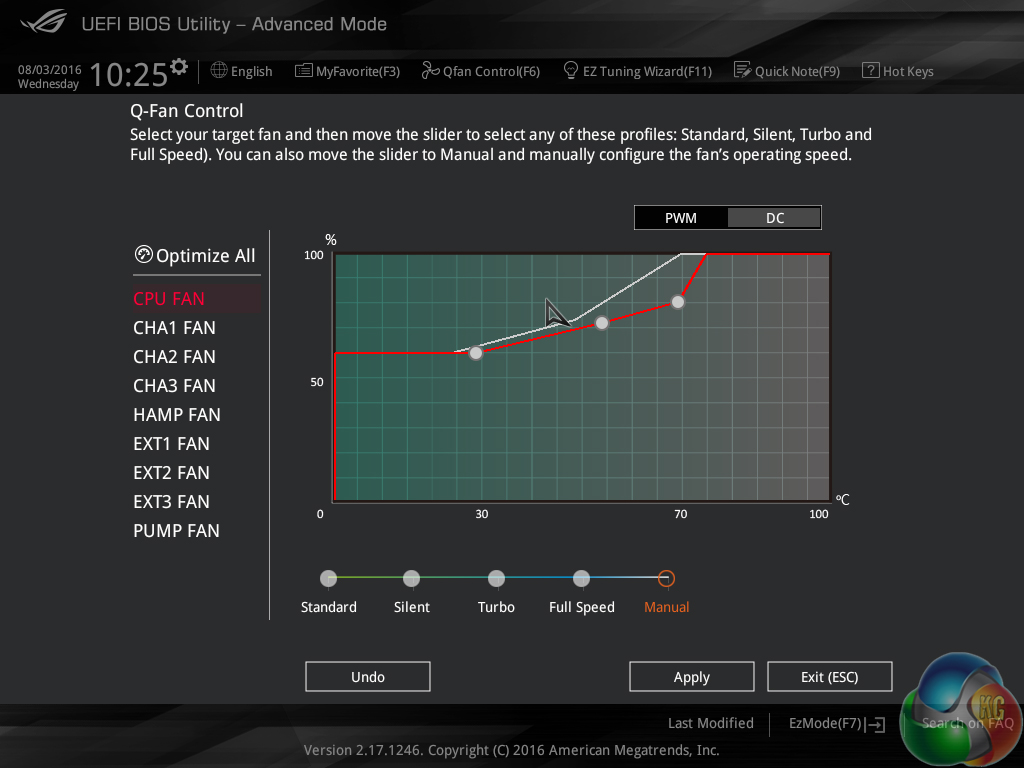
Asus’ Q-Fan Control wizard provides user access to the fan speed curves. The ability for all fan headers to have their speed curves controlled is a positive, but the level of user adjustment allocated is disappointing. The lowest manually selectable fan speed is 60% and the profile locks a 100% level after 75C. This is disappointing compared to competing vendors who allocate greater control to the end user.
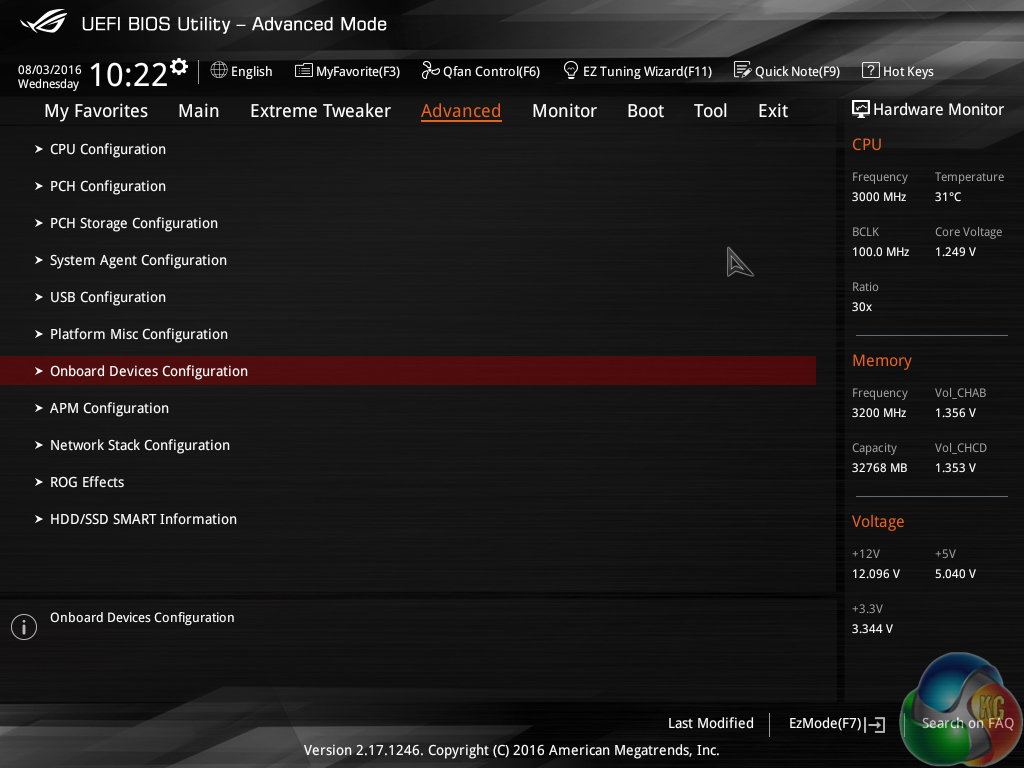

Many general system operations can be accessed via the Advanced page. Control for the Aura LED lighting system is found under the Onboard Devices Configuration section.
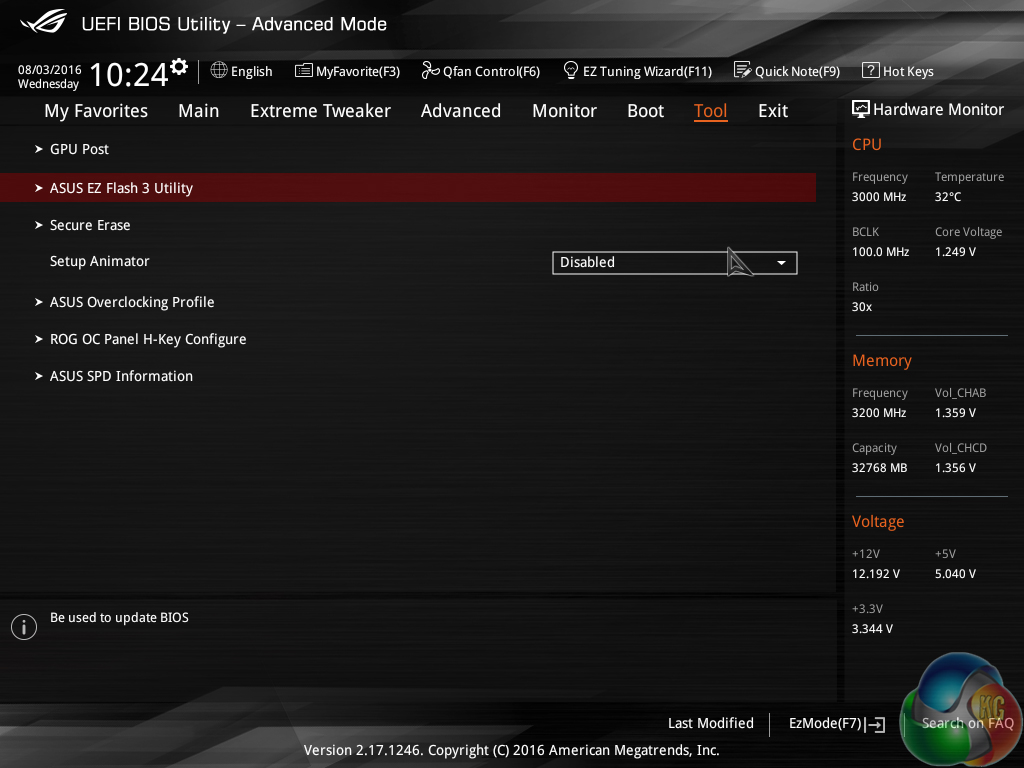
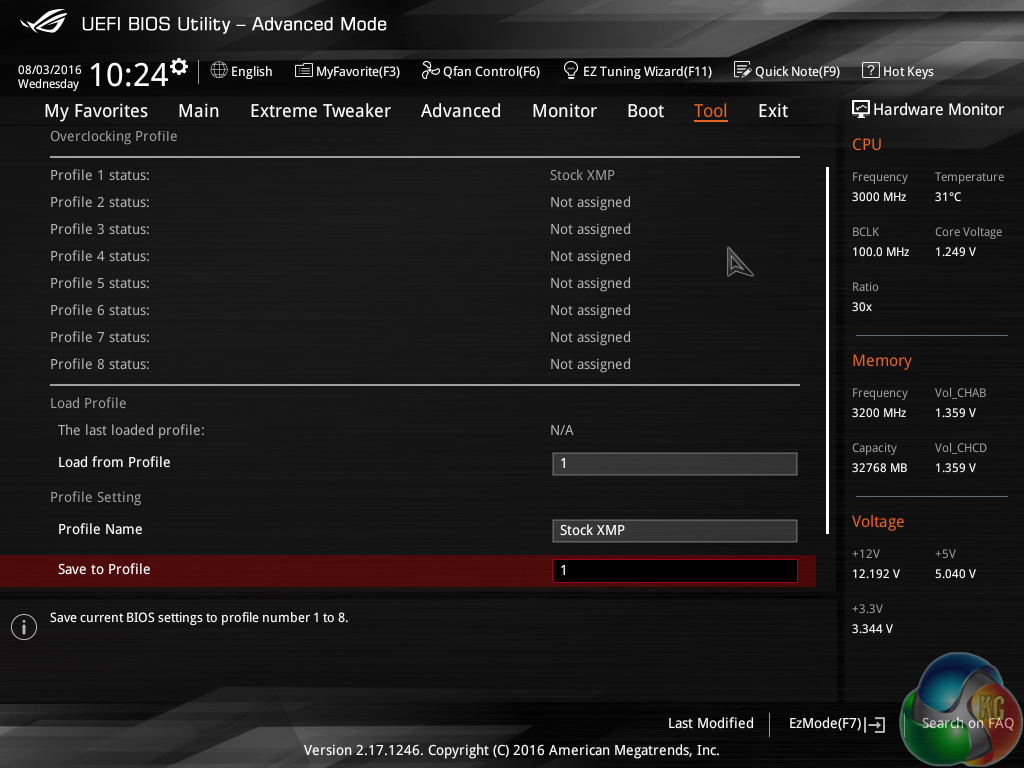
Asus’ Tool section can be used to access a point for saving and transferring overclocking setting profiles. Up to 8 overclocking profiles can be saved onboard which I would consider a fair amount, even for overclocking enthusiasts.
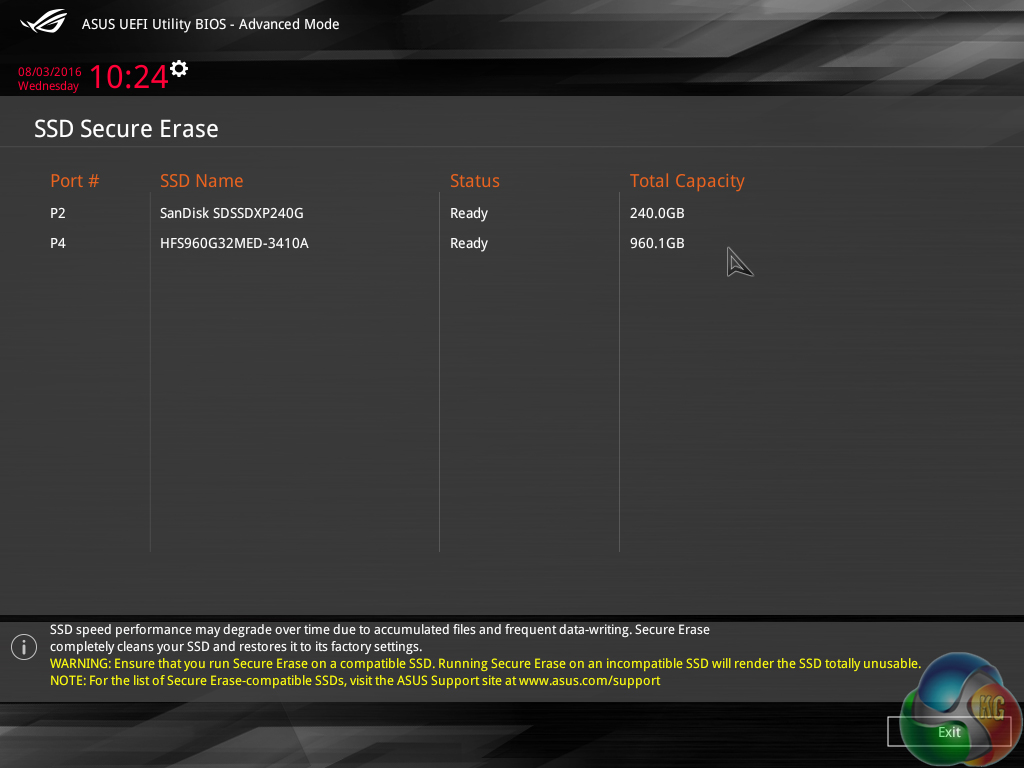
The BIOS can be flashed via the well-designed EZ Flash 3 utility. SSD Secure Erase is useful for preparing a drive for being sold on to a different person.
Asus’ X99 UEFI implementation found on the Rampage V Edition 10 is very good. With the exception of the unclear LLC options, overclockers are unlikely to have any complaints with the quantity and breadth of customisable operations. Easy navigation is another point that will please overclockers who spend considerable time in the BIOS.
There is room for improvement, though. Giving the user more control over fan speed curves would be an improvement. I would also like to see Asus include a tool similar in function to Hardware Monitor that we see on ASRock and MSI motherboards. A visual display of devices connected to the motherboard is always useful in troubleshooting scenarios.
Software
Asus primary software suite – AI Suite 3 – can be very temperamental with regards to a Windows 10 installation, based on my experiences. It regularly refused to install on our Windows 10 Home test system. Deselecting many of the installation options seemed to help the issue and finally presented us with a successful install.
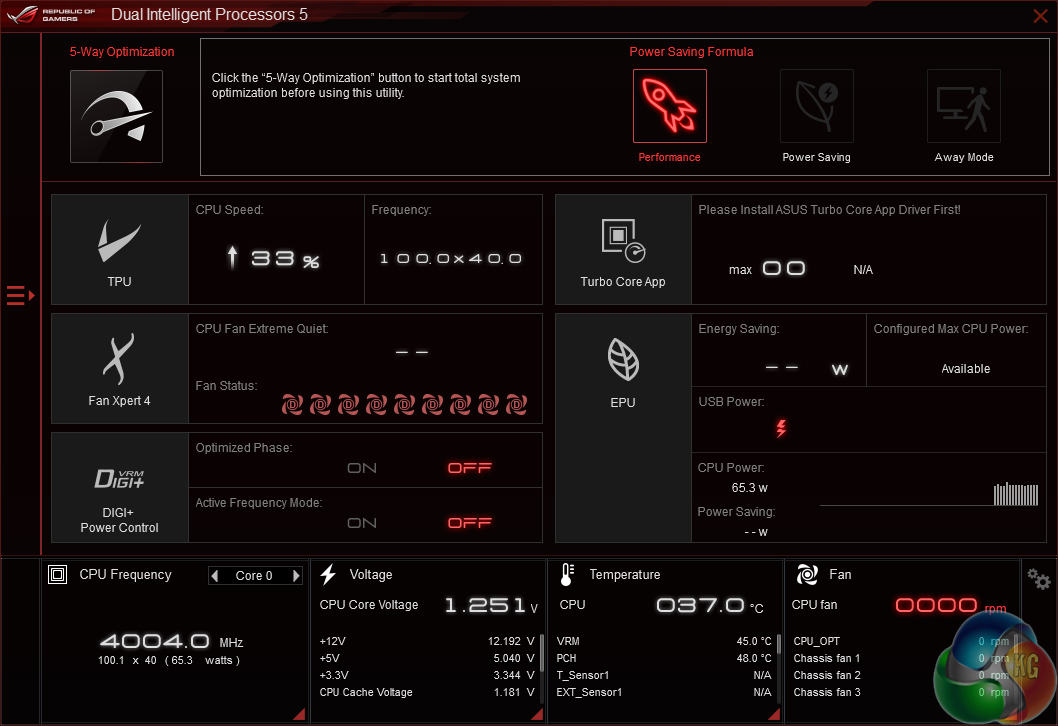
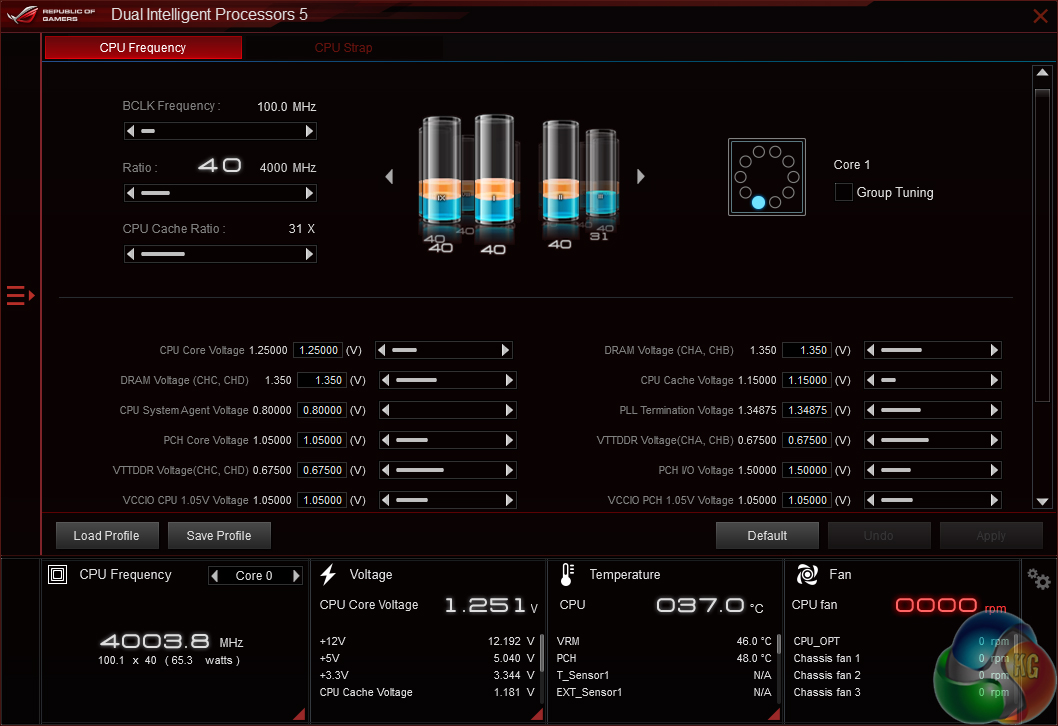
General system operating information can be viewed and adjusted through the Dual Intelligent Processors 5 and TPU pages.
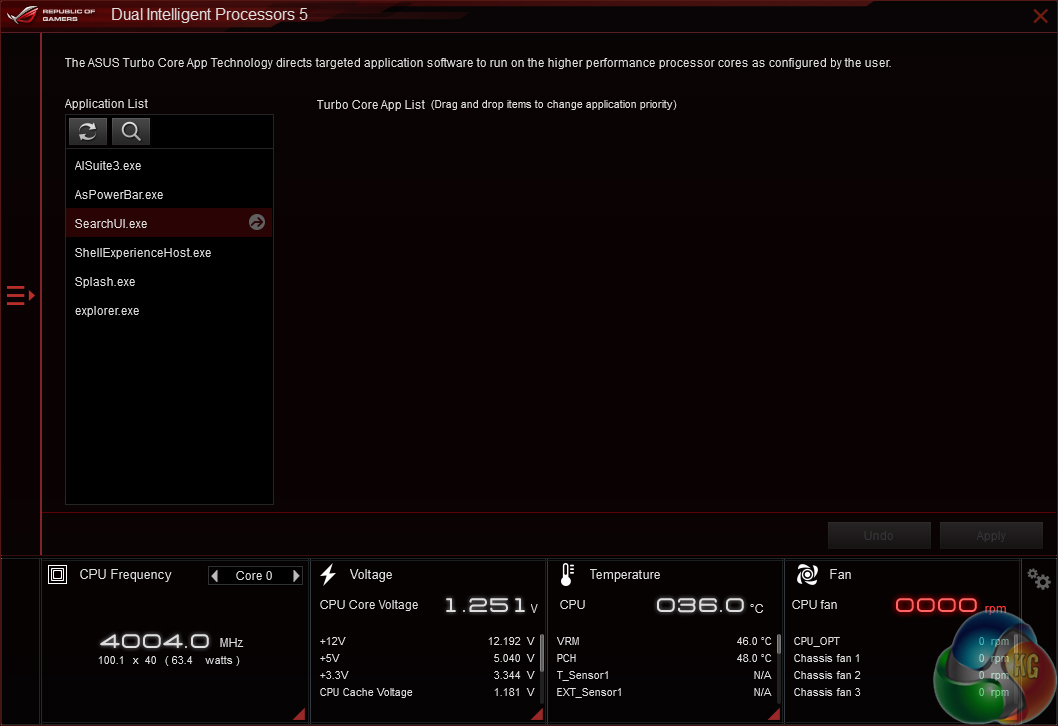
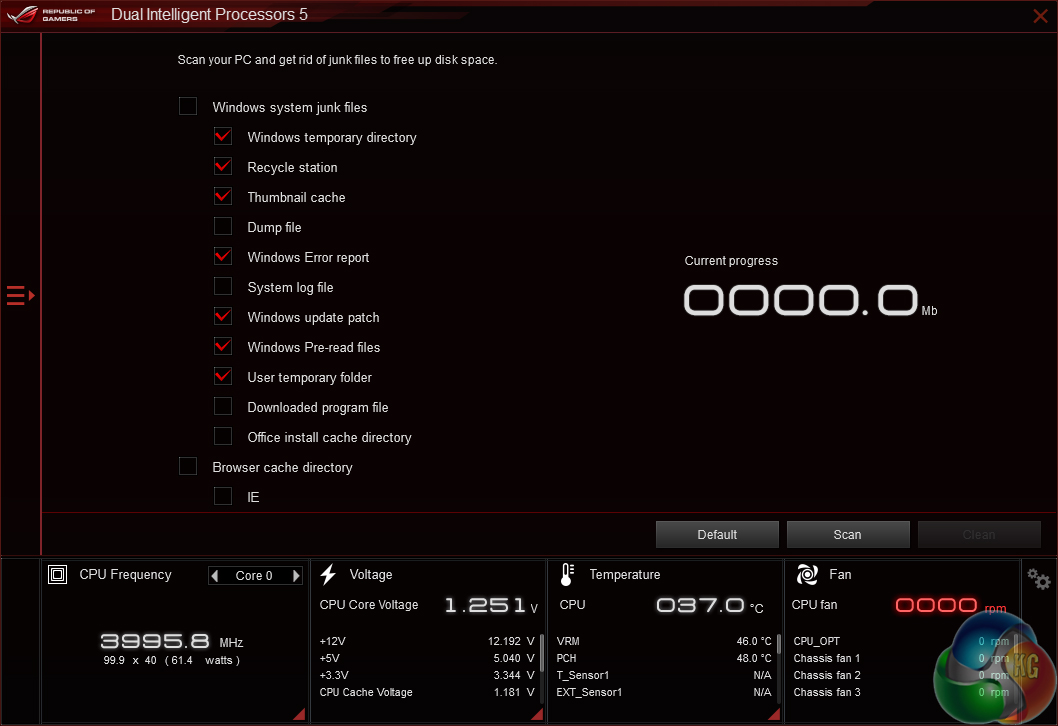
Further system control options are available. Asus includes a tool which allows the CPU to speed specific applications by way of a frequency bump when the desired software is launched.
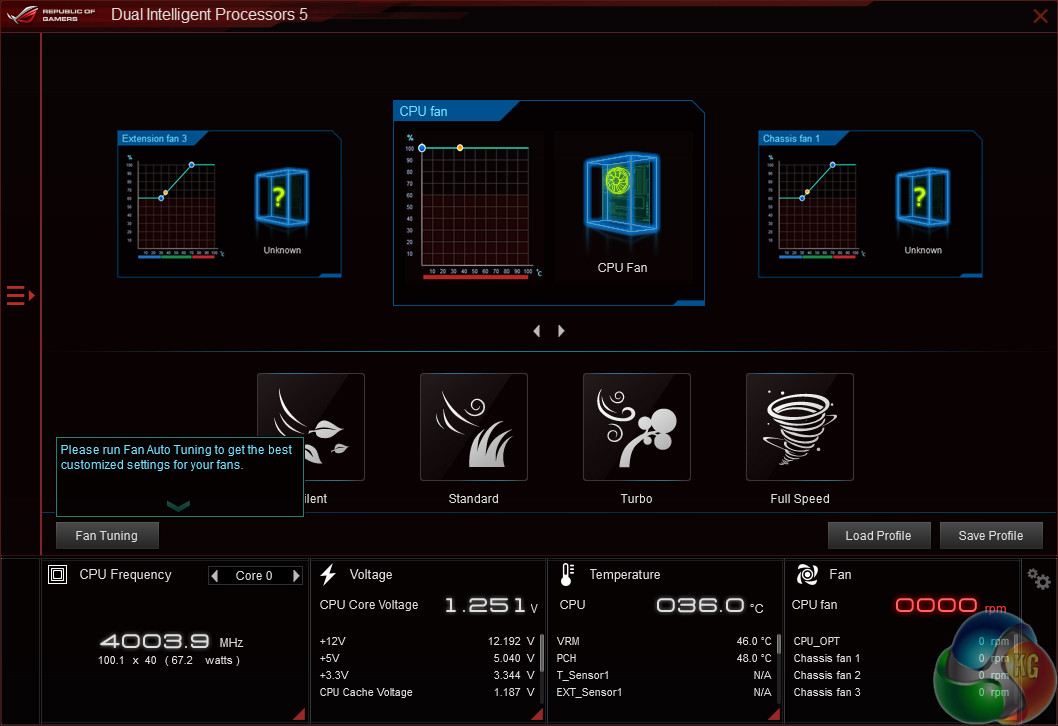
The Fan Xpert page gives a decent level of control to the system fans. Four pre-defined operating speed modes can be selected. There’s also an automated fan tuning option, in addition to the ability to load and save profiles.
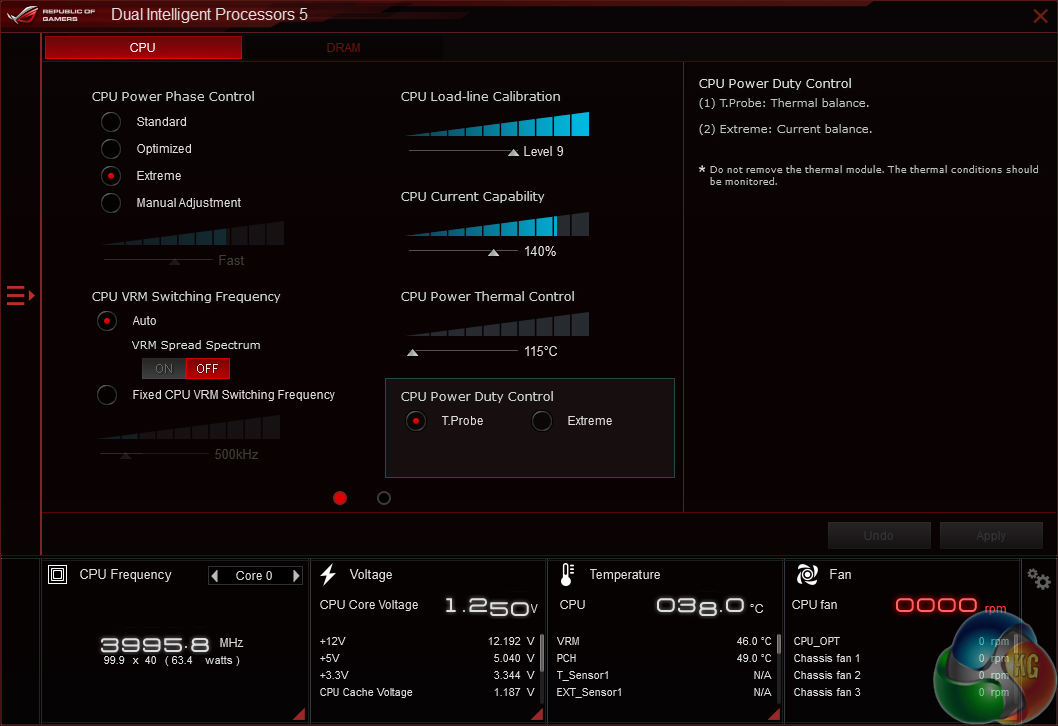
Power management options for the CPU and DRAM are found in the Digi+ page. It’s more likely that these options will be tweaked by overclockers through the BIOS in order to maintain their operation in the event of an OS crash.
PC Cleaner can help to remove wasted files from the system in order to free up storage space.
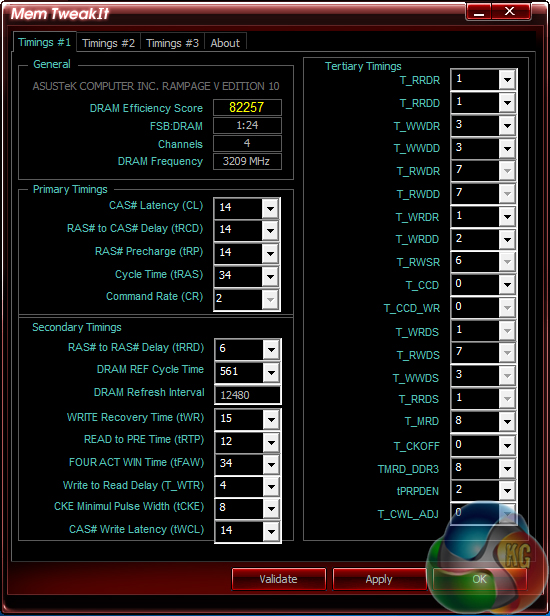
Mem TweakIt gives control of memory timings. It also gives a DRAM efficiency score, which could be useful when trying to balance the trade-off between frequency and latency.
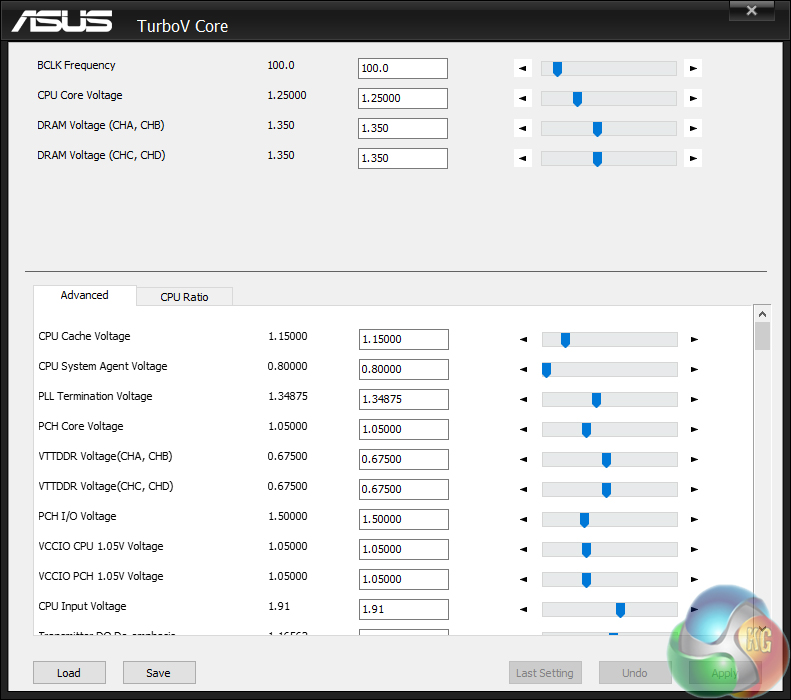
System operating parameters, such as voltages and ratios, can be adjusted using TurboV Core.
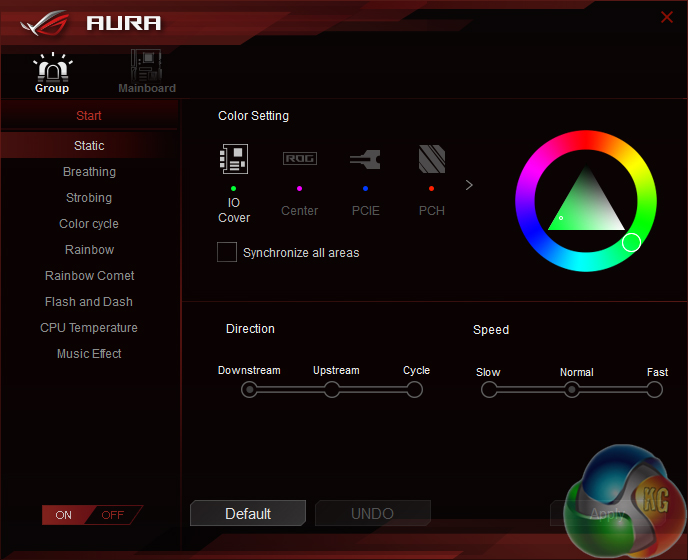
Asus’ Aura software is used to control the motherboard’s RGB lighting. An impressive number of lightning modes and colours can be selected. The lights can also be switched off completely.
I particularly like the ability to set different lighting colours for separate areas of the motherboard.
I did, however, notice that the Aura software tool was particularly hogging of system resources. The software would regularly use around 10% of the CPU cycles at any one time, and this resulted in reduced performance in benchmarks including Cinebench.
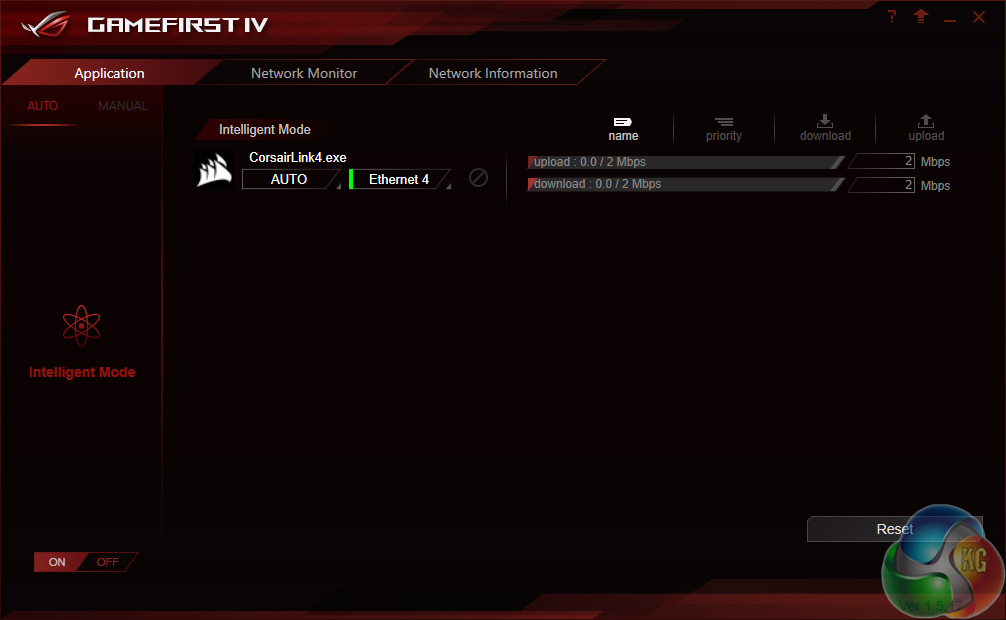
GameFirst IV is Asus’ answer to Killer’s network manager software. It allows control and prioritisation of the network operations of software installed on the system.
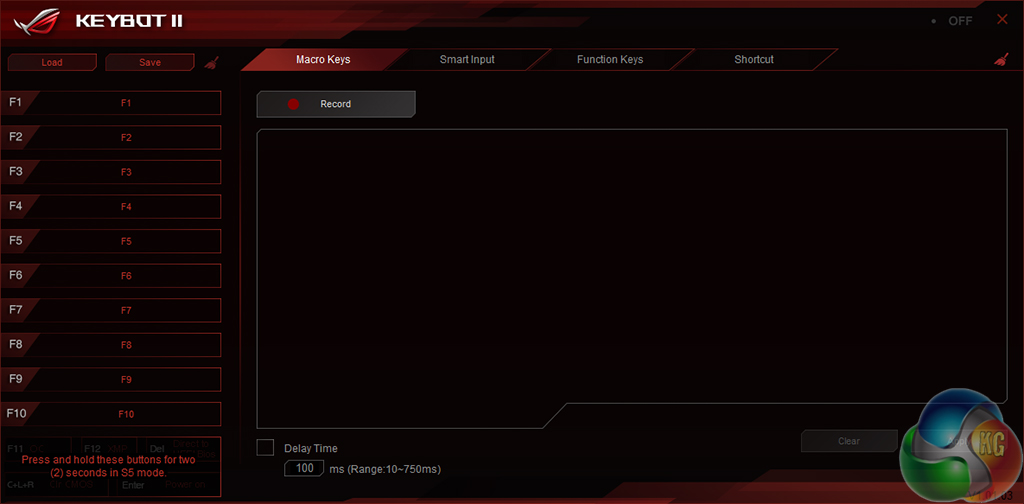
Keybot II can be used to create custom macros and assign function keys.
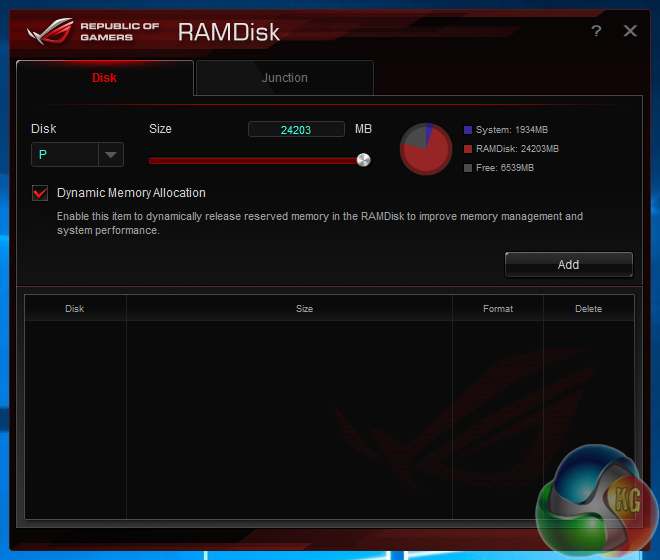
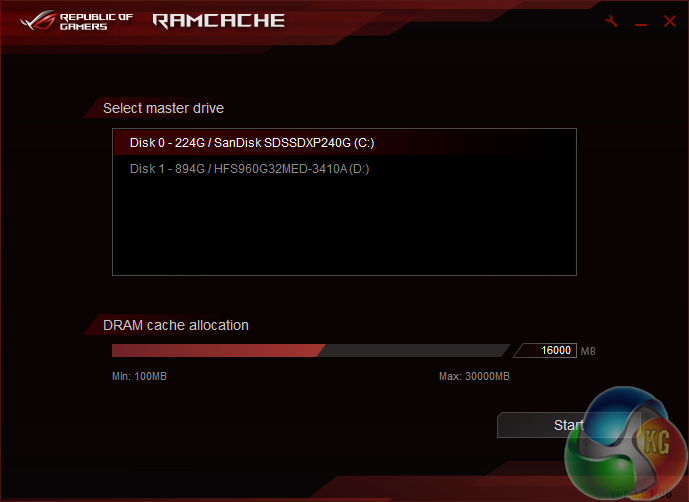
Have an excess of RAM in your shiny new X99 system? Asus’ ROG RAMCache and RAMDisk can put the surplus memory to good use.
ROG RAMDisk creates a high-speed storage drive out of a user-definable allocation of system memory (up to approximately 24GB on our system which uses a 32GB memory kit). This could be useful to video editors who want a small pool of fast storage to act as a scratch disk for their project. Designers dealing with large CAD files may also benefit from the fast storage pool. However, game frame rates won’t be improved when using the RAM drive.
ROG RAMCache uses the system memory (up to approximately 30GB) to enhance reduce the transfer time of files from an external storage drive to an internal system drive. This is a helpful tool to users how frequently transfer large amounts of data and don’t want their external storage drive connected to one particular system for longer than is necessary.
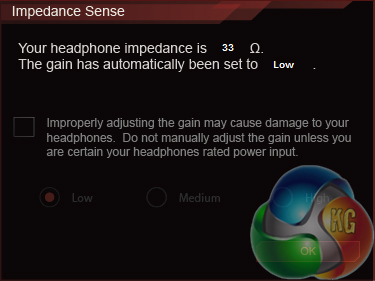
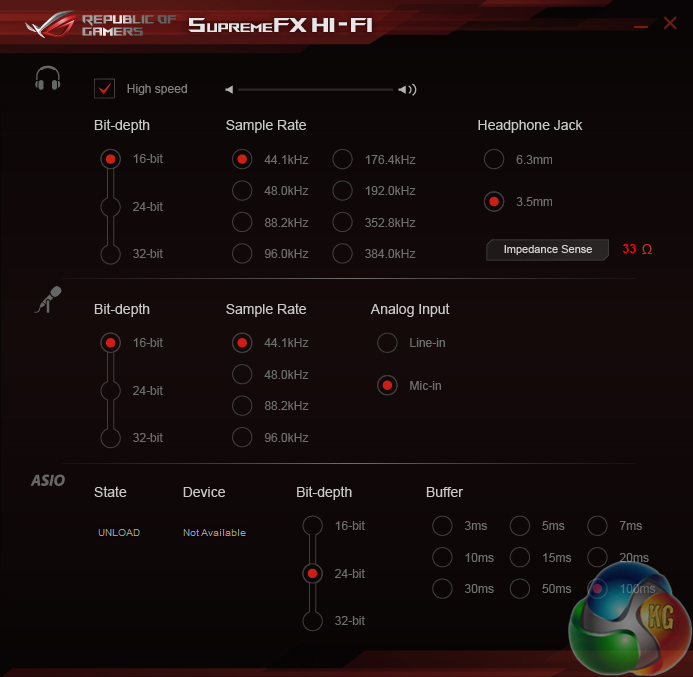
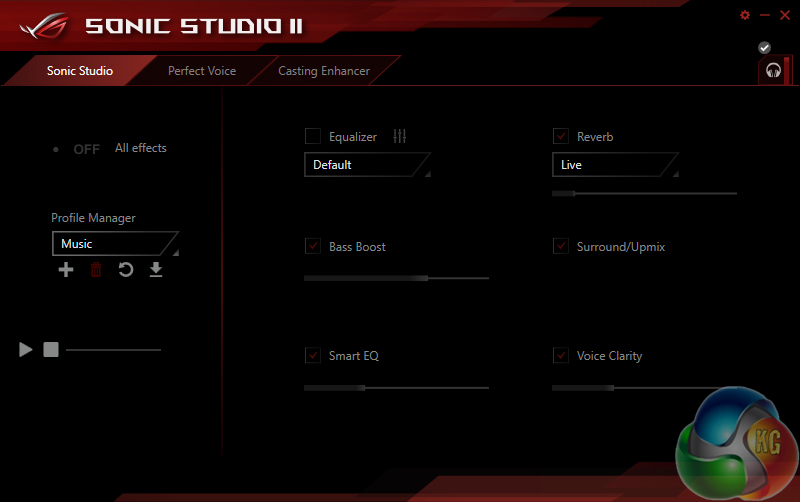
A number of settings and profiles relating to the audio system can be adjusted using Sonic Studio II and SupremeFX HiFi. The SupremeFX HiFi tool is also able to automatically detect the impedance of headphone connected to the external box and adjust the amplifier gain accordingly.
We will be outlining the Asus Rampage V Edition 10 motherboard’s performance with the Core i7 6950X CPU and 32GB of 3200MHz G.Skill TridentZ DDR4 memory.
By default, the Rampage V Edition 10 motherboard applies an aggressive multi-core turbo (MCT) state and forces the 6950X to a constant 4.0GHz when XMP is enabled. This is representative of what motherboard vendors perceive to be the maximum all-core stable CPU operating state, as guided by the Broadwell-E CPUs' Turbo Boost 3.0 operations.
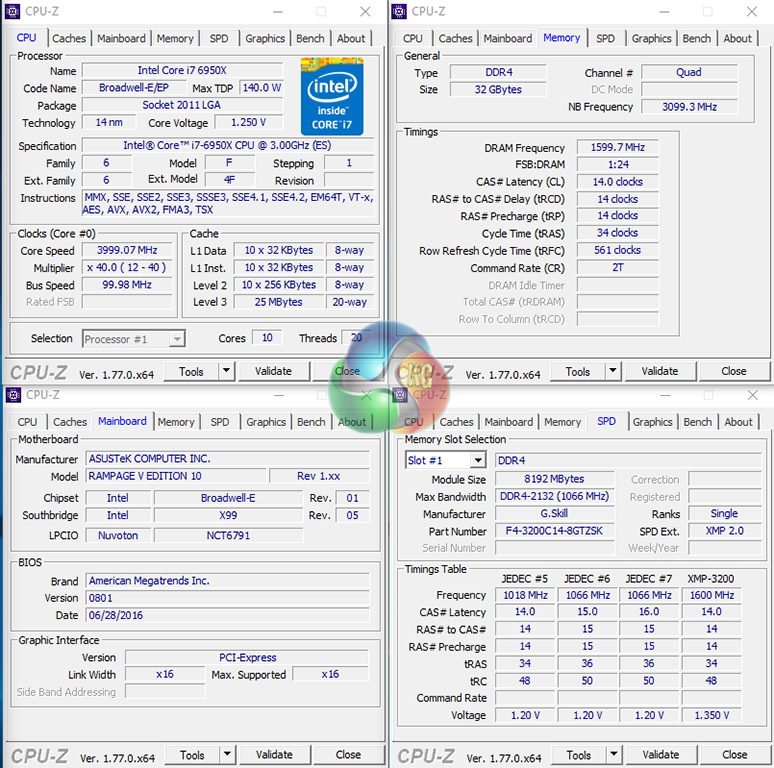
Asus uses around 1.25V for the force-turbo setting. This is a decent level that even mid-range CPU coolers can handle.
X99 Motherboard Test System:
- Processor: Intel Core i7 6950X (4.0GHz forced turbo).
- Memory: 32GB (4x8GB) G.Skill TridentZ 3200MHz 14-14-14-34 DDR4 @ 1.35V.
- Graphics Card: Nvidia GTX 980 Ti Reference.
- System Drive: 240GB SanDisk Extreme II SATA 6Gbps SSD.
- Games Drive: 960GB SK Hynix SE3010 SATA 6Gbps SSD.
- CPU Cooler: Corsair H110i GT.
- Power Supply: Seasonic Platinum 760W SS-760XP.
- Operating System: Windows 10 Home 64-bit.
Compared X99 Motherboards:
Software:
- Asus Rampage V Edition 10 BIOS v0801.
- GeForce 368.39 VGA drivers.
Tests:
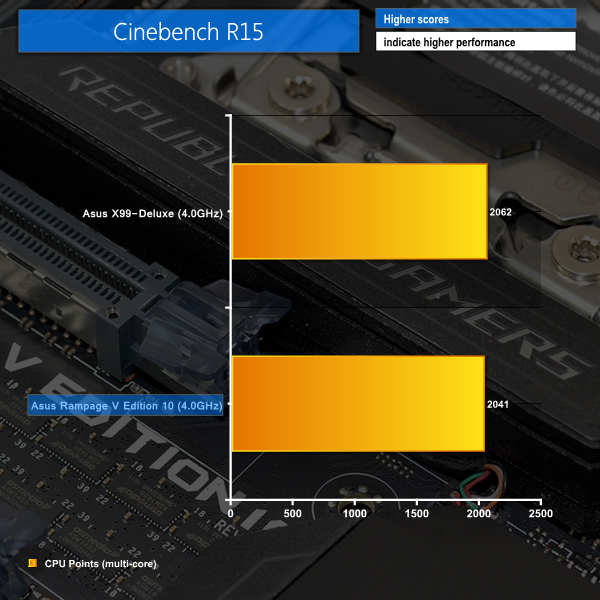
- Cinebench R15 – All-core CPU benchmark (CPU)
- HandBrake 0.10.2 – Convert 1.72GB 1440P ShadowPlay game recording using the High Profile setting and MP4 container (CPU)
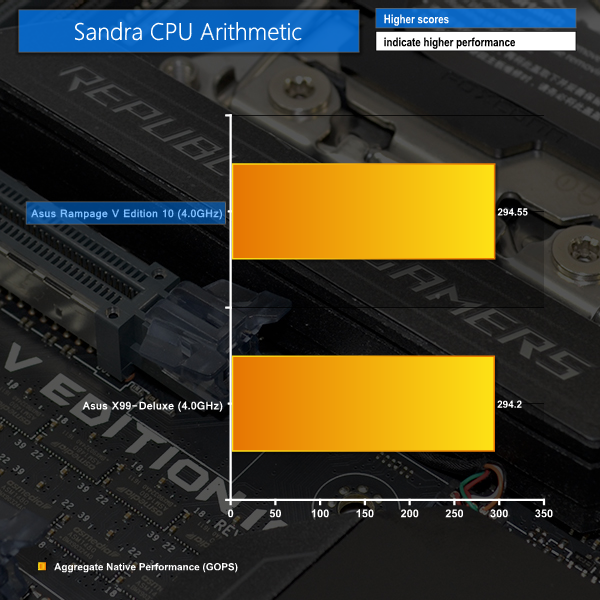
- SiSoft Sandra 2016 SP1 (build 2220) – Processor Arithmetic Test (CPU) and Memory Bandwidth Test (Memory)
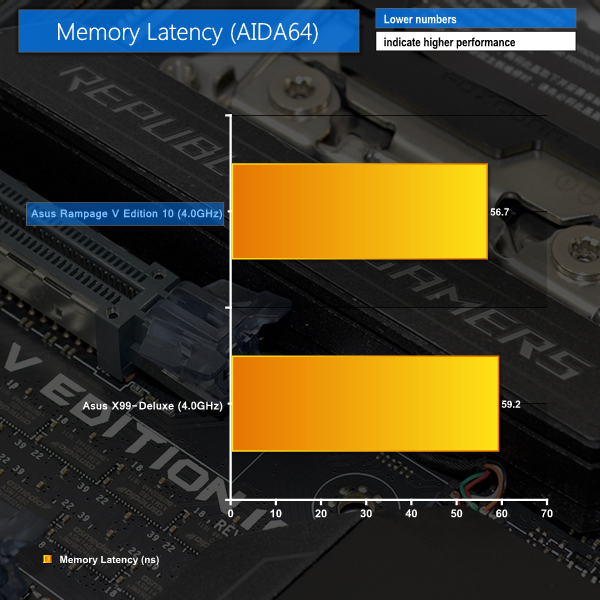
- AIDA64 Engineer v5.75.3900 – Memory Latency Benchmark (Memory)
- 7-Zip 16.02 beta – Manual 1.72GB ShadowPlay game recording archival, .7z format and normal compression level (System)
- 3DMark Fire Strike v1.1 – Fire Strike (1080p) test (Gaming)
- Ashes of the Singularity – Built-in benchmark tool, 1920 x 1080, Crazy quality preset, DX12 version (Gaming)
- Unigine Valley Benchmark 1.0 – Built-in benchmark, Extreme HD preset (Gaming)
- ATTO – SATA 6Gbps and USB transfer rates (Motherboard)
- RightMark Audio Analyzer – Record and playback test using a line-in to line-out loopback with a 3.5mm audio cable (Motherboard)
Cinebench R15
Cinebench is an application which renders a photorealistic 3D scene to benchmark a computer’s rendering performance, on one CPU core, all CPU cores or using the GPU. We run the test using the all core CPU mode.
Sandra Processor Arithmetic
SiSoft Sandra 2016 is a multi-function utility program that supports remote analysis, benchmarking and diagnostic features for PCs, servers, mobile devices and networks. We run the application’s processor arithmetic test to gauge the CPU performance on each tested motherboard.
Handbrake Conversion
Handbrake is a free and open-source video transcoding tool that can be used to convert video files between different codecs, formats and resolutions. We measured the average frame rate achieved for a task of converting a 1.72GB 1440P ShadowPlay game recording using the High Profile setting and MP4 container. The test stresses all CPU cores to 100% and shows an affinity for memory bandwidth.
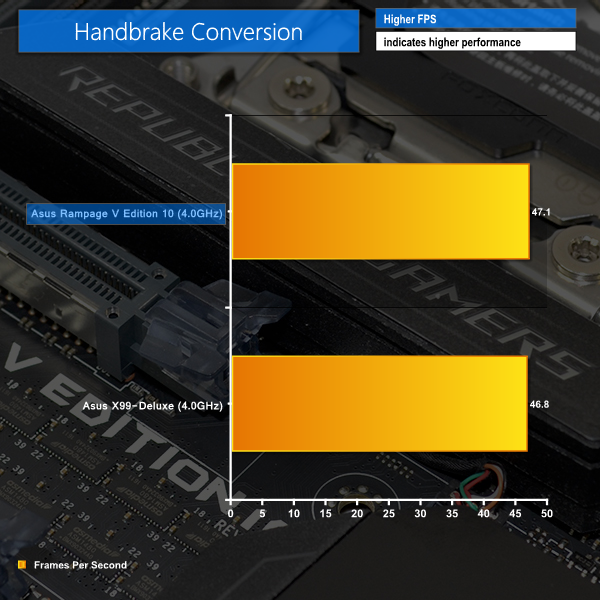
Scores in the CPU-heavy workloads are where one would expect. The pair of Asus boards offer almost identical performance.
AIDA64 Memory Latency
AIDA64 Engineer is a multi-featured software suite for diagnostics, stress testing, benchmarking, software auditing and various other measurement parameters. We use AIDA64 Engineer to benchmark memory latency.
Sandra Memory Bandwidth
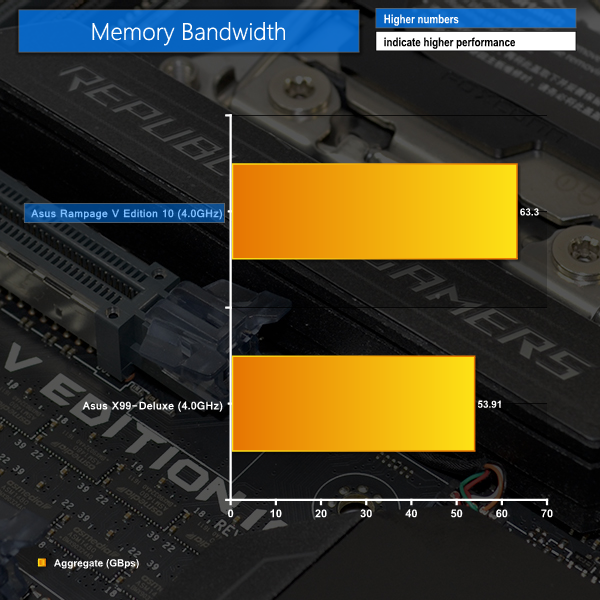
SiSoft Sandra 2016 is a multi-function utility program that supports remote analysis, benchmarking and diagnostic features for PCs, servers, mobile devices and networks. We use the SiSoft Sandra memory bandwidth test to provide a set of memory bandwidth results.
7-Zip
7-Zip is an open source Windows utility for manipulating archives. We manually archive a 1.72GB MP4 game recording. The test stresses all CPU cores to 100% and shows an affinity for memory bandwidth.
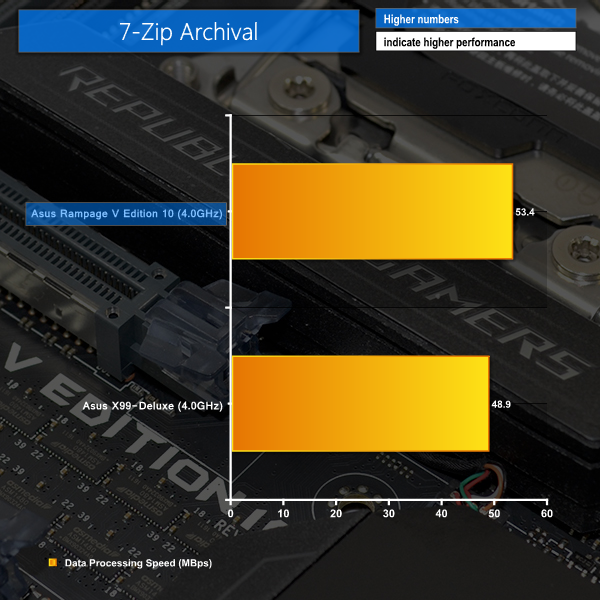
The Rampage V Edition 10 motherboard's positive scores in memory benchmarks lead to good real-world performance numbers.
3DMark
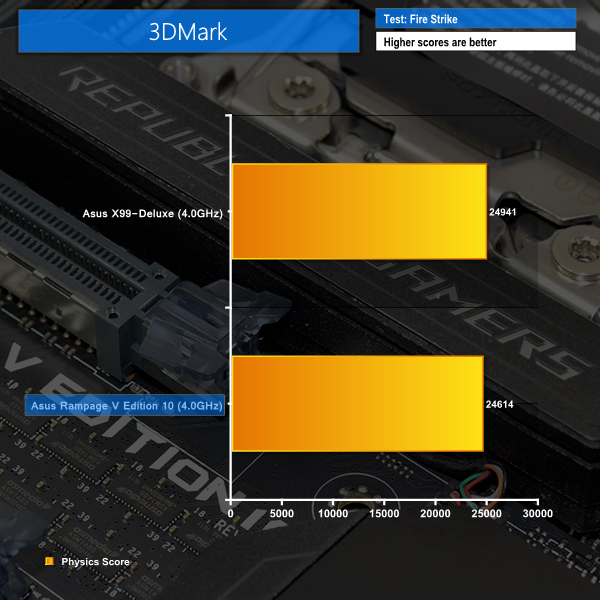
3DMark is a multi-platform hardware benchmark designed to test varying resolutions and detail levels of 3D gaming performance. We run the Windows platform test and in particular the Fire Strike benchmark, which is indicative of high-end 1080p PC Gaming.
Ashes of the Singularity
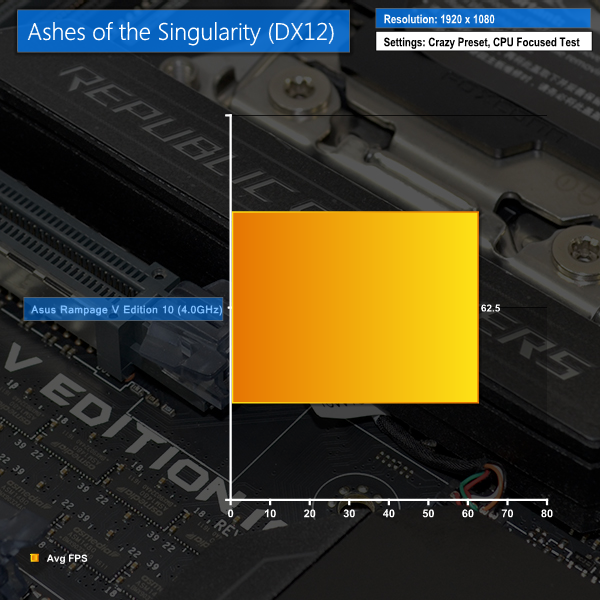
Ashes of the Singularity is a Sci-Fi real-time strategy game built for the PC platform. The game includes a built-in benchmark tool and was one of the first available DirectX 12 benchmarks. We run the CPU focused benchmark using DirectX 12, a 1080p resolution and the Crazy quality preset.
Unigine Valley
Unigine Valley is a GPU stress testing and benchmarking tool that succeeds its predecessor, Unigine Heaven. Valley makes use of dynamic lighting, depth of field, ambient occlusion and dynamic weather patterns. We utilise the built-in benchmarking tool with the Extreme HD preset.
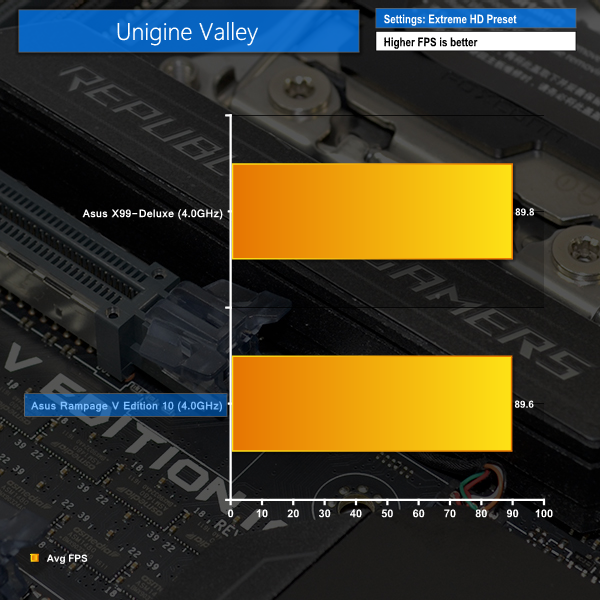
Gaming performance shows little variation between motherboards.
Automatic CPU Overclocking:
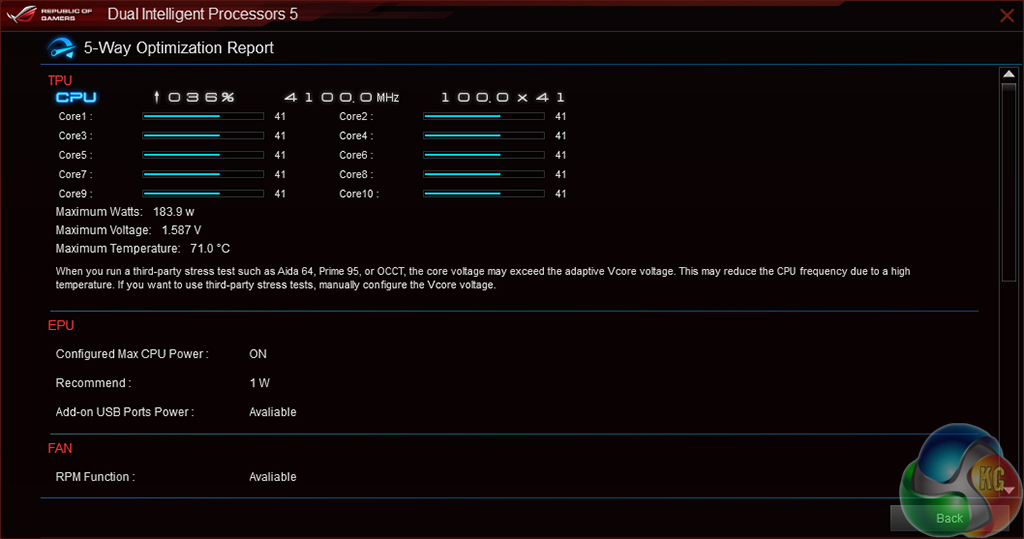
Asus gives users choice as to how they want their machine automatically overclocked. I tested out the software-based tuning mode which bumps the CPU speed up and stress tests the system to validate operation.

4.1GHz is barely any faster than the default forced-turbo frequency of 4.0GHz. Memory speed was also reduced away from its XMP level of 3.2GHz. This automated overclock is unimpressive.
Manual CPU Overclocking:
To test the Asus Rampage V Edition 10 motherboard’s CPU overclocking potential, we first increased the CPU VCore to 1.325V, Cache voltage to 1.25V, and CPU Input Voltage to 2.0V. Load-line calibration (LLC) was set at level 5 as it seemed to best track the desired voltage under load.
We maintained the DRAM frequency at 3200MHz to take its stability out of the overclocking equation. Cache frequency was overclocked to 3.4GHz.
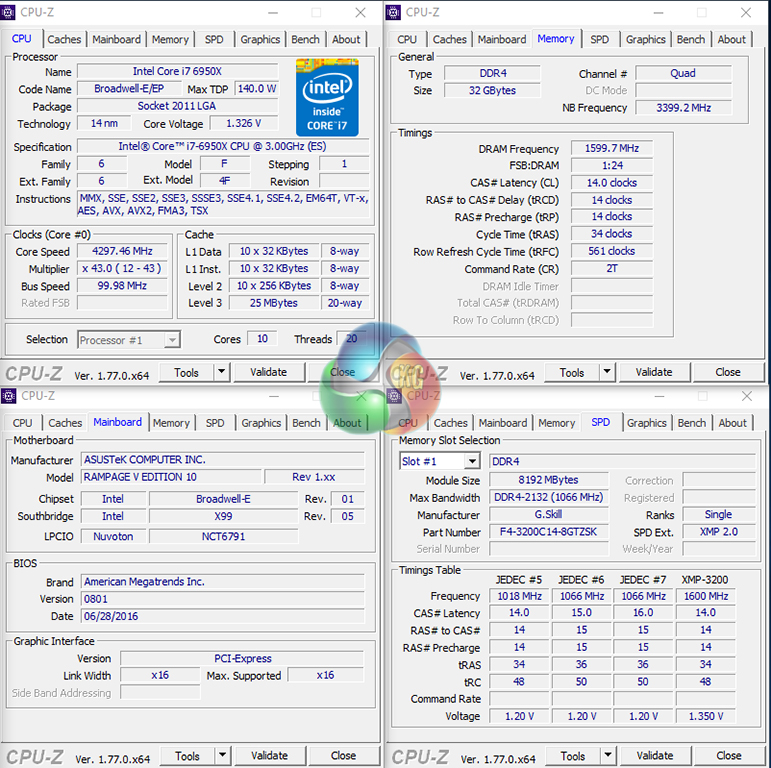
We were able to take out 6950X CPU to its limit of 4.3GHz. The board was stable throughout testing and had no problems with applying the settings that were selected.
Voltage accuracy of the Rampage V Edition 10 was decent. We keyed in 1.325V for the CPU through the UEFI, and a manual multimeter reading showed that around 1.35V was being delivered.
Overclocked Performance
As a performance comparison, we have included the stock speed results. We will include comparisons to other X99 motherboards as the data becomes available to us.
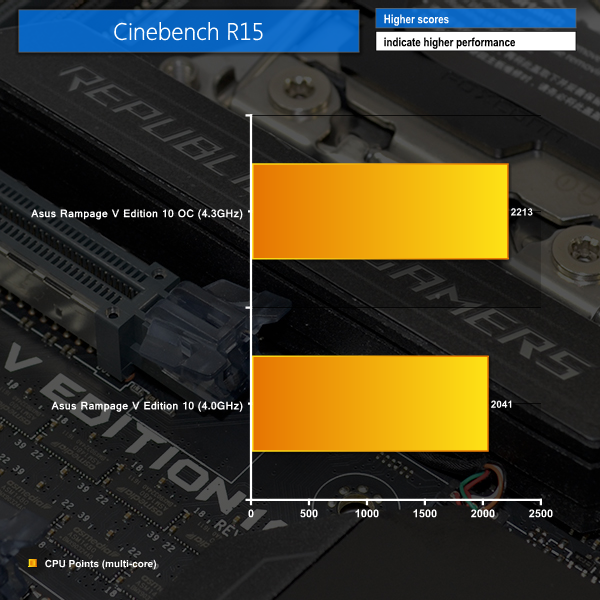
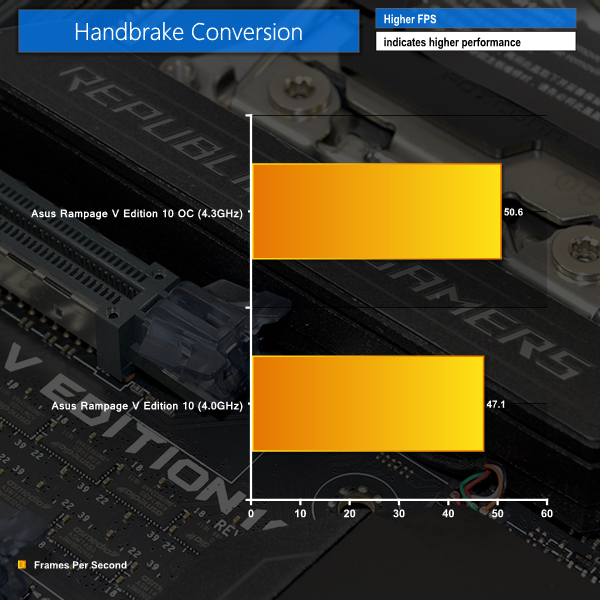
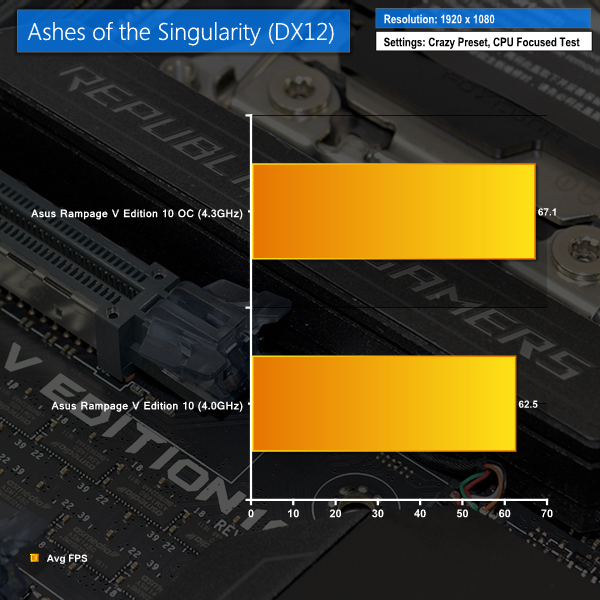
Solid performance boosts are achieved by overclocking. Even Ashes of the Singularity shows a frame rate rise when the system is overclocked.
ATTO Disk Benchmark
The ATTO disk benchmark is a Windows-based utility for testing storage performance of any storage drive or controller. We use the default benchmark setup.
For SATA 6Gbps testing we use a SK Hynix SE3010 960GB SSD. We test USB performance using a Kingston HyperX 3K 120GB SSD connected to a SATA 6Gb/s to USB 3.0 adapter powered by an ASMedia ASM1053 controller.

SATA 6Gbps performance is as good as one can expect from a 9-series Intel chipset.
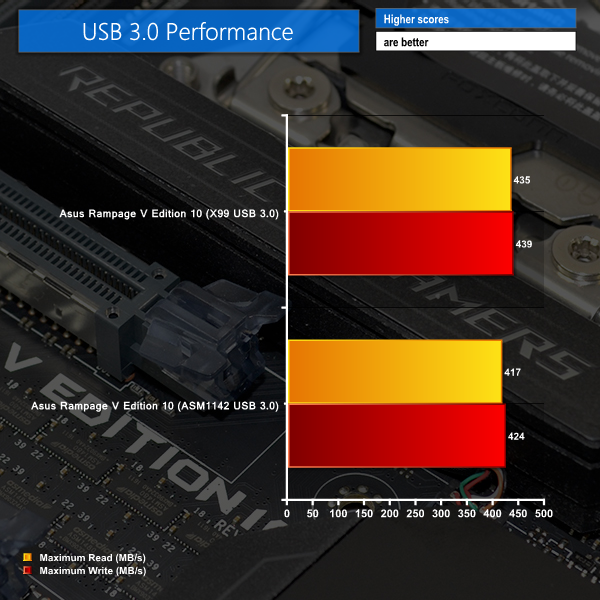
Intel's 5Gbps USB 3.0 are slightly faster than the USB 3.0 functionality of ASMedia's dedicated USB 3.1 ports.
Audio
Rightmark Audio Analyser is a freeware benchmarking utility designed to objectively test the performance characteristics of audio solutions. We setup a line-in line-out loop and execute the record/playback test before generating the results report you see below. A sampling mode of 24-bit, 192 kHz was tested.
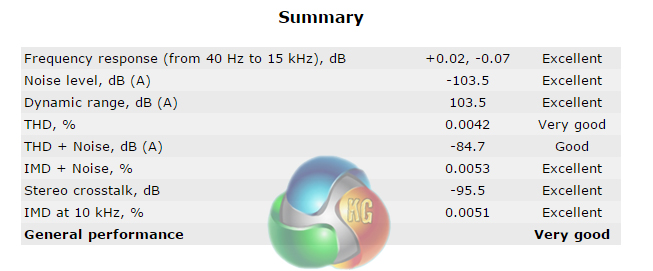
Very good audio performance is delivered by the Rampage V Edition 10.
Wireless Performance
We used a 5GHz 1.3Gbps-capable 802.11ac wireless router and measured the connection speed between a client and host computer using Totusoft's LAN Speed Test.
The maximum transfer rate that we saw was 338Mbps. Using a more powerful router and better computer positioning may help to achieve faster speeds/
Power
We leave the system to idle on the Windows 10 desktop for 5 minutes before taking a reading. For CPU load results we run Cinebench and take a reading in the middle of the render progress. The power consumption of our entire test system (at the wall) is shown in the chart.
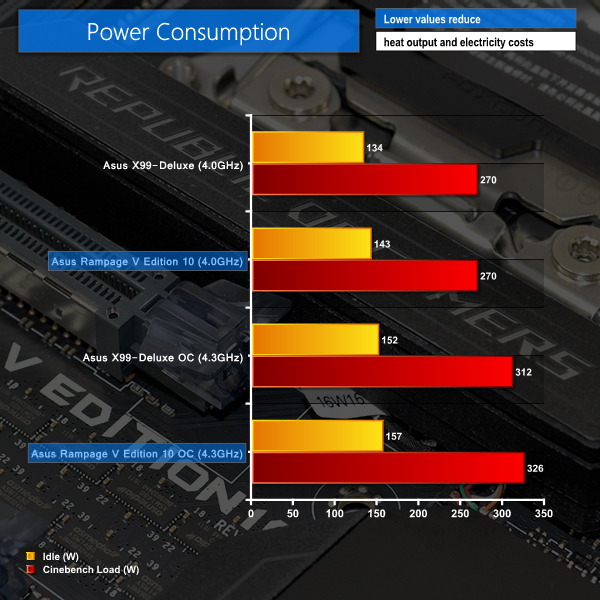
Despite its numerous features, power consumption is beneficial when compared to the X99-Deluxe.
The Asus Rampage V Edition 10 is a superb motherboard that offers an appealing blend of performance, features, and aesthetic qualities.
Performance from the E-ATX motherboard is excellent. We did not notice any significant slow-downs or performance differentials in comparison to Asus' X99-Deluxe. Workloads which are tied to memory performance also benefit from the board's efficient and higher-bandwidth memory subsystem.
Asus’ engineers should give themselves credit for what is a very smart distribution of the X99 platform’s plentiful PCIe connectivity. 4-way SLI and Crossfire can be used alongside a pair of high-speed PCIe 3.0 x4 SSDs. That’s in addition to a PCIe 2.0 x4 and PCIe 2.0 x1 device, if you somehow manage to physically install them (using single-slot graphics cards). There’s also limited interference using the chipset-fed connectors thanks to the application of an ASMedia ASM1184e PCIe 2.0 lane duplicator.
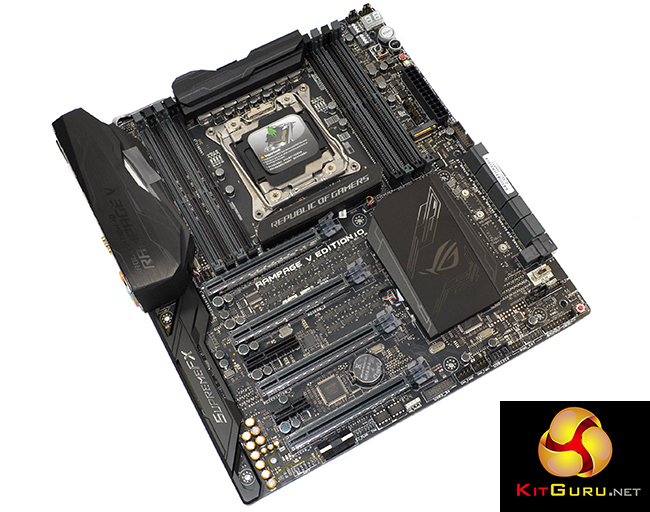
Two 10Gbps USB 3.1 Type-C ports, in addition to a pair of Type-A versions, is good to see on a premium motherboard. I am, however, a little disappointed to see that Intel’s premium Alpine Ridge chipset has not been used, with Asus instead opting for ASMedia’s controller. Utilisation of the Intel chipset would have also opened up the possibility of a Thunderbolt 3 connector, which is a noteworthy omission on a £500 motherboard that will stay in many users’ systems for a number of years.
Dual Gigabit Ethernet ports is another welcomed feature that will allow for teaming to create a fast internal LAN connection. Some content creation enthusiasts may have wanted to see a 10Gbps Ethernet port, given this motherboard’s special status. However, such a design decision would have increased costs noticeably and would be likely to appeal to professional users who may waste the rest of this board’s features. Oh, and let’s not forget about the 1.3Gbps 802.11ac WiFi.
Asus' enhanced SupremeFX HiFi audio system adds to the positivity of available features. And the efficient UEFI and good range of software enhance the board's usability, even if the OS-based tools tend to hog system resources.
Colourful is certainly one way of describing the board’s RGB lighting system. I like the ability for a user to set different colours in the motherboard’s four main lighting zones. And the number of lighting modes is also a positive. I would, however, like to see more colour control integrated into the UEFI, as Gigabyte does. This would help to keep lighting setups consistent in the case of an OS crash or switch.
Priced at an eye-watering £499.99 from OverclockersUK, the Asus Rampage V Edition 10 is among the most expensive consumer motherboards on the X99 platform. While almost £500 is a hard swallow for a motherboard, Asus does provide a significant level of operational quality and an impressive set of features to work towards justifying that cost. And when a 6950X sells at £1400, some enthusiasts may see it as justifiable dropping another £500 on what is one of the best X99 motherboards available.

Buy from Overclockers UK for £499.99 inc vat HERE.
Discuss on our Facebook page, over HERE.
Pros:
- Good performance in all aspects.
- Superb set of overclocking and general usage features.
- Excellent RGB LED system with plenty of user control.
- Well-built and easy to use UEFI.
- Plenty of tweaking options for enthusiasts and hardened overclockers alike.
- Smart motherboard layout with efficient use of PCIe lanes.
Cons:
- No Thunderbolt 3 or Intel USB 3.1 ports.
- OS software tools are good, but can hog system resources and be buggy with some systems.
KitGuru says: The Asus Rampage V Edition 10 is about as premium as a premium motherboard can get. It's difficult to point out a better partner for any high-performance LGA 2011-3 CPU.

waste of money. the reasonable choice is the motherboard (2011 v3 socket) under 300 US$
I currently earn about six to eight thousand bucks /month for freelancing at home. For anyone prepared to complete easy freelance jobs for 2h-5h /day from your home and make valuable profit for doing it… Try this gig IS.GD/cvk4A4
<<rw. ★★✫★★✫★★✫★★✫★★✫★★✫★★✫★★✫★★✫★★✫★★✫★★✫★★✫★★✫★★✫★★✫★★✫★★::::::!ir222m:….,.
Well thats, like, just your opinion man.
Jealousy is a disease get well soon