 KitGuru KitGuru.net – Tech News | Hardware News | Hardware Reviews | IOS | Mobile | Gaming | Graphics Cards


Thunderbolt continues to gain pace in the marketplace, especially amongst professional users to whom time is money. Today we take a look at Asus's Thunderbolt 2-equipped Z87-Deluxe/Quad, aimed at small-scale professional users who regularly transfer large amounts of data.
Asus has taken its standard Z87-Deluxe motherboard and added an Intel DSL5520 Falcon Ridge controller to provide a pair of Thunderbolt 2 ports which support up to four 20Gbps channels. The Thunderbolt interface is maturing and has strong potential amongst professional users who rely on large, high-speed storage arrays. And let's not forget about the multiple high-resolution display connectivity that Thunderbolt 2's built-in DisplayPort channel provides.
Additional features for the Z87-Deluxe/Quad include two-stream, dual-band 802.11ac WiFi, dual Ethernet connections, Bluetooth 4.0, and support for NFC. Providing an impressive array of USB 3.0 and SATA storage interfaces, as well as support for multiple graphics cards, can Asus's Z87-Deluxe/Quad prove that it is a worthy choice for users dealing with high-capacity, time-critical workloads?
Features:
- Two Thunderbolt 2 ports onboard – 20 Gbit/s Transfer Rate and Daisy Chain Expansion
- Dual Intelligent Processors 4 with 4-Way Optimization
- 4-Way Optimization – One Click and Done! Top-up Performance, Efficiency, Digital Power, and System Cooling
- NFC EXPRESS- One-tap Gets Your PC Going!
- Wi-Fi GO! – Connect Your Life – The Perfect Fusion of Desktop, Smartphones and Pads
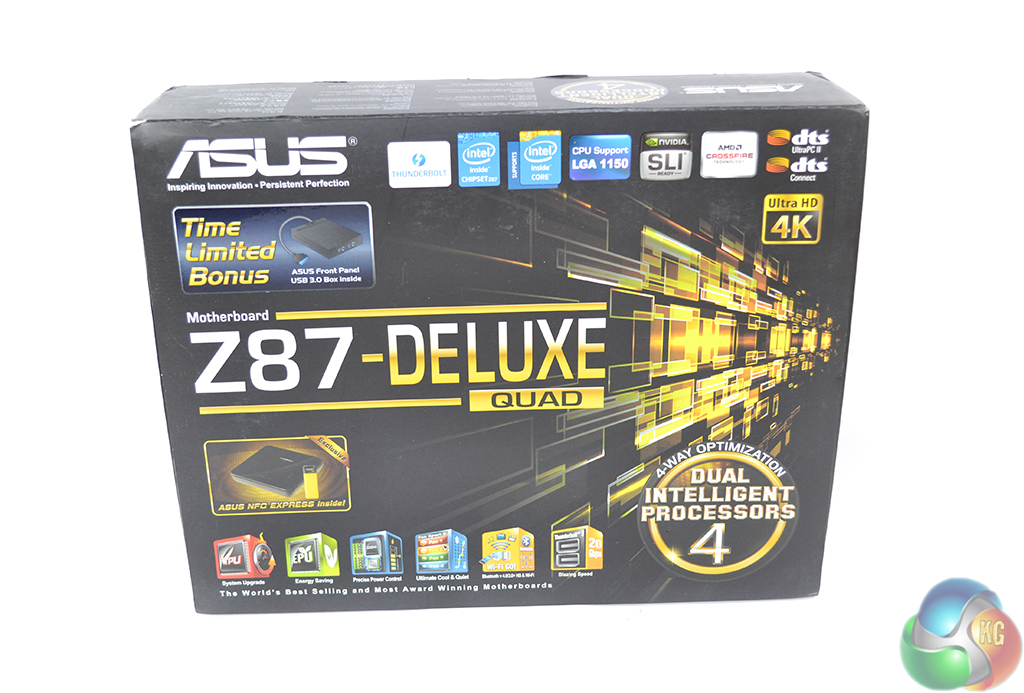
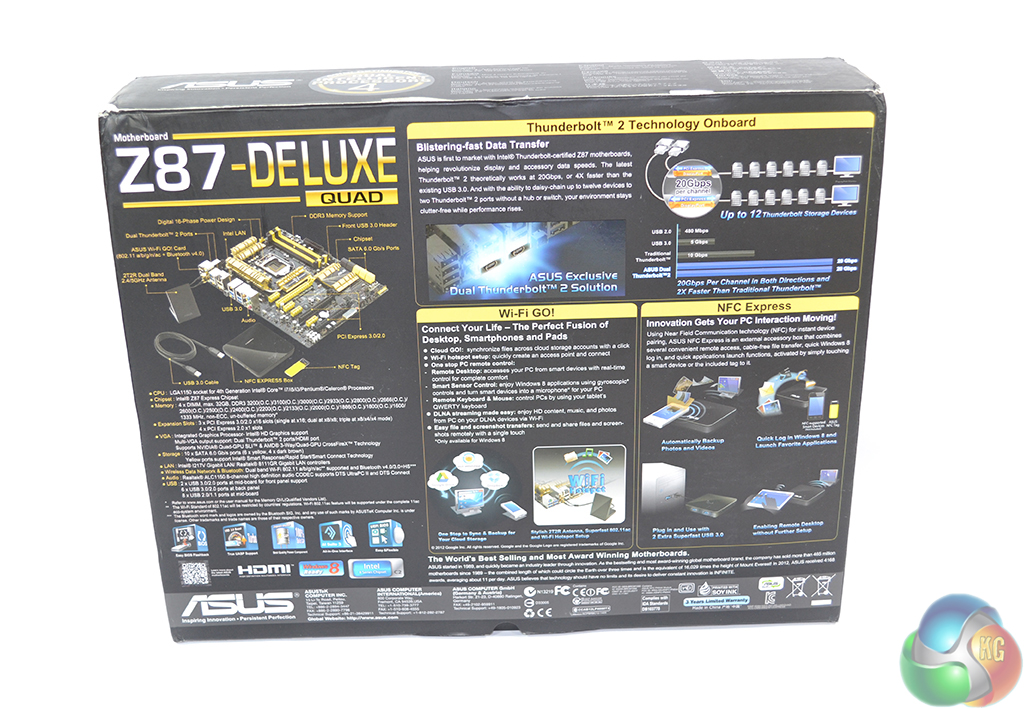
Asus ships the Z87-Deluxe/Quad in the company's typical packaging. A black box features information and promotional material.
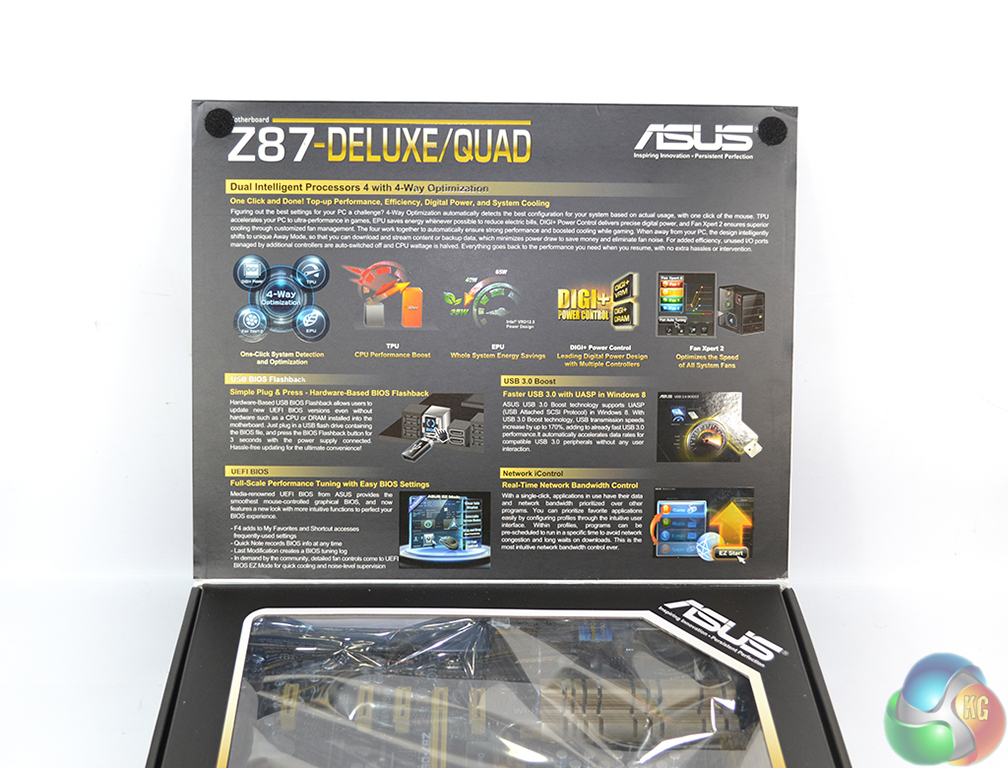
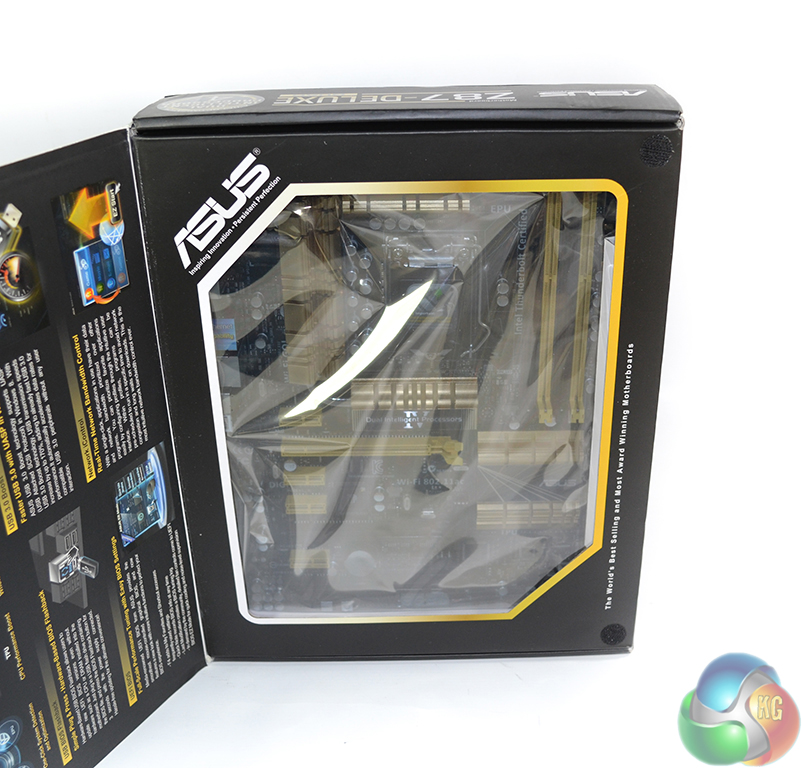
Opening the box's flap gives potential customers a glimpse at the motherboard, and reveals further promotional material.
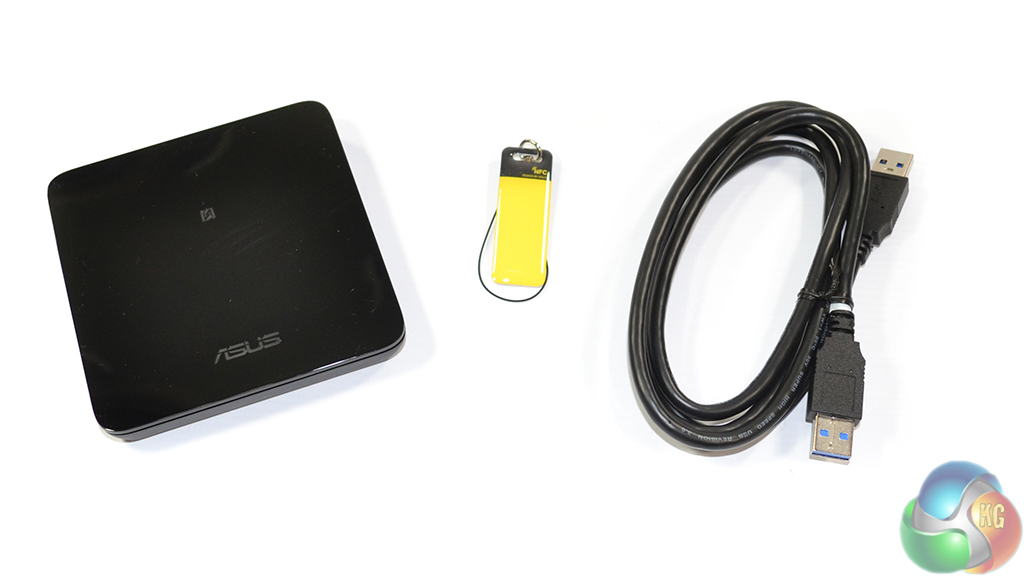
Asus bundles an NFC Express box that connects to the motherboard via USB 3.0. The box can be used to wake the computer from a sleep state and to transfer content to and from digital devices that support NFC.
An additional pair of USB 3.0 ports is found on the NFC Express box. It is worth pointing out that the NFC Express box is compatible with Windows 8 specifically, hence why we were unable to test its functionality.
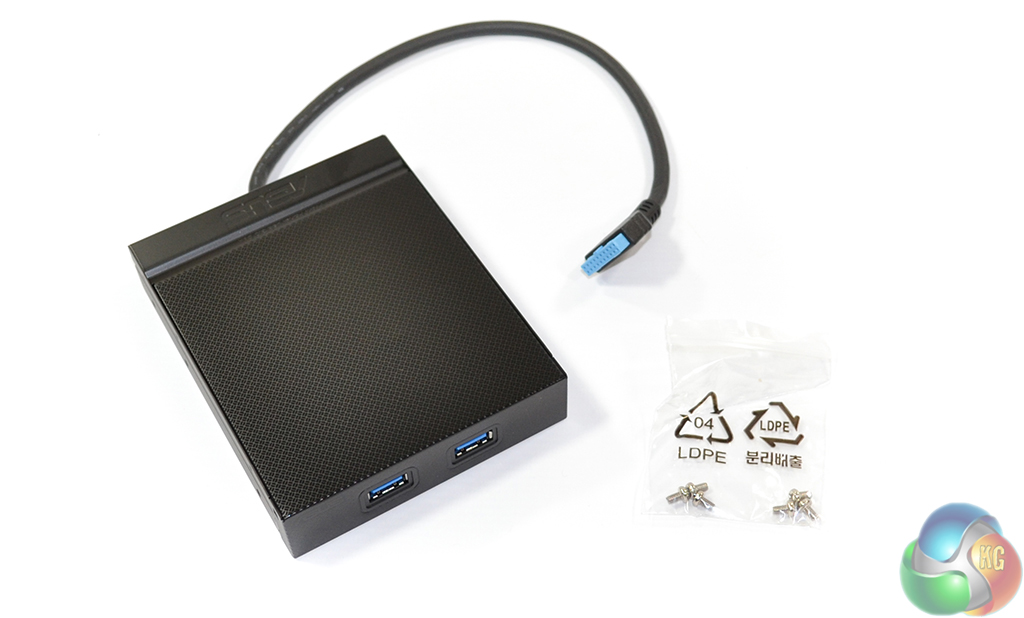
For a limited period of time, Asus includes a 3.5″ bay adapter that provides a further two connections, although its relevance is questionable given the proportion of cases that now ship with front panel USB 3.0 ports.
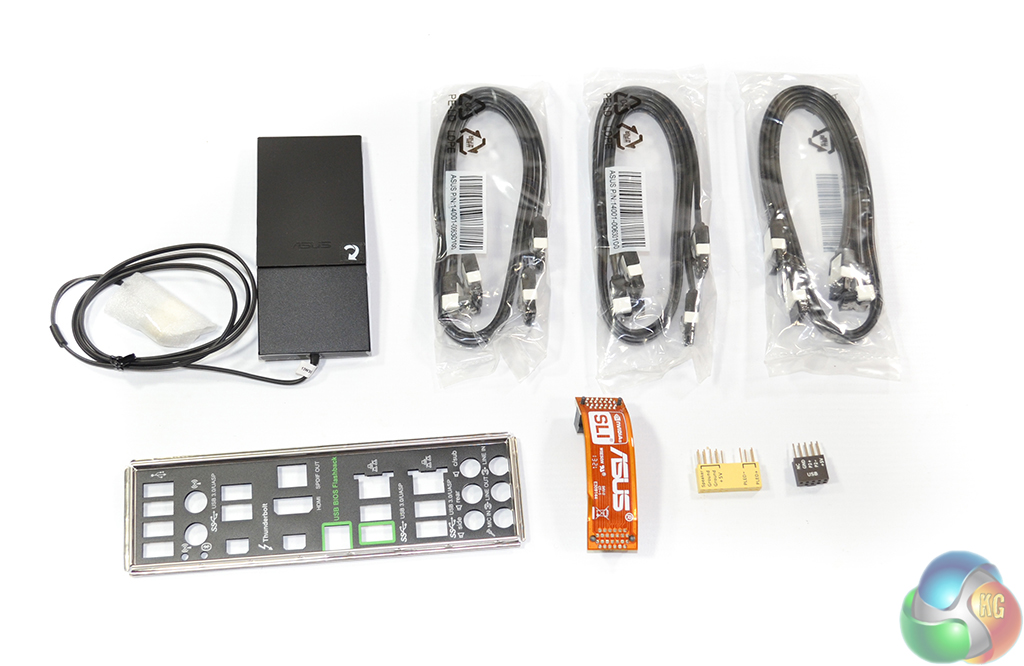
Asus's excellent Q-connectors make an appearance as part of the Z87-Deluxe/Quad motherboard's healthy bundle. The bundle includes:
- 6x SATA cables.
- 1x SLI bridge.
- 1x IO shield.
- 2x Asus Q-connectors.
- 1 x NFC EXPRESS box with 2 extra USB 3.0 ports + NFC EXPRESS tag (inc USB 3.0 cable).
- 1 x ASUS 2T2R dual band Wi-Fi moving antennas (Wi-Fi 802.11a/b/g/n/ac compliant).
- 1x 3.5″ front bay 2-port USB 3.0 hub (with screws).
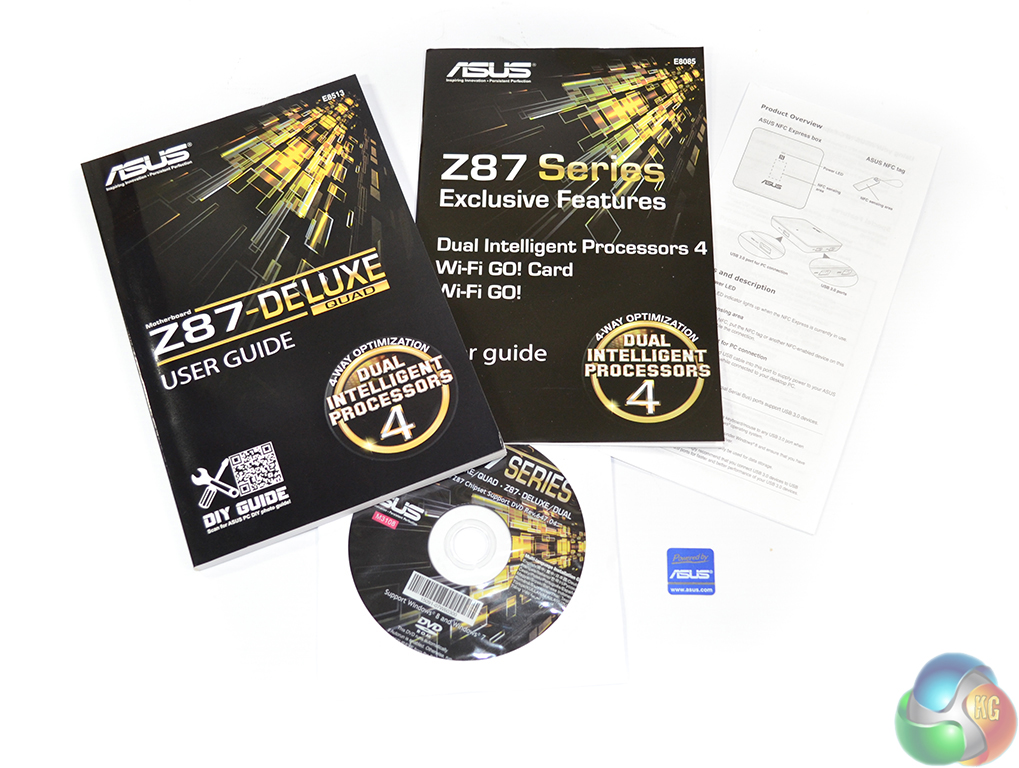
Asus includes documentation for the motherboard and some of its key features. A case badge is also provided.
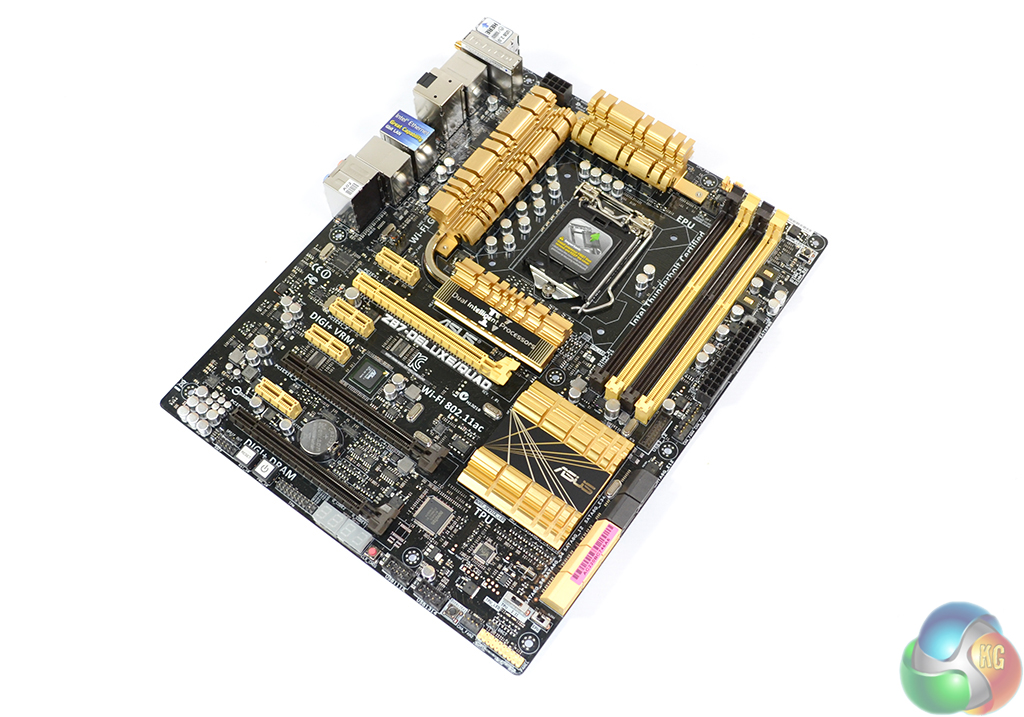
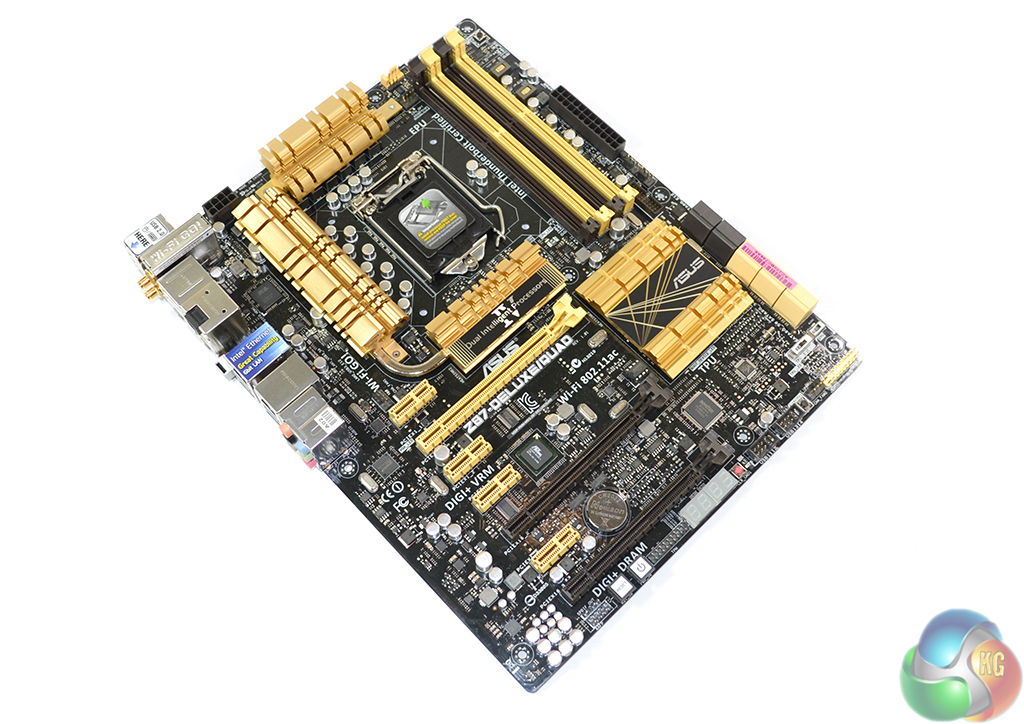
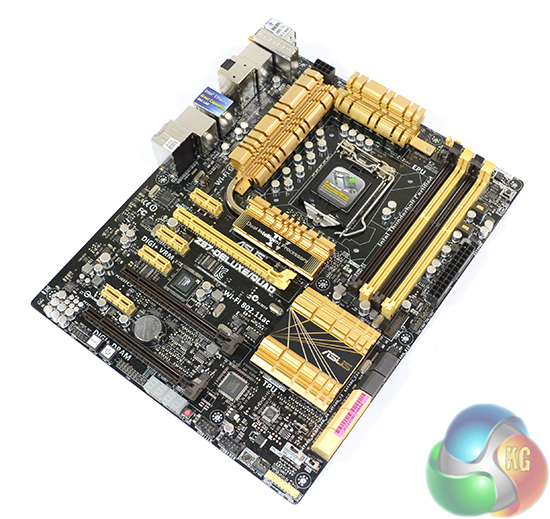
Measuring 12″ x 9.6″, Asus's Z87-Deluxe/Quad conforms to the standard ATX form factor. Asus's Thunderbolt 2-equipped board retains the black and gold colour scheme of its original Z87-Deluxe sibling.
To some, the colour scheme is loud and obnoxious. To others, the black and gold mix well and create a unique appearance. I have to admit that I fall into the latter category – I like the balance of Asus's eye-catching arrangement of colours.
A dark black PCB is used to further enhance the motherboard's aesthetic appearance.
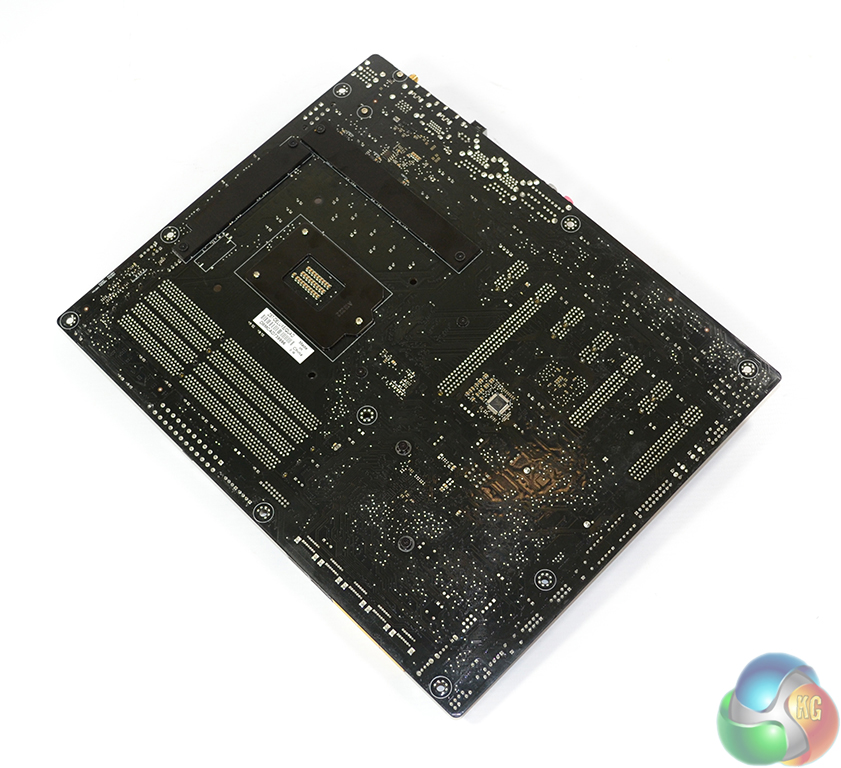
VRM heatsinks on the board's rear side provide additional support and cooling for the power delivery components.
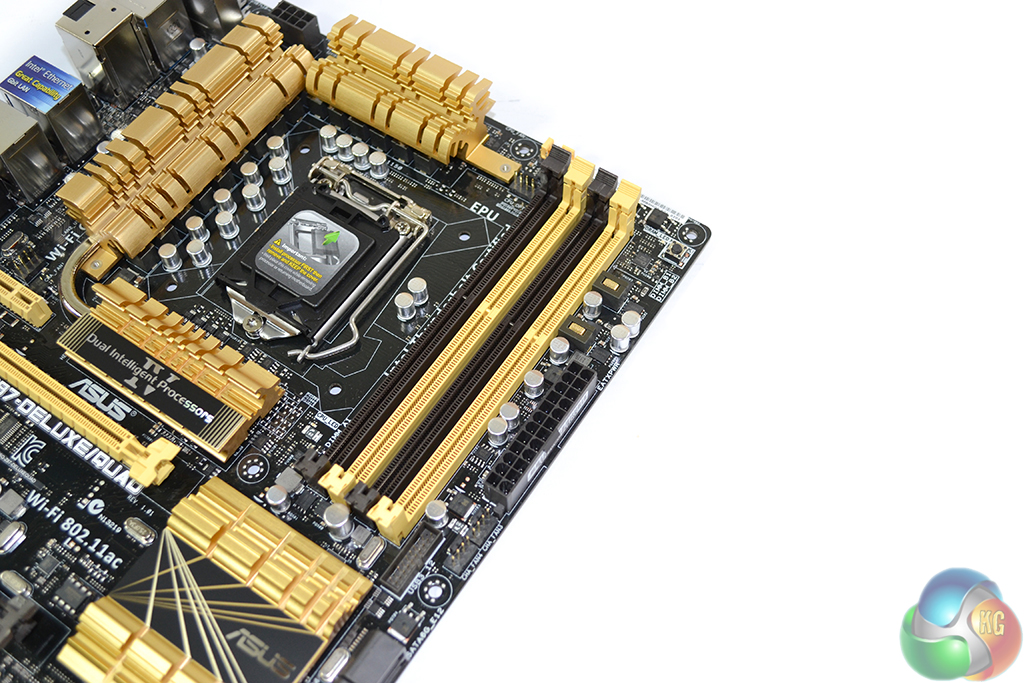
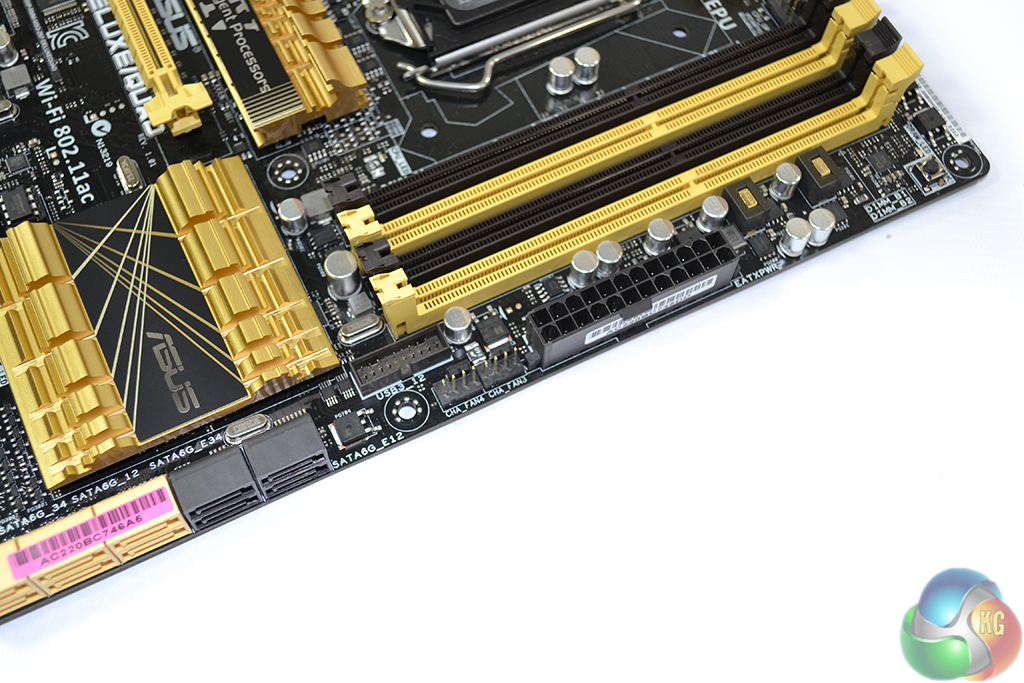
Up to 32GB of DDR3 memory can be installed in the Z87-Deluxe/Quad motherboard's four single-latch DIMM slots. Memory frequencies up to 3200MHz are supported, although the real-world maximum frequency will also be related to the strength of a CPU’s IMC.
A pair of 4-pin chassis fan headers and the outwards facing USB 3.0 header are located in close proximity to the 24-pin connection. Asus's ever-convenient MemOK button is located in the board's top-right corner.
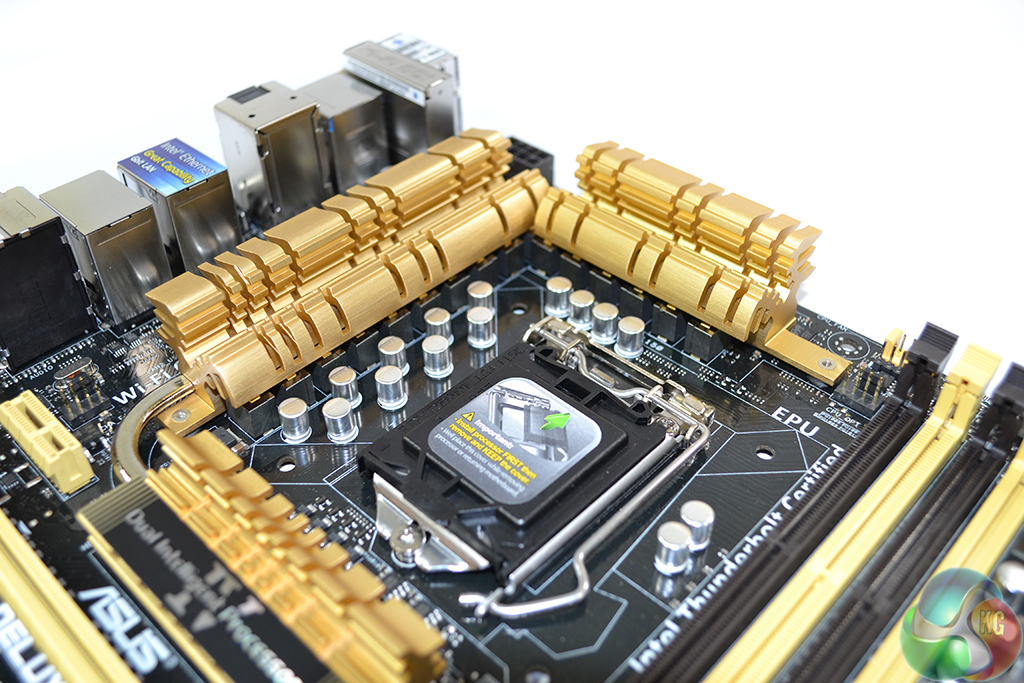
Asus uses a high-performance, sixteen phase power delivery system to feed an LGA 1150 CPU. Called Digi+ VRM, the sixteen phase system utilises digital controllers and 5000-hour lifespan capacitors in an effort to enhance stability and longevity of the motherboard. Asus also seems to be using high-quality chokes in addition to the solid-state capacitors.
The motherboard's memory subsection is fed by a two phase digital power delivery system.
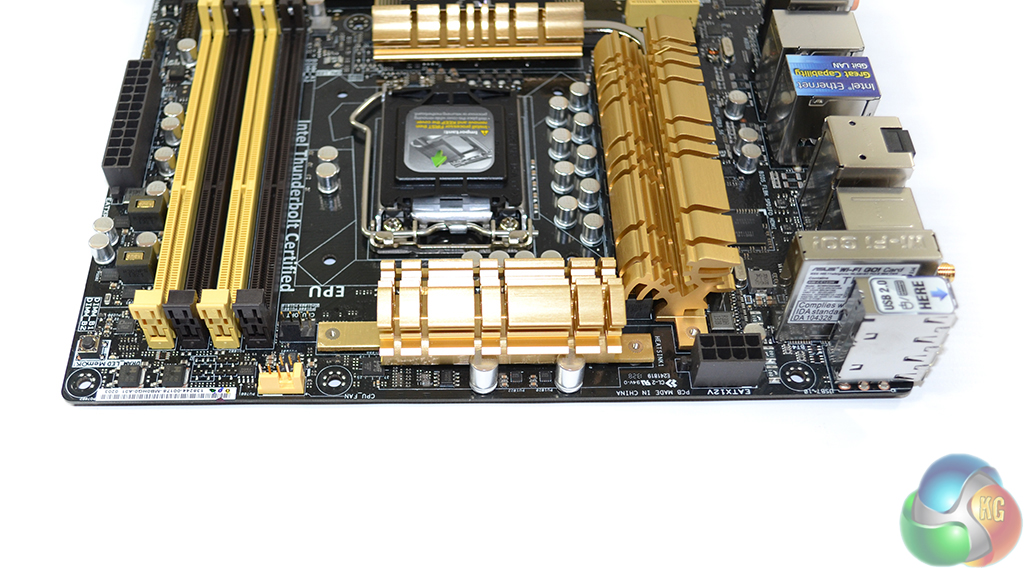
Positioned against the board's top-edge, the 8-pin CPU power connector is sat in the ideal location for ease of cable management in modern ATX cases.
A pair of CPU fan headers, both 4-pin, is located to the left of the upper VRM heatsink. Both connections are linked to the CPU's PWM fan control channel. The gold fan header looks to support a feature unique to Asus which allows it to control the speed of a 3-pin fan, as we reported here.
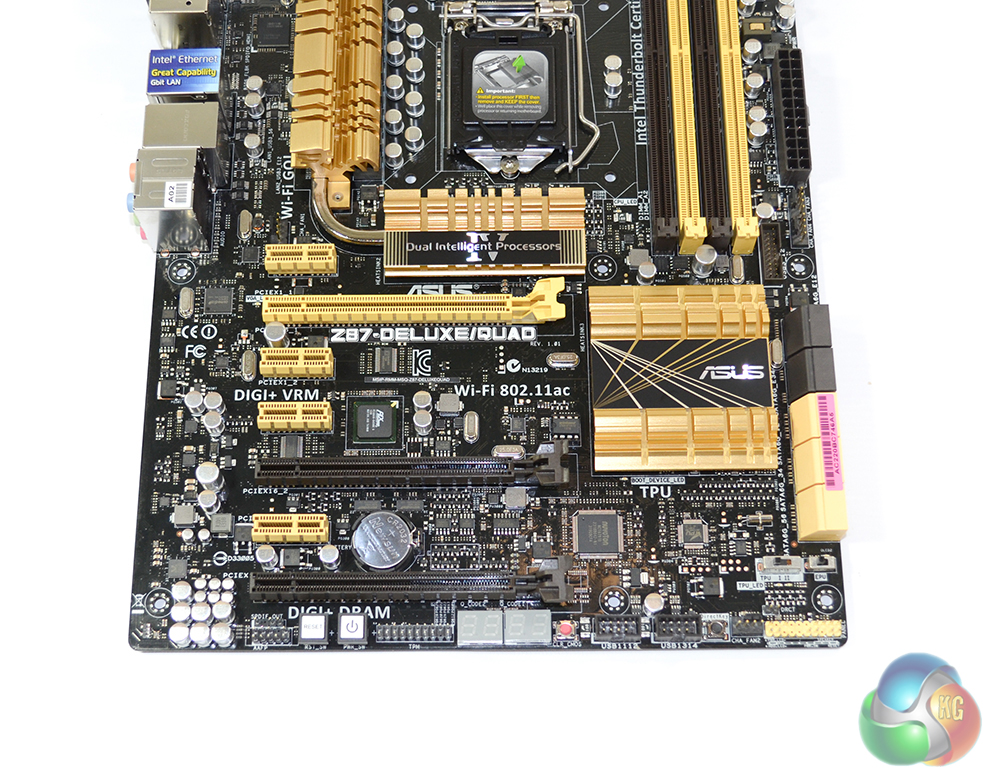
Showing intent for the target audience that Asus has produced its Z87-Deluxe/Quad motherboard for, the product utilises a full array of PCIe expansion slots. There are no legacy PCI slots in sight – a decision which many users will applaud.
The gold PCIe x16 slot operates at full bandwidth, being fed by sixteen Gen 3 PCIe lanes when used on its own. Installing an additional card in the second PCIe x16-length connector will force both lanes to operate at PCIe 3.0 x8 bandwidth. Asus also includes a third full-length PCIe slot which, when occupied, will force the motherboard to operate in x8/x4/x4 configuration, from top to bottom. Two-card SLI and up to three-card CrossFire configurations are supported.
I would typically prefer the bottom PCIe x16-length slot to operate via four PCIe 2.0 lanes routed from the chipset. This allows users to maintain SLI capability (and x8/x8 CrossFire) while still being able to use a high-bandwidth PCIe device such as Asus's ROG RAIDR. But given that a large proportion of the Z87 chipset's PCIe lanes have been allocated to the Thunderbolt 2 controller, Asus's decision to link the lower full-length slot with the CPU's PCIe lane generator is an understandable one.
Four PCIe 2.0 x1 connectors complete the Z87-Deluxe/Quad motherboard's expansion slot arrangement.
An eight-lane PCIe Gen 2 switch in the form of PLX's PEX8608 is called upon to assist with bandwidth allocation for the Z87-Deluxe/Quad's host of controllers. The PEX8608 switch essentially acts as a duplicator to provide the correct quantity of PCIe 2.0 connections to all of the interfaces – the number of PCIe lanes required is greater than the number that Intel's Z87 FlexIO configuration can provide.
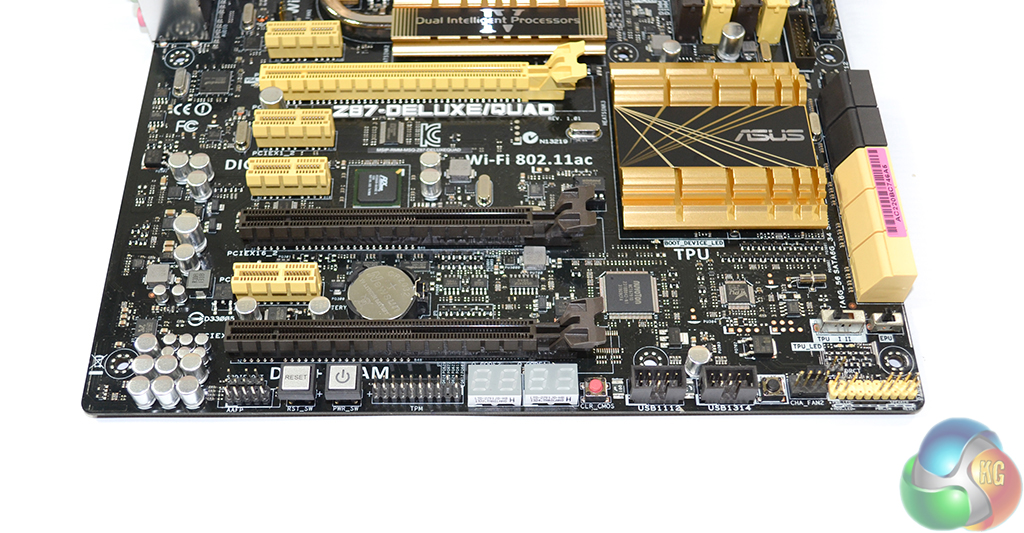
Along the motherboard's bottom edge we find the typical array of headers. As usual, front panel headers are located on the right side of the motherboard edge, with the audio connection residing on the left. Asus includes a pair of Q-code LED displays for diagnostic purposes.
Onboard power and reset buttons are located on the motherboard's bottom edge. I do not have any complaints regarding their positioning – it is unlikely that users will operate a dual-slot graphics card in the lowest PCIe slot. A red clear CMOS button and the DirectKey switch are also located on the motherboard's bottom edge.
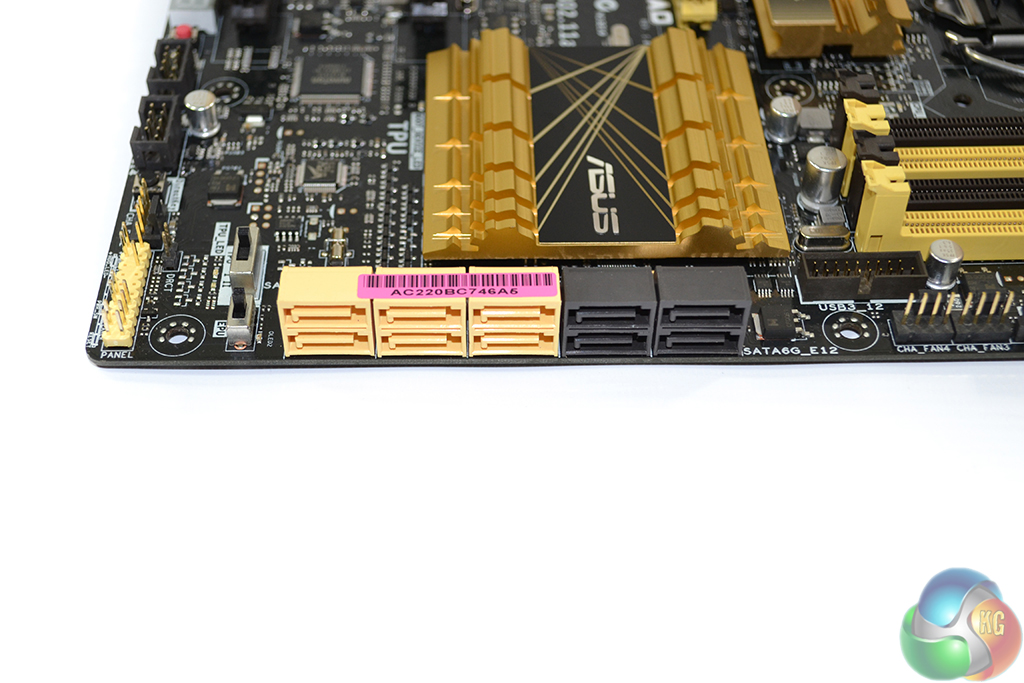
Ten SATA 6Gbps ports are found on the Z87-Deluxe/Quad motherboard. The six gold-coloured ports operate directly from the Z87 PCH, while the four black connectors are provided by two ASMedia ASM1061 chipsets.
All of the ports are aligned in the right-angled orientation to minimise clearance issues with multiple graphics cards.

Intel's DSL5520 Falcon Ridge controller provides both of the 20Gbps Thunderbolt 2 connections. Up to twelve storage devices can be daisy-chained to the pair of Thunderbolt 2 ports. As Thunderbolt also carries a DisplayPort signal, high-resolution monitors or video capture devices can also be linked to the daisy-chain, in addition to a large storage array.
Noticeably, Asus does not provide a method of linking the video signal from a discrete GPU to its motherboard-based Thunderbolt 2 ports. This suggests that users will be better served to link storage devices to the Thunderbolt 2 ports, while an external video signal is sent via conventional DisplayPort or DVI means, if a discrete graphics card is used.
A pair of Gigabit Ethernet ports is provided by a combination of Intel's I217V chipset, as well as the RTL8111G from Realtek. Asus should make it easier for users to understand which Ethernet connection is fed by each controller. Antenna connections for the two-stream, dual-band 802.11ac WiFi are found amongst the rear IO ports.
An ASMedia ASM1074 four-port USB 3.0 hub helps to provide a total of six SuperSpeed connections for the rear IO panel. Potential bandwidth limitations could occur if users attempt to saturate the duplicated USB 3.0 ports, although utilising the Thunderbolt 2 connections may be a worthwhile upgrade if a substantial quantity of data is being transferred to external devices.
Realtek's ALC1150 audio codec is used in a simple system which does not rely upon high-grade, cost-increasing audio capacitors or operational amplifiers.
Motherboard rear ports:
- 2 x Thunderbolt 2 Ports
- 1 x HDMI
- 2 x LAN (RJ45) ports
- 6 x USB 3.0 (blue)
- 4 x USB 2.0
- 1 x Optical S/PDIF out
- 6 x Audio jacks
- 1 x USB BIOS Flashback Button(s)
- 1 x ASUS Wi-Fi GO! module (Wi-Fi 802.11 a/b/g/n/ac and Bluetooth v4.0/3.0+HS)
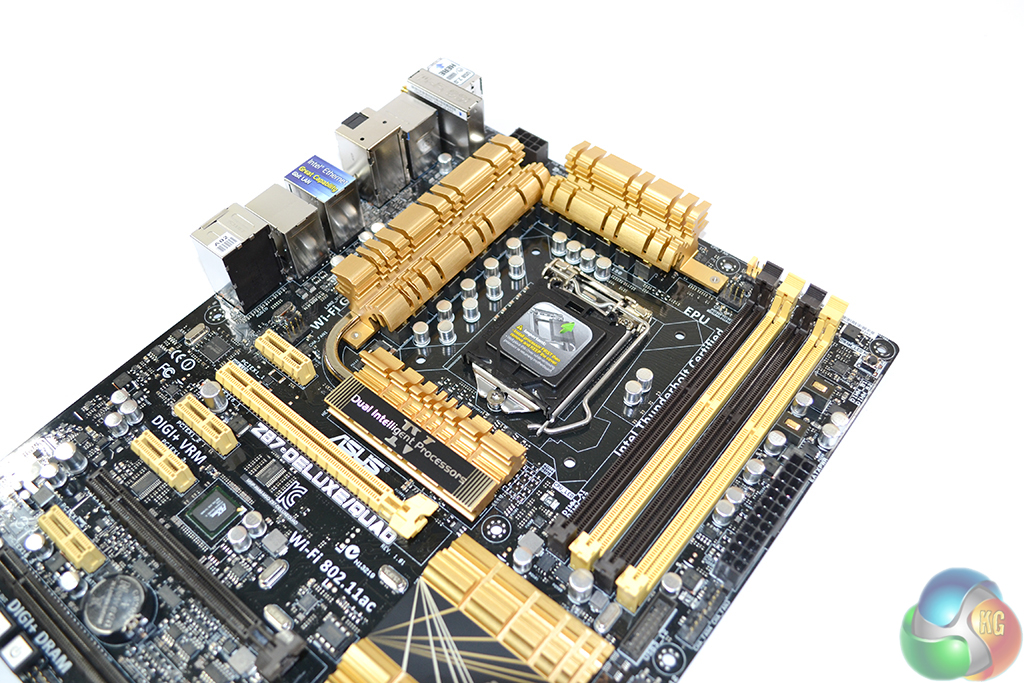
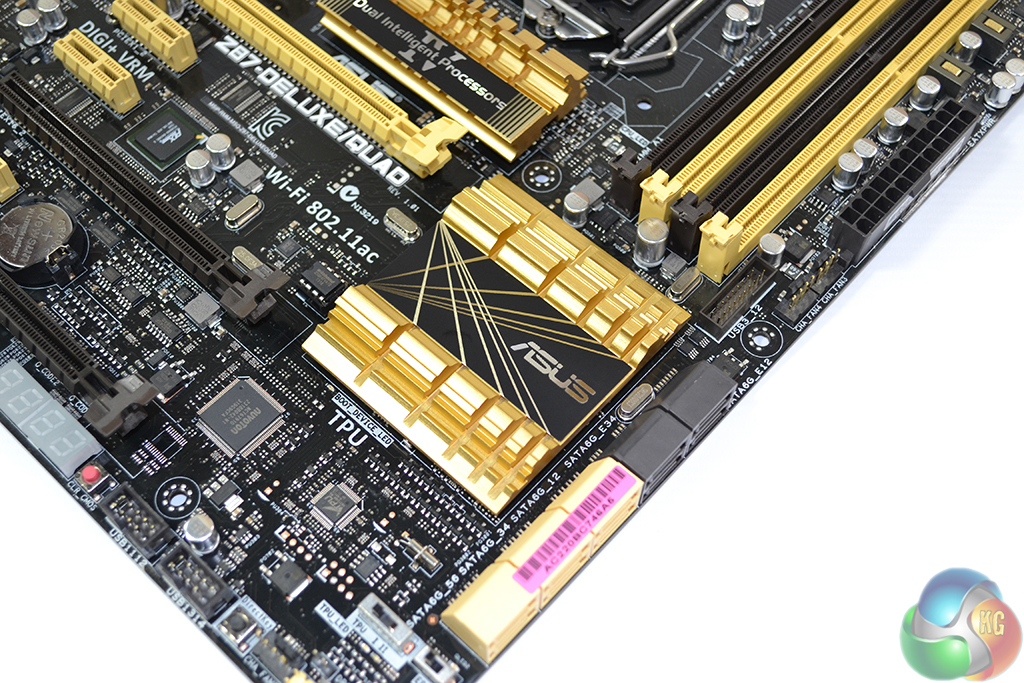
Asus uses stylish black and gold heatsinks to cool the sixteen phase VRM and Z87 chipset. The heatsinks are short enough to avoid major interference headaches.
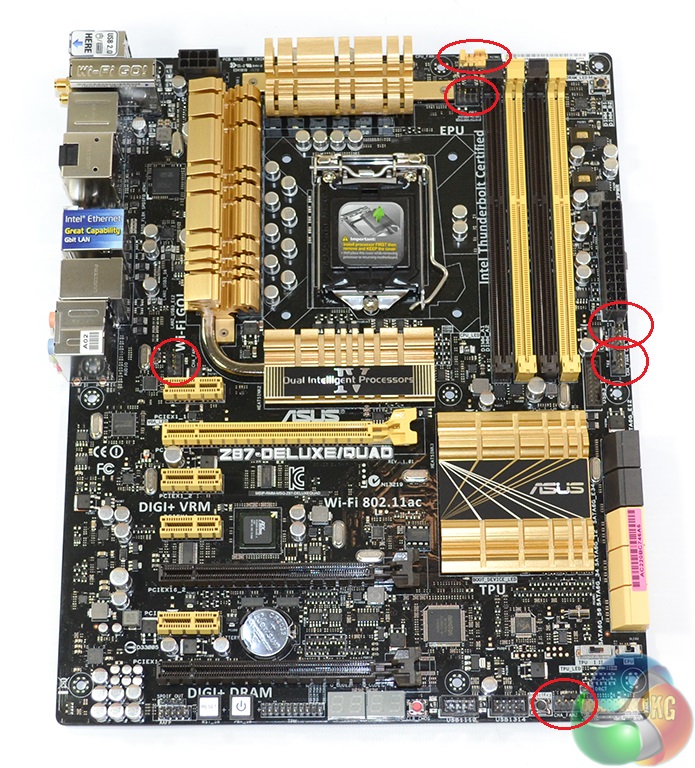
Six 4-pin fan headers are spread around the motherboard and found in their ideal locations. Asus's excellent positioning allows users to connect side panel, rear, and front fans without having to trail wires across the motherboard and ruin their cable management efforts.
All six of the fan headers can be speed-controlled via the UEFI BIOS or Asus's software.
Firstly, we are pleased to report that our Leetgion Hellion mouse worked to its usual standard in the Asus Z87-Deluxe/Quad motherboard’s UEFI BIOS.
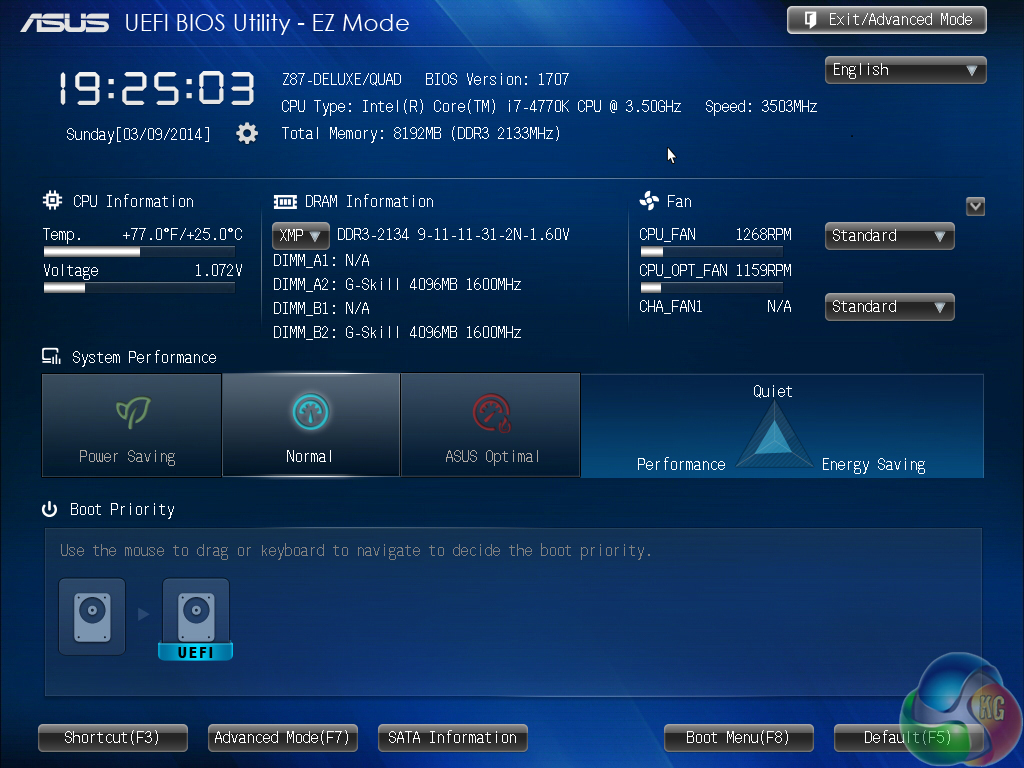
The Asus Z87-Deluxe/Quad motherboard’s UEFI BIOS reveals an interface that is very similar to the company’s previous iterations. The opening page displays system information, such as frequencies and memory size, as well as fan speed information and boot device priorities.
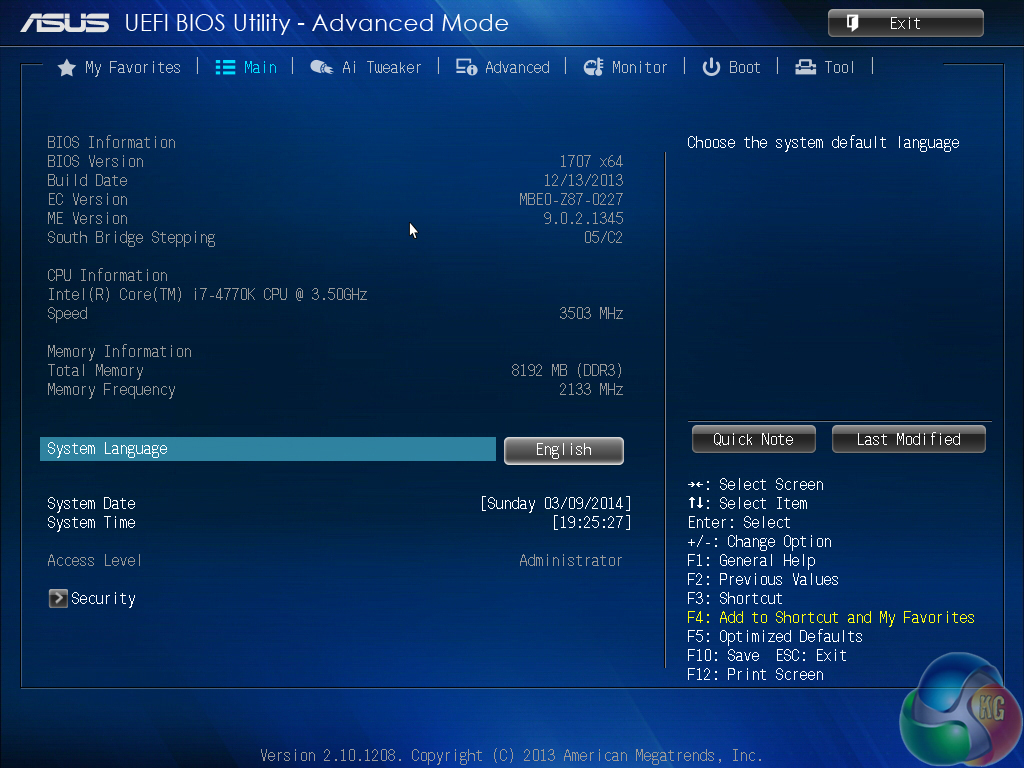
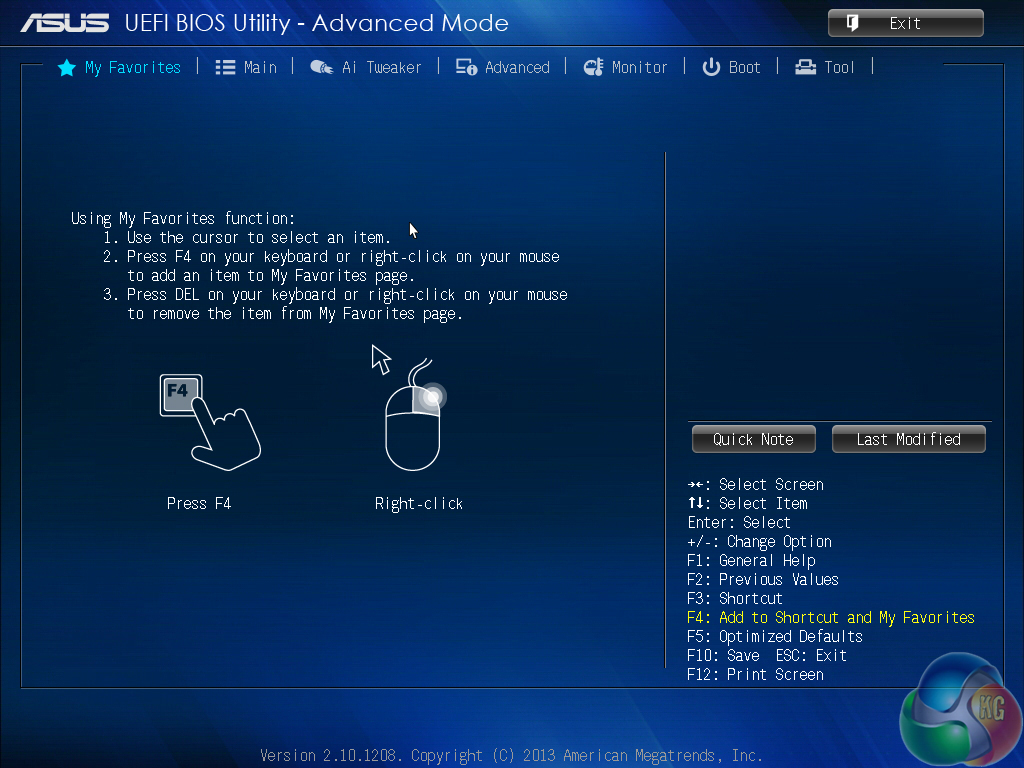
The Main page displays further system information, while the Favourites section can be used to provide quick access to user-definable functions.
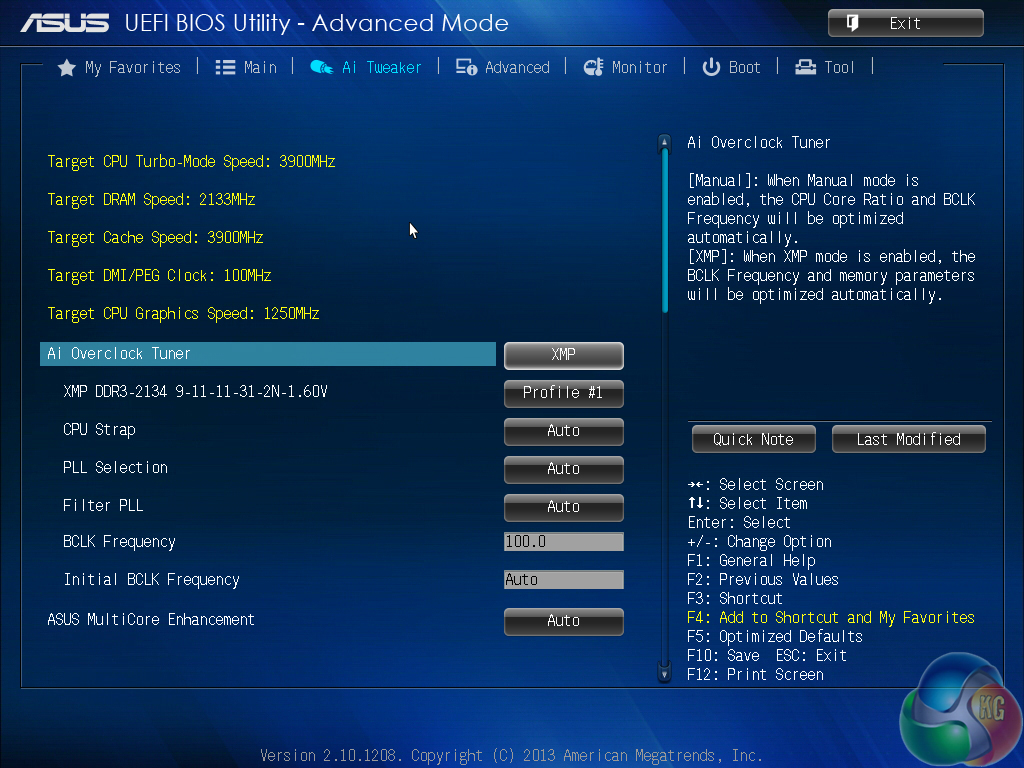
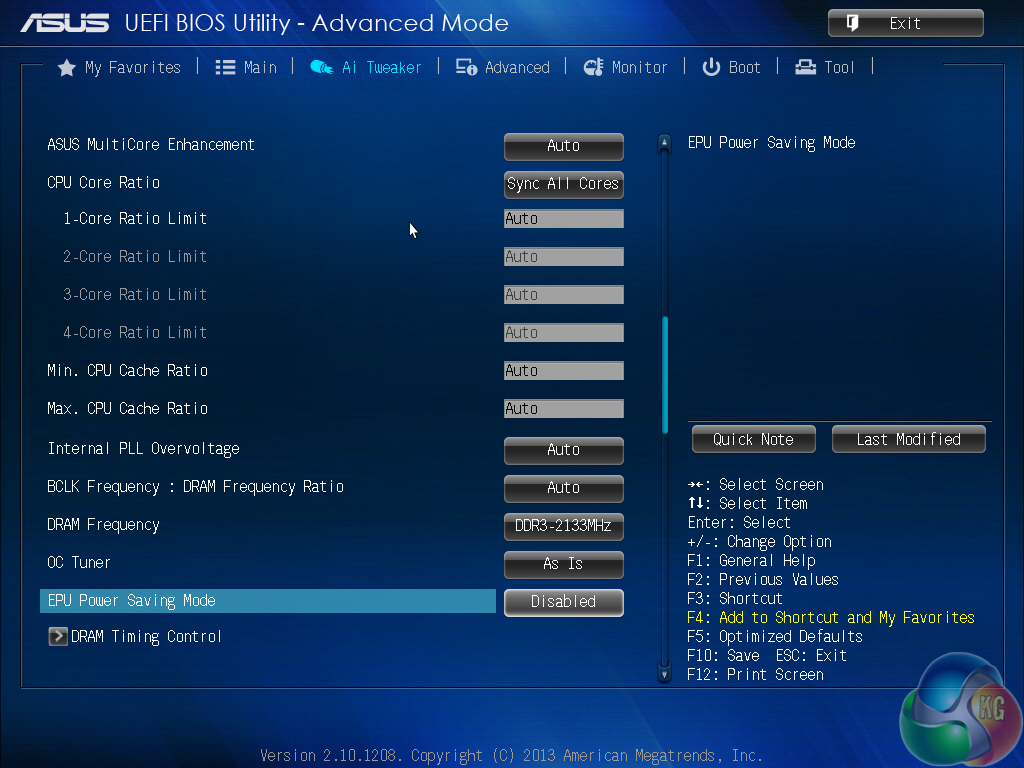
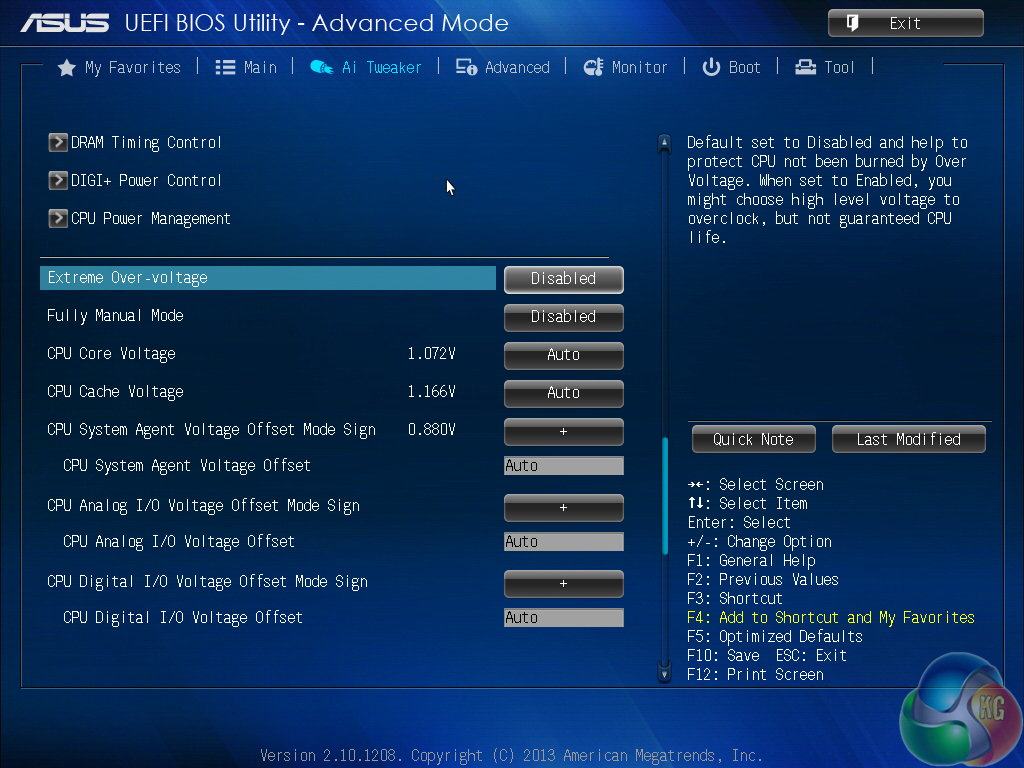
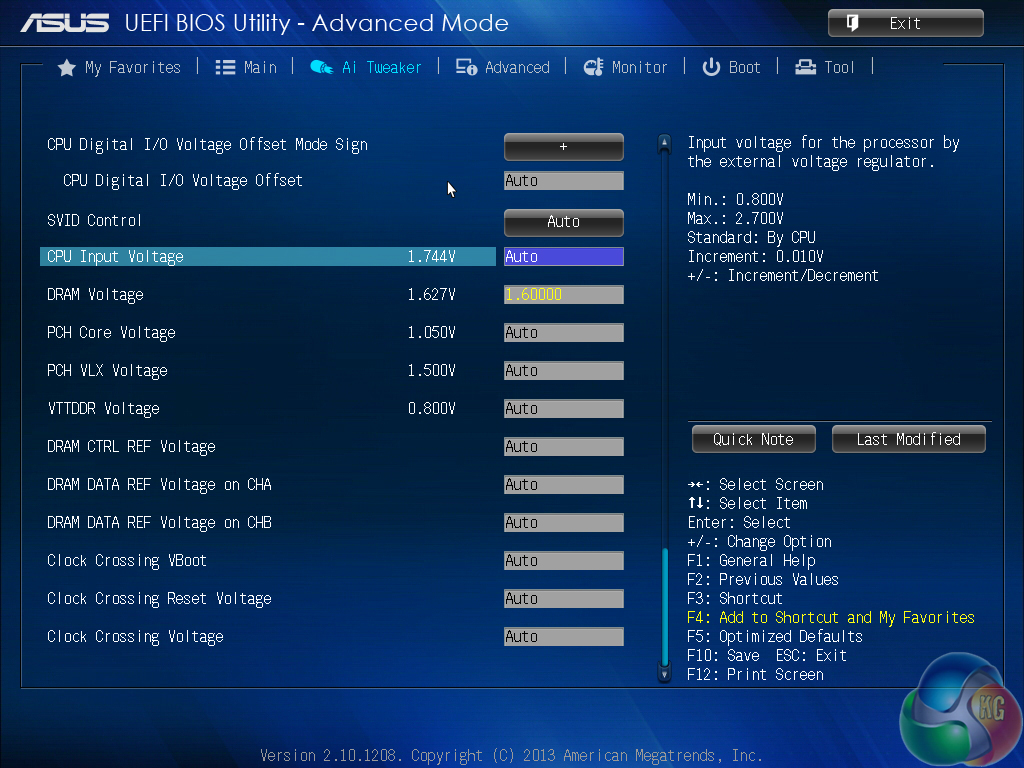
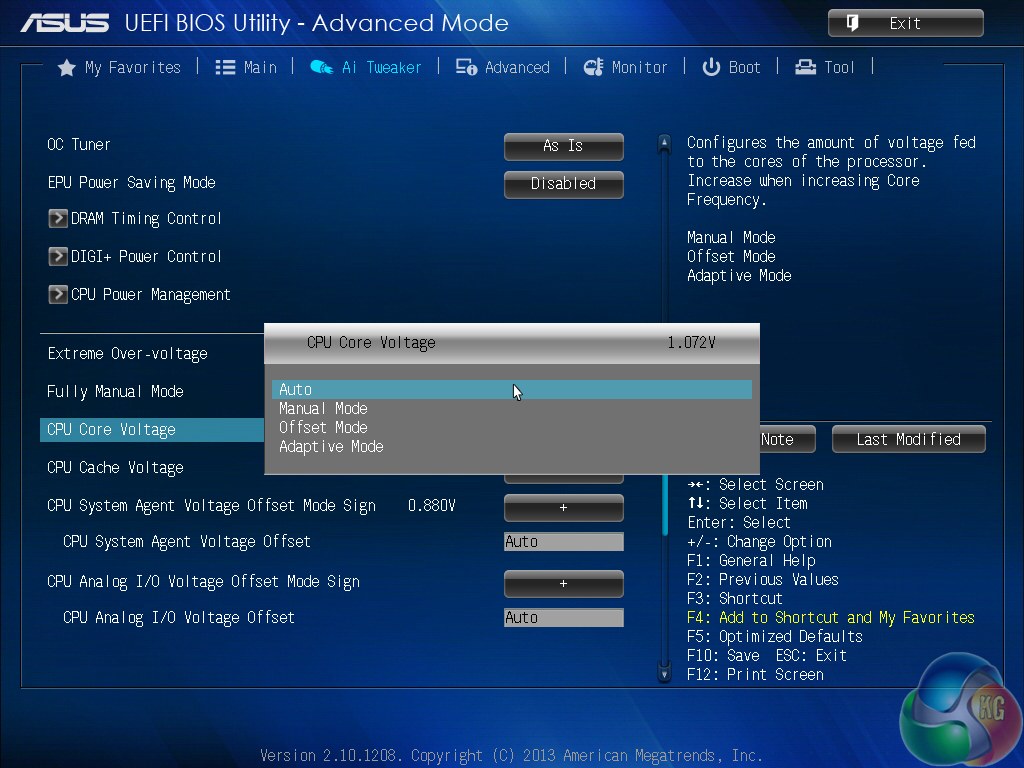
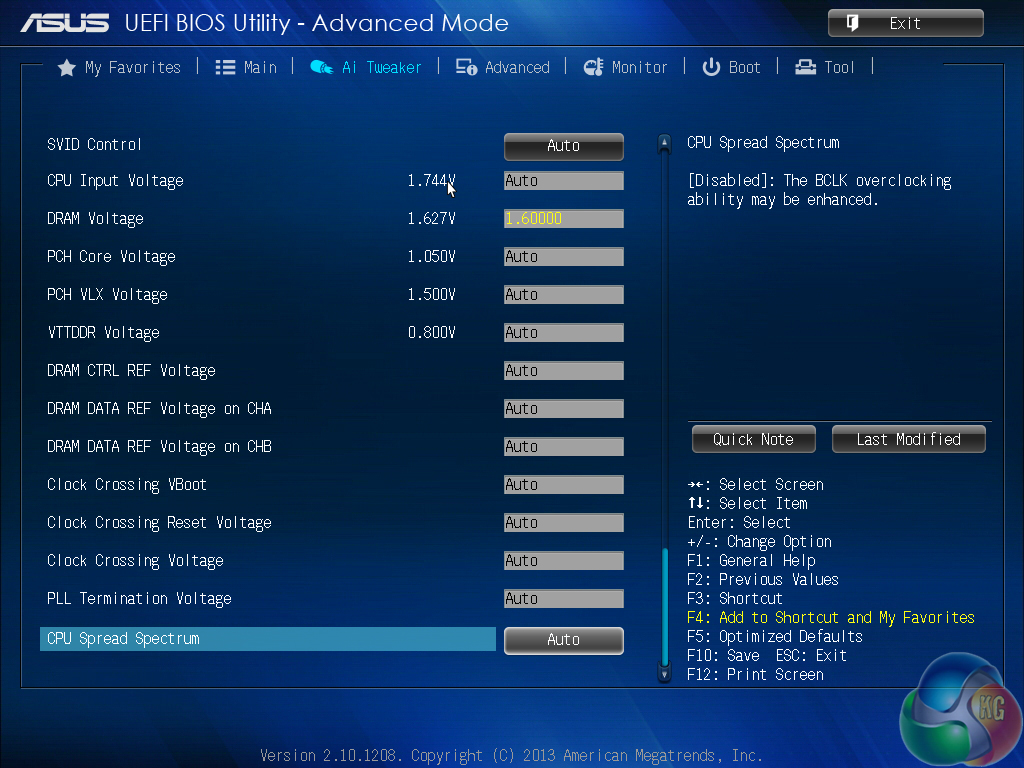
Asus’ AI Tweaker provides plenty of flexibility in regard to applicable voltage and frequency settings. Offset and adaptive voltages can be utilised or manual control can be set, if preferred.
The built-in overclock tuner can be used to apply a ‘BCLK First’ overclock which, unsurprisingly, adjusts the base clock frequency. A simple multiplier adjustment is provided by the ‘Ratio First’ overclock. We will outline the automated overclocking procedures and settings later in the review.
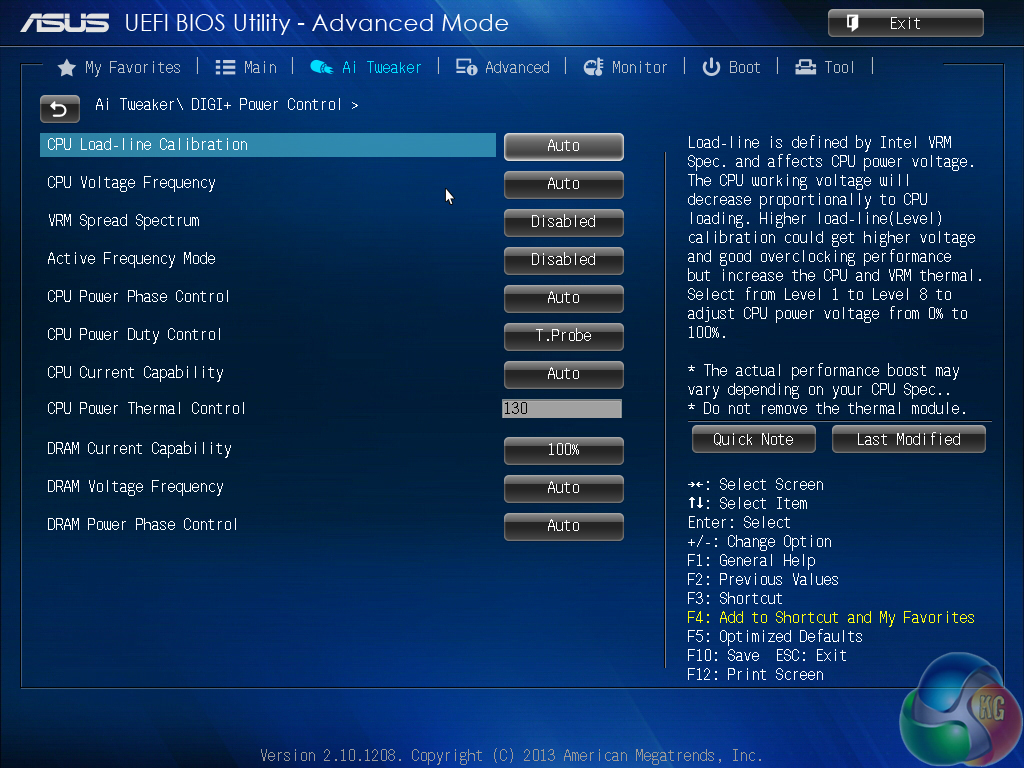
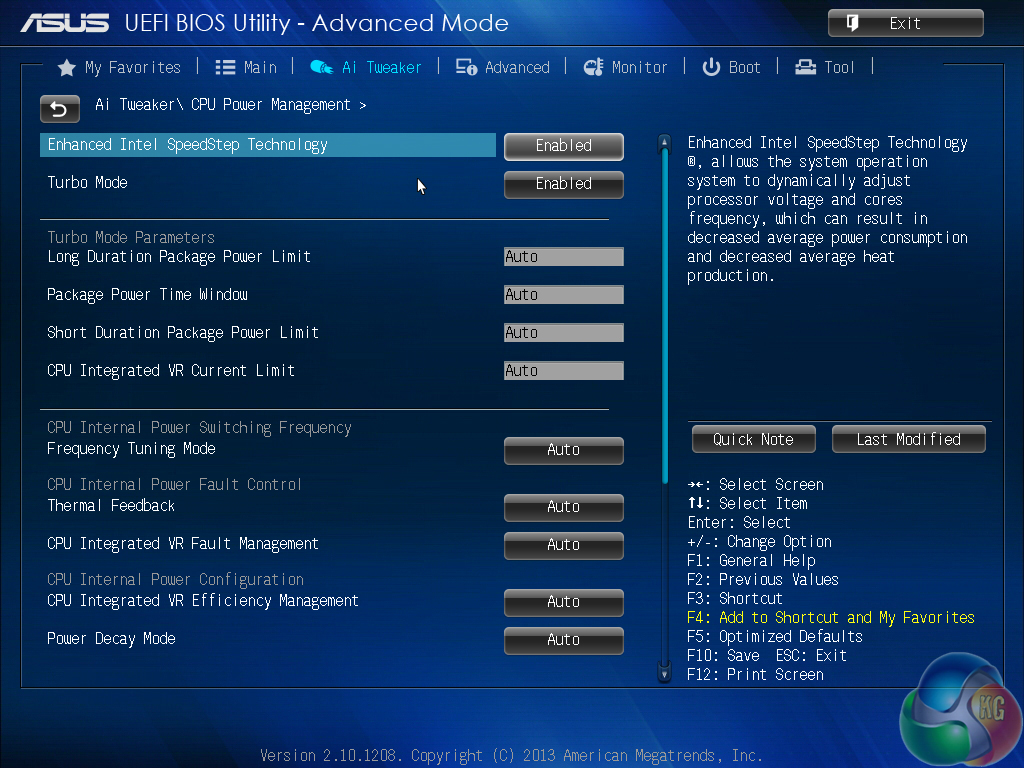
Additional power control sub-sections allow more precise tweaks to be applied to the processor, memory, and motherboard.
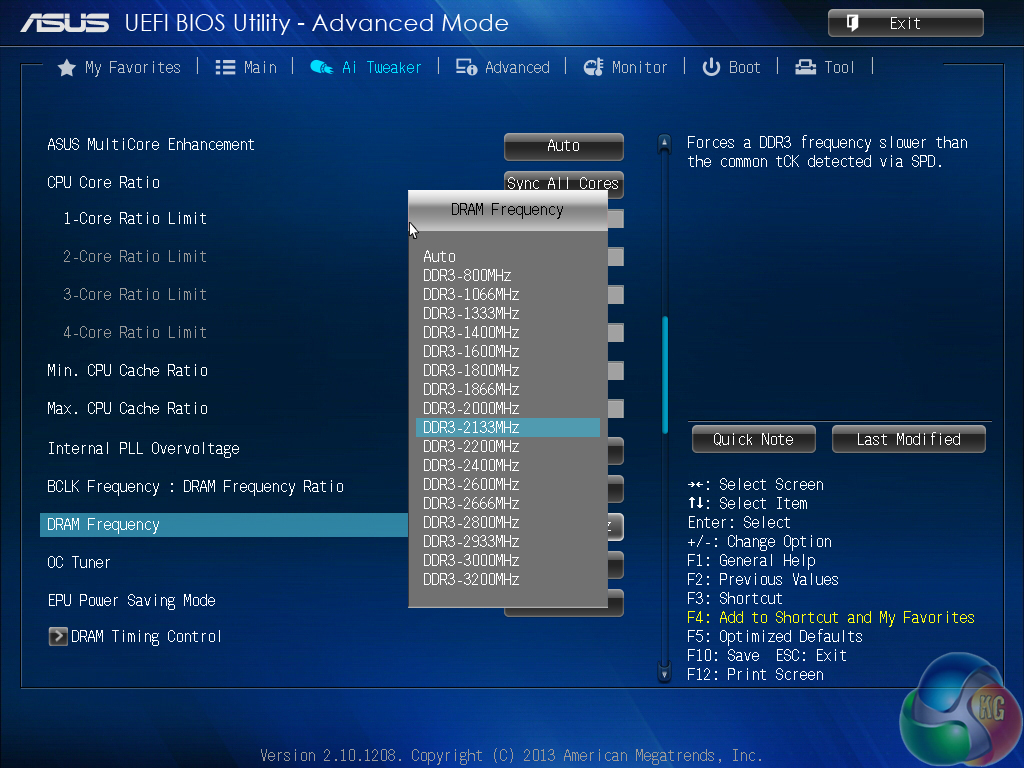
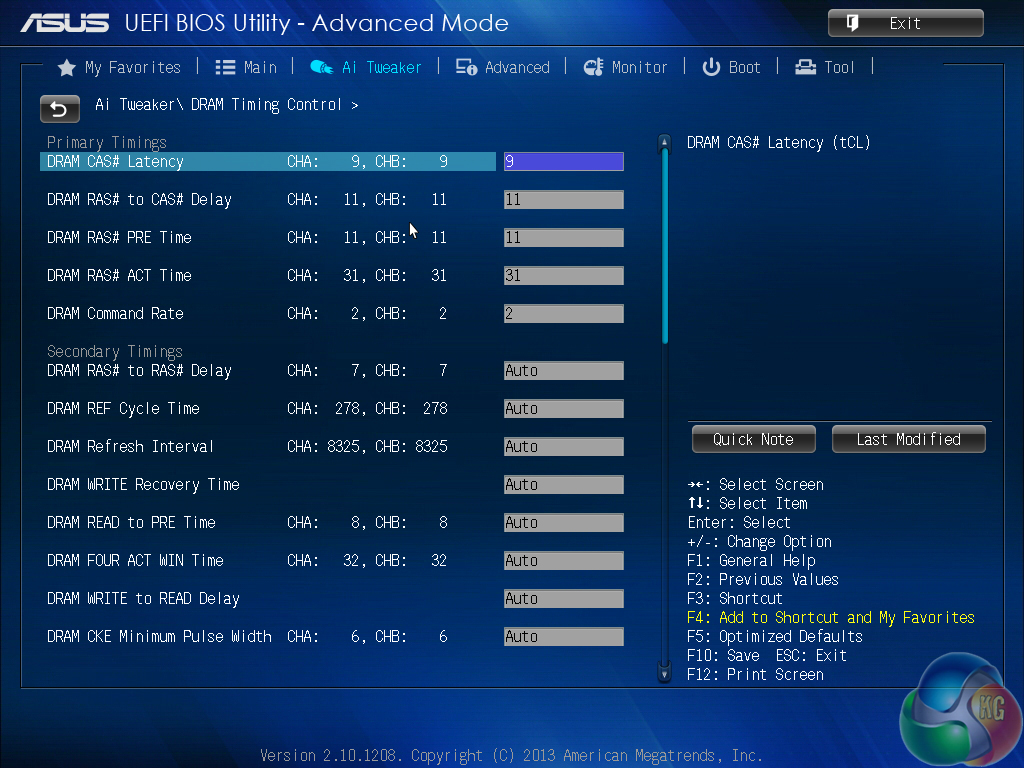
DRAM dividers up to 3200MHz can be applied, although frequencies that high will typically dictate a higher BCLK strap ratio, hence a lower memory multiplier. A long list of memory timings can be adjusted via its own section.
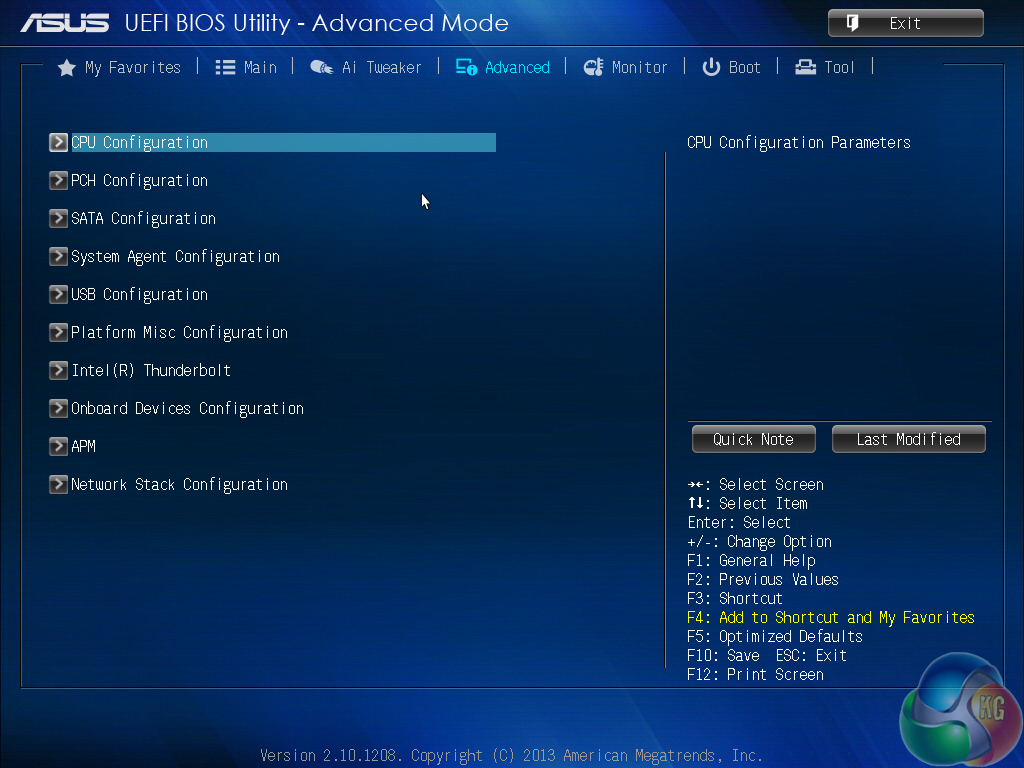
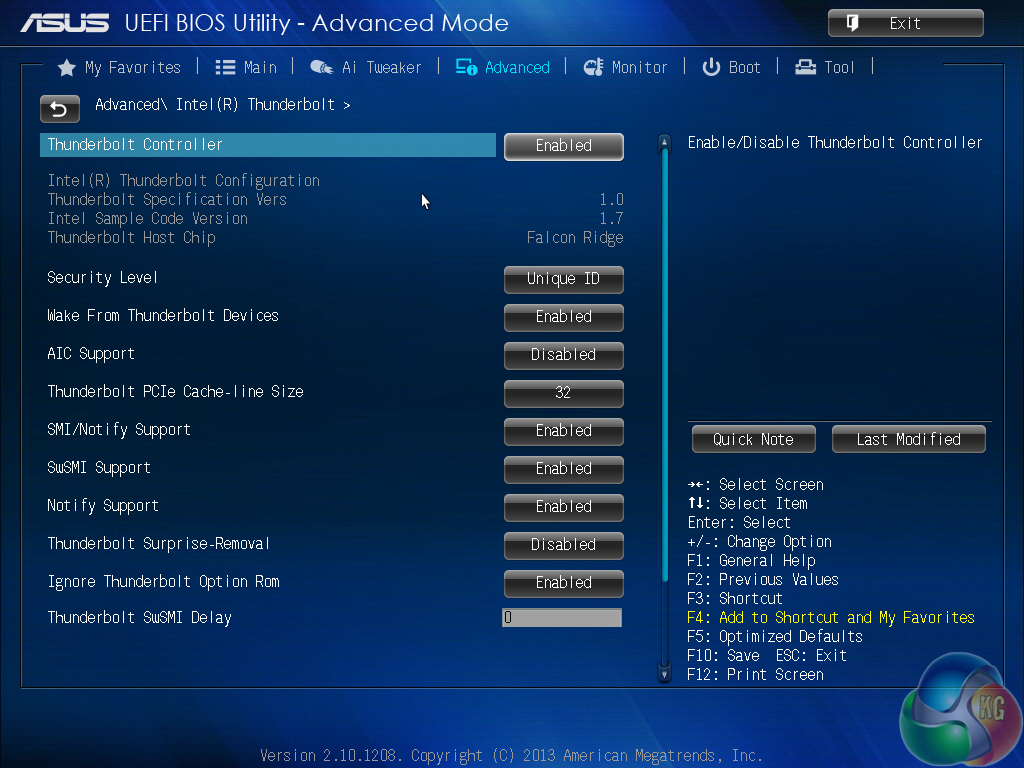

The ‘Advanced’ section can be used to gain detailed information regarding the installed processor and to adjust some of its features. PCI-E link speeds and controller operations can also be adjusted via the ‘Advanced’ sub-sections.
A separate section is given to the Thunderbolt 2 controller, allowing its operation to be adjusted to a user's decision.
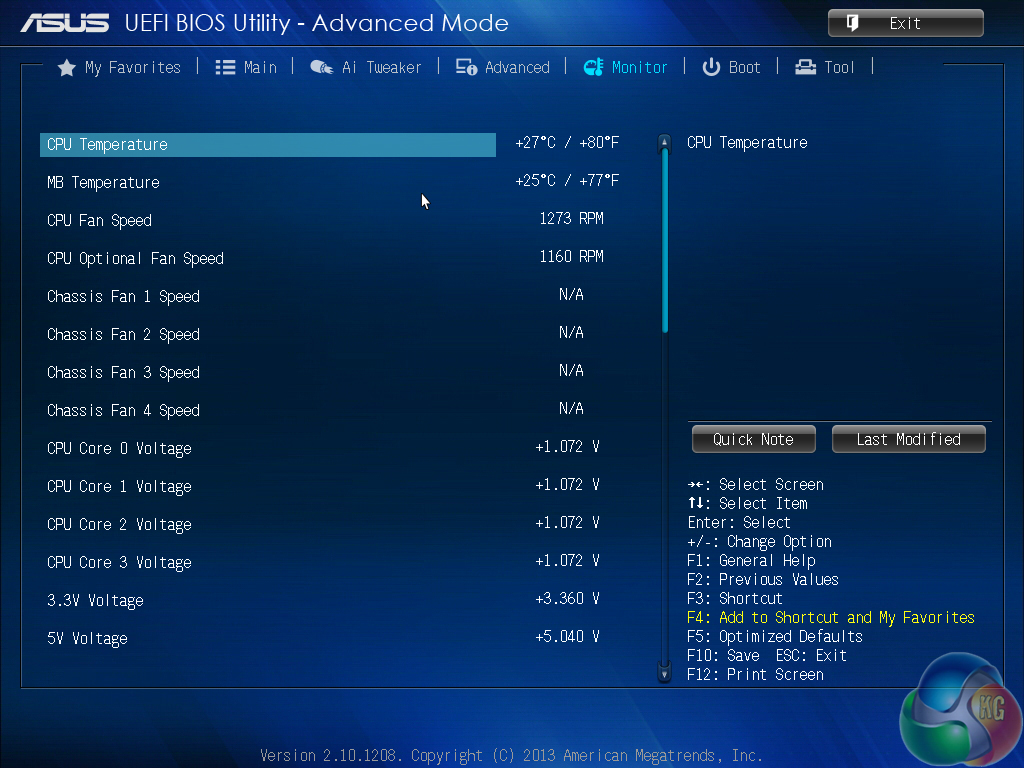
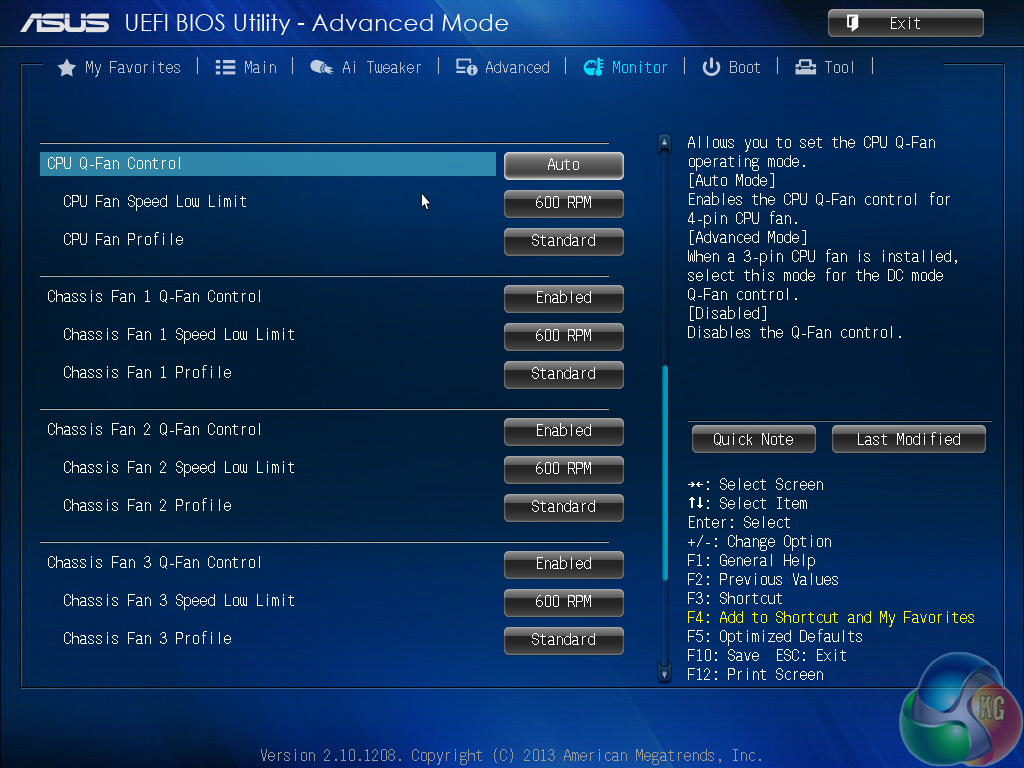
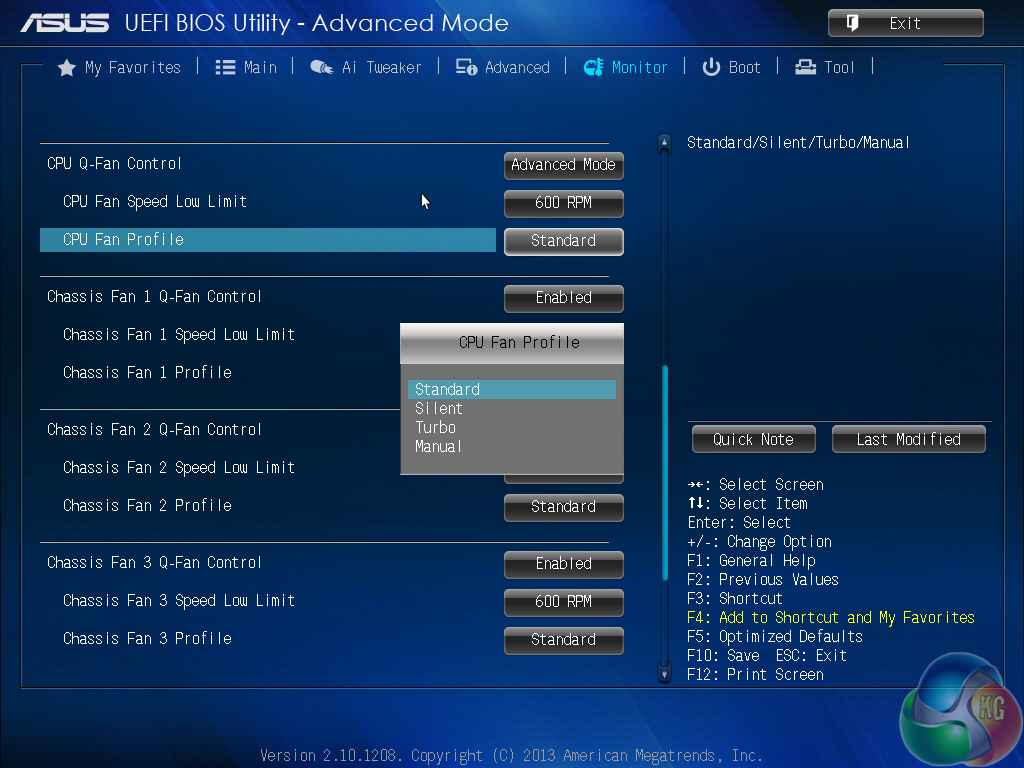
As is commonplace on Asus’ motherboards, the UEFI BIOS features a comprehensive fan control and monitoring system. A number of pre-defined operating modes can be applied, or manual adjustment for the target CPU temperature and related fan speed percentages can also be set.
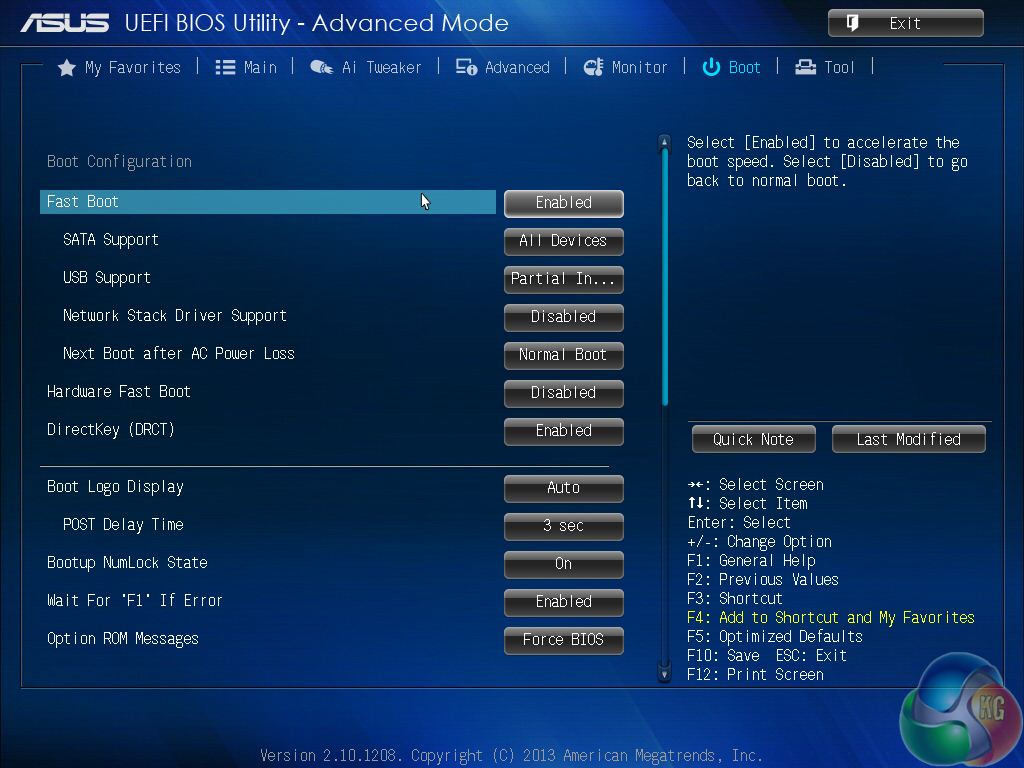
Boot settings can be adjusted.
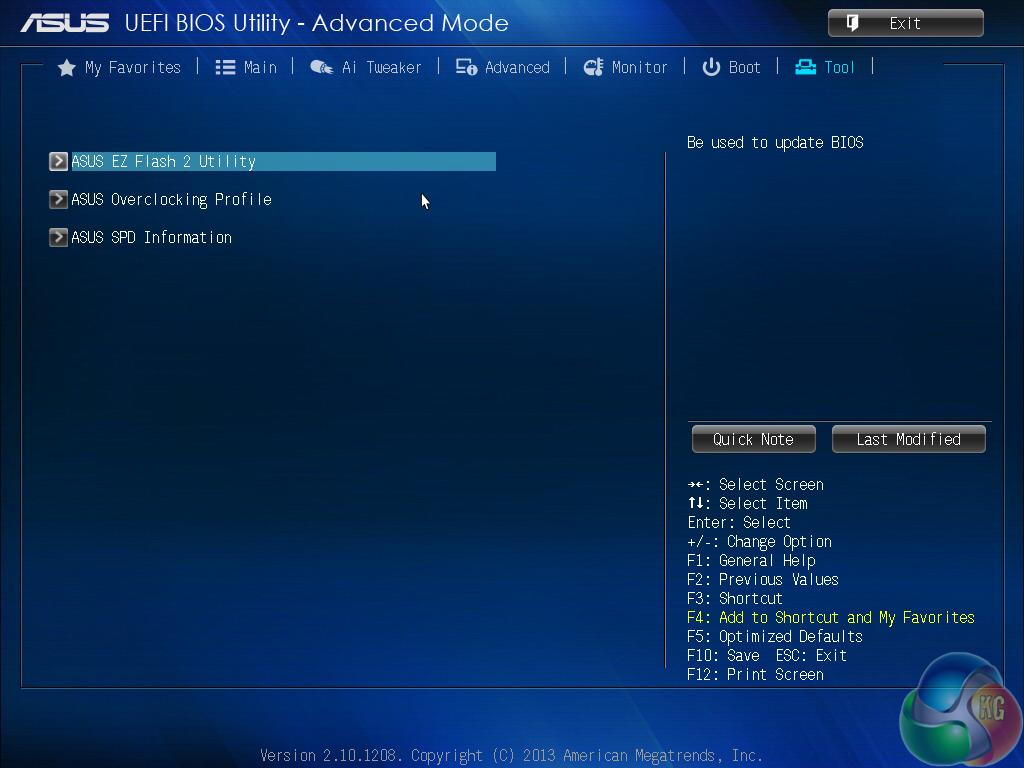
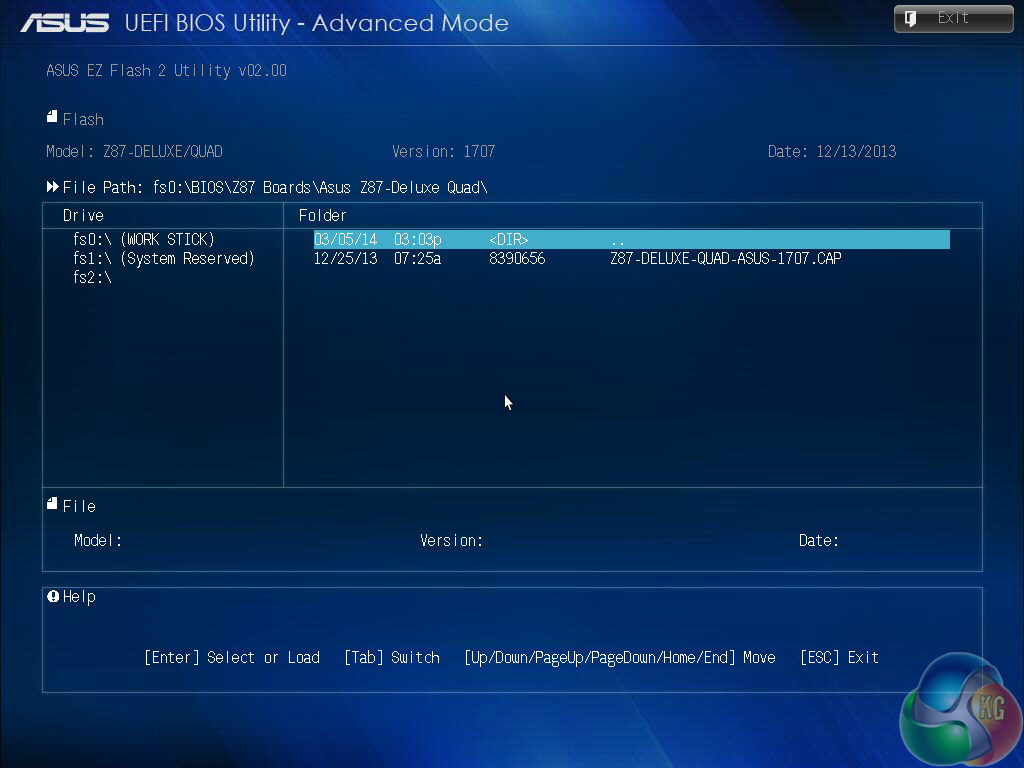
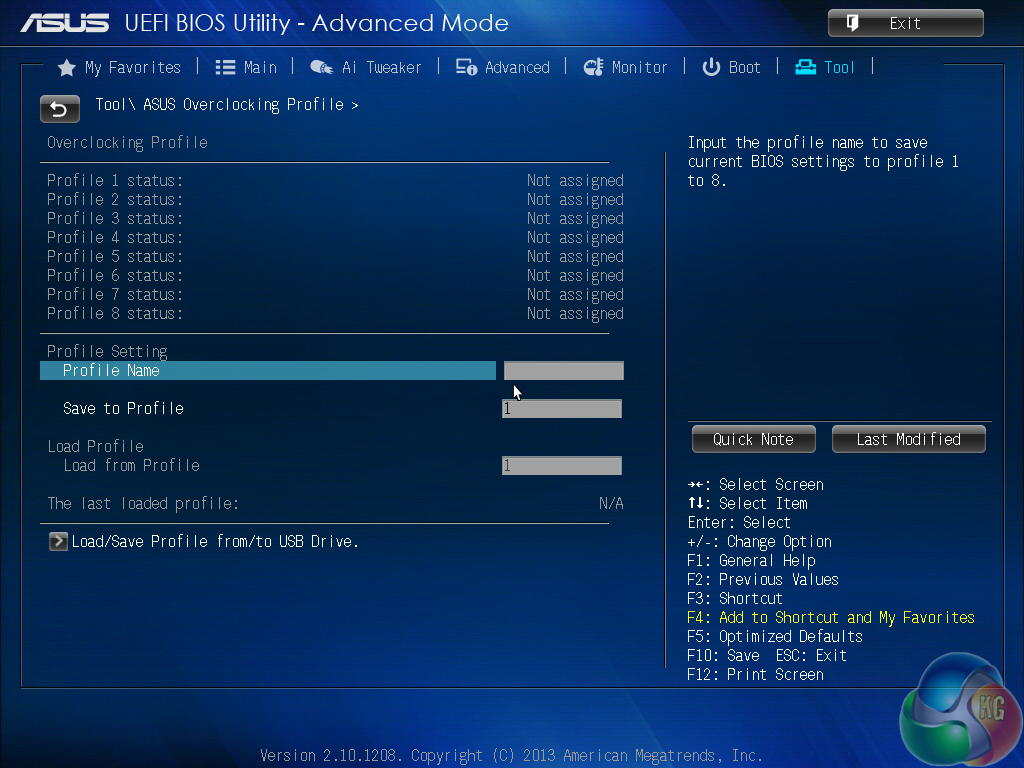
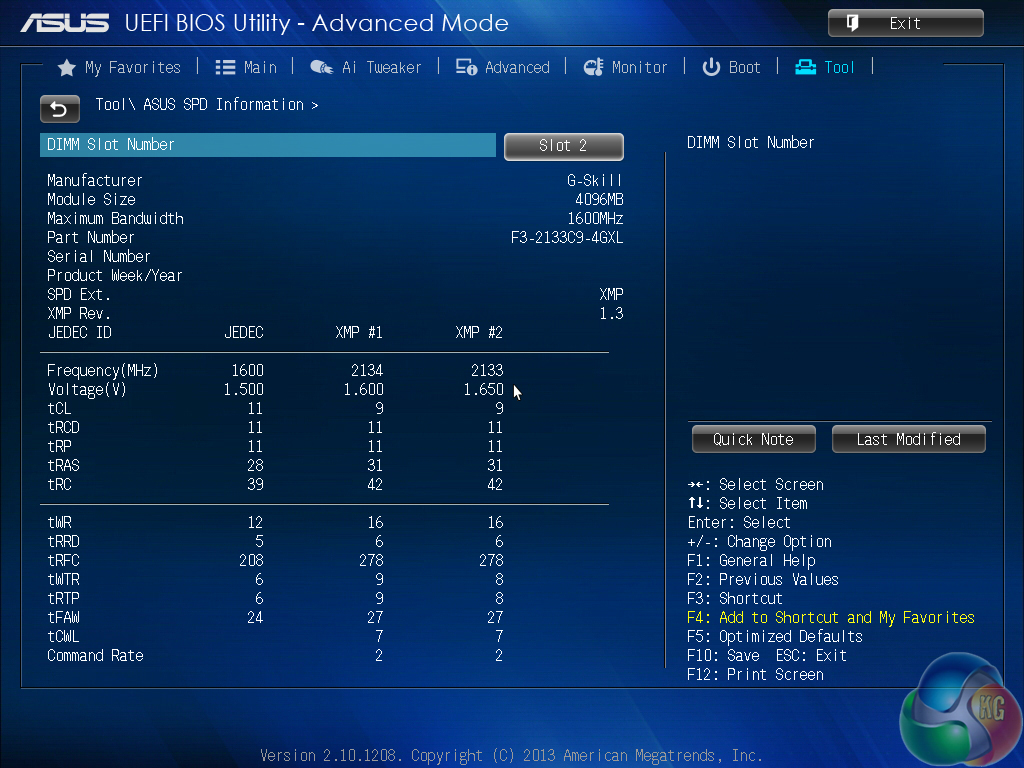
Asus’ standard set of tools is featured on the Z87-Deluxe/Quad. The EZ Flash 2 utility allows quick and simple BIOS updates to be made. When searching for a BIOS file, the tool also has the ability to scan through folders in the system's storage drive, as well as a USB flash drive.
Up to eight overclocking profiles can be saved and named, as well as exported to (or imported from) a USB flash drive. The DRAM SPD tool can prove useful when configuring memory at its rated frequency and timings.
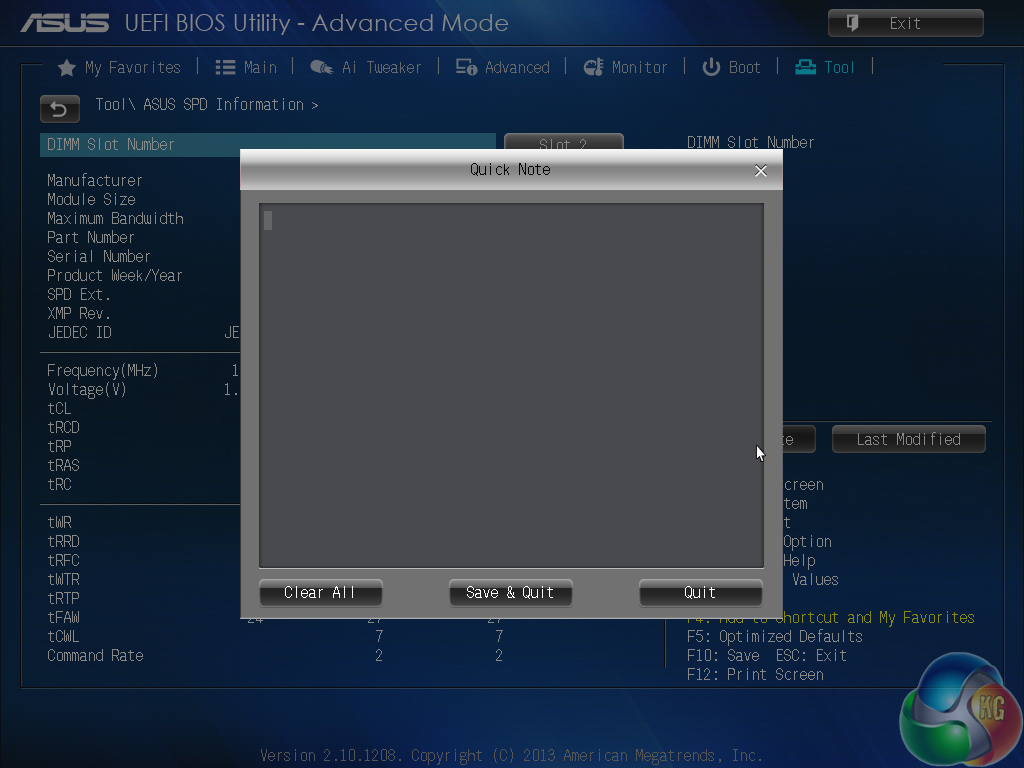
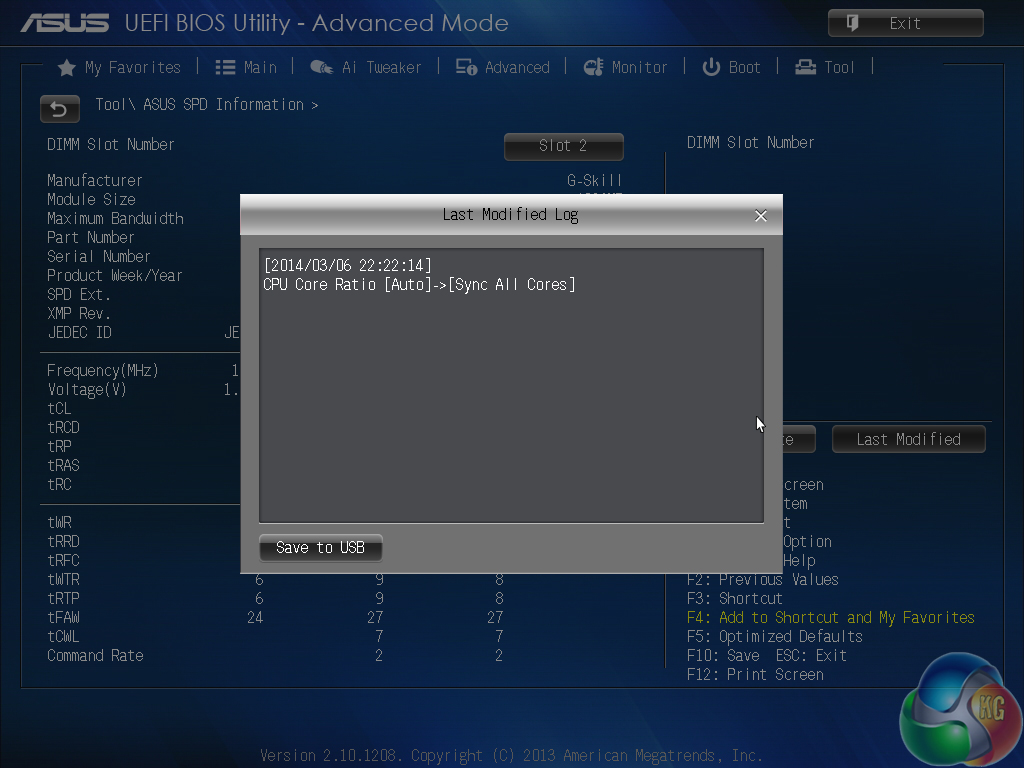
A note can be applied to the BIOS profile – a particularly useful tool for overclockers testing out many different voltage and frequency settings. The ‘last modified’ log is of equal convenience for the aforementioned reasons.
I have said it many times in the past and Asus's Z87-Deluxe/Quad only serves as extra proof to the point – I strongly believe that Asus has the best UEFI BIOS currently available. The layout is practically faultless and the overall appearance is modern and easy to grasp. Most importantly, the interface is stable and free of simple mistakes or incorrect readouts.
Functionality-wise, the Asus Z87-Deluxe/Quad motherboard’s UEFI BIOS settings are highly appropriate for its target audience and should suffice for novices all the way through to experienced enthusiasts. The interface is not quite as fully-fledged as a ROG design, but it features sufficient settings for the Deluxe board's target audience.
To test the Asus Z87-Deluxe/Quad, we partnered it with an Intel Core i7 4770K processor and 8GB of 2133MHz CL9 memory from the G.Skill RipjawsX (F3-2133C9Q-16GXL) kit. We will be outlining the Asus Z87-Deluxe/Quad motherboard's performance with the Core i7 4770K CPU at its stock frequency of 3.5GHz (3.9GHz due to forced turbo). Overclocked performance will be outlined later in the review.
We will be comparing the Asus Z87-Deluxe/Quad motherboard’s performance to that of six other Z87 parts. All motherboards are partnered with identical hardware and software, so the results are directly comparable.
As well as the ASRock Z87 Extreme11/ac, Asus's Z87-Deluxe/Quad is one of the few motherboards that did not automatically enable multi-core turbo upon selecting the XMP BIOS profile. This could be a stability function for professional users, or it could be a feature designed to save energy in a working environment.
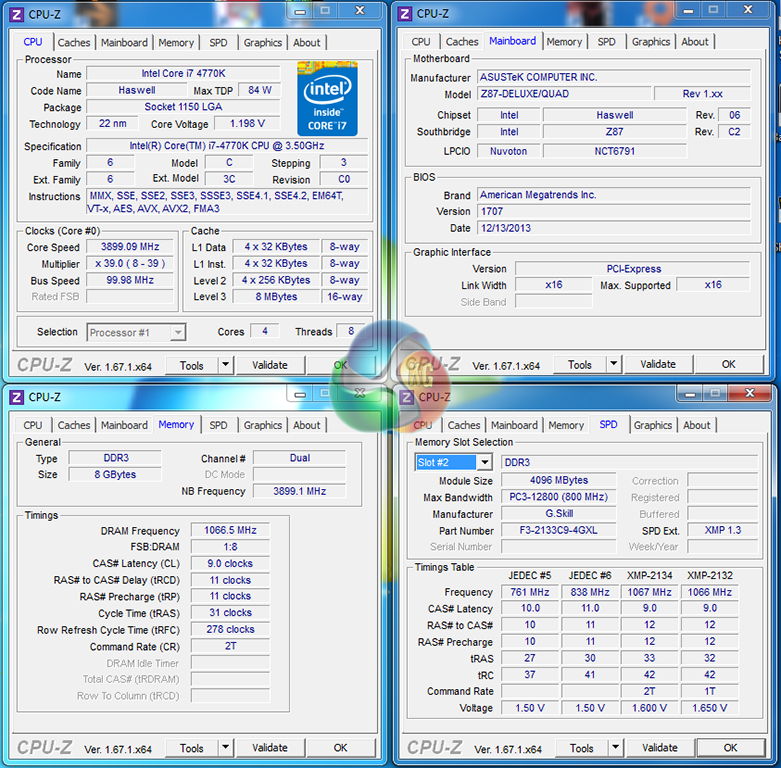
To keep results comparable to the rest of our Z87 motherboard test data we enabled all-core turbo manually. This option allows the Asus Z87-Deluxe/Quad motherboard to force the 4770K to a constant 3.9GHz. This will be displayed as the ‘stock’ setting (and outlined in the charts' brackets after the non-turbo stock speed is displayed).
Asus uses a sensible VCore of approximately 1.200V to achieve the forced 3.9GHz on all cores. This is a far better voltage setting than the 1.280V that ASRock uses.
LGA1150 Motherboard Test System:
- Processor: Intel Core i7 4770K Retail (3.9GHz forced turbo).
- Memory: 8GB (2x 4GB) G.Skill RipjawsX (F3-2133C9Q-16GXL) 2133MHz 9-11-11-31.
- Graphics Card: Asus R9 280X Matrix Platinum 3GB.
- System Drive: 500GB Samsung 840 Series SSD.
- CPU Cooler: Noctua NH-D14.
- Case: NZXT Phantom 630.
- Power Supply: Seasonic Platinum 1000W.
- Operating System: Windows 7 Professional with SP1 64-bit.
Compared Z87 Motherboards:
- Asus Z87-Deluxe/Quad (BIOS 1707 – newest).
- ASRock Z87 Extreme11/ac (BIOS 1.10).
- ASRock Fatal1ty Z87 Killer (BIOS v1.10).
- Gigabyte G1.Sniper Z87 (BIOS v1.0).
- MSI Z87I Gaming AC (BIOS V1.00).
- MSI Z87-G43 Gaming (BIOS V10.3B6).
- MSI Z87M Gaming (BIOS v1.00).
Settings:
- Asus Z87-Deluxe/Quad BIOS 1707.
- Catalyst 13.11 Beta9.2 VGA drivers.
Software Suite:
- 3DMark
- 3DMark 11
- SiSoft Sandra 2013 SP4
- Cinebench R11.5 64 bit
- WinRAR
- HandBrake 0.9.9
- ATTO
- RightMark Audio Analyzer
- Totusoft LAN Speed Test
- Bioshock Infinite
- Metro 2033
- Metro: Last Light
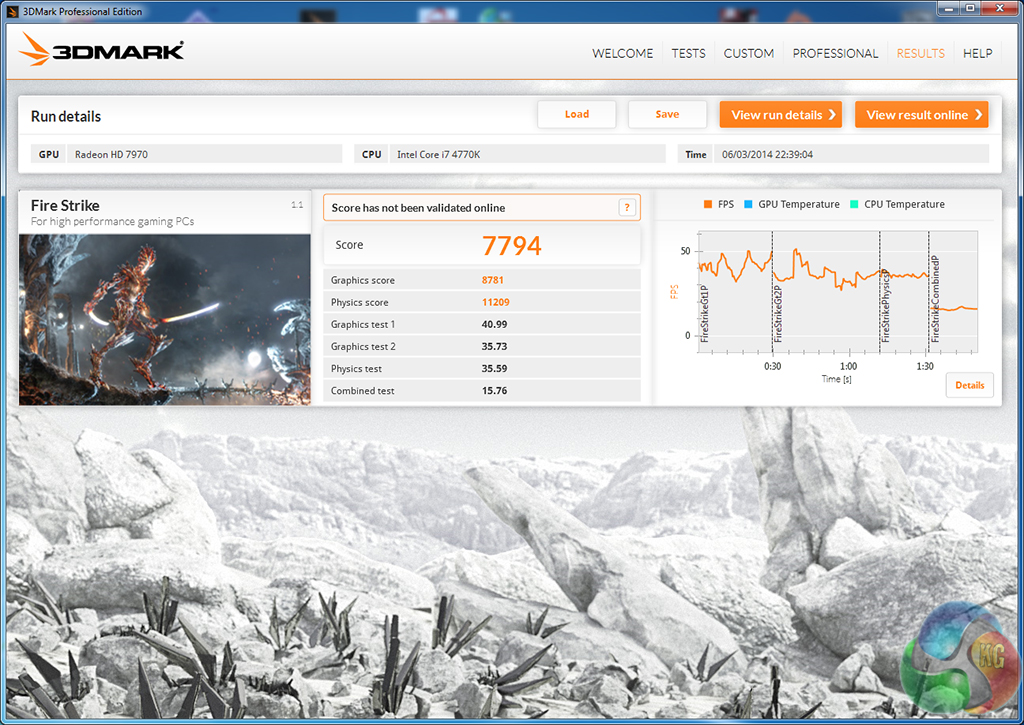
We used 3DMark‘s ‘Fire Strike’ benchmark which is designed to be used on gaming PCs. We opted for the Normal setting, NOT the Extreme mode.
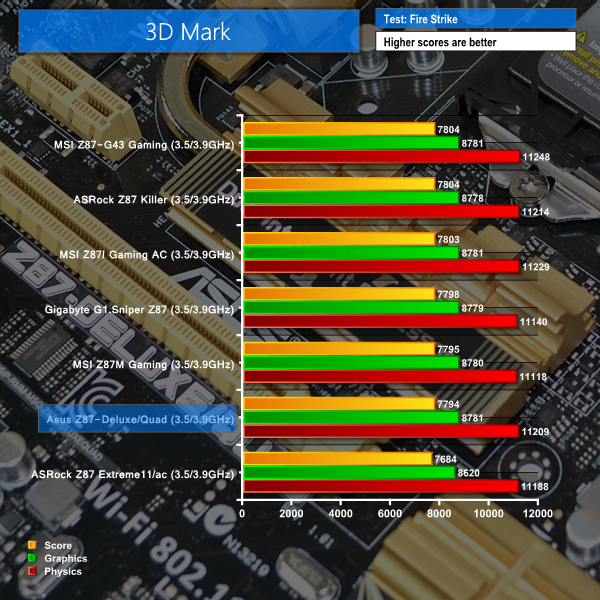
We used the ‘Performance’ test in the 3DMark 11 benchmark.
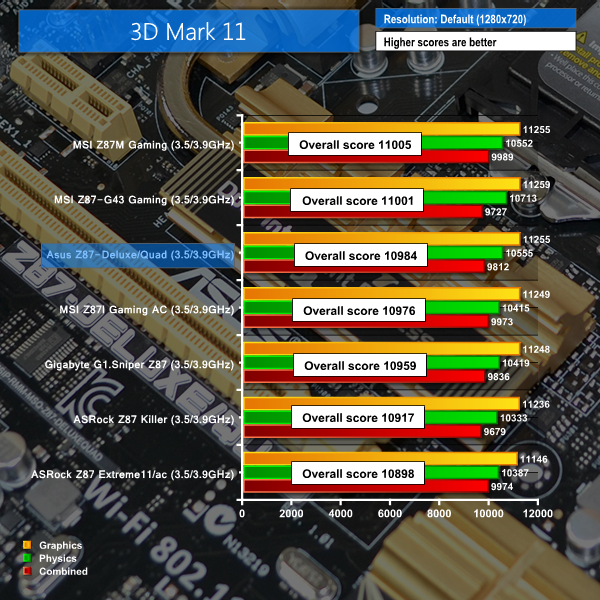
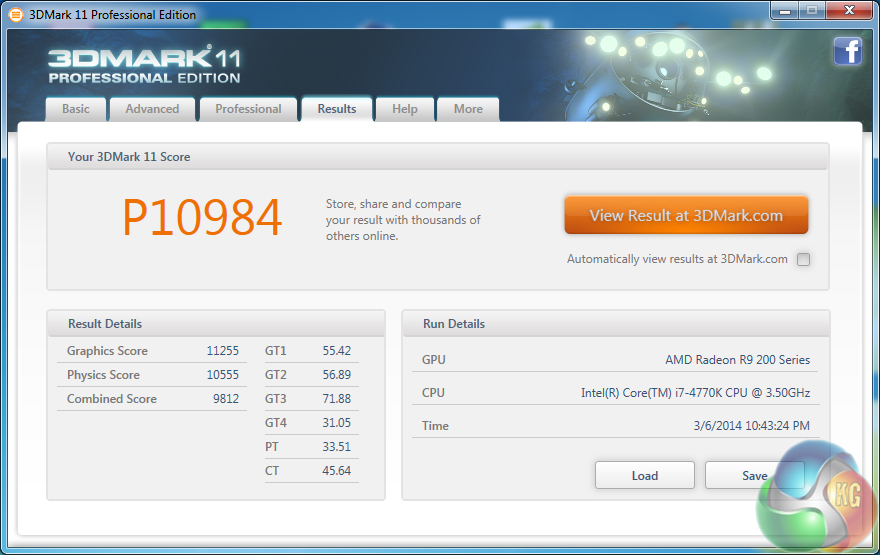
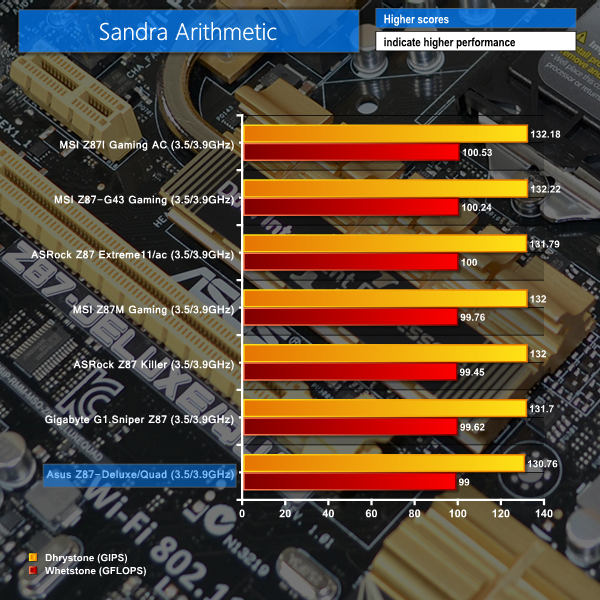

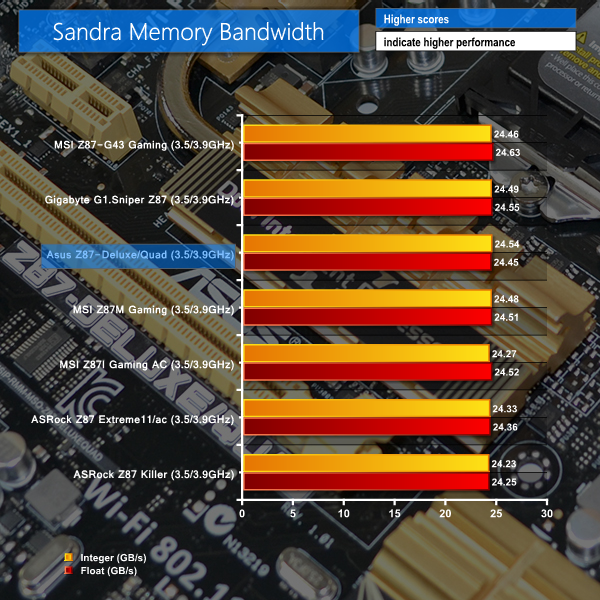

Asus's Z87-Deluxe/Quad motherboard delivers a standard set of results for a Z87 part. Given that such a large proportion of the performance-impacting components are situated on an LGA 1150 chip, it is no surprise that performance differentials between Z87 motherboards are few and far between.
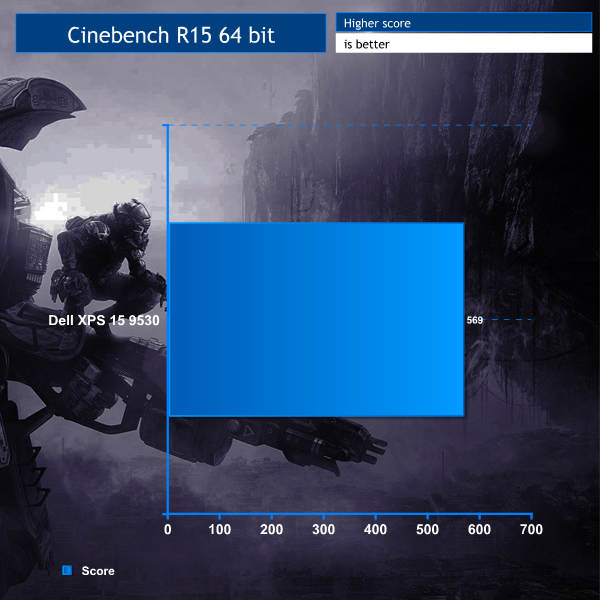
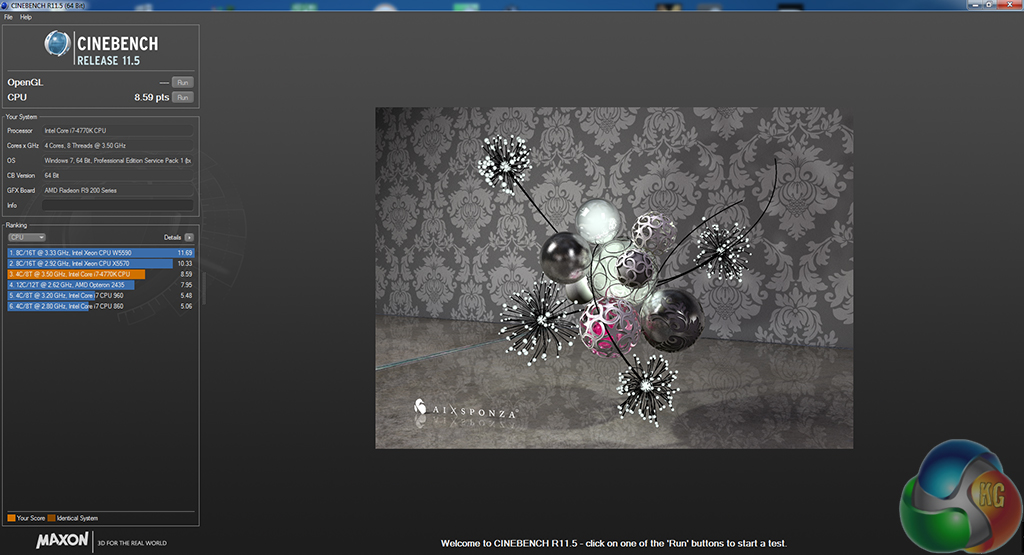
We used the ‘CPU’ test built into Cinebench R11.5 64-bit.
WinRAR’s built in benchmark and hardware test can help us outline the performance differentials between each motherboard.
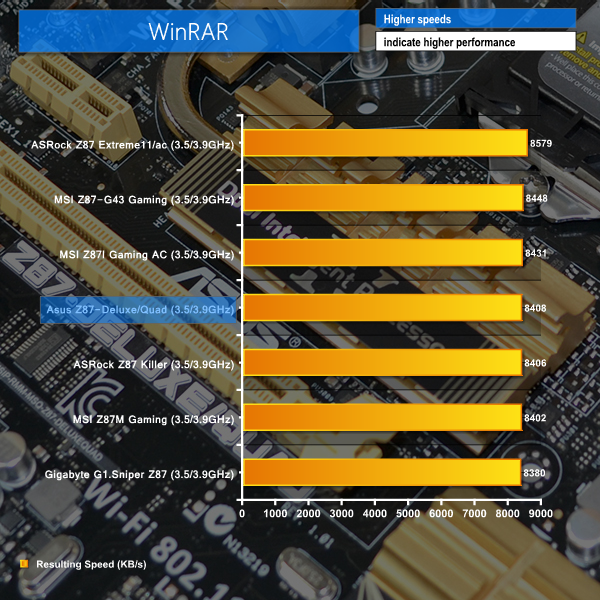

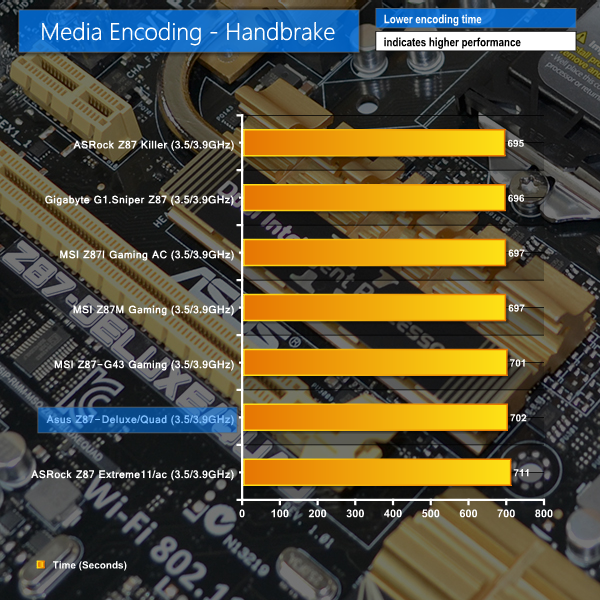
We see more of the same ‘typical' Z87 motherboard performance in our processor-heavy set of benchmarks. Asus's Z87-Deluxe/Quad clearly does not have any glaring performance issues.
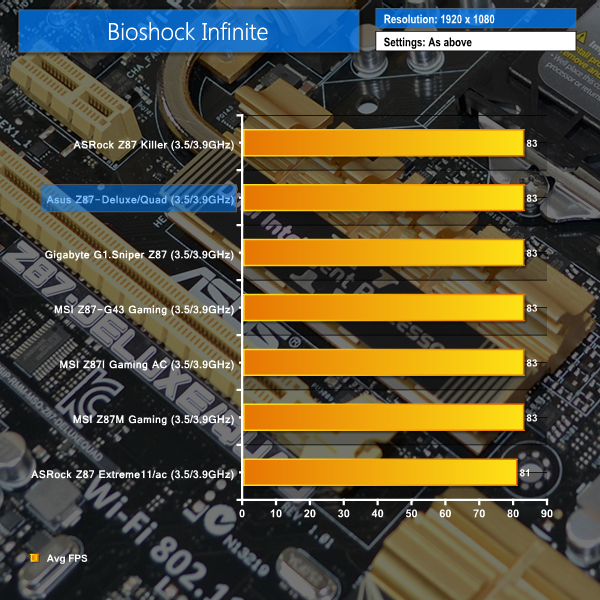
We used the Bioshock Infinite‘s demanding ‘Ultra’ setting and a 1920 x 1080 resolution to push today’s gaming hardware. Our data was recorded using a section of the game, not the built-in benchmark.

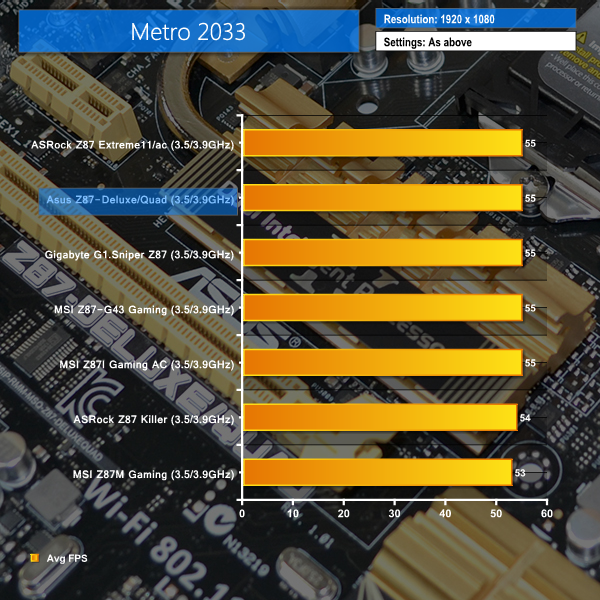
We used a 1920 x 1080 resolution and Metro 2033‘s built-in benchmark set to ‘Very High’ quality to offer an intense challenge for the gaming hardware while also making playable frame rates a possibility.

We used a 1920 x 1080 resolution and the Metro: Last Light‘s built-in benchmark set to ‘High’ quality to offer an intense challenge for the gaming hardware while also making playable frame rates a possibility.

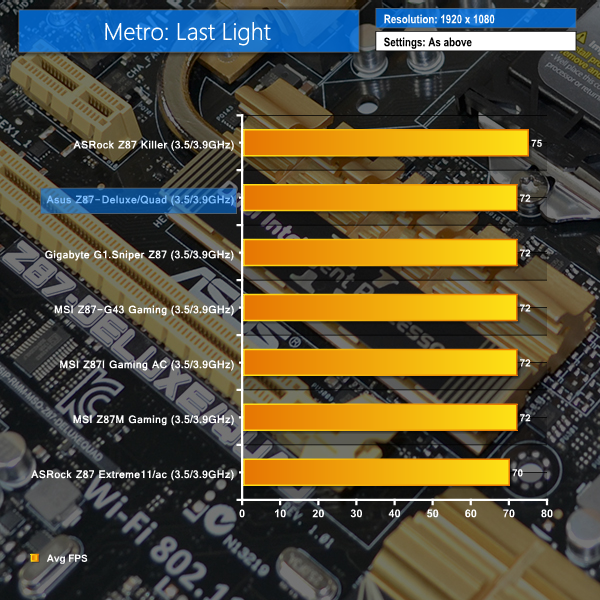
Gaming performance from the Asus Z87-Deluxe/Quad is solid. The motherboard managed to muster up a few extra frames over some of its Z87 counterparts. Asus's board also managed to vastly outperform the similarly professional user-orientated ASRock Z87 Extreme11/ac motherboard in gaming tasks.
For SATA 6Gb/s testing we use a Kingston HyperX 3K SSD. We tested USB 3.0 performance using the same Kingston HyperX 3K SSD connected to a SATA 6Gb/s to USB 3.0 adapter powered by an ASMedia ASM1053 controller.
SATA
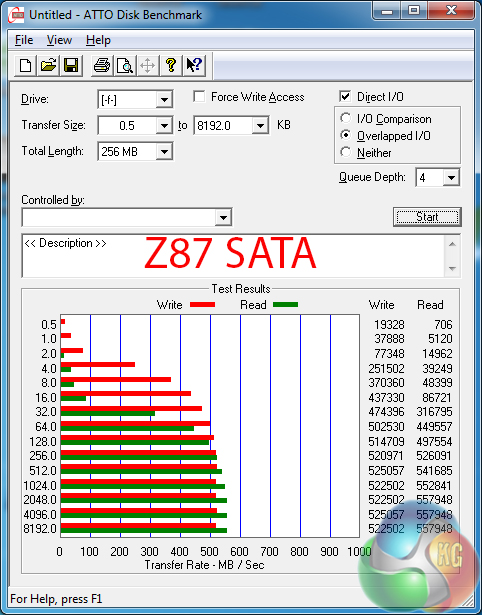
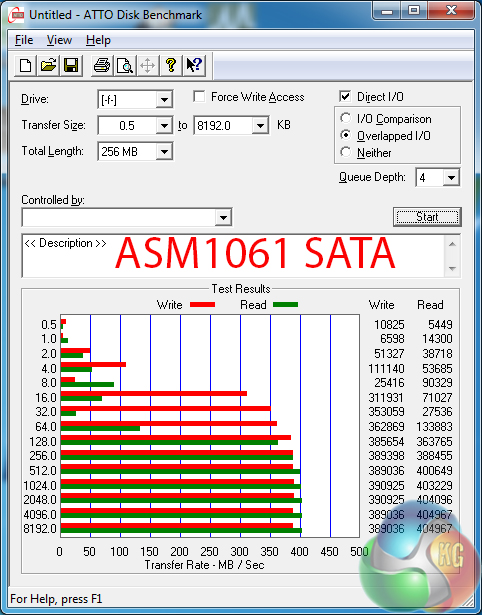
SATA 6Gb/s port fed by the Z87 chipset are unlikely to hamper the performance of a modern SSD.
The quartet of ports provided by a pair of ASMedia’s ASM1061 chipsets are limited to transfer speeds of less than 400MB/s. These ports are better suited for low-priority devices or for use when the chipset-fed SATA ports are in operation.
USB 3.0
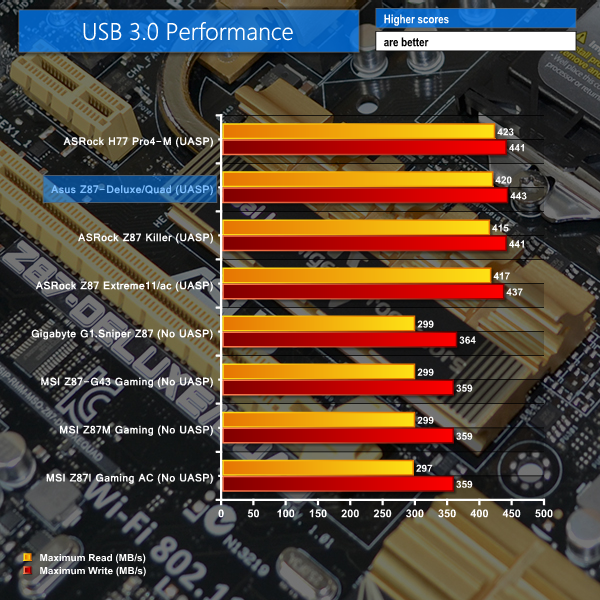
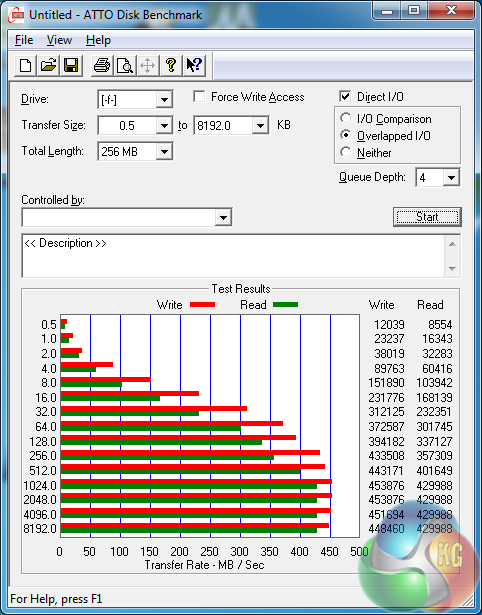
Asus deploys a UASP-activating tool in its AI Suite 3 software. With the turbo mode activated, a drive is allowed to push the limits of the USB 3.0 interface's realistic throughput ceiling.
For professional users who transfer large quantities of content, the high-speed USB 3.0 interface is critical in saving noticeable amounts of time.
Audio
We use RightMark Audio Analyzer to analyse the performance of the motherboard’s onboard audio solution. A sampling mode of 24-bit, 192 kHz was tested.
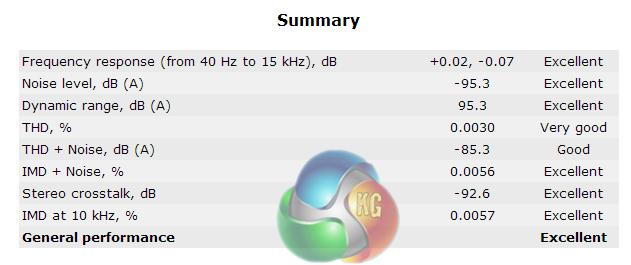
Asus relies upon a simple audio system that is based around Realtek's ALC1150 audio codec. The system does not rely upon high-grade audio capacitors or operational amplifiers which have the potential to increase production costs and the corresponding sale price.
Despite its relatively simple audio system, the Asus Z87-Deluxe/Quad shows ‘Excellent' performance in RightMark's Audio Analyzer test. Realtek's impressive ALC1150 audio codec can be thanked for the strong result displayed by Asus's motherboard.
Wireless
We use Totusoft’s LAN Speed Test software to measure the real-world wireless throughput when transferring a 100MB file from a wired ‘server’ computer (connected to the network via Gigabit Ethernet). LAN Speed Test provides real-world performance results as it creates the file, measures the time taken to transfer it, and calculates the effective network throughput.
The test motherboard was located in close proximity to our Tenda N60 router which is limited to 300Mbps Wireless-n speeds, not 802.11ac. We tested using the 5GHz frequency band and kept network resources free to ensure the transfer rates were not capped.
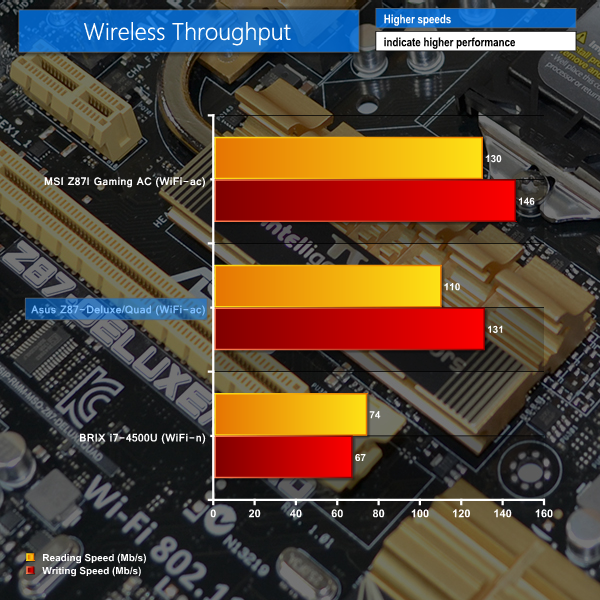
Connected via a two-stream 802.11n interface, Asus's Z87-Deluxe/Quad delivers strong throughput results. Achieving transfer rates over 110Mbps via a wireless-n interface is impressive.
We would advise caution when interpreting our wireless testing results. The Asus Z87-Deluxe/Quad motherboard features an 802.11ac WiFi adapter, but our testing limits its throughput potential by connecting to a wireless-n router. We are currently in the process of transitioning our testing to incorporate wireless throughput results via an 802.11ac connection, provided by a true 802.11ac router.
Automatic CPU Overclocking – Ratio First:
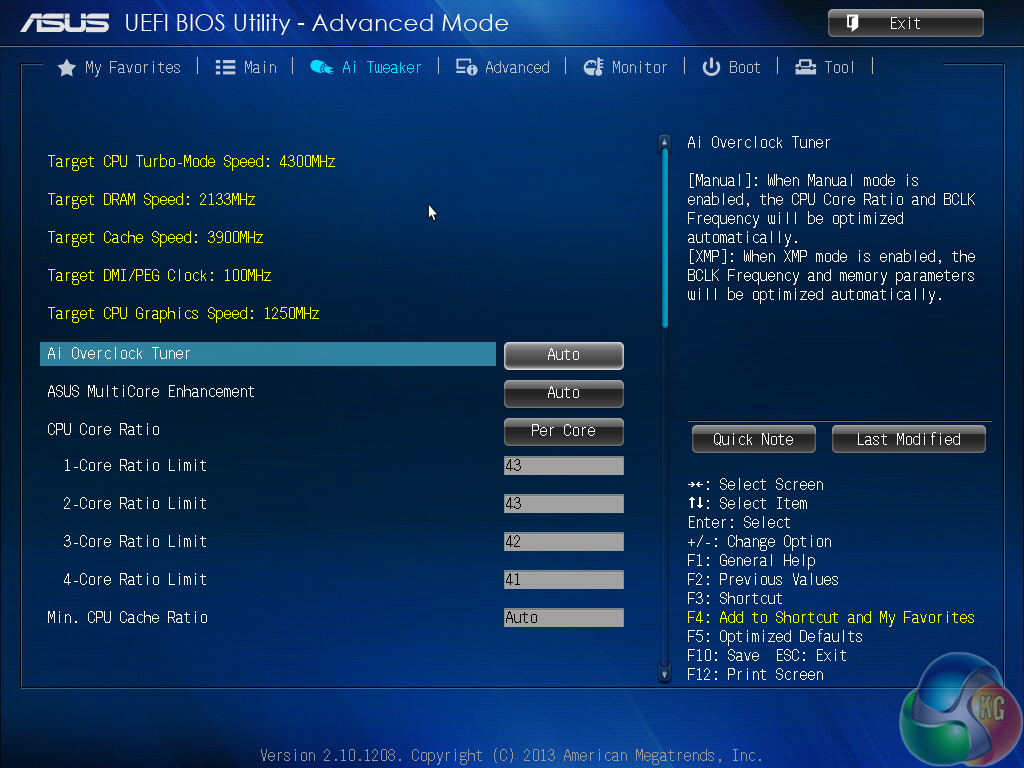
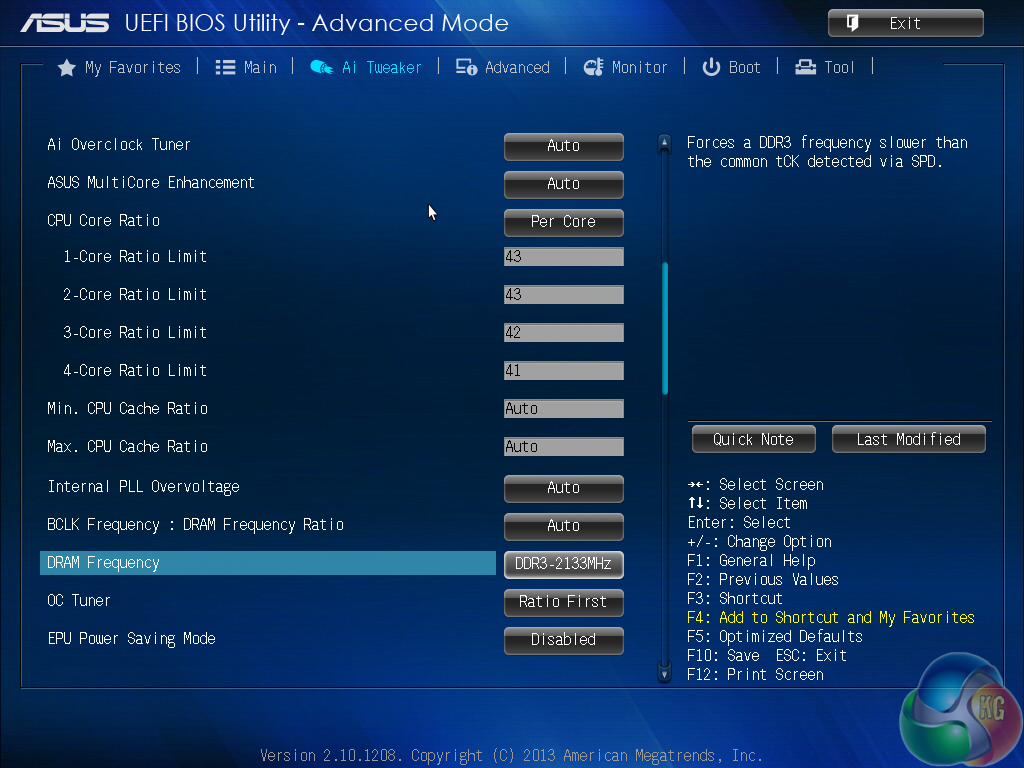
Opting for the ‘Ratio First' automatic overclocking mode allows the motherboard to adjust CPU ratio settings while keeping the BCLK frequency locked. With our system, this resulted in a dynamic overclock for our 4770K with a slight boost in voltage.
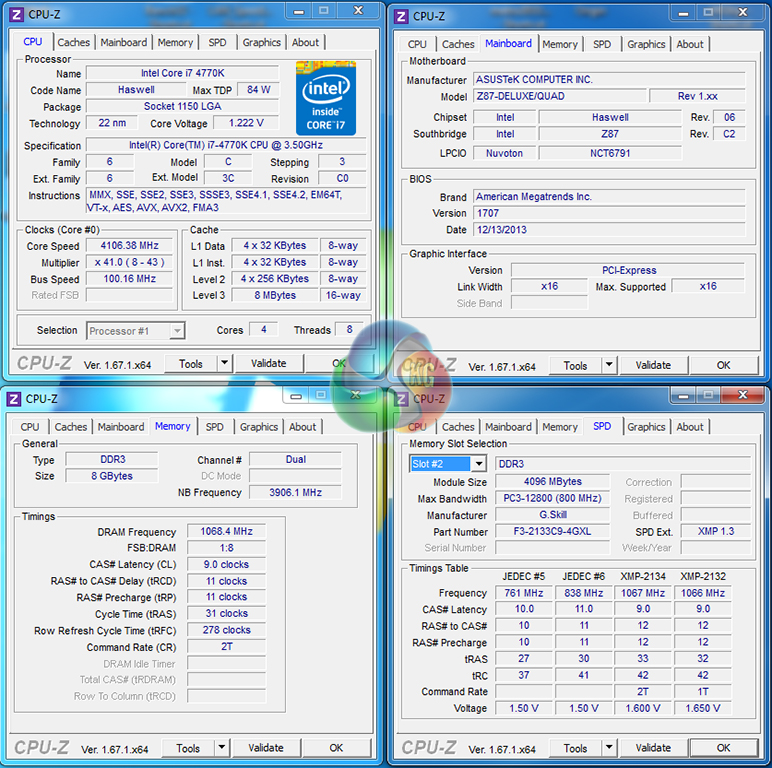
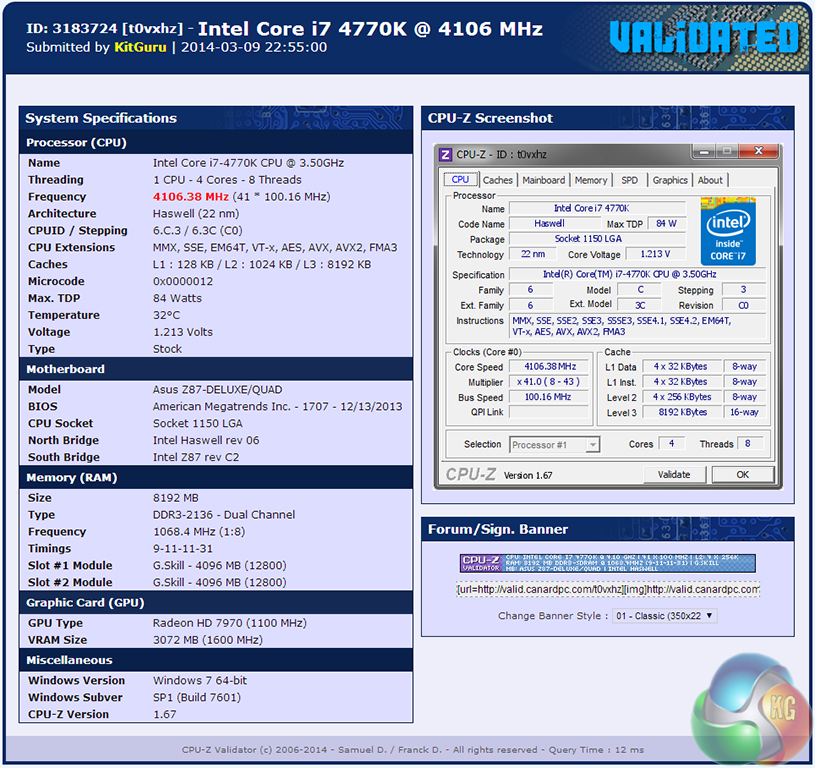
The base multiplier was set at 41x but, dependent upon the number of cores being utilised, a CPU ratio of up to 43x was available. A slight increase in VCore, boosting it up to the 1.22V-mark, was applied to increase stability. Memory parameters remained unchanged with our sticks operating at their standard XMP settings.
The ratio first automatic overclock validation can be viewed here.
Automatic CPU Overclocking – BCLK First:
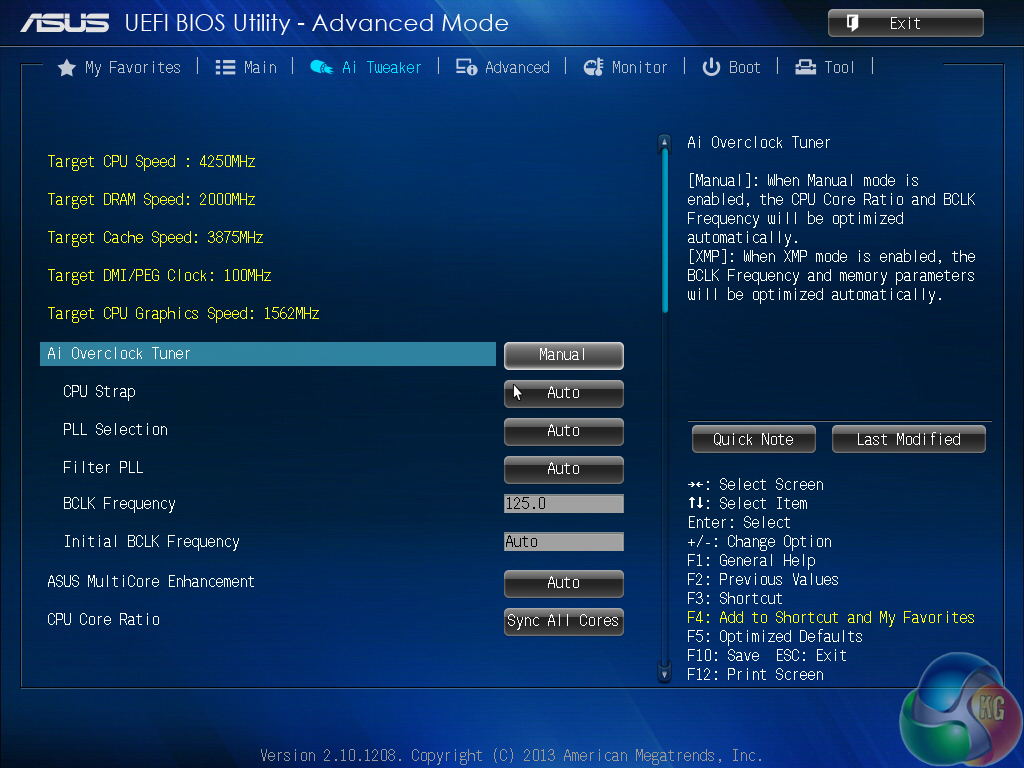
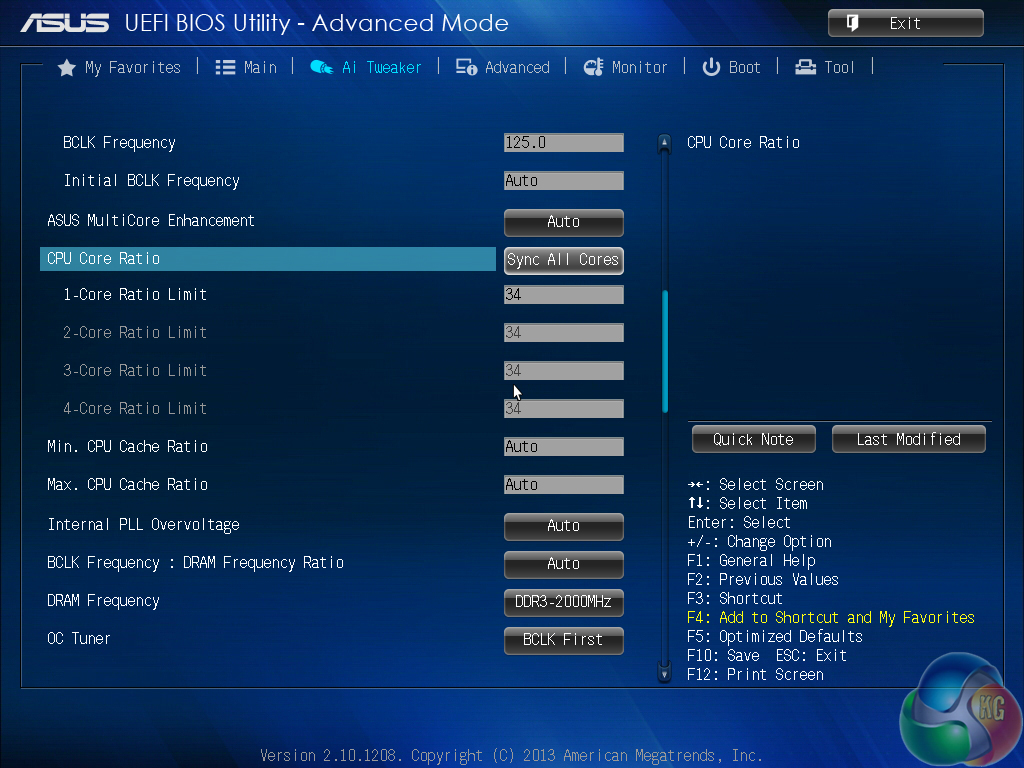
As the name would suggest, the ‘BCLK First' overclocking profile adjusts the BCLK frequency to increase the CPU speed. Our system utilised the 1.25x CPU BCLK strap to provide a 125MHz base frequency.
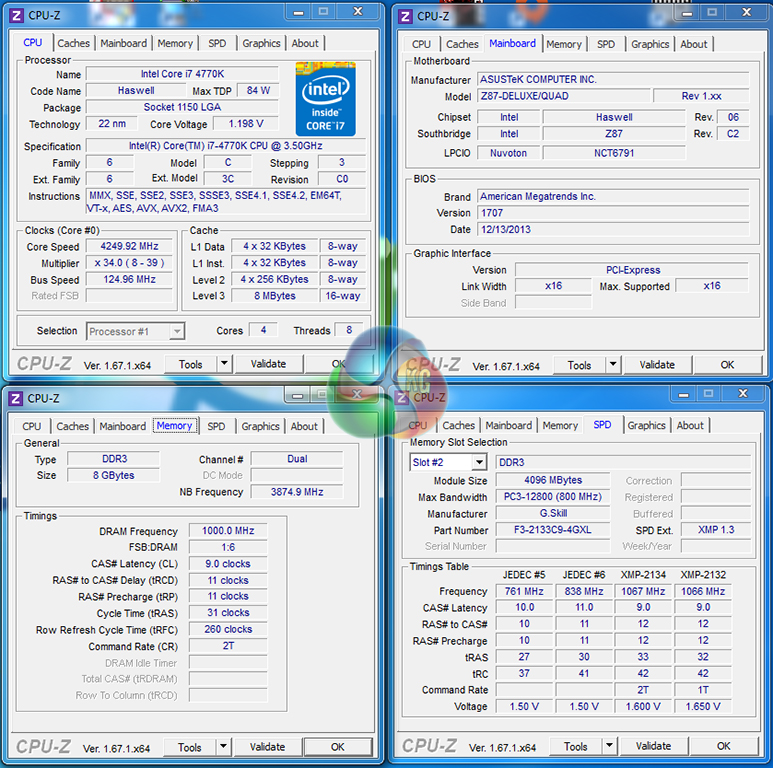
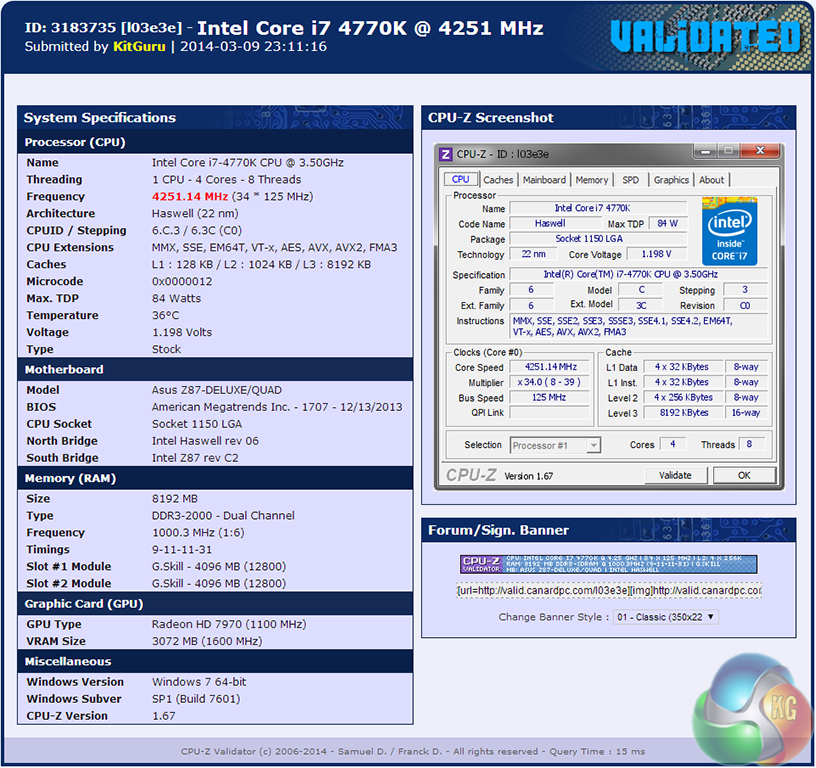
Using a static CPU multiplier of 34, our 4770K processor was operating at 4.25GHz. Memory frequency was dropped to 2000MHz to retain stability as Z87 motherboards cannot set a 2133MHz DRAM frequency when using the 125MHz BCLK setting. Impressively, CPU VCore was kept at the multi-core turbo level of 1.2V, despite the 350MHz frequency boost.
The BCLK first automatic overclock validation can be viewed here.
Manual CPU Overclocking:
To test the Asus Z87-Deluxe/Quad motherboard’s CPU overclocking potential, we first increased the CPU VCore to 1.325V, Cache voltage to 1.275V, and CPU Input Voltage to 1.900V.
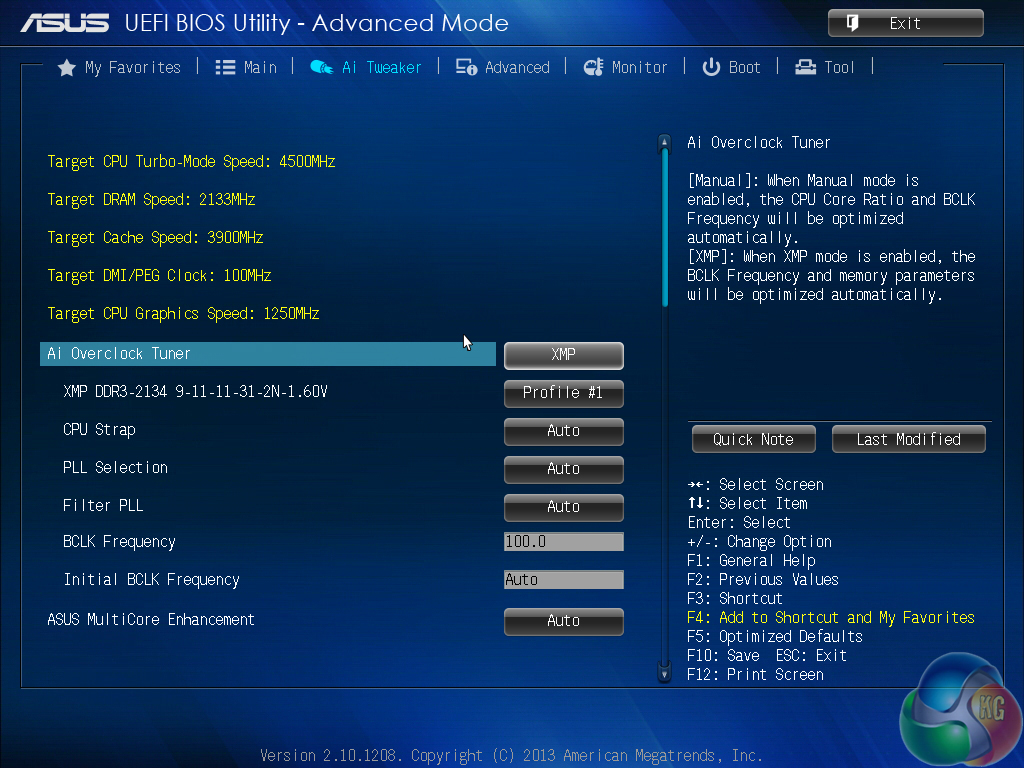
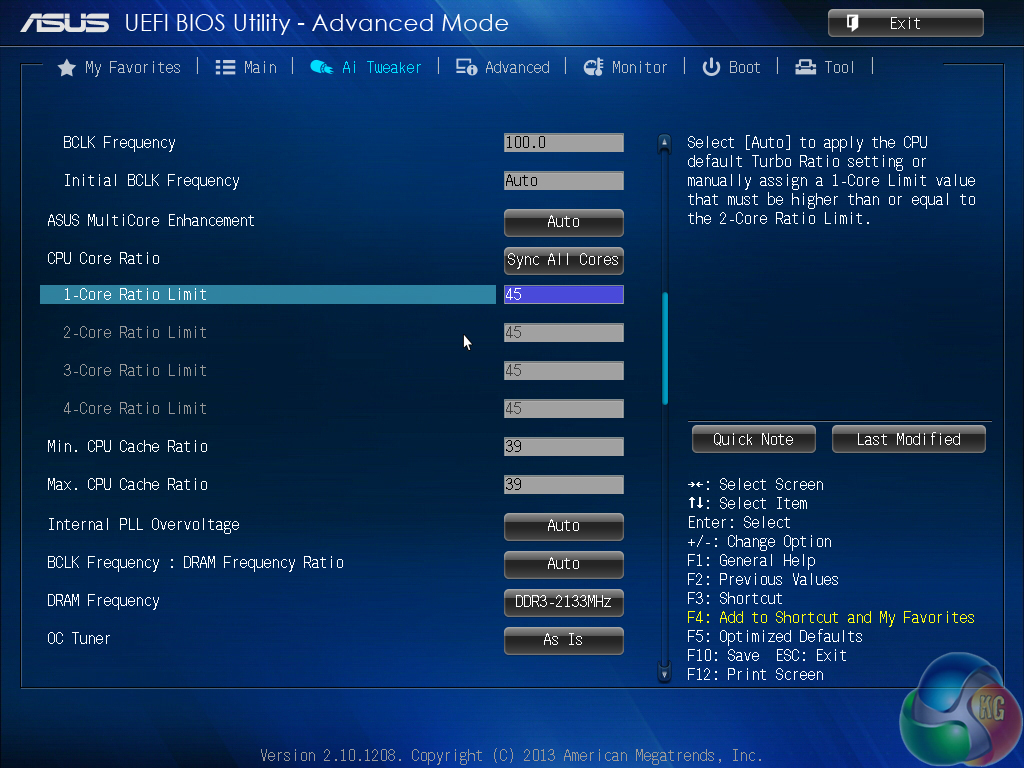
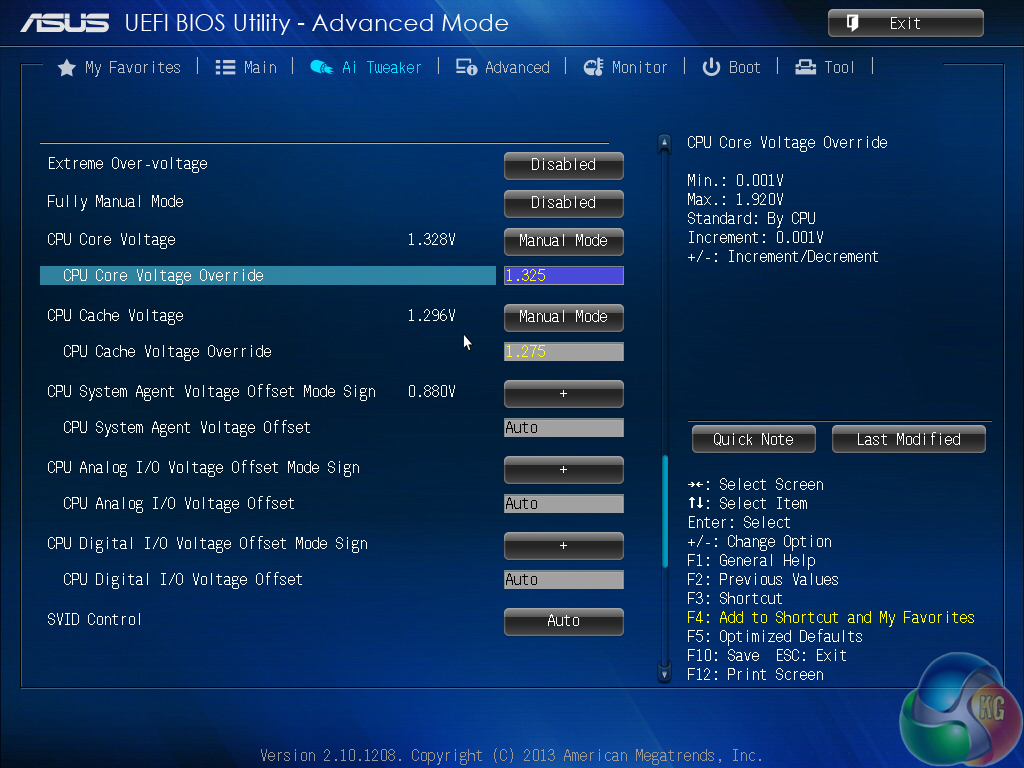
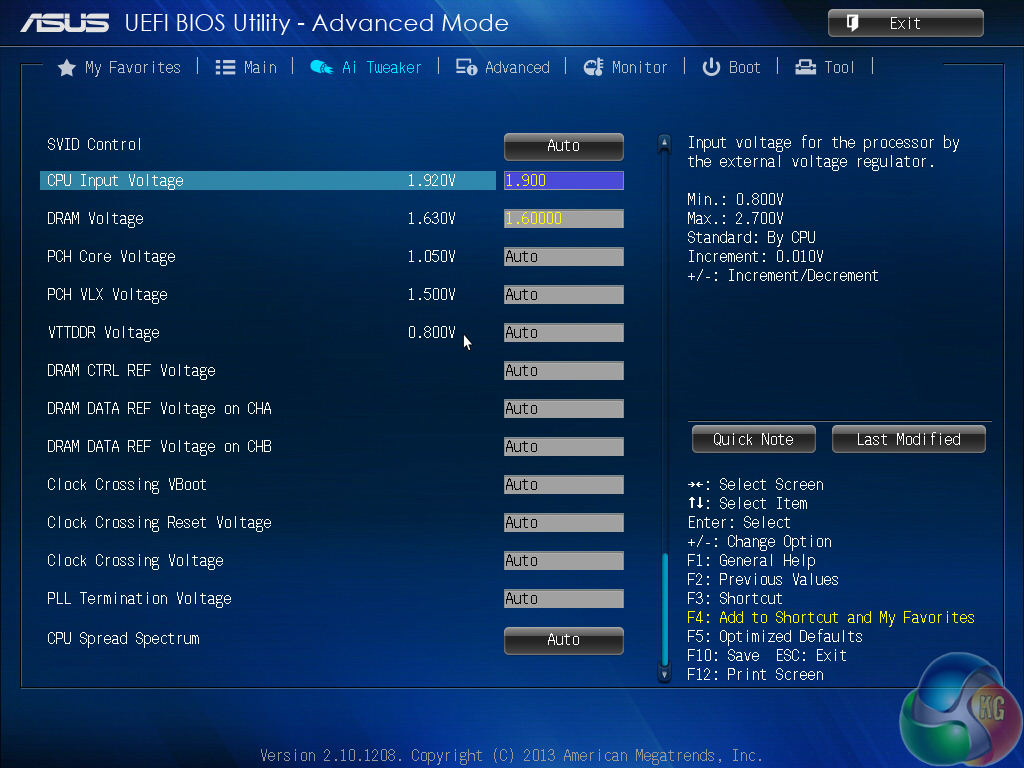
Thanks to Asus's excellent and easy to use UEFI interface, applying a manual overclock was as simple as changing the CPU ratio and adjusting the relevant voltages.
For an all-core overclock, the ‘Sync all cores' option should be selected. The ‘Per core' option can be used to adjust the frequency that each core will boost to when a different workload is applied.
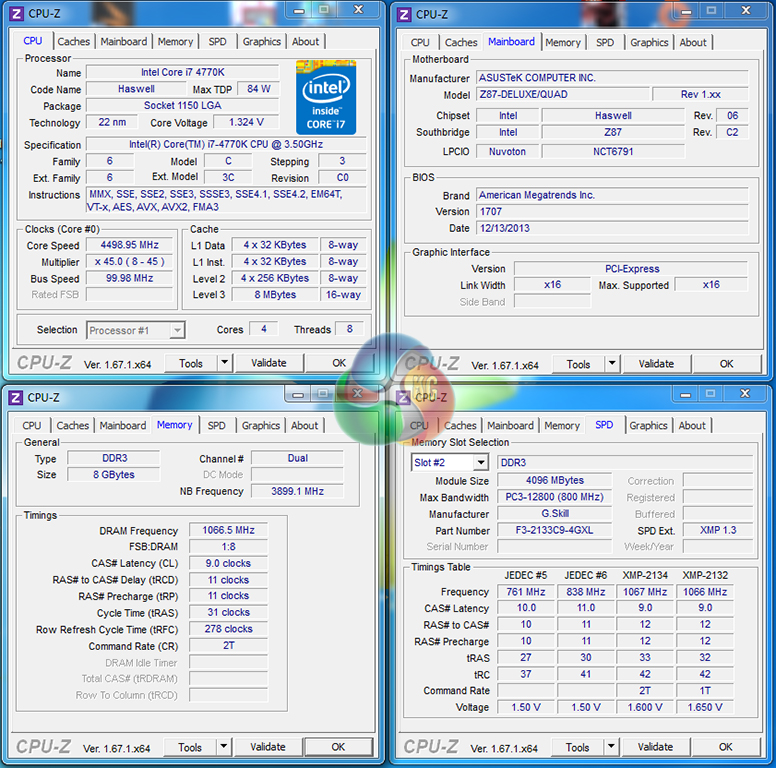
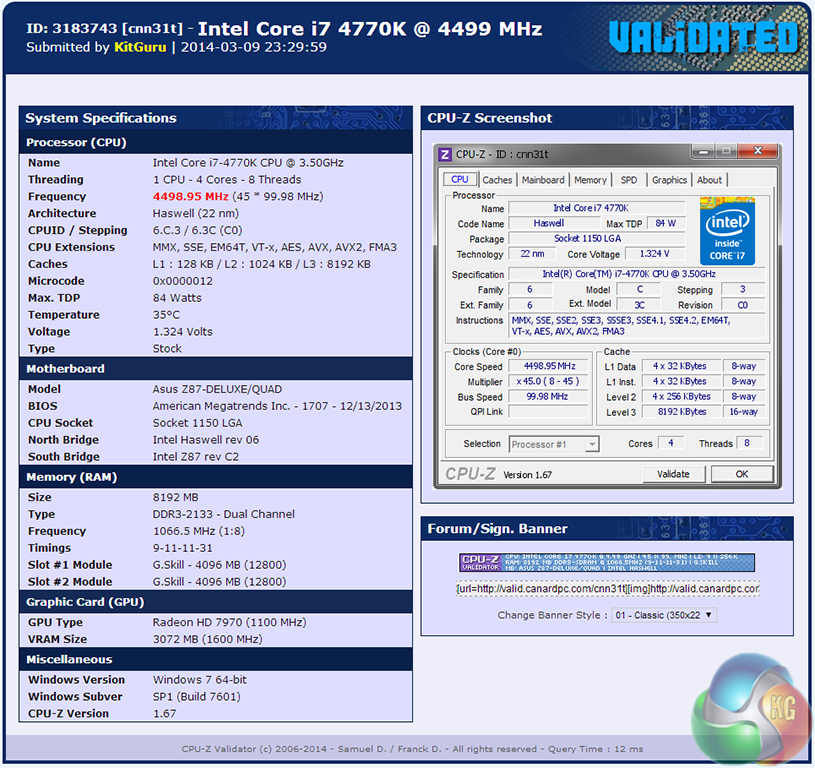
Voltage accuracy provided by the Asus Z87-Deluxe/Quad motherboard was excellent. A static voltage of 1.325V was applied via the UEFI BIOS and 1.324V was confirmed as being provided by CPU-Z.
We pushed for stability at 4.6GHz, but as has been the case for every other Z87 motherboard that we have tested with our 4770K, a BSOD would quickly ruin our attempts.
Our 4.5GHz validation can be viewed here.
We will outline the performance increases that can be obtained from using the Asus Z87-Deluxe/Quad motherboard to overclock our system. Our overclocked processor frequency was 4.5GHz and memory speed was 2133MHz.
As a performance comparison, we have included the overclocked results from five other Z87 motherboards. The maximum overclocked configuration achieved with each board was a 4500MHz (45 x 100MHz) processor frequency and 2133MHz CL9 memory speed.
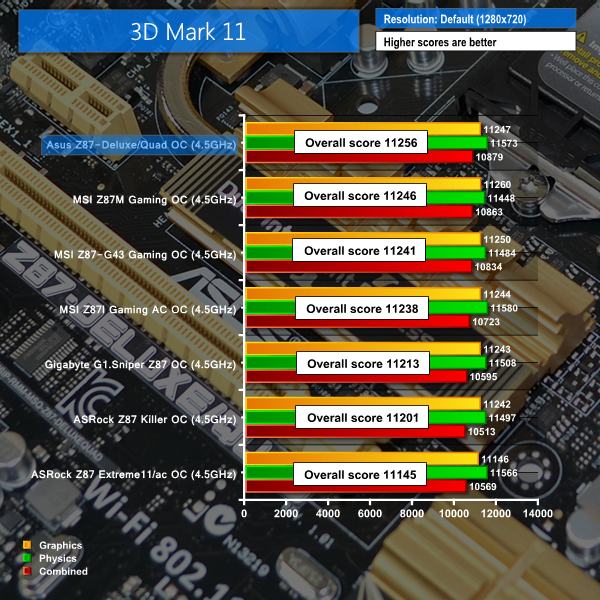
Overclocking the 4770K processor to 4.5GHz allows Asus's Z87-Deluxe/Quad to take a narrow performance lead in the 3DMark 11 benchmark.
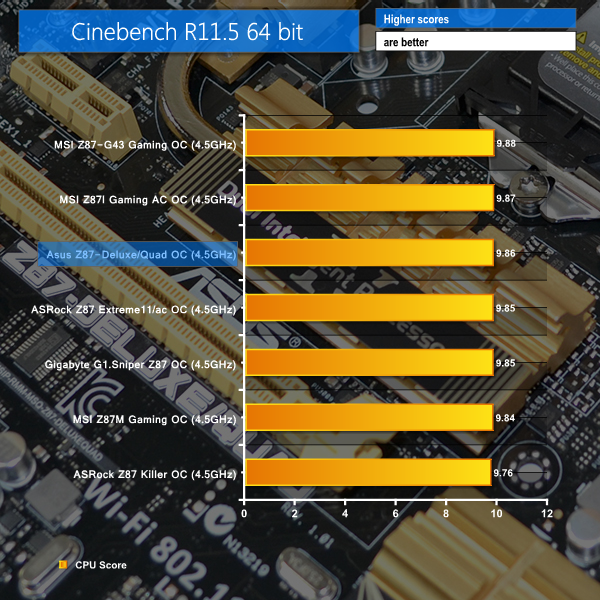
Cinebench also shows a healthy response to the increased core frequency.
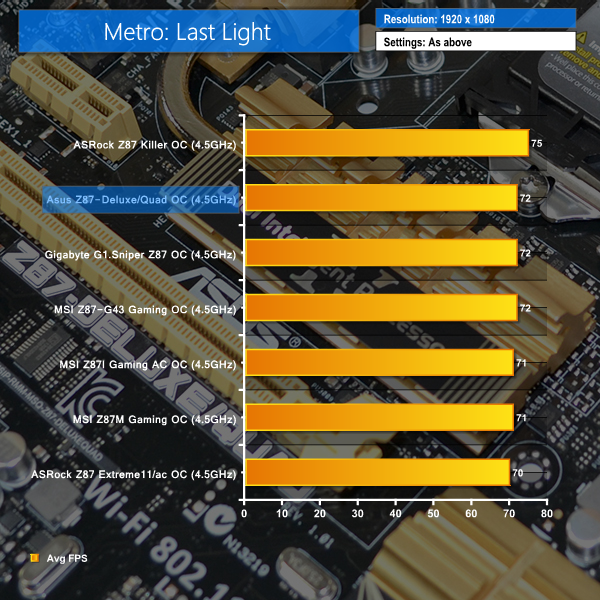
Modern games are typically GPU-limited, hence why Metro: Last Light shows little improvement, despite the 600MHz increase in CPU frequency.
We measured the power consumption with the system resting at the Windows 7 desktop, representing idle values.
The power consumption of our entire test system is measured at the wall while loading only the CPU using Prime95′s Small FFTs setting. The rest of the system’s components were operating in their idle states, hence the increased power consumption values (in comparison to the idle figures) are largely related to the load on the CPU and motherboard power delivery components.
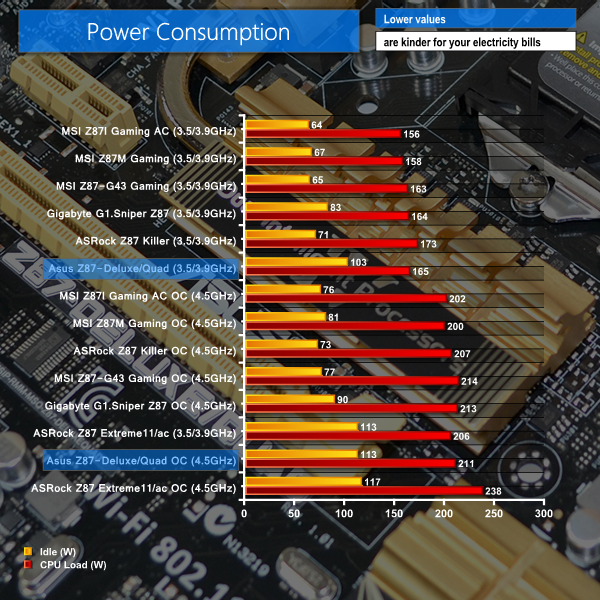
With its host of add-on controllers, it comes as no surprise that power consumption is not the strongest trait for Asus's Z87-Deluxe/Quad. Idle power consumption numbers indicate the levels of power being used by the add-on SATA, Thunderbolt 2, WiFi, and Ethernet controllers.
Despite the high idle power consumption numbers, Asus's board manages to deliver respectable load power consumption values which are unlikely to have a negative impact on one's electricity bill, in comparison to many competing Z87 motherboards.
With a fully-fledged selection of storage interfaces, smart layout decisions, and support for multiple productivity-enhancing expansion cards, the Asus Z87-Deluxe/Quad is an impressive motherboard that provides a number of worthwhile features for semi-professional users.
Featuring a pair of Thunderbolt 2 ports which are capable of connecting up to a dozen storage devices, or a number of high-resolution display products, Asus's Z87-Deluxe/Quad provides users with support for Intel's up-and-coming high-speed interface. Perhaps the only issue with Asus's implementation of the 20Gbps ports is the omission of an easy way to link the signal from a discrete GPU to the motherboard-based Thunderbolt 2 connections.
While Thunderbolt 2 support is the highlight of Asus's Z87-Deluxe/Quad, the motherboard also features additional high-speed storage interfaces which can help users transfer data quickly and efficiently. No less than eight USB 3.0 connections and ten SATA 6Gbps ports provide a vast array of storage and transfer options for high-volume, high-bandwidth data operations.
Wireless connectivity of the motherboard is also strong, thanks to Asus's inclusion of a fast 802.11ac WiFi adapter, Bluetooth 4.0 support, and an external NFC device. And when the tried-and-tested wire route is deemed preferable, users can call upon the pair of Gigabit Ethernet adapters from Intel and Realtek.
Layout of the motherboard's connections and expansion slots is very good. There is space to install a pair of triple-slot graphics cards without causing major interference headaches. The VRM and chipset heatsinks are also short enough to avoid fouling most large CPU coolers. Distribution of the fan headers is excellent and should make cable management a simple task.
As far as UEFI BIOS interfaces go, Asus's is one of (if not) the best. The interface is attractive, easy to understand, and well laid out. Most importantly, the interface's functionality is excellent. I did not encounter any questionable readings or blatant mistakes, nor were any concerns raised regarding voltage and frequency configurations. Thanks to the functional and stable interface, overclocking performance for the Z87-Deluxe/Quad is equivalent to the other Z87 motherboards that we have tested with our retail 4770K.
Priced at £237.76 from Amazon, the Asus Z87-Deluxe/Quad is not a cheap Z87 motherboard by any stretch of the imagination. But given the vast quantity of features crammed into the board, as well as the pair of high-speed Thunderbolt 2 ports, it is easy to understand why the board sells for just under £240.
If the circa-£40 price tag for two Thunderbolt 2 ports (compared to the standard Z87-Deluxe) is deemed a worthwhile investment, the Asus Z87-Deluxe/Quad is a feature-heavy motherboard that is worth its price tag. And given that Asus is targeting users who will utilise the Thunderbolt 2 connections, the Z87-Deluxe/Quad is actually one of the cheapest motherboards on the market that is equipped with Intel's DSL5520 Falcon Ridge Thunderbolt 2 controller.
For those reasons, we think that Asus's Z87-Deluxe/Quad is an excellent choice for users who will value the pair of Thunderbolt 2 ports, as well as the host of accompanying features.
Discuss on our Facebook page, over HERE.
Pros:
- Two Thunderbolt 2 ports.
- Plenty of storage connections.
- Lots of worthwhile features – 802.11ac WiFi, dual GbE, Bluetooth, NFC.
- Strong audio performance.
- Excellent UEFI BIOS.
- Competitively-priced for a Thunderbolt 2 motherboard.
Cons:
- A sizeable investment, even in light of the Thunderbolt 2 ports.
- Difficultly in configuring a discrete GPU signal to be sent across Thunderbolt 2 ports.
KitGuru says: If you're in search of a feature-heavy, Thunderbolt 2-equipped motherboard, Asus's Z87-Deluxe/Quad is an excellent choice. And its price tag is competitive too.

They make great motherboards, but I never liked this gold colour scheme, its difficult to match up with other components in a windowed case. I prefer their traditional red ROG schemes.
I was going to buy this board as I have a few lightning drives which I also use on my macbook pro. its not a bad price considering the feature set.
how much is that delux motherboard asus z87 review
Please send me a me a quotation for an Asus Z87 -Deluxe/quad Mother board ,processor and other components for itas stated on page 8,also the cost of shipping.
Andy Hawkins
In your Excellent review, you typed, “…A pair of Gigabit Ethernet ports is provided by a combination of Intel’s I217V chipset, as well as the RTL8111G from Realtek. Asus should make it easier for users to understand which Ethernet connection is fed by each controller..” I found a Great answer!
I just received my ASUS Z87-Deluxe/Quad motherboard, and it has an “Intel” sticker that covers the top of the ethernet output port (the one closest to the BIOS feedback button), that states in three lines ” Intel Ethernet, Great Capability, GBit LAN”. Then by default, the Ethernet port next to the Analog port is the Realtek port !