KitGuru KitGuru.net – Tech News | Hardware News | Hardware Reviews | IOS | Mobile | Gaming | Graphics Cards


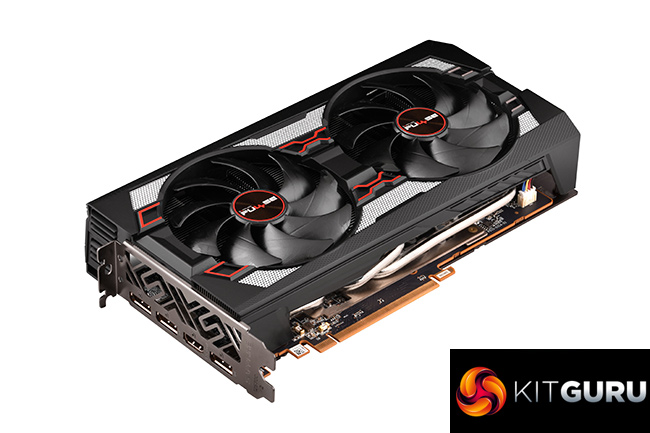
Back in August, we got our first look at a custom Navi graphics card in the form of Sapphire's RX 5700 Pulse. It has been a long time coming since then, but today we are able to present our review of the RX 5700 XT Pulse. Despite the immediate visual similarities between the 5700 and 5700 XT Pulse cards, they do actually use different coolers, so if you want to spend around £400 on your next GPU, is this a card to consider?
It's been a fascinating year for graphics cards. With AMD's RX 5700 series going head-to-head with the Nvidia RTX SUPER series, it's funny to think those cards launched almost half a year ago. In that time, pricing has changed somewhat and this Sapphire Pulse RX 5700 XT can now be found for £395, when at launch the card was £30 more expensive. That means, compared to the MSRP price of £379, the Pulse comes with just a 4% price premium over the blower-style reference card, when at launch the price premium was 12%.
For that extra cash over the reference card, we are getting a dual-fan cooler, on-board dual-BIOS and also increased clock speeds, with a rated game clock of up to 1815MHz. Is the Pulse worth buying? Read on to find out.
| RX 5700 | RX 5700 XT | RX Vega 56 | RX Vega 64 | Radeon VII | |
| Architecture | Navi | Navi | Vega 10 | Vega 10 | Vega 20 |
| Manufacturing Process | 7nm | 7nm | 14nm | 14nm | 7nm |
| Transistor Count | 10.3 billion | 10.3 billion | 12.5 billion | 12.5 billion | 13.2 billion |
| Die Size | 251mm² | 251mm² | 486mm² | 495mm² | 331mm² |
| Compute Units | 36 | 40 | 56 | 64 | 60 |
| Stream Processors | 2304 | 2560 | 3584 | 4096 | 3840 |
| Base GPU Clock | Up to 1465MHz | Up to 1605MHz | 1156 MHz | 1274 MHz | 1400 MHz |
| Game GPU Clock | Up to 1625MHz | Up to 1755MHz | n/a | n/a | n/a |
| Boost GPU Clock | Up to 1725MHz | Up to 1905MHz | 1471 MHz | 1546 MHz | 1750 MHz |
| Peak Engine Clock | n/a | n/a | 1590 MHz | 1630 MHz | 1800 MHz |
| Peak SP Performance | Up to 7.95 TFLOPS | Up to 9.75 TFLOPS | Up to 10.5 TFLOPS | Up to 12.7 TFLOPS | Up to 14.2 TFLOPS |
| Peak Half Precision Performance | Up to 15.9 TFLOPS | Up to 19.5 TFLOPS | Up to 21.0 TFLOPS | Up to 25.3 TFLOPS | Up to 28.1 TFLOPS |
| Peak Texture Fill-Rate | Up to 248.4 GT/s | Up to 304.8 GT/s | Up to 330.0 GT/s | Up to 395.8 GT/s | 432.24 GT/s |
| ROPs | 64 | 64 | 64 | 64 | 64 |
| Peak Pixel Fill-Rate | Up to 110.4 GP/s | Up to 121.9 GP/s | Up to 94.0 GP/s | Up to 98.9 GP/s | 115.26 GP/s |
| Memory | 8GB GDDR6 | 8GB GDDR6 | 8GB HBM | 8GB HBM | 16GB HBM2 |
| Memory Bandwidth | 448 GB/s | 448 GB/s | 410 GB/s | 483.8 GB/s | 1 TB/s |
| Memory Interface | 256-bit | 256-bit | 2048-bit | 2048-bit | 4096-bit |
| Board Power | 185W | 225W | 210W | 295W | 300W |
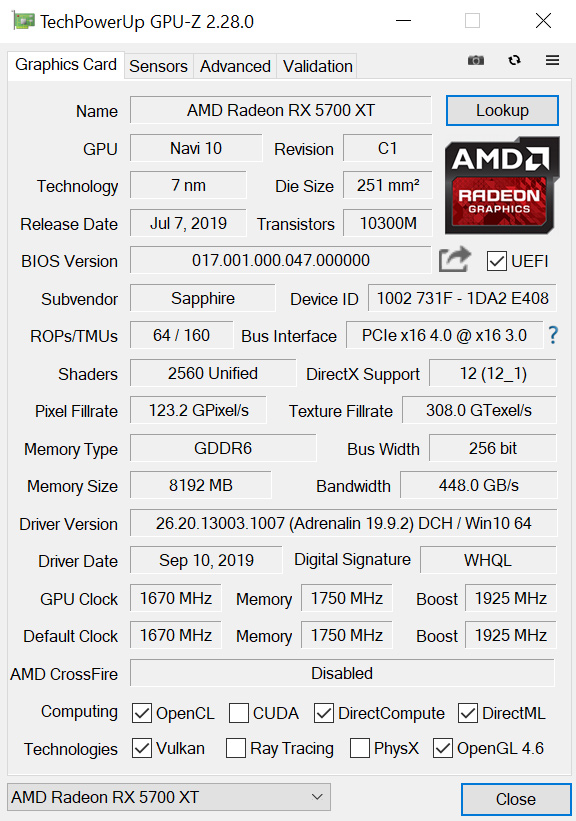
To recap the core spec of the RX 5700 XT, the GPU is based on TSMC’s 7nm process and is made up of 40 Compute Units, each housing 64 Stream Processors for a total of 2560 shaders. Alongside that, the card is outfitted with 8GB of GDDR6 memory, operating over a 256-bit bus for 448GB/s total memory bandwidth.
As mentioned above, the Pulse does come with a slight factory overclock, with its rated game clock of 1815MHz giving it a 60MHz advantage over the reference card. Sapphire's Nitro+ should remain the faster card due to its game clock of 1905MHz, while the ASRock Taichi should be faster still with a 1935MHz game clock.
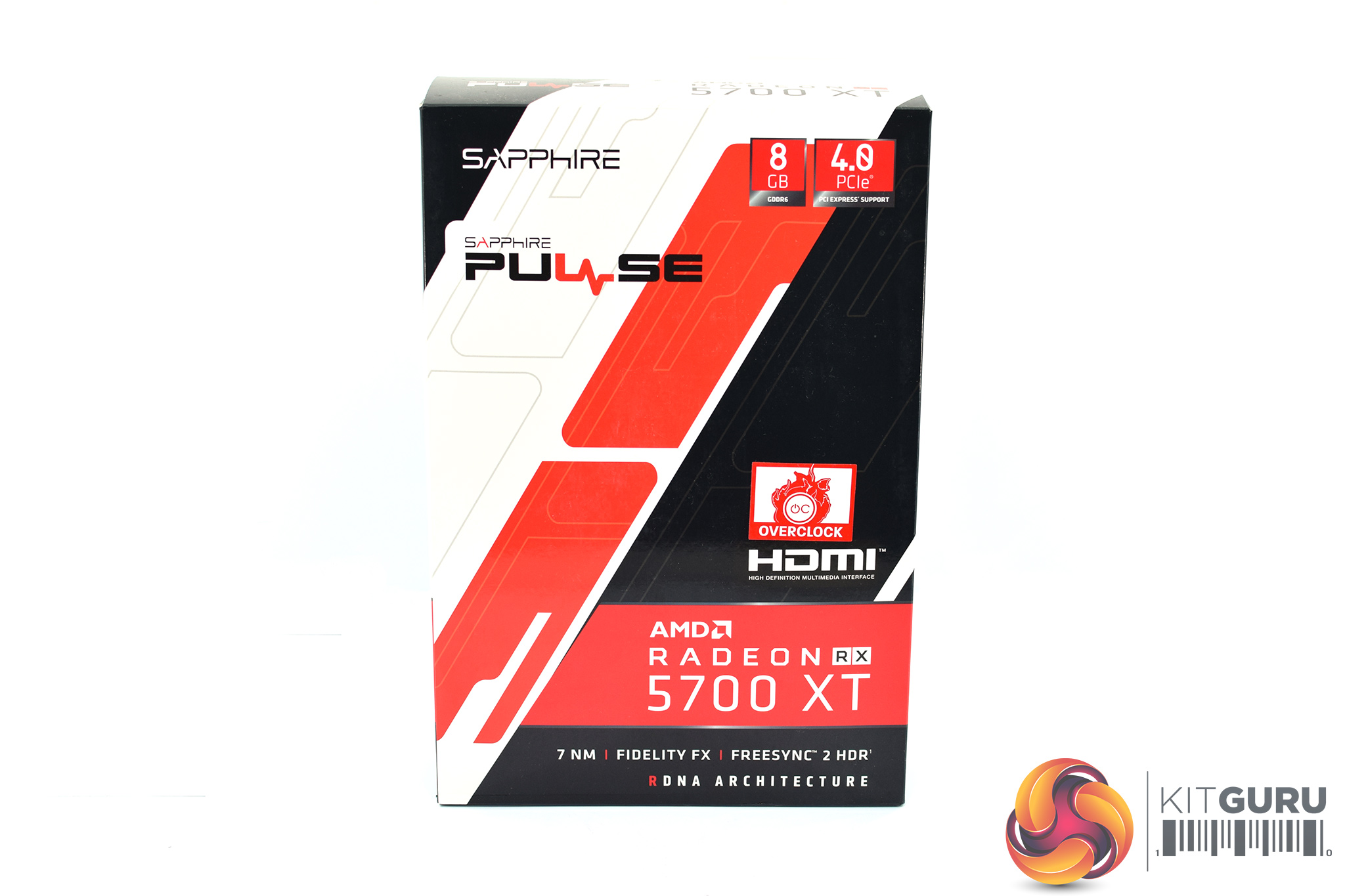
The Sapphire Pulse RX 5700 XT ships in a compact box with red, white and black colouring. There's no image of the graphics card visible on the front.
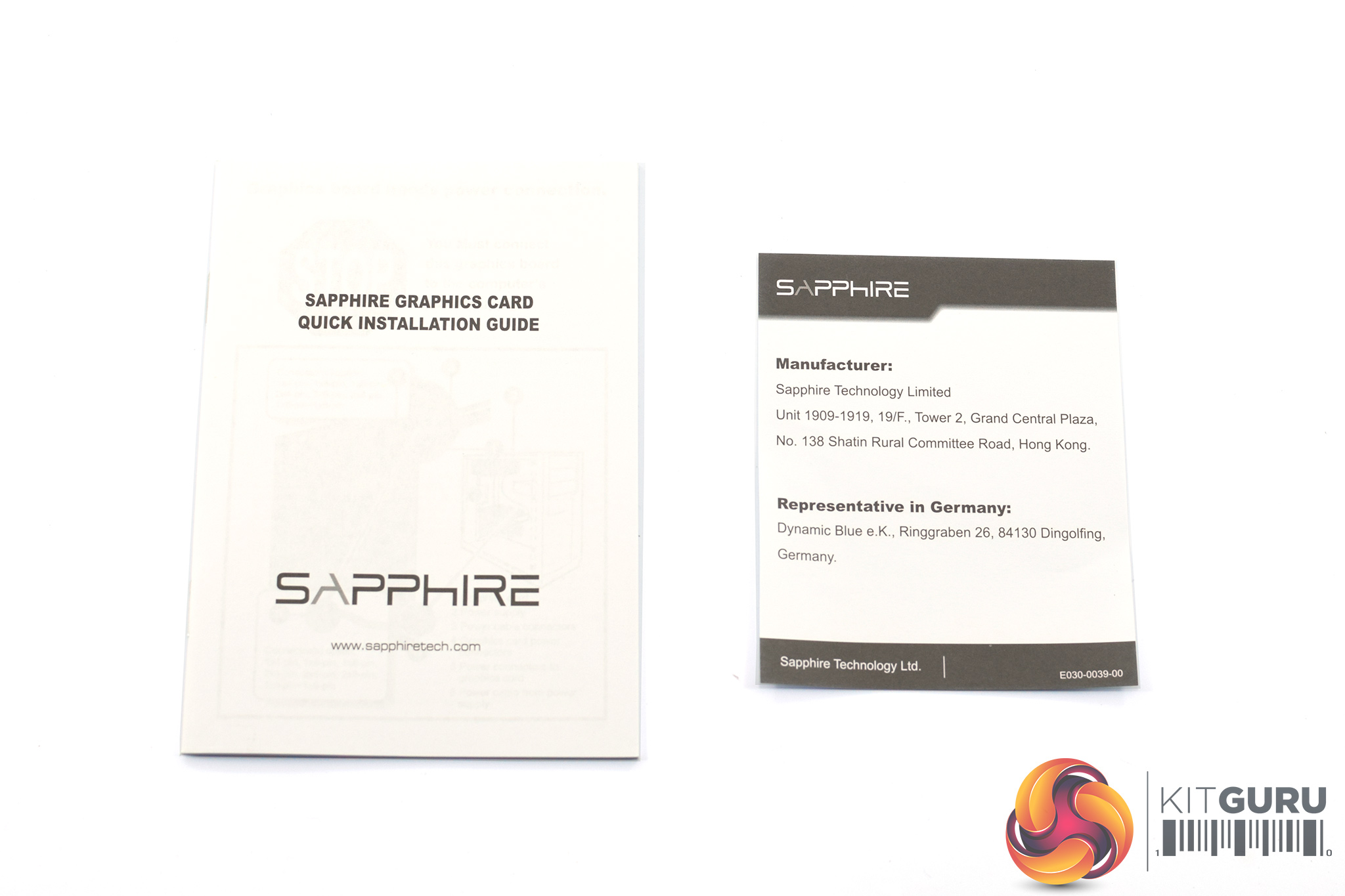
Inside, the included accessories are basic, with a quick start guide and manufacturer's note the only extras in the box.
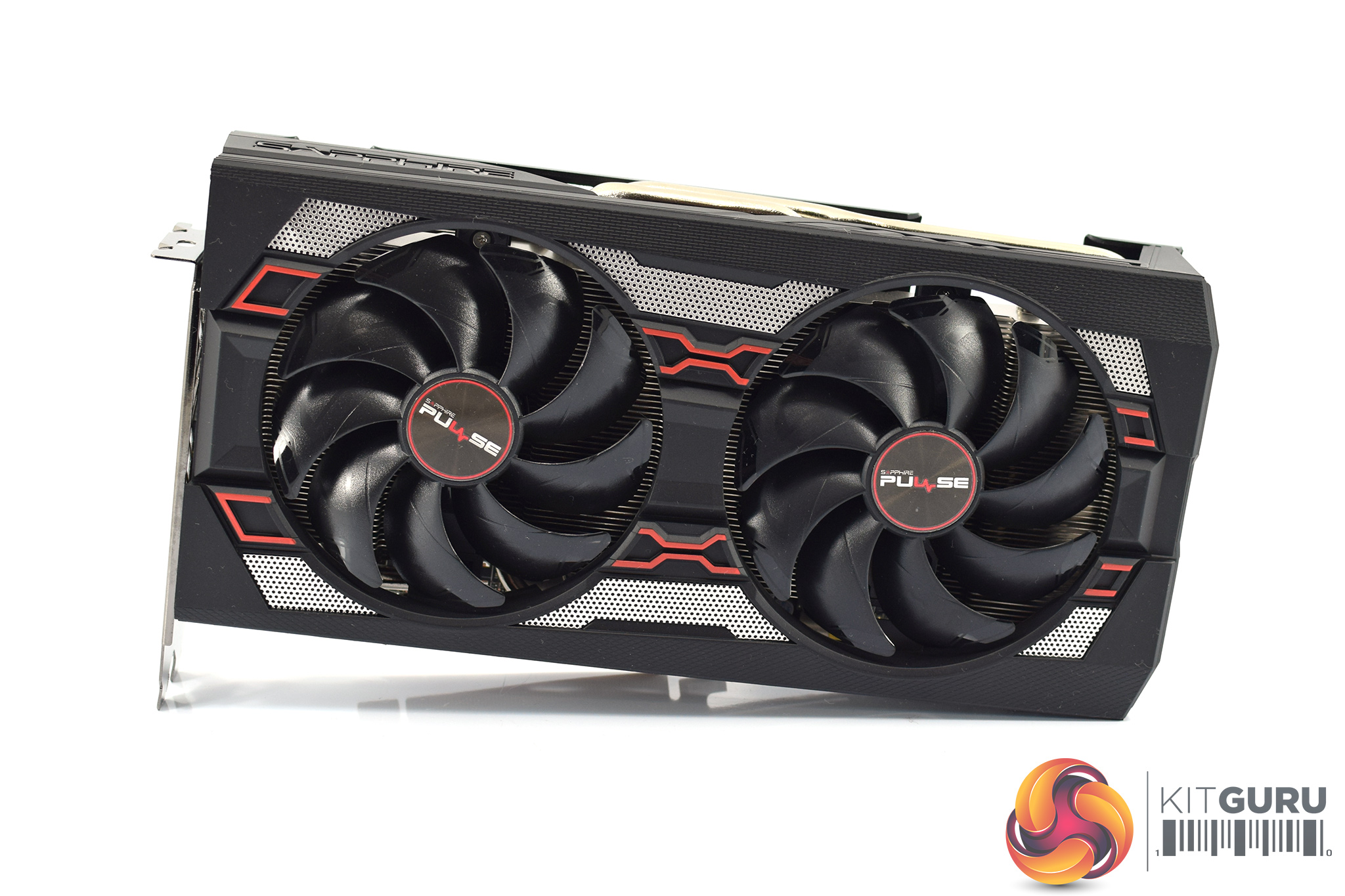
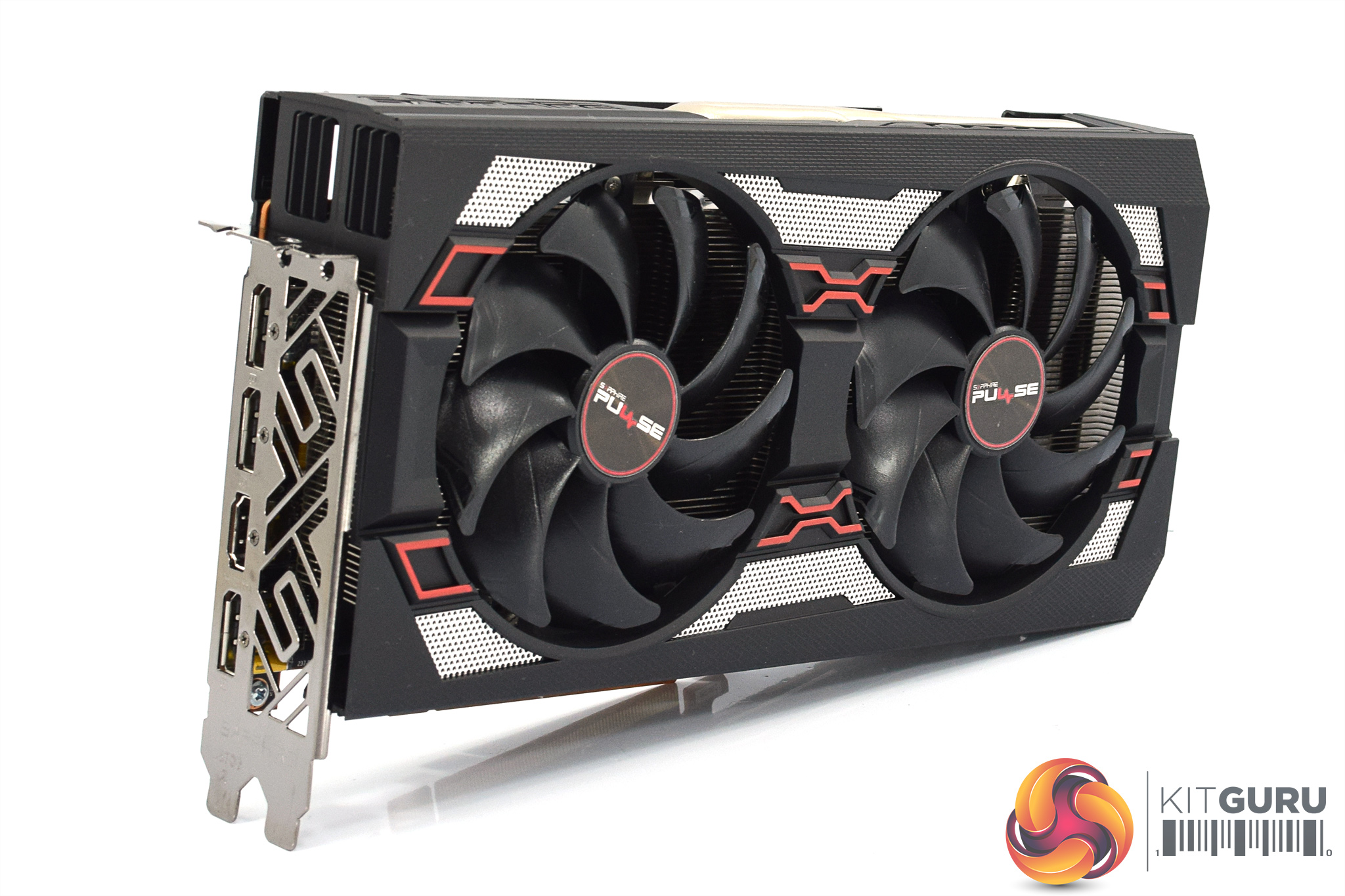
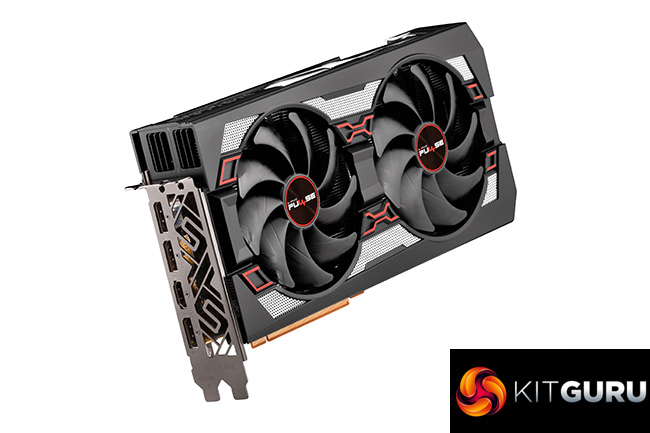
Looking at the card itself, it is immediately apparent that this uses the same shroud design as the RX 5700 Pulse, which is not surprising. The primary difference between the two (apart from the GPU) becomes clear when we look at the heatsink below, but for now we can see the same black plastic shroud, with some red and silver accents on the front.
Being completely honest, I don't think this is the best looking graphics card out there, though that is obviously subjective. Even so, with its recent RX 5500 XT Pulse, Sapphire opted for an all-black design and personally I do think that looks much cleaner, while it also means colour coordinating the graphics card to your system is less problematic.
As for the two fans on the front of the card, these form part of the ‘Dual-X’ cooler, and each fan measures 95mm across. As has become standard for Sapphire cards, the fans also support Quick Connect, which means each fan can be individually removed by taking out just one screw, which would make user repairs or RMAs significantly more straightforward.
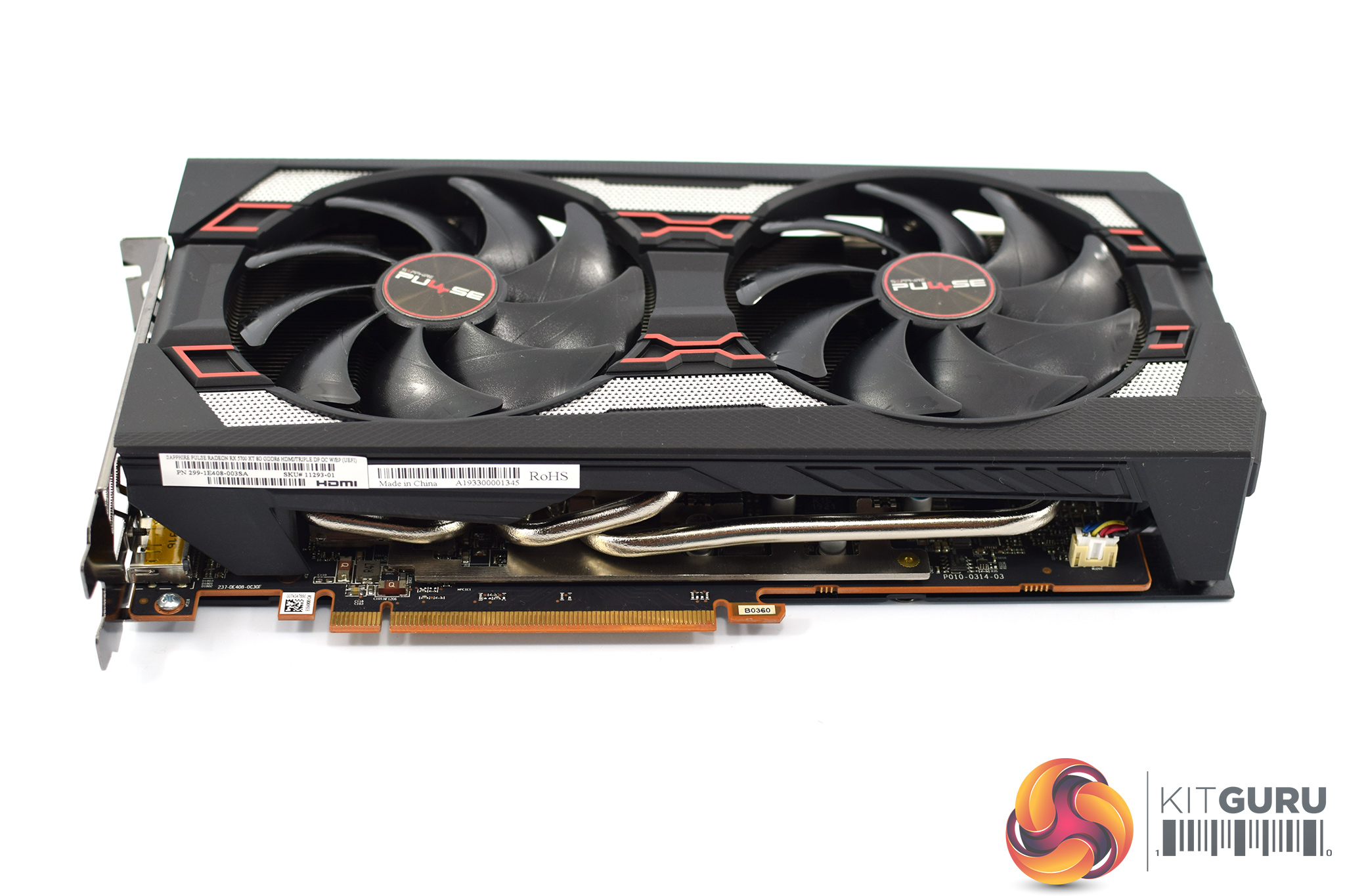
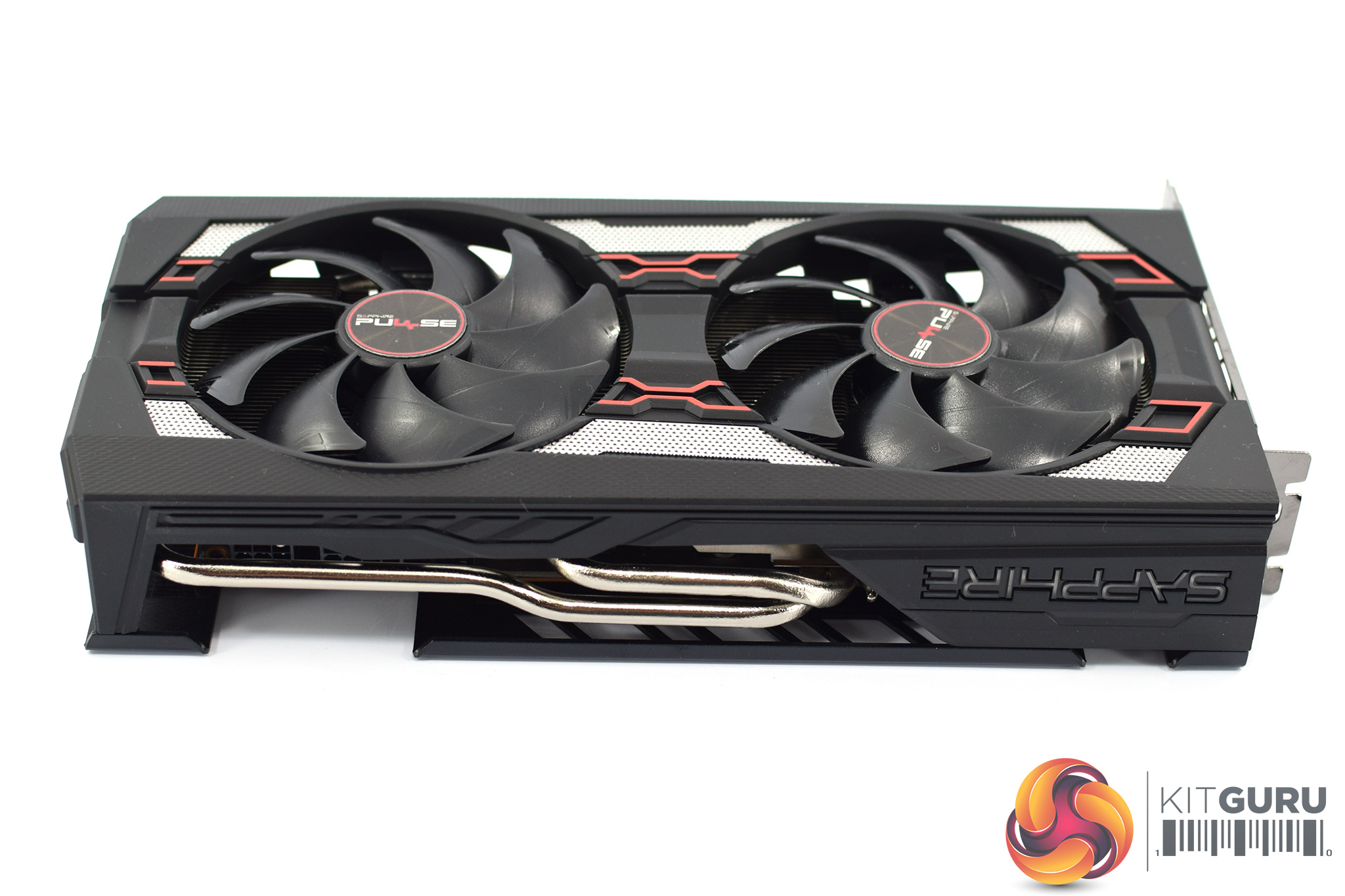
We can see exposed heatpipes on both sides of the graphics card, and it is also worth touching on the card's dimensions. It measures 254(L)x 135(W)x 46.5 (H)mm, so while it is not very long it is a fair bit taller than the PCIe bracket. As always, it is worth double checking this will fit in your case.
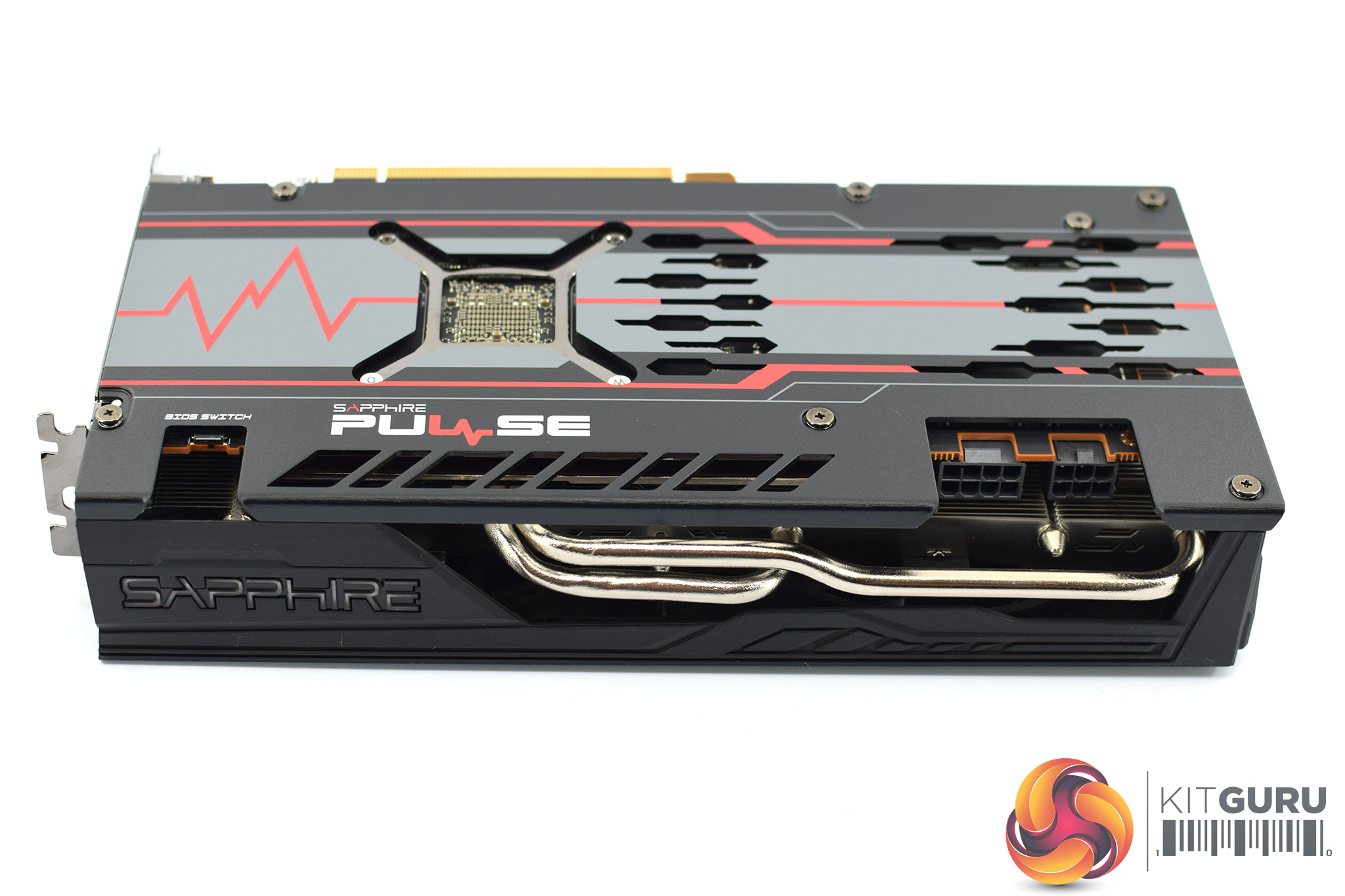
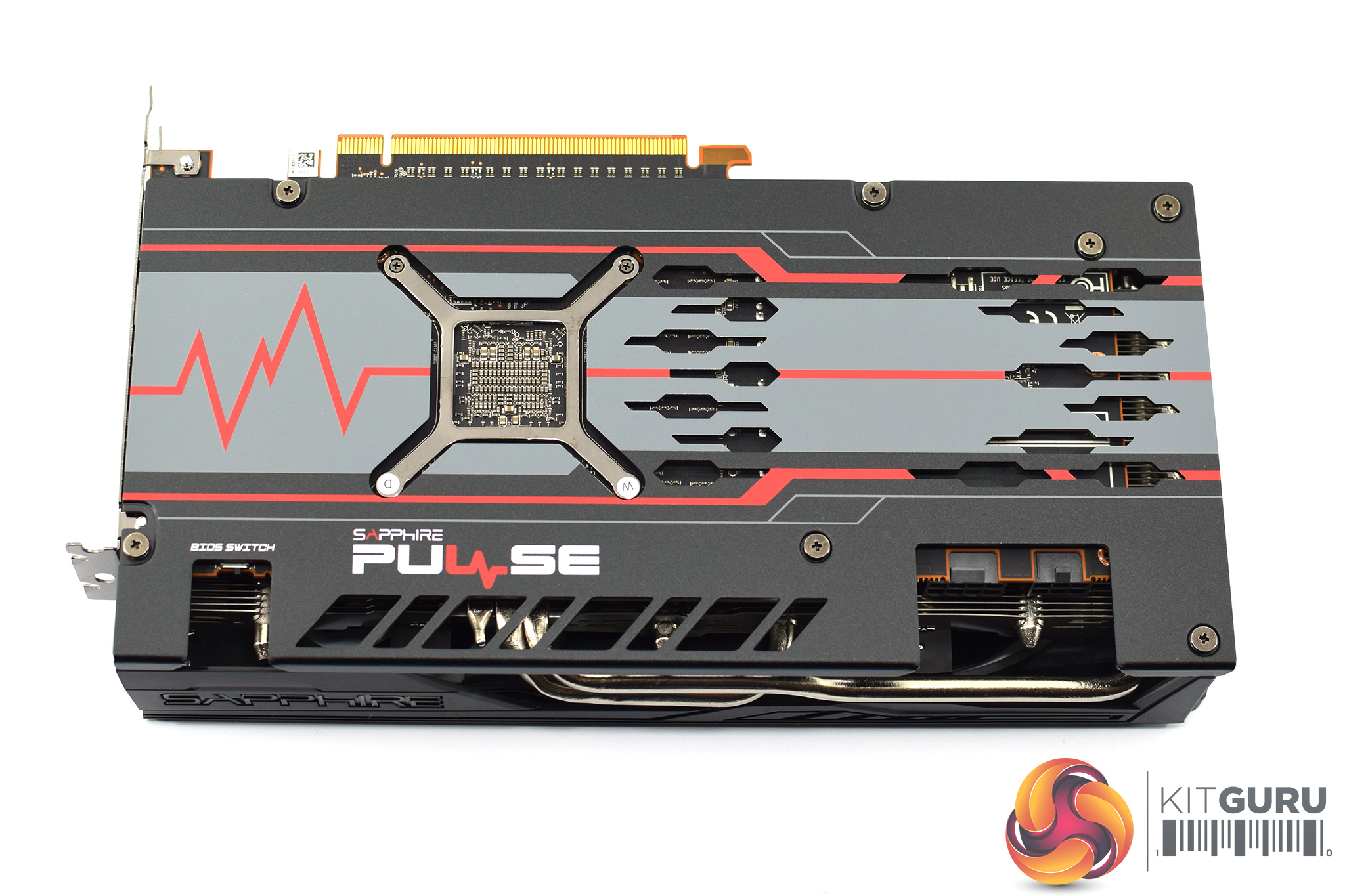
Now, on the front side of the shroud, there's a couple things to mention. First is the small Sapphire logo which is the sole RGB zone on the card. Additionally, just above the logo is a small dual-BIOS switch. By default, the card ships with the Performance BIOS engaged, but you can switch it over to the Silent BIOS if that is your preference.
As for the backplate, this is mostly black, but with a grey central panel and more red accents. It's a full-length design, made of metal, with a few holes and cut-outs for extra ventilation from the back of the PCB.
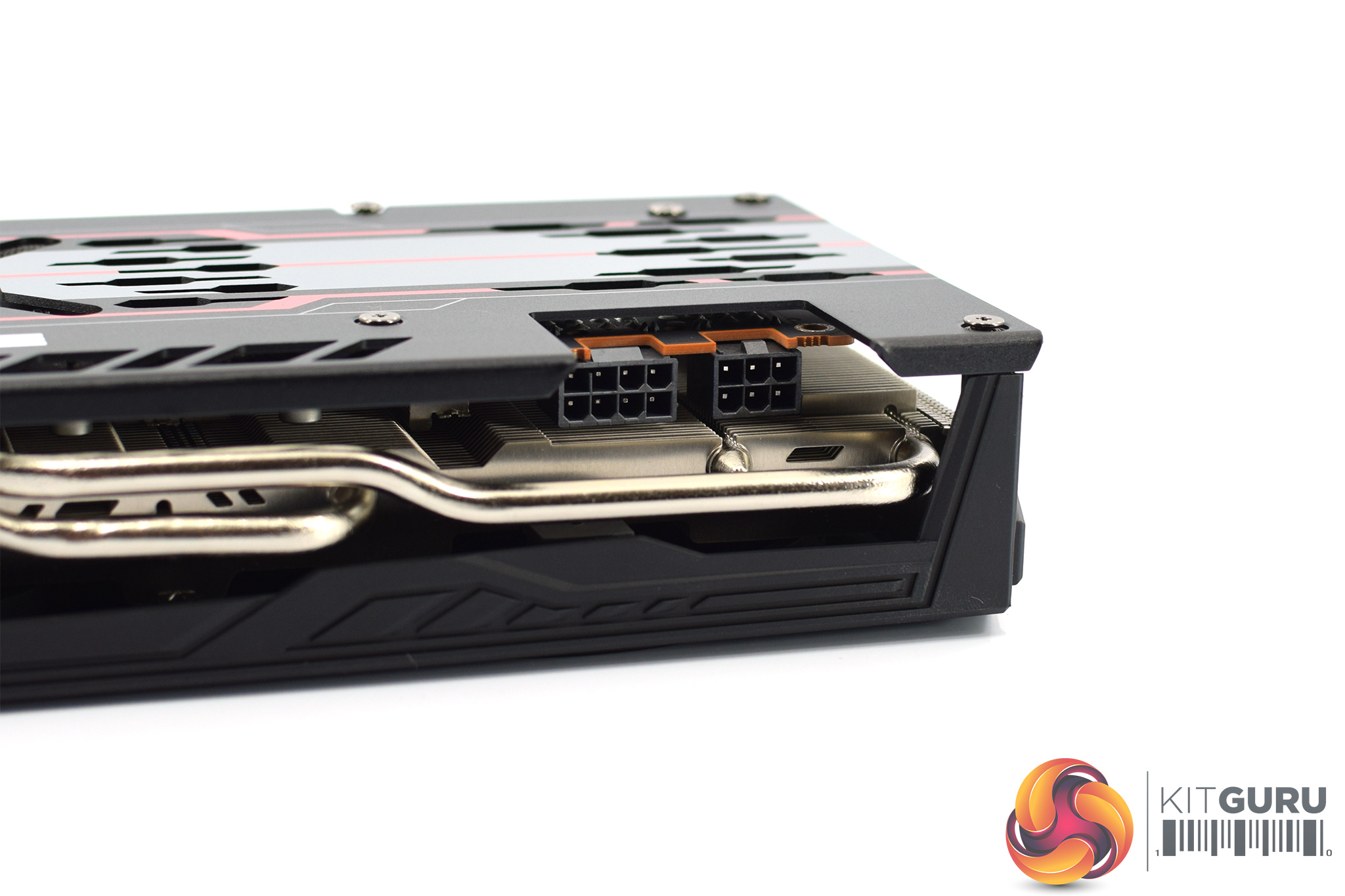
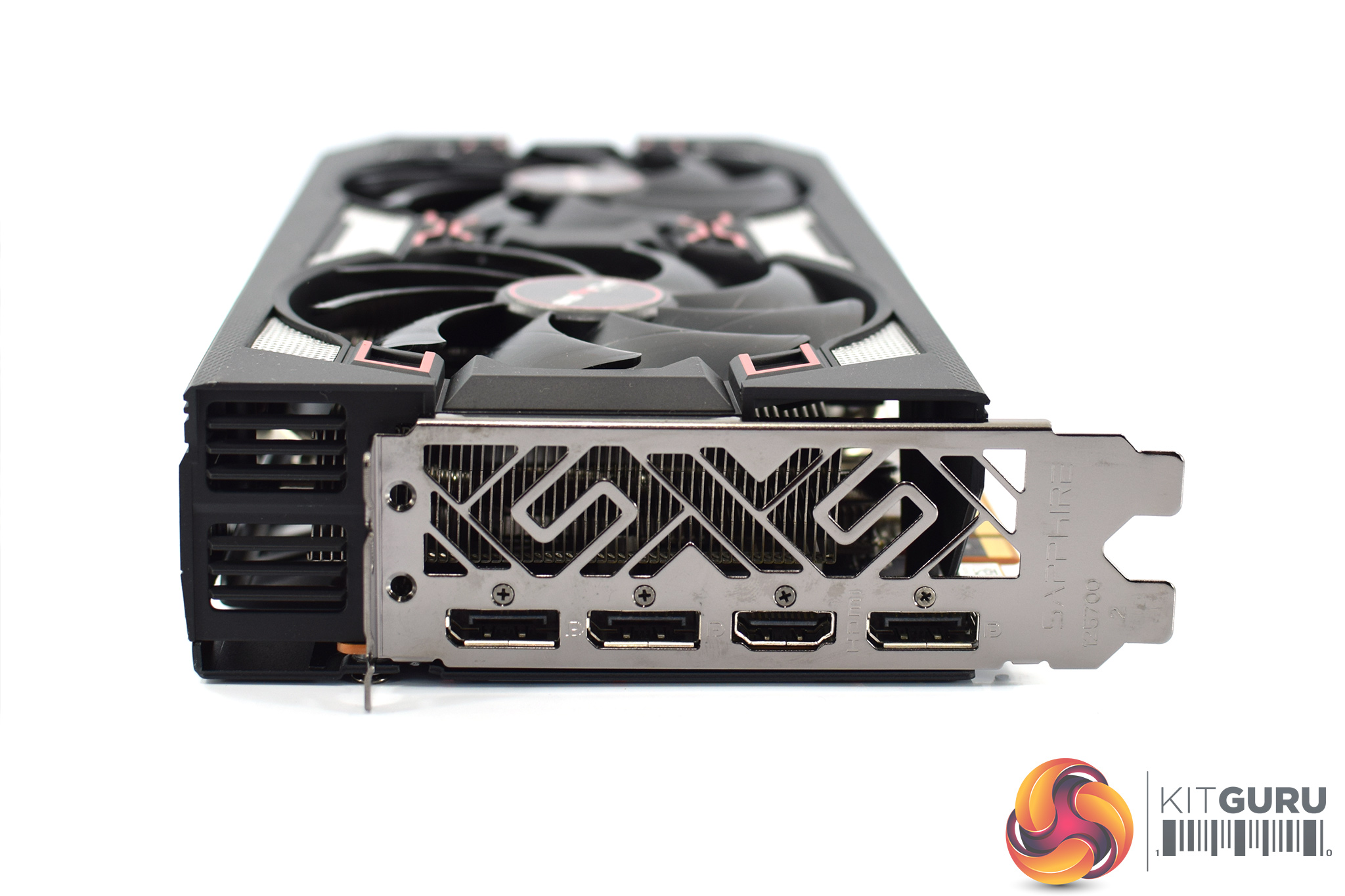
Power requirements are 1x 8-pin and 1x 6-pin PCIe power connectors, and display outputs consist of 3x DisplayPort and 1x HDMI.
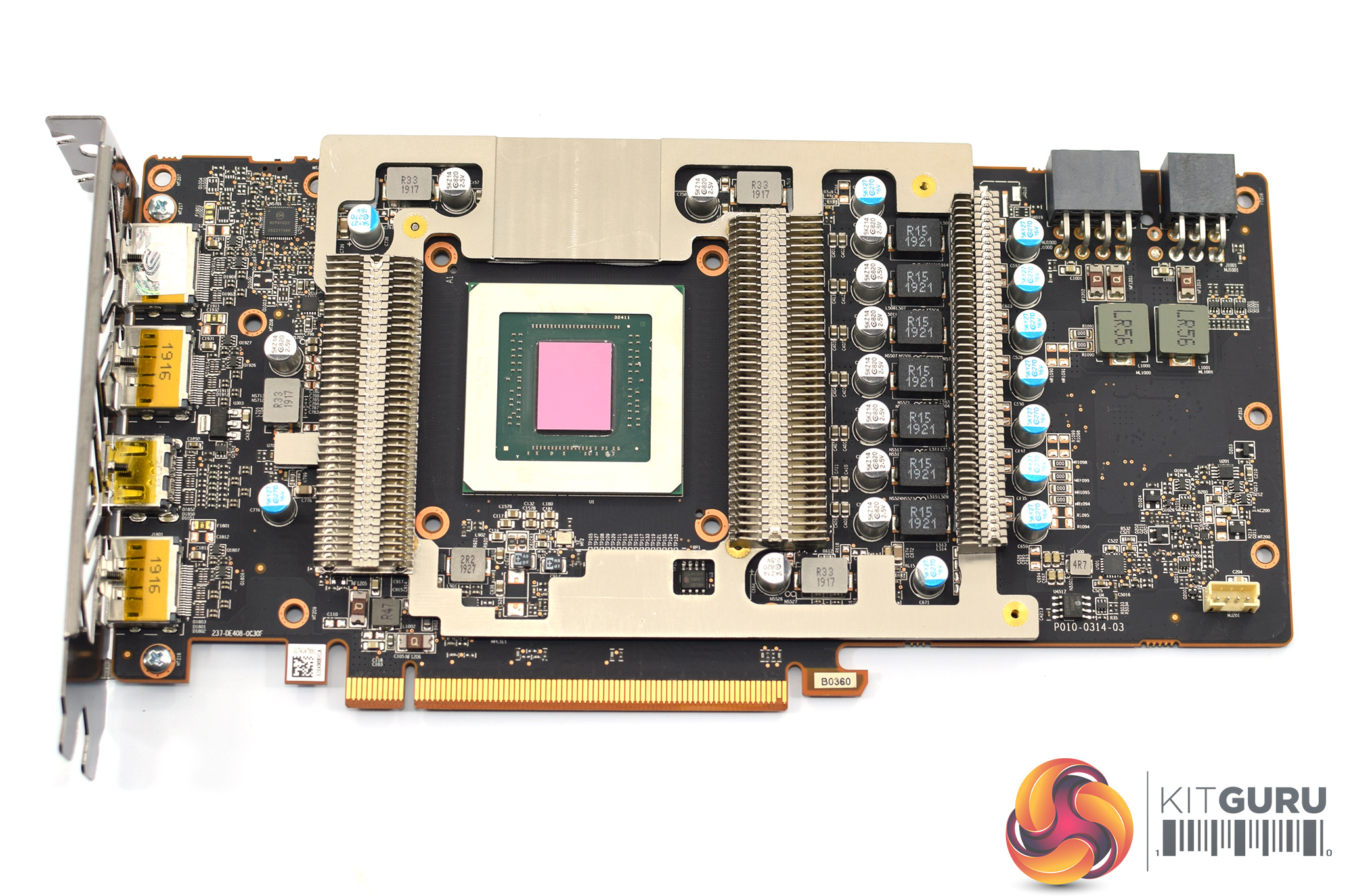
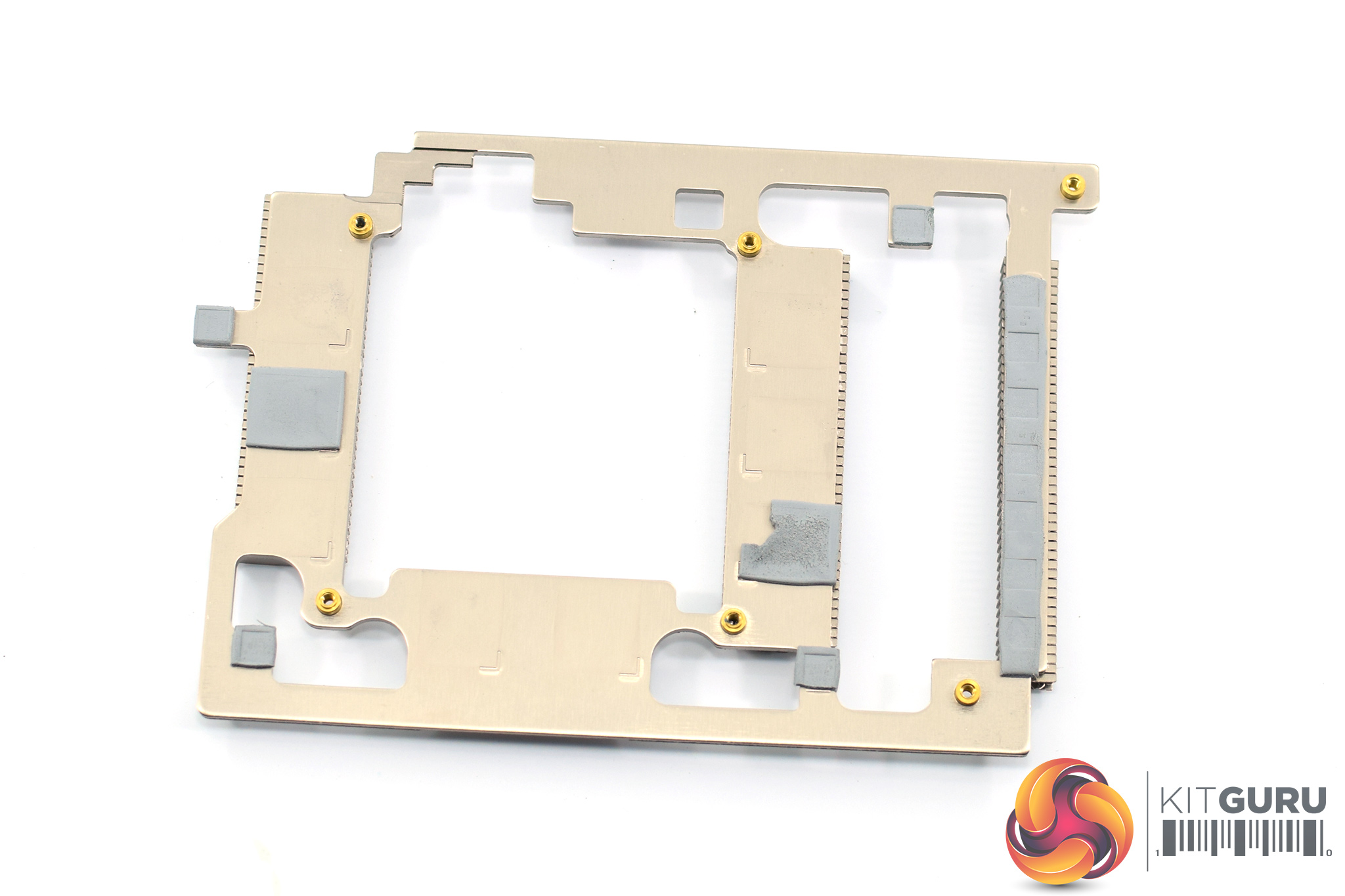
Once the card is disassembled, we can see an immediate difference between this 5700 XT and the non-XT 5700 Pulse – this XT model has an extra finned heatsink sitting atop the VRAM and VRM to provide direct cooling. Another four screws will remove this from the PCB.
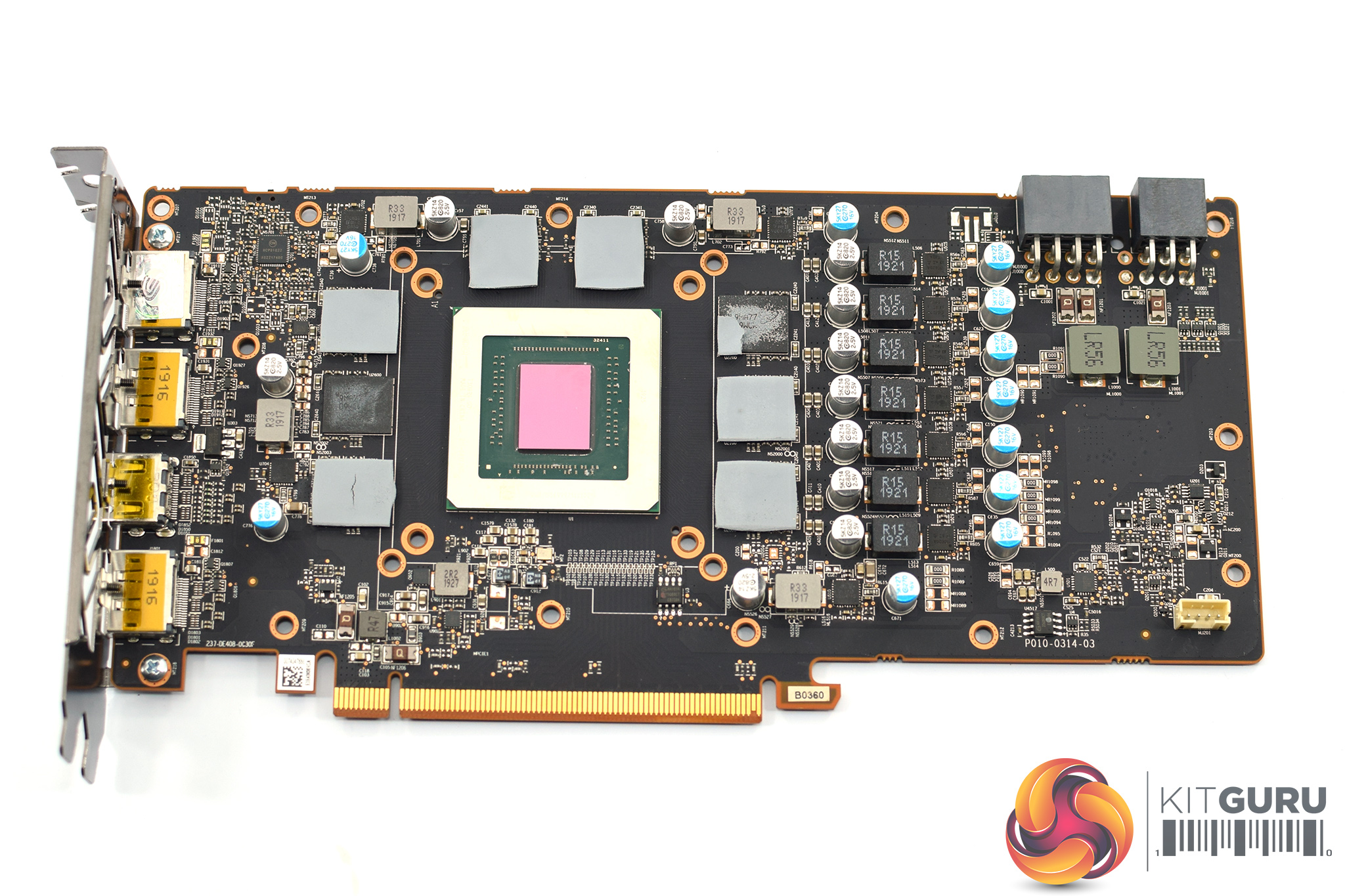
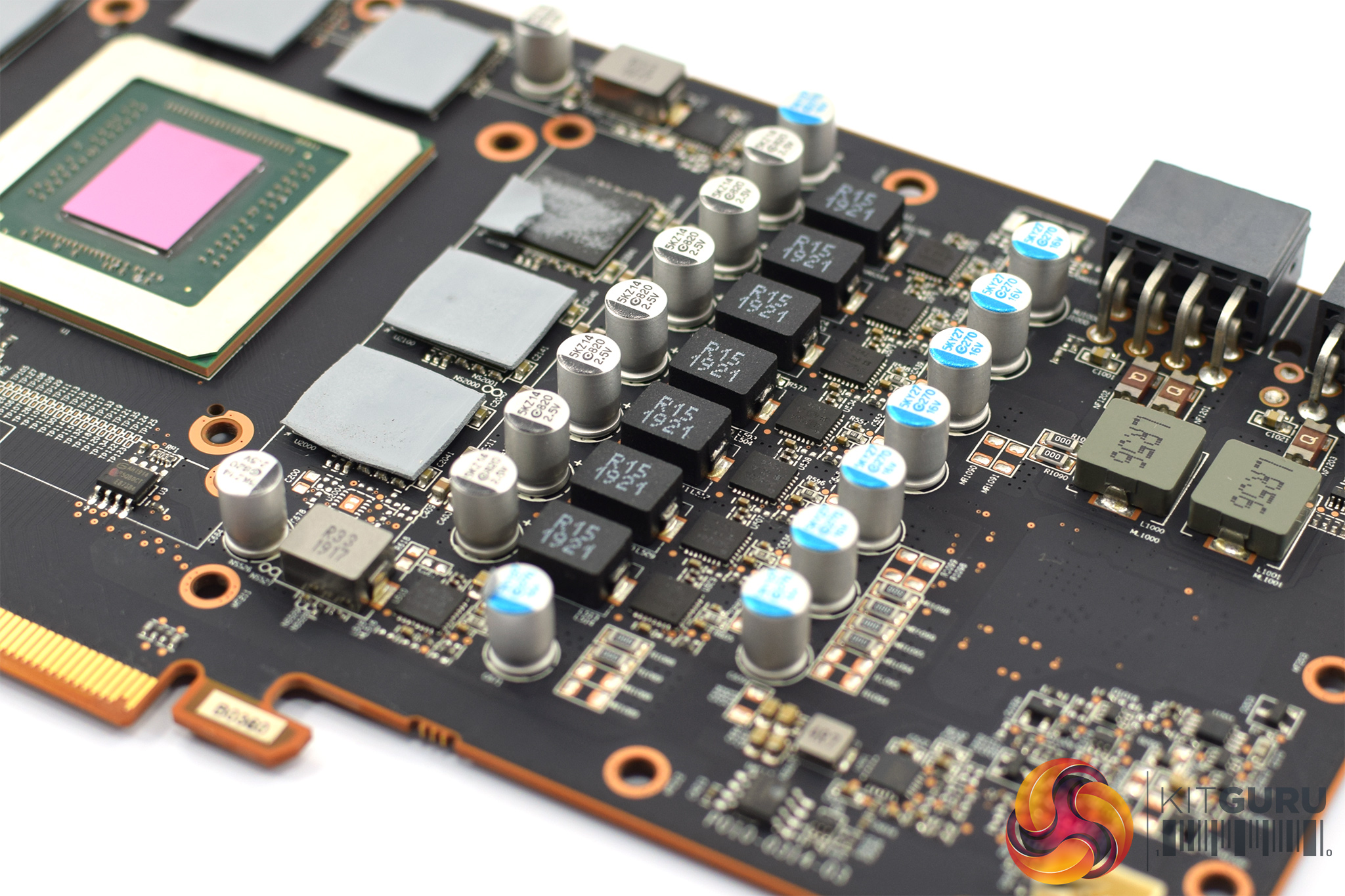
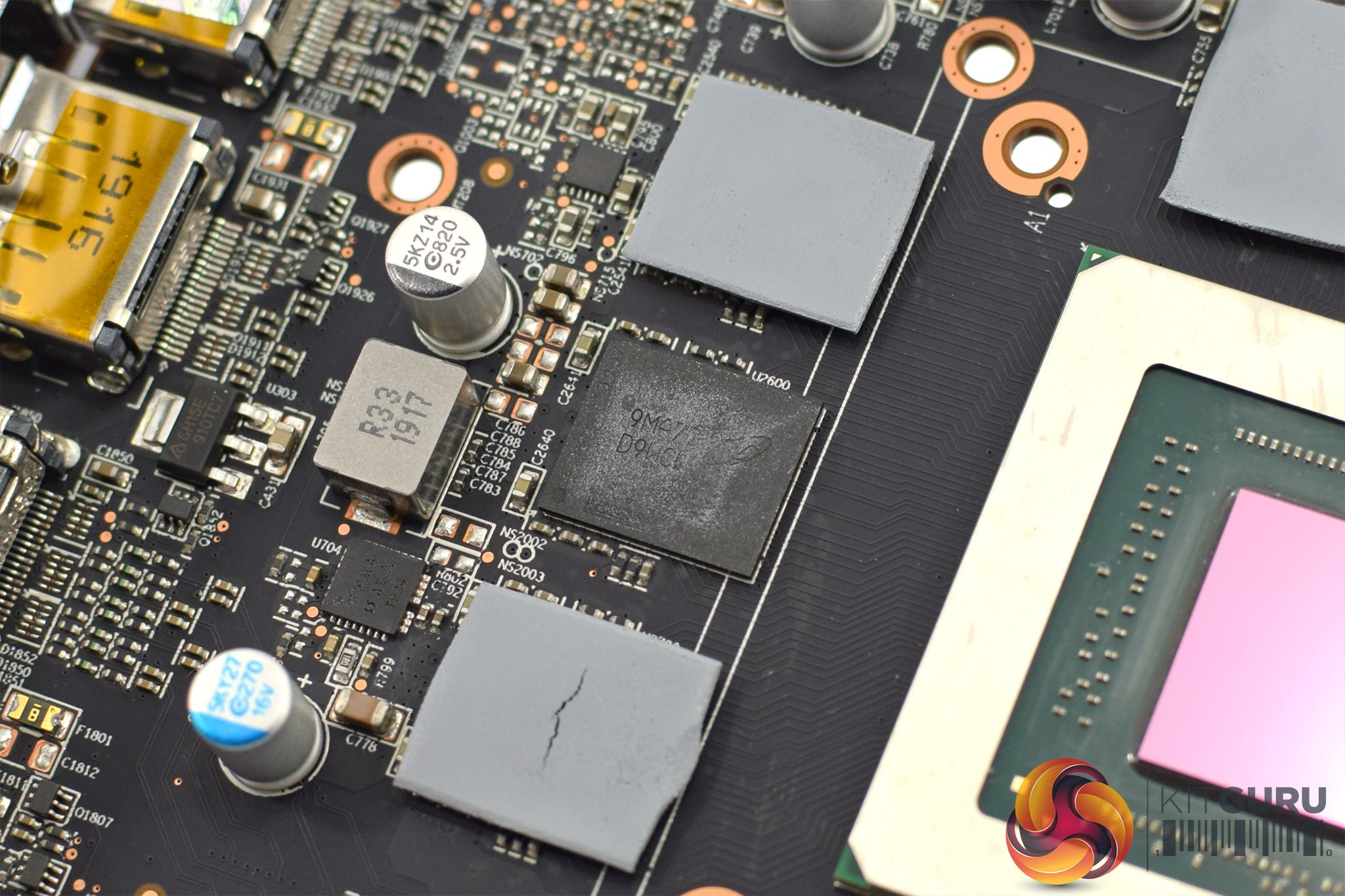
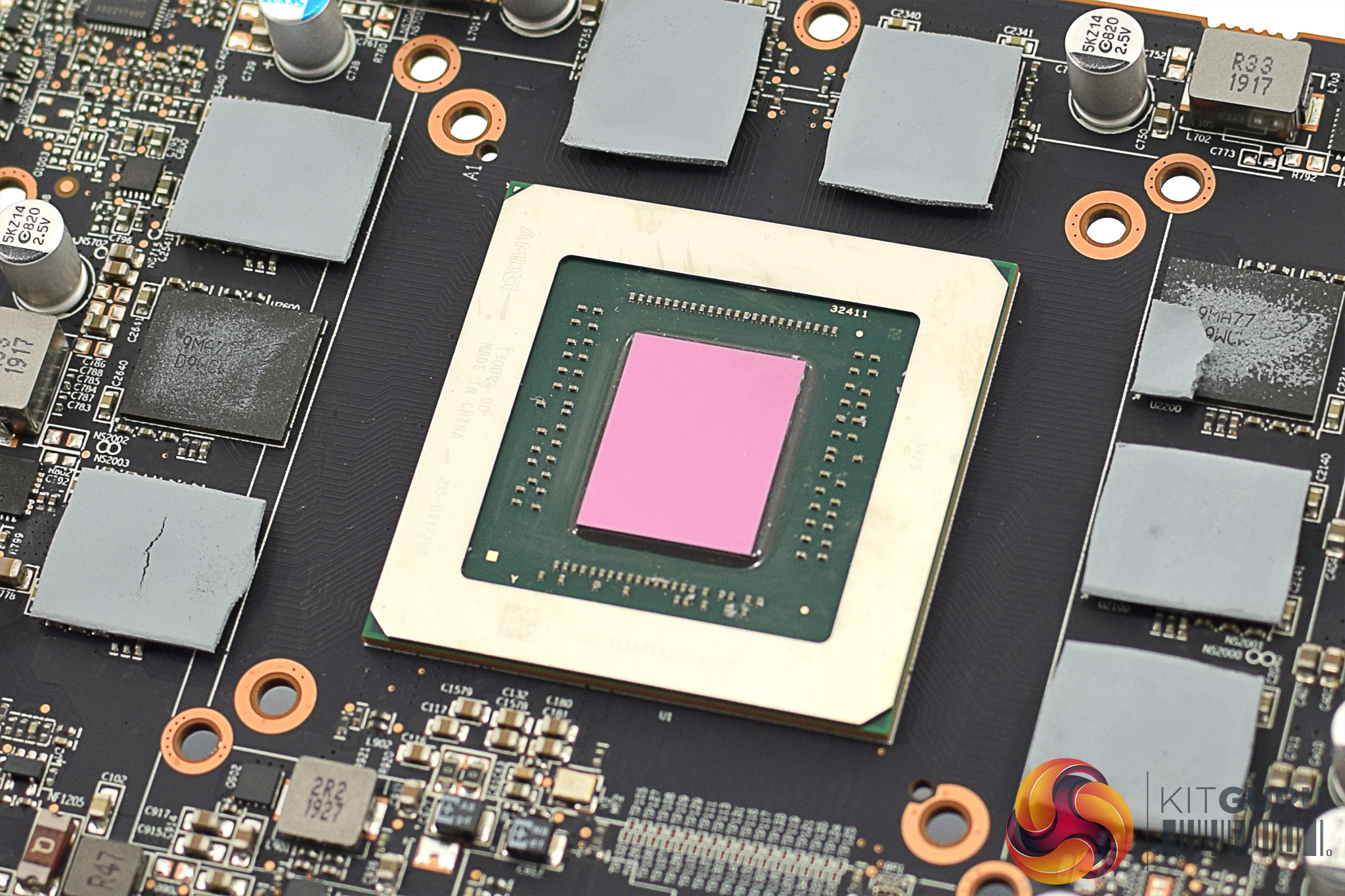
With that done, we can see PCB design is identical (as far as I can tell, at least) to the Pulse RX 5700. That means the GPU uses a 7-phase VRM, with a 2-phase VRM for the memory. Those 8 memory modules are produced by Micron, each chip is labelled ‘9MA77D9WCW'. The Navi 10 GPU, with its 251mm² die size, sits in the middle of the PCB.
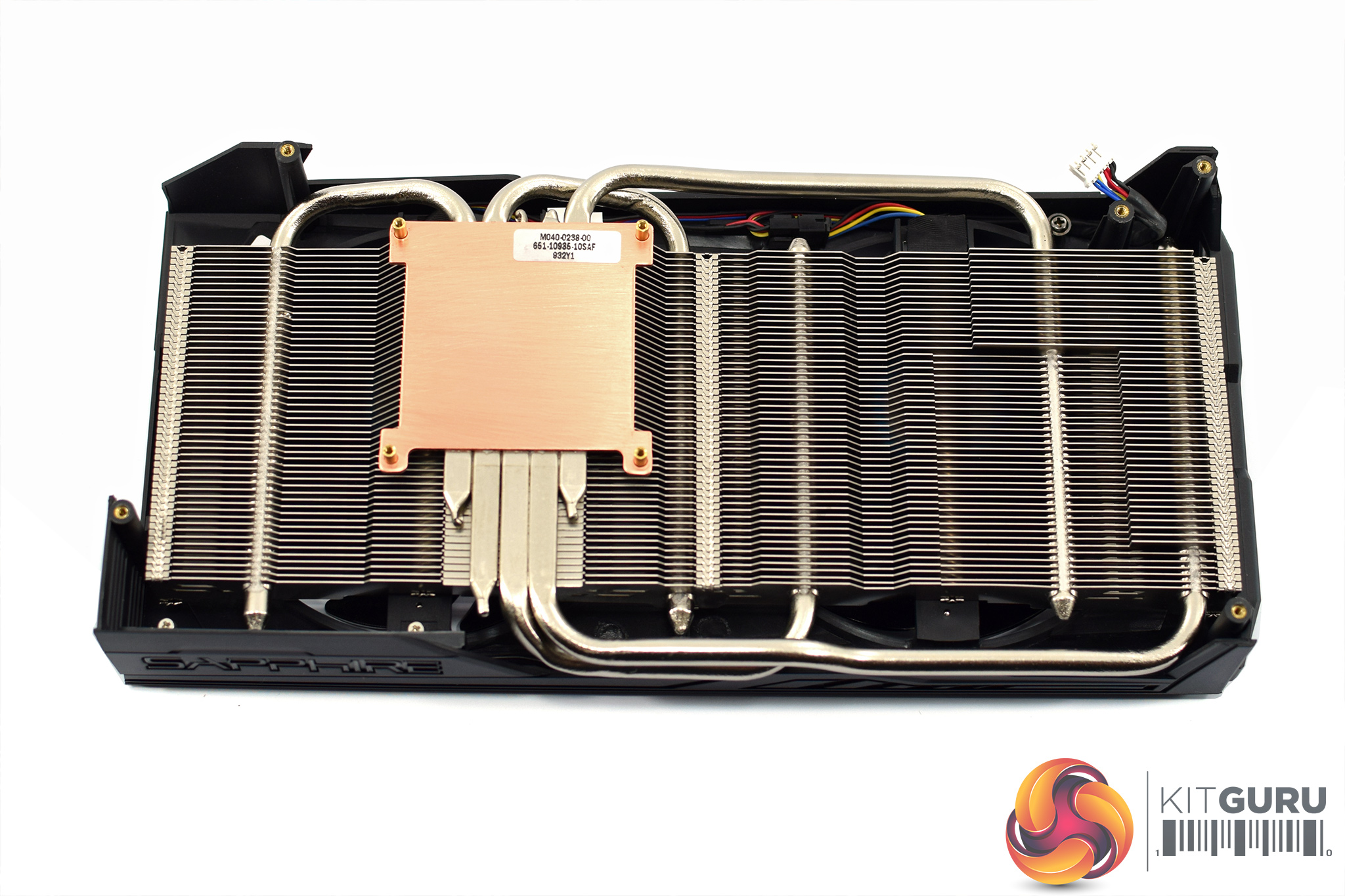
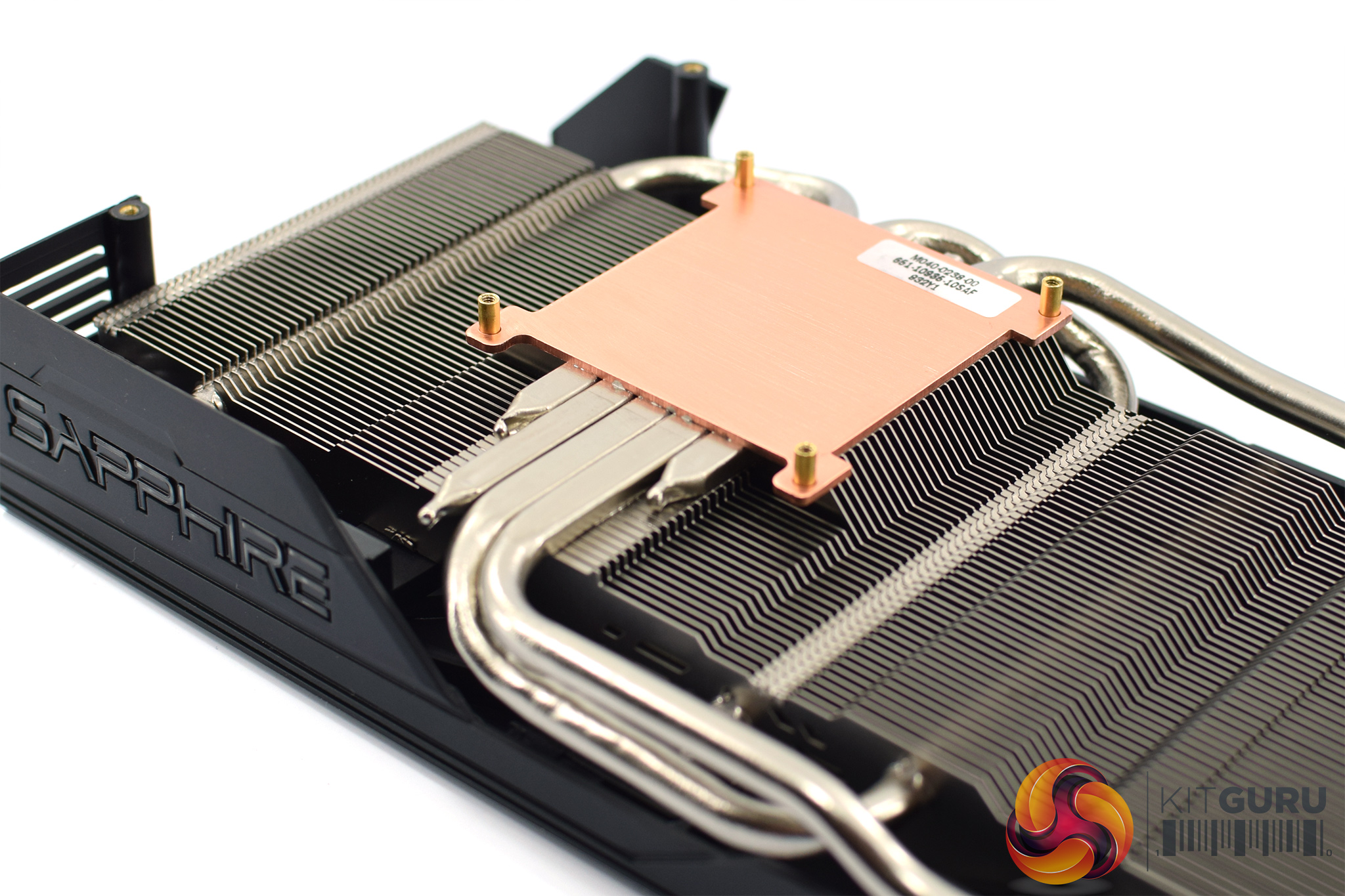
The main heatsink is also different to the 5700 Pulse. As the XT uses a secondary heatsink for the VRAM/VRM, there's obviously no extra plates on the primary heatsink. On top of that, this cooler uses 5x 6mm heatpipes instead of the 3 heatpipes used for the non-XT cooler. The GPU contacts with a copper coldplate.
Our newest GPU test procedure has been built with the intention of benchmarking high-end graphics cards. We test at 1920×1080 (1080p), 2560×1440 (1440p), and 3840×2160 (4K UHD) resolutions.
We try to test using the DX12 API if titles offer support. This gives us an interpretation into the graphics card performance hierarchy in the present time and the near future, when DX12 becomes more prevalent. After all, graphics cards of this expense may stay in a gamer’s system for a number of product generations/years before being upgraded.
We tested the RX Vega64 and Vega56 using the ‘Turbo‘ power mode in AMD’s WattMan software. This prioritises all-out performance over power efficiency, noise output, and lower thermals.
As the Pulse has dual-BIOS functionality, we did all of our performance testing using the P (performance) BIOS, so the results are marked with a ‘P’ denoting the BIOS used. For our thermal, acoustic, and power testing we tested both BIOS, so each result is marked ‘P’ or ‘S’ (silent), denoting the BIOS used.
Driver Notes
- All AMD graphics cards (except RX 5500 XT) were benchmarked with the Adrenalin 19.9.2 driver.
- RX 5500 XT graphics card were benchmarked with the Adrenalin 19.12.2 driver supplied to press ahead of launch.
- All Nvidia graphics cards (except 1650/1660 SUPER) were benchmarked with the Nvidia 436.48 driver.
- All GTX 1660 SUPER graphics cards were benchmarked with the Nvidia 441.07 driver supplied to press ahead of launch.
- GTX 1650 SUPER was benchmarked with the Nvidia 441.20 public driver.
Test System
We test using the Overclockers UK Germanium pre-built system, though it has been re-housed into an open-air test bench. You can read more about it over HERE.
| CPU |
Intel Core i7-8700K
Overclocked to 5.0GHz |
| Motherboard |
ASUS ROG Strix Z370-F Gaming
|
| Memory |
Team Group Dark Hawk RGB
16GB (2x8GB) @ 3200MHz 16-18-18-38 |
| Graphics Card |
Varies
|
| System Drive |
Samsung 960 EVO 500GB
|
| Games Drive | Kingston UV500 960GB |
| Chassis | Streacom ST-BC1 Bench |
| CPU Cooler |
OCUK TechLabs 240mm AIO
|
| Power Supply |
Corsair AX1500i 80+ Titanium PSU
|
| Operating System |
Windows 10 1903
|
Comparison Graphics Cards List
- PNY RTX 2080 Ti XLR8 Gaming 11GB
- Nvidia RTX 2080 Ti Founders Edition (FE) 11GB
- Nvidia RTX 2080 SUPER Founders Edition (FE) 8GB
- Nvidia RTX 2070 SUPER Founders Edition (FE) 8GB
- Nvidia RTX 2060 SUPER Founders Edition (FE) 8GB
- Nvidia RTX 2060 Founders Edition (FE) 6GB
- Gigabyte GTX 1660 Ti OC 6G
- EVGA GTX 1660 SUPER SC Ultra 6GB
- Gigabyte GTX 1660 SUPER Gaming OC 6G
- Palit GTX 1660 SUPER GamingPro OC 6GB
- Gigabyte GTX 1660 Gaming OC 6G
- ASUS ROG Strix GTX 1650 SUPER 6GB
- Palit GTX 1650 StormX OC 4GB
- Nvidia GTX 1060 Founders Edition (FE) 6GB
- Sapphire RX 5500 XT Pulse 4GB
- ASRock RX 5500 XT Challenger OC Edition 8GB
- AMD RX 5700 XT 8GB
- ASRock RX 5700 XT Taichi X OC+ 8GB
- PowerColor RX 5700 XT Red Devil 8GB
- Sapphire RX 5700 XT Nitro+ 8GB
- ASUS RX 5700 TUF Gaming X3 8GB
- AMD RX 5700 8GB
- AMD Radeon VII 16GB
- AMD RX Vega 64 Air 8GB
- AMD RX Vega 56 8GB
- Sapphire RX 590 Nitro+ SE 8GB
- Sapphire RX 580 Pulse 8GB
- ASUS RX 570 ROG Strix Gaming OC 4GB
Software and Games List
- 3DMark Fire Strike & Fire Strike Ultra (DX11 Synthetic)
- 3DMark Time Spy (DX12 Synthetic)
- Battlefield V (DX12)
- The Division 2 (DX11)
- F1 2019 (DX12)
- Far Cry New Dawn (DX11)
- Gears 5 (DX12)
- Ghost Recon: Wildlands (DX11)
- Metro: Exodus (DX12)
- Middle Earth: Shadow of War (DX11)
- Shadow of the Tomb Raider (DX12)
- Total War: Three Kingdoms (DX11)
We run each benchmark/game three times, and present averages in our graphs.
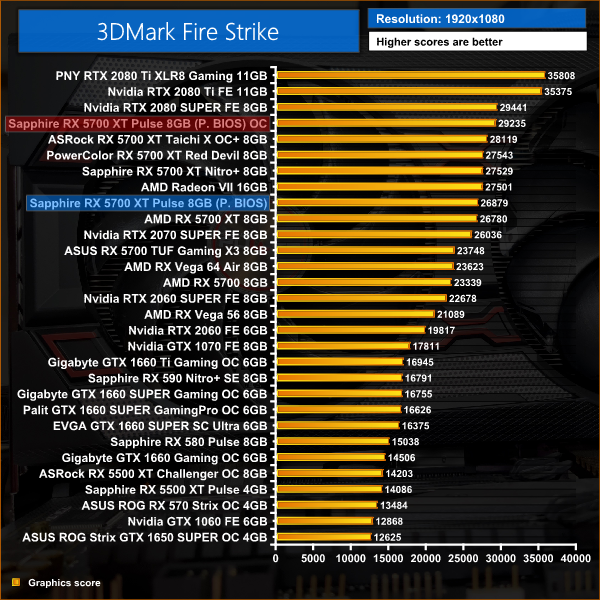
3DMark Fire Strike is a showcase DirectX 11 benchmark designed for today’s high-performance gaming PCs. It is our [FutureMark’s] most ambitious and technical benchmark ever, featuring real-time graphics rendered with detail and complexity far beyond what is found in other benchmarks and games today.
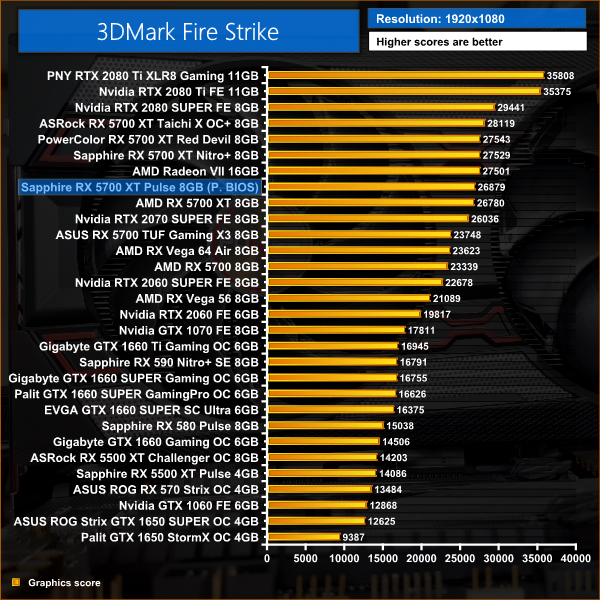
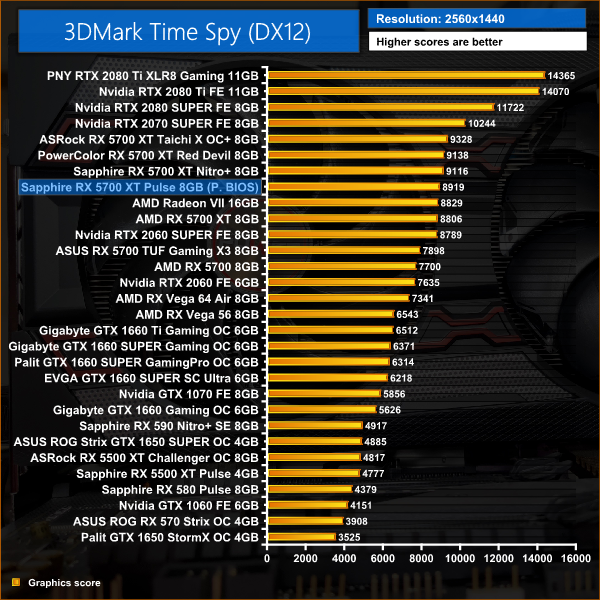
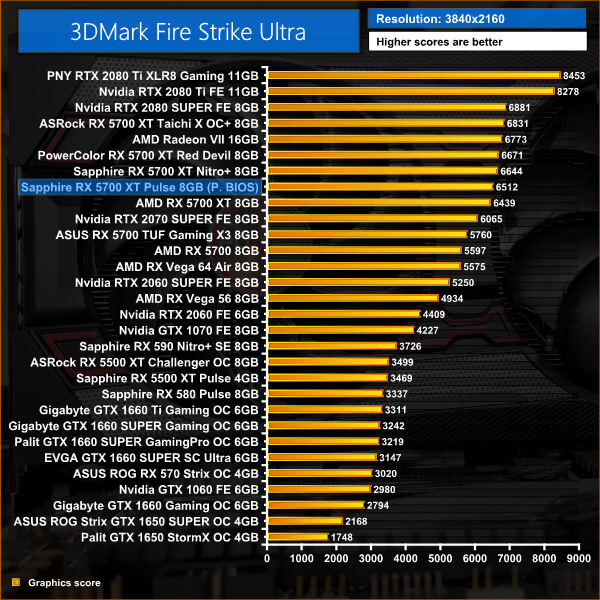
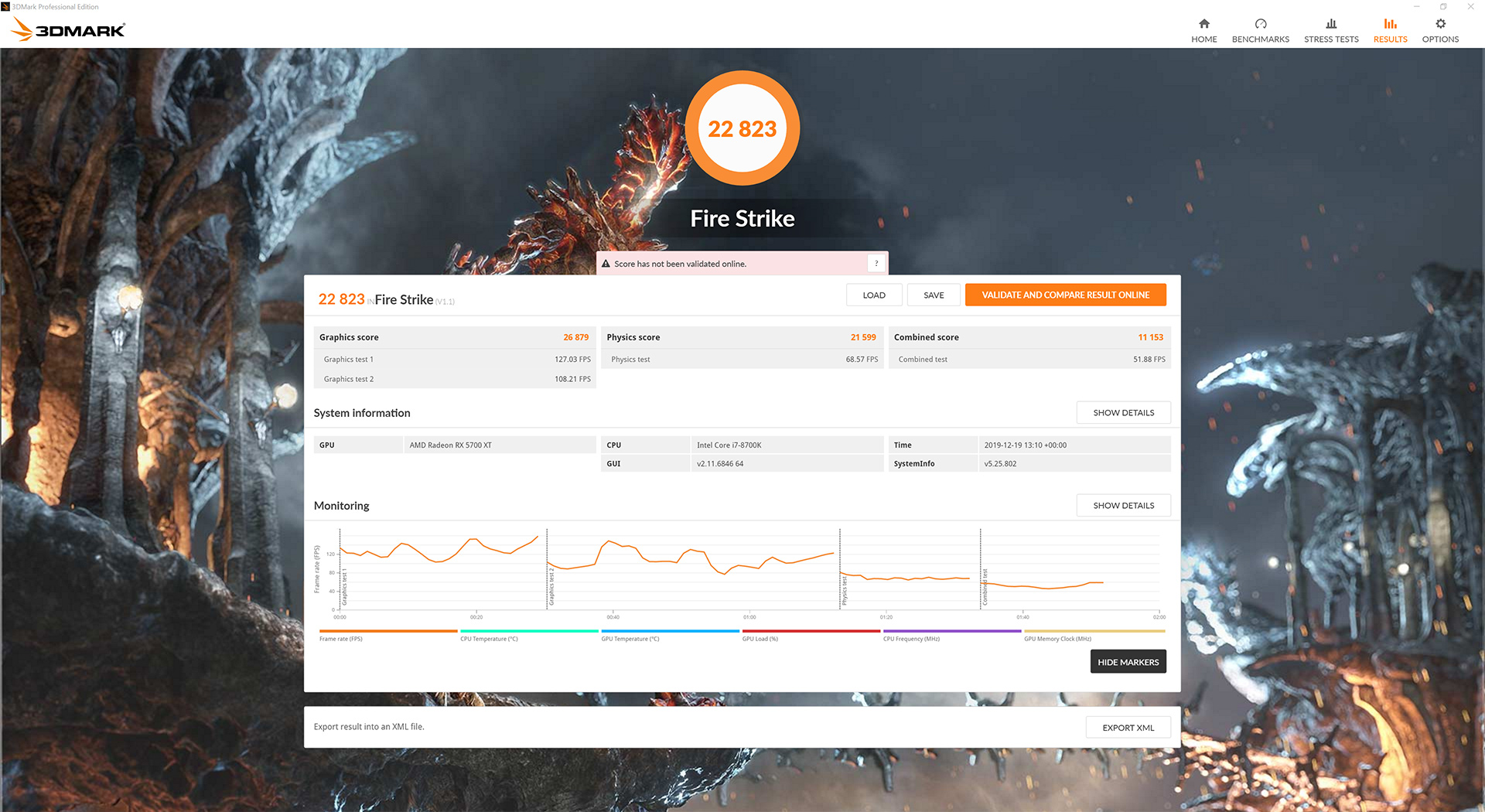
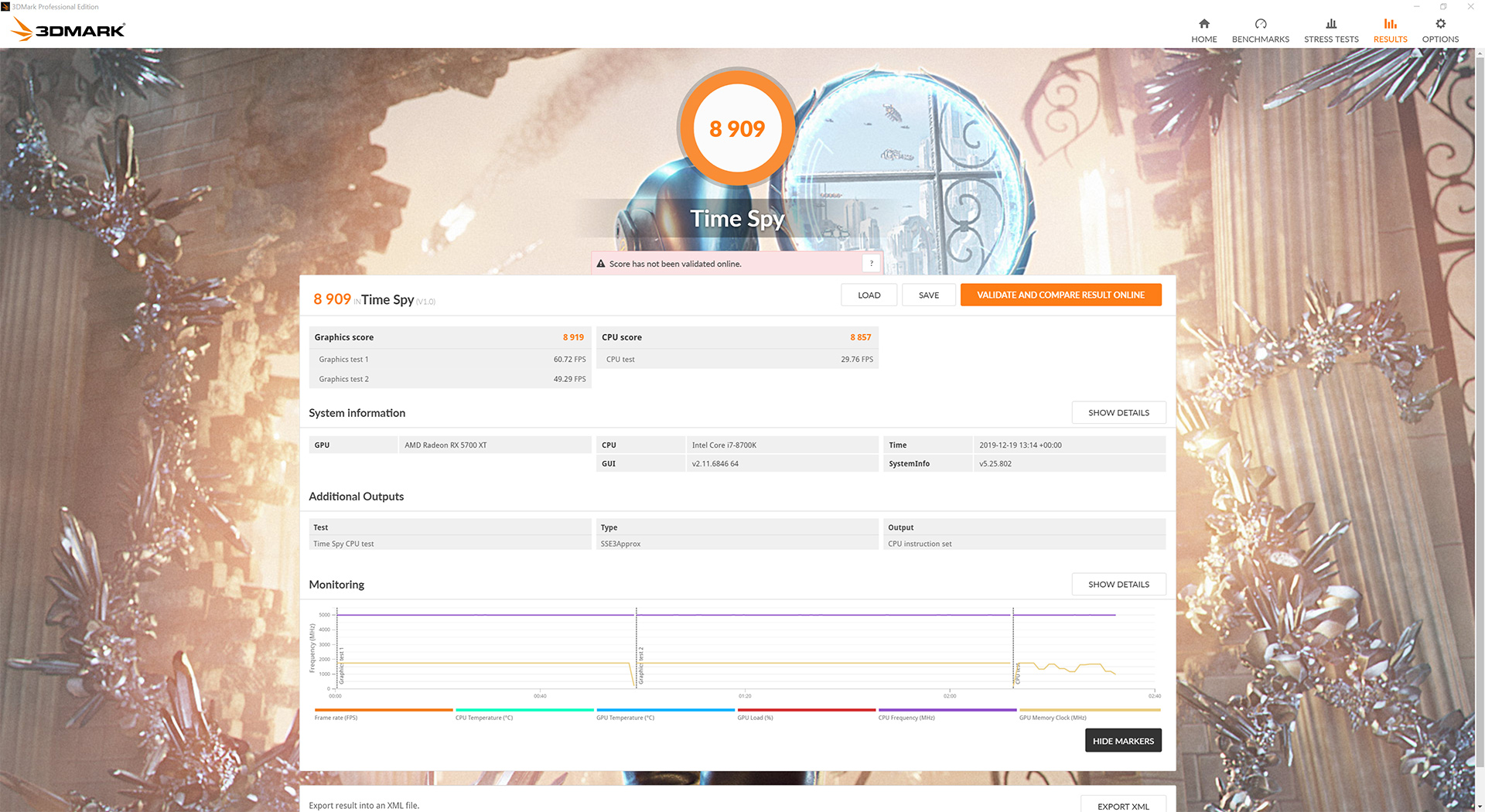
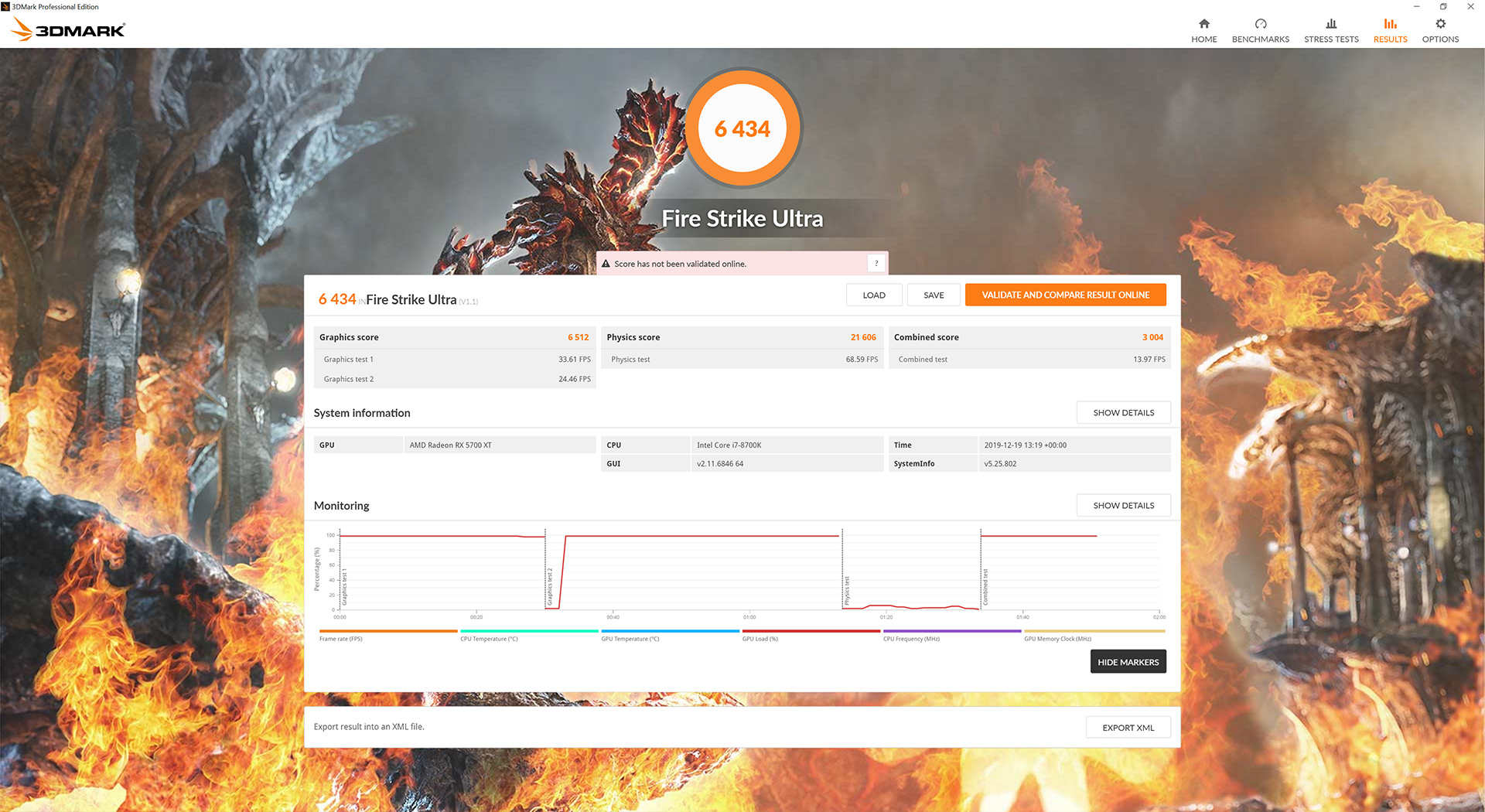
Based on the rated clock speeds for this Pulse 5700 XT, the 3DMark scores are exactly as expected, with small – no more than 1% – gains over the reference card.
Battlefield V is a first-person shooter video game developed by EA DICE and published by Electronic Arts. Battlefield V is the sixteenth instalment in the Battlefield series. It was released worldwide for Microsoft Windows, PlayStation 4, and Xbox One on November 20, 2018. (Wikipedia).
We test using the Ultra preset, DX12 API.

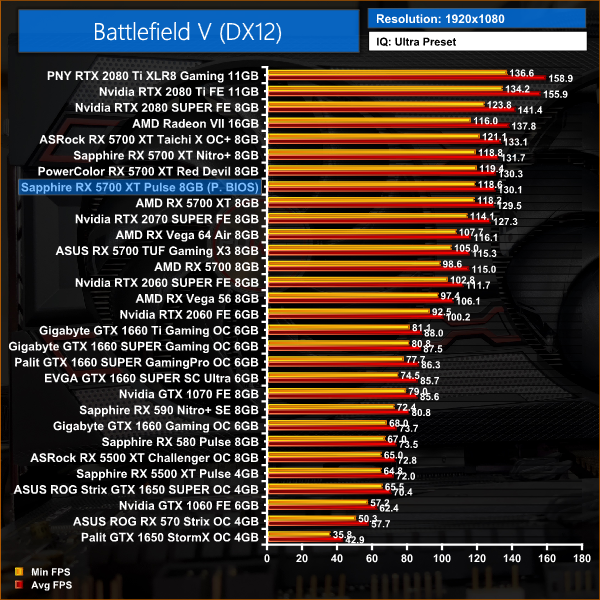
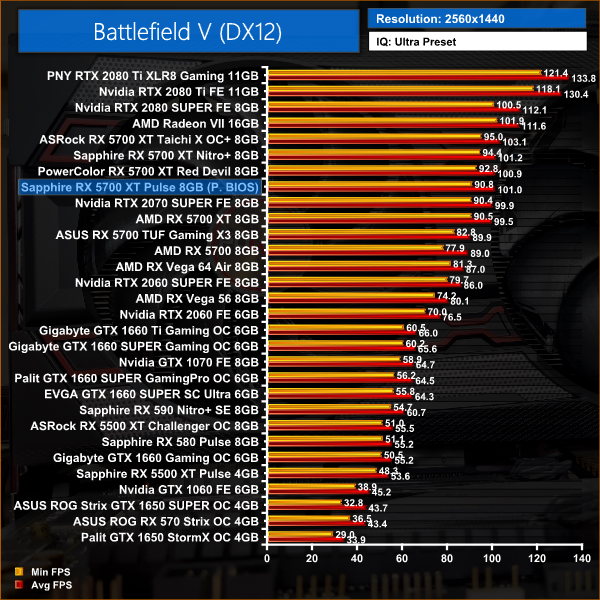
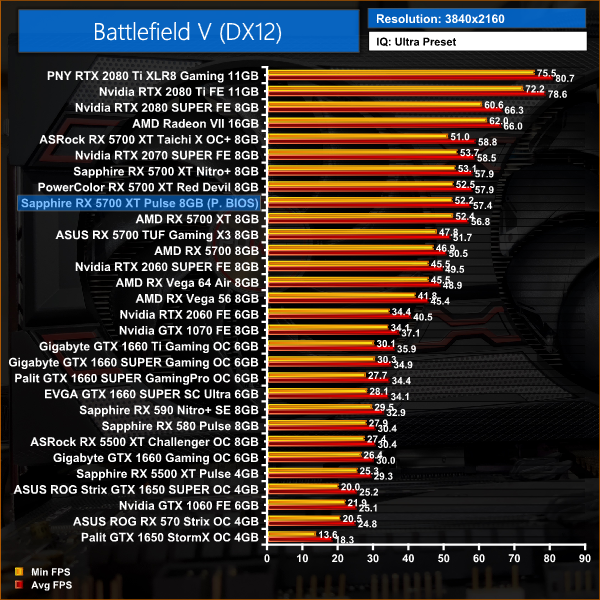
In our first game of the day – Battlefield V – we again see no more than 2% performance gains over AMD's reference card. At 1080p, the Pulse 5700 XT is 2% faster than Nvidia's RTX 2070 SUPER.
Tom Clancy's The Division 2 is an online action role-playing video game developed by Massive Entertainment and published by Ubisoft. The sequel to Tom Clancy's The Division (2016), it is set in a near-future Washington, D.C. in the aftermath of a smallpox pandemic, and follows an agent of the Strategic Homeland Division as they try to rebuild the city. (Wikipedia).
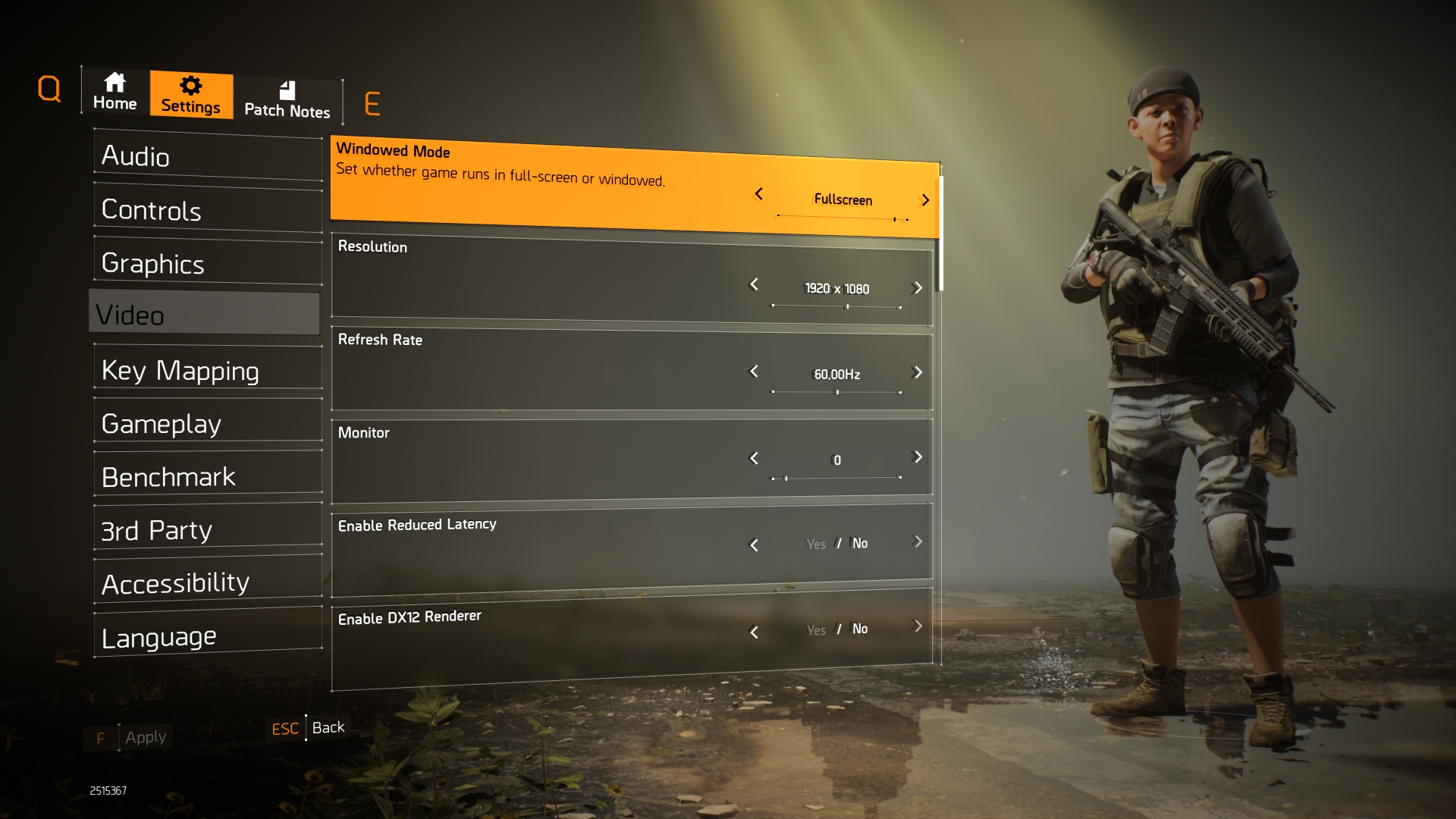
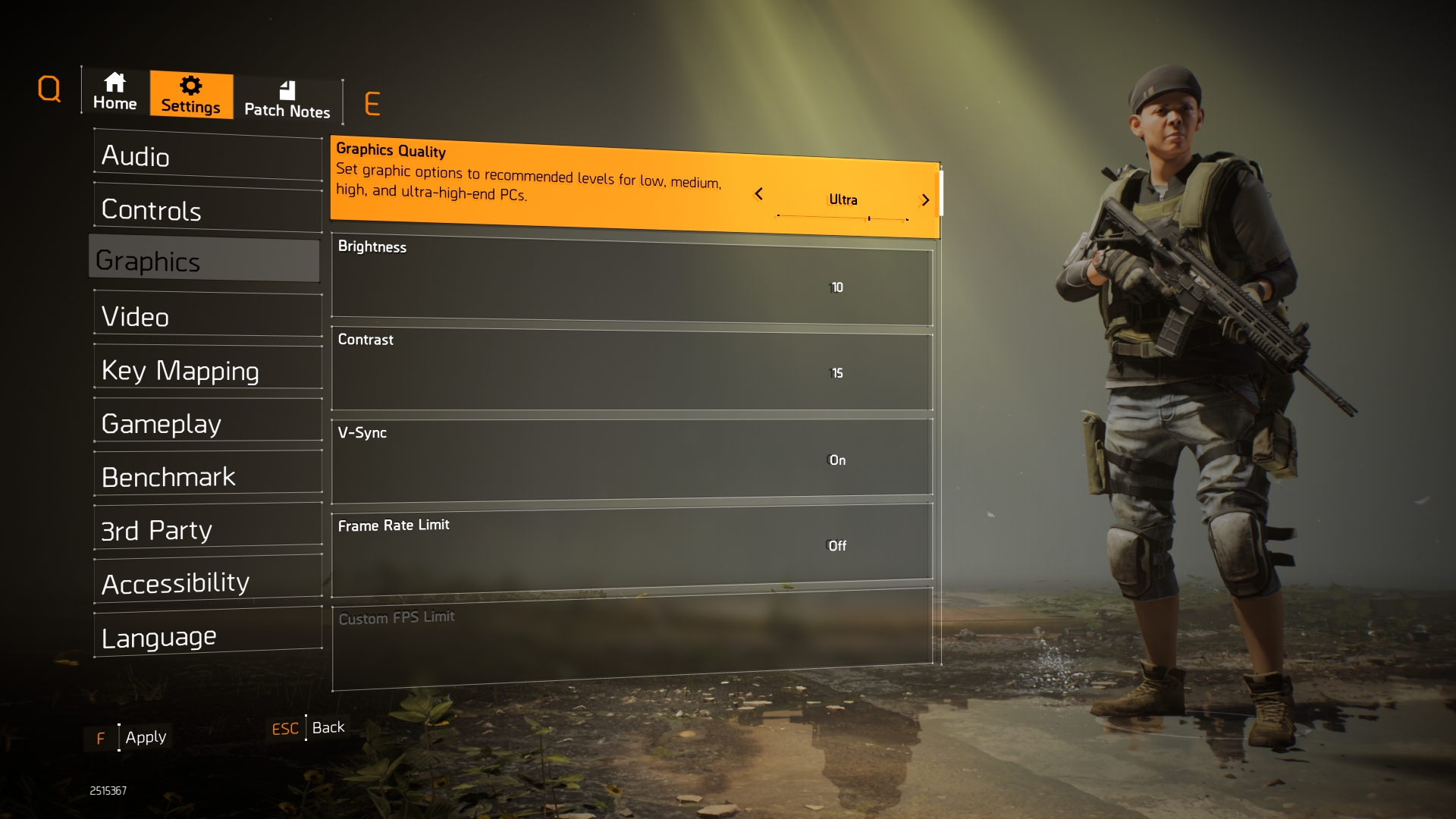
We test using the Ultra preset, but with V-Sync disabled, DX11 API.
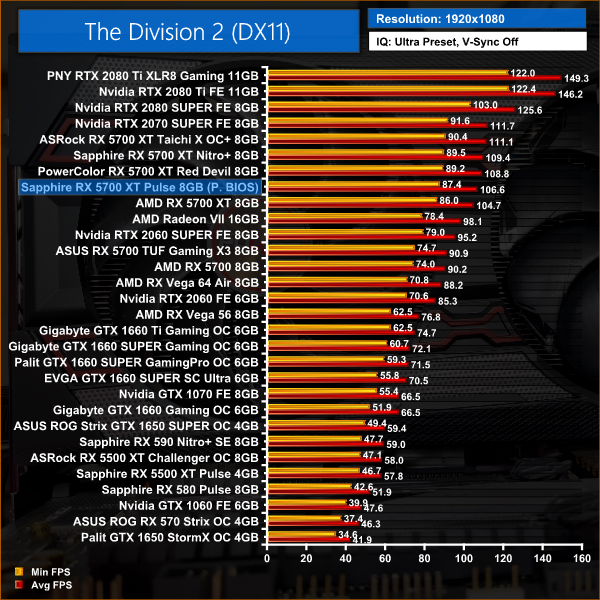
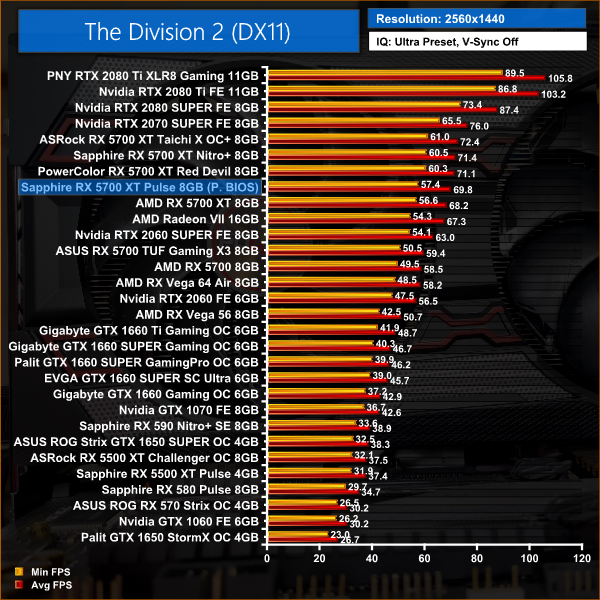
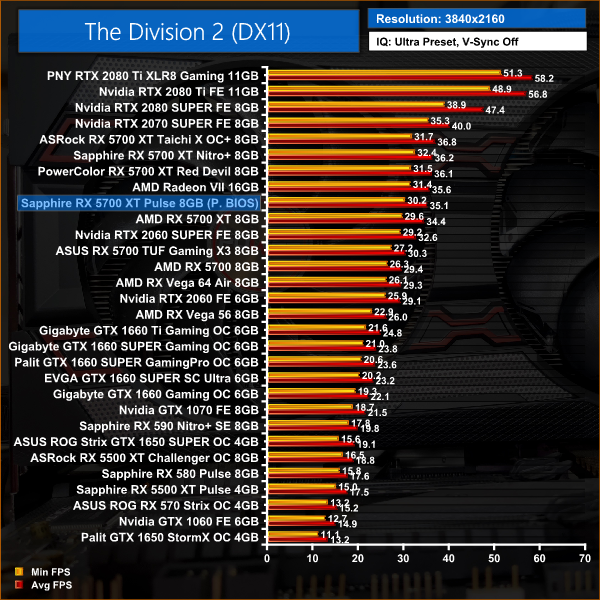
Thee Division 2 is very consistent, with 2% gains for the Pulse versus the reference card across the board. At 1440p, this 5700 XT is 8% slower than the 2070 SUPER, but 11% faster than the 2060 SUPER.
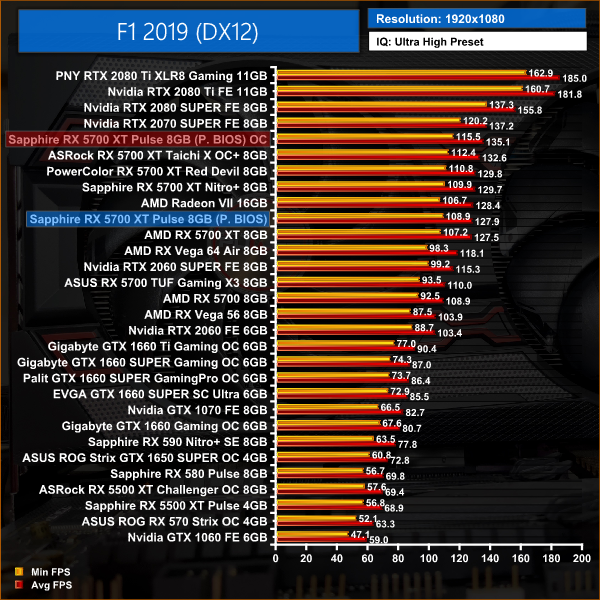
F1 2019 is a racing video game based on the 2019 Formula One and Formula 2 Championships. The game is developed and published by Codemasters and is the twelfth title in the Formula One series developed by the studio. The game was announced by Codemasters on 28 March 2019. (Wikipedia).
We test using the Ultra High preset, with TAA and 16x Anisotropic Filtering, DX12 API.
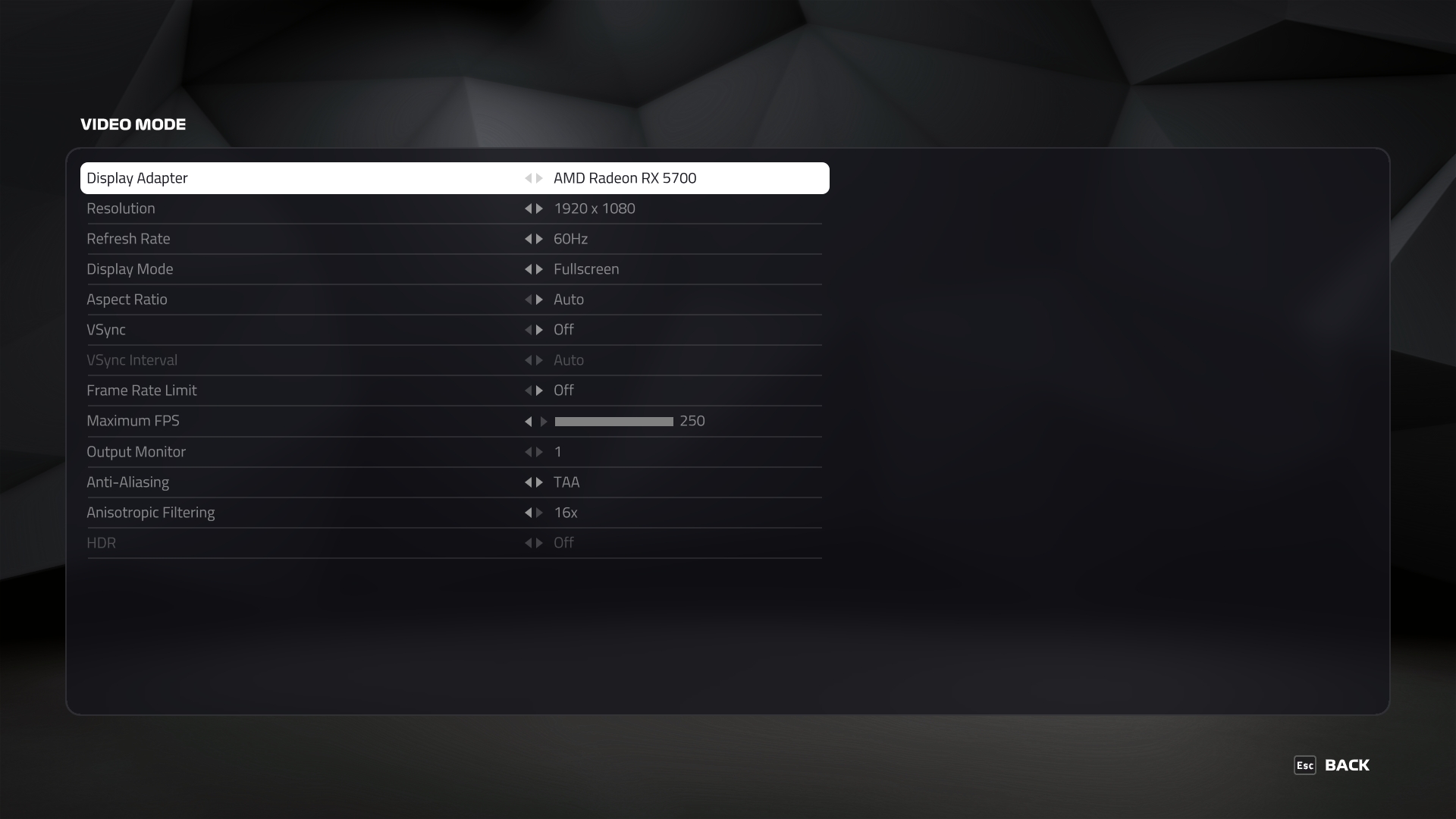
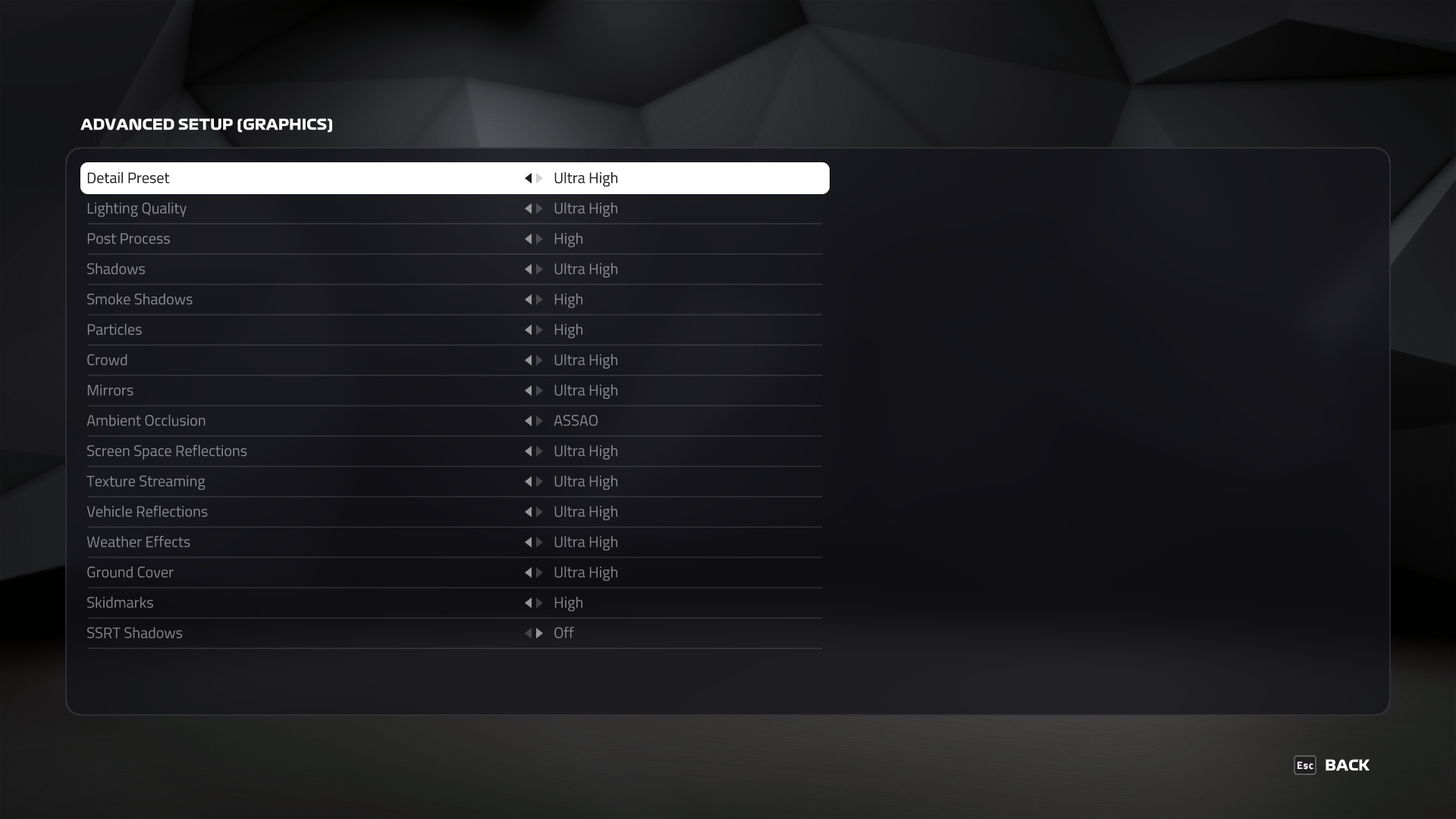
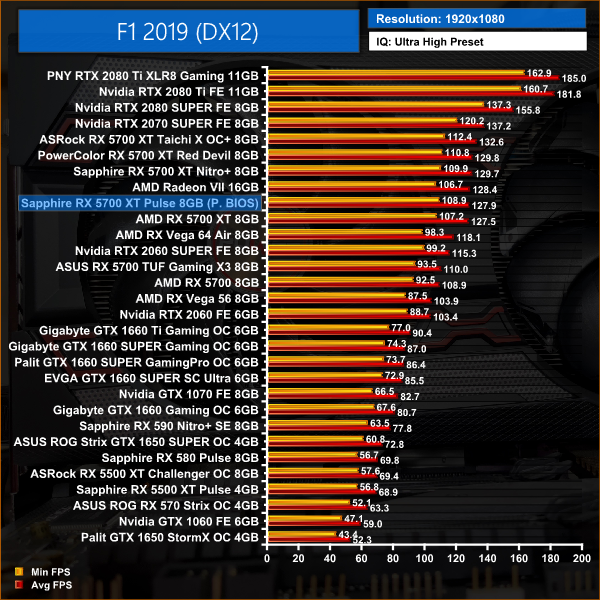
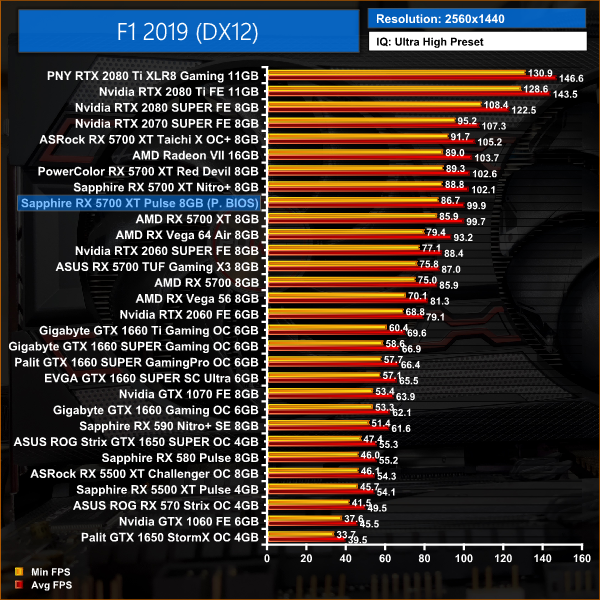
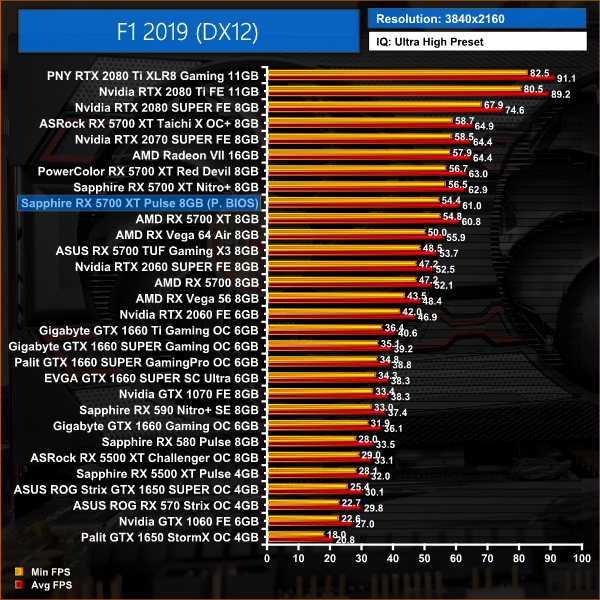
F1 2019 shows no meaningful gains for the Sapphire Pulse over the reference card, putting this GPU 6% slower than the 2070 SUPER.
Far Cry New Dawn is an action-adventure first-person shooter developed by Ubisoft Montreal and published by Ubisoft. The game is a spin-off of the Far Cry series and a narrative sequel to Far Cry 5. It was released for Microsoft Windows, PlayStation 4 and Xbox One on February 15, 2019. (Wikipedia).
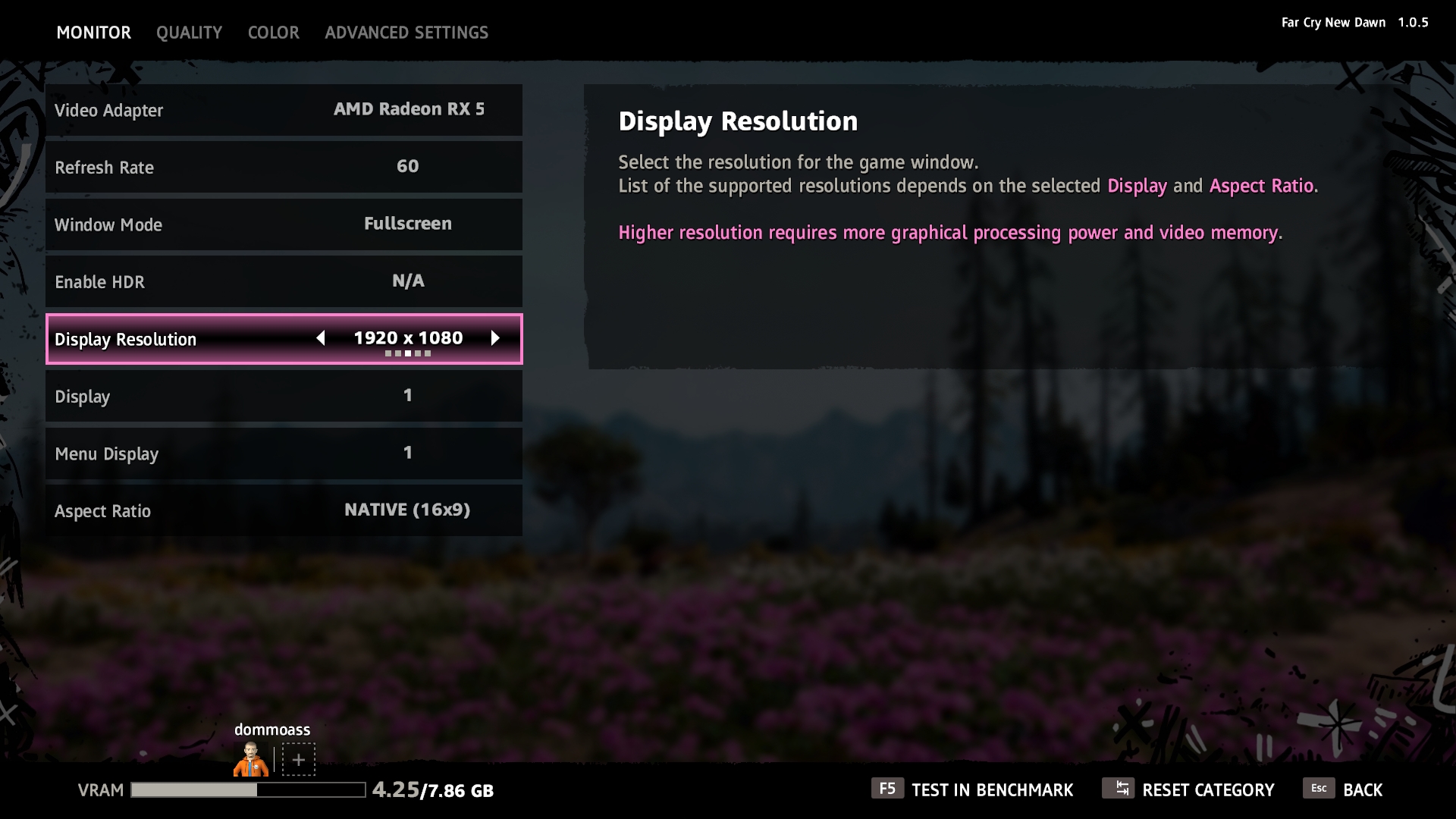
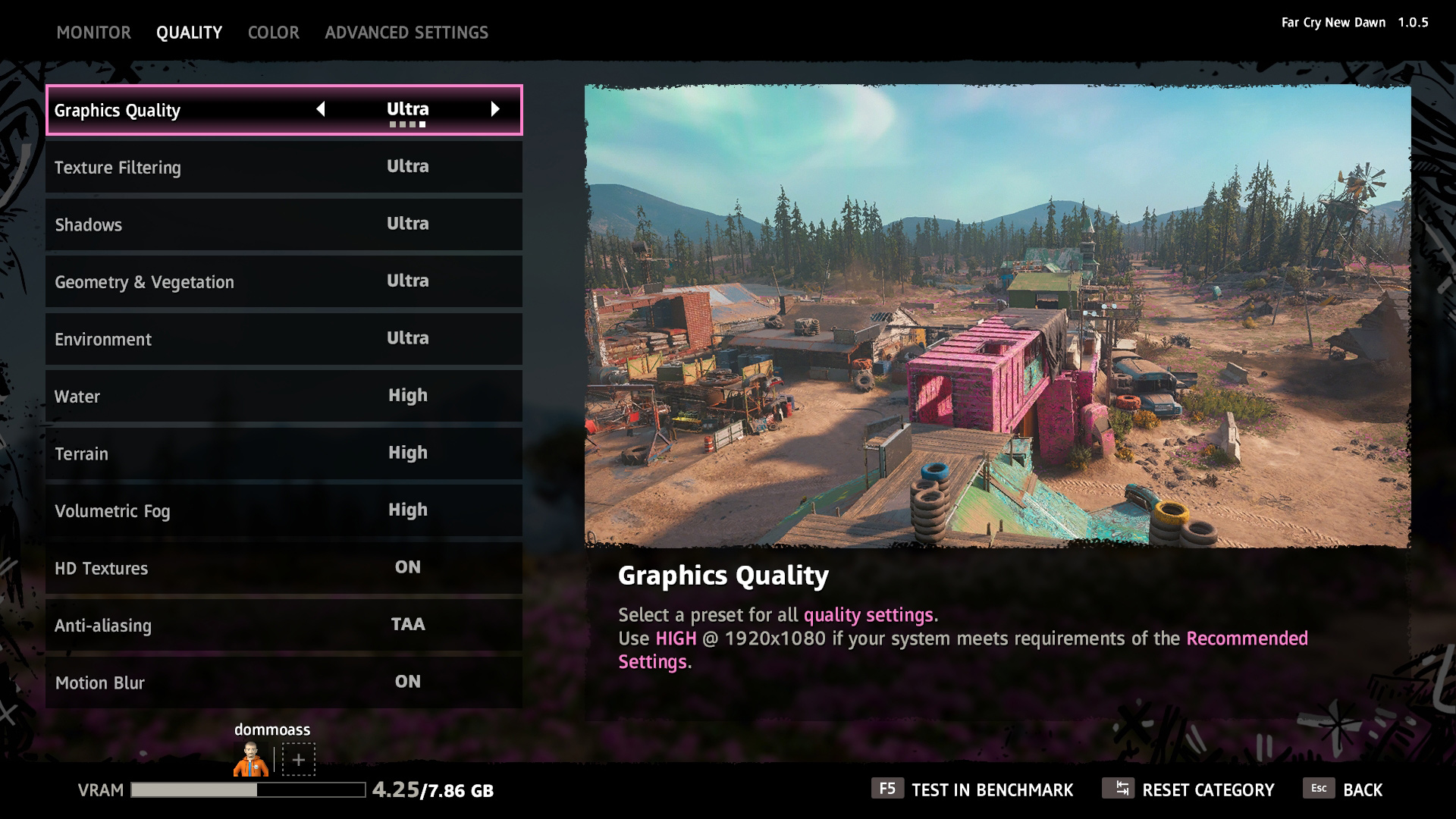
We test using the Ultra preset, with the HD Textures pack, DX11 API.
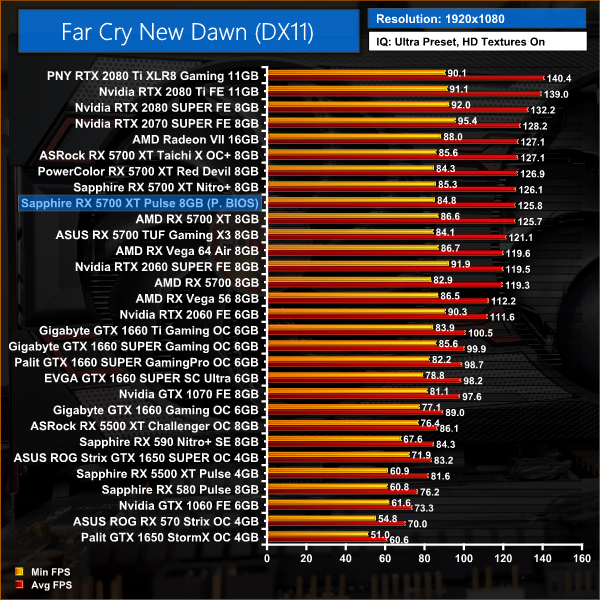
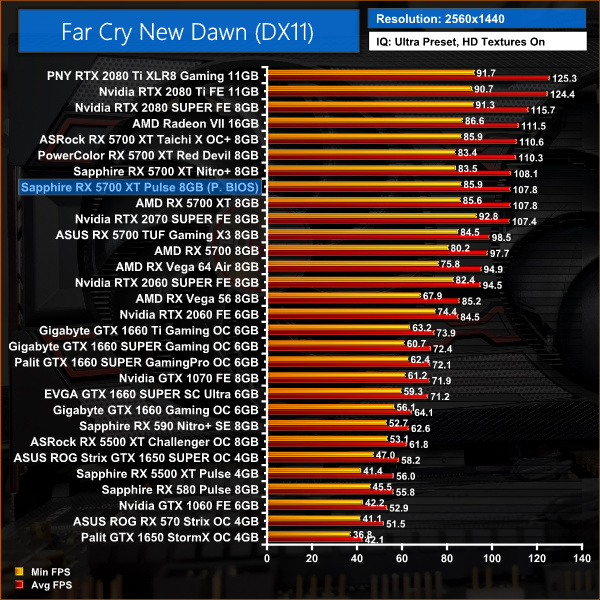
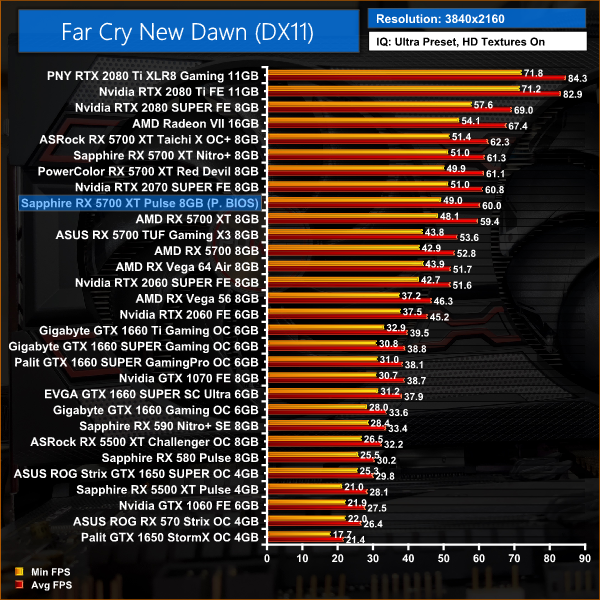
There's again very little extra performance to be gained with the Pulse instead of AMD's reference card in Far Cry New Dawn, but this game also puts the 5700 XT neck-and-neck with 2070 SUPER. Compared to 2060 SUPER, this Pulse is 14% faster at 1440p.
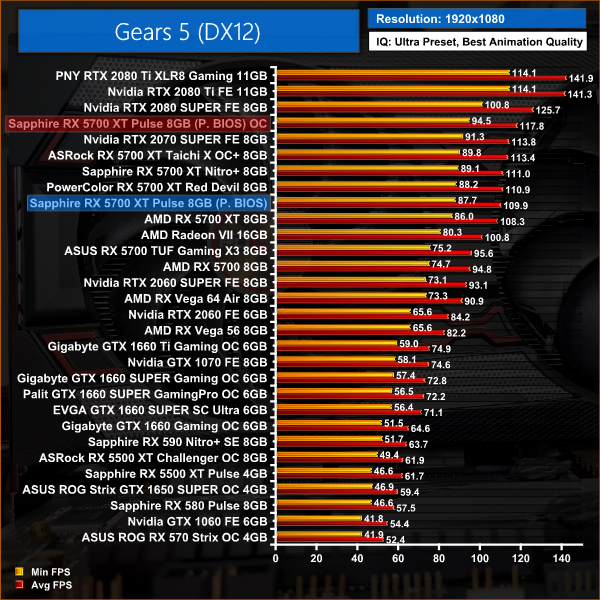
Gears 5 is a third-person shooter video game developed by The Coalition and published by Xbox Game Studios for Microsoft Windows and Xbox One. It is the sixth instalment of the Gears of War series, and is the second Gears of War game not to be developed by Epic Games.
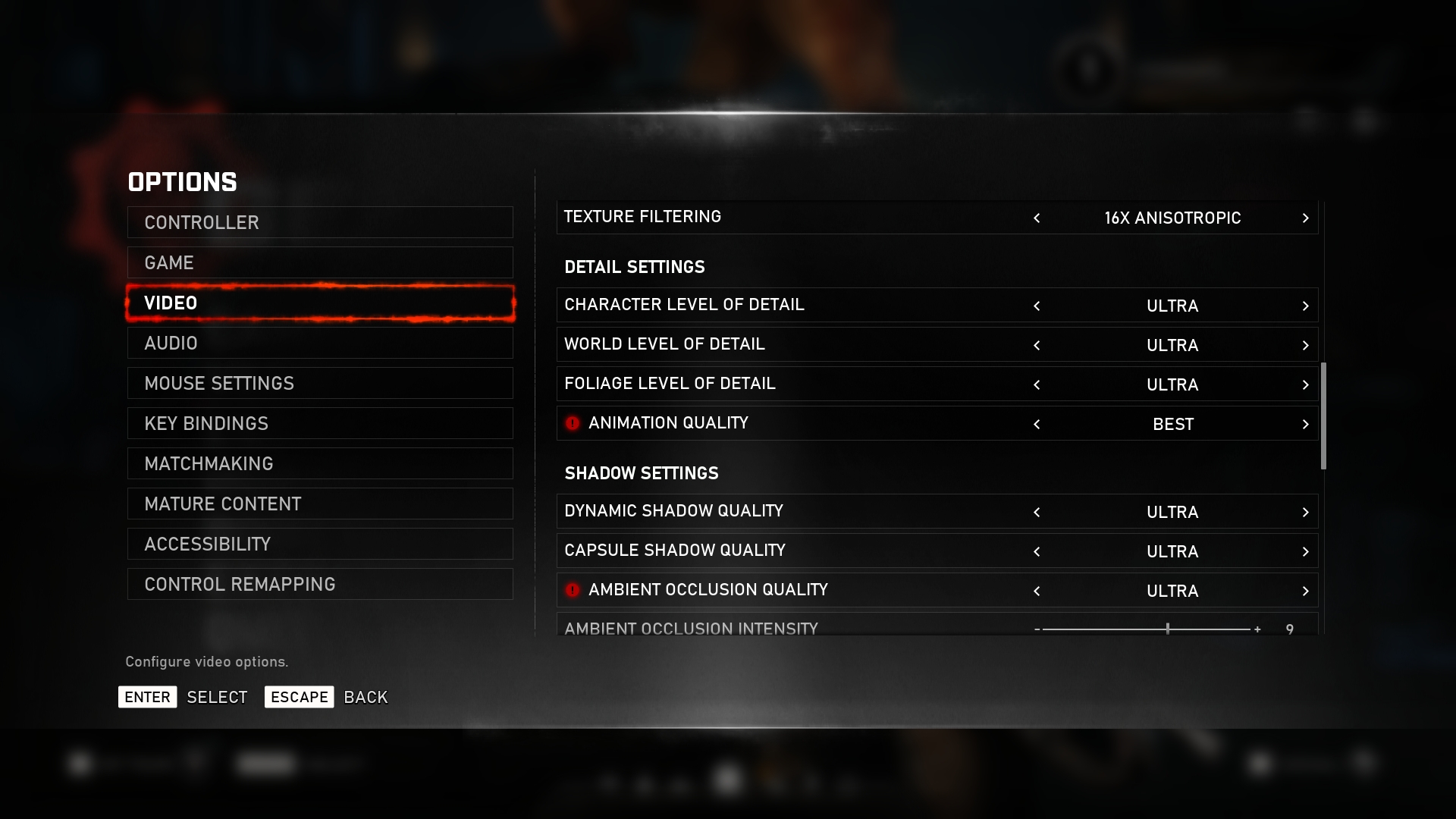
We test using the Ultra preset, with Best Animation Quality (instead of Auto), DX12 API.
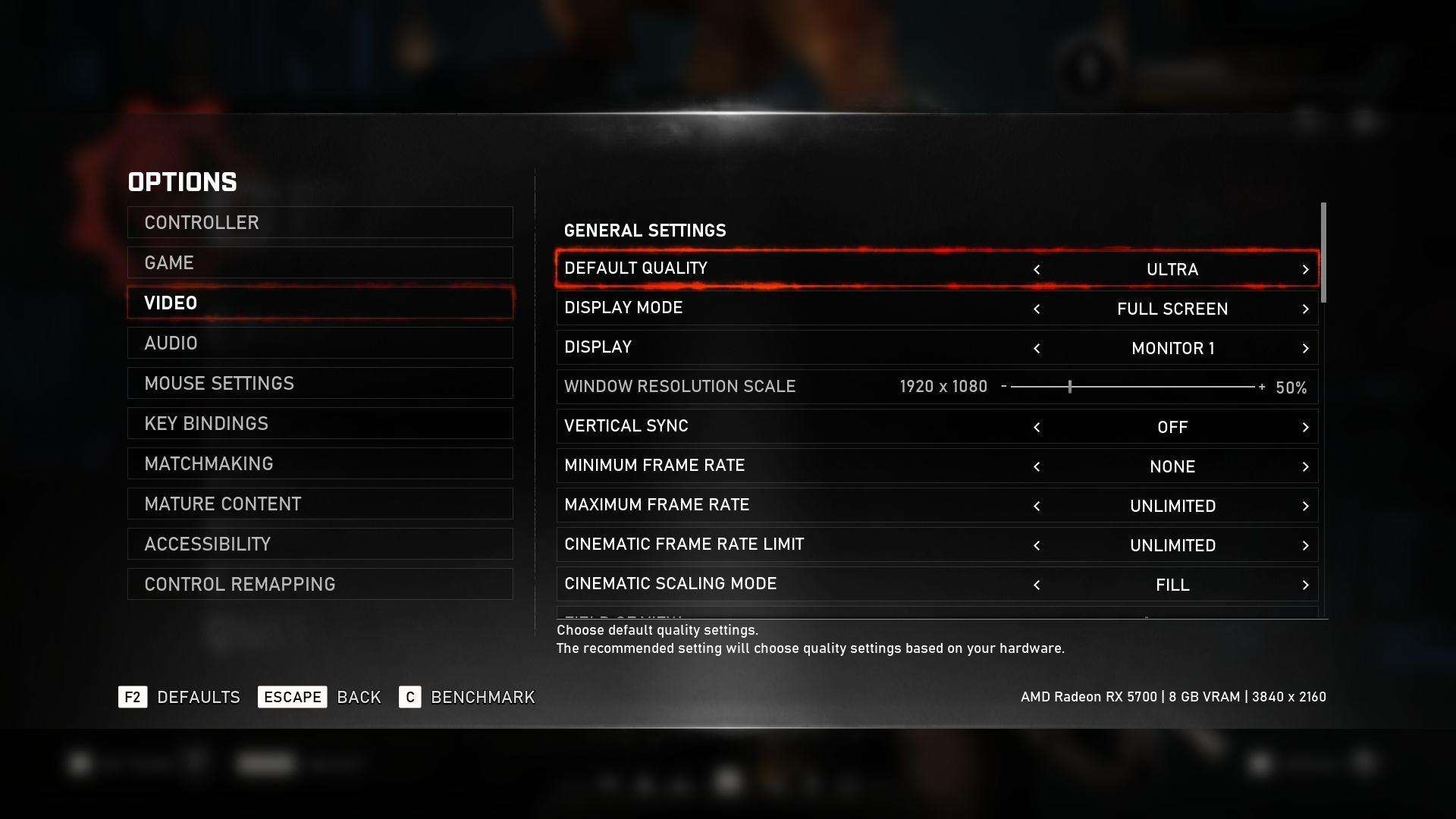
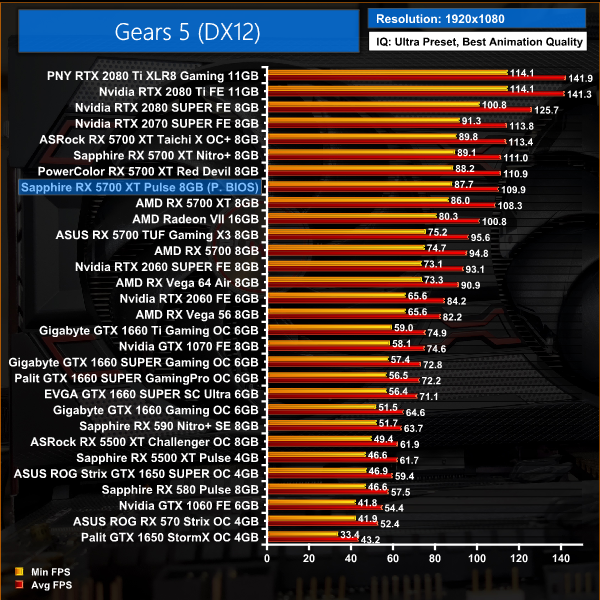
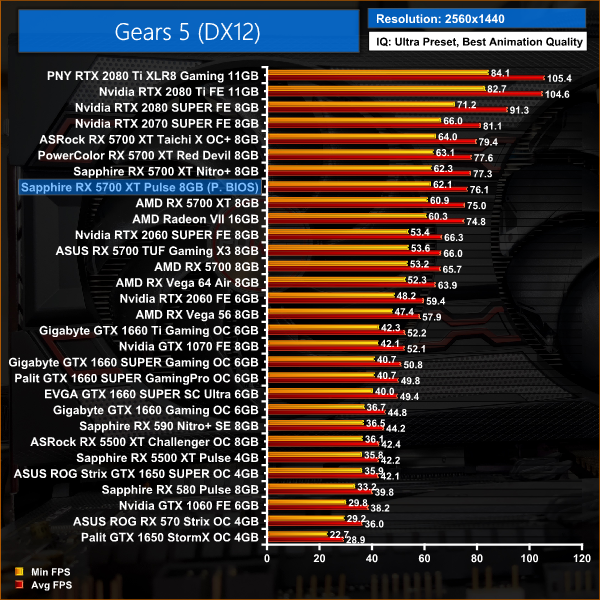
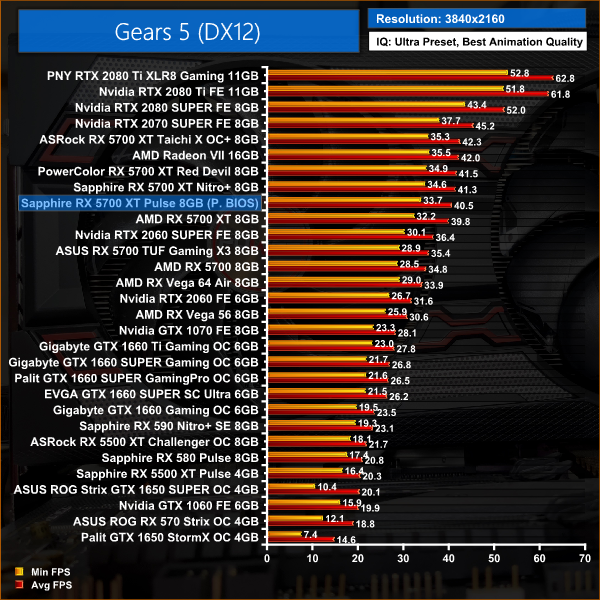
In Gears 5, we see 1% better performance for the Pulse over the reference card. That means this 5700 XT is only 6% slower than the 2070 SUPER at 1440p.
Tom Clancy’s Ghost Recon Wildlands is a tactical shooter video game developed by Ubisoft Paris and published by Ubisoft. It was released worldwide on March 7, 2017, for Microsoft Windows, PlayStation 4 and Xbox One, as the tenth instalment in the Tom Clancy’s Ghost Recon franchise and is the first game in the Ghost Recon series to feature an open world environment. (Wikipedia).
We test using the Very High preset, DX11 API.
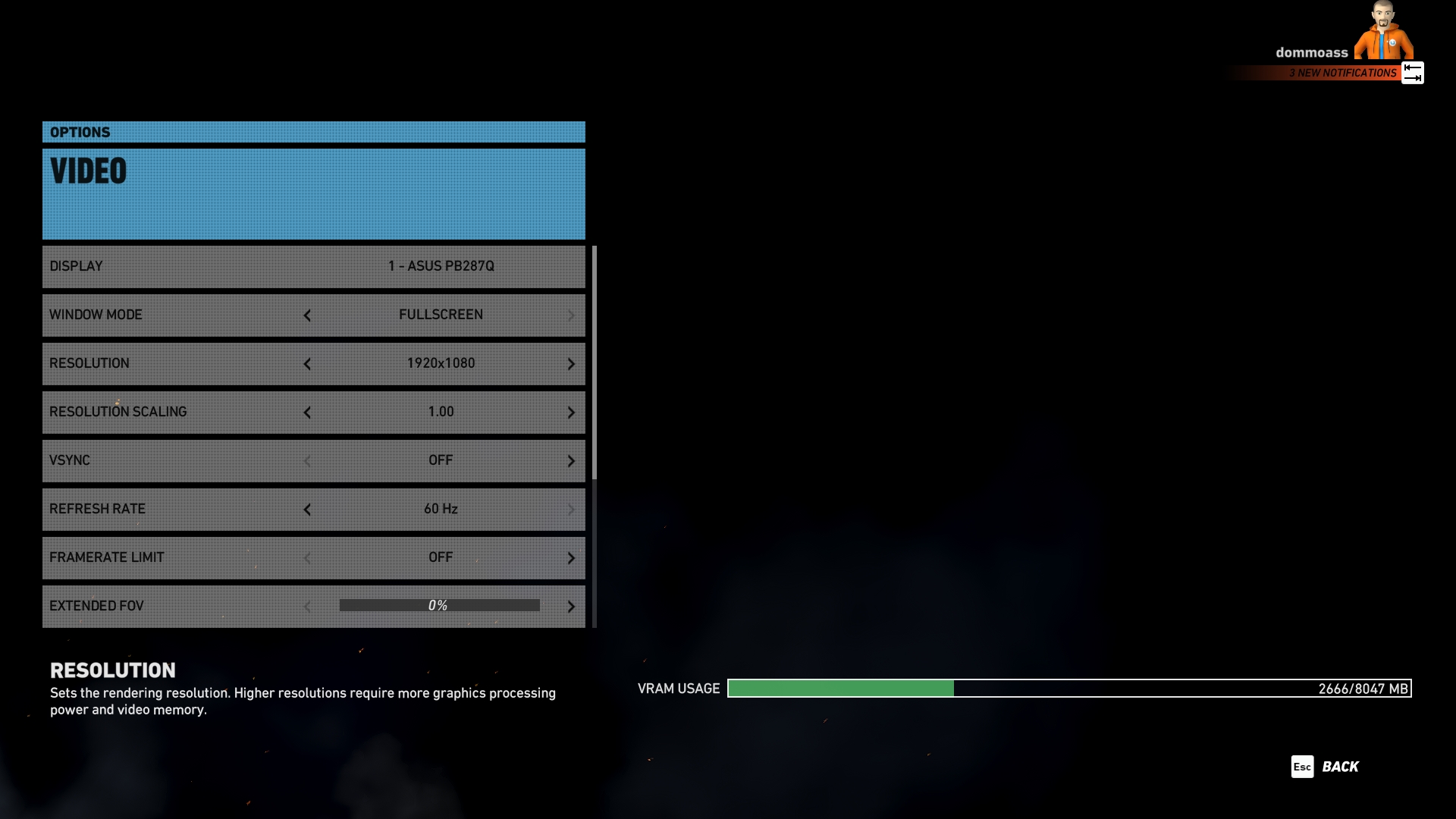
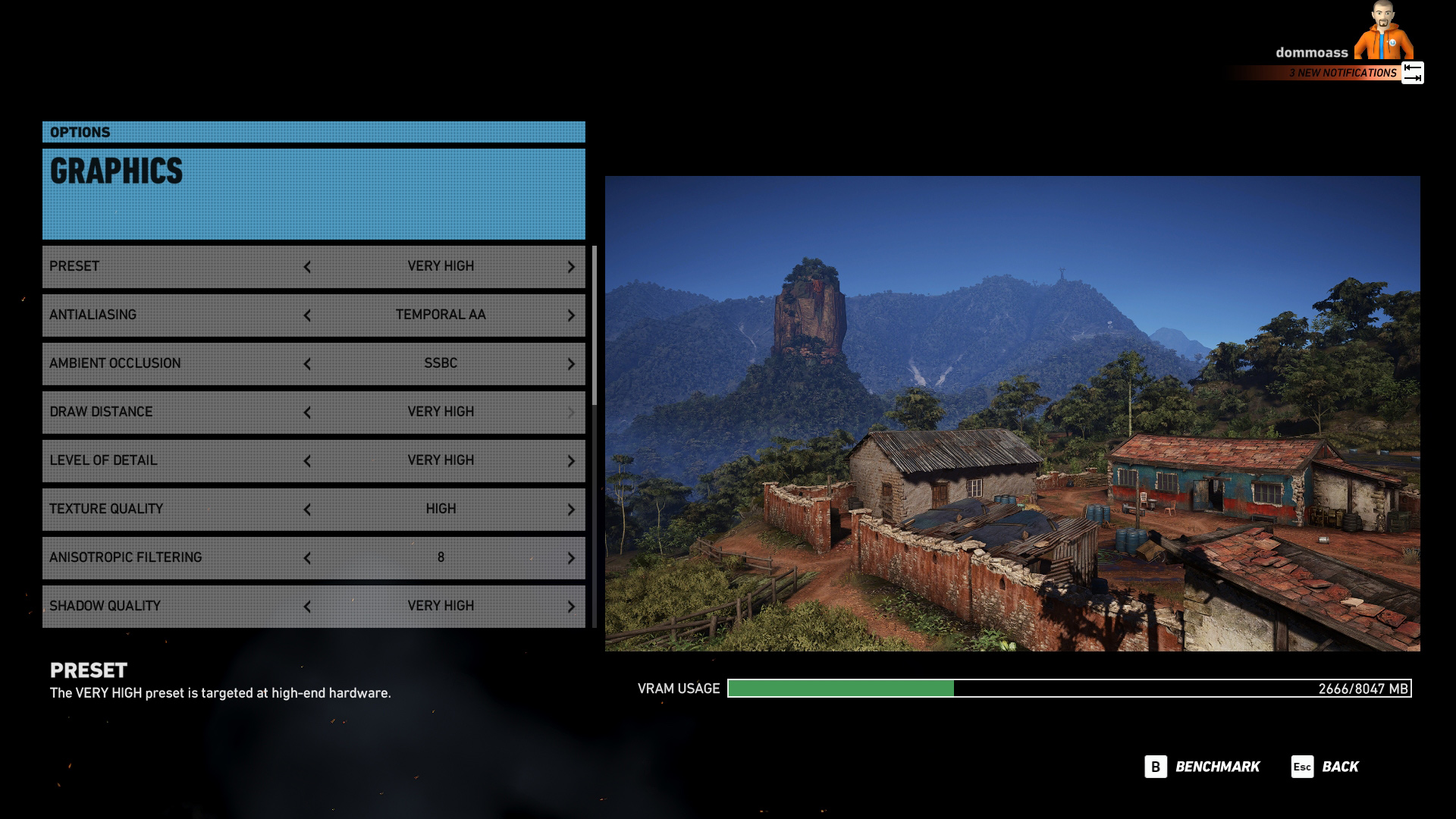
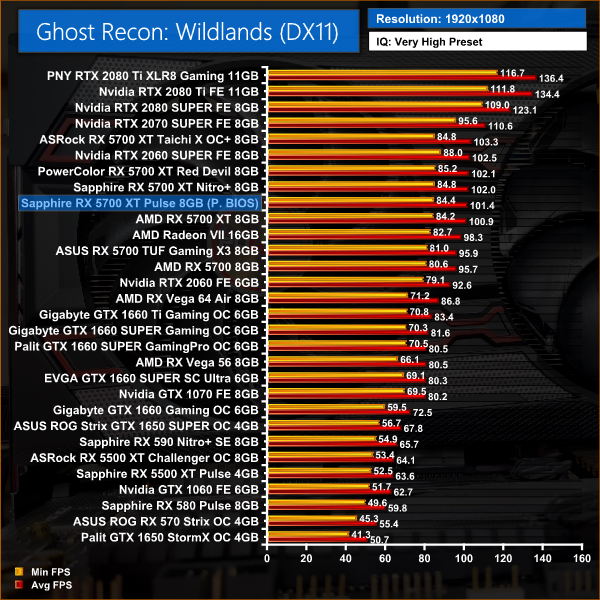
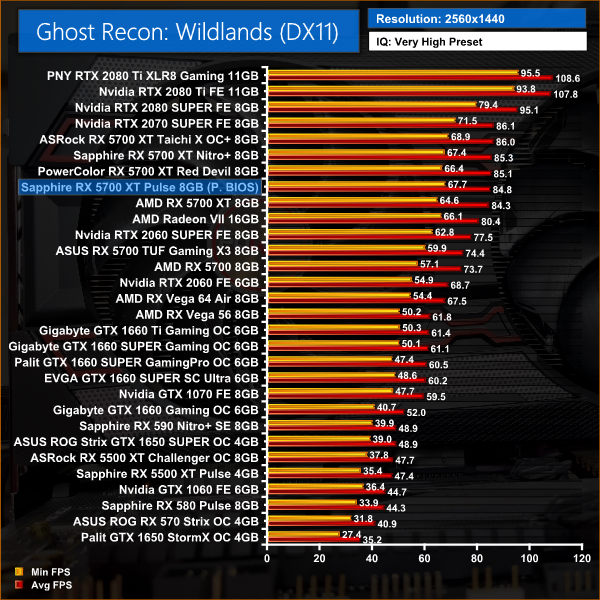
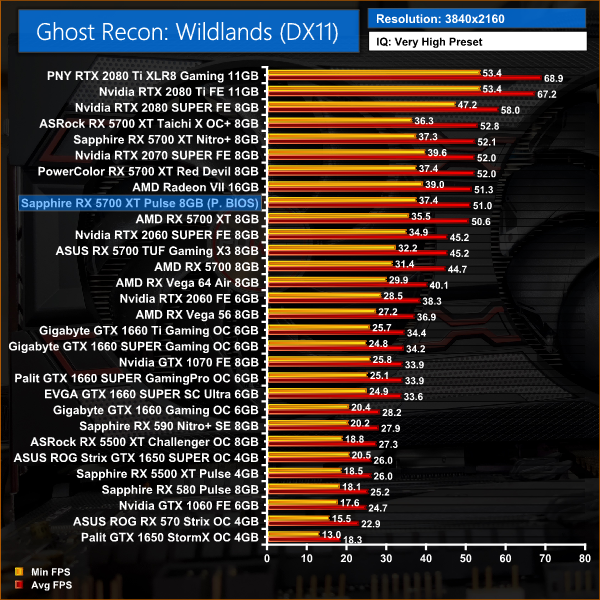
Wildlands sees very similar performance between this Pulse, the reference 5700 XT and the 2070 SUPER – at 1440p, there's not even 3FPS difference between all of those cards.
Metro Exodus is a first-person shooter video game developed by 4A Games and published by Deep Silver in 2019. It is the third instalment in the Metro video game series based on Dmitry Glukhovsky's novels, following the events of Metro 2033 and Metro: Last Light. (Wikipedia).
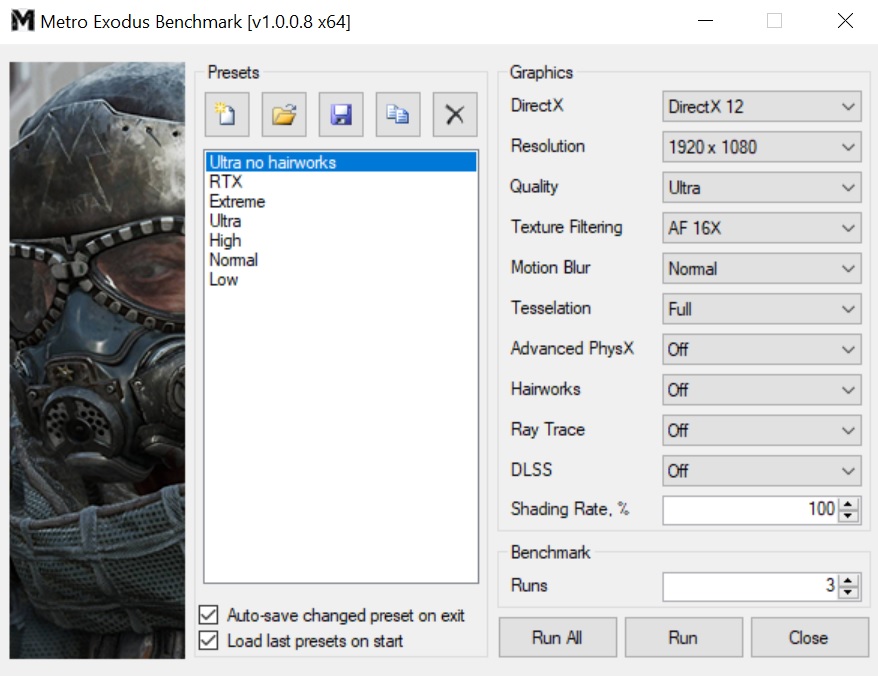
We test using the Ultra preset, but with Hairworks and Advanced PhysX turned off, DX12 API.
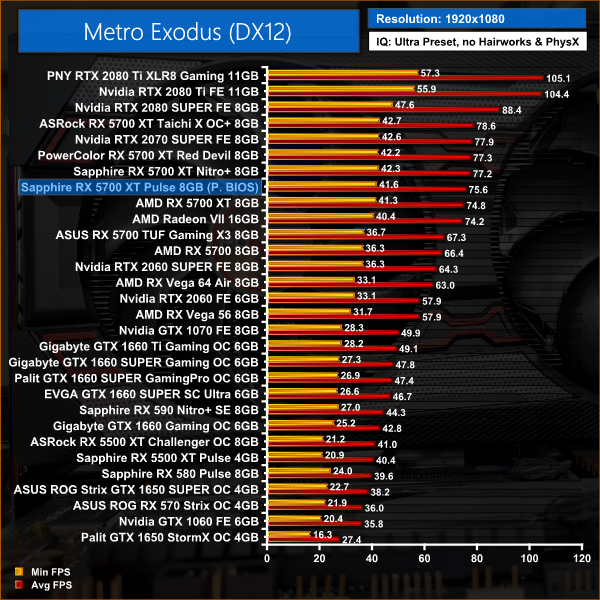
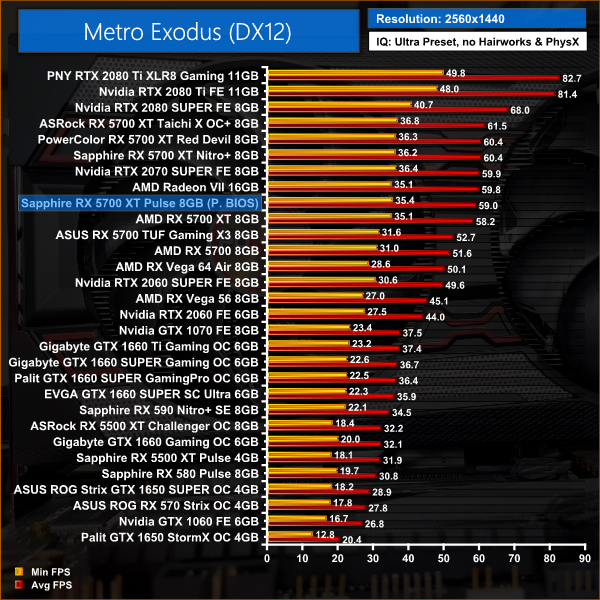
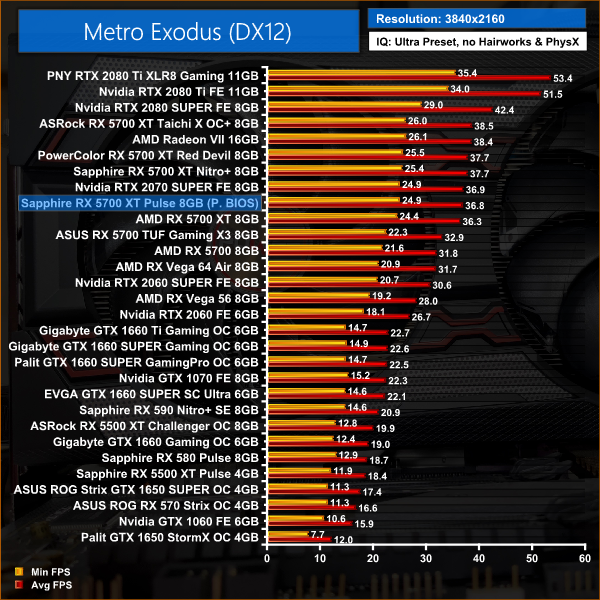
Metro Exodus sees a 1% performance advantage for the Pulse 5700 XT over the reference design. Versus the 2070 SUPER, the AMD GPU is just 2% slower on average.
Middle-earth: Shadow of War is an action role-playing video game developed by Monolith Productions and published by Warner Bros. Interactive Entertainment. It is the sequel to 2014’s Middle-earth: Shadow of Mordor, and was released worldwide for Microsoft Windows, PlayStation 4, and Xbox One on October 10, 2017. (Wikipedia).
We test using the Very High preset, DX11 API.
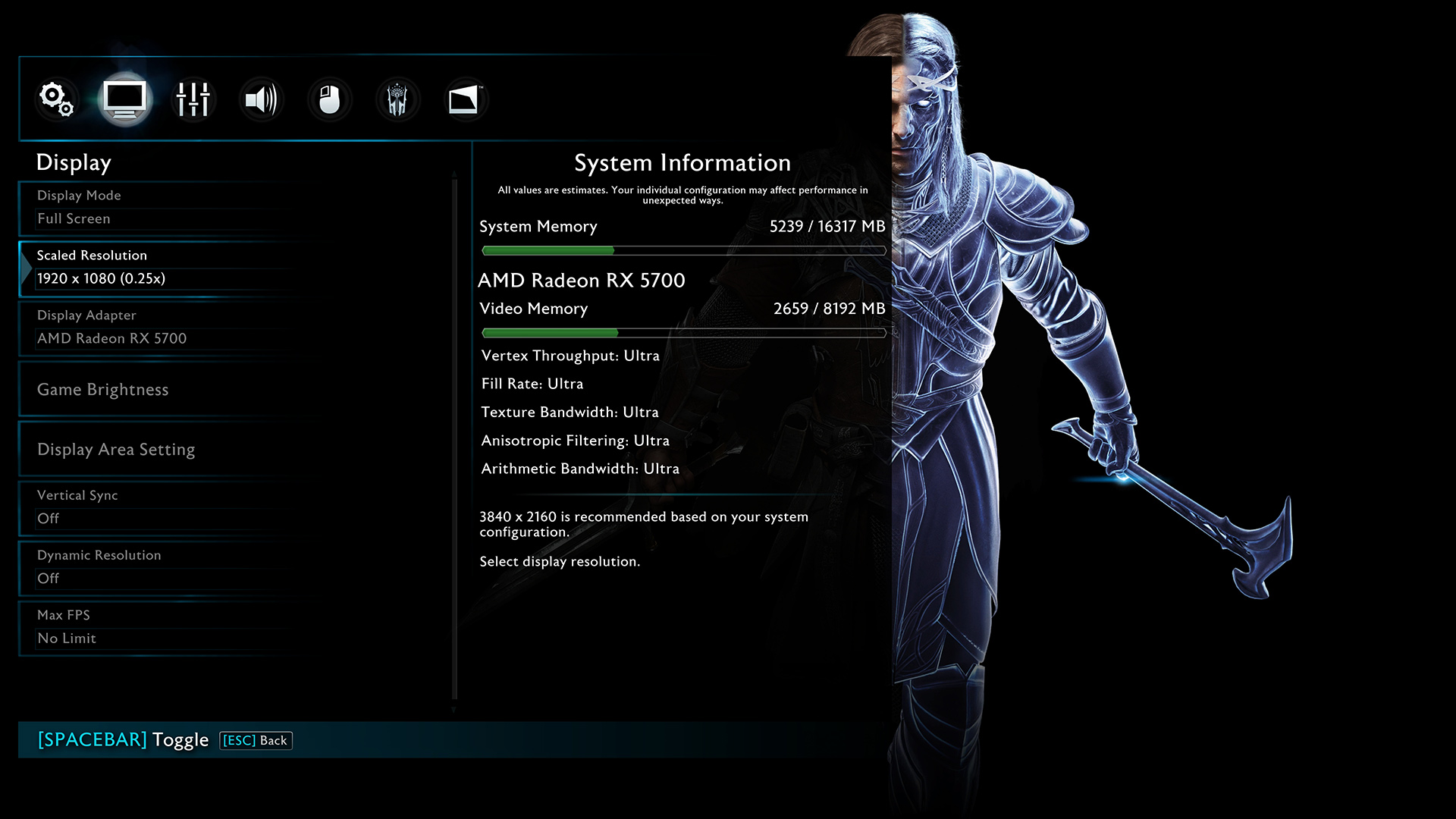
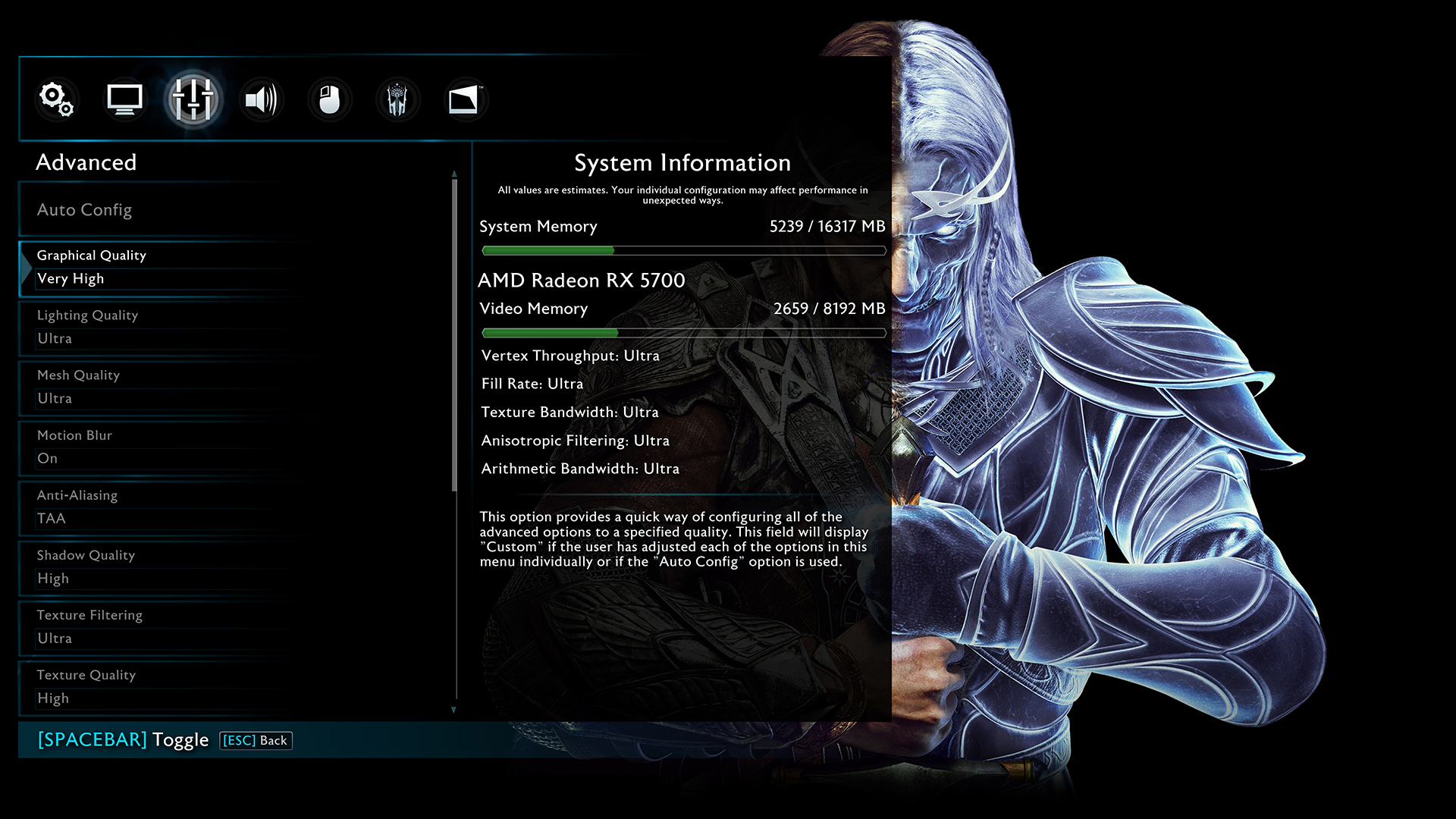
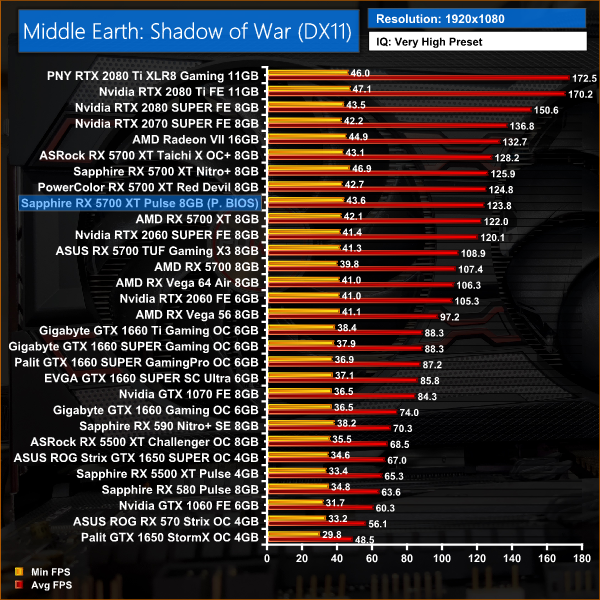
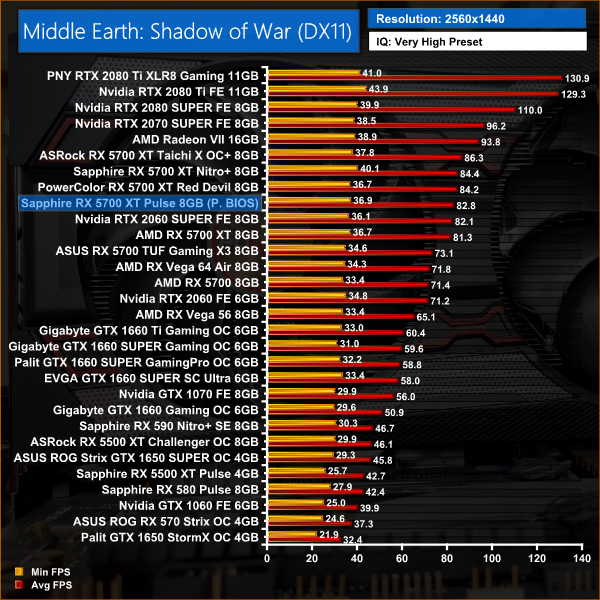
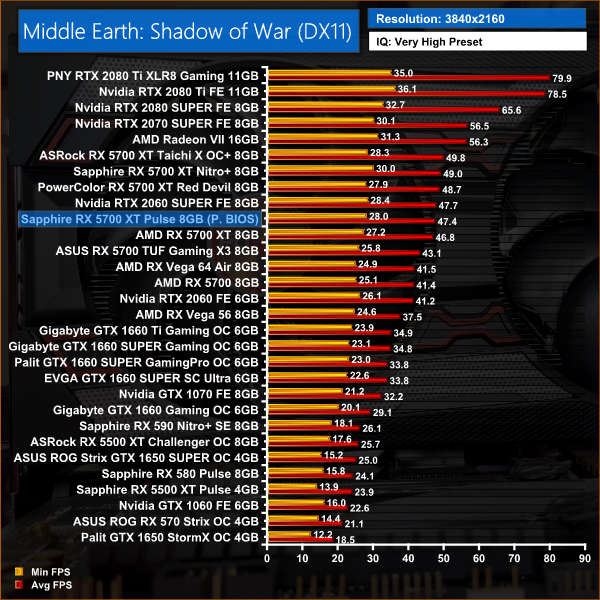
Middle Earth: Shadow of War is a game which heavily favours the 2070 SUPER over the RX 5700 XT – at 1440p, the AMD GPU is 14% slower.
Shadow of the Tomb Raider is an action-adventure video game developed by Eidos Montréal in conjunction with Crystal Dynamics and published by Square Enix. It continues the narrative from the 2013 game Tomb Raider and its sequel Rise of the Tomb Raider, and is the twelfth mainline entry in the Tomb Raider series. The game released worldwide on 14 September 2018 for Microsoft Windows, PlayStation 4 and Xbox One. (Wikipedia).
We test using the Highest preset, with AA disabled, DX12 API.
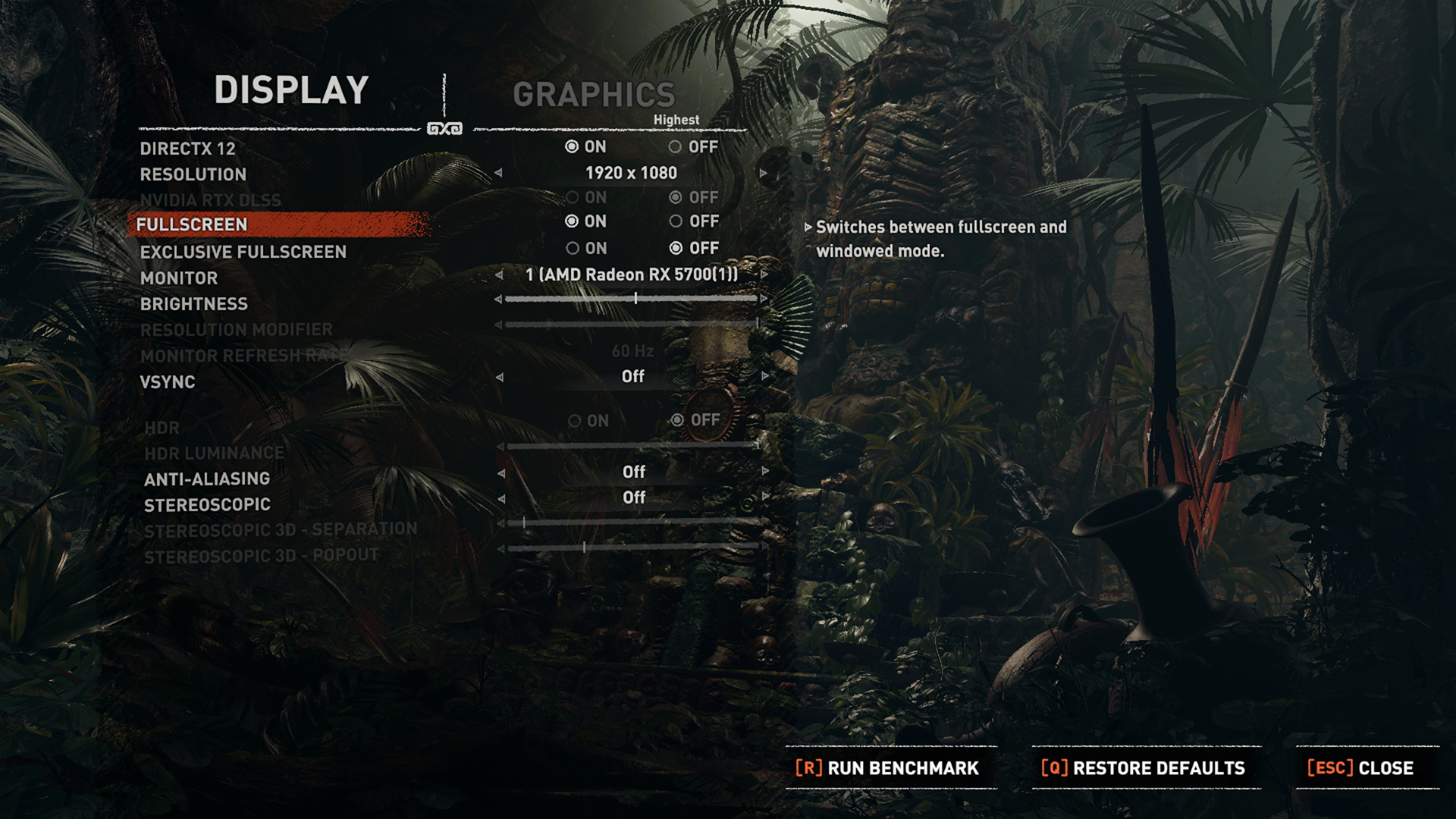
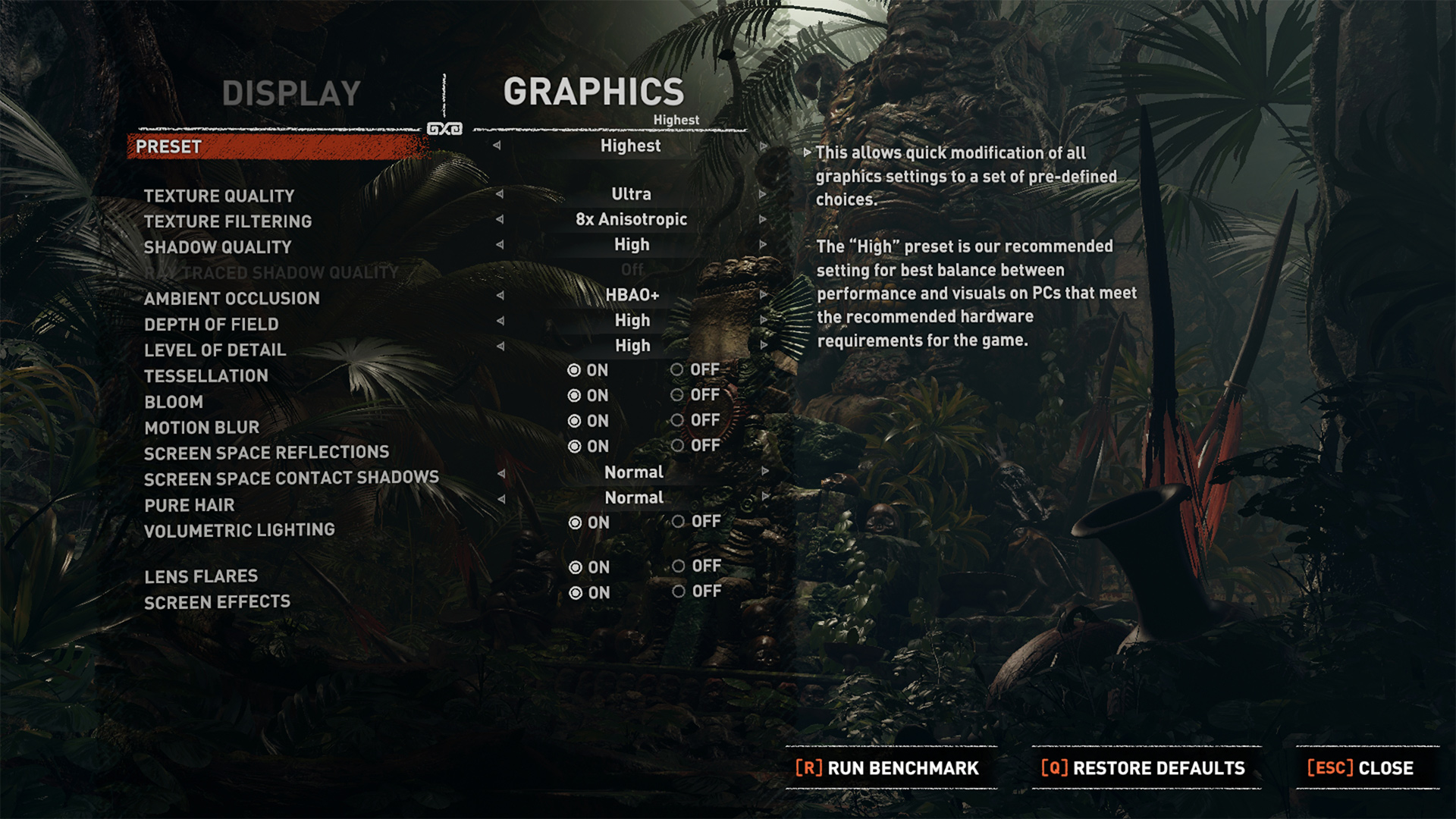
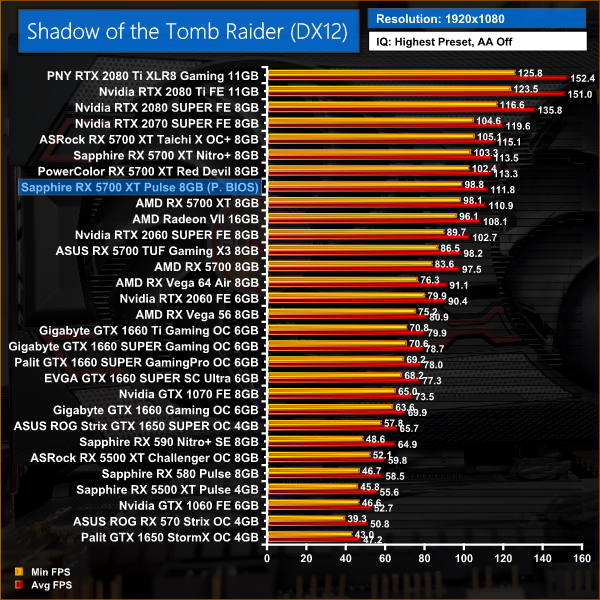
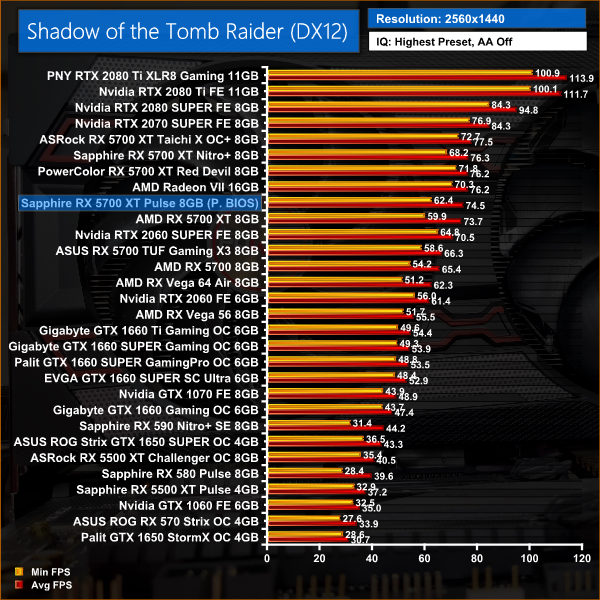
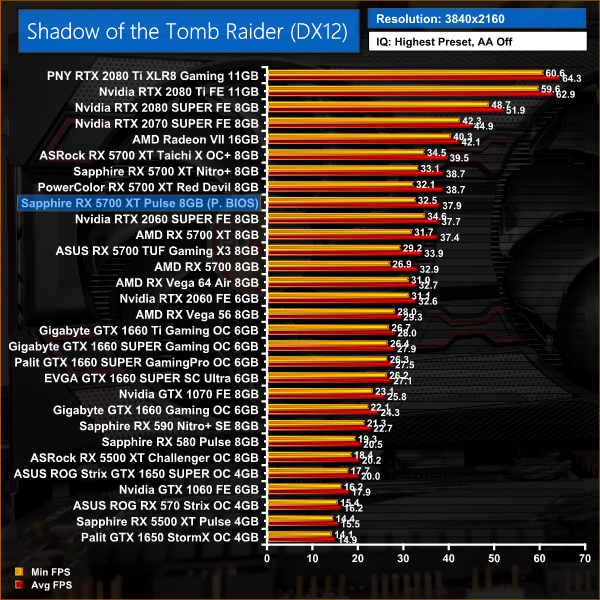
Similarly, Shadow of the Tomb Raider also favours Nvidia hardware, with a 12% performance deficit for the RX 5700 XT when compared to the 2070 SUPER.
Total War: Three Kingdoms is a turn-based strategy real-time tactics video game developed by Creative Assembly and published by Sega. As the 12th mainline entry (the 13th entry) in the Total War series, the game was released for Microsoft Windows on May 23, 2019.
We test using the Ultra preset, DX11 API.

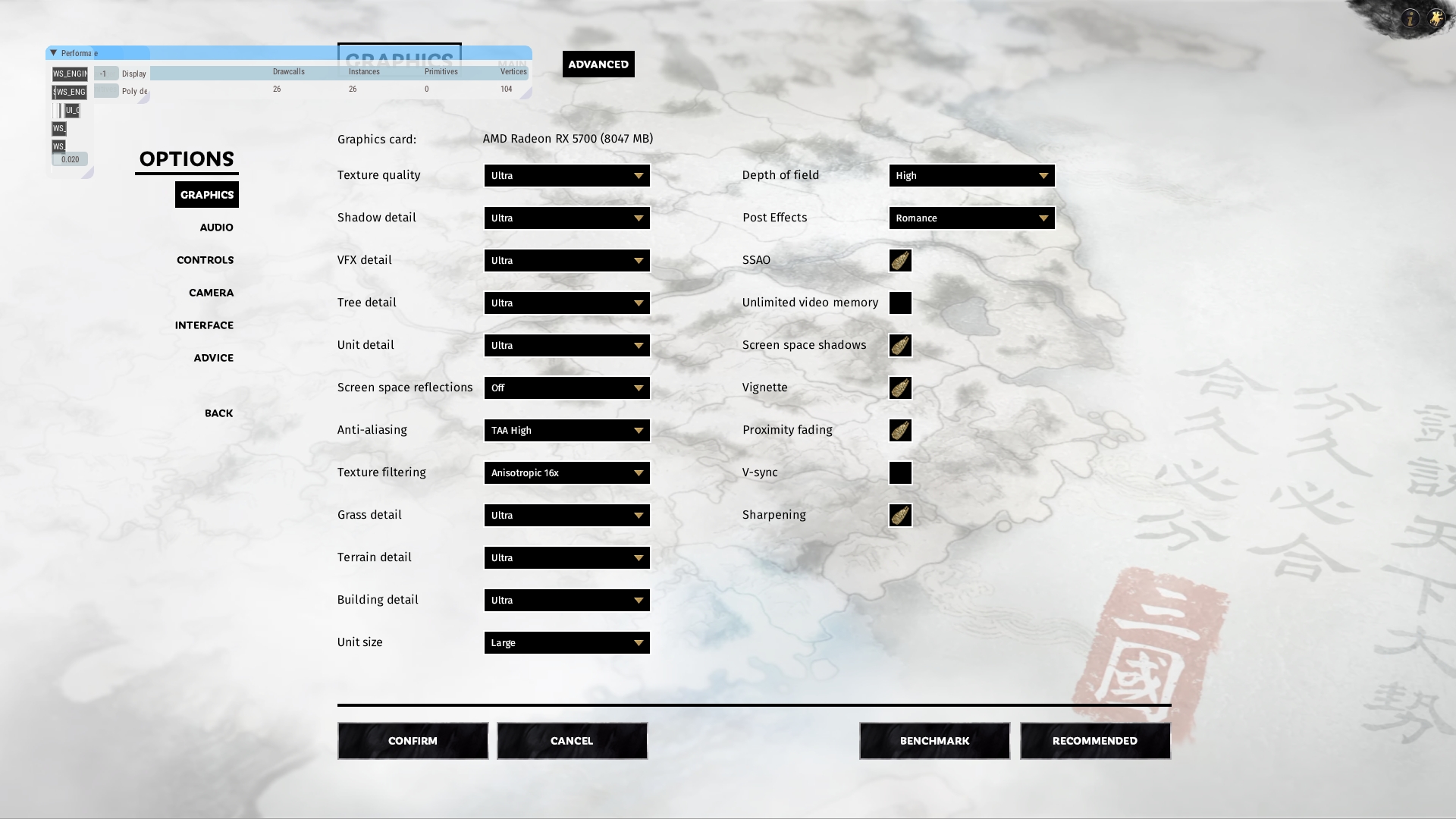
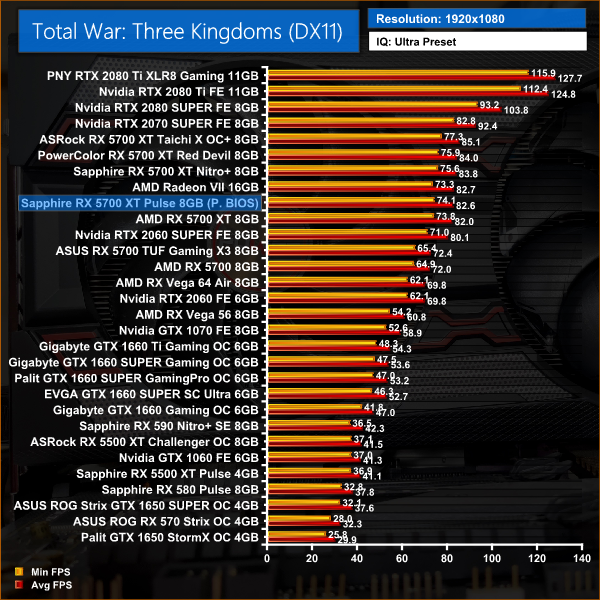
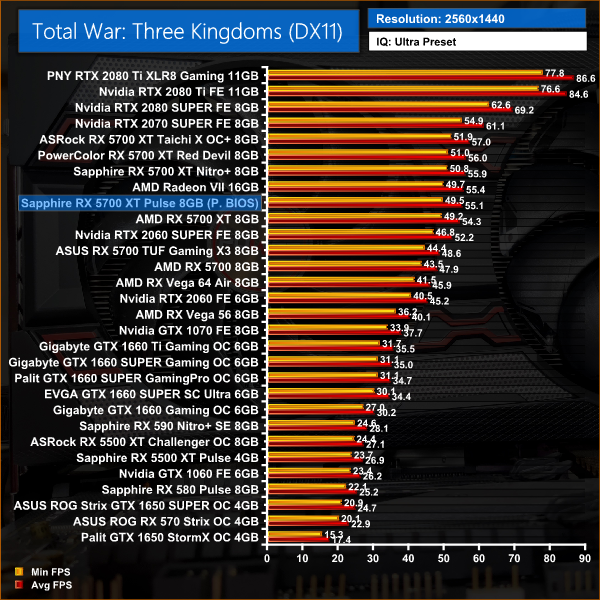
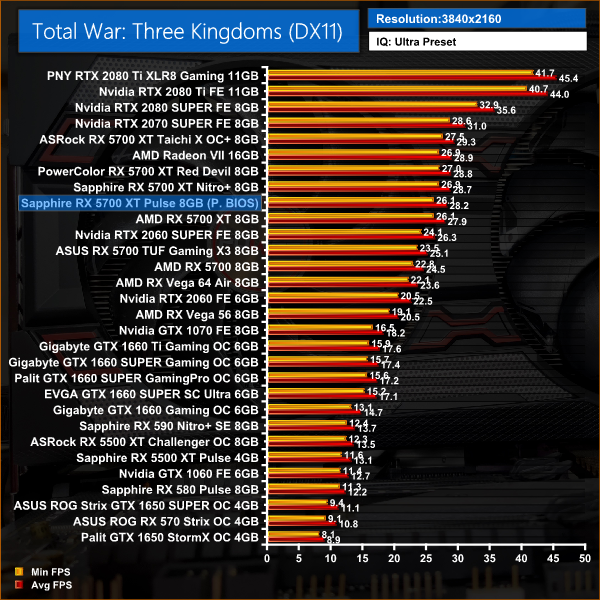
Rounding out our games testing today, the Pulse is on average 1% faster than the reference 5700 XT in Total War: Three Kingdoms. Versus the 2070 SUPER, the Pulse is 10% slower here, and 5% faster than the 2060 SUPER.
Here we present the average clock speed for each graphics card while running the 3DMark Fire Strike Ultra stress test for 30 minutes. We use GPU-Z to record the GPU core frequency during the Fire Strike Ultra runs. We calculate the average core frequency during the 30 minute run to present here.
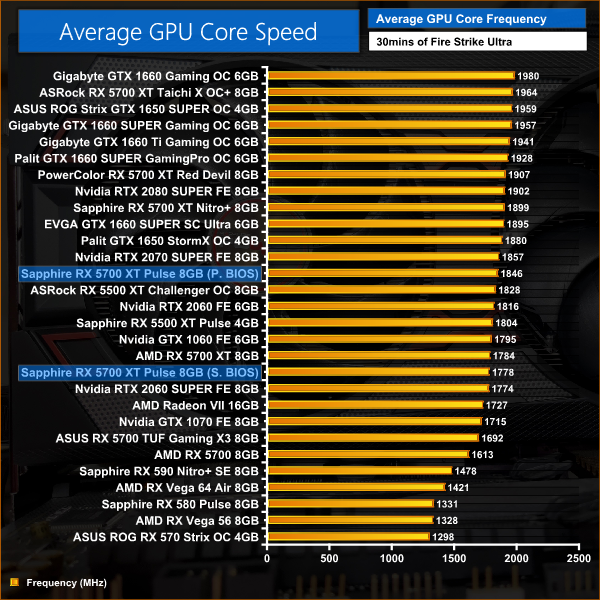
Here we test both the Performance and Silent BIOS on the Pulse 5700 XT. Starting with the Performance BIOS (the default BIOS, as the card is shipped) we saw the GPU average 1846MHz across our 3DMark stress test. This is about 60MHz faster than the reference card, so that lines up almost perfectly with the rated game clock specifications. As we have seen across our testing today, a 60MHz difference has very little effect on overall performance, with the Pulse just 2% faster at best.
As for the Silent BIOS, this does reduce clock speed to just below reference speeds, so we can expect marginally lower frame rates when gaming with this BIOS.
For our temperature testing, we measure the peak GPU core temperature under load, as well as the GPU temperature with the card idling on the desktop. A reading under load comes from running the 3DMark Fire Strike Ultra stress test for 30 minutes. An idle reading comes after leaving the system on the Windows desktop for 30 minutes.
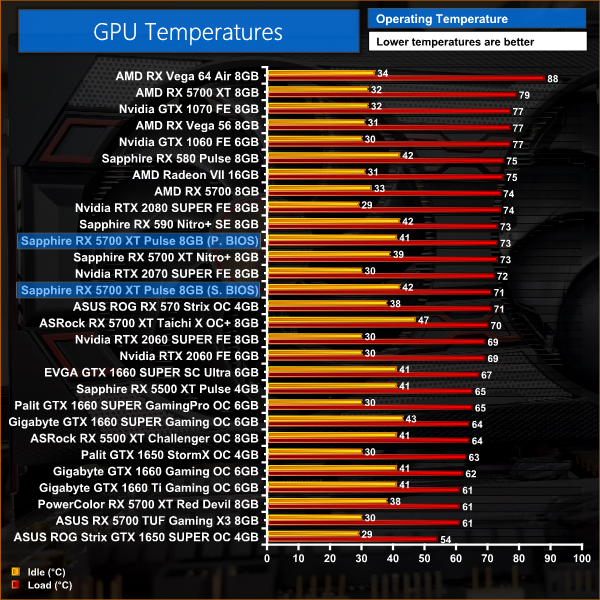
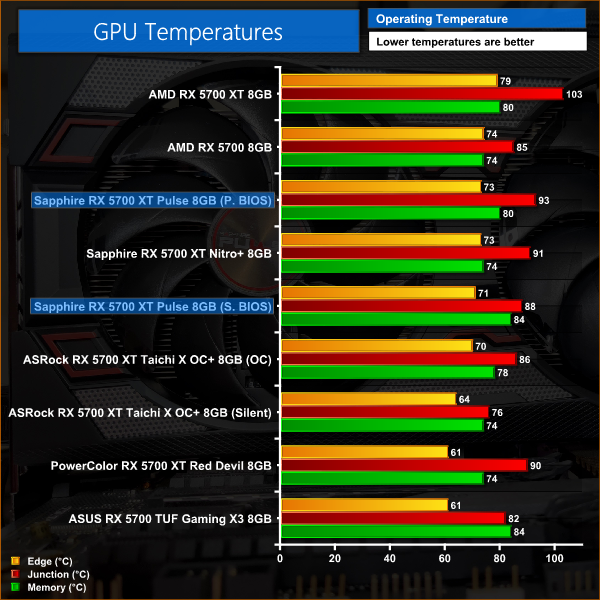
Looking at temperature testing now, the Pulse is clearly a competent card. It doesn't post the lowest temperatures we have seen from a 5700 XT, but with edge temperature at 73C and junction temperature at 93C when using the Performance BIOS, that is well within spec and marks a significant improvement over the reference card. Temperatures even drop slightly when testing the Silent BIOS, due to a reduction in clock speed and overall power draw.
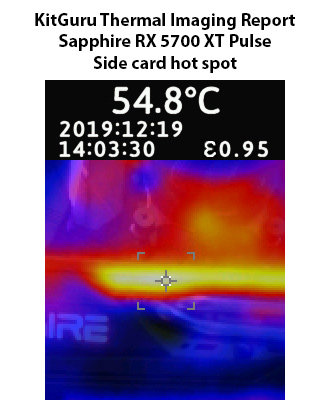
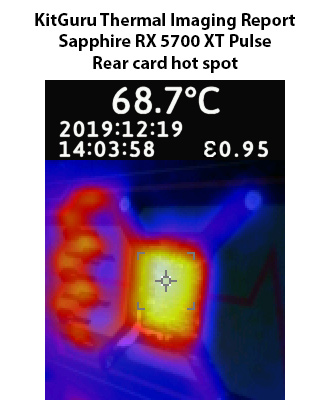
This level of performance is reflected in our thermal images, with hotspots not even reaching 69C on the back of the card. Sapphire has certainly built a good card here for keeping temperatures in check.
We take our noise measurements with the sound meter positioned 1 foot from the graphics card. I measured the noise floor to be 32 dBA, thus anything above this level can be attributed to the graphics cards. The power supply is passive for the entire power output range we tested all graphics cards in, while all CPU and system fans were disabled.
A reading under load comes from running the 3DMark Fire Strike Ultra stress test for 30 minutes. An idle reading comes after leaving the system on the Windows desktop for 30 minutes.
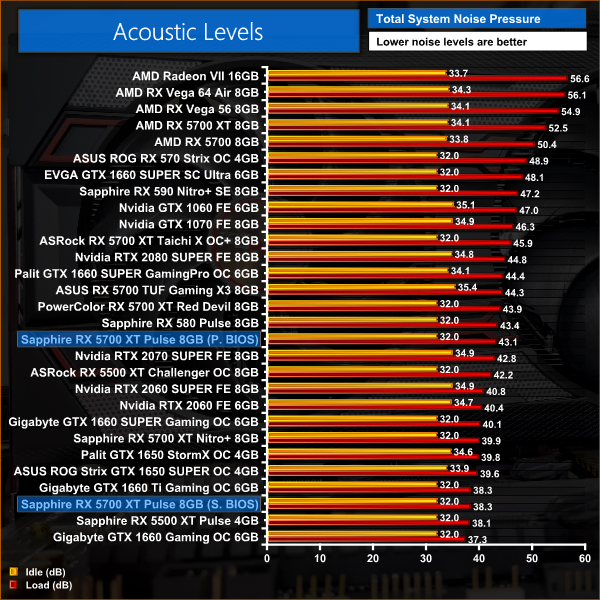
As for noise levels, here we can see a notable difference between the Performance and Silent BIOS. The Performance mode is certainly not loud – fan speed hit 50%, or around 1600rpm – but it is audible and you can definitely tell the difference when engaging the Silent BIOS. There, fan speed dropped to around 1230rpm, or 38%, making it one of the quietest cards on our chart.
We measure system-wide power draw from the wall while the card is sat idling at the Windows 10 desktop for 30 minutes. A reading under load comes from running the 3DMark Fire Strike Ultra stress test for 30 minutes.
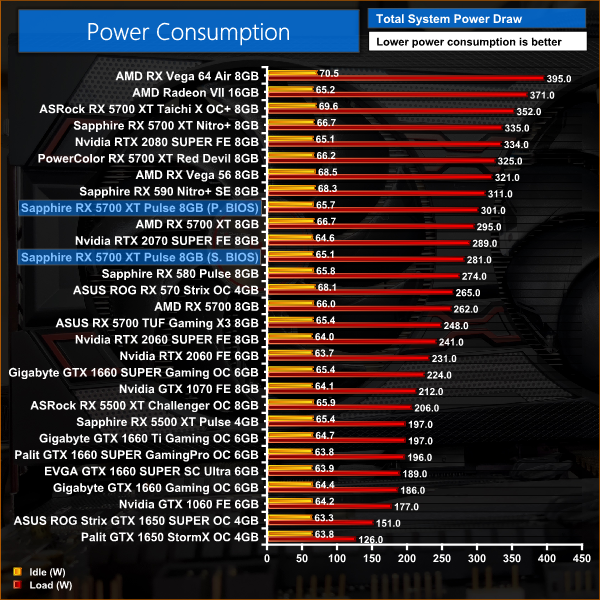
Lastly, we look at total system power consumption. Here we saw a difference of 20W between the two BIOS options, with the Silent BIOS offering slightly better overall efficiency which in turn helps its thermal results as we saw earlier. Still, for a slightly factory overclocked 5700 XT, both sets of results are pretty much as expected.
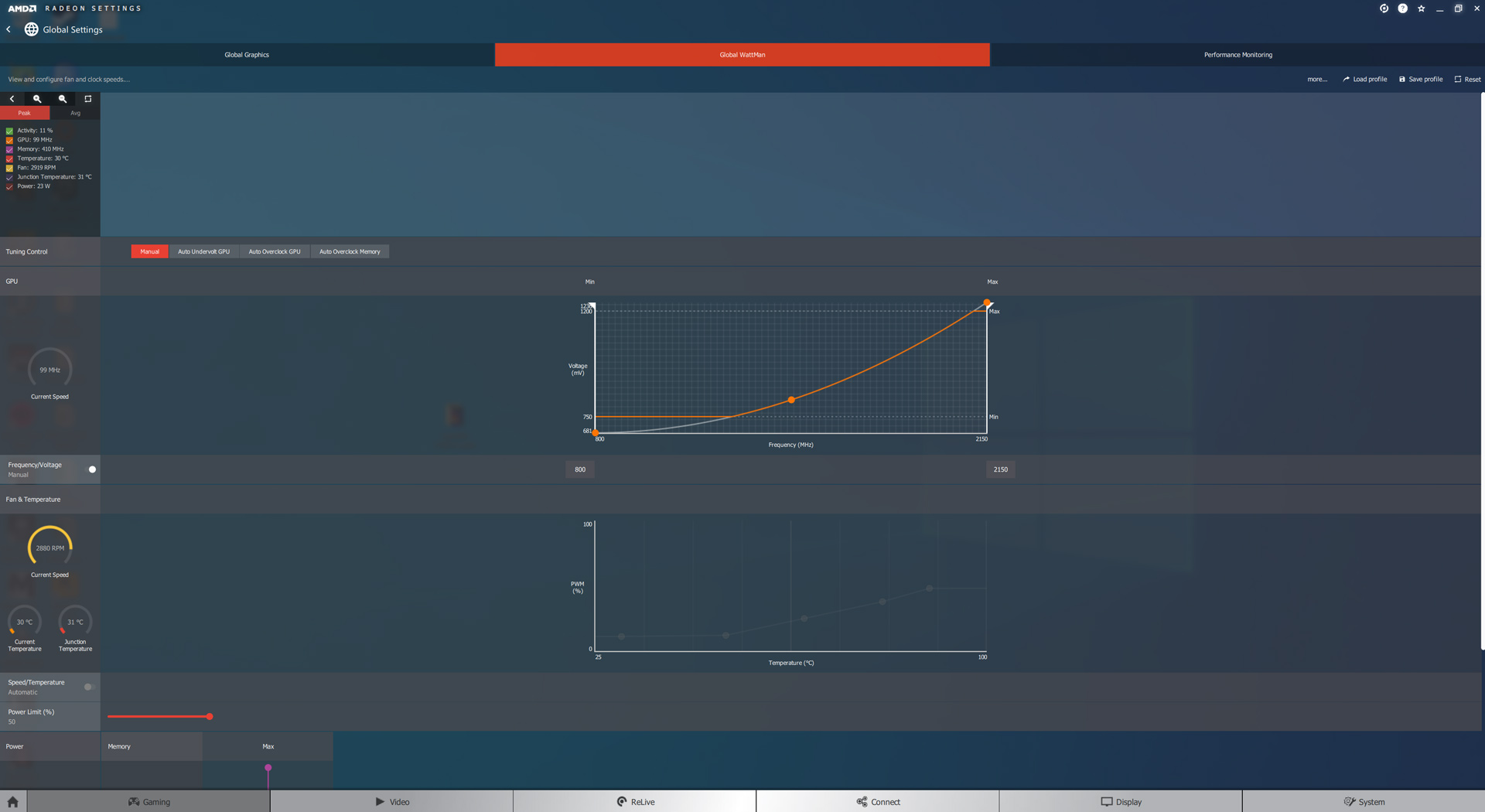
For our overclocking testing, we used AMD Wattman. We maximised the frequency curve, along with the power limit slider, and were also able to set the memory at its maximum frequency of 950MHz. We did all of our manual overclocking testing using the Performance BIOS.
Average clock speed under load
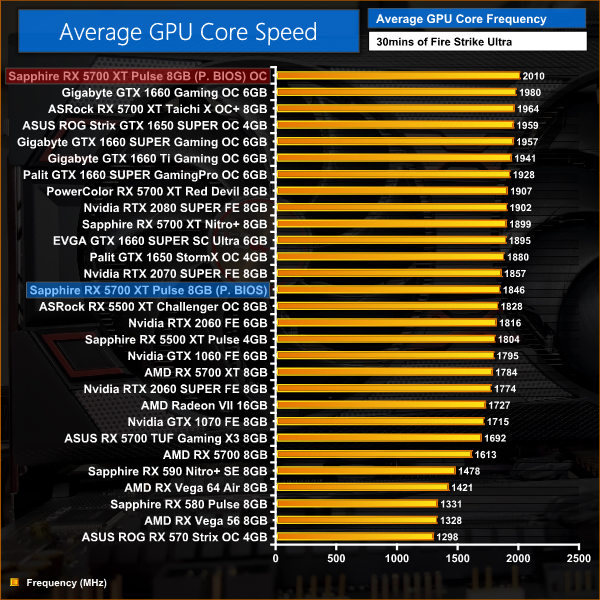
This overclock saw average clock speed increase by just over 160MHz, or a 9% increase.
Games
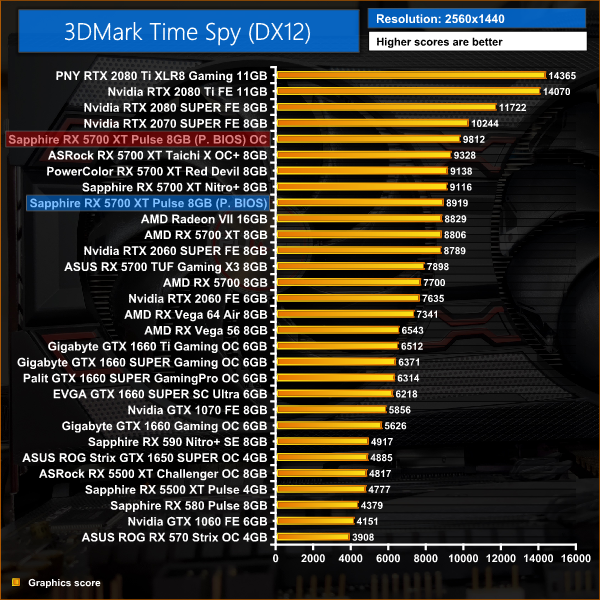
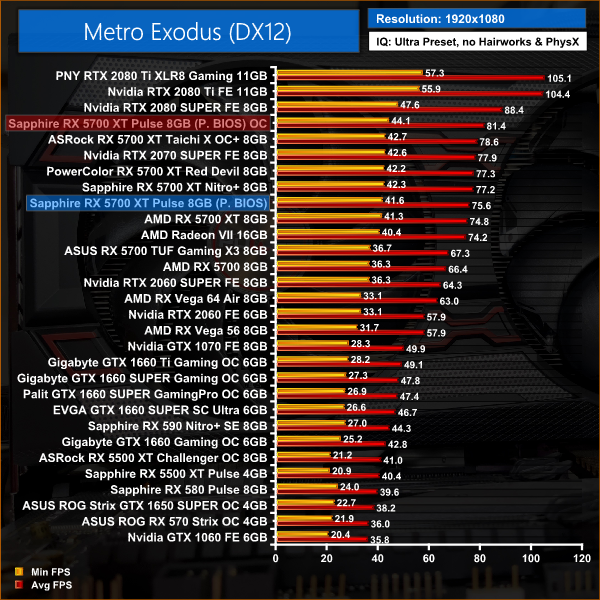
This resulted in performance increases of between 6-8%, which is slightly more than we typically see from 5700 XT cards – then again, the Pulse is starting off with lower clock speeds than most we have tested in the last few months, but it is still a decent performance improvement regardless.
Here, we take a further look at the impact of our overclock, looking at the increased temperatures, acoustics and power draw.
Temperatures
Acoustics
Power consumption
Overview
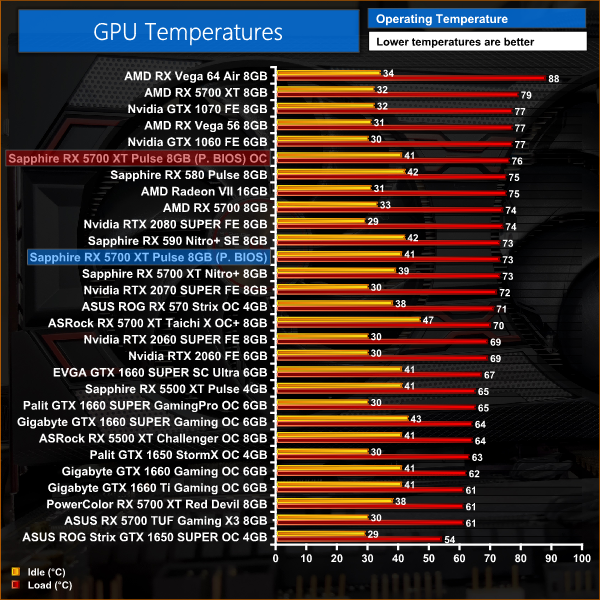
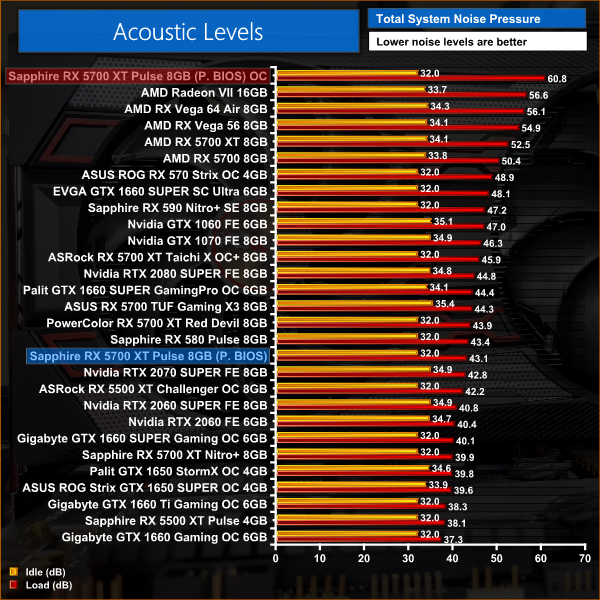
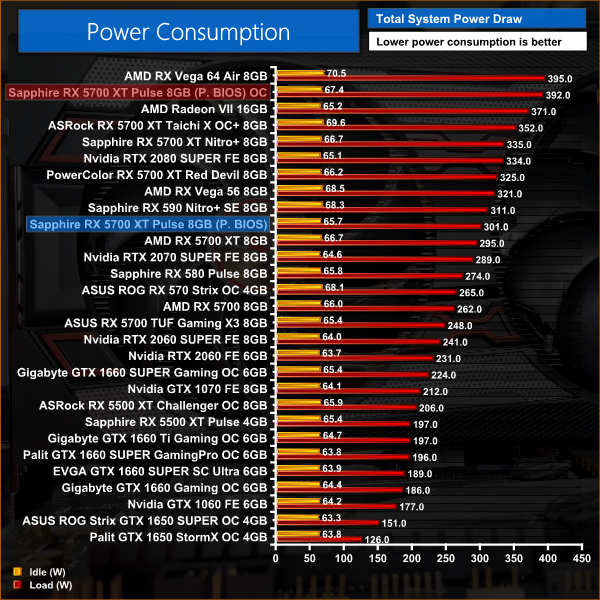
Unfortunately the cooler didn't cope so well with the extra frequency. Edge temperature only rose by 3C, but using the default fan curve we saw noise levels reach ridiculous levels – with over 60dB recorded on our sound meter. Additionally, power draw jumped up by almost 100W, with efficiency going down the drain at the higher clock speeds. I would say a mild overclock is still worth it with the Pulse, but a few tweaks to the fan curve would also help as the default behaviour was far too loud.
It has been a long time coming, with our initial Sapphire RX 5700 (non-XT) Pulse review going live back in August, but today we have reviewed Sapphire's RX 5700 XT Pulse. Currently priced at £395, I have to say this is an excellent value card and should be high on your list if shopping for a new graphics card around the £400 price point.
While we will get to the positives below, I want to start this conclusion with a slight negative point, and that is in regards to the overall shroud design. I don't think its terrible, but certainly Sapphire could have improved the look by going with an all-black shroud – personally I find the red and silver accents slightly garish. Given that Sapphire made that exact change for its recently-released RX 5500 XT Pulse card, perhaps the company had similar feedback from its customers on the matter, but either way I do think this 5700 XT Pulse would look cleaner with an all-black shroud.
That aside, the cooler itself does a great job considering the 4% price premium over AMD's blower-style reference cooler. Not only are temperatures significantly reduced – from 103C junction temperature to 93C here – but noise levels from the Pulse are also a huge improvement, where even the Performance BIOS offers a far quieter experience than the reference 5700 XT card.
There's also the choice of BIOS, too, with both Performance and Silent options. Here I do think the Silent BIOS is probably the best of the two – there is a slight reduction in clock speed when using it, but fan noise is noticeably quieter and temperatures are lower too. Either way, it's great to have dual-BIOS as it gives you the choice of how you want your card to run, plus it's good for redundancy too.
In terms of gaming performance, I've kept this to the end of the conclusion as there's really not much to say – the Pulse is ever so slightly faster than the reference card, with just a 1% performance advantage on average across all of our testing. This means the Pulse is just 2% slower than Sapphire's own Nitro+ 5700 XT, while it's 6% slower than Nvidia's 2070 SUPER Founders Edition. Finally, the Pulse is also 10% faster than RTX 2060 SUPER.
Overall, there is no doubt the Sapphire RX 5700 XT Pulse is a great option. Since its launch, prices have slowly fallen and it's now hardly any more expensive than AMD's MSRP, yet the cooler is very capable with low temperatures and noise levels, plus you get the dual-BIOS options too. Talking of prices, though, there is an argument to be made for spending £20 more on the Sapphire Nitro+ model – that card is slightly faster and has a more capable cooler, while I do prefer the overall look of the card too.
Still, for under £400 there is no denying the appeal of AMD's RX 5700 XT for 1440p gamers, and Sapphire's Pulse model is a compelling option if you don't want to spend extra on a flagship model.

You can buy the 5700 XT Pulse for £395 from Overclockers UK HERE.
Discuss on our Facebook page HERE.
Pros
- Great value.
- Runs cool.
- Far quieter than the reference card.
- Dual-BIOS.
- Fairly compact for a dual-fan card.
Cons
- Design isn't overly appealing.
- Nitro+ for £20 more is tempting.
KitGuru says: With just a 4% price premium over AMD's MSRP, the Sapphire Pulse is a great choice if you are looking for a new graphics card around the £400 mark.