 KitGuru KitGuru.net – Tech News | Hardware News | Hardware Reviews | IOS | Mobile | Gaming | Graphics Cards


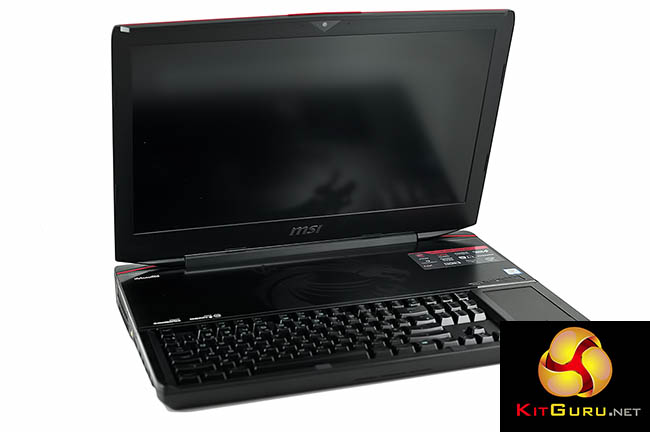
The ‘Titan' moniker is iconic in the world of technology – Nvidia have used it to great effect for many years now and after MSI released their first Titan laptop back in 2014, the name has become synonymous with cutting edge hardware. My colleague Leo has already taken a look at the GT83VR 6RF for the KitGuru TV channel, but today I analyse it in more detail for the main site. This laptop features a massive 18.4 FHD inch panel, 64GB of DDR4 memory, full mechanical keyboard, Core i7 6920HQ and dual Nvidia GTX 1080's running in SLi.
Regular KitGuru readers will have seen our previous reviews of the MSI Titan, but if you want to recap on the history of MSI Titan Gaming laptop reviews then head to the links below.
MSI GT80 Titan (SLI GTX980ms) – January 28th 2015. Read HERE.
MSI GT80S 6QF (SLI GTX980s) – January 13th 2016 on KITGURU TV. Read and watch HERE.
MSI GT83VR 6RF (SLI GTX1080s) – October 10th 2016 KITGURU TV. Read and watch HERE.
| Nvidia GTX1080 – Mobile and Desktop | ||
| Platform |
Desktop
|
Mobile
|
|
Codename
|
GP104
|
GP104
|
| Architecture | Pascal | Pascal |
| Process | 16nm | 16nm |
| Transistors (bn) | 7.2 | 7.2 |
| Core Clock (Mhz) | 1,607 | 1,556 |
| Boost Clock (MHz) | 1,733 | 1,733 |
| Peak GFLOPS | 8,873 | 8,873 |
| SM units | 20 | 20 |
| Texture Units | 160 | 160 |
| Shaders | 2,560 | 2,560 |
| ROPs | 64 | 64 |
| Memory Size | 8GB | 8GB |
| Memory Bus | 256 bit | 256 bit |
| Memory Type | GDDR5x | GDDR5x |
| Memory clock | 10Gbps | 10Gbps |
| Memory bandwidth | 320 | 320 |
To say the latest MSI GT83VR 6RF is powerful would be an understatement – our first indication of the sheer system demand is the dual power supplies MSI have in the box.
For the first time in history, Nvidia have been able to maintain the full amount of ROPs, SM units, shaders and Texture Units on the mobile GPU. It is worth pointing out that a mobile version of the Nvidia Titan graphics card has never made it into one of the MSI ‘Titan' laptops. MSI like to keep you guessing.
The only real difference between the desktop and mobile GTX1080(s) in the latest iteration of the MSI Titan laptop is the core clock speed, running slightly slower at 1,556mhz instead of 1,607mhz. Boost clock however remains the same, at 1,733mhz.
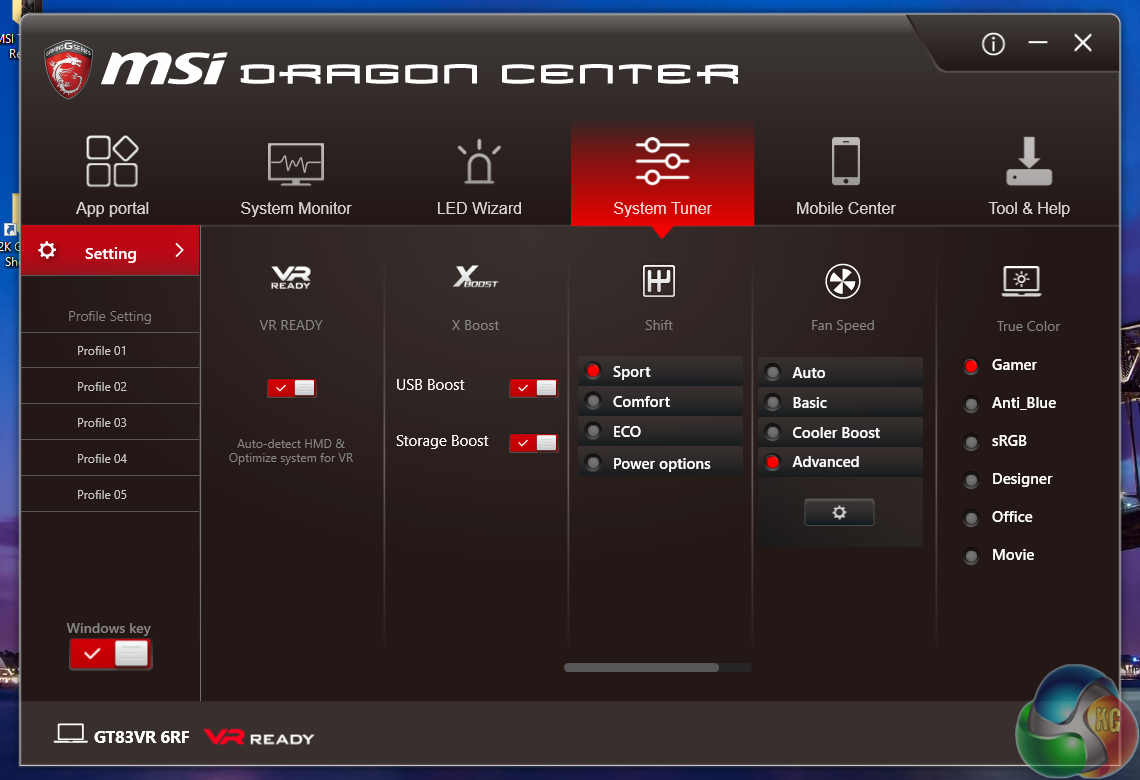
MSI have equipped the GT83VR with the Intel Core i7 6920HQ processor rather than the i7 6820HK – the unlocked Intel processor which features in the latest MSI 17 inch gaming laptops. While the 6920HQ is clocked slightly higher out of the box (+200mhz), the 6820HK (the ‘K' signifies it is unlocked) can easily be overclocked to 4GHz via the ‘turbo mode' in the MSI Dragon software. With the 6920HQ installed, there is no turbo mode offered, so the processor will generally be running slower than the overclocked 6820HK.
MSI have been keen to focus on their proprietary triple fan ‘Cooler Boost Titan' cooling system. Even though the 6RF is housed inside a huge 18.4 inch chassis, the cooling system is going to have to work hard to maintain a stable, effective thermal profile.
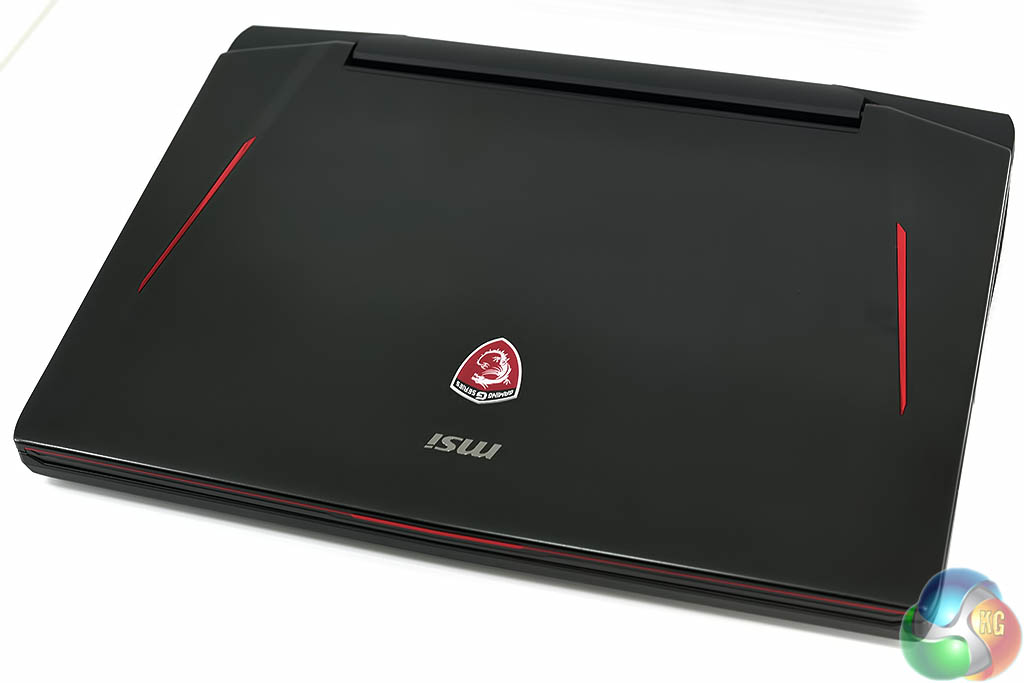
First impressions of the MSI GT83VR 6RF are positive. The red racing stripes are a clear indication of the gaming status of the laptop, and the MSI dragon logo takes pride of place at the top, centre position of the lid.
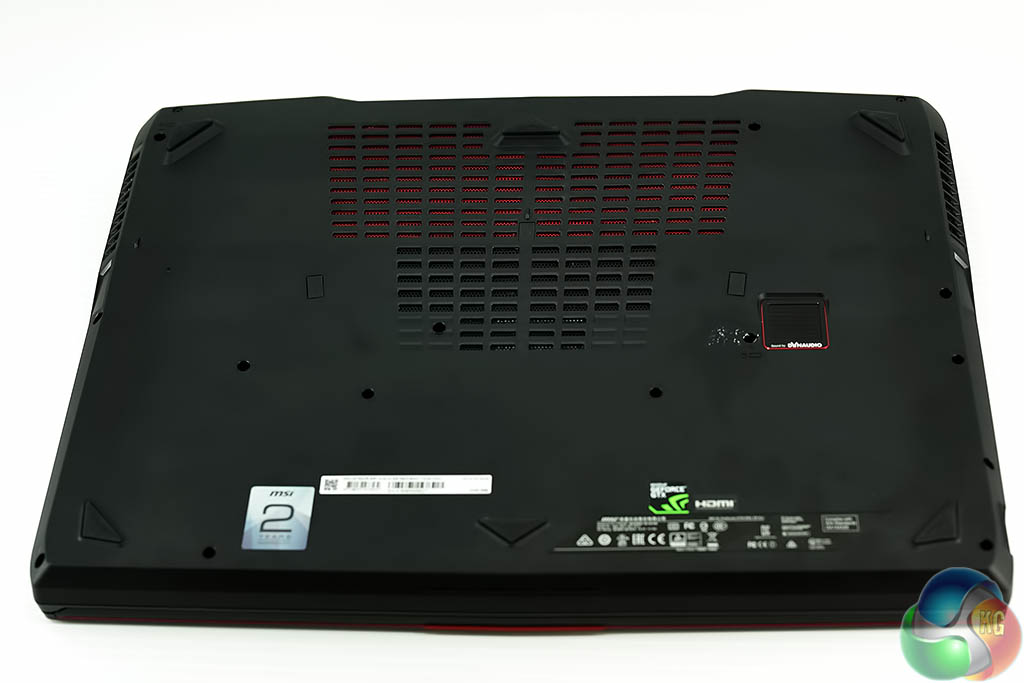
The laptop measures 456 mm (W) x 300 mm (D) x 49 mm (H). It is a chunky chassis constructed mostly from plastics. I don't have a problem with the construction quality of the laptop, although a higher mix of metal would have been nice to see (and feel).
That said, the laptop already weighs over 5kg, so MSI have clearly been aiming to hit a specific weight – which makes sense.
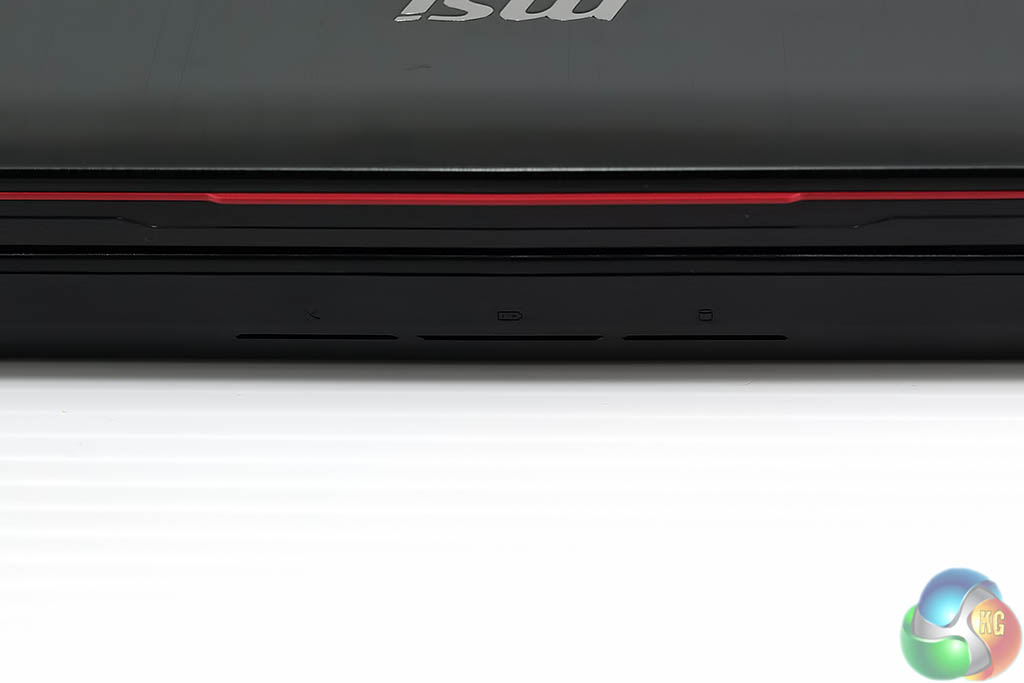
LED readouts are visible on the front of the chassis.
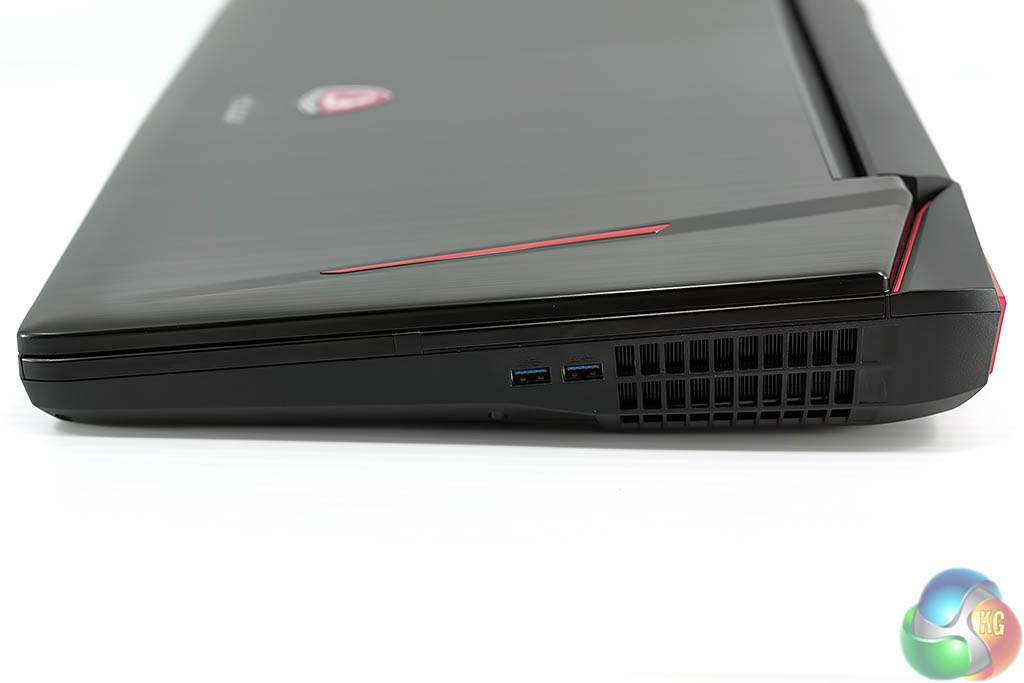
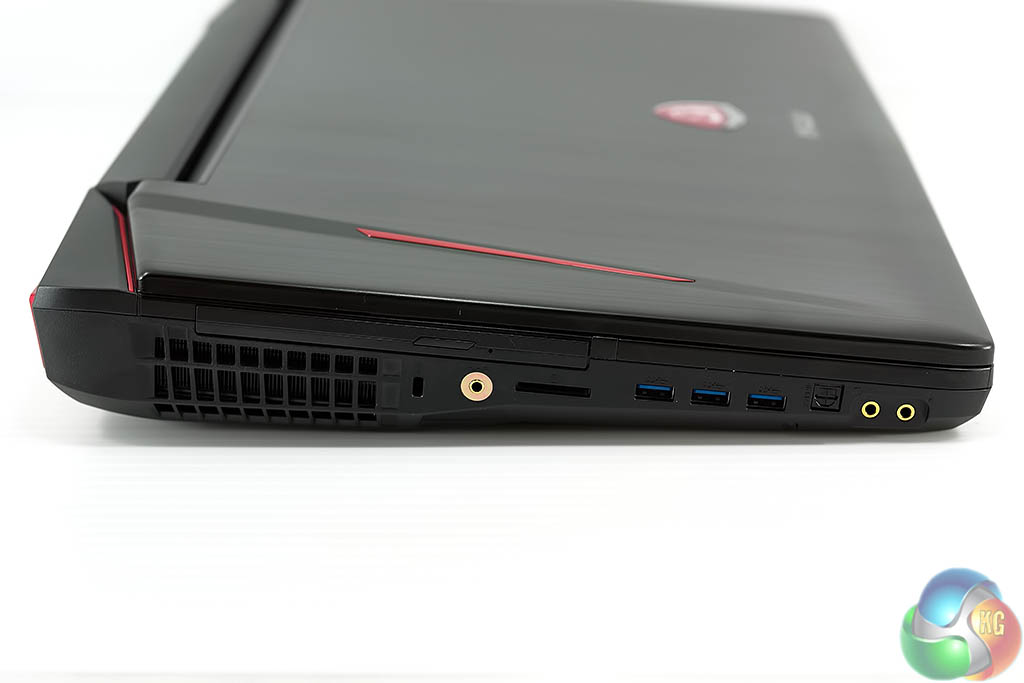
This is no super-slim ultra portable. At the rear of the laptop we measured around 5cm thickness. Huge vents are clearly visible on both left and right sides. On the left side is a bluray player, Kensington lock, a hifi audio connector, memory card reader, three USB 3.0 ports, optical, and microphone and speaker connectors.
I tested the GT83VR with a pair of £1200 Sennheiser HD800S headphones (review HERE) and I was very impressed with the output quality via the dedicated high grade hifi connector port (seen behind the card reader slot). Any higher than 40% via the volume output was too loud for my ears so the amplifier section is certainly much better than a generalised headphone port on a laptop. I used this higher grade port exclusively throughout my testing.
On the right side of the laptop are two more USB 3.0 ports, and another huge cooling vent for the second GTX1080.
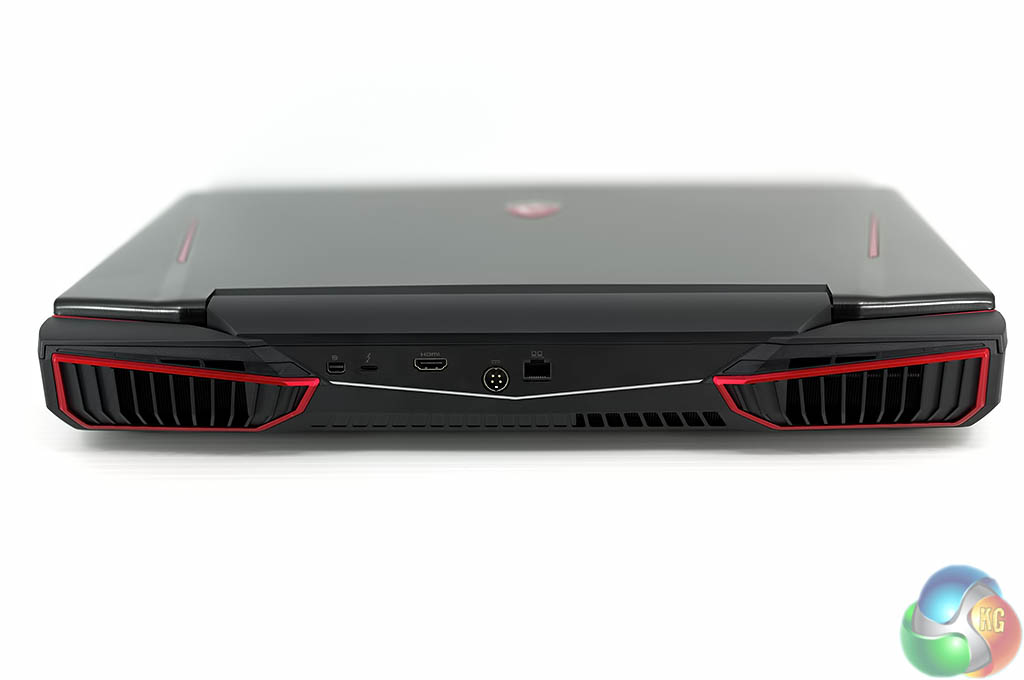
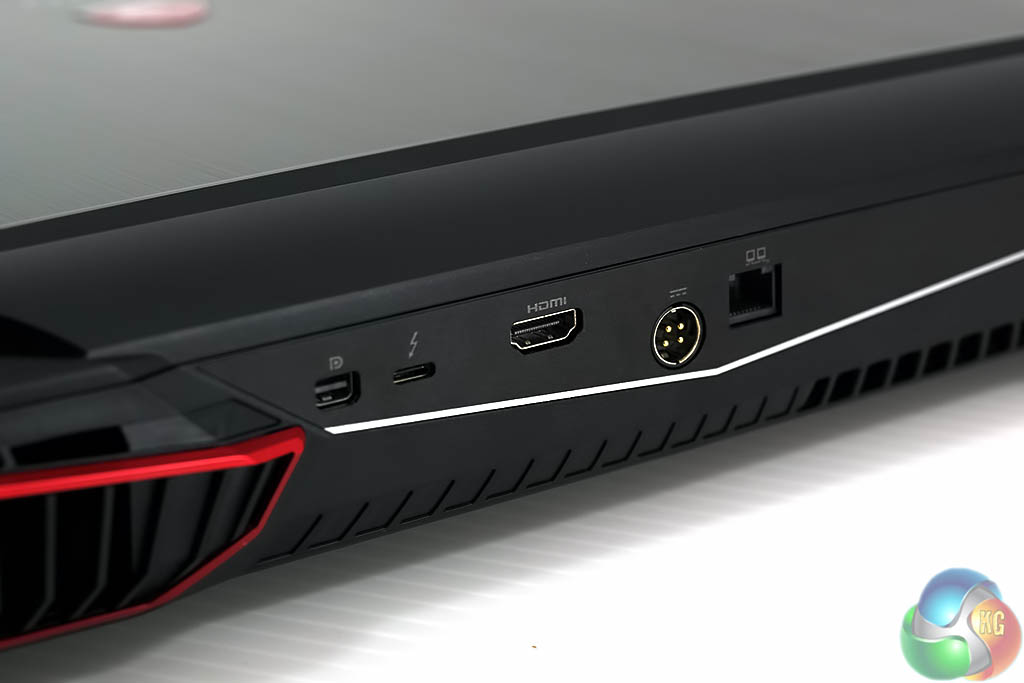
The rear of the laptop features two angular cooling ports, surrounded with a sporty red bezel. There is a Gigabit Ethernet port, alongside the power connector, HDMI out, Superport (Thunderbolt 3 / USB 3.1 in Type-C format) and Mini DisplayPort out.
Wifi is covered with the Killer Wireless AC 1535 adapter. This adapter was able to handle the full download speed of my 300Mbit Virgin Media Business connection across STEAM.
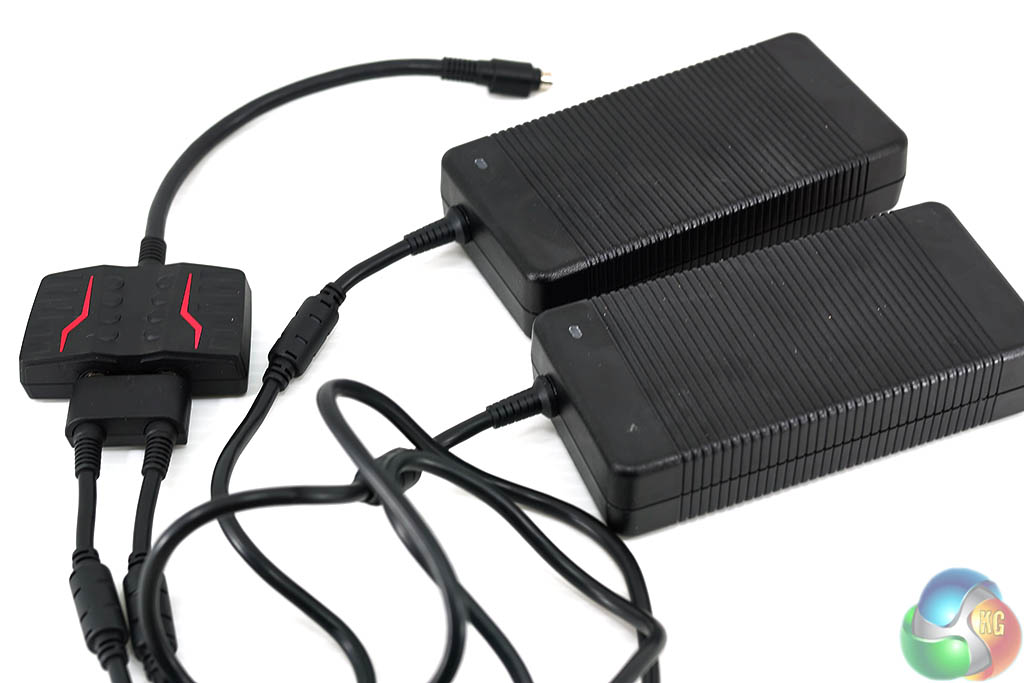
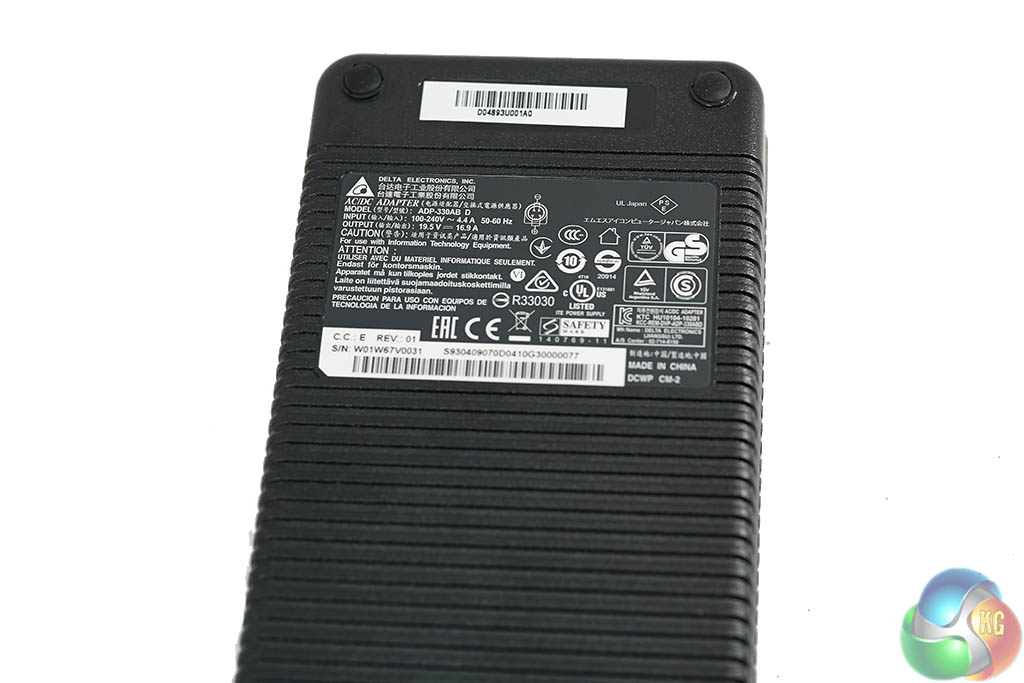
The GT83VR 6RF takes two power supplies which are rated at 330 Watts each. Yes that is a potential 660 Watts power output. The GTX 1070 SLI version of this system drops the power demand to 460 Watts (dual 230 Watt supplies).
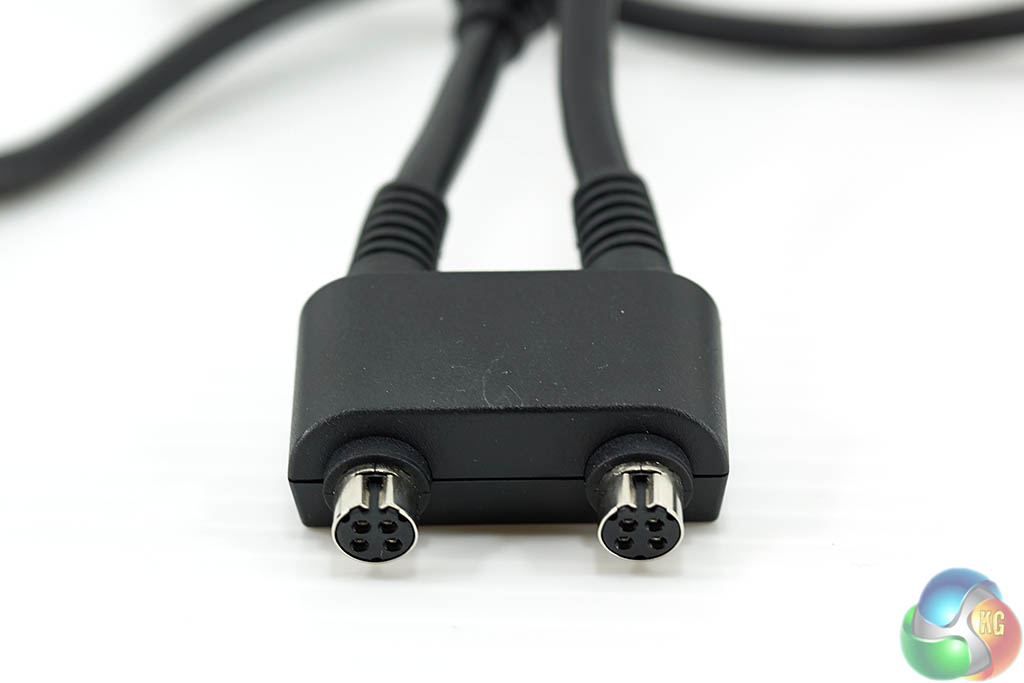
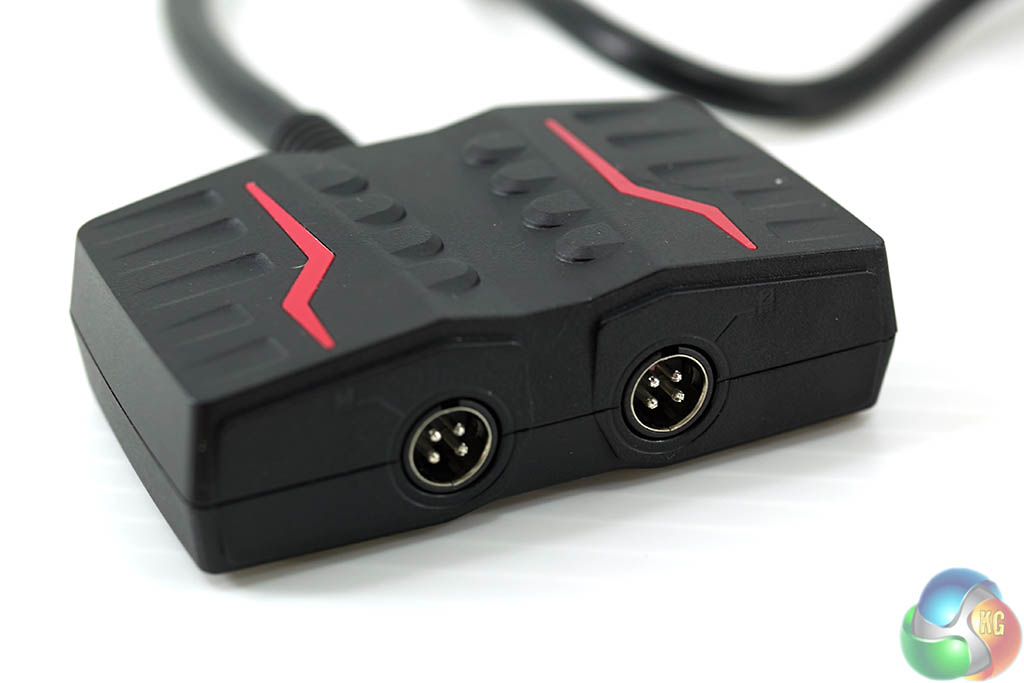
Each of the power bricks is connected to a proprietary two pin header cable (pic above left) which plugs into a little breakout box (pic above right).
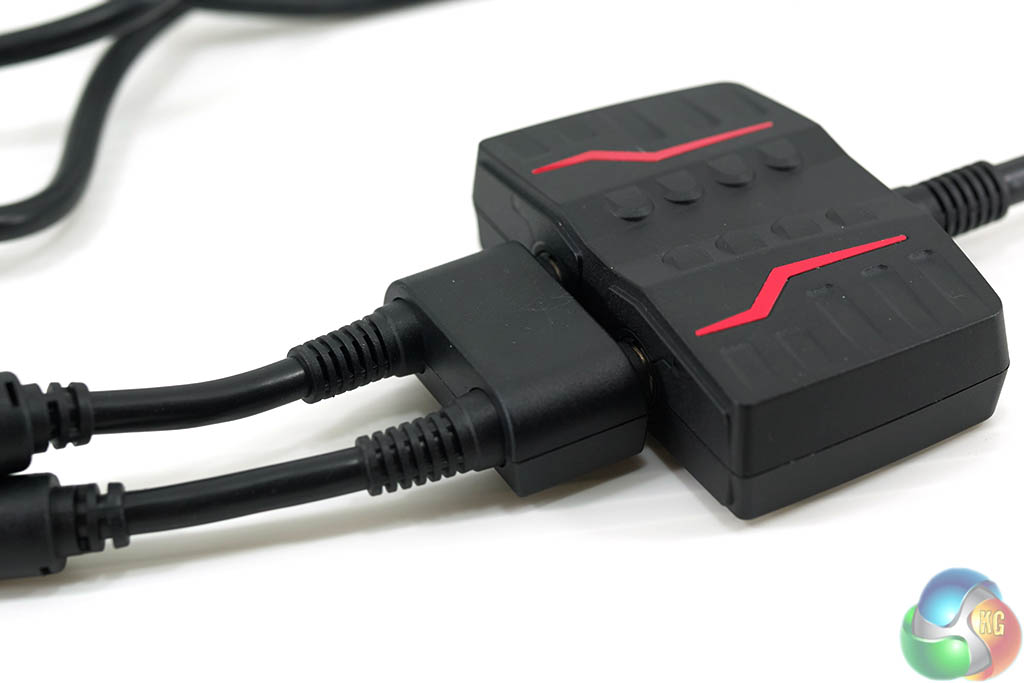
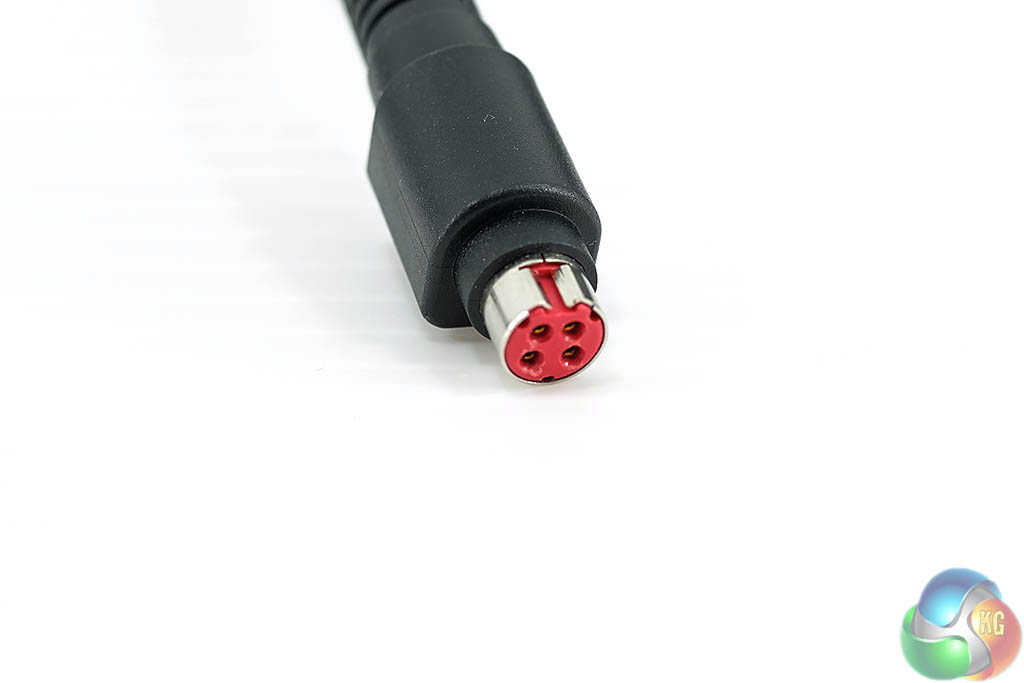
The power connector fully assembled (above left). The cable above right plugs into the back of the GT83VR 6RF laptop.
Sadly, the cable disconnects on very slight movement, which I found extremely annoying during testing.
I appreciate that MSI are ensuring that the laptop won't be pulled to the floor by someone accidentally tugging on the cables, but a magnetic connector such as those utilised by Apple would be a much better solution.
To be fair, once the laptop is in position on a desk this won't prove much of an issue. However, if you plan on moving this laptop around at all be prepared to reconnect the power cable frequently.
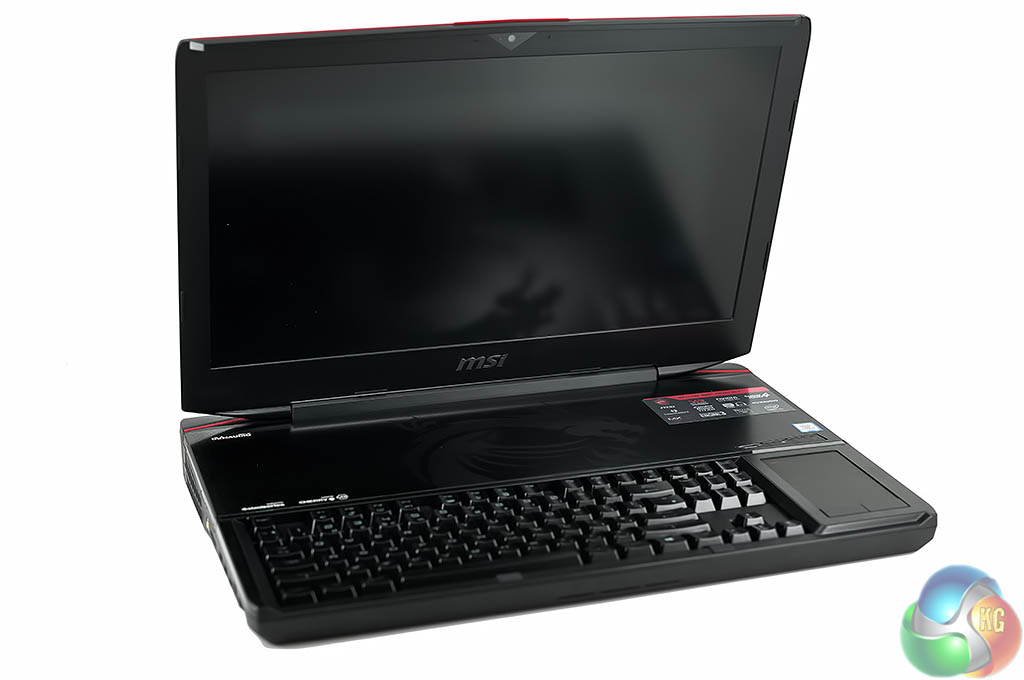
The MSI GT83VR 6RF is a gargantuan laptop, firmly rooted in the ‘desktop replacement' category. I wouldn't say it was ugly by any stretch of the imagination, but it is a chunky, thick, oversized system designed to support the highest levels of hardware and performance.
I was disappointed to see that MSI are reusing the same chassis as before, meaning we are still dealing with a 1080p panel and a simple 60Hz refresh rate. As MSI haven't updated the chassis, we are stuck with simple red backlighting on the keyboard. Personally I am not that bothered about a lack of RGB lighting, but MSI offer RGB lighting on their latest GT73VR models.
The GT73VR models also feature 120Hz 1080p and 4K panels, so we can't help but feel the GT83VR should really have been updated in these areas – so the product stack would make sense.
We could forgive MSI a few years ago when they said that there was limited stock of Ultra HD 4K 18.4 inch panels available. However, the new ASUS ROG GX800VH (review HERE) features a GSYNC 60Hz 4K panel.
If we can look past the issues with resolution and refresh- the 1080p panel is actually very capable, delivering solid colour rendition, crisp text and wide vertical and horizontal viewing angles. It measured 280 nits in my brightness test which is what I would consider average. In the real world I would have liked another 1 or 2 notches of brightness available, especially if dealing with a strong light in the room.
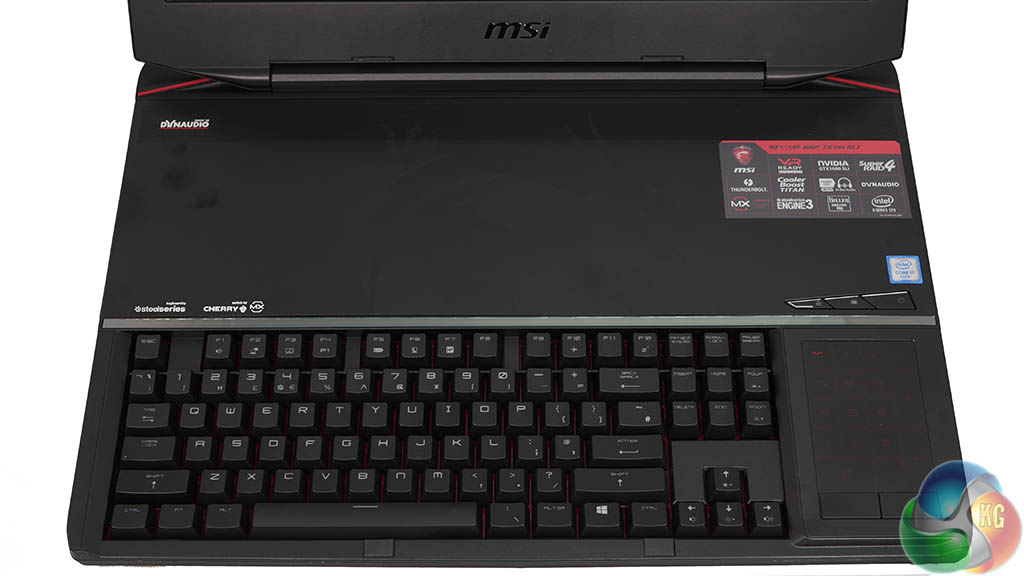
The full mechanical Steelseries keyboard on the GT83VR is a strong selling point – I love using it and can work at my full typing speed of 120 words per minute. The keys offer 3.1 mm of travel and they require 75grams of force.
I do feel MSI should include a soft, full length wrist rest with this laptop, as the keyboard falls off quickly at the front of the chassis. I found my wrists would be floating in front of the laptop as I typed, so it is something that MSI should really start considering in future revisions.
The option of using the (red) backlit track pad (Synaptics 2.3 x 3.4 inch touchpad) as an extended NUM Pad is inspired, and it works well in practice.
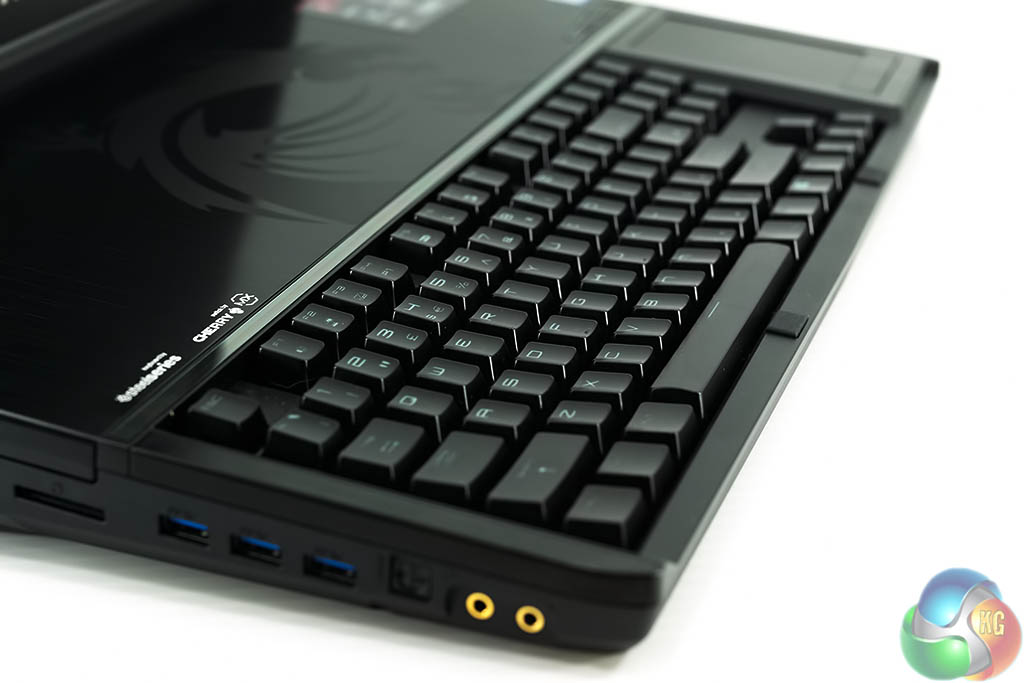
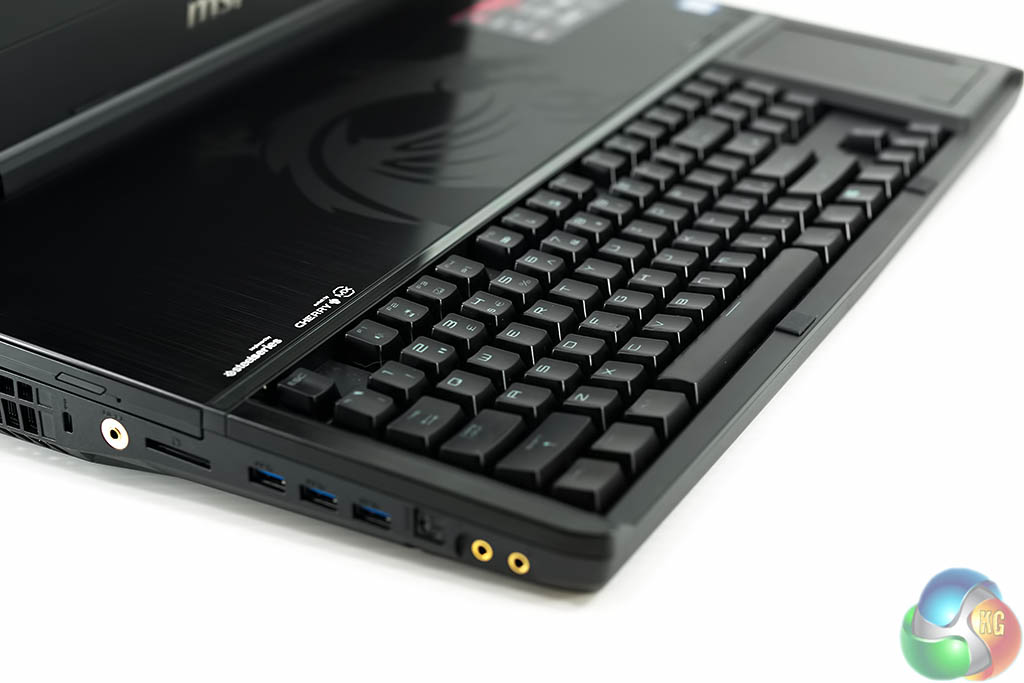
The Steelseries keyboard is fantastic and takes the mobile typing experience to a whole new level. This is the only laptop keyboard I have tested that I would be happy using daily for work duties.
The Cherry switches offer plenty of tactile feedback and after writing this review on the laptop I left very impressed with the overall experience. The big downside is that with a full mechanical keyboard being adopted by MSI, the hardware underneath is very limited, with most pushed up to the top side.
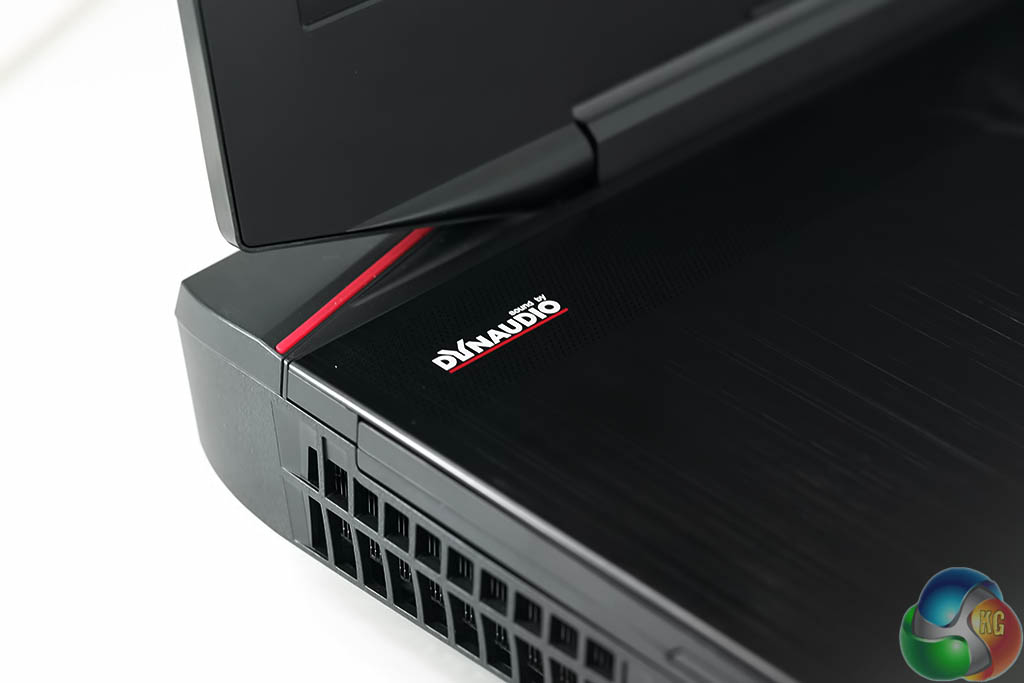
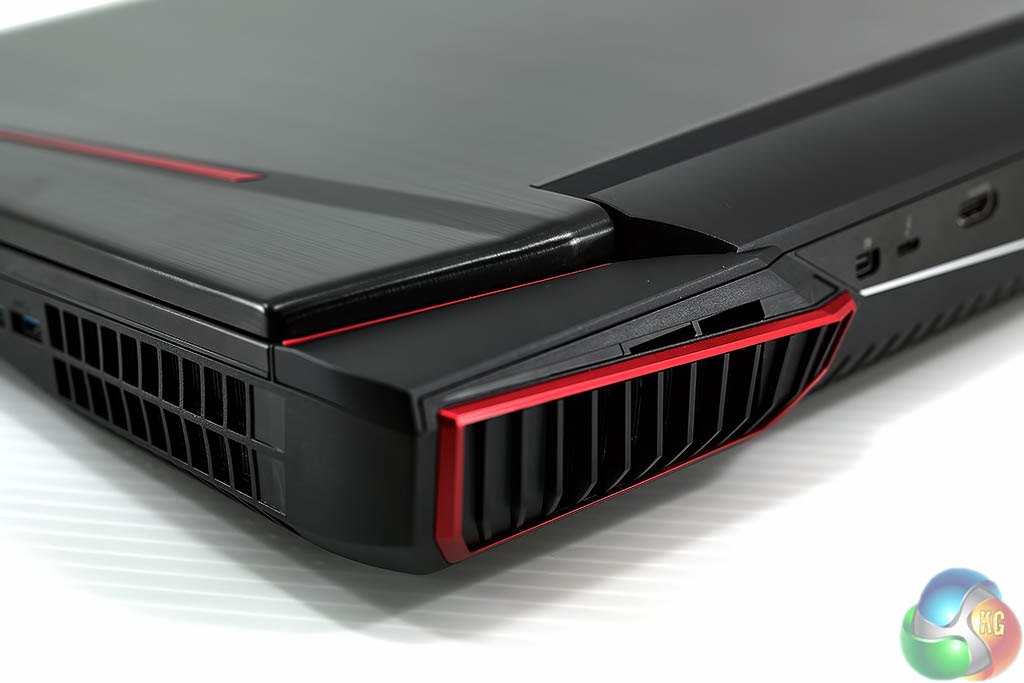
Onboard audio (courtesy of DynAudio) is superior to almost all other laptops we have tested in the last couple of years with only the Alienware M18x putting in a better showing. The MSI Titan is still only a laptop however, so bass response is limited. Headphones or external speakers are advised for serious gaming or media duties.
I reviewed the laptop using a pair of Sennheiser HD800S headphones connected via the specialised HiFi connector on the left side panel.
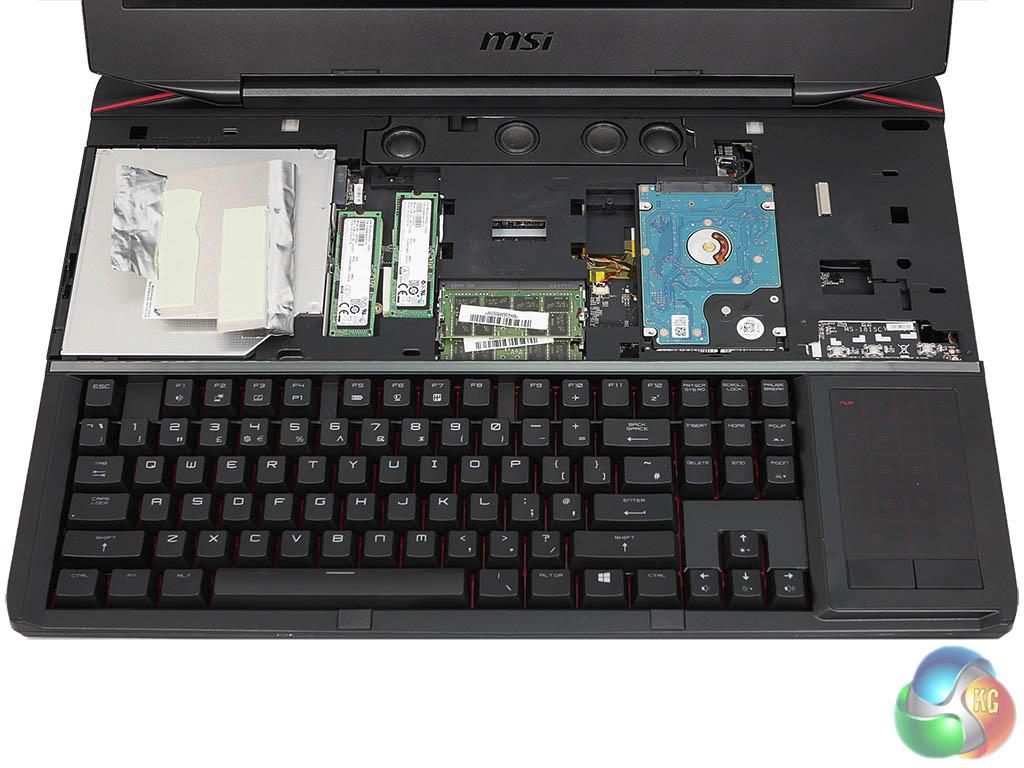
Two screws on the rear of the laptop hold the top panel in place. After the screws are removed, the panel can be pushed from left to right and then upwards and off. Underneath we get access to the optical drive and the storage drives.
The main boot drives are run in a RAID 0 configuration and are lighting quick – we test this thoroughly later in the review. Sadly the 1TB 2.5″ mechanical drive lets proceedings down by putting in a slow 100MB/s transfer rate. I did replace this with a Samsung 850 2TB SSD – just to ensure the connector was up to full SATA 3 speeds. I test this later in the review.
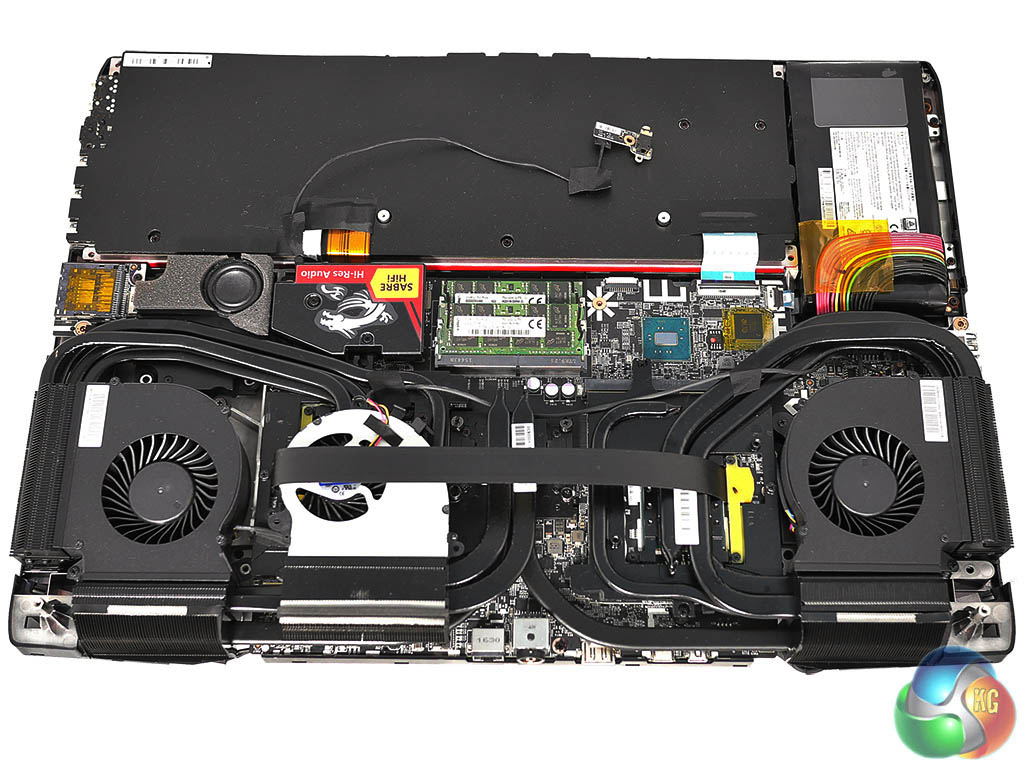
Removing the back panel is a fiddly process and we would avoid it if possible. Nonetheless, dusting out the internals once a year is always a good idea – if you have a quality air duster on hand. I bought a X3 Hurricane Canless Air System a few months ago and it is fantastic – there is never any liquid expelled from the nozzle.
MSI's default install is a little bloated – we are never pleased to see either McAfee or Norton installed on a new system; we would much rather have the option to install our own anti virus and security software.
We also noticed some performance issues with the Windows 10 ‘Defender' software after the Anniversary update was installed – it would randomly hog up to 30% CPU time. I found it problematic getting accurate CPU results with this software running at all, so we permanently disabled it using a REG file – you can read more HERE.
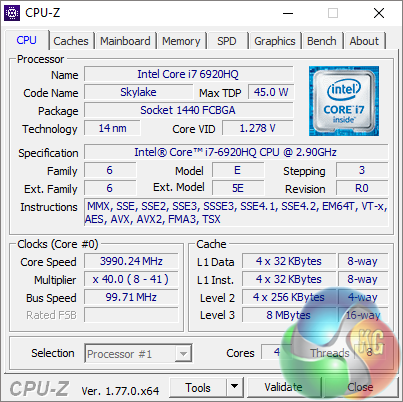
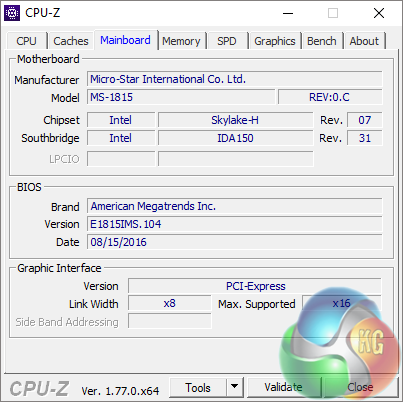
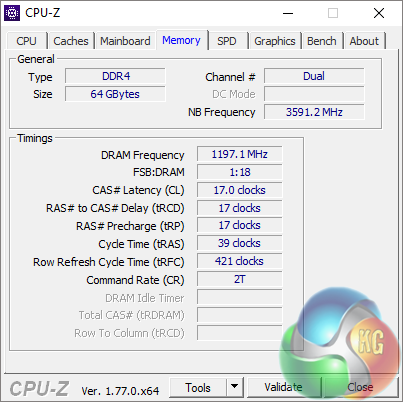
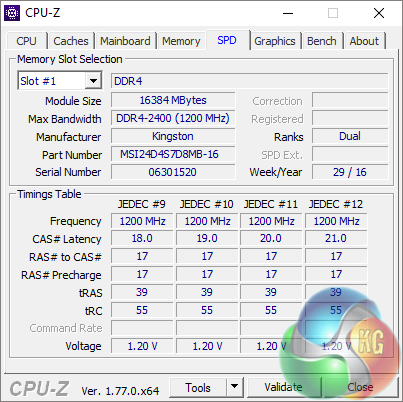
Despite CPU-Z showing a maximum multiplier of 41x, Intel XTU indicated that the system was running at the default 6920HQ CPU speeds. We did extensive testing to see if there was any situation where the laptop would use a CPU speed of greater than 3.8GHz (as indicated by CPU-Z), but as soon as a load is applied, the CPU speed behaviour is identical to that of Intel's default Turbo Boost speeds for the 6920HQ.
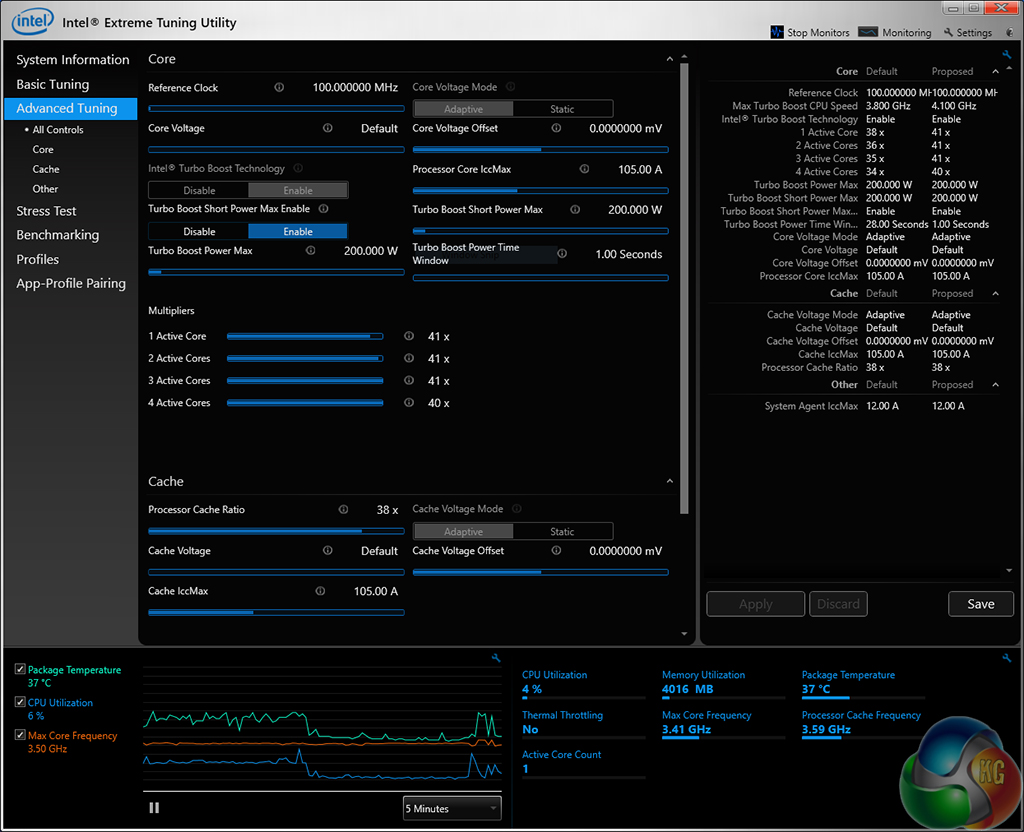
This was further validated by Intel XTU recording a maximum CPU core frequency of 3.5GHz when a 1-core Cinebench workload was applied.
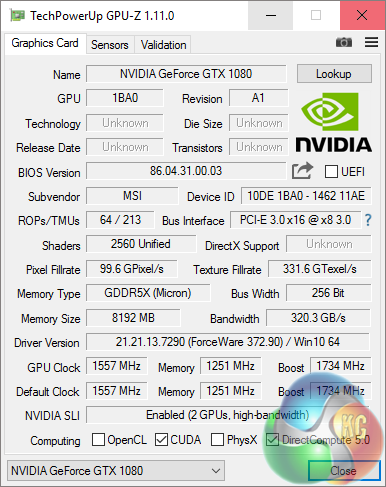
We love the fact that the latest mobile Pascal hardware doesn't need specialised mobile drivers. You can simply install the latest desktop GTX1080 driver to stay updated. We tested with Forceware driver 372.90 installed.
The laptop is equipped with the locked Core i7 6920HQ processor, one of the fastest Core i7 mobile chips in the latest Intel range. I would prefer to have the 6820HK in this system as it is unlocked and can be easily overclocked to a solid 4GHz. MSI actually include the 6820HK in their GT73VR range of laptops but not in the flagship range.
The 64GB of Kingston DDR4 memory is running at 2,400mhz with 17-17-17-39 2T timings.
Even though the MSI GT83VR 6RF is limited with the 1080p resolution panel, we hooked the laptop up to an external ASUS Ultra HD 4K monitor – to test higher resolutions. It is worth pointing out that you can also set up higher resolutions than the panel supports in the Nvidia control panel. Sometimes setting a 1440p resolution, for example, and running it via a 1080p panel looks better than a native 1080p rendering – to my eyes anyway.
If you want to try this for yourself, head to this page for step by step instructions.
Comparison Mobile Systems (for specific synthetic test comparisons):
MSI GS60 6QE (Ghost Pro 4K) (6700HQ)
Razer Blade Pro (2015) (4720HQ)
MSI GT80 Titan (i7 4980HQ)
Razer Blade 14 Inch (2015) (i7 4720HQ)
MSI GS60 Ghost Pro 3K 2QE (i7 4710HQ)
MSI GT72 2PE Dominator Pro (072UK)
MSI GS60 2PE Ghost Pro 15.6 inch (Intel i7-4700HQ).
MSI GT70 2OC (Intel Core i7 4700MQ).
MSI GS70 2OD Stealth (Intel Core i7 4700HQ).
MSI GE40-20C Dragon Eyes (Intel Core i7 4702MQ).
PCSpecialist Inferno 11.6 inch (Intel Core i7 3630QM).
MSI GX60 (AMD A10 4600M).
Lenovo ThinkPad X1 Carbon (featuring Core i5 3427U).
Lenovo ThinkPad Edge S430 (featuring Core i5 3210M).
PC Specialist Vortex III HD72 (featuring Core i7 3610QM).
Asus G74SX-91013Z (featuring Core i7 2360QM).
Dell XPS 14z (featuring Core i7 2640M).
AlienWare M18X (featuring Core i7 2960XM Extreme Edition).
MSI CX640 (featuring Core i5 2410M).
Intel Core i7 2600k desktop processor.
Intel Core i5 2500k desktop processor.
Comparison Desktop System (for some gaming tests).
Detailed specifications over HERE.
Asus GTX980 ROG Matrix Platinum (1,241 mhz core / 1,753mhz memory)
Asus R9 290 Direct CU II OC (1000 mhz core / 1,260 mhz memory)
Gigabyte GTX770 OC (1,137mhz core / 1,753 mhz memory)
Sapphire Dual X R9 285 (965 mhz core / 1,400 mhz memory)
XFX R9 280X DD (1,000 mhz core / 1,500 mhz memory)
Asus Direct CU II GTX 760 OC (1,006mhz core / 1,502mhz memory)
Asus GTX750TI Strix OC Edition (1,124mhz core / 1,350mhz memory)
Software:
3DMark 11
3DMark
Cinebench R11.5 64 bit
Cinebench R15 64 bit
FRAPS Professional
Unigine Heaven Benchmark
SiSoft Sandra
CrystalDiskMark
Steam VR Benchmark
Cyberlink MediaEspresso 6
Games:
Gears Of War 4
Grand Theft Auto 5
Hitman
Rise Of The Tomb Raider
Ashes Of The Singularity
Metro Last Light Redux
The Witcher 3: Wild Hunt
Total War: Warhammer
Deus Ex: ManKind Divided
Other Hardware:
Fluke IR Thermal Imaging Camera
Leica S Medium Format Camera with prime lens
Sennheiser HD800S Headphones (Review HERE).
Razer Mamba 16,000 dpi mouse.
All the latest BIOS updates and drivers are used during testing. We perform generally under real world conditions, meaning KitGuru tests games across five closely matched runs and then average out the results to get an accurate median figure. If we use scripted benchmarks, they are mentioned on the relevant page.
Game descriptions edited with courtesy from Wikipedia.
The latest MSI laptops have a ‘VR' suffix in their name, to signify that they offer full support for the latest Virtual Reality equipment. KitGuru has covered VR performance and hardware in great detail with previous editorials thanks to our resident VR expert Jon Martindale. You can read some of his work HERE.
We test today with the free STEAM VR Performance benchmark. Ideally we want the system to target the green slider on the right side of the chart.
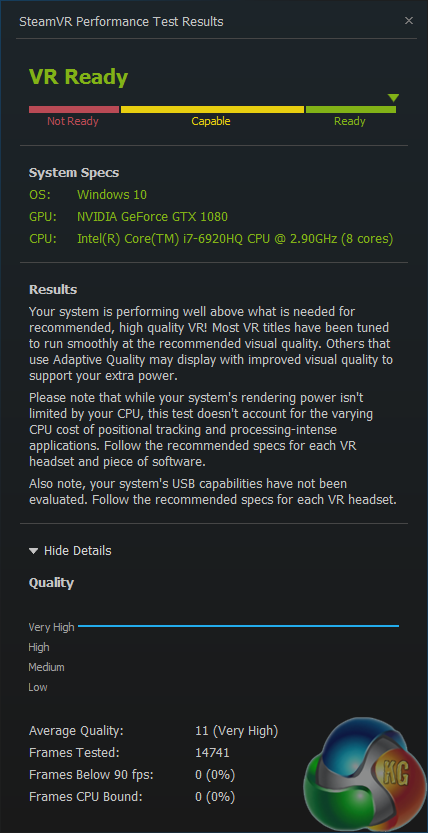
The MSI GT83VR 6RF scores 11 in this benchmark which is classed as ‘very high'. 14,741 frames were tested and not a single frame dropped below 90fps. None were CPU bound either. You really can't get any better than this. The dual GTX1080 and 6920HQ combination may be expensive, but we are already getting a good indication of the frame rate power with this first test.
SiSoftware Sandra (the System ANalyser, Diagnostic and Reporting Assistant) is an information & diagnostic utility. It should provide most of the information (including undocumented) you need to know about your hardware, software and other devices whether hardware or software.
Sandra is a (girl’s) name of Greek origin that means “defender”, “helper of mankind”. We think that’s quite fitting.
It works along the lines of other Windows utilities, however it tries to go beyond them and show you more of what’s really going on. Giving the user the ability to draw comparisons at both a high and low-level. You can get information about the CPU, chipset, video adapter, ports, printers, sound card, memory, network, Windows internals, AGP, PCI, PCI-X, PCIe (PCI Express), database, USB, USB2, 1394/Firewire, etc.
Native ports for all major operating systems are available:
- Windows XP, 2003/R2, Vista, 7, 2008/R2 (x86)
- Windows XP, 2003/R2, Vista, 7, 2008/R2 (x64)
- Windows 2003/R2, 2008/R2* (IA64)
- Windows Mobile 5.x (ARM CE 5.01)
- Windows Mobile 6.x (ARM CE 5.02)
All major technologies are supported and taken advantage of:
- SMP – Multi-Processor
- MC – Multi-Core
- SMT/HT – Hyper-Threading
- MMX, SSE, SSE2, SSE3, SSSE3, SSE 4.1, SSE 4.2, AVX, FMA – Multi-Media instructions
- GPGPU, DirectX, OpenGL – Graphics
- NUMA – Non-Uniform Memory Access
- AMD64/EM64T/x64 – 64-bit extensions to x86
- IA64 – Intel* Itanium 64-bit
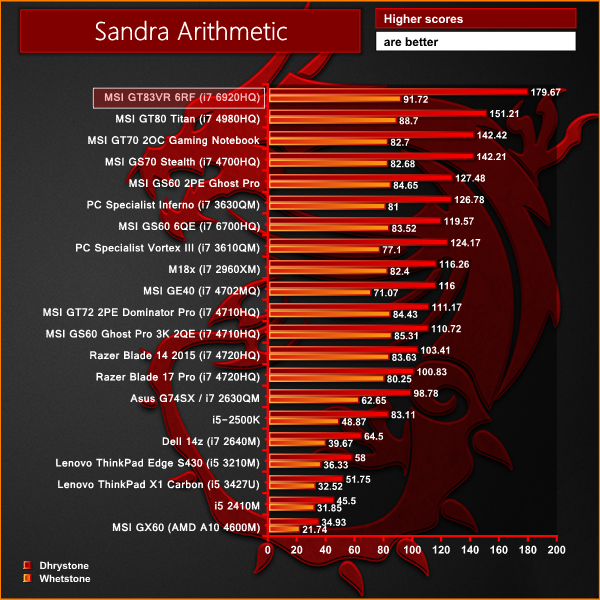
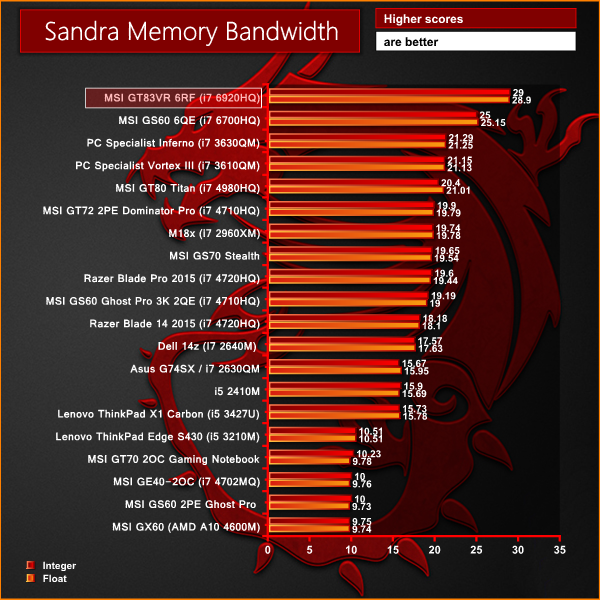
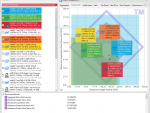
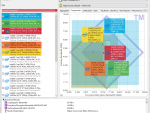
There is no doubt that the Intel 6920HQ is one of the most powerful mobile processors currently available. The 64GB of DDR4 memory runs at 2,400MHz and as such pushes through almost 30GB/s of bandwidth – a phenomenal result for a laptop system.
CINEBENCH R11.5 64 Bit is a real-world cross platform test suite that evaluates your computer’s performance capabilities. CINEBENCH is based on MAXON’s award-winning animation software CINEMA 4D, which is used extensively by studios and production houses worldwide for 3D content creation. MAXON software has been used in blockbuster movies such as Spider-Man, Star Wars, The Chronicles of Narnia and many more. CINEBENCH is the perfect tool to compare CPU and graphics performance across various systems and platforms (Windows and Mac OS X). And best of all: It’s completely free.
As we explained earlier in the review, we had to disable the latest version of Windows Defender with a registry edit as it was often demanding between 5-20% CPU time, indicated by the fans in the GT83VR 6RF spinning up and down.
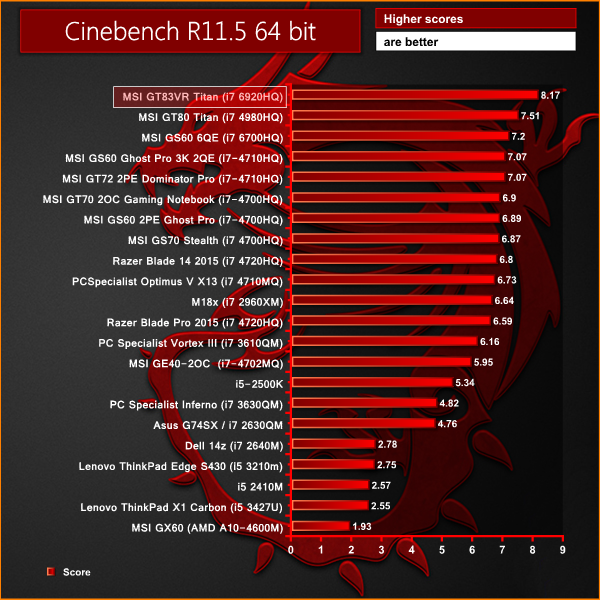
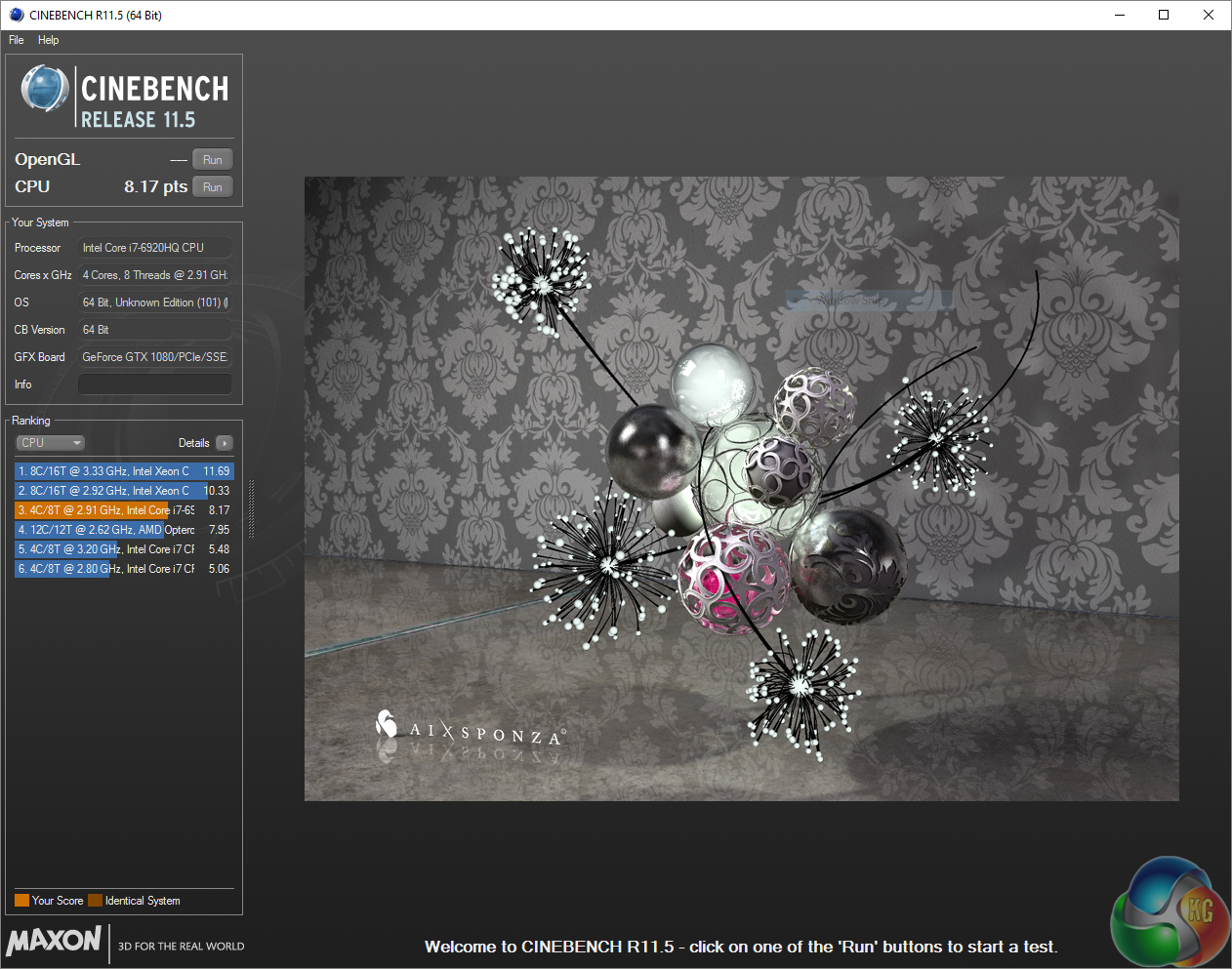
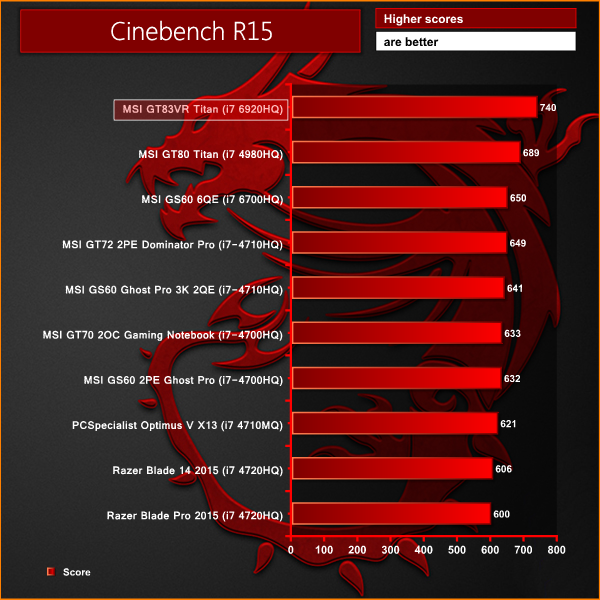
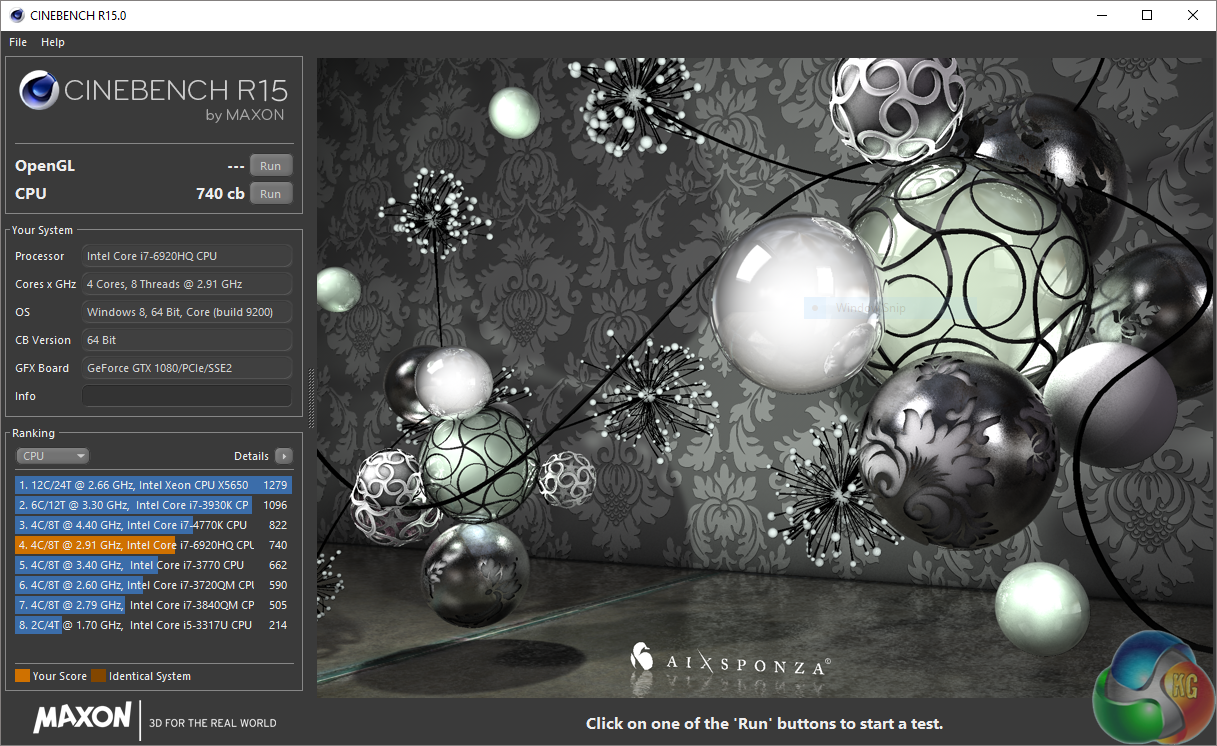
The Intel Core i7 6920HQ produces class leading performance, topping the chart. The only mobile processor I have tested which is faster is the 6820HK overclocked to 4GHz+, although I cannot include it in the graph above, as my experience with the 6820HK is related to a system review we have not yet published.
3DMark 11 is designed for testing DirectX 11 hardware running on Windows 7 and Windows Vista the benchmark includes six all new benchmark tests that make extensive use of all the new features in DirectX 11 including tessellation, compute shaders and multi-threading.
After running the tests 3DMark gives your system a score with larger numbers indicating better performance. Trusted by gamers worldwide to give accurate and unbiased results, 3DMark 11 is the best way to test DirectX 11 under game-like loads.
If you want to learn more about this benchmark, or to buy it yourself, head over to this page.
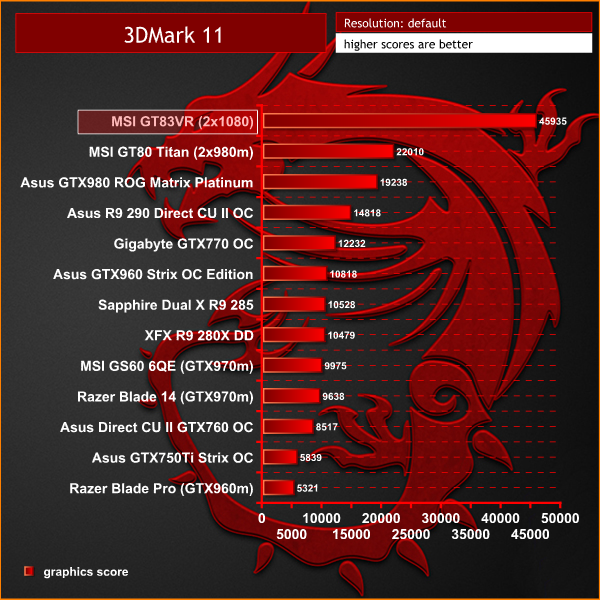
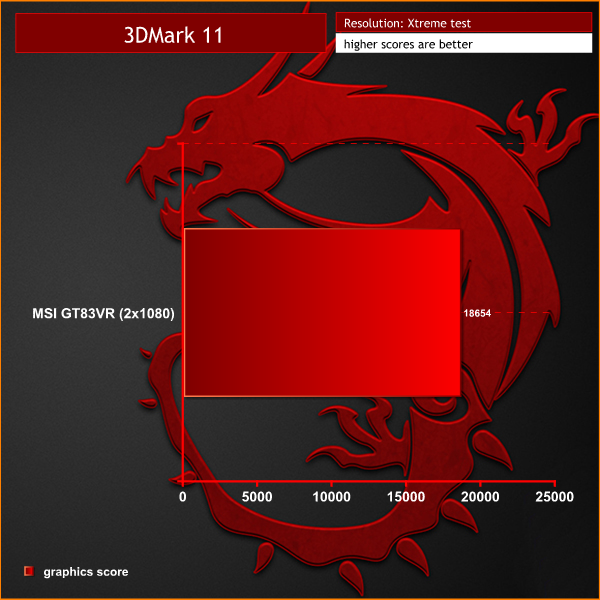
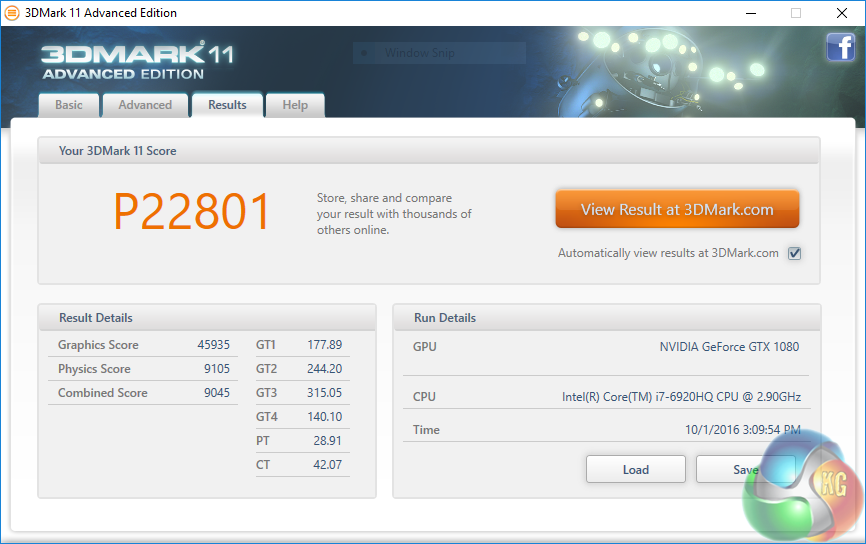
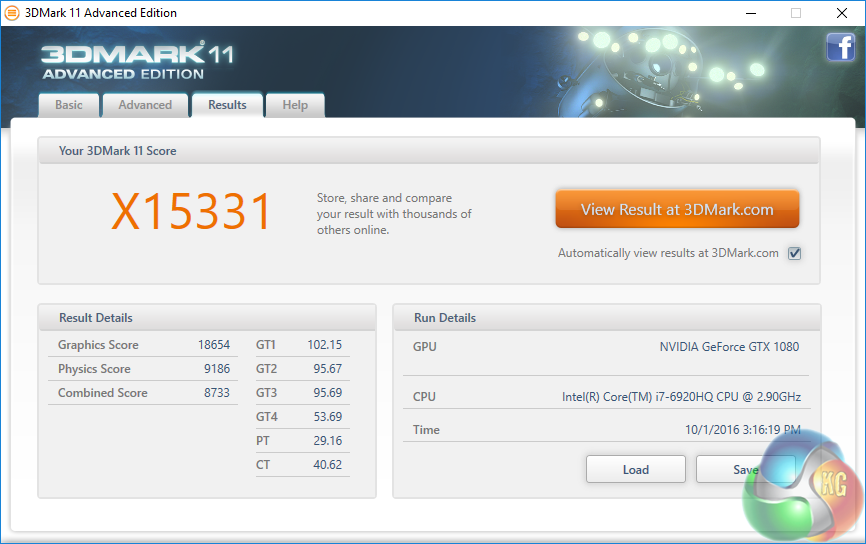
There is no denying that the MSI GT83VR 6RF is a graphics powerhouse. The score literally blows away the previous models with a GPU score of almost 46,000 points.
3DMark is an essential tool used by millions of gamers, hundreds of hardware review sites and many of the world’s leading manufacturers to measure PC gaming performance.Futuremark say “Use it to test your PC’s limits and measure the impact of overclocking and tweaking your system. Search our massive results database and see how your PC compares or just admire the graphics and wonder why all PC games don’t look this good.To get more out of your PC, put 3DMark in your PC.”
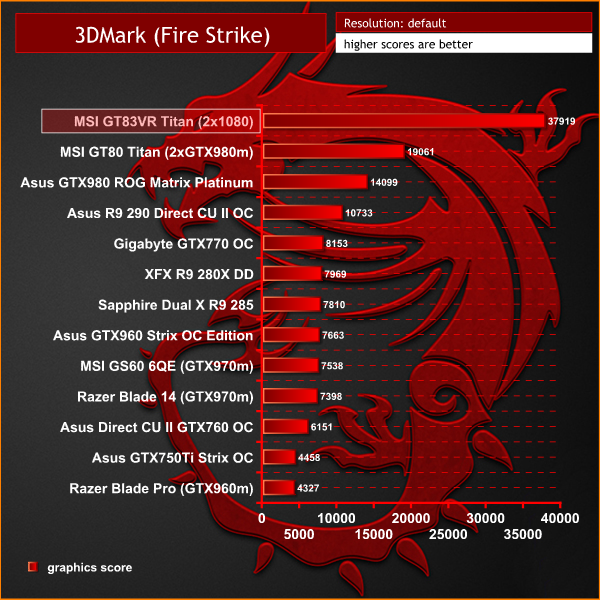
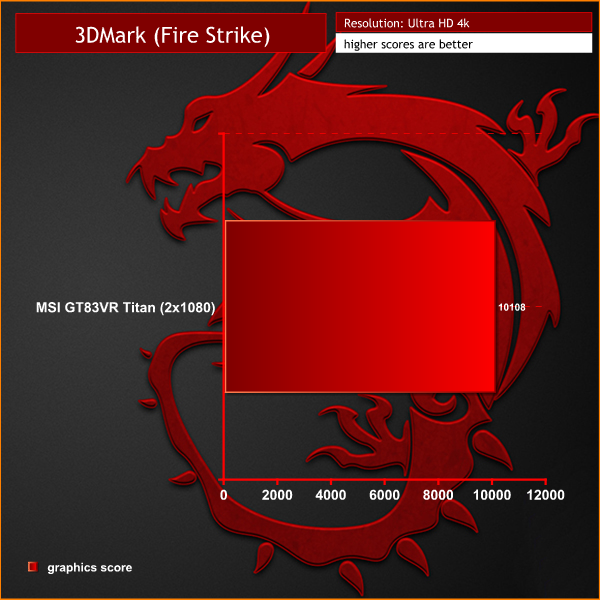
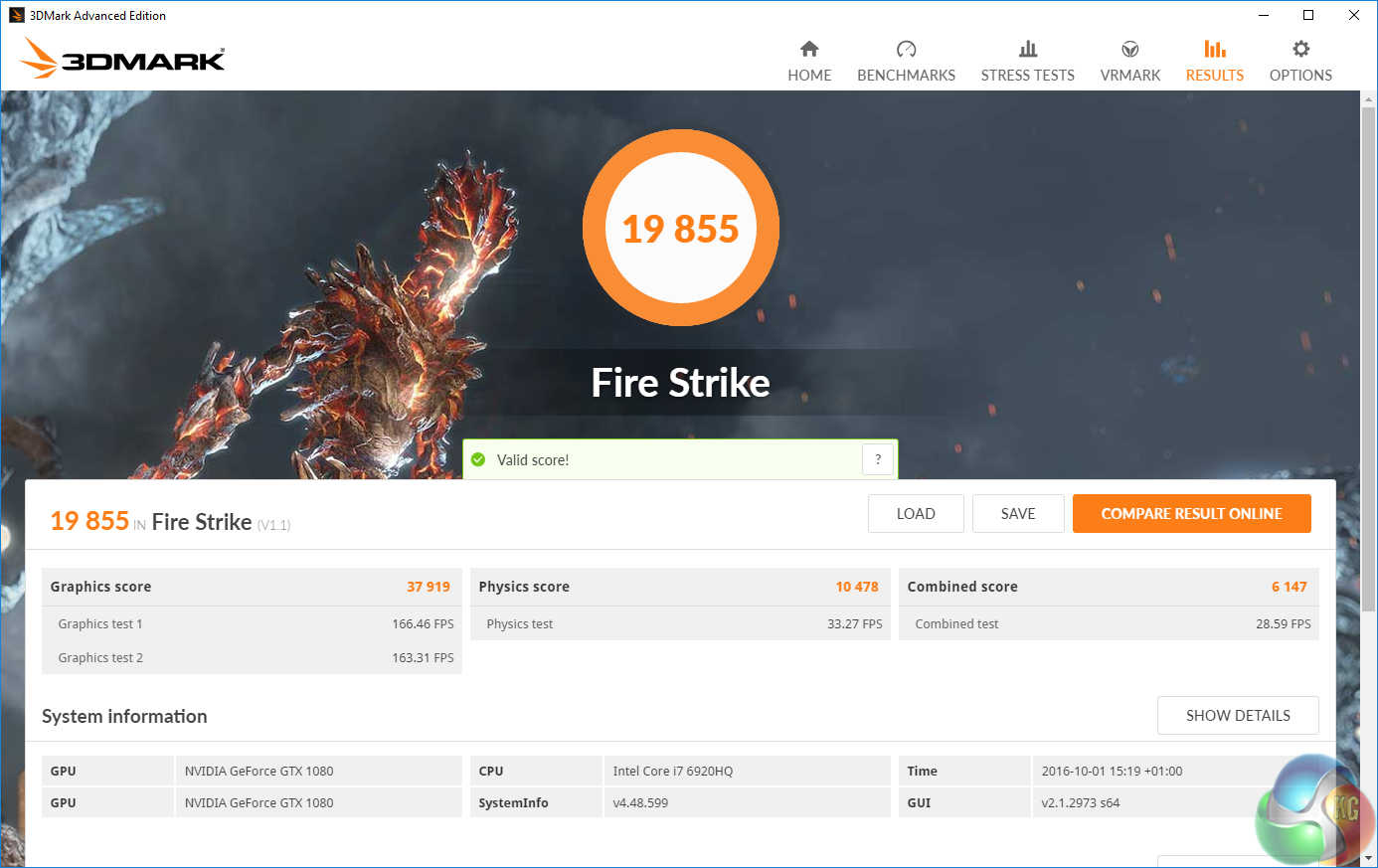
Incredible levels of performance from the dual GTX 1080s – outperforming every other system I have tested to date.
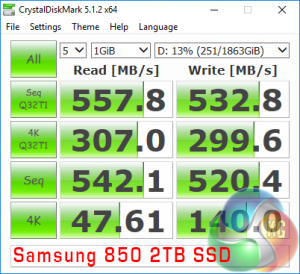
On this page we test the onboard Raid 0 Solid State Drives. The 1TB mechanical hard drive is quite slow – measuring around 100MB/s. I wanted to ensure that the SATA connector was capable of handling a fast SATA 6Gbps SSD so we swapped it out for a 2TB Samsung 850 drive – an ideal size for STEAM games and storage purposes.
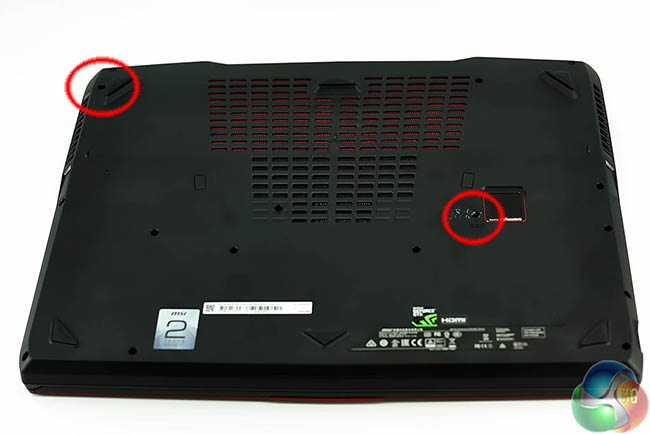
Getting access to the hard drives is easy. Simply remove two screws on the underside of the laptop and slide the face plate above the keyboard to the right, then upwards and off.
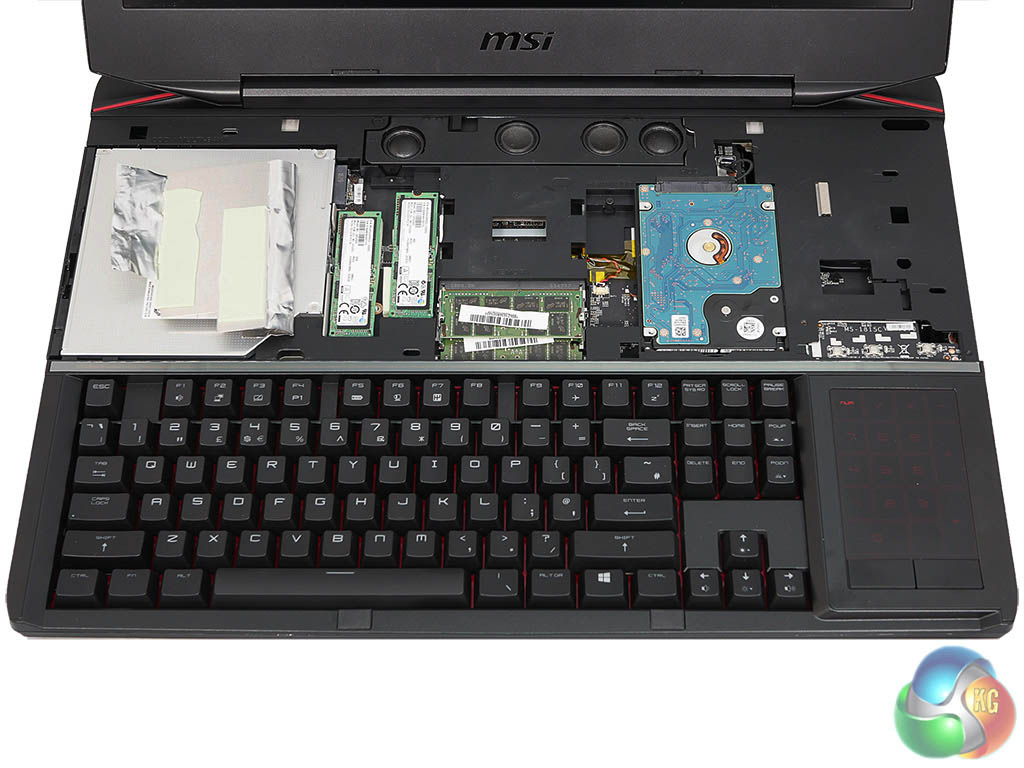
You need to be careful not to blindly pull this cover as the little plastic holding clips are easy to damage.
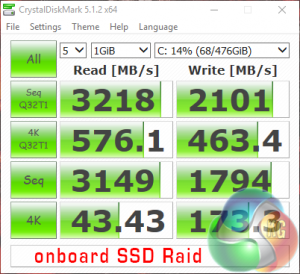
The Raid system is lighting quick, measuring around 3GBps in the sequential read test. After we disable the user login requirements, Windows 10 boots up to the desktop in a matter of 12 or so seconds.
After we removed the slow 2.5 inch mechanical drive we could see that the 2TB Samsung 850 drive was able to saturate the SATA 6Gbps bus.
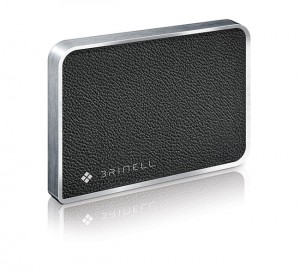
To test USB 3.0 performance we need a drive that is capable of completely saturating the bus. Until recently we used the Corsair Voyager GTX drive, one of the fastest pen drives on the market. We have recently switched to using a 500GB Brinell Drive, available on Amazon for around £225 inc vat. Inside is a 500GB SAMSUNG EVO 840 SSD, a product all our readers are familiar with.
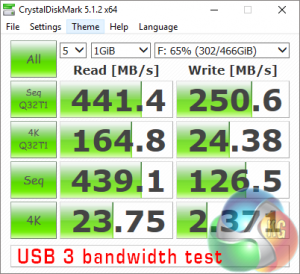
Performance is decent although we noticed that the write performance seemed lower than expected. We tested with multiple USB 3 ports and got similar results. That said, these are far from bad, just a little short of the best results we have seen this year.
The Gears Of War 4 game's plot is set 25 years after Gears of War 3 and focuses on JD Fenix, the son of Marcus Fenix. Gears of War is a third-person shooter game, with its core concepts being derived from Resident Evil 4‘s “over the shoulder” perspective, Kill Switch‘s cover system, and Bionic Commando‘s swinging action akin to moving between points of cover. (Wikipedia).
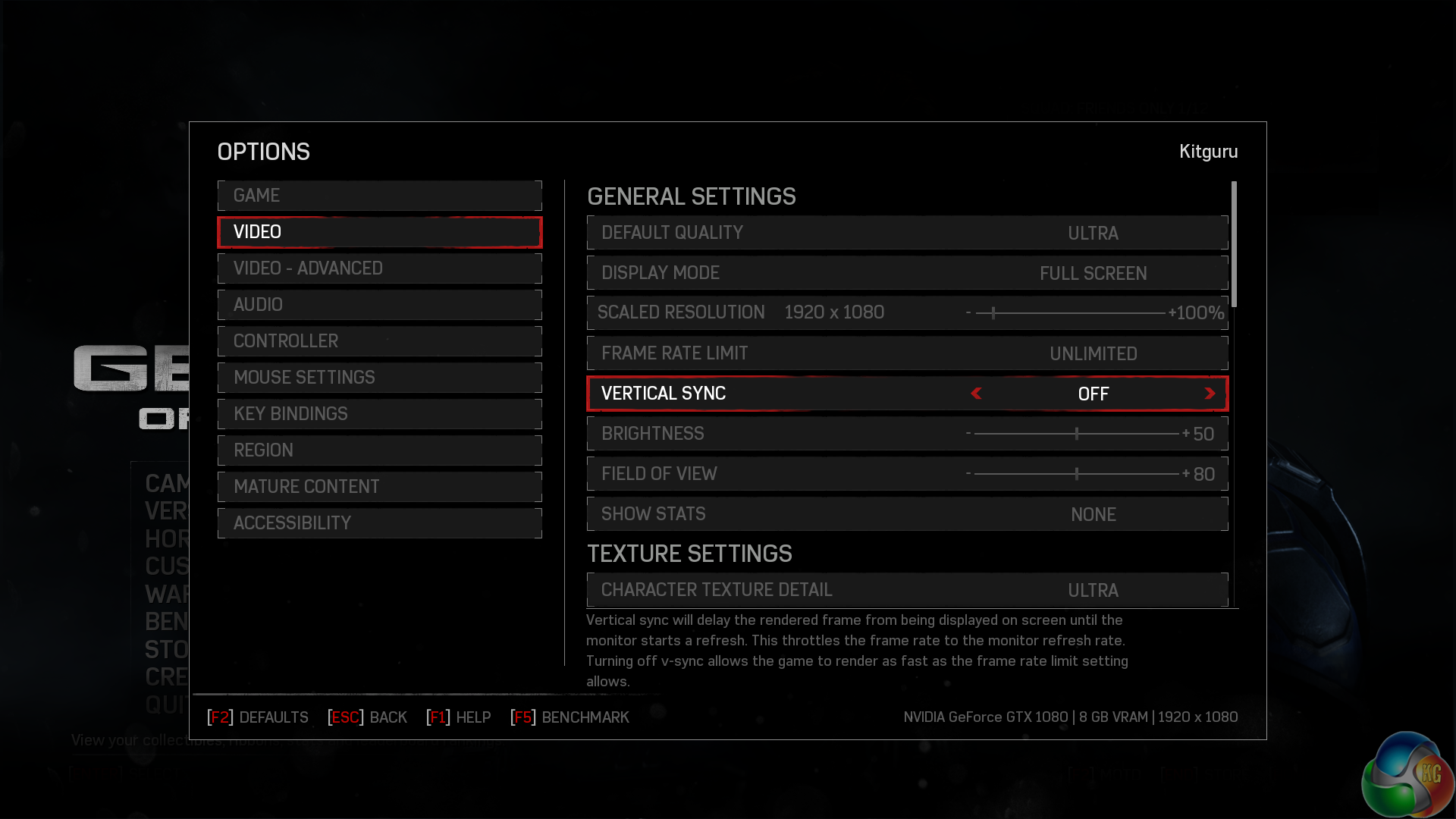
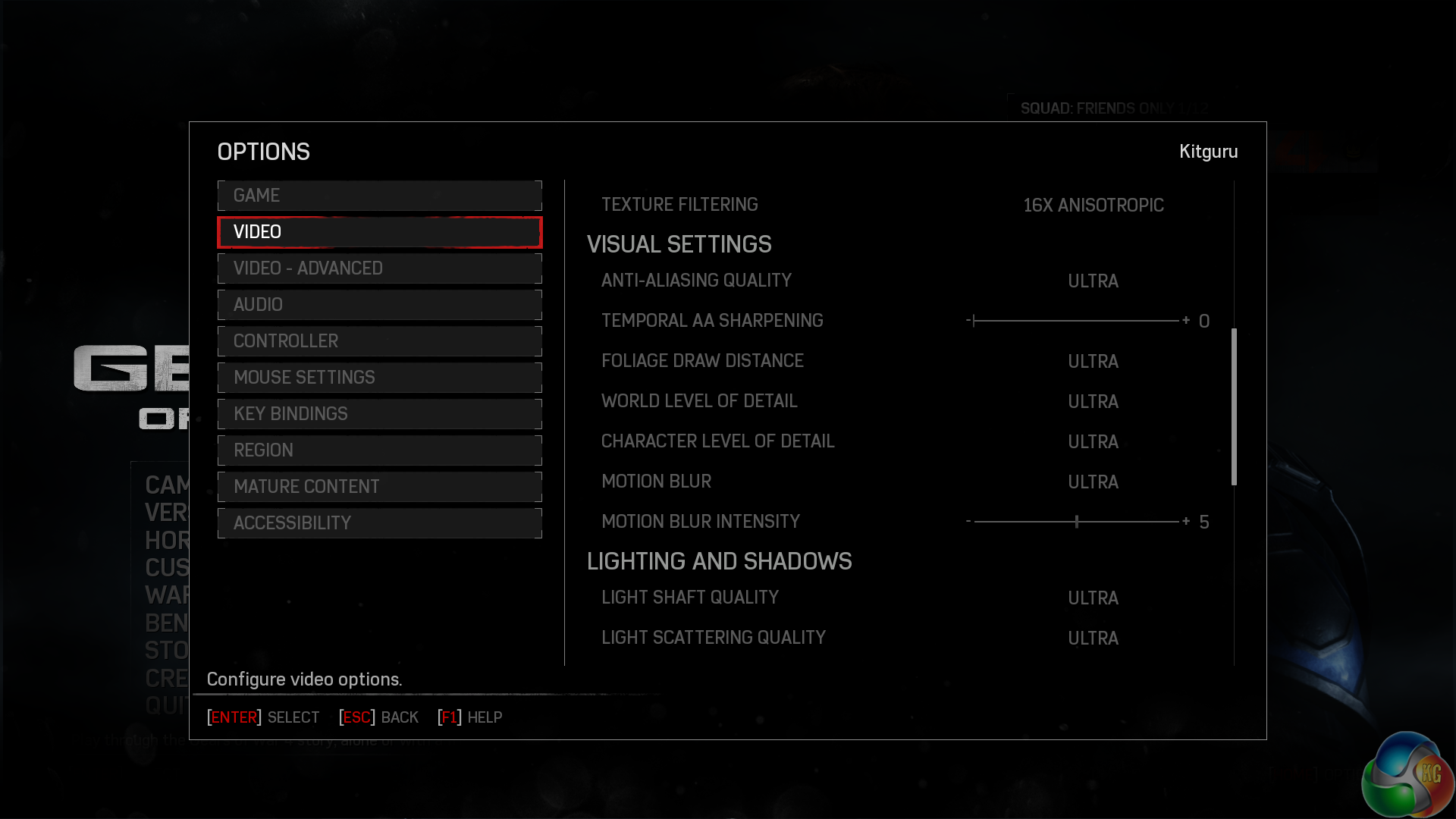
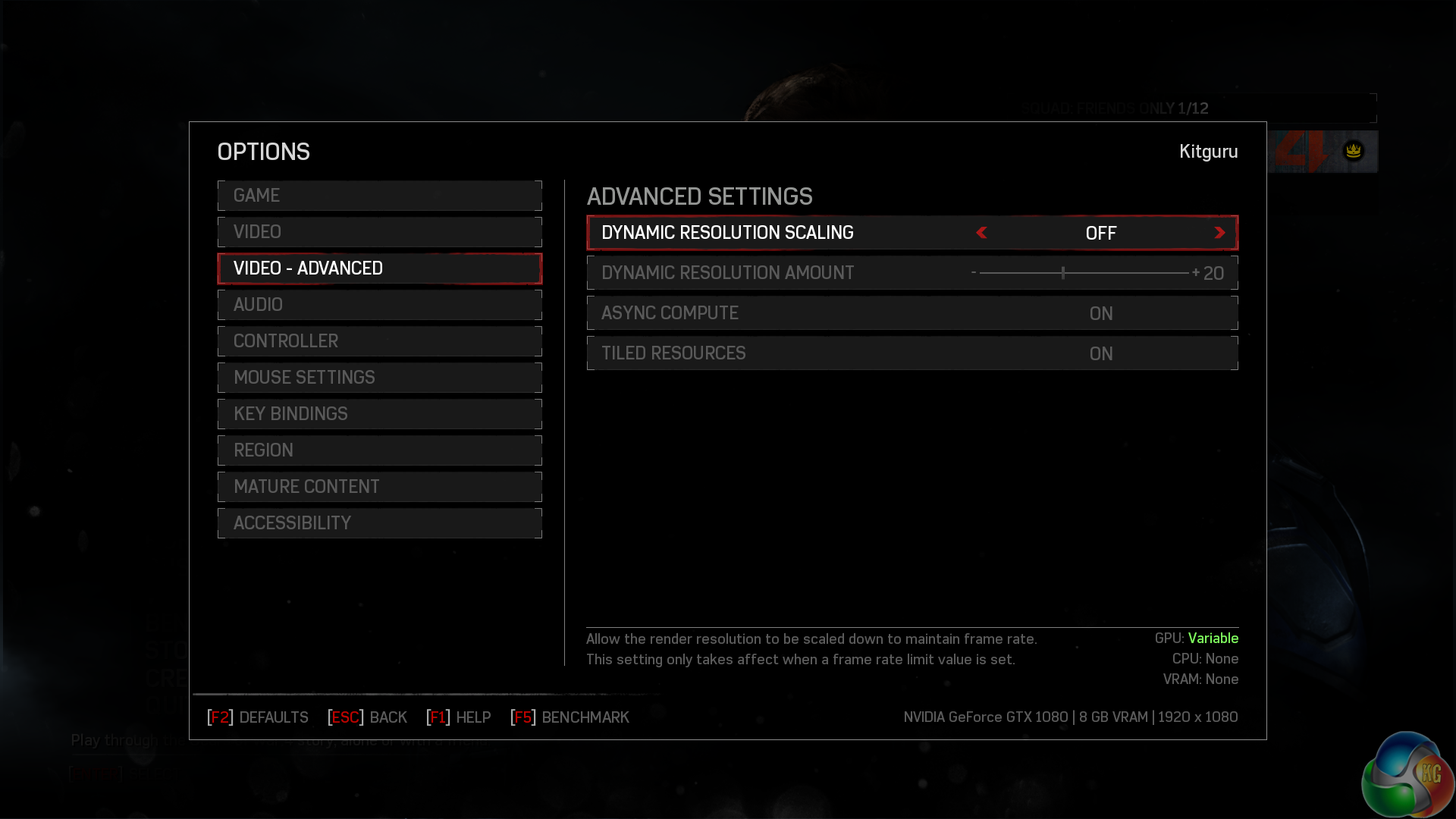
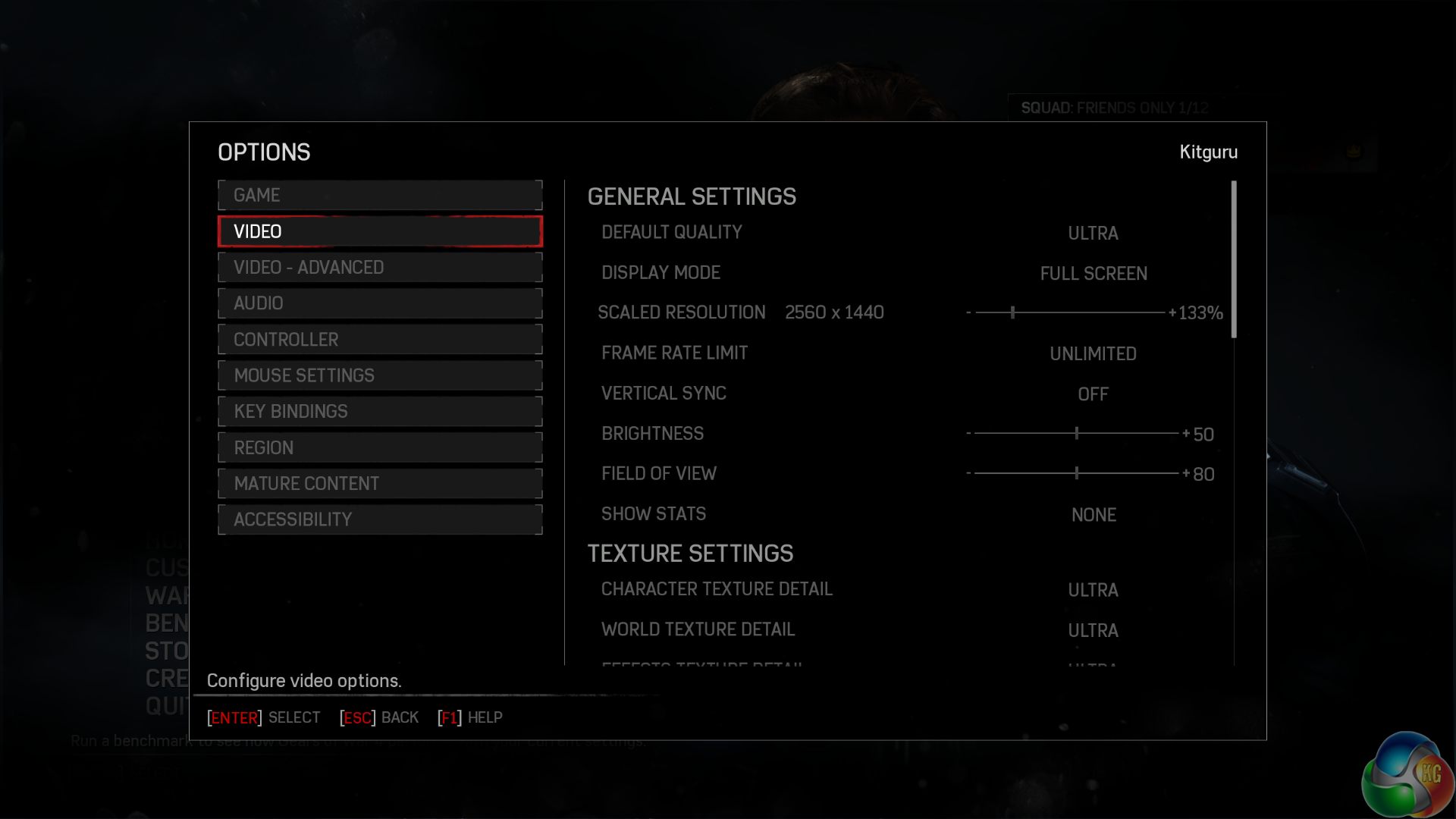
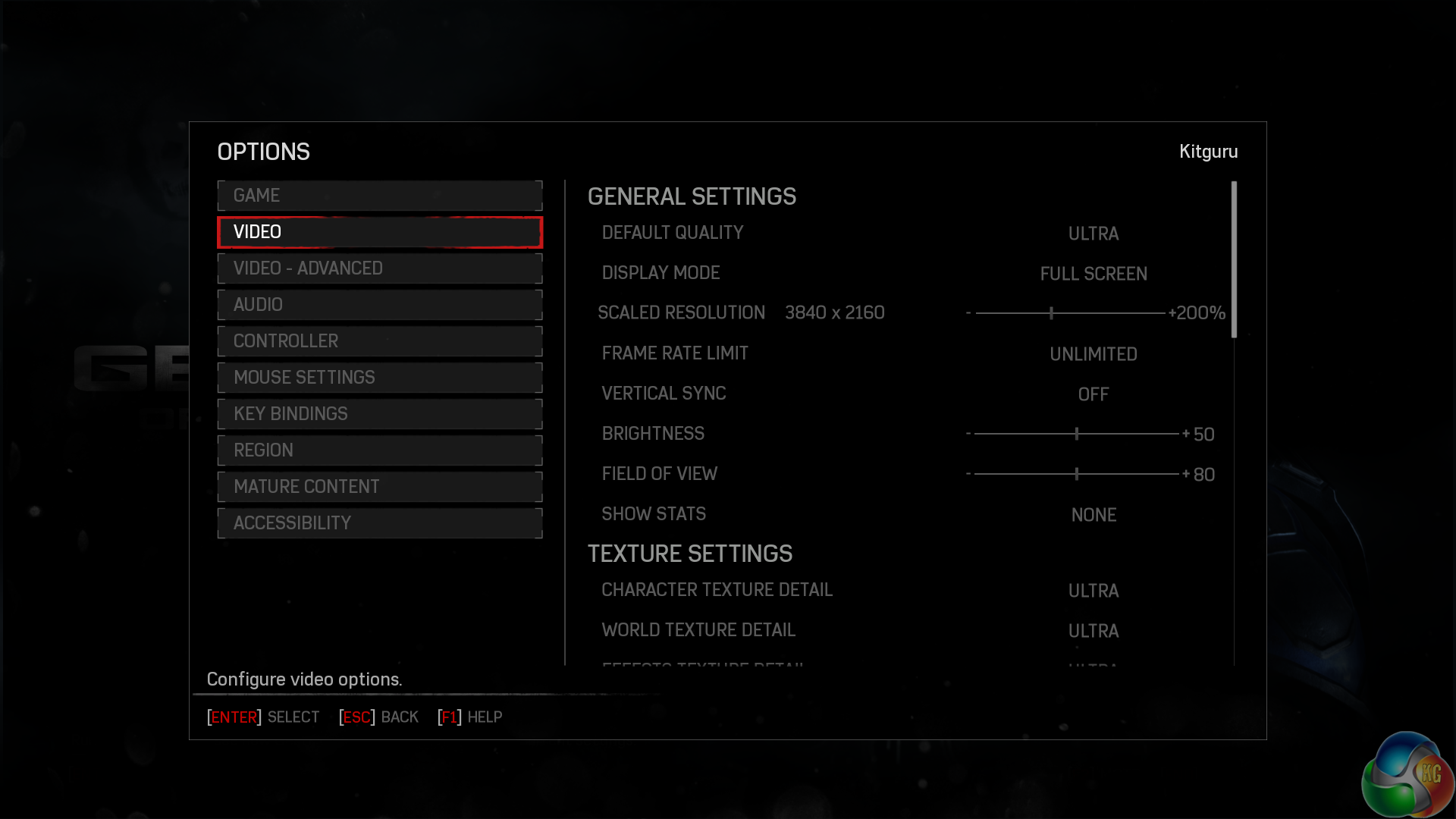
Above are the settings we used to test Gears Of War 4. These settings are basically maximised for image quality. It is important to point out that when we tested this game there was no SLI profile and running with SLI enabled would cause a minor performance hit. We therefore disabled SLI to test.
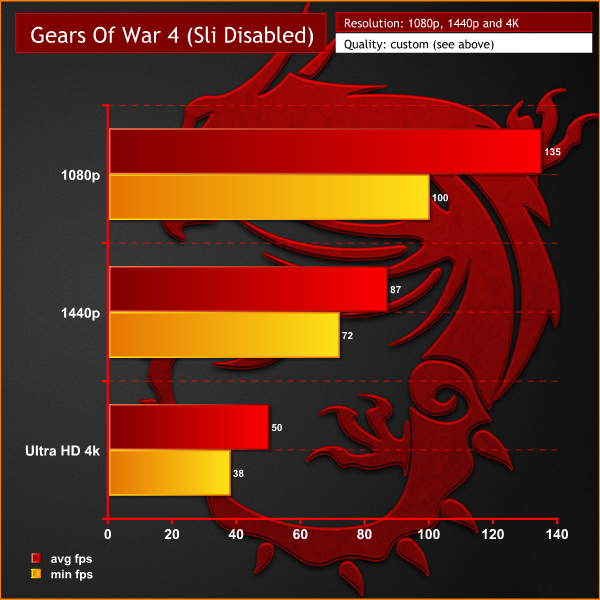
These results are very good, although we hope that SLI support is fixed in the coming weeks. With a single GTX 1080 in operation 4K performance is what we would consider borderline playable. With both GTX 1080's in action we are likely to see a solid 60fps+ at a 4K resolution – exactly why you spend all this money on a laptop with two GPUs.
I found running at 1440p and downscaling to 1080p improved the graphics quality a little, while maintaining an excellent frame rate.
Grand Theft Auto V is played from either a third-person or first-person view and its world is navigated on foot or by vehicle. Players control the three lead protagonists throughout the single-player mode, switching between them both during and outside of missions. The story is centred on the heist sequences, and many of the missions involve shooting and driving gameplay. Players who commit crimes may incite a response from law enforcement agencies, measured by a “wanted” system that governs the aggression of their response. (Wikipedia).
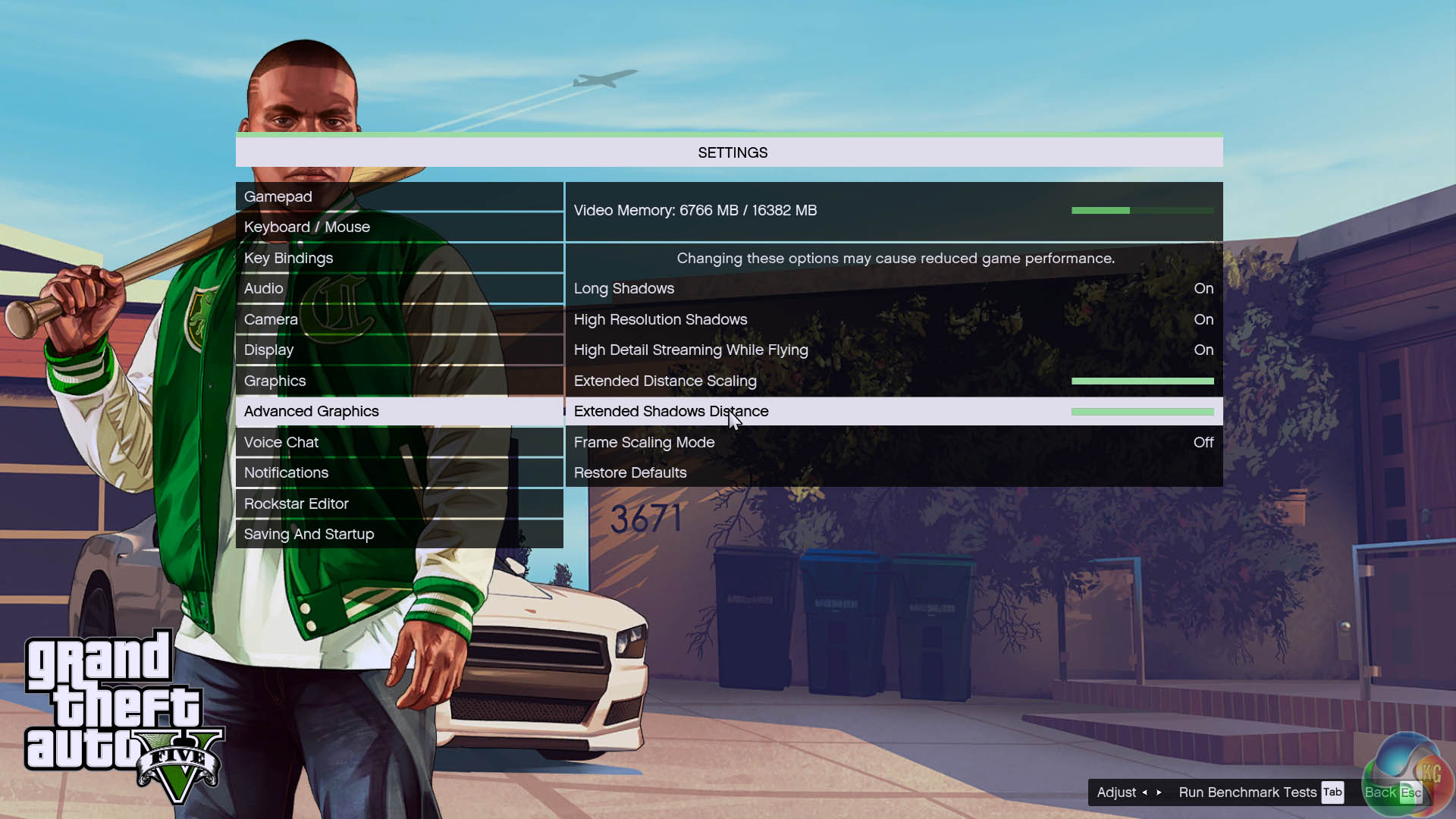
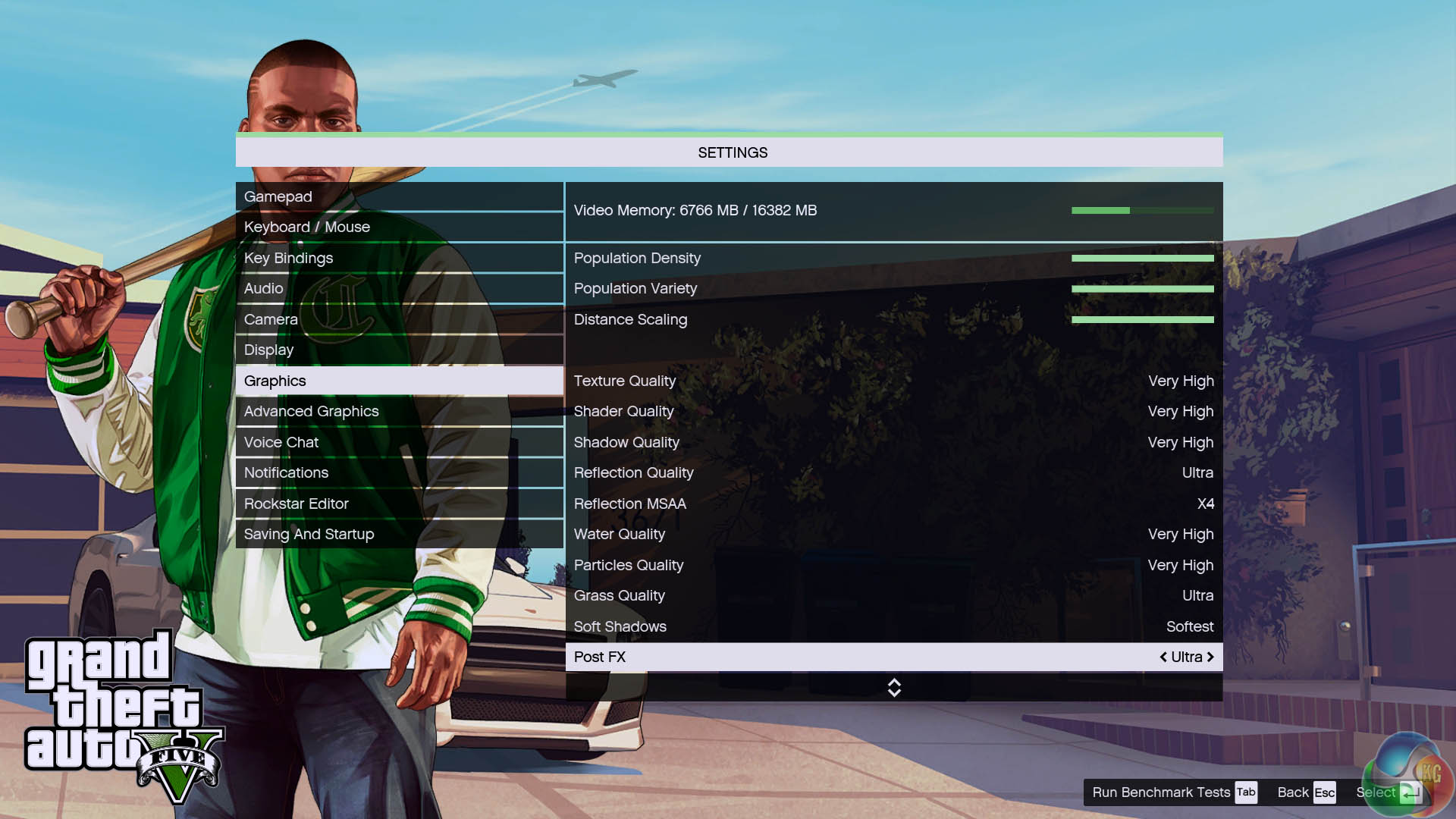
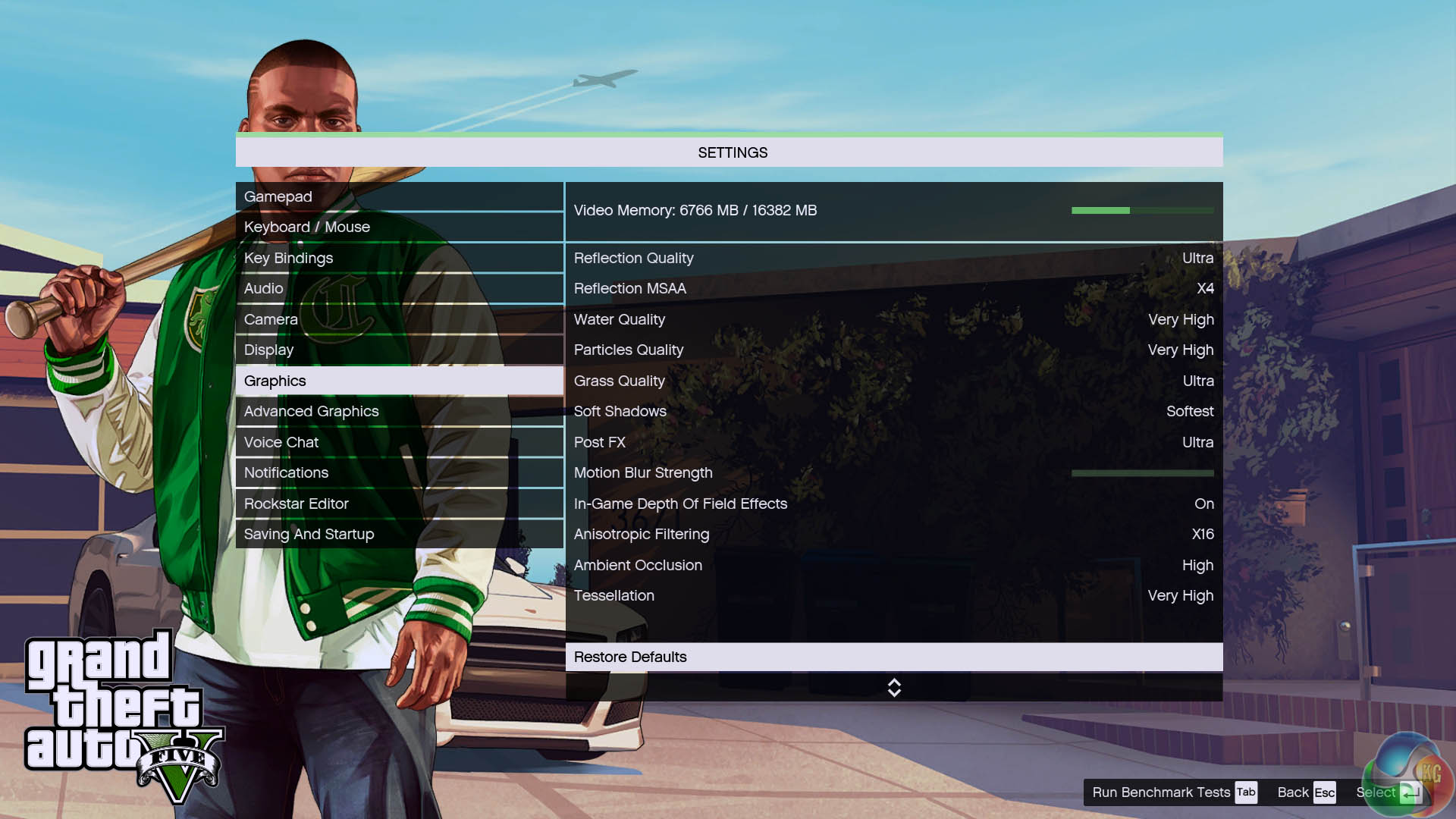
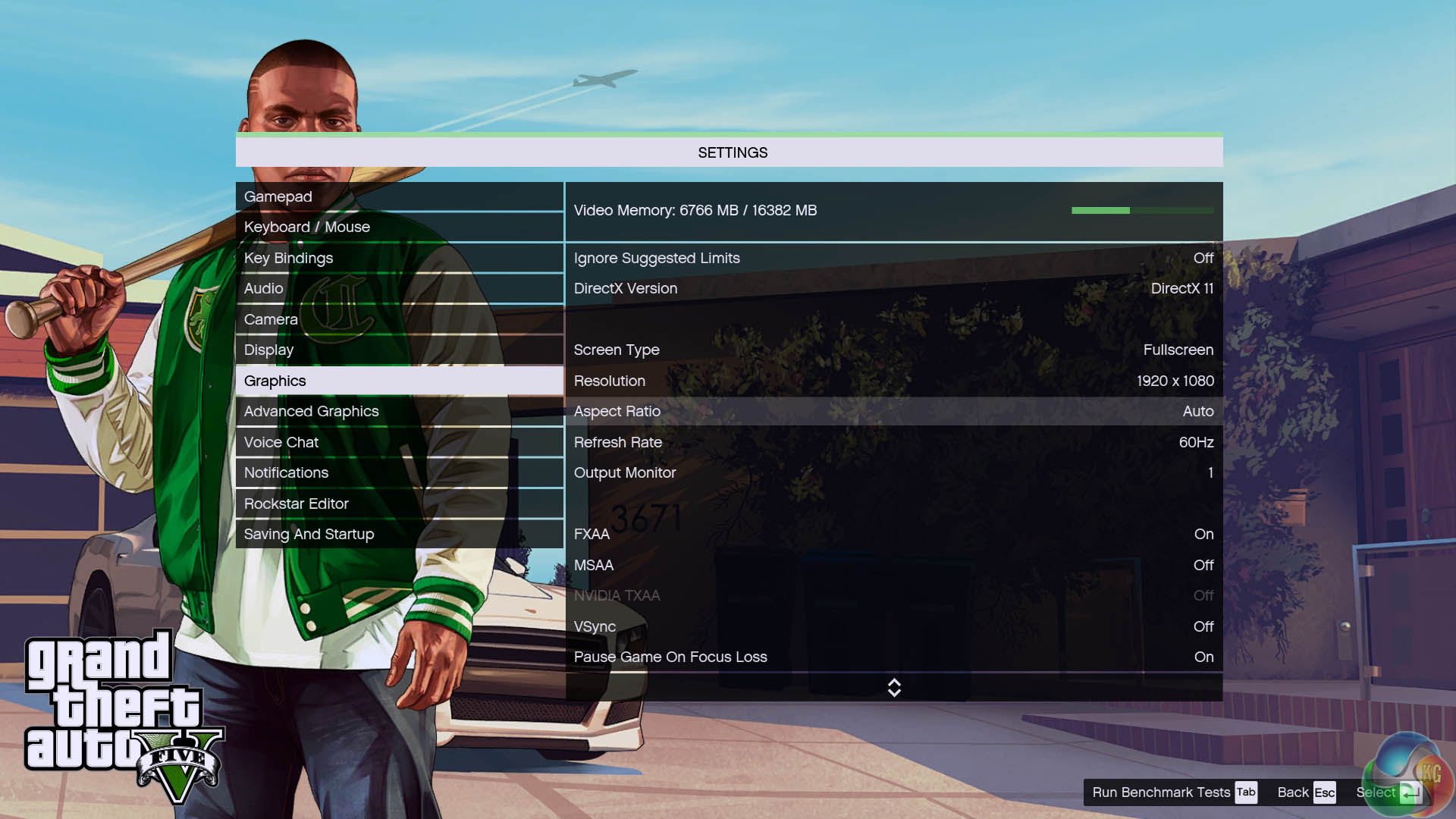
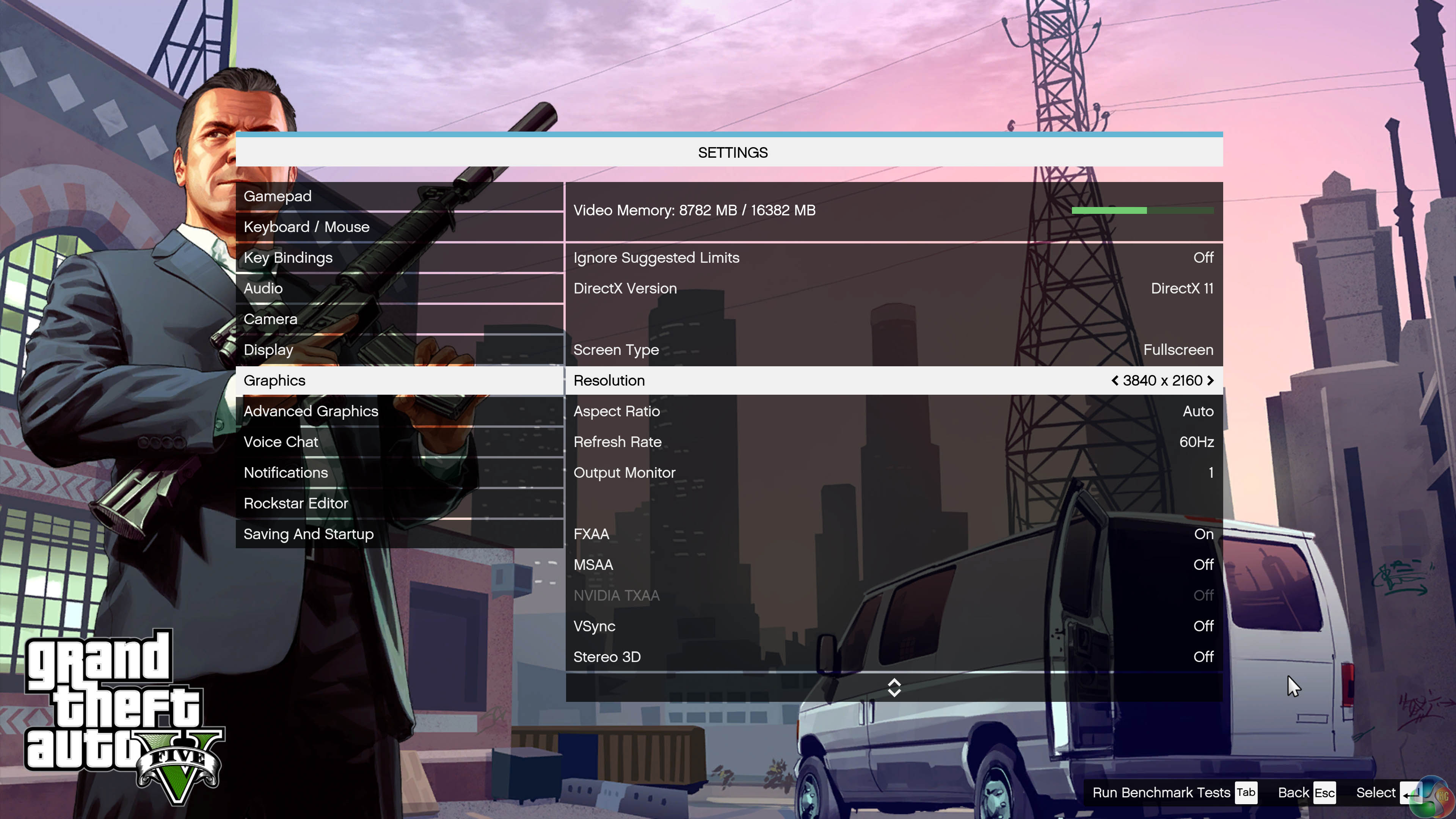
We test Grand Theft Auto 5 at maximum image quality settings, with MSAA disabled.
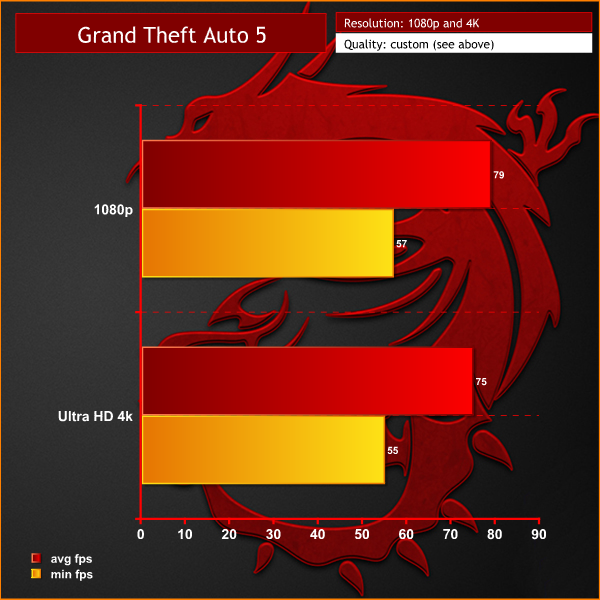
When playing GTA5 at 1080p on the MSI GT83VR 6RF – the results are a victim of CPU limiting. The processor simply cannot keep up and is running flat out at 100%. The average frame rate of 79 is not that impressive for a 1080p resolution. When running at Ultra HD 4k however, the graphics cards are able to deliver class leading performance and the system averages 75 frames per second.
Unfortunately as MSI haven't equipped this machine with a 4K panel the only option is to use an external 4k monitor or set up a 4K resolution within the Nvidia driver panel and let the system downsample to 1080p. You can try this yourself, follow these step by step instructions over HERE.
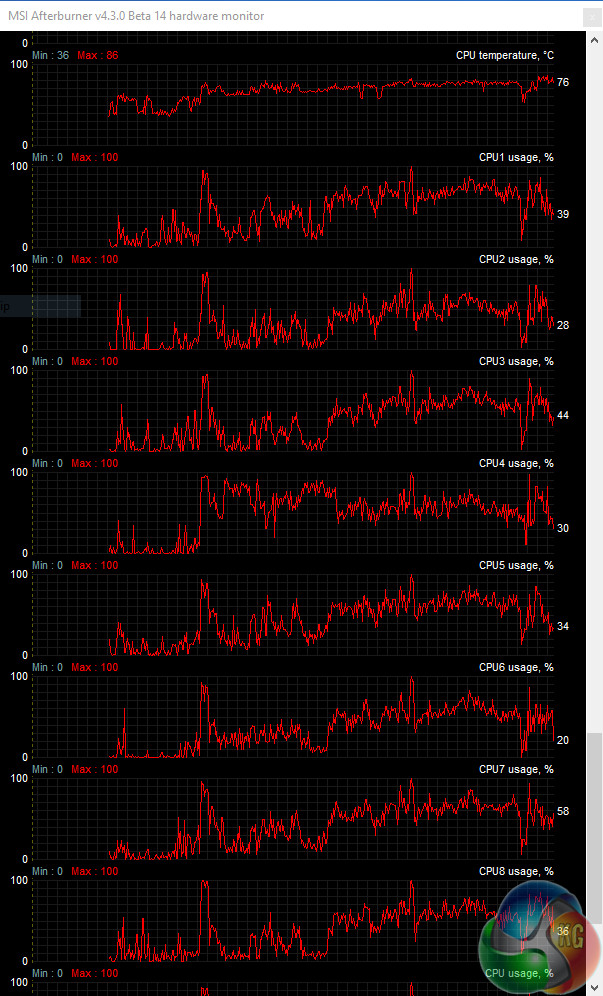
Ed.: We wanted to include a screenshot showing CPU usage throughout the GTA V benchmark run in order to highlight the case for CPU-limited performance. While the CPU usage chart may not show the threads pinned at 100% for the entire time, that is not always the case with CPU-induced bottlenecking in GTA V. Experiments with desktop CPUs in our lab have shown that GTA V can create a situation where the graphics subsystem is bottlenecked without the system exploiting full CPU performance.
While it is incredibly difficult to pinpoint exactly why this is, there are a number of logical suggestions. Hyper-Threading could be a factor. GTA V uses a very well-built game engine that we have observed balancing CPU work over around 10-12 CPU threads (using a 12-thread Core i7-5820K). This creates a situation where Hyper-Threading is used heavily, but there are also some examples of the virtual threads leading to slightly reduced GTA V performance (which is possibly related to the physical hardware being unable to feed data to the additional virtual threads as fast as it could more simply pass through data to a physical core).
Memory speed is another factor, as GTA V can show measurable performance increases by using faster RAM. While the frame rate up-tick for using faster RAM may be minor, when GPU performance is in excess, memory performance can become a more important metric. 2400MHz memory speed is, however, a limitation of the mobile chipset that MSI uses and the laptop vendor has no ability to change that.
Hitman (2016) is a third-person stealth video game in which players take control of Agent 47, a genetically enhanced, superhuman assassin, travelling to international locations and eliminating contracted targets. As in other games in the Hitman series, players are given a large amount of room for creativity in approaching their assassinations. The game is being released in stages, which hasn’t proved too popular with a large audience.
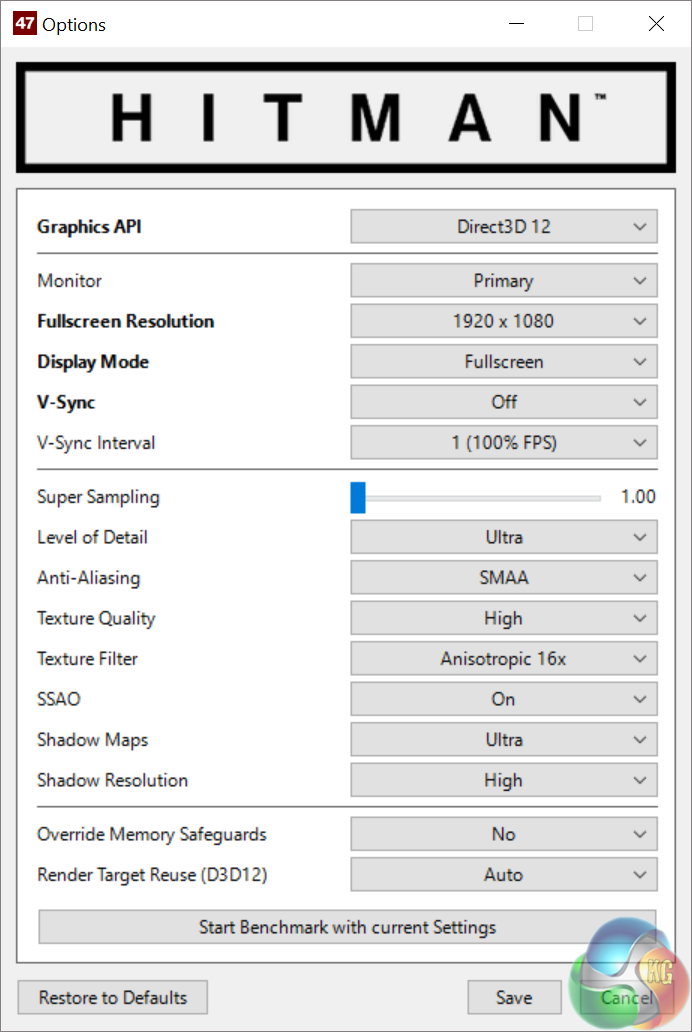
We test with many of the settings maximised – see the image above. We test in Direct X 12 mode.
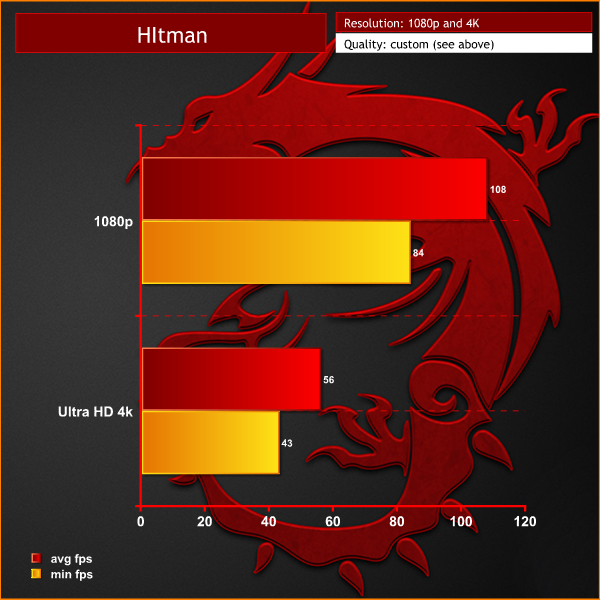
Performance is very strong at 1080p, averaging almost 110 frames per second. This drops to close to 60 frames per second at a 4K resolution.
Rise of the Tomb Raider is a third-person action-adventure game that features similar gameplay found in 2013’s Tomb Raider. Players control Lara Croft through various environments, battling enemies, and completing puzzle platforming sections, while using improvised weapons and gadgets in order to progress through the story. It uses a Direct X 12 capable engine.
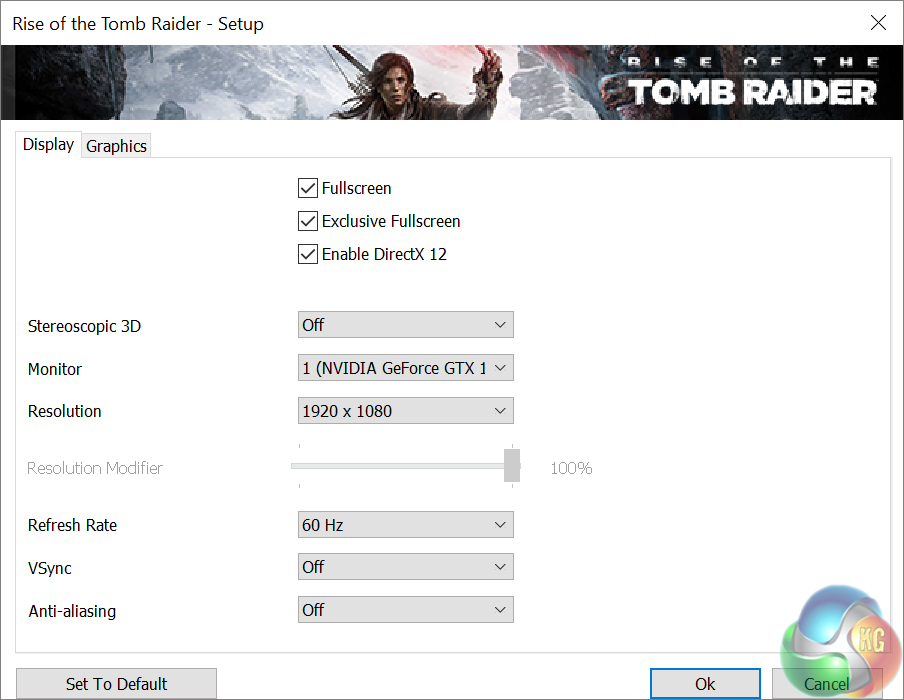
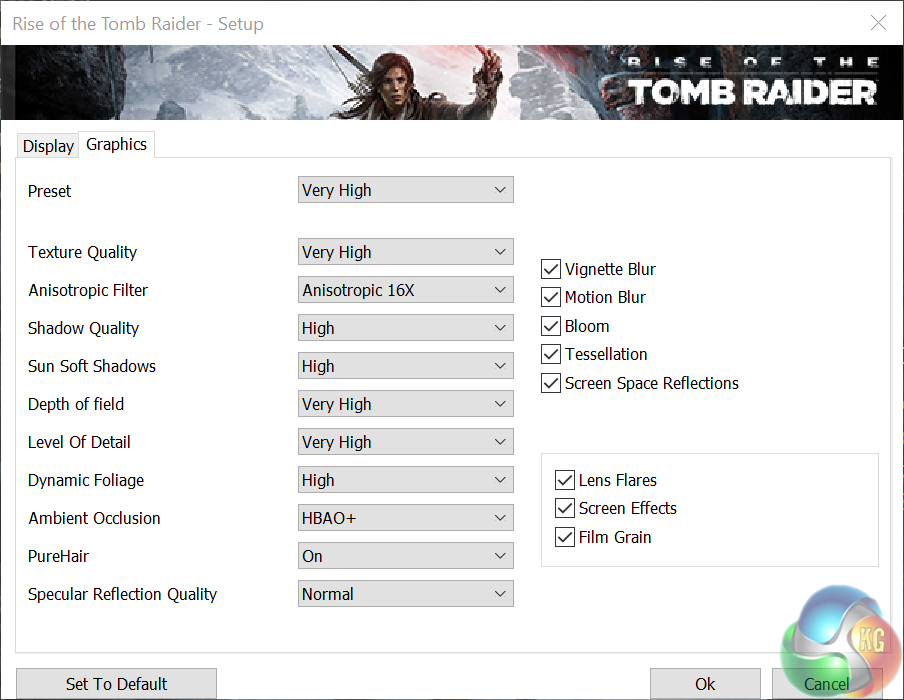
We enable Direct X 12, Vsync is off and graphics are set to the ‘very high’ profile, shown above.
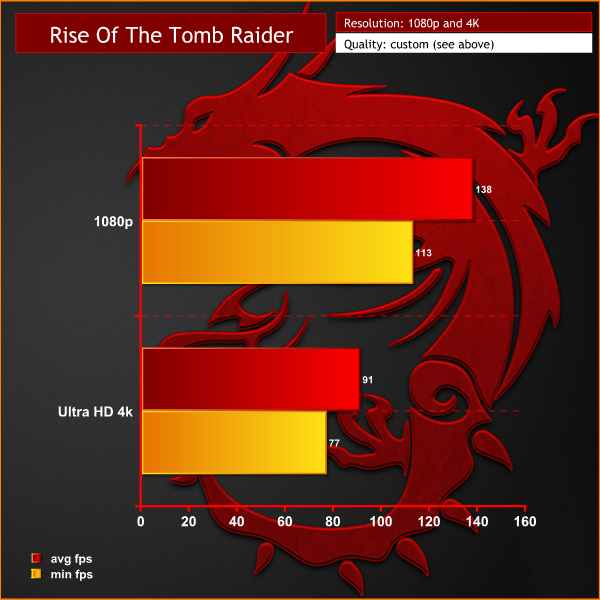
This is a very well coded engine and we can see that 4K performance is excellent, averaging 91 frames per second.
Ashes of the Singularity is a real-time strategy game set in the future where descendants of humans (called Post- Humans) and a powerful artificial intelligence (called the Substrate) fight a war for control of a resource known as Turinium.
Players will engage in massive-scale land/air battles by commanding entire armies of their own design. Each game takes place on one area of a planet, with each player starting with a home base (known as a Nexus) and a single construction unit.
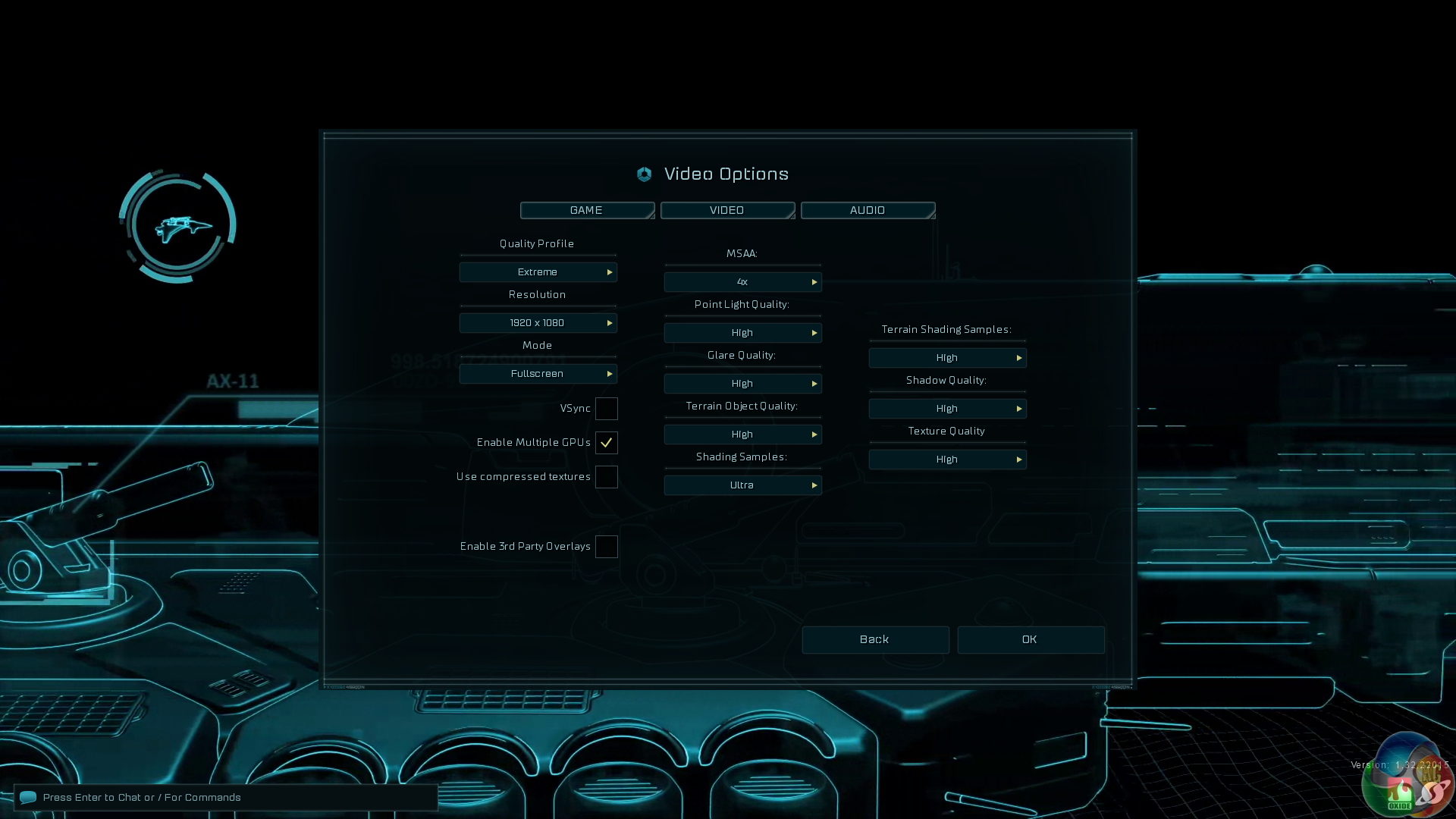
Ashes of the Singularity can only use graphics cards if they are seen by the system as running outside an SLI or Crossfire configuration. We therefore disable SLi to get the best results.
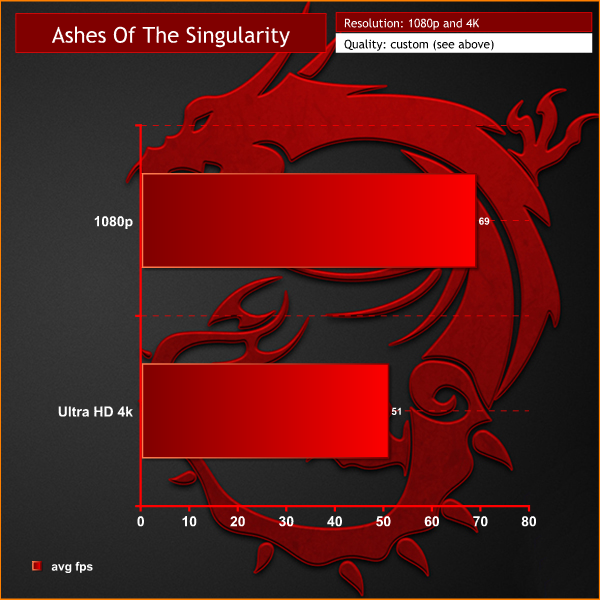
Excellent performance at both 1080p and Ultra HD 4k resolutions.
Just like the original game Metro 2033, Metro: Last Light is played from the perspective of Artyom, the player-character. The story takes place in post-apocalyptic Moscow, mostly inside the metro system, but occasionally missions bring the player above ground. Metro: Last Light takes place one year after the events of Metro 2033, following the canonical ending in which Artyom chose to proceed with the missile strike against the Dark Ones (this happens regardless of your actions in the first game). Redux adds all the DLC and graphical improvements.
We test with the following settings: Quality-Very High, SSAA-on, Texture Filtering-16x, Motion Blur-Normal, Tessellation-Normal, Advanced Physx-on.
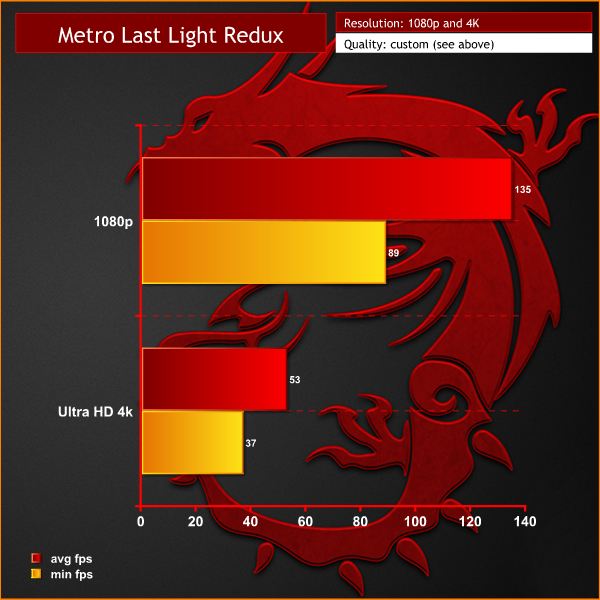
Super smooth frame rates at 1080p, holding close to 100 frames per second most of the time. At Ultra HD 4K, performance drops to an average of 53 frames per second. We would adjust some of the image quality settings to improve minimum frame rates a little.
The Witcher 3: Wild Hunt concludes the story of the witcher Geralt of Rivia, whose story to date has been covered in the previous titles.[3] Continuing from The Witcher 2, Geralt seeks to move on with his own life, embarking on a new and personal mission while the world order itself is coming to a change. (Wikipedia).
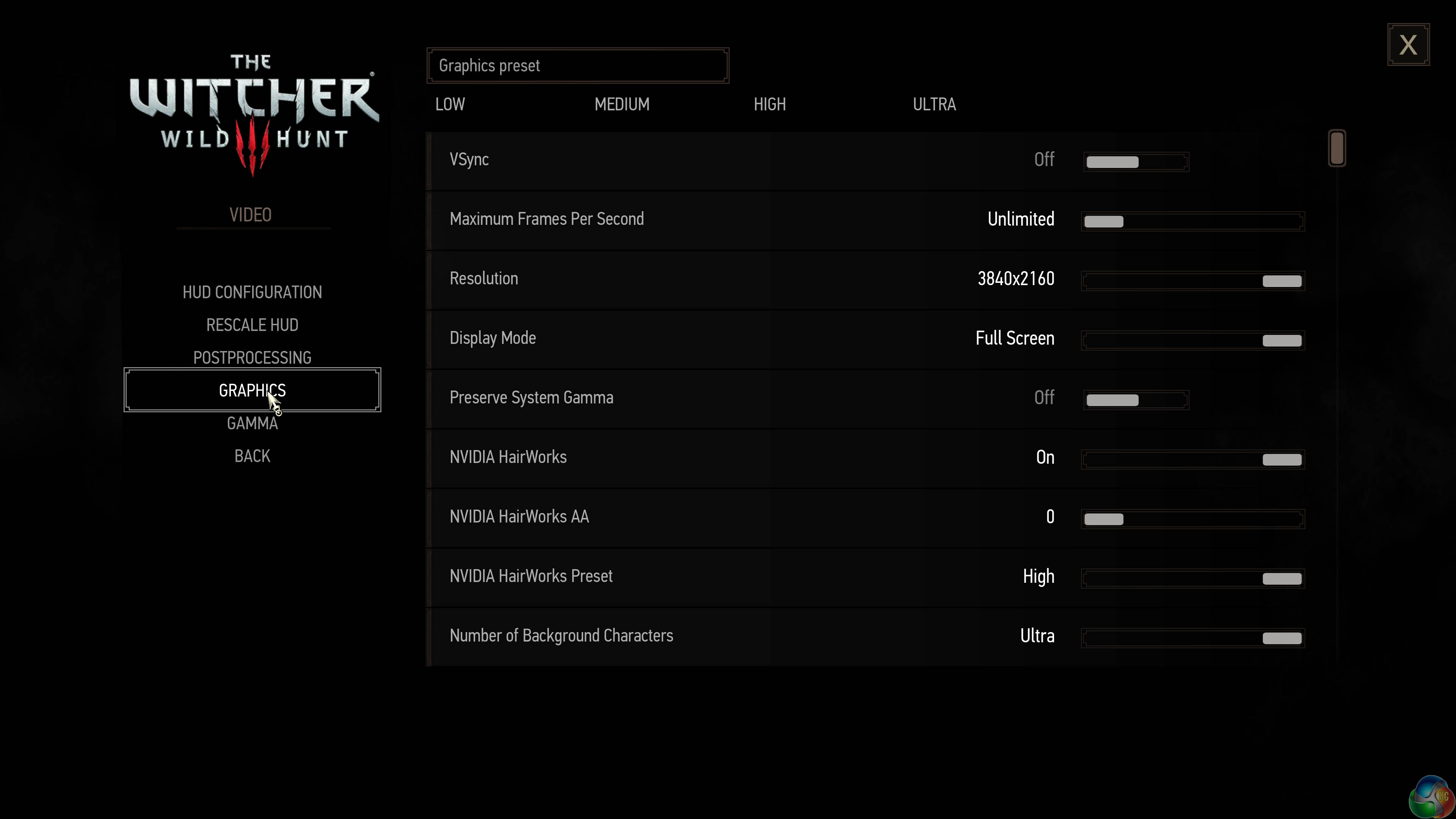
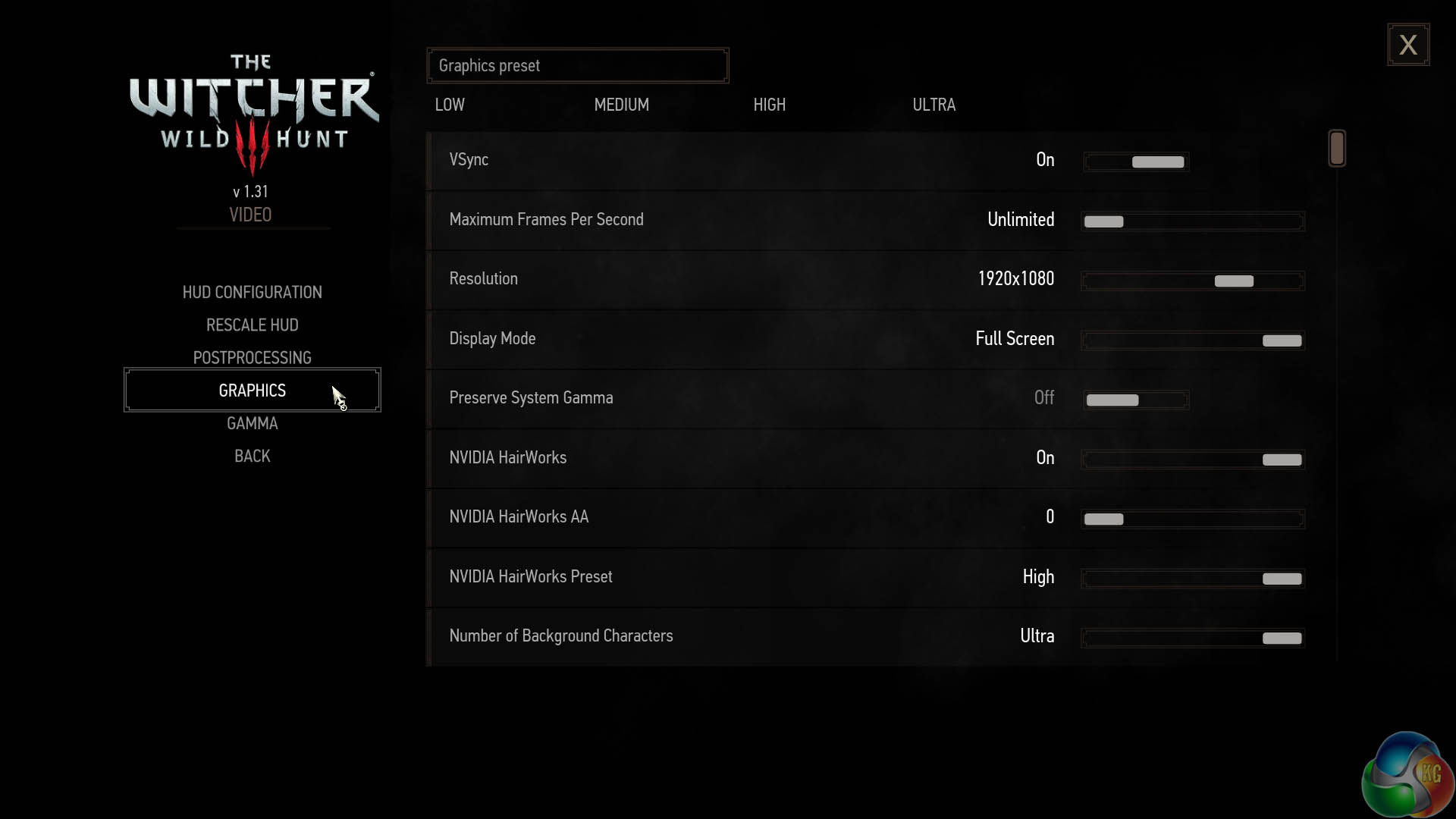
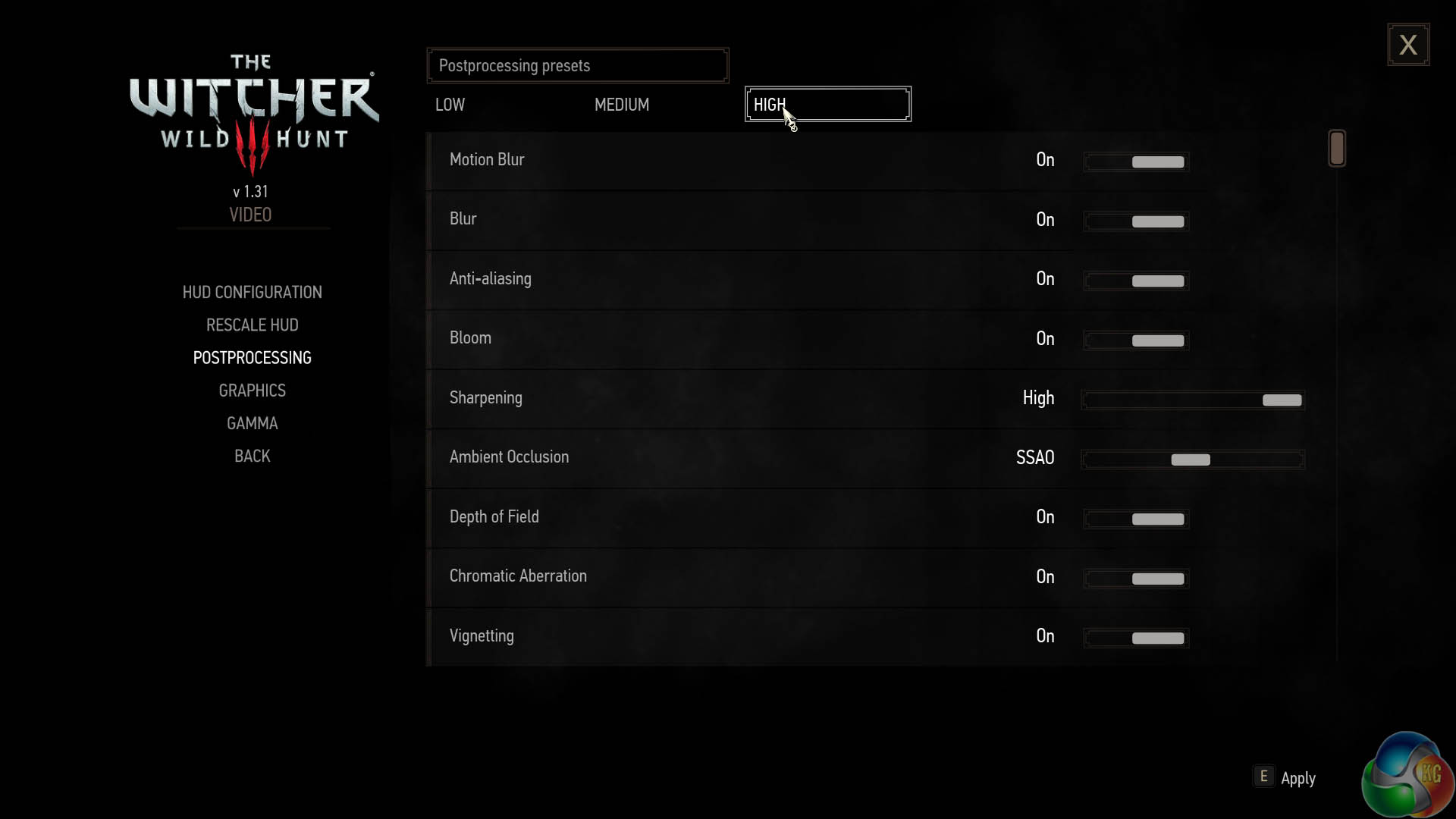
We test with graphics settings on ULTRA and postprocessing on HIGH.
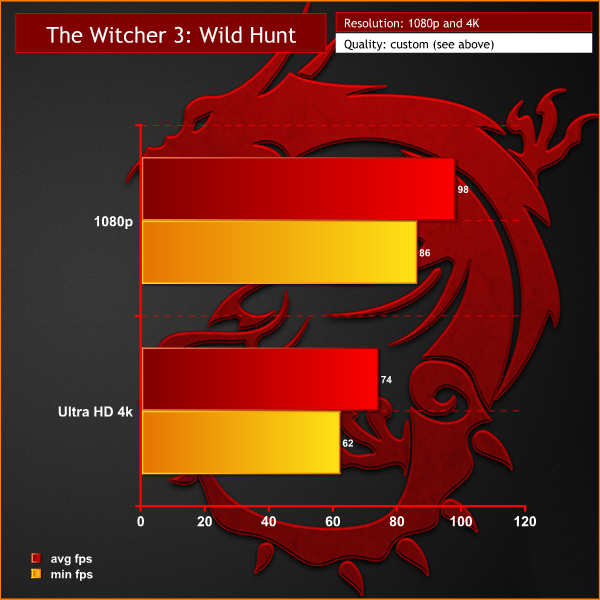
1080p performance is excellent, however the game really comes to life at Ultra HD 4k resolution. We tested with an external 4k monitor and achieved frame rates over 60 at all times. We noticed, in a similar fashion to the Grand Theft Auto 5 testing earlier that there is some CPU limiting at 1080p.
Ed.: We have conducted a significant amount of testing with Witcher 3 using desktop CPUs, and have found it to be particularly taxing on the processor. Interaction with NPCs in densely-populated regions of the game can present a situation where the CPU is heavily loaded whilst simulating the behaviour and physics interactions of these NPCs.
Put simply, at 1080P resolution you will hit a frame rate limit that is more closely tied to the CPU than the pair of (significantly) overpowered GTX 1080 GPUs. Using an external, higher-resolution display rapidly swings the emphasis back onto all-out GPU performance, and the CPU is better suited for feeding data at the slower rate commanded by the increased frame times from the GPU working at 4K.
Total War: Warhammer is a turn-based strategy game with real-time tactical battles between armies. While previous Total War games feature historical settings, Warhammer introduces a fantasy setting as well as characters from the Warhammer universe. These characters, which include monsters, warriors, and heroes, can be controlled by the player. (Wikipedia)
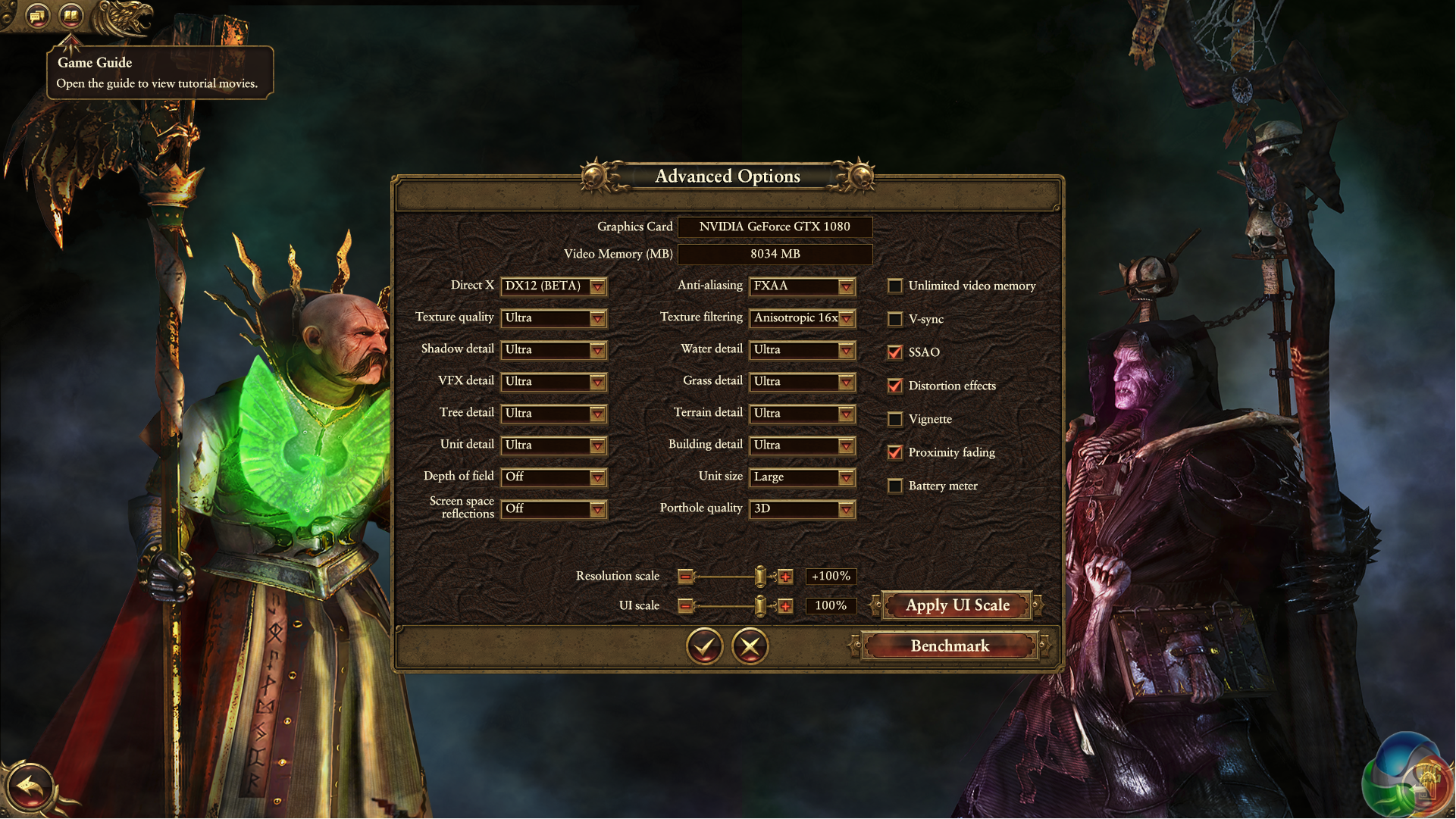
We test in the Direct X 12 (BETA) mode with the game set to the ULTRA profile, as shown above.
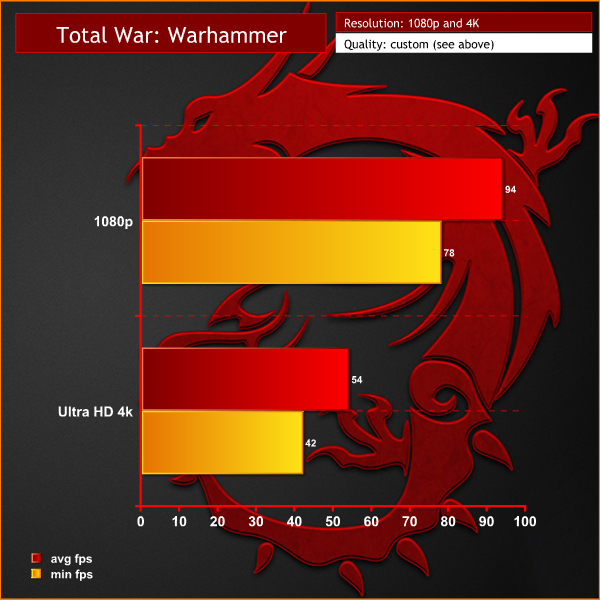
Both 1080p and 4K are playable. 1080p averages a frame rate close to 100. At 4K, performance drops to around a 54 average. It is worth pointing out that we are playing the game with maximum settings.
Deus Ex: Mankind Divided is set in the year 2029, two years after the events of Human Revolution and the “Aug Incident”—an event in which mechanically augmented humans became uncontrollable and lethally violent. Unbeknownst to the public, the affected augmented received implanted technology designed to control them by the shadowy Illuminati, which is abused by a rogue member of the group to discredit augmentations completely. (Wikipedia).
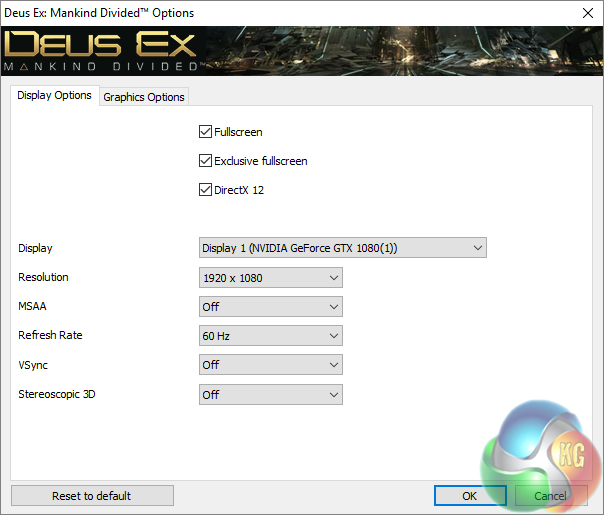
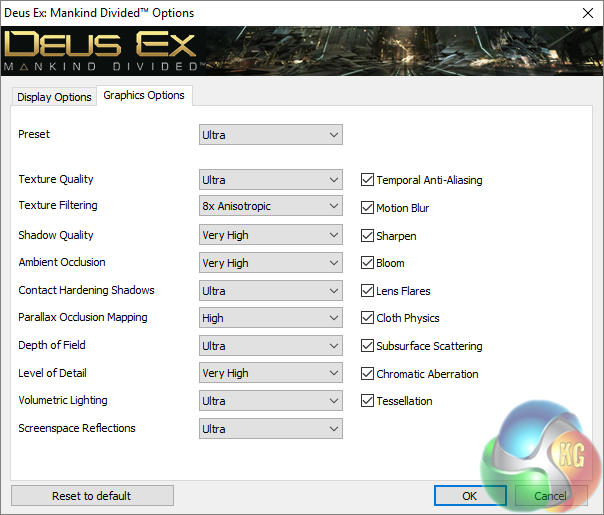
We test at the ULTRA profile with the image quality maxed out.
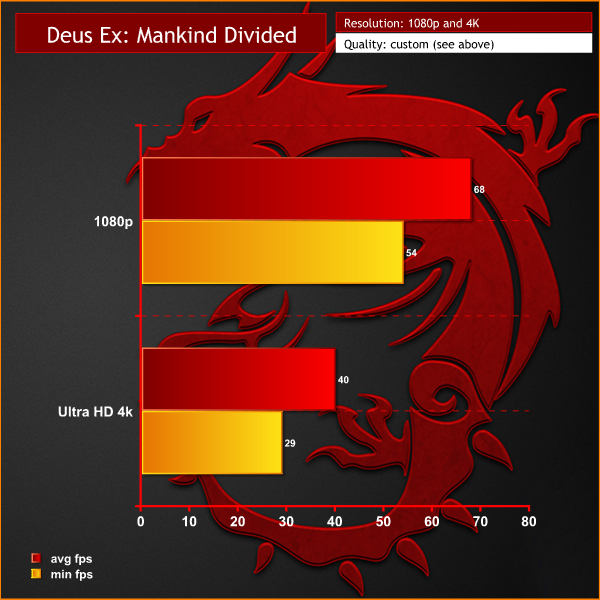
This is a demanding engine and SLI support is lacking. That said, overall performance is pretty good at 1080p.
The tests were performed in a controlled air conditioned room with temperatures maintained at a constant 23°C – a comfortable environment for the majority of people reading this. Idle temperatures were measured after sitting at the desktop for 30 minutes.
Load measurements were acquired by playing Tomb Raider for 30 minutes and measuring the peak temperature. All fan settings were left on automatic.
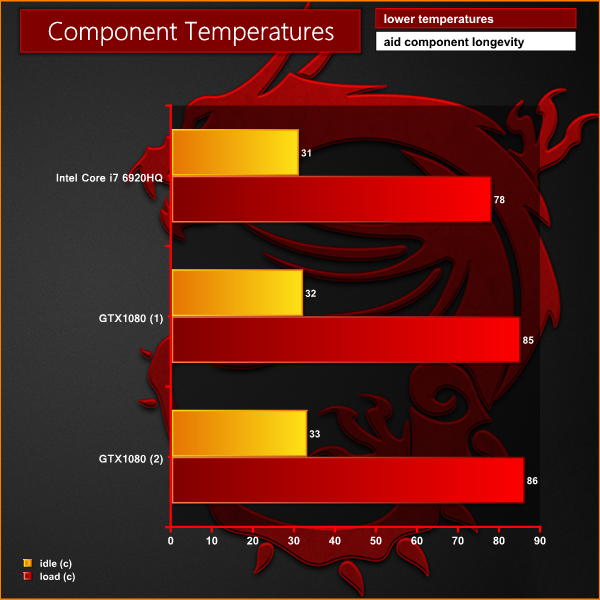
The monster cooling system does a competent job of keeping the high end hardware reasonably cool.
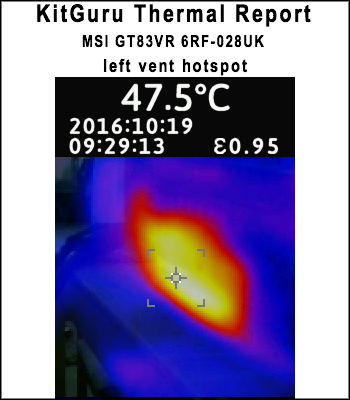
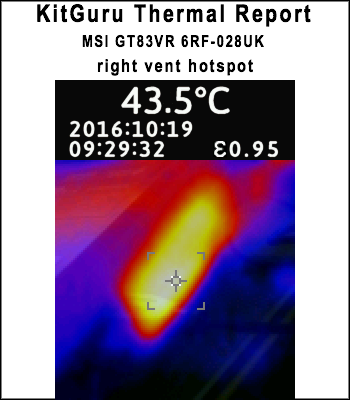
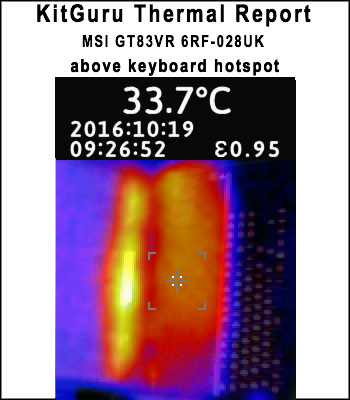
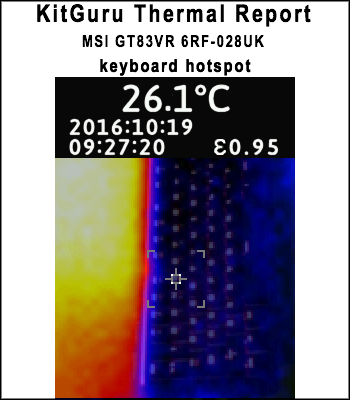
We took some thermal readings from the top of the laptop. The massive vents on each side of the chassis expel a lot of hot air from the graphics cards. We measured close to 50°C on the left side and close to 45°C on the right side. The panel above the keyboard peaks at around 34°C.
The good news is that the mechanical keyboard is always cool – close to room temperature. All of the hot running hardware is at the top of the laptop close to the screen. The underside of the laptop can get warm under extended use, but you are unlikely to be using this on your lap at all – let's be honest!
We measure from a distance of around 1 meter from the laptop to mirror a real world situation. Ambient noise in the room measures close to the limits of our sound meter at 28dBa.
Why do this? Well this means we can eliminate secondary noise pollution in the test room and concentrate on only the video card. It also brings us slightly closer to industry standards, such as DIN 45635.
KitGuru noise guide
10dBA – Normal Breathing/Rustling Leaves
20-25dBA – Whisper
30dBA – High Quality Computer fan
40dBA – A Bubbling Brook, or a Refrigerator
50dBA – Normal Conversation
60dBA – Laughter
70dBA – Vacuum Cleaner or Hairdryer
80dBA – City Traffic or a Garbage Disposal
90dBA – Motorcycle or Lawnmower
100dBA – MP3 player at maximum output
110dBA – Orchestra
120dBA – Front row rock concert/Jet Engine
130dBA – Threshold of Pain
140dBA – Military Jet takeoff/Gunshot (close range)
160dBA – Instant Perforation of eardrum
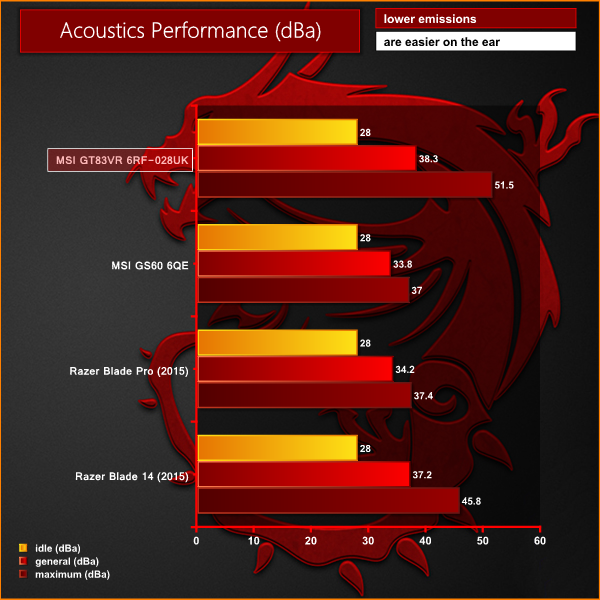
The MSI GT83VR 6RF is not a quiet laptop by any stretch of the imagination. Visualise strapping two reference GTX1080 cards and a Core i7 processor into a reasonably confined space and placing it a few feet from your head.
I never expected the laptop to be quiet, but even with headphones on you will hear the fans when gaming. Maximum dBa is basically what you hear if you turn the fans on full. It is painful.
To test today, we are putting the machine through a variety of ‘real world’ situations, mirroring the real world usage of a potential customer.
One as a media movie lover on the move (wearing headphones), a person wanting to watch high definition media on a train journey or bus with screen brightness two notches from maximum.
Second as a businessman, with screen brightness around half way. Wireless was enabled. A mixture of checking, answering emails using Microsoft Office and editing pictures in Adobe Photoshop.
There is no point using this laptop as a gaming machine on the move – all the power for the graphics cards is fed directly from the twin 330 watt power supplies.
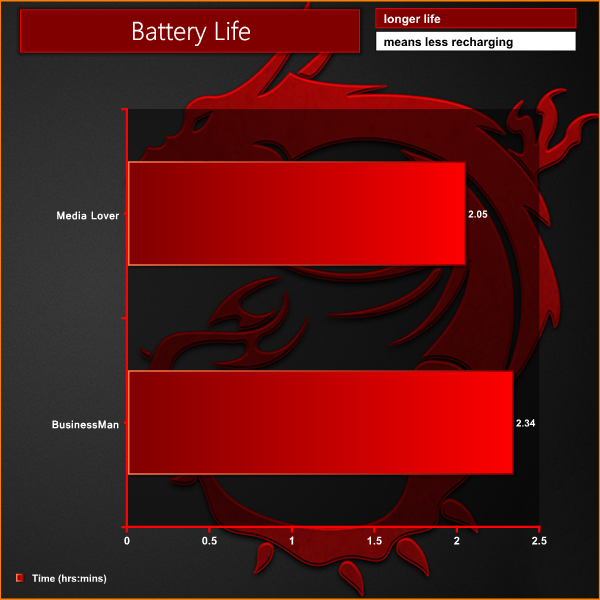
Pretty much as we would expect. A couple of hours is about all you could reasonably expect. If you see anyone on a train using this laptop, give them a pat on the back and some Kudos from the KitGuru team as well.
We measure power demand at the socket with a calibrated meter.
We measure under four test states.
Idle – resting in Windows with 0% CPU and GPU load.
Media – watching 4K videos on YouTube.
Gaming – playing Rise Of The Tomb Raider at 4k with all the settings maxed.
Synthetic load – stressed in Furmark and Cinebench R15.
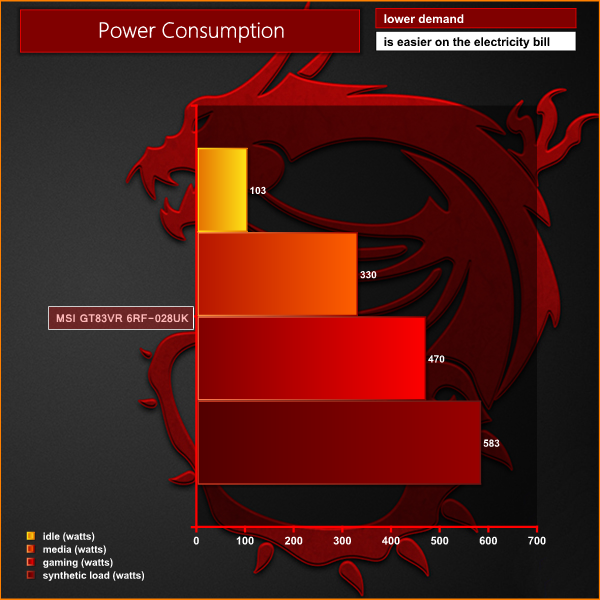
At idle we measured around 100 Watts load. This quickly rises to between 150 and 350 Watts when performing general tasks such as watching high definition video files. When gaming, the power demand rises to between 400 and 500 Watts. Under synthetic forced conditions, we measured power consumption at a whopping 583 Watts.
Unfortunately MSI decided to fit this machine with a i7 6920HQ, rather than the fully unlocked i7 6820HK processor. We can, however, overclock the GTX 1080 cards to try to push the performance to a higher level.
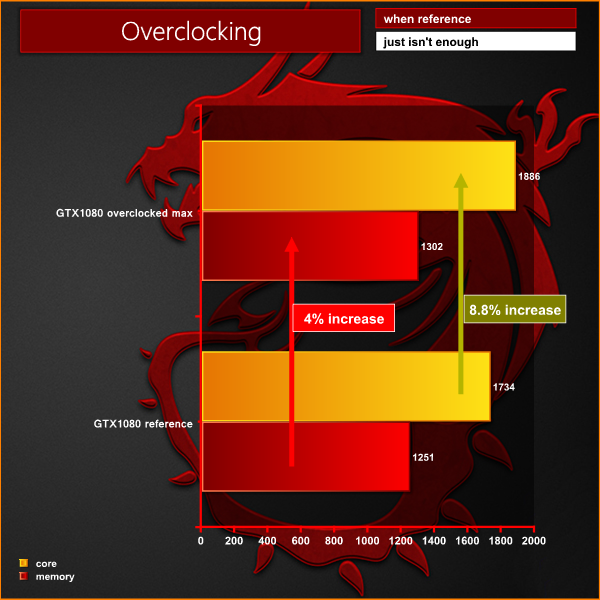
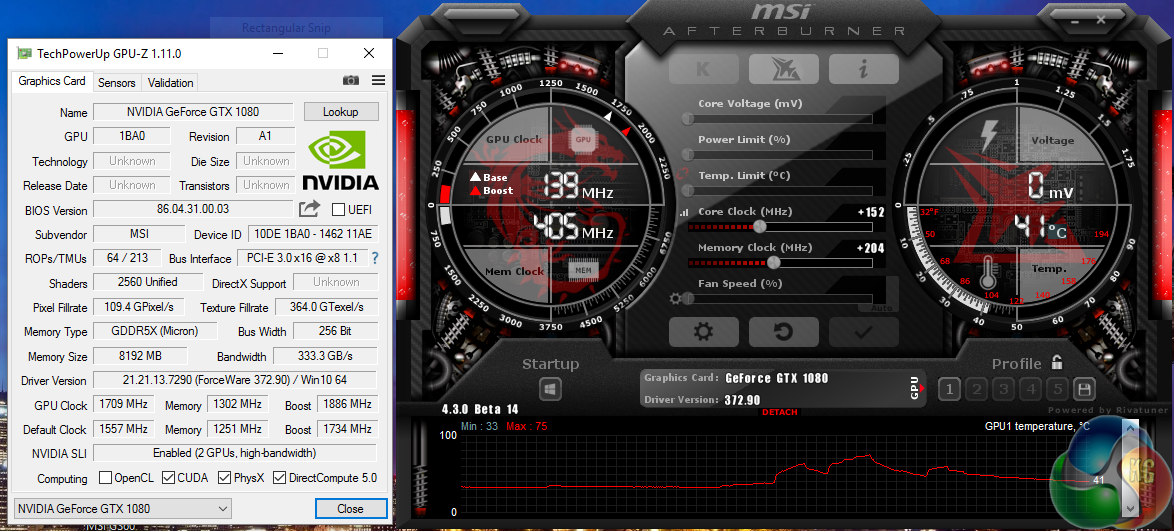

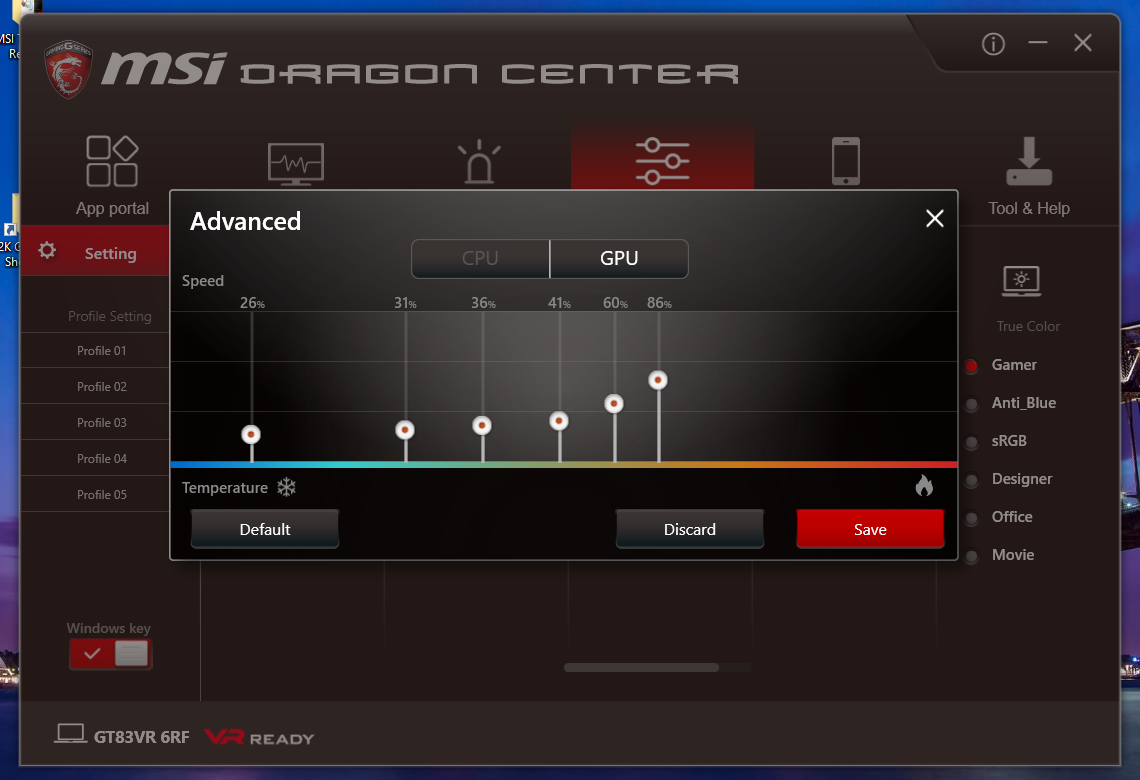
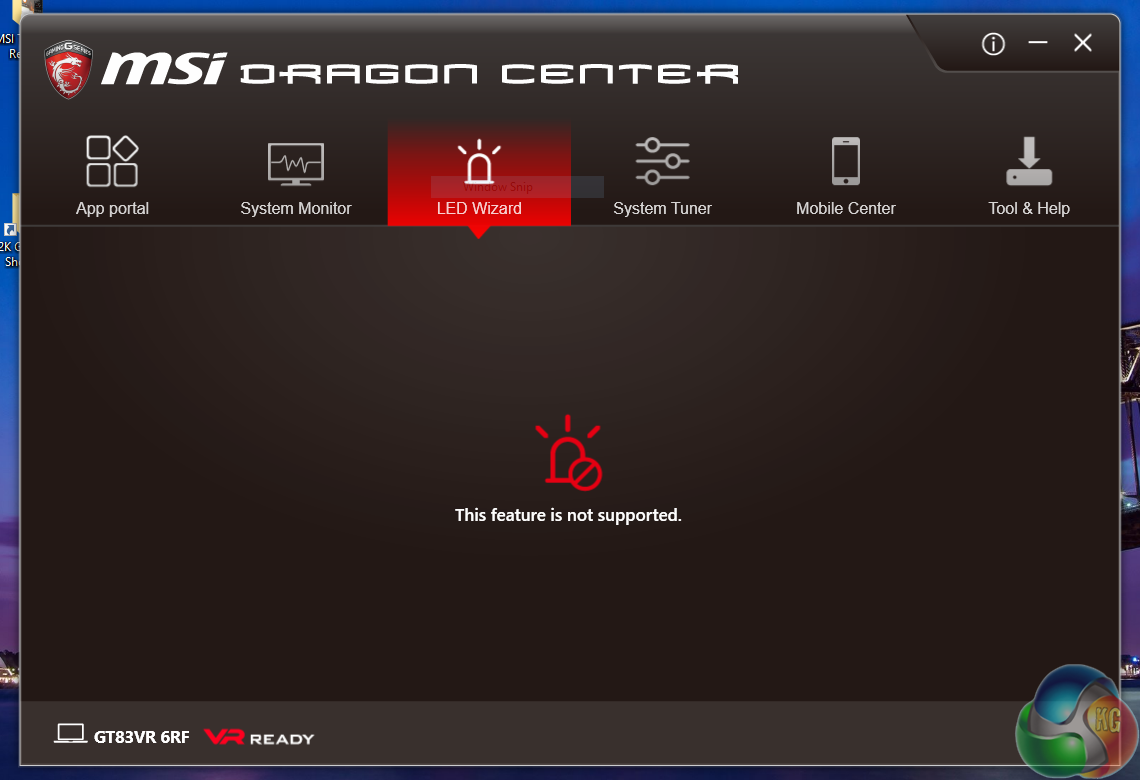
Overclocking the GTX 1080s is easy enough, however some adjustment to the fan profiles in the MSI Dragon Center really is quite important, otherwise some throttling is likely. I increased the GTX1080 fan speeds at Stage 5 from 50% to 60% and at Stage 6 from 60% to 86%.
This helped ensure that the GPU core temperatures held around the 80°C mark under heavy load, and the boost clock could increase without penalty.
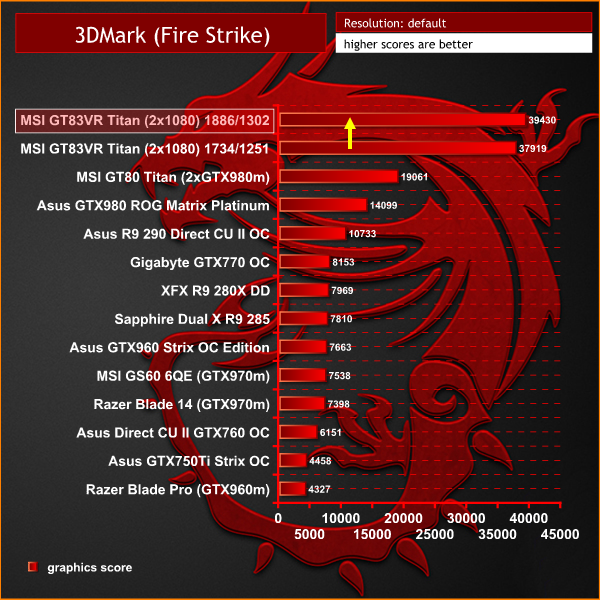
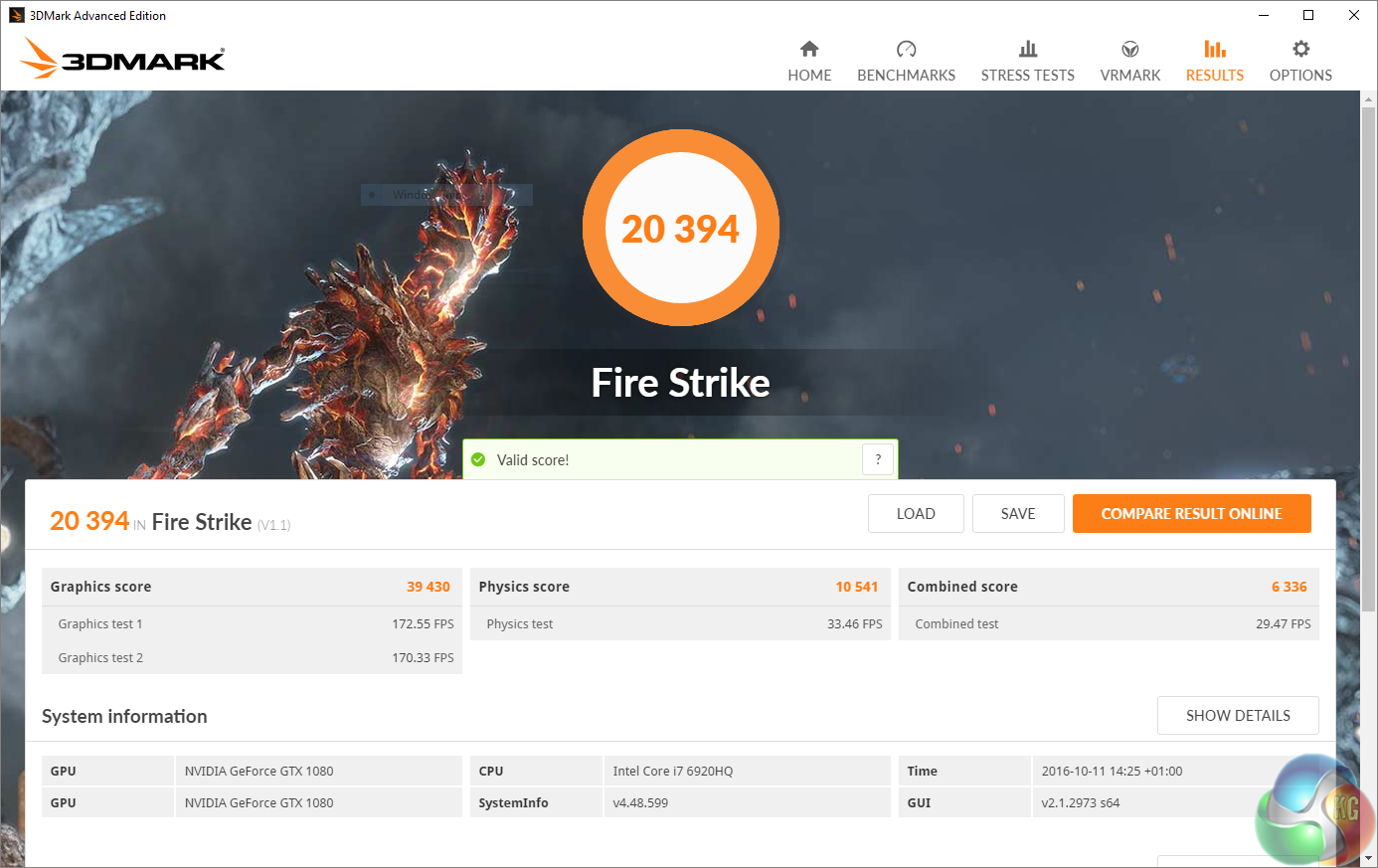
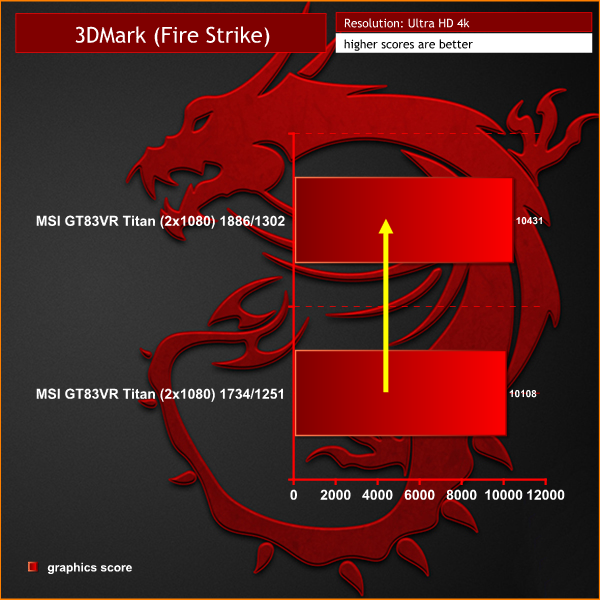
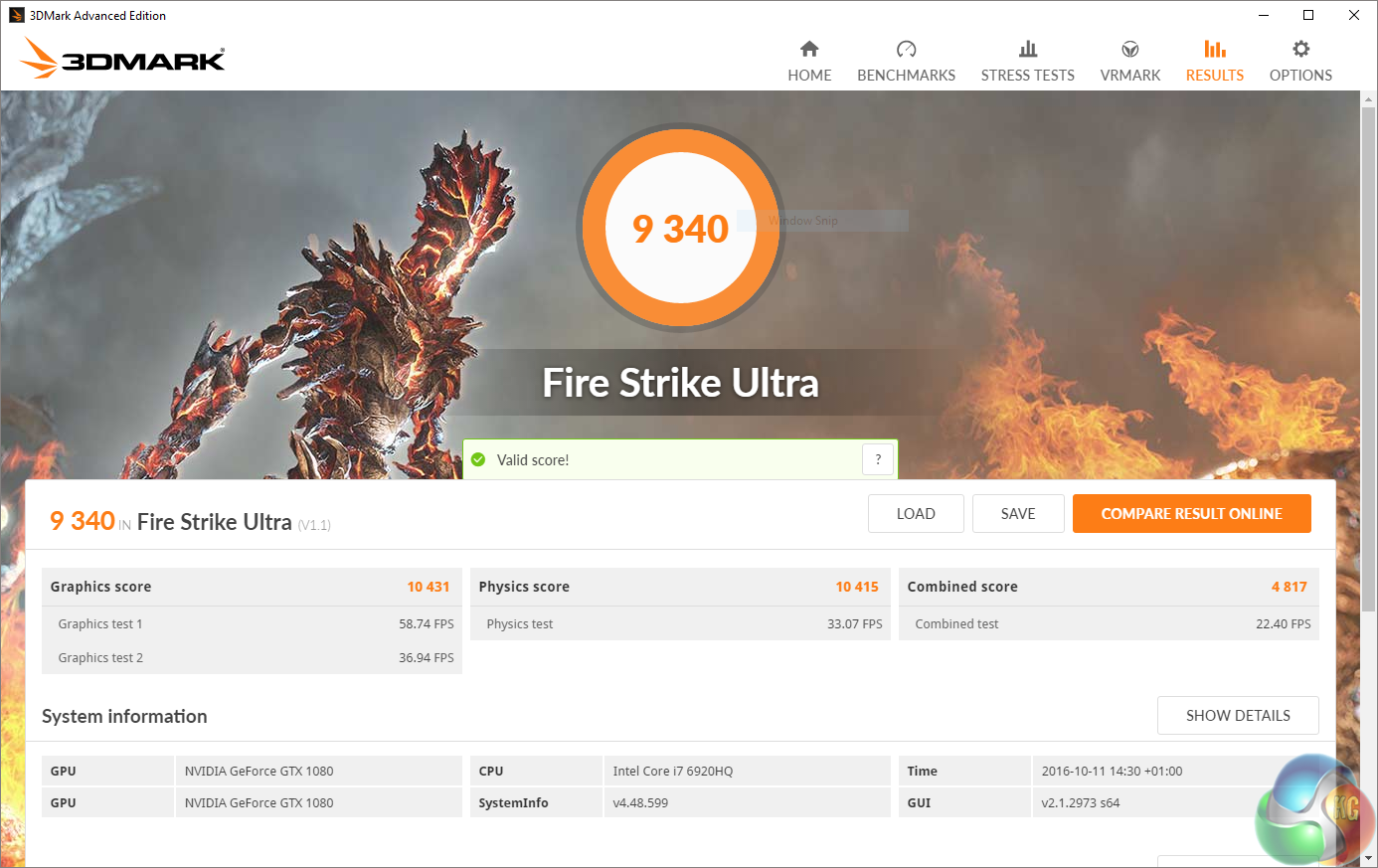
The modest overclock translates well into real world performance. Most games benefit from a couple of extra frames per second as well.
If you have five grand burning a hole in your pocket and you want the fastest gaming laptop on the planet, then the MSI GT83VR 6RF ‘Titan SLI' surely has to make your final shortlist. There is certainly a lot to like about the latest iteration of MSI's Titan flagship.
First impressions for me were mixed. I love the full size mechanical keyboard, and the connectivity is second to none. I was, however, a little disappointed to see that MSI have not decided to give the Titan a full ‘V2' workover. The Titan still has a 1080p 60Hz panel and a plain red backlit keyboard. This issue is compounded by the fact that their less expensive 17.3 inch MSI GT73VR ships with 120Hz panel options and a full RGB backlit keyboard.
How does the hardware stack up? Well, the Intel Core i7 6820HK is a better option than the 6920HQ that MSI have installed in this machine. Sure, the 6920HQ is 200mhz faster than the 6820HK, but only ‘out of the box'. The 6820HK is fully unlocked and it can be easily overclocked to 4GHz+. MSI's GT73VR even has a ‘Turbo' option available in the Dragon Software to overclock the 6820HK to 4GHz without any messy BIOS intervention. The 6920HQ by comparison will operate around 3,400MHz when all cores are fully loaded.
While this might sound like I am picking holes, I have a rather serious point to raise. We noticed when running at the native resolution of the 1080p panel in games such as Grand Theft Auto 5, that the twin GTX 1080s looked to be held back by the CPU's performance. This means that the CPU can't keep up with the SLI configuration and frame rates were being limited. At 1080p the MSI GT83VR was averaging 79 frames per second in GTA V, but when we attached an external monitor and switched to an Ultra HD resolution, the same system was able to drive a very commendable 75 frames per second.
Clearly something was holding back 1080P performance, and the relatively slow (by modern CPU standards) Core i7-6920HQ looked to be the most likely candidate. This CPU-limited performance is particularly noticeable at 1080P because there is an excess of GPU horsepower, whereas the CPU is working hard to manage its simulation and data-feeding workloads.
Two years ago, I gave the MSI GT80 Titan our highest award. It broke new ground, shattered mobile benchmarks and delivered class-leading performance with the latest game engines. The mechanical Steelseries gaming keyboard was a pleasure to use, and the switchable LED lit numpad/trackpad hybrid was inspired. I was even willing to overlook the 1080p limitations, as some investigation at the time highlighted a production shortage of 18.4 inch 4K panels.
Fast forward 2 years to today, and we are in a different environment. Asus have just released their Republic Of Gamers GX800VH watercooled laptop (review HERE) which features very similar hardware to the MSI Titan. I say similar, because Asus share my views – they prefer the unlocked Core i7 6820HK and have overclocked it to 4.4GHz. They have managed to source 4K G-Sync 18.4 inch panels and they have reduced noise by watercooling the components.
Now you may argue that the Asus ROG GX800VH is one of the ugliest, heaviest laptops ever manufactured and we wouldn't disagree with you. It does, however, feature watercooling and ships with an unlocked, overclocked 6820HK (4.4GHz) with a 4k G-Sync panel displaying the games. In reality, it bears serious consideration as a fully fledged ‘next generation' (semi) mobile gaming platform.
Can either option be considered as good value for money?
We checked prices for the Asus GX800VH, and while it is not yet available, it is listed for pre-order at £5,599.99 inc vat HERE. That is around £1,100 more expensive than the MSI GT83VR 6RF 028UK reviewed today. But what about 4K support? If you have just spent £4.5k on the MSI Titan, you surely want the best high-resolution gaming monitor possible, right? Maybe you're a fan of high refresh rate Ultrawides, in which case you should be prepared to pay £1000 for an Acer X34A Predator (HERE) or Asus PG348Q (HERE). This now brings the MSI GT83VR 6RF to the same price point as the Asus GX800VH but we still have the locked 6920HQ processor and no RGB backlighting or watercooling support. Of course, you also get a significantly better monitor for that money, but the Asus competitor already offers a 4K G-Sync screen.
Overall, it is difficult not to be impressed with the MSI GT83VR 6RF ‘Titan SLI'. It delivers flagship desktop gaming performance, and you have the luxury of a full mechanical keyboard, wicked SSD Raid 0 performance and more than enough connectivity for all your devices. Sadly MSI seem to have cut a few corners with the latest Titan SLI, while their lower end models have the latest goodies, such as 120Hz panels, 4K screens, RGB keyboards and even unlocked processors.
I do hope MSI address these concerns in the next revision of the Titan. It needs a 120Hz or 4K screen, an RGB backlit keyboard, and an unlocked processor to get the most from the incredible GPU performance.
Discuss on our Facebook page HERE.
Pros:
- Class-leading gaming performance.
- Excellent CPU performance out of the box.
- Lighting quick RAID 0 SSD performance.
- Decent onboard audio capabilities.
- Full mechanical keyboard.
- Immense cooling performance.
- Dedicated grade audio connector fantastic for high end headphones.
- Overclocking headroom on the GTX 1080 cards.
Cons:
- No 4K or 120Hz panel.
- CPU limiting can be a problem at 1080p.
- Very noisy under load.
- Locked 6920HQ processor.
- No RGB keyboard.
- Power cable falls out at the slightest movement.
- MSI should include a soft wrist support for extended typing periods.
KitGuru says: The MSI GT83VR 6RF ‘Titan SLI' produces killer frame rates and the GPUs have additional throttle-free overclocking headroom thanks to the incredible cooling system. Unfortunately the panel is limited to 1080p @ 60Hz and to get the most from the hardware you really will want a 4K monitor. It is very loud under load too.

Don’t buy MSI until they have fixed the issues with the GT72 and GT80: Read more: http://forum.notebookreview.com/threads/gt72-gt72s-and-gt80-gt80s-owners-gpu-upgrade-discussion.795236/ and here: https://forums.overclockers.co.uk/showthread.php?t=18746748
That’s really pathetic!
What is pathetic?
What MSI has done and then the way they’ve responded.
Yep. My GT72 is not upgradable like MSI advertised.
You have the GTX 880M? Has anyone attempted at placing eurocom’s MXM maxwells in there?
You have the GTX 880M? Has anyone attempted at placing eurocom’s MXM maxwells in there?
Seems like the GT83VR is a step down from even the GT73VR lol. Raid 0 instead of Super Raid 4. No 120 Htz display, no 4K or turbo mode.
Not even G-Sync from my understanding according to MSI support. So what exactly are you paying extra for here?
Doesn’t seem like you’re getting much of anything here. Other than the two GTX 1080. Not worth as i think might just go back to Asus. Wait for their new GX800 to come out.